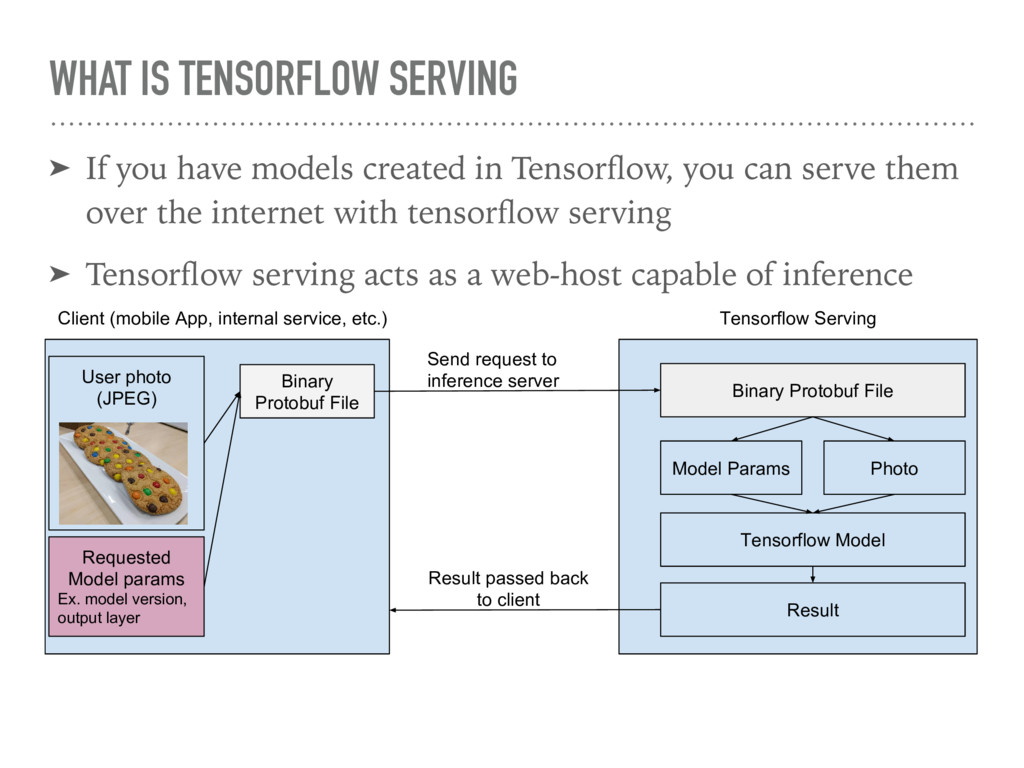
in Tensorflow, you can serve them over the internet with tensorflow serving ➤ Tensorflow serving acts as a web-host capable of inference Client (mobile App, internal service, etc.) Tensorflow Serving User photo (JPEG) Binary Protobuf File Requested Model params Ex. model version, output layer Binary Protobuf File Send request to inference server Model Params Photo Tensorflow Model Result Result passed back to client
worked with saving tensorflow models (as .pb files) then you’re already familiar with them ➤ A binary format capable of storing structured information, which is described in a matching .proto file ➤ For example, Tensorflow has a standard .proto for saving models ➤ For tensorflow serving, can contain our inference request, encapsulating our image and request for classification
C++ with performance in mind (Can use GPUs as well) ➤ Communicates with gRPC (Remote Procedure Call) ➤ Supports batching to allow inference over a range of images ➤ Alternatives include writing your own inference web host ➤ You can use software like Flask and Bottle for hosting a webserver in python that can also run a model for inference ➤ No need to use protobuf format, can write endpoints to accept images in any form (binary jpeg, base64) and convert on backend
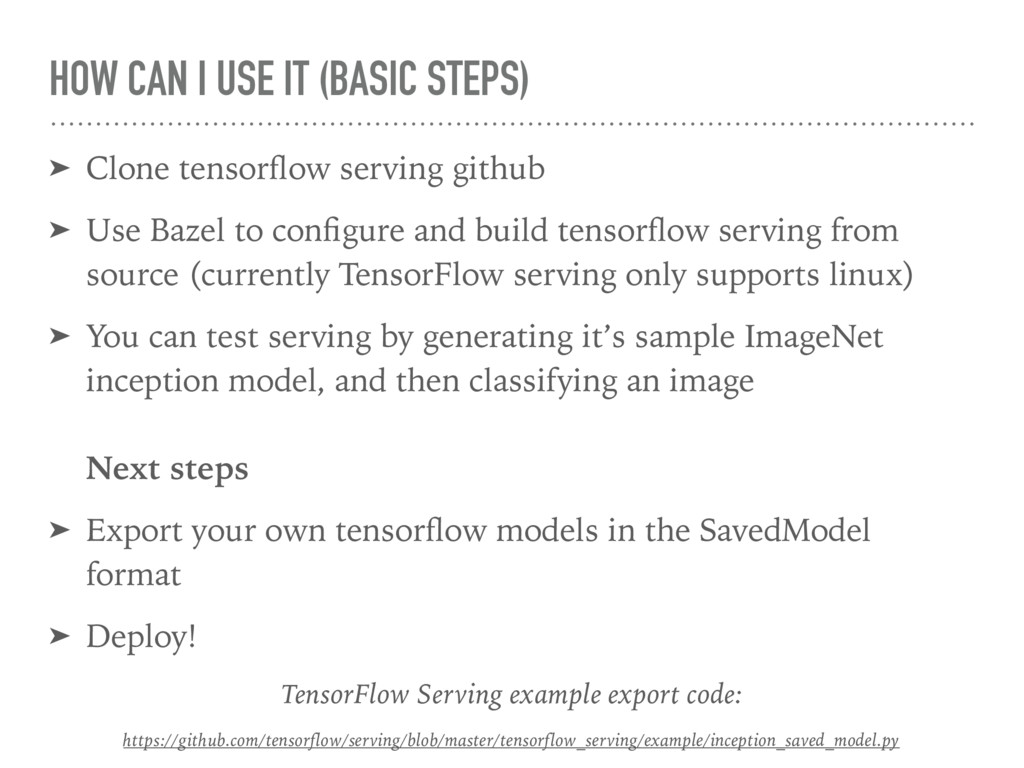
serving github ➤ Use Bazel to configure and build tensorflow serving from source (currently TensorFlow serving only supports linux) ➤ You can test serving by generating it’s sample ImageNet inception model, and then classifying an image Next steps ➤ Export your own tensorflow models in the SavedModel format ➤ Deploy! TensorFlow Serving example export code: https://github.com/tensorflow/serving/blob/master/tensorflow_serving/example/inception_saved_model.py
tricky to work with, and environment specific problems can easily popup ➤ Especially going from development to deployment! ➤ Included with Tensorflow serving is a Dockerfile which enables you to build tensorflow in an environment including dependencies, that’s been tested Official Docker Guide: https://tensorflow.github.io/serving/docker.html
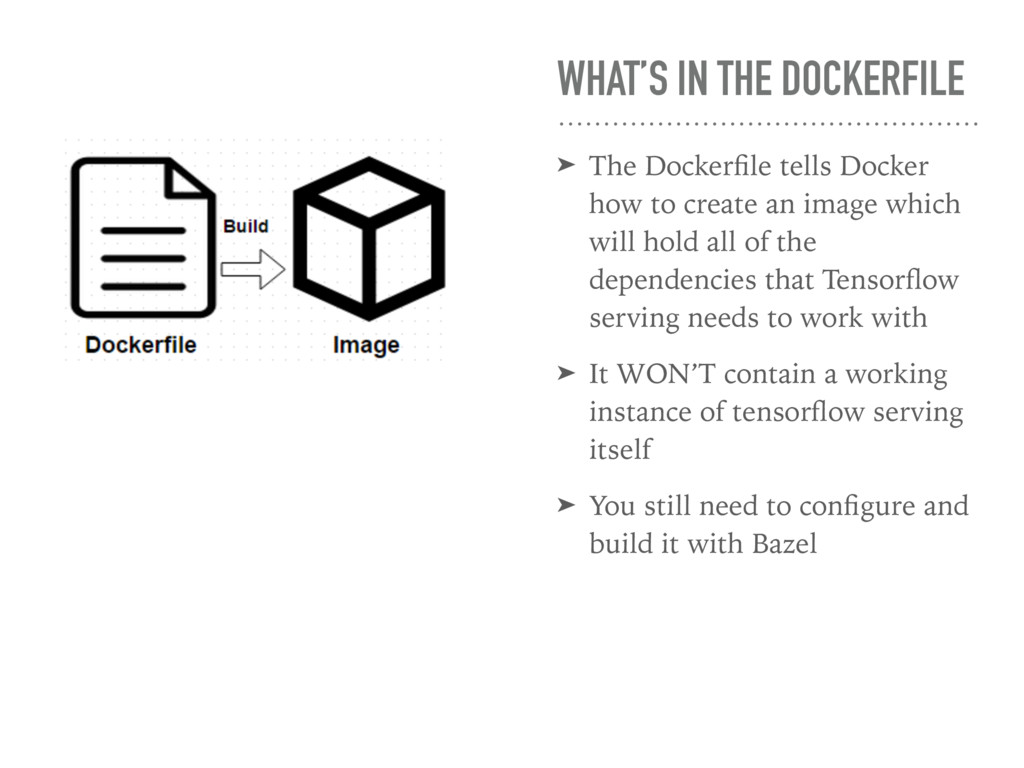
to create an image which will hold all of the dependencies that Tensorflow serving needs to work with ➤ It WON’T contain a working instance of tensorflow serving itself ➤ You still need to configure and build it with Bazel
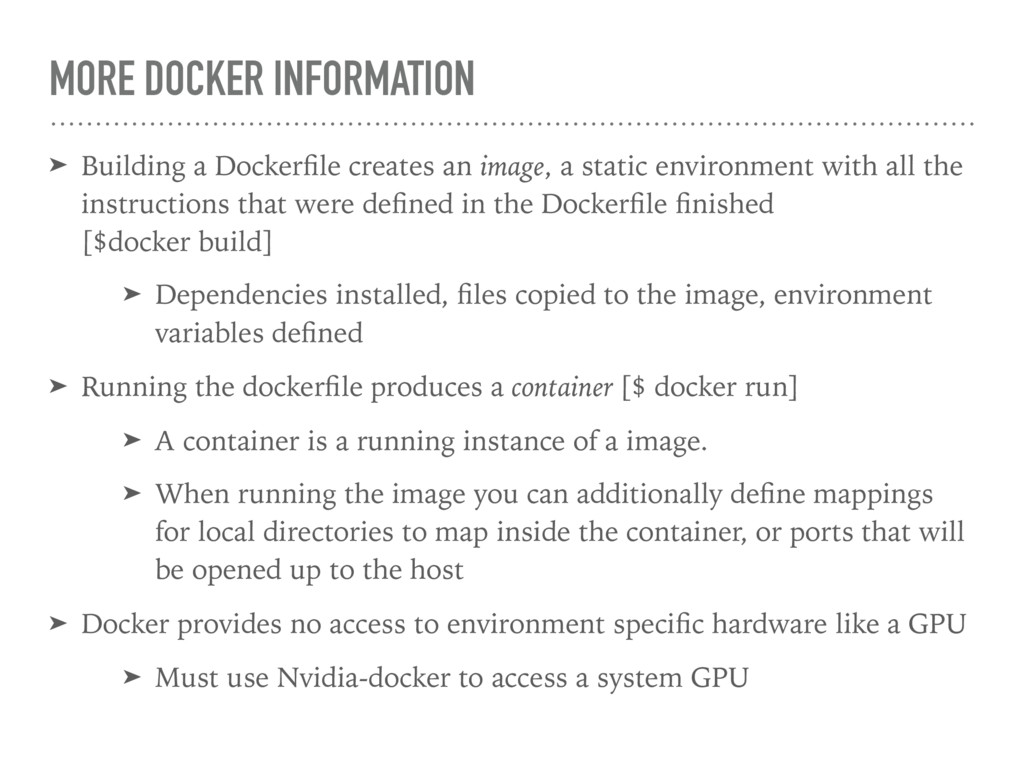
a static environment with all the instructions that were defined in the Dockerfile finished [$docker build] ➤ Dependencies installed, files copied to the image, environment variables defined ➤ Running the dockerfile produces a container [$ docker run] ➤ A container is a running instance of a image. ➤ When running the image you can additionally define mappings for local directories to map inside the container, or ports that will be opened up to the host ➤ Docker provides no access to environment specific hardware like a GPU ➤ Must use Nvidia-docker to access a system GPU
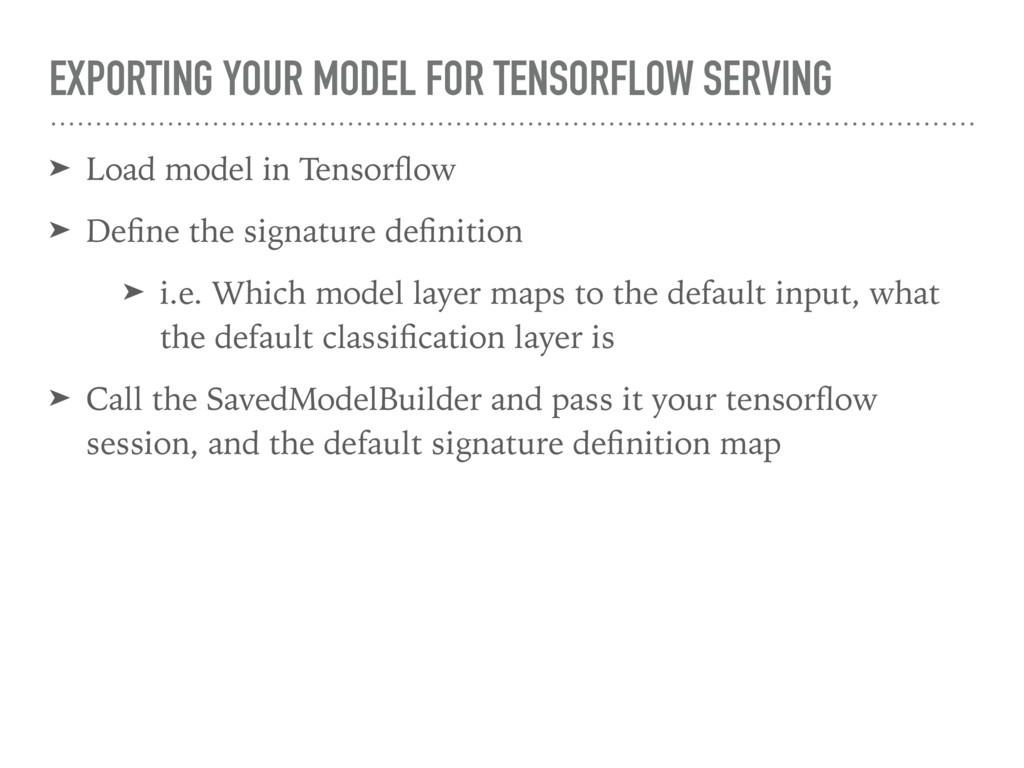
Tensorflow ➤ Define the signature definition ➤ i.e. Which model layer maps to the default input, what the default classification layer is ➤ Call the SavedModelBuilder and pass it your tensorflow session, and the default signature definition map
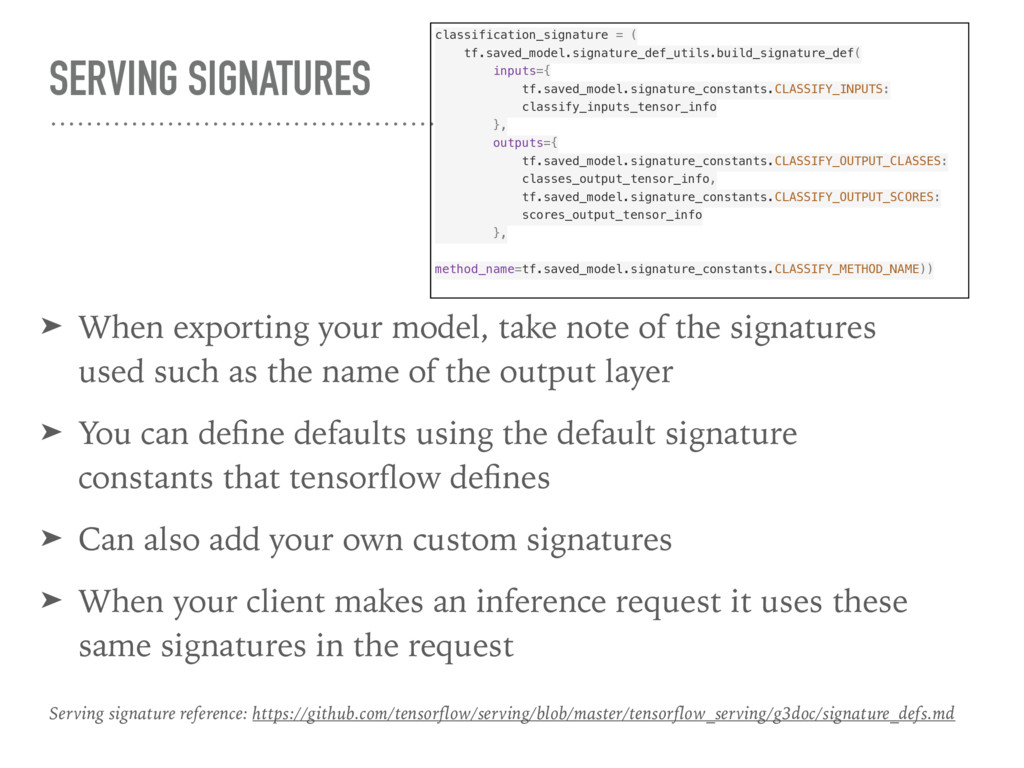
the signatures used such as the name of the output layer ➤ You can define defaults using the default signature constants that tensorflow defines ➤ Can also add your own custom signatures ➤ When your client makes an inference request it uses these same signatures in the request classification_signature = ( tf.saved_model.signature_def_utils.build_signature_def( inputs={ tf.saved_model.signature_constants.CLASSIFY_INPUTS: classify_inputs_tensor_info }, outputs={ tf.saved_model.signature_constants.CLASSIFY_OUTPUT_CLASSES: classes_output_tensor_info, tf.saved_model.signature_constants.CLASSIFY_OUTPUT_SCORES: scores_output_tensor_info }, method_name=tf.saved_model.signature_constants.CLASSIFY_METHOD_NAME)) Serving signature reference: https://github.com/tensorflow/serving/blob/master/tensorflow_serving/g3doc/signature_defs.md
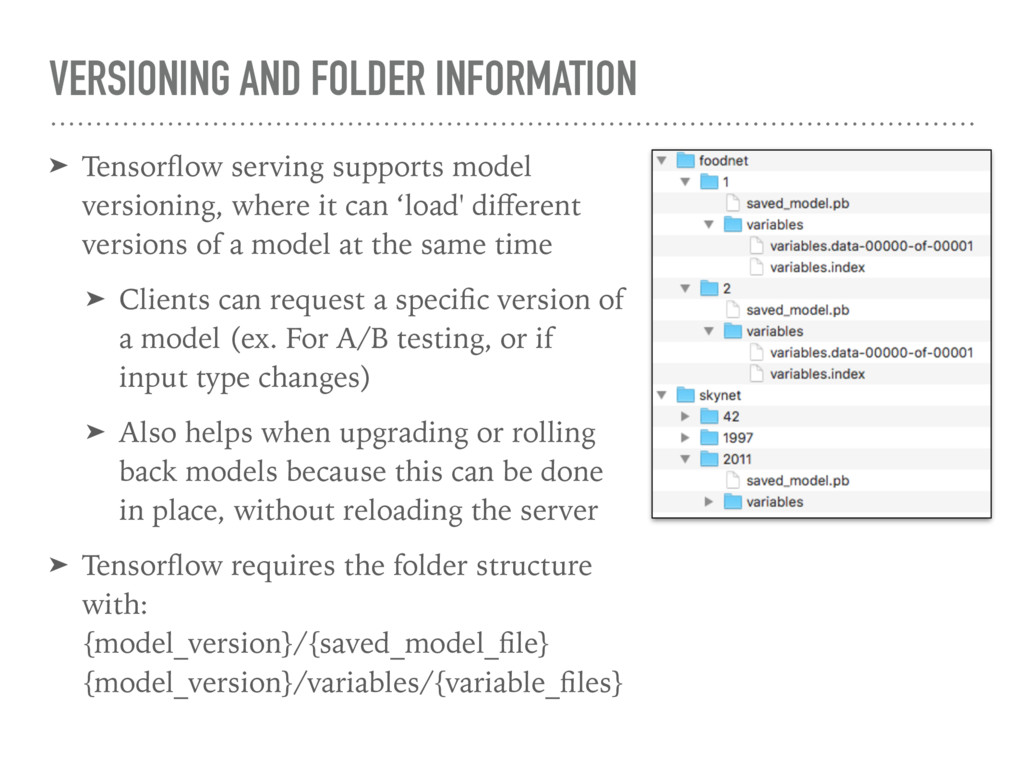
where it can ‘load' different versions of a model at the same time ➤ Clients can request a specific version of a model (ex. For A/B testing, or if input type changes) ➤ Also helps when upgrading or rolling back models because this can be done in place, without reloading the server ➤ Tensorflow requires the folder structure with: {model_version}/{saved_model_file} {model_version}/variables/{variable_files}
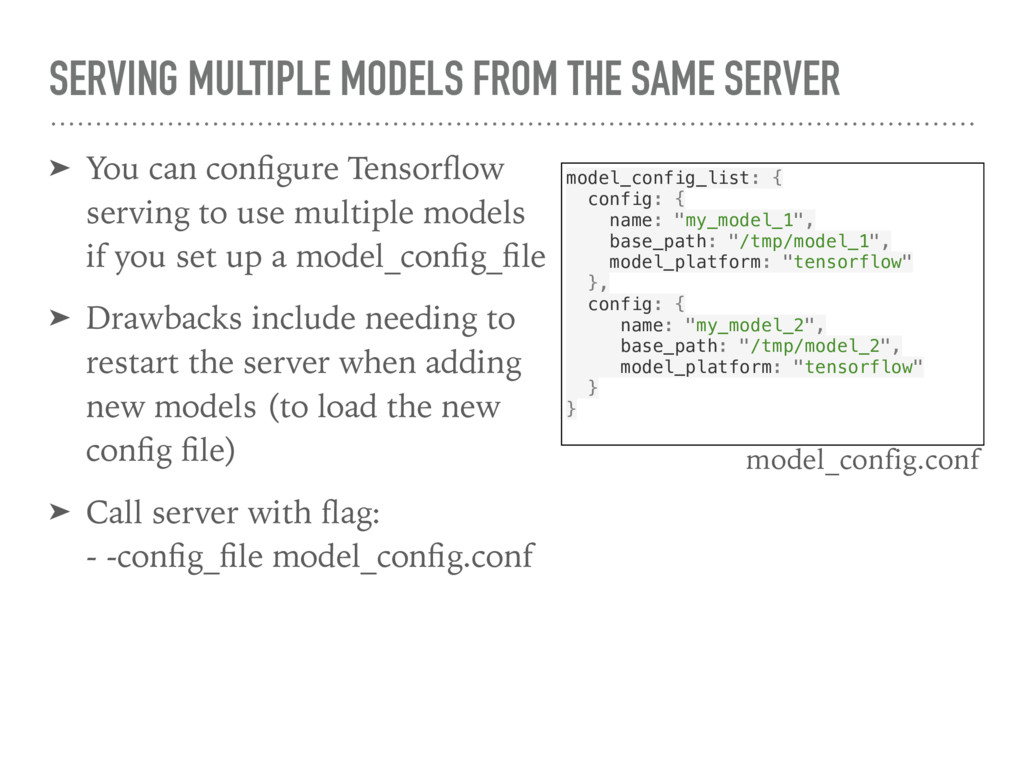
configure Tensorflow serving to use multiple models if you set up a model_config_file ➤ Drawbacks include needing to restart the server when adding new models (to load the new config file) ➤ Call server with flag: - -config_file model_config.conf model_config_list: { config: { name: "my_model_1", base_path: "/tmp/model_1", model_platform: "tensorflow" }, config: { name: "my_model_2", base_path: "/tmp/model_2", model_platform: "tensorflow" } } model_config.conf
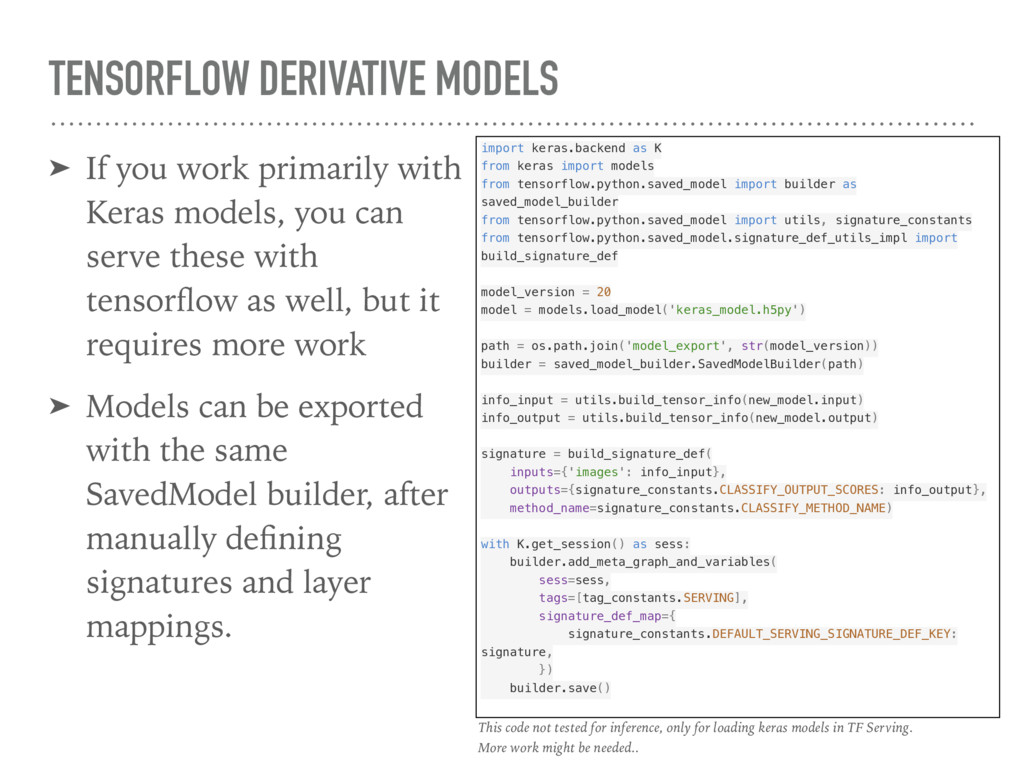
models, you can serve these with tensorflow as well, but it requires more work ➤ Models can be exported with the same SavedModel builder, after manually defining signatures and layer mappings. import keras.backend as K from keras import models from tensorflow.python.saved_model import builder as saved_model_builder from tensorflow.python.saved_model import utils, signature_constants from tensorflow.python.saved_model.signature_def_utils_impl import build_signature_def model_version = 20 model = models.load_model('keras_model.h5py') path = os.path.join('model_export', str(model_version)) builder = saved_model_builder.SavedModelBuilder(path) info_input = utils.build_tensor_info(new_model.input) info_output = utils.build_tensor_info(new_model.output) signature = build_signature_def( inputs={'images': info_input}, outputs={signature_constants.CLASSIFY_OUTPUT_SCORES: info_output}, method_name=signature_constants.CLASSIFY_METHOD_NAME) with K.get_session() as sess: builder.add_meta_graph_and_variables( sess=sess, tags=[tag_constants.SERVING], signature_def_map={ signature_constants.DEFAULT_SERVING_SIGNATURE_DEF_KEY: signature, }) builder.save() This code not tested for inference, only for loading keras models in TF Serving. More work might be needed..
were written before the current ‘SavedModel’ builder was implemented in Tensorflow, and generate models that are incompatible with the current versions of Tensorflow serving ➤ While you can generate the protobuf request in environments that you control (like mobile applications, on your server) things are more difficult if you’re dealing with a webpage running in the browser where traditional file uploads (ex. XMLHttpRequest) make more sense ➤ To solve this, you can use Tensorflow serving as your own inference server, and run your client requests through a gateway server that handles formatting, etc.
for hosting Tensorflow models in a standard way ➤ Can setup easily with Docker (and extend to remote hosting, ex. AWS, Kubernetes) ➤ Extends to handle model versioning and multiple models ➤ For smaller applications bespoke python web server may make more sense ➤ If you want to run a server for your Tensorflow models, give it a shot!
Google for making Tensorflow and Tensorflow serving - All the people on Stack Overflow and Github issues with solutions to the many issues/ misunderstandings I had while working with Tensorflow Serving, grpc and protobufs


 a_matsuda
 artoy
artoy
 panda728
 andpad
 optim
optim
 oku053
 palkan
 siroemk
 uyuki234
 shihochan
 moro
moro
 iwiwi
iwiwi
 garrettdimon
 marketingsoph
 afnizarnur
 reverentgeek
 sarafernandez
 gurzu
gurzu
 orderedlist
 schlessera
 addyosmani
 chrisshort
 ryanjones
 konakalab


![FROM ubuntu:16.04 MAINTAINER Craig Citro <[email protected]> RUN apt-get update &&](https://files.speakerdeck.com/presentations/36d35227e84d4449b19d79896a8361bb/slide_9.jpg)