be awesome • Agenda – Planning for technology in the classroom – Affordance analysis – Room and tech logisAcs – Time for quesAons, lesson planning, and working with colleagues
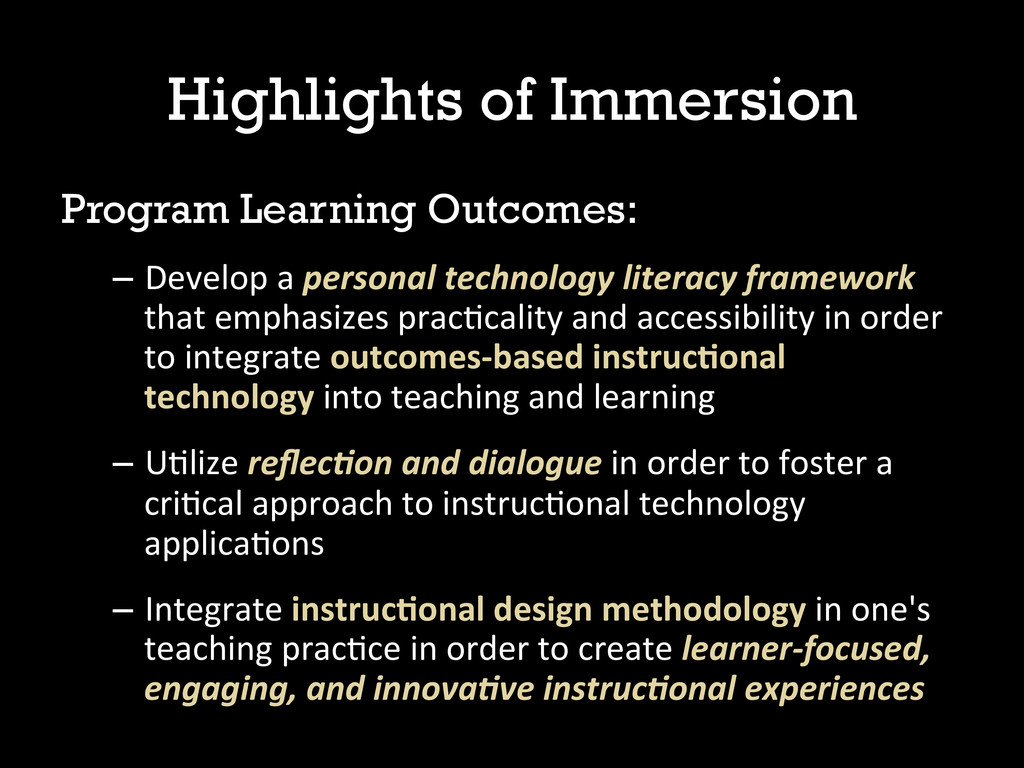
technology literacy framework that emphasizes pracAcality and accessibility in order to integrate outcomes-‐based instruc0onal technology into teaching and learning – UAlize reflec5on and dialogue in order to foster a criAcal approach to instrucAonal technology applicaAons – Integrate instruc0onal design methodology in one's teaching pracAce in order to create learner-‐focused, engaging, and innova5ve instruc5onal experiences
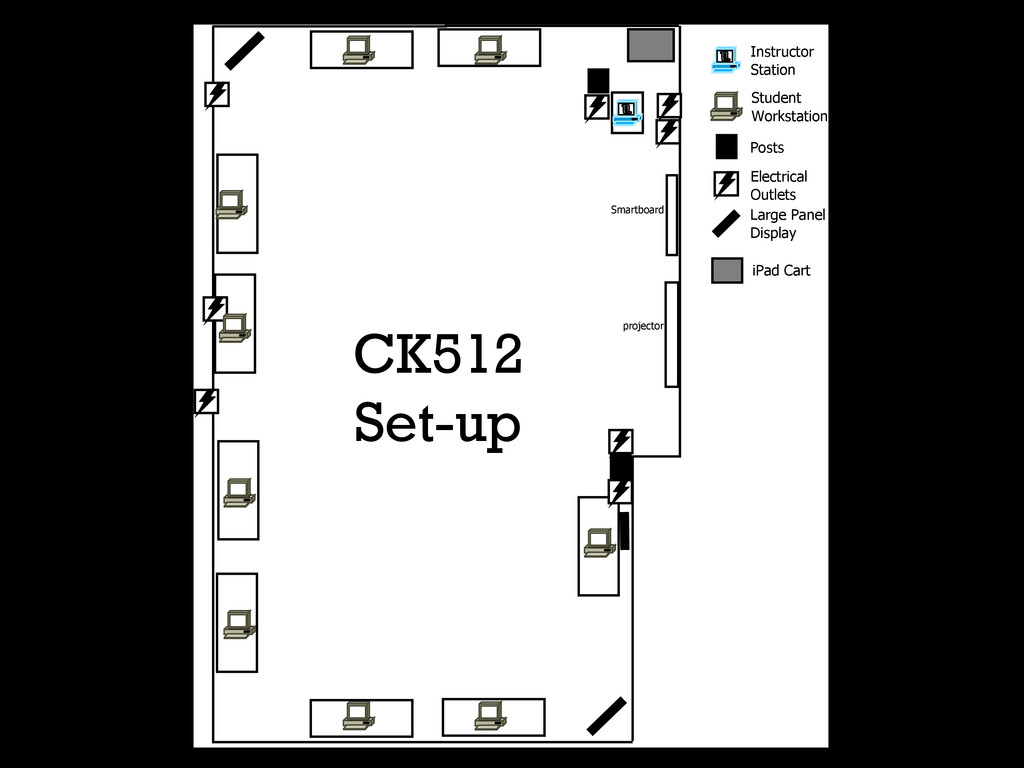
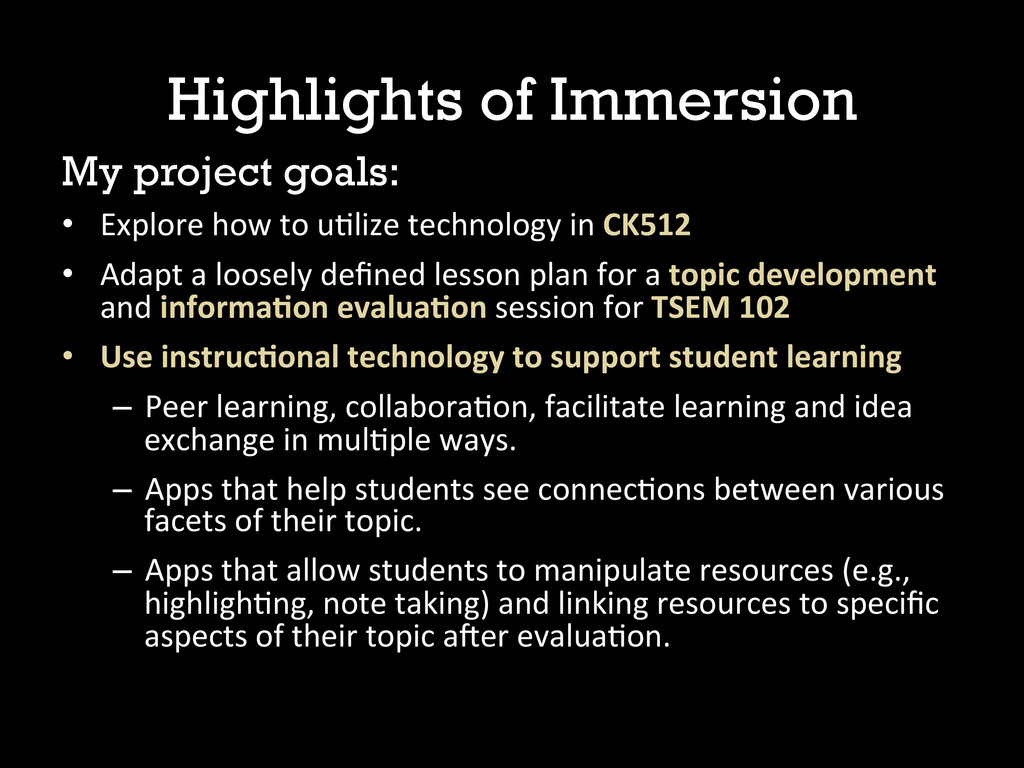
uAlize technology in CK512 • Adapt a loosely defined lesson plan for a topic development and informa0on evalua0on session for TSEM 102 • Use instruc0onal technology to support student learning – Peer learning, collaboraAon, facilitate learning and idea exchange in mulAple ways. – Apps that help students see connecAons between various facets of their topic. – Apps that allow students to manipulate resources (e.g., highlighAng, note taking) and linking resources to specific aspects of their topic aVer evaluaAon.
– Start with the instrucAonal problem, then try to apply technology appropriately – Teaching with, about, around technology – A liXle goes a long way – There is no one-‐size-‐fits-‐all – We’re doing something exciAng
& Stamper, S.E. (2012). iLearning: The future of higher educaAon? Students percepAons on learning with mobile tablets. Journal of Scholarship of Teaching and Learning 12(2), 11.
Not necessary to understand every single technology, app, etc. • IdenAfy and understand affordances – “qualiAes of an object that lend themselves to being used” – “teachable properAes of specific technologies” • Look for: characterisAcs, outcomes, caveats, and affordances for the learner and instructor Booth, p.88
analysis on one of the following applicaAons or websites on the iPad: • Prezi • Google Drive • SocraAve (student and teacher) • Popplet (lite) • Haiku Deck • EducreaAons • Padlet • Share top insights from analysis with the group – Kim will collect sheets and post results (somewhere, TBD) for later review Bonus! List affordances not included in the list of ten and describe what they could accomplish pedagogically
50% of your final grade? OR … write a research paper for 50% of your final grade? – Open the Poll Everywhere site from the iPad home screen – Enter the correct code for your answer: • 212723 for “Take an exam” • 212743 for “Write a paper”
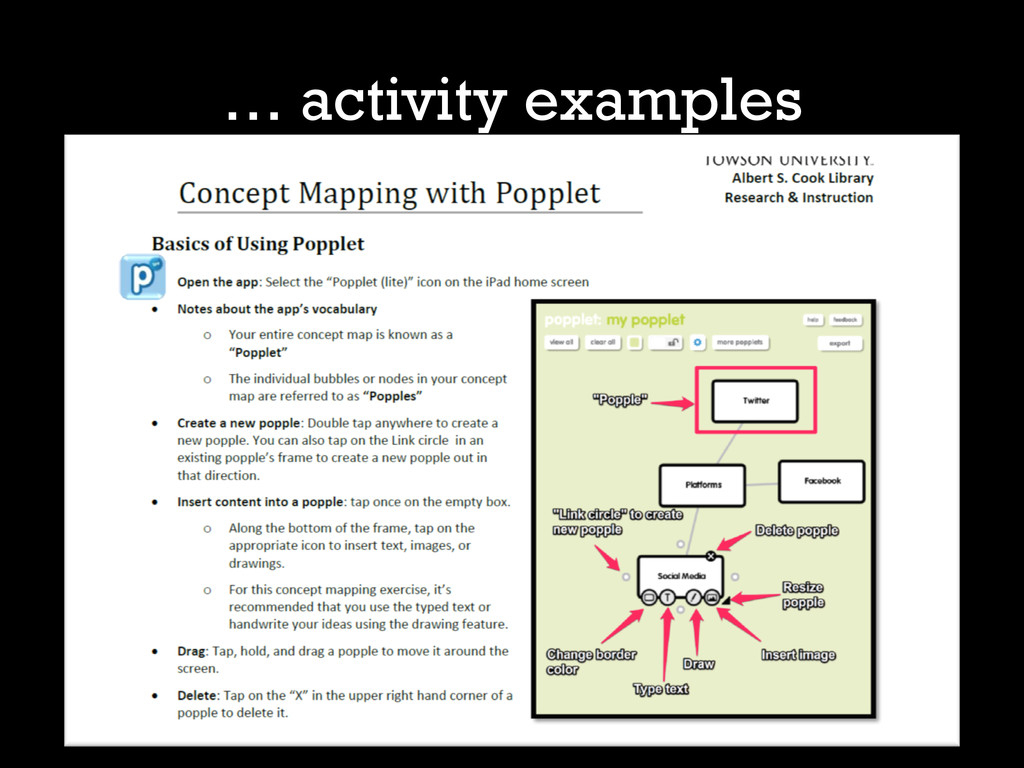
diagram that can be created to show connecAons between different aspects of a topic. • Sample: “Social media” • Use the iPad app “Popplet (lite)” to create a concept map for your own group project topic – Demo of app – See handout and ask for more help if need it … activity examples
picture of your concept map (see the handout for direcAons to do this). • Open the TU Student Email link on the home screen • Email a copy of your map to your self and to your librarian ([email protected]) along with the answer to the quesAon: – What is one new quesAon you have about your topic? … activity examples
methods, mixed results: A study of engagement among students using iPads in library instrucAon. Presented at ACRL 2013, Indianapolis, Indiana. hXp://www.ala.org/acrl/sites/ala.org.acrl/files/conferences/confsandpreconfs/2013/ papers/Calkins_Mixed.pdf Castek, J., & Beach, R. (2013). Using apps to support disciplinary literacy and science learning. Journal of Adolescent & Adult Literacy, 56(7), 554-‐564. doi:10.1002/JAAL.180 Mang, C. F., & Wardley, L. J., EffecAve adopAon of tablets in post-‐secondary educaAon: RecommendaAons based on a trial of iPads in university classes. Journal of Informa&on Technology Educa&on: Innova&ons in Prac&ce, 11, 301-‐317. Miller, W. (2012). iTeaching and learning. Library Technology Reports, 48(8), 54-‐59. Rossing, J.P., Miller, W. M., Cecil, A.K., & Stamper, S.E. (2012). iLearning: The future of higher educaAon? Students percepAons on learning with mobile tablets. Journal of Scholarship of Teaching and Learning 12(2), 1-‐26.
CC BY-‐SA 2.0 hXp://www.flickr.com/photos/ljrmike/6981536672/ 2. Maurizio D’Arrigo, “empty goal,” via Flickr, CC BY-‐NC-‐SA 2.0 hXp://www.flickr.com/photos/keylosa/184606430/ 3. Frederick Dobler, “lost wisdom,” via Flickr, CC BY-‐NC 2.0 hXp://www.flickr.com/photos/tehtopo/123001806/ 4. William M Ferriter, “Technology is a Tool,” via Flickr, CC BY 2.0 hXp://www.flickr.com/photos/plugusin/9223386478/ 5. Robert S. Donovan, “socket to me,” via Flickr, CC BY 2.0 hXp://www.flickr.com/photos/booleansplit/7720722890/ 6. Niklas Wikstrom, “Sharing is Caring,” via Flickr, CC BY-‐NC 2.0 hXp://www.flickr.com/photos/niklaswikstrom/5214708665/ 7. dcJohn, “final exam,” via Flickr, CC BY 2.0 hXp://www.flickr.com/photos/dcjohn/74907741/ 8. R~P~M, “Titanic Blueprint,” via Flickr, CC BY-‐NC-‐ND 2.0 hXp://www.flickr.com/photos/rpmarks/4503154179/ 9. Dennis Brekke, “Play-‐Doh,” via Flickr, CC BY 2.0 hXp://www.flickr.com/photos/dbrekke/276119351/


 kimberlymiller3
 kaityo256
 hiragahh
 frievea
 pawan_pharm
 signer
 bvr7352
 rashwhitman
 terasawat
 hiola
hiola
 akiraasano
 jdbedics
 tanoku
 jct
jct
 baasie
 honzajavorek
 panda_program
 addyosmani
 danielanewman
 ryanjones
 moore
moore
 rkendrick25
 sergeychernyshev