Upgrade to Pro
— share decks privately, control downloads, hide ads and more …
Speaker Deck
Sign up for free
Menu
Search
Features
All features
Private URLs
Password Protection
Custom URLS
Scheduled publishing
Remove Branding
Restrict embedding
Deck Collections
Notes
Features
All features
Private URLs
Password Protection
Custom URLS
Scheduled publishing
Remove Branding
Restrict embedding
Deck Collections
Notes
Explore
Featured decks
Featured speakers
Programming
Technology
Storyboards
Explore
Featured decks
Featured speakers
Programming
Technology
Storyboards
Pricing
Search
Sign in
Sign up for free
Gitの仕組みと用語 / 01-b-term
Search
kaityo256
PRO
March 02, 2026
Education
630
1
Share
Embed
Copy iframe code
Copy JS code
Copy link
Start on current slide
Gitの仕組みと用語 / 01-b-term
kaityo256
PRO
March 02, 2026
More Decks by kaityo256
See All by kaityo256
生成AIとの付き合い方/ How to work with AI
kaityo256
PRO
3
800
パズルゲームの作り方 / how to make puzzle games
kaityo256
PRO
2
270
What is XAI?
kaityo256
PRO
0
210
勾配ブースティングと決定木の話 / gradient boosting and decision trees
kaityo256
PRO
7
1.9k
GNU Makeの使い方 / How to use GNU Make
kaityo256
PRO
16
6.1k
この講義について / 00-setup
kaityo256
PRO
2
550
GitHubによるWebアプリケーションのデプロイ / 07-github-deploy
kaityo256
PRO
2
490
演習:Gitの基本操作 / 04-git-basic
kaityo256
PRO
1
730
演習:Gitの応用操作 / 05-git-advanced
kaityo256
PRO
1
440
Other Decks in Education
See All in Education
Sanapilvet opetuksessa
matleenalaakso
1
36k
Antigravityを使ってGeminiAPI(NanobananaPro)と連携して挿絵メーカーを作った
yoshimura_datam
0
260
Introduction to Accounting
bvr7352
0
260
本格化するOSSベースのソフトウェア駆動型開発とセキュリティ技術最前線
lfj
PRO
0
100
25-26 CBT Library top items
cbtlibrary
0
340
Fundamentos, Caracteristicas y Aplicaciones de los Modulos NumPy , Matplotlib y Pandas
robintux
0
290
【2026年サマースクール用ZEPメタバース校舎操作ガイド】
ainischool
0
140
[2026前期火5] 論理学(京都大学文学部 前期 第13回)「走って、止まって、積み上がる」
yatabe
0
280
形骸化しない社内勉強会の取り組み - オーナーシップの作り方 / In-house study session
soudai
PRO
1
400
チームの鏡になるー自分の癖を知ると、チームのパターンが見えてくる@スクフェス仙台
saorimurooka
0
220
AIでアウトプットできる時代だからこそ、自分の言葉で考えることの大切さ / What's Left to Think, When AI Can Write?
masakiokuda
1
350
武藤の処世術を書いてみた
mutomasa
0
130
Featured
See All Featured
Fireside Chat
paigeccino
43
4.1k
Believing is Seeing
oripsolob
1
240
Typedesign – Prime Four
hannesfritz
42
3.2k
Leveraging LLMs for student feedback in introductory data science courses - posit::conf(2025)
minecr
1
420
[RailsConf 2023] Rails as a piece of cake
palkan
59
7.1k
Building Experiences: Design Systems, User Experience, and Full Site Editing
marktimemedia
1
620
The World Runs on Bad Software
bkeepers
PRO
72
12k
Why You Should Never Use an ORM
jnunemaker
PRO
61
10k
Conquering PDFs: document understanding beyond plain text
inesmontani
PRO
4
3.2k
Stewardship and Sustainability of Urban and Community Forests
pwiseman
0
540
Exploring anti-patterns in Rails
aemeredith
4
530
Taking LLMs out of the black box: A practical guide to human-in-the-loop distillation
inesmontani
PRO
3
2.4k
Transcript
1 40 Gitの仕組みと用語 慶應義塾大学理工学部物理情報工学科 渡辺 2026年3月9日 計算物理春の学校2026「計算物理屋のためのGit/GitHub入門」
2 40 はじめに Gitは簡単ではない
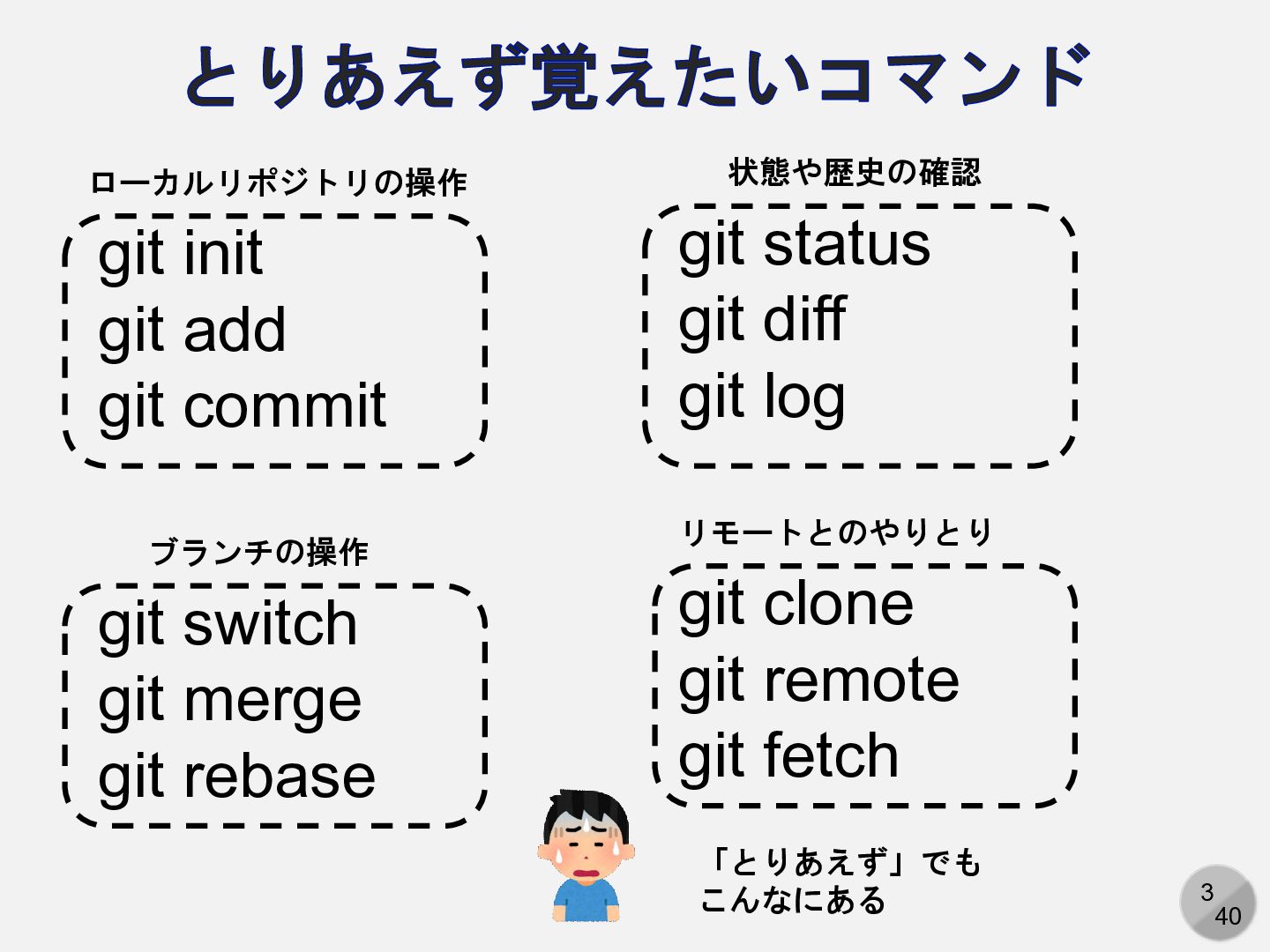
3 40 とりあえず覚えたいコマンド git init git add git commit git
status git diff git log git clone git remote git fetch git switch git merge git rebase ローカルリポジトリの操作 ブランチの操作 状態や歴史の確認 リモートとのやりとり 「とりあえず」でも こんなにある
4 40 git log のオプション(抜粋) --abbrev-commit --abbrev[=<n>] --after=<date> --all --all-match
--alternate-refs --ancestry-path --anchored=<text> --author-date-order --author=<pattern> --basic-regexp --before=<date> --binary --bisect --boundary --branches[=<pattern>] --break-rewrites[=[<n>][/<m>]] --cc --check --cherry --cherry-mark --cherry-pick --children --color-moved-ws=<modes> --color-moved[=<mode>] --color-words[=<regex>] --color[=<when>] --combined-all-paths --committer=<pattern> --compact-summary --cumulative --date-order --date=<format> --decorate-refs- exclude=<pattern> --decorate-refs=<pattern> --decorate[=short|full|auto|no] --dense --dense --diff-merges=[options] --dirstat-by-file[=<param1,param2>…] --dirstat[=<param1,param2,…>] --do-walk --dst-prefix=<prefix> --encoding=<encoding> --exclude=<glob-pattern> --expand-tabs=<n> --ext-diff --extended-regexp --find-copies-harder --find-copies[=<n>] --find-object=<object-id> --find-renames[=<n>] --first-parent --fixed-strings --follow --format=<format> --full-diff --full-history --full-index --function-context --glob=<glob-pattern> --graph --grep-reflog=<pattern> --grep=<pattern> --histogram --ignore-all-space --ignore-blank-lines --ignore-cr-at-eol --ignore-matching-lines=<regex> --ignore-missing --ignore-space-at-eol --ignore-space-change --ignore-submodules[=<when>] --indent-heuristic --inter-hunk-context=<lines> --invert-grep --irreversible-delete --ita-invisible-in-index --left-only --left-right --line-prefix=<prefix> --log-size --max-count=<number> --max-parents=<number> --merge --merges --min-parents=<number> --minimal --name-only --name-status --not --notes[=<ref>] --numstat --oneline --output-indicator-context=<char> --output-indicator-new=<char> --output-indicator-old=<char> --output=<file> --parents --patch --patch-with-raw --patch-with-stat --patience --perl-regexp --pickaxe-all --pickaxe-regex --pretty[=<format>] --raw --reflog --regexp-ignore-case --relative-date --relative[=<path>] --remotes[=<pattern>] --remove-empty --reverse --right-only --rotate-to=<file> --shortstat --show-linear-break[=<barrier>] --show-notes[=<ref>] --show-pulls --show-pulls --show-signature --simplify-by-decoration --simplify-merges --since=<date> --single-worktree --skip-to=<file> --skip=<number> --source --sparse --src-prefix=<prefix> --stat[=<width>[,<name-width>[,<count>]]] --stdin --submodule[=<format>] --summary --tags[=<pattern>] --text --textconv --topo-order --unified=<n> --until=<date> --walk-reflogs --word-diff-regex=<regex> --word-diff[=<mode>] --ws-error-highlight=<kind>
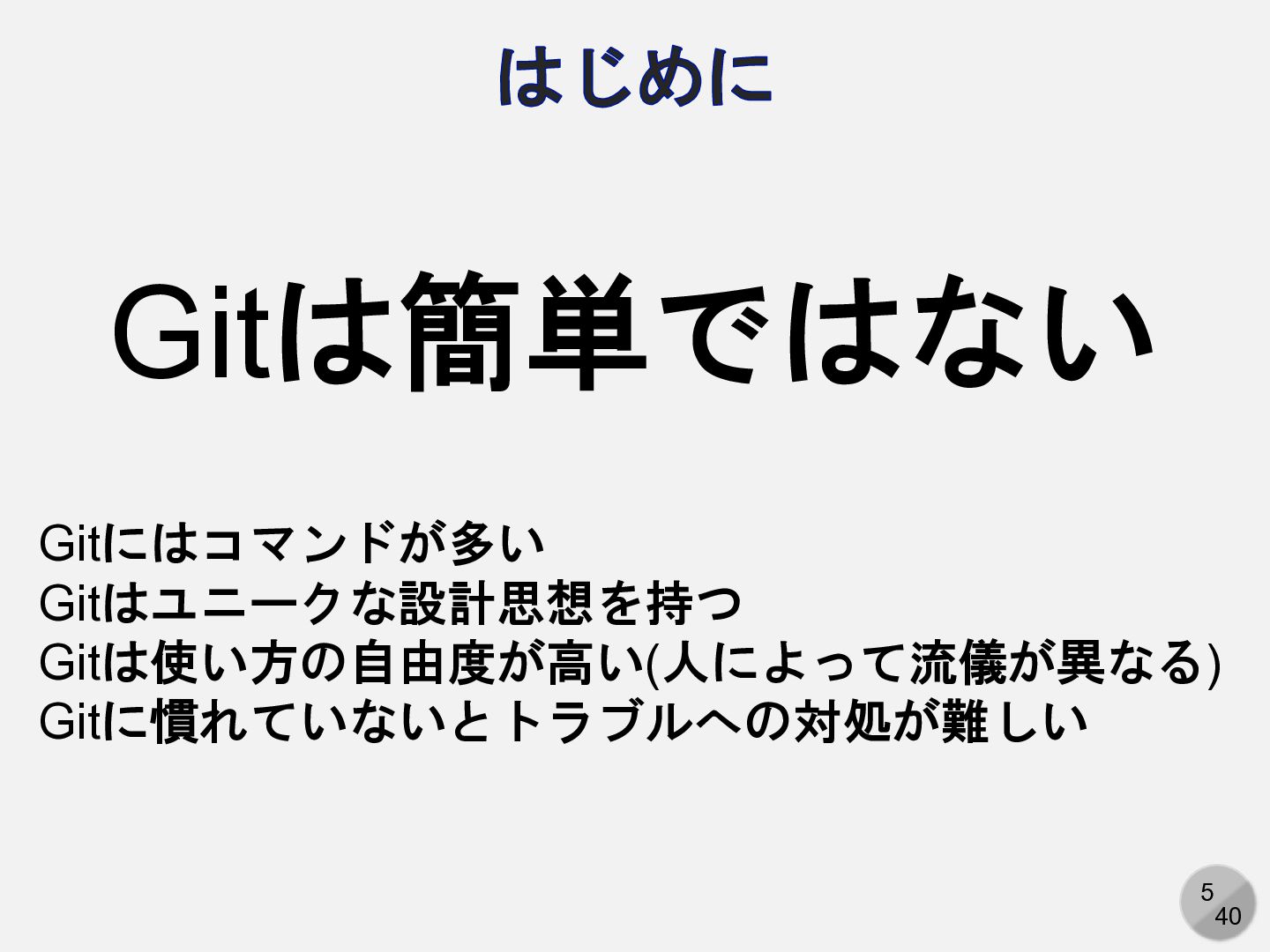
5 40 はじめに Gitは簡単ではない Gitにはコマンドが多い Gitはユニークな設計思想を持つ Gitは使い方の自由度が高い(人によって流儀が異なる) Gitに慣れていないとトラブルへの対処が難しい
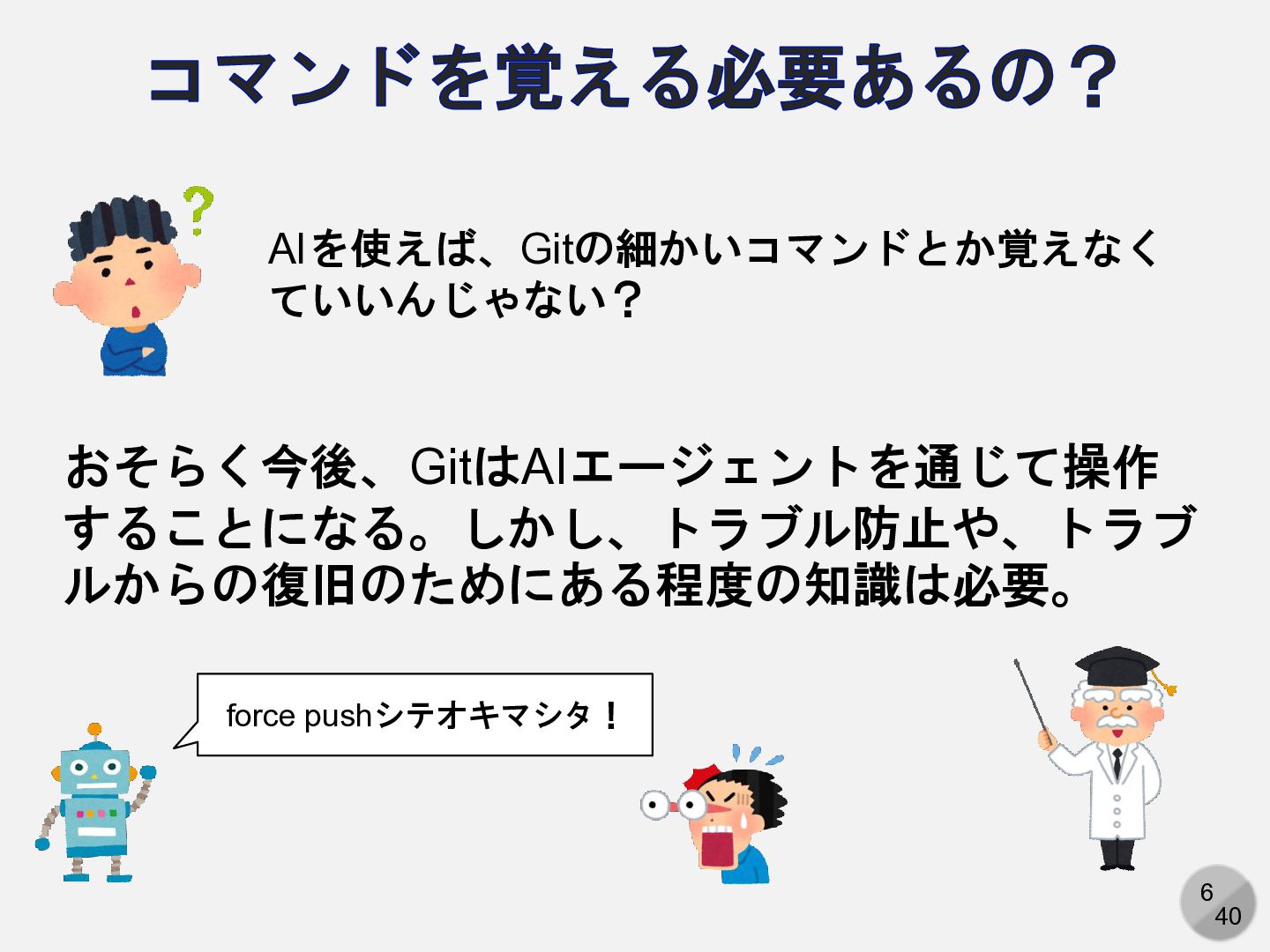
6 40 コマンドを覚える必要あるの? AIを使えば、Gitの細かいコマンドとか覚えなく ていいんじゃない? おそらく今後、GitはAIエージェントを通じて操作 することになる。しかし、トラブル防止や、トラブ ルからの復旧のためにある程度の知識は必要。 force pushシテオキマシタ!
7 40 今回の目標 Gitで使われる用語を一通り学ぶ 「コミット」や「ブランチ」など、バージョン管理 システムでは共通の単語が使われるが、ツールに よって意味や用法がかなり異なる 以下の説明はGitでの説明であることに注意
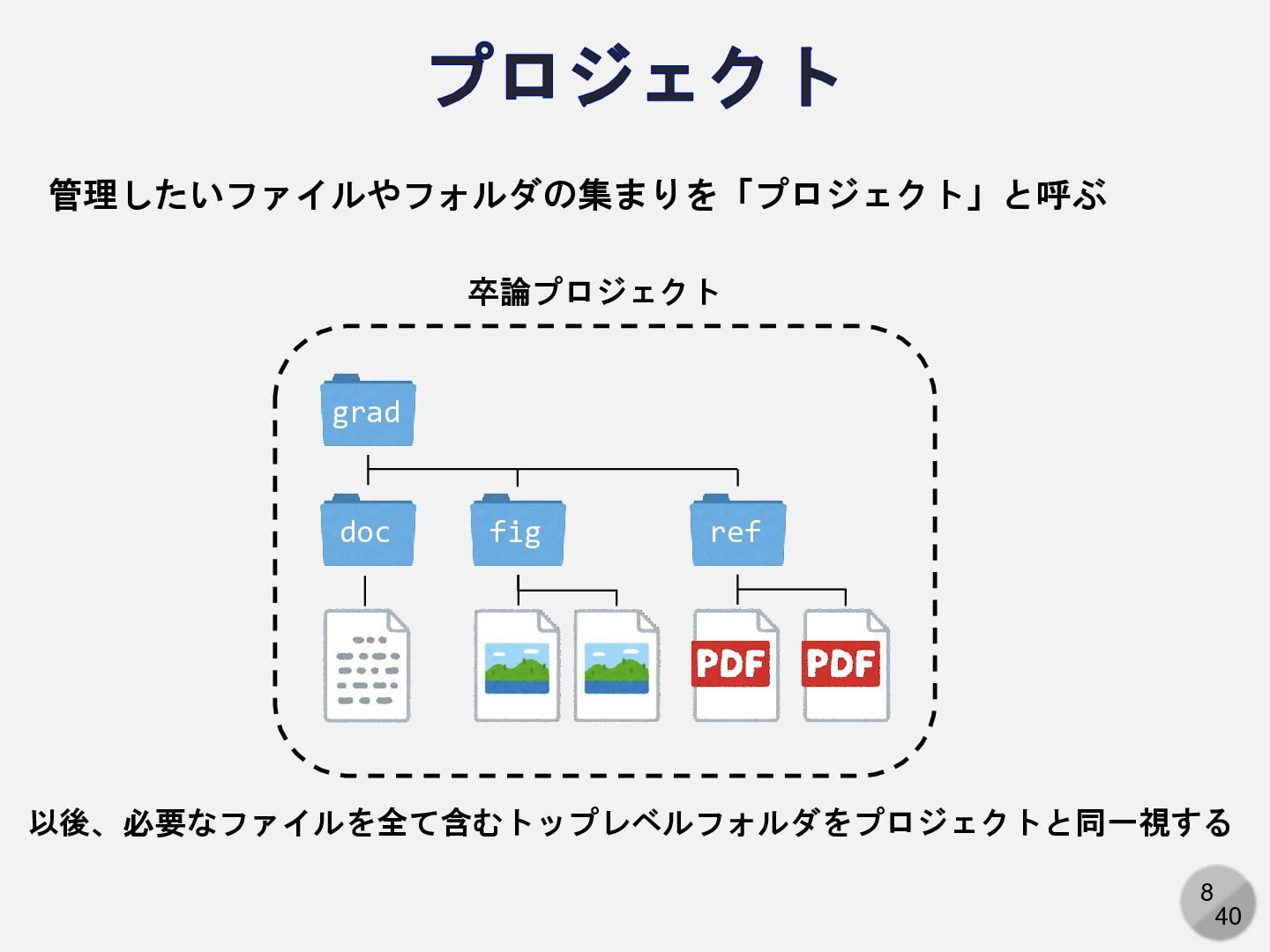
8 40 プロジェクト 卒論プロジェクト grad fig ref doc 管理したいファイルやフォルダの集まりを「プロジェクト」と呼ぶ 以後、必要なファイルを全て含むトップレベルフォルダをプロジェクトと同一視する
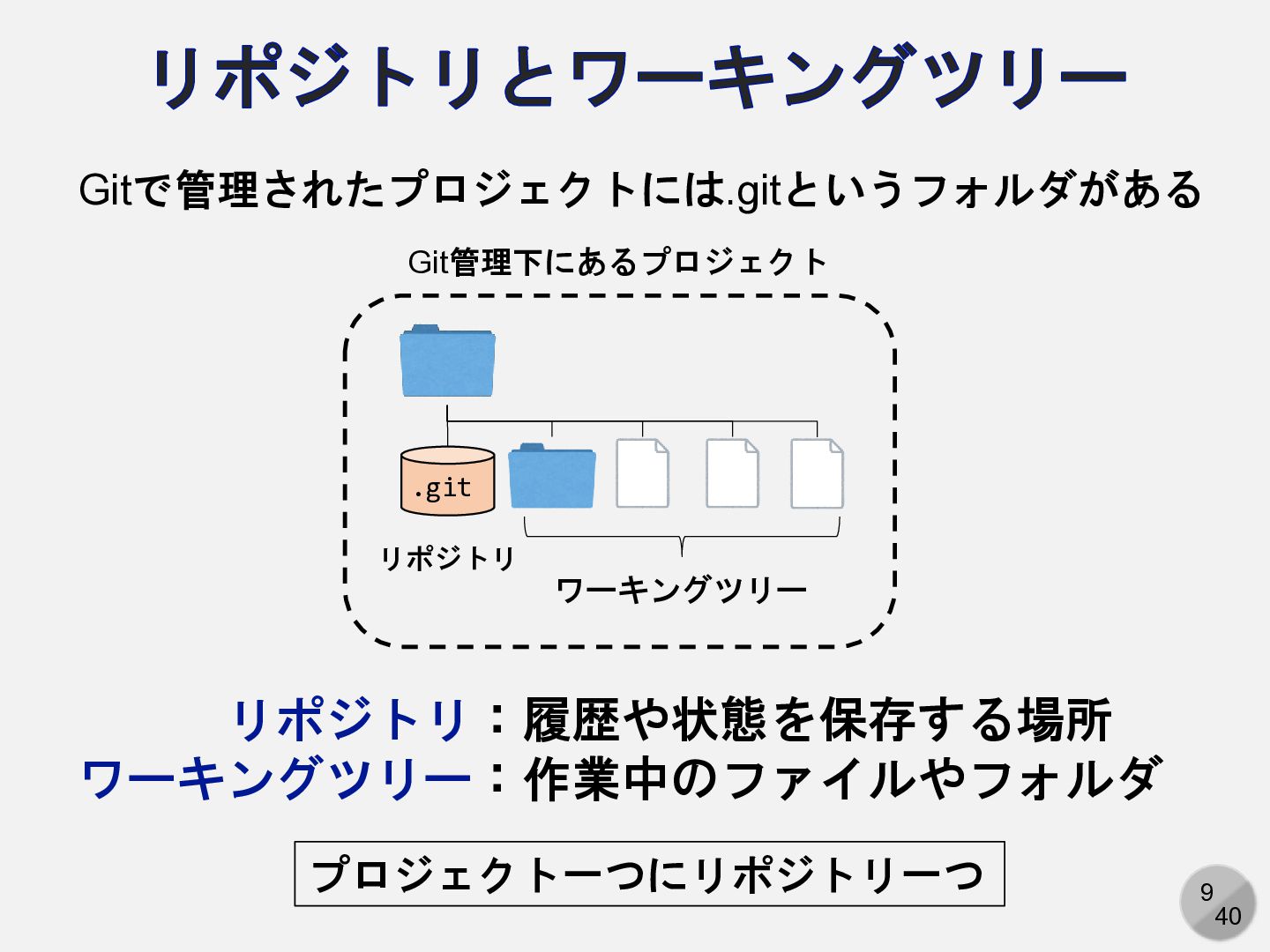
9 40 リポジトリとワーキングツリー リポジトリ ワーキングツリー .git Git管理下にあるプロジェクト Gitで管理されたプロジェクトには.gitというフォルダがある リポジトリ:履歴や状態を保存する場所 ワーキングツリー:作業中のファイルやフォルダ
プロジェクト一つにリポジトリ一つ
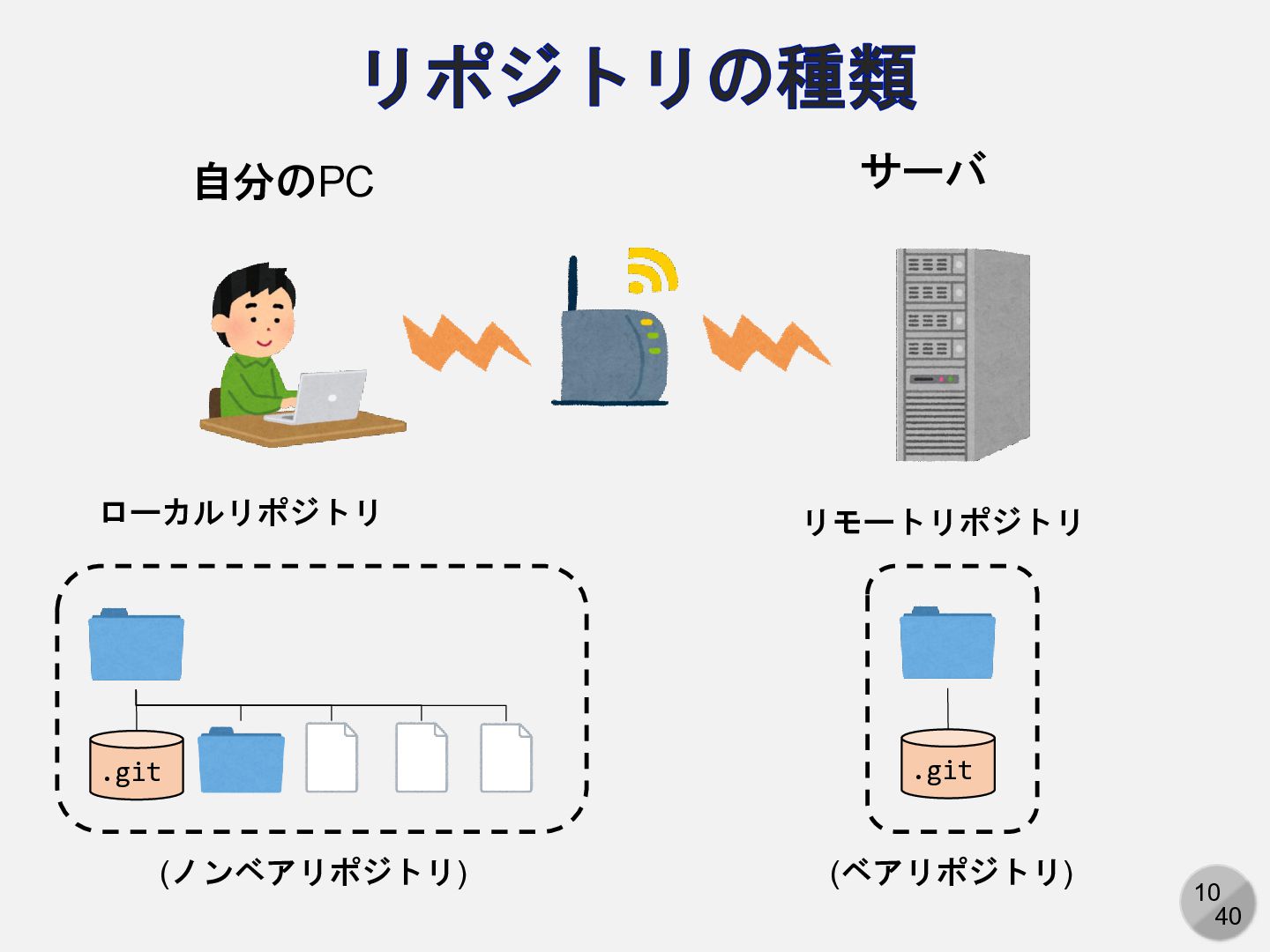
10 40 リポジトリの種類 .git .git 自分のPC サーバ ローカルリポジトリ リモートリポジトリ (ノンベアリポジトリ)
(ベアリポジトリ)
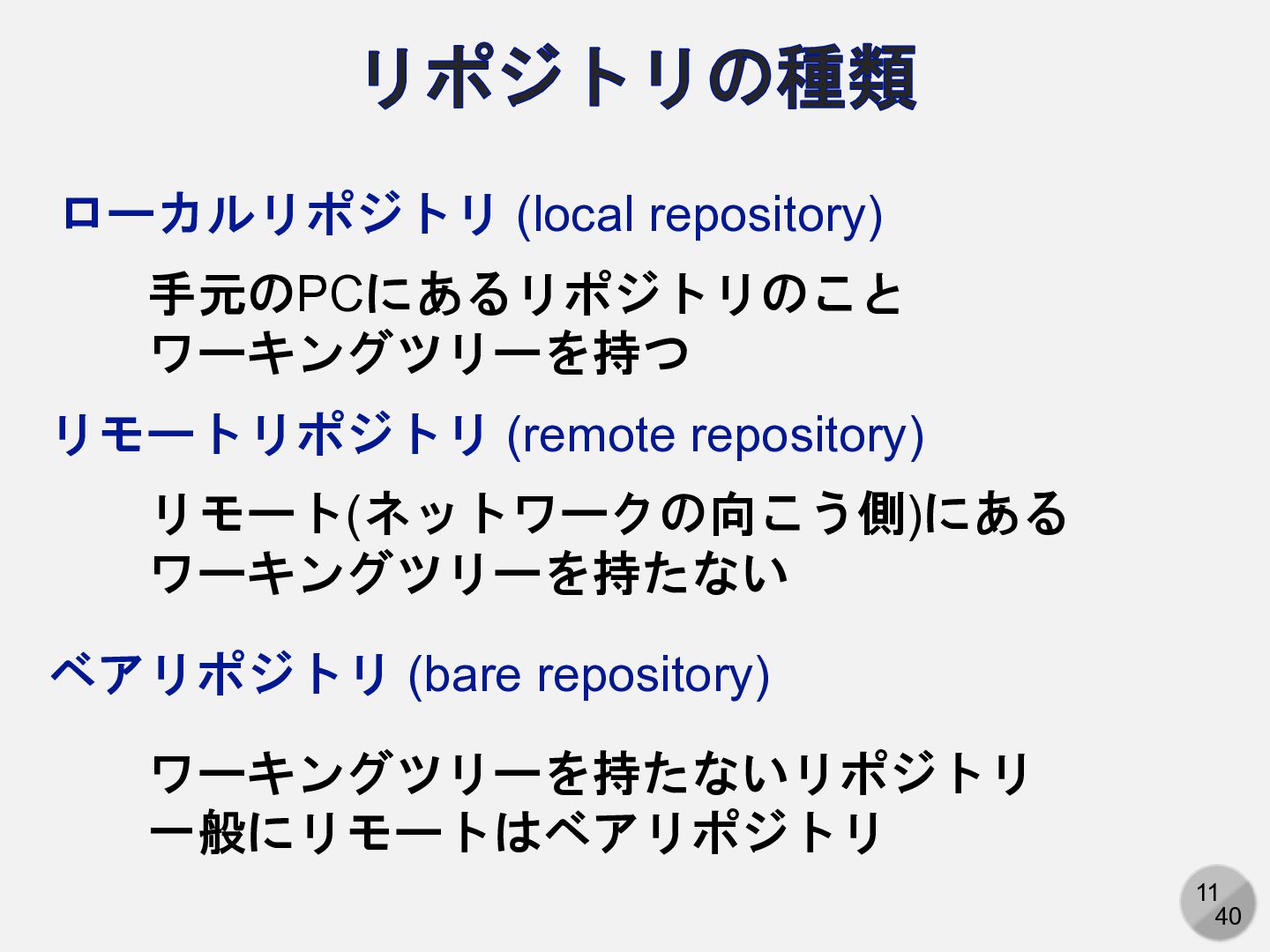
11 40 リポジトリの種類 ローカルリポジトリ (local repository) 手元のPCにあるリポジトリのこと ワーキングツリーを持つ リモートリポジトリ (remote
repository) リモート(ネットワークの向こう側)にある ワーキングツリーを持たない ベアリポジトリ (bare repository) ワーキングツリーを持たないリポジトリ 一般にリモートはベアリポジトリ
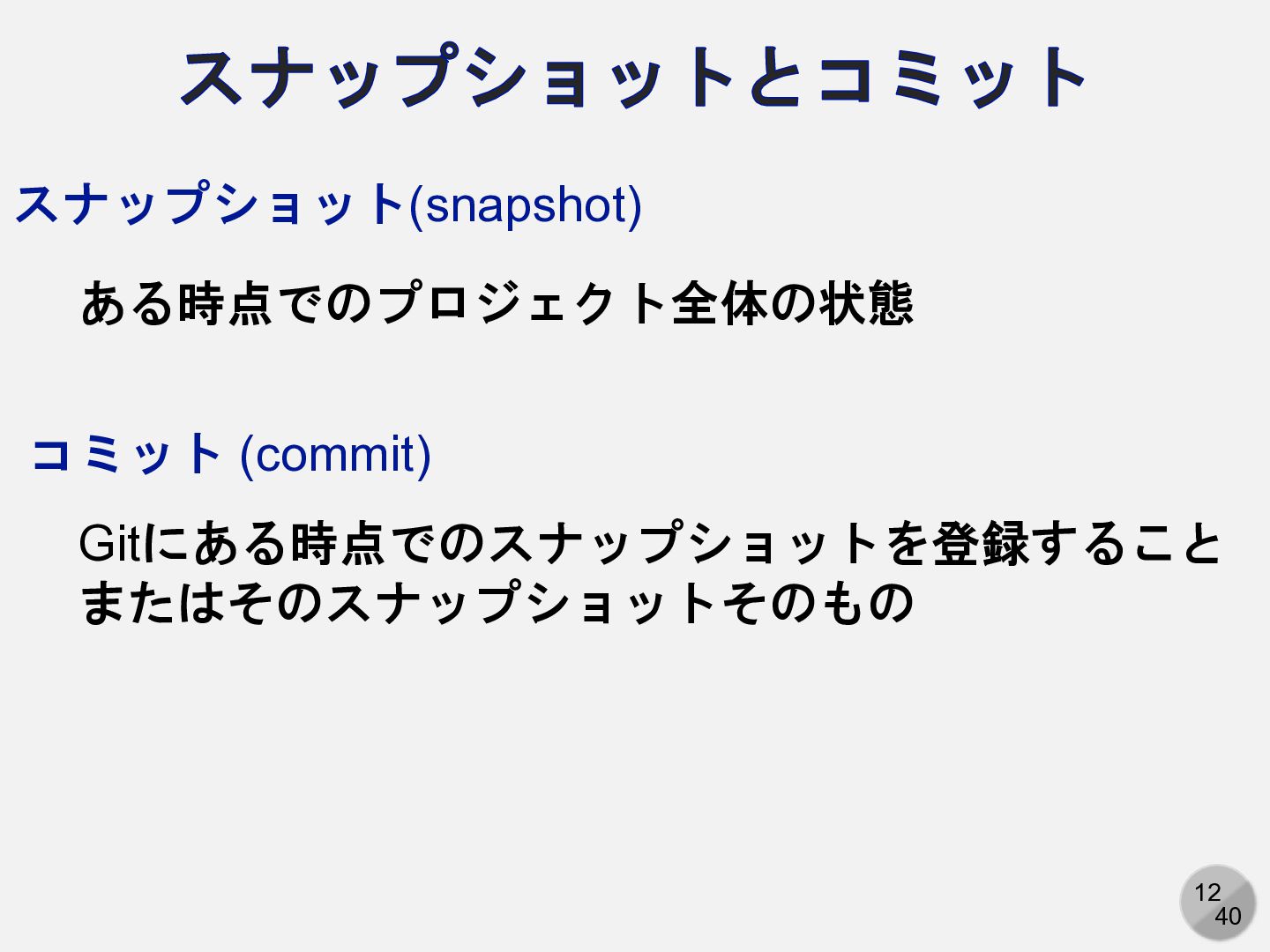
12 40 スナップショットとコミット スナップショット(snapshot) ある時点でのプロジェクト全体の状態 Gitにある時点でのスナップショットを登録すること またはそのスナップショットそのもの コミット (commit)
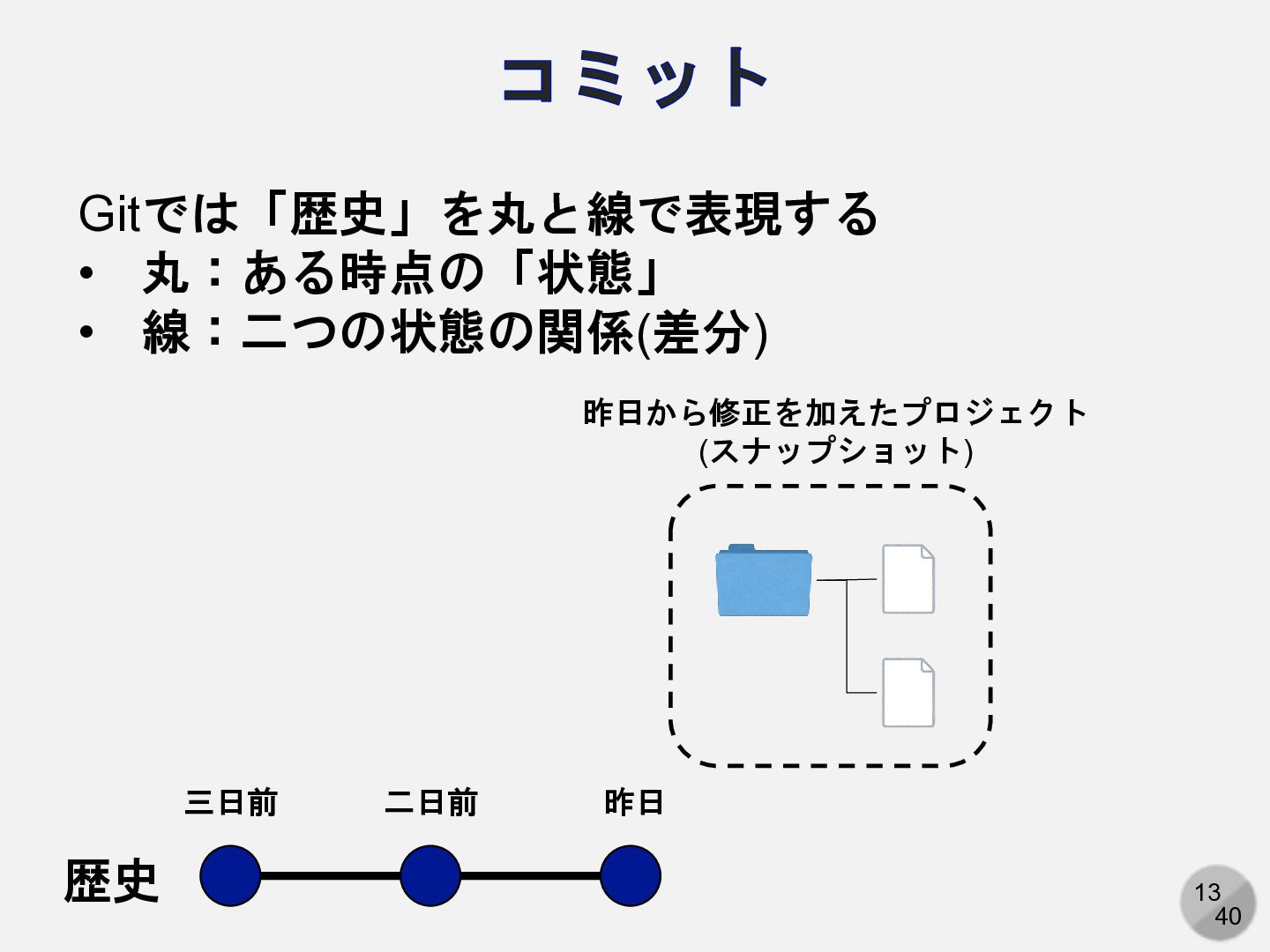
13 40 コミット Gitでは「歴史」を丸と線で表現する • 丸:ある時点の「状態」 • 線:二つの状態の関係(差分) 三日前 二日前
昨日 歴史 昨日から修正を加えたプロジェクト (スナップショット)
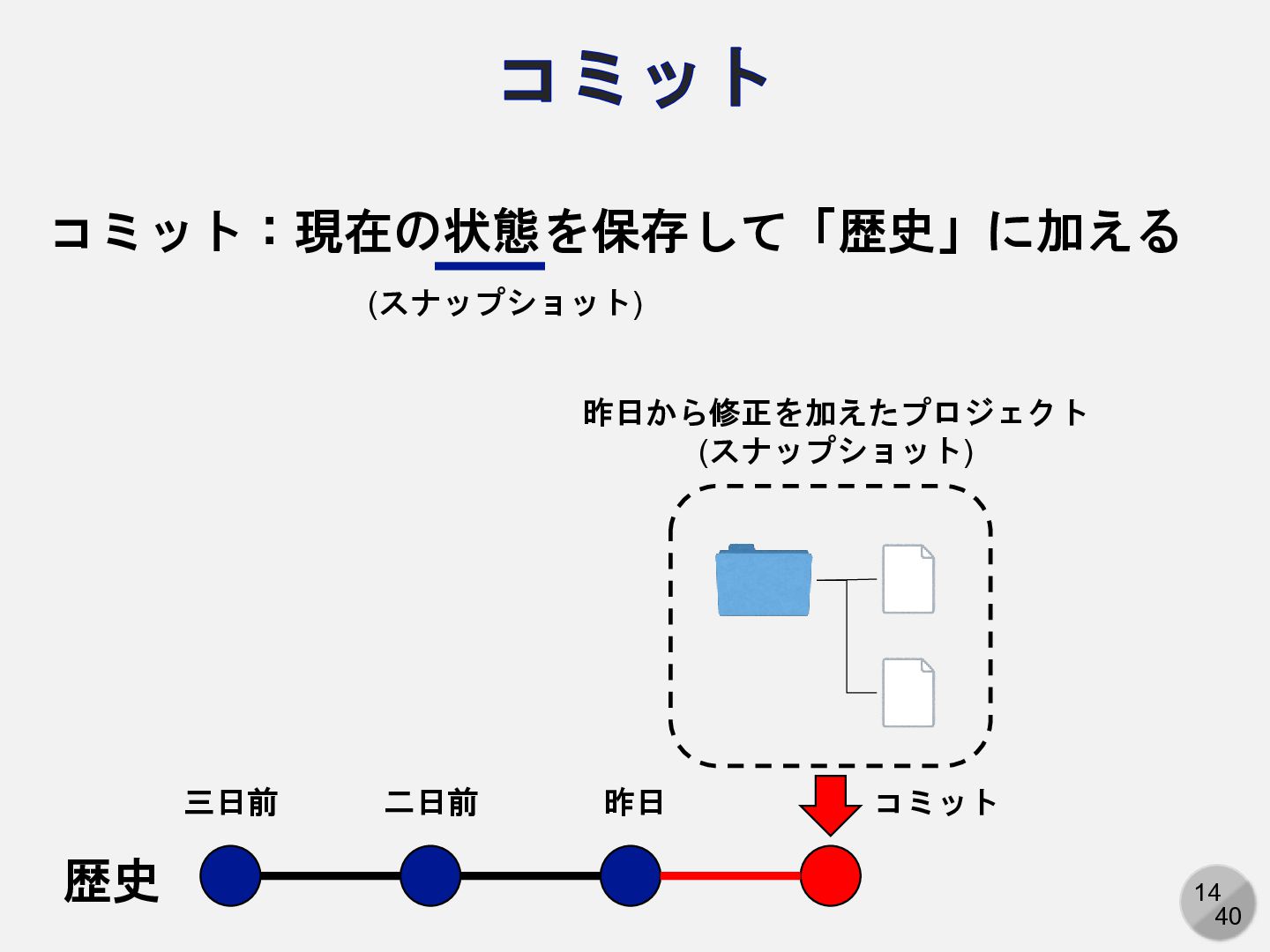
14 40 コミット コミット:現在の状態を保存して「歴史」に加える 三日前 二日前 昨日 コミット 歴史 (スナップショット)
昨日から修正を加えたプロジェクト (スナップショット)
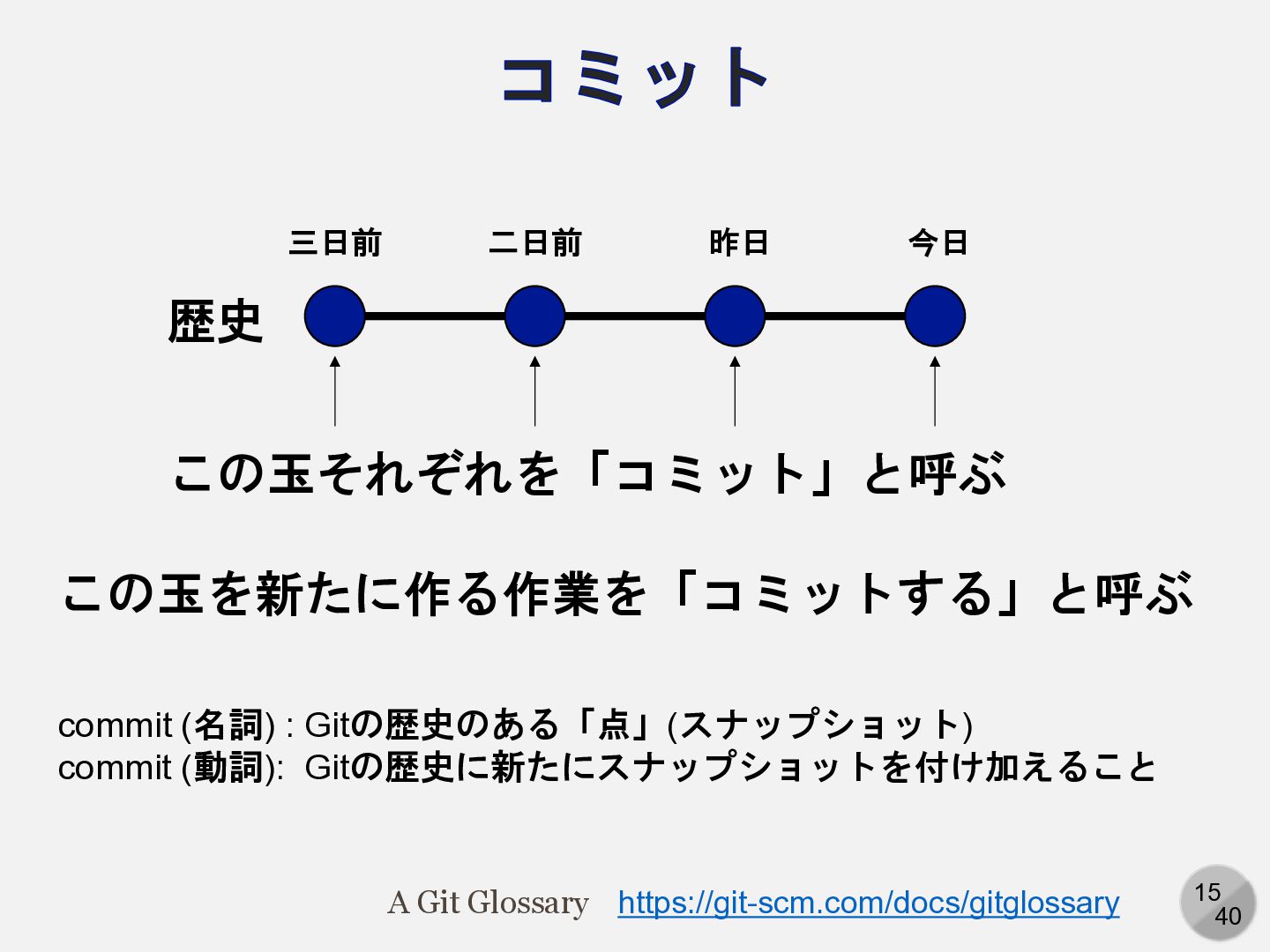
15 40 コミット 三日前 二日前 昨日 歴史 今日 この玉それぞれを「コミット」と呼ぶ この玉を新たに作る作業を「コミットする」と呼ぶ
commit (名詞) : Gitの歴史のある「点」(スナップショット) commit (動詞): Gitの歴史に新たにスナップショットを付け加えること https://git-scm.com/docs/gitglossary A Git Glossary
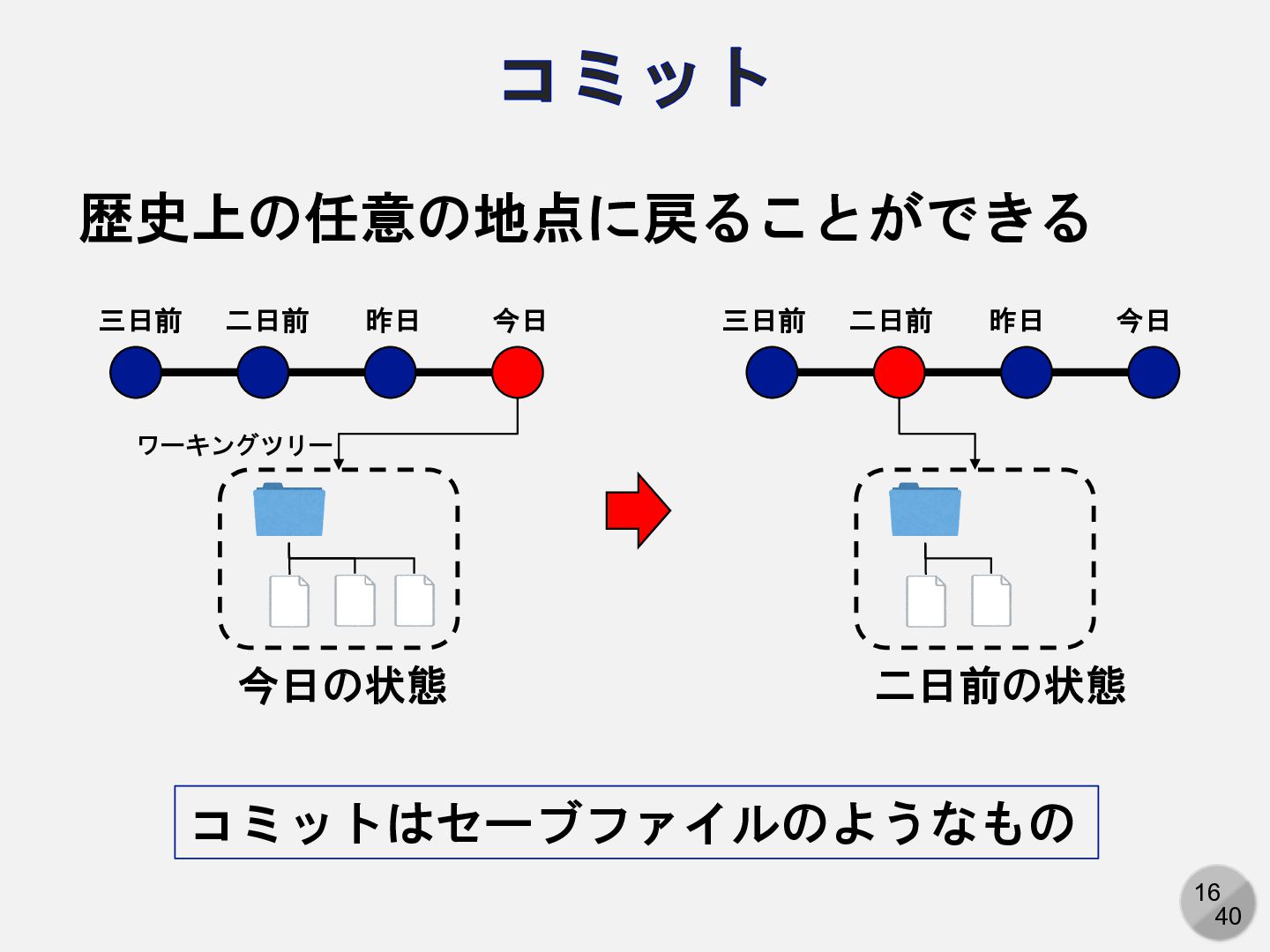
16 40 コミット 歴史上の任意の地点に戻ることができる 今日の状態 二日前の状態 今日 昨日 二日前 三日前
今日 昨日 二日前 三日前 ワーキングツリー コミットはセーブファイルのようなもの
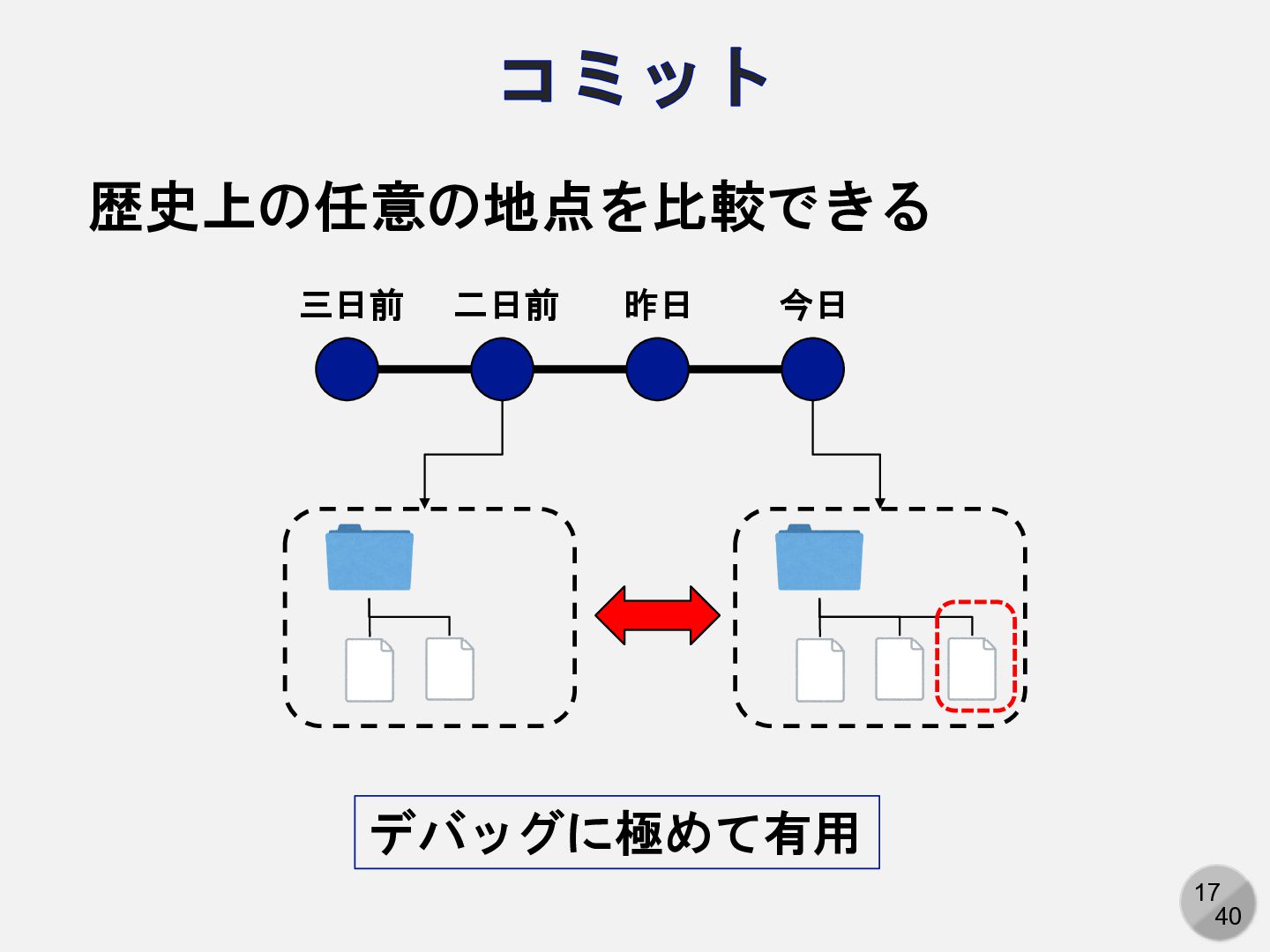
17 40 コミット 歴史上の任意の地点を比較できる 今日 昨日 二日前 三日前 デバッグに極めて有用
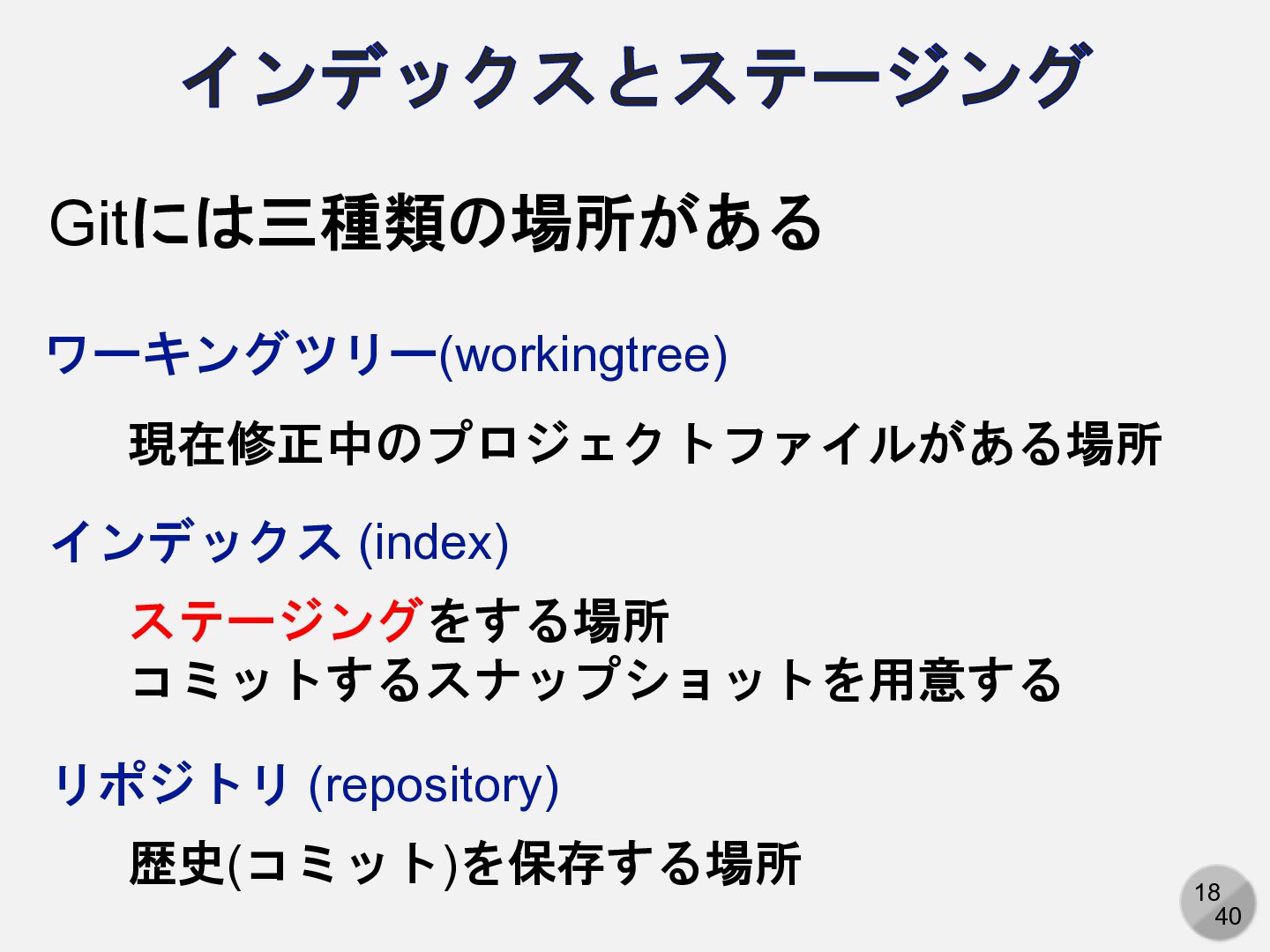
18 40 インデックスとステージング Gitには三種類の場所がある ワーキングツリー(workingtree) 現在修正中のプロジェクトファイルがある場所 インデックス (index) ステージングをする場所 コミットするスナップショットを用意する
リポジトリ (repository) 歴史(コミット)を保存する場所
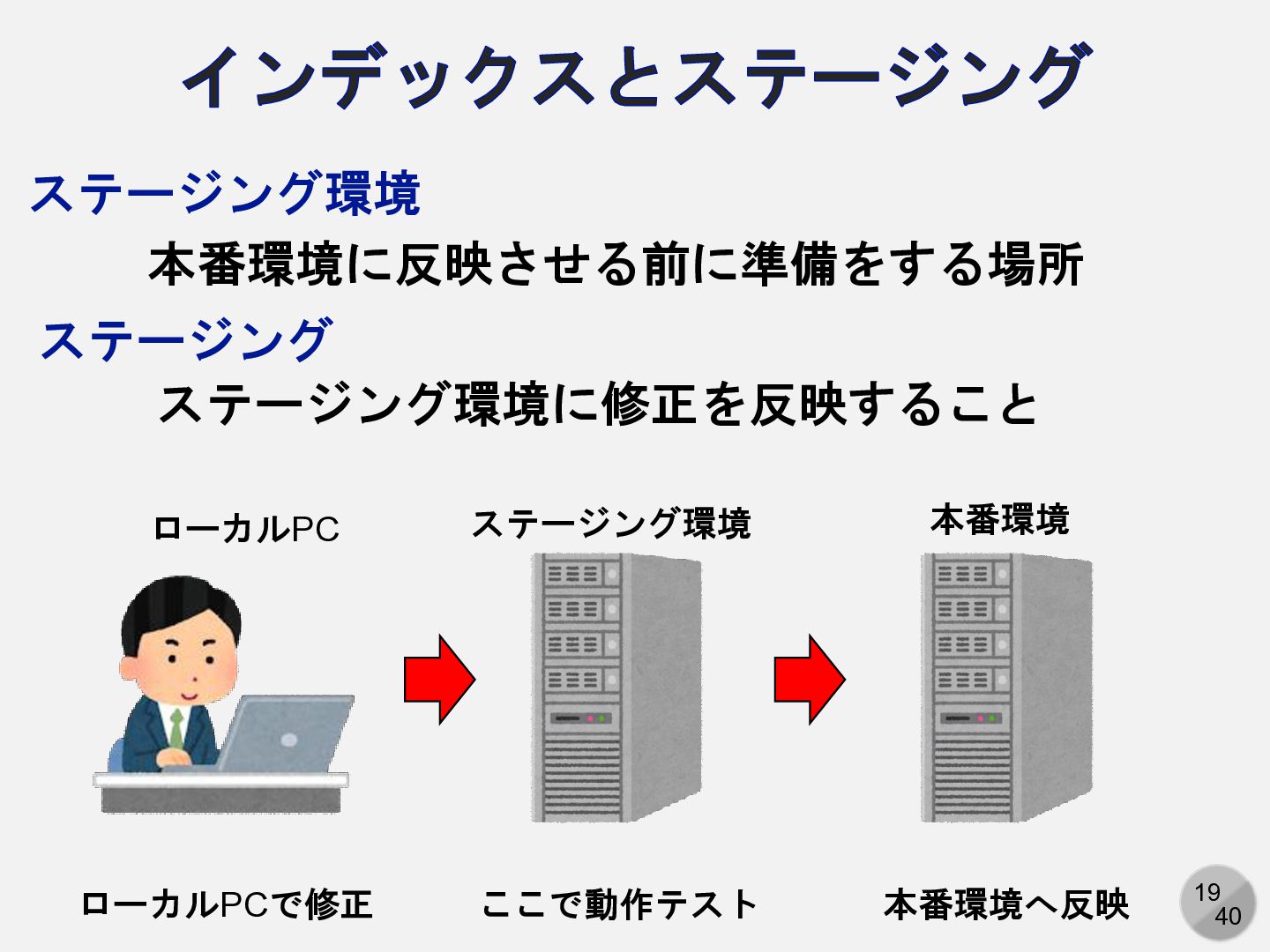
19 40 インデックスとステージング 本番環境に反映させる前に準備をする場所 ローカルPCで修正 ステージング環境 本番環境 ローカルPC ここで動作テスト 本番環境へ反映
ステージング環境 ステージング環境に修正を反映すること ステージング
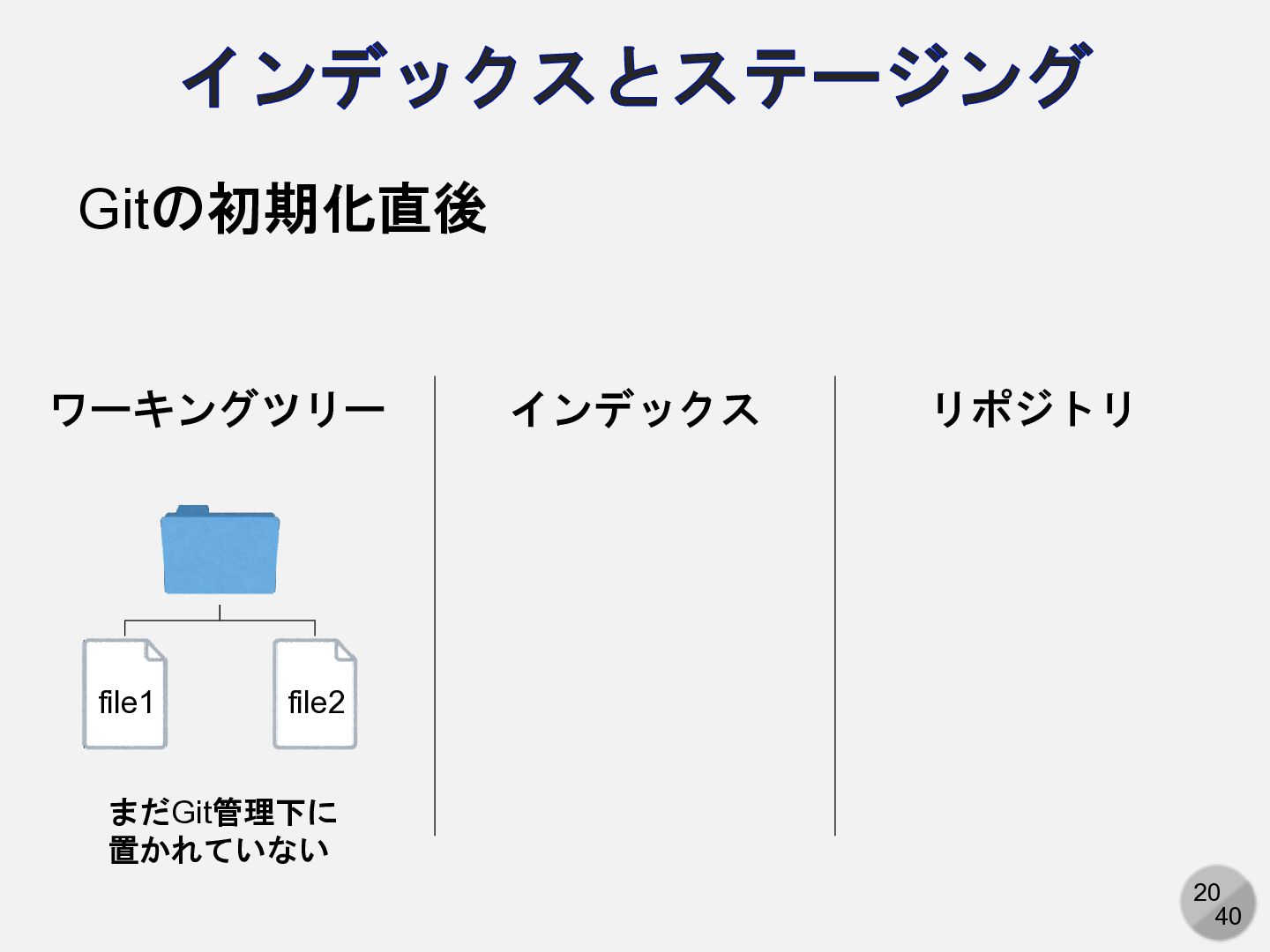
20 40 インデックスとステージング ワーキングツリー インデックス リポジトリ file1 file2 まだGit管理下に 置かれていない
Gitの初期化直後
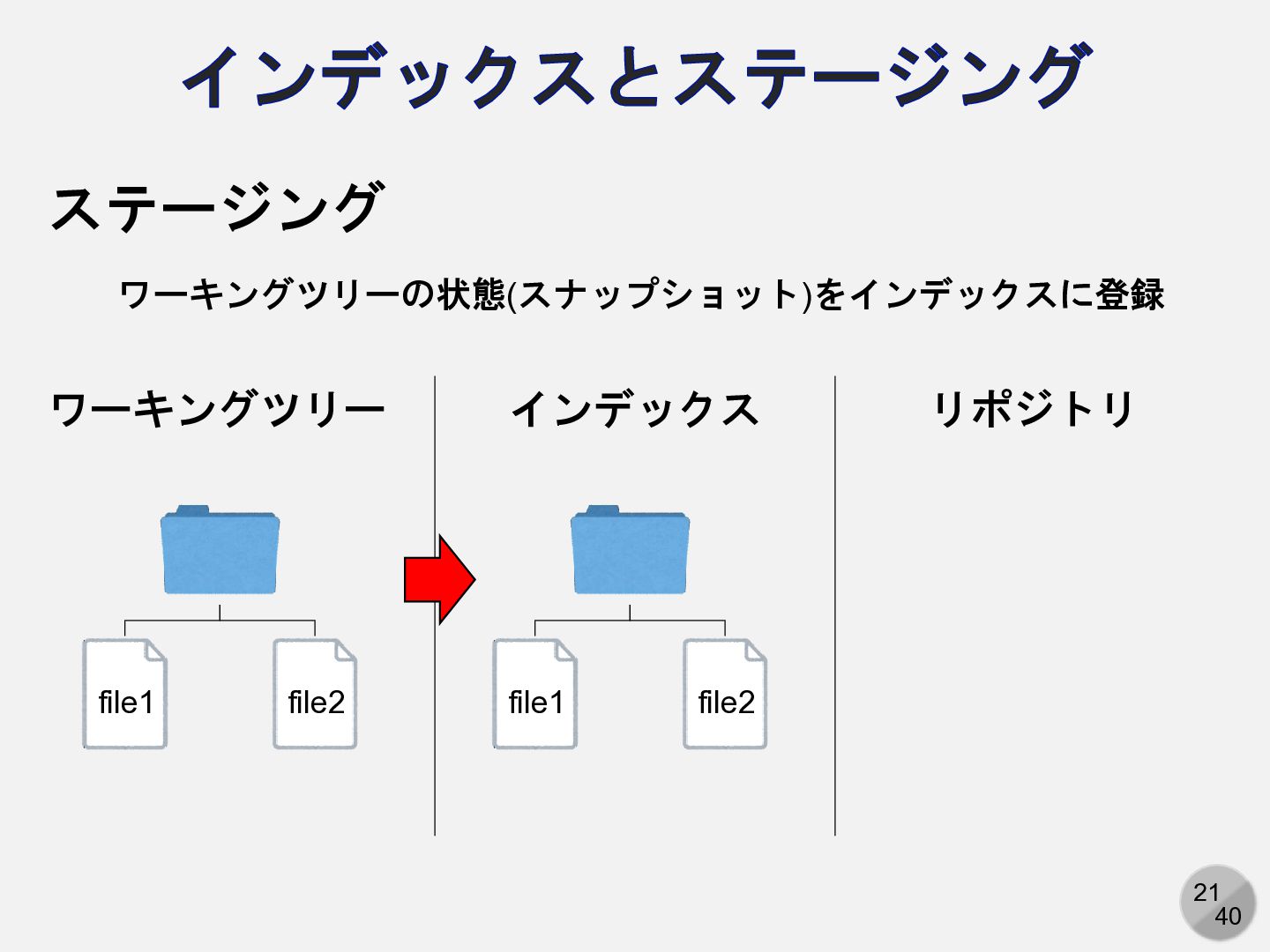
21 40 インデックスとステージング ワーキングツリー インデックス リポジトリ file1 file2 ステージング file1
file2 ワーキングツリーの状態(スナップショット)をインデックスに登録
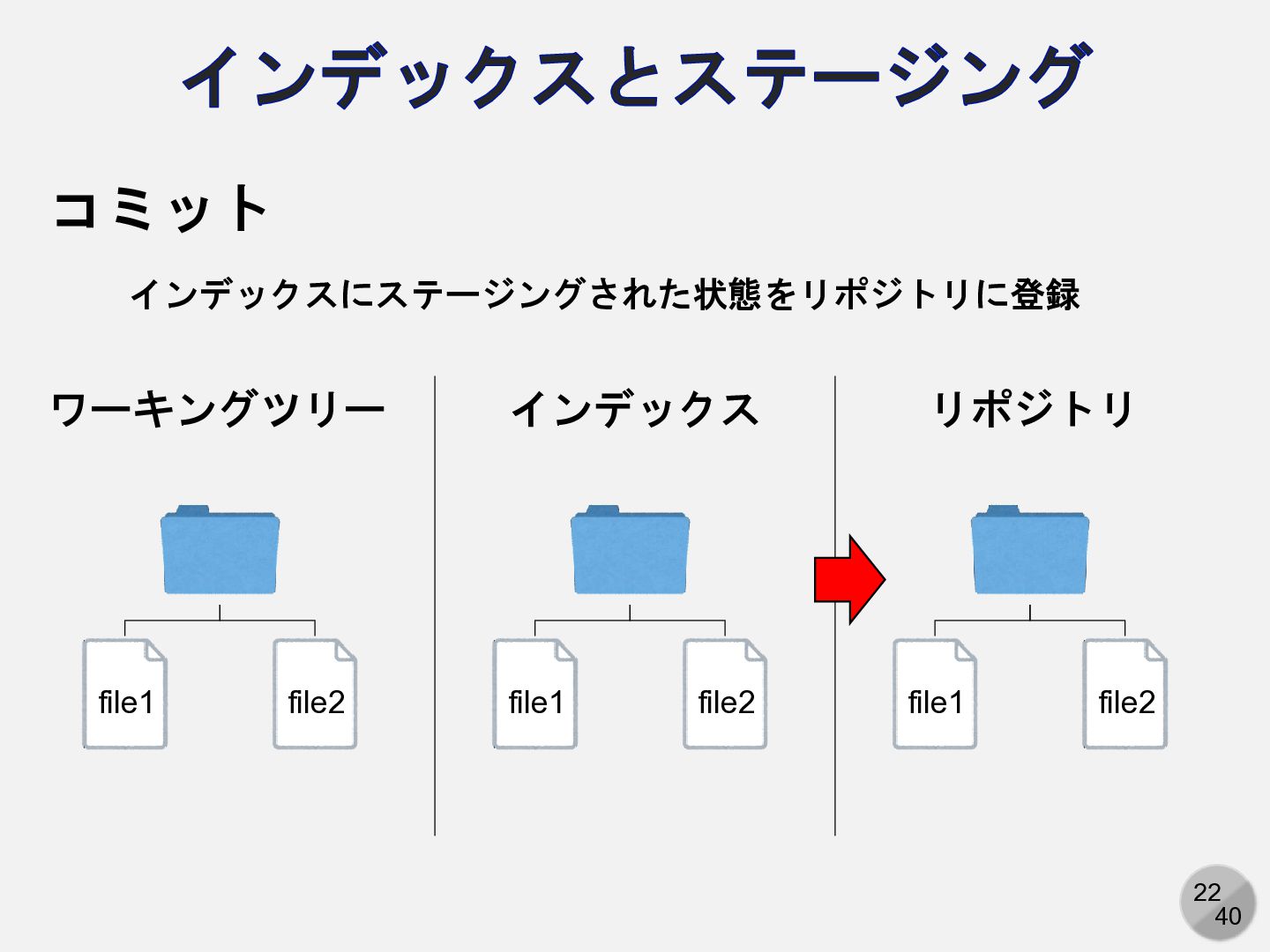
22 40 インデックスとステージング ワーキングツリー インデックス リポジトリ file1 file2 コミット file1
file2 インデックスにステージングされた状態をリポジトリに登録 file1 file2
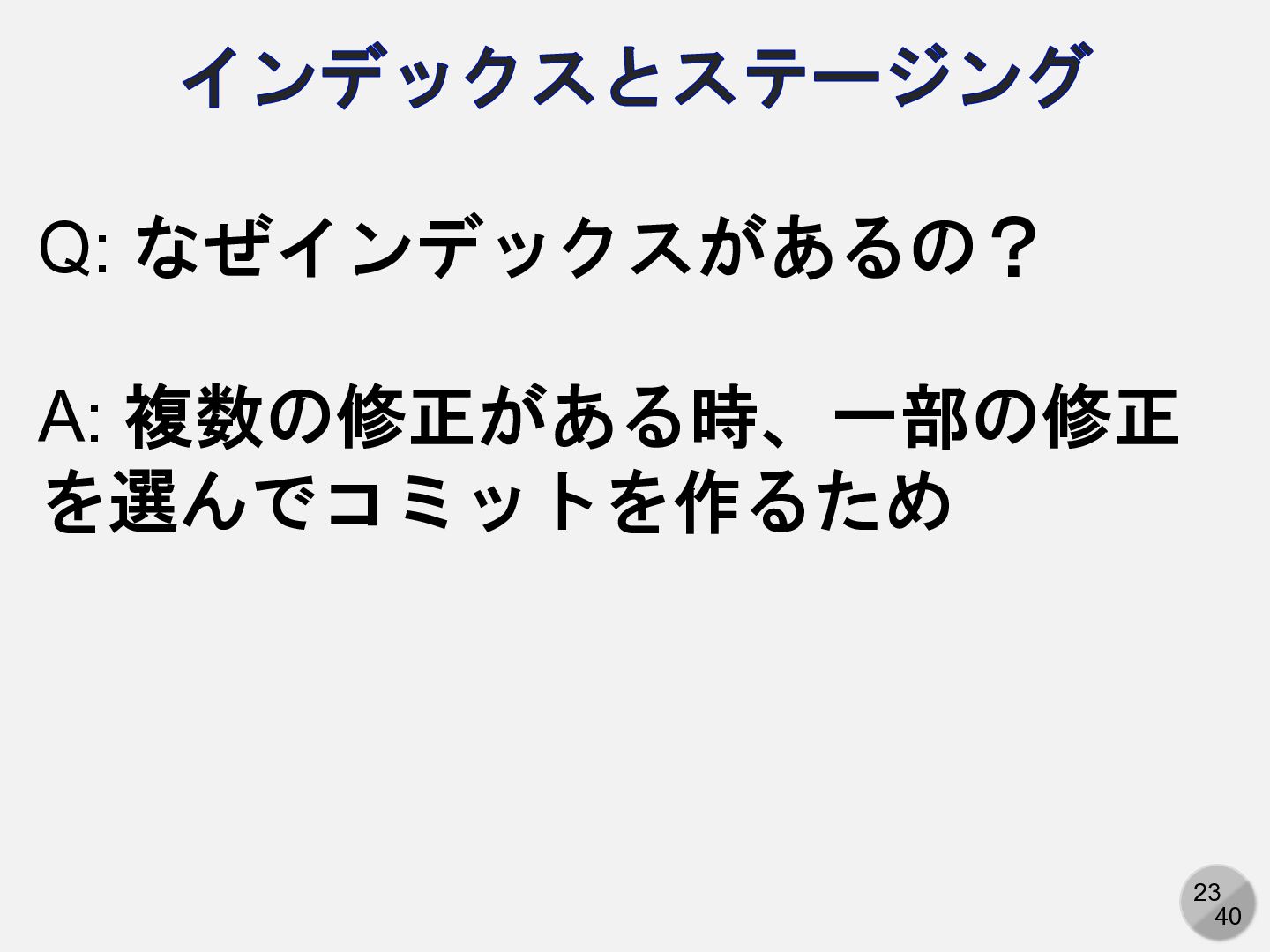
23 40 インデックスとステージング Q: なぜインデックスがあるの? A: 複数の修正がある時、一部の修正 を選んでコミットを作るため
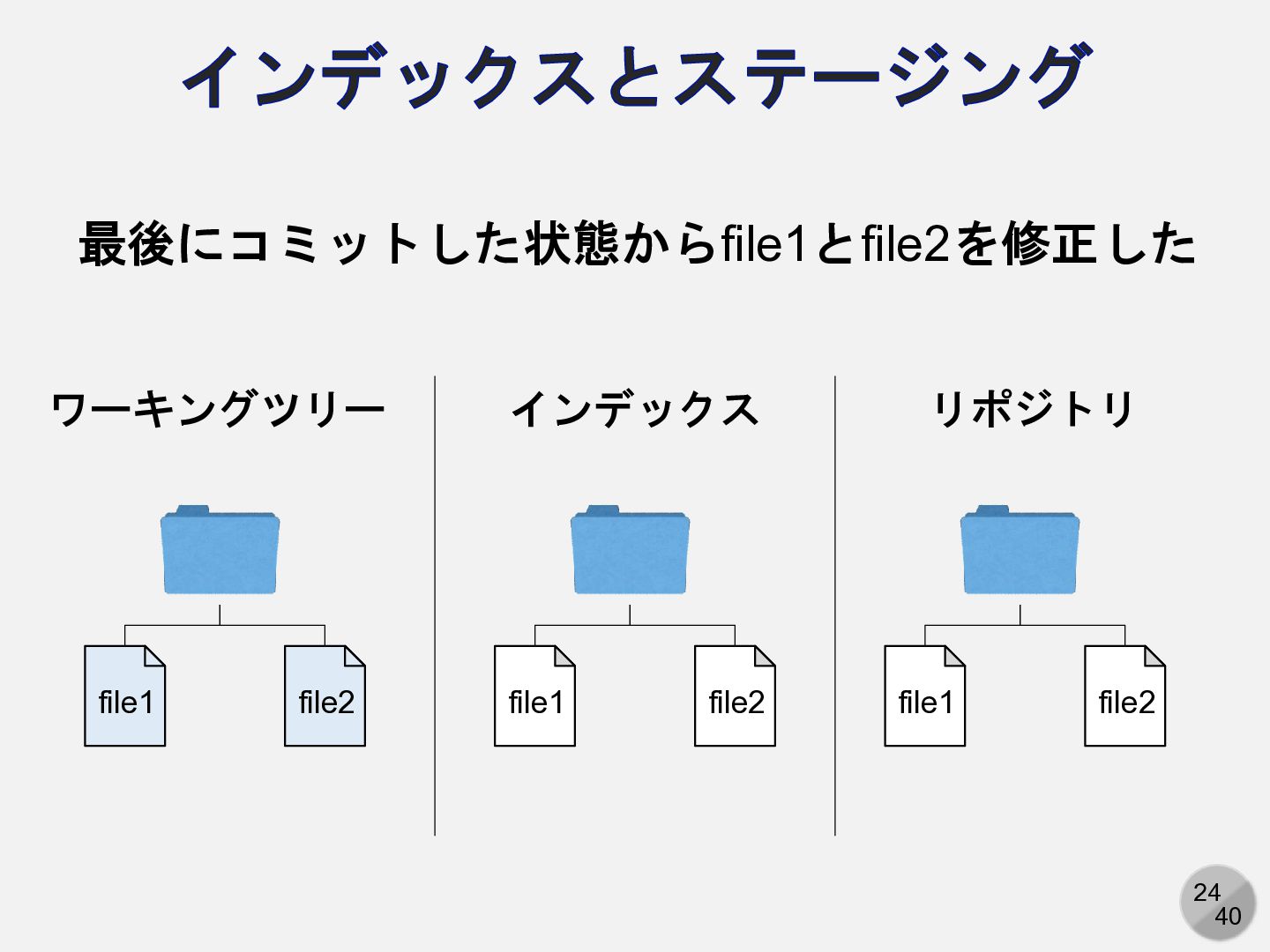
24 40 インデックスとステージング file1 file2 file1 file2 最後にコミットした状態からfile1とfile2を修正した ワーキングツリー インデックス
リポジトリ file1 file2
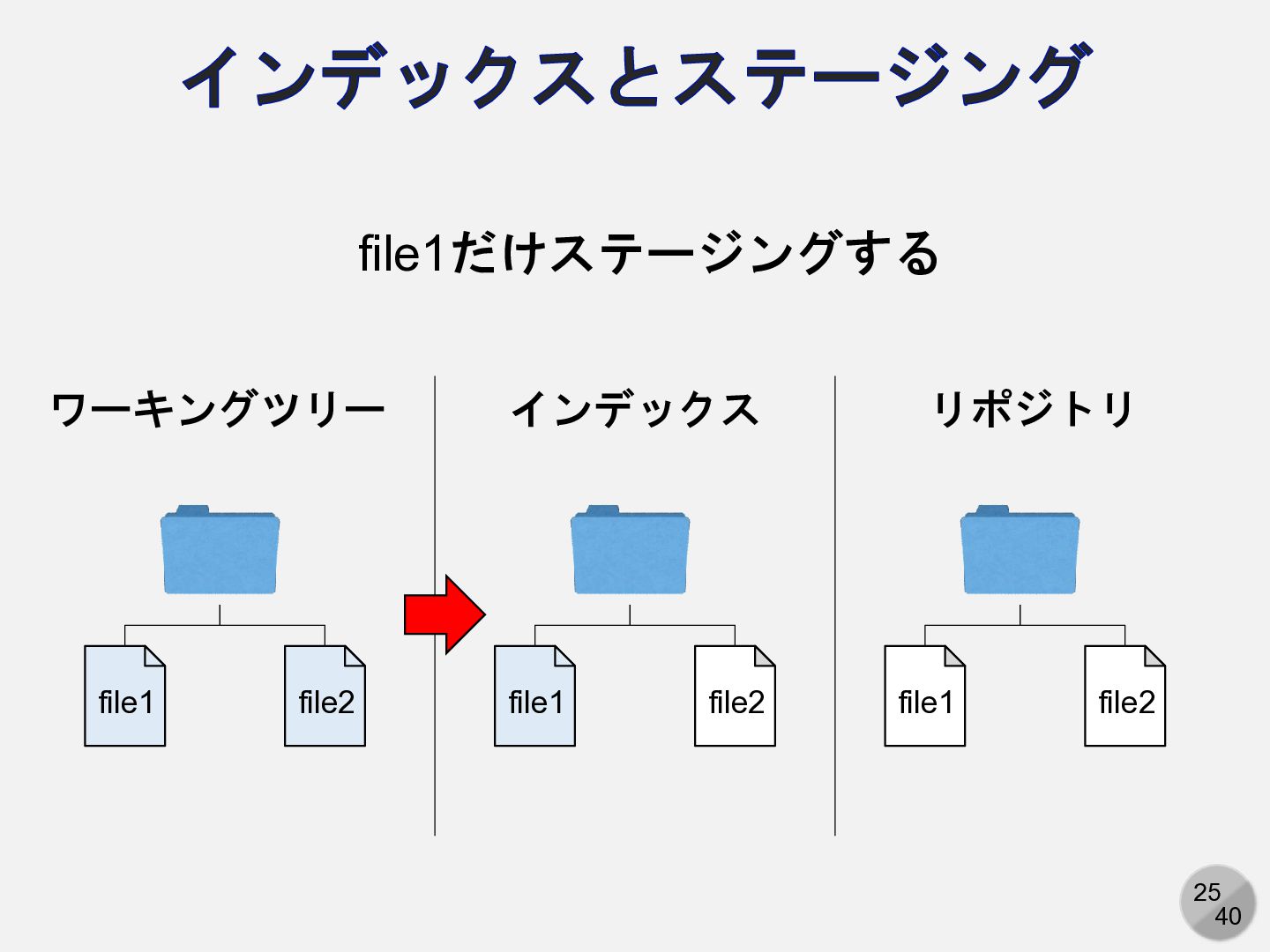
25 40 インデックスとステージング file1 file2 file1 file2 file1だけステージングする ワーキングツリー インデックス
リポジトリ file1 file2
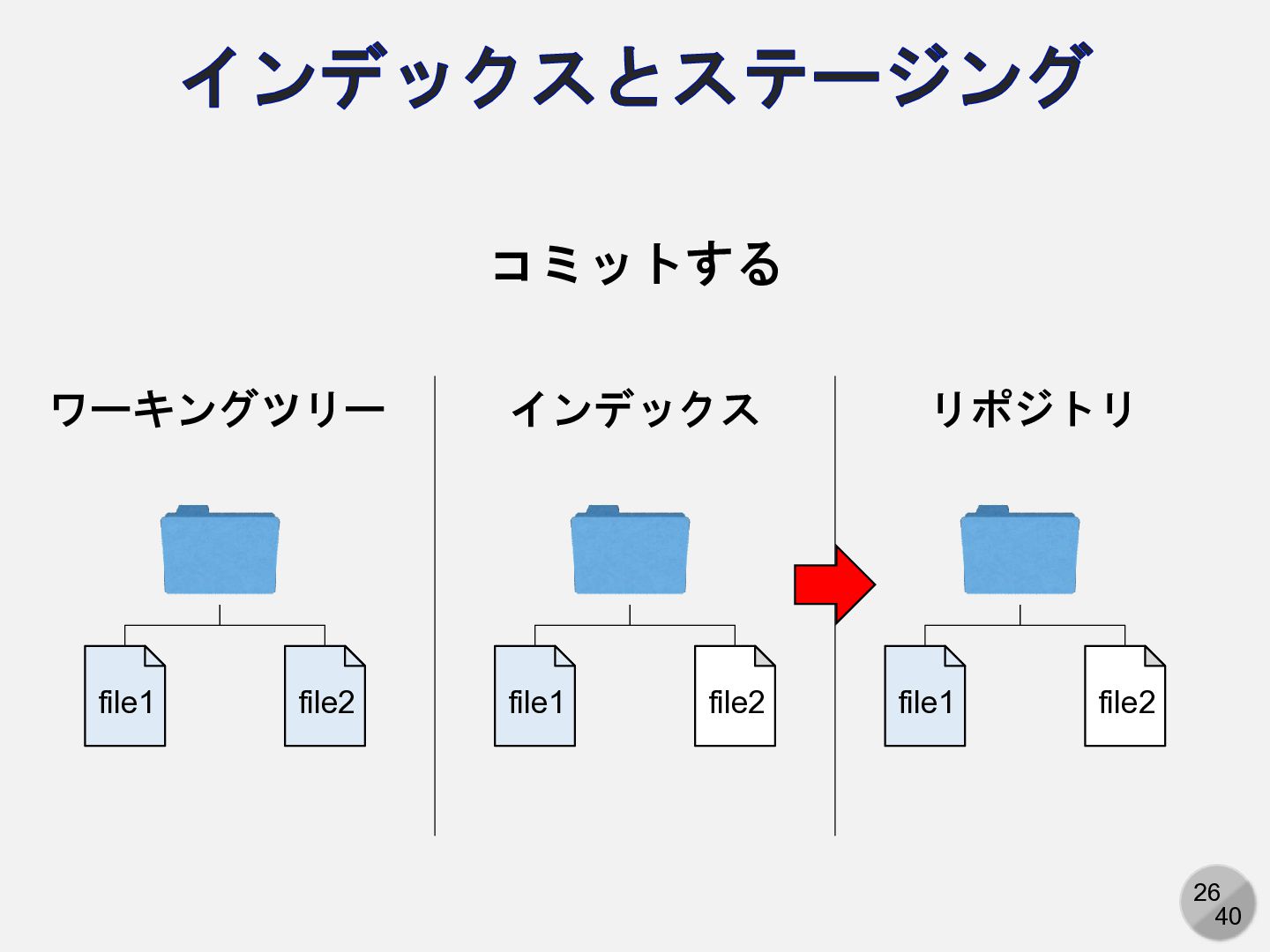
26 40 インデックスとステージング file1 file2 file1 file2 コミットする ワーキングツリー インデックス
リポジトリ file1 file2
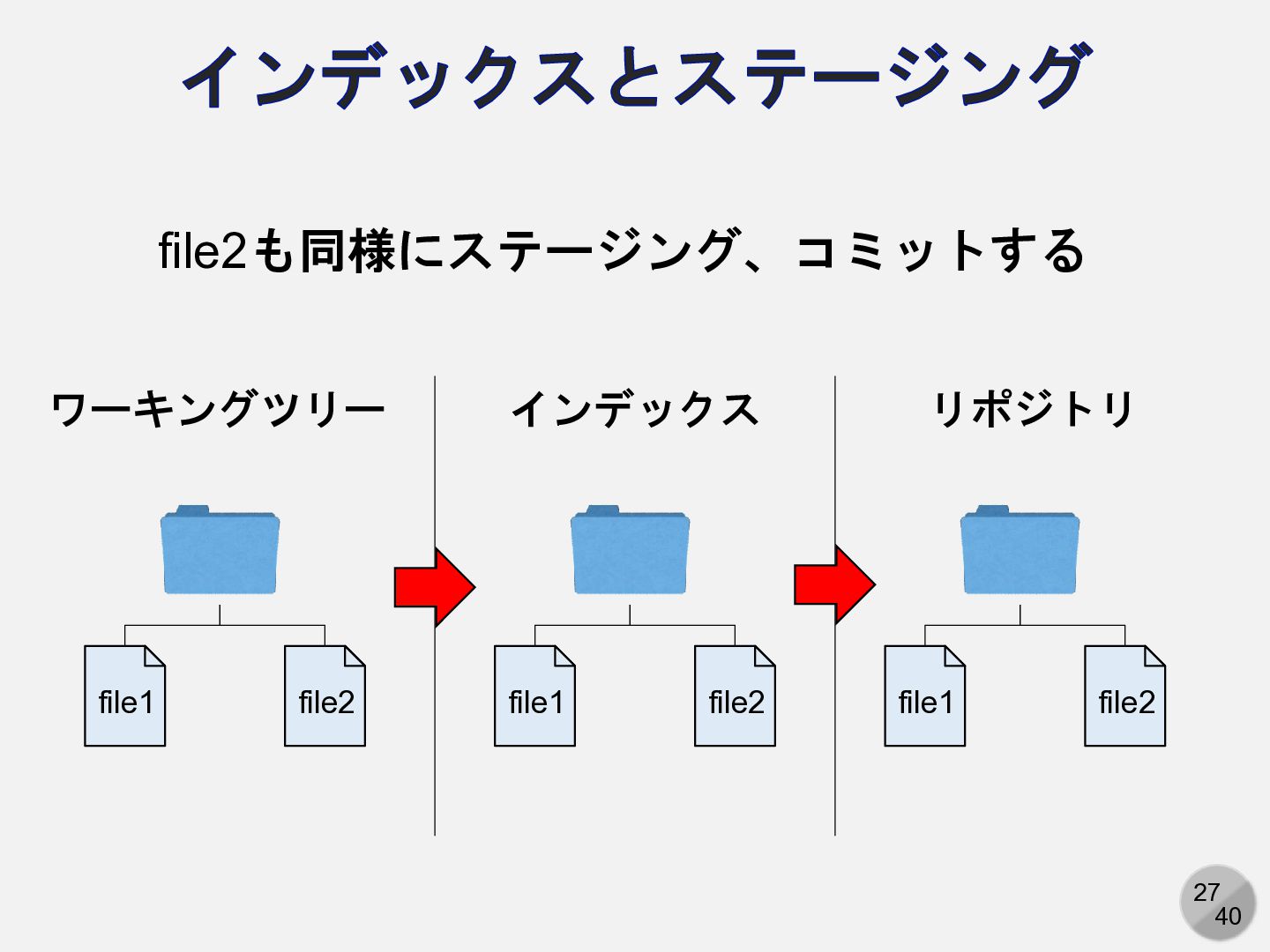
27 40 インデックスとステージング file1 file2 file1 file2 file2も同様にステージング、コミットする ワーキングツリー インデックス
リポジトリ file1 file2
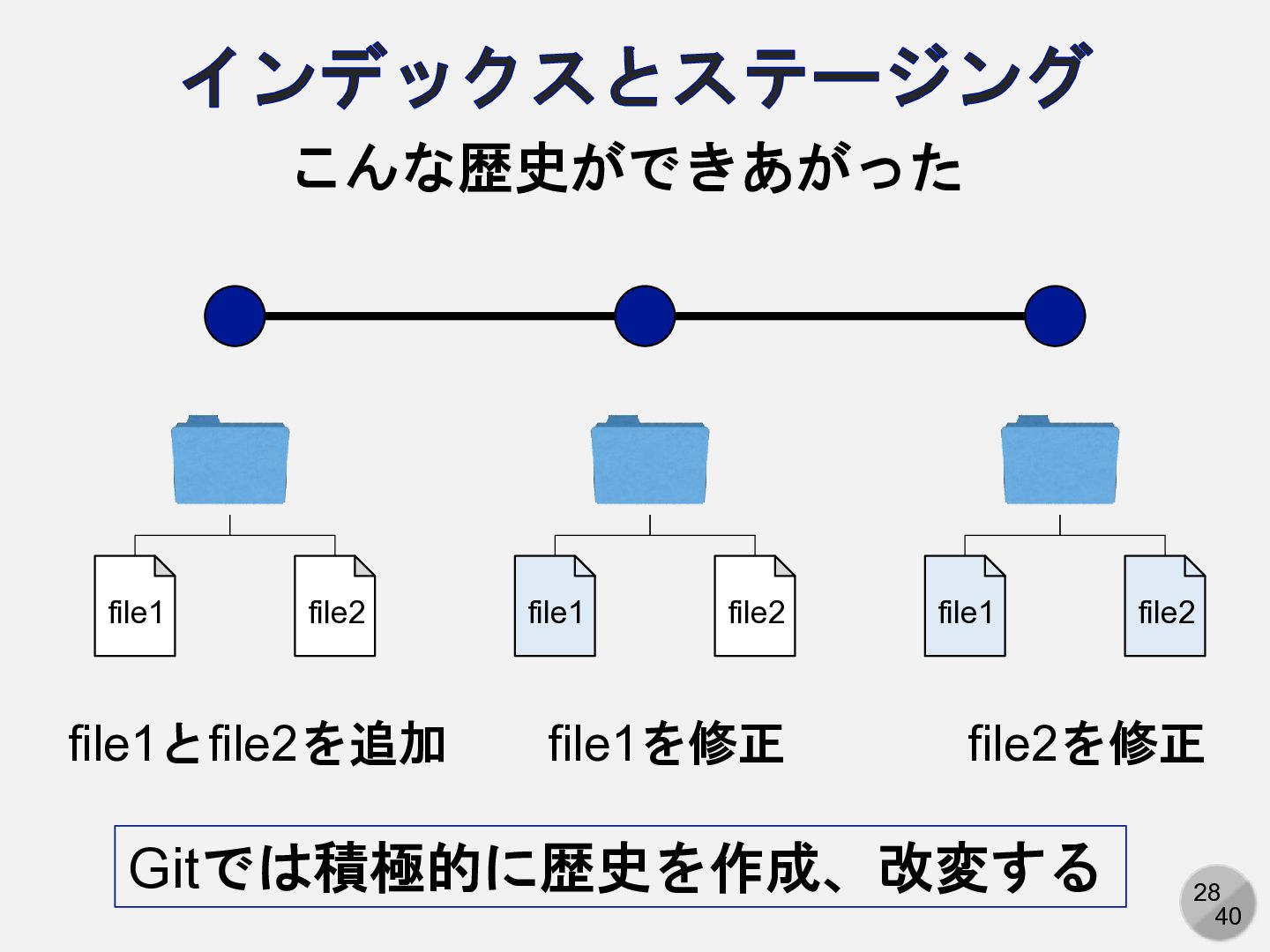
28 40 インデックスとステージング file1 file2 file1 file2 file1 file2 こんな歴史ができあがった
file1とfile2を追加 file1を修正 file2を修正 Gitでは積極的に歴史を作成、改変する
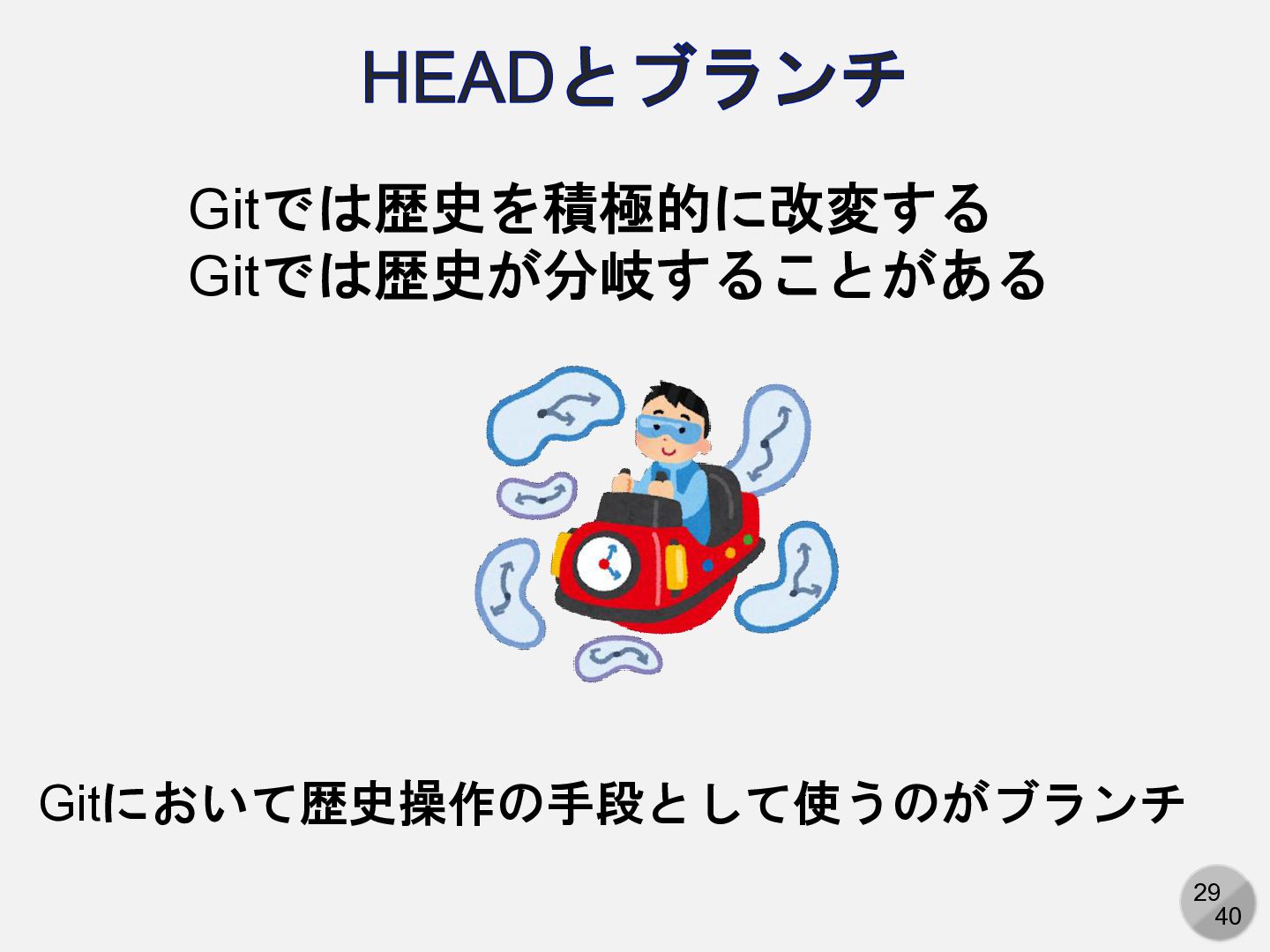
29 40 HEADとブランチ Gitでは歴史を積極的に改変する Gitでは歴史が分岐することがある Gitにおいて歴史操作の手段として使うのがブランチ
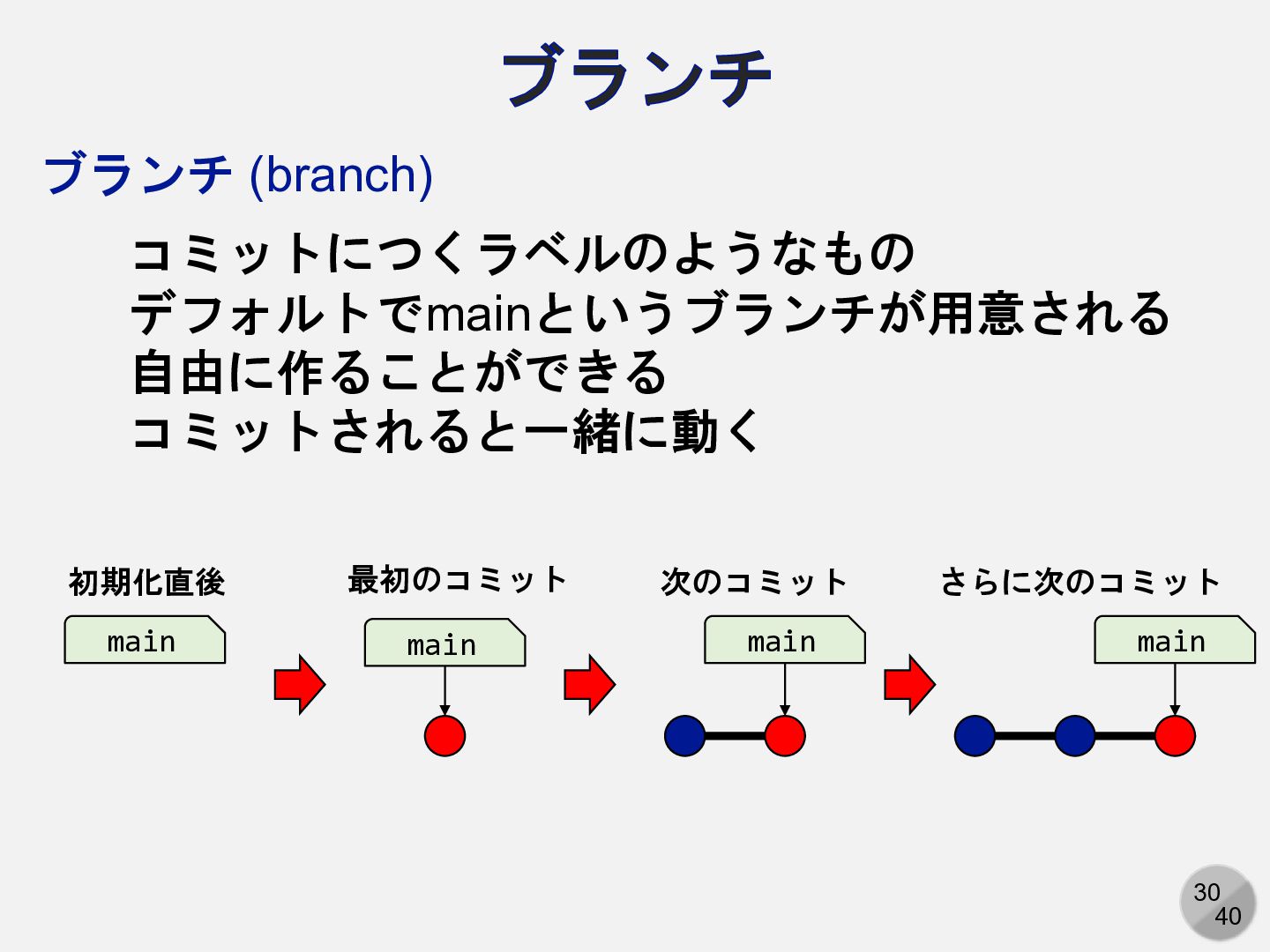
30 40 ブランチ 初期化直後 最初のコミット main main 次のコミット main さらに次のコミット
main ブランチ (branch) コミットにつくラベルのようなもの デフォルトでmainというブランチが用意される 自由に作ることができる コミットされると一緒に動く
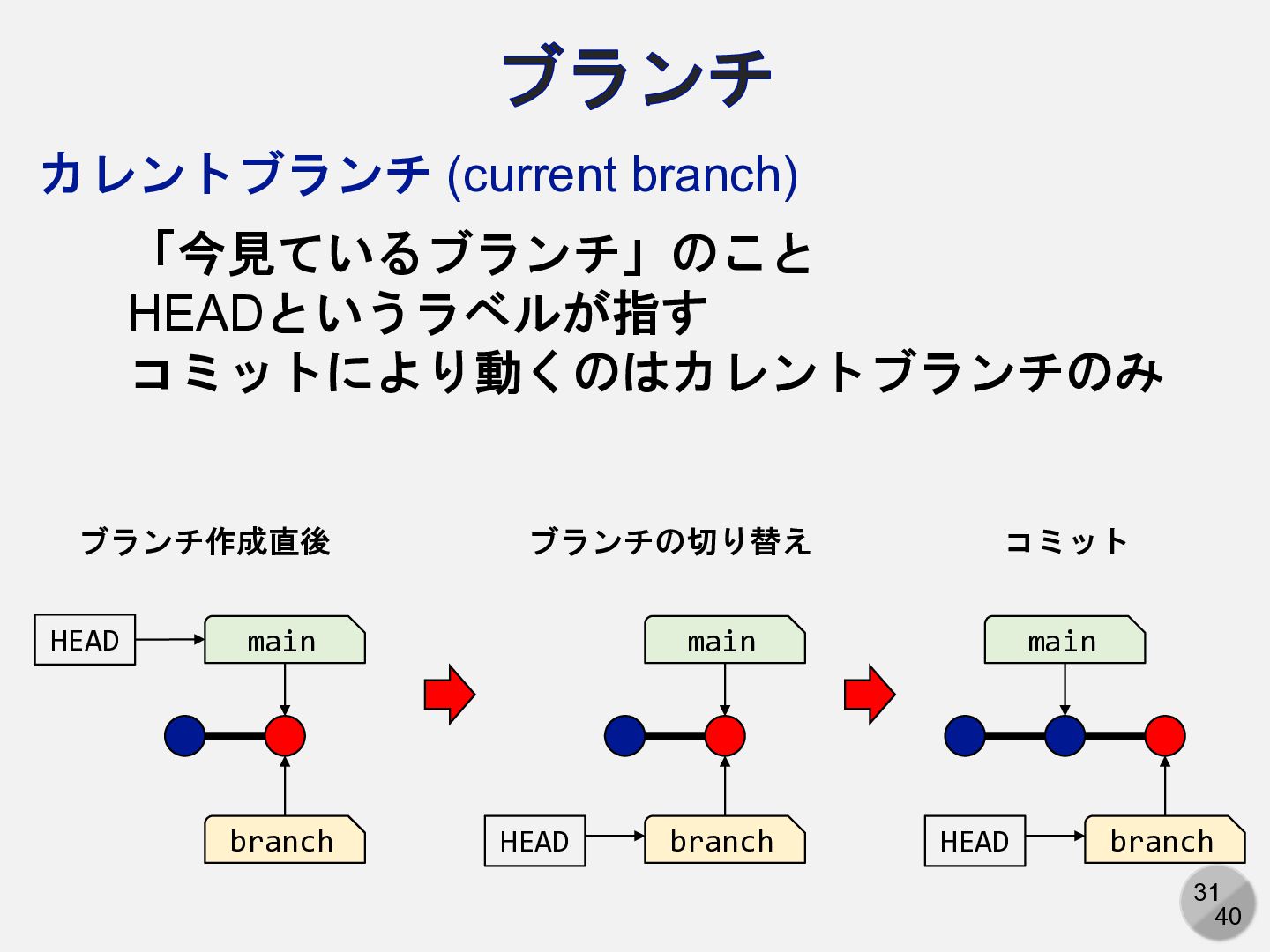
31 40 ブランチ main branch ブランチ作成直後 main branch HEAD ブランチの切り替え
main branch HEAD コミット HEAD カレントブランチ (current branch) 「今見ているブランチ」のこと HEADというラベルが指す コミットにより動くのはカレントブランチのみ
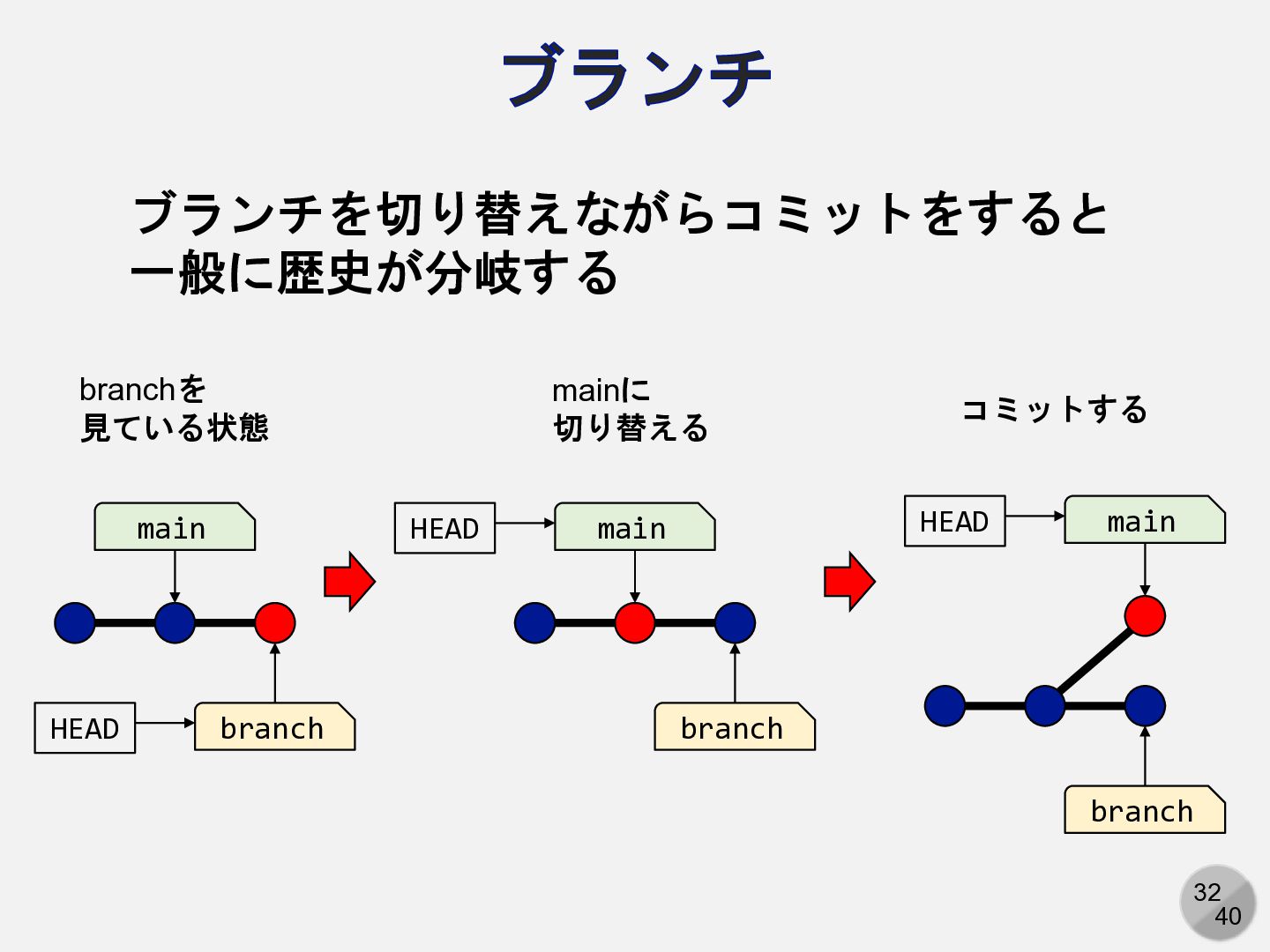
32 40 ブランチ main branch branchを 見ている状態 HEAD main branch
mainに 切り替える HEAD main branch コミットする HEAD ブランチを切り替えながらコミットをすると 一般に歴史が分岐する
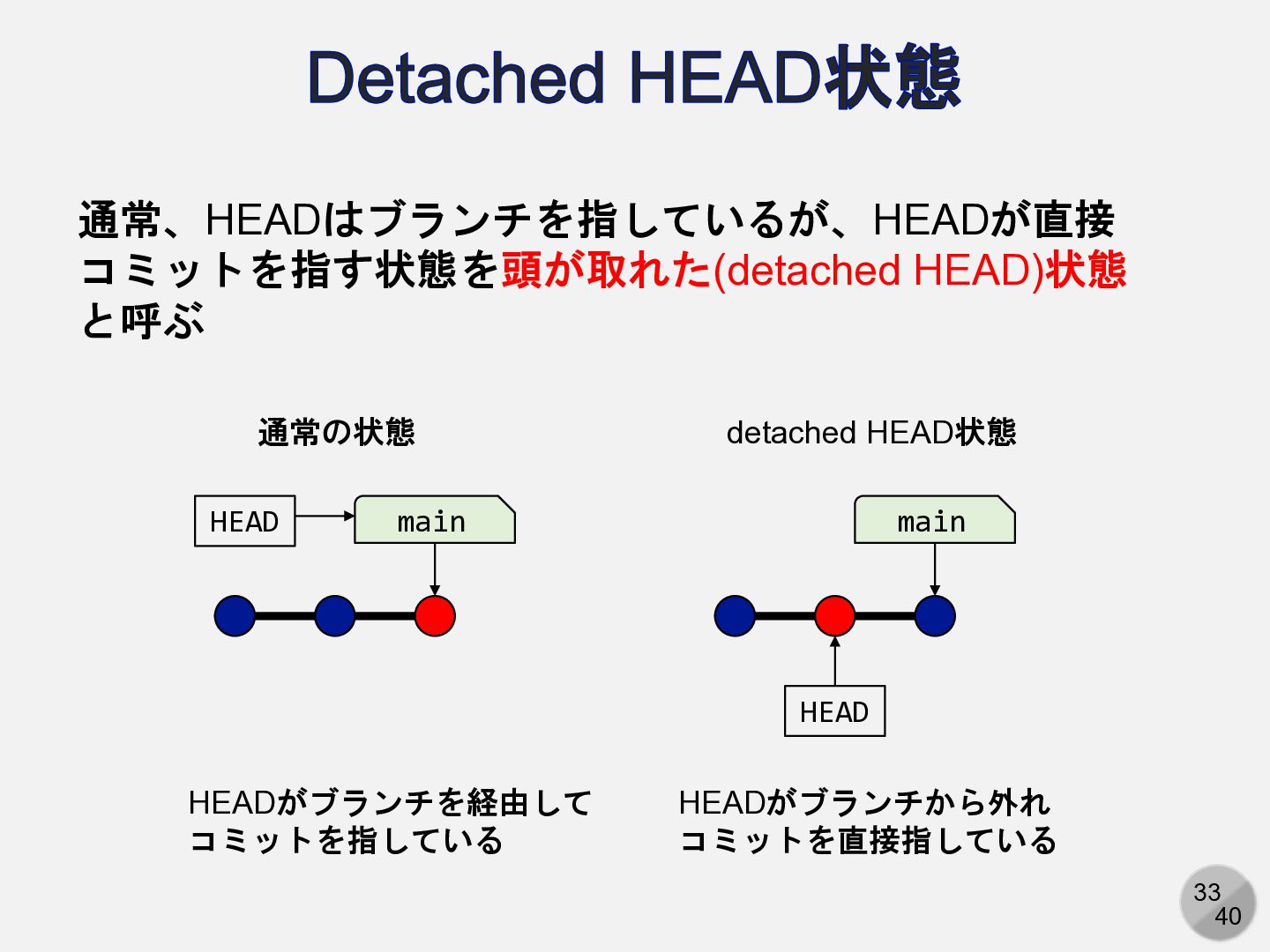
33 40 Detached HEAD状態 main HEAD 通常の状態 main HEAD detached
HEAD状態 HEADがブランチを経由して コミットを指している HEADがブランチから外れ コミットを直接指している 通常、HEADはブランチを指しているが、HEADが直接 コミットを指す状態を頭が取れた(detached HEAD)状態 と呼ぶ
34 40 マージ Gitでは、原則としてデフォルトブランチ(main)で作業しない 別のブランチで作業し、作業が一段落したらmainに取り込む この取り込む作業をマージと呼ぶ マージ(merge) あるブランチの修正を、別のブランチに取り込むこと
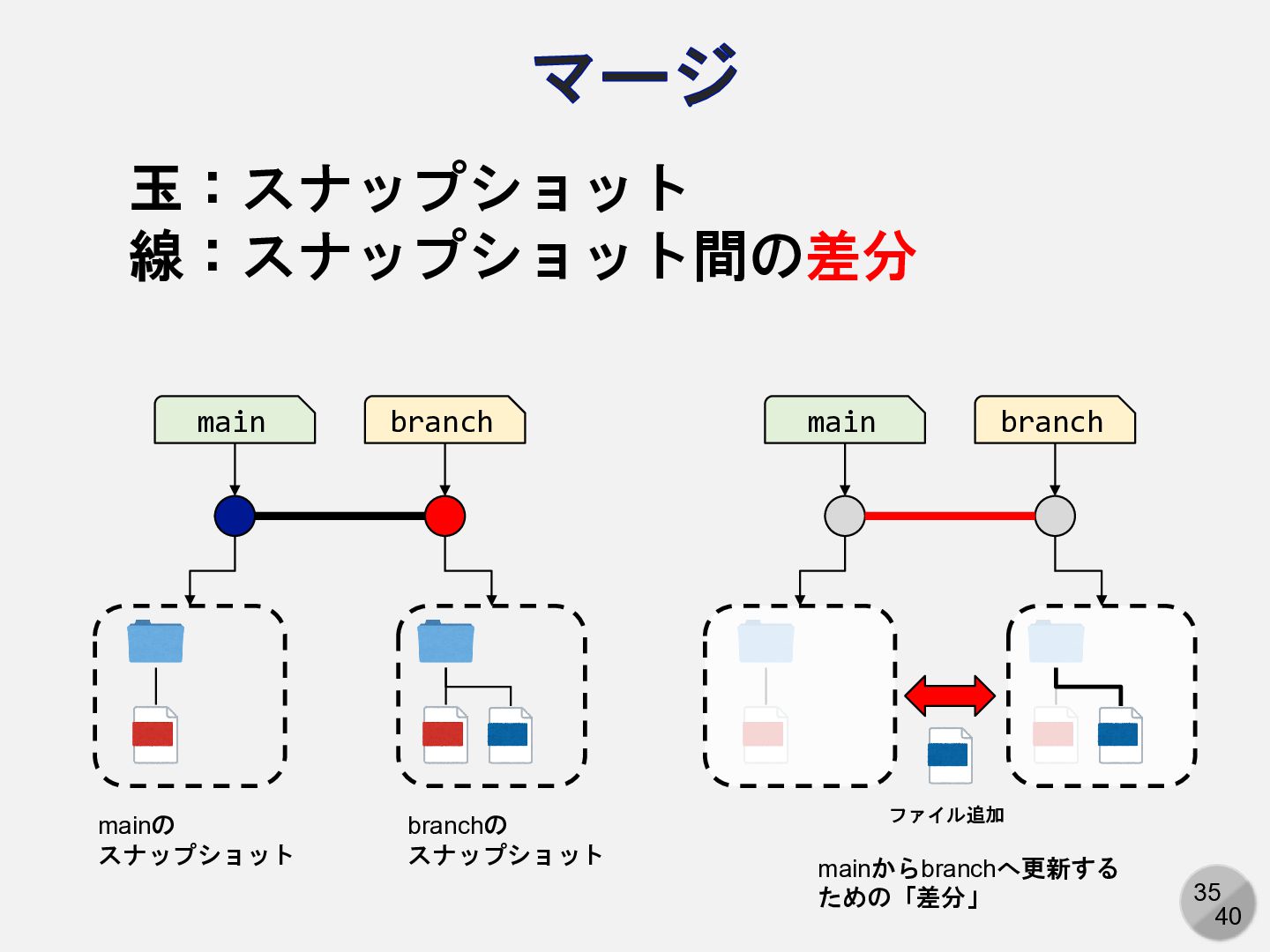
35 40 マージ main branch mainの スナップショット branchの スナップショット main
branch ファイル追加 mainからbranchへ更新する ための「差分」 玉:スナップショット 線:スナップショット間の差分
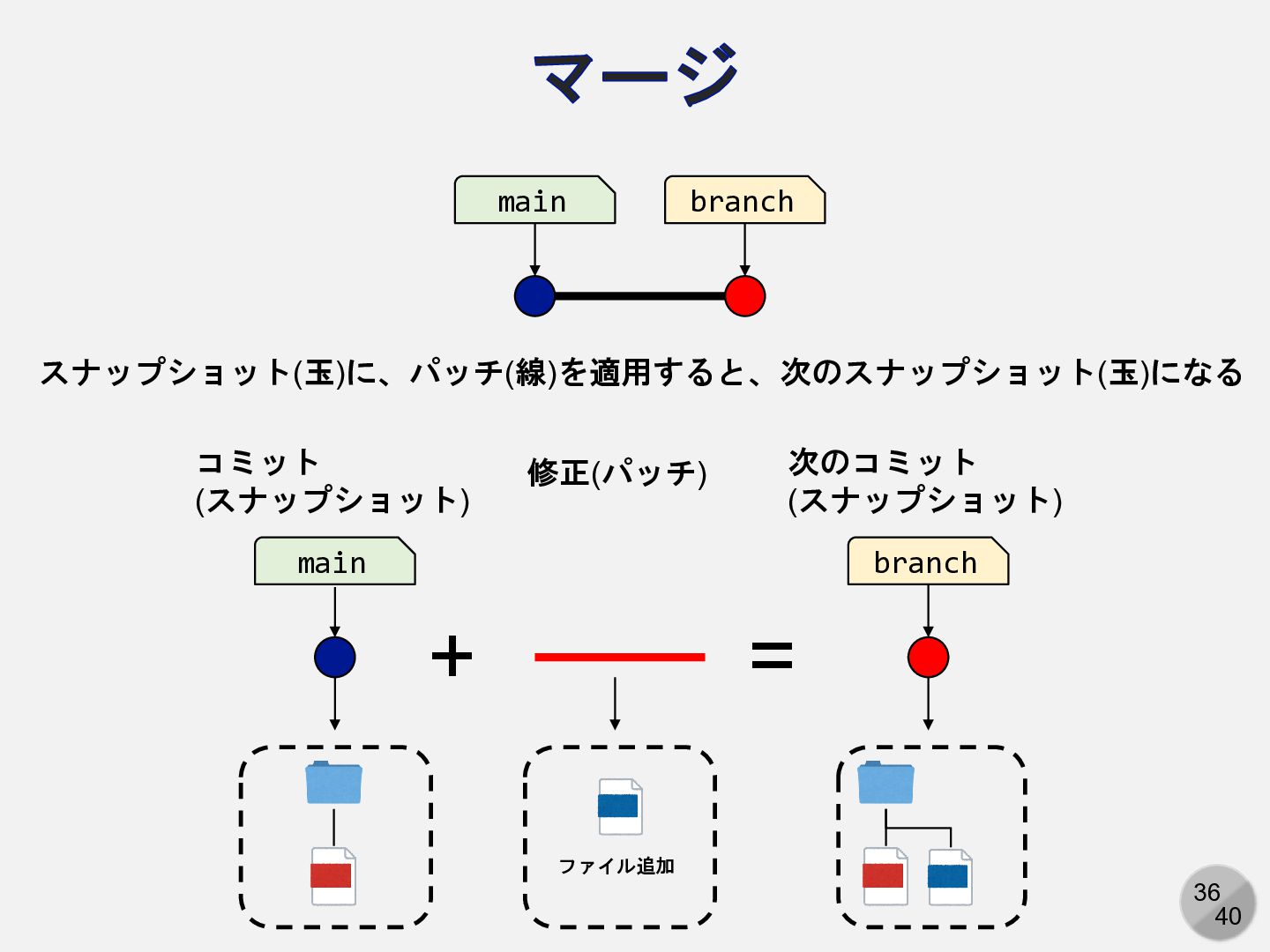
36 40 マージ main = + コミット (スナップショット) 修正(パッチ) branch
ファイル追加 次のコミット (スナップショット) main branch スナップショット(玉)に、パッチ(線)を適用すると、次のスナップショット(玉)になる
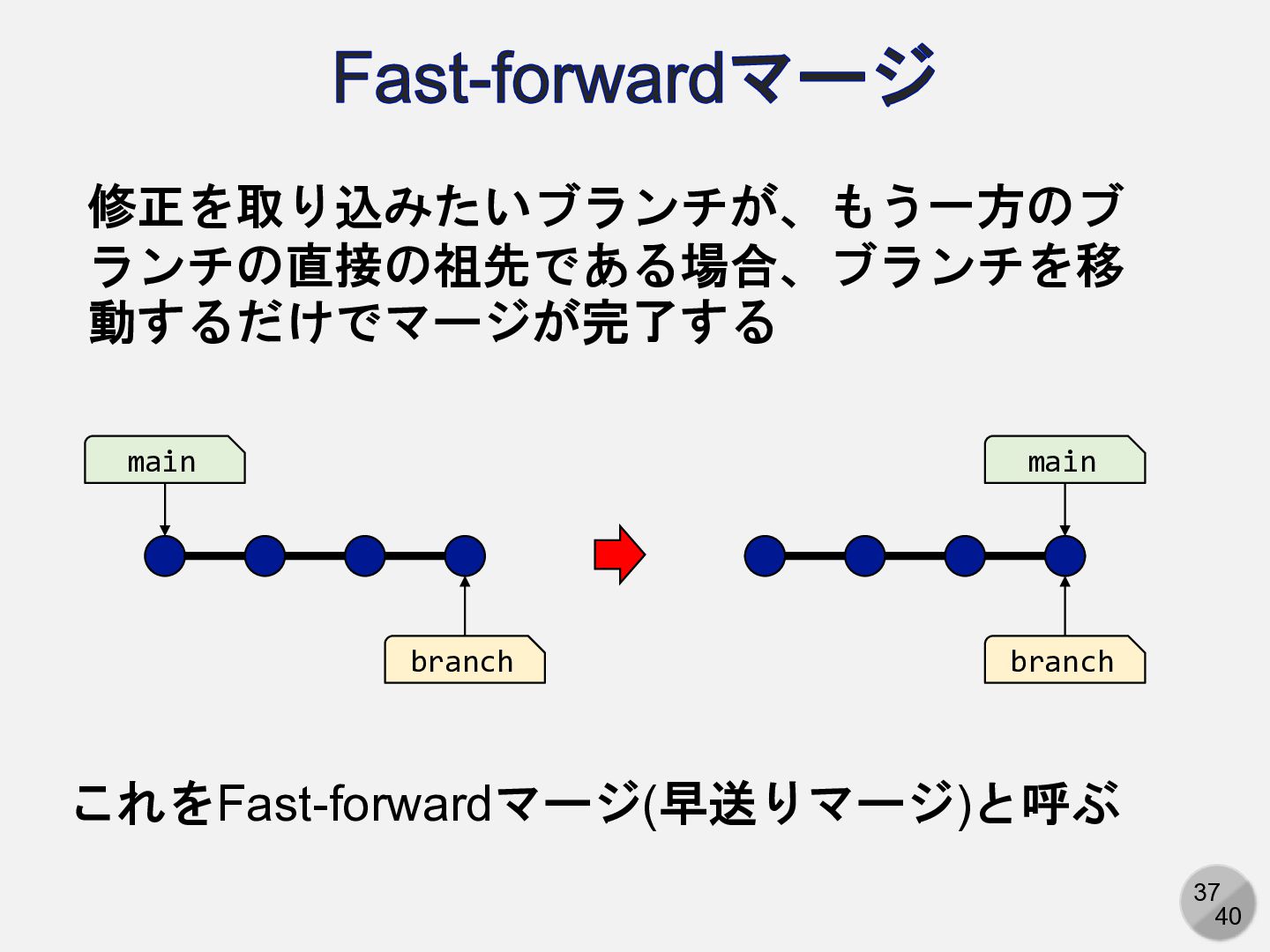
37 40 Fast-forwardマージ main branch main branch 修正を取り込みたいブランチが、もう一方のブ ランチの直接の祖先である場合、ブランチを移 動するだけでマージが完了する
これをFast-forwardマージ(早送りマージ)と呼ぶ
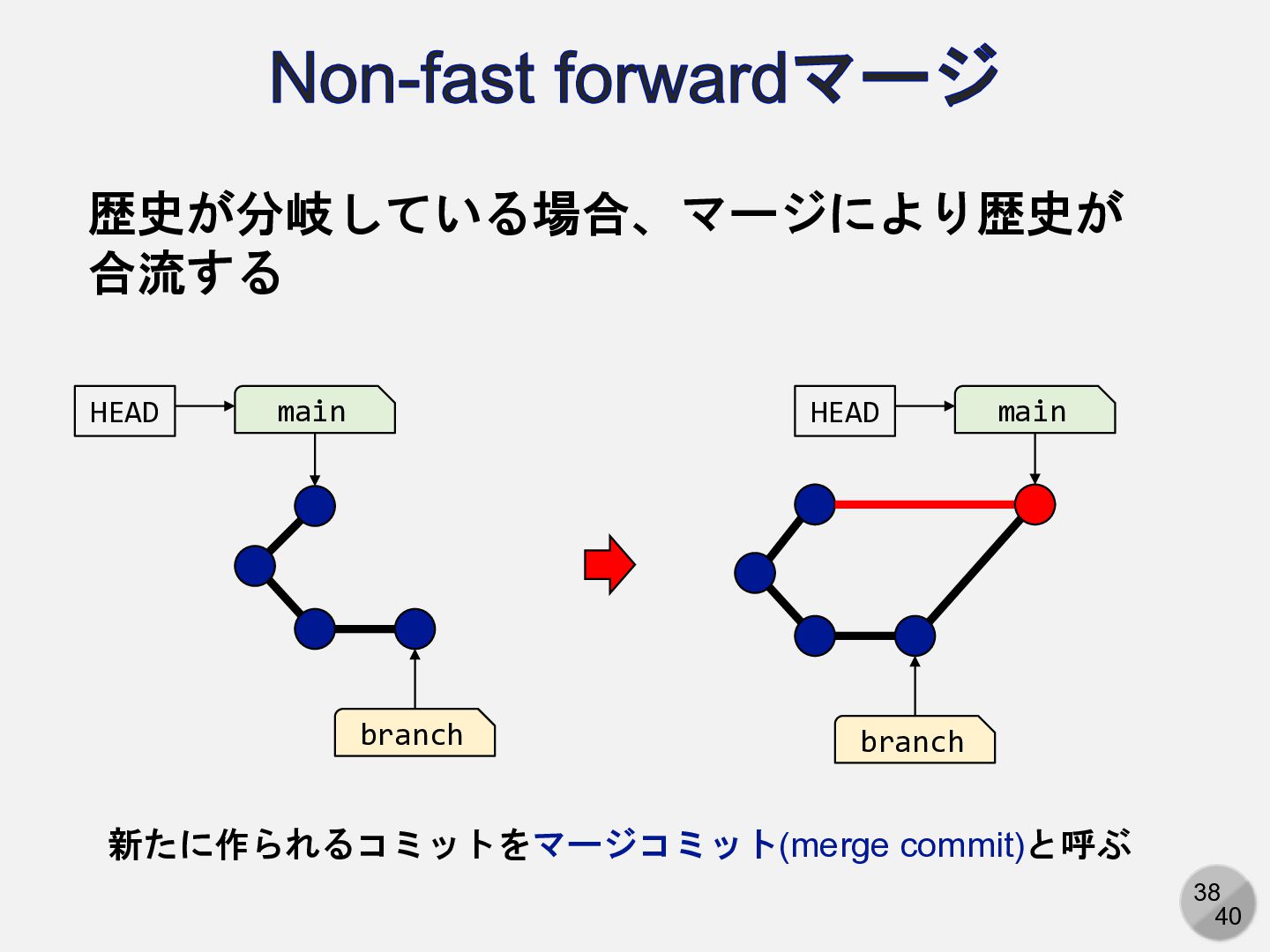
38 40 Non-fast forwardマージ main branch main branch 歴史が分岐している場合、マージにより歴史が 合流する
HEAD HEAD 新たに作られるコミットをマージコミット(merge commit)と呼ぶ
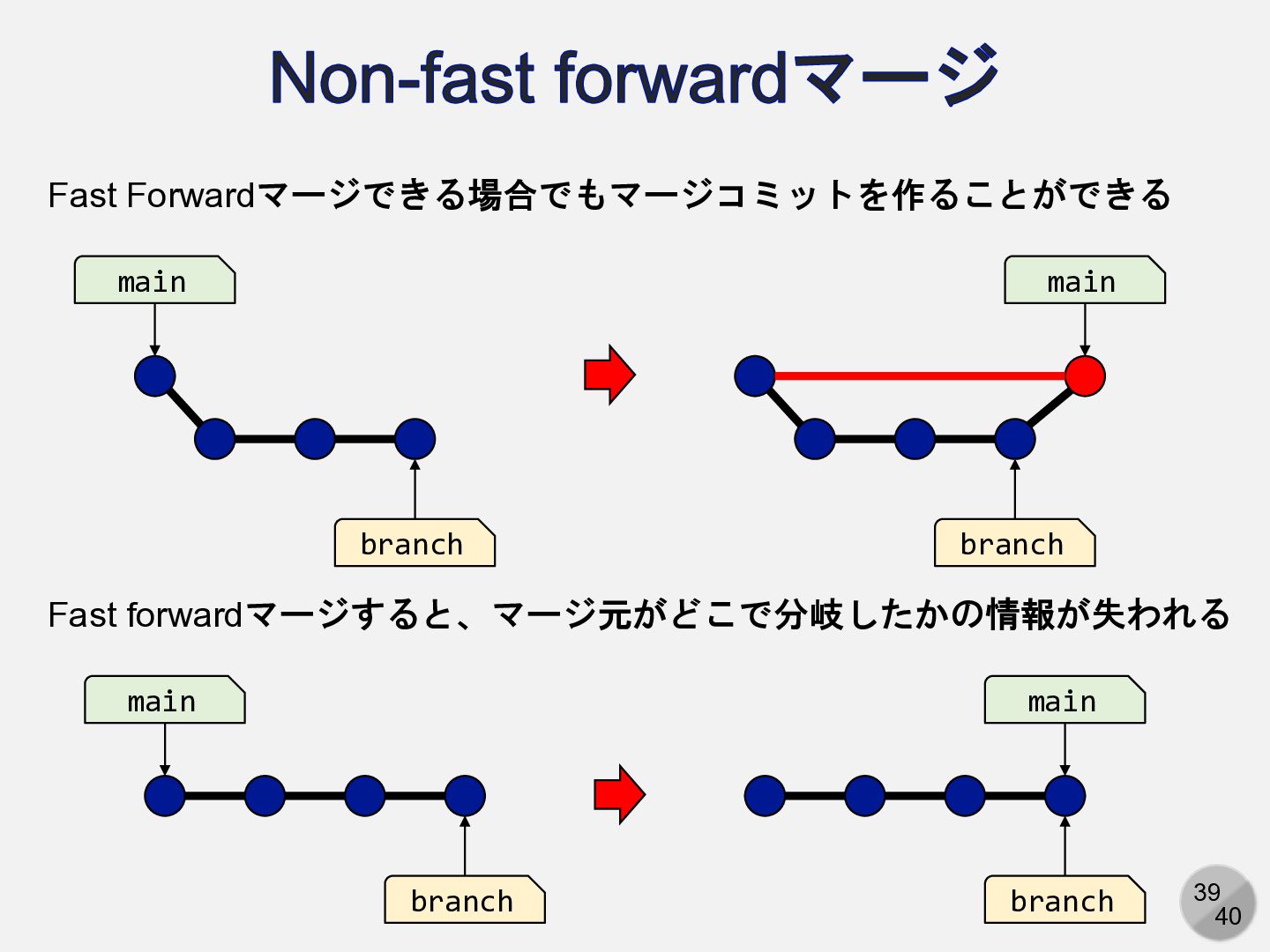
39 40 Non-fast forwardマージ main branch main branch Fast Forwardマージできる場合でもマージコミットを作ることができる
Fast forwardマージすると、マージ元がどこで分岐したかの情報が失われる main branch main branch
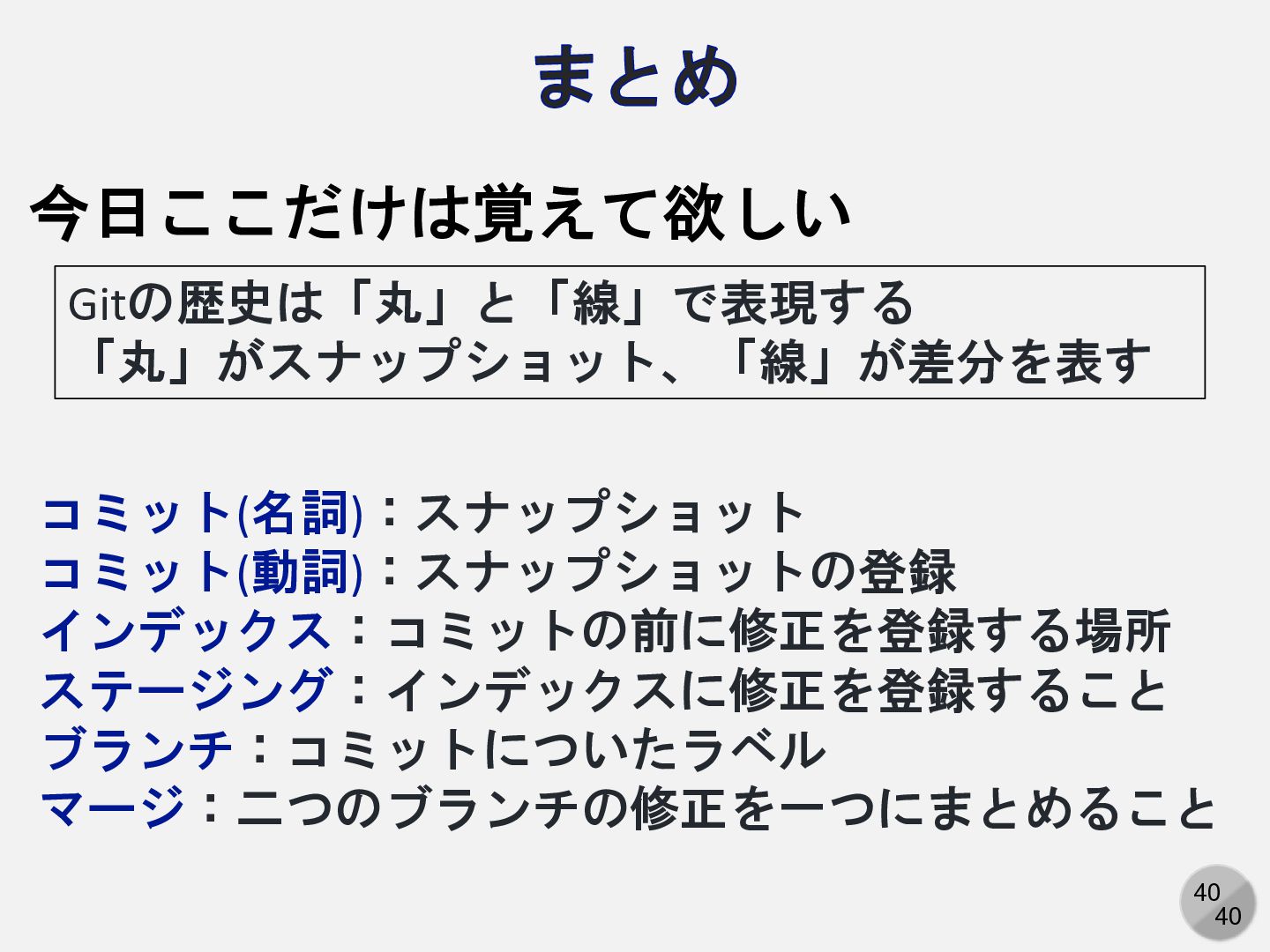
40 40 まとめ コミット(名詞):スナップショット コミット(動詞):スナップショットの登録 インデックス:コミットの前に修正を登録する場所 ステージング:インデックスに修正を登録すること ブランチ:コミットについたラベル マージ:二つのブランチの修正を一つにまとめること Gitの歴史は「丸」と「線」で表現する
「丸」がスナップショット、「線」が差分を表す 今日ここだけは覚えて欲しい


 kaityo256
 matleenalaakso
 yoshimura_datam
 bvr7352
 lfj
lfj
 cbtlibrary
 robintux
 ainischool
 yatabe
 soudai
 saorimurooka
 masakiokuda
 mutomasa
 paigeccino
 oripsolob
 hannesfritz
 minecr
 palkan
 marktimemedia
 bkeepers
 jnunemaker
 inesmontani
 pwiseman
 aemeredith
![4 40 git log のオプション(抜粋) --abbrev-commit --abbrev[=<n>] --after=<date> --all --all-match](https://files.speakerdeck.com/presentations/3f647dd078e74746b1434f8369748e27/slide_3.jpg)