Upgrade to Pro
— share decks privately, control downloads, hide ads and more …
Speaker Deck
Sign up for free
Menu
Search
Features
All features
Private URLs
Password Protection
Custom URLS
Scheduled publishing
Remove Branding
Restrict embedding
Deck Collections
Notes
Features
All features
Private URLs
Password Protection
Custom URLS
Scheduled publishing
Remove Branding
Restrict embedding
Deck Collections
Notes
Explore
Featured decks
Featured speakers
Programming
Technology
Storyboards
Explore
Featured decks
Featured speakers
Programming
Technology
Storyboards
Pricing
Search
Sign in
Sign up for free
BeginnersSession2 - Plot & Visualization-
Search
yu_sekiya
October 03, 2026
Programming
71
0
Share
Embed
Copy iframe code
Copy JS code
Copy link
Start on current slide
BeginnersSession2 - Plot & Visualization-
TokyoR#122の初心者セッション2可視化の資料です
yu_sekiya
October 03, 2026
More Decks by yu_sekiya
See All by yu_sekiya
目指せ shiny中級者 ~ shiny Modules を使ってみた~
kotatyamtema
0
48
TokyoR#119 rvestでhtml_liveをさわってみた話
kotatyamtema
0
79
TokyoR#119 bignners session2 Visualization
kotatyamtema
0
260
Shinyのすすめ - Introduction to shiny -
kotatyamtema
0
200
TokyoR116_BeginnersSession1_環境構築
kotatyamtema
0
290
TokyoR#114 shiny+DT超(ザックリ)入門
kotatyamtema
0
120
TokyoR#113 bignners session2 Visualization
kotatyamtema
0
150
TokyoR #112 Beginners' Session2 data handing
kotatyamtema
0
160
TokyoR #111 Beginners' Session1 data handing
kotatyamtema
0
120
Other Decks in Programming
See All in Programming
Event is what happens
moro
2
1.2k
sbt 2.0: takeoff
eed3si9n
0
170
APNsからLive Activityを開始する話
yumnumm
0
170
Workers Cache を知る
syumai
0
370
Verilogで学ぶCPU自作入門
uyuki234
8
4.2k
コードレビューのボトルネックを"する側"と"される側"の両面から解消する
yub0n
2
1.6k
SalesForceを内製化!? ~ HR事業を支える顧客管理基盤のインフラを大公開 ~
oku053
0
190
Agentic Software Factoryに、すごく賢いIF文を。 / super smart IF statement into the Agentic Software Factory.
rkaga
8
2.3k
IBM Bob でAI駆動開発『QC-Playbook』
ichirokano2
0
120
R8 の設定見直しでアプリサイズ削減
andpad
0
220
AI-Powered Domain-Driven Design
ziobrando
0
190
IBM Bob Dojo #1 仕様駆動開発入門
oniak3ibm
PRO
0
410
Featured
See All Featured
The Illustrated Children's Guide to Kubernetes
chrisshort
51
53k
The Mindset for Success: Future Career Progression
greggifford
PRO
0
540
Evolving SEO for Evolving Search Engines
ryanjones
0
330
Designing Dashboards & Data Visualisations in Web Apps
destraynor
232
55k
Crafting Experiences
bethany
1
390
A Soul's Torment
seathinner
8
3.8k
A Tale of Four Properties
chriscoyier
163
24k
How to make the Groovebox
asonas
2
2.5k
Getting science done with accelerated Python computing platforms
jacobtomlinson
2
540
StorybookのUI Testing Handbookを読んだ
zakiyama
31
7k
Exploring anti-patterns in Rails
aemeredith
4
540
Data-driven link building: lessons from a $708K investment (BrightonSEO talk)
szymonslowik
1
1.4k
Transcript
初心者セッション2 - Plot & VisualizationTokyo.R #122 @kotatyamtema 1
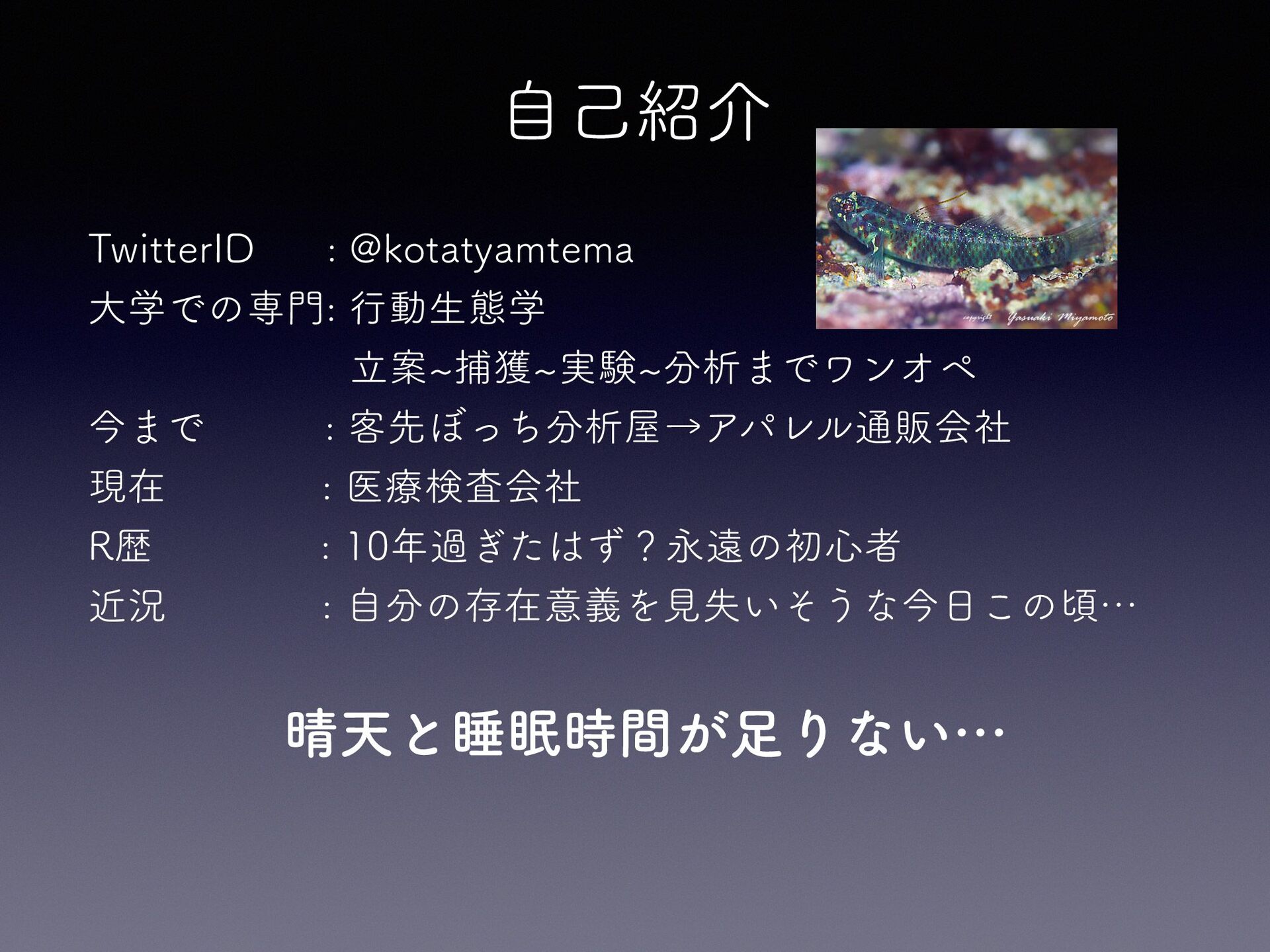
自己紹介 TwitterID : @kotatyamtema 大学での専門: 行動生態学 立案~捕獲~実験~分析までワンオペ 今まで : 客先ぼっち分析屋→アパレル通販会社
現在 : 医療検査会社 R歴 : 10年過ぎたはず?永遠の初心者 近況 : 自分の存在意義を見失いそうな今日この頃… 晴天と睡眠時間が足りない…
目的 なぜデータの可視化が必要なのか ggplot2を使って基本的な作図が できるようになる
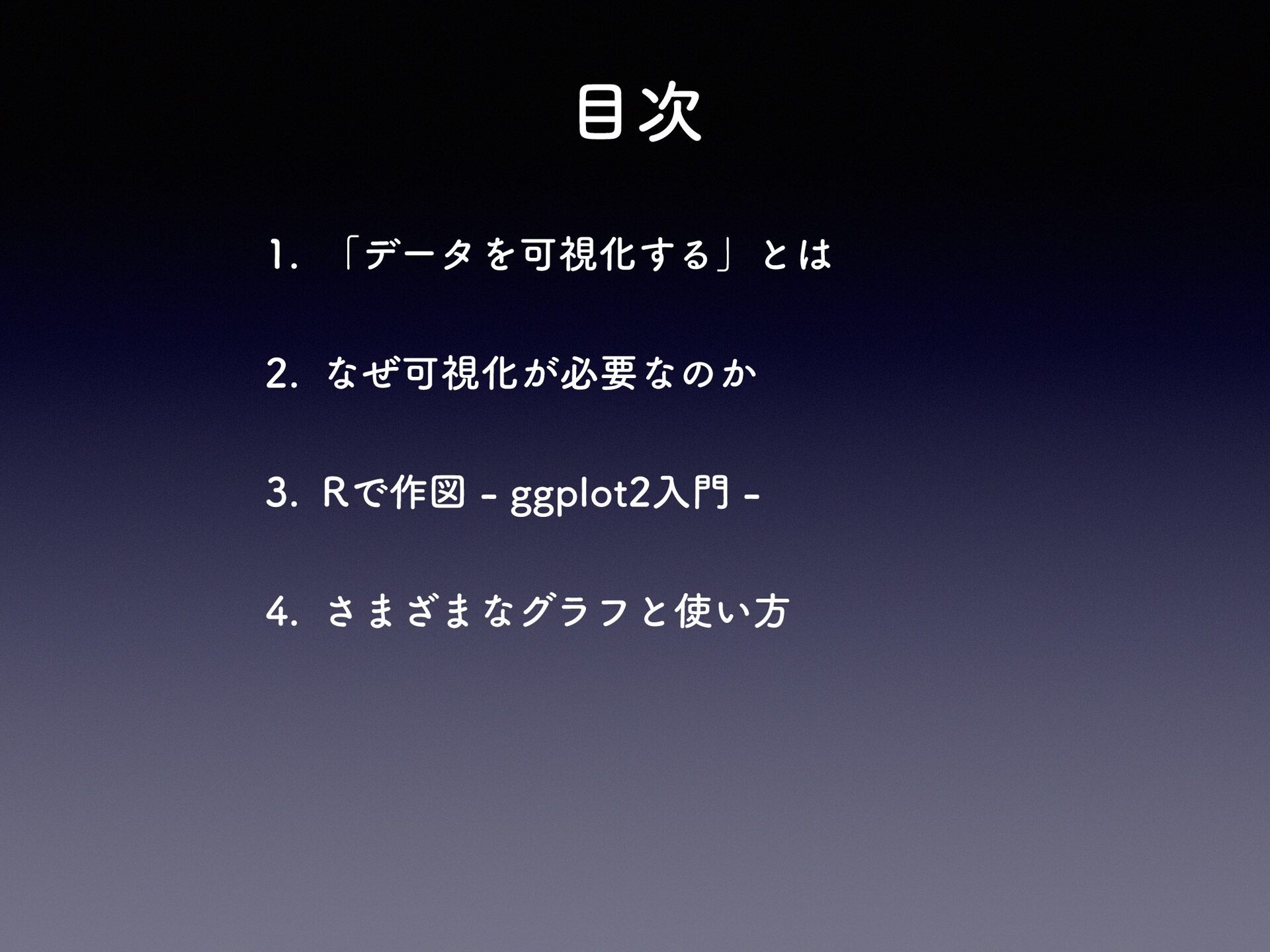
目次 1. 「データを可視化する」とは 2. なぜ可視化が必要なのか 3. Rで作図 - ggplot2入門 4.
さまざまなグラフと使い方
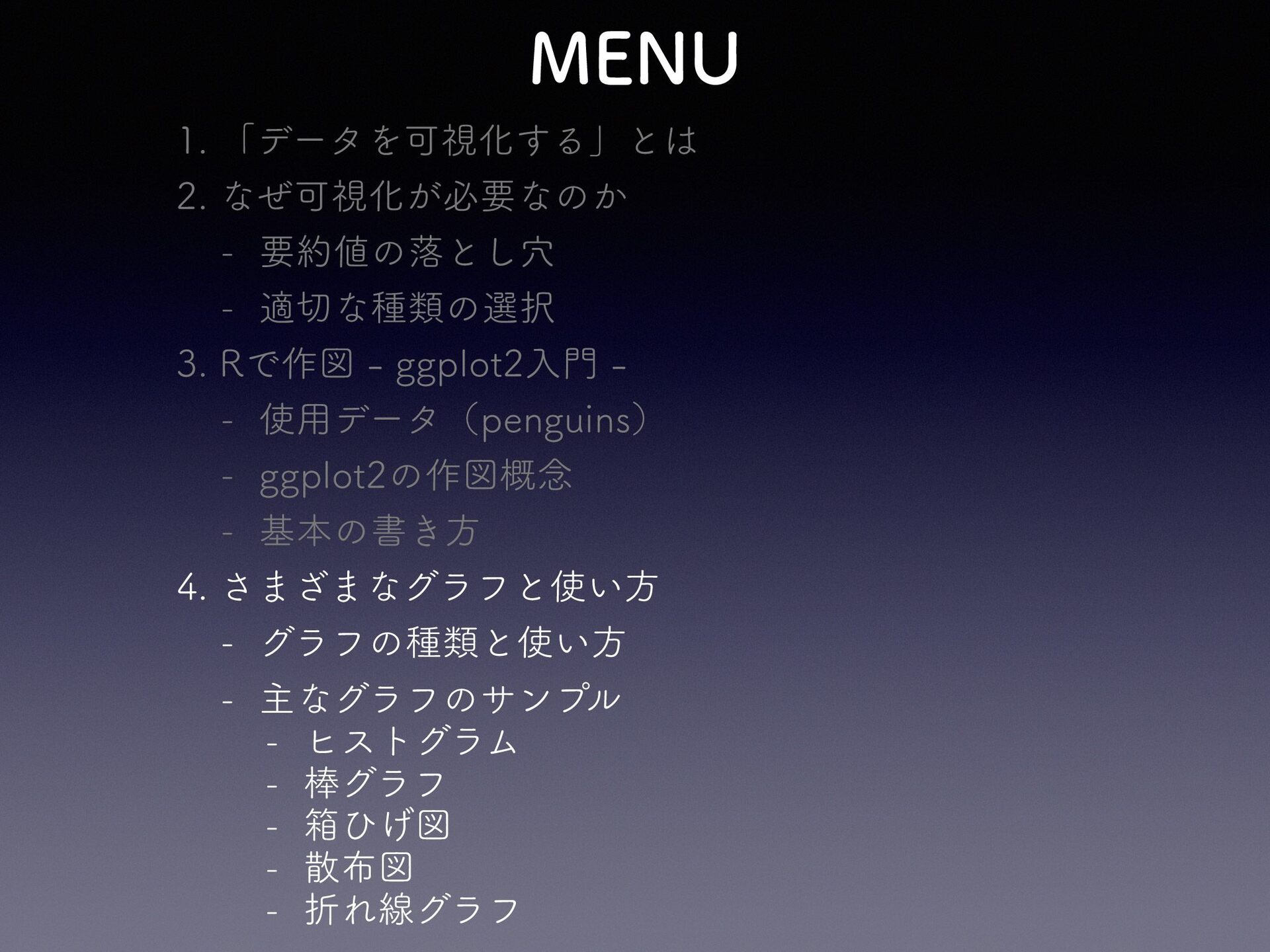
MENU 1. 「データを可視化する」とは 2. なぜ可視化が必要なのか - 要約値の落とし穴 - 適切な種類の選択 3.
Rで作図 - ggplot2入門 - 使用データ(penguins) - ggplot2の作図概念 - 基本の書き方 4. さまざまなグラフと使い方 - グラフの種類と使い方 - 主なグラフのサンプル - ヒストグラム - 棒グラフ - 箱ひげ図 - 散布図 - 折れ線グラフ
MENU 1. 「データを可視化する」とは 2. なぜ可視化が必要なのか - 要約値の落とし穴 - 適切な種類の選択 3.
Rで作図 - ggplot2入門 - 使用データ(penguins) - ggplot2の作図概念 - 基本の書き方 4. さまざまなグラフと使い方 - グラフの種類と使い方 - 主なグラフのサンプル - ヒストグラム - 棒グラフ - 箱ひげ図 - 散布図 - 折れ線グラフ
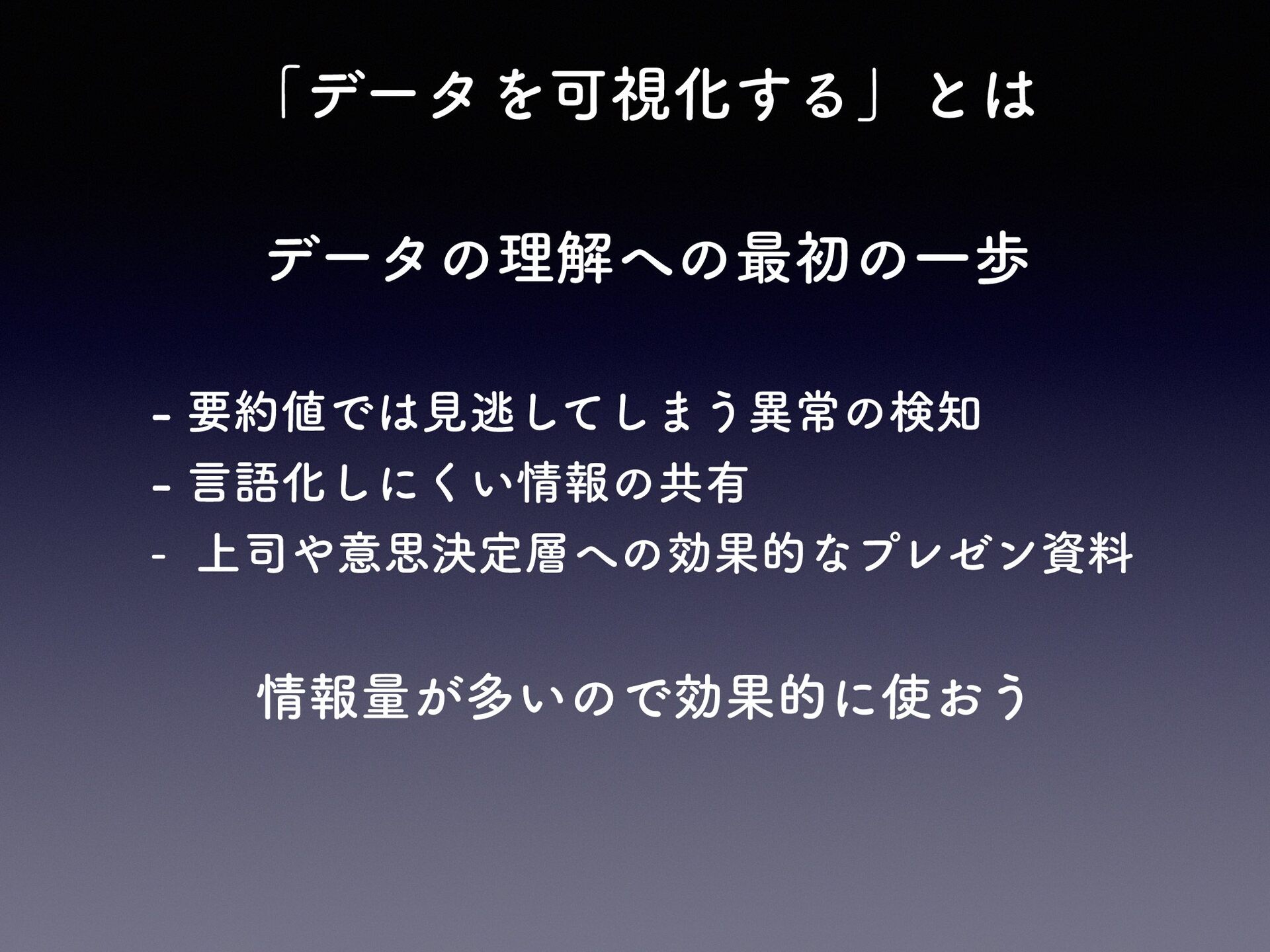
「データを可視化する」とは データの理解への最初の一歩 - 要約値では見逃してしまう異常の検知 - 言語化しにくい情報の共有 - 上司や意思決定層への効果的なプレゼン資料 情報量が多いので効果的に使おう
MENU 1. 「データを可視化する」とは 2. なぜ可視化が必要なのか - 要約値の落とし穴 - 適切な種類の選択 3.
Rで作図 - ggplot2入門 - 使用データ(penguins) - ggplot2の作図概念 - 基本の書き方 4. さまざまなグラフと使い方 - グラフの種類と使い方 - 主なグラフのサンプル - ヒストグラム - 棒グラフ - 箱ひげ図 - 散布図 - 折れ線グラフ
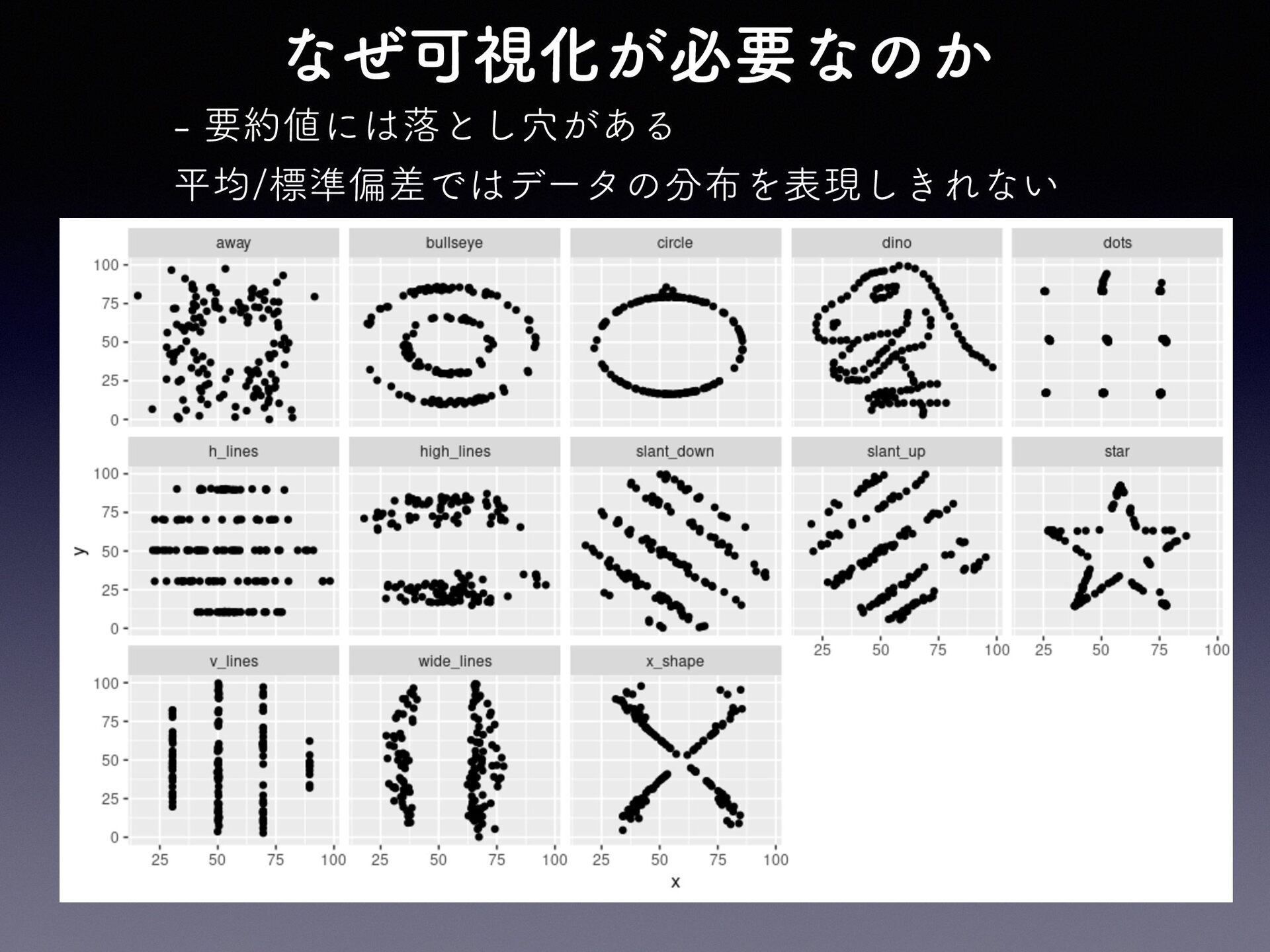
なぜ可視化が必要なのか - 要約値には落とし穴がある 平均/標準偏差ではデータの分布を表現しきれない
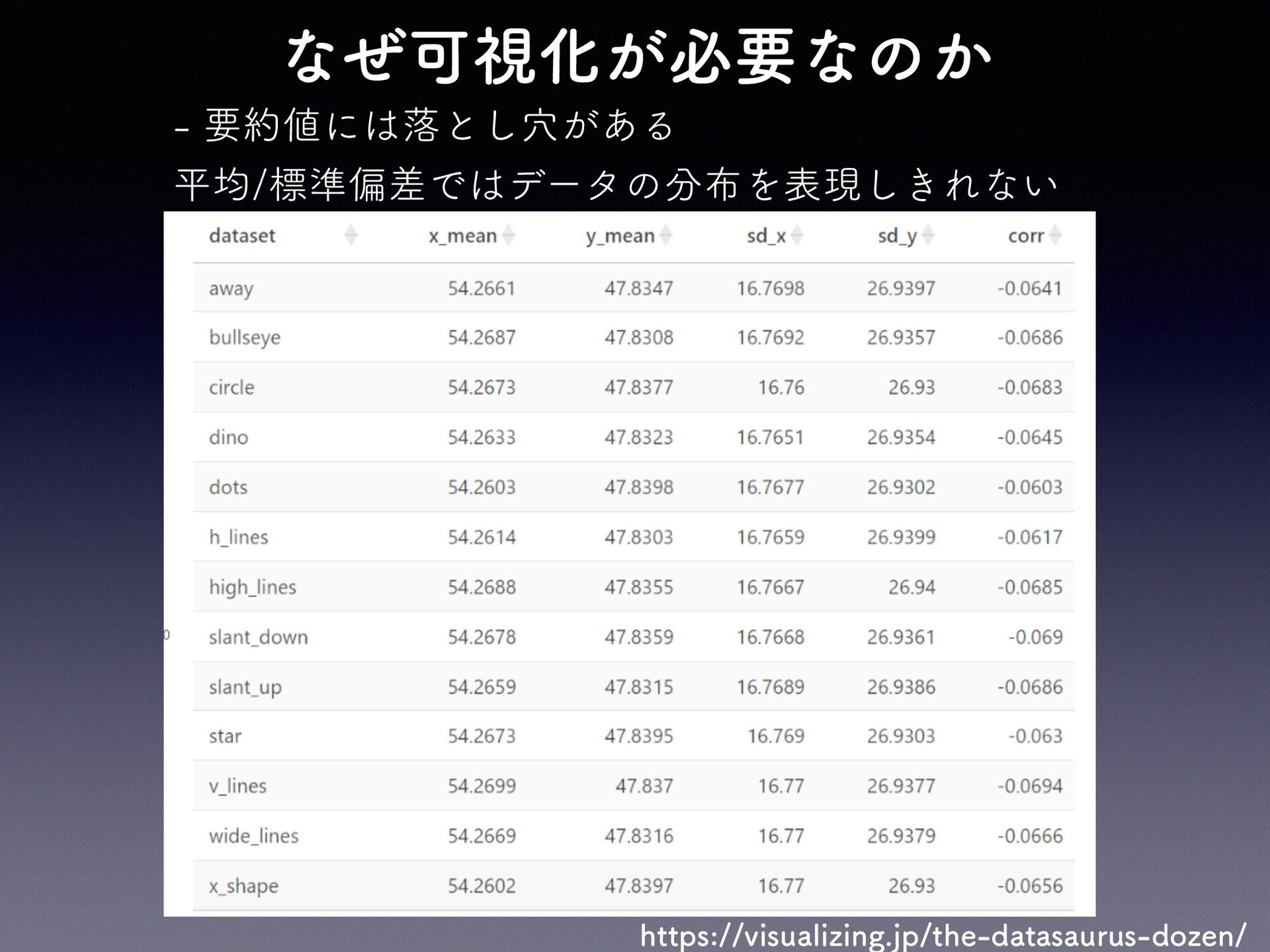
なぜ可視化が必要なのか - 要約値には落とし穴がある 平均/標準偏差ではデータの分布を表現しきれない https://visualizing.jp/the-datasaurus-dozen/
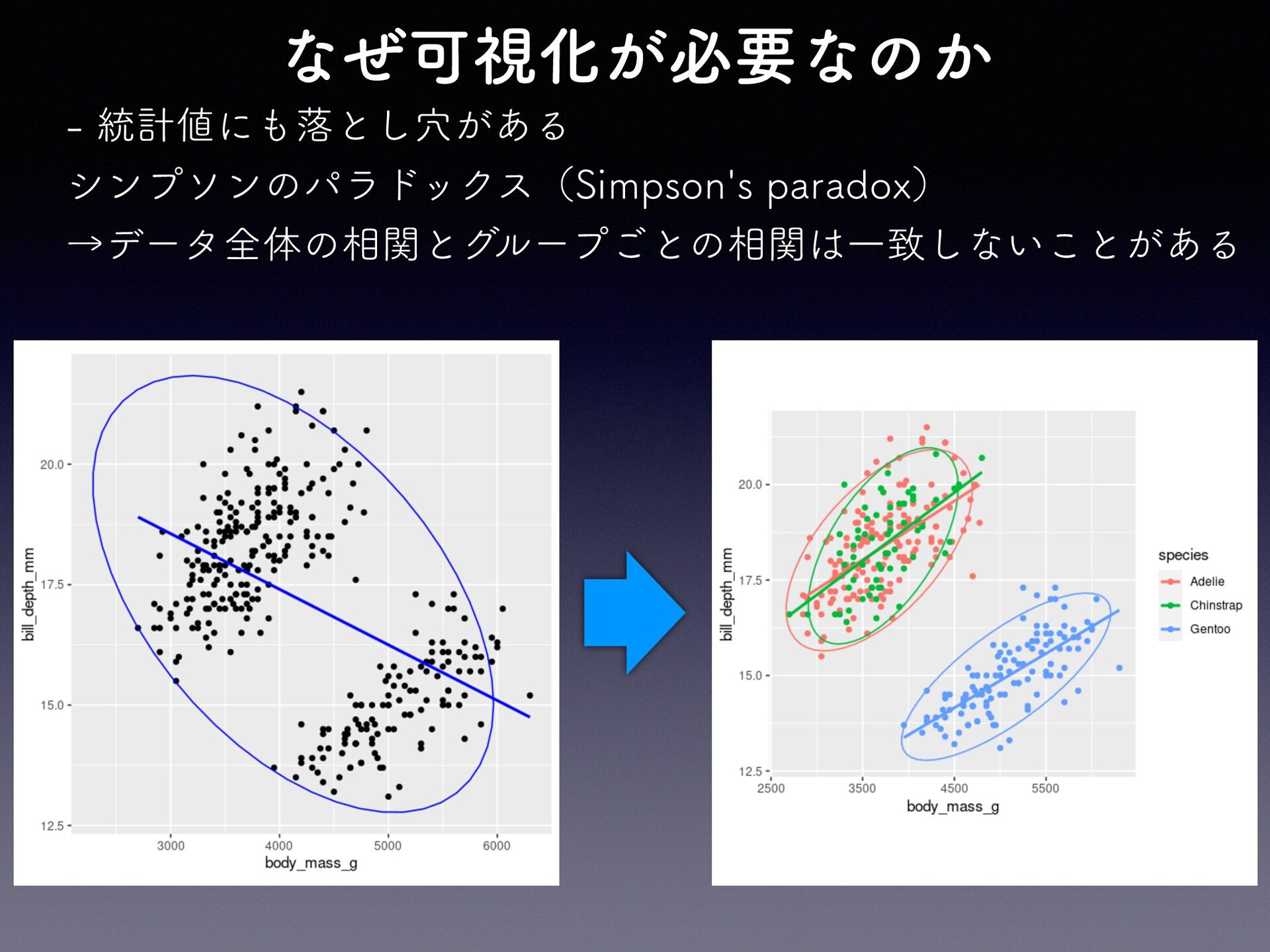
なぜ可視化が必要なのか - 統計値にも落とし穴がある シンプソンのパラドックス(Simpson's paradox) →データ全体の相関とグループごとの相関は一致しないことがある
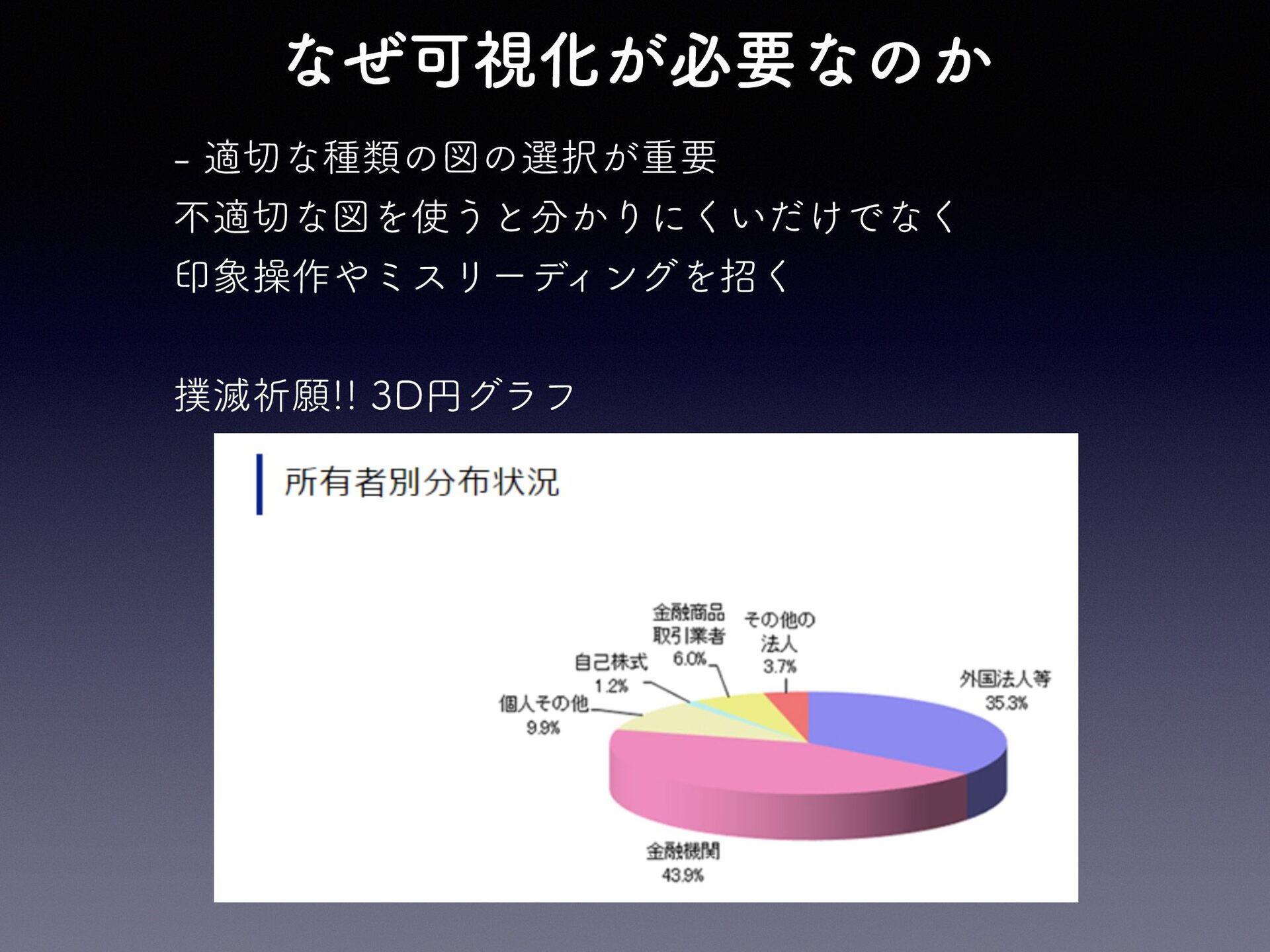
なぜ可視化が必要なのか - 適切な種類の図の選択が重要 不適切な図を使うと分かりにくいだけでなく 印象操作やミスリーディングを招く 撲滅祈願!! 3D円グラフ
上手に可視化して より深いデータの 理解を
MENU 1. 「データを可視化する」とは 2. なぜ可視化が必要なのか - 要約値の落とし穴 - 適切な種類の選択 3.
Rで作図 - ggplot2入門 - 使用データ(penguins) - ggplot2の作図概念 - 基本の書き方 4. さまざまなグラフと使い方 - グラフの種類と使い方 - 主なグラフのサンプル - ヒストグラム - 棒グラフ - 箱ひげ図 - 散布図 - 折れ線グラフ
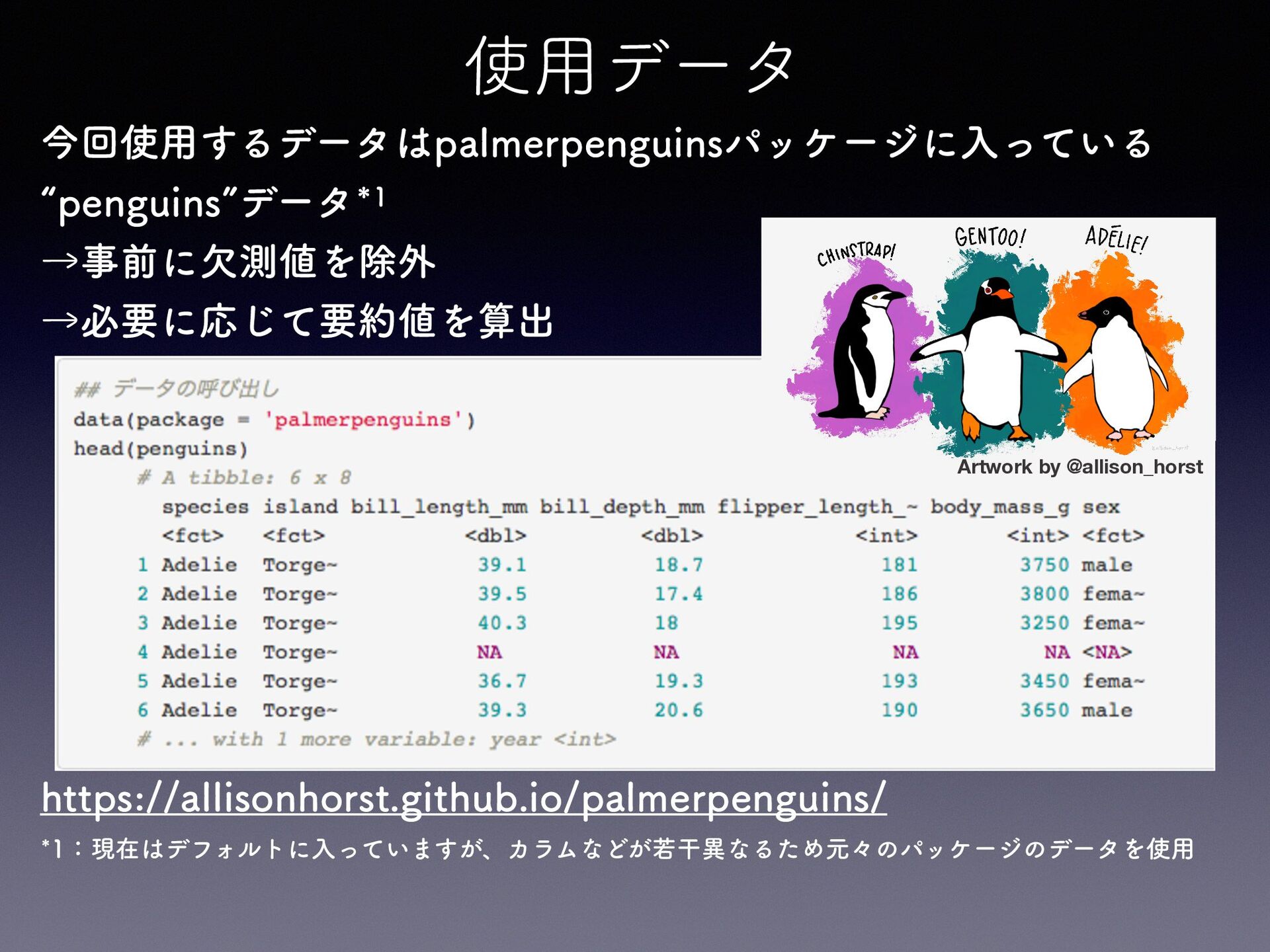
使用データ 今回使用するデータはpalmerpenguinsパッケージに入っている “penguins”データ*1 →事前に欠測値を除外 →必要に応じて要約値を算出 Artwork by @allison_horst https://allisonhorst.github.io/palmerpenguins/ *1:現在はデフォルトに入っていますが、カラムなどが若干異なるため元々のパッケージのデータを使用
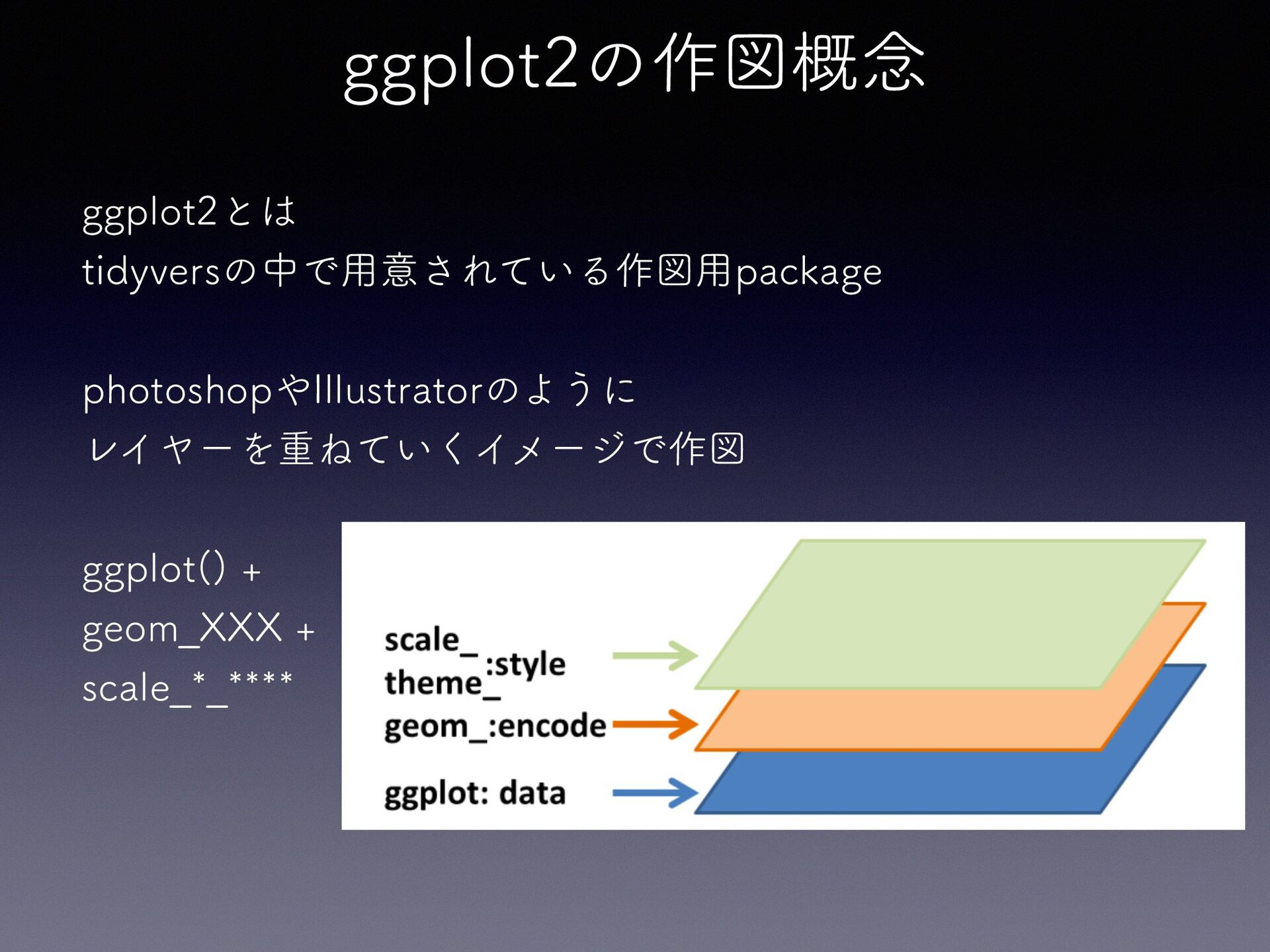
ggplot2の作図概念 ggplot2とは tidyversの中で用意されている作図用package photoshopやIllustratorのように レイヤーを重ねていくイメージで作図 ggplot() + geom̲XXX + scale̲*̲****
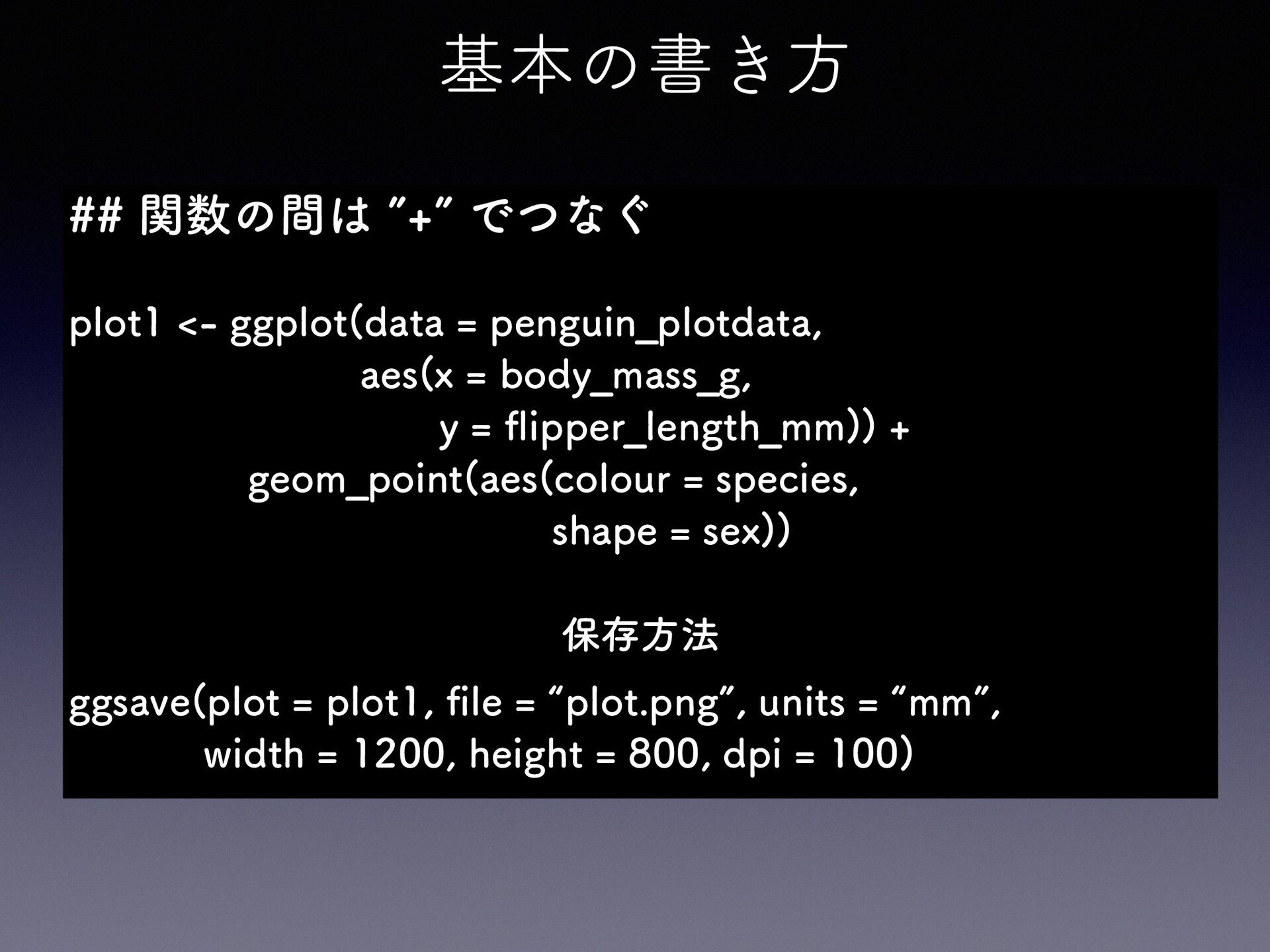
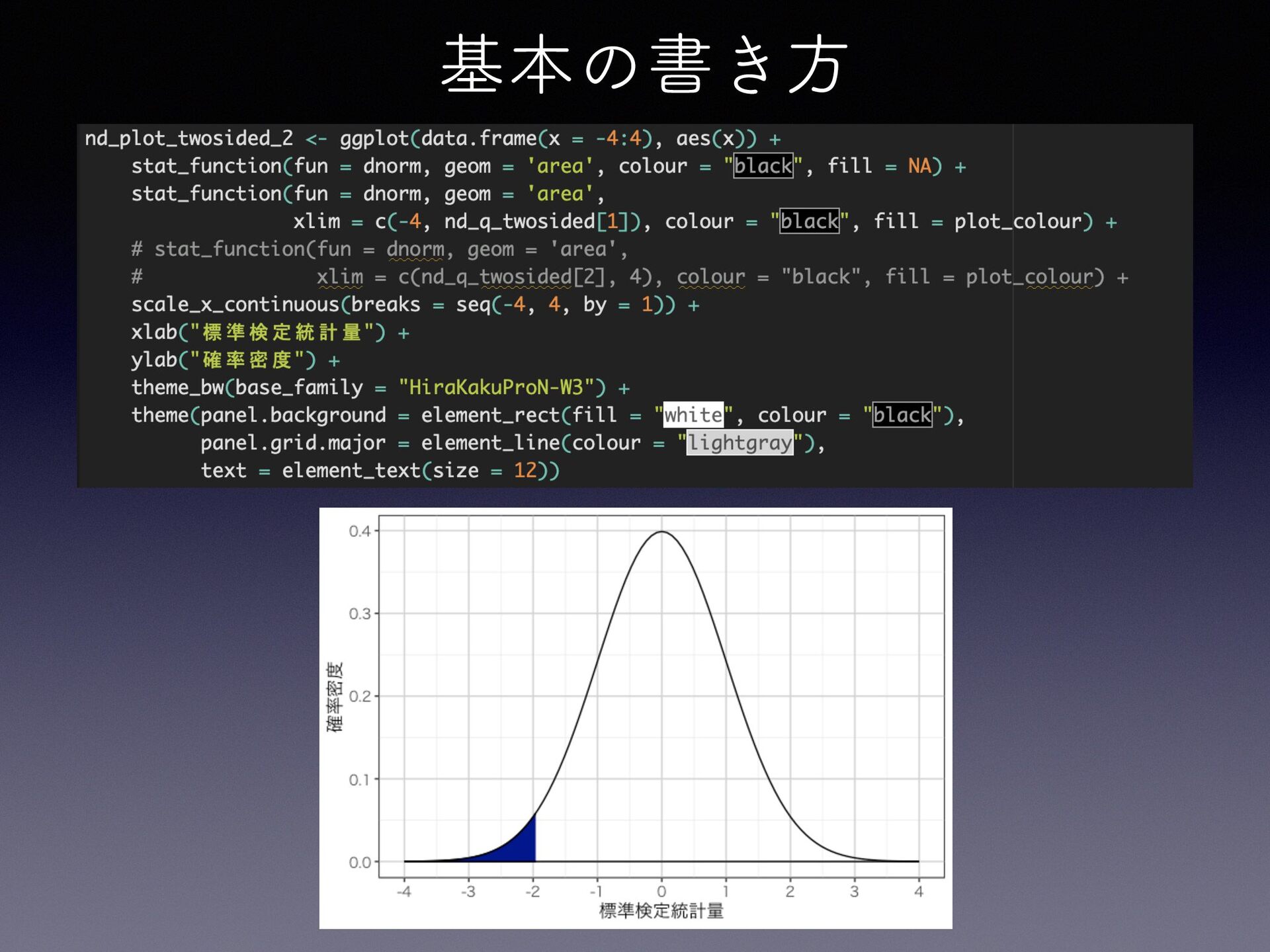
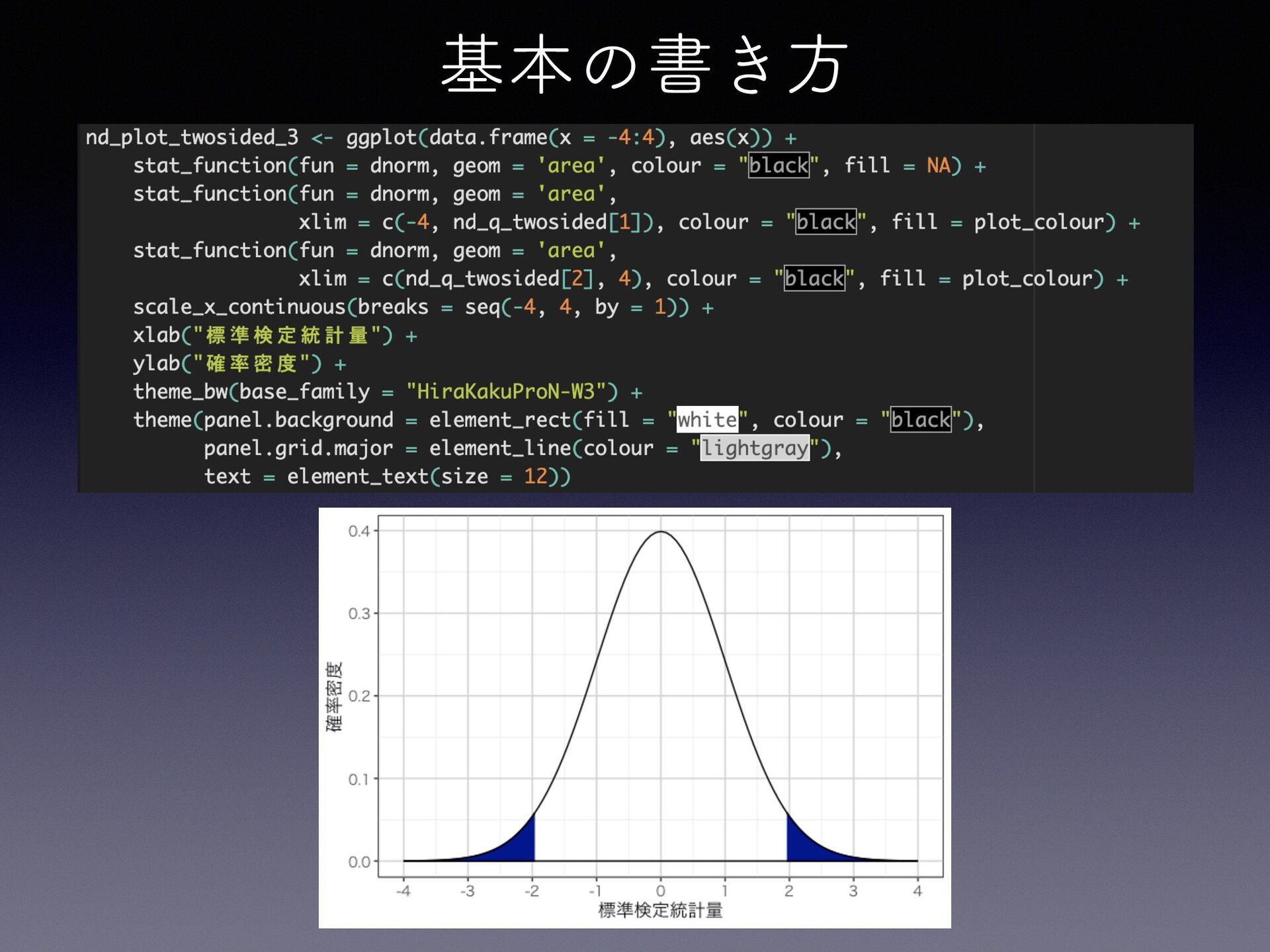
基本の書き方 ## 関数の間は ”+” でつなぐ plot1 <- ggplot(data = penguin̲plotdata,
aes(x = body̲mass̲g, y = ipper̲length̲mm)) + geom̲point(aes(colour = species, shape = sex)) 保存方法 fi fl ggsave(plot = plot1, le = “plot.png”, units = “mm”, width = 1200, height = 800, dpi = 100)
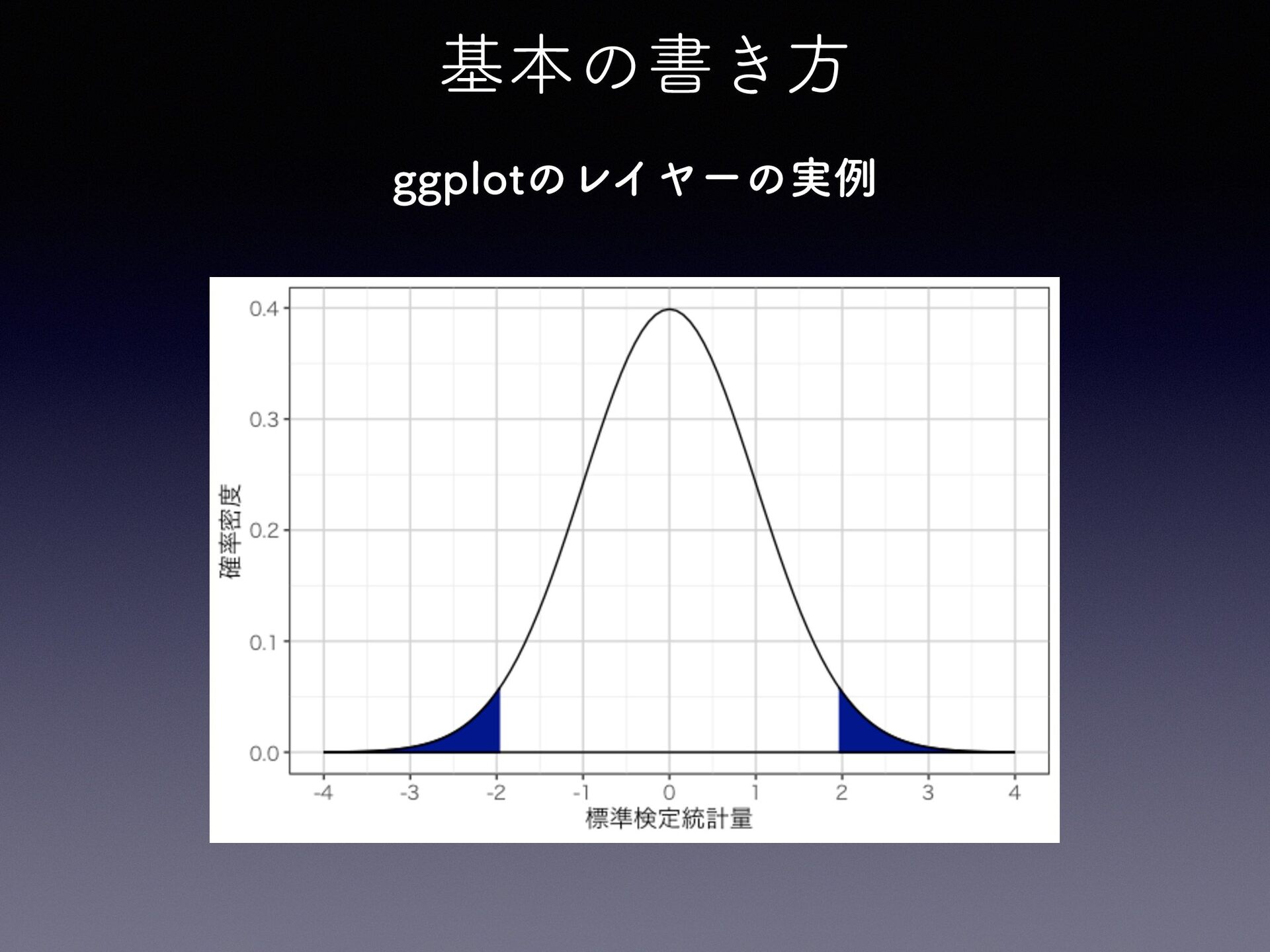
基本の書き方 ggplotのレイヤーの実例
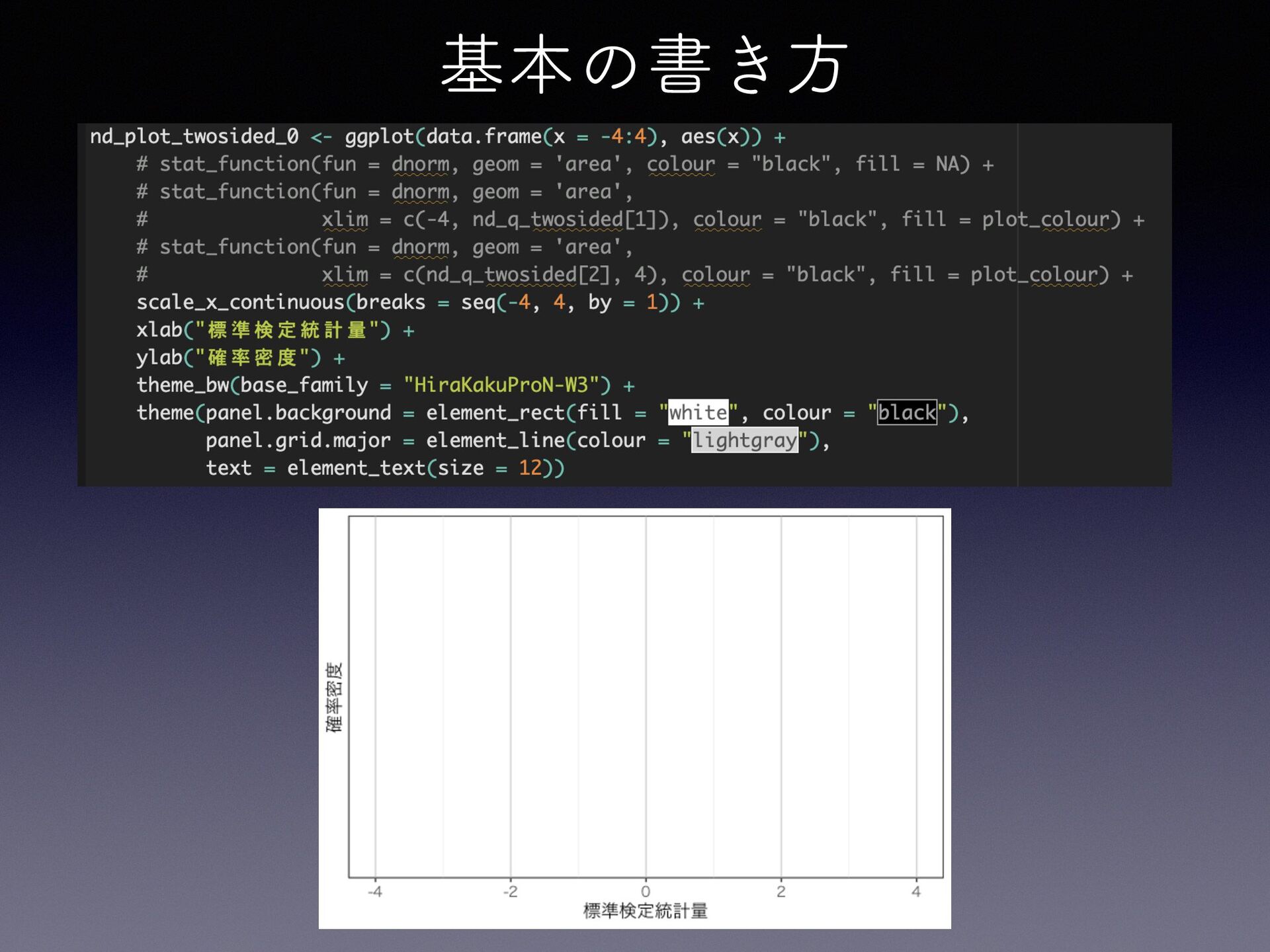
基本の書き方
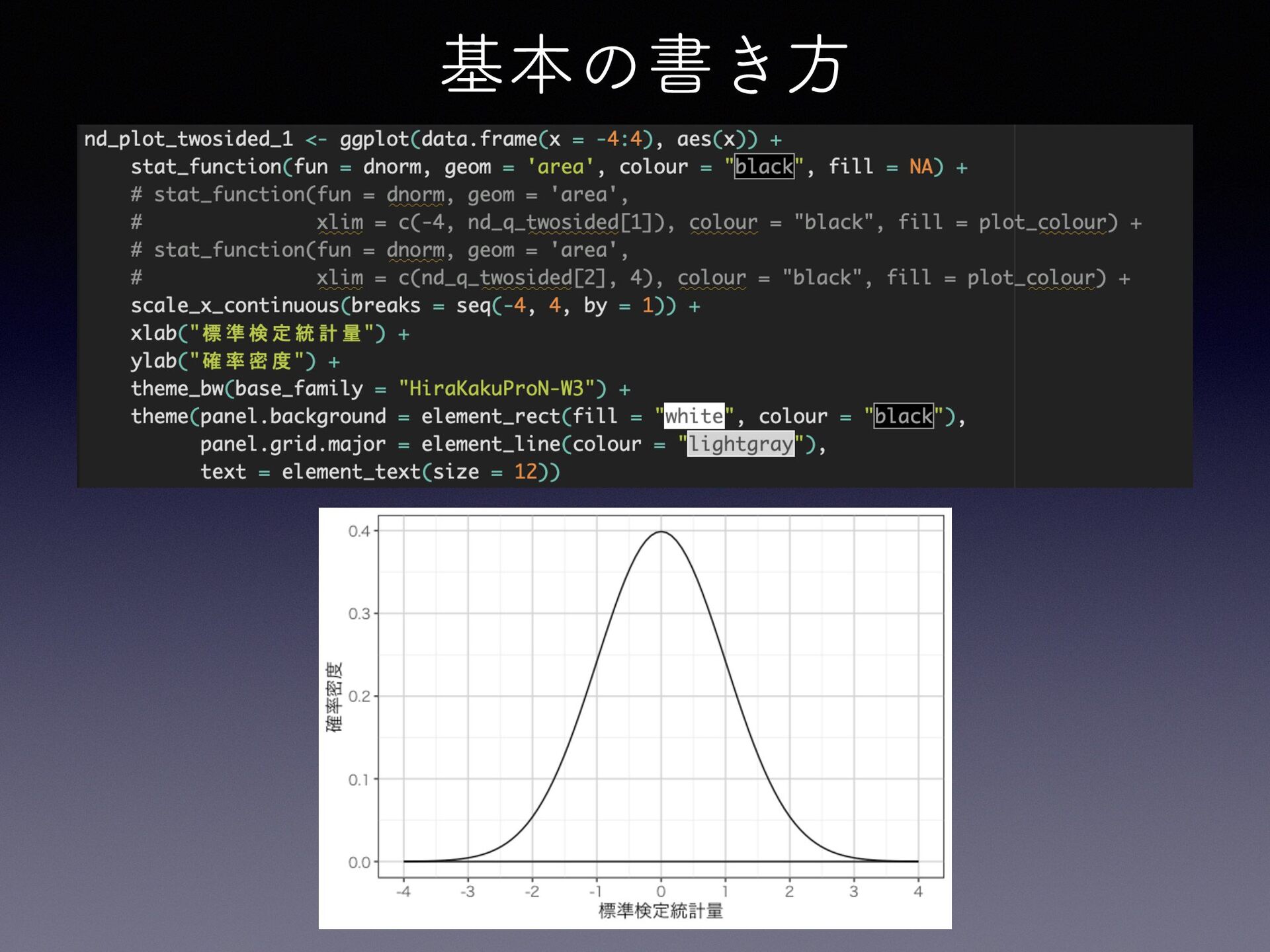
基本の書き方
基本の書き方
基本の書き方
MENU 1. 「データを可視化する」とは 2. なぜ可視化が必要なのか - 要約値の落とし穴 - 適切な種類の選択 3.
Rで作図 - ggplot2入門 - 使用データ(penguins) - ggplot2の作図概念 - 基本の書き方 4. さまざまなグラフと使い方 - グラフの種類と使い方 - 主なグラフのサンプル - ヒストグラム - 棒グラフ - 箱ひげ図 - 散布図 - 折れ線グラフ
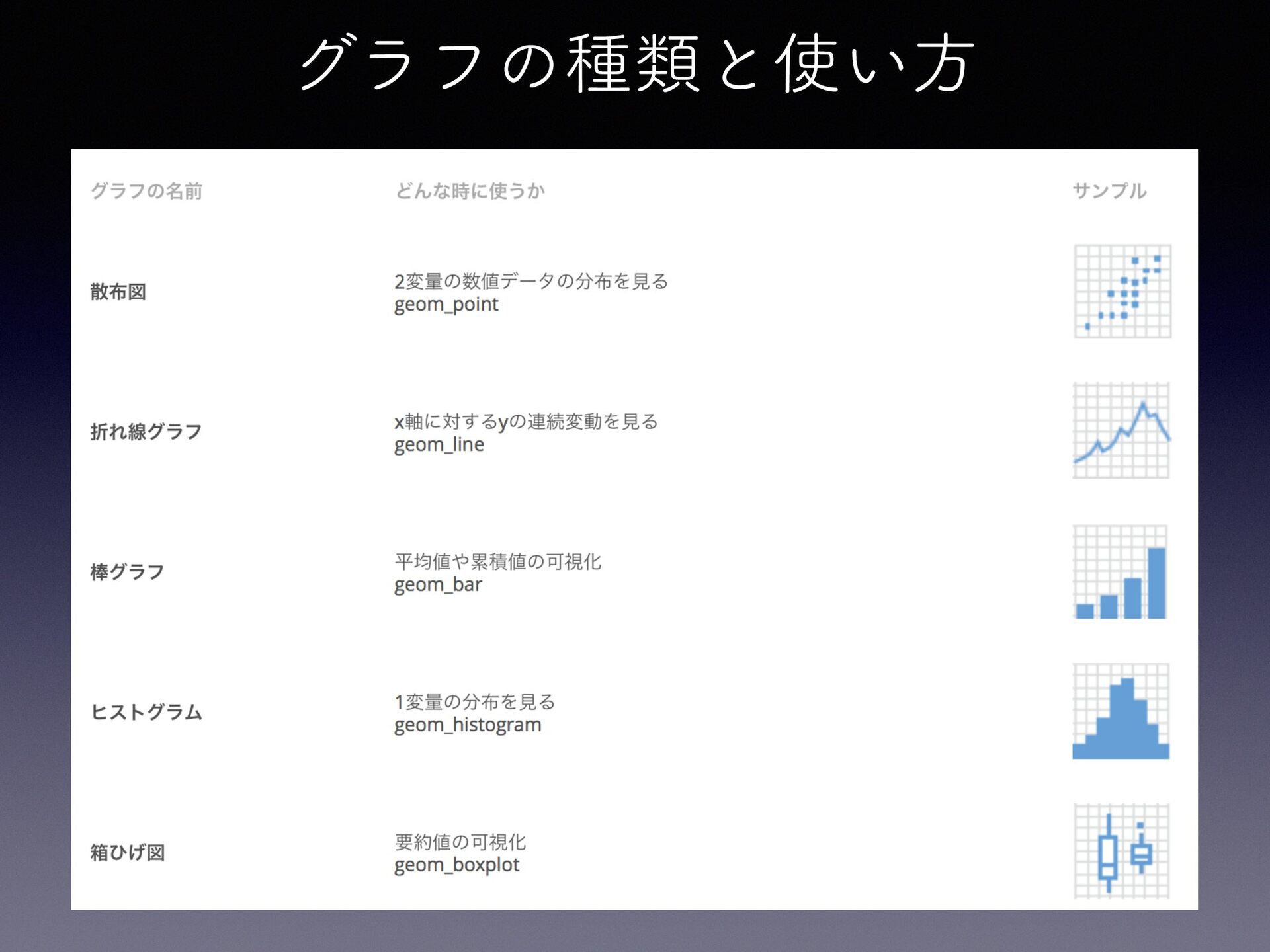
グラフの種類と使い方
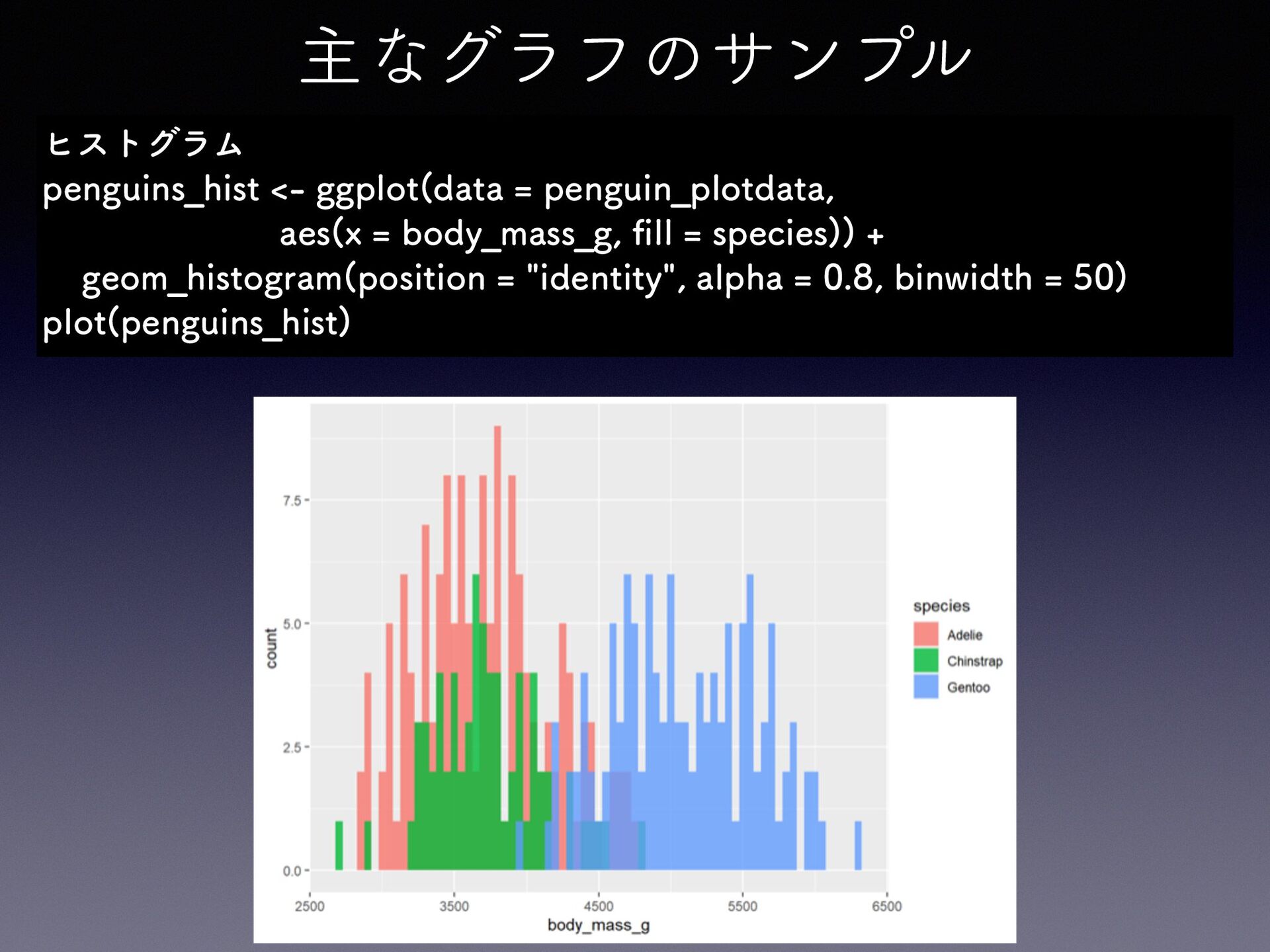
主なグラフのサンプル fi ヒストグラム penguins̲hist <- ggplot(data = penguin̲plotdata, aes(x =
body̲mass̲g, ll = species)) + geom̲histogram(position = "identity", alpha = 0.8, binwidth = 50) plot(penguins̲hist)
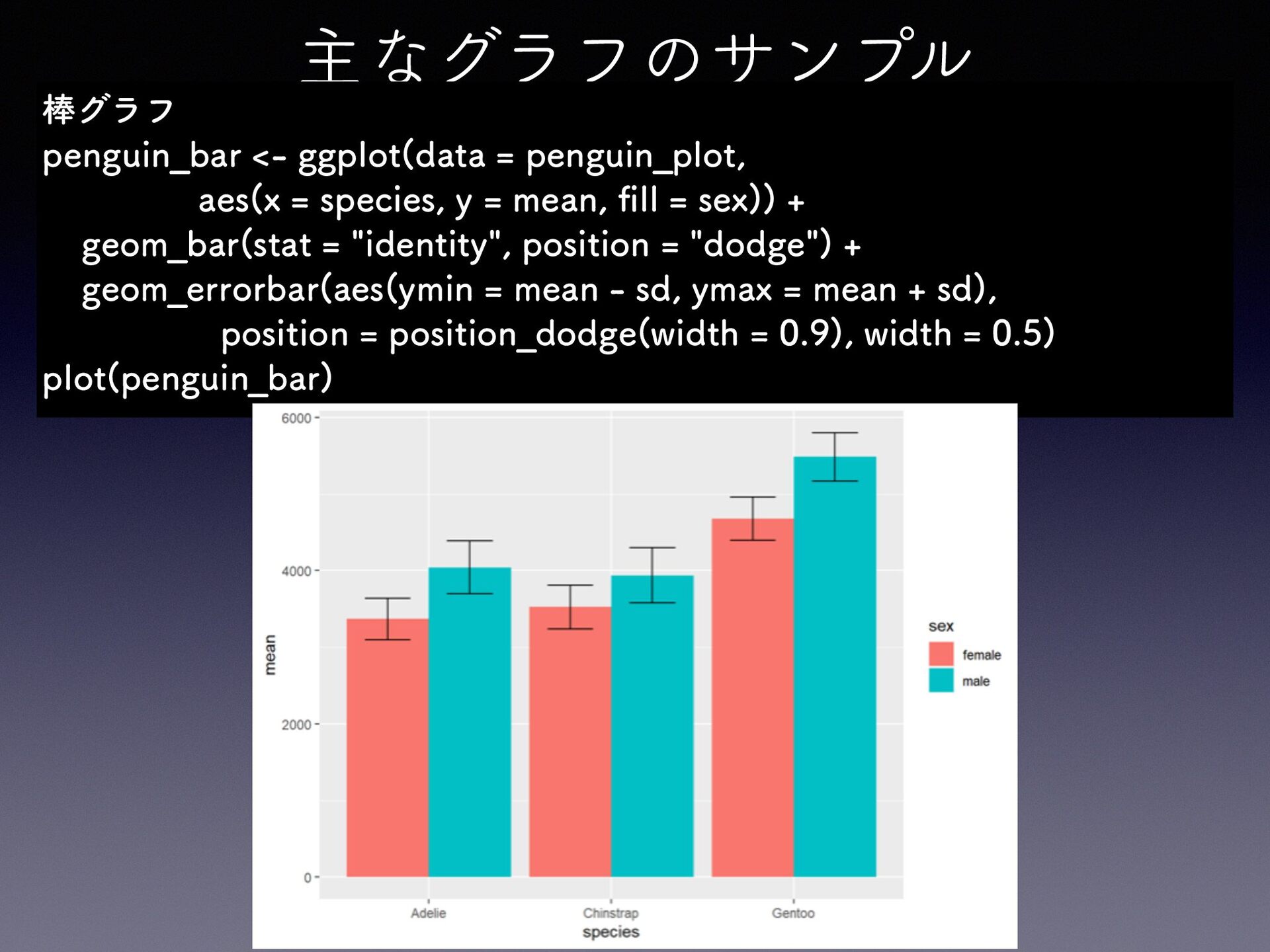
主なグラフのサンプル fi 棒グラフ penguin̲bar <- ggplot(data = penguin̲plot, aes(x =
species, y = mean, ll = sex)) + geom̲bar(stat = "identity", position = "dodge") + geom̲errorbar(aes(ymin = mean - sd, ymax = mean + sd), position = position̲dodge(width = 0.9), width = 0.5) plot(penguin̲bar)
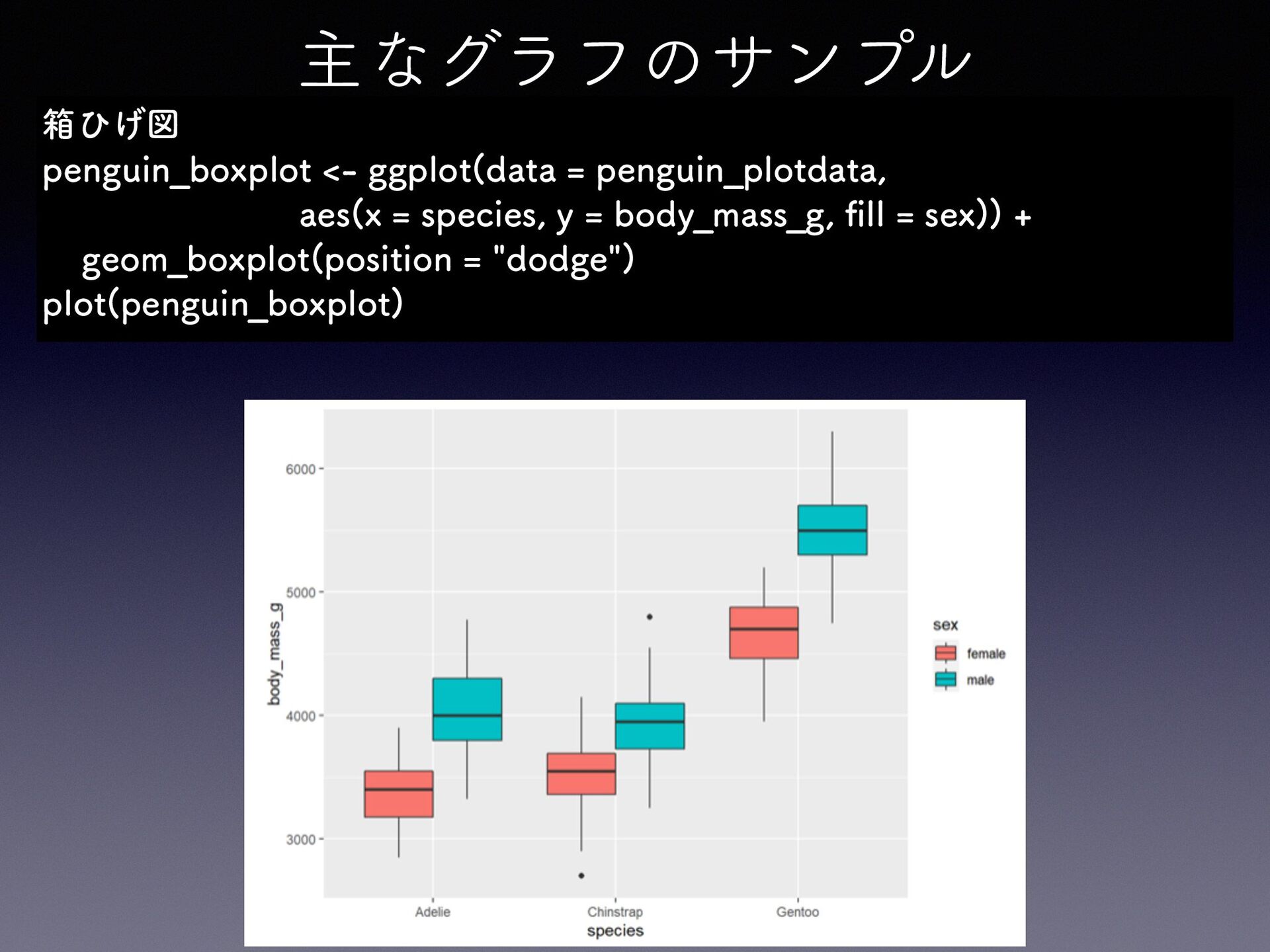
主なグラフのサンプル fi 箱ひげ図 penguin̲boxplot <- ggplot(data = penguin̲plotdata, aes(x =
species, y = body̲mass̲g, ll = sex)) + geom̲boxplot(position = "dodge") plot(penguin̲boxplot)
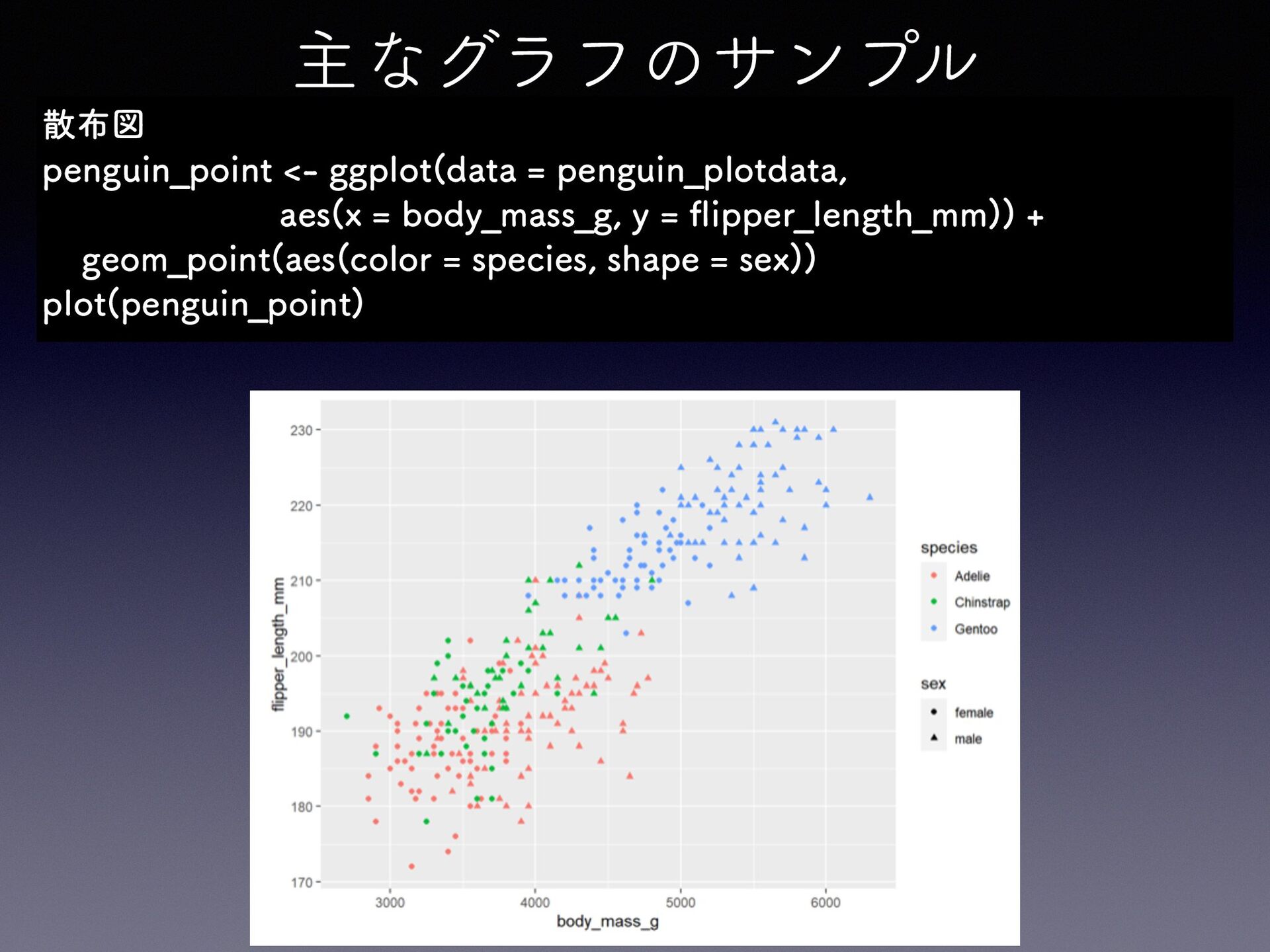
主なグラフのサンプル fl 散布図 penguin̲point <- ggplot(data = penguin̲plotdata, aes(x =
body̲mass̲g, y = ipper̲length̲mm)) + geom̲point(aes(color = species, shape = sex)) plot(penguin̲point)
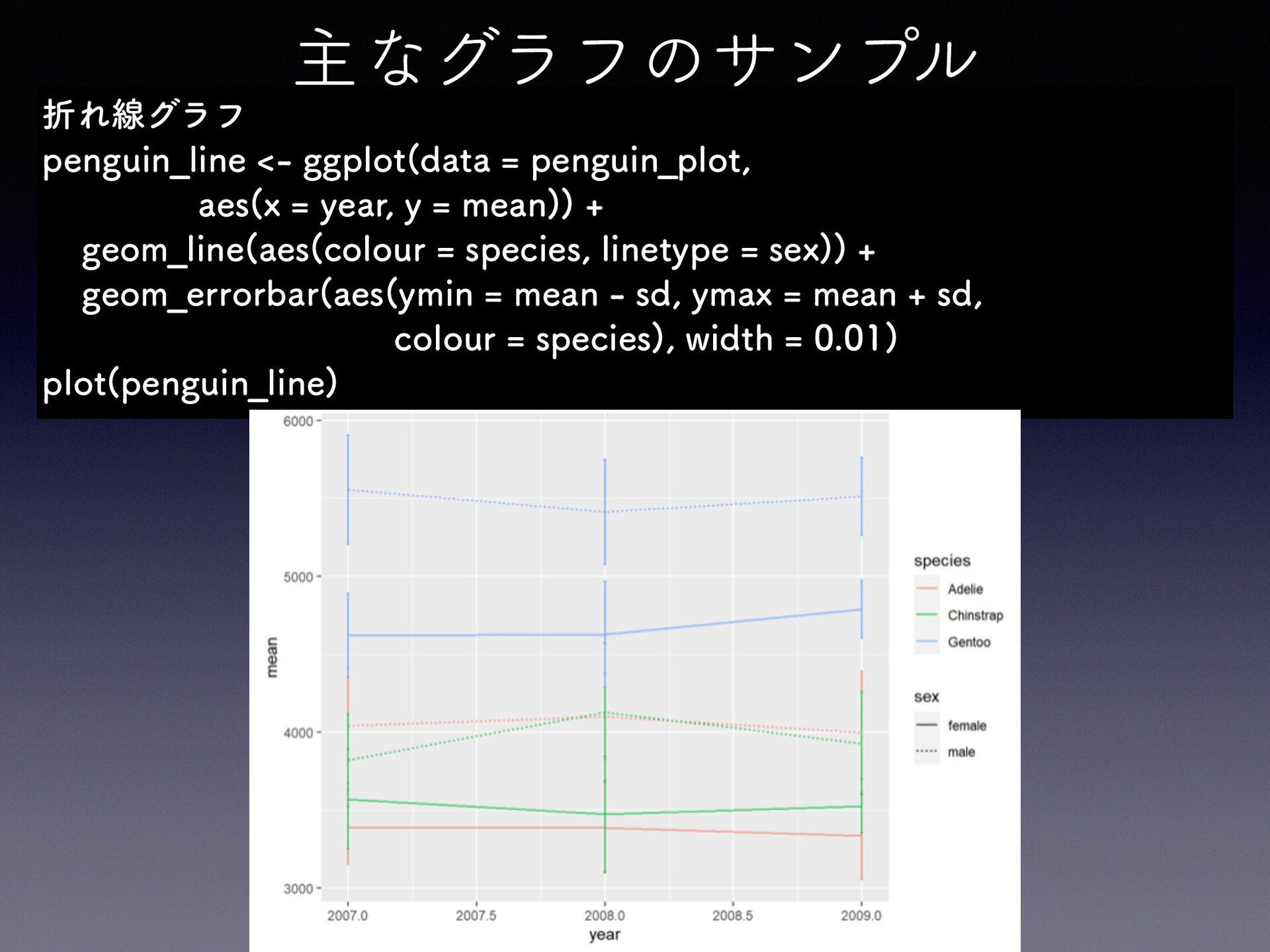
主なグラフのサンプル 折れ線グラフ penguin̲line <- ggplot(data = penguin̲plot, aes(x = year,
y = mean)) + geom̲line(aes(colour = species, linetype = sex)) + geom̲errorbar(aes(ymin = mean - sd, ymax = mean + sd, colour = species), width = 0.01) plot(penguin̲line)
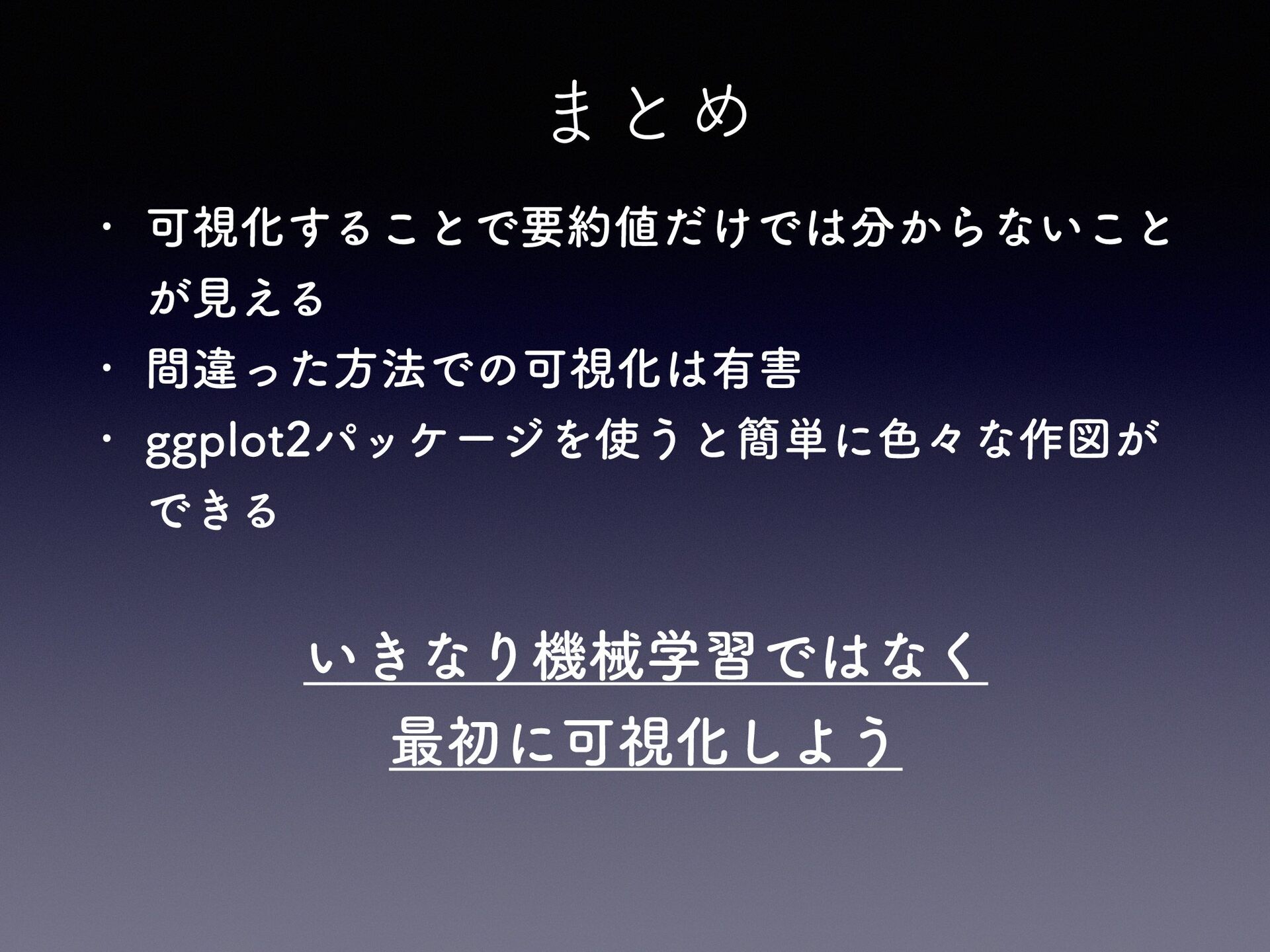
まとめ 可視化することで要約値だけでは分からないこと が見える • 間違った方法での可視化は有害 • ggplot2パッケージを使うと簡単に色々な作図が できる • いきなり機械学習ではなく
最初に可視化しよう
参考資料 ggplot2 cheatsheet https://raw.githubusercontent.com/ rstudio/cheatsheets/main/datavisualization.pdf • ・ggplot2による可視化入門 https://kazutan.github.io/fukuokaR11/ intro̲ggplot2.html


 kotatyamtema
 moro
moro
 eed3si9n
.jpg) yumnumm
yumnumm
 syumai
 uyuki234
 yub0n
yub0n
 oku053
 rkaga
rkaga
 ichirokano2
 andpad
 ziobrando
 oniak3ibm
 chrisshort
 greggifford
 ryanjones
 destraynor
 bethany
 seathinner
 chriscoyier
 asonas
 jacobtomlinson
 zakiyama
 aemeredith
 szymonslowik