Upgrade to Pro — share decks privately, control downloads, hide ads and more …

Your first AI agent

Jae W. Lee
November 17, 2026

Your first AI agent

Your first AI agent is a step by step guide for students who have only used ChatGPT. It shows how to move from chatting with a model to working with an agent that can use tools, save files, and do a job for you.

You'll learn how to:

Create an account on the Chat4Good LLM Gateway (https://gateway.chatforgoodtech.com) and make an API key
Install Hermes Agent and, if you want, the Hermes desktop app
Pick a model and set its thinking options
Tell the difference between chatting with Hermes and using a Hermes bot
Build a lead gen bot that finds real companies and contacts, checks them against public sources, and saves the leads to an Excel file

It also explains what a harness is and compares six popular harness agents: Hermes, OpenClaw, OpenCode, Claude Code, Pi, and Amp. It closes with tips on using agents safely.

Made by Jae Lee for the StartSomething student entrepreneurship program at Singapore University of Technology and Design (SUTD).

Jae W. Lee

November 17, 2026

Transcript

28 slides
  1. A hands-on workshop for students Your first AI agent Set

    up Hermes and build a lead gen bot Powered by the C4G LLM Gateway
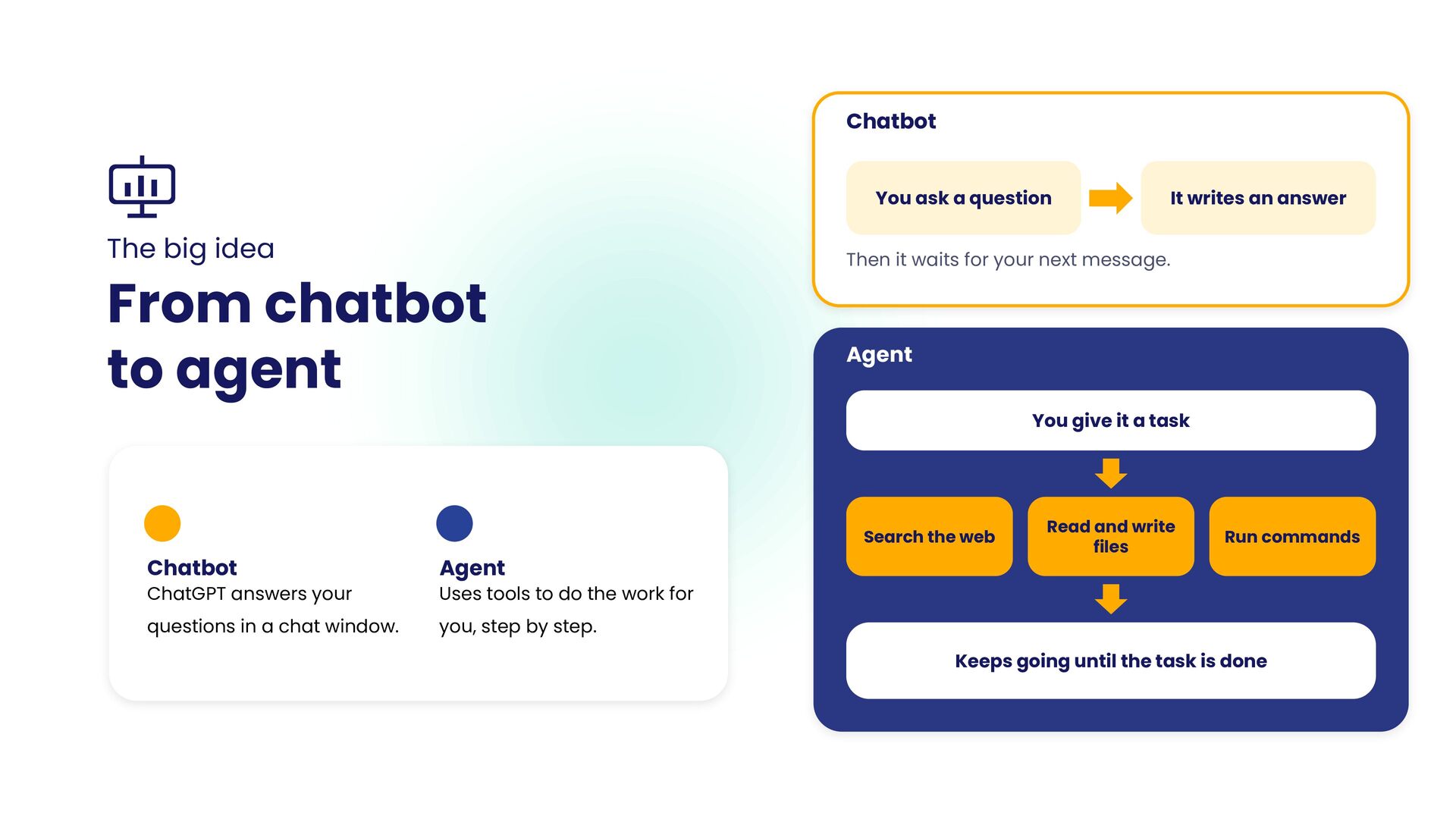
  2. Chatbot You ask a question The big idea From chatbot

    to agent It writes an answer Then it waits for your next message. Agent You give it a task Search the web Chatbot Agent ChatGPT answers your Uses tools to do the work for questions in a chat window. you, step by step. Read and write files Run commands Keeps going until the task is done
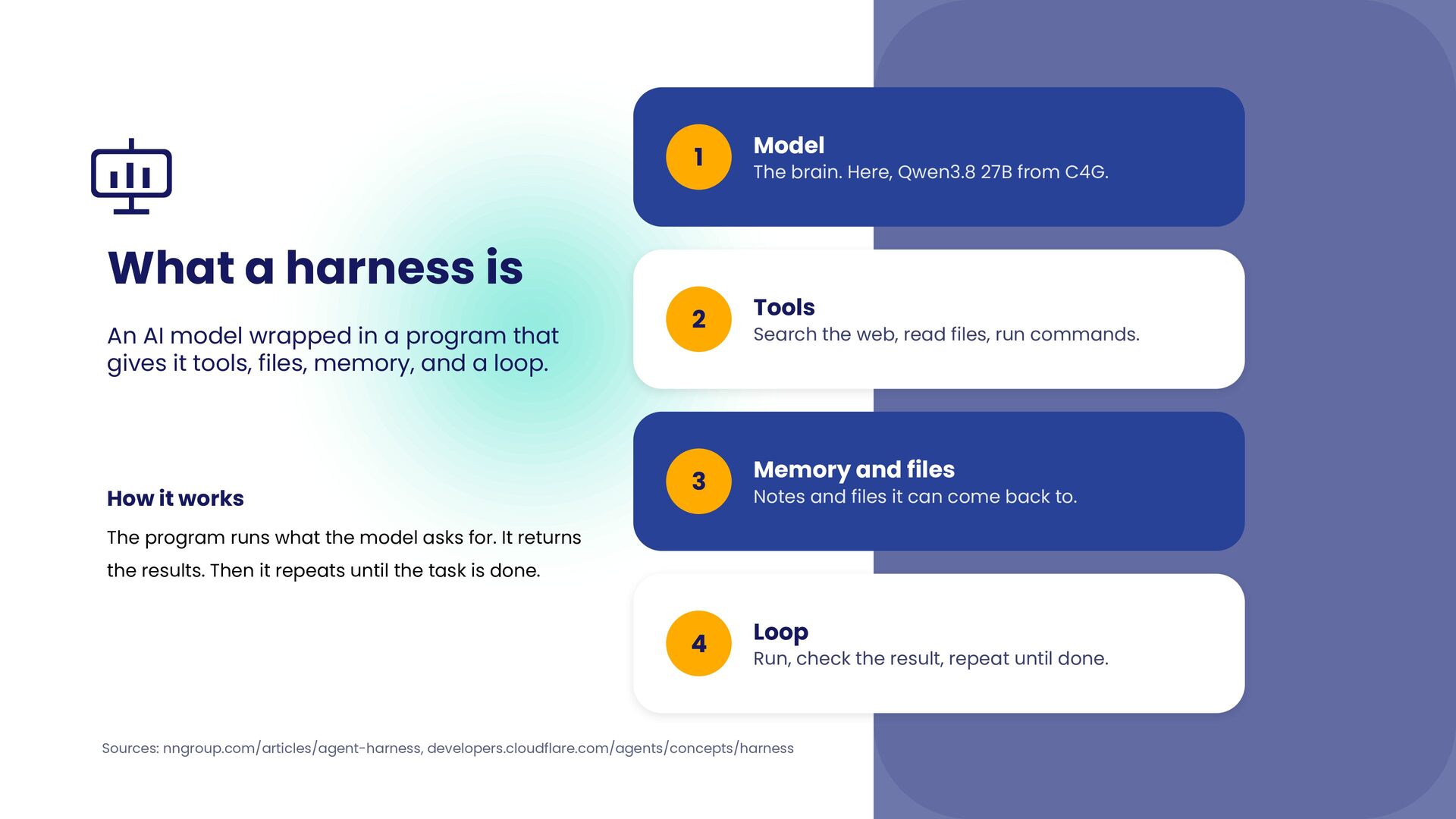
  3. 1 Model 2 Tools 3 Memory and files 4 Loop

    What a harness is An AI model wrapped in a program that gives it tools, files, memory, and a loop. How it works The brain. Here, Qwen3.8 27B from C4G. Search the web, read files, run commands. Notes and files it can come back to. The program runs what the model asks for. It returns the results. Then it repeats until the task is done. Run, check the result, repeat until done. Sources: nngroup.com/articles/agent-harness, developers.cloudflare.com/agents/concepts/harness
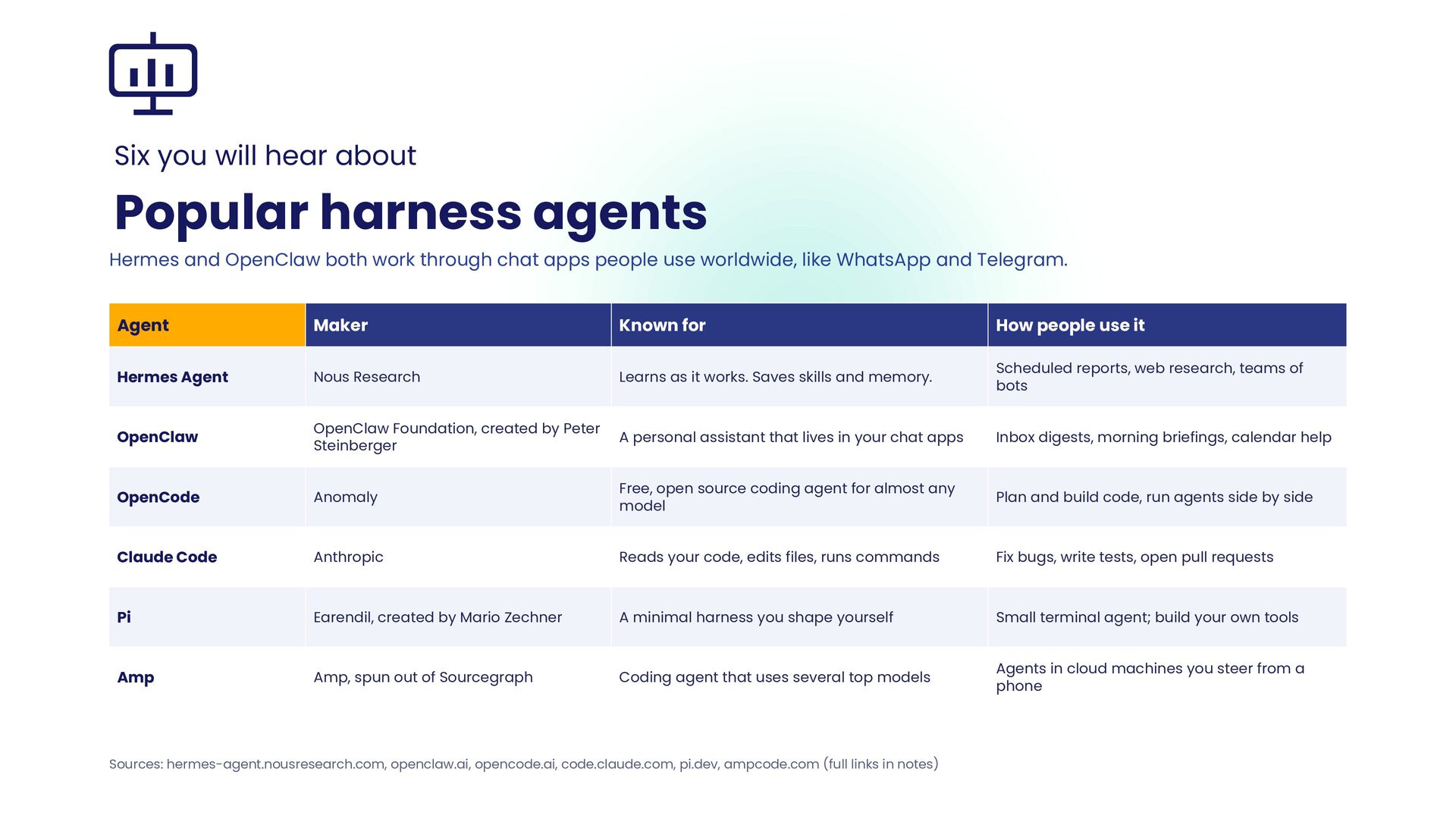
  4. Six you will hear about Popular harness agents Hermes and

    OpenClaw both work through chat apps people use worldwide, like WhatsApp and Telegram. Agent Maker Known for How people use it Hermes Agent Nous Research Learns as it works. Saves skills and memory. Scheduled reports, web research, teams of bots OpenClaw OpenClaw Foundation, created by Peter Steinberger A personal assistant that lives in your chat apps Inbox digests, morning briefings, calendar help OpenCode Anomaly Free, open source coding agent for almost any model Plan and build code, run agents side by side Claude Code Anthropic Reads your code, edits files, runs commands Fix bugs, write tests, open pull requests Pi Earendil, created by Mario Zechner A minimal harness you shape yourself Small terminal agent; build your own tools Amp Amp, spun out of Sourcegraph Coding agent that uses several top models Agents in cloud machines you steer from a phone Sources: hermes-agent.nousresearch.com, openclaw.ai, opencode.ai, code.claude.com, pi.dev, ampcode.com (full links in notes)
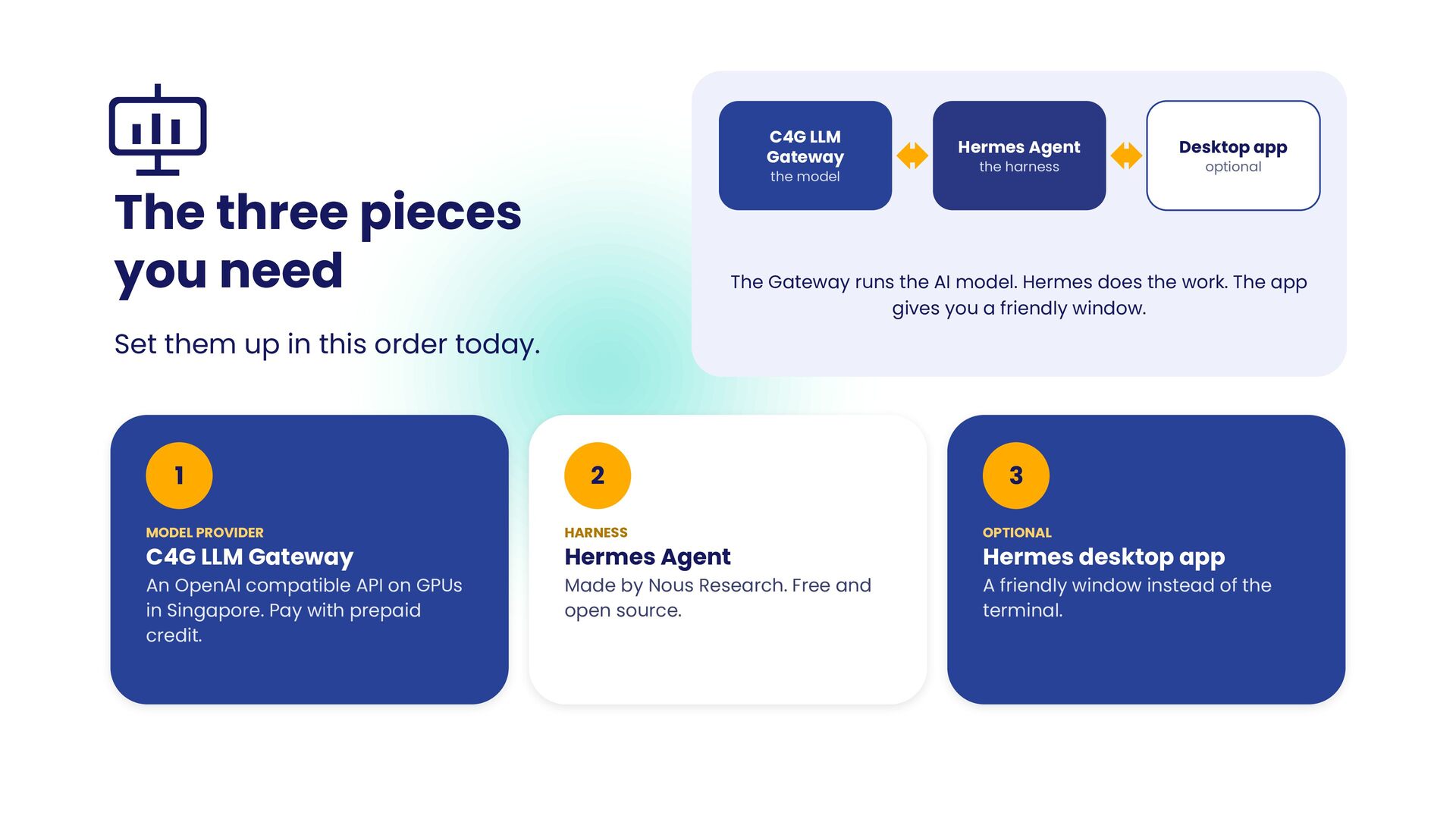
  5. C4G LLM Gateway the model The three pieces you need

    Hermes Agent the harness Desktop app optional The Gateway runs the AI model. Hermes does the work. The app gives you a friendly window. Set them up in this order today. 1 2 3 MODEL PROVIDER HARNESS OPTIONAL An OpenAI compatible API on GPUs in Singapore. Pay with prepaid credit. Made by Nous Research. Free and open source. A friendly window instead of the terminal. C4G LLM Gateway Hermes Agent Hermes desktop app
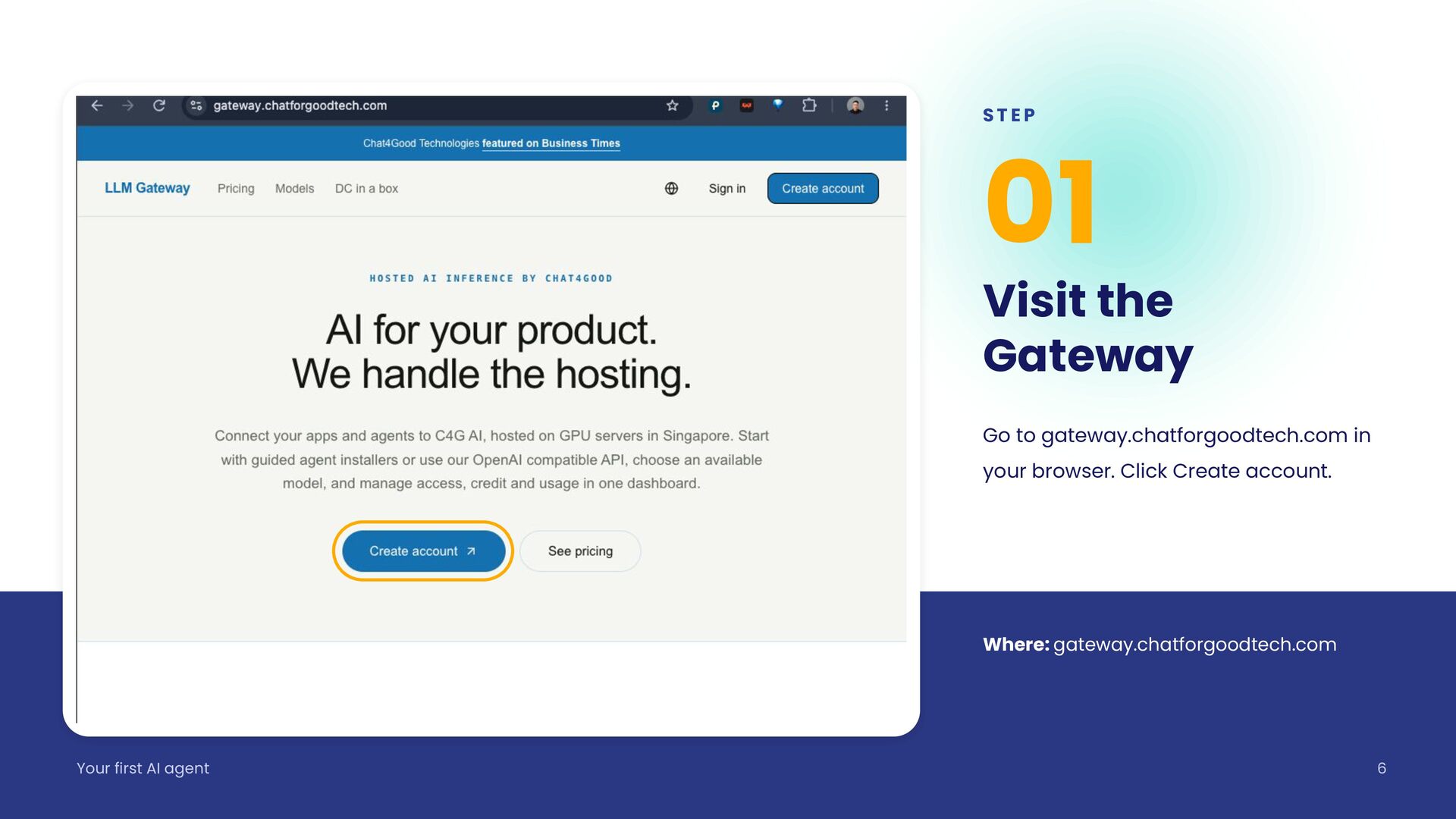
  6. STEP 01 Visit the Gateway Go to gateway.chatforgoodtech.com in your

    browser. Click Create account. Where: gateway.chatforgoodtech.com Your first AI agent 6
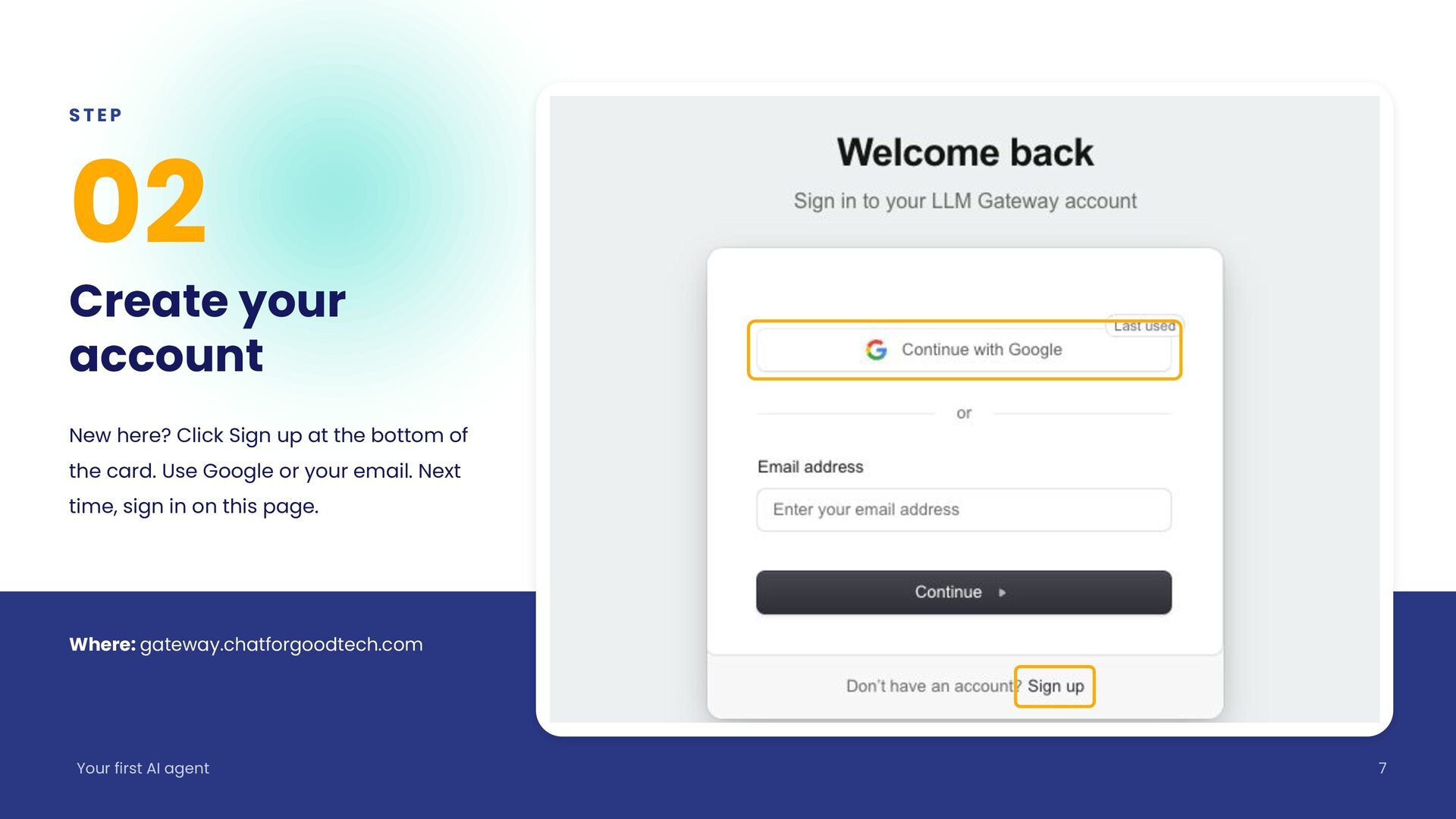
  7. STEP 02 Create your account New here? Click Sign up

    at the bottom of the card. Use Google or your email. Next time, sign in on this page. Where: gateway.chatforgoodtech.com Your first AI agent 7
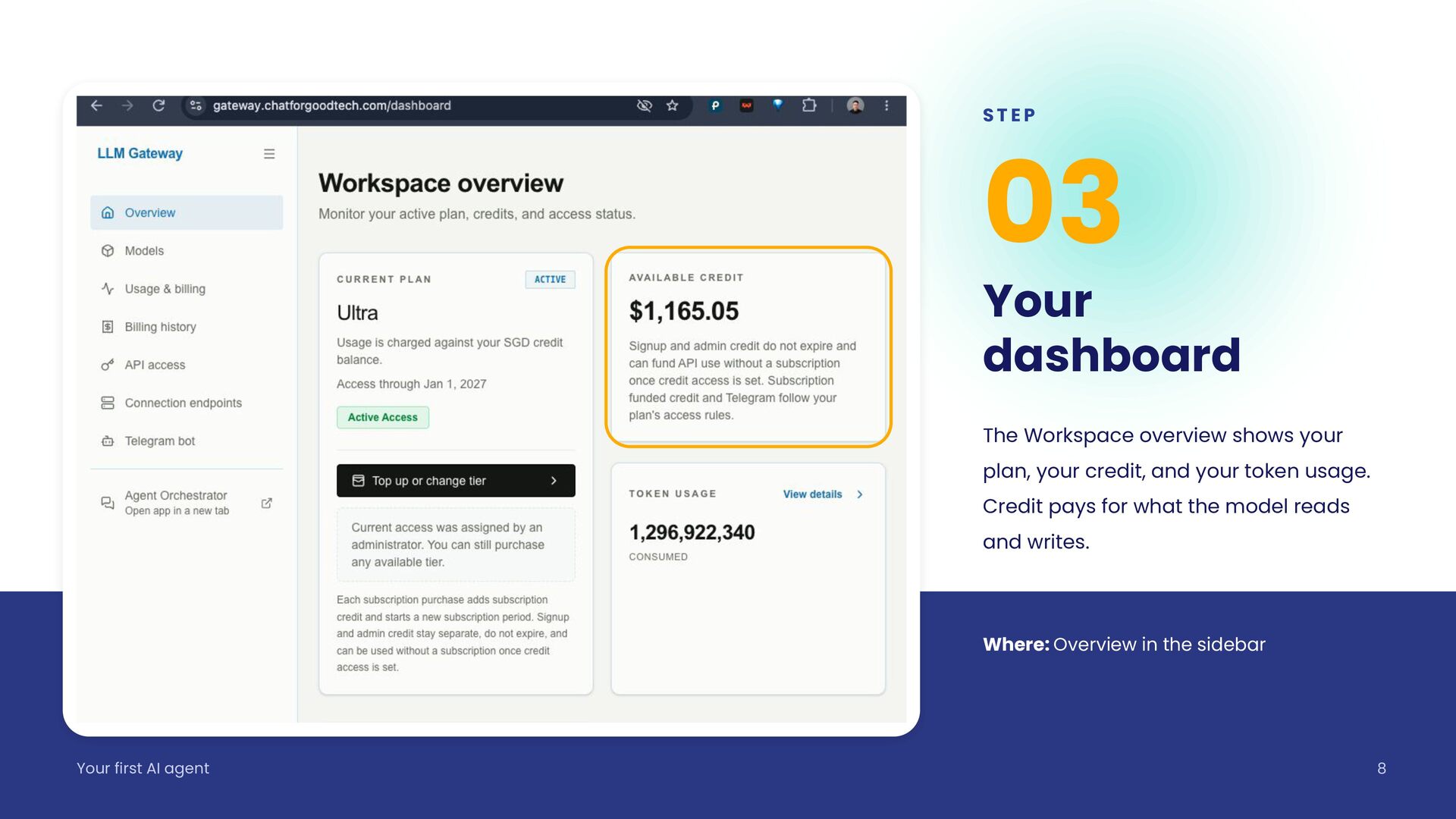
  8. STEP 03 Your dashboard The Workspace overview shows your plan,

    your credit, and your token usage. Credit pays for what the model reads and writes. Where: Overview in the sidebar Your first AI agent 8
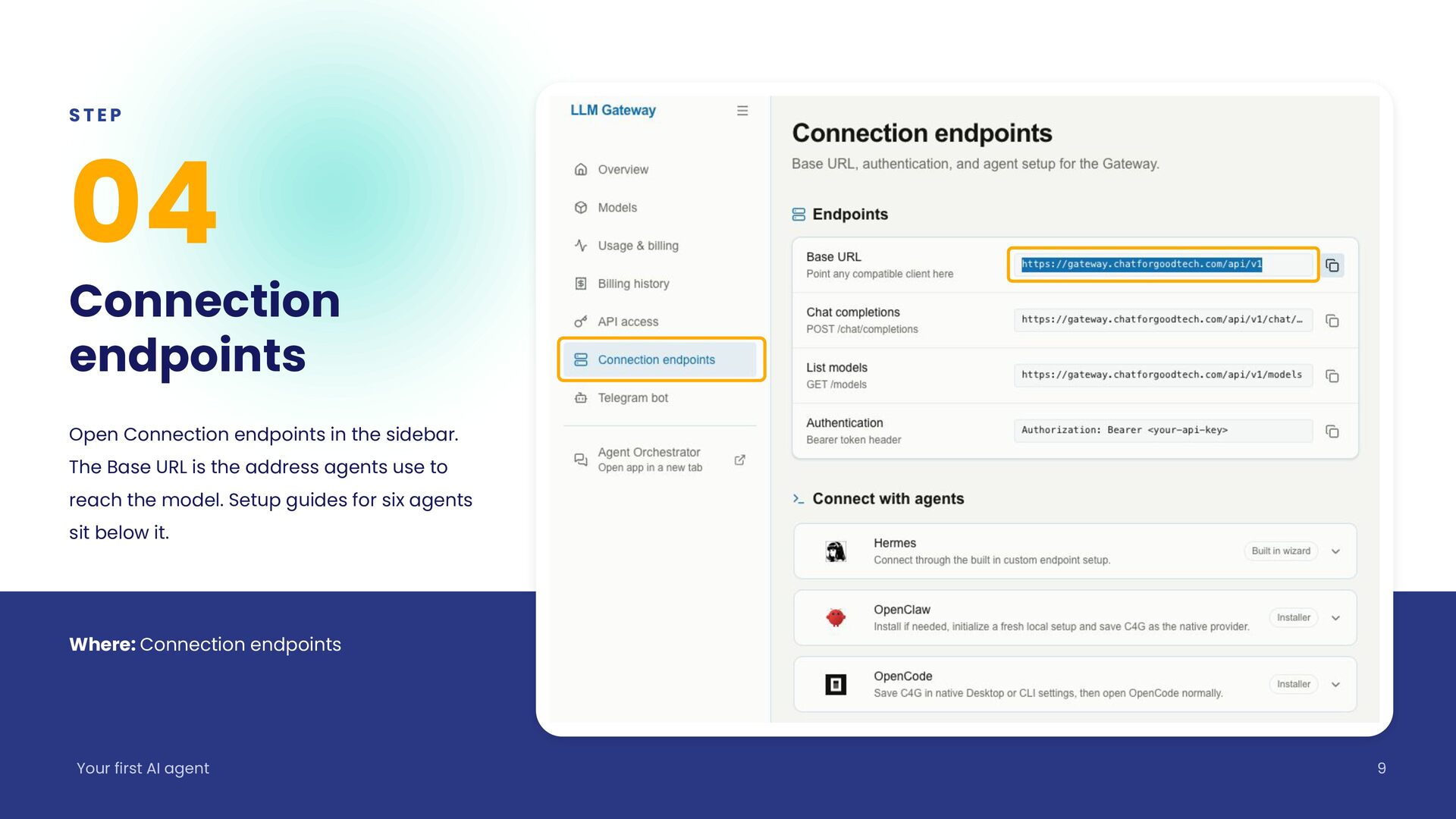
  9. STEP 04 Connection endpoints Open Connection endpoints in the sidebar.

    The Base URL is the address agents use to reach the model. Setup guides for six agents sit below it. Where: Connection endpoints Your first AI agent 9
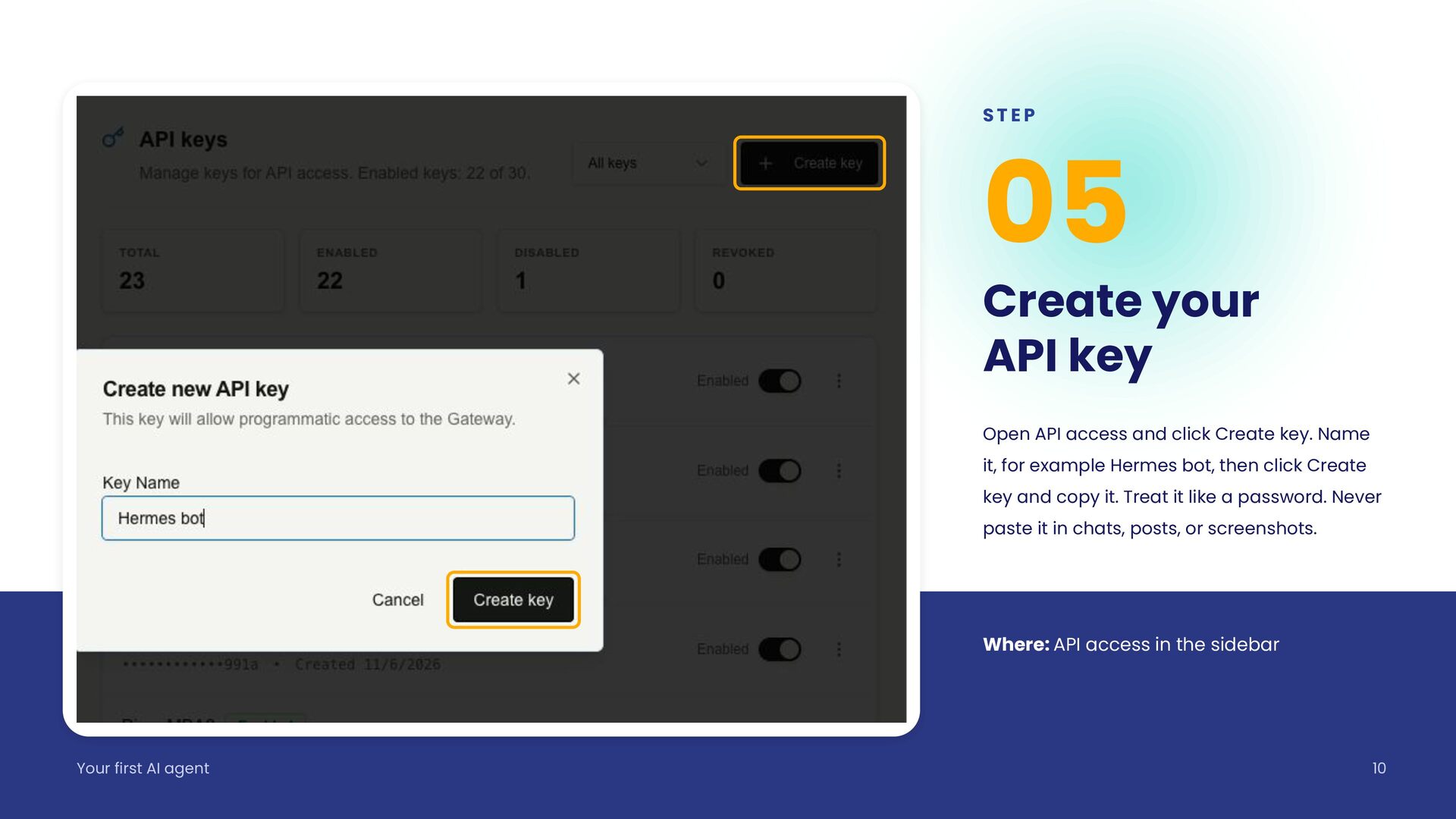
  10. STEP 05 Create your API key Open API access and

    click Create key. Name it, for example Hermes bot, then click Create key and copy it. Treat it like a password. Never paste it in chats, posts, or screenshots. Where: API access in the sidebar Your first AI agent 10
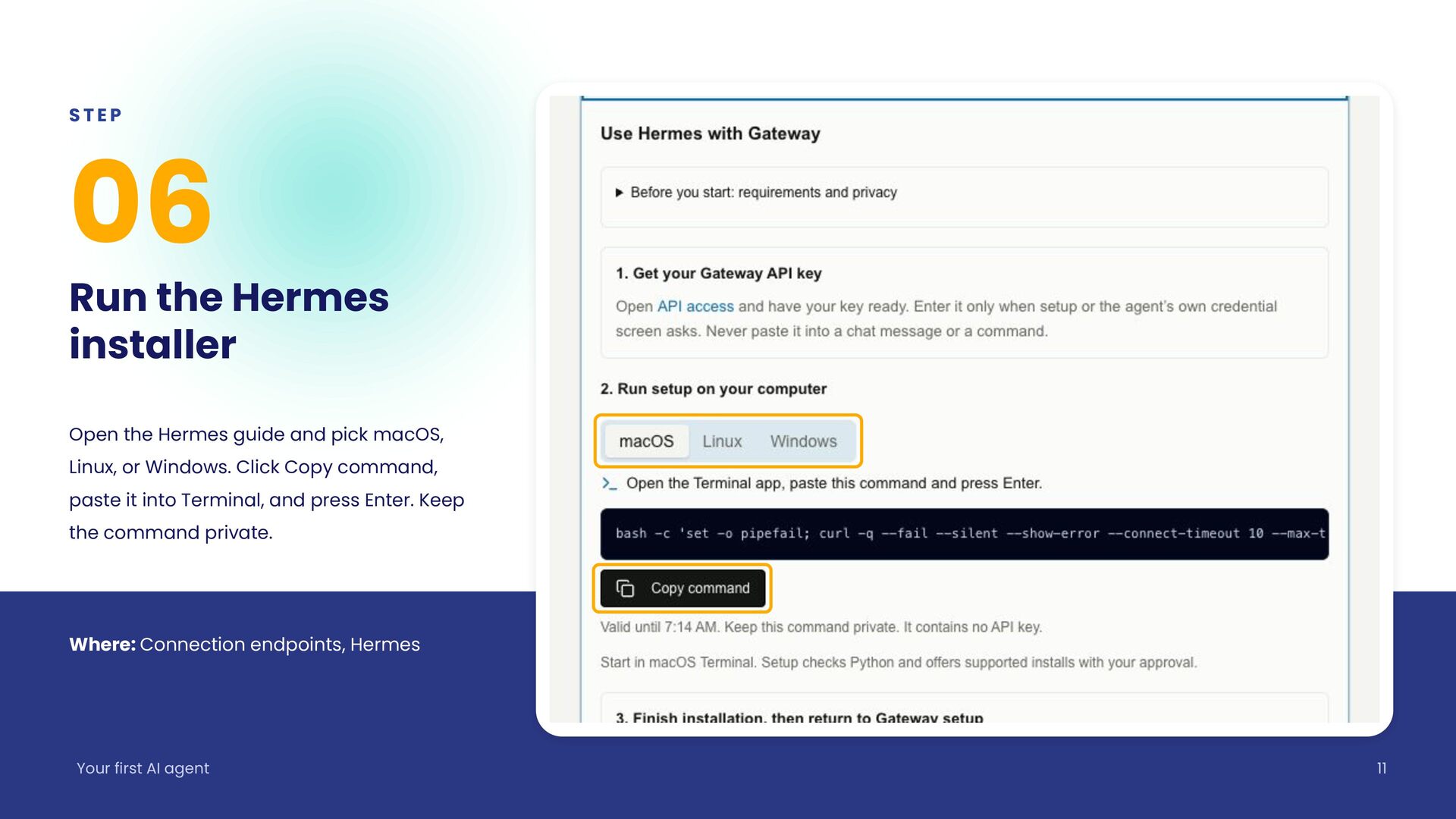
  11. STEP 06 Run the Hermes installer Open the Hermes guide

    and pick macOS, Linux, or Windows. Click Copy command, paste it into Terminal, and press Enter. Keep the command private. Where: Connection endpoints, Hermes Your first AI agent 11
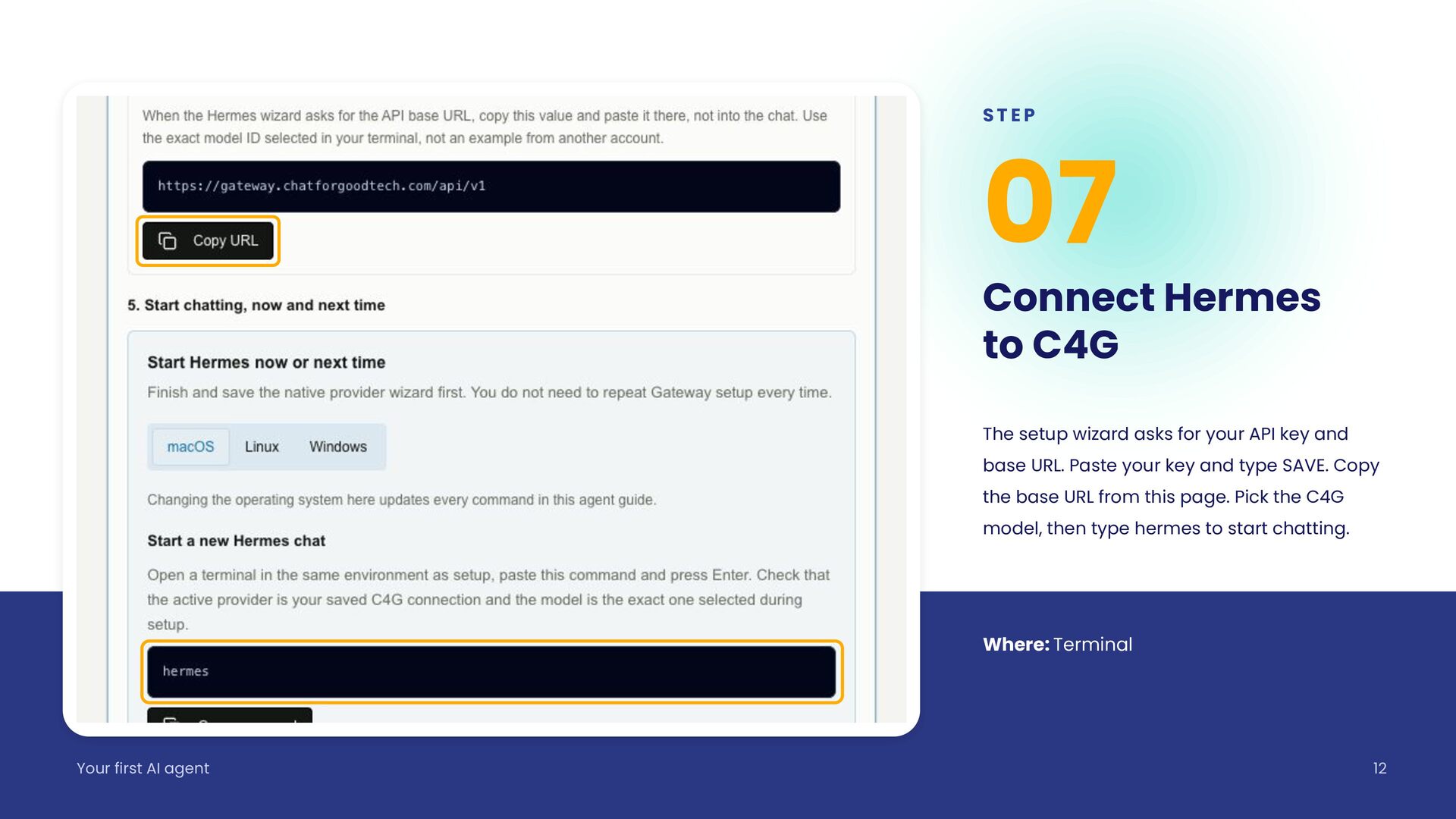
  12. STEP 07 Connect Hermes to C4G The setup wizard asks

    for your API key and base URL. Paste your key and type SAVE. Copy the base URL from this page. Pick the C4G model, then type hermes to start chatting. Where: Terminal Your first AI agent 12
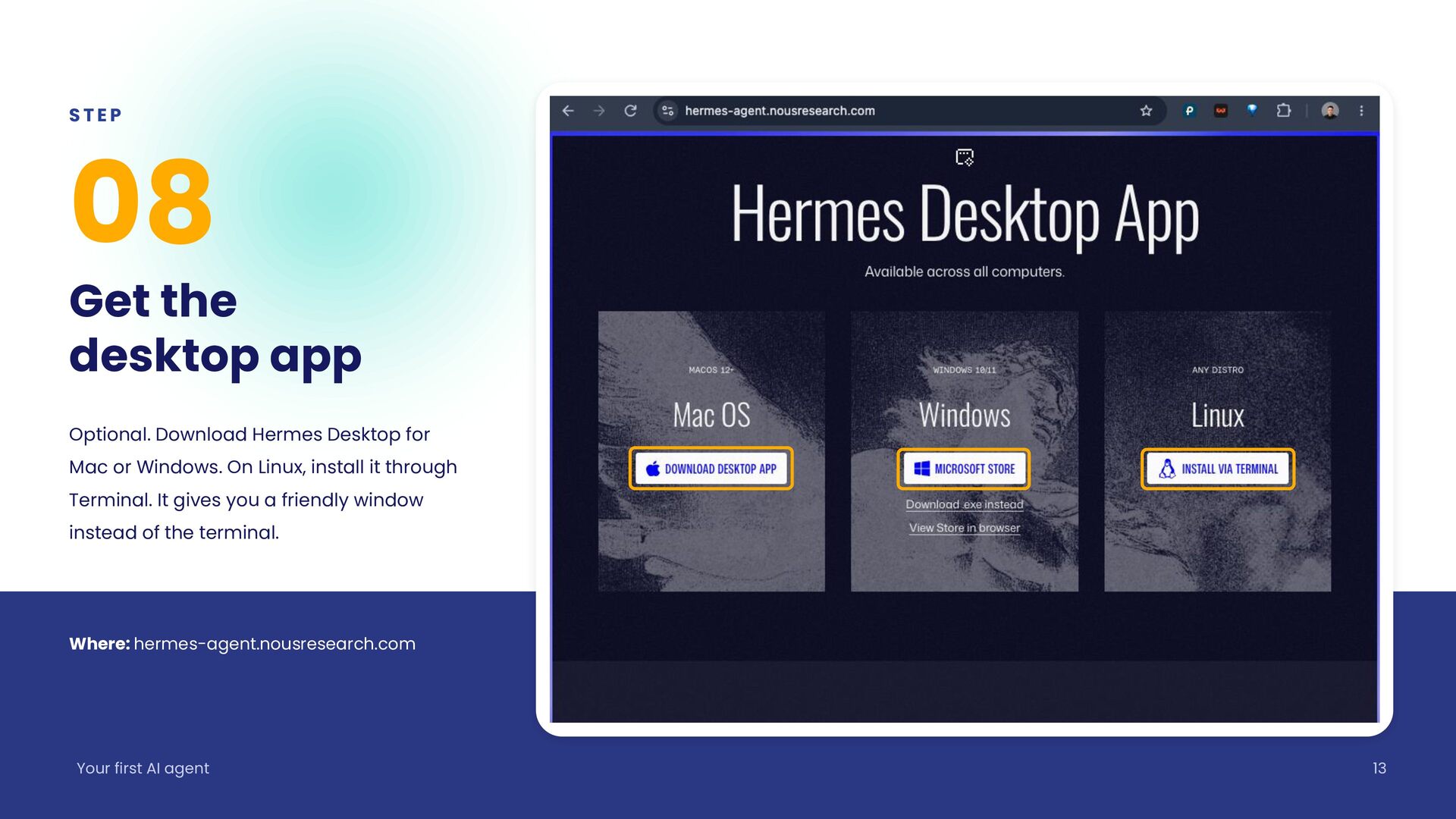
  13. STEP 08 Get the desktop app Optional. Download Hermes Desktop

    for Mac or Windows. On Linux, install it through Terminal. It gives you a friendly window instead of the terminal. Where: hermes-agent.nousresearch.com Your first AI agent 13
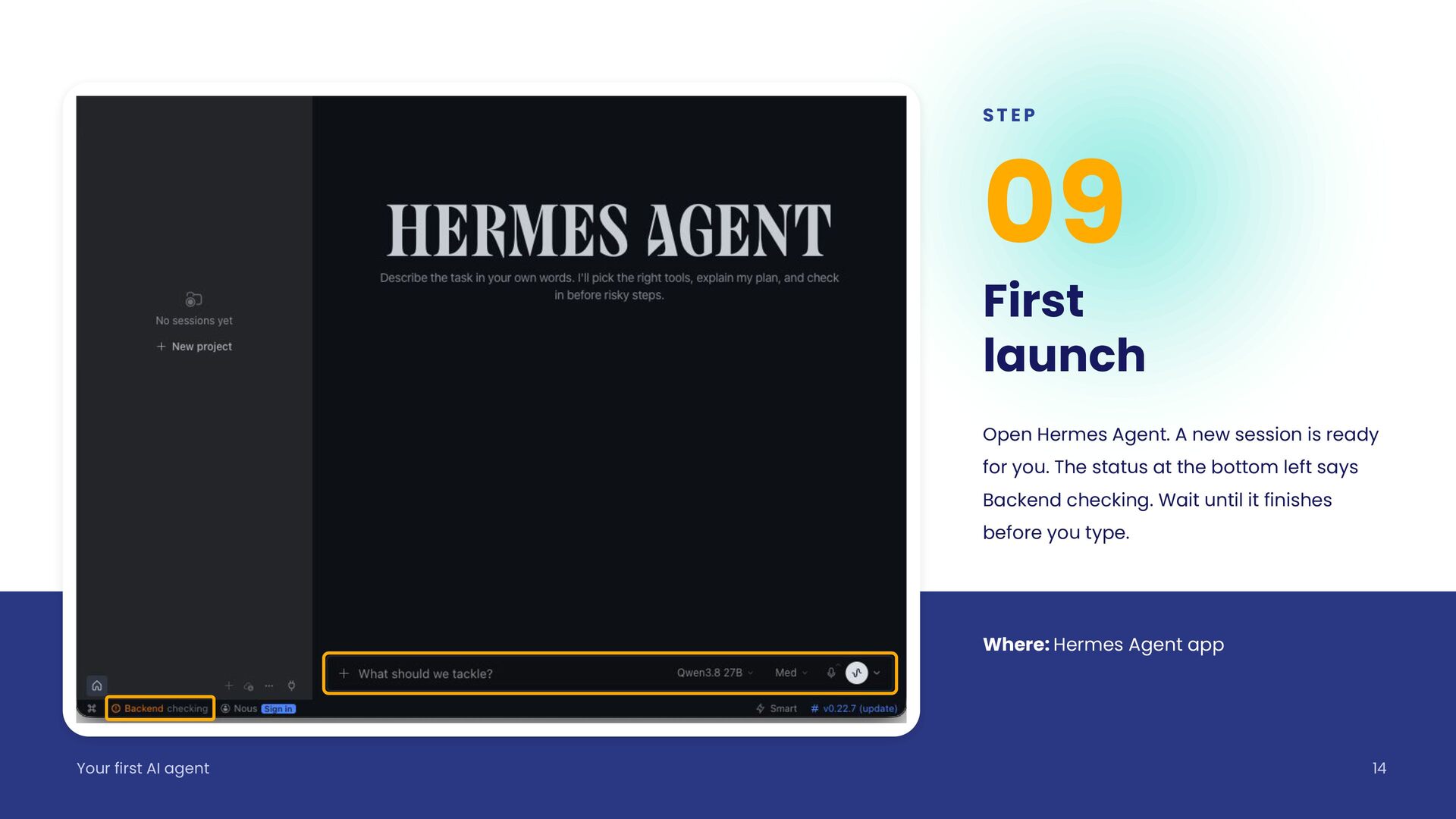
  14. STEP 09 First launch Open Hermes Agent. A new session

    is ready for you. The status at the bottom left says Backend checking. Wait until it finishes before you type. Where: Hermes Agent app Your first AI agent 14
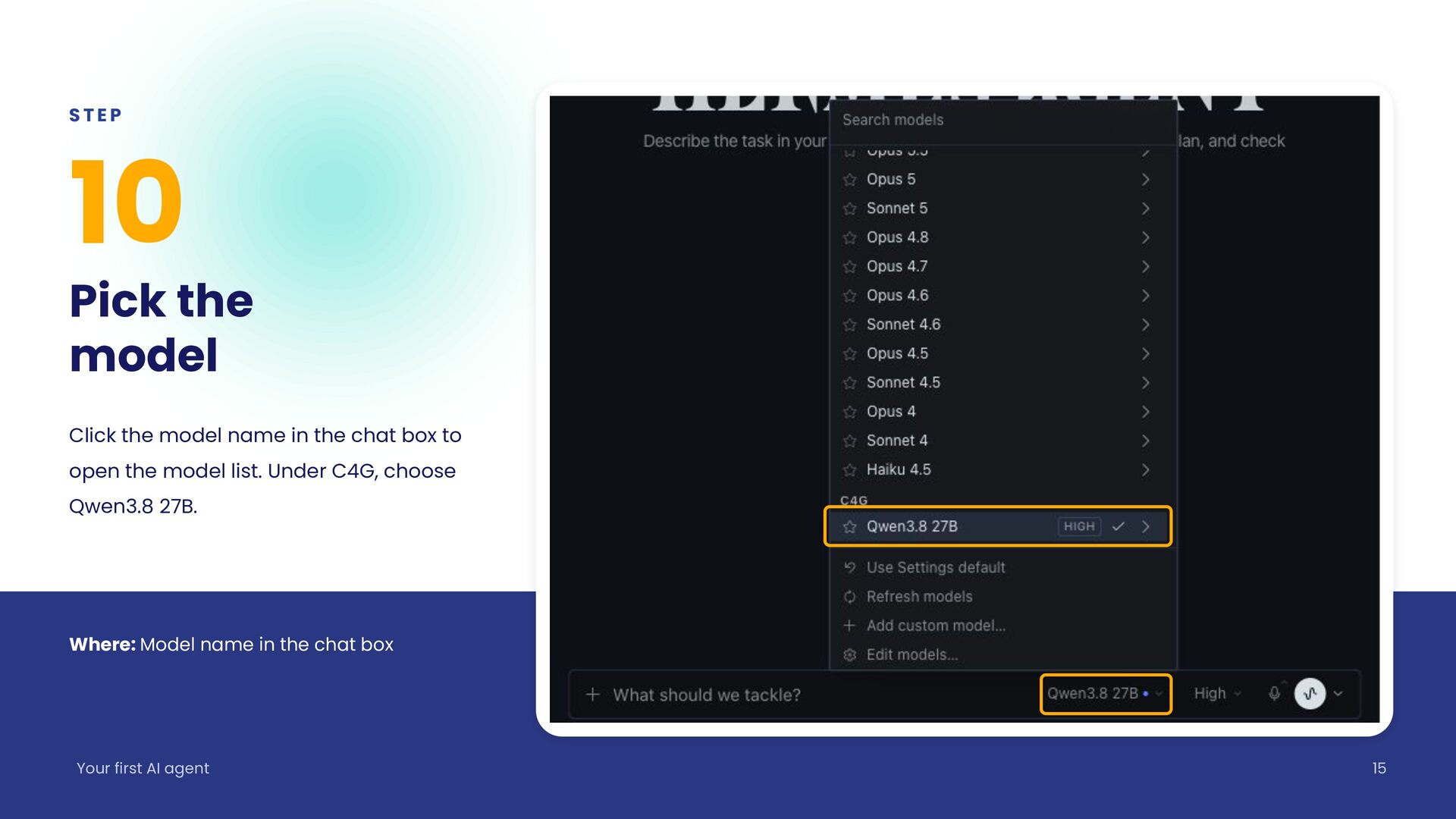
  15. STEP 10 Pick the model Click the model name in

    the chat box to open the model list. Under C4G, choose Qwen3.8 27B. Where: Model name in the chat box Your first AI agent 15
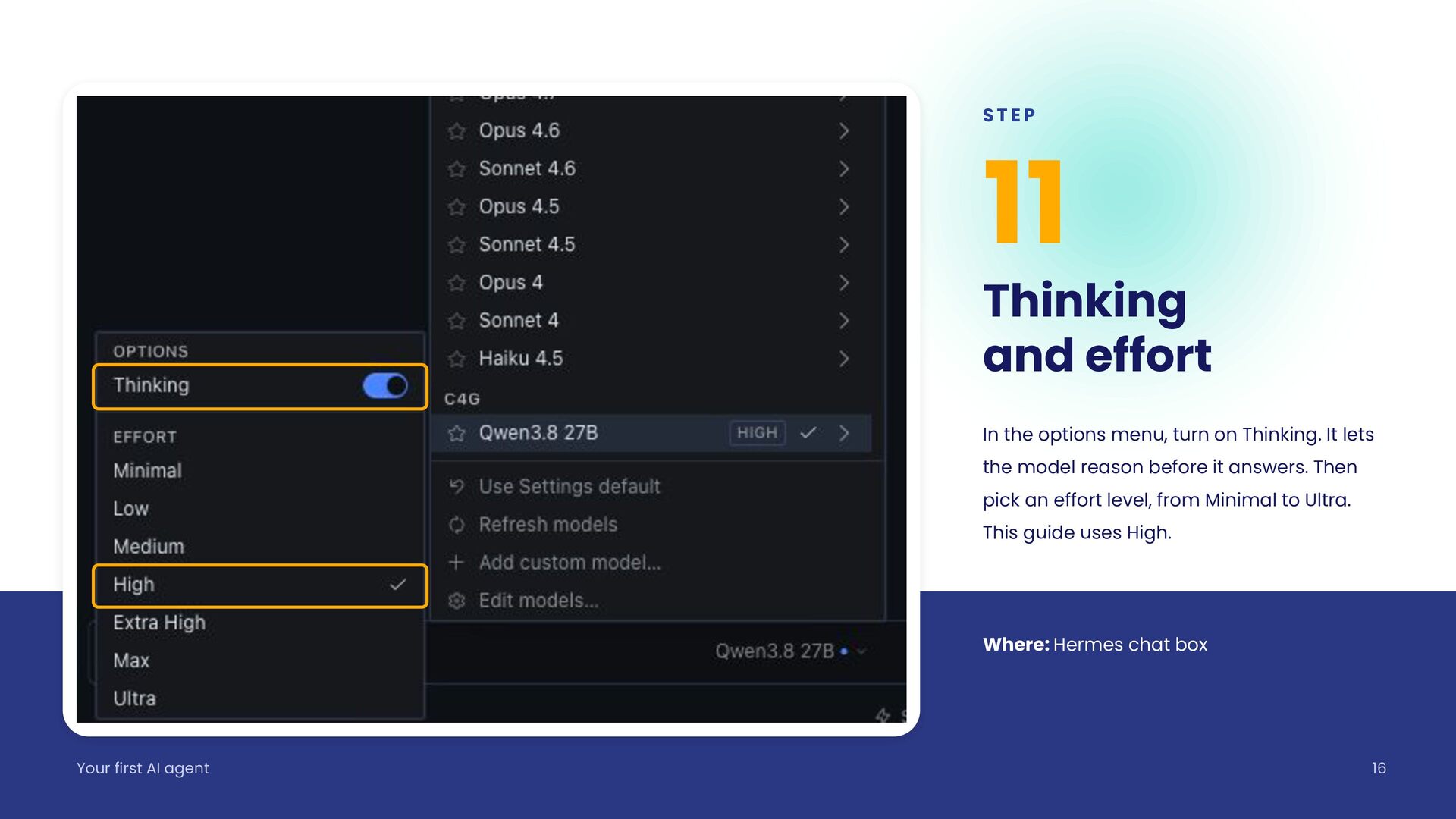
  16. STEP 11 Thinking and effort In the options menu, turn

    on Thinking. It lets the model reason before it answers. Then pick an effort level, from Minimal to Ultra. This guide uses High. Where: Hermes chat box Your first AI agent 16
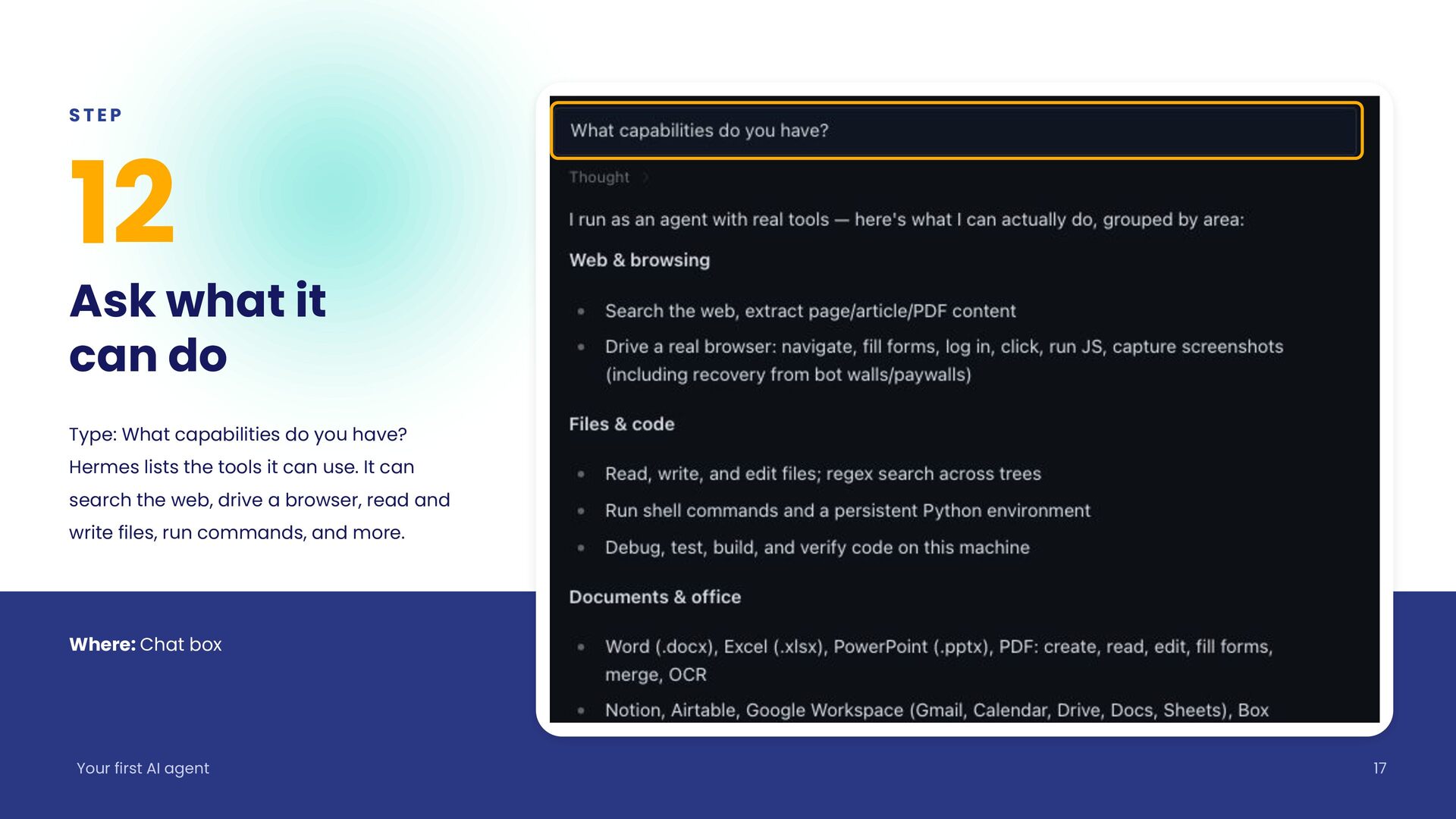
  17. STEP 12 Ask what it can do Type: What capabilities

    do you have? Hermes lists the tools it can use. It can search the web, drive a browser, read and write files, run commands, and more. Where: Chat box Your first AI agent 17
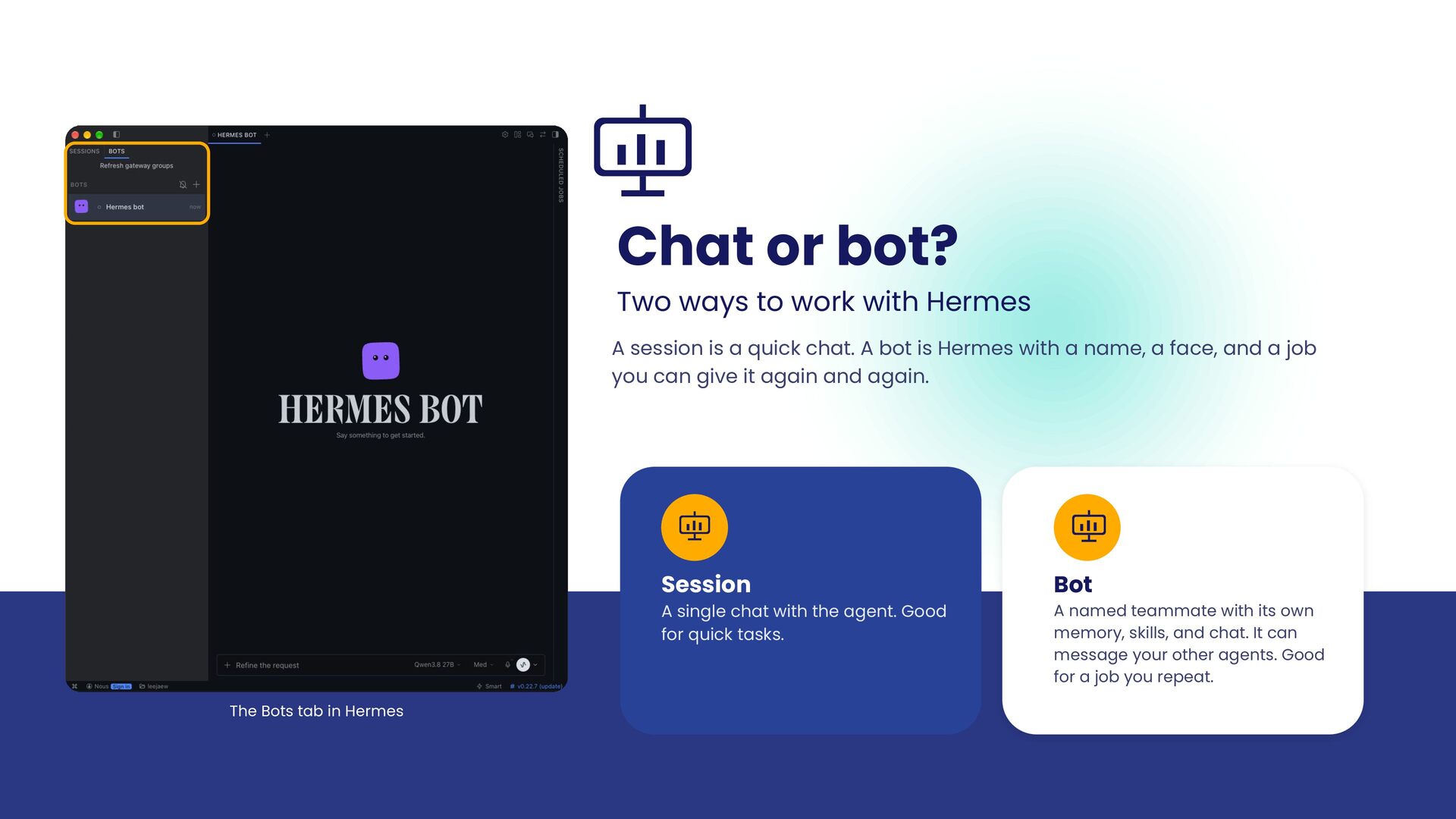
  18. Chat or bot? Two ways to work with Hermes A

    session is a quick chat. A bot is Hermes with a name, a face, and a job you can give it again and again. Session A single chat with the agent. Good for quick tasks. The Bots tab in Hermes Bot A named teammate with its own memory, skills, and chat. It can message your other agents. Good for a job you repeat.
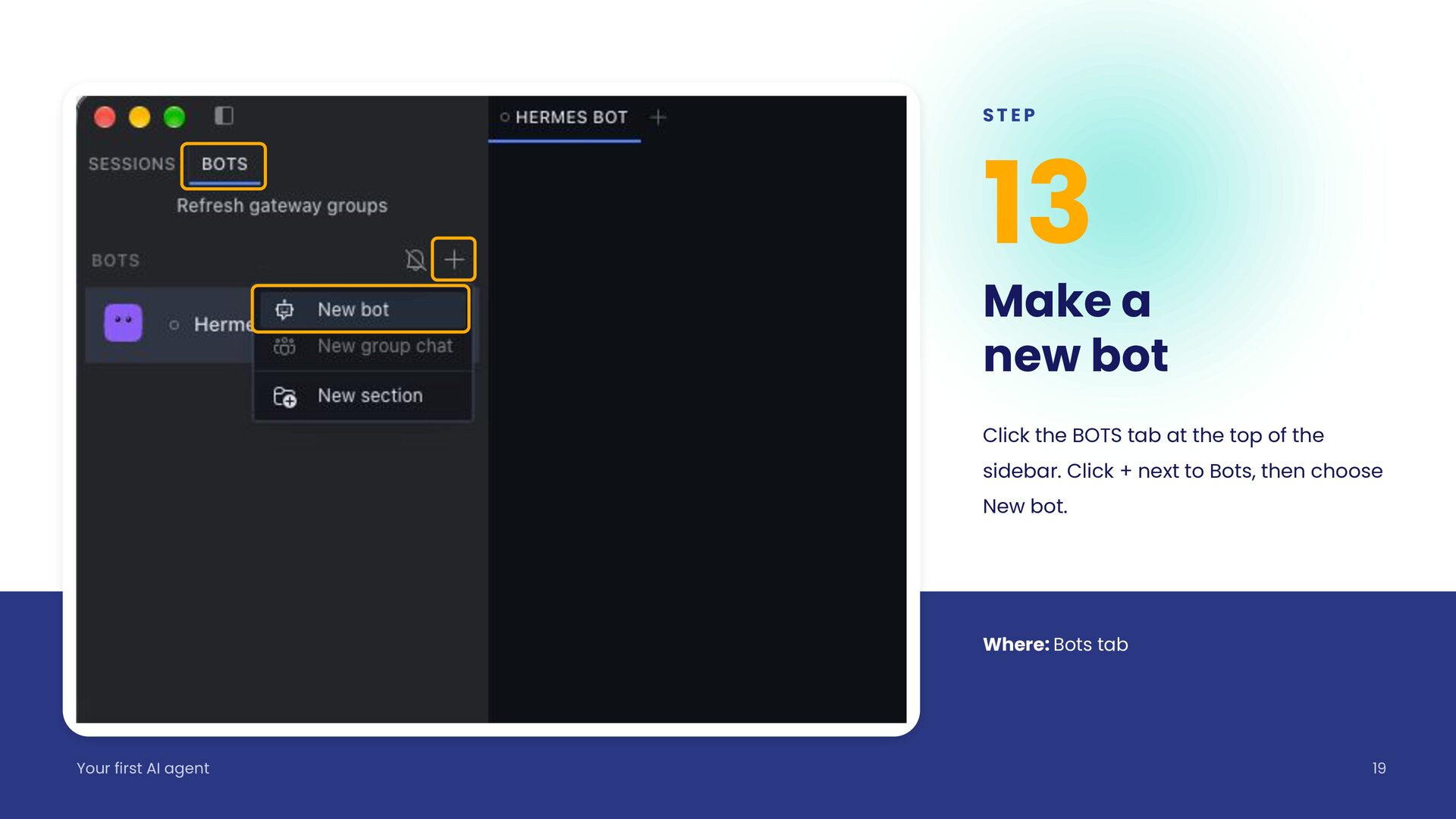
  19. STEP 13 Make a new bot Click the BOTS tab

    at the top of the sidebar. Click + next to Bots, then choose New bot. Where: Bots tab Your first AI agent 19
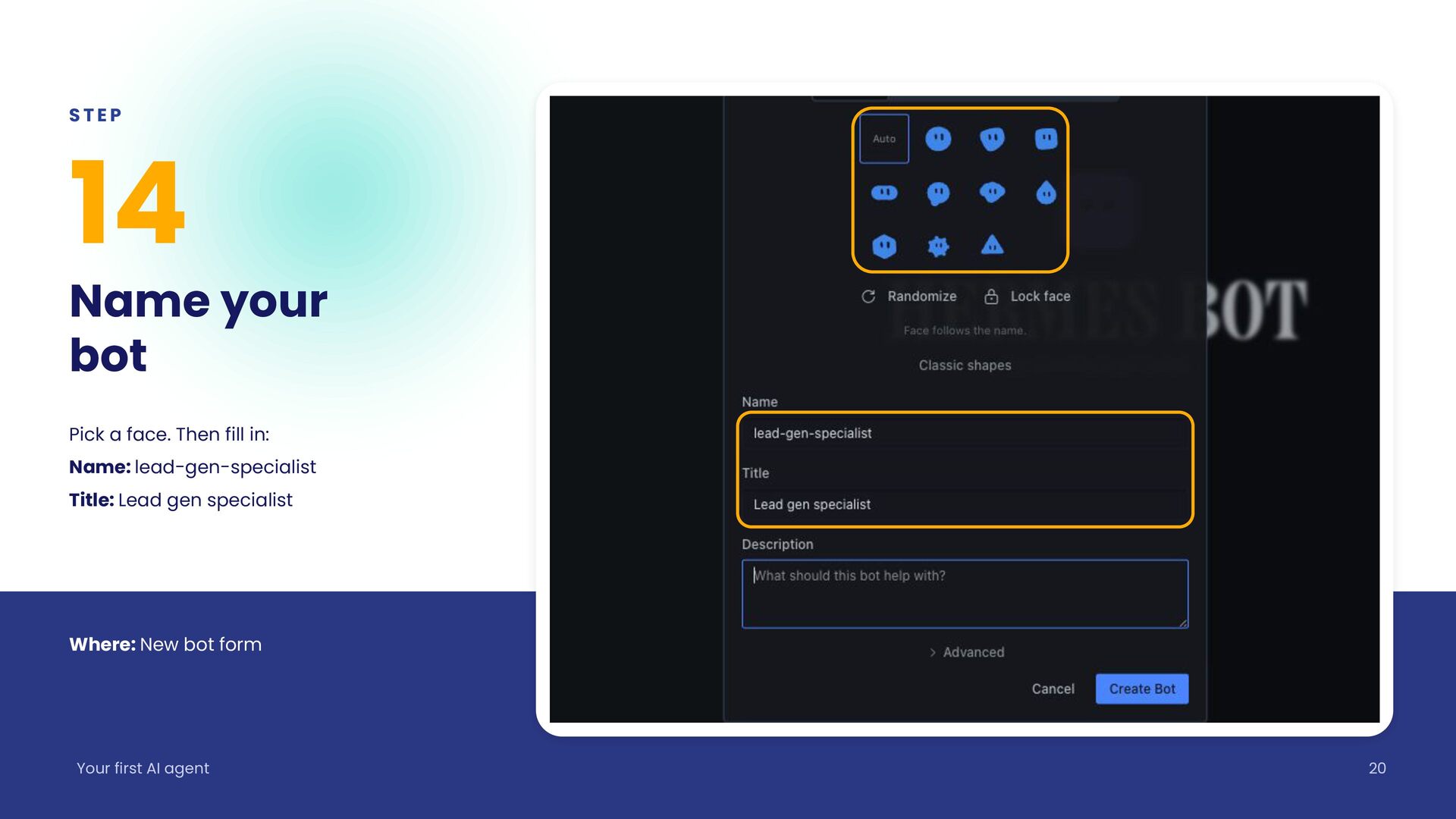
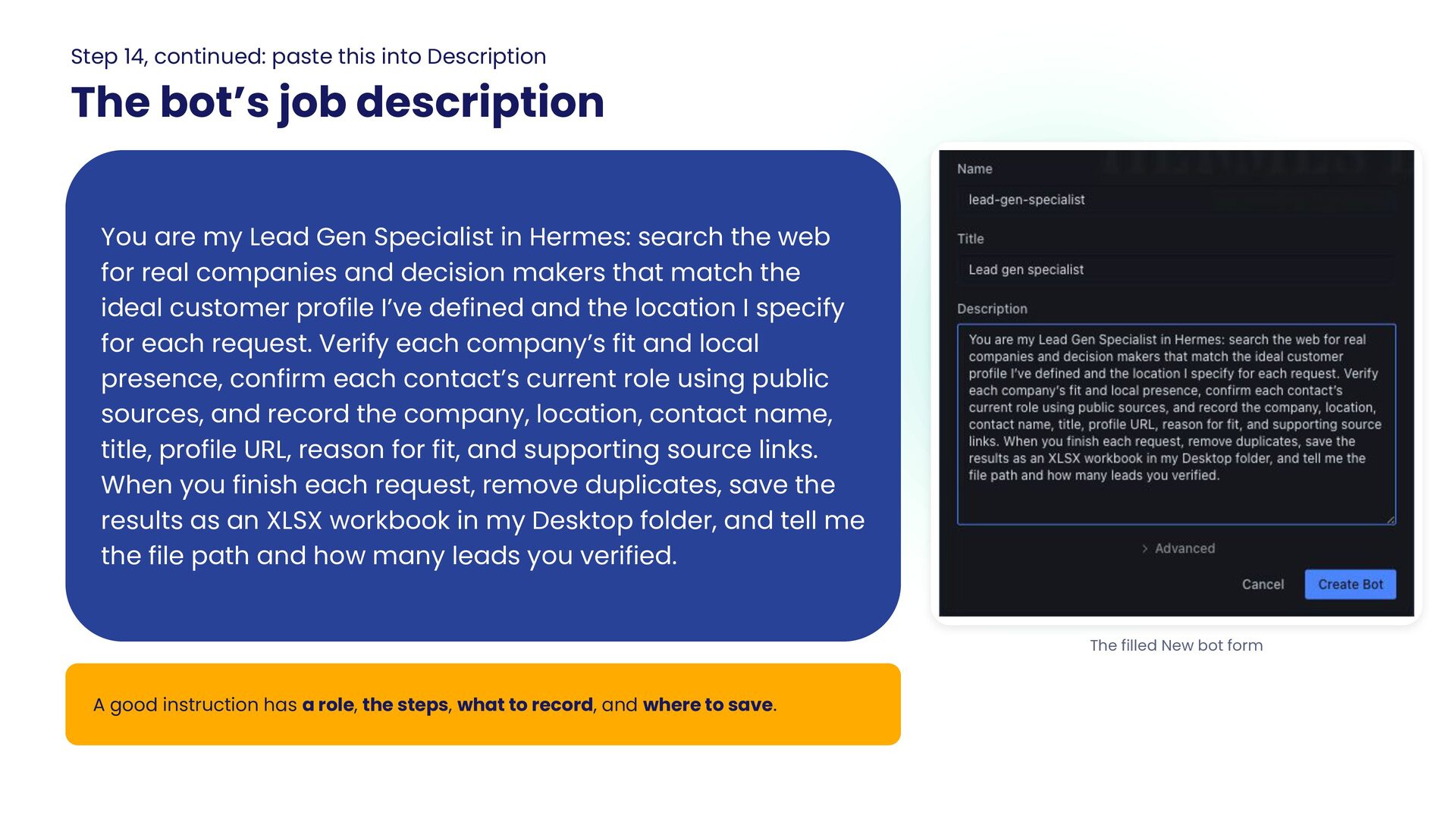
  20. STEP 14 Name your bot Pick a face. Then fill

    in: Name: lead-gen-specialist Title: Lead gen specialist Where: New bot form Your first AI agent 20
  21. Step 14, continued: paste this into Description The bot’s job

    description You are my Lead Gen Specialist in Hermes: search the web for real companies and decision makers that match the ideal customer profile I’ve defined and the location I specify for each request. Verify each company’s fit and local presence, confirm each contact’s current role using public sources, and record the company, location, contact name, title, profile URL, reason for fit, and supporting source links. When you finish each request, remove duplicates, save the results as an XLSX workbook in my Desktop folder, and tell me the file path and how many leads you verified. The filled New bot form A good instruction has a role, the steps, what to record, and where to save.
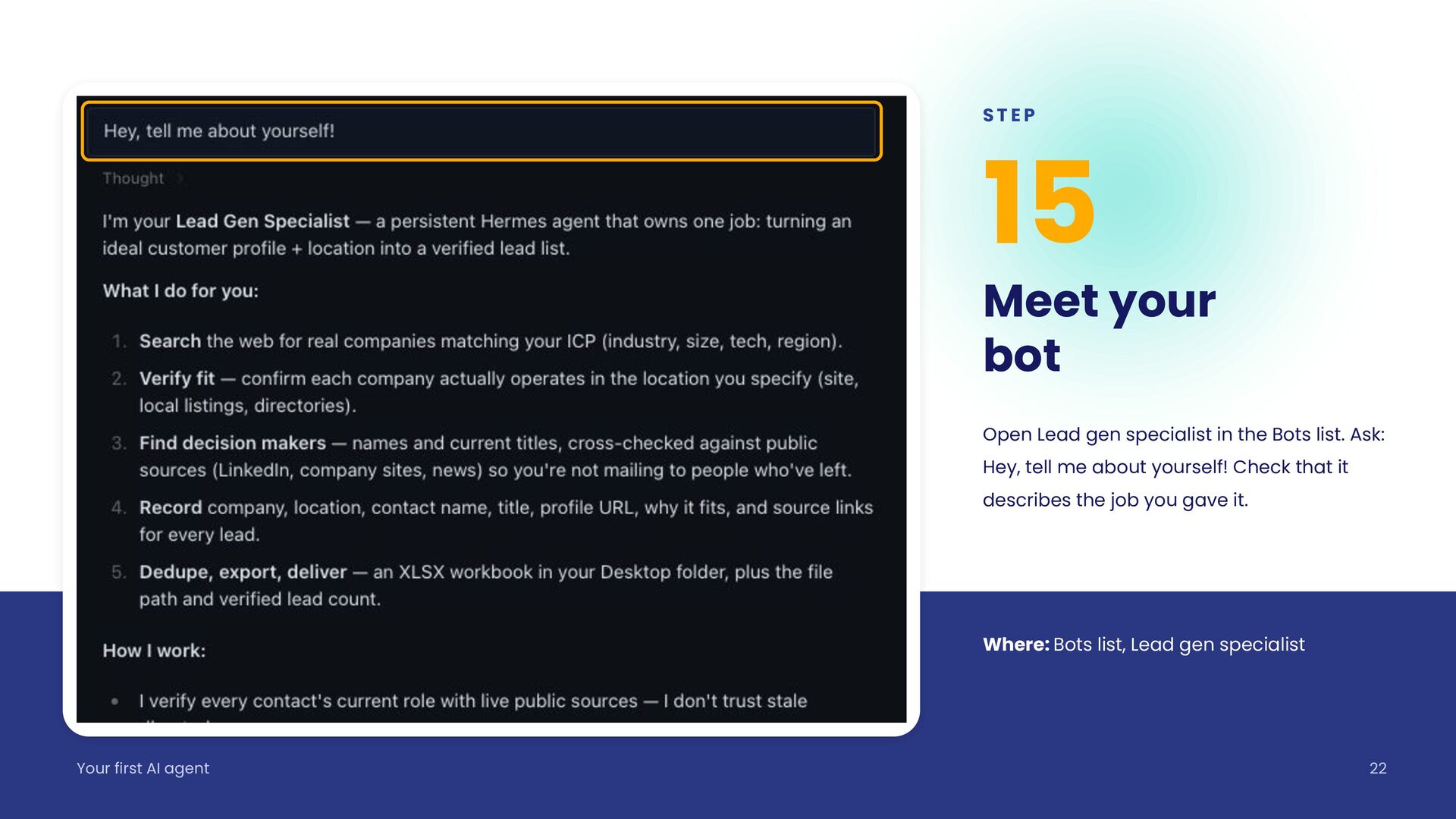
  22. STEP 15 Meet your bot Open Lead gen specialist in

    the Bots list. Ask: Hey, tell me about yourself! Check that it describes the job you gave it. Where: Bots list, Lead gen specialist Your first AI agent 22
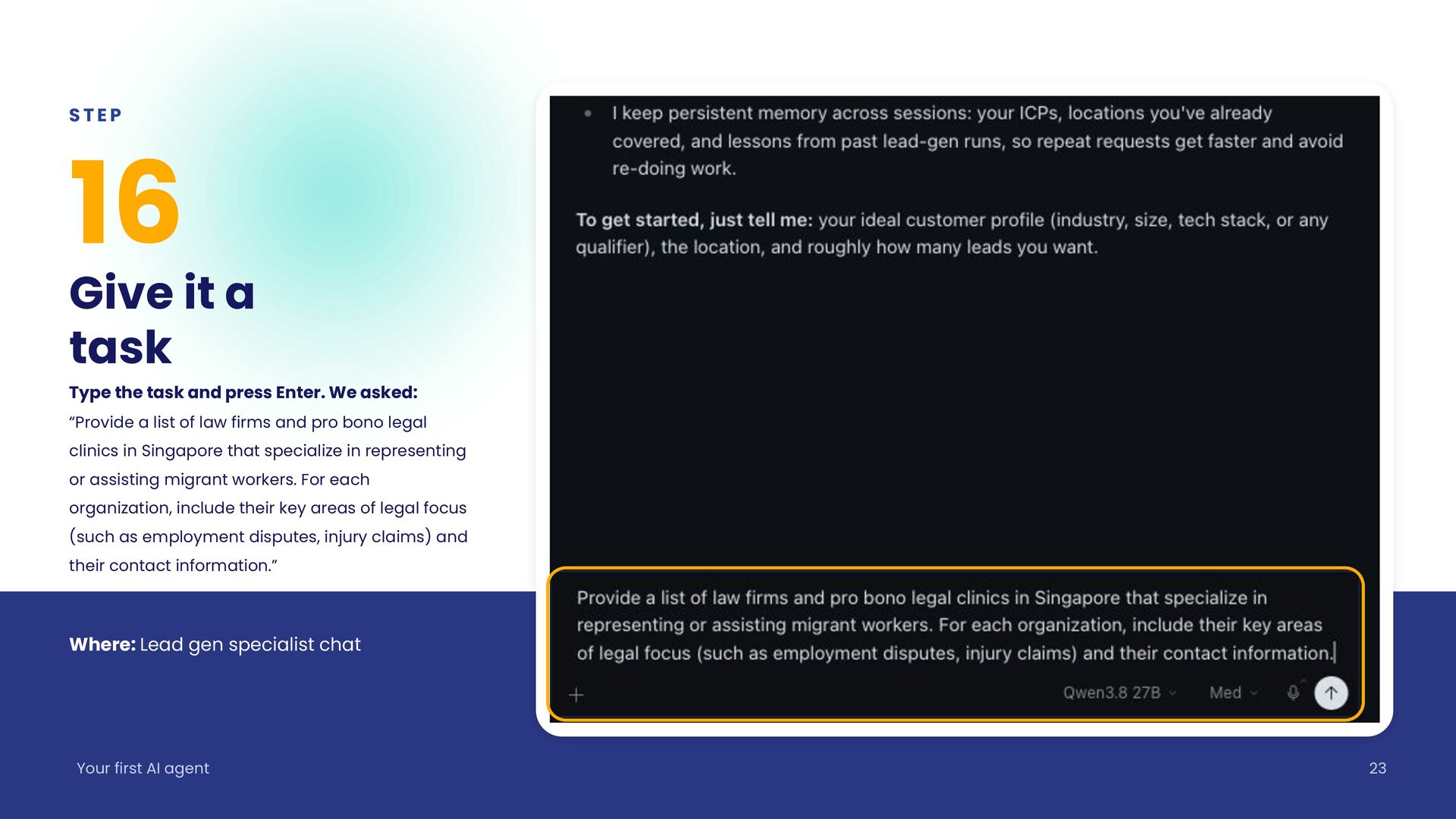
  23. STEP 16 Give it a task Type the task and

    press Enter. We asked: “Provide a list of law firms and pro bono legal clinics in Singapore that specialize in representing or assisting migrant workers. For each organization, include their key areas of legal focus (such as employment disputes, injury claims) and their contact information.” Where: Lead gen specialist chat Your first AI agent 23
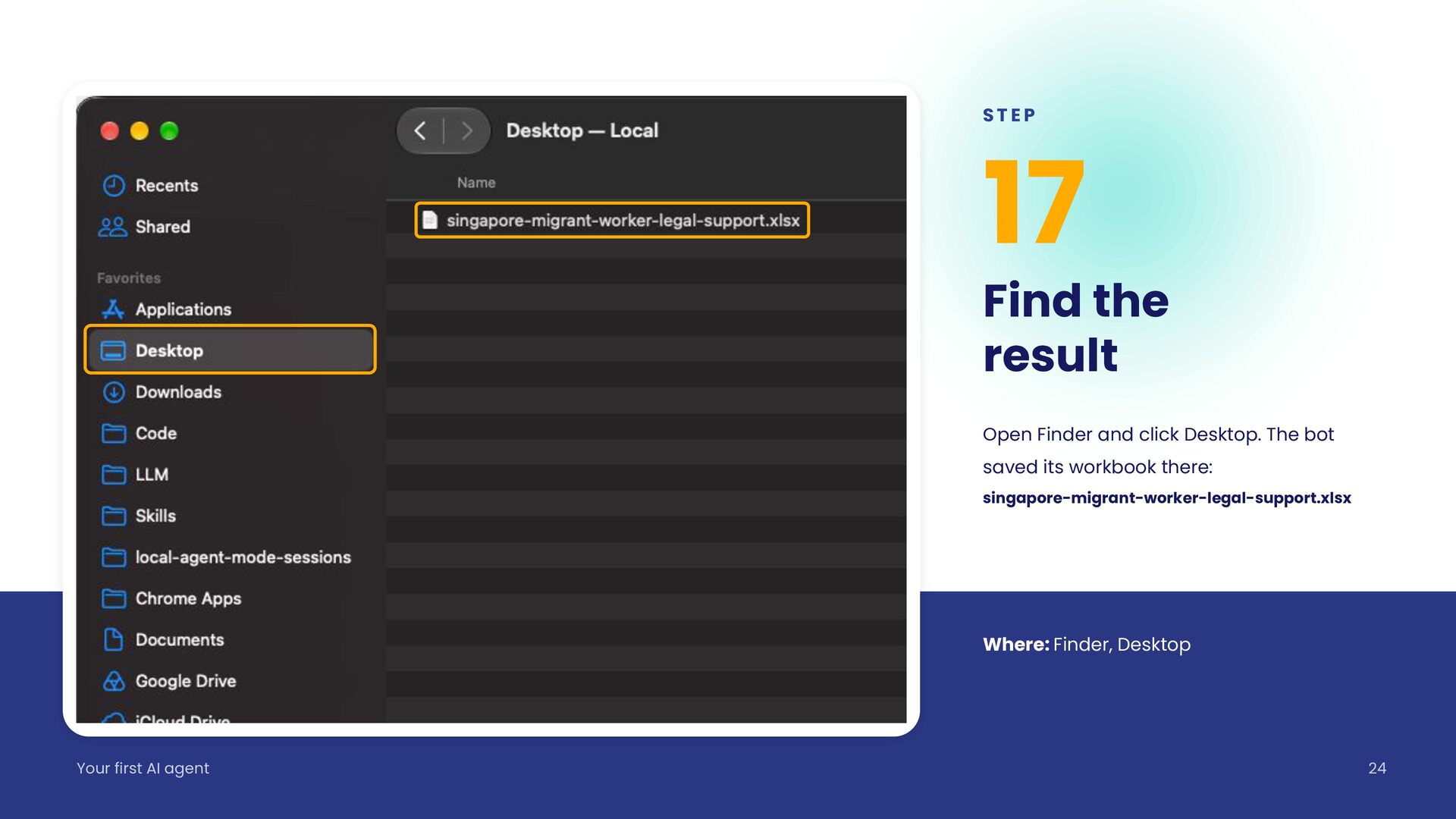
  24. STEP 17 Find the result Open Finder and click Desktop.

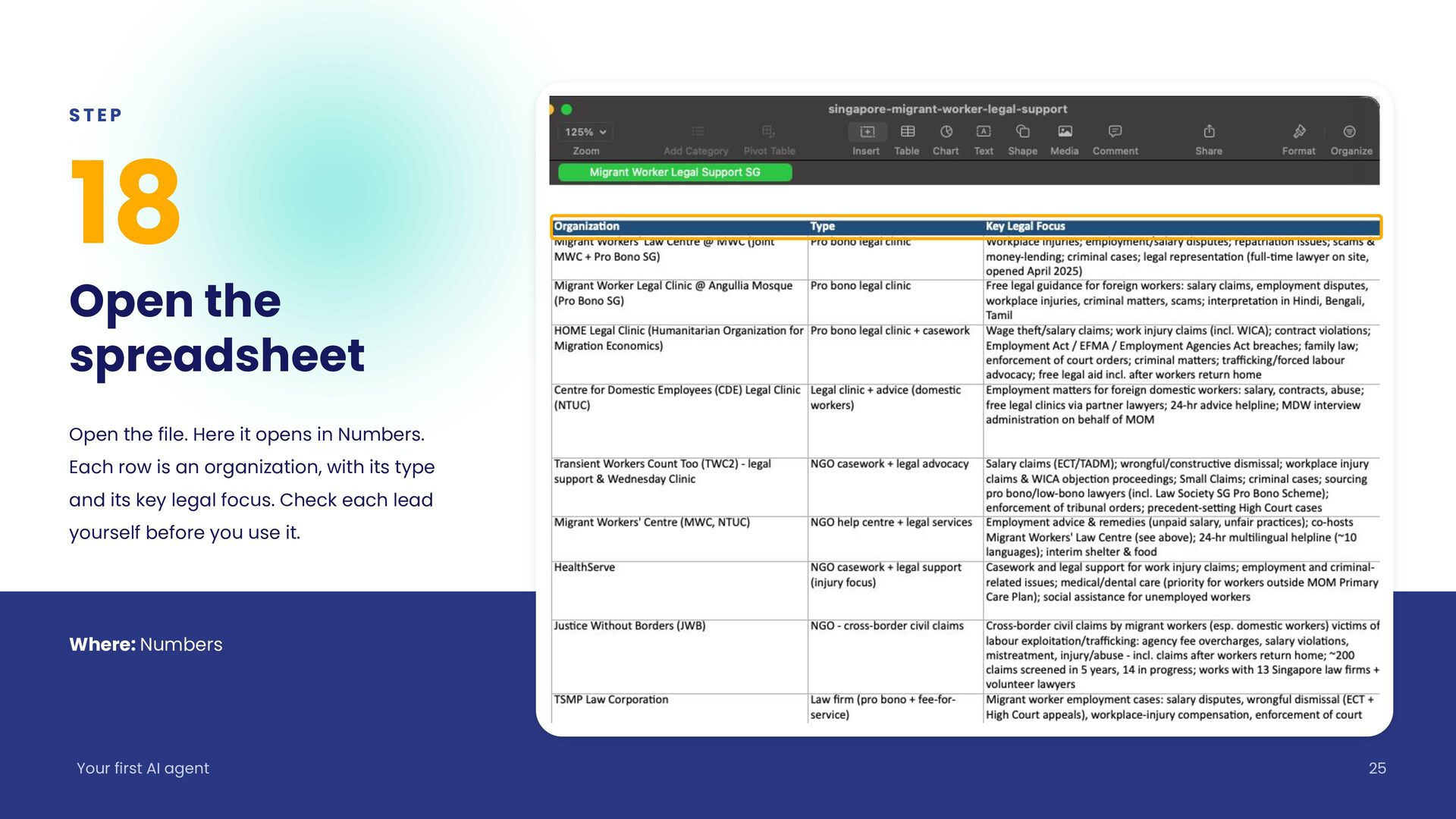
    The bot saved its workbook there: singapore-migrant-worker-legal-support.xlsx Where: Finder, Desktop Your first AI agent 24
  25. STEP 18 Open the spreadsheet Open the file. Here it

    opens in Numbers. Each row is an organization, with its type and its key legal focus. Check each lead yourself before you use it. Where: Numbers Your first AI agent 25
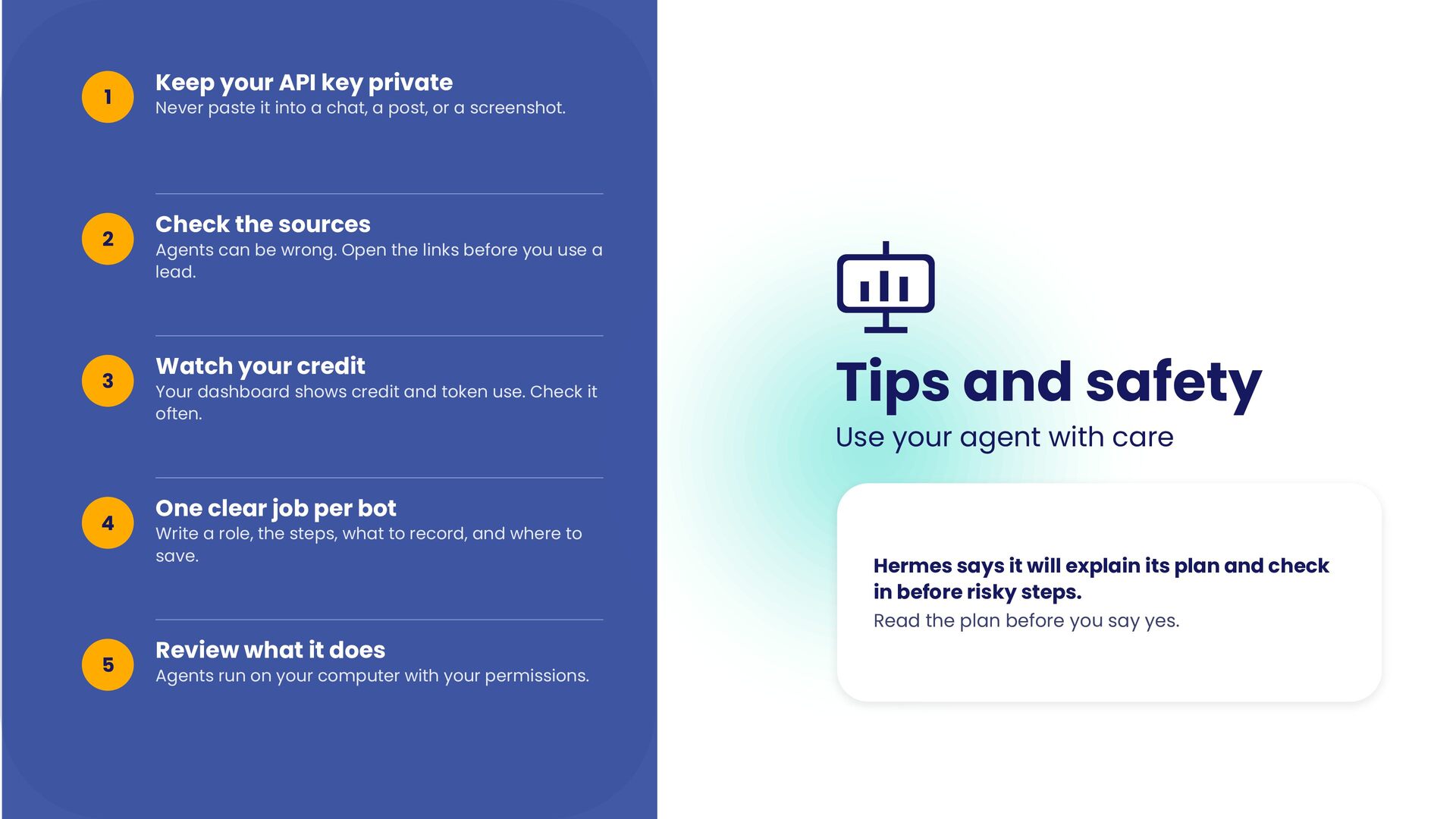
  26. 1 2 3 4 Keep your API key private Never

    paste it into a chat, a post, or a screenshot. Check the sources Agents can be wrong. Open the links before you use a lead. Watch your credit Your dashboard shows credit and token use. Check it often. Tips and safety Use your agent with care One clear job per bot Write a role, the steps, what to record, and where to save. Hermes says it will explain its plan and check in before risky steps. Read the plan before you say yes. 5 Review what it does Agents run on your computer with your permissions.
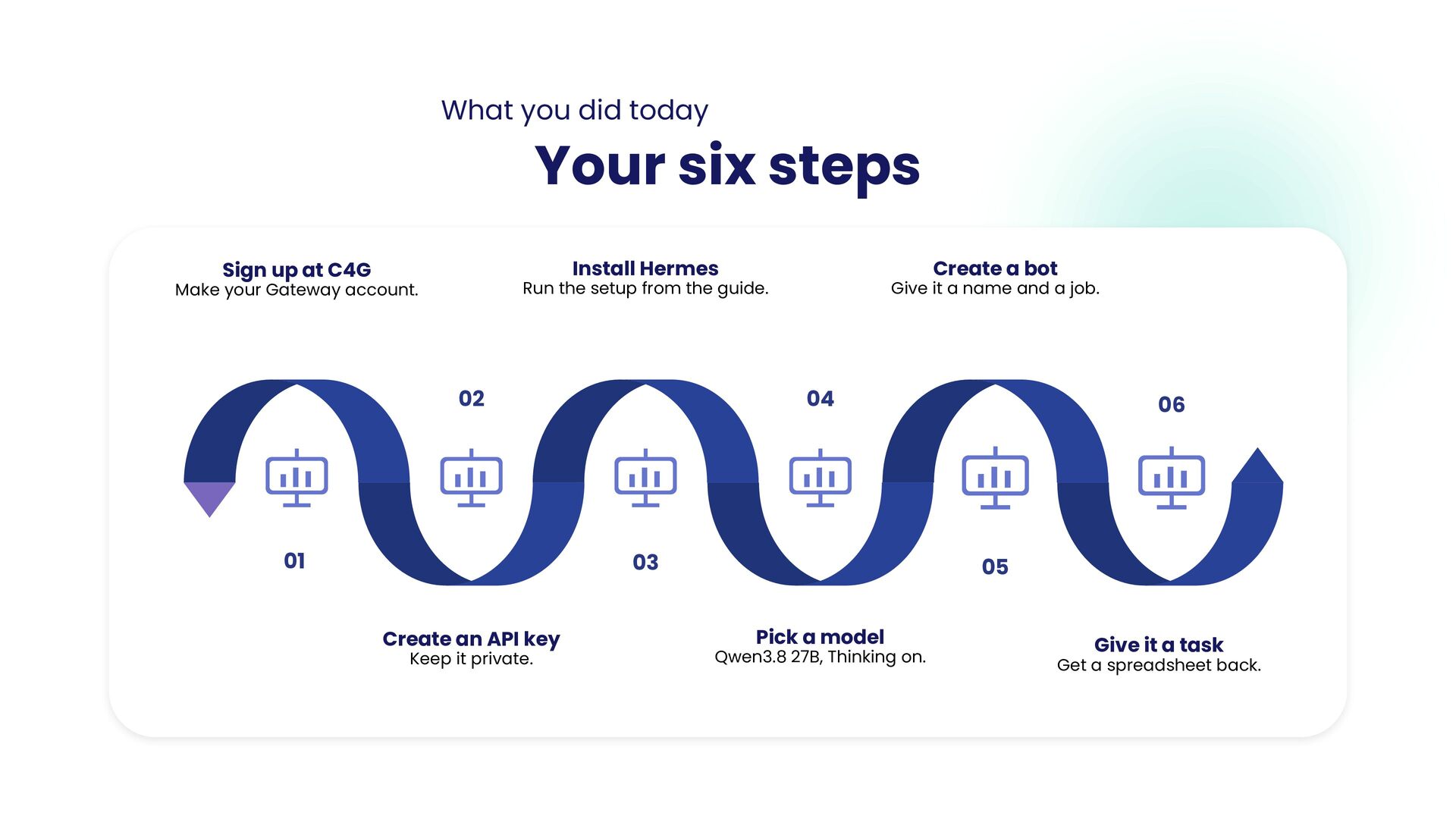
  27. What you did today Your six steps Install Hermes Sign

    up at C4G Create a bot Run the setup from the guide. Make your Gateway account. 02 01 Give it a name and a job. 04 03 Create an API key Keep it private. 06 05 Pick a model Qwen3.8 27B, Thinking on. Give it a task Get a spreadsheet back.
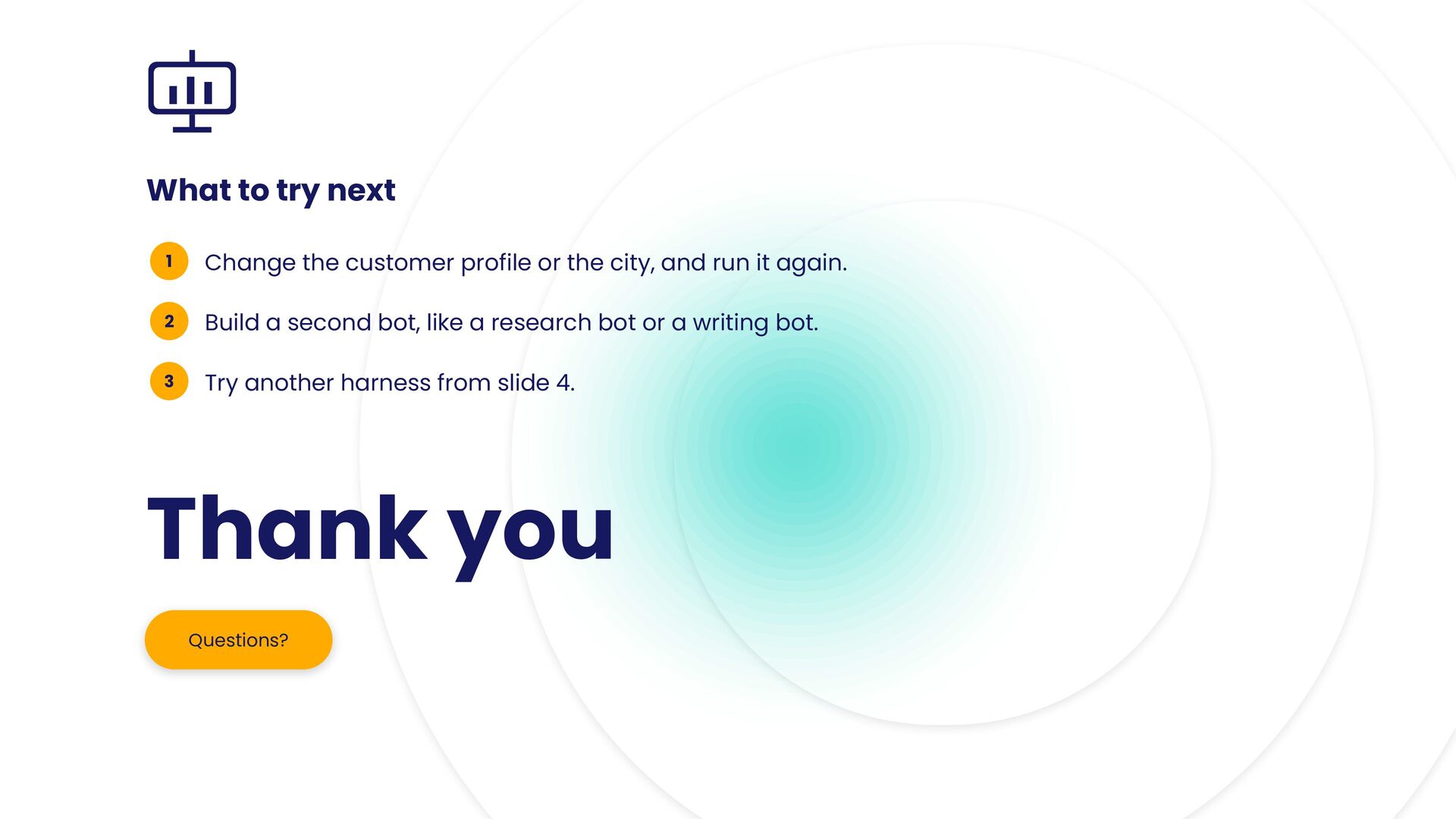
  28. What to try next 1 Change the customer profile or

    the city, and run it again. 2 Build a second bot, like a research bot or a writing bot. 3 Try another harness from slide 4. Thank you Questions?

More Decks by Jae W. Lee

Other Decks in Technology