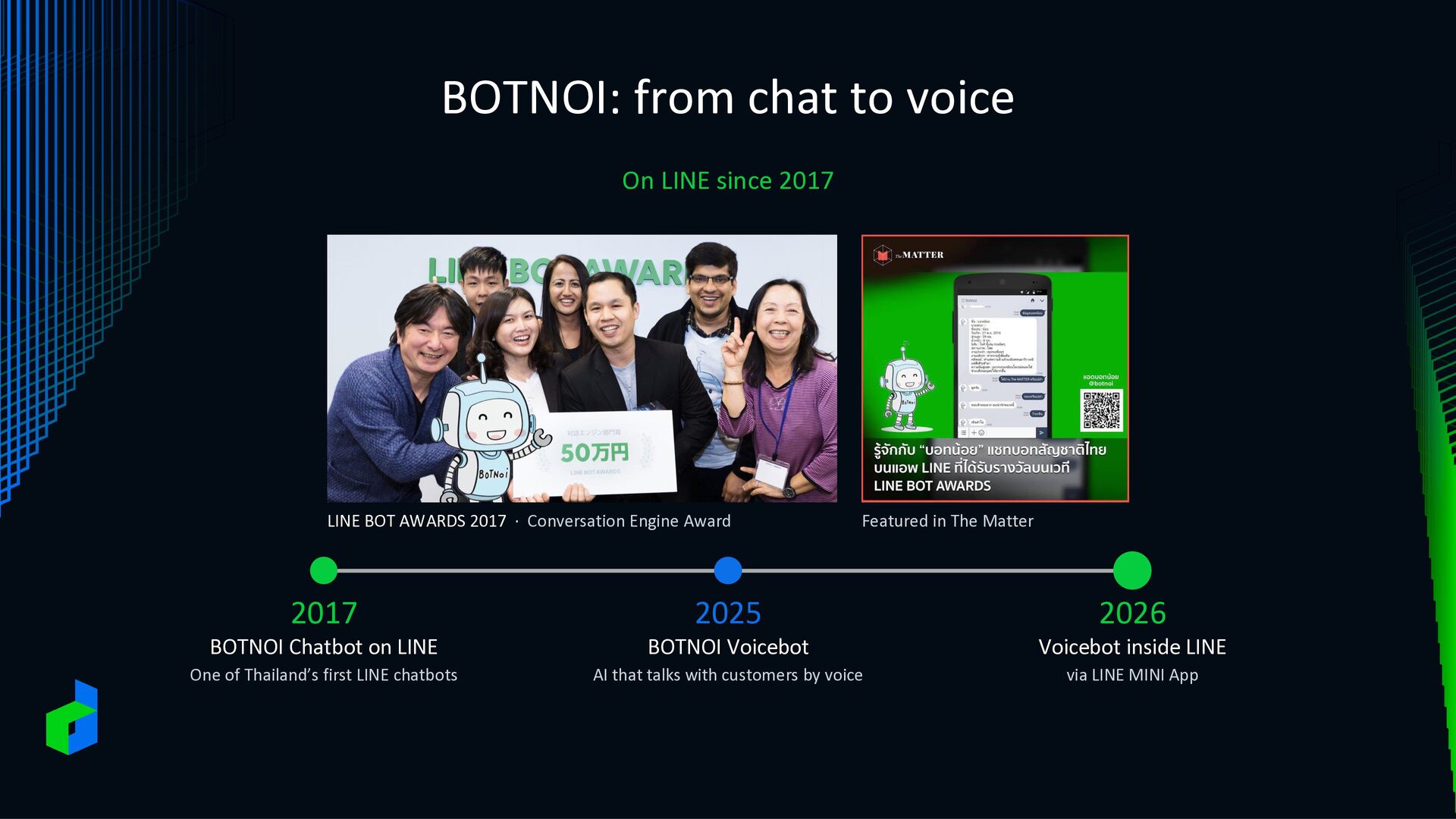
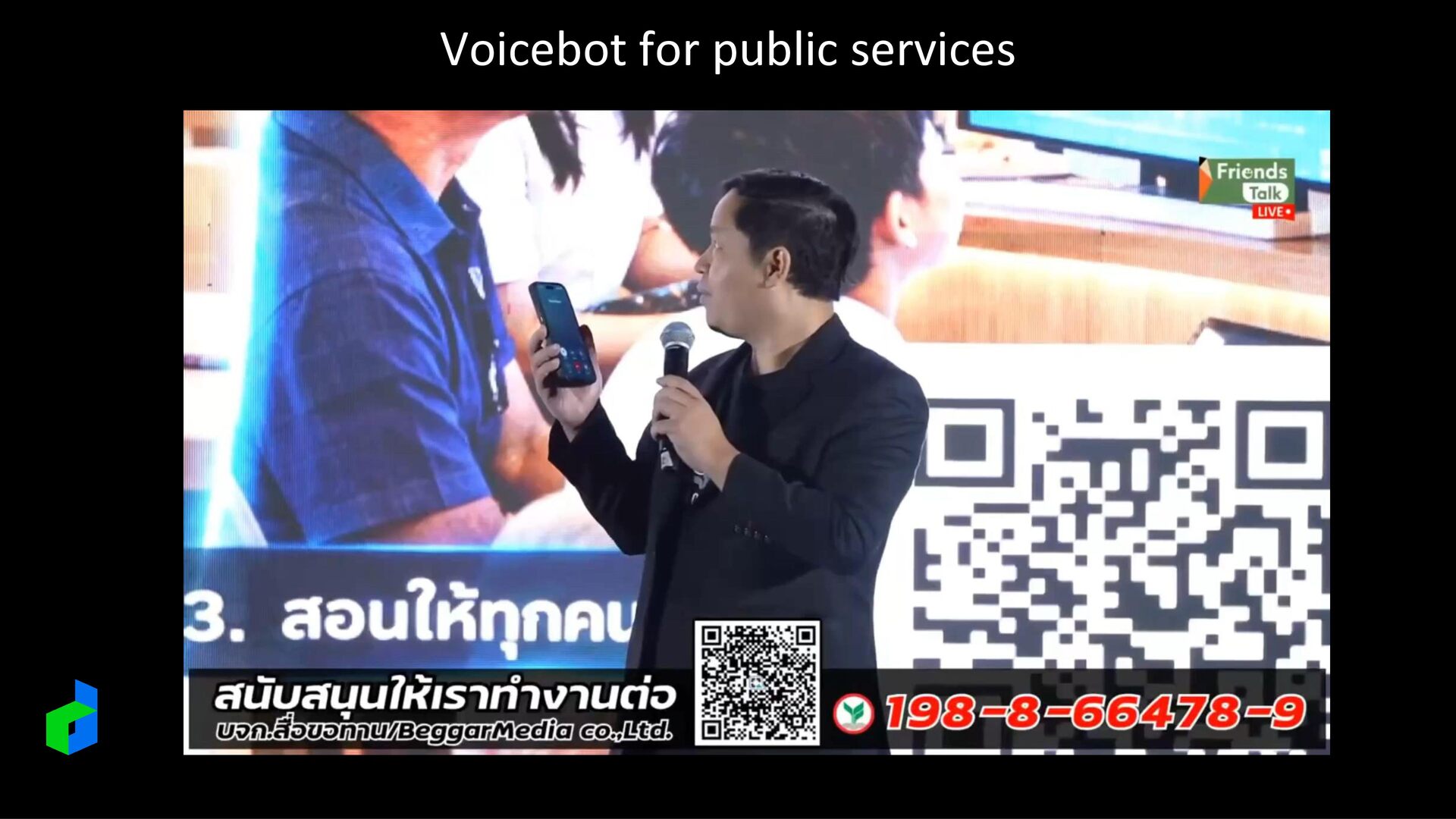
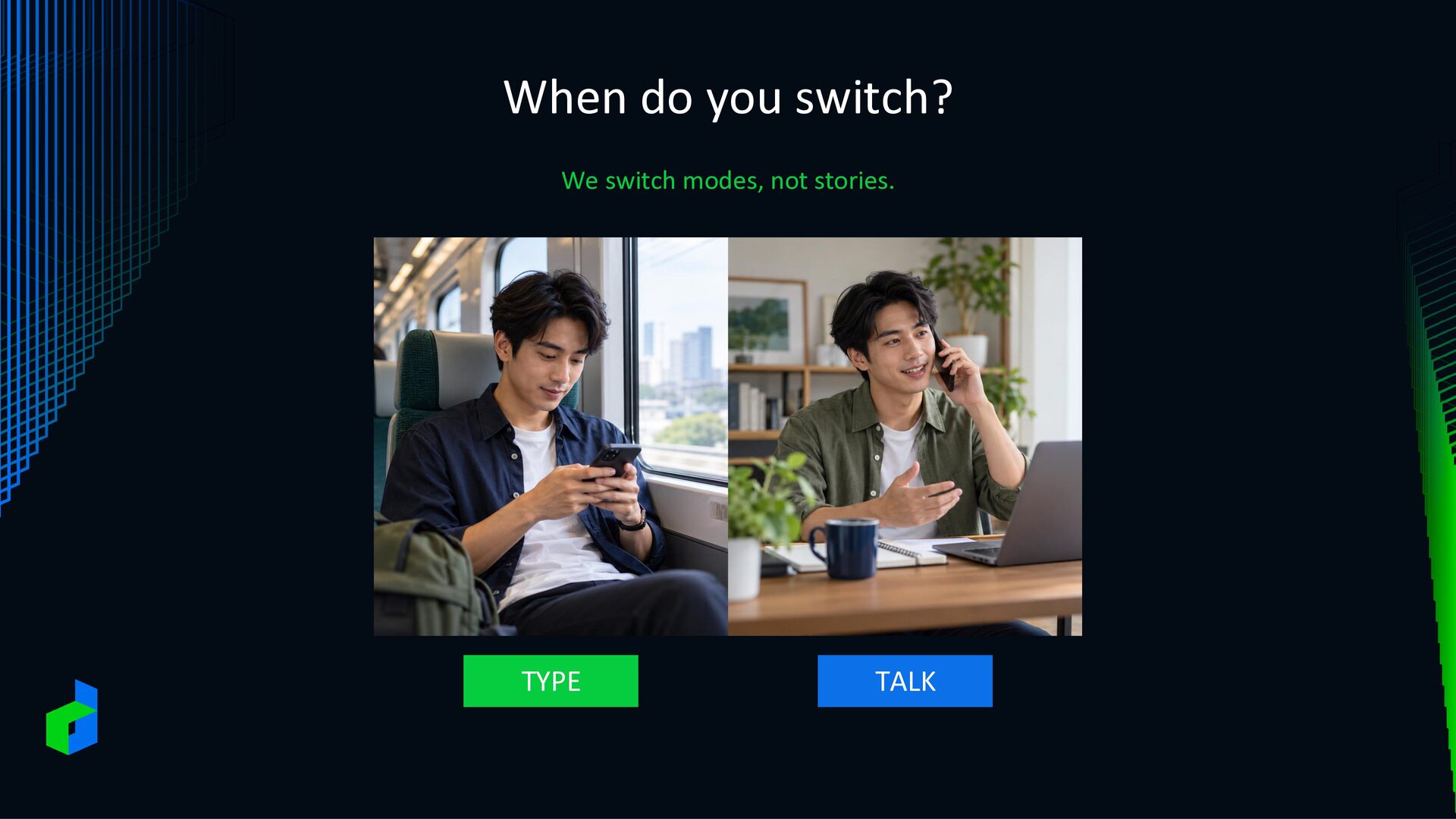
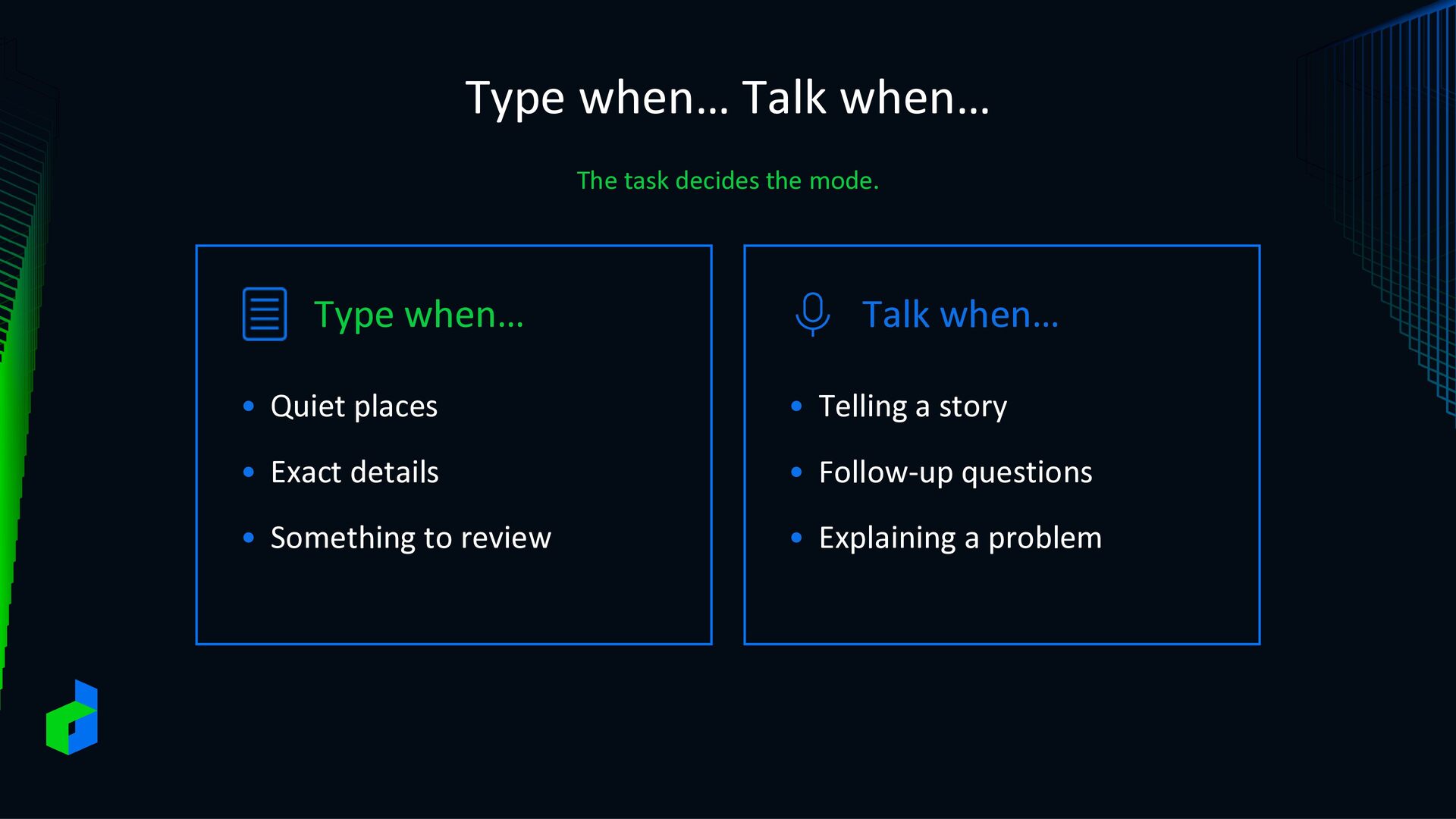
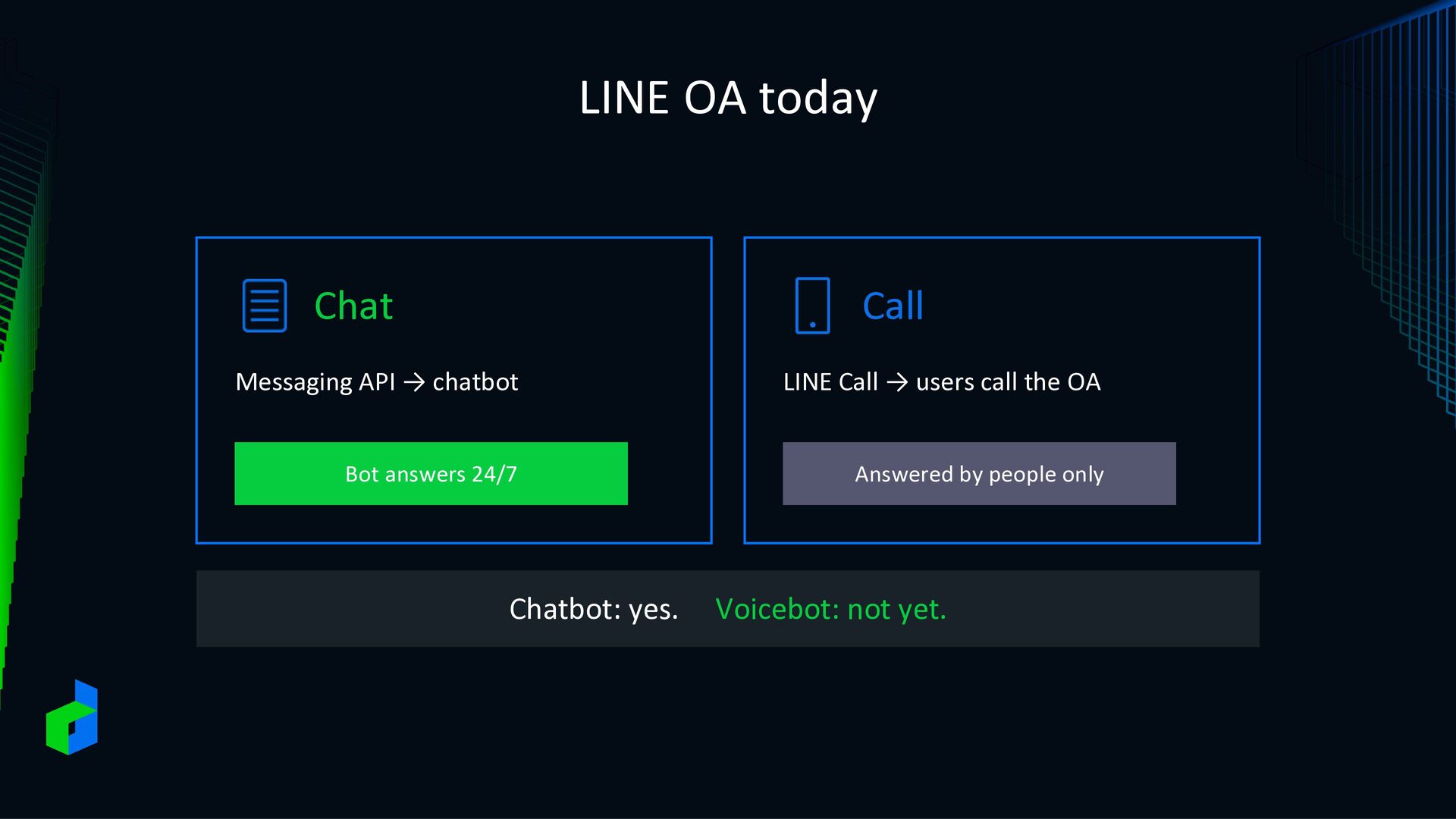
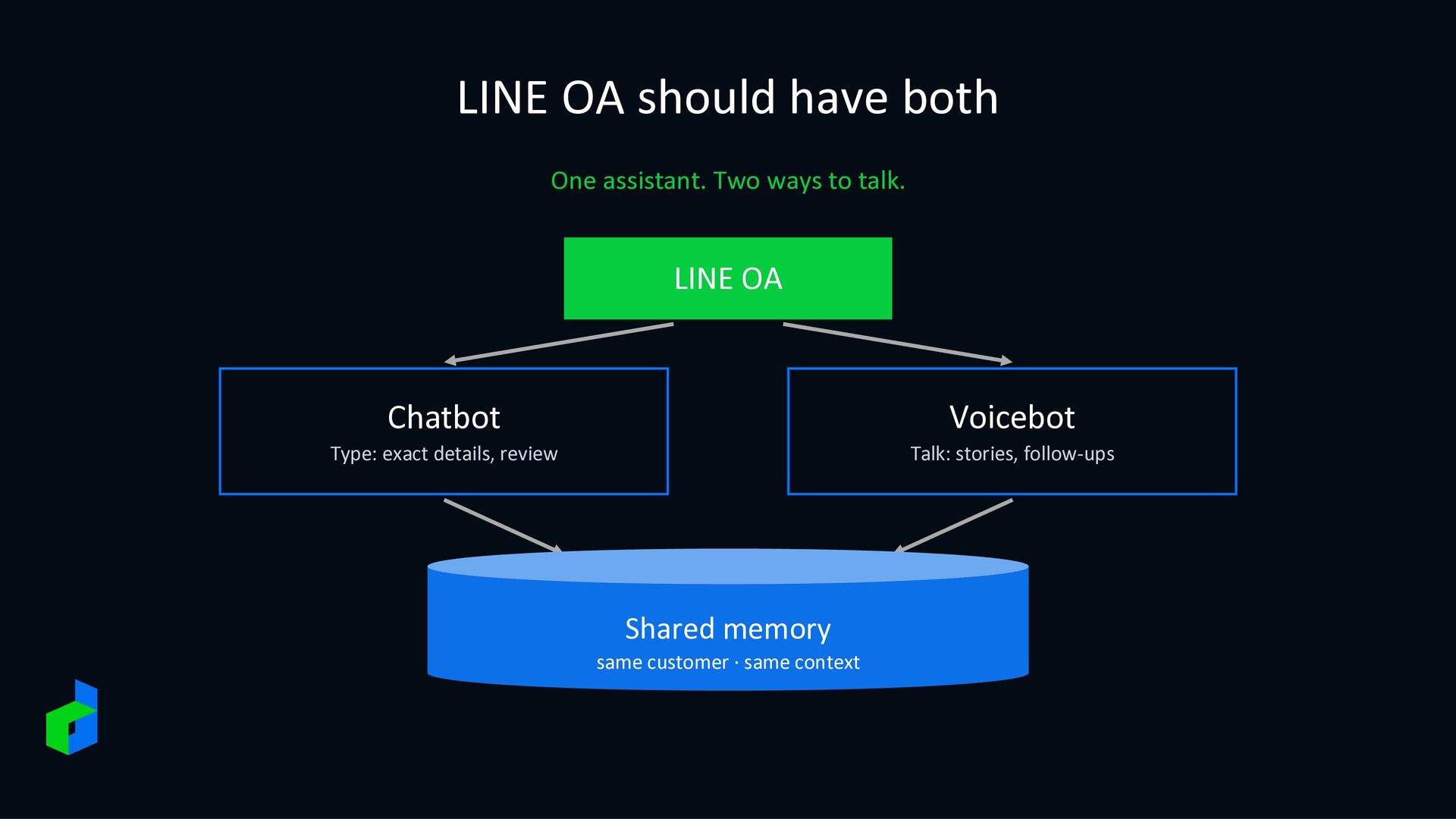
BOT AWARDS 2017 · Conversation Engine Award Featured in The Matter 2017 2025 2026 BOTNOI Chatbot on LINE BOTNOI Voicebot Voicebot inside LINE One of Thailand’s first LINE chatbots AI that talks with customers by voice via LINE MINI App
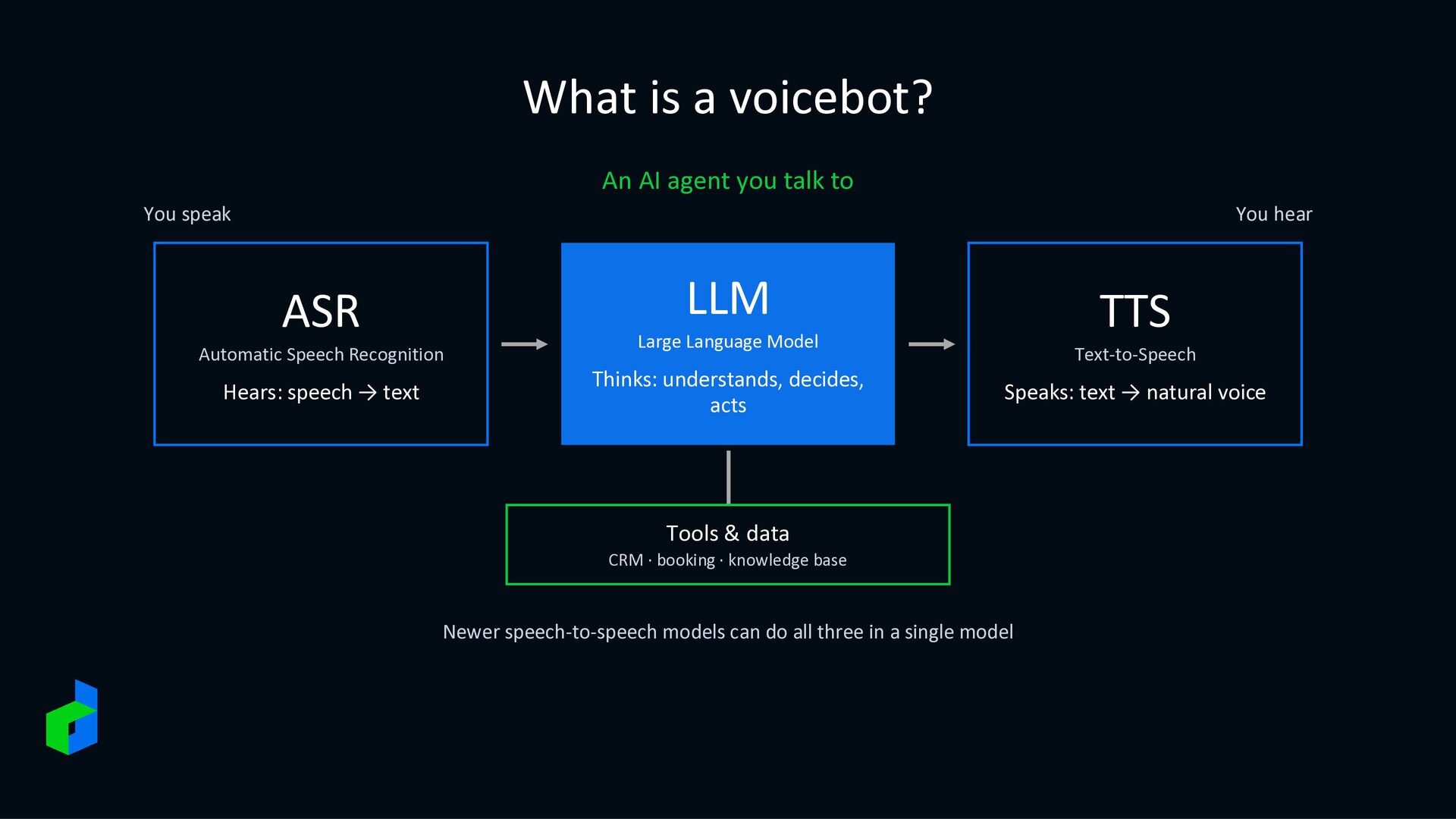
You speak You hear LLM ASR Automatic Speech Recognition Hears: speech → text TTS Large Language Model Thinks: understands, decides, acts Text-to-Speech Speaks: text → natural voice Tools & data CRM · booking · knowledge base Newer speech-to-speech models can do all three in a single model
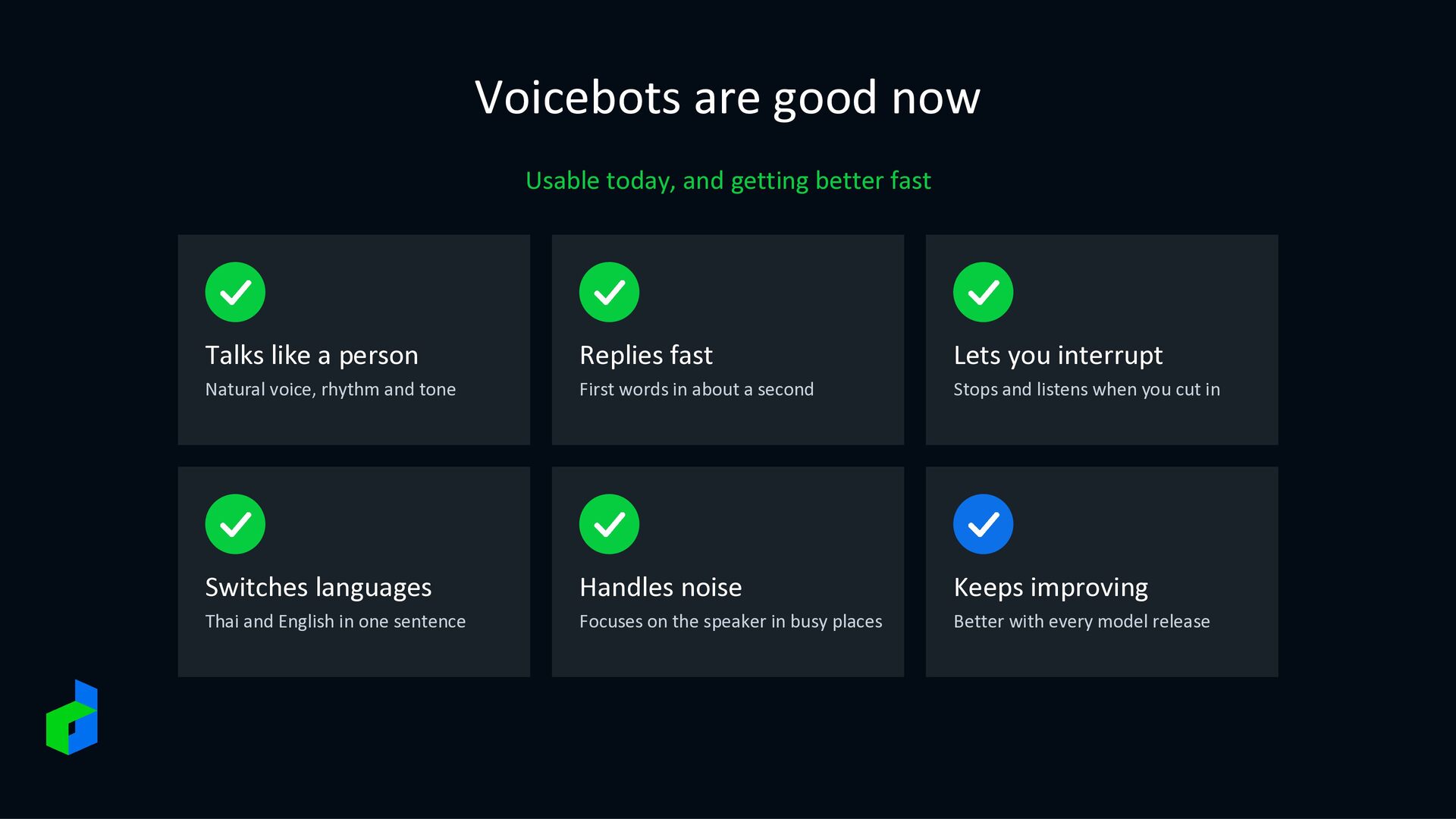
Talks like a person Replies fast Lets you interrupt Natural voice, rhythm and tone First words in about a second Stops and listens when you cut in Switches languages Handles noise Keeps improving Thai and English in one sentence Focuses on the speaker in busy places Better with every model release
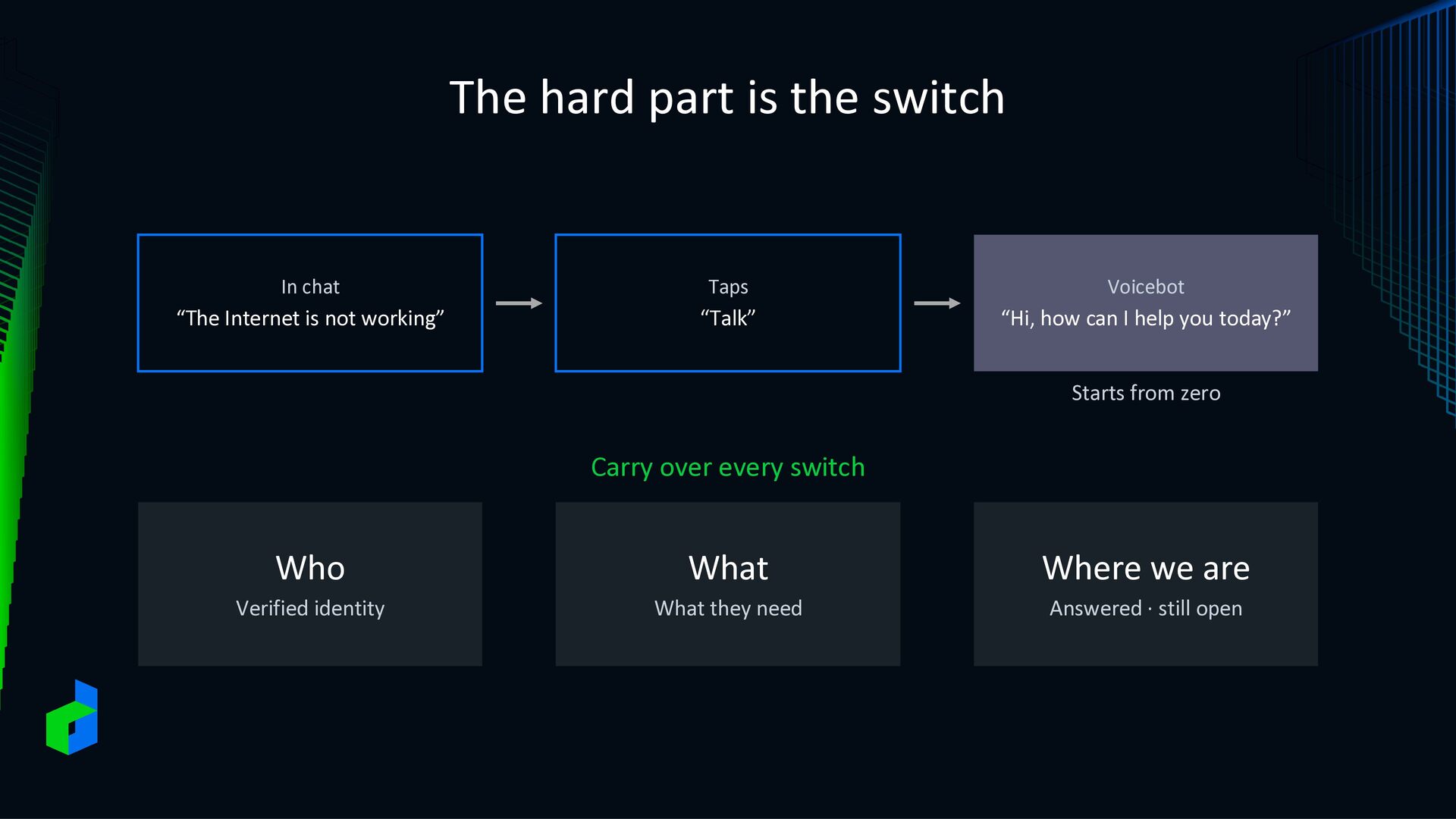
“The Internet is not working” “Talk” “Hi, how can I help you today?” Starts from zero Carry over every switch Who What Where we are Verified identity What they need Answered · still open
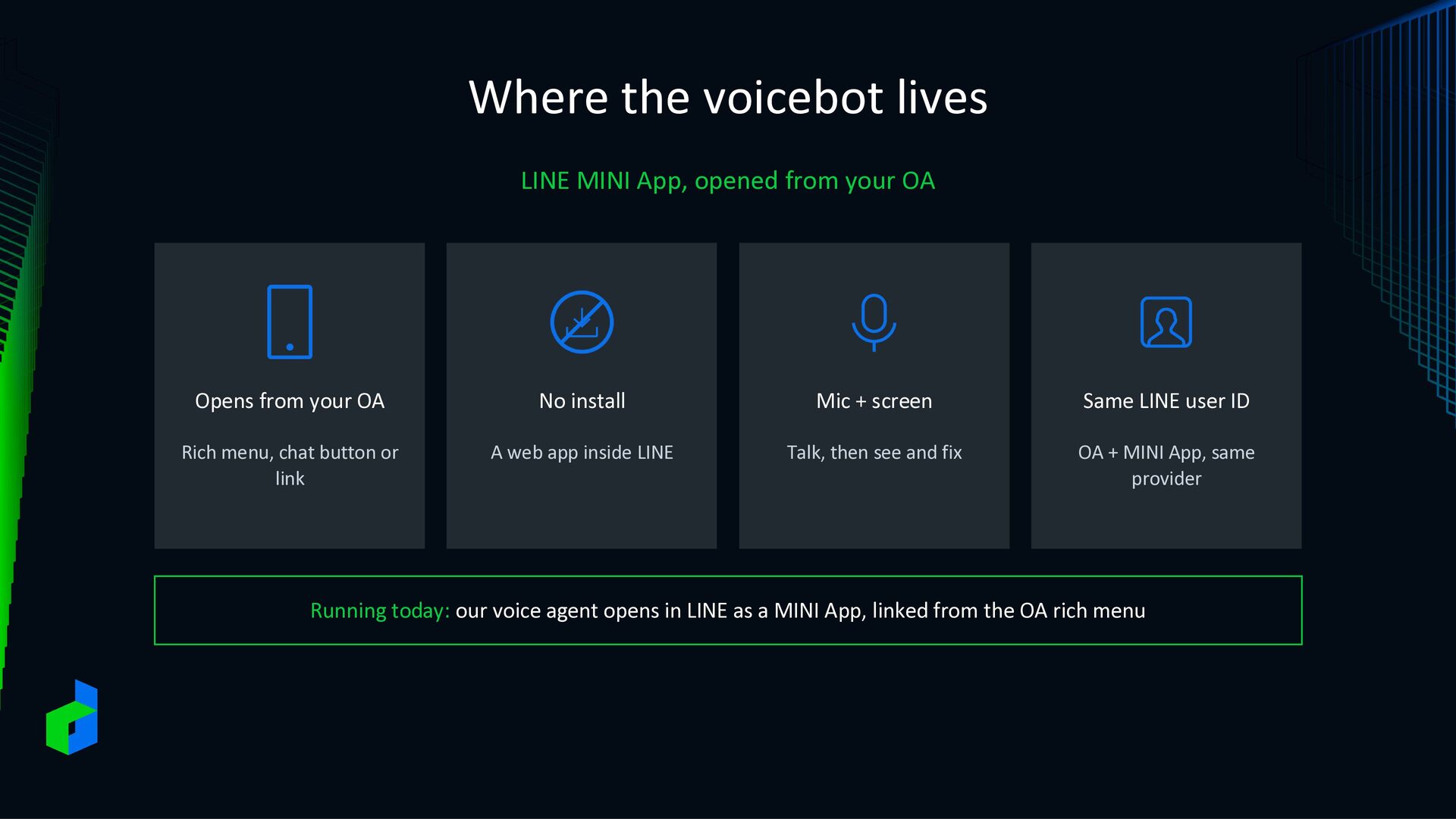
OA Opens from your OA No install Mic + screen Same LINE user ID Rich menu, chat button or link A web app inside LINE Talk, then see and fix OA + MINI App, same provider Running today: our voice agent opens in LINE as a MINI App, linked from the OA rich menu
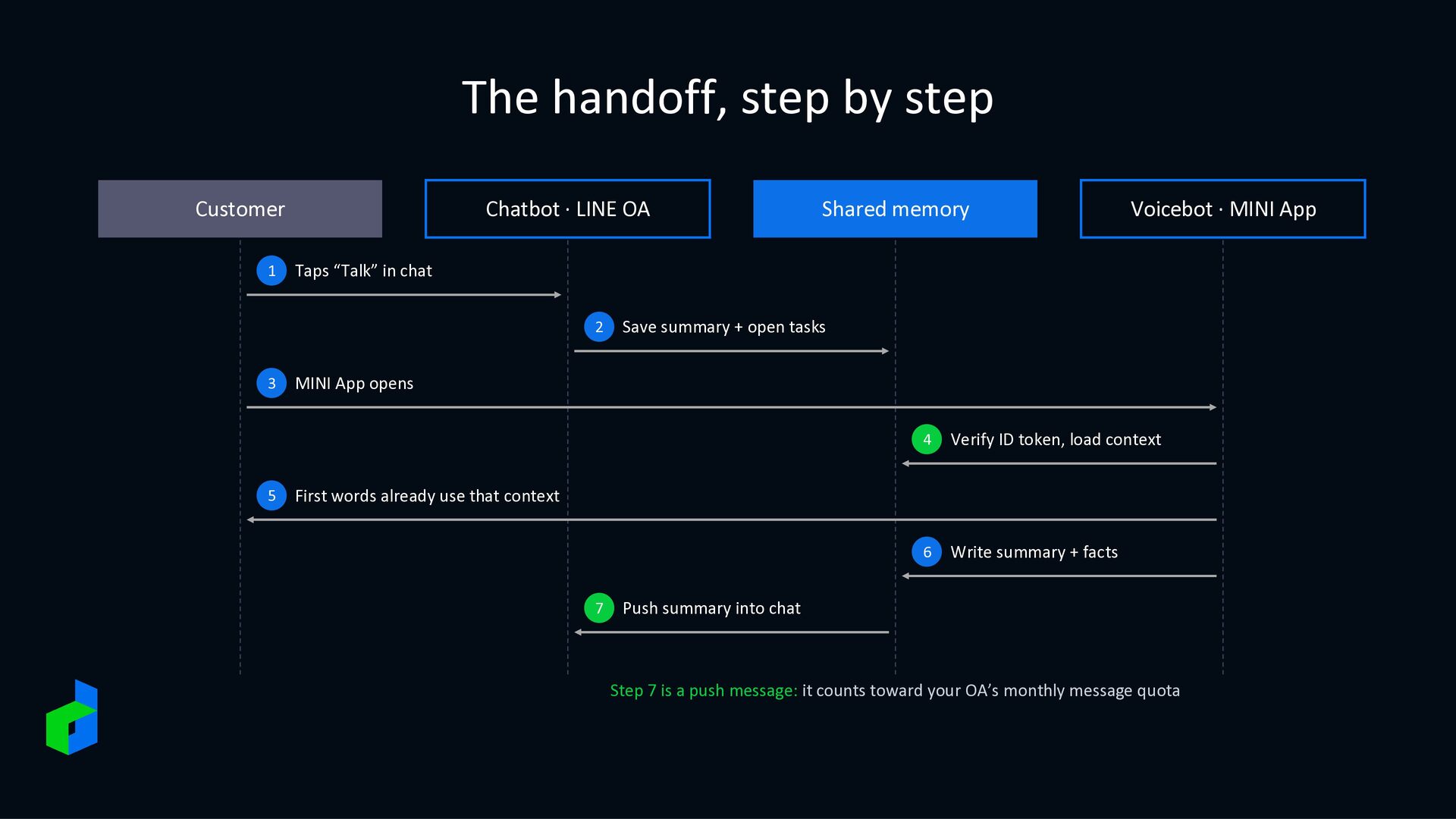
OA 5 Voicebot · MINI App Taps “Talk” in chat 2 3 Shared memory Save summary + open tasks MINI App opens 4 Verify ID token, load context 6 Write summary + facts First words already use that context 7 Push summary into chat Step 7 is a push message: it counts toward your OA’s monthly message quota
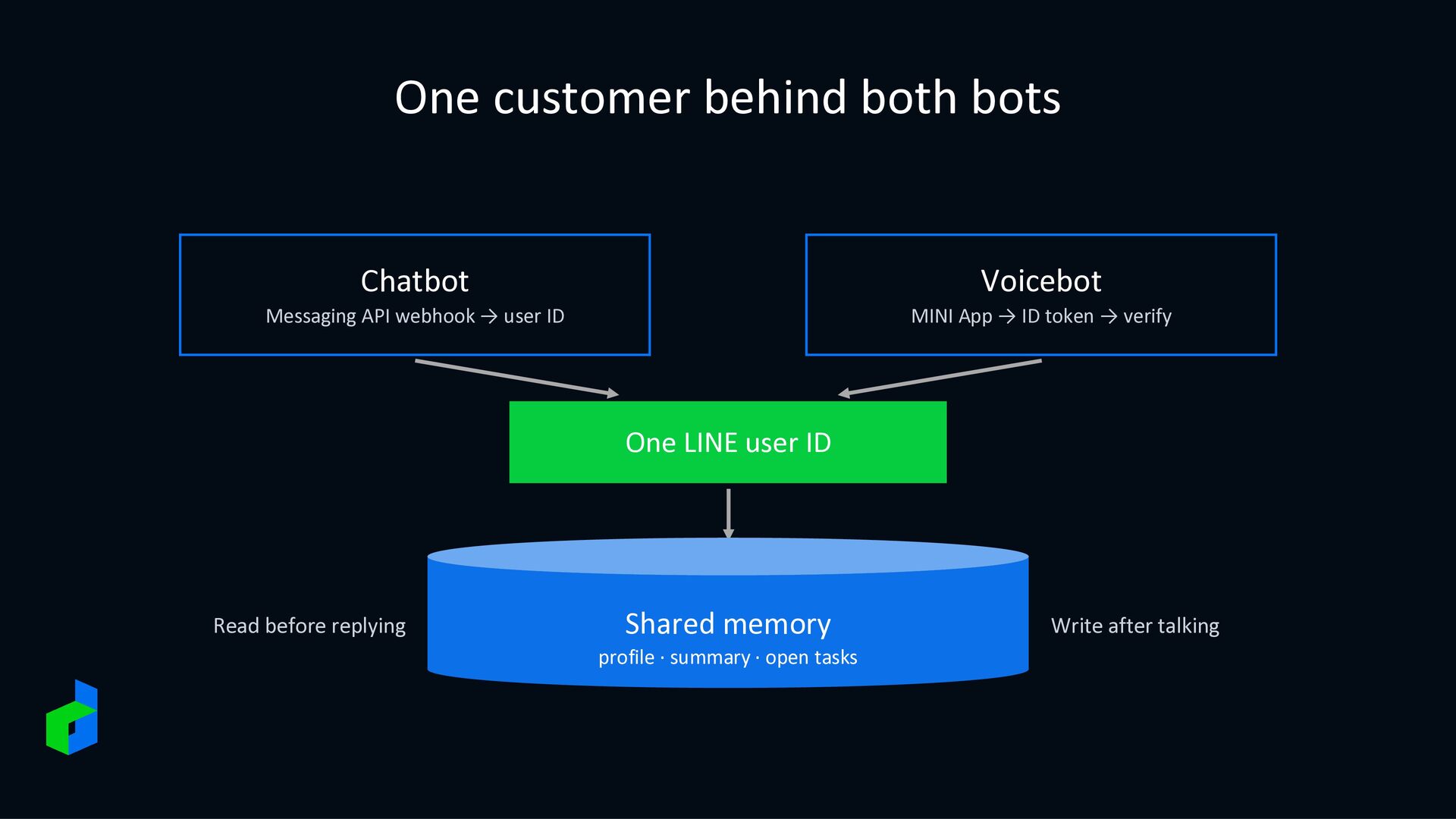
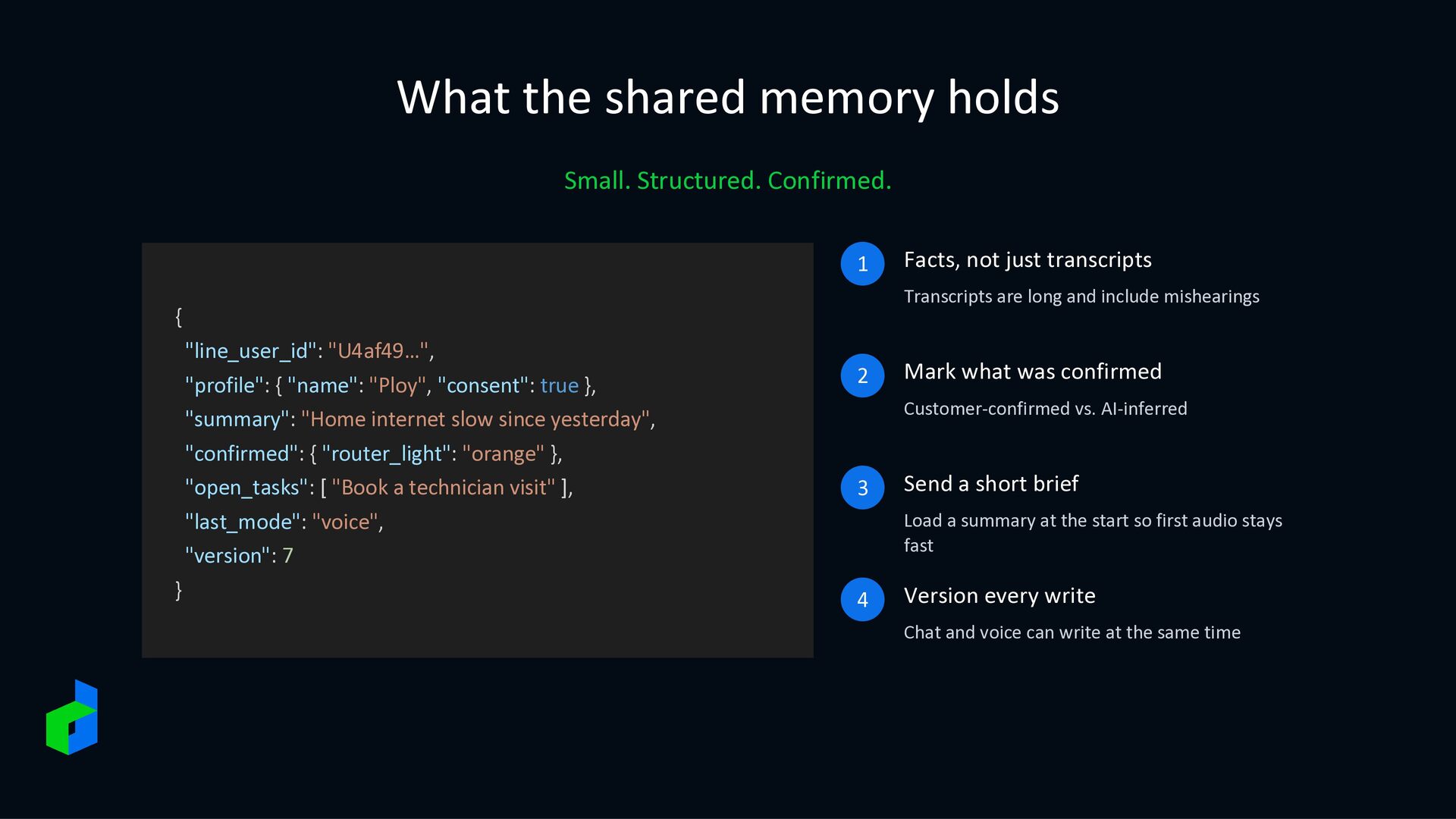
are long and include mishearings { "line_user_id": "U4af49…", "profile": { "name": "Ploy", "consent": true }, "summary": "Home internet slow since yesterday", "confirmed": { "router_light": "orange" }, "open_tasks": [ "Book a technician visit" ], "last_mode": "voice", "version": 7 } Facts, not just transcripts 2 Mark what was confirmed Customer-confirmed vs. AI-inferred 3 Send a short brief Load a summary at the start so first audio stays fast 4 Version every write Chat and voice can write at the same time
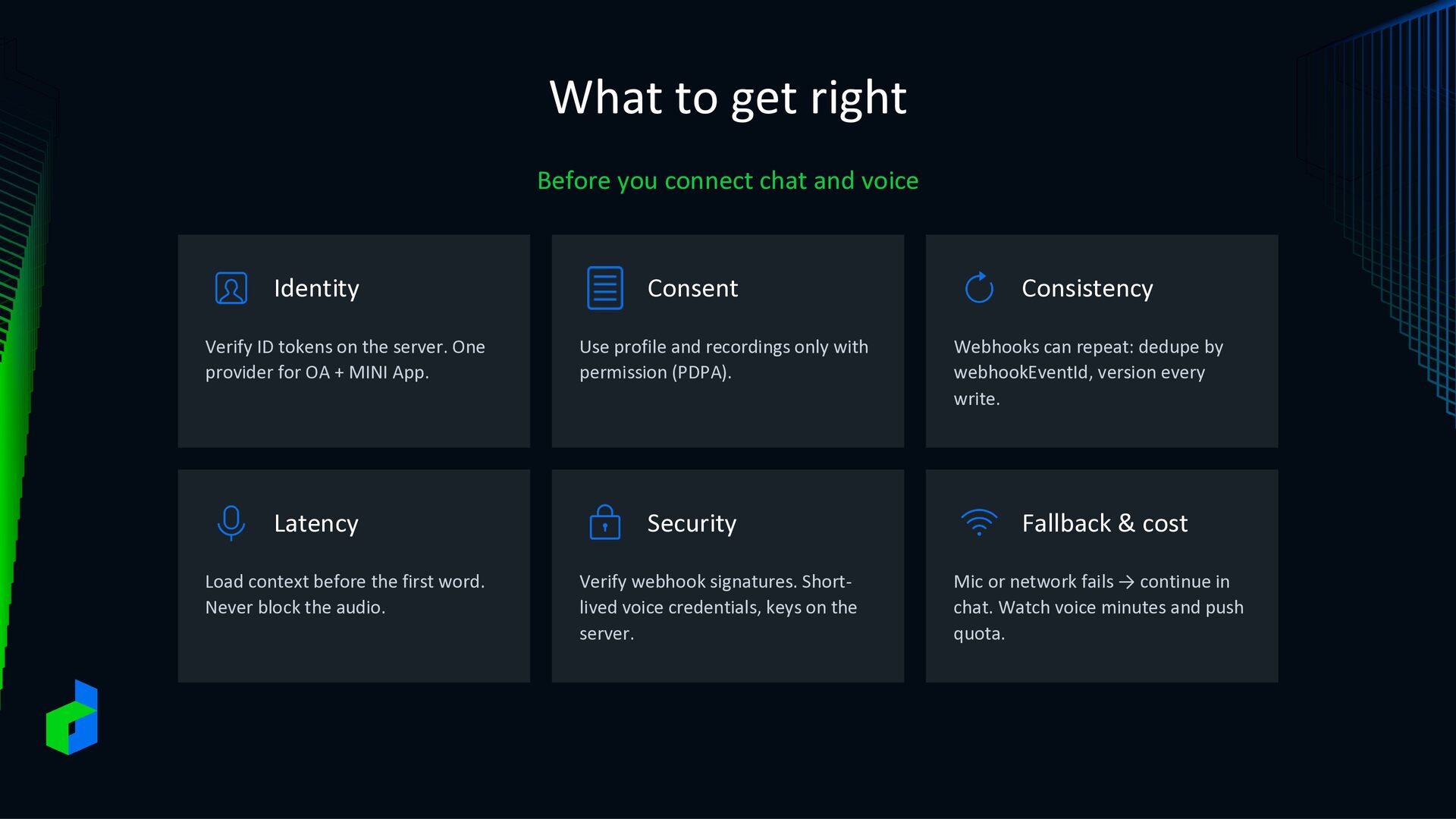
Identity Verify ID tokens on the server. One provider for OA + MINI App. Latency Load context before the first word. Never block the audio. Consent Use profile and recordings only with permission (PDPA). Security Verify webhook signatures. Shortlived voice credentials, keys on the server. Consistency Webhooks can repeat: dedupe by webhookEventId, version every write. Fallback & cost Mic or network fails → continue in chat. Watch voice minutes and push quota.
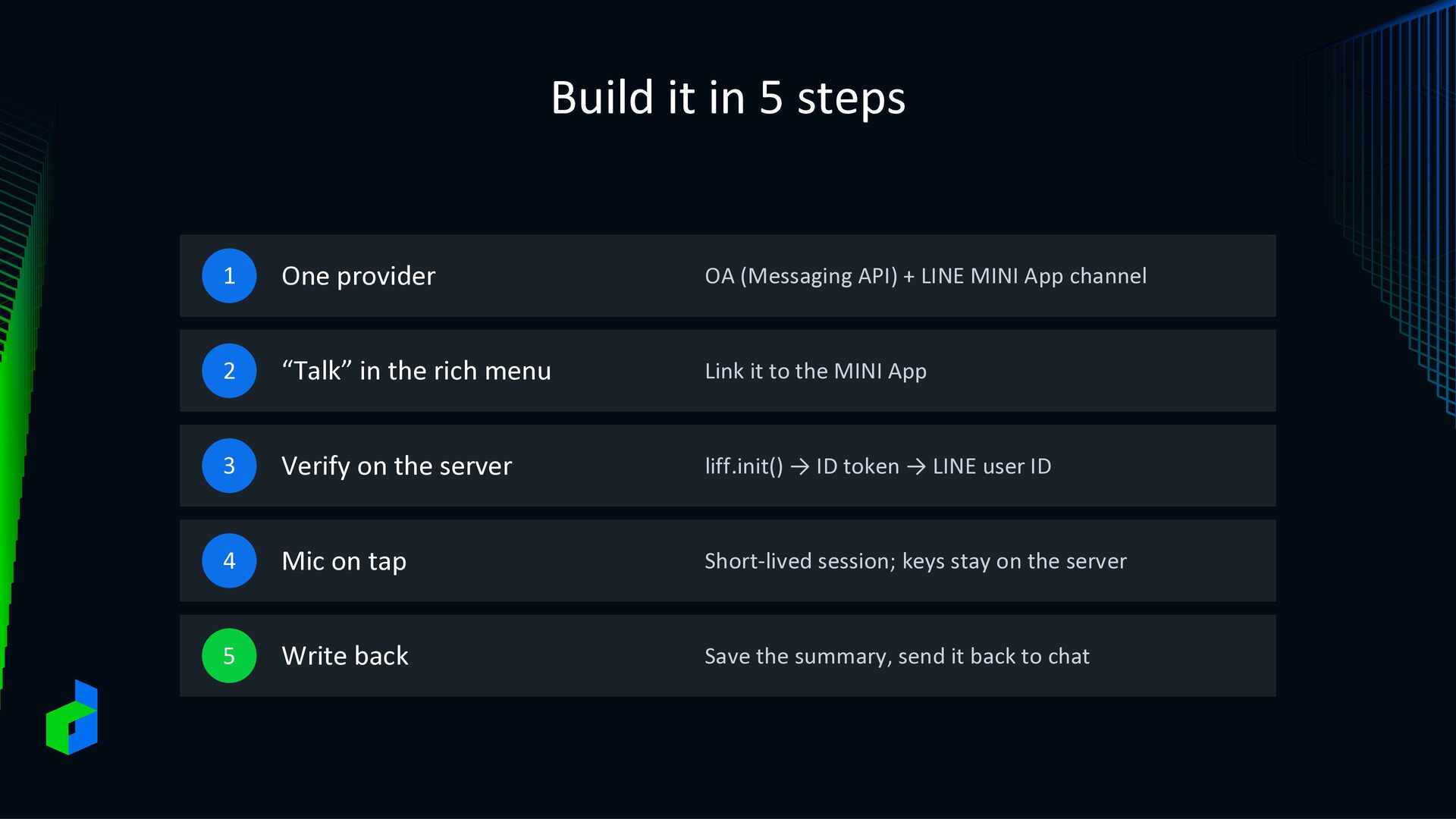
API) + LINE MINI App channel 2 “Talk” in the rich menu Link it to the MINI App 3 Verify on the server liff.init() → ID token → LINE user ID 4 Mic on tap Short-lived session; keys stay on the server 5 Write back Save the summary, send it back to chat
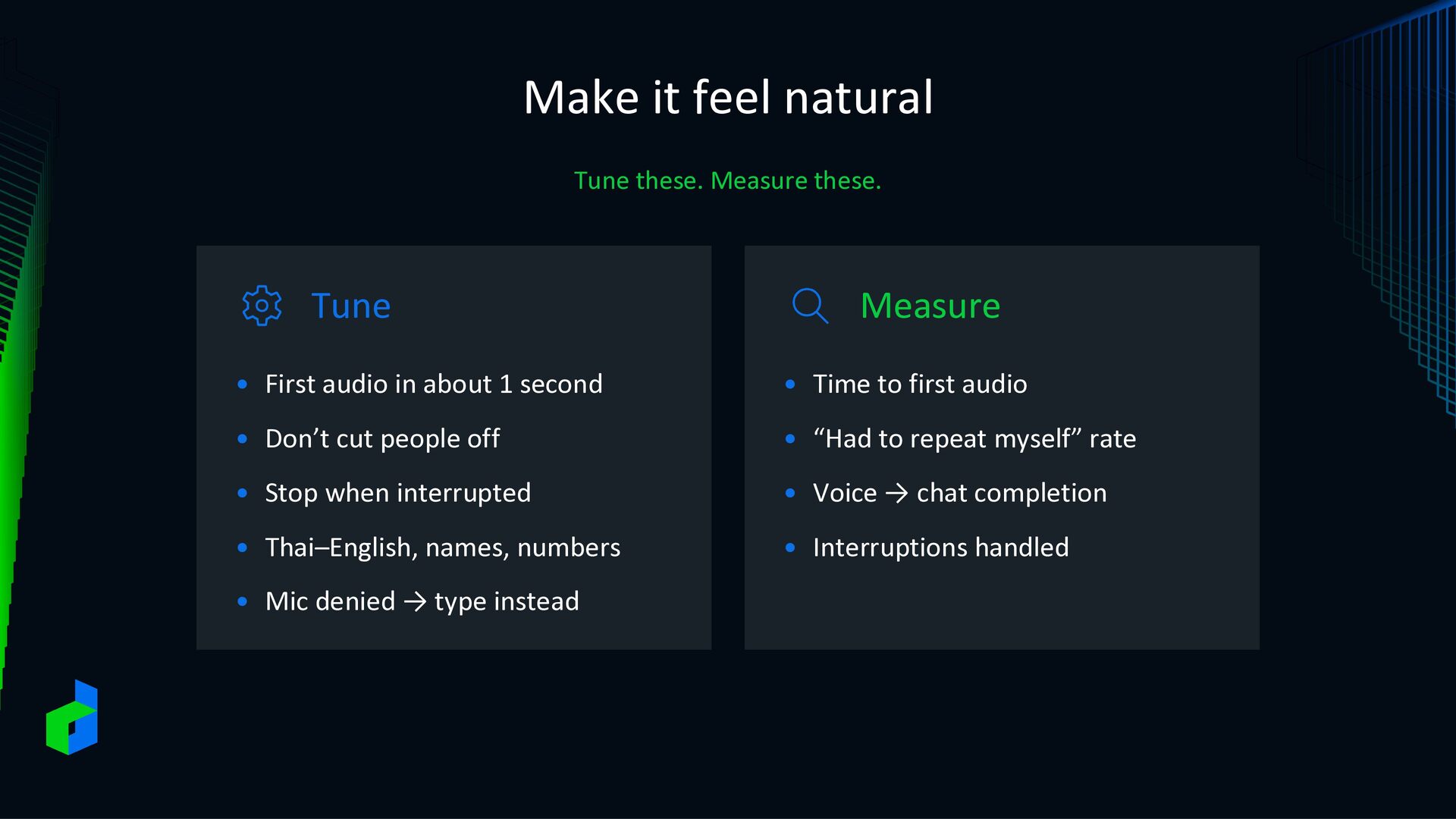
• First audio in about 1 second • Time to first audio • Don’t cut people off • “Had to repeat myself” rate • Stop when interrupted • Voice → chat completion • Thai–English, names, numbers • Interruptions handled • Mic denied → type instead


 linedevth
 eluwing
 oracle4engineer
 yamaguchitk333
 yoshida0129
 oikon48
 kinopeee
 orgachem
 sansantech
 finengine
 hamadakoji
 chmikata
 fufufukakaka
 jonoalderson
 addyosmani
 tammyeverts
 reverentgeek
 paigeccino
 tammielis
 jacobian
 aleyda
 danielanewman