Share
Embed
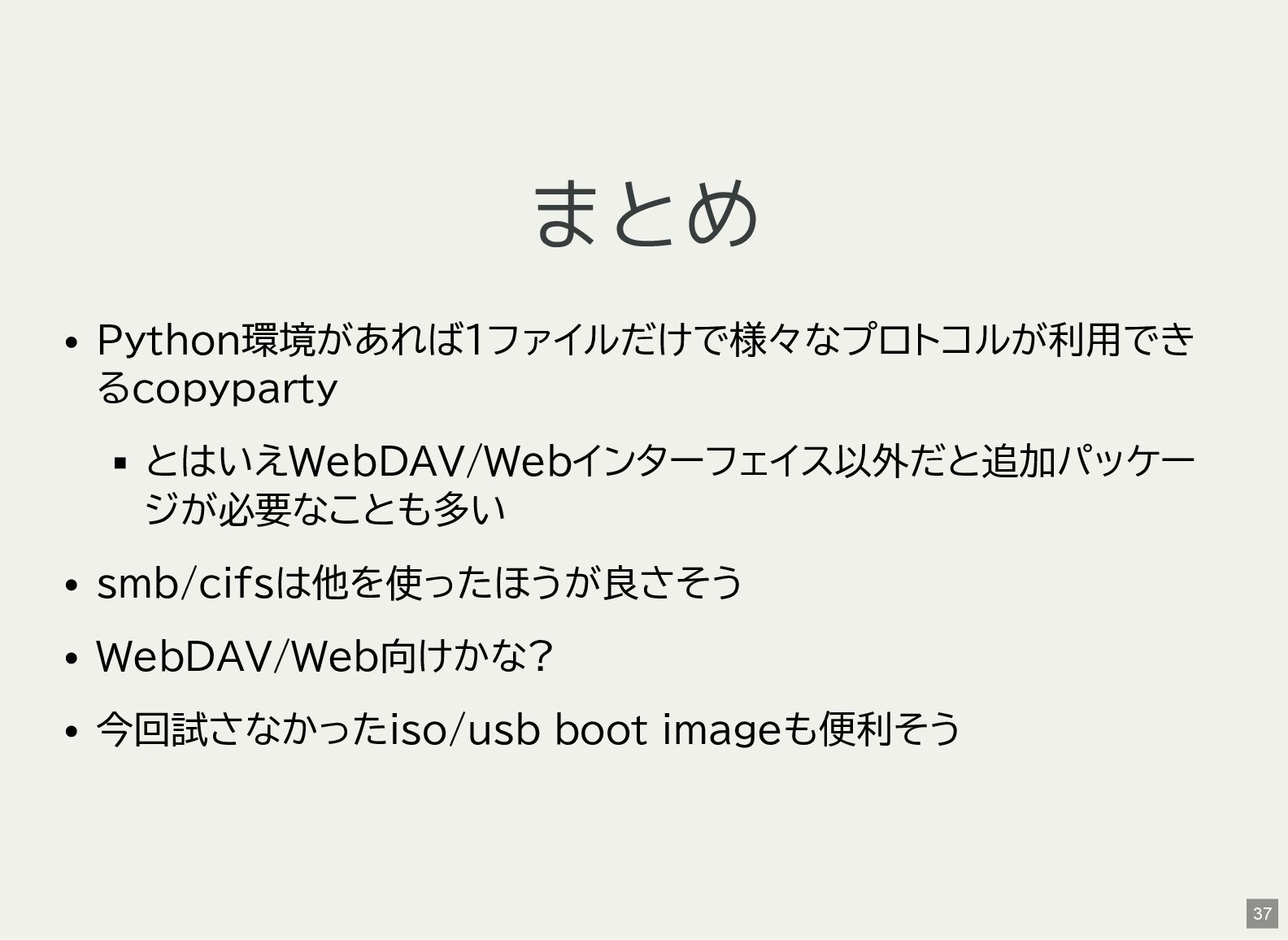
ポータブルで色々なプロトコルに対応したファイルサーバーのcopypartyを試す
発表:: 鹿児島Linux勉強会 2025.08(オンライン開催)]2025-08-24(sun) https://kagolug.connpass.com/event/366007/
Kenichiro MATOHARA
August 24, 2025
Transcript
35 slides
-
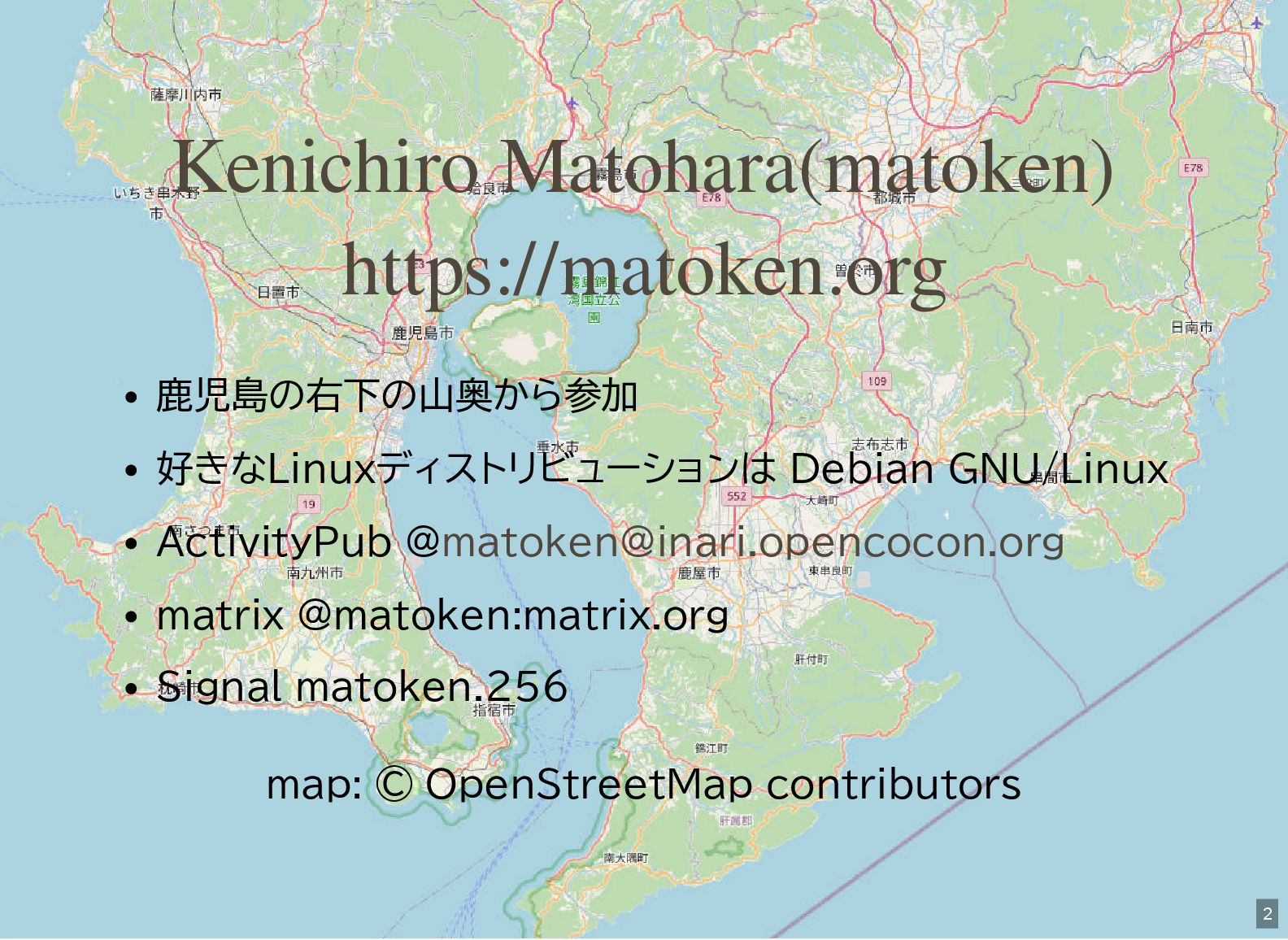
鹿児島の右下の山奥から参加 好きなLinuxディストリビューションは Debian GNU/Linux ActivityPub @ matrix @matoken:matrix.org Signal matoken.256
map: © OpenStreetMap contributors Kenichiro Matohara(matoken) https://matoken.org [email protected] 2 -
copyparty 9001/copyparty: Portable file server with accelerated resumable uploads, dedup,
WebDAV, FTP, TFTP, zeroconf, media indexer, thumbnails++ all in one file, no deps 4 -
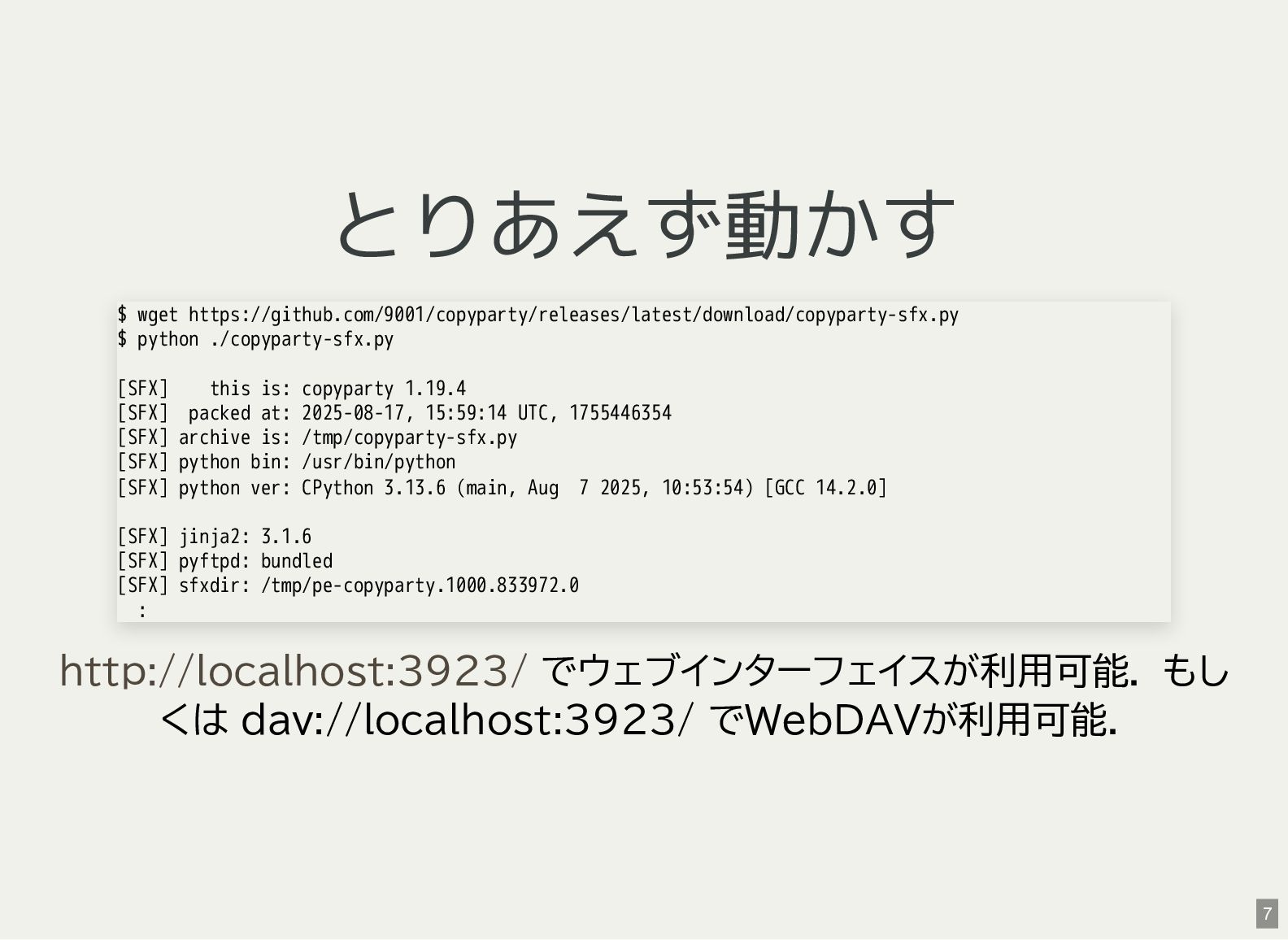
とりあえず動かす でウェブインターフェイスが利用可能. もし くは dav://localhost:3923/ でWebDAVが利用可能. $ wget https://github.com/9001/copyparty/releases/latest/download/copyparty-sfx.py $
python ./copyparty-sfx.py [SFX] this is: copyparty 1.19.4 [SFX] packed at: 2025-08-17, 15:59:14 UTC, 1755446354 [SFX] archive is: /tmp/copyparty-sfx.py [SFX] python bin: /usr/bin/python [SFX] python ver: CPython 3.13.6 (main, Aug 7 2025, 10:53:54) [GCC 14.2.0] [SFX] jinja2: 3.1.6 [SFX] pyftpd: bundled [SFX] sfxdir: /tmp/pe-copyparty.1000.833972.0 : http://localhost:3923/ 7 -
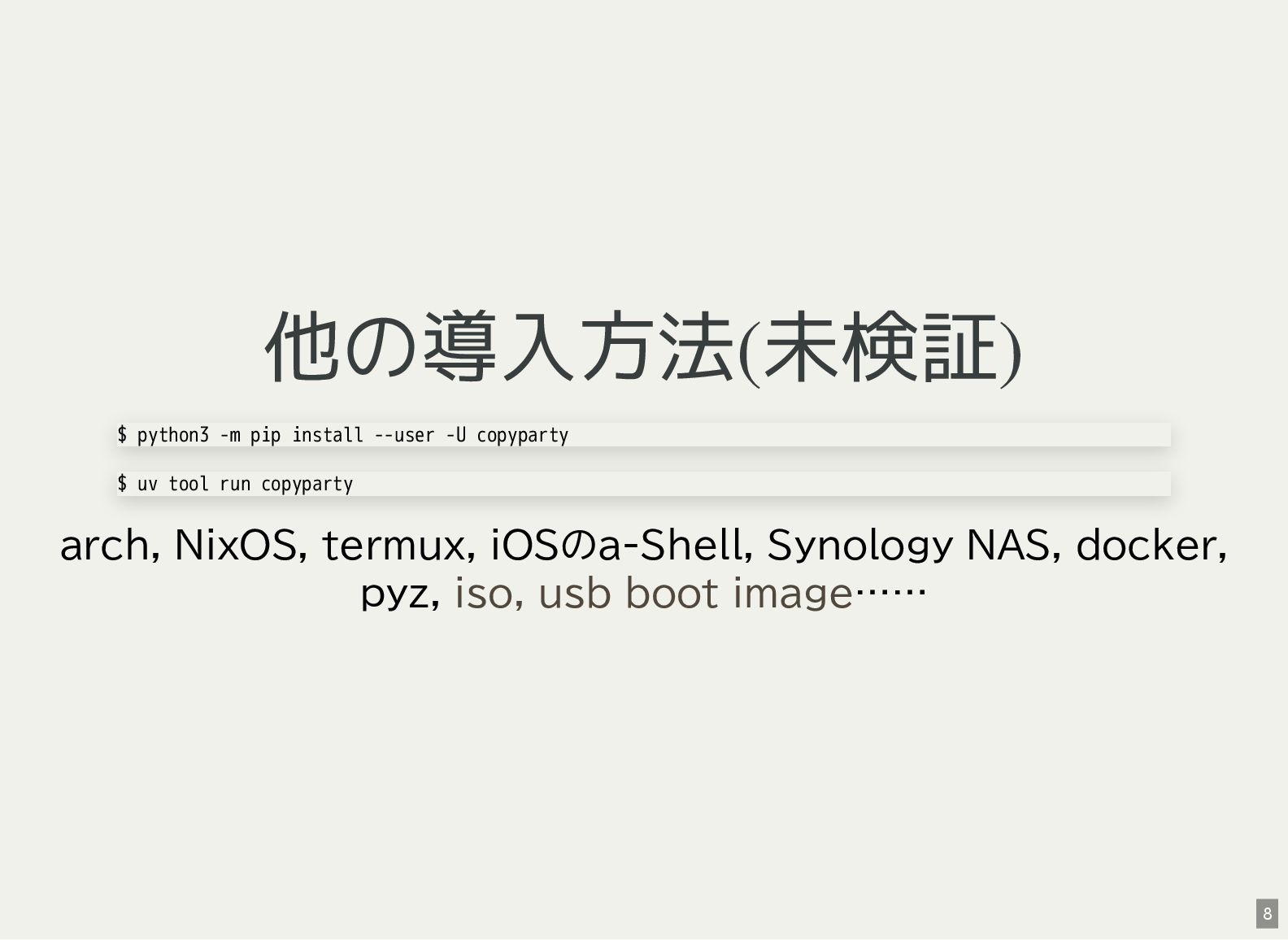
他の導入方法(未検証) arch, NixOS, termux, iOSのa-Shell, Synology NAS, docker, pyz, ……
$ python3 -m pip install --user -U copyparty $ uv tool run copyparty iso, usb boot image 8 -
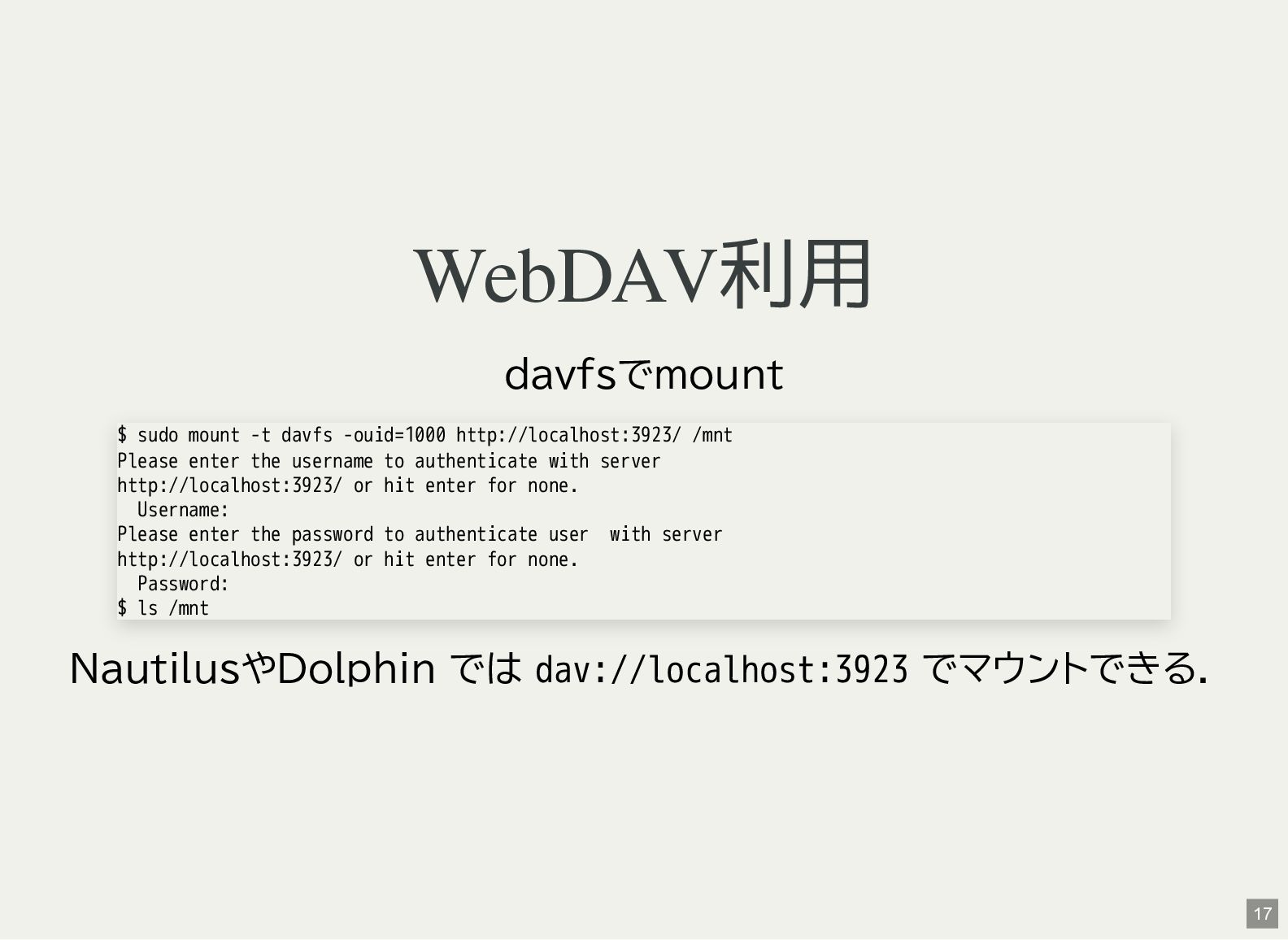
WebDAV利用 davfsでmount NautilusやDolphin では dav://localhost:3923 でマウントできる. $ sudo mount -t
davfs -ouid=1000 http://localhost:3923/ /mnt Please enter the username to authenticate with server http://localhost:3923/ or hit enter for none. Username: Please enter the password to authenticate user with server http://localhost:3923/ or hit enter for none. Password: $ ls /mnt 17 -
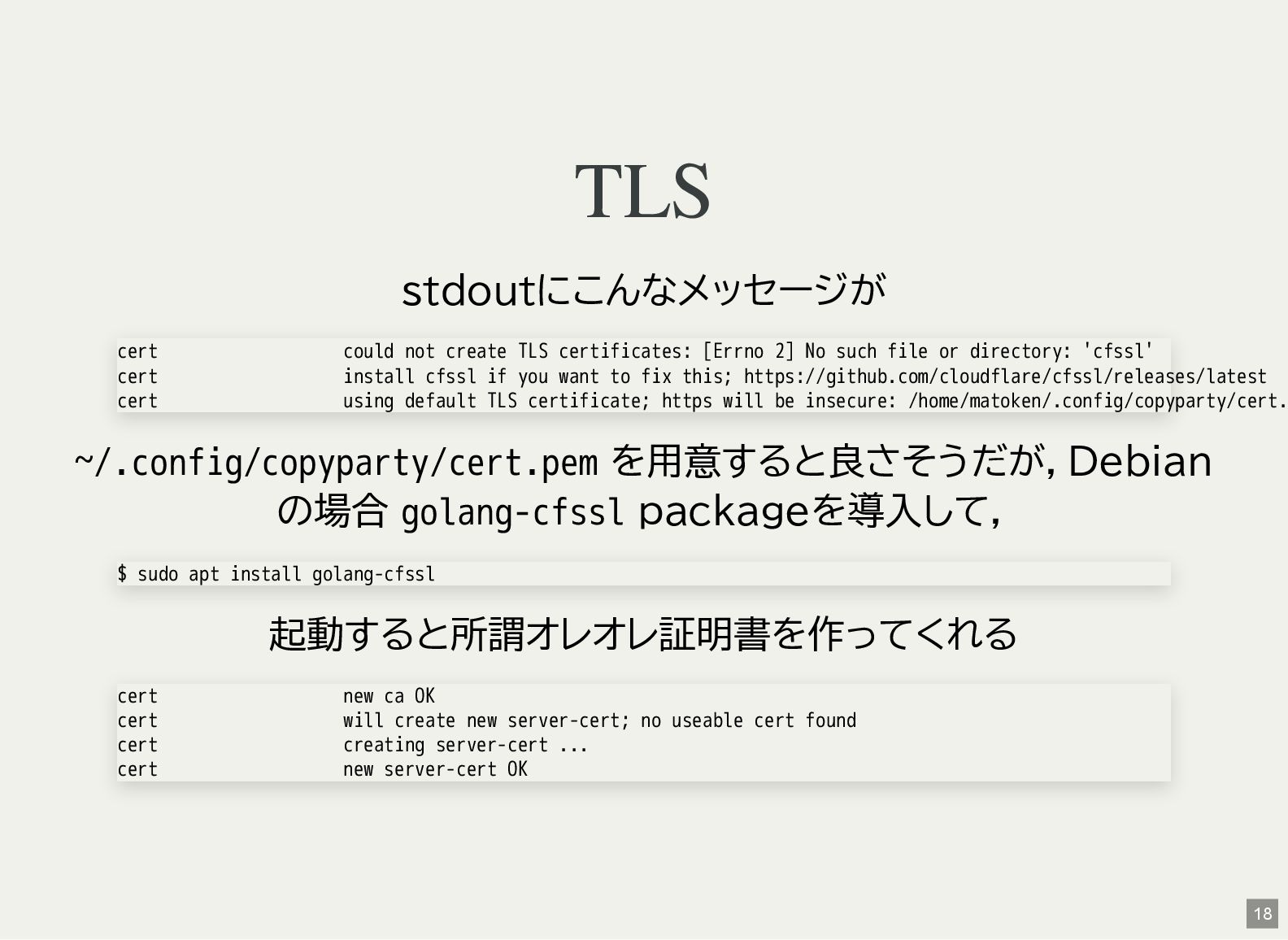
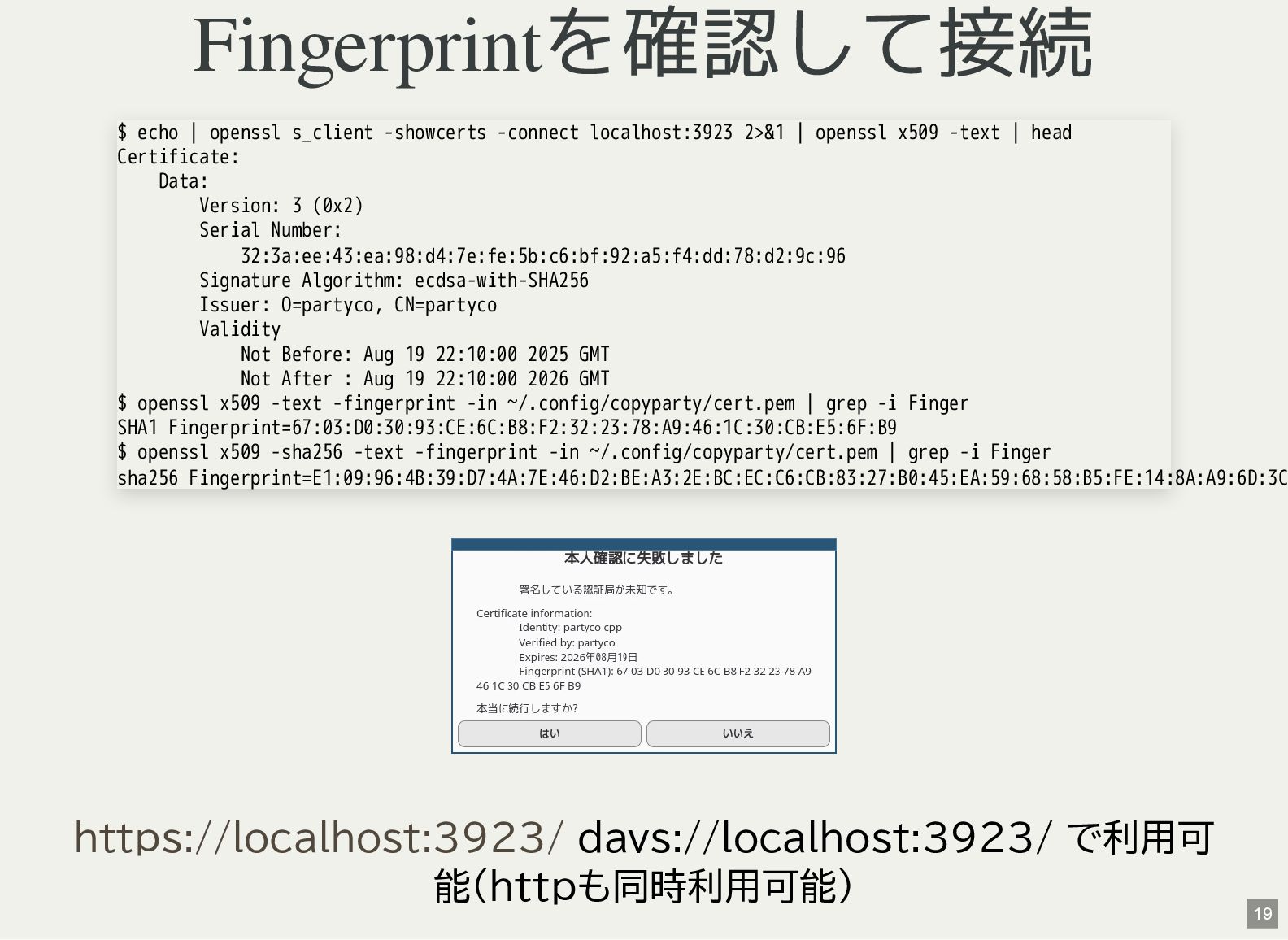
TLS stdoutにこんなメッセージが ~/.config/copyparty/cert.pem を用意すると良さそうだが,Debian の場合 golang-cfssl packageを導入して, 起動すると所謂オレオレ証明書を作ってくれる cert could
not create TLS certificates: [Errno 2] No such file or directory: 'cfssl' cert install cfssl if you want to fix this; https://github.com/cloudflare/cfssl/releases/latest cert using default TLS certificate; https will be insecure: /home/matoken/.config/copyparty/cert. $ sudo apt install golang-cfssl cert new ca OK cert will create new server-cert; no useable cert found cert creating server-cert ... cert new server-cert OK 18 -
Fingerprintを確認して接続 davs://localhost:3923/ で利用可 能(httpも同時利用可能) $ echo | openssl s_client -showcerts
-connect localhost:3923 2>&1 | openssl x509 -text | head Certificate: Data: Version: 3 (0x2) Serial Number: 32:3a:ee:43:ea:98:d4:7e:fe:5b:c6:bf:92:a5:f4:dd:78:d2:9c:96 Signature Algorithm: ecdsa-with-SHA256 Issuer: O=partyco, CN=partyco Validity Not Before: Aug 19 22:10:00 2025 GMT Not After : Aug 19 22:10:00 2026 GMT $ openssl x509 -text -fingerprint -in ~/.config/copyparty/cert.pem | grep -i Finger SHA1 Fingerprint=67:03:D0:30:93:CE:6C:B8:F2:32:23:78:A9:46:1C:30:CB:E5:6F:B9 $ openssl x509 -sha256 -text -fingerprint -in ~/.config/copyparty/cert.pem | grep -i Finger sha256 Fingerprint=E1:09:96:4B:39:D7:4A:7E:46:D2:BE:A3:2E:BC:EC:C6:CB:83:27:B0:45:EA:59:68:58:B5:FE:14:8A:A9:6D:3C https://localhost:3923/ 19 -
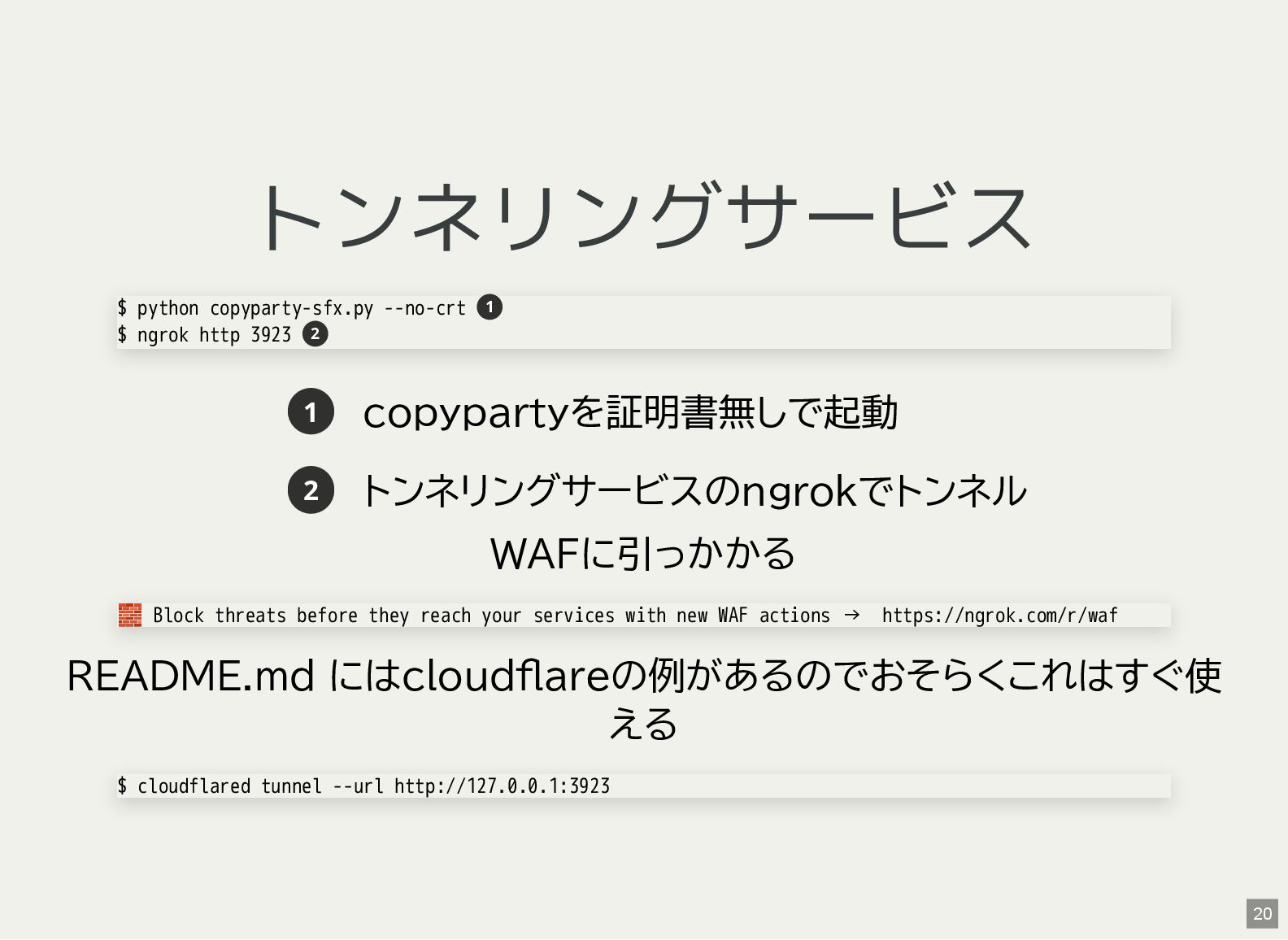
トンネリングサービス 1 copypartyを証明書無しで起動 2 トンネリングサービスのngrokでトンネル WAFに引っかかる README.md にはcloudflareの例があるのでおそらくこれはすぐ使 える $
python copyparty-sfx.py --no-crt $ ngrok http 3923 1 2 🧱 Block threats before they reach your services with new WAF actions → https://ngrok.com/r/waf $ cloudflared tunnel --url http://127.0.0.1:3923 20 -
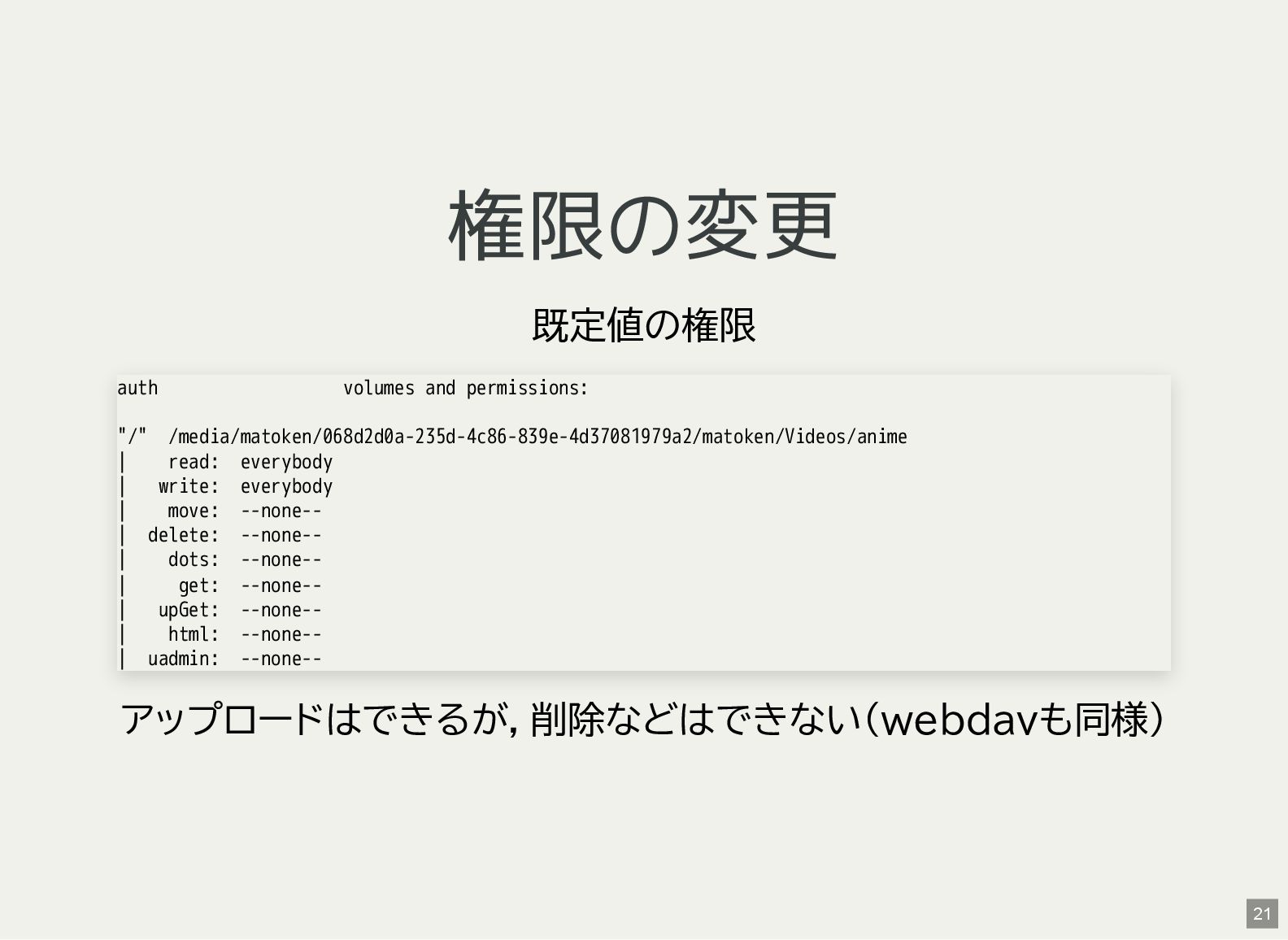
権限の変更 既定値の権限 アップロードはできるが,削除などはできない(webdavも同様) auth volumes and permissions: "/" /media/matoken/068d2d0a-235d-4c86-839e-4d37081979a2/matoken/Videos/anime |
read: everybody | write: everybody | move: --none-- | delete: --none-- | dots: --none-- | get: --none-- | upGet: --none-- | html: --none-- | uadmin: --none-- 21 -
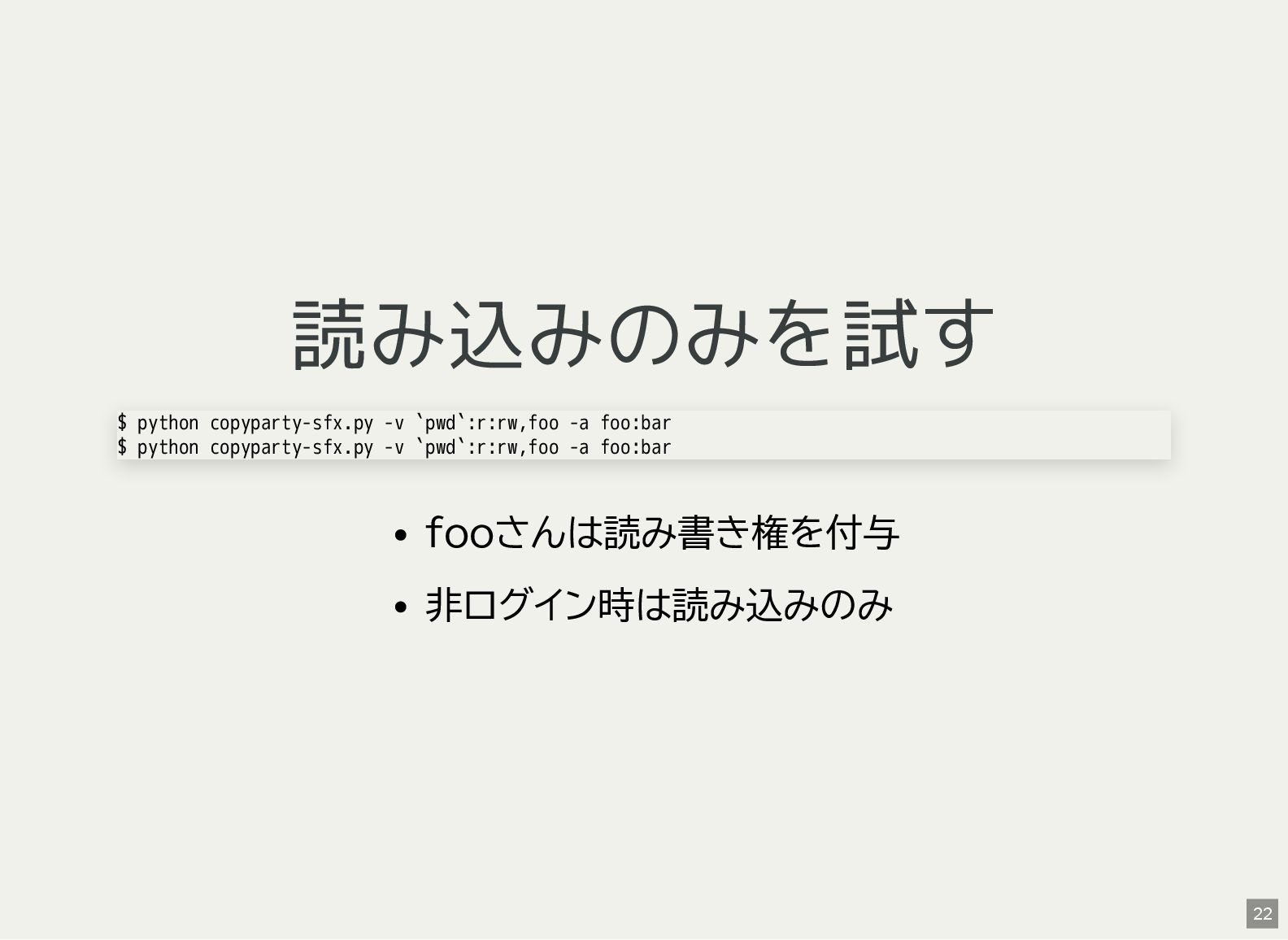
読み込みのみを試す fooさんは読み書き権を付与 非ログイン時は読み込みのみ $ python copyparty-sfx.py -v `pwd`:r:rw,foo -a foo:bar
$ python copyparty-sfx.py -v `pwd`:r:rw,foo -a foo:bar 22 -
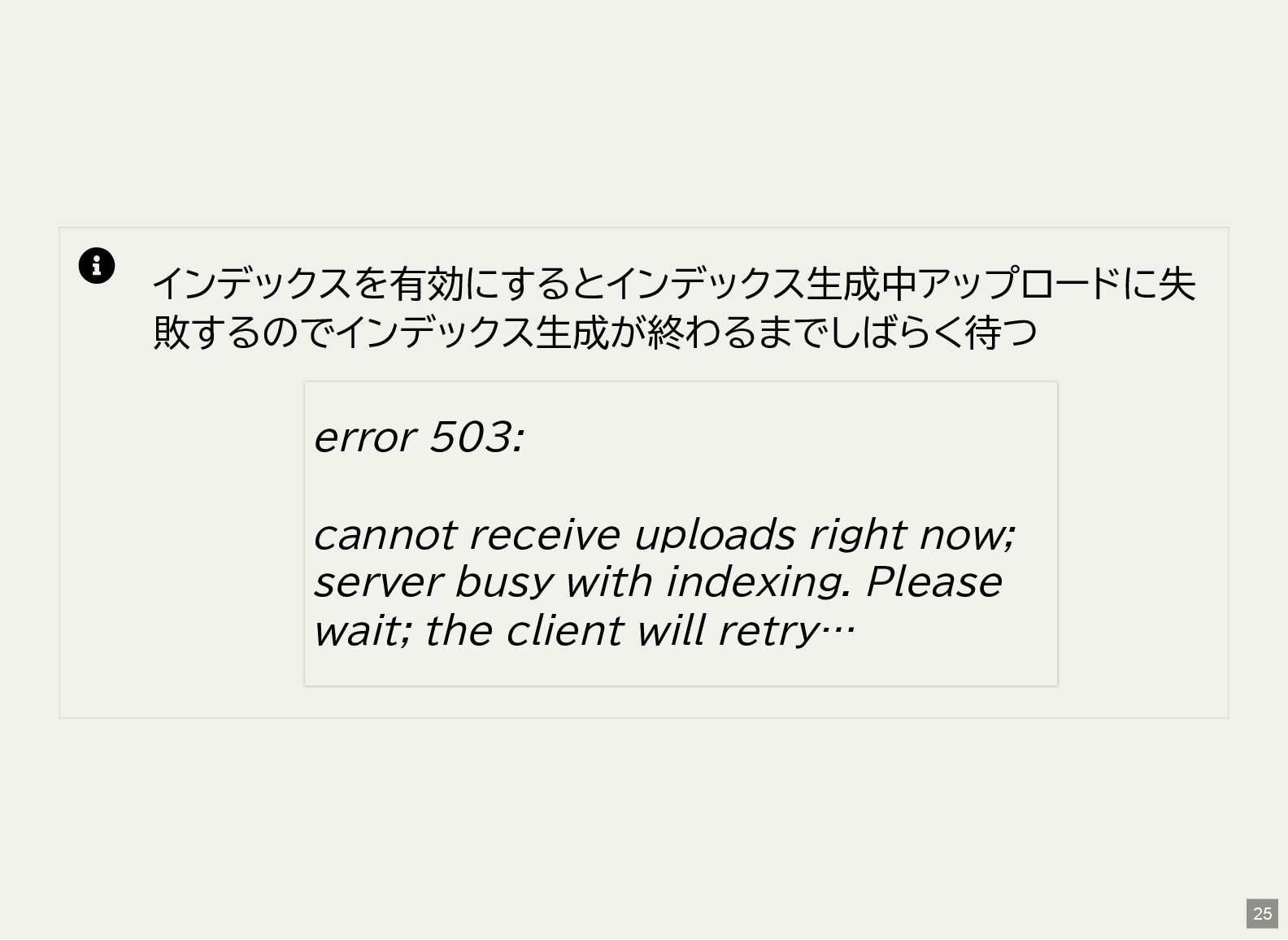
インデックスを有効にするとインデックス生成中アップロードに失 敗するのでインデックス生成が終わるまでしばらく待つ error 503: cannot receive uploads right now;
server busy with indexing. Please wait; the client will retry… 25 -
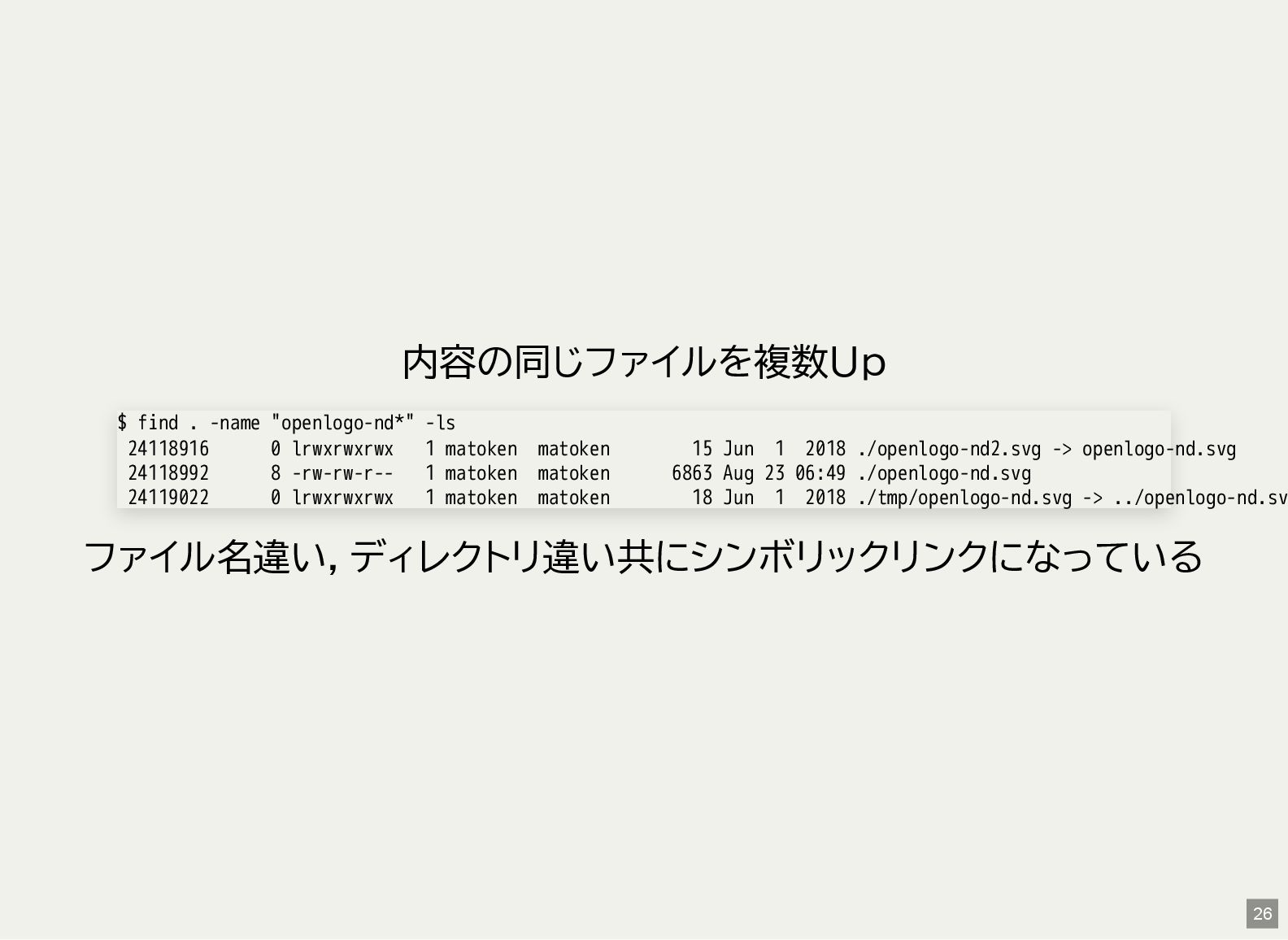
内容の同じファイルを複数Up ファイル名違い,ディレクトリ違い共にシンボリックリンクになっている $ find . -name "openlogo-nd*" -ls 24118916 0
lrwxrwxrwx 1 matoken matoken 15 Jun 1 2018 ./openlogo-nd2.svg -> openlogo-nd.svg 24118992 8 -rw-rw-r-- 1 matoken matoken 6863 Aug 23 06:49 ./openlogo-nd.svg 24119022 0 lrwxrwxrwx 1 matoken matoken 18 Jun 1 2018 ./tmp/openlogo-nd.svg -> ../openlogo-nd.sv 26 -
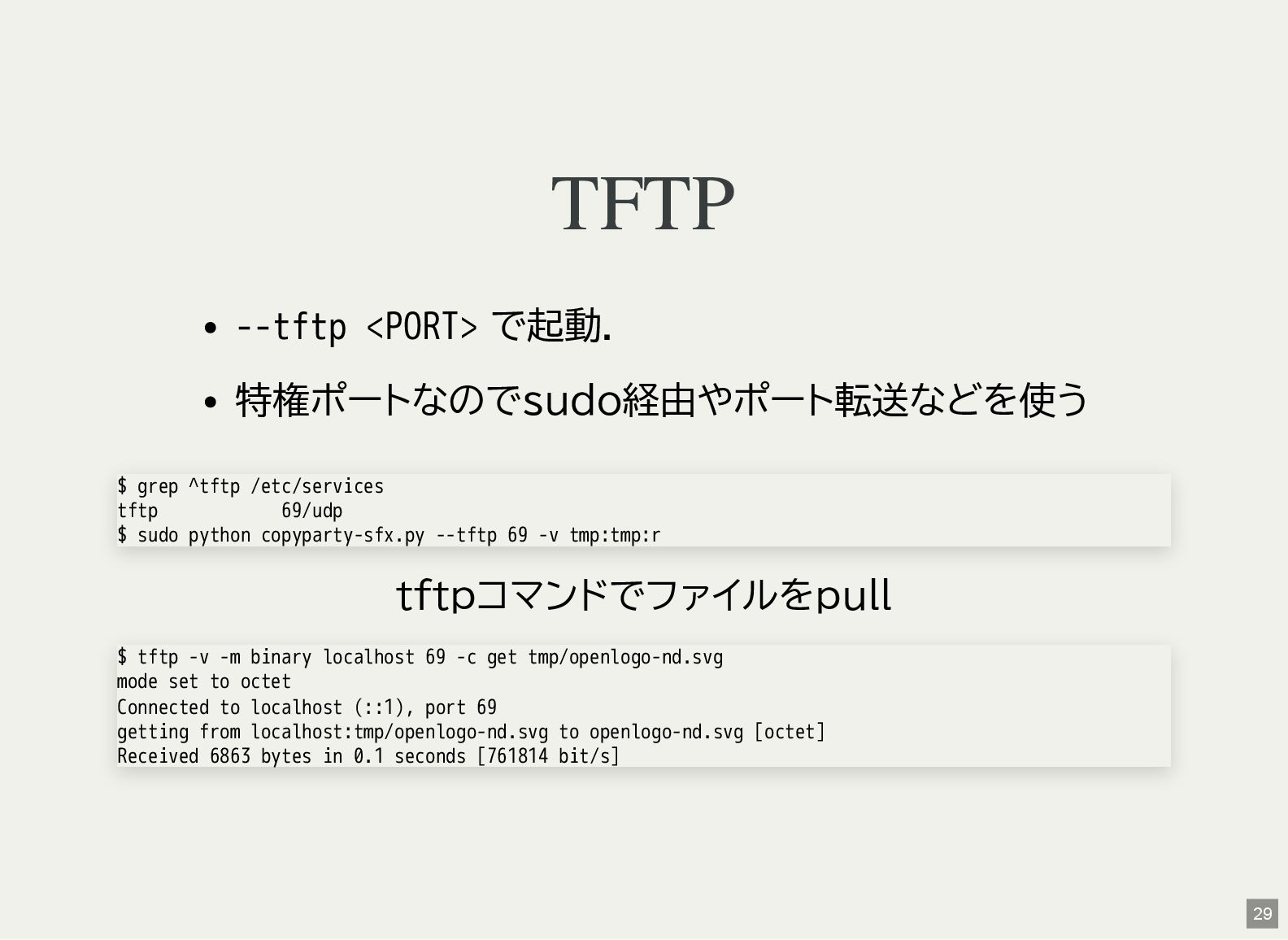
TFTP --tftp <PORT> で起動. 特権ポートなのでsudo経由やポート転送などを使う tftpコマンドでファイルをpull $ grep ^tftp /etc/services
tftp 69/udp $ sudo python copyparty-sfx.py --tftp 69 -v tmp:tmp:r $ tftp -v -m binary localhost 69 -c get tmp/openlogo-nd.svg mode set to octet Connected to localhost (::1), port 69 getting from localhost:tmp/openlogo-nd.svg to openlogo-nd.svg [octet] Received 6863 bytes in 0.1 seconds [761814 bit/s] 29 -
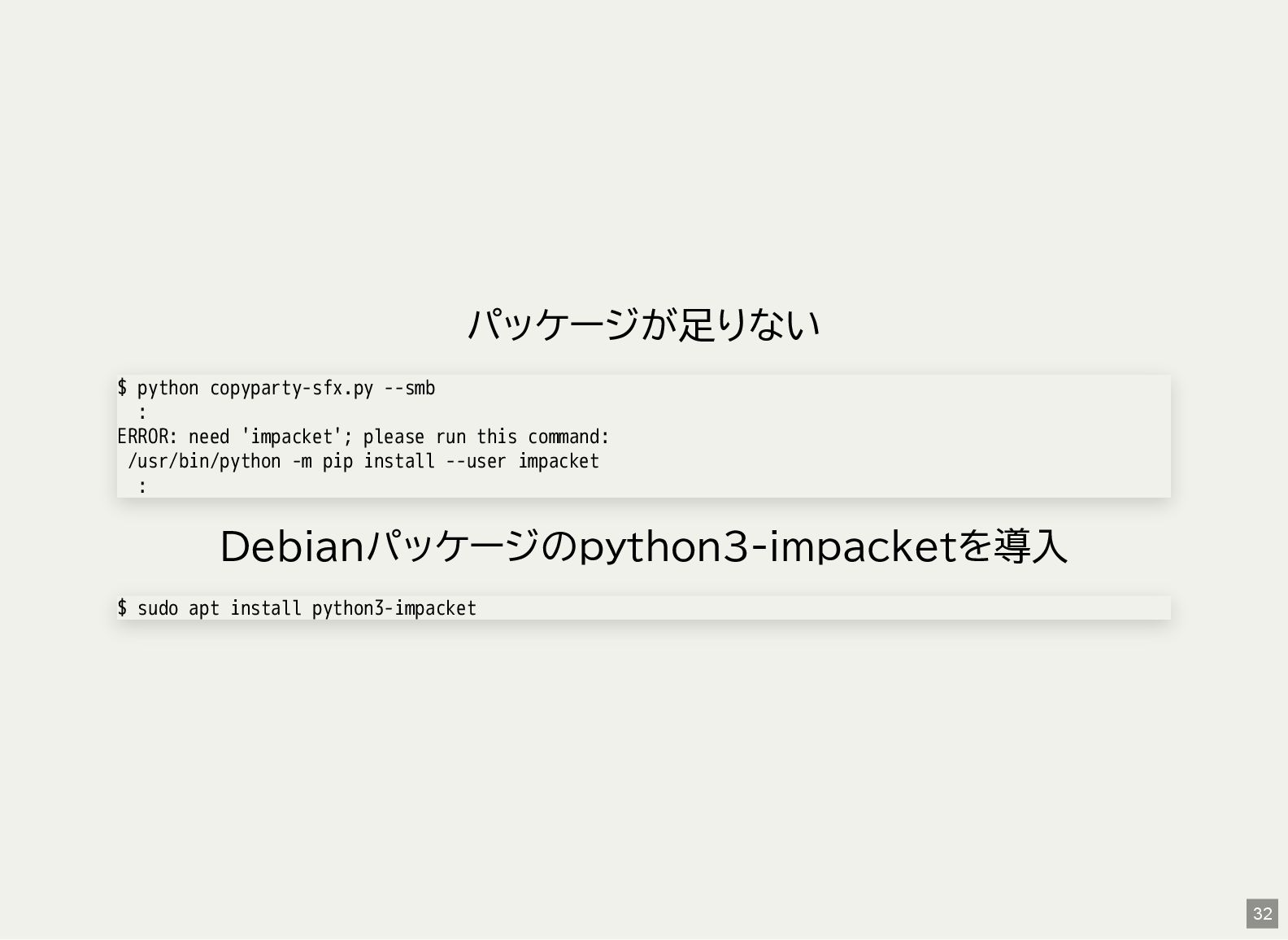
パッケージが足りない Debianパッケージのpython3-impacketを導入 $ python copyparty-sfx.py --smb : ERROR: need 'impacket';
please run this command: /usr/bin/python -m pip install --user impacket : $ sudo apt install python3-impacket 32 -
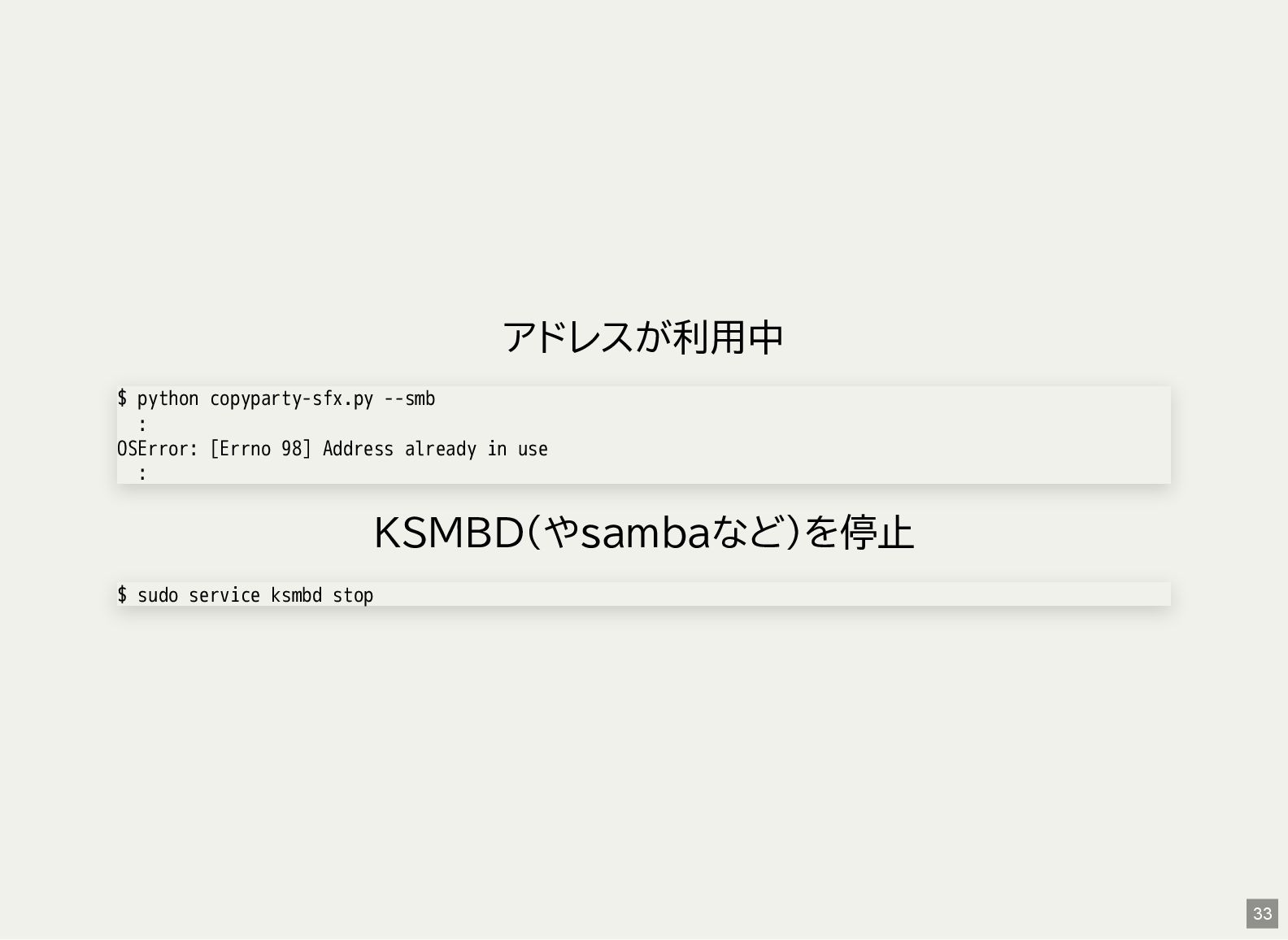
アドレスが利用中 KSMBD(やsambaなど)を停止 $ python copyparty-sfx.py --smb : OSError: [Errno 98]
Address already in use : $ sudo service ksmbd stop 33 -
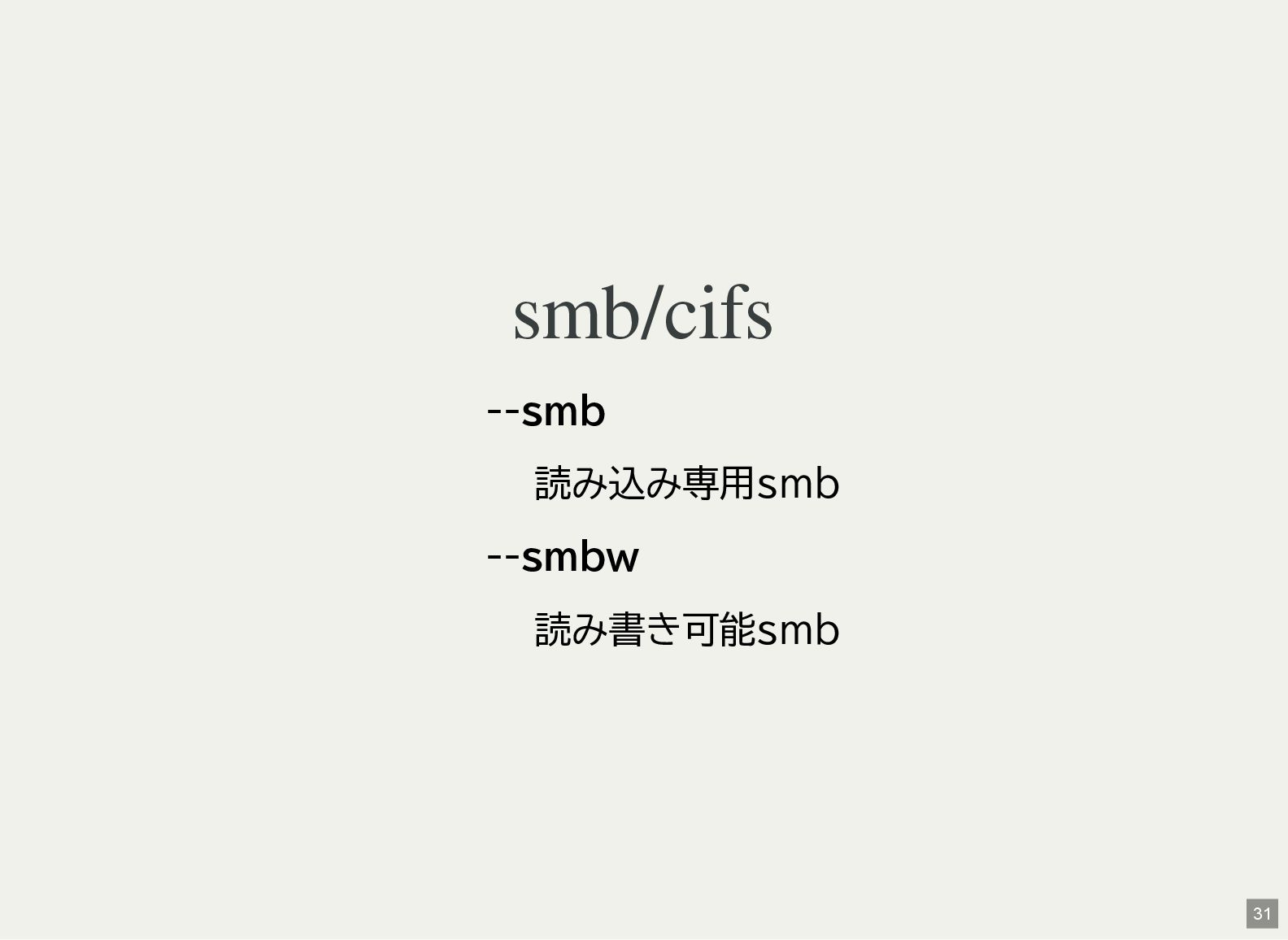
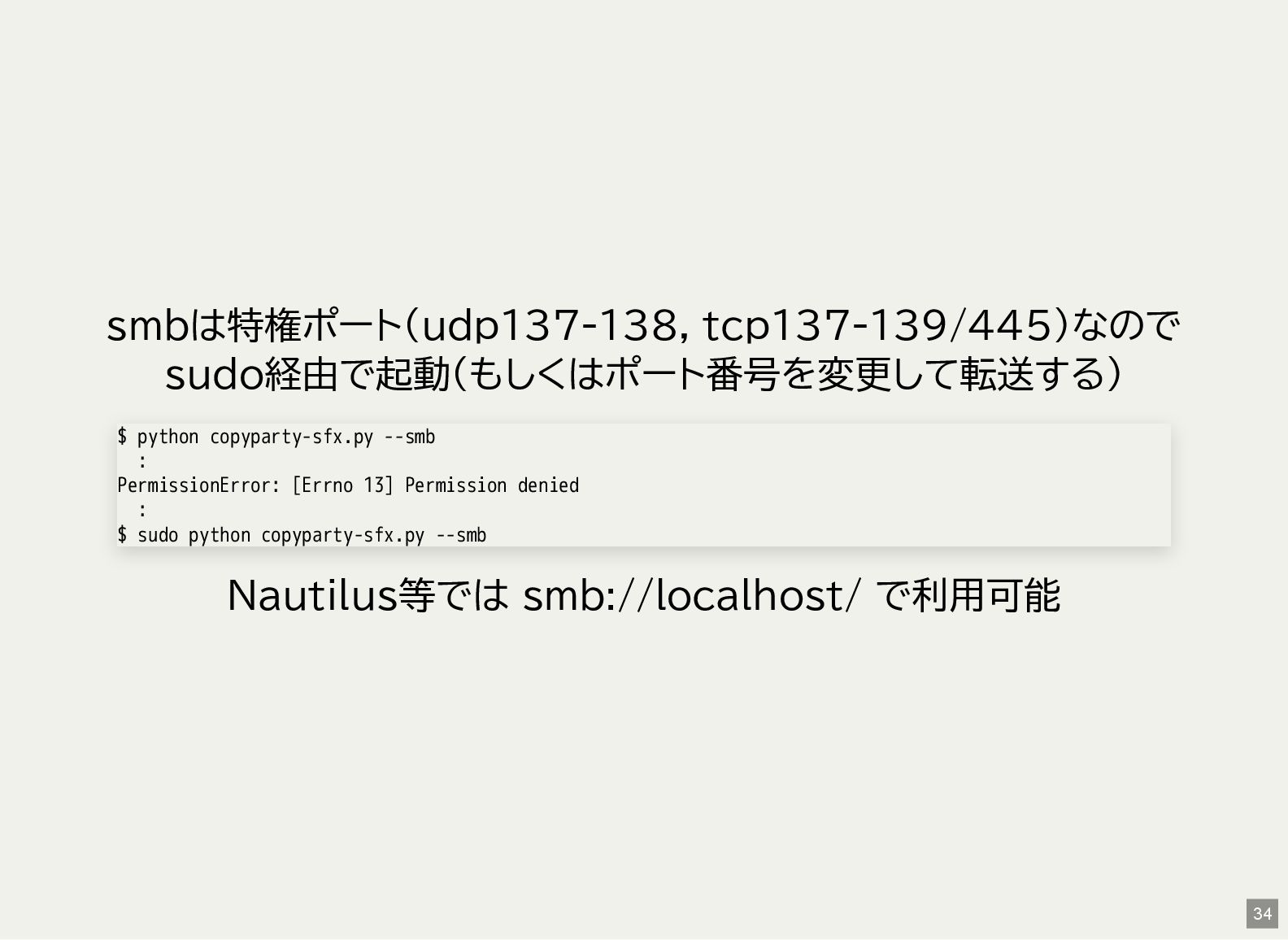
smbは特権ポート(udp137-138, tcp137-139/445)なので sudo経由で起動(もしくはポート番号を変更して転送する) Nautilus等では smb://localhost/ で利用可能 $ python copyparty-sfx.py --smb
: PermissionError: [Errno 13] Permission denied : $ sudo python copyparty-sfx.py --smb 34 -
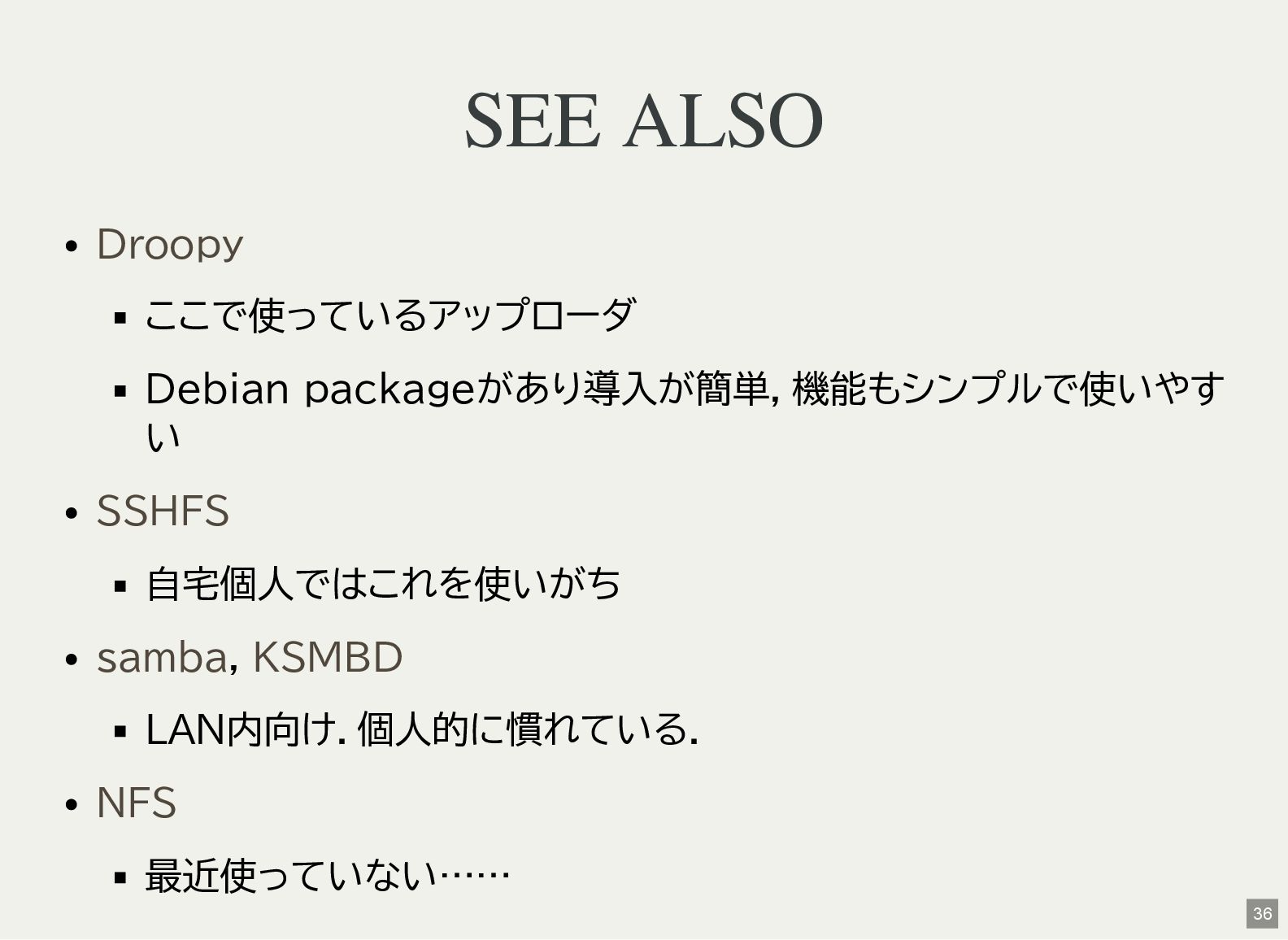
SEE ALSO ここで使っているアップローダ Debian packageがあり導入が簡単,機能もシンプルで使いやす い 自宅個人ではこれを使いがち , LAN内向け.個人的に慣れている. 最近使っていない……
Droopy SSHFS samba KSMBD NFS 36 -
奥付 発表 2025-08- 24(sun) 発表者 利用ソフトウェア NeoVim + textlint +
ライセンス 鹿児島Linux勉強会 2025.08(オンライン開催) Kenichiro Matohara(matoken) Asciidoctor Reveal.js CC BY 4.0 38