


Share
Embed
An Introduction to NSURLSession and AFNetworking 2
Check this presentation if you would like to know more about AFNetworking, NSURLSession, and NSURLConnection.
This presentation explains the foundations of networking in Mac OS or iOS development, including NSURLConnection, created 10 years ago, details the greatness of the first version of AFNetworking, the new NSURLSession API presented in WWDC 2013, and the new AFNetworking 2.
Thanks to @mattt for reviewing it.
Leave your feedback!

Natan Rolnik
January 15, 2014
Transcript
59 slides
-
An Introduction to “AFNetworking is about getting what you want”
- Matt Thompson, author of AFNetworking by @natanrolnik and NSURLSession -
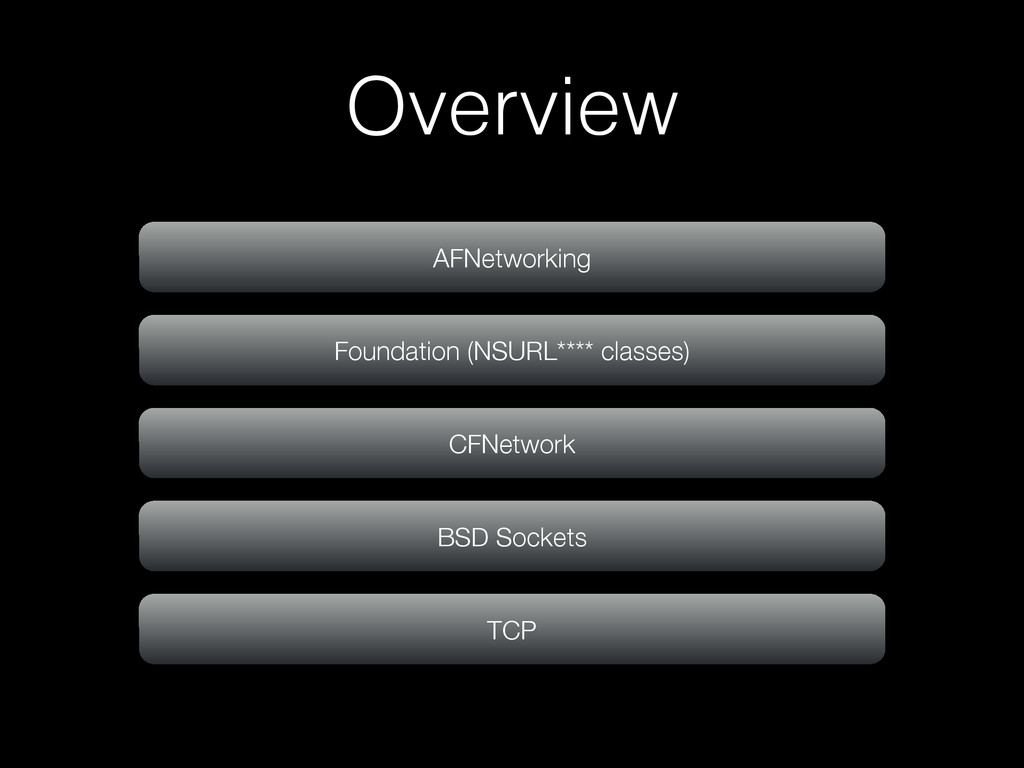
Overview - History • Started as a framework for the
app Gowalla • A 4square-like app, developed by AlamoFire - the AF comes from here • Designed to be a robust layer that could do tons of operations and process results in a high performance way • Top level framework: for resources, for information - JSON, images, etc. -
Overview - Today Most widely used open source in iOS/OS
X More than 10,100’s apps built with it Serves as foundation for dozens of open source libraries -
NSURLConnection NSURLConnection NSURLRequest Sends the request Gets the response <NSURLConnectionDelegate>
NSURLResponse NSData NSData NSData NSData Web -
NSOperation Models a single unit of computation, with useful constructs
like state, priority, dependencies, and cancellation. ! Because it’s an abstract class, you do not use this class directly but instead subclass it. -
NSOperation - basically - (void)main; - (void)start; - (void)cancel; -
(void (^)(void))completionBlock; - (BOOL)isReady; - (BOOL)isExecuting; - (BOOL)isCancelled; - (BOOL)isFinished; - [NSOperationQueue addOperation:(NSOperation *)operation]; -
AFURLConnectionOperation is a subclass of NSOperation that conforms to NSURLConnectionDelegate
This way, it’s much easier to handle a queue of operations. And this is what AFNetworking provides! -
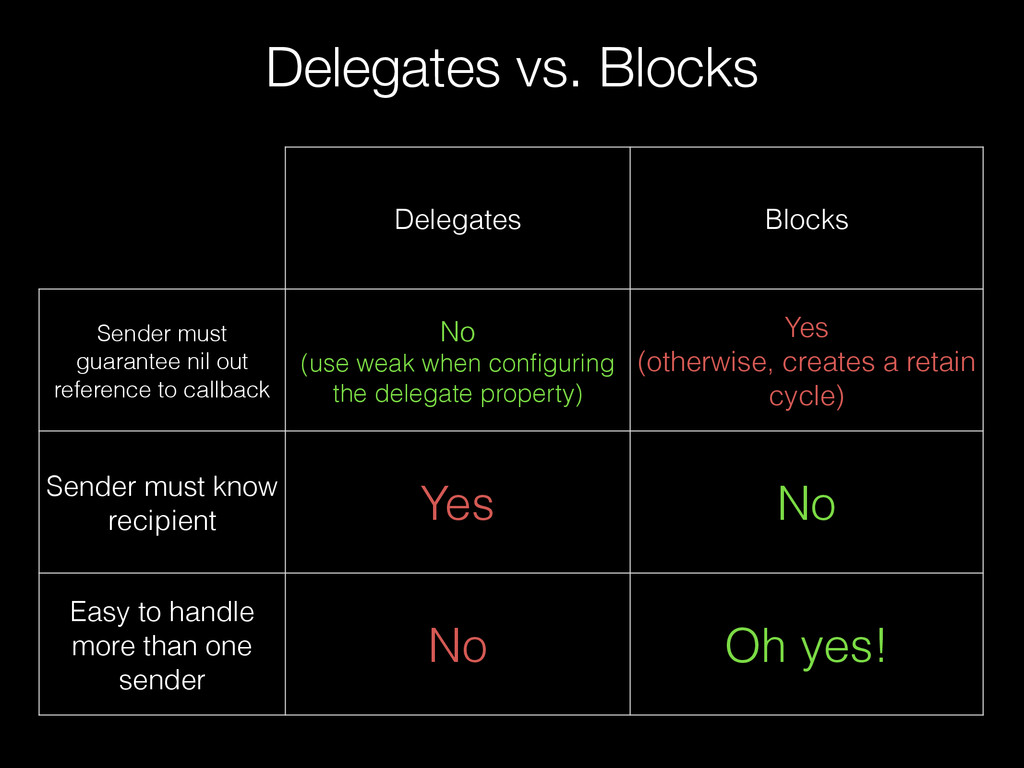
Delegates vs. Blocks Delegates Blocks Sender must guarantee nil out
reference to callback No (use weak when configuring the delegate property) Yes (otherwise, creates a retain cycle) Sender must know recipient Yes No Easy to handle more than one sender No Oh yes! -
AFNetworking takes care of niling out the completion blocks itself
- you don’t need to worry about retain cycles… So start using it yesterday for your apps! -
- (void)connection:(NSURLConnection *)connection willSendRequestForAuthenticationChallenge: (NSURLAuthenticationChallenge *)challenge - (void)setWillSendRequestForAuthenticationChallengeBlock: (void (
^ ) ( NSURLConnection *connection , NSURLAuthenticationChallenge *challenge ))block Becomes [myOperation setWillSendRequestForAuthenticationChallengeBlock:^(NSURLConnection *connection, NSURLAuthenticationChallenge *challenge) { //do it here! }]; -
Note, in the following example, how AFNetworking is more developer
and client friendly, by the highlighted parts (number of parameters, type of object returned and the differentiation from success and failure blocks) -
+ (void)sendAsynchronousRequest:(NSURLRequest *)request queue:(NSOperationQueue *)queue completionHandler:(void (^)(NSURLResponse*, NSData*, NSError*))handler Becomes
- (void)setCompletionBlockWithSuccess:(void ( ^ ) ( AFHTTPRequestOperation *operation , id responseObject ))success failure:(void ( ^ ) ( AFHTTPRequestOperation *operation , NSError *error ))failure -
NSMutableURLRequest *myRequest = [NSMutableURLRequest requestWithURL:[NSURL URLWithString:@"http://api.openweathermap.org/data/2.5/weather?q=jerusalem"]]; ! AFJSONRequestOperation *myOperation =
[AFJSONRequestOperation JSONRequestOperationWithRequest:myRequest success:^(NSURLRequest *request, NSHTTPURLResponse *response, id JSON) { //operation was successful NSLog(@"Here is the weather for Jerusalem: %@", [JSON objectForKey:@"weather"]); } failure:^(NSURLRequest *request, NSHTTPURLResponse *response, NSError *error, id JSON) { //operation failed NSLog(@"Error: %@", error.localizedDescription); }]; [myOperation start]; *valid for AFNetworking 1, not AFNetworking 2. Continue the presentation to see the changes -
- (void)setCompletionBlockWithSuccess:(void ( ^ ) ( AFHTTPRequestOperation *operation , id
responseObject ))success failure:(void ( ^ ) ( AFHTTPRequestOperation *operation , NSError *error ))failure NSData? -
- (void)setCompletionBlockWithSuccess:(void ( ^ ) ( AFHTTPRequestOperation *operation , id
responseObject ))success failure:(void ( ^ ) ( AFHTTPRequestOperation *operation , NSError *error ))failure NSData? -
- (void)setCompletionBlockWithSuccess:(void ( ^ ) ( AFHTTPRequestOperation *operation , id
responseObject ))success failure:(void ( ^ ) ( AFHTTPRequestOperation *operation , NSError *error ))failure Much easier to send and receive JSON, XML, property lists, or images -
“A web browser does not need to distinguish between HTTP
status codes.2 Regardless whether the response’s status code is 200, 404 or 500, the browser can always get away with displaying the response body. Consequently, NSURLConnection reports a 404 response as success. In contrast, a web service client needs to handle a 4xx or 5xx response as an error.” Ole Begemann http://oleb.net/blog/2013/07/nsurlconnection-api-design/ -
//the correct way is to subclass AFHTTPClient, and add a
+sharedClient for accessing the singleton //object from any class on your app. This, just for the example, creates an AFHTTPClient object AFHTTPClient *exampleClient = [[AFHTTPClient alloc] initWithBaseURL:[NSURL URLWithString:@"http://api.openweathermap.org/data/2.5/"]]; [exampleClient registerHTTPOperationClass:[AFJSONRequestOperation class]]; ! //this method: creates the AFHTTPRequestOperation object, and adds it to the AFHTTPClient's operationQueue - [operationQueue addOperation:] [exampleClient getPath:@"weather" parameters:[NSDictionary dictionaryWithObjectsAndKeys:@"jerusalem", @"q", nil] success:^(AFHTTPRequestOperation *operation, id responseObject) { id JSON = [NSJSONSerialization JSONObjectWithData:responseObject options:NSJSONReadingAllowFragments error:nil]; //operation was successful NSLog(@"Here is the weather for Jerusalem: %@", [JSON objectForKey:@"weather"]); } failure:^(AFHTTPRequestOperation *operation, NSError *error) { //operation failed NSLog(@"Error: %@", error.localizedDescription); }]; *valid for AFNetworking 1, not AFNetworking 2. Continue the presentation to see the changes -
NSURLSession • Session configuration: cache, protocols, cookie storage • Improves
authentication handling • Tasks are background-able • Designed for data (XML, JSON) and upload/ download (images, videos, songs) -
NSURLSession • NSURLSessionTask is the “unit” of work for a
session. • NSURLSessionTask is the replacement for the connection itself (NSURLSessionDataTask, NSURLSessionUploadTask and NSURLSessionDownloadTask) • It provides status and progress properties, enabling to cancel, suspend or resume. -
NSURLSession NSURLSession *session = [NSURLSession sharedSession]; NSURLSessionDataTask *dataTask = [session
dataTaskWithURL:[NSURL URLWithString:@"http://api.openweathermap.org/data/2.5/weather? q=jerusalem"] completionHandler:^(NSData *data, NSURLResponse *response, NSError *error) { if (error) { //operation failed NSLog(@"Error: %@", error.localizedDescription); return; } id JSON = [NSJSONSerialization JSONObjectWithData:data options:NSJSONReadingAllowFragments error:nil]; NSLog(@"Here is the weather for Jerusalem: %@", [JSON objectForKey:@"weather"]); }]; [dataTask resume]; -
Motivations • NSURLSession API compatibilty • Modularity: new architecture makes
components more independent • Real-Time capabilities -
• AFURLConnectionOperation: subclass of NSOperation that manages NSURLConnection and its
delegate methods • AFHTTPRequestOperation: subclass of the above, specifically for HTTP Requests • AFHTTPRequestOperationManager: a class for communicating with web services over HTTP iOS 6 & 7 -
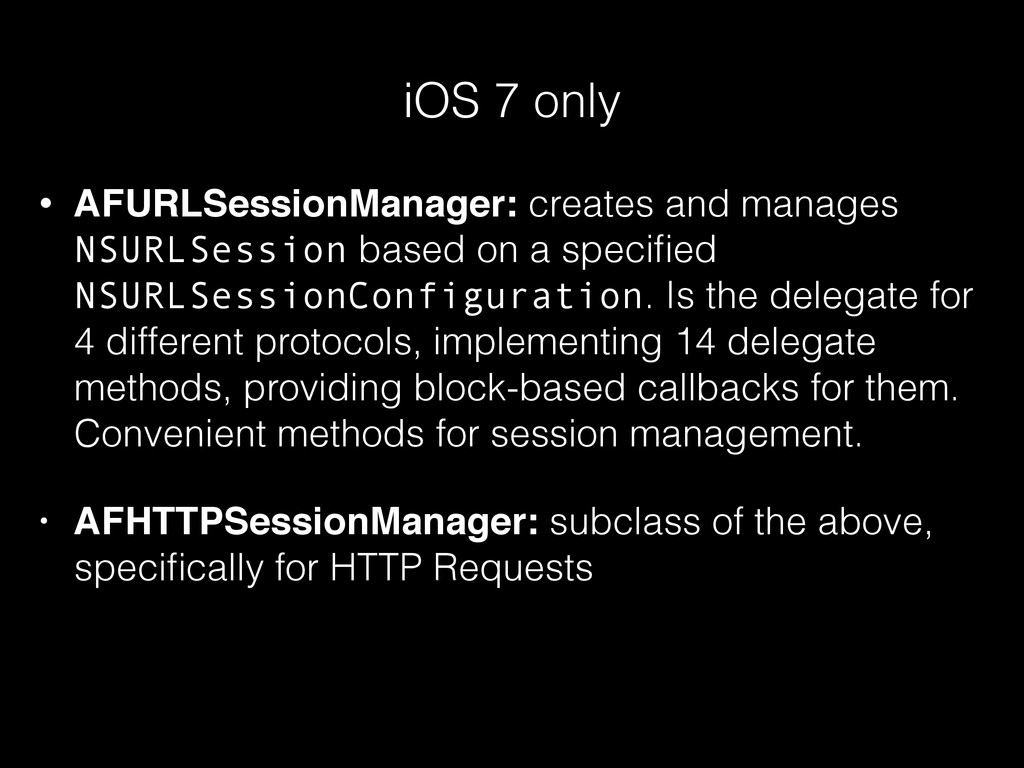
• AFURLSessionManager: creates and manages NSURLSession based on a specified
NSURLSessionConfiguration. Is the delegate for 4 different protocols, implementing 14 delegate methods, providing block-based callbacks for them. Convenient methods for session management. • AFHTTPSessionManager: subclass of the above, specifically for HTTP Requests iOS 7 only -
“AFHTTPRequestOperationManager and AFHTTPSessionManager provide similar functionality, with nearly interchangeable interfaces
that can be swapped out rather easily, should the need arise” http://nshipster.com/afnetworking-2/ NSHipster -
- (AFHTTPRequestOperation *)GET:(NSString *)URLString parameters:(NSDictionary *)parameters success:(void ( ^ )
( AFHTTPRequestOperation *operation , id responseObject ))success failure:(void ( ^ ) ( AFHTTPRequestOperation *operation , NSError *error ))failure - (AFHTTPRequestOperation *)POST:(NSString *)URLString parameters:(NSDictionary *)parameters success:(void ( ^ ) ( AFHTTPRequestOperation *operation , id responseObject ))success failure:(void ( ^ ) ( AFHTTPRequestOperation *operation , NSError *error ))failure -
- (NSURLSessionDataTask *)GET:(NSString *)URLString parameters: (NSDictionary *)parameters success:(void ( ^
) ( NSURLSessionDataTask *task , id responseObject ))success failure:(void ( ^ ) ( NSURLSessionDataTask *task , NSError *error ))failure - (AFHTTPRequestOperation *)GET:(NSString *)URLString parameters:(NSDictionary *)parameters success:(void ( ^ ) ( AFHTTPRequestOperation *operation , id responseObject ))success failure:(void ( ^ ) ( AFHTTPRequestOperation *operation , NSError *error ))failure - (NSURLSessionDataTask *)POST:(NSString *)URLString parameters: (NSDictionary *)parameters success:(void ( ^ ) ( NSURLSessionDataTask *task , id responseObject ))success failure:(void ( ^ ) ( NSURLSessionDataTask *task , NSError *error ))failure - (AFHTTPRequestOperation *)POST:(NSString *)URLString parameters:(NSDictionary *)parameters success:(void ( ^ ) ( AFHTTPRequestOperation *operation , id responseObject ))success failure:(void ( ^ ) ( AFHTTPRequestOperation *operation , NSError *error ))failure -
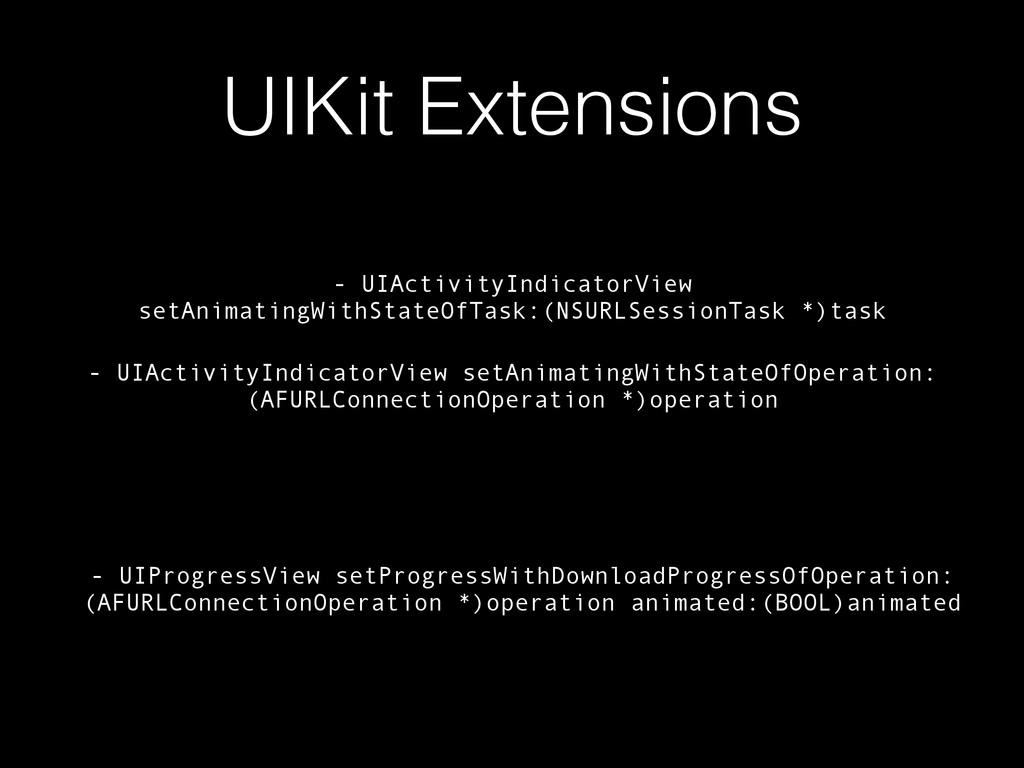
UIKit Extensions • AFNetworkActivityIndicatorManager: show/ hide the network activity in
the status bar depending on the number of ongoing requests • UIKit categories: super easy to modify UIKit objects according to the state or progress of a request (like UIActivityIndicatorView, UIProgressView) -
UIKit Extensions - UIActivityIndicatorView setAnimatingWithStateOfTask:(NSURLSessionTask *)task - UIActivityIndicatorView setAnimatingWithStateOfOperation: (AFURLConnectionOperation
*)operation - UIProgressView setProgressWithDownloadProgressOfOperation: (AFURLConnectionOperation *)operation animated:(BOOL)animated -
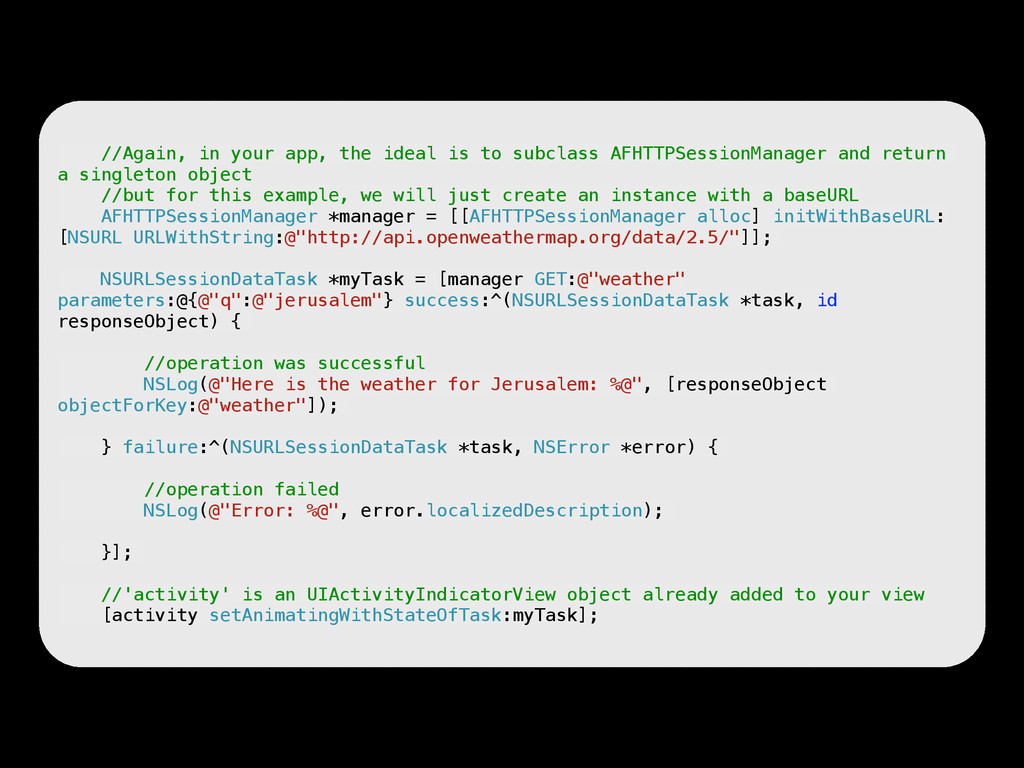
Example shows how to use AFHTTPSessionManager, with UIKit extensions, in
AFNetworking 2 //Again, in your app, the ideal is to subclass AFHTTPSessionManager and return a singleton object //but for this example, we will just create an instance with a baseURL AFHTTPSessionManager *manager = [[AFHTTPSessionManager alloc] initWithBaseURL: [NSURL URLWithString:@"http://api.openweathermap.org/data/2.5/"]]; NSURLSessionDataTask *myTask = [manager GET:@"weather" parameters:@{@"q":@"jerusalem"} success:^(NSURLSessionDataTask *task, id responseObject) { ! //operation was successful NSLog(@"Here is the weather for Jerusalem: %@", [responseObject objectForKey:@"weather"]); } failure:^(NSURLSessionDataTask *task, NSError *error) { //operation failed NSLog(@"Error: %@", error.localizedDescription); }]; //'activity' is an UIActivityIndicatorView object already added to your view [activity setAnimatingWithStateOfTask:myTask]; -
//Again, in your app, the ideal is to subclass AFHTTPRequestOperationManager
and return a singleton object //but for this example, we will just create an instance with a baseURL AFHTTPRequestOperationManager *manager = [[AFHTTPRequestOperationManager alloc] initWithBaseURL:[NSURL URLWithString:@"http://api.openweathermap.org/data/2.5/"]]; AFHTTPRequestOperation *myOperation = [manager GET:@"weather" parameters:@{@"q":@"jerusalem"} success:^(AFHTTPRequestOperation *operation, id responseObject) { ! //operation was successful NSLog(@"Here is the weather for Jerusalem: %@", [responseObject objectForKey:@"weather"]); } failure:^(AFHTTPRequestOperation *operation, NSError *error) { //operation failed NSLog(@"Error: %@", error.localizedDescription); }]; //'activity' is an UIActivityIndicatorView object already added to your view [activity setAnimatingWithStateOfOperation:myOperation]; //Again, in your app, the ideal is to subclass AFHTTPSessionManager and return a singleton object //but for this example, we will just create an instance with a baseURL AFHTTPSessionManager *manager = [[AFHTTPSessionManager alloc] initWithBaseURL: [NSURL URLWithString:@"http://api.openweathermap.org/data/2.5/"]]; NSURLSessionDataTask *myTask = [manager GET:@"weather" parameters:@{@"q":@"jerusalem"} success:^(NSURLSessionDataTask *task, id responseObject) { ! //operation was successful NSLog(@"Here is the weather for Jerusalem: %@", [responseObject objectForKey:@"weather"]); } failure:^(NSURLSessionDataTask *task, NSError *error) { //operation failed NSLog(@"Error: %@", error.localizedDescription); }]; //'activity' is an UIActivityIndicatorView object already added to your view [activity setAnimatingWithStateOfTask:myTask]; -
Example shows how to use AFHTTPSessionManager, with UIKit extensions, in
AFNetworking 2 //Again, in your app, the ideal is to subclass AFHTTPRequestOperationManager and return a singleton object //but for this example, we will just create an instance with a baseURL AFHTTPRequestOperationManager *manager = [[AFHTTPRequestOperationManager alloc] initWithBaseURL:[NSURL URLWithString:@"http://api.openweathermap.org/data/2.5/"]]; AFHTTPRequestOperation *myOperation = [manager GET:@"weather" parameters:@{@"q":@"jerusalem"} success:^(AFHTTPRequestOperation *operation, id responseObject) { ! //operation was successful NSLog(@"Here is the weather for Jerusalem: %@", [responseObject objectForKey:@"weather"]); } failure:^(AFHTTPRequestOperation *operation, NSError *error) { //operation failed NSLog(@"Error: %@", error.localizedDescription); }]; //'activity' is an UIActivityIndicatorView object already added to your view [activity setAnimatingWithStateOfOperation:myOperation]; -
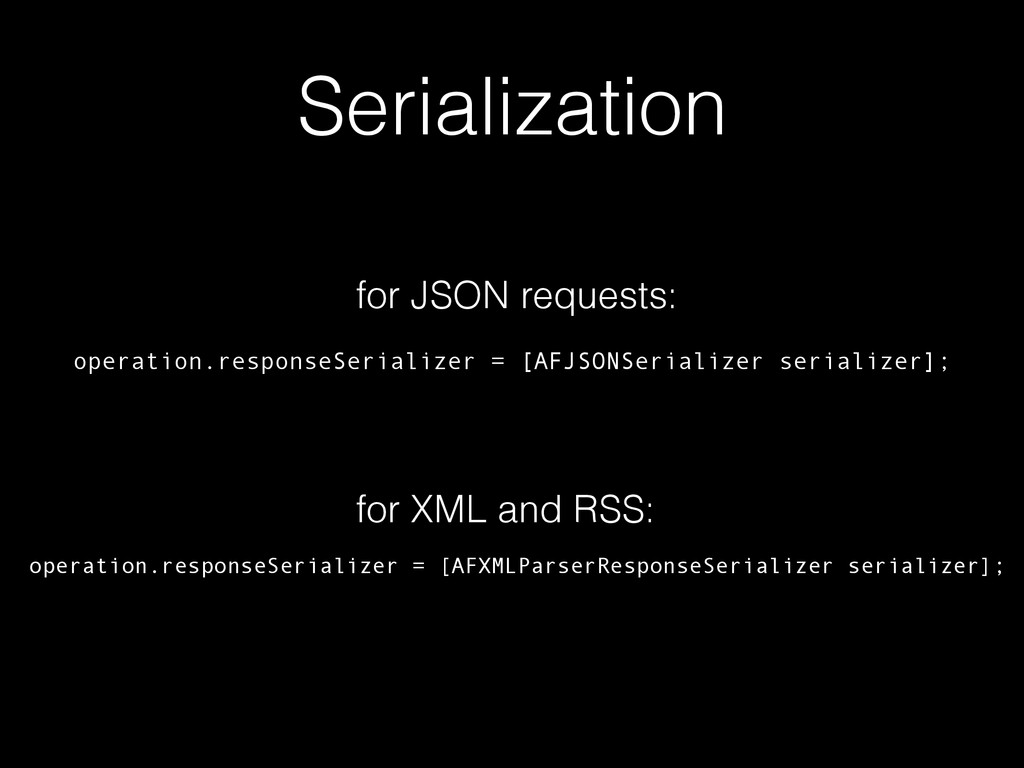
Serialization • Prepares requests or “digests” responses (HTTP, JSON, XML),
making the request useful • Reduces boilerplate code • Shared between requests • Protocols: <AFURLRequestSerializer> and <AFURLResponseSerializer> -
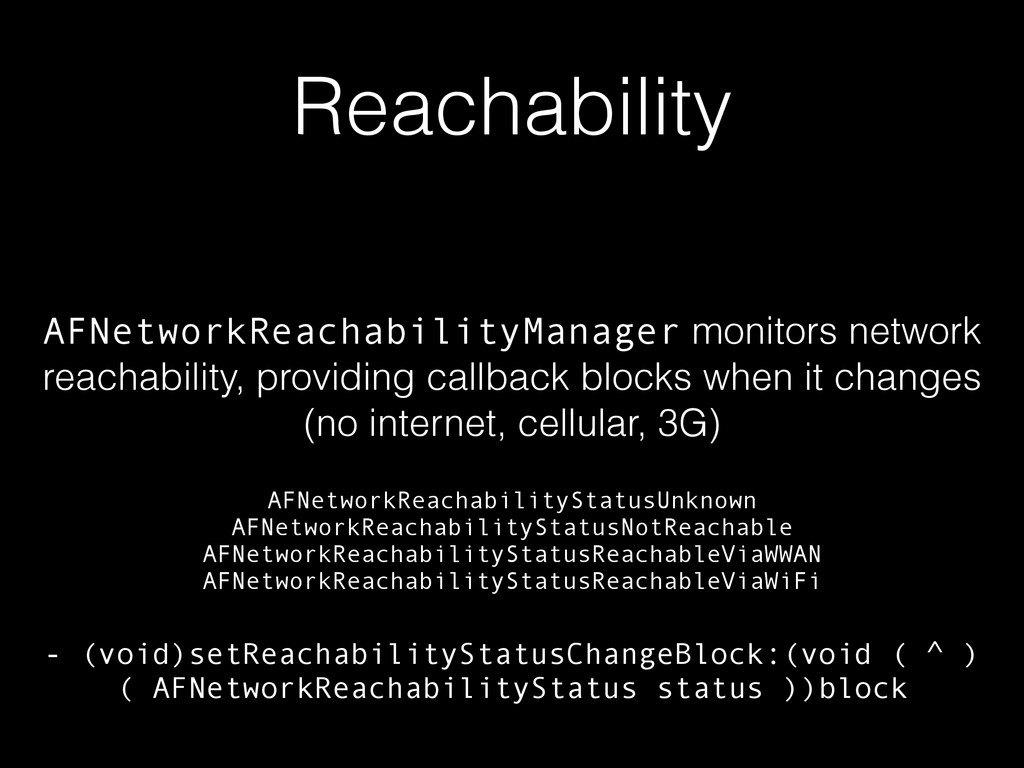
Reachability AFNetworkReachabilityManager monitors network reachability, providing callback blocks when it
changes (no internet, cellular, 3G) - (void)setReachabilityStatusChangeBlock:(void ( ^ ) ( AFNetworkReachabilityStatus status ))block AFNetworkReachabilityStatusUnknown AFNetworkReachabilityStatusNotReachable AFNetworkReachabilityStatusReachableViaWWAN AFNetworkReachabilityStatusReachableViaWiFi -
Security - SLL Pinning AFSecurityPolicy evaluates server trust of secure
connections against its specified pinned certificates or public keys, in order to prevent against man-in-the-middle attacks -
Real-time NSURL *URL = [NSURL URLWithString:@"http://example.com"]; AFHTTPSessionManager *manager = [[AFHTTPSessionManager
alloc] initWithBaseURL:URL]; [manager GET:@"/resources" parameters:nil success:^(NSURLSessionDataTask *task, id responseObject) { [resources addObjectsFromArray:responseObject[@"resources"]]; [manager SUBSCRIBE:@"/resources" usingBlock:^(NSArray *operations, NSError *error) { for (AFJSONPatchOperation *operation in operations) { switch (operation.type) { case AFJSONAddOperationType: [resources addObject:operation.value]; break; default: break; } } } error:nil]; } failure:nil]; -
References & Where to go from here • https://www.paylas.com/video/mattt-thompson--kod-io-2013 •
http://nshipster.com/afnetworking-2/ • WWDC 2013 Session 705 - What’s new in Foundation Networking (full transcript at ASCIwwdc asciiwwdc.com/ 2013/sessions/705) • http://www.objc.io/issue-5/from-nsurlconnection-to- nsurlsession.html • http://www.objc.io/issue-7/communication-patterns.html
 natanrolnik
 yukikurage
 itsmedreamwalker
 koukimiura
 kazuki1023
 simas
 meihei3
 tarao
 sodainc
 mitohato14
 pvcresin
 sakawe_ee
 shihochan
 trallard
 sabderemane
 popppiees
 mojombo
 akihiro_kokubo
 carmenintech
 jnunemaker
 reverentgeek
 codingconduct
 pwiseman
 mfonobong
 nmsamuel
















![Real-time NSURL *URL = [NSURL URLWithString:@"http://example.com"]; AFHTTPSessionManager *manager = [[AFHTTPSessionManager](https://files.speakerdeck.com/presentations/15b1f54060290131f6d24a2b50a01ca4/slide_56.jpg)

