Share
Embed

Transcript
90 slides
-
The Plan • Lambdas • Break
• Streams Some of the early slides will provide incomplete definiAons which will be completed by the end of the presentaAon! -
QuesAons! • QuesAons are always welcome • Ask
quesAons when you have them! -
Quick Survey • Raise your hand if you have
programmed using lambda expressions in the past • Raise your hand if you have programmed with streams in the past -
Java 8 Lambdas • Concept • Syntax
• FuncAonal Interfaces • Variable Capture • Method References • Default Methods -
Lambda History • The mathemaAcal theory of lambda calculus
was developed in the 1930s by Alonzo Church • It found its way into programming languages in the 1960s • Most major programming languages have support for lambda expressions including C++, C#, JavaScript, Python, Ruby … etc • We finally have lambda expressions in the Java programming language -
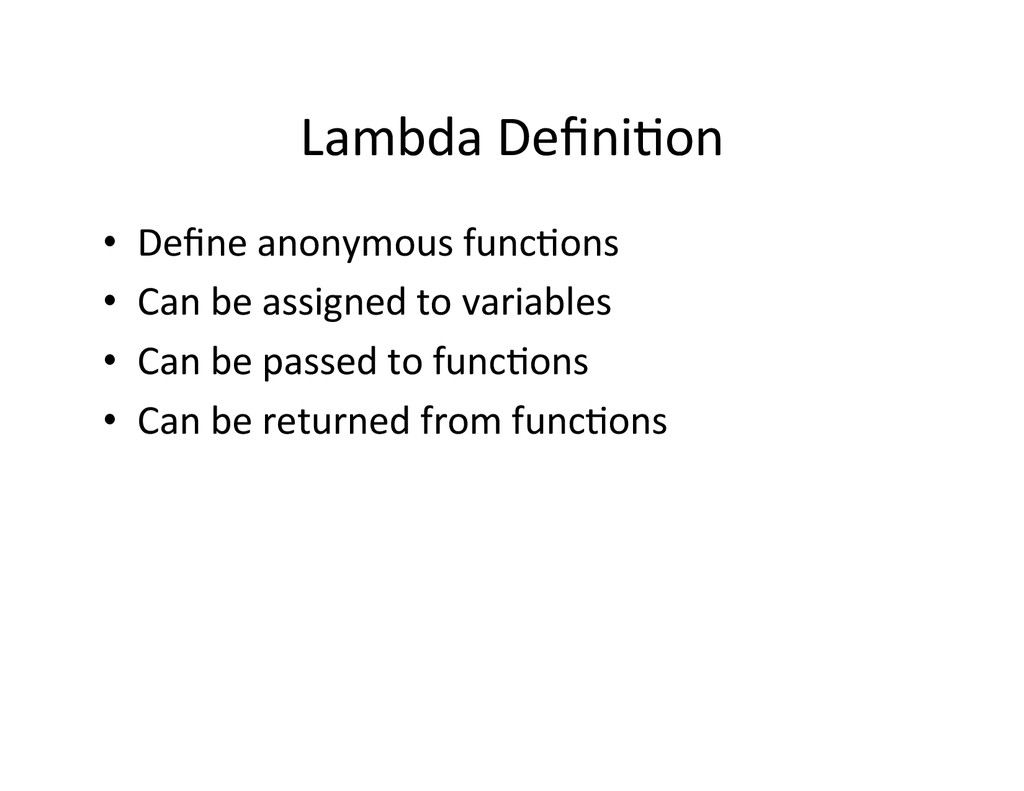
Lambda DefiniAon • Define anonymous funcAons •
Can be assigned to variables • Can be passed to funcAons • Can be returned from funcAons -
What are lambdas good for • Form the
basis of the funcAonal programming paradigm • Make parallel programming easier • Write more compact code • Richer data structure collecAons • Develop cleaner APIs -
Concept vs. ImplementaAon • A concept can have mulAple
implementaAons – Map concept implemented by HashMap, ConcurrentHashMap – List concept implemented by ArrayList, LinkedList, SkipList • Lambdas are a concept that has its own implementaAon flavor in different languages • There are two disAnct things to learn – The general concept of lambdas expressions – The Java 8 implementaAon of lambda expressions -
Learning Tip If this is your first encounter with
Lambda expressions recognize that the learning curve associated with lambdas will be steeper for you than for some one who has already learned lambda expressions in another programming language. -
Java 8 Lambdas • Concept • Syntax
• FuncAonal Interfaces • Variable Capture • Method References • Default Methods -
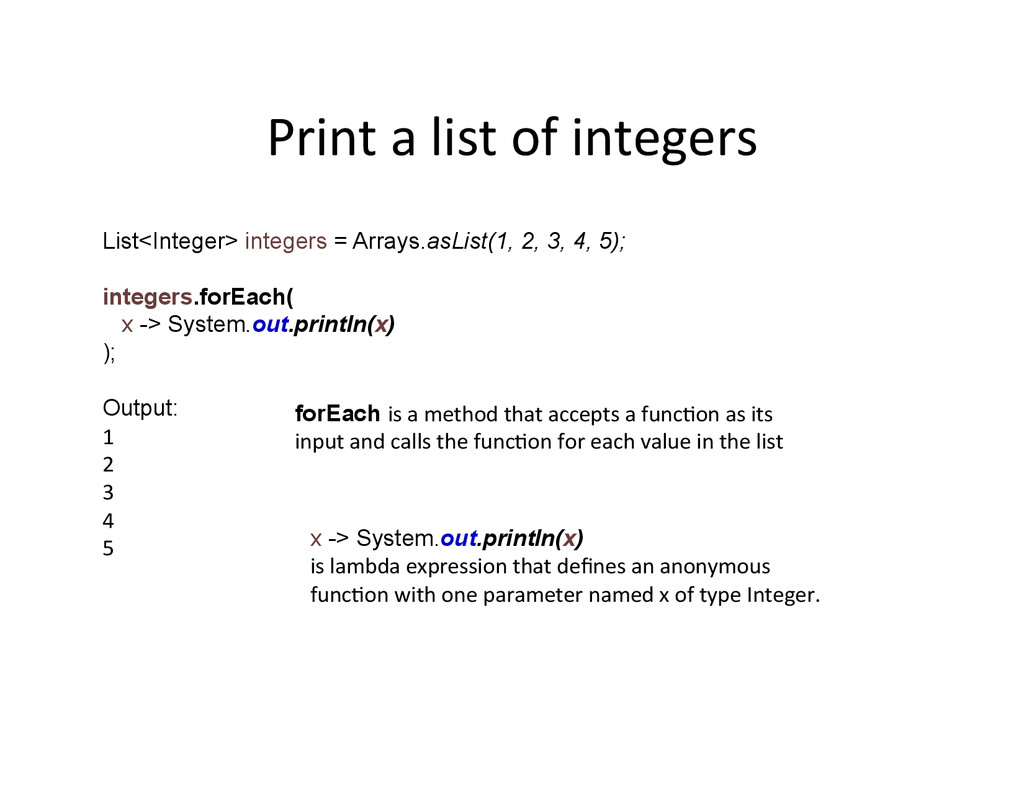
Print a list of integers List<Integer> integers = Arrays.asList(1,
2, 3, 4, 5); integers.forEach( x -> System.out.println(x) ); Output: 1 2 3 4 5 forEach is a method that accepts a funcAon as its input and calls the funcAon for each value in the list x -> System.out.println(x) is lambda expression that defines an anonymous funcAon with one parameter named x of type Integer. -
MulA line Lambda List<Integer> integers = Arrays.asList(1, 2, 3,
4, 5); integers.forEach(x -> { x = x + 10; System.out.println(x); }); Output: 11 12 13 14 15 -
Lambda with a Local Variable List<Integer> integers = Arrays.asList(1,
2, 3, 4, 5); integers.forEach((x) -> { int y = x / 2; System.out.println(y); }); Output: 0 1 1 2 2 -
Specify Lambda Parameter Types List<Integer> integers = Arrays.asList(1, 2,
3, 4, 5); integers.forEach((Integer x) -> { x = x + 10; System.out.println(x); }); Output: 11 12 13 14 15 -
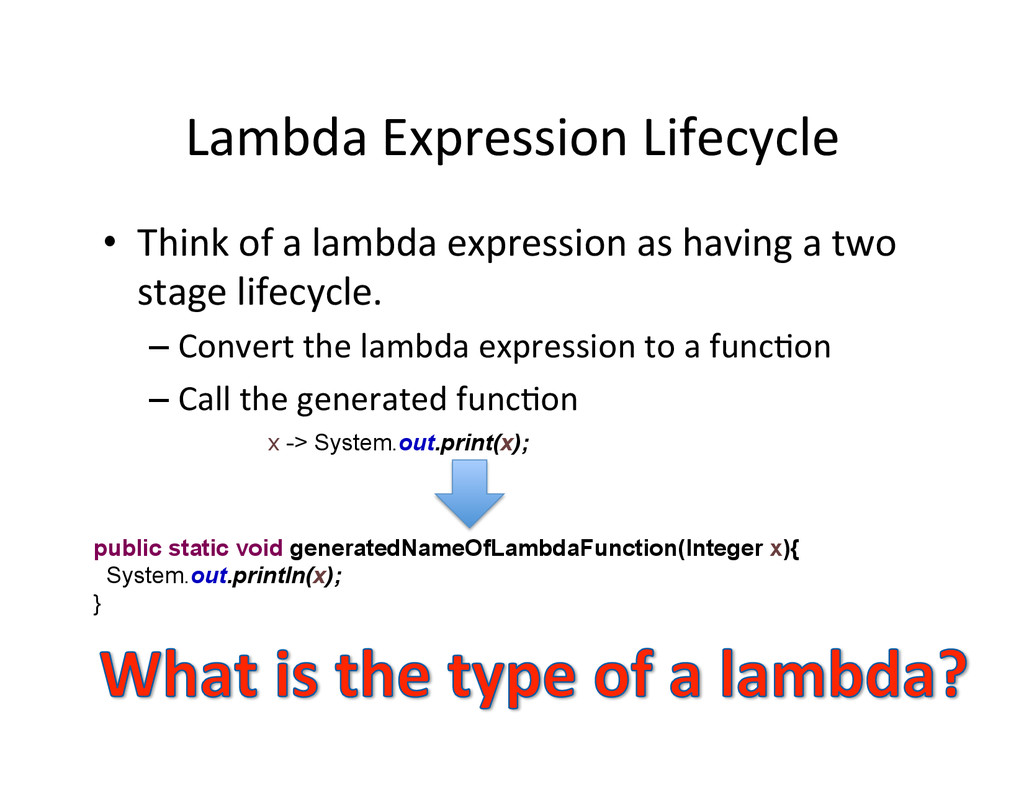
Lambda Expression Lifecycle • Think of a lambda expression
as having a two stage lifecycle. – Convert the lambda expression to a funcAon – Call the generated funcAon x -> System.out.print(x); public static void generatedNameOfLambdaFunction(Integer x){ System.out.println(x); } -
Type of a Lambda Expression • Many programming languages
define a funcAon data type to represent lambda expressions • Java 8 designers considered adding a funcAon data type to Java 8 but rejected it because it was infeasible for a variety of reasons – Watch Lambda: A peek under the Hood by Brian Goetz for the details hdp://goo.gl/PEDYWi -
ImplementaAon Problems • What class should the
translated lambda expression funcAon be placed in? • How are instances of this class created? • Should the generated method be a staAc or instance method? x -> System.out.print(x); public static void generatedNameOfLambdaFunction(Integer x){ System.out.println(x); } -
Java 8 Lambdas • Concept • Syntax
• Func1onal Interfaces • Variable Capture • Method References • Default Methods -
FuncAonal Interface • A funcAonal interface is a regular
Java interface with a single method • This is a common idiom in exisAng Java code public interface Consumer<T> { void accept(T t); } -
JDK FuncAonal Interfaces public interface Runnable { public abstract
void run(); } public interface Comparable<T> { public int compareTo(T o); } public interface Callable<V> { V call() throws Exception; } -
Spring FuncAonal Interfaces public interface TransactionCallback<T> { T doInTransaction(TransactionStatus
status); } public interface RowMapper<T> { T mapRow(ResultSet rs, int rowNum) throws SQLException; } public interface StatementCallback<T> { T doInStatement(Statement stmt) throws SQLException, DataAccessException; } -
Assign Lambda to a local variable public interface Consumer<T>
{ void accept(T t); } void forEach(Consumer<Integer> action) { for (Integer i : items) { action.accept(t); } } List<Integer> integers = Arrays.asList(1, 2, 3, 4, 5); Consumer<Integer> consumer = x -> System.out.print(x); integers.forEach(consumer); • The type of a lambda expression is same as the funcAonal interface that the lambda expression is assigned to! -
@FuncAonalInterface @FunctionalInterface public interface PasswordEncoder { public String encode(String
password, String salt); } • @FuncAonalInterface causes the Java 8 complier to produce an error if the interface has more than one method -
@FuncAonalInterface @FunctionalInterface public interface PasswordEncoder { public String encode(String
password, String salt); public String doSomethingElse(); } • Produces a complier error Invalid @Func6onalInterface annota1on; PasswordEncoder is not a func1onal interface • @FuncAonalInterface is an opAonal annotaAon. -
Lambda & Backward CompaAbility • Any interface with
one method is considered a funcAonal interface by Java 8 even if was complied it with a Java 1.0 complier • Java 8 lambdas will work with older libraries that use funcAonal interfaces without any need to recompile or modify old libraries. -
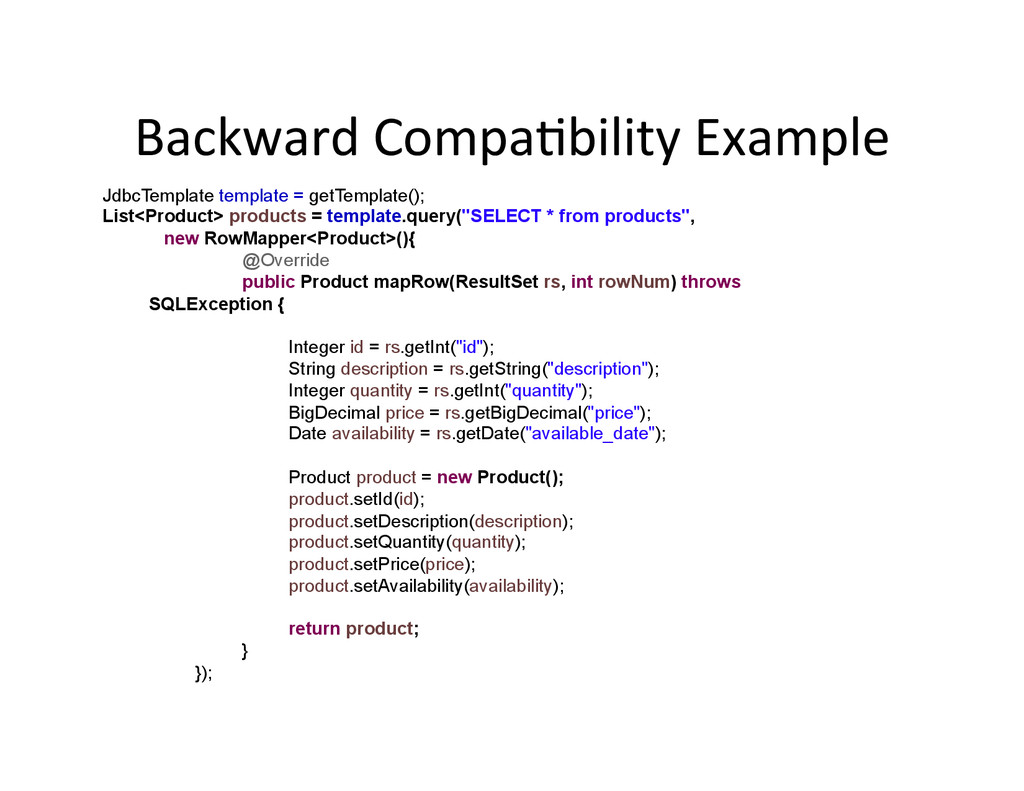
Backward CompaAbility Example JdbcTemplate template = getTemplate(); List<Product> products
= template.query("SELECT * from products", new RowMapper<Product>(){ @Override public Product mapRow(ResultSet rs, int rowNum) throws SQLException { Integer id = rs.getInt("id"); String description = rs.getString("description"); Integer quantity = rs.getInt("quantity"); BigDecimal price = rs.getBigDecimal("price"); Date availability = rs.getDate("available_date"); Product product = new Product(); product.setId(id); product.setDescription(description); product.setQuantity(quantity); product.setPrice(price); product.setAvailability(availability); return product; } }); -
Backward CompaAbility Example JdbcTemplate template = getTemplate(); List<Product> products
= template.query("SELECT * from products", (ResultSet rs, int rowNum) -> { Integer id = rs.getInt("id"); String description = rs.getString("description"); Integer quantity = rs.getInt("quantity"); BigDecimal price = rs.getBigDecimal("price"); Date availability = rs.getDate("available_date"); Product product = new Product(); product.setId(id); product.setDescription(description); product.setQuantity(quantity); product.setPrice(price); product.setAvailability(availability); return product; }); -
Is this clear? QuesAons? @FunctionalInterface public interface PasswordEncoder {
public String encode(String password, String salt); } public PasswordEncoder makeBadEncoder() { return (password, salt) -> password.toUpperCase(); } public void doSomething(PasswordEncoder encoder) { String salted = encoder.encode("abc", "123"); } PasswordEncoder encoder = makeBadEncoder(); doSomething(encoder); -
Summary Please Read … • A funcAonal interface is
an interface with a single method (incomplete definiAon) • The method generated from a lambda 8 expression must have the same signature as the method in the funcAonal interface • In Java 8 the type of a Lambda expression is the same as the the funcAonal interface that the lambda expression is assigned to. -
Java 8 Lambdas • Concept • Syntax
• FuncAonal Interfaces • Variable Capture • Method References • Default Methods -
Variable Capture • Lambdas can interact with variables defined
outside the body of the lambda • Using variables outside the body of a lambda expression is called variable capture -
Capture a local variable public class LambdaCaptureExample { public
static void main(String[] args) { List<Integer> integers = Arrays.asList(1, 2, 3, 4, 5); int var = 10; integers.forEach(x -> System.out.println(x + var)); } } Output: 11 12 13 14 15 -
EffecAvely Final public class LambdaCaptureExample { public static void
main(String[] args) { List<Integer> integers = Arrays.asList(1, 2, 3, 4, 5); int var = 1; integers.forEach(x -> { var++; Error: Local variable var defined in an enclosing scope must be final or effecAvely final System.out.println(x); }); } } • Local variables used inside the body of a lambda must be declared final or the compiler must be able to tell that they are effecAvely final because their value is not modified elsewhere -
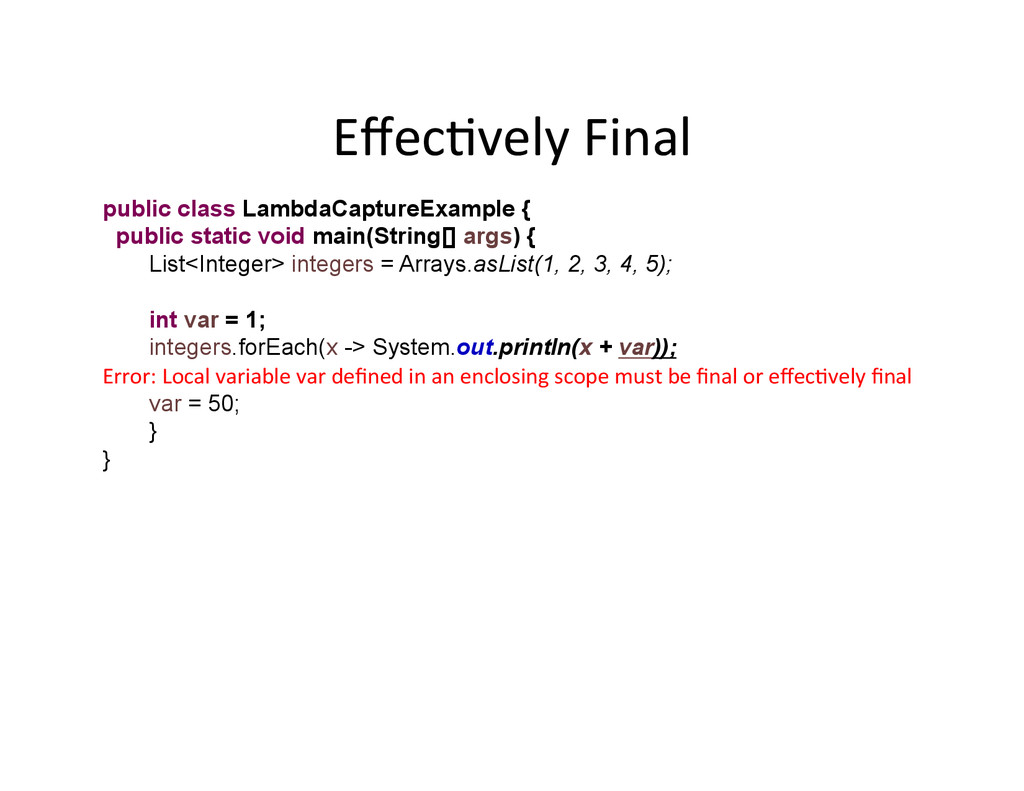
EffecAvely Final public class LambdaCaptureExample { public static void
main(String[] args) { List<Integer> integers = Arrays.asList(1, 2, 3, 4, 5); int var = 1; integers.forEach(x -> System.out.println(x + var)); Error: Local variable var defined in an enclosing scope must be final or effecAvely final var = 50; } } -
Capture StaAc Variables public class LambdaCaptureExample { private static
int var = 1; public static void main(String[] args) { List<Integer> integers = Arrays.asList(1, 2, 3, 4, 5); integers.forEach(x -> System.out.println(x + var)); } } -
Capture Class Variables public class LambdaCaptureExample { private int
var = 1; private List<Integer> integers = Arrays.asList(1,2,3,4,5); private void doSomething() { integers.forEach(x -> System.out.println(x + var)); } public static void main(String[] args) { new LambdaCaptureExample5().doSomething(); } } -
this within a lambda body public class Example {
private static final Example INSTANCE = new Example(); private int var = 1; private List<Integer> integers = Arrays.asList(1,2,3,4,5); public void doSomething() { integers.forEach(x -> { System.out.println(x + this.var); if (this == INSTANCE) { System.out.println("Within the lambda body this refers to the this of the enclosing object"); } }); } public static void main(String[] args) { INSTANCE.doSomething(); } } -
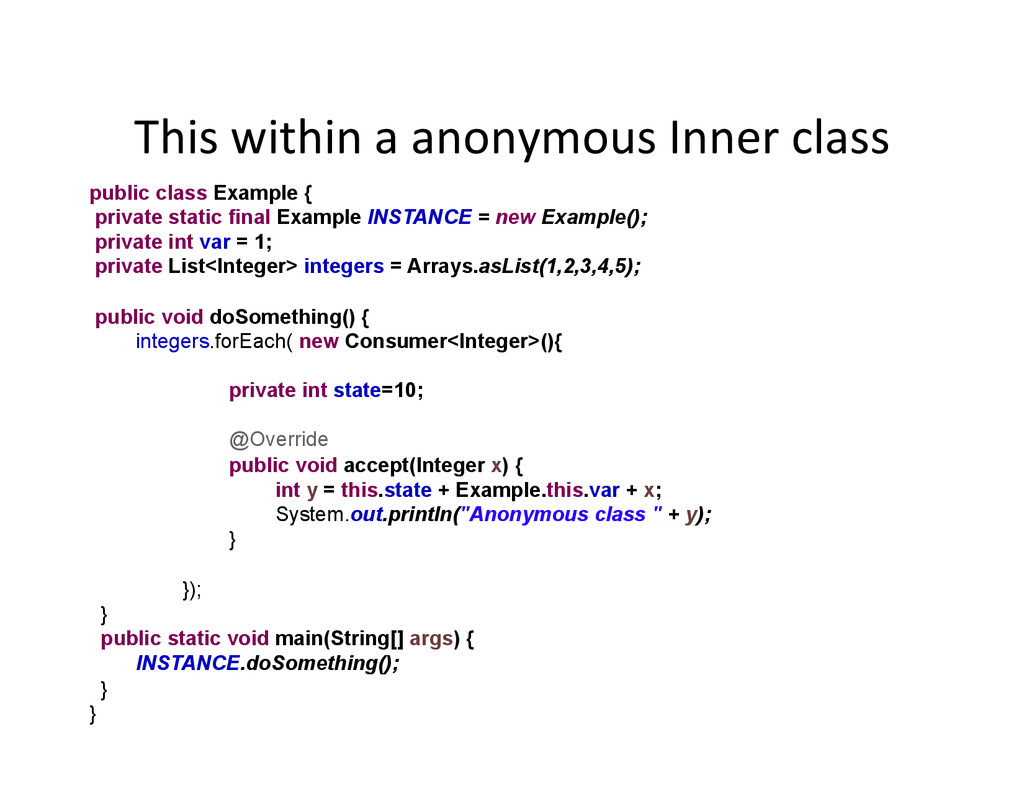
This within a anonymous Inner class public class Example
{ private static final Example INSTANCE = new Example(); private int var = 1; private List<Integer> integers = Arrays.asList(1,2,3,4,5); public void doSomething() { integers.forEach( new Consumer<Integer>(){ private int state=10; @Override public void accept(Integer x) { int y = this.state + Example.this.var + x; System.out.println("Anonymous class " + y); } }); } public static void main(String[] args) { INSTANCE.doSomething(); } } -
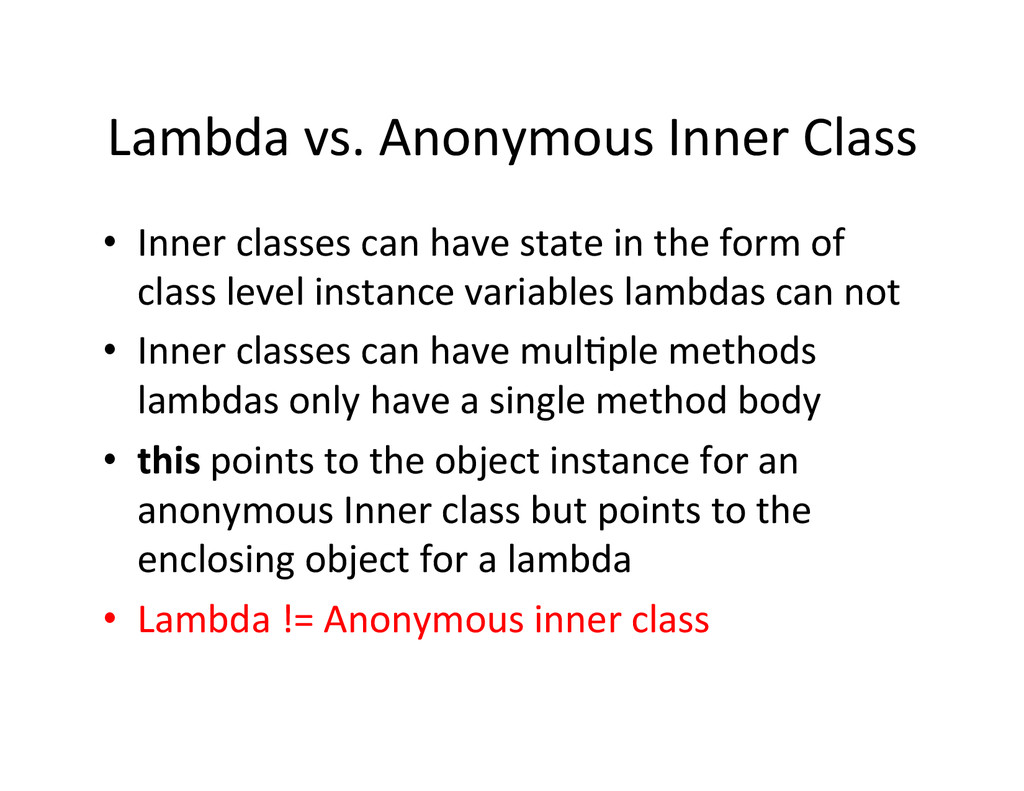
Lambda vs. Anonymous Inner Class • Inner classes can
have state in the form of class level instance variables lambdas can not • Inner classes can have mulAple methods lambdas only have a single method body • this points to the object instance for an anonymous Inner class but points to the enclosing object for a lambda • Lambda != Anonymous inner class -
java.uAl.funcAon.* • java.u1l.func1on package contains 43 commonly used
funcAonal interfaces – Consumer<T> -‐ funcAon that takes an argument of type T and returns void – Supplier<T> -‐ funcAon that takes no argument and returns a result of Type T – Predicate<T> -‐ funcAon that takes an argument of type T and returns a boolean – Func1on<T, R> -‐ funcAon that takes an argument of Type T and returns a result of type R – … etc -
Java 8 Lambdas • Concept • Syntax
• FuncAonal Interfaces • Variable Capture • Method References • Default Methods -
Method References • A lambda is a way to
define an anonymous funcAon • But what if the funcAon that we want to use is already wriden • Method references can be used to pass an exisAng funcAon in place where a lambda is expected -
Reference a staAc method public class Example { public
static void doSomething(Integer i) { System.out.println(i); } public static void main(String[] args) { Consumer<Integer> conusmer1 = x -> doSomething(x); conusmer1.accept(1); // 1 Consumer<Integer> conusmer2 = Example::doSomething; conusmer2.accept(1); // 1 } } The signature of the referenced method needs to match the signature of funcAonal interface method -
Reference a constructor • Constructor methods references are quite
handy when working with streams. Function<String, Integer> mapper1 = x -> new Integer(x); System.out.println(mapper1.apply("11")); // new Integer(11) Function<String, Integer> mapper2 = Integer::new; System.out.println (mapper2.apply("11")); // new Integer(11) -
references to a specific object instance method Consumer<Integer>
conusmer1 = x -> System.out.println(x); conusmer1.accept(1); // 1 Consumer<Integer> conusmer2 = System.out::println; conusmer2.accept(1); // 1 • System.out::println method reference tells the compiler that the lambda body signature should match the method println and that the lambda expression should result in a call to System.out.println(x) -
Instance method references to arbitrary object of a parAcular
type Function<String, String> mapper1 = x -> x.toUpperCase(); System.out.println(mapper1.apply("abc")); // ABC Function<String, String> mapper2 = String::toUpperCase; System.out.println (mapper2.apply("def")); // DEF • Invoked on an object passed as input to the lambda -
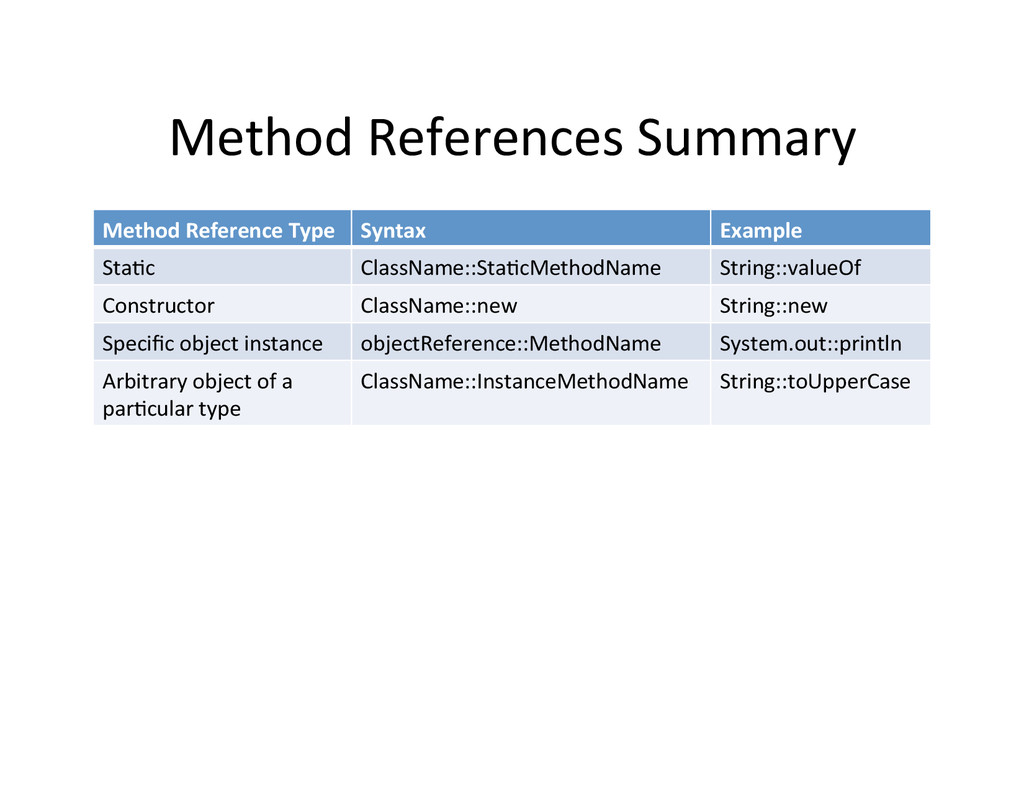
Method References Summary Method Reference Type Syntax
Example StaAc ClassName::StaAcMethodName String::valueOf Constructor ClassName::new String::new Specific object instance objectReference::MethodName System.out::println Arbitrary object of a parAcular type ClassName::InstanceMethodName String::toUpperCase -
Java 8 Lambdas • Concept • Syntax
• FuncAonal Interfaces • Variable Capture • Method References • Default Methods -
The interface evoluAon problem! • A natural place to
use lambdas is with the Java collecAons framework • The collecAon framework is defined with interfaces such as Iterable, CollecAon, Map, List, Set, … etc. • Adding a new method such forEach to the Iterable interface will mean that all exisAng implementaAons of Iterable will break • How can published interfaces be evolved without breaking exisAng implementaAons! -
default Method • A default method on java interface
has an implementaAon provided in the interface and is inherited by classes that implement the interface. public interface Iterable<T> { Iterator<T> iterator(); default void forEach(Consumer<? super T> action) { Objects.requireNonNull(action); for (T t : this) { action.accept(t); } } default Spliterator<T> spliterator() { return Spliterators.spliteratorUnknownSize(iterator(), 0); } } -
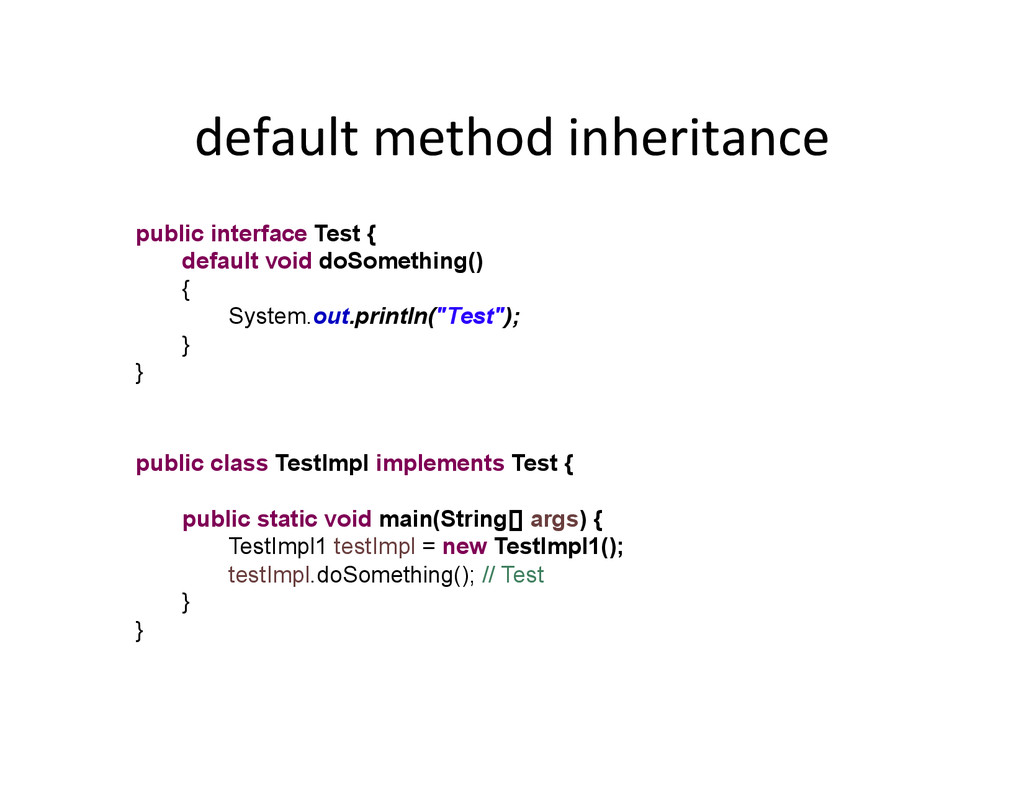
default method inheritance public interface Test { default void
doSomething() { System.out.println("Test"); } } public class TestImpl implements Test { public static void main(String[] args) { TestImpl1 testImpl = new TestImpl1(); testImpl.doSomething(); // Test } } -
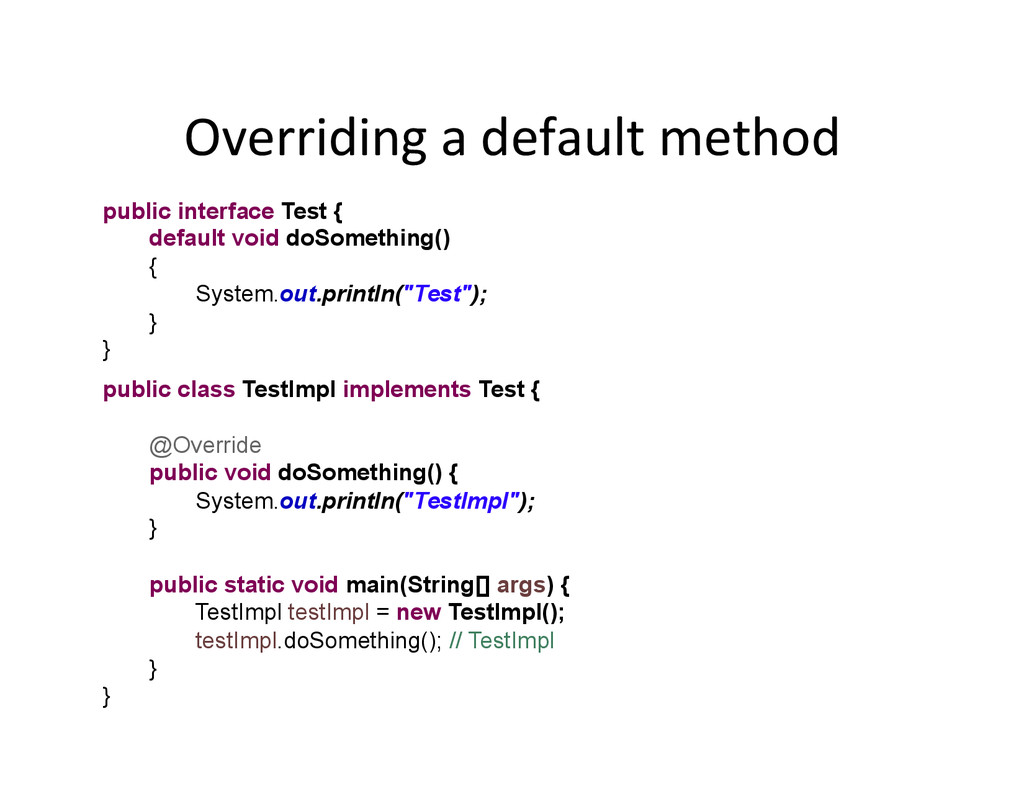
Overriding a default method public interface Test { default
void doSomething() { System.out.println("Test"); } } public class TestImpl implements Test { @Override public void doSomething() { System.out.println("TestImpl"); } public static void main(String[] args) { TestImpl testImpl = new TestImpl(); testImpl.doSomething(); // TestImpl } } -
A hierarchy of default methods public interface Test {
default void doSomething(){ System.out.println("Test"); } } public interface TestA extends Test { @Override default void doSomething() { System.out.println("TestA"); } } public class TestImpl implements TestA { public static void main(String[] args) { TestImpl testImpl = new TestImpl(); testImpl.doSomething(); // TestA } } -
default method conflict public interface A { default void
doSomething() { System.out.println("A"); } } public class ABImpl implements A, B { } public interface B { default void doSomething() { System.out.println(“B"); } } Compile Error: Duplicate default methods named doSomething with the parameters () and () are inherited from the types B and A -
Resolving default method conflict public interface A { default
void doSomething() { System.out.println("A"); } } public class ABImpl implements A, B { @Override public void doSomething() { System.out.println("ABImpl"); A.super.doSomething(); // notice A.super syntax } public static void main(String[] args) { new ABImpl2().doSomething(); // ABImpl \n A } } public interface B { default void doSomething() { System.out.println(“B"); } } -
Diamonds are No Problem public interface A { default
void doSomething() { System.out.println("A"); } } public class CDImpl implements C, D { public static void main(String[] args) { new CDImpl().doSomething(); } } Outputs : D public interface C extends A { default void other() { System.out.println("C"); } } public interface D extends A { @Override default void doSomething(){ System.out.println("D"); } } -
default method Summary • A default method on an
interface can have an implementaAon body • if there is a conflict between default methods the class that is implemenAng the default methods must override the conflicAng default method • In an inheritance hierarchy with default methods the most specific default method wins. -
FuncAonal Interface Complete DefiniAon • A funcAonal interface
can only have one non default method -
Are these concepts clear? • Lambda expression •
FuncAonal interface • Method reference • Default method -
5 min break • Start 5 minute Count Down
Timer • Streams -
CollecAons Enhancements • Java 8 uses lambda expressions and
default methods to improve the exisAng java collecAons frameworks • Internal iteraAon – delegates the looping to a library funcAon such as forEach and the loop body processing to a lambda expression. – allows the library funcAon we are delegaAng to implement the logic needed to execute the iteraAon on mulAple cores if desired -
Some New Methods • New java.lang.Iterable methods in Java
8 – default void forEach(Consumer<? super T> acAon) – default Spliterator<T> spliterator() • New java.uAl.CollecAon Methods in Java 8 – default boolean removeIf(Predicate<? super E> filter) – default Spliterator<E> spliterator() – default Stream<E> stream() – default Stream<E> parallelStream() -
Some New Methods …. • New java.uAl.Map Methods in
Java 8 – default V getOrDefault(Object key, V defaultValue) – putIfAbsent(K key, V value) – …. etc -
Stream related methods • Common stream related methods
– default Spliterator<T> spliterator() – default Stream<E> stream() – default Stream<E> parallelStream() -
What is a Stream? • Streams are a funcAonal
programming design padern for processing sequences of elements sequenAally or in parallel • When examining java programs we always run into code along the following lines. – Run a database query get a list of objects – Iterate over the list to compute a single result – Iterate over the list to generate a new data structure another list, map, set or … etc. • Streams are a concept that can be implemented in many programming languages -
Java 8 Streams • Create a stream instance from
a source java collecAon • Add a filter operaAon to the stream intermediate opera1ons pipeline • Add a map operaAon to to the stream intermediate opera1ons pipeline • Add a terminal opera1on that kicks off the stream processing List<Order> orders = getOrders(); int totalQuantity = orders.stream() .filter(o -> o.getType() == ONLINE) .mapToInt(o -> o.getQuantity()) .sum(); -
Stream Structure • A stream has a
– source that the stream can pull objects from – pipeline of operaAons that will execute on the elements of the stream – terminal operaAon that pulls values down the stream Source Pipeline Terminal -
Stream lifecycle • Crea1on Streams get created from a
source object such as a collecAon, file, or generator • Configura1on Streams get configured with a collecAon of pipeline operaAons. • Execu1on Stream terminal operaAon is invoked which starts pulling objects trough the operaAons pipeline of the stream. • Cleanup Stream can only be used once and have a close() method which needs to be called if the stream is backed by a IO source Create Config Execute Cleanup -
Number Stream Source System.out.println("Long Stream Source"); LongStream.range(0, 5) .forEach(System.out::println);
Output: Long Stream Source 0 1 2 3 4 -
CollecAon Stream Source List<String> cities = Arrays.asList("toronto", "ottawa”,"montreal","vancouver"); cities.stream()
.forEach(System.out::println); Output: toronto odawa montreal vancouver -
Character Stream Source long length = "ABC".chars().count(); // <1>
System.out.println(length); Output: 3 -
File system streams String workingDir = System.getProperty("user.dir"); Path workingDirPath
= FileSystems.getDefault().getPath(workingDir); System.err.println("Directory Listing Stream\n"); Files.list(workingDirPath) .forEach(System.out::println); System.err.println(”Depth First Directory Walking Stream\n"); Files.walk(workingDirPath) .forEach(System.out::println); -
What does this program do? public class Example {
public static void main(String[] args) throws IOException { String workingDir = System.getProperty("user.dir"); Path workingDirPath = FileSystems.getDefault().getPath(workingDir); String classFileName = Example.class.getName().replace('.', '/') + ".java"; int maxDepth = 10; Files.find(workingDirPath, maxDepth, (filename, attributes) -> filename.endsWith(classFileName) ).forEach(path -> { try { Files.lines(path).forEach(System.out::println); } catch (Exception e) {} }); } } -
This program prints itself out when run in Eclipse
public class Example { public static void main(String[] args) throws IOException { String workingDir = System.getProperty("user.dir"); Path workingDirPath = FileSystems.getDefault().getPath(workingDir); String classFileName = Example.class.getName().replace('.', '/') + ".java"; int maxDepth = 10; Files.find(workingDirPath, maxDepth, (filename, attributes) -> filename.endsWith(classFileName) ).forEach( path -> { try { Files.lines(path).forEach(System.out::println); } catch (Exception e) {} } ); } } -
Stream Terminal OperaAons • Reduc1on Terminal Opera1ons — return a single
result • Mutable Reduc1on Terminal Opera1ons — return mulAple results in a container data structure • Search Terminal Opera1ons — return a result as soon as a match is found • Generic Terminal Opera1on — do any kind of processing you want on each stream element • Nothing happens unAl the terminal operaAon is invoked! -
ReducAon Terminal OperaAons List<Integer> integers = Arrays.asList(1, 2, 3,
4, 5); Long count = integers.stream().count(); System.out.println(count); // 5 Optional<Integer> result; result = integers.stream().min( (x, y) -> x – y); System.out.println(result.get()) // 1 result = integers.stream(). max(Comparator.comparingInt(x -> x)); System.out.println(result.get()); // 5 Integer result = integers.stream().reduce(0,(x,y) -> x + y) System.out.println(result); // 15 -
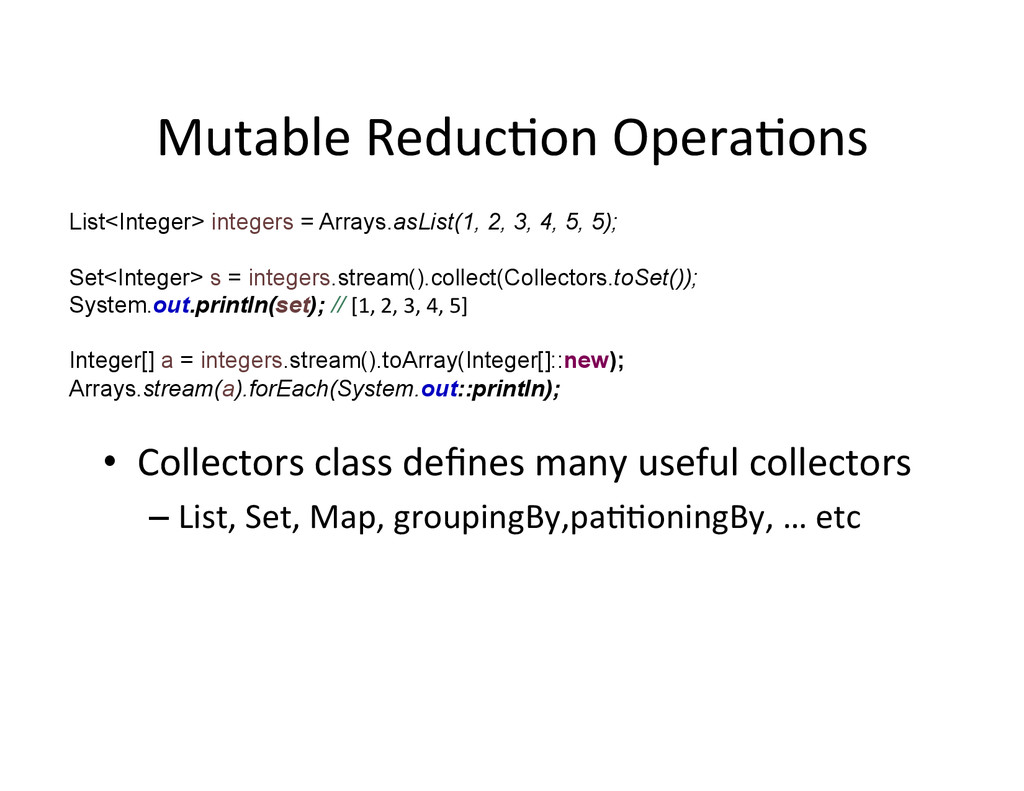
Mutable ReducAon OperaAons List<Integer> integers = Arrays.asList(1, 2, 3,
4, 5, 5); Set<Integer> s = integers.stream().collect(Collectors.toSet()); System.out.println(set); // [1, 2, 3, 4, 5] Integer[] a = integers.stream().toArray(Integer[]::new); Arrays.stream(a).forEach(System.out::println); • Collectors class defines many useful collectors – List, Set, Map, groupingBy,paAAoningBy, … etc -
Search Terminal OperaAons List<Integer> integers = Arrays.asList(1, 2, 3,
4, 5, 5); Optional<Integer> result = integers.stream().findFirst(); System.out.println(result.get()); // 1 boolean result = integers.stream().anyMatch(x -> x == 5); System.out.println(result); // true boolean result = integers.stream().anyMatch(x -> x > 3); System.out.println(result); // false Optional<Integer> result = integers.stream().findAny(); System.out.println(result.get()); ; // unpredictable result 1 -
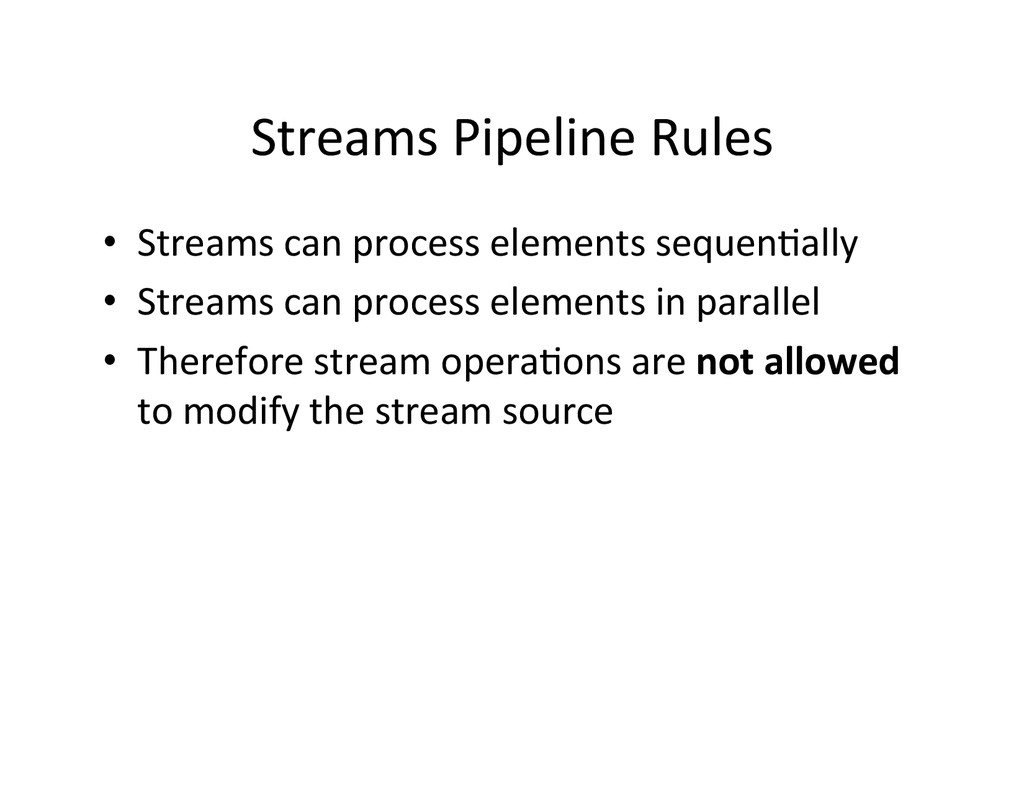
Streams Pipeline Rules • Streams can process elements sequenAally
• Streams can process elements in parallel • Therefore stream operaAons are not allowed to modify the stream source -
Intermediate Stream OperaAons • Stateless intermediate opera1ons — do not
need to know the history of results from the previous steps in the pipeline or keep track of how many results it have produced or seen – filter, map, flatMap, peek • Stateful Intermediate Opera1ons — need to know the history of results produced by previous steps in the pipeline or needs to keep track of how many results it has produced or seen – disAnct, limit, skip, sorted -
Stateless Intermediate OperaAons List<Integer> integers = Arrays.asList(1, 2, 3,
4, 5, 5); integers.stream().filter(x -> x < 4) .forEach(System.out::println); // 1 \n 2 \n 3 List<Integer> m = integers.stream() .map(x -> x + 1) .collect(Collectors.toList()); m.forEach(System.out::println); // 2 3 4 5 6 6 IntSummaryStatistics stats = integers.stream() .mapToInt(x -> x) .summaryStatistics() System.out.println(stats); // IntSummaryStatistics{count=6, sum=20, min=1, average=3.333333, max=5} -
Stateful Intermediate OperaAons List<Integer> integers = Arrays.asList(1, 2, 3,
4, 5, 5); integers.stream().distinct() .forEach(System.out::println); // 1 2 3 4 5 integers.stream().limit(3) .forEach(System.out::println); // 1 2 3 integers.stream().skip(3) .forEach(System.out::println); // 4 5 5 List<Integer> integers = Arrays.asList(7,1,2,3,4,5, 5); integers.stream().sorted() .forEach(System.out::println); // 1 2 3 4 5 5 7 -
Do this make Sense? Stream<Order> orderStream = OrderService.stream(); OptionalDouble
average = orderStream .filter(o -> o.getItems().size() > 2) .mapToDouble(Order::total).average(); System.out.println(average.getAsDouble()); OptionalDouble average = orderStream .filter(o -> o.getItems().size() > 2) .mapToDouble( o -> o.getItems().stream().mapToInt( item -> item.getQuantity() * item.getProduct().getPrice()).sum() ) .average(); -
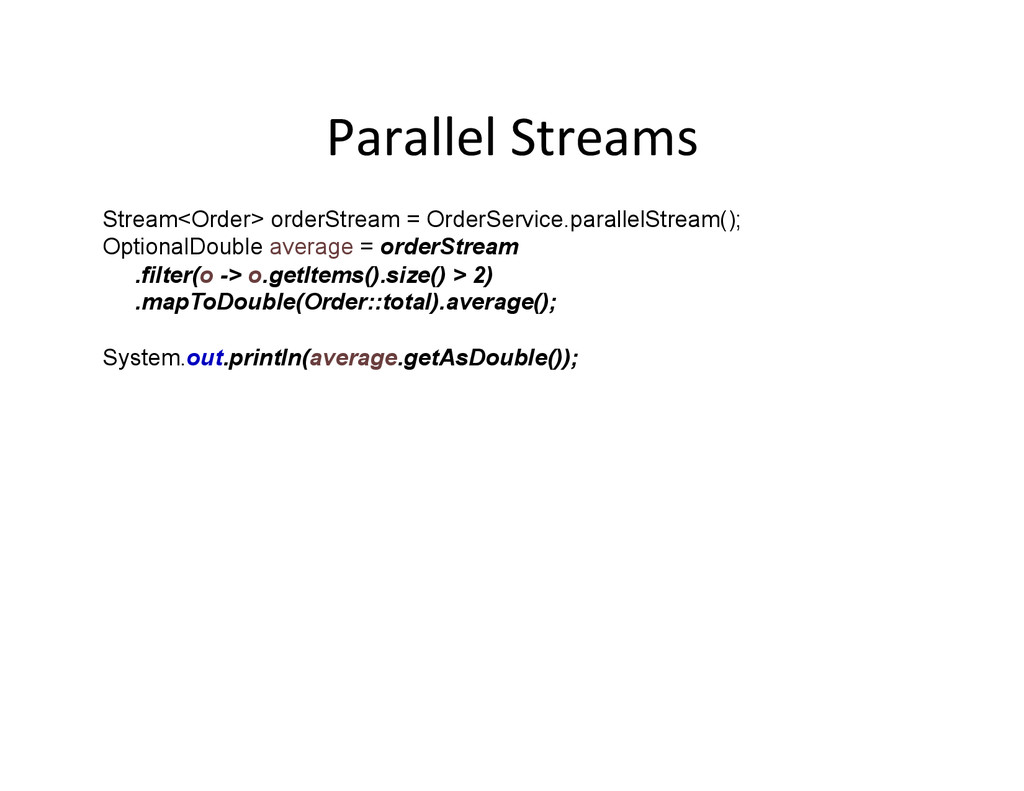
Parallel Streams Stream<Order> orderStream = OrderService.parallelStream(); OptionalDouble average =
orderStream .filter(o -> o.getItems().size() > 2) .mapToDouble(Order::total).average(); System.out.println(average.getAsDouble()); -
Summary • Streams can be serial or parallel
• A stream structure • Stream Lifecycle Source Pipeline Terminal Create Config Execute Cleanup
 newcircle
 fuqda
 pvcresin
 meihei3
 simas
 dalinaum
 kishida
 kmkim
 nakamizu
 seosoft
 chigichan24
 nokonoko1203
 itsmedreamwalker
 keavy
 baasie
 ryanjones
 kimpetersen
 reverentgeek
 marktimemedia
 mraible
 sonatard
 helmedeiros
 jacobtomlinson
 inesmontani
 eileencodes