Share
Embed
Next level Vuex
Niklas Lochschmidt
February 07, 2019
Transcript
30 slides
-
@Niklas_L #VueJSfrankfurt Next level Vuex Undo & Redo for your
Users Niklas Lochschmidt -
@Niklas_L #VueJSfrankfurt Cmd + Z Cmd + Y • Provides
safety for users • Ubiquitous in Desktop applications • Not so much in mobile and web applications ! -
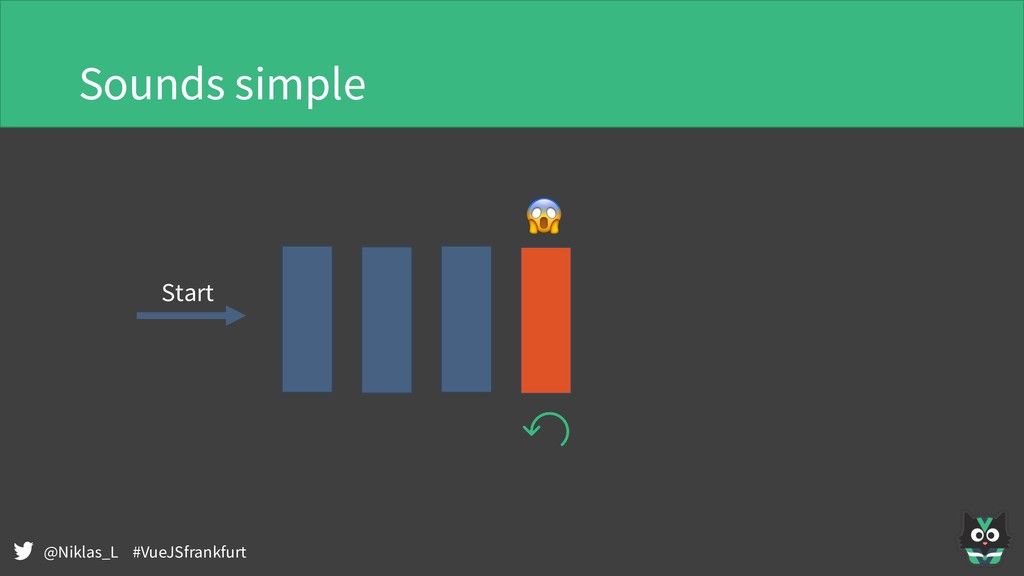
@Niklas_L #VueJSfrankfurt Aha not so simple… • Where does a
step start, where does it end • Not everything can be undone • Not everything can be redone • How many steps do we allow to go back • Also: What about side effects? -
@Niklas_L #VueJSfrankfurt “I have some actions that fire many, many
times … obviously it would make sense to undo the entire move instead of doing it one by one.” -
@Niklas_L #VueJSfrankfurt “There are actions I don't want undo for.
Say, user toggles a grid view in the editor.” -
@Niklas_L #VueJSfrankfurt Types of changes in the application • UI
state only select a node • Single mutations change a node title • Mixture select a node then highlight immediately • Multiple mutations insert a node between nodes • Side-effect actions upload image to server -
@Niklas_L #VueJSfrankfurt Option A: State snapshots • Every change causes
snapshot to be stored • Reverting means restoring earlier snapshot Pro: Simple implementation Cons: ? -
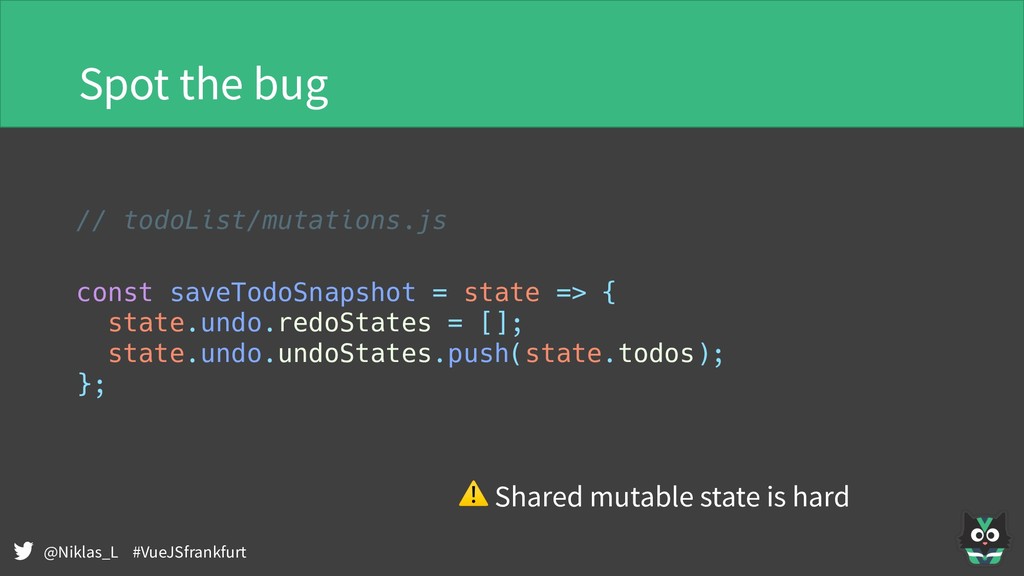
@Niklas_L #VueJSfrankfurt Spot the bug // todoList/mutations.js const saveTodoSnapshot =
state => { state.undo.redoStates = []; state.undo.undoStates.push(state.todos); }; ⚠ Shared mutable state is hard -
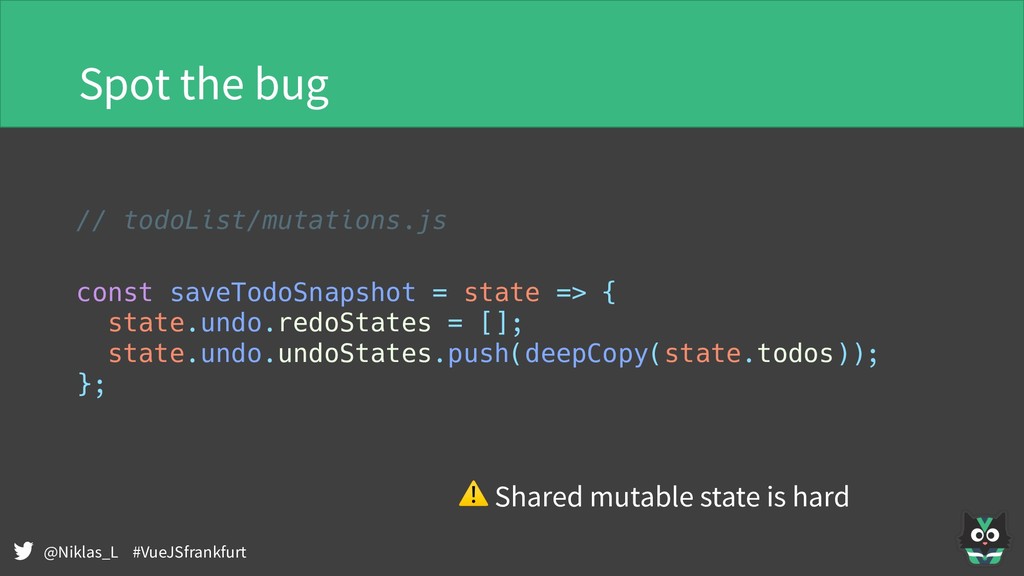
@Niklas_L #VueJSfrankfurt Spot the bug // todoList/mutations.js const saveTodoSnapshot =
state => { state.undo.redoStates = []; state.undo.undoStates.push(deepCopy(state.todos)); }; ⚠ Shared mutable state is hard -
@Niklas_L #VueJSfrankfurt Option A: State snapshots • Every change causes
snapshot to be stored • Reverting means restoring earlier snapshot Pro: Simple implementation Cons: Memory footprint ! -
@Niklas_L #VueJSfrankfurt Option B: Forward and backward mutations const addTodo
= (state, { title }) => { const id = createId(); Vue.set(state.todos, id, { id, title, completed: false }); }; const removeTodo = (state, { id }) => { saveUndoMutation({ undo: { type: "addTodo", payload: { title: state.todos[id].title } }, redo: { type: "removeTodo", payload: { id } } }); Vue.delete(state.todos, id); }; -
@Niklas_L #VueJSfrankfurt Option B: Forward and backward mutations • Implement
how to mutate the state • and how to revert the mutation again Pro: • Smaller memory overhead, minimal processing Cons: • Specific mutations just for the sake of undo • Twice the implementation per mutation -
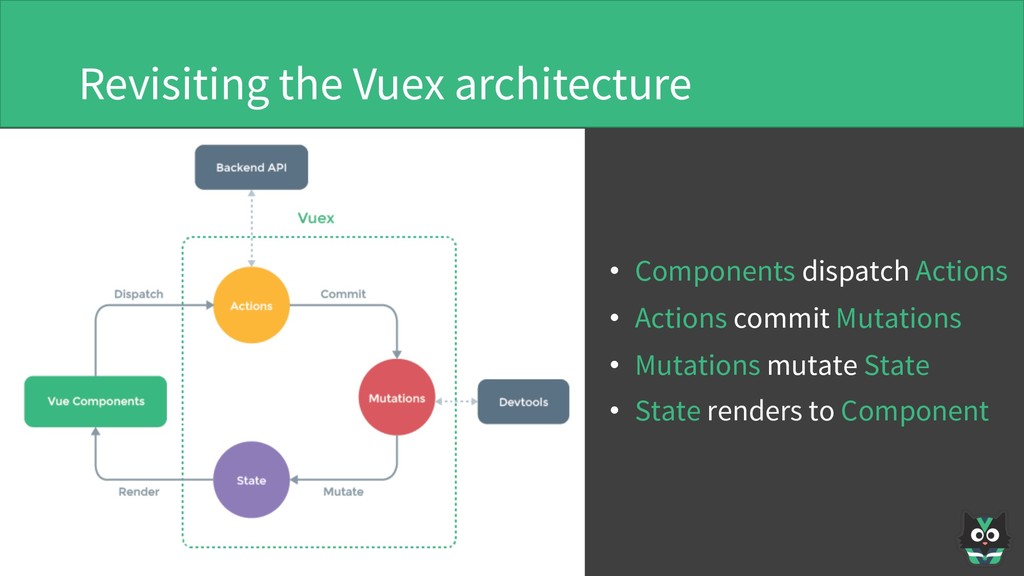
@Niklas_L #VueJSfrankfurt Revisiting the Vuex architecture • Components dispatch Actions
• Actions commit Mutations • Mutations mutate State • State renders to Component -
@Niklas_L #VueJSfrankfurt • UI dispatches Commands • Commands cause Events
• Events update Read-Models • Read-Models render to UI Commands Events Read Model UI dispatch cause update render Command Query Responsibility Segregation and Event Sourcing -
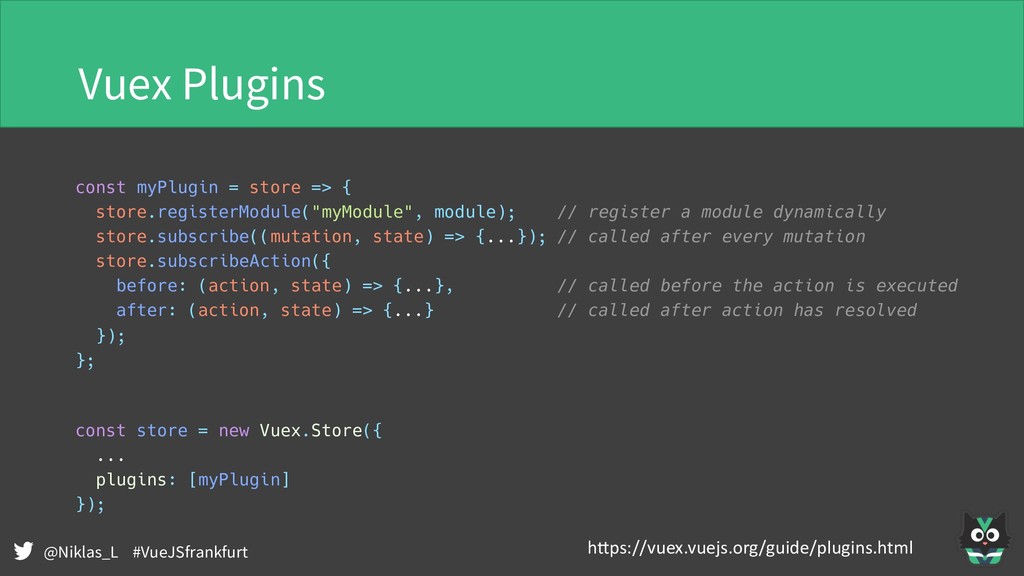
@Niklas_L #VueJSfrankfurt Vuex Plugins const myPlugin = store => {
store.registerModule("myModule", module); // register a module dynamically store.subscribe((mutation, state) => {...}); // called after every mutation store.subscribeAction({ before: (action, state) => {...}, // called before the action is executed after: (action, state) => {...} // called after action has resolved }); }; const store = new Vuex.Store({ ... plugins: [myPlugin] }); h"ps://vuex.vuejs.org/guide/plugins.html -
@Niklas_L #VueJSfrankfurt Vuex Plugins • Plugins can only be added
to the store not in modules • store.subscribe and subscribeAction always see mutations and actions with the complete namespace • Plugins will o!en need explicit configuration -
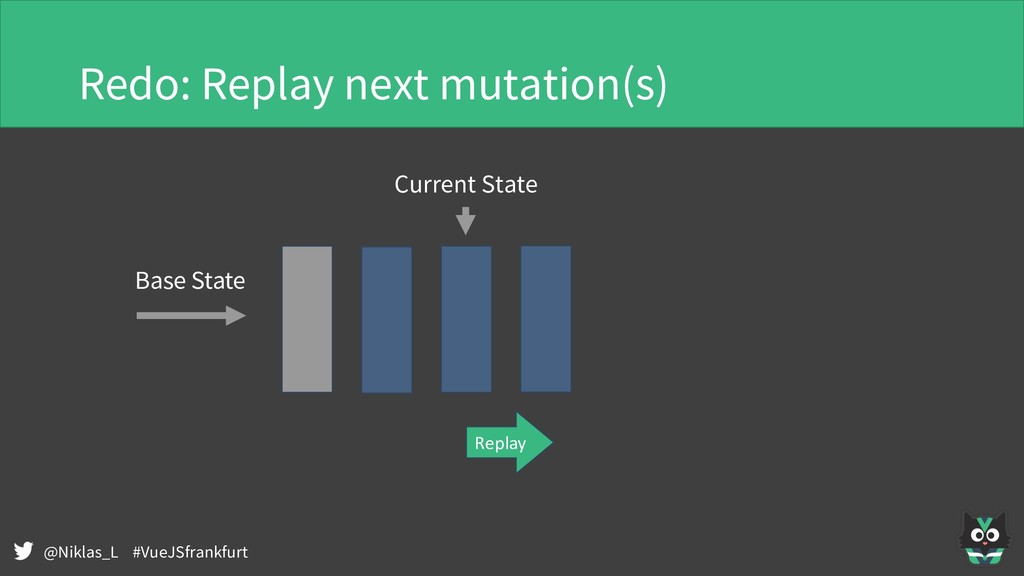
@Niklas_L #VueJSfrankfurt Option C: Base state + forward mutations •
Save a base state for resetMutations • Replay all other mutations on top of the base state Pro: • Easy to generalize, moderate memory footprint Cons: • Potentially processing intensive • More complicated to setup -
@Niklas_L #VueJSfrankfurt Opinionated advise for using Vuex • Don‘t commit
mutations from Vue Components • Instead always go through an action • Stay flexible • Protect your state changes • Perform validations before committing • Use objects as payload • Easy to add optional fields later • See mutations as past events • Manage complexity using namespaces Remember ⚠ Shared mutable state is hard -
@Niklas_L #VueJSfrankfurt Q&A • Slides and code will be available
through meetup.com