Upgrade to Pro — share decks privately, control downloads, hide ads and more …

From the Trenches: Troubleshooting with AHF

Sponsored · Ship Features Fearlessly Turn features on and off without deploys. Used by thousands of Ruby developers.

From the Trenches: Troubleshooting with AHF

Avatar for Seán Scott

Seán Scott PRO

November 14, 2024

More Decks by Seán Scott

Other Decks in Technology

Transcript

  1. Database Reliability Engineering MAA ⁘ RAC ⁘ RMAN Data Guard

    ⁘ Sharding ⁘ Partitioning Information Lifecycle Management Exadata & Engineered Systems Database Modernization Upgrades ⁘ Patching ⁘ Migrations Cloud ⁘ Hybrid Automation DevOps ⁘ IaC ⁘ Containers ⁘ Terraform Vagrant ⁘ Ansible Observability AHF ⁘ TFA ⁘ CHA ⁘ CHM
  2. www.viscosityna.com @ViscosityNA Oracle on Docker Running Oracle Databases in Linux

    Containers Free sample chapter: https://oraclesean.com
  3. www.viscosityna.com @ViscosityNA Autonomous Health Framework, problem solver AHF diagnostic collections

    required by MOS for some SR Diagnostic collections accelerate SR resolution Cluster-aware ADR log inspection and management Advanced system and log monitoring Incident control and notification Connect to MOS SMTP, REST APIs Monthly releases (versioned as YY.M e.g. 24.8)
  4. www.viscosityna.com @ViscosityNA Autonomous Health Framework, problem solver Over 800 health

    checks • 400 identified as critical/failures • Severe problem check daily: 2AM • All known problem check weekly: 3AM Sunday Auto-generates a collection when problems detected • Everything required to diagnose & resolve • Results delivered to the notification email
  5. www.viscosityna.com @ViscosityNA Autonomous Health Framework, problem solver Integrated with: •

    Database • ASM and Clusterware • Automatic Diagnostic Repository (ADR) • Grid Infrastructure Management Repository (GIMR) • Cluster Health Advisor (CHA) & Cluster Health Monitor (CHM) • Enterprise Manager
  6. www.viscosityna.com @ViscosityNA Autonomous Health Framework, problem solver Cluster aware: •

    Run commands for all, some nodes • Cross-node configuration and file inspection • Central management for ADR • Consolidated diagnostic collection Fix Flow identifies and recommends resolution for issues • ORA-4031, ORA-7445
  7. www.viscosityna.com @ViscosityNA Autonomous Health Framework, problem solver Built-in Oracle tools:

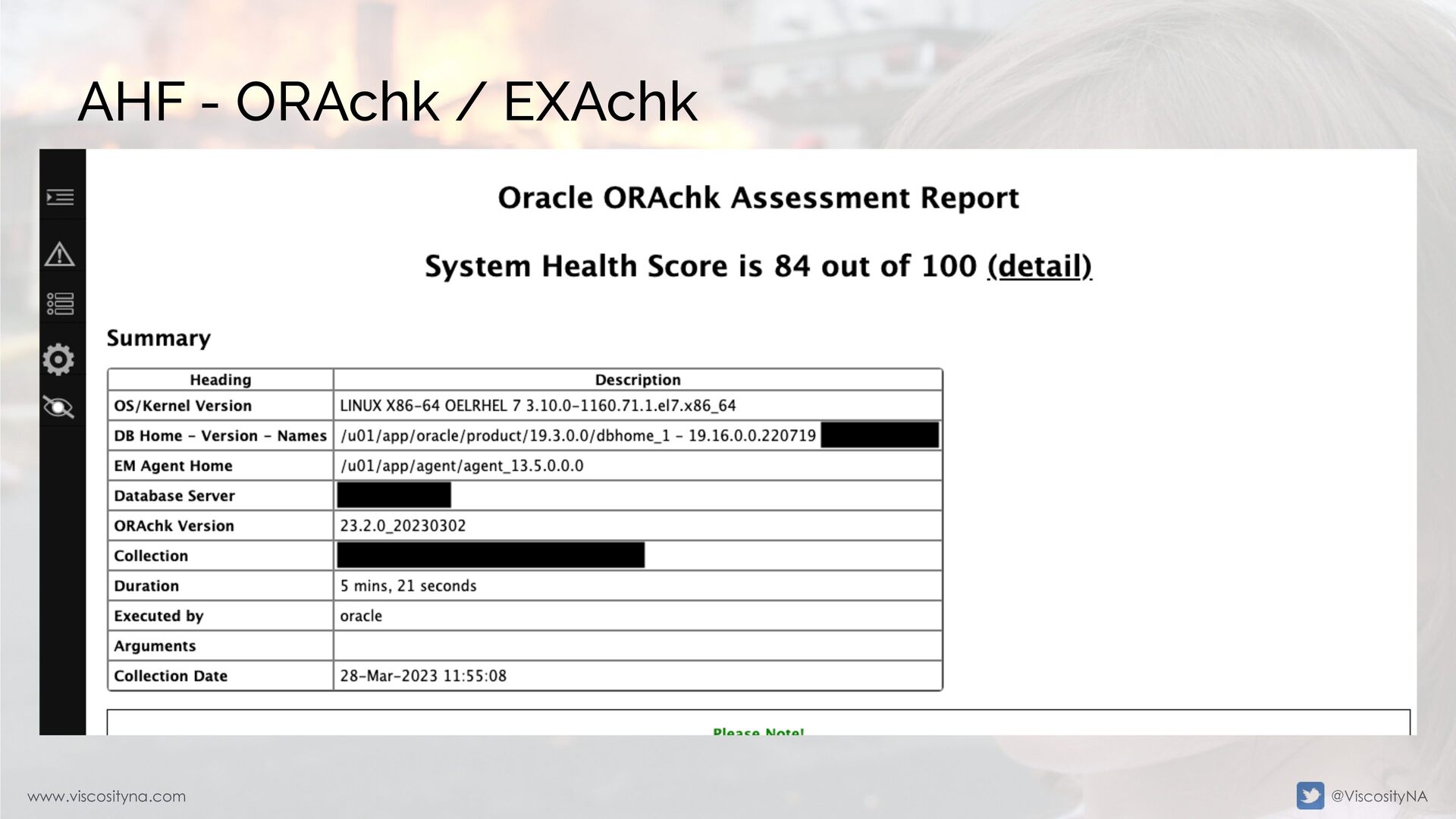
    • ORAchk/EXAchk • OS Watcher • Cluster Verification Utility (CVU) • Hang Manager • Diagnostic Assistant • DBSAT
  8. www.viscosityna.com @ViscosityNA Autonomous Health Framework, problem solver AHF Parent Page:

    Doc ID 2550798.1 • AHF On-Premises: Doc ID 2832630.1 (New) • Linux, ZLinux • Solaris x86/SPARC64 • HPUX • AIX 6/7 • Win 64-bit • AHF Gen-2 Cloud: Doc ID 2832594.1 (New)
  9. www.viscosityna.com @ViscosityNA Installation Daemon (root) installation (recommended) for full capabilities

    • Cluster awareness • Compliance checks • Notifications • Automatic diagnostic collection when issues are detected May conflict with existing AHF/TFA installations
  10. www.viscosityna.com @ViscosityNA Installation Local (non-root) with limited features Can co-exist

    with Daemon installations However: • No automatic or remote diagnostics, collections • Only files visibile to the ORACLE_HOME owner • /var/log/messages • Some Grid Infrastructure logs
  11. www.viscosityna.com @ViscosityNA Installation Historically, there are two flavors of TFA

    • A version downloaded from MOS • A version included in Grid Infrastructure install & patches The GI version is not fully featured GI and MOS versions can interfere/conflict
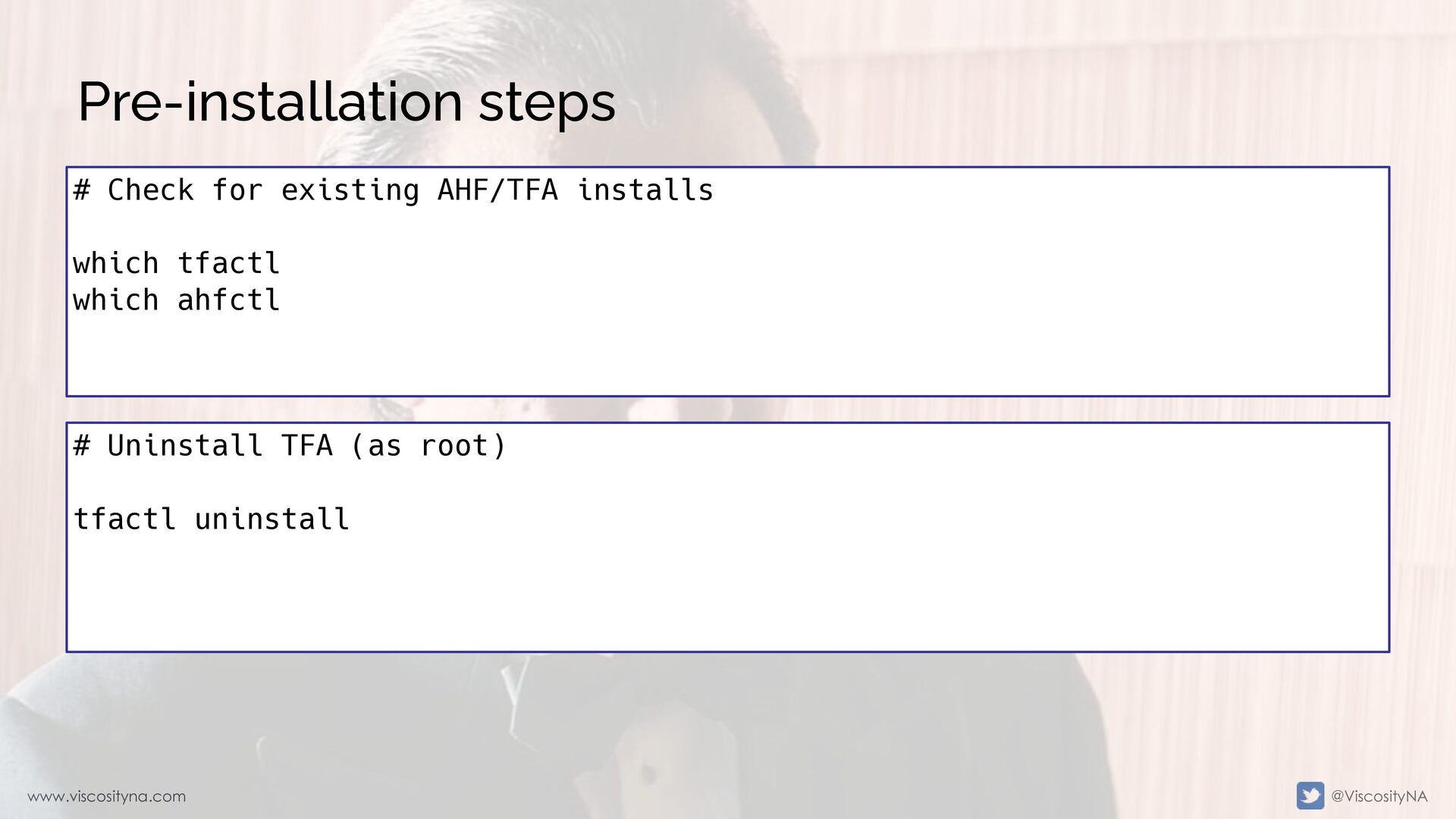
  12. www.viscosityna.com @ViscosityNA Pre-installation steps # Uninstall TFA (as root) tfactl

    uninstall # Check for existing AHF/TFA installs which tfactl which ahfctl
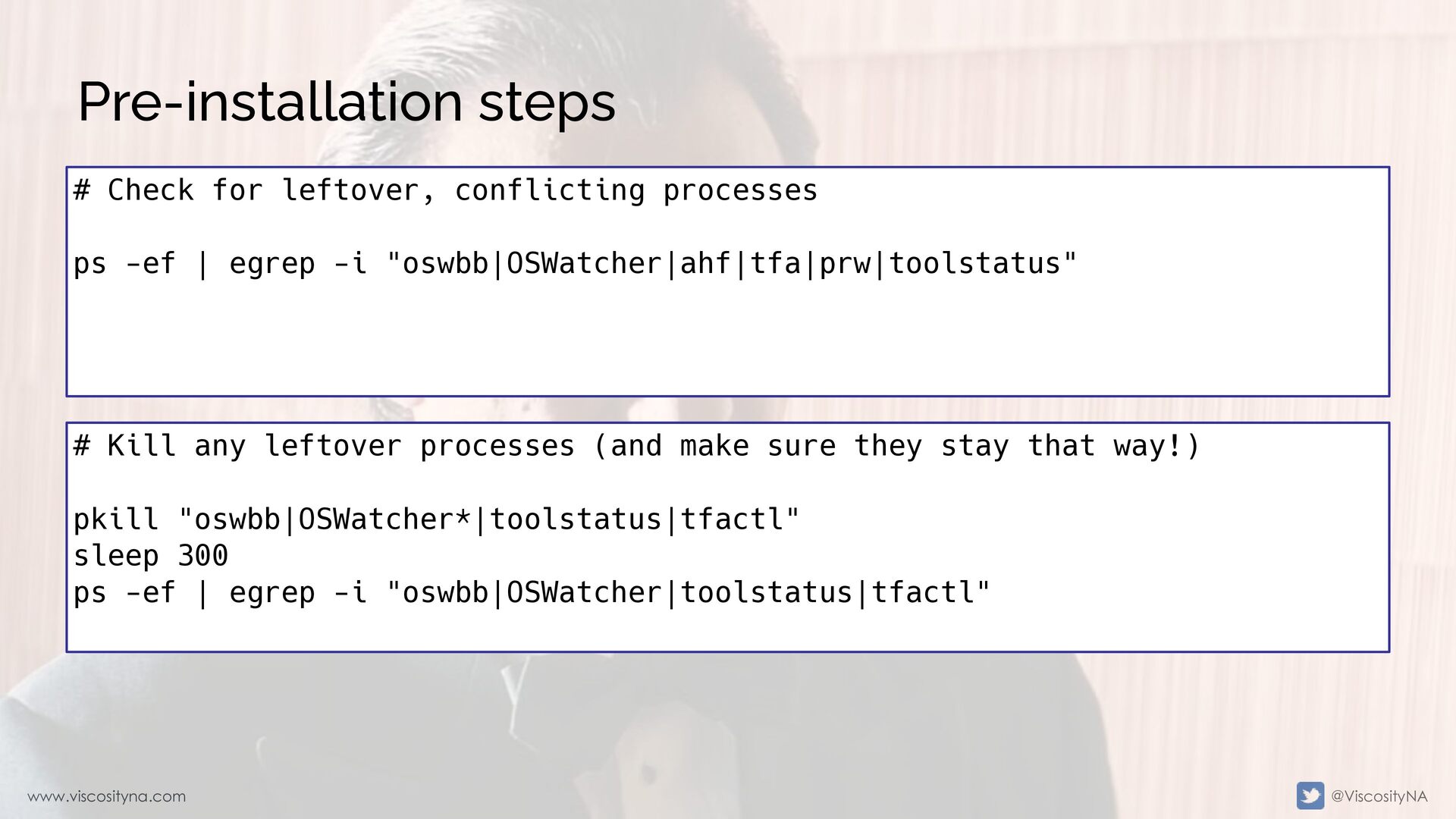
  13. www.viscosityna.com @ViscosityNA Pre-installation steps # Kill any leftover processes (and

    make sure they stay that way!) pkill "oswbb|OSWatcher*|toolstatus|tfactl" sleep 300 ps -ef | egrep -i "oswbb|OSWatcher|toolstatus|tfactl" # Check for leftover, conflicting processes ps -ef | egrep -i "oswbb|OSWatcher|ahf|tfa|prw|toolstatus"
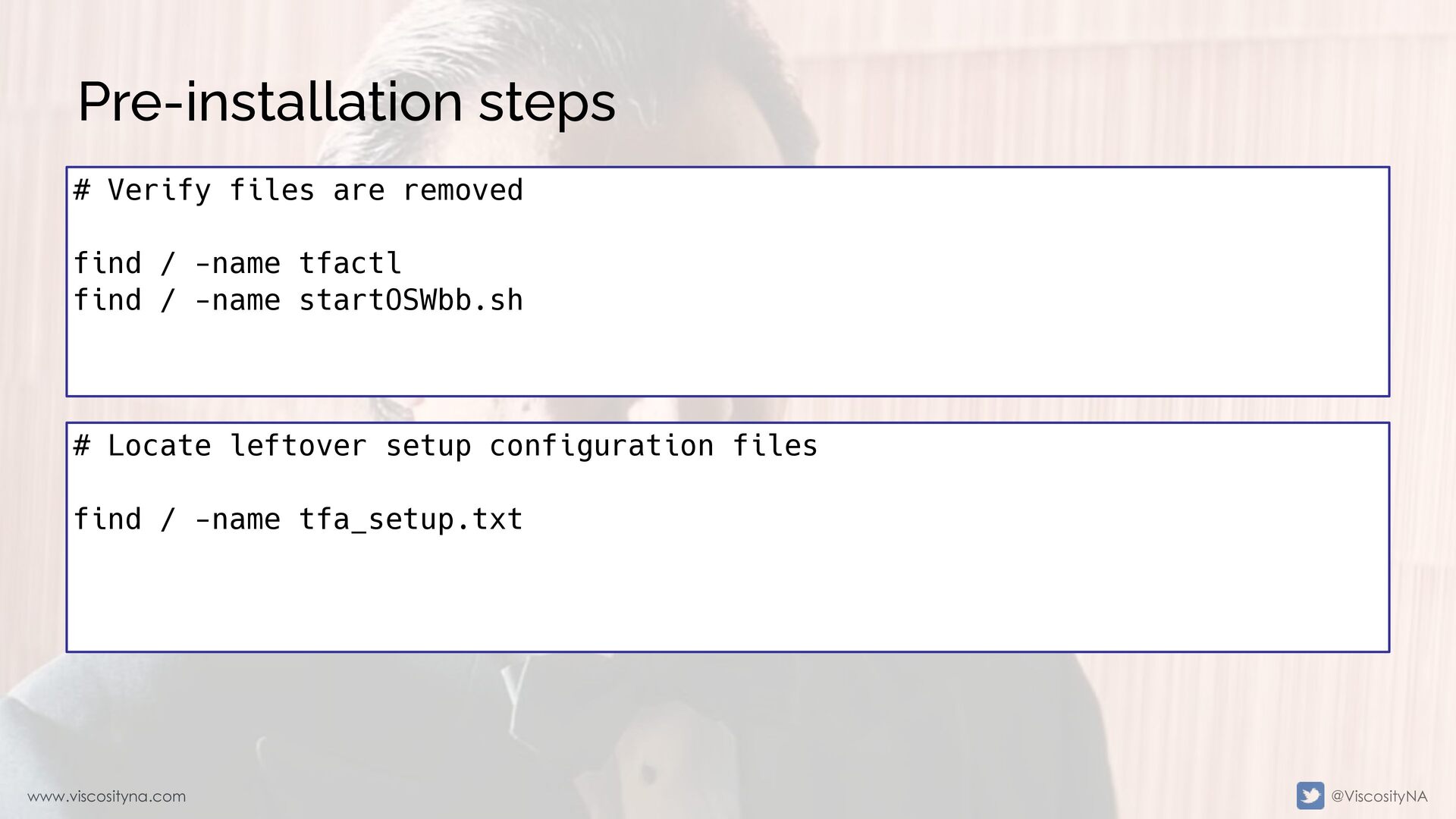
  14. www.viscosityna.com @ViscosityNA Pre-installation steps # Locate leftover setup configuration files

    find / -name tfa_setup.txt # Verify files are removed find / -name tfactl find / -name startOSWbb.sh
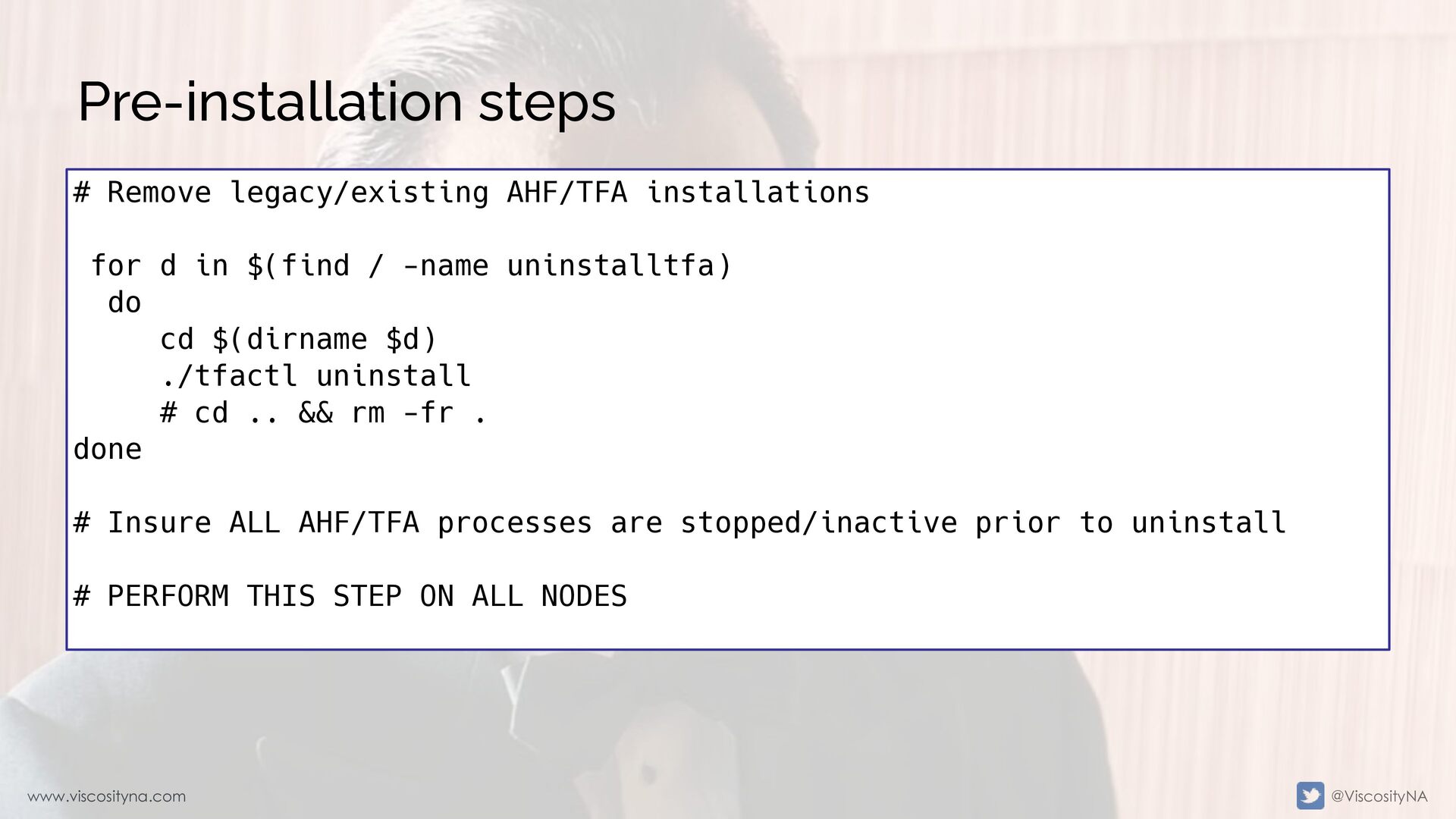
  15. www.viscosityna.com @ViscosityNA Pre-installation steps # Remove legacy/existing AHF/TFA installations for

    d in $(find / -name uninstalltfa) do cd $(dirname $d) ./tfactl uninstall # cd .. && rm -fr . done # Insure ALL AHF/TFA processes are stopped/inactive prior to uninstall # PERFORM THIS STEP ON ALL NODES
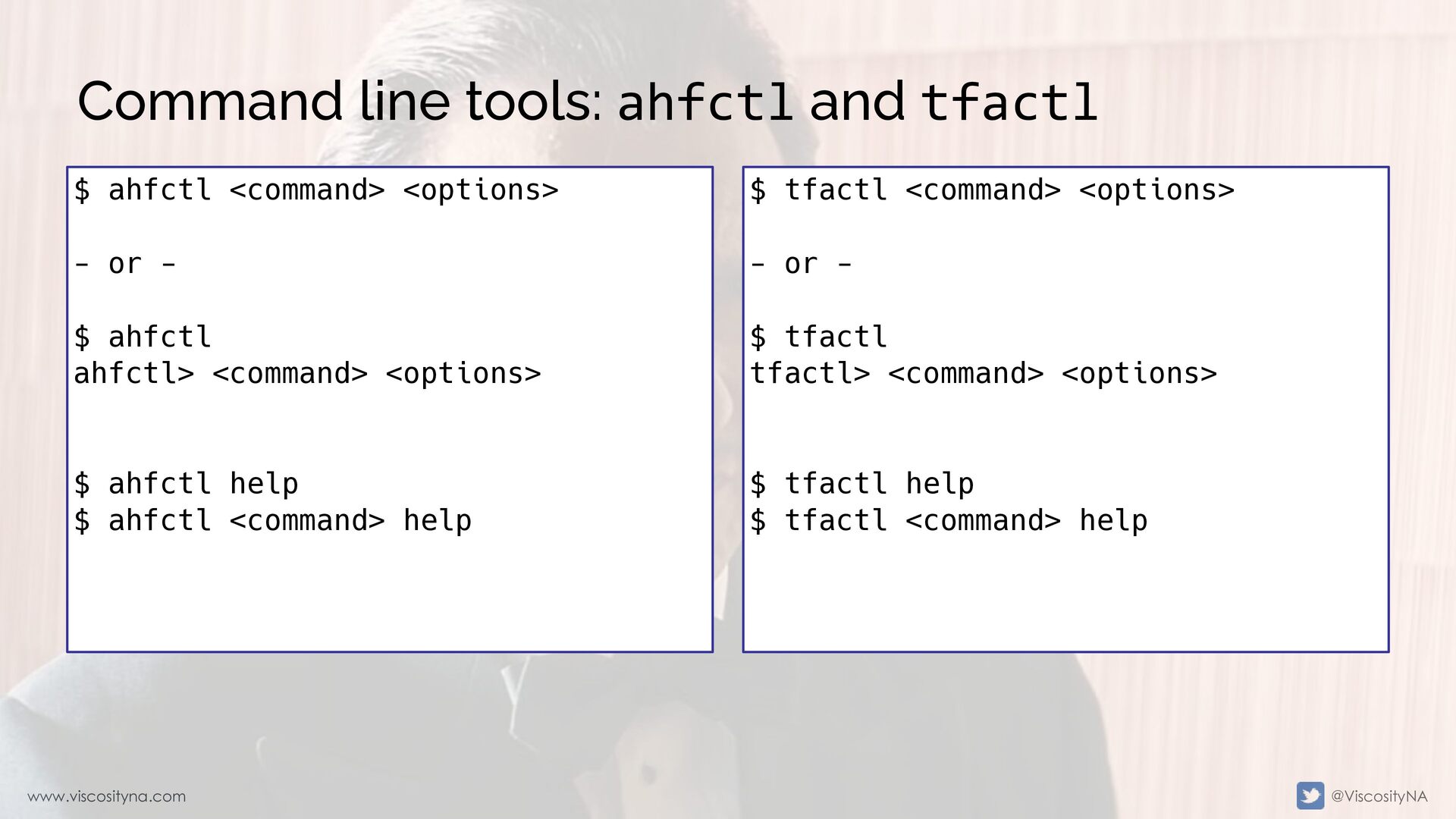
  16. www.viscosityna.com @ViscosityNA Command line tools: ahfctl and tfactl $ tfactl

    <command> <options> - or - $ tfactl tfactl> <command> <options> $ tfactl help $ tfactl <command> help $ ahfctl <command> <options> - or - $ ahfctl ahfctl> <command> <options> $ ahfctl help $ ahfctl <command> help
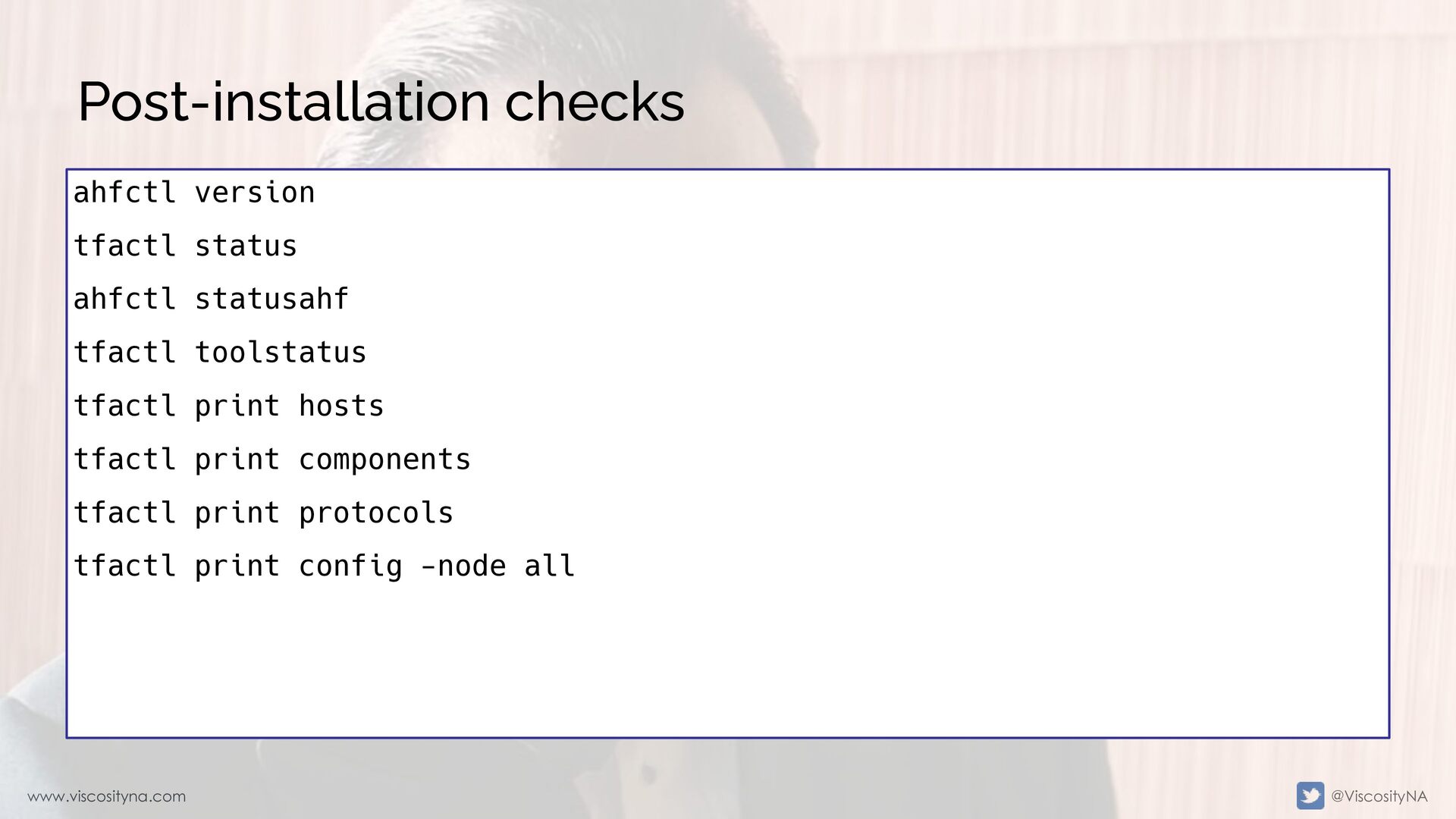
  17. www.viscosityna.com @ViscosityNA Post-installation checks ahfctl version tfactl status ahfctl statusahf

    tfactl toolstatus tfactl print hosts tfactl print components tfactl print protocols tfactl print config -node all
  18. www.viscosityna.com @ViscosityNA status vs statusahf [root@node1 ~]# tfactl status .---------------------------------------------------------------------------------------------.

    | Host | Status of TFA | PID | Port | Version | Build ID | Inventory Status | +-------+---------------+-------+------+------------+----------------------+------------------+ | node1 | RUNNING | 28883 | 5000 | 24.9.0.0.0 | 24990020241011213353 | COMPLETE | | node2 | RUNNING | 30339 | 5000 | 24.9.0.0.0 | 24900020241011213353 | COMPLETE | '-------+---------------+-------+------+------------+----------------------+------------------' [root@node1 ~]#
  19. www.viscosityna.com @ViscosityNA status vs statusahf [root@node1 ~]# tfactl statusahf .---------------------------------------------------------------------------------------------.

    | Host | Status of TFA | PID | Port | Version | Build ID | Inventory Status | +-------+---------------+-------+------+------------+----------------------+------------------+ | node1 | RUNNING | 28883 | 5000 | 24.9.0.0.0 | 24990020241011213353 | COMPLETE | | node2 | RUNNING | 30339 | 5000 | 24.9.0.0.0 | 24900020241011213353 | COMPLETE | '-------+---------------+-------+------+------------+----------------------+------------------' ------------------------------------------------------------ Master node = node1 orachk daemon version = 249000 Install location = /opt/oracle.ahf/orachk Started at = Fri Nov 07 20:50:12 GMT 2024 Scheduler type = TFA Scheduler Scheduler PID: 28883 ...
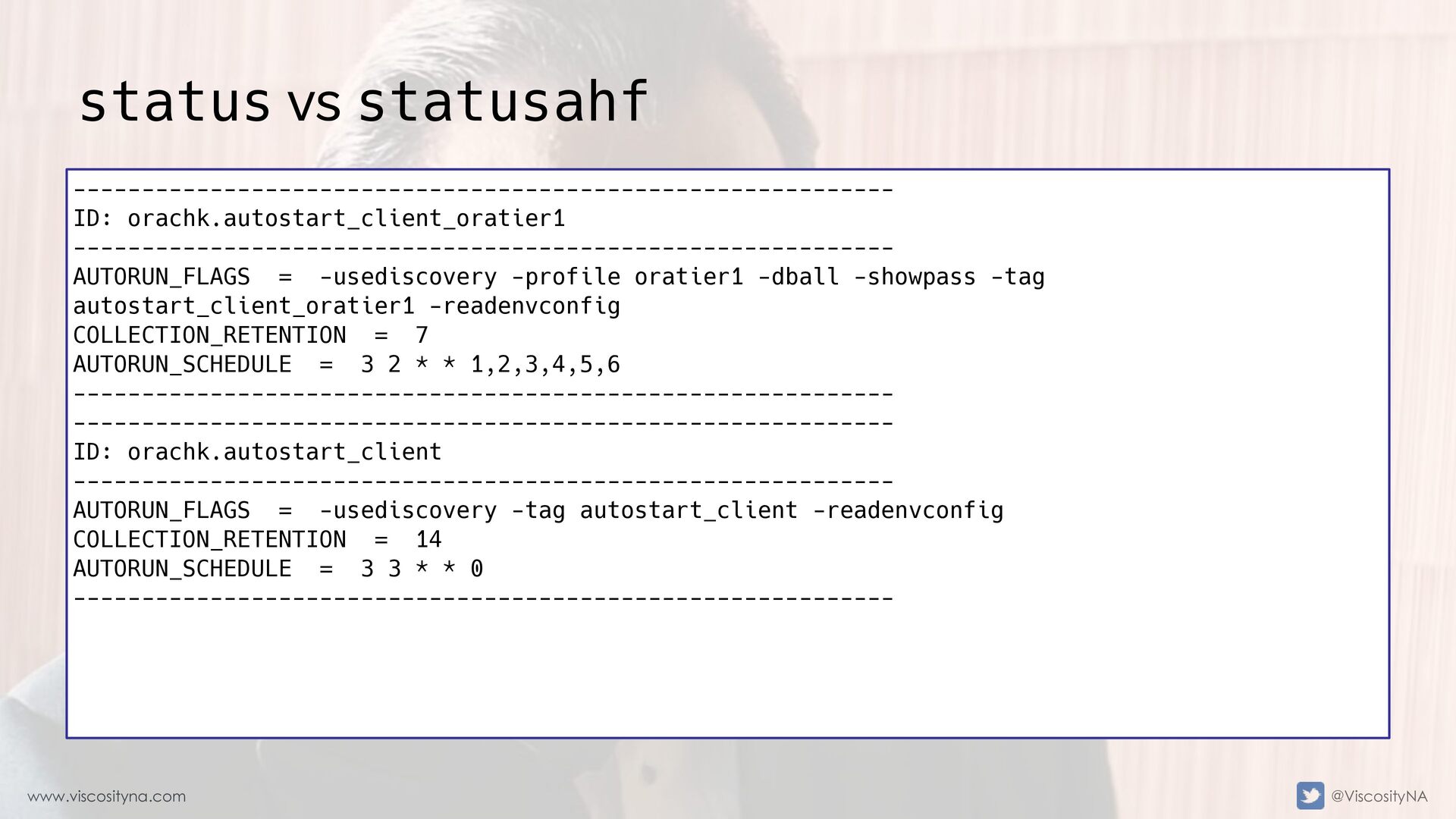
  20. www.viscosityna.com @ViscosityNA status vs statusahf ------------------------------------------------------------ ID: orachk.autostart_client_oratier1 ------------------------------------------------------------ AUTORUN_FLAGS

    = -usediscovery -profile oratier1 -dball -showpass -tag autostart_client_oratier1 -readenvconfig COLLECTION_RETENTION = 7 AUTORUN_SCHEDULE = 3 2 * * 1,2,3,4,5,6 ------------------------------------------------------------ ------------------------------------------------------------ ID: orachk.autostart_client ------------------------------------------------------------ AUTORUN_FLAGS = -usediscovery -tag autostart_client -readenvconfig COLLECTION_RETENTION = 14 AUTORUN_SCHEDULE = 3 3 * * 0 ------------------------------------------------------------
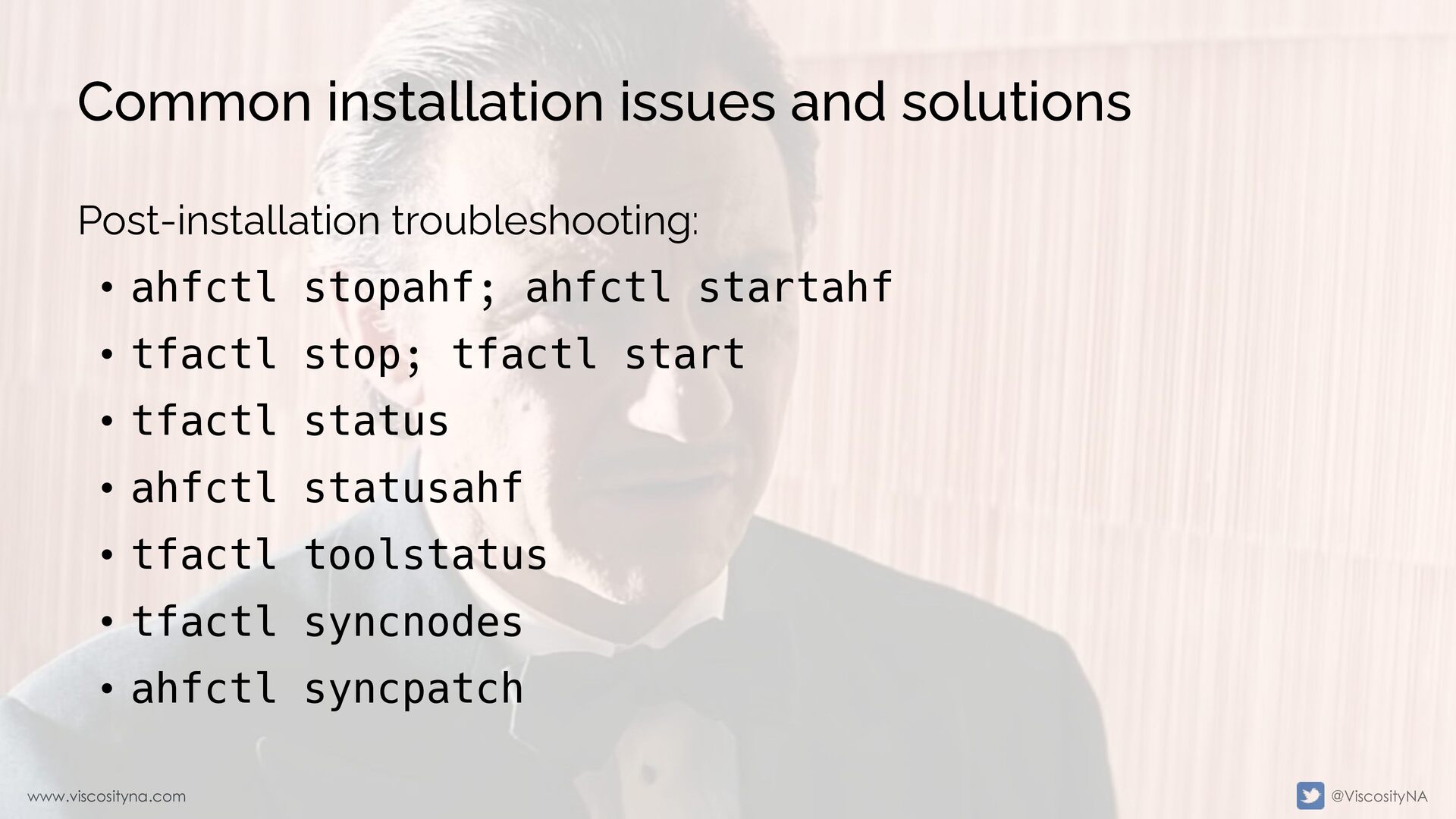
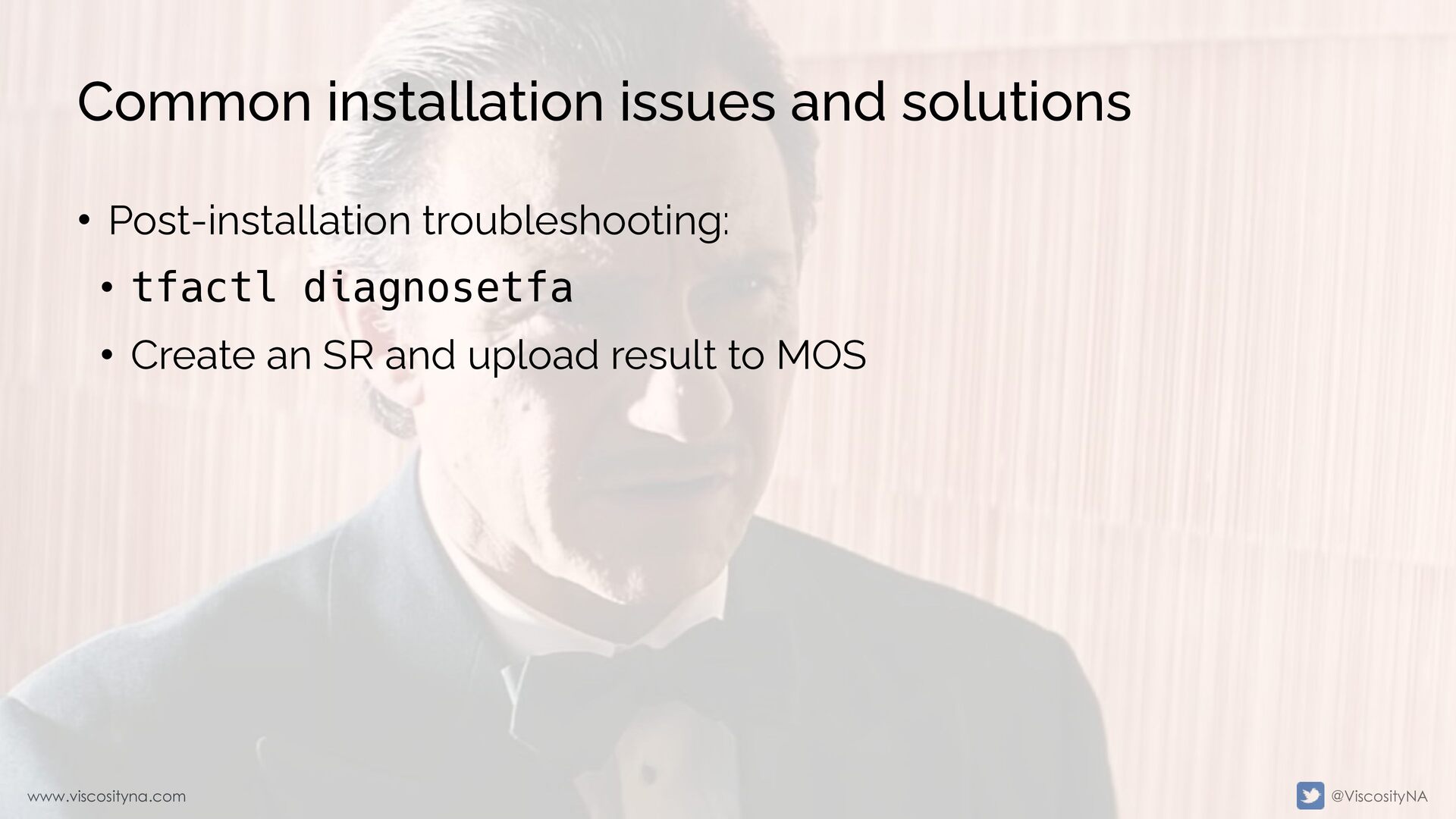
  21. www.viscosityna.com @ViscosityNA Common installation issues and solutions Post-installation troubleshooting: •

    ahfctl stopahf; ahfctl startahf • tfactl stop; tfactl start • tfactl status • ahfctl statusahf • tfactl toolstatus • tfactl syncnodes • ahfctl syncpatch
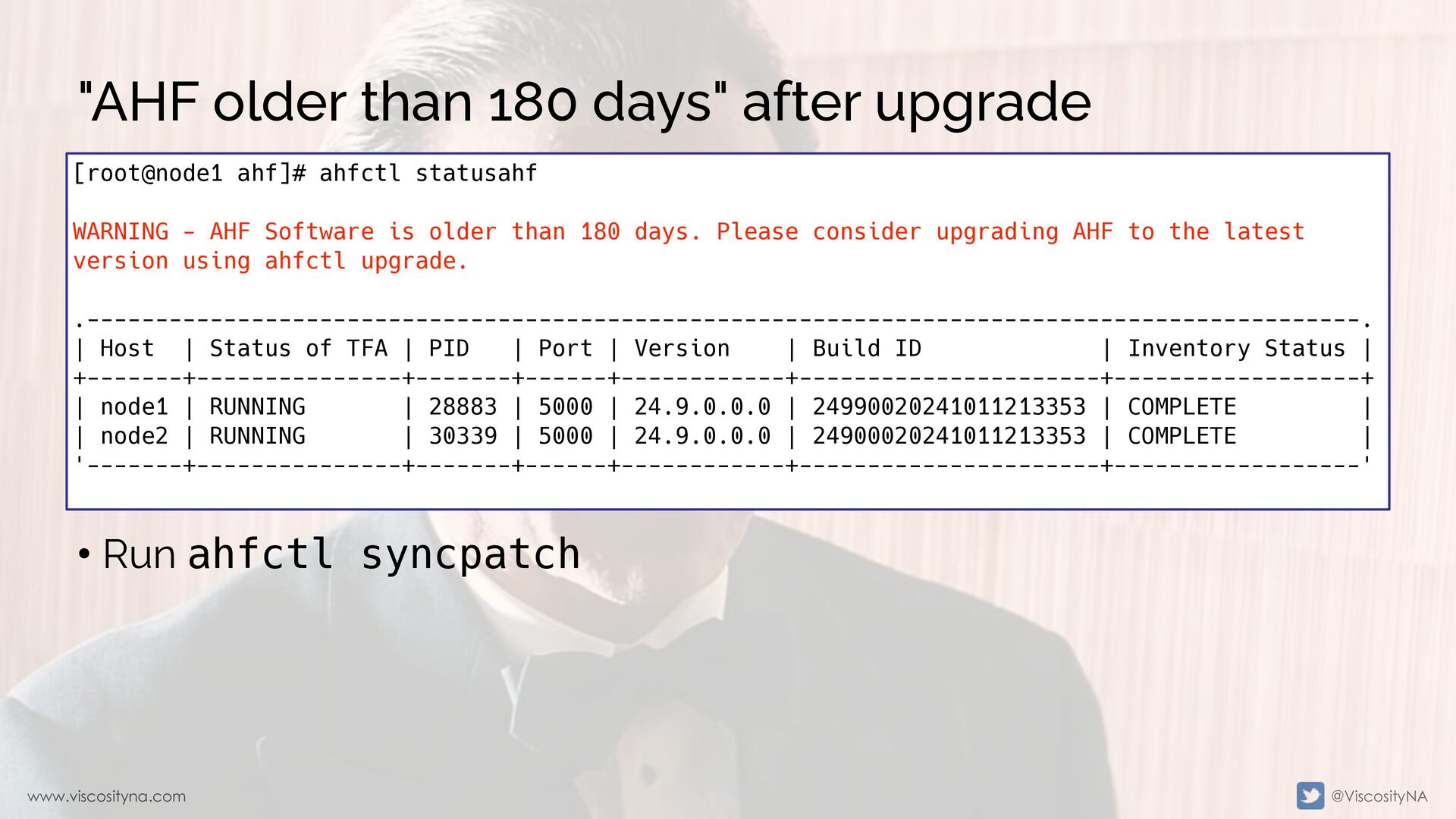
  22. www.viscosityna.com @ViscosityNA "AHF older than 180 days" after upgrade [root@node1

    ahf]# ahfctl statusahf WARNING - AHF Software is older than 180 days. Please consider upgrading AHF to the latest version using ahfctl upgrade. .---------------------------------------------------------------------------------------------. | Host | Status of TFA | PID | Port | Version | Build ID | Inventory Status | +-------+---------------+-------+------+------------+----------------------+------------------+ | node1 | RUNNING | 28883 | 5000 | 24.9.0.0.0 | 24990020241011213353 | COMPLETE | | node2 | RUNNING | 30339 | 5000 | 24.9.0.0.0 | 24900020241011213353 | COMPLETE | '-------+---------------+-------+------+------------+----------------------+------------------' • Run ahfctl syncpatch
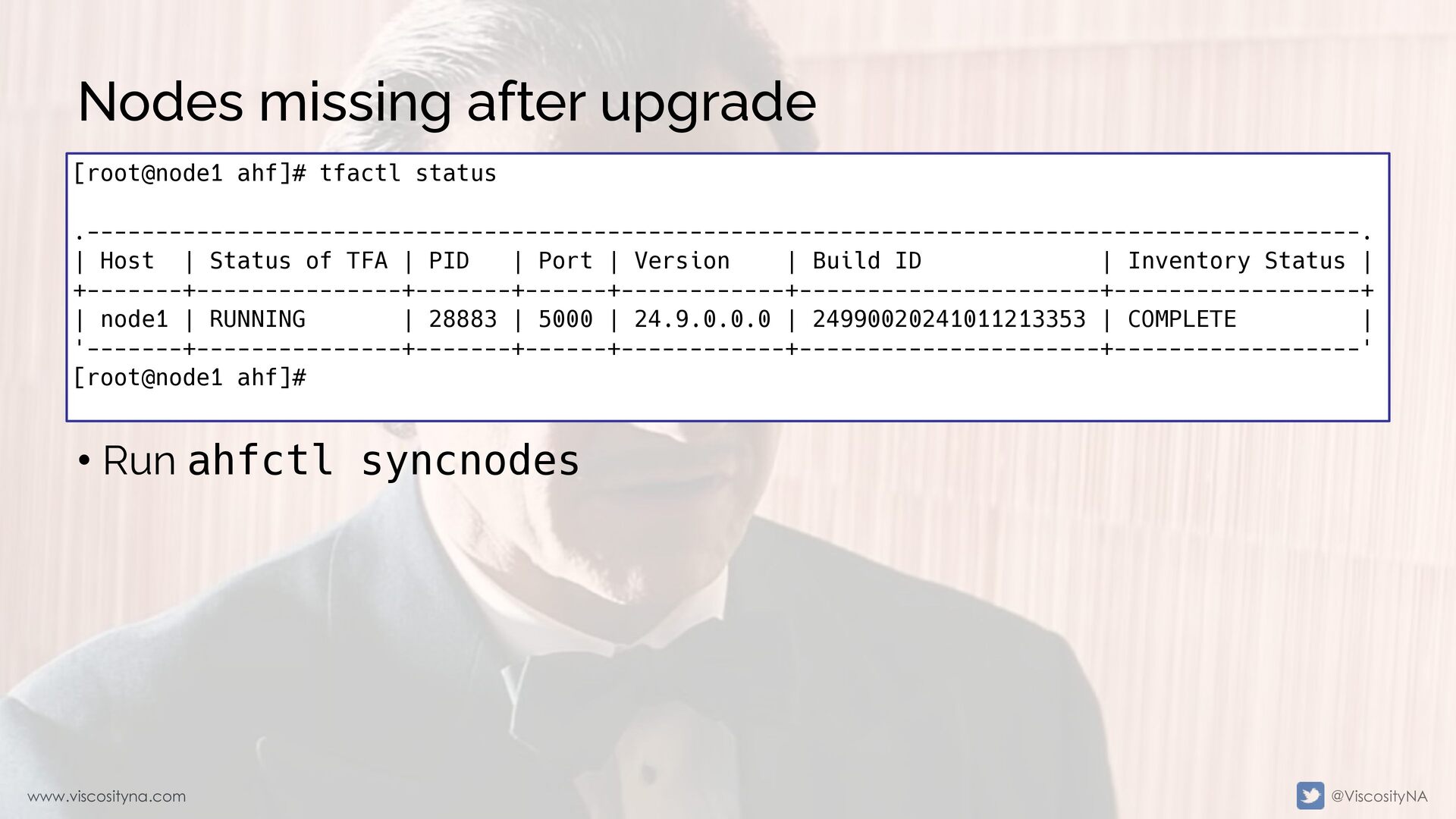
  23. www.viscosityna.com @ViscosityNA Nodes missing after upgrade • Run ahfctl syncnodes

    [root@node1 ahf]# tfactl status .---------------------------------------------------------------------------------------------. | Host | Status of TFA | PID | Port | Version | Build ID | Inventory Status | +-------+---------------+-------+------+------------+----------------------+------------------+ | node1 | RUNNING | 28883 | 5000 | 24.9.0.0.0 | 24990020241011213353 | COMPLETE | '-------+---------------+-------+------+------------+----------------------+------------------' [root@node1 ahf]#
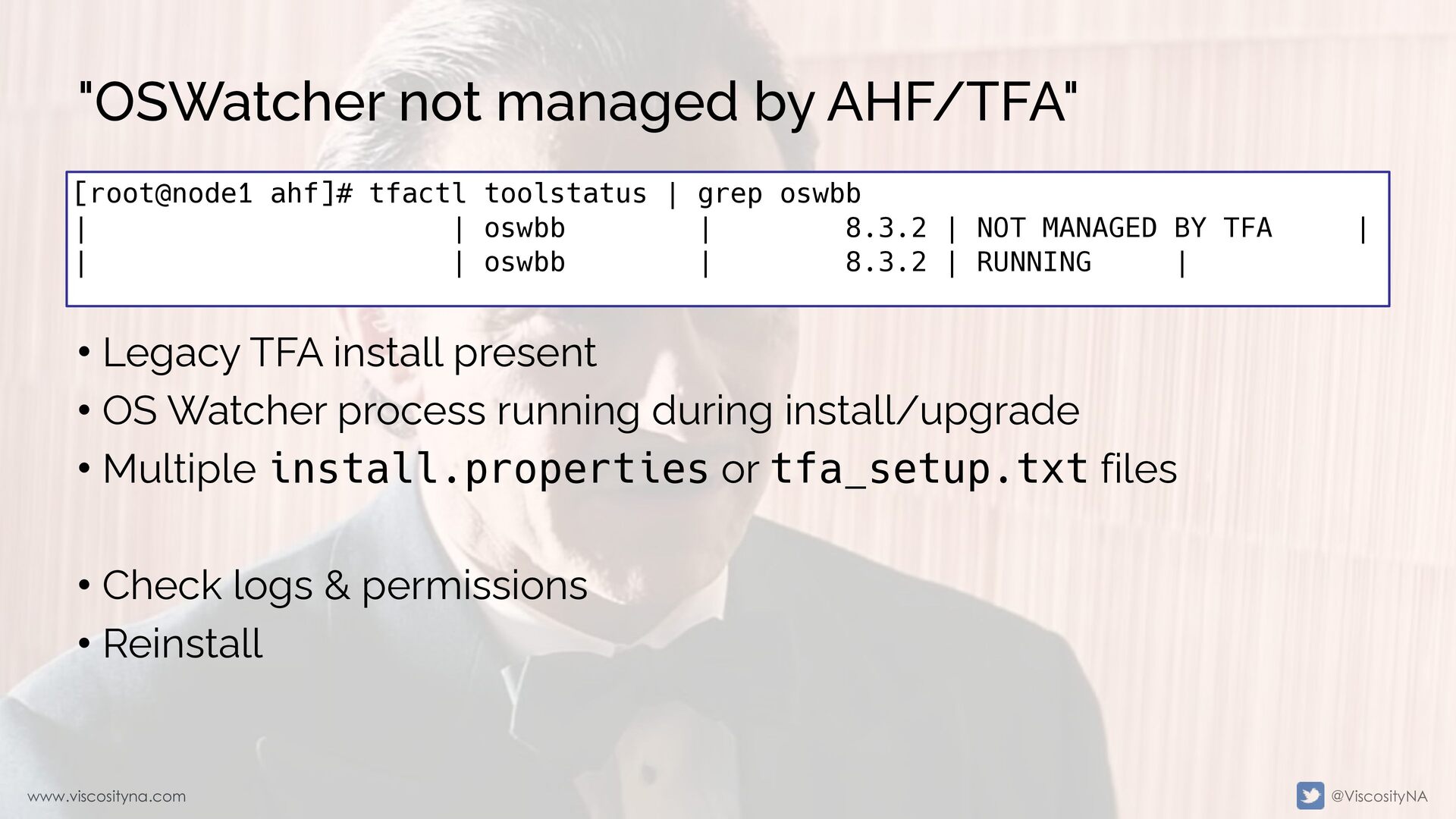
  24. www.viscosityna.com @ViscosityNA "OSWatcher not managed by AHF/TFA" • Legacy TFA

    install present • OS Watcher process running during install/upgrade • Multiple install.properties or tfa_setup.txt files • Check logs & permissions • Reinstall [root@node1 ahf]# tfactl toolstatus | grep oswbb | | oswbb | 8.3.2 | NOT MANAGED BY TFA | | | oswbb | 8.3.2 | RUNNING |
  25. www.viscosityna.com @ViscosityNA AHF Diagnostic Collections diagcollect [ [component1] [component2] ...

    [componenteN] | [-srdc <srdc_profile>] | [-defips] ] [-sr <SR#>] [-node <all|local|n1,n2,..>] [-tag <tagname>] [-z <filename>] [-acrlevel <system,database,userdata>] [-last <n><m|h|d> | -from <time> -to <time> | -for <time>] [-nocopy] [-notrim] [-silent] [-cores] [-collectalldirs] [-collectdir <dir1,dir2..>] [-collectfiles <file1,..,fileN,dir1,..,dirN> [-onlycollectfiles] ]
  26. www.viscosityna.com @ViscosityNA AHF Diagnostic Collections - components diagcollect [ [component1]

    [component2] ... [componenteN] | [-srdc <srdc_profile>] | [-defips] ] [-sr <SR#>] [-node <all|local|n1,n2,..>] [-tag <tagname>] [-z <filename>] [-acrlevel <system,database,userdata>] [-last <n><m|h|d> | -from <time> -to <time> | -for <time>] [-nocopy] [-notrim] [-silent] [-cores] [-collectalldirs] [-collectdir <dir1,dir2..>] [-collectfiles <file1,..,fileN,dir1,..,dirN> [-onlycollectfiles] ] diagcollect [component1] [component2] ... [componenteN] -acfs -afd -ahf -ashhtml -ashtext -asm -awrhtml -awrtext -cfgtools -cha -crs -crsclient -cvu -database -dataguard -dbclient -dbwlm -em -emagent -emagenti -emplugins -install -ips -ocm -oms -omsi -os -procinfo -qos -rhp -sosreport -tns -wls
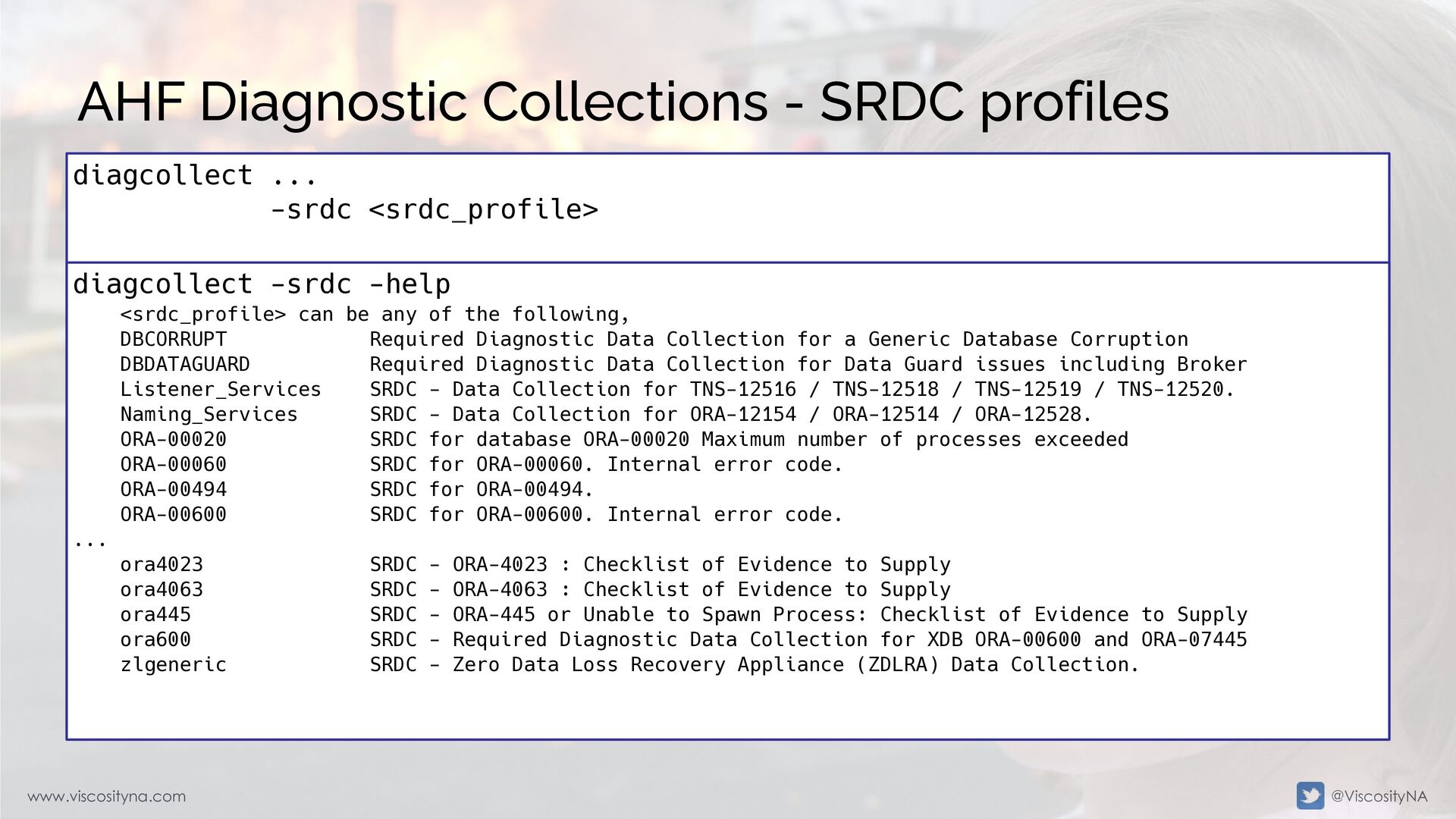
  27. www.viscosityna.com @ViscosityNA AHF Diagnostic Collections - SRDC profiles diagcollect ...

    -srdc <srdc_profile> diagcollect -srdc -help <srdc_profile> can be any of the following, DBCORRUPT Required Diagnostic Data Collection for a Generic Database Corruption DBDATAGUARD Required Diagnostic Data Collection for Data Guard issues including Broker Listener_Services SRDC - Data Collection for TNS-12516 / TNS-12518 / TNS-12519 / TNS-12520. Naming_Services SRDC - Data Collection for ORA-12154 / ORA-12514 / ORA-12528. ORA-00020 SRDC for database ORA-00020 Maximum number of processes exceeded ORA-00060 SRDC for ORA-00060. Internal error code. ORA-00494 SRDC for ORA-00494. ORA-00600 SRDC for ORA-00600. Internal error code. ... ora4023 SRDC - ORA-4023 : Checklist of Evidence to Supply ora4063 SRDC - ORA-4063 : Checklist of Evidence to Supply ora445 SRDC - ORA-445 or Unable to Spawn Process: Checklist of Evidence to Supply ora600 SRDC - Required Diagnostic Data Collection for XDB ORA-00600 and ORA-07445 zlgeneric SRDC - Zero Data Loss Recovery Appliance (ZDLRA) Data Collection.
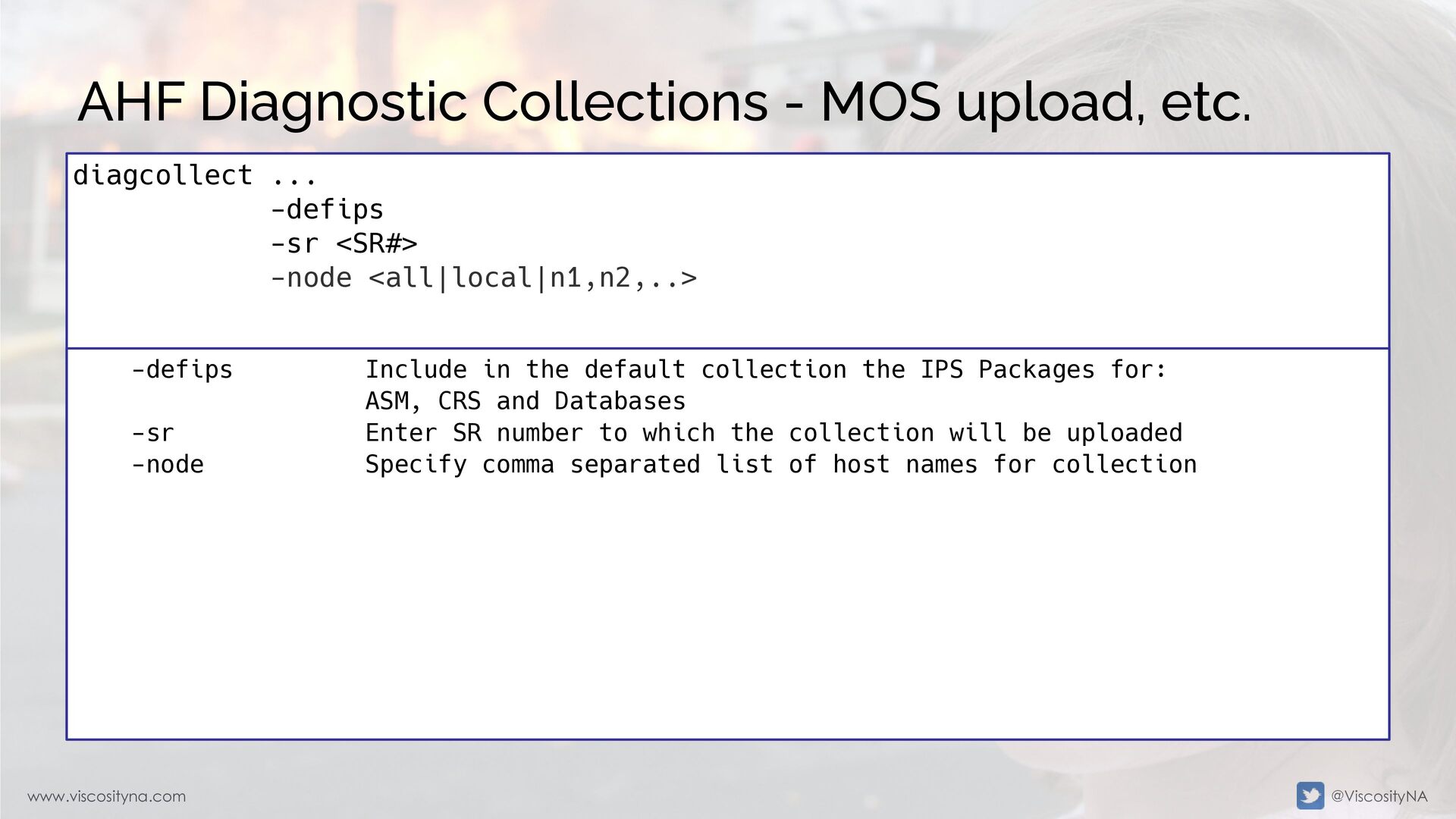
  28. www.viscosityna.com @ViscosityNA AHF Diagnostic Collections - MOS upload, etc. diagcollect

    ... -defips -sr <SR#> -node <all|local|n1,n2,..> -defips Include in the default collection the IPS Packages for: ASM, CRS and Databases -sr Enter SR number to which the collection will be uploaded -node Specify comma separated list of host names for collection
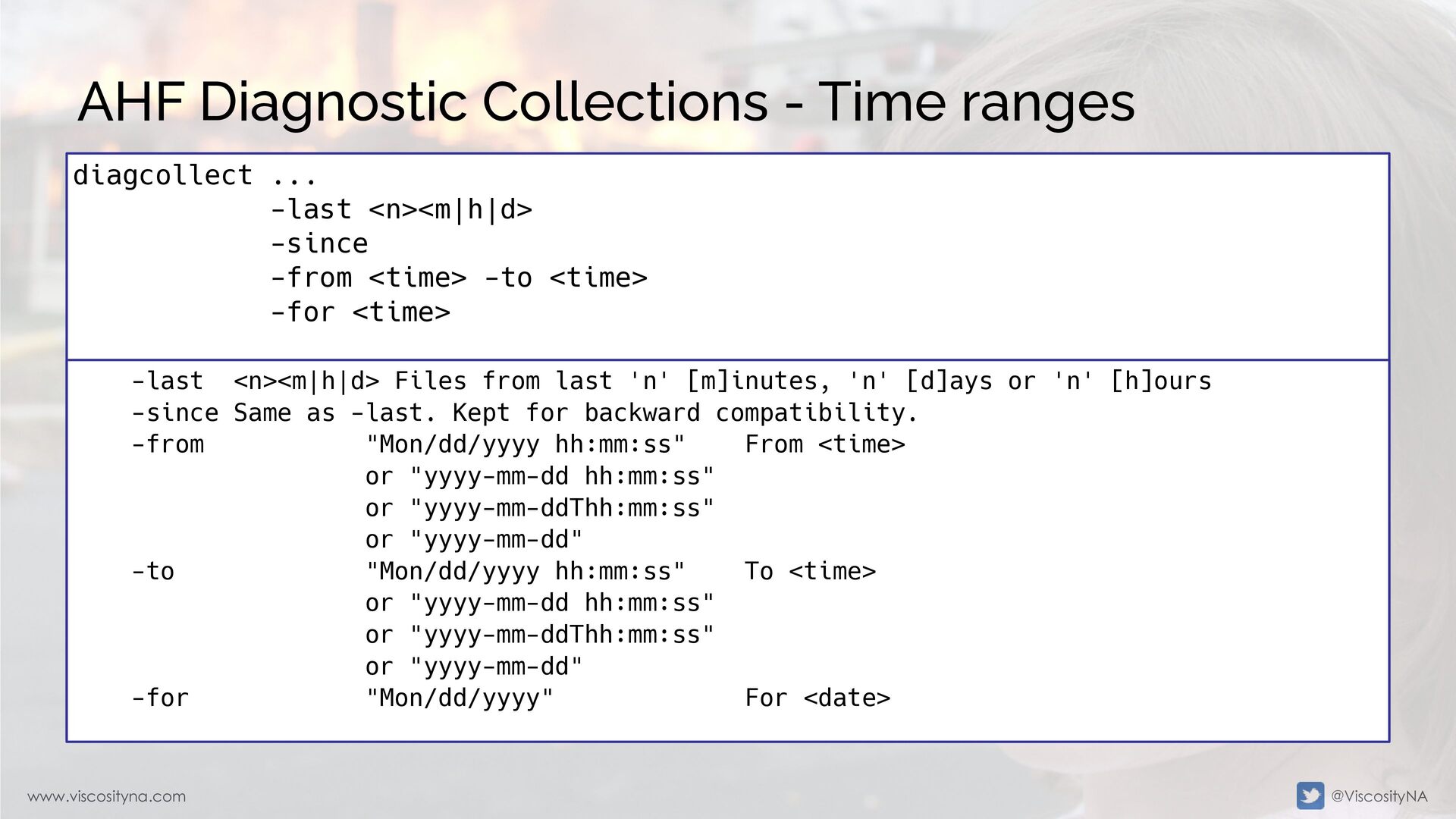
  29. www.viscosityna.com @ViscosityNA AHF Diagnostic Collections - Time ranges diagcollect ...

    -last <n><m|h|d> -since -from <time> -to <time> -for <time> -last <n><m|h|d> Files from last 'n' [m]inutes, 'n' [d]ays or 'n' [h]ours -since Same as -last. Kept for backward compatibility. -from "Mon/dd/yyyy hh:mm:ss" From <time> or "yyyy-mm-dd hh:mm:ss" or "yyyy-mm-ddThh:mm:ss" or "yyyy-mm-dd" -to "Mon/dd/yyyy hh:mm:ss" To <time> or "yyyy-mm-dd hh:mm:ss" or "yyyy-mm-ddThh:mm:ss" or "yyyy-mm-dd" -for "Mon/dd/yyyy" For <date>
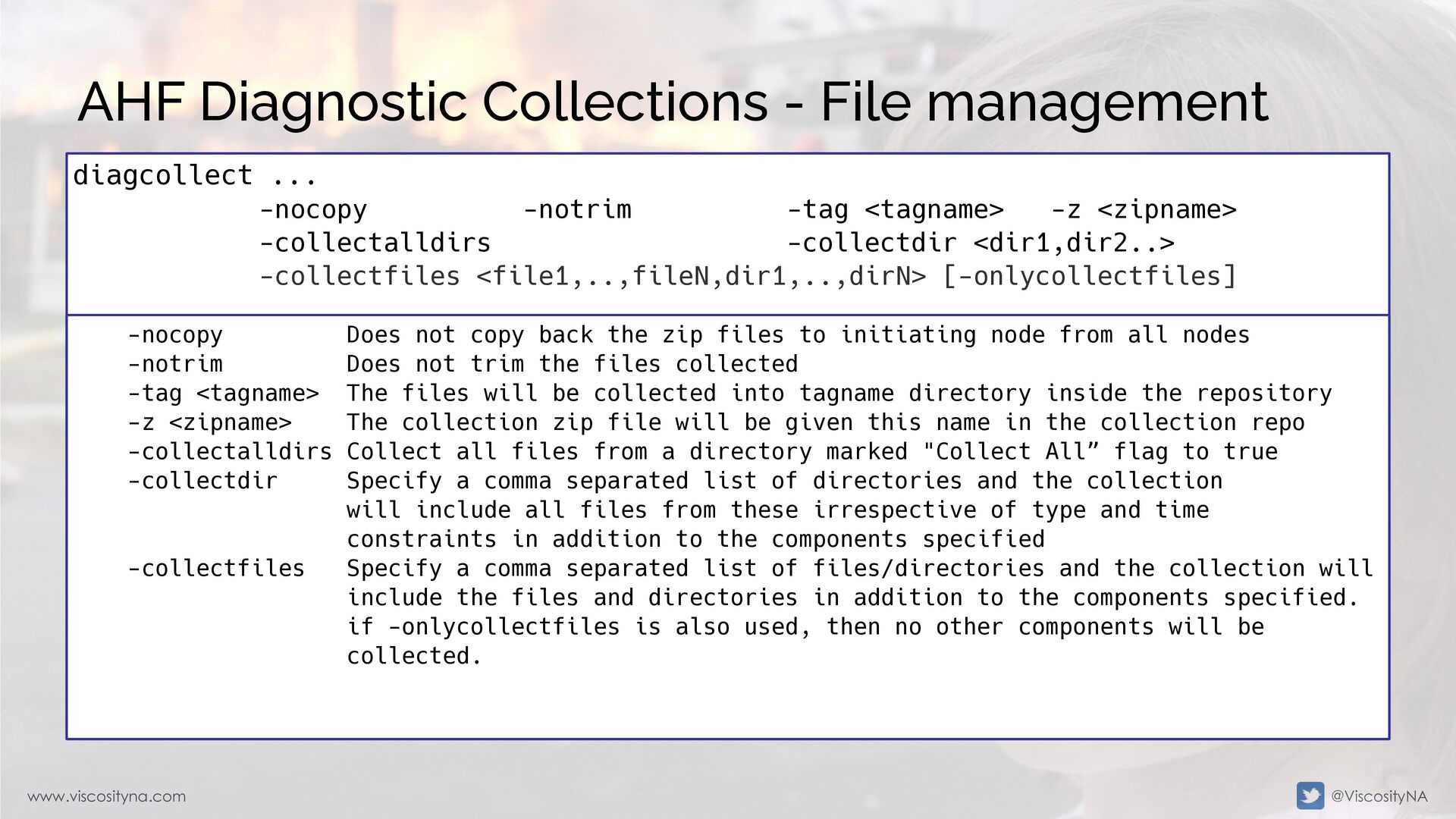
  30. www.viscosityna.com @ViscosityNA AHF Diagnostic Collections - File management diagcollect ...

    -nocopy -notrim -tag <tagname> -z <zipname> -collectalldirs -collectdir <dir1,dir2..> -collectfiles <file1,..,fileN,dir1,..,dirN> [-onlycollectfiles] -nocopy Does not copy back the zip files to initiating node from all nodes -notrim Does not trim the files collected -tag <tagname> The files will be collected into tagname directory inside the repository -z <zipname> The collection zip file will be given this name in the collection repo -collectalldirs Collect all files from a directory marked "Collect All” flag to true -collectdir Specify a comma separated list of directories and the collection will include all files from these irrespective of type and time constraints in addition to the components specified -collectfiles Specify a comma separated list of files/directories and the collection will include the files and directories in addition to the components specified. if -onlycollectfiles is also used, then no other components will be collected.
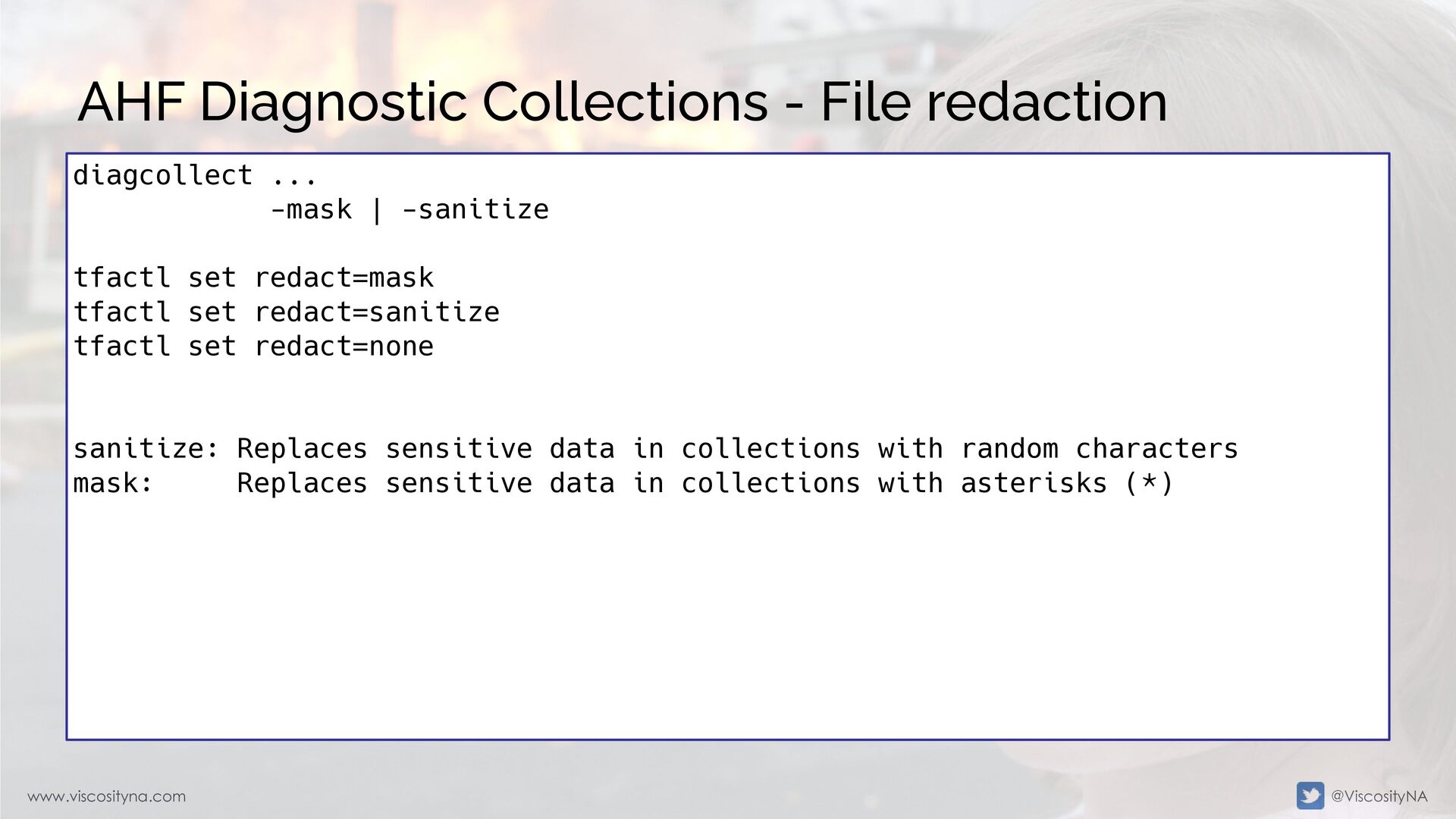
  31. www.viscosityna.com @ViscosityNA AHF Diagnostic Collections - File redaction diagcollect ...

    -mask | -sanitize tfactl set redact=mask tfactl set redact=sanitize tfactl set redact=none sanitize: Replaces sensitive data in collections with random characters mask: Replaces sensitive data in collections with asterisks (*)
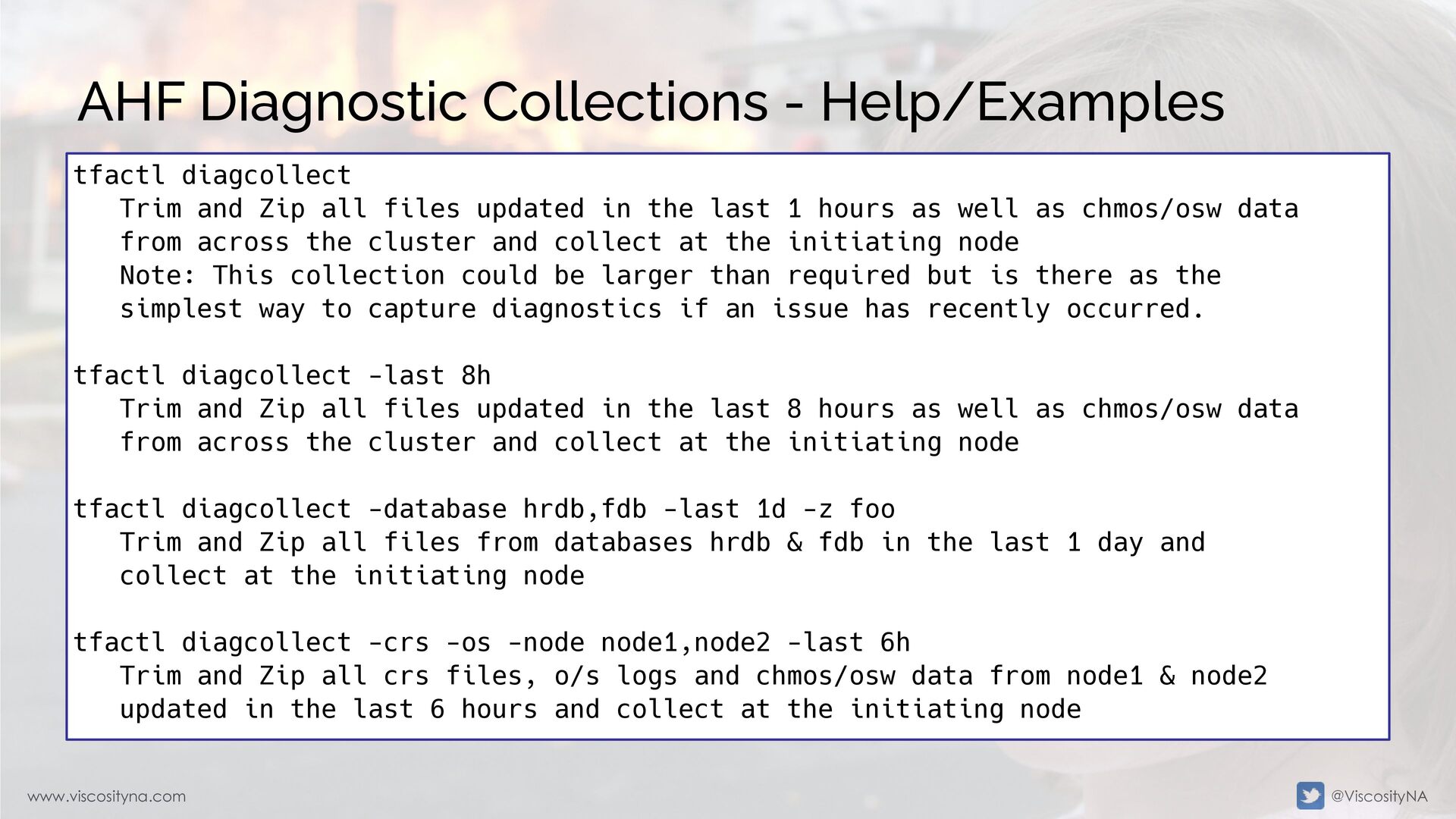
  32. www.viscosityna.com @ViscosityNA AHF Diagnostic Collections - Help/Examples tfactl diagcollect Trim

    and Zip all files updated in the last 1 hours as well as chmos/osw data from across the cluster and collect at the initiating node Note: This collection could be larger than required but is there as the simplest way to capture diagnostics if an issue has recently occurred. tfactl diagcollect -last 8h Trim and Zip all files updated in the last 8 hours as well as chmos/osw data from across the cluster and collect at the initiating node tfactl diagcollect -database hrdb,fdb -last 1d -z foo Trim and Zip all files from databases hrdb & fdb in the last 1 day and collect at the initiating node tfactl diagcollect -crs -os -node node1,node2 -last 6h Trim and Zip all crs files, o/s logs and chmos/osw data from node1 & node2 updated in the last 6 hours and collect at the initiating node
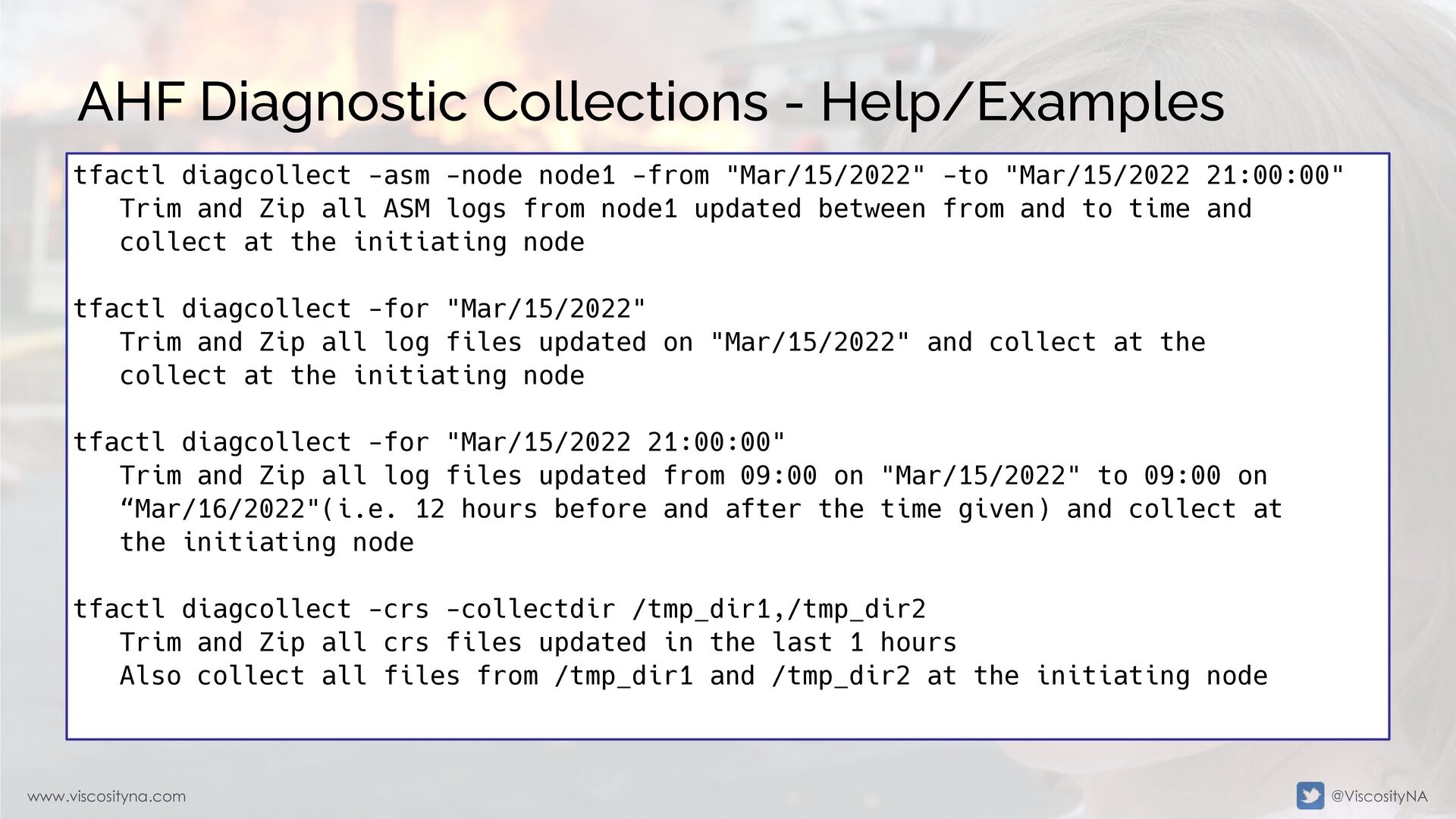
  33. www.viscosityna.com @ViscosityNA AHF Diagnostic Collections - Help/Examples tfactl diagcollect -asm

    -node node1 -from "Mar/15/2022" -to "Mar/15/2022 21:00:00" Trim and Zip all ASM logs from node1 updated between from and to time and collect at the initiating node tfactl diagcollect -for "Mar/15/2022" Trim and Zip all log files updated on "Mar/15/2022" and collect at the collect at the initiating node tfactl diagcollect -for "Mar/15/2022 21:00:00" Trim and Zip all log files updated from 09:00 on "Mar/15/2022" to 09:00 on “Mar/16/2022"(i.e. 12 hours before and after the time given) and collect at the initiating node tfactl diagcollect -crs -collectdir /tmp_dir1,/tmp_dir2 Trim and Zip all crs files updated in the last 1 hours Also collect all files from /tmp_dir1 and /tmp_dir2 at the initiating node
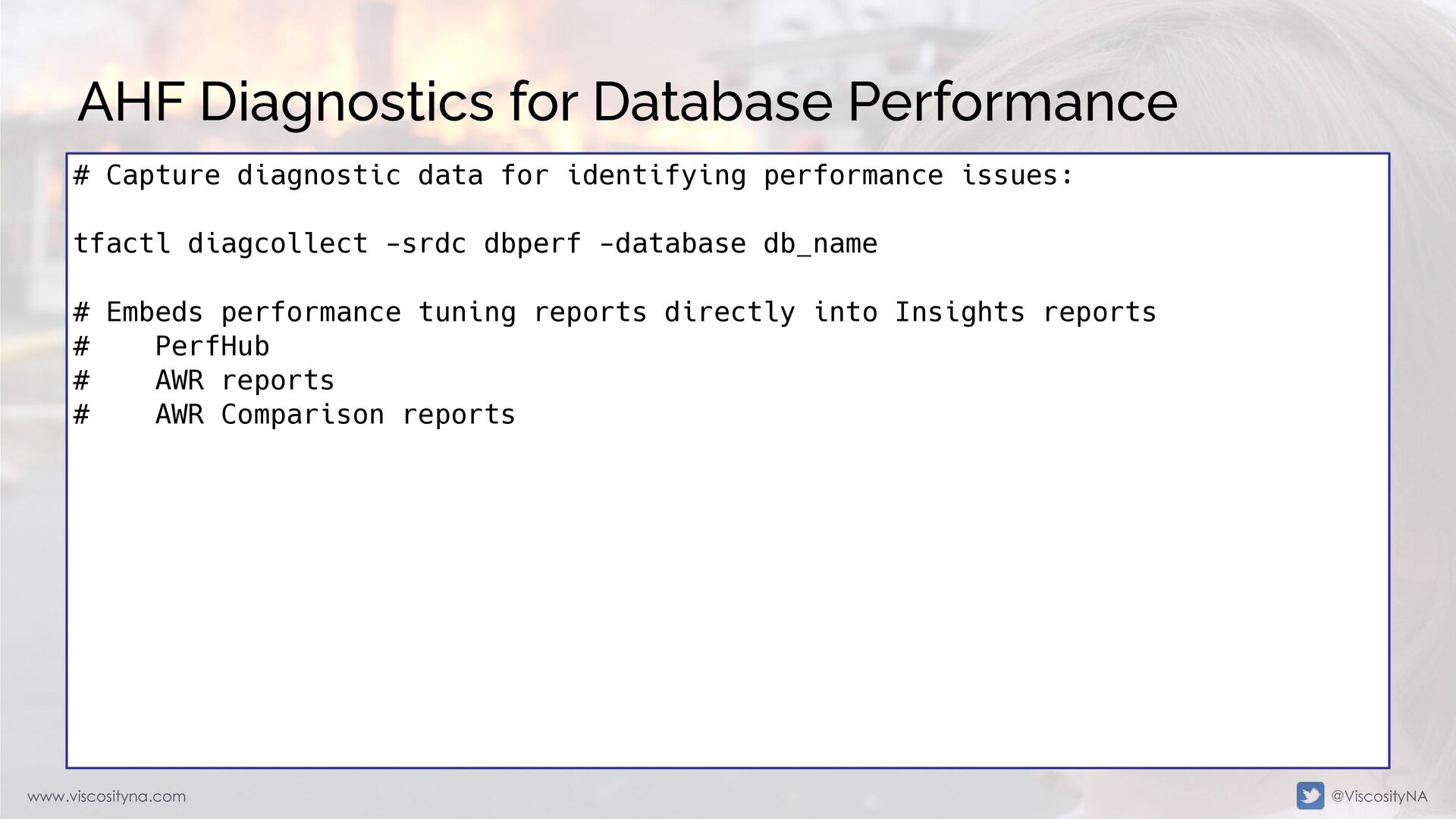
  34. www.viscosityna.com @ViscosityNA AHF Diagnostics for Database Performance # Capture diagnostic

    data for identifying performance issues: tfactl diagcollect -srdc dbperf -database db_name # Embeds performance tuning reports directly into Insights reports # PerfHub # AWR reports # AWR Comparison reports
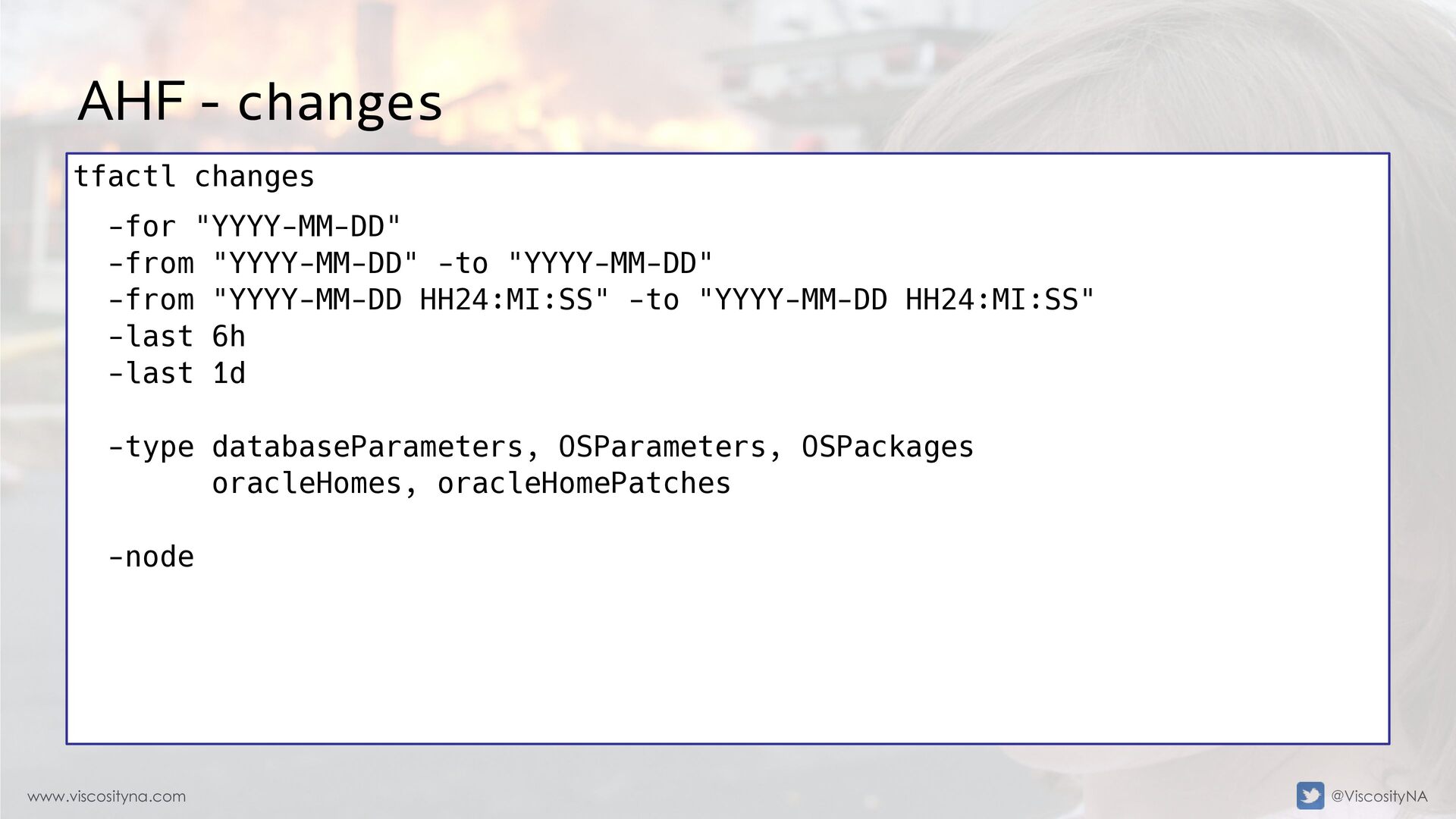
  35. www.viscosityna.com @ViscosityNA AHF - changes tfactl changes -for "YYYY-MM-DD" -from

    "YYYY-MM-DD" -to "YYYY-MM-DD" -from "YYYY-MM-DD HH24:MI:SS" -to "YYYY-MM-DD HH24:MI:SS" -last 6h -last 1d -type databaseParameters, OSParameters, OSPackages oracleHomes, oracleHomePatches -node
  36. www.viscosityna.com @ViscosityNA AHF - changes [root@node1 ~]# tfactl changes -last

    2d Output from host : node2 ------------------------------ [Feb/02/2022 20:11:16.438]: Package: cvuqdisk-1.0.10-1.x86_64 Output from host : node1 ------------------------------ [Feb/02/2022 19:57:16.438]: Package: cvuqdisk-1.0.10-1.x86_64 [Feb/02/2022 20:11:16.438]: Package: cvuqdisk-1.0.10-1.x86_64
  37. www.viscosityna.com @ViscosityNA AHF - events [root@node1 ~]# tfactl events -last

    1d Output from host : node2 ------------------------------ Event Summary: INFO :3 ERROR :2 WARNING :0 Event Timeline: [Feb/02/2022 20:10:46.649 GMT]: [crs]: 2022-02-02 20:10:46.649 [ORAROOTAGENT(27881)]CRS-5822: Agent '/u01/app/19.3.0.0/grid/bin/ orarootagent_root' disconnected from server. Details at (:CRSAGF00117:) {0:1:3} in /u01/app/grid/diag/crs/node2/crs/trace/ ohasd_orarootagent_root.trc. [Feb/02/2022 20:11:12.856 GMT]: [crs]: 2022-02-02 20:11:12.856 [OCSSD(28472)]CRS-1601: CSSD Reconfiguration complete. Active nodes are node1 node2 . [Feb/02/2022 20:11:57.000 GMT]: [asm.+ASM2]: Reconfiguration started (old inc 0, new inc 4) [Feb/02/2022 20:28:31.000 GMT]: [db.db193h1.DB193H12]: Starting ORACLE instance (normal) (OS id: 24897) [Feb/02/2022 20:28:42.000 GMT]: [db.db193h1.DB193H12]: Reconfiguration started (old inc 0, new inc 4)
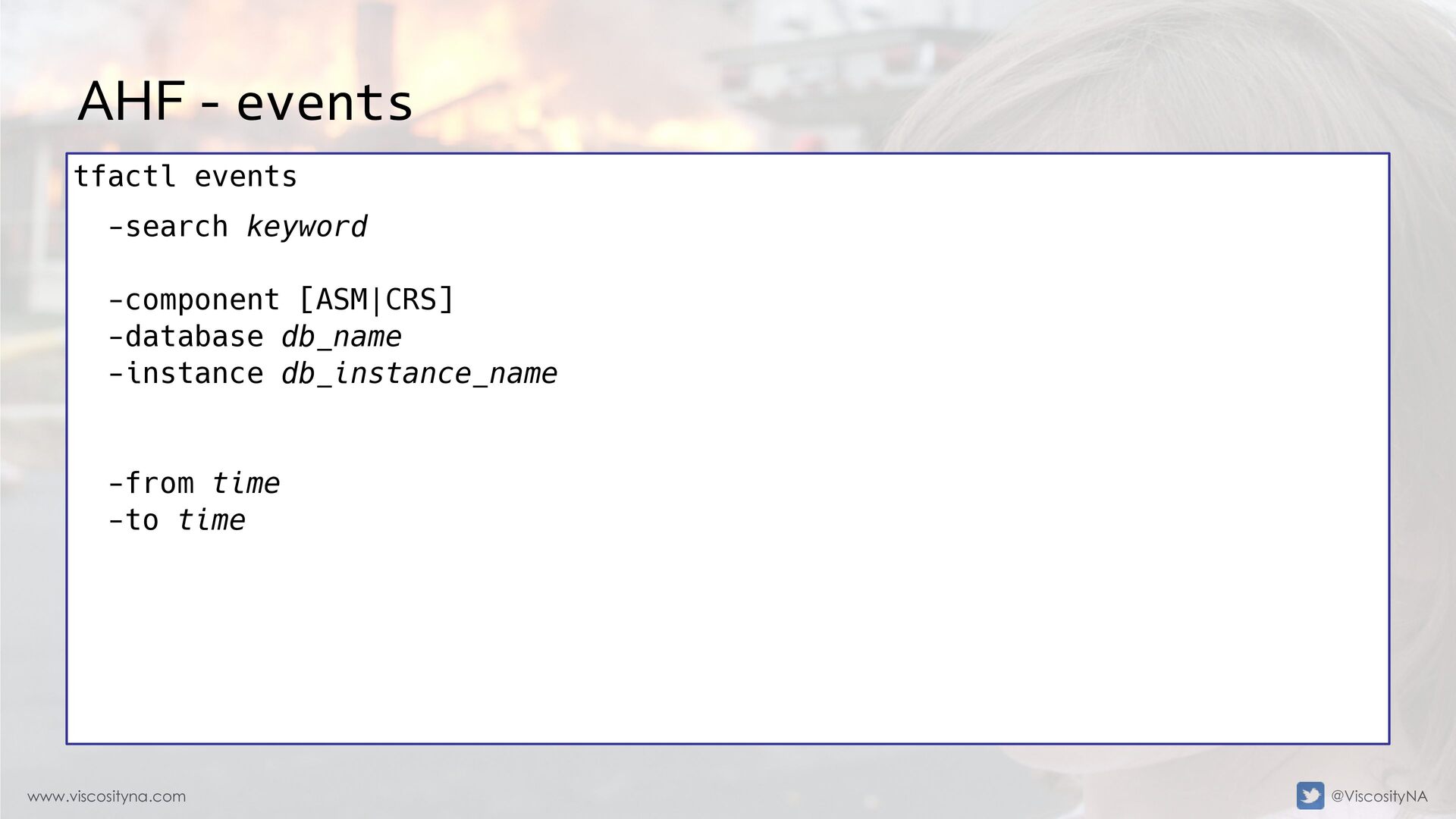
  38. www.viscosityna.com @ViscosityNA AHF - events tfactl events -search keyword -component

    [ASM|CRS] -database db_name -instance db_instance_name -from time -to time
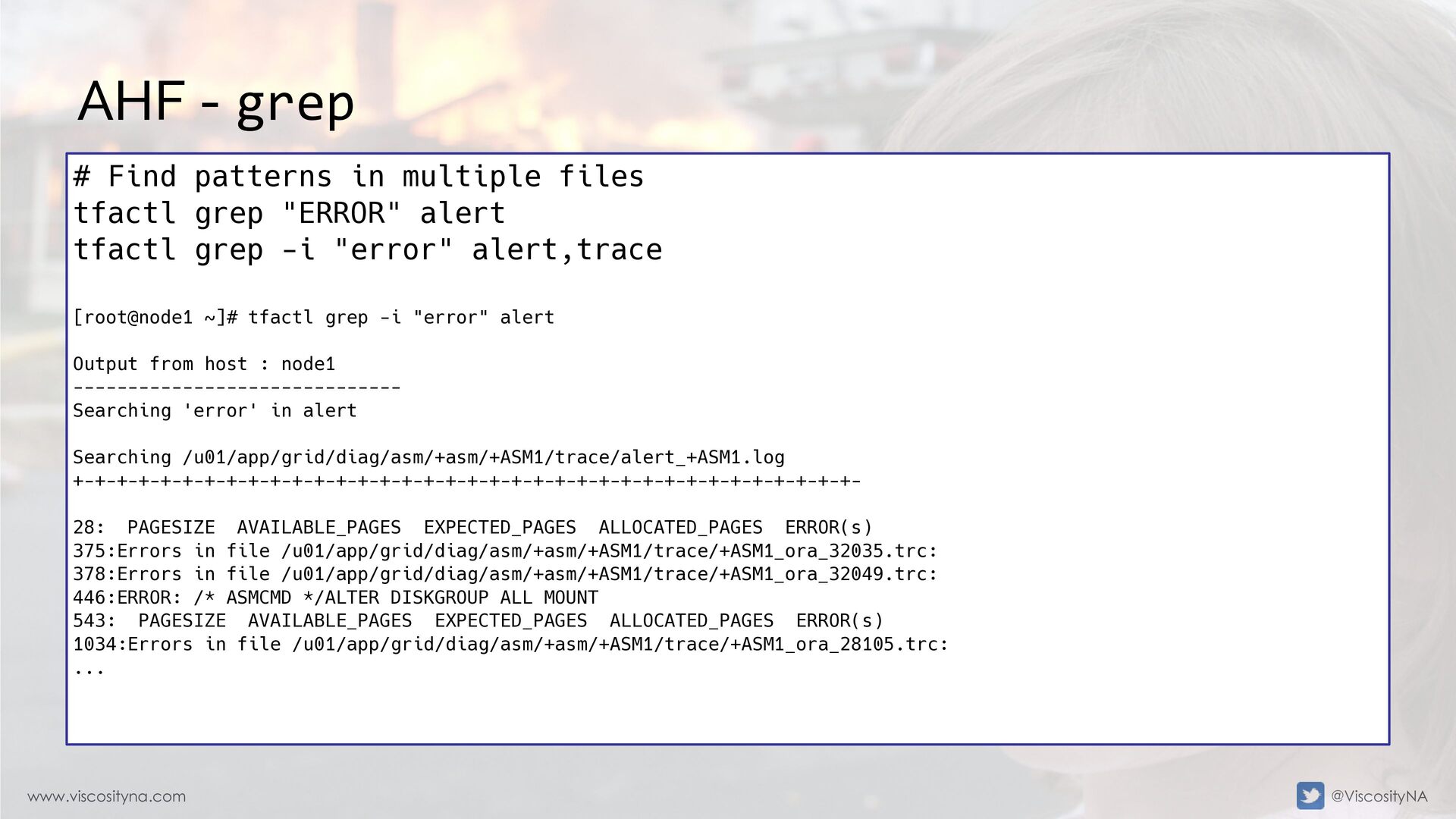
  39. www.viscosityna.com @ViscosityNA AHF - grep # Find patterns in multiple

    files tfactl grep "ERROR" alert tfactl grep -i "error" alert,trace [root@node1 ~]# tfactl grep -i "error" alert Output from host : node1 ------------------------------ Searching 'error' in alert Searching /u01/app/grid/diag/asm/+asm/+ASM1/trace/alert_+ASM1.log +-+-+-+-+-+-+-+-+-+-+-+-+-+-+-+-+-+-+-+-+-+-+-+-+-+-+-+-+-+-+-+-+-+-+-+- 28: PAGESIZE AVAILABLE_PAGES EXPECTED_PAGES ALLOCATED_PAGES ERROR(s) 375:Errors in file /u01/app/grid/diag/asm/+asm/+ASM1/trace/+ASM1_ora_32035.trc: 378:Errors in file /u01/app/grid/diag/asm/+asm/+ASM1/trace/+ASM1_ora_32049.trc: 446:ERROR: /* ASMCMD */ALTER DISKGROUP ALL MOUNT 543: PAGESIZE AVAILABLE_PAGES EXPECTED_PAGES ALLOCATED_PAGES ERROR(s) 1034:Errors in file /u01/app/grid/diag/asm/+asm/+ASM1/trace/+ASM1_ora_28105.trc: ...
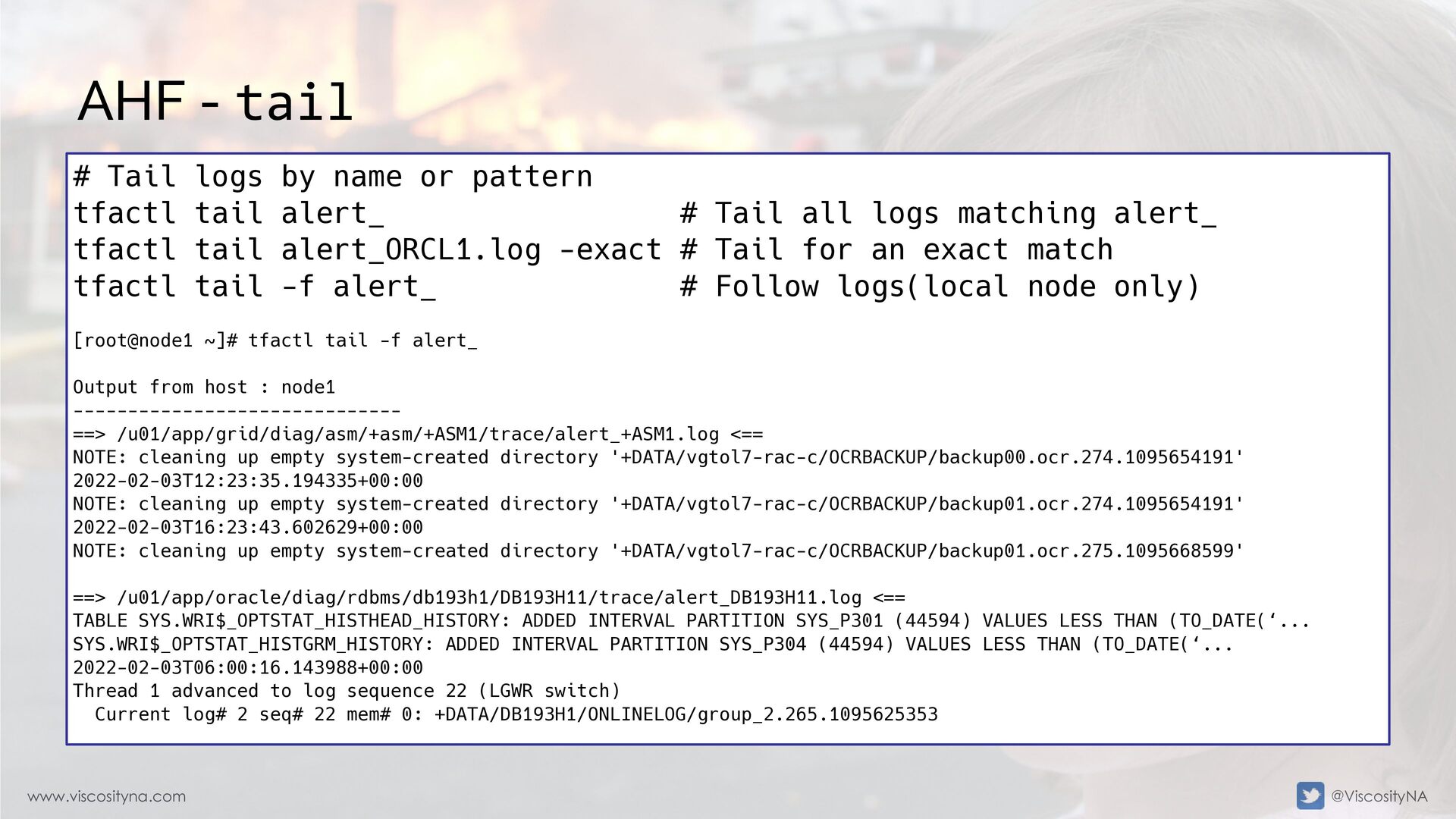
  40. www.viscosityna.com @ViscosityNA AHF - tail # Tail logs by name

    or pattern tfactl tail alert_ # Tail all logs matching alert_ tfactl tail alert_ORCL1.log -exact # Tail for an exact match tfactl tail -f alert_ # Follow logs(local node only) [root@node1 ~]# tfactl tail -f alert_ Output from host : node1 ------------------------------ ==> /u01/app/grid/diag/asm/+asm/+ASM1/trace/alert_+ASM1.log <== NOTE: cleaning up empty system-created directory '+DATA/vgtol7-rac-c/OCRBACKUP/backup00.ocr.274.1095654191' 2022-02-03T12:23:35.194335+00:00 NOTE: cleaning up empty system-created directory '+DATA/vgtol7-rac-c/OCRBACKUP/backup01.ocr.274.1095654191' 2022-02-03T16:23:43.602629+00:00 NOTE: cleaning up empty system-created directory '+DATA/vgtol7-rac-c/OCRBACKUP/backup01.ocr.275.1095668599' ==> /u01/app/oracle/diag/rdbms/db193h1/DB193H11/trace/alert_DB193H11.log <== TABLE SYS.WRI$_OPTSTAT_HISTHEAD_HISTORY: ADDED INTERVAL PARTITION SYS_P301 (44594) VALUES LESS THAN (TO_DATE(‘... SYS.WRI$_OPTSTAT_HISTGRM_HISTORY: ADDED INTERVAL PARTITION SYS_P304 (44594) VALUES LESS THAN (TO_DATE(‘... 2022-02-03T06:00:16.143988+00:00 Thread 1 advanced to log sequence 22 (LGWR switch) Current log# 2 seq# 22 mem# 0: +DATA/DB193H1/ONLINELOG/group_2.265.1095625353
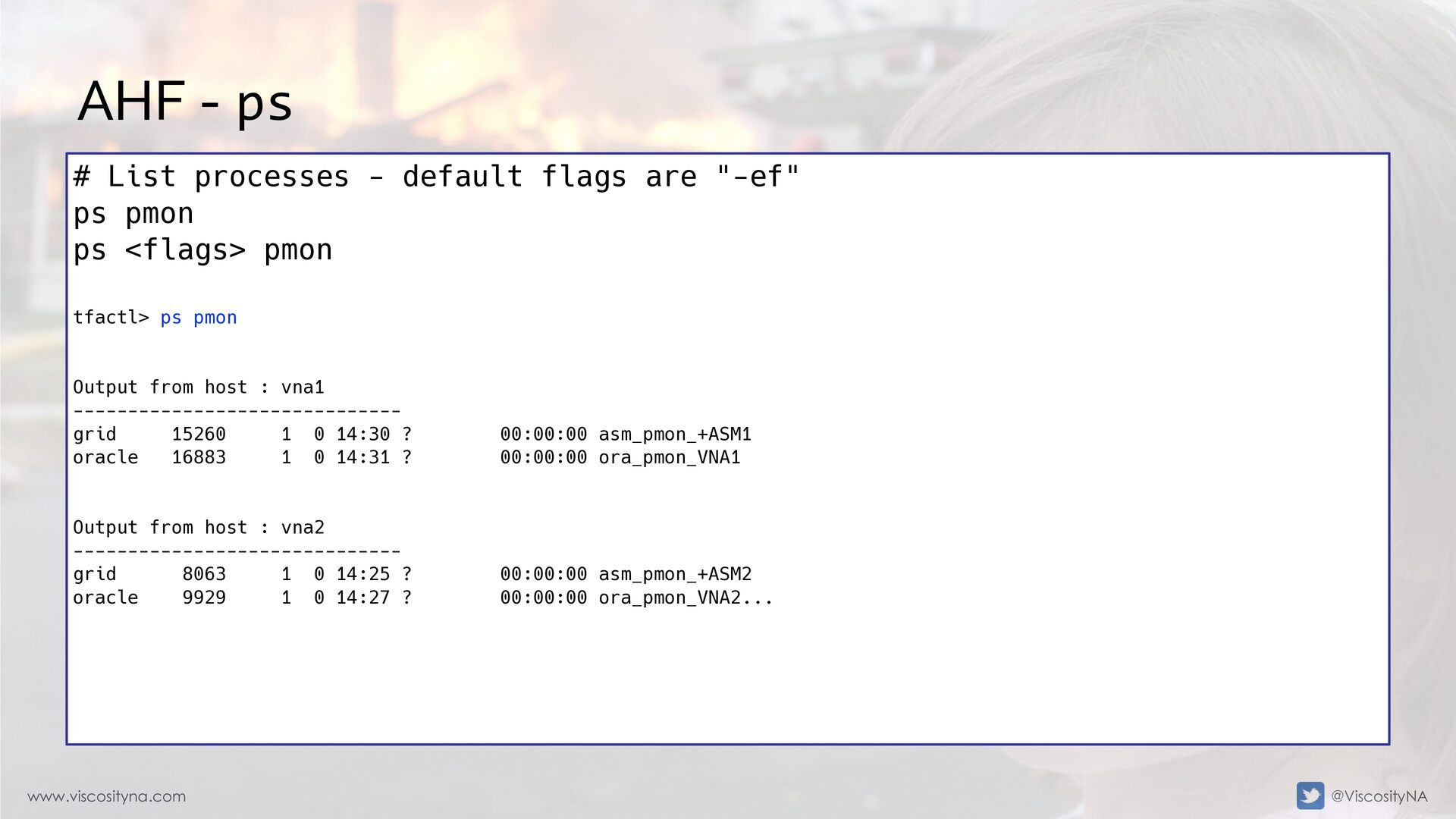
  41. www.viscosityna.com @ViscosityNA AHF - ps # List processes - default

    flags are "-ef" ps pmon ps <flags> pmon tfactl> ps pmon Output from host : vna1 ------------------------------ grid 15260 1 0 14:30 ? 00:00:00 asm_pmon_+ASM1 oracle 16883 1 0 14:31 ? 00:00:00 ora_pmon_VNA1 Output from host : vna2 ------------------------------ grid 8063 1 0 14:25 ? 00:00:00 asm_pmon_+ASM2 oracle 9929 1 0 14:27 ? 00:00:00 ora_pmon_VNA2...
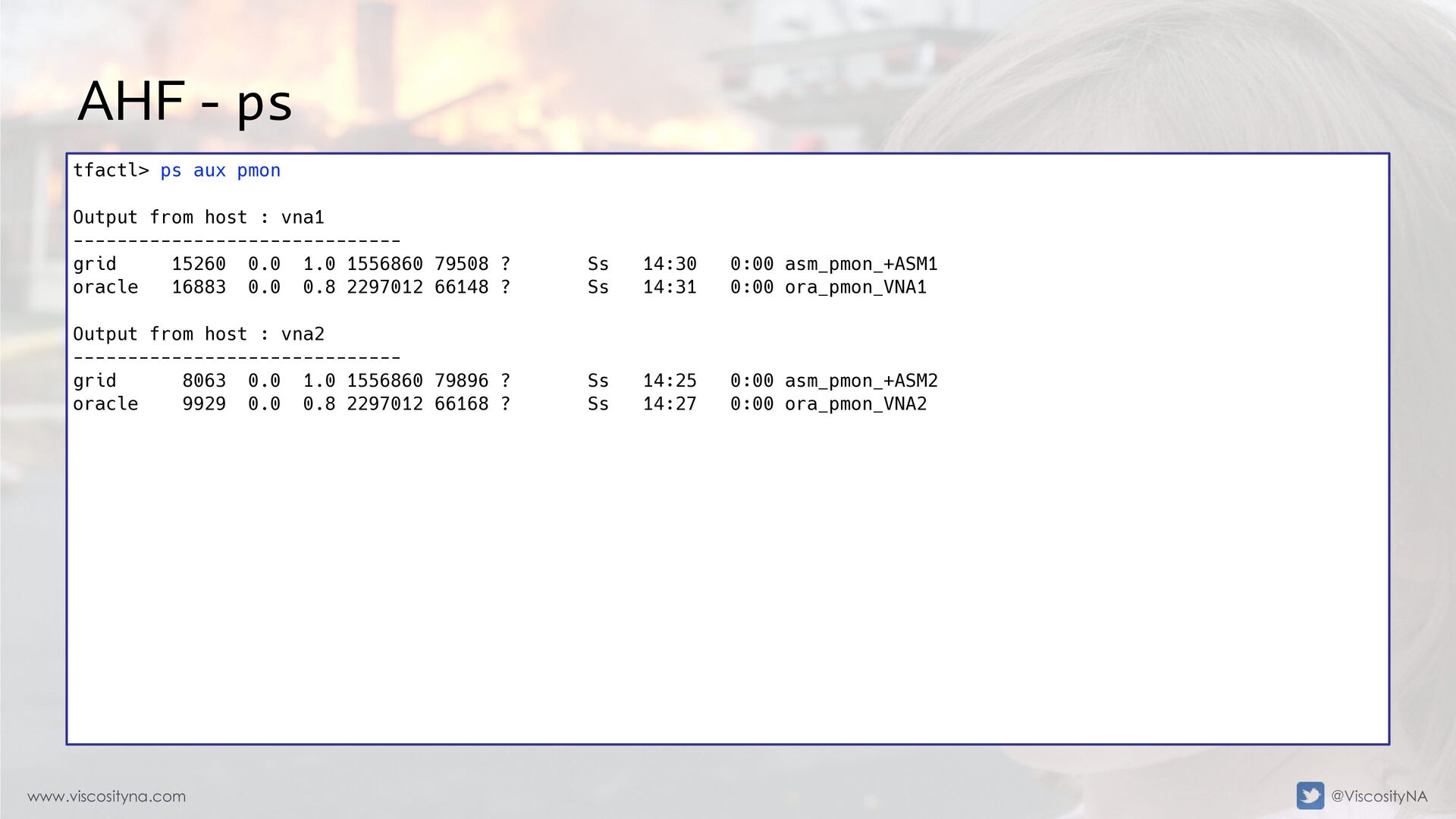
  42. www.viscosityna.com @ViscosityNA AHF - ps tfactl> ps aux pmon Output

    from host : vna1 ------------------------------ grid 15260 0.0 1.0 1556860 79508 ? Ss 14:30 0:00 asm_pmon_+ASM1 oracle 16883 0.0 0.8 2297012 66148 ? Ss 14:31 0:00 ora_pmon_VNA1 Output from host : vna2 ------------------------------ grid 8063 0.0 1.0 1556860 79896 ? Ss 14:25 0:00 asm_pmon_+ASM2 oracle 9929 0.0 0.8 2297012 66168 ? Ss 14:27 0:00 ora_pmon_VNA2
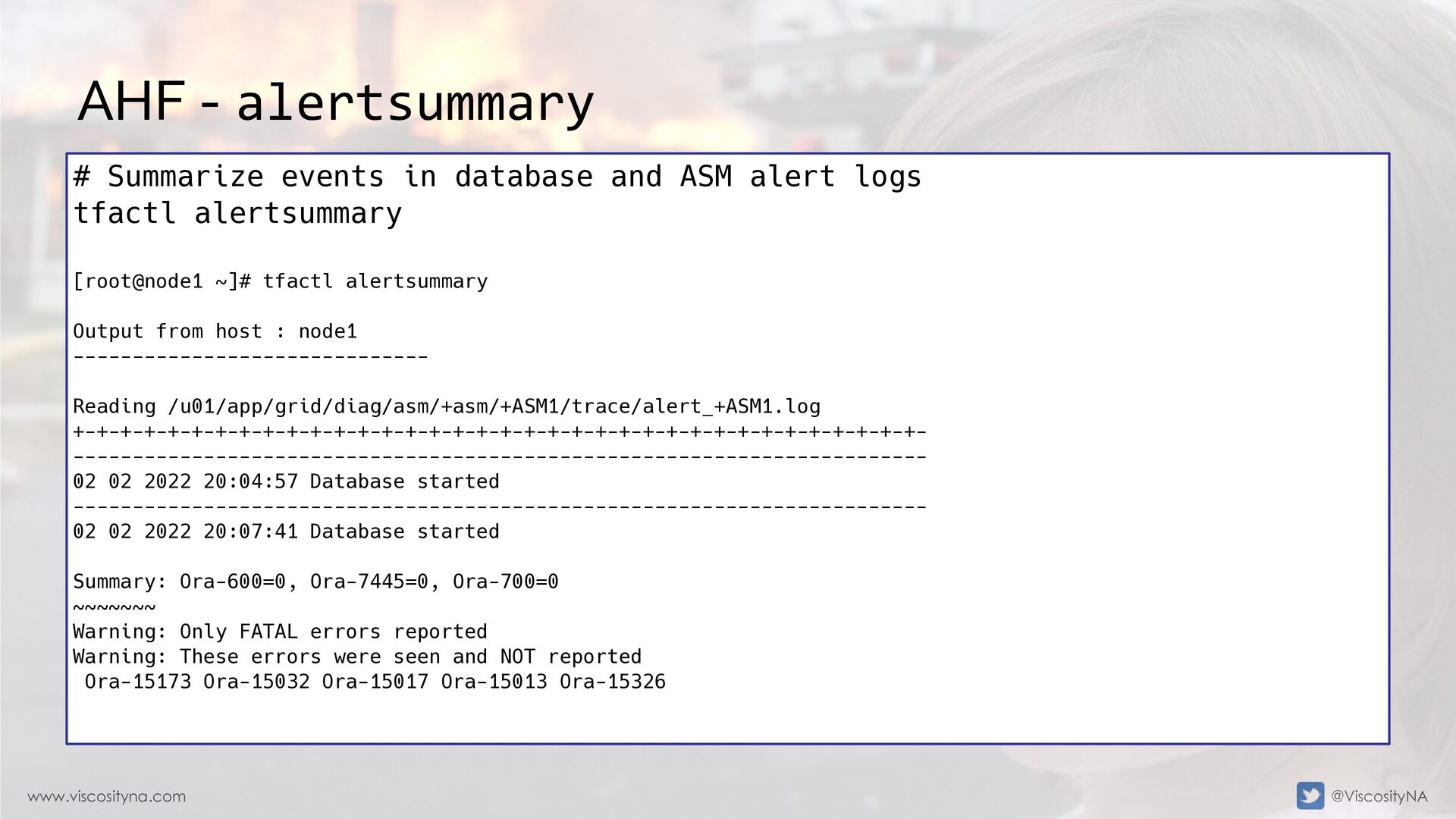
  43. www.viscosityna.com @ViscosityNA AHF - alertsummary # Summarize events in database

    and ASM alert logs tfactl alertsummary [root@node1 ~]# tfactl alertsummary Output from host : node1 ------------------------------ Reading /u01/app/grid/diag/asm/+asm/+ASM1/trace/alert_+ASM1.log +-+-+-+-+-+-+-+-+-+-+-+-+-+-+-+-+-+-+-+-+-+-+-+-+-+-+-+-+-+-+-+-+-+-+-+- ------------------------------------------------------------------------ 02 02 2022 20:04:57 Database started ------------------------------------------------------------------------ 02 02 2022 20:07:41 Database started Summary: Ora-600=0, Ora-7445=0, Ora-700=0 ~~~~~~~ Warning: Only FATAL errors reported Warning: These errors were seen and NOT reported Ora-15173 Ora-15032 Ora-15017 Ora-15013 Ora-15326
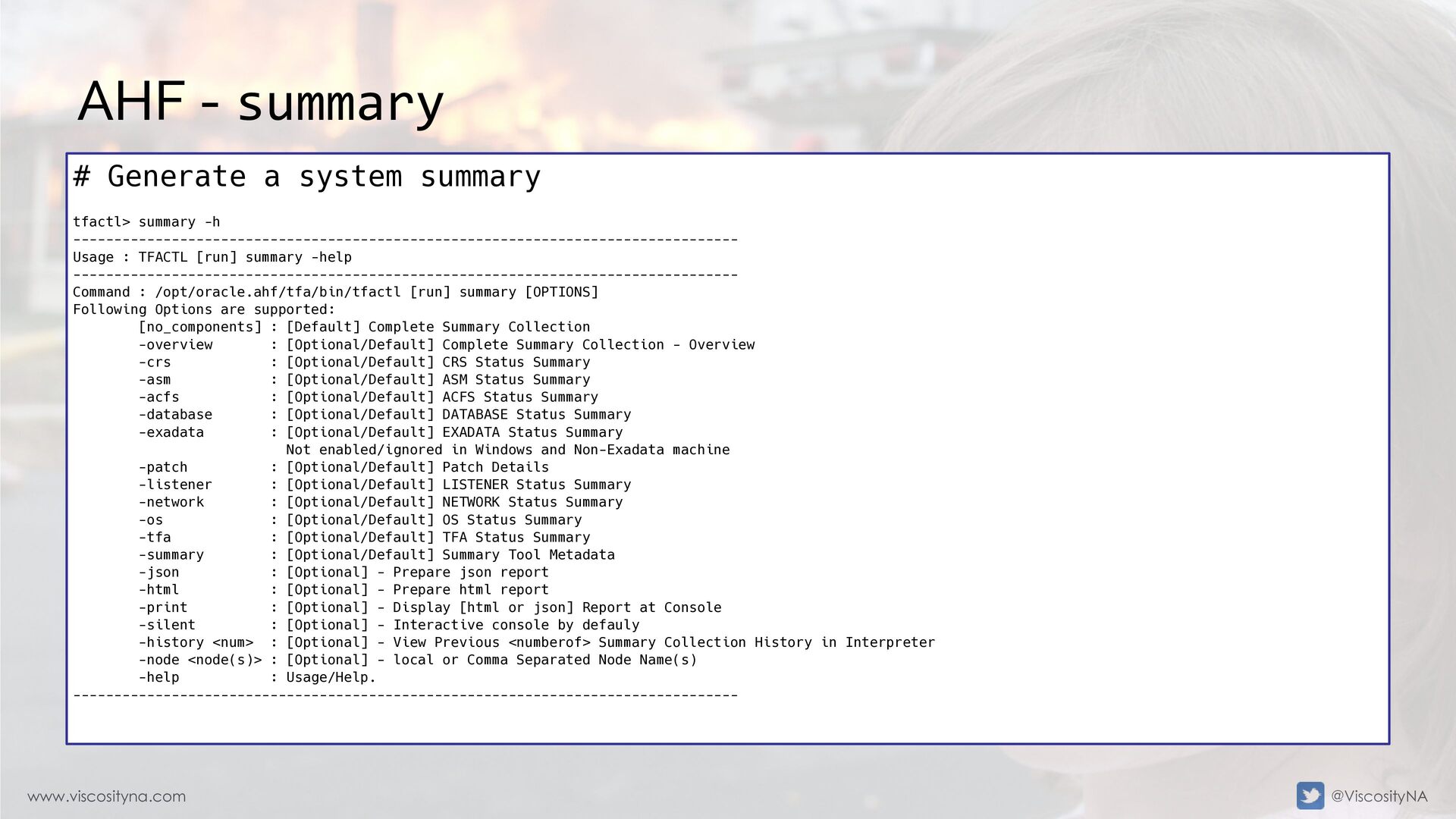
  44. www.viscosityna.com @ViscosityNA AHF - summary # Generate a system summary

    tfactl> summary -h --------------------------------------------------------------------------------- Usage : TFACTL [run] summary -help --------------------------------------------------------------------------------- Command : /opt/oracle.ahf/tfa/bin/tfactl [run] summary [OPTIONS] Following Options are supported: [no_components] : [Default] Complete Summary Collection -overview : [Optional/Default] Complete Summary Collection - Overview -crs : [Optional/Default] CRS Status Summary -asm : [Optional/Default] ASM Status Summary -acfs : [Optional/Default] ACFS Status Summary -database : [Optional/Default] DATABASE Status Summary -exadata : [Optional/Default] EXADATA Status Summary Not enabled/ignored in Windows and Non-Exadata machine -patch : [Optional/Default] Patch Details -listener : [Optional/Default] LISTENER Status Summary -network : [Optional/Default] NETWORK Status Summary -os : [Optional/Default] OS Status Summary -tfa : [Optional/Default] TFA Status Summary -summary : [Optional/Default] Summary Tool Metadata -json : [Optional] - Prepare json report -html : [Optional] - Prepare html report -print : [Optional] - Display [html or json] Report at Console -silent : [Optional] - Interactive console by defauly -history <num> : [Optional] - View Previous <numberof> Summary Collection History in Interpreter -node <node(s)> : [Optional] - local or Comma Separated Node Name(s) -help : Usage/Help. ---------------------------------------------------------------------------------
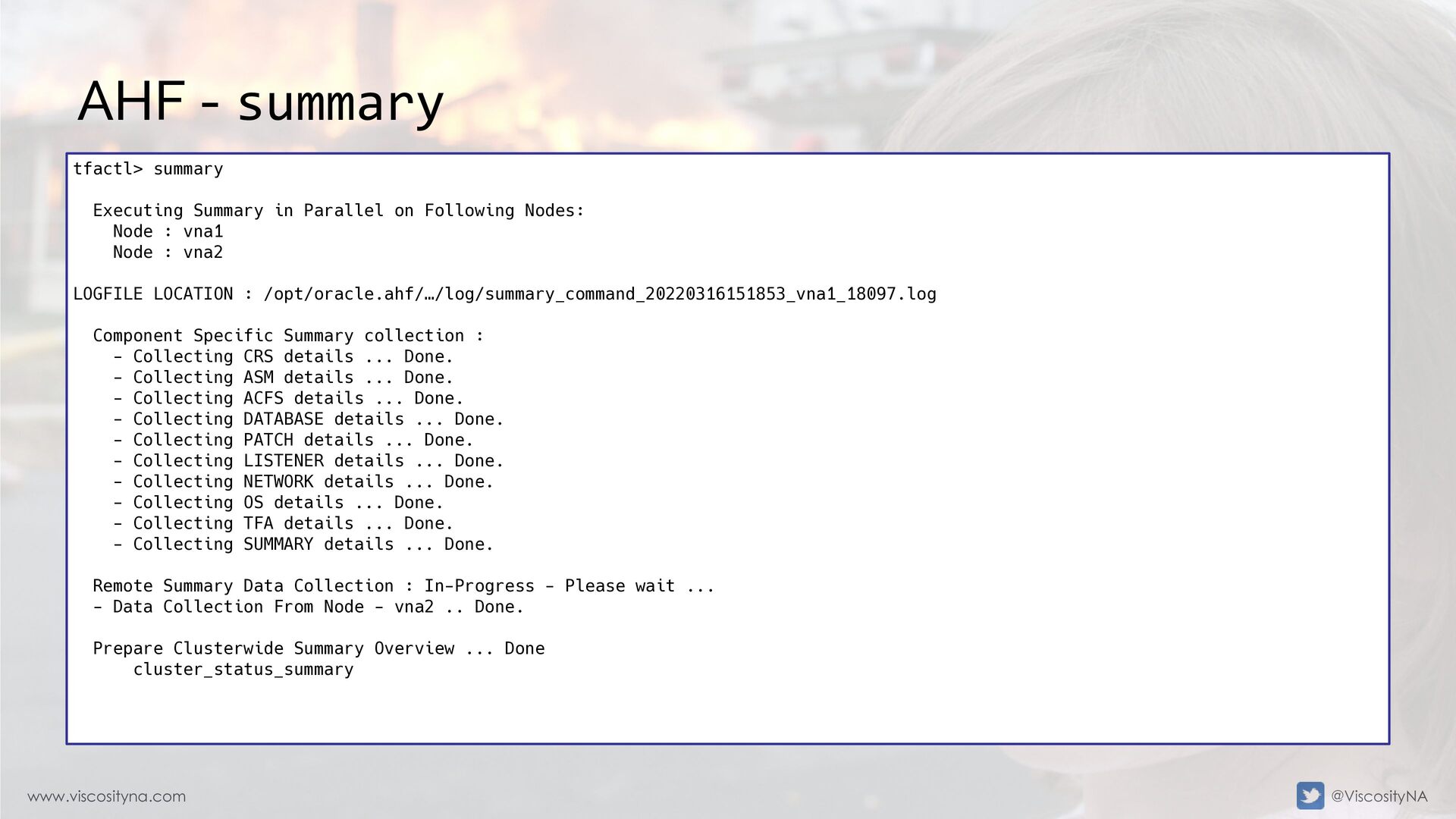
  45. www.viscosityna.com @ViscosityNA AHF - summary tfactl> summary Executing Summary in

    Parallel on Following Nodes: Node : vna1 Node : vna2 LOGFILE LOCATION : /opt/oracle.ahf/…/log/summary_command_20220316151853_vna1_18097.log Component Specific Summary collection : - Collecting CRS details ... Done. - Collecting ASM details ... Done. - Collecting ACFS details ... Done. - Collecting DATABASE details ... Done. - Collecting PATCH details ... Done. - Collecting LISTENER details ... Done. - Collecting NETWORK details ... Done. - Collecting OS details ... Done. - Collecting TFA details ... Done. - Collecting SUMMARY details ... Done. Remote Summary Data Collection : In-Progress - Please wait ... - Data Collection From Node - vna2 .. Done. Prepare Clusterwide Summary Overview ... Done cluster_status_summary
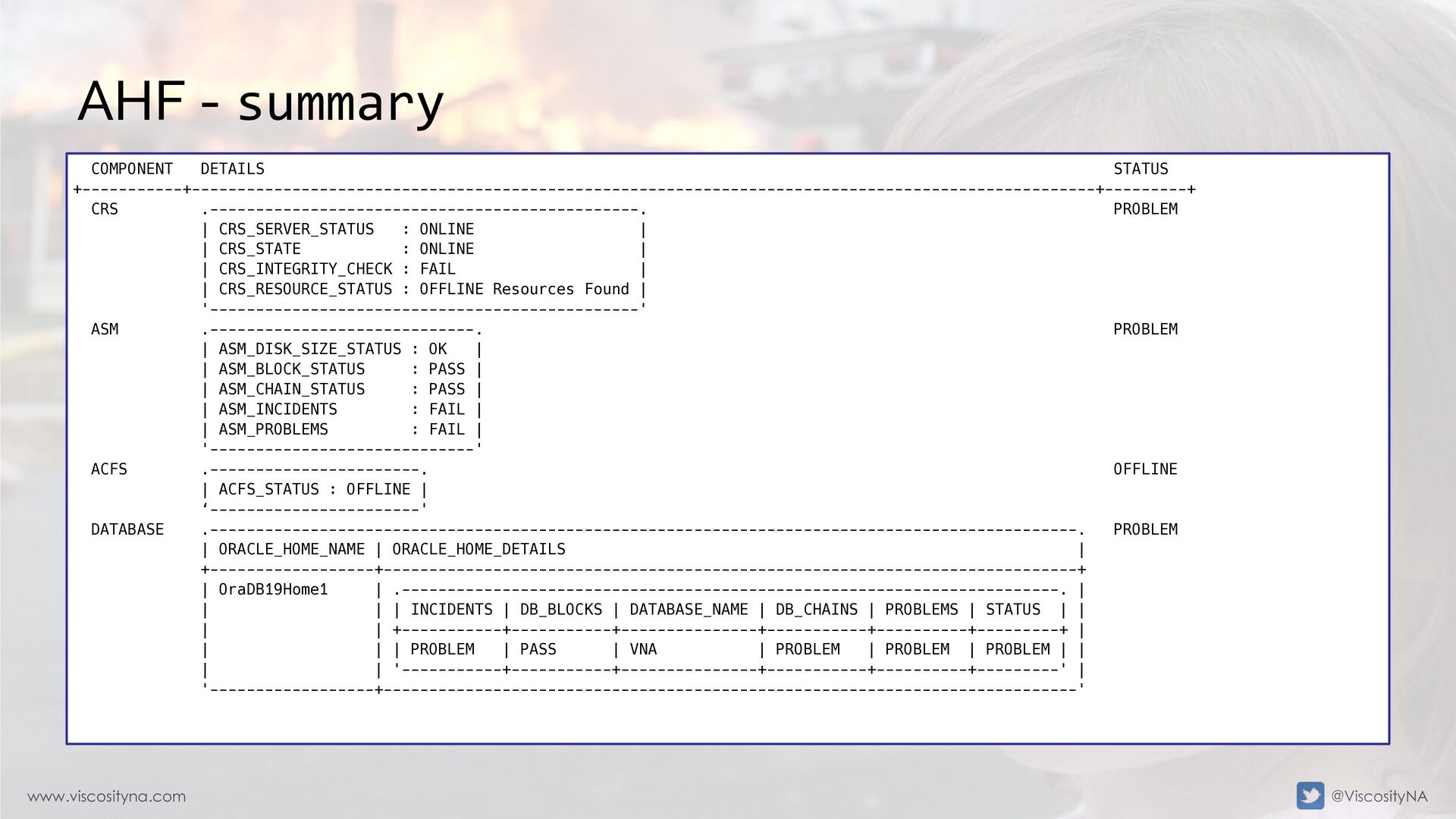
  46. www.viscosityna.com @ViscosityNA AHF - summary COMPONENT DETAILS STATUS +-----------+---------------------------------------------------------------------------------------------------+---------+ CRS

    .-----------------------------------------------. PROBLEM | CRS_SERVER_STATUS : ONLINE | | CRS_STATE : ONLINE | | CRS_INTEGRITY_CHECK : FAIL | | CRS_RESOURCE_STATUS : OFFLINE Resources Found | '-----------------------------------------------' ASM .-----------------------------. PROBLEM | ASM_DISK_SIZE_STATUS : OK | | ASM_BLOCK_STATUS : PASS | | ASM_CHAIN_STATUS : PASS | | ASM_INCIDENTS : FAIL | | ASM_PROBLEMS : FAIL | '-----------------------------' ACFS .-----------------------. OFFLINE | ACFS_STATUS : OFFLINE | ‘-----------------------' DATABASE .-----------------------------------------------------------------------------------------------. PROBLEM | ORACLE_HOME_NAME | ORACLE_HOME_DETAILS | +------------------+----------------------------------------------------------------------------+ | OraDB19Home1 | .------------------------------------------------------------------------. | | | | INCIDENTS | DB_BLOCKS | DATABASE_NAME | DB_CHAINS | PROBLEMS | STATUS | | | | +-----------+-----------+---------------+-----------+----------+---------+ | | | | PROBLEM | PASS | VNA | PROBLEM | PROBLEM | PROBLEM | | | | '-----------+-----------+---------------+-----------+----------+---------' | '------------------+----------------------------------------------------------------------------'
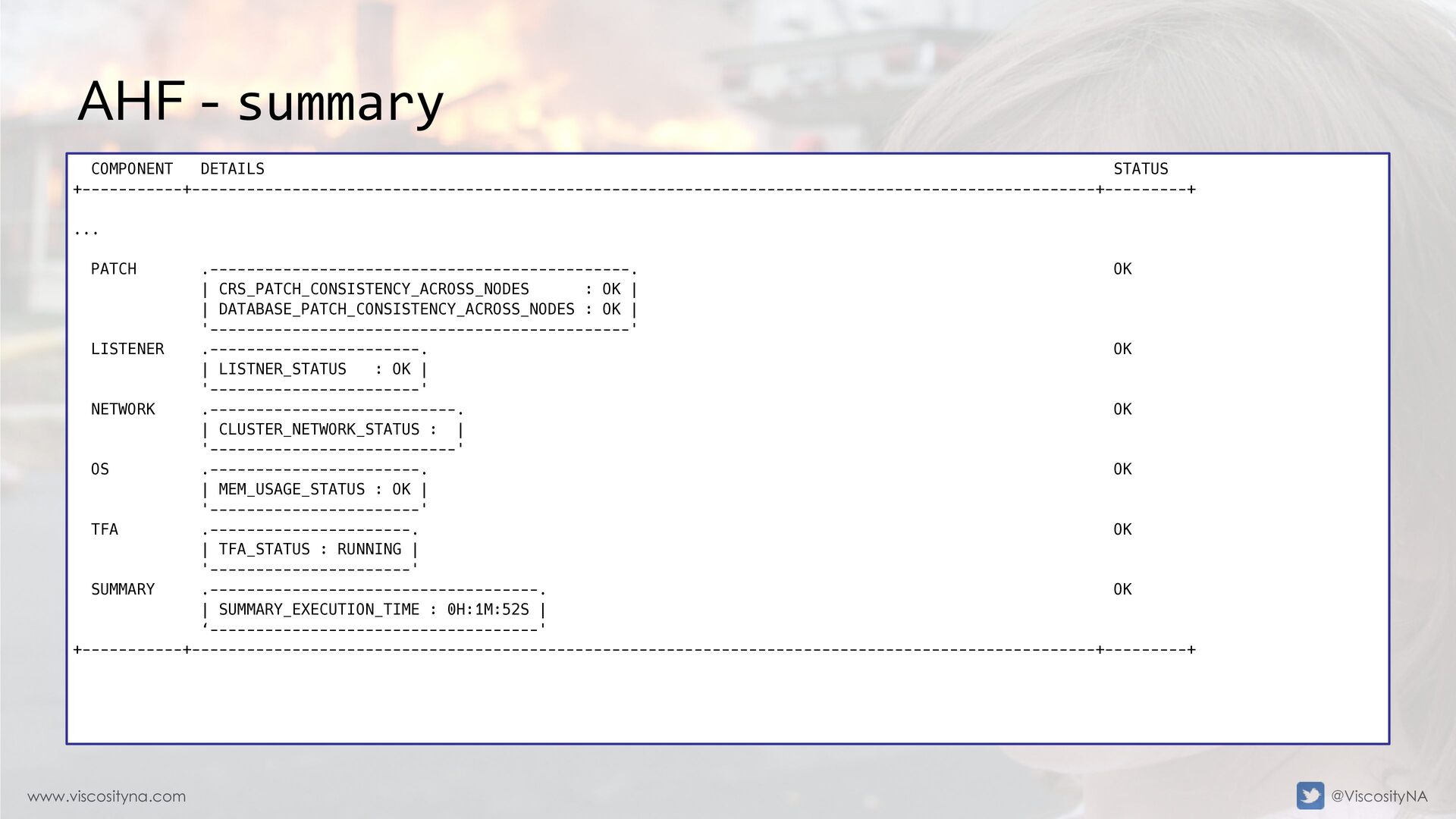
  47. www.viscosityna.com @ViscosityNA AHF - summary COMPONENT DETAILS STATUS +-----------+---------------------------------------------------------------------------------------------------+---------+ ...

    PATCH .----------------------------------------------. OK | CRS_PATCH_CONSISTENCY_ACROSS_NODES : OK | | DATABASE_PATCH_CONSISTENCY_ACROSS_NODES : OK | '----------------------------------------------' LISTENER .-----------------------. OK | LISTNER_STATUS : OK | '-----------------------' NETWORK .---------------------------. OK | CLUSTER_NETWORK_STATUS : | '---------------------------' OS .-----------------------. OK | MEM_USAGE_STATUS : OK | '-----------------------' TFA .----------------------. OK | TFA_STATUS : RUNNING | '----------------------' SUMMARY .------------------------------------. OK | SUMMARY_EXECUTION_TIME : 0H:1M:52S | ‘------------------------------------' +-----------+---------------------------------------------------------------------------------------------------+---------+
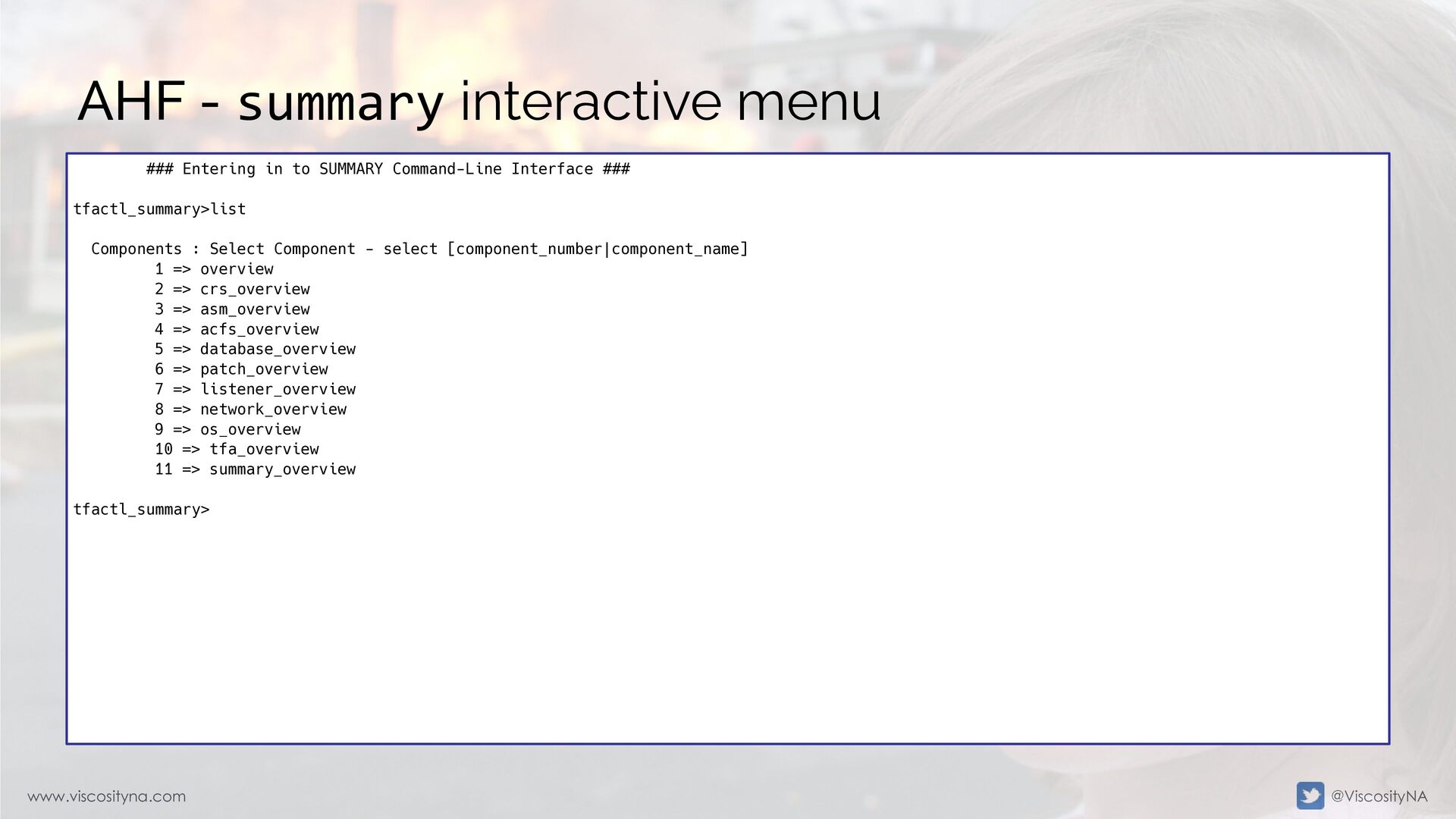
  48. www.viscosityna.com @ViscosityNA AHF - summary interactive menu ### Entering in

    to SUMMARY Command-Line Interface ### tfactl_summary>list Components : Select Component - select [component_number|component_name] 1 => overview 2 => crs_overview 3 => asm_overview 4 => acfs_overview 5 => database_overview 6 => patch_overview 7 => listener_overview 8 => network_overview 9 => os_overview 10 => tfa_overview 11 => summary_overview tfactl_summary>
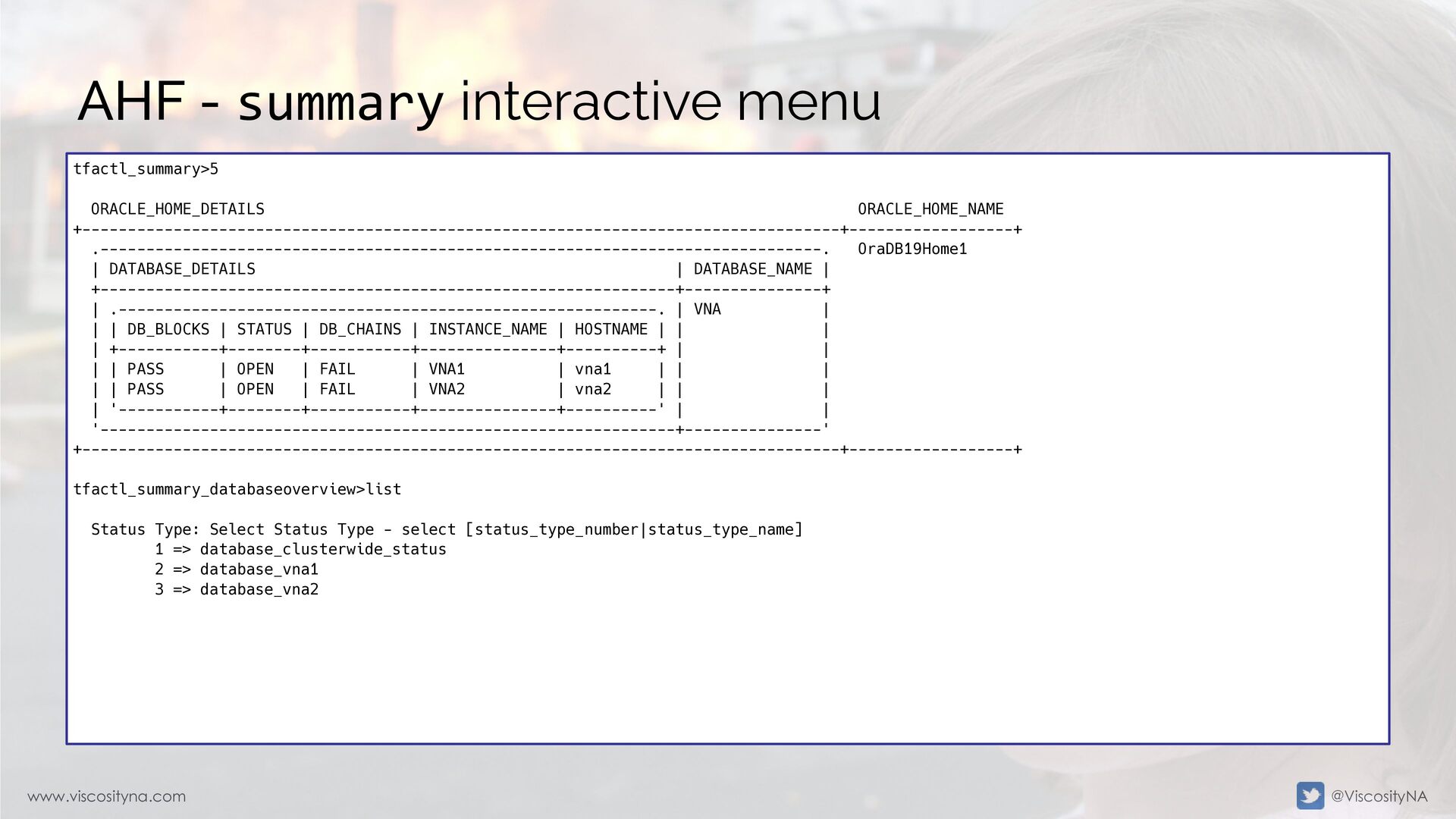
  49. www.viscosityna.com @ViscosityNA AHF - summary interactive menu tfactl_summary>5 ORACLE_HOME_DETAILS ORACLE_HOME_NAME

    +-----------------------------------------------------------------------------------+------------------+ .-------------------------------------------------------------------------------. OraDB19Home1 | DATABASE_DETAILS | DATABASE_NAME | +---------------------------------------------------------------+---------------+ | .-----------------------------------------------------------. | VNA | | | DB_BLOCKS | STATUS | DB_CHAINS | INSTANCE_NAME | HOSTNAME | | | | +-----------+--------+-----------+---------------+----------+ | | | | PASS | OPEN | FAIL | VNA1 | vna1 | | | | | PASS | OPEN | FAIL | VNA2 | vna2 | | | | '-----------+--------+-----------+---------------+----------' | | '---------------------------------------------------------------+---------------' +-----------------------------------------------------------------------------------+------------------+ tfactl_summary_databaseoverview>list Status Type: Select Status Type - select [status_type_number|status_type_name] 1 => database_clusterwide_status 2 => database_vna1 3 => database_vna2
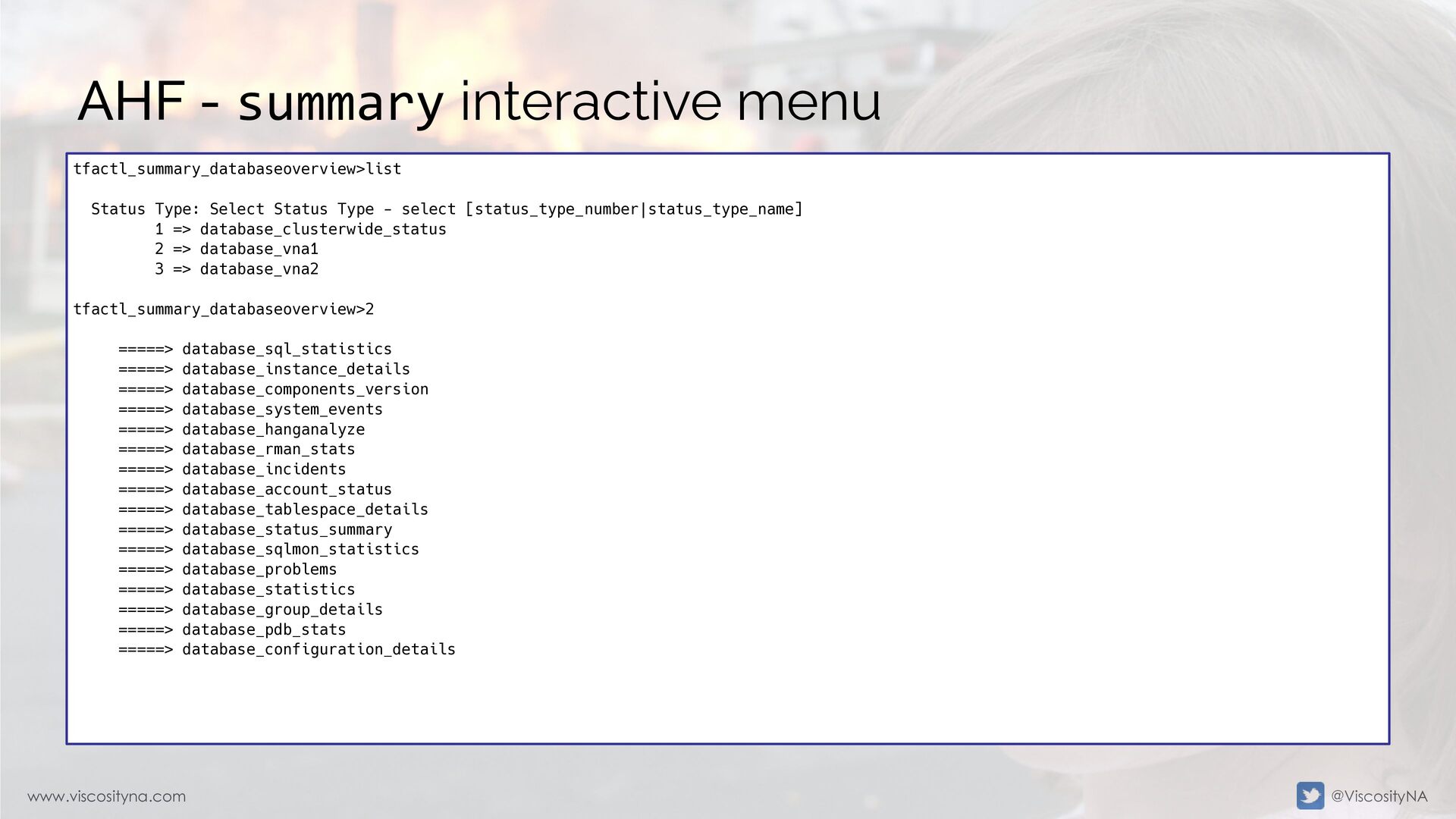
  50. www.viscosityna.com @ViscosityNA AHF - summary interactive menu tfactl_summary_databaseoverview>list Status Type:

    Select Status Type - select [status_type_number|status_type_name] 1 => database_clusterwide_status 2 => database_vna1 3 => database_vna2 tfactl_summary_databaseoverview>2 =====> database_sql_statistics =====> database_instance_details =====> database_components_version =====> database_system_events =====> database_hanganalyze =====> database_rman_stats =====> database_incidents =====> database_account_status =====> database_tablespace_details =====> database_status_summary =====> database_sqlmon_statistics =====> database_problems =====> database_statistics =====> database_group_details =====> database_pdb_stats =====> database_configuration_details
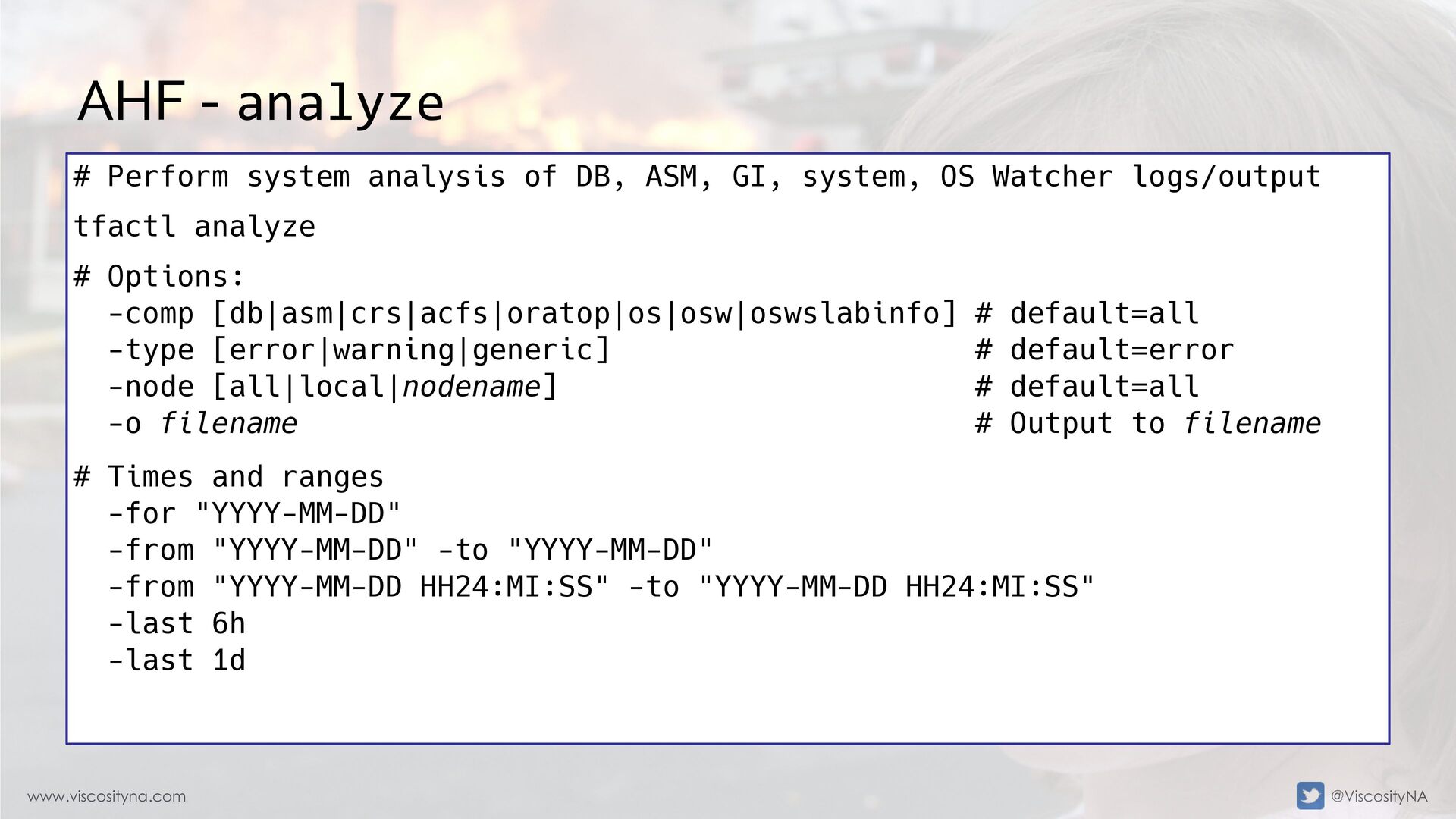
  51. www.viscosityna.com @ViscosityNA AHF - analyze # Perform system analysis of

    DB, ASM, GI, system, OS Watcher logs/output tfactl analyze # Options: -comp [db|asm|crs|acfs|oratop|os|osw|oswslabinfo] # default=all -type [error|warning|generic] # default=error -node [all|local|nodename] # default=all -o filename # Output to filename # Times and ranges -for "YYYY-MM-DD" -from "YYYY-MM-DD" -to "YYYY-MM-DD" -from "YYYY-MM-DD HH24:MI:SS" -to "YYYY-MM-DD HH24:MI:SS" -last 6h -last 1d
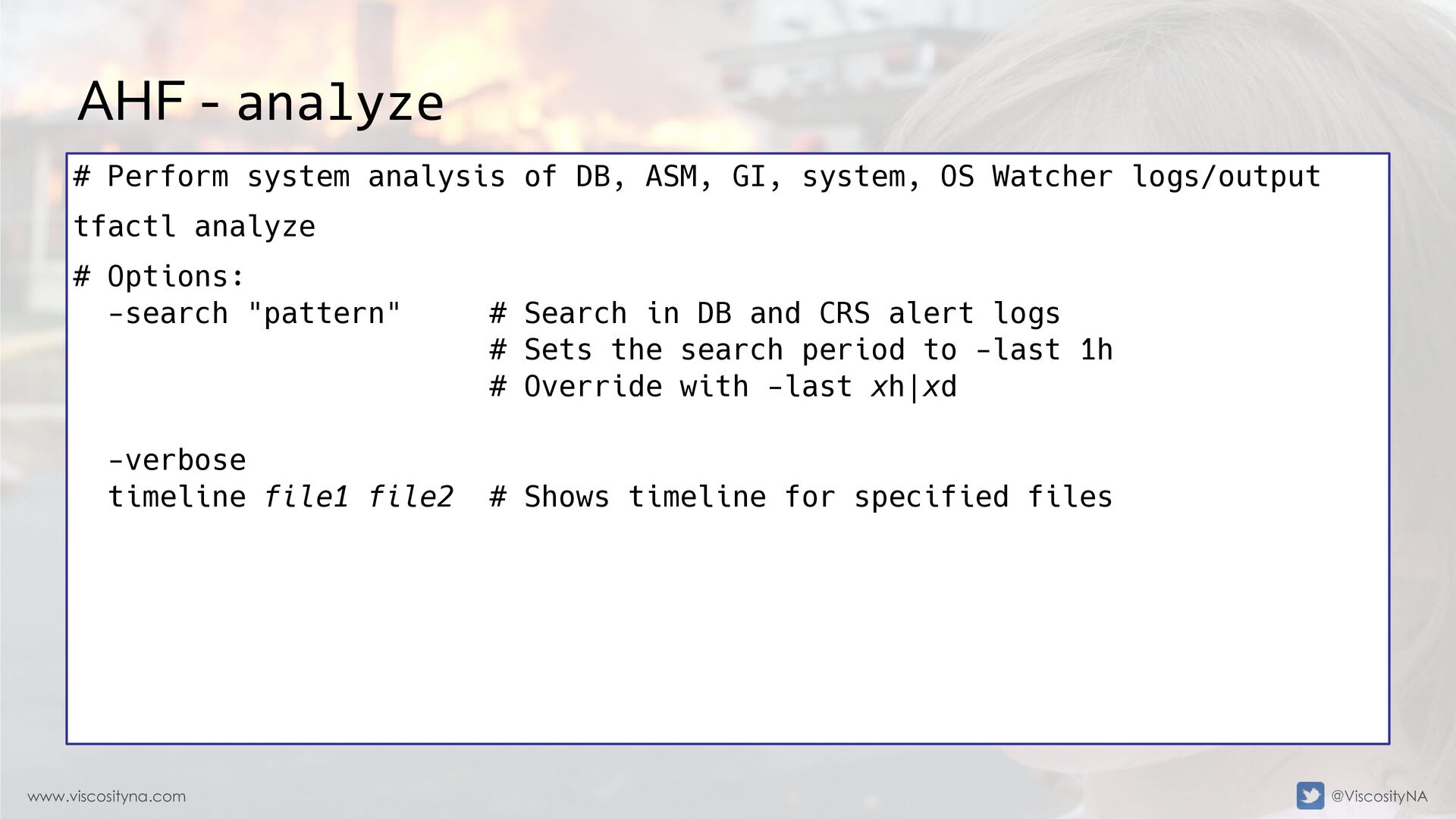
  52. www.viscosityna.com @ViscosityNA AHF - analyze # Perform system analysis of

    DB, ASM, GI, system, OS Watcher logs/output tfactl analyze # Options: -search "pattern" # Search in DB and CRS alert logs # Sets the search period to -last 1h # Override with -last xh|xd -verbose timeline file1 file2 # Shows timeline for specified files
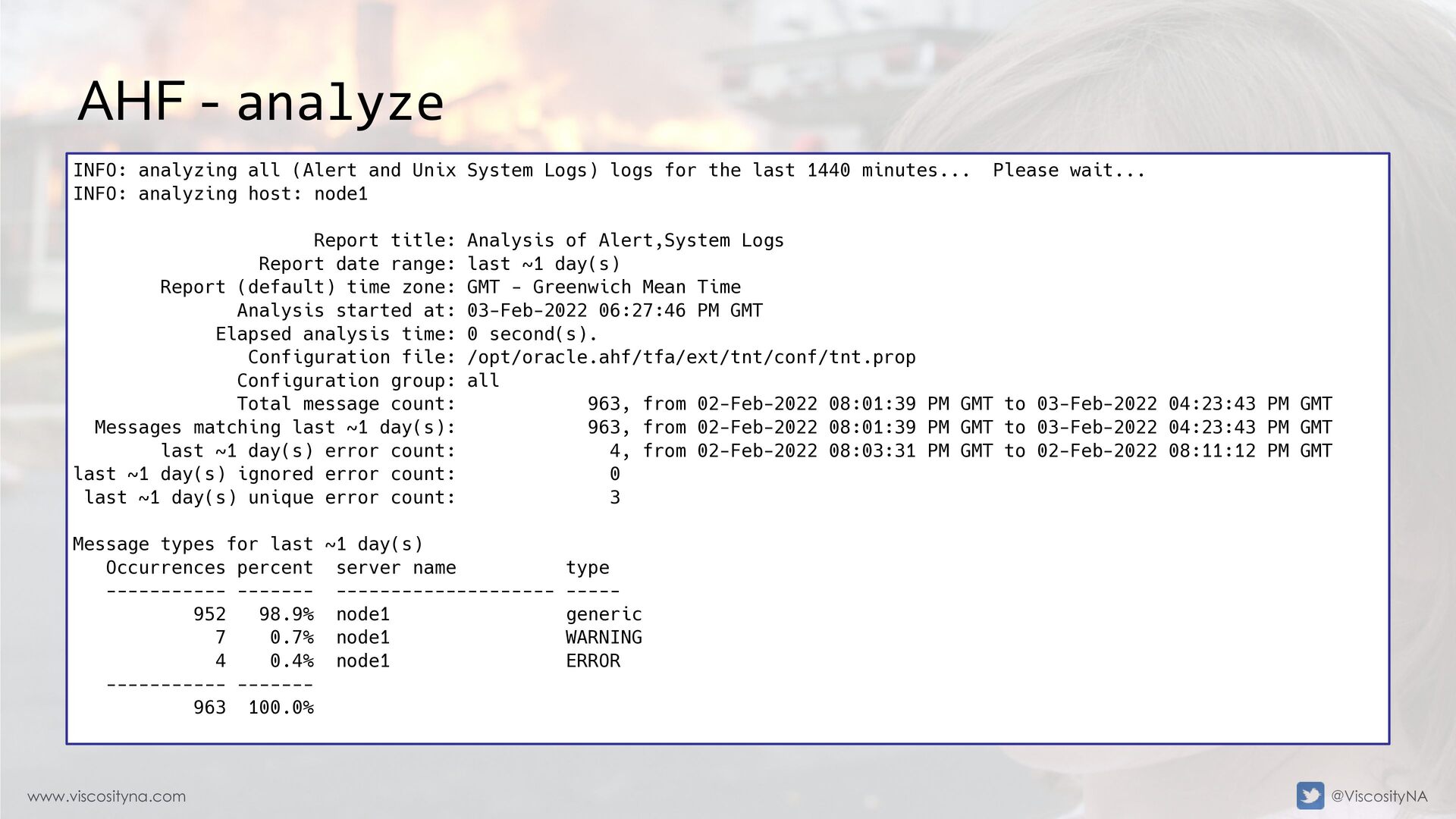
  53. www.viscosityna.com @ViscosityNA AHF - analyze INFO: analyzing all (Alert and

    Unix System Logs) logs for the last 1440 minutes... Please wait... INFO: analyzing host: node1 Report title: Analysis of Alert,System Logs Report date range: last ~1 day(s) Report (default) time zone: GMT - Greenwich Mean Time Analysis started at: 03-Feb-2022 06:27:46 PM GMT Elapsed analysis time: 0 second(s). Configuration file: /opt/oracle.ahf/tfa/ext/tnt/conf/tnt.prop Configuration group: all Total message count: 963, from 02-Feb-2022 08:01:39 PM GMT to 03-Feb-2022 04:23:43 PM GMT Messages matching last ~1 day(s): 963, from 02-Feb-2022 08:01:39 PM GMT to 03-Feb-2022 04:23:43 PM GMT last ~1 day(s) error count: 4, from 02-Feb-2022 08:03:31 PM GMT to 02-Feb-2022 08:11:12 PM GMT last ~1 day(s) ignored error count: 0 last ~1 day(s) unique error count: 3 Message types for last ~1 day(s) Occurrences percent server name type ----------- ------- -------------------- ----- 952 98.9% node1 generic 7 0.7% node1 WARNING 4 0.4% node1 ERROR ----------- ------- 963 100.0%
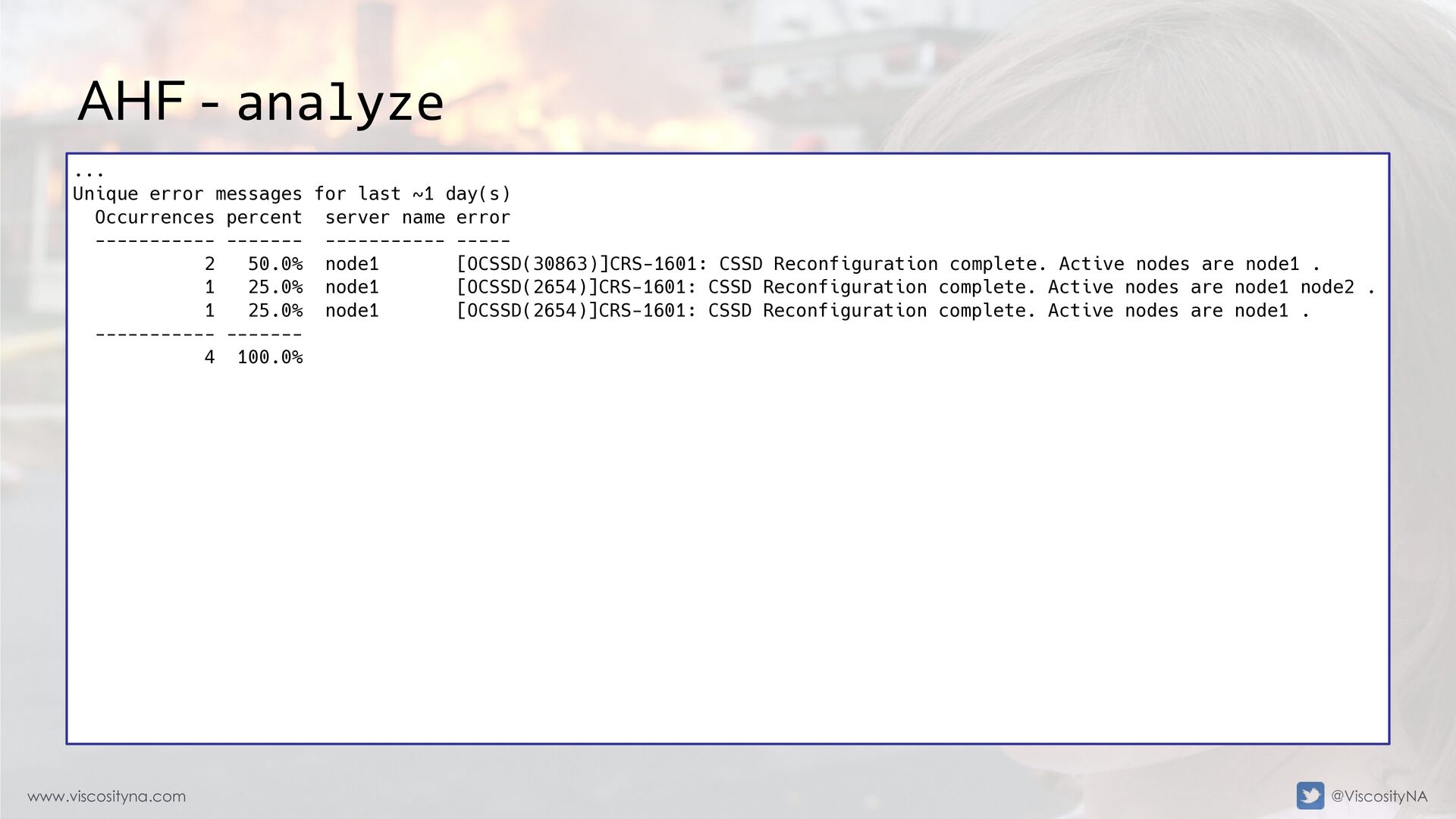
  54. www.viscosityna.com @ViscosityNA AHF - analyze ... Unique error messages for

    last ~1 day(s) Occurrences percent server name error ----------- ------- ----------- ----- 2 50.0% node1 [OCSSD(30863)]CRS-1601: CSSD Reconfiguration complete. Active nodes are node1 . 1 25.0% node1 [OCSSD(2654)]CRS-1601: CSSD Reconfiguration complete. Active nodes are node1 node2 . 1 25.0% node1 [OCSSD(2654)]CRS-1601: CSSD Reconfiguration complete. Active nodes are node1 . ----------- ------- 4 100.0%
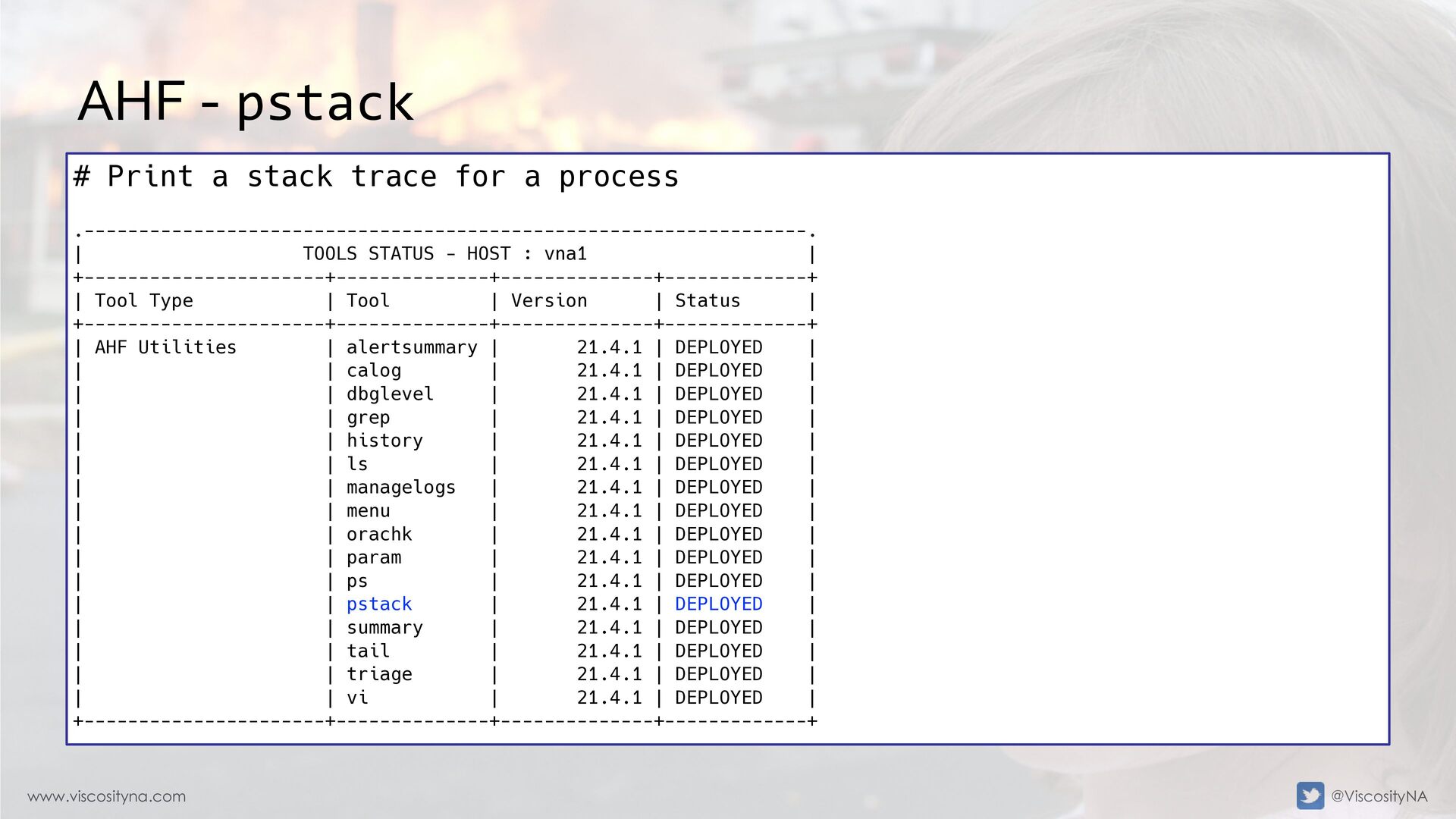
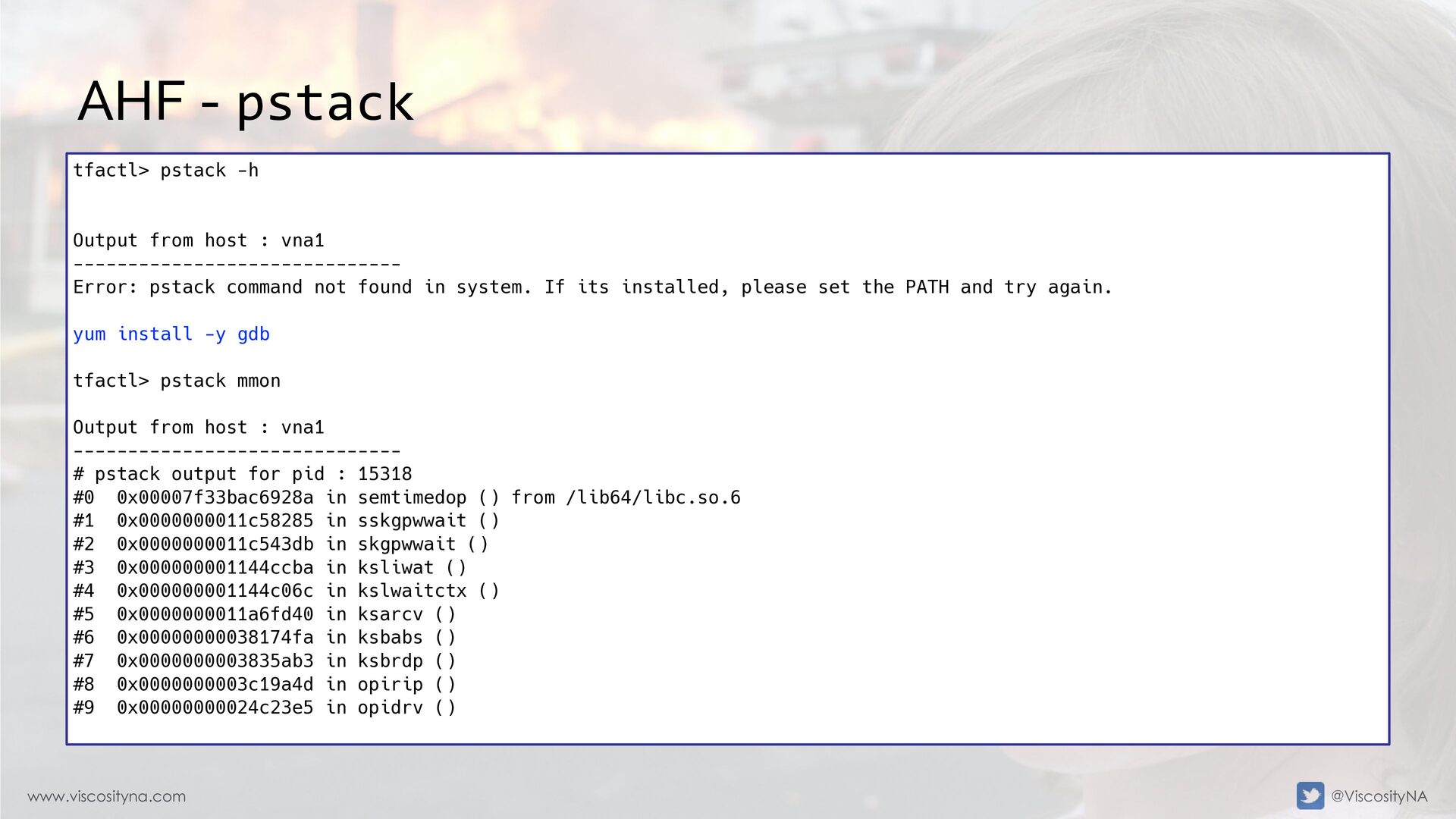
  55. www.viscosityna.com @ViscosityNA AHF - pstack # Print a stack trace

    for a process .------------------------------------------------------------------. | TOOLS STATUS - HOST : vna1 | +----------------------+--------------+--------------+-------------+ | Tool Type | Tool | Version | Status | +----------------------+--------------+--------------+-------------+ | AHF Utilities | alertsummary | 21.4.1 | DEPLOYED | | | calog | 21.4.1 | DEPLOYED | | | dbglevel | 21.4.1 | DEPLOYED | | | grep | 21.4.1 | DEPLOYED | | | history | 21.4.1 | DEPLOYED | | | ls | 21.4.1 | DEPLOYED | | | managelogs | 21.4.1 | DEPLOYED | | | menu | 21.4.1 | DEPLOYED | | | orachk | 21.4.1 | DEPLOYED | | | param | 21.4.1 | DEPLOYED | | | ps | 21.4.1 | DEPLOYED | | | pstack | 21.4.1 | DEPLOYED | | | summary | 21.4.1 | DEPLOYED | | | tail | 21.4.1 | DEPLOYED | | | triage | 21.4.1 | DEPLOYED | | | vi | 21.4.1 | DEPLOYED | +----------------------+--------------+--------------+-------------+
  56. www.viscosityna.com @ViscosityNA AHF - pstack tfactl> pstack -h Output from

    host : vna1 ------------------------------ Error: pstack command not found in system. If its installed, please set the PATH and try again. yum install -y gdb tfactl> pstack mmon Output from host : vna1 ------------------------------ # pstack output for pid : 15318 #0 0x00007f33bac6928a in semtimedop () from /lib64/libc.so.6 #1 0x0000000011c58285 in sskgpwwait () #2 0x0000000011c543db in skgpwwait () #3 0x000000001144ccba in ksliwat () #4 0x000000001144c06c in kslwaitctx () #5 0x0000000011a6fd40 in ksarcv () #6 0x00000000038174fa in ksbabs () #7 0x0000000003835ab3 in ksbrdp () #8 0x0000000003c19a4d in opirip () #9 0x00000000024c23e5 in opidrv ()
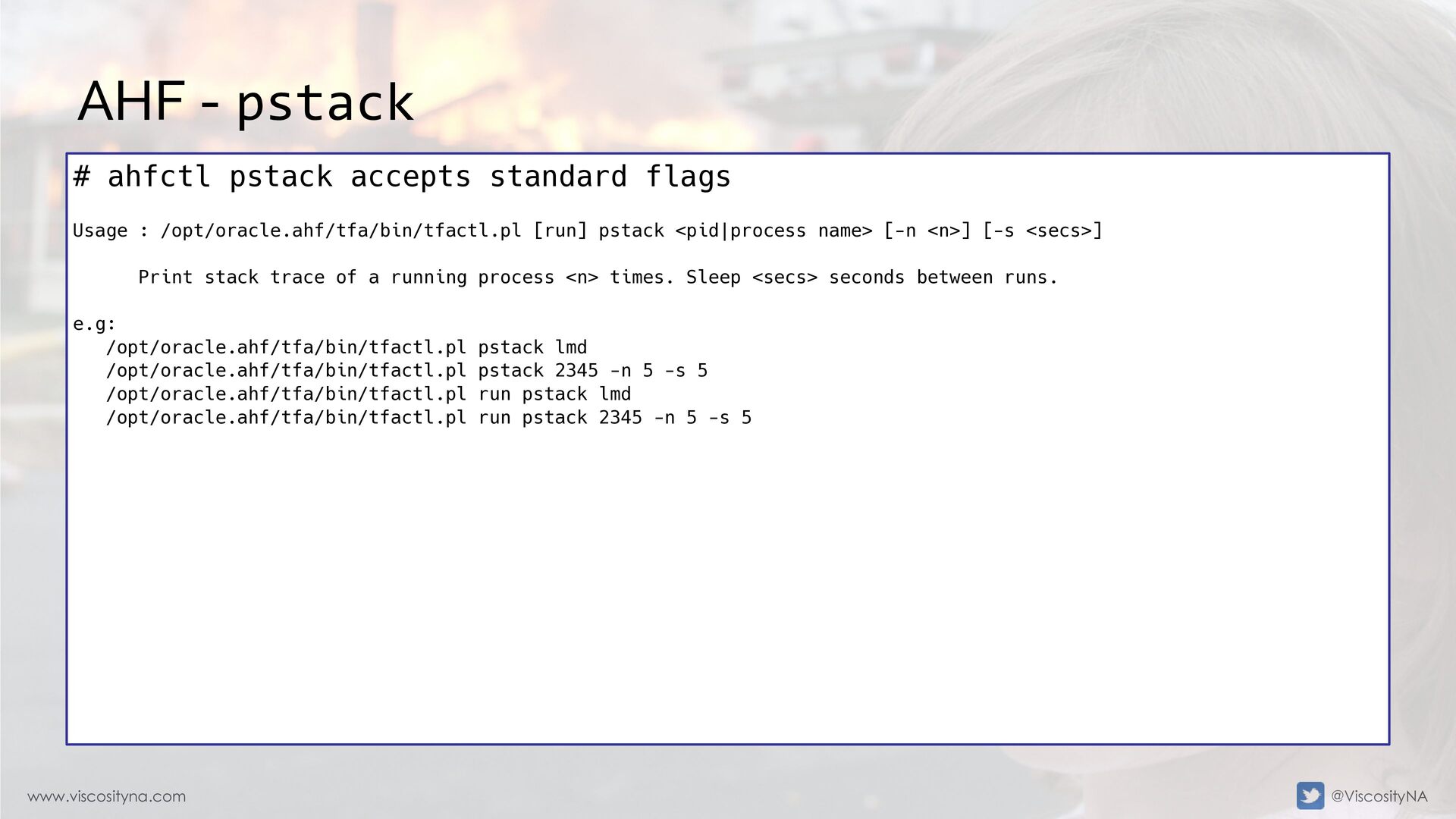
  57. www.viscosityna.com @ViscosityNA AHF - pstack # ahfctl pstack accepts standard

    flags Usage : /opt/oracle.ahf/tfa/bin/tfactl.pl [run] pstack <pid|process name> [-n <n>] [-s <secs>] Print stack trace of a running process <n> times. Sleep <secs> seconds between runs. e.g: /opt/oracle.ahf/tfa/bin/tfactl.pl pstack lmd /opt/oracle.ahf/tfa/bin/tfactl.pl pstack 2345 -n 5 -s 5 /opt/oracle.ahf/tfa/bin/tfactl.pl run pstack lmd /opt/oracle.ahf/tfa/bin/tfactl.pl run pstack 2345 -n 5 -s 5
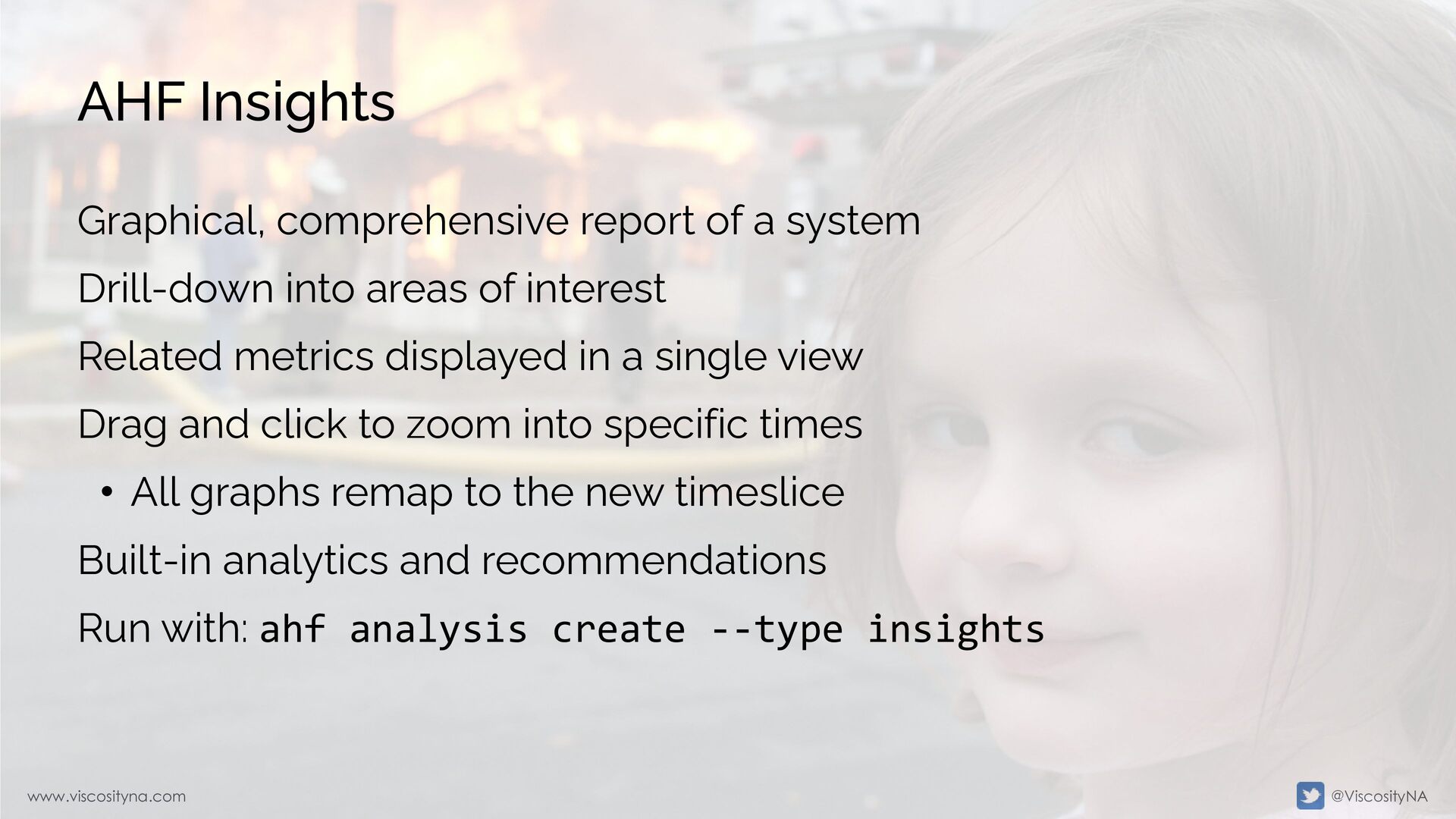
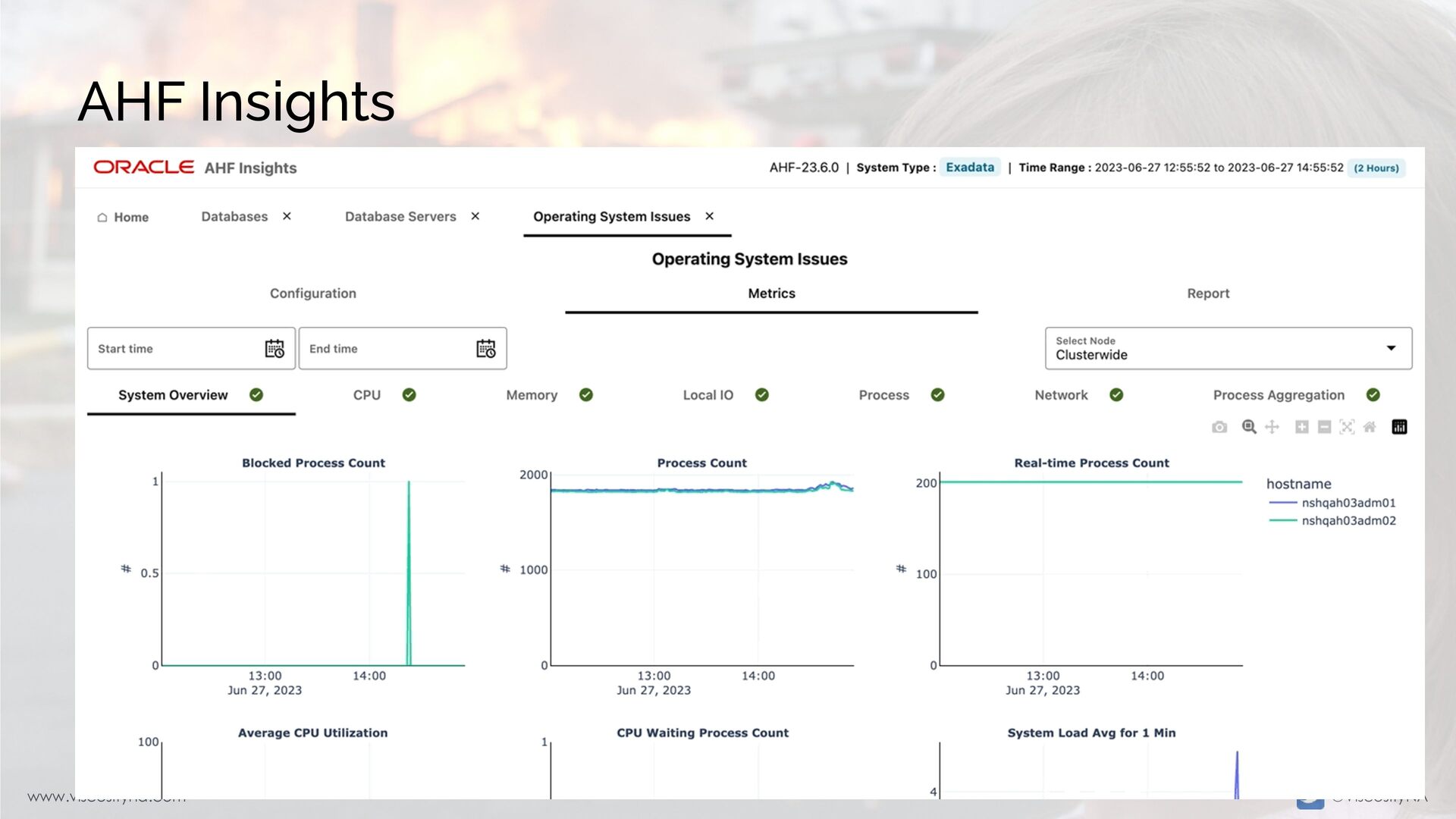
  58. www.viscosityna.com @ViscosityNA AHF Insights Graphical, comprehensive report of a system

    Drill-down into areas of interest Related metrics displayed in a single view Drag and click to zoom into specific times • All graphs remap to the new timeslice Built-in analytics and recommendations Run with: ahf analysis create --type insights
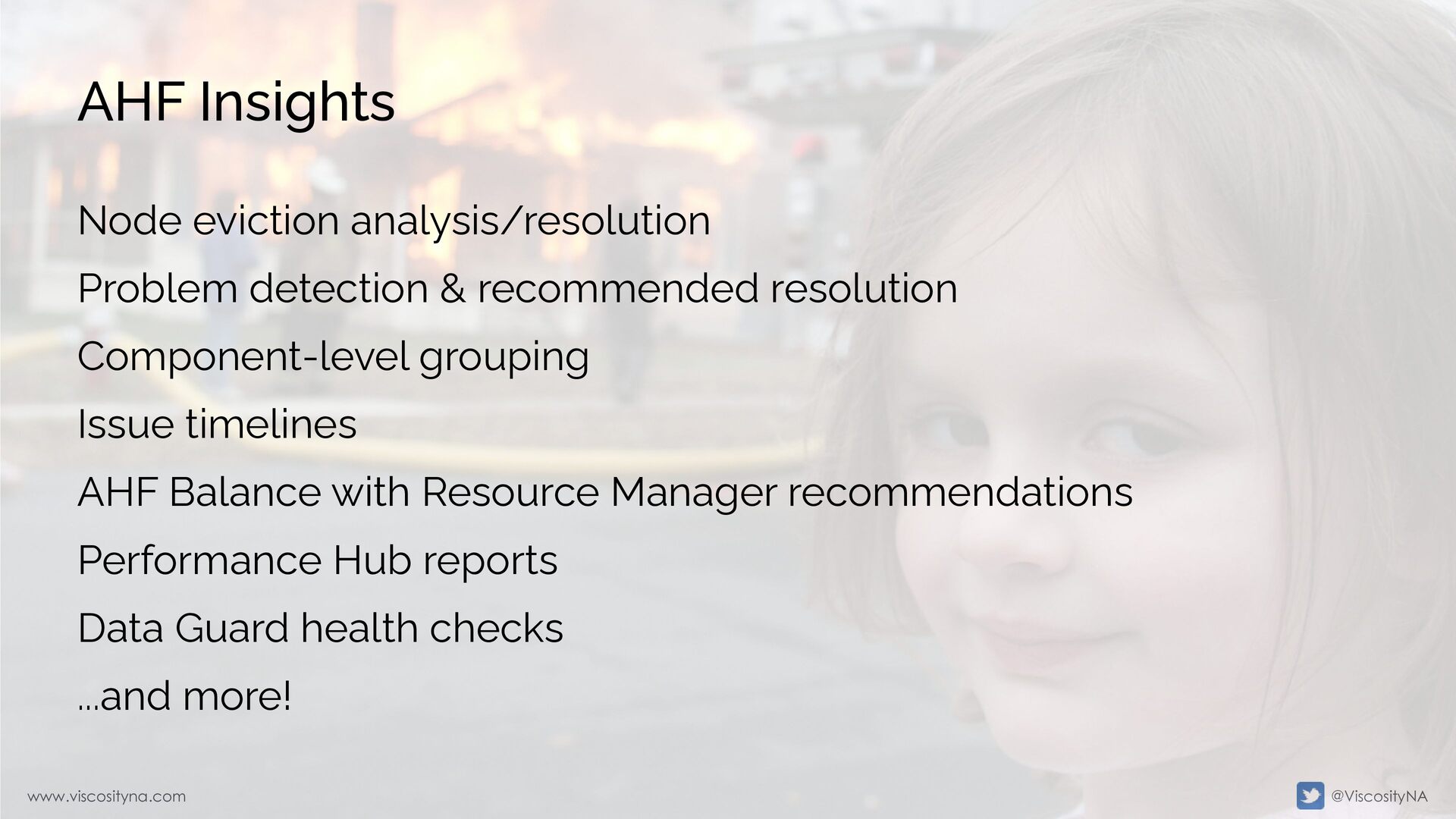
  59. www.viscosityna.com @ViscosityNA AHF Insights Node eviction analysis/resolution Problem detection &

    recommended resolution Component-level grouping Issue timelines AHF Balance with Resource Manager recommendations Performance Hub reports Data Guard health checks ...and more!
  60. www.viscosityna.com @ViscosityNA More AHF utilities • Built into AHF: •

    OSWatcher (oswbb) • Hang Manager • Procwatcher (prw) • Cluster Verification Utility (CVU) • Quality of Service Management (QoSM) • Memory Guard