Flutter or React Native, a cross-platform dilem...

Share
Embed
Flutter or React Native, a cross-platform dilemma | .droidcon Greece
Nowadays the hype around Flutter is raising a lot. But what about the “(not so) old-fashioned” React Native?
In this talk, we will see the basics and the differences between the two frameworks. In particular, we will understand how to build User Interfaces and how the internals of the two framework works. Finally, we will try to understand when and why to choose a cross-platform framework and which of the two.
All this journey is based on the true story of an Android Developer that he wanted to explore the cross-platform jungle both for work and fun reasons.

Marco Gomiero
September 24, 2019
Transcript
99 slides
-
WHO I AM Mobile & Data Engineer @ Uniwhere MARCO
GOMIERO COMPUTER ENGINEER Co-Leader @ GDG Venezia -
LET’S GET IN TOUCH! twitter.com/marcoGomier MARCO GOMIERO COMPUTER ENGINEER github.com/prof18
marco.gomiero.93[at]gmail[dot]com marcogomiero.com -
Agenda • History • Language • UI • Under the
hood • Example • Conclusions -
History JANUARY 2015 First public preview MAY 2015 Open sourced
and launched officially SUMMER 2013 First version developed during an internal hackathon 2013 2015 2015 React Native -
History JANUARY 2015 First public preview MAY 2015 Open sourced
and launched officially SUMMER 2013 First version developed during an internal hackathon 2013 2015 2015 Flutter React Native MAY 2017 Alpha Release DECEMBER 2018 First 1.0 version APRIL 2015 Unveiled at Dart Dev Summit 2015 2018 2017 -
React Native • Javascript • ☠ for Object Oriented Devs:
• Type Conversion • Sometimes silently fails • Prototype based inheritance • Ecosystem Confusion -
Flutter • Dart, invented by Google in 2011 • Object
Oriented friendly • e.g strongly typed but type can be inferred • Flat learning curve for OO devs • Mobile -> compiles to ARM and x86 code • Web -> transpiles to Javascript -
// React Native import React from "react"; import { StyleSheet,
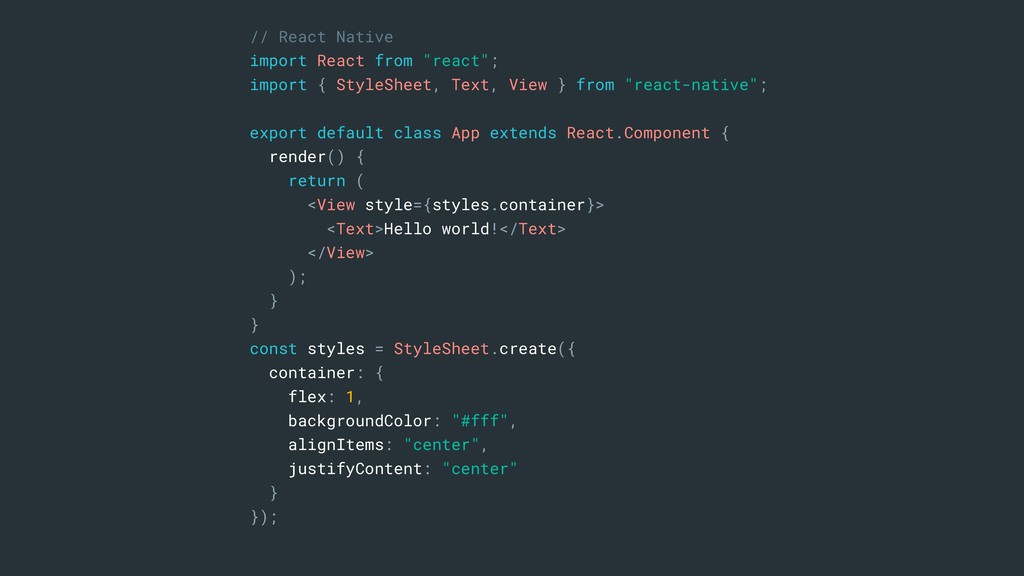
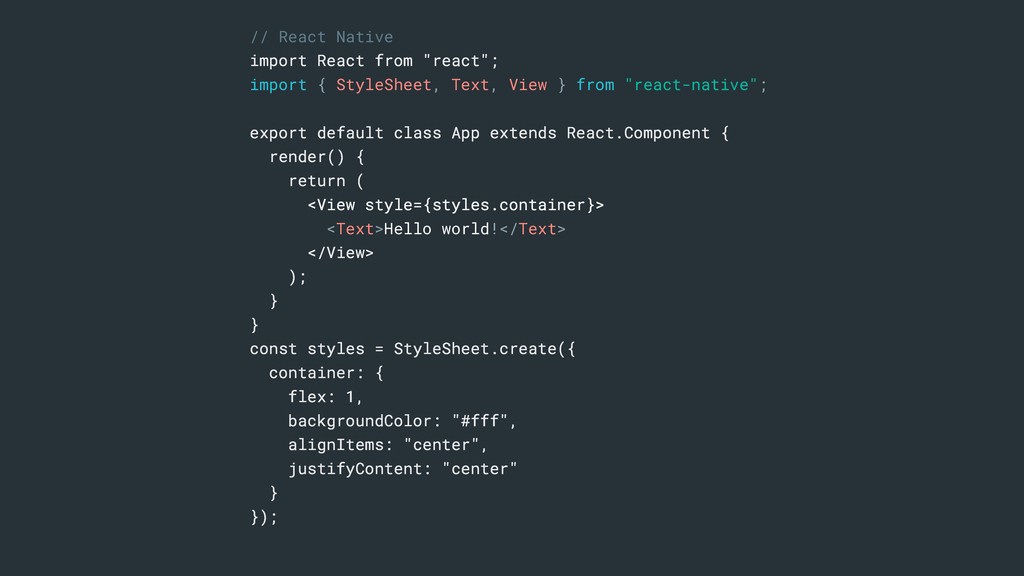
Text, View } from "react-native"; export default class App extends React.Component { render() { return ( <View style={styles.container}> <Text>Hello world!</Text> </View> ); } } const styles = StyleSheet.create({ container: { flex: 1, backgroundColor: "#fff", alignItems: "center", justifyContent: "center" } }); -
// React Native import React from "react"; import { StyleSheet,
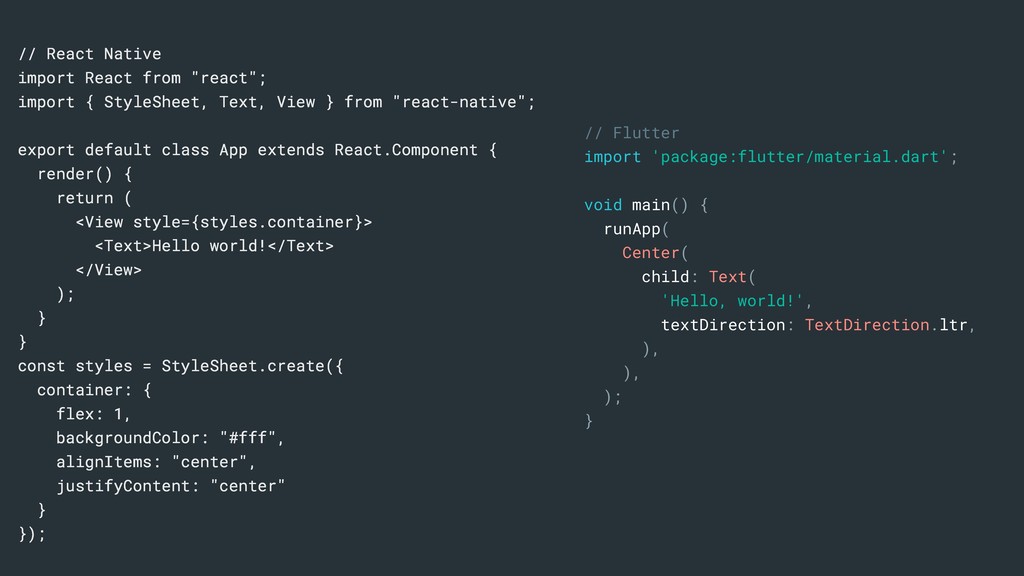
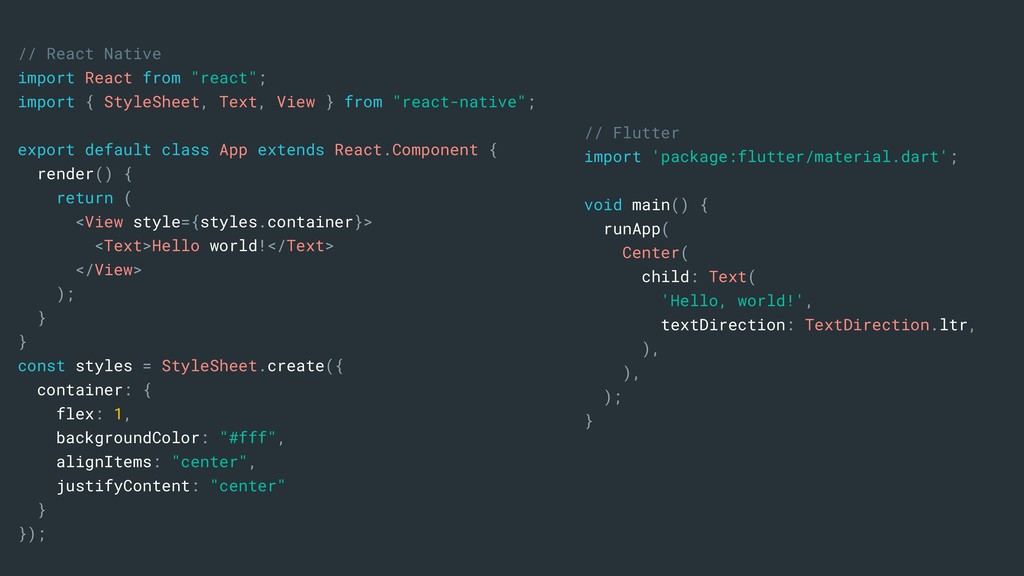
Text, View } from "react-native"; export default class App extends React.Component { render() { return ( <View style={styles.container}> <Text>Hello world!</Text> </View> ); } } const styles = StyleSheet.create({ container: { flex: 1, backgroundColor: "#fff", alignItems: "center", justifyContent: "center" } }); // Flutter import 'package:flutter/material.dart'; void main() { runApp( Center( child: Text( 'Hello, world!', textDirection: TextDirection.ltr, ), ), ); } -
// React Native import React from "react"; import { StyleSheet,
Text, View } from "react-native"; export default class App extends React.Component { render() { return ( <View style={styles.container}> <Text>Hello world!</Text> </View> ); } } const styles = StyleSheet.create({ container: { flex: 1, backgroundColor: "#fff", alignItems: "center", justifyContent: "center" } }); -
// React Native import React from "react"; import { StyleSheet,
Text, View } from "react-native"; export default class App extends React.Component { render() { return ( <View style={styles.container}> <Text>Hello world!</Text> </View> ); } } const styles = StyleSheet.create({ container: { flex: 1, backgroundColor: "#fff", alignItems: "center", justifyContent: "center" } }); Components • Basic UI building blocks • Fit together to form a custom component • Domain specific language called JSX • Customisable with CSS • Or better “usually match how CSS works on the web” -
// React Native import React from "react"; import { StyleSheet,
Text, View } from "react-native"; export default class App extends React.Component { render() { return ( <View style={styles.container}> <Text>Hello world!</Text> </View> ); } } const styles = StyleSheet.create({ container: { flex: 1, backgroundColor: "#fff", alignItems: "center", justifyContent: "center" } }); // Flutter import 'package:flutter/material.dart'; void main() { runApp( Center( child: Text( 'Hello, world!', textDirection: TextDirection.ltr, ), ), ); } -
// Flutter import 'package:flutter/material.dart'; void main() { runApp( Center( child:
Text( 'Hello, world!', textDirection: TextDirection.ltr, ), ), ); } -
// Flutter import 'package:flutter/material.dart'; void main() { runApp( Center( child:
Text( 'Hello, world!', textDirection: TextDirection.ltr, ), ), ); } -
// Flutter import 'package:flutter/material.dart'; void main() { runApp( Center( child:
Text( 'Hello, world!', textDirection: TextDirection.ltr, ), ), ); } -
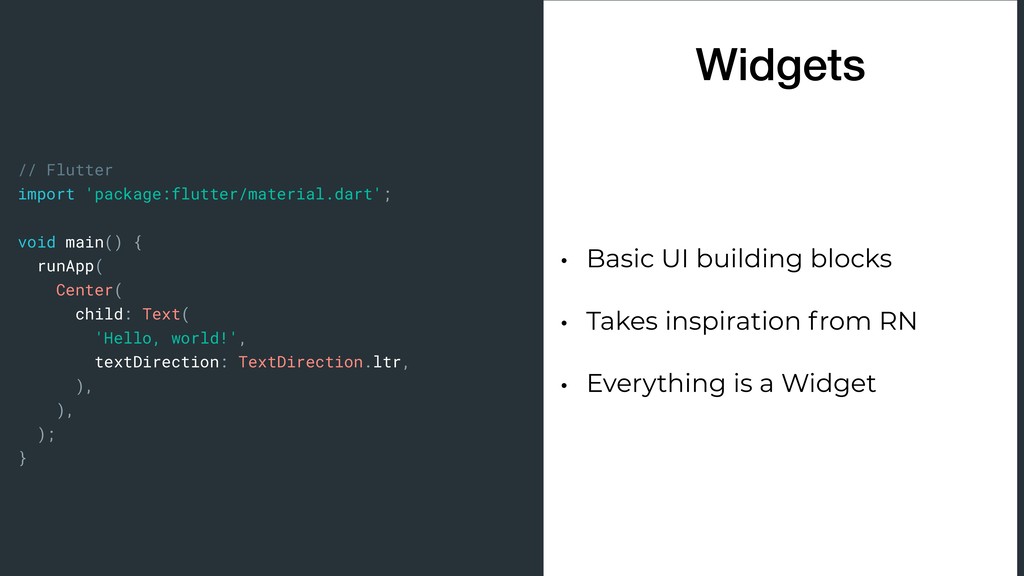
// Flutter import 'package:flutter/material.dart'; void main() { runApp( Center( child:
Text( 'Hello, world!', textDirection: TextDirection.ltr, ), ), ); } • Basic UI building blocks • Takes inspiration from RN • Everything is a Widget Widgets -
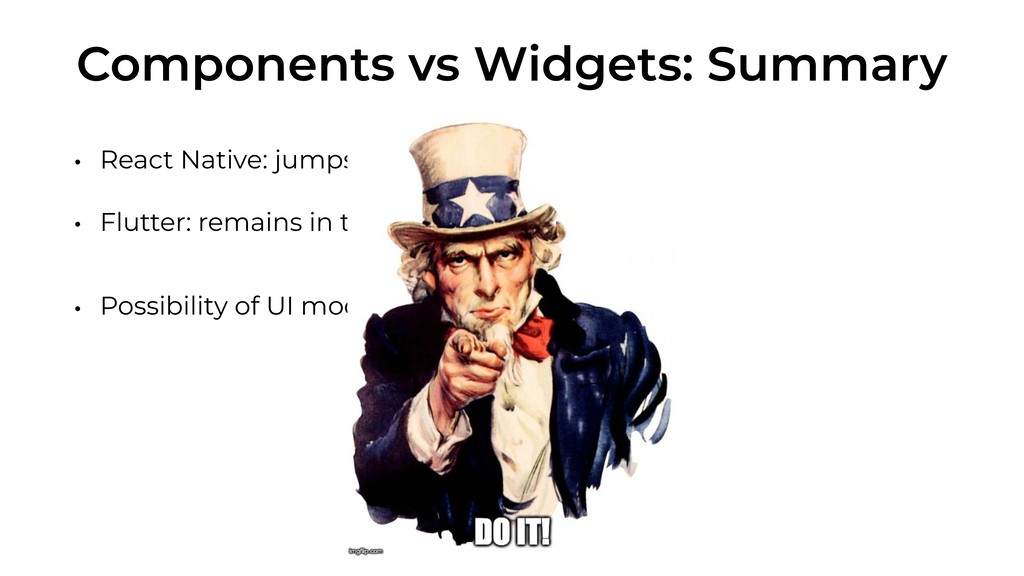
Components vs Widgets: Summary • React Native: jumps from Javascript
to JSX • Flutter: remains in the Dart context • Possibility of UI modularisation -
Components vs Widgets: Summary • React Native: jumps from Javascript
to JSX • Flutter: remains in the Dart context • Possibility of UI modularisation -
State Management • You should do it! • Separation of
presentation logic from business logic • Data sync from different components/widget … • React Native: “Naive method”, Redux, .. • Flutter: “Naive method”, Scoped Model, BLoC, Redux, .. -
Declarative UI • Imperative style: retrieve an instance from the
view owner and update it based on the new state • Describe the current UI state and the framework manages state changes -
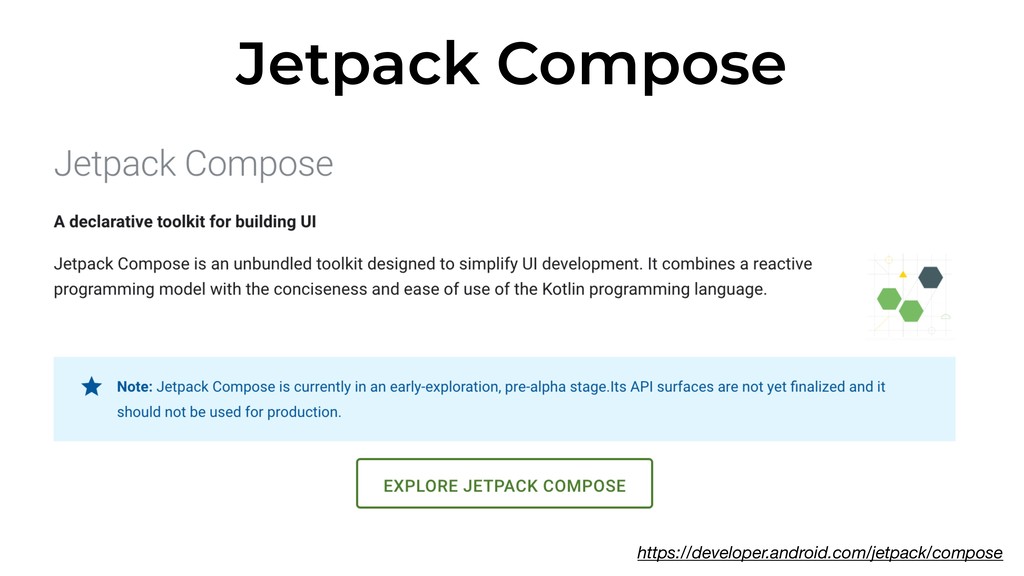
Jetpack Compose • Kotlin based • Composable function that transform
application data to UI hierarchy import androidx.compose.* import androidx.ui.core.* @Composable fun Greeting(name: String) { Text ("Hello $name!") } -
React Native • Core: an infrastructure, aka “Bridge” built at
runtime • It lets native code call JS and viceversa • Your code run inside a JS Virtual Machine: JavaScriptCore • Event driven -
• Event driven Event Serialized Payload Process Event Process Command
Serialized Response Call native methods App opening [1, 1, [‘My App’, {}]] [[2, 3, [2, ‘View’, {…}]], [2, 3, [3, ‘View’, {…}]]] val view = View() val view = TextView() Render new Views -
• Calls passed between JS to Native in a “batched
asynchronous way” • quequed in the MessageQueue -> flushed every 5 ms by default • Event driven -
New RN Architecture • React Native team is working on
a new architecture: Fabric • High priority UI updates synchronously • No more bridge and serialisation • JSI (JavaScript Interface) between JS and Native Code https://www.youtube.com/watch?v=UcqRXTriUVI -
Flutter • Dart code compiled into native, ARM and x86
libraries • Widgets are managed and rendered using a C++ engine Framework (Dart) Engine (C++) Skia Dart Text Material Cupertino Widgets Rendering Animation Painting Gestures Foundation -
Flutter • Dart code compiled into native, ARM and x86
libraries • Widgets are managed and rendered using a C++ engine • All elements are rendered with Skia, a 2-d graphics library • Pro: take advantage of the GPU • Cons: app size is larger -
Recap • Components translated to native • Use Native components
• Delay due to Bridge initialisation and runtime translation • Widget independent of the OS • No translation time needed • Include its own widgets -
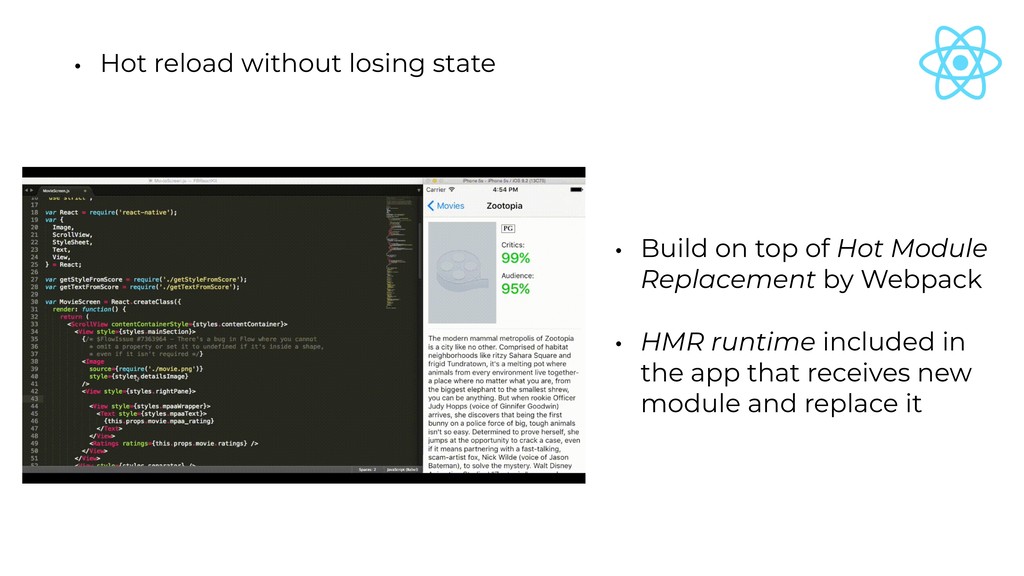
• Hot reload without losing state • Build on top
of Hot Module Replacement by Webpack • HMR runtime included in the app that receives new module and replace it -
• Hot reload without losing state • State is maintained
during builds • Thanks to a mix of Ahead- of-time (AOT) and Just-In- Time (JIT) compilation -
Common Interesting Features: • Hot reload without losing state •
Update only components/widget that have changed -
• Update only components/widget that have changed • Virtual DOM
as representation of the UI <button class='button button-blue'> <b> OK! </b> </button> { type: 'button', props: { className: 'button button-blue', children: { type: 'b', props: { children: 'OK!' } } } } -
• Update only components/widget that have changed • Virtual DOM
as representation of the UI • Diff comparison using reconciliation • O(n) heuristic algorithm thanks to two assumption: • Two elements of different types will produce different trees. • The developer can hint at which child elements may be stable across different renders with a key prop. -
• Update only components/widget that have changed • Element Tree
as representation of the UI -
• Update only components/widget that have changed • Element Tree
as representation of the UI • After an user input or other stimuli a widget must be redrawn • Not a tree-diffing algorithm • For each element, the child list is examined independently (O(n) algorithm) -
Common Interesting Features: • Hot reload without losing state •
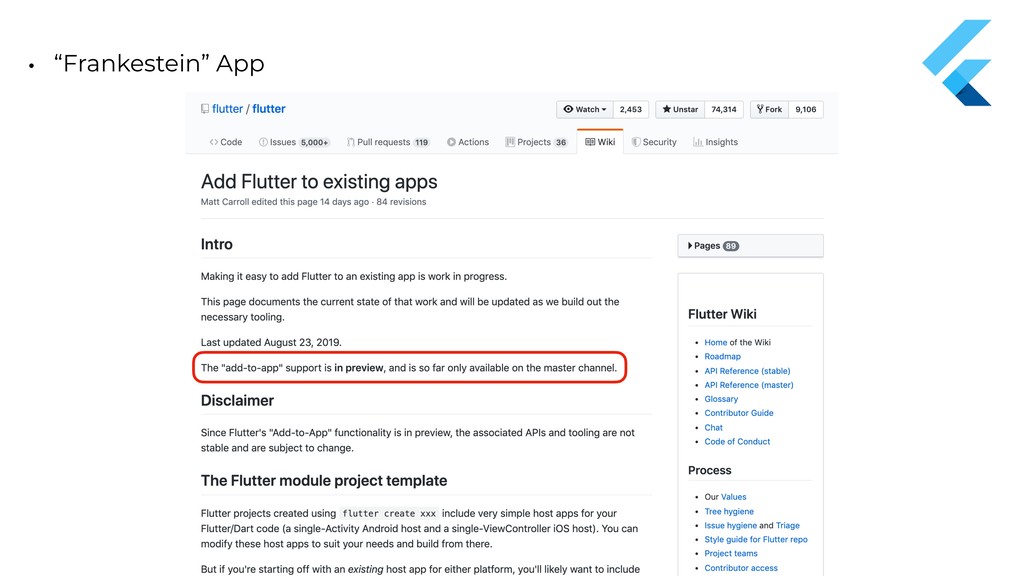
Update only components/widget that have changed • “Frankestein” App -
• “Frankestein” App • Add new React Native based features,
screens, views, etc. in an existing application • Useful for “evolving features” • A view in the native app is a container for the RN component -
render() { return ( <View > <StatusBar backgroundColor="#1976D2" barStyle="light-content" />
<FlatList data={this.state.items} renderItem={(item, index) => ( <ListItem title={item.label} containerStyle={styles.container} rightIcon={this.state.playingId == index ? <Icon style={styles.icon} color="black" name="stop" size={20} onPress={() => { ... this.setState({ ... }) }} /> : <Icon style={styles.icon} color="black" name="play" size={20} onPress={() => { this.setState({ ... }) ... }} />} /> )} extraData={this.state} keyExtractor={item => item.label} /> </View> ); } const styles = StyleSheet.create({ container: { borderRadius: 5, backgroundColor: "#F3F3F3", marginHorizontal: 10, marginVertical: 5, }, icon: { marginEnd: 10, padding: 20 }, }); -
render() { return ( <View > <StatusBar backgroundColor="#1976D2" barStyle="light-content" />
<FlatList data={this.state.items} renderItem={(item, index) => ( <ListItem title={item.label} containerStyle={styles.container} rightIcon={this.state.playingId == index ? <Icon style={styles.icon} color="black" name="stop" size={20} onPress={() => { ... this.setState({ ... }) }} /> : <Icon style={styles.icon} color="black" name="play" size={20} onPress={() => { -
barStyle="light-content" /> <FlatList data={this.state.items} renderItem={(item, index) => ( <ListItem title={item.label}
containerStyle={styles.container} rightIcon={this.state.playingId == index ? <Icon style={styles.icon} color="black" name="stop" size={20} onPress={() => { ... this.setState({ ... }) }} /> : <Icon style={styles.icon} color="black" name="play" size={20} onPress={() => { this.setState({ ... }) ... }} />} /> )} extraData={this.state} keyExtractor={item => item.label} /> -
data={this.state.items} renderItem={(item, index) => ( <ListItem title={item.label} containerStyle={styles.container} rightIcon={this.state.playingId ==
index ? <Icon style={styles.icon} color="black" name="stop" size={20} onPress={() => { ... this.setState({ ... }) }} /> : <Icon style={styles.icon} color="black" name="play" size={20} onPress={() => { this.setState({ ... }) ... }} />} /> )} extraData={this.state} keyExtractor={item => item.label} -
/> <FlatList data={this.state.items} renderItem={(item, index) => ( <ListItem title={item.label} containerStyle={styles.container}
rightIcon={this.state.playingId == index ? <Icon style={styles.icon} color="black" name="stop" size={20} onPress={() => { ... this.setState({ ... }) }} /> : <Icon style={styles.icon} color="black" name="play" size={20} onPress={() => { this.setState({ ... }) ... }} />} /> )} extraData={this.state} keyExtractor={item => item.label} /> </View> ); } const styles = StyleSheet.create({ container: { borderRadius: 5, const styles = StyleSheet.create({ container: { borderRadius: 5, backgroundColor: "#F3F3F3", marginHorizontal: 10, marginVertical: 5, } }); -
data={this.state.items} renderItem={(item, index) => ( <ListItem title={item.label} containerStyle={styles.container} rightIcon={this.state.playingId ==
index ? <Icon style={styles.icon} color="black" name="stop" size={20} onPress={() => { ... this.setState({ ... }) }} /> : <Icon style={styles.icon} color="black" name="play" size={20} onPress={() => { this.setState({ ... }) ... }} />} /> )} extraData={this.state} keyExtractor={item => item.label} -
renderItem={(item, index) => ( <ListItem title={item.label} containerStyle={styles.container} rightIcon={this.state.playingId == index
? <Icon style={styles.icon} color="black" name="stop" size={20} onPress={() => { ... this.setState({ ... }) }} /> : <Icon style={styles.icon} color="black" name="play" size={20} onPress={() => { this.setState({ ... }) ... }} />} /> )} extraData={this.state} keyExtractor={item => item.label} /> </View> ); } const styles = StyleSheet.create({ container: { borderRadius: 5, backgroundColor: "#F3F3F3", marginHorizontal: 10, const styles = StyleSheet.create({ container: { borderRadius: 5, backgroundColor: "#F3F3F3", marginHorizontal: 10, marginVertical: 5, }, icon: { marginEnd: 10, padding: 20 }, }); -
title={item.label} containerStyle={styles.container} rightIcon={this.state.playingId == index ? <Icon style={styles.icon} color="black" name="stop"
size={20} onPress={() => { ... this.setState({ ... }) }} /> : <Icon style={styles.icon} color="black" name="play" size={20} onPress={() => { this.setState({ ... }) ... }} />} /> )} extraData={this.state} -
render() { return ( <View > <StatusBar backgroundColor="#1976D2" barStyle="light-content" />
<FlatList data={this.state.items} renderItem={(item, index) => ( <ListItem title={item.label} containerStyle={styles.container} rightIcon={this.state.playingId == index ? <Icon style={styles.icon} color="black" name="stop" size={20} onPress={() => { ... this.setState({ ... }) }} /> : <Icon style={styles.icon} color="black" name="play" size={20} onPress={() => { this.setState({ ... }) ... }} />} /> )} extraData={this.state} keyExtractor={item => item.label} /> </View> ); } const styles = StyleSheet.create({ container: { borderRadius: 5, backgroundColor: "#F3F3F3", marginHorizontal: 10, marginVertical: 5, }, icon: { marginEnd: 10, padding: 20 }, }); -
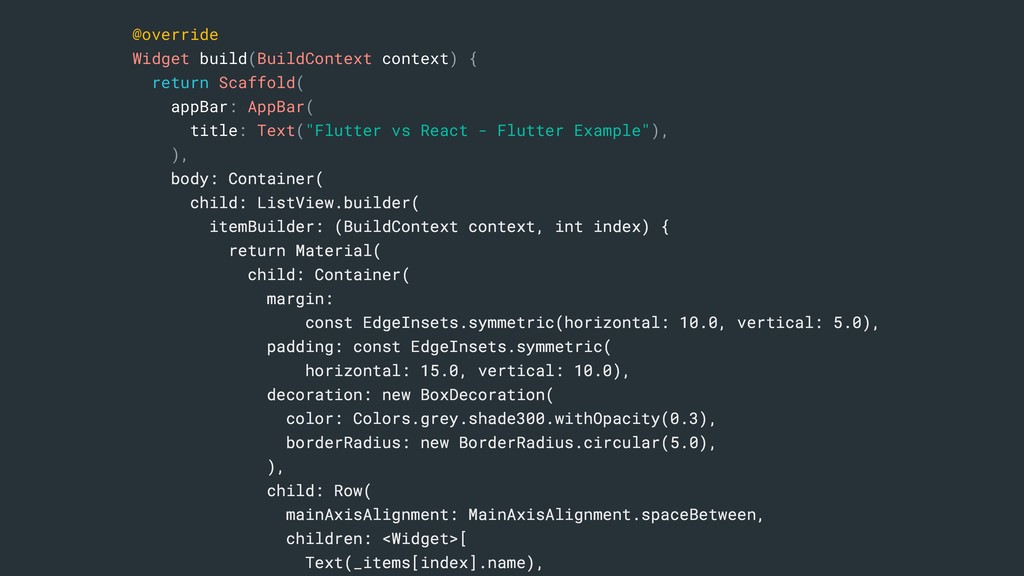
@override Widget build(BuildContext context) { return Scaffold( appBar: AppBar( title:
Text("Flutter vs React - Flutter Example"), ), body: Container( child: ListView.builder( itemBuilder: (BuildContext context, int index) { return Material( child: Container( margin: const EdgeInsets.symmetric(horizontal: 10.0, vertical: 5.0), padding: const EdgeInsets.symmetric( horizontal: 15.0, vertical: 10.0), decoration: new BoxDecoration( color: Colors.grey.shade300.withOpacity(0.3), borderRadius: new BorderRadius.circular(5.0), ), child: Row( mainAxisAlignment: MainAxisAlignment.spaceBetween, children: <Widget>[ Text(_items[index].name), IconButton( icon: _playing ? new Icon(Icons.stop) : new Icon(Icons.play_arrow), onPressed: () { ... setState(() { ... }); }), ], ), ), ); }, itemCount: _items.length, ), ), ); } -
@override Widget build(BuildContext context) { return Scaffold( appBar: AppBar( title:
Text("Flutter vs React - Flutter Example"), ), body: Container( child: ListView.builder( itemBuilder: (BuildContext context, int index) { return Material( child: Container( margin: const EdgeInsets.symmetric(horizontal: 10.0, vertical: 5.0), padding: const EdgeInsets.symmetric( horizontal: 15.0, vertical: 10.0), decoration: new BoxDecoration( color: Colors.grey.shade300.withOpacity(0.3), borderRadius: new BorderRadius.circular(5.0), ), child: Row( mainAxisAlignment: MainAxisAlignment.spaceBetween, children: <Widget>[ Text(_items[index].name), -
Widget build(BuildContext context) { return Scaffold( appBar: AppBar( title: Text("Flutter
vs React - Flutter Example"), ), body: Container( child: ListView.builder( itemBuilder: (BuildContext context, int index) { return Material( child: Container( margin: const EdgeInsets.symmetric(horizontal: 10.0, vertical: 5.0), padding: const EdgeInsets.symmetric( horizontal: 15.0, vertical: 10.0), decoration: new BoxDecoration( color: Colors.grey.shade300.withOpacity(0.3), borderRadius: new BorderRadius.circular(5.0), ), child: Row( -
@override Widget build(BuildContext context) { return Scaffold( appBar: AppBar( title:
Text("Flutter vs React - Flutter Example"), ), body: Container( child: ListView.builder( itemBuilder: (BuildContext context, int index) { return Material( child: Container( margin: const EdgeInsets.symmetric(horizontal: 10.0, vertical: 5.0), padding: const EdgeInsets.symmetric( horizontal: 15.0, vertical: 10.0), decoration: new BoxDecoration( color: Colors.grey.shade300.withOpacity(0.3), borderRadius: new BorderRadius.circular(5.0), ), child: Row( mainAxisAlignment: MainAxisAlignment.spaceBetween, children: <Widget>[ Text(_items[index].name), IconButton( icon: _playing ? new Icon(Icons.stop) : new Icon(Icons.play_arrow), onPressed: () { ... setState(() { ... <FlatList data={this.state.items} renderItem={(item, index) => ( <ListItem> ... </ListItem> ... > </FlatList> -
body: Container( child: ListView.builder( itemBuilder: (BuildContext context, int index) {
return Material( child: Container( margin: const EdgeInsets.symmetric(horizontal: 10.0, vertical: 5.0), padding: const EdgeInsets.symmetric( horizontal: 15.0, vertical: 10.0), decoration: new BoxDecoration( color: Colors.grey.shade300.withOpacity(0.3), borderRadius: new BorderRadius.circular(5.0), ), child: Row( mainAxisAlignment: MainAxisAlignment.spaceBetween, children: <Widget>[ Text(_items[index].name), IconButton( icon: _playing ? new Icon(Icons.stop) : new Icon(Icons.play_arrow), onPressed: () { ... setState(() { -
horizontal: 15.0, vertical: 10.0), decoration: new BoxDecoration( color: Colors.grey.shade300.withOpacity(0.3), borderRadius:
new BorderRadius.circular(5.0), ), child: Row( mainAxisAlignment: MainAxisAlignment.spaceBetween, children: <Widget>[ Text(_items[index].name), IconButton( icon: _playing ? new Icon(Icons.stop) : new Icon(Icons.play_arrow), onPressed: () { ... setState(() { ... }); }), ], ), ), ); }, -
@override Widget build(BuildContext context) { return Scaffold( appBar: AppBar( title:
Text("Flutter vs React - Flutter Example"), ), body: Container( child: ListView.builder( itemBuilder: (BuildContext context, int index) { return Material( child: Container( margin: const EdgeInsets.symmetric(horizontal: 10.0, vertical: 5.0), padding: const EdgeInsets.symmetric( horizontal: 15.0, vertical: 10.0), decoration: new BoxDecoration( color: Colors.grey.shade300.withOpacity(0.3), borderRadius: new BorderRadius.circular(5.0), ), child: Row( mainAxisAlignment: MainAxisAlignment.spaceBetween, children: <Widget>[ Text(_items[index].name), IconButton( icon: _playing ? new Icon(Icons.stop) : new Icon(Icons.play_arrow), onPressed: () { ... setState(() { ... }); }), ], ), ), ); }, itemCount: _items.length, ), ), ); } -
mainAxisAlignment: MainAxisAlignment.spaceBetween, children: <Widget>[ Text(_items[index].name), IconButton( icon: _playing ? new
Icon(Icons.stop) : new Icon(Icons.play_arrow), onPressed: () { ... setState(() { ... }); }), ], ), ), ); }, itemCount: _items.length, -
@override Widget build(BuildContext context) { return Scaffold( appBar: AppBar( title:
Text("Flutter vs React - Flutter Example"), ), body: Container( child: ListView.builder( itemBuilder: (BuildContext context, int index) { return Material( child: Container( margin: const EdgeInsets.symmetric(horizontal: 10.0, vertical: 5.0), padding: const EdgeInsets.symmetric( horizontal: 15.0, vertical: 10.0), decoration: new BoxDecoration( color: Colors.grey.shade300.withOpacity(0.3), borderRadius: new BorderRadius.circular(5.0), ), child: Row( mainAxisAlignment: MainAxisAlignment.spaceBetween, children: <Widget>[ Text(_items[index].name), IconButton( icon: _playing ? new Icon(Icons.stop) : new Icon(Icons.play_arrow), onPressed: () { ... setState(() { ... }); }), ], ), ), ); }, itemCount: _items.length, ), ), ); } -
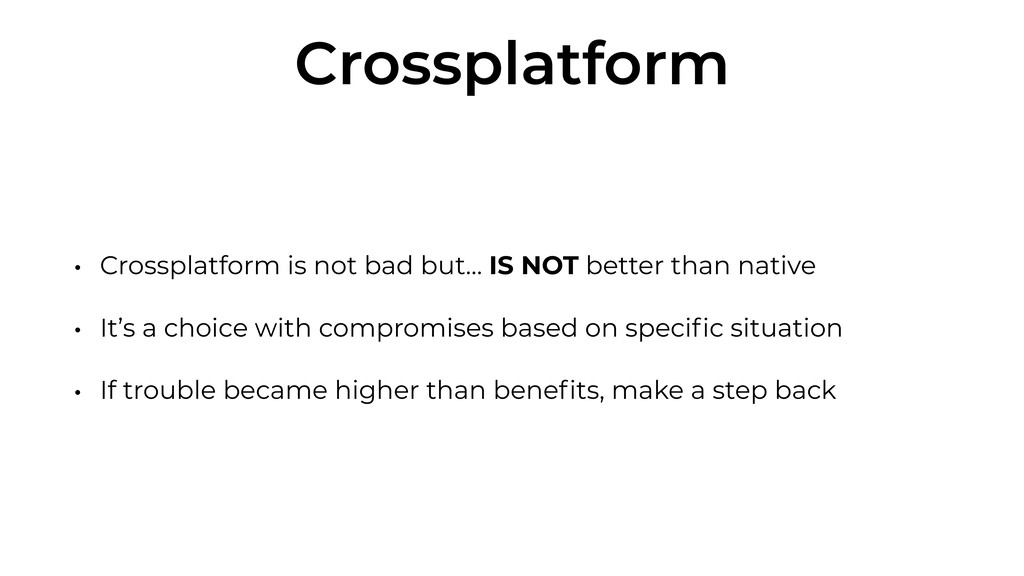
Crossplatform • Crossplatform is not bad but… IS NOT better
than native • It’s a choice with compromises based on specific situation • If trouble became higher than benefits, make a step back -
React Native or Flutter ? • Right now, React Native
is more stable and solid • Flutter is the future • If Google does not drop it $ • Better performance that other framework • Dart is a more modern language -
Flutter for Web • Rendering using standards-based web technologies: HTML,
CSS and JavaScript https://flutter.dev/web -
Bibliography / Useful Links • https://flutter.dev/docs/development/ui/widgets-intro • https://flutter.dev/docs/get-started/flutter-for/react-native-devs • https://facebook.github.io/react-native/docs/components-and-apis.html
• https://levelup.gitconnected.com/wait-what-happens-when-my-react-native-application-starts-an-in-depth-look-inside-react-native-5f306ef3250f • https://flutter.dev/docs/resources/faq • https://flutter.dev/docs/resources/technical-overview • https://speakerdeck.com/mkonicek/under-the-hood-of-react-native • https://speakerdeck.com/frantic/react-native-under-the-hood • https://www.youtube.com/watch?v=rReCzR6DMEM • https://facebook.github.io/react-native/blog/2016/03/24/introducing-hot-reloading • https://flutter.dev/docs/development/tools/hot-reload • https://reactjs.org/blog/2015/12/18/react-components-elements-and-instances.html • https://reactjs.org/docs/reconciliation.html • https://flutter.dev/docs/resources/inside-flutter • https://github.com/flutter/flutter/wiki/Add-Flutter-to-existing-apps • https://facebook.github.io/react-native/docs/integration-with-existing-apps • https://medium.com/snapp-mobile/multi-vs-cross-platform-in-the-age-of-flutter-6e76920028b6 • https://medium.com/dartlang/announcing-dart-2-80ba01f43b6 • https://medium.com/airbnb-engineering/sunsetting-react-native-1868ba28e30a • https://medium.com/flutter-io/hummingbird-building-flutter-for-the-web-e687c2a023a8
 prof18
 steliosf
 minodriven
 raeminkang
 ochtum
 kishida
 guaca
 shihochan
 kitano_yuichi
 akihisaikeda
 nokonoko1203
 ryunakayama
 sodainc
 livdayseo
 bethany
 schroneko
 mojombo
 thirion
 nonsquared
 aleyda
 michaelherold
 moore
 keathley
 axbom
 morganepeng



























![mainAxisAlignment: MainAxisAlignment.spaceBetween, children: <Widget>[ Text(_items[index].name), IconButton( icon: _playing ? new](https://files.speakerdeck.com/presentations/b0cf691e84a449b99fe37bfa4b8b94a1/slide_89.jpg)