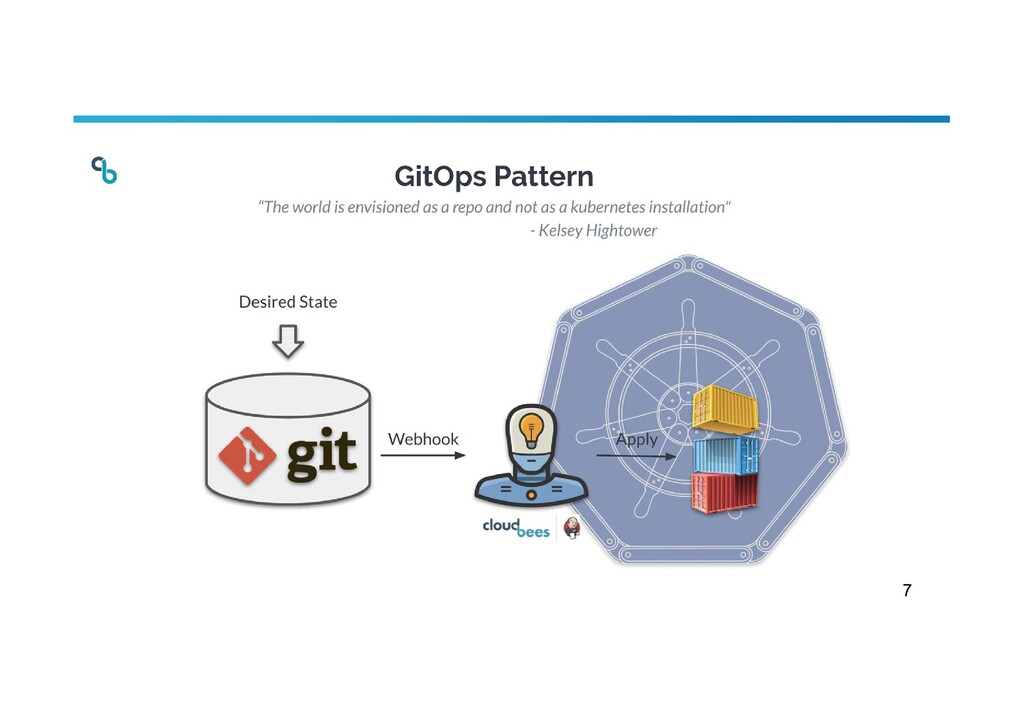
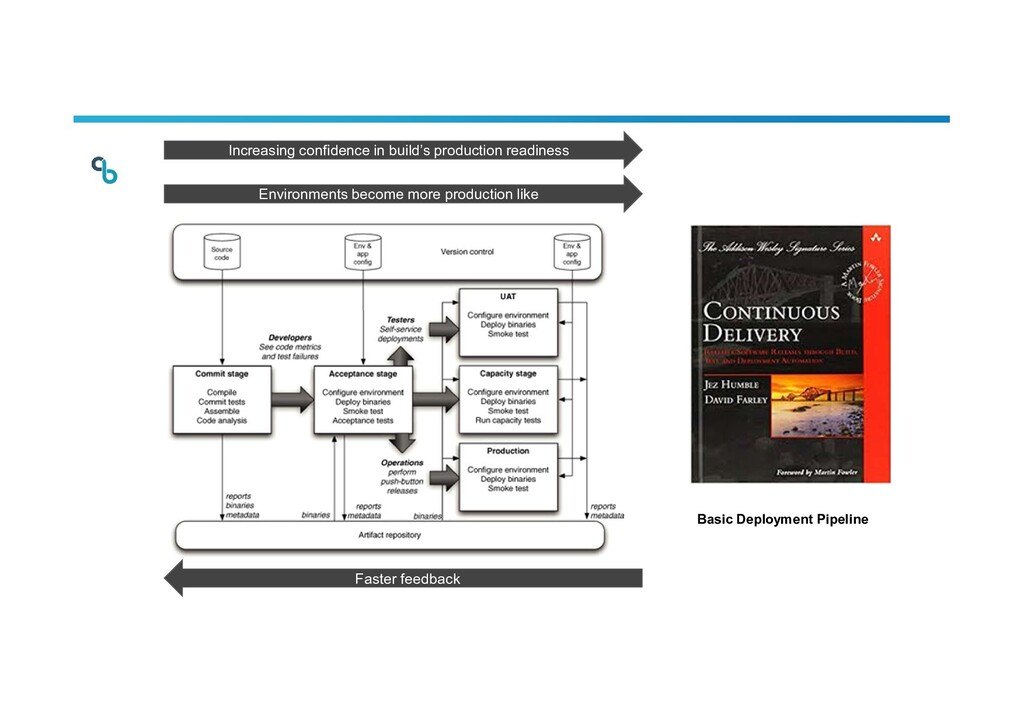
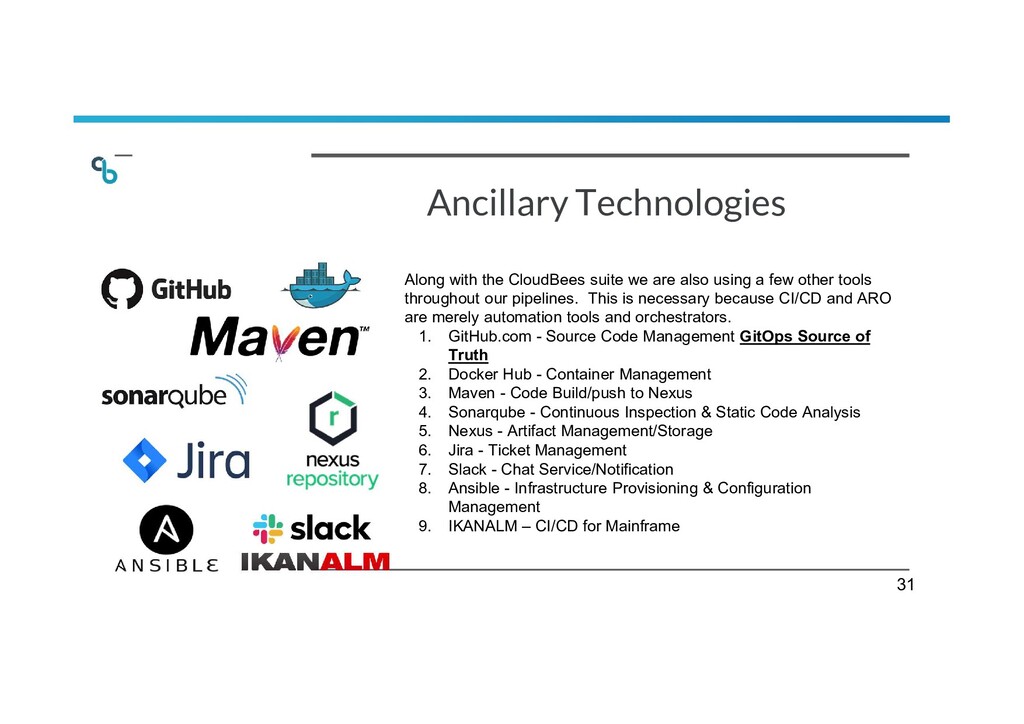
the one and only source of truth. GitOps requires the desired state of the system to be stored in version control such that anyone can view the entire audit trail of changes. All changes to the desired state are fully traceable commits associated with committer information, commit IDs and time stamps. This means that both the application and the infrastructure are now versioned artifacts and can be audited using the gold standards of software development and delivery.” - CloudBees 3
- GitOps name (invented by Weaveworks) is derived from a Git-based source code management system such as GitHub, GitLab and Bitbucket. GitOps however DOES NOT require modern Git based source code management tools. Instead GitOps much like DevSecOps is not a solution or a tool, it’s a methodology and approach to software administration. 1. GitOps only works for container management and Kubernetes FALSE - While Kubernetes is a great platform for practicing GitOps and allows for greater configuration as code it is not required in order to practice GitOps. Traditional infrastructure can also follow this pattern and undergo alterations that follow similar approval processes as application code. 1. GitOps requires Cloud Based Infrastructure FALSE - As long as you have configuration and infrastructure code within your SCM tools, and a way to automate the use of this code then you have GitOps regardless of infrastructure location. Tools like Ansible and Terraform make GitOps for on premise a reality. 4
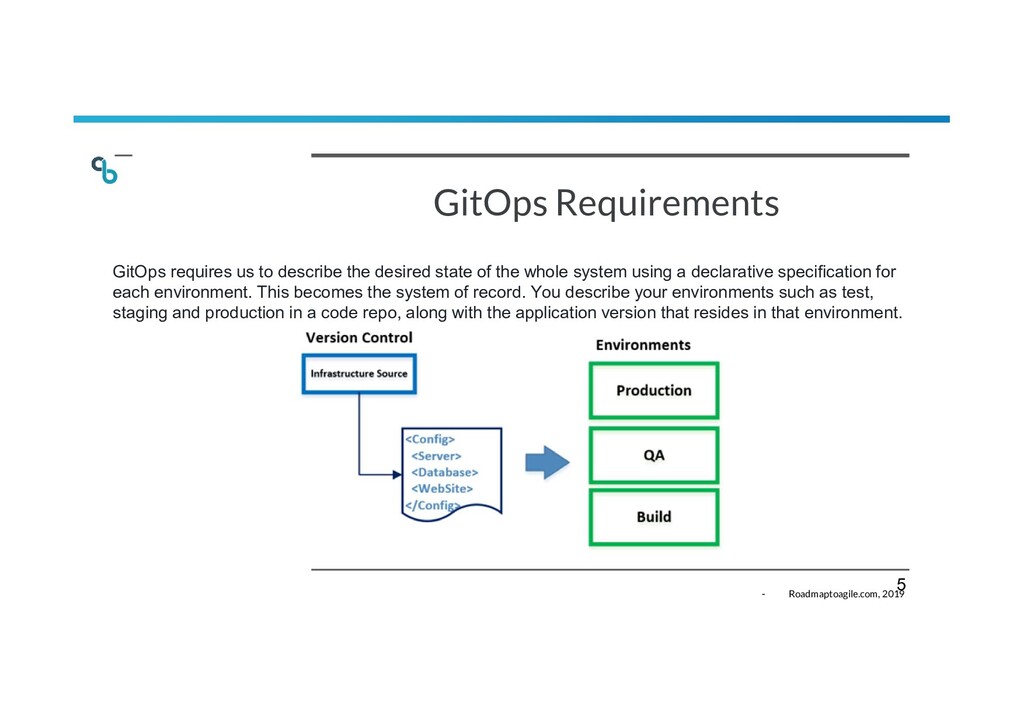
of the whole system using a declarative specification for each environment. This becomes the system of record. You describe your environments such as test, staging and production in a code repo, along with the application version that resides in that environment. - Roadmaptoagile.com, 2019 5
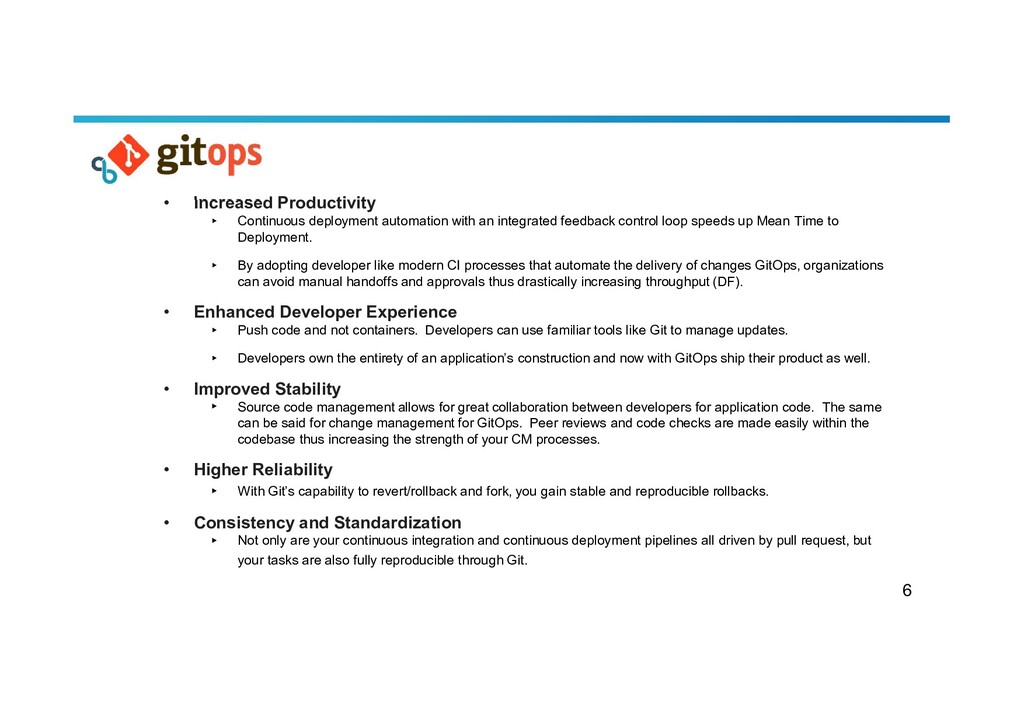
feedback control loop speeds up Mean Time to Deployment. ▸ By adopting developer like modern CI processes that automate the delivery of changes GitOps, organizations can avoid manual handoffs and approvals thus drastically increasing throughput (DF). • Enhanced Developer Experience ▸ Push code and not containers. Developers can use familiar tools like Git to manage updates. ▸ Developers own the entirety of an application’s construction and now with GitOps ship their product as well. • Improved Stability ▸ Source code management allows for great collaboration between developers for application code. The same can be said for change management for GitOps. Peer reviews and code checks are made easily within the codebase thus increasing the strength of your CM processes. • Higher Reliability ▸ With Git’s capability to revert/rollback and fork, you gain stable and reproducible rollbacks. • Consistency and Standardization ▸ Not only are your continuous integration and continuous deployment pipelines all driven by pull request, but your tasks are also fully reproducible through Git. 6
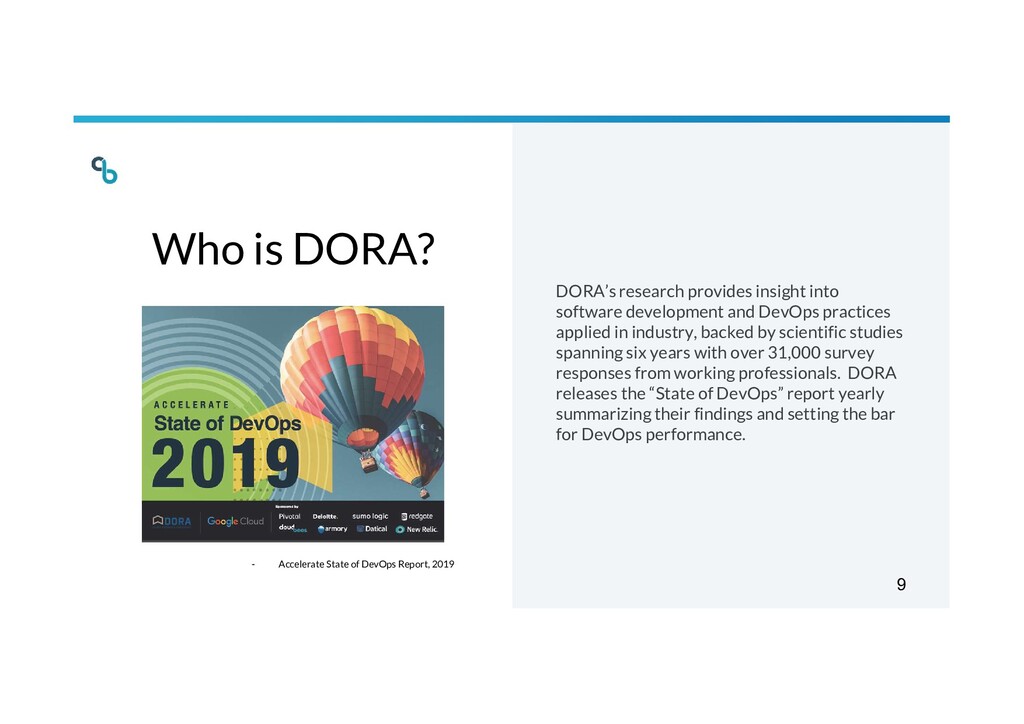
and DevOps practices applied in industry, backed by scientific studies spanning six years with over 31,000 survey responses from working professionals. DORA releases the “State of DevOps” report yearly summarizing their findings and setting the bar for DevOps performance. - Accelerate State of DevOps Report, 2019 9
such as change approval boards, negatively impact speed and stability. In contrast, having a clearly understood process for changes drives speed and stability, as well as reductions in burnout. We found that formal change management processes that require the approval of an external body such as a change advisory board (CAB) or a senior manager for significant changes have a negative impact on software delivery performance. Survey respondents were 2.6 times more likely to be low performers if their organization had this kind of formal approval process in place. - Accelerate State of DevOps Report, 2019 10
the source of truth both dev teams and ops teams can easily collaborate within a similar setting. This eliminates slow painful handoffs for approval between systems. • Feedback is greatly expedited because issues and resolutions are tracked in comments and commits within the code base. • Because of this quick iterative process changes are much more secure and stable. According to DORA 2019 - “heavyweight change approvals process were negatively correlated with change failure rates.” Having the ability to quickly add changes and have them reviewed greatly diminishes this CFR as they are reflected in production. 11
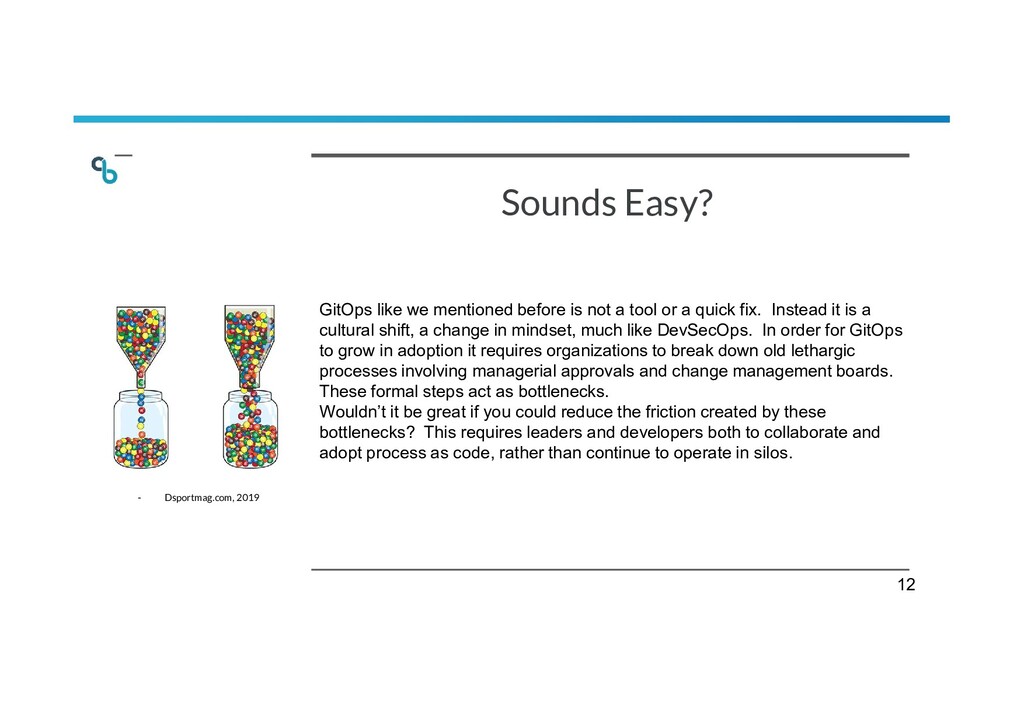
tool or a quick fix. Instead it is a cultural shift, a change in mindset, much like DevSecOps. In order for GitOps to grow in adoption it requires organizations to break down old lethargic processes involving managerial approvals and change management boards. These formal steps act as bottlenecks. Wouldn’t it be great if you could reduce the friction created by these bottlenecks? This requires leaders and developers both to collaborate and adopt process as code, rather than continue to operate in silos. - Dsportmag.com, 2019 12
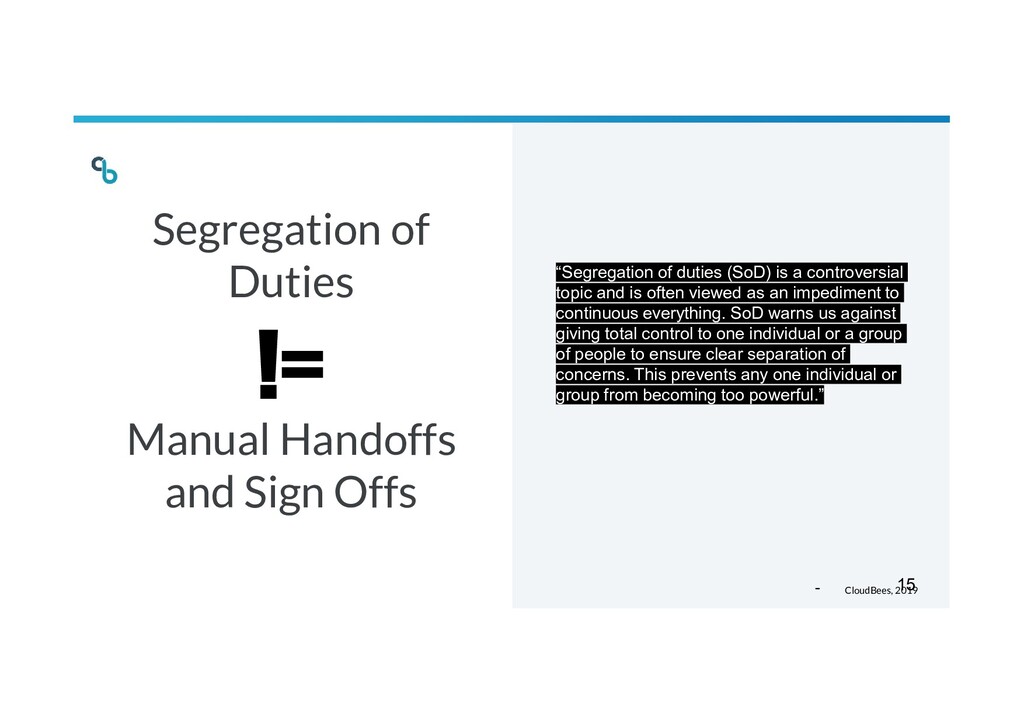
duties (SoD) is a controversial topic and is often viewed as an impediment to continuous everything. SoD warns us against giving total control to one individual or a group of people to ensure clear separation of concerns. This prevents any one individual or group from becoming too powerful.” - CloudBees, 2019 != 15
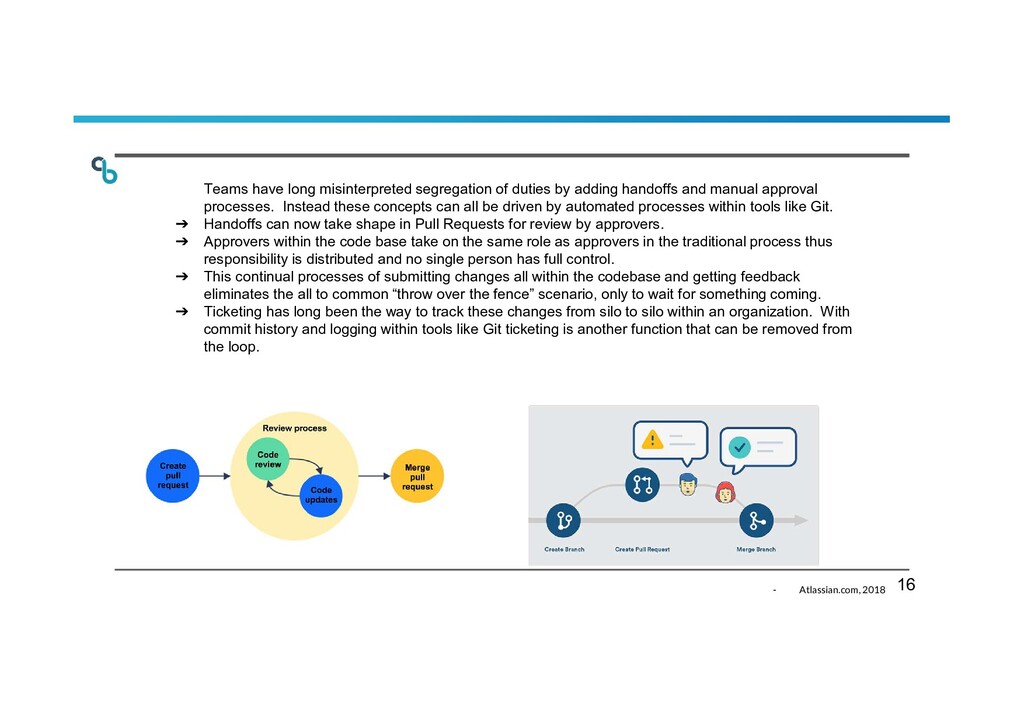
and manual approval processes. Instead these concepts can all be driven by automated processes within tools like Git. ➔ Handoffs can now take shape in Pull Requests for review by approvers. ➔ Approvers within the code base take on the same role as approvers in the traditional process thus responsibility is distributed and no single person has full control. ➔ This continual processes of submitting changes all within the codebase and getting feedback eliminates the all to common “throw over the fence” scenario, only to wait for something coming. ➔ Ticketing has long been the way to track these changes from silo to silo within an organization. With commit history and logging within tools like Git ticketing is another function that can be removed from the loop. - Atlassian.com, 2018 16
duties, and stability with depth. This is all made possible by adopting common processes and automating the steps of submission, review, corrections, and delivery, all within the code base.” 17
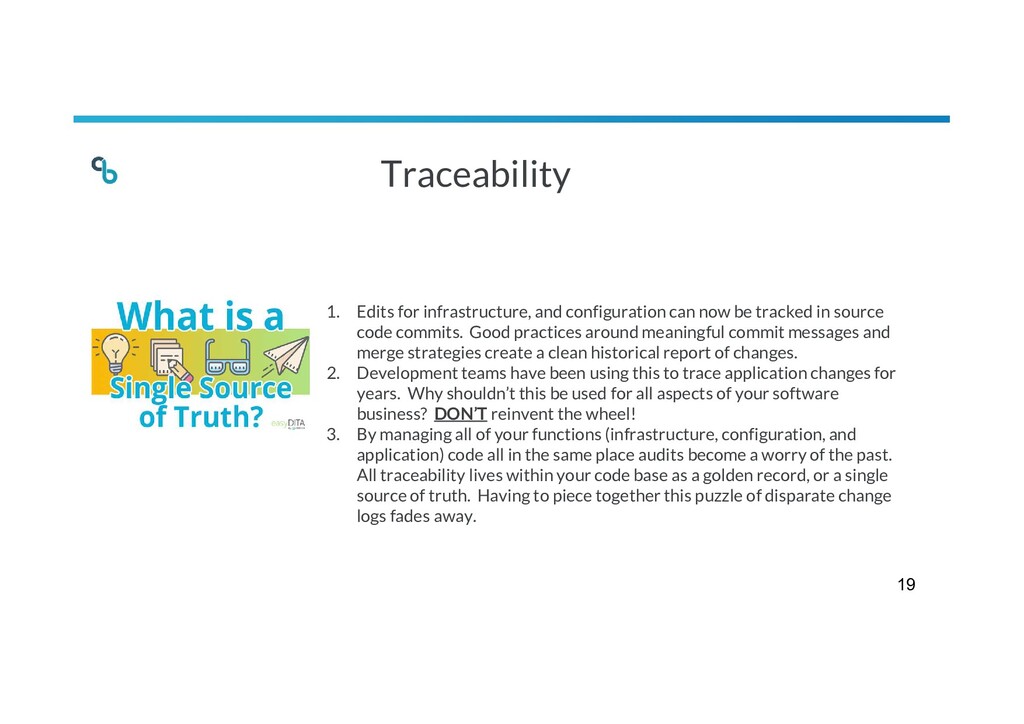
tracked in source code commits. Good practices around meaningful commit messages and merge strategies create a clean historical report of changes. 2. Development teams have been using this to trace application changes for years. Why shouldn’t this be used for all aspects of your software business? DON’T reinvent the wheel! 3. By managing all of your functions (infrastructure, configuration, and application) code all in the same place audits become a worry of the past. All traceability lives within your code base as a golden record, or a single source of truth. Having to piece together this puzzle of disparate change logs fades away. 19
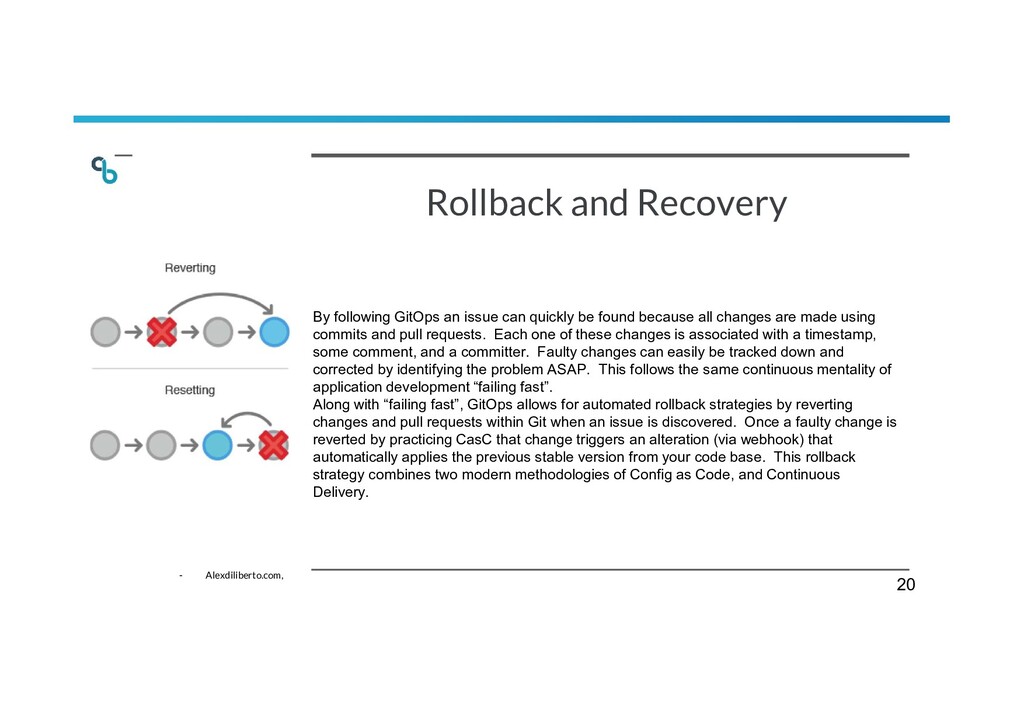
be found because all changes are made using commits and pull requests. Each one of these changes is associated with a timestamp, some comment, and a committer. Faulty changes can easily be tracked down and corrected by identifying the problem ASAP. This follows the same continuous mentality of application development “failing fast”. Along with “failing fast”, GitOps allows for automated rollback strategies by reverting changes and pull requests within Git when an issue is discovered. Once a faulty change is reverted by practicing CasC that change triggers an alteration (via webhook) that automatically applies the previous stable version from your code base. This rollback strategy combines two modern methodologies of Config as Code, and Continuous Delivery. - Alexdiliberto.com, 20
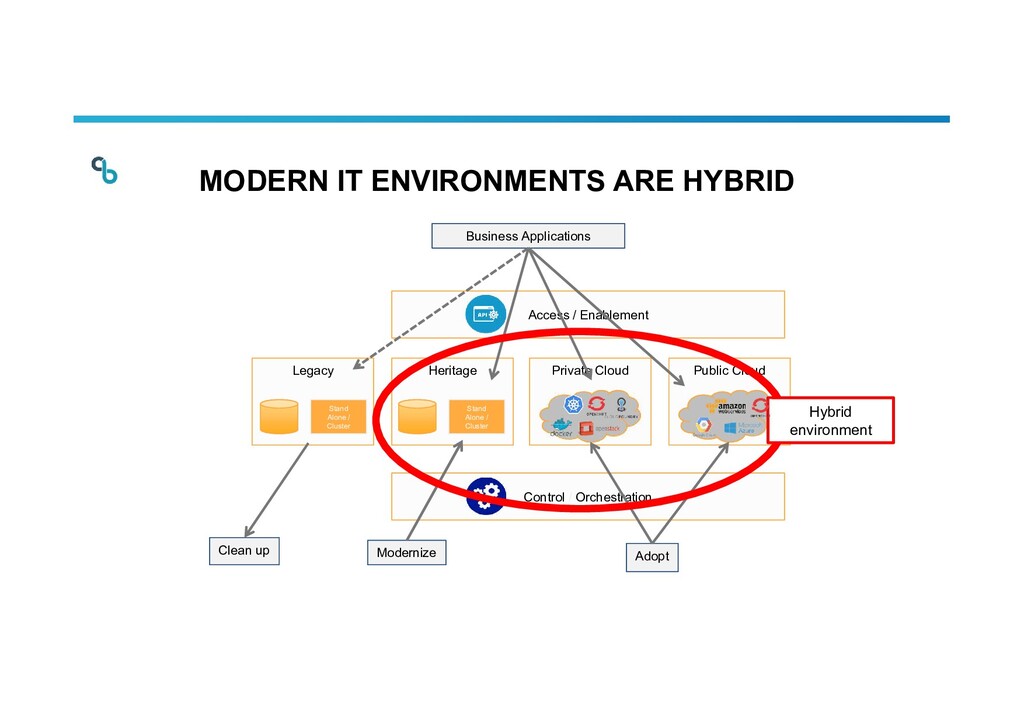
Stand Alone / Cluster Clean up Control / Orchestration Access / Enablement MODERN IT ENVIRONMENTS ARE HYBRID Business Applications Modernize Adopt Hybrid environment 31-5-2021 22
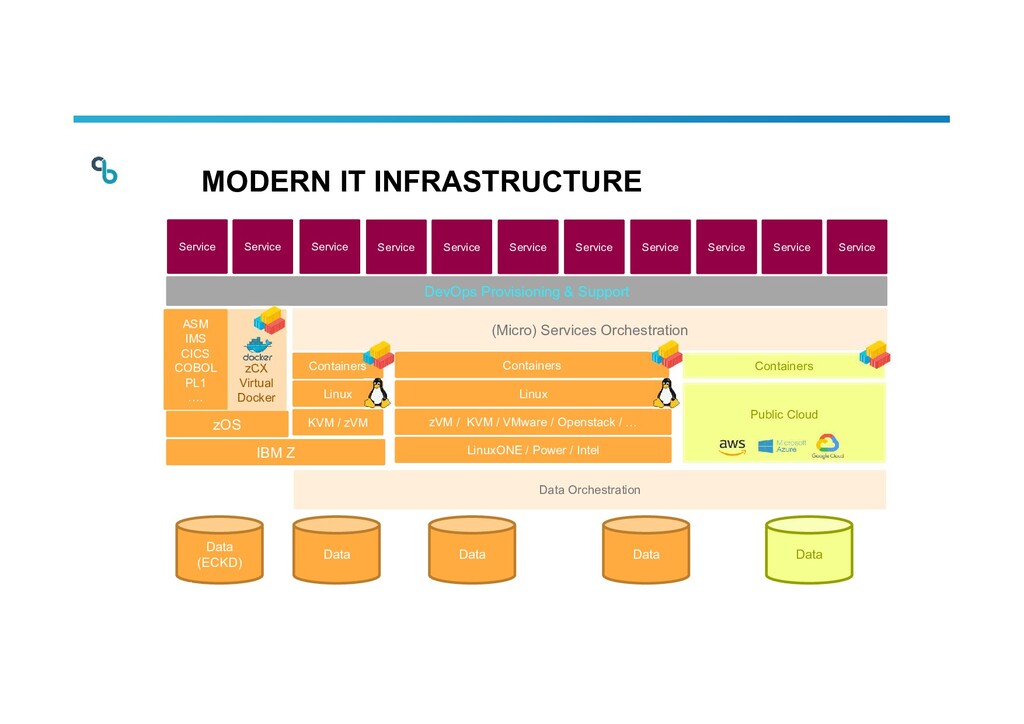
Service Service Service Service Service Service Service Data Data Data Data (ECKD) Data Data Orchestration Containers Containers Containers LinuxONE / Power / Intel Public Cloud zVM / KVM / VMware / Openstack / … Linux KVM / zVM Linux zCX Virtual Docker ASM IMS CICS COBOL PL1 …. DevOps Provisioning & Support MODERN IT INFRASTRUCTURE 31-5-2021 23
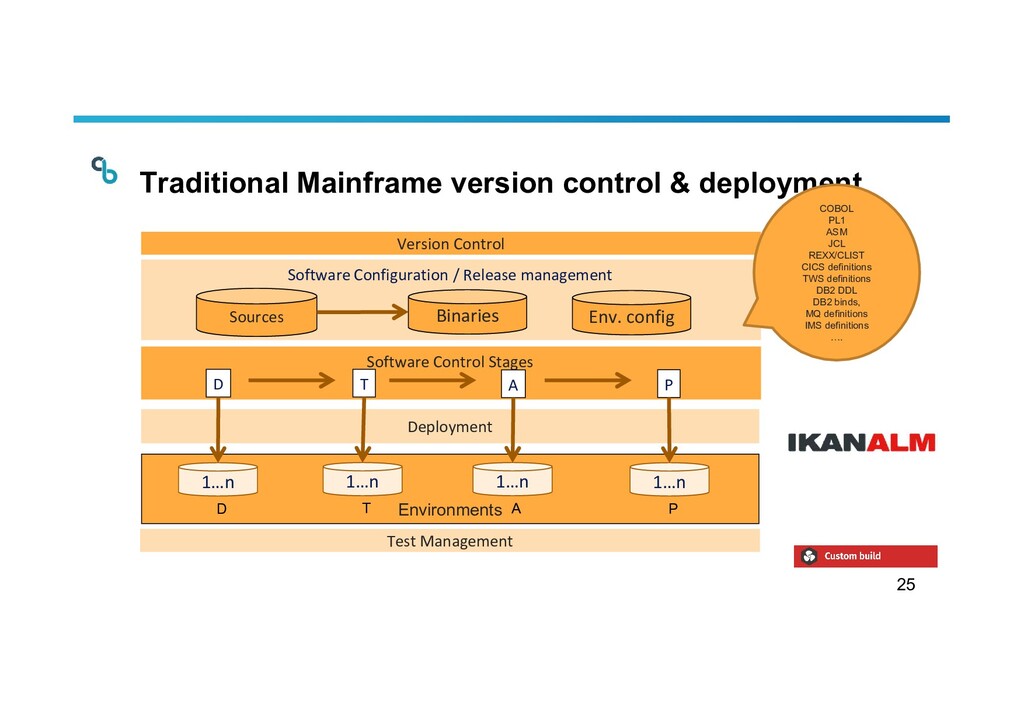
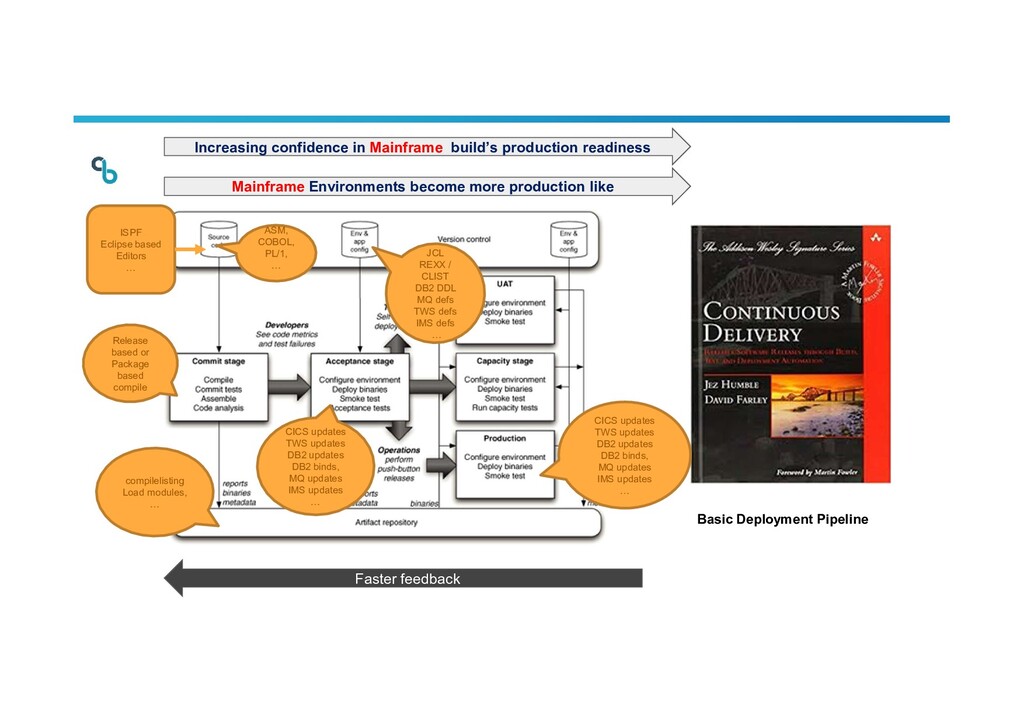
Configuration / Release management Version Control Sources 1…n A T D P Deployment D T A P Test Management Env. config Traditional Mainframe version control & deployment COBOL PL1 ASM JCL REXX/CLIST CICS definitions TWS definitions DB2 DDL DB2 binds, MQ definitions IMS definitions ….
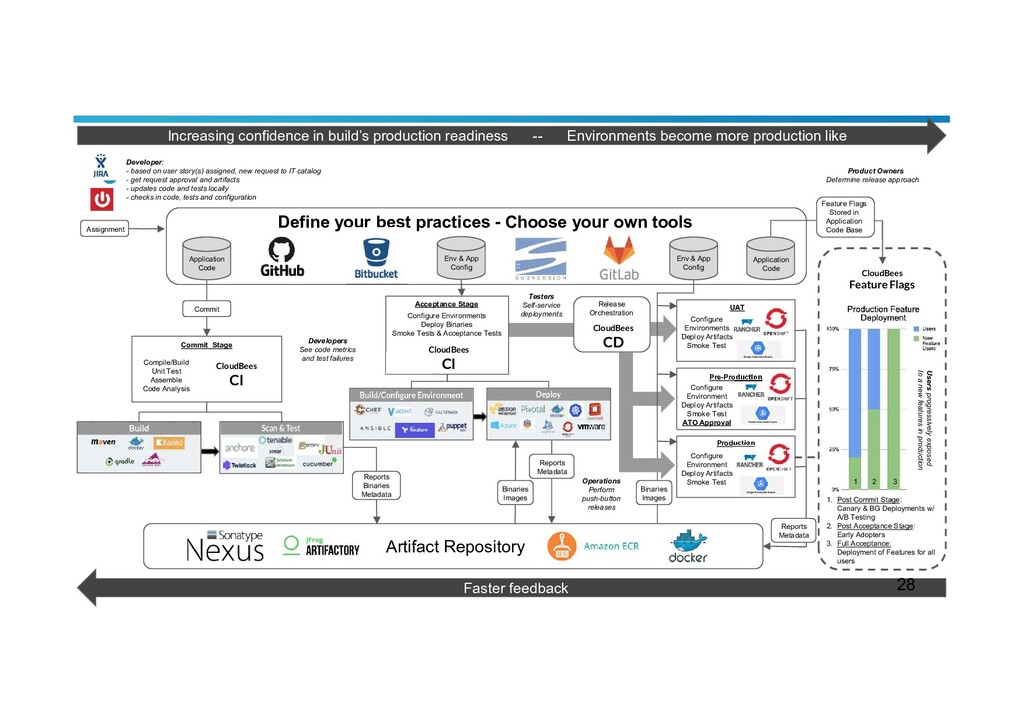
more production like Application Code Env & App Config Env & App Config Define your best practices - Choose your own tools Artifact Repository Commit Compile/Build Unit Test Assemble Code Analysis Configure Environments Deploy Binaries Smoke Tests & Acceptance Tests Reports Binaries Metadata Binaries Images Reports Metadata Configure Environments Deploy Artifacts Smoke Test Configure Environment Deploy Artifacts Smoke Test ATO Approval Release Orchestration Pre-Production UAT Production Configure Environment Deploy Artifacts Smoke Test Reports Metadata Application Code Feature Flags Stored in Application Code Base Post Commit Stage: Canary & BG Deployments w/ A/B Testing Post Acceptance Stage: Early Adopters Full Acceptance: Deployment of Features for all users 1. 2. 3. Faster feedback Acceptance Stage Commit Stage Testers Self-service deployments Operations Perform push-button releases Developers See code metrics and test failures Users progressively exposed to a new features in production Product Owners Determine release approach Developer: - based on user story(s) assigned, new request to IT catalog - get request approval and artifacts - updates code and tests locally - checks in code, tests and configuration Binaries Images 1 2 3 CloudBees CI CloudBees CD CloudBees CI CloudBees Feature Flags 28
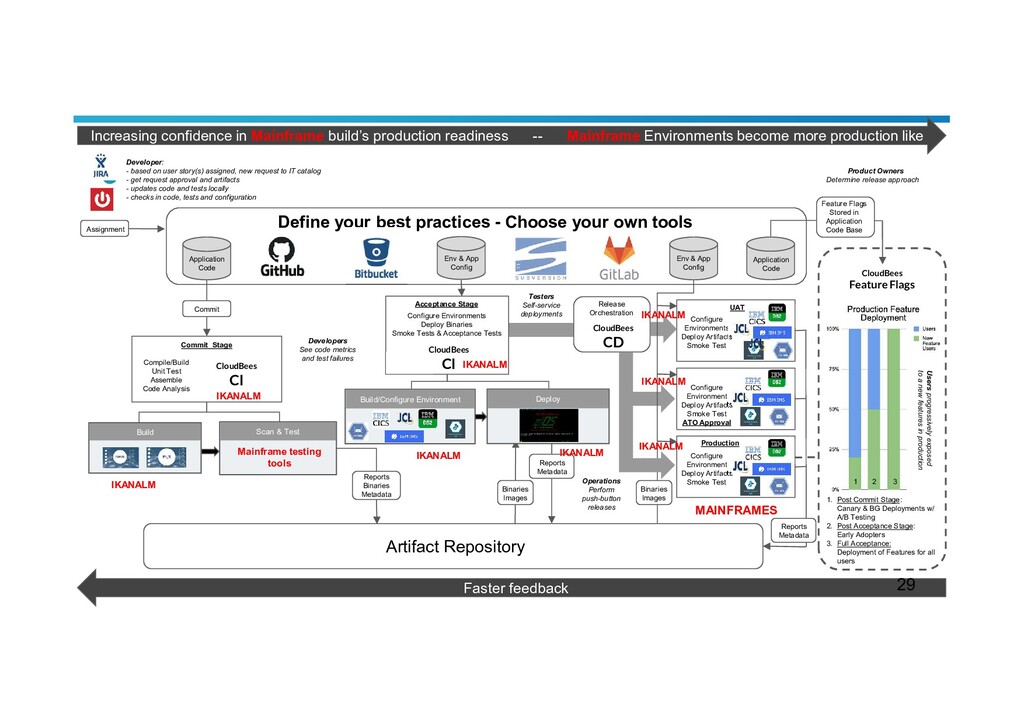
Environments become more production like Application Code Env & App Config Env & App Config Define your best practices - Choose your own tools Artifact Repository Commit Compile/Build Unit Test Assemble Code Analysis Configure Environments Deploy Binaries Smoke Tests & Acceptance Tests Reports Binaries Metadata Binaries Images Reports Metadata Configure Environments Deploy Artifacts Smoke Test Configure Environment Deploy Artifacts Smoke Test ATO Approval Release Orchestration UAT Production Configure Environment Deploy Artifacts Smoke Test Reports Metadata Application Code Feature Flags Stored in Application Code Base Post Commit Stage: Canary & BG Deployments w/ A/B Testing Post Acceptance Stage: Early Adopters Full Acceptance: Deployment of Features for all users 1. 2. 3. Faster feedback Acceptance Stage Commit Stage Testers Self-service deployments Operations Perform push-button releases Developers See code metrics and test failures Users progressively exposed to a new features in production Product Owners Determine release approach Developer: - based on user story(s) assigned, new request to IT catalog - get request approval and artifacts - updates code and tests locally - checks in code, tests and configuration Binaries Images 1 2 3 CloudBees CI CloudBees CD CloudBees CI CloudBees Feature Flags 29 IKANALM IKANALM IKANALM IKANALM IKANALM Build Scan & Test Build/Configure Environment Deploy Mainframe testing tools MAINFRAMES IKANALM IKANALM IKANALM
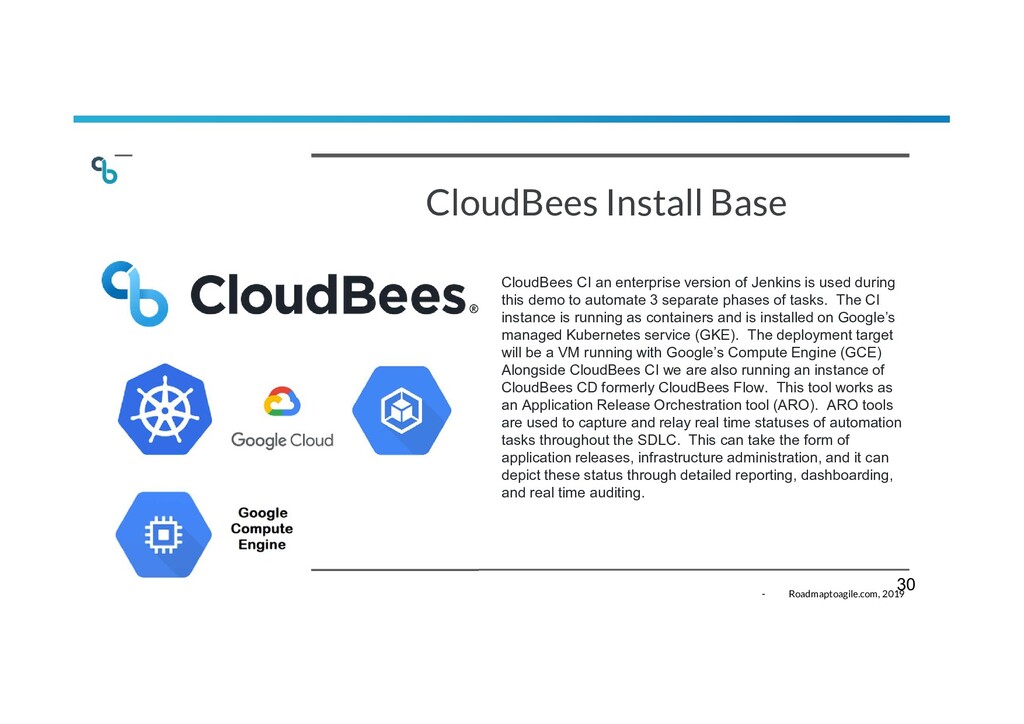
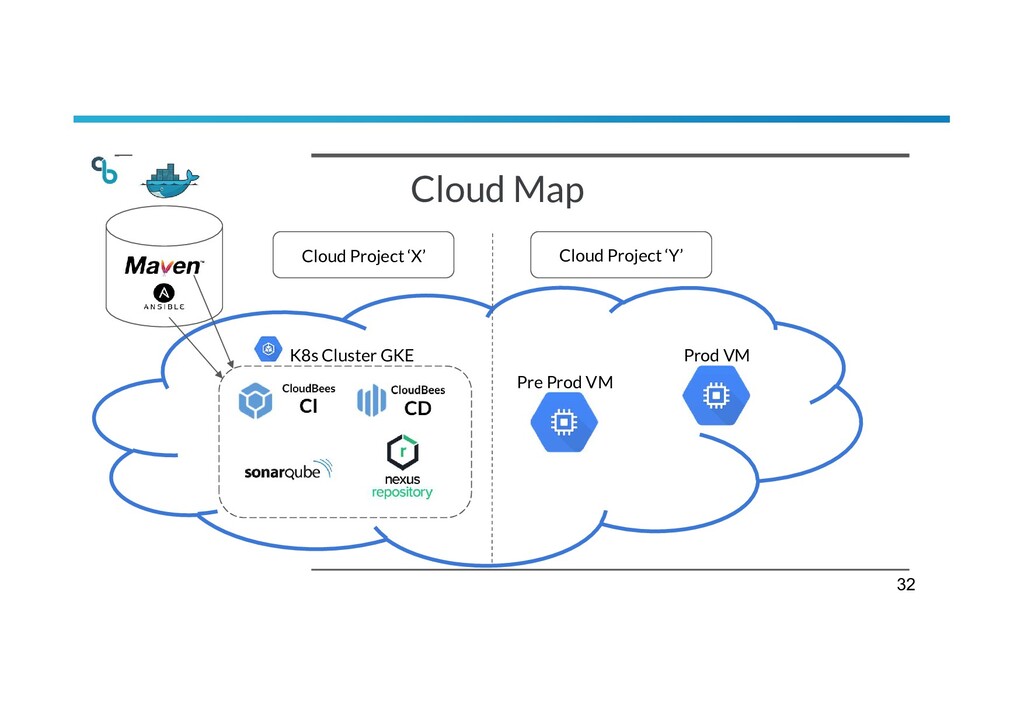
is used during this demo to automate 3 separate phases of tasks. The CI instance is running as containers and is installed on Google’s managed Kubernetes service (GKE). The deployment target will be a VM running with Google’s Compute Engine (GCE) Alongside CloudBees CI we are also running an instance of CloudBees CD formerly CloudBees Flow. This tool works as an Application Release Orchestration tool (ARO). ARO tools are used to capture and relay real time statuses of automation tasks throughout the SDLC. This can take the form of application releases, infrastructure administration, and it can depict these status through detailed reporting, dashboarding, and real time auditing. - Roadmaptoagile.com, 2019 30
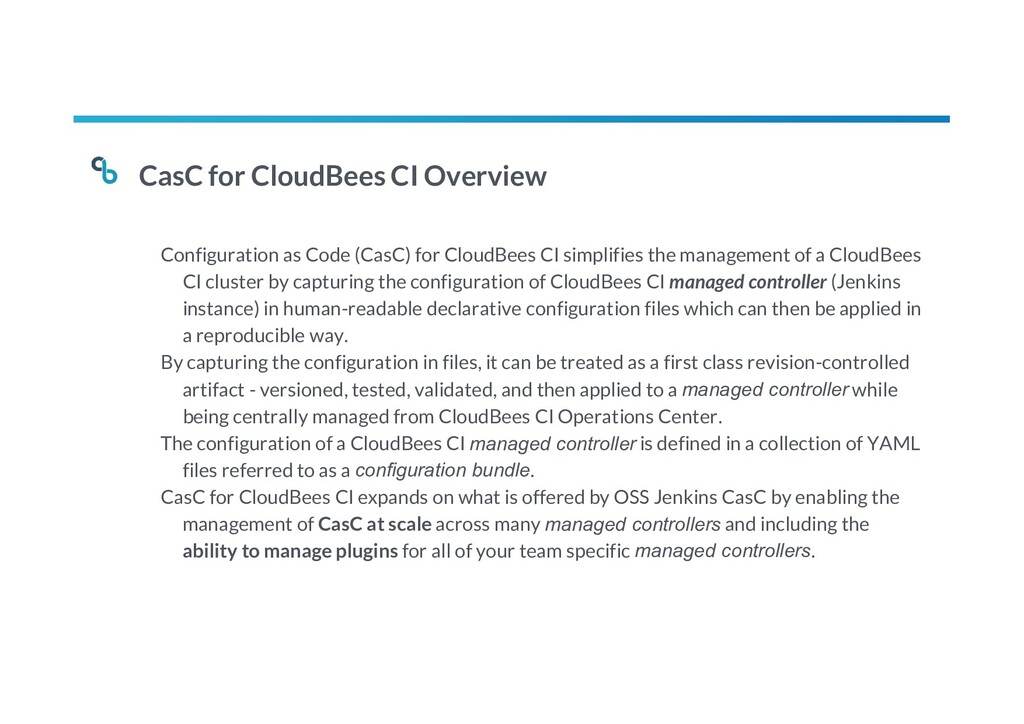
CloudBees CI simplifies the management of a CloudBees CI cluster by capturing the configuration of CloudBees CI managed controller (Jenkins instance) in human-readable declarative configuration files which can then be applied in a reproducible way. By capturing the configuration in files, it can be treated as a first class revision-controlled artifact - versioned, tested, validated, and then applied to a managed controller while being centrally managed from CloudBees CI Operations Center. The configuration of a CloudBees CI managed controller is defined in a collection of YAML files referred to as a configuration bundle. CasC for CloudBees CI expands on what is offered by OSS Jenkins CasC by enabling the management of CasC at scale across many managed controllers and including the ability to manage plugins for all of your team specific managed controllers.
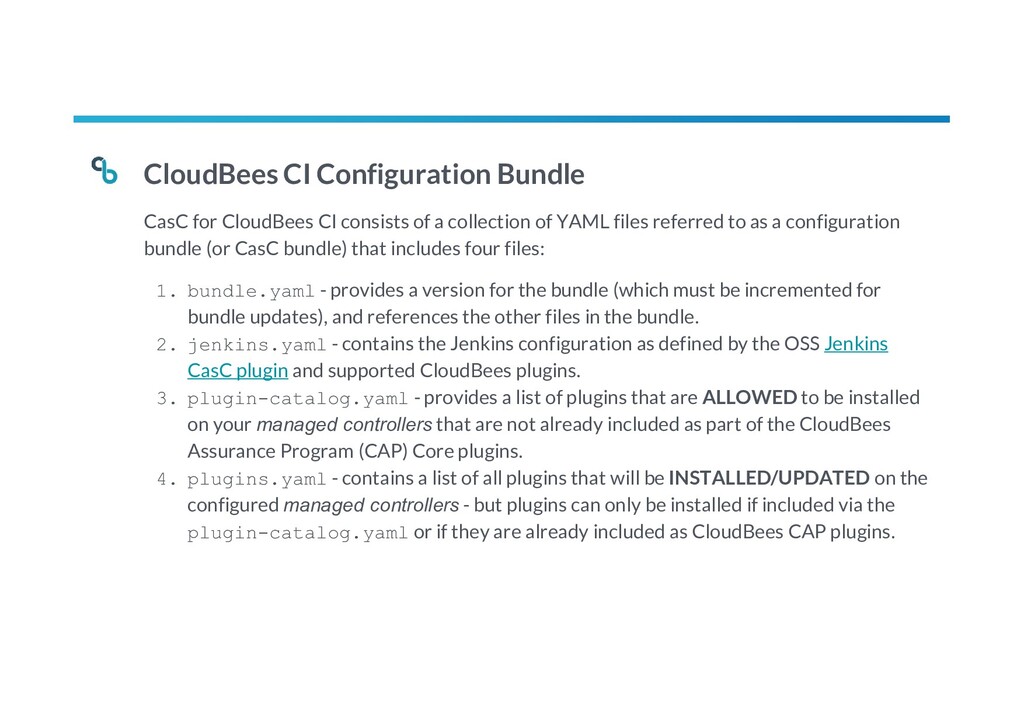
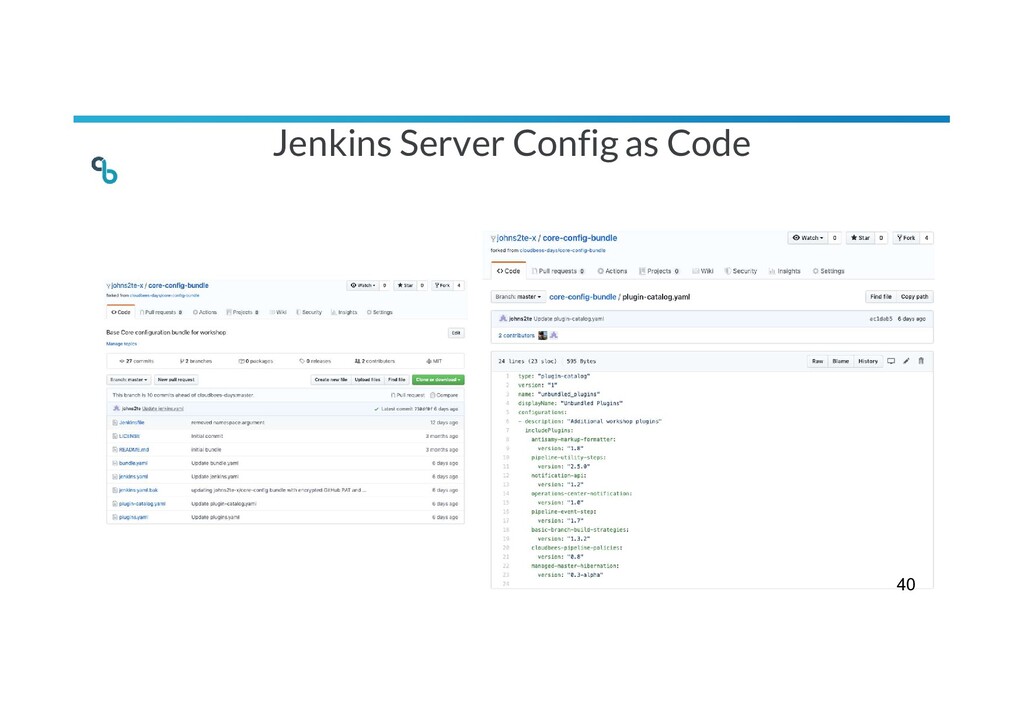
a collection of YAML files referred to as a configuration bundle (or CasC bundle) that includes four files: 1. bundle.yaml - provides a version for the bundle (which must be incremented for bundle updates), and references the other files in the bundle. 2. jenkins.yaml - contains the Jenkins configuration as defined by the OSS Jenkins CasC plugin and supported CloudBees plugins. 3. plugin-catalog.yaml - provides a list of plugins that are ALLOWED to be installed on your managed controllers that are not already included as part of the CloudBees Assurance Program (CAP) Core plugins. 4. plugins.yaml - contains a list of all plugins that will be INSTALLED/UPDATED on the configured managed controllers - but plugins can only be installed if included via the plugin-catalog.yaml or if they are already included as CloudBees CAP plugins.
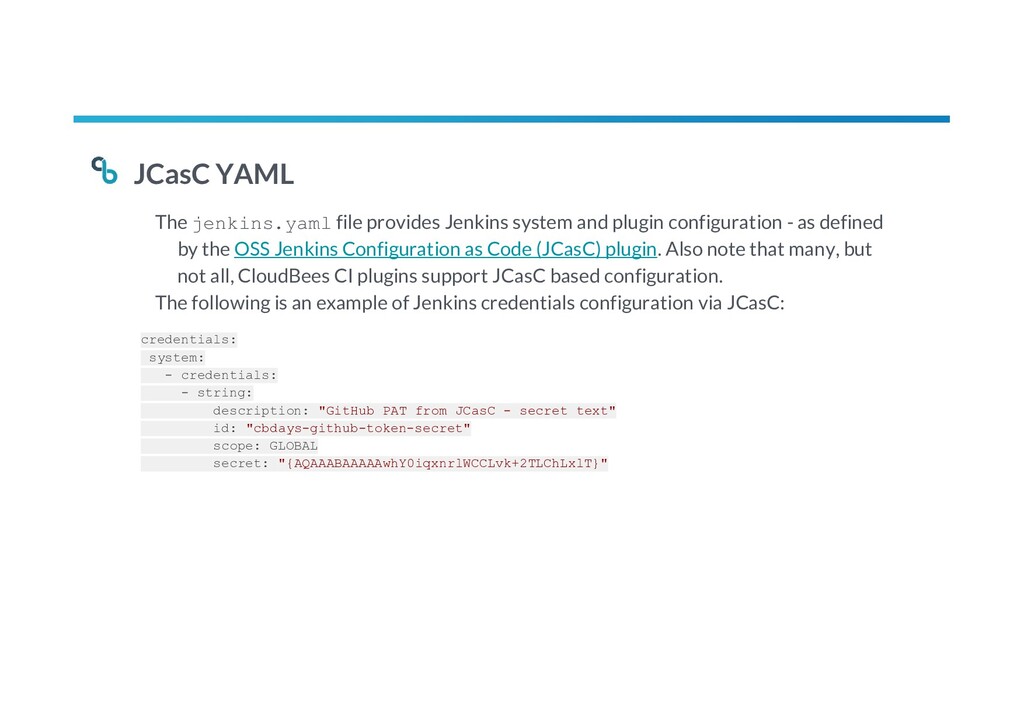
configuration - as defined by the OSS Jenkins Configuration as Code (JCasC) plugin. Also note that many, but not all, CloudBees CI plugins support JCasC based configuration. The following is an example of Jenkins credentials configuration via JCasC: credentials: system: - credentials: - string: description: "GitHub PAT from JCasC - secret text" id: "cbdays-github-token-secret" scope: GLOBAL secret: "{AQAAABAAAAAwhY0iqxnrlWCCLvk+2TLChLxlT}"
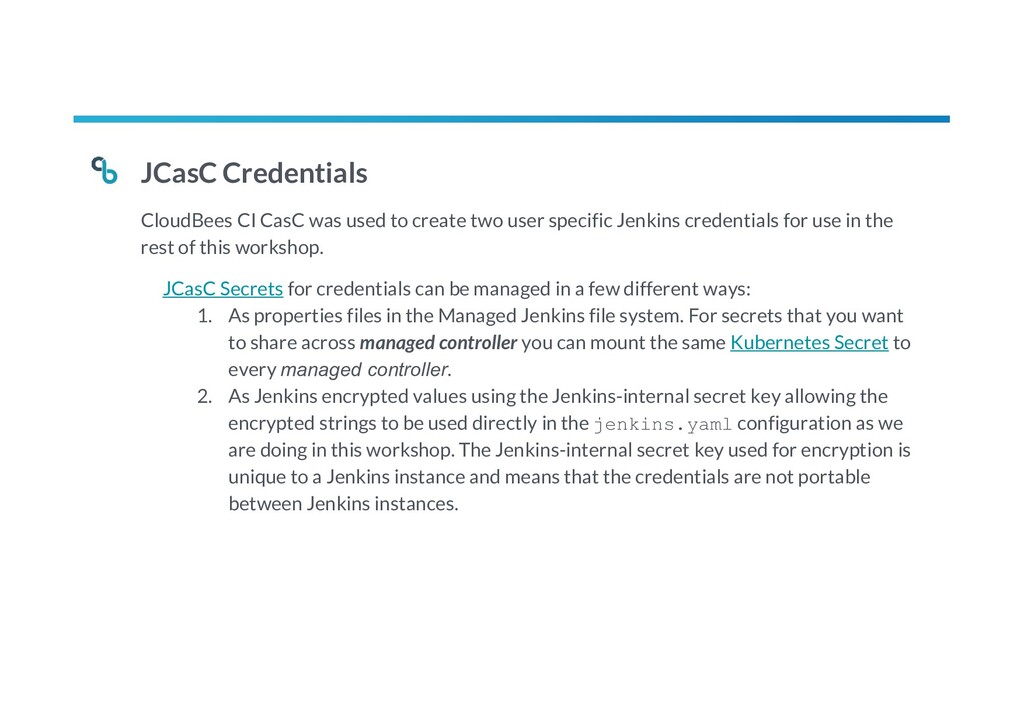
user specific Jenkins credentials for use in the rest of this workshop. JCasC Secrets for credentials can be managed in a few different ways: 1. As properties files in the Managed Jenkins file system. For secrets that you want to share across managed controller you can mount the same Kubernetes Secret to every managed controller. 2. As Jenkins encrypted values using the Jenkins-internal secret key allowing the encrypted strings to be used directly in the jenkins.yaml configuration as we are doing in this workshop. The Jenkins-internal secret key used for encryption is unique to a Jenkins instance and means that the credentials are not portable between Jenkins instances.
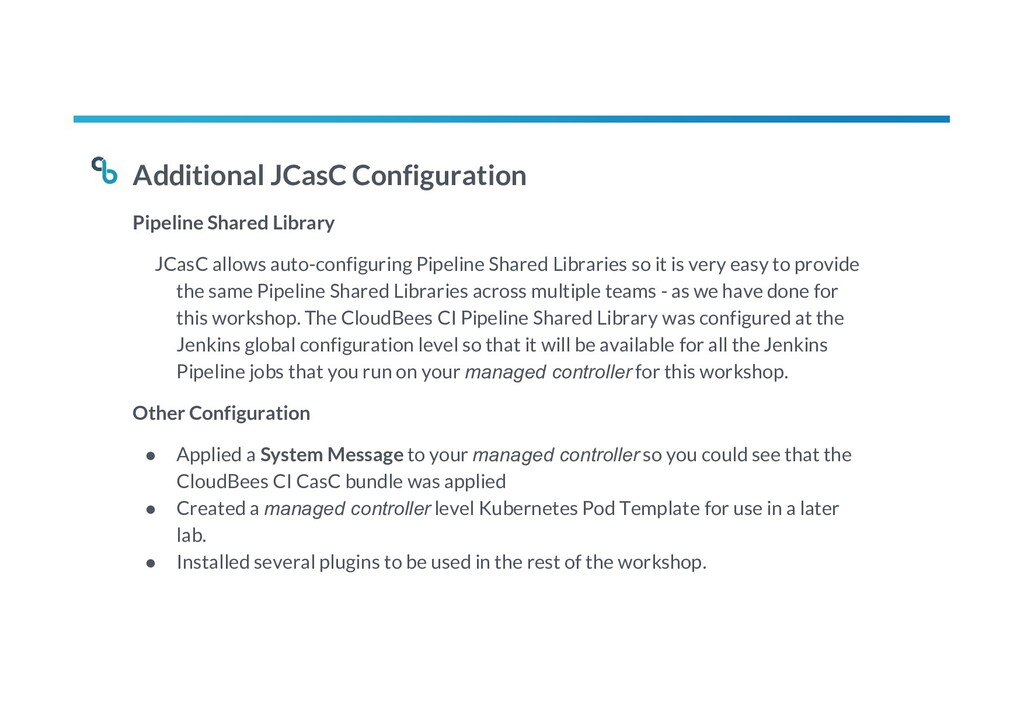
Shared Libraries so it is very easy to provide the same Pipeline Shared Libraries across multiple teams - as we have done for this workshop. The CloudBees CI Pipeline Shared Library was configured at the Jenkins global configuration level so that it will be available for all the Jenkins Pipeline jobs that you run on your managed controller for this workshop. Other Configuration • Applied a System Message to your managed controller so you could see that the CloudBees CI CasC bundle was applied • Created a managed controller level Kubernetes Pod Template for use in a later lab. • Installed several plugins to be used in the rest of the workshop.
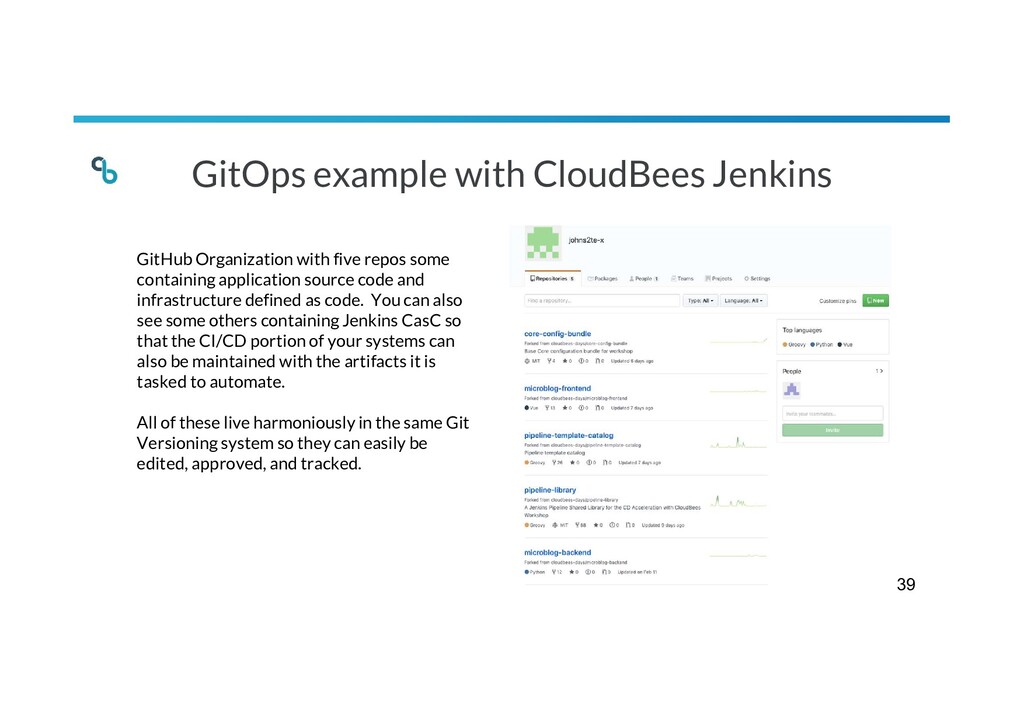
some containing application source code and infrastructure defined as code. You can also see some others containing Jenkins CasC so that the CI/CD portion of your systems can also be maintained with the artifacts it is tasked to automate. All of these live harmoniously in the same Git Versioning system so they can easily be edited, approved, and tracked. 39


 syumai
 sylph01
 guaca
guaca
 yutobara
 iwatsukayura
 akit37
 steliosf
 akase244
 andpad
 teyamagu
 naokihaba
 kawashimo0
 csswizardry
 tapps
tapps
 jonoalderson
 axbom
axbom
 ryanjones
 stuffmc
 chriscoyier
 ks91
ks91
 malarkey
 eitanlees
 addyosmani