Upgrade to Pro
— share decks privately, control downloads, hide ads and more …
Speaker Deck
Sign up for free
Menu
Search
Features
All features
Private URLs
Password Protection
Custom URLS
Scheduled publishing
Remove Branding
Restrict embedding
Deck Collections
Notes
Features
All features
Private URLs
Password Protection
Custom URLS
Scheduled publishing
Remove Branding
Restrict embedding
Deck Collections
Notes
Explore
Featured decks
Featured speakers
Programming
Technology
Storyboards
Explore
Featured decks
Featured speakers
Programming
Technology
Storyboards
Pricing
Search
Sign in
Sign up for free
使用Docker建置 EFK
Search
reyhsu
August 11, 2017
Technology
260
0
Share
Embed
Copy iframe code
Copy JS code
Copy link
Start on current slide
使用Docker建置 EFK
使用docker建置站台並且使用EFK收集log
reyhsu
August 11, 2017
Other Decks in Technology
See All in Technology
ストレスなくAIと付き合いたい!こんなときどうしてる?
namiki64
3
530
Metadata - Section 1: HTML Basics
mohab1
0
120
『SAR衛星データ解析入門』の ご紹介とその応用
syuchimu
0
120
Webの常識が通じないHTMLメールのダークモード
teamlab
PRO
0
120
オントロジーって 結局なにもの? AI エージェントに「意味」を渡す知識設計の話
greenmidori
0
200
AI × アーキテクト 第1・2章|生成AIの課題とアーキテクトの素養
daidaidai
0
170
DWH の限界突破! AI エージェント向け爆速リアルタイムデータ基盤 ClickHouse
jozono
1
480
TinyGoでオブザーバビリティ?OpenTelemetryはTinyGoで使えるのか / Is OpenTelemetry available in TinyGo environment?
ymotongpoo
2
140
DevelopersIO 2026 知識の地図を描く ─ オントロジーとは何か?
ishikawa_satoru
1
1.7k
古い指輪から広がった JAVA コミュニティ とのつながり
yamad
0
100
実践! SRE × AI - ABEMA における AIOps -
tetsuya28
8
3.1k
分析の民主化を支えるメタデータ整備の実践
kakehashi
PRO
4
1.4k
Featured
See All Featured
Building Flexible Design Systems
yeseniaperezcruz
330
41k
The SEO Collaboration Effect
kristinabergwall1
1
590
Building Adaptive Systems
keathley
44
3.2k
Optimising Largest Contentful Paint
csswizardry
37
4k
Applied NLP in the Age of Generative AI
inesmontani
PRO
4
2.5k
How to Think Like a Performance Engineer
csswizardry
28
2.9k
Dominate Local Search Results - an insider guide to GBP, reviews, and Local SEO
greggifford
PRO
0
370
Neural Spatial Audio Processing for Sound Field Analysis and Control
skoyamalab
0
570
Avoiding the “Bad Training, Faster” Trap in the Age of AI
tmiket
0
270
Odyssey Design
rkendrick25
PRO
2
870
BBQ
matthewcrist
90
10k
The Mindset for Success: Future Career Progression
greggifford
PRO
0
540
Transcript
資料收集與整合
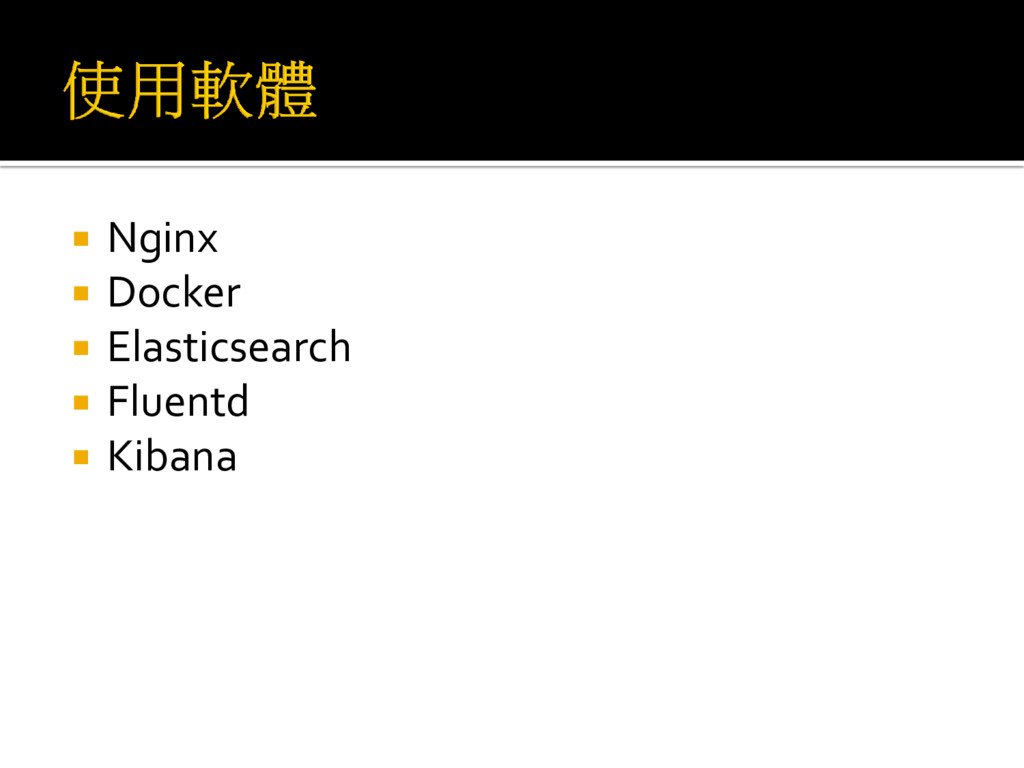
Nginx Docker Elasticsearch Fluentd Kibana
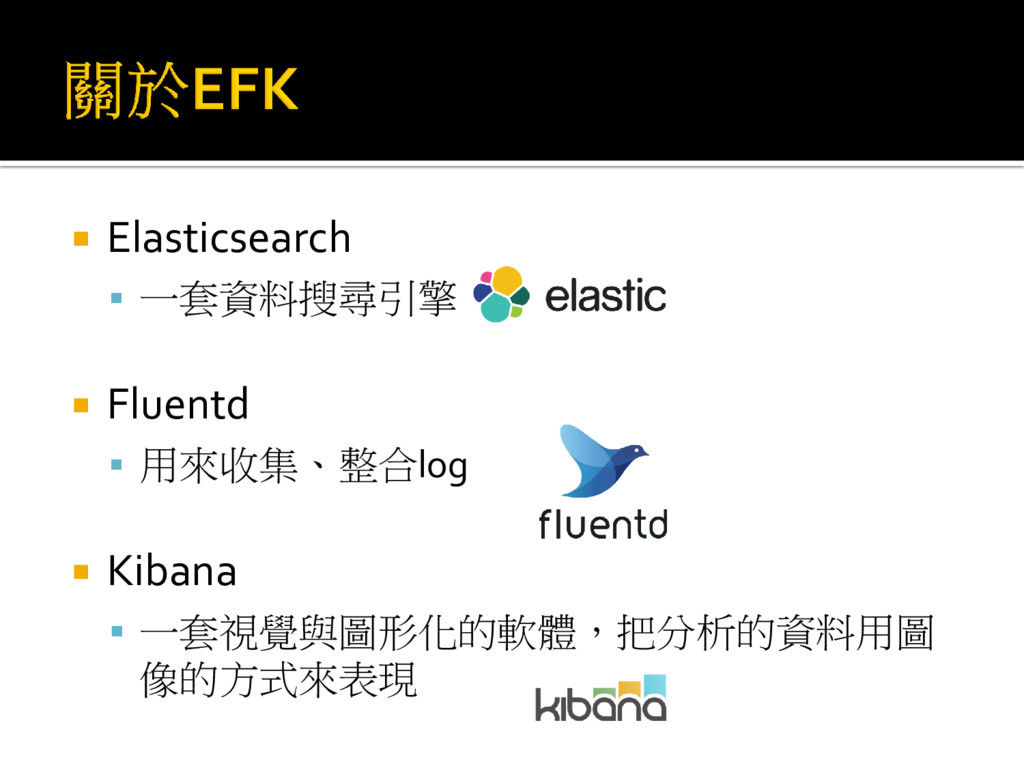
Elasticsearch 一套資料搜尋引擎 Fluentd 用來收集、整合log Kibana
一套視覺與圖形化的軟體,把分析的資料用圖 像的方式來表現
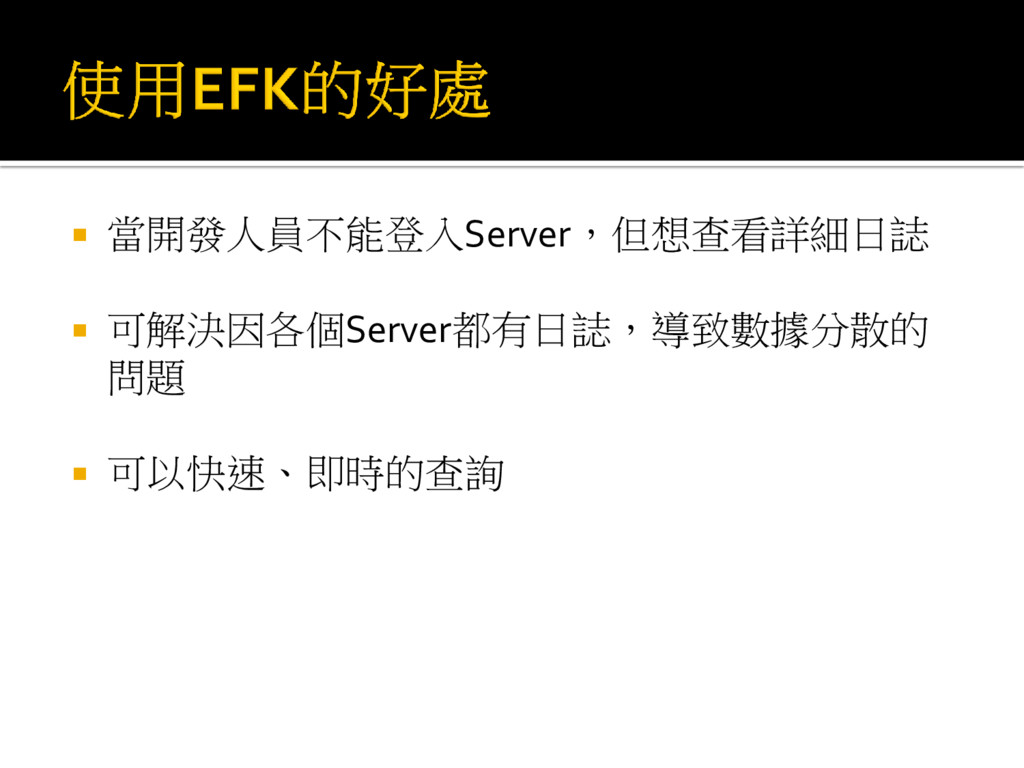
當開發人員不能登入Server,但想查看詳細日誌 可解決因各個Server都有日誌,導致數據分散的 問題 可以快速、即時的查詢
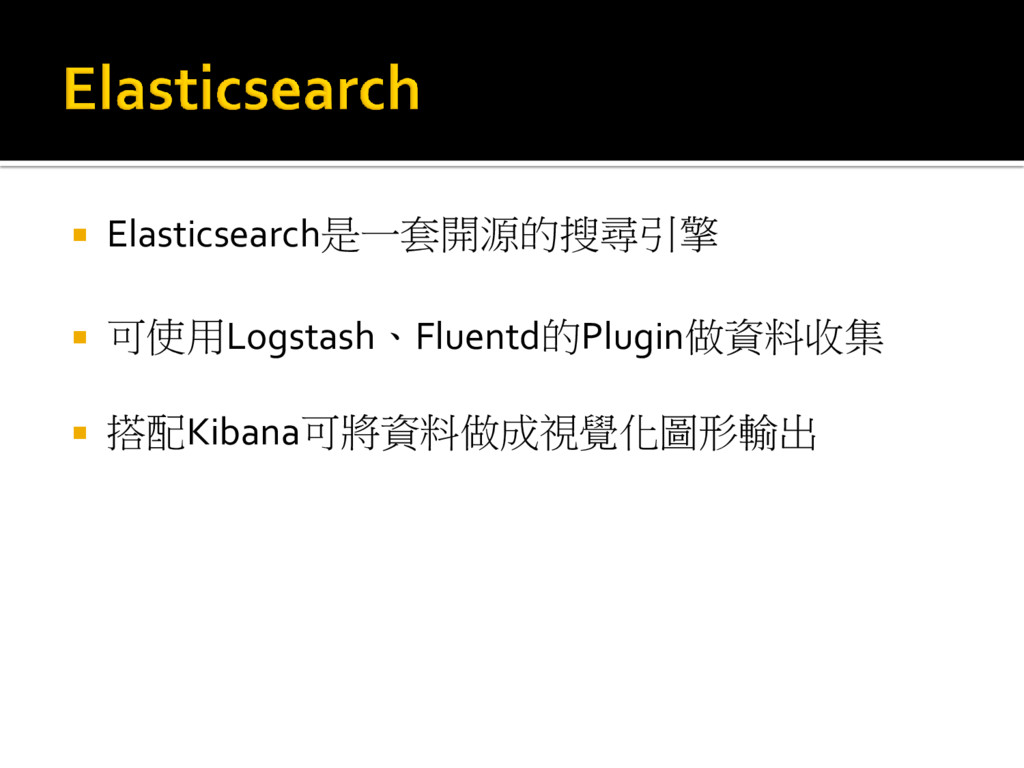
Elasticsearch是一套開源的搜尋引擎 可使用Logstash、Fluentd的Plugin做資料收集 搭配Kibana可將資料做成視覺化圖形輸出
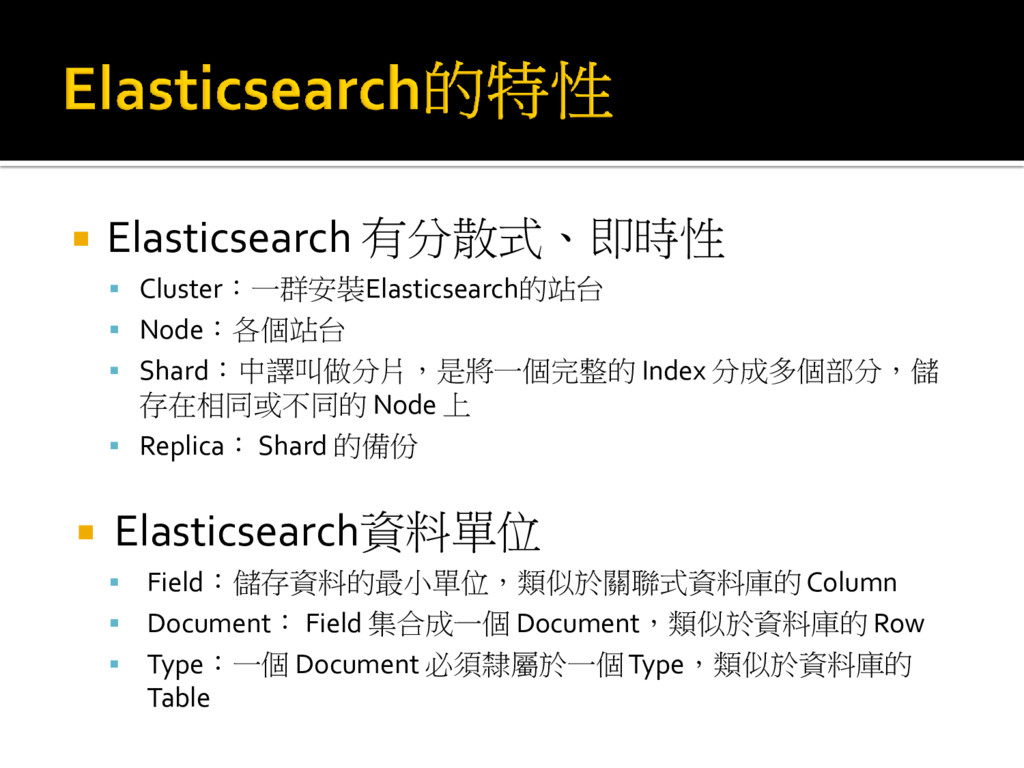
Elasticsearch 有分散式、即時性 Cluster:一群安裝Elasticsearch的站台 Node:各個站台 Shard:中譯叫做分片,是將一個完整的 Index
分成多個部分,儲 存在相同或不同的 Node 上 Replica: Shard 的備份 Elasticsearch資料單位 Field:儲存資料的最小單位,類似於關聯式資料庫的 Column Document: Field 集合成一個 Document,類似於資料庫的 Row Type:一個 Document 必須隸屬於一個 Type,類似於資料庫的 Table
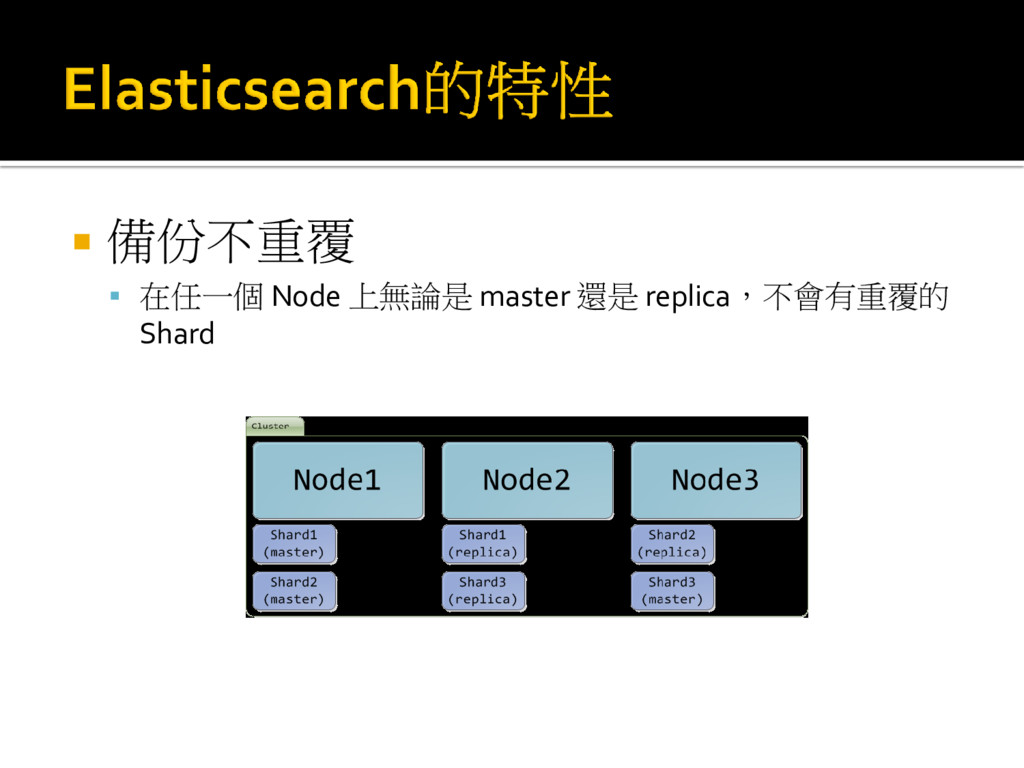
備份不重覆 在任一個 Node 上無論是 master 還是 replica,不會有重覆的 Shard
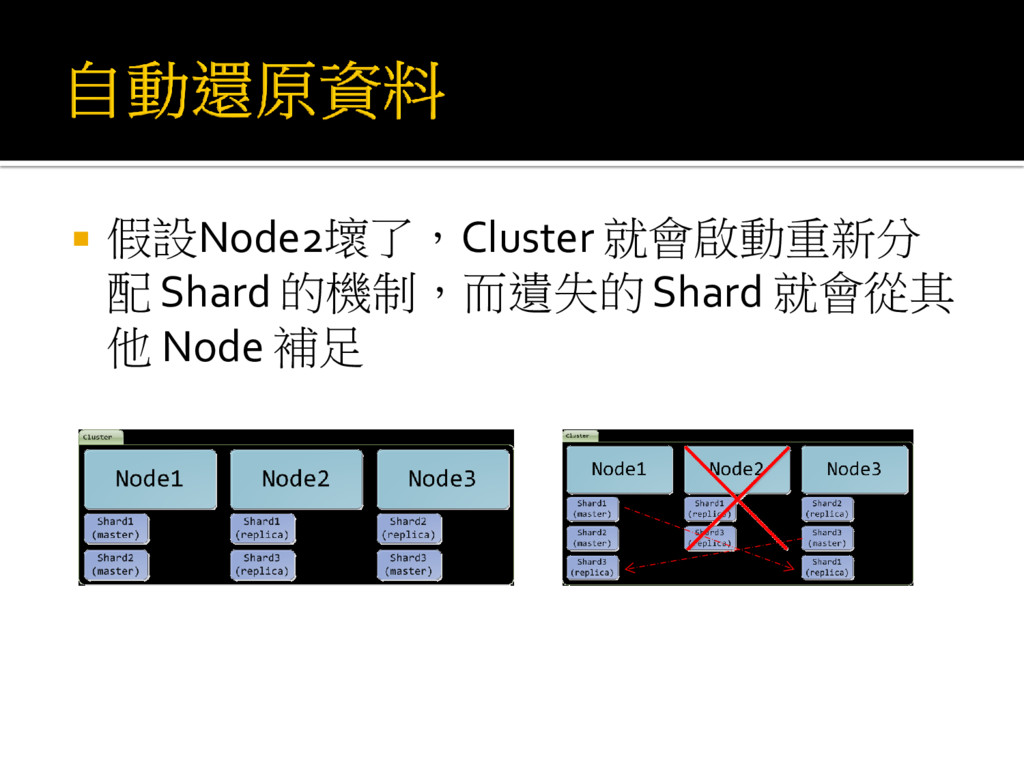
假設Node2壞了,Cluster 就會啟動重新分 配 Shard 的機制,而遺失的 Shard 就會從其 他 Node
補足
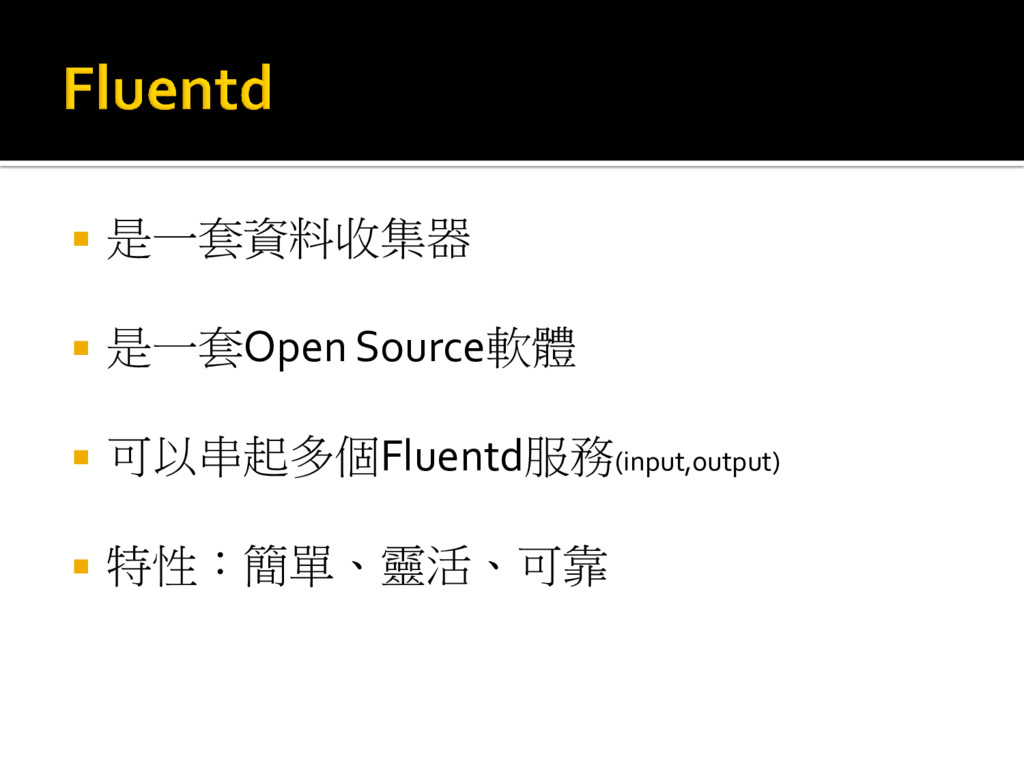
是一套資料收集器 是一套Open Source軟體 可以串起多個Fluentd服務(input,output) 特性:簡單、靈活、可靠
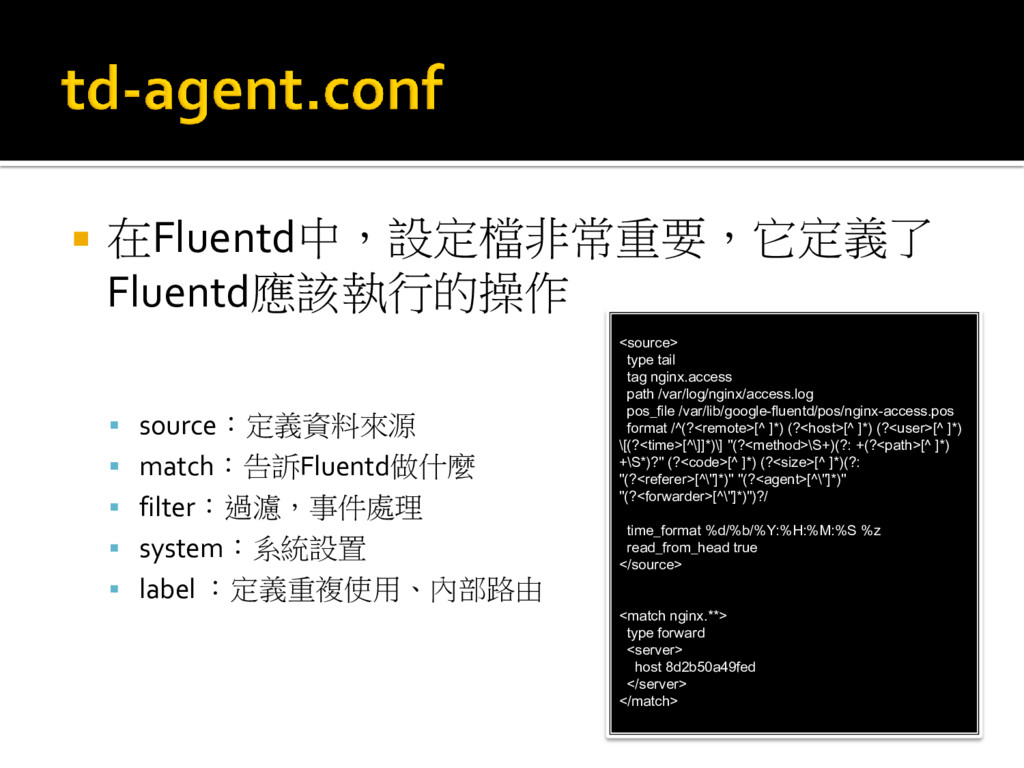
在Fluentd中,設定檔非常重要,它定義了 Fluentd應該執行的操作 source:定義資料來源 match:告訴Fluentd做什麼 filter:過濾,事件處理
system:系統設置 label :定義重複使用、內部路由 <source> type tail tag nginx.access path /var/log/nginx/access.log pos_file /var/lib/google-fluentd/pos/nginx-access.pos format /^(?<remote>[^ ]*) (?<host>[^ ]*) (?<user>[^ ]*) \[(?<time>[^\]]*)\] "(?<method>\S+)(?: +(?<path>[^ ]*) +\S*)?" (?<code>[^ ]*) (?<size>[^ ]*)(?: "(?<referer>[^\"]*)" "(?<agent>[^\"]*)" "(?<forwarder>[^\"]*)")?/ time_format %d/%b/%Y:%H:%M:%S %z read_from_head true </source> <match nginx.**> type forward <server> host 8d2b50a49fed </server> </match>
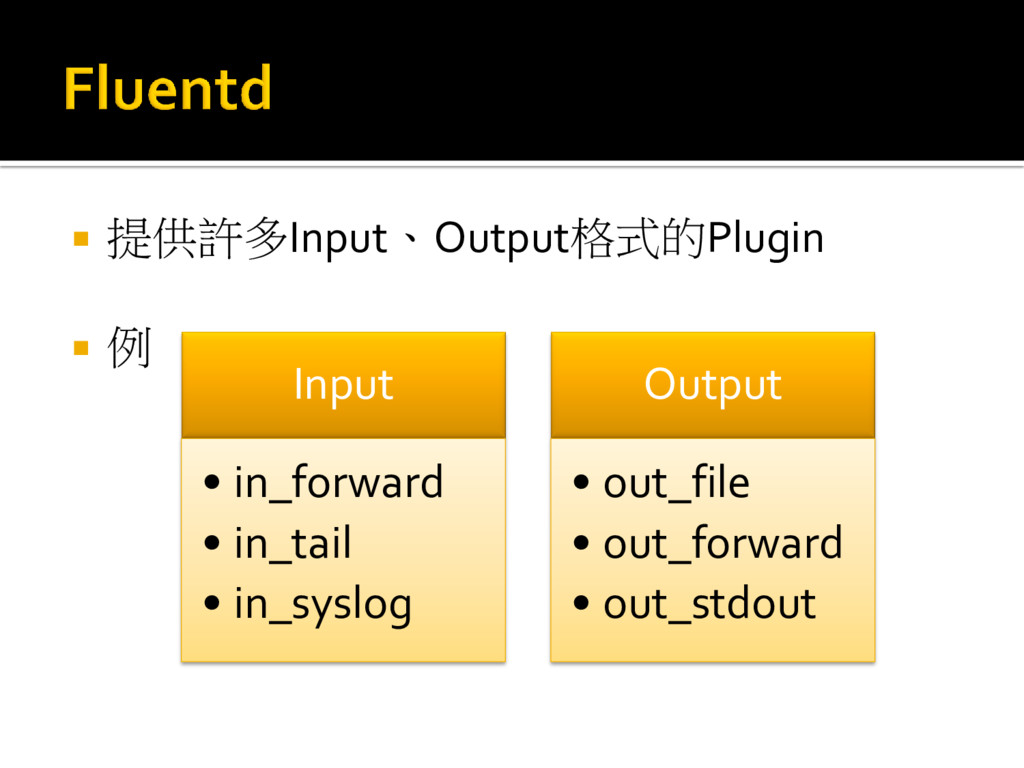
提供許多Input、Output格式的Plugin 例 Input • in_forward • in_tail •
in_syslog Output • out_file • out_forward • out_stdout
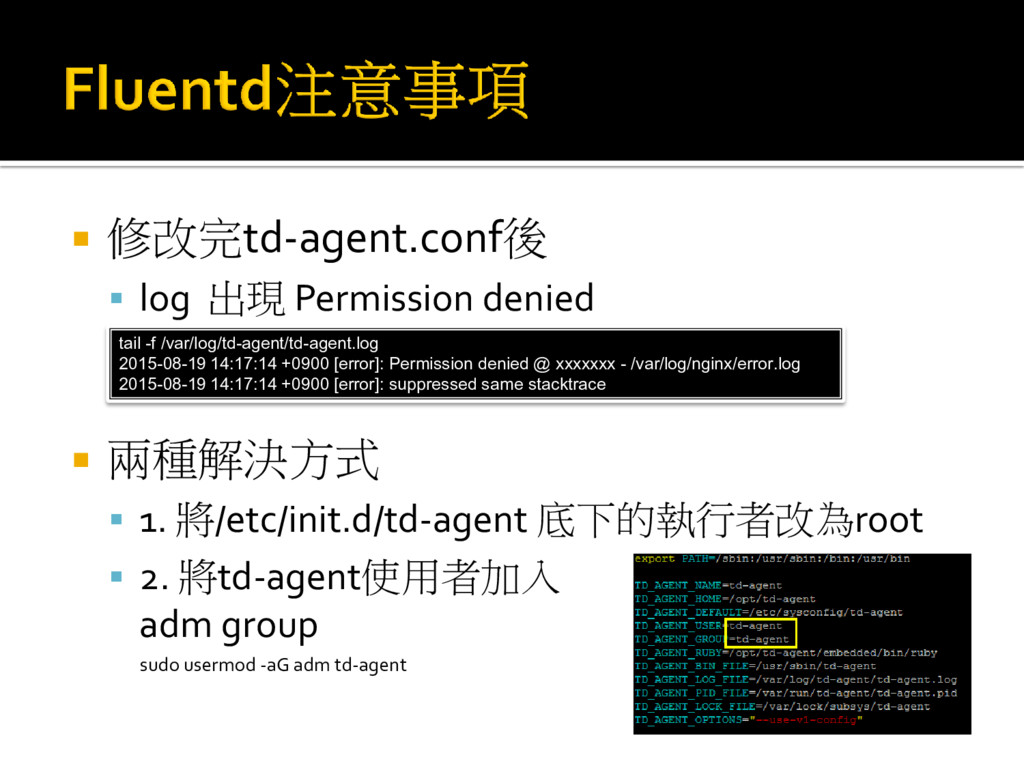
修改完td-agent.conf後 log 出現 Permission denied 兩種解決方式
1. 將/etc/init.d/td-agent 底下的執行者改為root 2. 將td-agent使用者加入 adm group sudo usermod -aG adm td-agent tail -f /var/log/td-agent/td-agent.log 2015-08-19 14:17:14 +0900 [error]: Permission denied @ xxxxxxx - /var/log/nginx/error.log 2015-08-19 14:17:14 +0900 [error]: suppressed same stacktrace
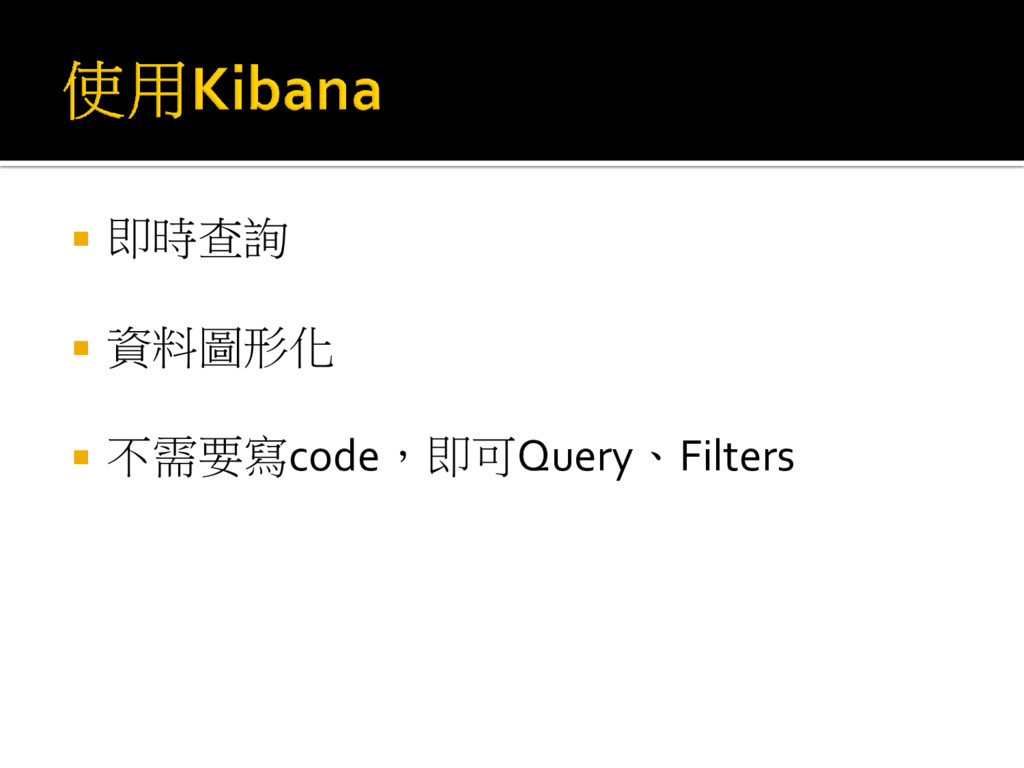
即時查詢 資料圖形化 不需要寫code,即可Query、Filters
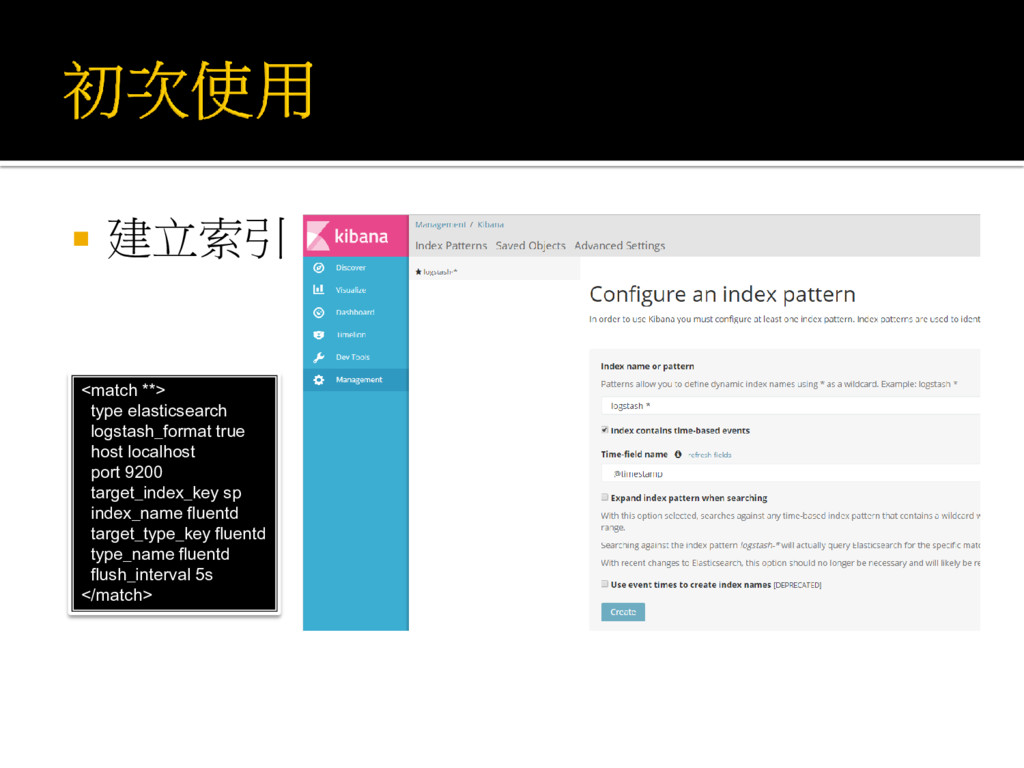
建立索引 <match **> type elasticsearch logstash_format true host localhost
port 9200 target_index_key sp index_name fluentd target_type_key fluentd type_name fluentd flush_interval 5s </match>
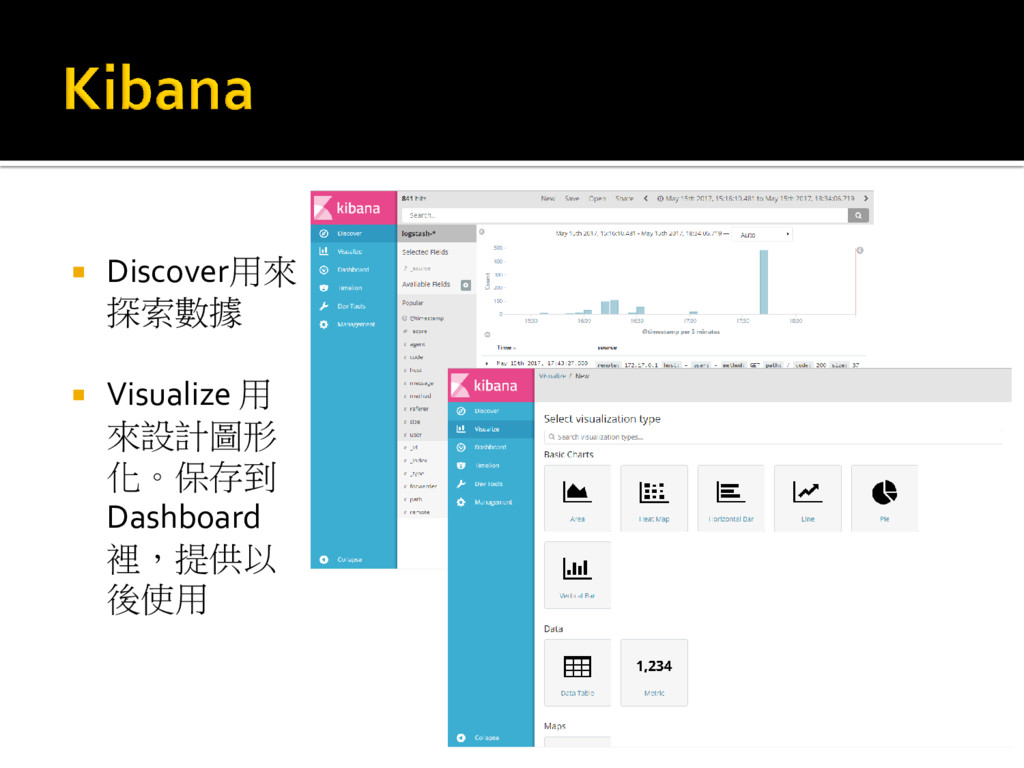
Discover用來 探索數據 Visualize 用 來設計圖形 化。保存到 Dashboard 裡,提供以
後使用
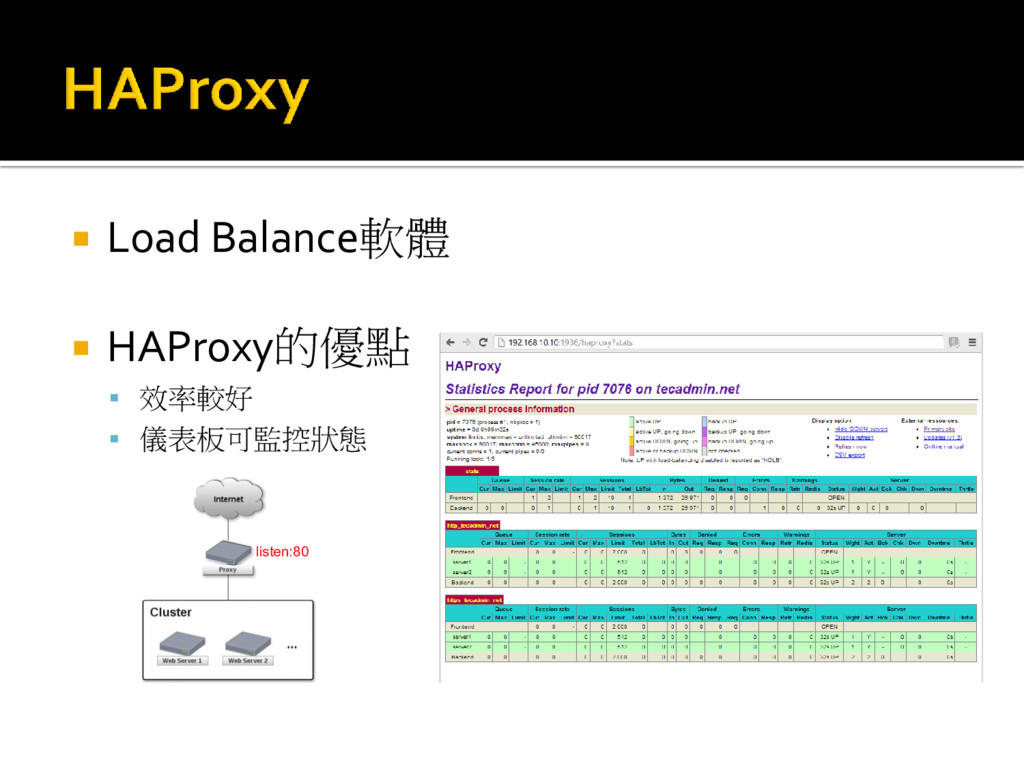
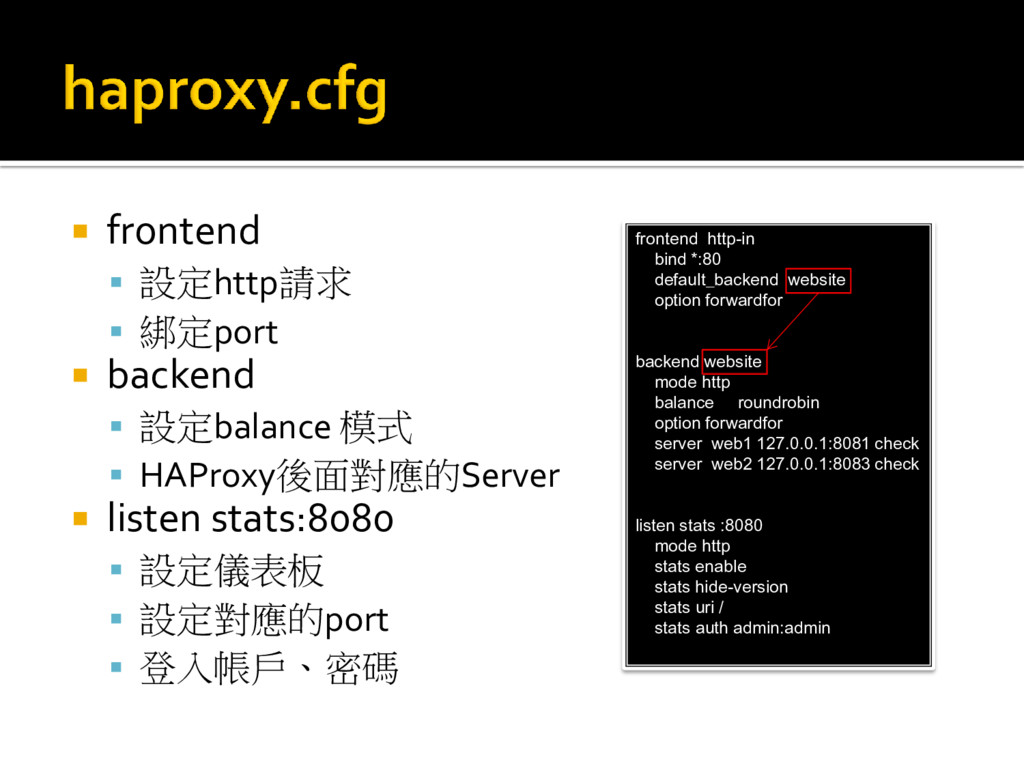
Load Balance軟體 HAProxy的優點 效率較好 儀表板可監控狀態 listen:80
frontend 設定http請求 綁定port backend 設定balance
模式 HAProxy後面對應的Server listen stats:8080 設定儀表板 設定對應的port 登入帳戶、密碼 frontend http-in bind *:80 default_backend website option forwardfor backend website mode http balance roundrobin option forwardfor server web1 127.0.0.1:8081 check server web2 127.0.0.1:8083 check listen stats :8080 mode http stats enable stats hide-version stats uri / stats auth admin:admin
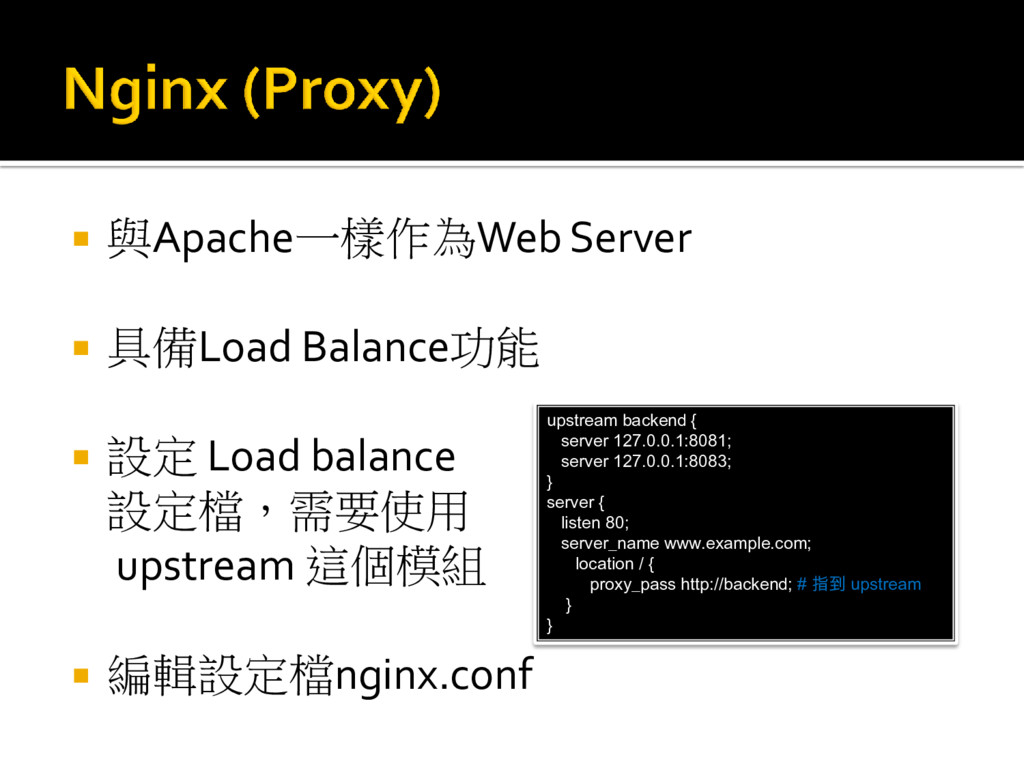
與Apache一樣作為Web Server 具備Load Balance功能 設定 Load balance
設定檔,需要使用 upstream 這個模組 編輯設定檔nginx.conf upstream backend { server 127.0.0.1:8081; server 127.0.0.1:8083; } server { listen 80; server_name www.example.com; location / { proxy_pass http://backend; # 指到 upstream } }
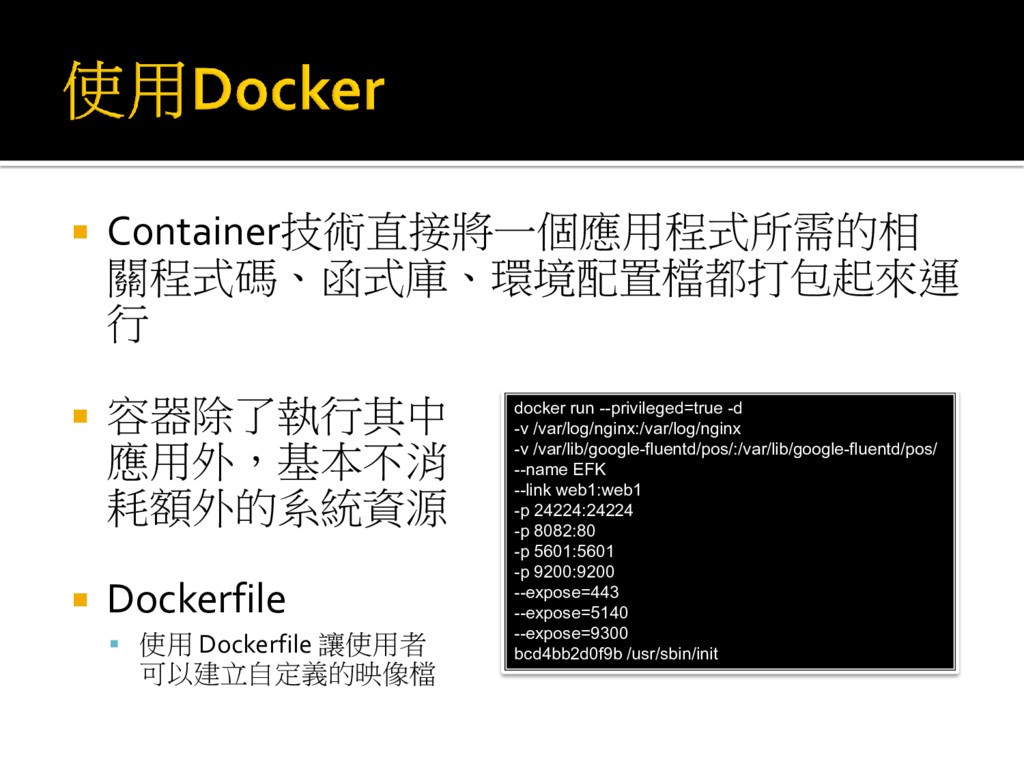
Container技術直接將一個應用程式所需的相 關程式碼、函式庫、環境配置檔都打包起來運 行 容器除了執行其中 應用外,基本不消 耗額外的系統資源 Dockerfile
使用 Dockerfile 讓使用者 可以建立自定義的映像檔 docker run --privileged=true -d -v /var/log/nginx:/var/log/nginx -v /var/lib/google-fluentd/pos/:/var/lib/google-fluentd/pos/ --name EFK --link web1:web1 -p 24224:24224 -p 8082:80 -p 5601:5601 -p 9200:9200 --expose=443 --expose=5140 --expose=9300 bcd4bb2d0f9b /usr/sbin/init
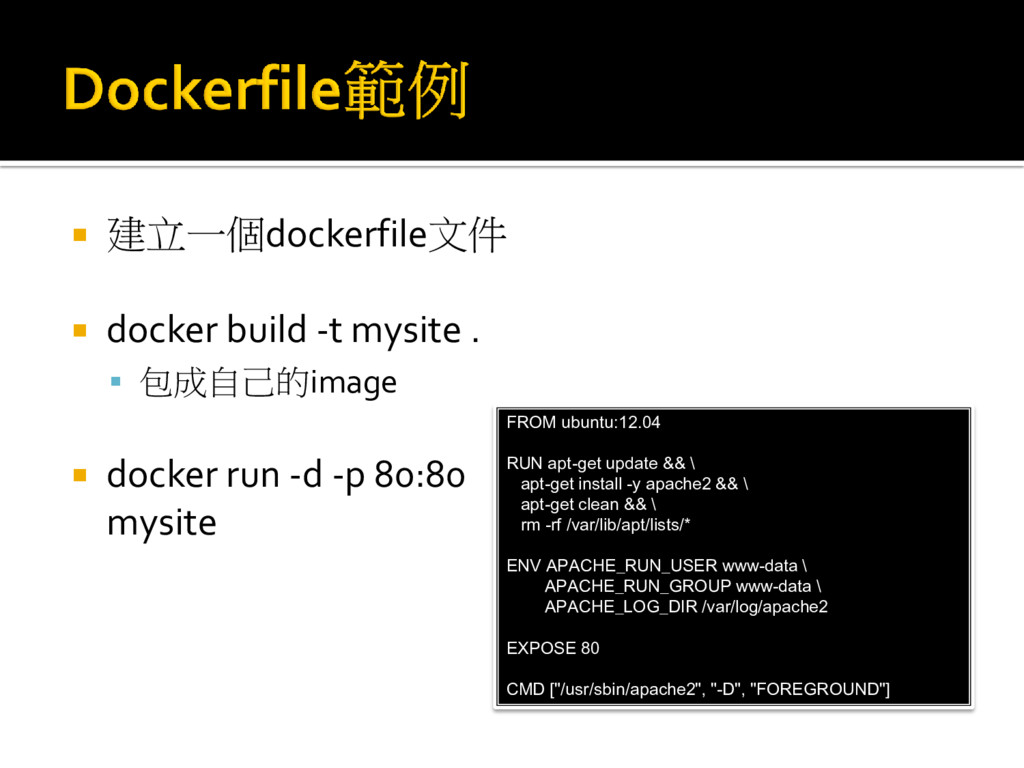
建立一個dockerfile文件 docker build -t mysite . 包成自己的image
docker run -d -p 80:80 mysite FROM ubuntu:12.04 RUN apt-get update && \ apt-get install -y apache2 && \ apt-get clean && \ rm -rf /var/lib/apt/lists/* ENV APACHE_RUN_USER www-data \ APACHE_RUN_GROUP www-data \ APACHE_LOG_DIR /var/log/apache2 EXPOSE 80 CMD ["/usr/sbin/apache2", "-D", "FOREGROUND"]
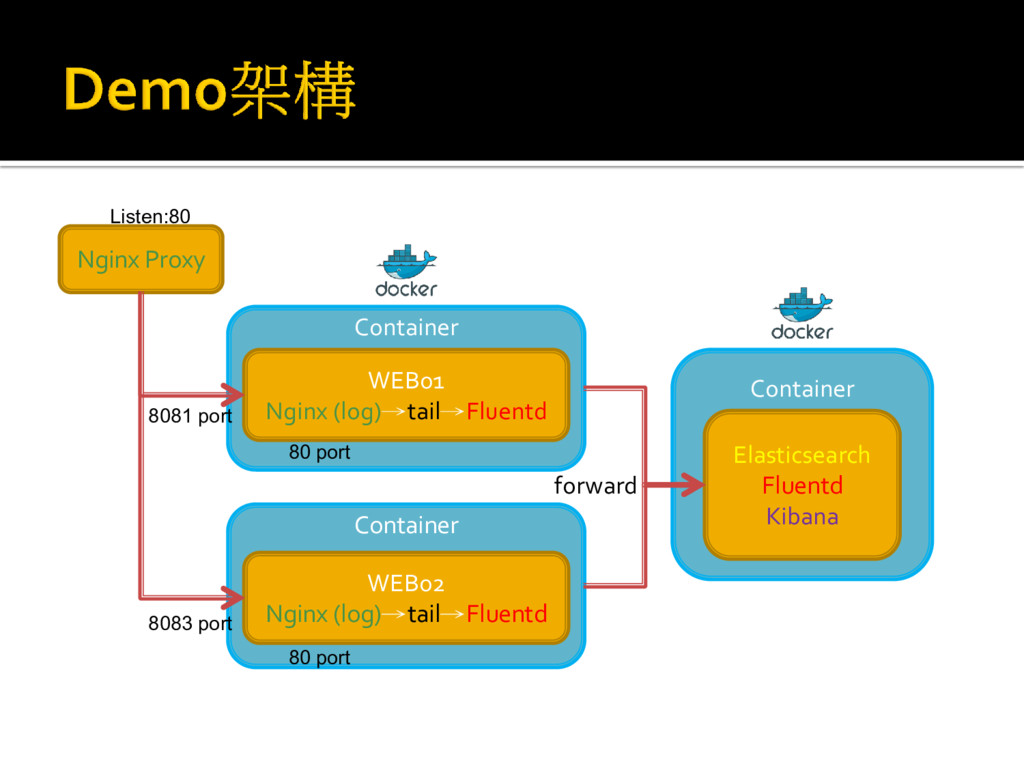
Container Container Nginx Proxy WEB01 Nginx (log)→tail→Fluentd WEB02 Nginx (log)→tail→Fluentd
Container Elasticsearch Fluentd Kibana 8081 port 8083 port forward 80 port 80 port Listen:80


 namiki64
 mohab1
 syuchimu
 teamlab
 greenmidori
 daidaidai
 jozono
 ymotongpoo
 ishikawa_satoru
.png) yamad
yamad
 tetsuya28
 kakehashi
 yeseniaperezcruz
 kristinabergwall1
 keathley
 csswizardry
 inesmontani
 greggifford
 skoyamalab
 tmiket
 rkendrick25
 matthewcrist