ClickHouse for Symfony Developers - SymfonyCon ...

Share
ClickHouse for Symfony Developers - SymfonyCon 2025
While most PHP applications rely on traditional row-oriented databases, many modern applications require processing massive amounts of data for analytics, logging, and metrics – areas where conventional databases struggle. This becomes even more apparent when you need real-time performance at scale.
ClickHouse is a powerful column-oriented database that can save you significant time when aggregating data in real-time, all without leaving the comfort of your technology stack.
In this talk we'll explore :
- Why column-oriented databases are game-changers for analytical workloads
- How to integrate ClickHouse with Symfony applications using recommended practices
- Real-world architecture patterns that effectively combine traditional databases with ClickHouse
- How to deploy ClickHouse with just a few lines of code
- Key ClickHouse features for building real-time dashboards
- Concrete aggregation examples with benchmarks comparing ClickHouse to other solutions
We'll also cover advanced features like cold storage, replication, and practical optimization tricks learned from production experience.
Whether you're working with e-commerce applications, logs, user events, IoT data, or business metrics, this talk will equip you with the knowledge to implement ClickHouse as a powerful addition to your PHP development toolkit.

Romain Neutron
Transcript
65 slides
-
▪ Code is available at https://github.com/romainneutron/clickhouse-symfony-symfonycon2025/ ▪ Slides include links
▪ If you don’t take notes that’s fine, you’ll get slides $ git clone [email protected]:romainneutron/clickhouse-symfony-symfonycon2025.git $ cd clickhouse-symfony-symfonycon2025 $ upsun project:create $ upsun push -y About this Presentation 2 -
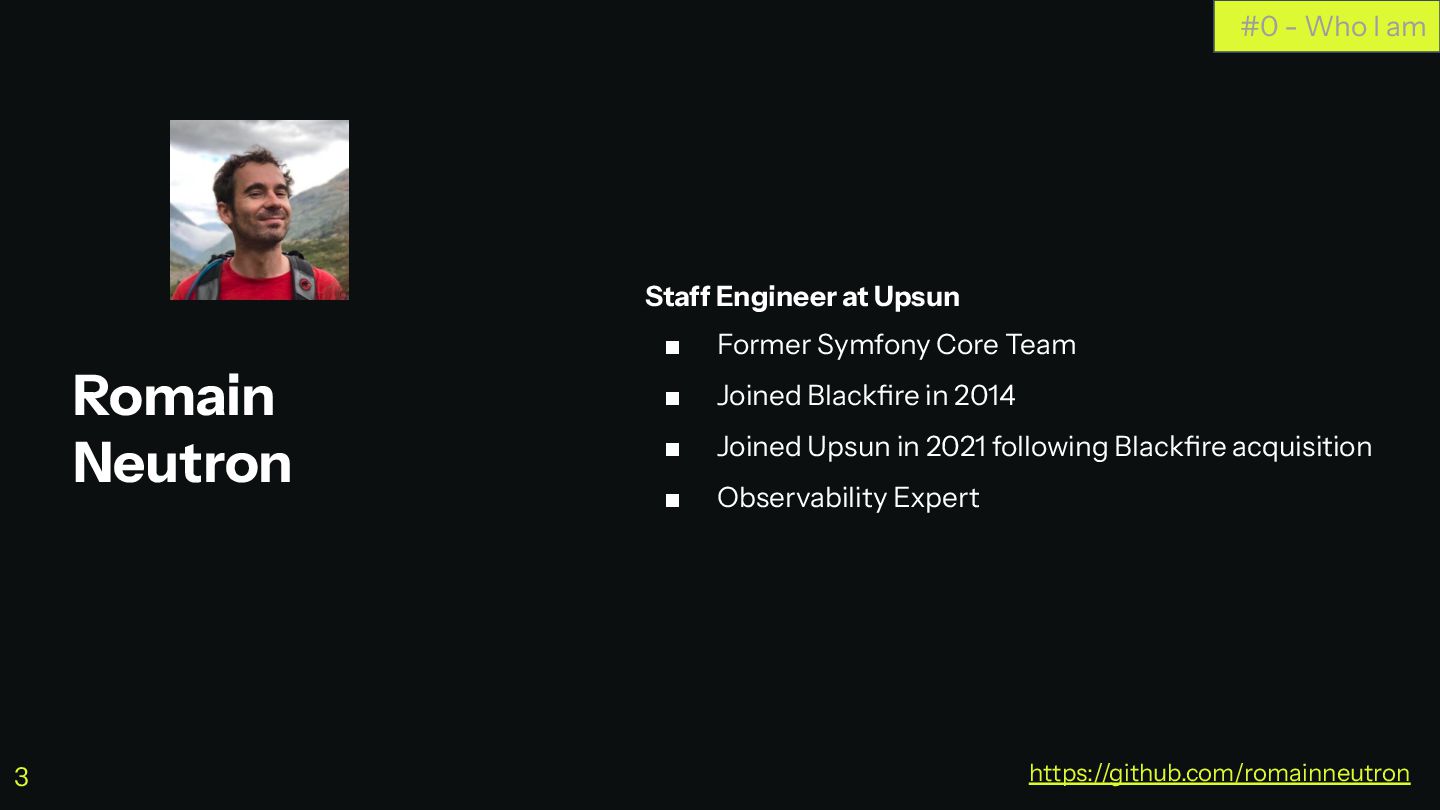
Romain Neutron Staff Engineer at Upsun ▪ Former Symfony Core
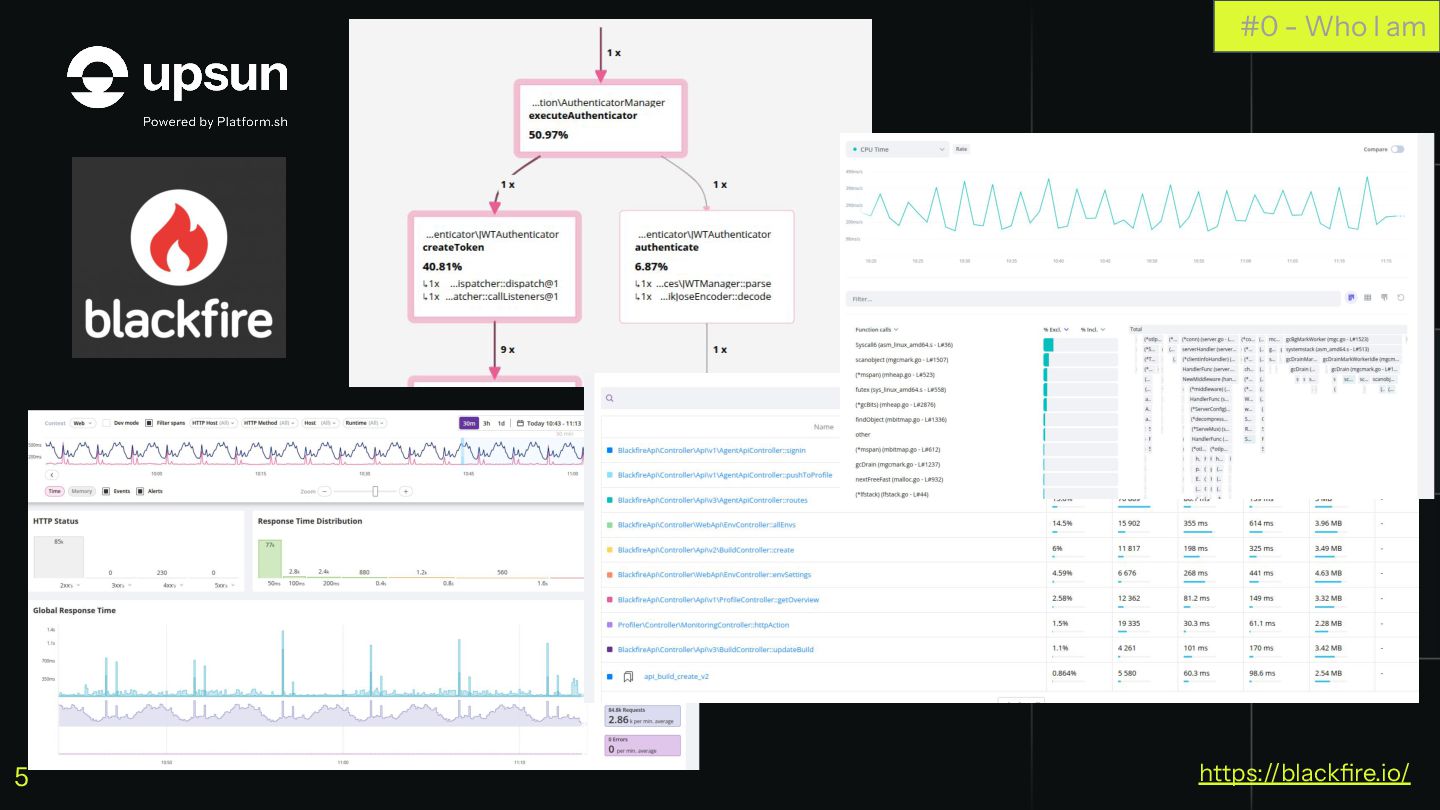
Team ▪ Joined Blackfire in 2014 ▪ Joined Upsun in 2021 following Blackfire acquisition ▪ Observability Expert #0 - Who I am https://github.com/romainneutron 3 -
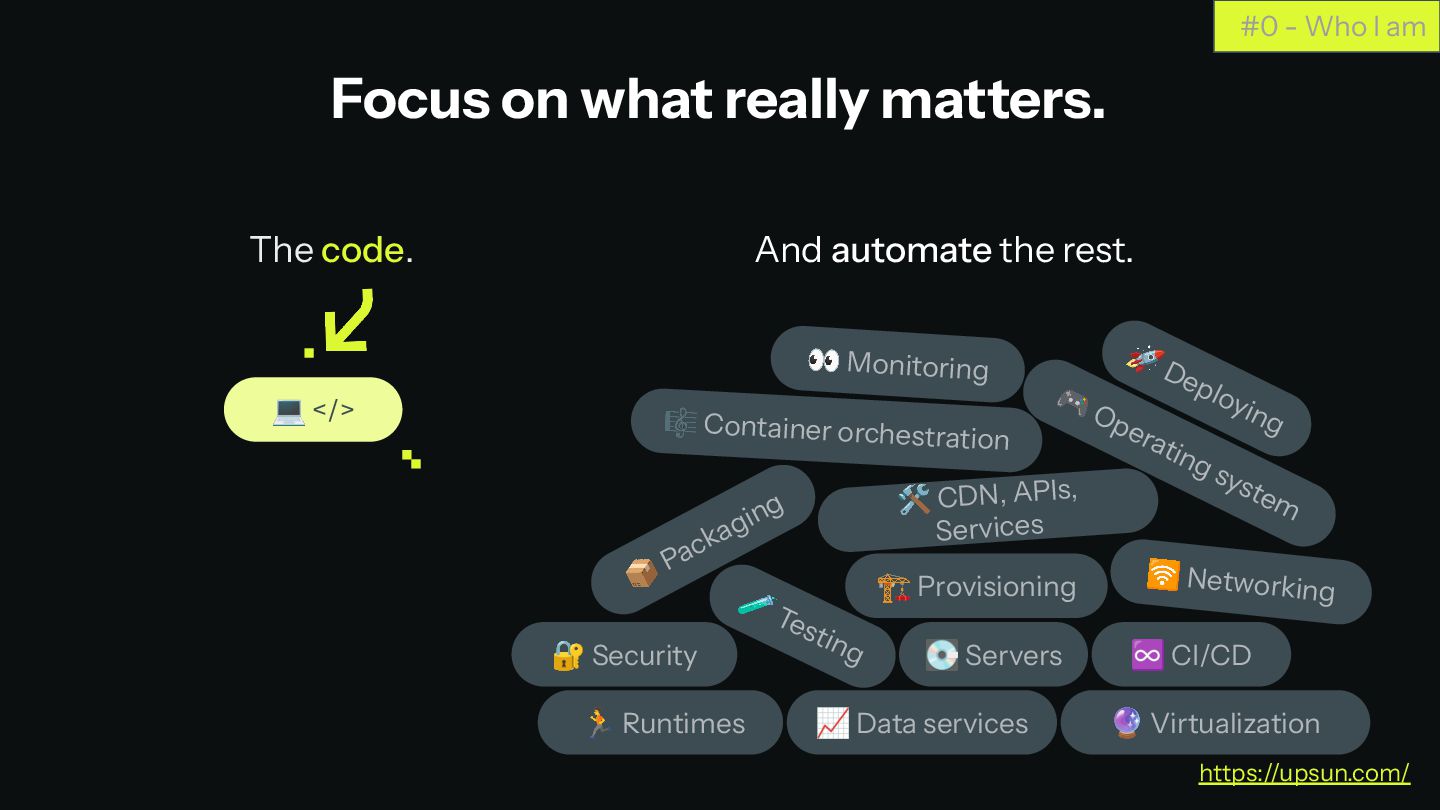
Focus on what really matters. 👀 Monitoring 🚀 Deploying 🏗
Provisioning 📦 Packaging 🧪 Testing 💻 </> 🔐 Security 📈 Data services 🎮 Operating system 🎼 Container orchestration 🛠 CDN, APIs, Services 💽 Servers 🛜 Networking ♾ CI/CD 🔮 Virtualization 🏃 Runtimes And automate the rest. The code. #0 - Who I am https://upsun.com/ 4 -
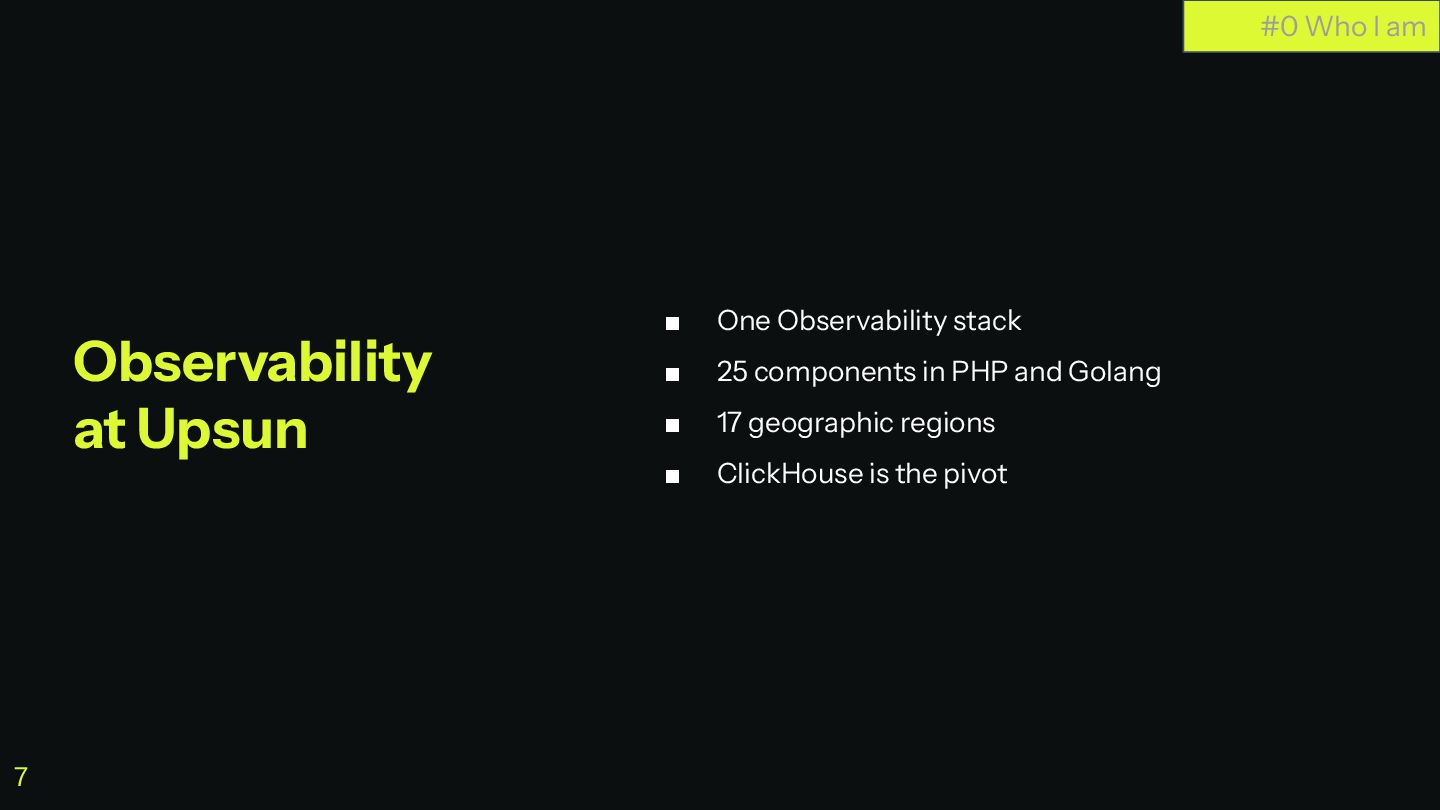
▪ One Observability stack ▪ 25 components in PHP and
Golang ▪ 17 geographic regions ▪ ClickHouse is the pivot #0 Who I am Observability at Upsun 7 -
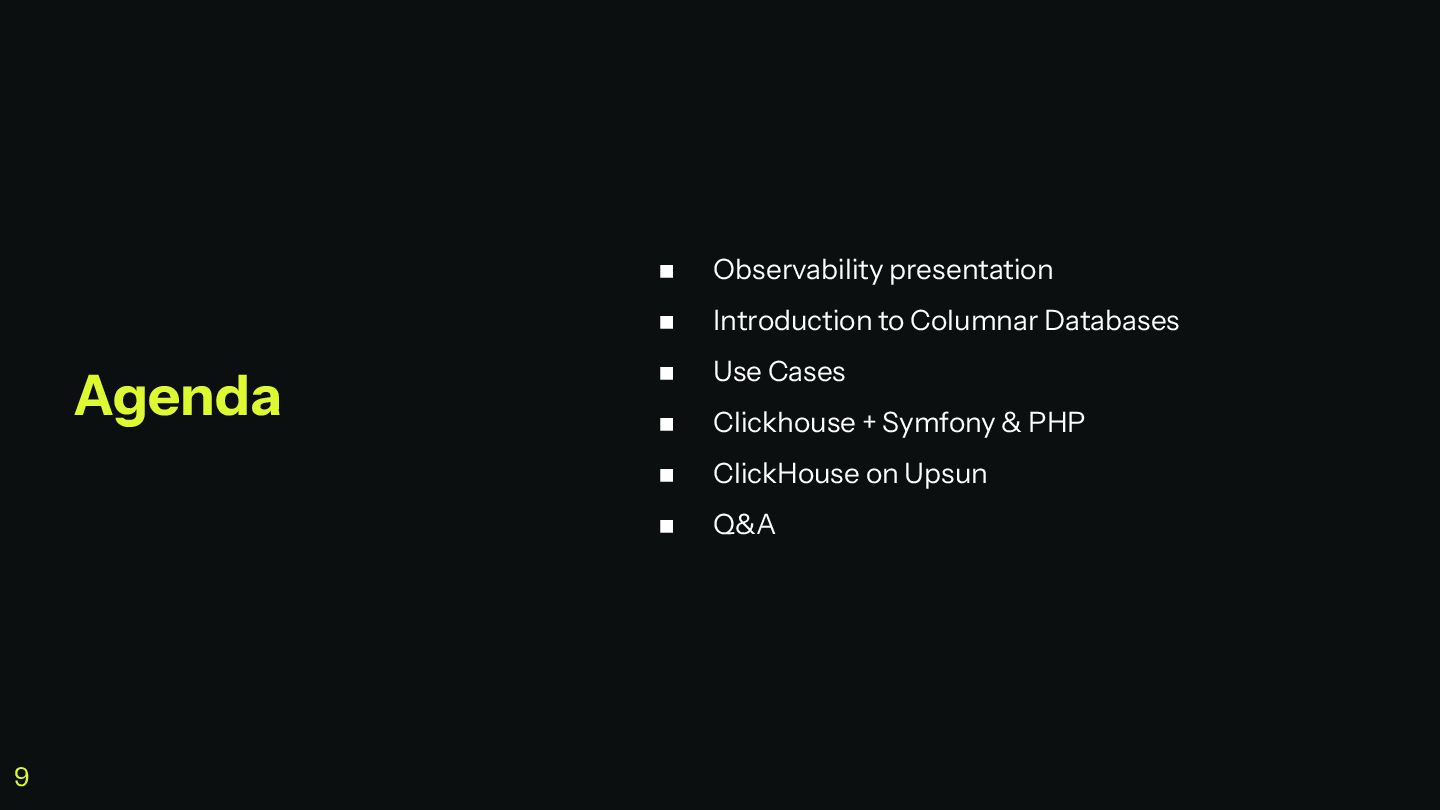
◼ Observability presentation ◼ Introduction to Columnar Databases ◼ Use
Cases ◼ Clickhouse + Symfony & PHP ◼ ClickHouse on Upsun ◼ Q&A Agenda 9 -
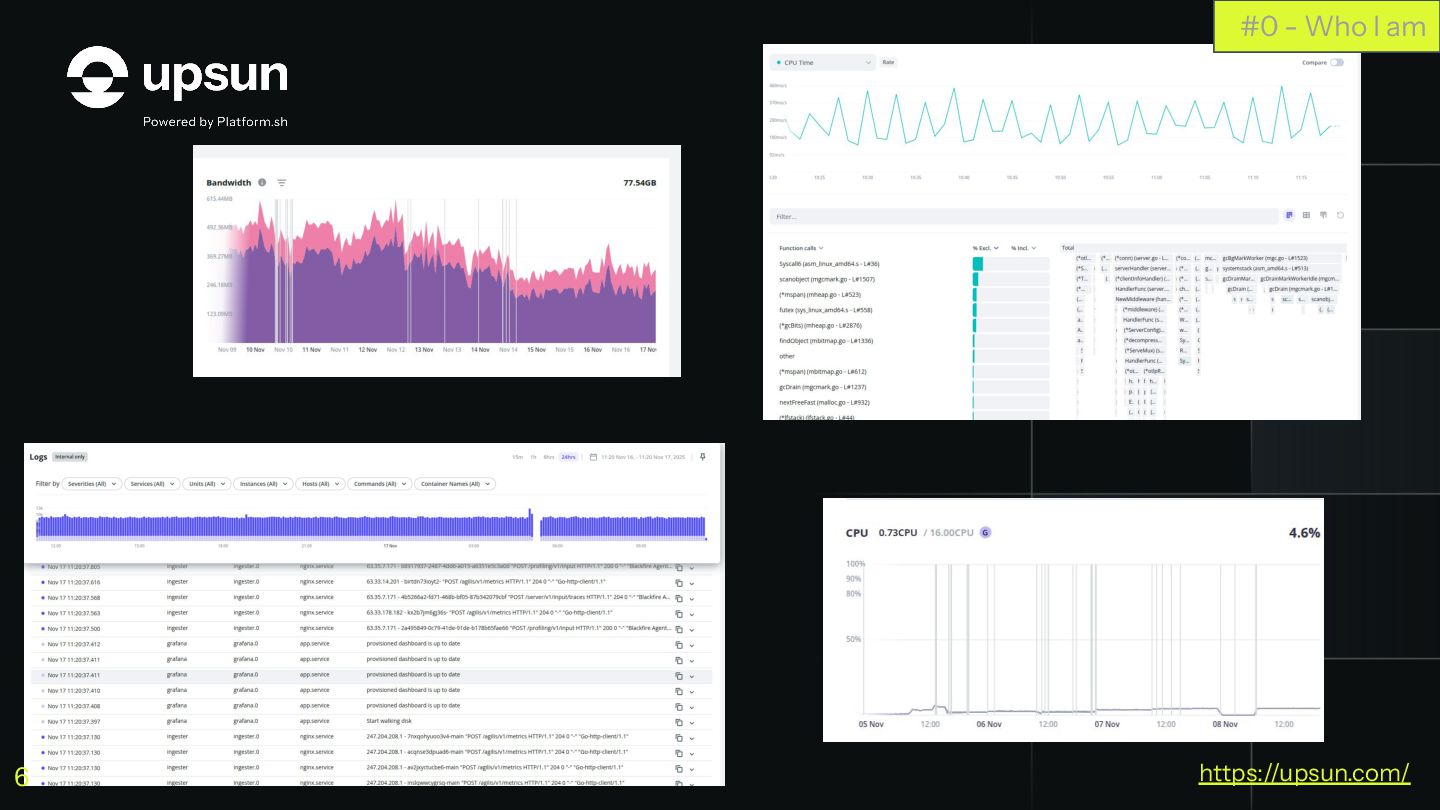
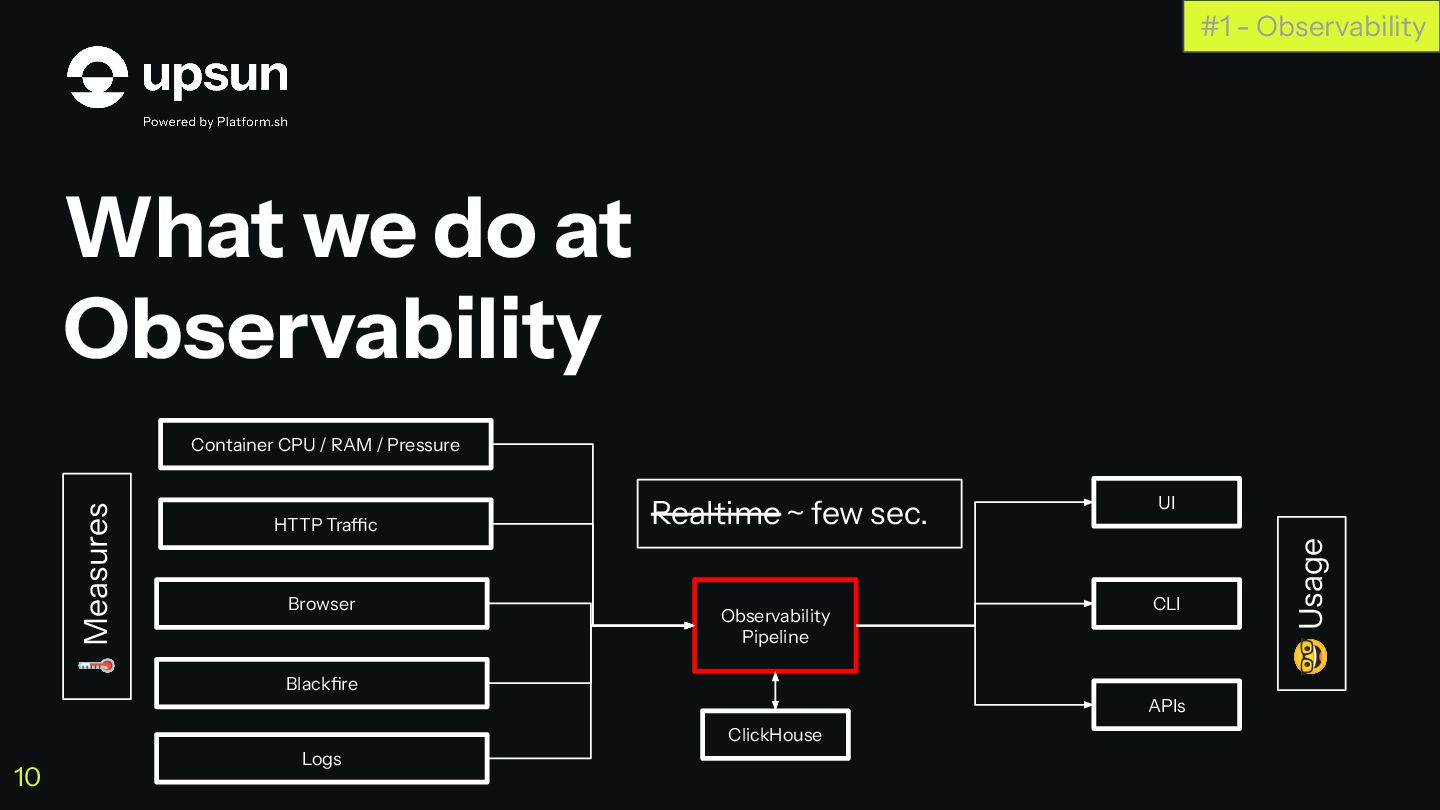
What we do at Observability #1 - Observability Container CPU
/ RAM / Pressure UI CLI APIs HTTP Traffic Browser Blackfire Logs Observability Pipeline Realtime ~ few sec. 🌡Measures 🤓 Usage 10 ClickHouse -
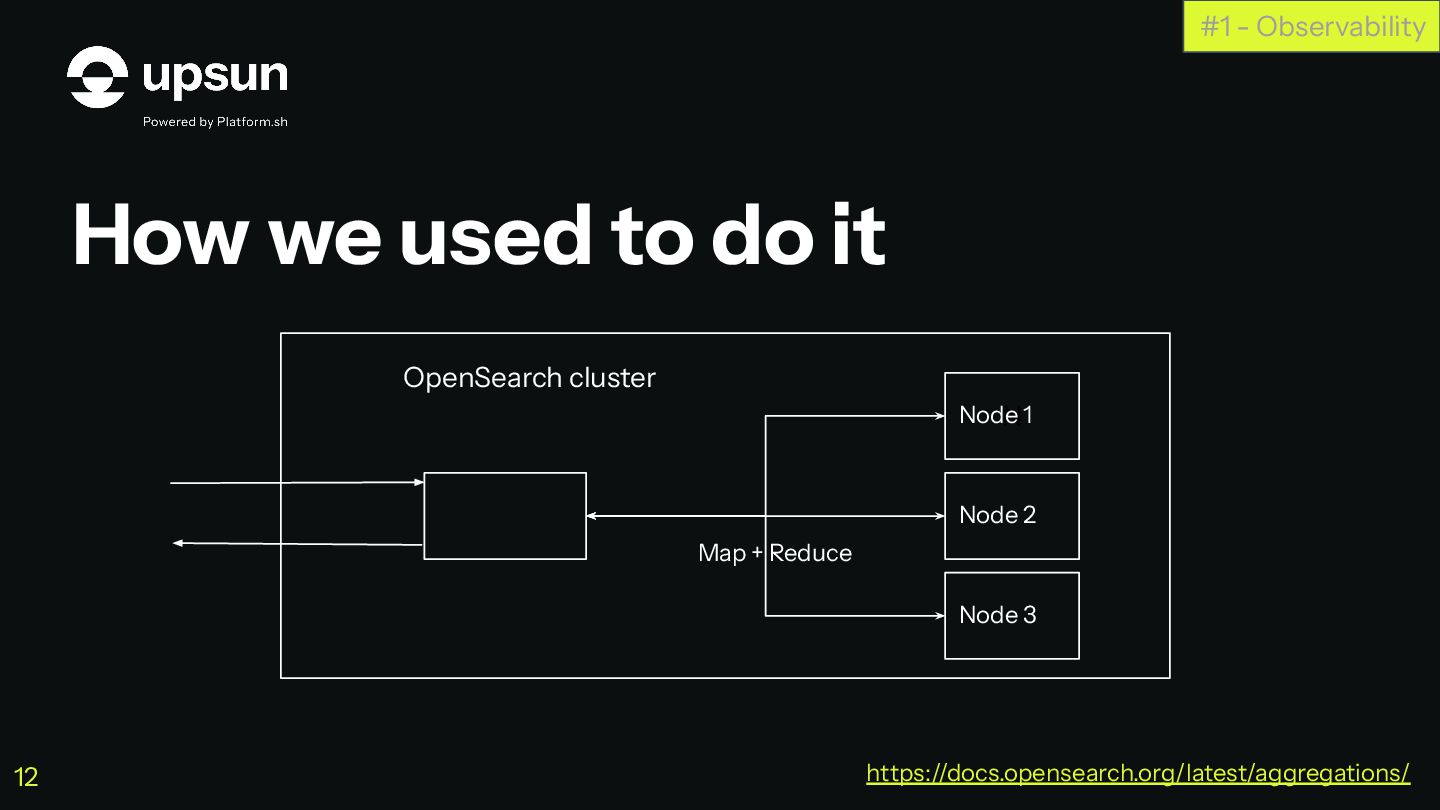
How we used to do it #1 - Observability OpenSearch
cluster N https://docs.opensearch.org/latest/aggregations/ 12 Node 1 Node 2 Node 3 Map + Reduce -
How we used to do it, and their limitations #1
- Observability Pre-aggregating data for faster queries on lowest time interval https://docs.opensearch.org/latest/aggregations/ 13 -
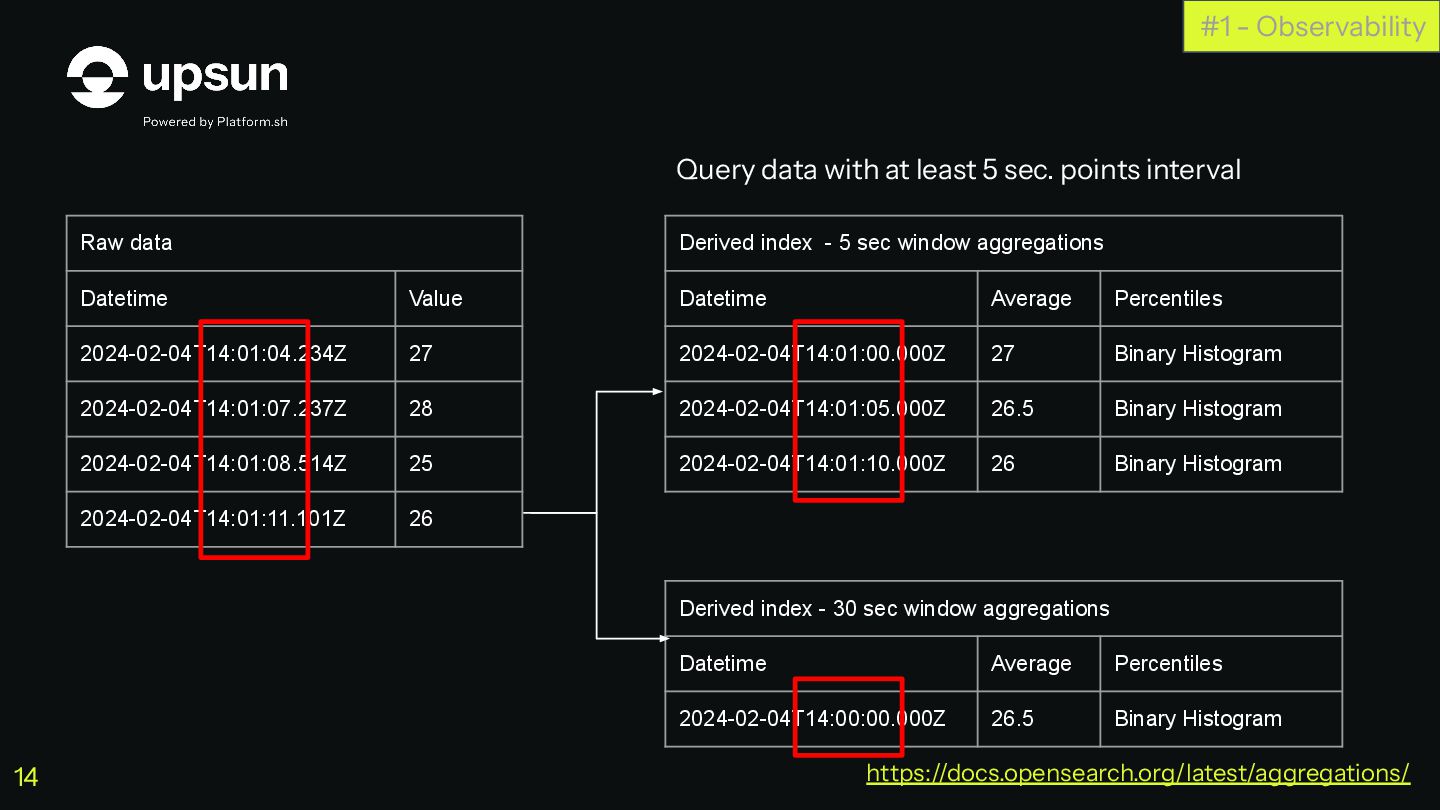
#1 - Observability Raw data Datetime Value 2024-02-04T14:01:04.234Z 27 2024-02-04T14:01:07.237Z
28 2024-02-04T14:01:08.514Z 25 2024-02-04T14:01:11.101Z 26 Derived index - 5 sec window aggregations Datetime Average Percentiles 2024-02-04T14:01:00.000Z 27 Binary Histogram 2024-02-04T14:01:05.000Z 26.5 Binary Histogram 2024-02-04T14:01:10.000Z 26 Binary Histogram Derived index - 30 sec window aggregations Datetime Average Percentiles 2024-02-04T14:00:00.000Z 26.5 Binary Histogram Query data with at least 5 sec. points interval Query data with at least 30 sec. points interval https://docs.opensearch.org/latest/aggregations/ 14 -
It did not scale with affordable budget Periodic triggers Unoptimized
architecture, limits of ES as a storage for numbers #1 - Observability https://docs.opensearch.org/latest/aggregations/ 15 -
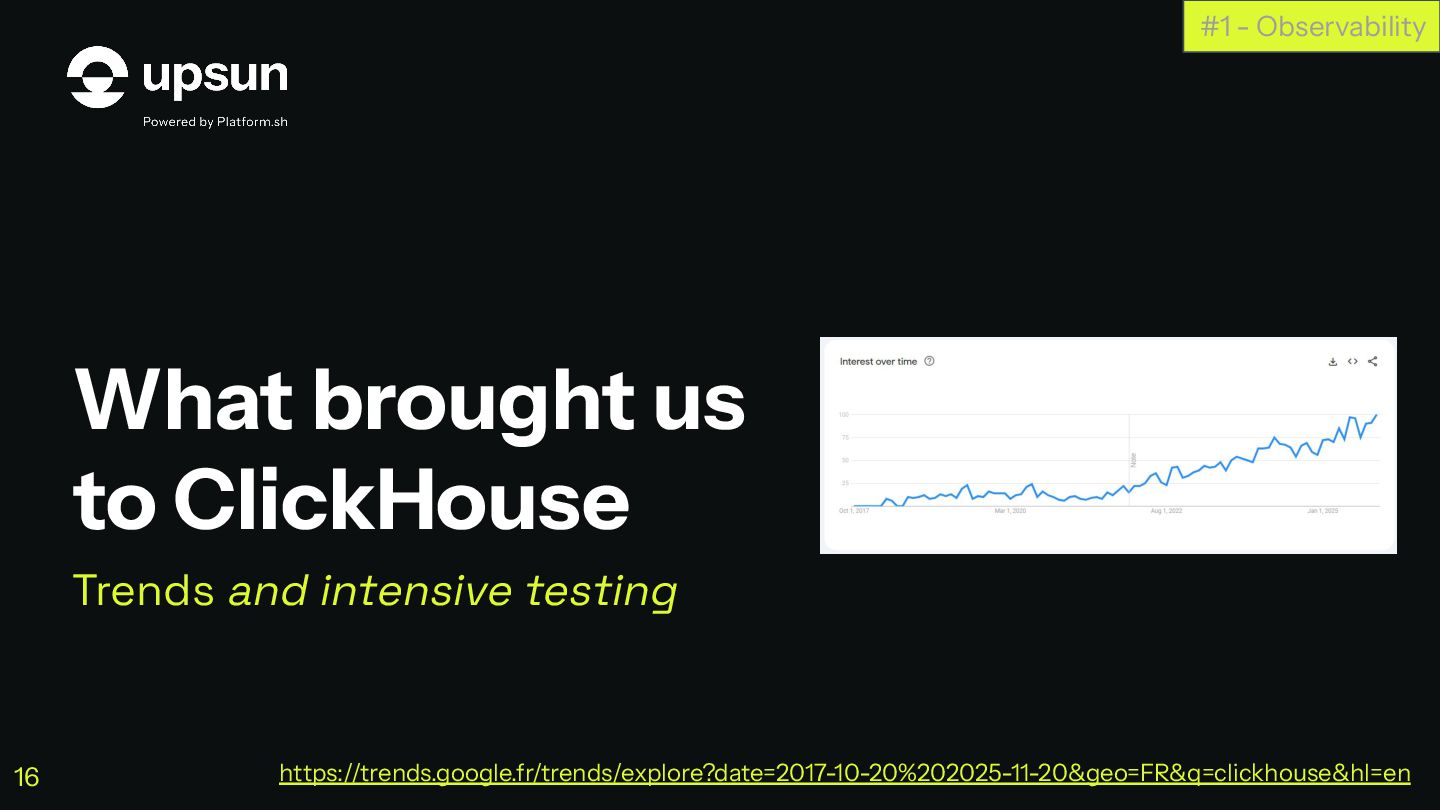
What brought us to ClickHouse Trends and intensive testing #1
- Observability https://trends.google.fr/trends/explore?date=2017-10-20%202025-11-20&geo=FR&q=clickhouse&hl=en 16 -
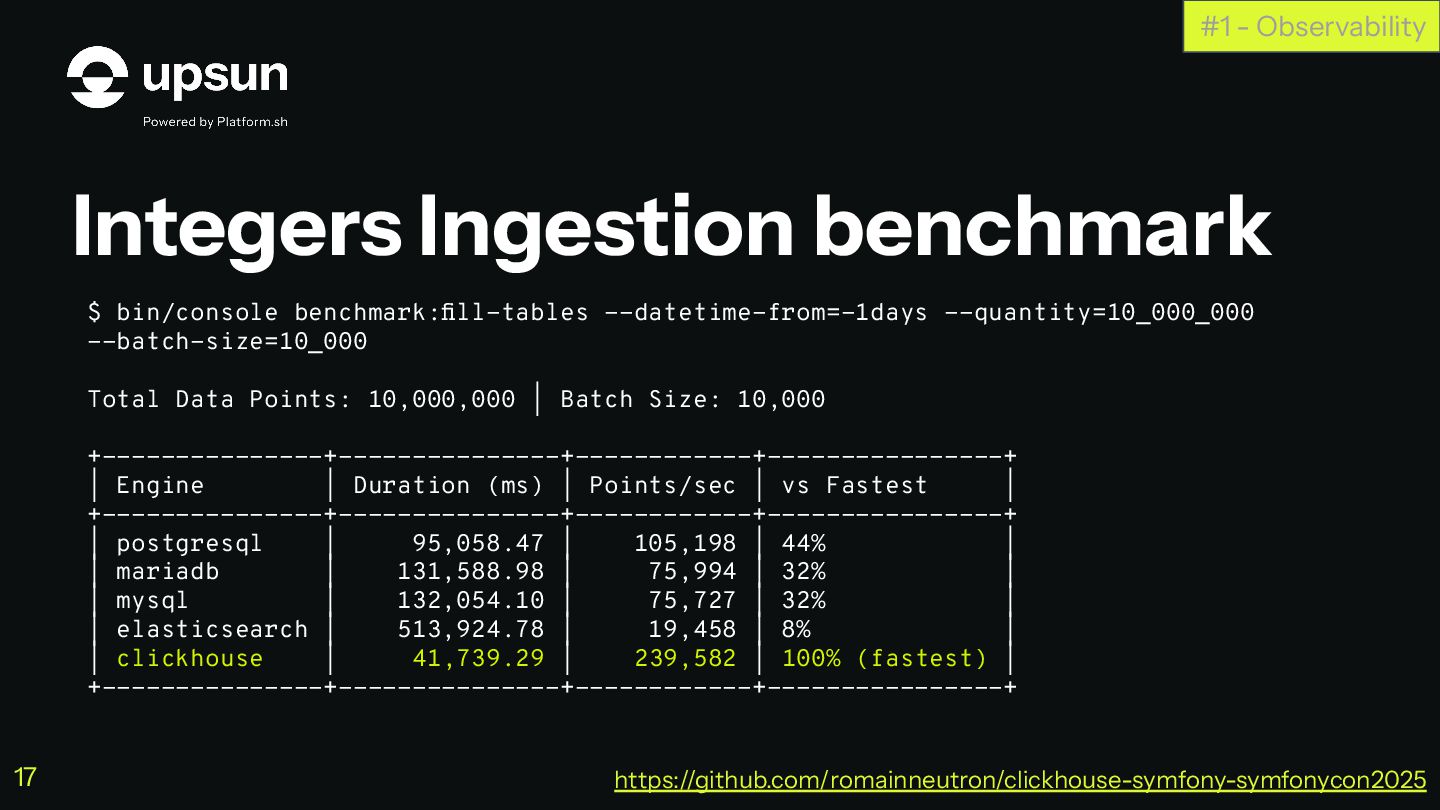
Integers Ingestion benchmark #1 - Observability $ bin/console benchmark:fill-tables --datetime-from=-1days
--quantity=10_000_000 --batch-size=10_000 Total Data Points: 10,000,000 | Batch Size: 10,000 +---------------+---------------+------------+----------------+ | Engine | Duration (ms) | Points/sec | vs Fastest | +---------------+---------------+------------+----------------+ | postgresql | 95,058.47 | 105,198 | 44% | | mariadb | 131,588.98 | 75,994 | 32% | | mysql | 132,054.10 | 75,727 | 32% | | elasticsearch | 513,924.78 | 19,458 | 8% | | clickhouse | 41,739.29 | 239,582 | 100% (fastest) | +---------------+---------------+------------+----------------+ https://github.com/romainneutron/clickhouse-symfony-symfonycon2025 17 -
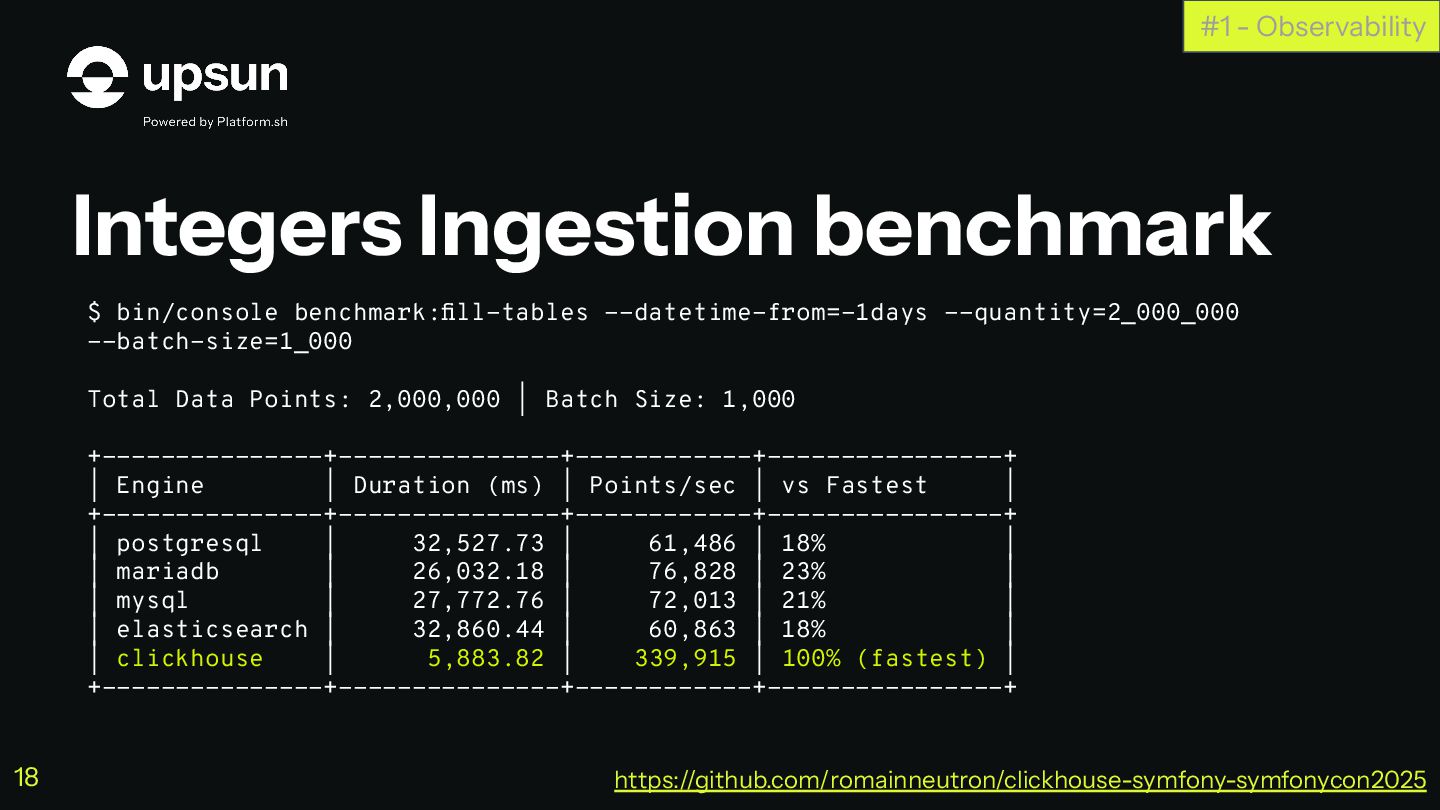
Integers Ingestion benchmark #1 - Observability $ bin/console benchmark:fill-tables --datetime-from=-1days
--quantity=2_000_000 --batch-size=1_000 Total Data Points: 2,000,000 | Batch Size: 1,000 +---------------+---------------+------------+----------------+ | Engine | Duration (ms) | Points/sec | vs Fastest | +---------------+---------------+------------+----------------+ | postgresql | 32,527.73 | 61,486 | 18% | | mariadb | 26,032.18 | 76,828 | 23% | | mysql | 27,772.76 | 72,013 | 21% | | elasticsearch | 32,860.44 | 60,863 | 18% | | clickhouse | 5,883.82 | 339,915 | 100% (fastest) | +---------------+---------------+------------+----------------+ https://github.com/romainneutron/clickhouse-symfony-symfonycon2025 18 -
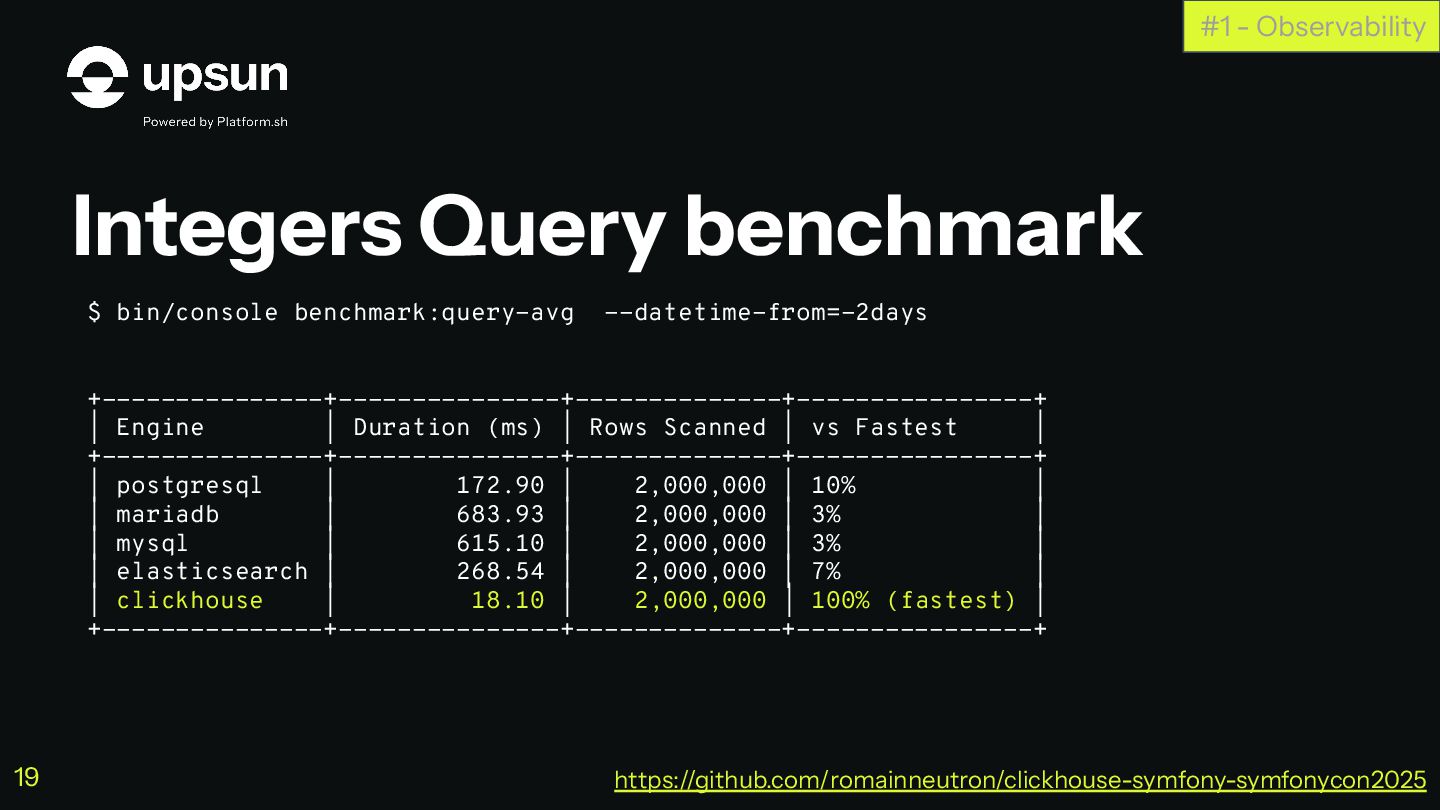
Integers Query benchmark #1 - Observability $ bin/console benchmark:query-avg --datetime-from=-2days
+---------------+---------------+--------------+----------------+ | Engine | Duration (ms) | Rows Scanned | vs Fastest | +---------------+---------------+--------------+----------------+ | postgresql | 172.90 | 2,000,000 | 10% | | mariadb | 683.93 | 2,000,000 | 3% | | mysql | 615.10 | 2,000,000 | 3% | | elasticsearch | 268.54 | 2,000,000 | 7% | | clickhouse | 18.10 | 2,000,000 | 100% (fastest) | +---------------+---------------+--------------+----------------+ https://github.com/romainneutron/clickhouse-symfony-symfonycon2025 19 -
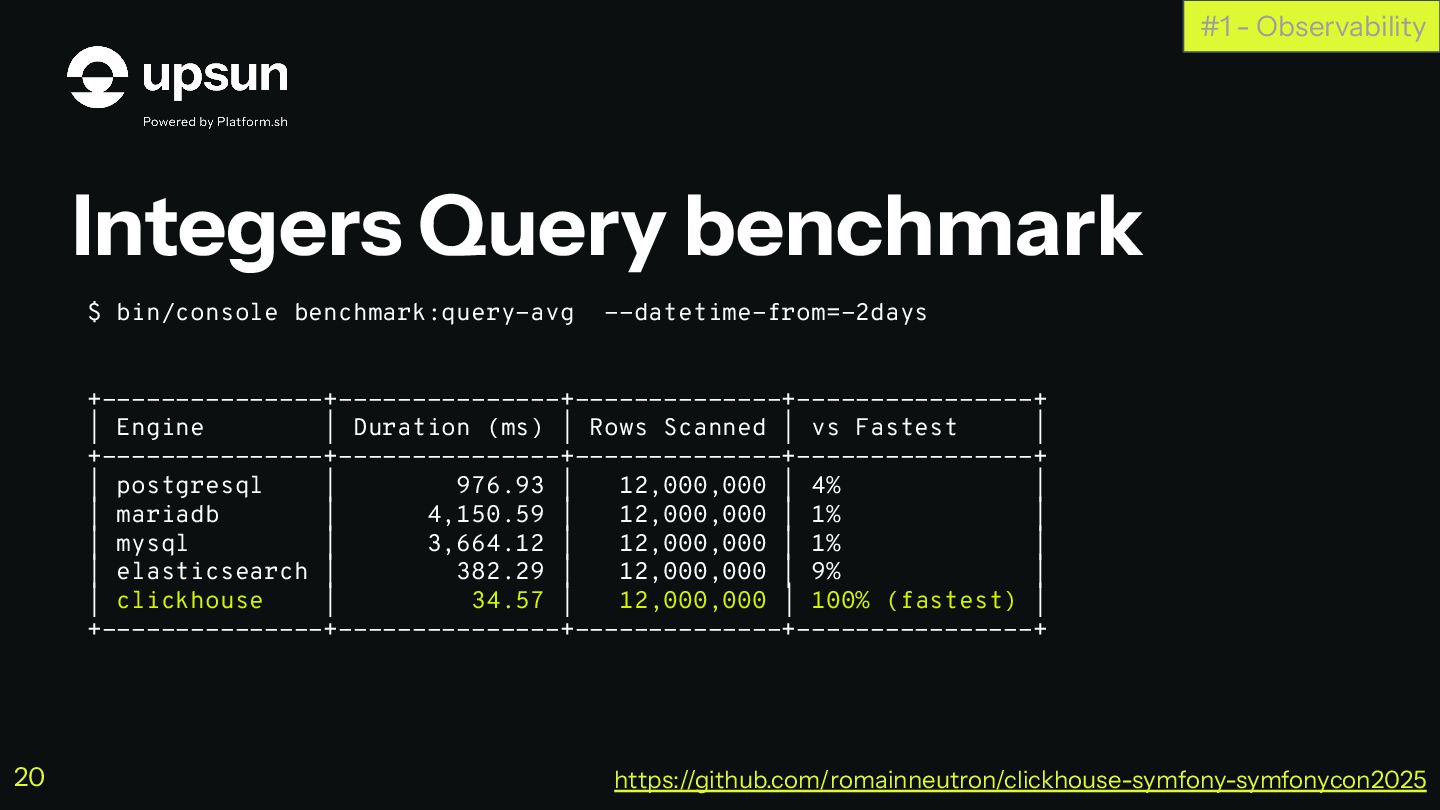
Integers Query benchmark #1 - Observability $ bin/console benchmark:query-avg --datetime-from=-2days
+---------------+---------------+--------------+----------------+ | Engine | Duration (ms) | Rows Scanned | vs Fastest | +---------------+---------------+--------------+----------------+ | postgresql | 976.93 | 12,000,000 | 4% | | mariadb | 4,150.59 | 12,000,000 | 1% | | mysql | 3,664.12 | 12,000,000 | 1% | | elasticsearch | 382.29 | 12,000,000 | 9% | | clickhouse | 34.57 | 12,000,000 | 100% (fastest) | +---------------+---------------+--------------+----------------+ https://github.com/romainneutron/clickhouse-symfony-symfonycon2025 20 -
Integers Query benchmark #1 - Observability $ bin/console benchmark:query-avg --datetime-from=-2days
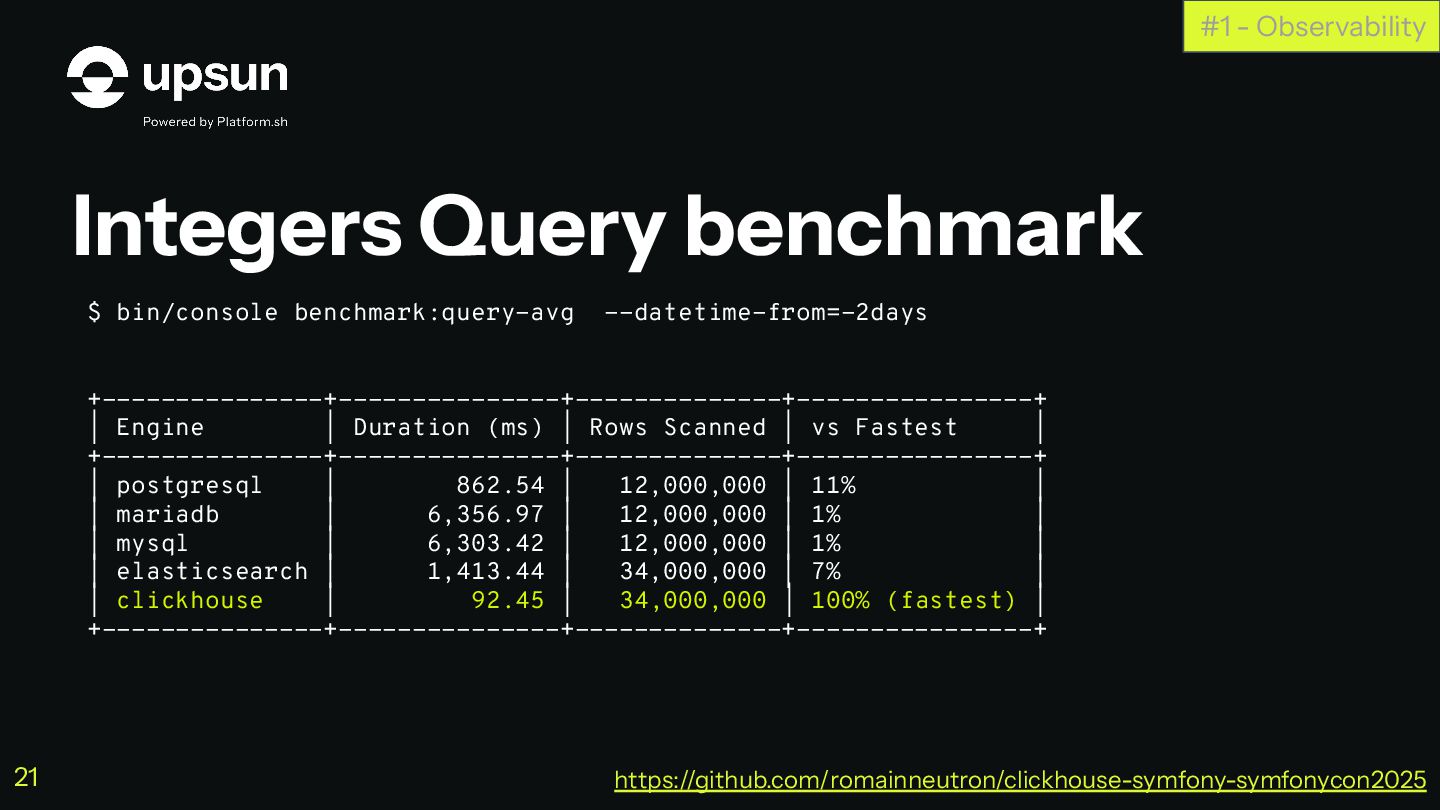
+---------------+---------------+--------------+----------------+ | Engine | Duration (ms) | Rows Scanned | vs Fastest | +---------------+---------------+--------------+----------------+ | postgresql | 862.54 | 12,000,000 | 11% | | mariadb | 6,356.97 | 12,000,000 | 1% | | mysql | 6,303.42 | 12,000,000 | 1% | | elasticsearch | 1,413.44 | 34,000,000 | 7% | | clickhouse | 92.45 | 34,000,000 | 100% (fastest) | +---------------+---------------+--------------+----------------+ https://github.com/romainneutron/clickhouse-symfony-symfonycon2025 21 -
Integers Query benchmark #1 - Observability $ bin/console benchmark:query-avg --datetime-from=-2days
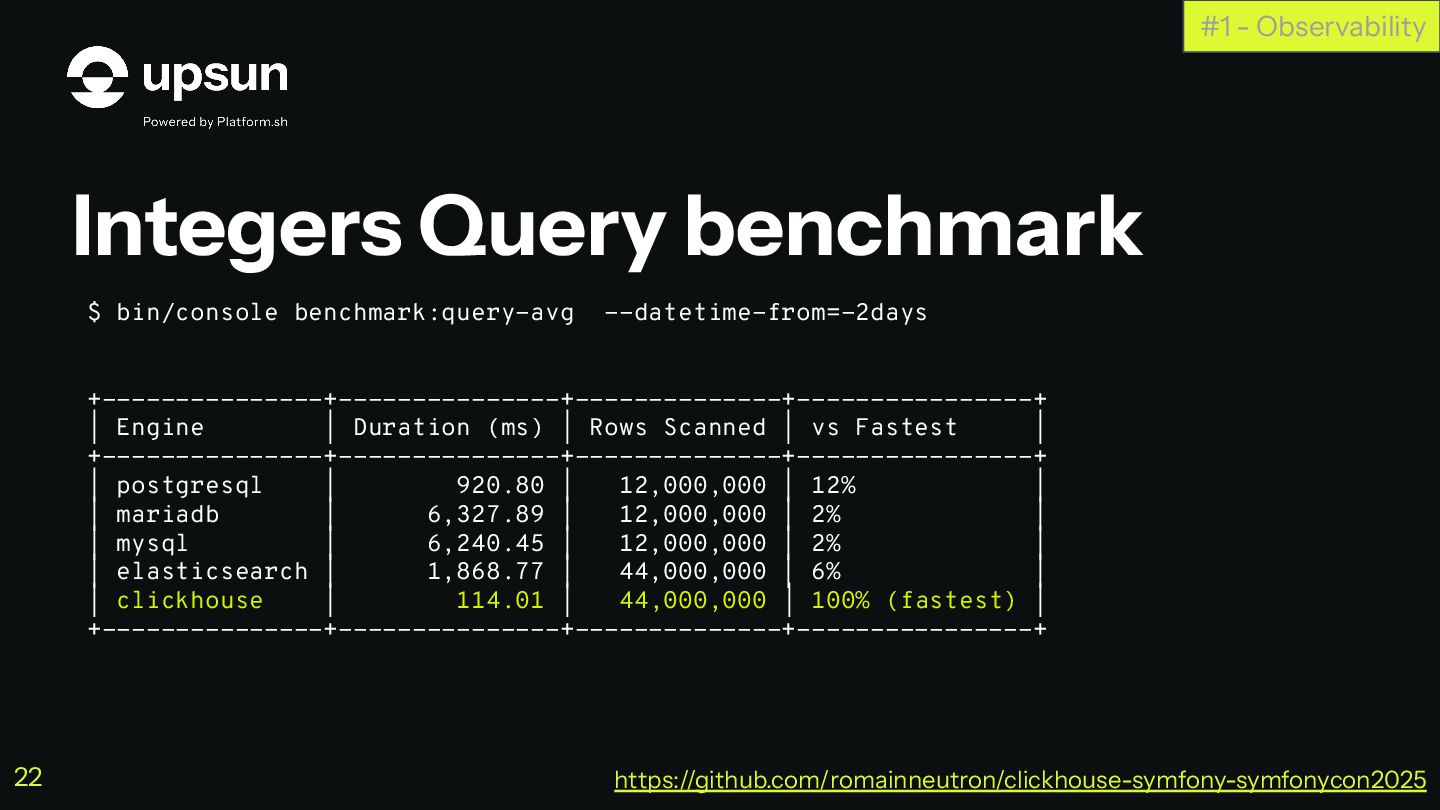
+---------------+---------------+--------------+----------------+ | Engine | Duration (ms) | Rows Scanned | vs Fastest | +---------------+---------------+--------------+----------------+ | postgresql | 920.80 | 12,000,000 | 12% | | mariadb | 6,327.89 | 12,000,000 | 2% | | mysql | 6,240.45 | 12,000,000 | 2% | | elasticsearch | 1,868.77 | 44,000,000 | 6% | | clickhouse | 114.01 | 44,000,000 | 100% (fastest) | +---------------+---------------+--------------+----------------+ https://github.com/romainneutron/clickhouse-symfony-symfonycon2025 22 -
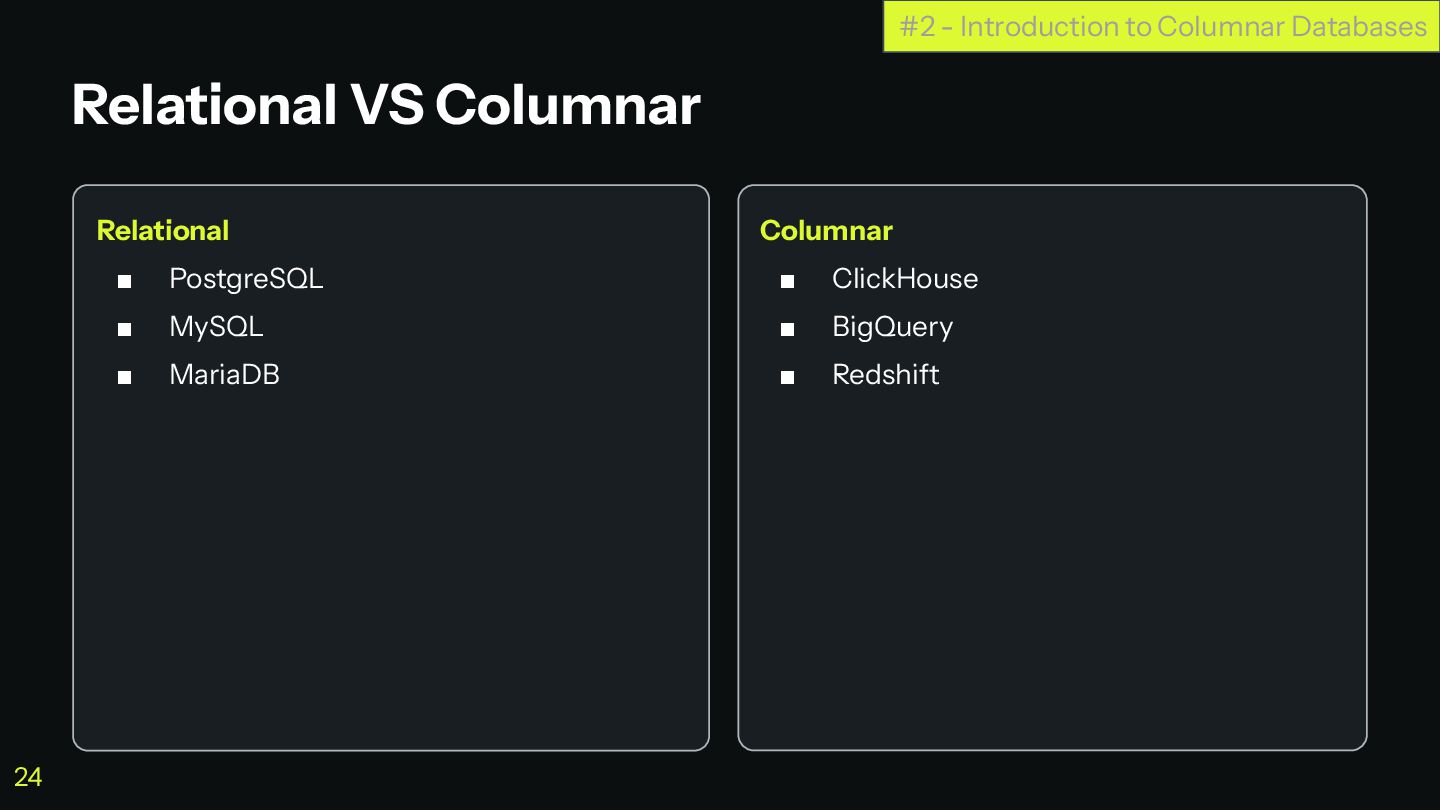
Relational ▪ PostgreSQL ▪ MySQL ▪ MariaDB Columnar ▪ ClickHouse
▪ BigQuery ▪ Redshift Relational VS Columnar #2 - Introduction to Columnar Databases 24 -
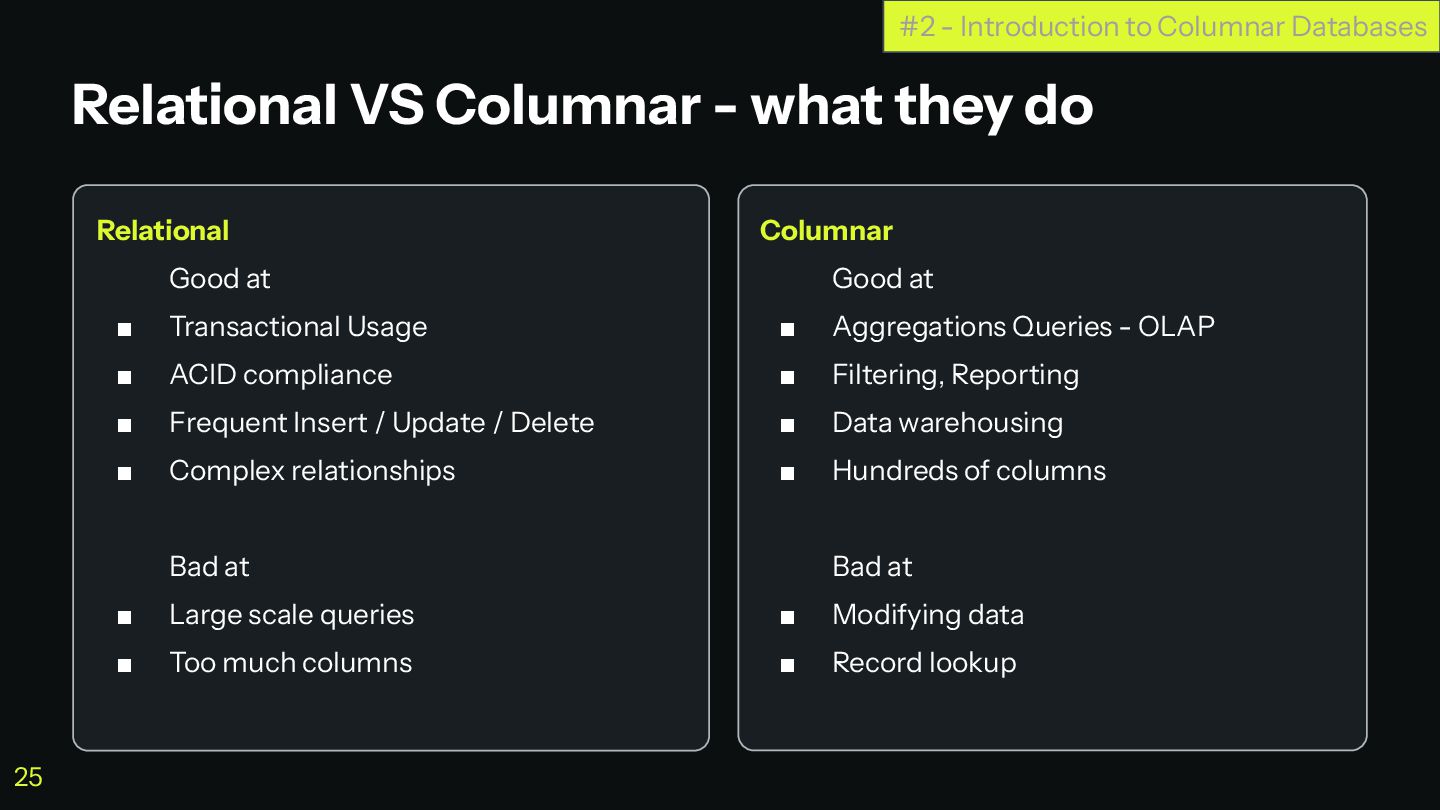
Relational Good at ▪ Transactional Usage ▪ ACID compliance ▪
Frequent Insert / Update / Delete ▪ Complex relationships Bad at ▪ Large scale queries ▪ Too much columns Columnar Good at ▪ Aggregations Queries - OLAP ▪ Filtering, Reporting ▪ Data warehousing ▪ Hundreds of columns Bad at ▪ Modifying data ▪ Record lookup Relational VS Columnar - what they do #2 - Introduction to Columnar Databases 25 -
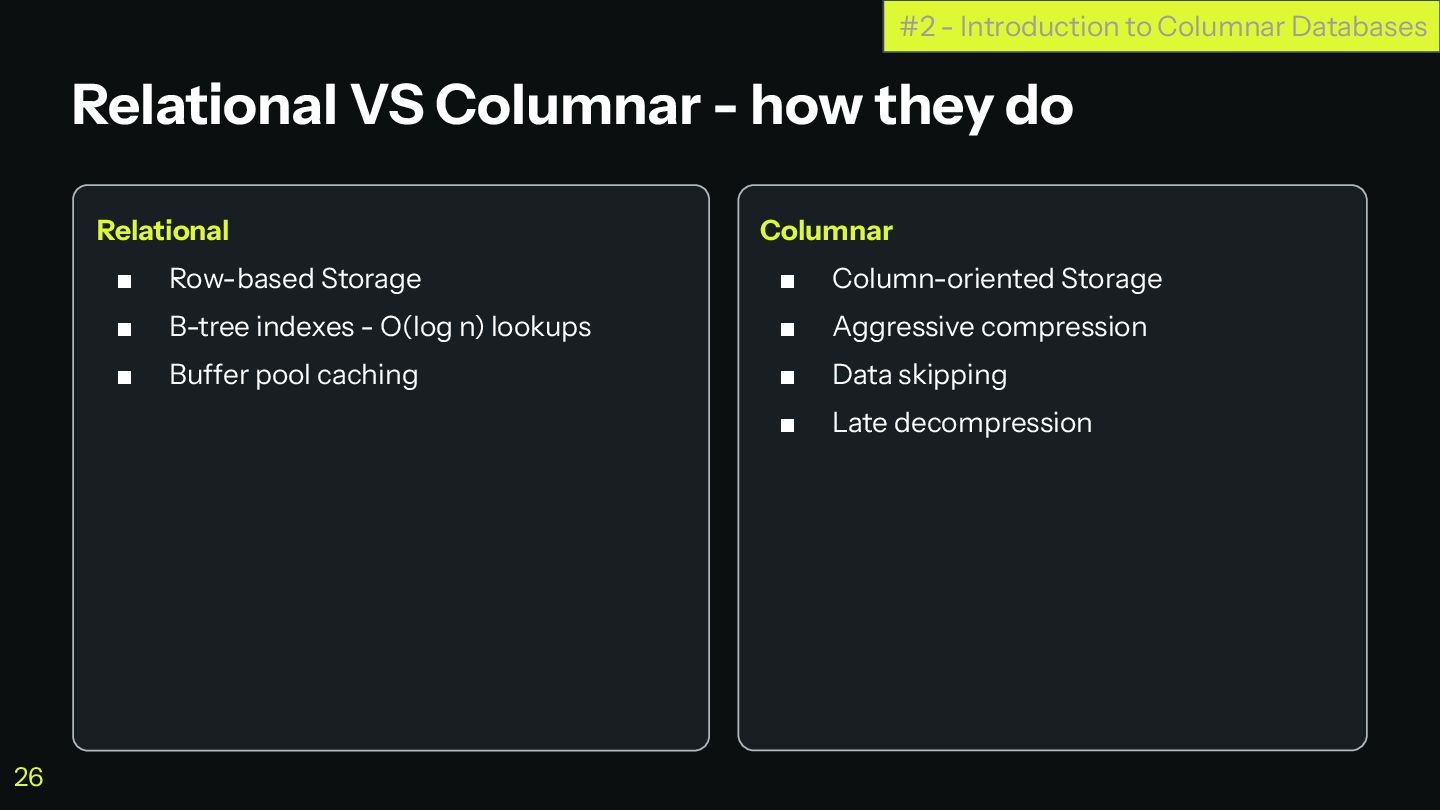
Relational ▪ Row-based Storage ▪ B-tree indexes - O(log n)
lookups ▪ Buffer pool caching Columnar ▪ Column-oriented Storage ▪ Aggressive compression ▪ Data skipping ▪ Late decompression Relational VS Columnar - how they do #2 - Introduction to Columnar Databases 26 -
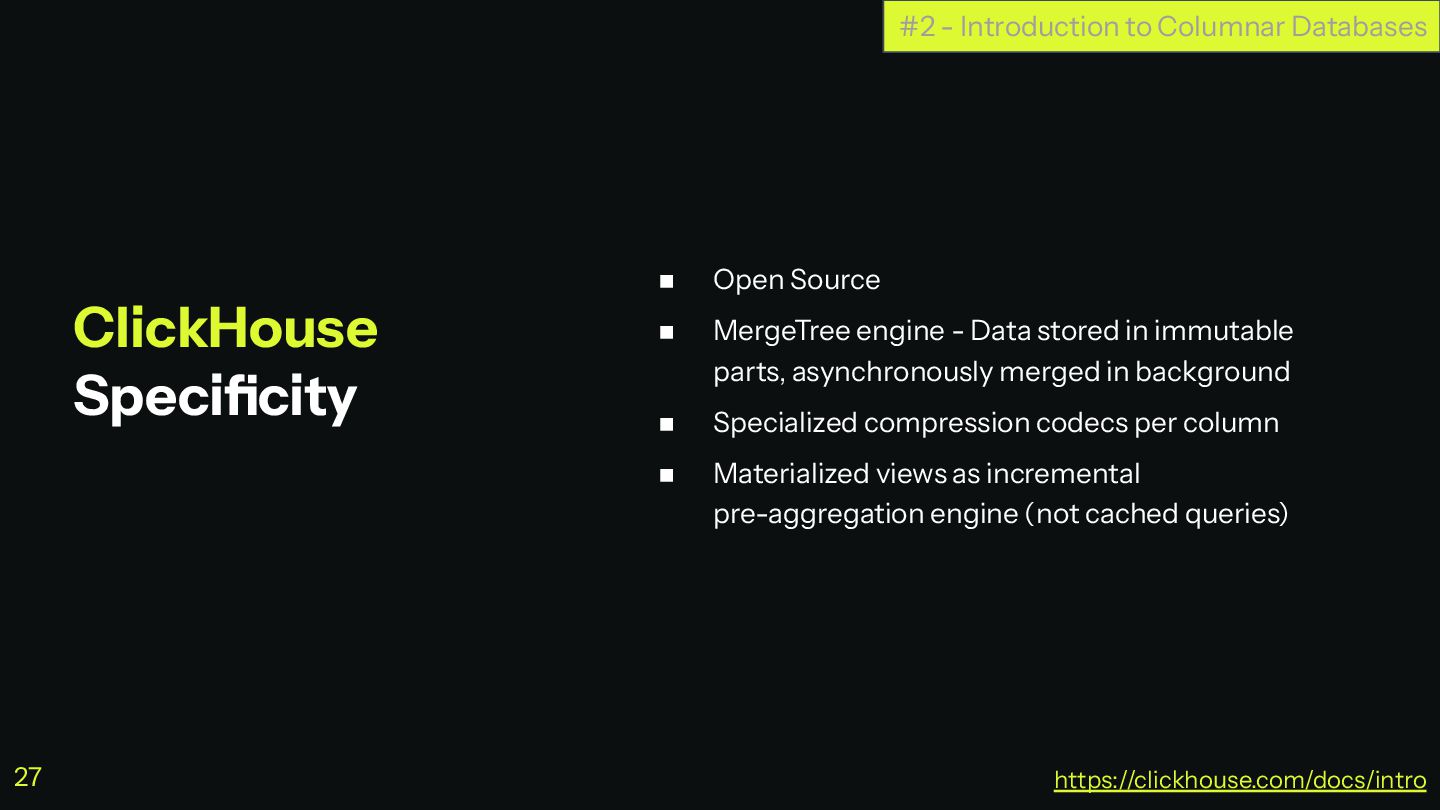
◼ Open Source ◼ MergeTree engine - Data stored in
immutable parts, asynchronously merged in background ◼ Specialized compression codecs per column ◼ Materialized views as incremental pre-aggregation engine (not cached queries) ClickHouse Specificity #2 - Introduction to Columnar Databases https://clickhouse.com/docs/intro 27 -
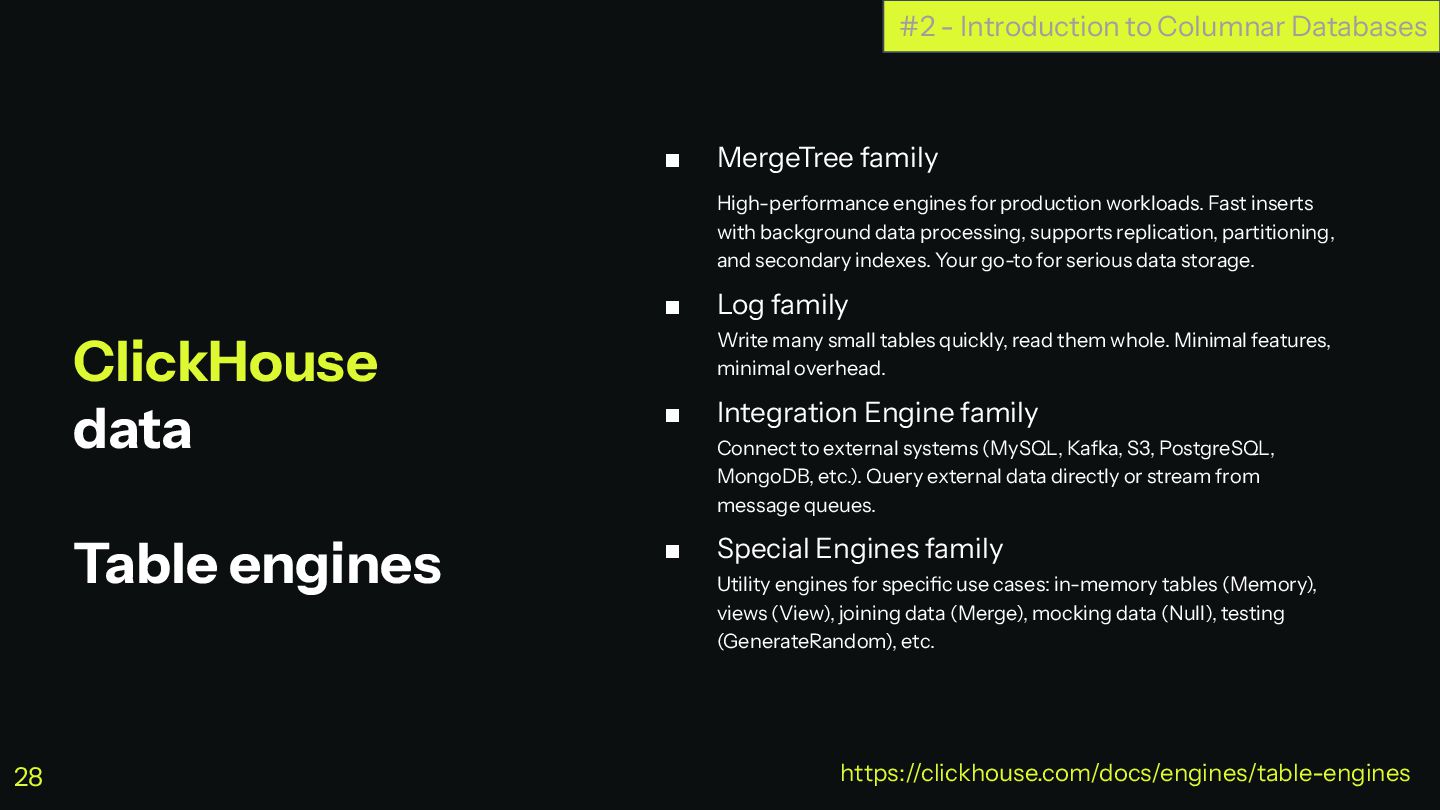
ClickHouse data Table engines ▪ MergeTree family High-performance engines for
production workloads. Fast inserts with background data processing, supports replication, partitioning, and secondary indexes. Your go-to for serious data storage. ▪ Log family Write many small tables quickly, read them whole. Minimal features, minimal overhead. ▪ Integration Engine family Connect to external systems (MySQL, Kafka, S3, PostgreSQL, MongoDB, etc.). Query external data directly or stream from message queues. ▪ Special Engines family Utility engines for specific use cases: in-memory tables (Memory), views (View), joining data (Merge), mocking data (Null), testing (GenerateRandom), etc. #2 - Introduction to Columnar Databases https://clickhouse.com/docs/engines/table-engines 28 -
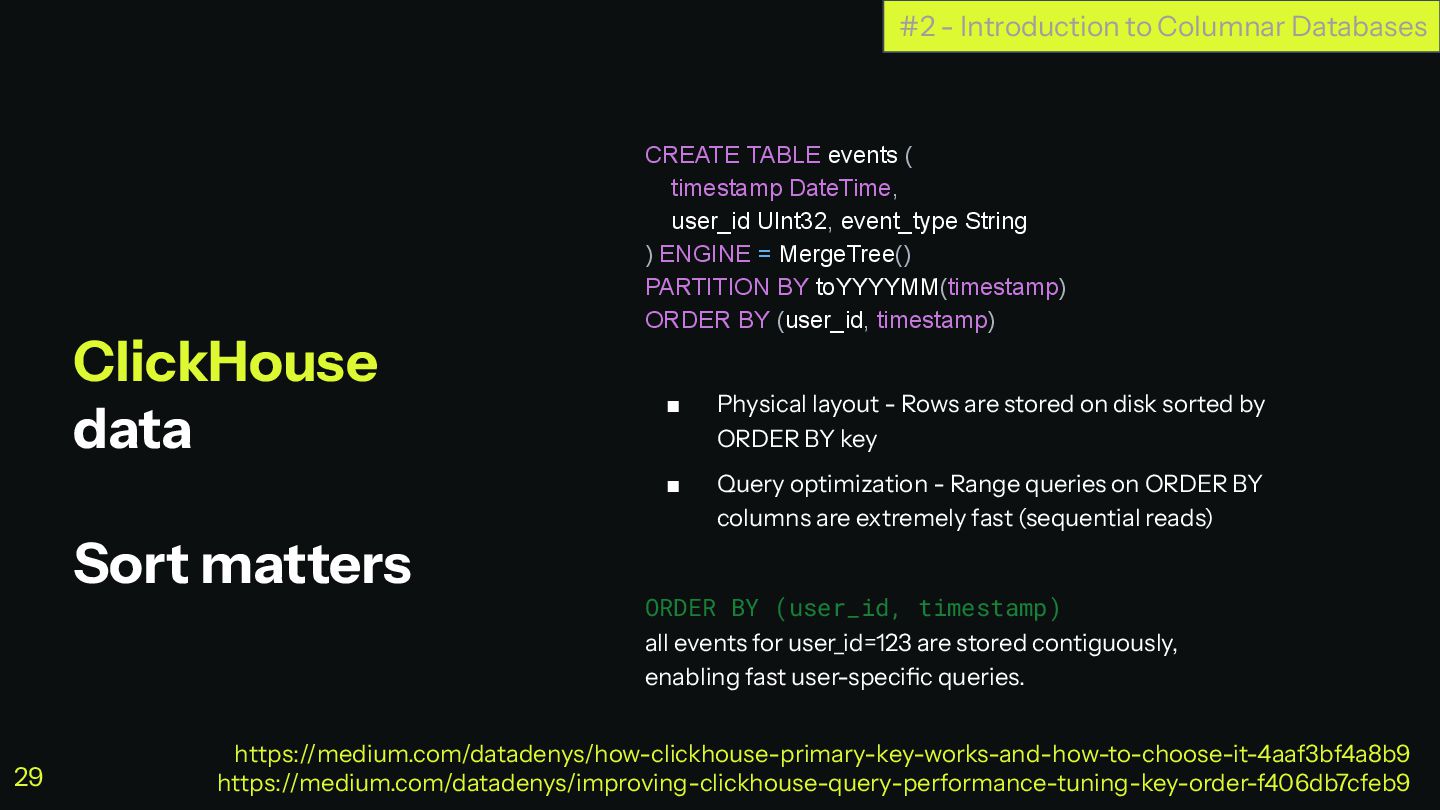
ClickHouse data Sort matters CREATE TABLE events ( timestamp DateTime,
user_id UInt32, event_type String ) ENGINE = MergeTree() PARTITION BY toYYYYMM(timestamp) ORDER BY (user_id, timestamp) ▪ Physical layout - Rows are stored on disk sorted by ORDER BY key ▪ Query optimization - Range queries on ORDER BY columns are extremely fast (sequential reads) ORDER BY (user_id, timestamp) all events for user_id=123 are stored contiguously, enabling fast user-specific queries. #2 - Introduction to Columnar Databases https://medium.com/datadenys/how-clickhouse-primary-key-works-and-how-to-choose-it-4aaf3bf4a8b9 https://medium.com/datadenys/improving-clickhouse-query-performance-tuning-key-order-f406db7cfeb9 29 -
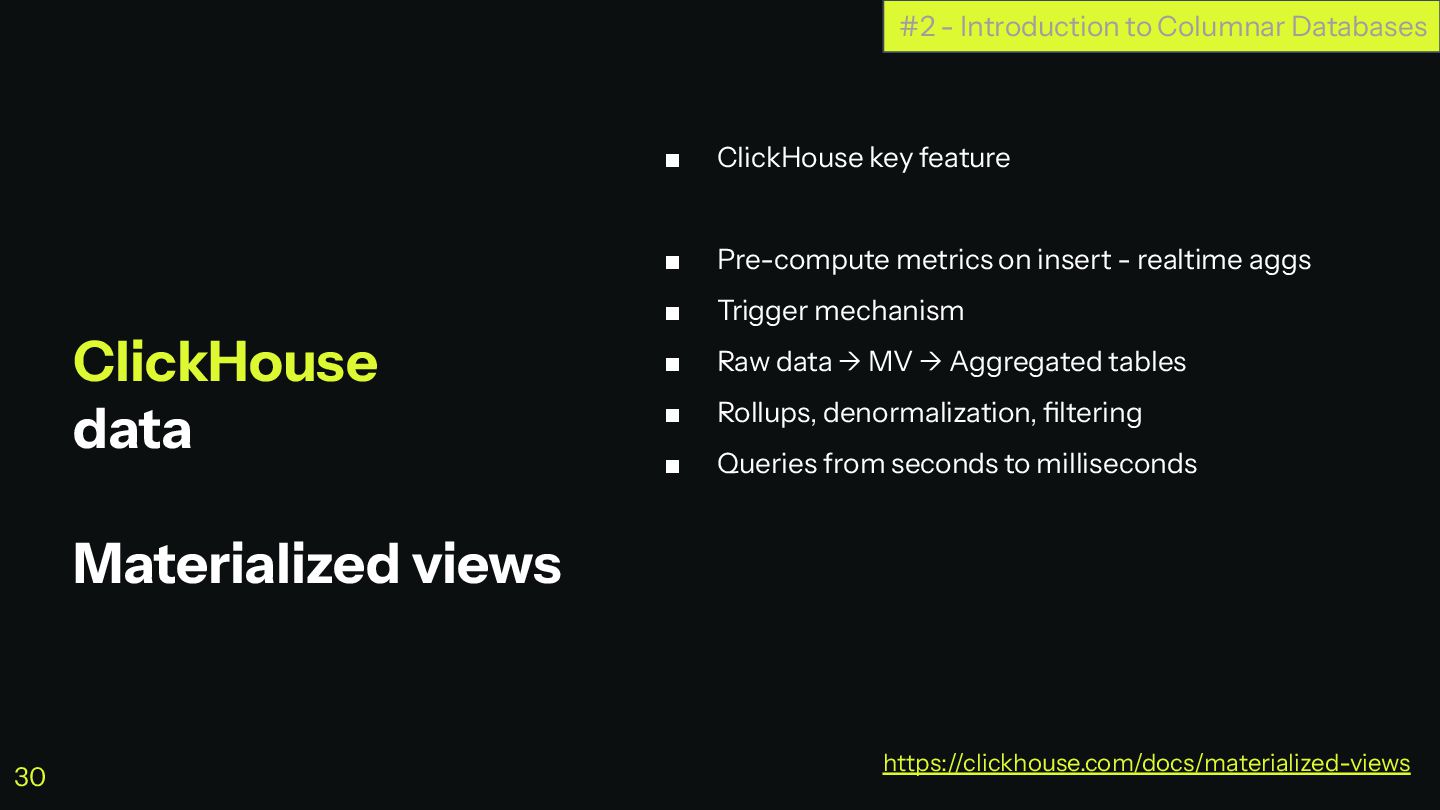
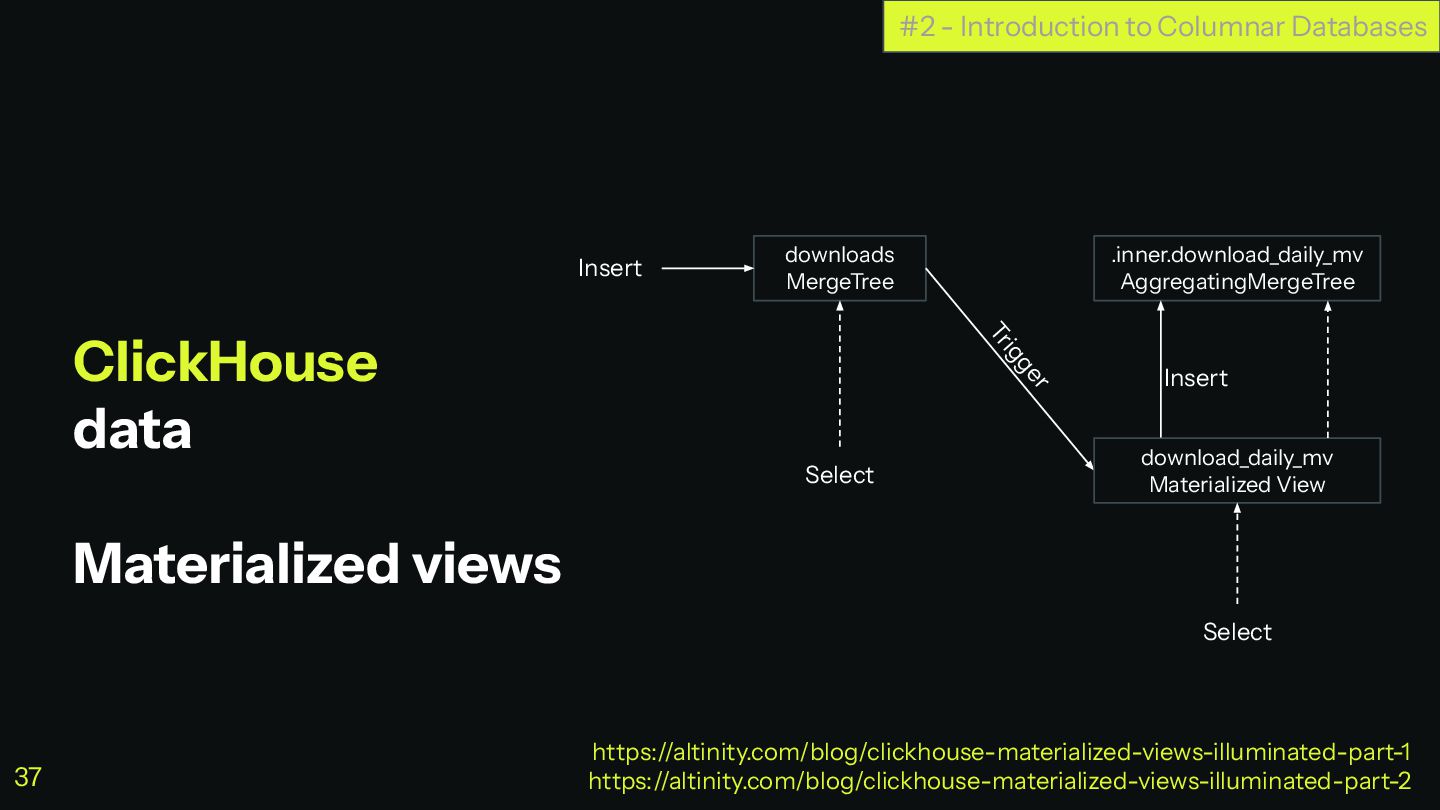
ClickHouse data Materialized views ▪ ClickHouse key feature ▪ Pre-compute
metrics on insert - realtime aggs ▪ Trigger mechanism ▪ Raw data → MV → Aggregated tables ▪ Rollups, denormalization, filtering ▪ Queries from seconds to milliseconds #2 - Introduction to Columnar Databases https://clickhouse.com/docs/materialized-views 30 -
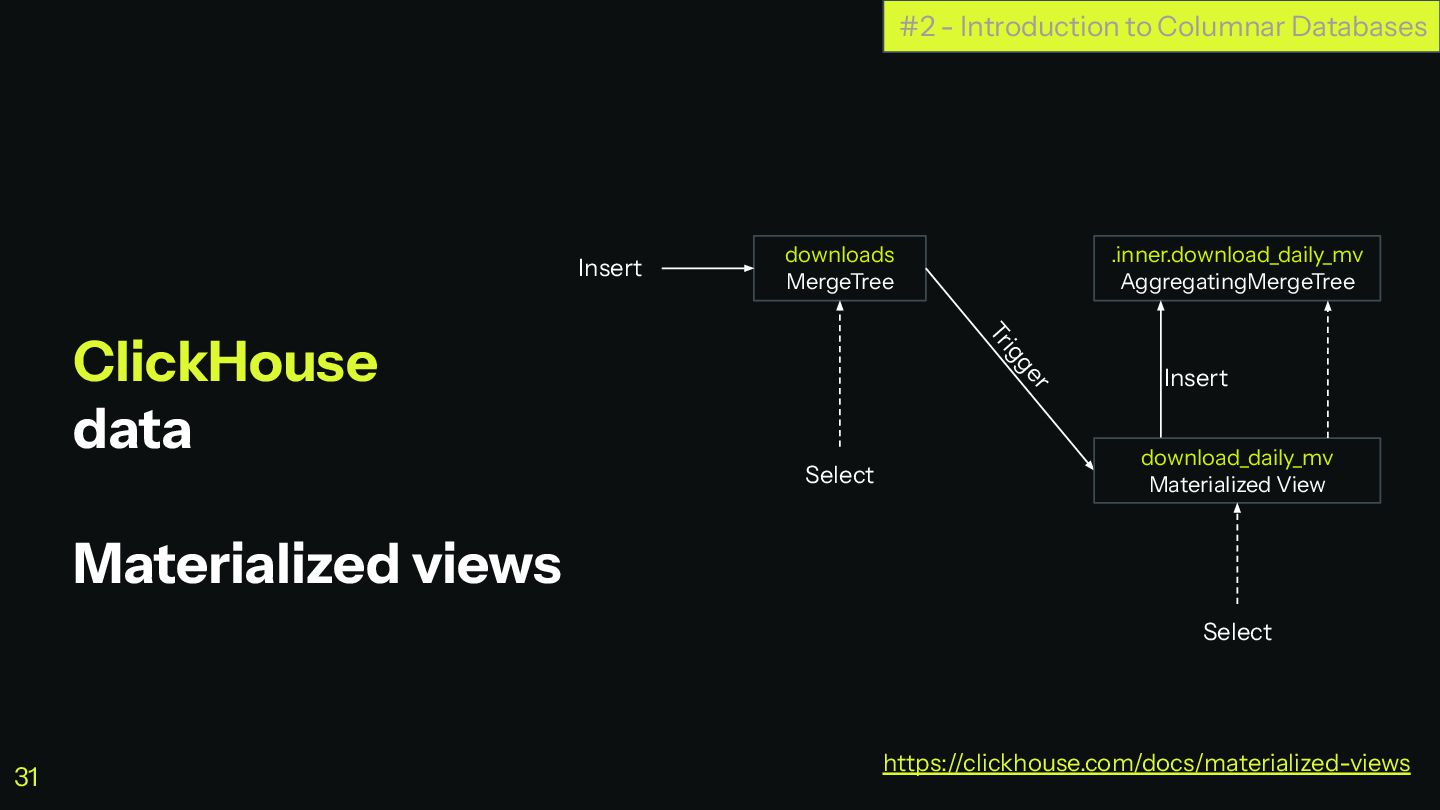
ClickHouse data Materialized views #2 - Introduction to Columnar Databases
https://clickhouse.com/docs/materialized-views downloads MergeTree .inner.download_daily_mv AggregatingMergeTree download_daily_mv Materialized View Select Select Insert Insert Trigger 31 -
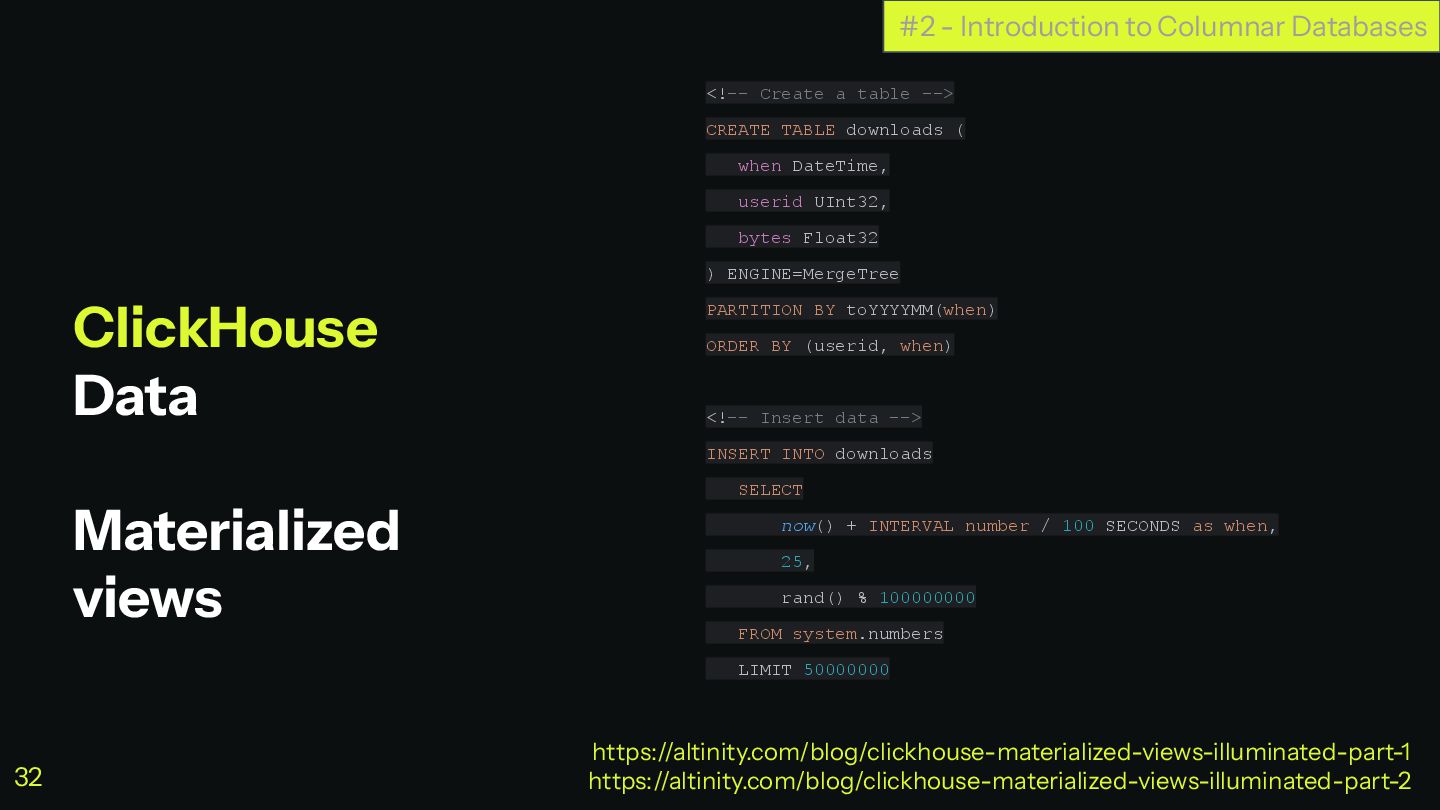
ClickHouse Data Materialized views <!-- Create a table --> CREATE
TABLE downloads ( when DateTime, userid UInt32, bytes Float32 ) ENGINE=MergeTree PARTITION BY toYYYYMM(when) ORDER BY (userid, when) <!-- Insert data --> INSERT INTO downloads SELECT now() + INTERVAL number / 100 SECONDS as when, 25, rand() % 100000000 FROM system.numbers LIMIT 50000000 #2 - Introduction to Columnar Databases https://altinity.com/blog/clickhouse-materialized-views-illuminated-part-1 https://altinity.com/blog/clickhouse-materialized-views-illuminated-part-2 32 -
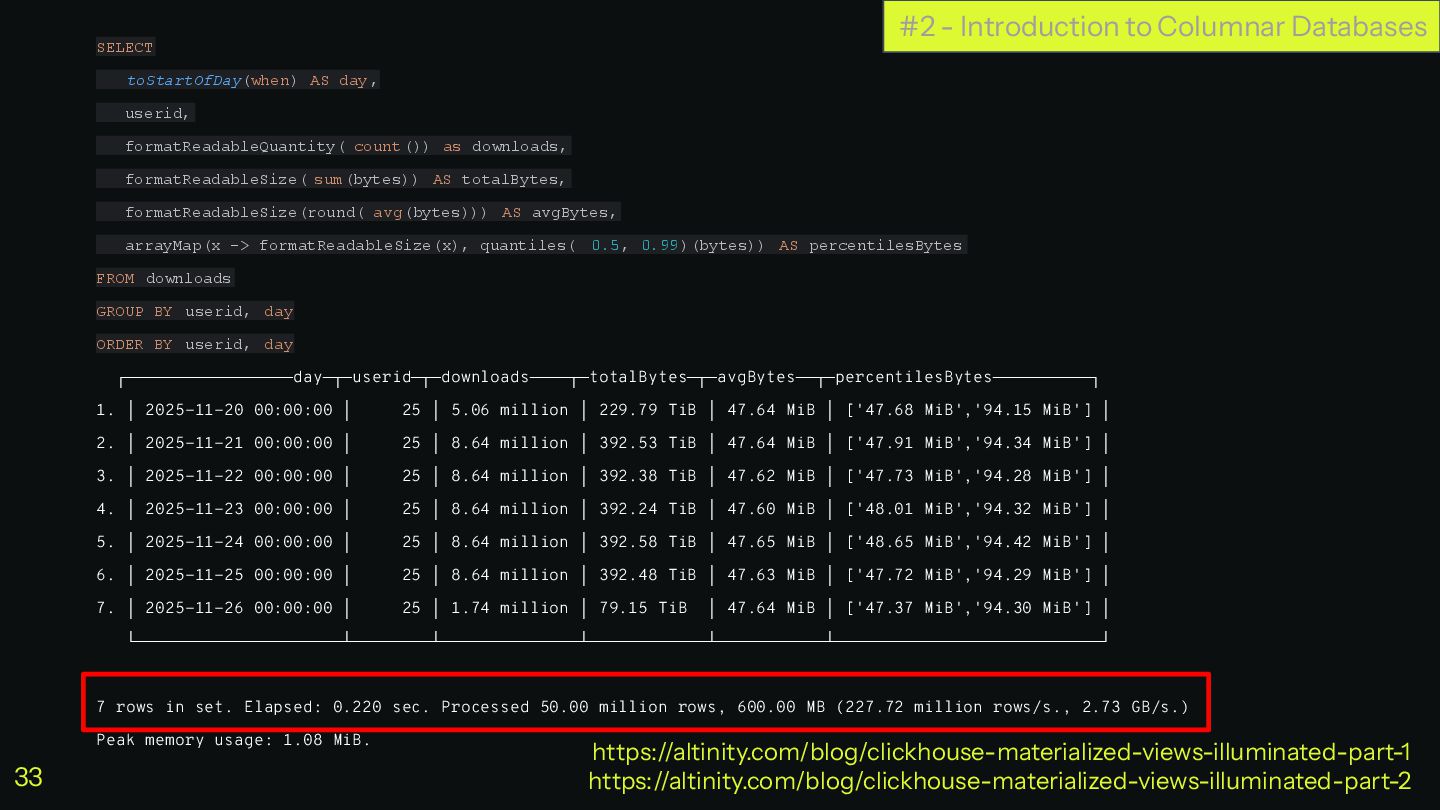
SELECT toStartOfDay(when) AS day, userid, formatReadableQuantity( count()) as downloads, formatReadableSize(
sum(bytes)) AS totalBytes, formatReadableSize(round( avg(bytes))) AS avgBytes, arrayMap(x -> formatReadableSize(x), quantiles( 0.5, 0.99)(bytes)) AS percentilesBytes FROM downloads GROUP BY userid, day ORDER BY userid, day ┌─────────────────day─┬─userid─┬─downloads────┬─totalBytes─┬─avgBytes──┬─percentilesBytes──────────┐ 1. │ 2025-11-20 00:00:00 │ 25 │ 5.06 million │ 229.79 TiB │ 47.64 MiB │ ['47.68 MiB','94.15 MiB'] │ 2. │ 2025-11-21 00:00:00 │ 25 │ 8.64 million │ 392.53 TiB │ 47.64 MiB │ ['47.91 MiB','94.34 MiB'] │ 3. │ 2025-11-22 00:00:00 │ 25 │ 8.64 million │ 392.38 TiB │ 47.62 MiB │ ['47.73 MiB','94.28 MiB'] │ 4. │ 2025-11-23 00:00:00 │ 25 │ 8.64 million │ 392.24 TiB │ 47.60 MiB │ ['48.01 MiB','94.32 MiB'] │ 5. │ 2025-11-24 00:00:00 │ 25 │ 8.64 million │ 392.58 TiB │ 47.65 MiB │ ['48.65 MiB','94.42 MiB'] │ 6. │ 2025-11-25 00:00:00 │ 25 │ 8.64 million │ 392.48 TiB │ 47.63 MiB │ ['47.72 MiB','94.29 MiB'] │ 7. │ 2025-11-26 00:00:00 │ 25 │ 1.74 million │ 79.15 TiB │ 47.64 MiB │ ['47.37 MiB','94.30 MiB'] │ └─────────────────────┴────────┴──────────────┴────────────┴───────────┴───────────────────────────┘ 7 rows in set. Elapsed: 0.220 sec. Processed 50.00 million rows, 600.00 MB (227.72 million rows/s., 2.73 GB/s.) Peak memory usage: 1.08 MiB. #2 - Introduction to Columnar Databases https://altinity.com/blog/clickhouse-materialized-views-illuminated-part-1 https://altinity.com/blog/clickhouse-materialized-views-illuminated-part-2 33 -
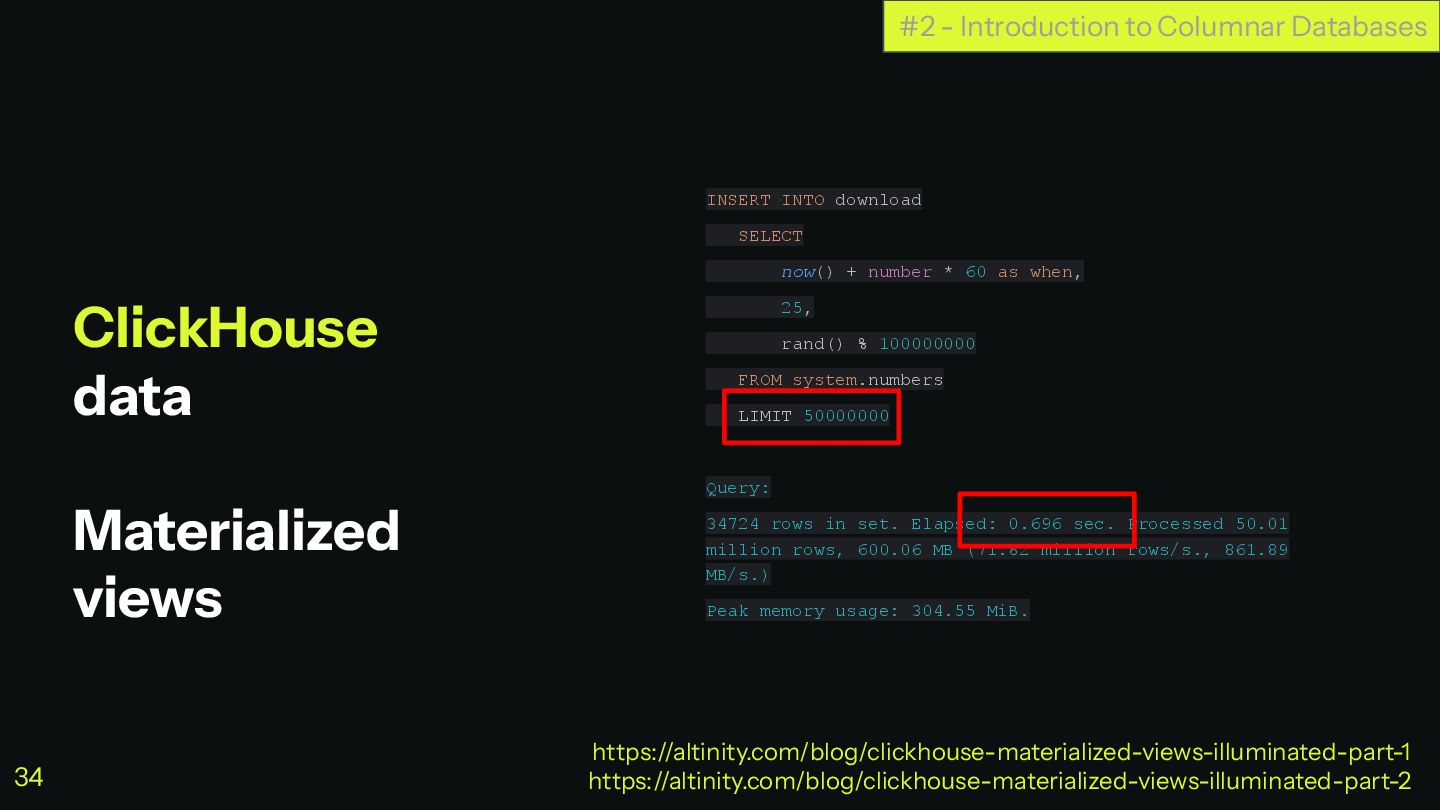
ClickHouse data Materialized views INSERT INTO download SELECT now() +
number * 60 as when, 25, rand() % 100000000 FROM system.numbers LIMIT 50000000 Query: 34724 rows in set. Elapsed: 0.696 sec. Processed 50.01 million rows, 600.06 MB (71.82 million rows/s., 861.89 MB/s.) Peak memory usage: 304.55 MiB. #2 - Introduction to Columnar Databases https://altinity.com/blog/clickhouse-materialized-views-illuminated-part-1 https://altinity.com/blog/clickhouse-materialized-views-illuminated-part-2 34 -
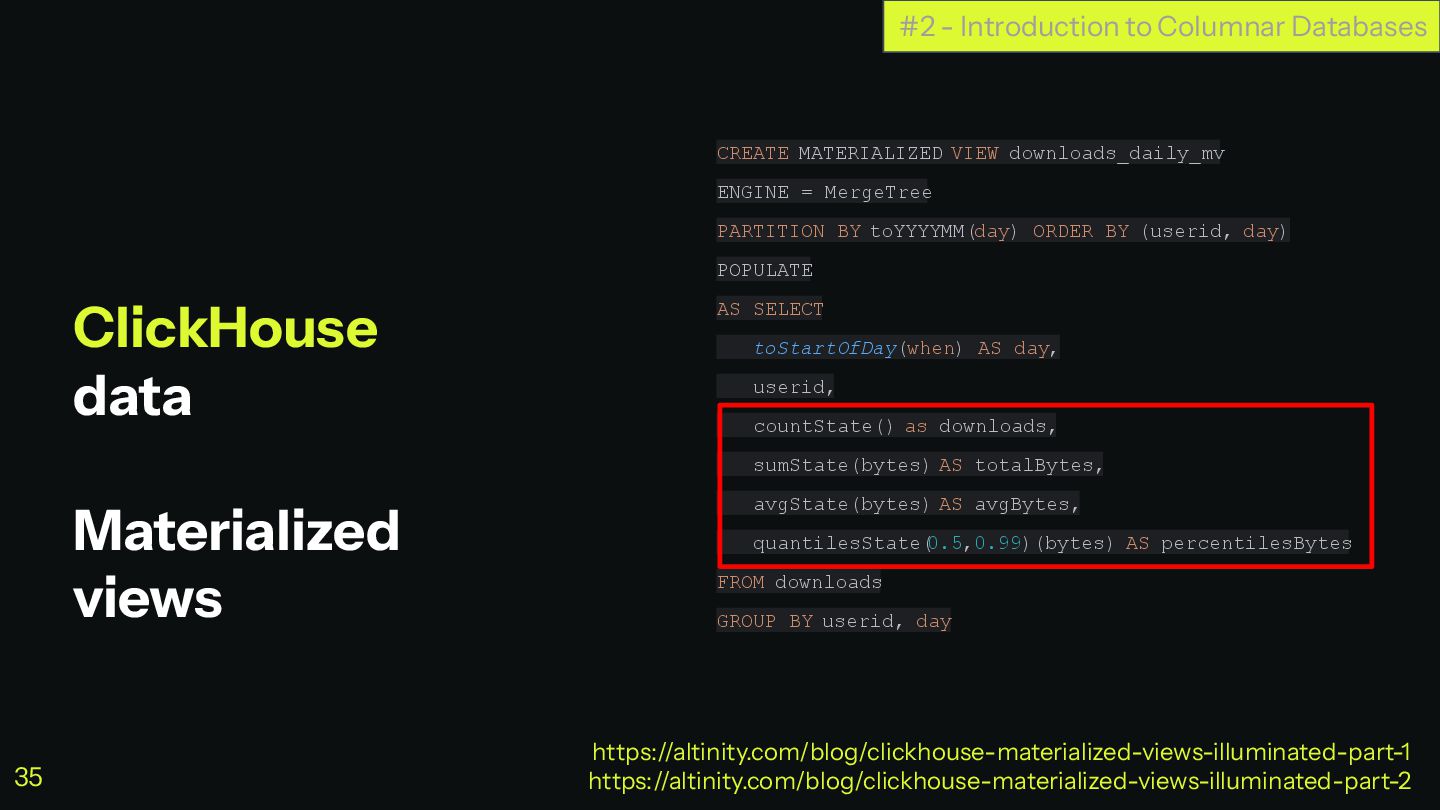
ClickHouse data Materialized views CREATE MATERIALIZED VIEW downloads_daily_mv ENGINE =
MergeTree PARTITION BY toYYYYMM(day) ORDER BY (userid, day) POPULATE AS SELECT toStartOfDay(when) AS day, userid, countState() as downloads, sumState(bytes) AS totalBytes, avgState(bytes) AS avgBytes, quantilesState( 0.5,0.99)(bytes) AS percentilesBytes FROM downloads GROUP BY userid, day #2 - Introduction to Columnar Databases https://altinity.com/blog/clickhouse-materialized-views-illuminated-part-1 https://altinity.com/blog/clickhouse-materialized-views-illuminated-part-2 35 -
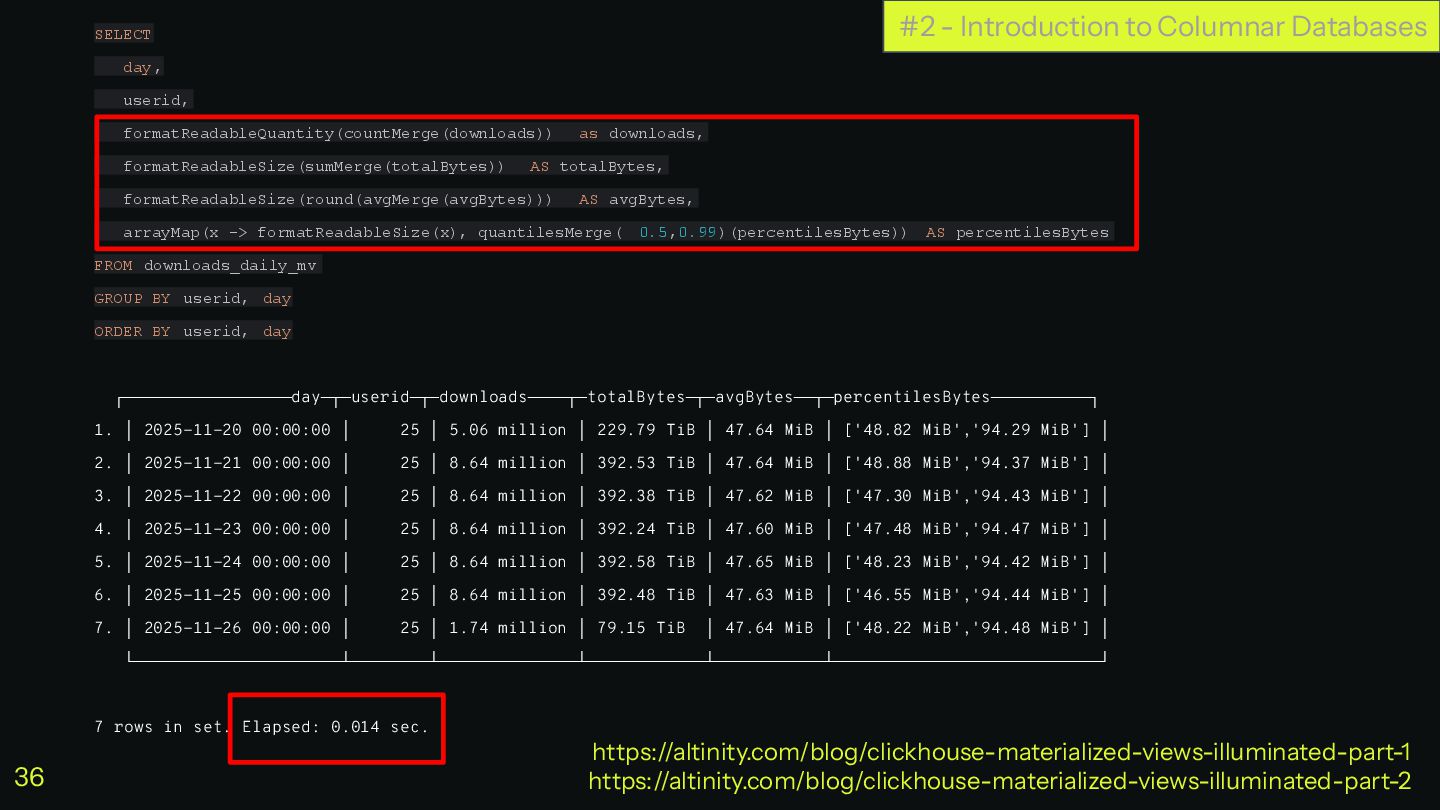
#2 - Introduction to Columnar Databases SELECT day, userid, formatReadableQuantity(countMerge(downloads))
as downloads, formatReadableSize(sumMerge(totalBytes)) AS totalBytes, formatReadableSize(round(avgMerge(avgBytes))) AS avgBytes, arrayMap(x -> formatReadableSize(x), quantilesMerge( 0.5,0.99)(percentilesBytes)) AS percentilesBytes FROM downloads_daily_mv GROUP BY userid, day ORDER BY userid, day ┌─────────────────day─┬─userid─┬─downloads────┬─totalBytes─┬─avgBytes──┬─percentilesBytes──────────┐ 1. │ 2025-11-20 00:00:00 │ 25 │ 5.06 million │ 229.79 TiB │ 47.64 MiB │ ['48.82 MiB','94.29 MiB'] │ 2. │ 2025-11-21 00:00:00 │ 25 │ 8.64 million │ 392.53 TiB │ 47.64 MiB │ ['48.88 MiB','94.37 MiB'] │ 3. │ 2025-11-22 00:00:00 │ 25 │ 8.64 million │ 392.38 TiB │ 47.62 MiB │ ['47.30 MiB','94.43 MiB'] │ 4. │ 2025-11-23 00:00:00 │ 25 │ 8.64 million │ 392.24 TiB │ 47.60 MiB │ ['47.48 MiB','94.47 MiB'] │ 5. │ 2025-11-24 00:00:00 │ 25 │ 8.64 million │ 392.58 TiB │ 47.65 MiB │ ['48.23 MiB','94.42 MiB'] │ 6. │ 2025-11-25 00:00:00 │ 25 │ 8.64 million │ 392.48 TiB │ 47.63 MiB │ ['46.55 MiB','94.44 MiB'] │ 7. │ 2025-11-26 00:00:00 │ 25 │ 1.74 million │ 79.15 TiB │ 47.64 MiB │ ['48.22 MiB','94.48 MiB'] │ └─────────────────────┴────────┴──────────────┴────────────┴───────────┴───────────────────────────┘ 7 rows in set. Elapsed: 0.014 sec. https://altinity.com/blog/clickhouse-materialized-views-illuminated-part-1 https://altinity.com/blog/clickhouse-materialized-views-illuminated-part-2 36 -
ClickHouse data Materialized views #2 - Introduction to Columnar Databases
https://altinity.com/blog/clickhouse-materialized-views-illuminated-part-1 https://altinity.com/blog/clickhouse-materialized-views-illuminated-part-2 downloads MergeTree .inner.download_daily_mv AggregatingMergeTree download_daily_mv Materialized View Select Select Insert Insert Trigger 37 -
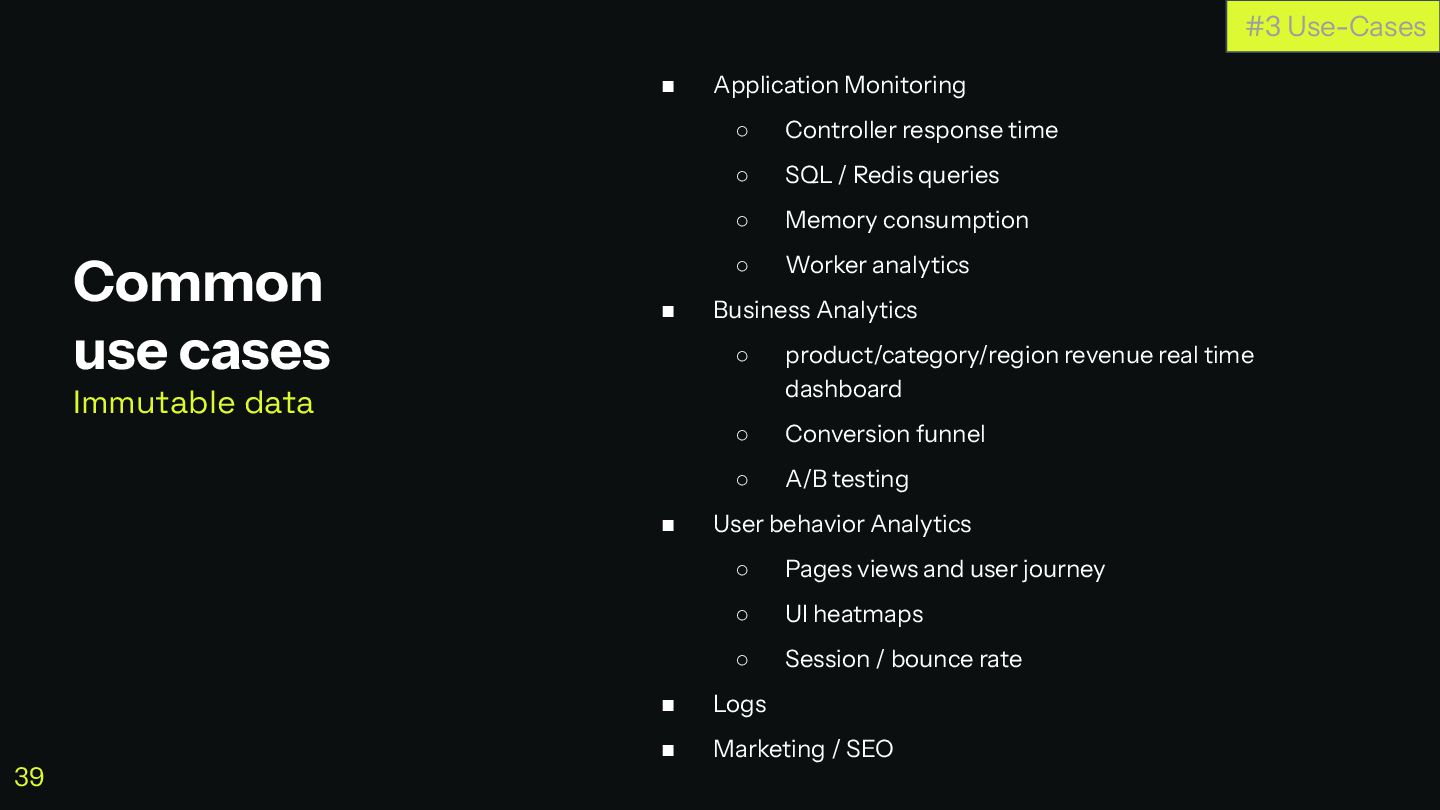
◼ Application Monitoring ◦ Controller response time ◦ SQL /
Redis queries ◦ Memory consumption ◦ Worker analytics ◼ Business Analytics ◦ product/category/region revenue real time dashboard ◦ Conversion funnel ◦ A/B testing ◼ User behavior Analytics ◦ Pages views and user journey ◦ UI heatmaps ◦ Session / bounce rate ◼ Logs ◼ Marketing / SEO Common use cases Immutable data #3 Use-Cases 39 -
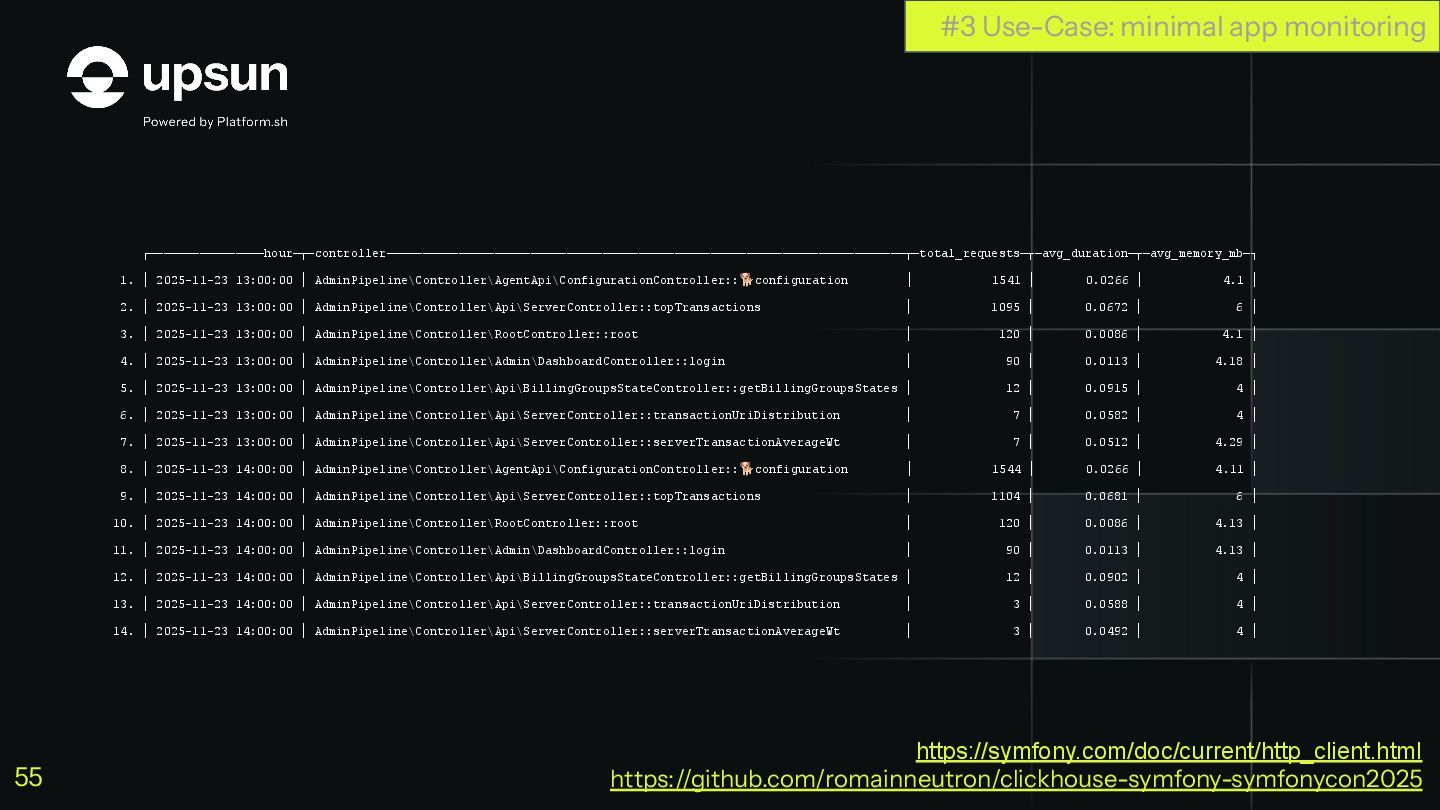
ClickHouse + Symfony Minimal app monitoring Let’s build a minimal
app monitoring system Will report Memory, Status Code and Response Time per controller #3 Use-Case: minimal app monitoring https://github.com/romainneutron/clickhouse-symfony-symfonycon2025 40 -
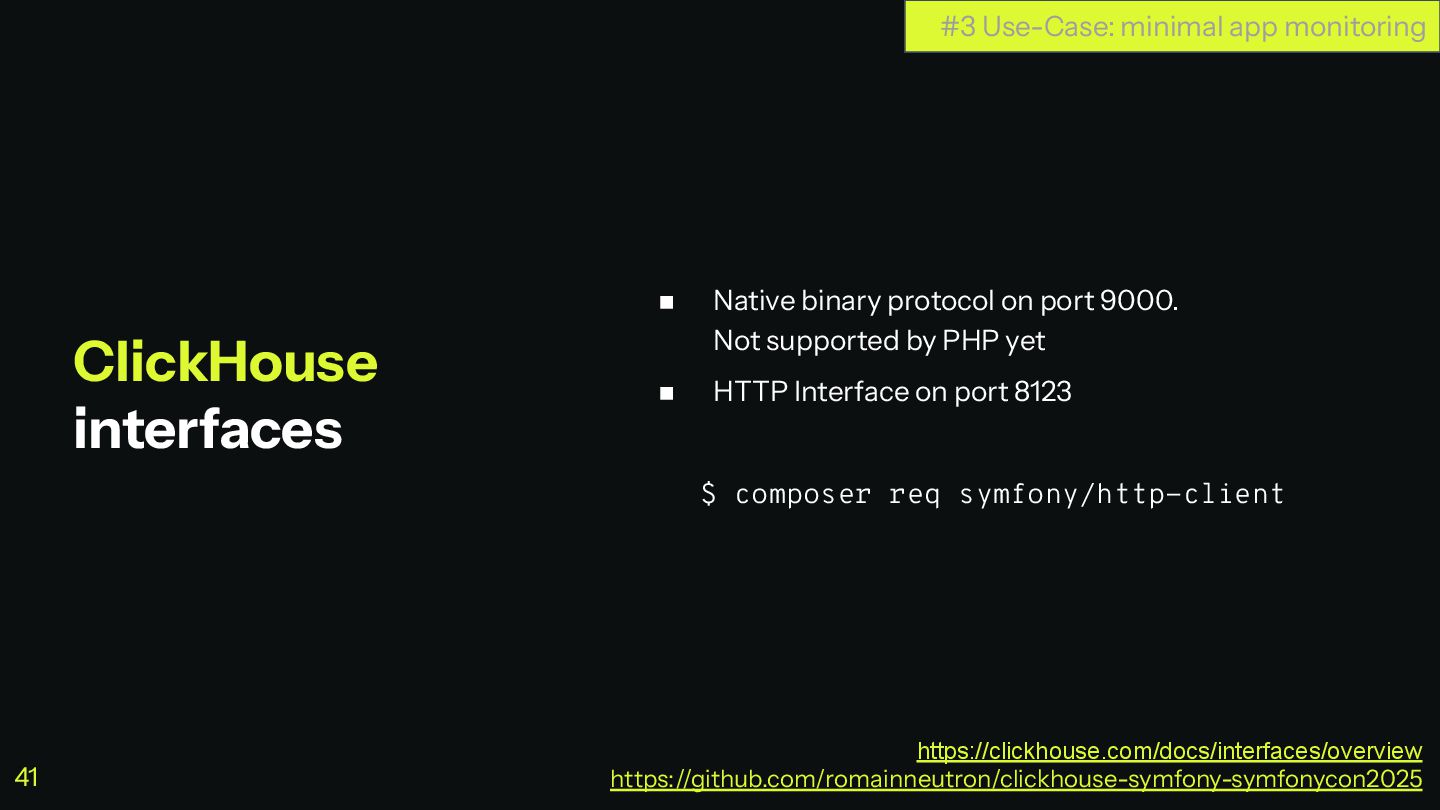
◼ Native binary protocol on port 9000. Not supported by
PHP yet ◼ HTTP Interface on port 8123 $ composer req symfony/http-client ClickHouse interfaces #3 Use-Case: minimal app monitoring https://clickhouse.com/docs/interfaces/overview https://github.com/romainneutron/clickhouse-symfony-symfonycon2025 41 -
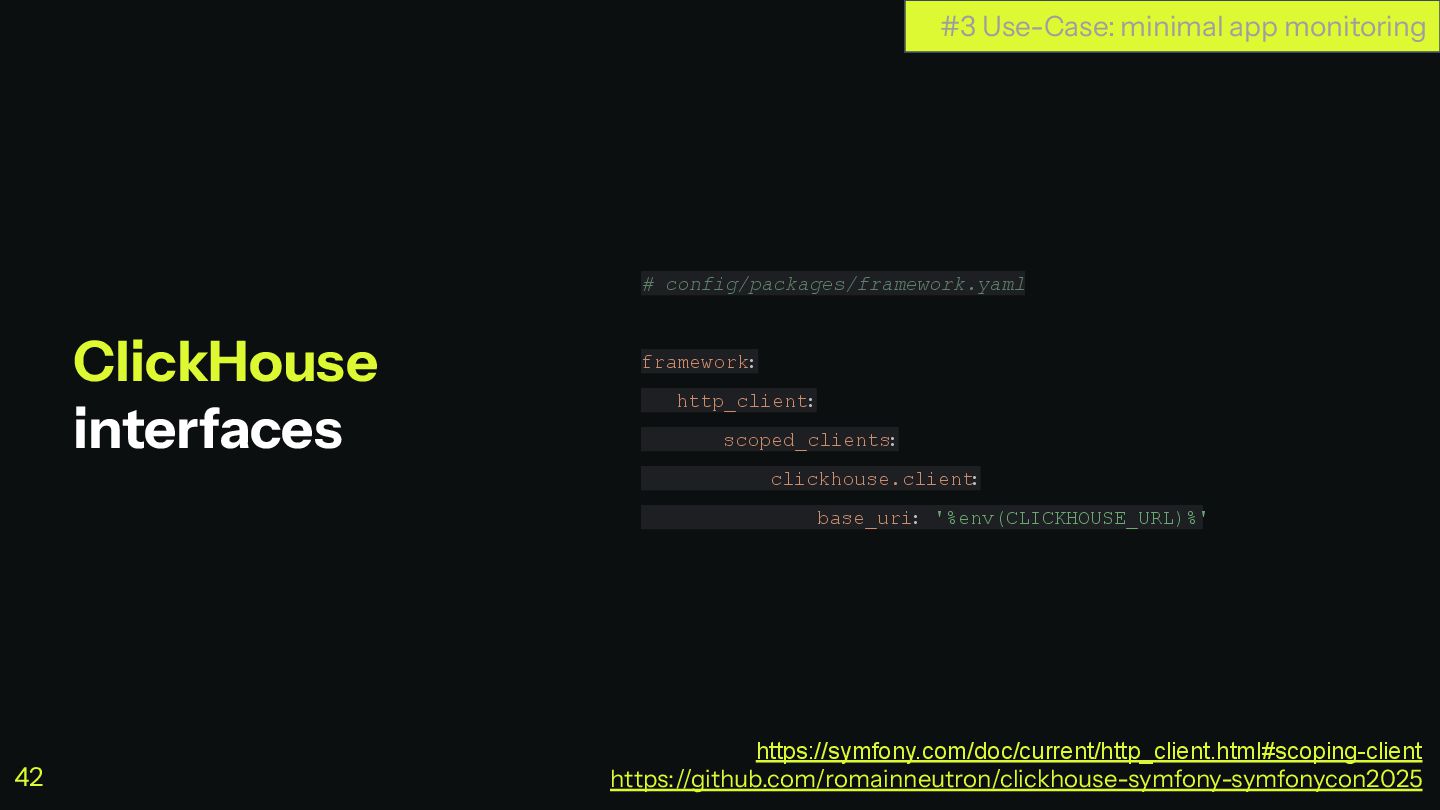
# config/packages/framework.yaml framework: http_client: scoped_clients : clickhouse.client : base_uri: '%env(CLICKHOUSE_URL)%'
ClickHouse interfaces #3 Use-Case: minimal app monitoring https://symfony.com/doc/current/http_client.html#scoping-client https://github.com/romainneutron/clickhouse-symfony-symfonycon2025 42 -
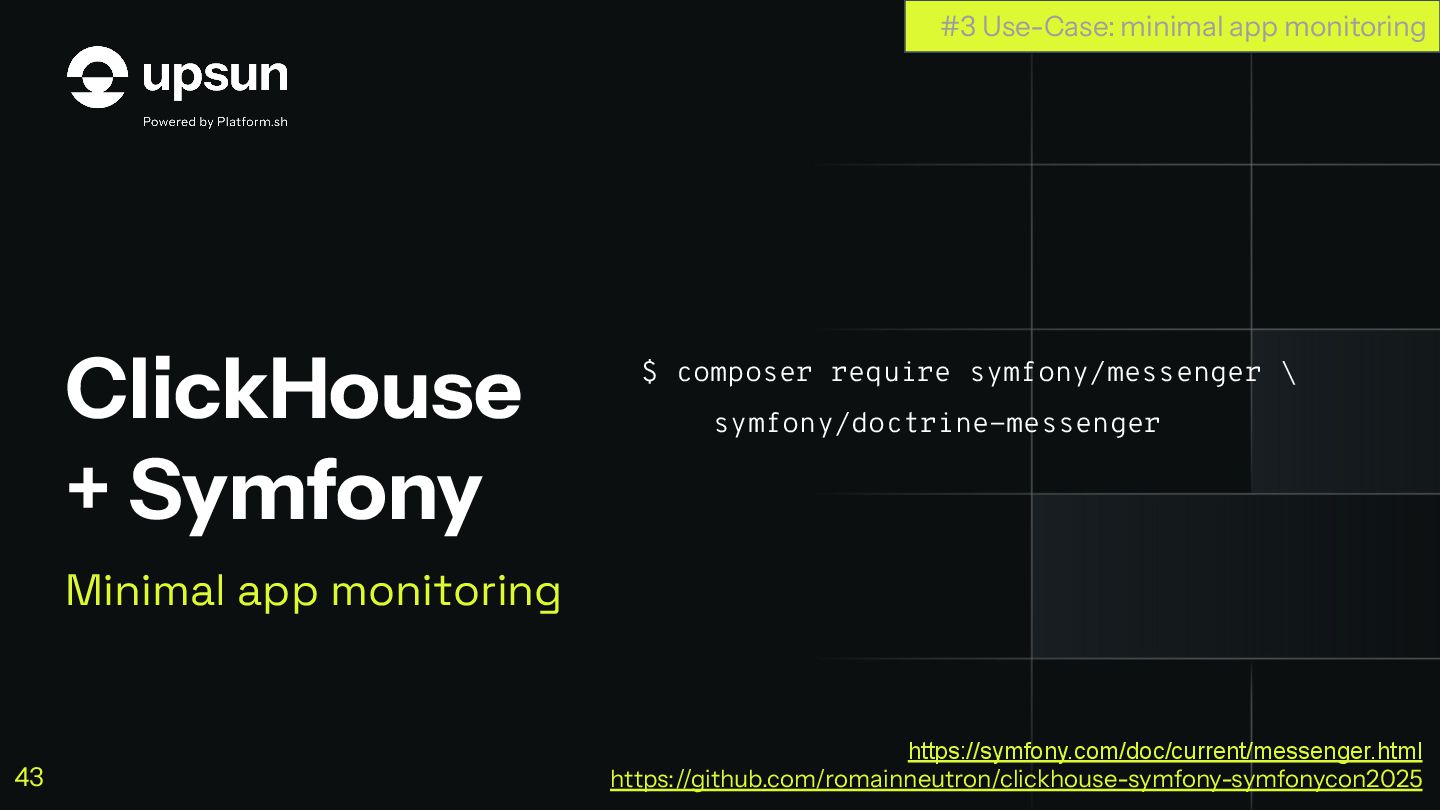
ClickHouse + Symfony Minimal app monitoring $ composer require symfony/messenger
\ symfony/doctrine-messenger #3 Use-Case: minimal app monitoring https://symfony.com/doc/current/messenger.html https://github.com/romainneutron/clickhouse-symfony-symfonycon2025 43 -
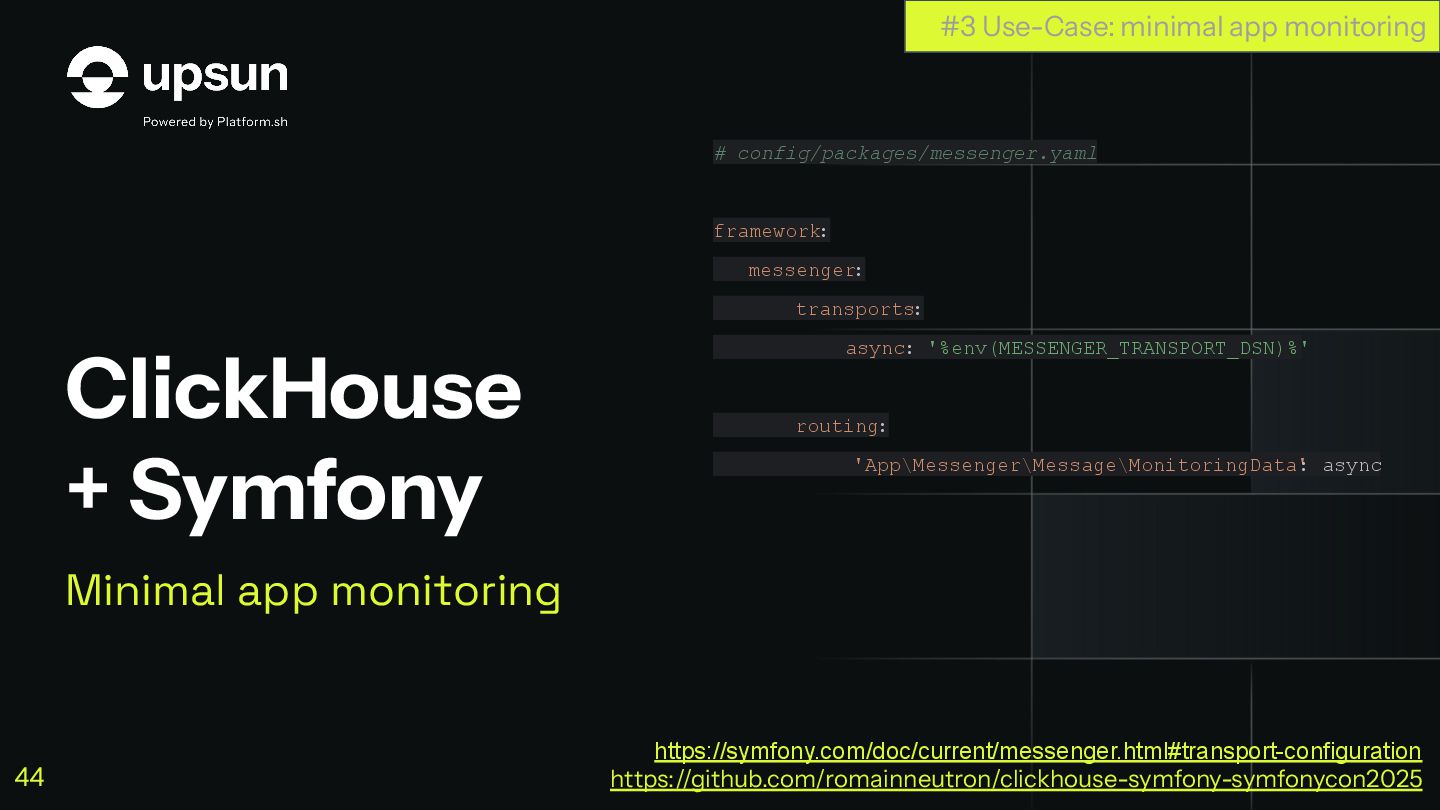
ClickHouse + Symfony Minimal app monitoring # config/packages/messenger.yaml framework: messenger:
transports: async: '%env(MESSENGER_TRANSPORT_DSN)%' routing: 'App\Messenger\Message\MonitoringData' : async #3 Use-Case: minimal app monitoring https://symfony.com/doc/current/messenger.html#transport-configuration https://github.com/romainneutron/clickhouse-symfony-symfonycon2025 44 -
ClickHouse + Symfony Minimal app monitoring Let’s Store data #3
Use-Case: minimal app monitoring https://symfony.com/doc/current/messenger.html https://github.com/romainneutron/clickhouse-symfony-symfonycon2025 45 -
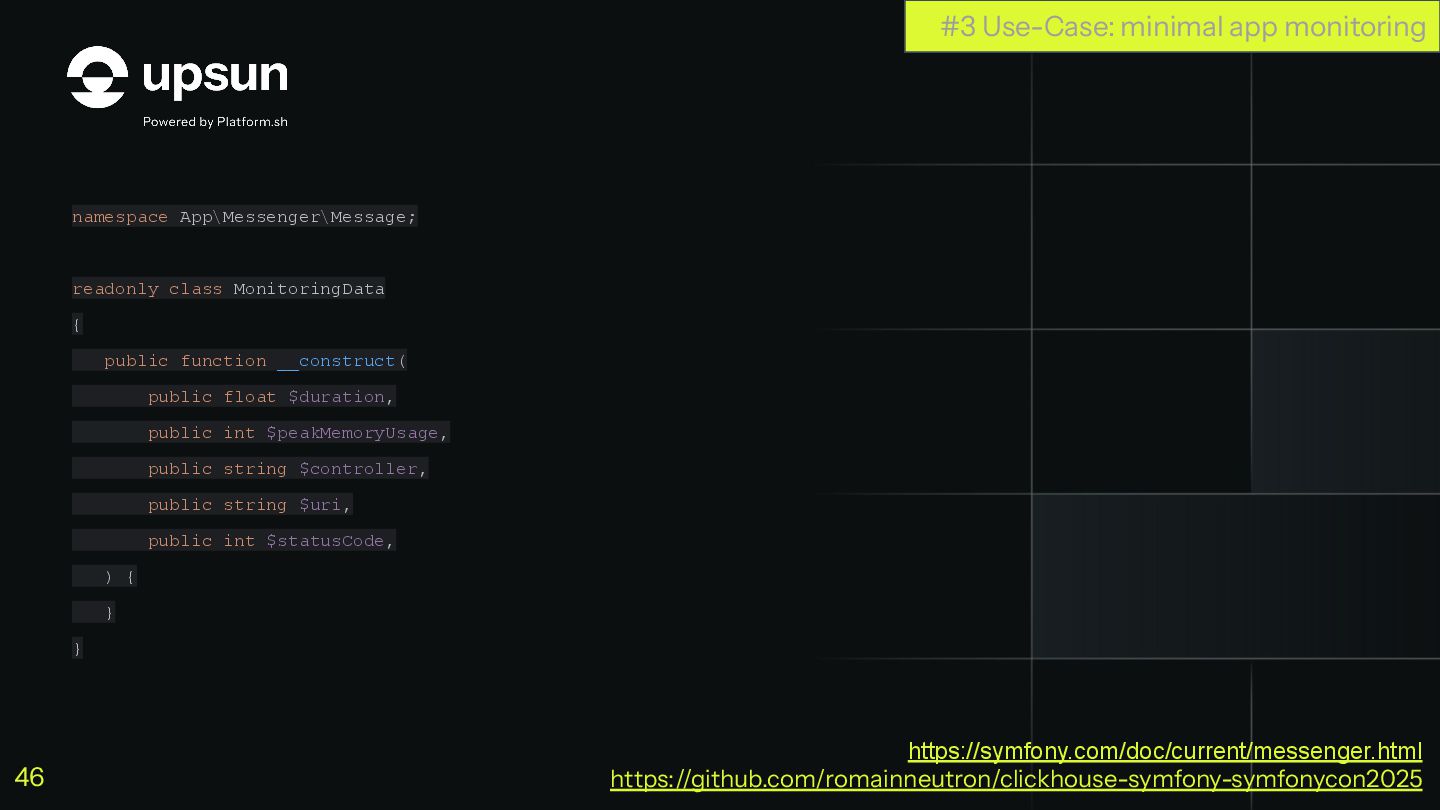
namespace App\Messenger\Message; readonly class MonitoringData { public function __construct( public
float $duration, public int $peakMemoryUsage, public string $controller, public string $uri, public int $statusCode, ) { } } #3 Use-Case: minimal app monitoring https://symfony.com/doc/current/messenger.html https://github.com/romainneutron/clickhouse-symfony-symfonycon2025 46 -
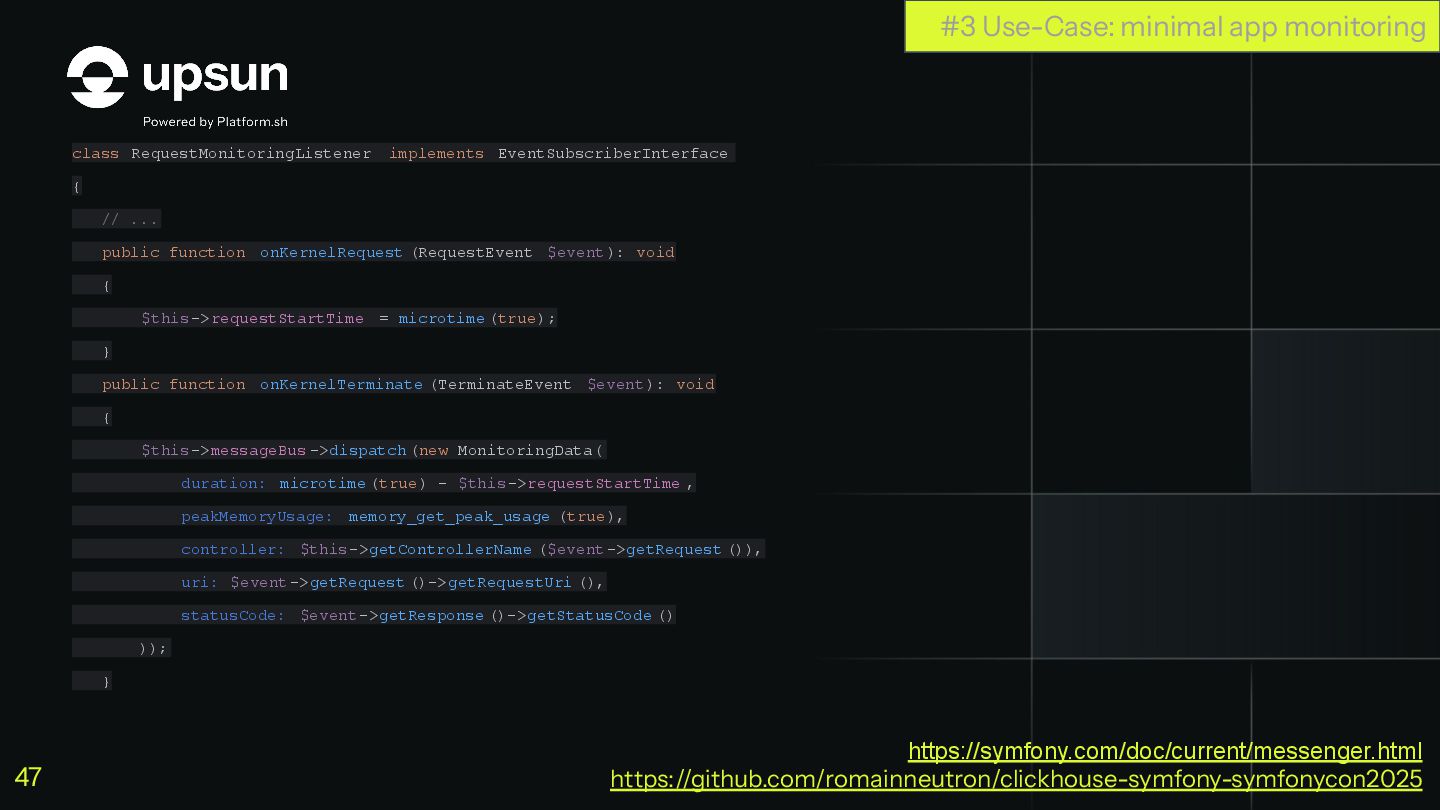
class RequestMonitoringListener implements EventSubscriberInterface { // ... public function onKernelRequest
(RequestEvent $event): void { $this->requestStartTime = microtime (true); } public function onKernelTerminate (TerminateEvent $event): void { $this->messageBus ->dispatch (new MonitoringData( duration: microtime (true) - $this->requestStartTime , peakMemoryUsage: memory_get_peak_usage (true), controller: $this->getControllerName ($event->getRequest ()), uri: $event->getRequest ()->getRequestUri (), statusCode: $event->getResponse ()->getStatusCode () )); } #3 Use-Case: minimal app monitoring https://symfony.com/doc/current/messenger.html https://github.com/romainneutron/clickhouse-symfony-symfonycon2025 47 -
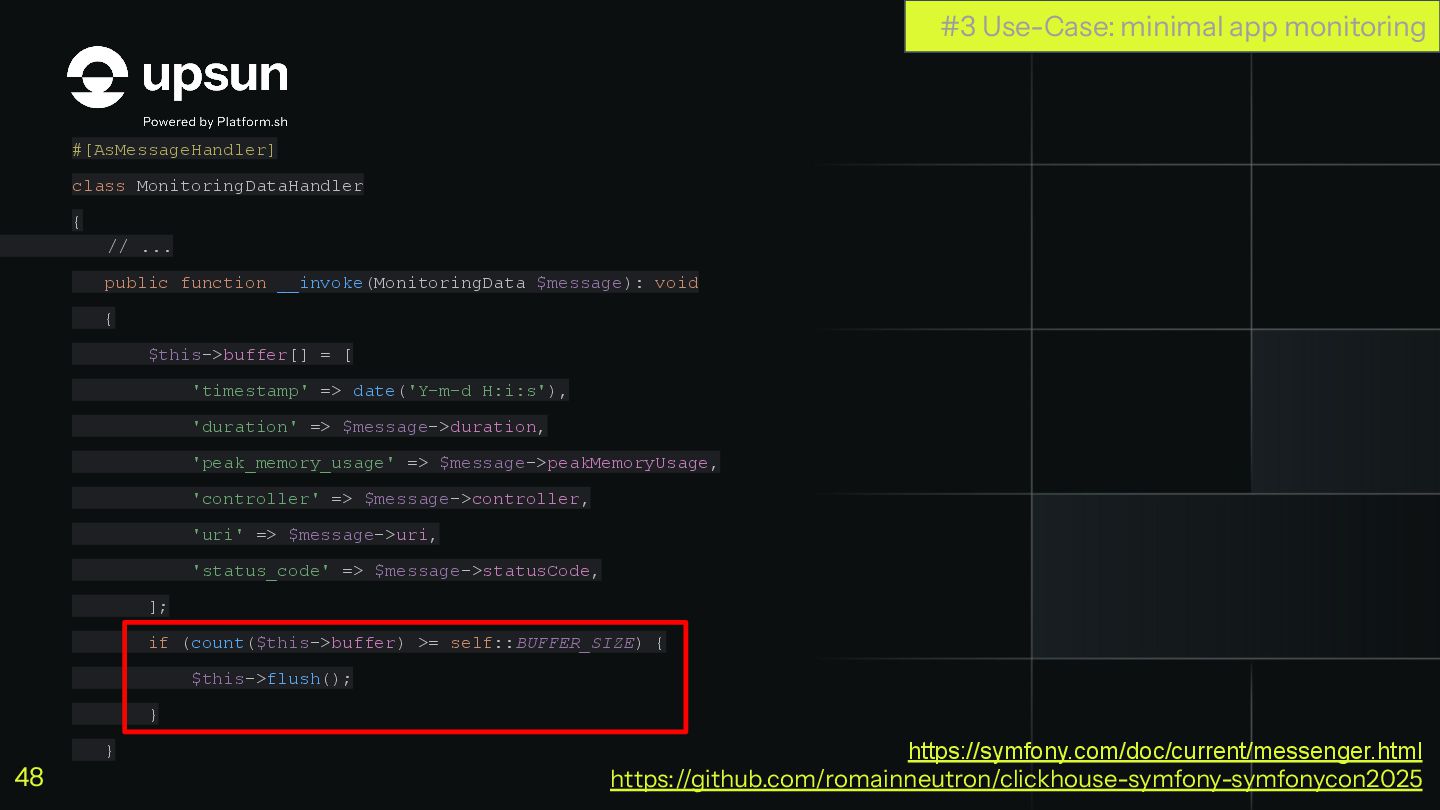
#[AsMessageHandler] class MonitoringDataHandler { // ... public function __invoke(MonitoringData $message):
void { $this->buffer[] = [ 'timestamp' => date('Y-m-d H:i:s'), 'duration' => $message->duration, 'peak_memory_usage' => $message->peakMemoryUsage, 'controller' => $message->controller, 'uri' => $message->uri, 'status_code' => $message->statusCode, ]; if (count($this->buffer) >= self::BUFFER_SIZE) { $this->flush(); } } #3 Use-Case: minimal app monitoring https://symfony.com/doc/current/messenger.html https://github.com/romainneutron/clickhouse-symfony-symfonycon2025 48 -
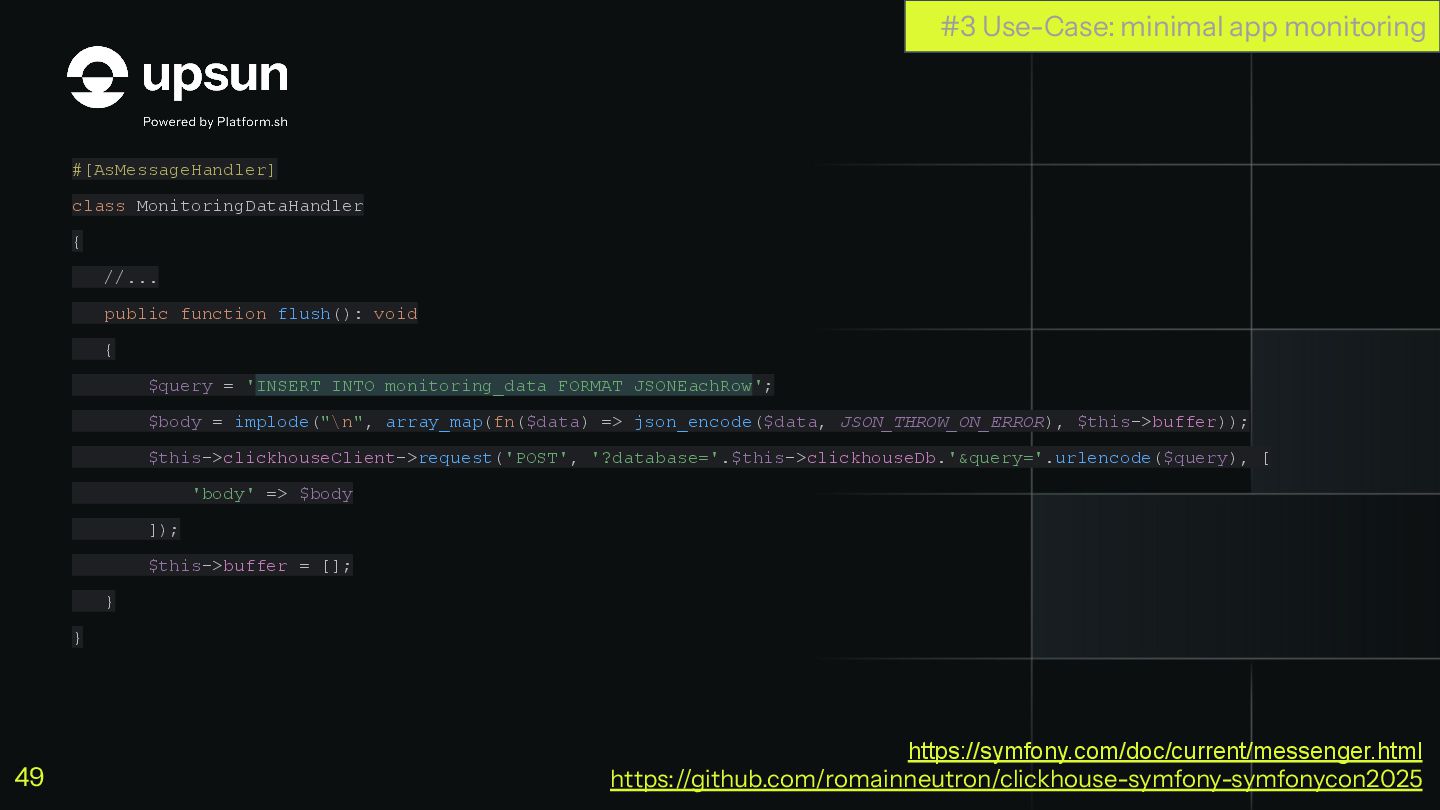
#[AsMessageHandler] class MonitoringDataHandler { //... public function flush(): void {
$query = 'INSERT INTO monitoring_data FORMAT JSONEachRow'; $body = implode("\n", array_map(fn($data) => json_encode($data, JSON_THROW_ON_ERROR), $this->buffer)); $this->clickhouseClient->request('POST', '?database='.$this->clickhouseDb.'&query='.urlencode($query), [ 'body' => $body ]); $this->buffer = []; } } #3 Use-Case: minimal app monitoring https://symfony.com/doc/current/messenger.html https://github.com/romainneutron/clickhouse-symfony-symfonycon2025 49 -
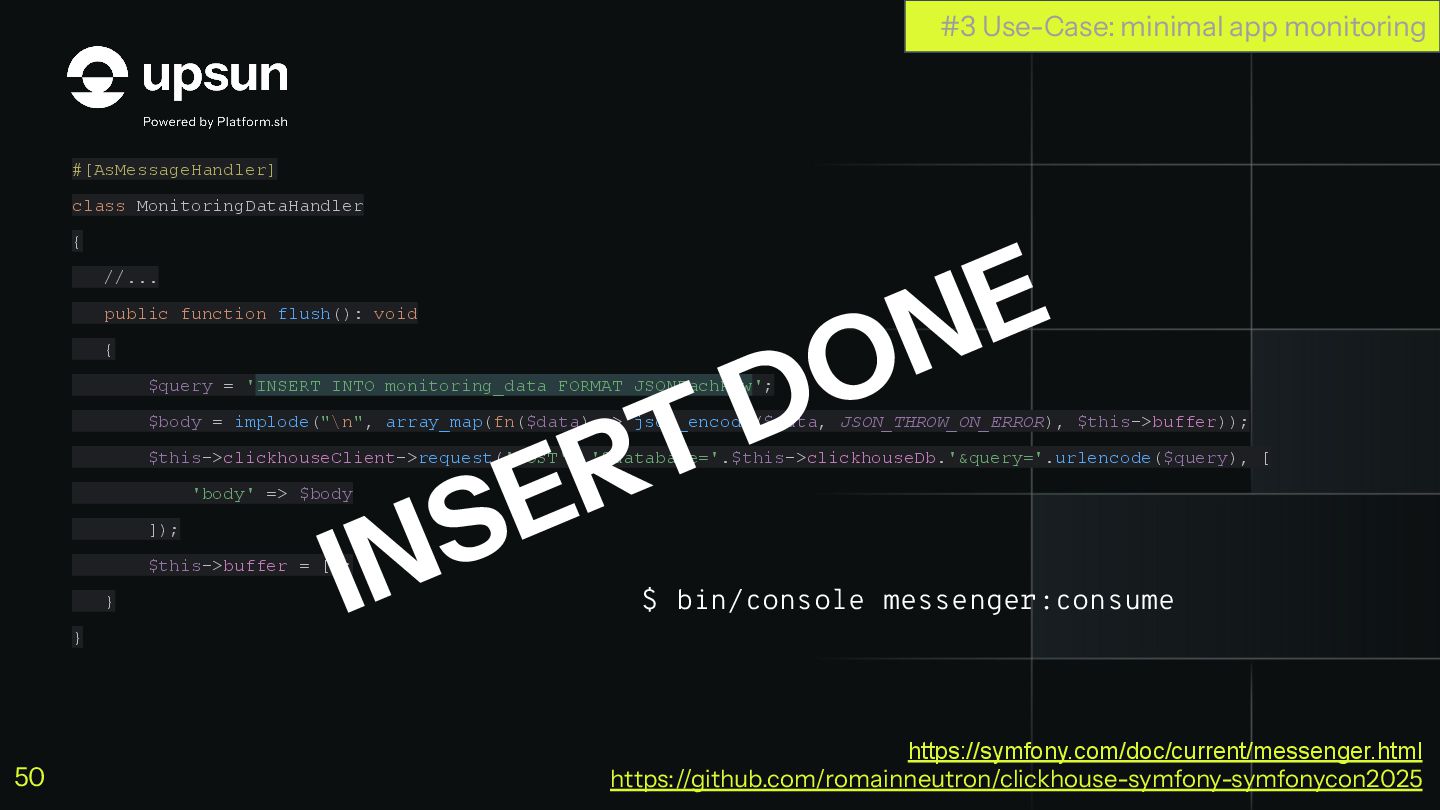
#[AsMessageHandler] class MonitoringDataHandler { //... public function flush(): void {
$query = 'INSERT INTO monitoring_data FORMAT JSONEachRow'; $body = implode("\n", array_map(fn($data) => json_encode($data, JSON_THROW_ON_ERROR), $this->buffer)); $this->clickhouseClient->request('POST', '?database='.$this->clickhouseDb.'&query='.urlencode($query), [ 'body' => $body ]); $this->buffer = []; } } INSERT DONE #3 Use-Case: minimal app monitoring $ bin/console messenger:consume https://symfony.com/doc/current/messenger.html https://github.com/romainneutron/clickhouse-symfony-symfonycon2025 50 -
ClickHouse + Symfony Minimal app monitoring Let’s Retrieve data #3
Use-Case: minimal app monitoring https://symfony.com/doc/current/http_client.html https://github.com/romainneutron/clickhouse-symfony-symfonycon2025 51 -
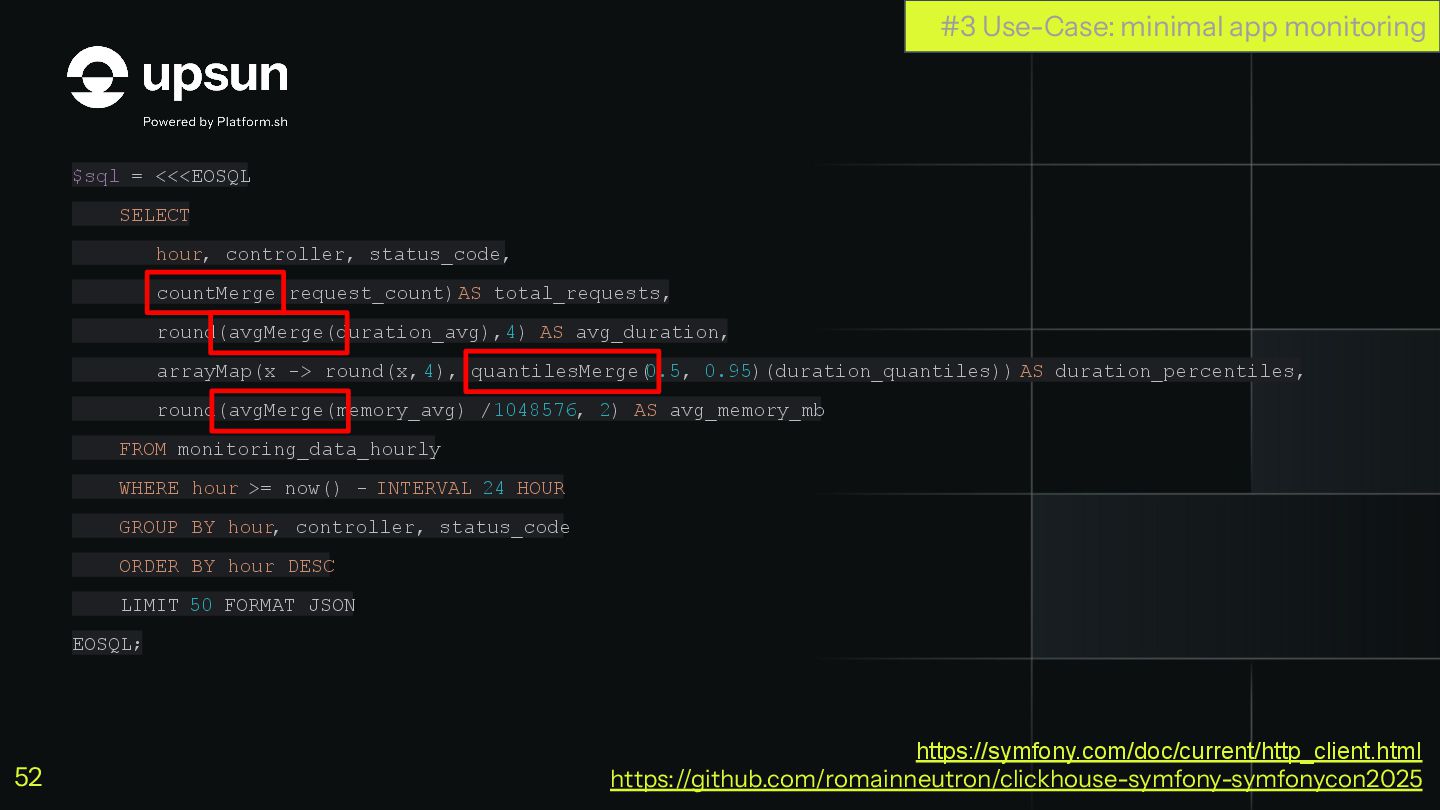
$sql = <<<EOSQL SELECT hour, controller, status_code, countMerge(request_count) AS total_requests,
round(avgMerge(duration_avg), 4) AS avg_duration, arrayMap(x -> round(x, 4), quantilesMerge( 0.5, 0.95)(duration_quantiles)) AS duration_percentiles, round(avgMerge(memory_avg) / 1048576, 2) AS avg_memory_mb FROM monitoring_data_hourly WHERE hour >= now() - INTERVAL 24 HOUR GROUP BY hour, controller, status_code ORDER BY hour DESC LIMIT 50 FORMAT JSON EOSQL; #3 Use-Case: minimal app monitoring https://symfony.com/doc/current/http_client.html https://github.com/romainneutron/clickhouse-symfony-symfonycon2025 52 -
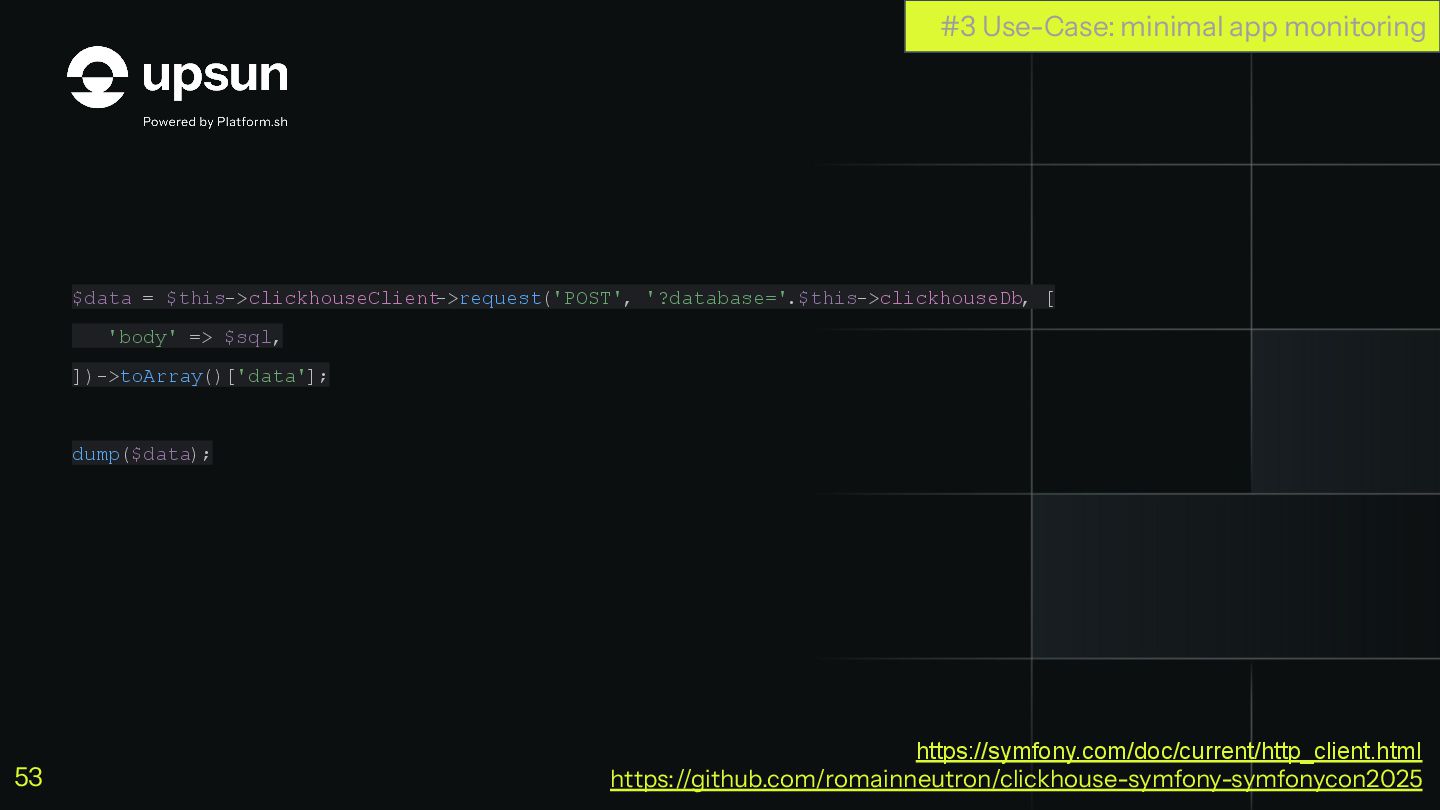
$data = $this->clickhouseClient ->request('POST', '?database='.$this->clickhouseDb, [ 'body' => $sql, ])->toArray()['data'];
dump($data); #3 Use-Case: minimal app monitoring https://symfony.com/doc/current/http_client.html https://github.com/romainneutron/clickhouse-symfony-symfonycon2025 53 -
^ array:2 [ 0 => array:12 [ "hour" => "2025-11-18
09:00:00" "controller" => "App\Controller\RootController::root" "status_code" => 200 "total_requests" => "27" "avg_duration" => 0.0007 "min_duration" => 0.0005 "max_duration" => 0.0016 "duration_percentiles" => array:2 [ 0 => 0.0005 1 => 0.0014 ] "avg_memory_mb" => 3.78 "min_memory_mb" => 2 "max_memory_mb" => 10 "memory_percentiles_mb" => array:2 [ 0 => 2 1 => 10 ] ] ... QUERY DONE #3 Use-Case: minimal app monitoring https://symfony.com/doc/current/http_client.html https://github.com/romainneutron/clickhouse-symfony-symfonycon2025 54 -
┌────────────────hour─┬─controller────────────────────────────────────────────────────────────────────────┬─total_requests─┬─avg_duration─┬─avg_memory_mb─┐ 1. │ 2025-11-23 13:00:00 │ AdminPipeline\Controller\AgentApi\ConfigurationController::🐕configuration │ 1541 │
0.0266 │ 4.1 │ 2. │ 2025-11-23 13:00:00 │ AdminPipeline\Controller\Api\ServerController::topTransactions │ 1095 │ 0.0672 │ 6 │ 3. │ 2025-11-23 13:00:00 │ AdminPipeline\Controller\RootController::root │ 120 │ 0.0086 │ 4.1 │ 4. │ 2025-11-23 13:00:00 │ AdminPipeline\Controller\Admin\DashboardController::login │ 90 │ 0.0113 │ 4.18 │ 5. │ 2025-11-23 13:00:00 │ AdminPipeline\Controller\Api\BillingGroupsStateController::getBillingGroupsStates │ 12 │ 0.0915 │ 4 │ 6. │ 2025-11-23 13:00:00 │ AdminPipeline\Controller\Api\ServerController::transactionUriDistribution │ 7 │ 0.0582 │ 4 │ 7. │ 2025-11-23 13:00:00 │ AdminPipeline\Controller\Api\ServerController::serverTransactionAverageWt │ 7 │ 0.0512 │ 4.29 │ 8. │ 2025-11-23 14:00:00 │ AdminPipeline\Controller\AgentApi\ConfigurationController::🐕configuration │ 1544 │ 0.0266 │ 4.11 │ 9. │ 2025-11-23 14:00:00 │ AdminPipeline\Controller\Api\ServerController::topTransactions │ 1104 │ 0.0681 │ 6 │ 10. │ 2025-11-23 14:00:00 │ AdminPipeline\Controller\RootController::root │ 120 │ 0.0086 │ 4.13 │ 11. │ 2025-11-23 14:00:00 │ AdminPipeline\Controller\Admin\DashboardController::login │ 90 │ 0.0113 │ 4.13 │ 12. │ 2025-11-23 14:00:00 │ AdminPipeline\Controller\Api\BillingGroupsStateController::getBillingGroupsStates │ 12 │ 0.0902 │ 4 │ 13. │ 2025-11-23 14:00:00 │ AdminPipeline\Controller\Api\ServerController::transactionUriDistribution │ 3 │ 0.0588 │ 4 │ 14. │ 2025-11-23 14:00:00 │ AdminPipeline\Controller\Api\ServerController::serverTransactionAverageWt │ 3 │ 0.0492 │ 4 │ #3 Use-Case: minimal app monitoring https://symfony.com/doc/current/http_client.html https://github.com/romainneutron/clickhouse-symfony-symfonycon2025 55 -
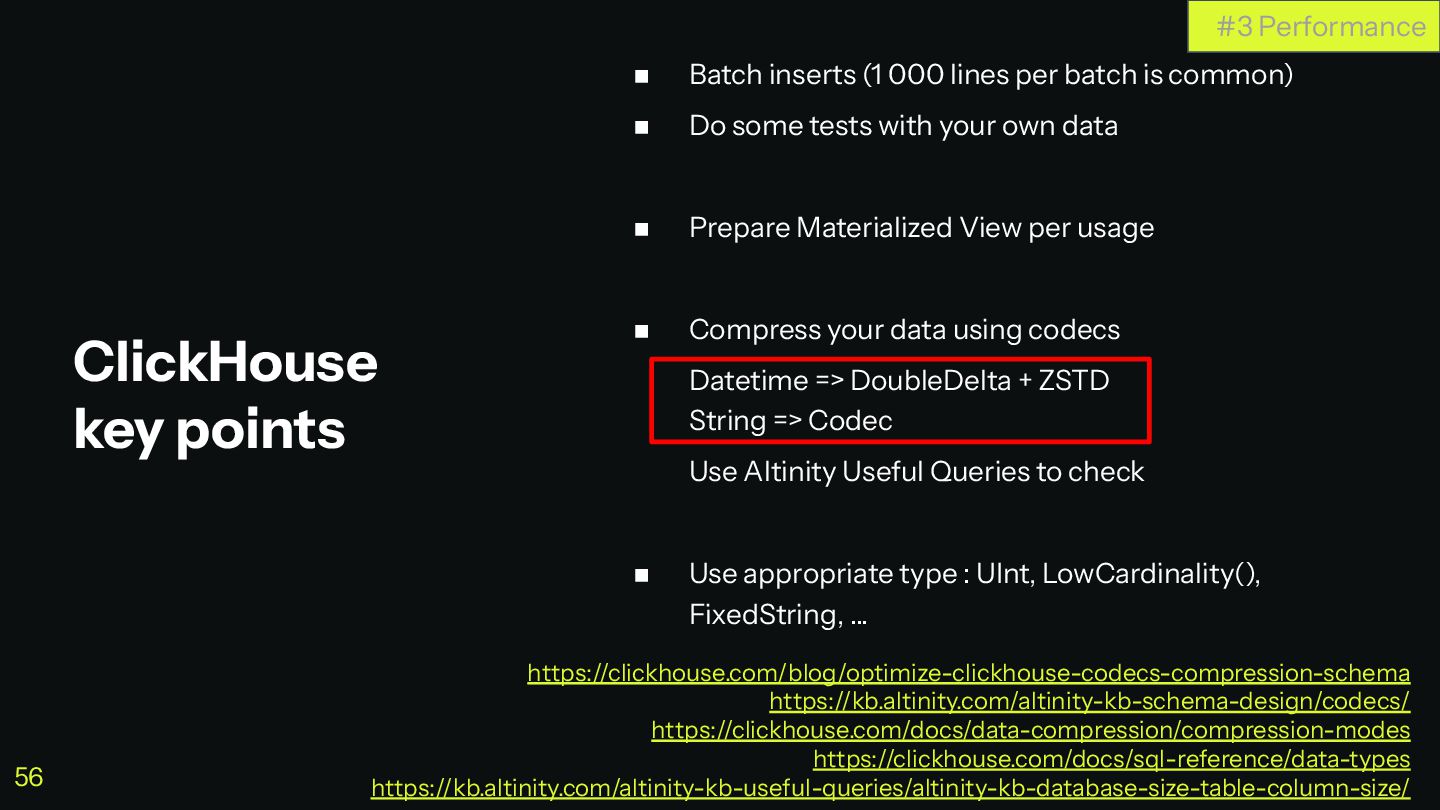
◼ Batch inserts (1 000 lines per batch is common)
◼ Do some tests with your own data ◼ Prepare Materialized View per usage ◼ Compress your data using codecs Datetime => DoubleDelta + ZSTD String => Codec Use Altinity Useful Queries to check ◼ Use appropriate type : UInt, LowCardinality(), FixedString, … ClickHouse key points #3 Performance https://clickhouse.com/blog/optimize-clickhouse-codecs-compression-schema https://kb.altinity.com/altinity-kb-schema-design/codecs/ https://clickhouse.com/docs/data-compression/compression-modes https://clickhouse.com/docs/sql-reference/data-types https://kb.altinity.com/altinity-kb-useful-queries/altinity-kb-database-size-table-column-size/ 56 -
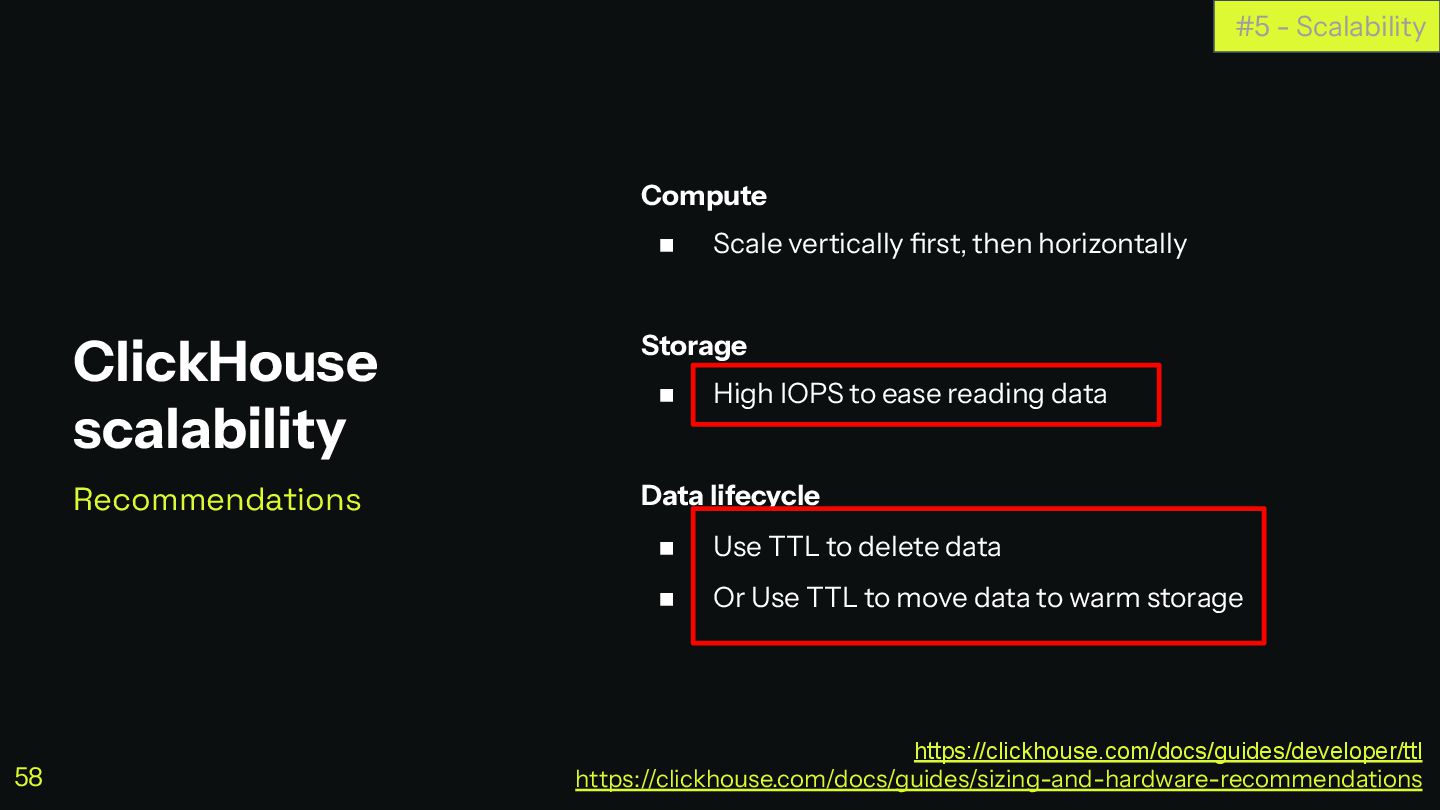
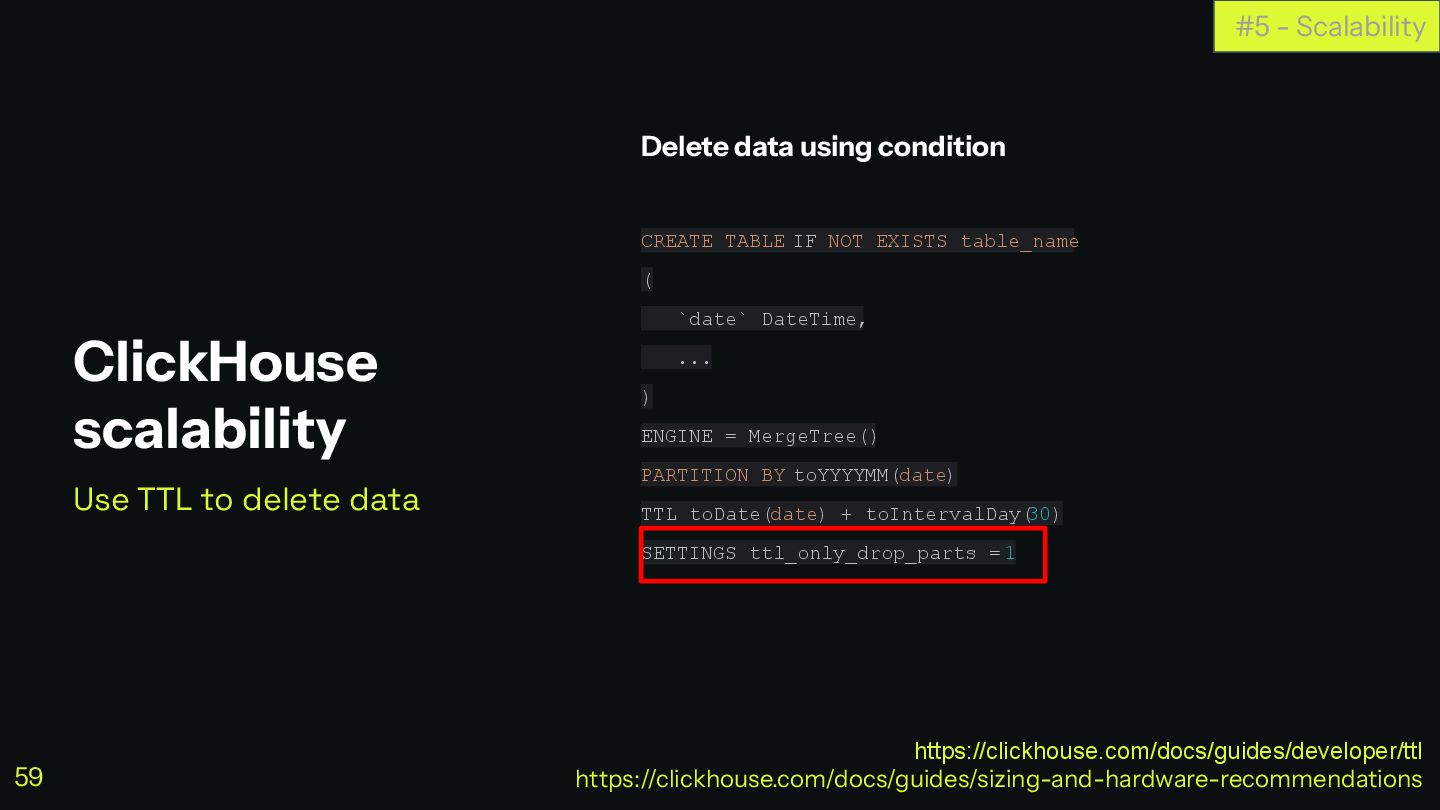
Compute ◼ Scale vertically first, then horizontally Storage ◼ High
IOPS to ease reading data Data lifecycle ◼ Use TTL to delete data ◼ Or Use TTL to move data to warm storage ClickHouse scalability Recommendations #5 - Scalability https://clickhouse.com/docs/guides/developer/ttl https://clickhouse.com/docs/guides/sizing-and-hardware-recommendations 58 -
Delete data using condition CREATE TABLE IF NOT EXISTS table_name
( `date` DateTime, ... ) ENGINE = MergeTree() PARTITION BY toYYYYMM(date) TTL toDate(date) + toIntervalDay( 30) SETTINGS ttl_only_drop_parts = 1 ClickHouse scalability Use TTL to delete data #5 - Scalability https://clickhouse.com/docs/guides/developer/ttl https://clickhouse.com/docs/guides/sizing-and-hardware-recommendations 59 -
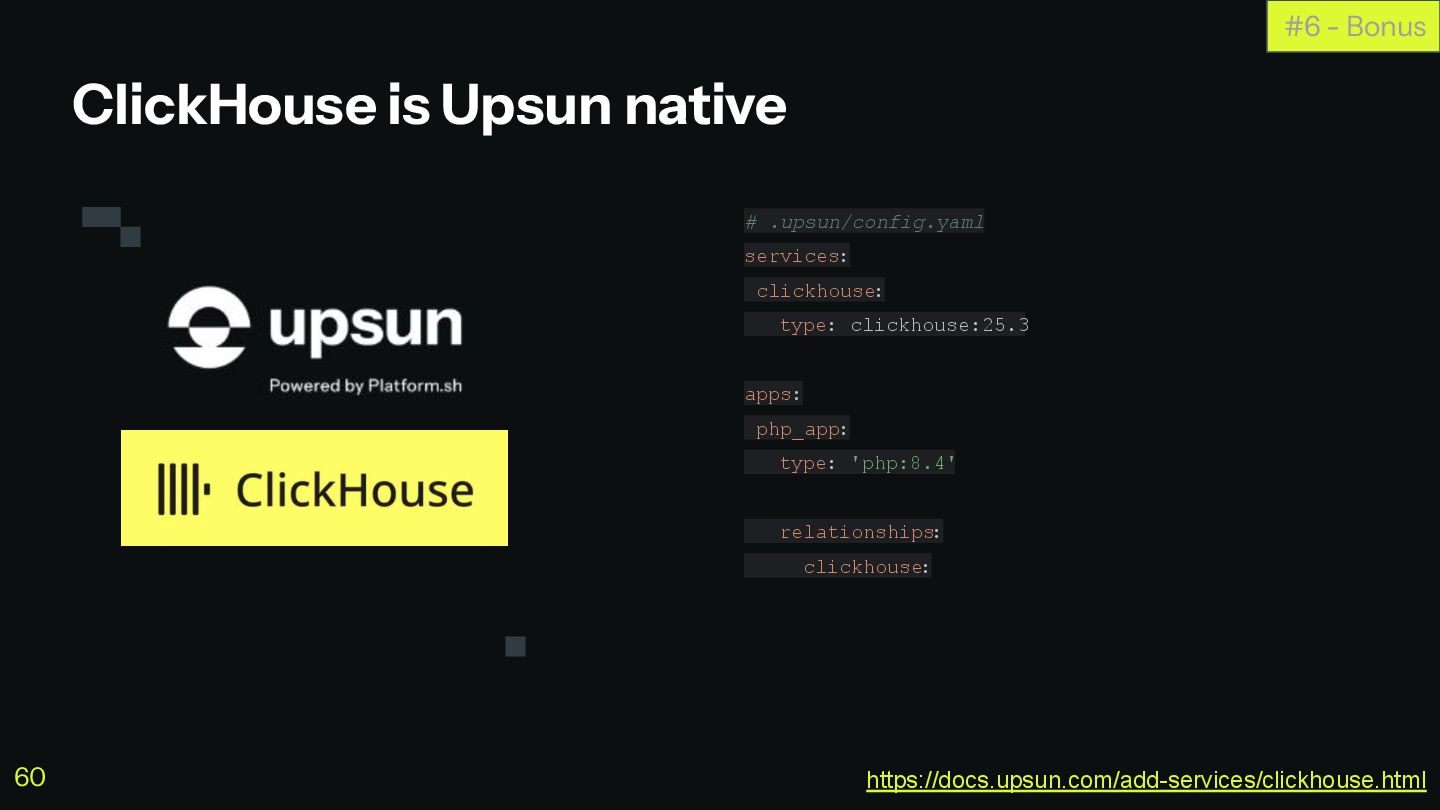
ClickHouse is Upsun native # .upsun/config.yaml services: clickhouse: type: clickhouse:25.3
apps: php_app: type: 'php:8.4' relationships: clickhouse: #6 - Bonus https://docs.upsun.com/add-services/clickhouse.html 60 -
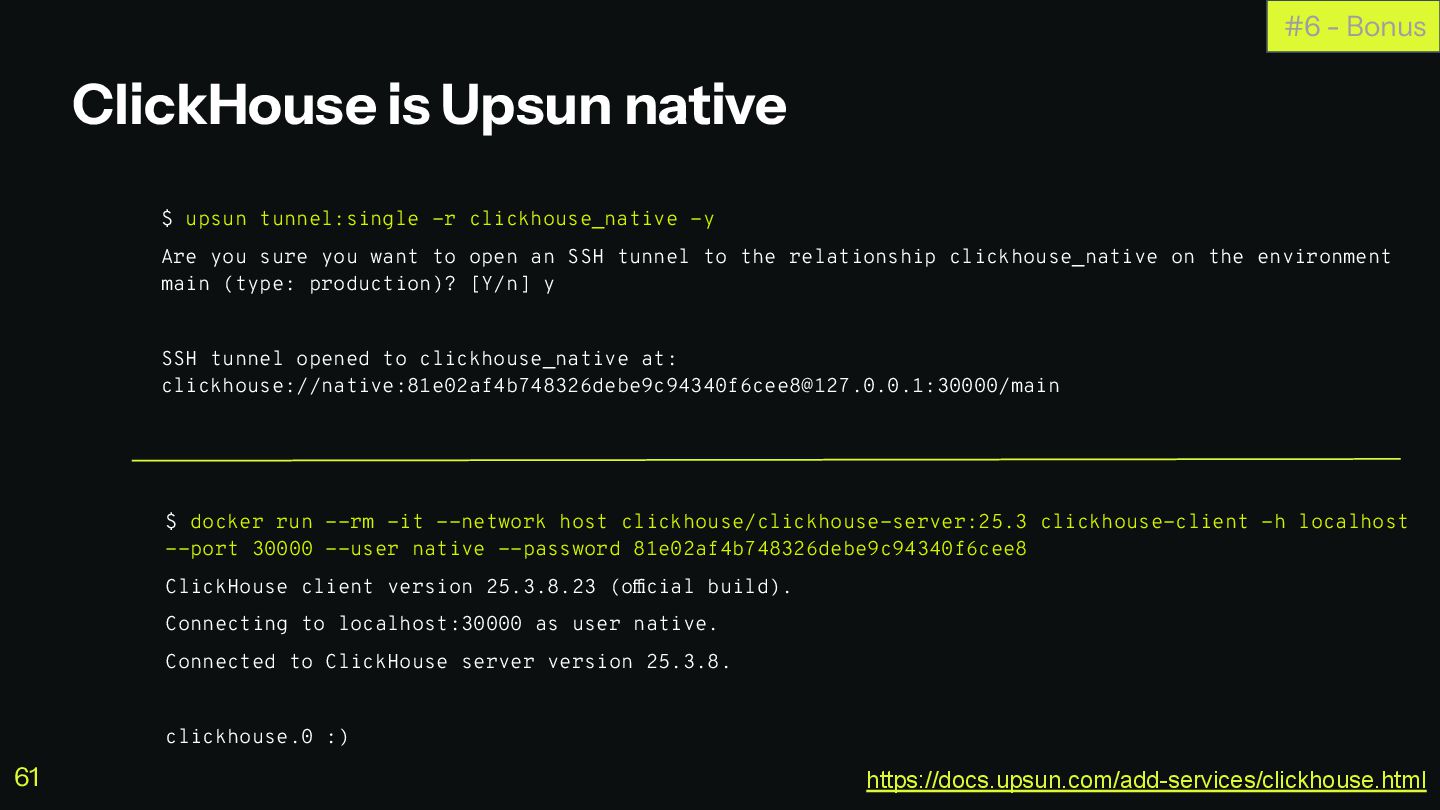
ClickHouse is Upsun native $ upsun tunnel:single -r clickhouse_native -y
Are you sure you want to open an SSH tunnel to the relationship clickhouse_native on the environment main (type: production)? [Y/n] y SSH tunnel opened to clickhouse_native at: clickhouse://native:[email protected]:30000/main #6 - Bonus $ docker run --rm -it --network host clickhouse/clickhouse-server:25.3 clickhouse-client -h localhost --port 30000 --user native --password 81e02af4b748326debe9c94340f6cee8 ClickHouse client version 25.3.8.23 (official build). Connecting to localhost:30000 as user native. Connected to ClickHouse server version 25.3.8. clickhouse.0 :) https://docs.upsun.com/add-services/clickhouse.html 61 -
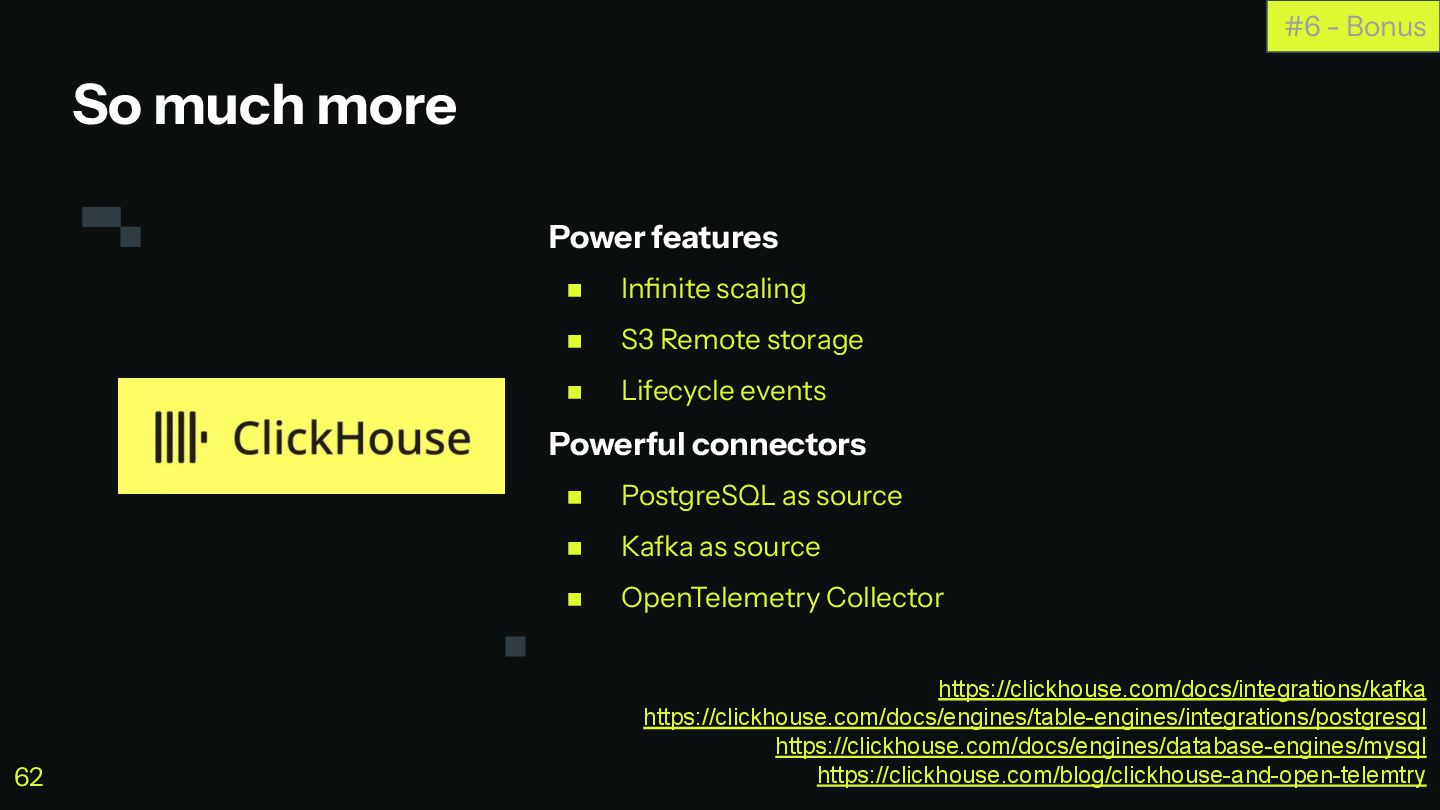
Power features ◼ Infinite scaling ◼ S3 Remote storage ◼
Lifecycle events Powerful connectors ◼ PostgreSQL as source ◼ Kafka as source ◼ OpenTelemetry Collector So much more #6 - Bonus https://clickhouse.com/docs/integrations/kafka https://clickhouse.com/docs/engines/table-engines/integrations/postgresql https://clickhouse.com/docs/engines/database-engines/mysql https://clickhouse.com/blog/clickhouse-and-open-telemtry 62 -
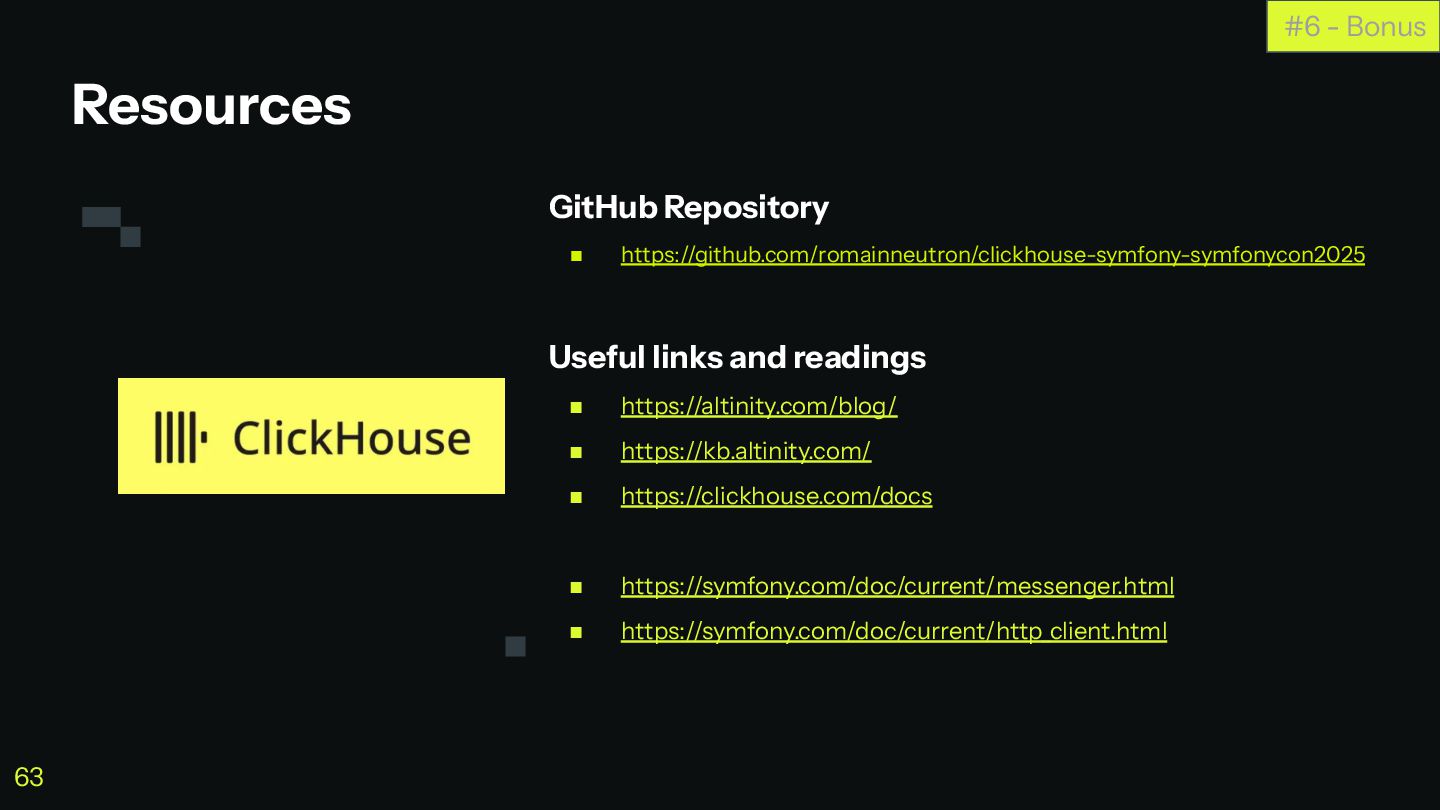
GitHub Repository ◼ https://github.com/romainneutron/clickhouse-symfony-symfonycon2025 Useful links and readings ◼ https://altinity.com/blog/
◼ https://kb.altinity.com/ ◼ https://clickhouse.com/docs ◼ https://symfony.com/doc/current/messenger.html ◼ https://symfony.com/doc/current/http_client.html Resources #6 - Bonus 63 -
▪ Code is available at https://github.com/romainneutron/clickhouse-symfony-symfonycon2025/ ▪ All slides include
links ▪ If you dont take notes that’s fine, you’ll get slides $ git clone [email protected]:romainneutron/clickhouse-symfony-symfonycon2025.git $ cd clickhouse-symfony-symfonycon2025 $ upsun project:create $ upsun push -y #0 Who I am About this Presentation 64
 romainneutron
 nextbeatdev
 naruogram
 shibuiwilliam
 nakamizu
 maaaato
 l2hyunwoo
 ryunen344
 t0yohei
 ostk0069
 yosuke_furukawa
 dalinaum
 4geru
 jnunemaker
 gurzu
 davidcarrasco
 stuffmc
 szymonslowik
 reverentgeek
 wjessup
 retrage
 helenjbeal
 csswizardry
 aleyda


![^ array:2 [ 0 => array:12 [ "hour" => "2025-11-18](https://files.speakerdeck.com/presentations/9aa028bba7224f798fa476fa4dcffa8f/slide_53.jpg)