Upgrade to Pro
— share decks privately, control downloads, hide ads and more …
Speaker Deck
Sign up for free
Menu
Search
Features
All features
Private URLs
Password Protection
Custom URLS
Scheduled publishing
Remove Branding
Restrict embedding
Deck Collections
Notes
Features
All features
Private URLs
Password Protection
Custom URLS
Scheduled publishing
Remove Branding
Restrict embedding
Deck Collections
Notes
Explore
Featured decks
Featured speakers
Programming
Technology
Storyboards
Explore
Featured decks
Featured speakers
Programming
Technology
Storyboards
Pricing
Search
Sign in
Sign up for free
Cognitive Service
Search
Sponsored
·
Ship Features Fearlessly
Turn features on and off without deploys. Used by thousands of Ruby developers.
→
Ryan Chung
May 29, 2020
Technology
130
0
Share
Embed
Copy iframe code
Copy JS code
Copy link
Start on current slide
Cognitive Service
Ryan Chung
May 29, 2020
More Decks by Ryan Chung
See All by Ryan Chung
MovieBot Development
ryan403
0
350
Design Voice-First Games for Alexa
ryan403
0
99
AI Teaching Talk
ryan403
0
160
jQuery & API Practices
ryan403
0
180
CSS Practices
ryan403
1
190
JavaScript Practices
ryan403
0
120
Web Programming - Lesson 6
ryan403
1
700
Web Programming - Lesson 7
ryan403
1
700
Web Programming - Lesson 5
ryan403
1
480
Other Decks in Technology
See All in Technology
ひとりで始めた AI駆動開発、チームに広げて何が変わったのか
kenichiodo
1
200
Jev の中身は50行で再現できる。でも本物との差はどこにあるのか
hisuzuya
0
260
200人の配信コメント、 全部Jevが仕分けます 〜 マサカリガードを作ってみた 〜
katayamatg
1
480
AI Search (Foundry IQ) におけるRAGデータの準備と配置
ryomaru0825
1
110
re:Invent の去年のスケジュールを公開します!
miu_crescent
PRO
0
130
GitHub、使う?使わない?
happysamurai294
0
130
Agent Loopを組み込んだ アンビエントなAI機能を実現する / Ambient AI fetures with Agent Loop
nekorush14
0
120
E2Eってつらくないですか?E2Eの管理コストを下げる手段とその実践
akaboshinit
6
2.8k
Flutter Webを「SDK」として配る — 50以上のゲームを支える埋め込みアーキテクチャ
masayukisuda
0
170
デザインレビューは自動化できるのか?─ Flutter × Figma で UI 品質保証を考える
techiro
2
680
Technical Project Manager の役割とやりがい、少しだけ AI
yoshiiryo1
0
490
Vibe-to-Spec開発_実践ガイド
happysamurai294
0
130
Featured
See All Featured
A Modern Web Designer's Workflow
chriscoyier
699
190k
Java REST API Framework Comparison - PWX 2021
mraible
34
9.8k
Intergalactic Javascript Robots from Outer Space
tanoku
273
28k
Ethics towards AI in product and experience design
skipperchong
2
450
How GitHub (no longer) Works
holman
316
150k
So, you think you're a good person
axbom
PRO
2
2.2k
Exploring the Power of Turbo Streams & Action Cable | RailsConf2023
kevinliebholz
37
6.6k
Measuring & Analyzing Core Web Vitals
bluesmoon
9
1k
The SEO Collaboration Effect
kristinabergwall1
1
610
The Myth of the Modular Monolith - Day 2 Keynote - Rails World 2024
eileencodes
28
3.7k
GitHub's CSS Performance
jonrohan
1033
470k
Code Review Best Practice
trishagee
74
20k
Transcript
微軟Azure認知服務實作 電腦視覺、語言翻譯
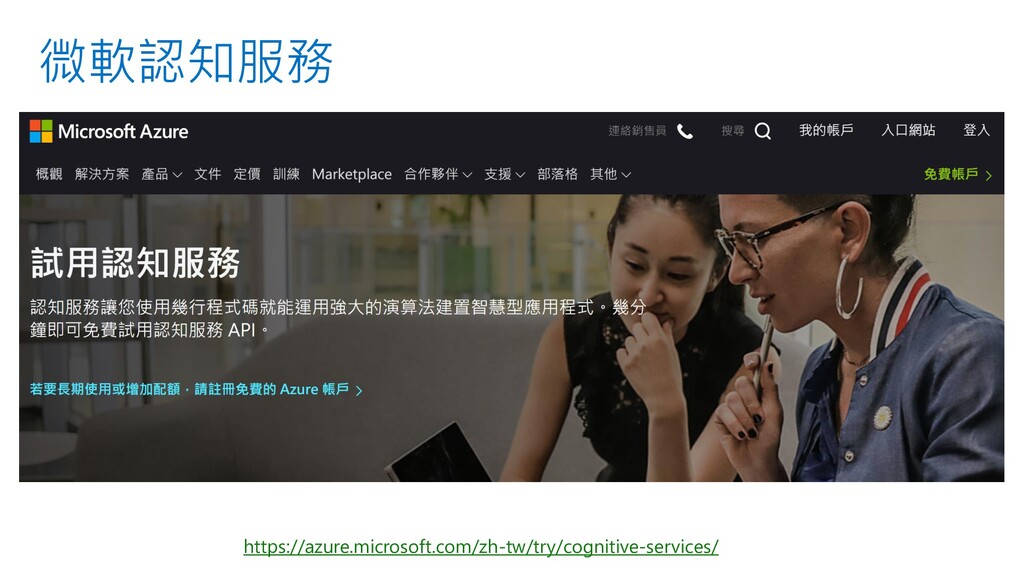
微軟認知服務 https://azure.microsoft.com/zh-tw/try/cognitive-services/
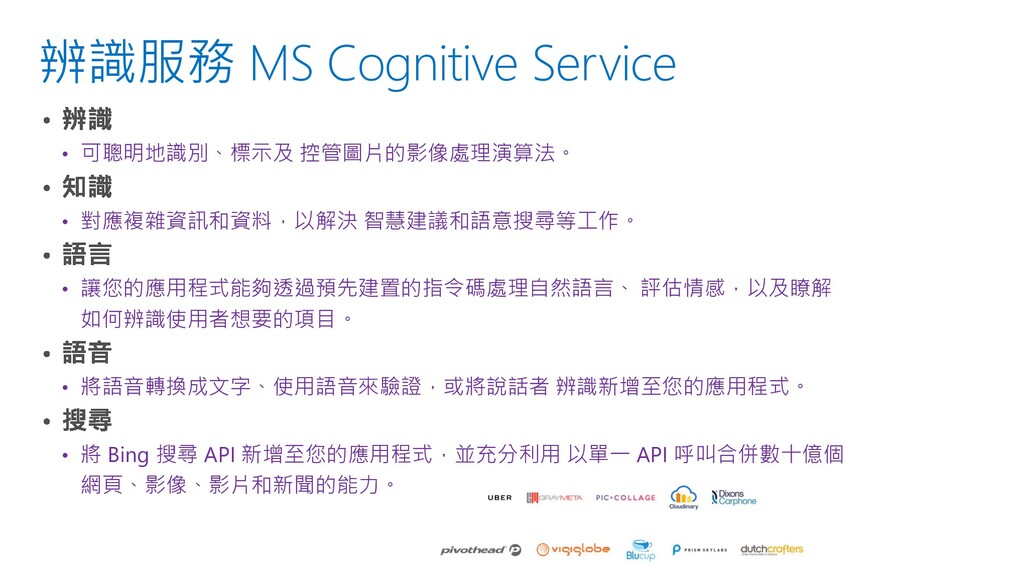
辨識服務 MS Cognitive Service • 可聰明地識別、標示及 控管圖片的影像處理演算法。 • 對應複雜資訊和資料,以解決 智慧建議和語意搜尋等工作。
• 讓您的應用程式能夠透過預先建置的指令碼處理自然語言、 評估情感,以及瞭解 如何辨識使用者想要的項目。 • 將語音轉換成文字、使用語音來驗證,或將說話者 辨識新增至您的應用程式。 • 將 Bing 搜尋 API 新增至您的應用程式,並充分利用 以單一 API 呼叫合併數十億個 網頁、影像、影片和新聞的能力。
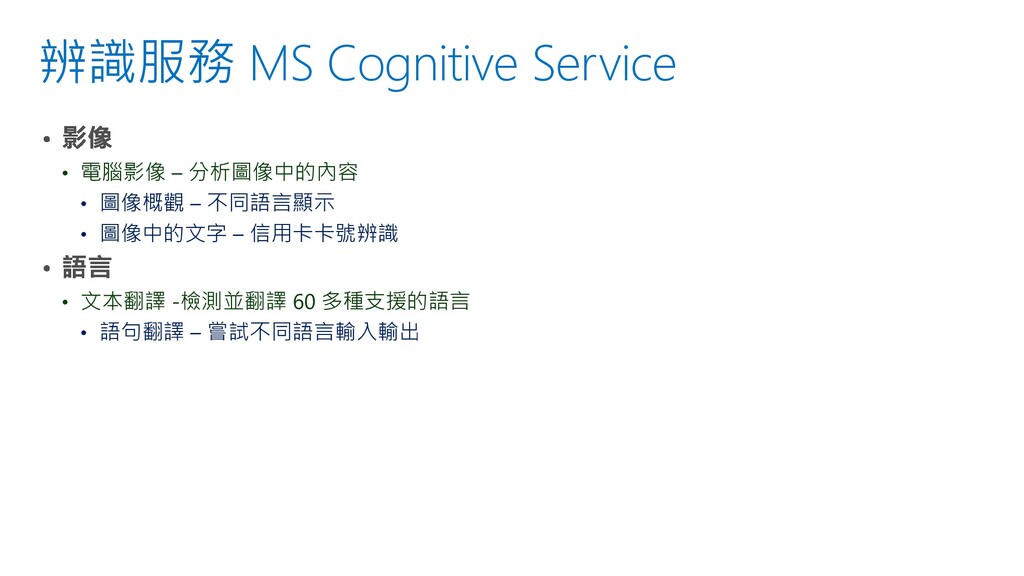
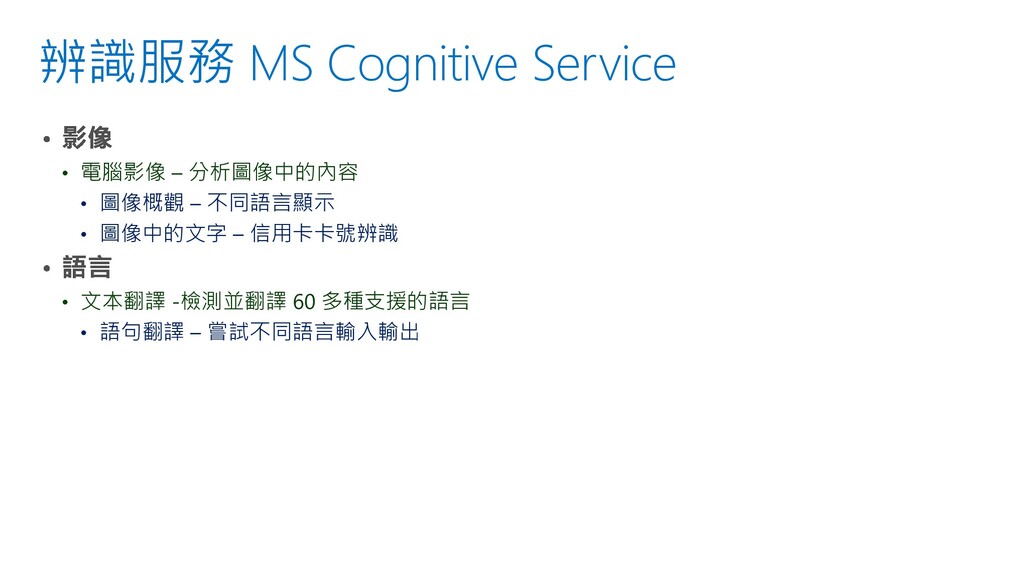
辨識服務 MS Cognitive Service • 電腦影像 – 分析圖像中的內容 • 圖像概觀
– 不同語言顯示 • 圖像中的文字 – 信用卡卡號辨識 • 文本翻譯 -檢測並翻譯 60 多種支援的語言 • 語句翻譯 – 嘗試不同語言輸入輸出
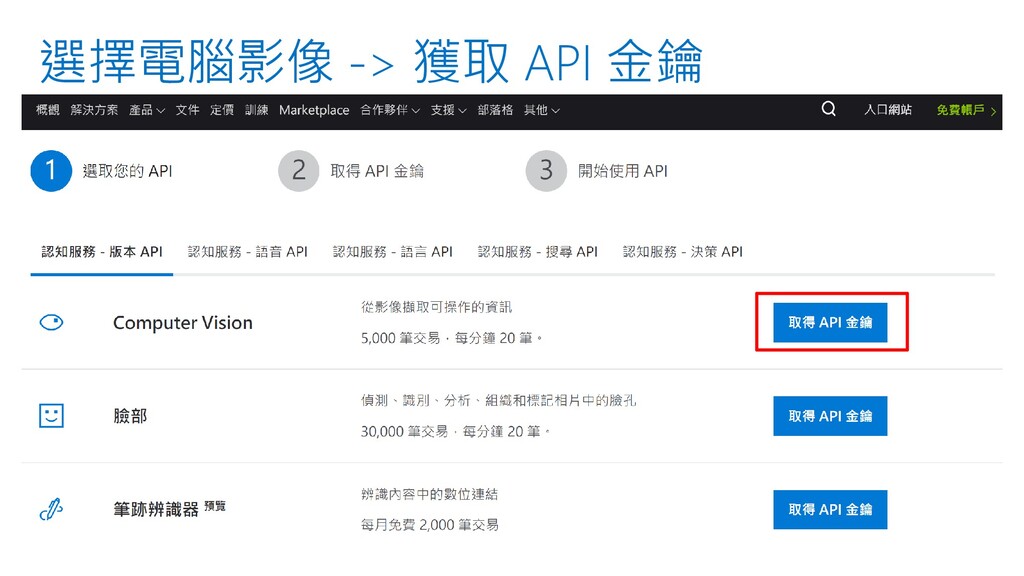
選擇電腦影像 -> 獲取 API 金鑰
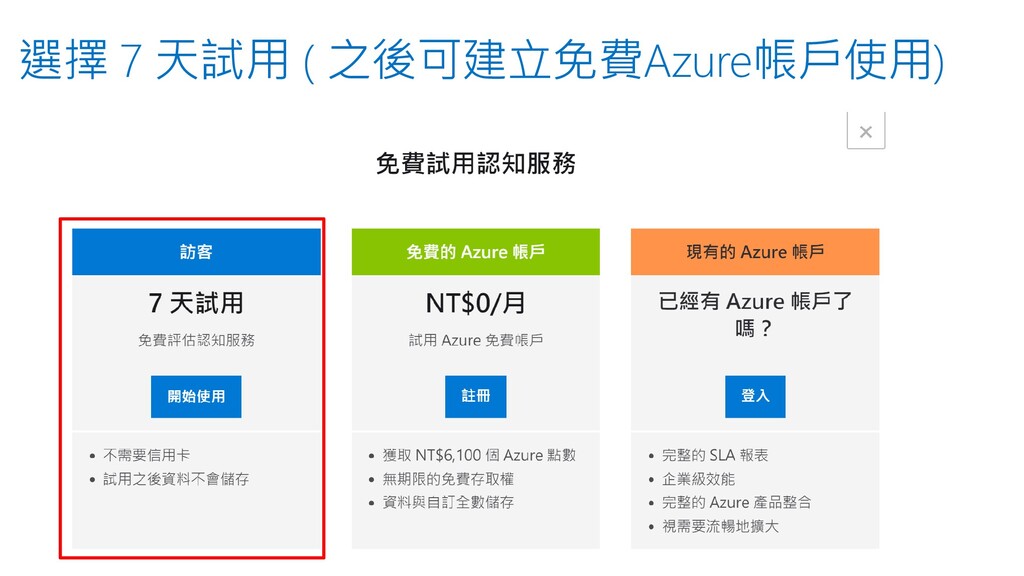
選擇 7 天試用 ( 之後可建立免費Azure帳戶使用)
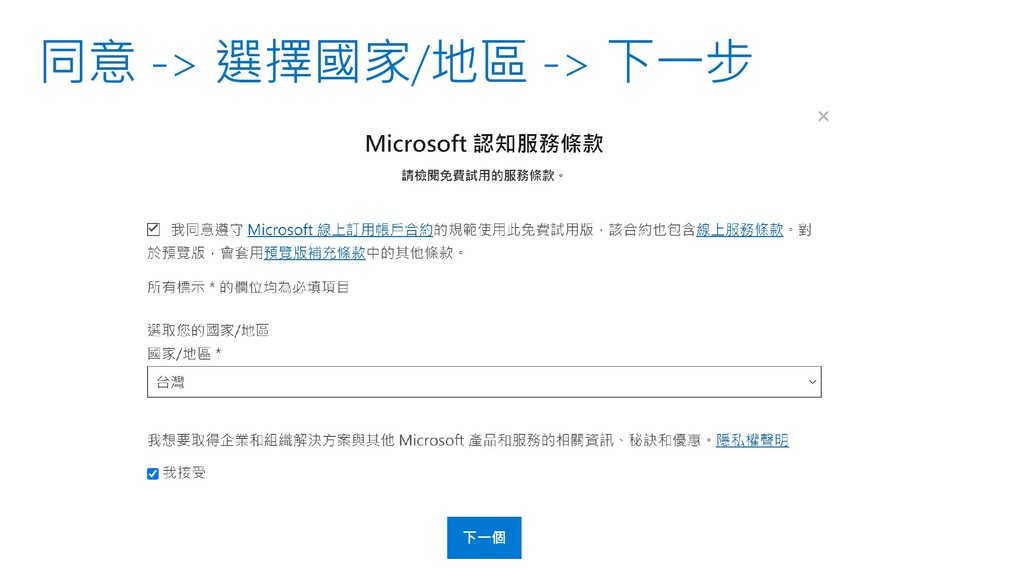
同意 -> 選擇國家/地區 -> 下一步
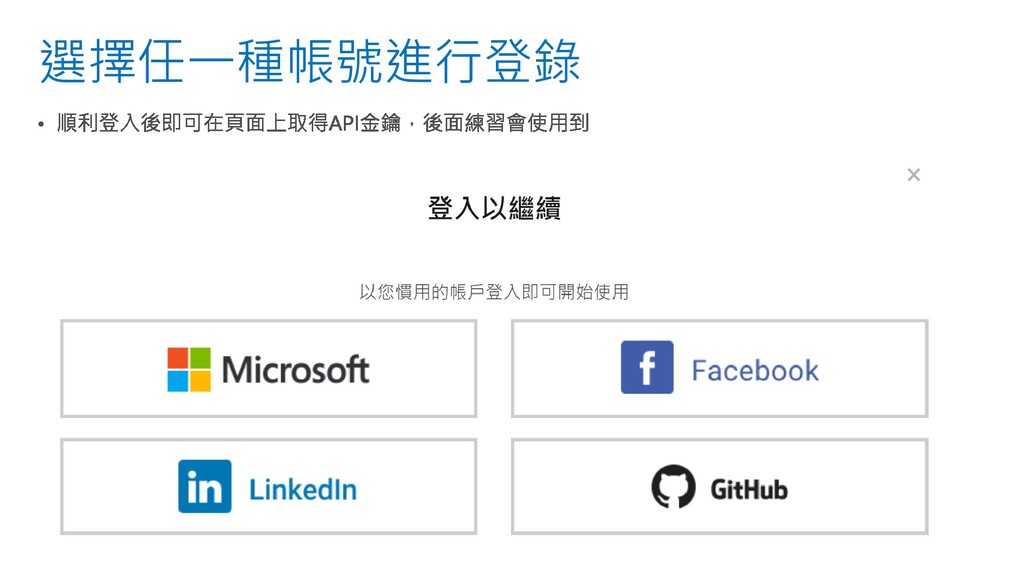
選擇任一種帳號進行登錄
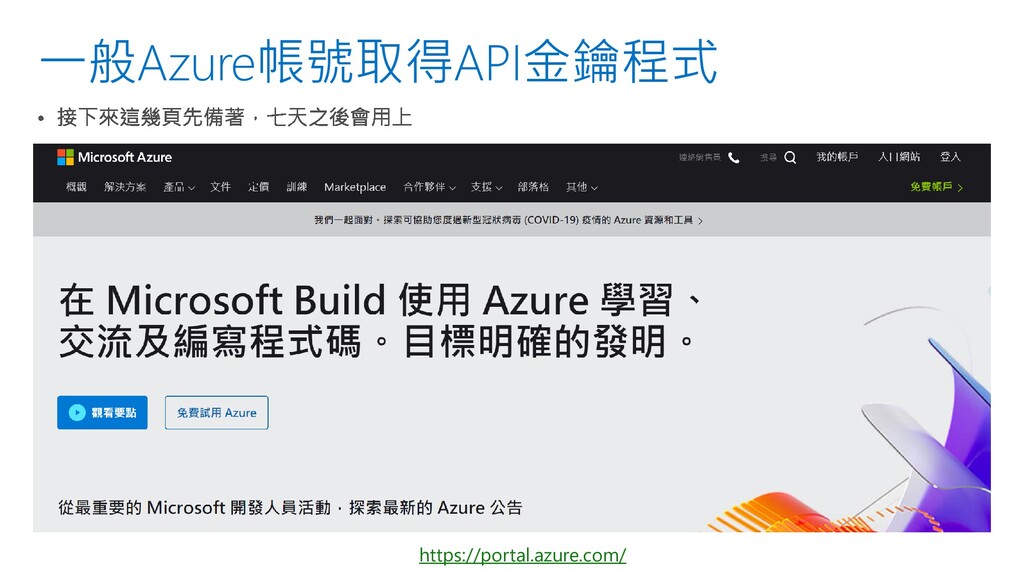
一般Azure帳號取得API金鑰程式 https://portal.azure.com/
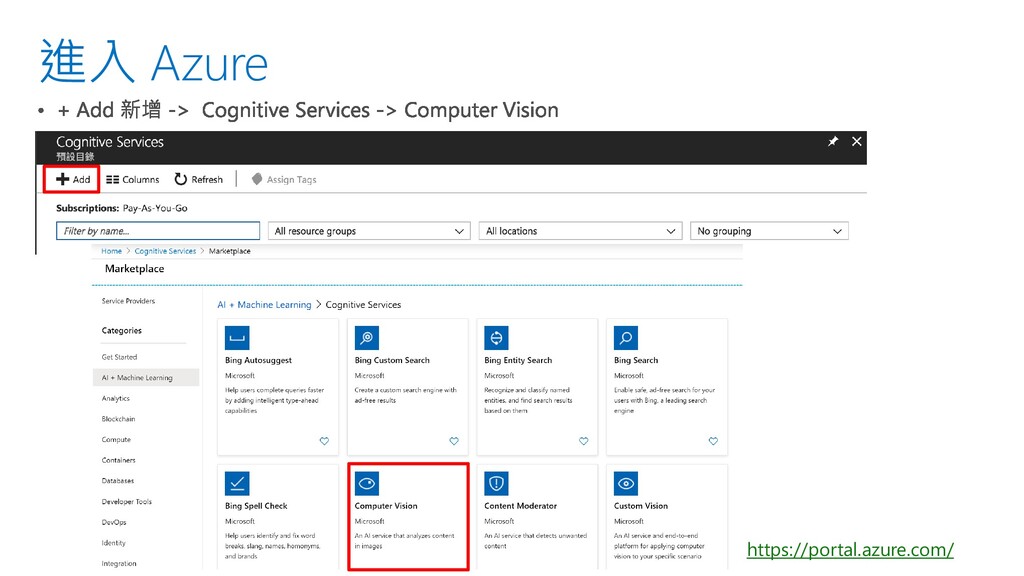
進入 Azure https://portal.azure.com/
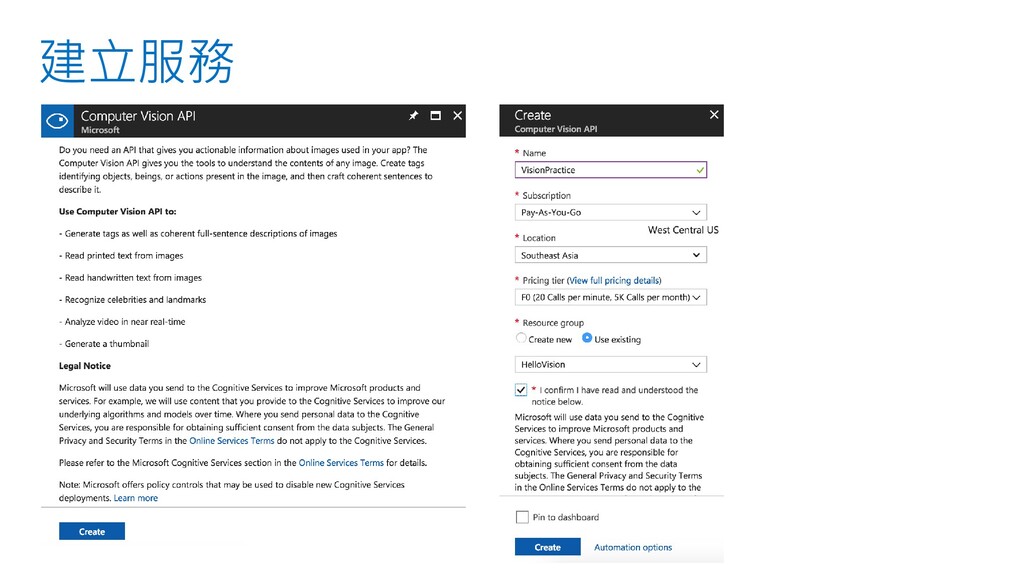
建立服務
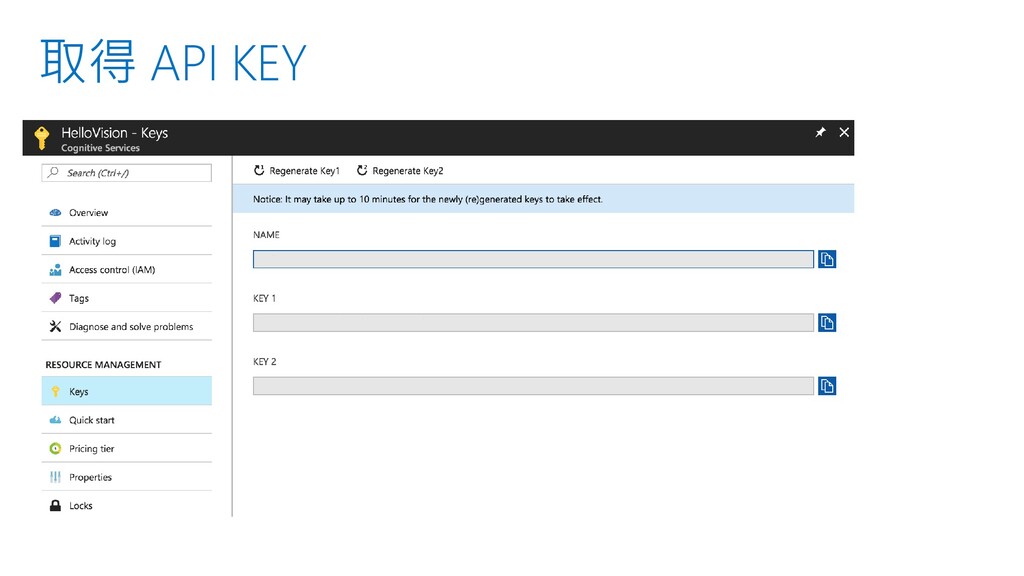
取得 API KEY
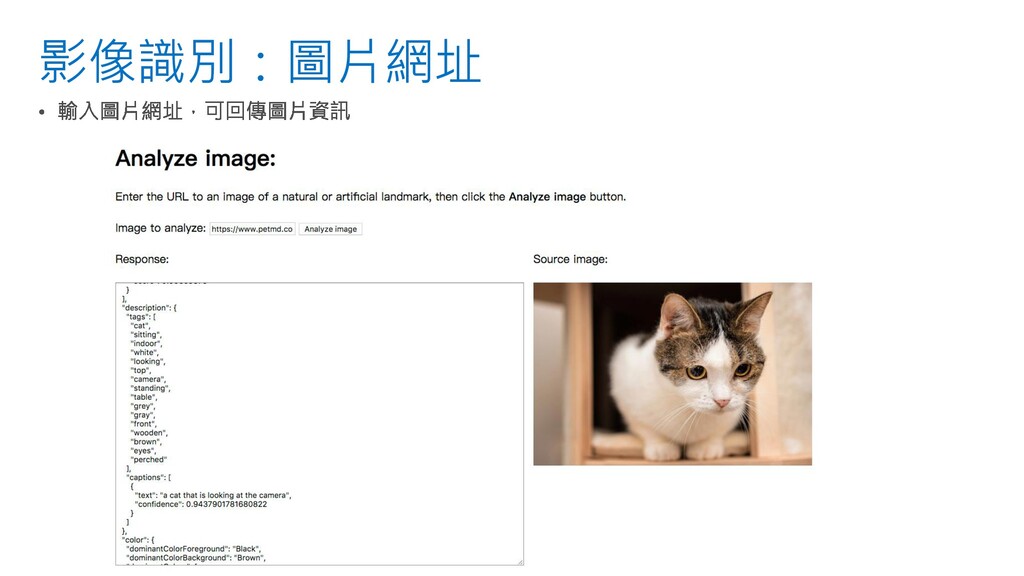
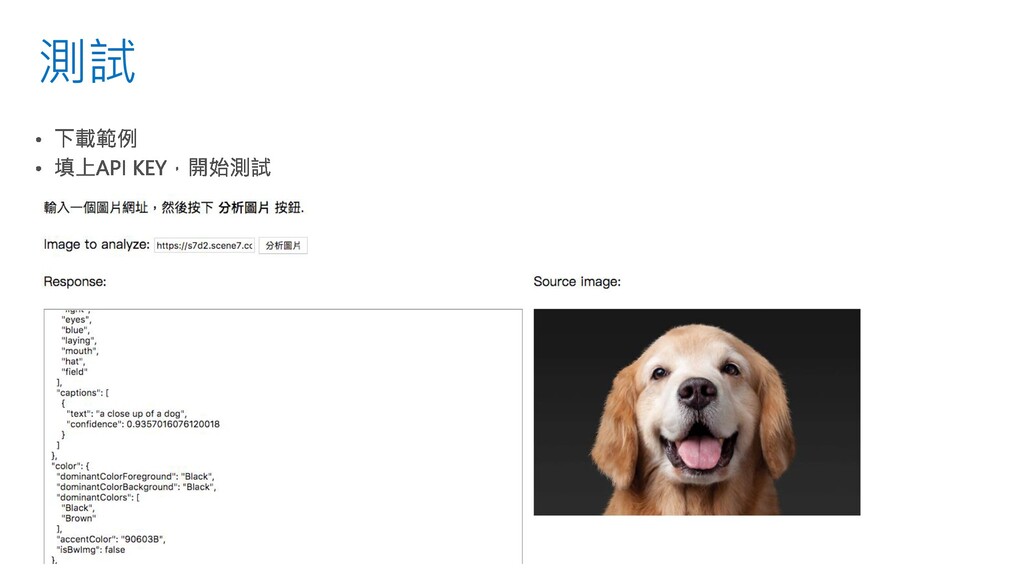
影像識別:圖片網址
測試
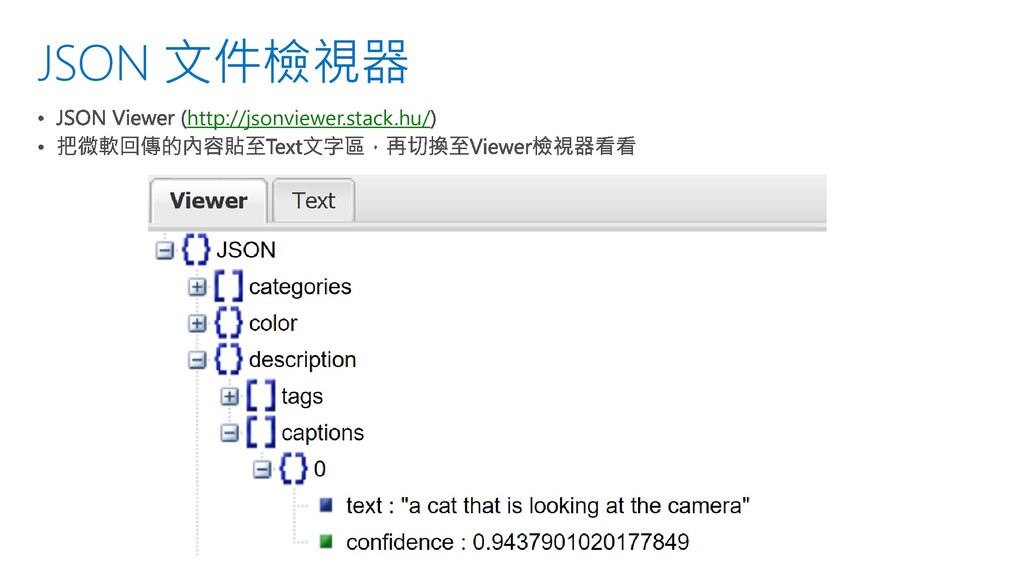
JSON 文件檢視器 http://jsonviewer.stack.hu/
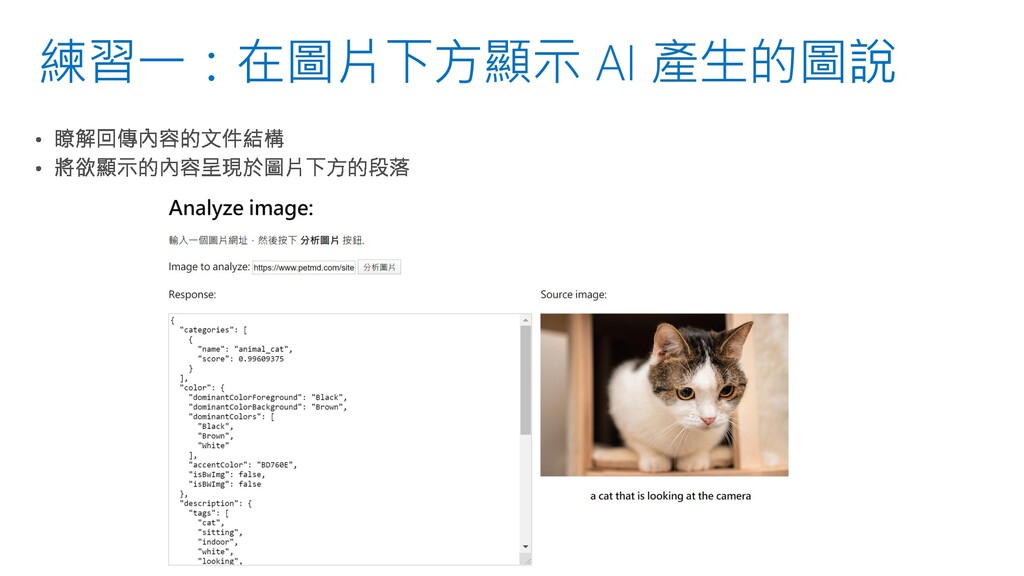
練習一:在圖片下方顯示 AI 產生的圖說
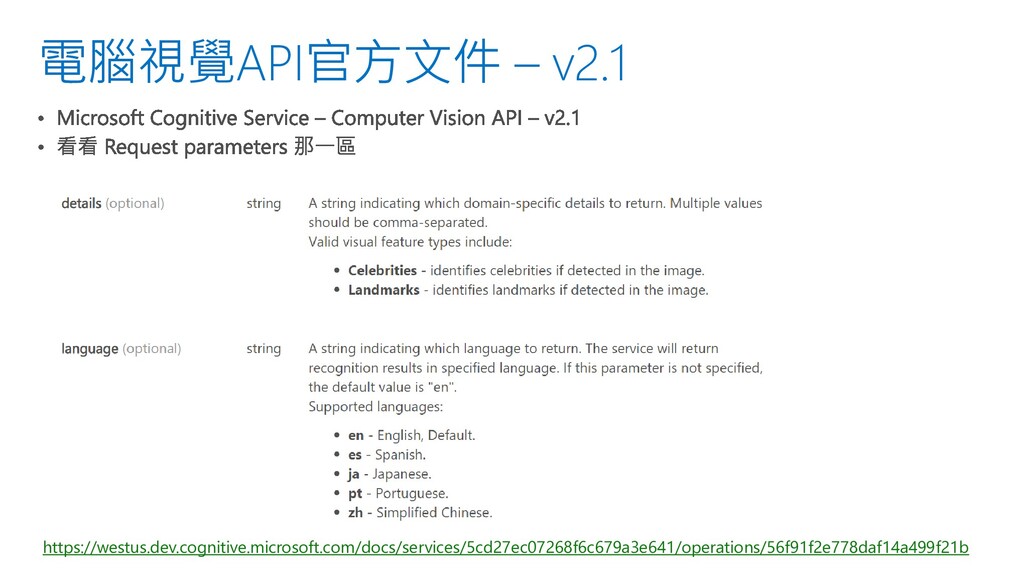
電腦視覺API官方文件 – v2.1 https://westus.dev.cognitive.microsoft.com/docs/services/5cd27ec07268f6c679a3e641/operations/56f91f2e778daf14a499f21b
練習一:在圖片下方顯示 AI 產生的圖說 $("#picDescription").text(data.description.captions[0].text);
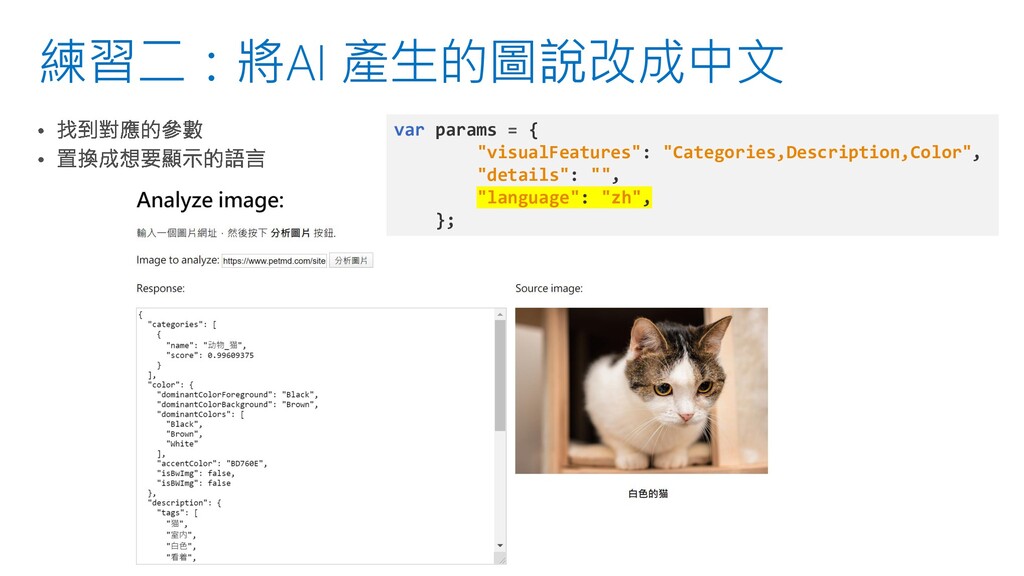
練習二:將AI 產生的圖說改成中文 var params = { "visualFeatures": "Categories,Description,Color", "details": "",
"language": "zh", };
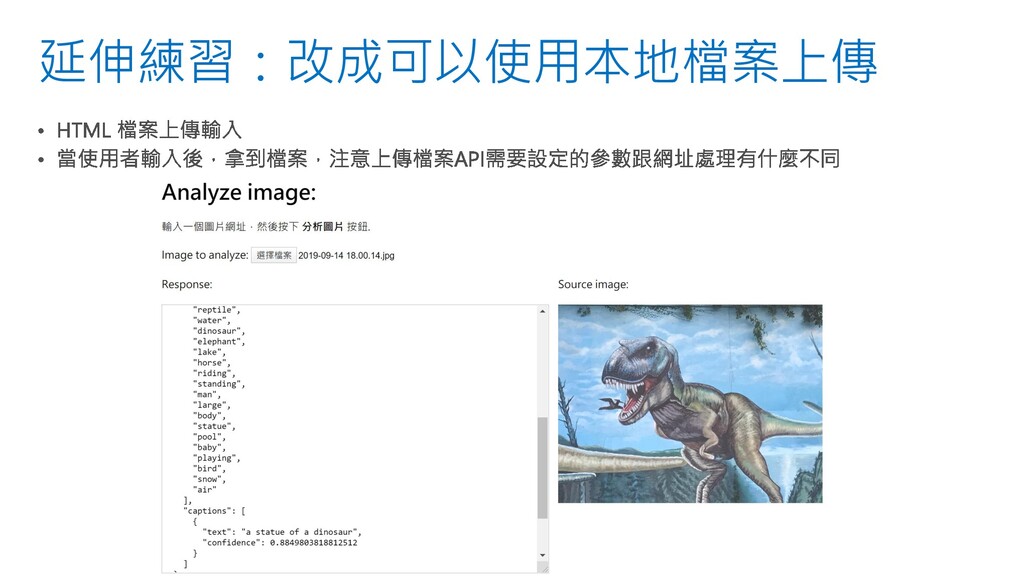
延伸練習:改成可以使用本地檔案上傳
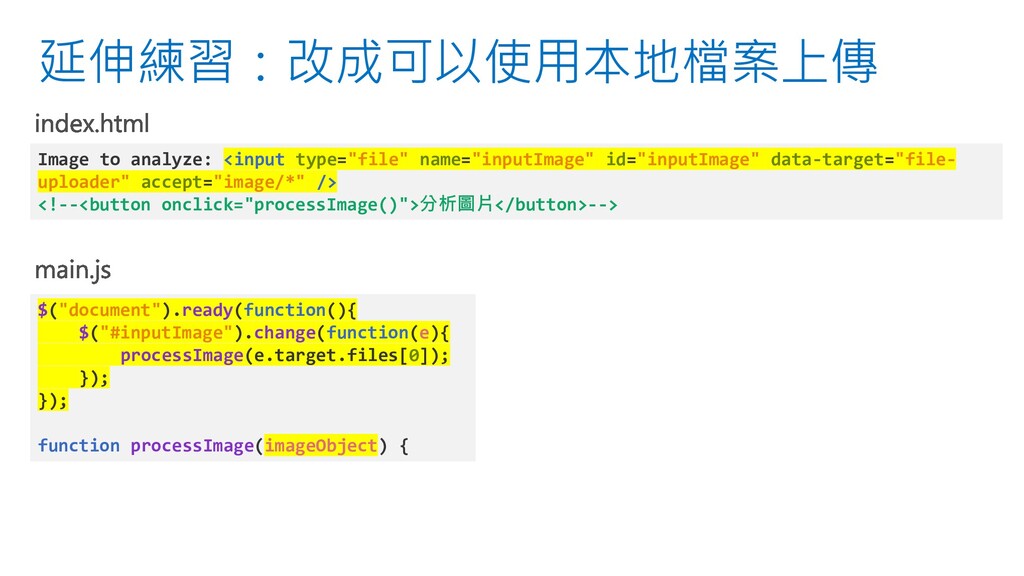
延伸練習:改成可以使用本地檔案上傳 Image to analyze: <input type="file" name="inputImage" id="inputImage" data-target="file- uploader"
accept="image/*" /> <!--<button onclick="processImage()">分析圖片</button>--> $("document").ready(function(){ $("#inputImage").change(function(e){ processImage(e.target.files[0]); }); }); function processImage(imageObject) {
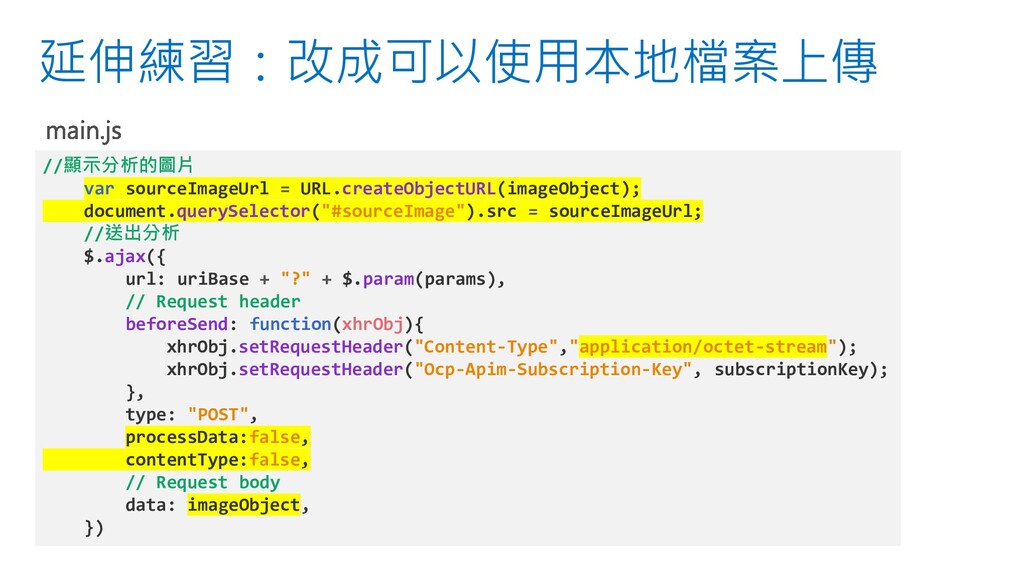
延伸練習:改成可以使用本地檔案上傳 //顯示分析的圖片 var sourceImageUrl = URL.createObjectURL(imageObject); document.querySelector("#sourceImage").src = sourceImageUrl; //送出分析
$.ajax({ url: uriBase + "?" + $.param(params), // Request header beforeSend: function(xhrObj){ xhrObj.setRequestHeader("Content-Type","application/octet-stream"); xhrObj.setRequestHeader("Ocp-Apim-Subscription-Key", subscriptionKey); }, type: "POST", processData:false, contentType:false, // Request body data: imageObject, })
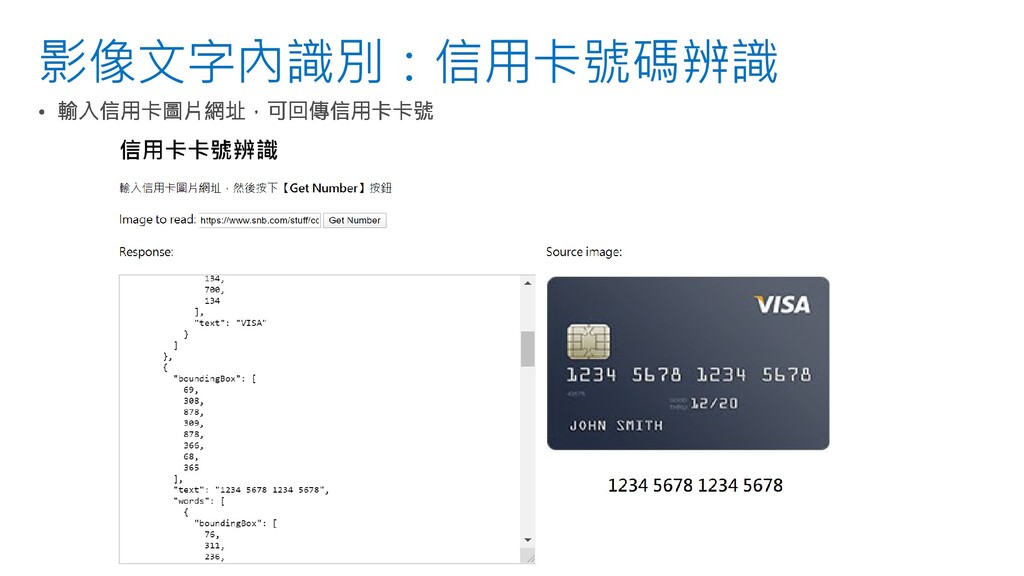
影像文字內識別:信用卡號碼辨識
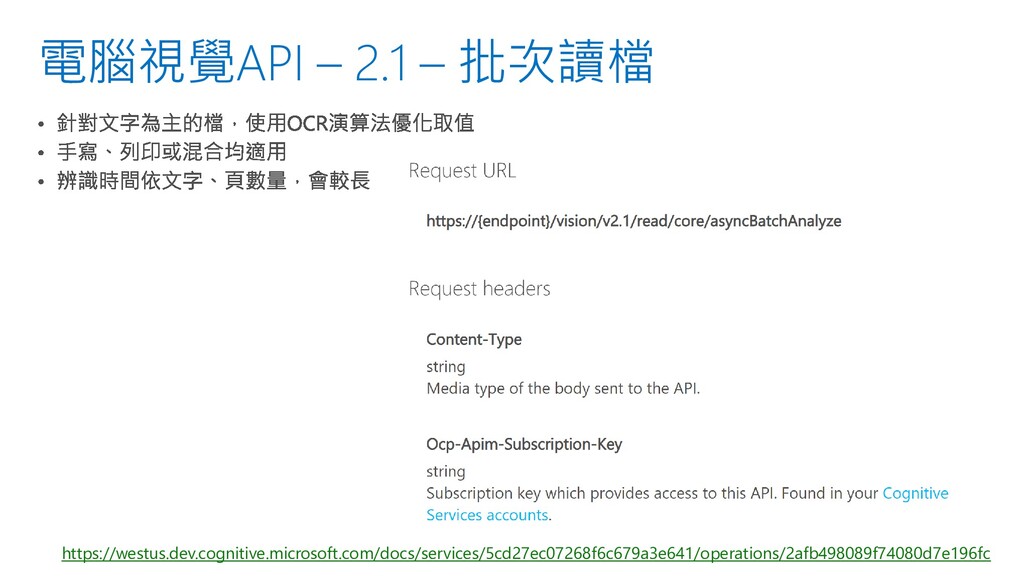
電腦視覺API – 2.1 – 批次讀檔 https://westus.dev.cognitive.microsoft.com/docs/services/5cd27ec07268f6c679a3e641/operations/2afb498089f74080d7e196fc
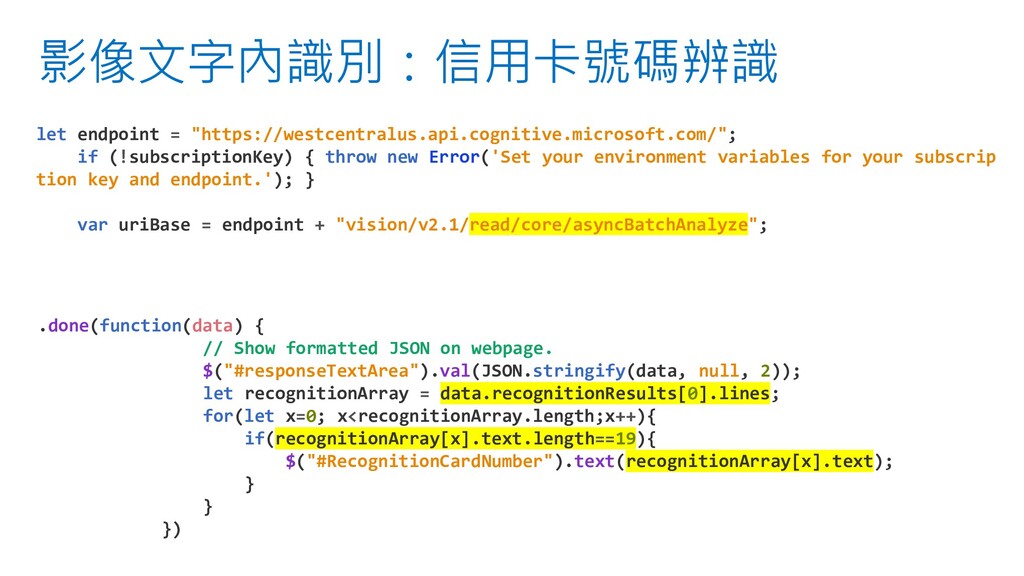
影像文字內識別:信用卡號碼辨識 let endpoint = "https://westcentralus.api.cognitive.microsoft.com/"; if (!subscriptionKey) { throw new
Error('Set your environment variables for your subscrip tion key and endpoint.'); } var uriBase = endpoint + "vision/v2.1/read/core/asyncBatchAnalyze"; .done(function(data) { // Show formatted JSON on webpage. $("#responseTextArea").val(JSON.stringify(data, null, 2)); let recognitionArray = data.recognitionResults[0].lines; for(let x=0; x<recognitionArray.length;x++){ if(recognitionArray[x].text.length==19){ $("#RecognitionCardNumber").text(recognitionArray[x].text); } } })
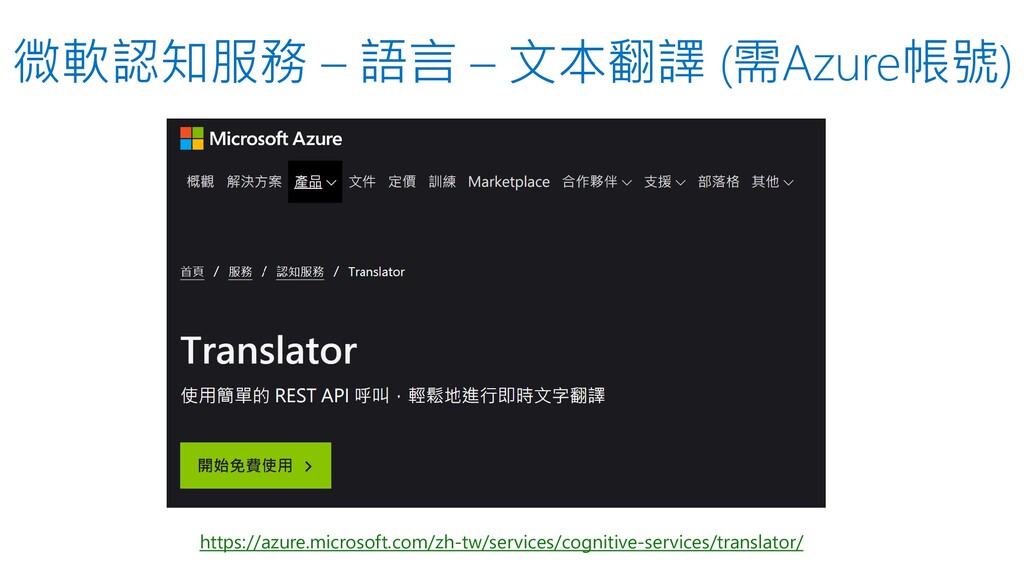
微軟認知服務 – 語言 – 文本翻譯 (需Azure帳號) https://azure.microsoft.com/zh-tw/services/cognitive-services/translator/
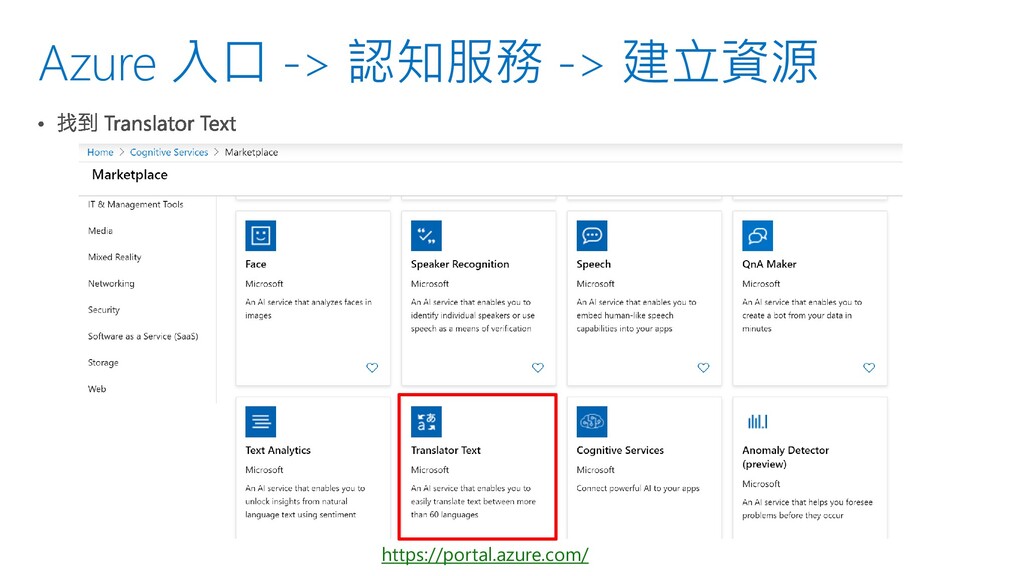
Azure 入口 -> 認知服務 -> 建立資源 https://portal.azure.com/
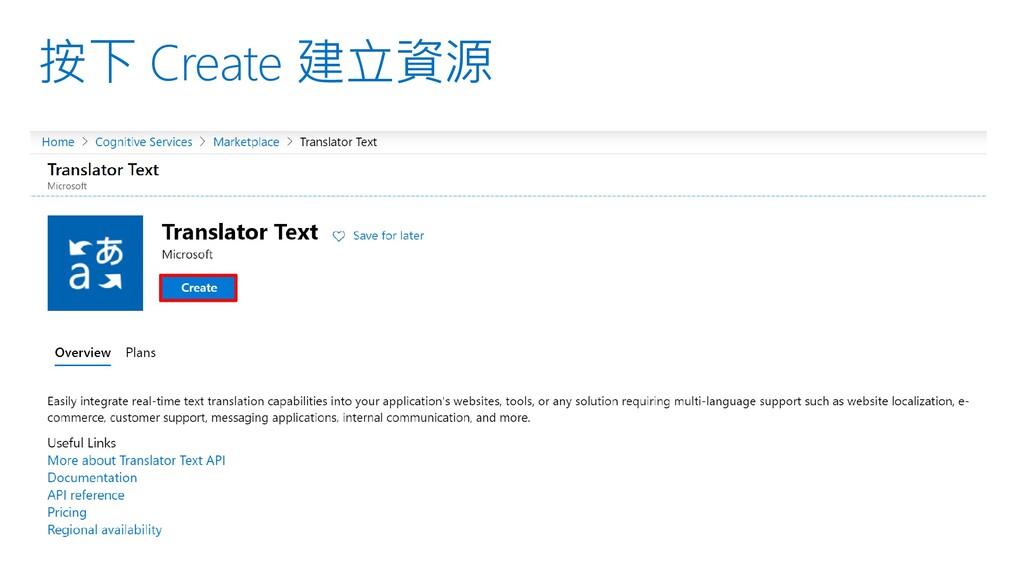
按下 Create 建立資源
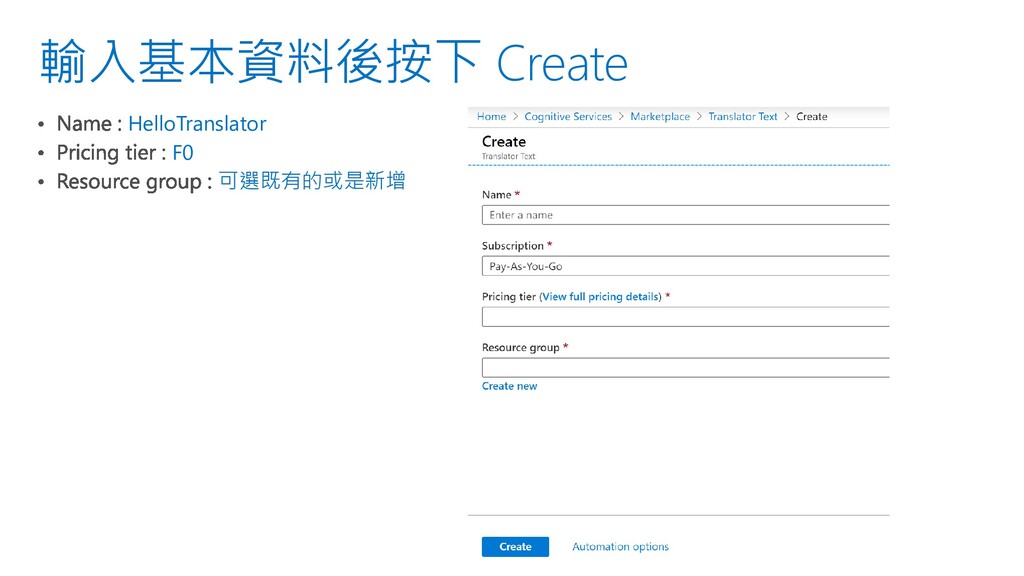
輸入基本資料後按下 Create HelloTranslator F0 可選既有的或是新增
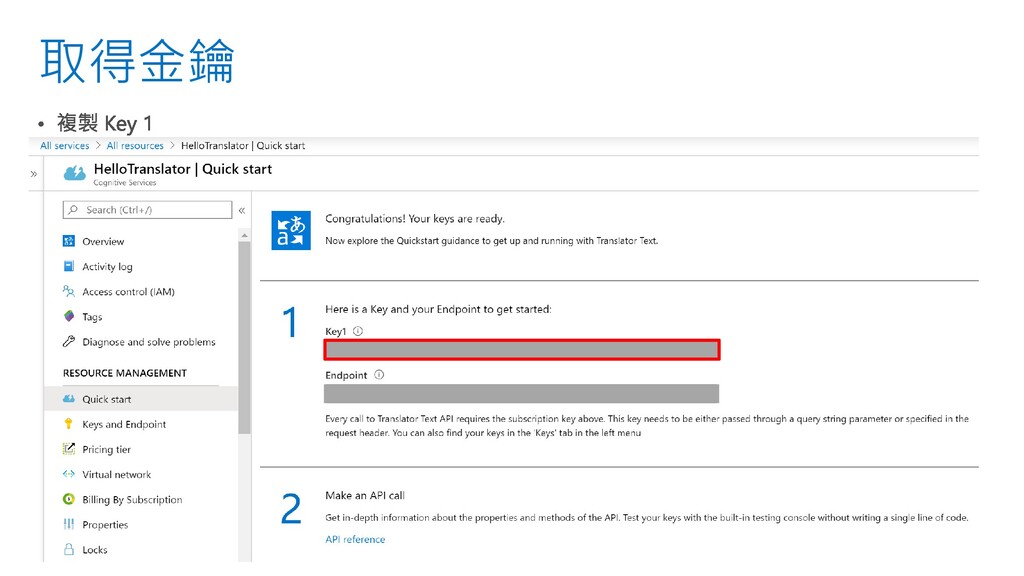
取得金鑰
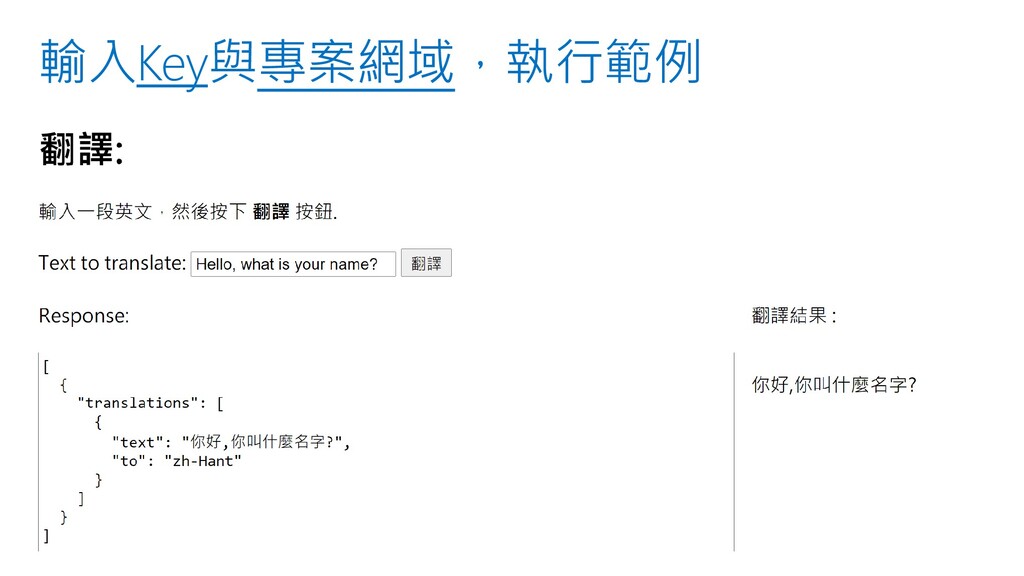
輸入Key與專案網域,執行範例
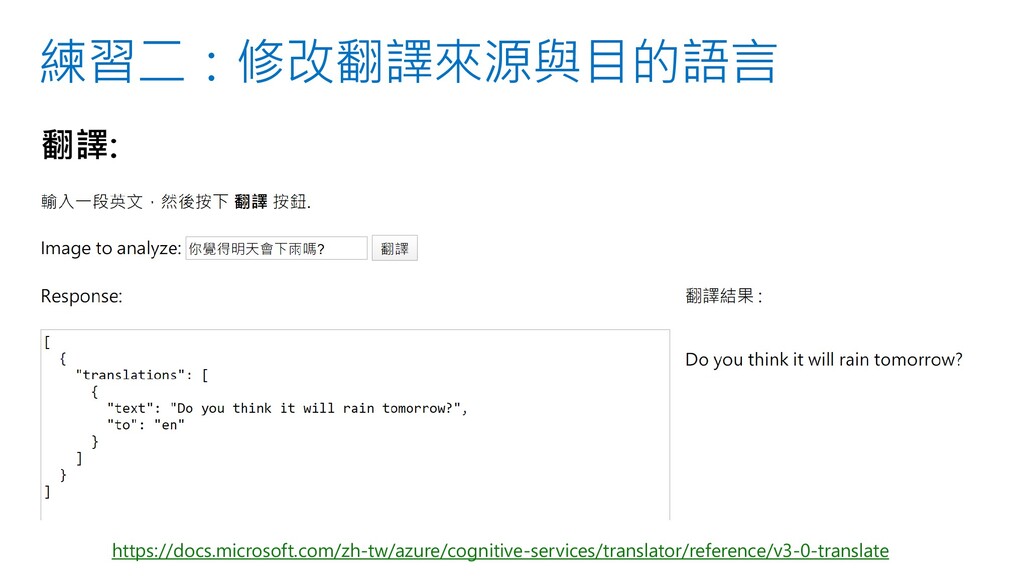
練習一:將翻譯結果顯示于右方 .done(function(data) { //顯示JSON內容 $("#responseTextArea").val(JSON.stringify(data, null, 2)); $("#translateResult").text(data[0].translations[0].text); })
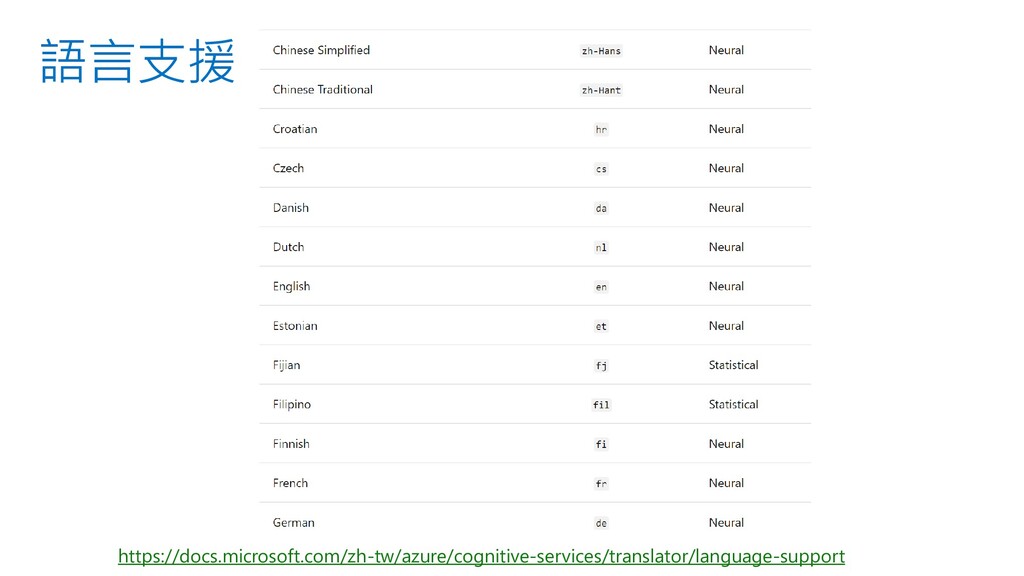
語言支援 https://docs.microsoft.com/zh-tw/azure/cognitive-services/translator/language-support
練習二:修改翻譯來源與目的語言 https://docs.microsoft.com/zh-tw/azure/cognitive-services/translator/reference/v3-0-translate
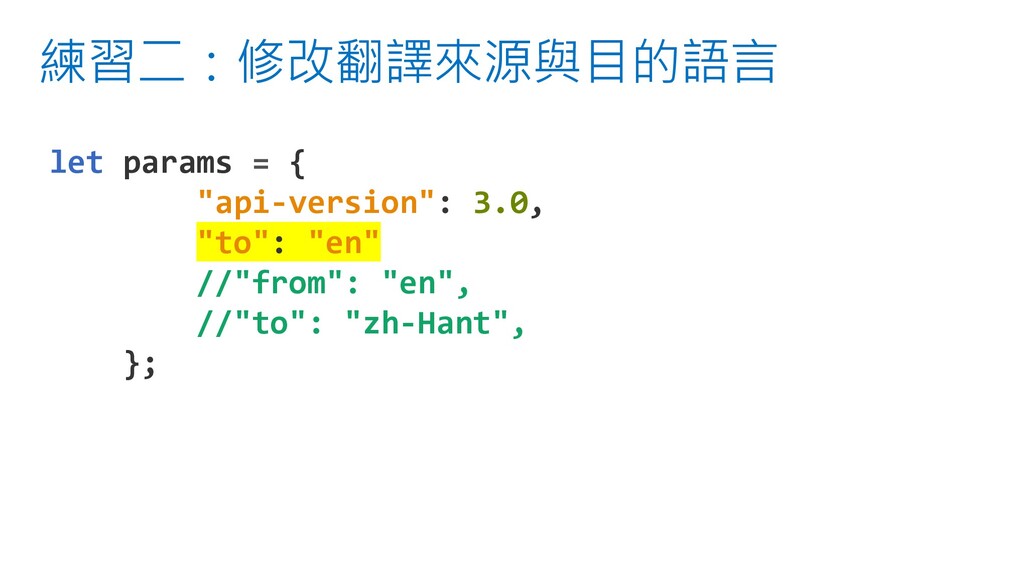
練習二:修改翻譯來源與目的語言 let params = { "api-version": 3.0, "to": "en" //"from":
"en", //"to": "zh-Hant", };
辨識服務 MS Cognitive Service • 電腦影像 – 分析圖像中的內容 • 圖像概觀
– 不同語言顯示 • 圖像中的文字 – 信用卡卡號辨識 • 文本翻譯 -檢測並翻譯 60 多種支援的語言 • 語句翻譯 – 嘗試不同語言輸入輸出


 ryan403
 kenichiodo
 hisuzuya
 katayamatg
 ryomaru0825
 miu_crescent
 happysamurai294
 nekorush14
 akaboshinit
 masayukisuda
 techiro
 yoshiiryo1
 chriscoyier
 mraible
 tanoku
 skipperchong
 holman
 axbom
axbom
 kevinliebholz
 bluesmoon
 kristinabergwall1
 eileencodes
 jonrohan
 trishagee

![練習一:在圖片下方顯示 AI 產生的圖說 $("#picDescription").text(data.description.captions[0].text);](https://files.speakerdeck.com/presentations/d642c476581f46dfba17632eef380630/slide_17.jpg)
![練習一:將翻譯結果顯示于右方 .done(function(data) { //顯示JSON內容 $("#responseTextArea").val(JSON.stringify(data, null, 2)); $("#translateResult").text(data[0].translations[0].text); })](https://files.speakerdeck.com/presentations/d642c476581f46dfba17632eef380630/slide_31.jpg)