Upgrade to Pro
— share decks privately, control downloads, hide ads and more …
Speaker Deck
Sign up for free
Menu
Search
Features
All features
Private URLs
Password Protection
Custom URLS
Scheduled publishing
Remove Branding
Restrict embedding
Deck Collections
Notes
Features
All features
Private URLs
Password Protection
Custom URLS
Scheduled publishing
Remove Branding
Restrict embedding
Deck Collections
Notes
Explore
Featured decks
Featured speakers
Programming
Technology
Storyboards
Explore
Featured decks
Featured speakers
Programming
Technology
Storyboards
Pricing
Search
Sign in
Sign up for free
CSS Practices
Search
Ryan Chung
May 22, 2020
Technology
190
1
Share
Embed
Copy iframe code
Copy JS code
Copy link
Start on current slide
CSS Practices
Ryan Chung
May 22, 2020
More Decks by Ryan Chung
See All by Ryan Chung
MovieBot Development
ryan403
0
340
Design Voice-First Games for Alexa
ryan403
0
96
AI Teaching Talk
ryan403
0
160
Cognitive Service
ryan403
0
130
jQuery & API Practices
ryan403
0
170
JavaScript Practices
ryan403
0
120
Web Programming - Lesson 6
ryan403
1
680
Web Programming - Lesson 7
ryan403
1
680
Web Programming - Lesson 5
ryan403
1
480
Other Decks in Technology
See All in Technology
Datadog の学び方 - あるいは、オブザーバビリティを学ぶとは何か
mananyuki
1
490
SDDの運用にめげずに向き合った話
sansantech
PRO
1
130
データ品質を壊しながらSnowflakeのAIに分析させてみた
kawanago
0
520
不可逆な意思決定を避けながら10億超の顧客データを AI Ready にするデータ基盤設計
baseballyama
1
120
Oracle Base Database Service 技術詳細
oracle4engineer
PRO
17
120k
BedrockとLambdaで作る リアルタイム進行型推理ゲーム
kawametho
0
190
Claude起点の仕様駆動開発
tanakaseiya
0
400
雪かき部 #7 もう怖くない!SELECT文!
foursue
0
280
AI 時代の Azure エンジニアリング ~ 私たちは何を磨き、何を任せるのか ~
chack411
1
520
オブザーバビリティを高める AI エージェント体験を考える / Designing AI Agent Experiences That Enhance Observability
aoto
PRO
2
310
形式手法を使って仕様をコーディングしよう
mikanichinose
0
180
組み立てて楽しむ AWS Blocks 入門
kmiya84377
0
220
Featured
See All Featured
Organizational Design Perspectives: An Ontology of Organizational Design Elements
kimpetersen
PRO
1
840
A designer walks into a library…
pauljervisheath
211
25k
Avoiding the “Bad Training, Faster” Trap in the Age of AI
tmiket
0
260
Large-scale JavaScript Application Architecture
addyosmani
515
110k
Documentation Writing (for coders)
carmenintech
77
5.6k
[SF Ruby Conf 2025] Rails X
palkan
3
1.4k
brightonSEO & MeasureFest 2025 - Winning Strategies for Black Friday CRO & PPC - Christian Goodrich
cargoodrich
3
860
jQuery: Nuts, Bolts and Bling
dougneiner
66
8.6k
Applied NLP in the Age of Generative AI
inesmontani
PRO
4
2.5k
Rebuilding a faster, lazier Slack
samanthasiow
85
9.7k
Digital Projects Gone Horribly Wrong (And the UX Pros Who Still Save the Day) - Dean Schuster
uxyall
1
3.3k
GraphQLとの向き合い方2022年版
quramy
50
15k
Transcript
CSS – Cascading Style Sheets 階層式樣式表 補充教材
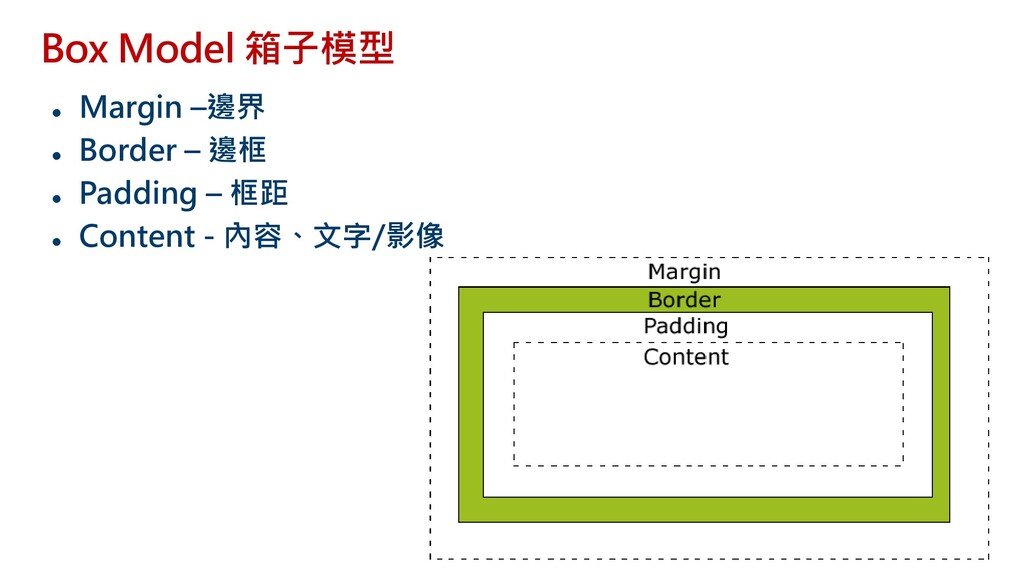
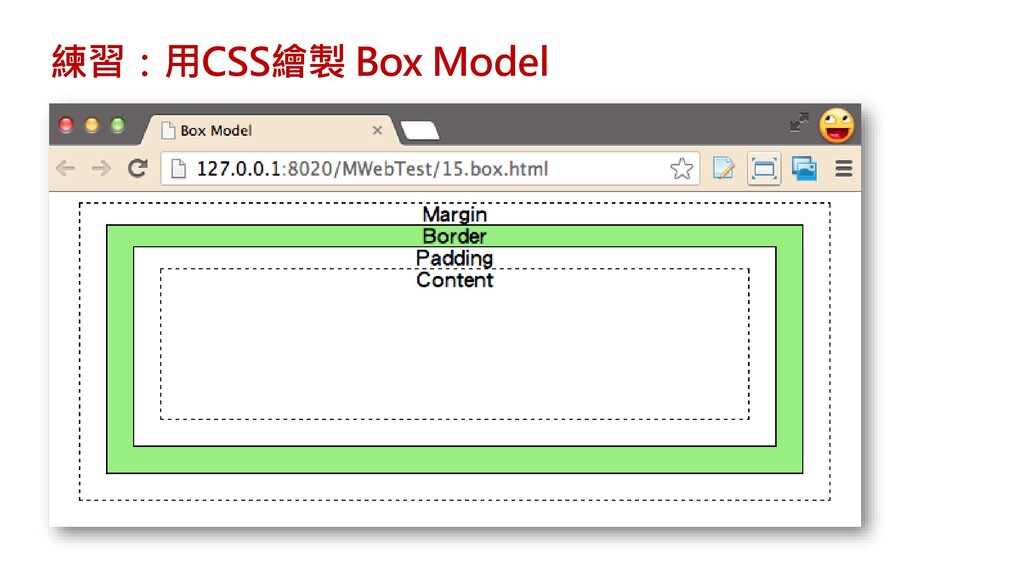
Box Model 箱子模型 ⚫ Margin –邊界 ⚫ Border – 邊框
⚫ Padding – 框距 ⚫ Content - 內容、文字/影像
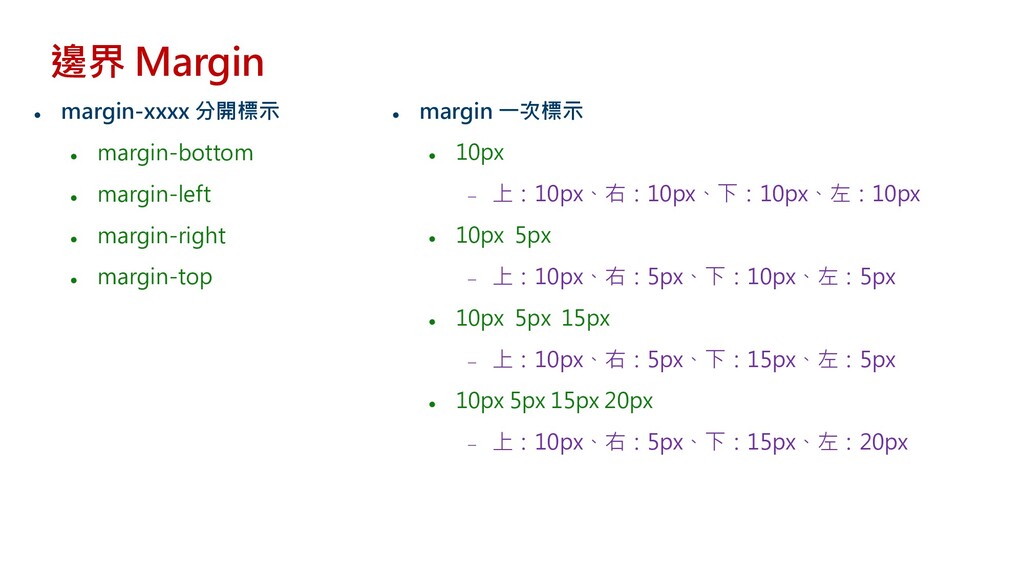
⚫ margin-xxxx 分開標示 ⚫ margin-bottom ⚫ margin-left ⚫ margin-right ⚫
margin-top 邊界 Margin ⚫ margin 一次標示 ⚫ 10px − 上:10px、右:10px、下:10px、左:10px ⚫ 10px 5px − 上:10px、右:5px、下:10px、左:5px ⚫ 10px 5px 15px − 上:10px、右:5px、下:15px、左:5px ⚫ 10px 5px 15px 20px − 上:10px、右:5px、下:15px、左:20px
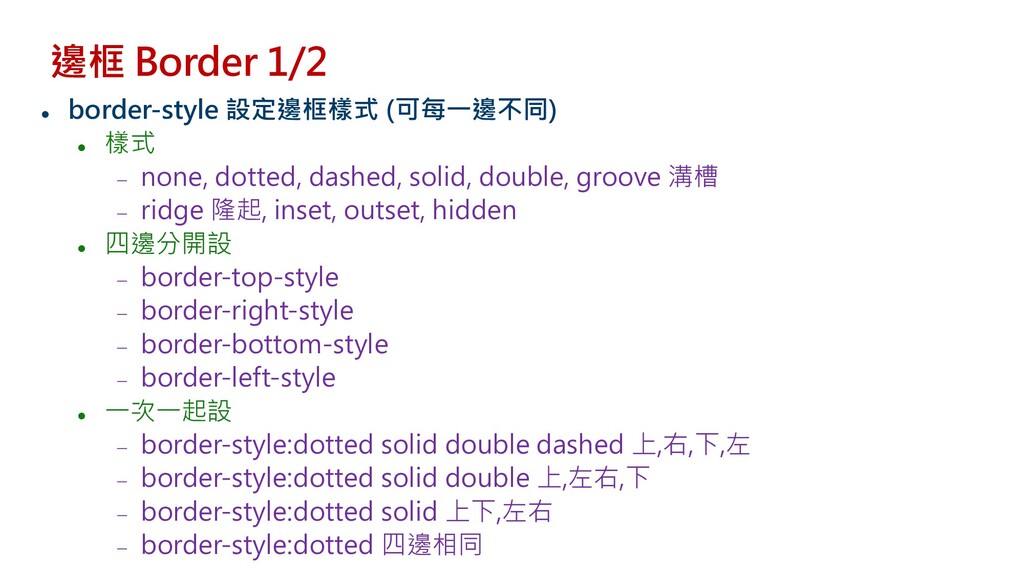
邊框 Border 1/2 ⚫ border-style 設定邊框樣式 (可每一邊不同) ⚫ 樣式 −
none, dotted, dashed, solid, double, groove 溝槽 − ridge 隆起, inset, outset, hidden ⚫ 四邊分開設 − border-top-style − border-right-style − border-bottom-style − border-left-style ⚫ 一次一起設 − border-style:dotted solid double dashed 上,右,下,左 − border-style:dotted solid double 上,左右,下 − border-style:dotted solid 上下,左右 − border-style:dotted 四邊相同
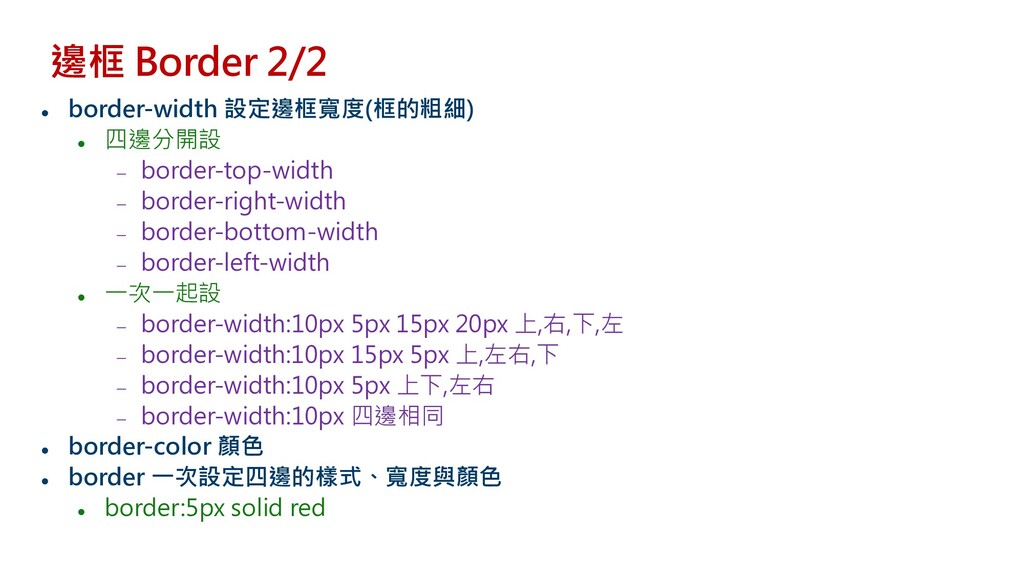
邊框 Border 2/2 ⚫ border-width 設定邊框寬度(框的粗細) ⚫ 四邊分開設 − border-top-width
− border-right-width − border-bottom-width − border-left-width ⚫ 一次一起設 − border-width:10px 5px 15px 20px 上,右,下,左 − border-width:10px 15px 5px 上,左右,下 − border-width:10px 5px 上下,左右 − border-width:10px 四邊相同 ⚫ border-color 顏色 ⚫ border 一次設定四邊的樣式、寬度與顏色 ⚫ border:5px solid red
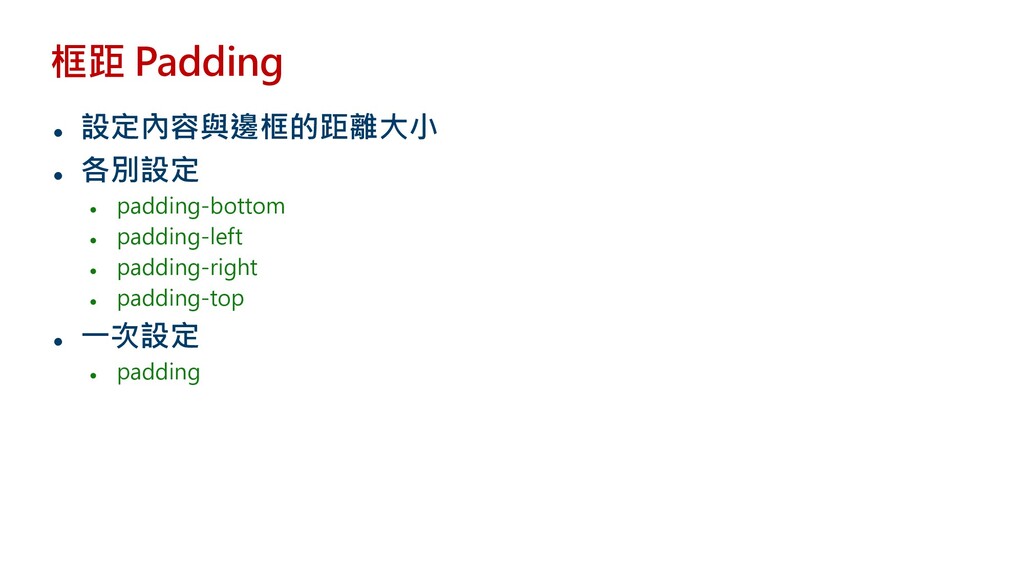
框距 Padding ⚫ 設定內容與邊框的距離大小 ⚫ 各別設定 ⚫ padding-bottom ⚫ padding-left
⚫ padding-right ⚫ padding-top ⚫ 一次設定 ⚫ padding
練習:用CSS繪製 Box Model
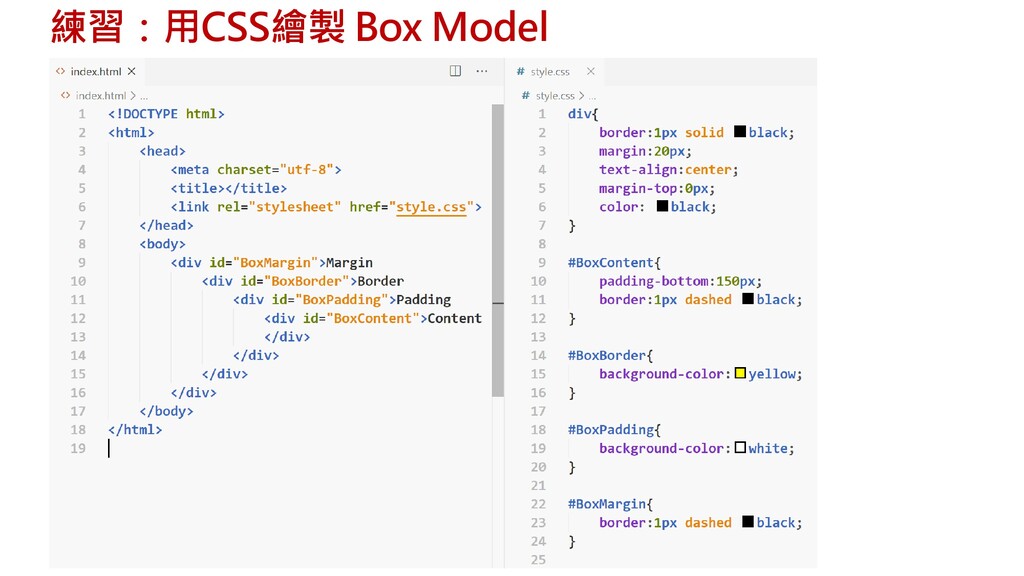
練習:用CSS繪製 Box Model
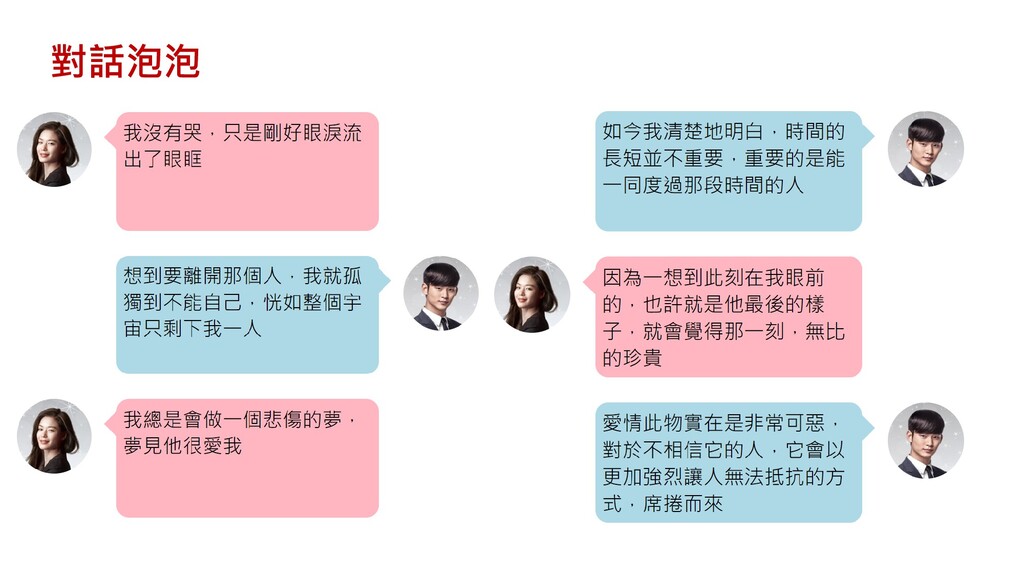
對話泡泡
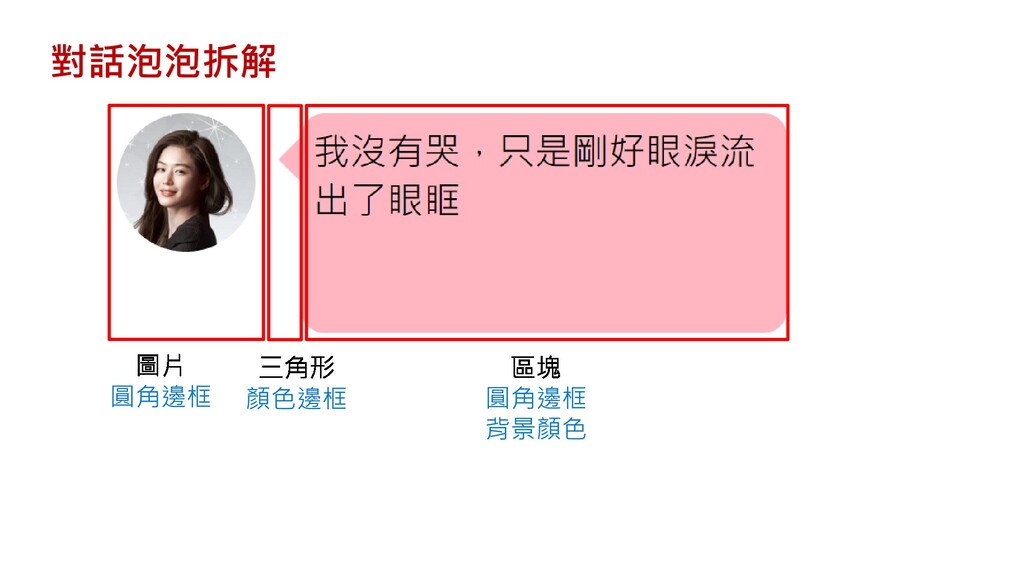
對話泡泡拆解 圓角邊框 顏色邊框 圓角邊框 背景顏色
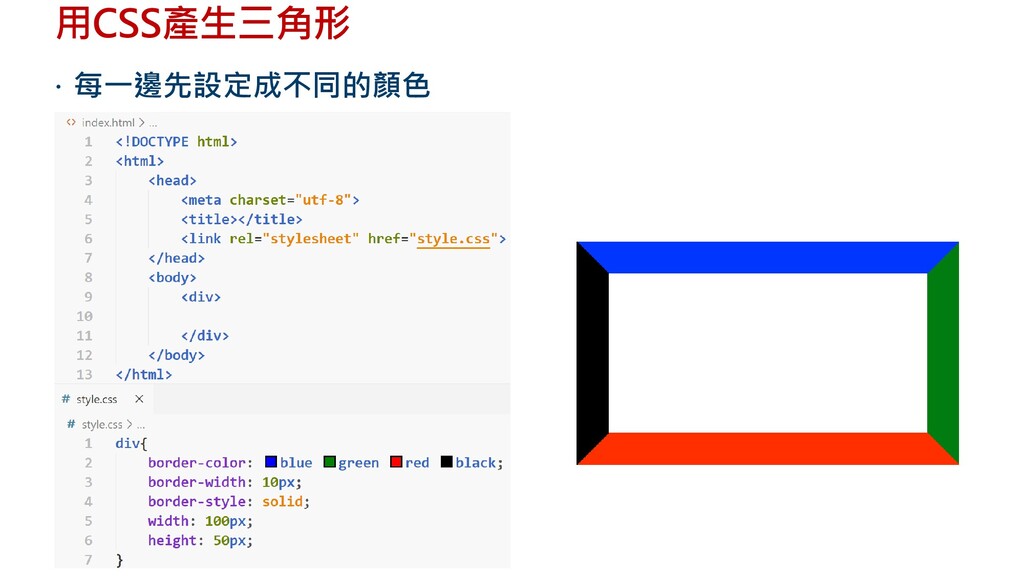
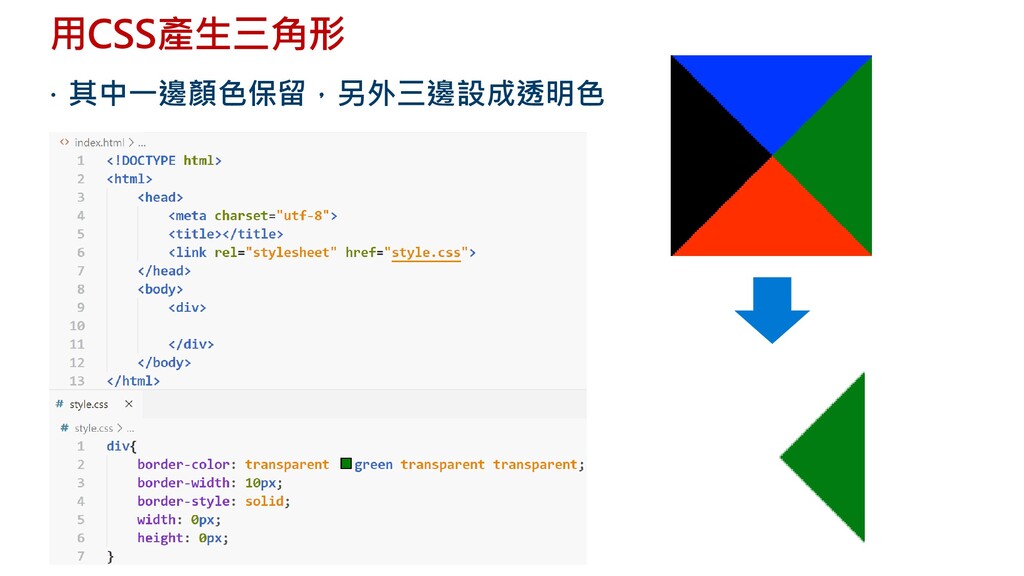
用CSS產生三角形 每一邊先設定成不同的顏色
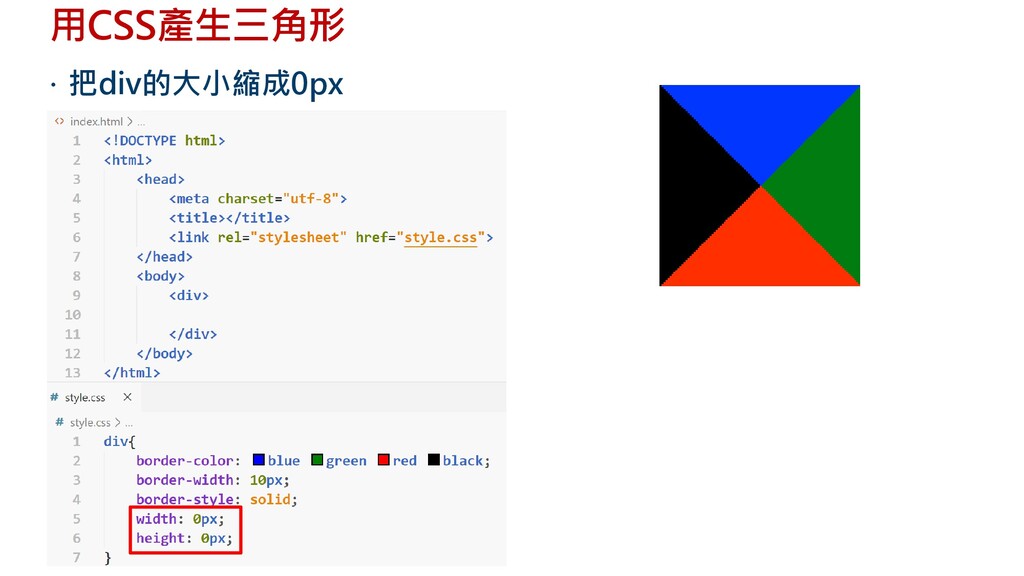
用CSS產生三角形 把div的大小縮成0px
用CSS產生三角形 其中一邊顏色保留,另外三邊設成透明色
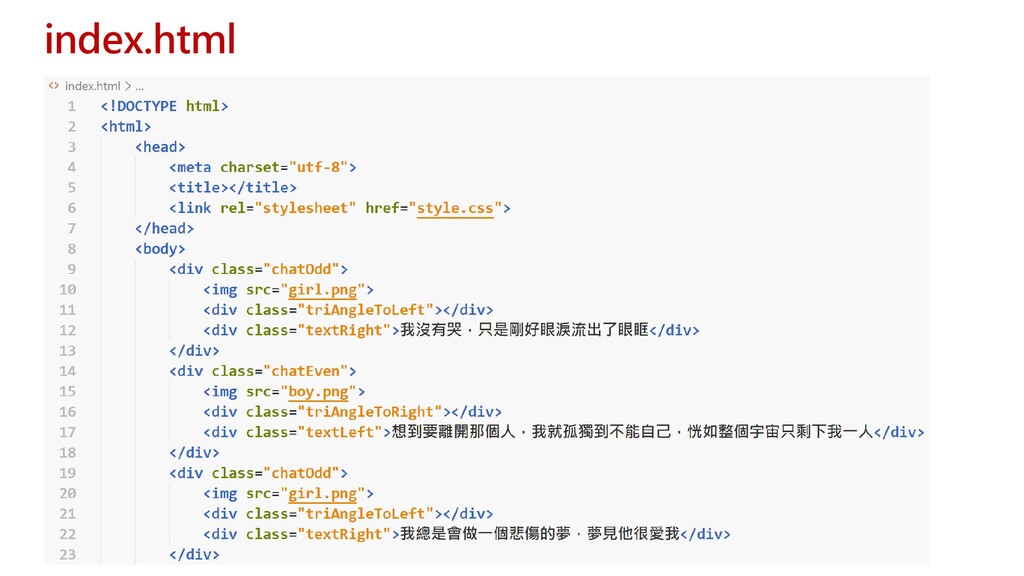
index.html
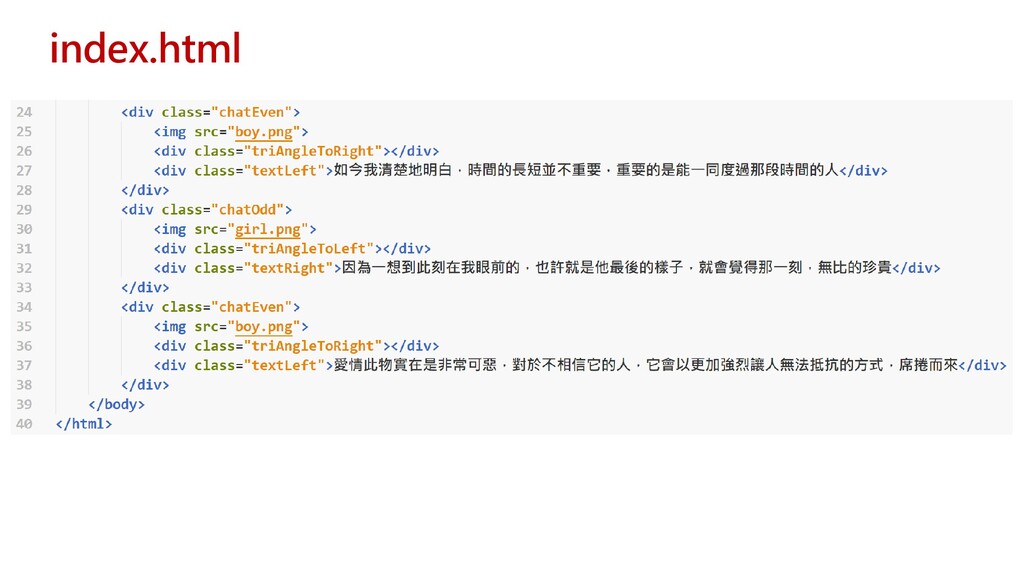
index.html
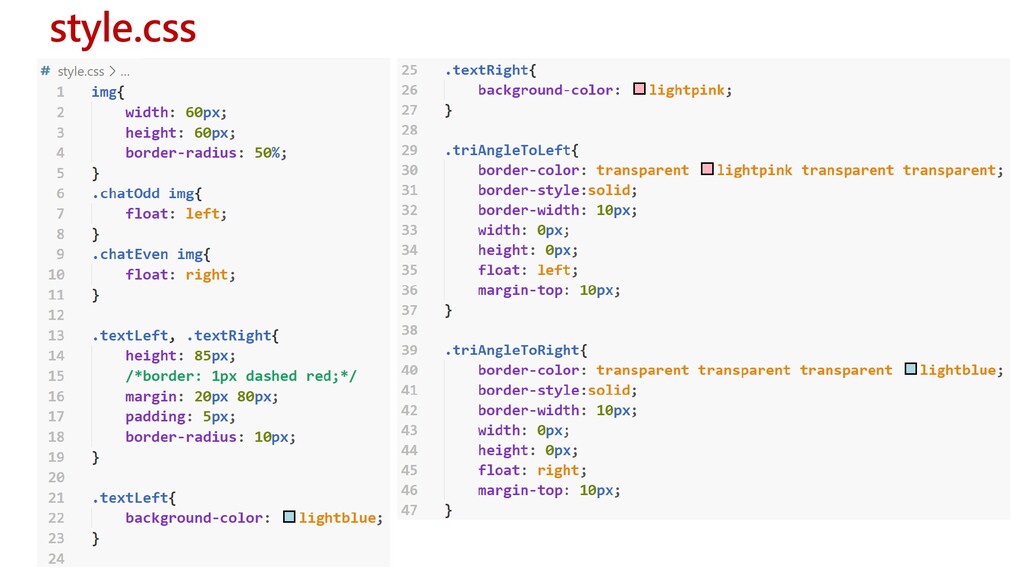
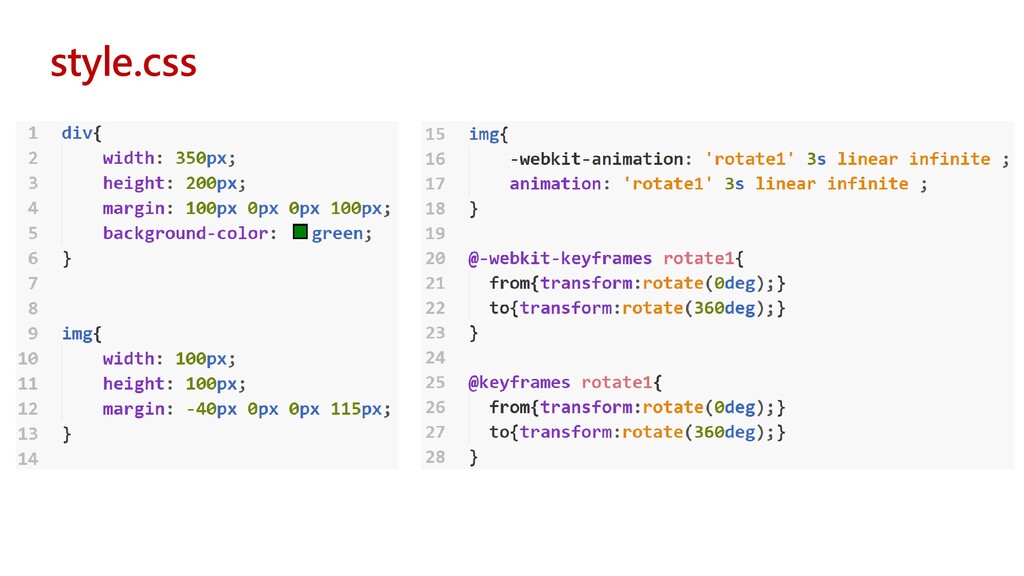
style.css
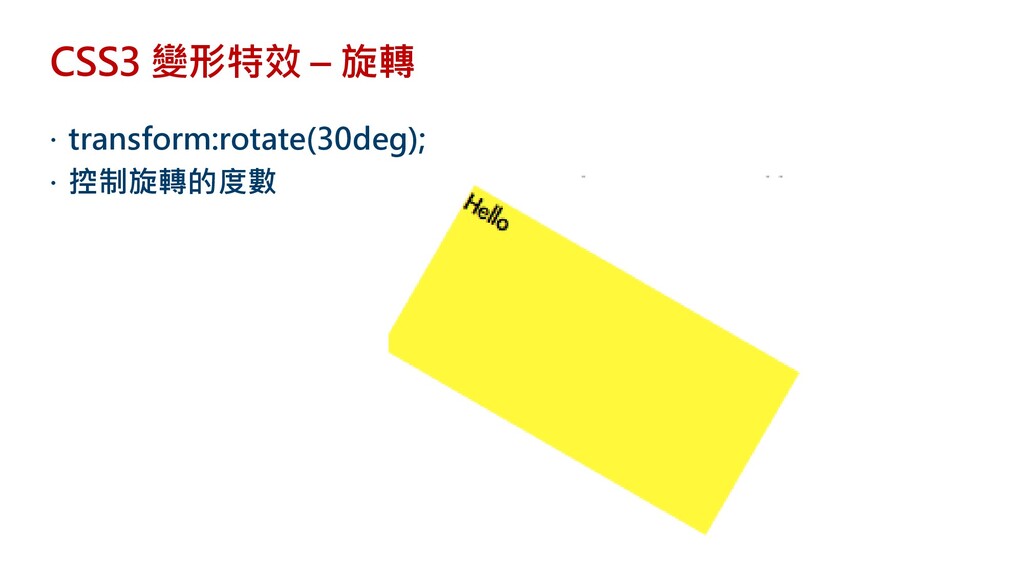
CSS3 變形特效 – 旋轉 transform:rotate(30deg); 控制旋轉的度數
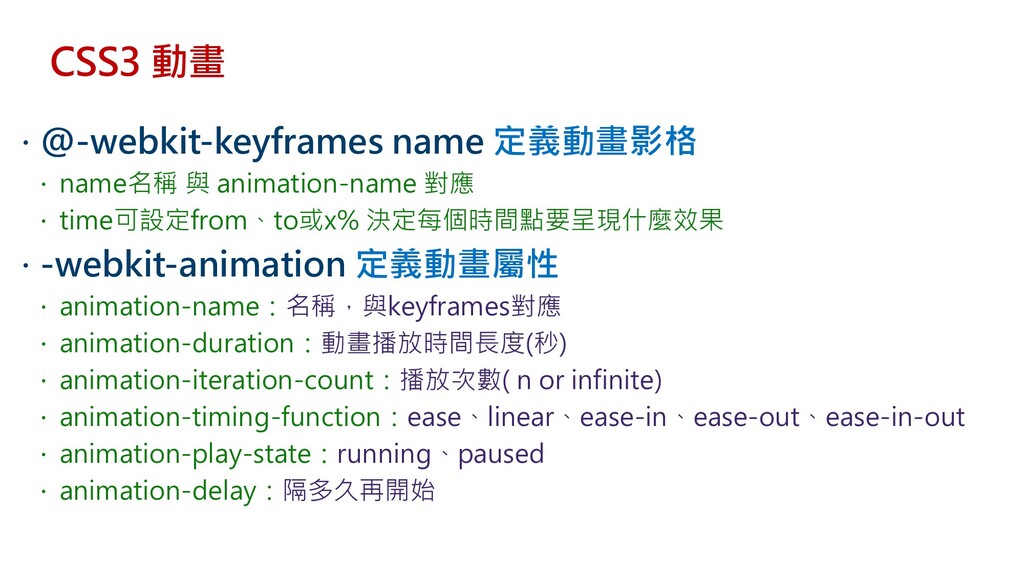
CSS3 動畫 @-webkit-keyframes name 定義動畫影格 name名稱 與 animation-name
對應 time可設定from、to或x% 決定每個時間點要呈現什麼效果 -webkit-animation 定義動畫屬性 animation-name:名稱,與keyframes對應 animation-duration:動畫播放時間長度(秒) animation-iteration-count:播放次數( n or infinite) animation-timing-function:ease、linear、ease-in、ease-out、ease-in-out animation-play-state:running、paused animation-delay:隔多久再開始
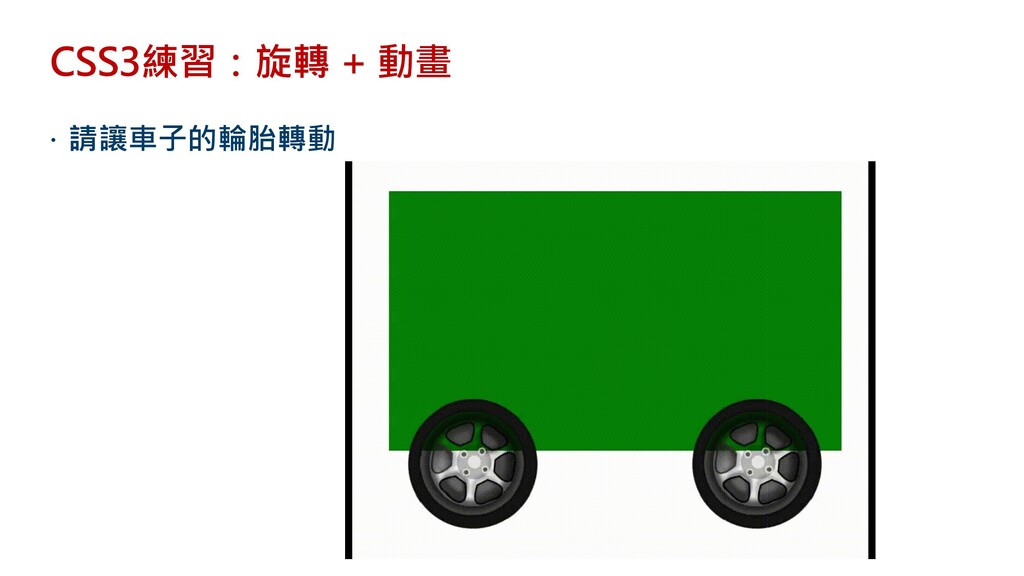
CSS3練習:旋轉 + 動畫 請讓車子的輪胎轉動
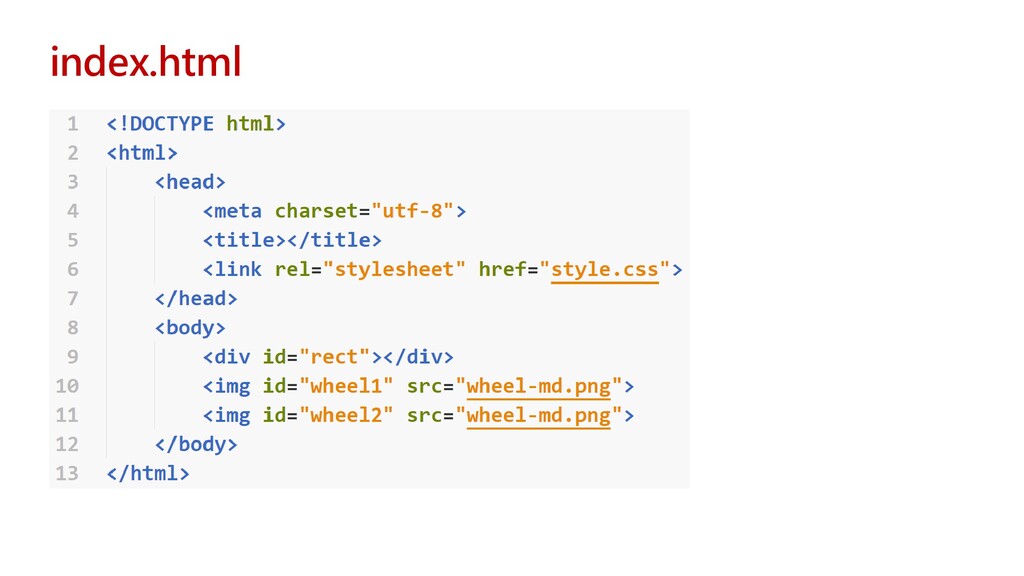
index.html
style.css
CSS Cascading & Inheritance 概念分析:層迭與繼承
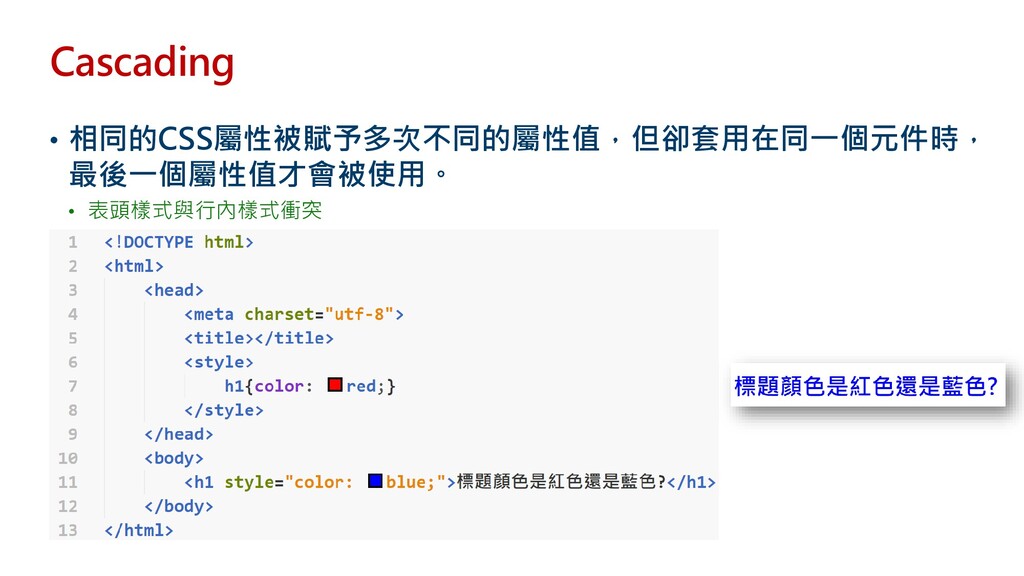
Cascading • 相同的CSS屬性被賦予多次不同的屬性值,但卻套用在同一個元件時, 最後一個屬性值才會被使用。 • 表頭樣式與行內樣式衝突
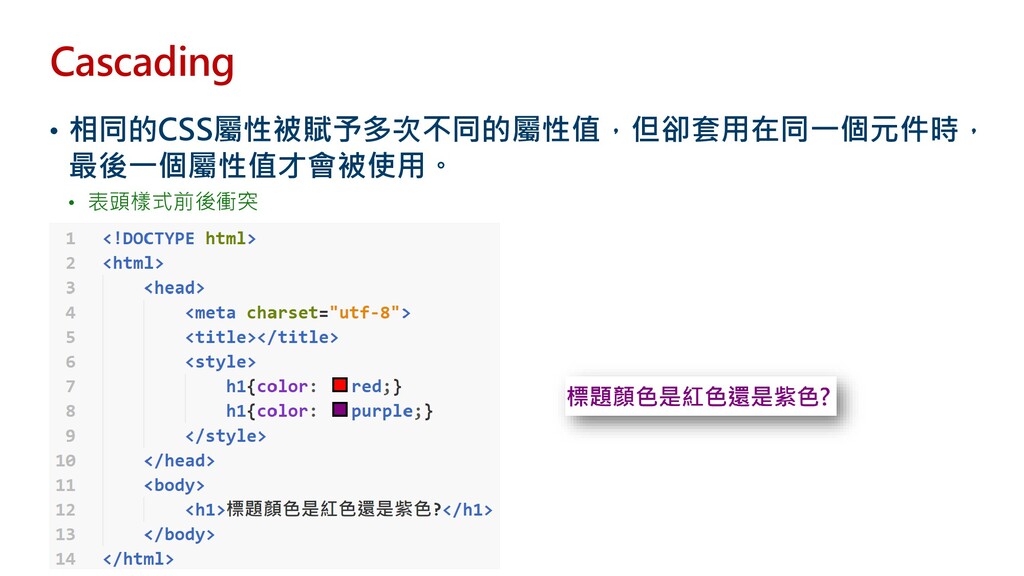
Cascading • 相同的CSS屬性被賦予多次不同的屬性值,但卻套用在同一個元件時, 最後一個屬性值才會被使用。 • 表頭樣式前後衝突
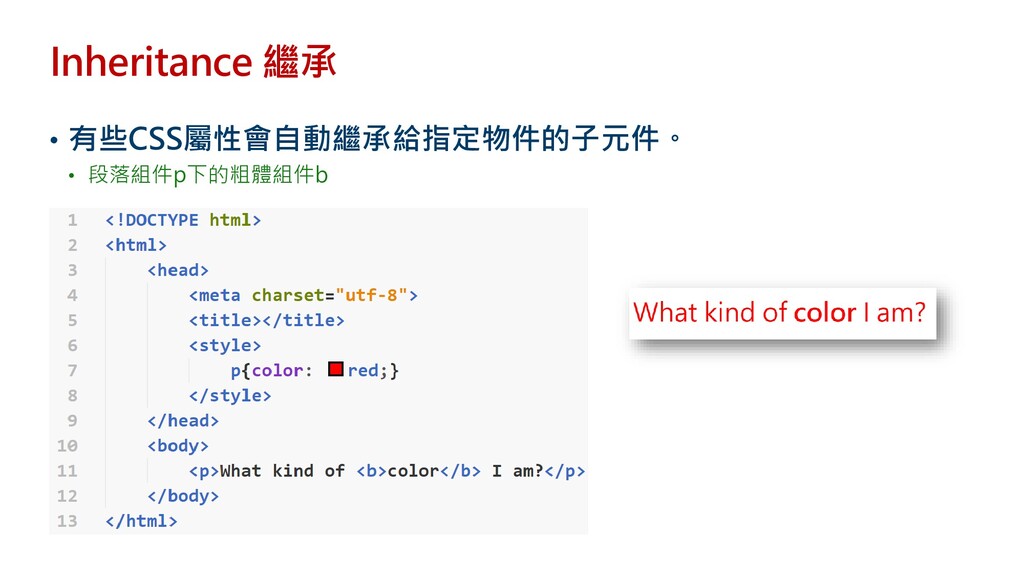
Inheritance 繼承 • 有些CSS屬性會自動繼承給指定物件的子元件。 • 段落組件p下的粗體組件b
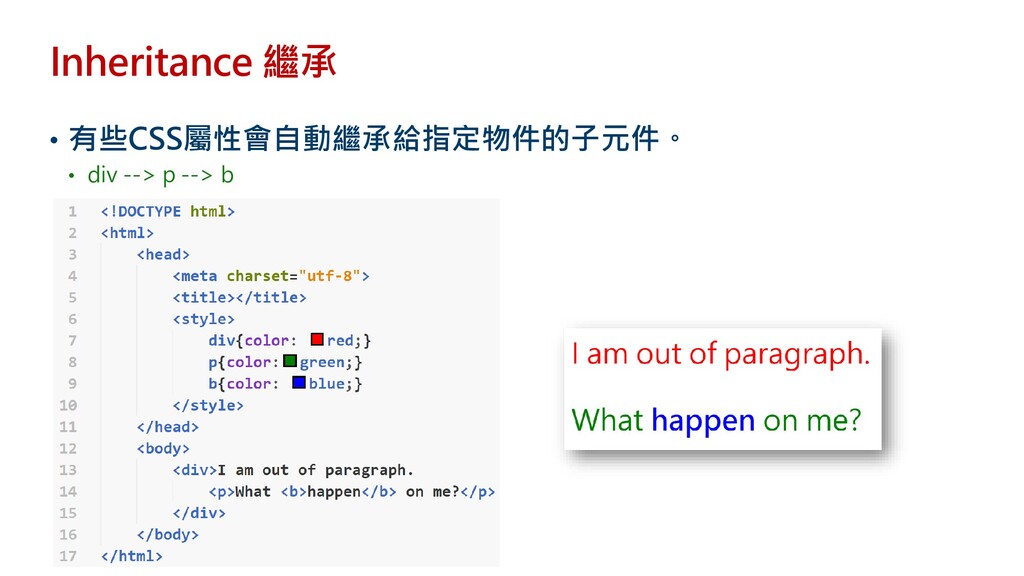
Inheritance 繼承 • 有些CSS屬性會自動繼承給指定物件的子元件。 • div --> p --> b
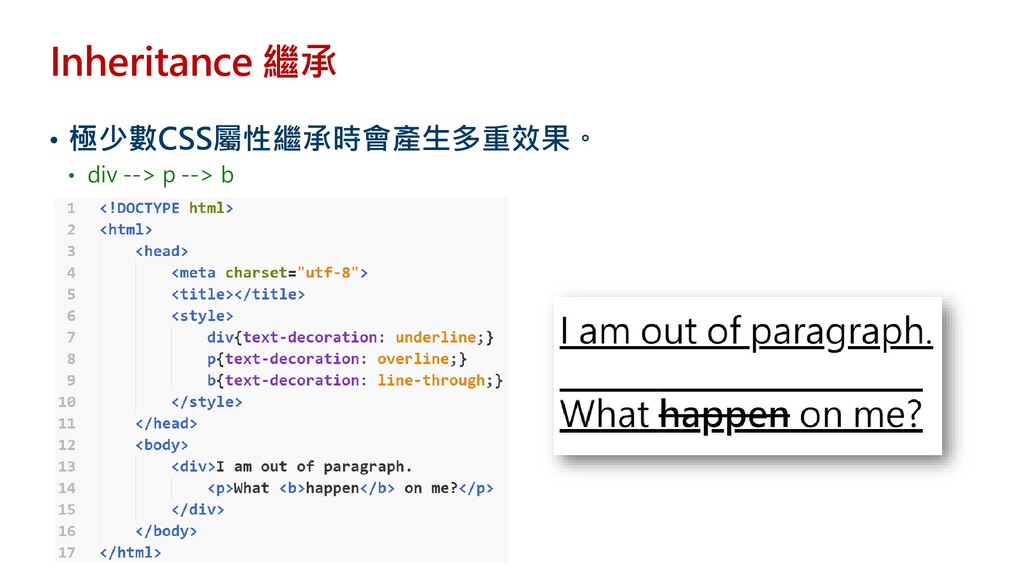
Inheritance 繼承 • 極少數CSS屬性繼承時會產生多重效果。 • div --> p --> b
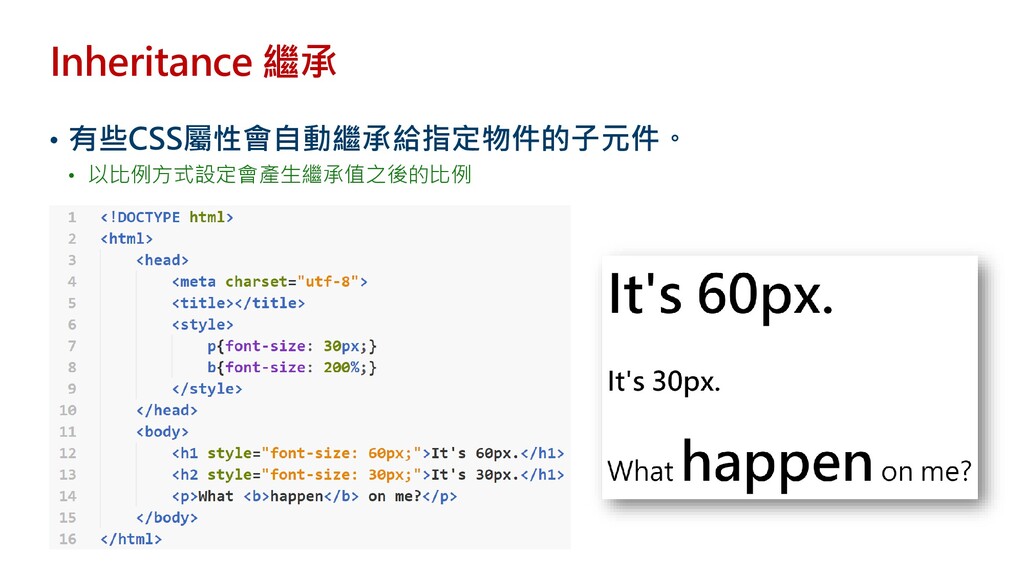
Inheritance 繼承 • 有些CSS屬性會自動繼承給指定物件的子元件。 • 以比例方式設定會產生繼承值之後的比例
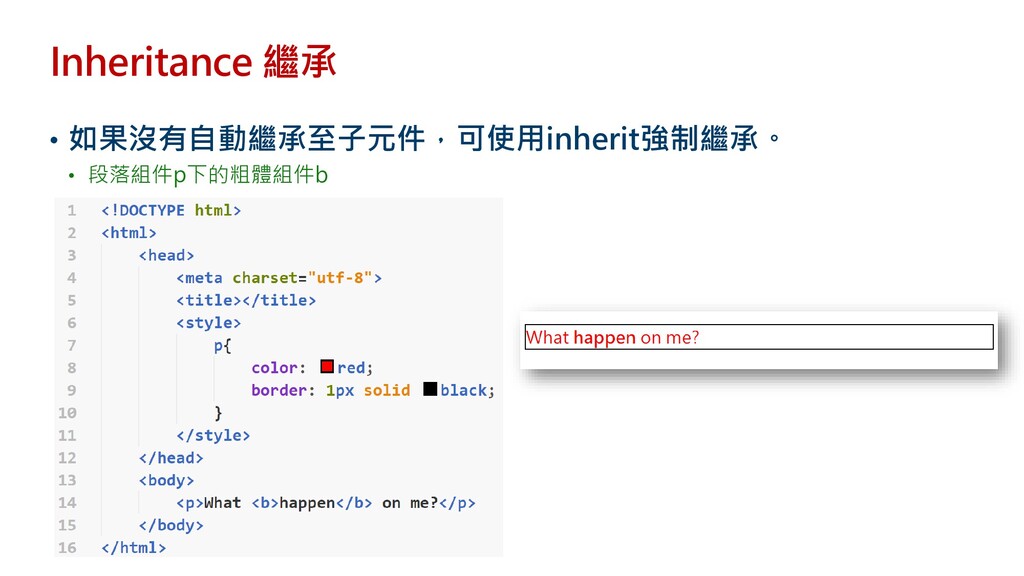
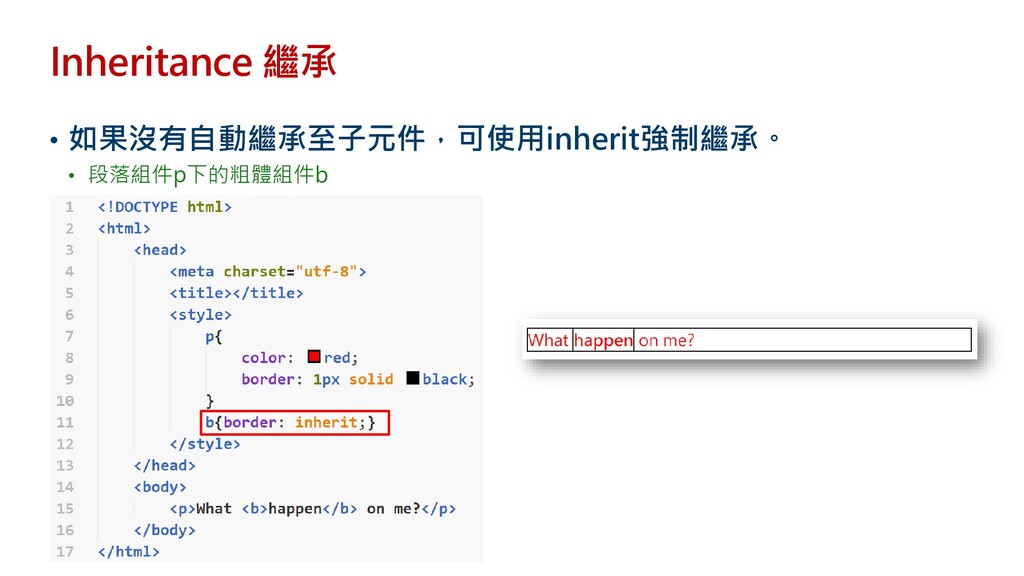
Inheritance 繼承 • 如果沒有自動繼承至子元件,可使用inherit強制繼承。 • 段落組件p下的粗體組件b
Inheritance 繼承 • 如果沒有自動繼承至子元件,可使用inherit強制繼承。 • 段落組件p下的粗體組件b
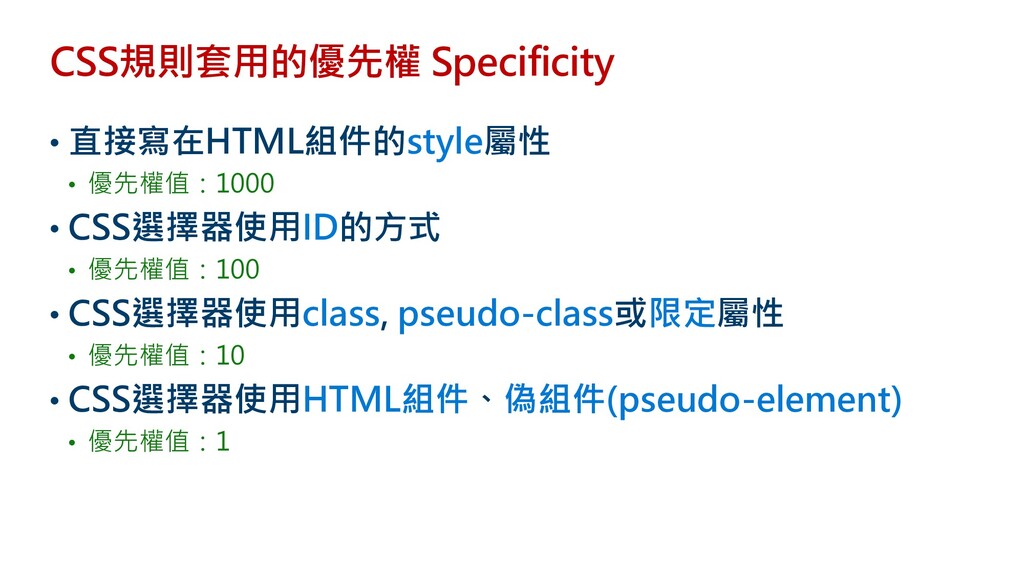
CSS規則套用的優先權 Specificity • 直接寫在HTML組件的style屬性 • 優先權值:1000 • CSS選擇器使用ID的方式 • 優先權值:100
• CSS選擇器使用class, pseudo-class或限定屬性 • 優先權值:10 • CSS選擇器使用HTML組件、偽組件(pseudo-element) • 優先權值:1
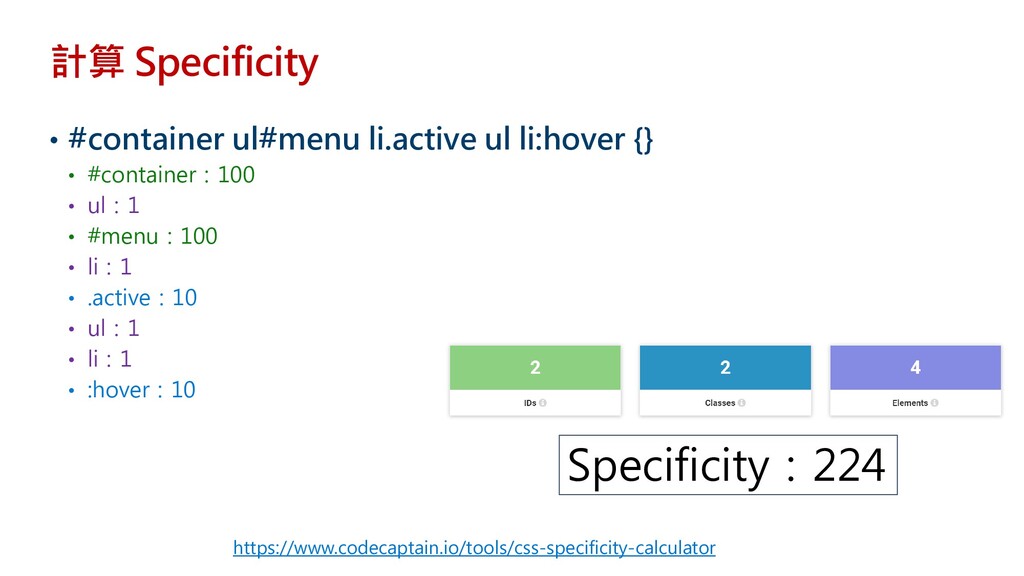
計算 Specificity • #container ul#menu li.active ul li:hover {} •
#container:100 • ul:1 • #menu:100 • li:1 • .active:10 • ul:1 • li:1 • :hover:10 Specificity:224 https://www.codecaptain.io/tools/css-specificity-calculator
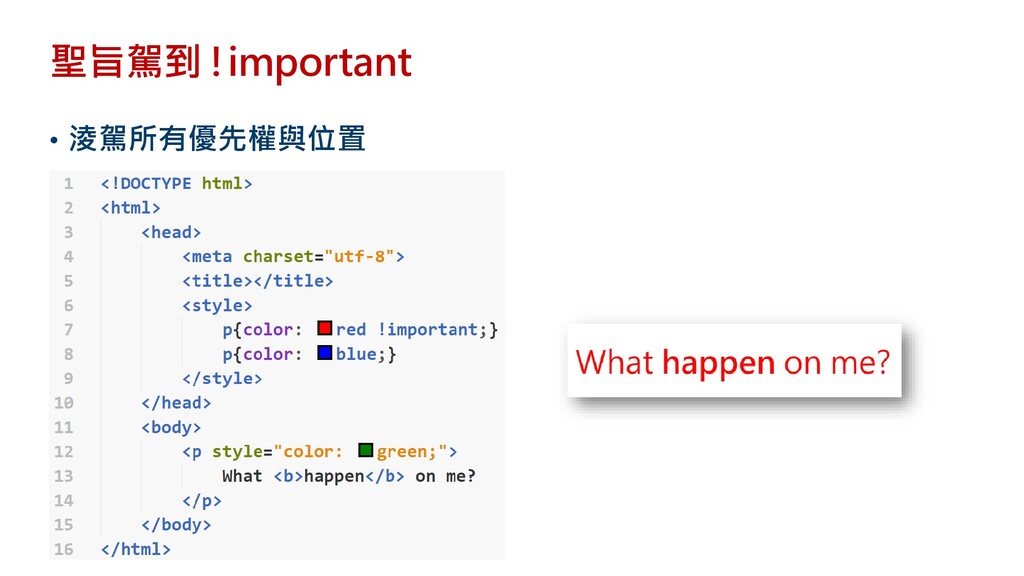
聖旨駕到 !important • 淩駕所有優先權與位置
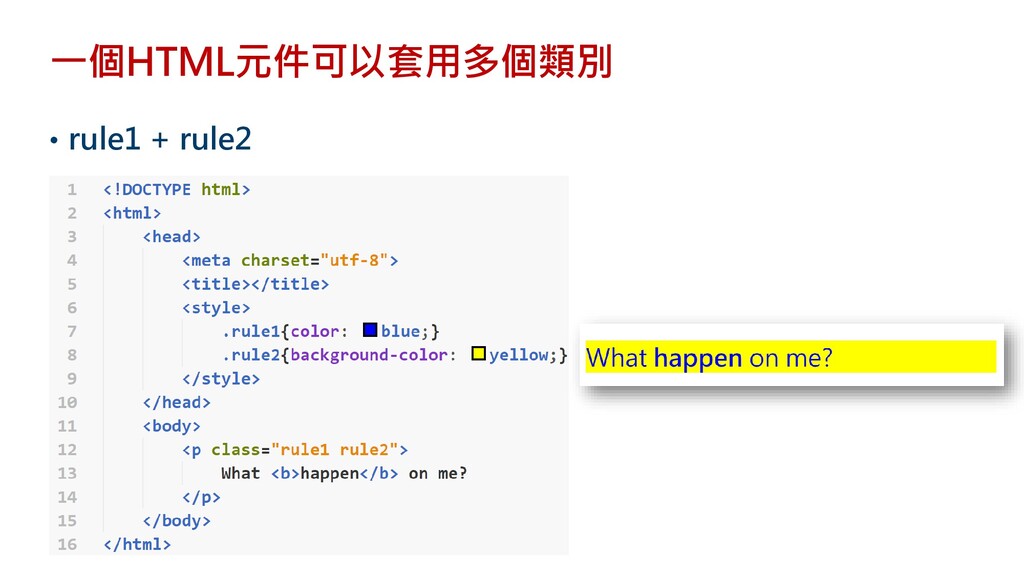
一個HTML元件可以套用多個類別 • rule1 + rule2
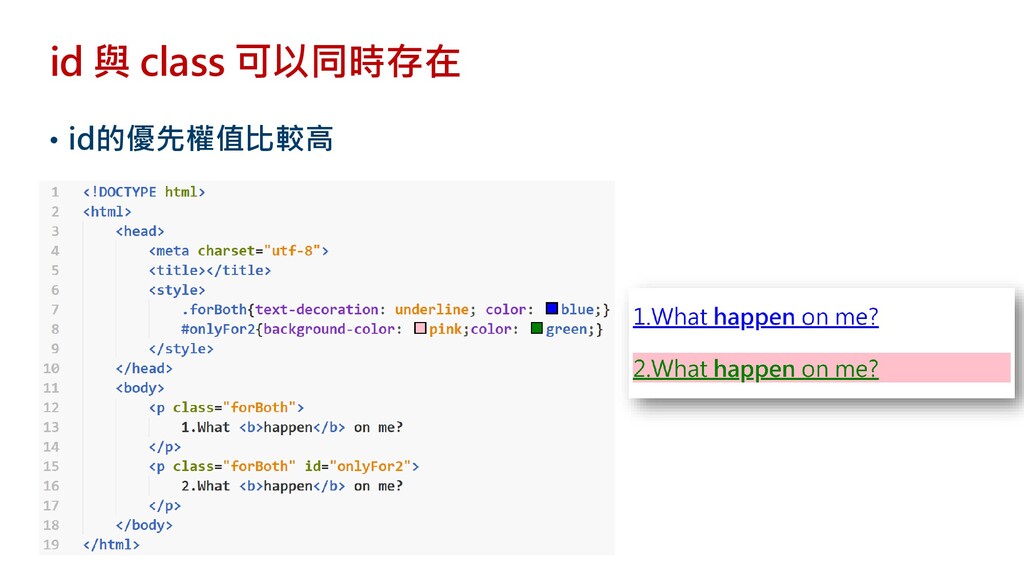
id 與 class 可以同時存在 • id的優先權值比較高
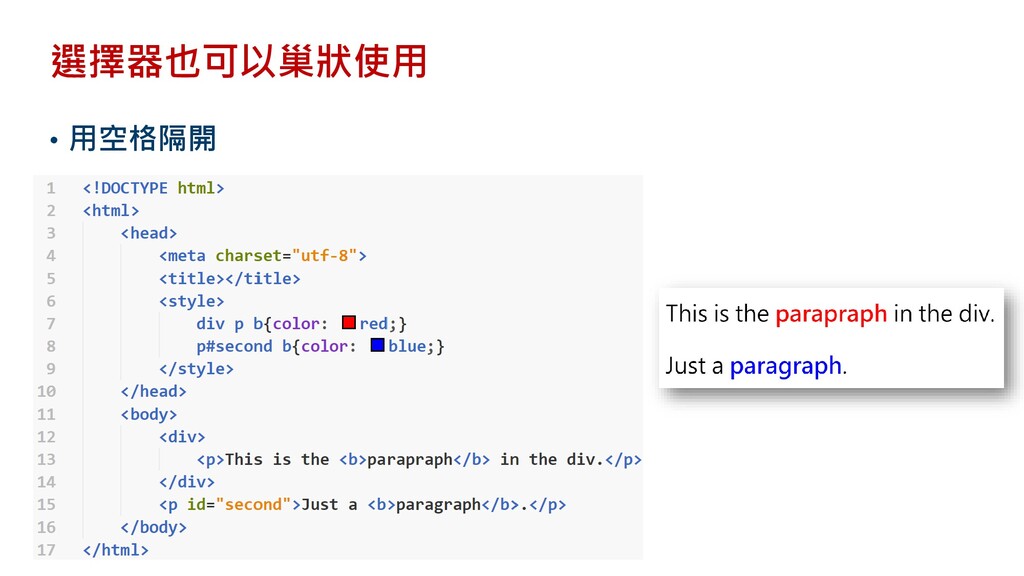
選擇器也可以巢狀使用 • 用空格隔開
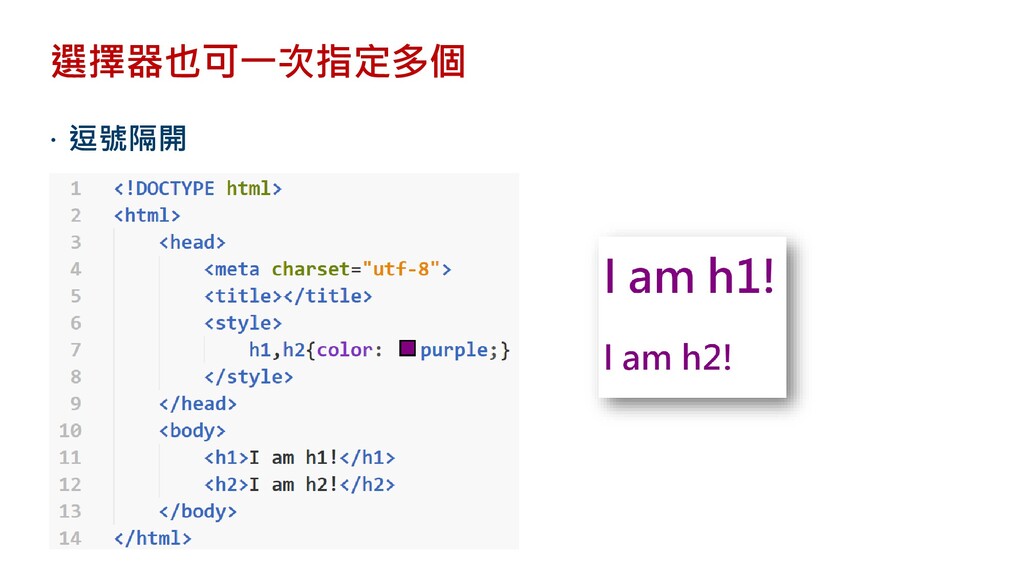
選擇器也可一次指定多個 逗號隔開


 ryan403
 mananyuki
 sansantech
 kawanago
 baseballyama
 oracle4engineer
 kawametho
 tanakaseiya
 foursue
 chack411
 aoto
aoto
 mikanichinose
 kmiya84377
 kimpetersen
 pauljervisheath
 tmiket
 addyosmani
 carmenintech
 palkan
.jpg) cargoodrich
cargoodrich
 dougneiner
 inesmontani
 samanthasiow
 uxyall
 quramy