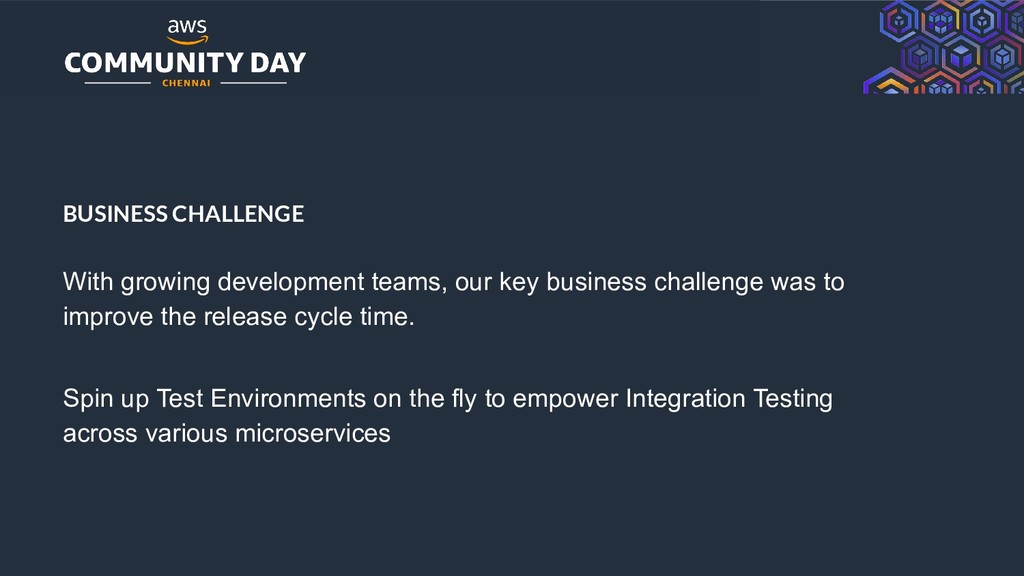
rights reserved. BUSINESS CHALLENGE With growing development teams, our key business challenge was to improve the release cycle time. Spin up Test Environments on the fly to empower Integration Testing across various microservices
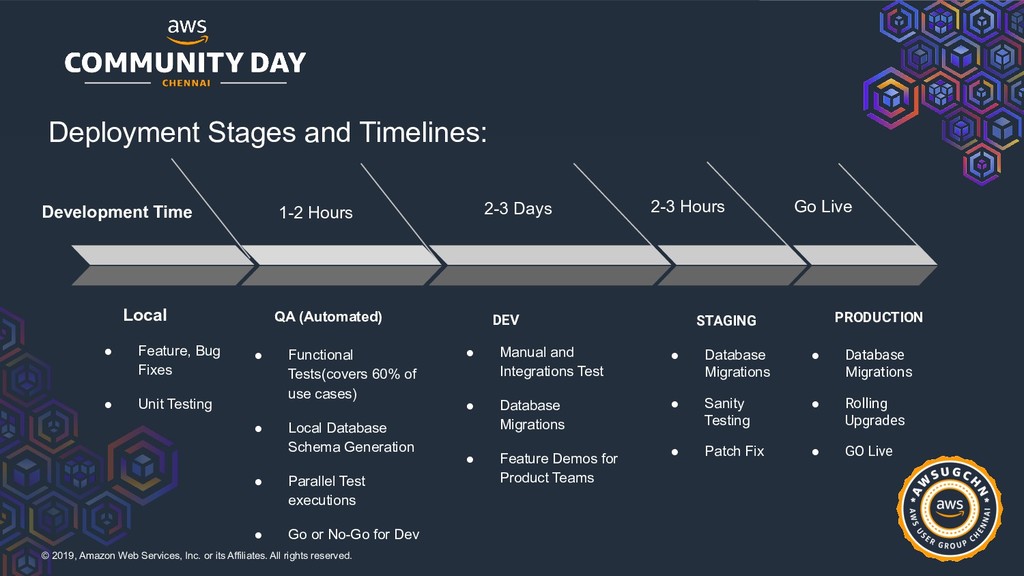
rights reserved. Development Time Local • Feature, Bug Fixes • Unit Testing 2-3 Days DEV • Manual and Integrations Test • Database Migrations • Feature Demos for Product Teams 2-3 Hours STAGING • Database Migrations • Sanity Testing • Patch Fix Go Live PRODUCTION • Database Migrations • Rolling Upgrades • GO Live 1-2 Hours • Functional Tests(covers 60% of use cases) • Local Database Schema Generation • Parallel Test executions • Go or No-Go for Dev QA (Automated) Deployment Stages and Timelines:
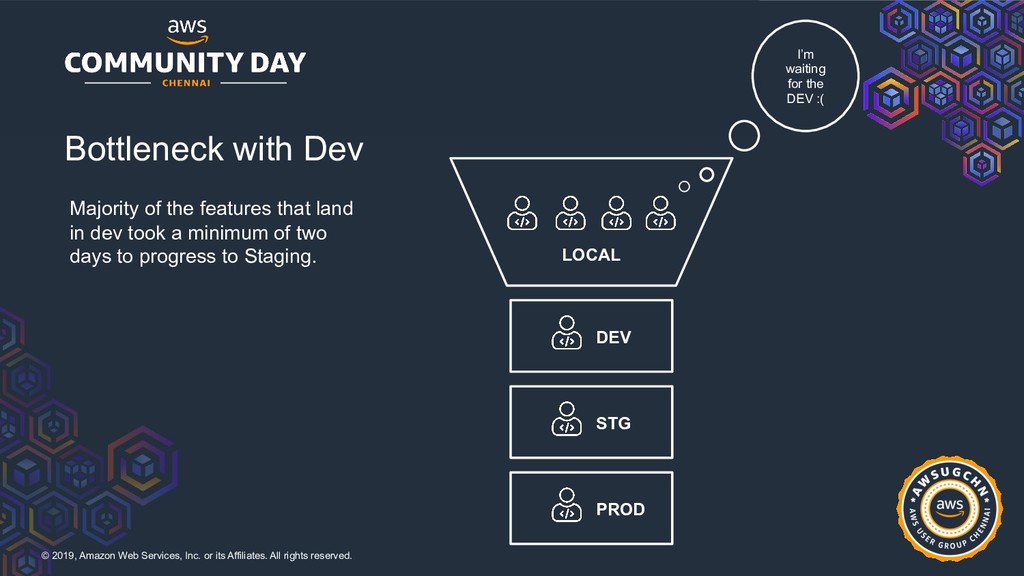
rights reserved. Bottleneck with Dev Majority of the features that land in dev took a minimum of two days to progress to Staging. LOCAL I’m waiting for the DEV :( DEV STG PROD
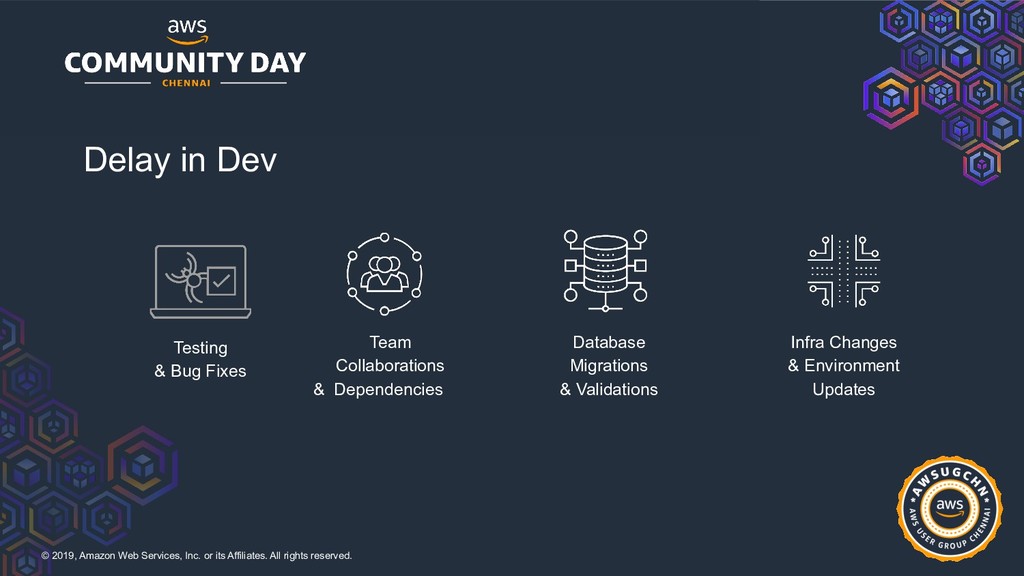
rights reserved. Database Migrations & Validations Team Collaborations & Dependencies Testing & Bug Fixes Infra Changes & Environment Updates Delay in Dev
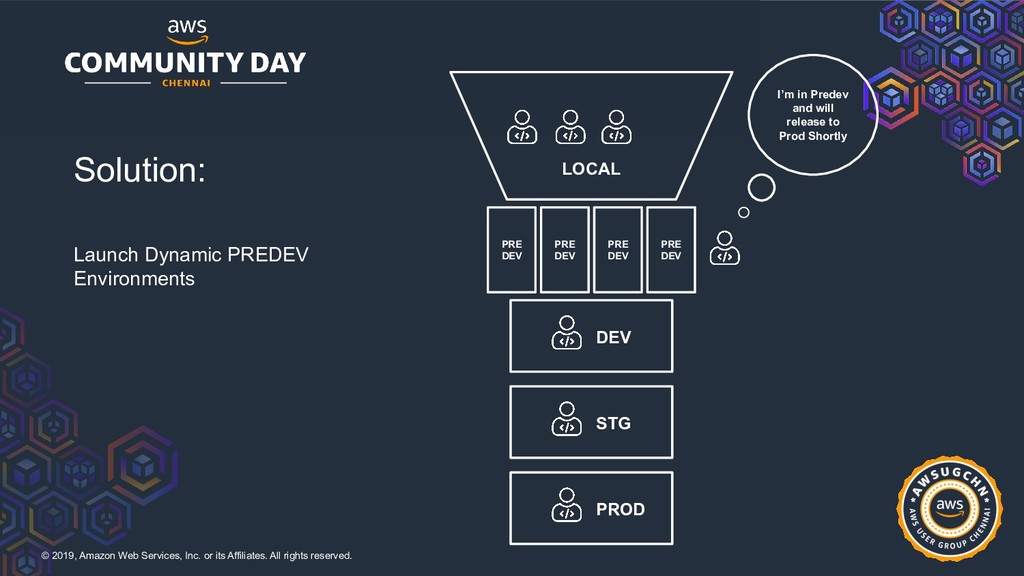
rights reserved. Solution: Launch Dynamic PREDEV Environments LOCAL I’m in Predev and will release to Prod Shortly DEV STG PROD PRE DEV PRE DEV PRE DEV PRE DEV
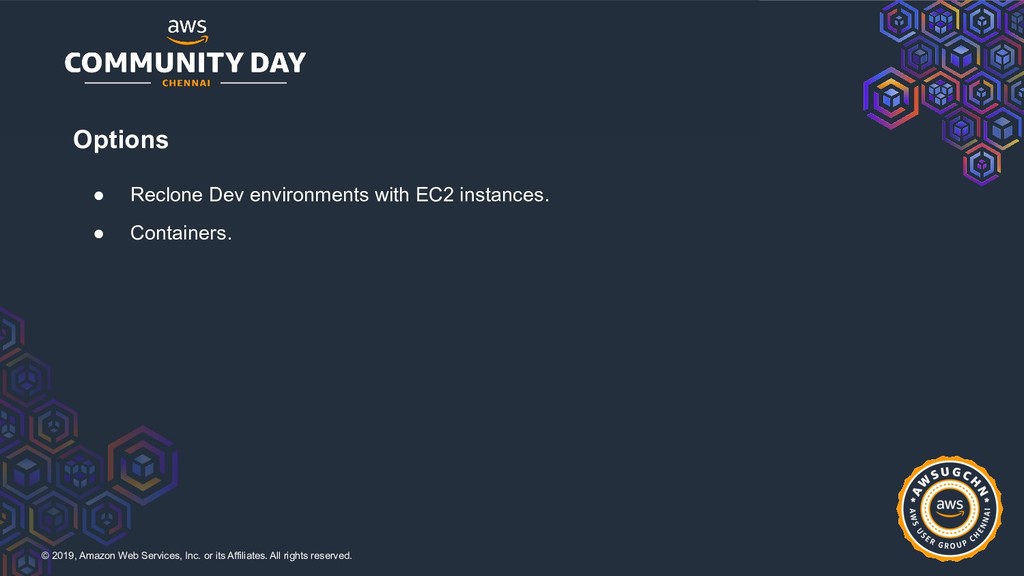
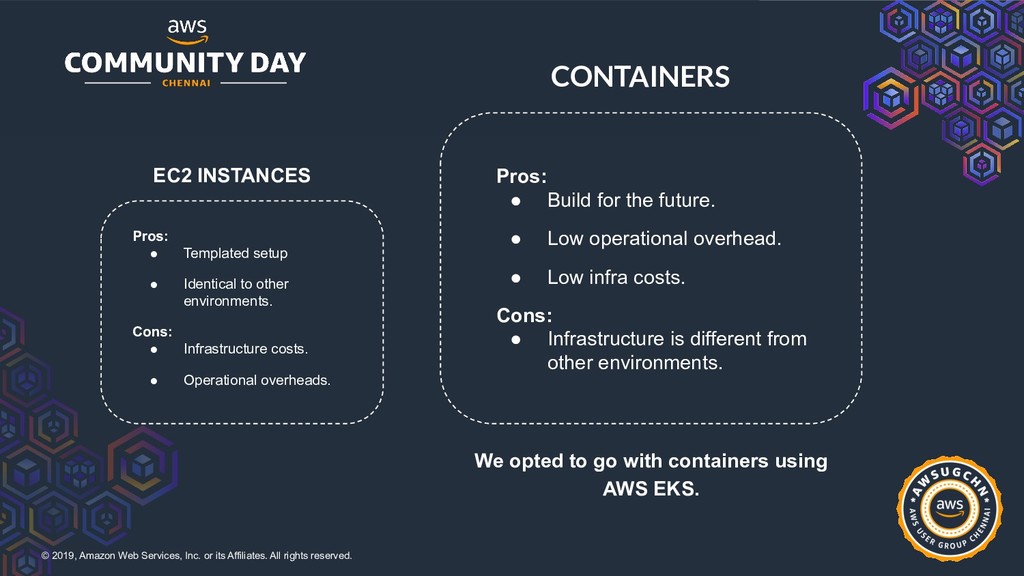
rights reserved. EC2 INSTANCES CONTAINERS We opted to go with containers using AWS EKS. Pros: • Templated setup • Identical to other environments. Cons: • Infrastructure costs. • Operational overheads. Pros: • Build for the future. • Low operational overhead. • Low infra costs. Cons: • Infrastructure is different from other environments.
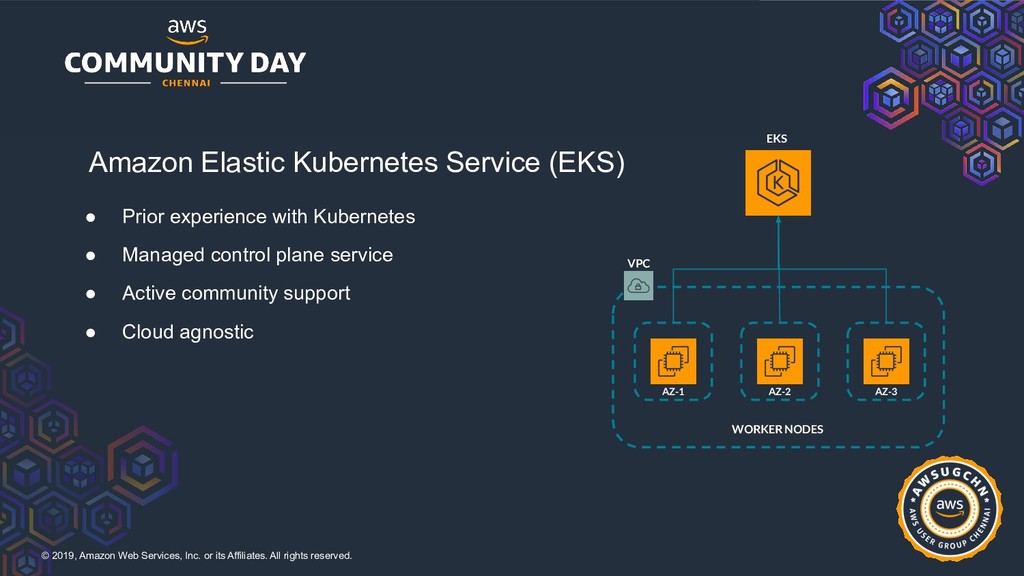
rights reserved. Amazon Elastic Kubernetes Service (EKS) • Prior experience with Kubernetes • Managed control plane service • Active community support • Cloud agnostic WORKER NODES VPC EKS AZ-1 AZ-2 AZ-3
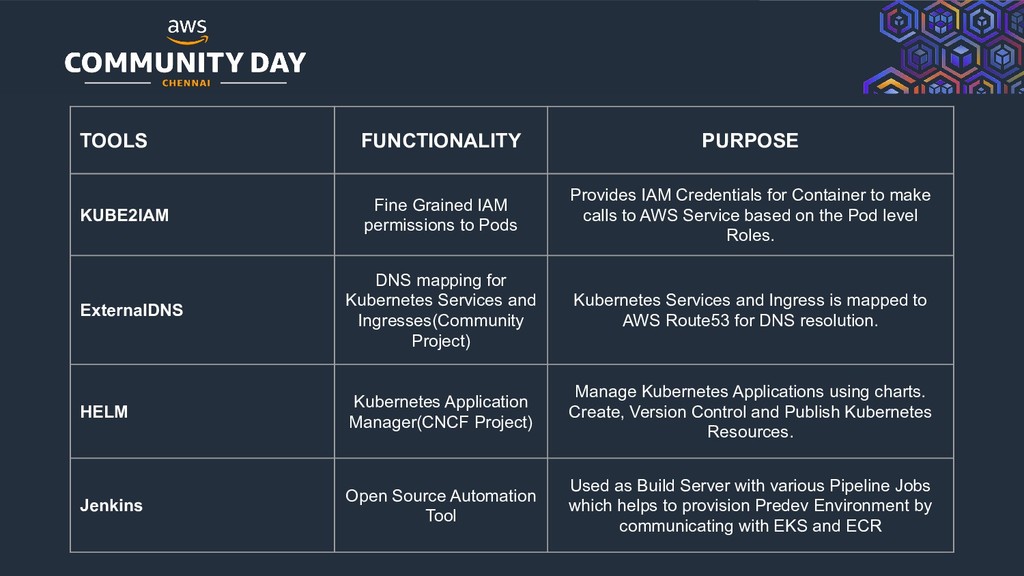
rights reserved. TOOLS FUNCTIONALITY PURPOSE KUBE2IAM Fine Grained IAM permissions to Pods Provides IAM Credentials for Container to make calls to AWS Service based on the Pod level Roles. ExternalDNS DNS mapping for Kubernetes Services and Ingresses(Community Project) Kubernetes Services and Ingress is mapped to AWS Route53 for DNS resolution. HELM Kubernetes Application Manager(CNCF Project) Manage Kubernetes Applications using charts. Create, Version Control and Publish Kubernetes Resources. Jenkins Open Source Automation Tool Used as Build Server with various Pipeline Jobs which helps to provision Predev Environment by communicating with EKS and ECR
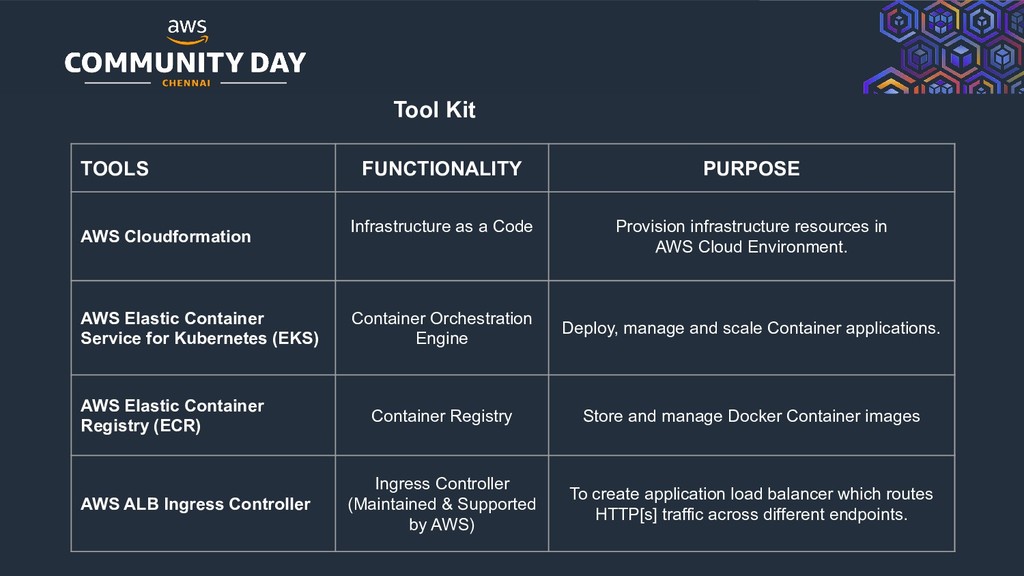
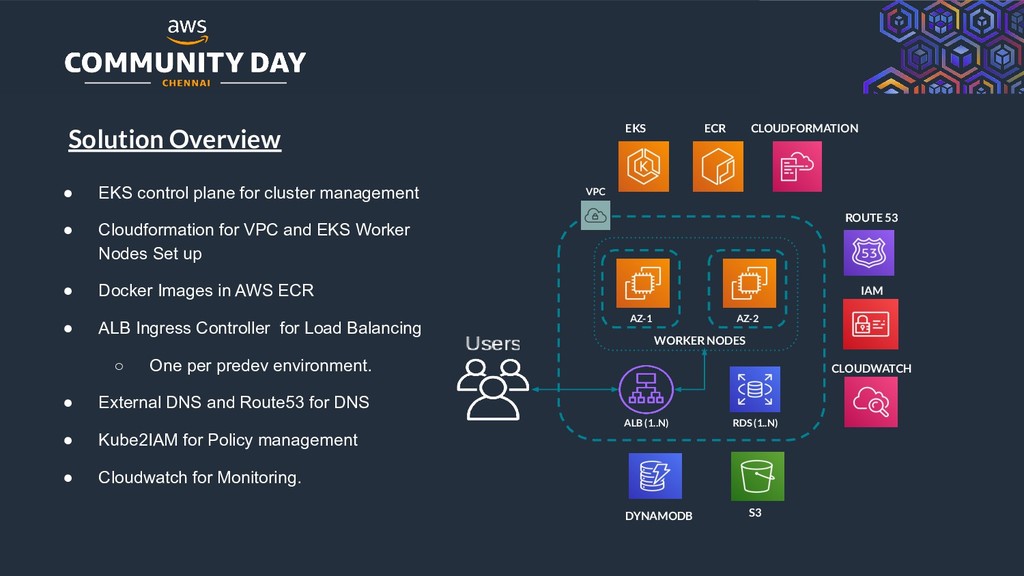
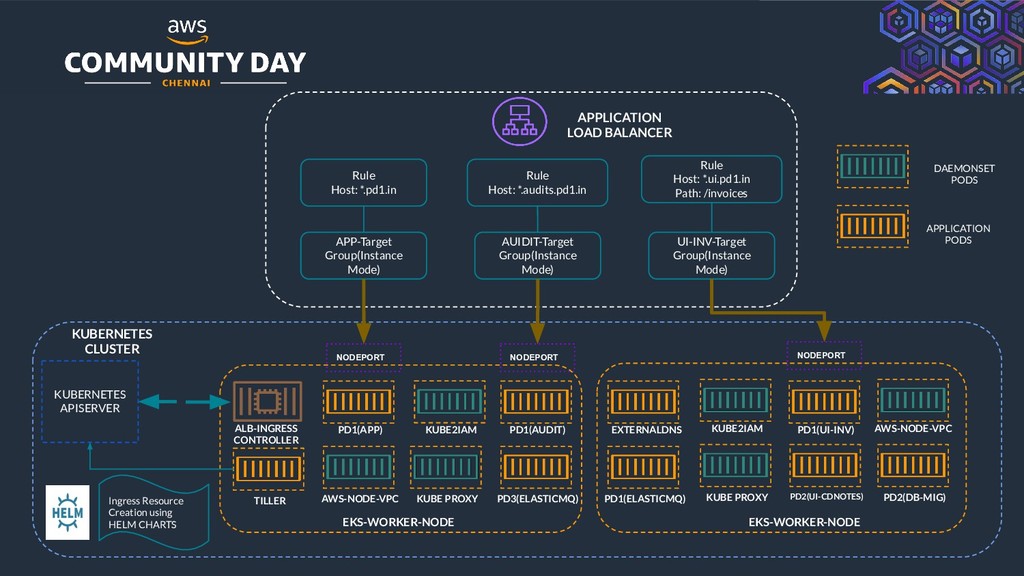
rights reserved. • EKS control plane for cluster management • Cloudformation for VPC and EKS Worker Nodes Set up • Docker Images in AWS ECR • ALB Ingress Controller for Load Balancing ◦ One per predev environment. • External DNS and Route53 for DNS • Kube2IAM for Policy management • Cloudwatch for Monitoring. Solution Overview WORKER NODES VPC EKS AZ-1 AZ-2 RDS (1..N) DYNAMODB ALB (1..N) ROUTE 53 ECR IAM S3 CLOUDWATCH CLOUDFORMATION
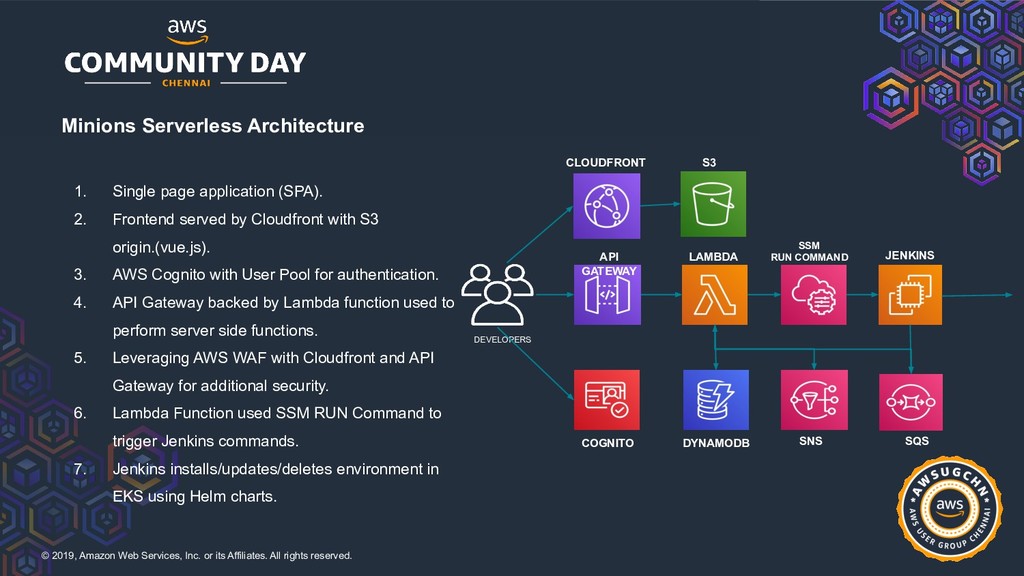
rights reserved. Minions Serverless Architecture 1. Single page application (SPA). 2. Frontend served by Cloudfront with S3 origin.(vue.js). 3. AWS Cognito with User Pool for authentication. 4. API Gateway backed by Lambda function used to perform server side functions. 5. Leveraging AWS WAF with Cloudfront and API Gateway for additional security. 6. Lambda Function used SSM RUN Command to trigger Jenkins commands. 7. Jenkins installs/updates/deletes environment in EKS using Helm charts. JENKINS SSM RUN COMMAND LAMBDA API GATEWAY S3 CLOUDFRONT DYNAMODB COGNITO DEVELOPERS SQS SNS
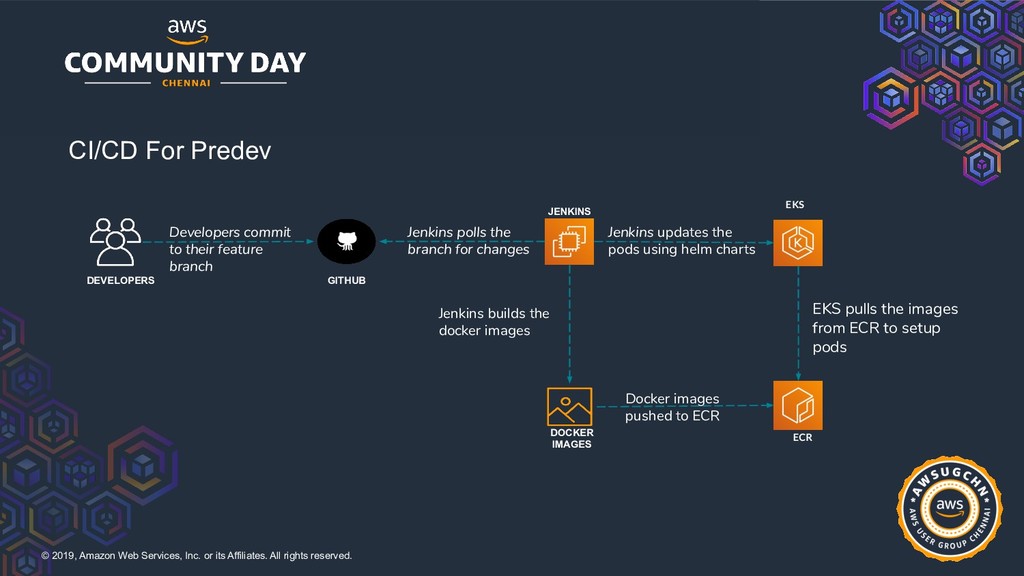
rights reserved. DEVELOPERS GITHUB JENKINS ECR EKS Developers commit to their feature branch Docker images pushed to ECR Jenkins polls the branch for changes EKS pulls the images from ECR to setup pods Jenkins updates the pods using helm charts CI/CD For Predev DOCKER IMAGES Jenkins builds the docker images
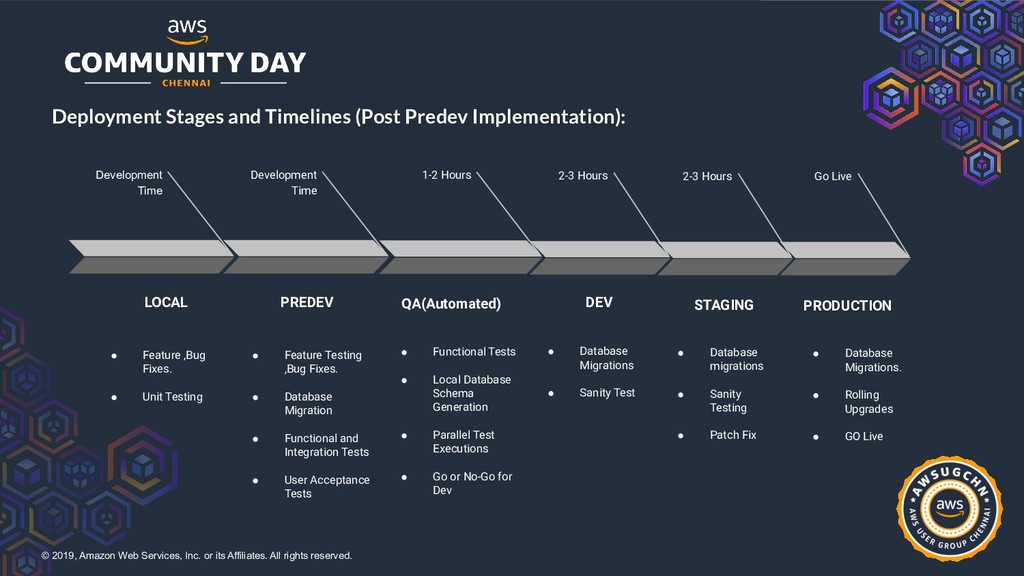
rights reserved. Deployment Stages and Timelines (Post Predev Implementation): Development Time LOCAL • Feature ,Bug Fixes. • Unit Testing 2-3 Hours DEV • Database Migrations • Sanity Test 2-3 Hours STAGING • Database migrations • Sanity Testing • Patch Fix Go Live PRODUCTION • Database Migrations. • Rolling Upgrades • GO Live 1-2 Hours • Functional Tests • Local Database Schema Generation • Parallel Test Executions • Go or No-Go for Dev QA(Automated) Development Time PREDEV • Feature Testing ,Bug Fixes. • Database Migration • Functional and Integration Tests • User Acceptance Tests


 satoshi256kbyte
 sylph01
 minodriven
 a_matsuda
 kasacchiful
 iwiwi
iwiwi
 kishida
 ___akari11
 kenjiyoneyama
 texmeijin
 rshindo
 katiecoart
 stuffmc
 aleyda
 marcoroth
 mlcsv
mlcsv
 pauljervisheath
 tammyeverts
 trallard
 palkan
 coloredviolet
 tmiket
 thirion