a new form of intelligence. Not the human brain, nor conventional AI. Third Intelligence is an AI research and development company committed to creating a new form of intelligence and AGI. Beyond raw intellect, we aim to build AI that thinks, converses, acts, and grows like a human — paving the way for a future where AI enhances the lives of people everywhere. We welcome those eager to join us in the challenge of creating and utilizing a new kind of intelligence that does not yet exist in the world, all within a globally competitive R&D environment. To learn more, please contact us below. 3
2. Inside Dot: How repeat works 3. Writing Dot-Friendly Edits 4. Rebuilding Your Editing System 5. Plugins and repeat.vim 6. Advanced Techniques & Philosophy Agenda
Inside Dot: How repeat works 3. Writing Dot-Friendly Edits 4. Rebuilding Your Editing System 5. Plugins and repeat.vim 6. Advanced Techniques & Philosophy 6 Agenda
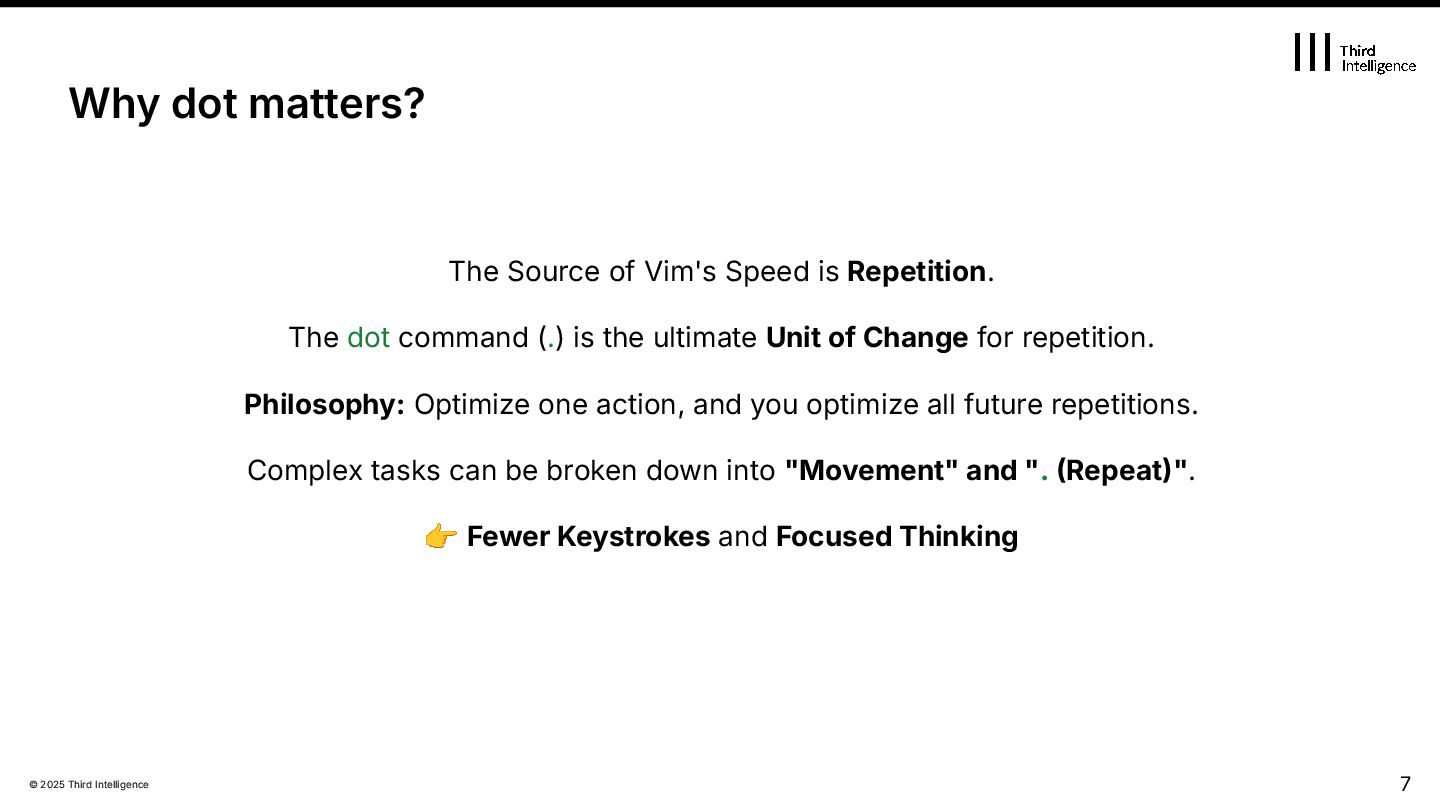
Repetition. The dot command (.) is the ultimate Unit of Change for repetition. Philosophy: Optimize one action, and you optimize all future repetitions. Complex tasks can be broken down into "Movement" and ". Repeat". 👉 Fewer Keystrokes and Focused Thinking 7 Why dot matters?
works internally ✔ Learn to design “Dot-friendlyˮ edits ✔ Extend Dot to plugins with repeat.vim ✔ Rethink editing as design, not memory Goal of the Day
Inside Dot: How repeat works 3. Writing Dot-Friendly Edits 4. Rebuilding Your Editing System 5. Plugins and repeat.vim 6. Advanced Techniques & Philosophy 9 Agenda
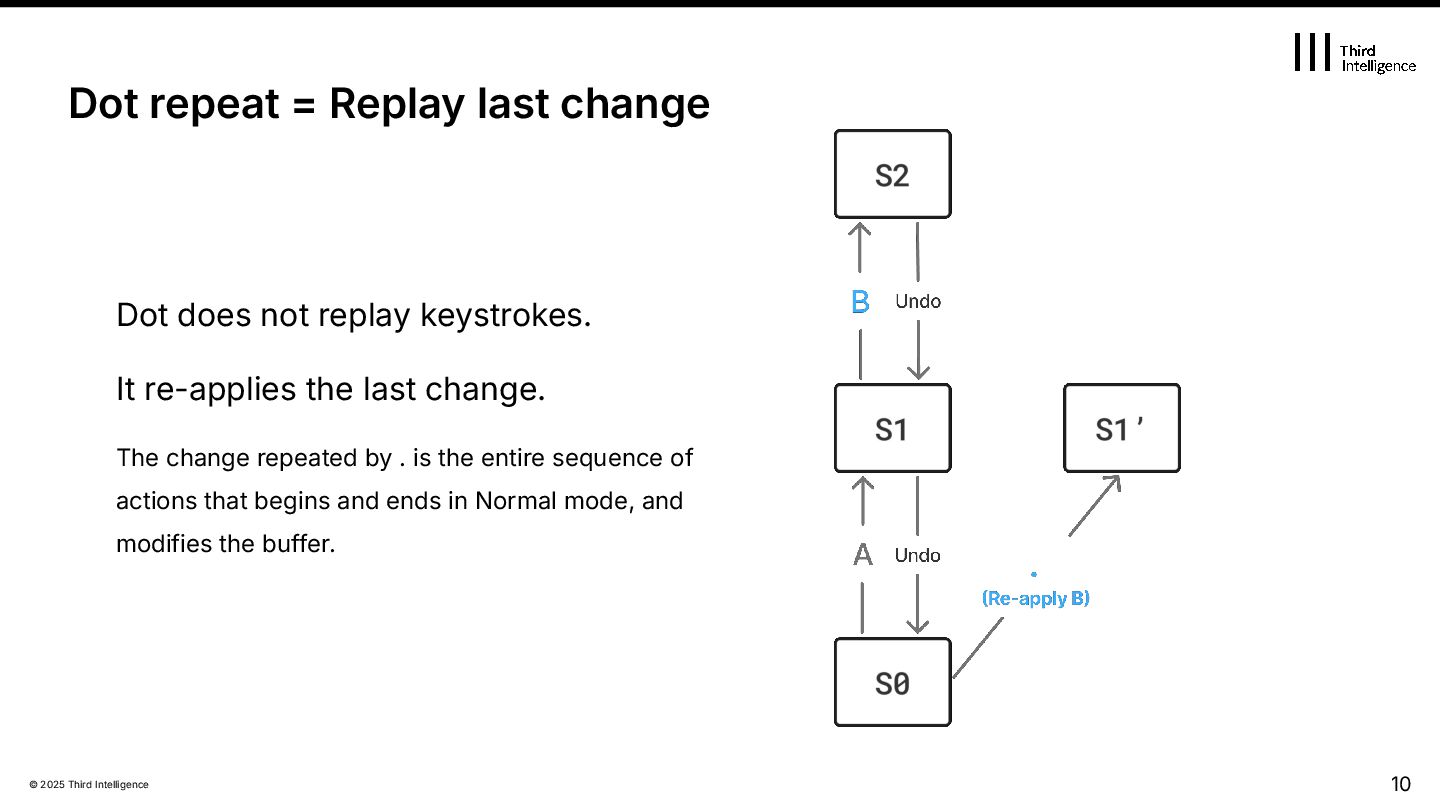
re-applies the last change. The change repeated by . is the entire sequence of actions that begins and ends in Normal mode, and modifies the buffer. 10 Dot repeat = Replay last change
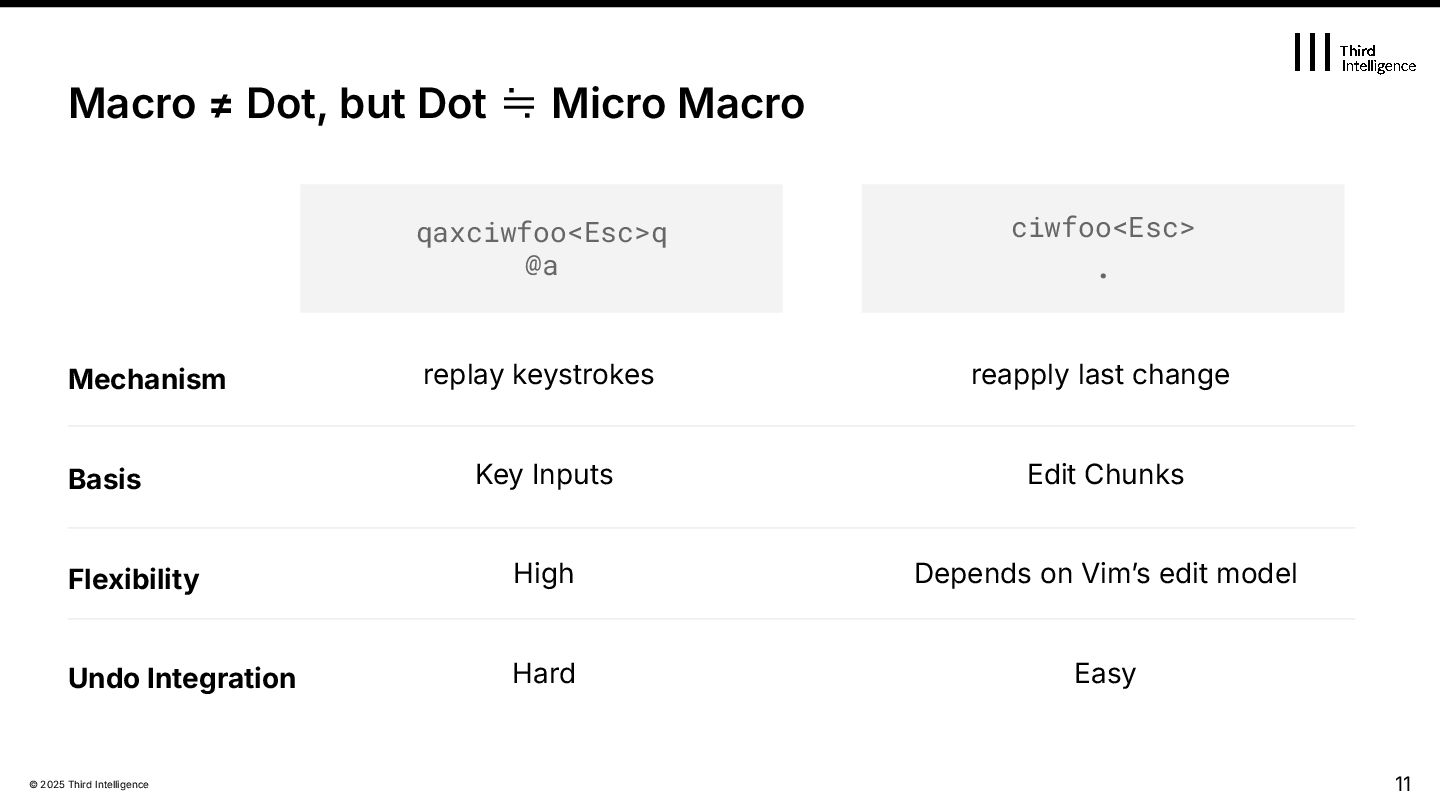
but Dot ≒ Micro Macro qaxciwfoo<Esc>q @a ciwfoo<Esc> . reapply last change Mechanism Key Inputs Edit Chunks Flexibility Undo Integration High Depends on Vimʼs edit model Hard Easy Basis
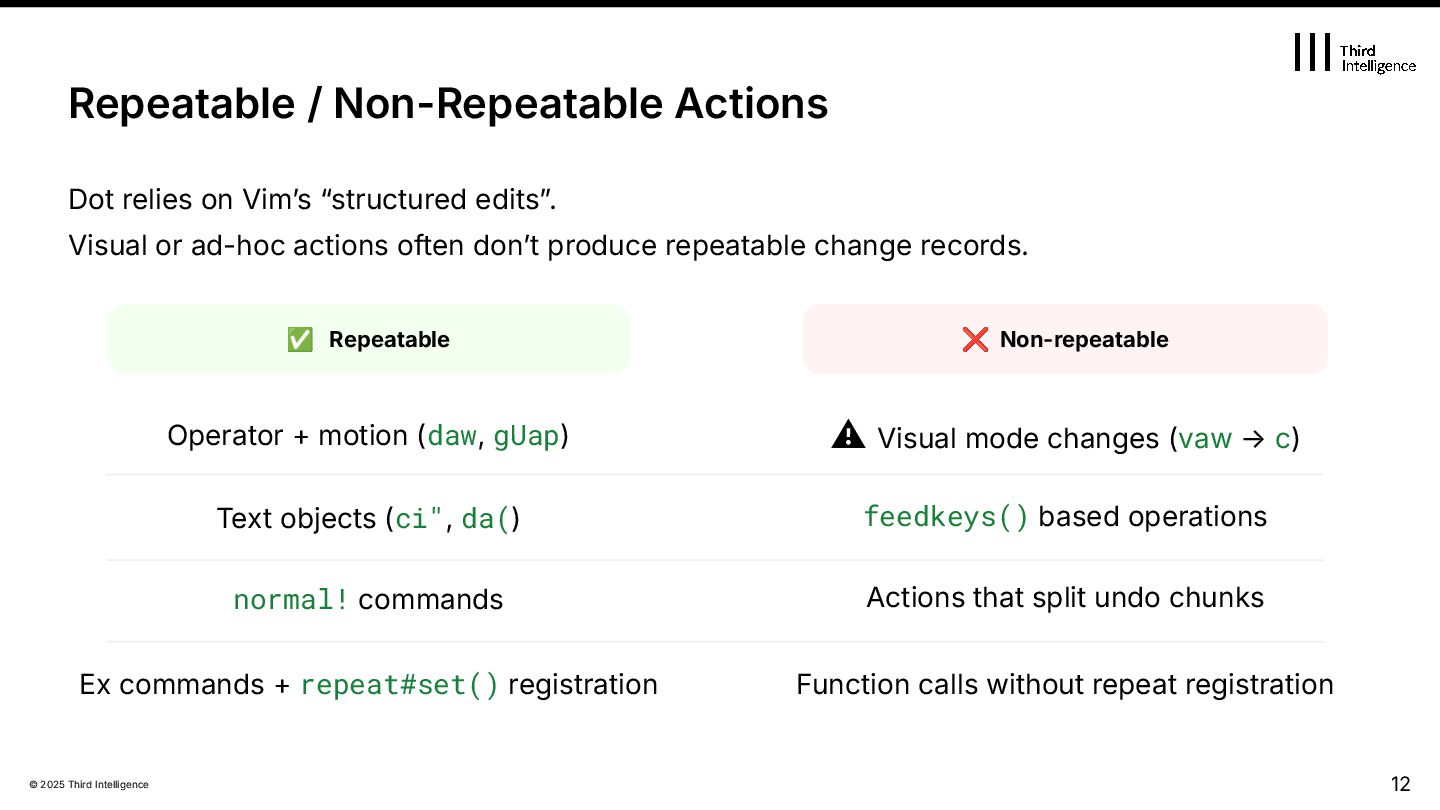
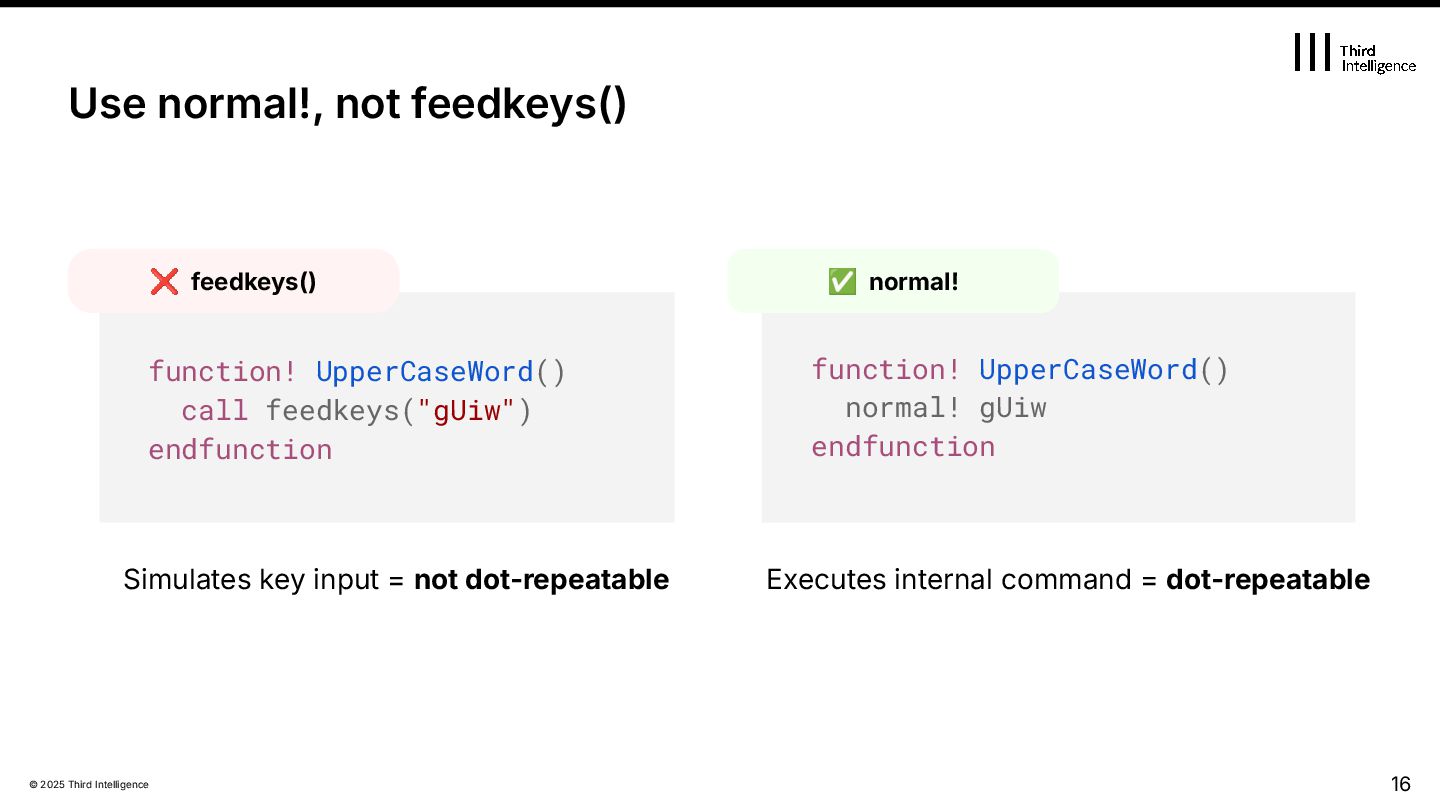
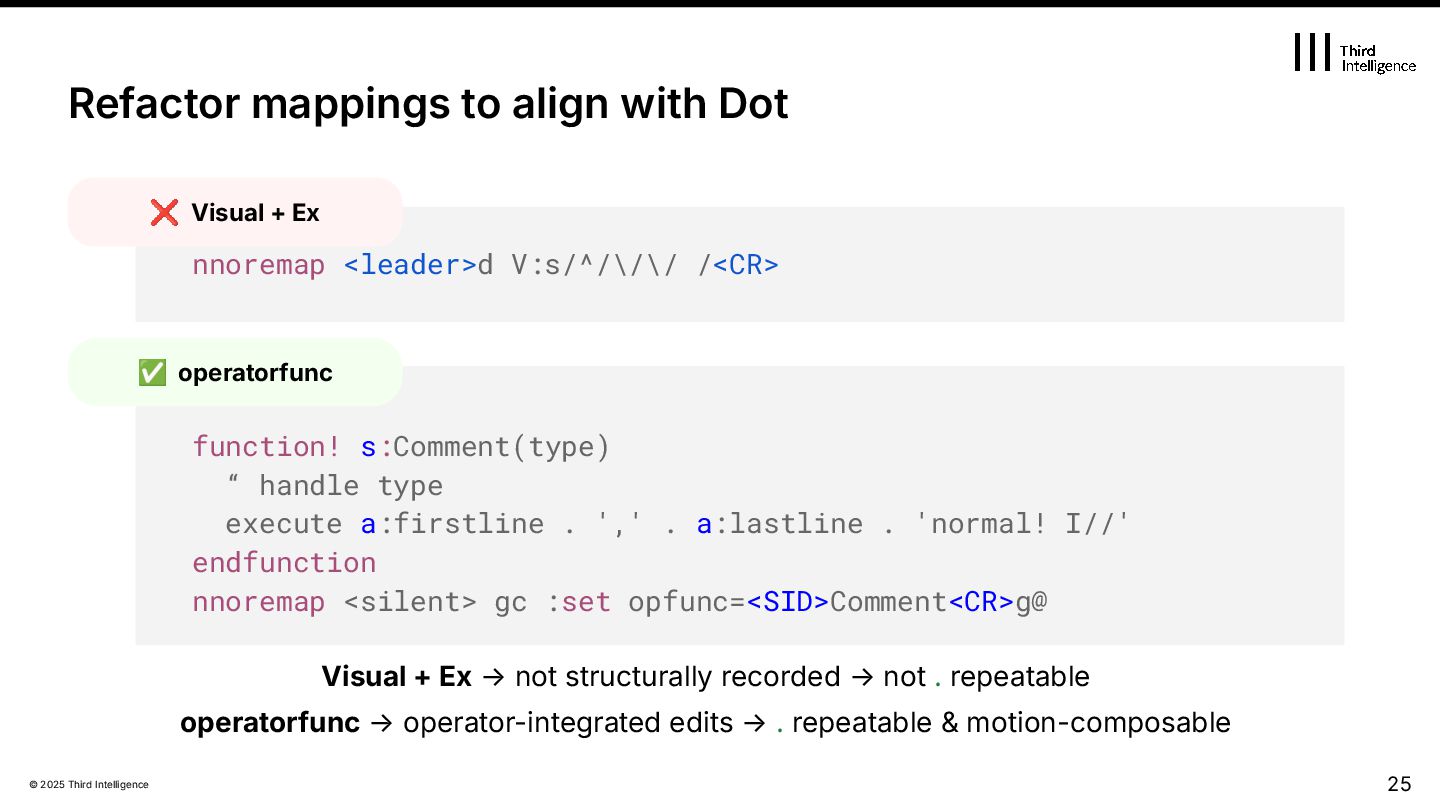
relies on Vimʼs “structured editsˮ. Visual or ad-hoc actions often donʼt produce repeatable change records. ✅ Repeatable ❌ Non-repeatable Operator + motion (daw, gUap) ⚠ Visual mode changes (vaw → c) Text objects (ci", da() feedkeys() based operations normal! commands Actions that split undo chunks Ex commands + repeat#set() registration Function calls without repeat registration
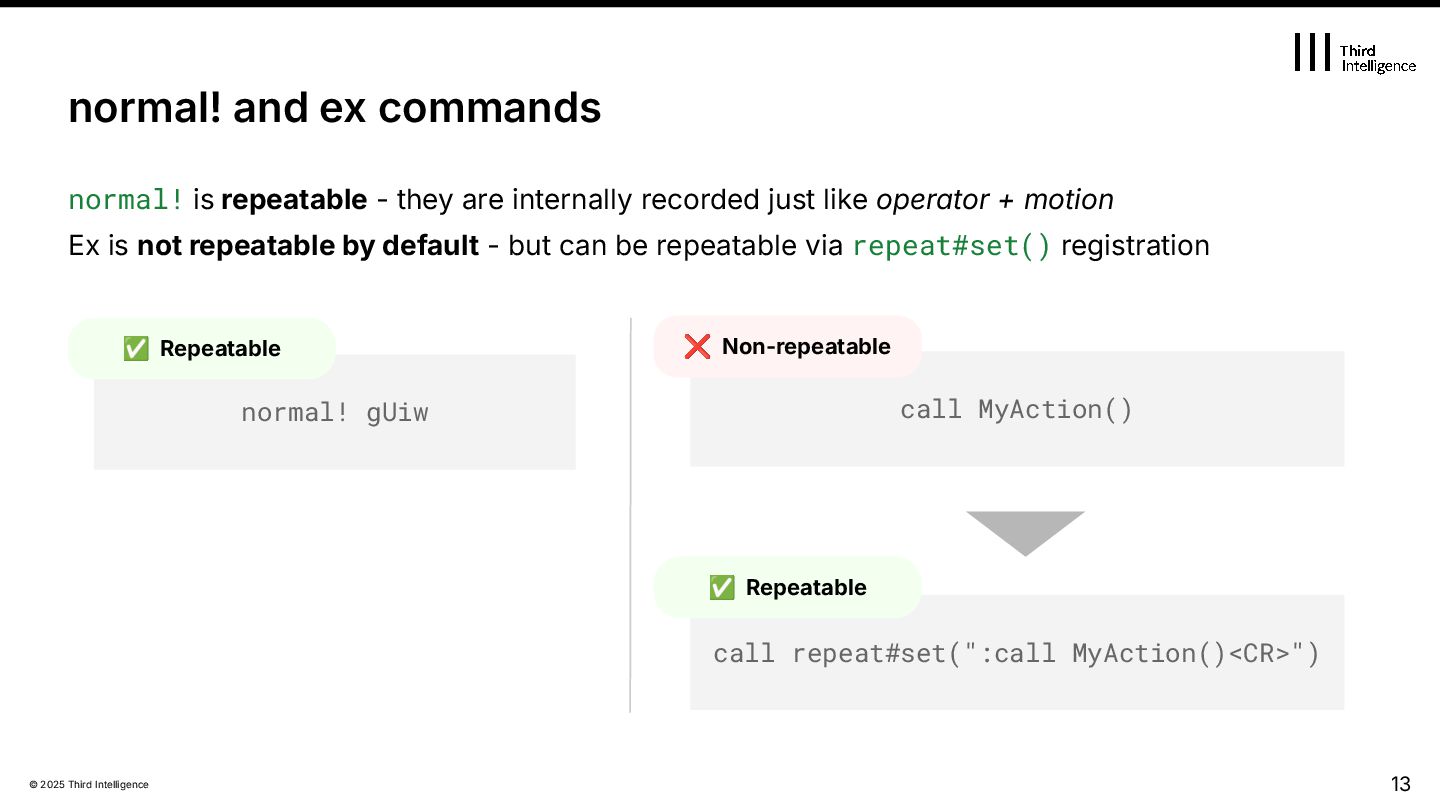
internally recorded just like operator + motion Ex is not repeatable by default - but can be repeatable via repeat#set() registration 13 normal! and ex commands normal! gUiw call MyAction() call repeat#set(":call MyAction()<CR>") ✅ Repeatable ❌ Non-repeatable ✅ Repeatable
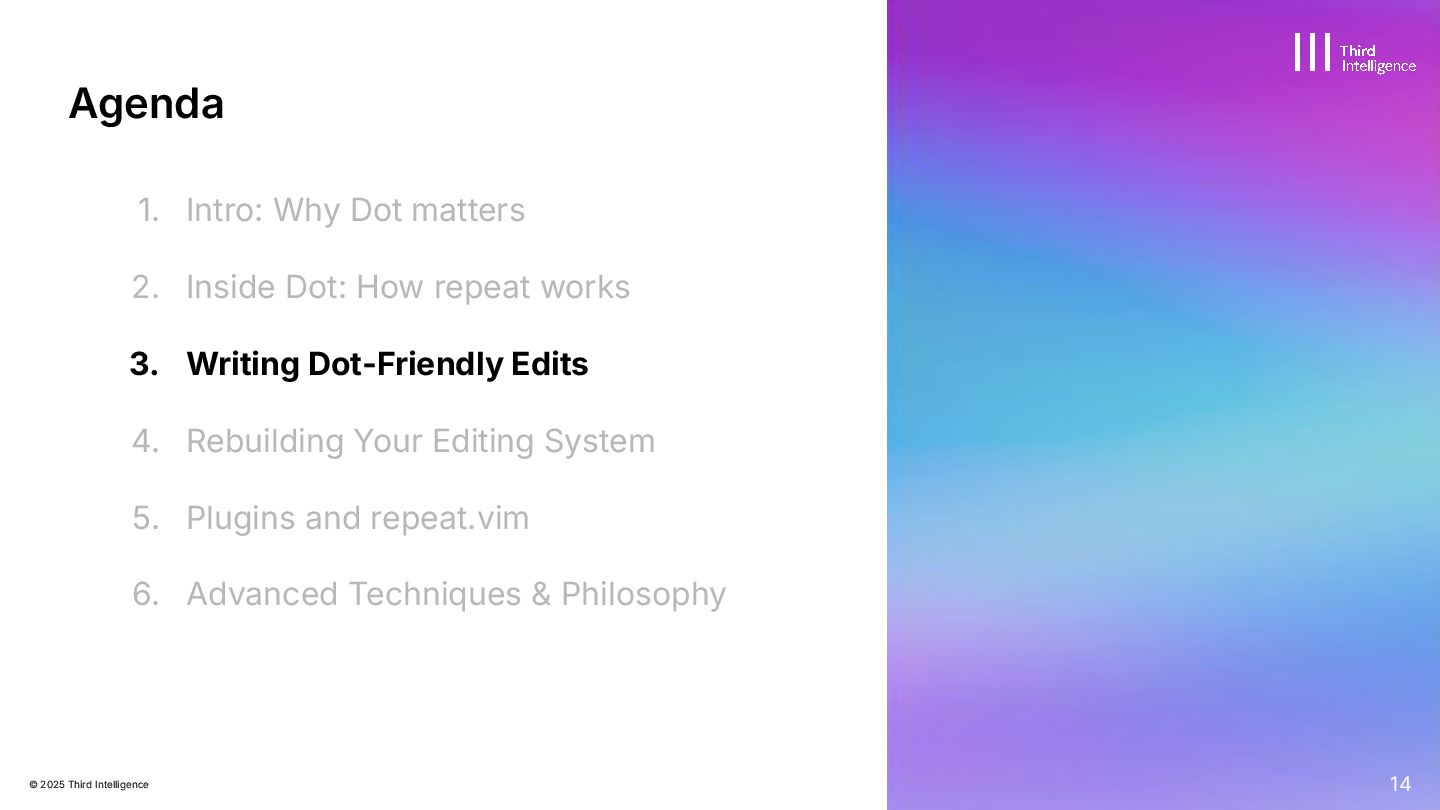
Inside Dot: How repeat works 3. Writing Dot-Friendly Edits 4. Rebuilding Your Editing System 5. Plugins and repeat.vim 6. Advanced Techniques & Philosophy 14 Agenda
Text objects donʼt. vaw cfoo<Esc> . ❌ Non-repeatable ciwfoo<Esc> . ✅ Repeatable 15 Visual vs Text Object Visual mode edits are not recorded structurally Text objects create repeatable, clean change records Records a mechanical character count change. Repeat fails to target the next word.
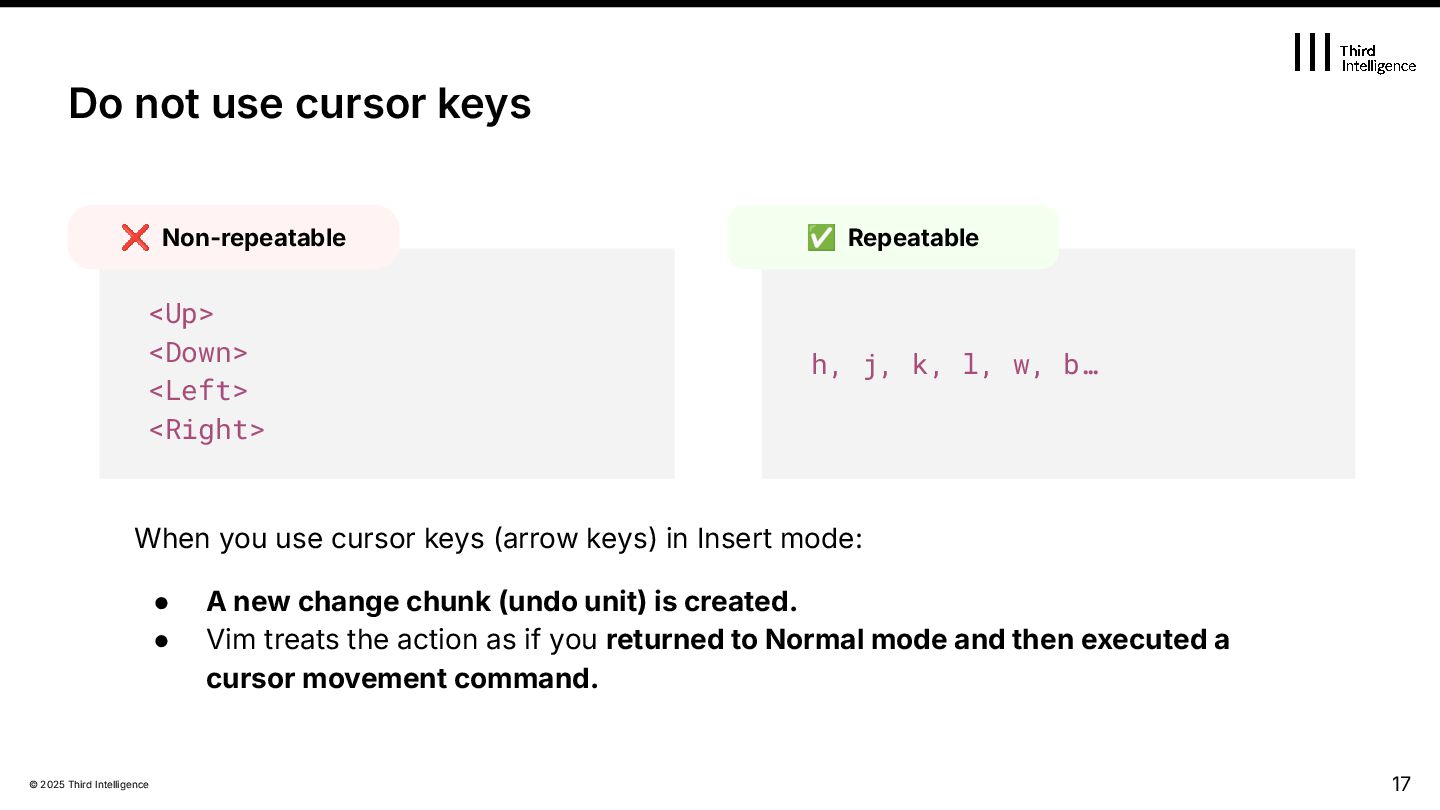
(arrow keys) in Insert mode: • A new change chunk (undo unit) is created. • Vim treats the action as if you returned to Normal mode and then executed a cursor movement command. Do not use cursor keys <Up> <Down> <Left> <Right> ❌ Non-repeatable h, j, k, l, w, b… ✅ Repeatable
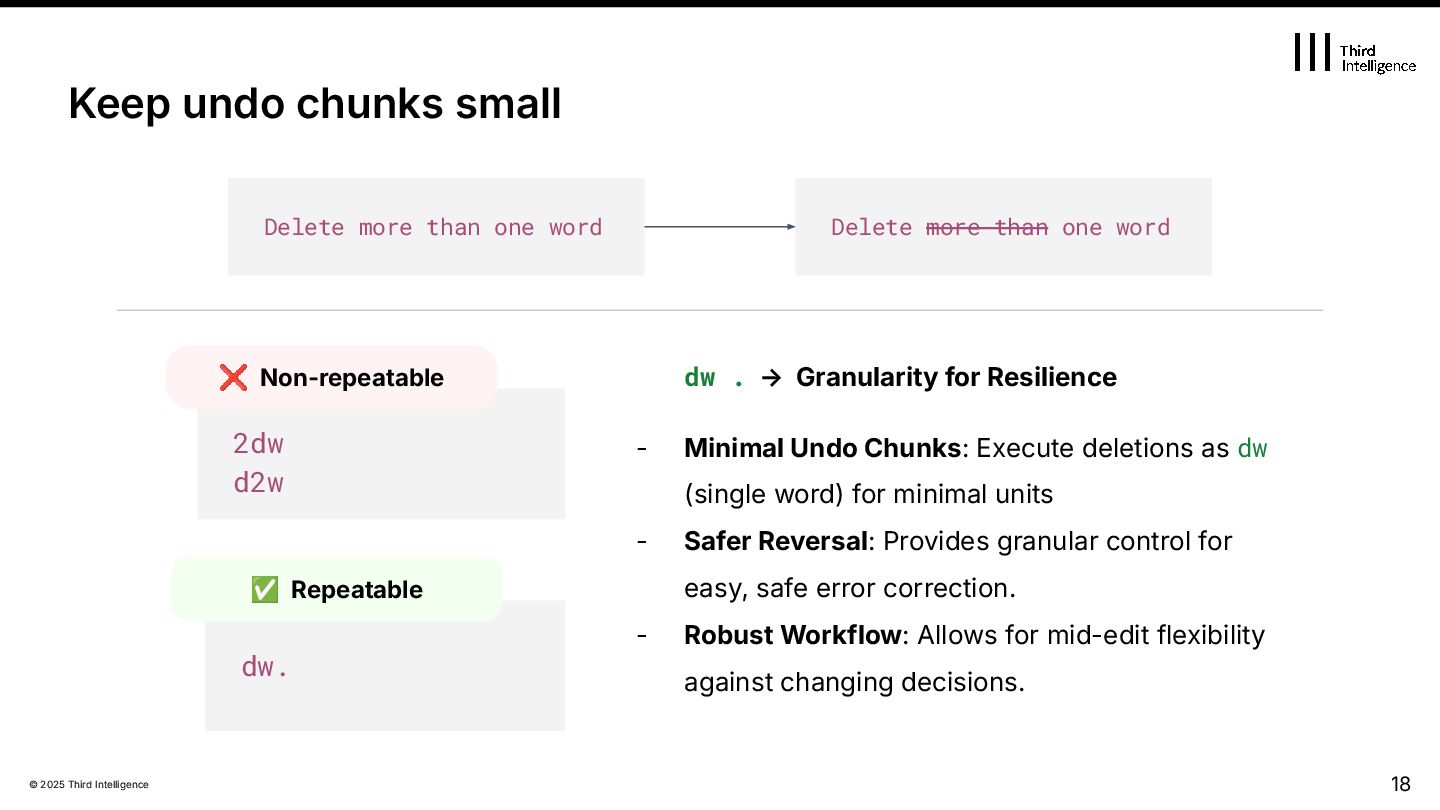
- Minimal Undo Chunks: Execute deletions as dw (single word) for minimal units - Safer Reversal: Provides granular control for easy, safe error correction. - Robust Workflow: Allows for mid-edit flexibility against changing decisions. 18 Keep undo chunks small 2dw d2w ❌ Non-repeatable dw. ✅ Repeatable Delete more than one word Delete more than one word
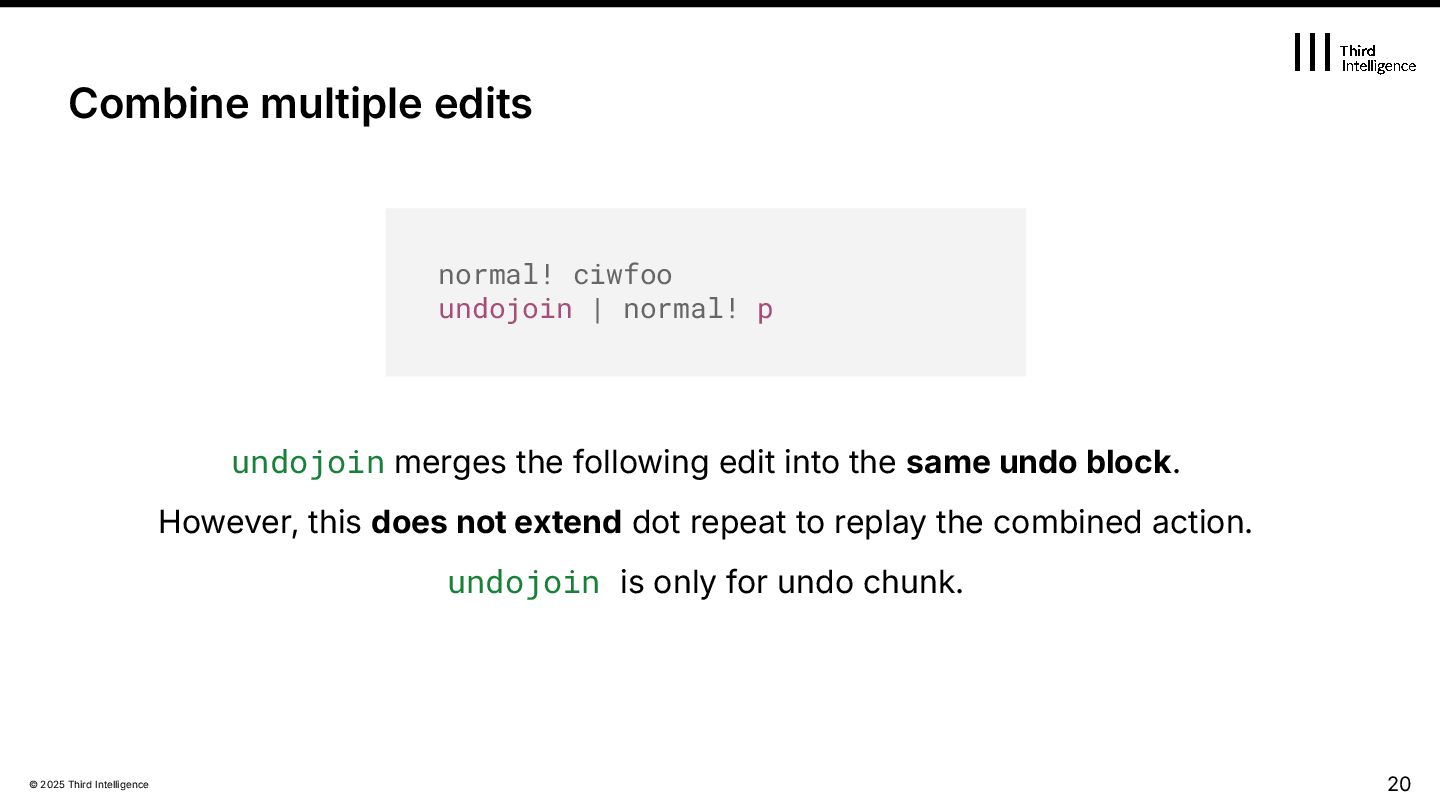
into the same undo block. However, this does not extend dot repeat to replay the combined action. undojoin is only for undo chunk. Combine multiple edits normal! ciwfoo undojoin | normal! p
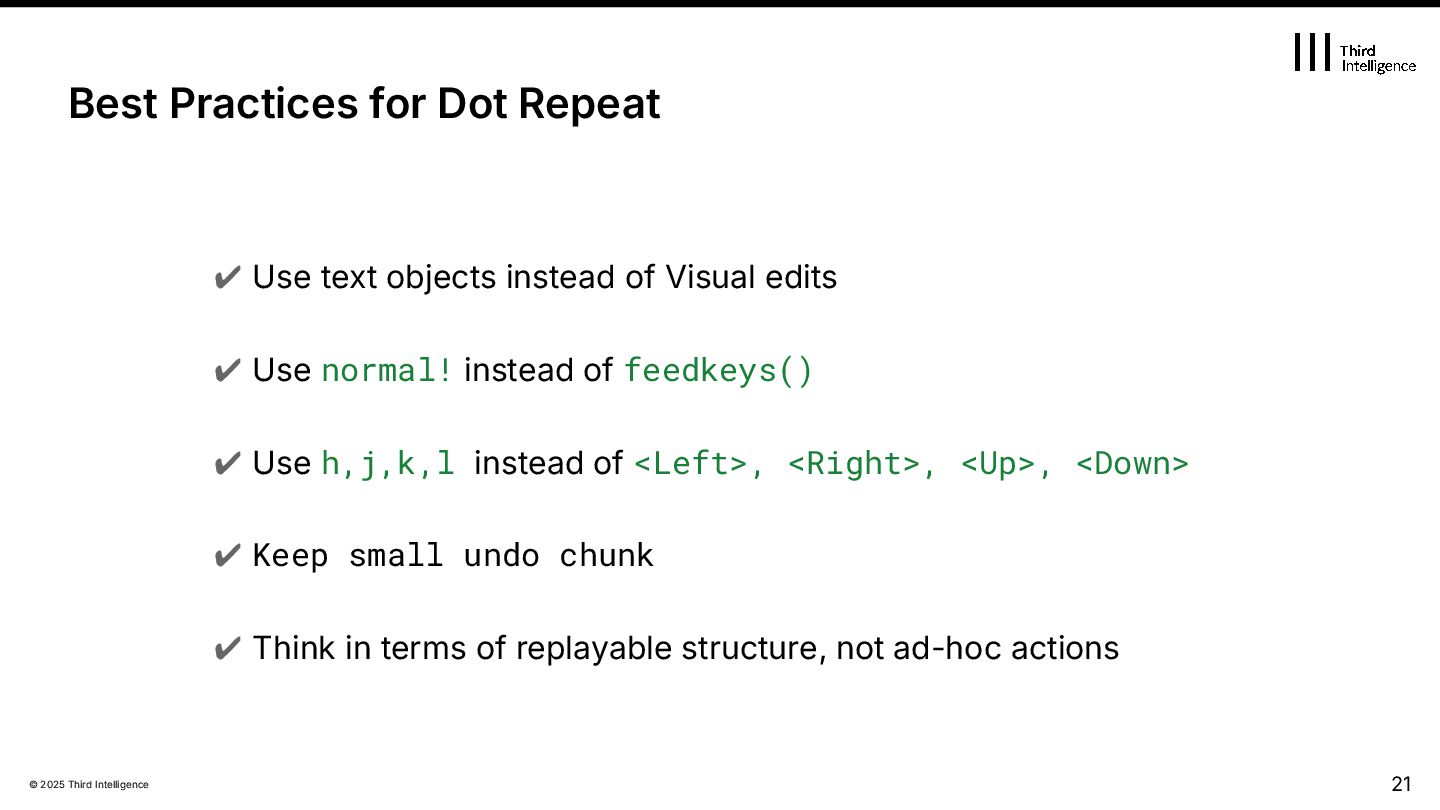
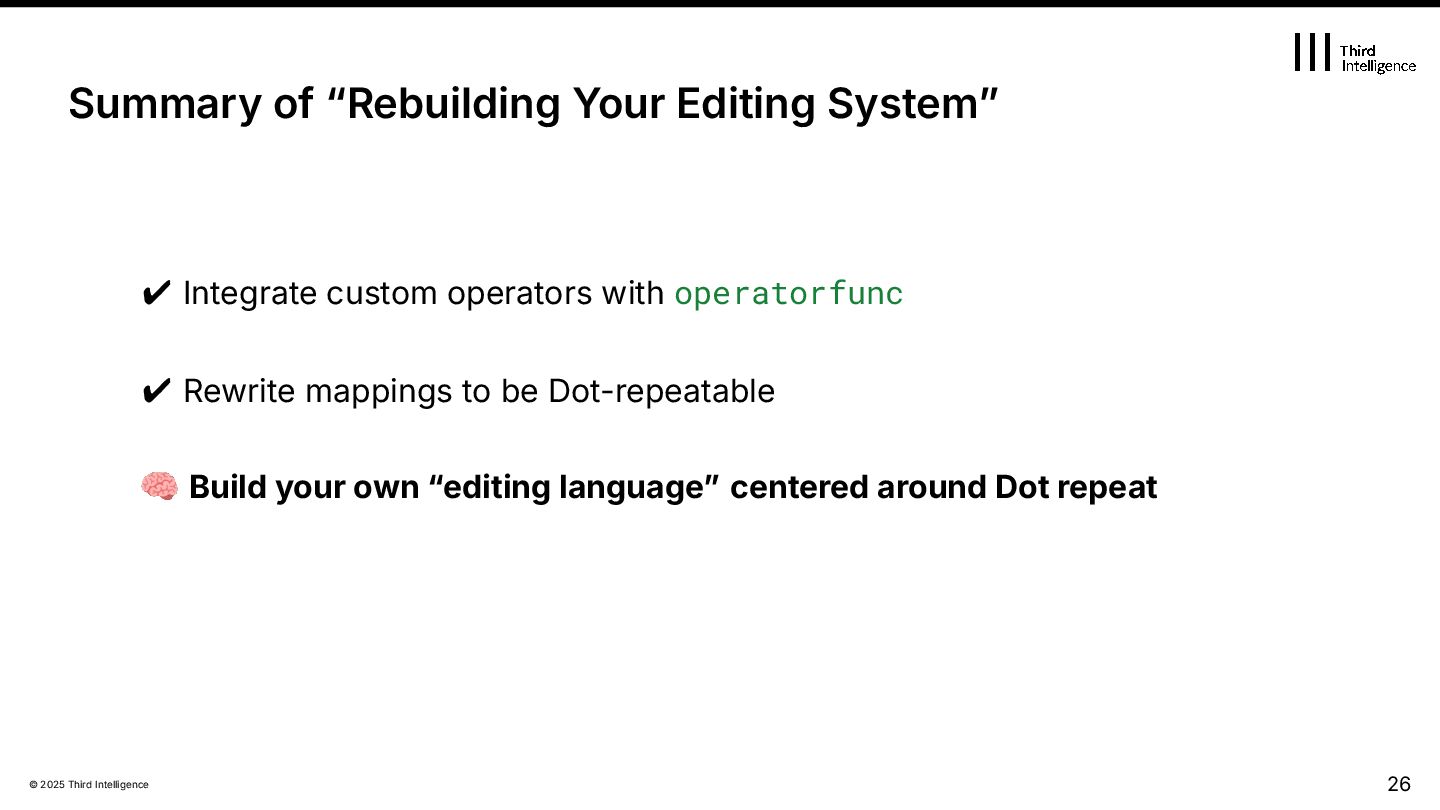
Visual edits ✔ Use normal! instead of feedkeys() ✔ Use h,j,k,l instead of <Left>, <Right>, <Up>, <Down> ✔ Keep small undo chunk ✔ Think in terms of replayable structure, not ad-hoc actions 21 Best Practices for Dot Repeat
Inside Dot: How repeat works 3. Writing Dot-Friendly Edits 4. Rebuilding Your Editing System 5. Plugins and repeat.vim 6. Advanced Techniques & Philosophy 22 Agenda
Inside Dot: How repeat works 3. Writing Dot-Friendly Edits 4. Rebuilding Your Editing System 5. Plugins and repeat.vim 6. Advanced Techniques & Philosophy 27 Agenda
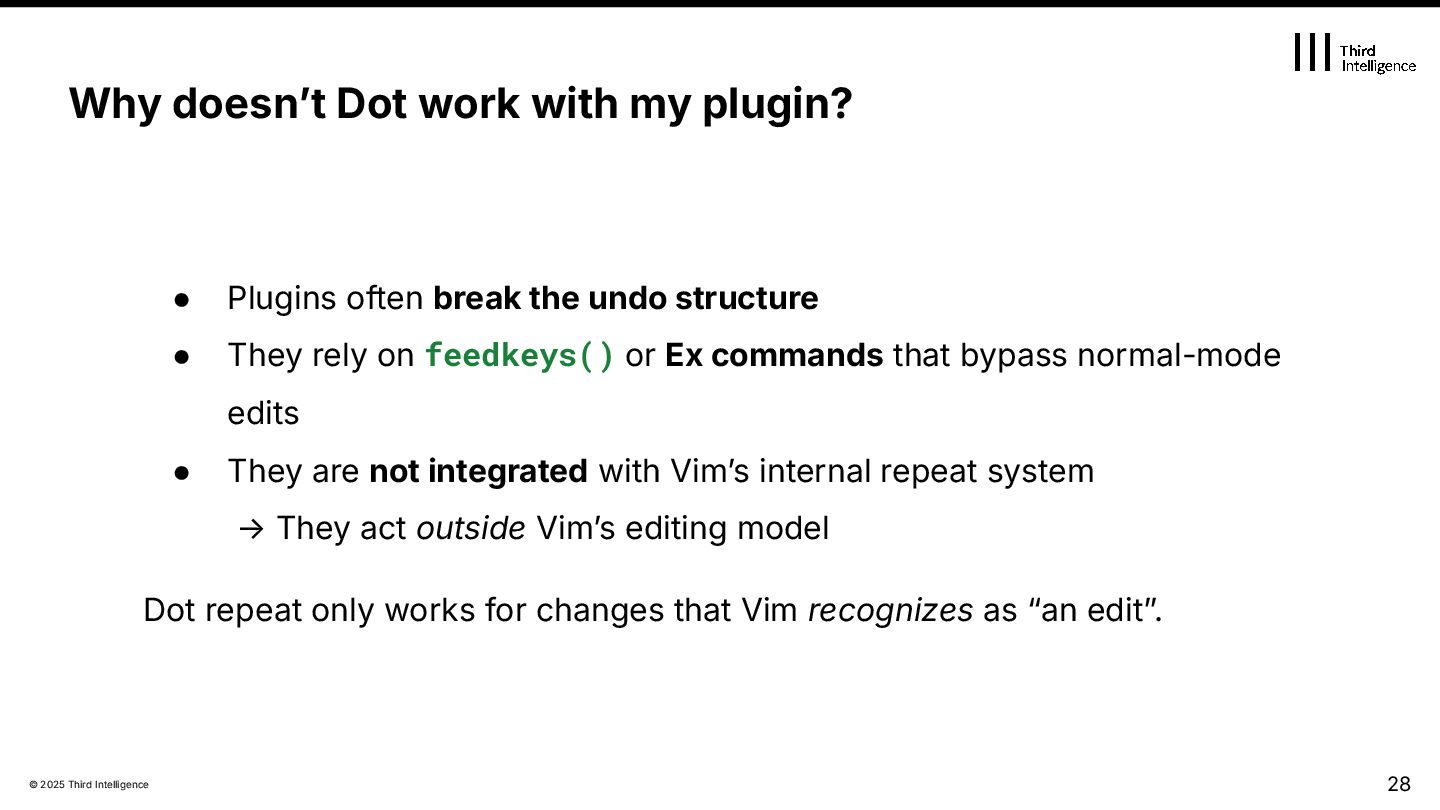
structure • They rely on feedkeys() or Ex commands that bypass normal-mode edits • They are not integrated with Vimʼs internal repeat system → They act outside Vimʼs editing model Dot repeat only works for changes that Vim recognizes as “an editˮ. 28 Why doesnʼt Dot work with my plugin?
Dot repeat.vim — a widely used bridge between plugins and Vimʼs repeat system Written and maintained by Tim Pope (tpope) Provides an API (repeat#set({command}, v:count)) that lets plugins register repeatable actions Used by major plugins: surround.vim, speeddating.vim, unimpaired.vim, vim-easyclip, vim-radical… → In practice, repeat.vim is the de-facto standard infrastructure for dot-repeat support in plugins
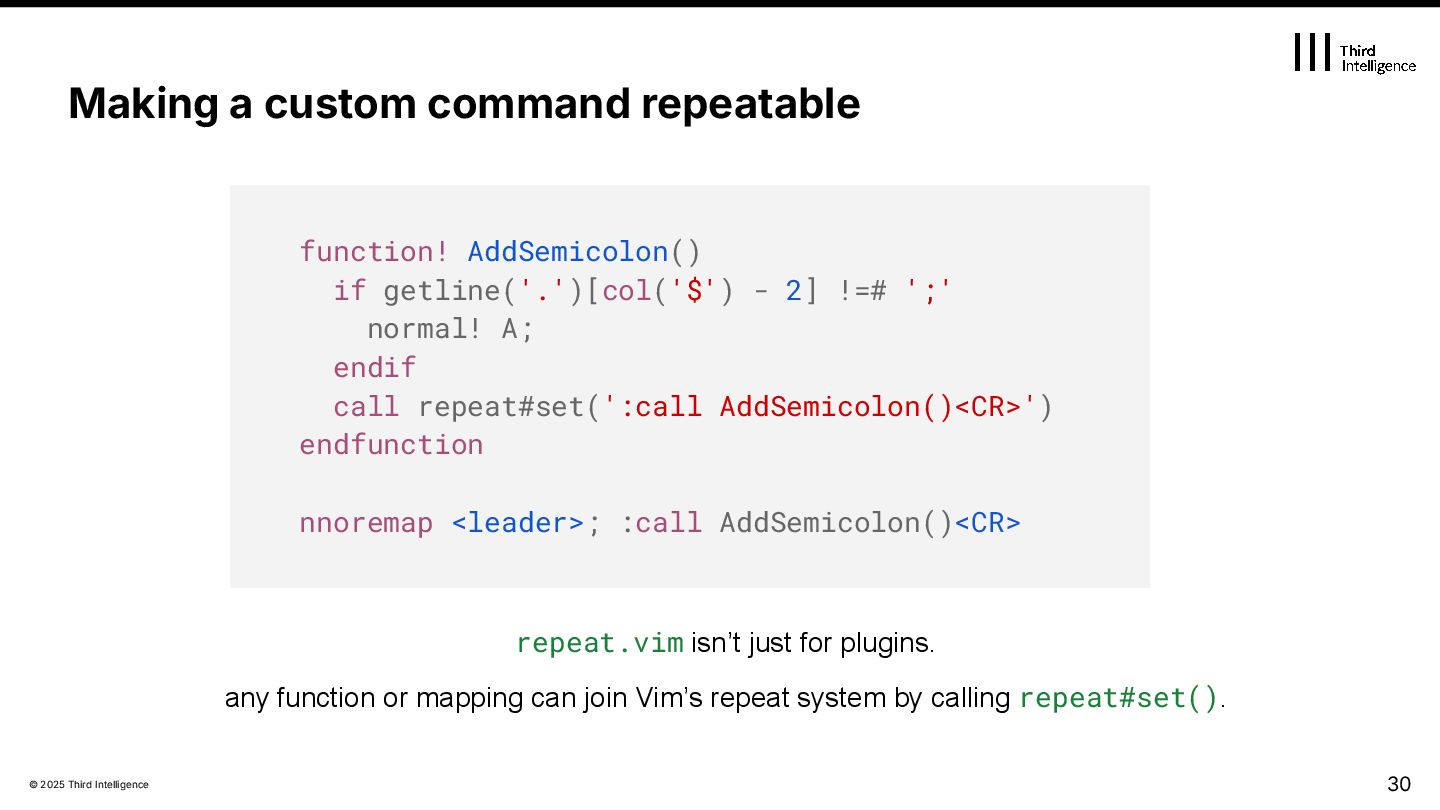
function! AddSemicolon() if getline('.')[col('$') - 2] !=# ';' normal! A; endif call repeat#set(':call AddSemicolon()<CR>') endfunction nnoremap <leader>; :call AddSemicolon()<CR> repeat.vim isn’t just for plugins. any function or mapping can join Vim’s repeat system by calling repeat#set().
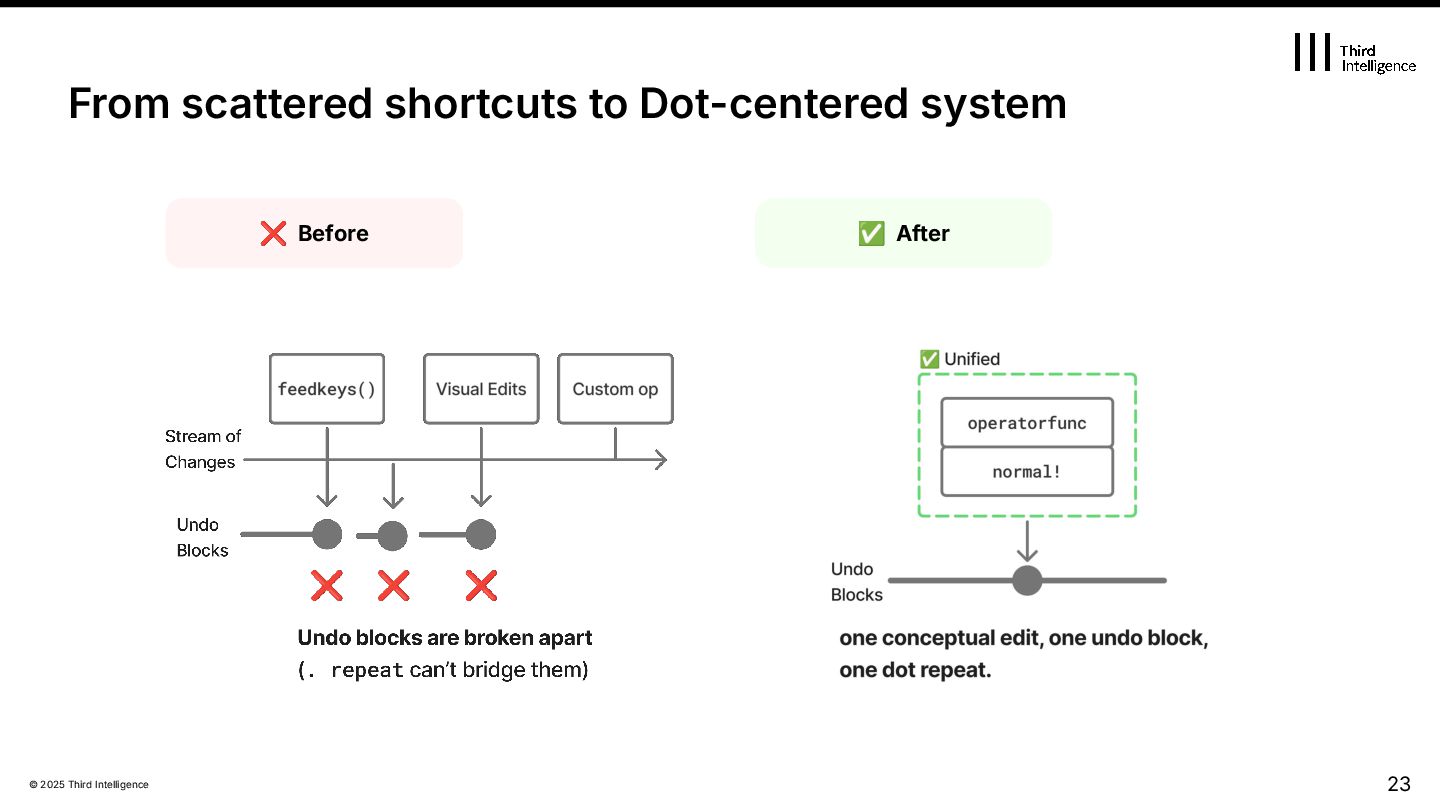
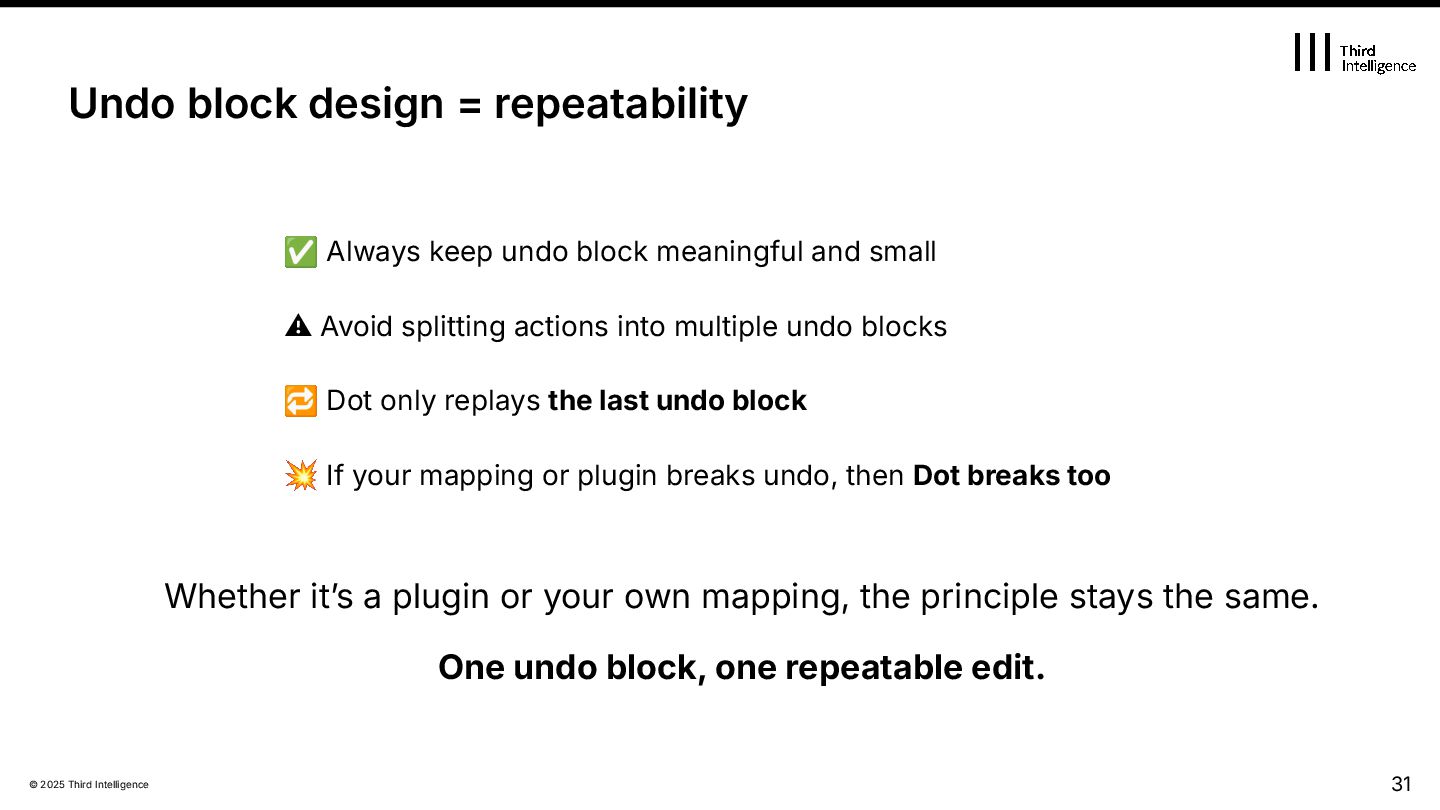
and small ⚠ Avoid splitting actions into multiple undo blocks 🔁 Dot only replays the last undo block 💥 If your mapping or plugin breaks undo, then Dot breaks too Whether itʼs a plugin or your own mapping, the principle stays the same. One undo block, one repeatable edit. 31 Undo block design = repeatability
Inside Dot: How repeat works 3. Writing Dot-Friendly Edits 4. Rebuilding Your Editing System 5. Plugins and repeat.vim 6. Advanced Techniques & Philosophy 32 Agenda
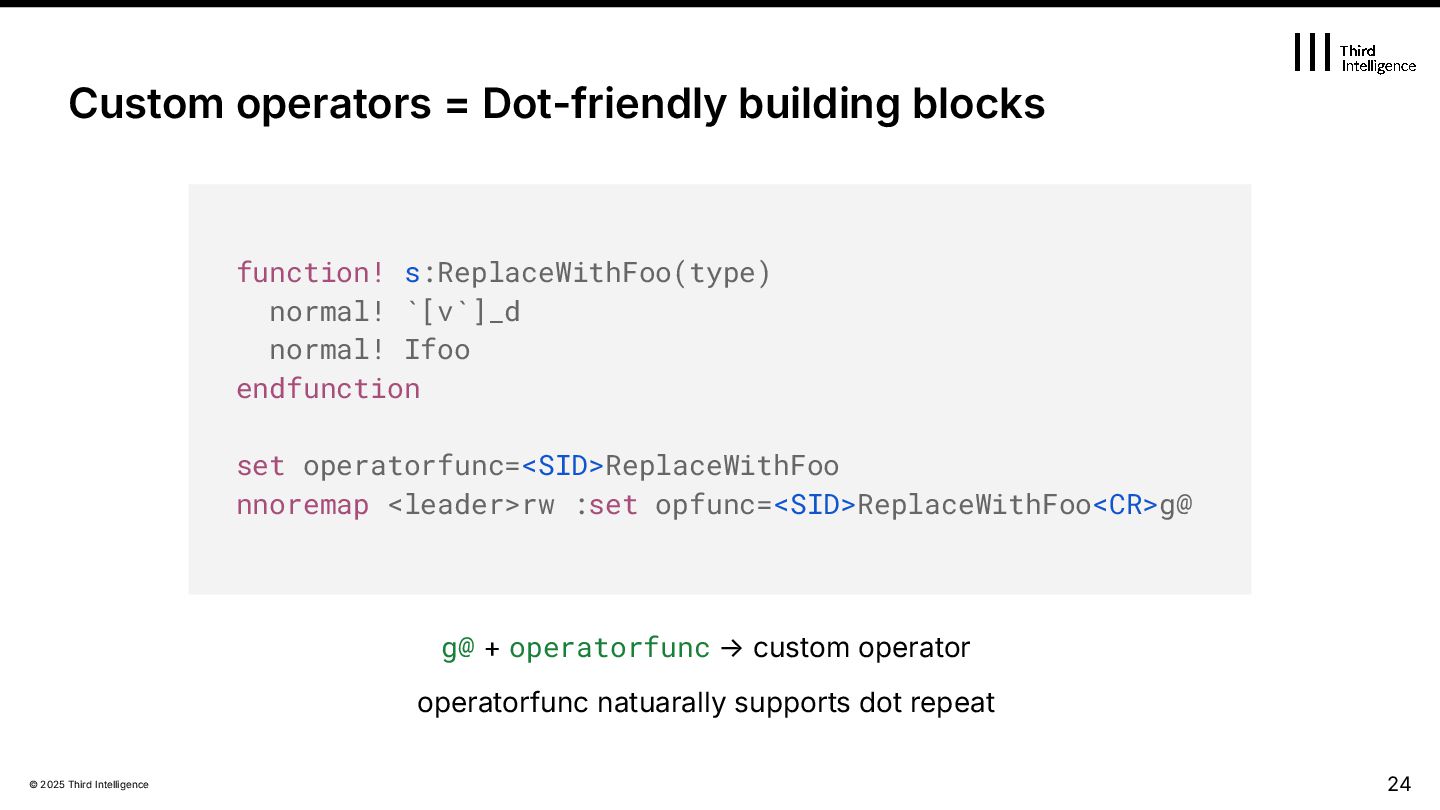
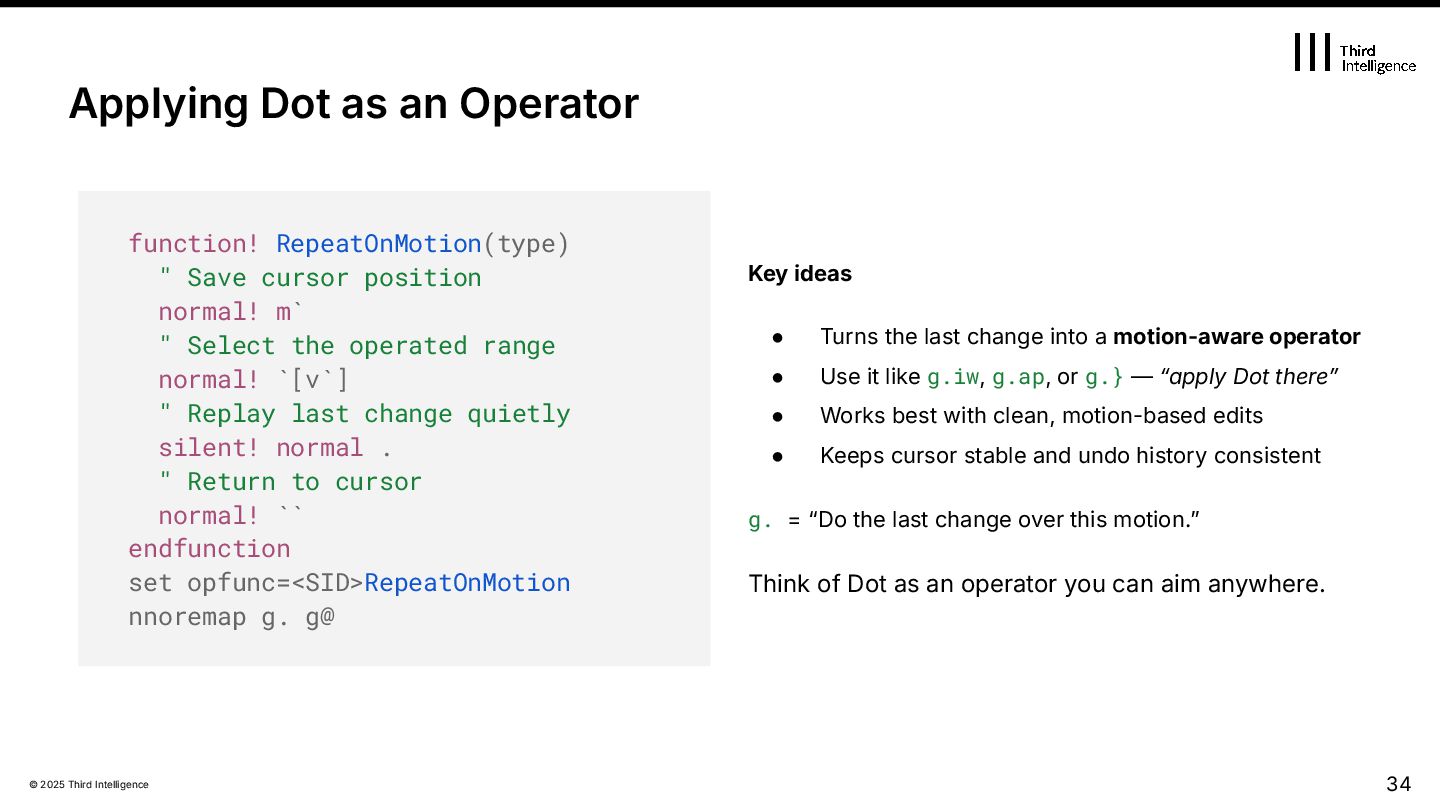
last change into a motion-aware operator • Use it like g.iw, g.ap, or g.} — “apply Dot thereˮ • Works best with clean, motion-based edits • Keeps cursor stable and undo history consistent g. = “Do the last change over this motion.ˮ Think of Dot as an operator you can aim anywhere. Applying Dot as an Operator function! RepeatOnMotion(type) " Save cursor position normal! m` " Select the operated range normal! `[v`] " Replay last change quietly silent! normal . " Return to cursor normal! `` endfunction set opfunc=<SID>RepeatOnMotion nnoremap g. g@
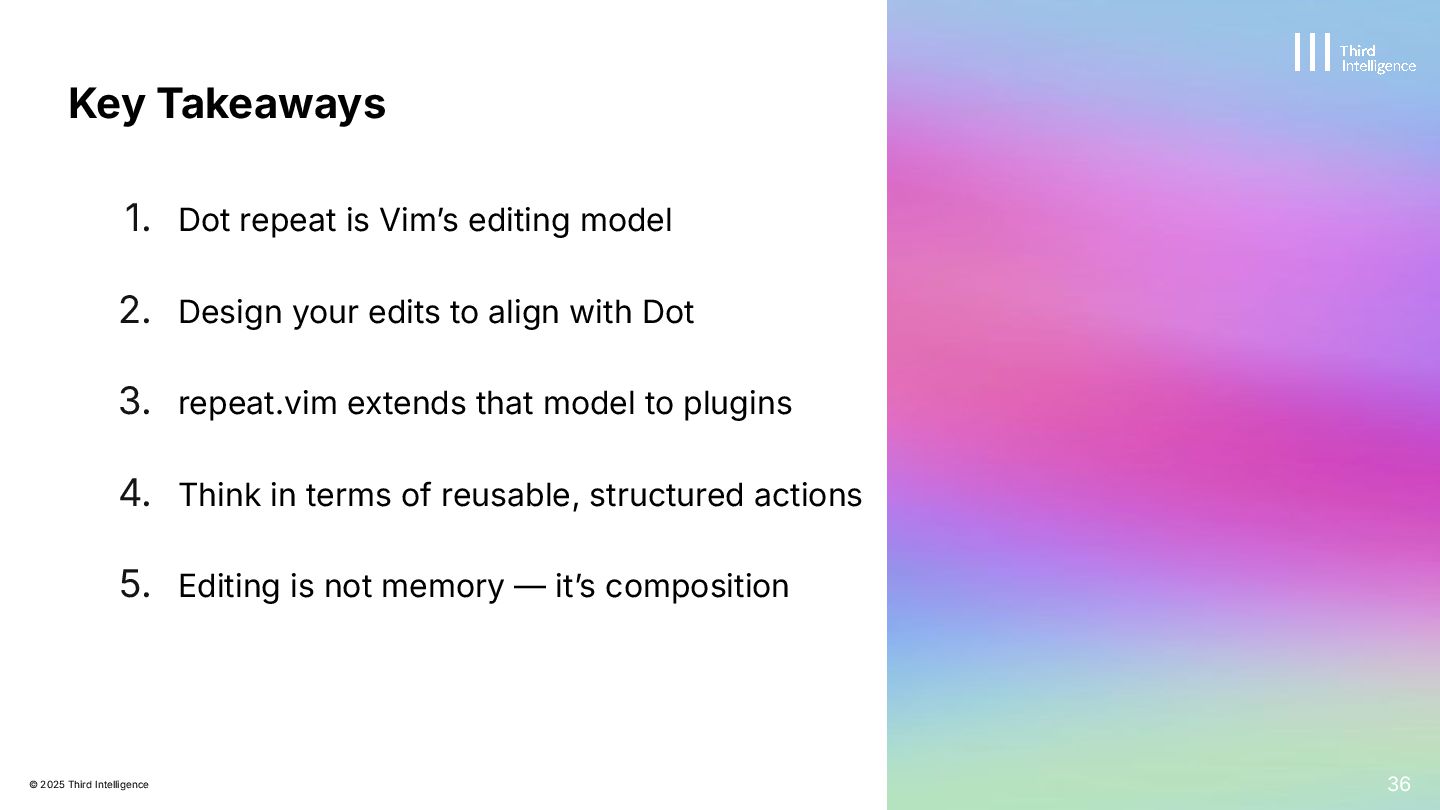
model 2. Design your edits to align with Dot 3. repeat.vim extends that model to plugins 4. Think in terms of reusable, structured actions 5. Editing is not memory — itʼs composition Key Takeaways 36


 satorunooshie
 andpad
 minodriven
 kinopeee
 optim
optim
 jame2408
 kaityo256
 iwatsukayura
 lef237
 nao_randd
 falcon8823
 akit37
 y0hgi
y0hgi
 carmenintech
 eileencodes
 konakalab
 chriscoyier
 speakerdeck
 oripsolob
 denniskardys
 skipperchong
 dougneiner
 sabderemane
 uxyall
 rkaga
rkaga