Upgrade to Pro
— share decks privately, control downloads, hide ads and more …
Speaker Deck
Sign up for free
Menu
Search
Features
All features
Private URLs
Password Protection
Custom URLS
Scheduled publishing
Remove Branding
Restrict embedding
Deck Collections
Notes
Features
All features
Private URLs
Password Protection
Custom URLS
Scheduled publishing
Remove Branding
Restrict embedding
Deck Collections
Notes
Explore
Featured decks
Featured speakers
Programming
Technology
Storyboards
Explore
Featured decks
Featured speakers
Programming
Technology
Storyboards
Pricing
Search
Sign in
Sign up for free
Tasking Manager validate
Search
Sponsored
·
Your Podcast. Everywhere. Effortlessly.
Share. Educate. Inspire. Entertain. You do you. We'll handle the rest.
→
小嶋紗耶
June 20, 2018
36
0
Share
Embed
Copy iframe code
Copy JS code
Copy link
Start on current slide
Tasking Manager validate
小嶋紗耶
June 20, 2018
More Decks by 小嶋紗耶
See All by 小嶋紗耶
TaskingManager課題Ⅱ.pdf
saya
0
140
Featured
See All Featured
A Modern Web Designer's Workflow
chriscoyier
699
190k
Have SEOs Ruined the Internet? - User Awareness of SEO in 2025
akashhashmi
0
520
How GitHub (no longer) Works
holman
316
150k
Balancing Empowerment & Direction
lara
6
1.3k
Lessons Learnt from Crawling 1000+ Websites
charlesmeaden
PRO
1
1.6k
Test your architecture with Archunit
thirion
2
2.4k
The Curious Case for Waylosing
cassininazir
1
570
Claude Code どこまでも/ Claude Code Everywhere
nwiizo
68
59k
Sharpening the Axe: The Primacy of Toolmaking
bcantrill
46
3k
Marketing Yourself as an Engineer | Alaka | Gurzu
gurzu
0
330
How to Ace a Technical Interview
jacobian
280
24k
Tell your own story through comics
letsgokoyo
1
1.1k
Transcript
Tasking Manager Validate マニュアル 1A117067 小嶋紗耶
・次に黄色いメッシュを選 択するか VARIDATEARANDOMTASK を選択する。 (マッピング対象を確認 する。) 初めに、プロジェクトを一 つ、選択し、地図の中から 黄色いタイルを選択して選 択を押して検証を開始する。
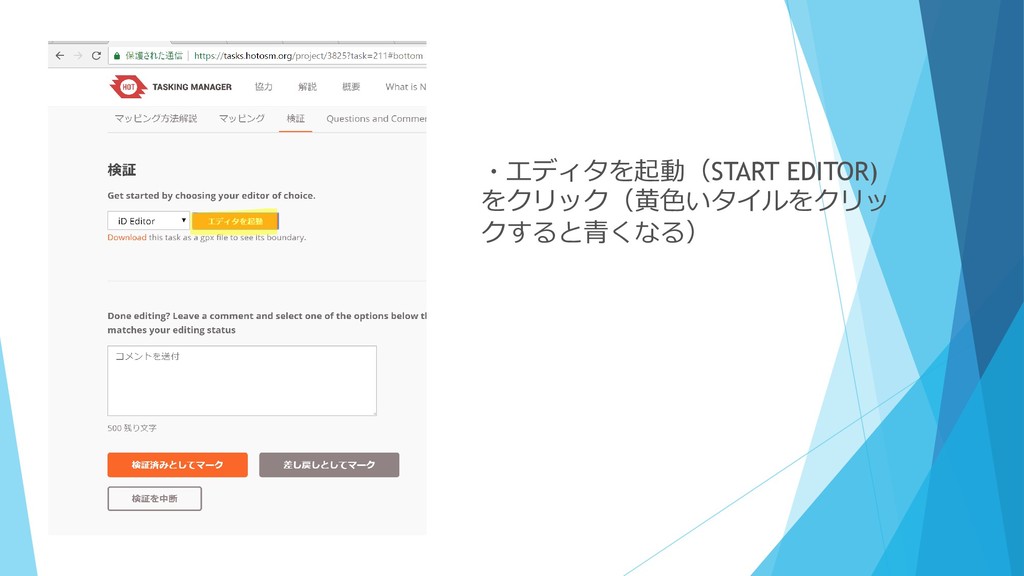
・エディタを起動(START EDITOR) をクリック(黄色いタイルをクリッ クすると青くなる)
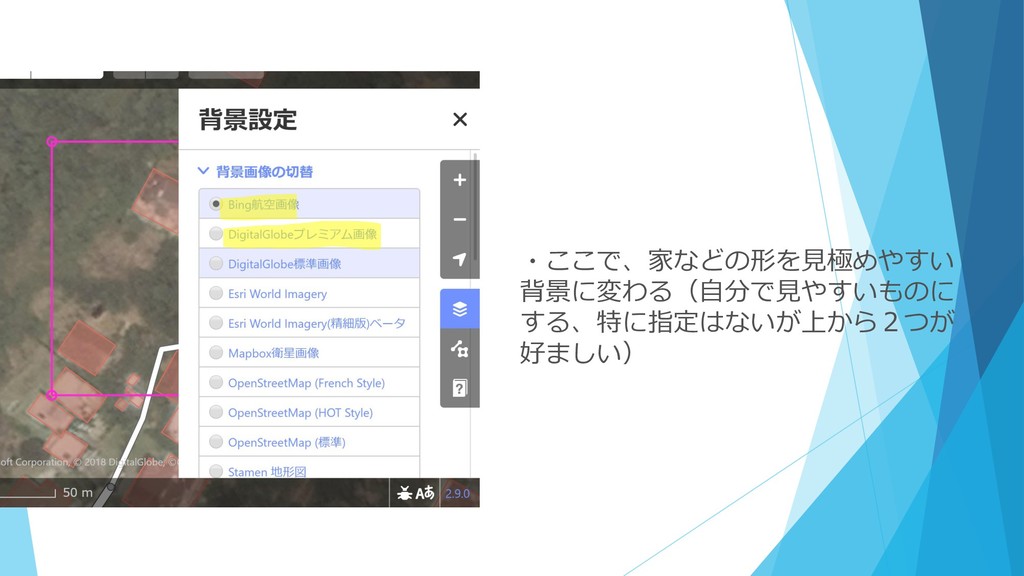
・ここで、家などの形を見極めやすい 背景に変わる(自分で見やすいものに する、特に指定はないが上から2つが 好ましい)
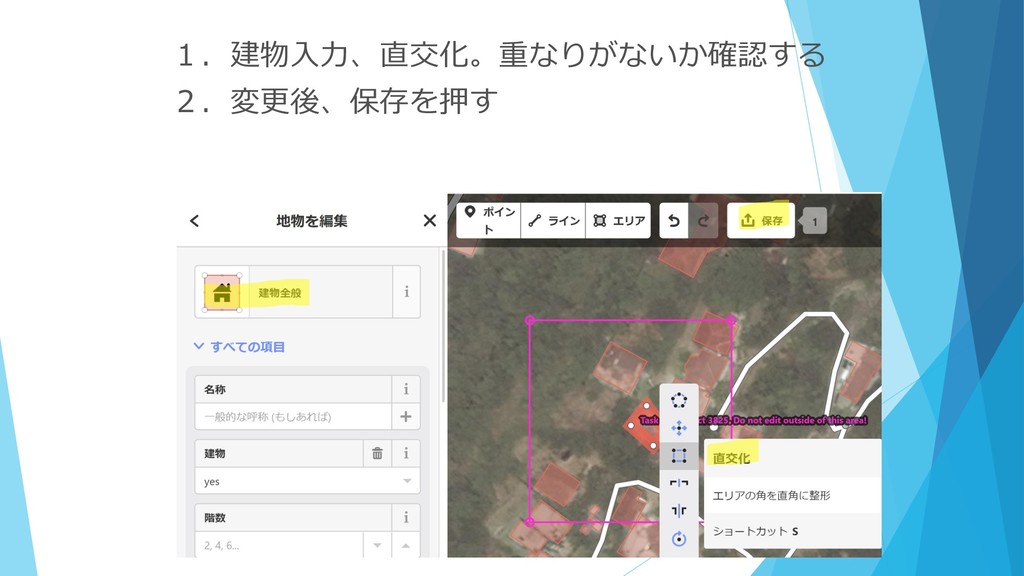
1.建物入力、直交化。重なりがないか確認する 2.変更後、保存を押す
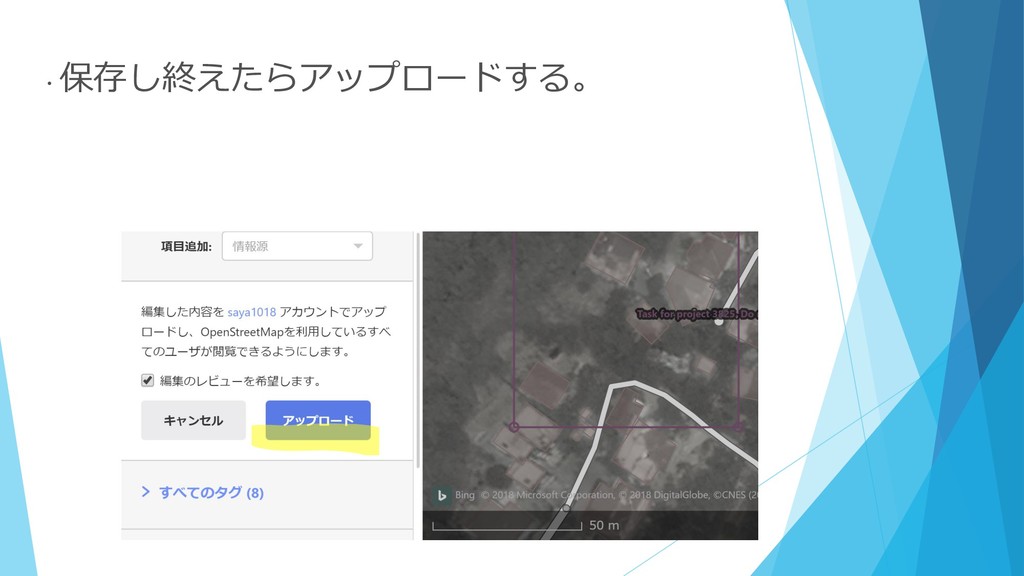
・ 保存し終えたらアップロードする。
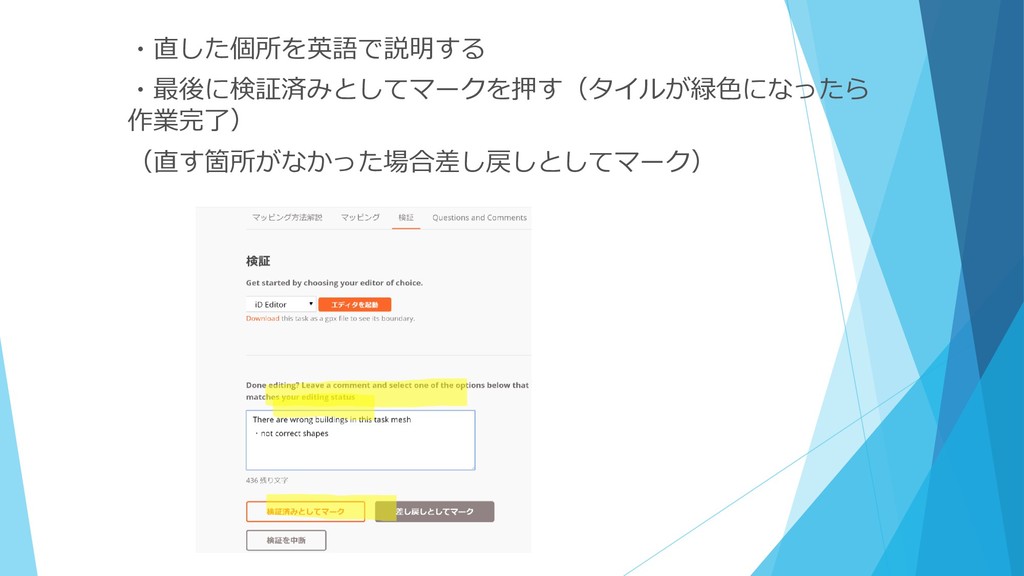
・直した個所を英語で説明する ・最後に検証済みとしてマークを押す(タイルが緑色になったら 作業完了) (直す箇所がなかった場合差し戻しとしてマーク)
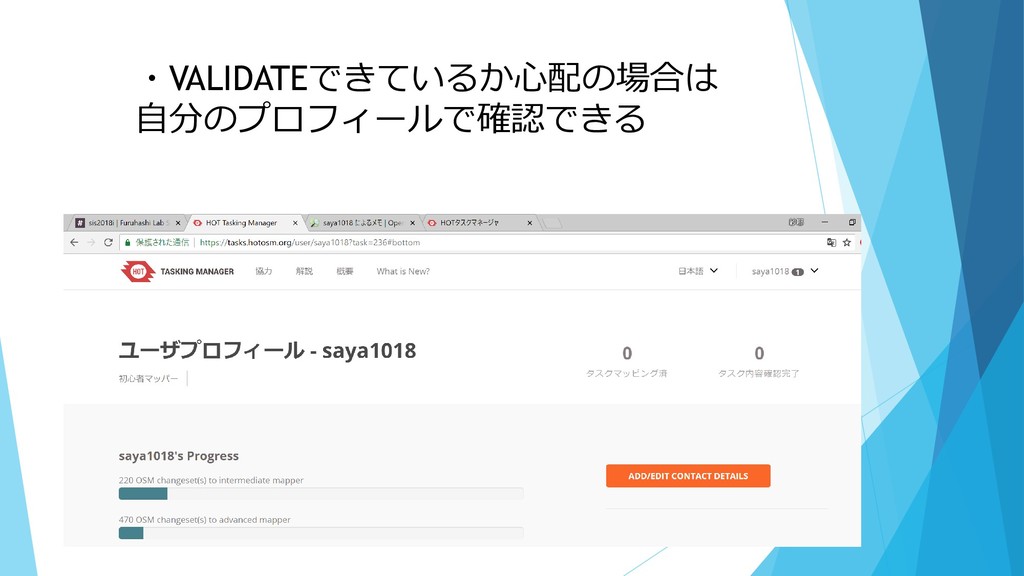
・VALIDATEできているか心配の場合は 自分のプロフィールで確認できる


 saya
saya
 chriscoyier
 akashhashmi
 holman
 lara
lara
 charlesmeaden
 thirion
 cassininazir
 nwiizo
 bcantrill
 gurzu
gurzu
 jacobian
 letsgokoyo