web development framework in any language today. • Excellent documentation • Robust learning resources • Friendly, helpful, community • Expansive ecosystem But mostly, it’s a set of developer-focused tools to make building web applications easier. It abstracts the difficult, boring, and error-prone aspects of scaffolding a web app away so you can focus on creating. * Based on GitHub stars. VueJS is the most popular overall: https://github.com/topics/framework?o=desc&s=stars
– Catalina comes with 7.3 installed • Windows – can download from php.net, can install WSL, or use Homestead • Highly recommend downloading and adding to local path • Composer – https://getcomposer.org • A terminal • Mac – built in • Windows – Git for Windows, Cygwin, Powershell w/ WSL • A code editor • VS Code / PhpStorm / Sublime Text • A way to serve your project locally • php artisan serve • Homestead • Valet (Mac) • Lambo (Mac) • Laragon • Do not use XAMPP
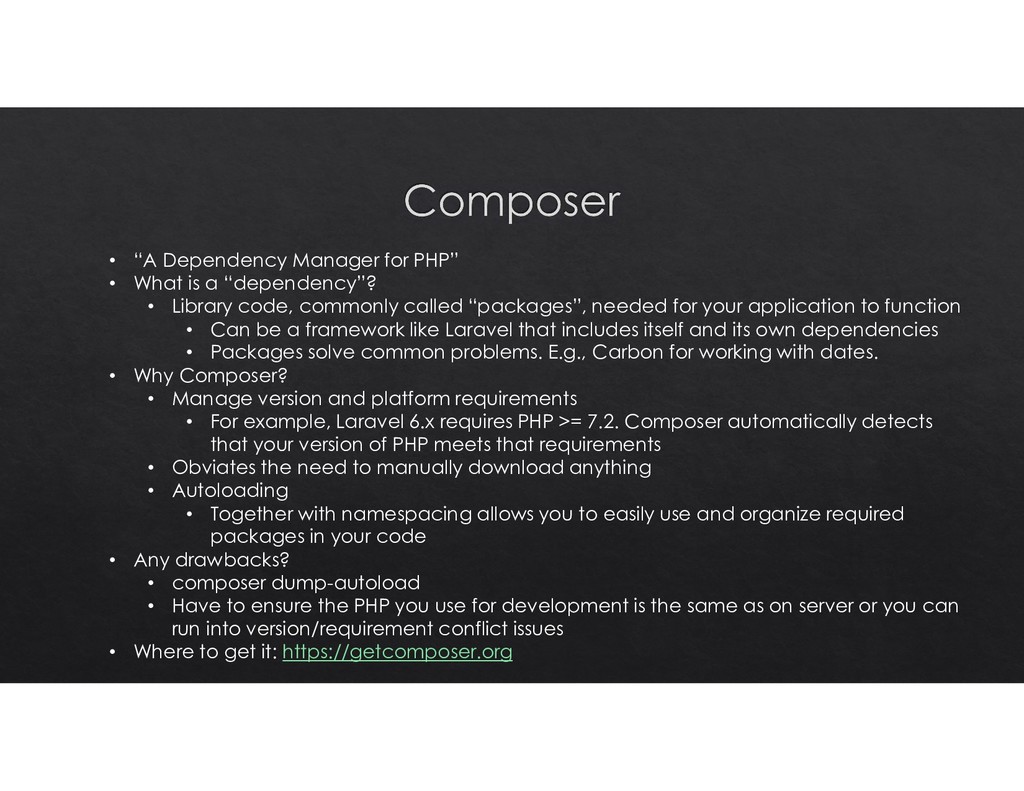
“dependency”? • Library code, commonly called “packages”, needed for your application to function • Can be a framework like Laravel that includes itself and its own dependencies • Packages solve common problems. E.g., Carbon for working with dates. • Why Composer? • Manage version and platform requirements • For example, Laravel 6.x requires PHP >= 7.2. Composer automatically detects that your version of PHP meets that requirements • Obviates the need to manually download anything • Autoloading • Together with namespacing allows you to easily use and organize required packages in your code • Any drawbacks? • composer dump-autoload • Have to ensure the PHP you use for development is the same as on server or you can run into version/requirement conflict issues • Where to get it: https://getcomposer.org
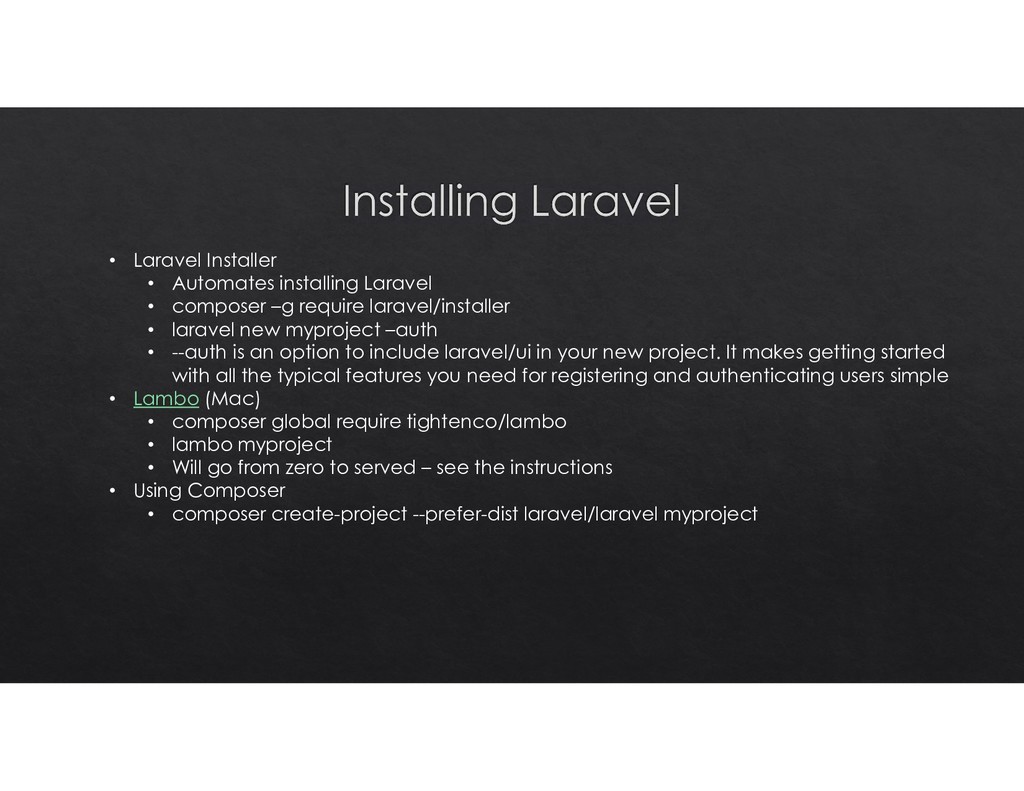
require laravel/installer • laravel new myproject –auth • --auth is an option to include laravel/ui in your new project. It makes getting started with all the typical features you need for registering and authenticating users simple • Lambo (Mac) • composer global require tightenco/lambo • lambo myproject • Will go from zero to served – see the instructions • Using Composer • composer create-project --prefer-dist laravel/laravel myproject
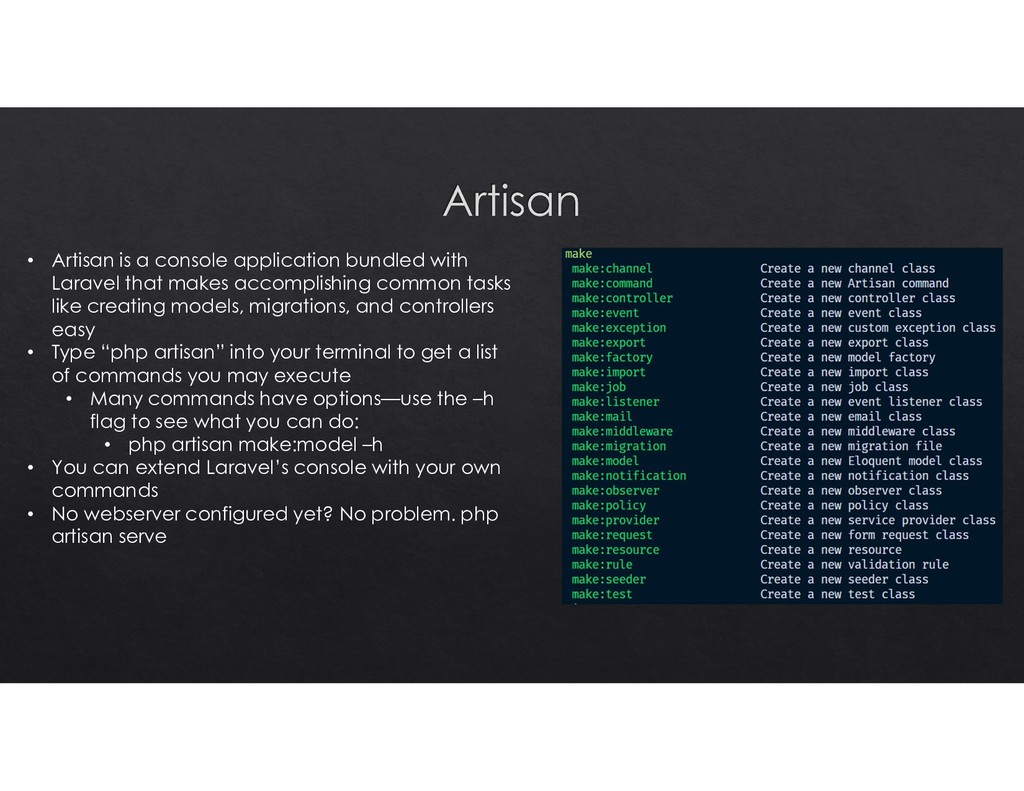
makes accomplishing common tasks like creating models, migrations, and controllers easy • Type “php artisan” into your terminal to get a list of commands you may execute • Many commands have options—use the –h flag to see what you can do: • php artisan make:model –h • You can extend Laravel’s console with your own commands • No webserver configured yet? No problem. php artisan serve
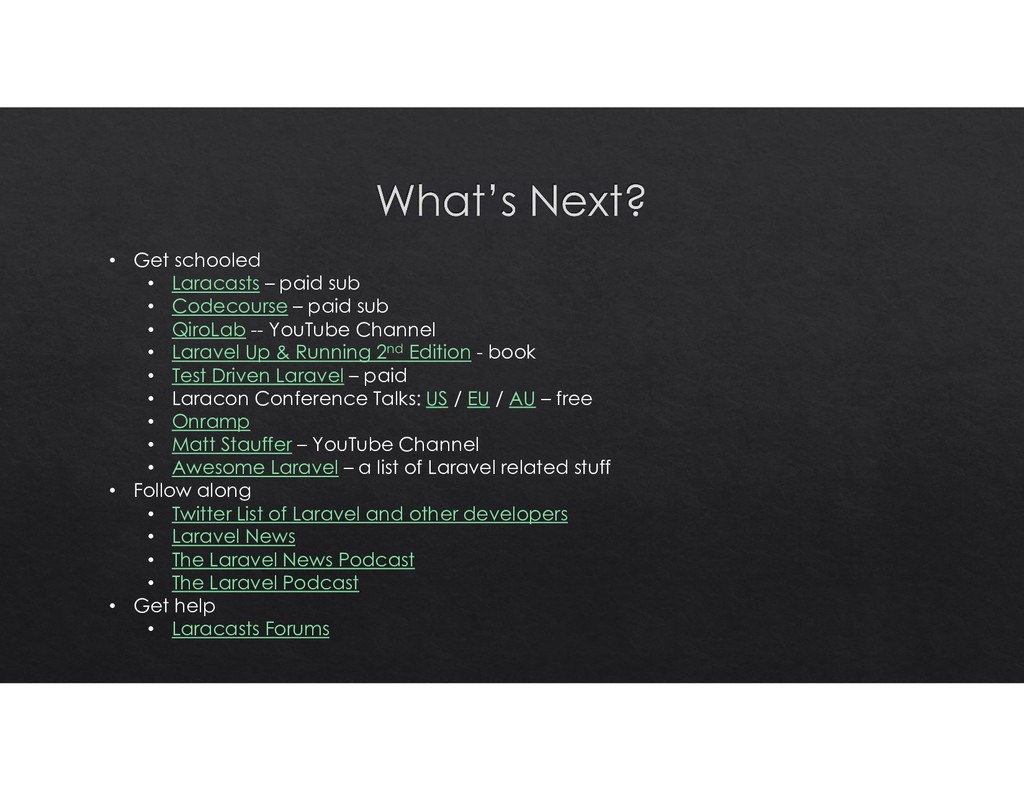
– paid sub • QiroLab -- YouTube Channel • Laravel Up & Running 2nd Edition - book • Test Driven Laravel – paid • Laracon Conference Talks: US / EU / AU – free • Onramp • Matt Stauffer – YouTube Channel • Awesome Laravel – a list of Laravel related stuff • Follow along • Twitter List of Laravel and other developers • Laravel News • The Laravel News Podcast • The Laravel Podcast • Get help • Laracasts Forums


 gonta
gonta
 colorful12
 seike460
 iwiwi
iwiwi
 rollbear
 optim
optim
 tmikov2023
 siroemk
 findyinc
 kaityo256
 iwatsukayura
 y0hgi
y0hgi
 shpigford
 sabderemane
 jonoalderson
 notwaldorf
 tammyeverts
 seathinner
 bkeepers
 jakevdp
 addyosmani
 csswizardry
 lynnandtonic
 helmedeiros