Upgrade to Pro
— share decks privately, control downloads, hide ads and more …
Speaker Deck
Sign up for free
Menu
Search
Features
All features
Private URLs
Password Protection
Custom URLS
Scheduled publishing
Remove Branding
Restrict embedding
Deck Collections
Notes
Features
All features
Private URLs
Password Protection
Custom URLS
Scheduled publishing
Remove Branding
Restrict embedding
Deck Collections
Notes
Explore
Featured decks
Featured speakers
Programming
Technology
Storyboards
Explore
Featured decks
Featured speakers
Programming
Technology
Storyboards
Pricing
Search
Sign in
Sign up for free
空間情報システム入門Ⅰ 2016/7/14
Search
shu__
July 14, 2016
44
0
Share
Embed
Copy iframe code
Copy JS code
Copy link
Start on current slide
空間情報システム入門Ⅰ 2016/7/14
shu__
July 14, 2016
More Decks by shu__
See All by shu__
Field Papers transifex マニュアル
shumatumoto
0
29
Field Papers transifex マニュアル
shumatumoto
0
73
Tasking Manager
shumatumoto
0
110
空間情報システム入門Ⅰ
shumatumoto
0
24
空間情報システム入門Ⅰ 2016/6/16
shumatumoto
0
62
Featured
See All Featured
Rails Girls Zürich Keynote
gr2m
96
14k
What's in a price? How to price your products and services
michaelherold
247
13k
Distributed Sagas: A Protocol for Coordinating Microservices
caitiem20
333
23k
From Legacy to Launchpad: Building Startup-Ready Communities
dugsong
0
360
How GitHub (no longer) Works
holman
316
150k
The Curious Case for Waylosing
cassininazir
1
570
Sharpening the Axe: The Primacy of Toolmaking
bcantrill
46
3k
jQuery: Nuts, Bolts and Bling
dougneiner
66
8.6k
Writing Fast Ruby
sferik
630
63k
Fight the Zombie Pattern Library - RWD Summit 2016
marcelosomers
234
18k
Abbi's Birthday
coloredviolet
4
10k
How to audit for AI Accessibility on your Front & Back End
davetheseo
0
600
Transcript
Overpass-turboのマニュアル 1A116208 松本 洲
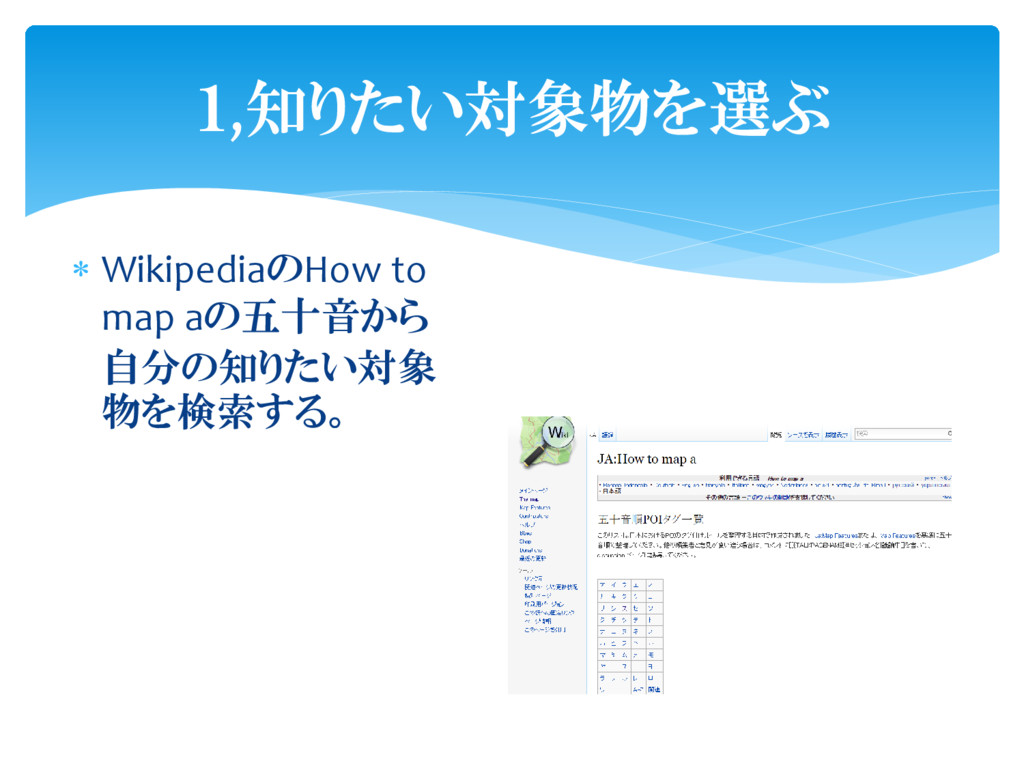
WikipediaのHow to map aの五十音から 自分の知りたい対象 物を検索する。 1,知りたい対象物を選ぶ
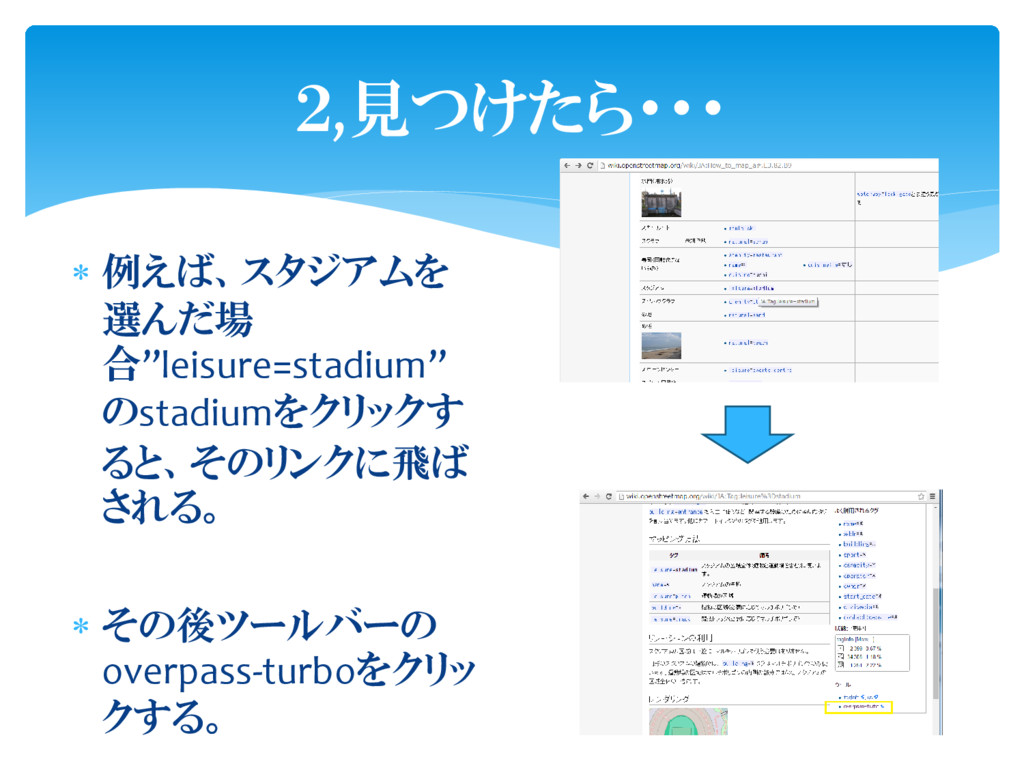
例えば、スタジアムを 選んだ場 合”leisure=stadium” のstadiumをクリックす ると、そのリンクに飛ば される。 その後ツールバーの overpass-turboをクリッ
クする。 2,見つけたら・・・
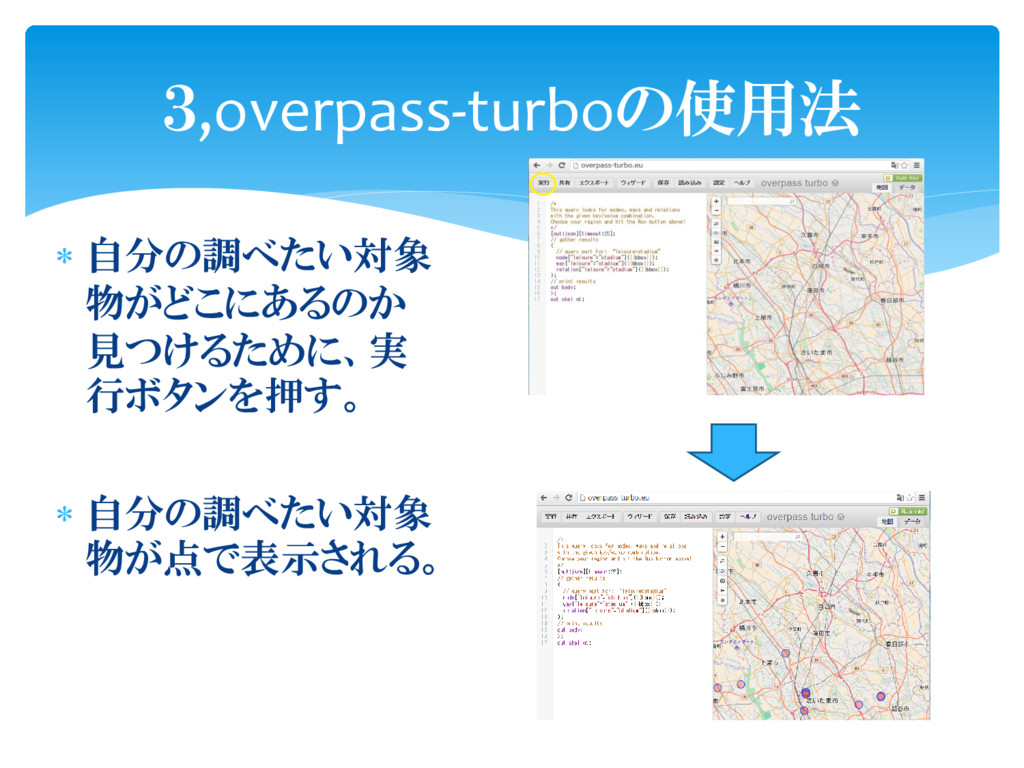
自分の調べたい対象 物がどこにあるのか 見つけるために、実 行ボタンを押す。 自分の調べたい対象 物が点で表示される。 3,overpass-turboの使用法
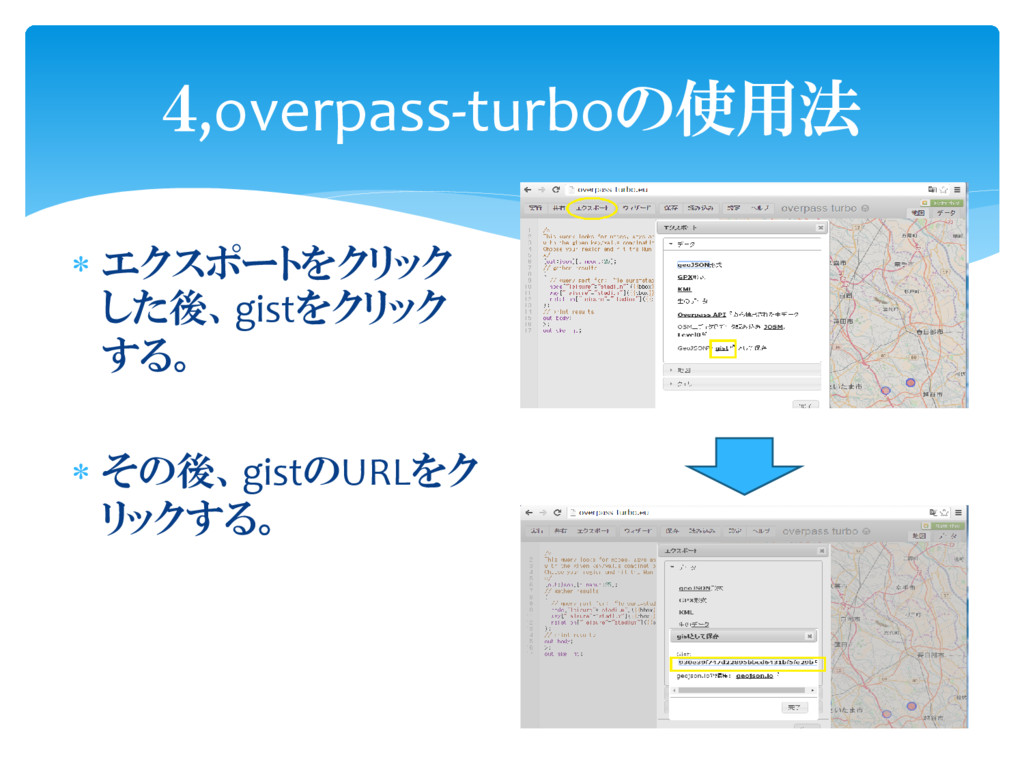
エクスポートをクリック した後、gistをクリック する。 その後、gistのURLをク リックする。 4,overpass-turboの使用法
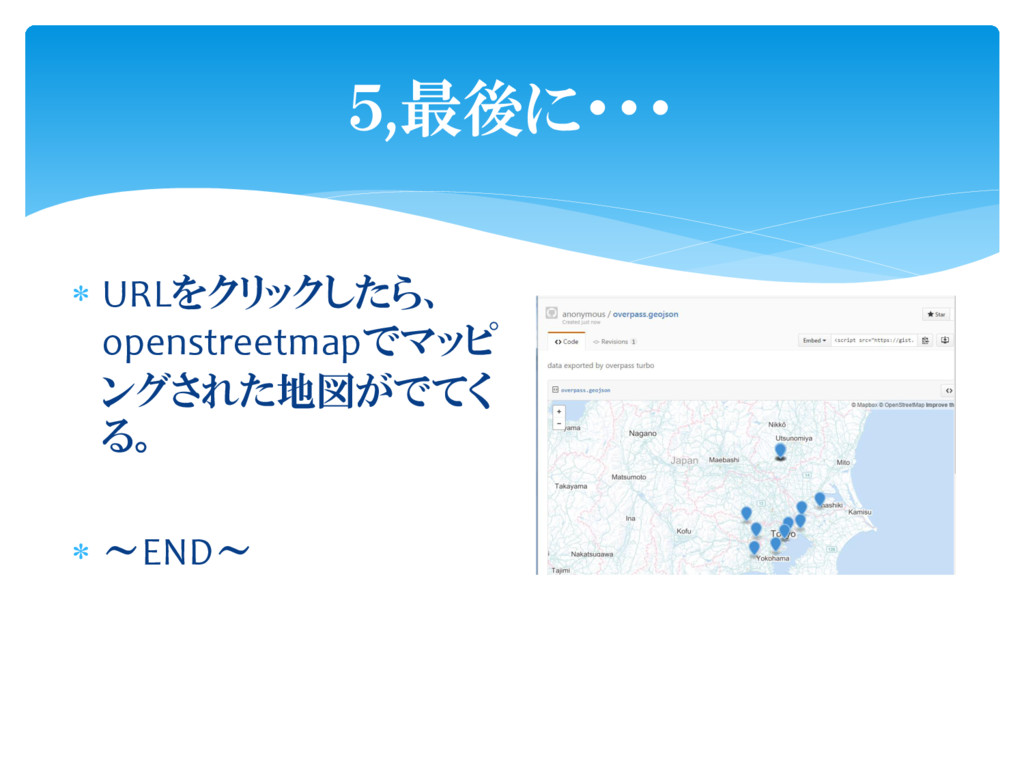
URLをクリックしたら、 openstreetmapでマッピ ングされた地図がでてく る。 ~END~ 5,最後に・・・


 shumatumoto
 gr2m
gr2m
 michaelherold
 caitiem20
 dugsong
 holman
 cassininazir
 bcantrill
 dougneiner
 sferik
 marcelosomers
 coloredviolet
 davetheseo