Upgrade to Pro
— share decks privately, control downloads, hide ads and more …
Speaker Deck
Sign up for free
Menu
Search
Features
All features
Private URLs
Password Protection
Custom URLS
Scheduled publishing
Remove Branding
Restrict embedding
Deck Collections
Notes
Features
All features
Private URLs
Password Protection
Custom URLS
Scheduled publishing
Remove Branding
Restrict embedding
Deck Collections
Notes
Explore
Featured decks
Featured speakers
Programming
Technology
Storyboards
Explore
Featured decks
Featured speakers
Programming
Technology
Storyboards
Pricing
Search
Sign in
Sign up for free
Field Papers transifex マニュアル
Search
shu__
June 14, 2017
29
0
Share
Embed
Copy iframe code
Copy JS code
Copy link
Start on current slide
Field Papers transifex マニュアル
shu__
June 14, 2017
More Decks by shu__
See All by shu__
Field Papers transifex マニュアル
shumatumoto
0
73
Tasking Manager
shumatumoto
0
110
空間情報システム入門Ⅰ 2016/7/14
shumatumoto
0
44
空間情報システム入門Ⅰ
shumatumoto
0
24
空間情報システム入門Ⅰ 2016/6/16
shumatumoto
0
62
Featured
See All Featured
Why Mistakes Are the Best Teachers: Turning Failure into a Pathway for Growth
auna
0
320
Principles of Awesome APIs and How to Build Them.
keavy
128
18k
How to Create Impact in a Changing Tech Landscape [PerfNow 2023]
tammyeverts
56
3.5k
A brief & incomplete history of UX Design for the World Wide Web: 1989–2019
jct
2
530
Breaking role norms: Why Content Design is so much more than writing copy - Taylor Woolridge
uxyall
1
450
Abbi's Birthday
coloredviolet
4
10k
Become a Pro
speakerdeck
PRO
31
6.3k
Designing for Timeless Needs
cassininazir
1
530
ピンチをチャンスに:未来をつくるプロダクトロードマップ #pmconf2020
aki_iinuma
128
56k
Design of three-dimensional binary manipulators for pick-and-place task avoiding obstacles (IECON2024)
konakalab
0
620
Navigating Team Friction
lara
192
16k
HTML-Aware ERB: The Path to Reactive Rendering @ RubyCon 2026, Rimini, Italy
marcoroth
5
820
Transcript
Field Papers Transifex の マニュアル
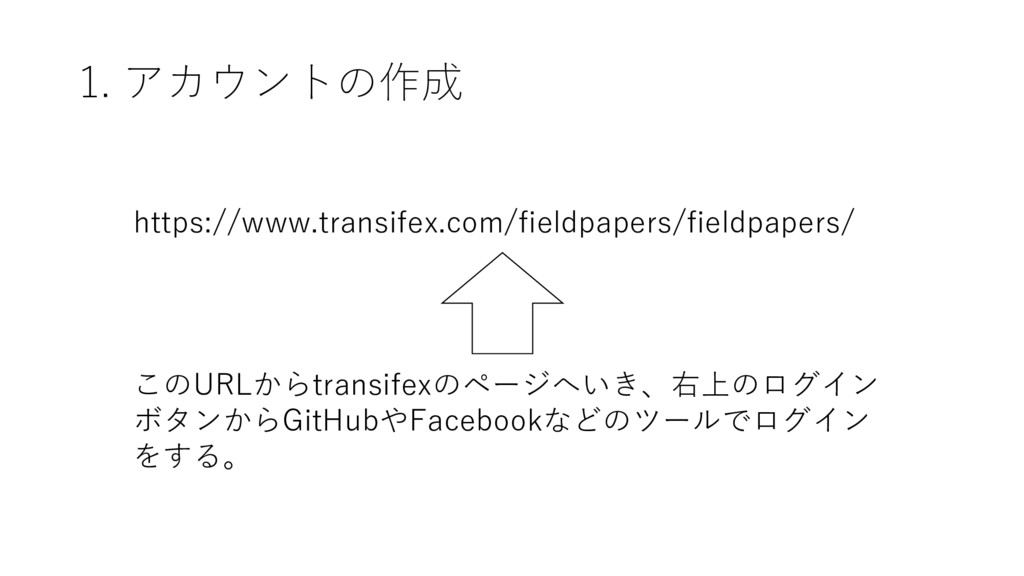
https://www.transifex.com/fieldpapers/fieldpapers/ このURLからtransifexのページへいき、右上のログイン ボタンからGitHubやFacebookなどのツールでログイン をする。 1. アカウントの作成
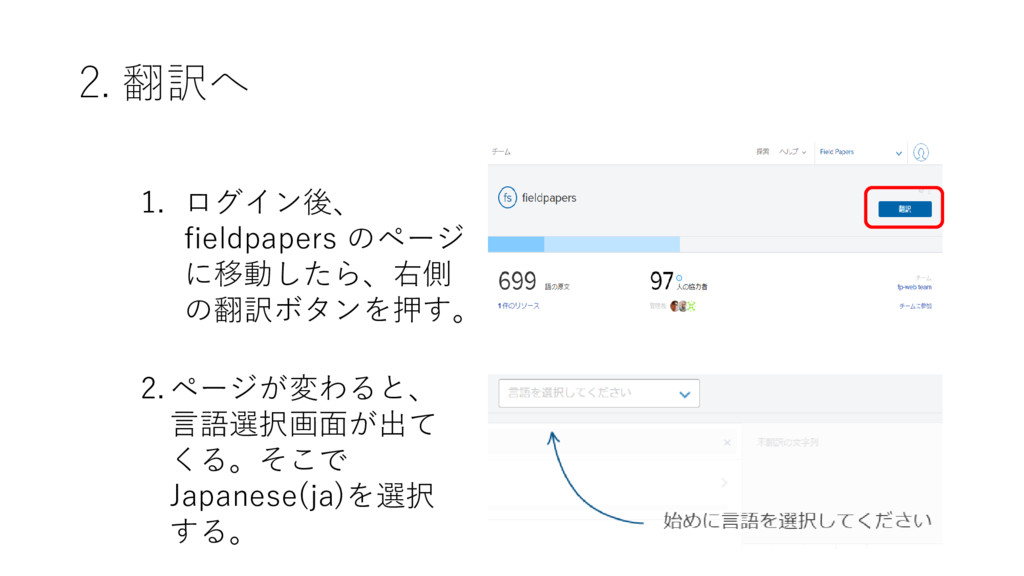
2. 翻訳へ 1. ログイン後、 fieldpapers のページ に移動したら、右側 の翻訳ボタンを押す。 2.ページが変わると、 言語選択画面が出て
くる。そこで Japanese(ja)を選択 する。
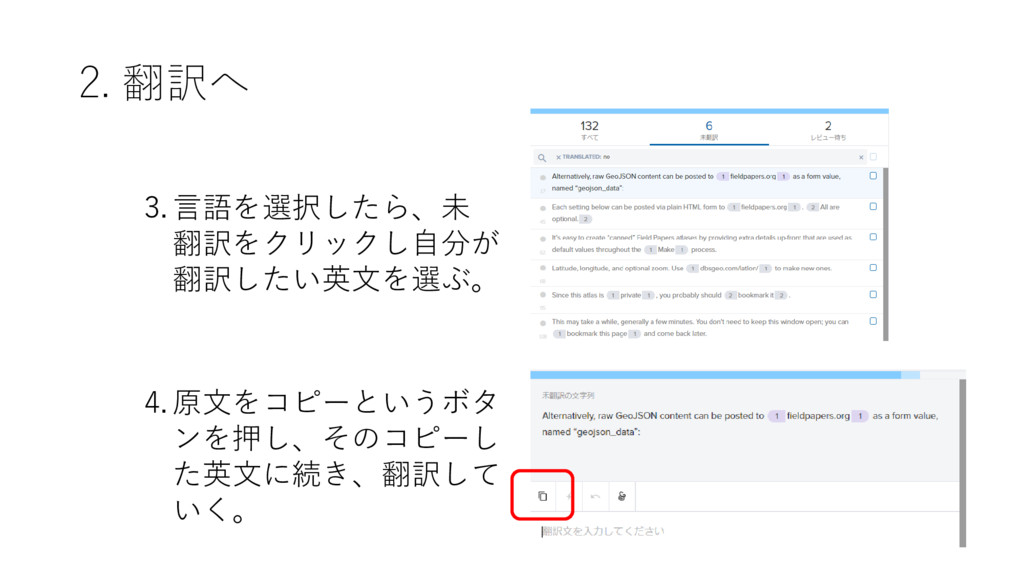
2. 翻訳へ 3.言語を選択したら、未 翻訳をクリックし自分が 翻訳したい英文を選ぶ。 4.原文をコピーというボタ ンを押し、そのコピーし た英文に続き、翻訳して いく。
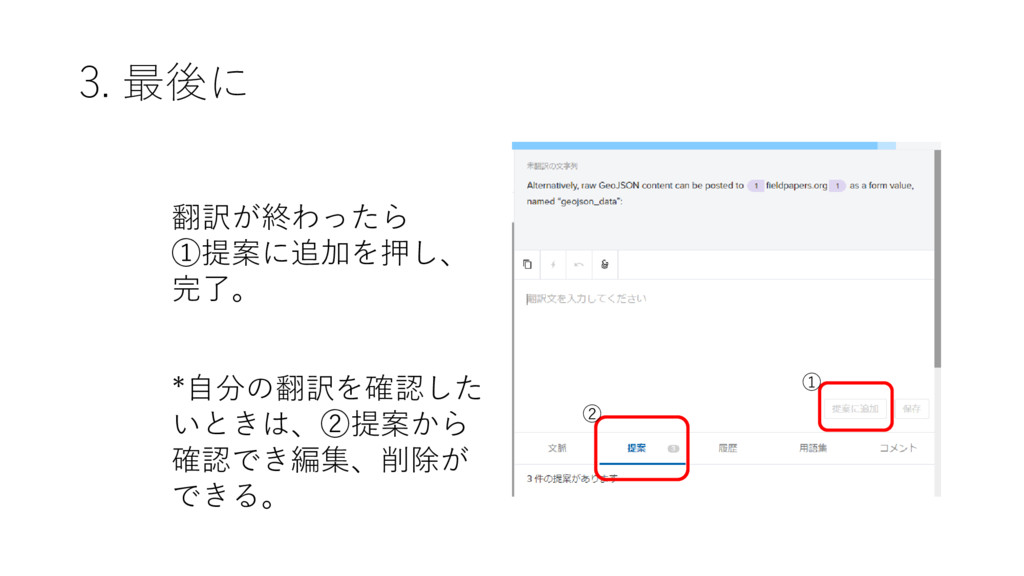
3. 最後に 翻訳が終わったら ①提案に追加を押し、 完了。 ① *自分の翻訳を確認した いときは、②提案から 確認でき編集、削除が できる。
②


 shumatumoto
 auna
auna
 keavy
keavy
 tammyeverts
 jct
jct
 uxyall
 coloredviolet
 speakerdeck
 cassininazir
 aki_iinuma
 konakalab
 lara
lara
 marcoroth