Upgrade to Pro — share decks privately, control downloads, hide ads and more …

Custom Transitions: Make It Snappy

Sponsored · Your Podcast. Everywhere. Effortlessly. Share. Educate. Inspire. Entertain. You do you. We'll handle the rest.
Avatar for Step Step
November 16, 2013

Custom Transitions: Make It Snappy

Want to make well-designed, context-sensitive transitions instead of boring old push animations? Apple has exposed the pieces for transitioning between View Controllers. We can make our own custom transitions with animations limited (mostly) by our imagination. We will cover:

Simple custom controller transitions
Custom modal presentations
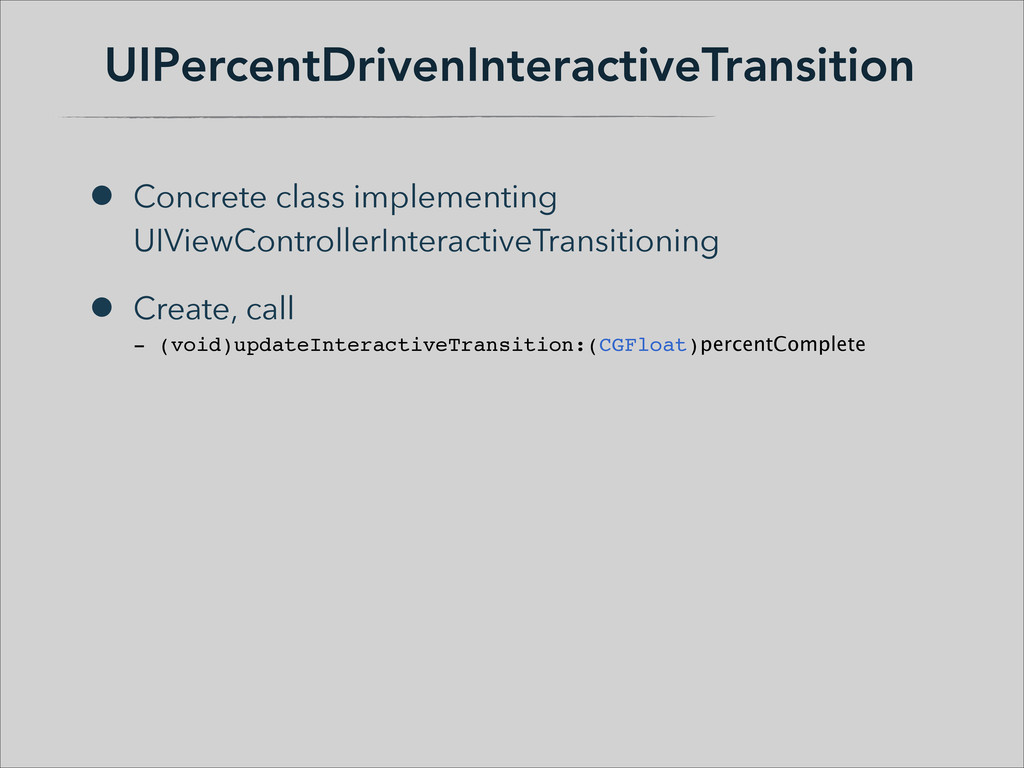
Interactive transitions
Layout to layout transitions
This is an intermediate level session. It will have plenty of code and demos.

Avatar for Step

Step

November 16, 2013

Other Decks in Technology

Transcript

  1. Transitions in Transition • iOS 7 introduces lots of new

    stuff for transitions • What classes / objects involved • Where they go • What you need to write ! • Navigation, Tab Bar, Interactive, Modal, some Collection Views • Some other stuff along the way
  2. Previous Custom Transitions • Custom Segues • UIStoryboardSegue:
 override -(void)perform

    • from, to view controller properties • Custom Animation • [nav pushViewController:to animated:NO];
 // Custom animation...
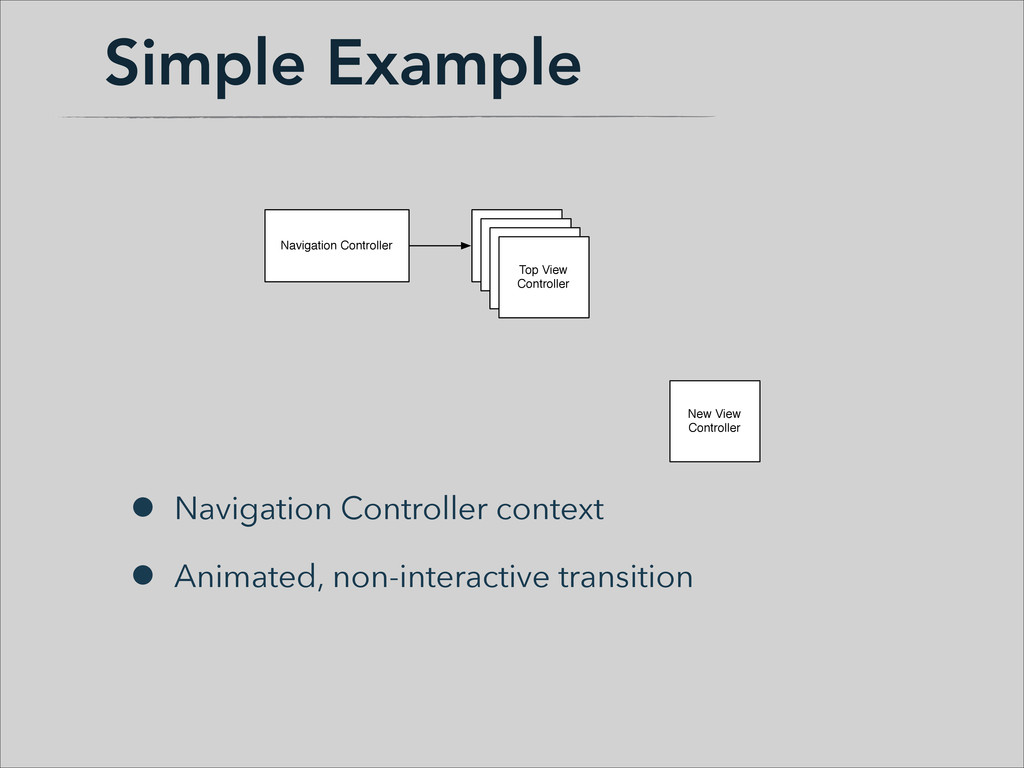
  3. Simple Example • Navigation Controller context • Animated, non-interactive transition

    Navigation Controller View Controller Stack View Controller Stack View Controller Stack Top View Controller Navigation Controller View Controller Stack New View Controller View Controller Stack View Controller Stack Top View Controller
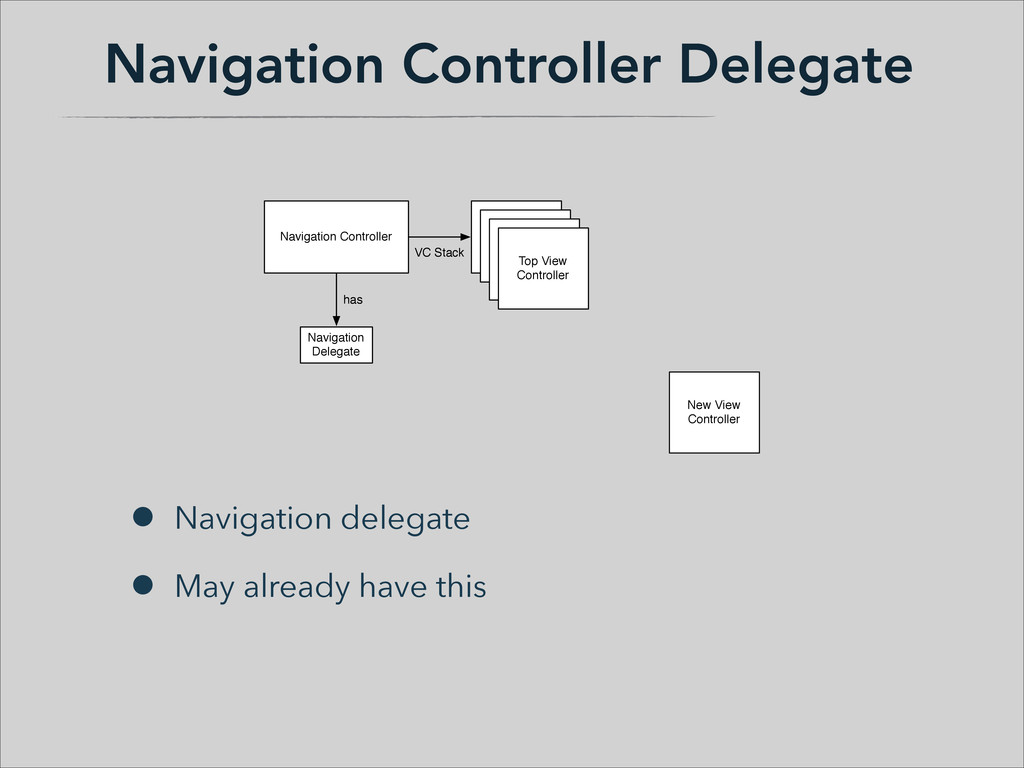
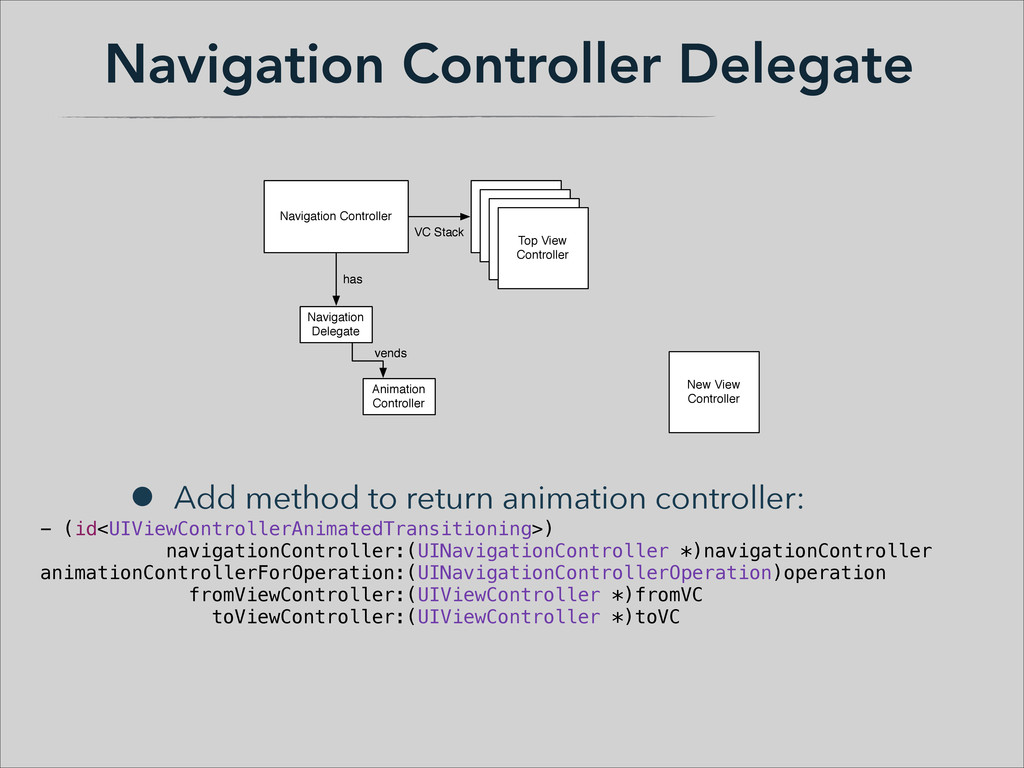
  4. Navigation Controller Delegate • Navigation delegate • May already have

    this Navigation Delegate has Navigation Delegate has Navigation Controller View Controller Stack View Controller Stack View Controller Stack Top View Controller VC Stack Navigation Controller View Controller Stack New View Controller View Controller Stack View Controller Stack Top View Controller VC Stack
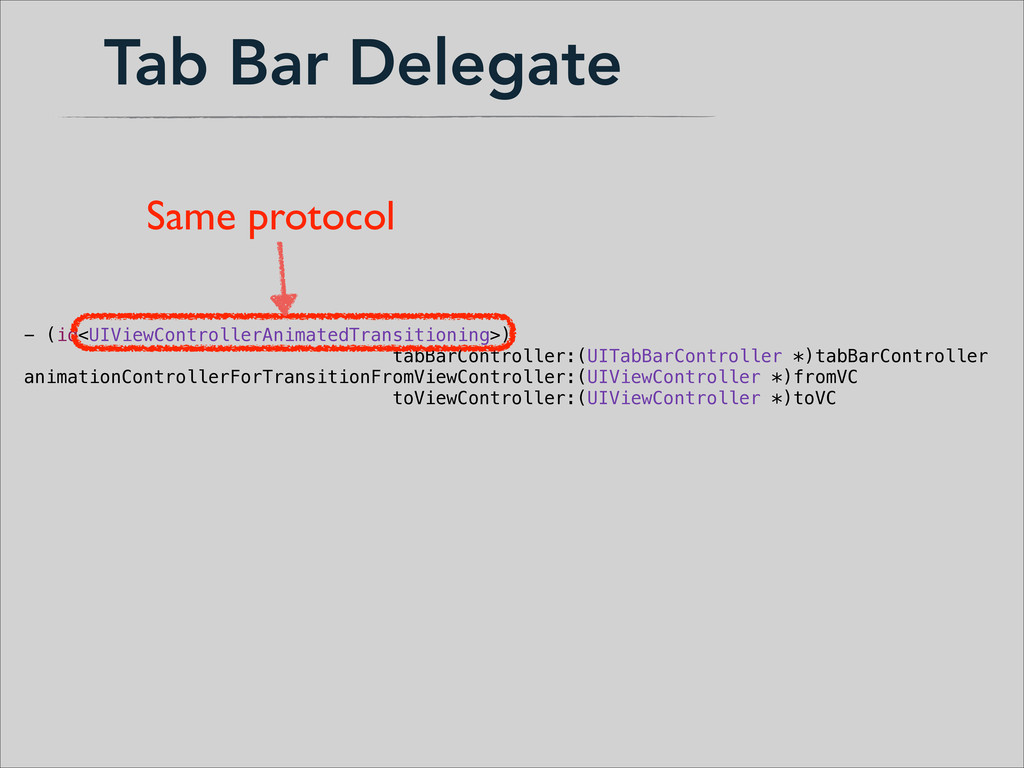
  5. Navigation Controller Delegate • Add method to return animation controller:

    - (id<UIViewControllerAnimatedTransitioning>) navigationController:(UINavigationController *)navigationController animationControllerForOperation:(UINavigationControllerOperation)operation fromViewController:(UIViewController *)fromVC toViewController:(UIViewController *)toVC Animation Controller vends Animation Controller vends Navigation Delegate has Navigation Delegate has Navigation Controller View Controller Stack View Controller Stack View Controller Stack Top View Controller VC Stack Navigation Controller View Controller Stack New View Controller View Controller Stack View Controller Stack Top View Controller VC Stack
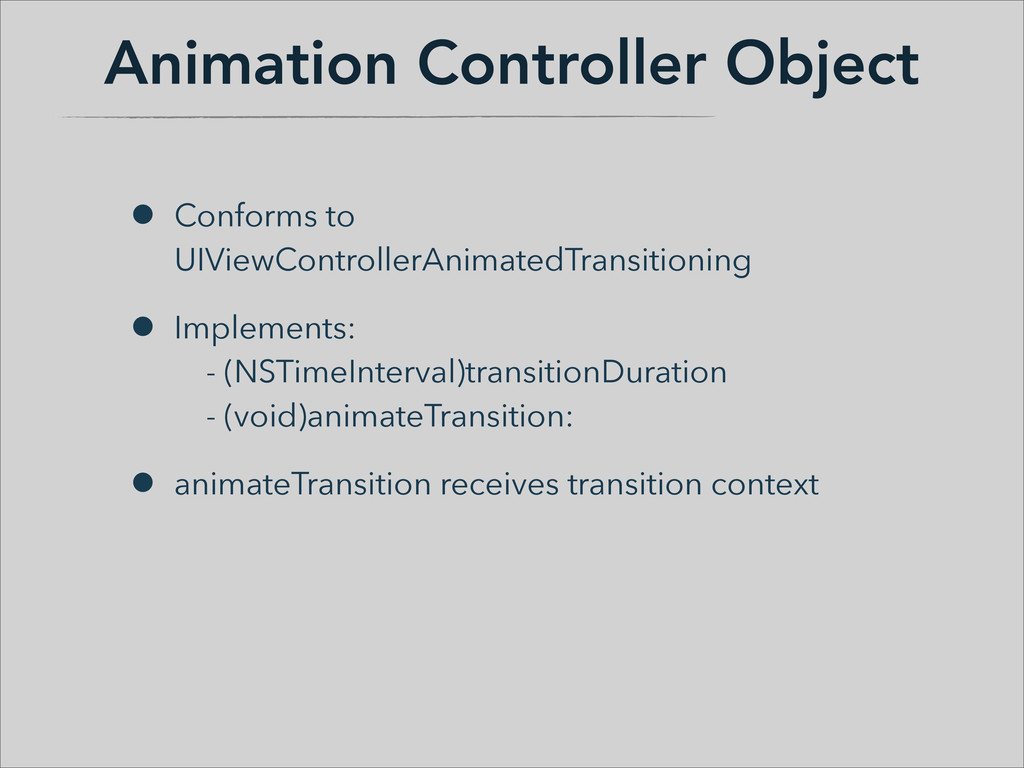
  6. Animation Controller Object • Conforms to UIViewControllerAnimatedTransitioning • Implements:
 -

    (NSTimeInterval)transitionDuration
 - (void)animateTransition: • animateTransition receives transition context

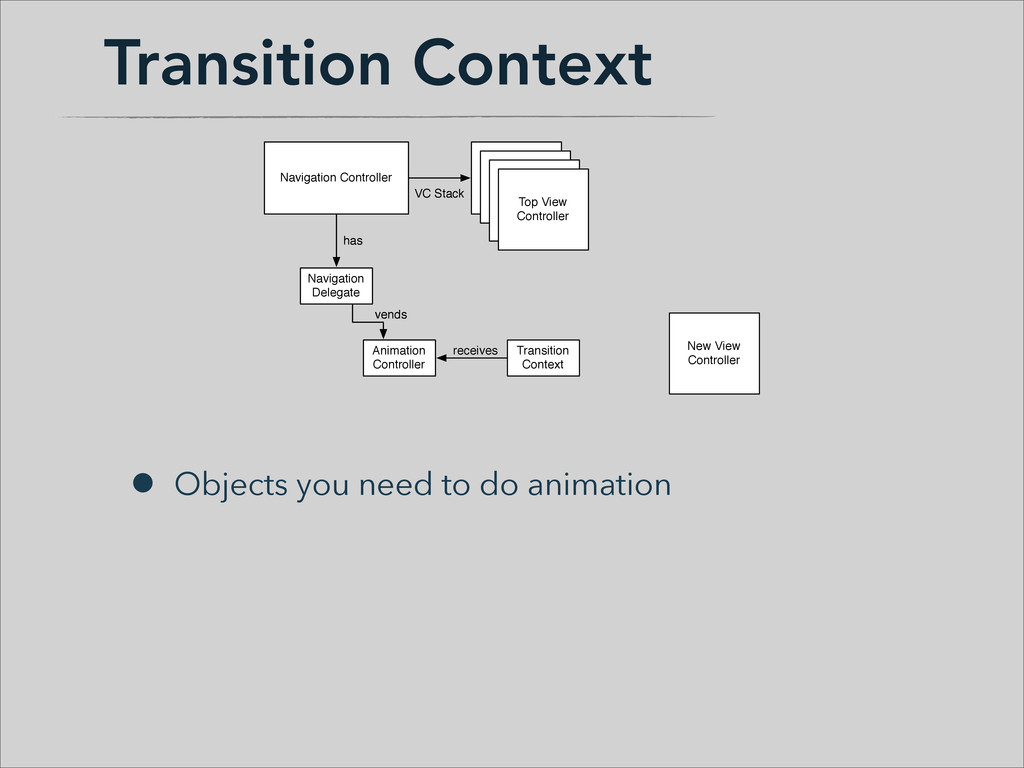
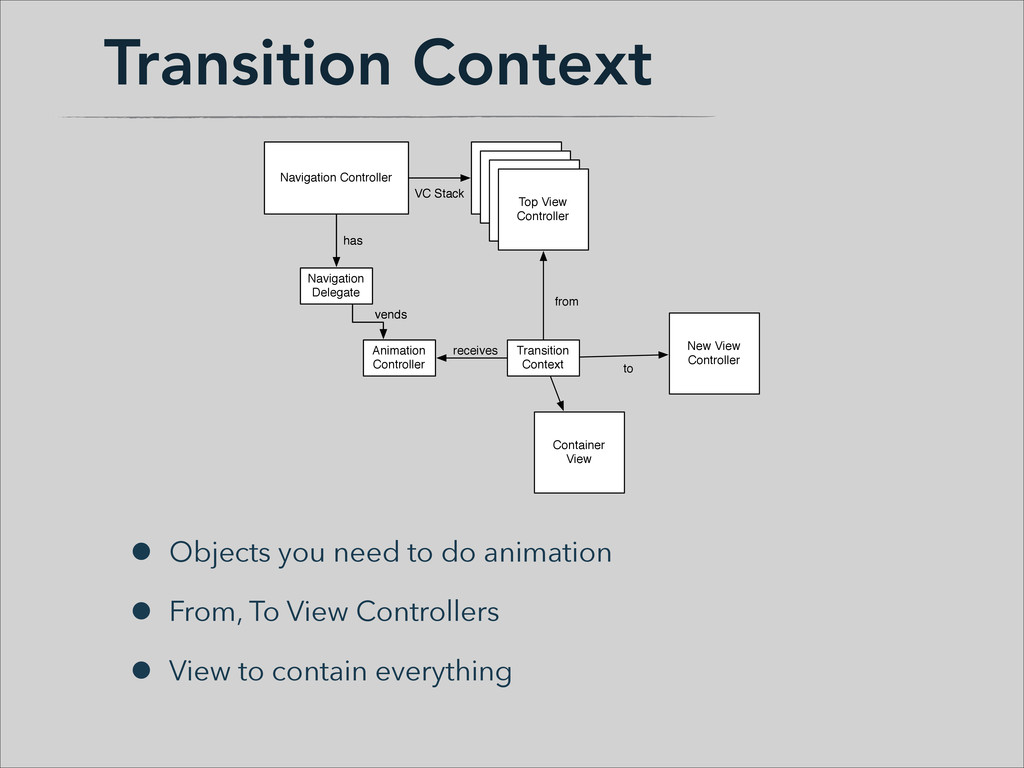
  7. Transition Context • Objects you need to do animation Transition

    Context receives Animation Controller vends Animation Controller vends Navigation Delegate has Navigation Delegate has Navigation Controller View Controller Stack View Controller Stack View Controller Stack Top View Controller VC Stack Navigation Controller View Controller Stack New View Controller View Controller Stack View Controller Stack Top View Controller VC Stack
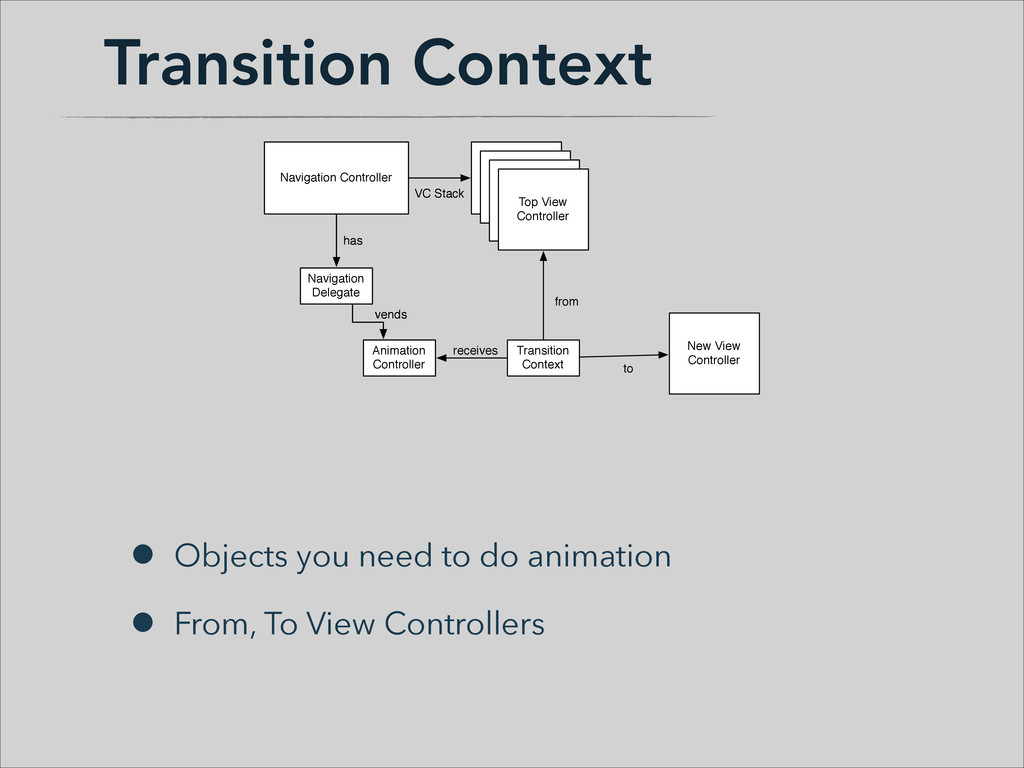
  8. Transition Context • Objects you need to do animation •

    From, To View Controllers Transition Context receives from to Animation Controller vends Animation Controller vends Navigation Delegate has Navigation Delegate has Navigation Controller View Controller Stack View Controller Stack View Controller Stack Top View Controller VC Stack Navigation Controller View Controller Stack New View Controller View Controller Stack View Controller Stack Top View Controller VC Stack
  9. Transition Context • Objects you need to do animation •

    From, To View Controllers • View to contain everything Transition Context receives from to Container View Animation Controller vends Animation Controller vends Navigation Delegate has Navigation Delegate has Navigation Controller View Controller Stack View Controller Stack View Controller Stack Top View Controller VC Stack Navigation Controller View Controller Stack New View Controller View Controller Stack View Controller Stack Top View Controller VC Stack
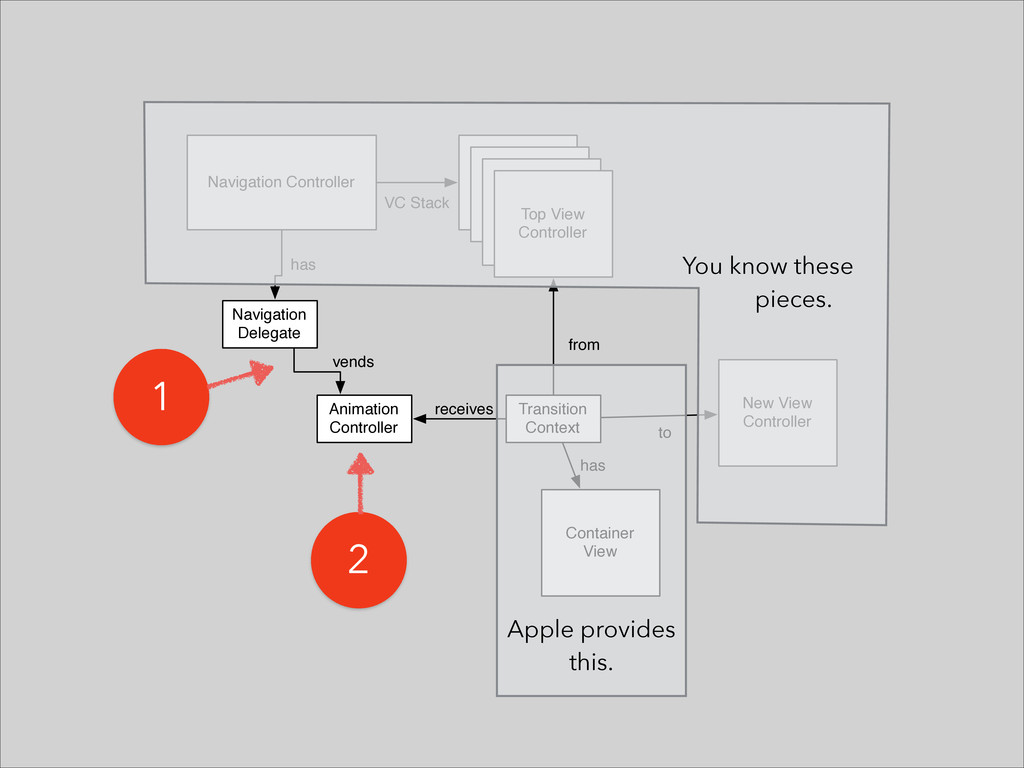
  10. Navigation Controller View Controller Stack Navigation Delegate Animation Controller Transition

    Context New View Controller has vends receives from to Container View has View Controller Stack View Controller Stack Top View Controller VC Stack You know these pieces. ! 1 2 ! ! ! ! ! ! ! Apple provides this.
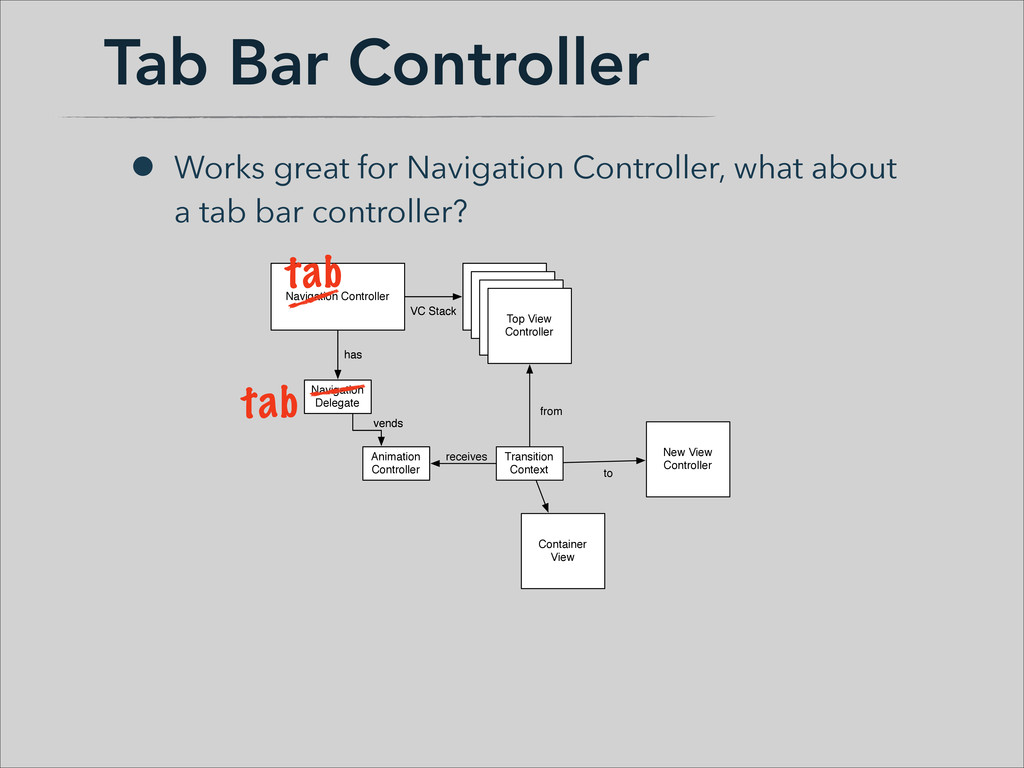
  11. Tab Bar Controller • Works great for Navigation Controller, what

    about a tab bar controller? Transition Context receives from to Container View Animation Controller vends Animation Controller vends Navigation Delegate has Navigation Delegate has Navigation Controller View Controller Stack View Controller Stack View Controller Stack Top View Controller VC Stack Navigation Controller View Controller Stack New View Controller View Controller Stack View Controller Stack Top View Controller VC Stack tab tab
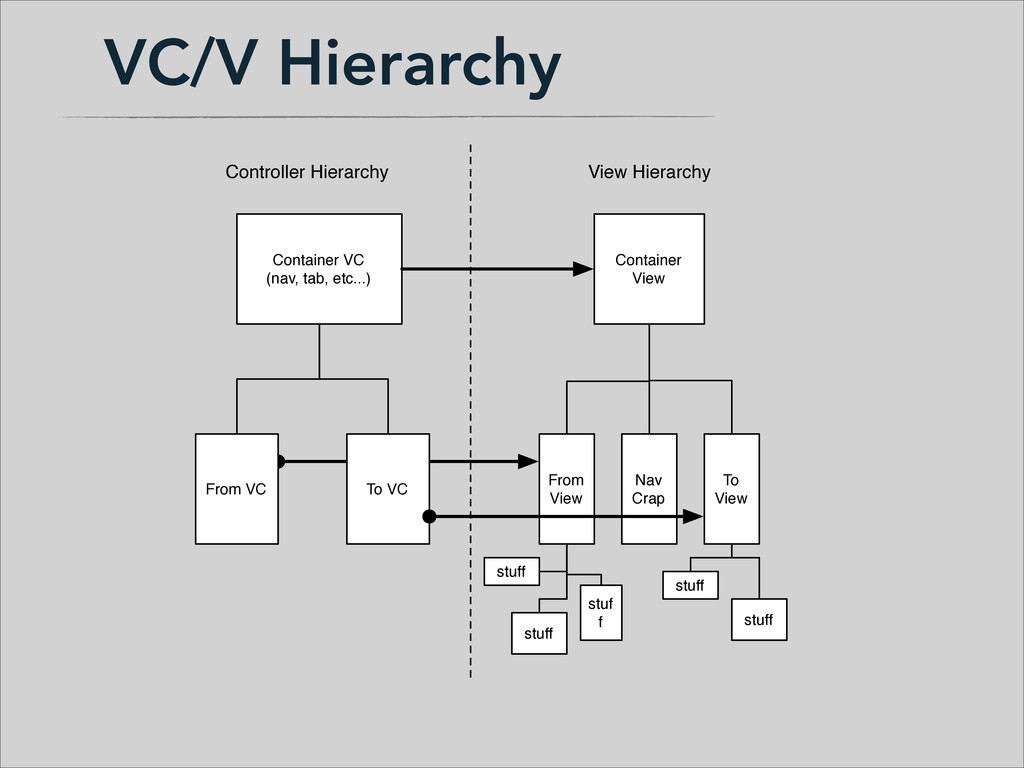
  12. VC/V Hierarchy Container VC (nav, tab, etc...) Container View To

    View To VC From VC From View Nav Crap stuff stuff stuf f stuff stuff Controller Hierarchy View Hierarchy
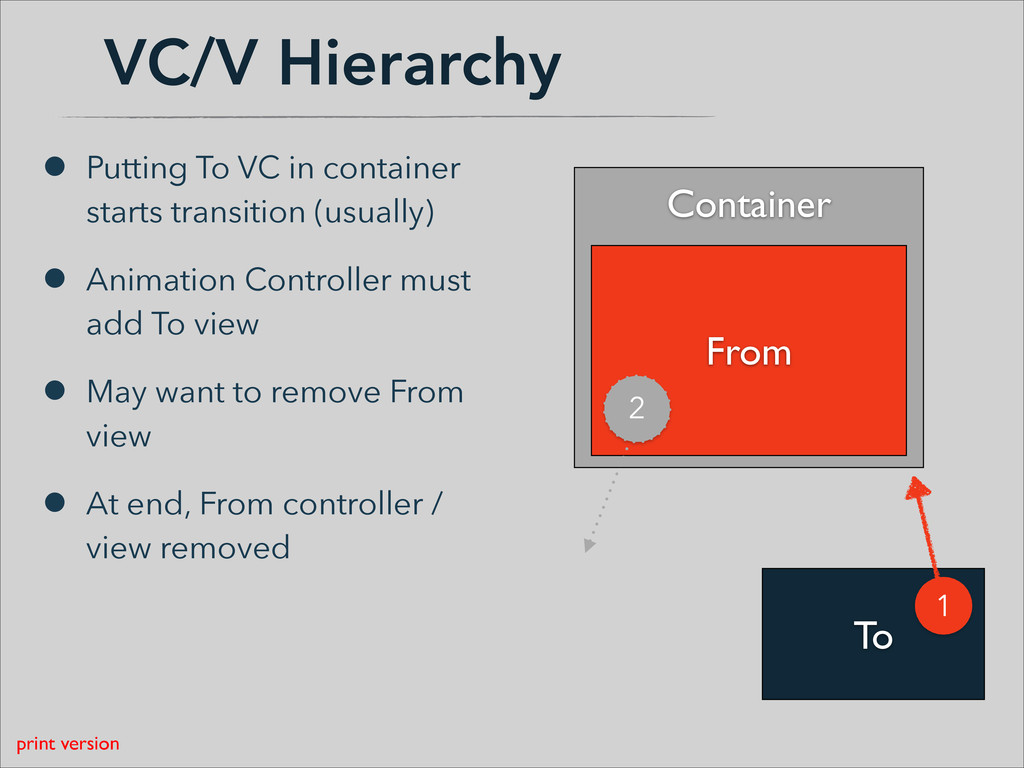
  13. VC/V Hierarchy • Putting To VC in container starts transition

    (usually) • Animation Controller must add To view • May want to remove From view • At end, From controller / view removed Container ! ! ! ! From To 1 2 print version
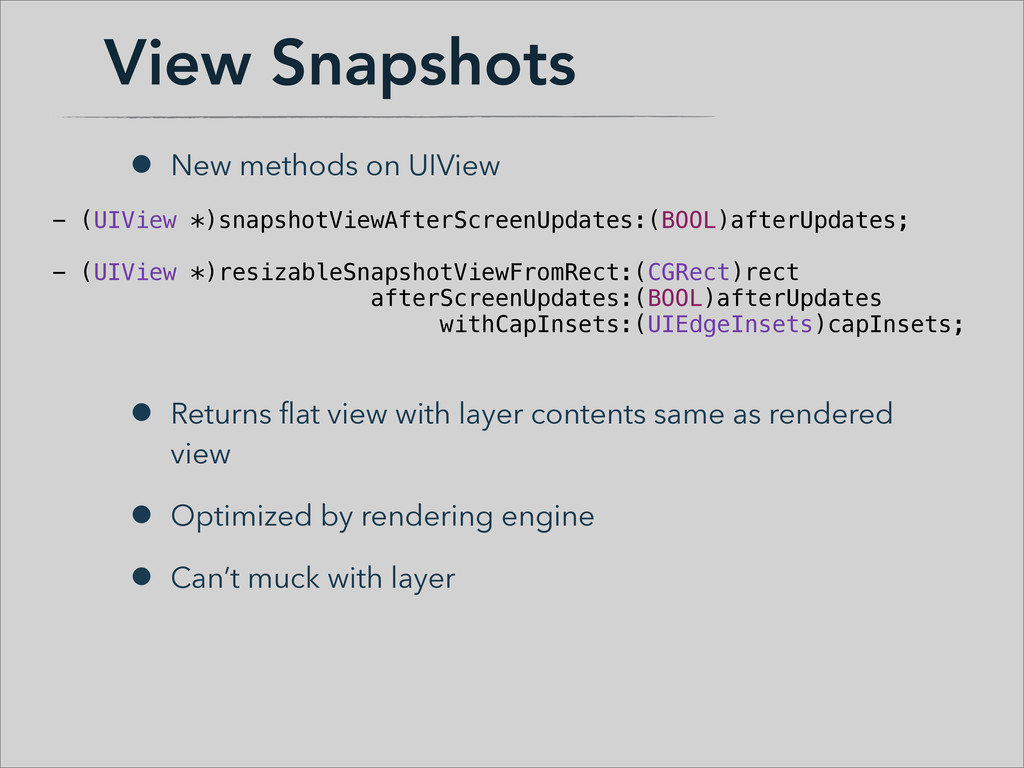
  14. View Snapshots • New methods on UIView ! ! !

    • Returns flat view with layer contents same as rendered view • Optimized by rendering engine • Can’t muck with layer - (UIView *)snapshotViewAfterScreenUpdates:(BOOL)afterUpdates; ! - (UIView *)resizableSnapshotViewFromRect:(CGRect)rect afterScreenUpdates:(BOOL)afterUpdates withCapInsets:(UIEdgeInsets)capInsets;
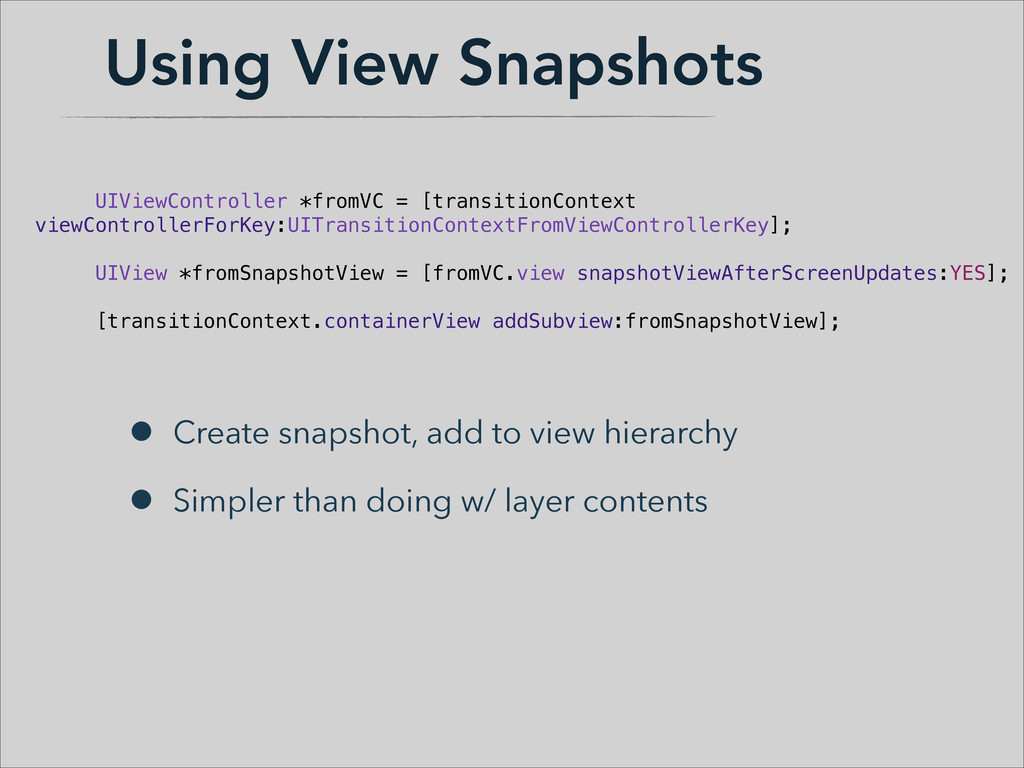
  15. Using View Snapshots • Create snapshot, add to view hierarchy

    • Simpler than doing w/ layer contents UIViewController *fromVC = [transitionContext viewControllerForKey:UITransitionContextFromViewControllerKey]; ! UIView *fromSnapshotView = [fromVC.view snapshotViewAfterScreenUpdates:YES]; ! [transitionContext.containerView addSubview:fromSnapshotView];
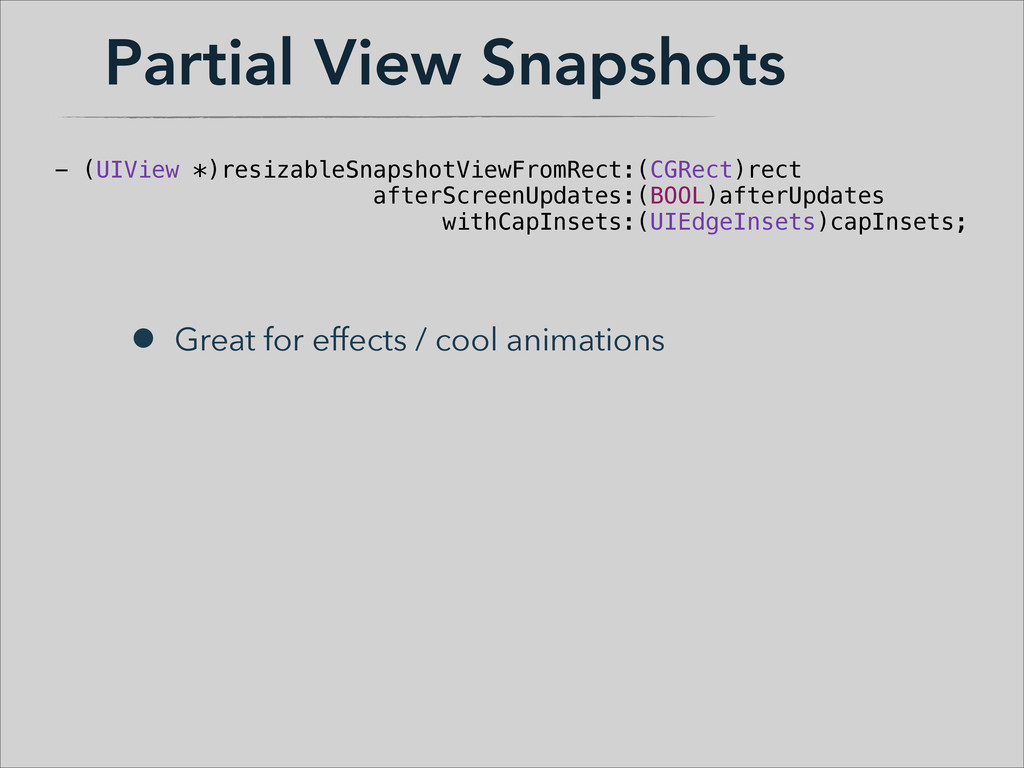
  16. Partial View Snapshots • Great for effects / cool animations

    - (UIView *)resizableSnapshotViewFromRect:(CGRect)rect afterScreenUpdates:(BOOL)afterUpdates withCapInsets:(UIEdgeInsets)capInsets;
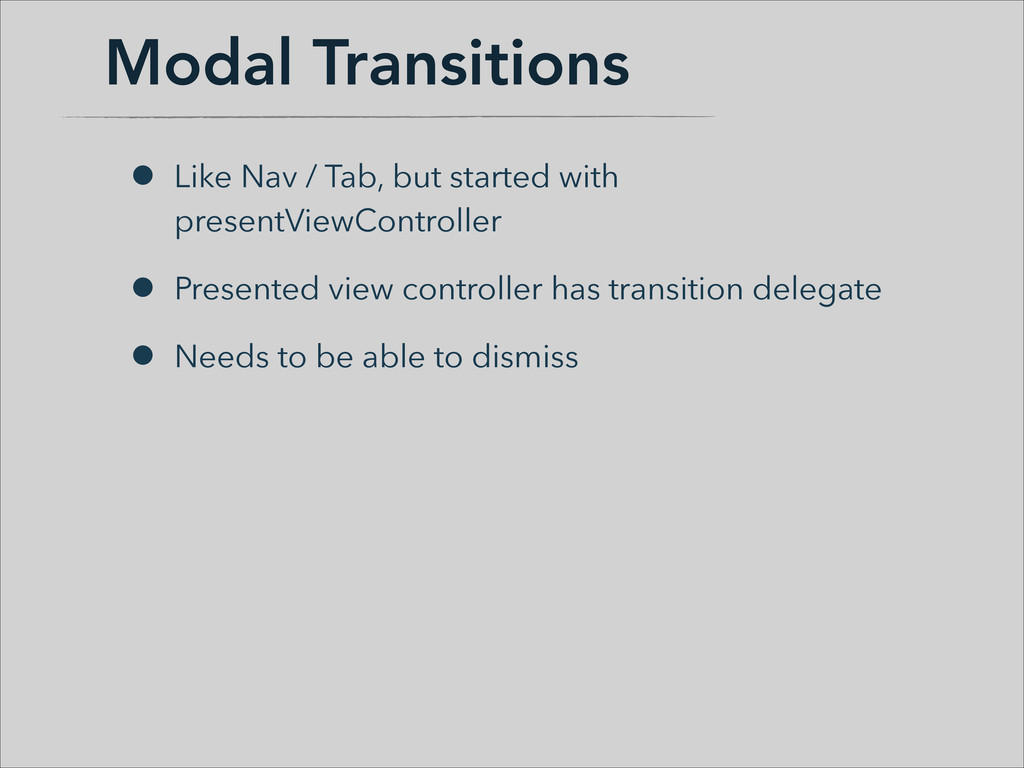
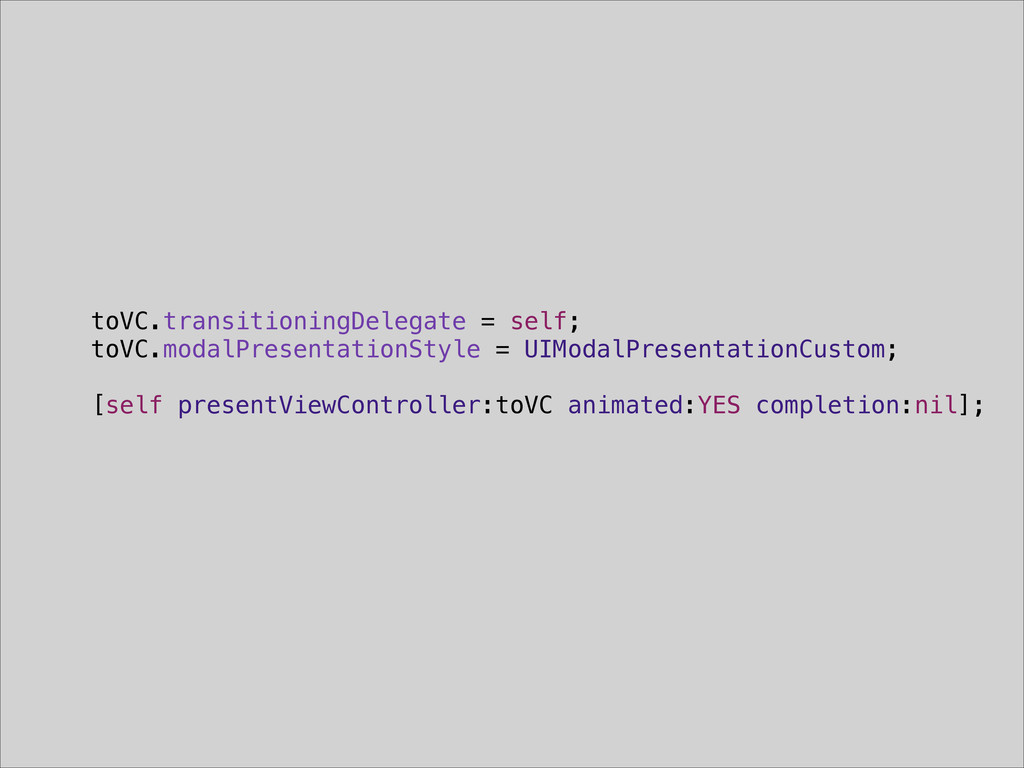
  17. Modal Transitions • Like Nav / Tab, but started with

    presentViewController • Presented view controller has transition delegate • Needs to be able to dismiss
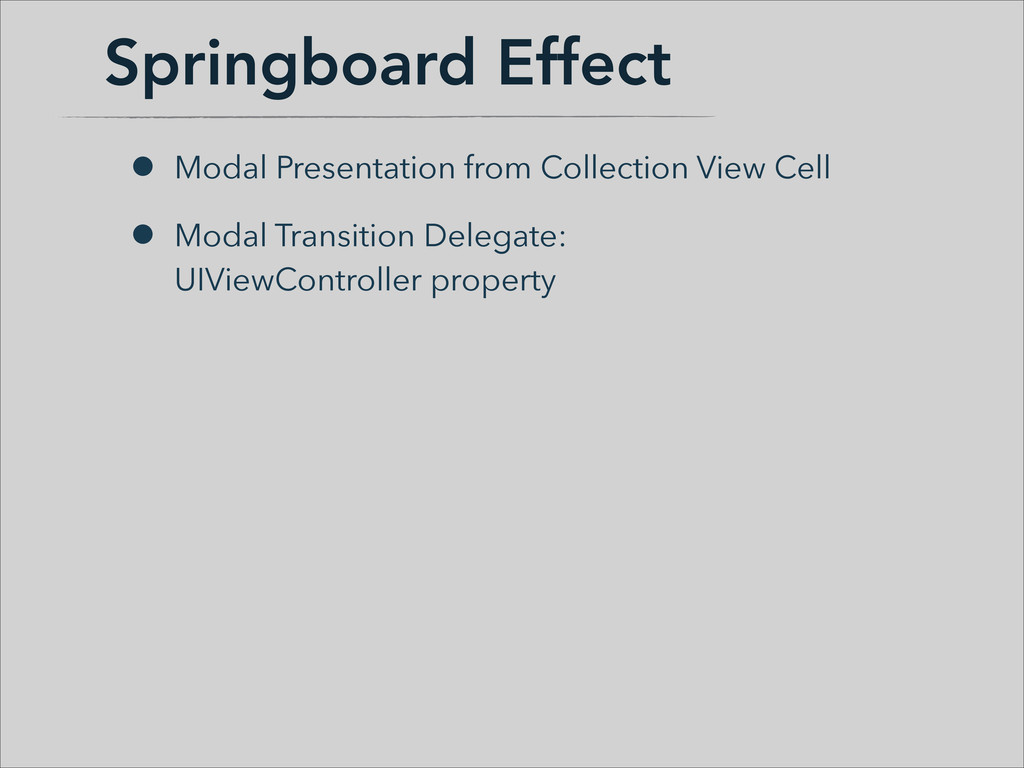
  18. Springboard Effect • Modal Presentation from Collection View Cell •

    Modal Transition Delegate:
 UIViewController property
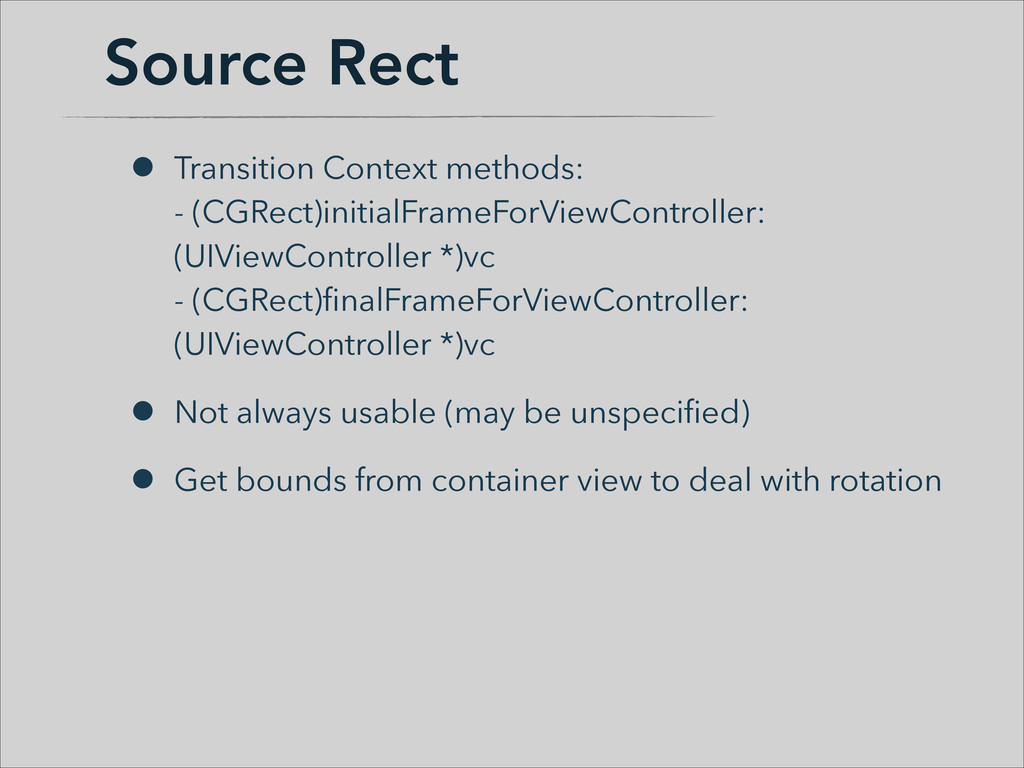
  19. Source Rect • Transition Context methods:
 - (CGRect)initialFrameForViewController: (UIViewController *)vc


    - (CGRect)finalFrameForViewController: (UIViewController *)vc • Not always usable (may be unspecified) • Get bounds from container view to deal with rotation
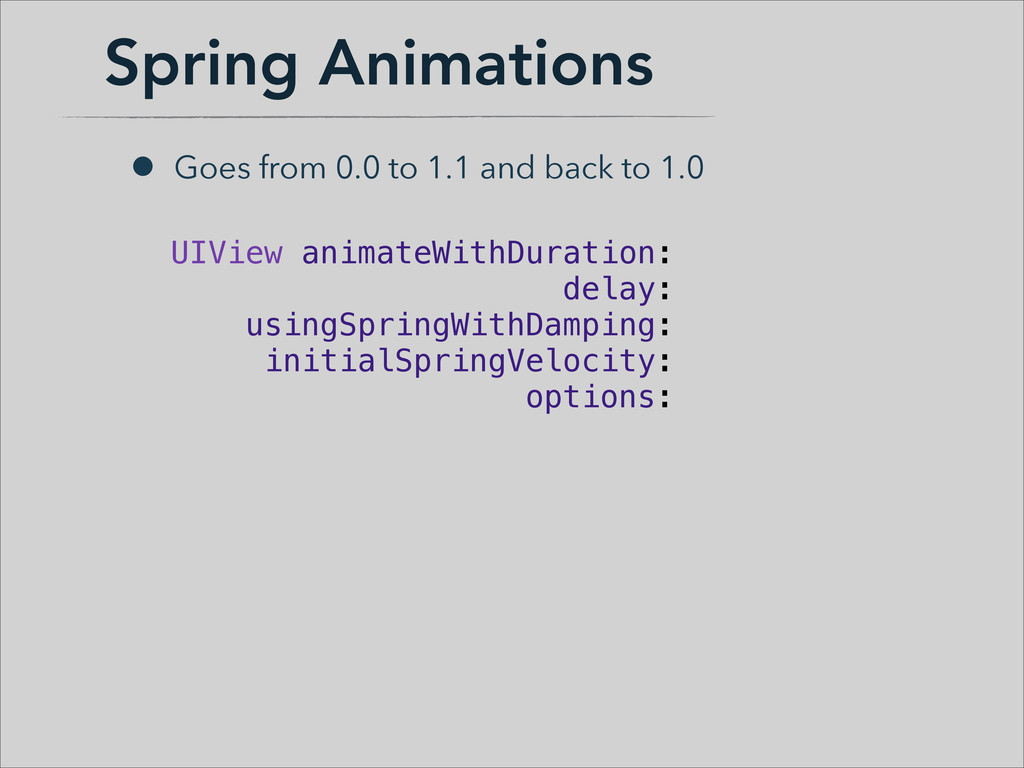
  20. Spring Animations • Goes from 0.0 to 1.1 and back

    to 1.0 UIView animateWithDuration:! delay:! usingSpringWithDamping:! initialSpringVelocity:! options:
  21. Keyframe Animations [UIView animateKeyframesWithDuration:[self transitionDuration:transitionContext] delay:0 options:0 animations:^{ [UIView addKeyframeWithRelativeStartTime:0.0

    relativeDuration:0.5 animations:^{ ... }]; [UIView addKeyframeWithRelativeStartTime:0.5 relativeDuration:1.0 animations:^{ ... }]; } completion:^(BOOL finished) { ... }];
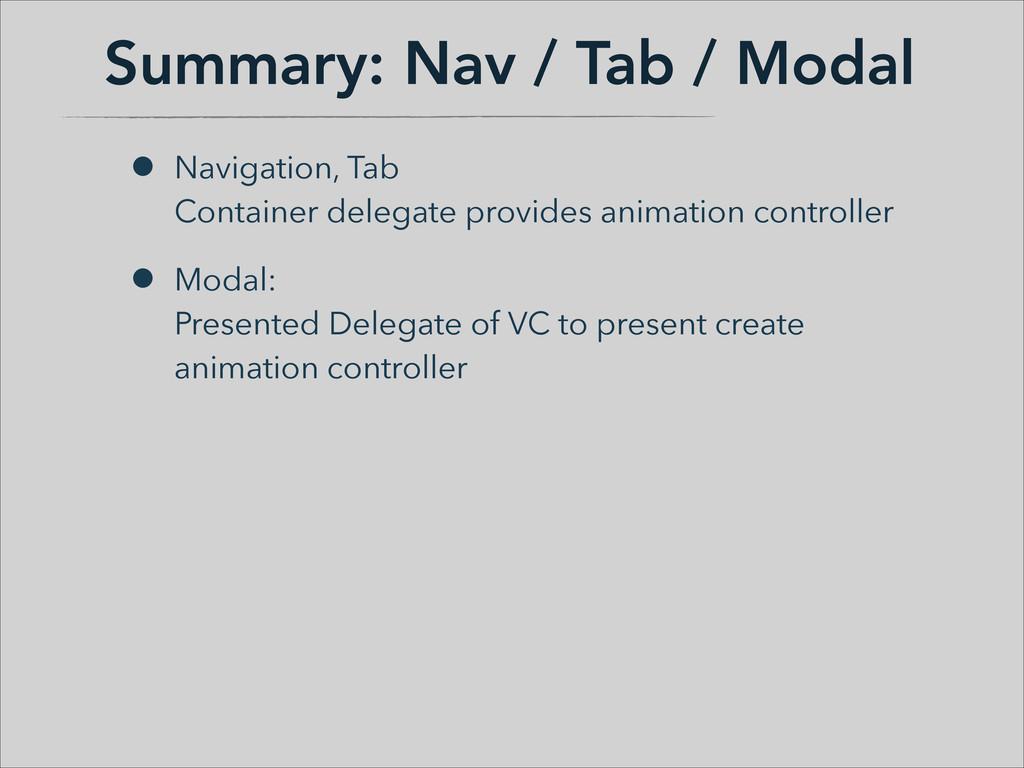
  22. Summary: Nav / Tab / Modal • Navigation, Tab
 Container

    delegate provides animation controller • Modal:
 Presented Delegate of VC to present create animation controller
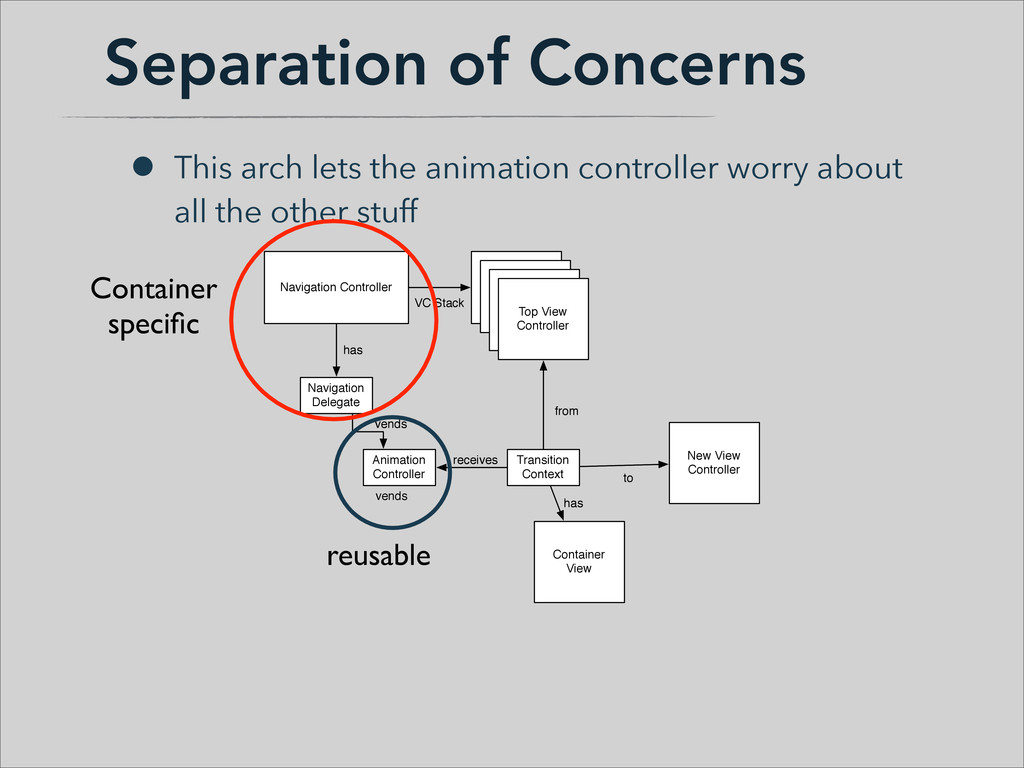
  23. Separation of Concerns • This arch lets the animation controller

    worry about all the other stuff Transition Context New View Controller receives from to Container View has Transition Context receives from to Container View has Animation Controller vends Animation Controller vends Navigation Delegate has Navigation Delegate has Navigation Controller View Controller Stack View Controller Stack View Controller Stack Top View Controller VC Stack Navigation Controller View Controller Stack New View Controller View Controller Stack View Controller Stack Top View Controller VC Stack vends reusable Container specific
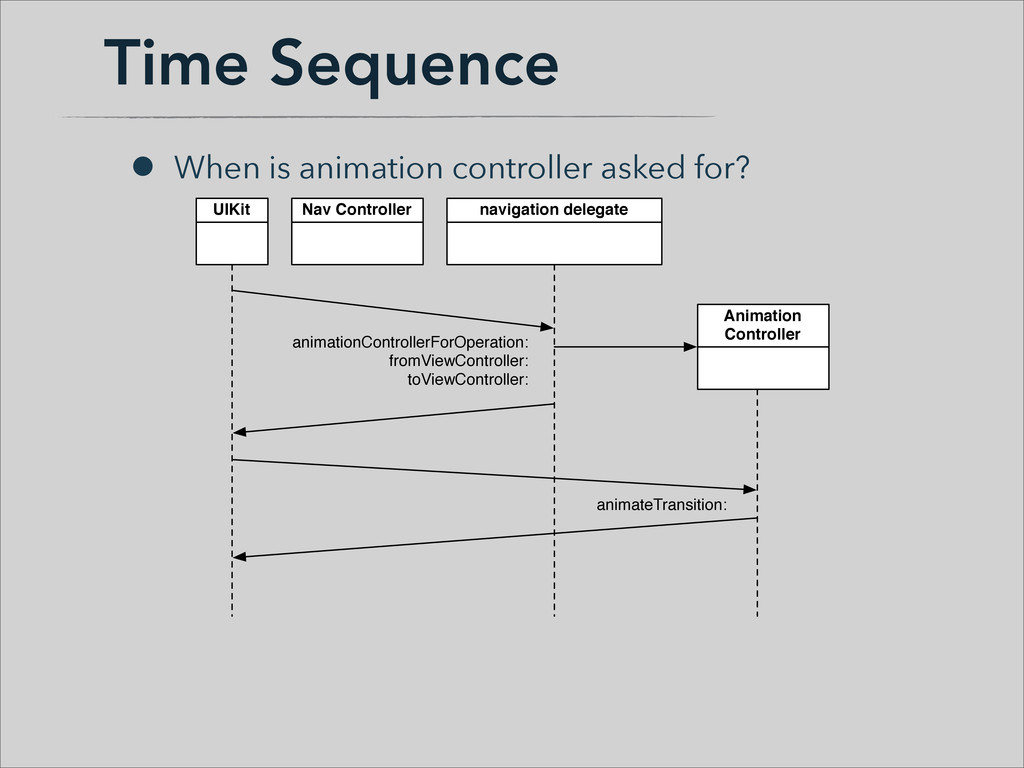
  24. Time Sequence • When is animation controller asked for? UIKit

    navigation delegate Animation Controller animationControllerForOperation: fromViewController: toViewController: Nav Controller animateTransition:
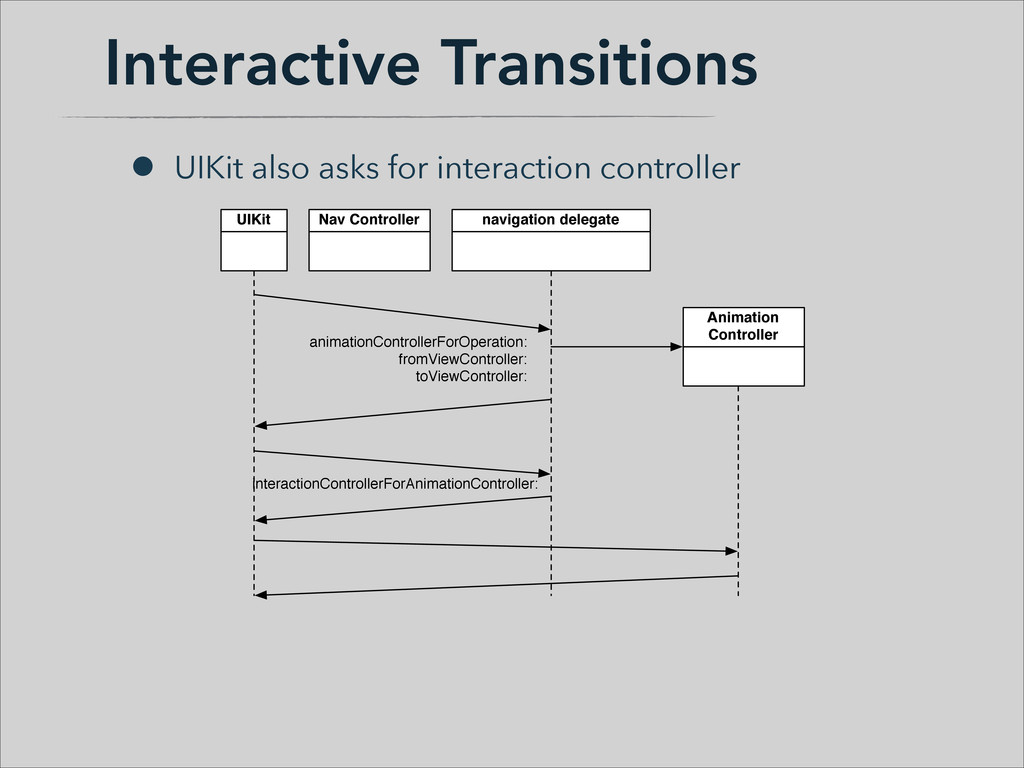
  25. Interactive Transitions • UIKit also asks for interaction controller UIKit

    navigation delegate Animation Controller animationControllerForOperation: fromViewController: toViewController: Nav Controller interactionControllerForAnimationController:
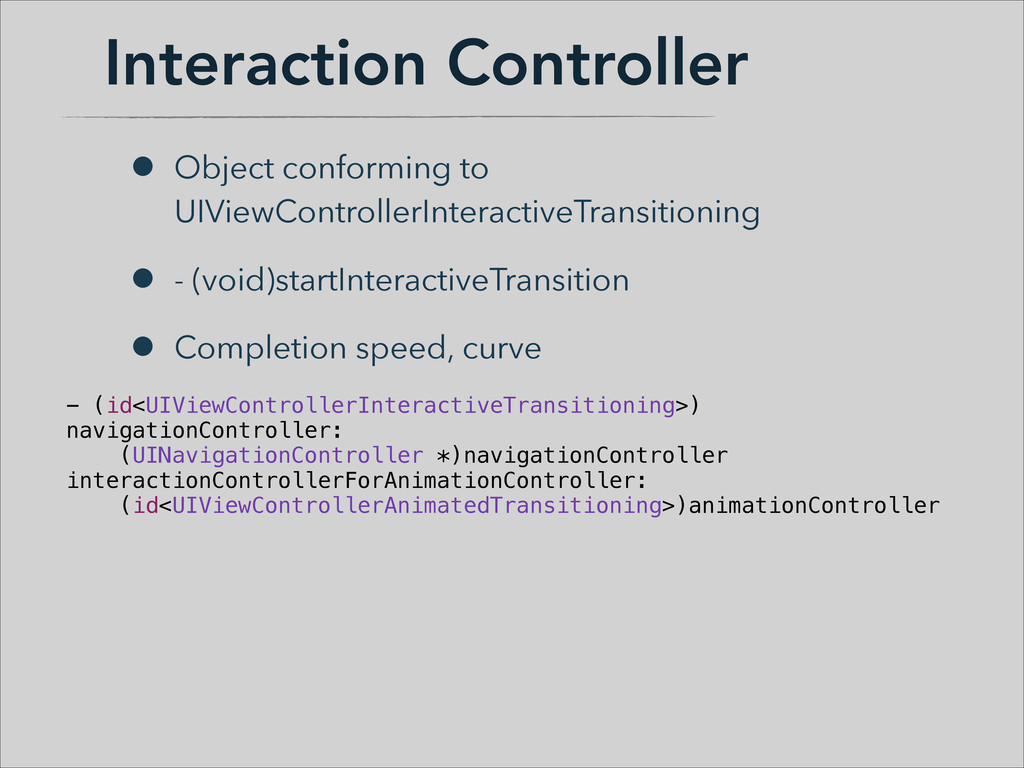
  26. Interaction Controller • Object conforming to UIViewControllerInteractiveTransitioning • - (void)startInteractiveTransition

    • Completion speed, curve - (id<UIViewControllerInteractiveTransitioning>) navigationController: (UINavigationController *)navigationController interactionControllerForAnimationController: (id<UIViewControllerAnimatedTransitioning>)animationController
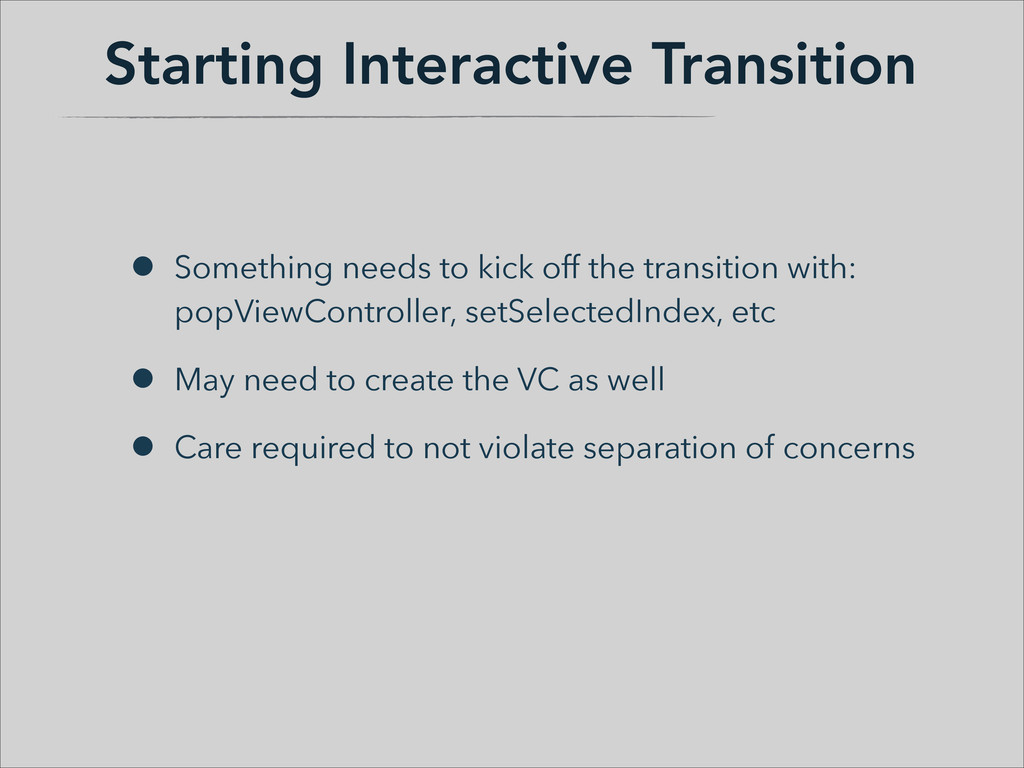
  27. Starting Interactive Transition • Something needs to kick off the

    transition with:
 popViewController, setSelectedIndex, etc • May need to create the VC as well • Care required to not violate separation of concerns
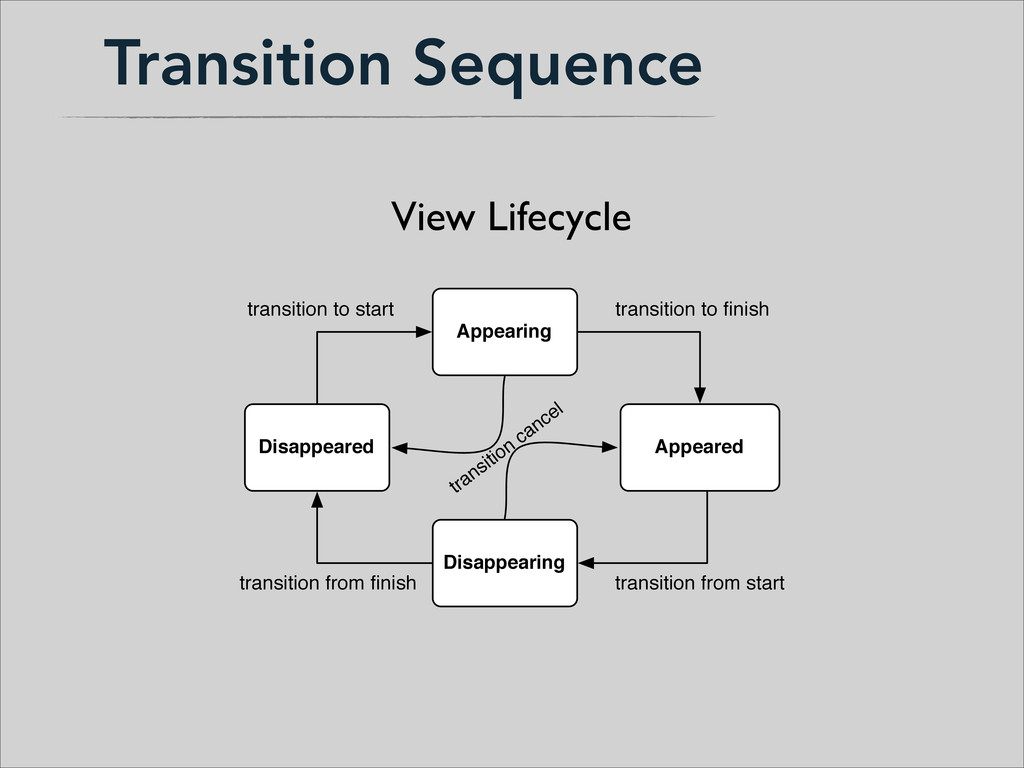
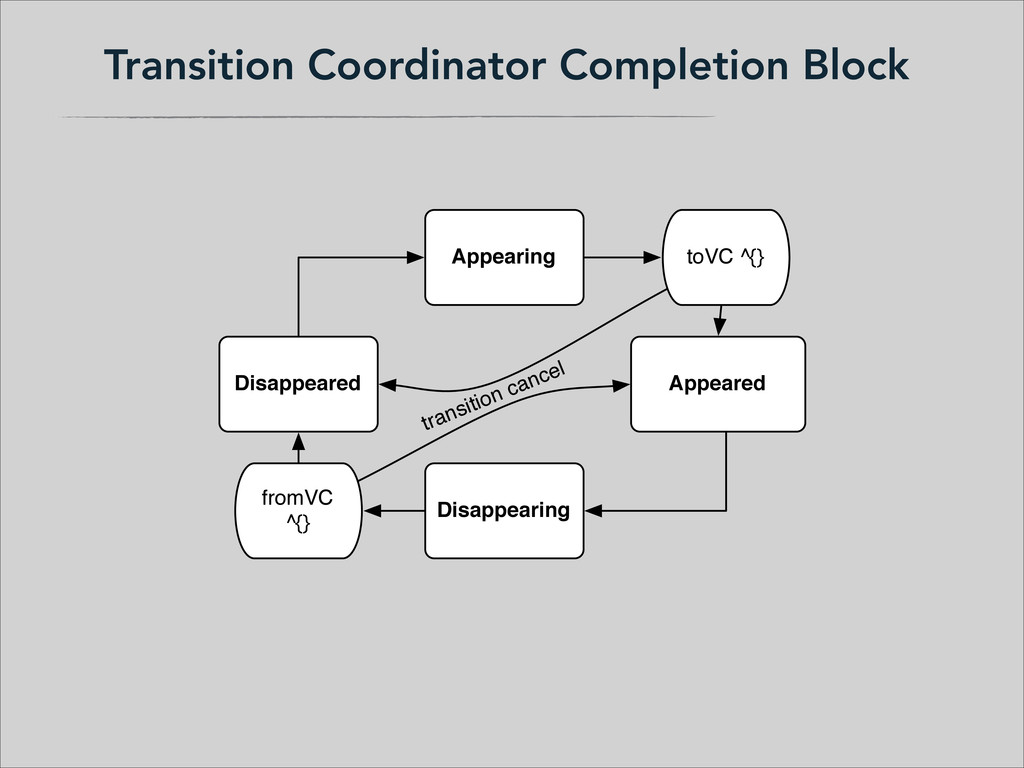
  28. Transition Sequence Appearing Appeared Disappearing Disappeared View Lifecycle transition to

    start transition to finish transition from start transition from finish transition cancel
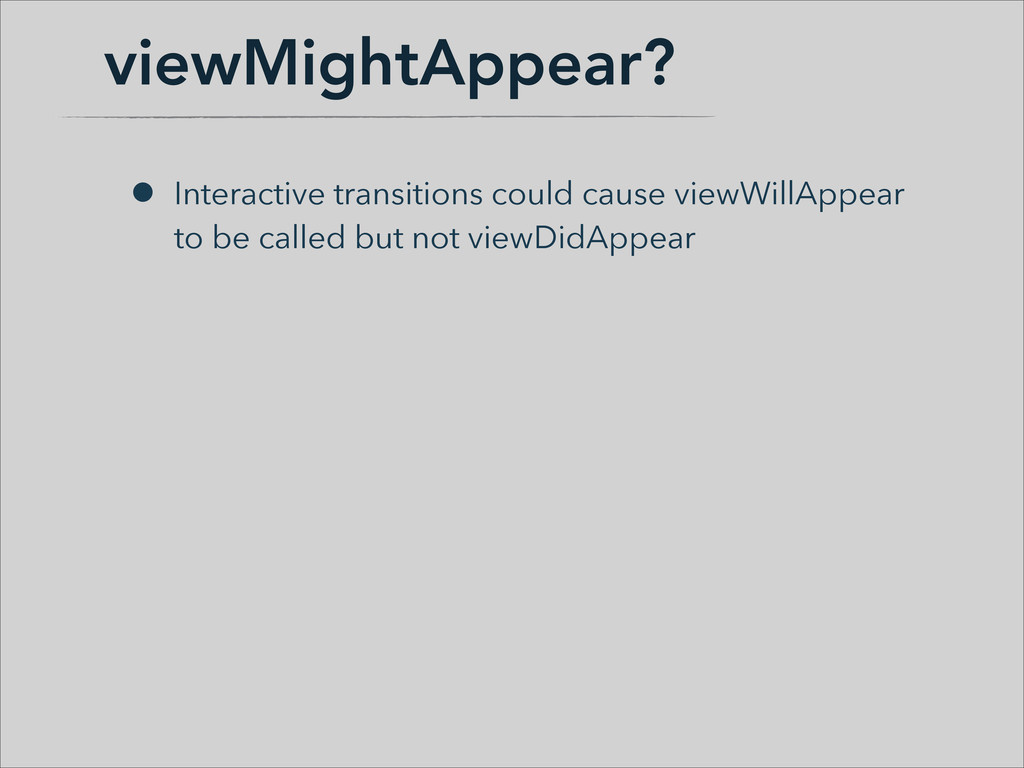
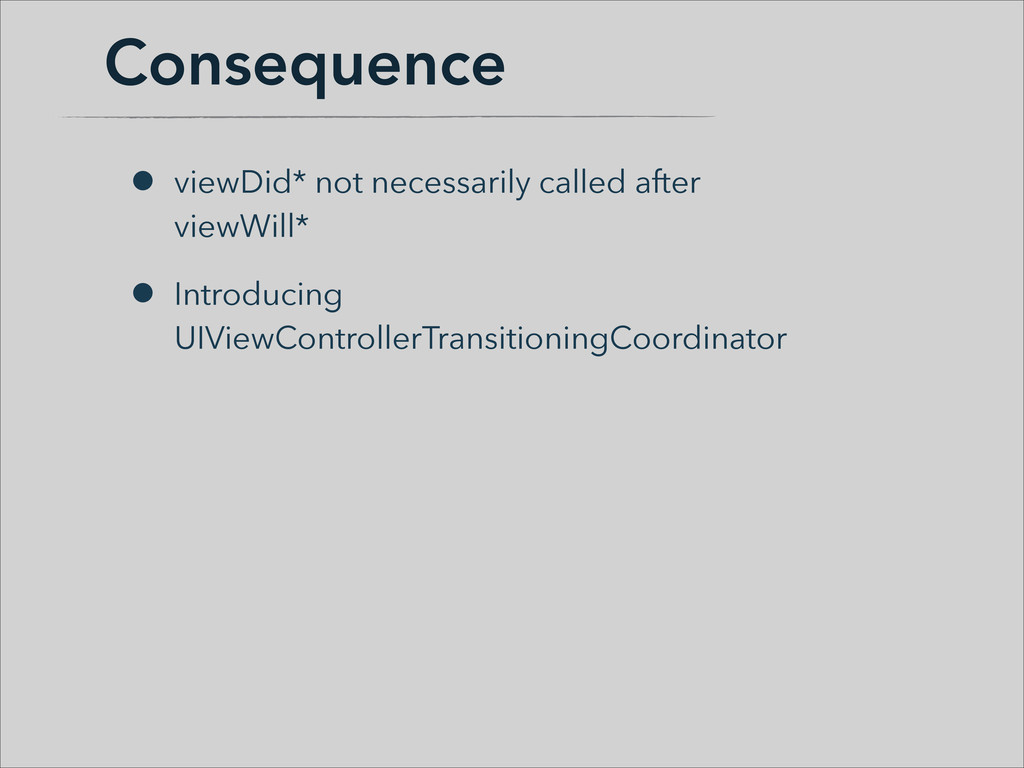
  29. Consequence • viewDid* not necessarily called after 
 viewWill* •

    Introducing UIViewControllerTransitioningCoordinator
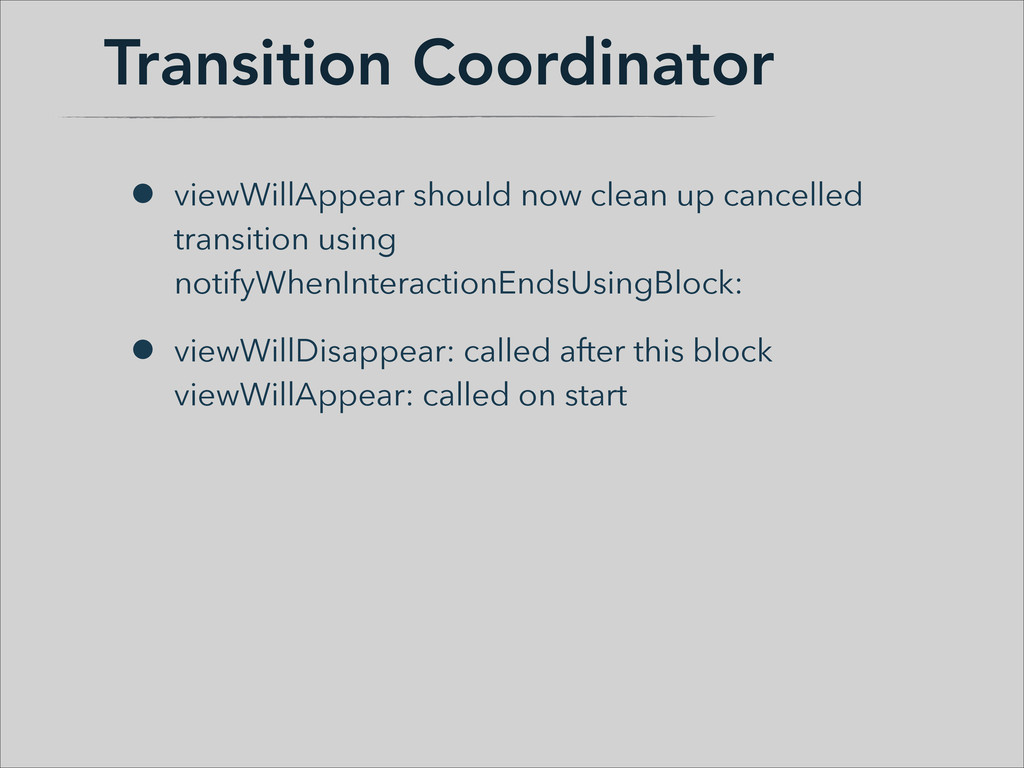
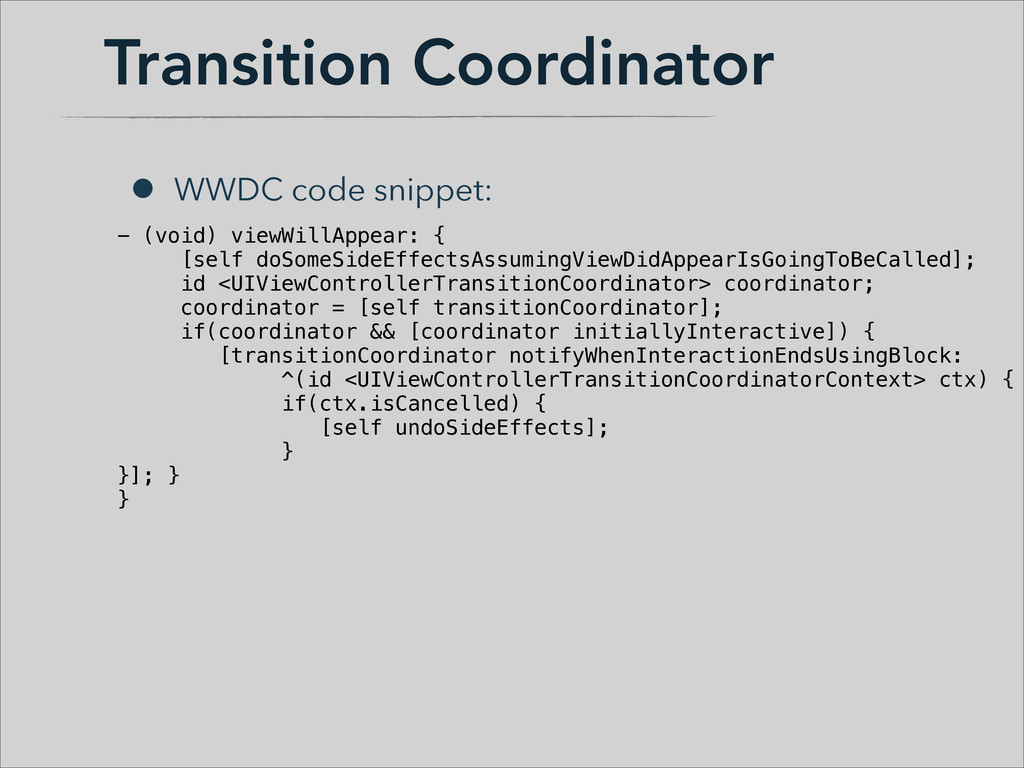
  30. Transition Coordinator • viewWillAppear should now clean up cancelled transition

    using notifyWhenInteractionEndsUsingBlock: • viewWillDisappear: called after this block
 viewWillAppear: called on start
  31. Transition Coordinator • WWDC code snippet: - (void) viewWillAppear: {

    [self doSomeSideEffectsAssumingViewDidAppearIsGoingToBeCalled]; id <UIViewControllerTransitionCoordinator> coordinator; coordinator = [self transitionCoordinator]; if(coordinator && [coordinator initiallyInteractive]) { [transitionCoordinator notifyWhenInteractionEndsUsingBlock: ^(id <UIViewControllerTransitionCoordinatorContext> ctx) { if(ctx.isCancelled) { [self undoSideEffects]; } }]; } }
  32. Collection Views • Layout to Layout Transitions already in iOS

    6 • Subclass UICollectionViewTransitionLayout
  33. Review • Implementing basic transition animation • Nav, Tab, Modal

    contexts slightly different but same general process • UIView snapshots • Interactive Transitions w/ interaction controller
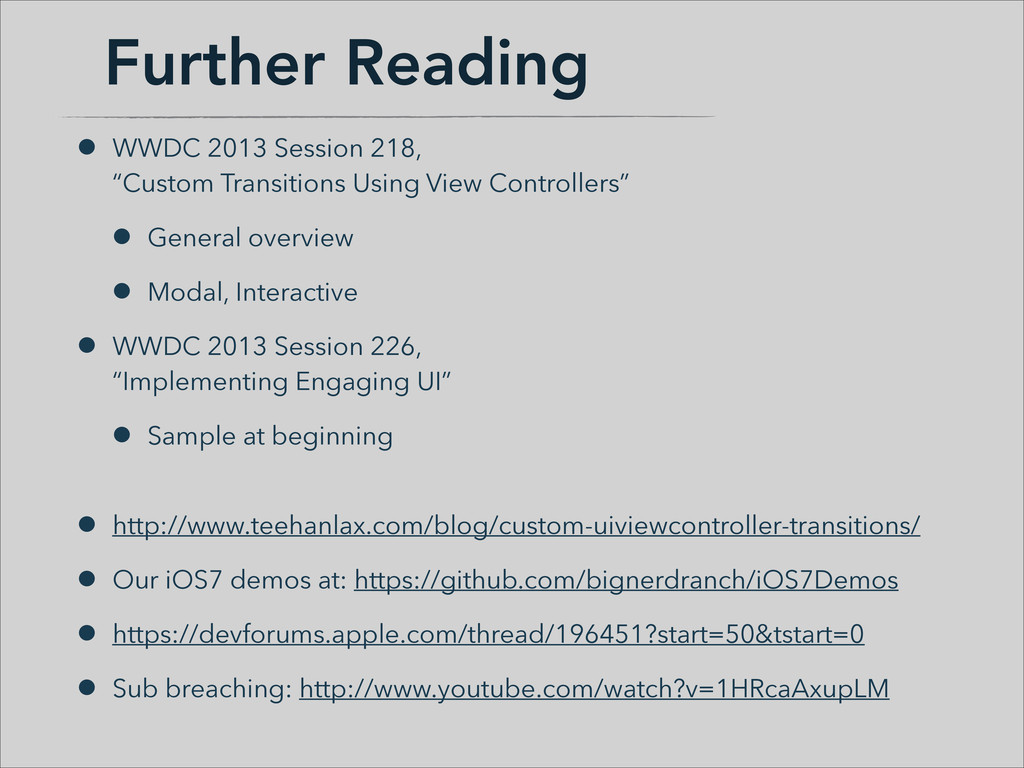
  34. Further Reading • WWDC 2013 Session 218,
 “Custom Transitions Using

    View Controllers” • General overview • Modal, Interactive • WWDC 2013 Session 226,
 “Implementing Engaging UI” • Sample at beginning
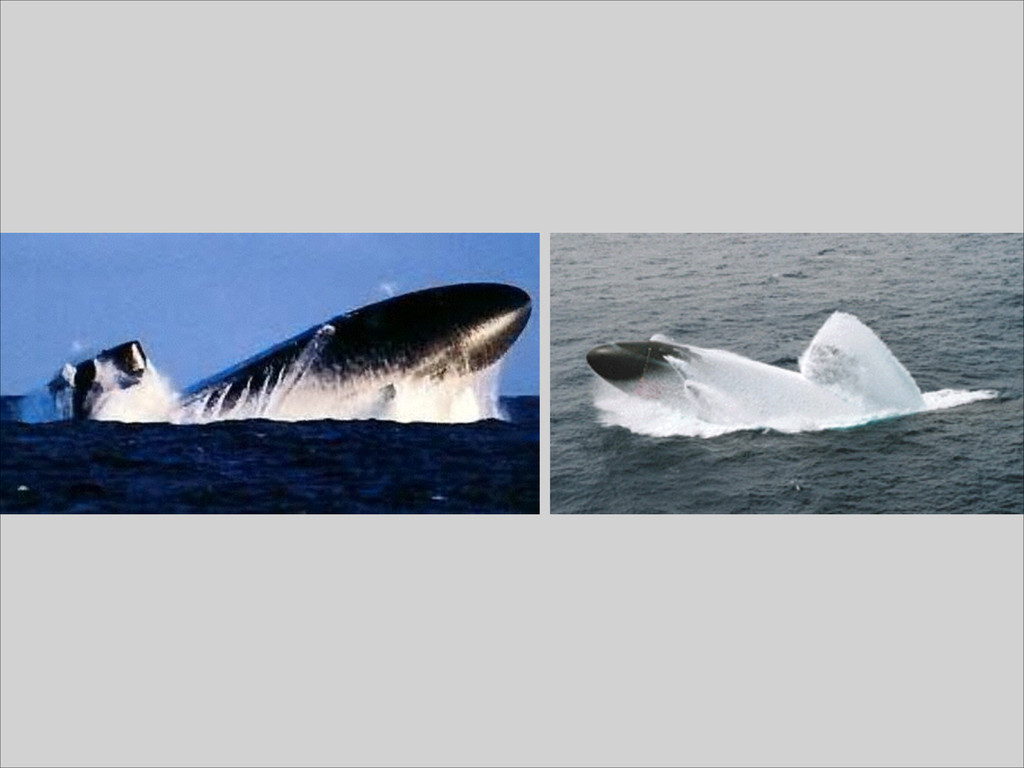
 • http://www.teehanlax.com/blog/custom-uiviewcontroller-transitions/ • Our iOS7 demos at: https://github.com/bignerdranch/iOS7Demos • https://devforums.apple.com/thread/196451?start=50&tstart=0 • Sub breaching: http://www.youtube.com/watch?v=1HRcaAxupLM
  35. Thanks! • Take a class from the Big Nerd Ranch

    • Check out Roominant • Follow me on twitter @randomstep • Turn in your evaluation • Help your users succeed!