Upgrade to Pro — share decks privately, control downloads, hide ads and more …

Practical Uses of An AI Assistant - Day of Data...

Avatar for David Stokes David Stokes
September 19, 2026
3

Practical Uses of An AI Assistant - Day of Data Salt Lake City, September 19th, 2026

How Artificial Intelligence can, and can not help you, with relational databases.

Avatar for David Stokes

David Stokes

September 19, 2026

Transcript

  1. DBEAVER PRESENTATION Practical Uses of An AI Assistant A practical

    look at how database professionals leverage AI for syntax optimization, DDL generation, and query building. David Stokes Community Manager at DBeaver • Open Source Database Proponent Copyright © 2026 David Stokes | DBeaver.com https://speakerdeck.com/stoker/ 1
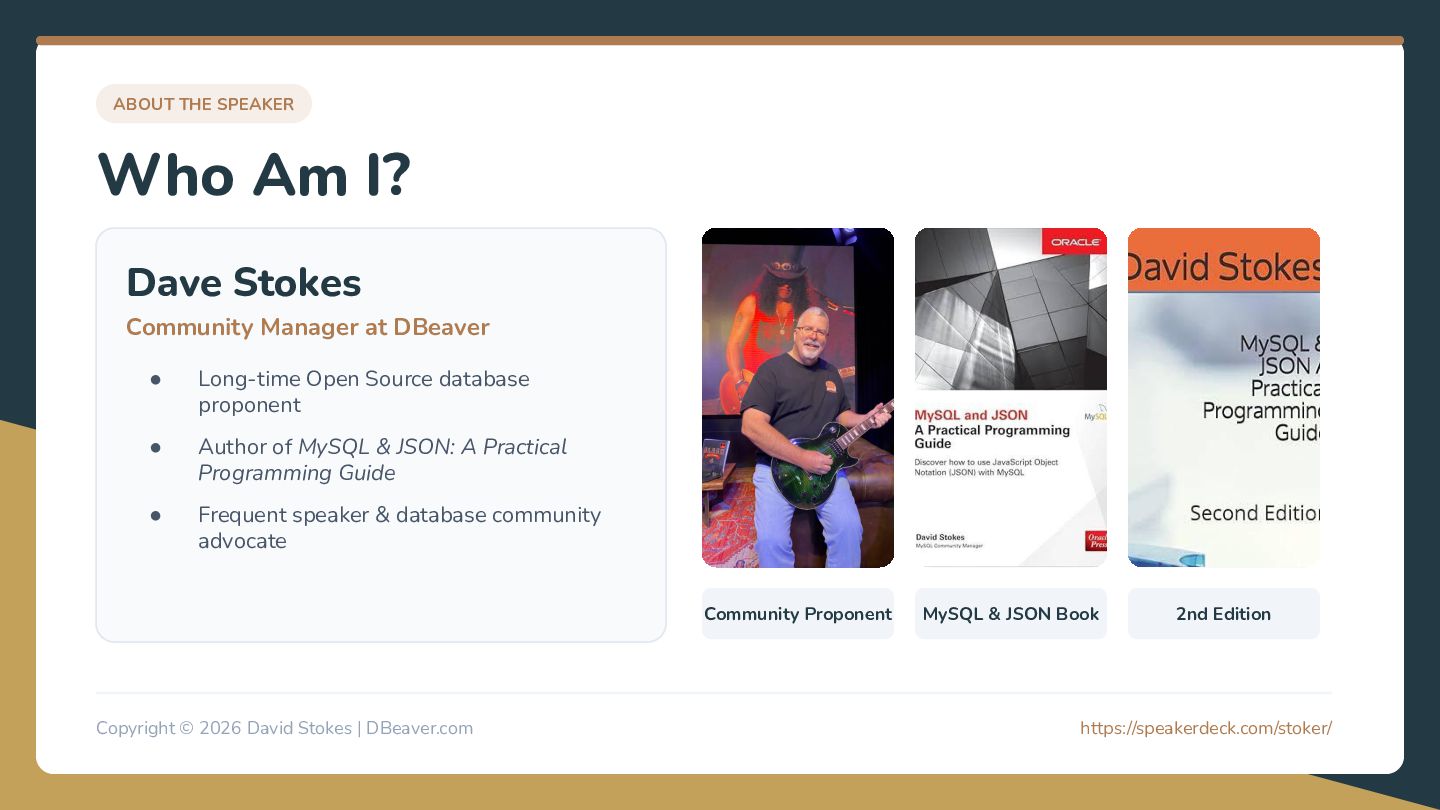
  2. ABOUT THE SPEAKER Who Am I? Dave Stokes Community Manager

    at DBeaver • Long-time Open Source database proponent • Author of MySQL & JSON: A Practical Programming Guide • Frequent speaker & database community advocate Community Proponent Copyright © 2026 David Stokes | DBeaver.com MySQL & JSON Book 2nd Edition https://speakerdeck.com/stoker/ 2
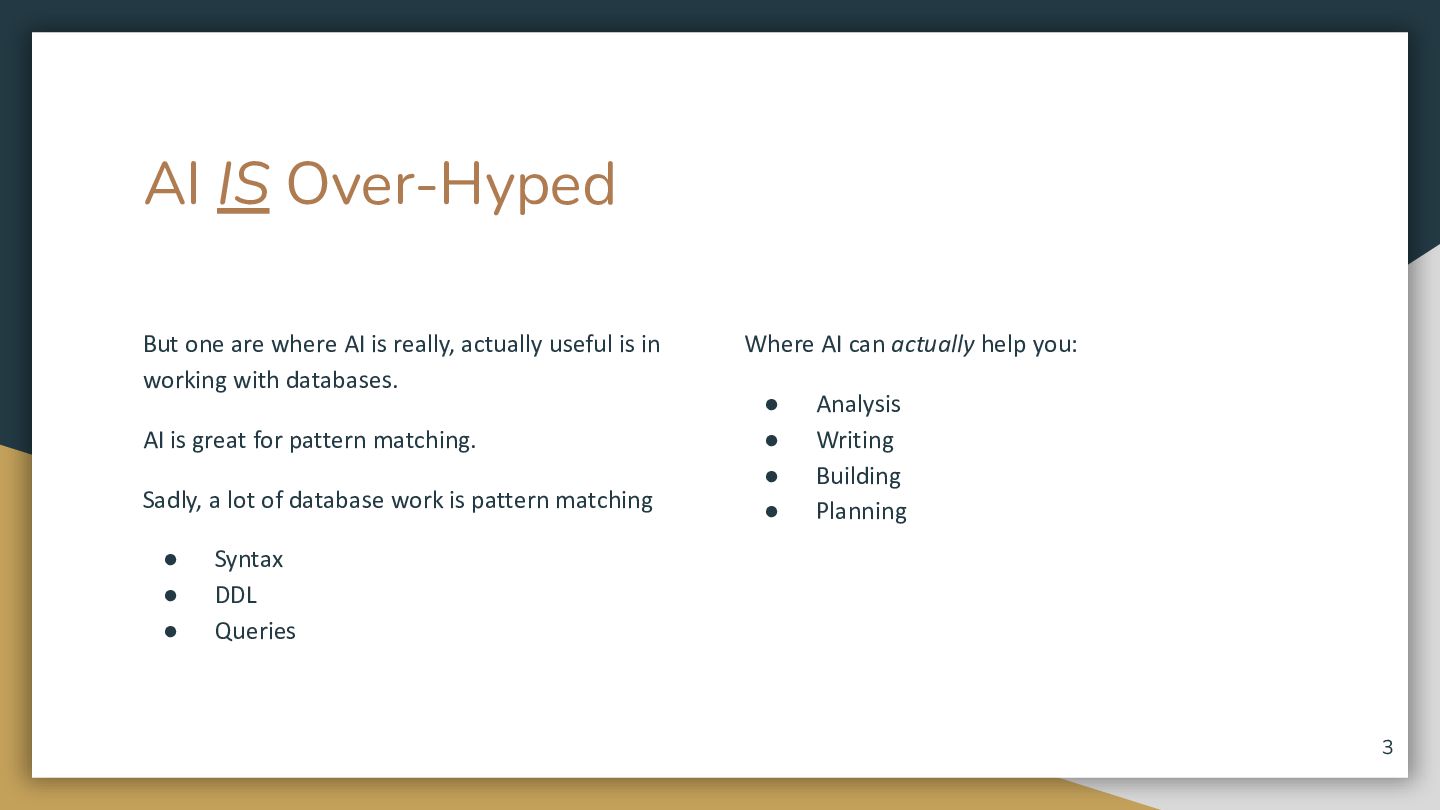
  3. AI IS Over-Hyped But one are where AI is really,

    actually useful is in working with databases. AI is great for pattern matching. Sadly, a lot of database work is pattern matching • • • Where AI can actually help you: • • • • Analysis Writing Building Planning Syntax DDL Queries 3
  4. So what can you expect to do with AI and

    your database? We will look at where AI works well And where it does not. AI can write some pretty good code but … You are responsible. Treat it like a very junior DBA just learning the trade 4
  5. So, just how good is AI at simple stuff My

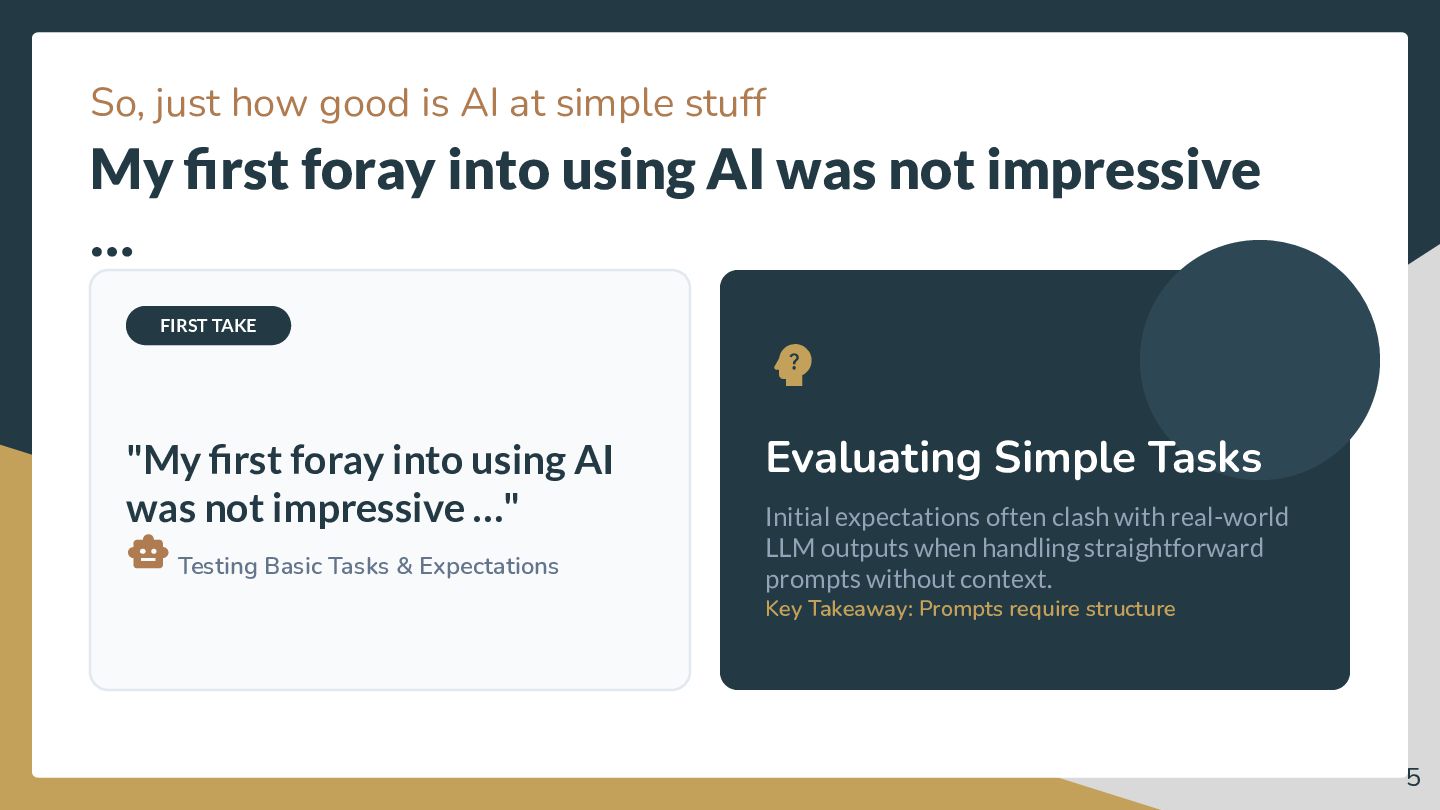
    first foray into using AI was not impressive … FIRST TAKE  "My first foray into using AI was not impressive …"  Testing Basic Tasks & Expectations Evaluating Simple Tasks Initial expectations often clash with real-world LLM outputs when handling straightforward prompts without context. Key Takeaway: Prompts require structure 5
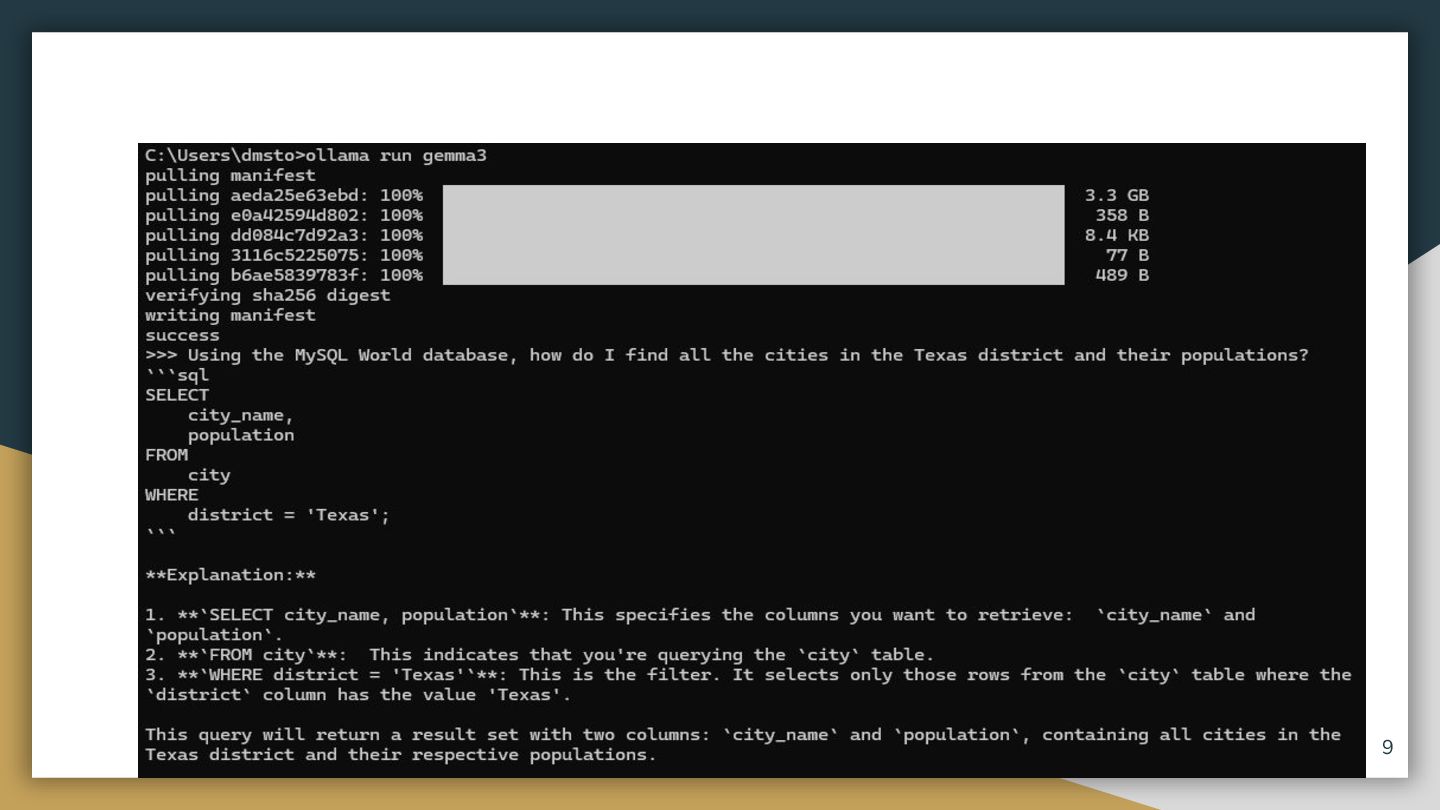
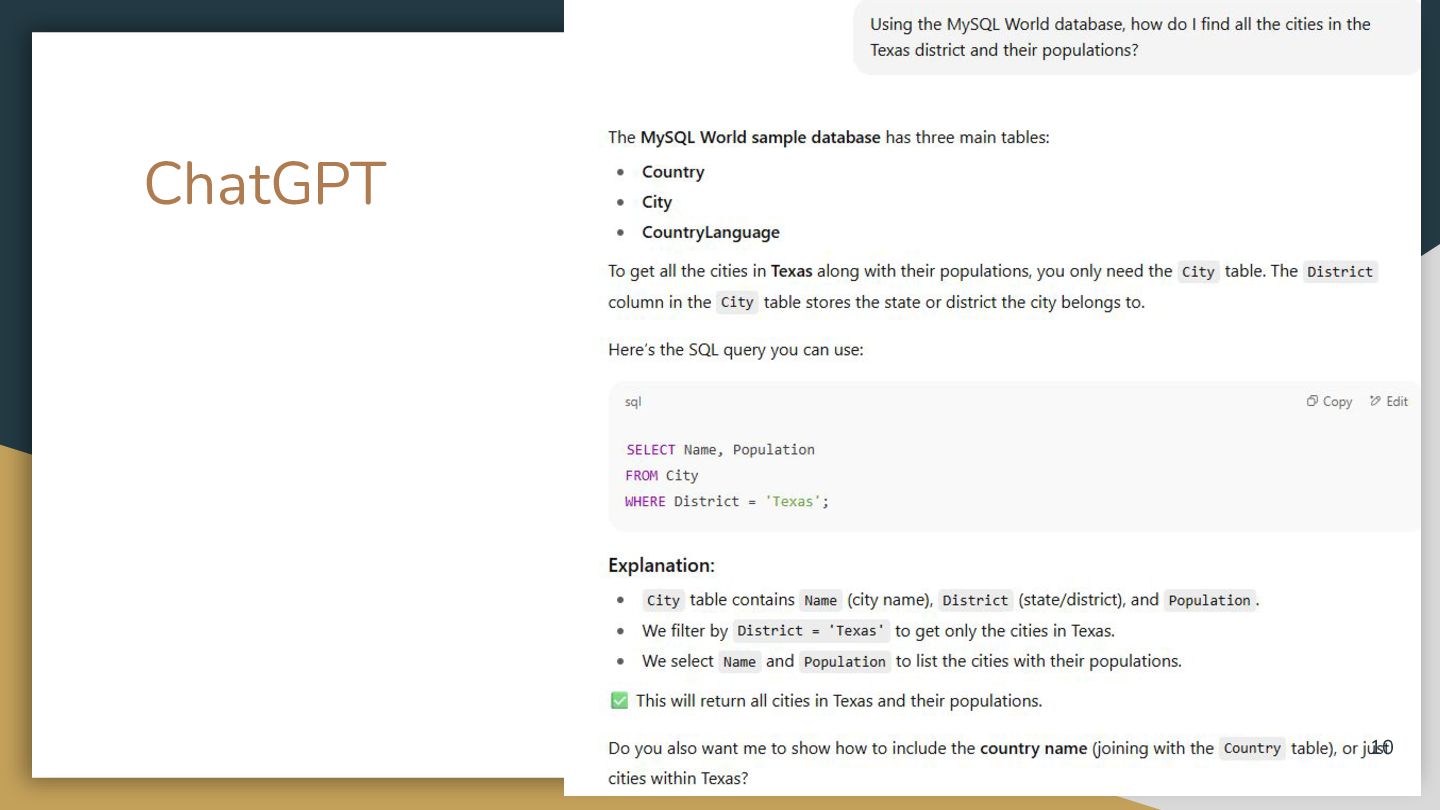
  6. Example 1 Ask four LLMs the same question o Simple

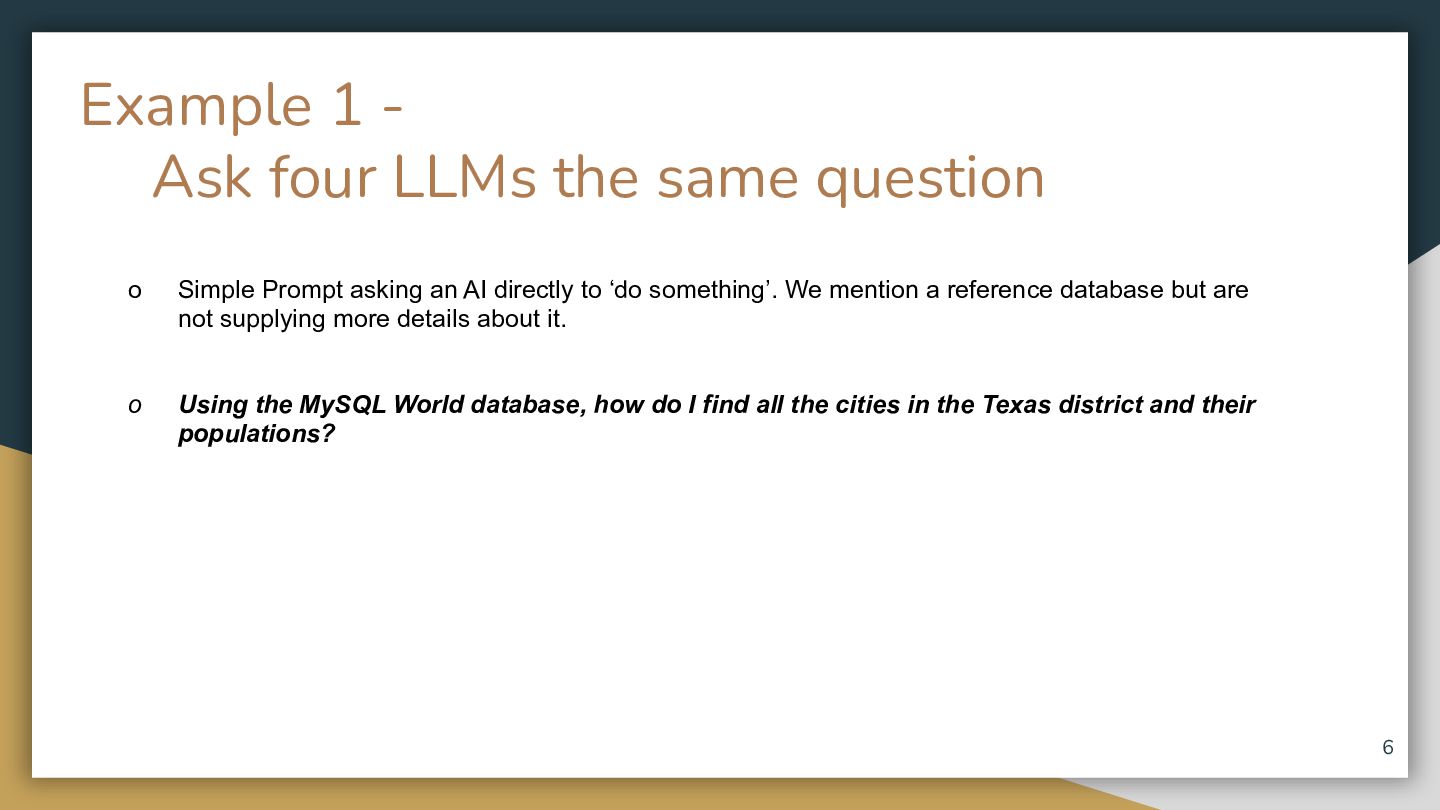
    Prompt asking an AI directly to ‘do something’. We mention a reference database but are not supplying more details about it. o Using the MySQL World database, how do I find all the cities in the Texas district and their populations? 6
  7. LLM EVALUATION • EXAMPLE 1 Grok Response Output Grok (xAI)

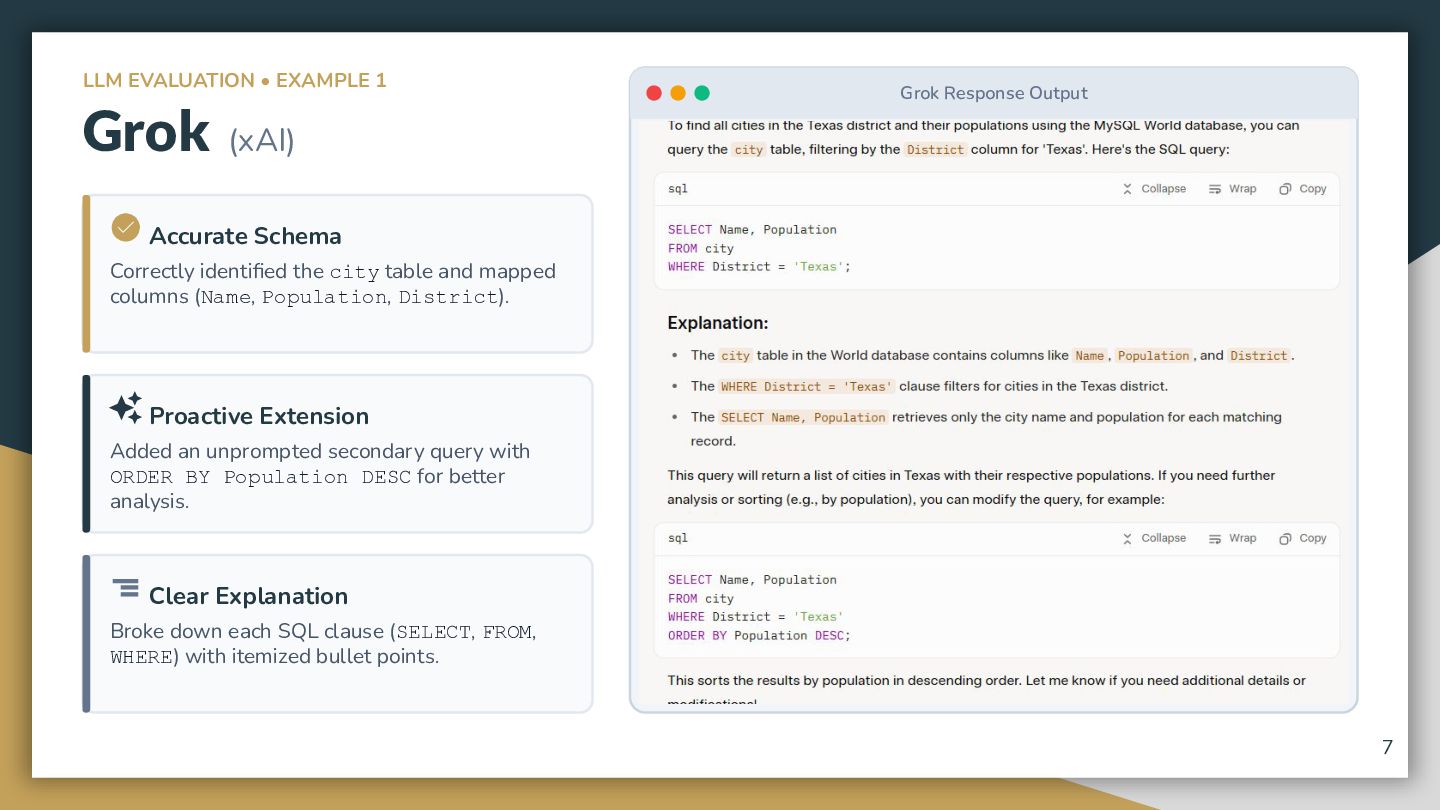
     Accurate Schema Correctly identified the city table and mapped columns (Name, Population, District).  Proactive Extension Added an unprompted secondary query with ORDER BY Population DESC for better analysis.  Clear Explanation Broke down each SQL clause (SELECT, FROM, WHERE) with itemized bullet points. 7
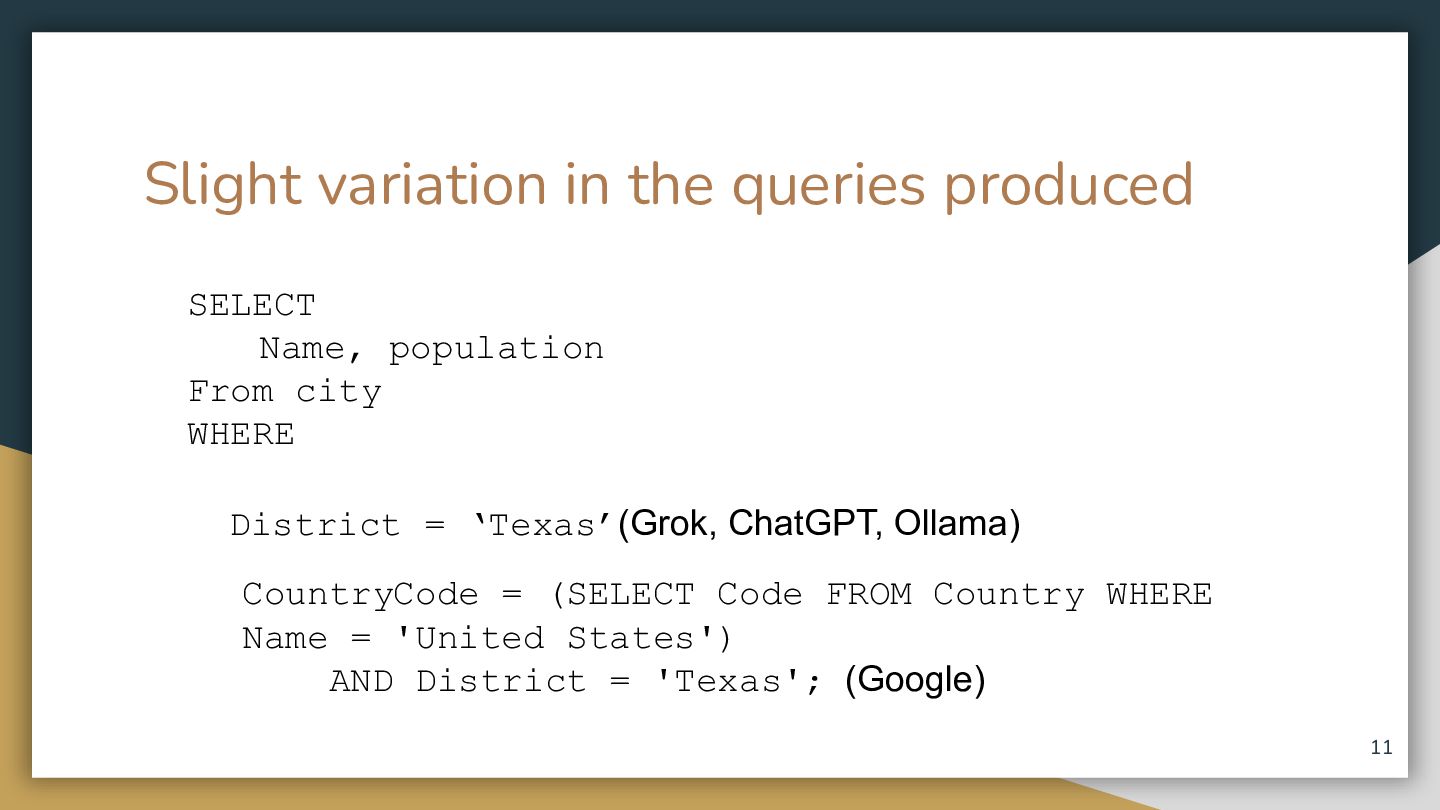
  8. Slight variation in the queries produced SELECT Name, population From

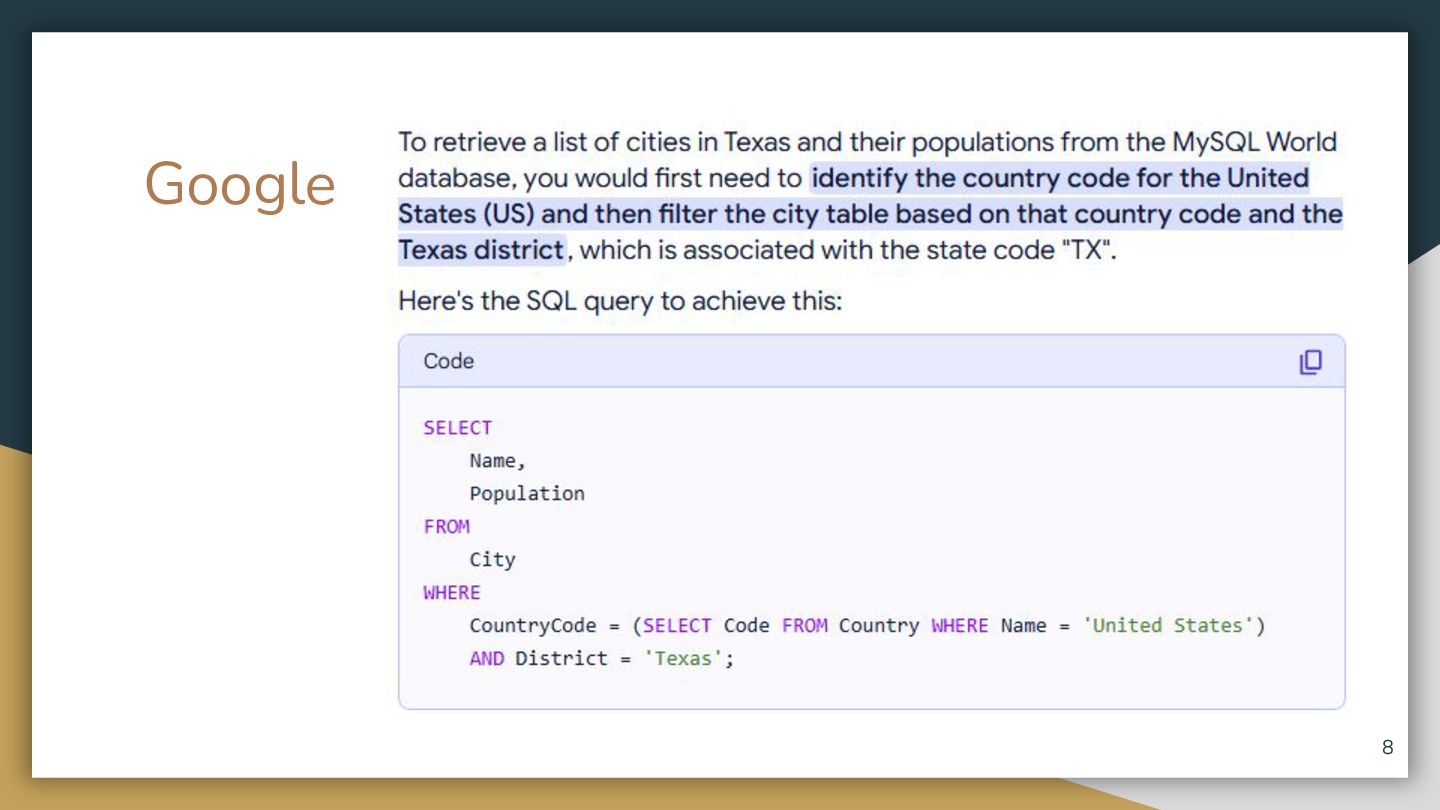
    city WHERE District = ‘Texas’(Grok, ChatGPT, Ollama) CountryCode = (SELECT Code FROM Country WHERE Name = 'United States') AND District = 'Texas'; (Google) 11
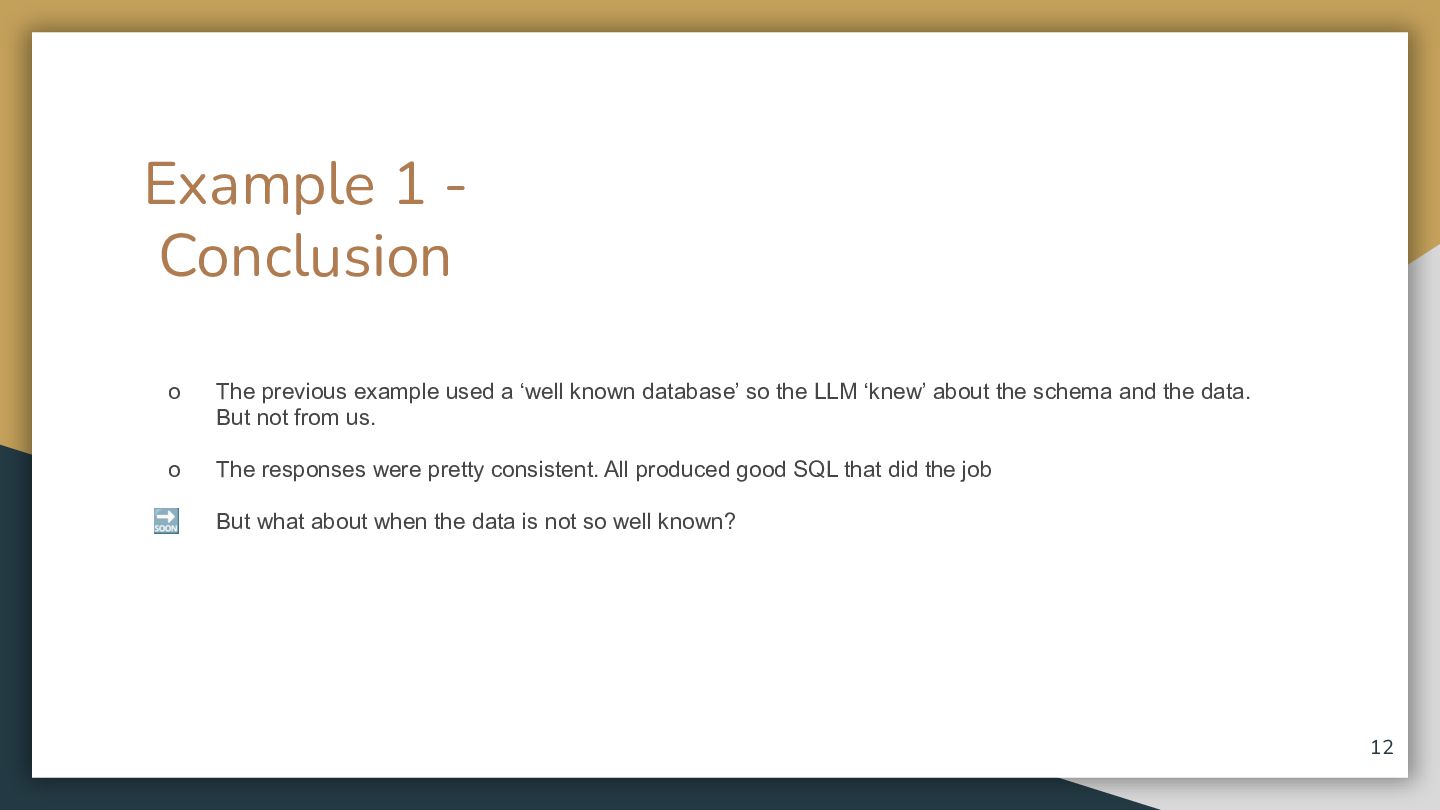
  9. Example 1 Conclusion o The previous example used a ‘well

    known database’ so the LLM ‘knew’ about the schema and the data. But not from us. o o But what about whenknown the data isdatabase’ not so well known? The previous example used a ‘well so the LLM ‘knew’ about the schema and the data. But not from us. o The responses were pretty consistent. All produced good SQL that did the job 🔜 But what about when the data is not so well known? 12
  10. Example 1a Conclusion o The previous example used a ‘well

    known database’ so the LLM ‘knew’ about the schema and the data. But not from us. But what about when the data is not so well known? I tried the sameo experiment with PostgreSQL and the results were horrible For reasons that will become clear later. 13
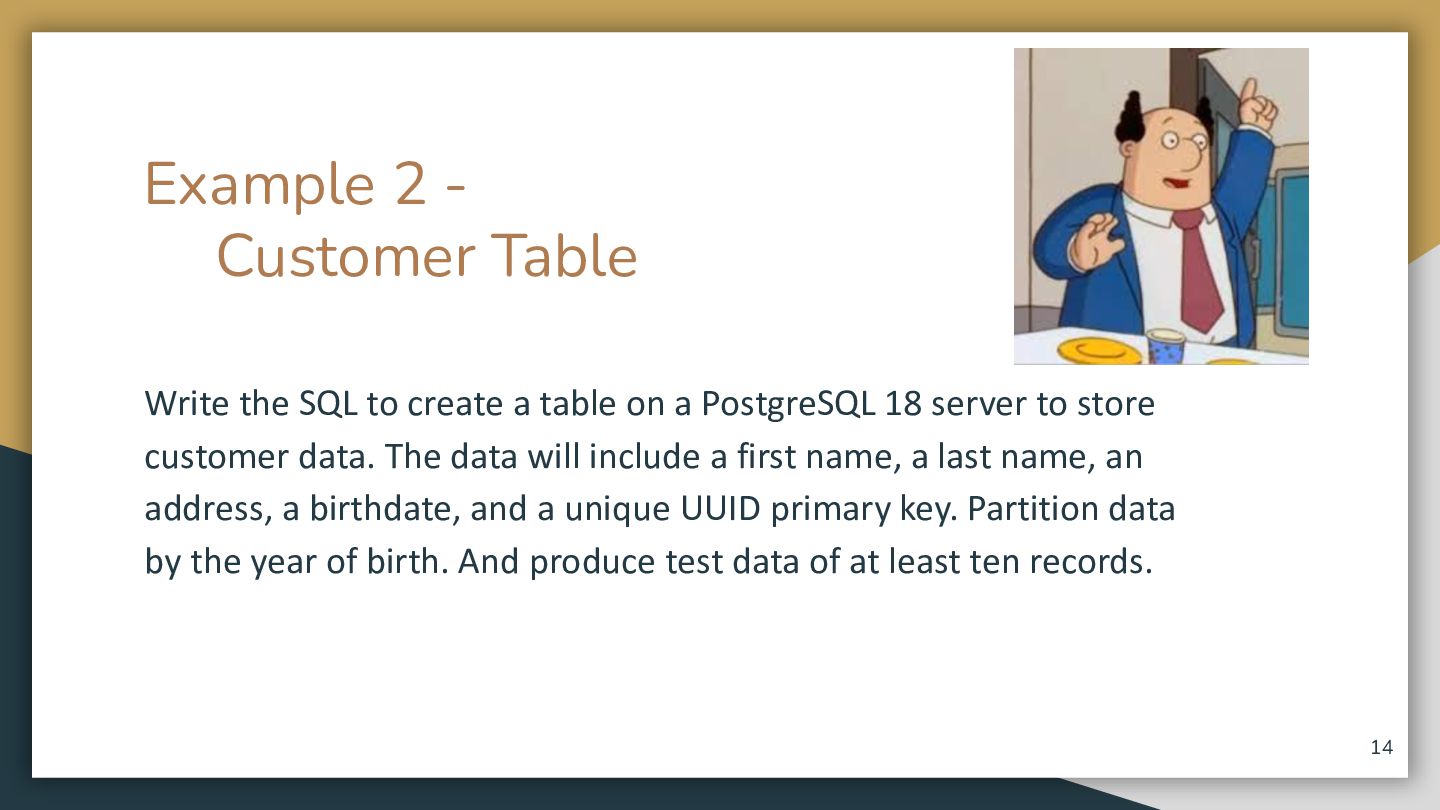
  11. Example 2 Customer Table Write the SQL to create a

    table on a PostgreSQL 18 server to store customer data. The data will include a first name, a last name, an address, a birthdate, and a unique UUID primary key. Partition data by the year of birth. And produce test data of at least ten records. 14
  12. Some personal goals: I wanted to write NO SQL (not

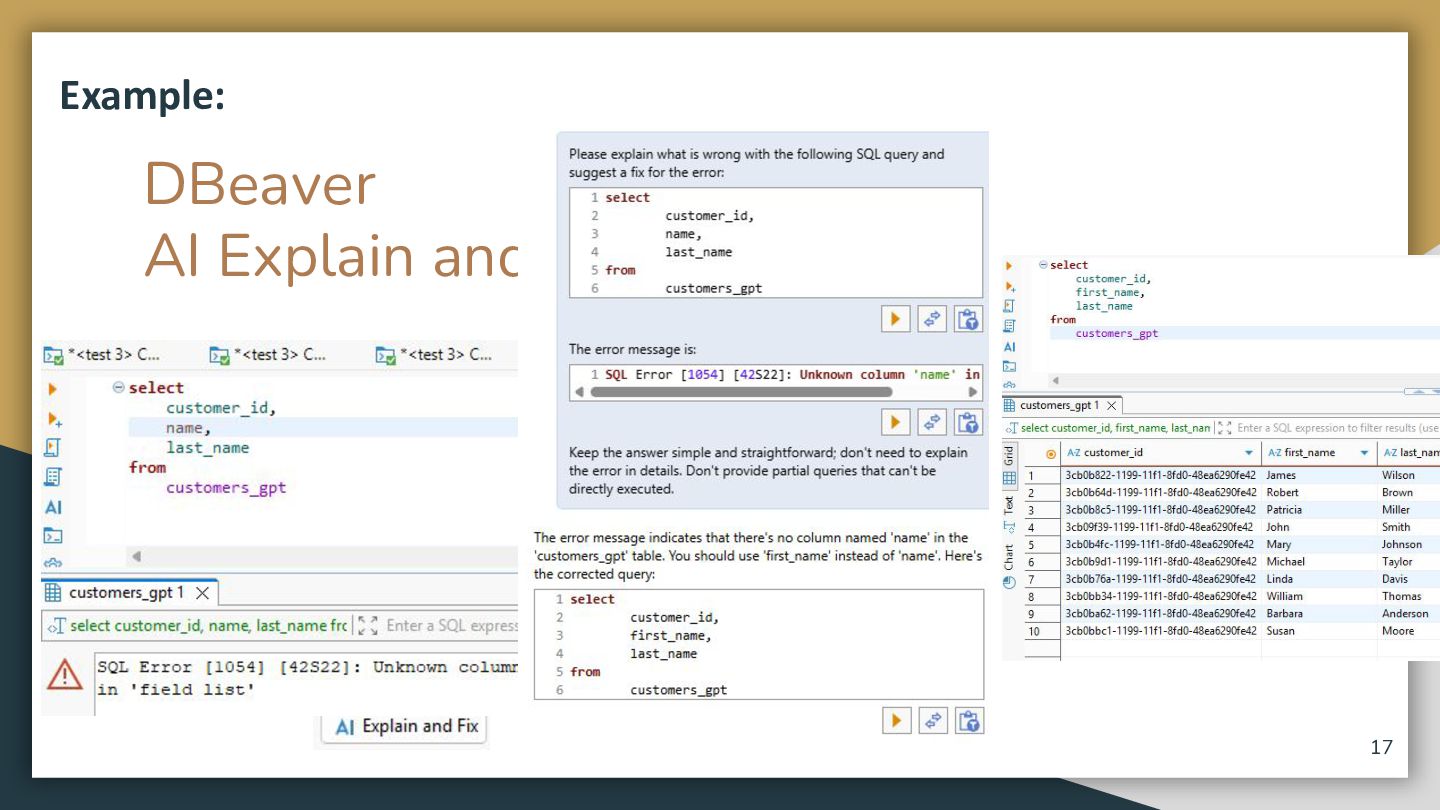
    NoSQL) for the following examples (minimal coding on my part). I used the DBeaver AI Explain and Fix to correct issues. 15
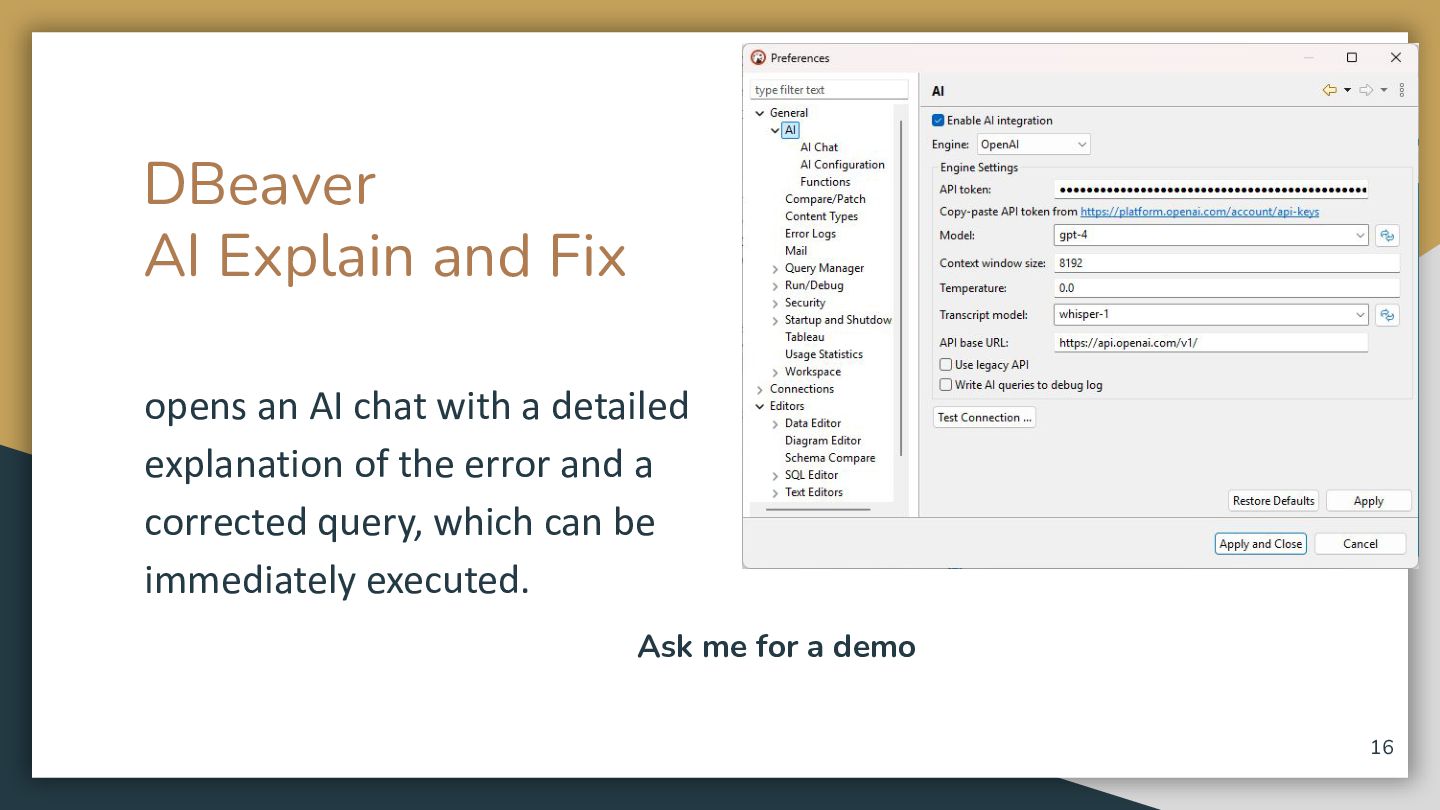
  13. DBeaver AI Explain and Fix opens an AI chat with

    a detailed explanation of the error and a corrected query, which can be immediately executed. Ask me for a demo 16
  14. -- Enable the pgcrypto extension for gen_random_uuid() (safe to run

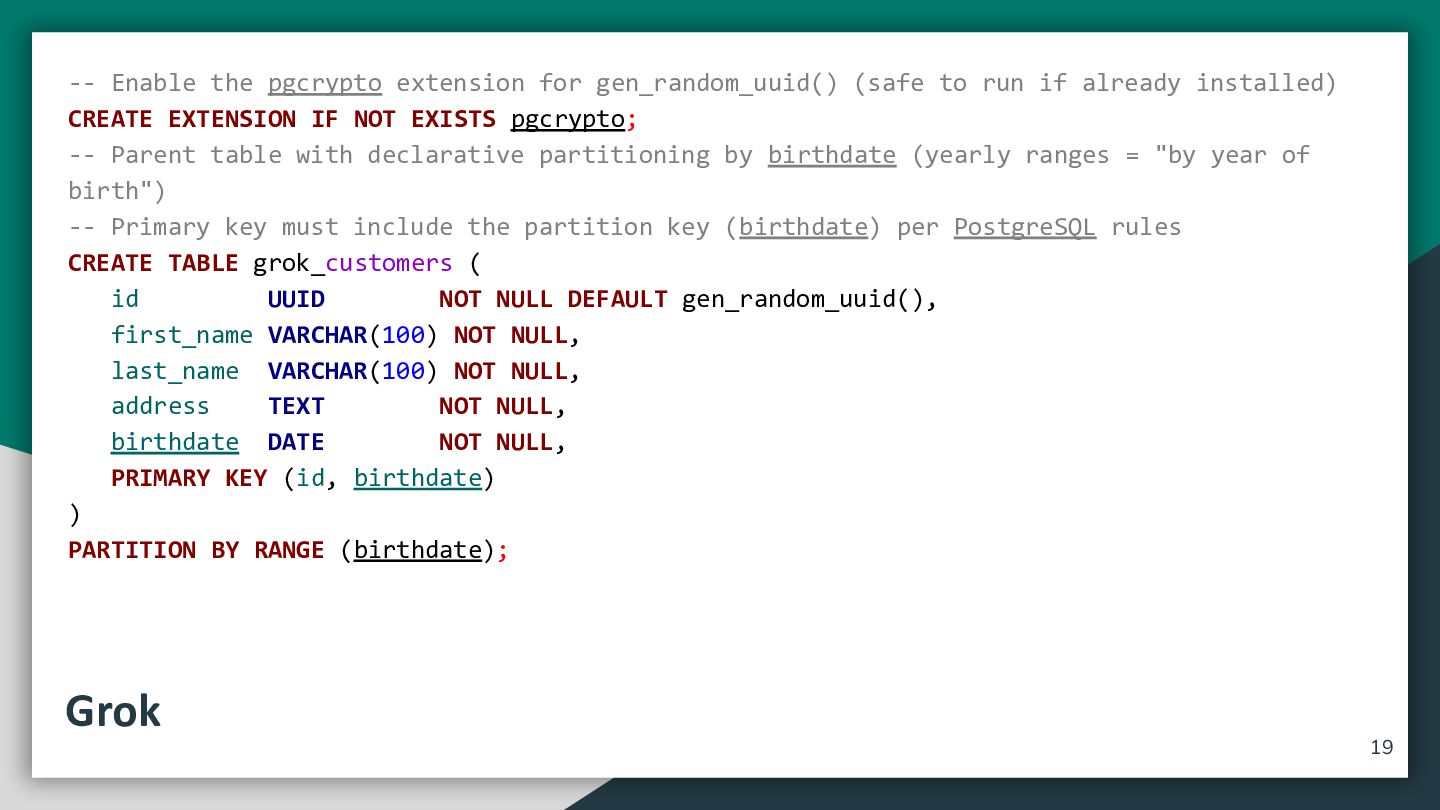
    if already installed) CREATE EXTENSION IF NOT EXISTS pgcrypto; -- Parent table with declarative partitioning by birthdate (yearly ranges = "by year of birth") -- Primary key must include the partition key (birthdate) per PostgreSQL rules CREATE TABLE grok_customers ( id UUID NOT NULL DEFAULT gen_random_uuid(), first_name VARCHAR(100) NOT NULL, last_name VARCHAR(100) NOT NULL, address TEXT NOT NULL, birthdate DATE NOT NULL, PRIMARY KEY (id, birthdate) ) PARTITION BY RANGE (birthdate); Grok 19
  15. -- Create yearly partitions (one per relevant year + a

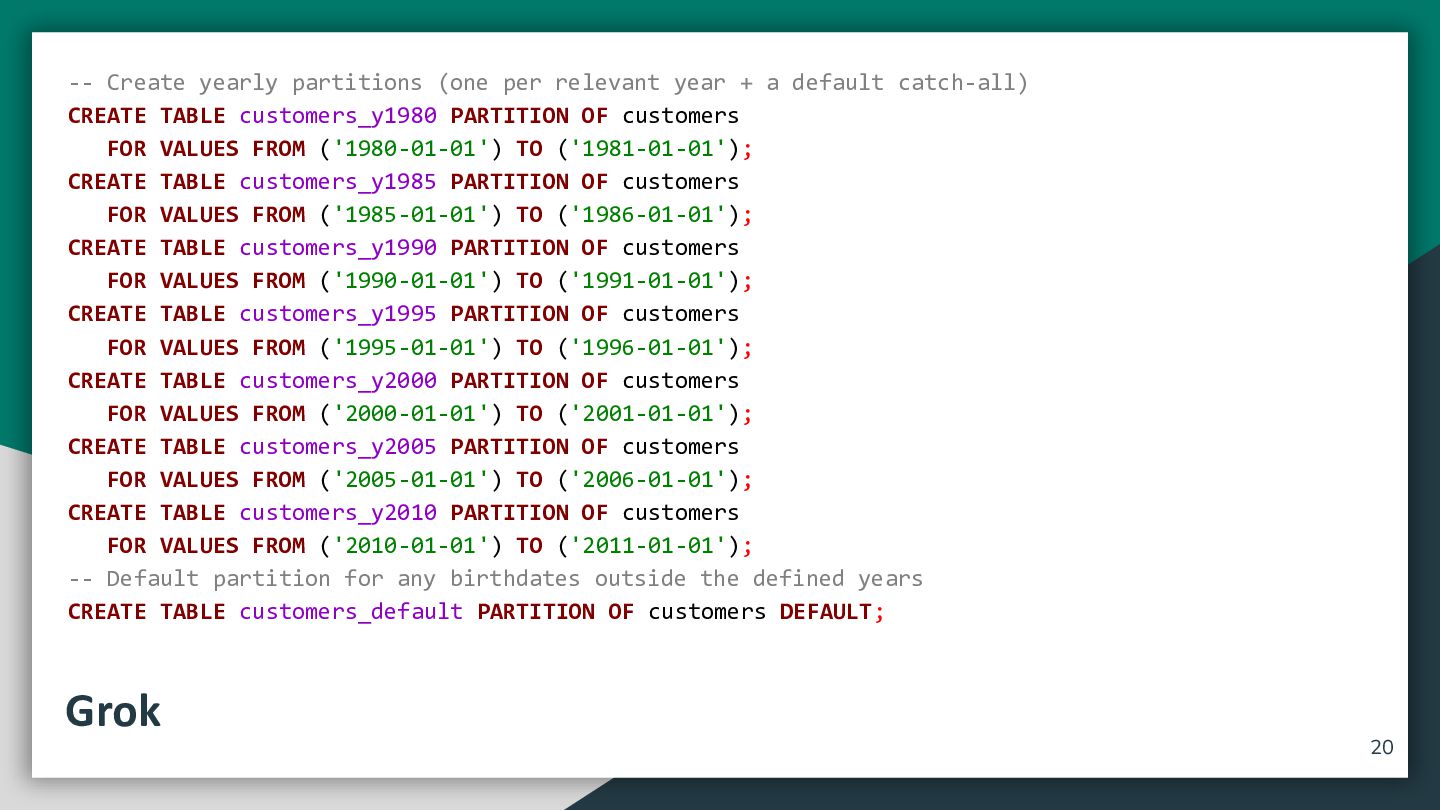
    default catch-all) CREATE TABLE customers_y1980 PARTITION OF customers FOR VALUES FROM ('1980-01-01') TO ('1981-01-01'); CREATE TABLE customers_y1985 PARTITION OF customers FOR VALUES FROM ('1985-01-01') TO ('1986-01-01'); CREATE TABLE customers_y1990 PARTITION OF customers FOR VALUES FROM ('1990-01-01') TO ('1991-01-01'); CREATE TABLE customers_y1995 PARTITION OF customers FOR VALUES FROM ('1995-01-01') TO ('1996-01-01'); CREATE TABLE customers_y2000 PARTITION OF customers FOR VALUES FROM ('2000-01-01') TO ('2001-01-01'); CREATE TABLE customers_y2005 PARTITION OF customers FOR VALUES FROM ('2005-01-01') TO ('2006-01-01'); CREATE TABLE customers_y2010 PARTITION OF customers FOR VALUES FROM ('2010-01-01') TO ('2011-01-01'); -- Default partition for any birthdates outside the defined years CREATE TABLE customers_default PARTITION OF customers DEFAULT; Grok 20
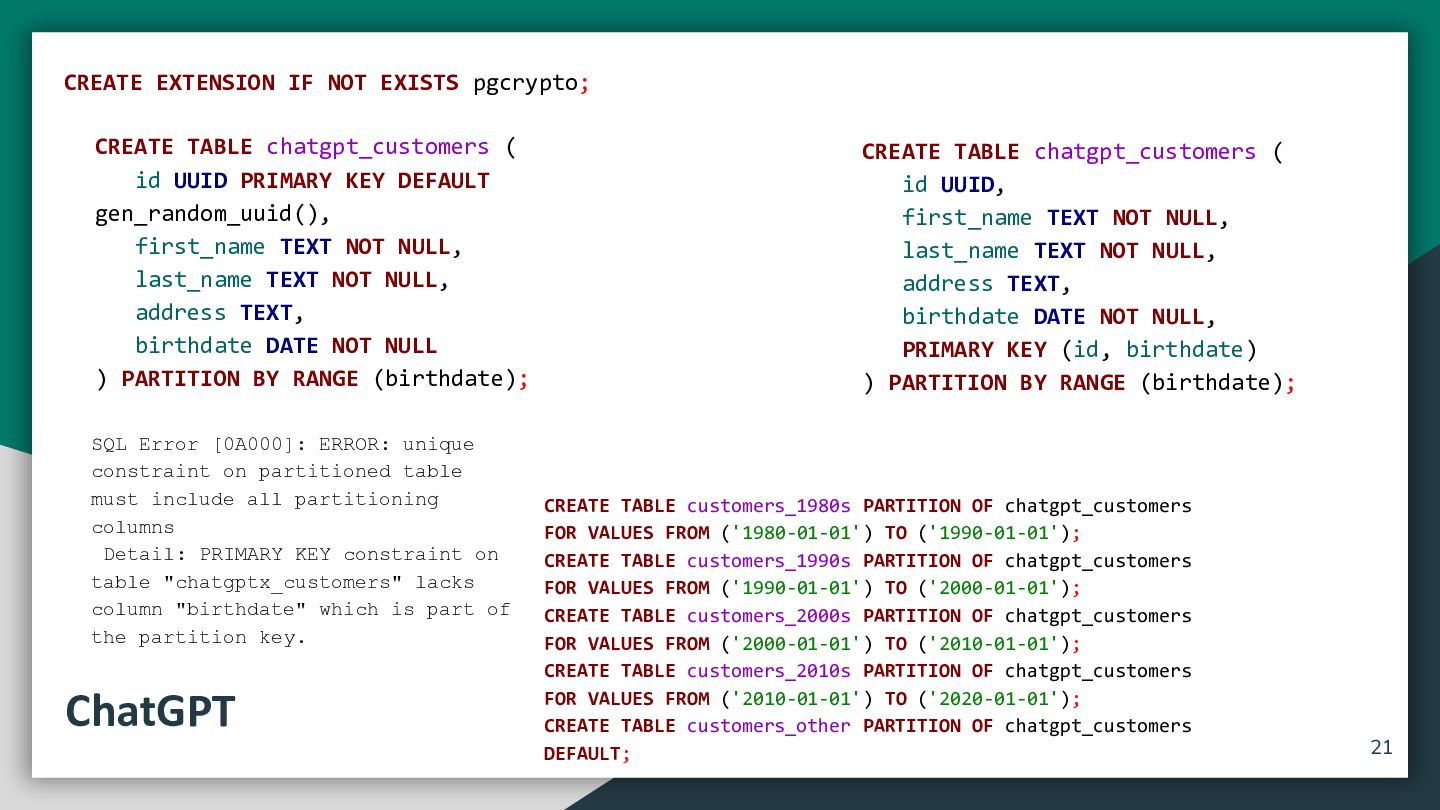
  16. CREATE EXTENSION IF NOT EXISTS pgcrypto; CREATE TABLE chatgpt_customers (

    id UUID PRIMARY KEY DEFAULT gen_random_uuid(), first_name TEXT NOT NULL, last_name TEXT NOT NULL, address TEXT, birthdate DATE NOT NULL ) PARTITION BY RANGE (birthdate); SQL Error [0A000]: ERROR: unique constraint on partitioned table must include all partitioning columns Detail: PRIMARY KEY constraint on table "chatgptx_customers" lacks column "birthdate" which is part of the partition key. ChatGPT CREATE TABLE chatgpt_customers ( id UUID, first_name TEXT NOT NULL, last_name TEXT NOT NULL, address TEXT, birthdate DATE NOT NULL, PRIMARY KEY (id, birthdate) ) PARTITION BY RANGE (birthdate); CREATE TABLE customers_1980s PARTITION OF chatgpt_customers FOR VALUES FROM ('1980-01-01') TO ('1990-01-01'); CREATE TABLE customers_1990s PARTITION OF chatgpt_customers FOR VALUES FROM ('1990-01-01') TO ('2000-01-01'); CREATE TABLE customers_2000s PARTITION OF chatgpt_customers FOR VALUES FROM ('2000-01-01') TO ('2010-01-01'); CREATE TABLE customers_2010s PARTITION OF chatgpt_customers FOR VALUES FROM ('2010-01-01') TO ('2020-01-01'); CREATE TABLE customers_other PARTITION OF chatgpt_customers DEFAULT; 21
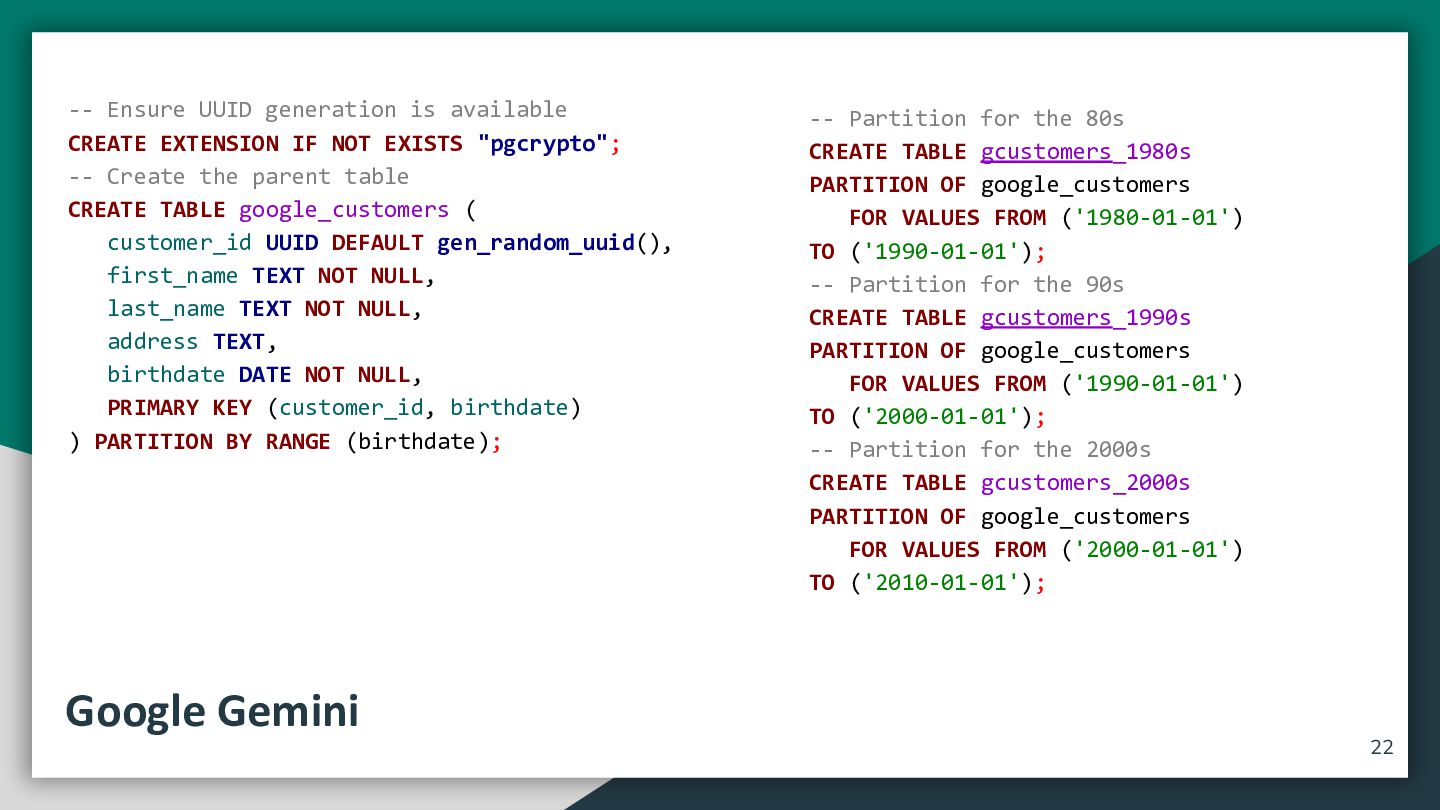
  17. -- Ensure UUID generation is available CREATE EXTENSION IF NOT

    EXISTS "pgcrypto"; -- Create the parent table CREATE TABLE google_customers ( customer_id UUID DEFAULT gen_random_uuid(), first_name TEXT NOT NULL, last_name TEXT NOT NULL, address TEXT, birthdate DATE NOT NULL, PRIMARY KEY (customer_id, birthdate) ) PARTITION BY RANGE (birthdate); Google Gemini -- Partition for the 80s CREATE TABLE gcustomers_1980s PARTITION OF google_customers FOR VALUES FROM ('1980-01-01') TO ('1990-01-01'); -- Partition for the 90s CREATE TABLE gcustomers_1990s PARTITION OF google_customers FOR VALUES FROM ('1990-01-01') TO ('2000-01-01'); -- Partition for the 2000s CREATE TABLE gcustomers_2000s PARTITION OF google_customers FOR VALUES FROM ('2000-01-01') TO ('2010-01-01'); 22
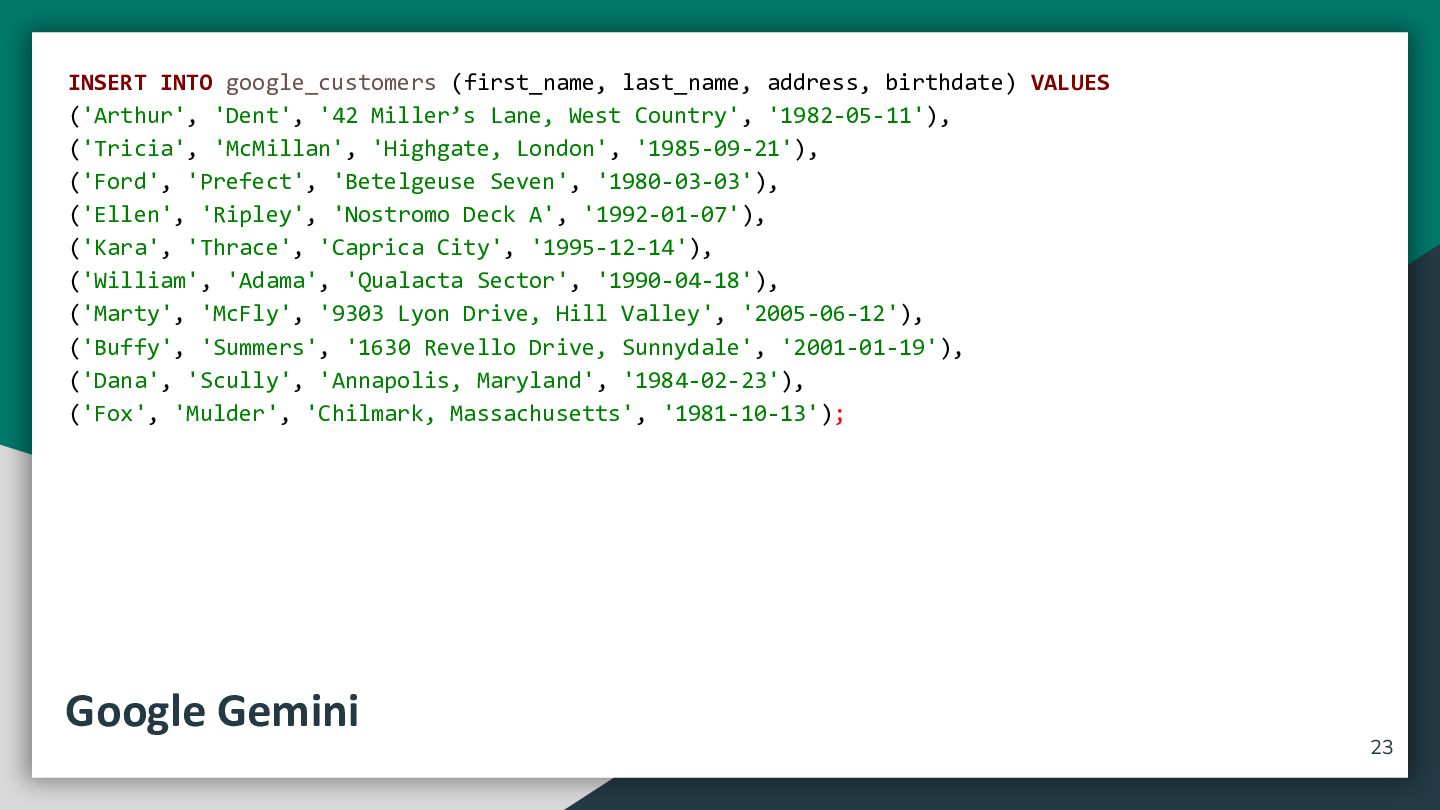
  18. INSERT INTO google_customers (first_name, last_name, address, birthdate) VALUES ('Arthur', 'Dent',

    '42 Miller’s Lane, West Country', '1982-05-11'), ('Tricia', 'McMillan', 'Highgate, London', '1985-09-21'), ('Ford', 'Prefect', 'Betelgeuse Seven', '1980-03-03'), ('Ellen', 'Ripley', 'Nostromo Deck A', '1992-01-07'), ('Kara', 'Thrace', 'Caprica City', '1995-12-14'), ('William', 'Adama', 'Qualacta Sector', '1990-04-18'), ('Marty', 'McFly', '9303 Lyon Drive, Hill Valley', '2005-06-12'), ('Buffy', 'Summers', '1630 Revello Drive, Sunnydale', '2001-01-19'), ('Dana', 'Scully', 'Annapolis, Maryland', '1984-02-23'), ('Fox', 'Mulder', 'Chilmark, Massachusetts', '1981-10-13'); Google Gemini 23
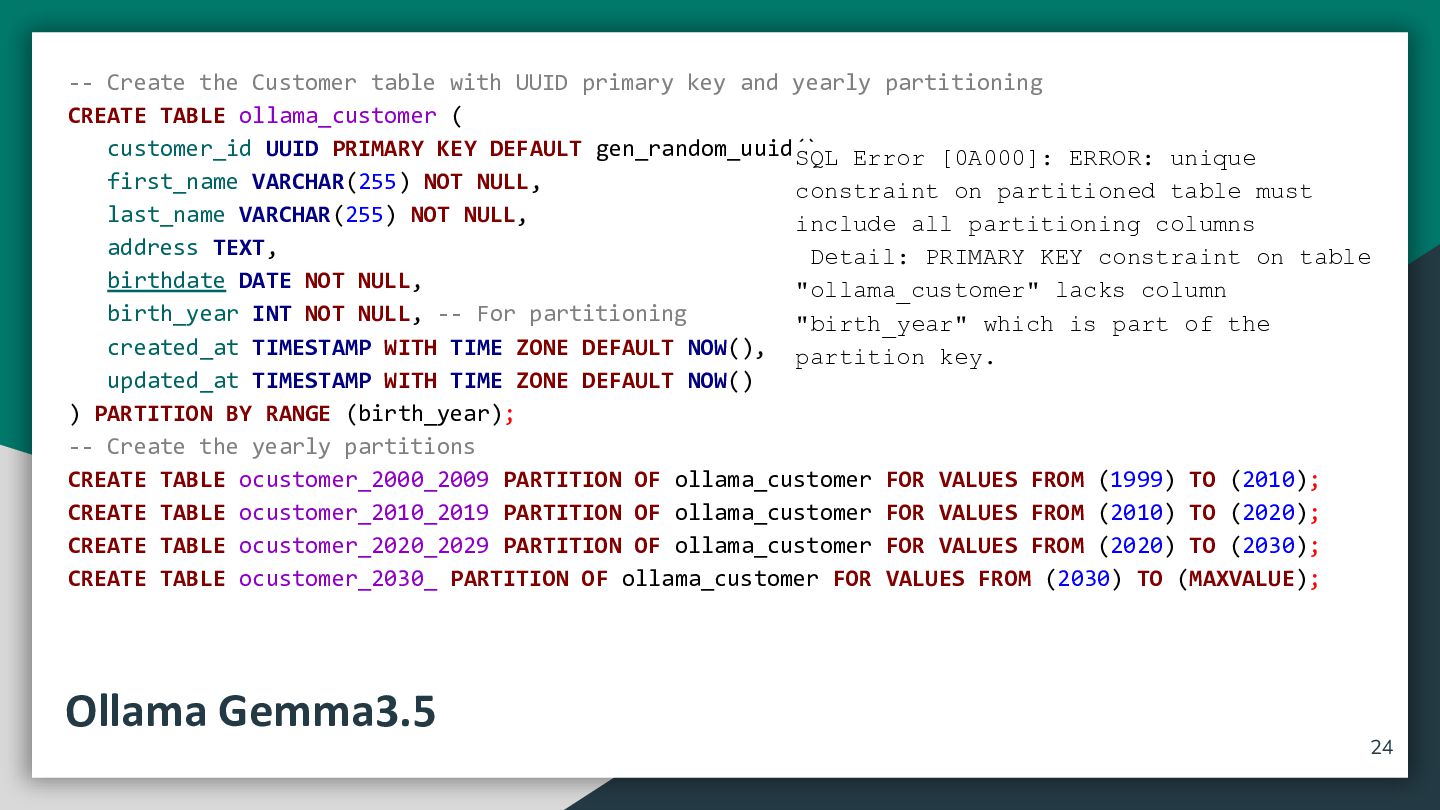
  19. -- Create the Customer table with UUID primary key and

    yearly partitioning CREATE TABLE ollama_customer ( customer_id UUID PRIMARY KEY DEFAULT gen_random_uuid(), SQL Error [0A000]: ERROR: unique first_name VARCHAR(255) NOT NULL, constraint on partitioned table must last_name VARCHAR(255) NOT NULL, include all partitioning columns address TEXT, Detail: PRIMARY KEY constraint on table birthdate DATE NOT NULL, "ollama_customer" lacks column birth_year INT NOT NULL, -- For partitioning "birth_year" which is part of the created_at TIMESTAMP WITH TIME ZONE DEFAULT NOW(), partition key. updated_at TIMESTAMP WITH TIME ZONE DEFAULT NOW() ) PARTITION BY RANGE (birth_year); -- Create the yearly partitions CREATE TABLE ocustomer_2000_2009 PARTITION OF ollama_customer FOR VALUES FROM (1999) TO (2010); CREATE TABLE ocustomer_2010_2019 PARTITION OF ollama_customer FOR VALUES FROM (2010) TO (2020); CREATE TABLE ocustomer_2020_2029 PARTITION OF ollama_customer FOR VALUES FROM (2020) TO (2030); CREATE TABLE ocustomer_2030_ PARTITION OF ollama_customer FOR VALUES FROM (2030) TO (MAXVALUE); Ollama Gemma3.5 24
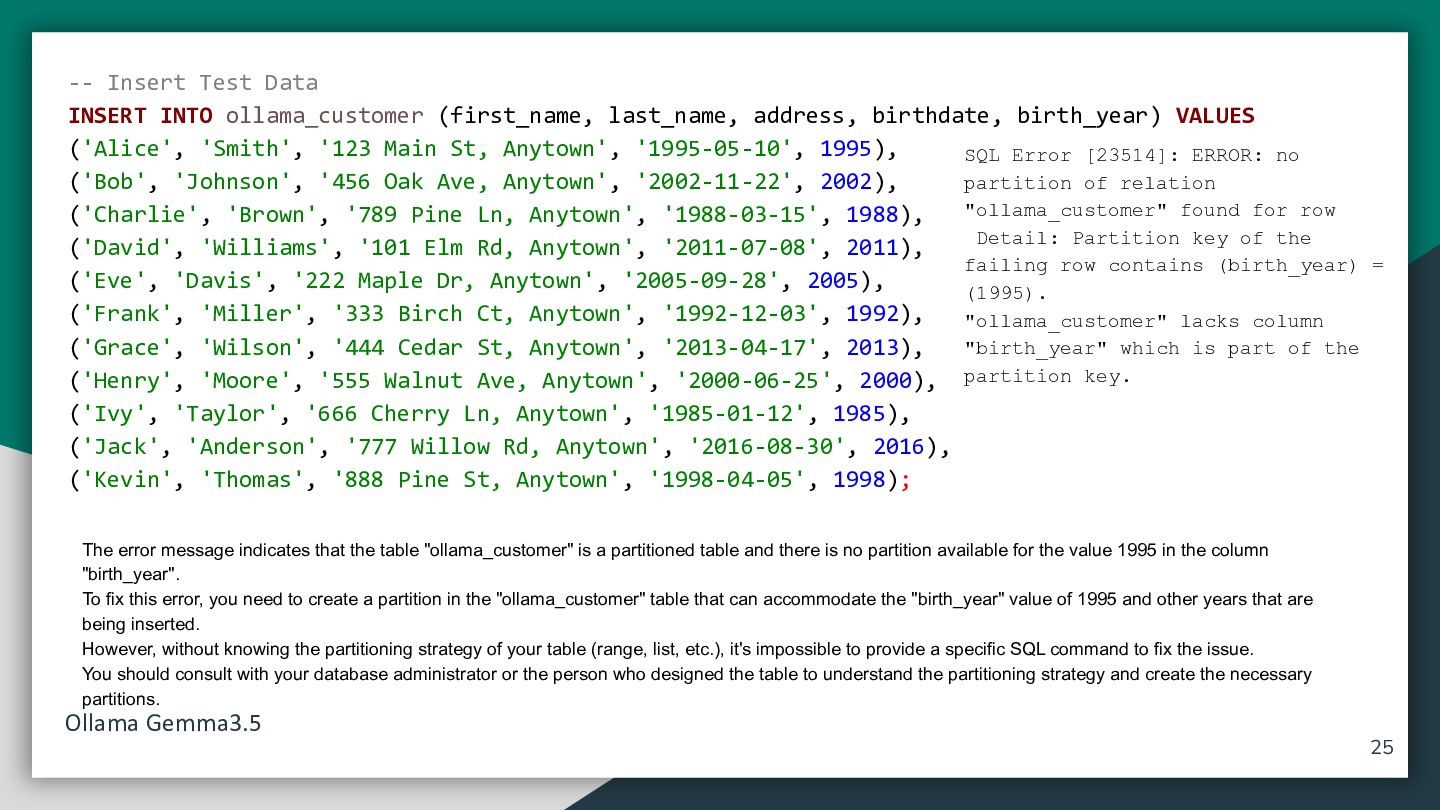
  20. -- Insert Test Data INSERT INTO ollama_customer (first_name, last_name, address,

    birthdate, birth_year) VALUES ('Alice', 'Smith', '123 Main St, Anytown', '1995-05-10', 1995), SQL Error [23514]: ERROR: no partition of relation ('Bob', 'Johnson', '456 Oak Ave, Anytown', '2002-11-22', 2002), "ollama_customer" found for row ('Charlie', 'Brown', '789 Pine Ln, Anytown', '1988-03-15', 1988), Detail: Partition key of the ('David', 'Williams', '101 Elm Rd, Anytown', '2011-07-08', 2011), failing row contains (birth_year) = ('Eve', 'Davis', '222 Maple Dr, Anytown', '2005-09-28', 2005), (1995). ('Frank', 'Miller', '333 Birch Ct, Anytown', '1992-12-03', 1992), "ollama_customer" lacks column "birth_year" which is part of the ('Grace', 'Wilson', '444 Cedar St, Anytown', '2013-04-17', 2013), ('Henry', 'Moore', '555 Walnut Ave, Anytown', '2000-06-25', 2000), partition key. ('Ivy', 'Taylor', '666 Cherry Ln, Anytown', '1985-01-12', 1985), ('Jack', 'Anderson', '777 Willow Rd, Anytown', '2016-08-30', 2016), ('Kevin', 'Thomas', '888 Pine St, Anytown', '1998-04-05', 1998); The error message indicates that the table "ollama_customer" is a partitioned table and there is no partition available for the value 1995 in the column "birth_year". To fix this error, you need to create a partition in the "ollama_customer" table that can accommodate the "birth_year" value of 1995 and other years that are being inserted. However, without knowing the partitioning strategy of your table (range, list, etc.), it's impossible to provide a specific SQL command to fix the issue. You should consult with your database administrator or the person who designed the table to understand the partitioning strategy and create the necessary partitions. Ollama Gemma3.5 25
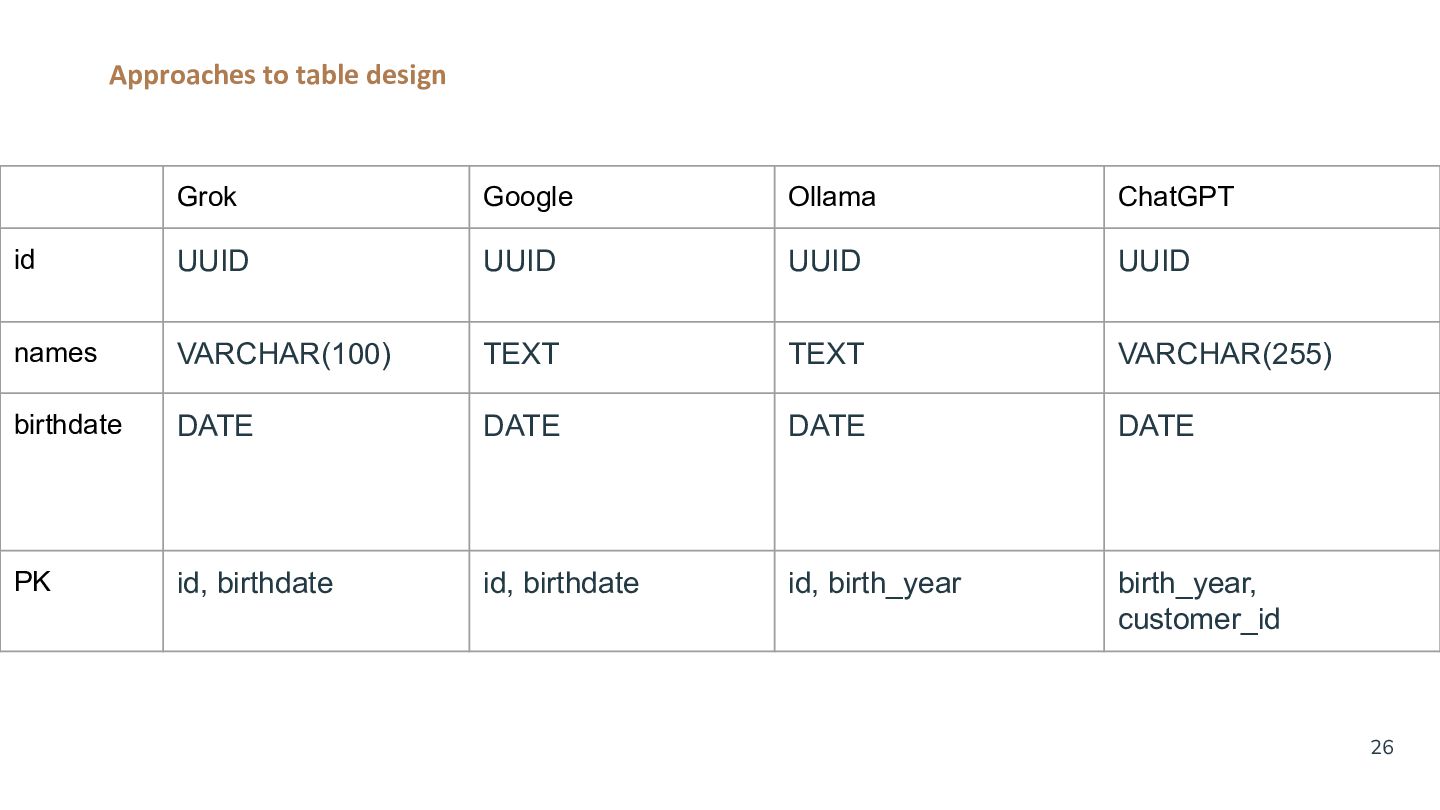
  21. Approaches to table design Grok Google Ollama ChatGPT id UUID

    UUID UUID UUID names VARCHAR(100) TEXT TEXT VARCHAR(255) birthdate DATE DATE DATE DATE PK id, birthdate id, birthdate id, birth_year birth_year, customer_id 26
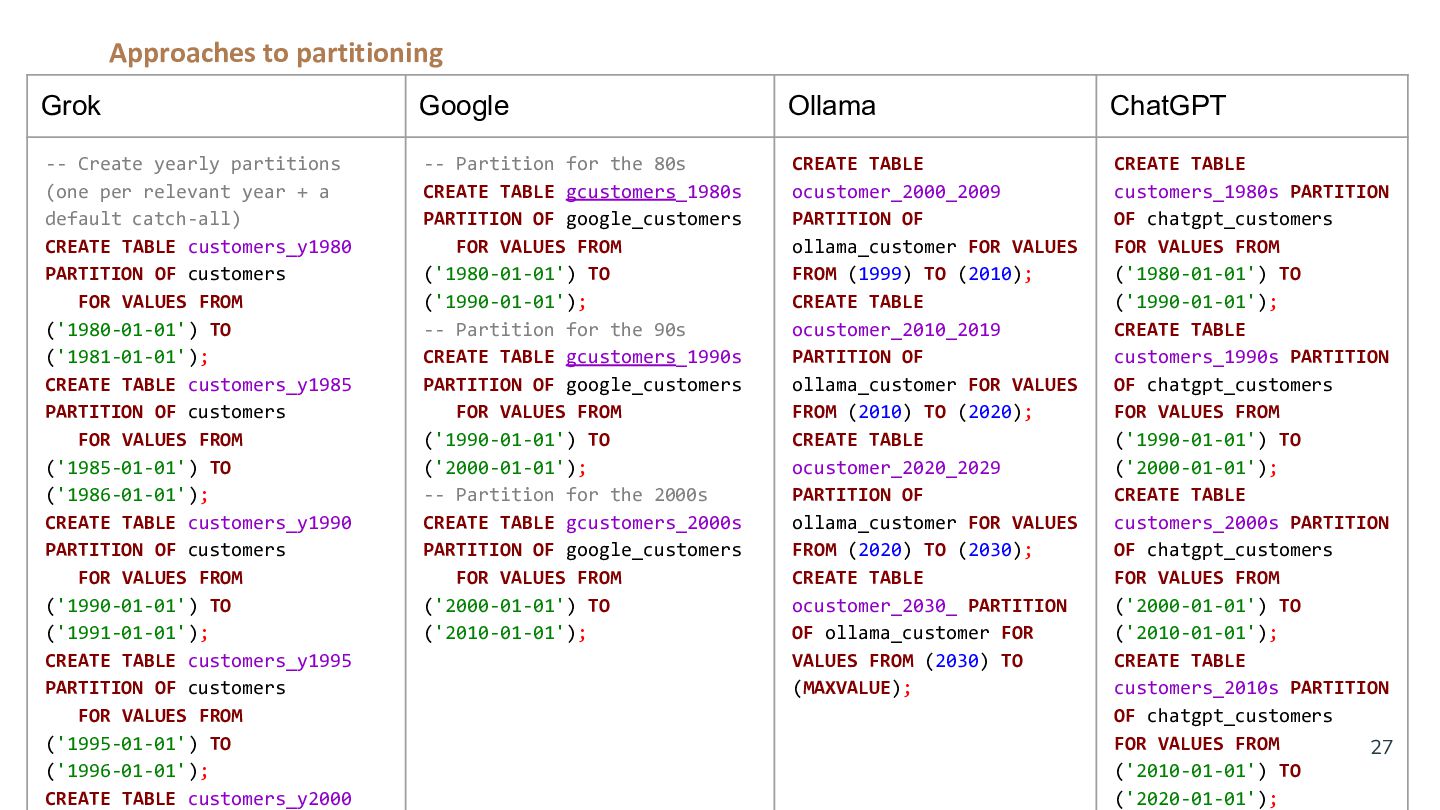
  22. Approaches to partitioning Grok Google Ollama ChatGPT -- Create yearly

    partitions (one per relevant year + a default catch-all) CREATE TABLE customers_y1980 PARTITION OF customers FOR VALUES FROM ('1980-01-01') TO ('1981-01-01'); CREATE TABLE customers_y1985 PARTITION OF customers FOR VALUES FROM ('1985-01-01') TO ('1986-01-01'); CREATE TABLE customers_y1990 PARTITION OF customers FOR VALUES FROM ('1990-01-01') TO ('1991-01-01'); CREATE TABLE customers_y1995 PARTITION OF customers FOR VALUES FROM ('1995-01-01') TO ('1996-01-01'); CREATE TABLE customers_y2000 -- Partition for the 80s CREATE TABLE gcustomers_1980s PARTITION OF google_customers FOR VALUES FROM ('1980-01-01') TO ('1990-01-01'); -- Partition for the 90s CREATE TABLE gcustomers_1990s PARTITION OF google_customers FOR VALUES FROM ('1990-01-01') TO ('2000-01-01'); -- Partition for the 2000s CREATE TABLE gcustomers_2000s PARTITION OF google_customers FOR VALUES FROM ('2000-01-01') TO ('2010-01-01'); CREATE TABLE ocustomer_2000_2009 PARTITION OF ollama_customer FOR VALUES FROM (1999) TO (2010); CREATE TABLE ocustomer_2010_2019 PARTITION OF ollama_customer FOR VALUES FROM (2010) TO (2020); CREATE TABLE ocustomer_2020_2029 PARTITION OF ollama_customer FOR VALUES FROM (2020) TO (2030); CREATE TABLE ocustomer_2030_ PARTITION OF ollama_customer FOR VALUES FROM (2030) TO (MAXVALUE); CREATE TABLE customers_1980s PARTITION OF chatgpt_customers FOR VALUES FROM ('1980-01-01') TO ('1990-01-01'); CREATE TABLE customers_1990s PARTITION OF chatgpt_customers FOR VALUES FROM ('1990-01-01') TO ('2000-01-01'); CREATE TABLE customers_2000s PARTITION OF chatgpt_customers FOR VALUES FROM ('2000-01-01') TO ('2010-01-01'); CREATE TABLE customers_2010s PARTITION OF chatgpt_customers FOR VALUES FROM 27 ('2010-01-01') TO ('2020-01-01');
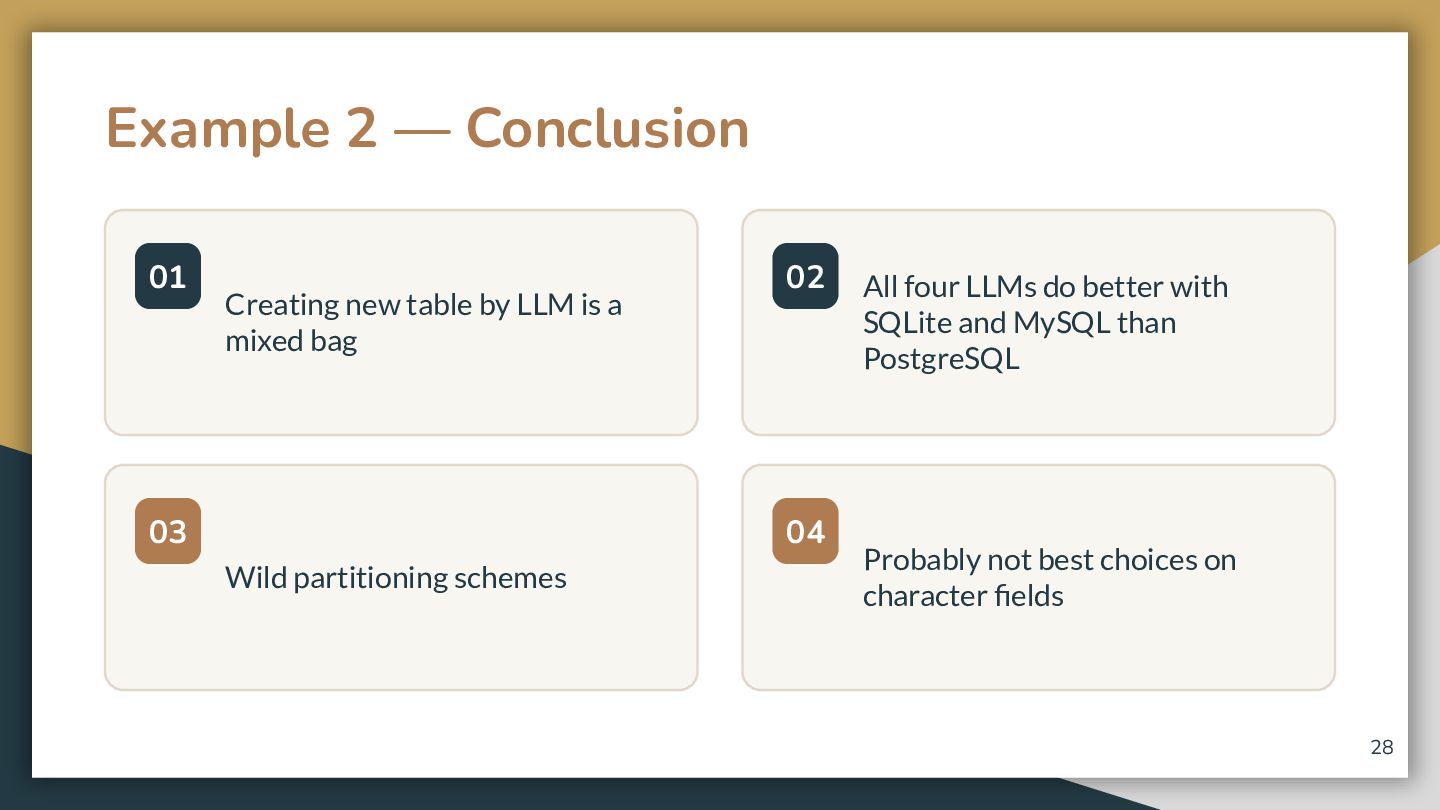
  23. Example 2 — Conclusion 01 Creating new table by LLM

    is a mixed bag 03 02 04 Wild partitioning schemes All four LLMs do better with SQLite and MySQL than PostgreSQL Probably not best choices on character fields 28
  24. DBeaver’s AI Assistant 01 02 03 Default Security Scope By

    default, gets only the metadata (DDL) of the schema. Optional Data & Keys Optionally include Foreign Keys or Data samples for enhanced queries. Granular Table Control Select specific tables to be used and easily exclude others. 29
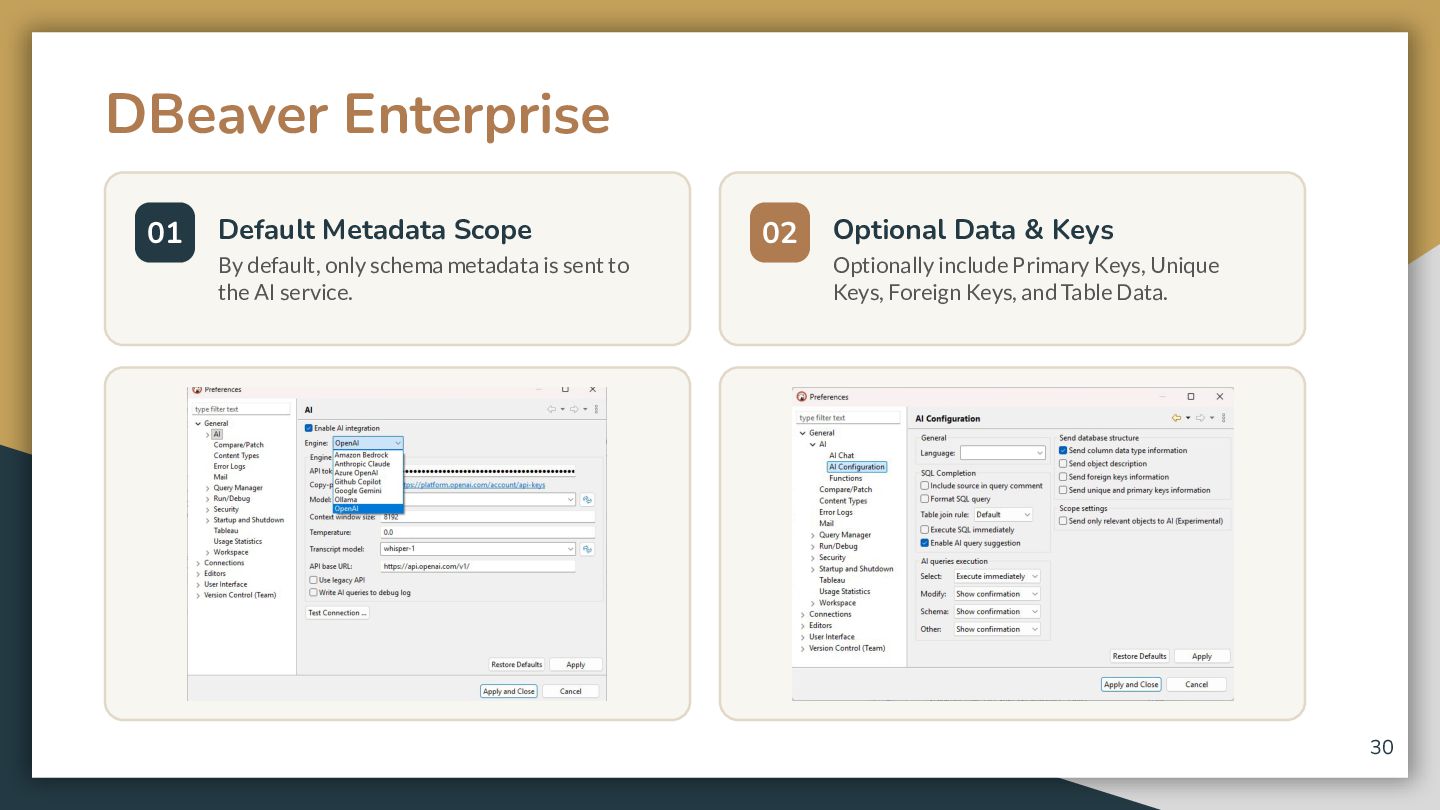
  25. DBeaver Enterprise 01 Default Metadata Scope By default, only schema

    metadata is sent to the AI service. 02 Optional Data & Keys Optionally include Primary Keys, Unique Keys, Foreign Keys, and Table Data. 30
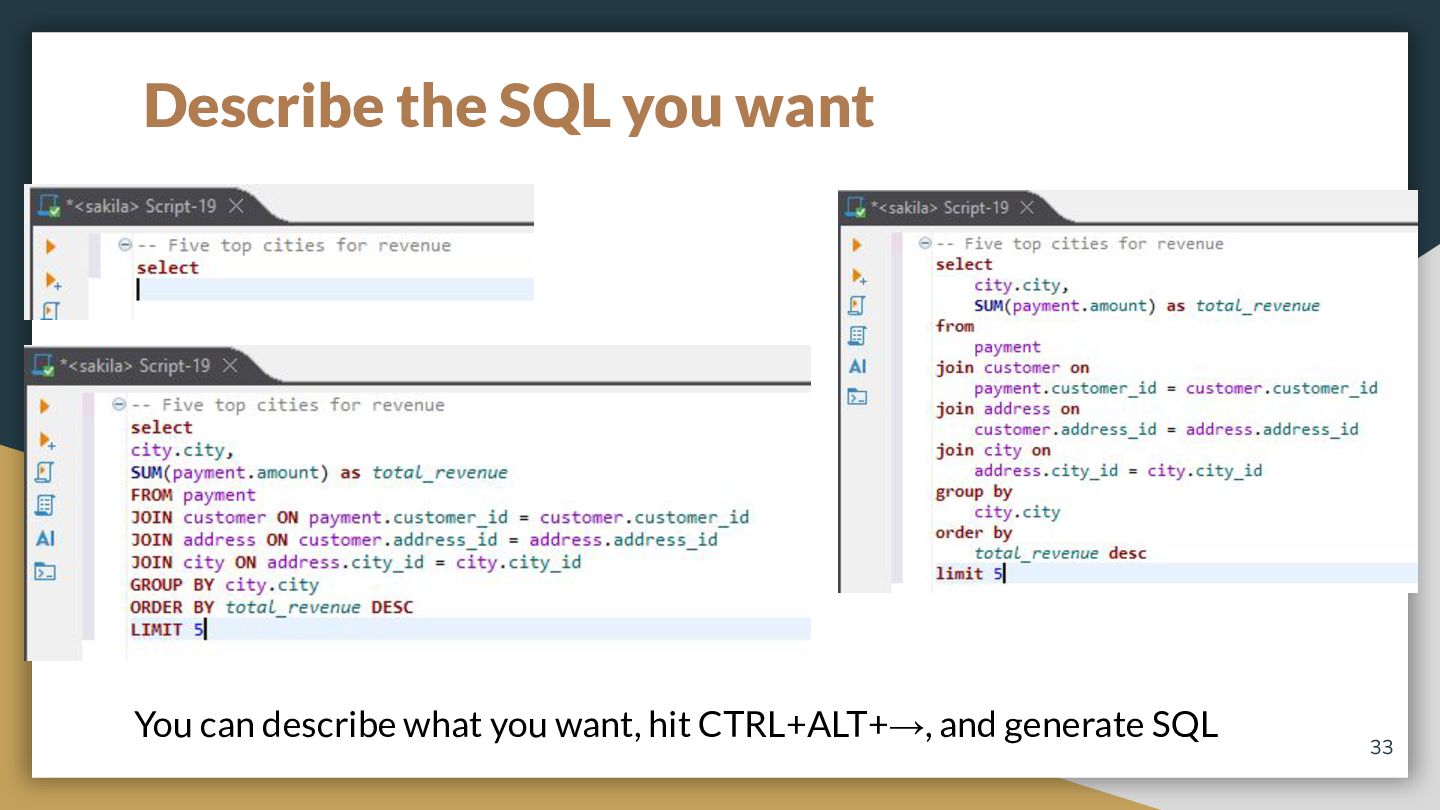
  26. Describe the SQL you want You can describe what you

    want, hit CTRL+ALT+→, and generate SQL 33
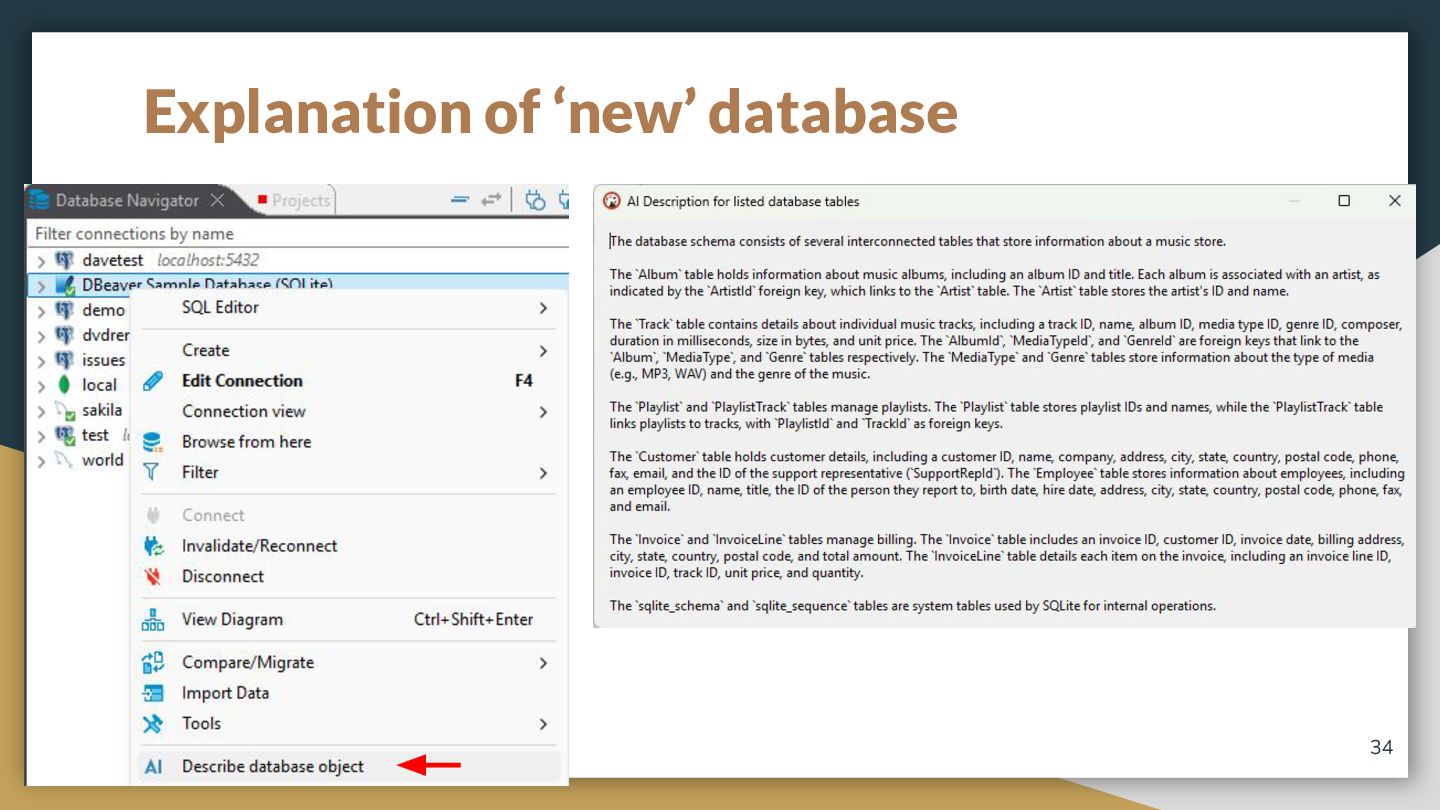
  27. Explanation of ‘new’ database Someone tosses a database ‘over the

    wall’ and you need to know about it ASAP 34
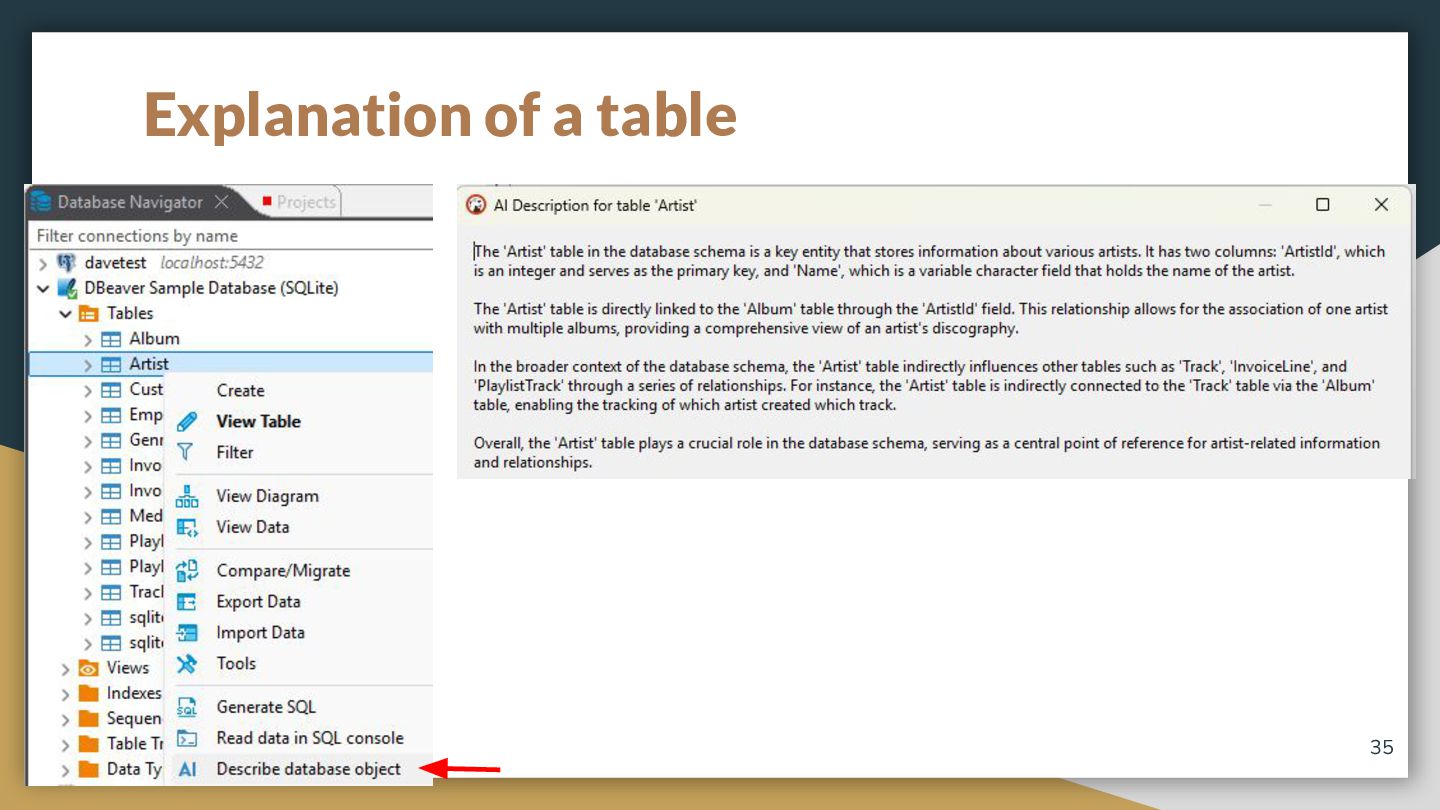
  28. Explanation of a table Or maybe it is just a

    table you need to understand 35
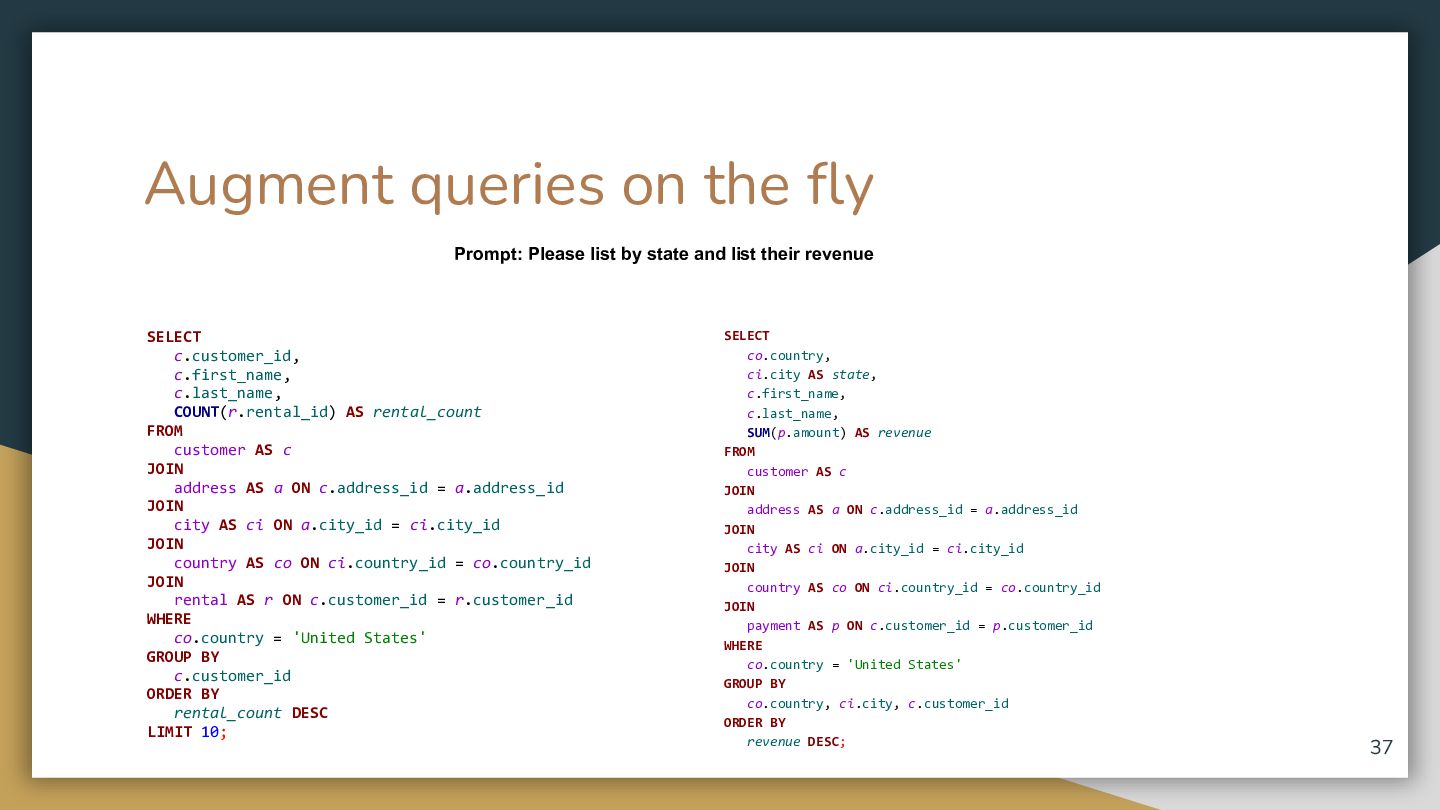
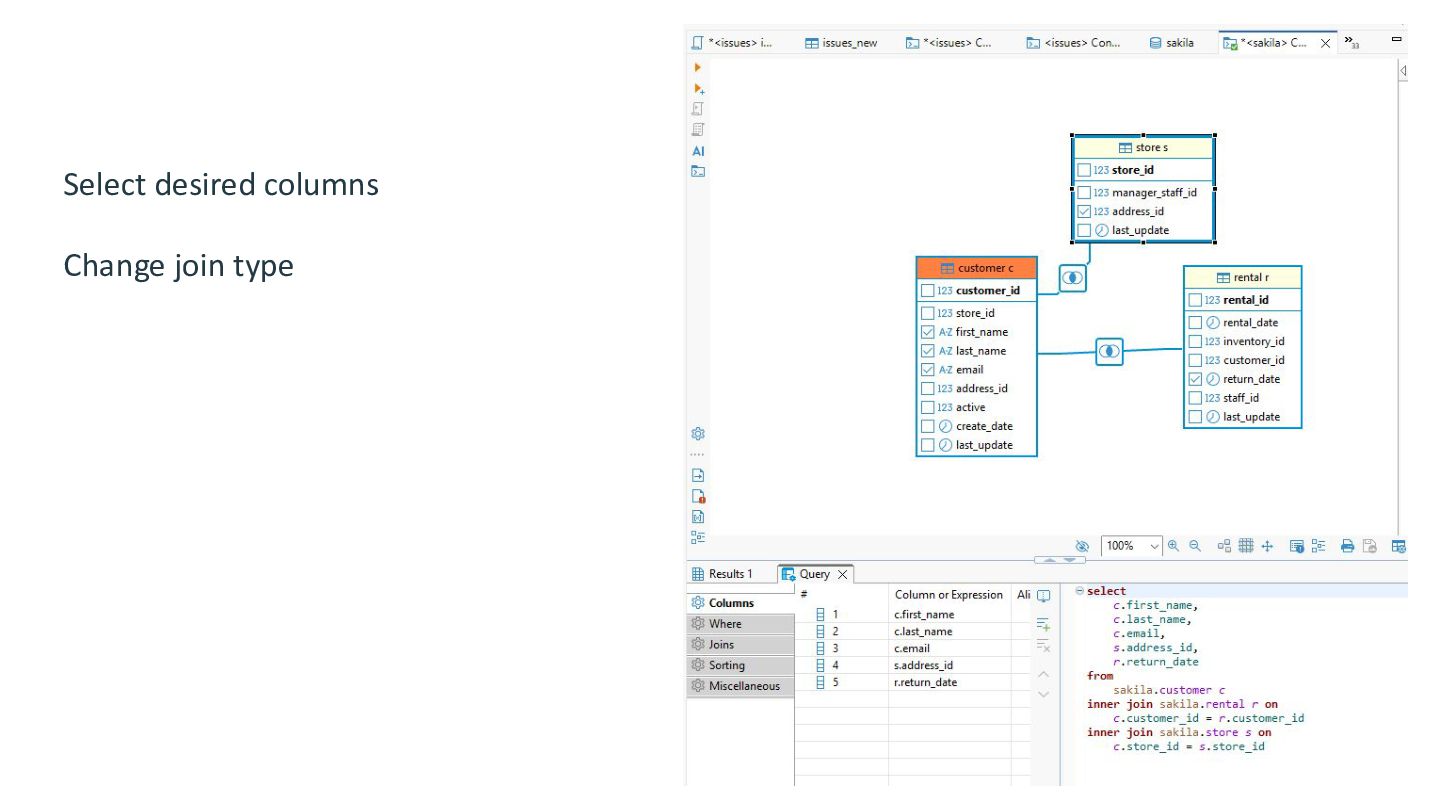
  29. Augment queries on the fly Prompt: Please list by state

    and list their revenue SELECT c.customer_id, c.first_name, c.last_name, COUNT(r.rental_id) AS rental_count FROM customer AS c JOIN address AS a ON c.address_id = a.address_id JOIN city AS ci ON a.city_id = ci.city_id JOIN country AS co ON ci.country_id = co.country_id JOIN rental AS r ON c.customer_id = r.customer_id WHERE co.country = 'United States' GROUP BY c.customer_id ORDER BY rental_count DESC LIMIT 10; SELECT co.country, ci.city AS state, c.first_name, c.last_name, SUM(p.amount) AS revenue FROM customer AS c JOIN address AS a ON c.address_id = a.address_id JOIN city AS ci ON a.city_id = ci.city_id JOIN country AS co ON ci.country_id = co.country_id JOIN payment AS p ON c.customer_id = p.customer_id WHERE co.country = 'United States' GROUP BY co.country, ci.city, c.customer_id ORDER BY revenue DESC; 37
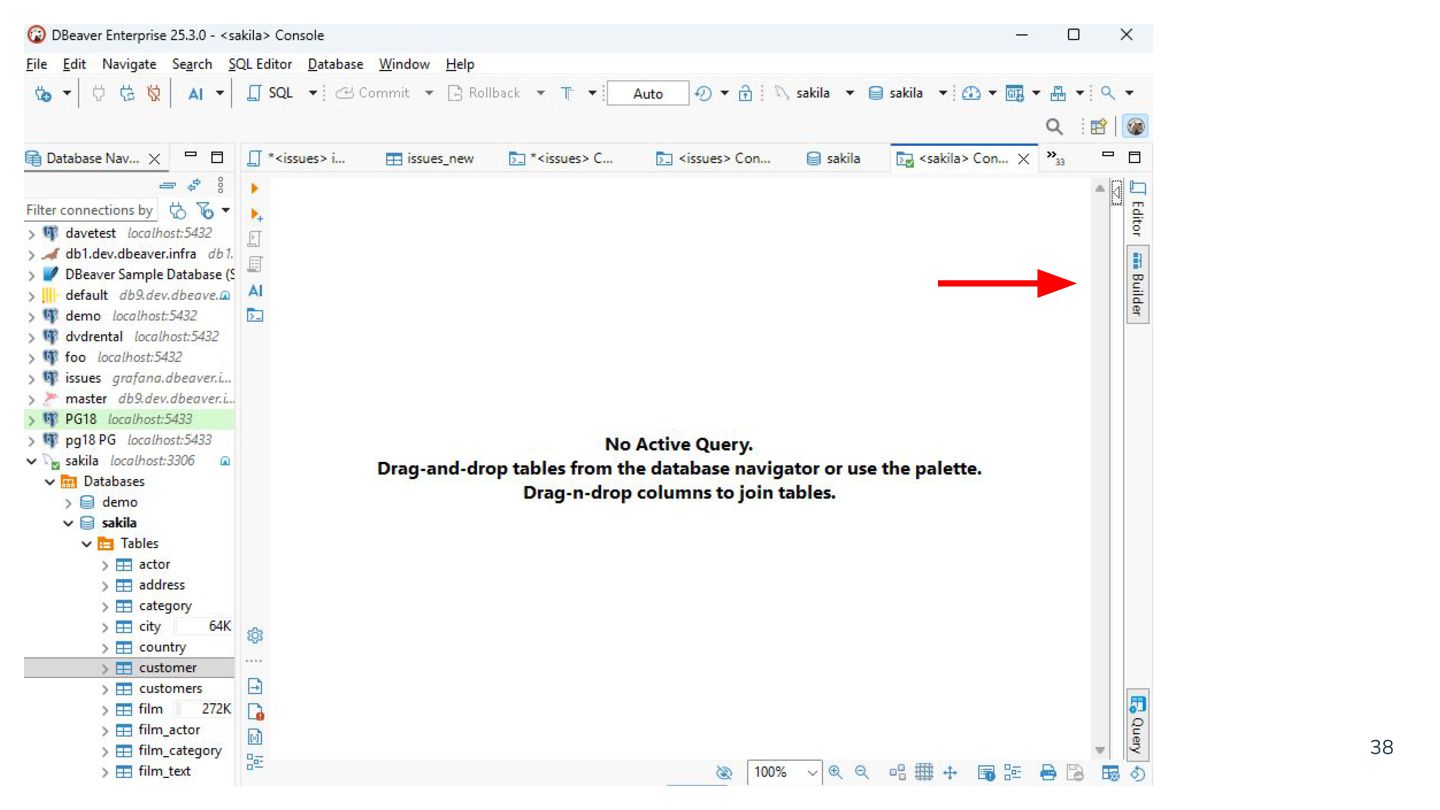
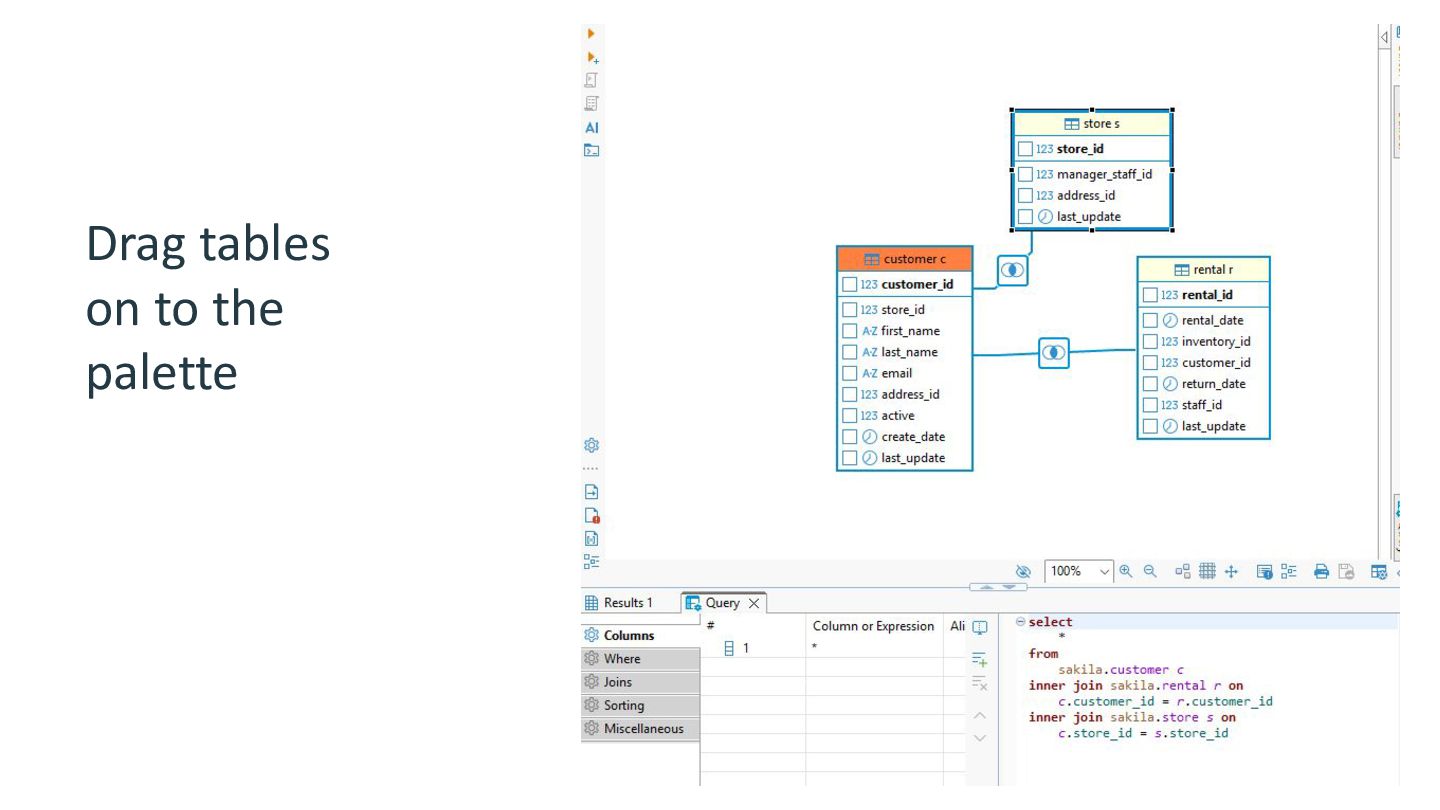
  30. 38

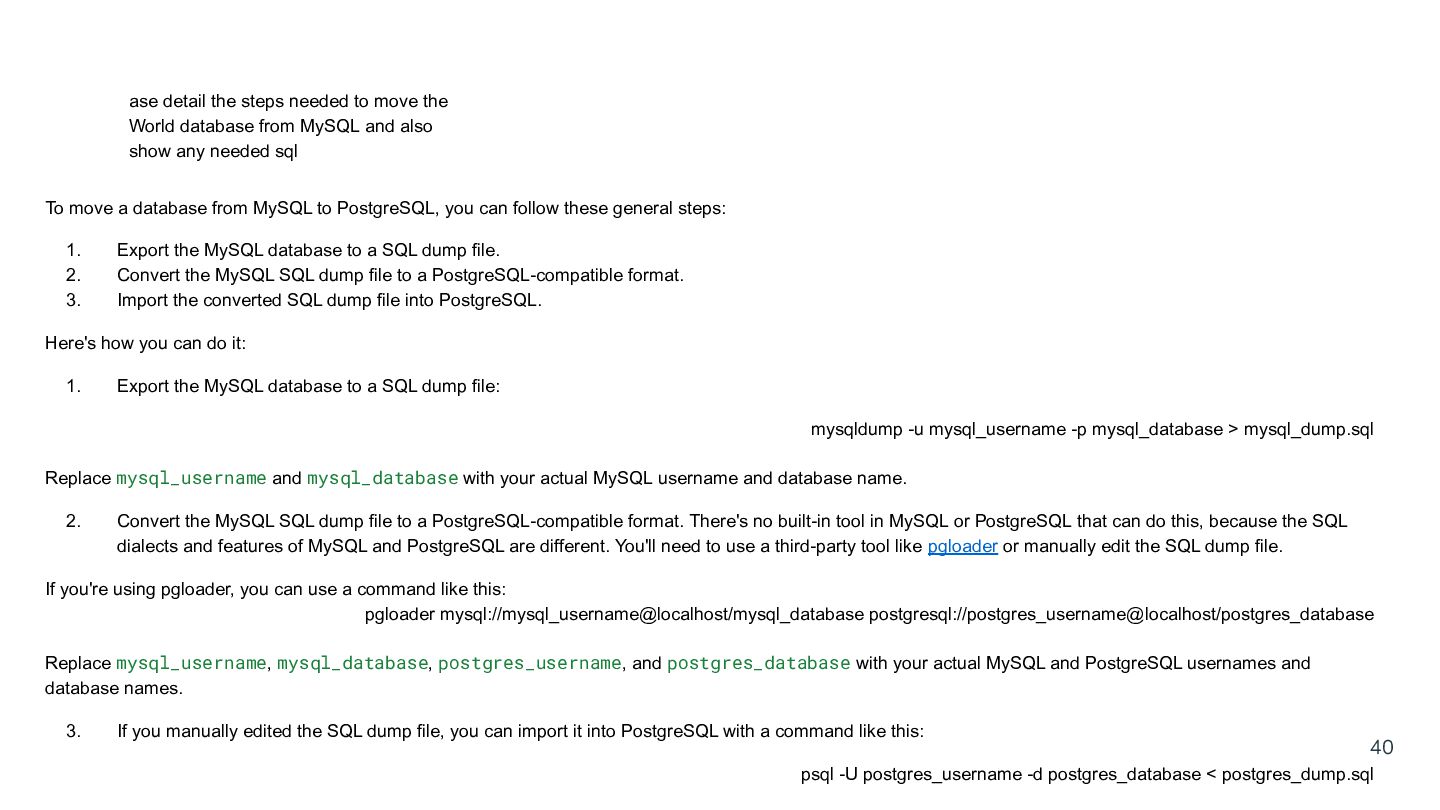
  31. ase detail the steps needed to move the World database

    from MySQL and also show any needed sql To move a database from MySQL to PostgreSQL, you can follow these general steps: 1. 2. 3. Export the MySQL database to a SQL dump file. Convert the MySQL SQL dump file to a PostgreSQL-compatible format. Import the converted SQL dump file into PostgreSQL. Here's how you can do it: 1. Export the MySQL database to a SQL dump file: mysqldump -u mysql_username -p mysql_database > mysql_dump.sql Replace mysql_username and mysql_database with your actual MySQL username and database name. 2. Convert the MySQL SQL dump file to a PostgreSQL-compatible format. There's no built-in tool in MySQL or PostgreSQL that can do this, because the SQL dialects and features of MySQL and PostgreSQL are different. You'll need to use a third-party tool like pgloader or manually edit the SQL dump file. If you're using pgloader, you can use a command like this: pgloader mysql://mysql_username@localhost/mysql_database postgresql://postgres_username@localhost/postgres_database Replace mysql_username, mysql_database, postgres_username, and postgres_database with your actual MySQL and PostgreSQL usernames and database names. 3. If you manually edited the SQL dump file, you can import it into PostgreSQL with a command like this: 40 psql -U postgres_username -d postgres_database < postgres_dump.sql
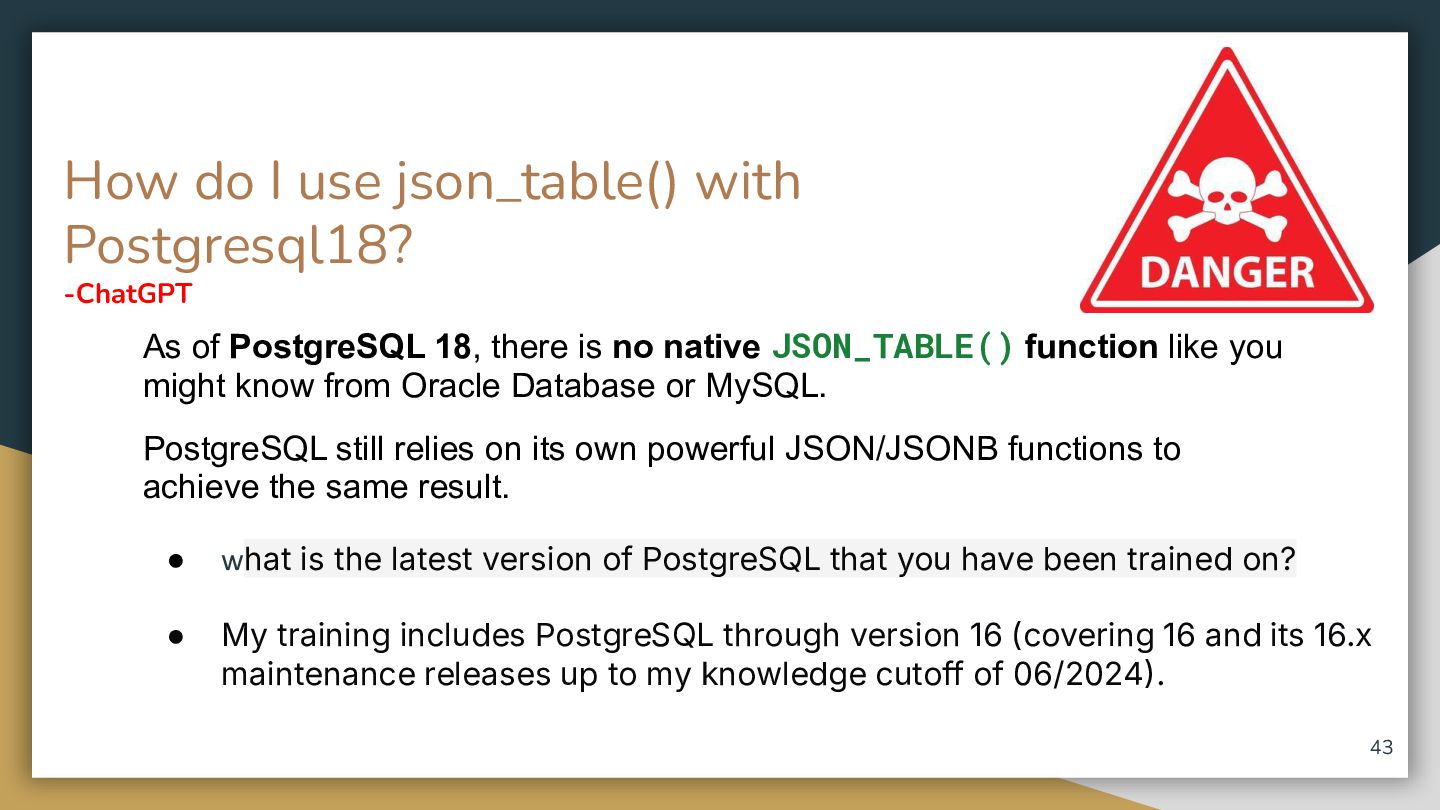
  32. How do I use json_table() with Postgresql18? -ChatGPT As of

    PostgreSQL 18, there is no native JSON_TABLE() function like you might know from Oracle Database or MySQL. PostgreSQL still relies on its own powerful JSON/JSONB functions to achieve the same result. • what is the latest version of PostgreSQL that you have been trained on? • My training includes PostgreSQL through version 16 (covering 16 and its 16.x maintenance releases up to my knowledge cutoff of 06/2024. 43
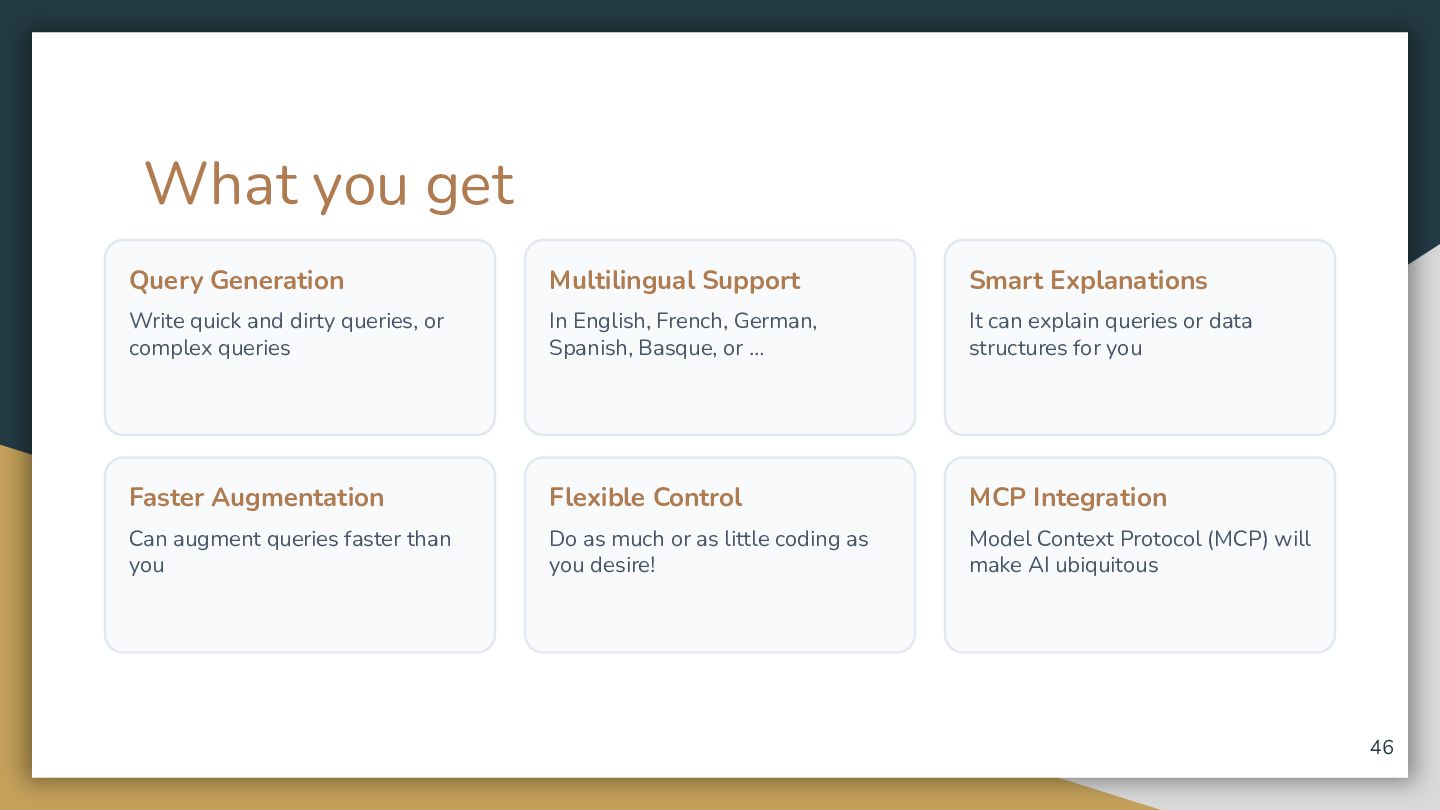
  33. What you get Query Generation Multilingual Support Smart Explanations Write

    quick and dirty queries, or complex queries In English, French, German, Spanish, Basque, or … It can explain queries or data structures for you Faster Augmentation Flexible Control MCP Integration Can augment queries faster than you Do as much or as little coding as you desire! Model Context Protocol (MCP) will make AI ubiquitous 46
  34. Thank you for your attention! Official Website DBeaver.com Contact &

    Connect [email protected] [link removed] Presentation Deck [link removed] page 48 48