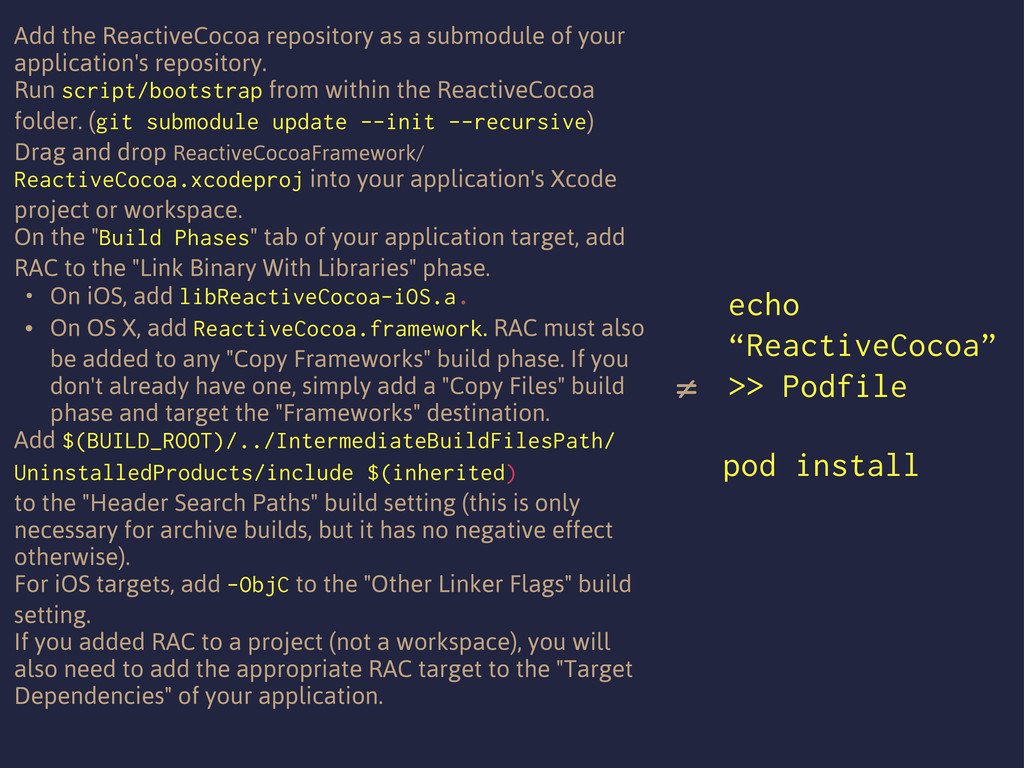
repository. Run script/bootstrap from within the ReactiveCocoa folder. (git submodule update --init --recursive) Drag and drop ReactiveCocoaFramework/ ReactiveCocoa.xcodeproj into your application's Xcode project or workspace. On the "Build Phases" tab of your application target, add RAC to the "Link Binary With Libraries" phase. • On iOS, add libReactiveCocoa-iOS.a. • On OS X, add ReactiveCocoa.framework. RAC must also be added to any "Copy Frameworks" build phase. If you don't already have one, simply add a "Copy Files" build phase and target the "Frameworks" destination. Add $(BUILD_ROOT)/../IntermediateBuildFilesPath/ UninstalledProducts/include $(inherited) to the "Header Search Paths" build setting (this is only necessary for archive builds, but it has no negative effect otherwise). For iOS targets, add -ObjC to the "Other Linker Flags" build setting. If you added RAC to a project (not a workspace), you will also need to add the appropriate RAC target to the "Target Dependencies" of your application. ≠ pod install echo “ReactiveCocoa” >> Podfile

 SiteGround - Reliable hosting with speed, security, and support you can count on.


 odashi
 akitoshiga
 raspython3
 ueponx
 makocchi
 masakiokuda
 pfn
pfn
 prog893
 y0hgi
y0hgi
 bgpat
bgpat
 teamlab
 takahashim
 codingconduct
 tmiket
 aleyda
 cassininazir
 denniskardys
 sarafernandez
 madoxten
 csswizardry
 soysaucechin
 geshan
 destraynor