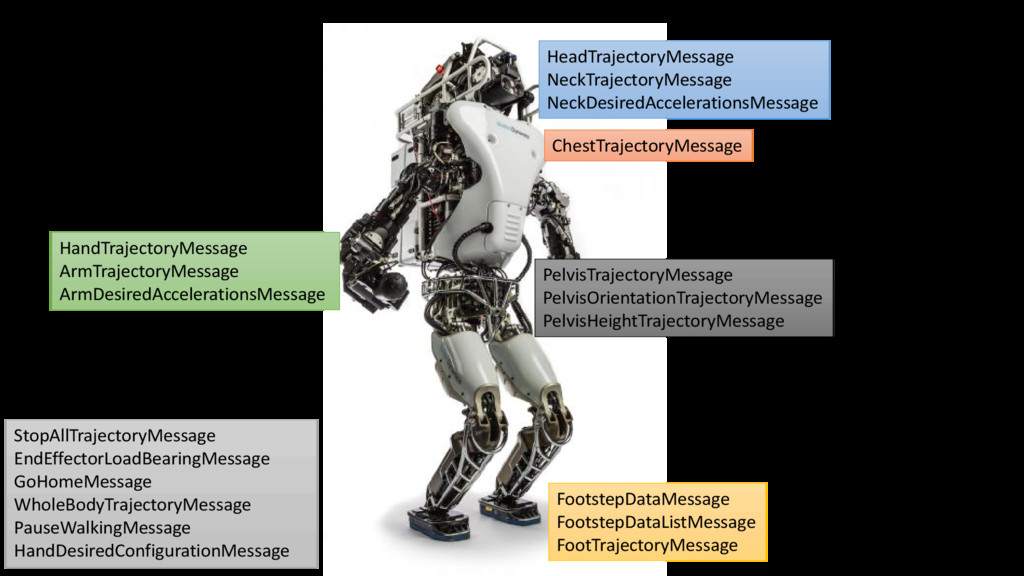
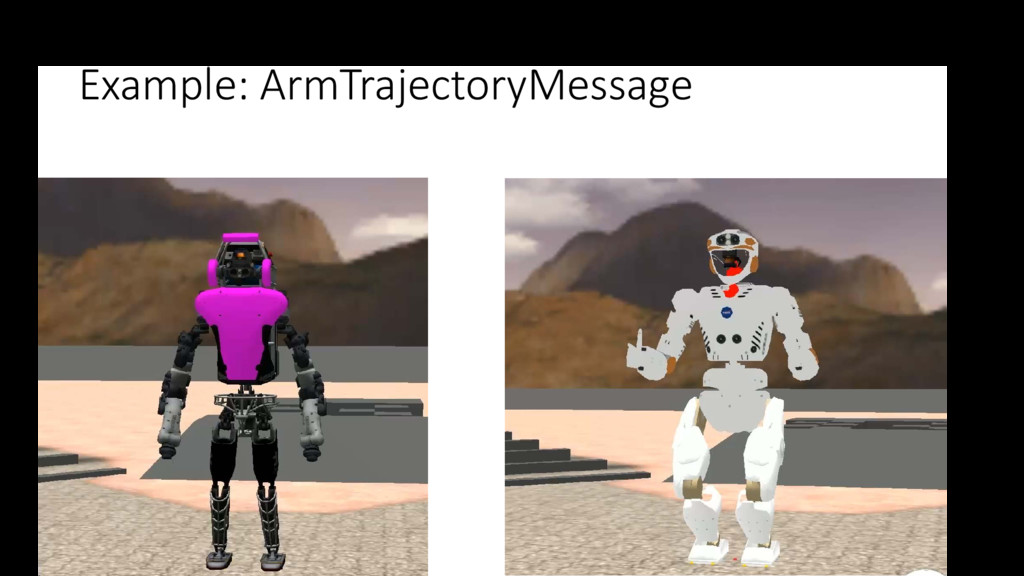
controller, each message is validated using PacketValidityChecker to check the sanity of the data. • A message with an id == INVALID_MESSAGE_ID (= 0L) will be thrown away. • Some messages are “queue-able”, i.e. HandTrajectoryMessage, ArmTrajectoryMessage, FootTrajectoryMessage, and ChestTrajectoryMessage. By setting the message field ExecutionMode, the user can choose whether such the message should be queued or should override the message being executed.
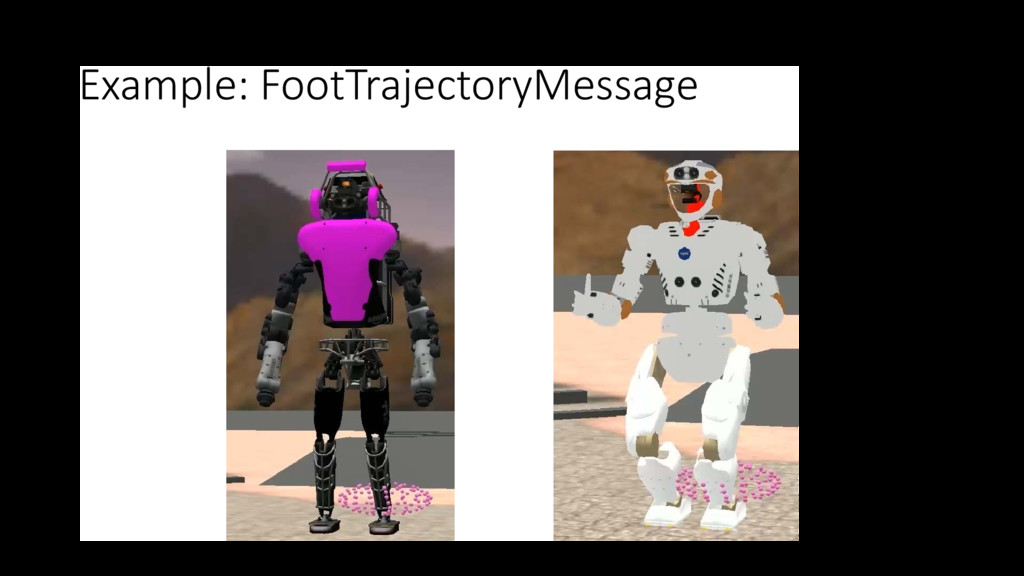
• HandTrajectoryMessage, • ArmTrajectoryMessage, • FootTrajectoryMessage, • ChestTrajectoryMessage. • By setting the message field ExecutionMode, the user can choose whether such the message should be queued or should override the message being executed.
requested to go a controller predefined home position (safe configuration) in a given time: • Arm • Chest • Pelvis • Home configurations: • Arm: the configuration that robot starts in. • Chest: upward orientation facing forward. • Pelvis: orientation leveled to the ground, facing forward, position between the feet, and height at which the robot starts in.
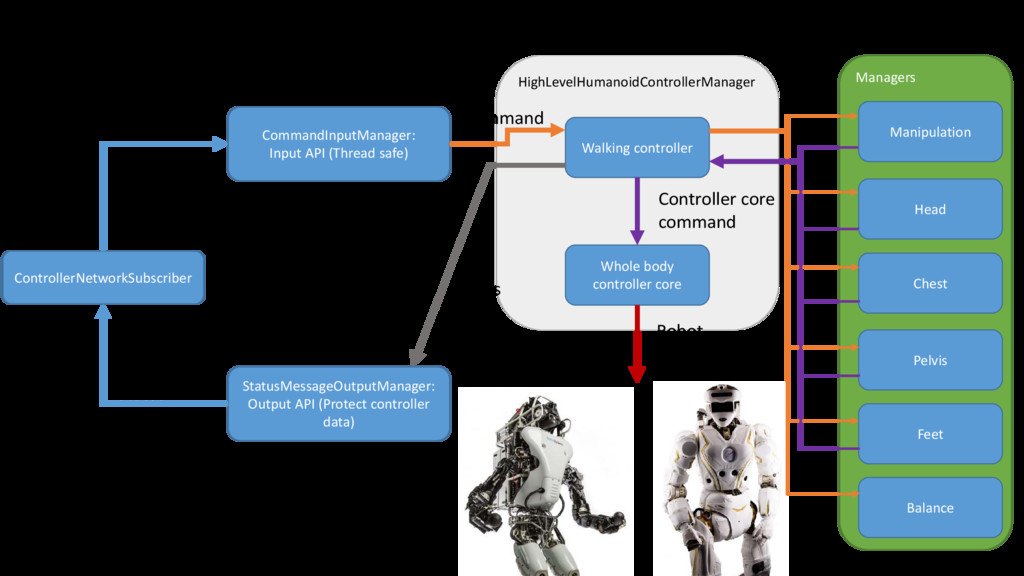
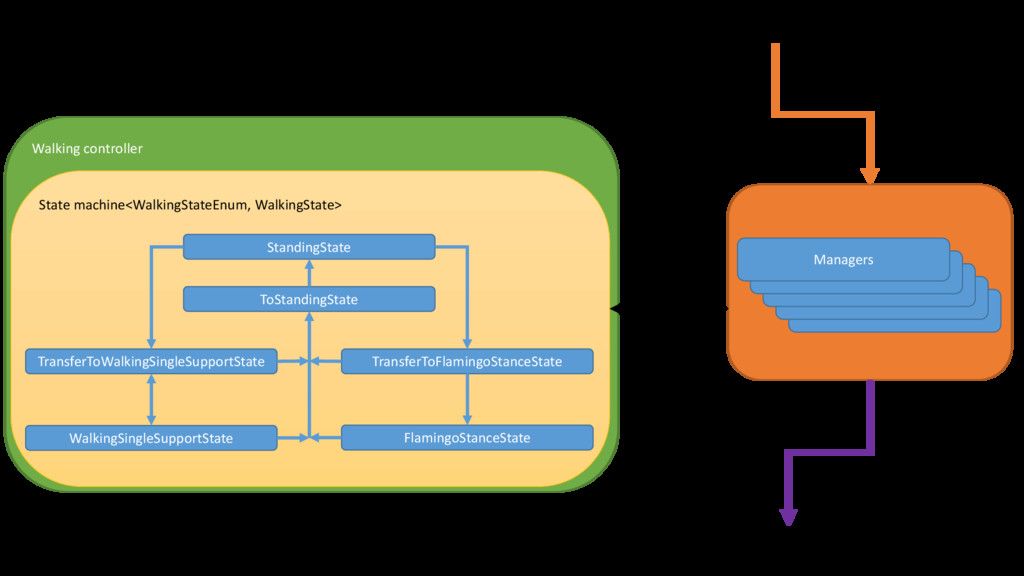
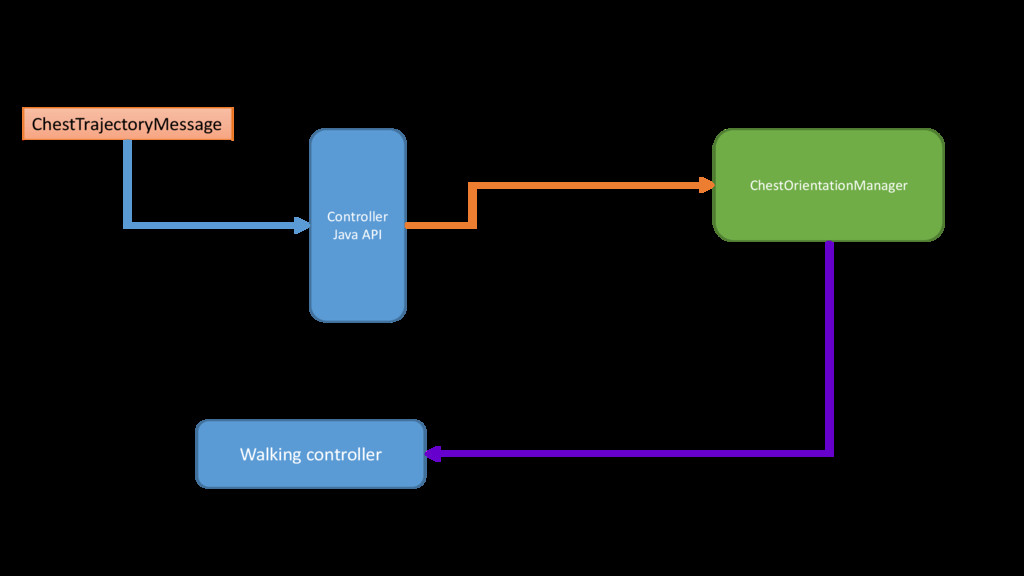
directly with the different managers. • It has full control on each manager. • The managers cannot interact directly with the “outside world”. They interact with the walking controller which either passes or stops the flow of information.
received by the ControllerNetworkSubscriber: • A received message is first validated. • Bad messages are thrown away and the user is notified with a InvalidPacketNotificationPacket. • Good message are then passed to the CommandInputManager. • The CommandInputManager converts the messages supported by the controller into equivalent Command: • ArmTrajectoryMessage->ArmTrajectoryCommand • This conversion is to deal with implementation restrictions. • The Commands are then passed to the controller which then executes them.
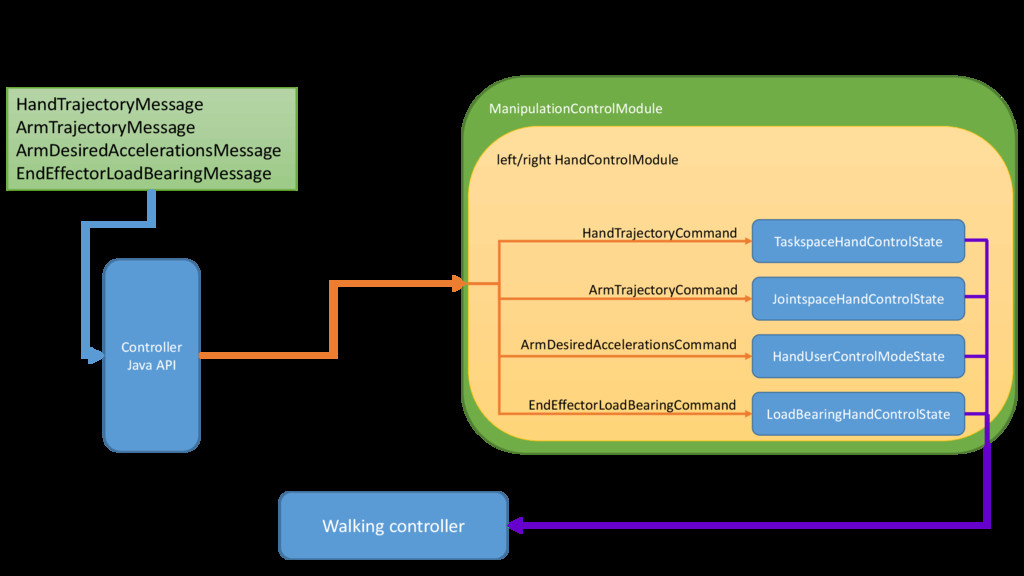
with the high-level walking controller. • The HandControlModule manages the different control modes with a state machine that changes state depending on the type of command to be executed. • The active state output is either an InverseDynamicsCommand or a FeedControlCommand that is picked by the high-level controller and later fed to the controller core.
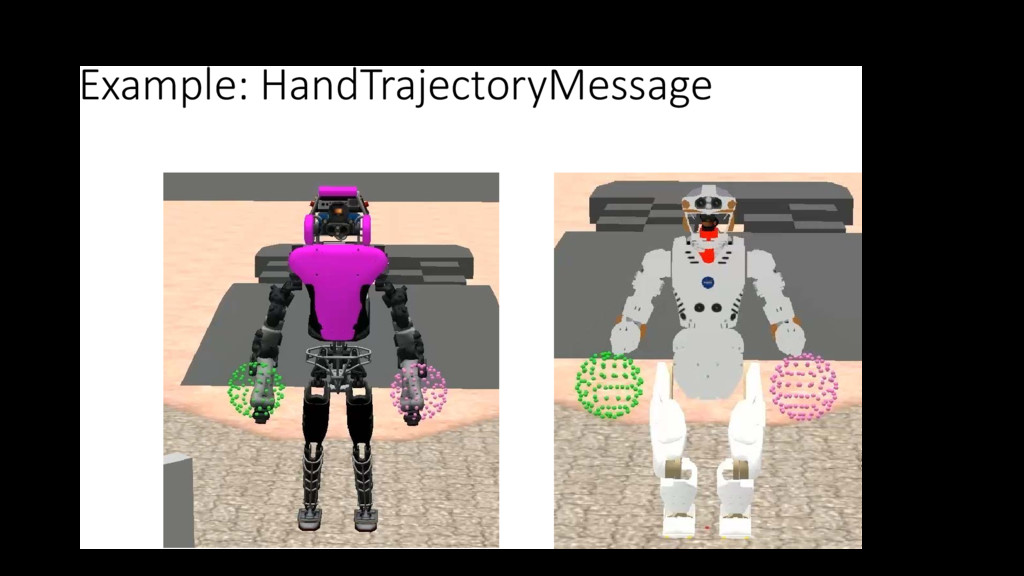
HandTrajectoryCommand. • Uses MultipleWaypointsOrientationTrajectoryGenerator and MultipleWaypointsPositionTrajectoryGenerator to spline through the given trajectory points. • For viewing desireds from SCS, look for: • (left|right)HandSubTrajectoryCurrent(Position|Velocity|AngularVelocity|Acceleratio n|AngularAcceleration)(X|Y|Z) • (left|right)HandSubTrajectoryCurrentOrientation(Qx|Qy|Qz|Qs) • For viewing tracking error from SCS, look for: • (hand name)RotationErrorInBody(X|Y|Z) • (hand name)PositionError(X|Y|Z) • Where hand name = (left|right)Palm for Valkyrie.
ArmTrajectoryCommand. • Uses MultipleWaypointsTrajectoryGenerator to spline through the given trajectory points. • For viewing desireds from SCS, look for: • (joint name)SubTrajectoryCurrent(Value|Velocity|Acceleration) • For viewing tracking error from SCS, look for: • (q|qd)_err_(joint name)
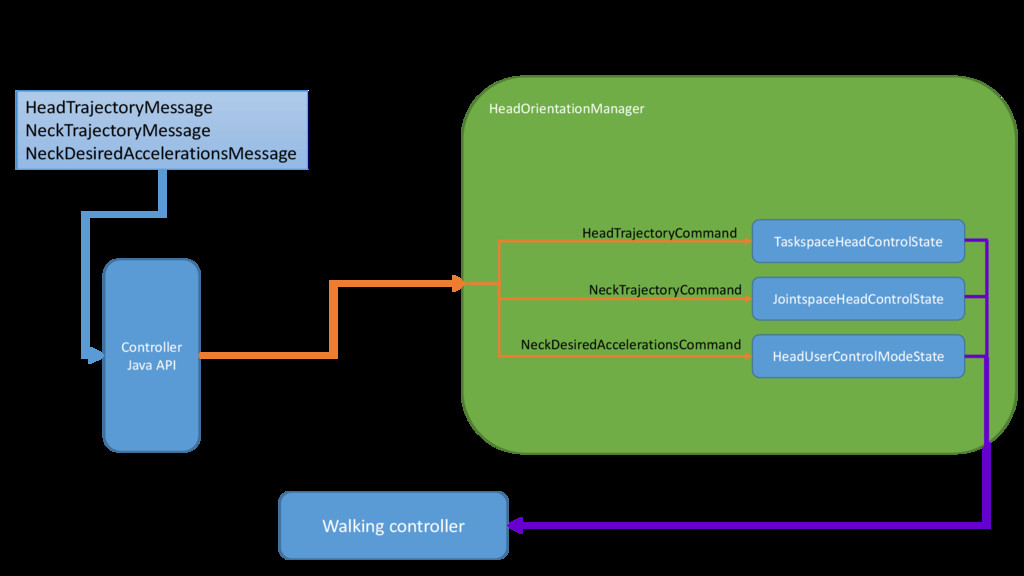
with the high-level walking controller. • It manages the different control modes with a state machine that changes state depending on the type of command to be executed. • The active state output is either an InverseDynamicsCommand or a FeedControlCommand that is picked by the high-level controller and later fed to the controller core.
HeadTrajectoryCommand. • Uses MultipleWaypointsOrientationTrajectoryGenerator to spline through the given trajectory points. • For viewing desireds from SCS, look for: • HeadSubTrajectoryCurrentOrientation(Qx|Qy|Qz|Qs) • HeadSubTrajectoryCurrent(AngularVelocity|AngularAcceleration)(X|Y|Z) • For viewing tracking error from SCS, look for: • (head name)RotationErrorInBody(X|Y|Z) • Where head name = upperNeckPitchLink for Valkyrie.
NeckTrajectoryCommand. • Uses MultipleWaypointsTrajectoryGenerator to spline through the given trajectory points. • For viewing desireds from SCS, look for: • (joint name)SubTrajectoryCurrent(Value|Velocity|Acceleration) • For viewing tracking error from SCS, look for: • (q|qd)_err_(joint name)


 institutdelelevage
 nagano
 yu4u
yu4u
 mickey_kubo
 masakiokuda
 brainpadpr
 ykamit
 konakalab
 tasusu
 tagtag
 hf149
hf149
 tsoh
tsoh
 denniskardys
 lauravandoore
 mayatellez
 lara
lara
 mfonobong
 ianozsvald
 nikkihalliwell
 marcoroth
 tammyeverts
 ks91
ks91
 katarinadahlin
 frankvandijk