Style settings for TV apps 3. Controlling focus movement a. Automatic control b. Manual control 4. Controlling scrolling 5. Impressions of actually implementing it
Style settings for TV apps 3. Controlling focus movement a. Automatic control b. Manual control 4. Controlling scrolling 5. Impressions of actually implementing it
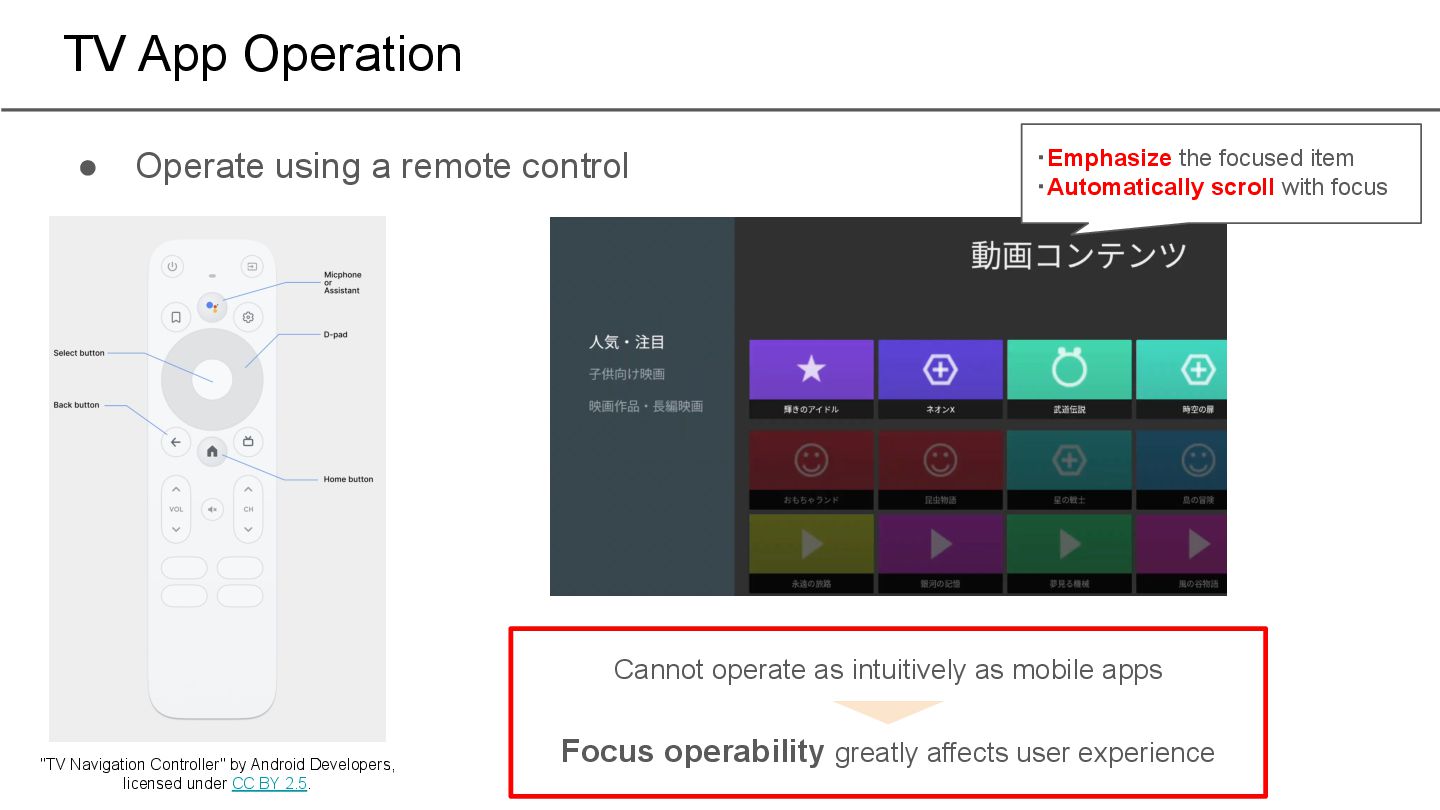
Navigation Controller" by Android Developers, licensed under CC BY 2.5. ・Emphasize the focused item ・Automatically scroll with focus Cannot operate as intuitively as mobile apps Focus operability greatly affects user experience
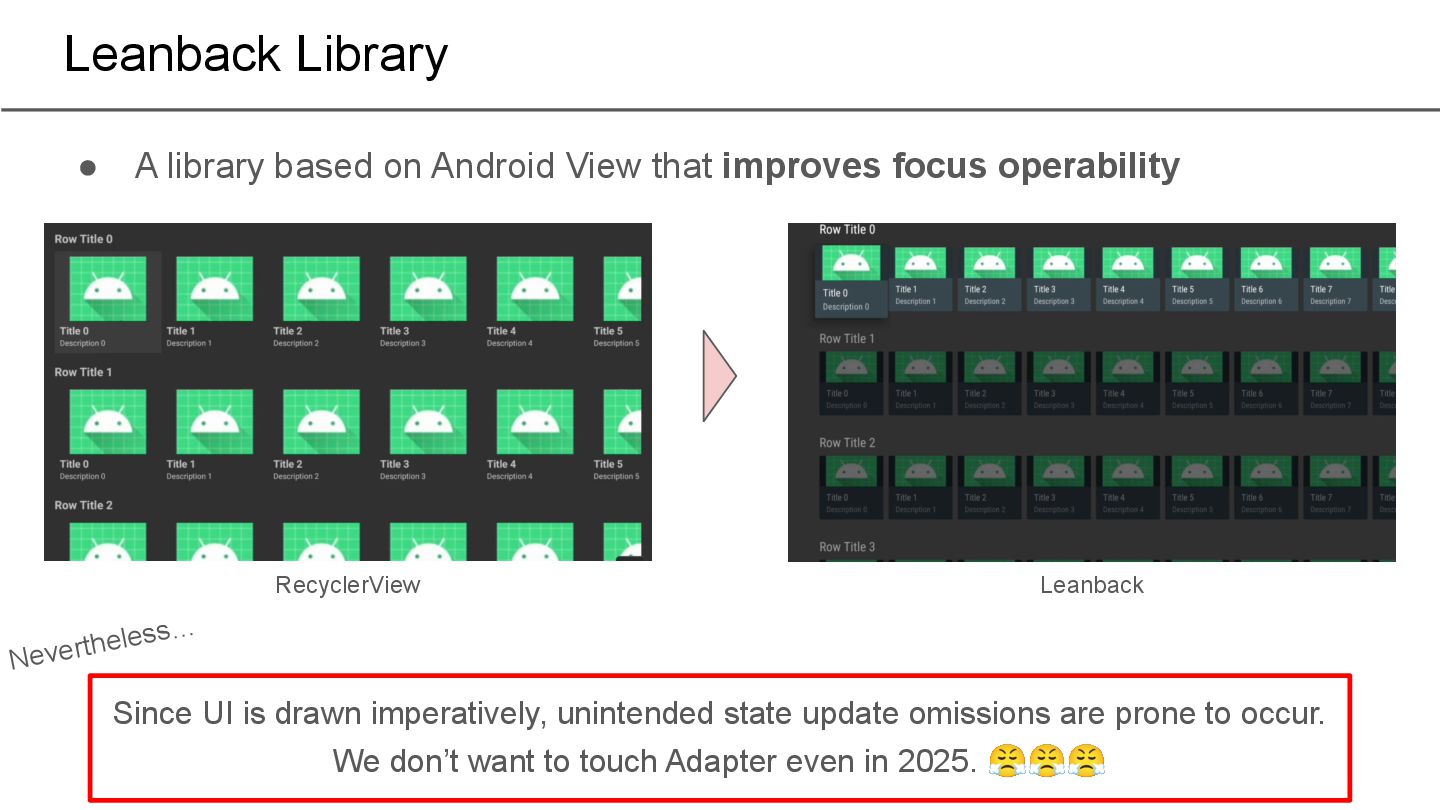
operability Leanback Library Since UI is drawn imperatively, unintended state update omissions are prone to occur. We don’t want to touch Adapter even in 2025. 😤😤😤 RecyclerView Leanback Nevertheless…
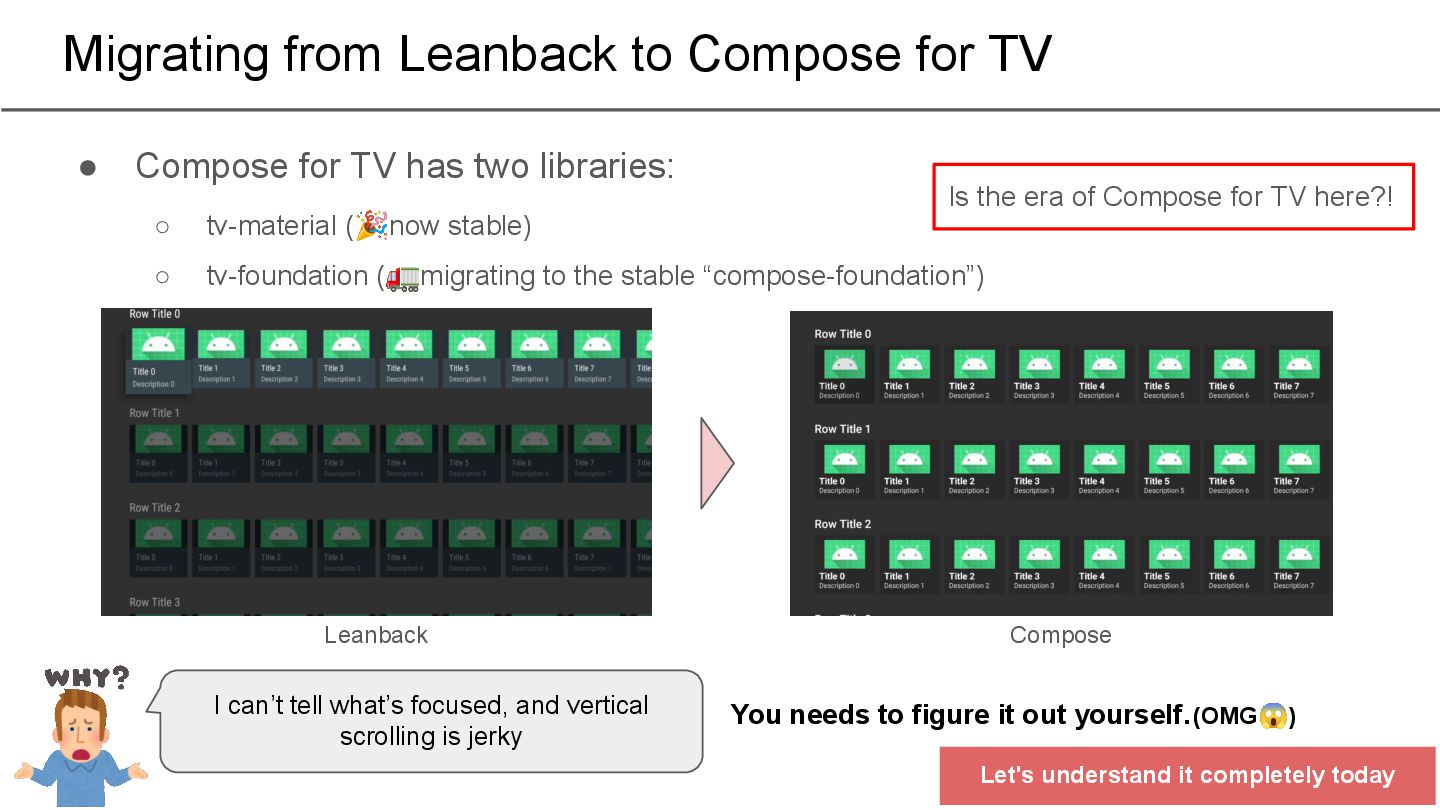
stable) ◦ tv-foundation (🚛migrating to the stable “compose-foundation”) Migrating from Leanback to Compose for TV Leanback Compose I can’t tell what’s focused, and vertical scrolling is jerky You needs to figure it out yourself. (OMG😱) Let's understand it completely today Is the era of Compose for TV here?!
Style settings for TV apps 3. Controlling focus movement a. Automatic control b. Manual control 4. Controlling scrolling 5. Impressions of actually implementing it
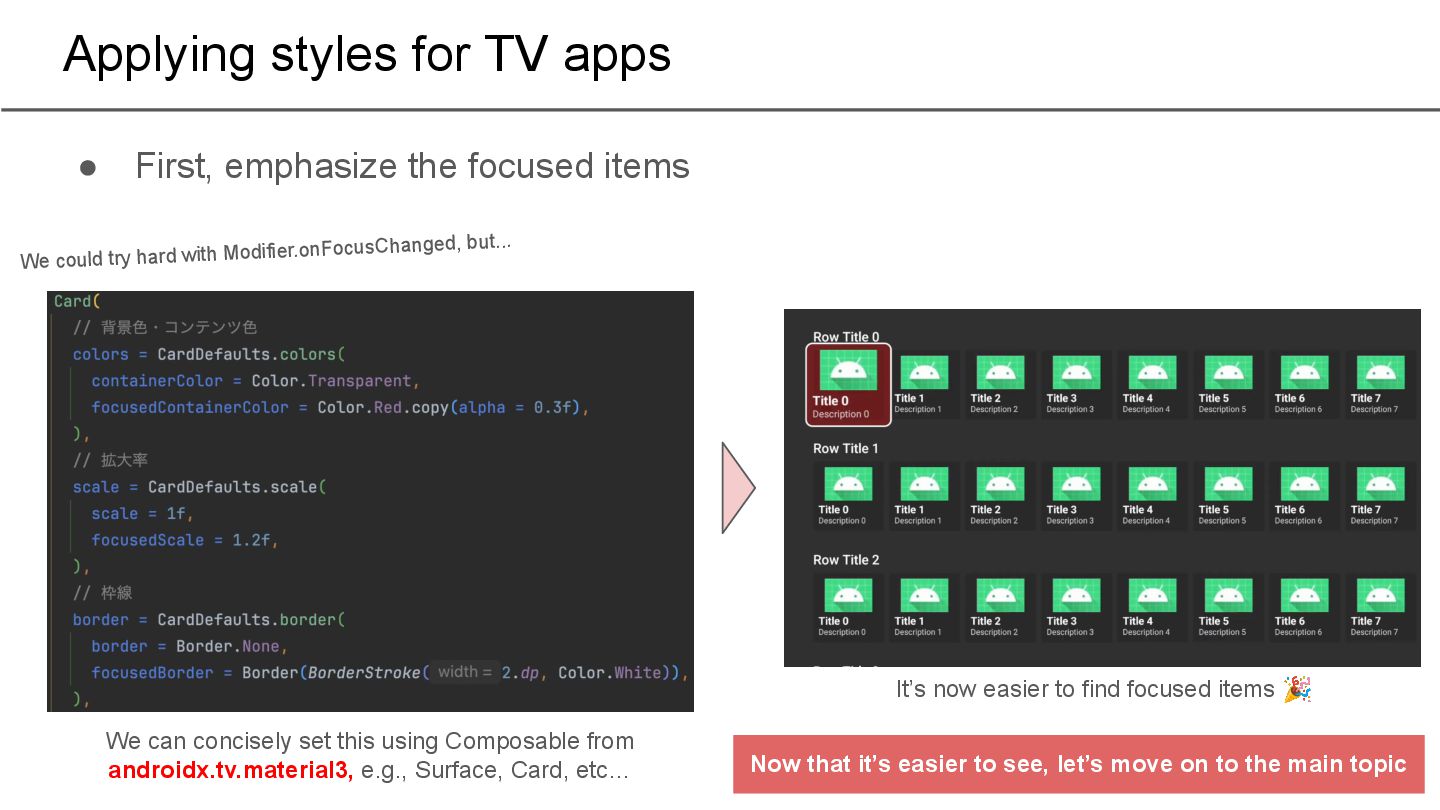
items We can concisely set this using Composable from androidx.tv.material3, e.g., Surface, Card, etc… It’s now easier to find focused items 🎉 We could try hard with Modifier.onFocusChanged, but... Now that it’s easier to see, let’s move on to the main topic
Style settings for TV apps 3. Controlling focus movement a. Automatic control b. Manual control 4. Controlling scrolling 5. Impressions of actually implementing it
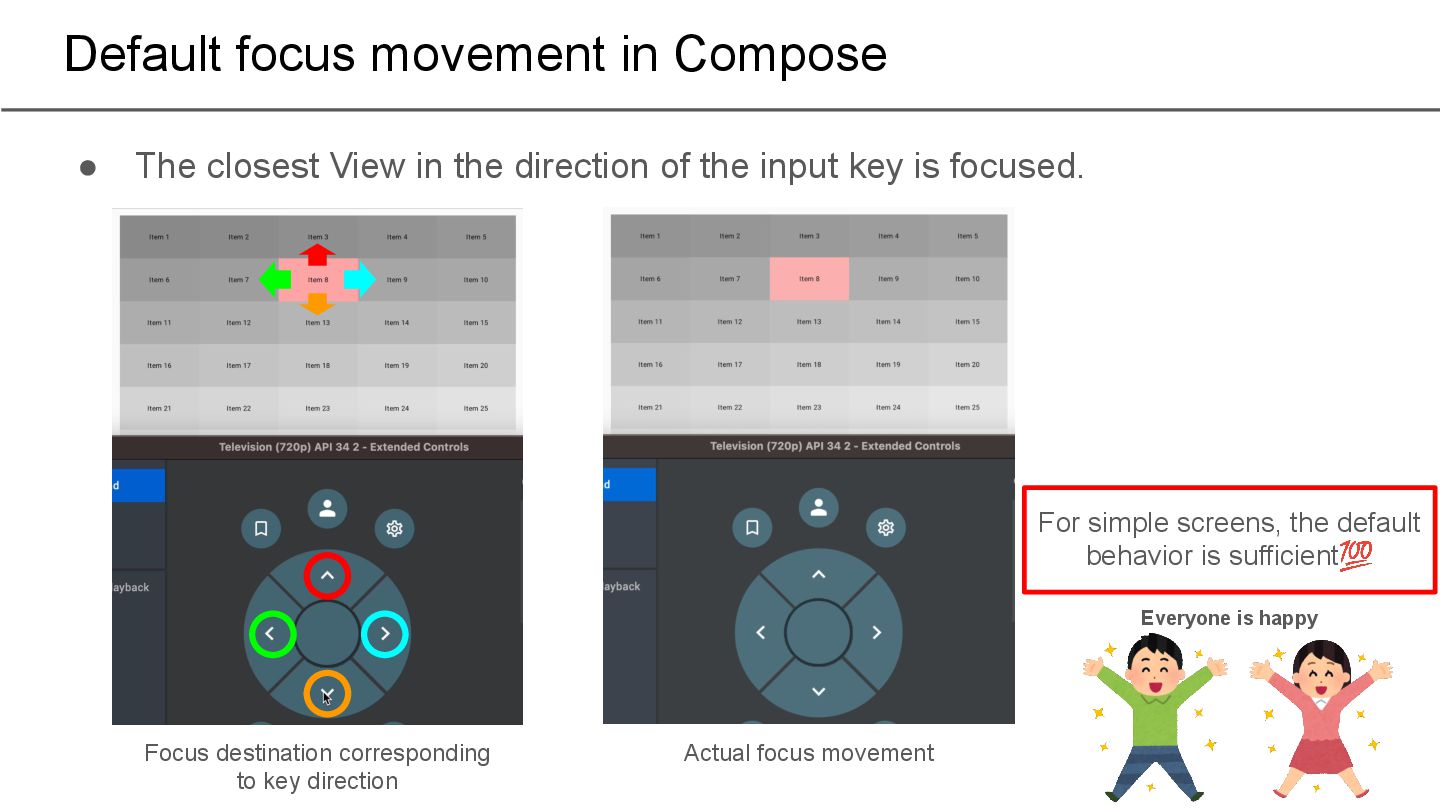
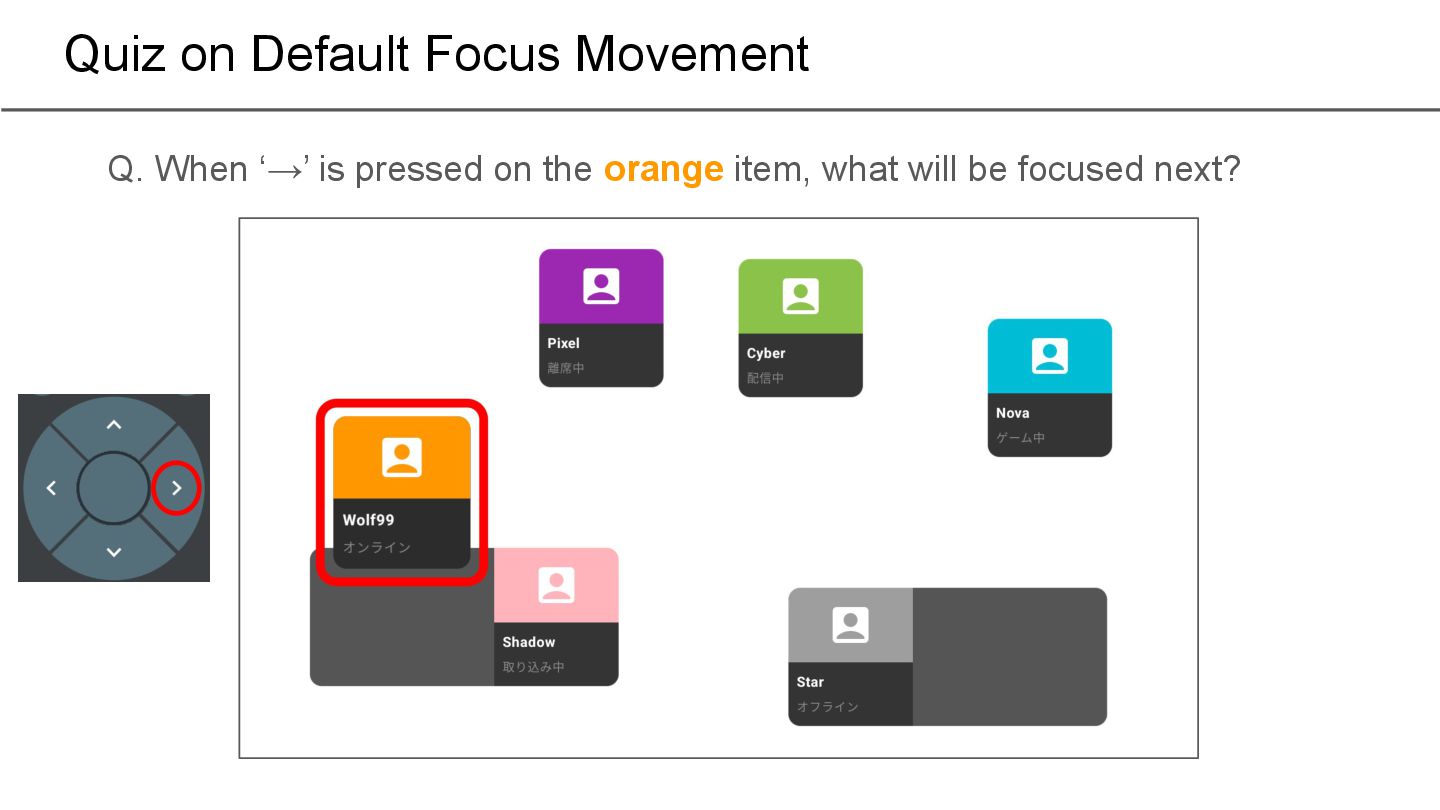
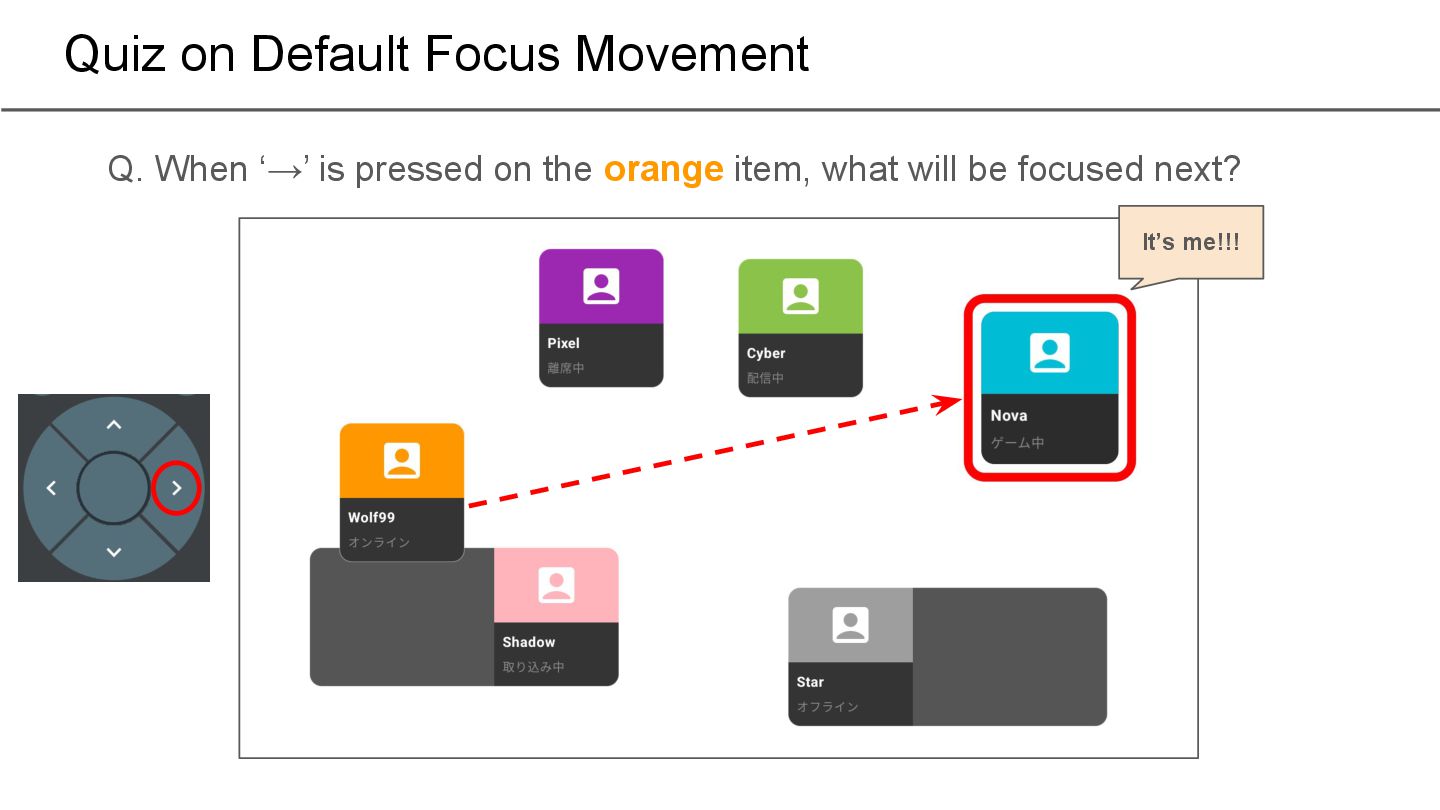
the direction of the input key is focused. Actual focus movement Focus destination corresponding to key direction For simple screens, the default behavior is sufficient💯 Everyone is happy
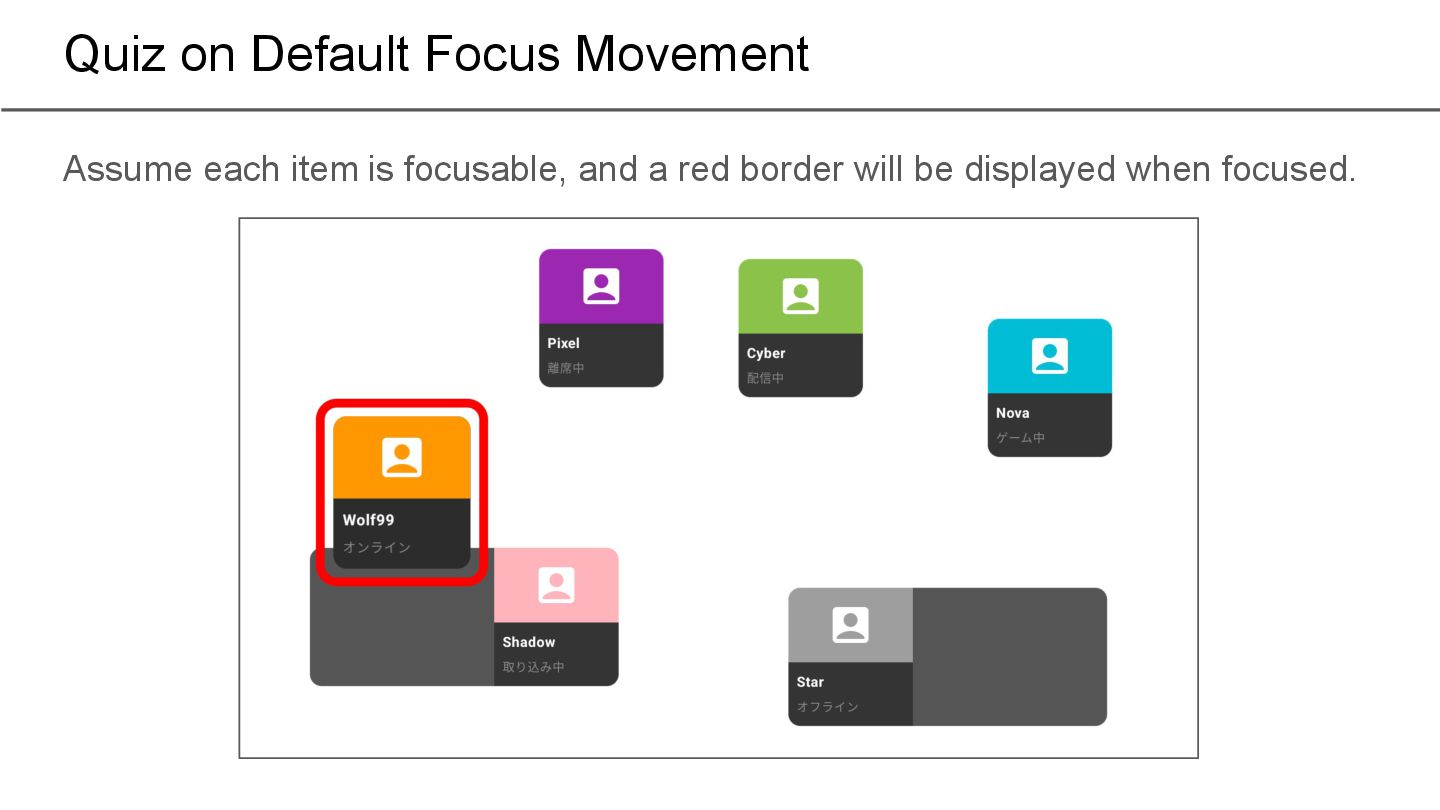
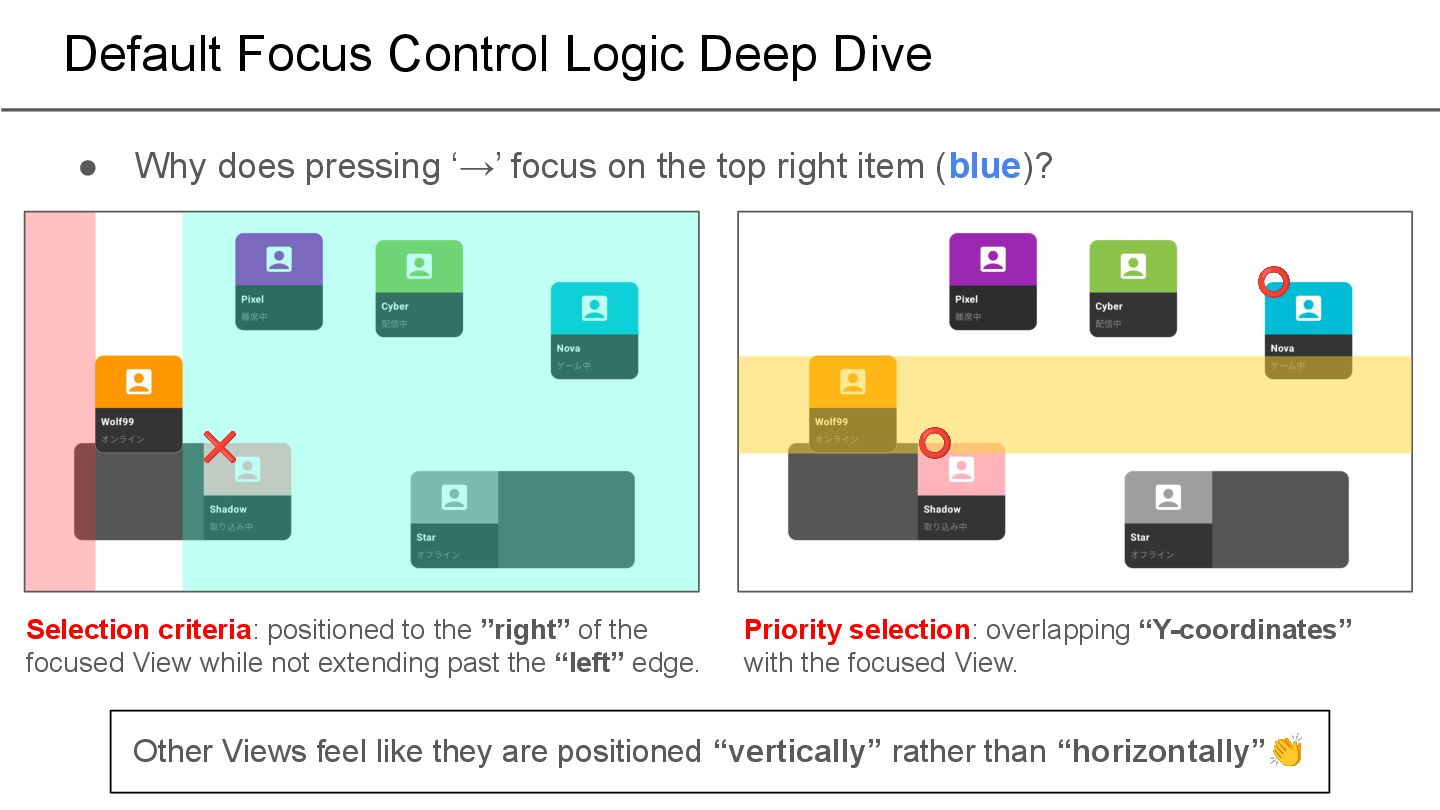
the ”right” of the focused View while not extending past the “left” edge. ❌ Priority selection: overlapping “Y-coordinates” with the focused View. ⭕ ⭕ Other Views feel like they are positioned “vertically” rather than “horizontally”👏 • Why does pressing ‘→’ focus on the top right item (blue)?
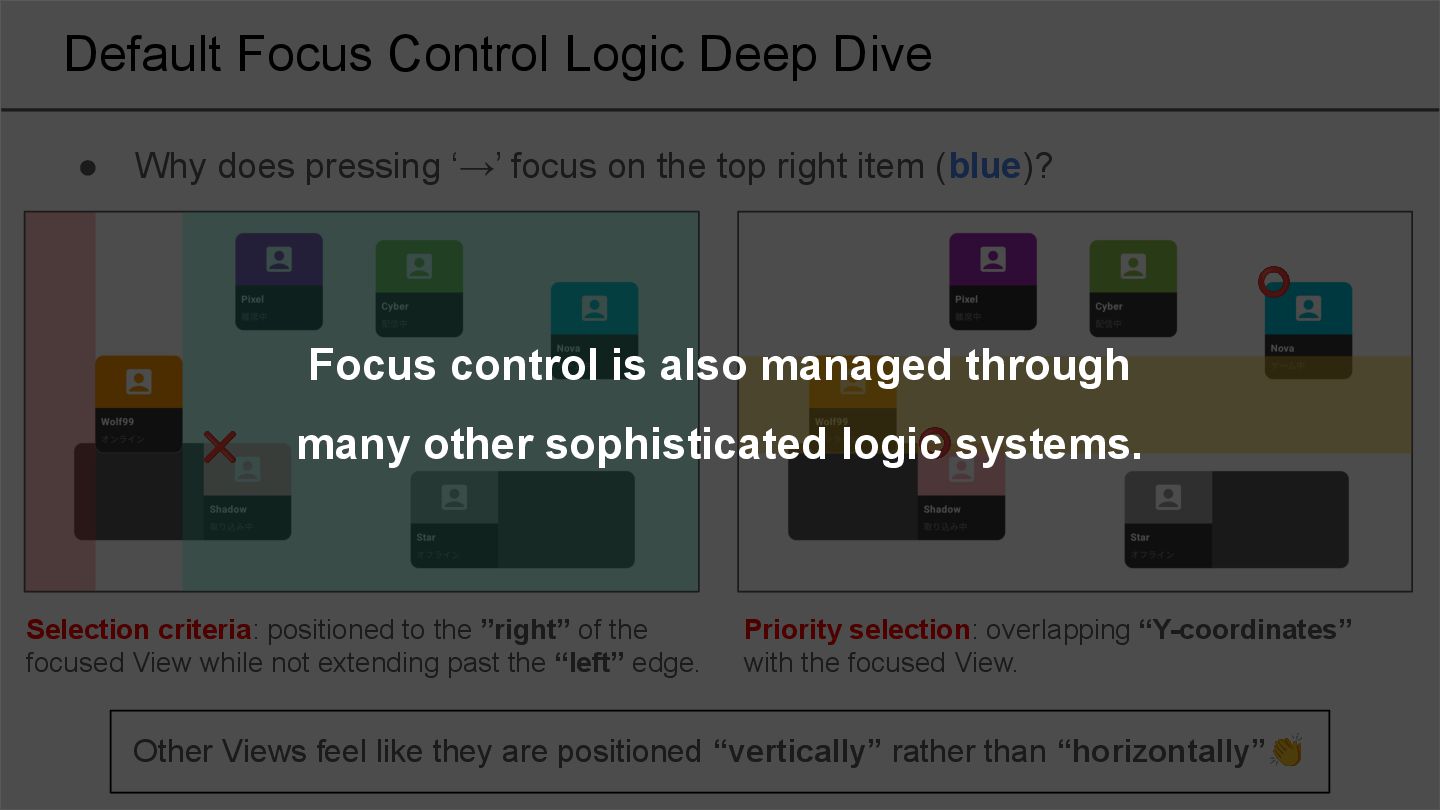
the ”right” of the focused View while not extending past the “left” edge. ❌ Priority selection: overlapping “Y-coordinates” with the focused View. ⭕ ⭕ Other Views feel like they are positioned “vertically” rather than “horizontally”👏 • Why does pressing ‘→’ focus on the top right item (blue)? Focus control is also managed through many other sophisticated logic systems.
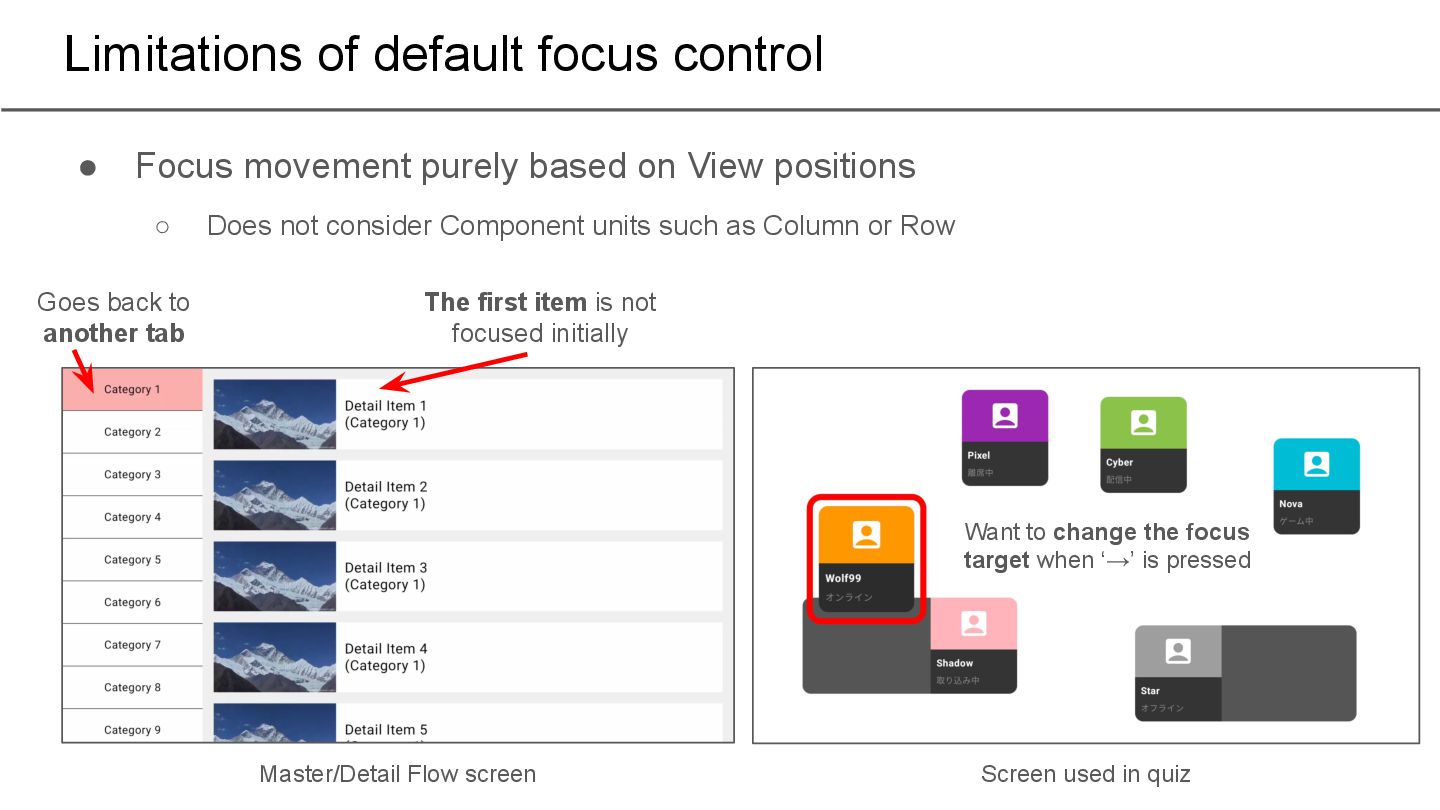
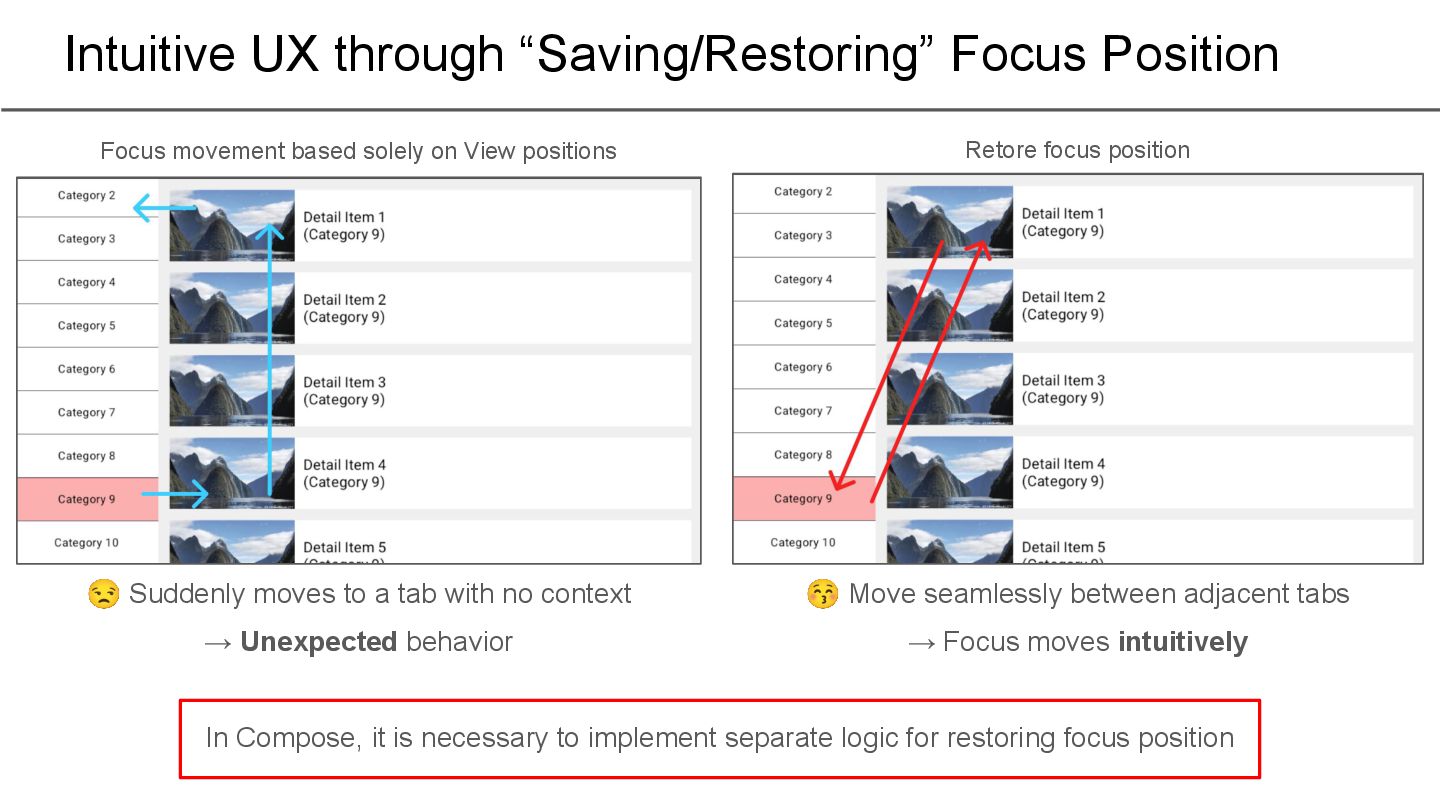
on View positions ◦ Does not consider Component units such as Column or Row The first item is not focused initially Master/Detail Flow screen Goes back to another tab Screen used in quiz Want to change the focus target when ‘→’ is pressed
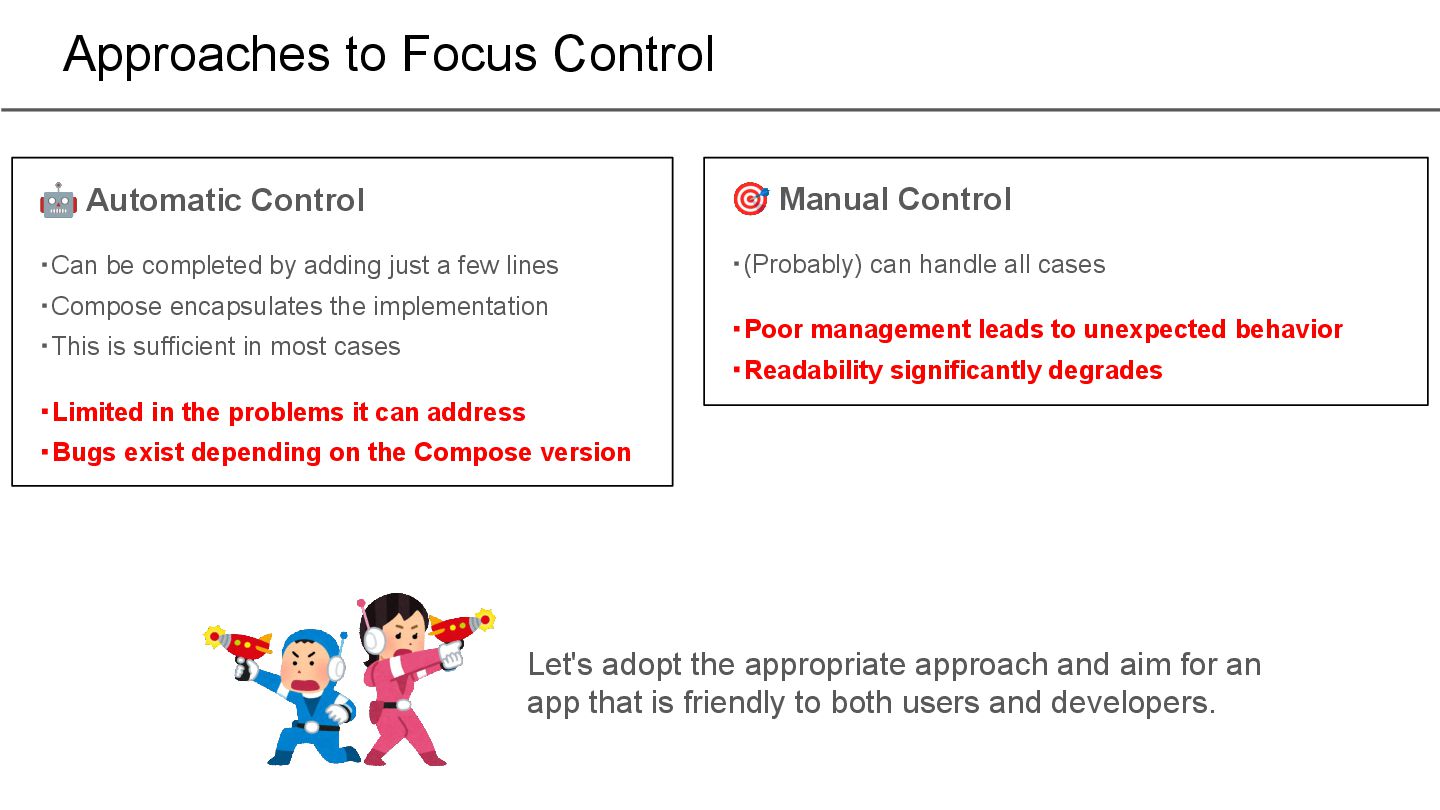
by adding just a few lines ・Compose encapsulates the implementation ・This is sufficient in most cases ・Limited in the problems it can address ・Bugs exist depending on the Compose version 🎯 Manual Control ・(Probably) can handle all cases ・Poor management leads to unexpected behavior ・Readability significantly degrades Let's adopt the appropriate approach and aim for an app that is friendly to both users and developers.
Style settings for TV apps 3. Controlling focus movement a. Automatic control b. Manual control 4. Controlling scrolling 5. Impressions of actually implementing it
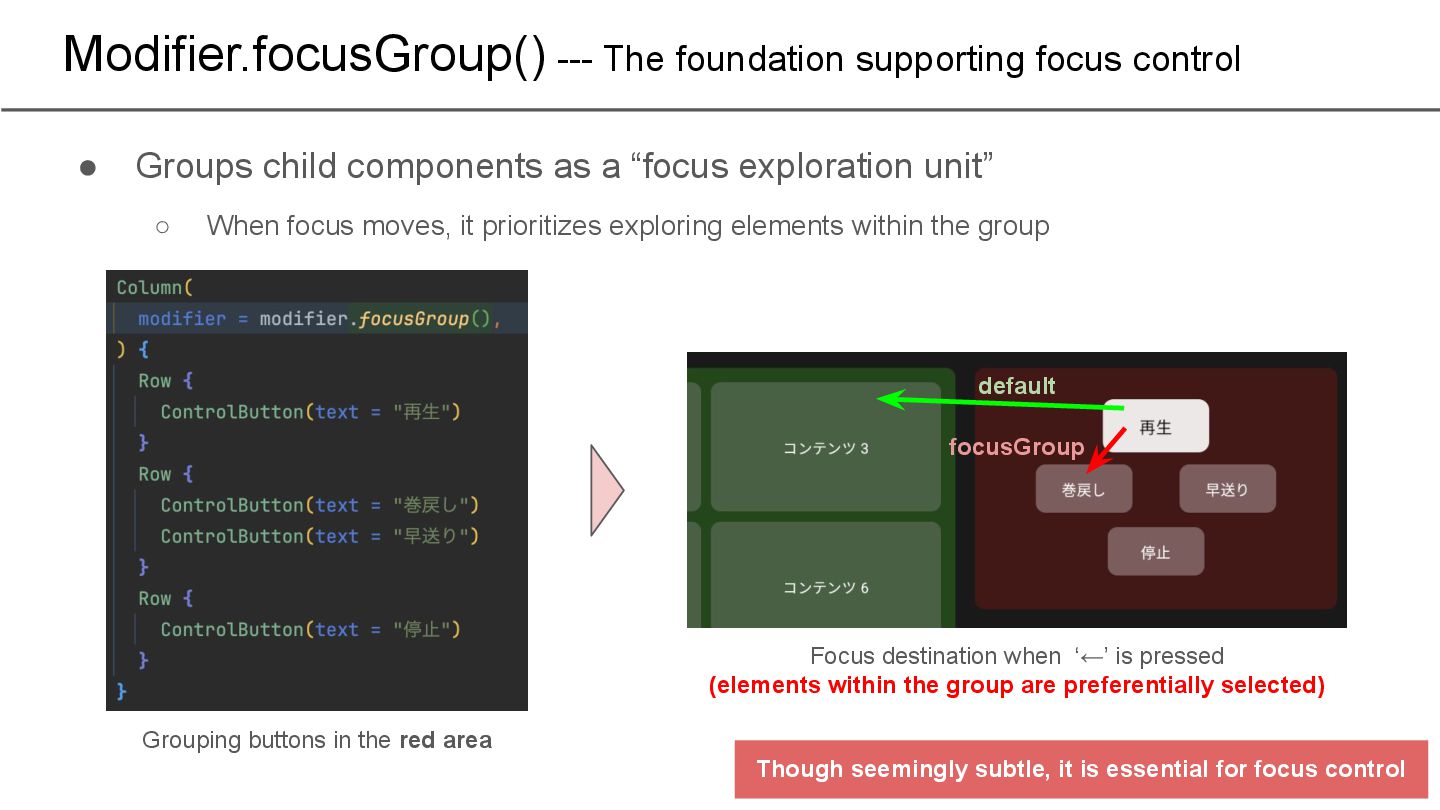
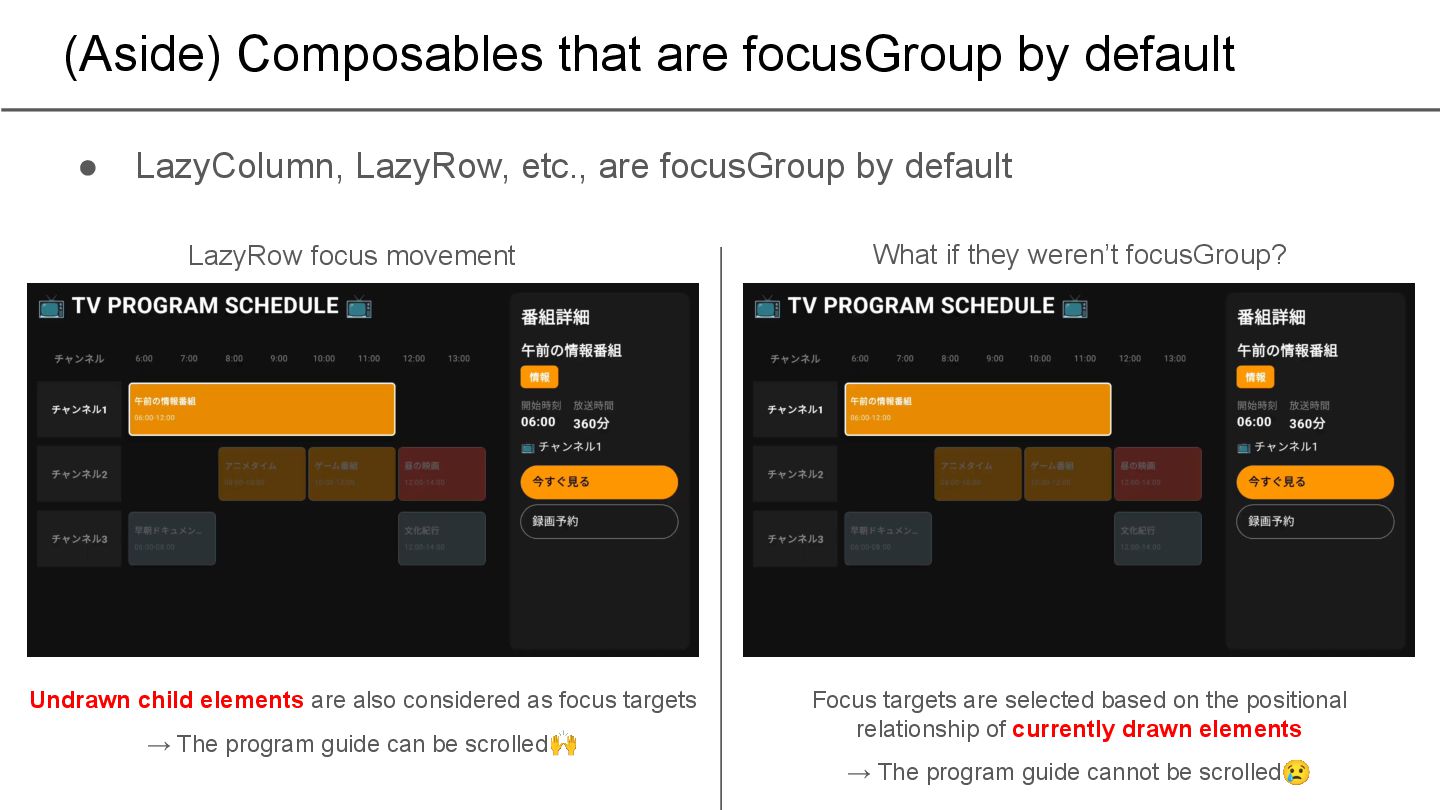
components as a “focus exploration unit” ◦ When focus moves, it prioritizes exploring elements within the group default focusGroup Grouping buttons in the red area Focus destination when ‘←’ is pressed (elements within the group are preferentially selected) Though seemingly subtle, it is essential for focus control
etc., are focusGroup by default What if they weren’t focusGroup? LazyRow focus movement Undrawn child elements are also considered as focus targets → The program guide can be scrolled🙌 Focus targets are selected based on the positional relationship of currently drawn elements → The program guide cannot be scrolled😢
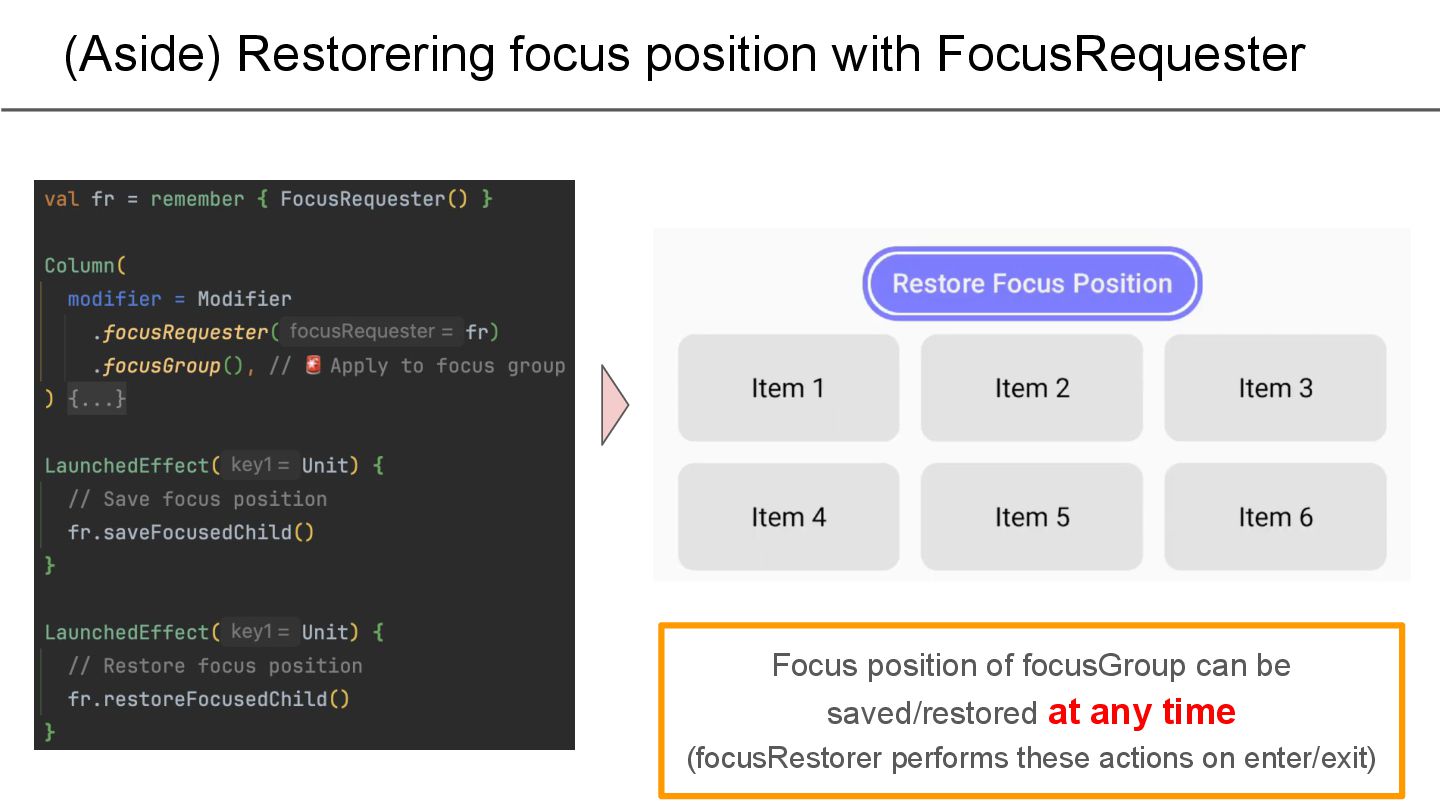
necessary to implement separate logic for restoring focus position Focus movement based solely on View positions 😚 Move seamlessly between adjacent tabs → Focus moves intuitively 😒 Suddenly moves to a tab with no context → Unexpected behavior Retore focus position
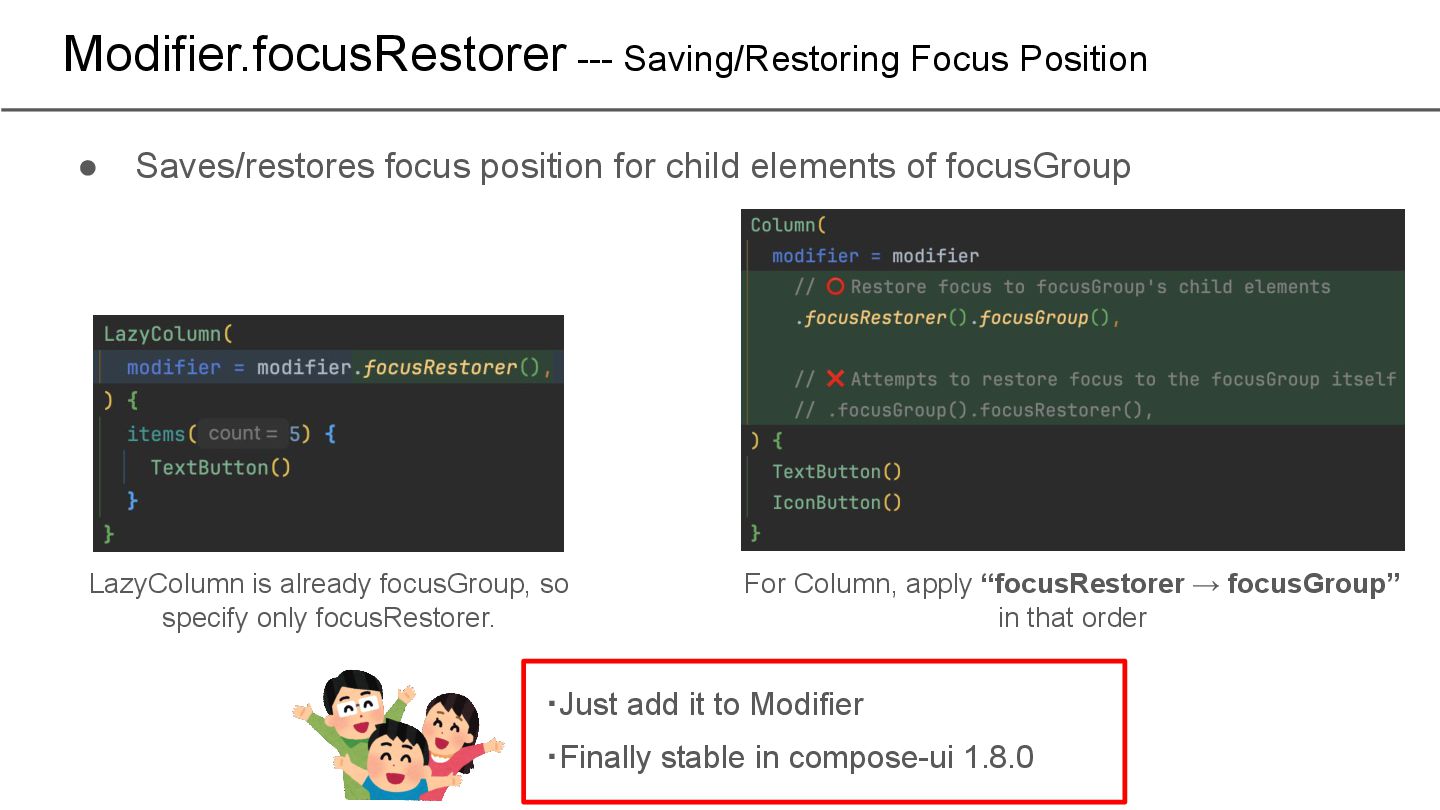
child elements of focusGroup ・Just add it to Modifier ・Finally stable in compose-ui 1.8.0 LazyColumn is already focusGroup, so specify only focusRestorer. For Column, apply “focusRestorer → focusGroup” in that order
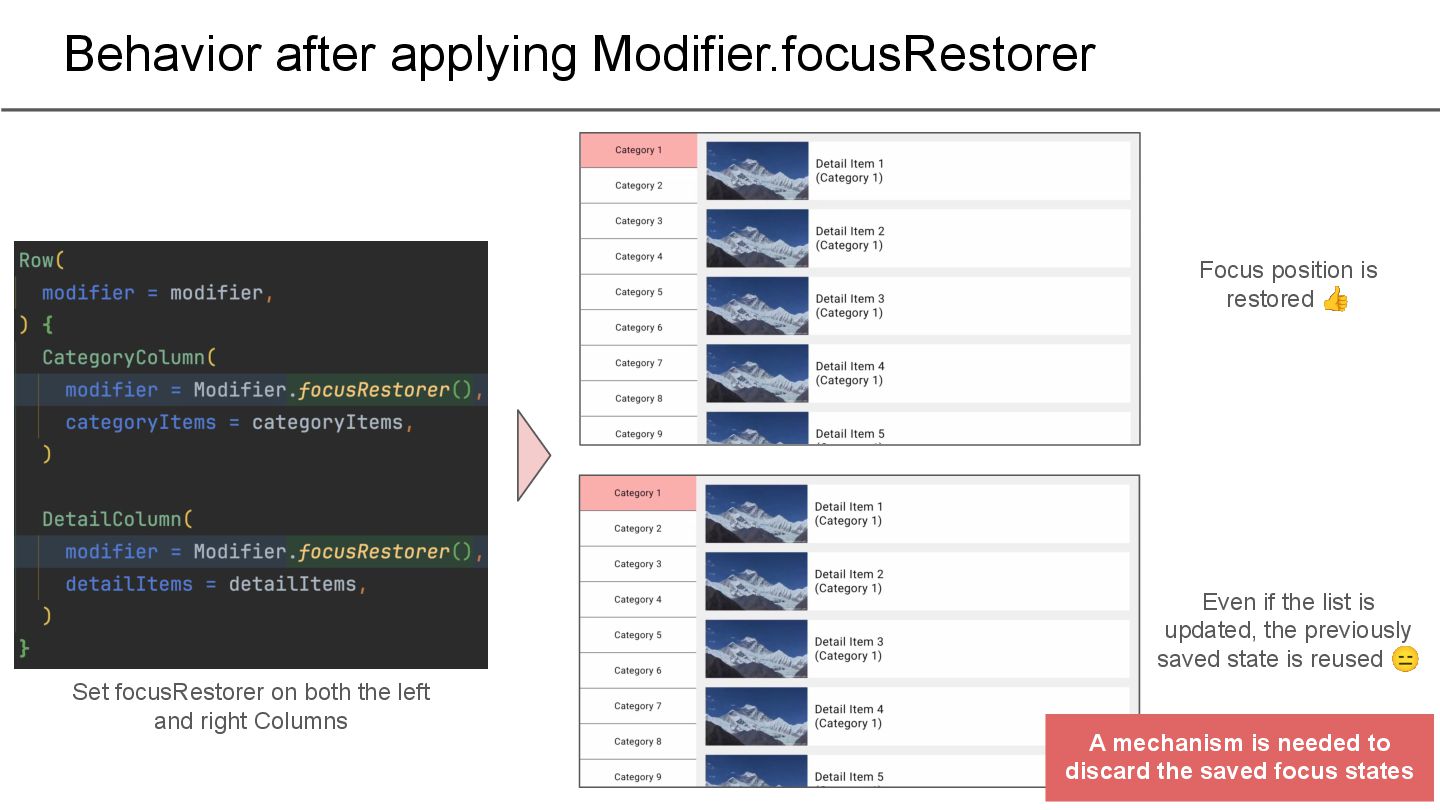
and right Columns Focus position is restored 👍 Even if the list is updated, the previously saved state is reused 😑 A mechanism is needed to discard the saved focus states
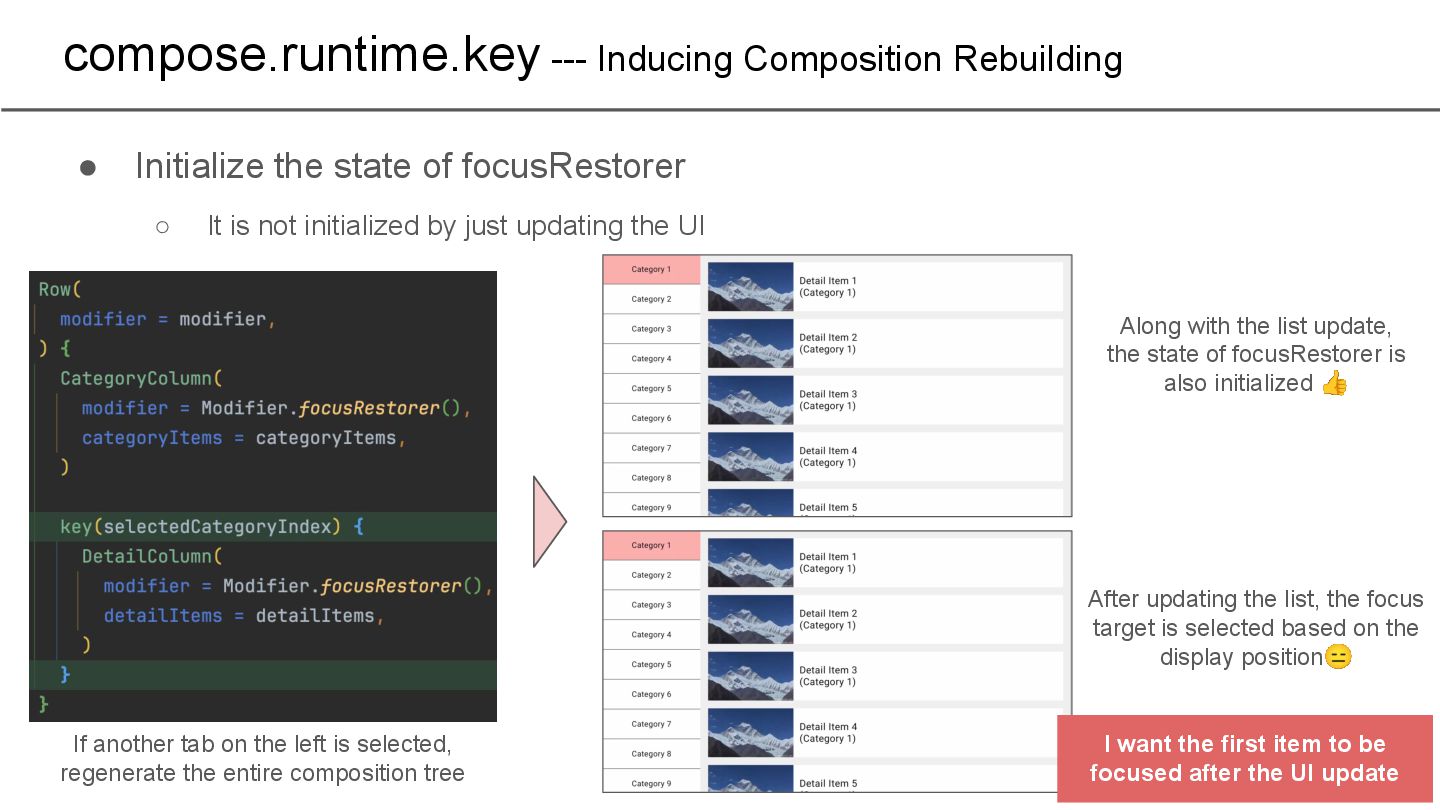
initialized by just updating the UI compose.runtime.key --- Inducing Composition Rebuilding If another tab on the left is selected, regenerate the entire composition tree Along with the list update, the state of focusRestorer is also initialized 👍 After updating the list, the focus target is selected based on the display position😑 I want the first item to be focused after the UI update
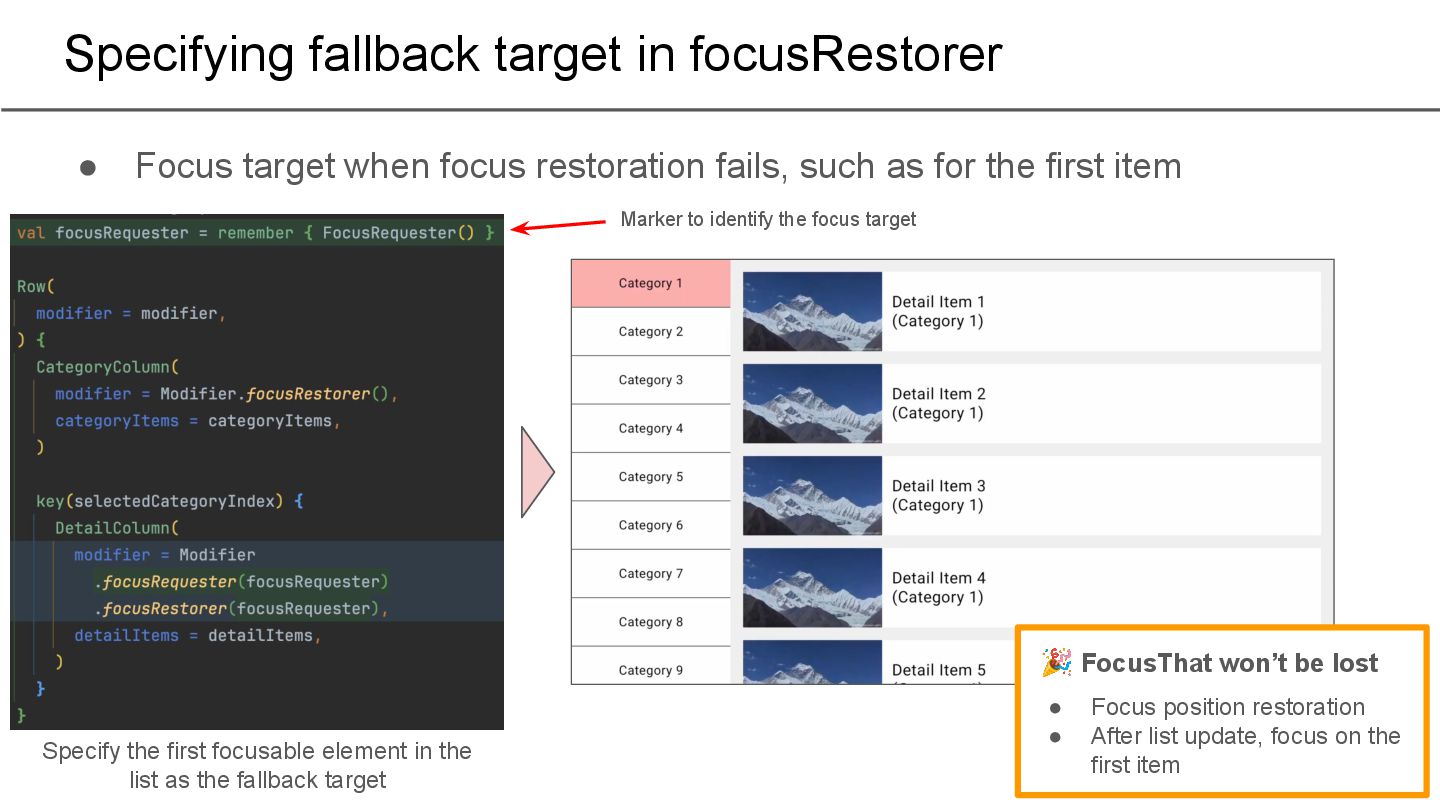
restoration fails, such as for the first item Specify the first focusable element in the list as the fallback target Marker to identify the focus target 🎉 FocusThat won’t be lost • Focus position restoration • After list update, focus on the first item
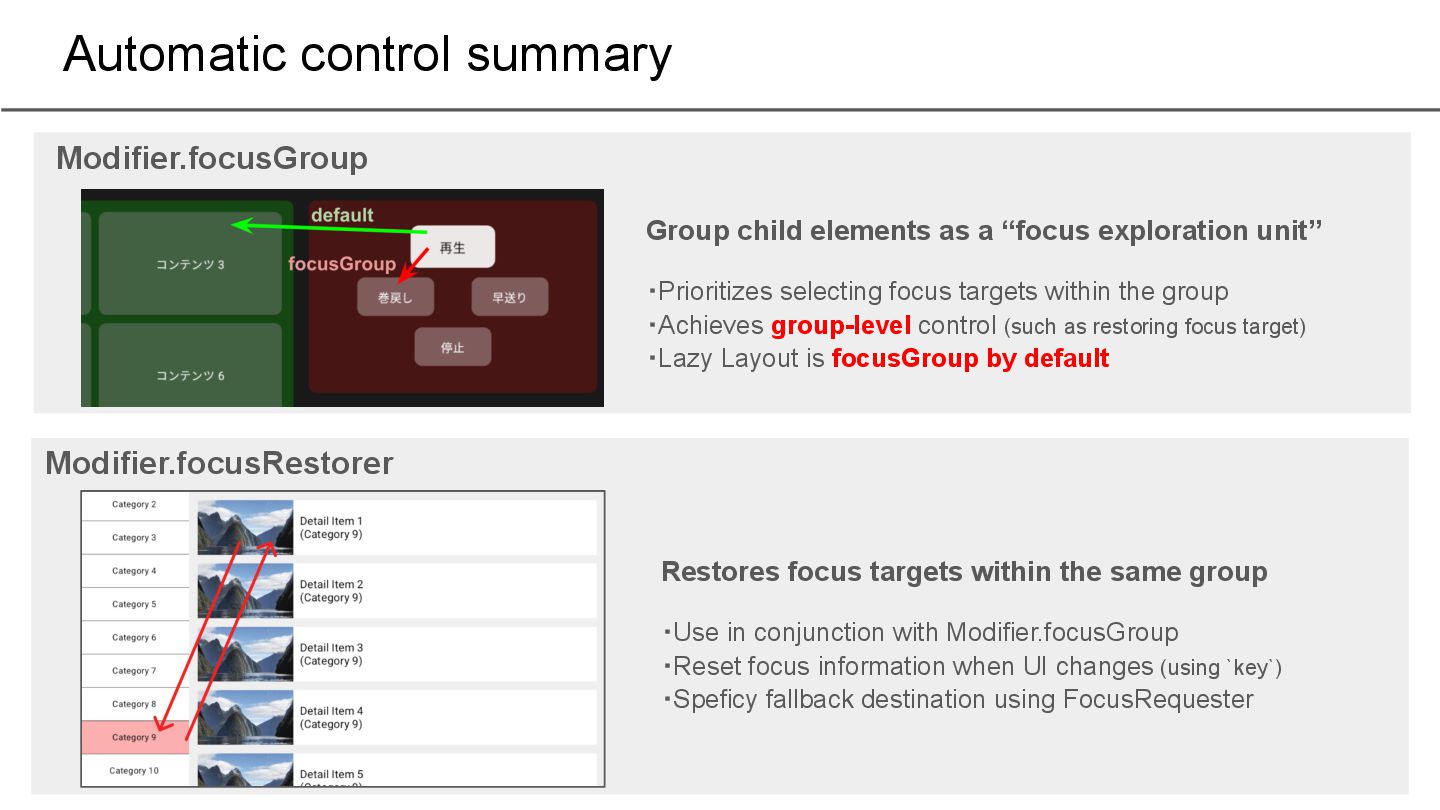
unit” ・Prioritizes selecting focus targets within the group ・Achieves group-level control (such as restoring focus target) ・Lazy Layout is focusGroup by default Modifier.focusGroup Modifier.focusRestorer Restores focus targets within the same group ・Use in conjunction with Modifier.focusGroup ・Reset focus information when UI changes (using `key`) ・Speficy fallback destination using FocusRequester
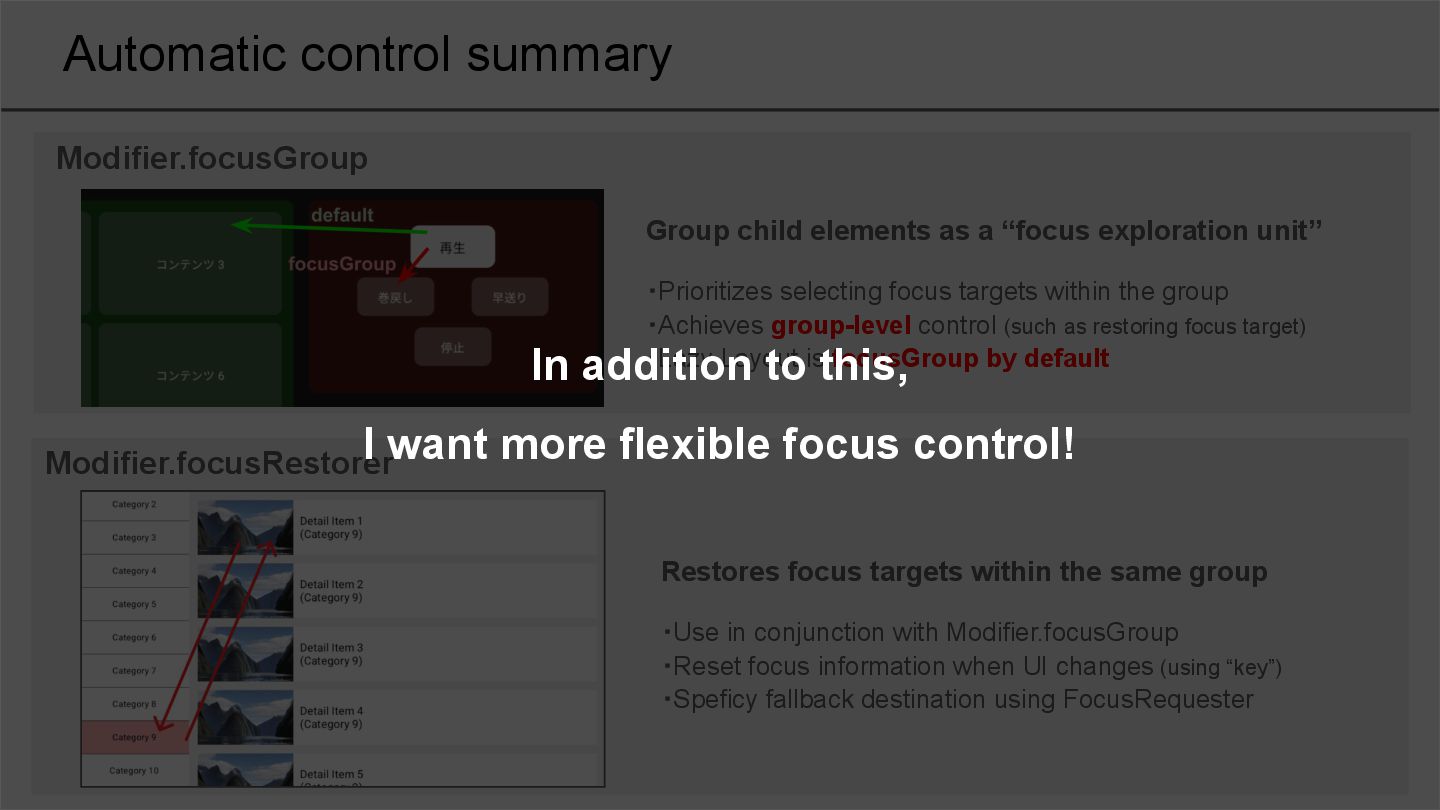
unit” ・Prioritizes selecting focus targets within the group ・Achieves group-level control (such as restoring focus target) ・Lazy Layout is focusGroup by default Modifier.focusGroup Modifier.focusRestorer Restores focus targets within the same group ・Use in conjunction with Modifier.focusGroup ・Reset focus information when UI changes (using “key”) ・Speficy fallback destination using FocusRequester In addition to this, I want more flexible focus control!
Style settings for TV apps 3. Controlling focus movement a. Automatic control b. Manual control 4. Controlling scrolling 5. Impressions of actually implementing it
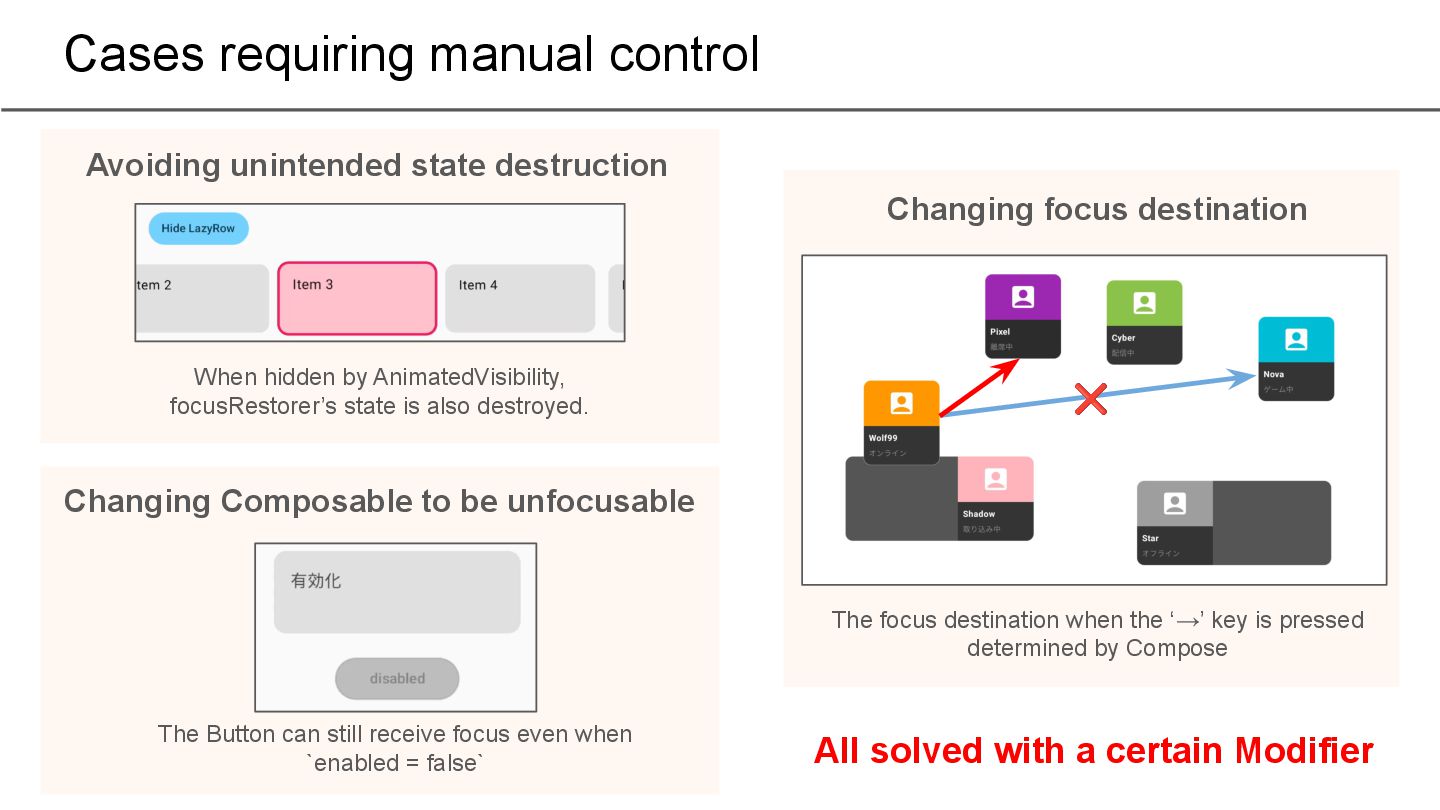
to be unfocusable When hidden by AnimatedVisibility, focusRestorer’s state is also destroyed. The Button can still receive focus even when `enabled = false` Changing focus destination ❌ The focus destination when the ‘→’ key is pressed determined by Compose All solved with a certain Modifier
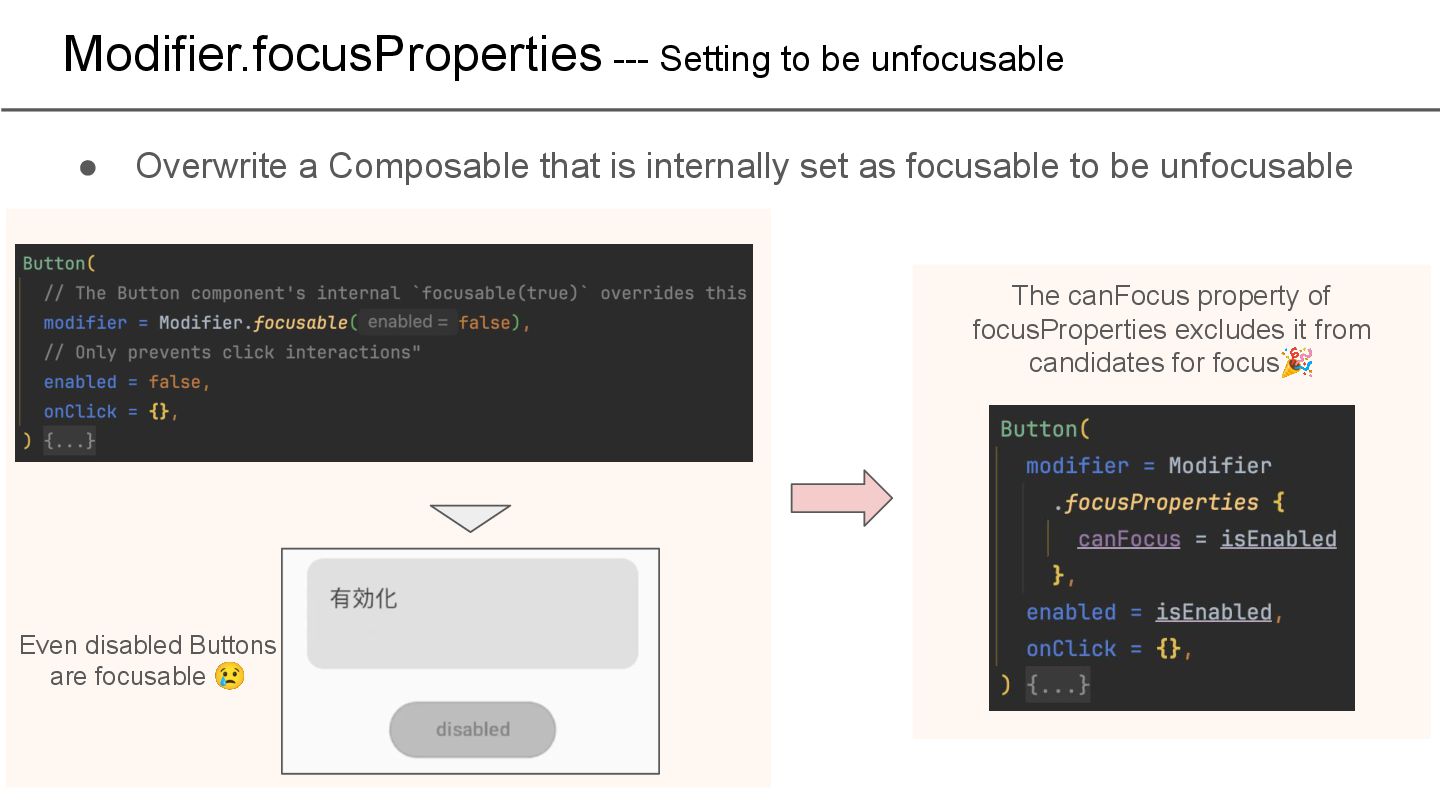
that is internally set as focusable to be unfocusable Even disabled Buttons are focusable 😢 The canFocus property of focusProperties excludes it from candidates for focus🎉
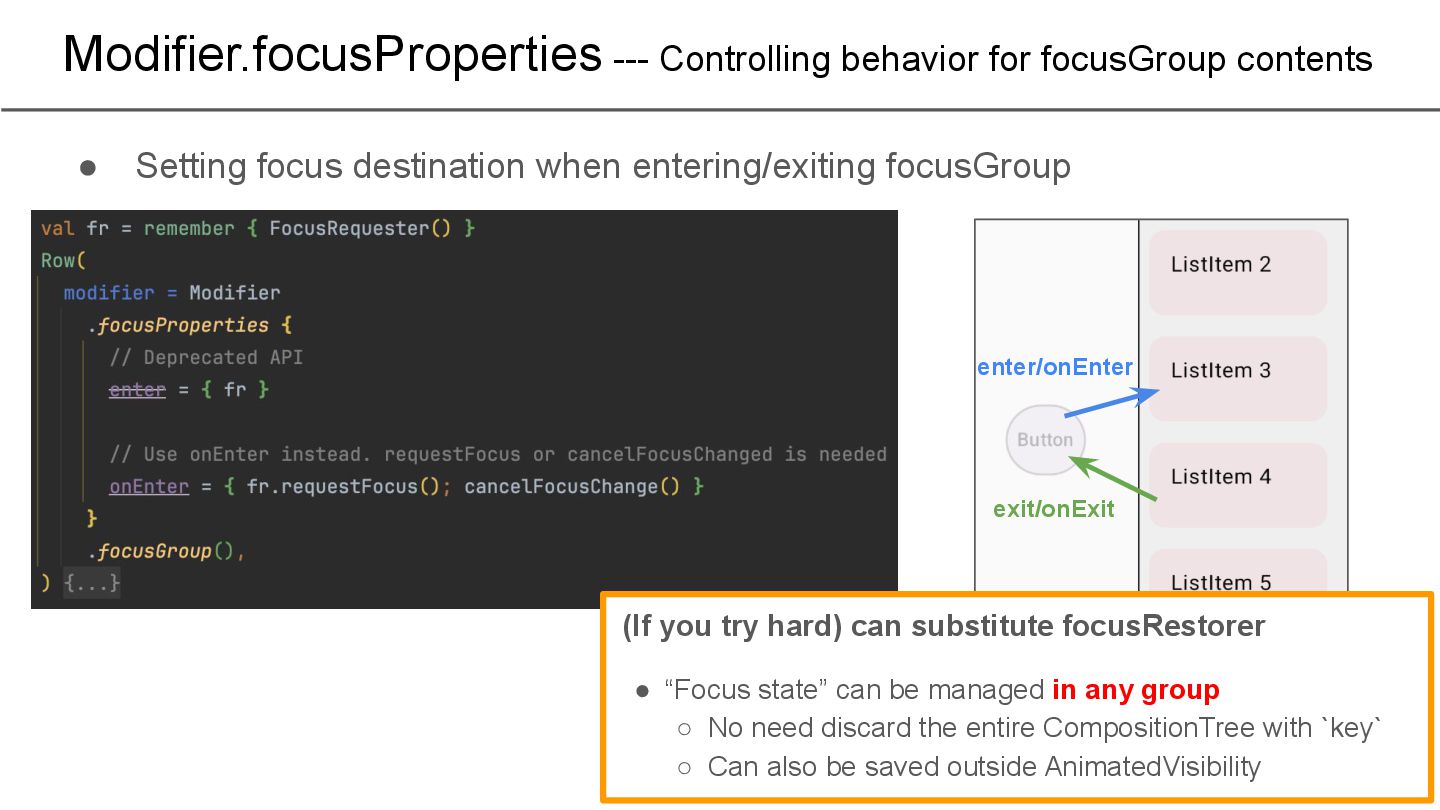
destination when entering/exiting focusGroup (If you try hard) can substitute focusRestorer • “Focus state” can be managed in any group ◦ No need discard the entire CompositionTree with `key` ◦ Can also be saved outside AnimatedVisibility enter/onEnter exit/onExit
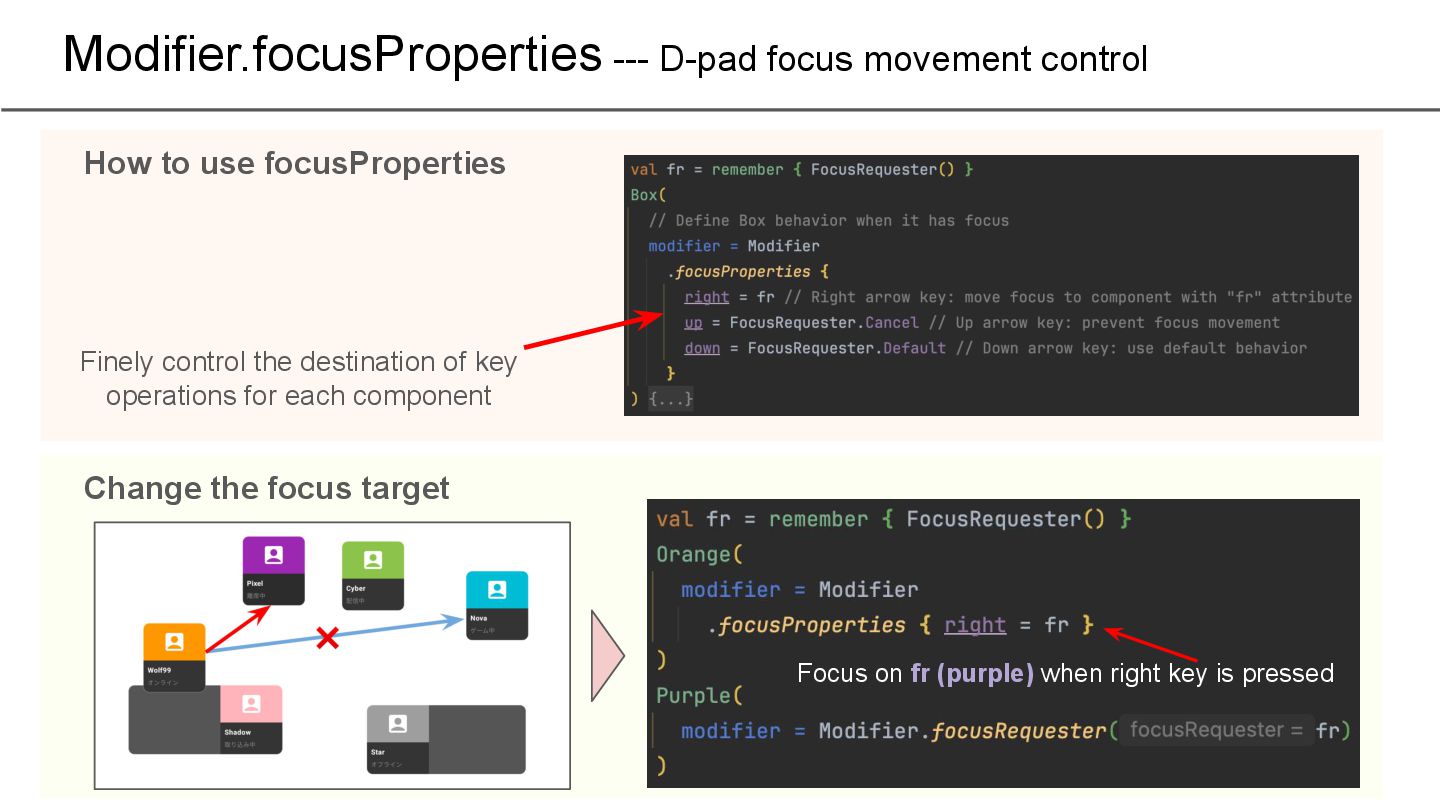
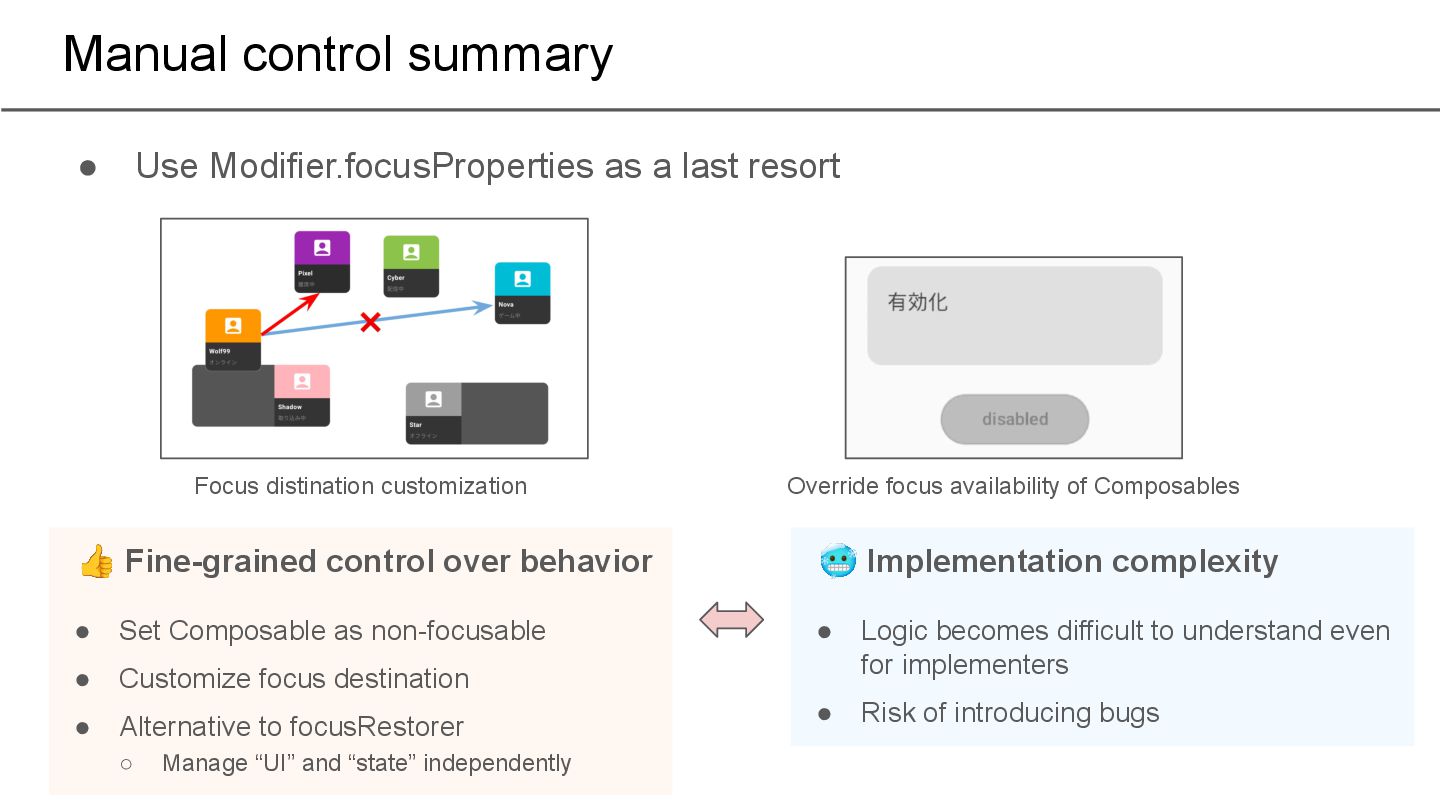
👍 Fine-grained control over behavior • Set Composable as non-focusable • Customize focus destination • Alternative to focusRestorer ◦ Manage “UI” and “state” independently 🥶 Implementation complexity • Logic becomes difficult to understand even for implementers • Risk of introducing bugs Focus distination customization Override focus availability of Composables
Style settings for TV apps 3. Controlling focus movement a. Automatic control b. Manual control 4. Controlling scrolling 5. Impressions of actually implementing it
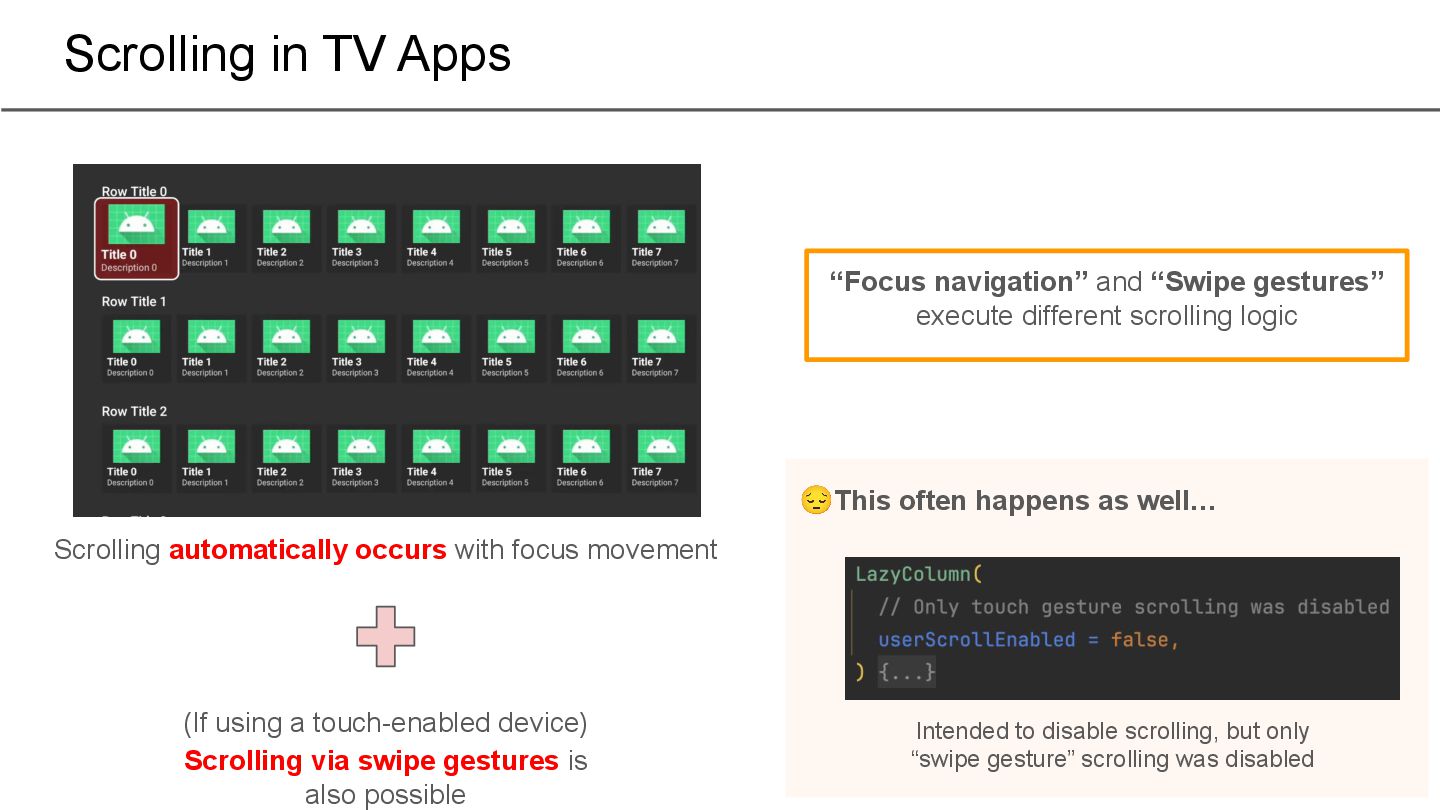
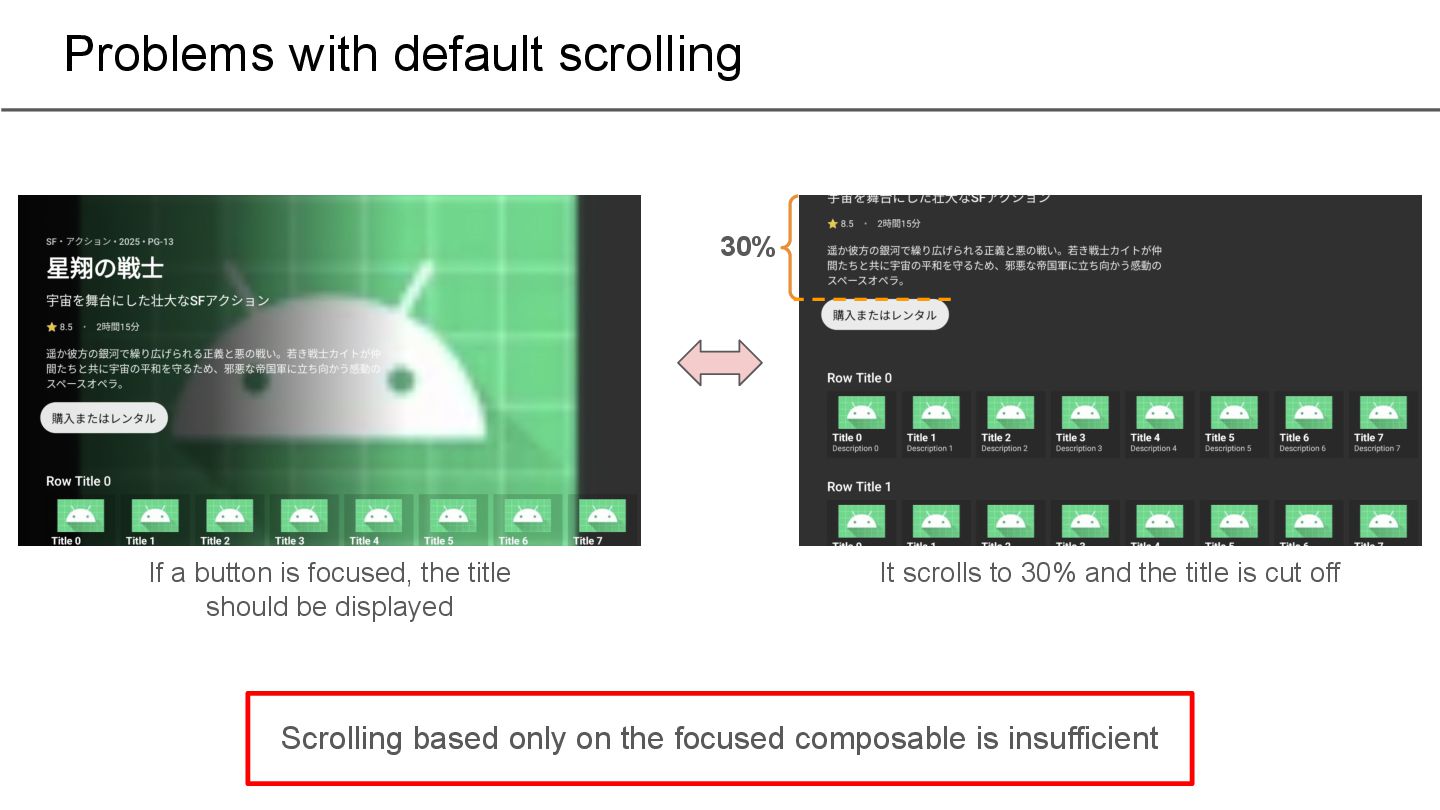
(If using a touch-enabled device) Scrolling via swipe gestures is also possible “Focus navigation” and “Swipe gestures” execute different scrolling logic Intended to disable scrolling, but only “swipe gesture” scrolling was disabled 😔This often happens as well…
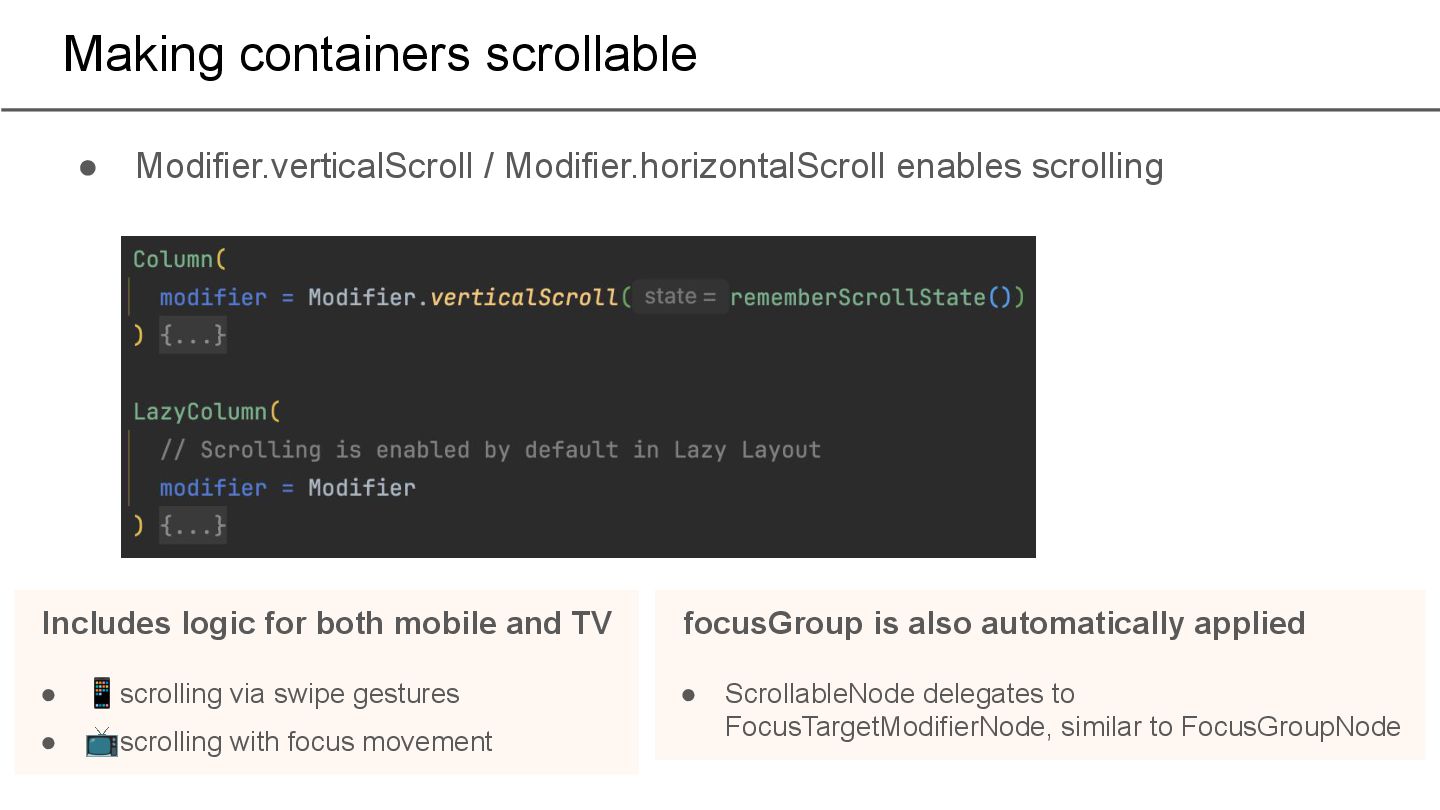
logic for both mobile and TV • 📱scrolling via swipe gestures • 📺scrolling with focus movement focusGroup is also automatically applied • ScrollableNode delegates to FocusTargetModifierNode, similar to FocusGroupNode
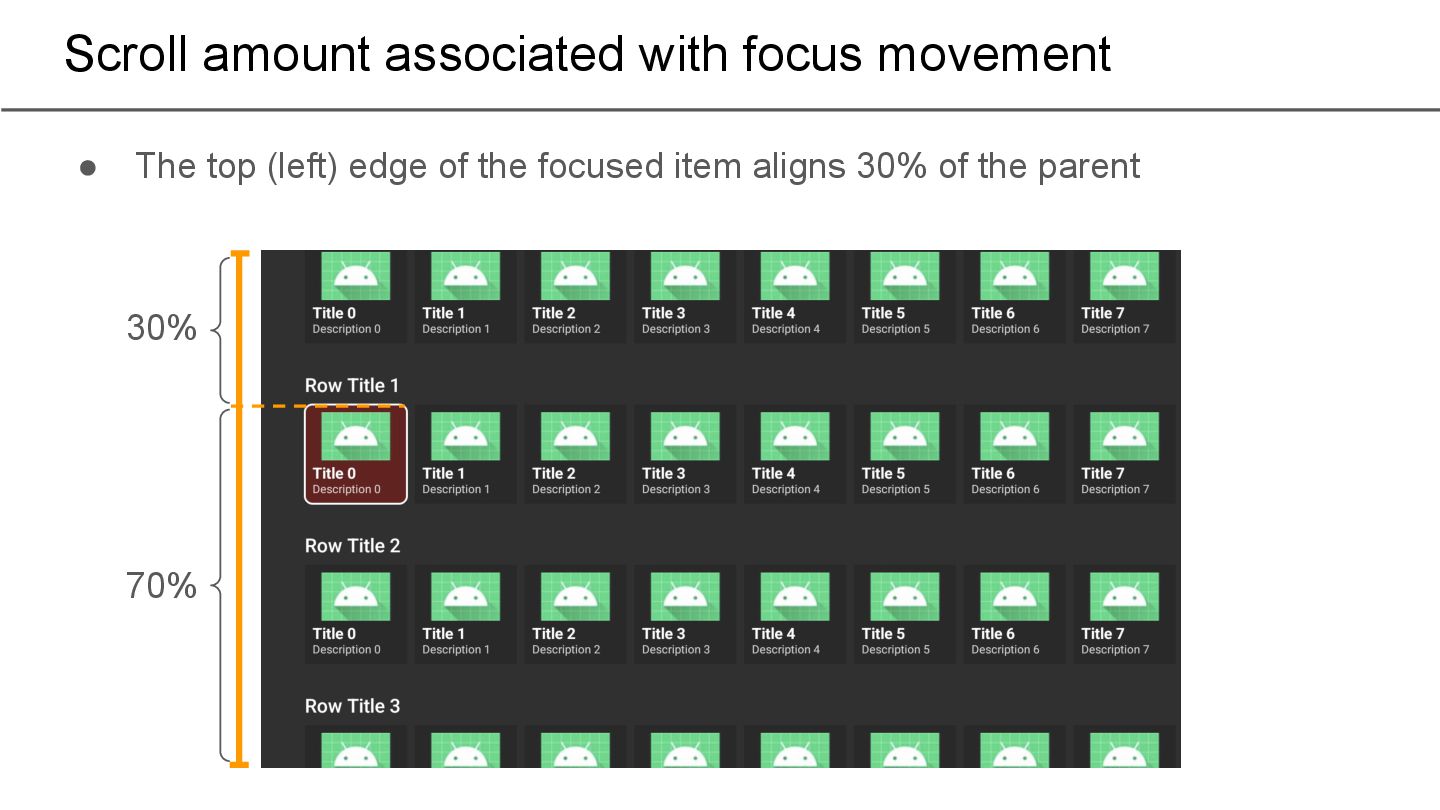
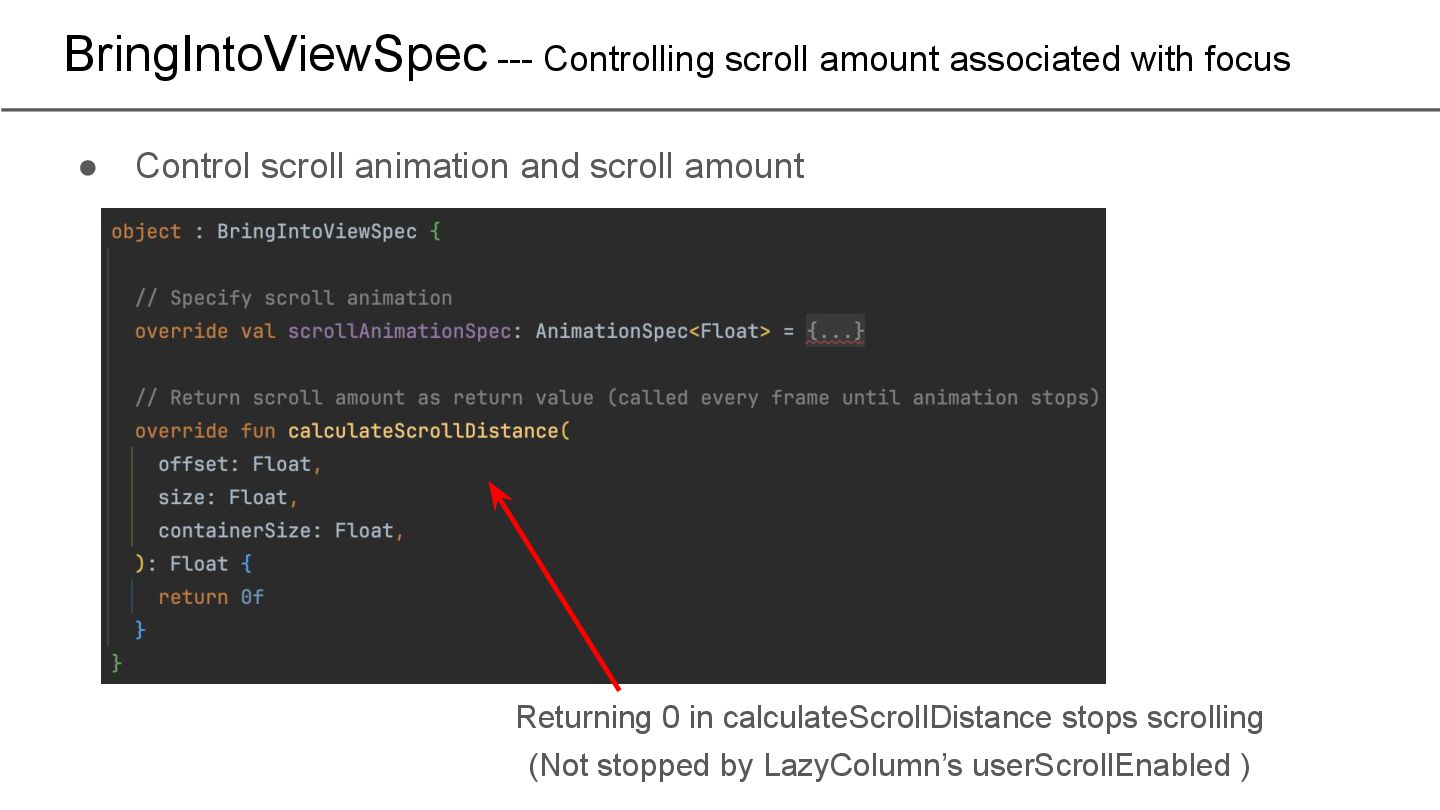
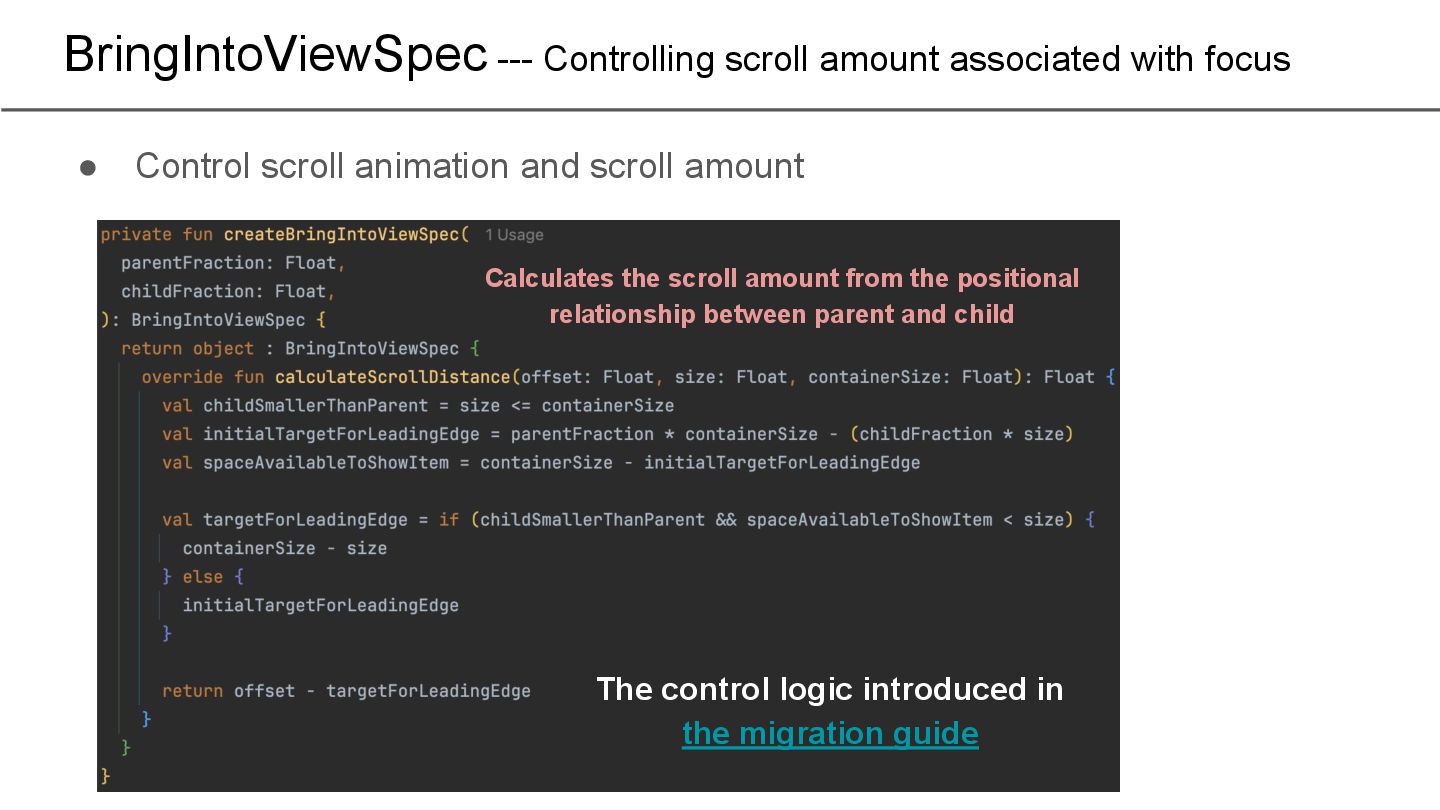
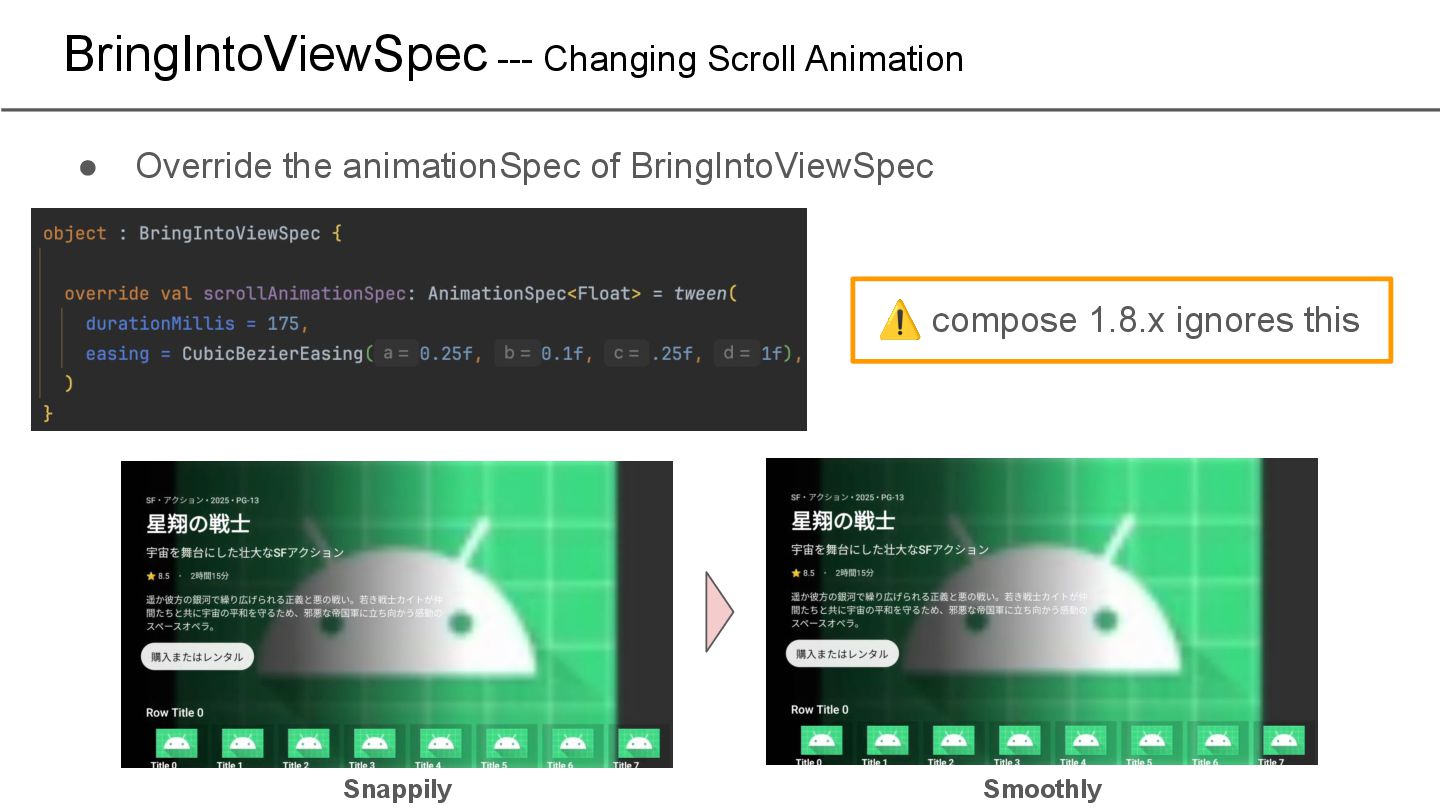
scroll animation and scroll amount The control logic introduced in the migration guide Calculates the scroll amount from the positional relationship between parent and child
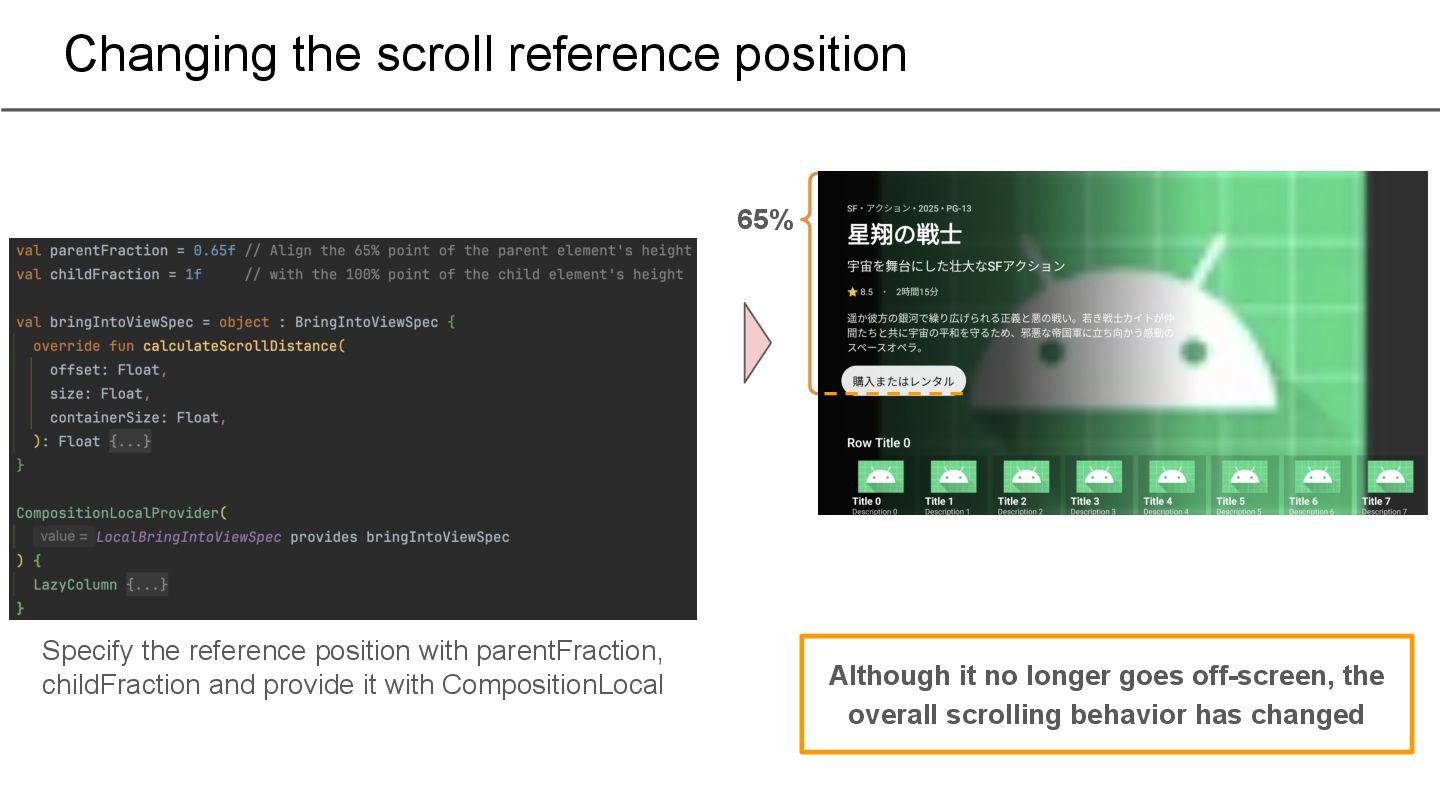
with parentFraction, childFraction and provide it with CompositionLocal Although it no longer goes off-screen, the overall scrolling behavior has changed
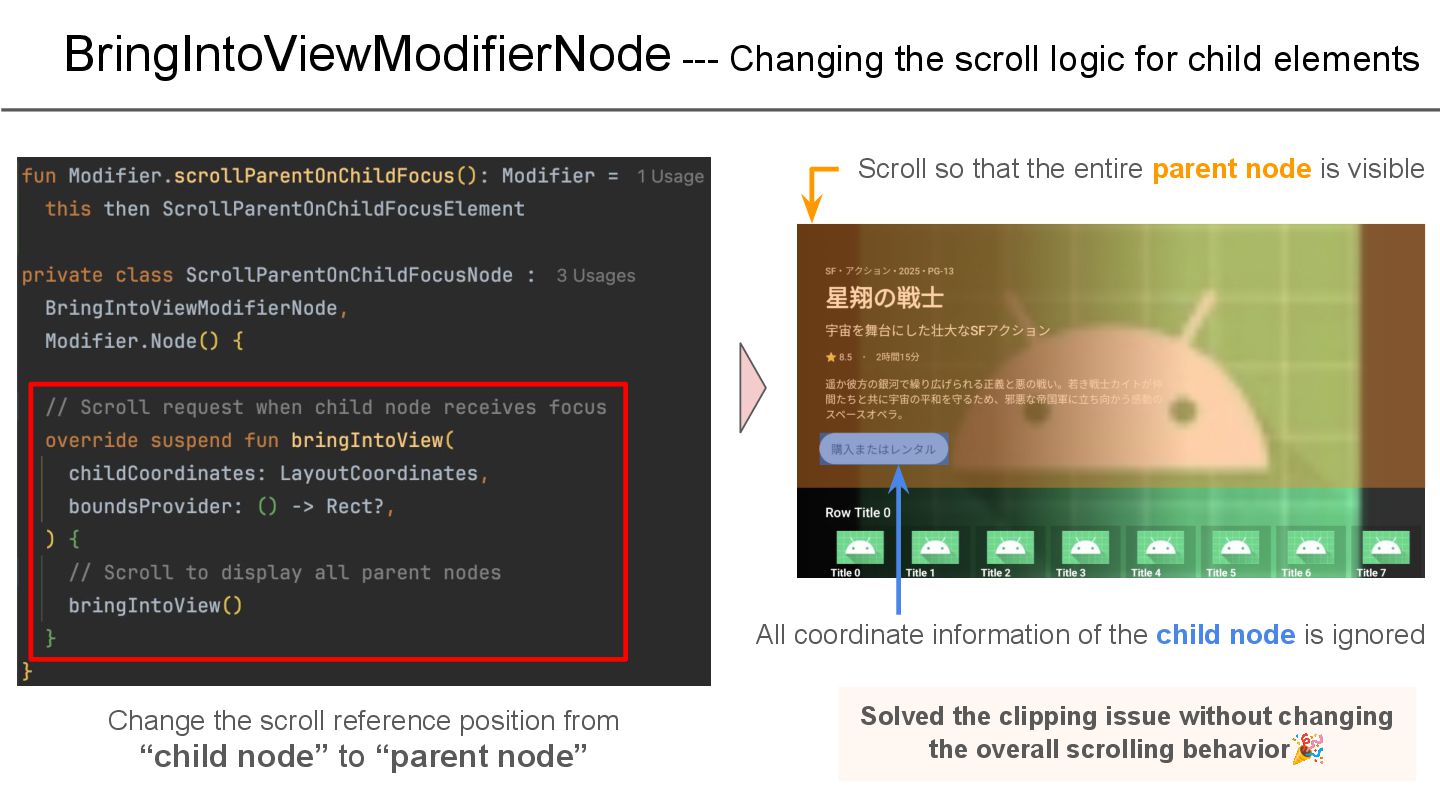
the scroll reference position from “child node” to “parent node” Scroll so that the entire parent node is visible All coordinate information of the child node is ignored Solved the clipping issue without changing the overall scrolling behavior🎉
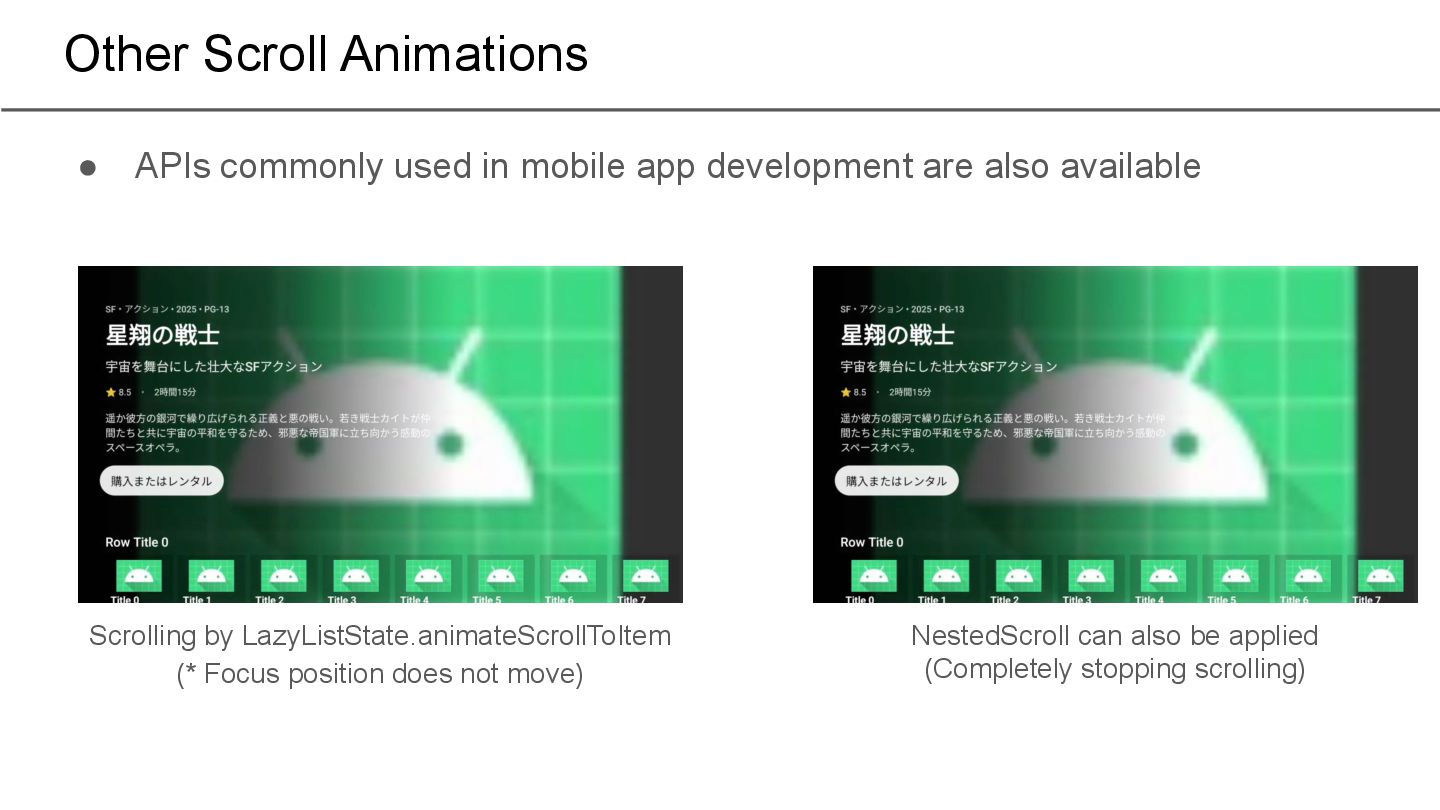
development are also available NestedScroll can also be applied (Completely stopping scrolling) Scrolling by LazyListState.animateScrollToItem (* Focus position does not move)
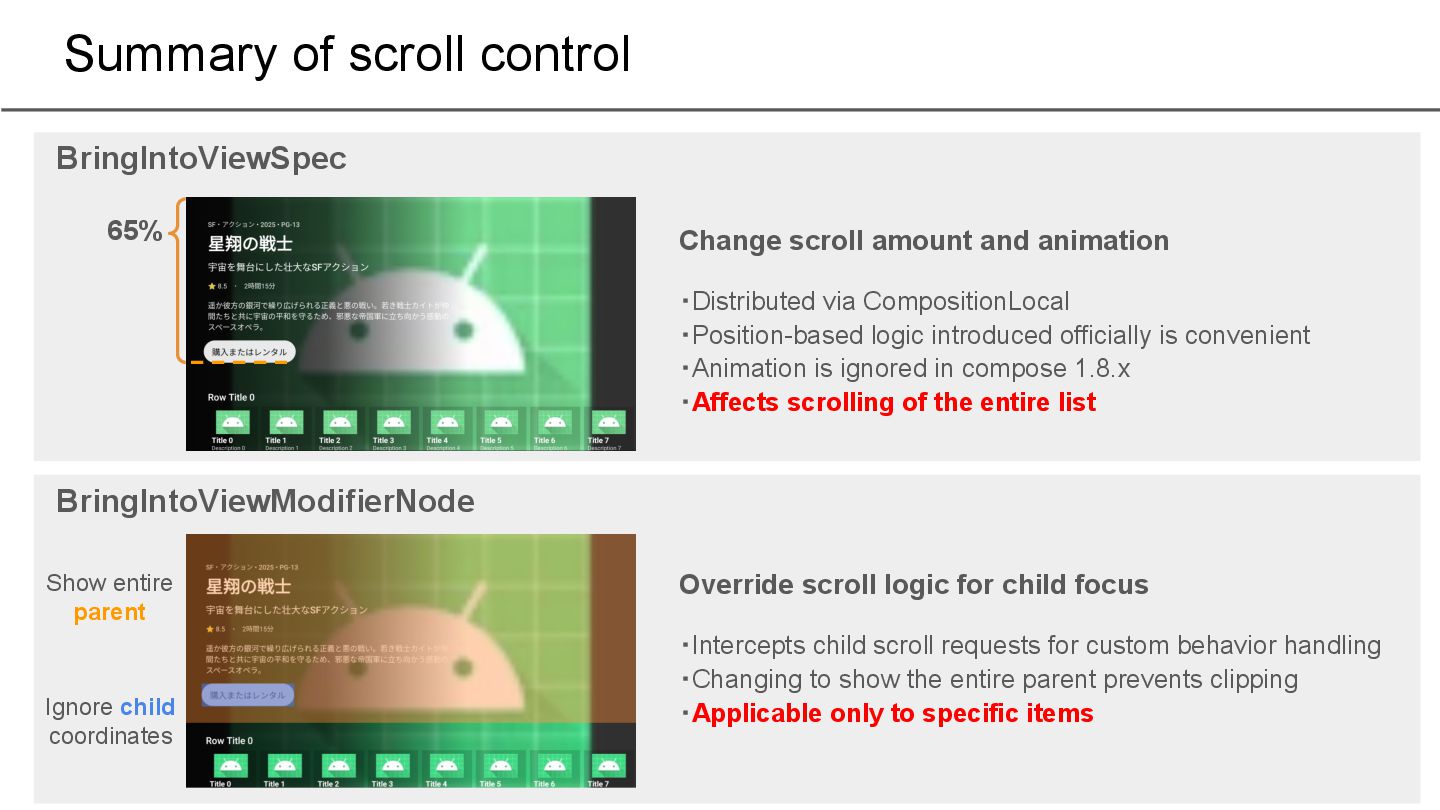
via CompositionLocal ・Position-based logic introduced officially is convenient ・Animation is ignored in compose 1.8.x ・Affects scrolling of the entire list BringIntoViewSpec Override scroll logic for child focus ・Intercepts child scroll requests for custom behavior handling ・Changing to show the entire parent prevents clipping ・Applicable only to specific items BringIntoViewModifierNode 65% Show entire parent Ignore child coordinates
Style settings for TV apps 3. Controlling focus movement a. Automatic control b. Manual control 4. Controlling scrolling 5. Impressions of actually implementing it
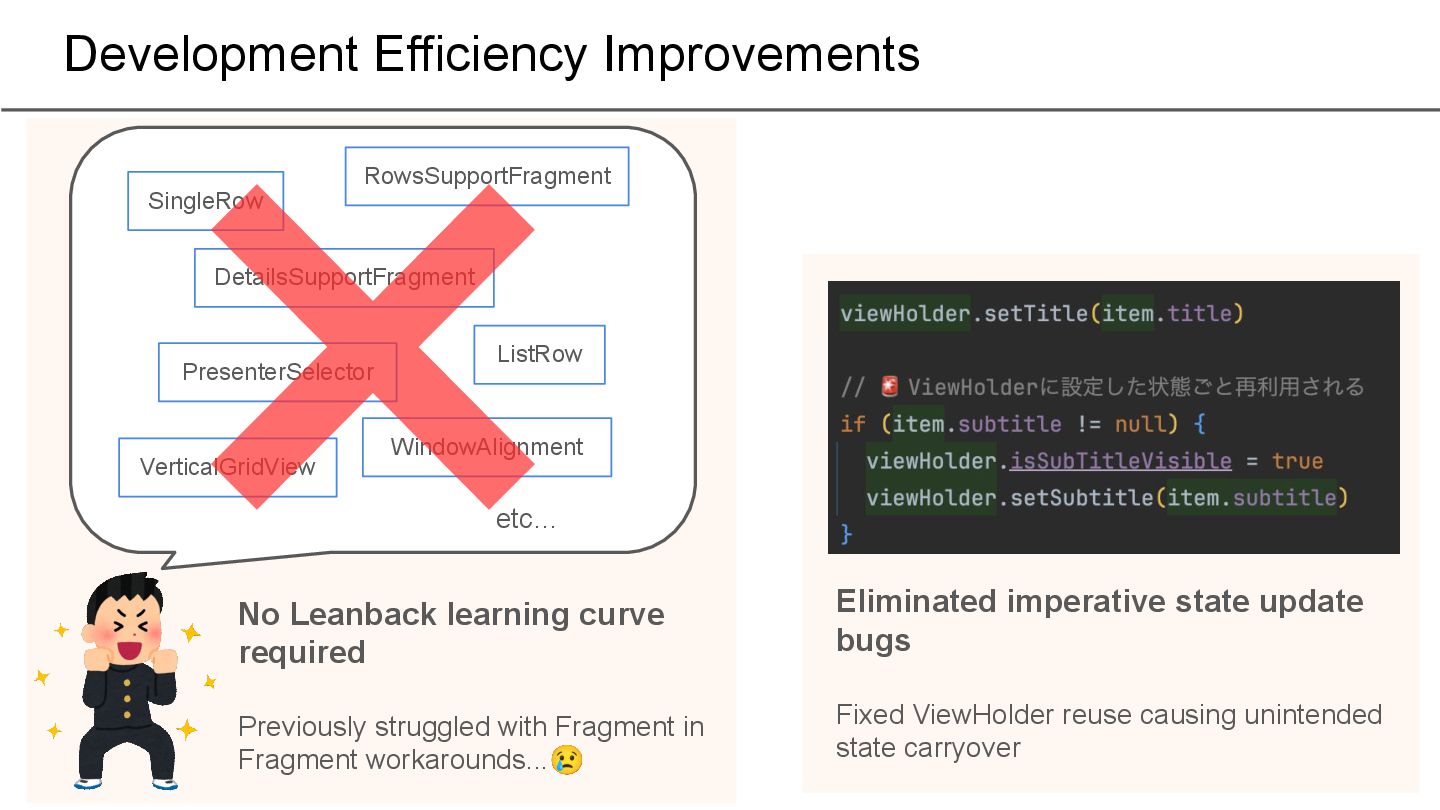
etc… No Leanback learning curve required Previously struggled with Fragment in Fragment workarounds...😢 Eliminated imperative state update bugs Fixed ViewHolder reuse causing unintended state carryover
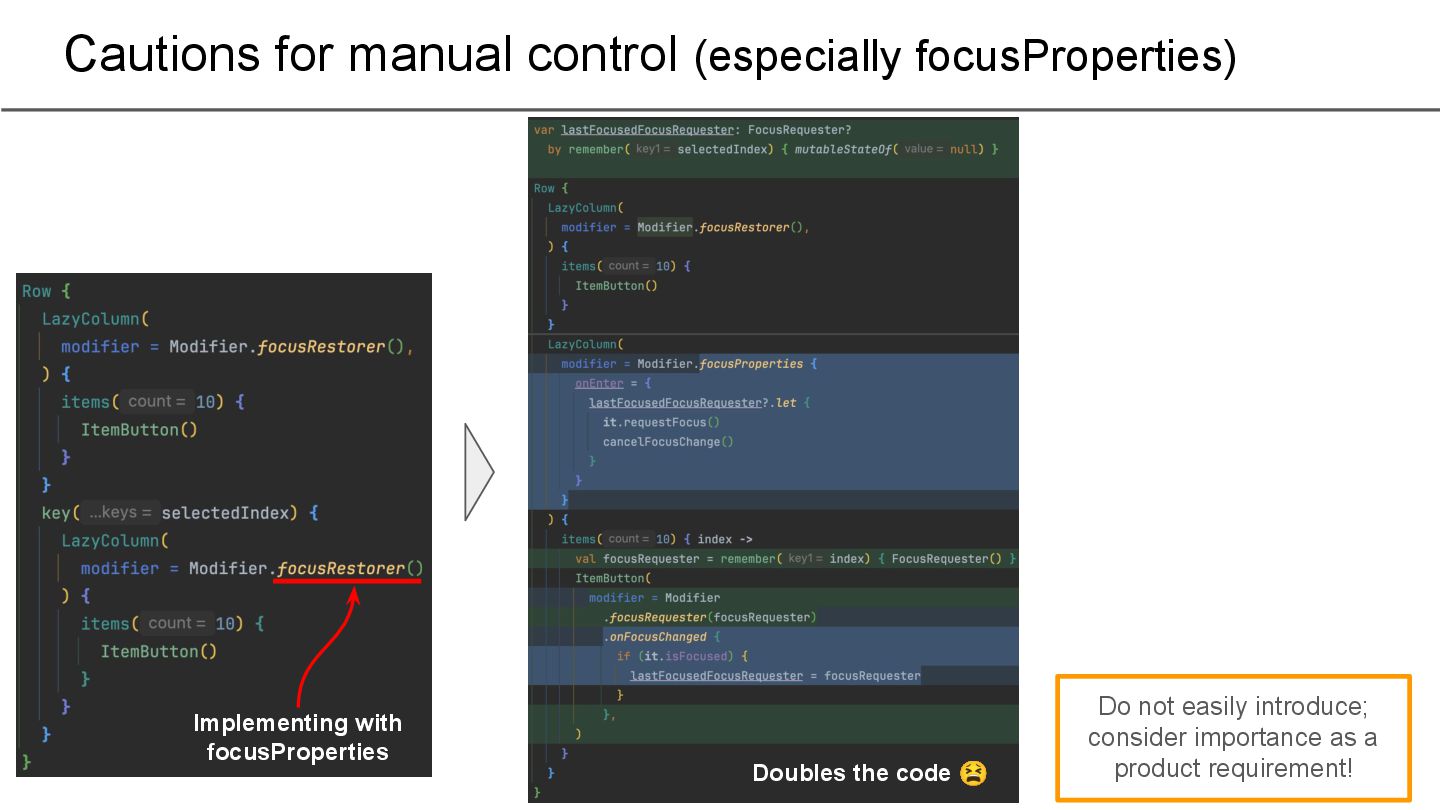
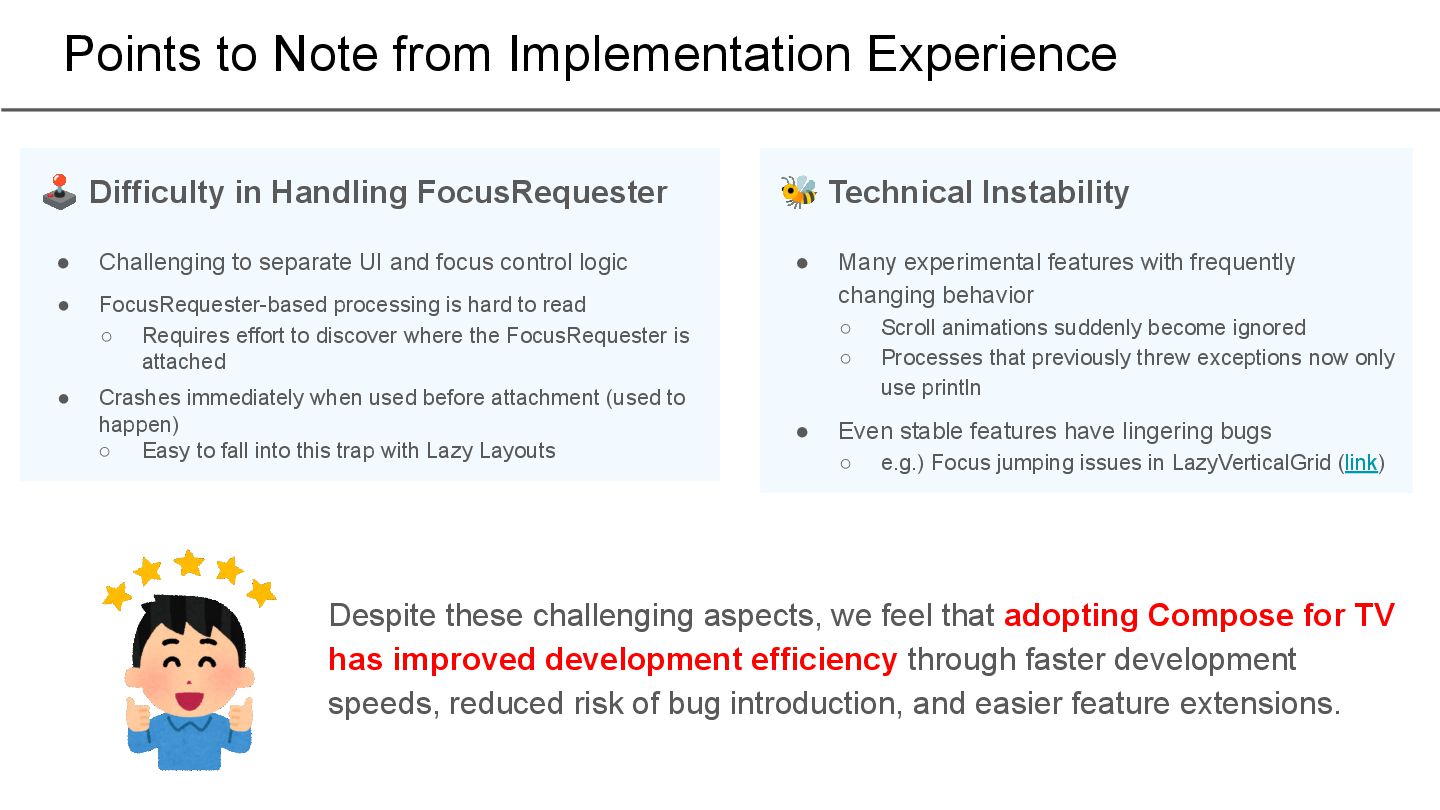
UI and focus control logic • FocusRequester-based processing is hard to read ◦ Requires effort to discover where the FocusRequester is attached • Crashes immediately when used before attachment (used to happen) ◦ Easy to fall into this trap with Lazy Layouts 🕹 Difficulty in Handling FocusRequester • Many experimental features with frequently changing behavior ◦ Scroll animations suddenly become ignored ◦ Processes that previously threw exceptions now only use println • Even stable features have lingering bugs ◦ e.g.) Focus jumping issues in LazyVerticalGrid (link) 🐝 Technical Instability Despite these challenging aspects, we feel that adopting Compose for TV has improved development efficiency through faster development speeds, reduced risk of bug introduction, and easier feature extensions.
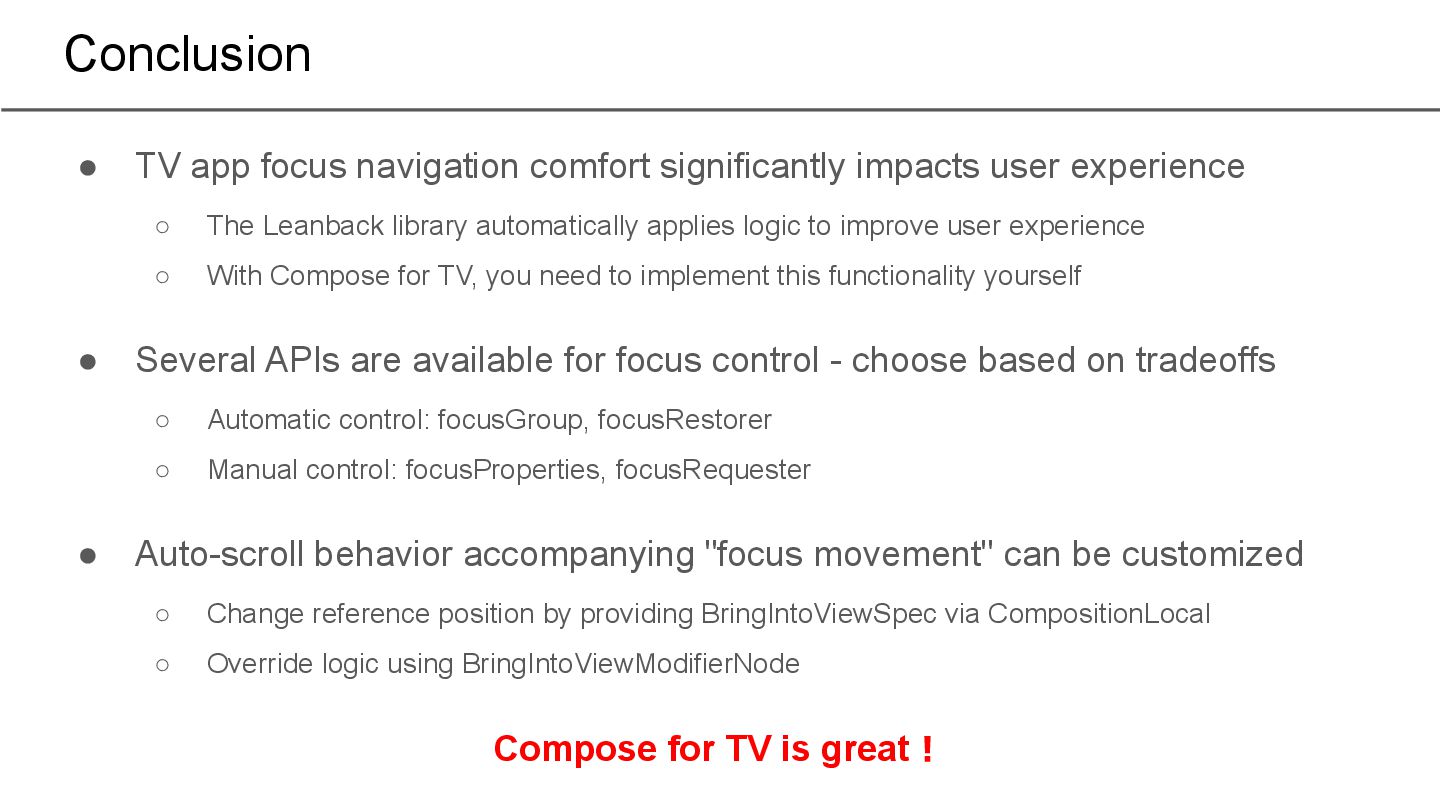
experience ◦ The Leanback library automatically applies logic to improve user experience ◦ With Compose for TV, you need to implement this functionality yourself • Several APIs are available for focus control - choose based on tradeoffs ◦ Automatic control: focusGroup, focusRestorer ◦ Manual control: focusProperties, focusRequester • Auto-scroll behavior accompanying "focus movement" can be customized ◦ Change reference position by providing BringIntoViewSpec via CompositionLocal ◦ Override logic using BringIntoViewModifierNode Compose for TV is great!


 taked137
 occhi
occhi
 tokuty
 ykanoh
 glaforge
 4o1sobblue
 kworkdev
 yut0naga1_fa
 riyaamemiya
 koukihosaka
 persolserverworks
 prog893
 akitoshiga
 reverentgeek
 lcolladotor
 techseoconnect
 aleyda
 samanthasiow
 gr2m
gr2m
 addyosmani
 wayneb77
 chrislema
 jct
jct
 62gerente
 jcasabona