Upgrade to Pro — share decks privately, control downloads, hide ads and more …

Hadoop - Taming the Elephant (With a Whale)

Avatar for Teapot-418 Teapot-418
January 14, 2019

Hadoop - Taming the Elephant (With a Whale)

Big Data ist in der heutigen Zeit ein weit verbreitetes Thema. Im Umgang mit großen Datenmengen kommen verschiedene Tools zum Einsatz, wie zum Beispiel Hadoop.

Wer als Entwickler in das Thema Hadoop einsteigen möchte und gerade kein voll aufgesetztes Rechen-Cluster zur Hand hat, ist hier genau richtig.

Wir beginnen mit einer kurzen Einführung in Hadoop und einer Komponentenübersicht des Hadoop-Universums. Wir werden Hadoop ganz ohne Installationsexzesse lokal in Docker ausführen.

Im Anschluss daran werden wir Daten aus dem Darknet analysieren, um zu verstehen, welche Vorteile Hadoop mit sich bringt.

Am Ende des Talks kennen die Zuhörerinnen und Zuhörer die wichtigsten Begriffe und Tools aus dem Hadoop-Universum und freuen sich darauf, Hadoop zu Hause in Docker auszuprobieren (und vielleicht auch darauf, ein Hadoop-Cluster für ihr Unternehmen aufzusetzen).

Für die ersten Schritte zu Hause wird ein öffentliches Demo-Projekt auf GitHub zur Verfügung gestellt.

Avatar for Teapot-418

Teapot-418

January 14, 2019

More Decks by Teapot-418

Other Decks in Programming

Transcript

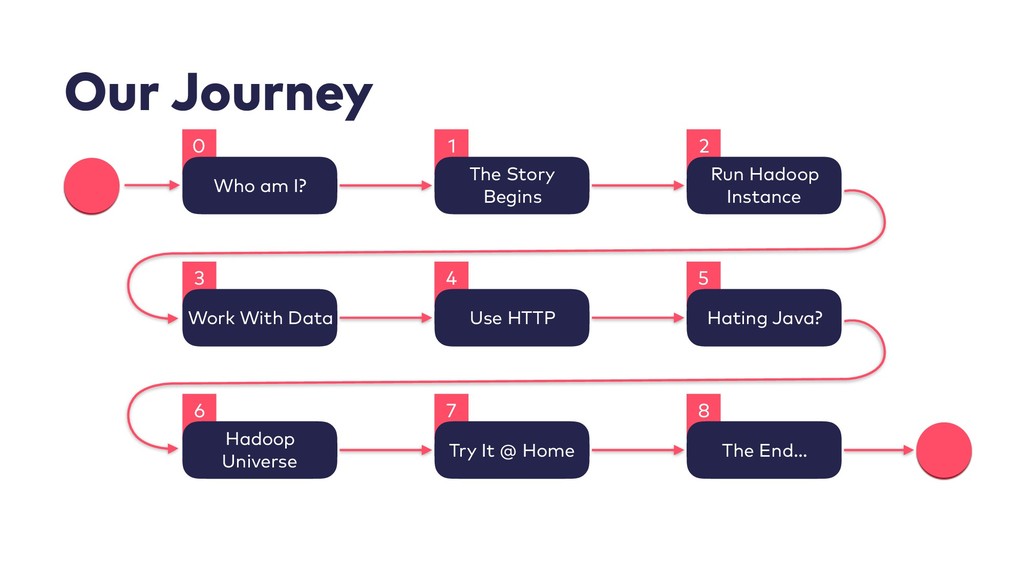
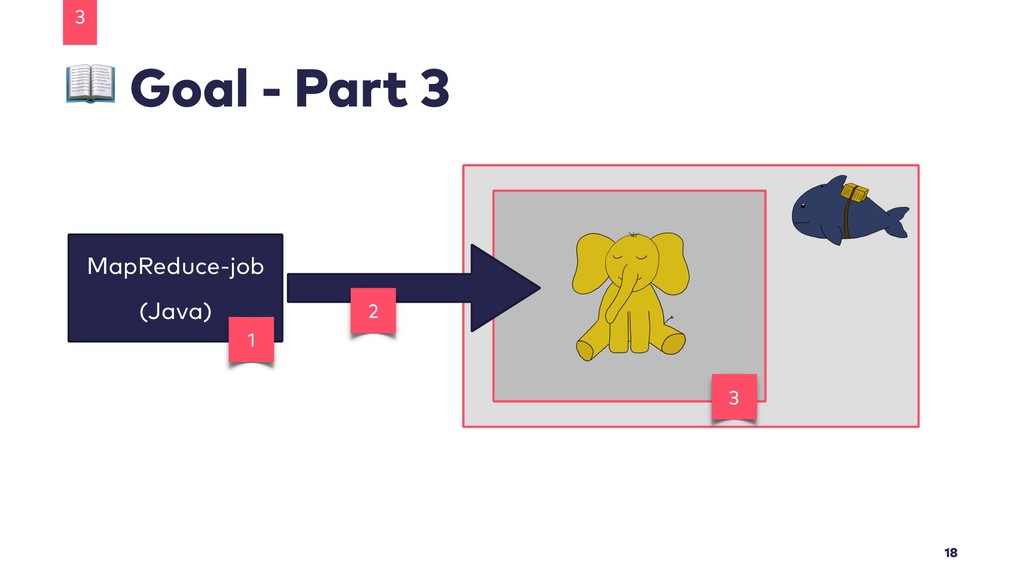
  1. 8 7 5 4 3 2 Run Hadoop Instance 1

    0 Our Journey Who am I? The Story Begins Work With Data Use HTTP Hating Java? Try It @ Home The End… 6 Hadoop Universe
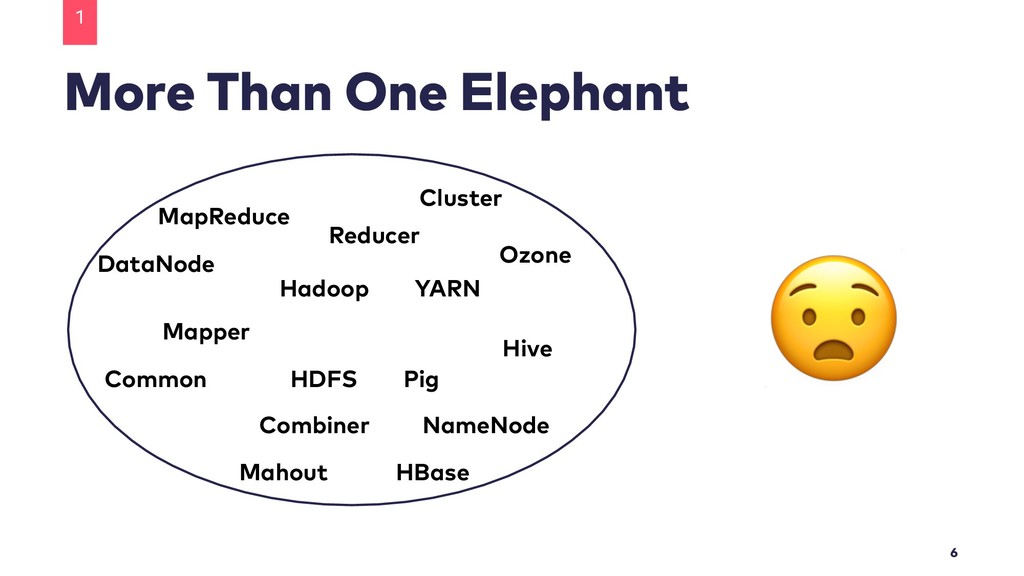
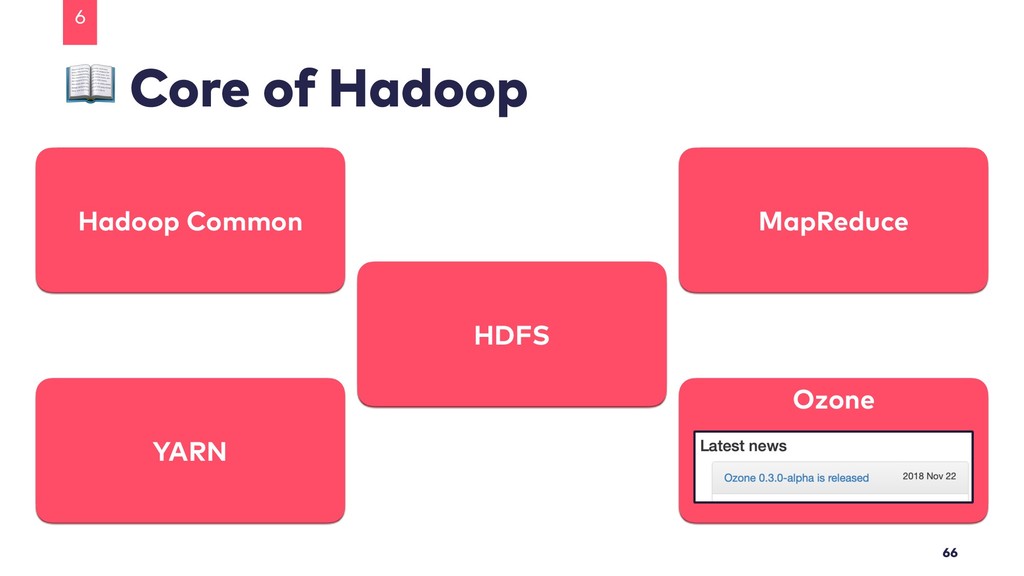
  2. More Than One Elephant Hadoop HDFS YARN Pig Hive Mahout

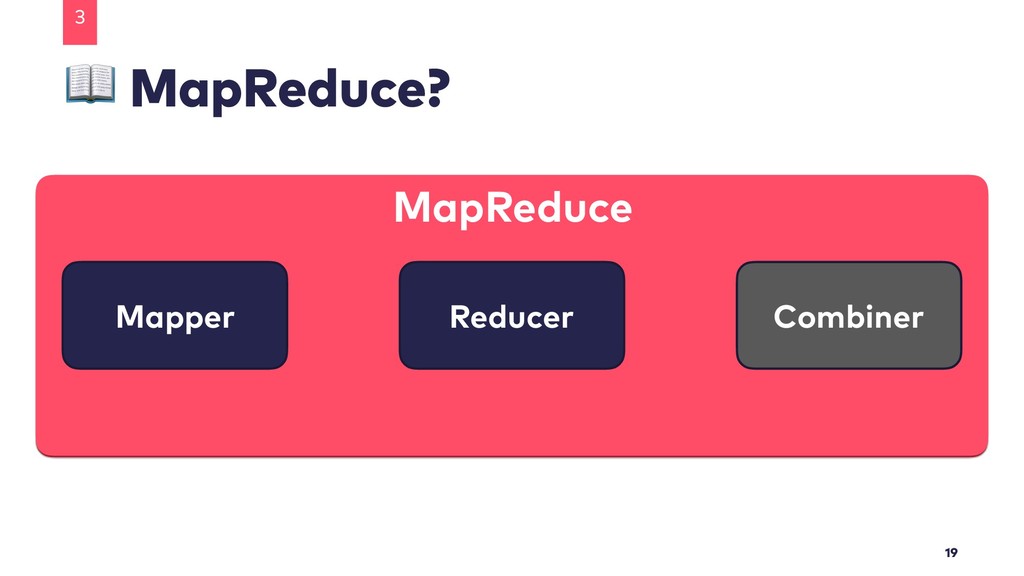
    HBase Cluster MapReduce Ozone Common DataNode NameNode Mapper Reducer Combiner 1 6
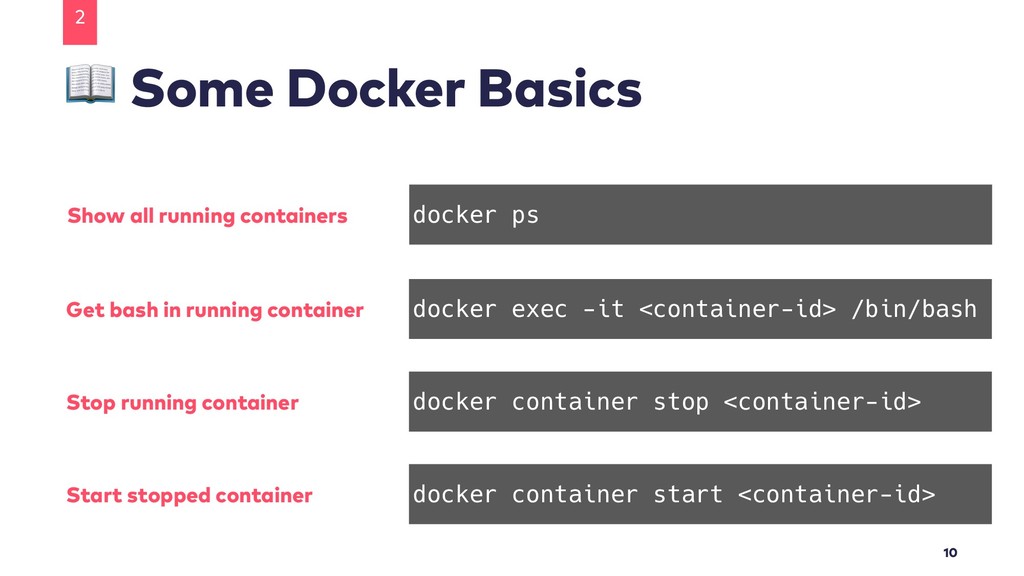
  3. Some Docker Basics 2 10 docker exec -it <container-id> /bin/bash

    docker container stop <container-id> docker container start <container-id> Get bash in running container Stop running container Start stopped container docker ps Show all running containers
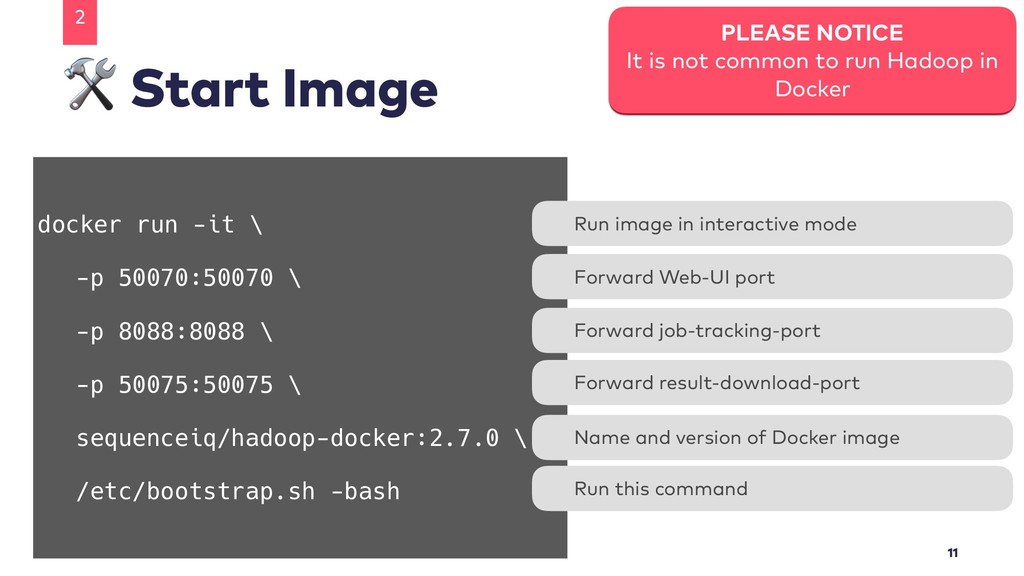
  4. Start Image 2 11 PLEASE NOTICE It is not common

    to run Hadoop in Docker docker run -it \ -p 50070:50070 \ -p 8088:8088 \ -p 50075:50075 \ sequenceiq/hadoop-docker:2.7.0 \ /etc/bootstrap.sh -bash Run image in interactive mode Forward Web-UI port Name and version of Docker image Run this command Forward result-download-port Forward job-tracking-port
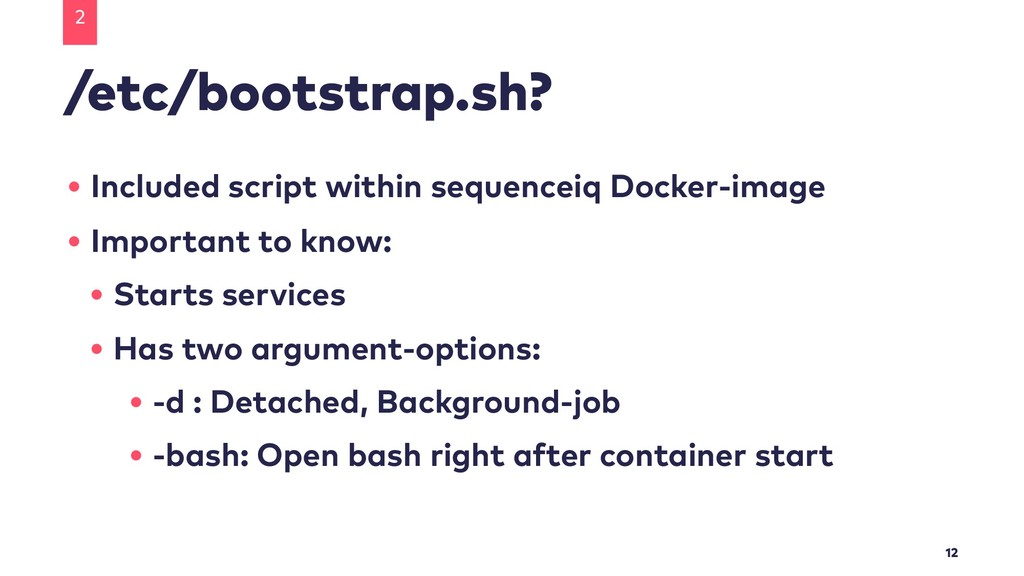
  5. /etc/bootstrap.sh? 2 12 • Included script within sequenceiq Docker-image •

    Important to know: • Starts services • Has two argument-options: • -d : Detached, Background-job • -bash: Open bash right after container start
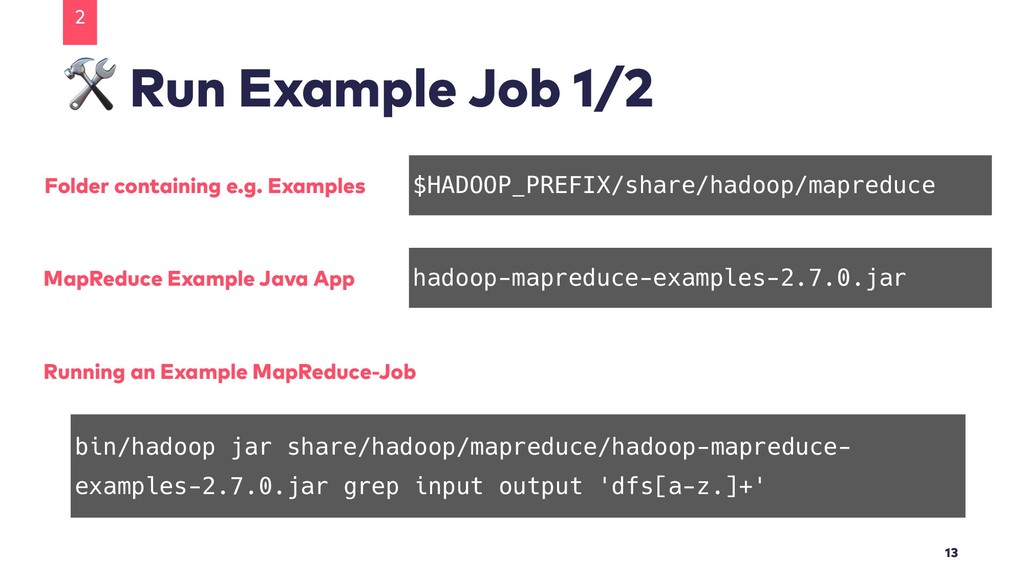
  6. Run Example Job 1/2 2 13 $HADOOP_PREFIX/share/hadoop/mapreduce hadoop-mapreduce-examples-2.7.0.jar bin/hadoop jar

    share/hadoop/mapreduce/hadoop-mapreduce- examples-2.7.0.jar grep input output 'dfs[a-z.]+' Folder containing e.g. Examples MapReduce Example Java App Running an Example MapReduce-Job
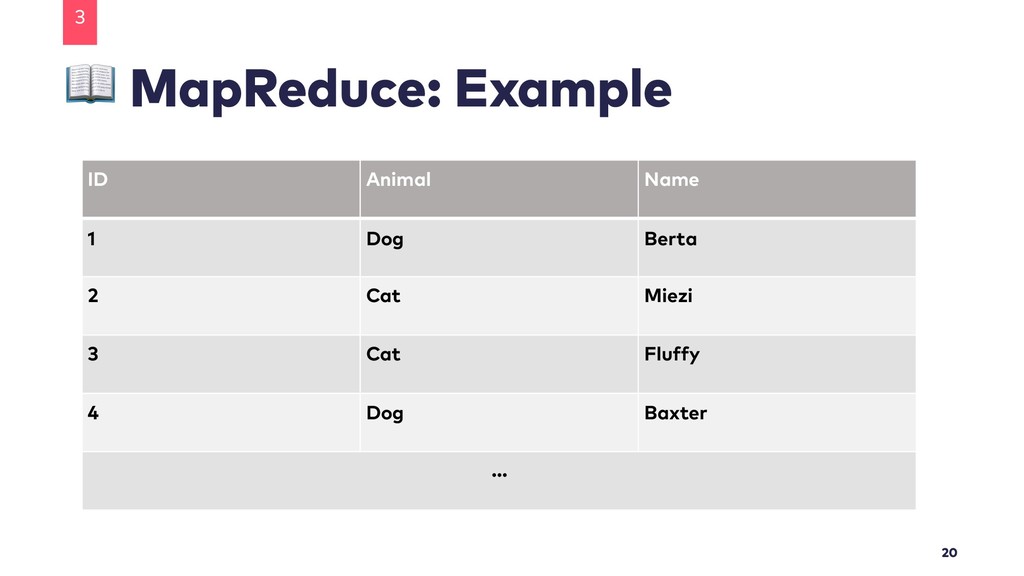
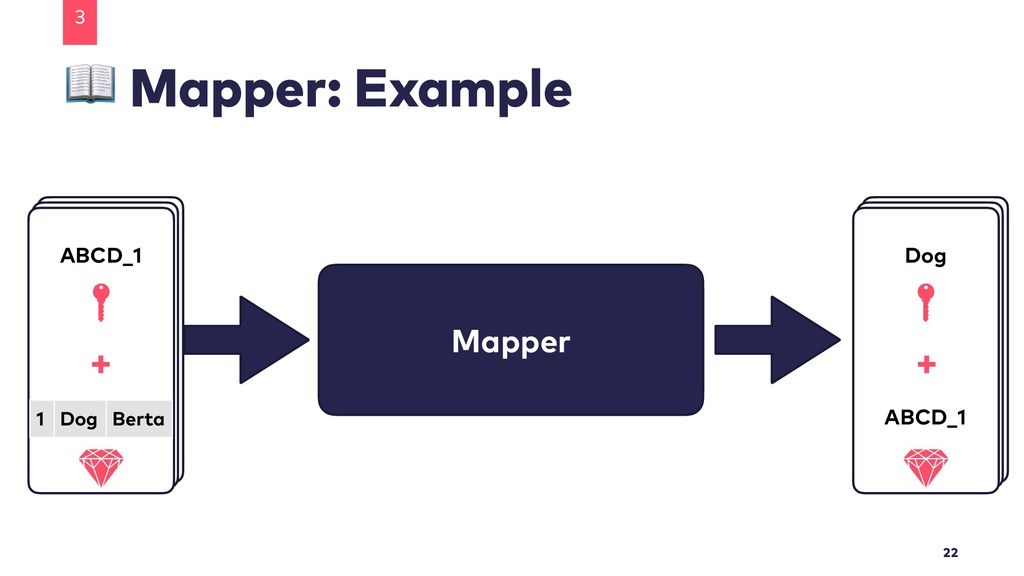
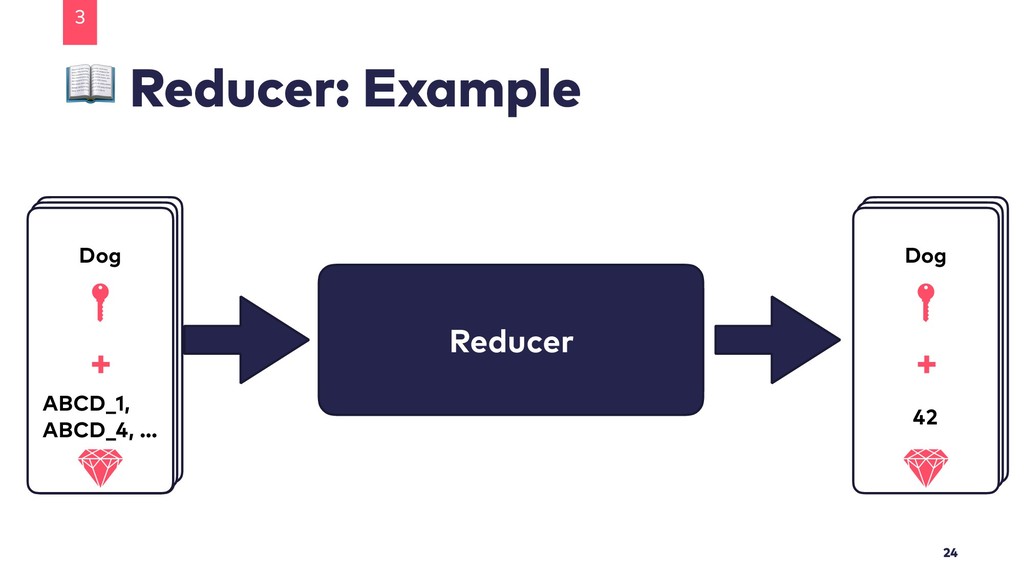
  7. MapReduce: Example 3 20 ID Animal Name 1 Dog Berta

    2 Cat Miezi 3 Cat Fluffy 4 Dog Baxter …
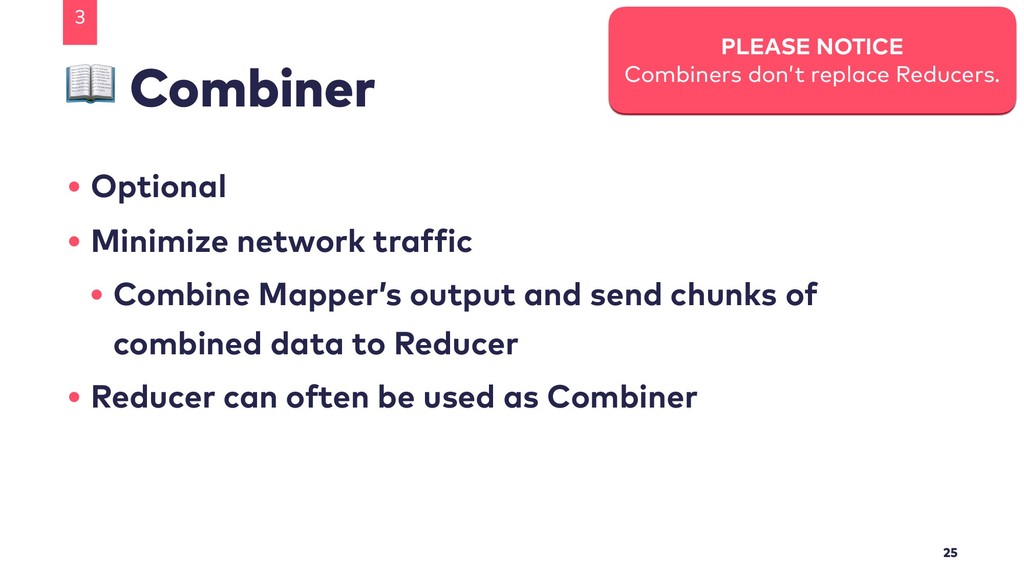
  8. Combiner 3 25 PLEASE NOTICE Combiners don’t replace Reducers. •

    Optional • Minimize network traffic • Combine Mapper’s output and send chunks of combined data to Reducer • Reducer can often be used as Combiner
  9. We Need Data 3 26 • Kaggle:
 Dark Net Marketplace

    Data (Agora 2014-2015) • 30.98 MB • csv-file Original Dataset: https:/ /www.kaggle.com/philipjames11/dark-net-marketplace-drug-data-agora-20142015 Slightly adapted version: https:/ /github.com/Teapot-418/hadoop-taming-the-elephant/blob/master/darknet-data.csv
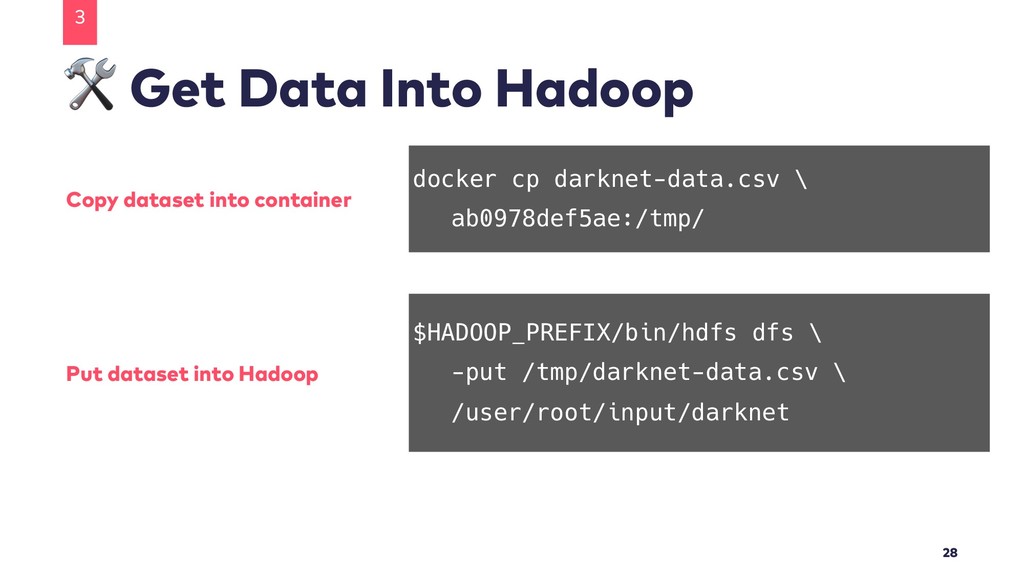
  10. Get Data Into Hadoop 3 28 docker cp darknet-data.csv \

    ab0978def5ae:/tmp/ Copy dataset into container $HADOOP_PREFIX/bin/hdfs dfs \ -put /tmp/darknet-data.csv \ /user/root/input/darknet Put dataset into Hadoop
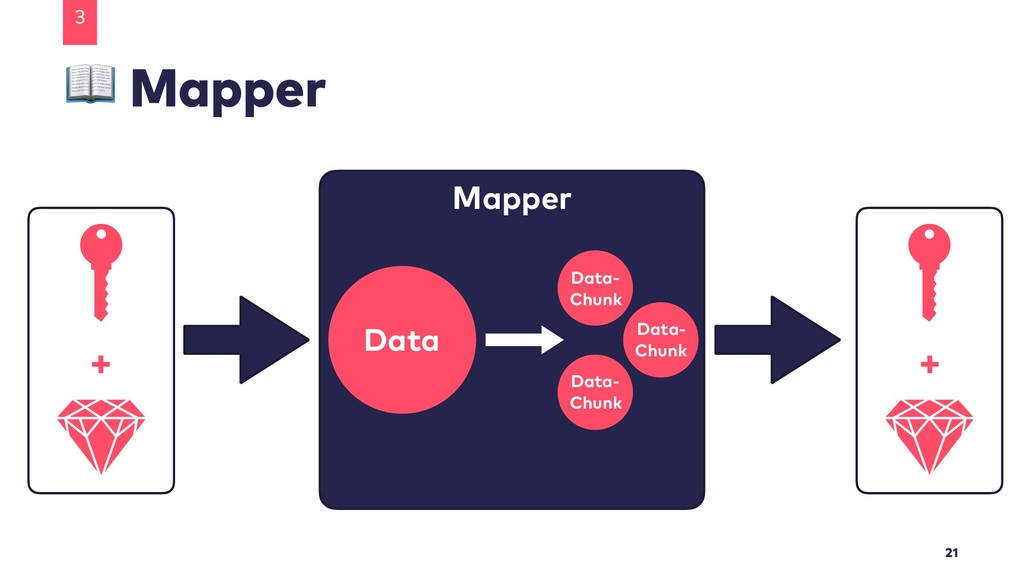
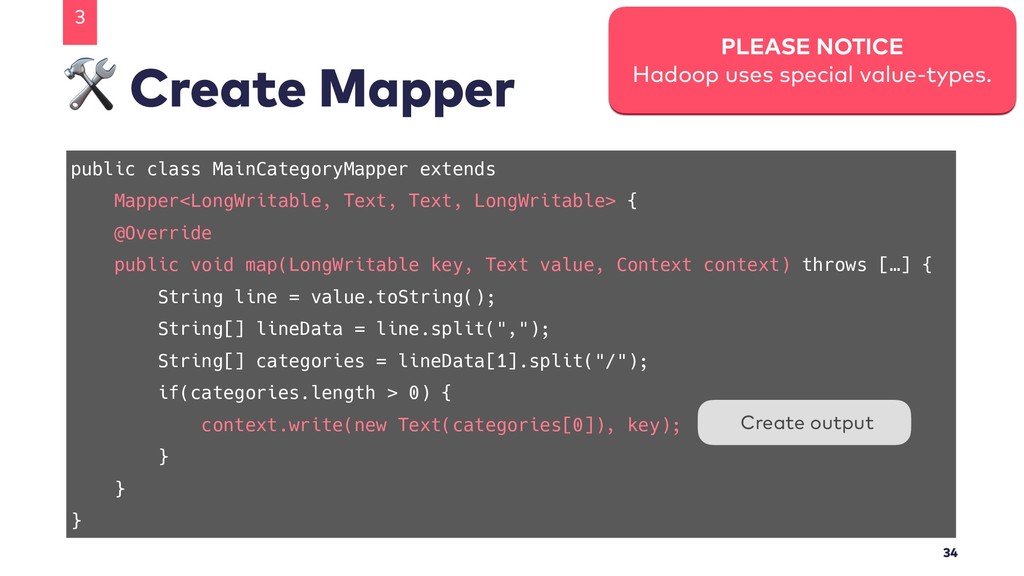
  11. Create Mapper 3 33 Mapper< [input-key], [input-value], [output-key], [output-value] >

    Extend Hadoop’s Mapper public void map( [input-key] key, [input-value] value, Context context ) Override “map”-function
  12. public class MainCategoryMapper extends Mapper<LongWritable, Text, Text, LongWritable> { @Override

    public void map(LongWritable key, Text value, Context context) throws […] { String line = value.toString(); String[] lineData = line.split(","); String[] categories = lineData[1].split("/"); if(categories.length > 0) { context.write(new Text(categories[0]), key); } } } Create Mapper 3 34 PLEASE NOTICE Hadoop uses special value-types. Create output
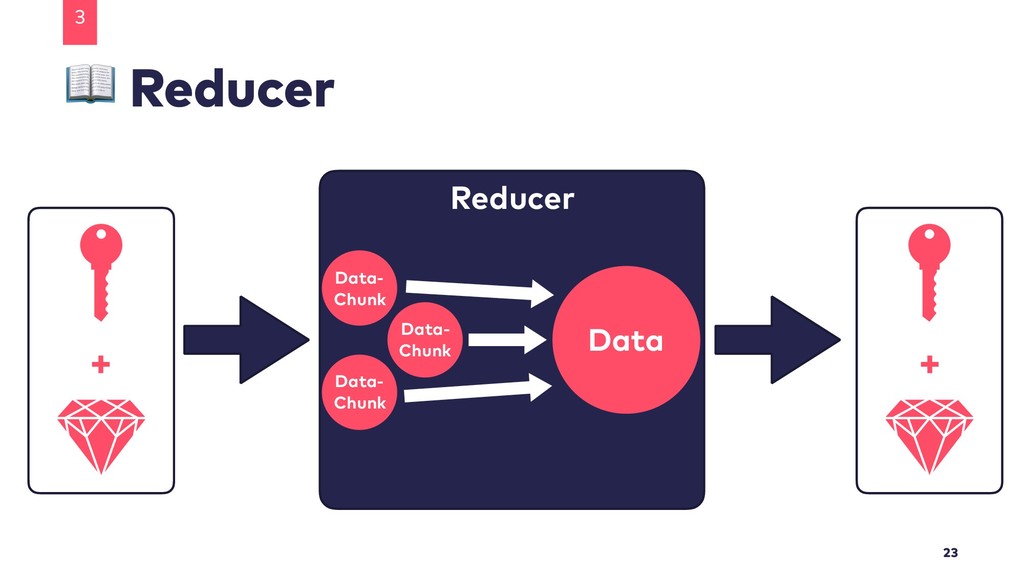
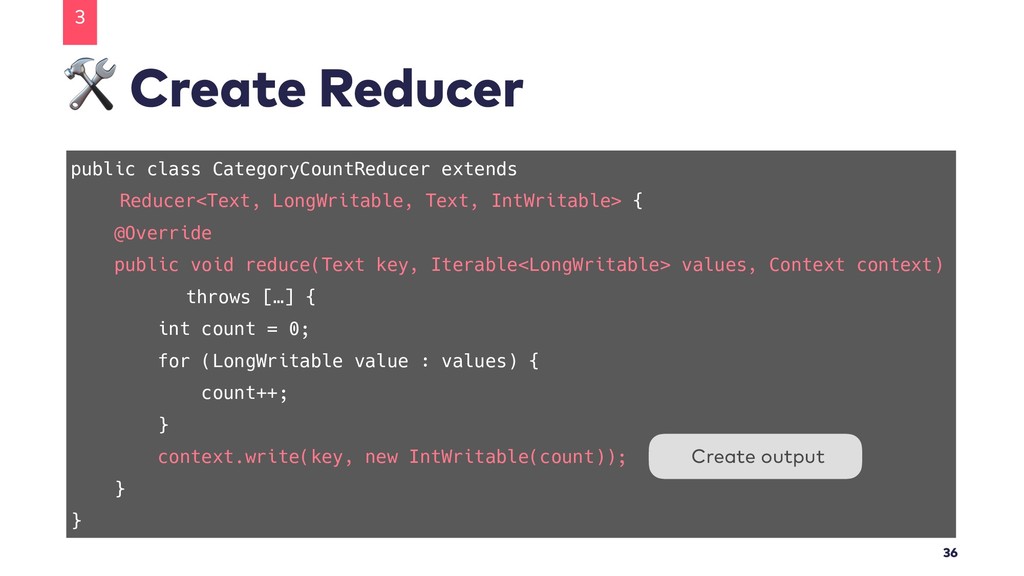
  13. Create Reducer 3 35 Reducer< [input-key], [input-value], [output-key], [output-value] >

    Extend Hadoop’s Reducer public void reduce( [input-key] key, Iterable<[input-value]> values, Context context ) Override “reduce”-function
  14. public class CategoryCountReducer extends Reducer<Text, LongWritable, Text, IntWritable> { @Override

    public void reduce(Text key, Iterable<LongWritable> values, Context context) throws […] { int count = 0; for (LongWritable value : values) { count++; } context.write(key, new IntWritable(count)); } } Create Reducer 3 36 Create output
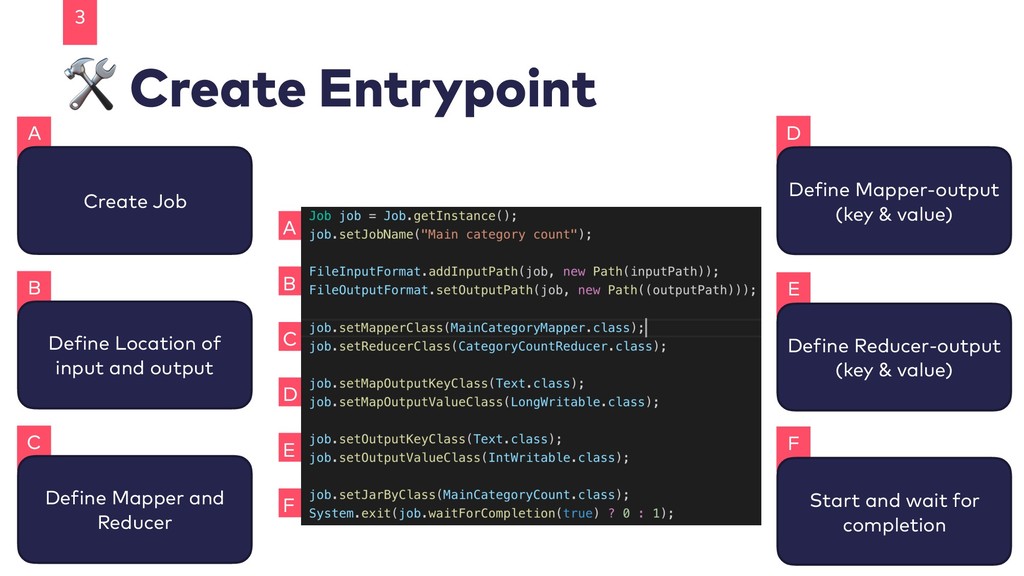
  15. F E D C B A Create Entrypoint 3 37

    A Create Job B Define Location of input and output C Define Mapper and Reducer D Define Mapper-output (key & value) E Define Reducer-output (key & value) F Start and wait for completion
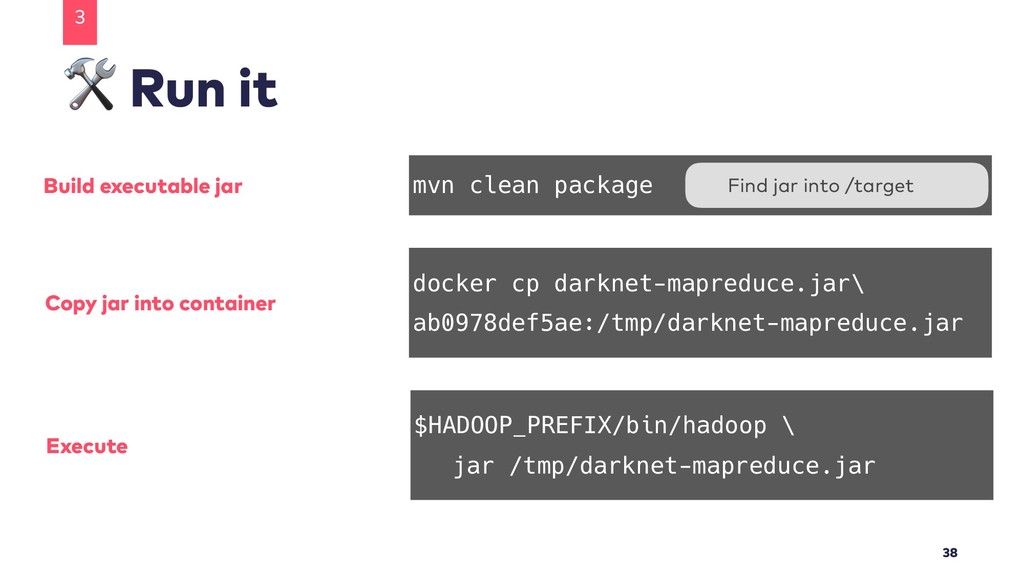
  16. Run it 3 38 mvn clean package docker cp darknet-mapreduce.jar\

    ab0978def5ae:/tmp/darknet-mapreduce.jar Build executable jar Copy jar into container Find jar into /target $HADOOP_PREFIX/bin/hadoop \ jar /tmp/darknet-mapreduce.jar Execute
  17. Run it 3 39 […] INFO mapreduce.Job: The url to

    track the job: http://ab0978def5ae:8088/ proxy/application_1547046677403_0012/ […] INFO mapreduce.Job: Running job: job_1547046677403_0012 […] INFO mapreduce.Job: Job job_1547046677403_0012 running in uber mode : false […] INFO mapreduce.Job: map 0% reduce 0% […] INFO mapreduce.Job: map 100% reduce 0% […] INFO mapreduce.Job: map 100% reduce 100% […] INFO mapreduce.Job: Job job_1547046677403_0012 completed successfully
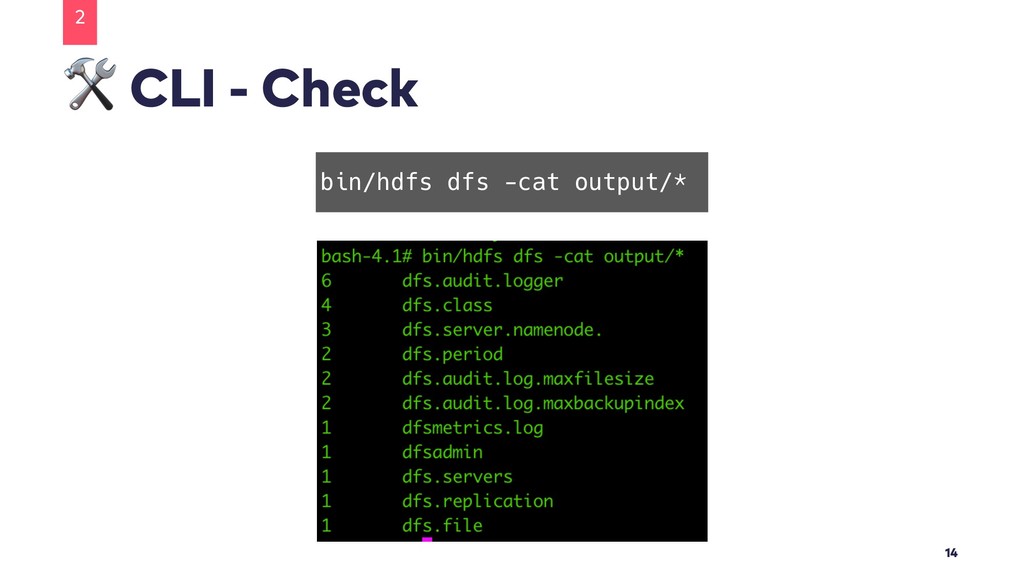
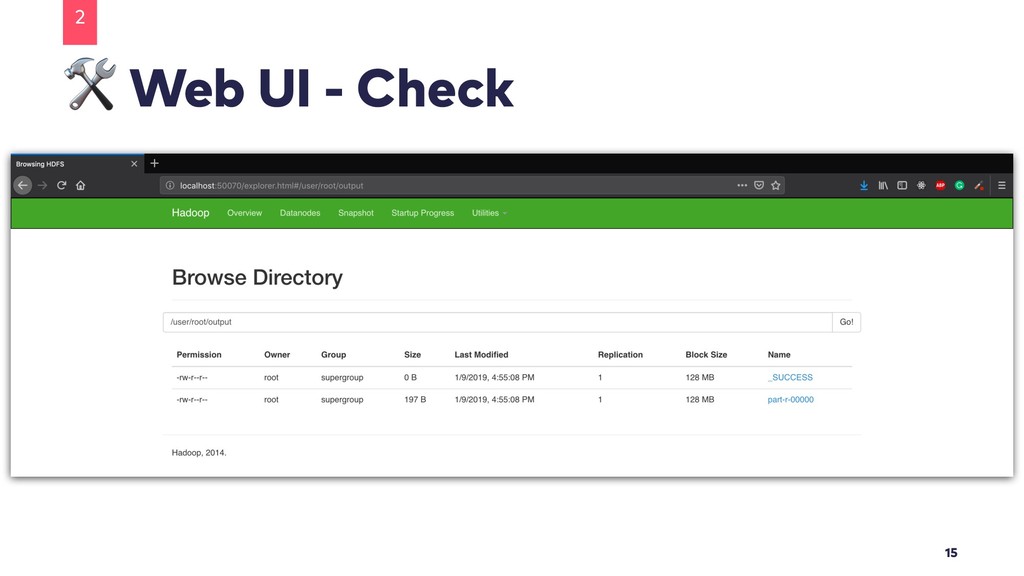
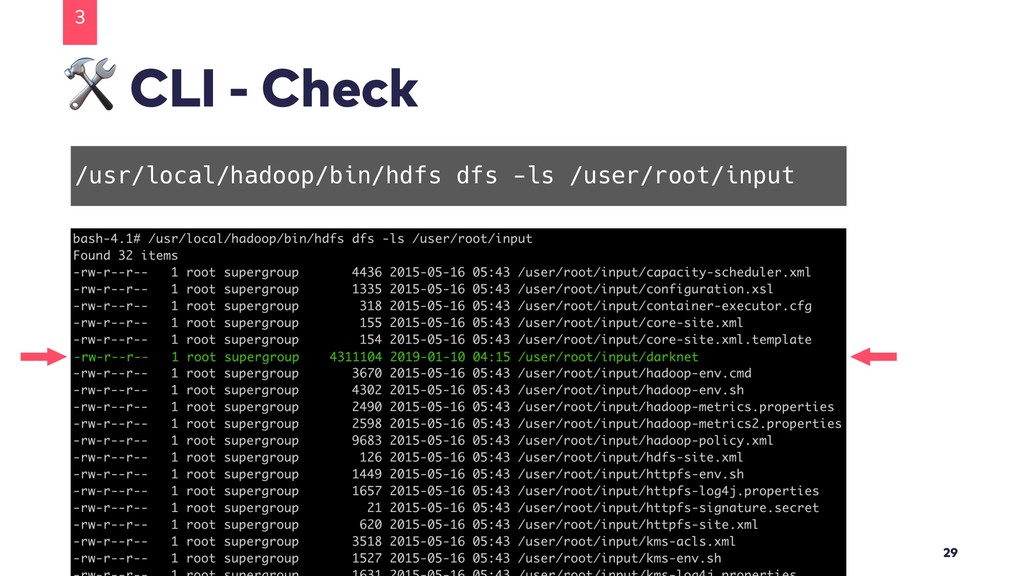
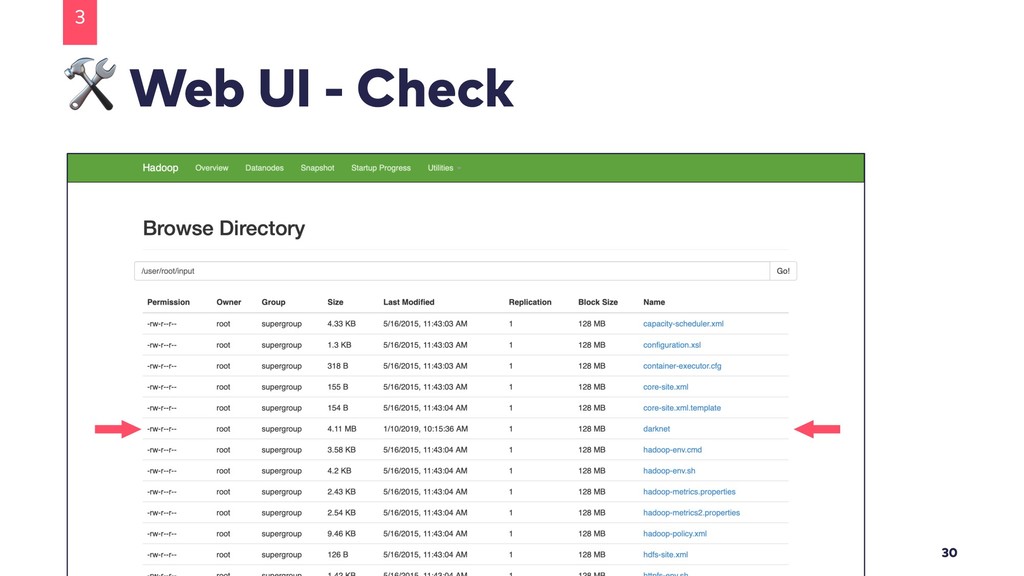
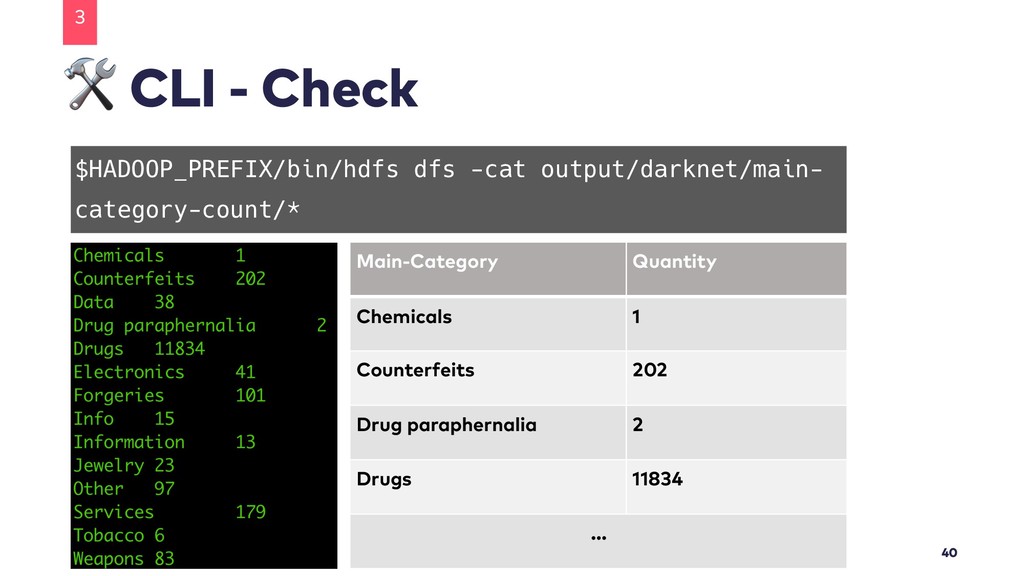
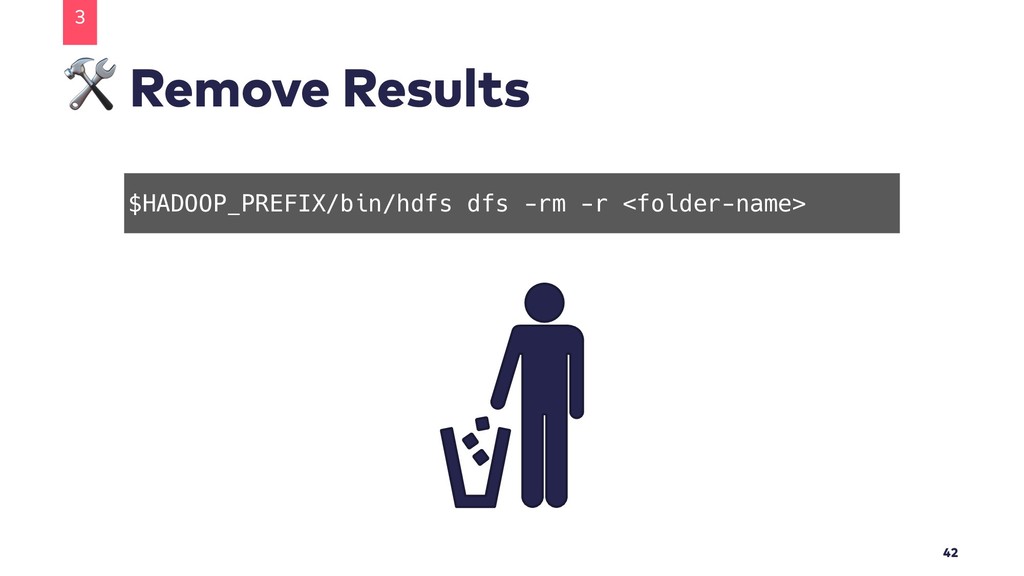
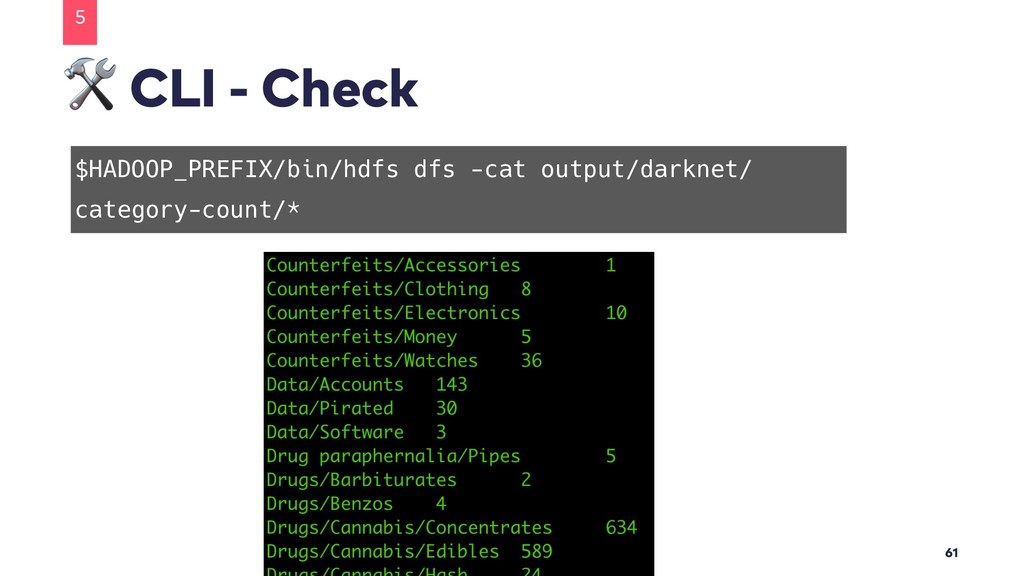
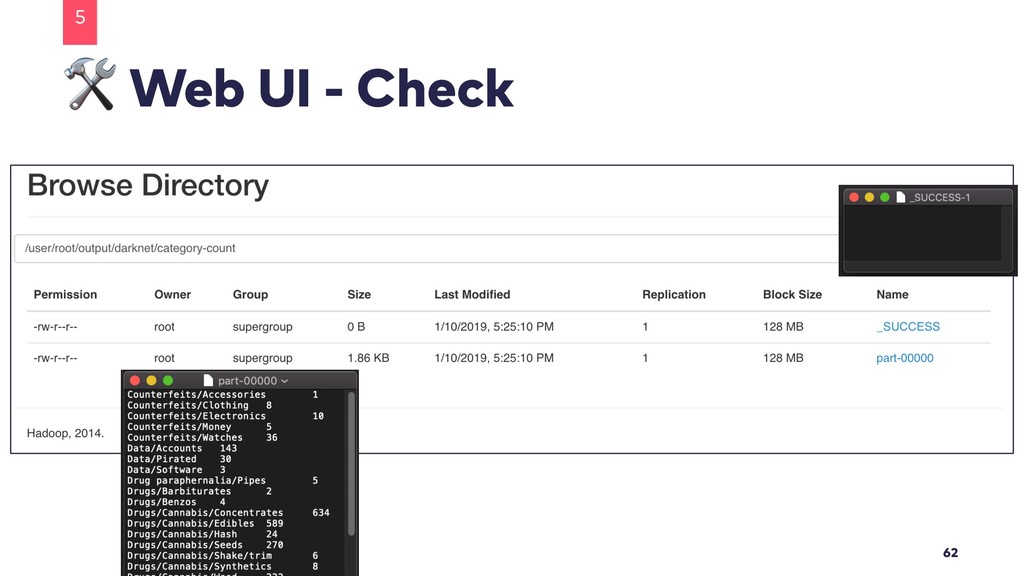
  18. CLI - Check 3 40 $HADOOP_PREFIX/bin/hdfs dfs -cat output/darknet/main- category-count/*

    Main-Category Quantity Chemicals 1 Counterfeits 202 Drug paraphernalia 2 Drugs 11834 …
  19. Be Creative • Work with this dataset and try to

    do other things like: • Counting detailed categories • List the maximum price per main-category • … 3 43
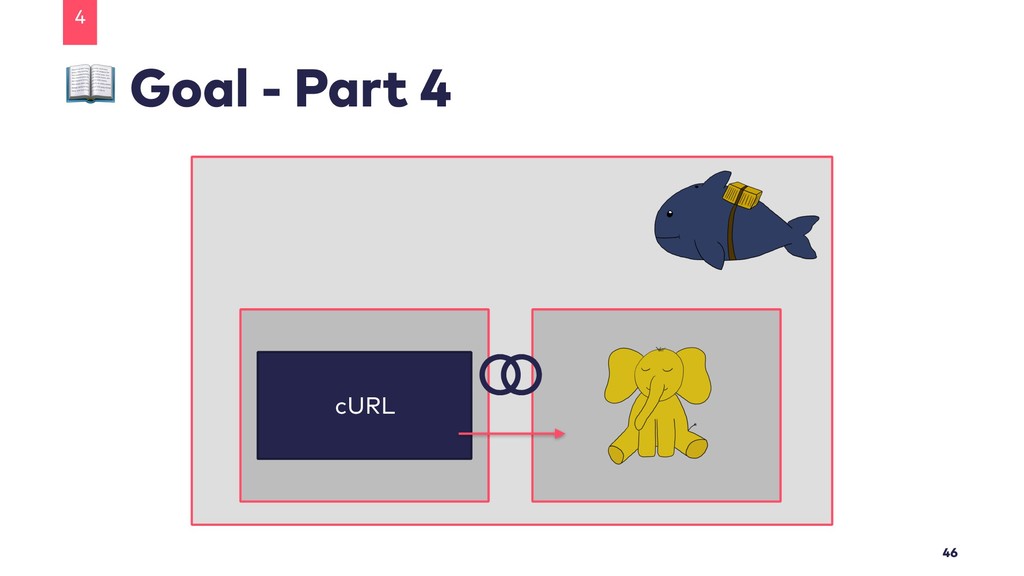
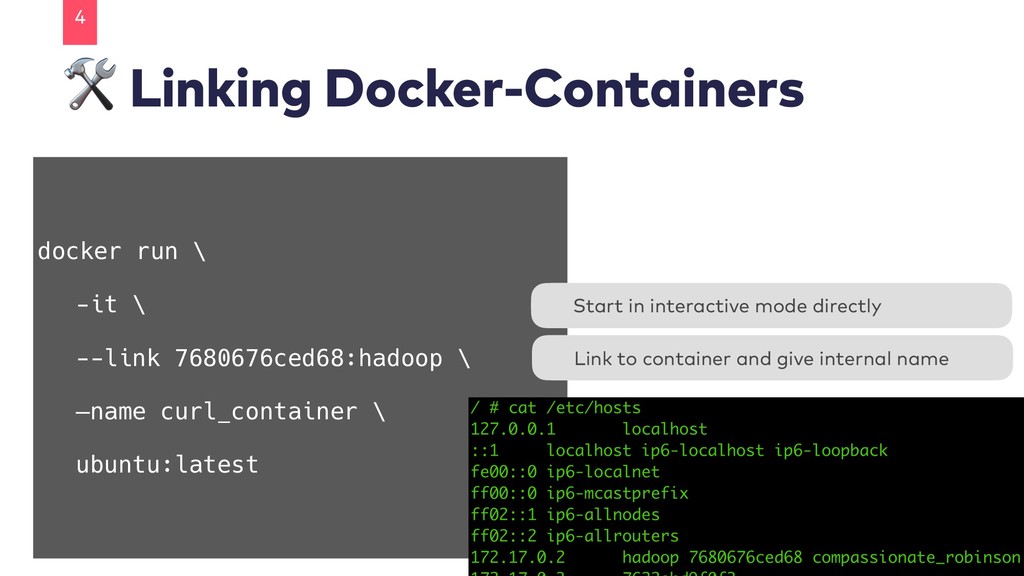
  20. Linking Docker-Containers 4 48 docker run \ -it \ --link

    7680676ced68:hadoop \ —name curl_container \ ubuntu:latest Link to container and give internal name Start in interactive mode directly
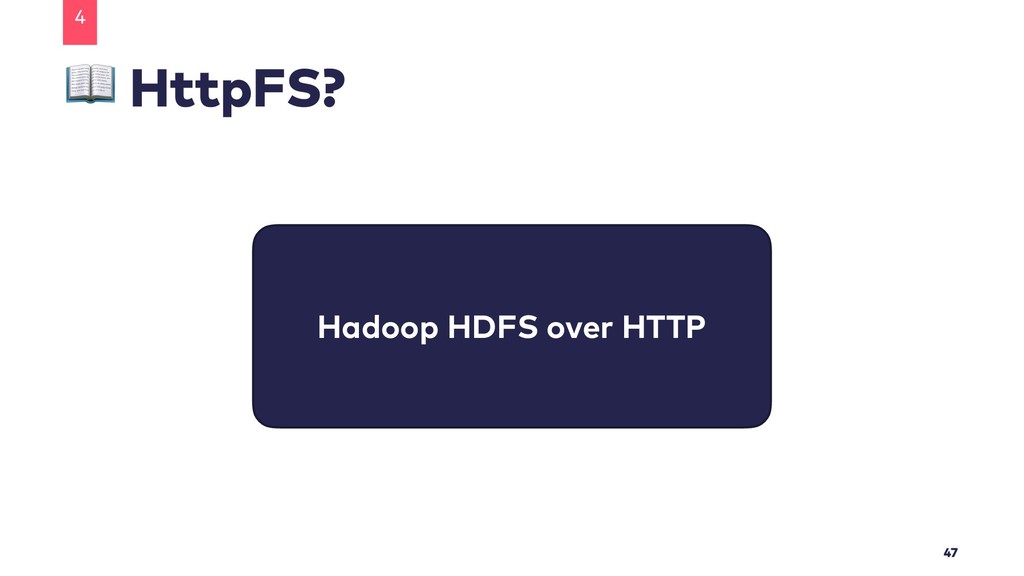
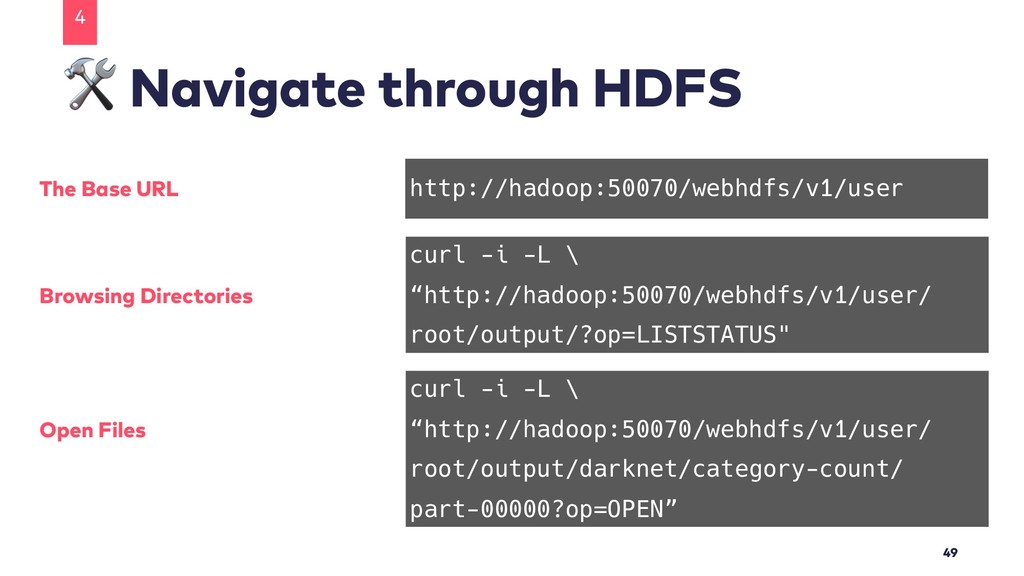
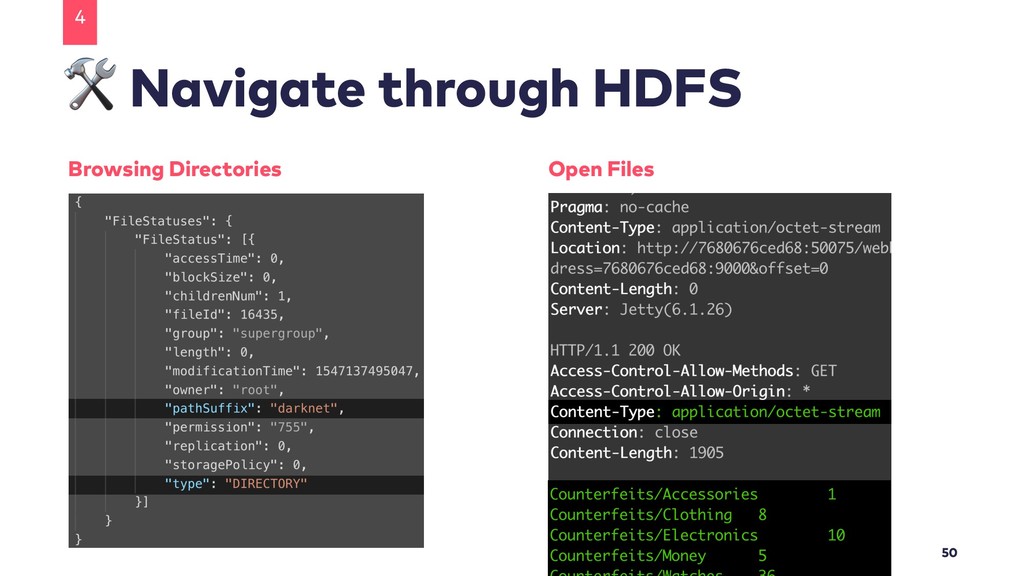
  21. Navigate through HDFS 4 49 http://hadoop:50070/webhdfs/v1/user The Base URL curl

    -i -L \ “http://hadoop:50070/webhdfs/v1/user/ root/output/?op=LISTSTATUS" Browsing Directories curl -i -L \ “http://hadoop:50070/webhdfs/v1/user/ root/output/darknet/category-count/ part-00000?op=OPEN” Open Files
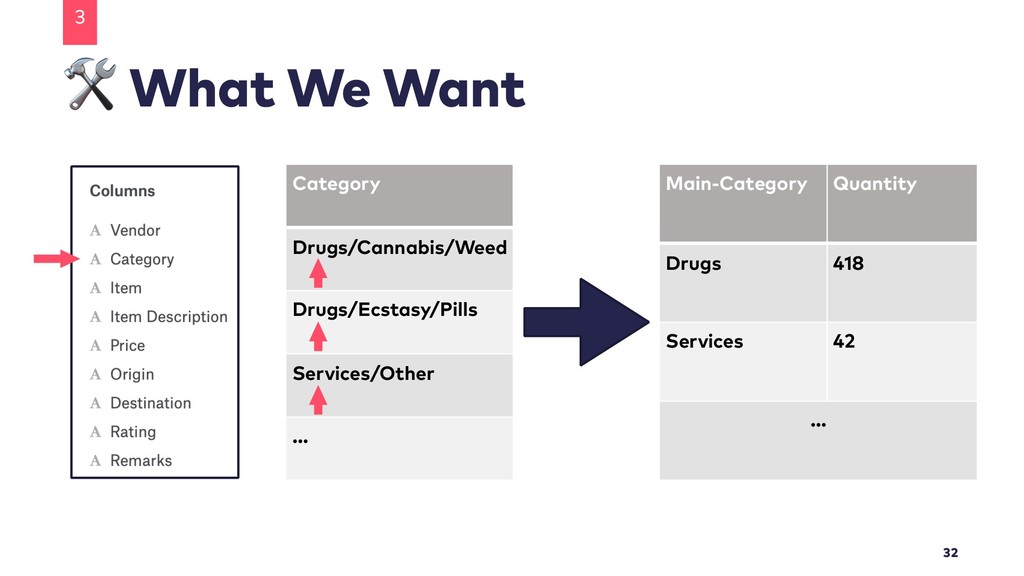
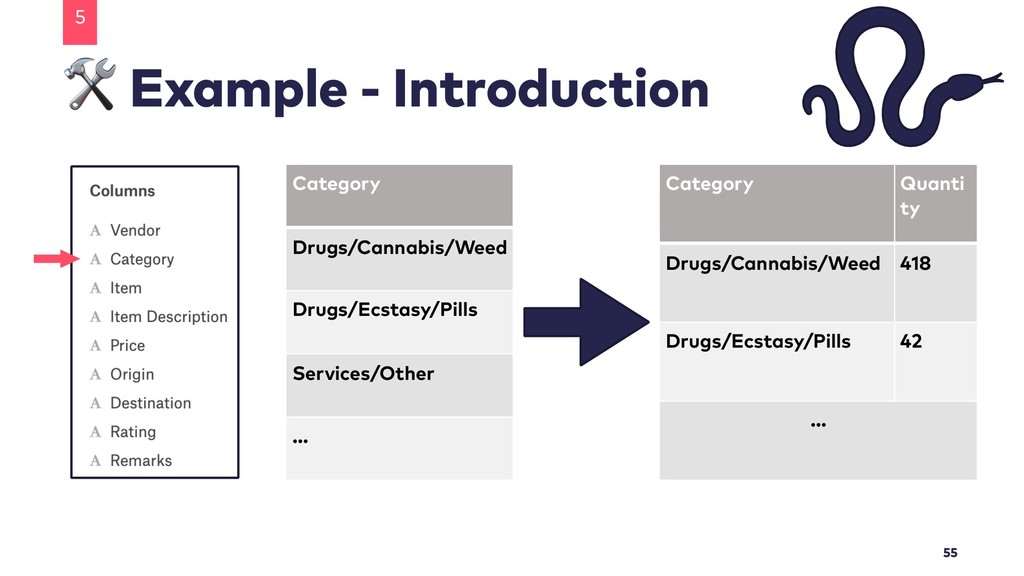
  22. Example - Introduction 5 55 Category Drugs/Cannabis/Weed Drugs/Ecstasy/Pills Services/Other …

    Category Quanti ty Drugs/Cannabis/Weed 418 Drugs/Ecstasy/Pills 42 …
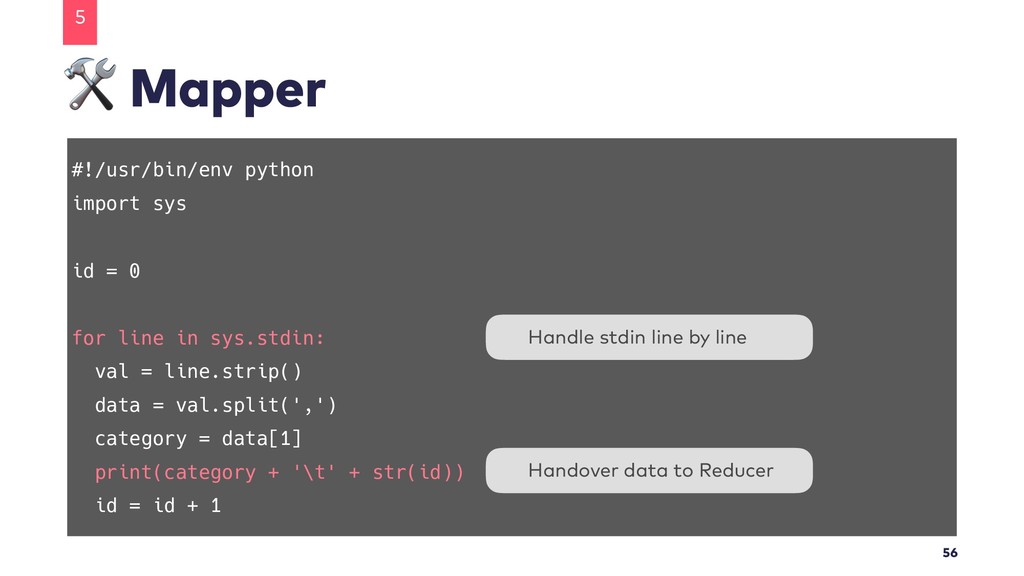
  23. Mapper 5 56 #!/usr/bin/env python import sys id = 0

    for line in sys.stdin: val = line.strip() data = val.split(',') category = data[1] print(category + '\t' + str(id)) id = id + 1 Handover data to Reducer Handle stdin line by line
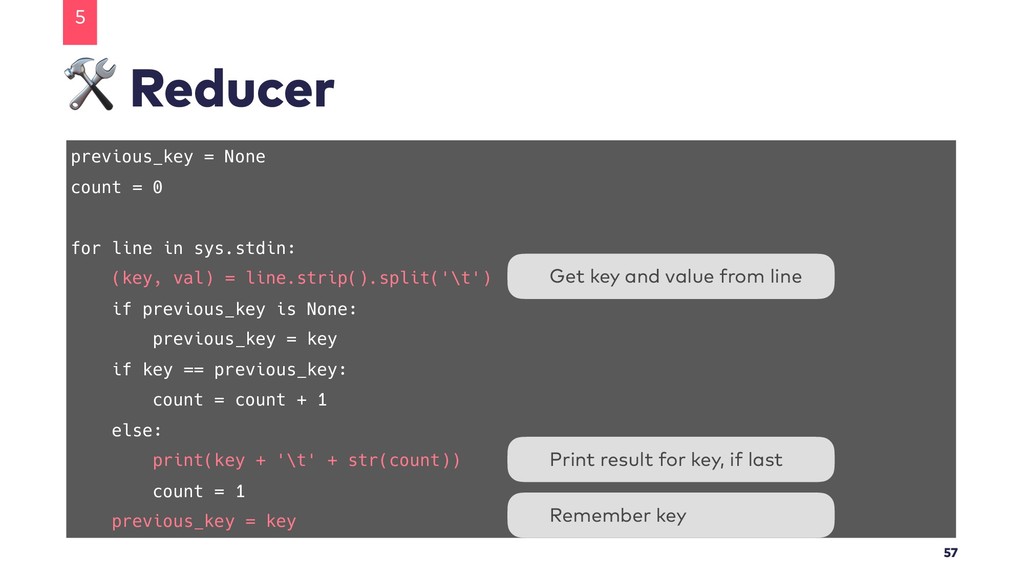
  24. Reducer 5 57 previous_key = None count = 0 for

    line in sys.stdin: (key, val) = line.strip().split('\t') if previous_key is None: previous_key = key if key == previous_key: count = count + 1 else: print(key + '\t' + str(count)) count = 1 previous_key = key Get key and value from line Print result for key, if last Remember key
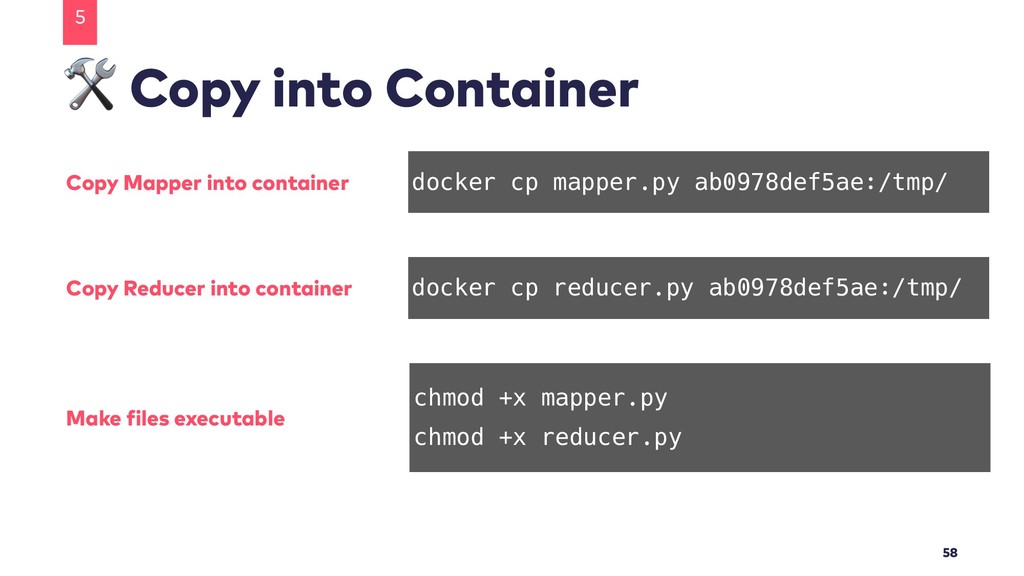
  25. Copy into Container 5 58 docker cp mapper.py ab0978def5ae:/tmp/ Copy

    Mapper into container docker cp reducer.py ab0978def5ae:/tmp/ Copy Reducer into container chmod +x mapper.py chmod +x reducer.py Make files executable
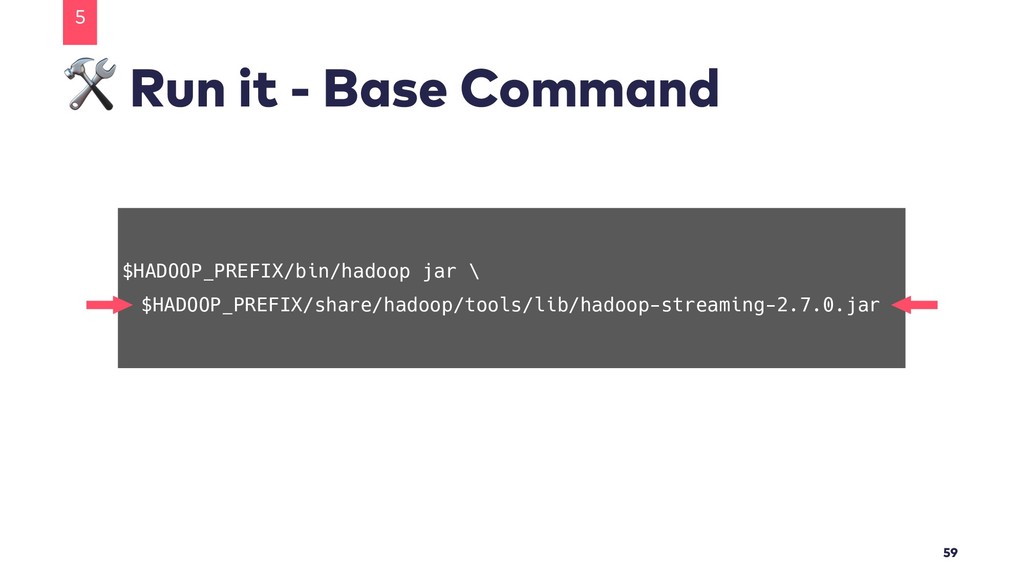
  26. Run it - Base Command 5 59 $HADOOP_PREFIX/bin/hadoop jar \

    $HADOOP_PREFIX/share/hadoop/tools/lib/hadoop-streaming-2.7.0.jar
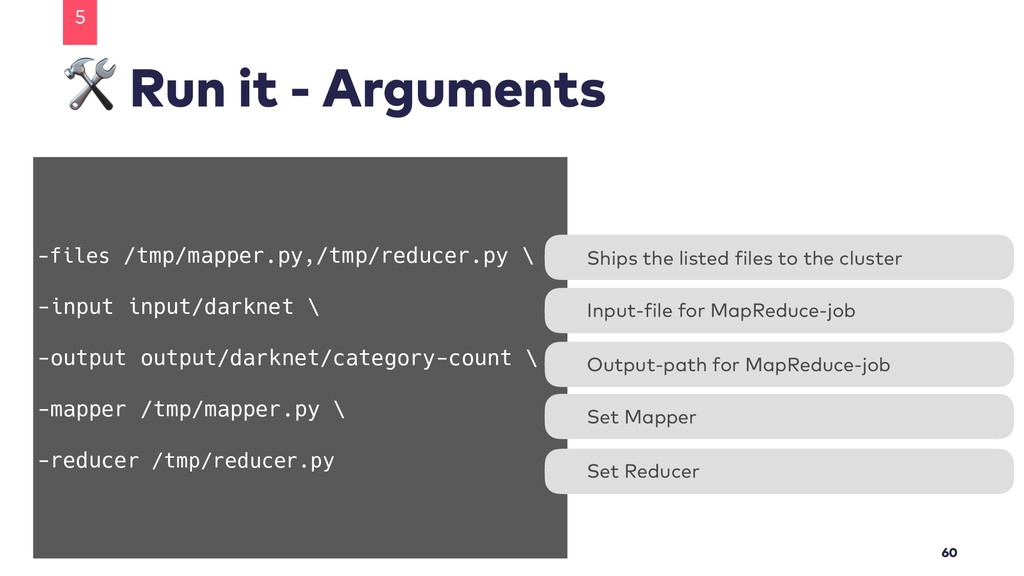
  27. Run it - Arguments 5 60 -files /tmp/mapper.py,/tmp/reducer.py \ -input

    input/darknet \ -output output/darknet/category-count \ -mapper /tmp/mapper.py \ -reducer /tmp/reducer.py Ships the listed files to the cluster Input-file for MapReduce-job Set Reducer Set Mapper Output-path for MapReduce-job
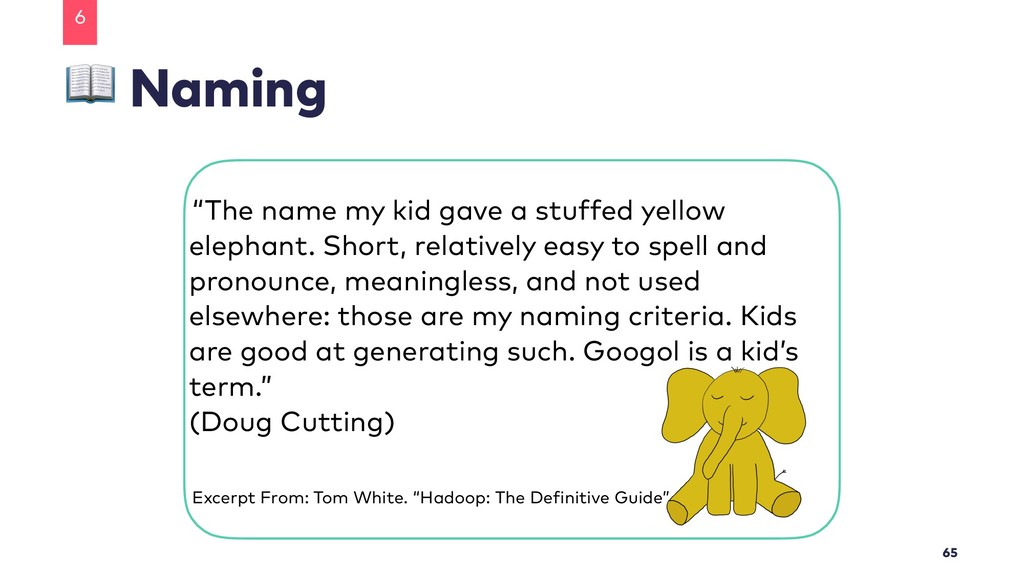
  28. Naming 6 65 “The name my kid gave a stuffed

    yellow elephant. Short, relatively easy to spell and pronounce, meaningless, and not used elsewhere: those are my naming criteria. Kids are good at generating such. Googol is a kid’s term.” (Doug Cutting) Excerpt From: Tom White. “Hadoop: The Definitive Guide”.
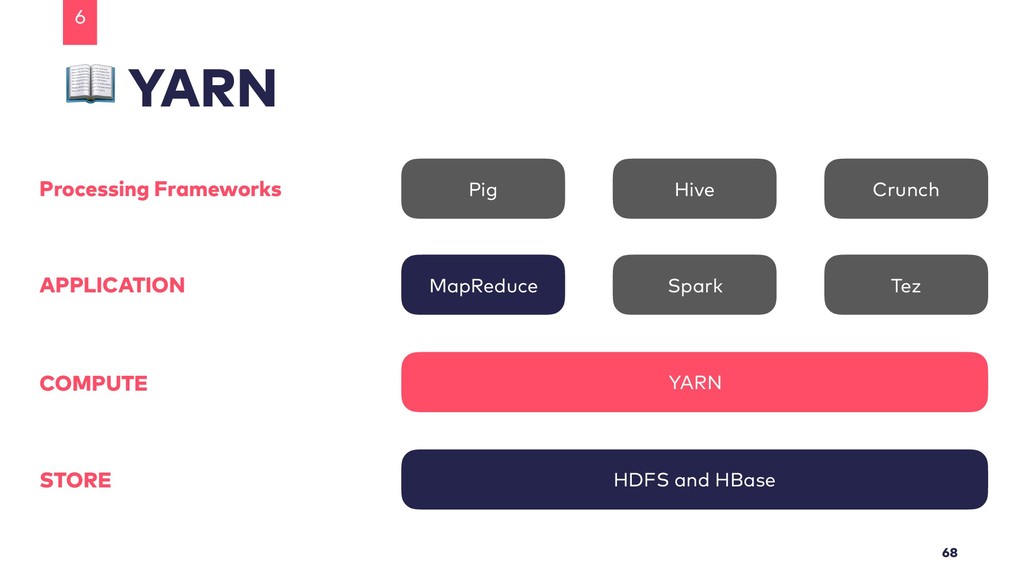
  29. YARN 6 68 HDFS and HBase YARN MapReduce Processing Frameworks

    Spark Tez Pig Hive Crunch APPLICATION COMPUTE STORE
  30. @ Home • More Information About Hadoop • http://hadoop.apache.org •

    Tom White - “Hadoop - The Definitive Guide” (4th) • Alex Holmes - “Hadoop In Practice” (2nd)
 • More Information Regarding This Talk • www.teapot418.de • https://github.com/Teapot-418/hadoop-taming-the-elephant 7 71
  31. www.innoq.com innoQ Deutschland GmbH Krischerstr. 100 40789 Monheim am Rhein

    Germany +49 2173 3366-0 Ohlauer Str. 43 10999 Berlin Germany +49 2173 3366-0 Ludwigstr. 180E 63067 Offenbach Germany +49 2173 3366-0 Kreuzstr. 16 80331 München Germany +49 2173 3366-0 innoQ Schweiz GmbH Gewerbestr. 11 CH-6330 Cham Switzerland +41 41 743 0116 Thank you! Lisa Maria Moritz [email protected] Teapot4181