Share
Embed

Transcript
38 slides
-
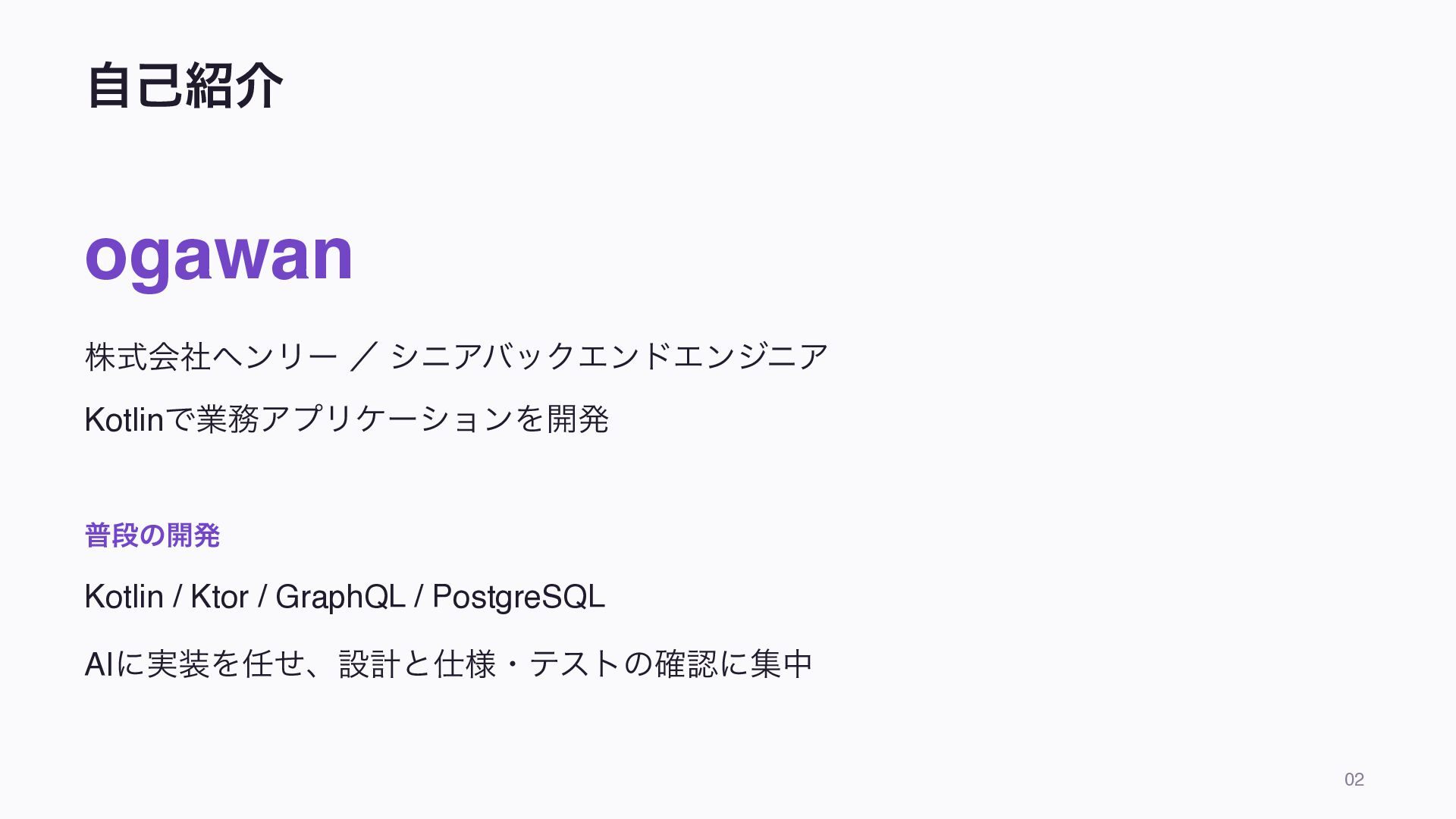
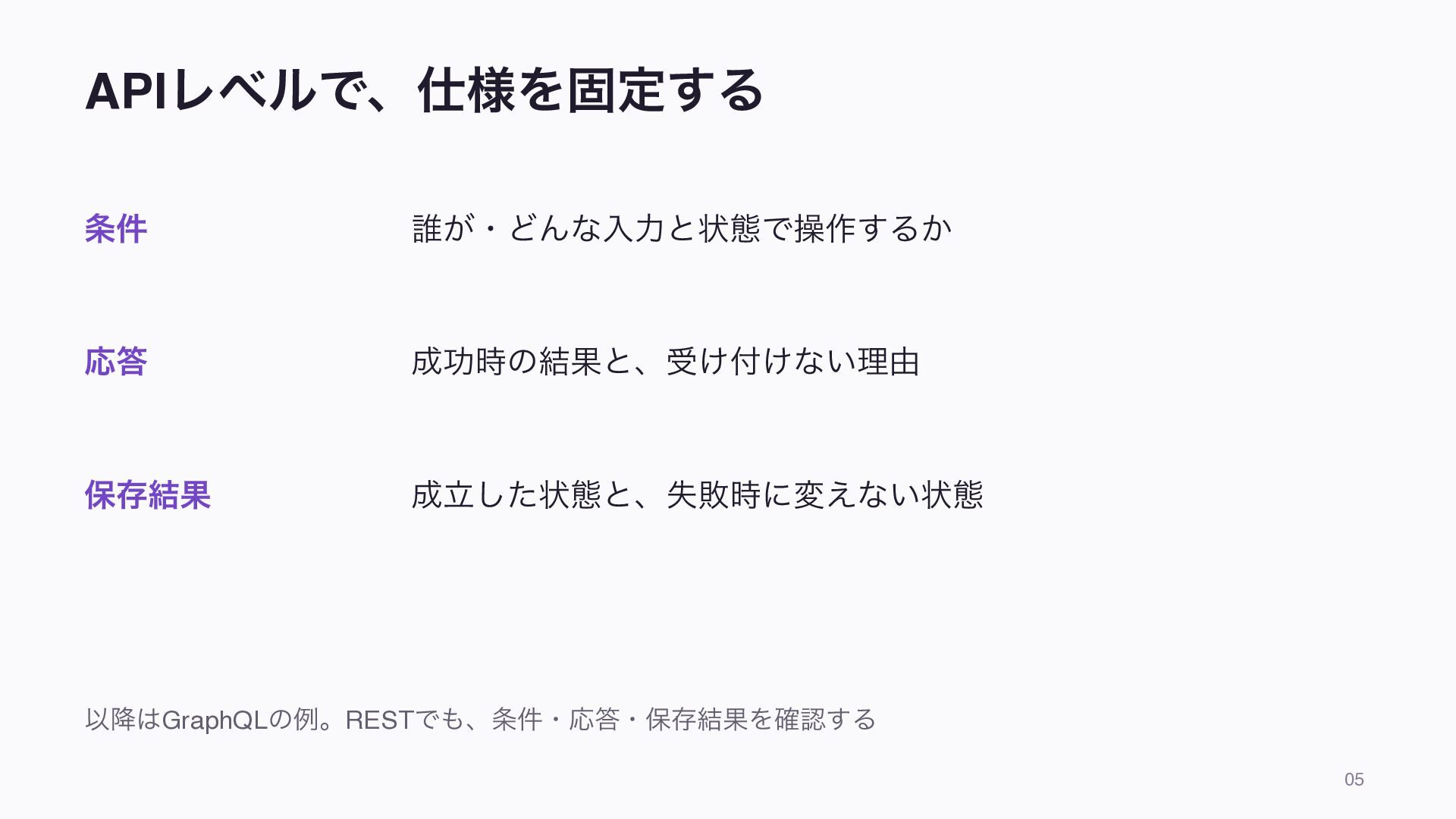
自己紹介 ogawan 株式会社ヘンリー / シニアバックエンドエンジニア Kotlinで業務アプリケーションを開発 普段の開発 Kotlin / Ktor
/ GraphQL / PostgreSQL AIに実装を任せ、設計と仕様・テストの確認に集中 02 -
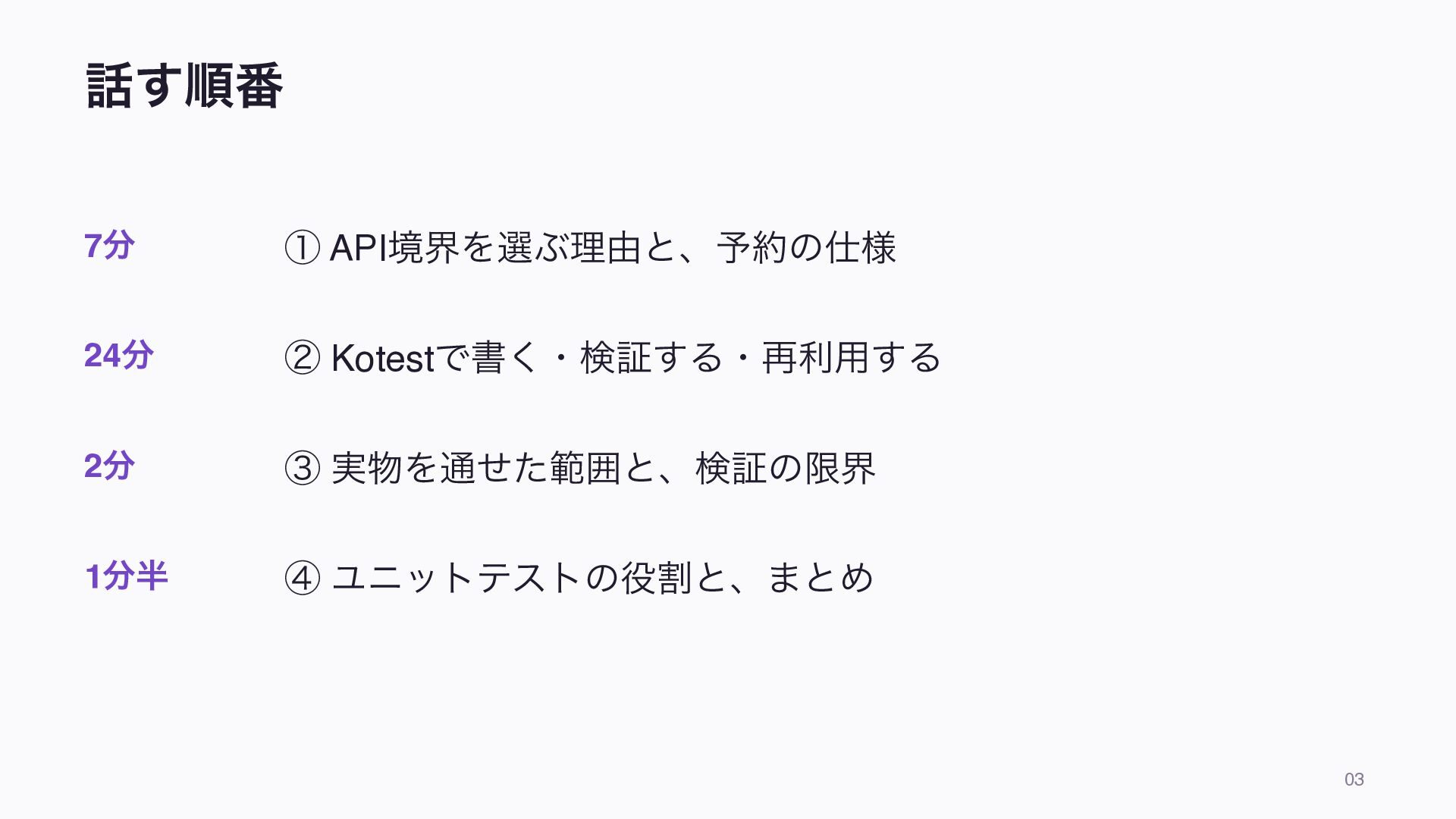
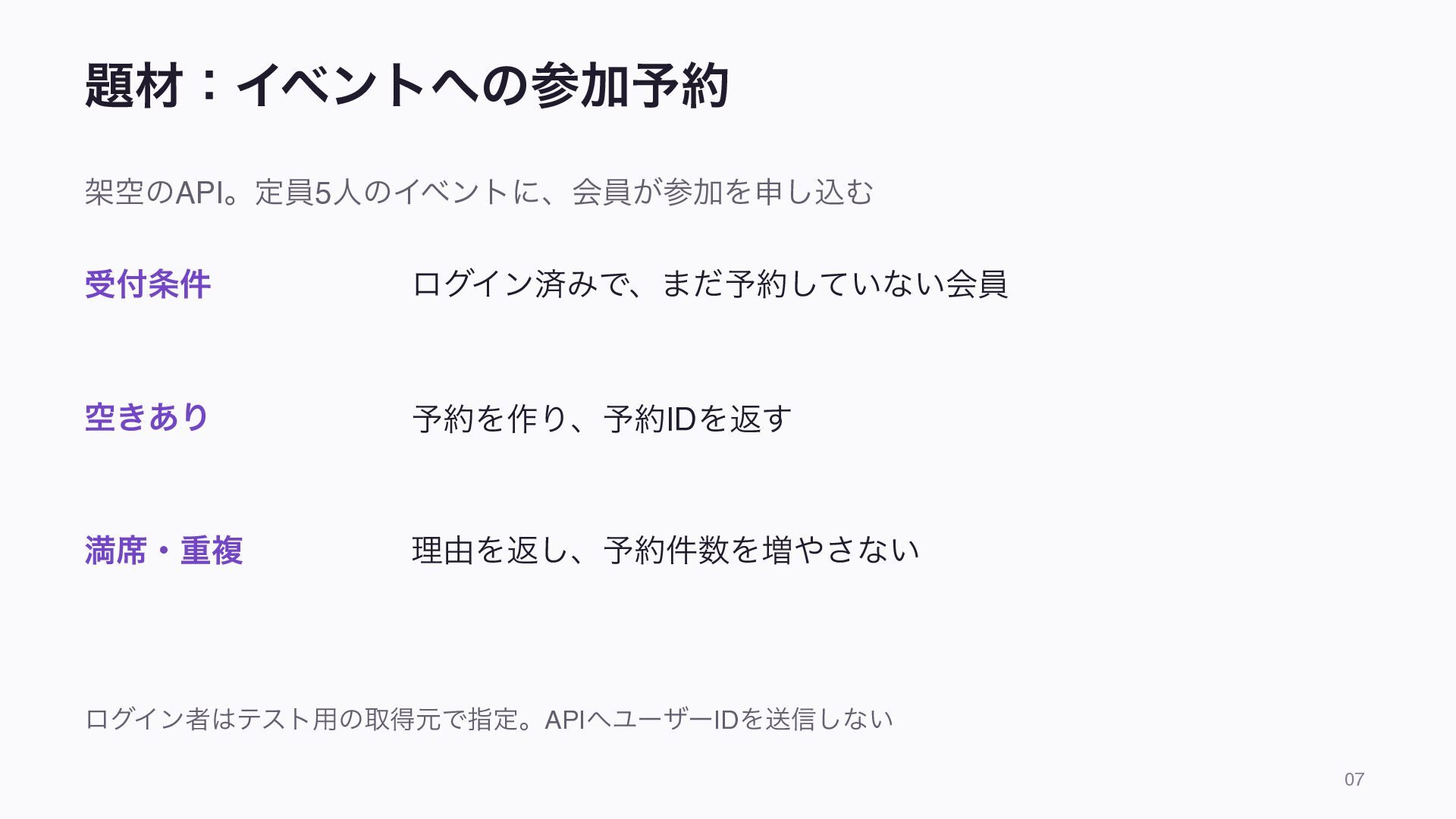
話す順番 7分 ① API境界を選ぶ理由と、予約の仕様 24分 ② Kotestで書く・検証する・再利用する 2分 ③ 実物を通せた範囲と、検証の限界
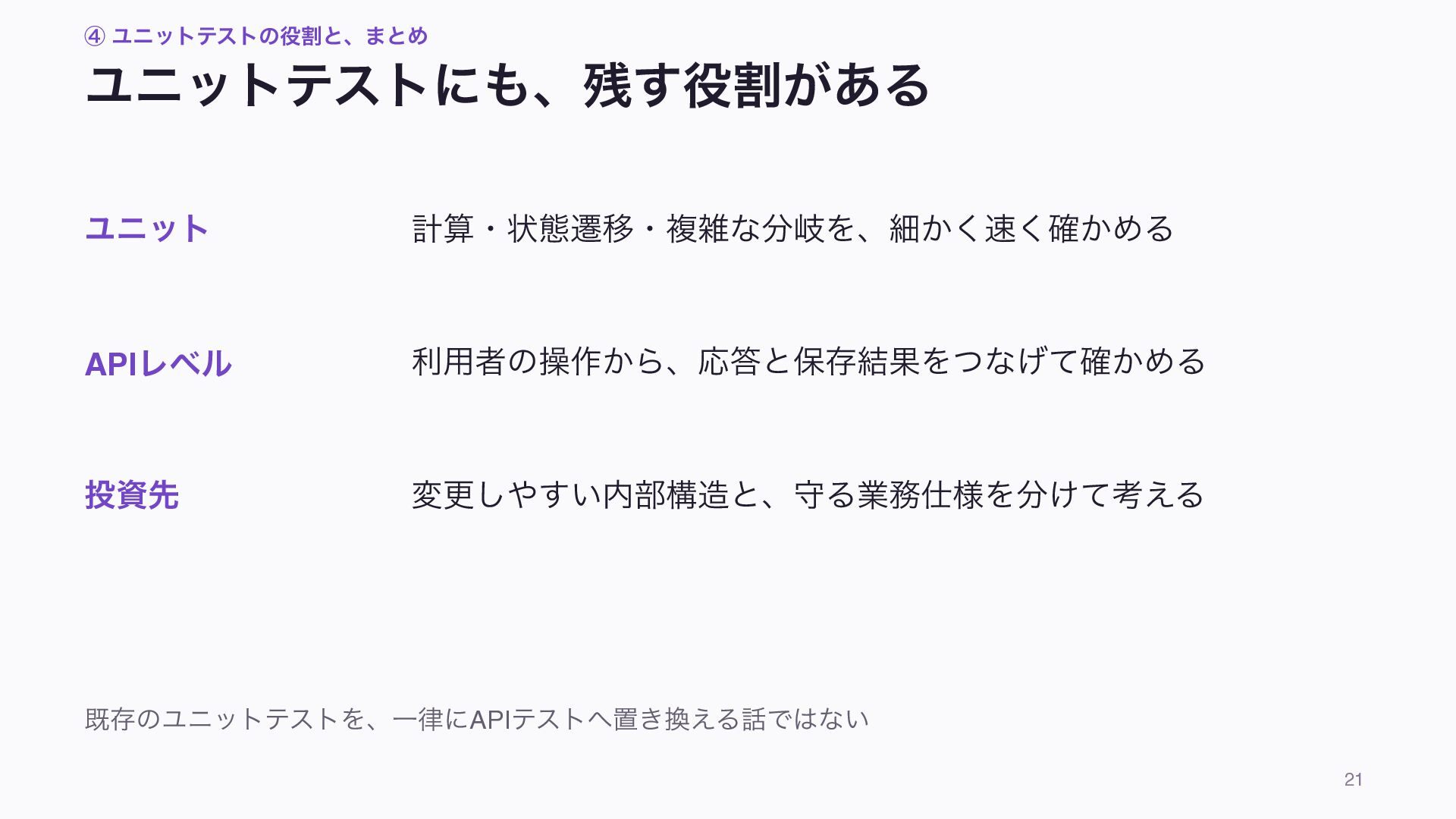
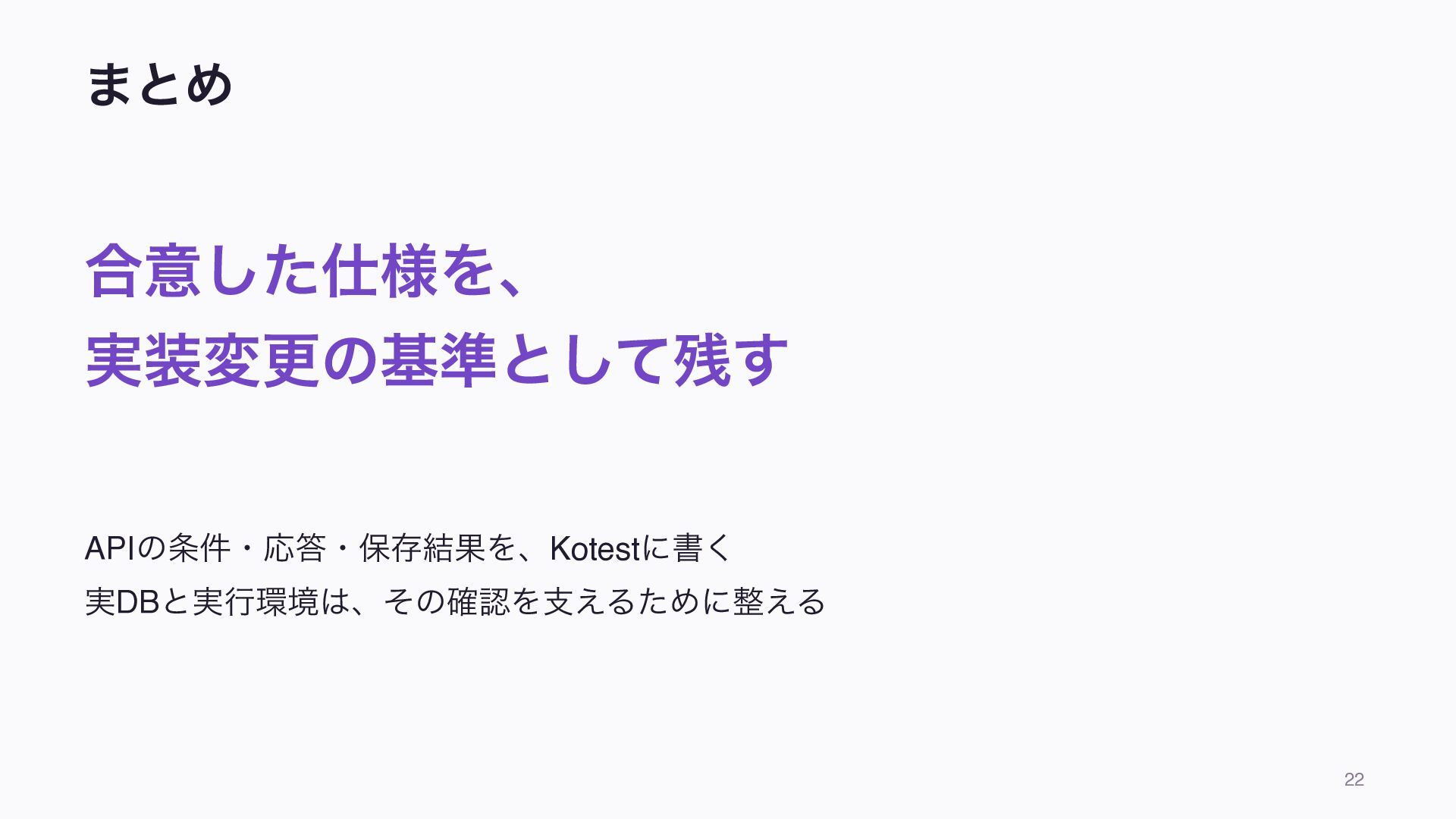
1分半 ④ ユニットテストの役割と、まとめ 03 -
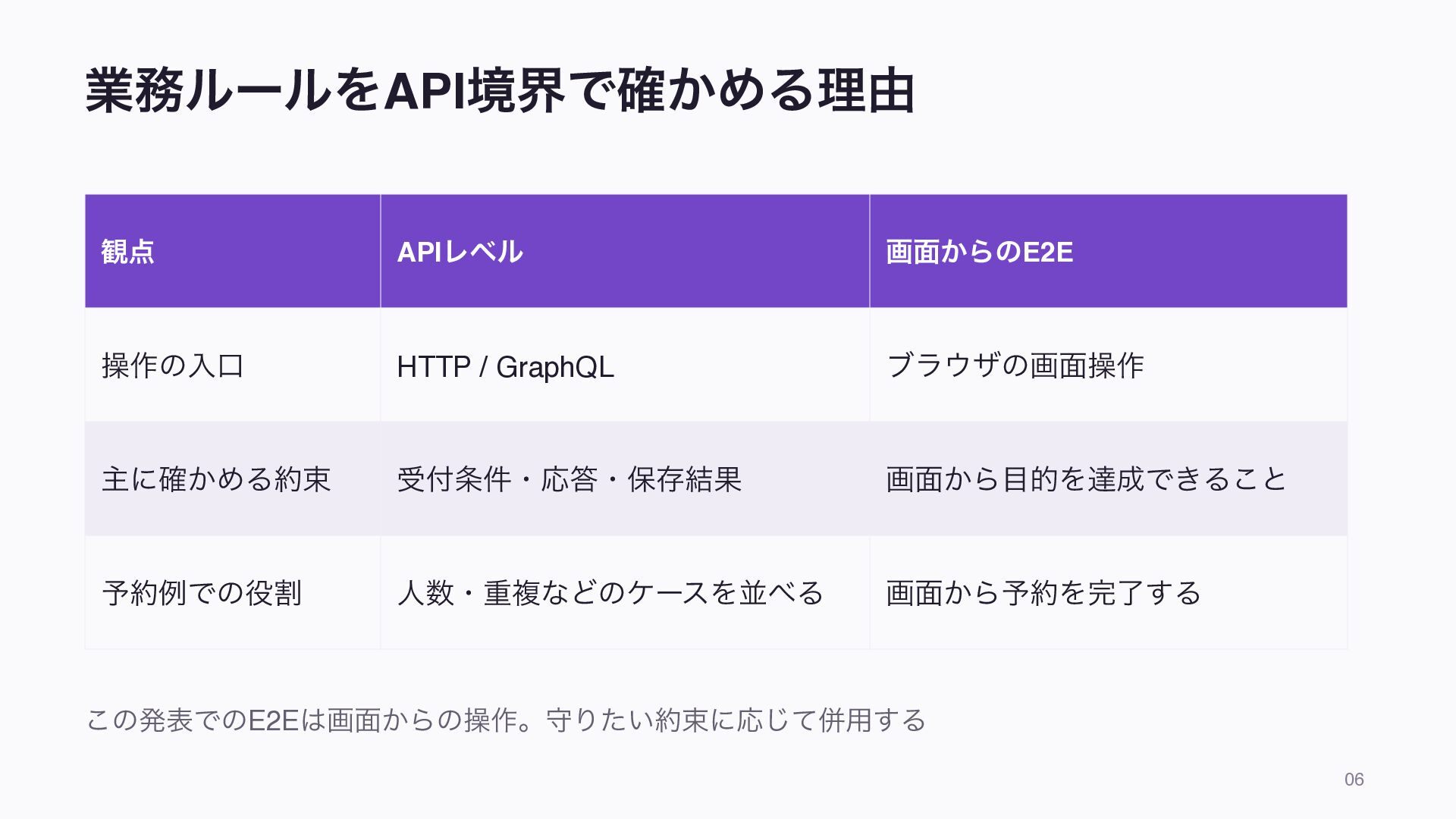
業務ルールをAPI境界で確かめる理由 観点 APIレベル 画面からのE2E 操作の入口 HTTP / GraphQL ブラウザの画面操作 主に確かめる約束
受付条件・応答・保存結果 画面から目的を達成できること 予約例での役割 人数・重複などのケースを並べる 画面から予約を完了する この発表でのE2Eは画面からの操作。守りたい約束に応じて併用する 06 -
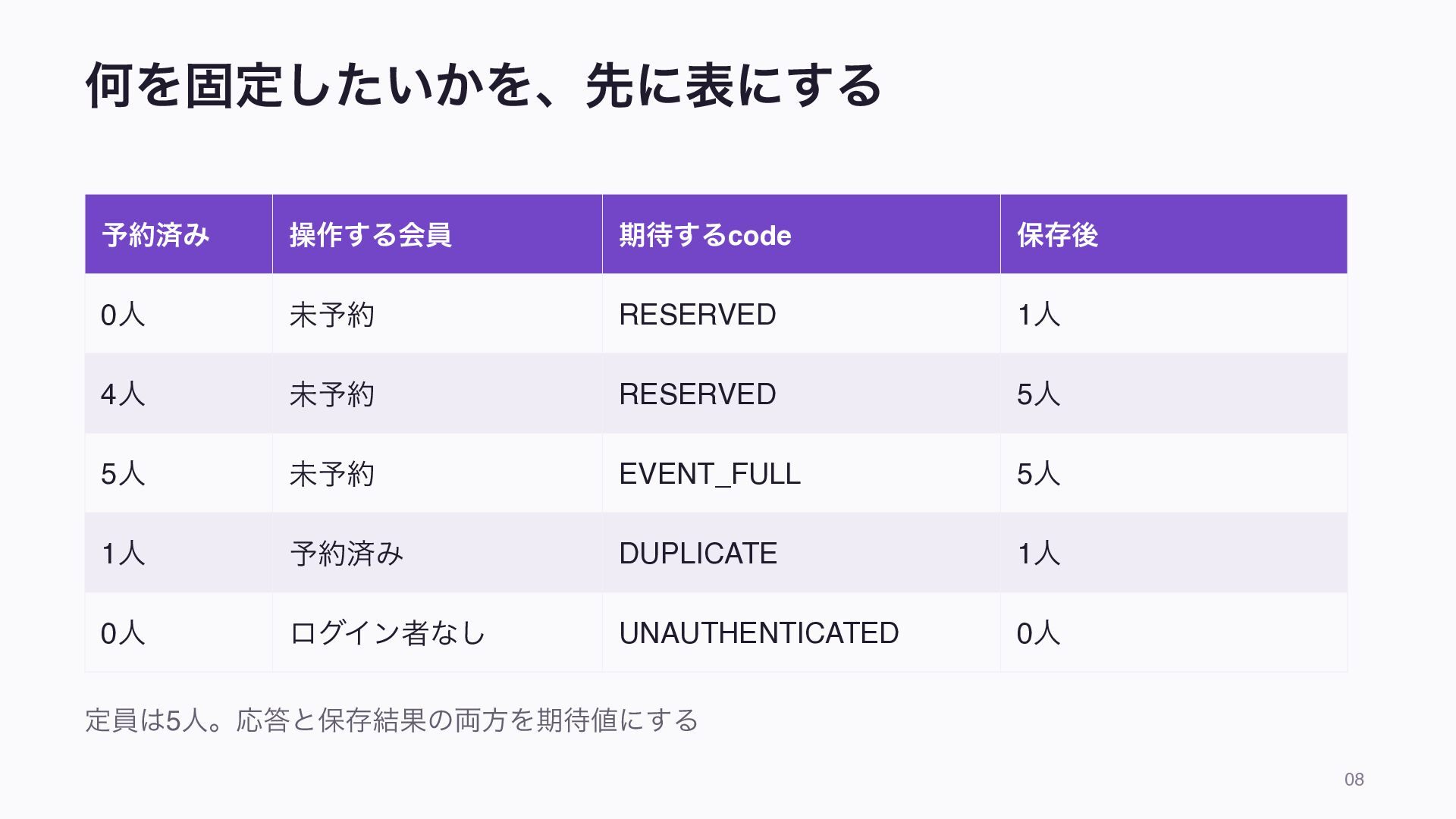
何を固定したいかを、先に表にする 予約済み 操作する会員 期待するcode 保存後 0人 未予約 RESERVED 1人 4人
未予約 RESERVED 5人 5人 未予約 EVENT_FULL 5人 1人 予約済み DUPLICATE 1人 0人 ログイン者なし UNAUTHENTICATED 0人 定員は5人。応答と保存結果の両方を期待値にする 08 -
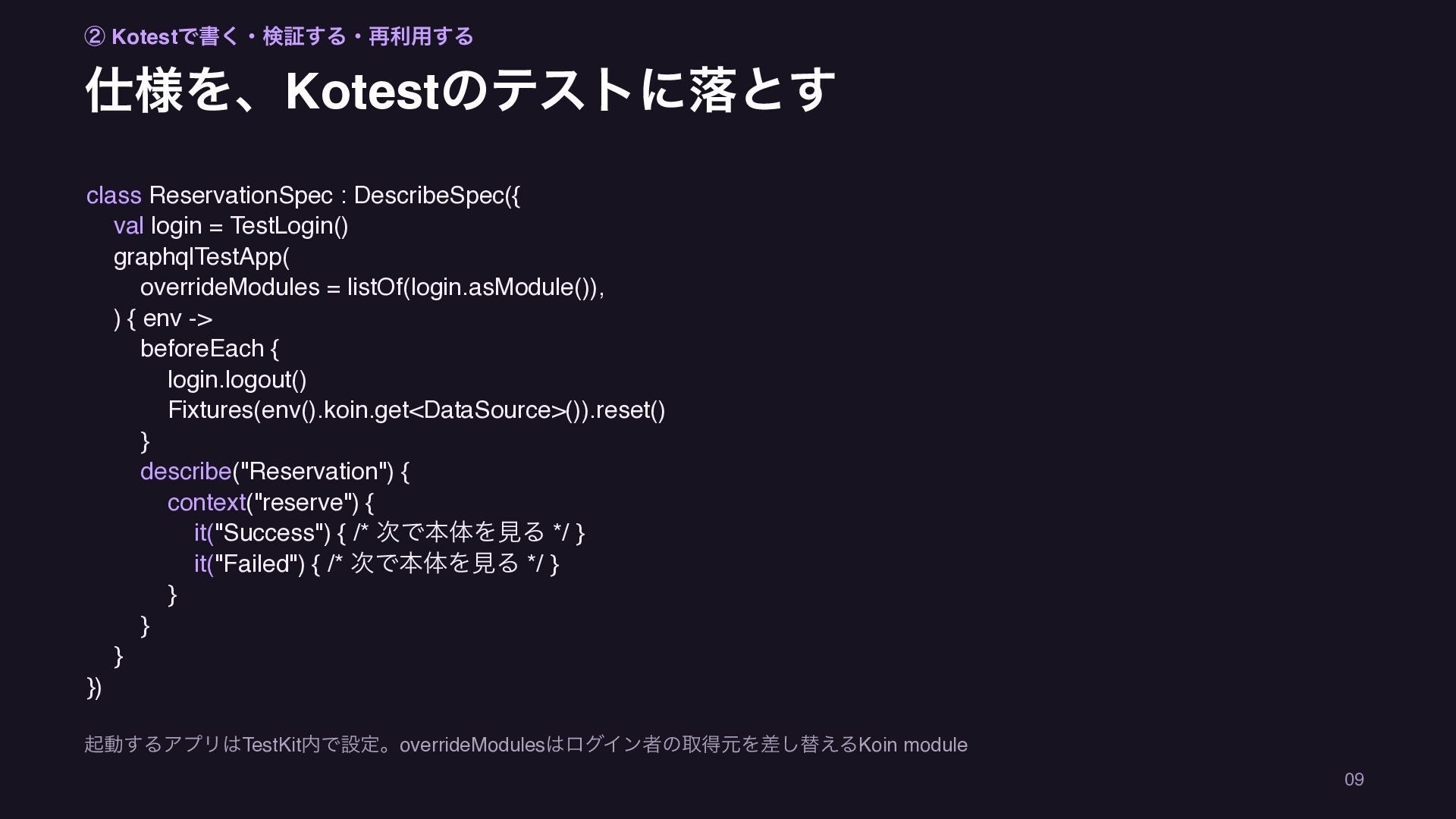
② Kotestで書く・検証する・再利用する 仕様を、Kotestのテストに落とす class ReservationSpec : DescribeSpec({ val login =
TestLogin() graphqlTestApp( overrideModules = listOf(login.asModule()), ) { env -> beforeEach { login.logout() Fixtures(env().koin.get<DataSource>()).reset() } describe("Reservation") { context("reserve") { it("Success") { /* 次で本体を見る */ } it("Failed") { /* 次で本体を見る */ } } } } }) 起動するアプリはTestKit内で設定。overrideModulesはログイン者の取得元を差し替えるKoin module 09 -
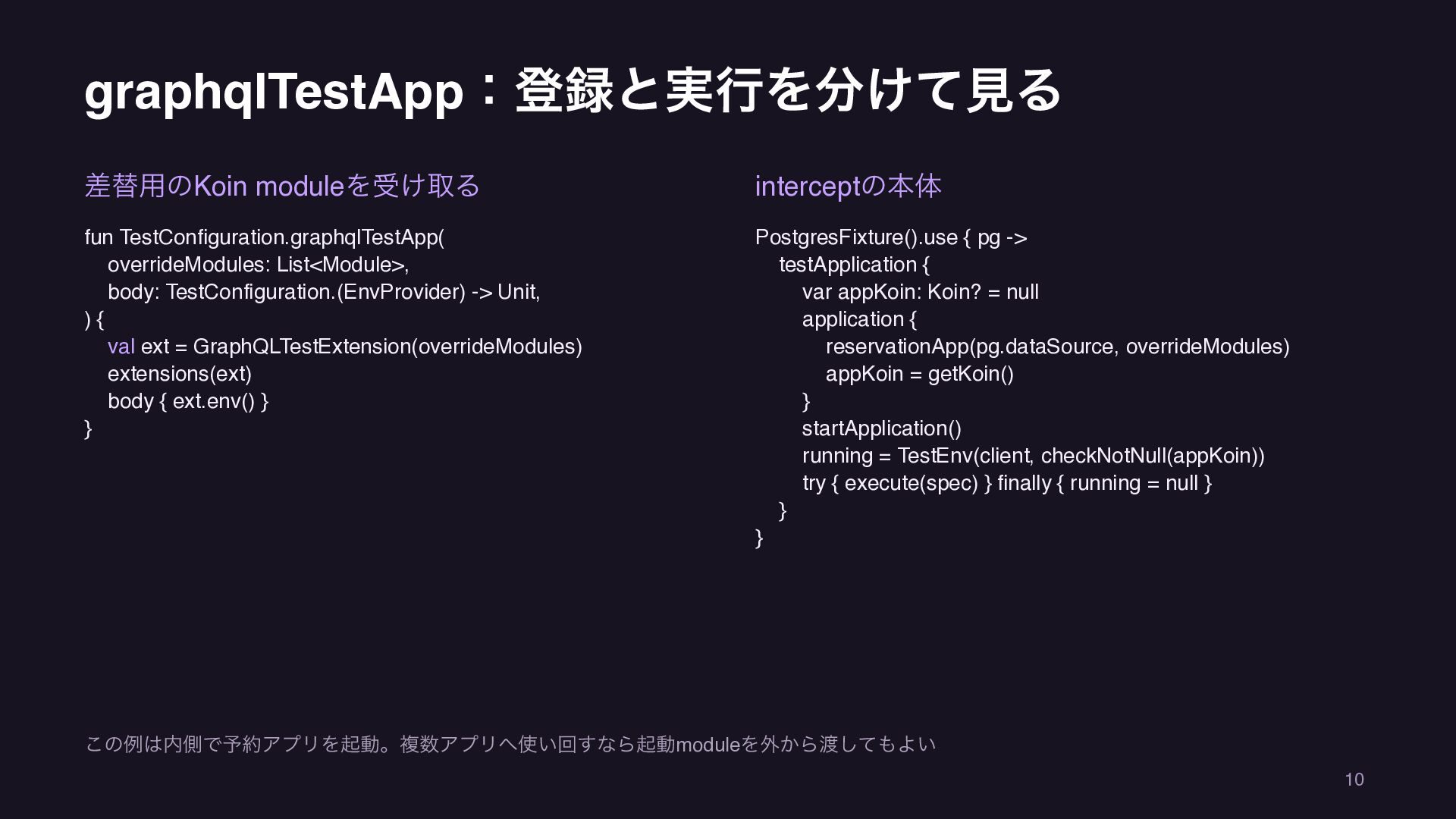
graphqlTestApp:登録と実行を分けて見る 差替用のKoin moduleを受け取る interceptの本体 fun TestConfiguration.graphqlTestApp( overrideModules: List<Module>, body: TestConfiguration.(EnvProvider)
-> Unit, ){ val ext = GraphQLTestExtension(overrideModules) extensions(ext) body { ext.env() } } PostgresFixture().use { pg -> testApplication { var appKoin: Koin? = null application { reservationApp(pg.dataSource, overrideModules) appKoin = getKoin() } startApplication() running = TestEnv(client, checkNotNull(appKoin)) try { execute(spec) } finally { running = null } } } この例は内側で予約アプリを起動。複数アプリへ使い回すなら起動moduleを外から渡してもよい 10 -
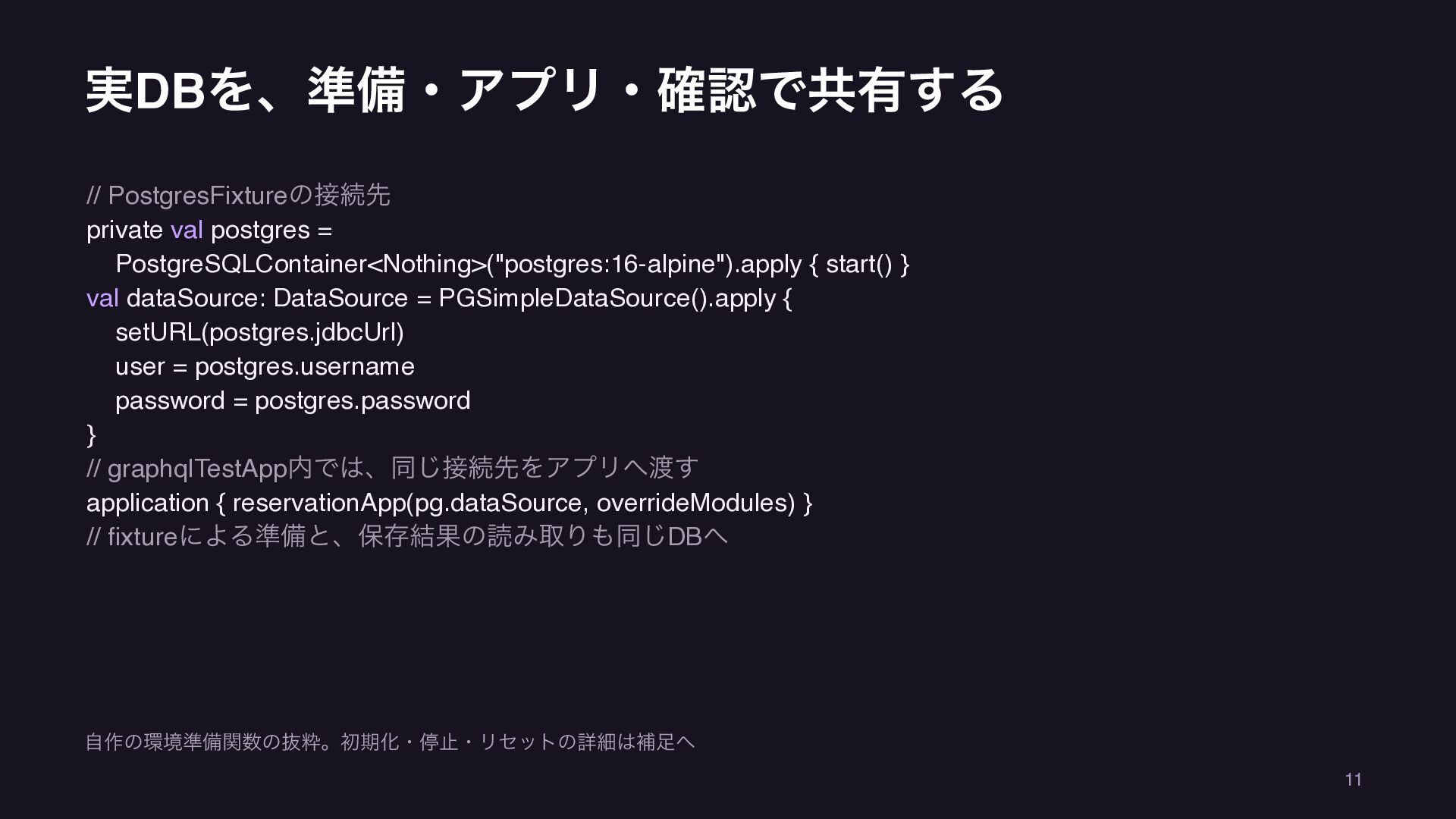
実DBを、準備・アプリ・確認で共有する // PostgresFixtureの接続先 private val postgres = PostgreSQLContainer<Nothing>("postgres:16-alpine").apply { start()
} val dataSource: DataSource = PGSimpleDataSource().apply { setURL(postgres.jdbcUrl) user = postgres.username password = postgres.password } // graphqlTestApp内では、同じ接続先をアプリへ渡す application { reservationApp(pg.dataSource, overrideModules) } // fixtureによる準備と、保存結果の読み取りも同じDBへ 自作の環境準備関数の抜粋。初期化・停止・リセットの詳細は補足へ 11 -
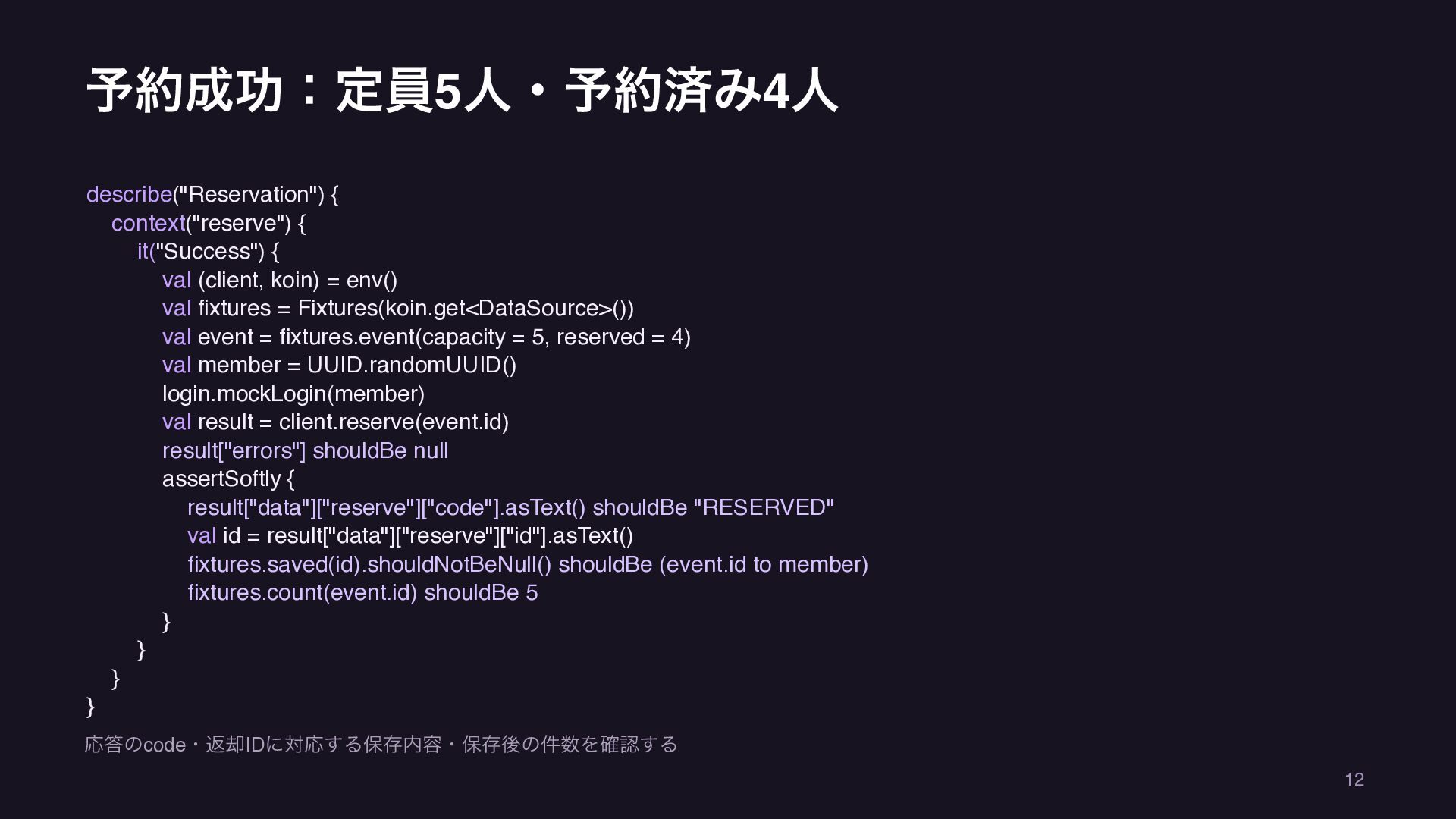
予約成功:定員5人・予約済み4人 describe("Reservation") { context("reserve") { it("Success") { val (client, koin)
= env() val fixtures = Fixtures(koin.get<DataSource>()) val event = fixtures.event(capacity = 5, reserved = 4) val member = UUID.randomUUID() login.mockLogin(member) val result = client.reserve(event.id) result["errors"] shouldBe null assertSoftly { result["data"]["reserve"]["code"].asText() shouldBe "RESERVED" val id = result["data"]["reserve"]["id"].asText() fixtures.saved(id).shouldNotBeNull() shouldBe (event.id to member) fixtures.count(event.id) shouldBe 5 } } } } 応答のcode・返却IDに対応する保存内容・保存後の件数を確認する 12 -
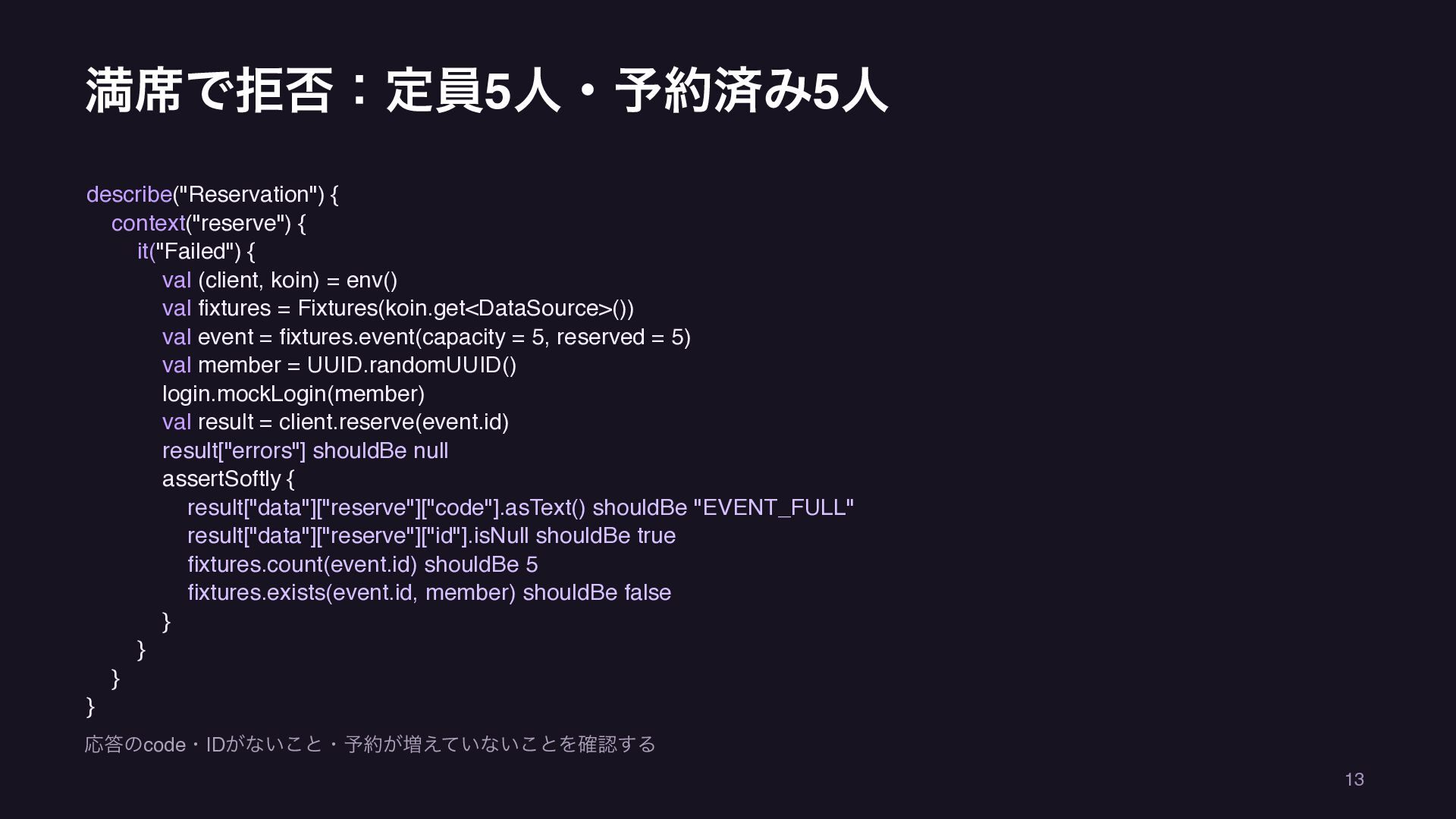
満席で拒否:定員5人・予約済み5人 describe("Reservation") { context("reserve") { it("Failed") { val (client, koin)
= env() val fixtures = Fixtures(koin.get<DataSource>()) val event = fixtures.event(capacity = 5, reserved = 5) val member = UUID.randomUUID() login.mockLogin(member) val result = client.reserve(event.id) result["errors"] shouldBe null assertSoftly { result["data"]["reserve"]["code"].asText() shouldBe "EVENT_FULL" result["data"]["reserve"]["id"].isNull shouldBe true fixtures.count(event.id) shouldBe 5 fixtures.exists(event.id, member) shouldBe false } } } } 応答のcode・IDがないこと・予約が増えていないことを確認する 13 -
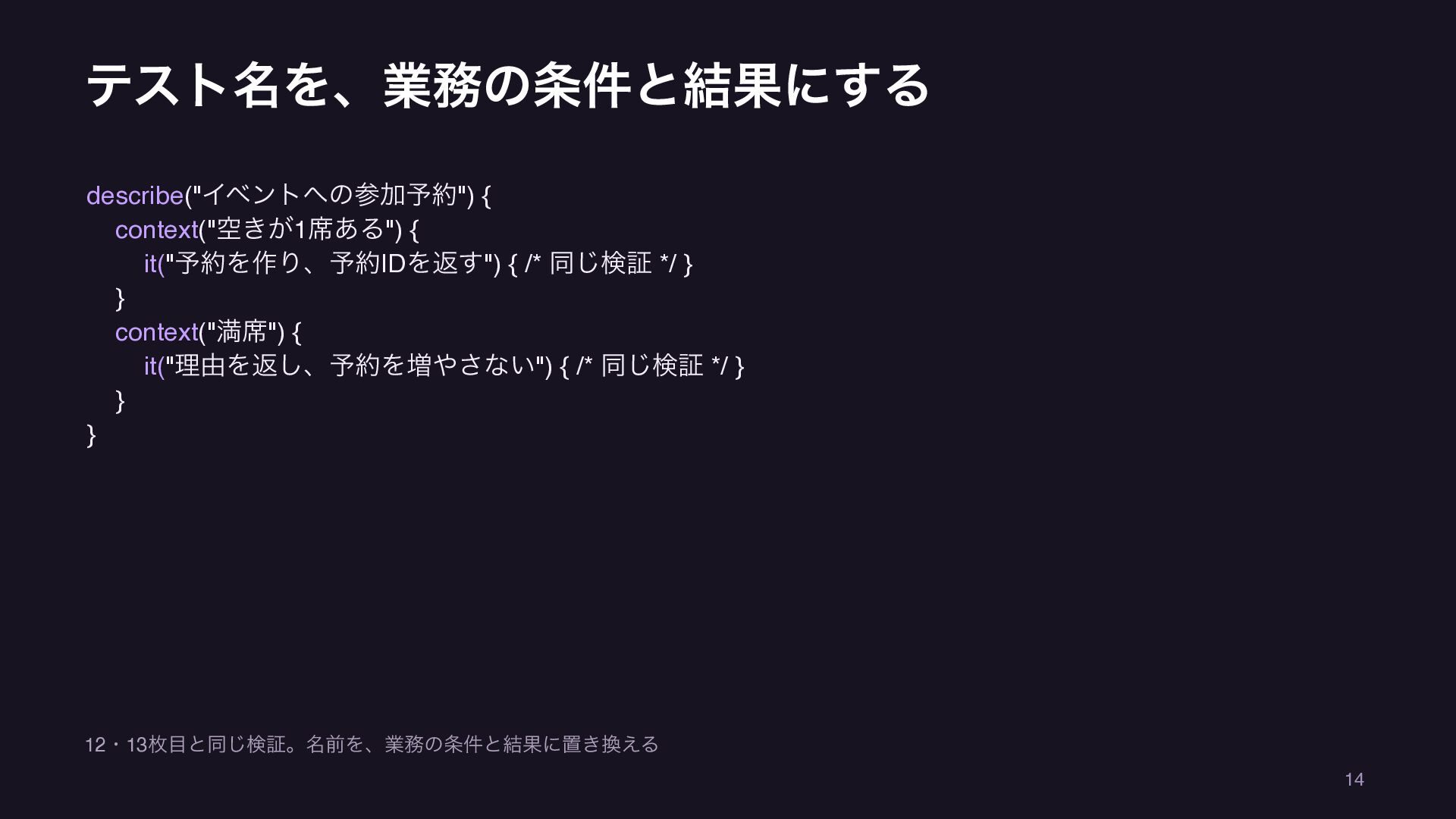
テスト名を、業務の条件と結果にする describe("イベントへの参加予約") { context("空きが1席ある") { it("予約を作り、予約IDを返す") { /* 同じ検証 */
} } context("満席") { it("理由を返し、予約を増やさない") { /* 同じ検証 */ } } } 12・13枚目と同じ検証。名前を、業務の条件と結果に置き換える 14 -
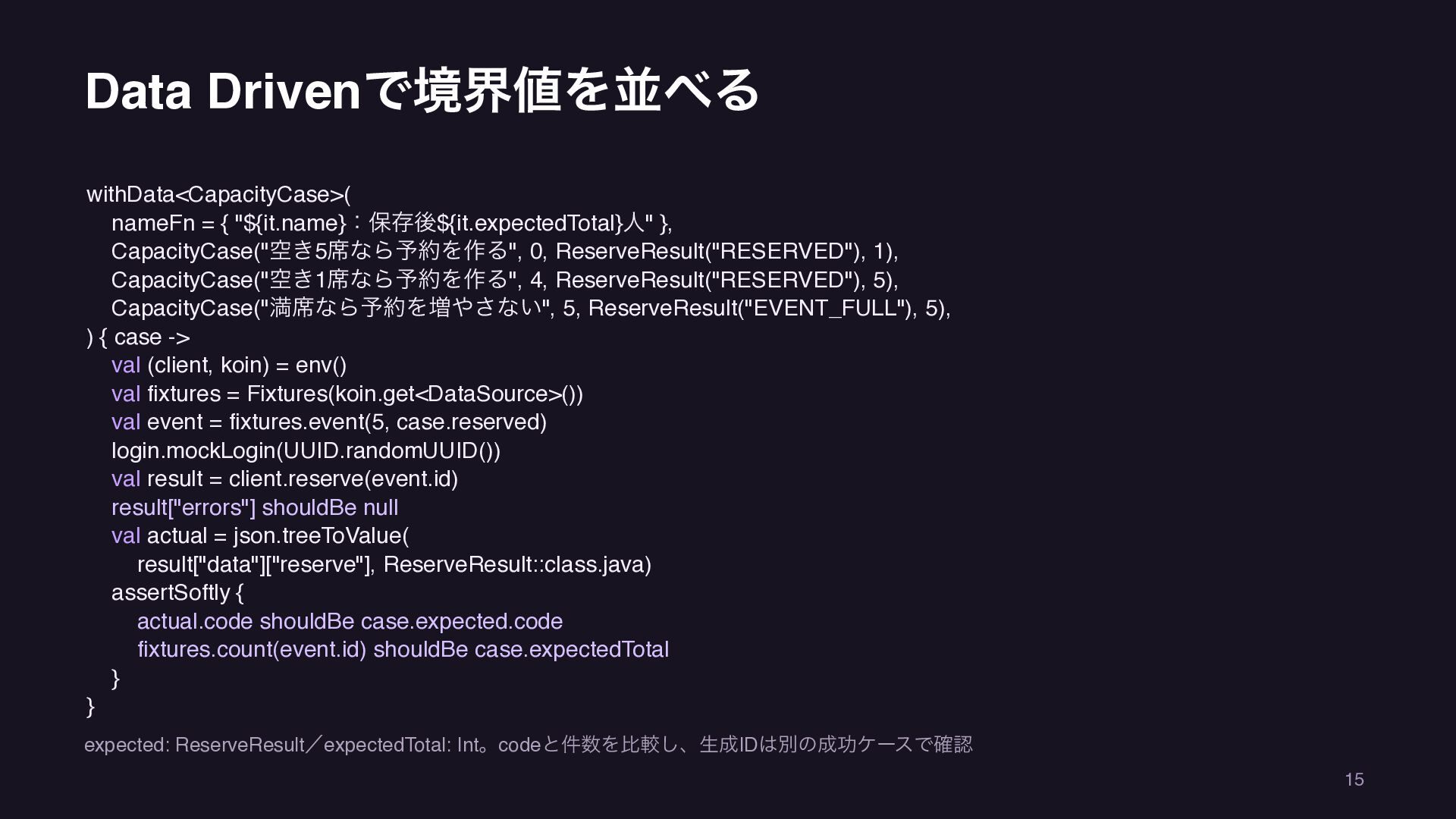
Data Drivenで境界値を並べる withData<CapacityCase>( nameFn = { "${it.name}:保存後${it.expectedTotal}人" }, CapacityCase("空き5席なら予約を作る", 0,
ReserveResult("RESERVED"), 1), CapacityCase("空き1席なら予約を作る", 4, ReserveResult("RESERVED"), 5), CapacityCase("満席なら予約を増やさない", 5, ReserveResult("EVENT_FULL"), 5), ) { case -> val (client, koin) = env() val fixtures = Fixtures(koin.get<DataSource>()) val event = fixtures.event(5, case.reserved) login.mockLogin(UUID.randomUUID()) val result = client.reserve(event.id) result["errors"] shouldBe null val actual = json.treeToValue( result["data"]["reserve"], ReserveResult::class.java) assertSoftly { actual.code shouldBe case.expected.code fixtures.count(event.id) shouldBe case.expectedTotal } } expected: ReserveResult/expectedTotal: Int。codeと件数を比較し、生成IDは別の成功ケースで確認 15 -
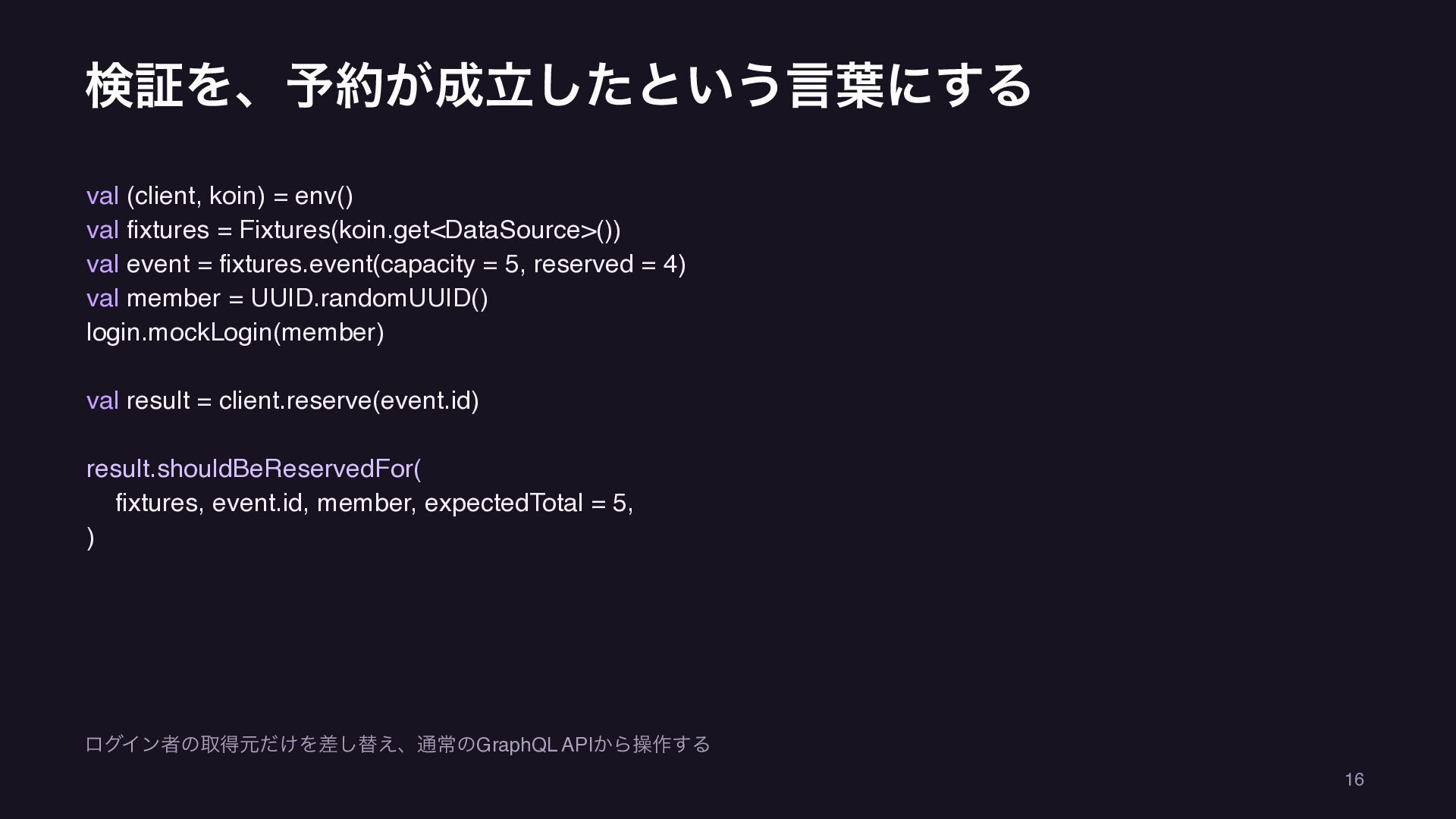
検証を、予約が成立したという言葉にする val (client, koin) = env() val fixtures = Fixtures(koin.get<DataSource>())
val event = fixtures.event(capacity = 5, reserved = 4) val member = UUID.randomUUID() login.mockLogin(member) val result = client.reserve(event.id) result.shouldBeReservedFor( fixtures, event.id, member, expectedTotal = 5, ) ログイン者の取得元だけを差し替え、通常のGraphQL APIから操作する 16 -
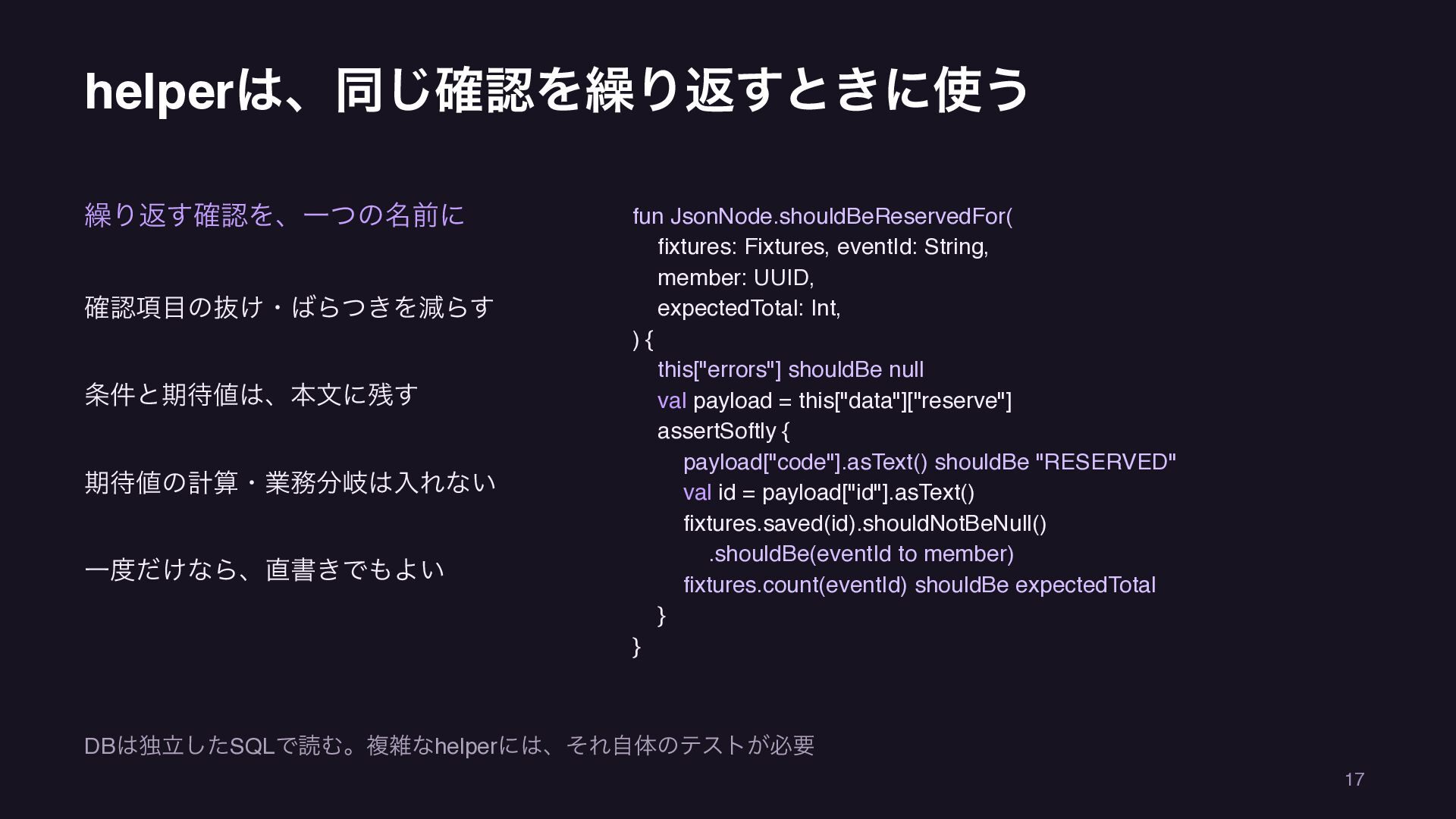
helperは、同じ確認を繰り返すときに使う 繰り返す確認を、一つの名前に 確認項目の抜け・ばらつきを減らす 条件と期待値は、本文に残す 期待値の計算・業務分岐は入れない 一度だけなら、直書きでもよい fun JsonNode.shouldBeReservedFor( fixtures: Fixtures,
eventId: String, member: UUID, expectedTotal: Int, ){ this["errors"] shouldBe null val payload = this["data"]["reserve"] assertSoftly { payload["code"].asText() shouldBe "RESERVED" val id = payload["id"].asText() fixtures.saved(id).shouldNotBeNull() .shouldBe(eventId to member) fixtures.count(eventId) shouldBe expectedTotal } } DBは独立したSQLで読む。複雑なhelperには、それ自体のテストが必要 17 -
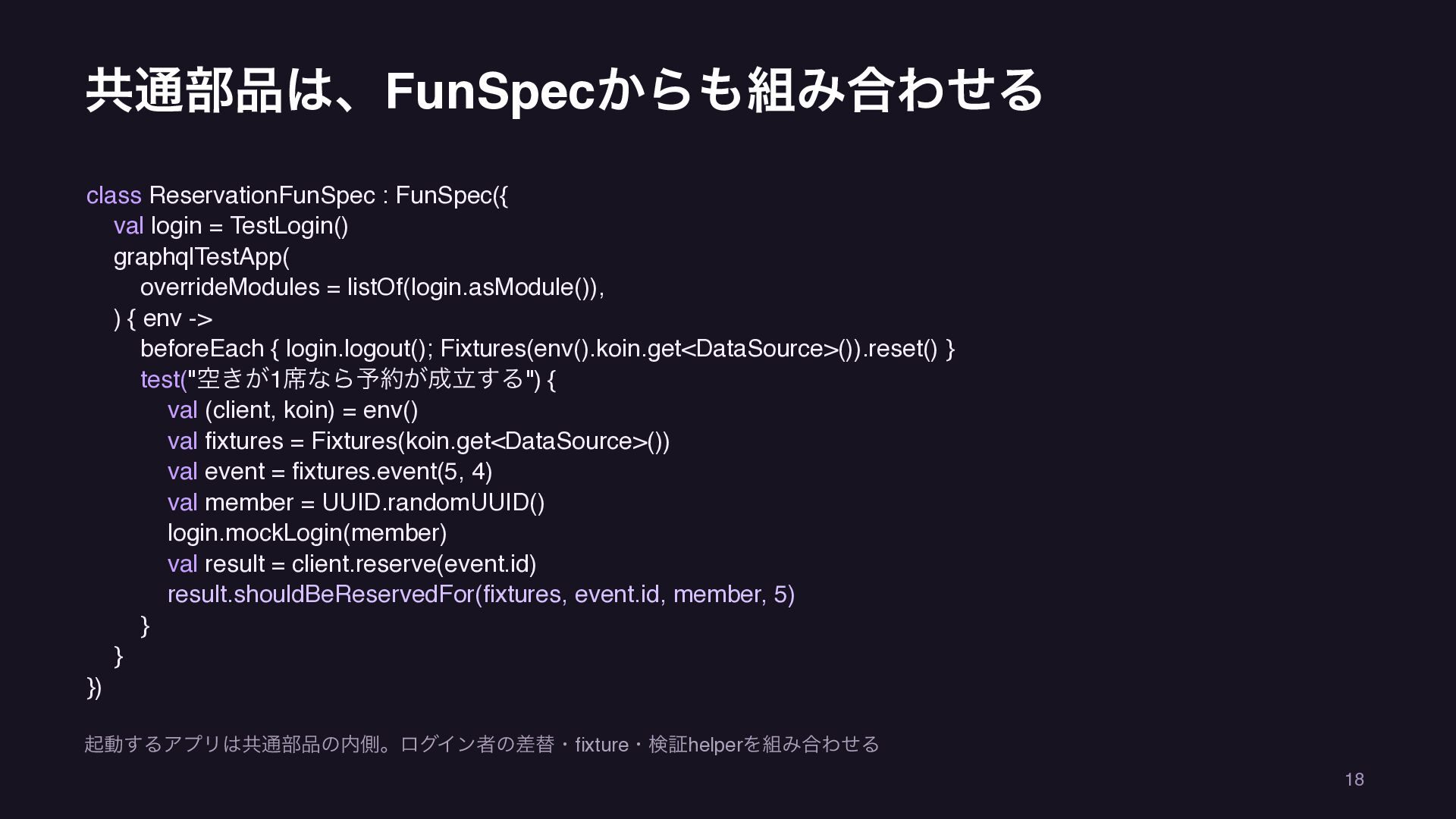
共通部品は、FunSpecからも組み合わせる class ReservationFunSpec : FunSpec({ val login = TestLogin() graphqlTestApp(
overrideModules = listOf(login.asModule()), ) { env -> beforeEach { login.logout(); Fixtures(env().koin.get<DataSource>()).reset() } test("空きが1席なら予約が成立する") { val (client, koin) = env() val fixtures = Fixtures(koin.get<DataSource>()) val event = fixtures.event(5, 4) val member = UUID.randomUUID() login.mockLogin(member) val result = client.reserve(event.id) result.shouldBeReservedFor(fixtures, event.id, member, 5) } } }) 起動するアプリは共通部品の内側。ログイン者の差替・fixture・検証helperを組み合わせる 18 -
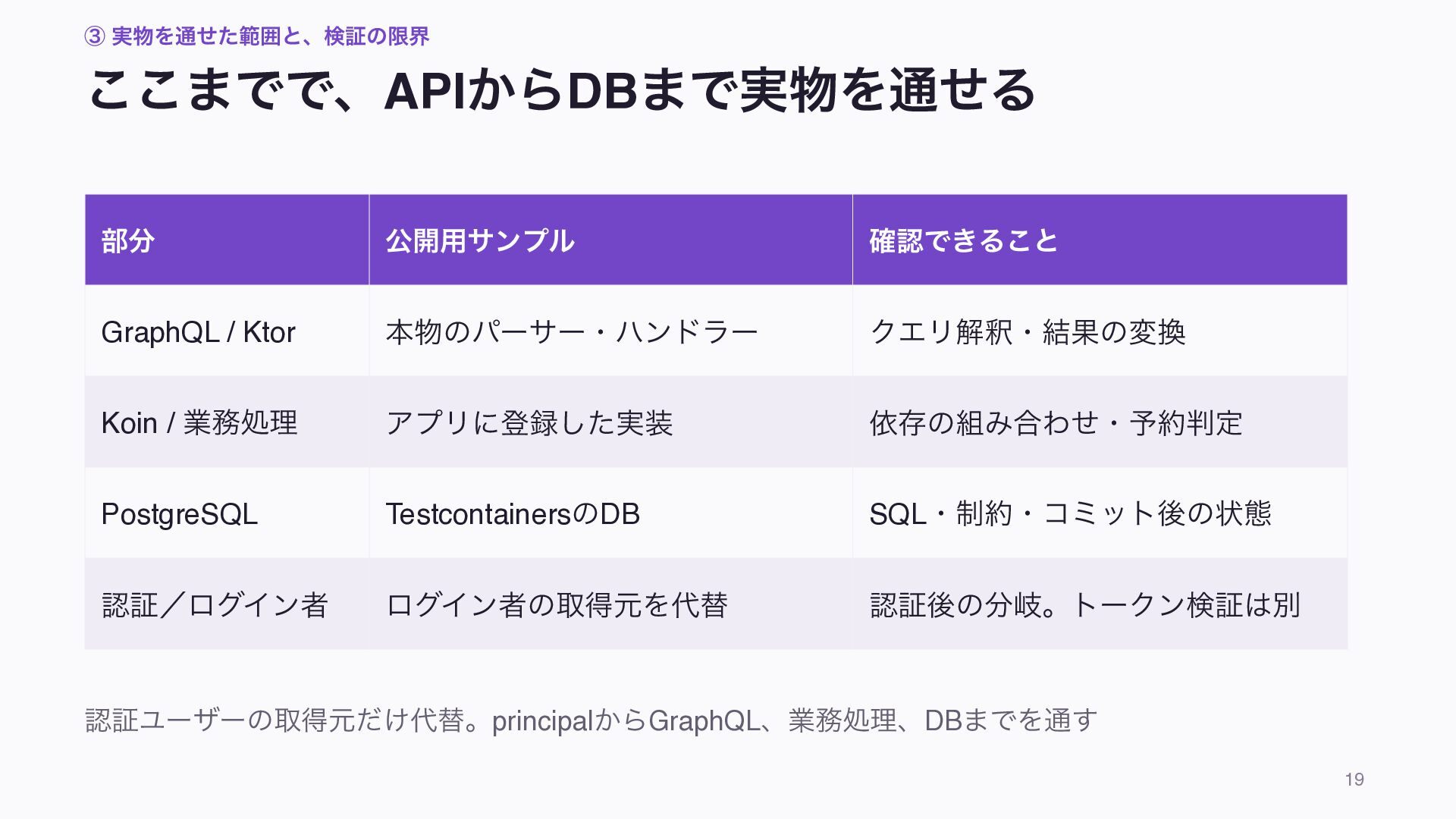
③ 実物を通せた範囲と、検証の限界 ここまでで、APIからDBまで実物を通せる 部分 公開用サンプル 確認できること GraphQL / Ktor 本物のパーサー・ハンドラー
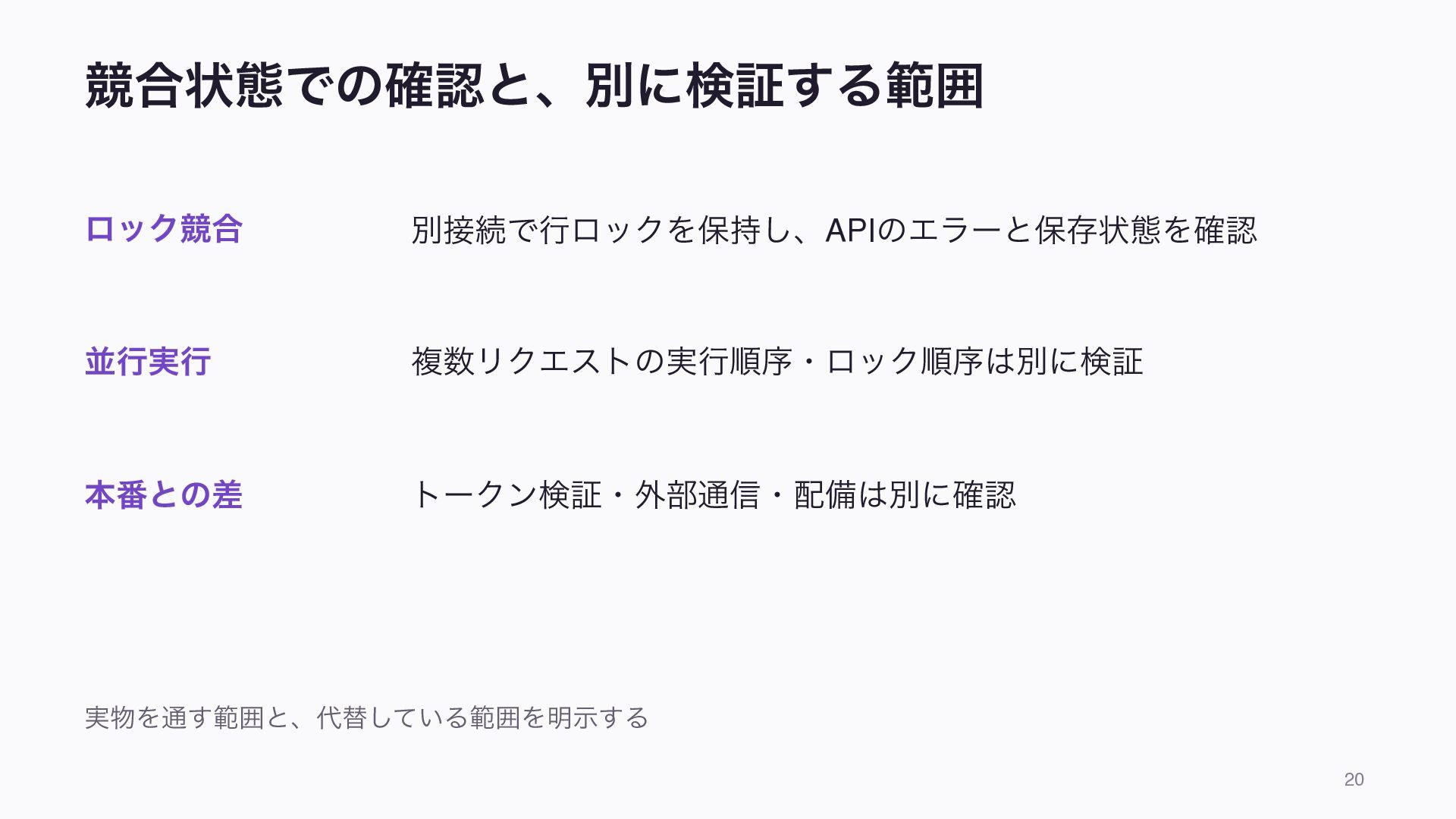
クエリ解釈・結果の変換 Koin / 業務処理 アプリに登録した実装 依存の組み合わせ・予約判定 PostgreSQL TestcontainersのDB SQL・制約・コミット後の状態 認証/ログイン者 ログイン者の取得元を代替 認証後の分岐。トークン検証は別 認証ユーザーの取得元だけ代替。principalからGraphQL、業務処理、DBまでを通す 19 -
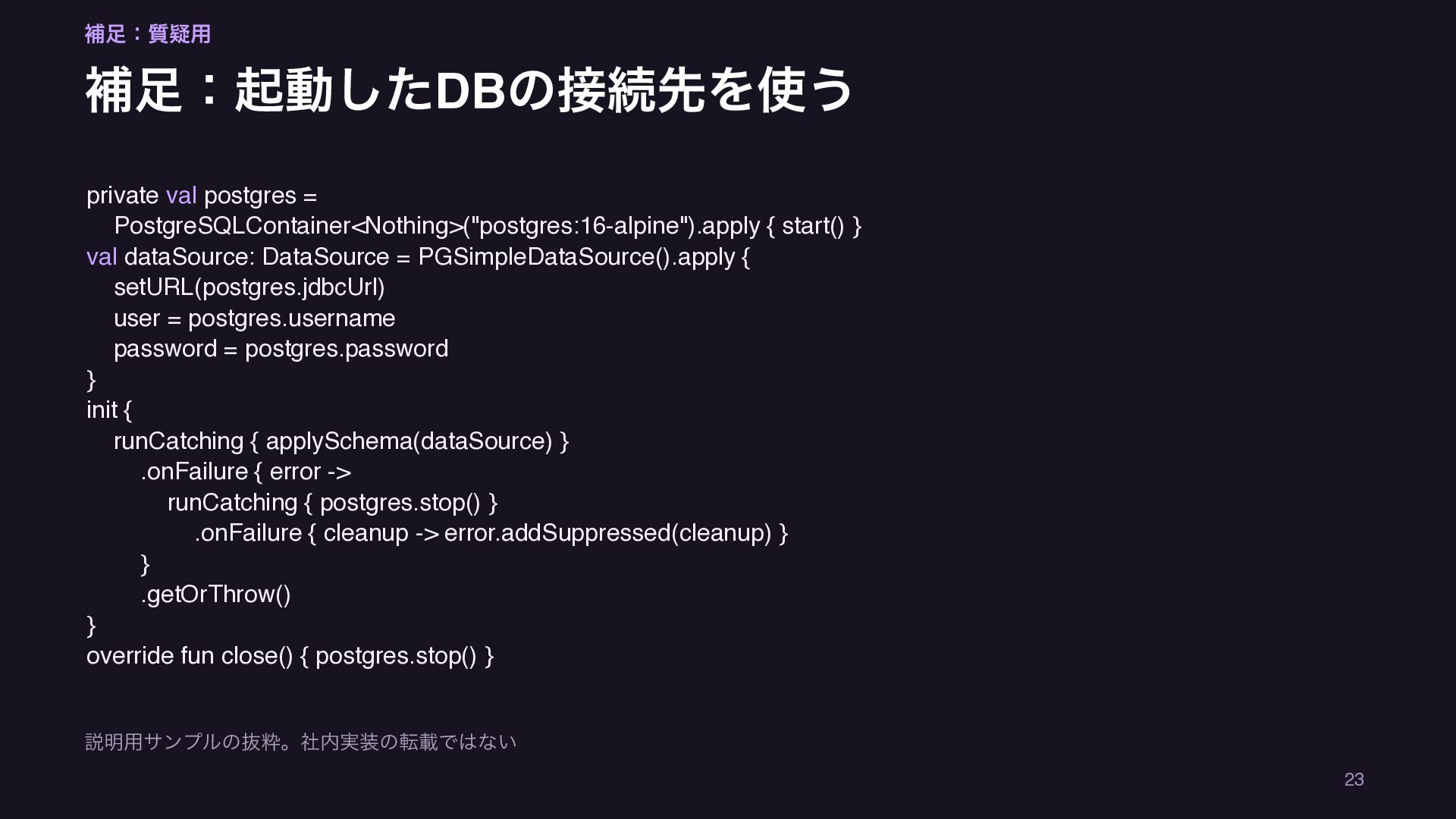
補足:質疑用 補足:起動したDBの接続先を使う private val postgres = PostgreSQLContainer<Nothing>("postgres:16-alpine").apply { start() }
val dataSource: DataSource = PGSimpleDataSource().apply { setURL(postgres.jdbcUrl) user = postgres.username password = postgres.password } init { runCatching { applySchema(dataSource) } .onFailure { error -> runCatching { postgres.stop() } .onFailure { cleanup -> error.addSuppressed(cleanup) } } .getOrThrow() } override fun close() { postgres.stop() } 説明用サンプルの抜粋。社内実装の転載ではない 23 -
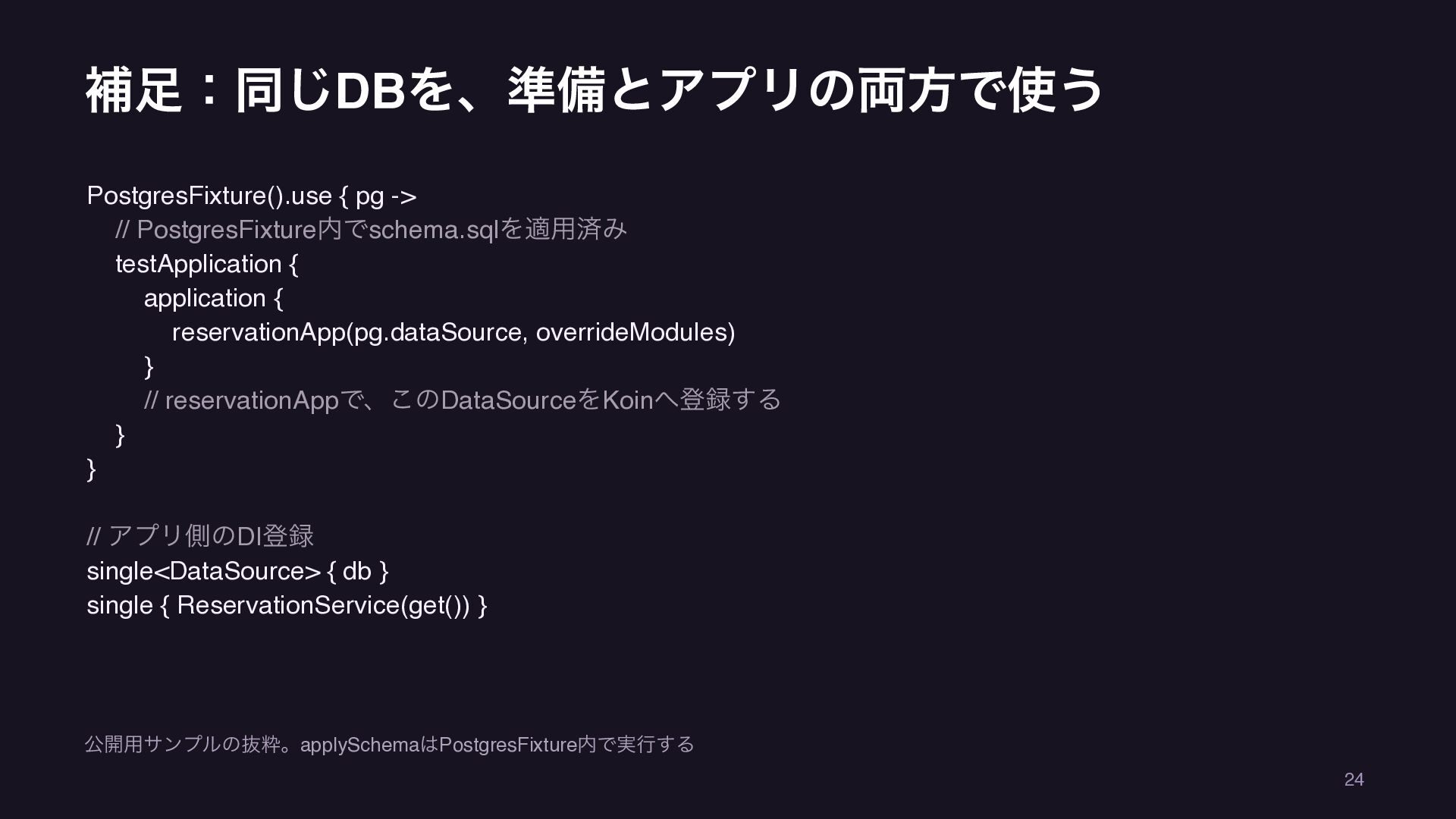
補足:同じDBを、準備とアプリの両方で使う PostgresFixture().use { pg -> // PostgresFixture内でschema.sqlを適用済み testApplication { application
{ reservationApp(pg.dataSource, overrideModules) } // reservationAppで、このDataSourceをKoinへ登録する } } // アプリ側のDI登録 single<DataSource> { db } single { ReservationService(get()) } 公開用サンプルの抜粋。applySchemaはPostgresFixture内で実行する 24 -
補足:起動は共有しても、ケースの状態は初期化する beforeEach { login.logout() Fixtures(env().koin.get<DataSource>()).reset() } fun reset() { db.connection.use
{ c -> c.createStatement().use { it.execute("TRUNCATE reservations, events") } } } 説明用サンプルの抜粋。社内実装の転載ではない 25 -
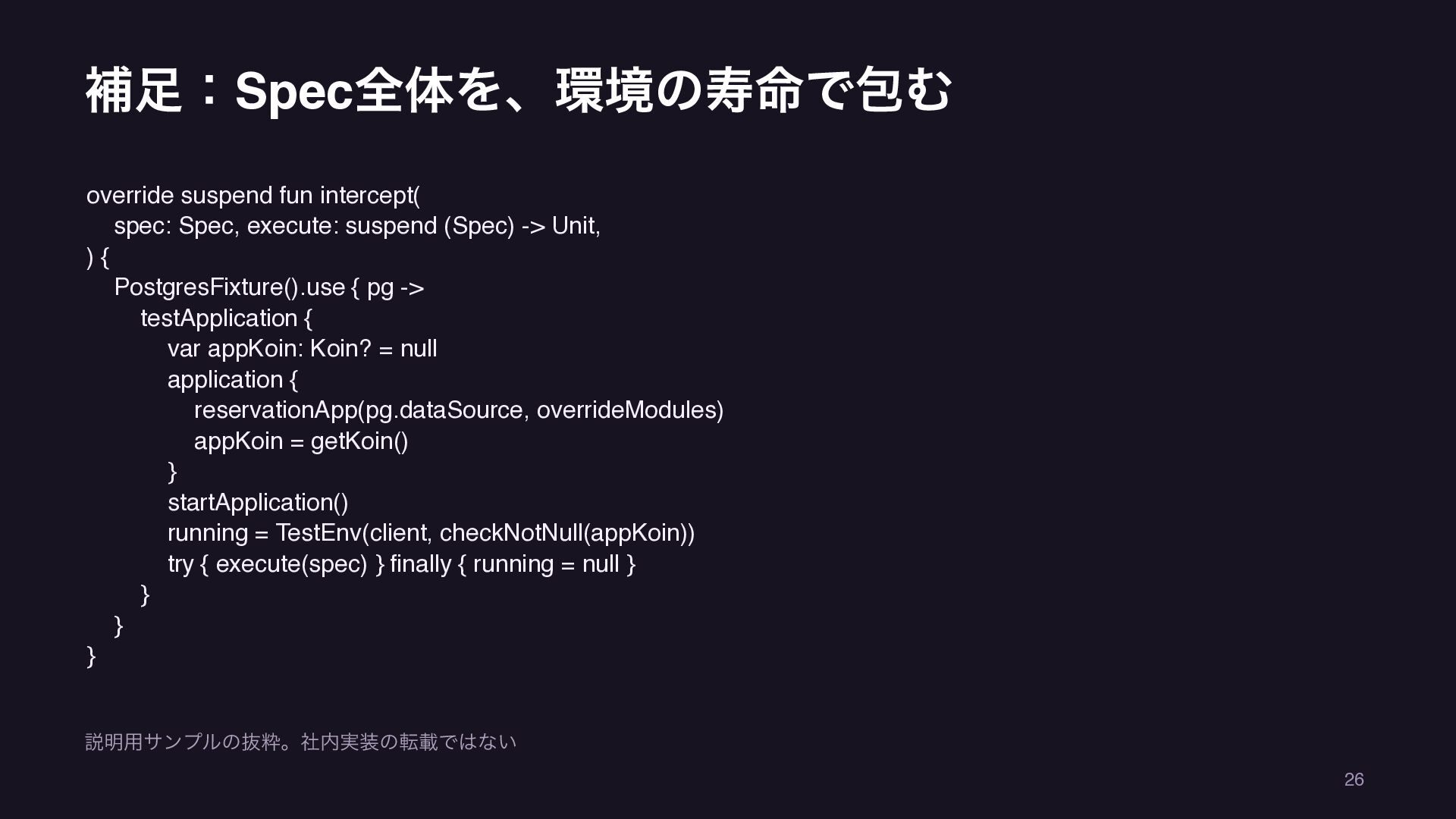
補足:Spec全体を、環境の寿命で包む override suspend fun intercept( spec: Spec, execute: suspend (Spec)
-> Unit, ){ PostgresFixture().use { pg -> testApplication { var appKoin: Koin? = null application { reservationApp(pg.dataSource, overrideModules) appKoin = getKoin() } startApplication() running = TestEnv(client, checkNotNull(appKoin)) try { execute(spec) } finally { running = null } } } } 説明用サンプルの抜粋。社内実装の転載ではない 26 -
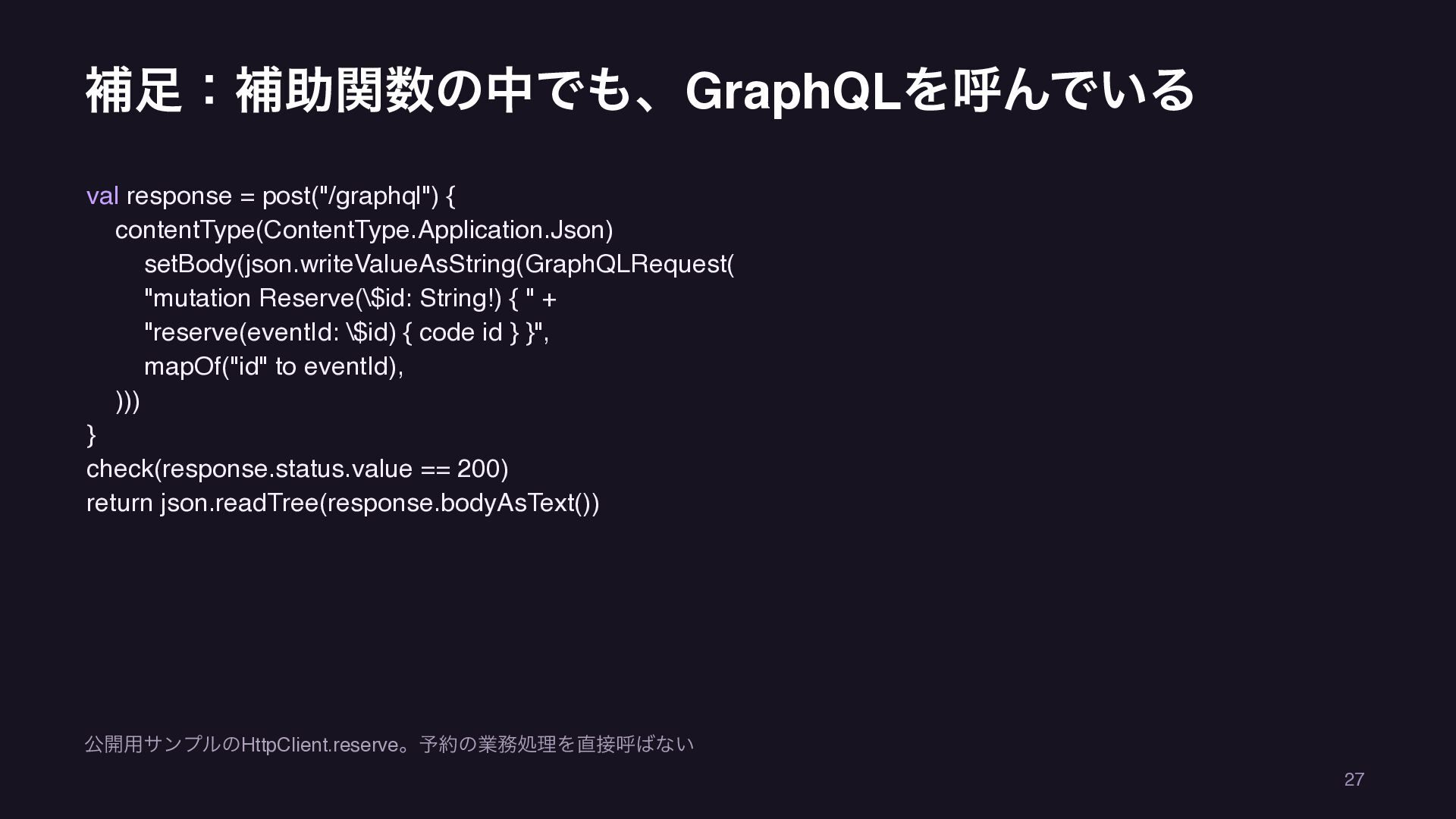
補足:補助関数の中でも、GraphQLを呼んでいる val response = post("/graphql") { contentType(ContentType.Application.Json) setBody(json.writeValueAsString(GraphQLRequest( "mutation Reserve(\$id:
String!) { " + "reserve(eventId: \$id) { code id } }", mapOf("id" to eventId), ))) } check(response.status.value == 200) return json.readTree(response.bodyAsText()) 公開用サンプルのHttpClient.reserve。予約の業務処理を直接呼ばない 27 -
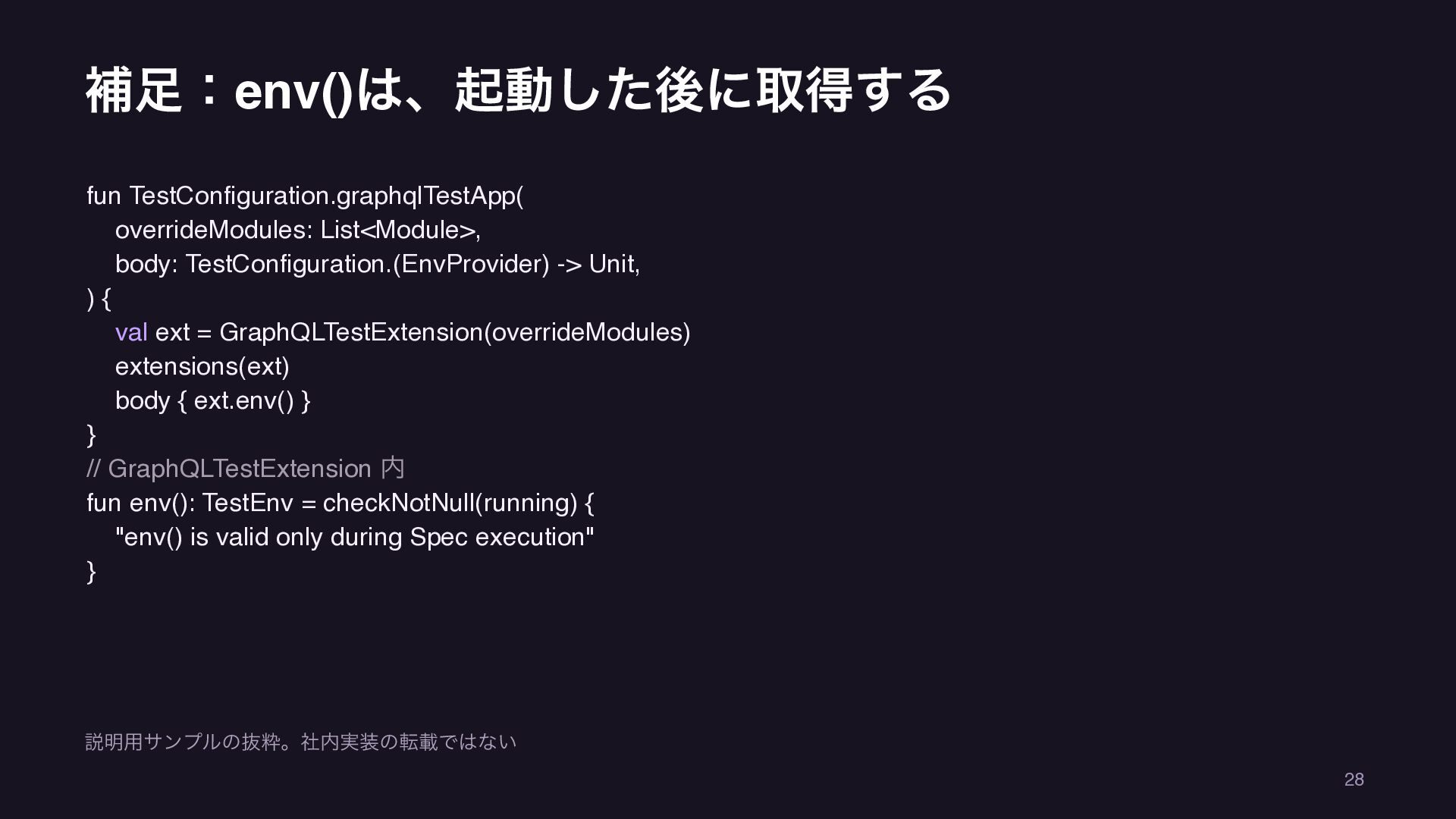
補足:env()は、起動した後に取得する fun TestConfiguration.graphqlTestApp( overrideModules: List<Module>, body: TestConfiguration.(EnvProvider) -> Unit, ){
val ext = GraphQLTestExtension(overrideModules) extensions(ext) body { ext.env() } } // GraphQLTestExtension 内 fun env(): TestEnv = checkNotNull(running) { "env() is valid only during Spec execution" } 説明用サンプルの抜粋。社内実装の転載ではない 28 -
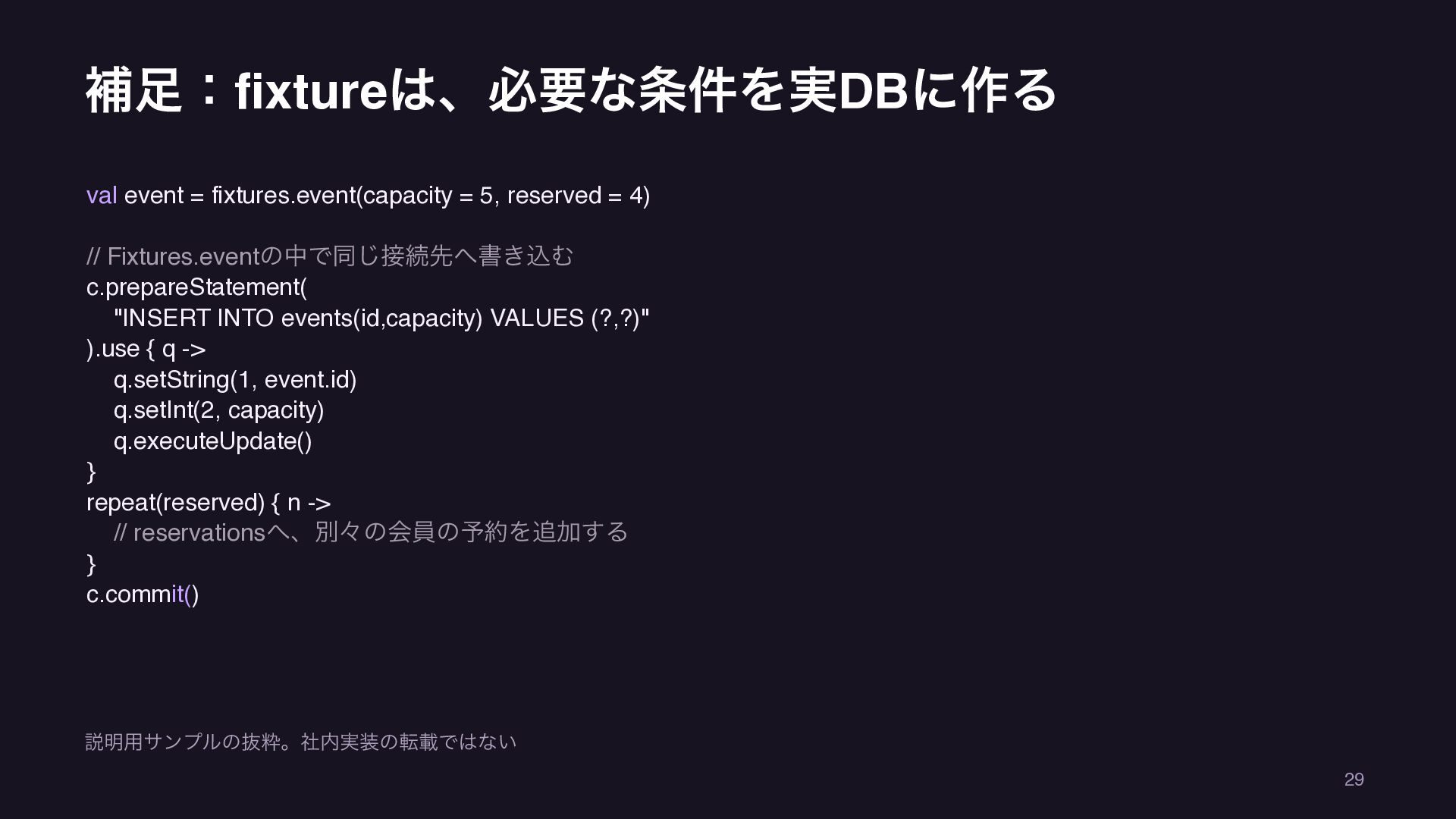
補足:fixtureは、必要な条件を実DBに作る val event = fixtures.event(capacity = 5, reserved = 4)
// Fixtures.eventの中で同じ接続先へ書き込む c.prepareStatement( "INSERT INTO events(id,capacity) VALUES (?,?)" ).use { q -> q.setString(1, event.id) q.setInt(2, capacity) q.executeUpdate() } repeat(reserved) { n -> // reservationsへ、別々の会員の予約を追加する } c.commit() 説明用サンプルの抜粋。社内実装の転載ではない 29 -
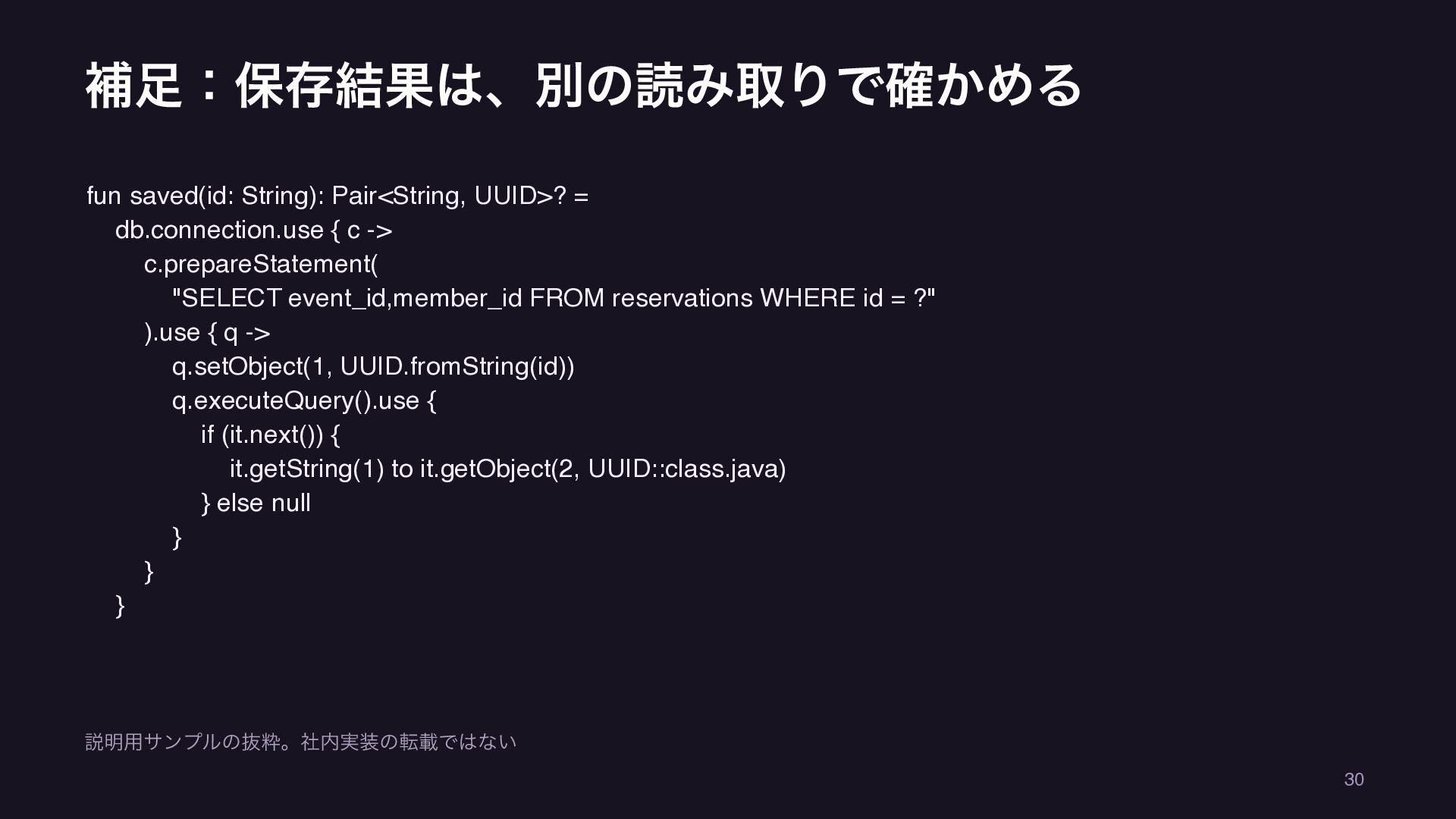
補足:保存結果は、別の読み取りで確かめる fun saved(id: String): Pair<String, UUID>? = db.connection.use { c
-> c.prepareStatement( "SELECT event_id,member_id FROM reservations WHERE id = ?" ).use { q -> q.setObject(1, UUID.fromString(id)) q.executeQuery().use { if (it.next()) { it.getString(1) to it.getObject(2, UUID::class.java) } else null } } } 説明用サンプルの抜粋。社内実装の転載ではない 30 -
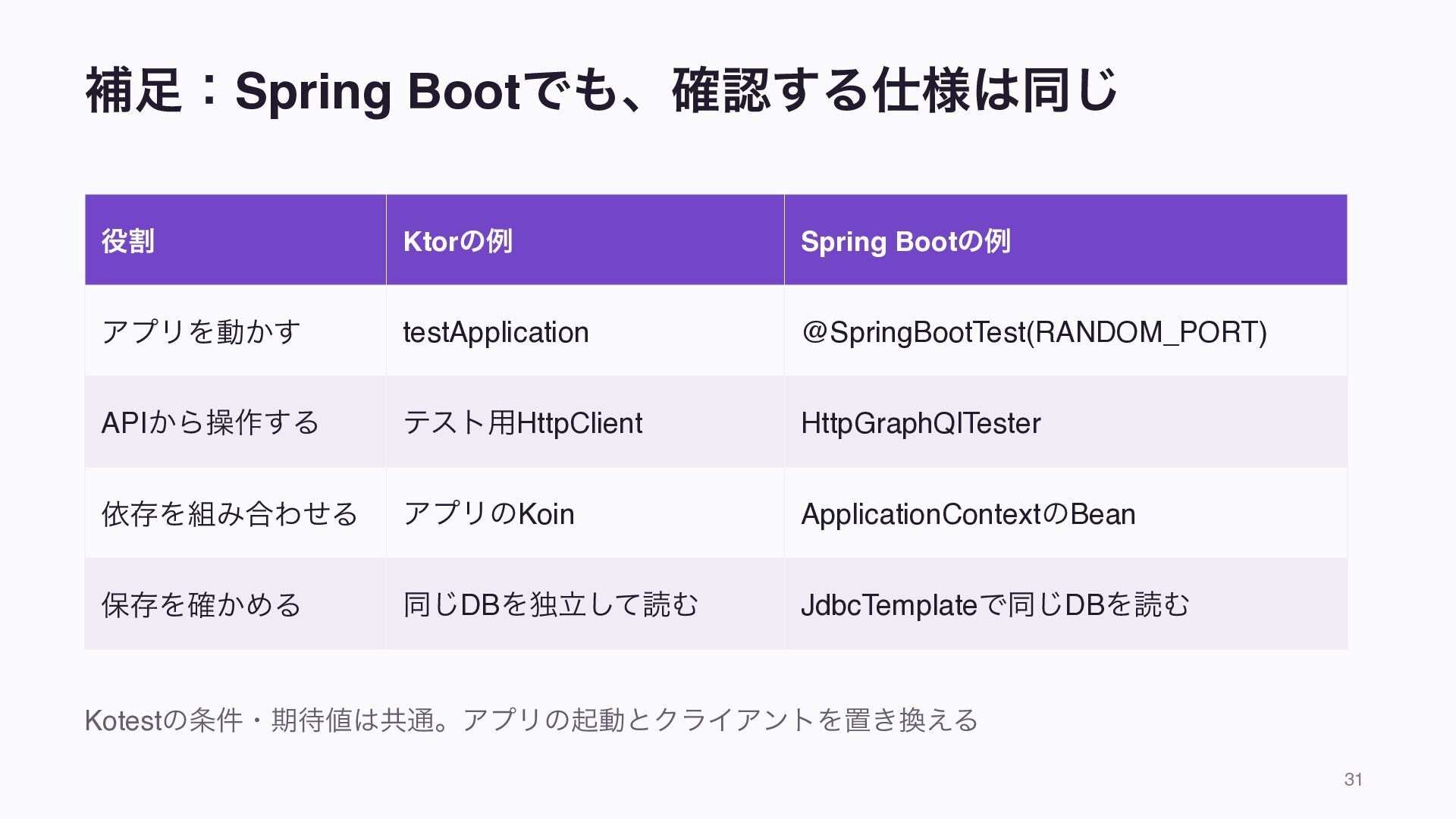
補足:Spring Bootでも、確認する仕様は同じ 役割 Ktorの例 Spring Bootの例 アプリを動かす testApplication @SpringBootTest(RANDOM_PORT) APIから操作する
テスト用HttpClient HttpGraphQlTester 依存を組み合わせる アプリのKoin ApplicationContextのBean 保存を確かめる 同じDBを独立して読む JdbcTemplateで同じDBを読む Kotestの条件・期待値は共通。アプリの起動とクライアントを置き換える 31 -
補足:Spring側も、応答と保存結果を確認する login.mockLogin(member) val response = tester .documentName("reserve") .variable("eventId", "spring-event") .execute()
response.errors().verify() val result = response.path("reserve") .entity(ReservationResponse::class.java).get() val id = result.id.shouldNotBeNull() assertSoftly { result.code shouldBe "RESERVED" jdbc.findReservation(id) shouldBe SavedReservation("spring-event", member) jdbc.reservationCount("spring-event") shouldBe 5 } ログイン者の取得元はテストBean。HttpGraphQlTesterで操作し、独立したSQLで保存を確認 32 -
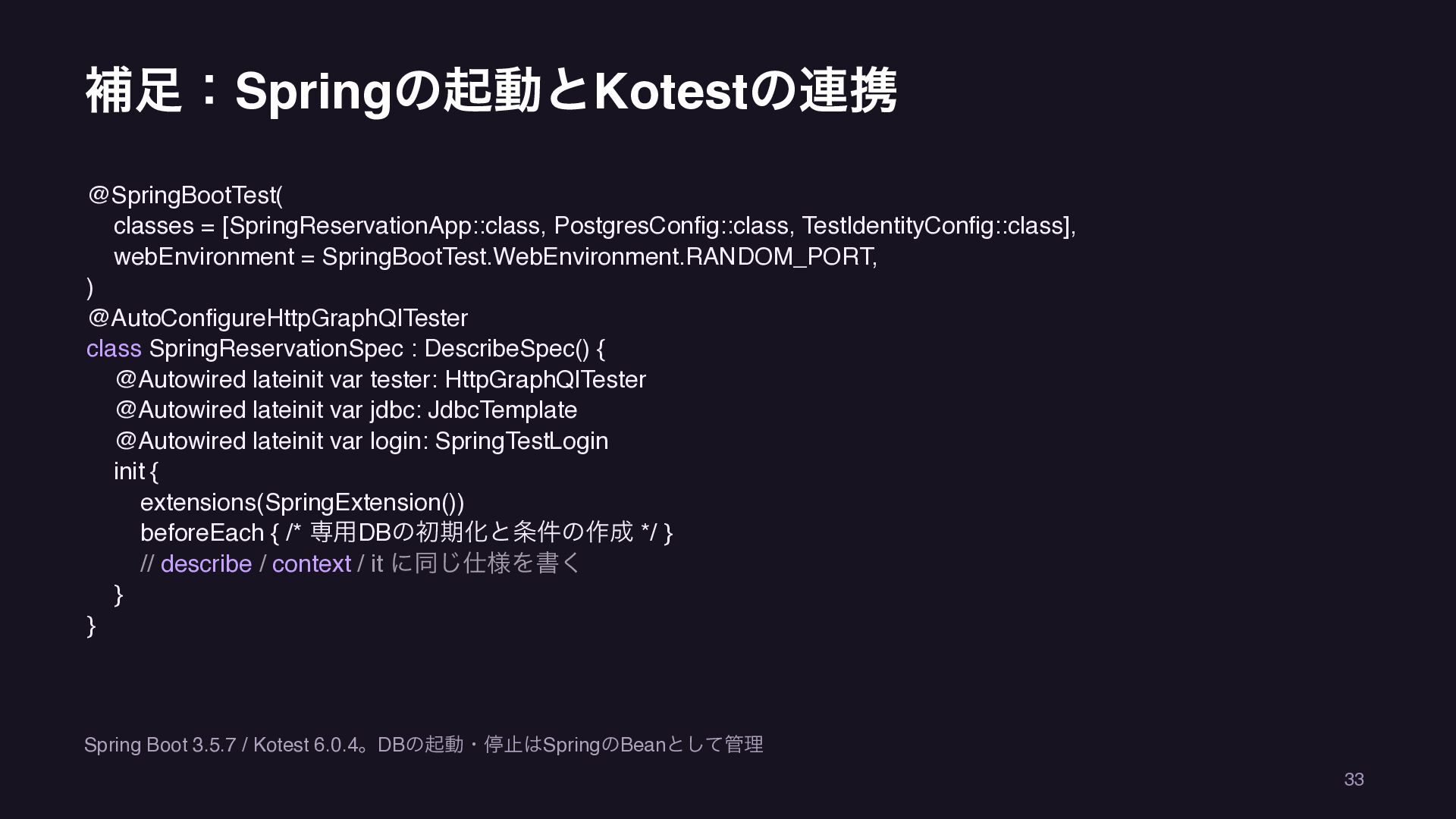
補足:Springの起動とKotestの連携 @SpringBootTest( classes = [SpringReservationApp::class, PostgresConfig::class, TestIdentityConfig::class], webEnvironment = SpringBootTest.WebEnvironment.RANDOM_PORT,
) @AutoConfigureHttpGraphQlTester class SpringReservationSpec : DescribeSpec() { @Autowired lateinit var tester: HttpGraphQlTester @Autowired lateinit var jdbc: JdbcTemplate @Autowired lateinit var login: SpringTestLogin init { extensions(SpringExtension()) beforeEach { /* 専用DBの初期化と条件の作成 */ } // describe / context / it に同じ仕様を書く } } Spring Boot 3.5.7 / Kotest 6.0.4。DBの起動・停止はSpringのBeanとして管理 33 -
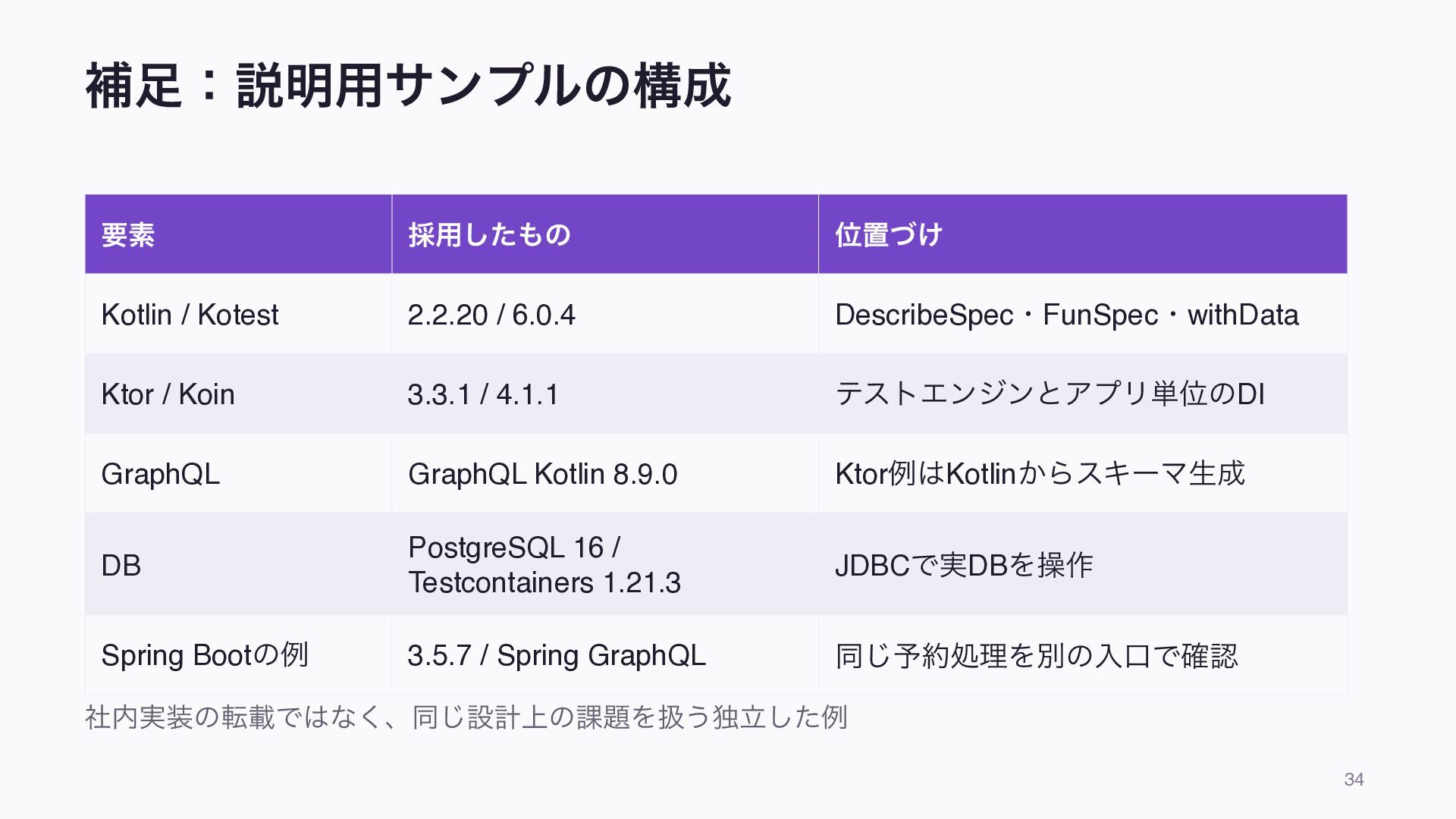
補足:説明用サンプルの構成 要素 採用したもの 位置づけ Kotlin / Kotest 2.2.20 / 6.0.4
DescribeSpec・FunSpec・withData Ktor / Koin 3.3.1 / 4.1.1 テストエンジンとアプリ単位のDI GraphQL GraphQL Kotlin 8.9.0 Ktor例はKotlinからスキーマ生成 DB PostgreSQL 16 / Testcontainers 1.21.3 JDBCで実DBを操作 Spring Bootの例 3.5.7 / Spring GraphQL 同じ予約処理を別の入口で確認 社内実装の転載ではなく、同じ設計上の課題を扱う独立した例 34 -
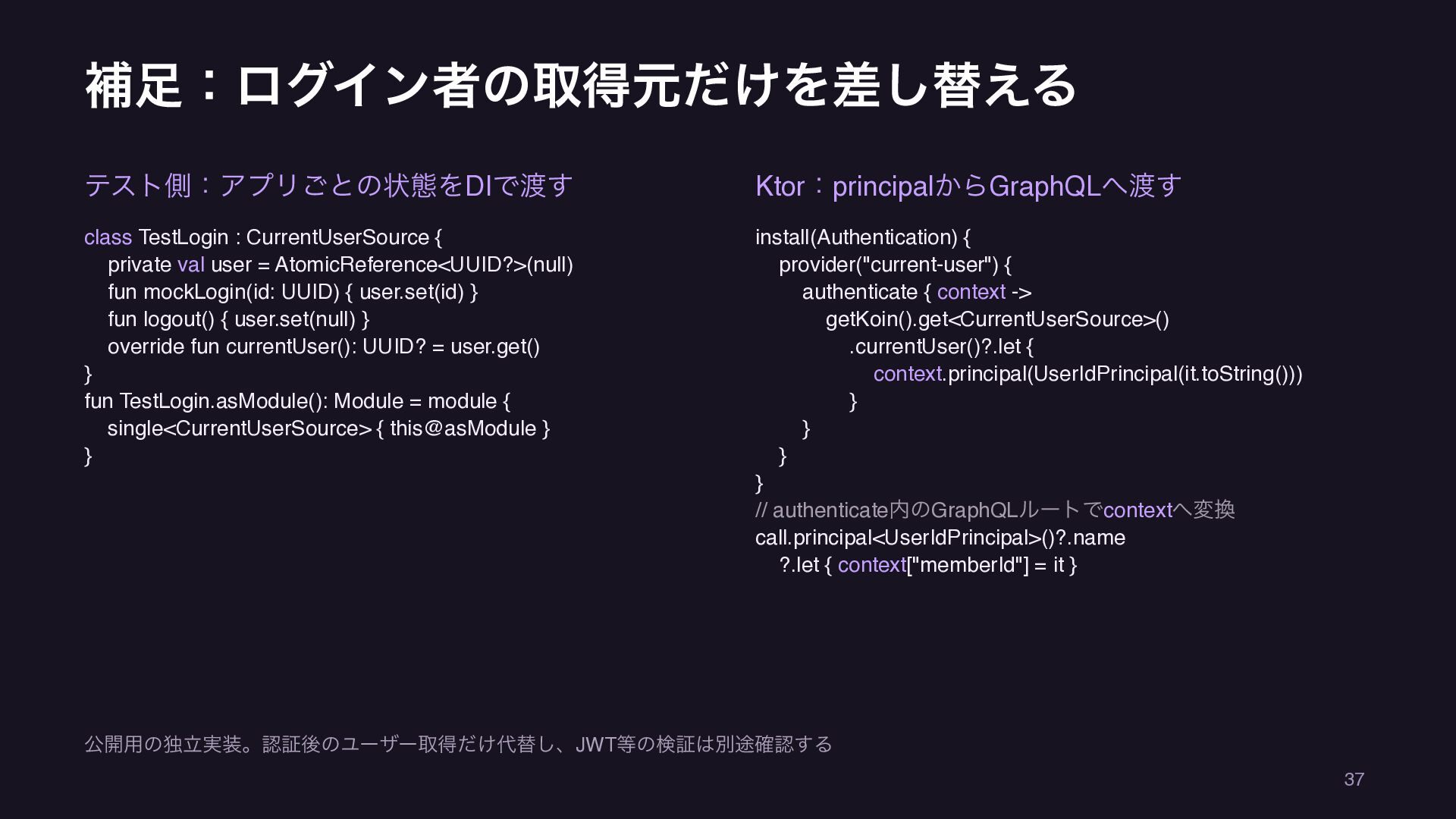
補足:ログイン者の取得元だけを差し替える テスト側:アプリごとの状態をDIで渡す Ktor:principalからGraphQLへ渡す class TestLogin : CurrentUserSource { private val
user = AtomicReference<UUID?>(null) fun mockLogin(id: UUID) { user.set(id) } fun logout() { user.set(null) } override fun currentUser(): UUID? = user.get() } fun TestLogin.asModule(): Module = module { single<CurrentUserSource> { this@asModule } } install(Authentication) { provider("current-user") { authenticate { context -> getKoin().get<CurrentUserSource>() .currentUser()?.let { context.principal(UserIdPrincipal(it.toString())) } } } } // authenticate内のGraphQLルートでcontextへ変換 call.principal<UserIdPrincipal>()?.name ?.let { context["memberId"] = it } 公開用の独立実装。認証後のユーザー取得だけ代替し、JWT等の検証は別途確認する 37 -
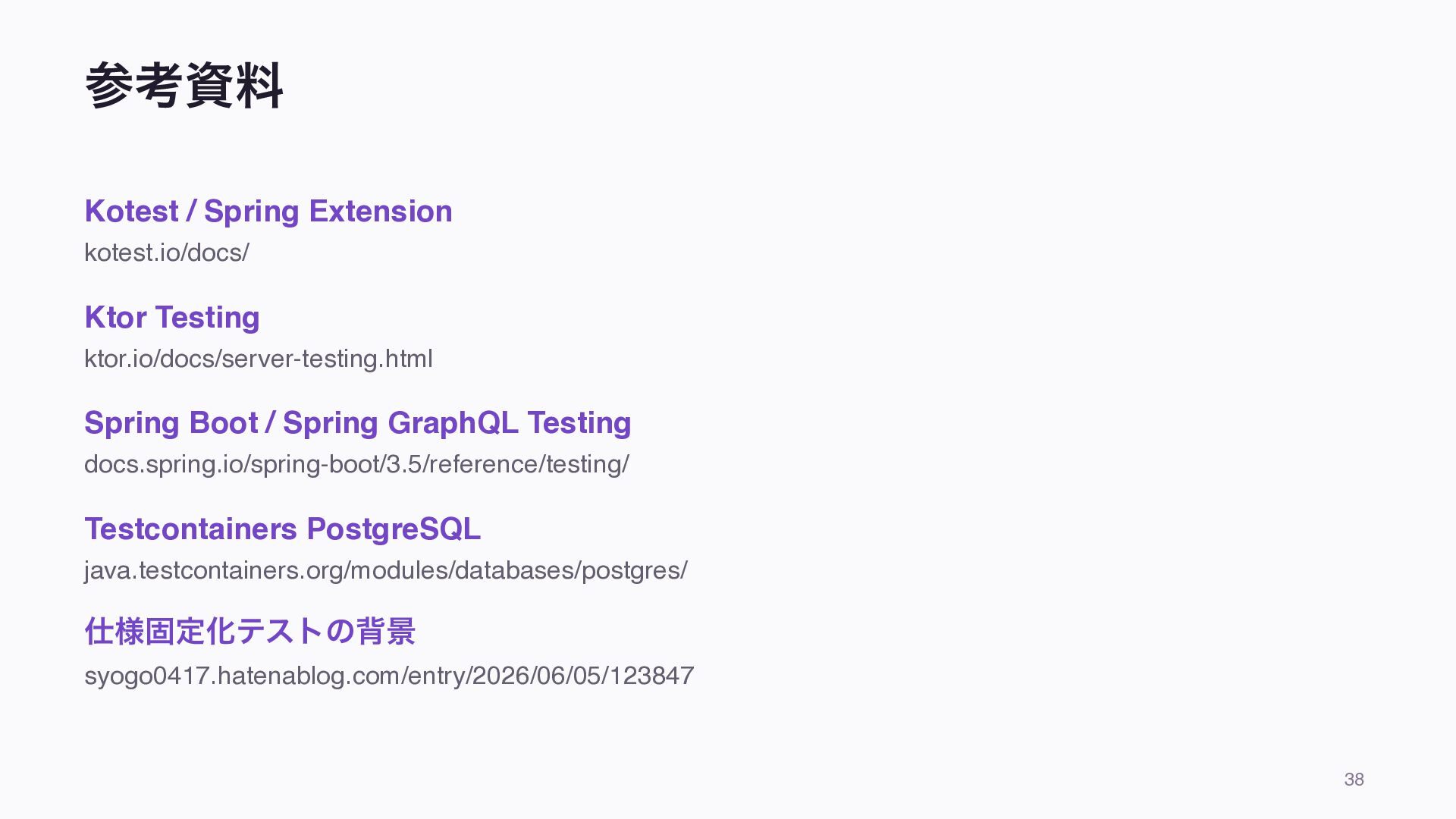
参考資料 Kotest / Spring Extension kotest.io/docs/ Ktor Testing ktor.io/docs/server-testing.html Spring
Boot / Spring GraphQL Testing docs.spring.io/spring-boot/3.5/reference/testing/ Testcontainers PostgreSQL java.testcontainers.org/modules/databases/postgres/ 仕様固定化テストの背景 syogo0417.hatenablog.com/entry/2026/06/05/123847 38
 ooga04
 ktombow
 takahirosunaga
 jsoizo
 slobodan
 4geru
 sodainc
 mitohato14
 akihisaikeda
 drumath2237
 yukikurage
 manfredsteyer
 itsmedreamwalker
 lindahogenes
 eileencodes
 tanoku
 soudai
 aleyda
 codingconduct
 dugsong
 chrislema
 inesmontani
 carmenintech
 mojombo