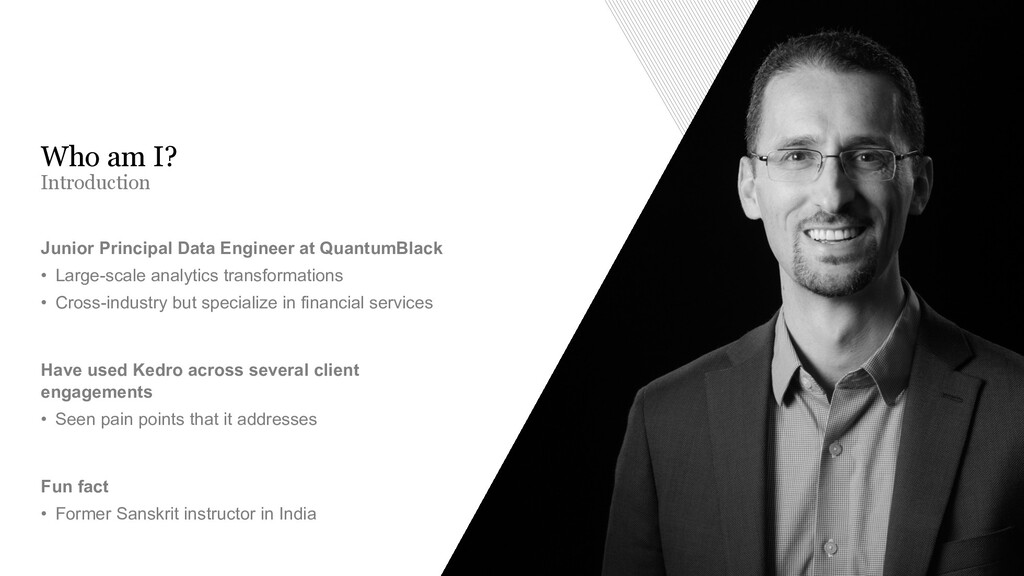
Introduction Who am I? Junior Principal Data Engineer at QuantumBlack • Large-scale analytics transformations • Cross-industry but specialize in financial services Have used Kedro across several client engagements • Seen pain points that it addresses Fun fact • Former Sanskrit instructor in India
Why does Kedro exist? Clean code is expected A successful project does not only entail having a model run in production; our success is a client that can maintain their own data pipeline when we leave. A larger team increases workflow variance Our data scientists, data engineers and machine learning engineers really struggled to collaborate on a code-base together. Efficiency when delivering production- Ready code We have time to do code and model optimization but we do not have time to refactor code. This means that we needed a seamless way to quickly move from the experimentation phase into production-ready code. Reduced learning curve Our teams come from many different backgrounds with varying experience with software engineering principles. It’s with empathy that we say, “How can we tweak your workflow so that our coding standards are the same?”
Key terms It is a DAG. A collection of nodes with defined relationships and dependencies. Node A series of data connectors used for saving and loading data across many different file formats and file systems. It supports data and model versioning for file-based systems. Used with a Python or YAML API. Data Catalog A function written in Python or PySpark that has an input dataset and output dataset. Pipeline
From file paths in code Change the way that you interact with the locations of your data sources from… import pandas as pd example = pd.read_csv('/path/i-dont/have/data.csv') ... to an interface for loading and sharing data in data science projects example: filepath: /path/i-have/data-that-everyone-can-access.csv type: CSVLocalDataSet To using the Data Catalog with the YAML API
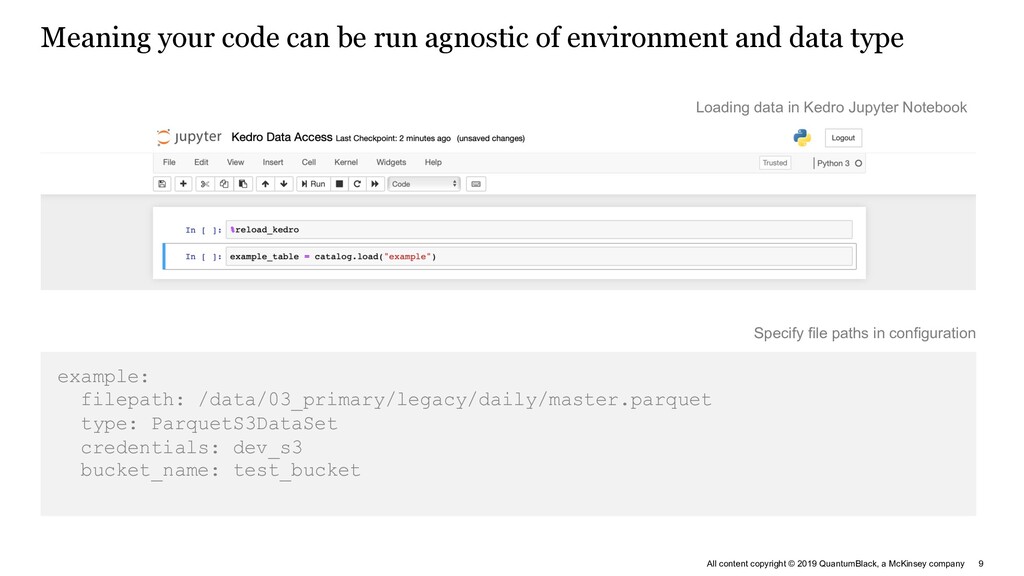
Meaning your code can be run agnostic of environment and data type Loading data in Kedro Jupyter Notebook example: filepath: /data/03_primary/legacy/daily/master.parquet type: ParquetS3DataSet credentials: dev_s3 bucket_name: test_bucket Specify file paths in configuration
Kedro-Viz Benefits Pipeline Visualisation • Generated from code • High-level overview of the pipeline structure • A tool for communicating workflow structure with business stakeholders
Experiment tracking – necessary during model development and post-deployment Proving value of experiments Without a baseline hard to show progress How do I demonstrate the value and results of the different experimentations that I’ve done? How can I share my findings with other team members so they can leverage off the insights that I’ve found? I can’t remember what features I used to train my best performing model from a week ago! Visualisation of data to bring transparency into project progress Sync and collaborate across multiple workstreams Tracking run parameters Pain points Examples Addressed by Lost work Not easy to find out parameters from previous runs Collaboration Referencing and accessing models and artifacts without repo bloat
Comparison of Kedro and MLflow Complementary and not conflicting Kedro = the assembly line architecture and structure MLflow = is the tracking system you can use in your factory to record metrics and visualise them in order to fine-tune your assembly line segments Feature Kedro MLflow Artifact Versioning Yes Yes Metric Tracking No Yes Parameter Versioning Yes Yes Experiment Comparison No Yes Code Organisation Yes No Pipeline Construction Yes No Pipeline Visualisation Yes No Data Abstraction Yes No Deployment Yes Yes
Kedro and MLflow work together in both model development and deployment End-user Squad Kedro Seamless Local Development Data abstraction and code organization for best software engineering practices Integrated Model Tracking Model run comparisons, parameter tracking and model versioning Local Development Version Control Batch Train Model Serve Consumption 1 3 4 2 5
The future of Experiment Tracking Performance AI for advanced model performance tracking • Explain project progress to non- technical stakeholders with compelling visual story telling features • Advanced methods for detecting and correcting performance shifts for models in production • Integration with Kedro pipelines to capture pipeline metadata • Visualize data quality throughout pipeline runs and nodes
Resources The Kedro community is active on: https://github.com/quantumblacklabs/kedro/ The team and contributors actively maintain raised feature requests, bug reports and pull requests. Documentation is available on Kedro’s Read The Docs: https://kedro.readthedocs.io/ Questions tagged with kedro are watched on Stack Overflow. GitHub Documentation Stack Overflow


 tgoldenberg
 akitoshiga
 maimyyym
 iktakahiro
 namiki64
 shuta13
 akhino
 nttcom
 4o1sobblue
 kizawa2020
 oikon48
 codmoninc
 grimoh
 cromwellryan
 holman
 aleyda
 chrisshort
 jdejongh
 palkan
 rakko
rakko
 marktimemedia
 katarinadahlin
 aki_iinuma
 notwaldorf
 jct
jct