Upgrade to Pro — share decks privately, control downloads, hide ads and more …

Taming the Flicker: Firebase Patterns for React...

Sponsored · SiteGround - Reliable hosting with speed, security, and support you can count on.

Taming the Flicker: Firebase Patterns for React Server Components

Integrating Firebase into a modern React stack often feels like a tug-of-war between server and client state. Juggling the appropriate SDK, managing rehydration flickers, and handling session management can make our "simple" SDK complex. Dive into battle-tested patterns and the latest SDK features to help you bridge the gap between the server and the client seamlessly.

https://gitnation.com/contents/taming-the-flicker-firebase-patterns-for-react-server-components

Avatar for Rosário P. Fernandes

Rosário P. Fernandes

June 15, 2026

More Decks by Rosário P. Fernandes

Other Decks in Programming

Transcript

  1. Taming the Flicker Firebase Patterns for React Server Components Rosário

    Fernandes Developer Relations Engineer, Firebase
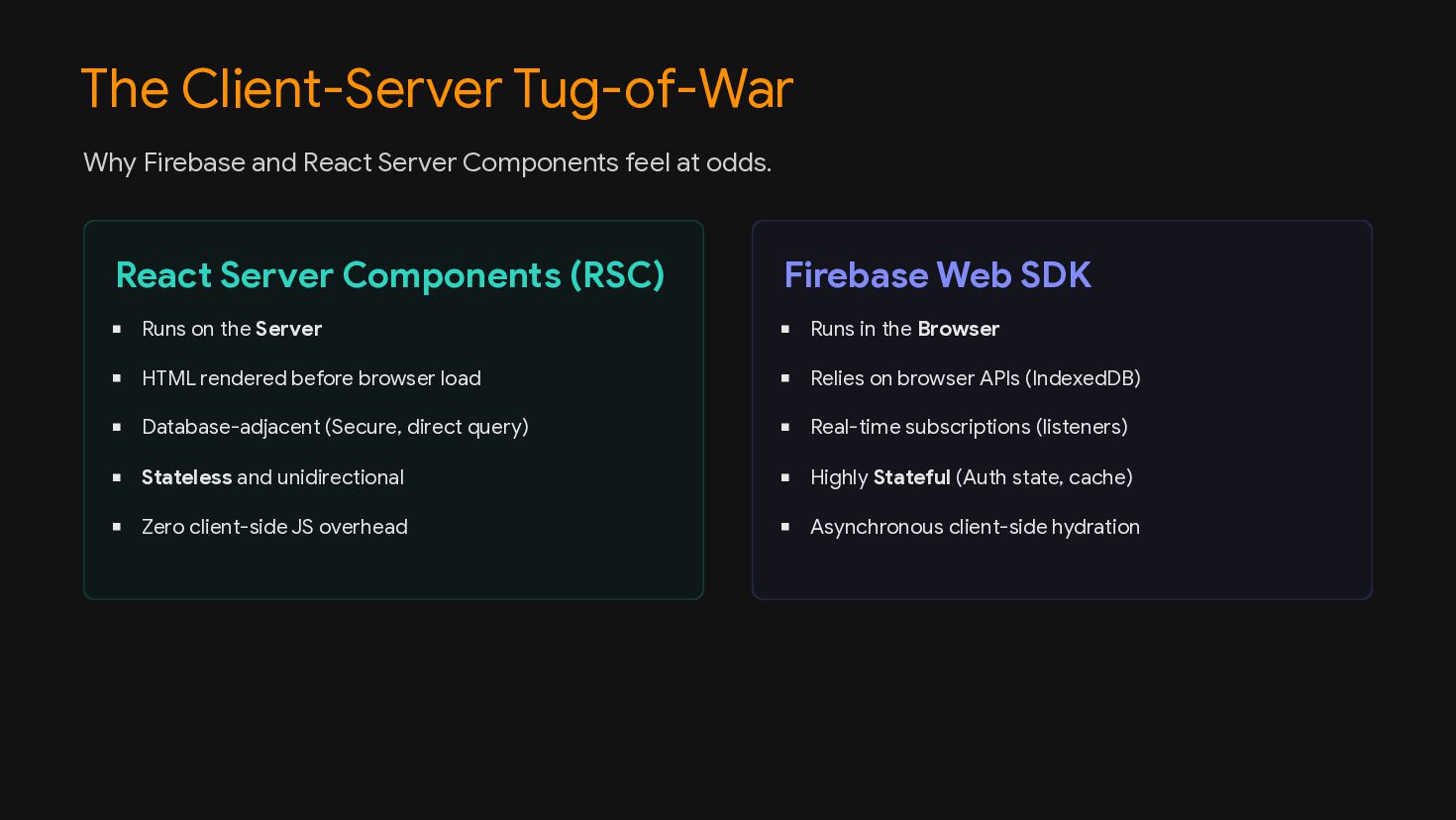
  2. The Client-Server Tug-of-War React Server Components (RSC) Firebase Web SDK

    Why Firebase and React Server Components feel at odds. Runs on the Server HTML rendered before browser load Database-adjacent (Secure, direct query) Stateless and unidirectional Zero client-side JS overhead Runs in the Browser Relies on browser APIs (IndexedDB) Real-time subscriptions (listeners) Highly Stateful (Auth state, cache) Asynchronous client-side hydration
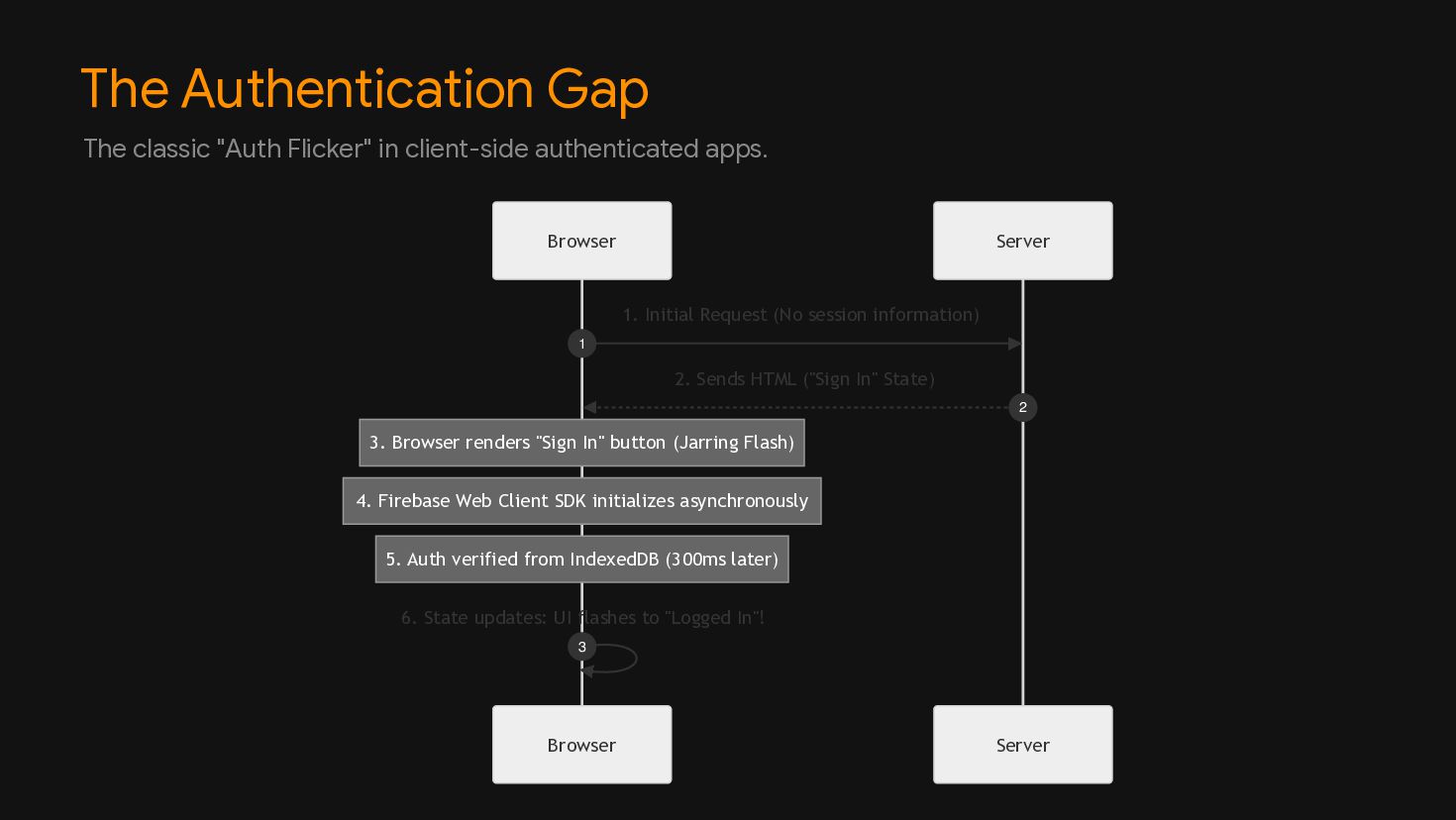
  3. The Authentication Gap Server Browser Server Browser 3. Browser renders

    "Sign In" button (Jarring Flash) 4. Firebase Web Client SDK initializes asynchronously 5. Auth verified from IndexedDB (300ms later) 1. Initial Request (No session information) 1 2. Sends HTML ("Sign In" State) 2 6. State updates: UI flashes to "Logged In"! 3 The classic "Auth Flicker" in client-side authenticated apps.
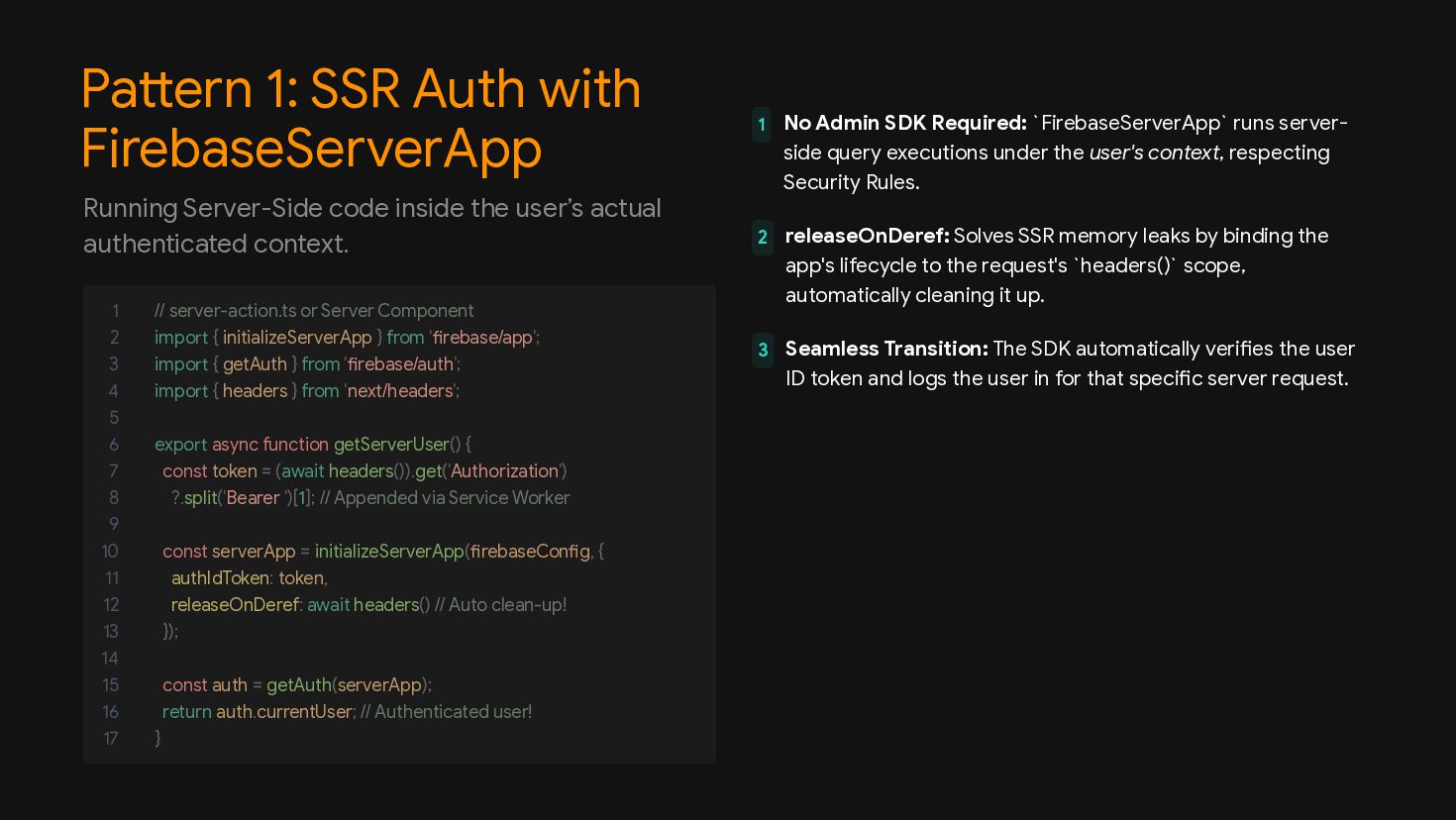
  4. Pattern 1: SSR Auth with FirebaseServerApp 1 No Admin SDK

    Required: `FirebaseServerApp` runs server- side query executions under the user's context, respecting Security Rules. 2 releaseOnDeref: Solves SSR memory leaks by binding the app's lifecycle to the request's `headers()` scope, automatically cleaning it up. 3 Seamless Transition: The SDK automatically verifies the user ID token and logs the user in for that specific server request. Running Server-Side code inside the user’s actual authenticated context. 1 // server-action.ts or Server Component 2 import { initializeServerApp } from 'firebase/app'; 3 import { getAuth } from 'firebase/auth'; 4 import { headers } from 'next/headers'; 5 6 export async function getServerUser() { 7 const token = (await headers()).get('Authorization') 8 ?.split('Bearer ')[1]; // Appended via Service Worker 9 10 const serverApp = initializeServerApp(firebaseConfig, { 11 authIdToken: token, 12 releaseOnDeref: await headers() // Auto clean-up! 13 }); 14 15 const auth = getAuth(serverApp); 16 return auth.currentUser; // Authenticated user! 17 }
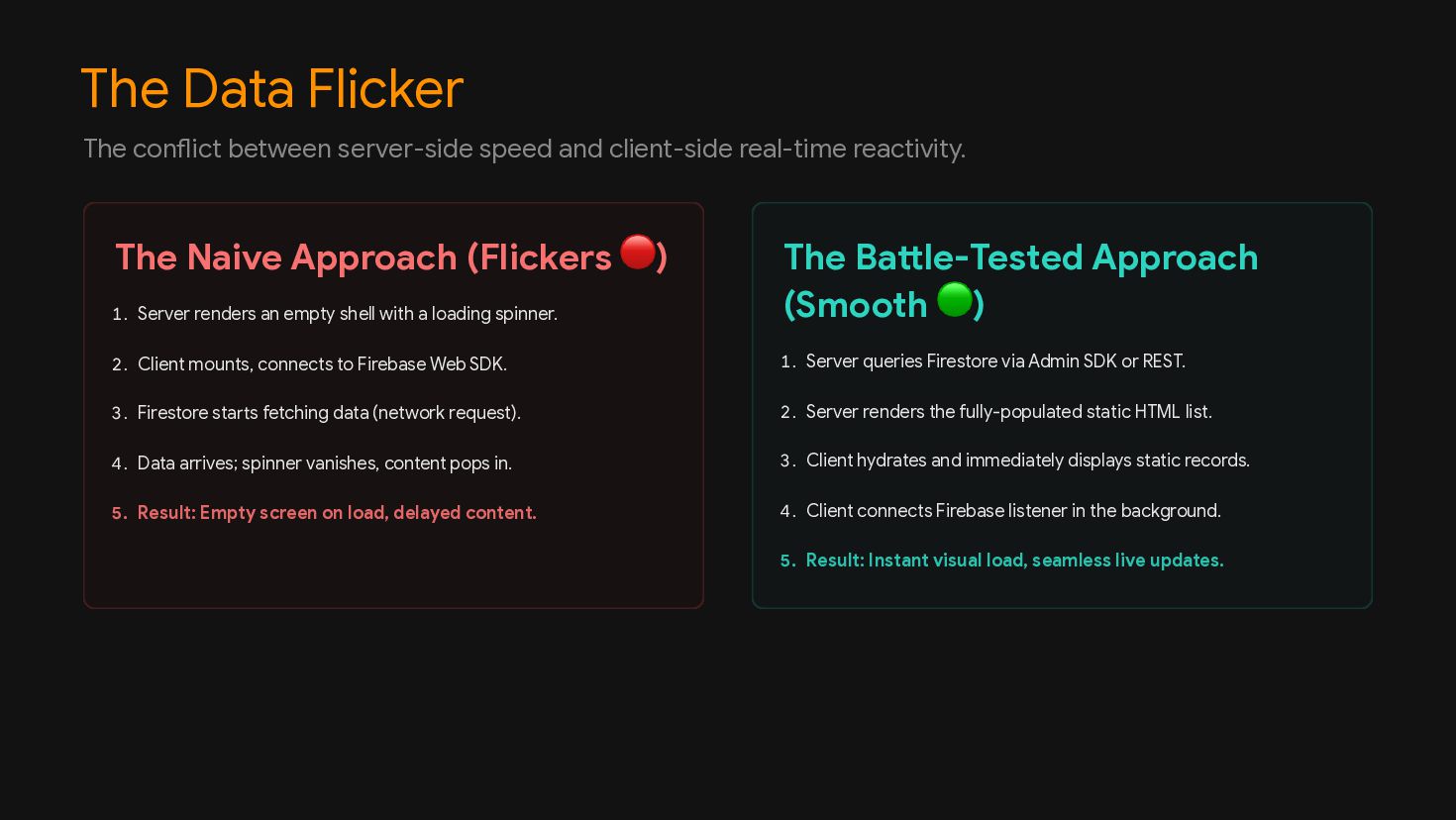
  5. The Data Flicker The Naive Approach (Flickers 🔴) The Battle-Tested

    Approach (Smooth 🟢) The conflict between server-side speed and client-side real-time reactivity. 1. Server renders an empty shell with a loading spinner. 2. Client mounts, connects to Firebase Web SDK. 3. Firestore starts fetching data (network request). 4. Data arrives; spinner vanishes, content pops in. 5. Result: Empty screen on load, delayed content. 1. Server queries Firestore via Admin SDK or REST. 2. Server renders the fully-populated static HTML list. 3. Client hydrates and immediately displays static records. 4. Client connects Firebase listener in the background. 5. Result: Instant visual load, seamless live updates.
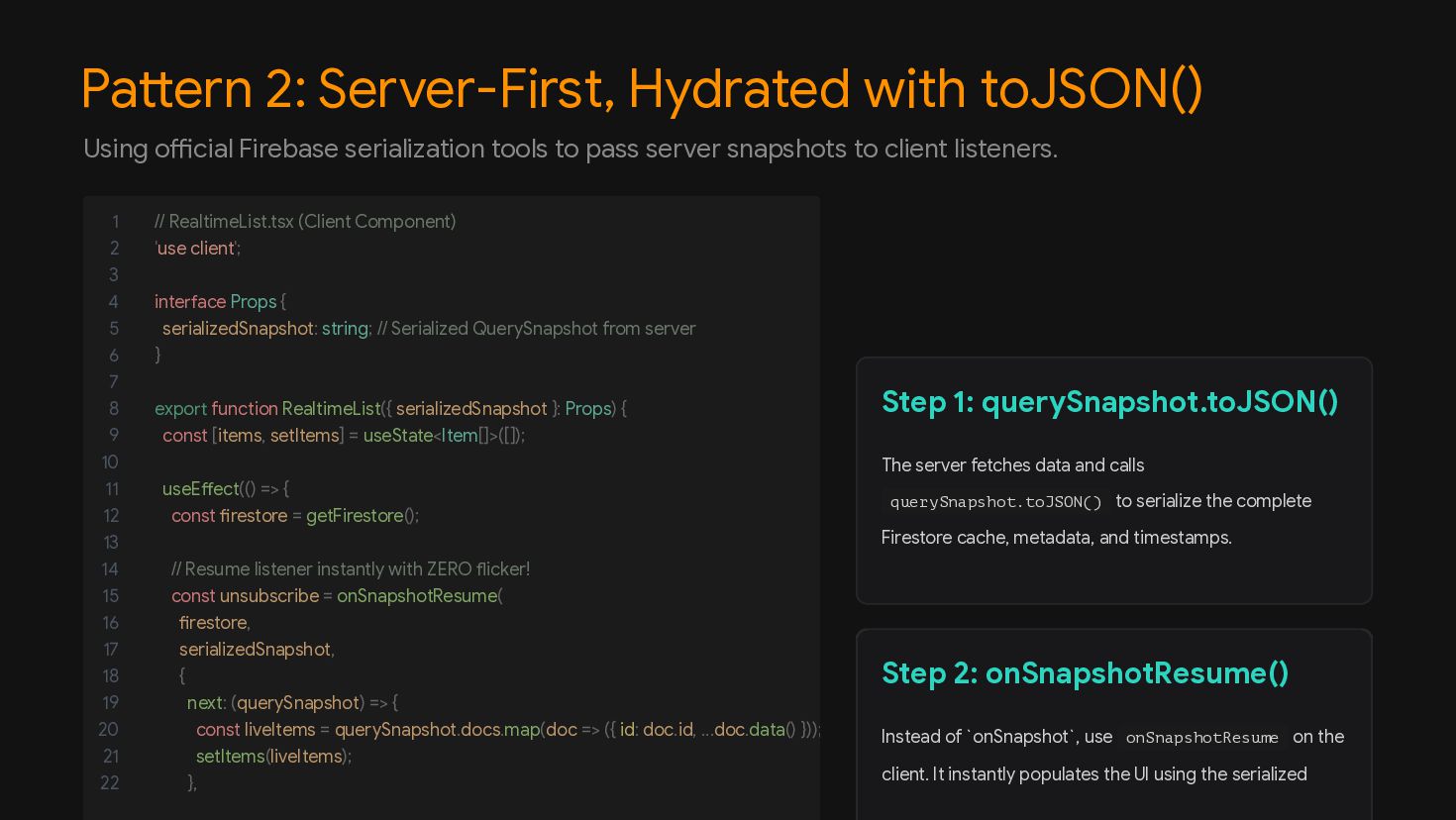
  6. Pattern 2: Server-First, Hydrated with toJSON() Step 1: querySnapshot.toJSON() Step

    2: onSnapshotResume() Using official Firebase serialization tools to pass server snapshots to client listeners. 1 // RealtimeList.tsx (Client Component) 2 'use client'; 3 4 interface Props { 5 serializedSnapshot: string; // Serialized QuerySnapshot from server 6 } 7 8 export function RealtimeList({ serializedSnapshot }: Props) { 9 const [items, setItems] = useState<Item[]>([]); 10 11 useEffect(() => { 12 const firestore = getFirestore(); 13 14 // Resume listener instantly with ZERO flicker! 15 const unsubscribe = onSnapshotResume( 16 firestore, 17 serializedSnapshot, 18 { 19 next: (querySnapshot) => { 20 const liveItems = querySnapshot.docs.map(doc => ({ id: doc.id, ...doc.data() })); 21 setItems(liveItems); 22 }, The server fetches data and calls querySnapshot.toJSON() to serialize the complete Firestore cache, metadata, and timestamps. Instead of `onSnapshot`, use onSnapshotResume on the client. It instantly populates the UI using the serialized
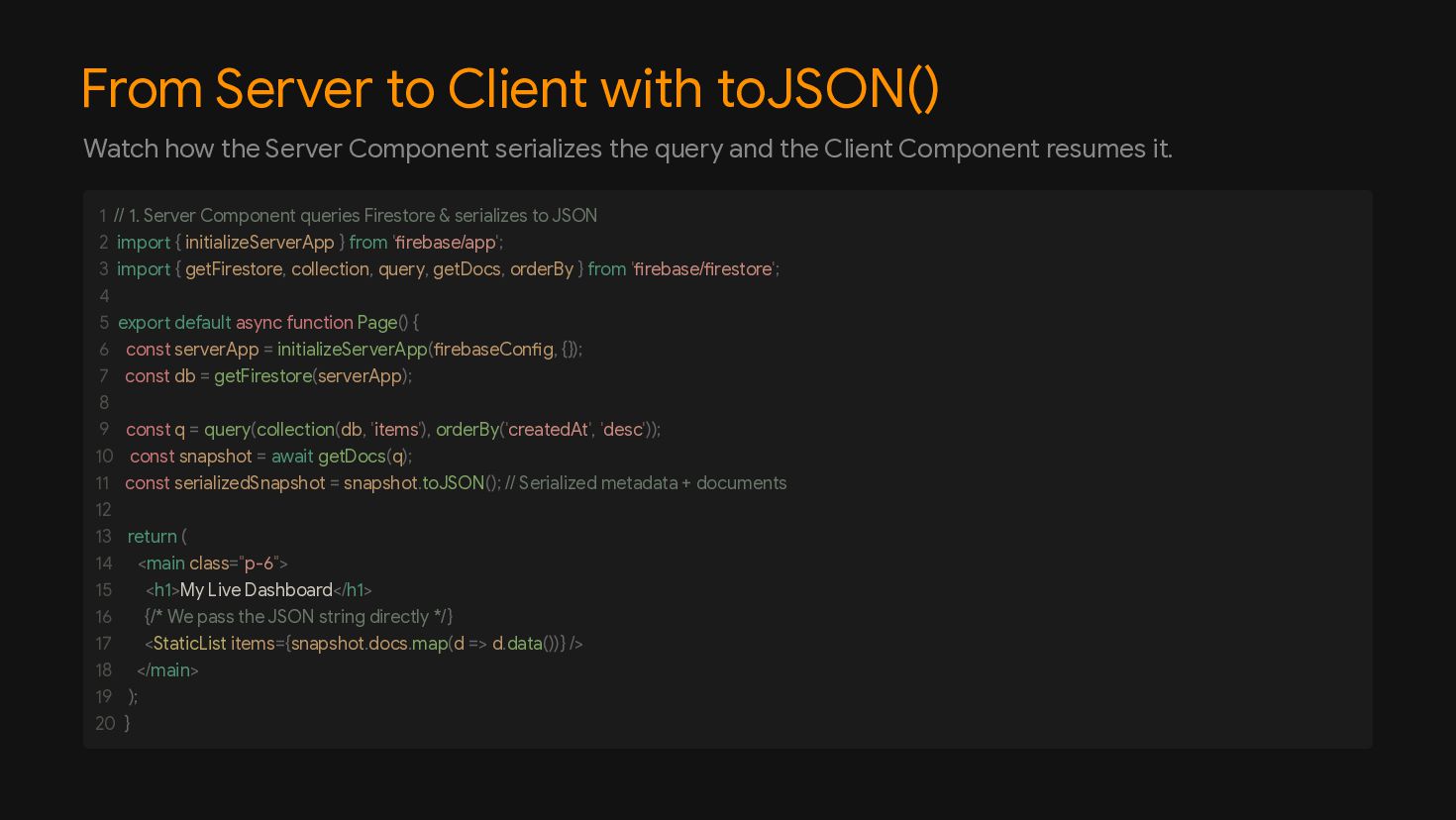
  7. From Server to Client with toJSON() Watch how the Server

    Component serializes the query and the Client Component resumes it. // 1. Server Component queries Firestore & serializes to JSON import { initializeServerApp } from 'firebase/app'; import { getFirestore, collection, query, getDocs, orderBy } from 'firebase/firestore'; export default async function Page() { const serverApp = initializeServerApp(firebaseConfig, {}); const db = getFirestore(serverApp); const q = query(collection(db, 'items'), orderBy('createdAt', 'desc')); const snapshot = await getDocs(q); const serializedSnapshot = snapshot.toJSON(); // Serialized metadata + documents return ( <main class="p-6"> <h1>My Live Dashboard</h1> {/* We pass the JSON string directly */} <StaticList items={snapshot.docs.map(d => d.data())} /> </main> ); } 1 2 3 4 5 6 7 8 9 10 11 12 13 14 15 16 17 18 19 20
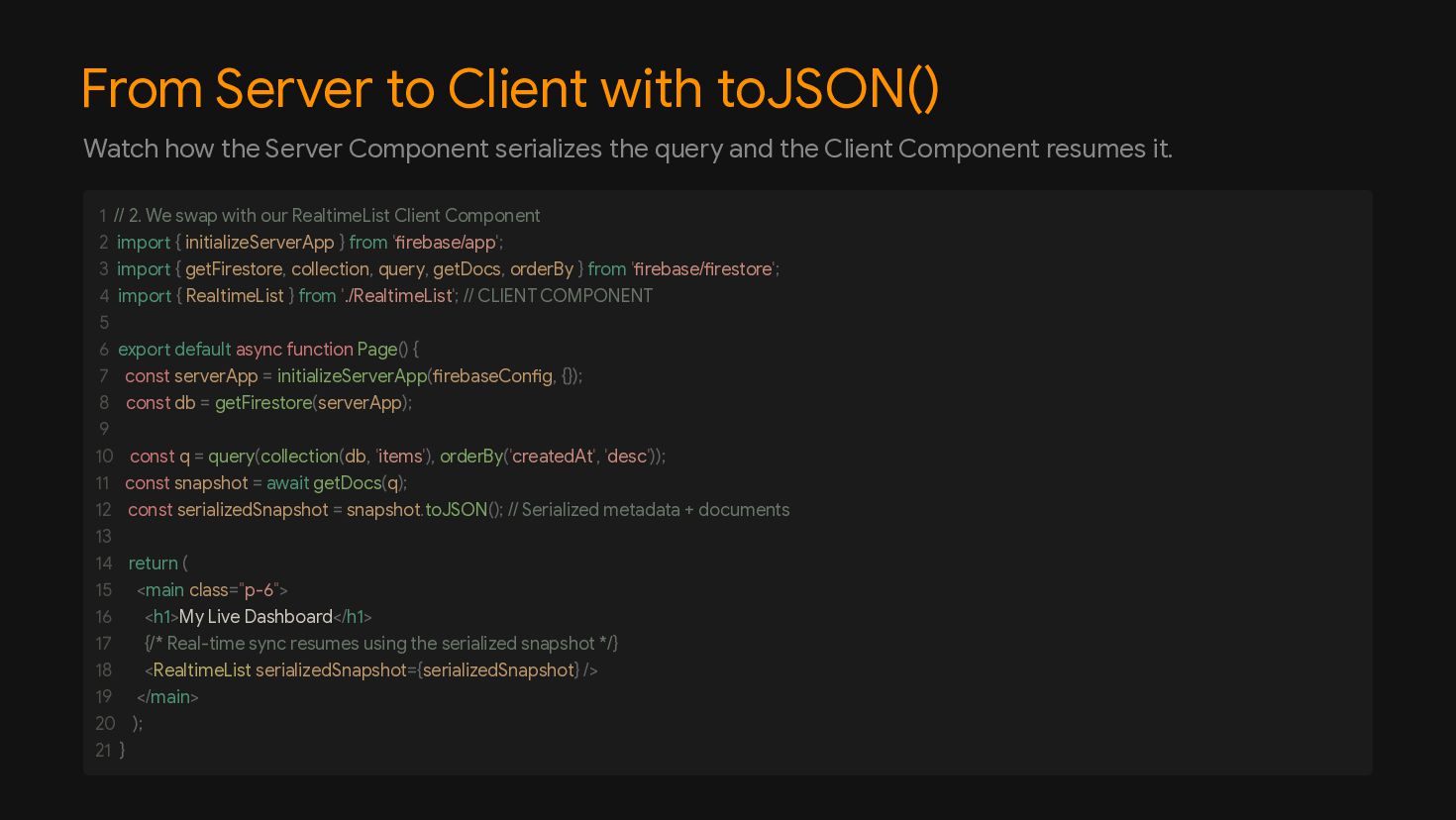
  8. From Server to Client with toJSON() Watch how the Server

    Component serializes the query and the Client Component resumes it. // 2. We swap with our RealtimeList Client Component import { initializeServerApp } from 'firebase/app'; import { getFirestore, collection, query, getDocs, orderBy } from 'firebase/firestore'; import { RealtimeList } from './RealtimeList'; // CLIENT COMPONENT export default async function Page() { const serverApp = initializeServerApp(firebaseConfig, {}); const db = getFirestore(serverApp); const q = query(collection(db, 'items'), orderBy('createdAt', 'desc')); const snapshot = await getDocs(q); const serializedSnapshot = snapshot.toJSON(); // Serialized metadata + documents return ( <main class="p-6"> <h1>My Live Dashboard</h1> {/* Real-time sync resumes using the serialized snapshot */} <RealtimeList serializedSnapshot={serializedSnapshot} /> </main> ); } 1 2 3 4 5 6 7 8 9 10 11 12 13 14 15 16 17 18 19 20 21
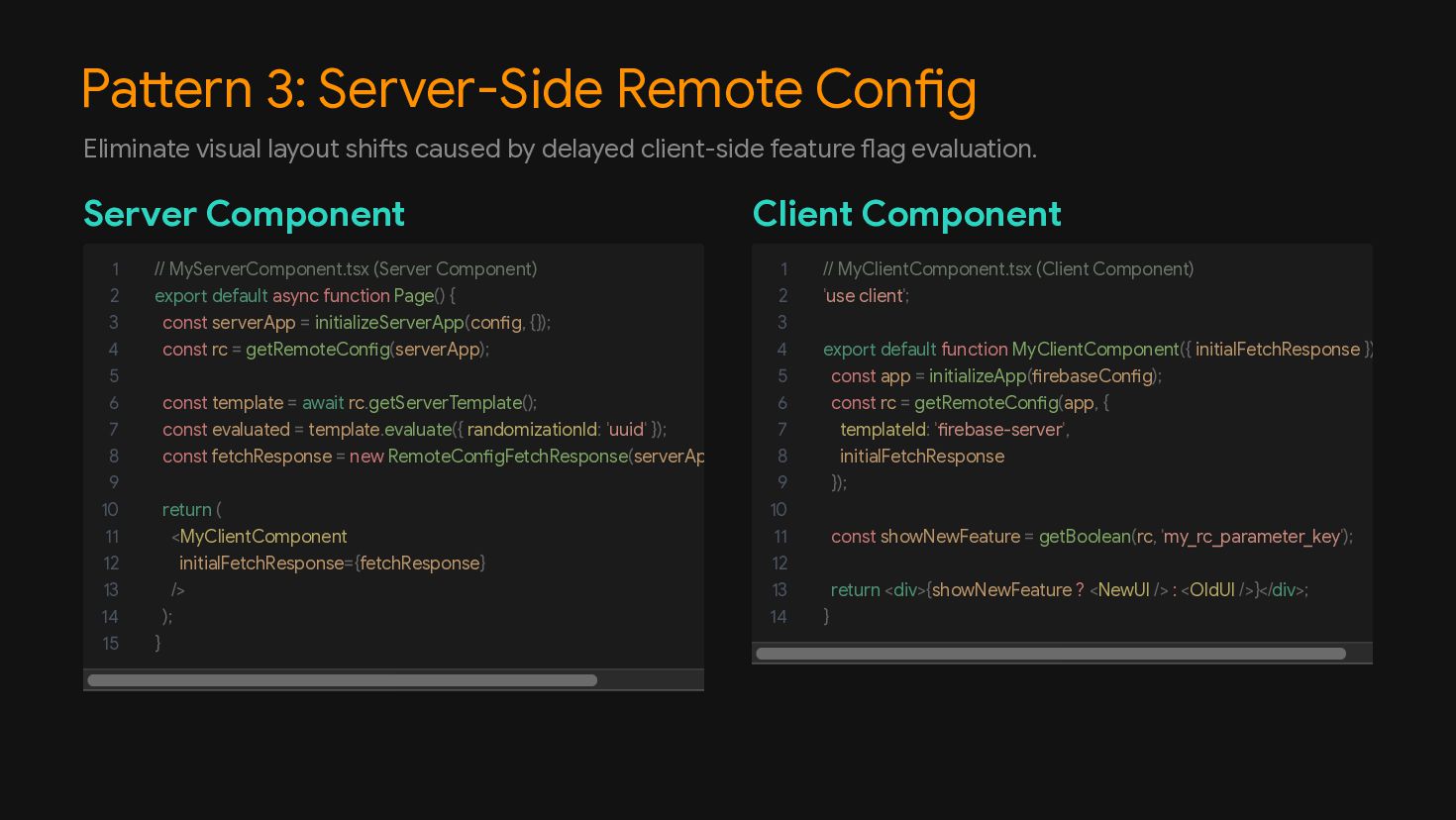
  9. Pattern 3: Server-Side Remote Config Server Component Client Component Eliminate

    visual layout shifts caused by delayed client-side feature flag evaluation. 1 // MyServerComponent.tsx (Server Component) 2 export default async function Page() { 3 const serverApp = initializeServerApp(config, {}); 4 const rc = getRemoteConfig(serverApp); 5 6 const template = await rc.getServerTemplate(); 7 const evaluated = template.evaluate({ randomizationId: 'uuid' }); 8 const fetchResponse = new RemoteConfigFetchResponse(serverAp 9 10 return ( 11 <MyClientComponent 12 initialFetchResponse={fetchResponse} 13 /> 14 ); 15 } 1 // MyClientComponent.tsx (Client Component) 2 'use client'; 3 4 export default function MyClientComponent({ initialFetchResponse }) 5 const app = initializeApp(firebaseConfig); 6 const rc = getRemoteConfig(app, { 7 templateId: 'firebase-server', 8 initialFetchResponse 9 }); 10 11 const showNewFeature = getBoolean(rc, 'my_rc_parameter_key'); 12 13 return <div>{showNewFeature ? <NewUI /> : <OldUI />}</div>; 14 }
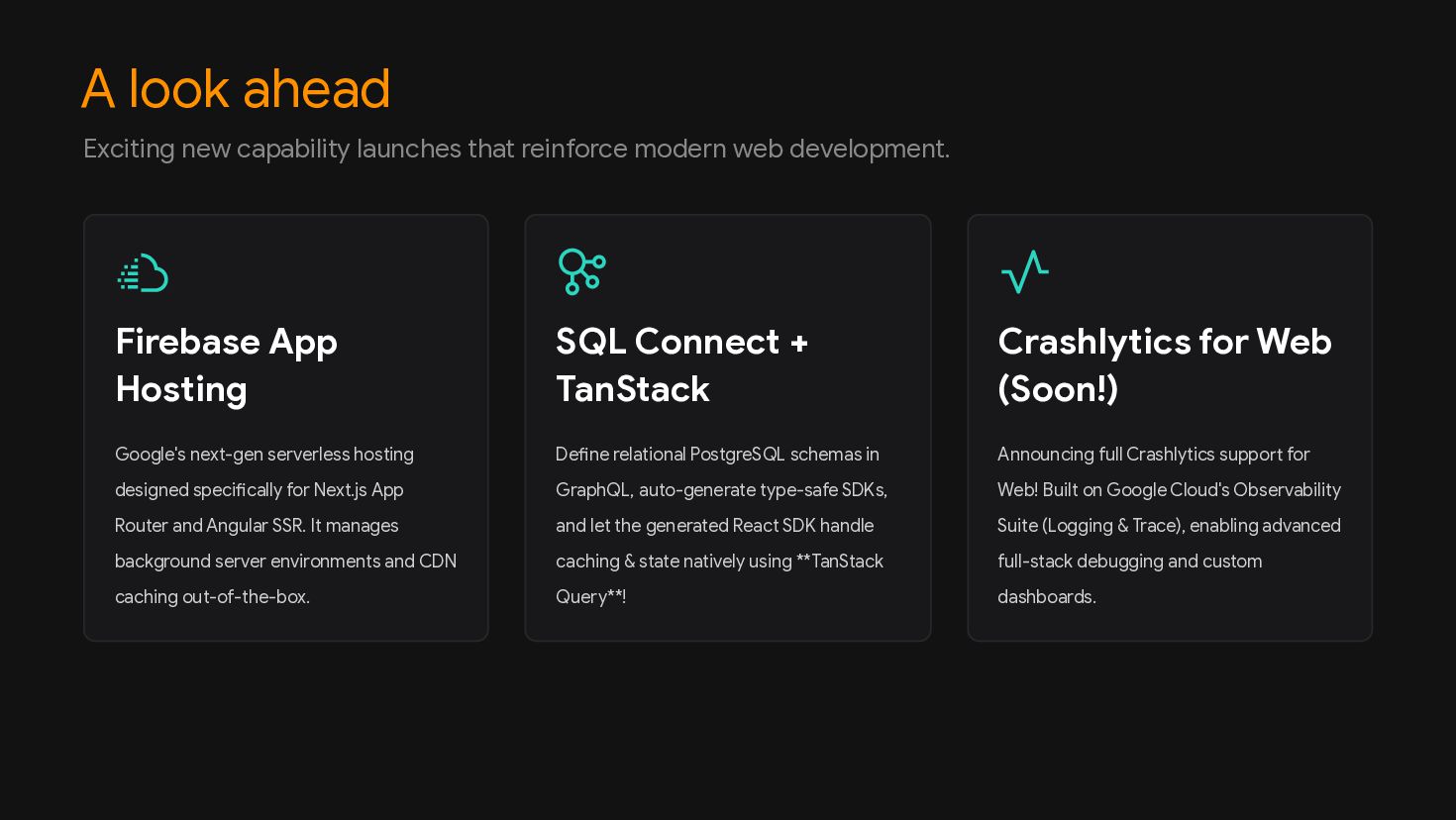
  10. A look ahead Firebase App Hosting SQL Connect + TanStack

    Crashlytics for Web (Soon!) Exciting new capability launches that reinforce modern web development. Google's next-gen serverless hosting designed specifically for Next.js App Router and Angular SSR. It manages background server environments and CDN caching out-of-the-box. Define relational PostgreSQL schemas in GraphQL, auto-generate type-safe SDKs, and let the generated React SDK handle caching & state natively using **TanStack Query**! Announcing full Crashlytics support for Web! Built on Google Cloud's Observability Suite (Logging & Trace), enabling advanced full-stack debugging and custom dashboards.
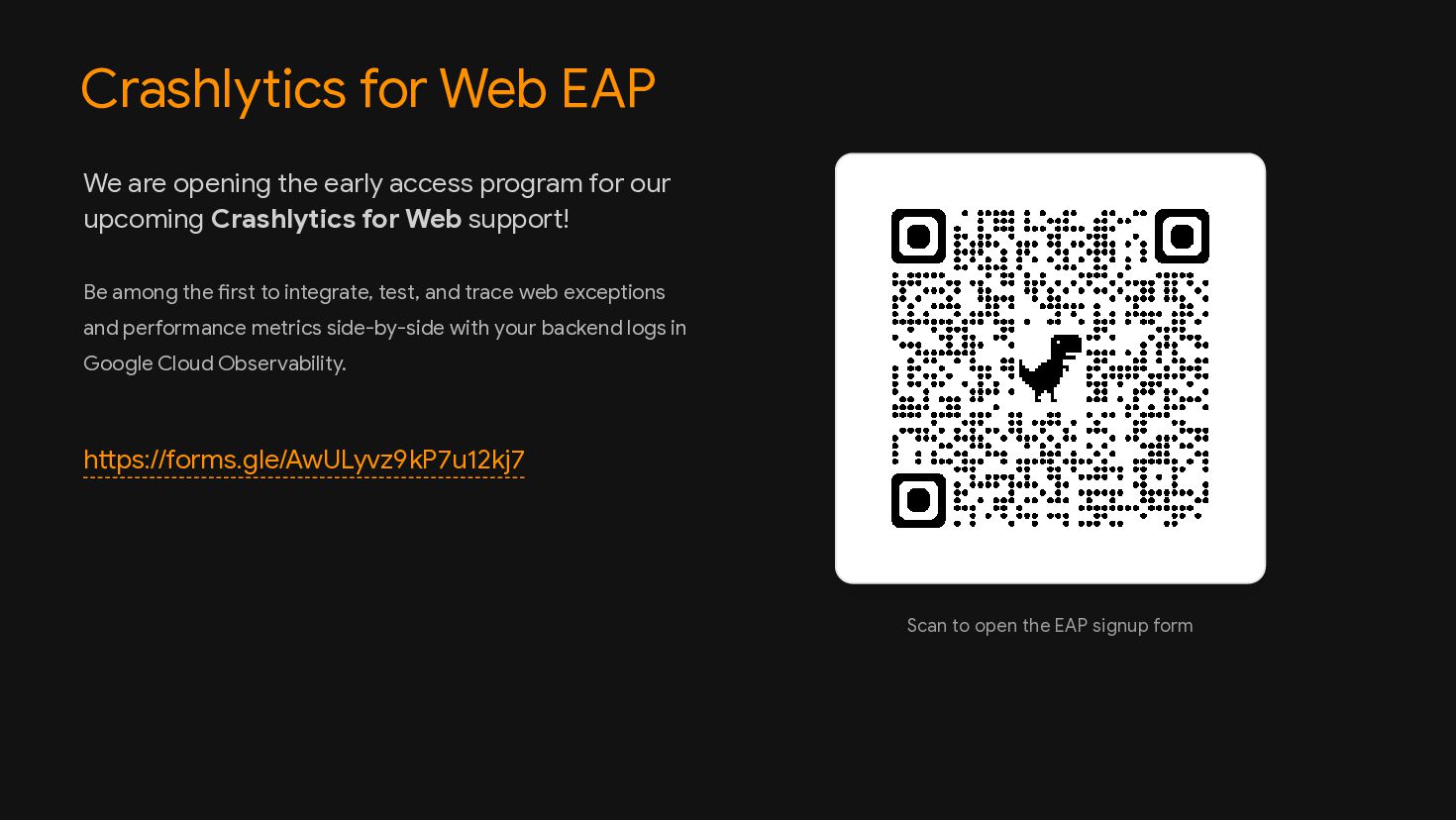
  11. Crashlytics for Web EAP https://forms.gle/AwULyvz9kP7u12kj7 We are opening the early

    access program for our upcoming Crashlytics for Web support! Be among the first to integrate, test, and trace web exceptions and performance metrics side-by-side with your backend logs in Google Cloud Observability. Scan to open the EAP signup form
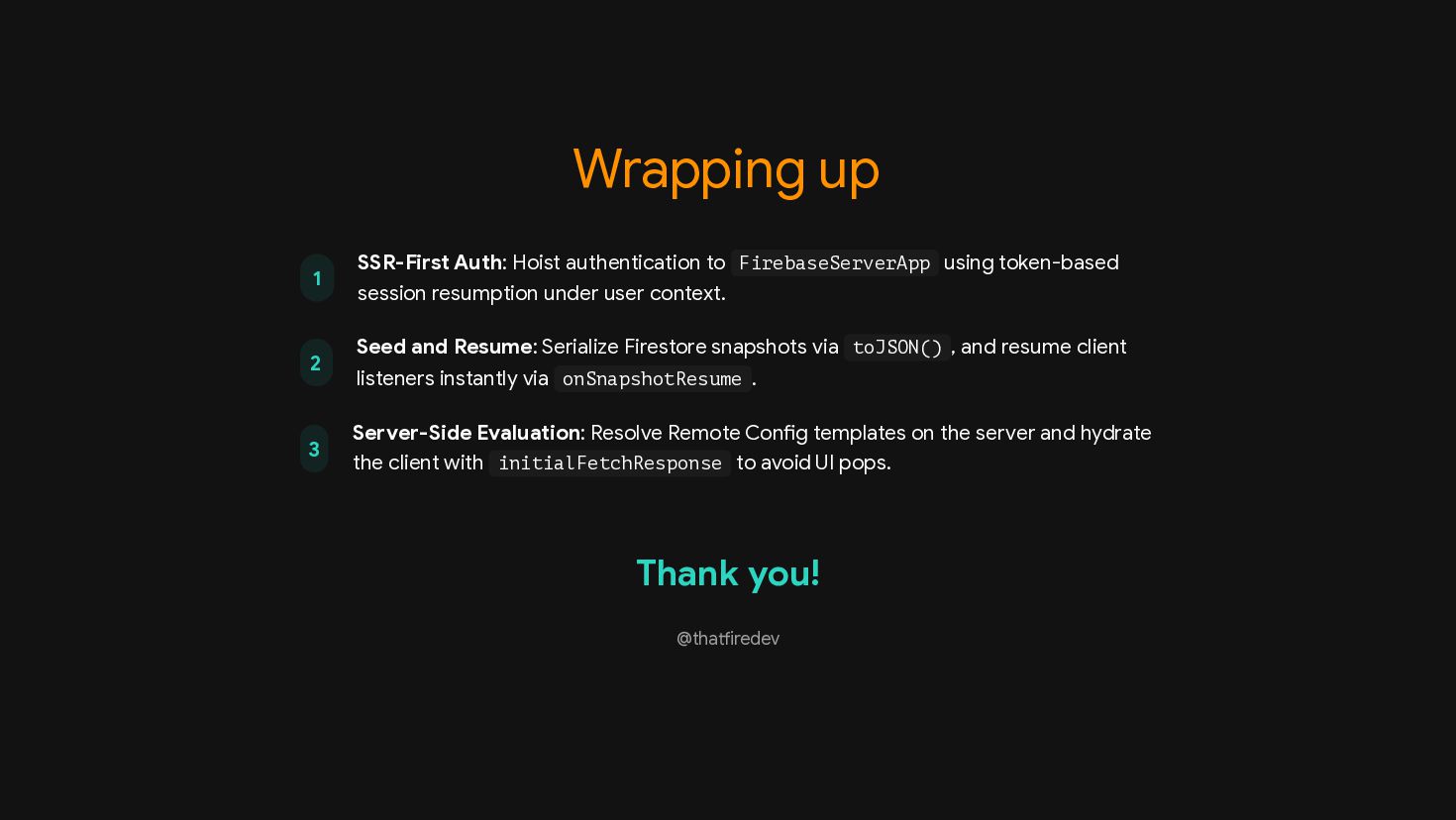
  12. Wrapping up 1 SSR-First Auth: Hoist authentication to FirebaseServerApp using

    token-based session resumption under user context. 2 Seed and Resume: Serialize Firestore snapshots via toJSON() , and resume client listeners instantly via onSnapshotResume . 3 Server-Side Evaluation: Resolve Remote Config templates on the server and hydrate the client with initialFetchResponse to avoid UI pops. Thank you! @thatfiredev