Upgrade to Pro — share decks privately, control downloads, hide ads and more …

[Builders Day Istanbul] Build smarter mobile & ...

Sponsored · Ship Features Fearlessly Turn features on and off without deploys. Used by thousands of Ruby developers.

[Builders Day Istanbul] Build smarter mobile & web apps: Integrate Gemini using Firebase AI Logic

As demand for intelligent features in mobile and web applications grows, developers face the challenge of securely integrating generative AI models without overcomplicating their backend infrastructure. In this session, we will explore Firebase AI Logic, a tool that gives you direct access to Google's Gemini models through client-side SDKs.

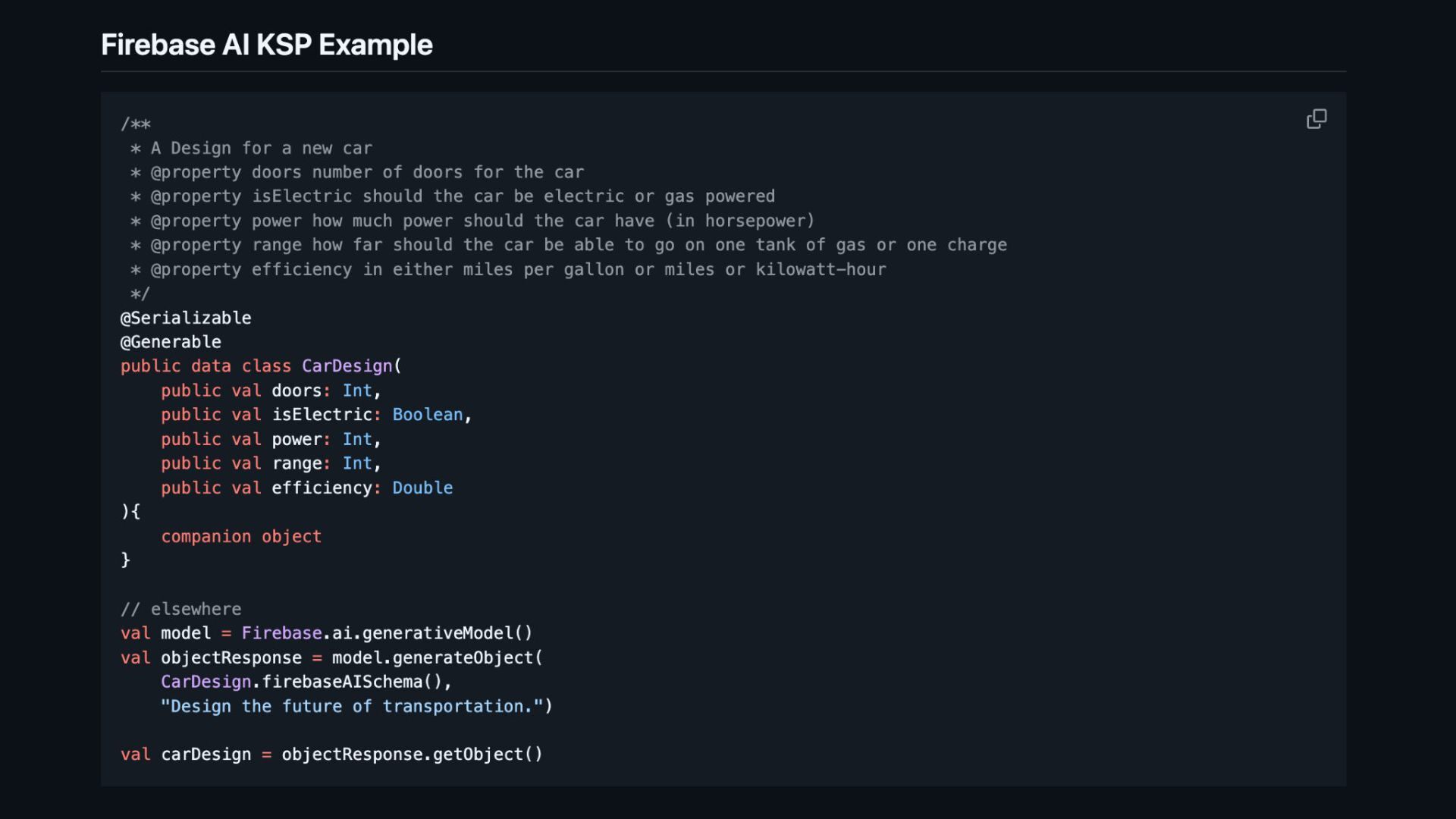
We will dive into how Firebase AI Logic simplifies the implementation path for Android, Flutter, iOS and Web developers, allowing you to build features like multimodal chat, image generation, and structured data output directly from your app.

Key takeaways include:
- Client-Side simplicity: How to use platform-specific SDKs to call Gemini APIs without managing a custom backend.
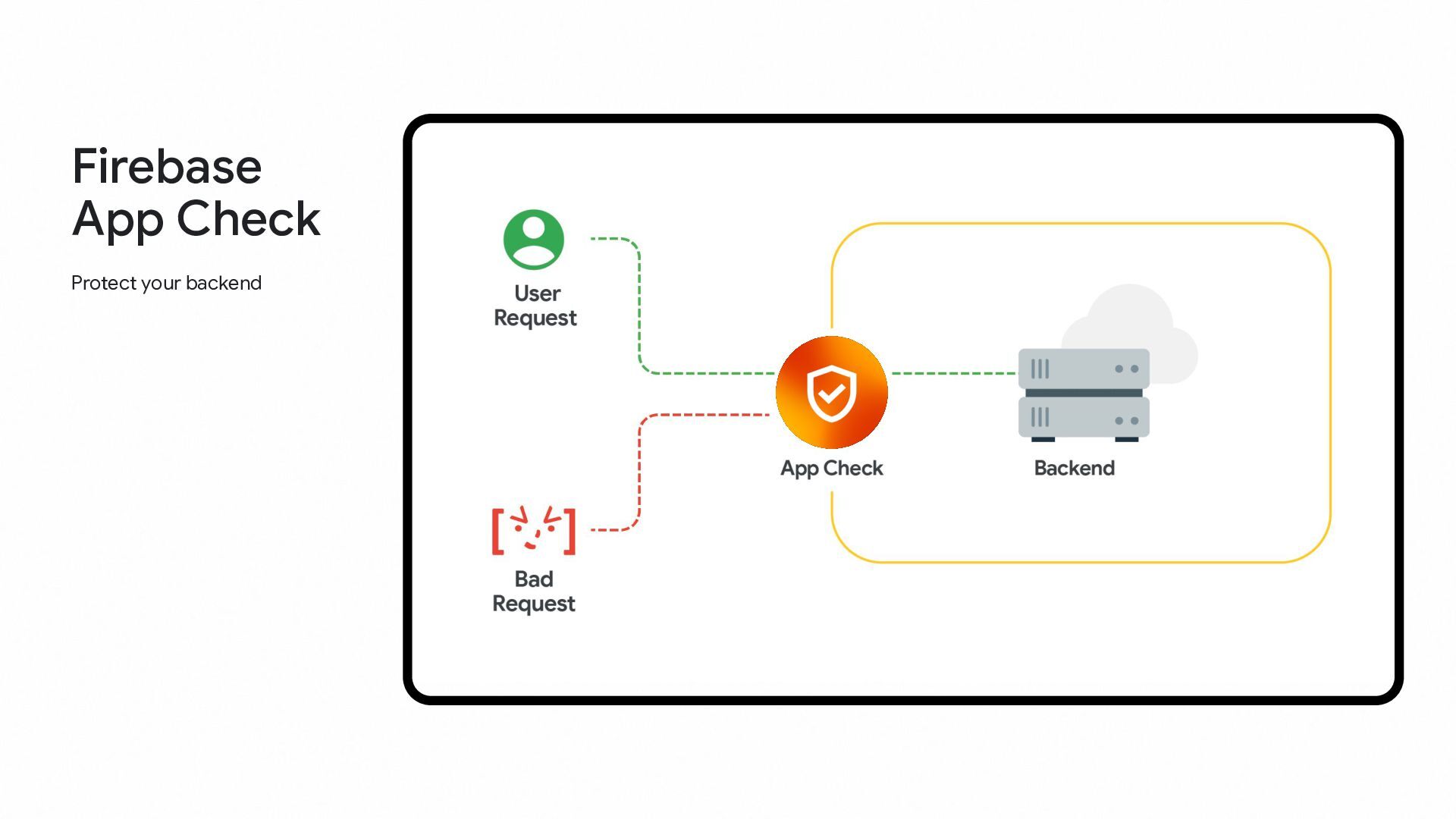
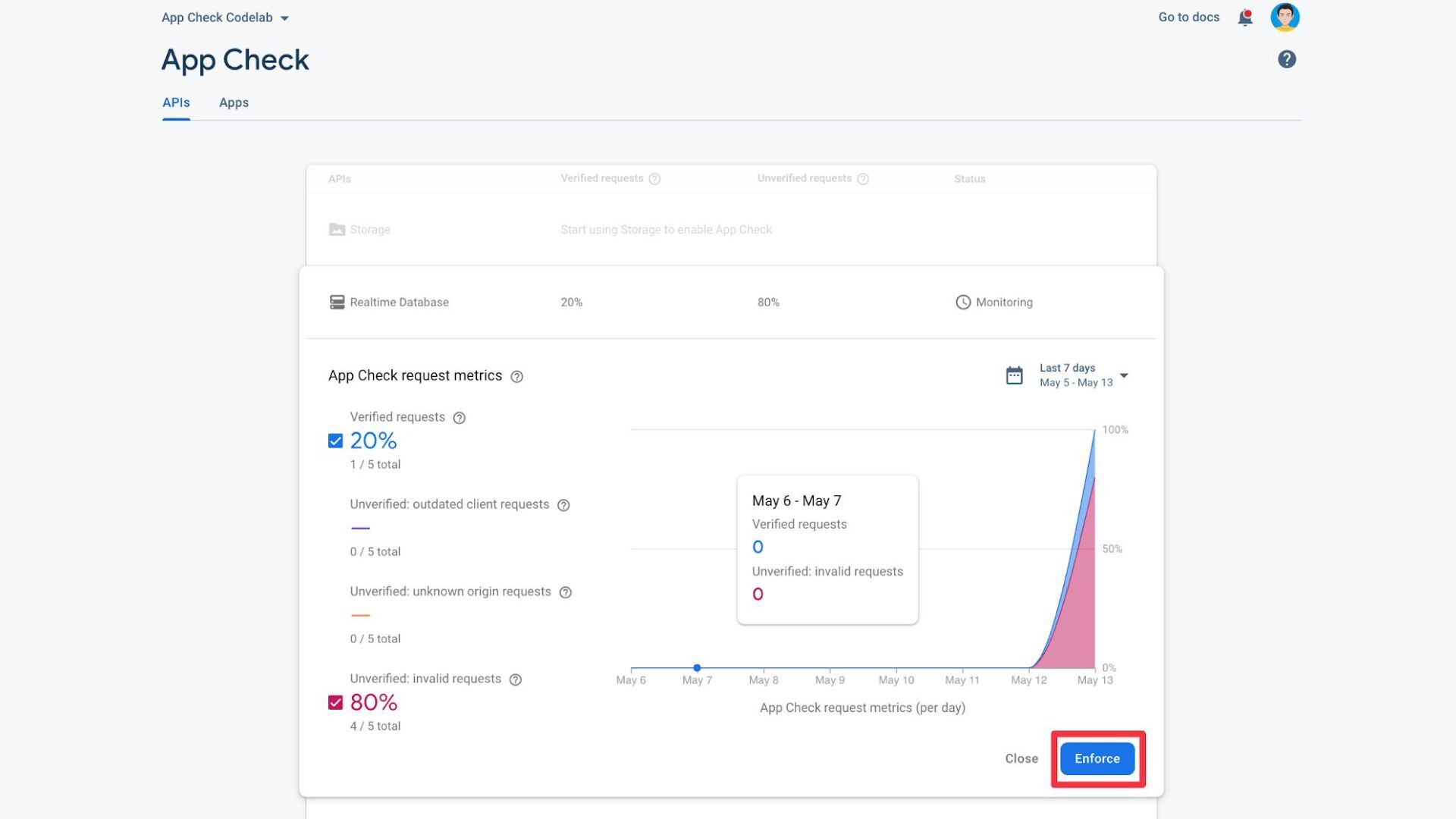
- Security Best Practices: Utilizing Firebase App Check to protect your API keys and prevent abuse from unauthorized clients.
- Advanced Capabilities: A look at leveraging multimodal inputs (text, images, audio, PDF), function calling, and structured JSON outputs.
- Production Readiness: Tips for updating model parameters dynamically and monitoring usage to stay within quotas.

Avatar for Rosário P. Fernandes

Rosário P. Fernandes

March 12, 2026
Tweet

More Decks by Rosário P. Fernandes

Other Decks in Programming

Transcript

  1. Build smarter mobile & web apps: Integrate Gemini using Firebase
    AI Logic Developer Relations Engineer @thatfiredev Rosário P. Fernandes
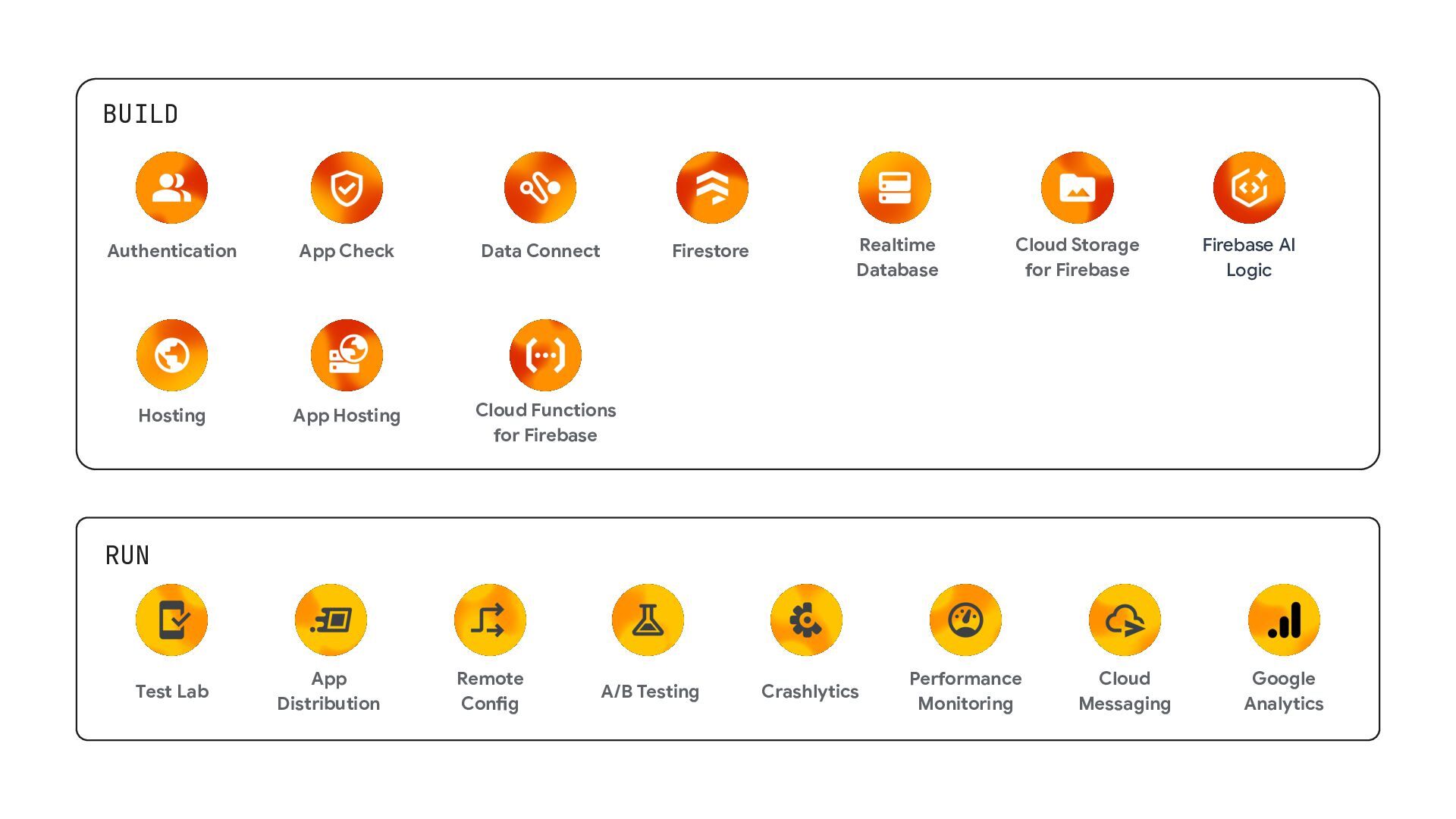
  2. BUILD RUN A/B Testing Crashlytics App Distribution Remote Config Test

    Lab Cloud Messaging Performance Monitoring Google Analytics Cloud Functions for Firebase Cloud Storage for Firebase Data Connect App Hosting Authentication Realtime Database Firestore Hosting App Check Firebase AI Logic
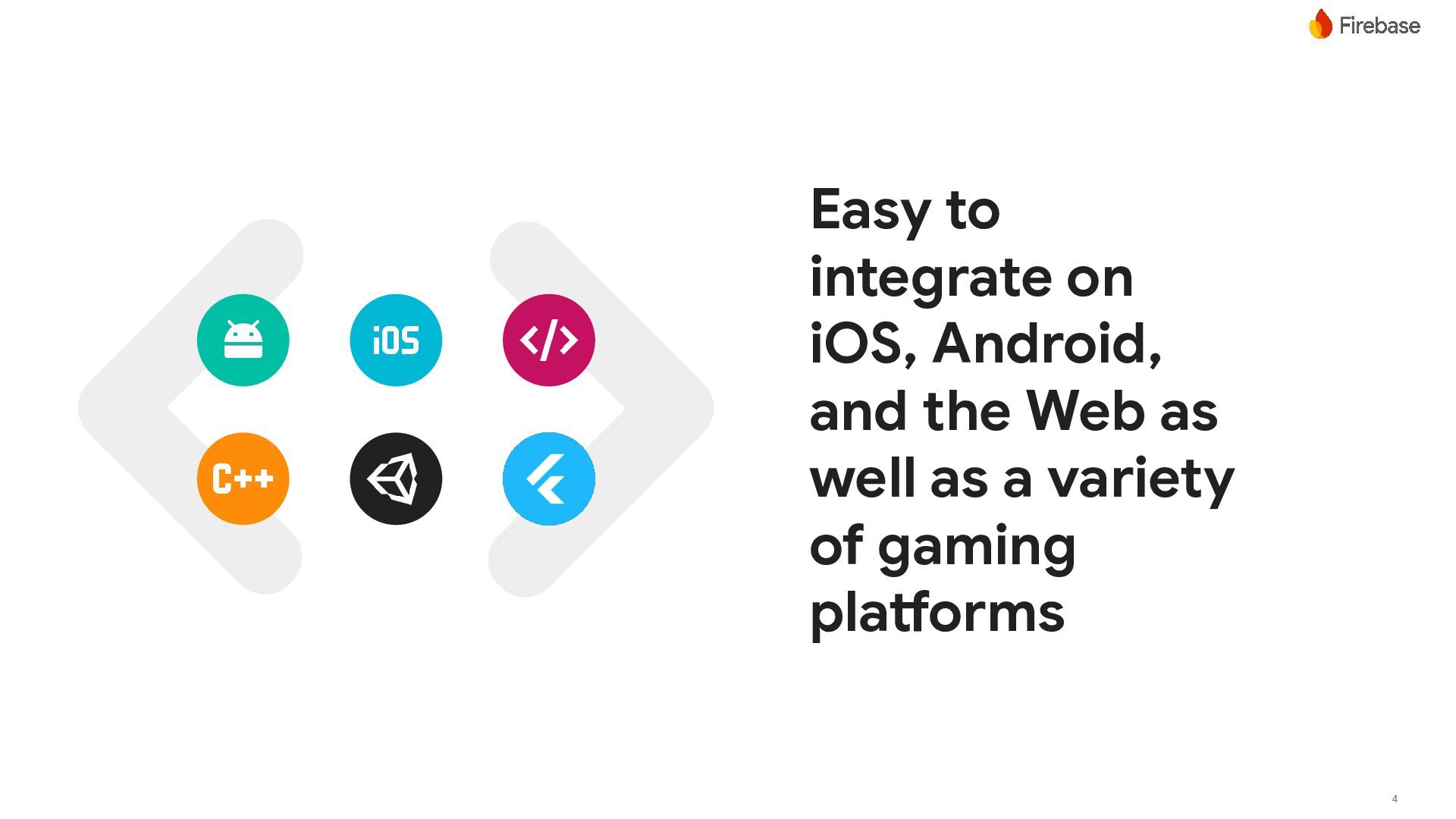
  3. Easy to integrate on iOS, Android, and the Web as

    well as a variety of gaming platforms 4
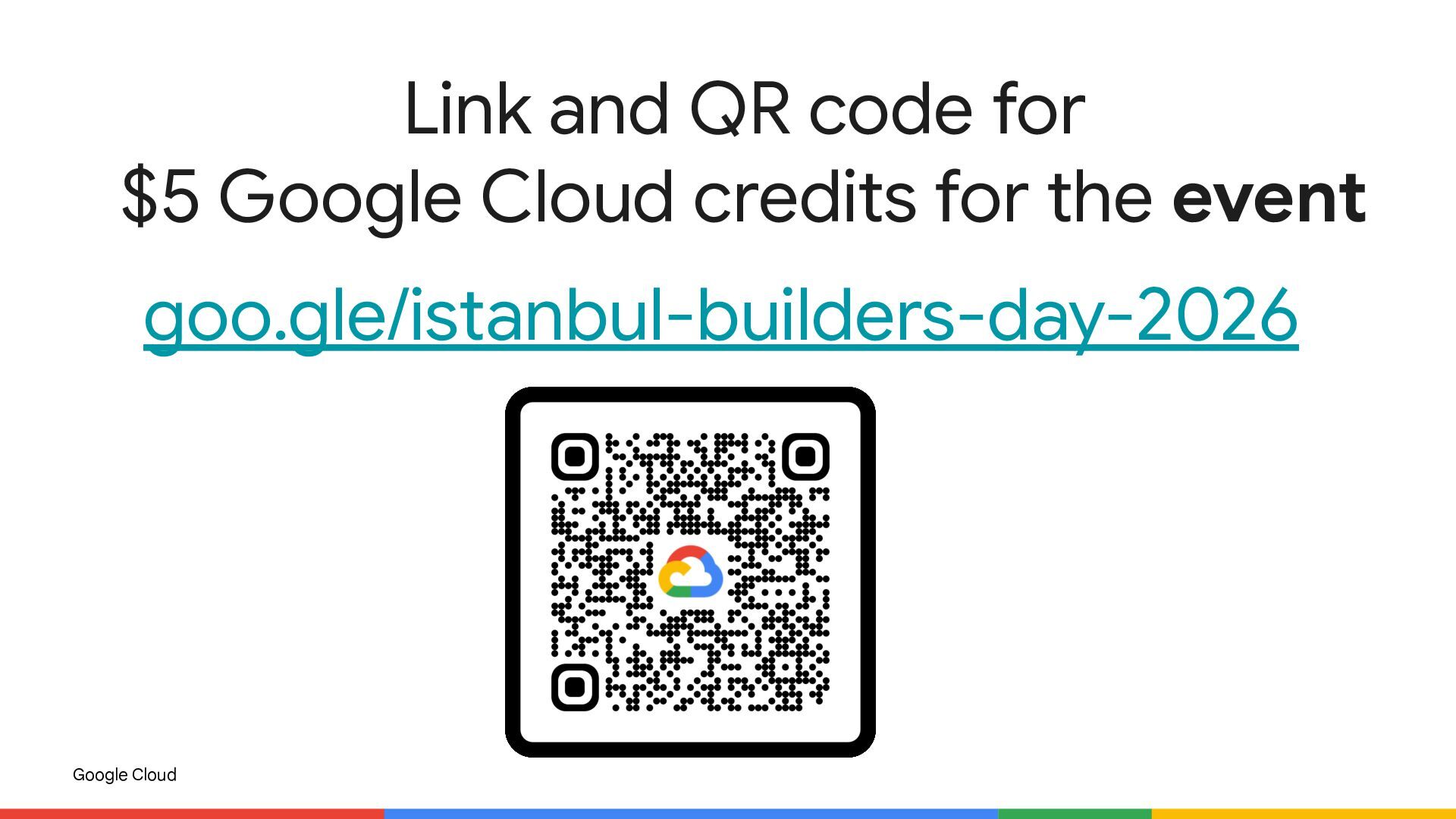
  4. Google Cloud Link and QR code for $5 Google Cloud

    credits for the event goo.gle/istanbul-builders-day-2026
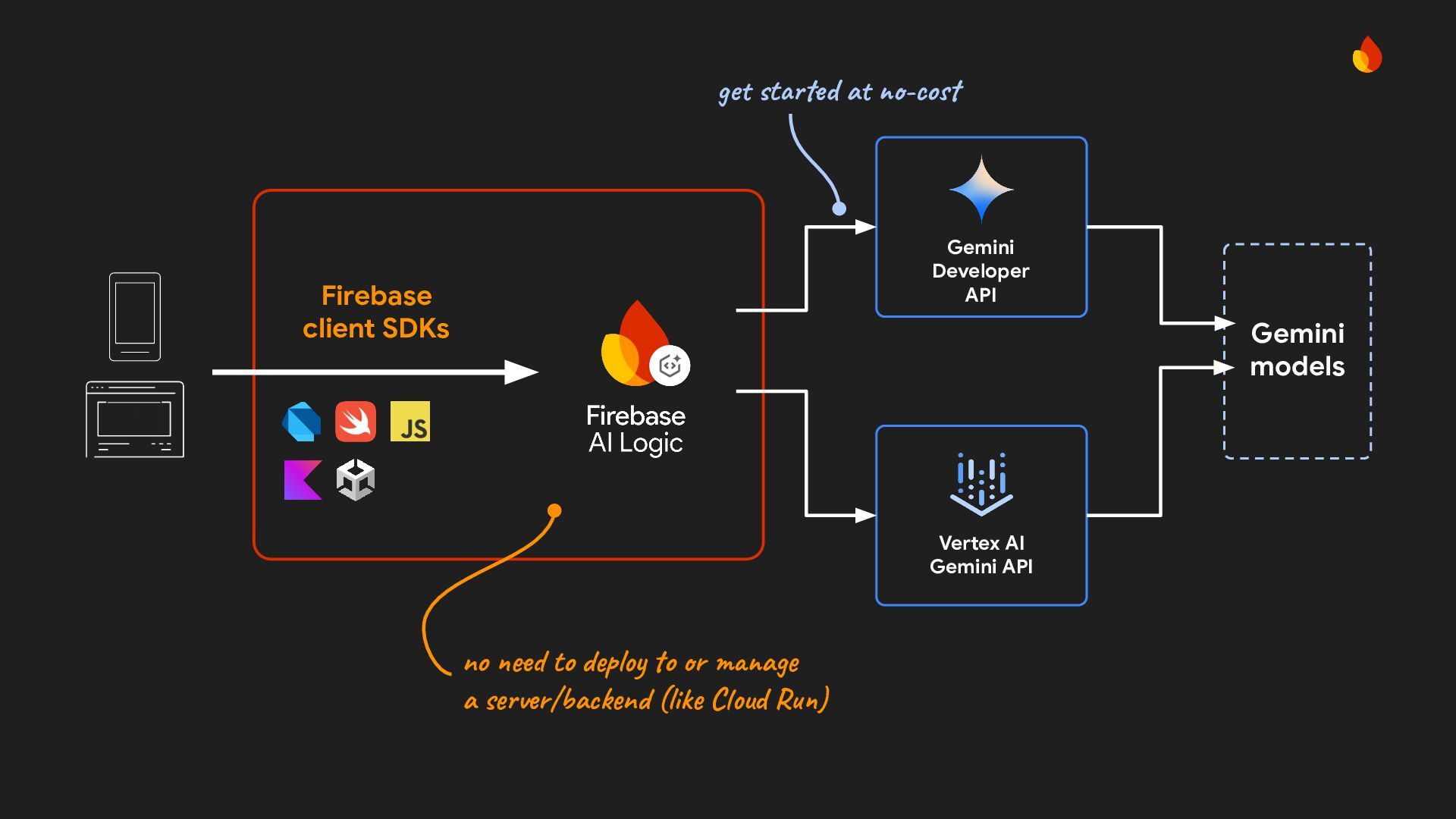
  5. < /> Firebase client SDKs no need to deploy to

    or manage a server/backend (like Cloud Run) Vertex AI Gemini API Gemini models Gemini Developer API get started at no-cost
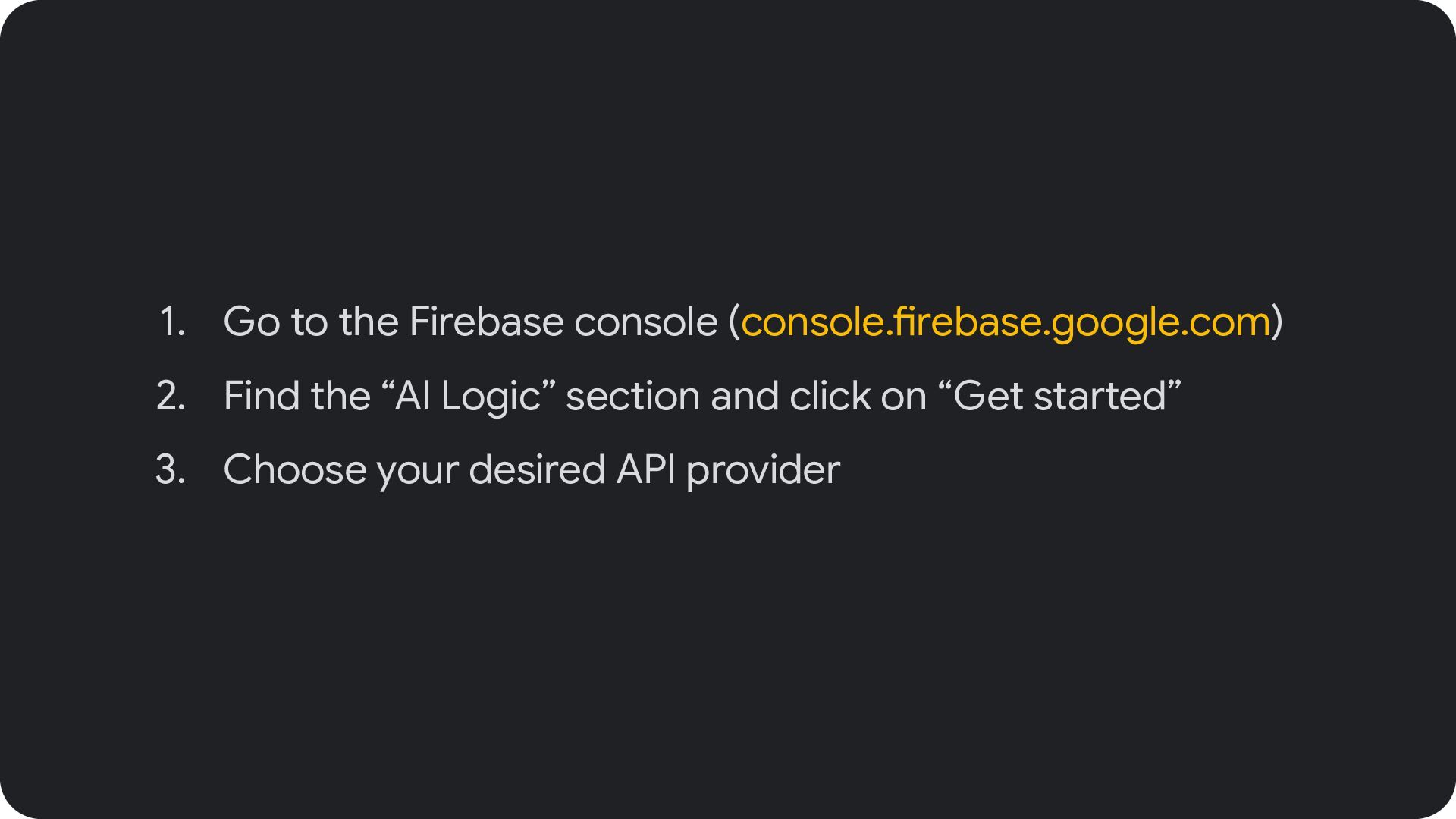
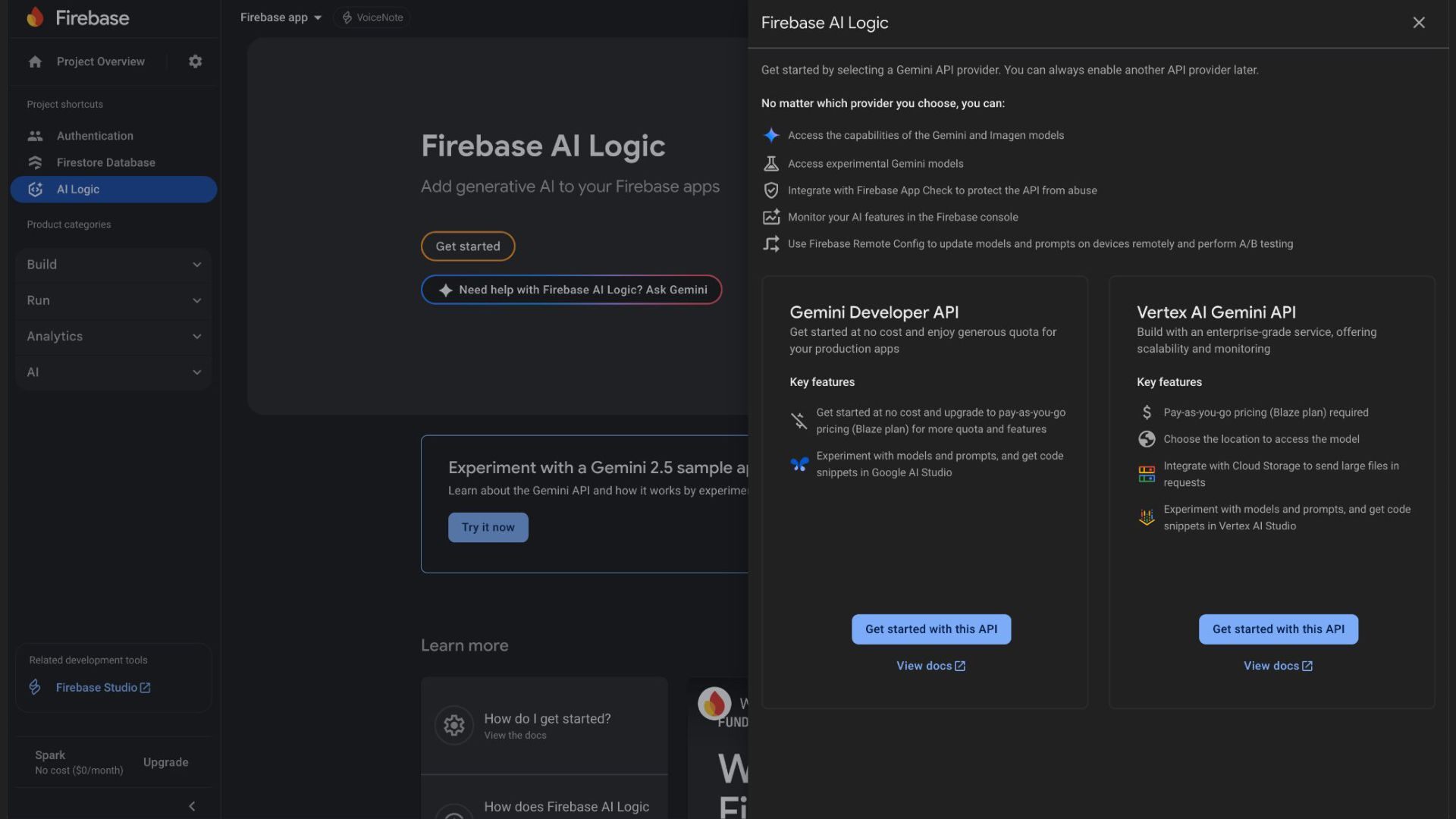
  6. 1. Go to the Firebase console (console.firebase.google.com) 2. Find the

    “AI Logic” section and click on “Get started” 3. Choose your desired API provider
  7. 11

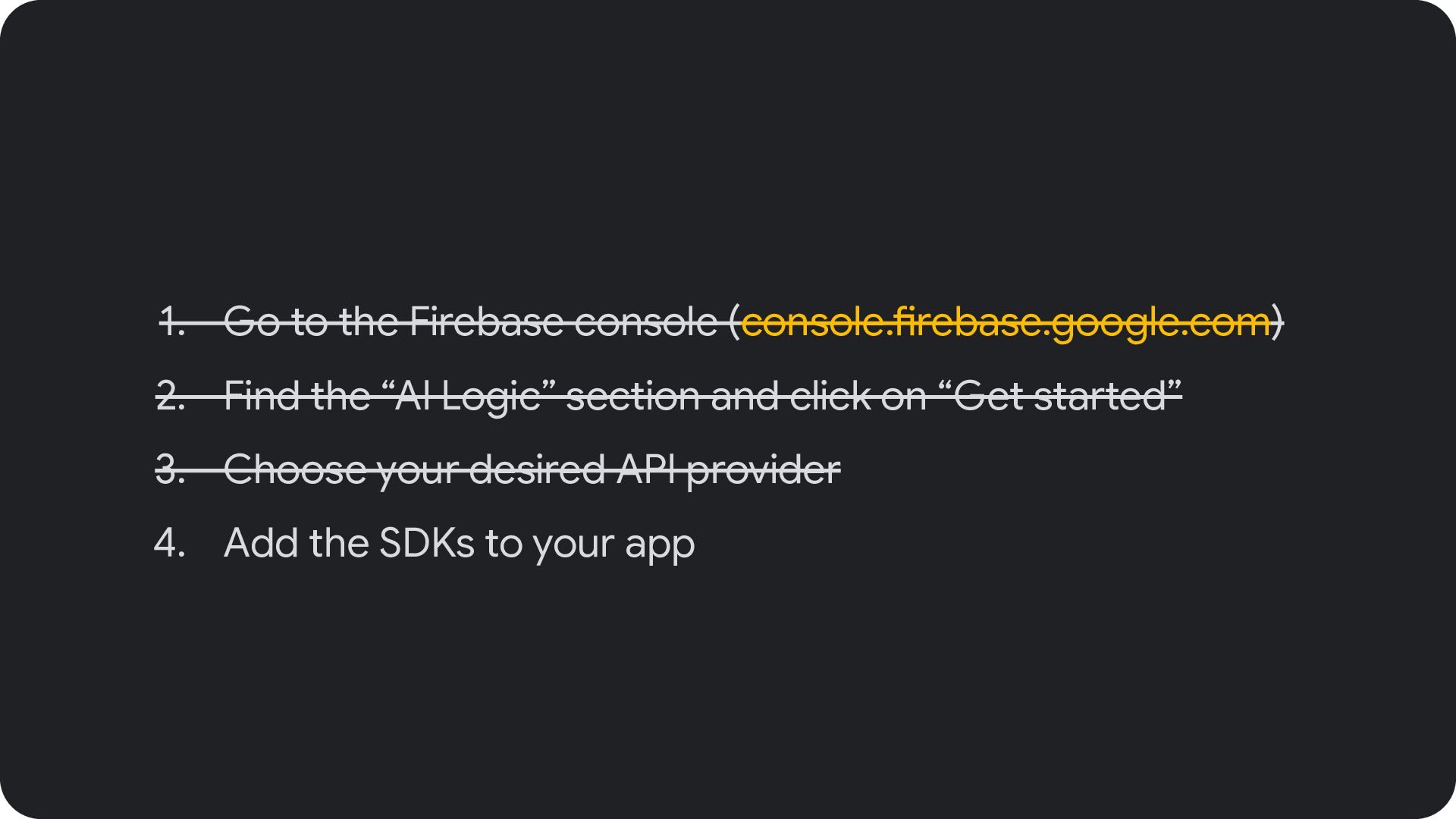
  8. 1. Go to the Firebase console (console.firebase.google.com) 2. Find the

    “AI Logic” section and click on “Get started” 3. Choose your desired API provider 4. Add the SDKs to your app
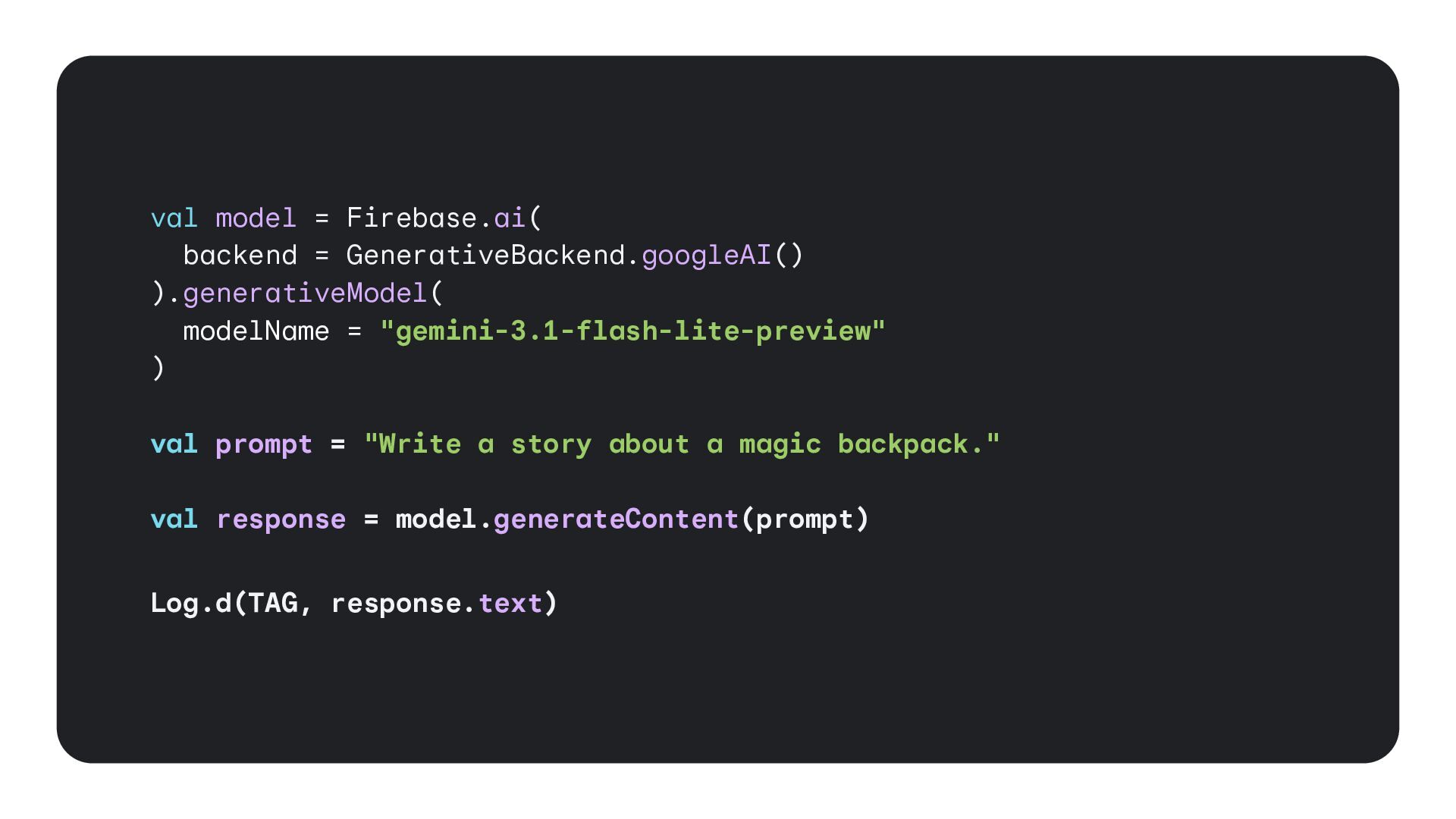
  9. val model = Firebase.ai( backend = GenerativeBackend.googleAI() ).generativeModel( modelName =

    "gemini-3.1-flash-lite-preview" ) val prompt = "Write a story about a magic backpack." val response = model.generateContent(prompt) Log.d(TAG, response.text)
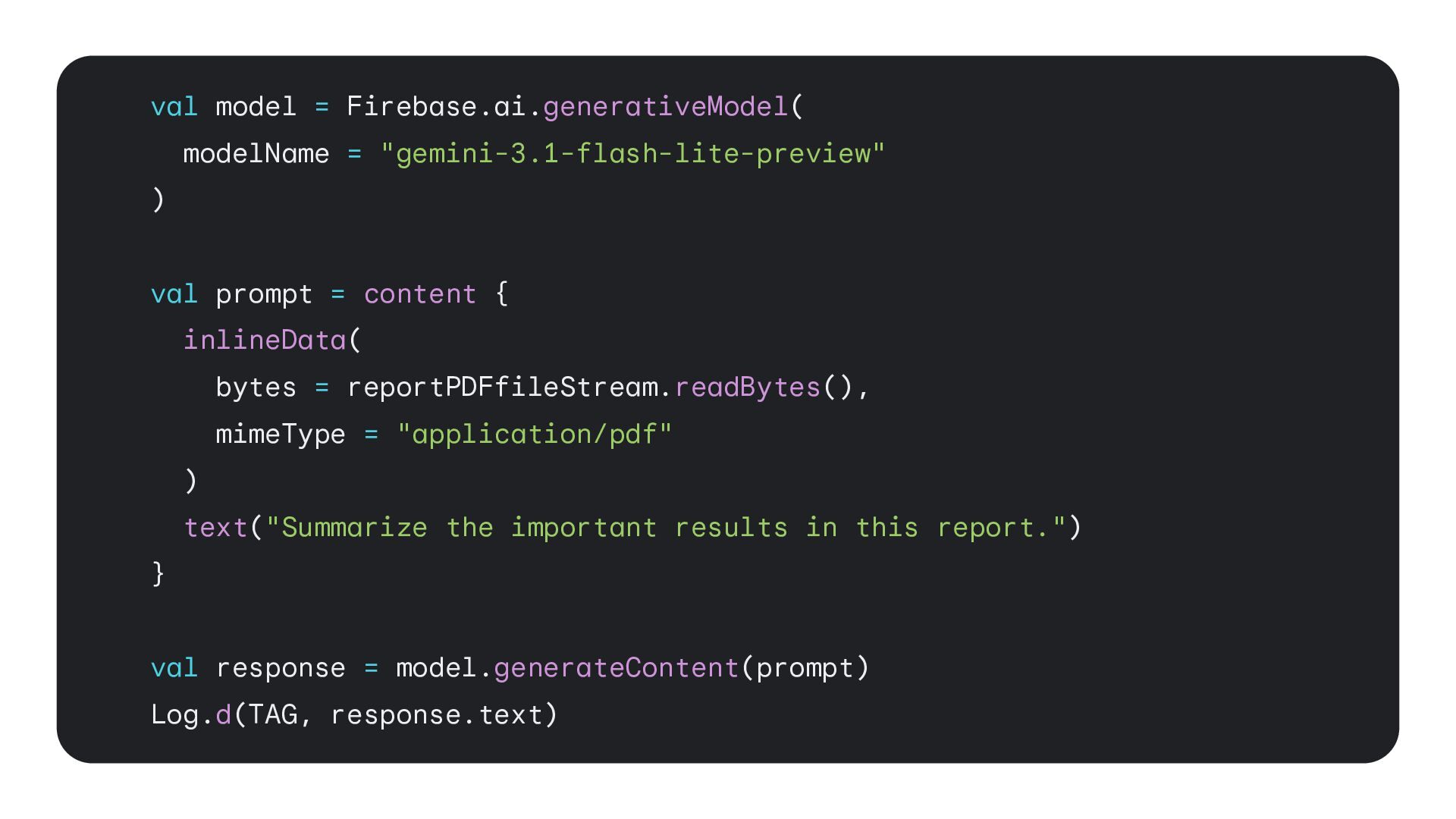
  10. val model = Firebase.ai.generativeModel( modelName = "gemini-3.1-flash-lite-preview" ) val prompt

    = content { inlineData( bytes = reportPDFfileStream.readBytes(), mimeType = "application/pdf" ) text("Summarize the important results in this report.") } val response = model.generateContent(prompt) Log.d(TAG, response.text)
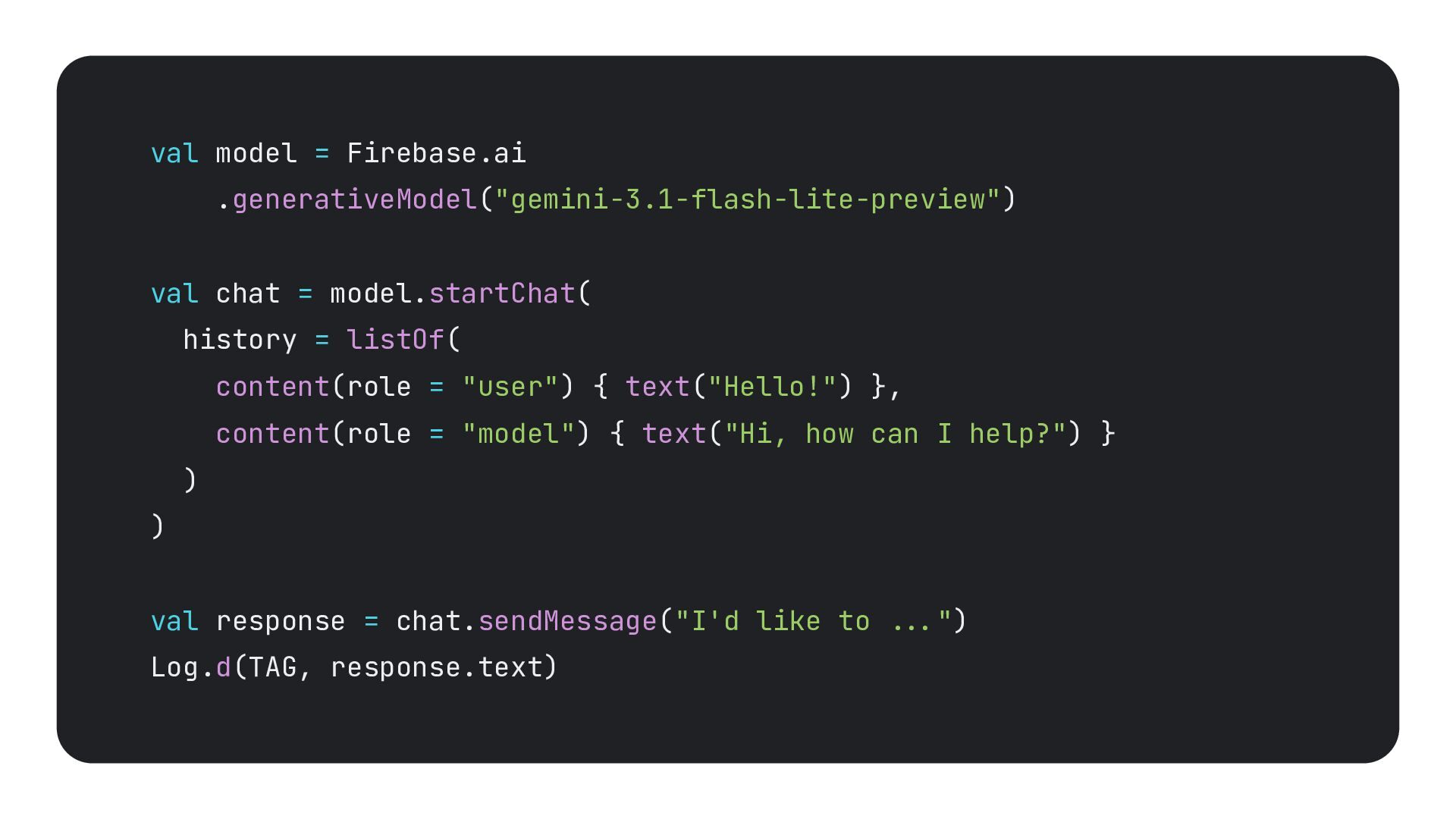
  11. val model = Firebase.ai .generativeModel("gemini-3.1-flash-lite-preview") val chat = model.startChat( history

    = listOf( content(role = "user") { text("Hello!") }, content(role = "model") { text("Hi, how can I help?") } ) ) val response = chat.sendMessage("I'd like to ...") Log.d(TAG, response.text)
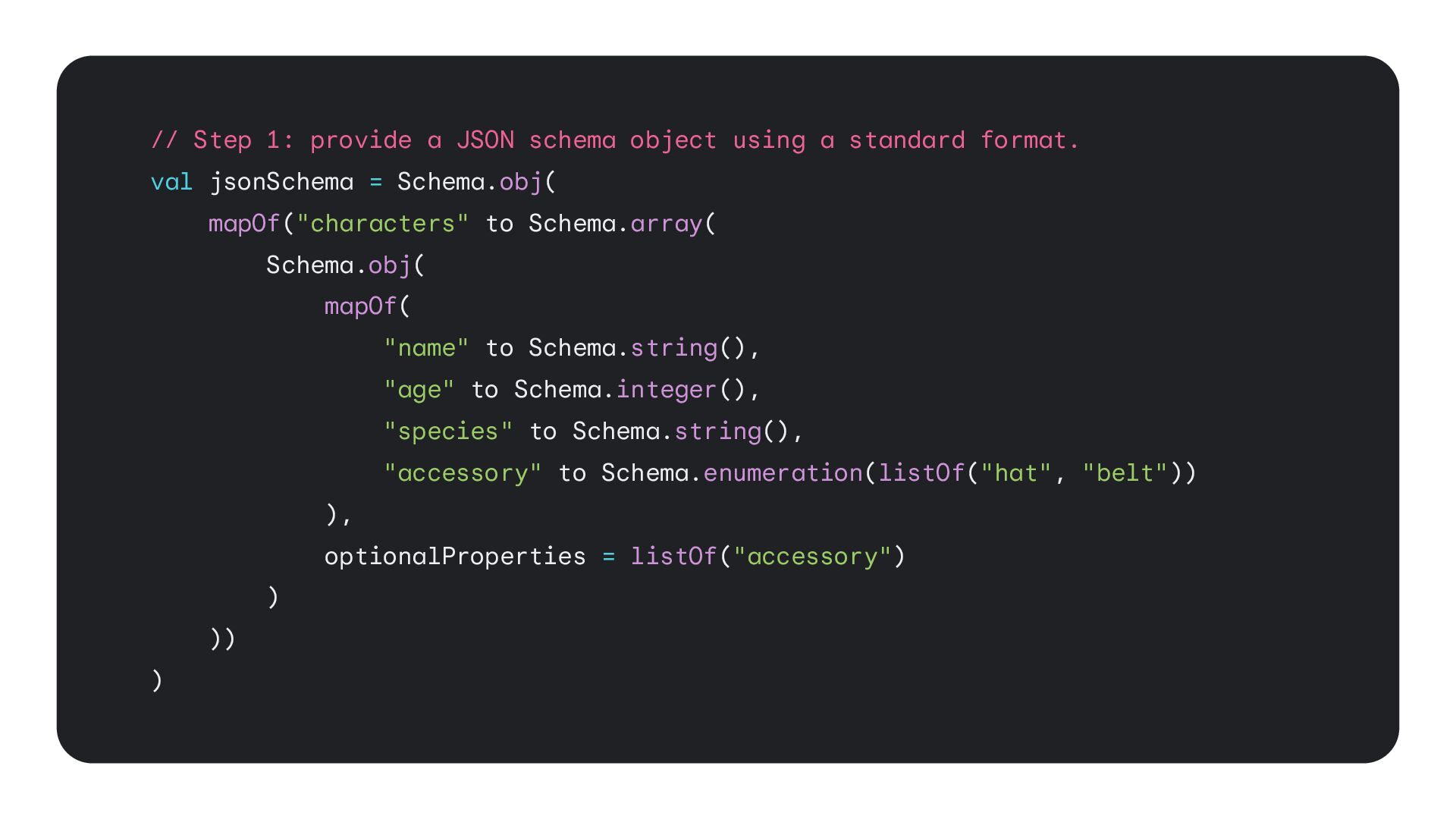
  12. // Step 1: provide a JSON schema object using a

    standard format. val jsonSchema = Schema.obj( mapOf("characters" to Schema.array( Schema.obj( mapOf( "name" to Schema.string(), "age" to Schema.integer(), "species" to Schema.string(), "accessory" to Schema.enumeration(listOf("hat", "belt")) ), optionalProperties = listOf("accessory") ) )) )
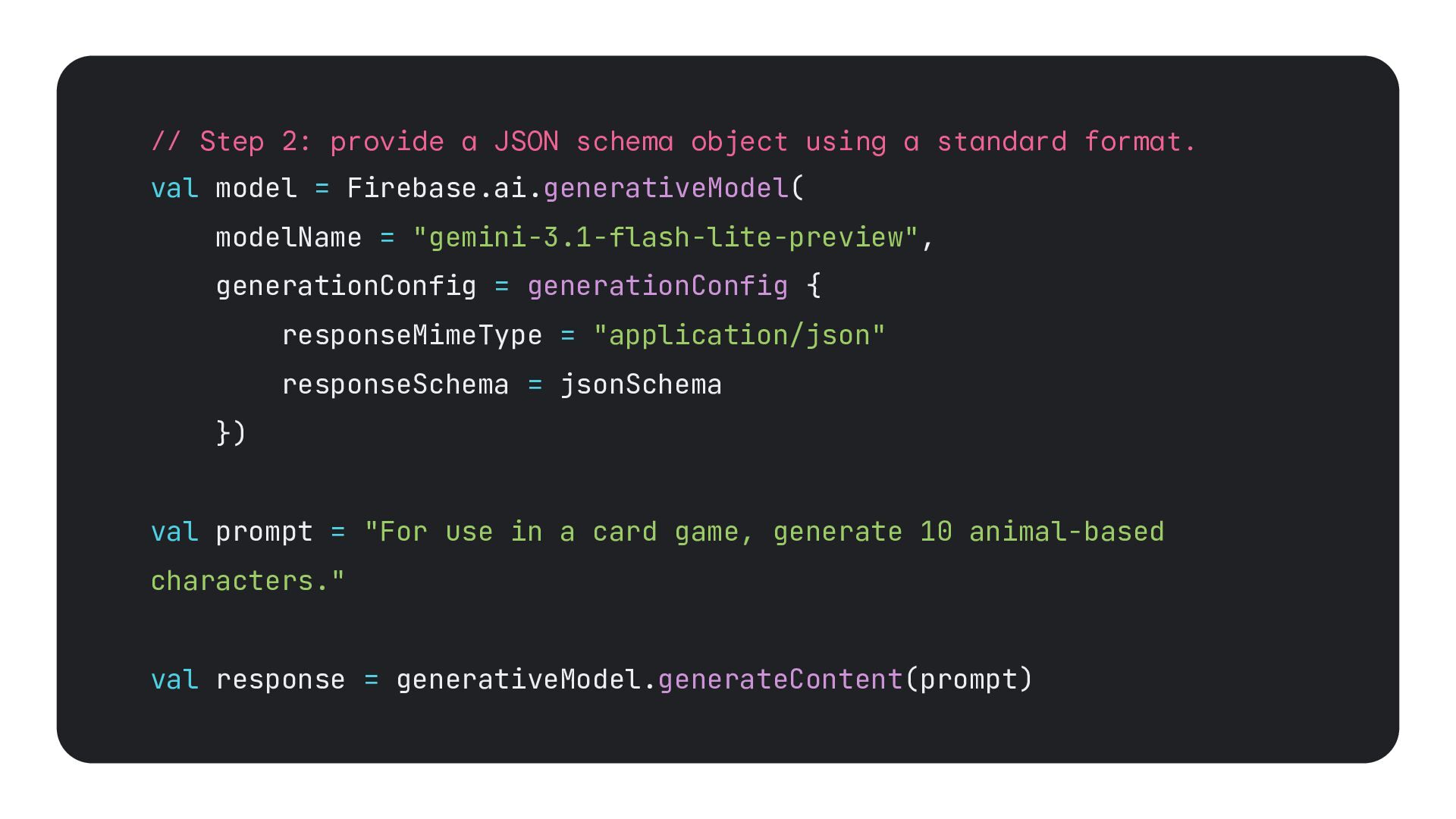
  13. // Step 2: provide a JSON schema object using a

    standard format. val model = Firebase.ai.generativeModel( modelName = "gemini-3.1-flash-lite-preview", generationConfig = generationConfig { responseMimeType = "application/json" responseSchema = jsonSchema }) val prompt = "For use in a card game, generate 10 animal-based characters." val response = generativeModel.generateContent(prompt)
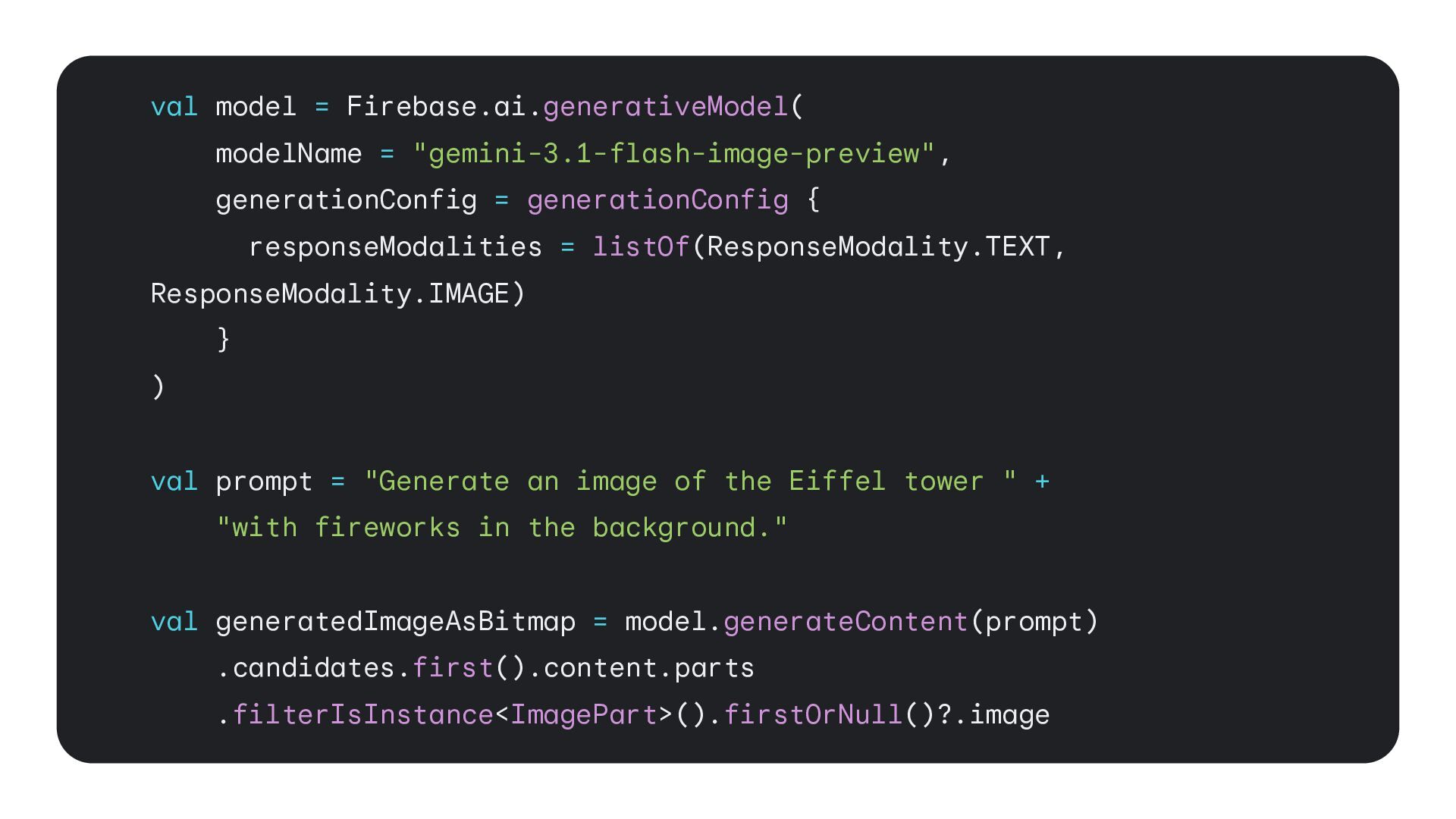
  14. val model = Firebase.ai.generativeModel( modelName = "gemini-3.1-flash-image-preview", generationConfig = generationConfig

    { responseModalities = listOf(ResponseModality.TEXT, ResponseModality.IMAGE) } ) val prompt = "Generate an image of the Eiffel tower " + "with fireworks in the background." val generatedImageAsBitmap = model.generateContent(prompt) .candidates.first().content.parts .filterIsInstance<ImagePart>().firstOrNull()?.image
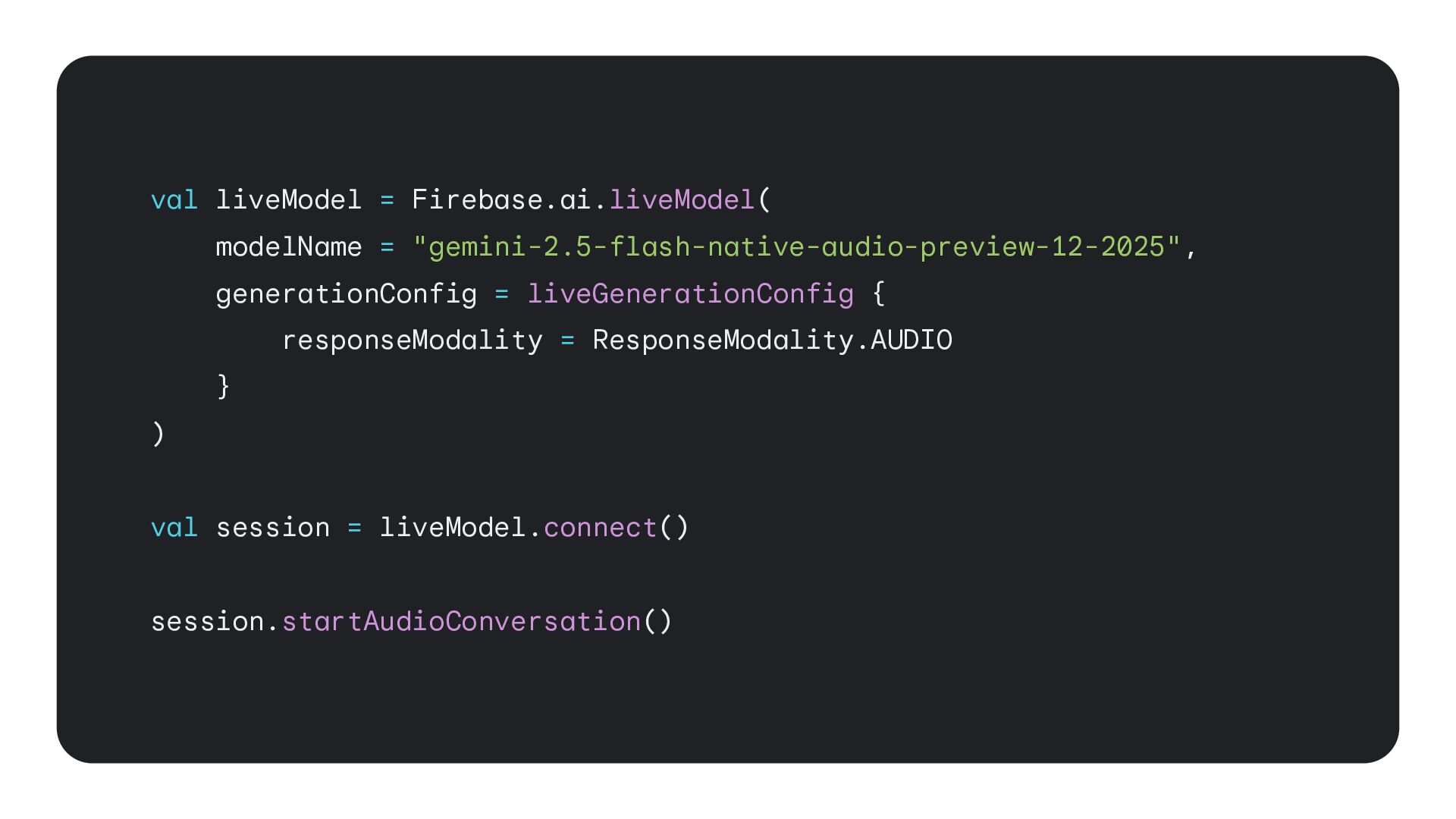
  15. val liveModel = Firebase.ai.liveModel( modelName = "gemini-2.5-flash-native-audio-preview-12-2025", generationConfig = liveGenerationConfig

    { responseModality = ResponseModality.AUDIO } ) val session = liveModel.connect() session.startAudioConversation()
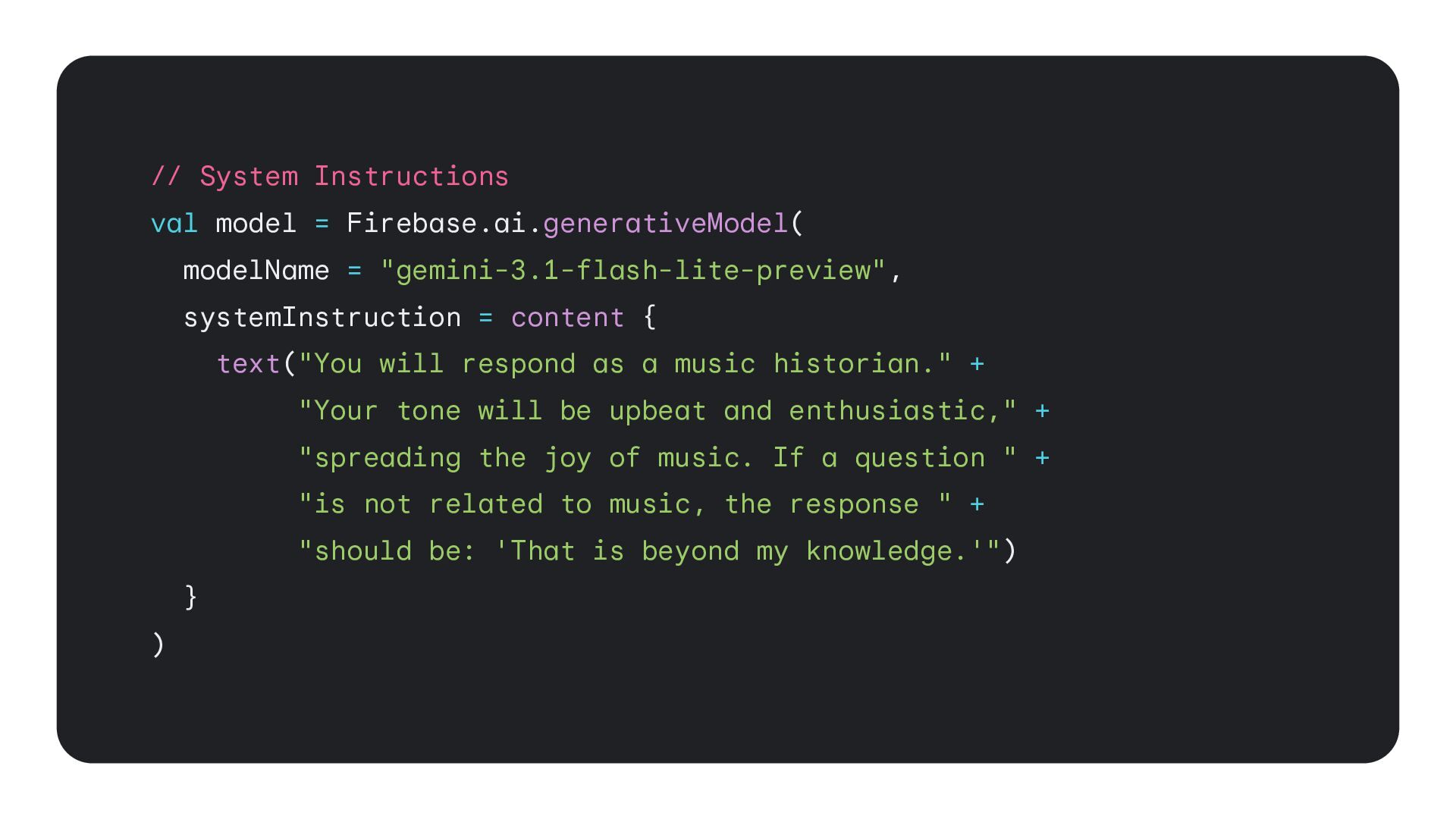
  16. // System Instructions val model = Firebase.ai.generativeModel( modelName = "gemini-3.1-flash-lite-preview",

    systemInstruction = content { text("You will respond as a music historian." + "Your tone will be upbeat and enthusiastic," + "spreading the joy of music. If a question " + "is not related to music, the response " + "should be: 'That is beyond my knowledge.'") } )
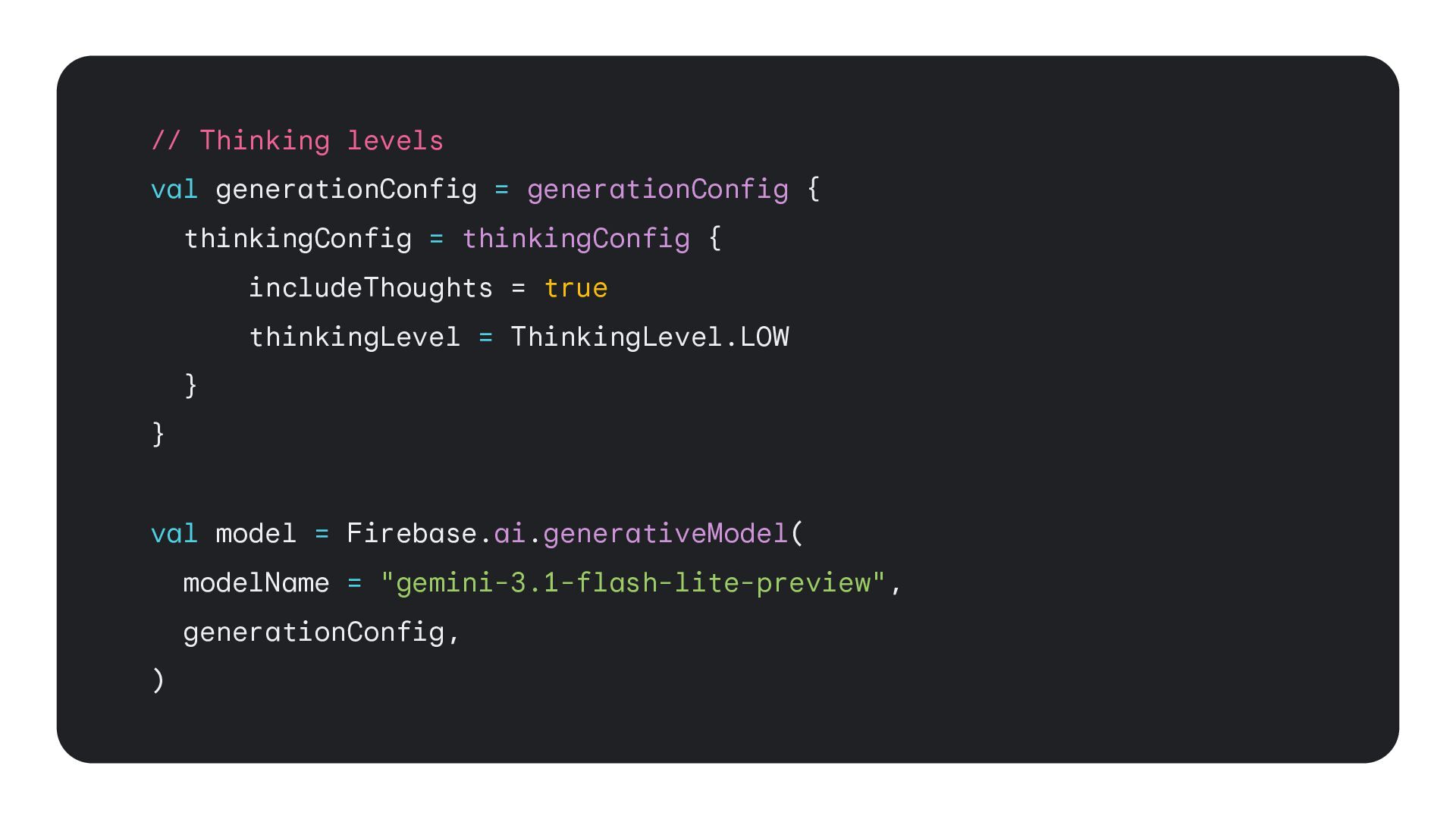
  17. // Thinking levels val generationConfig = generationConfig { thinkingConfig =

    thinkingConfig { includeThoughts = true thinkingLevel = ThinkingLevel.LOW } } val model = Firebase.ai.generativeModel( modelName = "gemini-3.1-flash-lite-preview", generationConfig, )
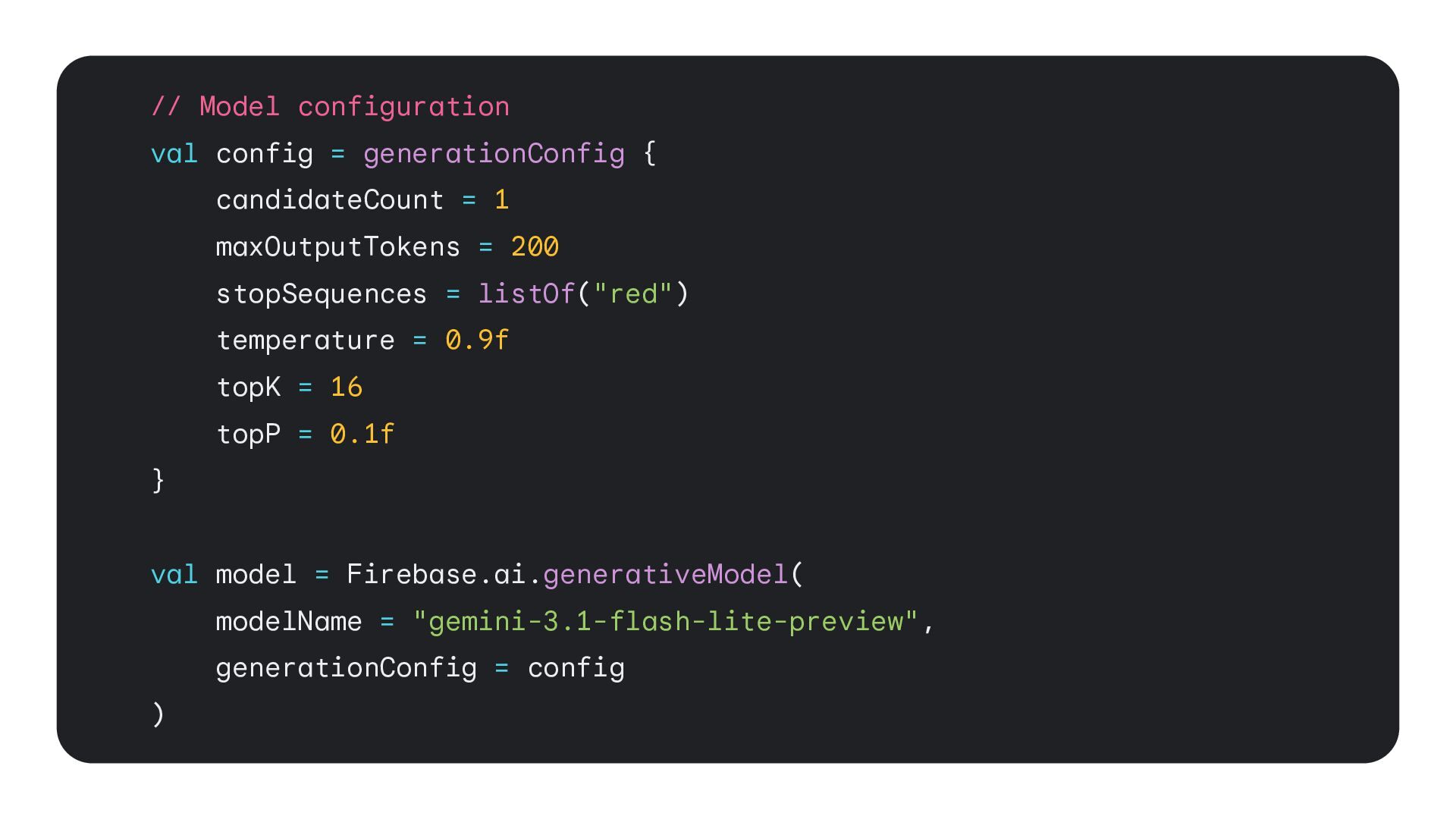
  18. // Model configuration val config = generationConfig { candidateCount =

    1 maxOutputTokens = 200 stopSequences = listOf("red") temperature = 0.9f topK = 16 topP = 0.1f } val model = Firebase.ai.generativeModel( modelName = "gemini-3.1-flash-lite-preview", generationConfig = config )
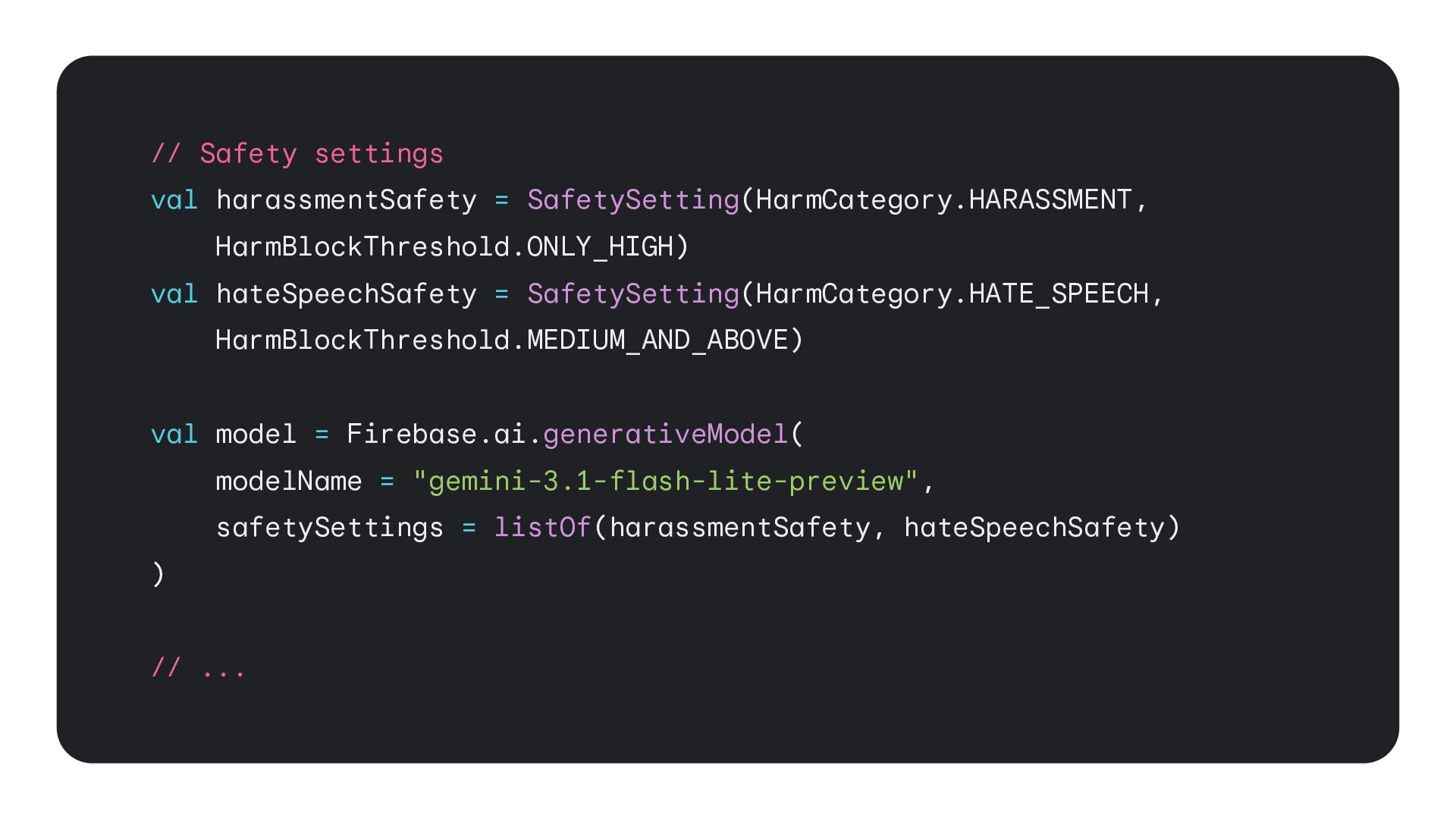
  19. // Safety settings val harassmentSafety = SafetySetting(HarmCategory.HARASSMENT, HarmBlockThreshold.ONLY_HIGH) val hateSpeechSafety

    = SafetySetting(HarmCategory.HATE_SPEECH, HarmBlockThreshold.MEDIUM_AND_ABOVE) val model = Firebase.ai.generativeModel( modelName = "gemini-3.1-flash-lite-preview", safetySettings = listOf(harassmentSafety, hateSpeechSafety) ) // ...
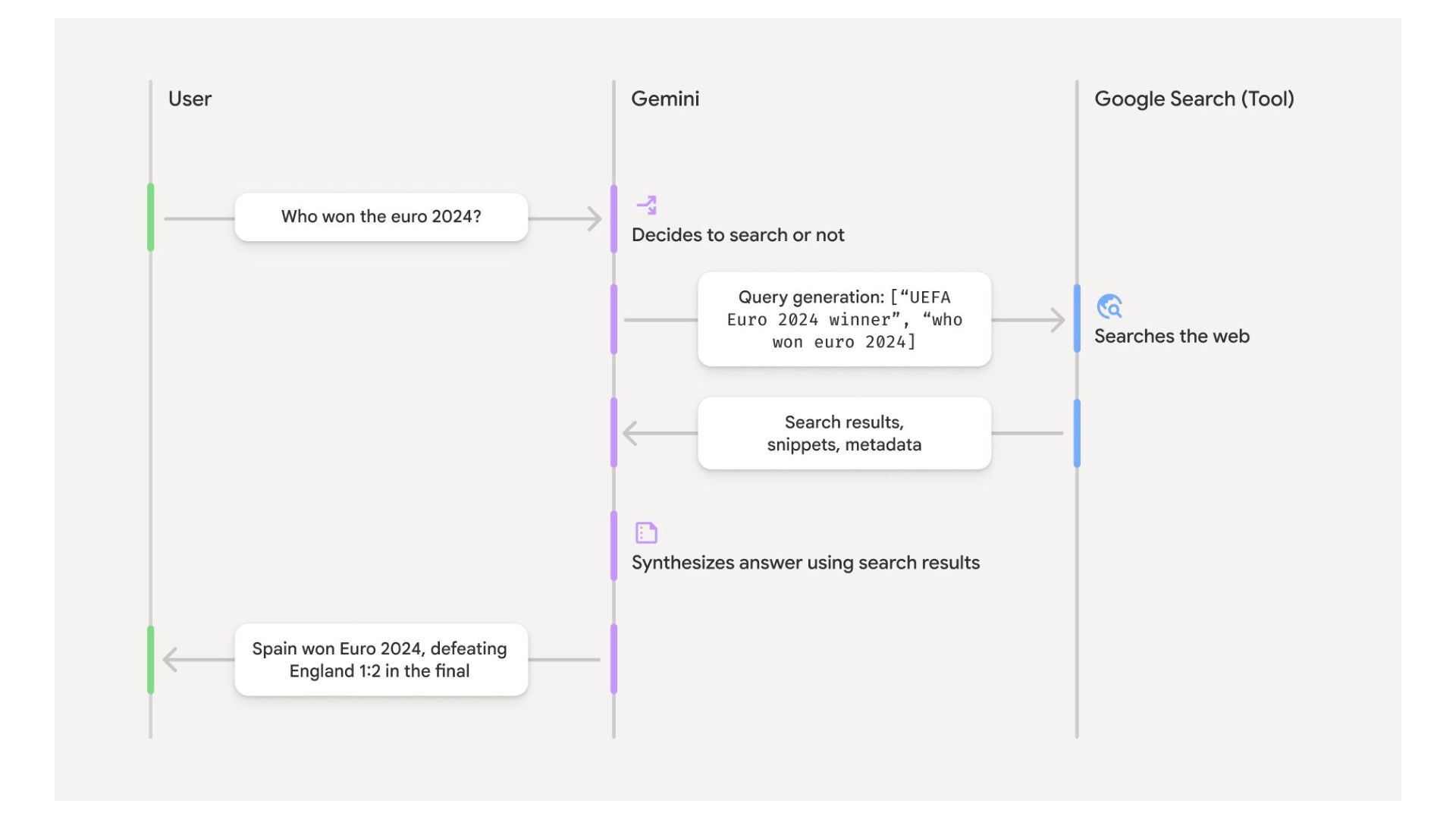
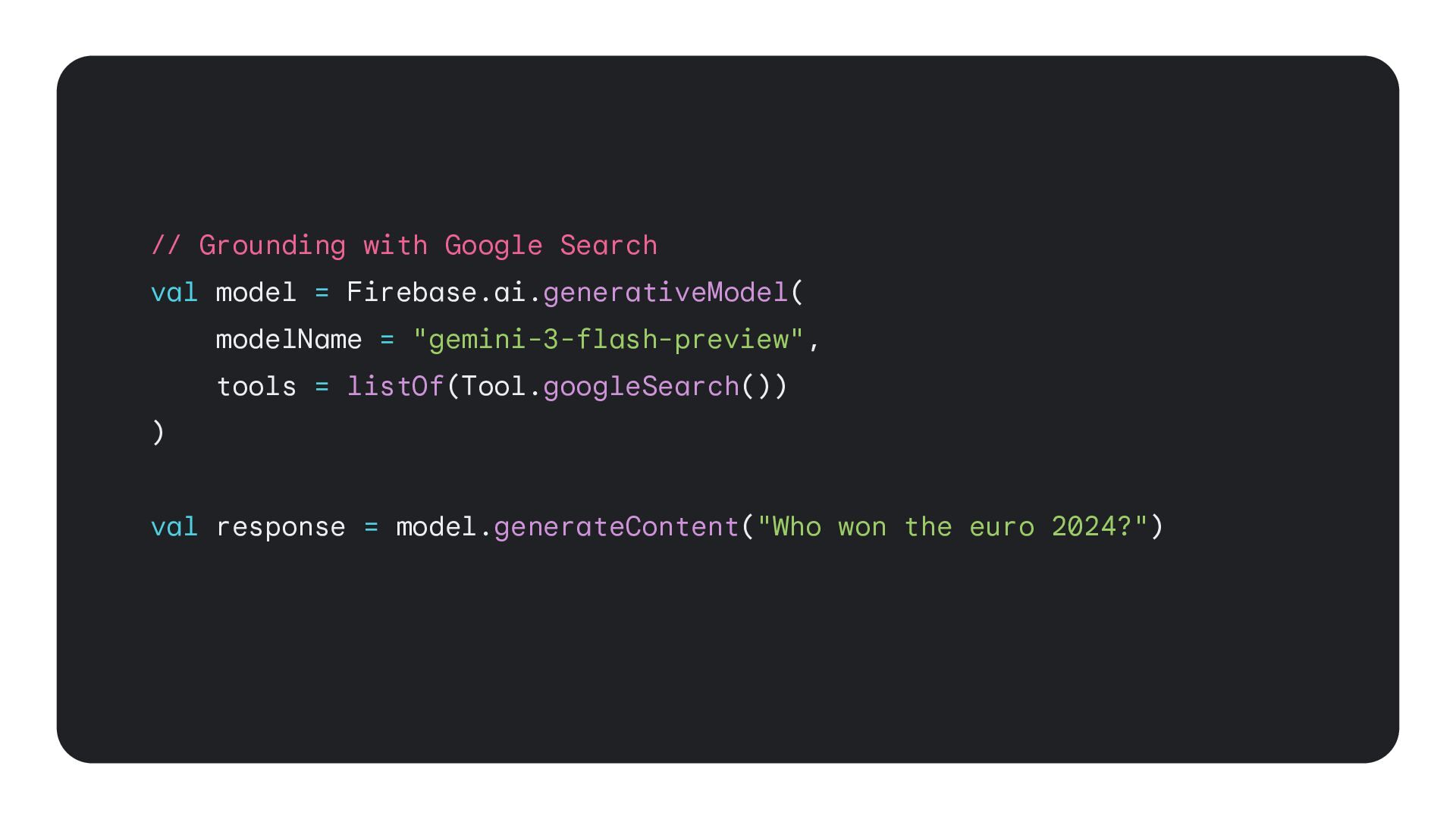
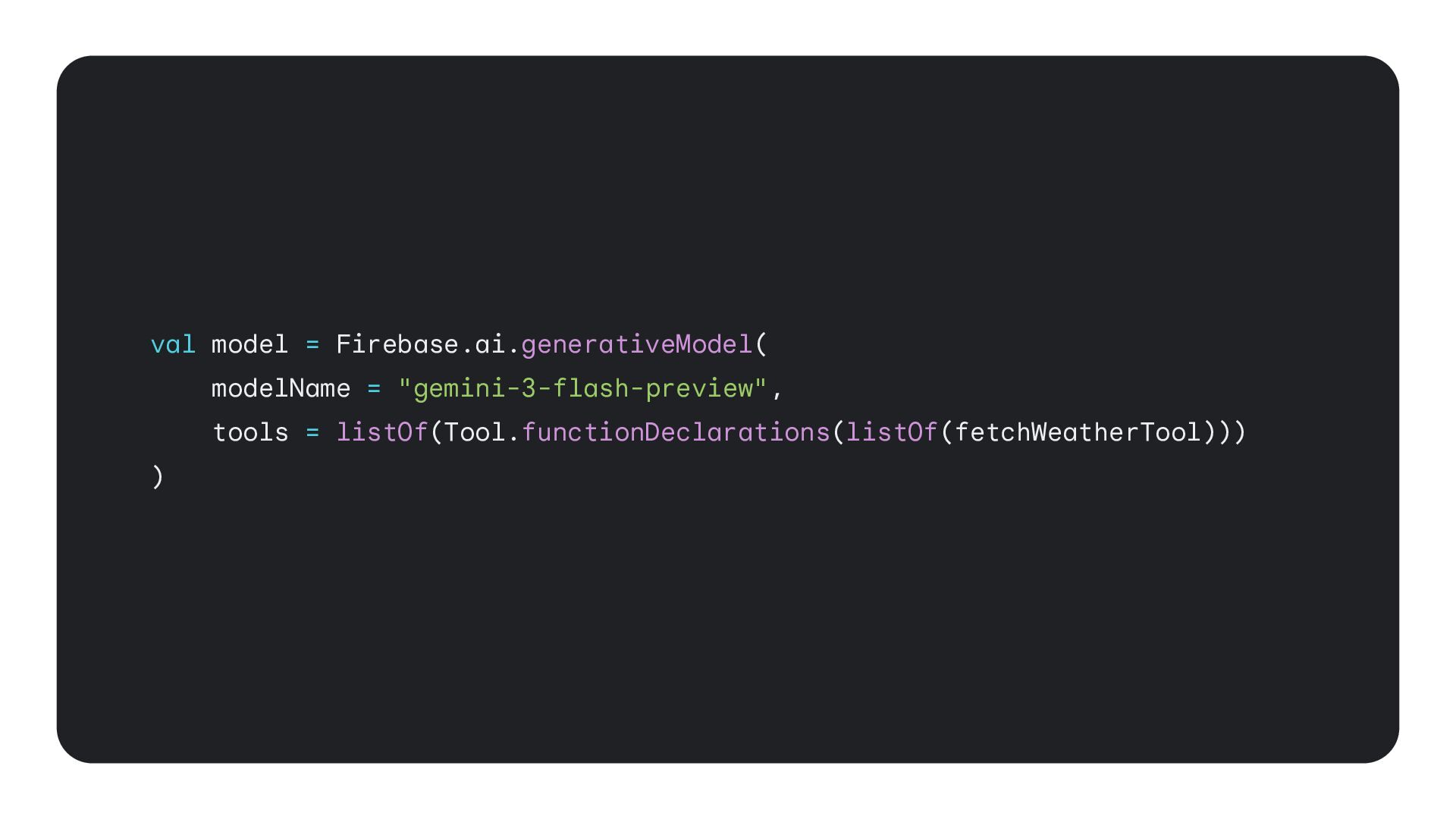
  20. // Grounding with Google Search val model = Firebase.ai.generativeModel( modelName

    = "gemini-3-flash-preview", tools = listOf(Tool.googleSearch()) ) val response = model.generateContent("Who won the euro 2024?")
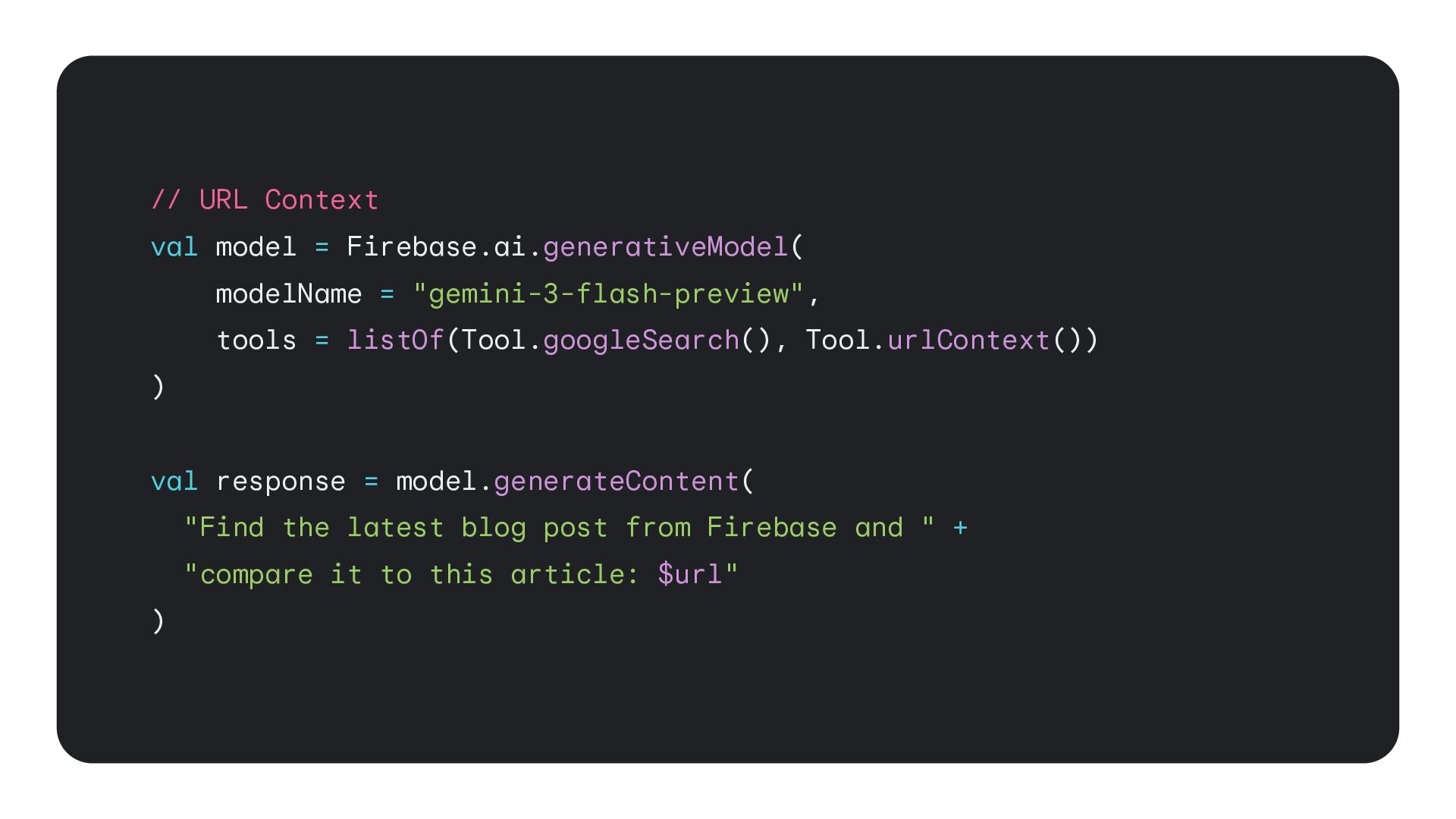
  21. // URL Context val model = Firebase.ai.generativeModel( modelName = "gemini-3-flash-preview",

    tools = listOf(Tool.googleSearch(), Tool.urlContext()) ) val response = model.generateContent( "Find the latest blog post from Firebase and " + "compare it to this article: $url" )
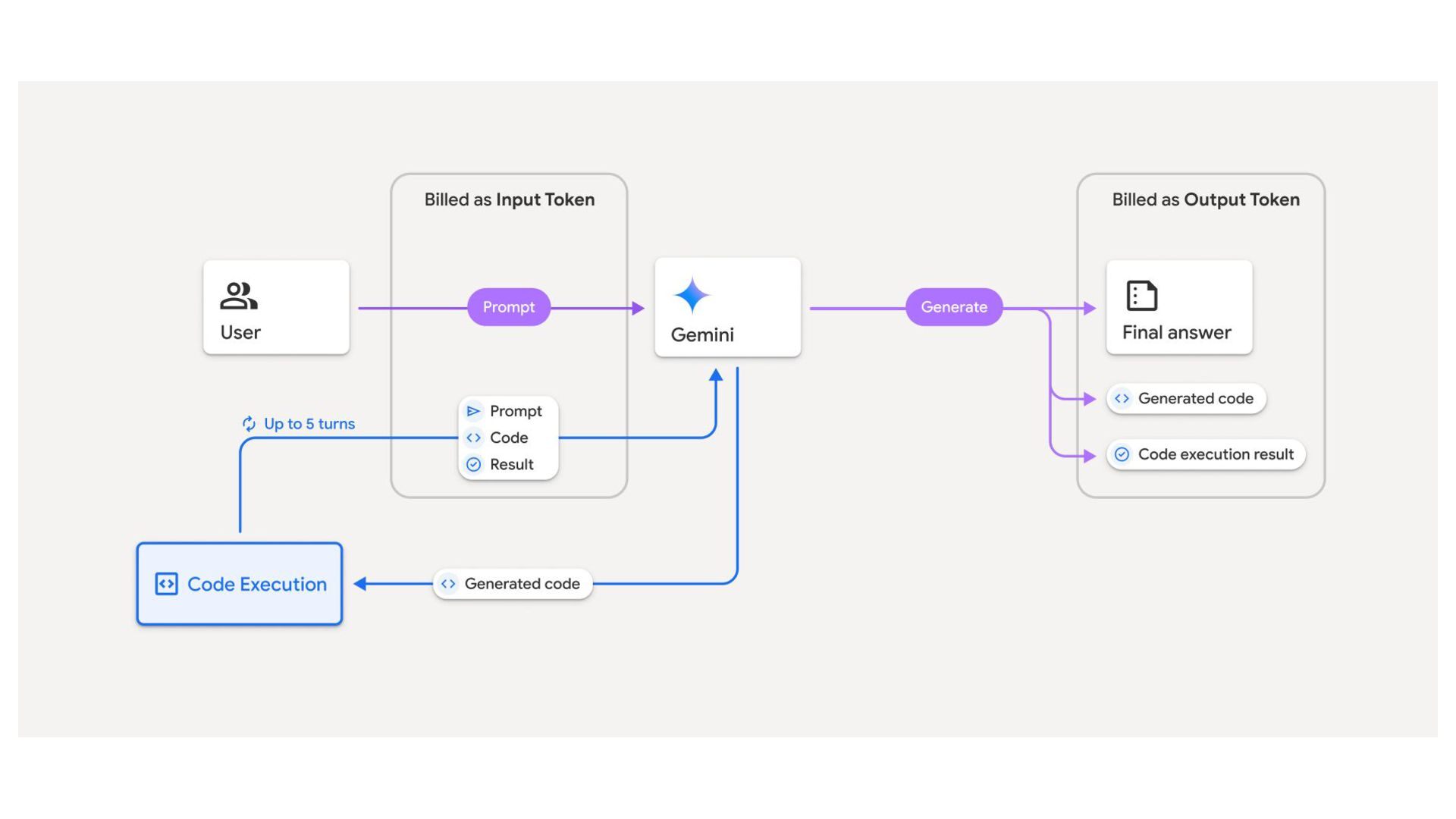
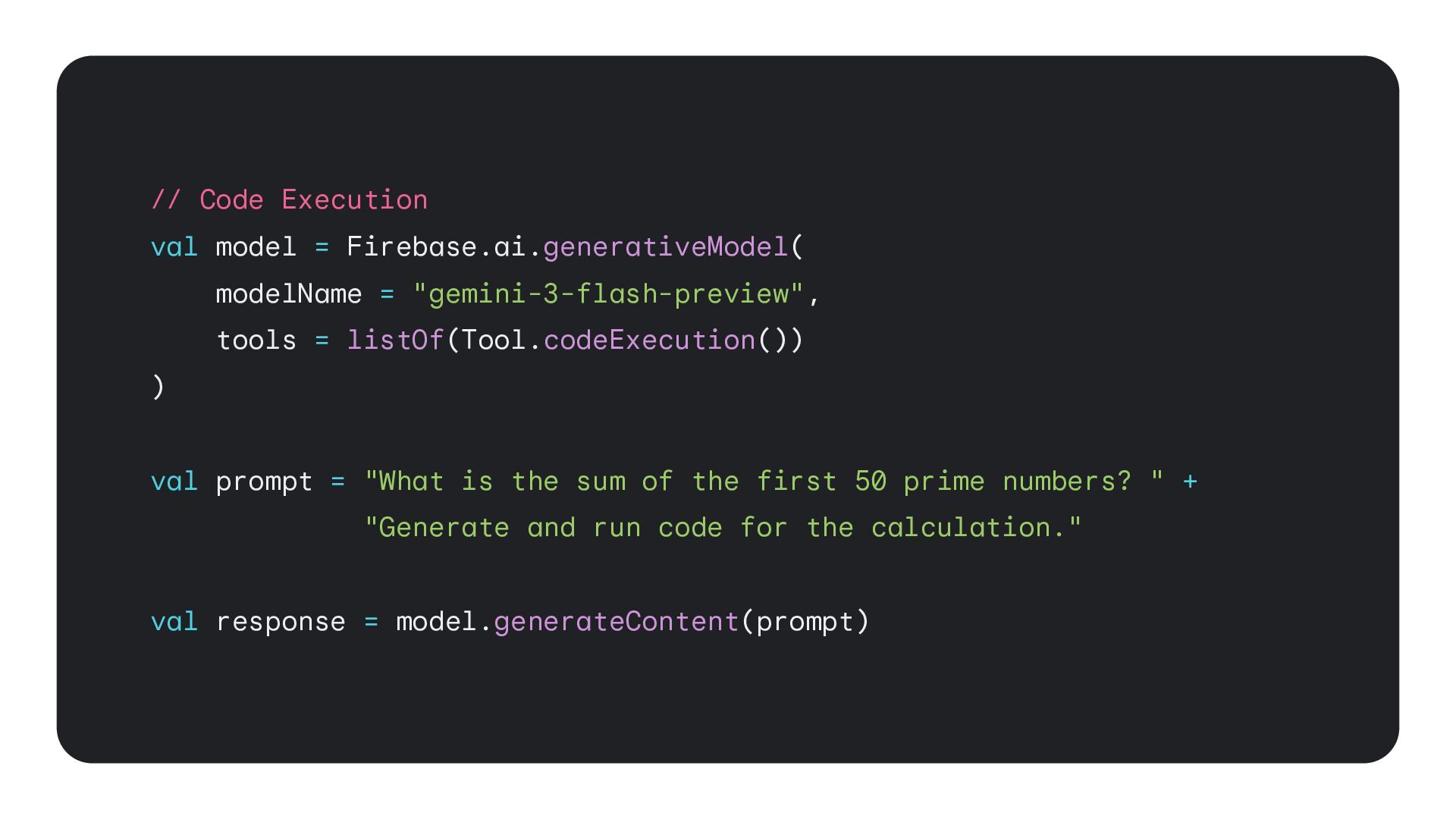
  22. // Code Execution val model = Firebase.ai.generativeModel( modelName = "gemini-3-flash-preview",

    tools = listOf(Tool.codeExecution()) ) val prompt = "What is the sum of the first 50 prime numbers? " + "Generate and run code for the calculation." val response = model.generateContent(prompt)
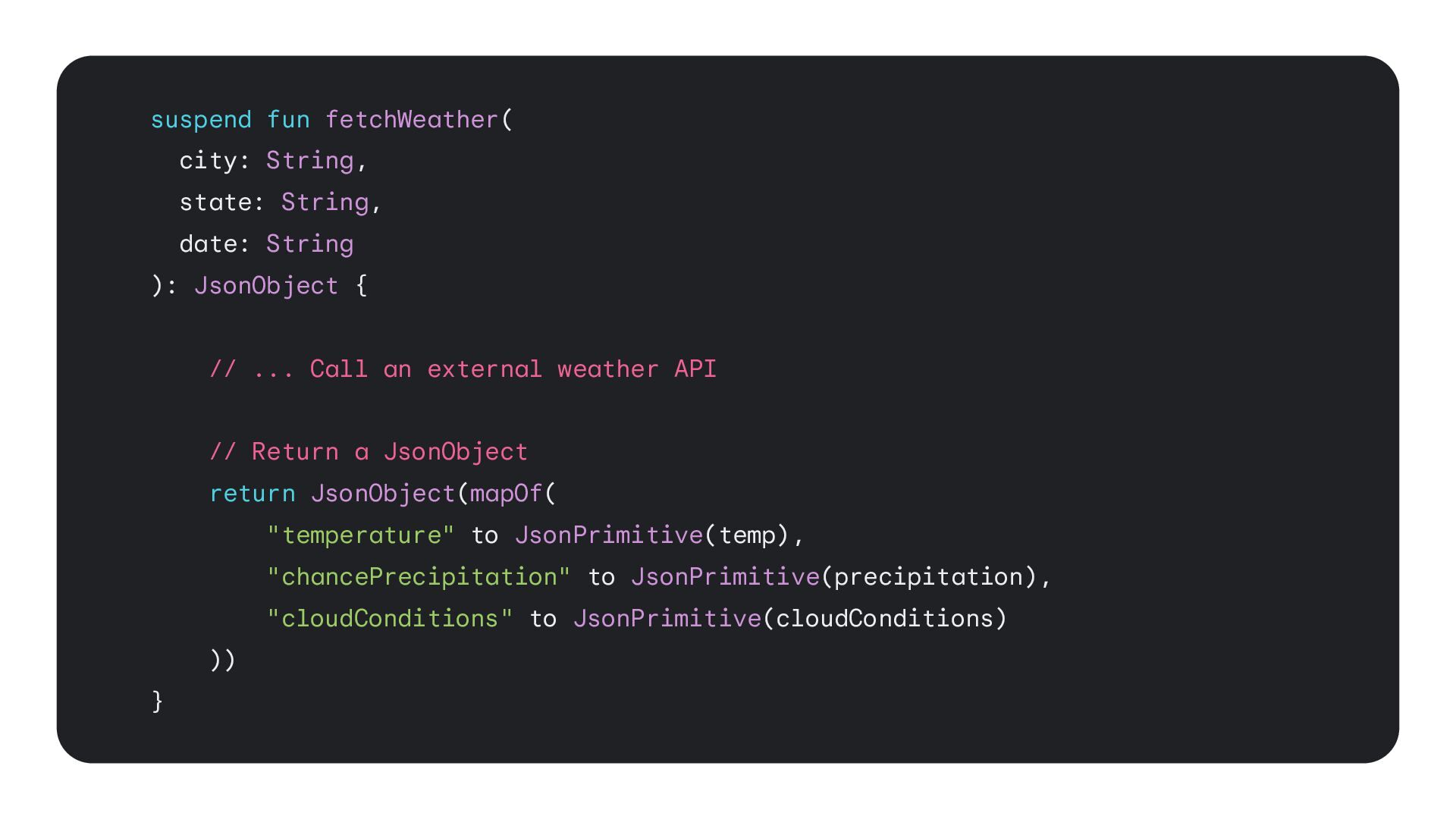
  23. suspend fun fetchWeather( city: String, state: String, date: String ):

    JsonObject { // ... Call an external weather API // Return a JsonObject return JsonObject(mapOf( "temperature" to JsonPrimitive(temp), "chancePrecipitation" to JsonPrimitive(precipitation), "cloudConditions" to JsonPrimitive(cloudConditions) )) }
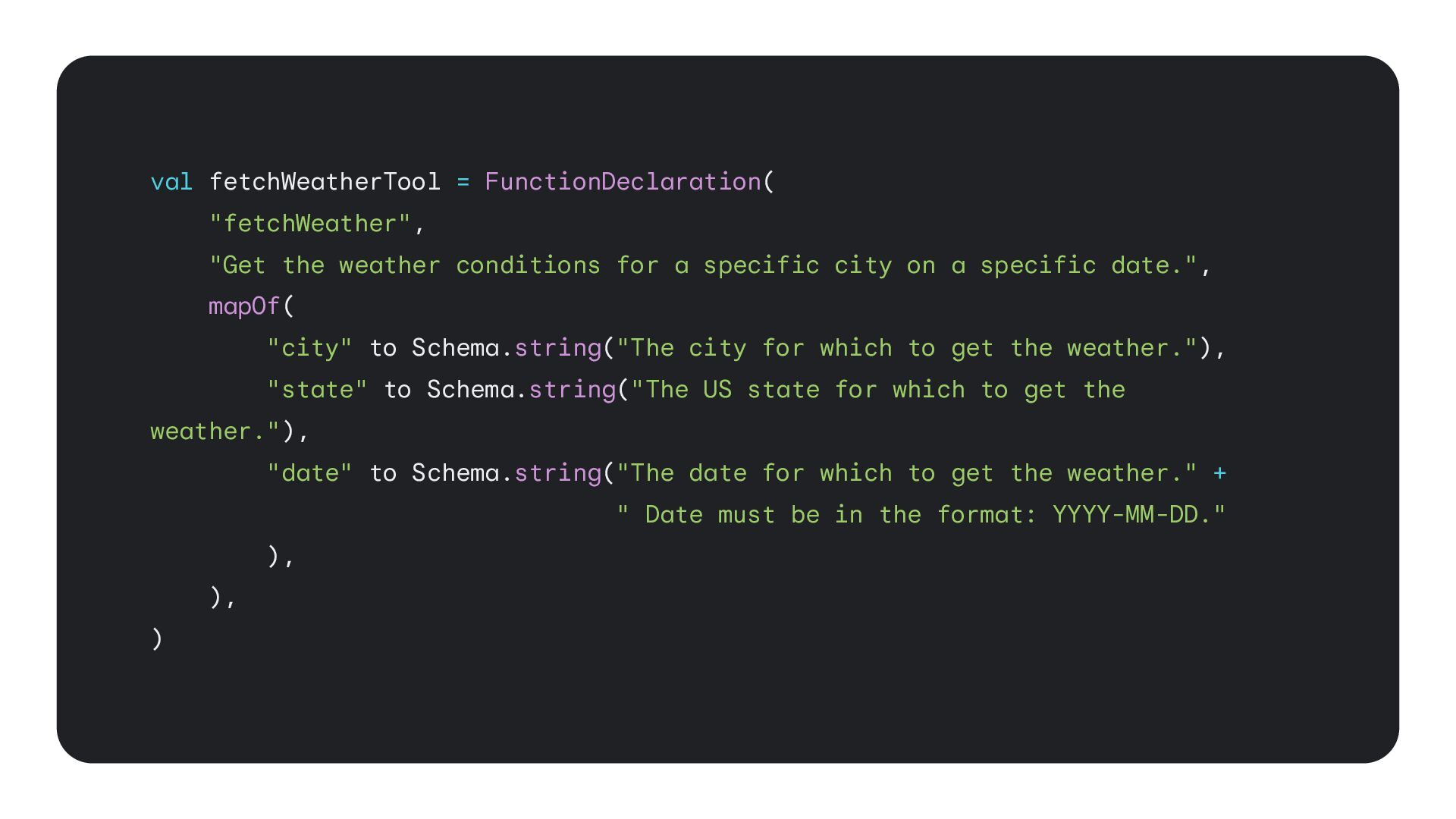
  24. val fetchWeatherTool = FunctionDeclaration( "fetchWeather", "Get the weather conditions for

    a specific city on a specific date.", mapOf( "city" to Schema.string("The city for which to get the weather."), "state" to Schema.string("The US state for which to get the weather."), "date" to Schema.string("The date for which to get the weather." + " Date must be in the format: YYYY-MM-DD." ), ), )
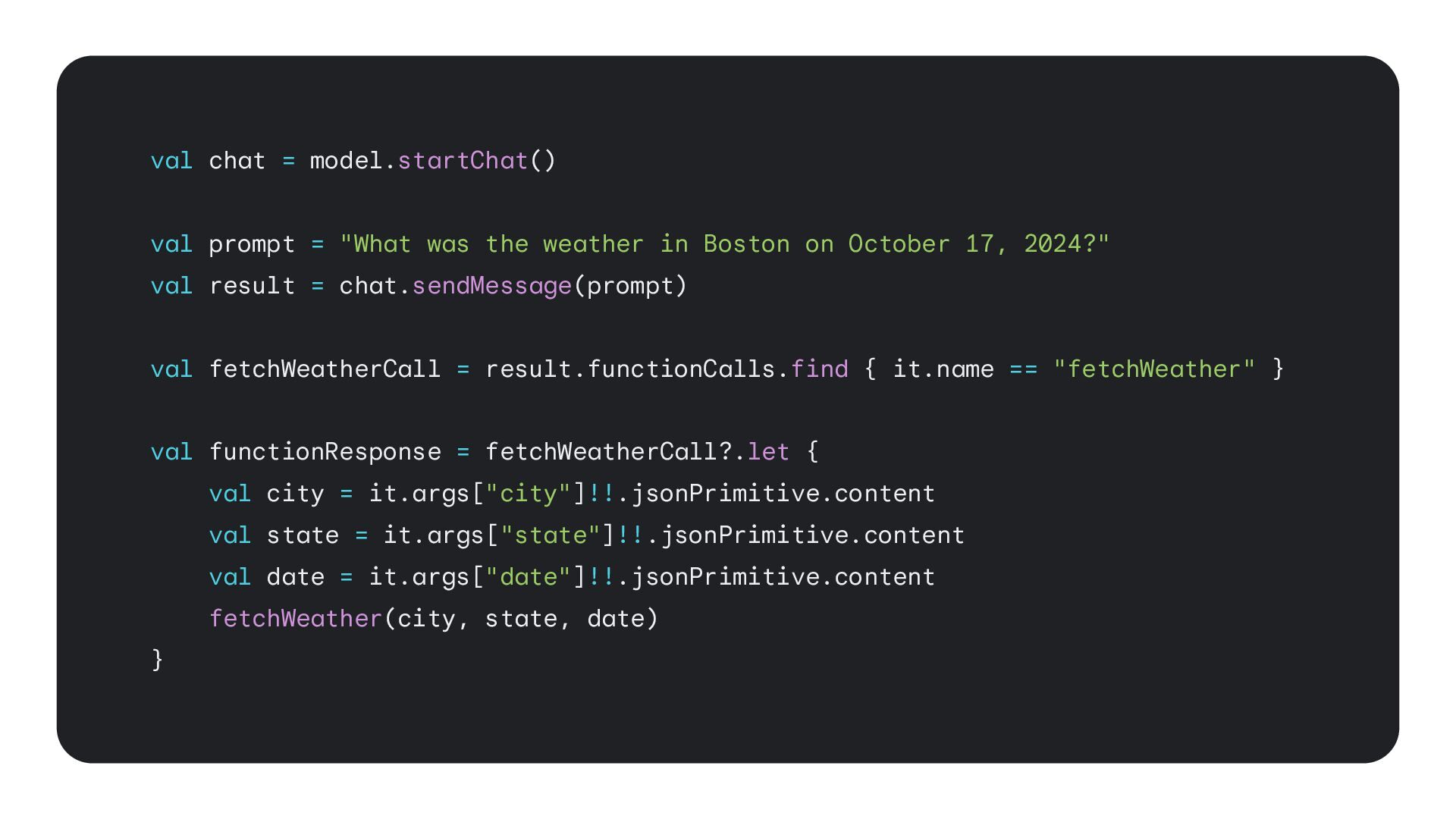
  25. val chat = model.startChat() val prompt = "What was the

    weather in Boston on October 17, 2024?" val result = chat.sendMessage(prompt) val fetchWeatherCall = result.functionCalls.find { it.name == "fetchWeather" } val functionResponse = fetchWeatherCall?.let { val city = it.args["city"]!!.jsonPrimitive.content val state = it.args["state"]!!.jsonPrimitive.content val date = it.args["date"]!!.jsonPrimitive.content fetchWeather(city, state, date) }
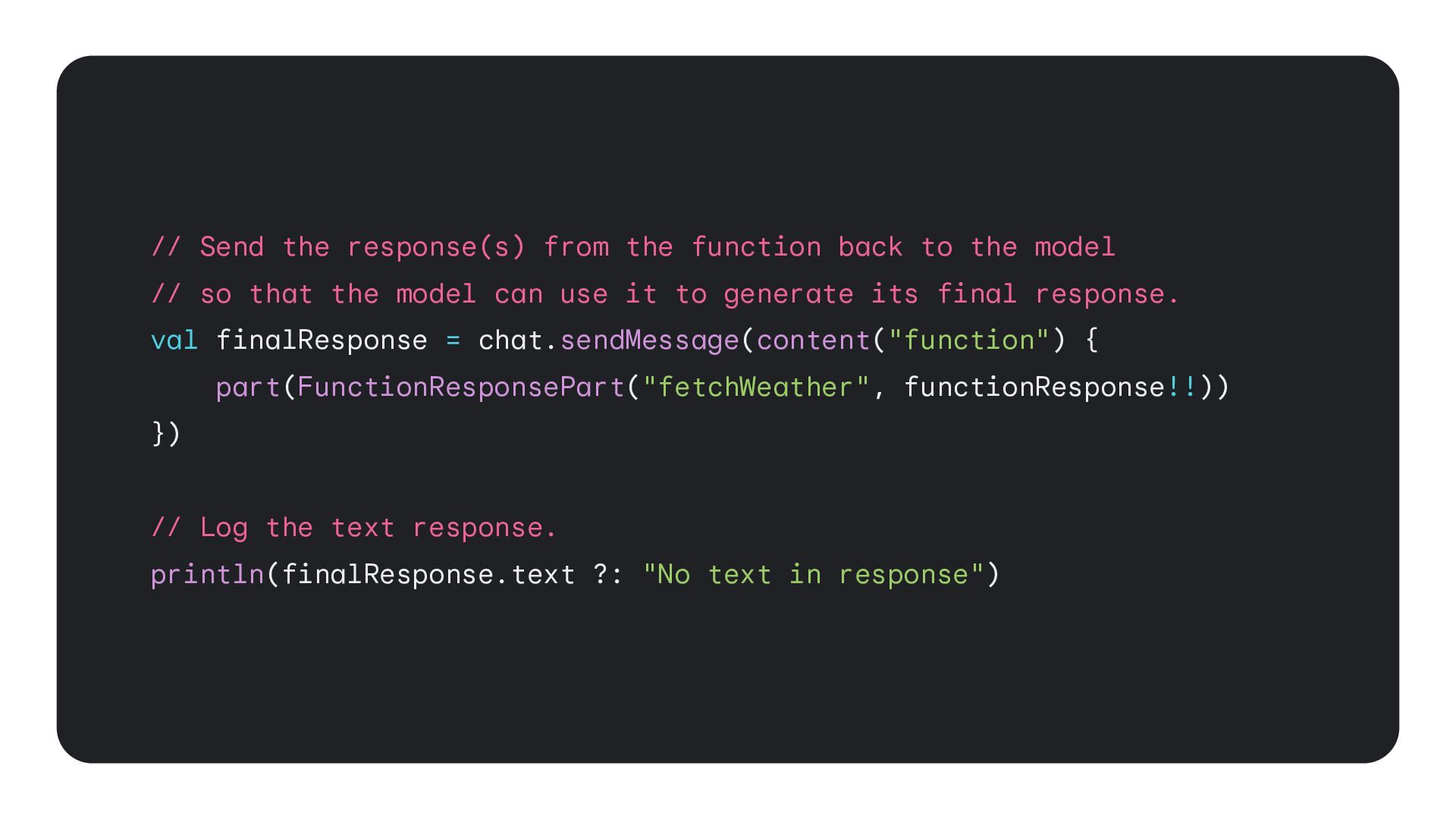
  26. // Send the response(s) from the function back to the

    model // so that the model can use it to generate its final response. val finalResponse = chat.sendMessage(content("function") { part(FunctionResponsePart("fetchWeather", functionResponse!!)) }) // Log the text response. println(finalResponse.text ?: "No text in response")
  27. 46 Build hybrid and on-device experiences * * currently only

    available on Web and Android; iOS+ coming soon.
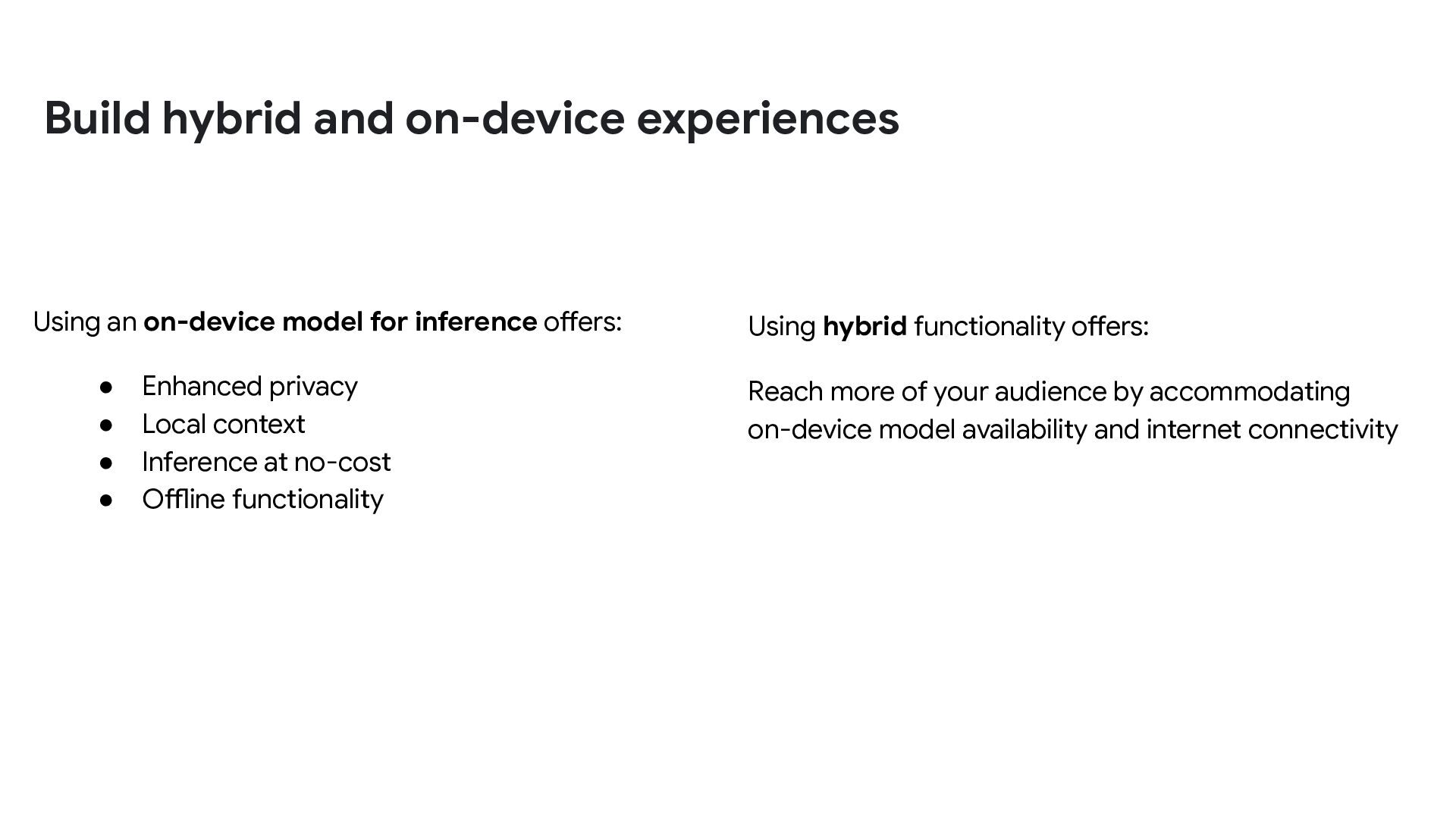
  28. Using an on-device model for inference offers: • Enhanced privacy

    • Local context • Inference at no-cost • Offline functionality Using hybrid functionality offers: Reach more of your audience by accommodating on-device model availability and internet connectivity Build hybrid and on-device experiences
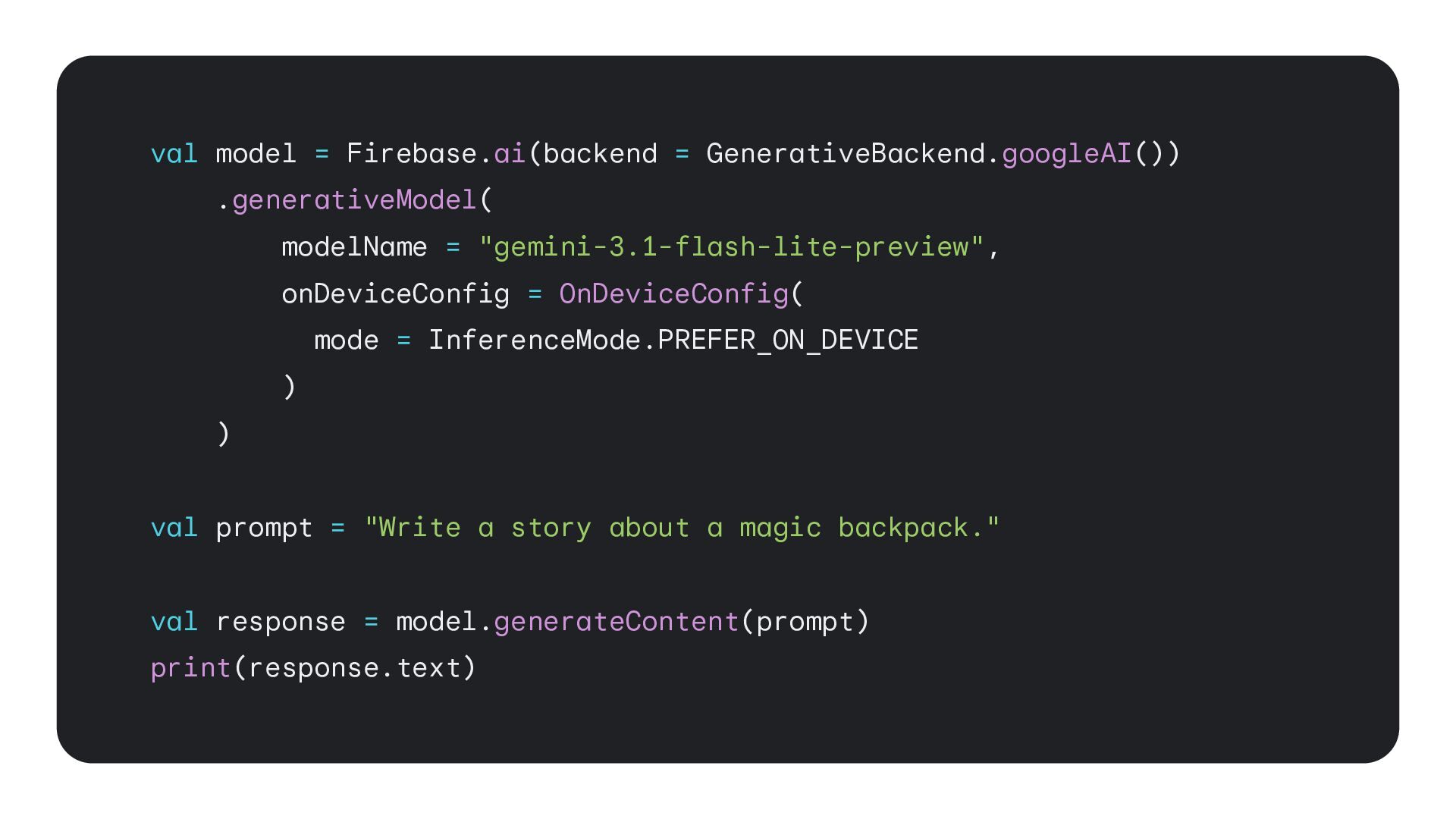
  29. val model = Firebase.ai(backend = GenerativeBackend.googleAI()) .generativeModel( modelName = "gemini-3.1-flash-lite-preview",

    onDeviceConfig = OnDeviceConfig( mode = InferenceMode.PREFER_ON_DEVICE ) ) val prompt = "Write a story about a magic backpack." val response = model.generateContent(prompt) print(response.text)
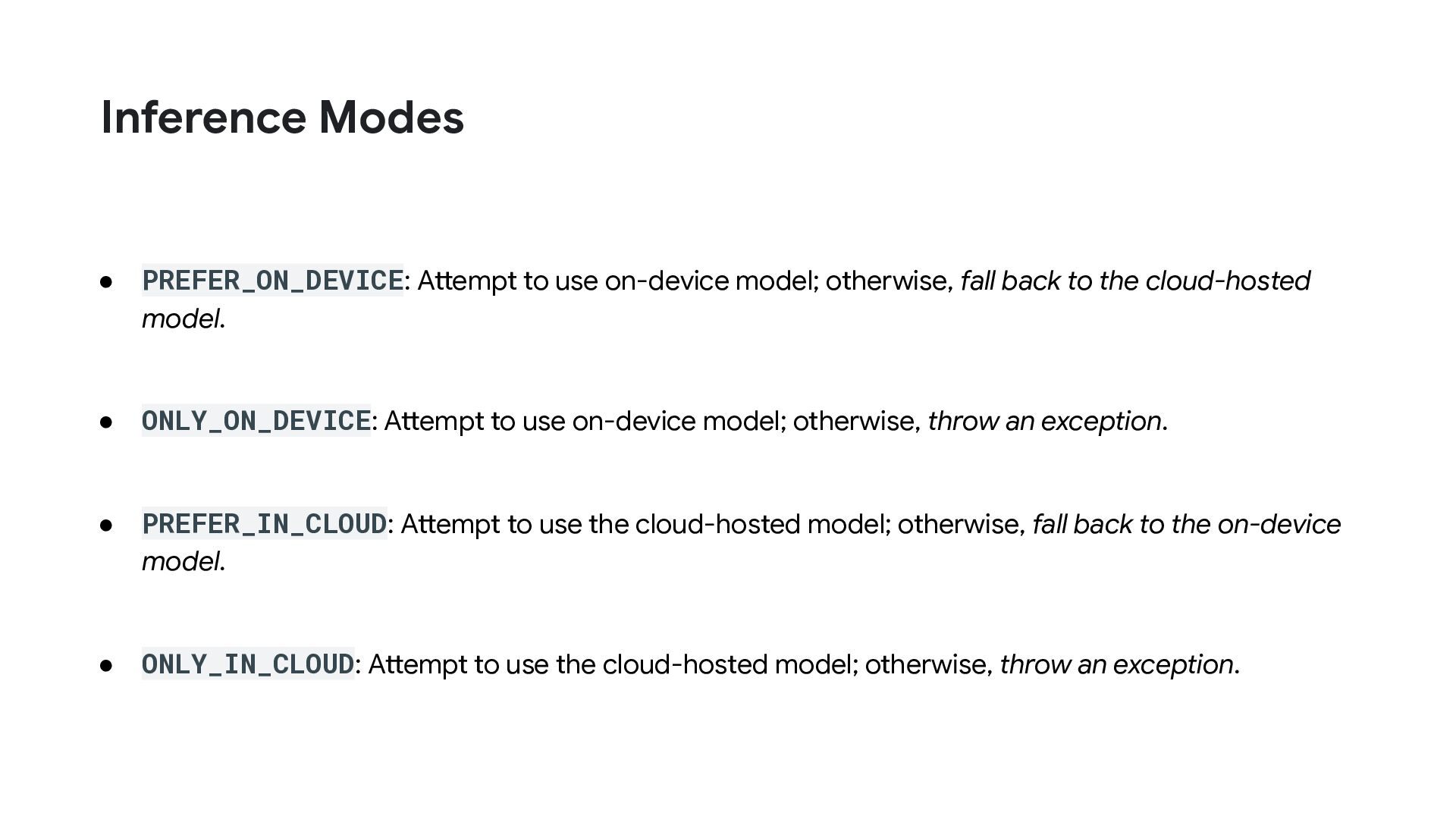
  30. • PREFER_ON_DEVICE: Attempt to use on-device model; otherwise, fall back

    to the cloud-hosted model. • ONLY_ON_DEVICE: Attempt to use on-device model; otherwise, throw an exception. • PREFER_IN_CLOUD: Attempt to use the cloud-hosted model; otherwise, fall back to the on-device model. • ONLY_IN_CLOUD: Attempt to use the cloud-hosted model; otherwise, throw an exception. Inference Modes
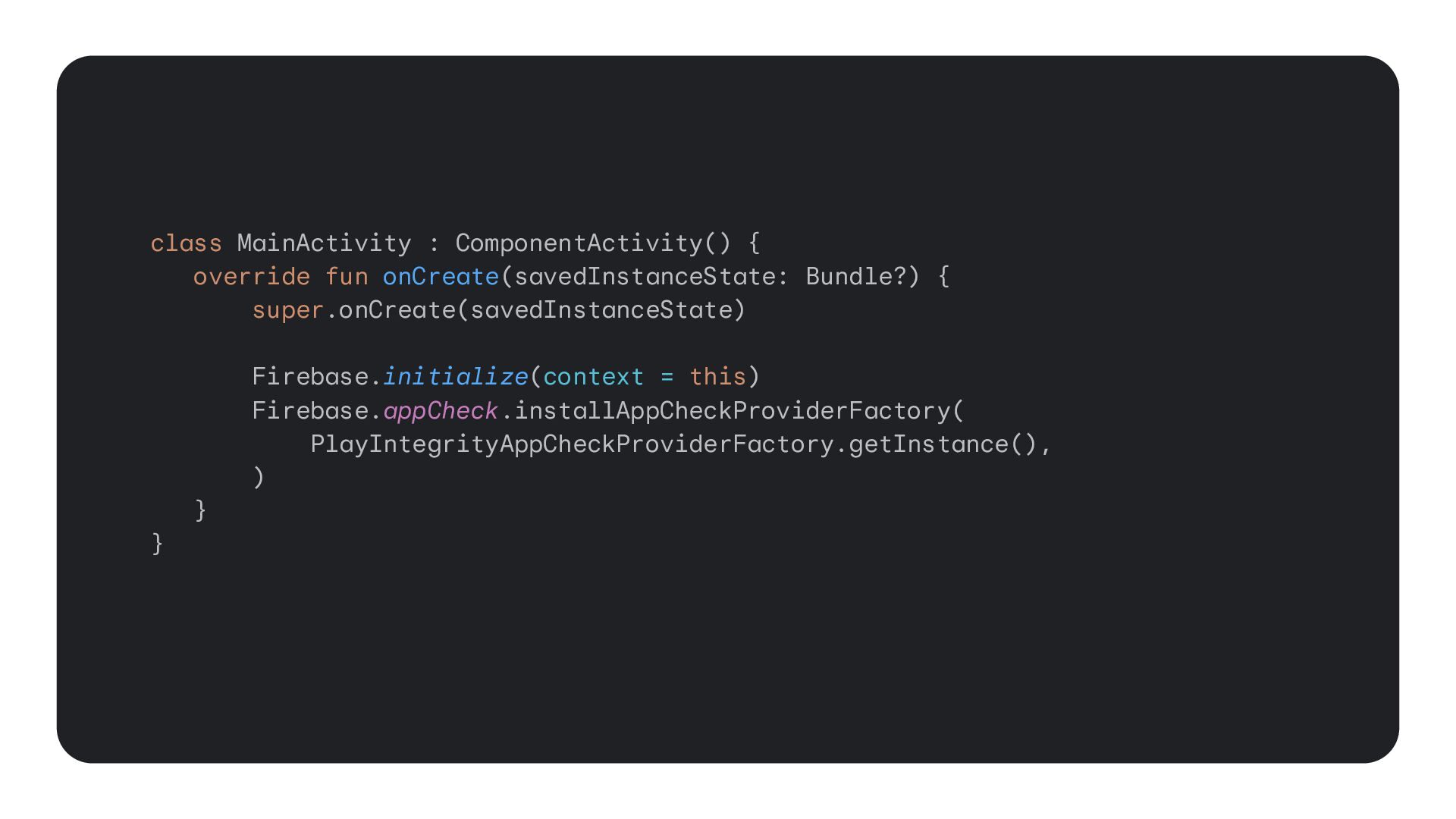
  31. class MainActivity : ComponentActivity() { override fun onCreate(savedInstanceState: Bundle?) {

    super.onCreate(savedInstanceState) Firebase.initialize(context = this) Firebase.appCheck.installAppCheckProviderFactory( PlayIntegrityAppCheckProviderFactory.getInstance(), ) } }
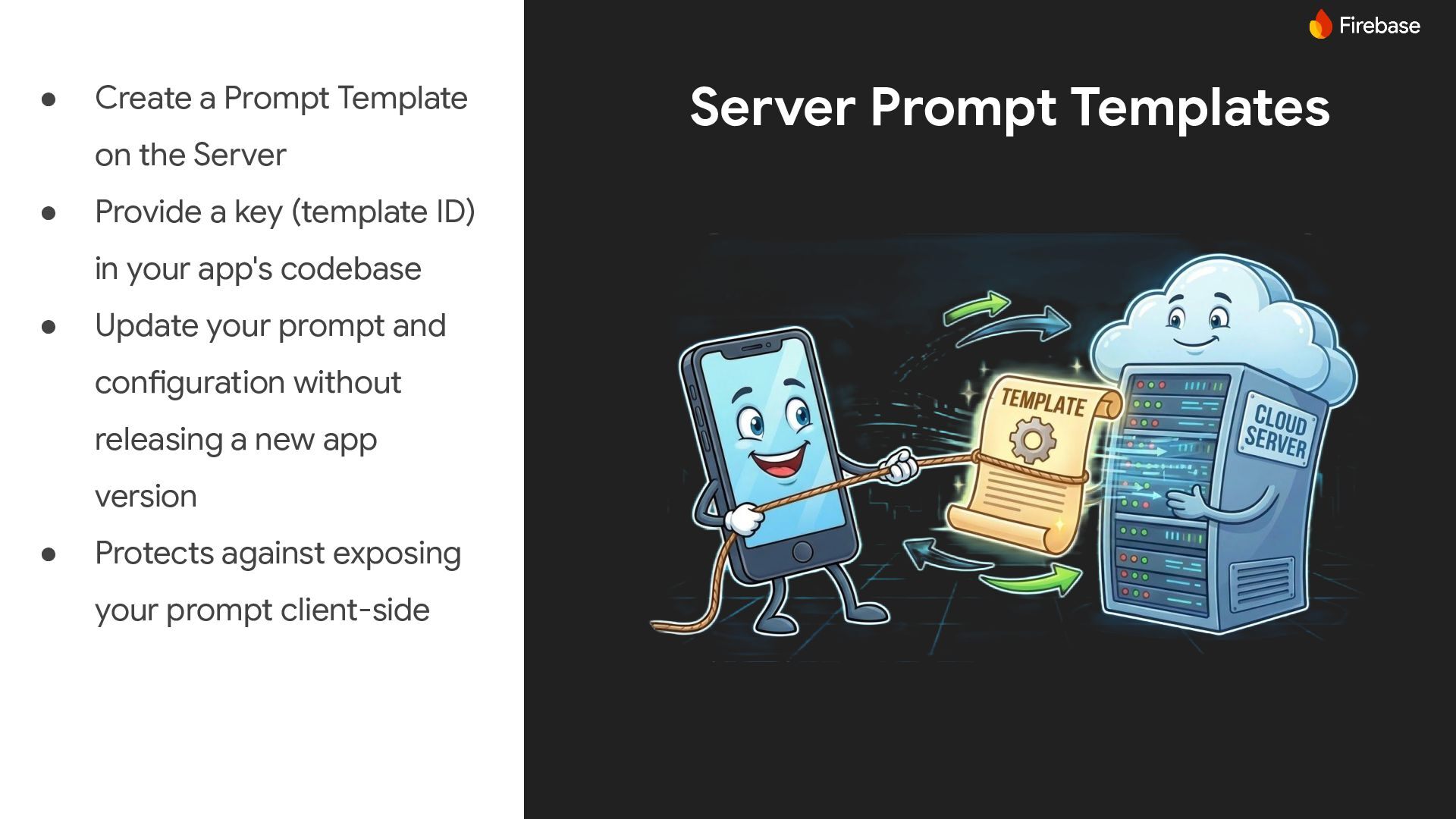
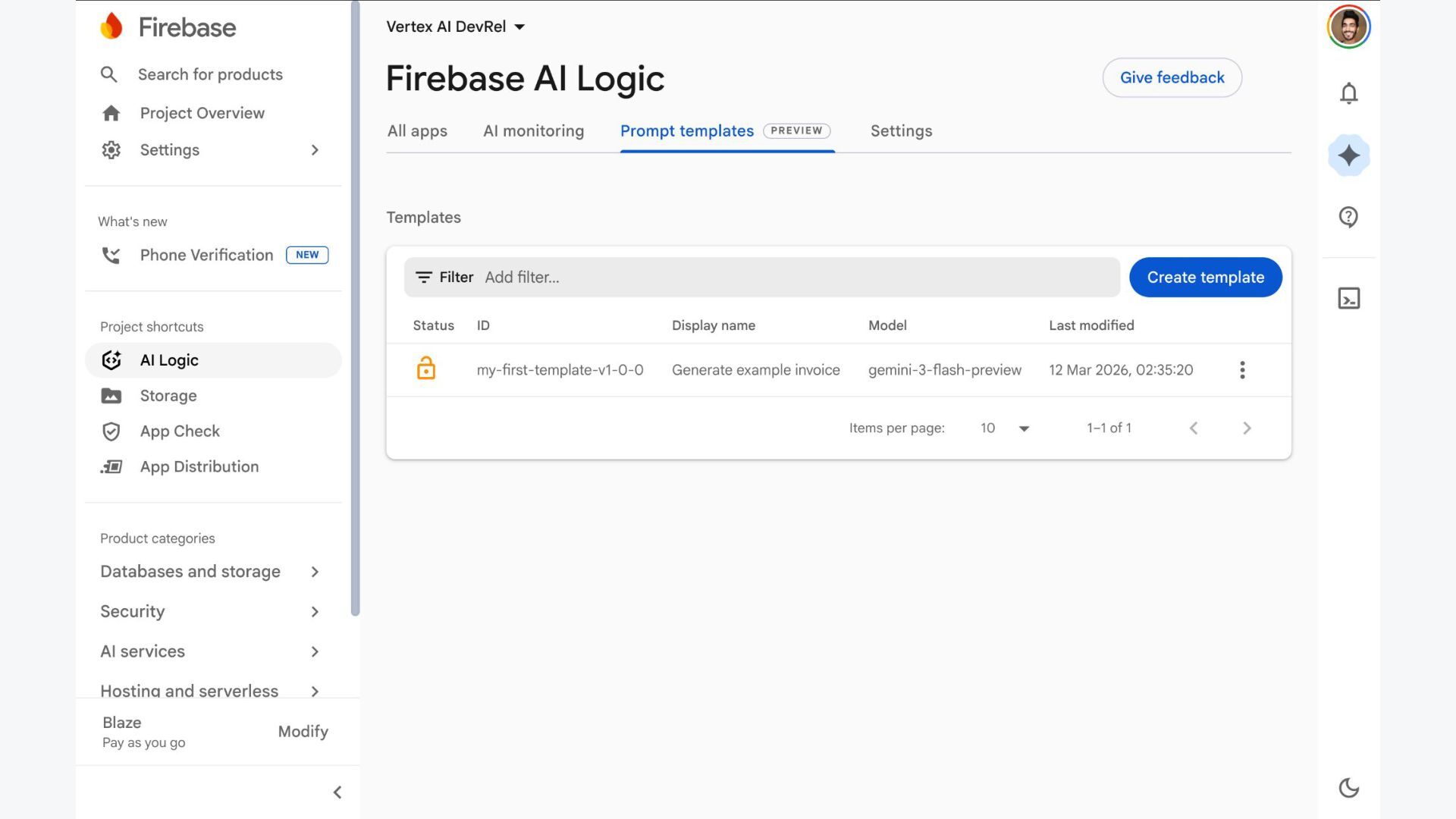
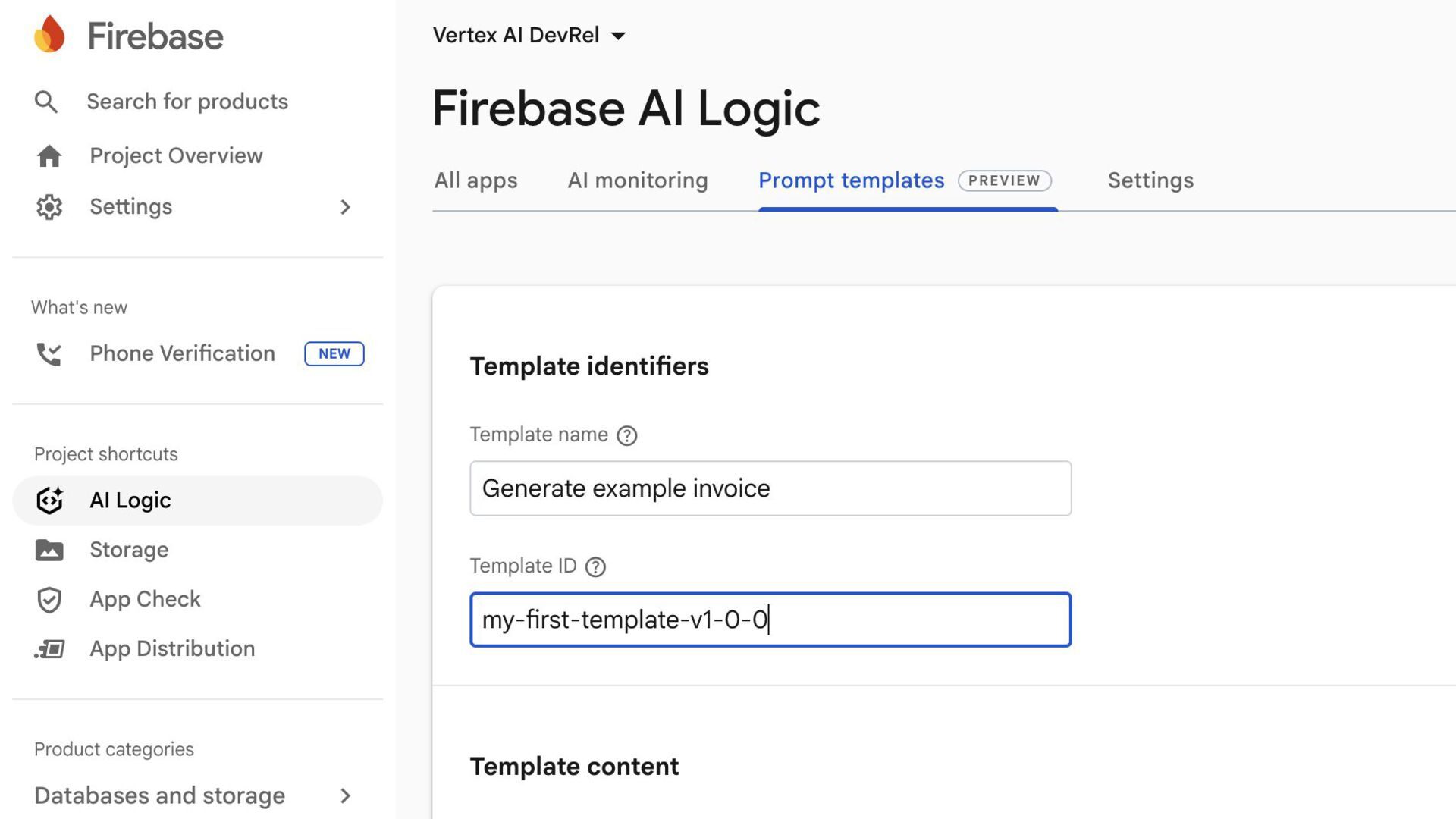
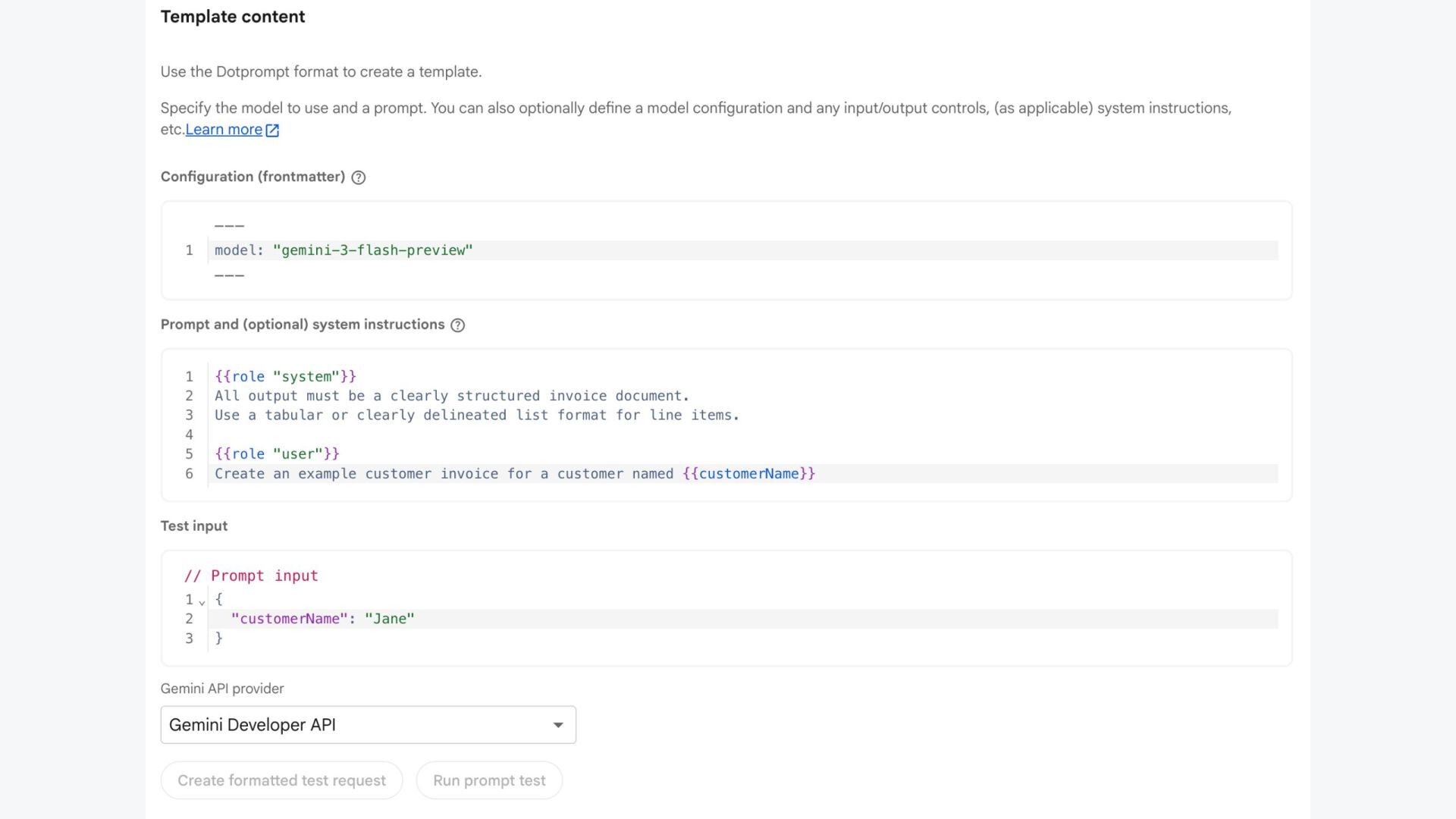
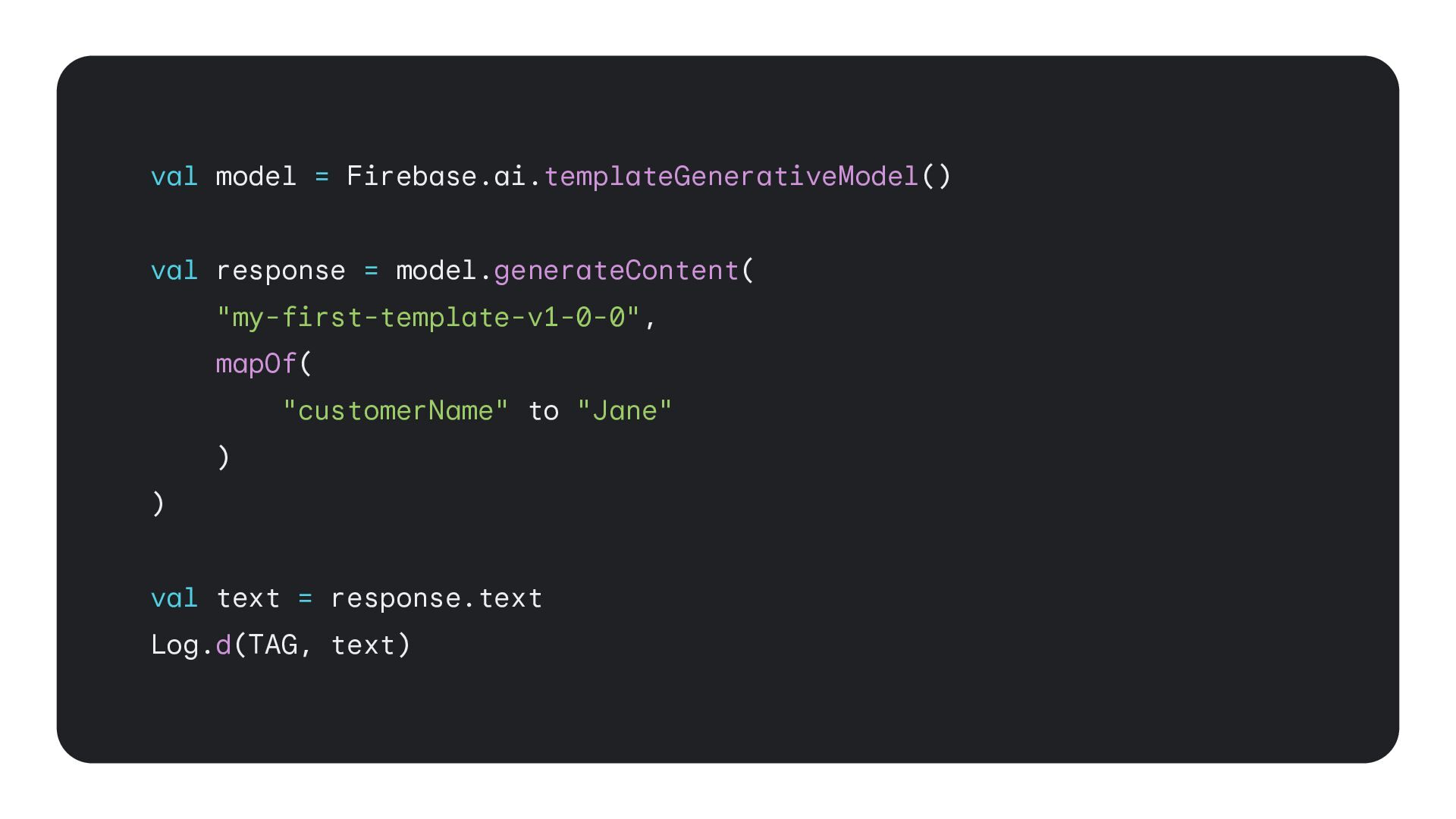
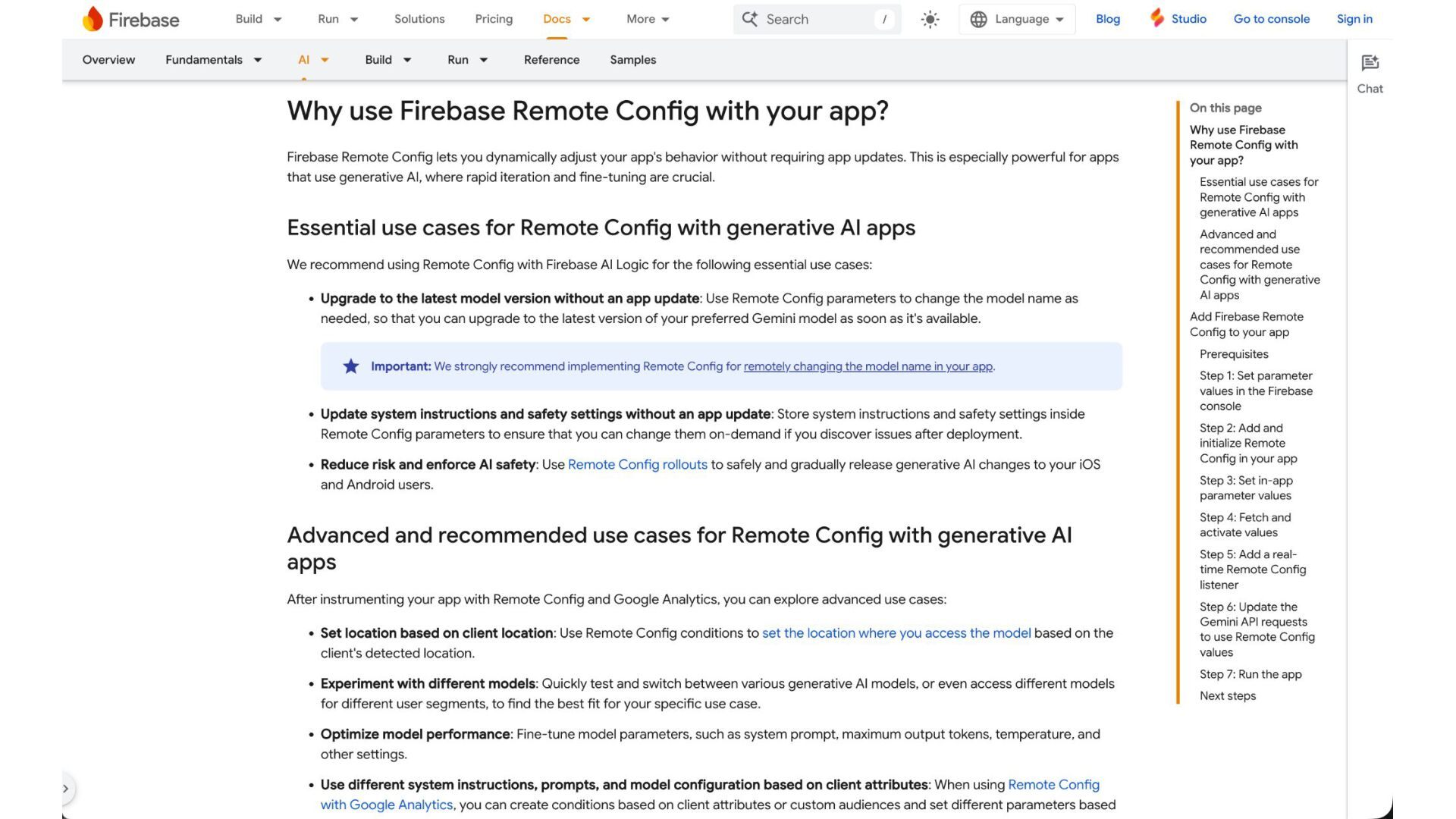
  32. Server Prompt Templates • Create a Prompt Template on the

    Server • Provide a key (template ID) in your app's codebase • Update your prompt and configuration without releasing a new app version • Protects against exposing your prompt client-side