Upgrade to Pro
— share decks privately, control downloads, hide ads and more …
Speaker Deck
Sign up for free
Menu
Search
Features
All features
Private URLs
Password Protection
Custom URLS
Scheduled publishing
Remove Branding
Restrict embedding
Deck Collections
Notes
Features
All features
Private URLs
Password Protection
Custom URLS
Scheduled publishing
Remove Branding
Restrict embedding
Deck Collections
Notes
Explore
Featured decks
Featured speakers
Programming
Technology
Storyboards
Explore
Featured decks
Featured speakers
Programming
Technology
Storyboards
Pricing
Search
Sign in
Sign up for free
Jetpack Composeで自動入力を完全攻略(作成:o3)
Search
tonionagauzzi
April 24, 2025
180
0
Share
Embed
Copy iframe code
Copy JS code
Copy link
Start on current slide
Jetpack Composeで自動入力を完全攻略(作成:o3)
tonionagauzzi
April 24, 2025
More Decks by tonionagauzzi
See All by tonionagauzzi
Androidエンジニアが大規模プロダクトのWebフロントエンドとバックエンドに越境して感じたギャップと習得したマインド
tonionagauzzi
0
490
Kotlin2.3明示的バッキングフィールド
tonionagauzzi
1
420
【Android】テキスト選択色の問題修正で心がけたこと
tonionagauzzi
0
300
Android 15以上でPDFのテキスト検索を爆速開発!
tonionagauzzi
0
420
Googleの新しいコーディングAIエージェントJulesを使ってみた
tonionagauzzi
0
890
Compose におけるパスワード自動入力とパスワード保存
tonionagauzzi
0
570
Androidテスト基礎講義
tonionagauzzi
0
430
Android Composeでの自動入力(作成:GPT-4o)
tonionagauzzi
0
180
Jetpack Composeで自動入力(Autofill)を実装しよう(作成:claude-3.7-sonnet)
tonionagauzzi
0
190
Featured
See All Featured
Navigating Team Friction
lara
192
16k
Navigating the moral maze — ethical principles for Al-driven product design
skipperchong
2
630
Believing is Seeing
oripsolob
1
250
Stewardship and Sustainability of Urban and Community Forests
pwiseman
0
560
Bridging the Design Gap: How Collaborative Modelling removes blockers to flow between stakeholders and teams @FastFlow conf
baasie
0
730
Navigating Weather and Climate Data
rabernat
0
560
WENDY [Excerpt]
tessaabrams
14
40k
A Tale of Four Properties
chriscoyier
163
24k
SERP Conf. Vienna - Web Accessibility: Optimizing for Inclusivity and SEO
sarafernandez
2
1.6k
Done Done
chrislema
187
17k
The browser strikes back
jonoalderson
0
1.8k
Agile that works and the tools we love
rasmusluckow
331
22k
Transcript
Jetpack Compose で 自動入力(Autofill)を完全攻略 Android Study JAM / 2025 Speaker:
トニオ・ナガウッツィ 1
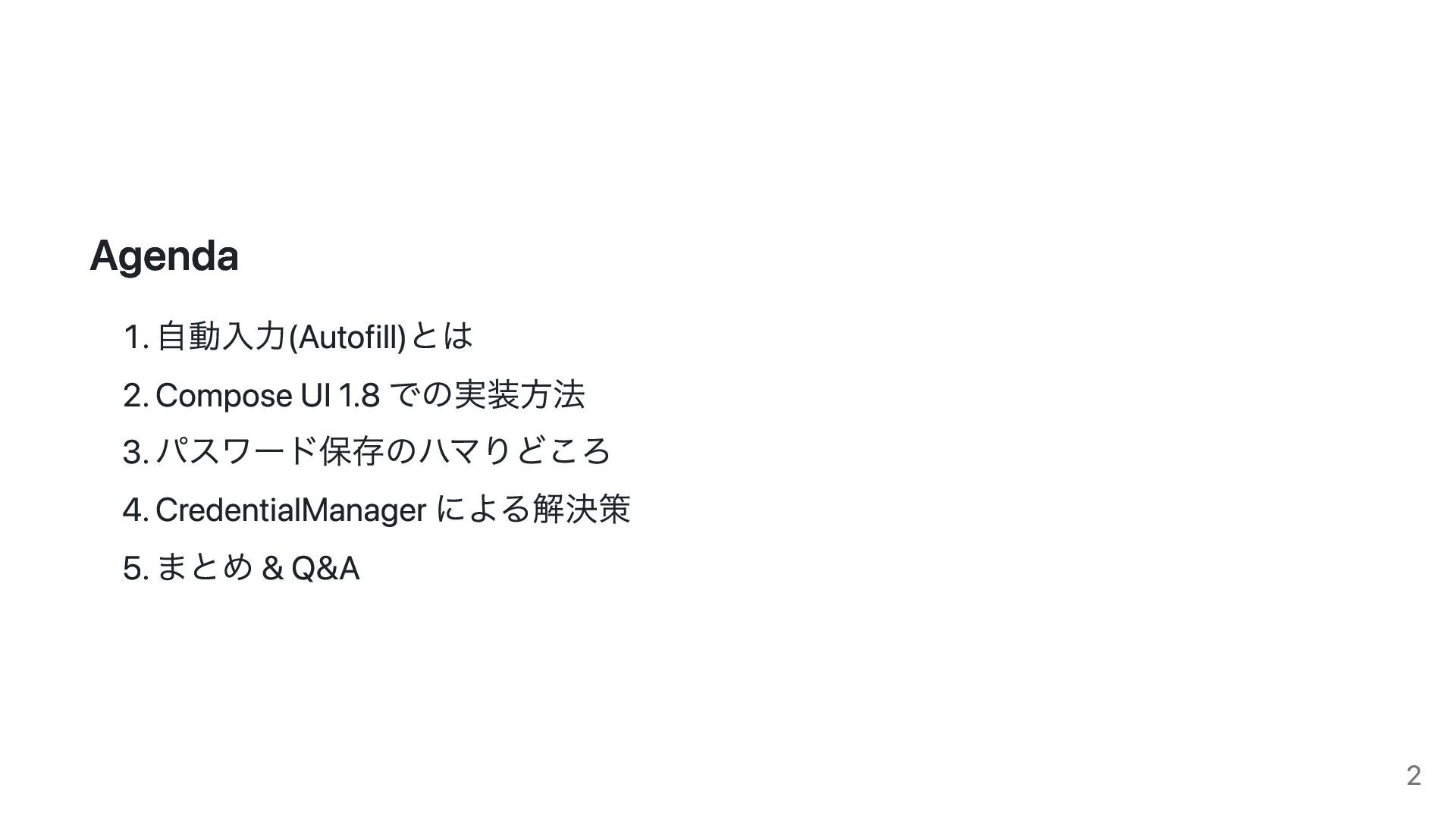
Agenda 1. 自動入力(Autofill)とは 2. Compose UI 1.8 での実装方法 3. パスワード保存のハマりどころ
4. CredentialManager による解決策 5. まとめ & Q&A 2
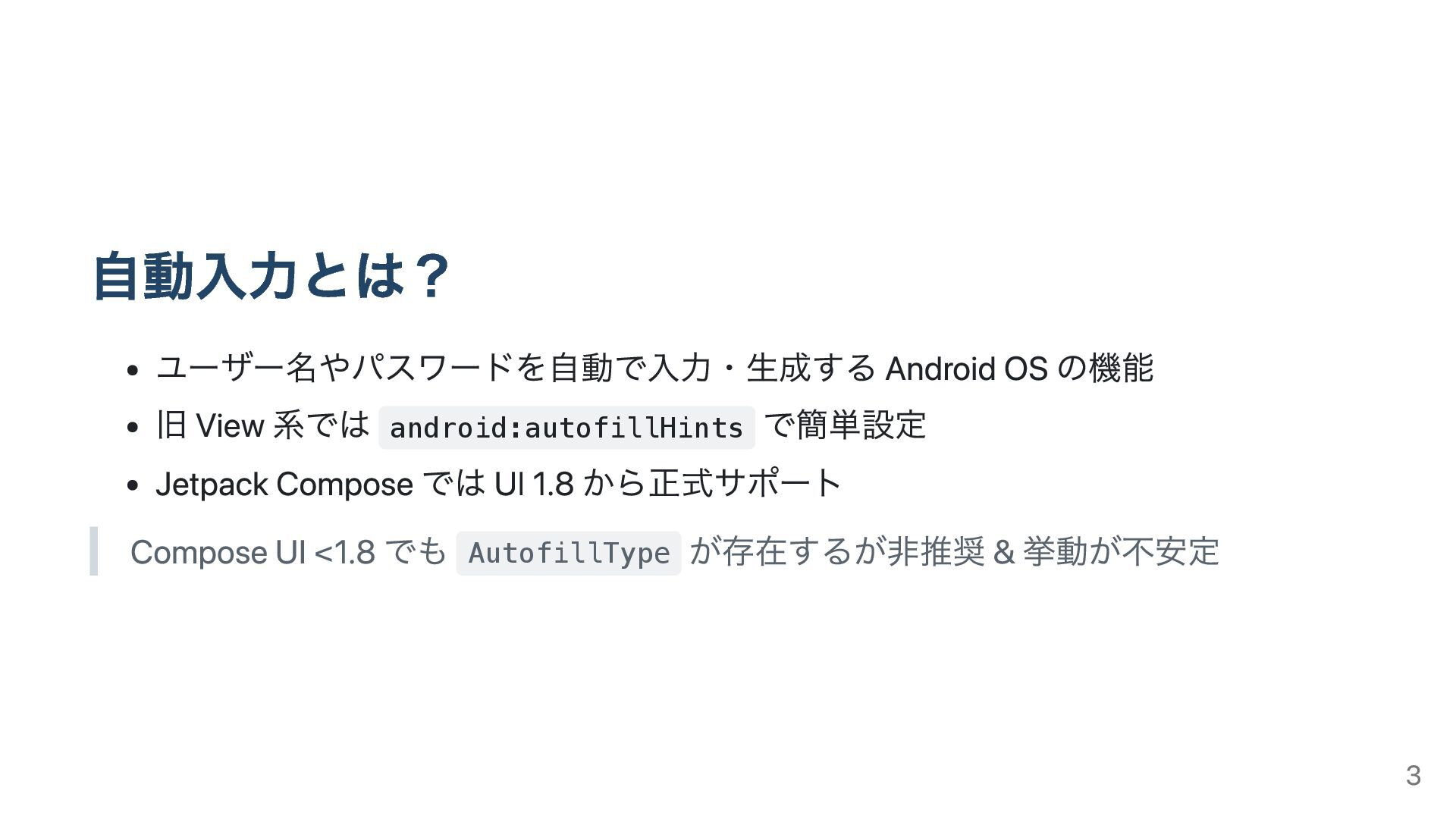
自動入力とは? ユーザー名やパスワードを自動で入力・生成する Android OS の機能 旧 View 系では android:autofillHints で簡単設定
Jetpack Compose では UI 1.8 から正式サポート Compose UI <1.8 でも AutofillType が存在するが非推奨 & 挙動が不安定 3
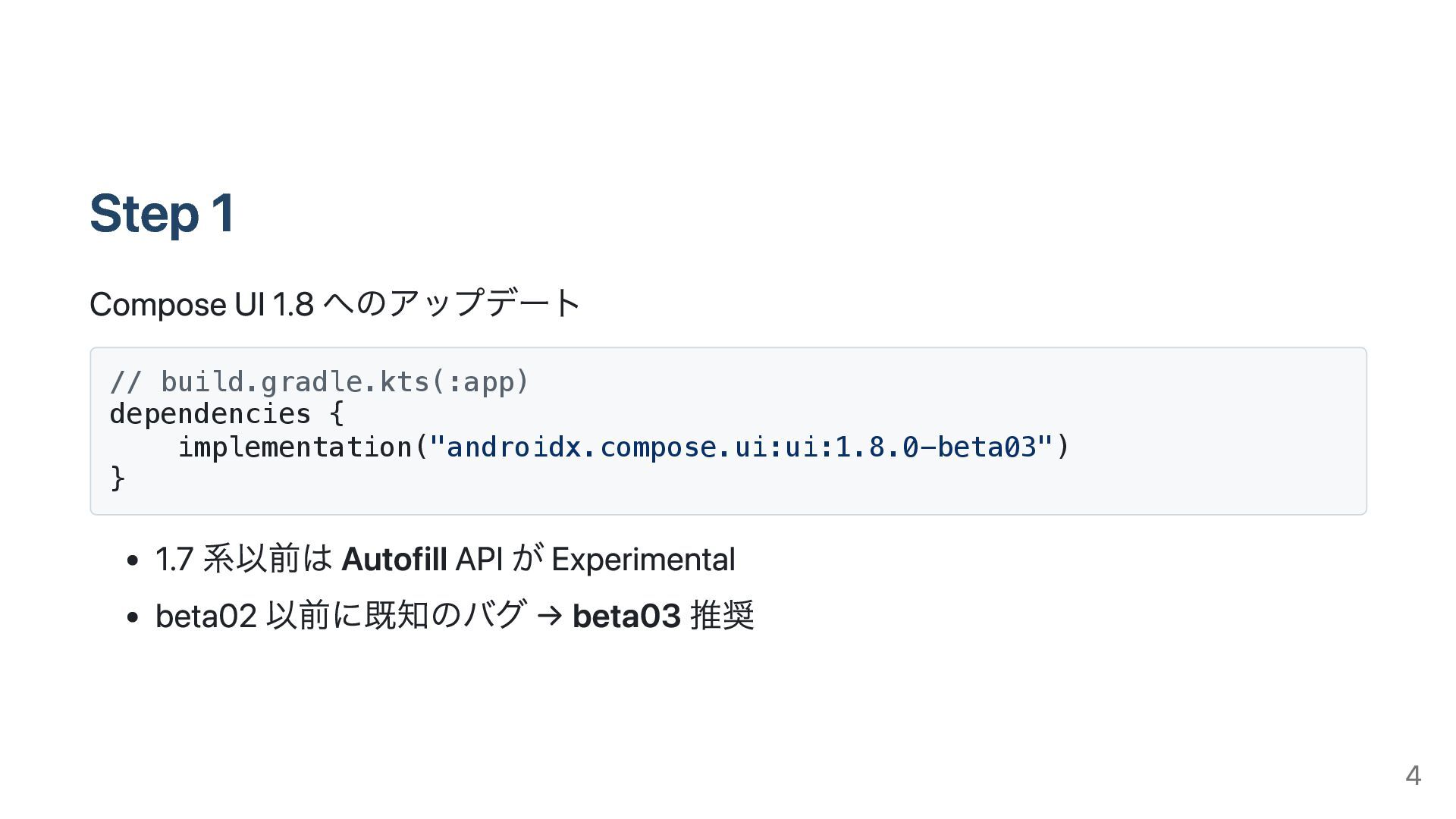
Step 1 Compose UI 1.8 へのアップデート // build.gradle.kts(:app) dependencies {
implementation("androidx.compose.ui:ui:1.8.0-beta03") } 1.7 系以前は Autofill API が Experimental beta02 以前に既知のバグ → beta03 推奨 4
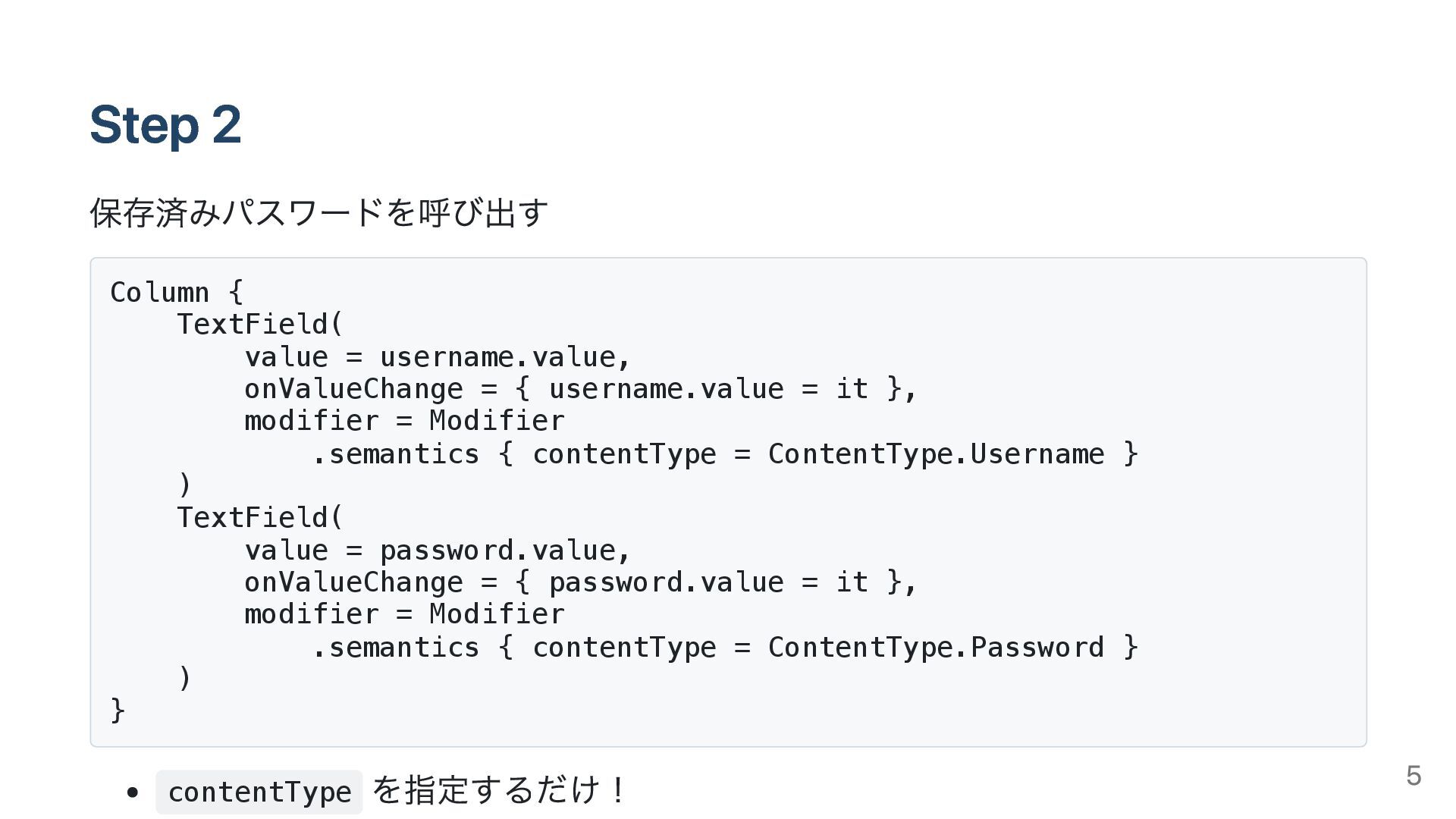
Step 2 保存済みパスワードを呼び出す Column { TextField( value = username.value, onValueChange
= { username.value = it }, modifier = Modifier .semantics { contentType = ContentType.Username } ) TextField( value = password.value, onValueChange = { password.value = it }, modifier = Modifier .semantics { contentType = ContentType.Password } ) } contentType を指定するだけ! 5
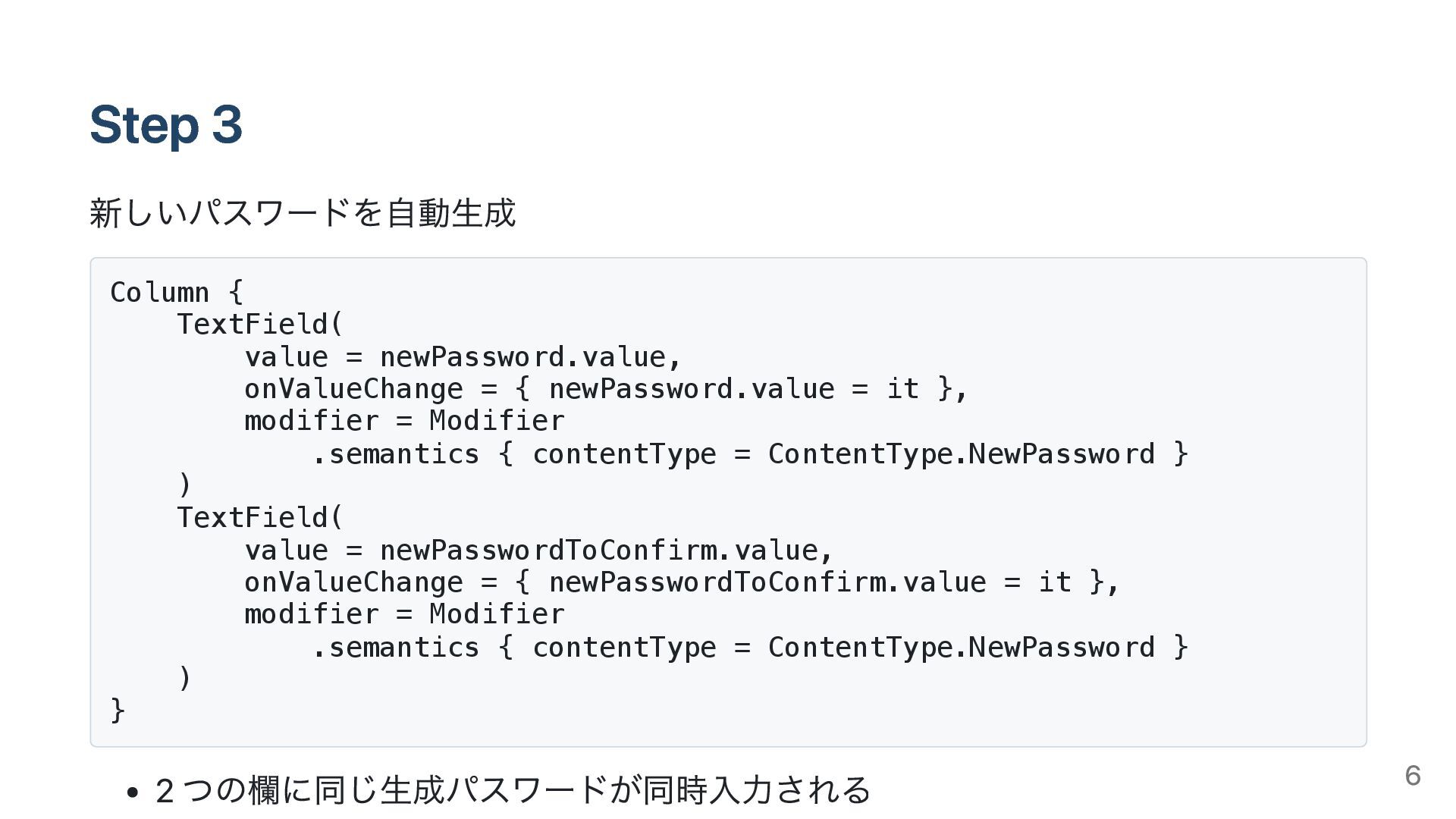
Step 3 新しいパスワードを自動生成 Column { TextField( value = newPassword.value, onValueChange
= { newPassword.value = it }, modifier = Modifier .semantics { contentType = ContentType.NewPassword } ) TextField( value = newPasswordToConfirm.value, onValueChange = { newPasswordToConfirm.value = it }, modifier = Modifier .semantics { contentType = ContentType.NewPassword } ) } 2 つの欄に同じ生成パスワードが同時入力される 6
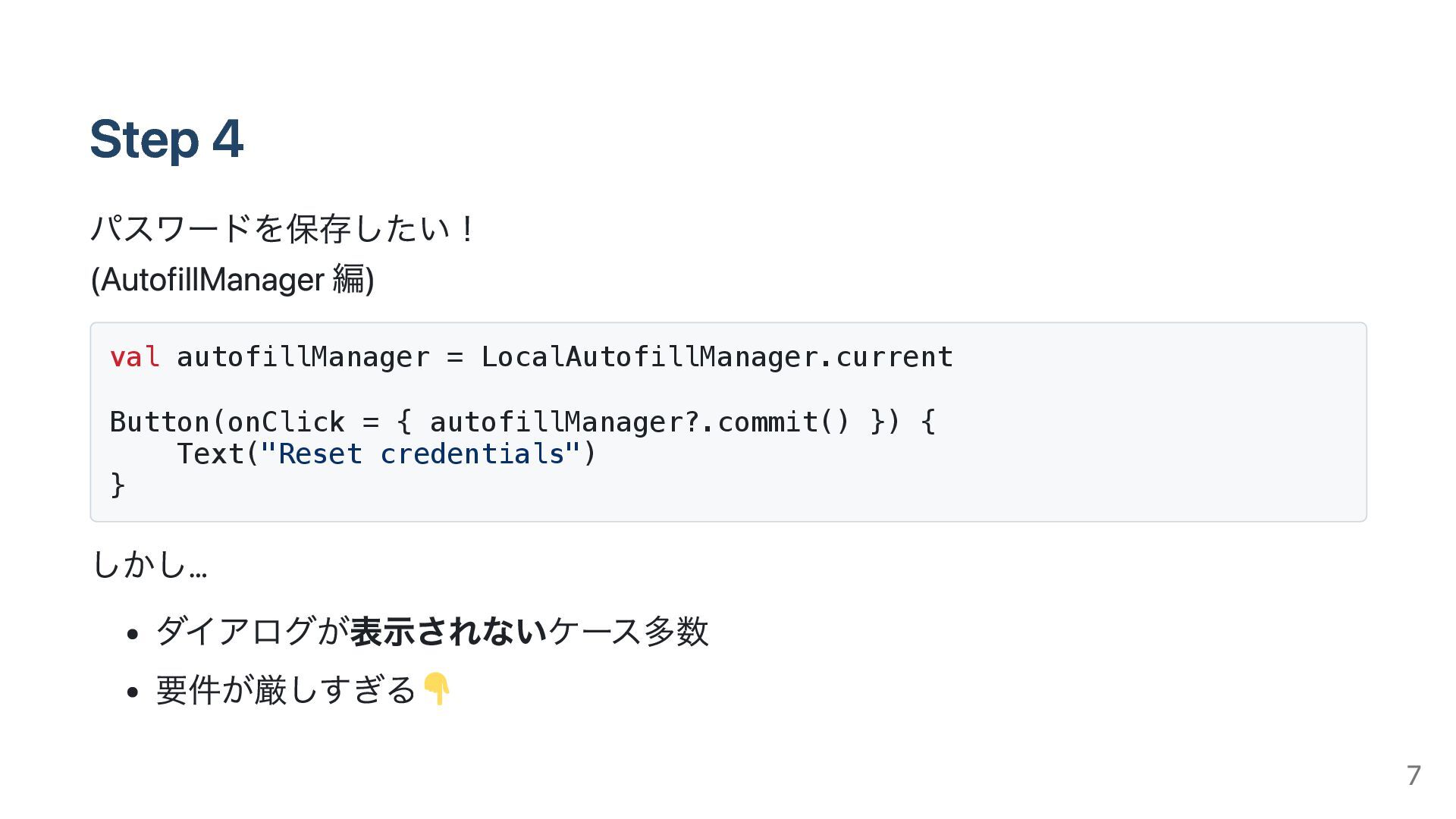
Step 4 パスワードを保存したい! (AutofillManager 編) val autofillManager = LocalAutofillManager.current Button(onClick
= { autofillManager?.commit() }) { Text("Reset credentials") } しかし… ダイアログが表示されないケース多数 要件が厳しすぎる 7
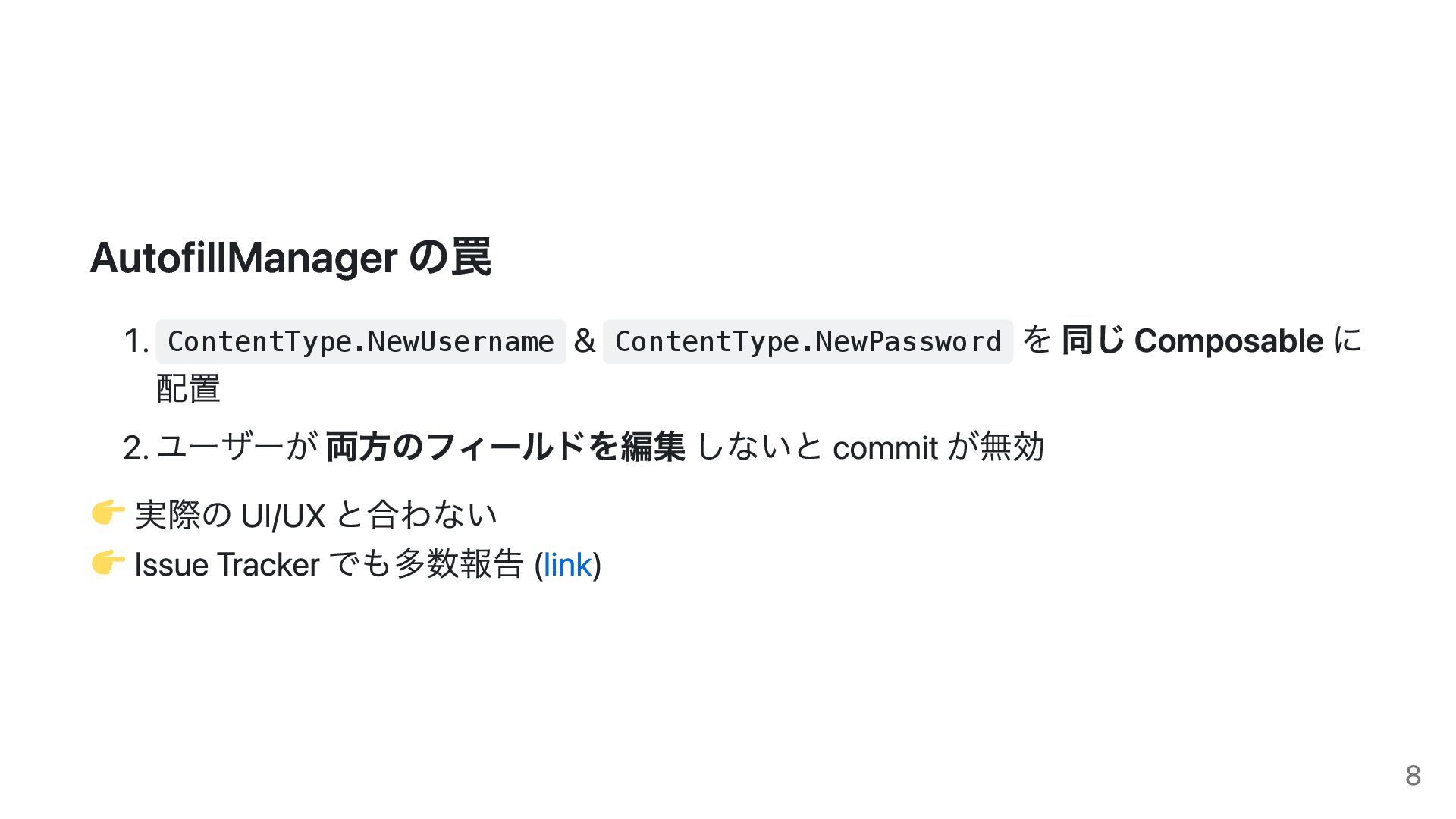
AutofillManager の罠 1. ContentType.NewUsername & ContentType.NewPassword を 同じ Composable に
配置 2. ユーザーが 両方のフィールドを編集 しないと commit が無効 実際の UI/UX と合わない Issue Tracker でも多数報告 (link) 8
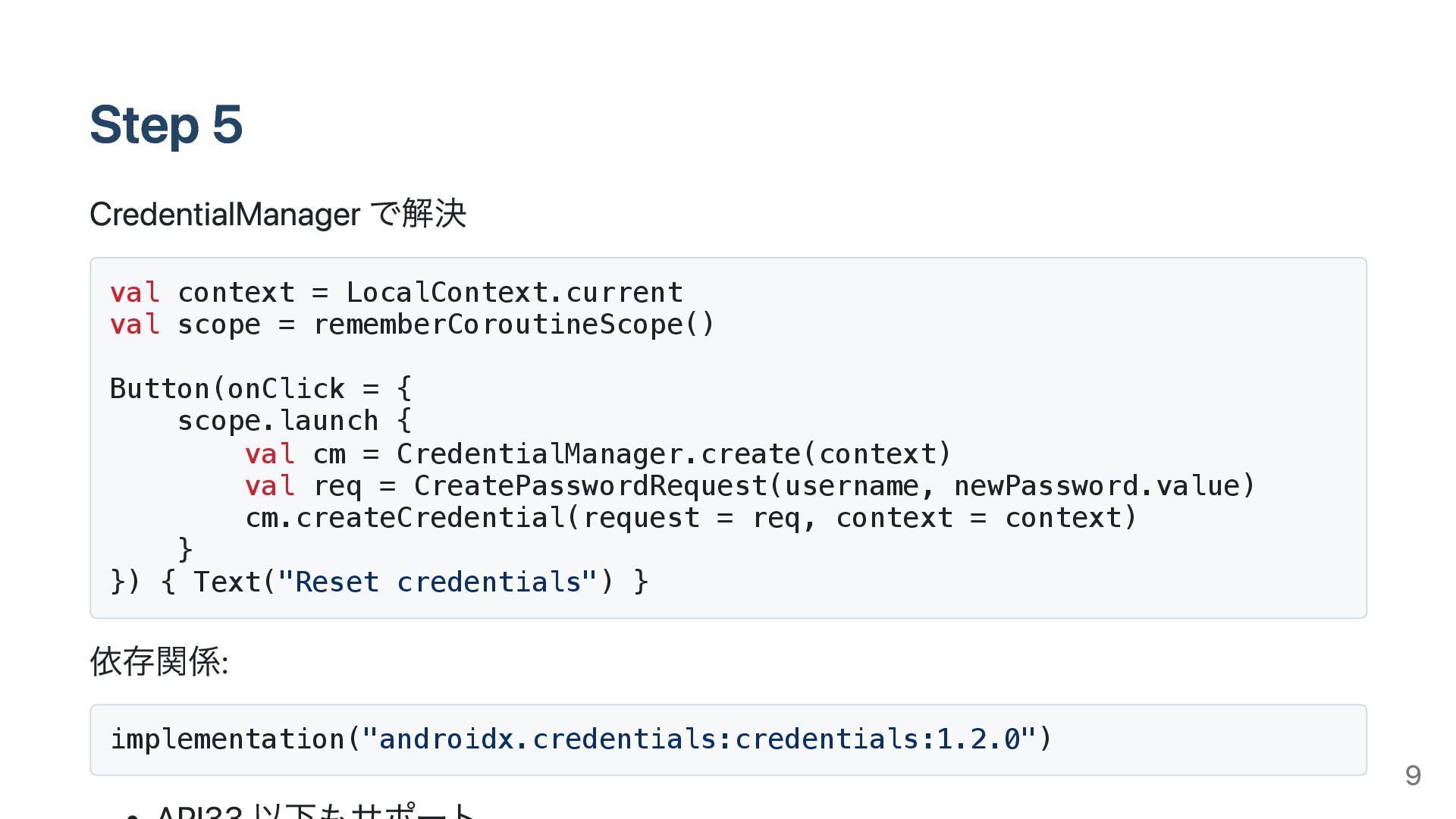
Step 5 CredentialManager で解決 val context = LocalContext.current val scope
= rememberCoroutineScope() Button(onClick = { scope.launch { val cm = CredentialManager.create(context) val req = CreatePasswordRequest(username, newPassword.value) cm.createCredential(request = req, context = context) } }) { Text("Reset credentials") } 依存関係: implementation("androidx.credentials:credentials:1.2.0") 9
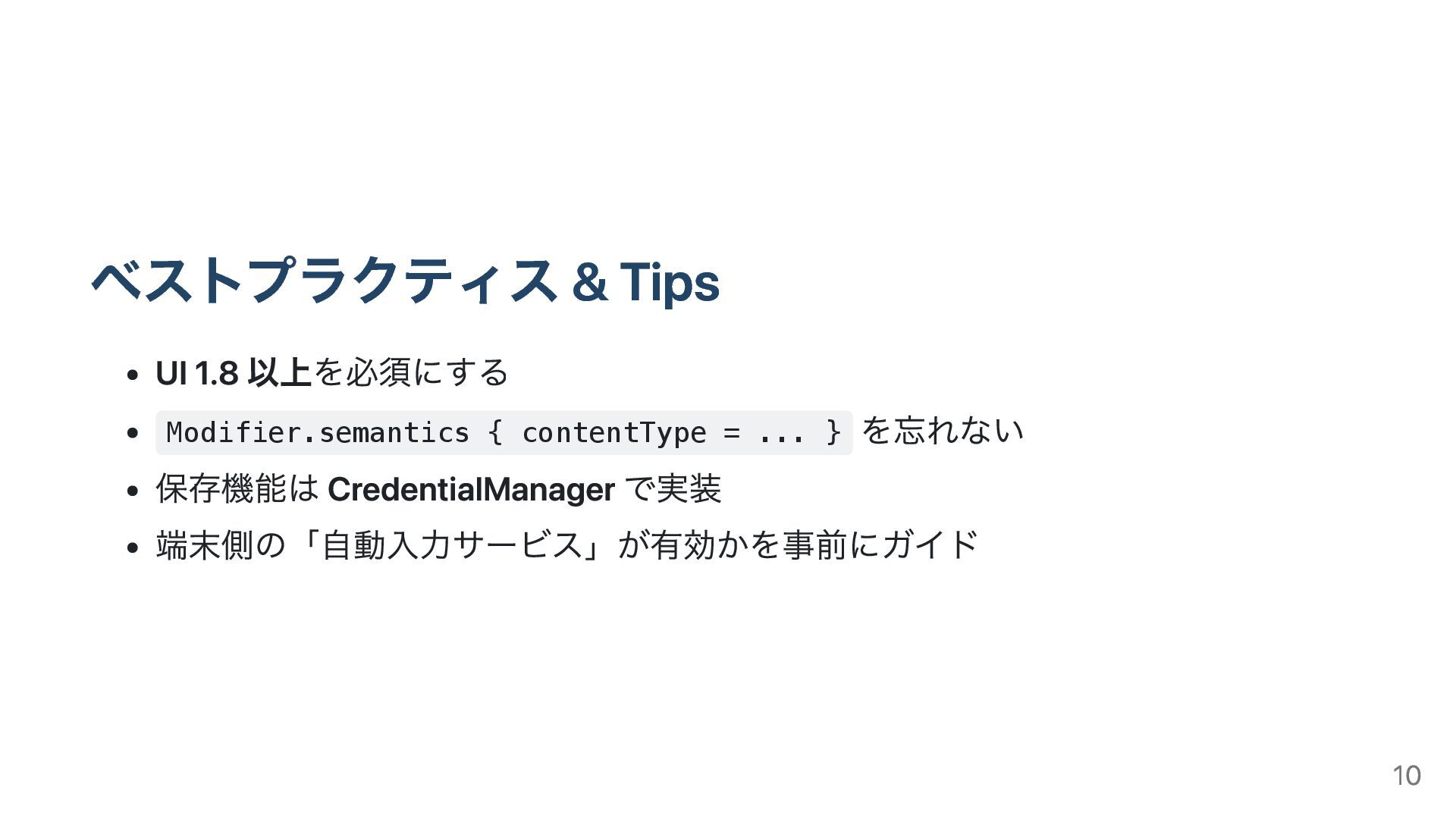
ベストプラクティス & Tips UI 1.8 以上を必須にする Modifier.semantics { contentType =
... } を忘れない 保存機能は CredentialManager で実装 端末側の「自動入力サービス」が有効かを事前にガイド 10
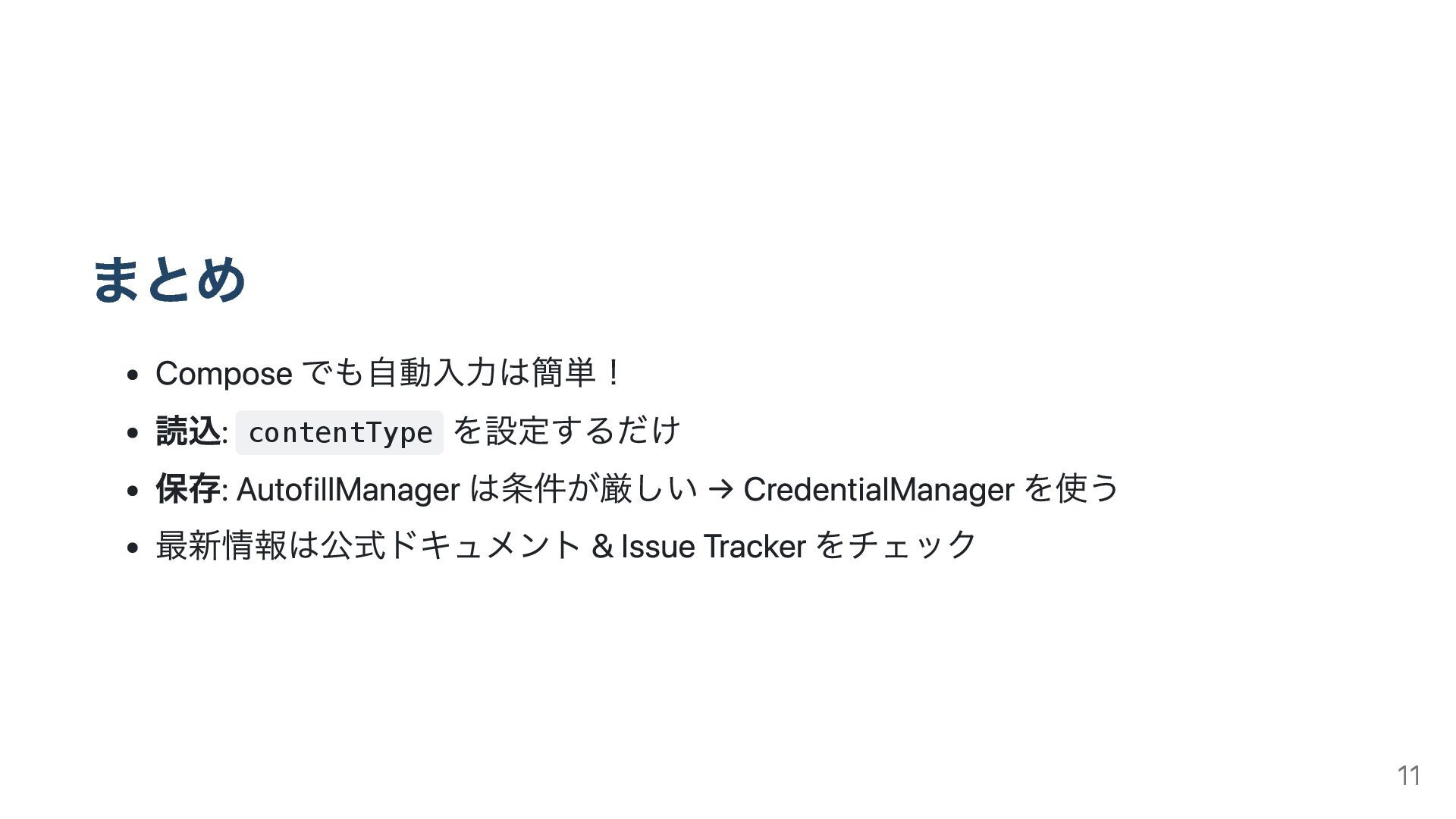
まとめ Compose でも自動入力は簡単! 読込: contentType を設定するだけ 保存: AutofillManager は条件が厳しい →
CredentialManager を使う 最新情報は公式ドキュメント & Issue Tracker をチェック 11
ご清聴ありがとうございました 質問タイム 12


 tonionagauzzi
 lara
lara
 skipperchong
 oripsolob
 pwiseman
 baasie
 rabernat
 tessaabrams
 chriscoyier
 sarafernandez
 chrislema
 jonoalderson
 rasmusluckow