Upgrade to Pro
— share decks privately, control downloads, hide ads and more …
Speaker Deck
Sign up for free
Menu
Search
Features
All features
Private URLs
Password Protection
Custom URLS
Scheduled publishing
Remove Branding
Restrict embedding
Deck Collections
Notes
Features
All features
Private URLs
Password Protection
Custom URLS
Scheduled publishing
Remove Branding
Restrict embedding
Deck Collections
Notes
Explore
Featured decks
Featured speakers
Programming
Technology
Storyboards
Explore
Featured decks
Featured speakers
Programming
Technology
Storyboards
Pricing
Search
Sign in
Sign up for free
Compose におけるパスワード自動入力とパスワード保存
Search
tonionagauzzi
April 29, 2025
Technology
560
0
Share
Embed
Copy iframe code
Copy JS code
Copy link
Start on current slide
Compose におけるパスワード自動入力とパスワード保存
tonionagauzzi
April 29, 2025
More Decks by tonionagauzzi
See All by tonionagauzzi
Androidエンジニアが大規模プロダクトのWebフロントエンドとバックエンドに越境して感じたギャップと習得したマインド
tonionagauzzi
0
460
Kotlin2.3明示的バッキングフィールド
tonionagauzzi
1
410
【Android】テキスト選択色の問題修正で心がけたこと
tonionagauzzi
0
290
Android 15以上でPDFのテキスト検索を爆速開発!
tonionagauzzi
0
420
Googleの新しいコーディングAIエージェントJulesを使ってみた
tonionagauzzi
0
880
Androidテスト基礎講義
tonionagauzzi
0
420
Android Composeでの自動入力(作成:GPT-4o)
tonionagauzzi
0
180
Jetpack Composeで自動入力(Autofill)を実装しよう(作成:claude-3.7-sonnet)
tonionagauzzi
0
180
Jetpack Composeにおける自動入力の実装と注意点(作成者:Gemini 2.5 Pro Exp 03-25)
tonionagauzzi
0
190
Other Decks in Technology
See All in Technology
AI時代のAPI開発を加速する品質ガードレール / API Quality Guardrails in the AI Era
yokawasa
0
120
オブザーバビリティを高める AI エージェント体験を考える / Designing AI Agent Experiences That Enhance Observability
aoto
PRO
2
280
Datadog の学び方 - あるいは、オブザーバビリティを学ぶとは何か
mananyuki
1
400
AI時代に必要な脅威モデリング― 変化の速度に負けない理解とリスク判断
masakane55
4
730
「とりあえず動く」の先へ。 AI時代のチーム開発と内部設計/2026-slsdays
slsops
0
140
The Maintainer Container - remaining a saner maintainer
ennael
PRO
1
100
BedrockとLambdaで作る リアルタイム進行型推理ゲーム
kawametho
0
190
MCPゲートウェイを作って運用してわかったこと — Agent時代の権限管理の現在地
mtpooh
10
3.1k
FinTech 1-2 : Overview of FinTech
ks91
PRO
0
140
Google Cloud Next Tokyo 26登壇時のスクリプト
recruitengineers
PRO
0
190
予測不能な実行エージェントを安全にサクッと試せるサンドボックス環境の話
sansantech
PRO
0
110
Apache Iceberg が拓く AI 時代のオープンレイクハウス
tomtanaka
0
220
Featured
See All Featured
JAMstack: Web Apps at Ludicrous Speed - All Things Open 2022
reverentgeek
1
620
Color Theory Basics | Prateek | Gurzu
gurzu
1
480
How People are Using Generative and Agentic AI to Supercharge Their Products, Projects, Services and Value Streams Today
helenjbeal
1
350
Accessibility Awareness
sabderemane
1
230
Connecting the Dots Between Site Speed, User Experience & Your Business [WebExpo 2025]
tammyeverts
11
1k
Jess Joyce - The Pitfalls of Following Frameworks
techseoconnect
PRO
1
430
How to train your dragon (web standard)
notwaldorf
96
6.8k
Improving Core Web Vitals using Speculation Rules API
sergeychernyshev
21
1.7k
Crafting Experiences
bethany
1
370
The AI Revolution Will Not Be Monopolized: How open-source beats economies of scale, even for LLMs
inesmontani
PRO
3
3.8k
Done Done
chrislema
187
17k
DevOps and Value Stream Thinking: Enabling flow, efficiency and business value
helenjbeal
1
390
Transcript
Compose におけるパスワード自動入力とパスワード 保存 Compose におけるパスワード自動入力とパスワード保存 Sansan×DMM.com Android Tech Talk 1
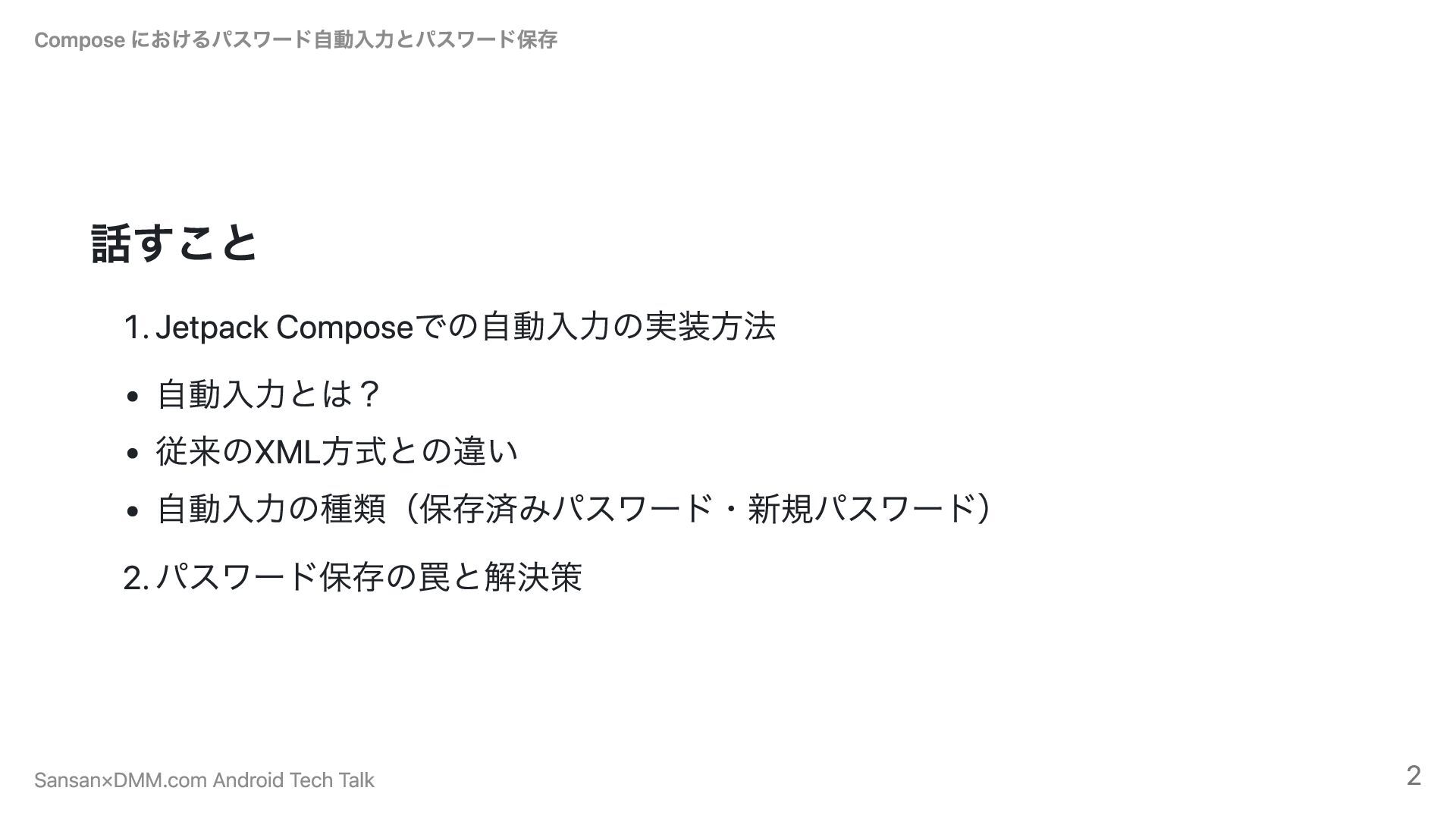
話すこと 1. Jetpack Composeでの自動入力の実装方法 自動入力とは? 従来のXML方式との違い 自動入力の種類(保存済みパスワード・新規パスワード) 2. パスワード保存の罠と解決策 Compose
におけるパスワード自動入力とパスワード保存 Sansan×DMM.com Android Tech Talk 2
話さないこと パスワードマネージャーの導入方法 Compose におけるパスワード自動入力とパスワード保存 Sansan×DMM.com Android Tech Talk 3
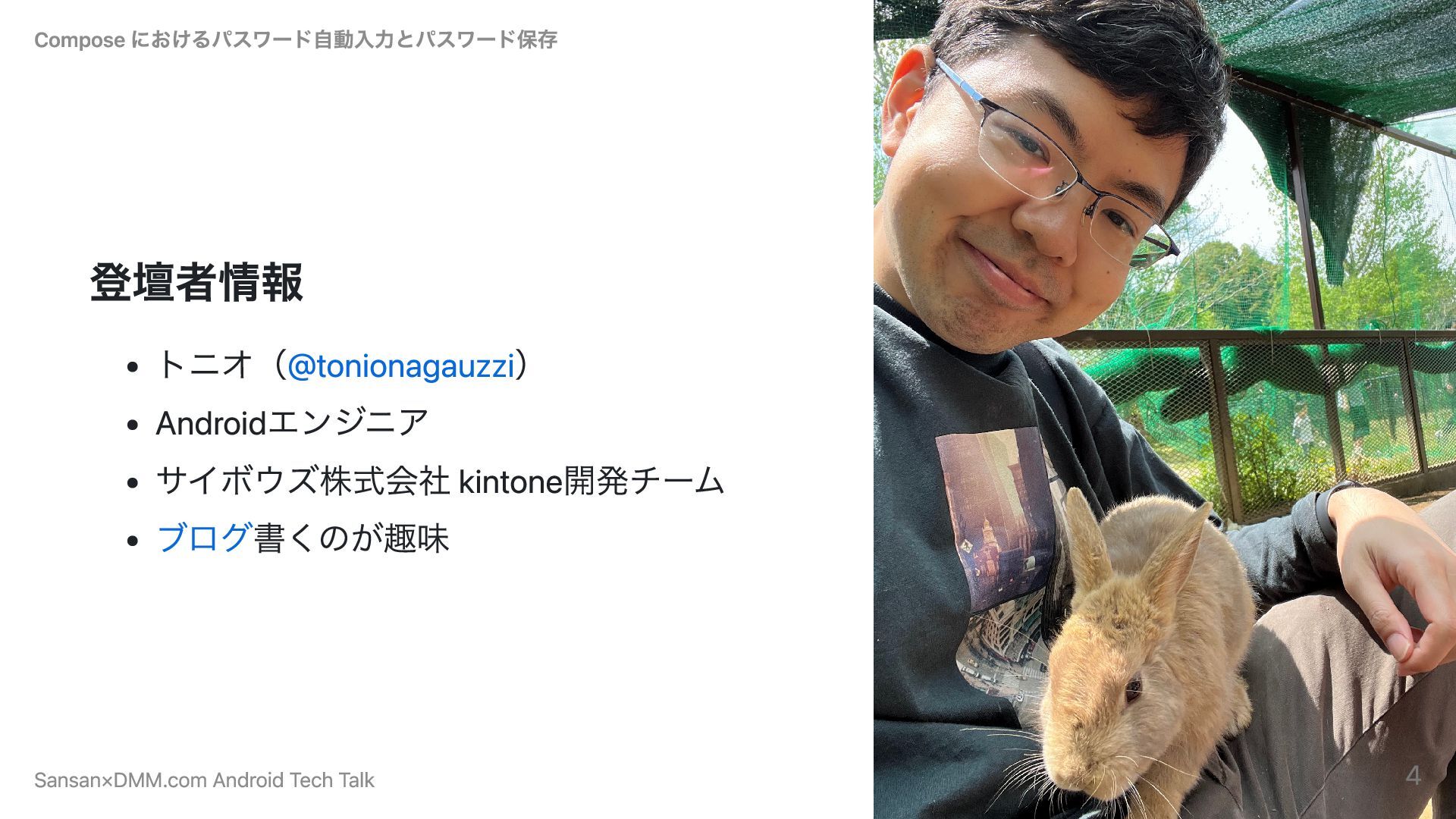
登壇者情報 トニオ(@tonionagauzzi) Androidエンジニア サイボウズ株式会社 kintone開発チーム ブログ書くのが趣味 Compose におけるパスワード自動入力とパスワード保存 Sansan×DMM.com Android
Tech Talk 4
1. Jetpack Composeでの自動入力の実装方法 Compose におけるパスワード自動入力とパスワード保存 Sansan×DMM.com Android Tech Talk 5
自動入力とは? パスワード入力欄にカーソルを当てると自動でパスワードを入れてくれる機能 ユーザーの入力を効率化、セキュリティ面も強化できる Compose におけるパスワード自動入力とパスワード保存 Sansan×DMM.com Android Tech Talk 6
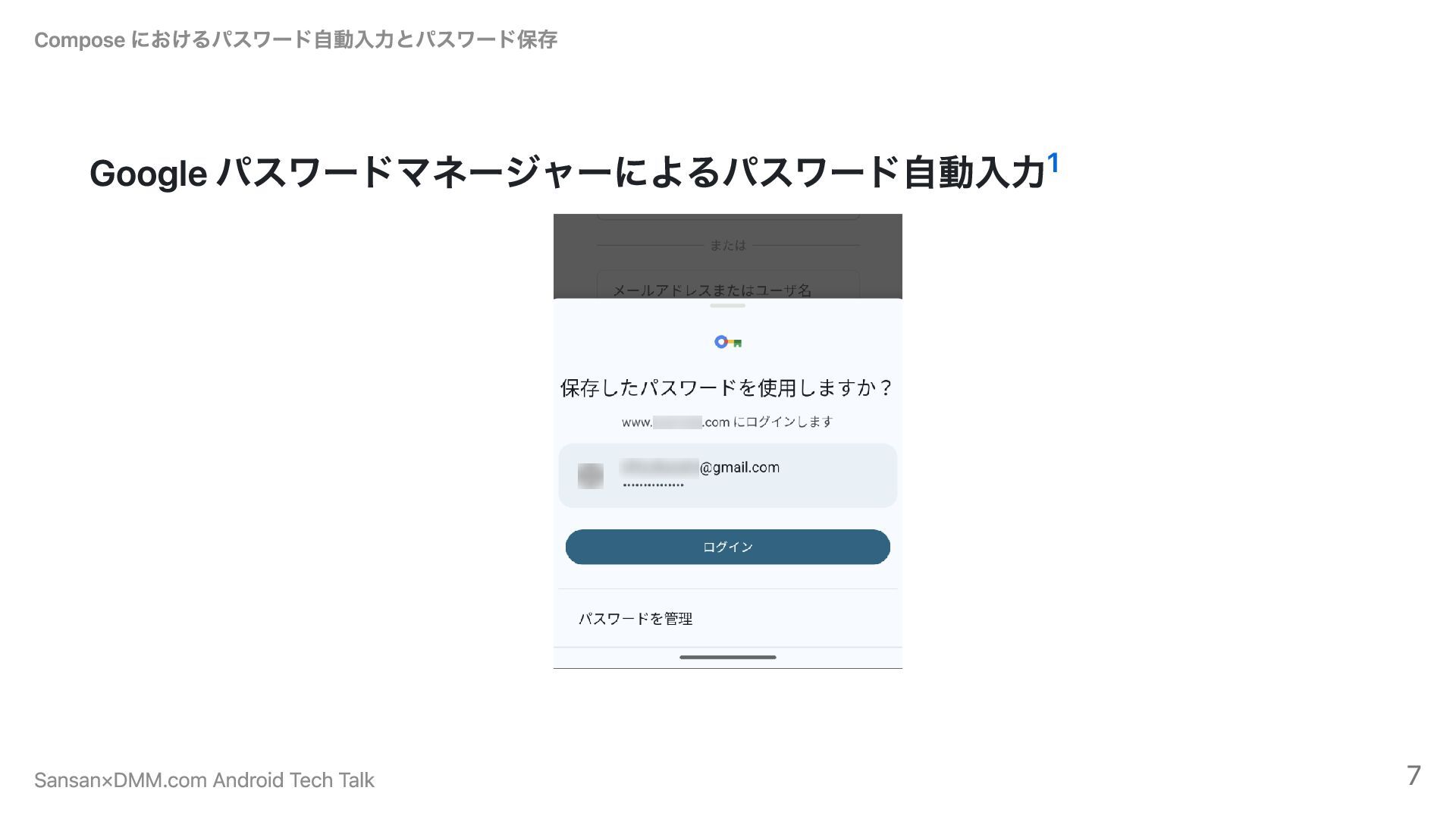
Google パスワードマネージャーによるパスワード自動入力 Compose におけるパスワード自動入力とパスワード保存 1 Sansan×DMM.com Android Tech Talk 7
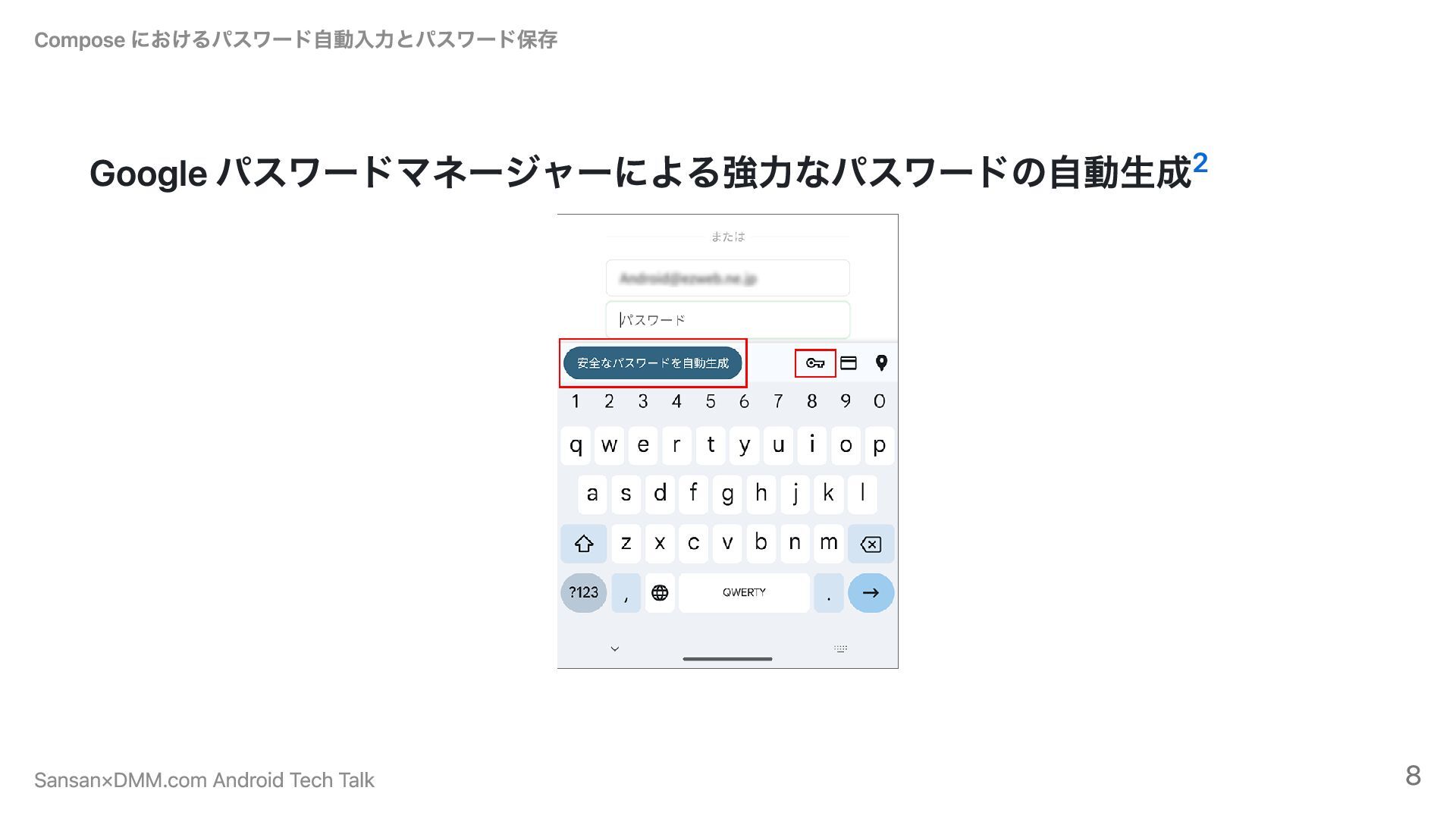
Google パスワードマネージャーによる強力なパスワードの自動生成 Compose におけるパスワード自動入力とパスワード保存 2 Sansan×DMM.com Android Tech Talk 8
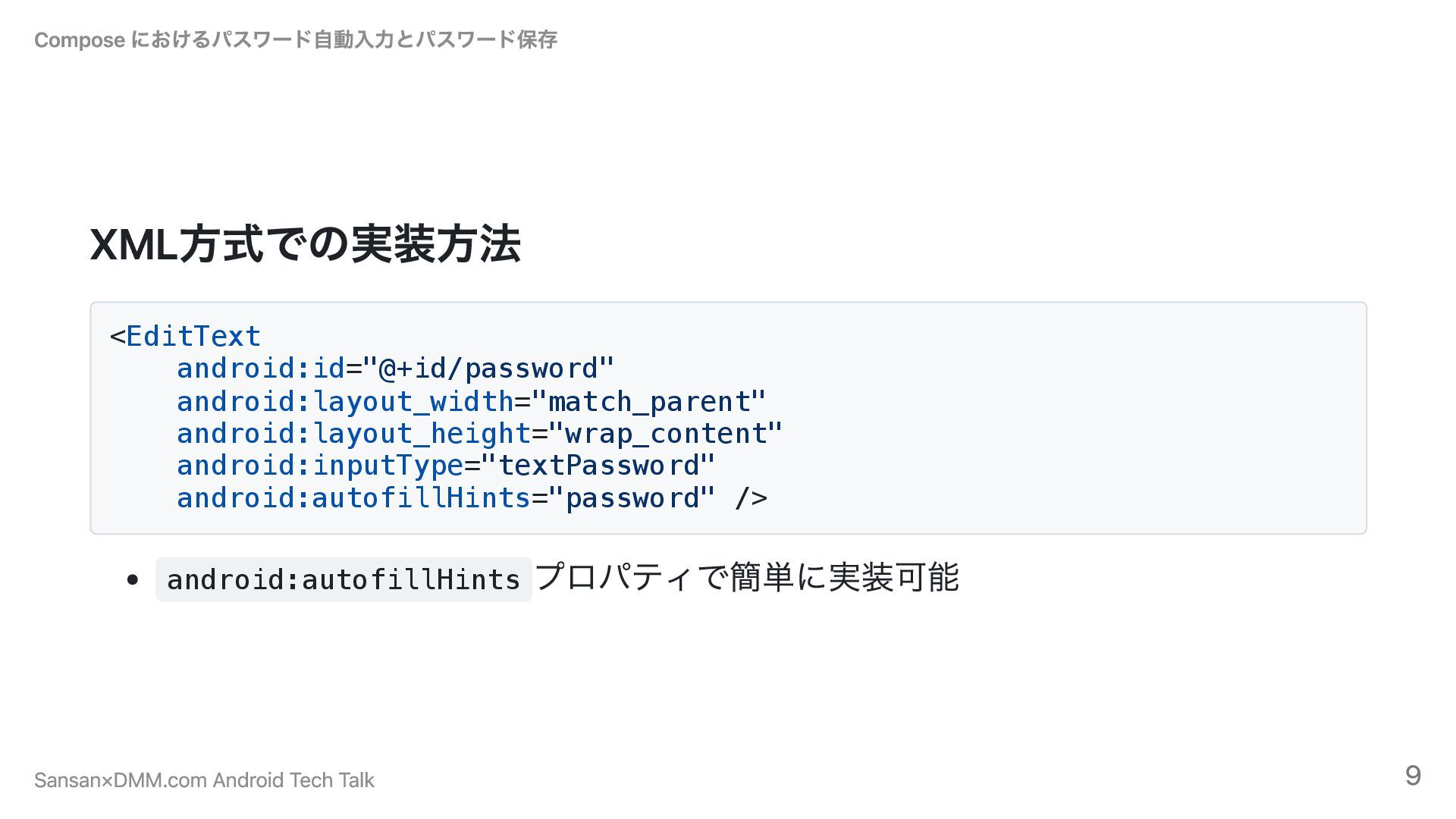
XML方式での実装方法 <EditText android:id="@+id/password" android:layout_width="match_parent" android:layout_height="wrap_content" android:inputType="textPassword" android:autofillHints="password" /> android:autofillHints プロパティで簡単に実装可能
Compose におけるパスワード自動入力とパスワード保存 Sansan×DMM.com Android Tech Talk 9
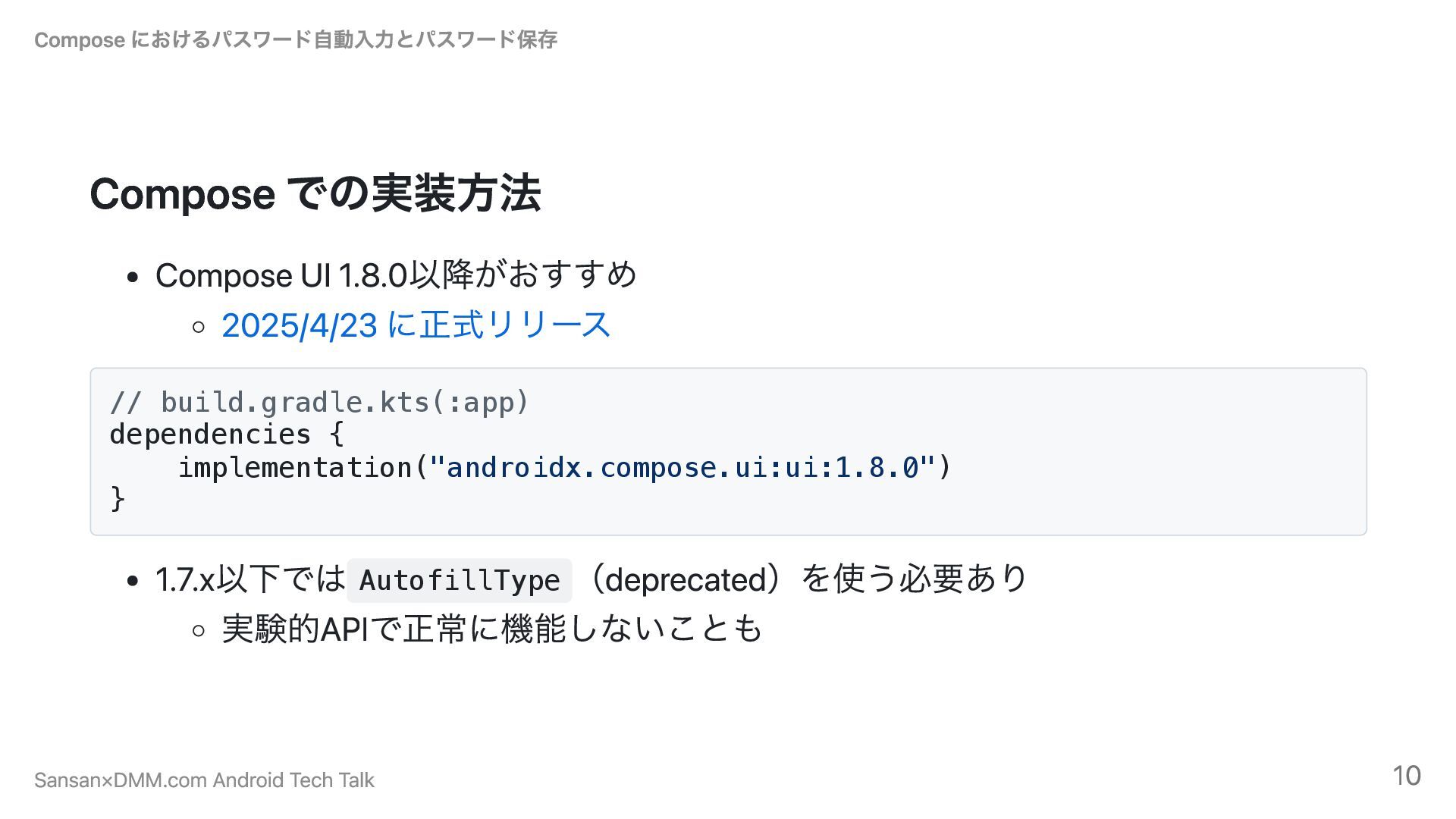
Compose での実装方法 Compose UI 1.8.0以降がおすすめ 2025/4/23 に正式リリース // build.gradle.kts(:app) dependencies
{ implementation("androidx.compose.ui:ui:1.8.0") } 1.7.x以下では AutofillType (deprecated)を使う必要あり 実験的APIで正常に機能しないことも Compose におけるパスワード自動入力とパスワード保存 Sansan×DMM.com Android Tech Talk 10
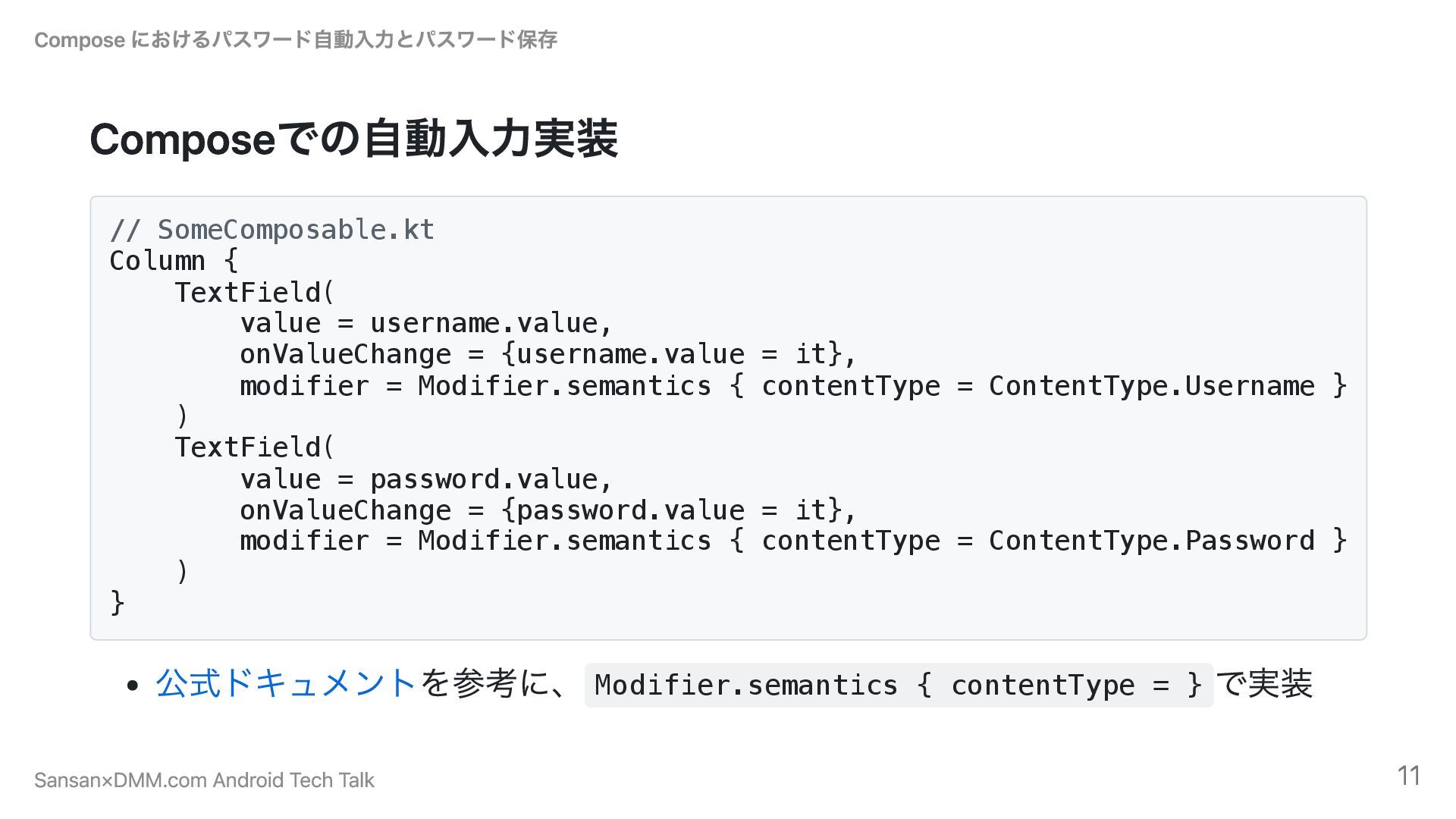
Composeでの自動入力実装 // SomeComposable.kt Column { TextField( value = username.value, onValueChange
= {username.value = it}, modifier = Modifier.semantics { contentType = ContentType.Username } ) TextField( value = password.value, onValueChange = {password.value = it}, modifier = Modifier.semantics { contentType = ContentType.Password } ) } 公式ドキュメントを参考に、 Modifier.semantics { contentType = } で実装 Compose におけるパスワード自動入力とパスワード保存 Sansan×DMM.com Android Tech Talk 11
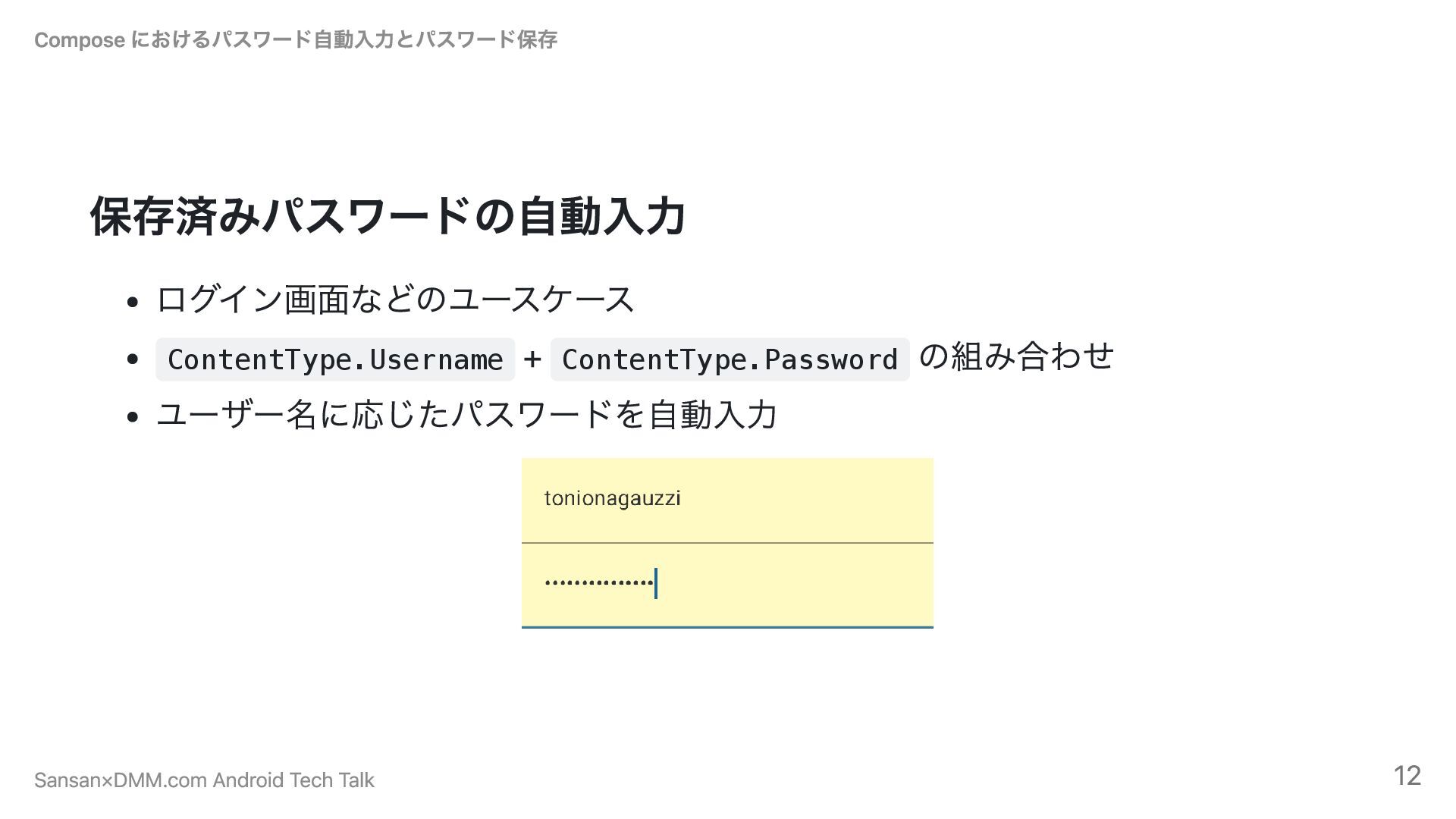
保存済みパスワードの自動入力 ログイン画面などのユースケース ContentType.Username + ContentType.Password の組み合わせ ユーザー名に応じたパスワードを自動入力 Compose におけるパスワード自動入力とパスワード保存 Sansan×DMM.com
Android Tech Talk 12
新しいパスワードの自動生成 パスワード再設定画面などのユースケース ContentType.NewPassword を使用 強力なパスワードを自動生成して提案 TextField( value = newPassword.value, onValueChange
= {newPassword.value = it}, modifier = Modifier.semantics { contentType = ContentType.NewPassword } ) Compose におけるパスワード自動入力とパスワード保存 Sansan×DMM.com Android Tech Talk 13
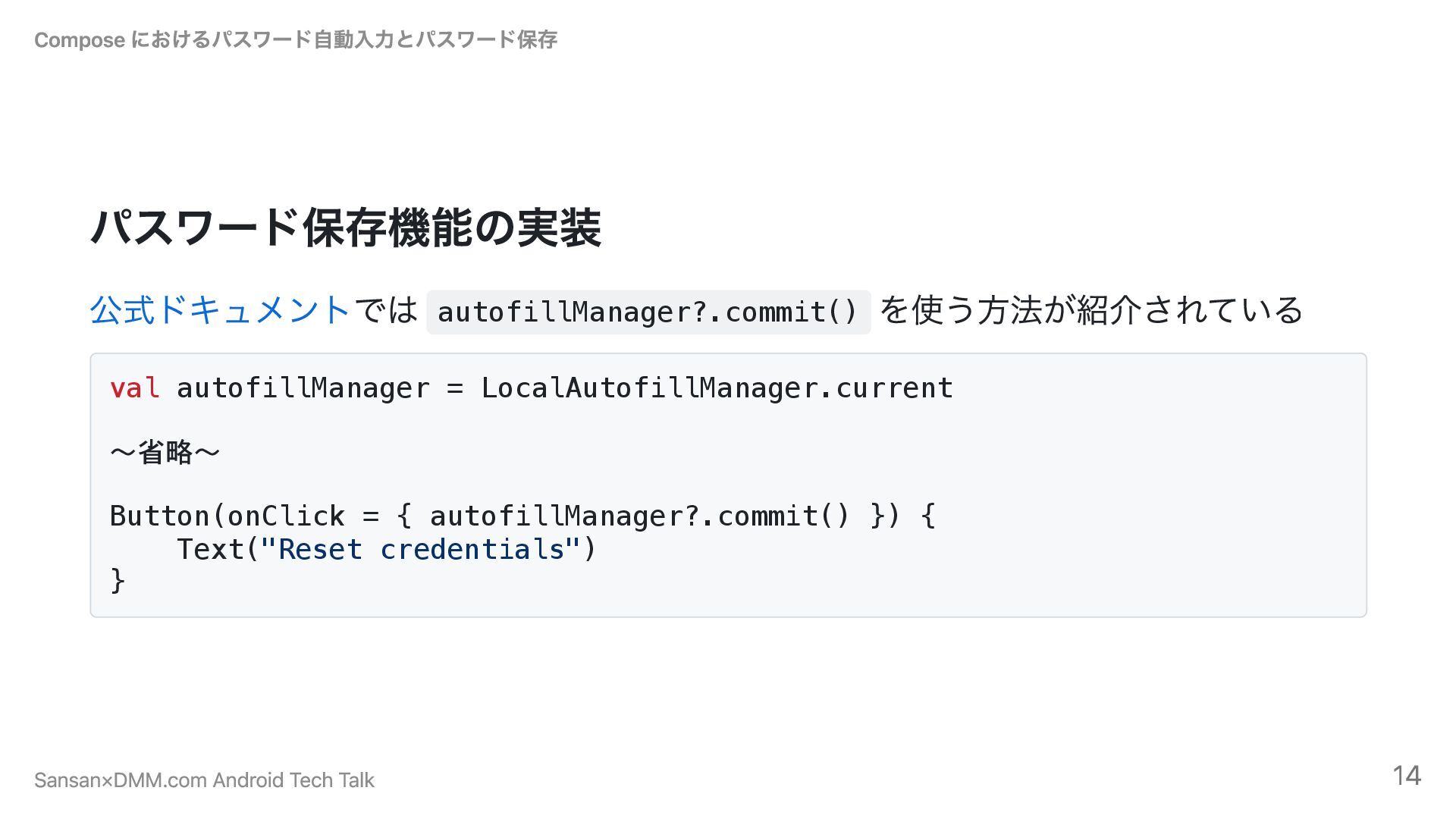
パスワード保存機能の実装 公式ドキュメントでは autofillManager?.commit() を使う方法が紹介されている val autofillManager = LocalAutofillManager.current 〜省略〜 Button(onClick
= { autofillManager?.commit() }) { Text("Reset credentials") } Compose におけるパスワード自動入力とパスワード保存 Sansan×DMM.com Android Tech Talk 14
2. パスワード保存の罠と解決策 Compose におけるパスワード自動入力とパスワード保存 Sansan×DMM.com Android Tech Talk 15
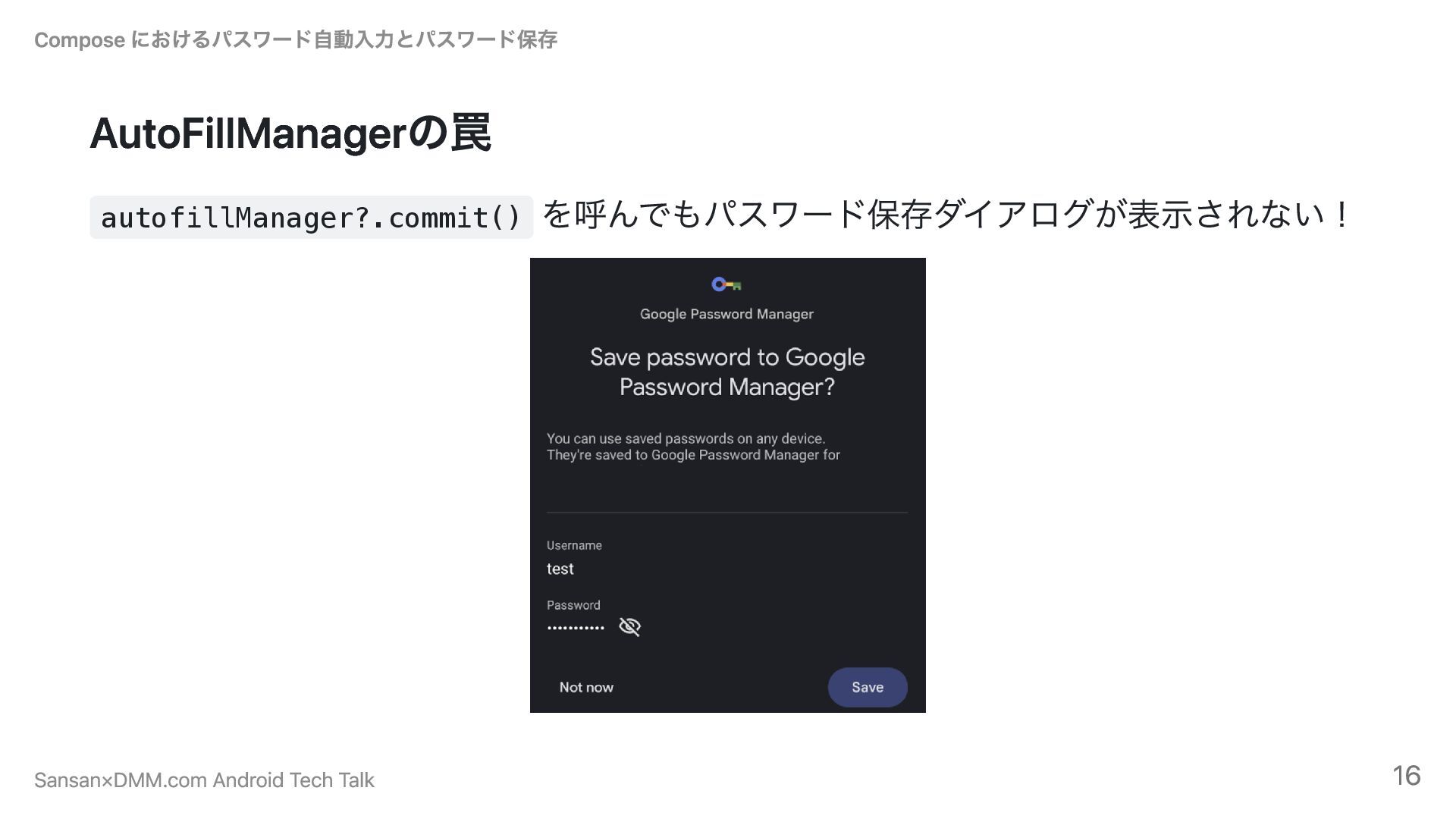
AutoFillManagerの罠 autofillManager?.commit() を呼んでもパスワード保存ダイアログが表示されない! Compose におけるパスワード自動入力とパスワード保存 Sansan×DMM.com Android Tech Talk 16
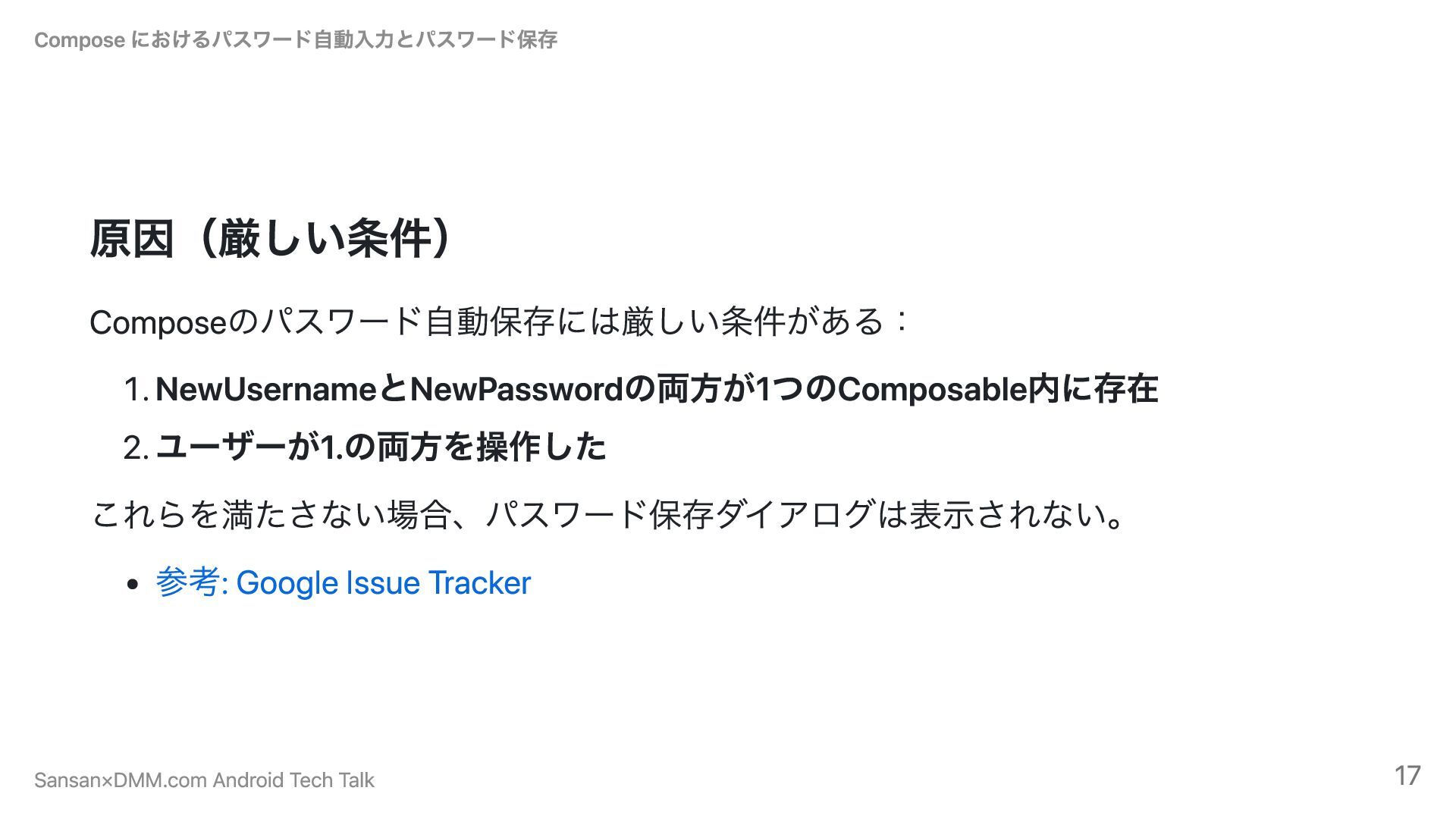
原因(厳しい条件) Composeのパスワード自動保存には厳しい条件がある: 1. NewUsernameとNewPasswordの両方が1つのComposable内に存在 2. ユーザーが1.の両方を操作した これらを満たさない場合、パスワード保存ダイアログは表示されない。 参考: Google Issue
Tracker Compose におけるパスワード自動入力とパスワード保存 Sansan×DMM.com Android Tech Talk 17
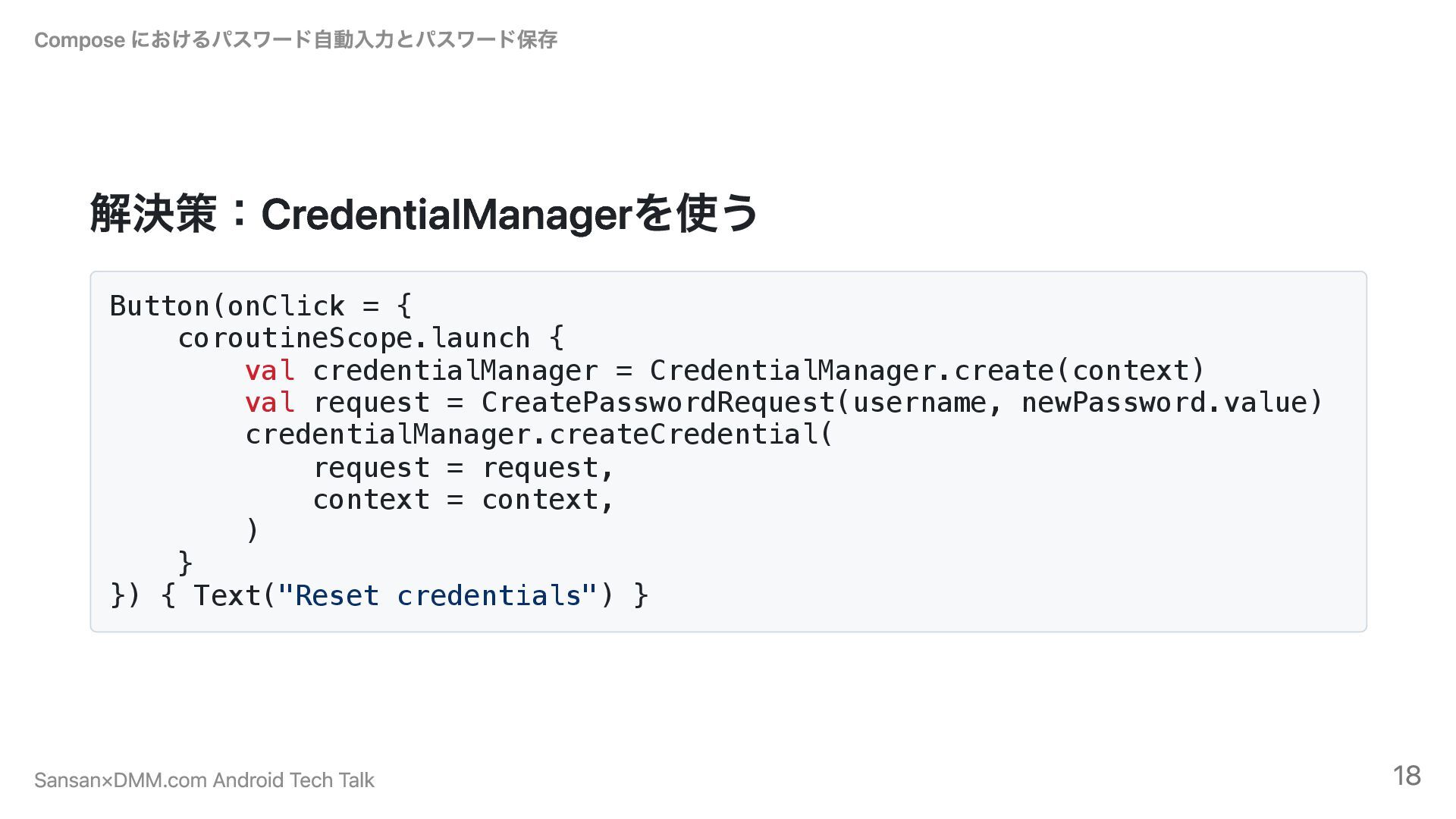
解決策:CredentialManagerを使う Button(onClick = { coroutineScope.launch { val credentialManager = CredentialManager.create(context)
val request = CreatePasswordRequest(username, newPassword.value) credentialManager.createCredential( request = request, context = context, ) } }) { Text("Reset credentials") } Compose におけるパスワード自動入力とパスワード保存 Sansan×DMM.com Android Tech Talk 18
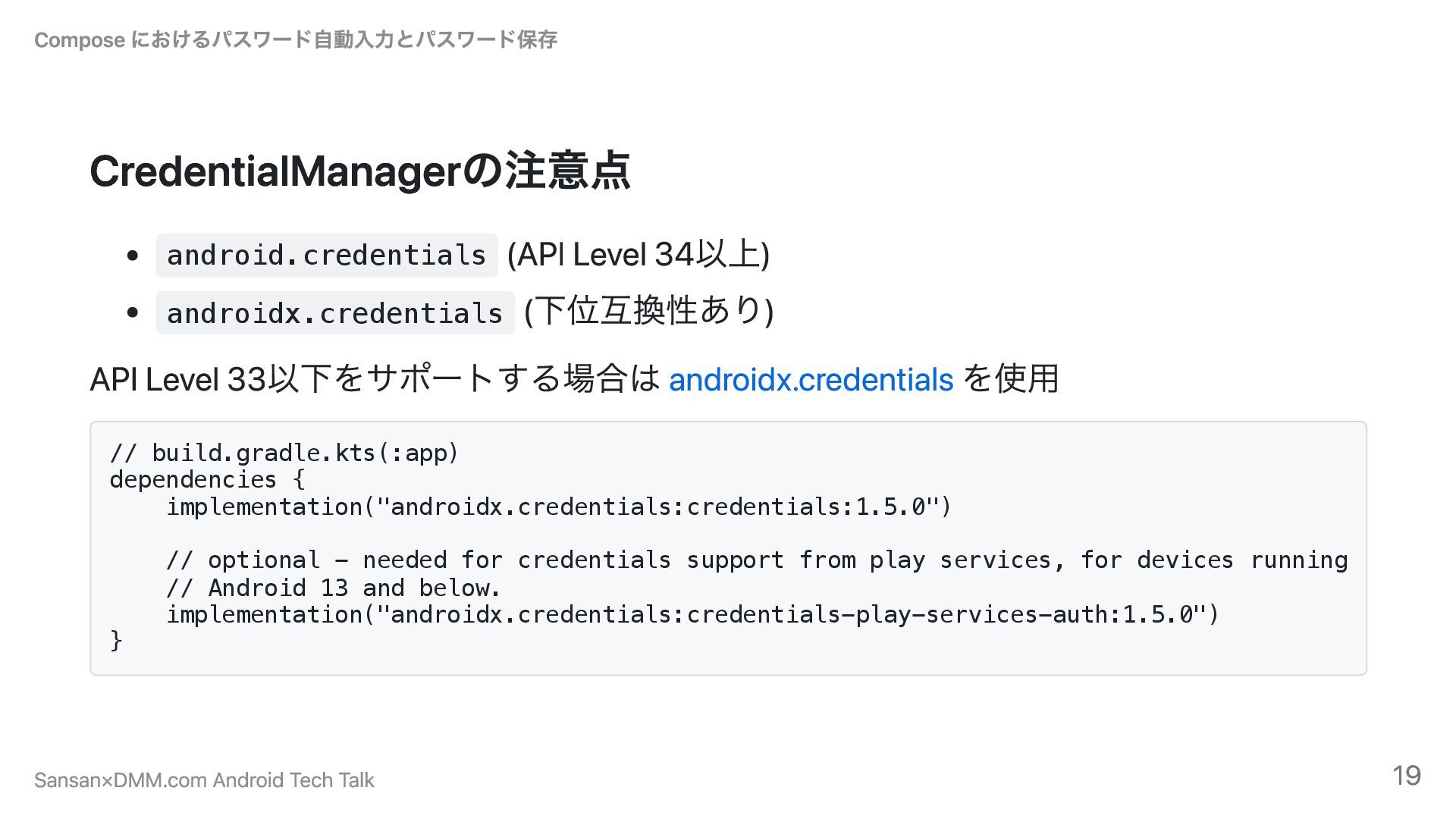
CredentialManagerの注意点 android.credentials (API Level 34以上) androidx.credentials (下位互換性あり) API Level 33以下をサポートする場合は
androidx.credentials を使用 // build.gradle.kts(:app) dependencies { implementation("androidx.credentials:credentials:1.5.0") // optional - needed for credentials support from play services, for devices running // Android 13 and below. implementation("androidx.credentials:credentials-play-services-auth:1.5.0") } Compose におけるパスワード自動入力とパスワード保存 Sansan×DMM.com Android Tech Talk 19
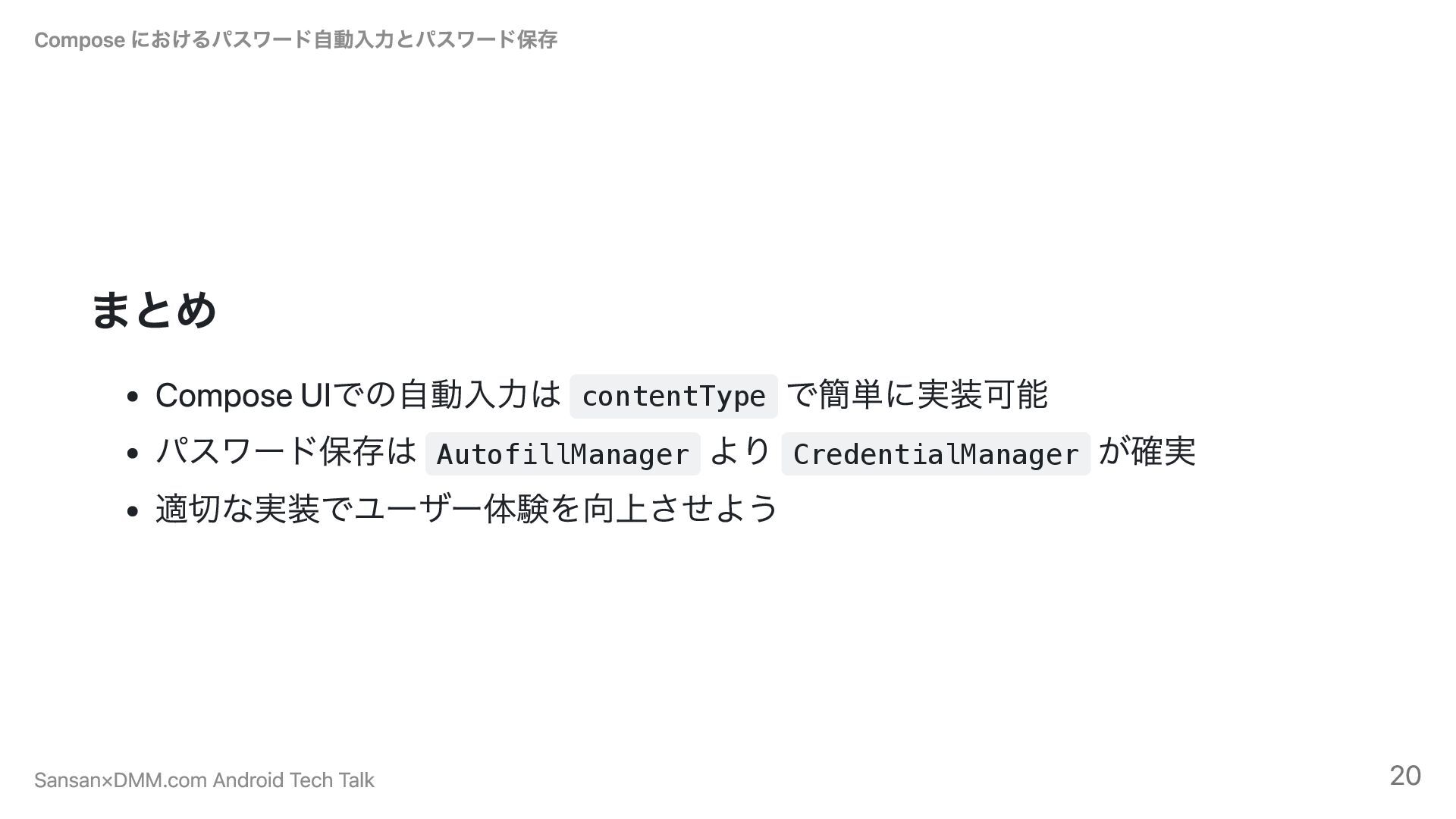
まとめ Compose UIでの自動入力は contentType で簡単に実装可能 パスワード保存は AutofillManager より CredentialManager が確実
適切な実装でユーザー体験を向上させよう Compose におけるパスワード自動入力とパスワード保存 Sansan×DMM.com Android Tech Talk 20
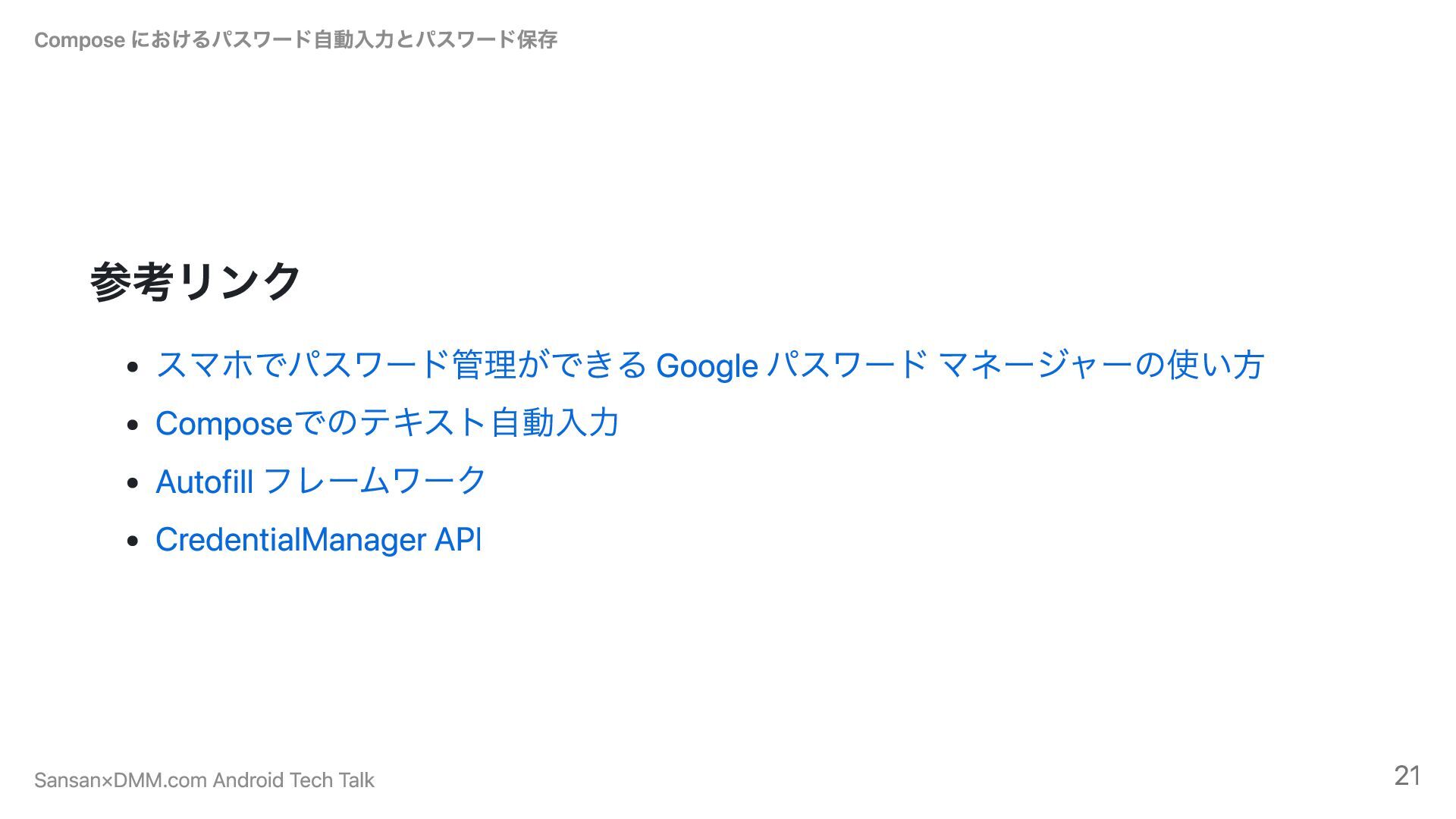
参考リンク スマホでパスワード管理ができる Google パスワード マネージャーの使い方 Composeでのテキスト自動入力 Autofill フレームワーク CredentialManager API
Compose におけるパスワード自動入力とパスワード保存 Sansan×DMM.com Android Tech Talk 21


 tonionagauzzi
 yokawasa
 aoto
aoto
 mananyuki
 masakane55
 slsops
 ennael
 kawametho
 mtpooh
 ks91
ks91
 recruitengineers
 sansantech
 tomtanaka
 reverentgeek
 gurzu
gurzu
.png) helenjbeal
helenjbeal
 sabderemane
 tammyeverts
 techseoconnect
 notwaldorf
 sergeychernyshev
 bethany
 inesmontani
 chrislema