Upgrade to Pro
— share decks privately, control downloads, hide ads and more …
Speaker Deck
Sign up for free
Menu
Search
Features
All features
Private URLs
Password Protection
Custom URLS
Scheduled publishing
Remove Branding
Restrict embedding
Deck Collections
Notes
Features
All features
Private URLs
Password Protection
Custom URLS
Scheduled publishing
Remove Branding
Restrict embedding
Deck Collections
Notes
Explore
Featured decks
Featured speakers
Programming
Technology
Storyboards
Explore
Featured decks
Featured speakers
Programming
Technology
Storyboards
Pricing
Search
Sign in
Sign up for free
地味に生産性上がるかも集
Search
tamura
October 19, 2026
0
0
Share
Embed
Copy iframe code
Copy JS code
Copy link
Start on current slide
地味に生産性上がるかも集
tamura
October 19, 2026
More Decks by tamura
See All by tamura
Obsidian、LLMと相性いいっすよ
ttam03
0
0
Featured
See All Featured
SEO for Brand Visibility & Recognition
aleyda
0
4.8k
Visual Storytelling: How to be a Superhuman Communicator
reverentgeek
2
710
Exploring the Power of Turbo Streams & Action Cable | RailsConf2023
kevinliebholz
37
6.6k
The Illustrated Children's Guide to Kubernetes
chrisshort
51
53k
Test your architecture with Archunit
thirion
2
2.4k
The Pragmatic Product Professional
lauravandoore
37
7.5k
Paper Plane
katiecoart
PRO
5
54k
The Cost Of JavaScript in 2023
addyosmani
55
10k
Responsive Adventures: Dirty Tricks From The Dark Corners of Front-End
smashingmag
254
22k
How to Think Like a Performance Engineer
csswizardry
28
2.9k
30 Presentation Tips
portentint
PRO
1
430
Visualization
eitanlees
153
17k
Transcript
地味に生産性上がるかも集
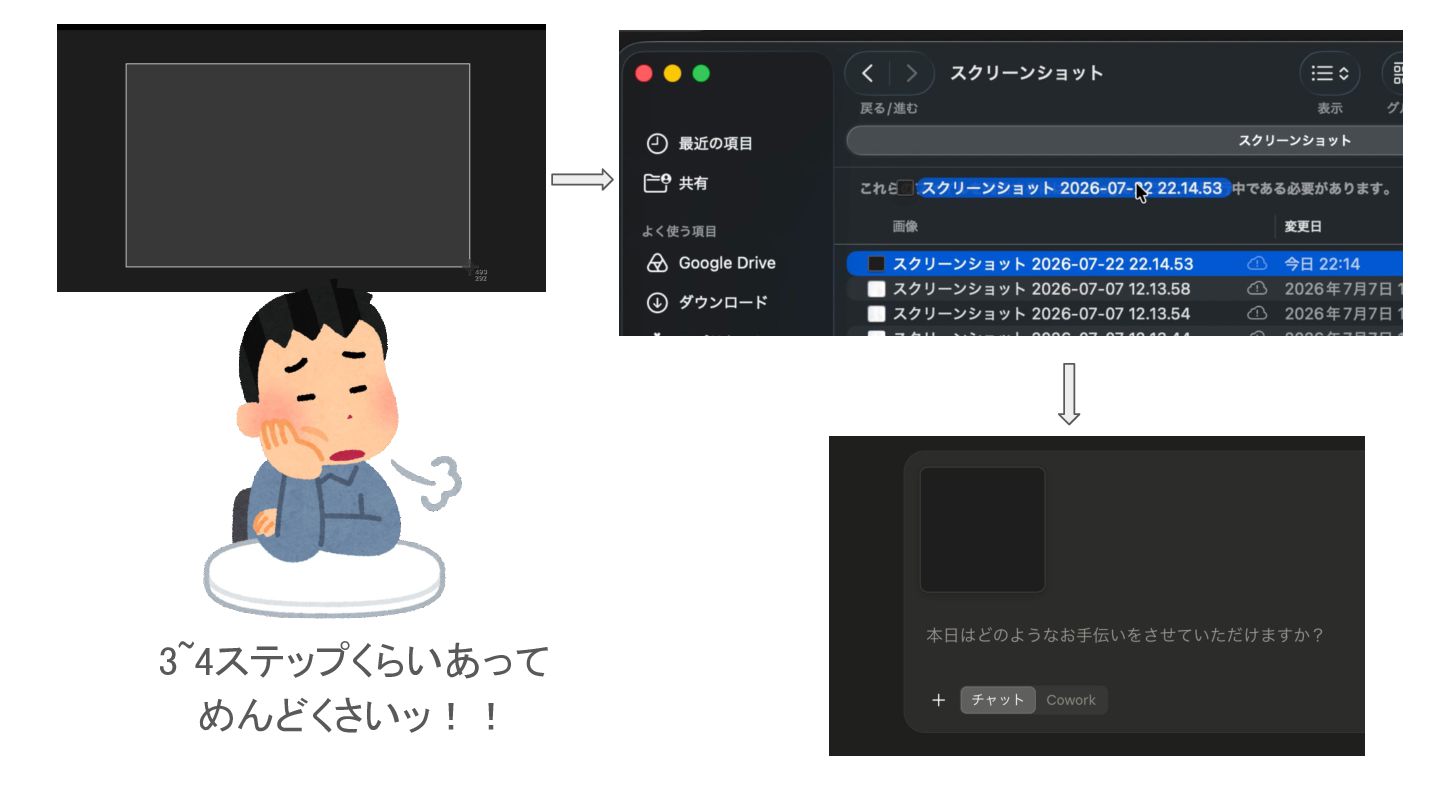
スクリーンショットの クリップボードコピー
3~4ステップくらいあって めんどくさいッ!!
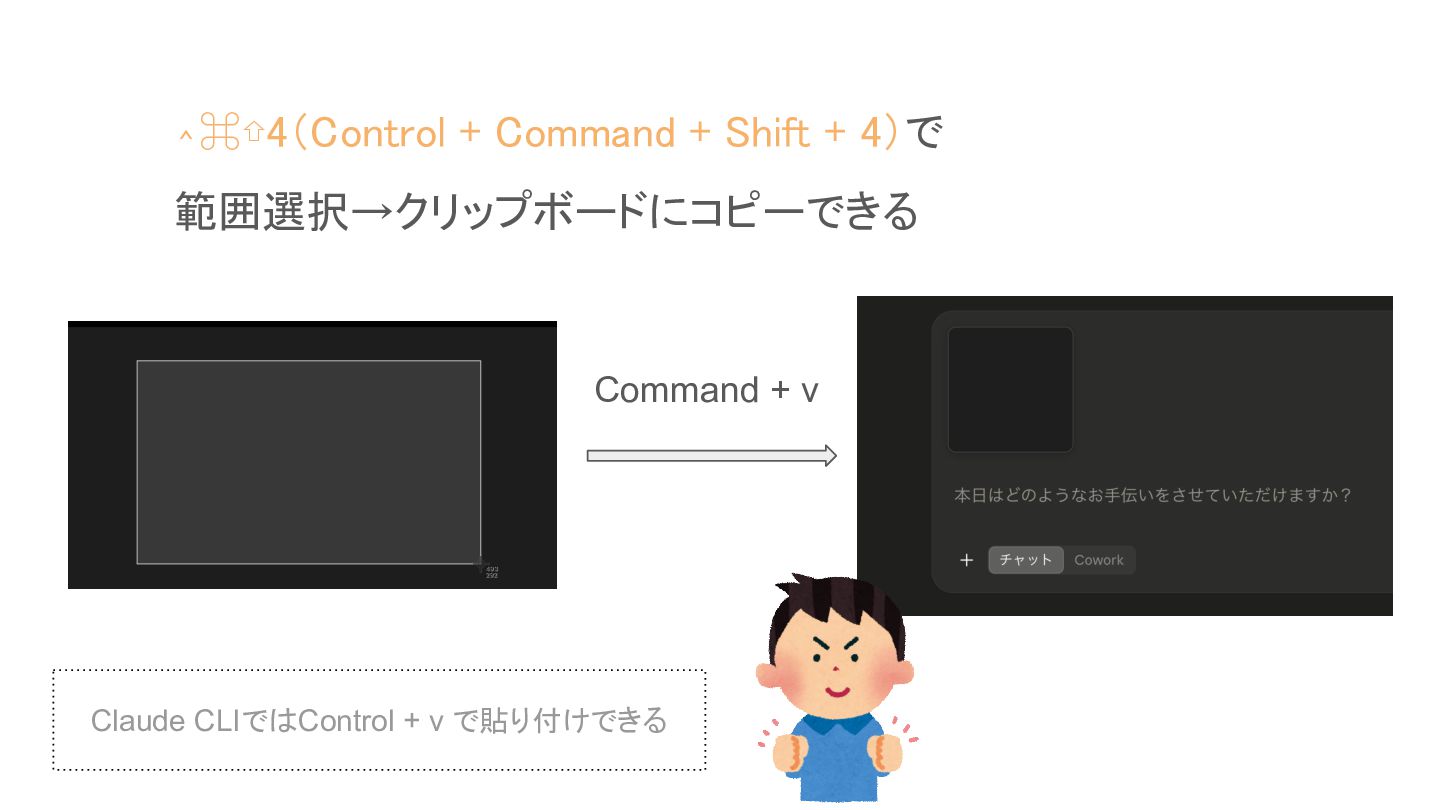
⌃⌘⇧4(Control + Command + Shift + 4)で 範囲選択→クリップボードにコピーできる Command +
v Claude CLIではControl + v で貼り付けできる
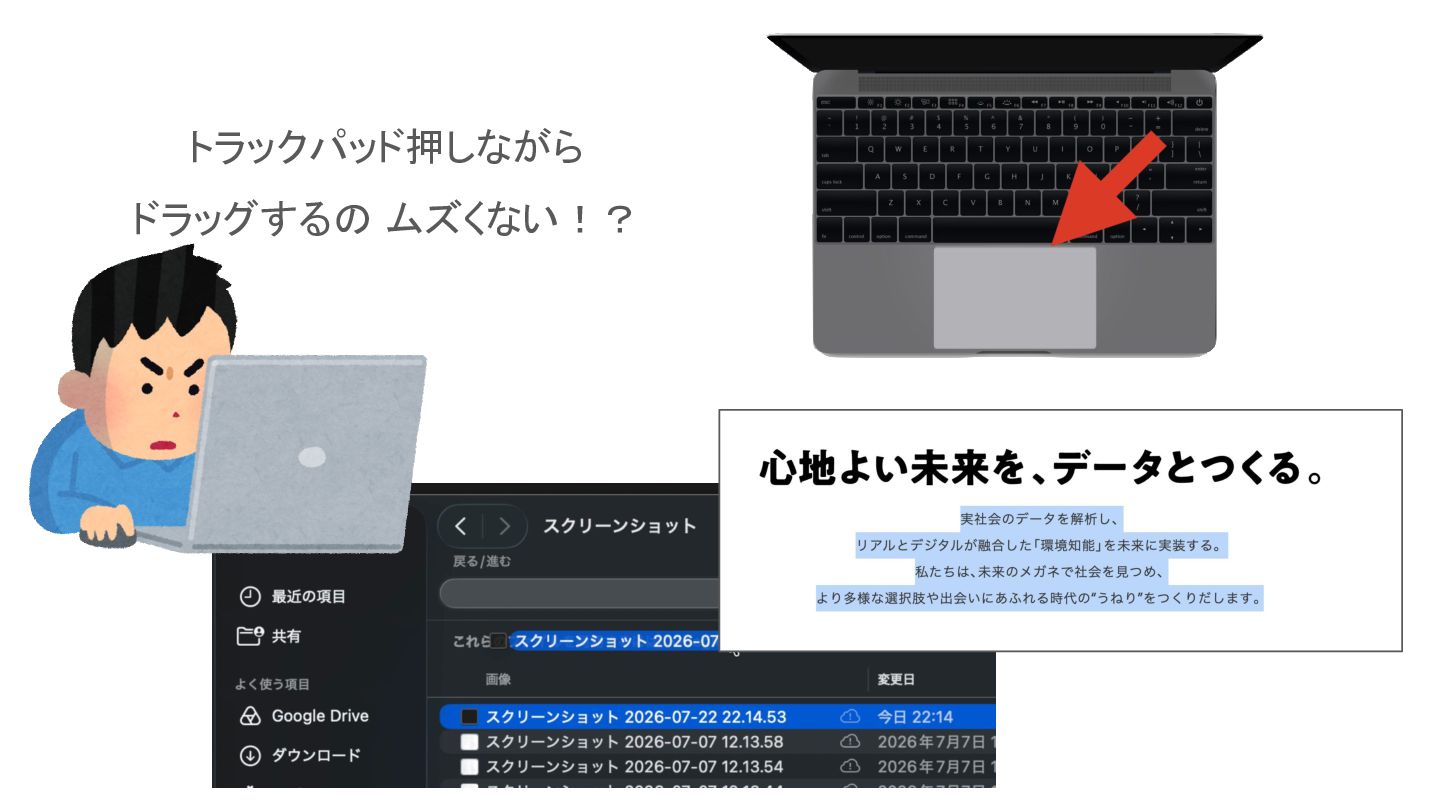
3本指のドラッグ(Three-Finger Drag)
トラックパッド押しながら ドラッグするの ムズくない!?
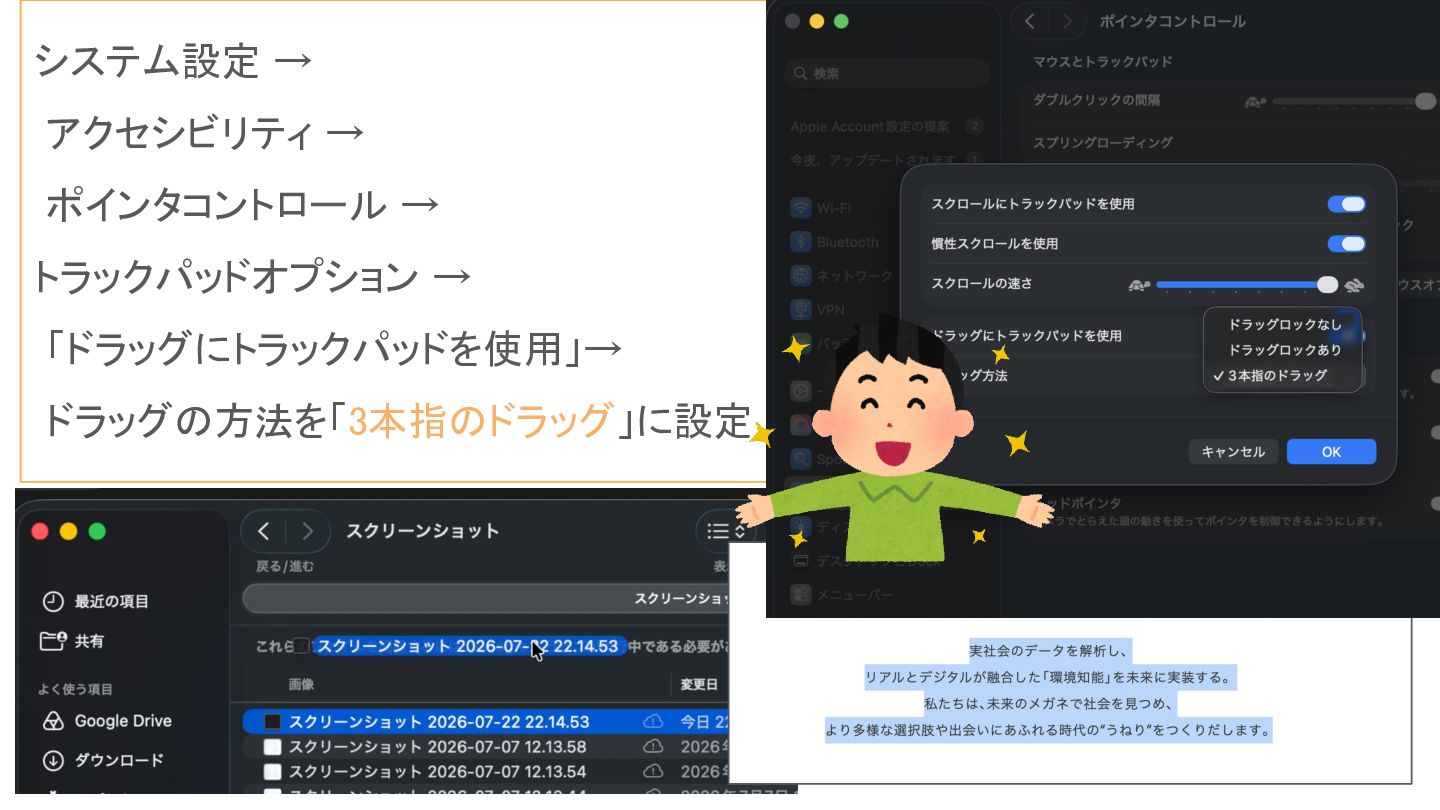
システム設定 → アクセシビリティ → ポインタコントロール → トラックパッドオプション → 「ドラッグにトラックパッドを使用」→ ドラッグの方法を「3本指のドラッグ」に設定
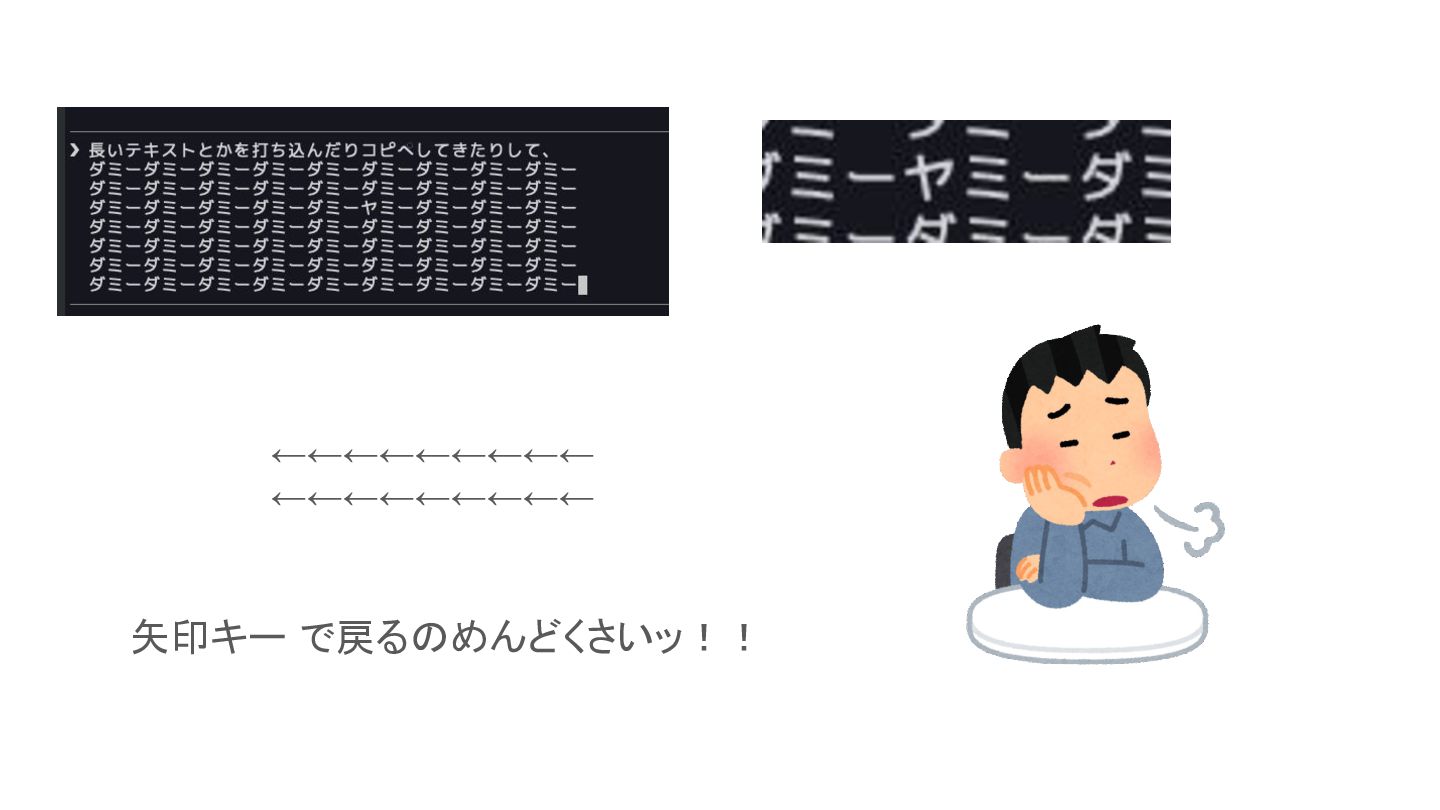
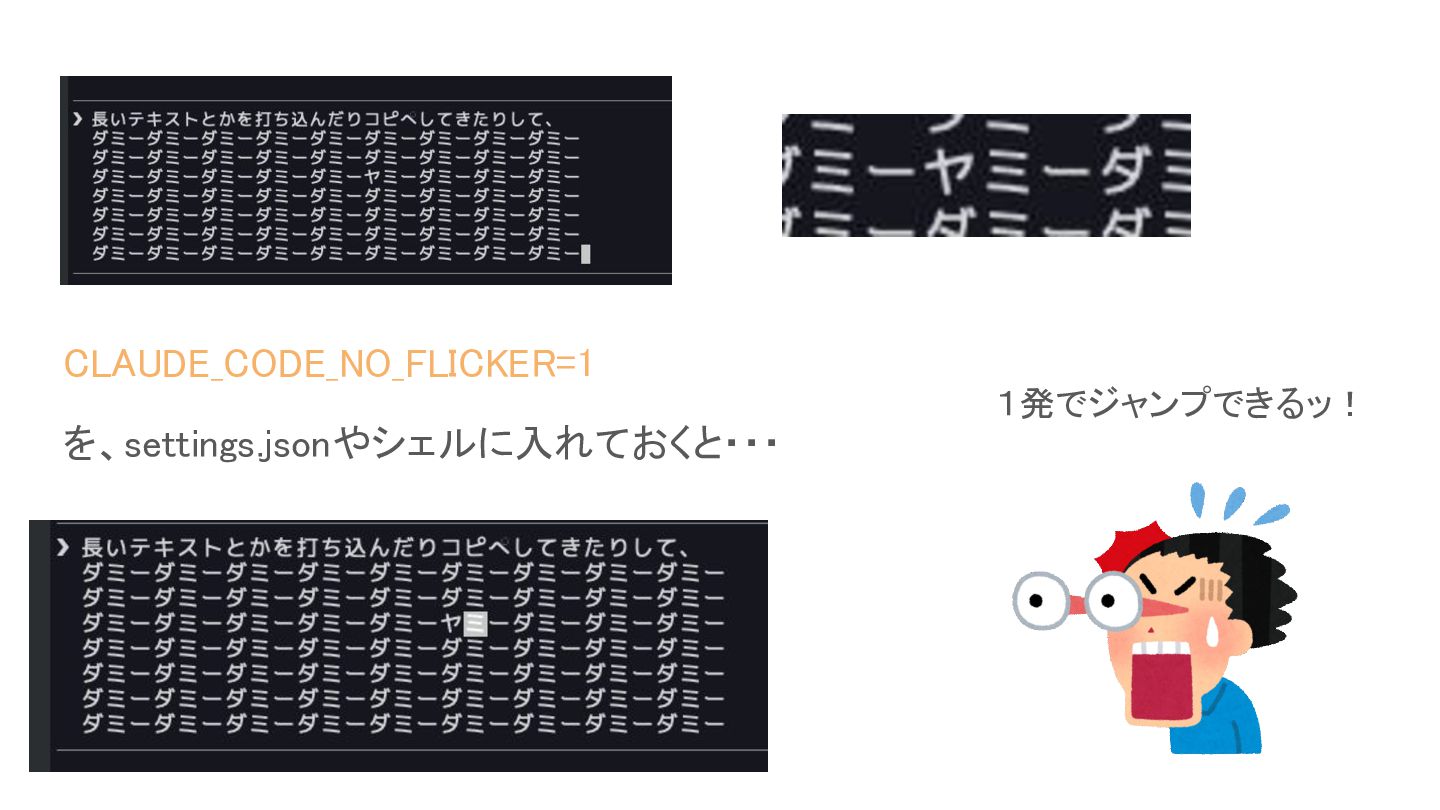
Claude CLIで 文字の間に クリック でカーソル入れる
←←←←←←←←← ←←←←←←←←← 矢印キー で戻るのめんどくさいッ!!
CLAUDE_CODE_NO_FLICKER=1 1発でジャンプできるッ! を、settings.jsonやシェルに入れておくと・・・
Raycast の Quicklink
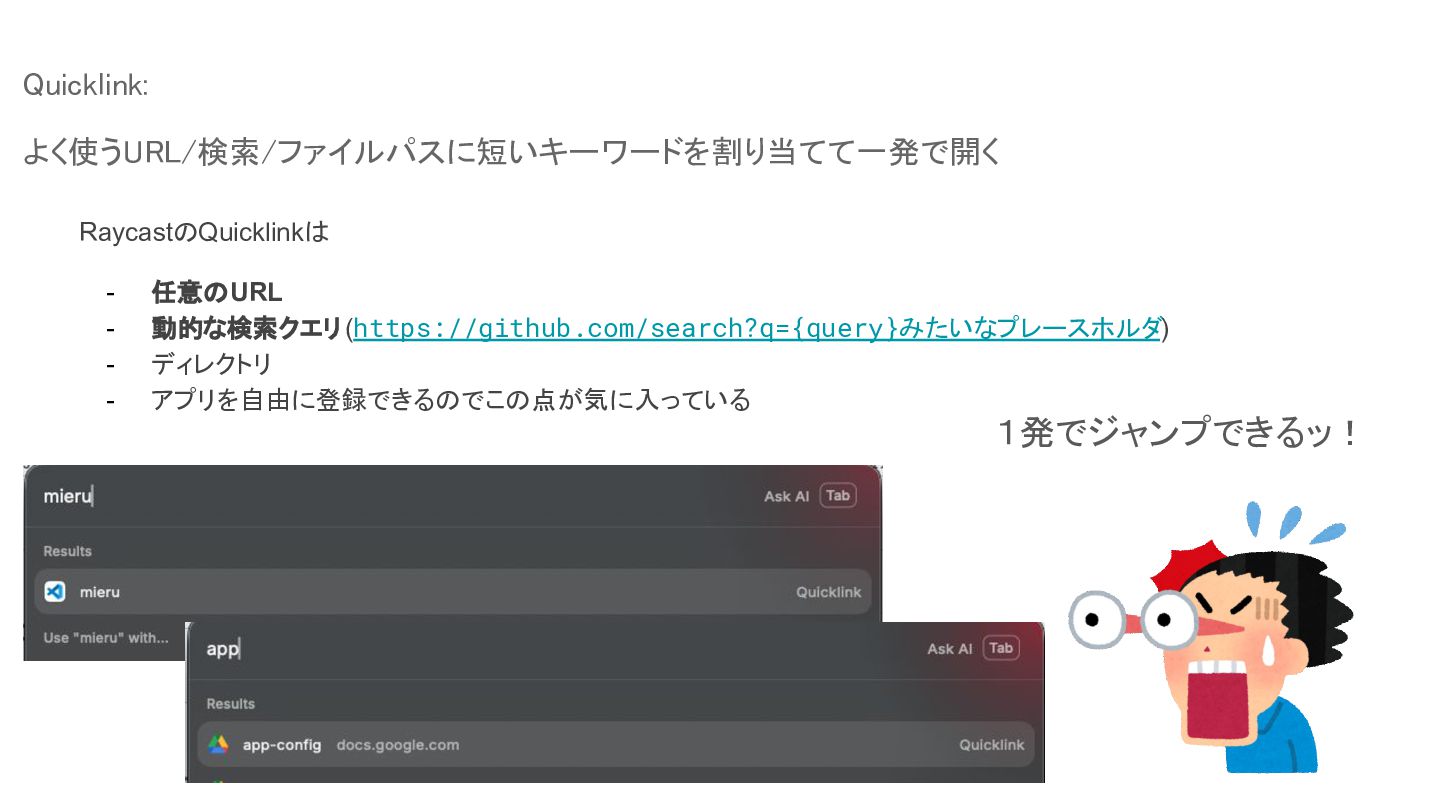
Quicklink: よく使うURL/検索/ファイルパスに短いキーワードを割り当てて一発で開く RaycastのQuicklinkは - 任意のURL 動的な検索クエリ (https://github.com/search?q={query}みたいなプレースホルダ) ディレクトリ アプリを自由に登録できるのでこの点が気に入っている 1発でジャンプできるッ!
Raycast の おまけ 🎉Conffetti
おわり 今後も入荷していきます・・・


 ttam03
 aleyda
 reverentgeek
 kevinliebholz
 chrisshort
 thirion
 lauravandoore
 katiecoart
 addyosmani
 smashingmag
 csswizardry
 portentint
 eitanlees