Upgrade to Pro — share decks privately, control downloads, hide ads and more …

Extending the Kubernetes API with Custom Resources

Avatar for Matt Tyler Matt Tyler
November 28, 2018

Extending the Kubernetes API with Custom Resources

Avatar for Matt Tyler

Matt Tyler

November 28, 2018

More Decks by Matt Tyler

Other Decks in Technology

Transcript

  1. Who am I • I am a consultant @ Mechanical

    Rock • I have a held a number of roles (Sysadmin, Developer, Reliability Engineer, System Analyst) in resources, transport and finance. • I’ve worked across embedded systems, CI/CD, frontend, backend, both cloud and neolithic. • Most of my time is spent improving the cloud development experience at large enterprises.
  2. Introduction to Kubernetes Mechanical Rock will be running an introductory

    course on Kubernetes It is scheduled to take place on January 9th and 10th @ Cliftons Perth More Information: https://ti.to/intro-to-kubernetes/intro-to-kubernetes/
  3. Goals • Provide a deeper level of understanding with respect

    to the Kubernetes runtime environment. • Provide a way to get started with Kubernetes API extensions by way of Custom Resources.
  4. What do I mean by “Extend”? • Kubernetes provides an

    API based up different objects. Let’s add new ones. • The existing ‘core’ objects form a set of composable of building blocks. • What if we could enable higher level functionality by providing a building block that exposes a limited a API surface to compose the other blocks?
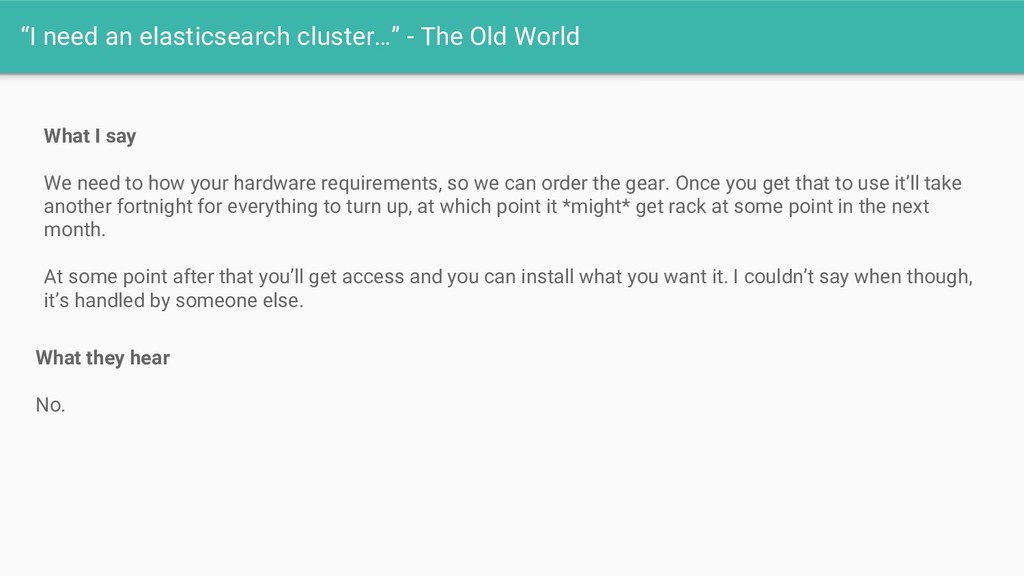
  5. “I need an elasticsearch cluster…” - The Old World What

    I say We need to how your hardware requirements, so we can order the gear. Once you get that to use it’ll take another fortnight for everything to turn up, at which point it *might* get rack at some point in the next month. At some point after that you’ll get access and you can install what you want it. I couldn’t say when though, it’s handled by someone else. What they hear No.
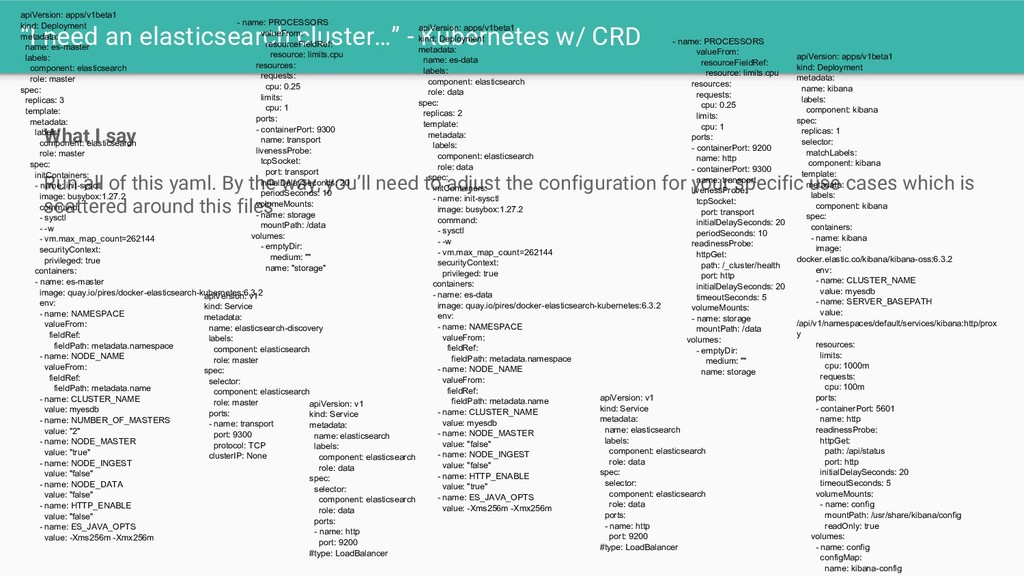
  6. “I need an elasticsearch cluster…” - Kubernetes w/ CRD What

    I say Run all of this yaml. By the way, you’ll need to adjust the configuration for your specific use cases which is scattered around this files apiVersion: apps/v1beta1 kind: Deployment metadata: name: es-master labels: component: elasticsearch role: master spec: replicas: 3 template: metadata: labels: component: elasticsearch role: master spec: initContainers: - name: init-sysctl image: busybox:1.27.2 command: - sysctl - -w - vm.max_map_count=262144 securityContext: privileged: true containers: - name: es-master image: quay.io/pires/docker-elasticsearch-kubernetes:6.3.2 env: - name: NAMESPACE valueFrom: fieldRef: fieldPath: metadata.namespace - name: NODE_NAME valueFrom: fieldRef: fieldPath: metadata.name - name: CLUSTER_NAME value: myesdb - name: NUMBER_OF_MASTERS value: "2" - name: NODE_MASTER value: "true" - name: NODE_INGEST value: "false" - name: NODE_DATA value: "false" - name: HTTP_ENABLE value: "false" - name: ES_JAVA_OPTS value: -Xms256m -Xmx256m - name: PROCESSORS valueFrom: resourceFieldRef: resource: limits.cpu resources: requests: cpu: 0.25 limits: cpu: 1 ports: - containerPort: 9300 name: transport livenessProbe: tcpSocket: port: transport initialDelaySeconds: 20 periodSeconds: 10 volumeMounts: - name: storage mountPath: /data volumes: - emptyDir: medium: "" name: "storage" apiVersion: apps/v1beta1 kind: Deployment metadata: name: es-data labels: component: elasticsearch role: data spec: replicas: 2 template: metadata: labels: component: elasticsearch role: data spec: initContainers: - name: init-sysctl image: busybox:1.27.2 command: - sysctl - -w - vm.max_map_count=262144 securityContext: privileged: true containers: - name: es-data image: quay.io/pires/docker-elasticsearch-kubernetes:6.3.2 env: - name: NAMESPACE valueFrom: fieldRef: fieldPath: metadata.namespace - name: NODE_NAME valueFrom: fieldRef: fieldPath: metadata.name - name: CLUSTER_NAME value: myesdb - name: NODE_MASTER value: "false" - name: NODE_INGEST value: "false" - name: HTTP_ENABLE value: "true" - name: ES_JAVA_OPTS value: -Xms256m -Xmx256m - name: PROCESSORS valueFrom: resourceFieldRef: resource: limits.cpu resources: requests: cpu: 0.25 limits: cpu: 1 ports: - containerPort: 9200 name: http - containerPort: 9300 name: transport livenessProbe: tcpSocket: port: transport initialDelaySeconds: 20 periodSeconds: 10 readinessProbe: httpGet: path: /_cluster/health port: http initialDelaySeconds: 20 timeoutSeconds: 5 volumeMounts: - name: storage mountPath: /data volumes: - emptyDir: medium: "" name: storage apiVersion: v1 kind: Service metadata: name: elasticsearch-discovery labels: component: elasticsearch role: master spec: selector: component: elasticsearch role: master ports: - name: transport port: 9300 protocol: TCP clusterIP: None apiVersion: v1 kind: Service metadata: name: elasticsearch labels: component: elasticsearch role: data spec: selector: component: elasticsearch role: data ports: - name: http port: 9200 #type: LoadBalancer apiVersion: apps/v1beta1 kind: Deployment metadata: name: kibana labels: component: kibana spec: replicas: 1 selector: matchLabels: component: kibana template: metadata: labels: component: kibana spec: containers: - name: kibana image: docker.elastic.co/kibana/kibana-oss:6.3.2 env: - name: CLUSTER_NAME value: myesdb - name: SERVER_BASEPATH value: /api/v1/namespaces/default/services/kibana:http/prox y resources: limits: cpu: 1000m requests: cpu: 100m ports: - containerPort: 5601 name: http readinessProbe: httpGet: path: /api/status port: http initialDelaySeconds: 20 timeoutSeconds: 5 volumeMounts: - name: config mountPath: /usr/share/kibana/config readOnly: true volumes: - name: config configMap: name: kibana-config apiVersion: v1 kind: Service metadata: name: elasticsearch labels: component: elasticsearch role: data spec: selector: component: elasticsearch role: data ports: - name: http port: 9200 #type: LoadBalancer
  7. apiVersion: apps/v1beta1 kind: Deployment metadata: name: es-master labels: component: elasticsearch

    role: master spec: replicas: 3 template: metadata: labels: component: elasticsearch role: master spec: initContainers: - name: init-sysctl image: busybox:1.27.2 command: - sysctl - -w - vm.max_map_count=262144 securityContext: privileged: true containers: - name: es-master image: quay.io/pires/docker-elasticsearch-kubernetes:6.3.2 env: - name: NAMESPACE valueFrom: fieldRef: fieldPath: metadata.namespace - name: NODE_NAME valueFrom: fieldRef: fieldPath: metadata.name - name: CLUSTER_NAME value: myesdb - name: NUMBER_OF_MASTERS value: "2" - name: NODE_MASTER value: "true" - name: NODE_INGEST value: "false" - name: NODE_DATA value: "false" - name: HTTP_ENABLE value: "false" - name: ES_JAVA_OPTS value: -Xms256m -Xmx256m - name: PROCESSORS valueFrom: resourceFieldRef: resource: limits.cpu resources: requests: cpu: 0.25 limits: cpu: 1 ports: - containerPort: 9300 name: transport livenessProbe: tcpSocket: port: transport initialDelaySeconds: 20 periodSeconds: 10 volumeMounts: - name: storage mountPath: /data volumes: - emptyDir: medium: "" name: "storage" apiVersion: apps/v1beta1 kind: Deployment metadata: name: es-data labels: component: elasticsearch role: data spec: replicas: 2 template: metadata: labels: component: elasticsearch role: data spec: initContainers: - name: init-sysctl image: busybox:1.27.2 command: - sysctl - -w - vm.max_map_count=262144 securityContext: privileged: true containers: - name: es-data image: quay.io/pires/docker-elasticsearch-kubernetes:6.3.2 env: - name: NAMESPACE valueFrom: fieldRef: fieldPath: metadata.namespace - name: NODE_NAME valueFrom: fieldRef: fieldPath: metadata.name - name: CLUSTER_NAME value: myesdb - name: NODE_MASTER value: "false" - name: NODE_INGEST value: "false" - name: HTTP_ENABLE value: "true" - name: ES_JAVA_OPTS value: -Xms256m -Xmx256m - name: PROCESSORS valueFrom: resourceFieldRef: resource: limits.cpu resources: requests: cpu: 0.25 limits: cpu: 1 ports: - containerPort: 9200 name: http - containerPort: 9300 name: transport livenessProbe: tcpSocket: port: transport initialDelaySeconds: 20 periodSeconds: 10 readinessProbe: httpGet: path: /_cluster/health port: http initialDelaySeconds: 20 timeoutSeconds: 5 volumeMounts: - name: storage mountPath: /data volumes: - emptyDir: medium: "" name: storage apiVersion: v1 kind: Service metadata: name: elasticsearch-discovery labels: component: elasticsearch role: master spec: selector: component: elasticsearch role: master ports: - name: transport port: 9300 protocol: TCP clusterIP: None apiVersion: v1 kind: Service metadata: name: elasticsearch labels: component: elasticsearch role: data spec: selector: component: elasticsearch role: data ports: - name: http port: 9200 #type: LoadBalancer apiVersion: apps/v1beta1 kind: Deployment metadata: name: kibana labels: component: kibana spec: replicas: 1 selector: matchLabels: component: kibana template: metadata: labels: component: kibana spec: containers: - name: kibana image: docker.elastic.co/kibana/kibana-oss:6.3.2 env: - name: CLUSTER_NAME value: myesdb - name: SERVER_BASEPATH value: /api/v1/namespaces/default/services/kibana:http/prox y resources: limits: cpu: 1000m requests: cpu: 100m ports: - containerPort: 5601 name: http readinessProbe: httpGet: path: /api/status port: http initialDelaySeconds: 20 timeoutSeconds: 5 volumeMounts: - name: config mountPath: /usr/share/kibana/config readOnly: true volumes: - name: config configMap: name: kibana-config apiVersion: v1 kind: Service metadata: name: elasticsearch labels: component: elasticsearch role: data spec: selector: component: elasticsearch role: data ports: - name: http port: 9200 #type: LoadBalancer
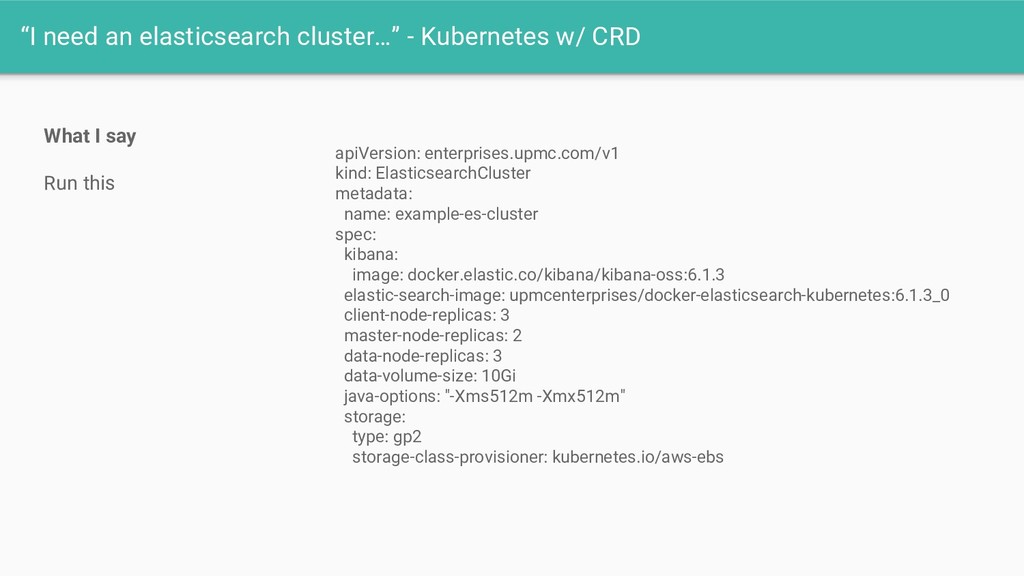
  8. “I need an elasticsearch cluster…” - Kubernetes w/ CRD What

    I say Run this apiVersion: enterprises.upmc.com/v1 kind: ElasticsearchCluster metadata: name: example-es-cluster spec: kibana: image: docker.elastic.co/kibana/kibana-oss:6.1.3 elastic-search-image: upmcenterprises/docker-elasticsearch-kubernetes:6.1.3_0 client-node-replicas: 3 master-node-replicas: 2 data-node-replicas: 3 data-volume-size: 10Gi java-options: "-Xms512m -Xmx512m" storage: type: gp2 storage-class-provisioner: kubernetes.io/aws-ebs
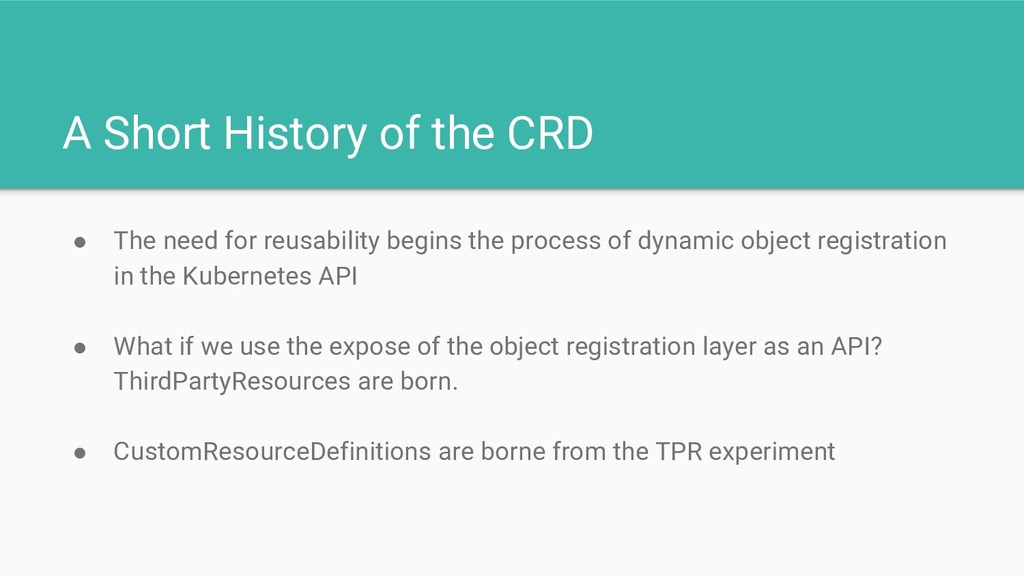
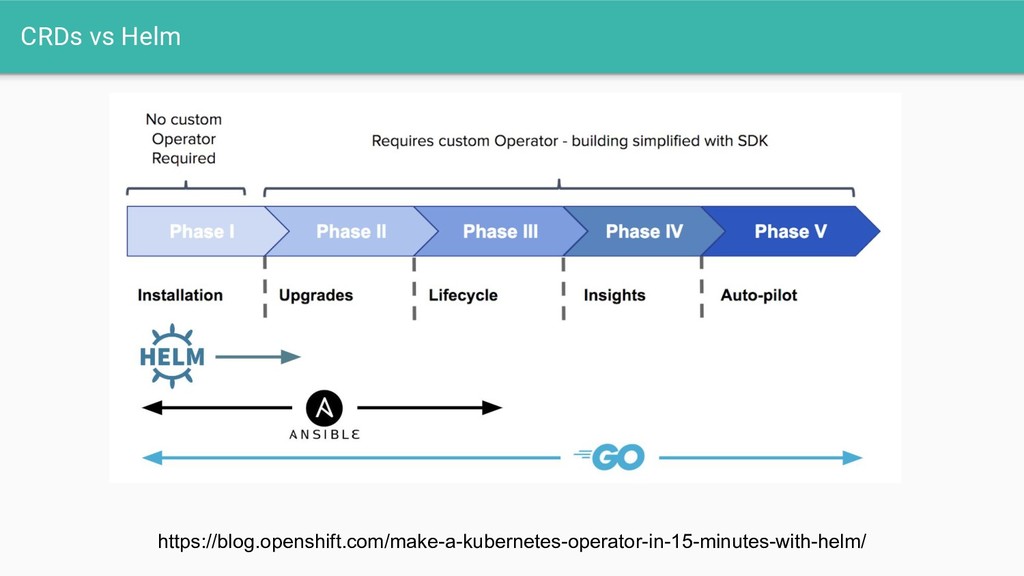
  9. A Short History of the CRD • The need for

    reusability begins the process of dynamic object registration in the Kubernetes API • What if we use the expose of the object registration layer as an API? ThirdPartyResources are born. • CustomResourceDefinitions are borne from the TPR experiment
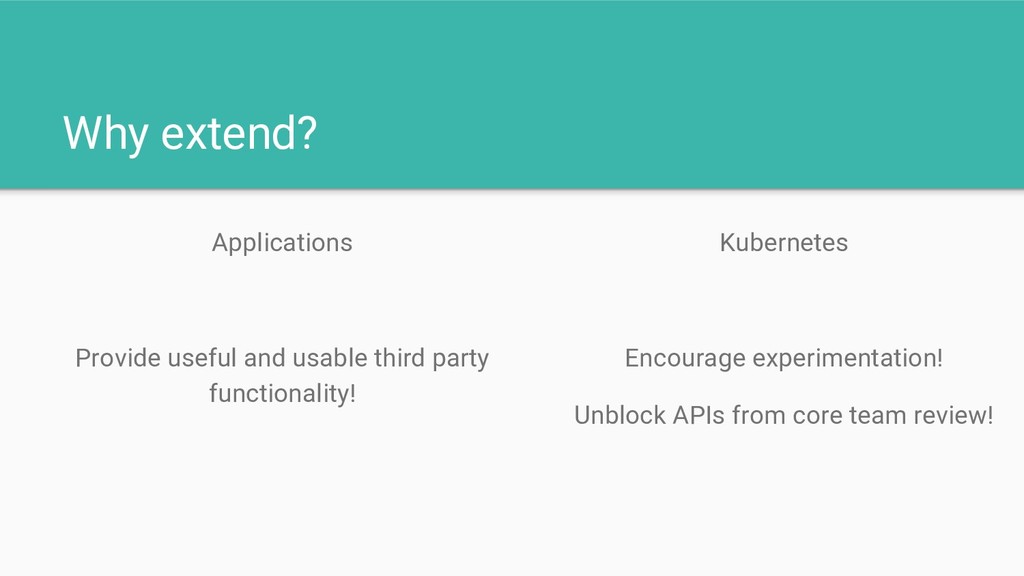
  10. Why extend? Applications Provide useful and usable third party functionality!

    Kubernetes Encourage experimentation! Unblock APIs from core team review!
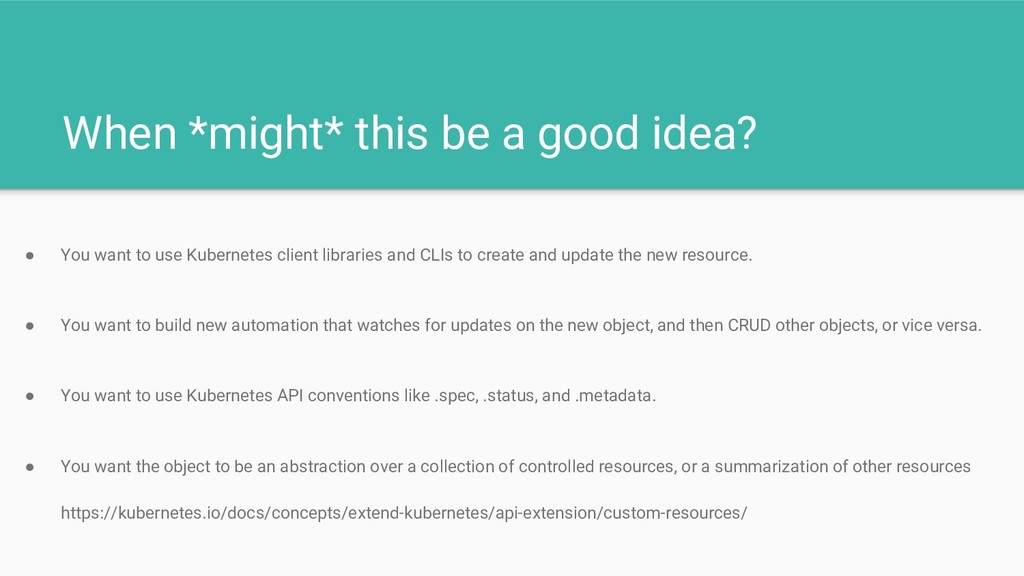
  11. When *might* this be a good idea? • You want

    to use Kubernetes client libraries and CLIs to create and update the new resource. • You want to build new automation that watches for updates on the new object, and then CRUD other objects, or vice versa. • You want to use Kubernetes API conventions like .spec, .status, and .metadata. • You want the object to be an abstraction over a collection of controlled resources, or a summarization of other resources https://kubernetes.io/docs/concepts/extend-kubernetes/api-extension/custom-resources/
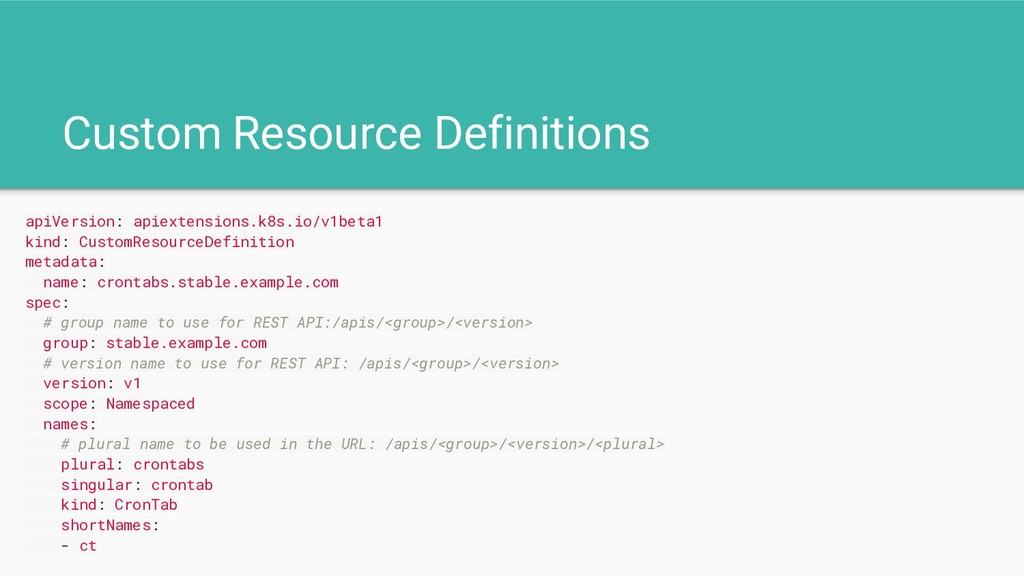
  12. Custom Resource Definitions apiVersion: apiextensions.k8s.io/v1beta1 kind: CustomResourceDefinition metadata: name: crontabs.stable.example.com

    spec: # group name to use for REST API:/apis/<group>/<version> group: stable.example.com # version name to use for REST API: /apis/<group>/<version> version: v1 scope: Namespaced names: # plural name to be used in the URL: /apis/<group>/<version>/<plural> plural: crontabs singular: crontab kind: CronTab shortNames: - ct
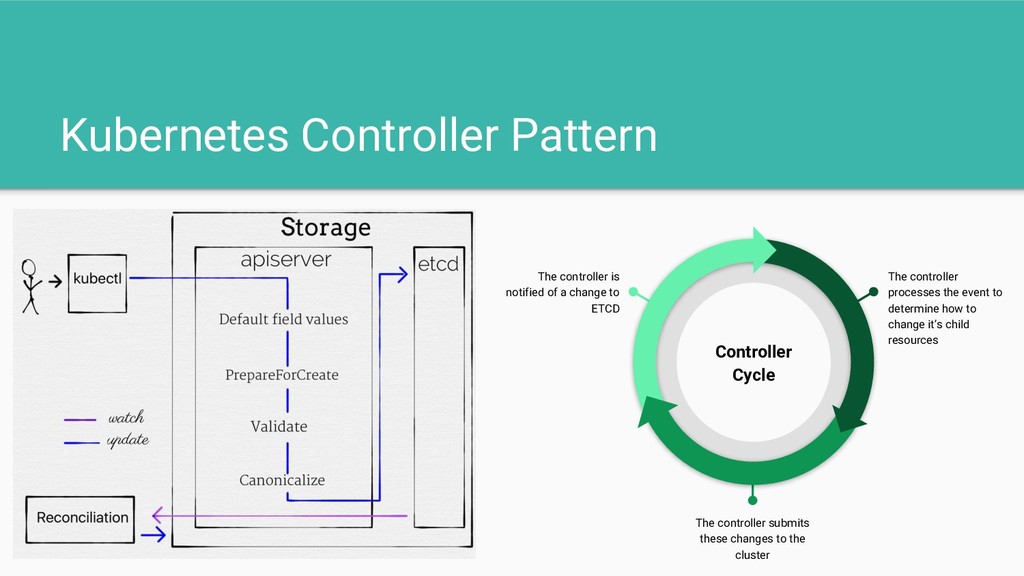
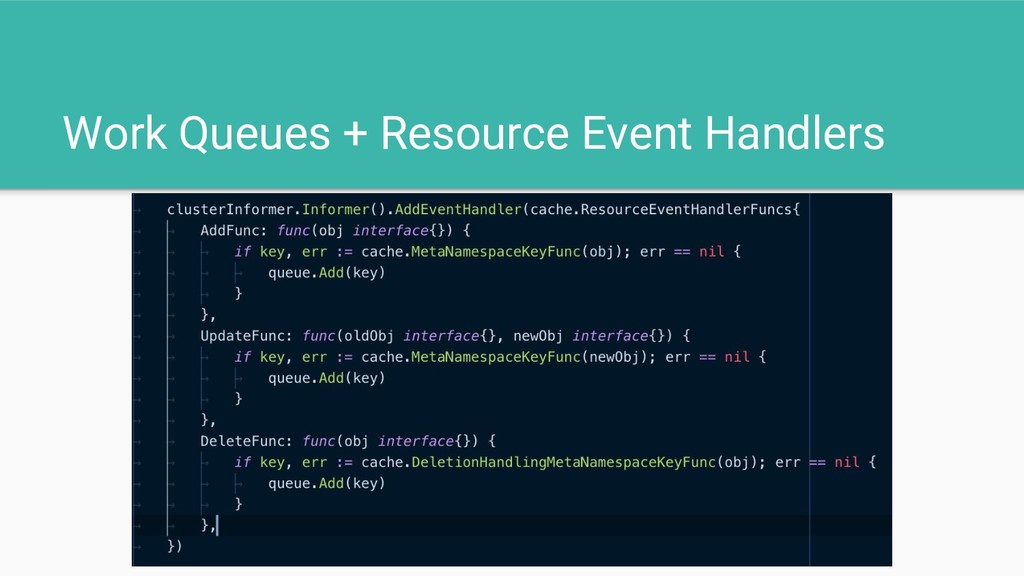
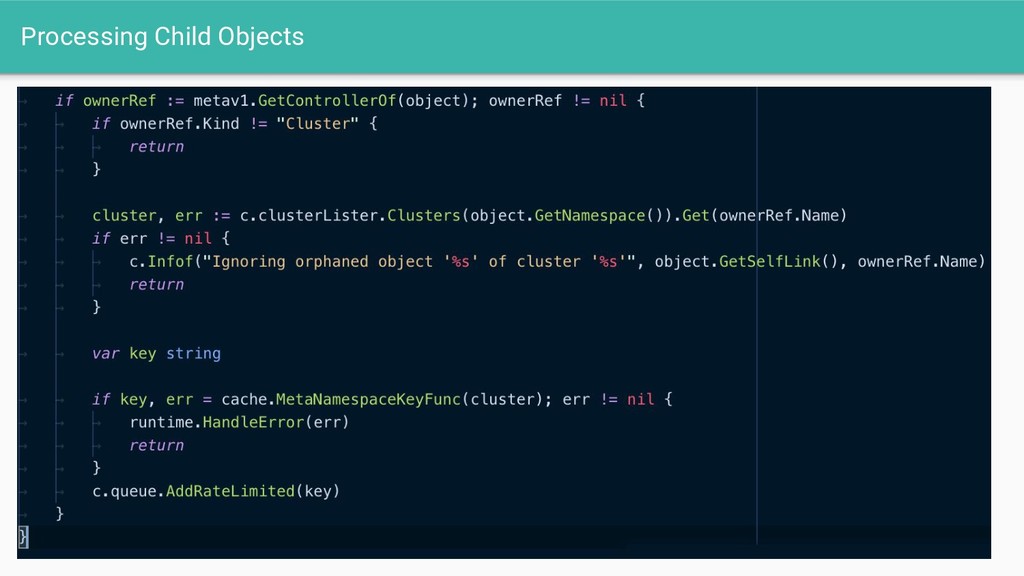
  13. Kubernetes Controller Pattern The controller processes the event to determine

    how to change it’s child resources The controller submits these changes to the cluster The controller is notified of a change to ETCD Controller Cycle
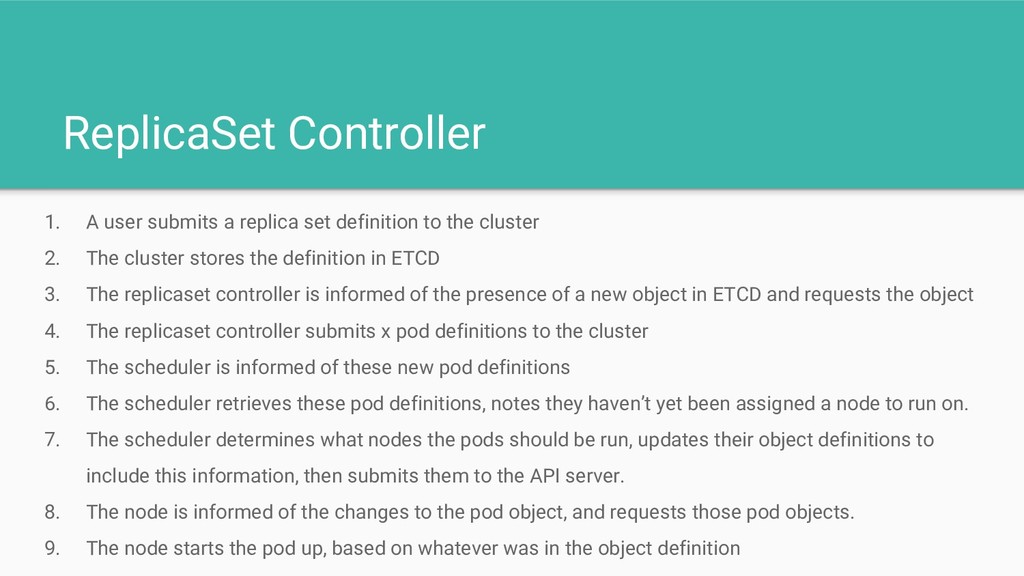
  14. ReplicaSet Controller 1. A user submits a replica set definition

    to the cluster 2. The cluster stores the definition in ETCD 3. The replicaset controller is informed of the presence of a new object in ETCD and requests the object 4. The replicaset controller submits x pod definitions to the cluster 5. The scheduler is informed of these new pod definitions 6. The scheduler retrieves these pod definitions, notes they haven’t yet been assigned a node to run on. 7. The scheduler determines what nodes the pods should be run, updates their object definitions to include this information, then submits them to the API server. 8. The node is informed of the changes to the pod object, and requests those pod objects. 9. The node starts the pod up, based on whatever was in the object definition
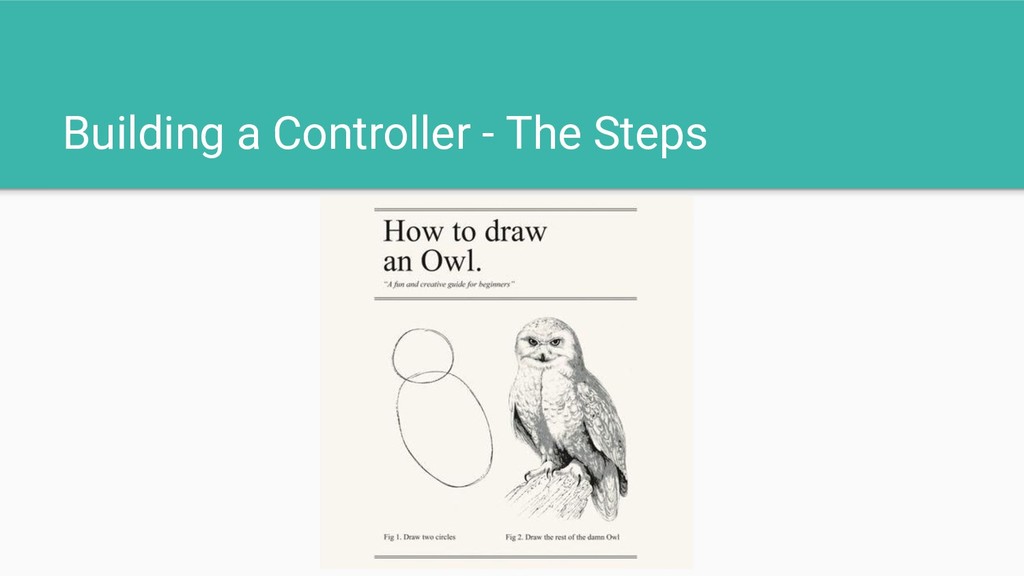
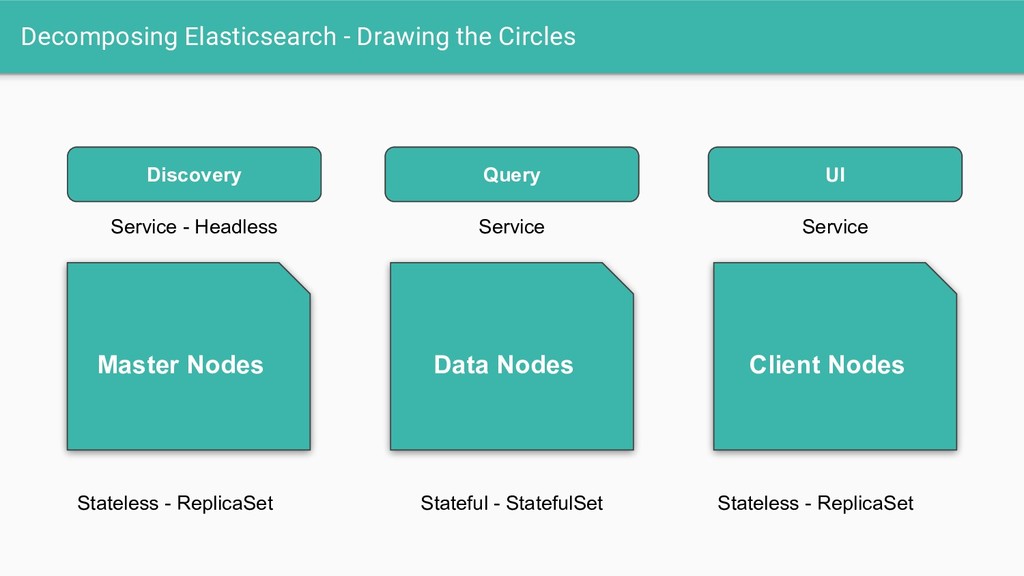
  15. Decomposing Elasticsearch - Drawing the Circles Master Nodes Data Nodes

    Client Nodes Stateless - ReplicaSet Stateful - StatefulSet Stateless - ReplicaSet Discovery Query UI Service - Headless Service Service
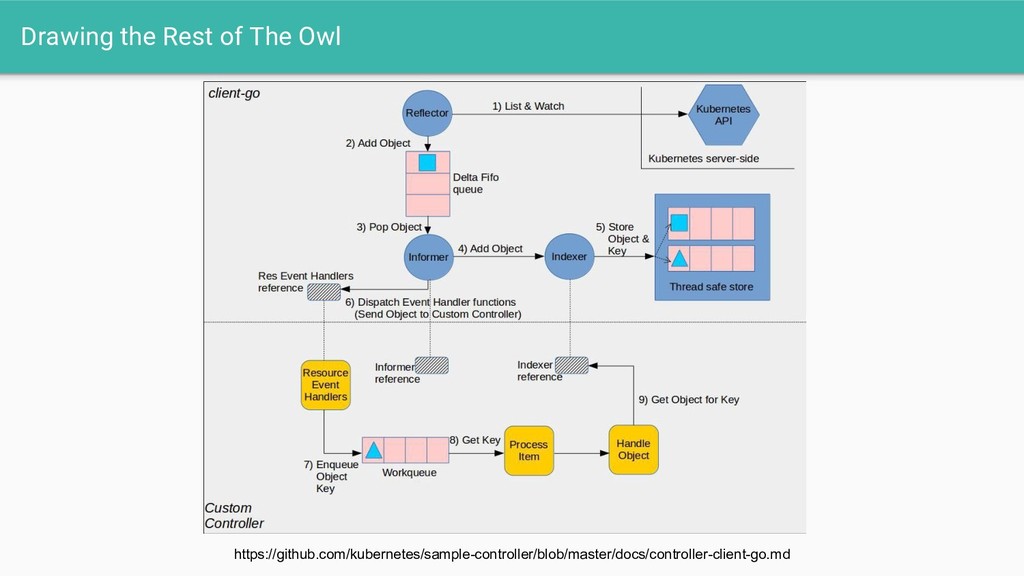
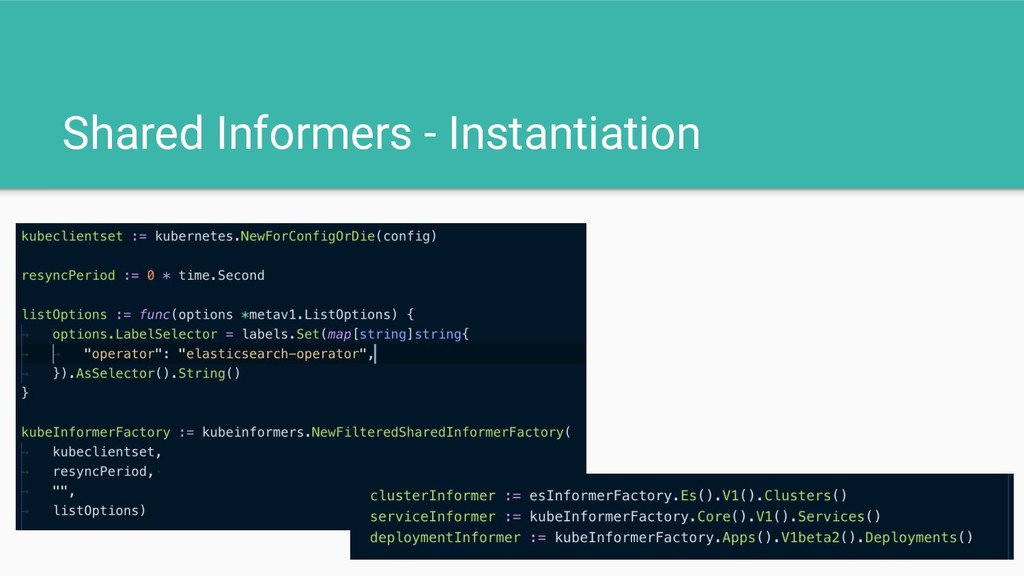
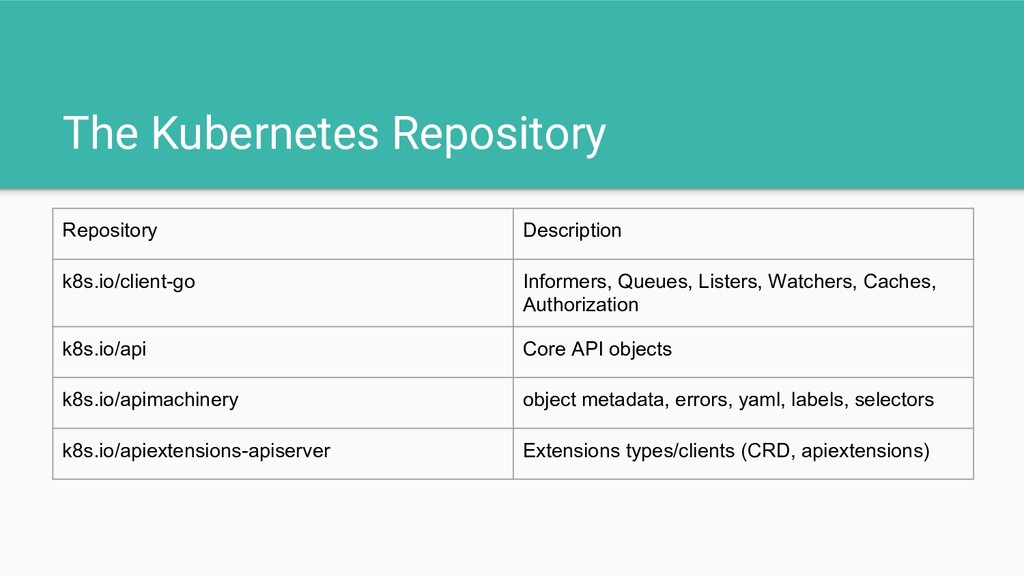
  16. The Kubernetes Repository Repository Description k8s.io/client-go Informers, Queues, Listers, Watchers,

    Caches, Authorization k8s.io/api Core API objects k8s.io/apimachinery object metadata, errors, yaml, labels, selectors k8s.io/apiextensions-apiserver Extensions types/clients (CRD, apiextensions)
  17. Newer Features • Validation [1.9] • Sub-resources (Status & Scale

    [1.10]) • Versioning [1.11] 1.10 is available in EKS and GKE
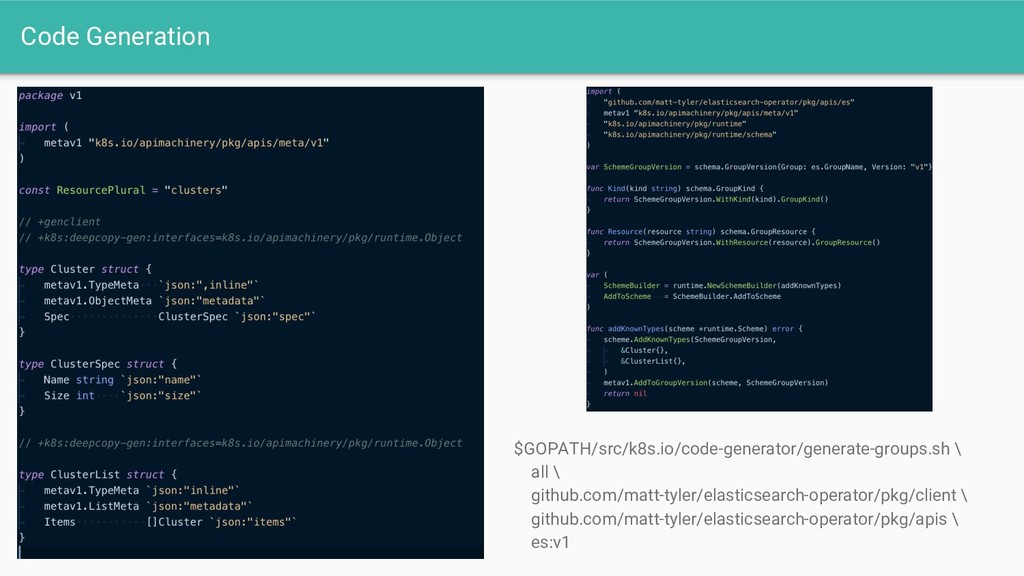
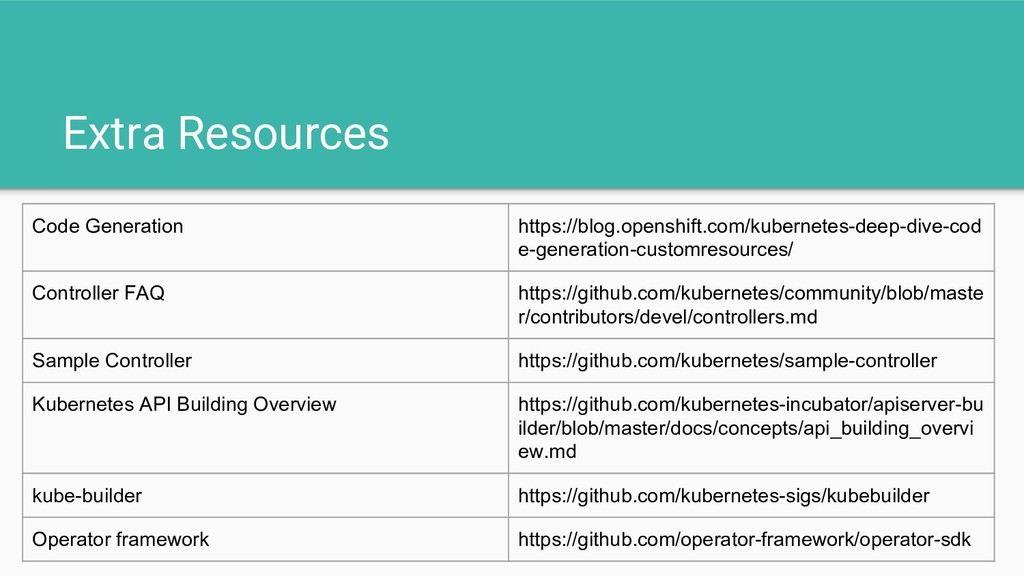
  18. Extra Resources Code Generation https://blog.openshift.com/kubernetes-deep-dive-cod e-generation-customresources/ Controller FAQ https://github.com/kubernetes/community/blob/maste r/contributors/devel/controllers.md

    Sample Controller https://github.com/kubernetes/sample-controller Kubernetes API Building Overview https://github.com/kubernetes-incubator/apiserver-bu ilder/blob/master/docs/concepts/api_building_overvi ew.md kube-builder https://github.com/kubernetes-sigs/kubebuilder Operator framework https://github.com/operator-framework/operator-sdk
  19. Summary • CustomResourceDefinitions can be used to extend the surface

    of the Kubernetes API. • Combining this with a ‘controller’ we can enable kubernetes to provide extended functionality - while taking advantage of Kubernetes existing tooling • We do this to provide a ‘package’ services in a manner that is better for our end-consumers