Upgrade to Pro
— share decks privately, control downloads, hide ads and more …
Speaker Deck
Sign up for free
Menu
Search
Features
All features
Private URLs
Password Protection
Custom URLS
Scheduled publishing
Remove Branding
Restrict embedding
Deck Collections
Notes
Features
All features
Private URLs
Password Protection
Custom URLS
Scheduled publishing
Remove Branding
Restrict embedding
Deck Collections
Notes
Explore
Featured decks
Featured speakers
Programming
Technology
Storyboards
Explore
Featured decks
Featured speakers
Programming
Technology
Storyboards
Pricing
Search
Sign in
Sign up for free
Ubuntuのriscv64版をqemuで動かした
Search
Kazuhiro NISHIYAMA
April 27, 2024
Programming
170
0
Share
Embed
Copy iframe code
Copy JS code
Copy link
Start on current slide
Ubuntuのriscv64版をqemuで動かした
[LILO&東海道らぐオフラインミーティング 2024-04-27](
https://lilo.connpass.com/event/316818/)での発表資料です
。
Kazuhiro NISHIYAMA
April 27, 2024
More Decks by Kazuhiro NISHIYAMA
See All by Kazuhiro NISHIYAMA
Reforming the Japanese Ruby reference manual
znz
0
36
Rubyの配布パッケージの変遷
znz
0
57
Headscale + Tailscale に移行中
znz
0
110
Ruby on Rails と私
znz
0
97
riscv64.rubyci.org internal
znz
0
69
Rubyの日本語リファレンスマニュアルの現在と未来
znz
0
130
devise-two-factorを4.xから5.xに上げた話
znz
0
480
docs.ruby-lang.org/ja/ の生成方法を変えた
znz
0
130
lilo.linux.or.jpをbusterからbullseyeに上げた
znz
0
170
Other Decks in Programming
See All in Programming
JAWS-UG 東京支部が始める、JAWS-UG支部コラボ / JAWS-UG lunchtime LT Collaboration
y0hgi
0
300
R8 の設定見直しでアプリサイズ削減
andpad
0
220
Zero-Tap Sign-In対応、結局何をすればいいの?
mitohato14
0
280
dotNET_vulnclicker_intro.pdf
deka_morita
0
150
あなたの await、OS まで届いてる? strace で覗く JavaScript の非同期
hasutosasaki
1
760
オーケストレーション記述言語 Katari
yukikurage
0
170
現場と育てるRailsモデリング 〜Spreadsheetから始めたモデル設計〜
siroemk
2
840
AIで開発が速くなった先で、開発チームは何を目指すか
shihochan
1
1.7k
Herb in Rails 8.2: Your ERB views, now HTML-aware @ Kaigi on Rails 2026, Tokyo, Japan
marcoroth
2
310
🇪🇸 React Alicante 2026 (Workshop)
ythecombinator
PRO
0
100
Railsバージョンを4倍にした話
optim
0
520
Groovy as a human and AI friendly programming language
paulk
0
100
Featured
See All Featured
The Limits of Empathy - UXLibs8
cassininazir
2
730
Building Flexible Design Systems
yeseniaperezcruz
330
41k
The Spectacular Lies of Maps
axbom
PRO
1
1.1k
RailsConf & Balkan Ruby 2019: The Past, Present, and Future of Rails at GitHub
eileencodes
141
35k
Reflections from 52 weeks, 52 projects
jeffersonlam
356
22k
Neural Spatial Audio Processing for Sound Field Analysis and Control
skoyamalab
0
570
Jess Joyce - The Pitfalls of Following Frameworks
techseoconnect
PRO
1
450
Un-Boring Meetings
codingconduct
0
460
Designing for Performance
lara
612
70k
Groundhog Day: Seeking Process in Gaming for Health
codingconduct
0
430
Beyond borders and beyond the search box: How to win the global "messy middle" with AI-driven SEO
davidcarrasco
3
280
Being A Developer After 40
akosma
PRO
92
590k
Transcript
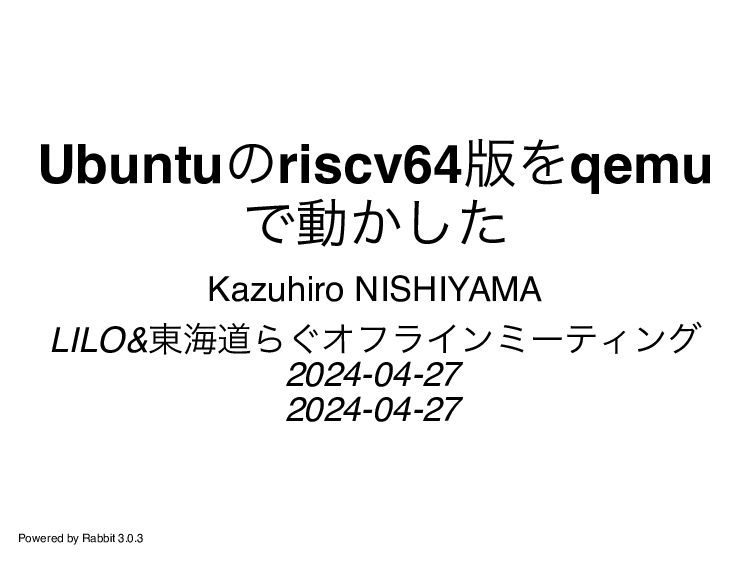
Ubuntuのriscv64版をqemu で動かした Kazuhiro NISHIYAMA LILO&東海道らぐオフラインミーティング 2024-04-27 2024-04-27 Powered by Rabbit
3.0.3
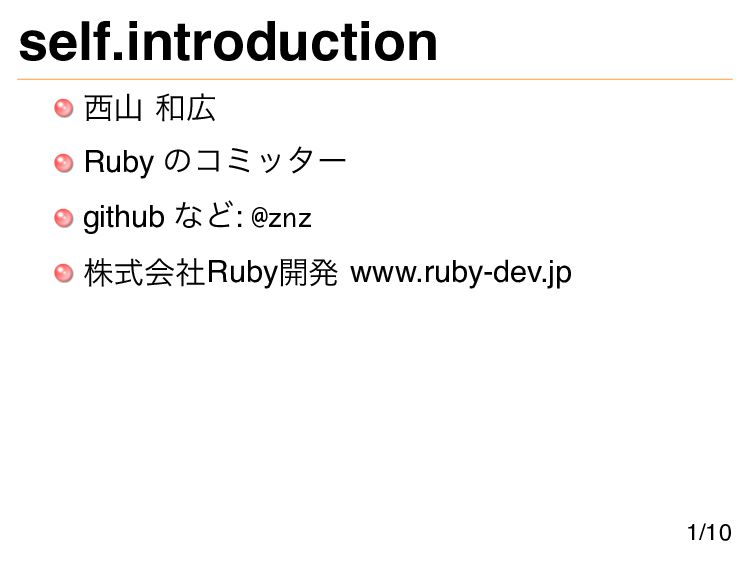
self.introduction 西山 和広 Ruby のコミッター github など: @znz 株式会社Ruby開発 www.ruby-dev.jp
1/10
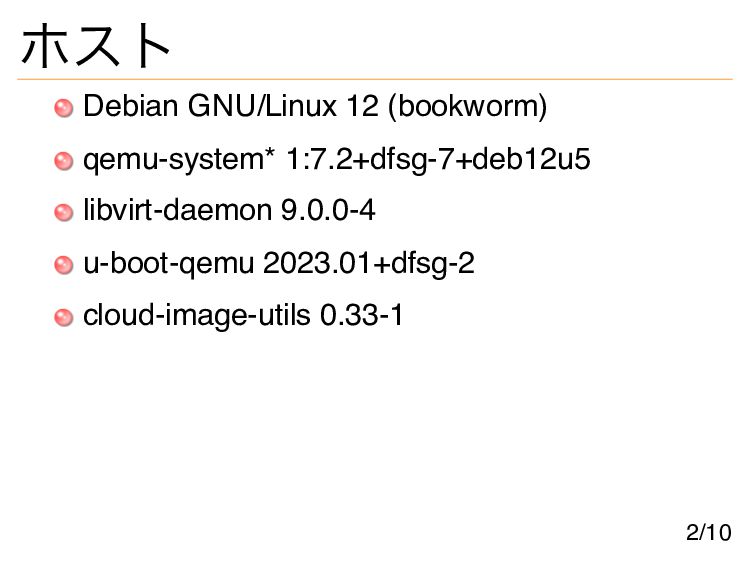
ホスト Debian GNU/Linux 12 (bookworm) qemu-system* 1:7.2+dfsg-7+deb12u5 libvirt-daemon 9.0.0-4 u-boot-qemu
2023.01+dfsg-2 cloud-image-utils 0.33-1 2/10
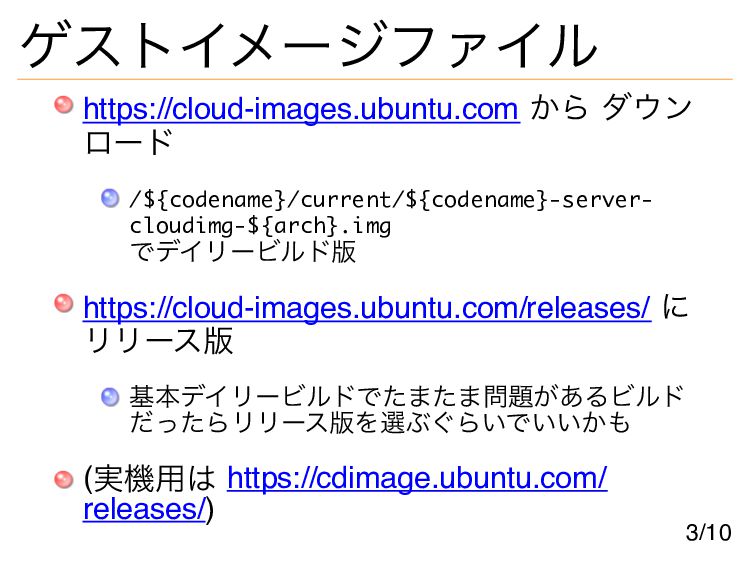
ゲストイメージファイル https://cloud-images.ubuntu.com から ダウン ロード /${codename}/current/${codename}-server- cloudimg-${arch}.img でデイリービルド版 https://cloud-images.ubuntu.com/releases/ に
リリース版 基本デイリービルドでたまたま問題があるビルド だったらリリース版を選ぶぐらいでいいかも (実機用は https://cdimage.ubuntu.com/ releases/) 3/10
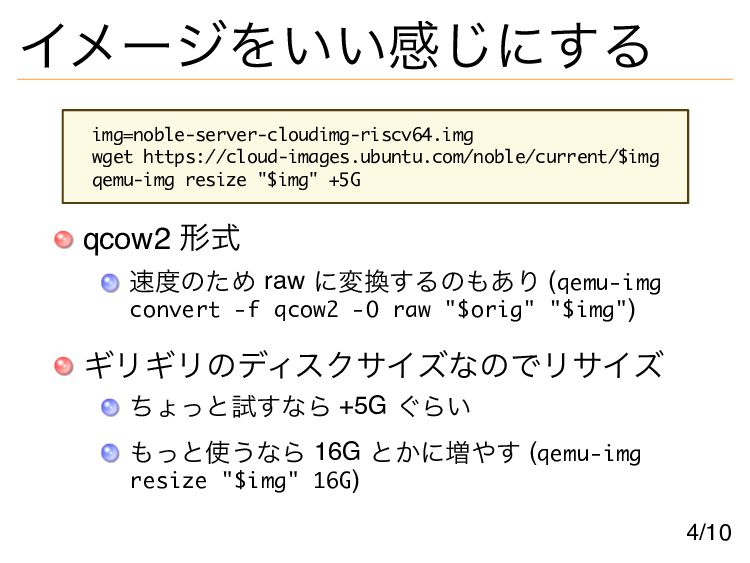
イメージをいい感じにする img=noble-server-cloudimg-riscv64.img wget https://cloud-images.ubuntu.com/noble/current/$img qemu-img resize "$img" +5G qcow2 形式
速度のため raw に変換するのもあり (qemu-img convert -f qcow2 -O raw "$orig" "$img") ギリギリのディスクサイズなのでリサイズ ちょっと試すなら +5G ぐらい もっと使うなら 16G とかに増やす (qemu-img resize "$img" 16G) 4/10
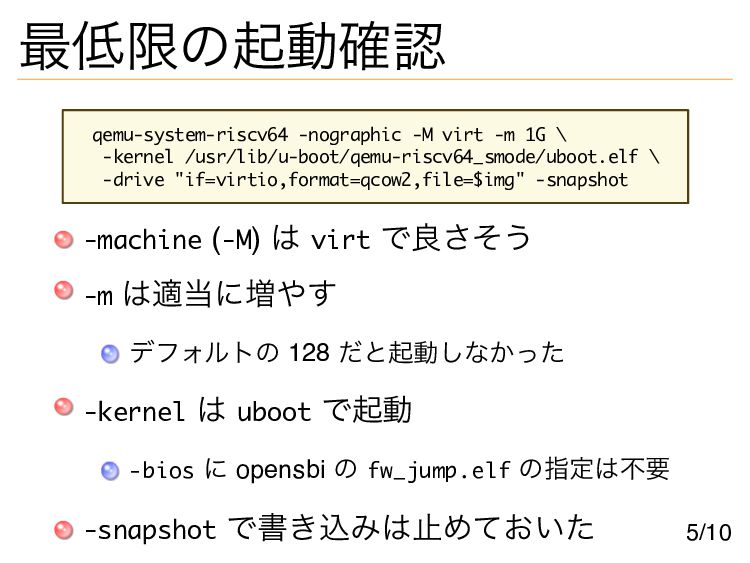
最低限の起動確認 qemu-system-riscv64 -nographic -M virt -m 1G \ -kernel /usr/lib/u-boot/qemu-riscv64_smode/uboot.elf
\ -drive "if=virtio,format=qcow2,file=$img" -snapshot -machine (-M) は virt で良さそう -m は適当に増やす デフォルトの 128 だと起動しなかった -kernel は uboot で起動 -bios に opensbi の fw_jump.elf の指定は不要 -snapshot で書き込みは止めておいた 5/10
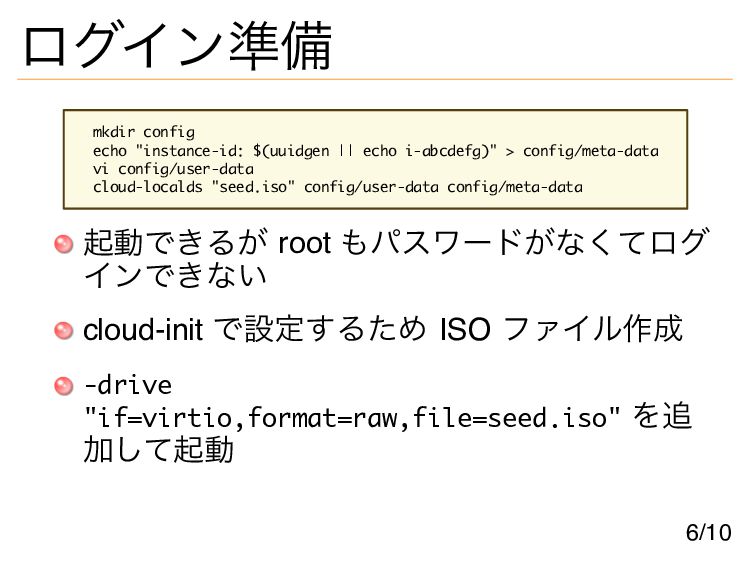
ログイン準備 mkdir config echo "instance-id: $(uuidgen || echo i-abcdefg)" >
config/meta-data vi config/user-data cloud-localds "seed.iso" config/user-data config/meta-data 起動できるが root もパスワードがなくてログ インできない cloud-init で設定するため ISO ファイル作成 -drive "if=virtio,format=raw,file=seed.iso" を追 加して起動 6/10
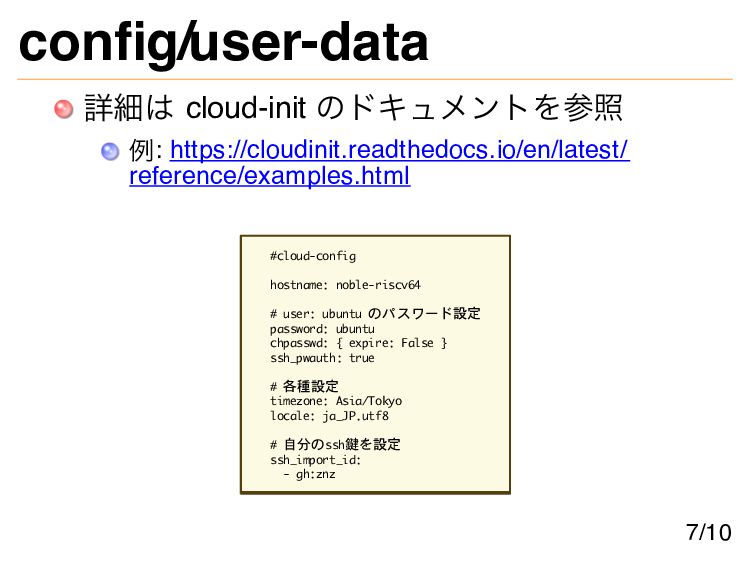
config/user-data 詳細は cloud-init のドキュメントを参照 例: https://cloudinit.readthedocs.io/en/latest/ reference/examples.html #cloud-config hostname: noble-riscv64
# user: ubuntu のパスワード設定 password: ubuntu chpasswd: { expire: False } ssh_pwauth: true # 各種設定 timezone: Asia/Tokyo locale: ja_JP.utf8 # 自分のssh鍵を設定 ssh_import_id: - gh:znz 7/10
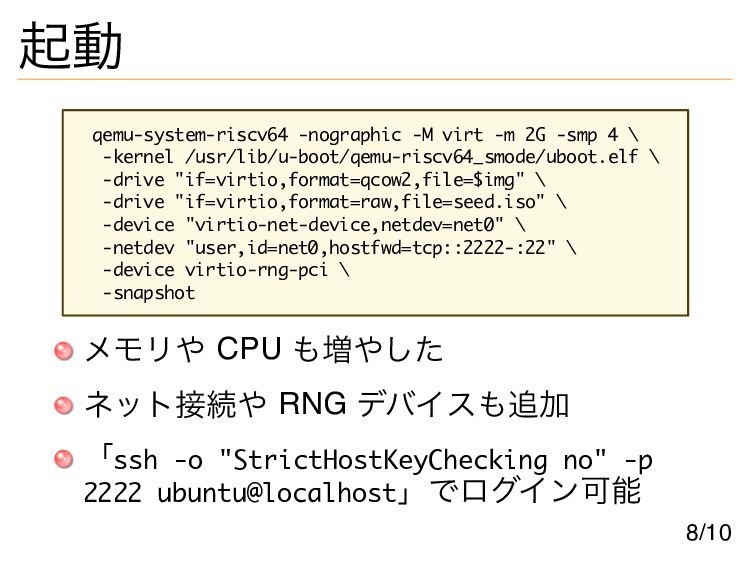
起動 qemu-system-riscv64 -nographic -M virt -m 2G -smp 4 \
-kernel /usr/lib/u-boot/qemu-riscv64_smode/uboot.elf \ -drive "if=virtio,format=qcow2,file=$img" \ -drive "if=virtio,format=raw,file=seed.iso" \ -device "virtio-net-device,netdev=net0" \ -netdev "user,id=net0,hostfwd=tcp::2222-:22" \ -device virtio-rng-pci \ -snapshot メモリや CPU も増やした ネット接続や RNG デバイスも追加 「ssh -o "StrictHostKeyChecking no" -p 2222 ubuntu@localhost」でログイン可能 8/10
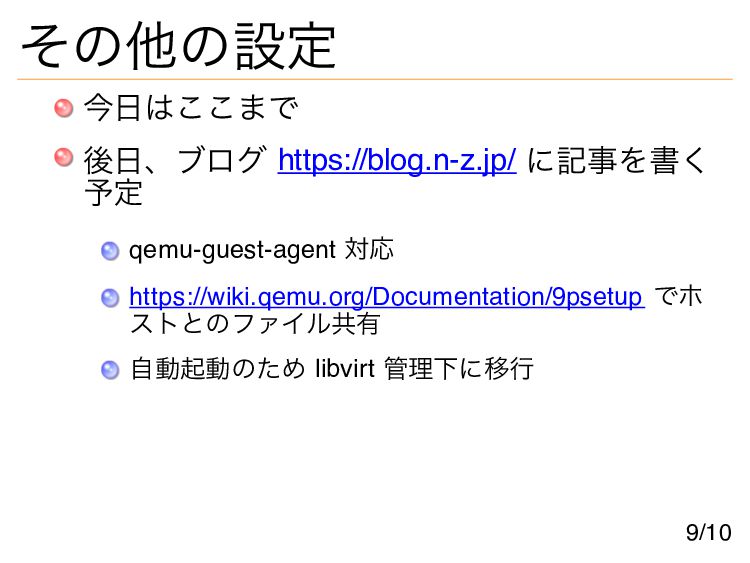
その他の設定 今日はここまで 後日、ブログ https://blog.n-z.jp/ に記事を書く 予定 qemu-guest-agent 対応 https://wiki.qemu.org/Documentation/9psetup でホ
ストとのファイル共有 自動起動のため libvirt 管理下に移行 9/10
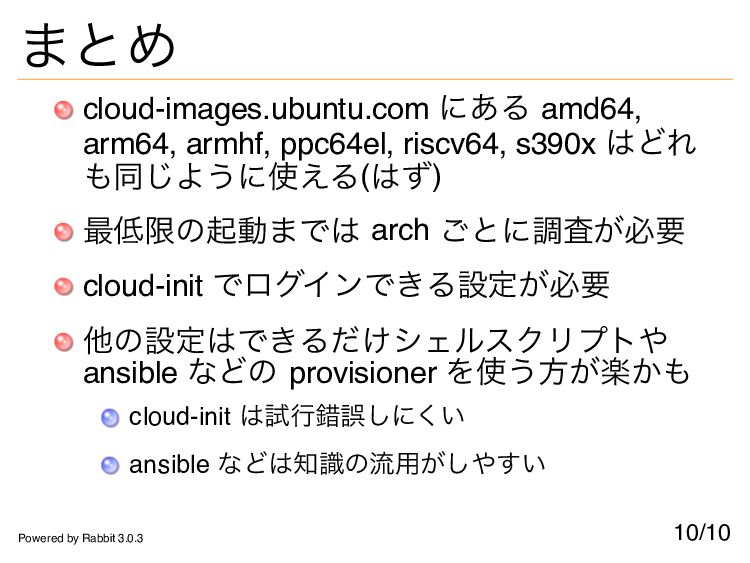
まとめ cloud-images.ubuntu.com にある amd64, arm64, armhf, ppc64el, riscv64, s390x はどれ
も同じように使える(はず) 最低限の起動までは arch ごとに調査が必要 cloud-init でログインできる設定が必要 他の設定はできるだけシェルスクリプトや ansible などの provisioner を使う方が楽かも cloud-init は試行錯誤しにくい ansible などは知識の流用がしやすい 10/10 Powered by Rabbit 3.0.3


 znz
znz
 y0hgi
y0hgi
 andpad
 mitohato14
 deka_morita
 hasutosasaki
 yukikurage
 siroemk
 shihochan
 marcoroth
 ythecombinator
 optim
optim
 paulk
paulk
 cassininazir
 yeseniaperezcruz
 axbom
axbom
 eileencodes
 jeffersonlam
 skoyamalab
 techseoconnect
 codingconduct
 lara
lara
 davidcarrasco
 akosma