Upgrade to Pro
— share decks privately, control downloads, hide ads and more …
Speaker Deck
Sign up for free
Menu
Search
Features
All features
Private URLs
Password Protection
Custom URLS
Scheduled publishing
Remove Branding
Restrict embedding
Deck Collections
Notes
Features
All features
Private URLs
Password Protection
Custom URLS
Scheduled publishing
Remove Branding
Restrict embedding
Deck Collections
Notes
Explore
Featured decks
Featured speakers
Programming
Technology
Storyboards
Explore
Featured decks
Featured speakers
Programming
Technology
Storyboards
Pricing
Search
Sign in
Sign up for free
AIエージェント勉強会 Opalで実際に作ってみよう
Search
Y.Miyado
December 18, 2025
240
0
Share
Embed
Copy iframe code
Copy JS code
Copy link
Start on current slide
AIエージェント勉強会 Opalで実際に作ってみよう
誰でも作れる!AIエージェント勉強会【CDLE AIプログラミング主催】実習資料
Y.Miyado
December 18, 2025
More Decks by Y.Miyado
See All by Y.Miyado
Codex概要
ymiya55
0
500
AIエージェント勉強会第3回 エージェンティックAIの時代がやってきた
ymiya55
0
460
AI部下と始める新しい仕事術とは?/AIエージェント業務の実演①
ymiya55
0
300
Antigravityを実際に操作してみよう
ymiya55
0
230
AIエージェント勉強会 AIエージェントとは? (1)
ymiya55
0
330
Featured
See All Featured
Abbi's Birthday
coloredviolet
4
10k
The State of eCommerce SEO: How to Win in Today's Products SERPs - #SEOweek
aleyda
2
12k
Designing for Timeless Needs
cassininazir
1
520
What’s in a name? Adding method to the madness
productmarketing
PRO
24
4.2k
<Decoding/> the Language of Devs - We Love SEO 2024
nikkihalliwell
1
350
Primal Persuasion: How to Engage the Brain for Learning That Lasts
tmiket
0
490
The Power of CSS Pseudo Elements
geoffreycrofte
82
6.6k
技術選定の審美眼(2025年版) / Understanding the Spiral of Technologies 2025 edition
twada
PRO
120
120k
Kristin Tynski - Automating Marketing Tasks With AI
techseoconnect
PRO
0
540
Evolving SEO for Evolving Search Engines
ryanjones
0
320
Are puppies a ranking factor?
jonoalderson
2
4k
Noah Learner - AI + Me: how we built a GSC Bulk Export data pipeline
techseoconnect
PRO
0
450
Transcript
AIエージェント勉強会 Google OpalでAIエージェントを作ってみよう 2025.12.18 CDLE AIプログラミング サポーター CDLE 名古屋 サポーター
CDLE ロボットAI 運営 Y.Miyado
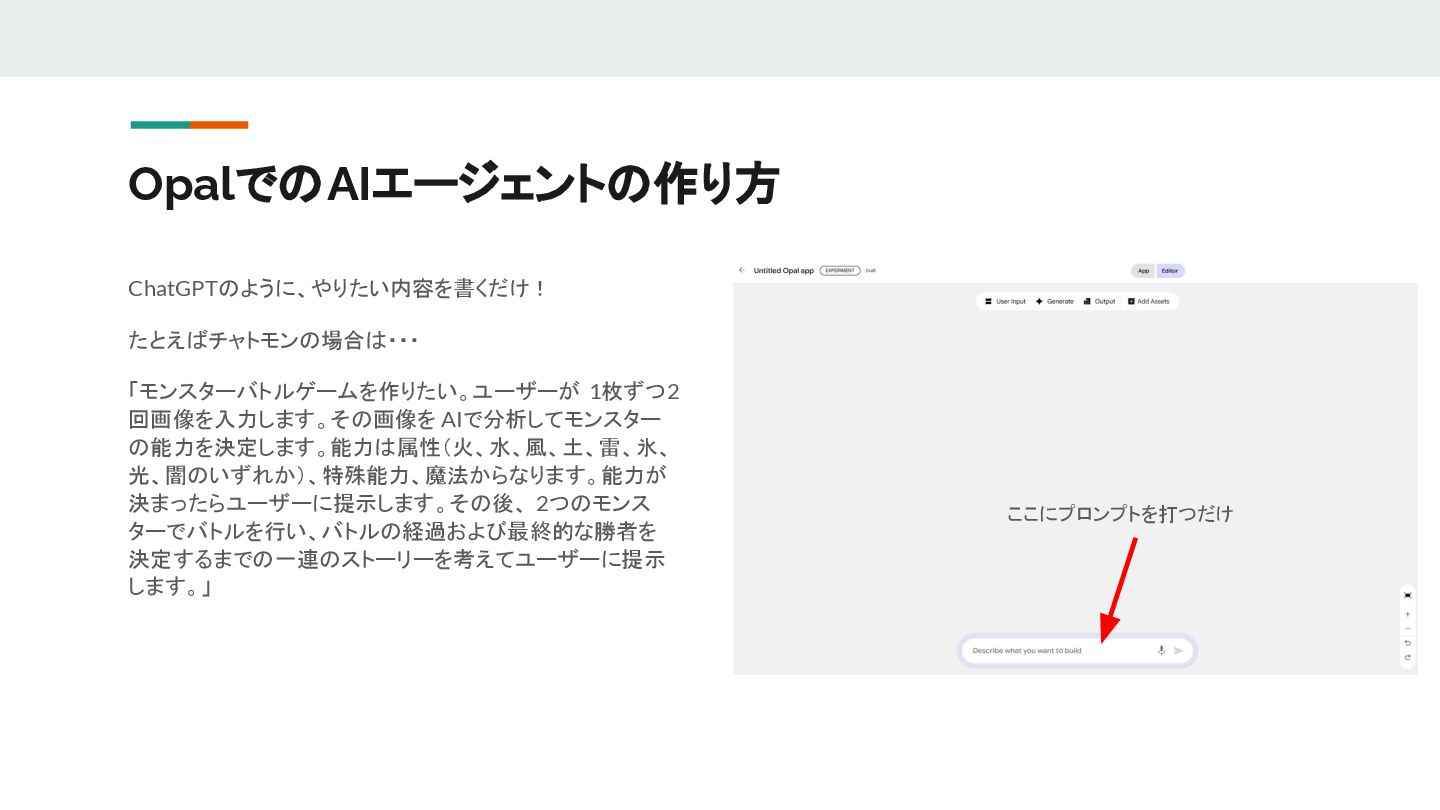
OpalでのAIエージェントの作り方 ChatGPTのように、やりたい内容を書くだけ! たとえばチャトモンの場合は・・・ 「モンスターバトルゲームを作りたい。ユーザーが 1枚ずつ2 回画像を入力します。その画像を AIで分析してモンスター の能力を決定します。能力は属性(火、水、風、土、雷、氷、 光、闇のいずれか)、特殊能力、魔法からなります。能力が 決まったらユーザーに提示します。その後、
2つのモンス ターでバトルを行い、バトルの経過および最終的な勝者を 決定するまでの一連のストーリーを考えてユーザーに提示 します。」 ここにプロンプトを打つだけ
OpalでのAIエージェントの作り方 自動的にフローができあがります!
OpalでのAIエージェントの作り方 右側の「Preview」で実際にアプリを動かせますので遊んで みましょう モンスターの画像の入手先 https://github.com/takanari-tokuwa/chatmon-basic/tree /main/sampleMonsters
Let's Try!!
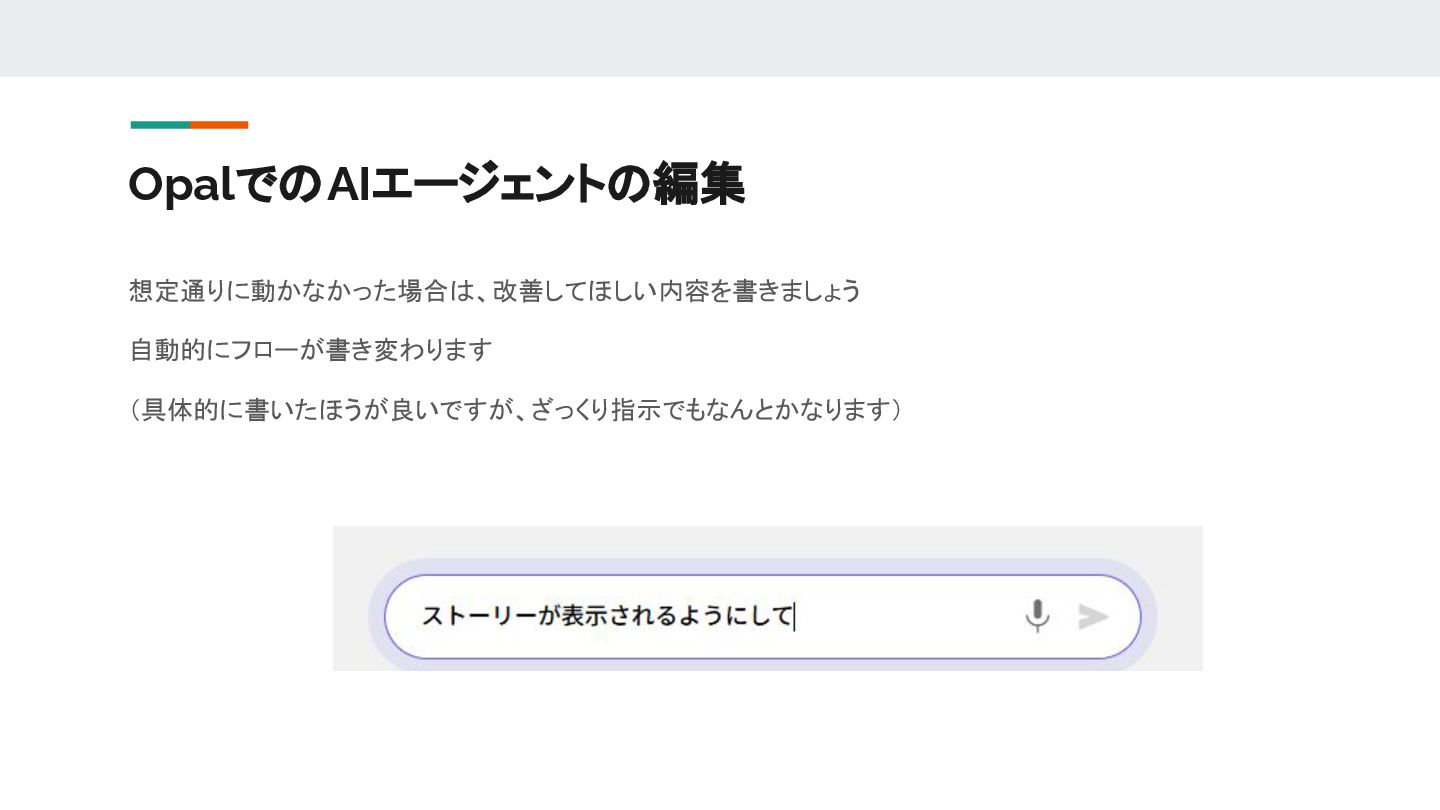
OpalでのAIエージェントの編集 想定通りに動かなかった場合は、改善してほしい内容を書きましょう 自動的にフローが書き変わります (具体的に書いたほうが良いですが、ざっくり指示でもなんとかなります)
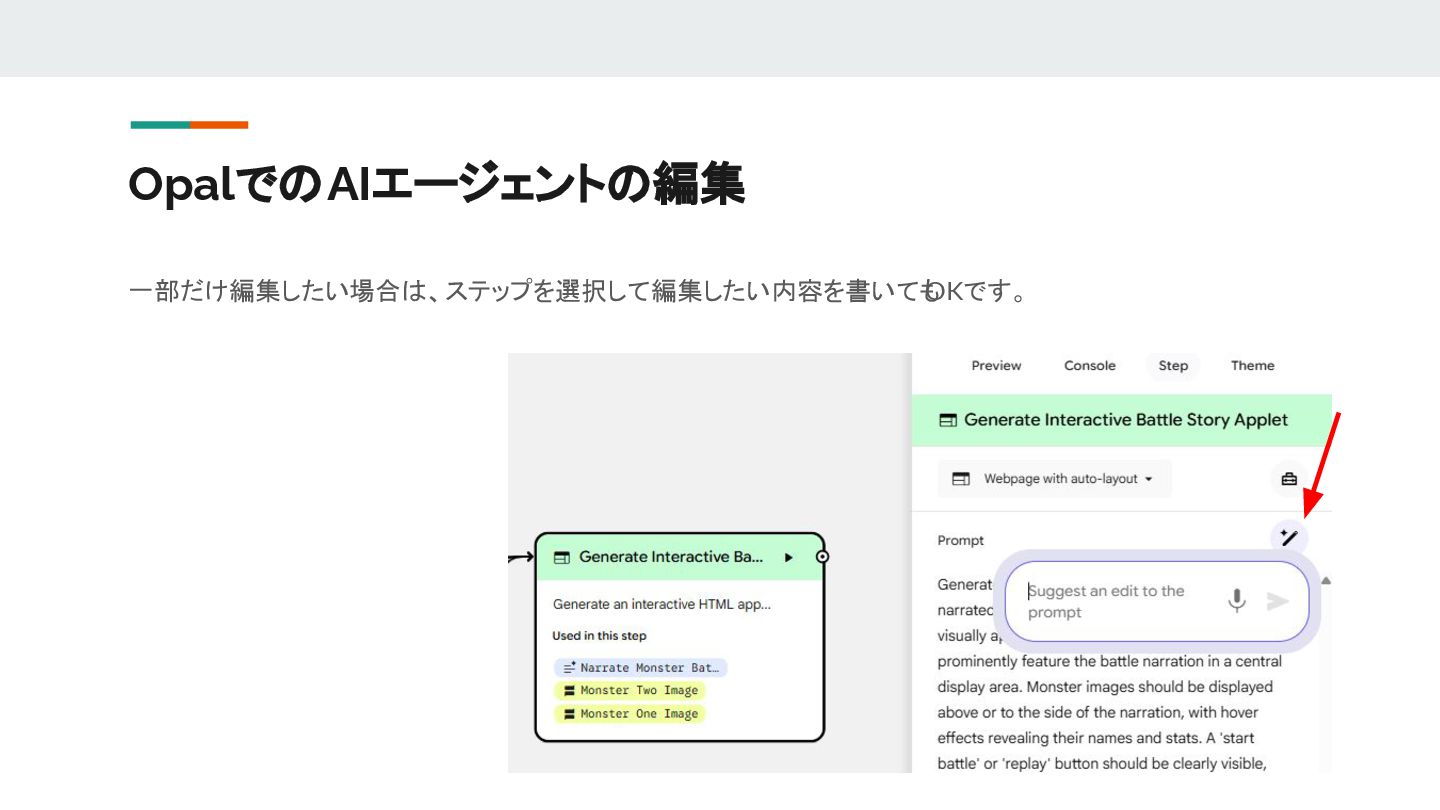
OpalでのAIエージェントの編集 一部だけ編集したい場合は、ステップを選択して編集したい内容を書いても OKです。
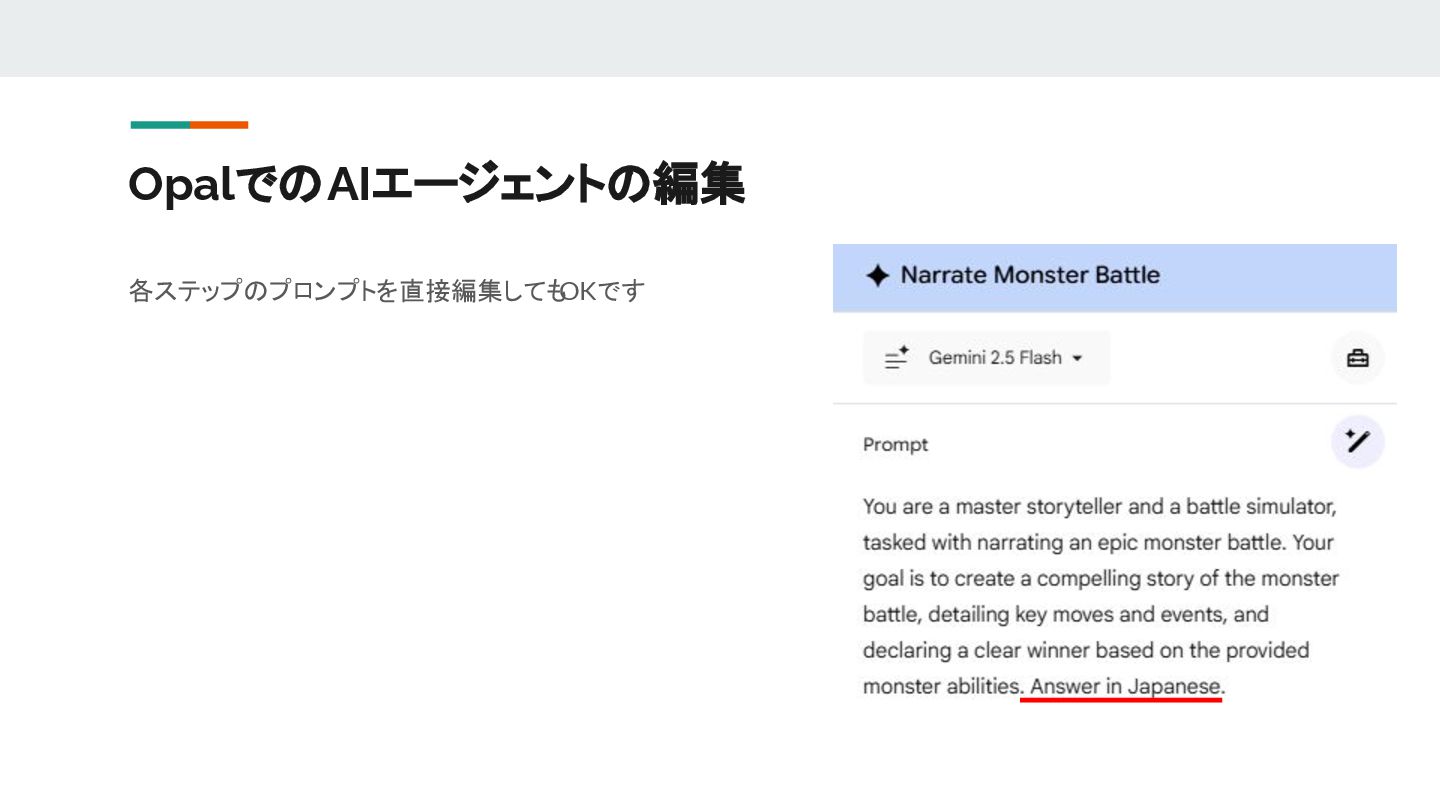
OpalでのAIエージェントの編集 各ステップのプロンプトを直接編集しても OKです
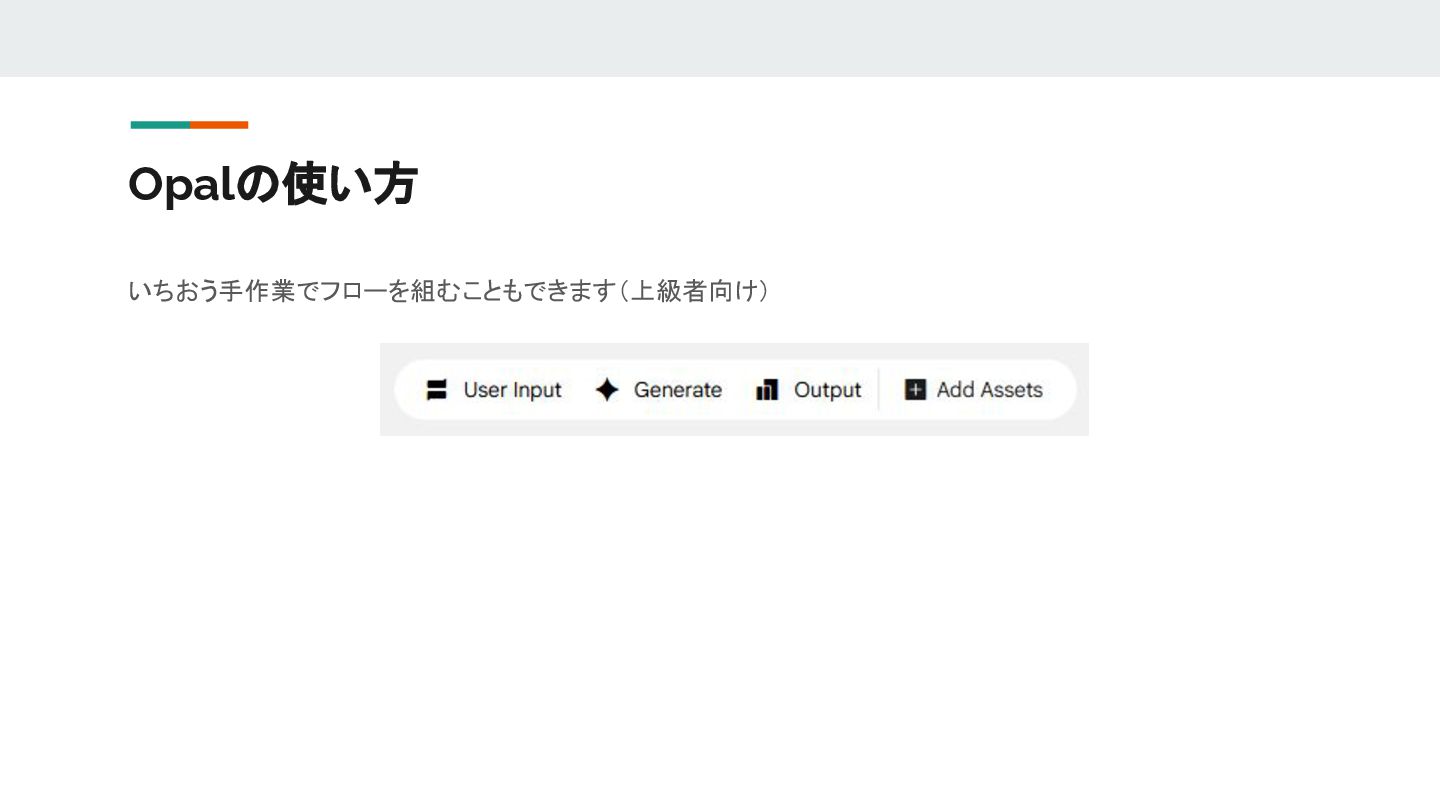
Opalの使い方 いちおう手作業でフローを組むこともできます(上級者向け)
Let's have more fun!


 ymiya55
 coloredviolet
 aleyda
 cassininazir
 productmarketing
 nikkihalliwell
 tmiket
 geoffreycrofte
 twada
twada
 techseoconnect
 ryanjones
 jonoalderson