Upgrade to Pro — share decks privately, control downloads, hide ads and more …

rubykaigi2026LT_The Joy of Taking to Hardware i...

Sponsored · Ship Features Fearlessly Turn features on and off without deploys. Used by thousands of Ruby developers.

rubykaigi2026LT_The Joy of Taking to Hardware in Ruby

The Joy of Taking to Hardware in Ruby

Avatar for Yuji Teshima

Yuji Teshima

April 22, 2026

More Decks by Yuji Teshima

Other Decks in Programming

Transcript

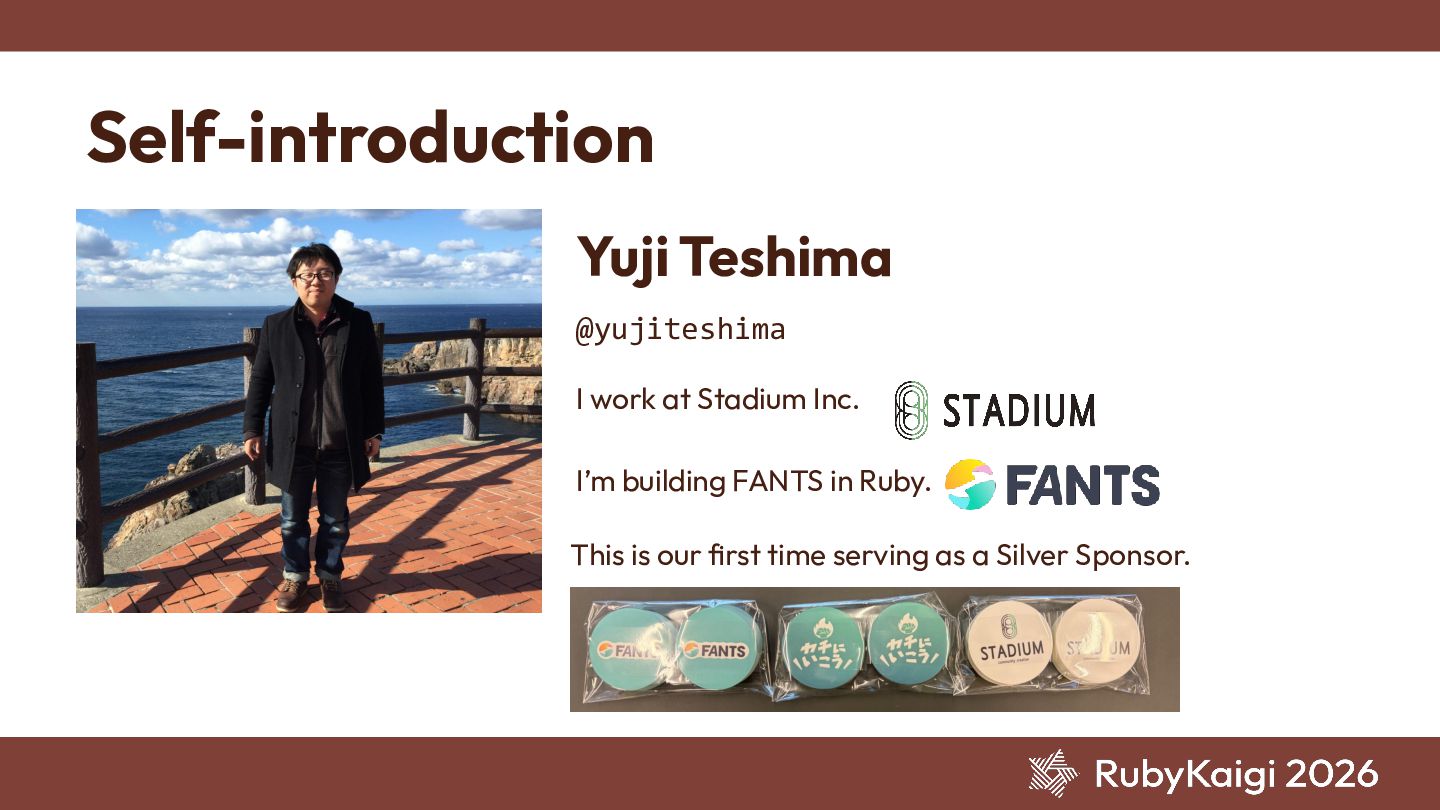
  1. Self-introduction Yuji Teshima @yujiteshima I work at Stadium Inc. This

    is our first time serving as a Silver Sponsor. I’m building FANTS in Ruby.
  2. The Spark "Getting Started with GPU & NPU Programming on

    Raspberry Pi" "I want to write this in mruby."
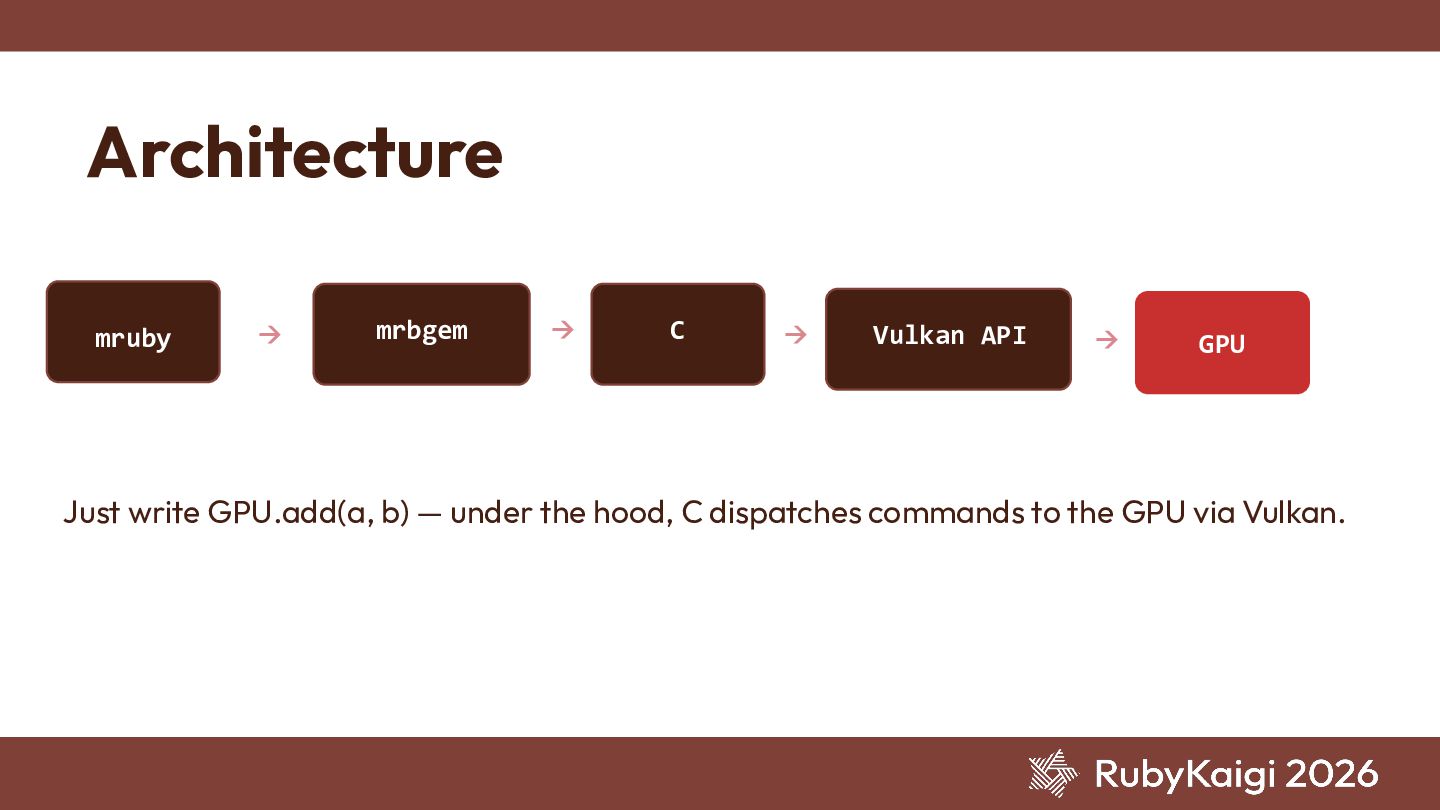
  3. Architecture → mruby mrbgem → C → Vulkan API →

    GPU Just write GPU.add(a, b) — under the hood, C dispatches commands to the GPU via Vulkan.
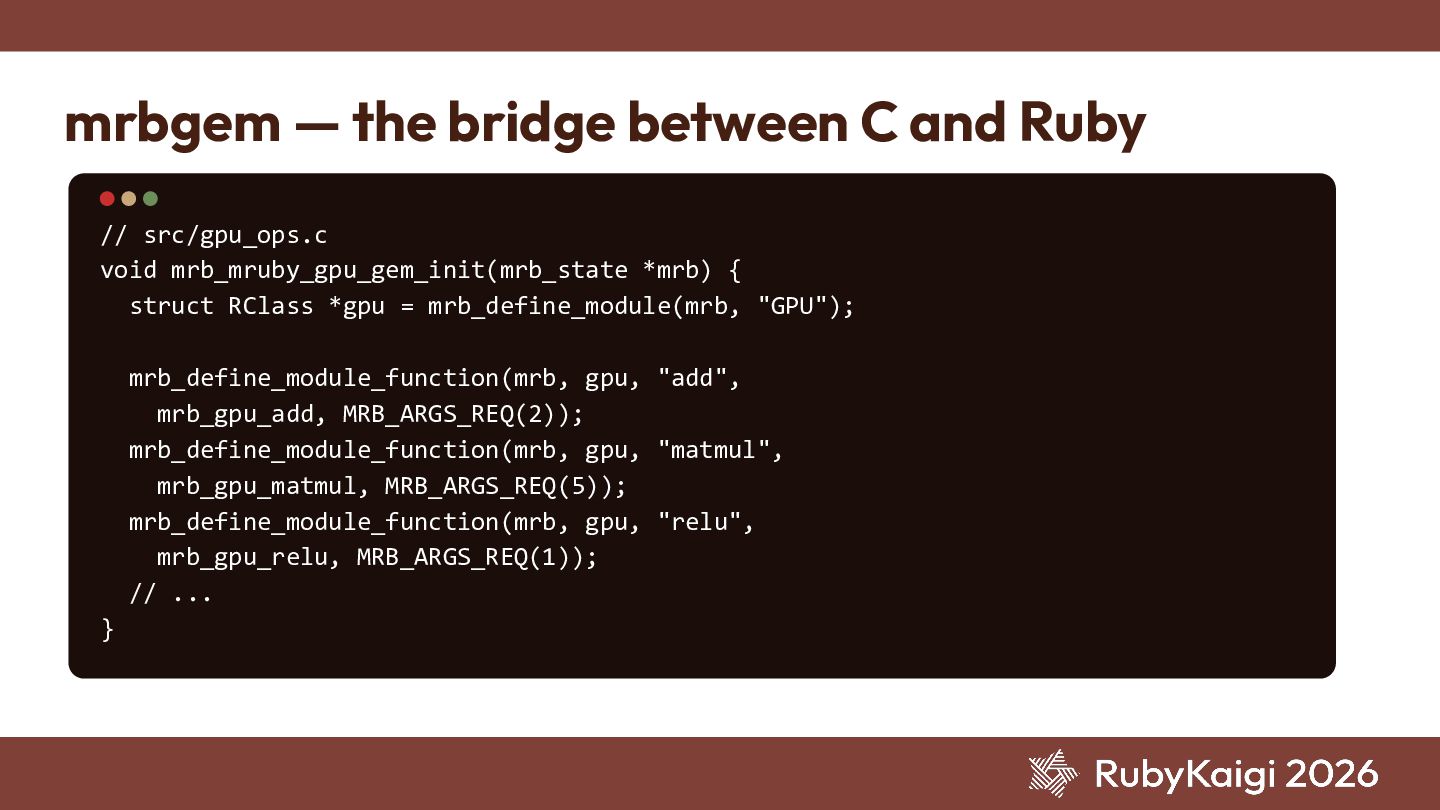
  4. mrbgem — the bridge between C and Ruby // src/gpu_ops.c

    void mrb_mruby_gpu_gem_init(mrb_state *mrb) { struct RClass *gpu = mrb_define_module(mrb, "GPU"); mrb_define_module_function(mrb, gpu, "add", mrb_gpu_add, MRB_ARGS_REQ(2)); mrb_define_module_function(mrb, gpu, "matmul", mrb_gpu_matmul, MRB_ARGS_REQ(5)); mrb_define_module_function(mrb, gpu, "relu", mrb_gpu_relu, MRB_ARGS_REQ(1)); // ... }
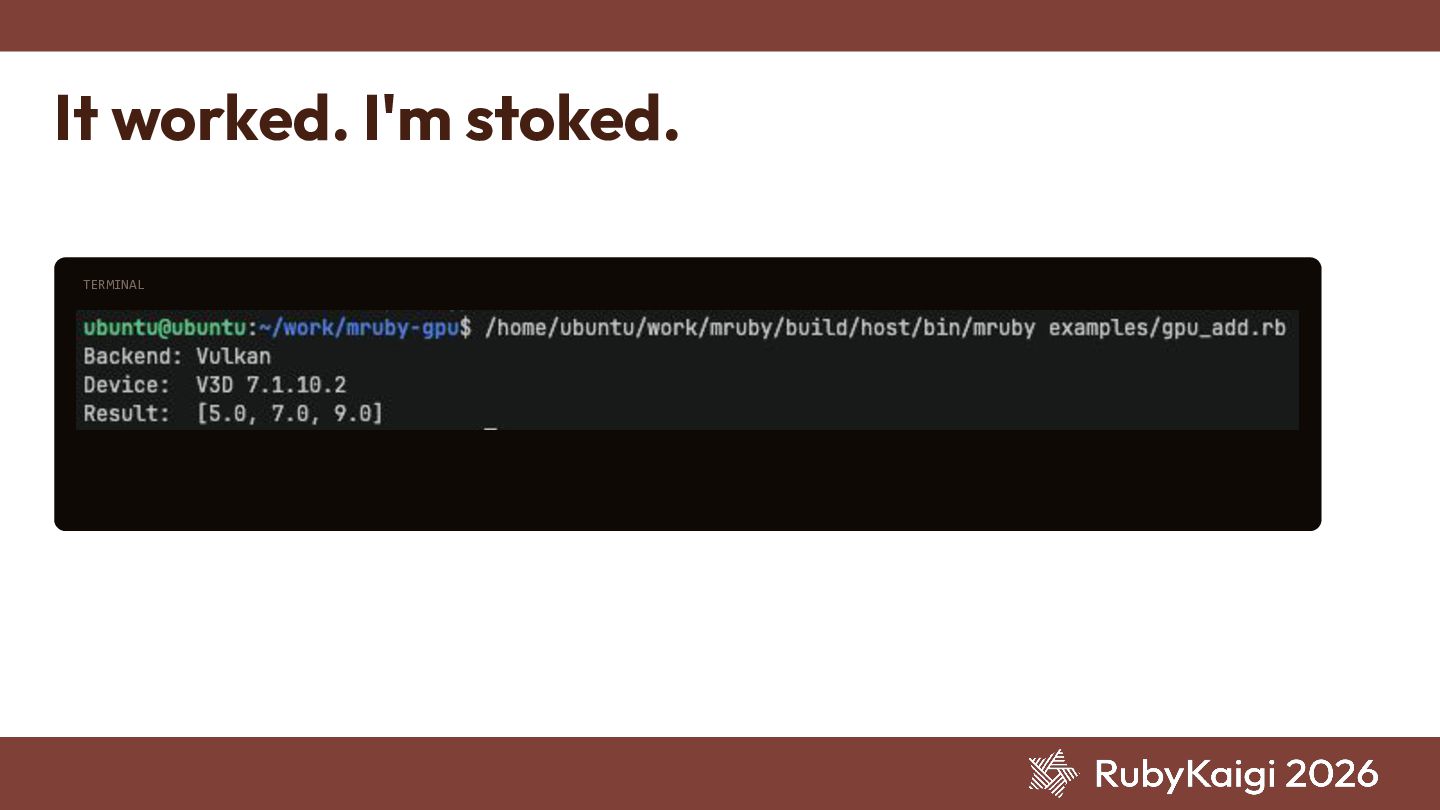
  5. # gpu_add.rb GPU.init("shader") a = GPU.array([1.0, 2.0, 3.0]) b =

    GPU.array([4.0, 5.0, 6.0]) c = GPU.add(a, b) puts c.head(3).inspect #=> [5.0, 7.0, 9.0] GPU.add Adding two vectors on the GPU. The very first step.
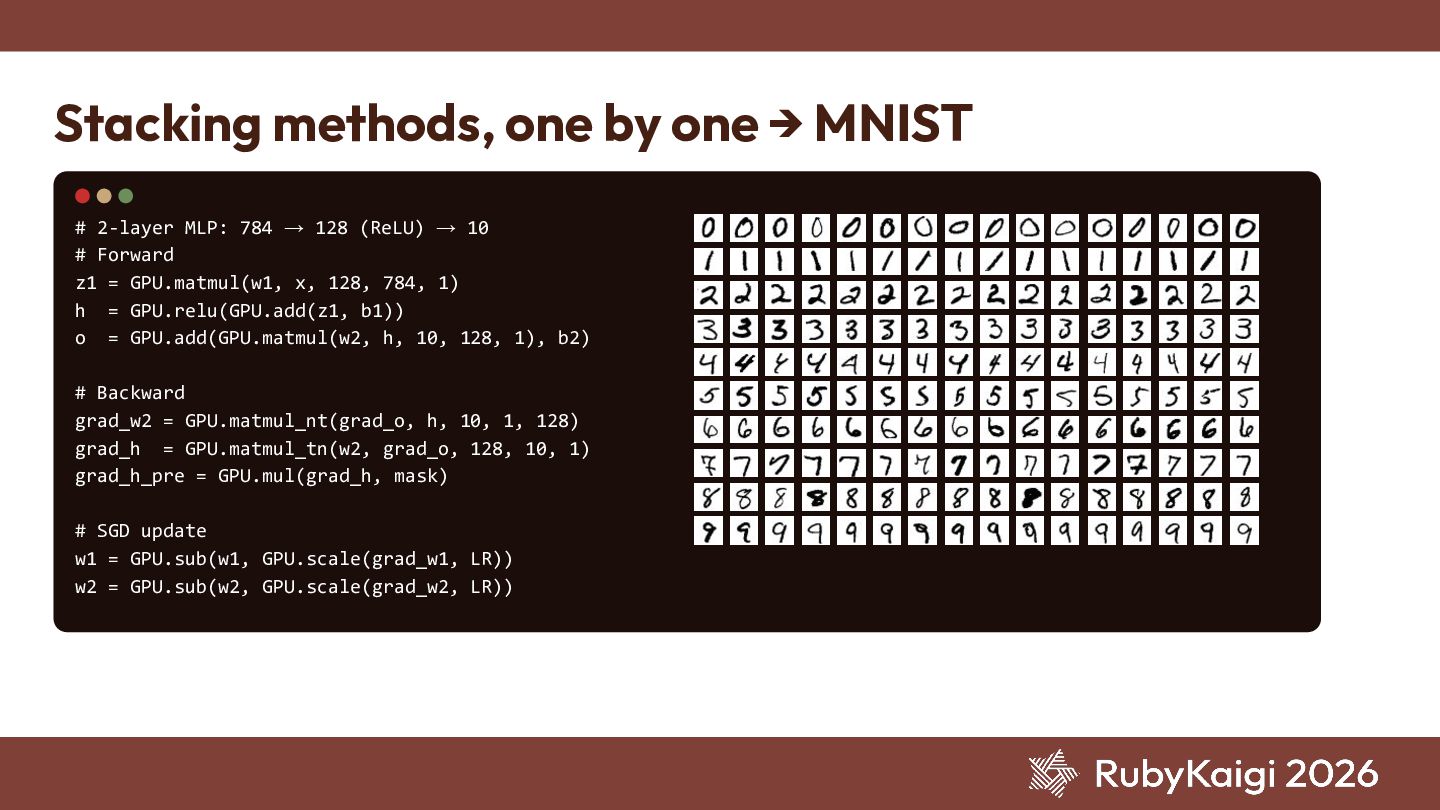
  6. Stacking methods, one by one → MNIST # 2-layer MLP:

    784 → 128 (ReLU) → 10 # Forward z1 = GPU.matmul(w1, x, 128, 784, 1) h = GPU.relu(GPU.add(z1, b1)) o = GPU.add(GPU.matmul(w2, h, 10, 128, 1), b2) # Backward grad_w2 = GPU.matmul_nt(grad_o, h, 10, 1, 128) grad_h = GPU.matmul_tn(w2, grad_o, 128, 10, 1) grad_h_pre = GPU.mul(grad_h, mask) # SGD update w1 = GPU.sub(w1, GPU.scale(grad_w1, LR)) w2 = GPU.sub(w2, GPU.scale(grad_w2, LR))
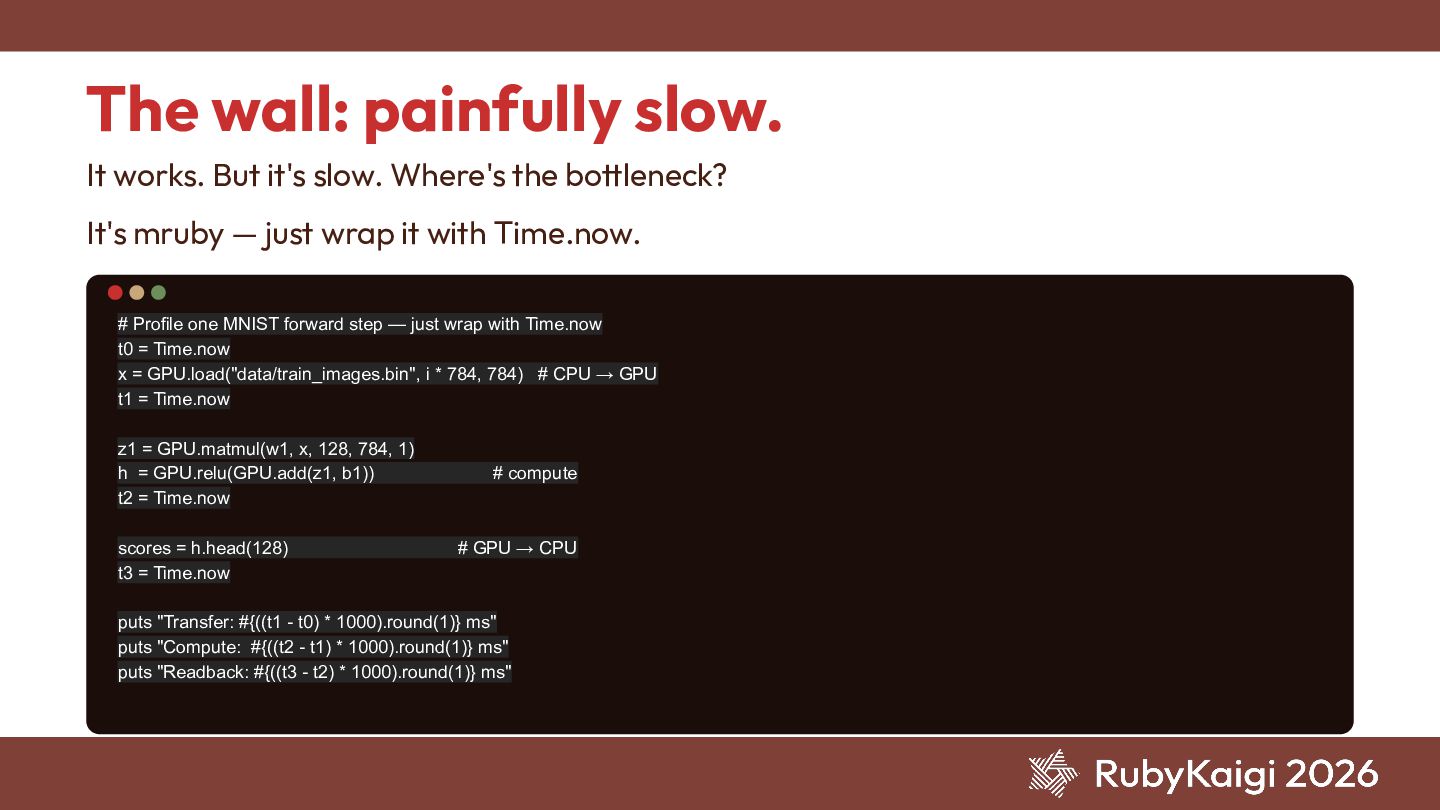
  7. The wall: painfully slow. It works. But it's slow. Where's

    the bottleneck? # Profile one MNIST forward step — just wrap with Time.now t0 = Time.now x = GPU.load("data/train_images.bin", i * 784, 784) # CPU → GPU t1 = Time.now z1 = GPU.matmul(w1, x, 128, 784, 1) h = GPU.relu(GPU.add(z1, b1)) # compute t2 = Time.now scores = h.head(128) # GPU → CPU t3 = Time.now puts "Transfer: #{((t1 - t0) * 1000).round(1)} ms" puts "Compute: #{((t2 - t1) * 1000).round(1)} ms" puts "Readback: #{((t3 - t2) * 1000).round(1)} ms" It's mruby — just wrap it with Time.now.
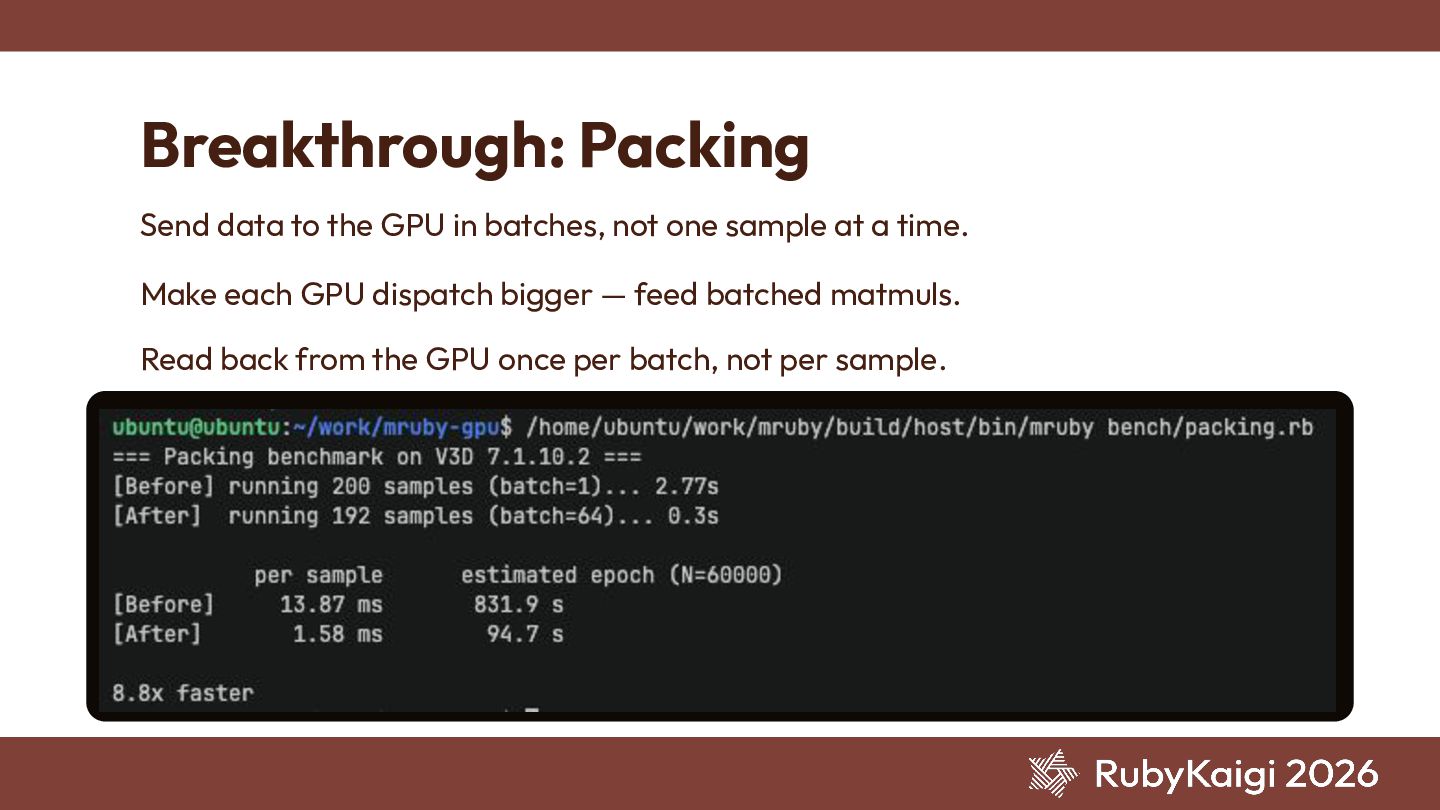
  8. Breakthrough: Packing Send data to the GPU in batches, not

    one sample at a time. Make each GPU dispatch bigger — feed batched matmuls. Read back from the GPU once per batch, not per sample. TERMINAL
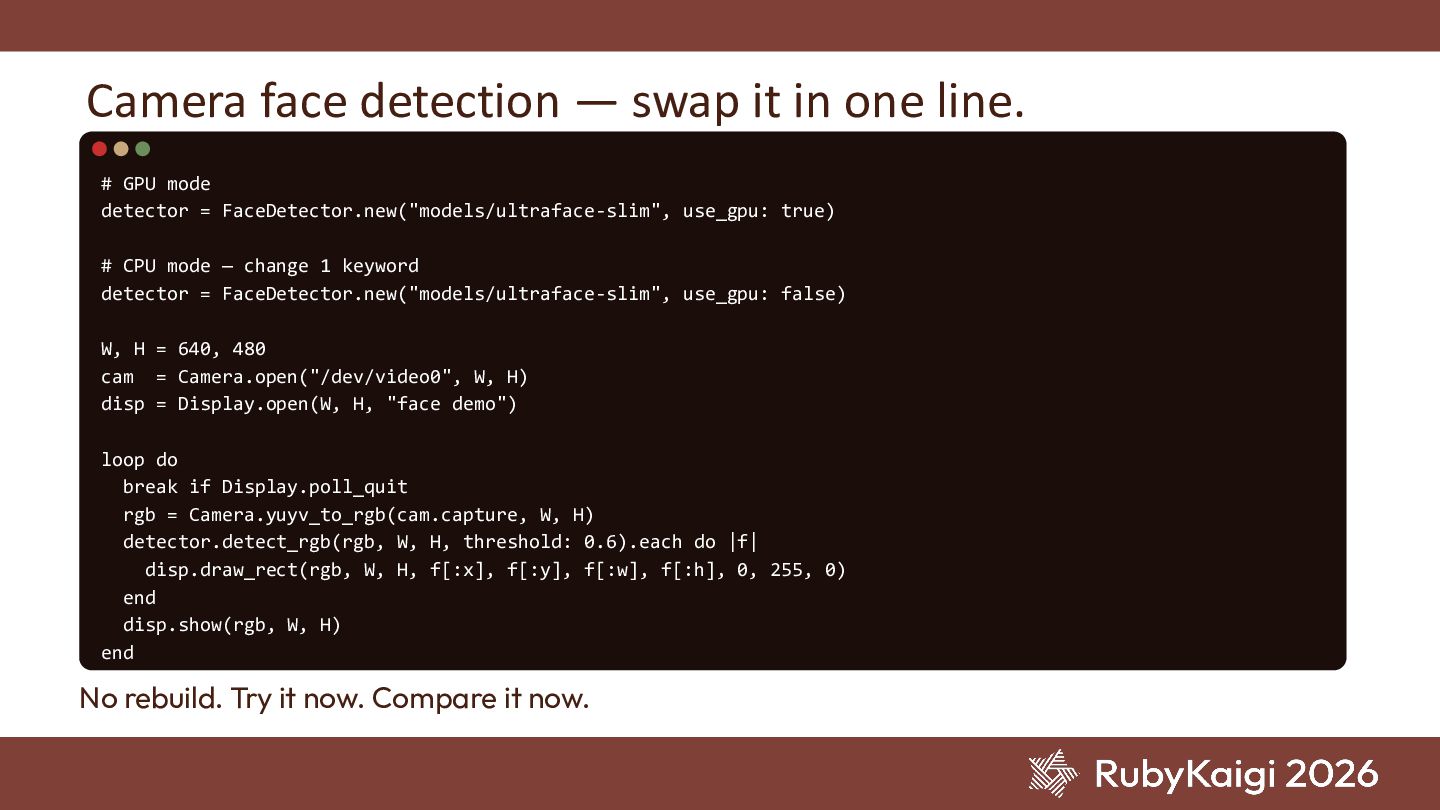
  9. Camera face detection — swap it in one line. #

    GPU mode detector = FaceDetector.new("models/ultraface-slim", use_gpu: true) # CPU mode — change 1 keyword detector = FaceDetector.new("models/ultraface-slim", use_gpu: false) W, H = 640, 480 cam = Camera.open("/dev/video0", W, H) disp = Display.open(W, H, "face demo") loop do break if Display.poll_quit rgb = Camera.yuyv_to_rgb(cam.capture, W, H) detector.detect_rgb(rgb, W, H, threshold: 0.6).each do |f| disp.draw_rect(rgb, W, H, f[:x], f[:y], f[:w], f[:h], 0, 255, 0) end disp.show(rgb, W, H) end No rebuild. Try it now. Compare it now.
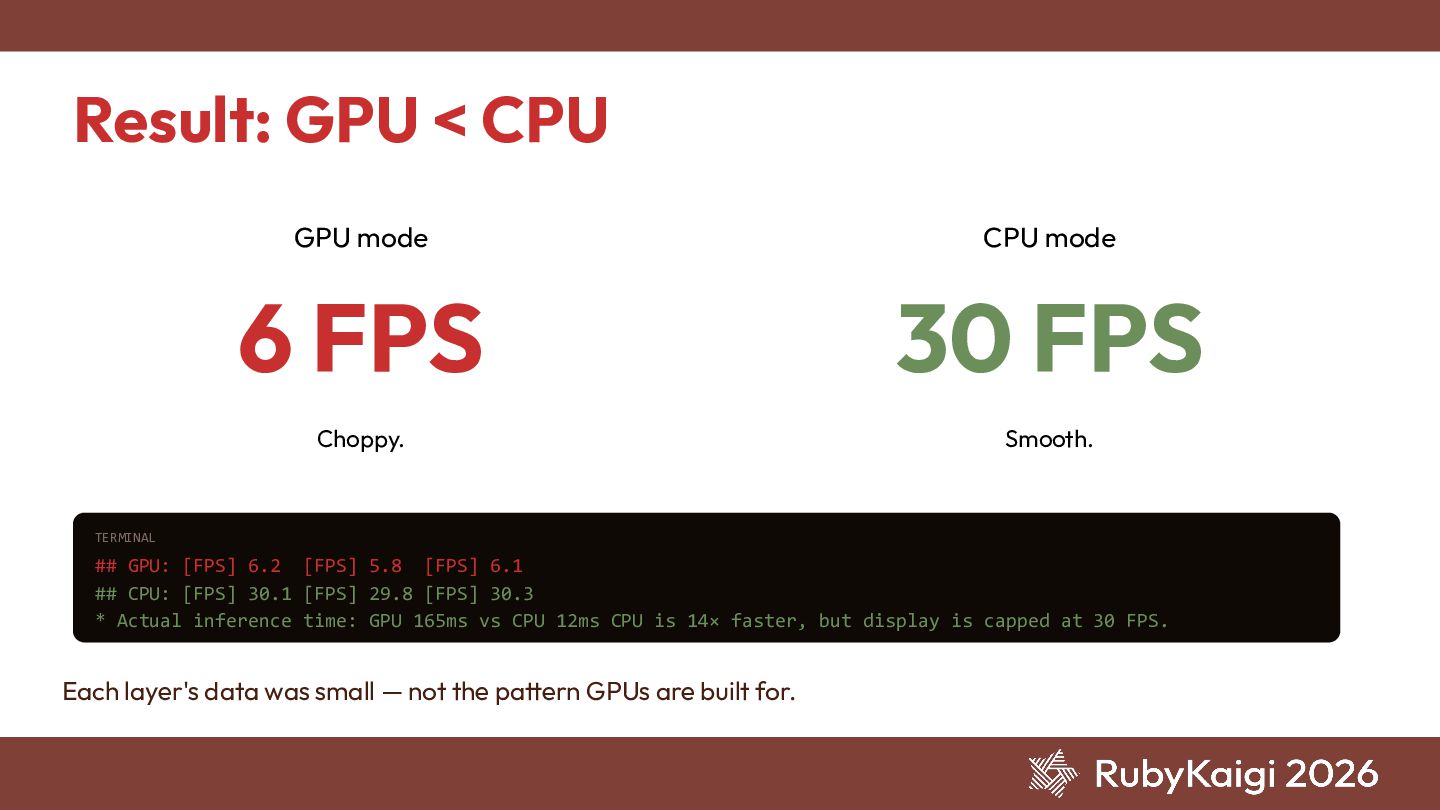
  10. Result: GPU < CPU GPU mode 6 FPS Choppy. CPU

    mode 30 FPS Smooth. TERMINAL ## GPU: [FPS] 6.2 [FPS] 5.8 [FPS] 6.1 ## CPU: [FPS] 30.1 [FPS] 29.8 [FPS] 30.3 * Actual inference time: GPU 165ms vs CPU 12ms CPU is 14× faster, but display is capped at 30 FPS. Each layer's data was small — not the pattern GPUs are built for.
  11. Demo 1. Adding 1M-element arrays — GPU vs CPU 2.

    Camera face detection — switching between GPU and CPU
  12. The ideas just keep coming. Fuse two inputs: infrared +

    regular camera There are even thermal cameras out there, right? Run inference only where motion happens — via frame differencing Microphones, LiDAR, accelerometers… The list of input devices is endless. Too much fun!
  13. Let's talk to the hardware — with mruby. Come play

    with me. github.com/yujiteshima/mruby-gpu Thank you! Peel. See. Picture.