Upgrade to Pro — share decks privately, control downloads, hide ads and more …

The Hidden Architecture of High-Ranking eComme...

Sponsored · SiteGround - Reliable hosting with speed, security, and support you can count on. →

The Hidden Architecture of High-Ranking eCommerce Product Pages: The Technical Systems That Actually Move Revenue

Slides from my BrightonSEO talk on the technical systems behind ecommerce product pages.

I trace one product across its URL and canonical, rendered page, Product markup, Merchant Centre feed and internal links, showing where product facts can disagree and how to investigate those contradictions.

Using an anonymised client case study and practical variant examples, I explain how to choose a variant model and turn findings into developer tickets with clear QA checks. A walkthrough that SEOs and ecommerce teams can apply to their own catalogue.

Avatar for David Bryan

David Bryan

October 09, 2026

Other Decks in Marketing & SEO

Transcript

  1. The Hidden Architecture of High-Ranking eCommerce Product Pages: The Technical

    Systems That Actually Move Revenue David Bryan eCommerce SEO @davidawbryan
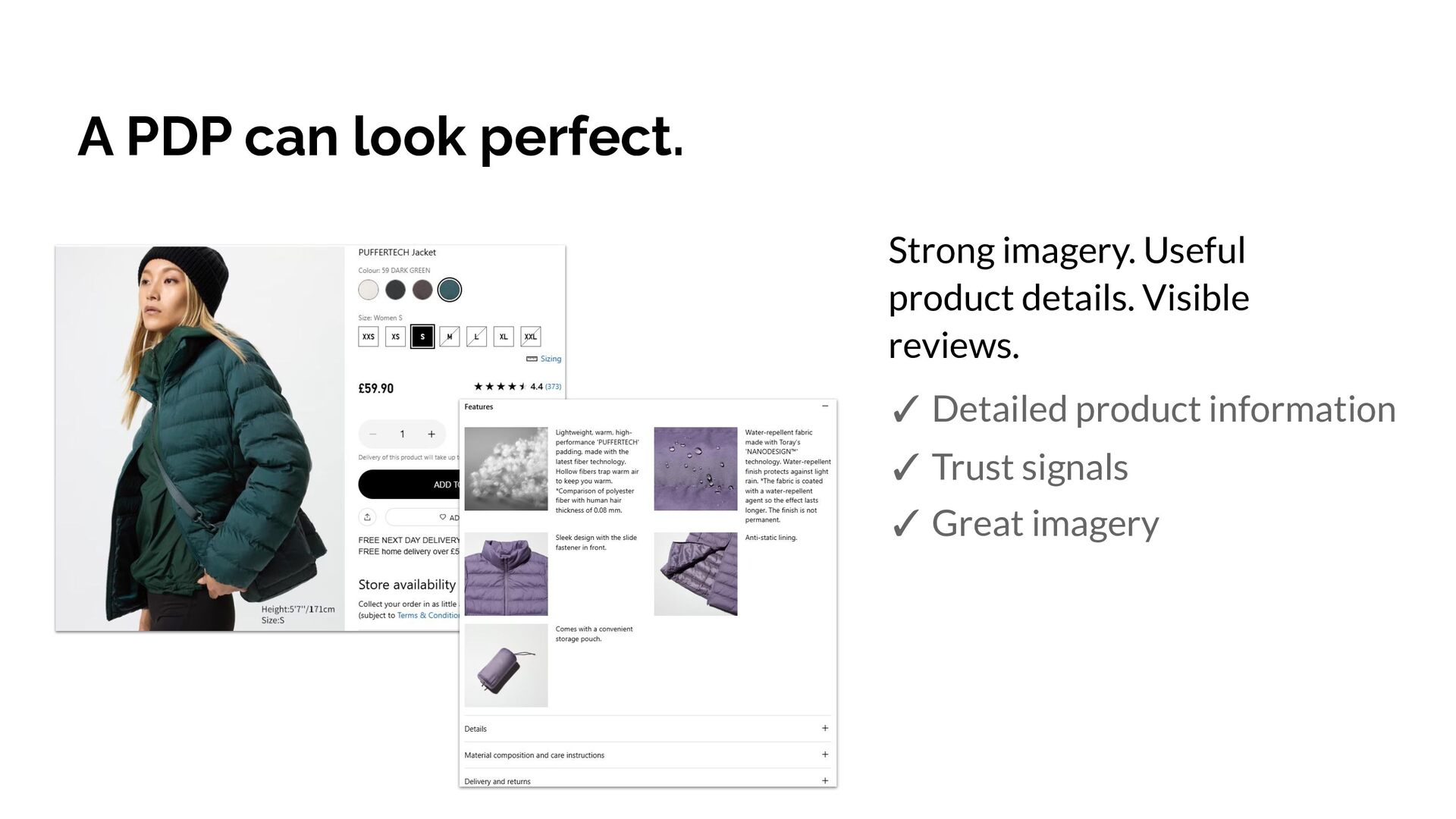
  2. A PDP can look perfect. Strong imagery. Useful product details.

    Visible reviews. ✓ Detailed product information ✓ Trust signals ✓ Great imagery
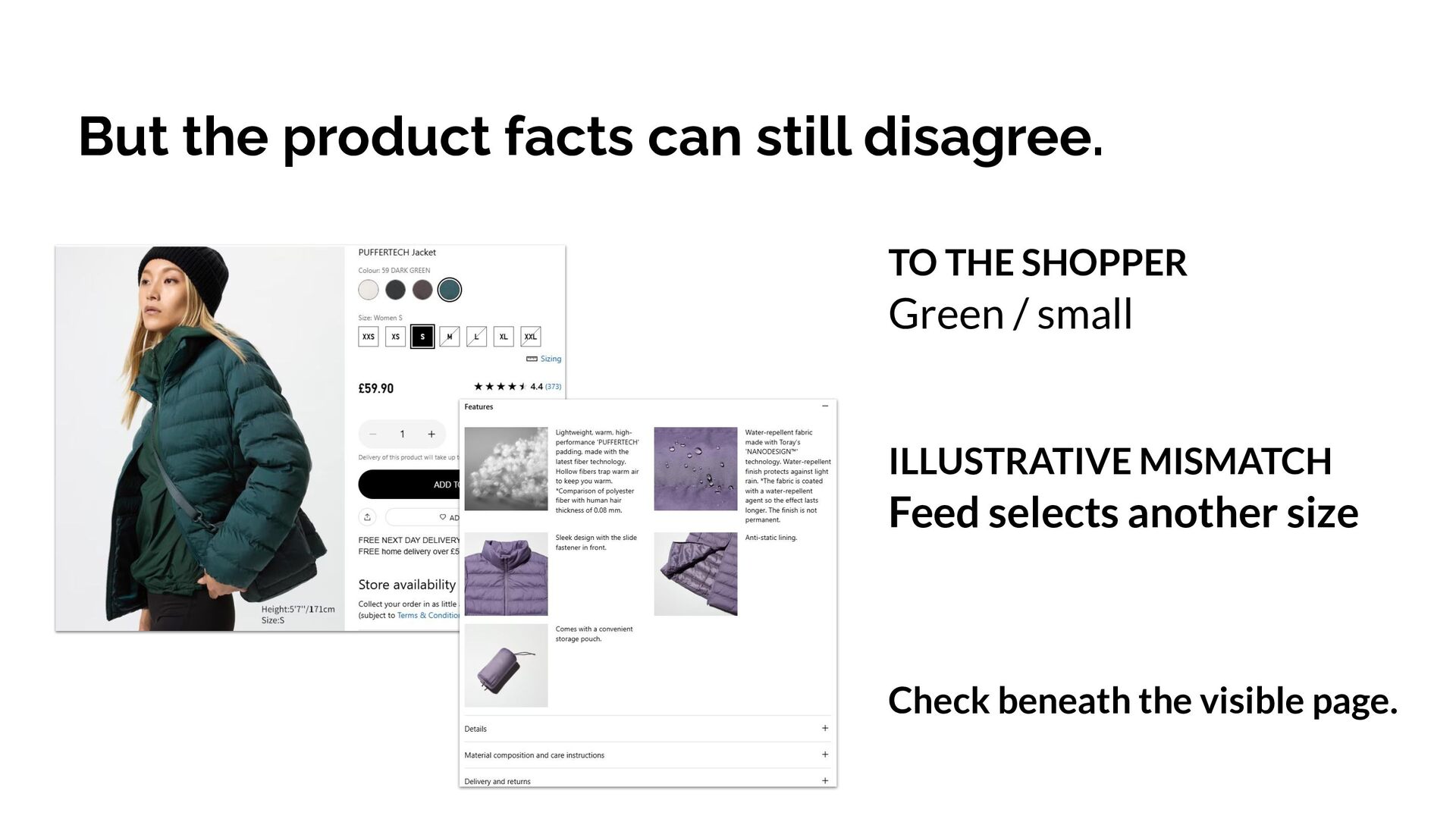
  3. But the product facts can still disagree. TO THE SHOPPER

    Green / small ILLUSTRATIVE MISMATCH Feed selects another size Check beneath the visible page.
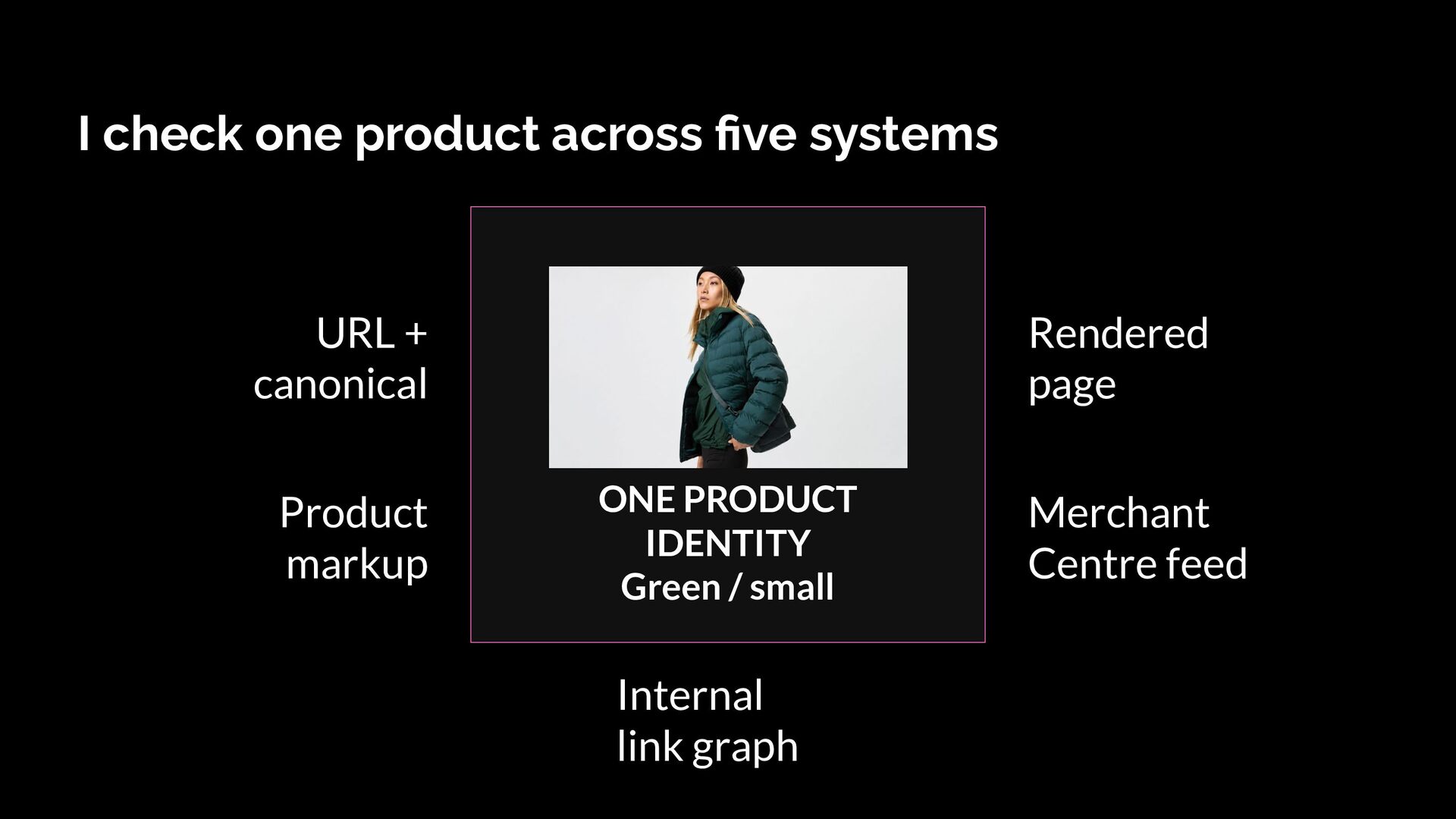
  4. I check one product across five systems URL + canonical

    Product markup Rendered page ONE PRODUCT IDENTITY Green / small Internal link graph Merchant Centre feed
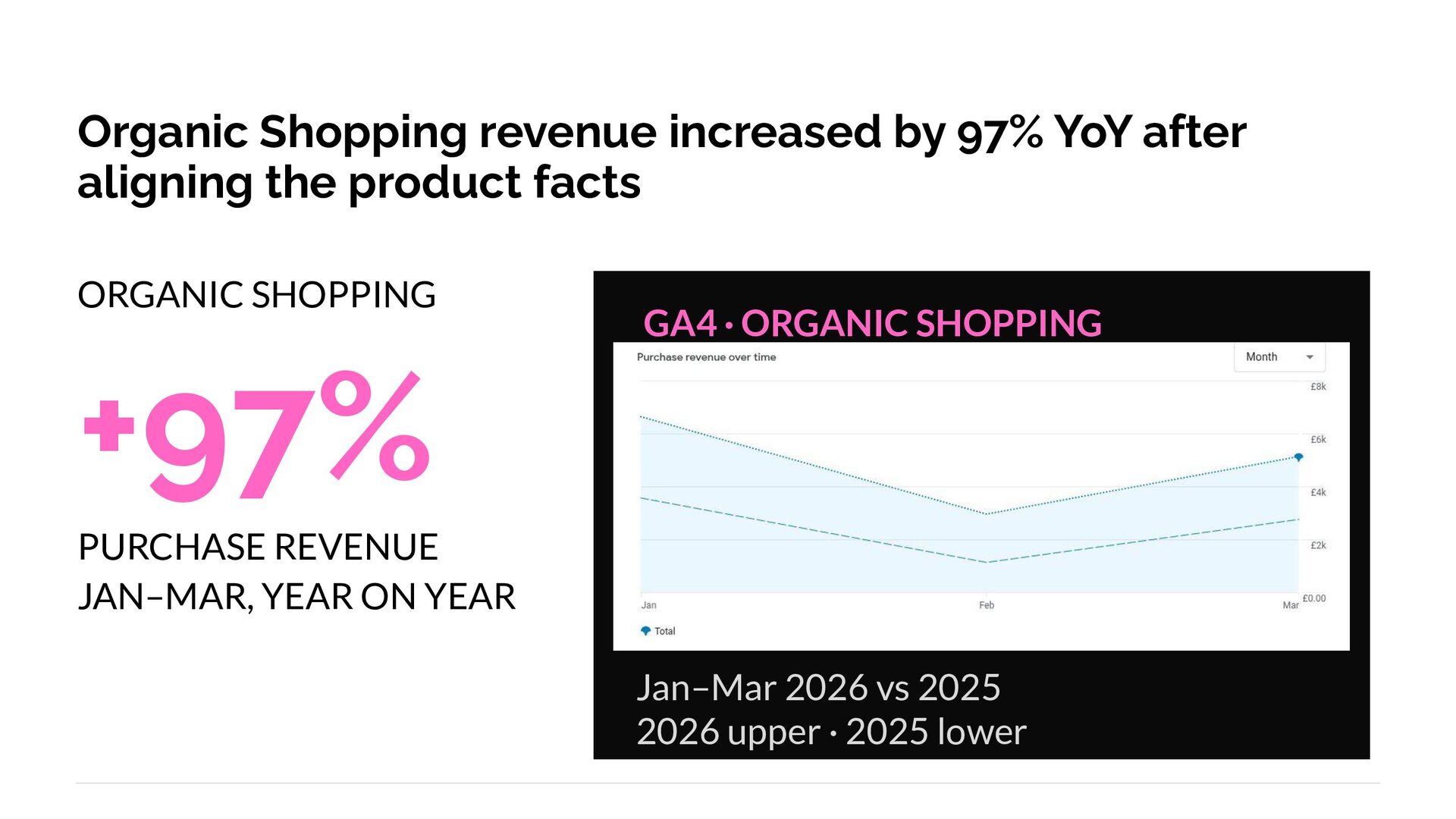
  5. Organic Shopping revenue increased by 97% YoY after aligning the

    product facts ORGANIC SHOPPING +97% GA4 · ORGANIC SHOPPING PURCHASE REVENUE JAN–MAR, YEAR ON YEAR Jan–Mar 2026 vs 2025 2026 upper · 2025 lower
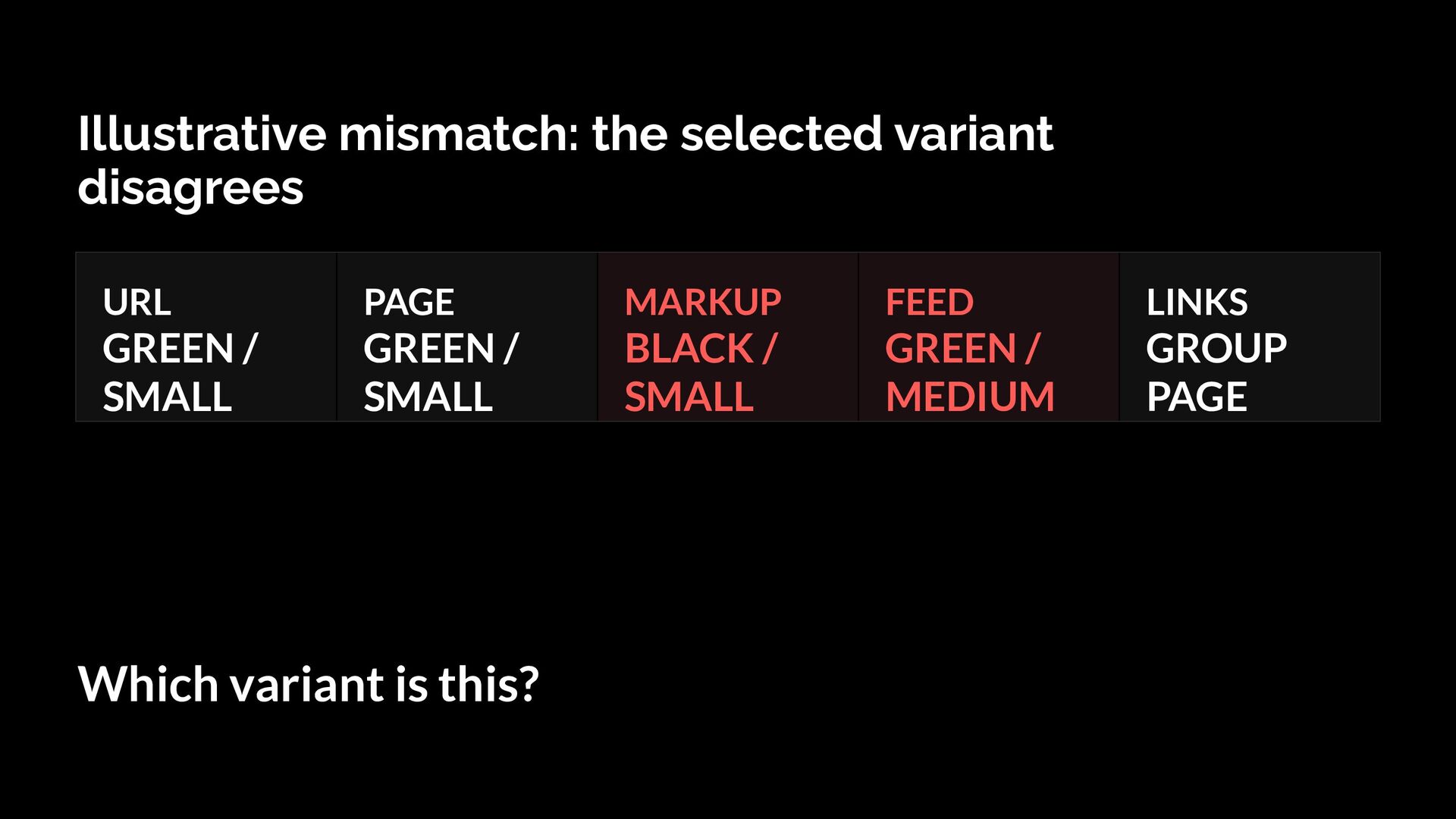
  6. Illustrative mismatch: the selected variant disagrees URL PAGE MARKUP FEED

    LINKS GREEN / SMALL GREEN / SMALL BLACK / SMALL GREEN / MEDIUM GROUP PAGE Which variant is this?
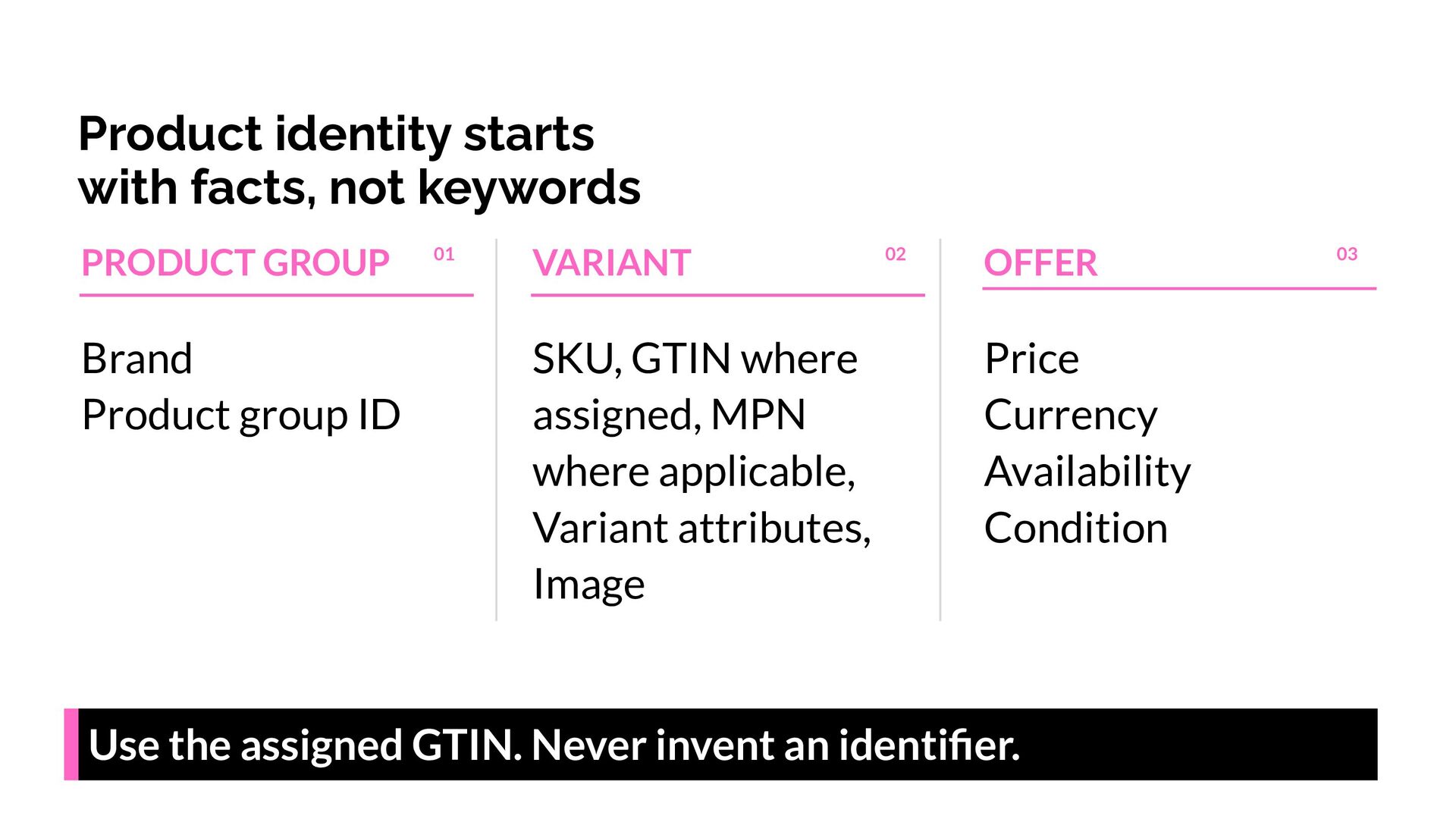
  7. Product identity starts with facts, not keywords PRODUCT GROUP Brand

    Product group ID 01 VARIANT SKU, GTIN where assigned, MPN where applicable, Variant attributes, Image 02 OFFER Price Currency Availability Condition Use the assigned GTIN. Never invent an identifier. 03
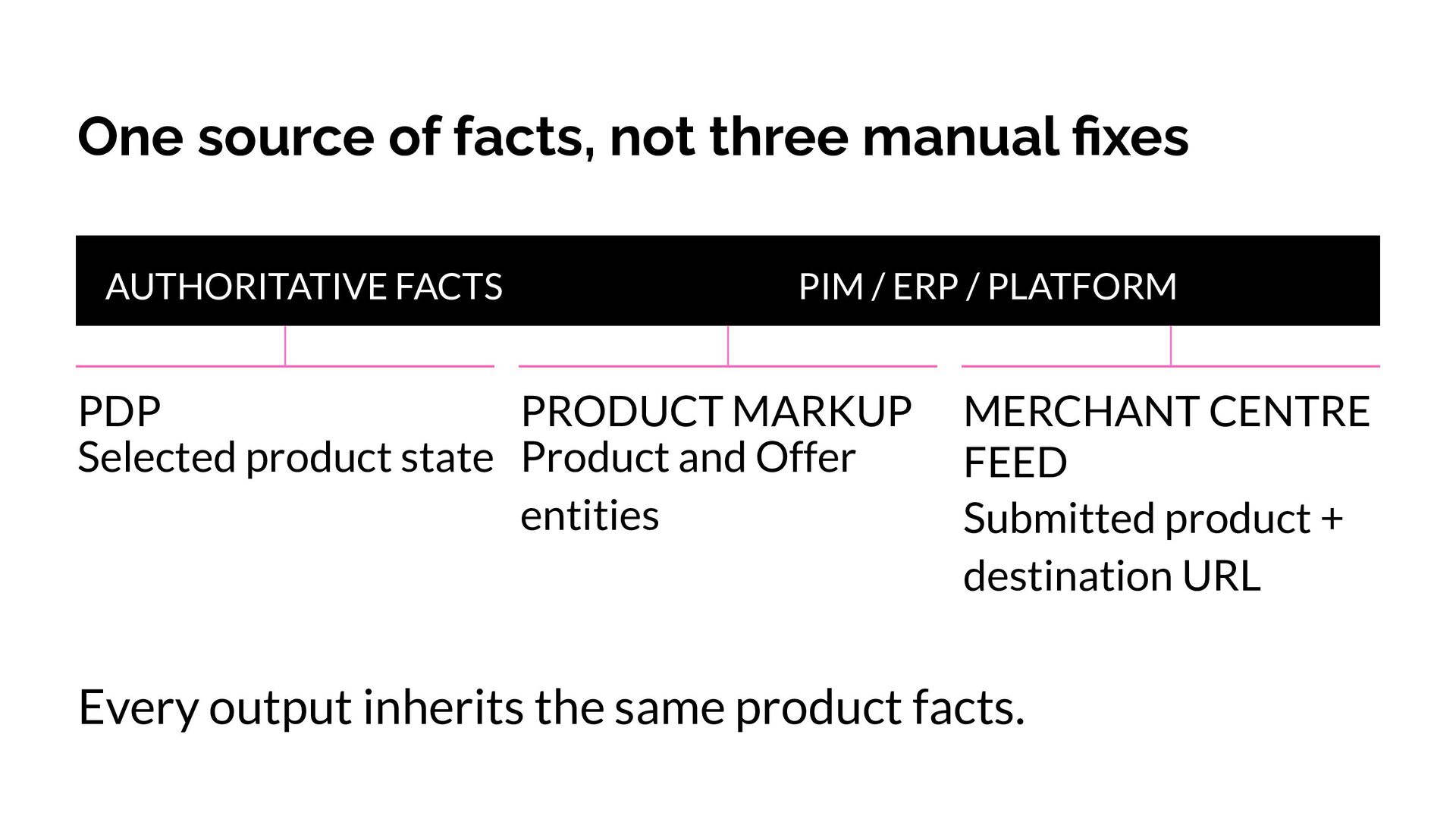
  8. One source of facts, not three manual fixes AUTHORITATIVE FACTS

    PIM / ERP / PLATFORM PDP PRODUCT MARKUP Selected product state Product and Offer entities MERCHANT CENTRE FEED Submitted product + destination URL Every output inherits the same product facts.
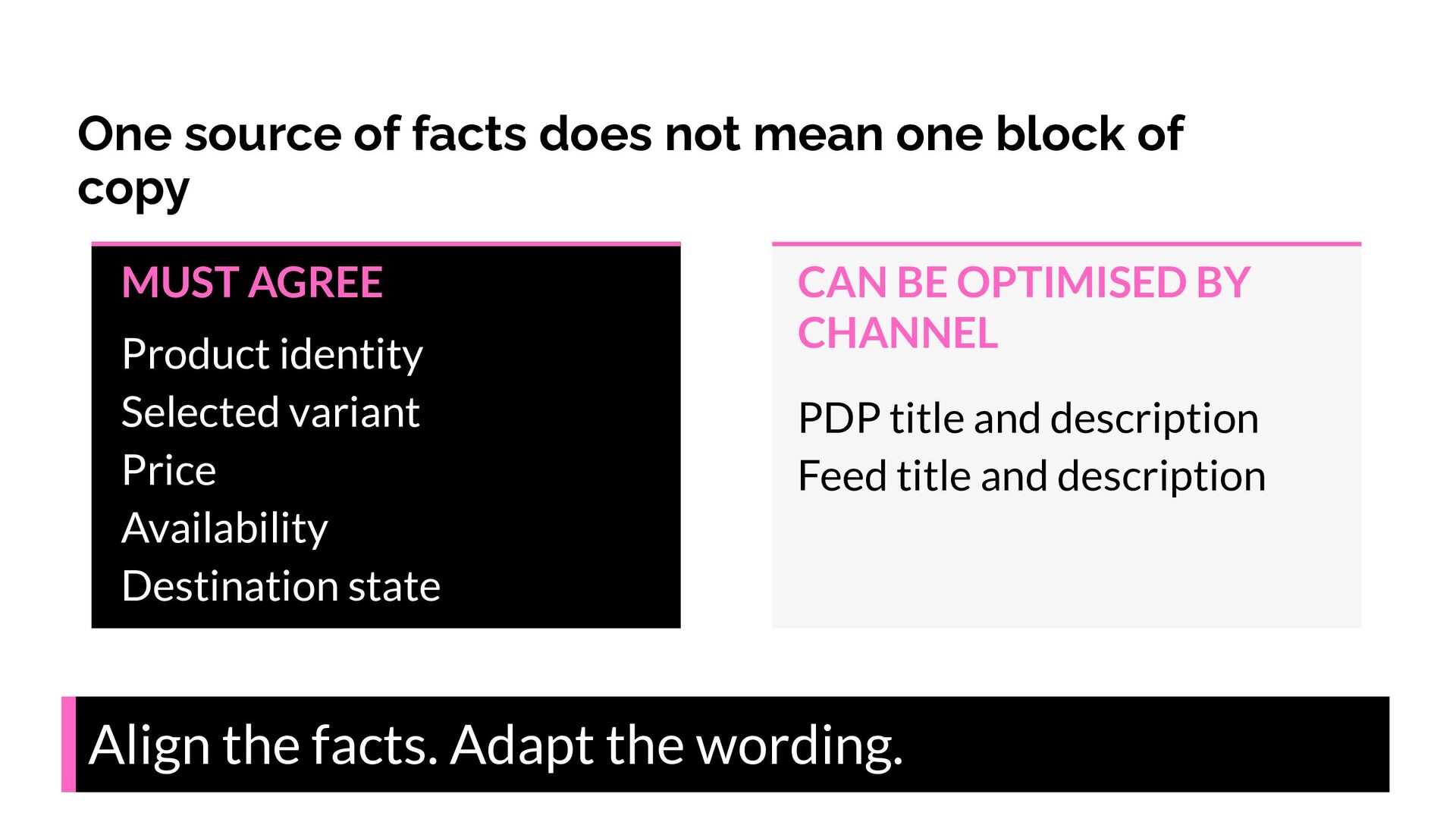
  9. One source of facts does not mean one block of

    copy MUST AGREE Product identity Selected variant Price Availability Destination state CAN BE OPTIMISED BY CHANNEL PDP title and description Feed title and description Align the facts. Adapt the wording.
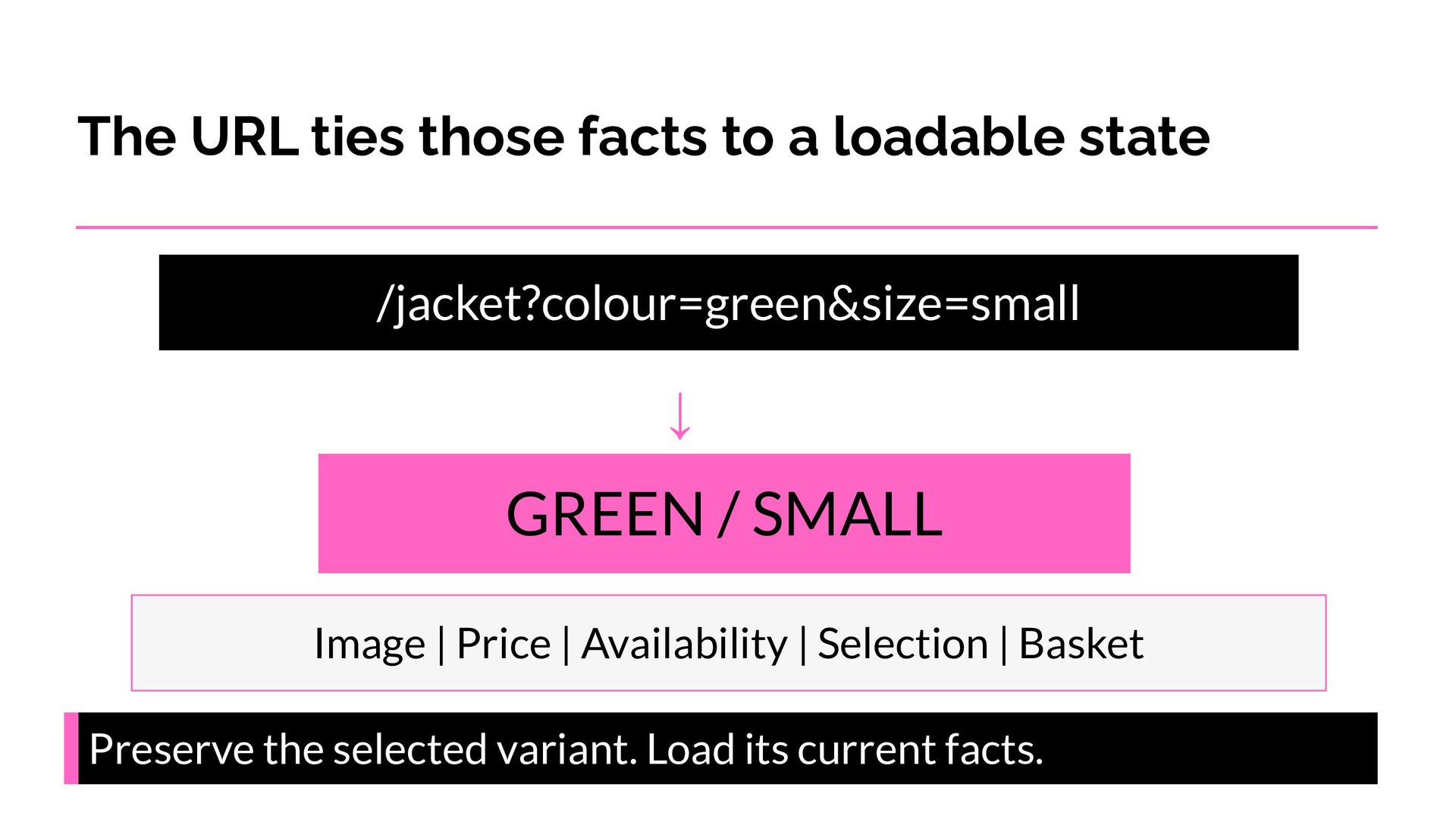
  10. The URL ties those facts to a loadable state /jacket?colour=green&size=small

    ↓ GREEN / SMALL Image | Price | Availability | Selection | Basket Preserve the selected variant. Load its current facts.
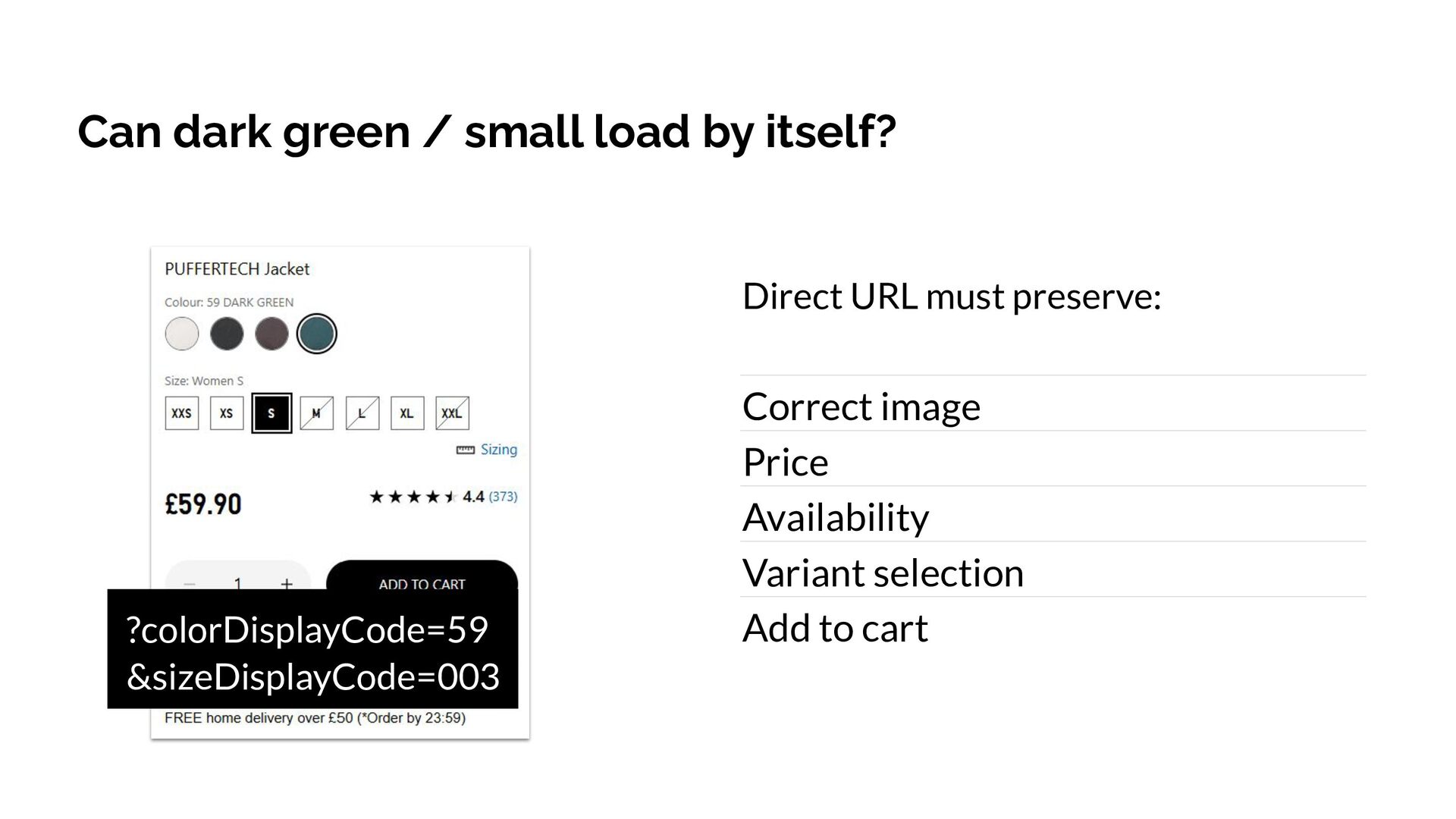
  11. Can dark green / small load by itself? Direct URL

    must preserve: ?colorDisplayCode=59 &sizeDisplayCode=003 Correct image Price Availability Variant selection Add to cart
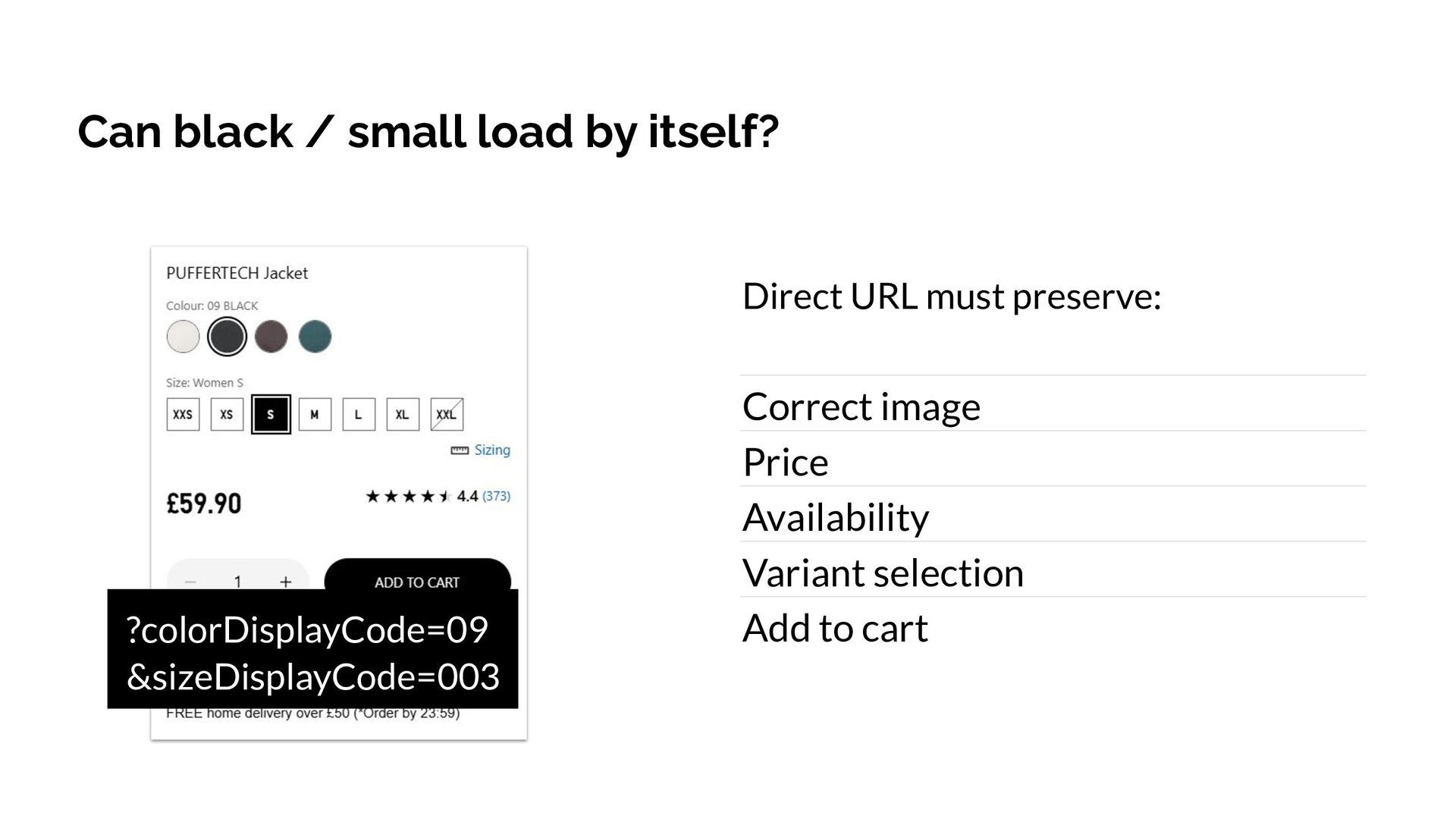
  12. Can black / small load by itself? Direct URL must

    preserve: ?colorDisplayCode=09 &sizeDisplayCode=003 Correct image Price Availability Variant selection Add to cart
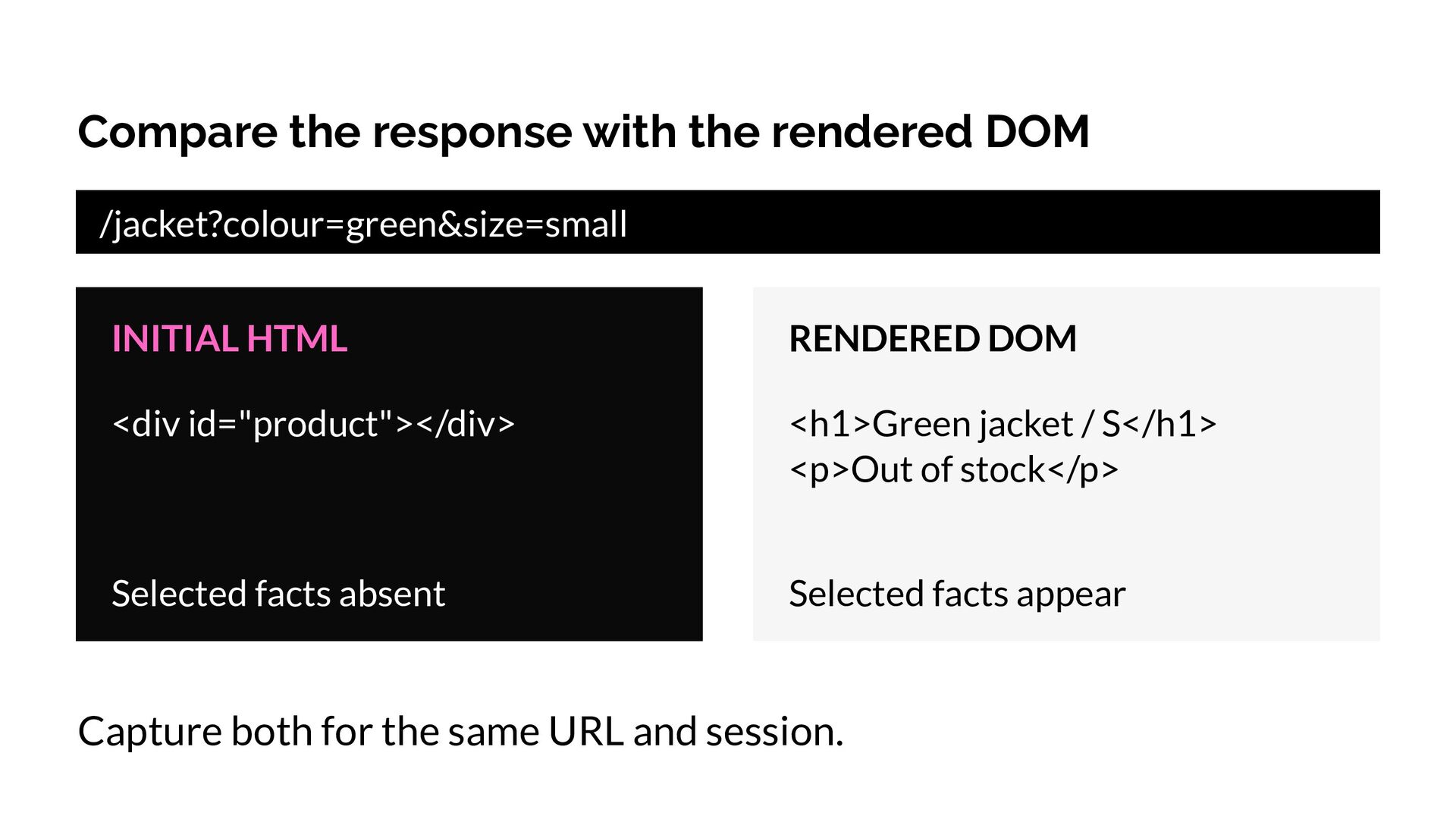
  13. Compare the response with the rendered DOM /jacket?colour=green&size=small INITIAL HTML

    RENDERED DOM <div id="product"></div> <h1>Green jacket / S</h1> <p>Out of stock</p> Selected facts absent Selected facts appear Capture both for the same URL and session.
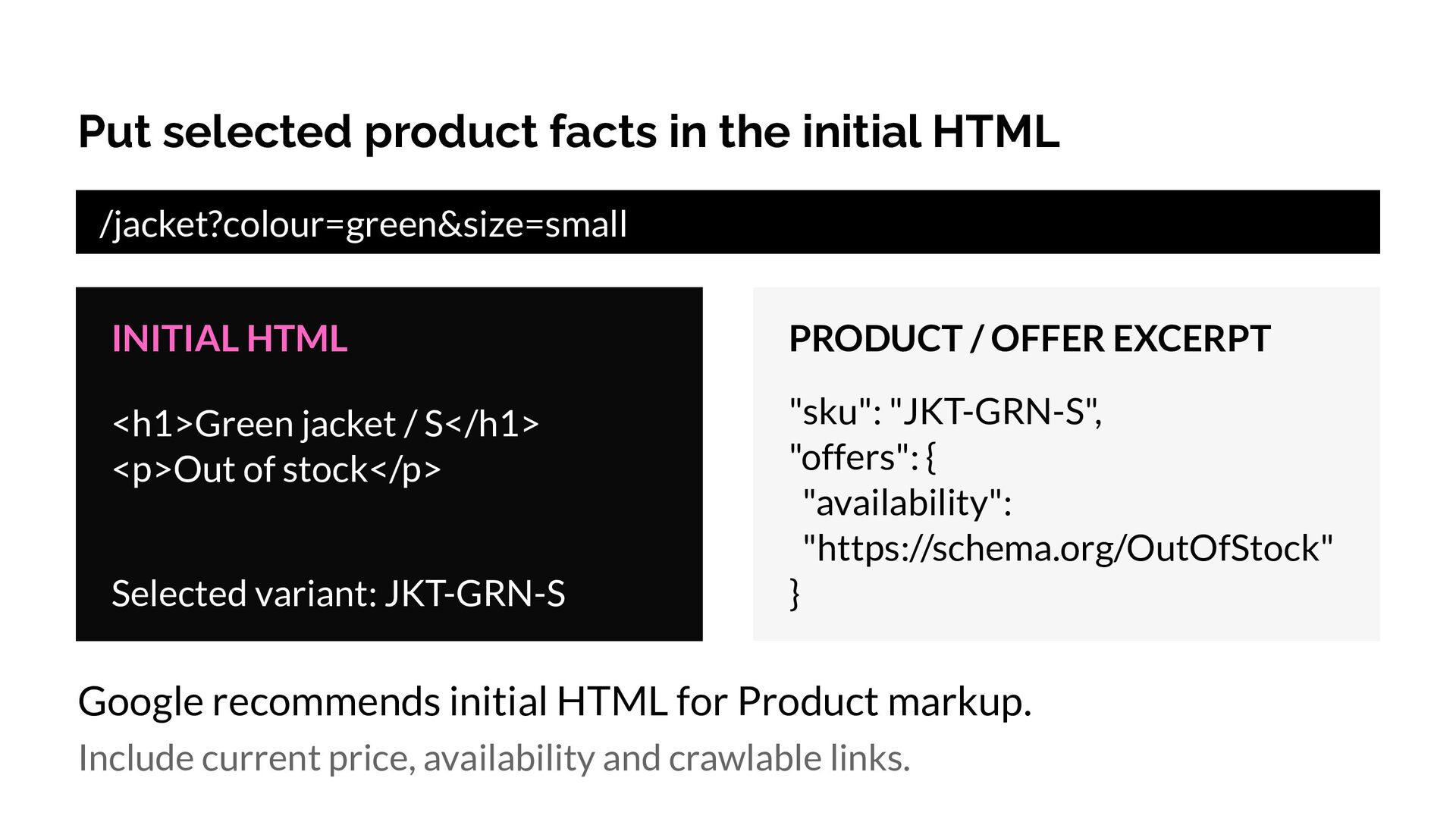
  14. Put selected product facts in the initial HTML /jacket?colour=green&size=small INITIAL

    HTML PRODUCT / OFFER EXCERPT <h1>Green jacket / S</h1> <p>Out of stock</p> "sku": "JKT-GRN-S", "offers": { "availability": "https://schema.org/OutOfStock" } Selected variant: JKT-GRN-S Google recommends initial HTML for Product markup. Include current price, availability and crawlable links.
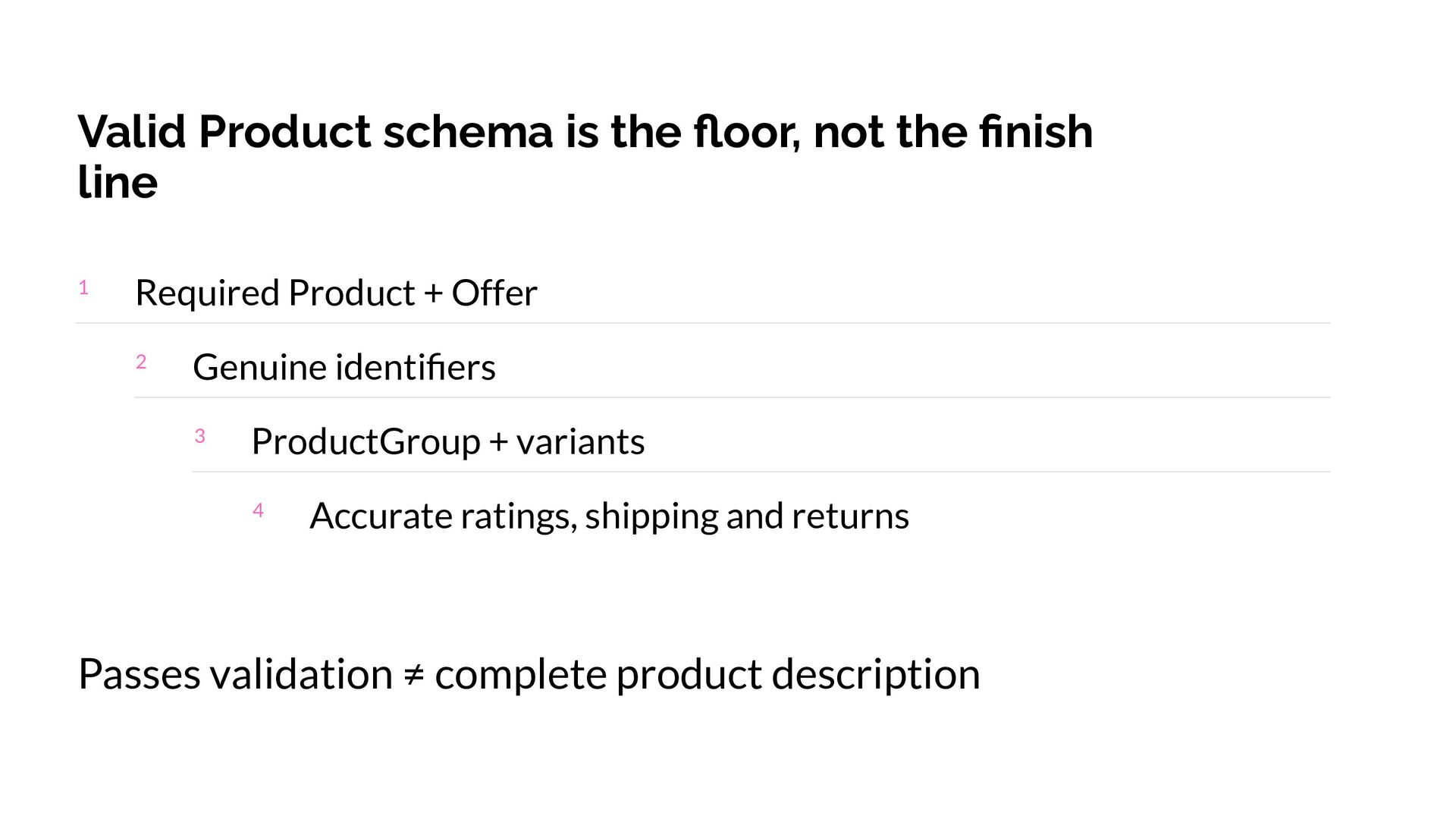
  15. Valid Product schema is the floor, not the finish line

    1 Required Product + Offer 2 Genuine identifiers 3 ProductGroup + variants 4 Accurate ratings, shipping and returns Passes validation ≠ complete product description
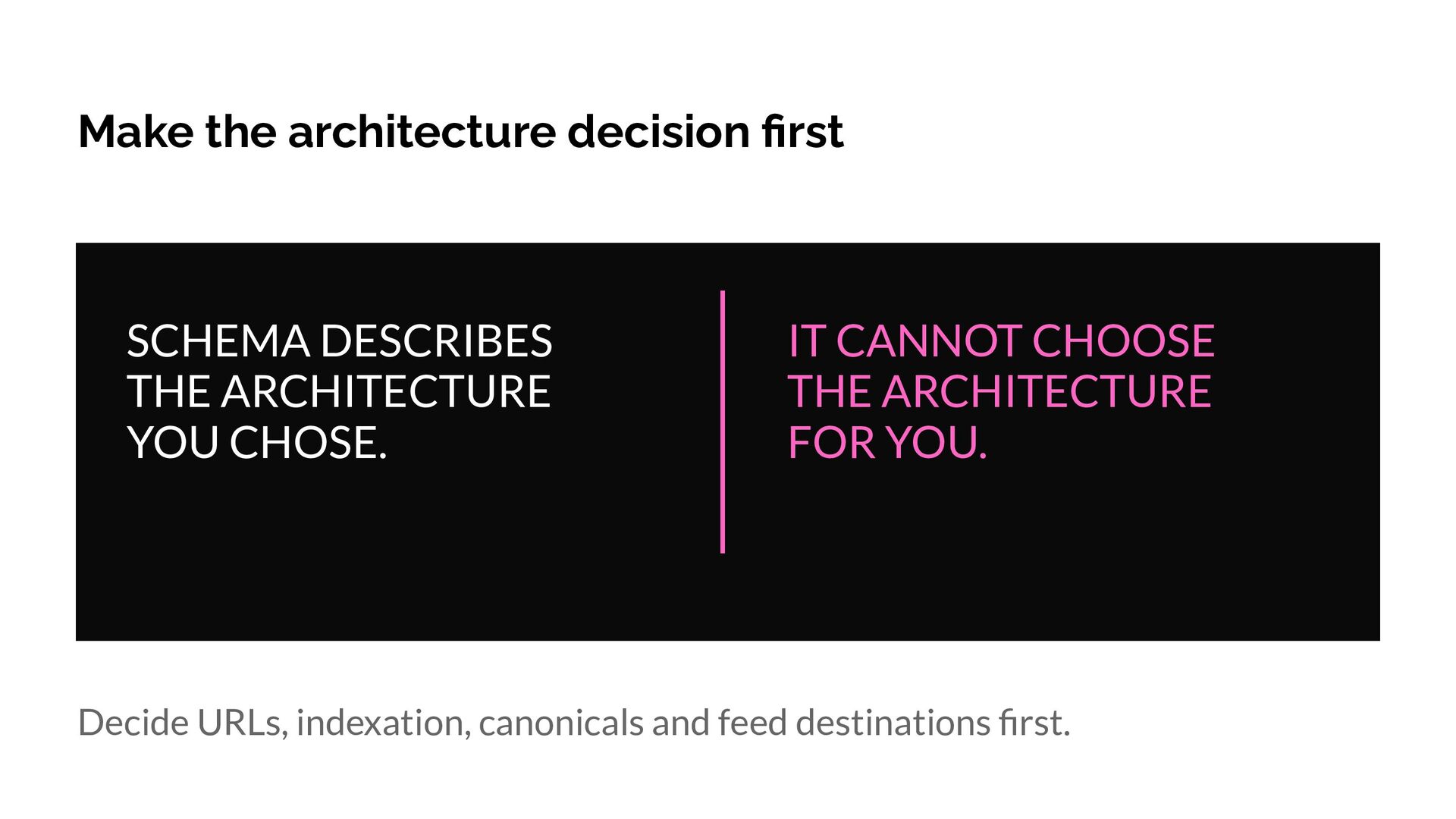
  16. Make the architecture decision first SCHEMA DESCRIBES THE ARCHITECTURE YOU

    CHOSE. IT CANNOT CHOOSE THE ARCHITECTURE FOR YOU. Decide URLs, indexation, canonicals and feed destinations first.
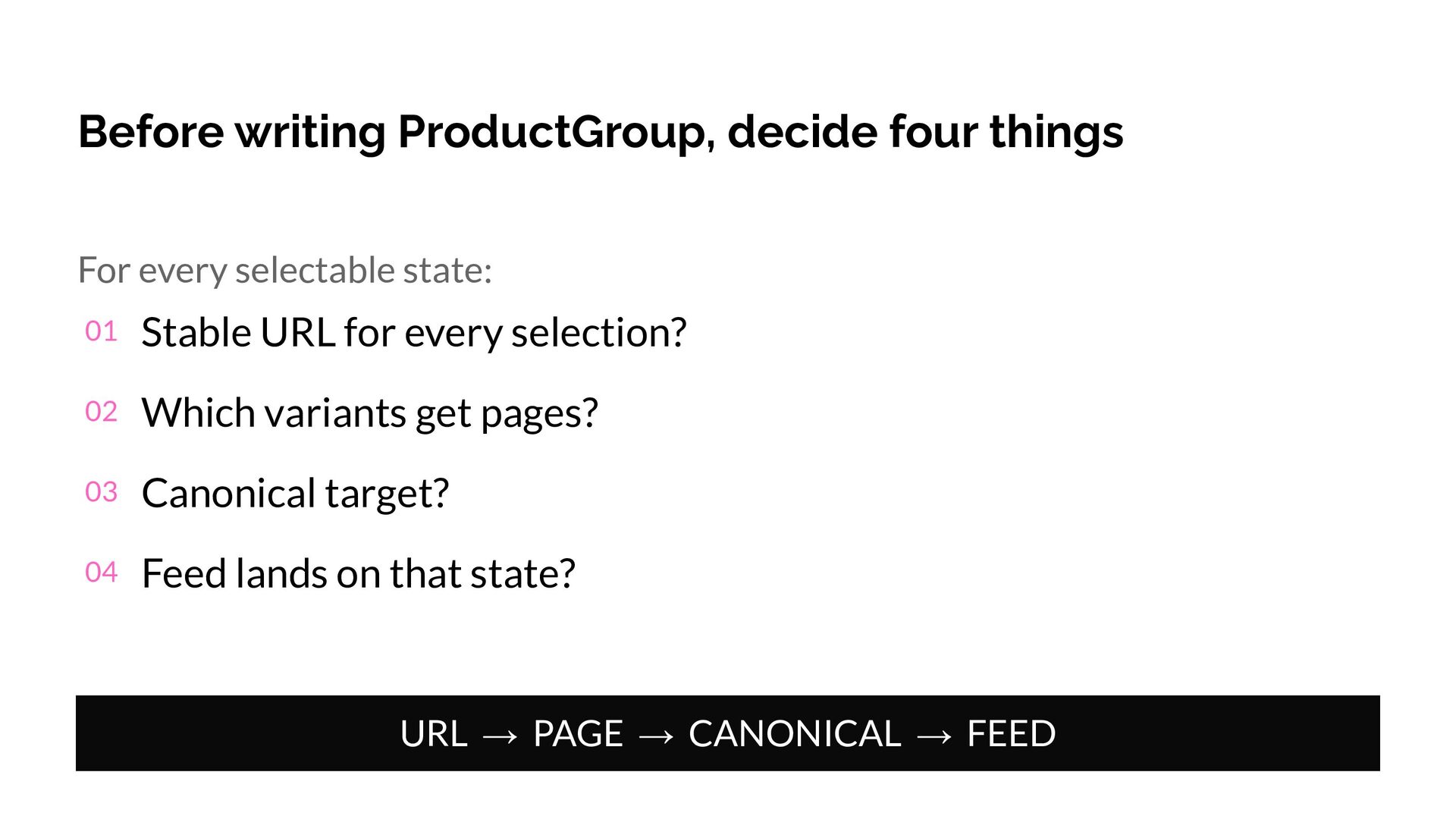
  17. Before writing ProductGroup, decide four things For every selectable state:

    01 Stable URL for every selection? 02 Which variants get pages? 03 Canonical target? 04 Feed lands on that state? URL → PAGE → CANONICAL → FEED
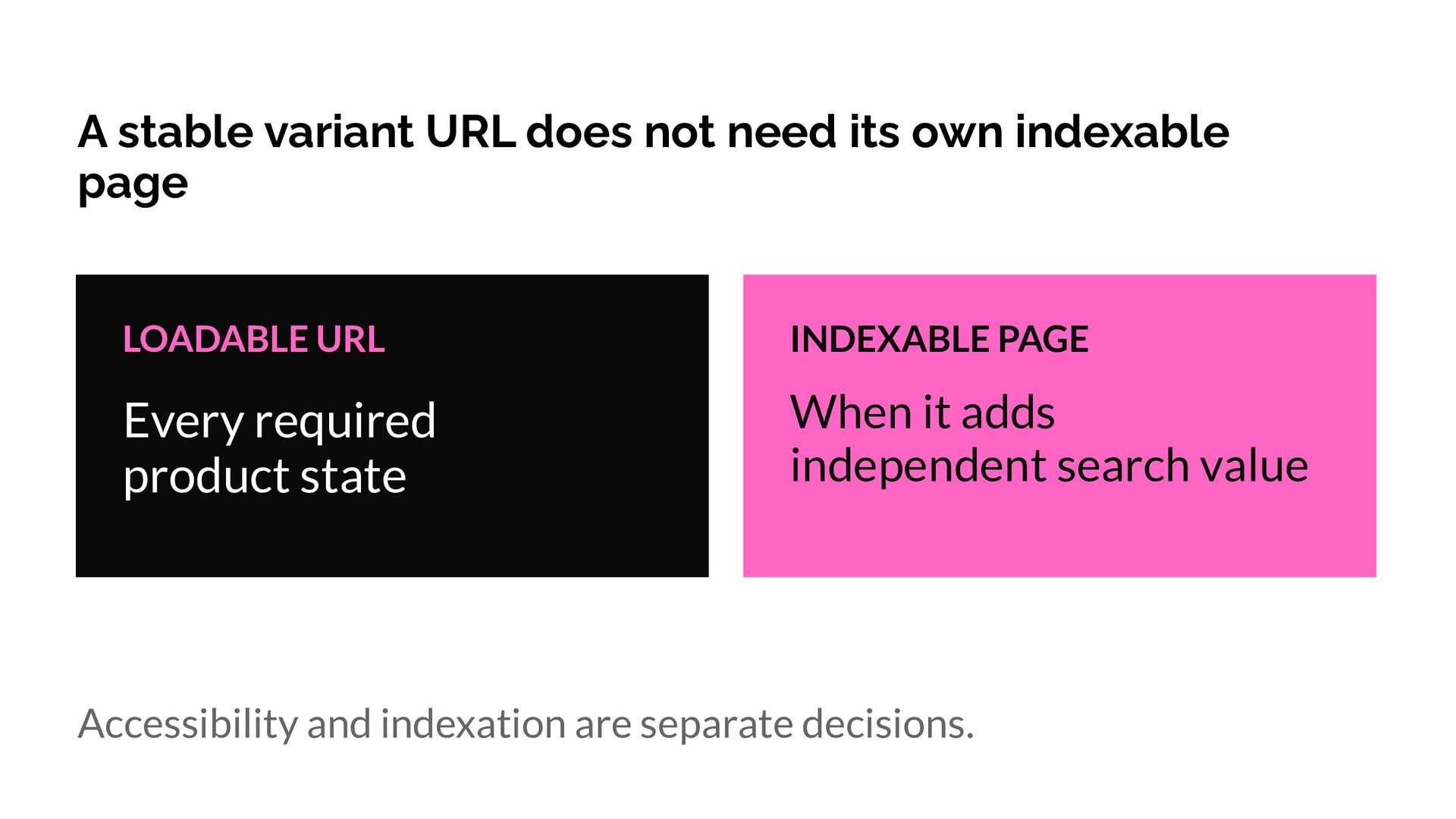
  18. A stable variant URL does not need its own indexable

    page LOADABLE URL INDEXABLE PAGE Every required product state When it adds independent search value Accessibility and indexation are separate decisions.
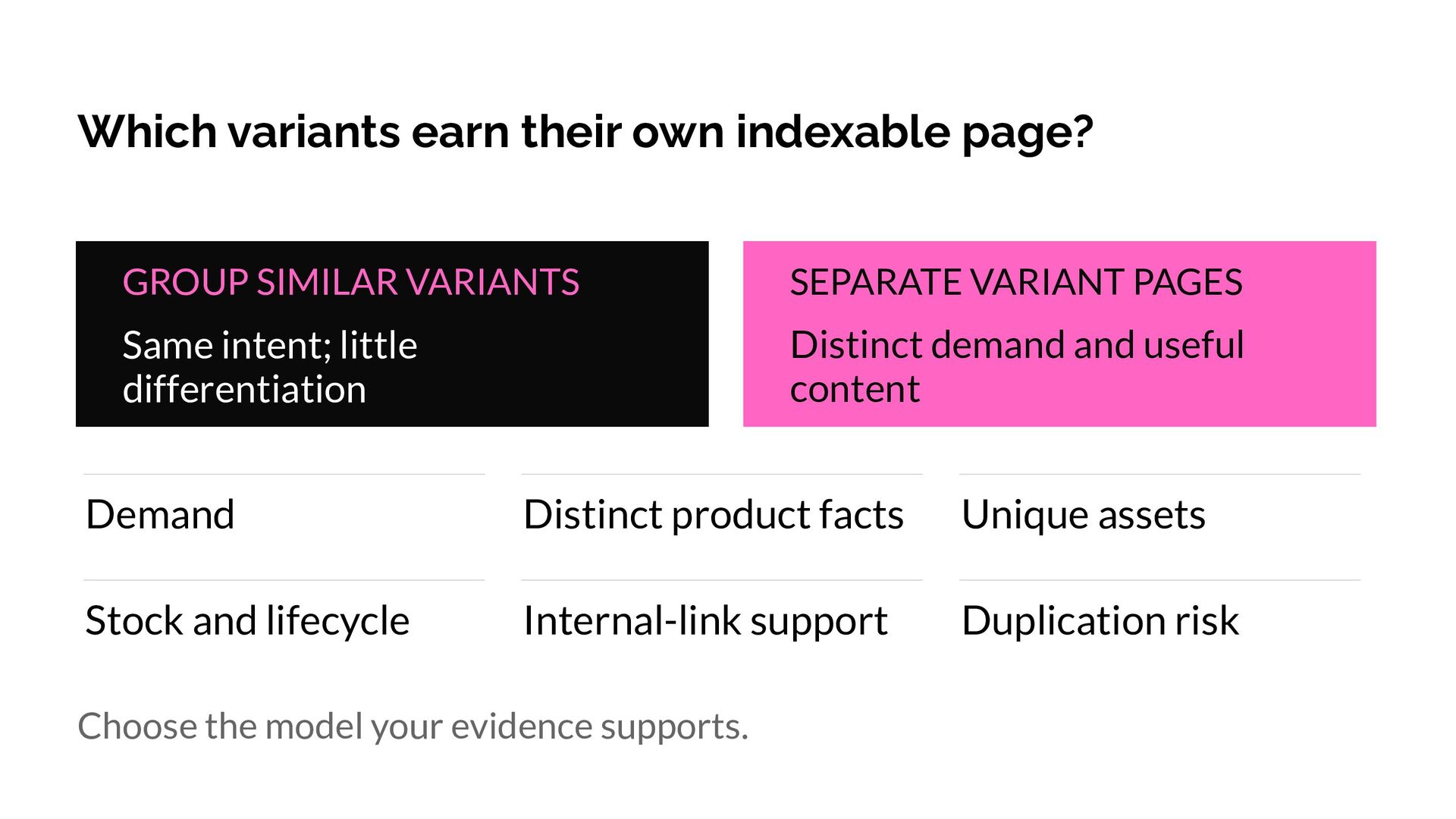
  19. Which variants earn their own indexable page? GROUP SIMILAR VARIANTS

    SEPARATE VARIANT PAGES Same intent; little differentiation Distinct demand and useful content Demand Distinct product facts Unique assets Stock and lifecycle Internal-link support Duplication risk Choose the model your evidence supports.
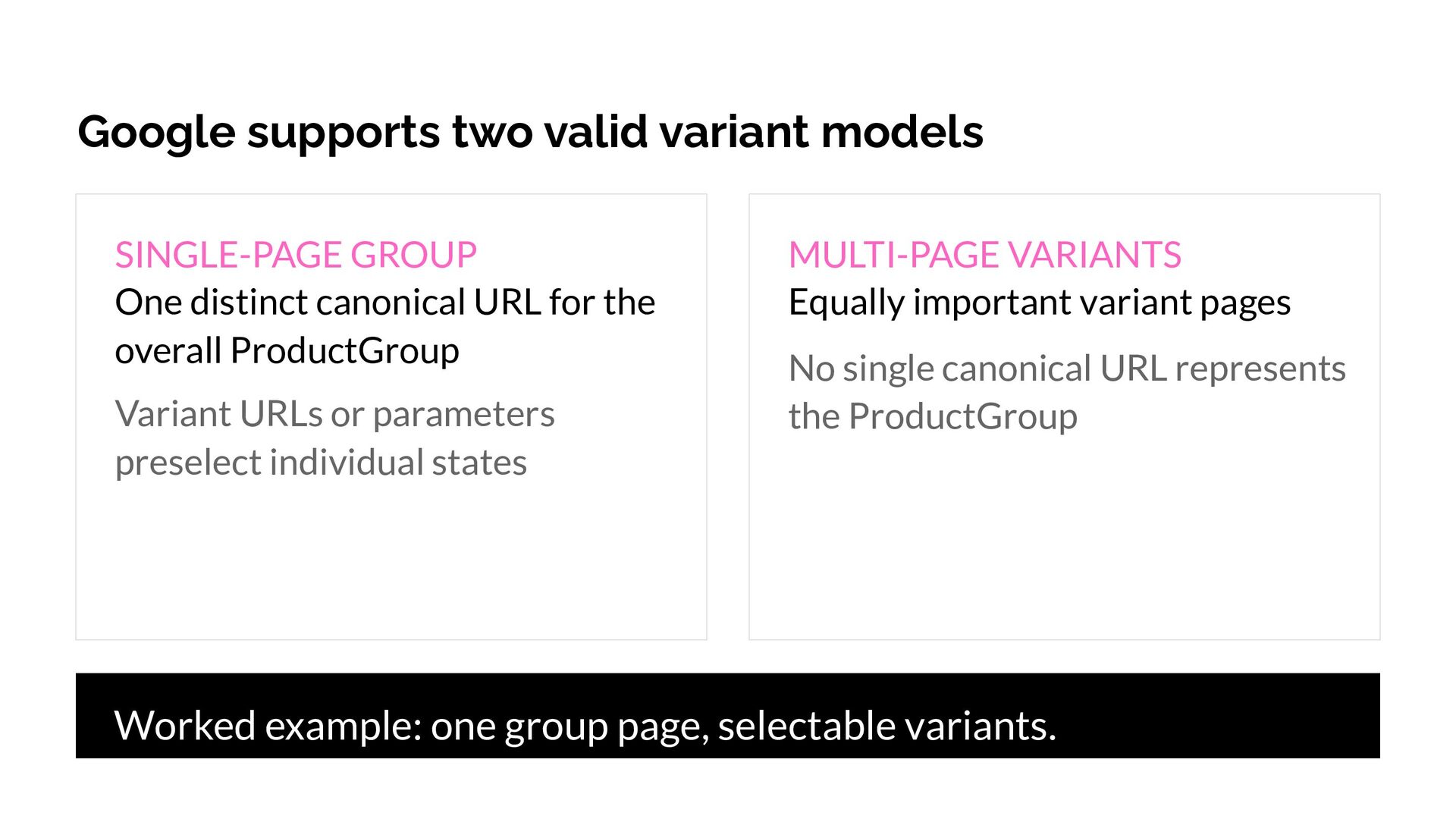
  20. Google supports two valid variant models SINGLE-PAGE GROUP One distinct

    canonical URL for the overall ProductGroup Variant URLs or parameters preselect individual states MULTI-PAGE VARIANTS Equally important variant pages No single canonical URL represents the ProductGroup Worked example: one group page, selectable variants.
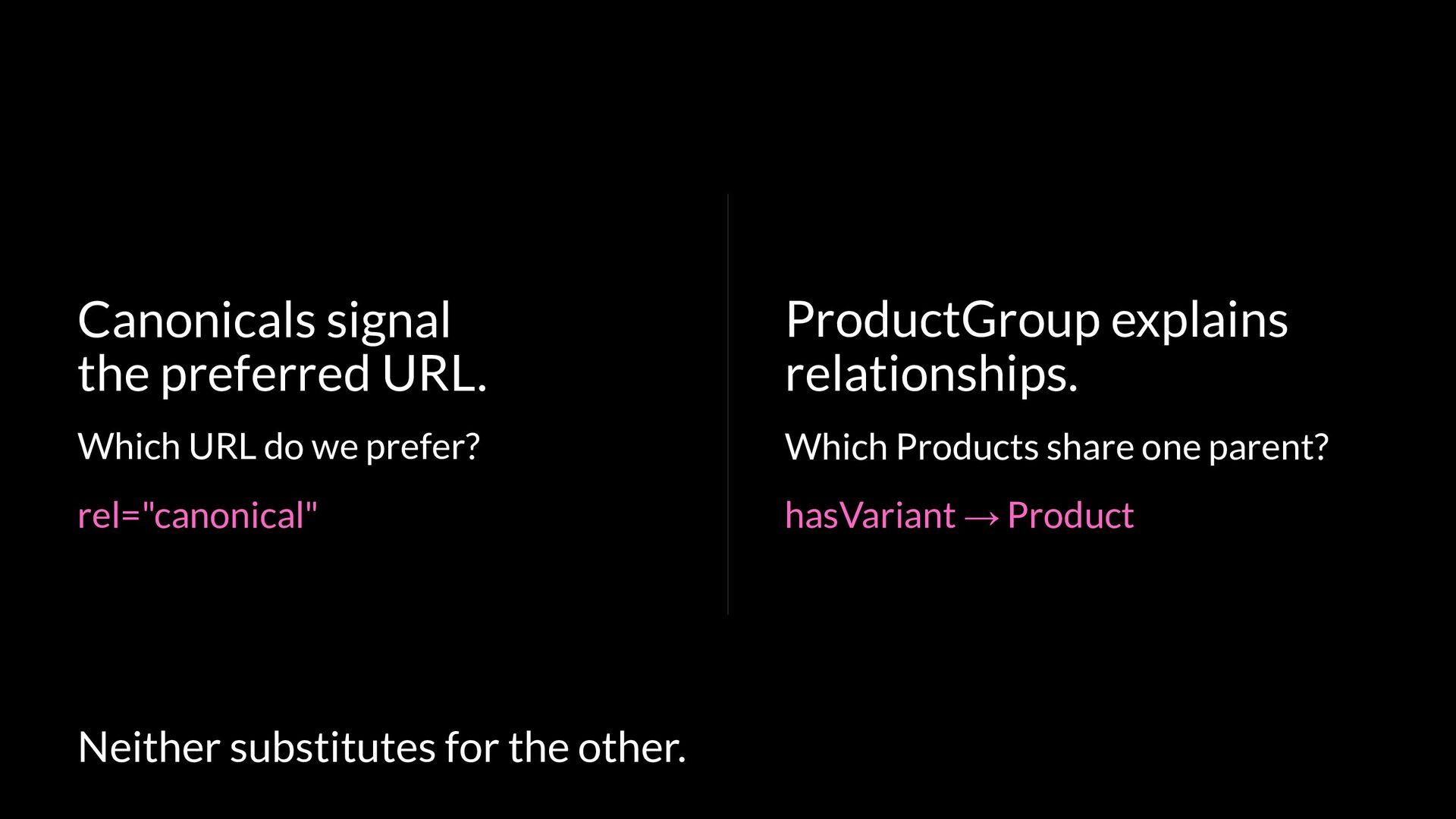
  21. Canonicals signal the preferred URL. ProductGroup explains relationships. Which URL

    do we prefer? Which Products share one parent? rel="canonical" hasVariant → Product Neither substitutes for the other.
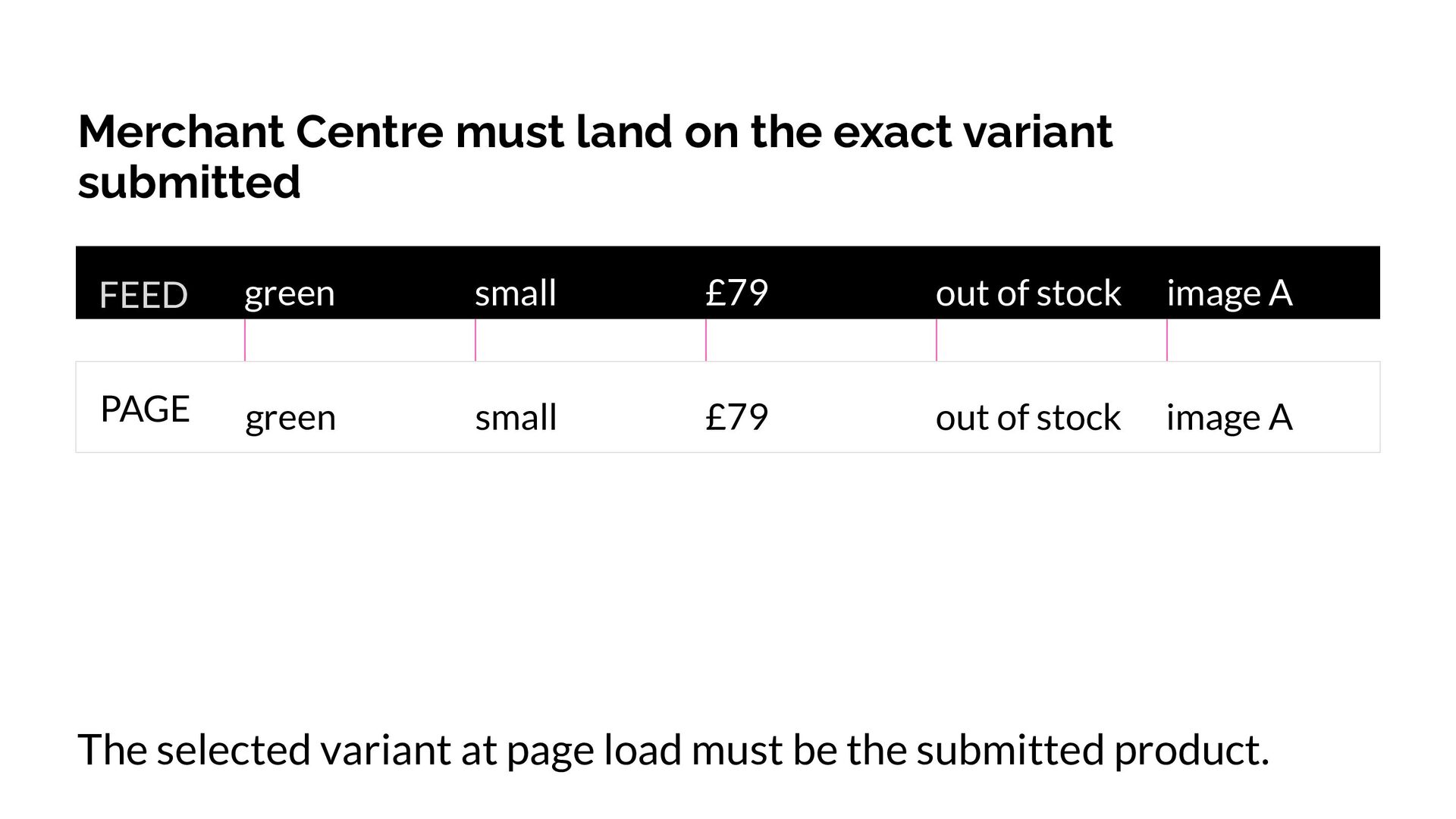
  22. Merchant Centre must land on the exact variant submitted FEED

    green small £79 out of stock image A PAGE green small £79 out of stock image A The selected variant at page load must be the submitted product.
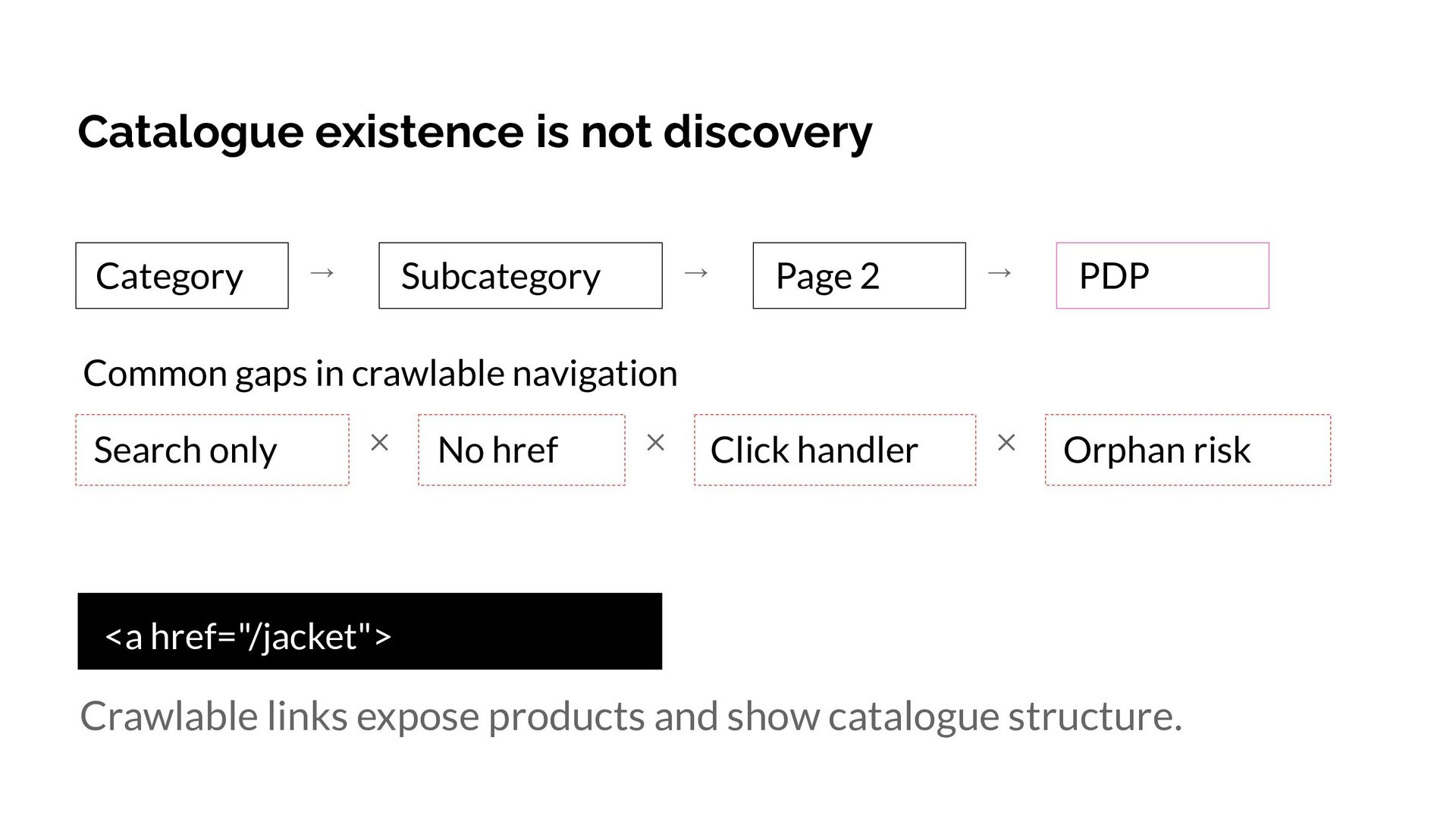
  23. Catalogue existence is not discovery Category Subcategory → → Page

    2 → PDP Click handler ✕ Orphan risk Common gaps in crawlable navigation Search only ✕ No href ✕ <a href="/jacket"> Crawlable links expose products and show catalogue structure.
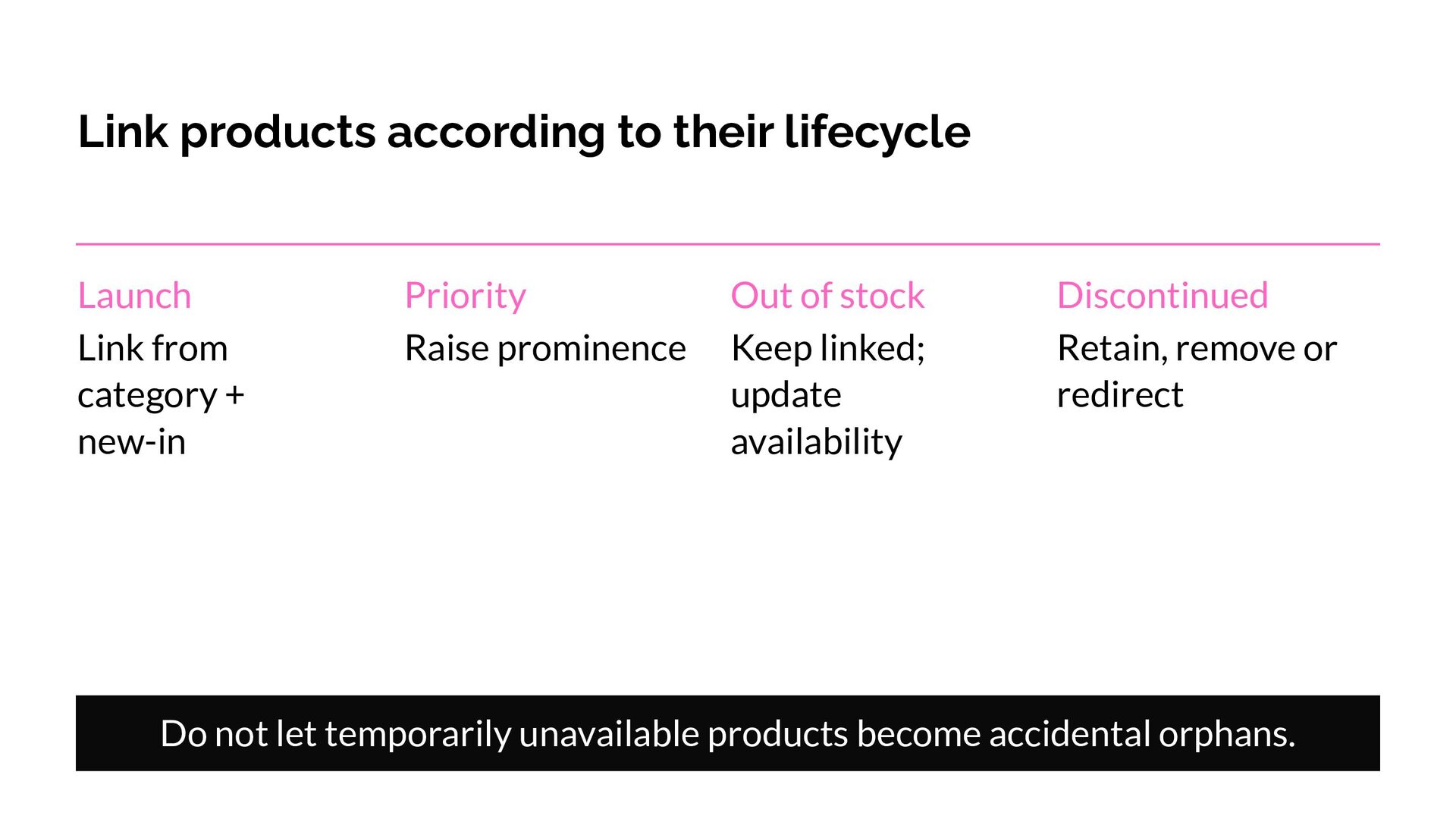
  24. Link products according to their lifecycle Launch Link from category

    + new-in Priority Raise prominence Out of stock Keep linked; update availability Discontinued Retain, remove or redirect Do not let temporarily unavailable products become accidental orphans.
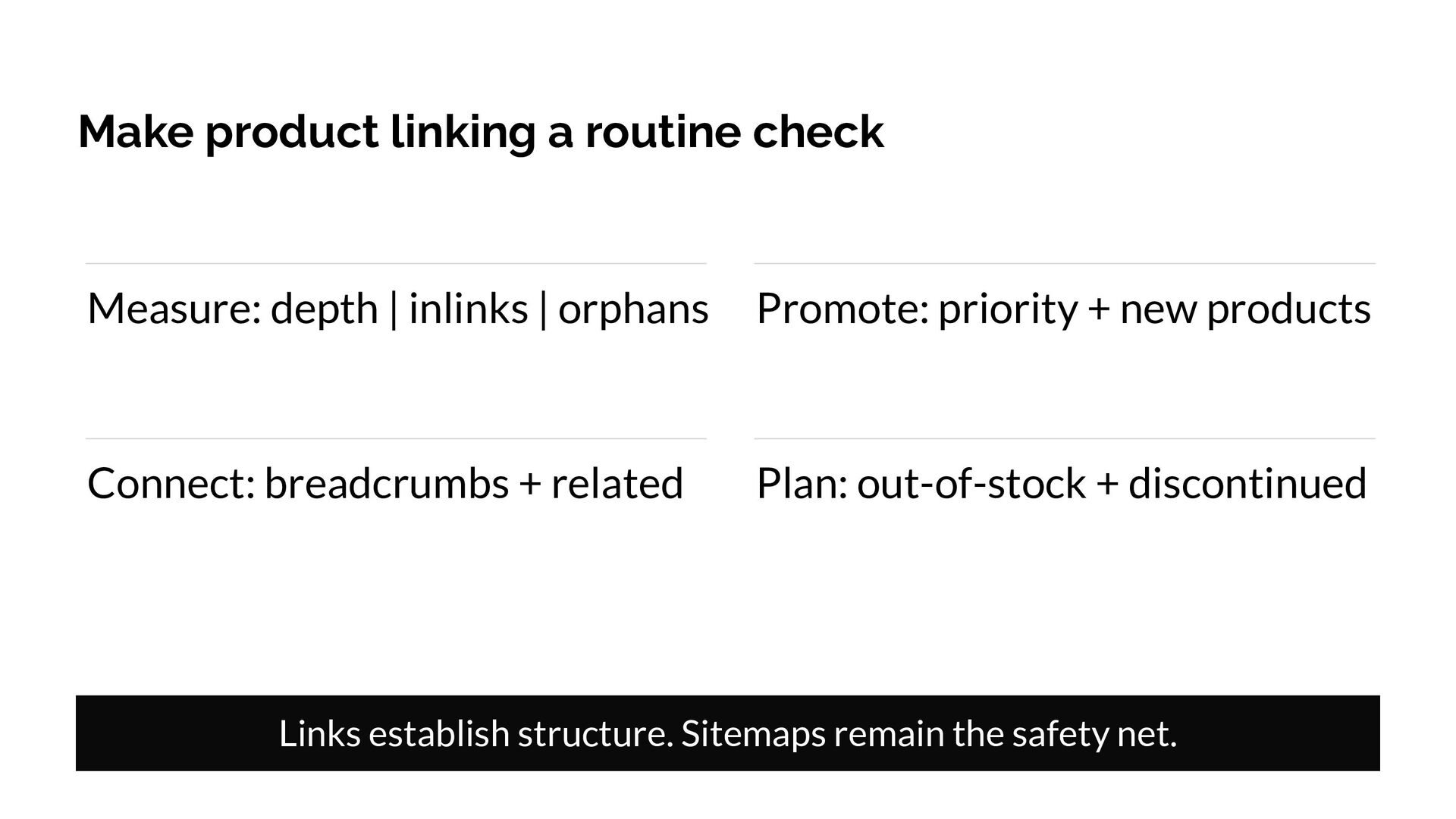
  25. Make product linking a routine check Measure: depth | inlinks

    | orphans Promote: priority + new products Connect: breadcrumbs + related Plan: out-of-stock + discontinued Links establish structure. Sitemaps remain the safety net.
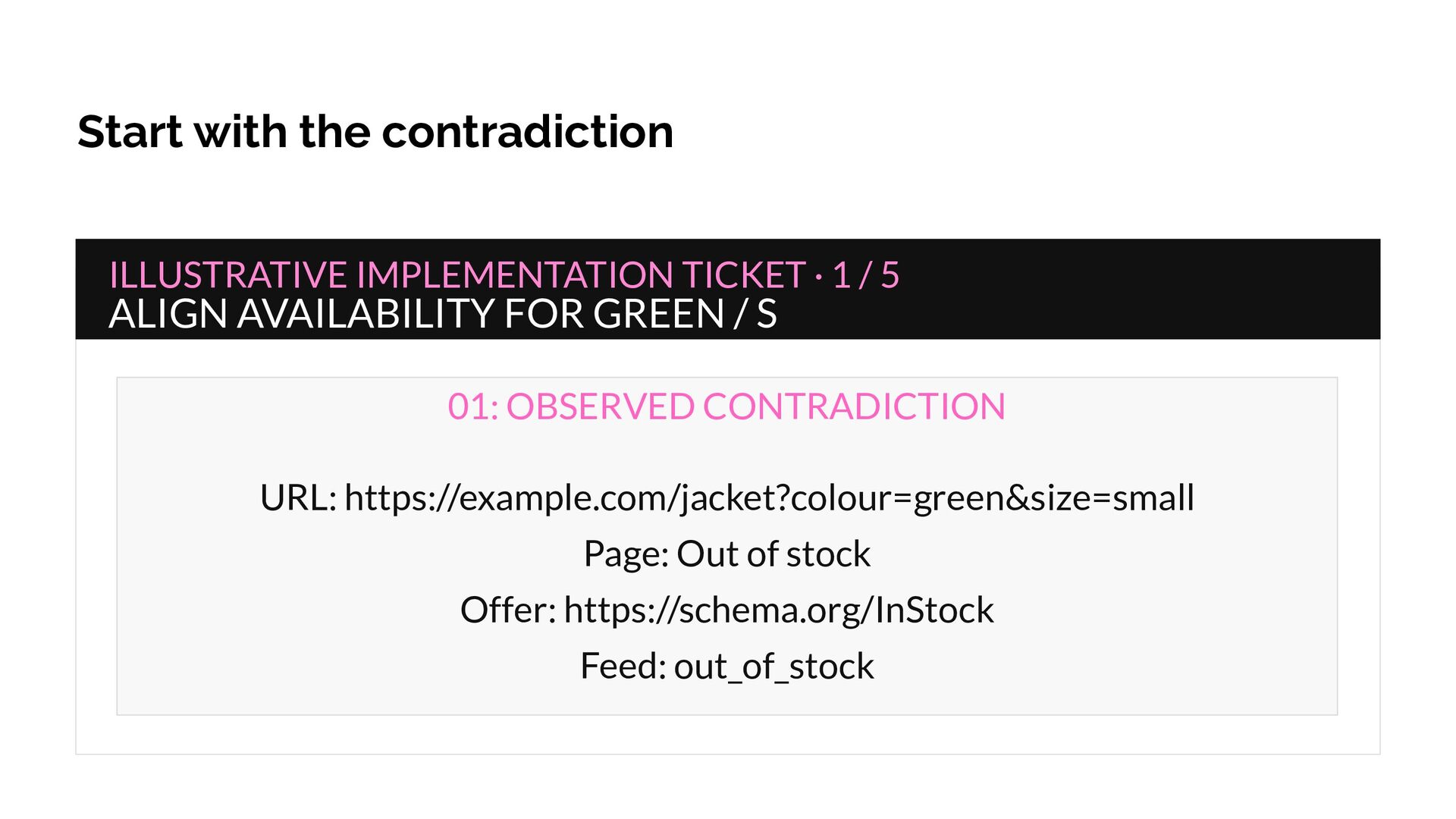
  26. Start with the contradiction ILLUSTRATIVE IMPLEMENTATION TICKET · 1 /

    5 ALIGN AVAILABILITY FOR GREEN / S 01: OBSERVED CONTRADICTION URL: https://example.com/jacket?colour=green&size=small Page: Out of stock Offer: https://schema.org/InStock Feed: out_of_stock
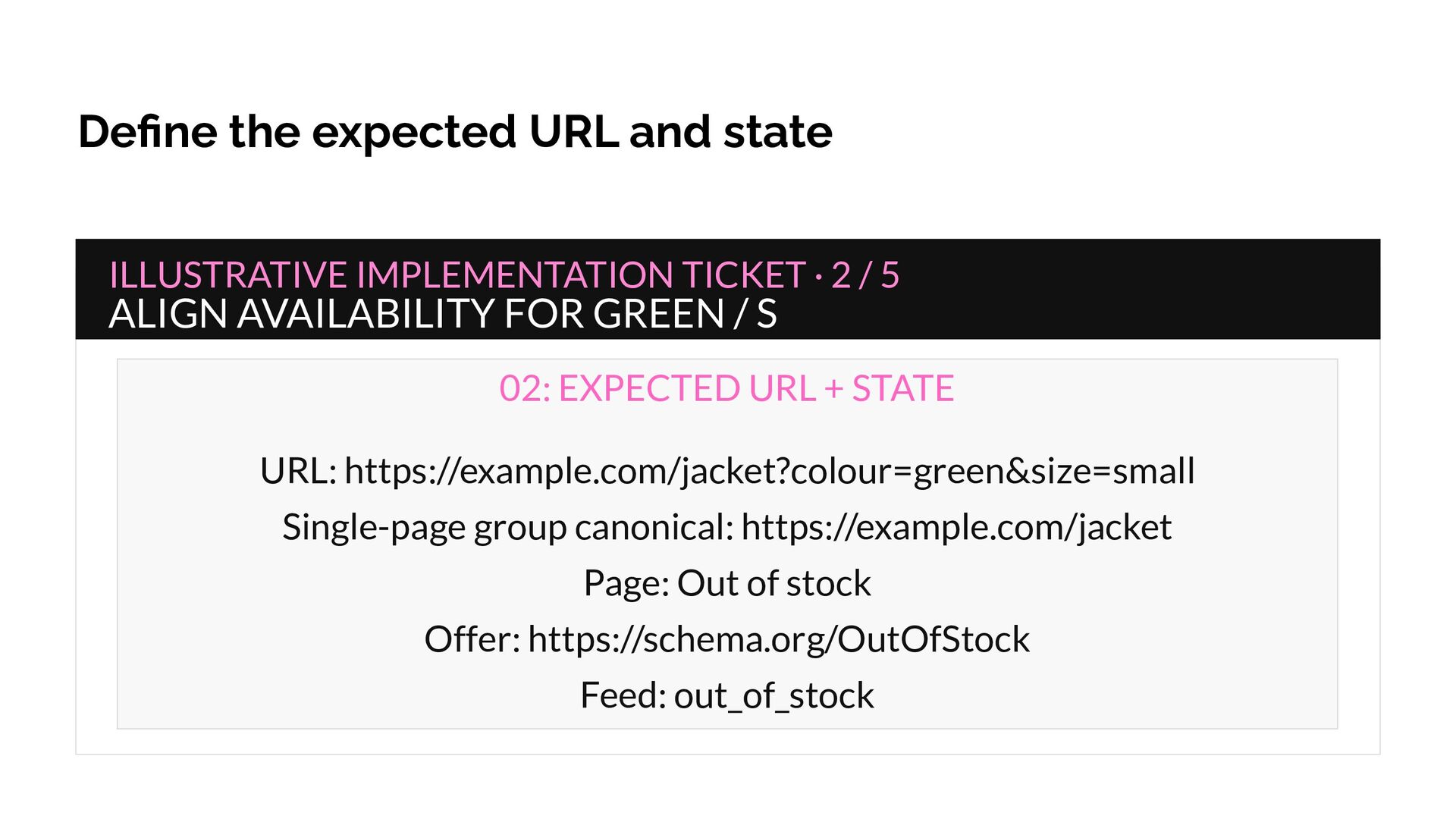
  27. Define the expected URL and state ILLUSTRATIVE IMPLEMENTATION TICKET ·

    2 / 5 ALIGN AVAILABILITY FOR GREEN / S 02: EXPECTED URL + STATE URL: https://example.com/jacket?colour=green&size=small Single-page group canonical: https://example.com/jacket Page: Out of stock Offer: https://schema.org/OutOfStock Feed: out_of_stock
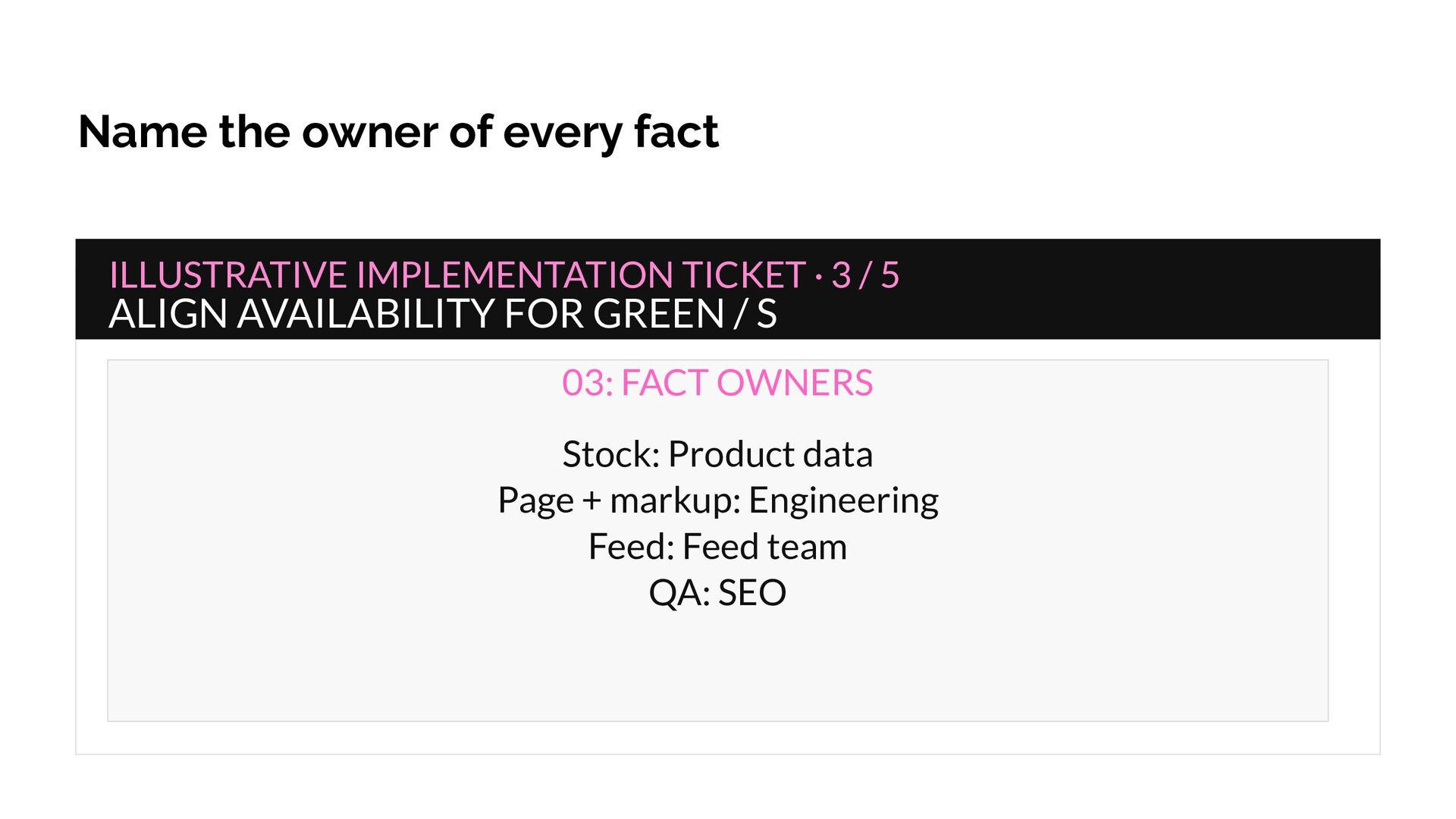
  28. Name the owner of every fact ILLUSTRATIVE IMPLEMENTATION TICKET ·

    3 / 5 ALIGN AVAILABILITY FOR GREEN / S 03: FACT OWNERS Stock: Product data Page + markup: Engineering Feed: Feed team QA: SEO
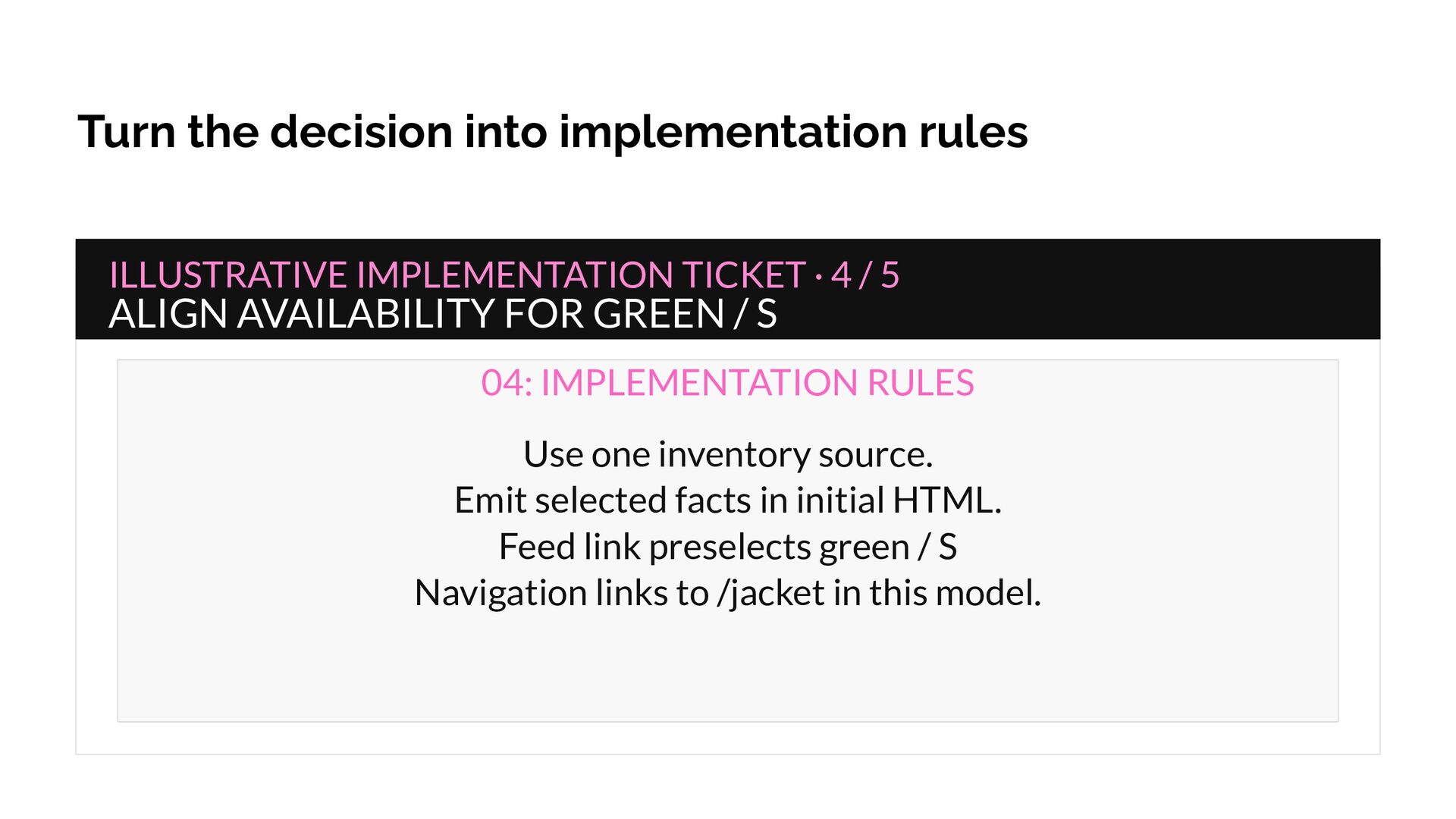
  29. Turn the decision into implementation rules ILLUSTRATIVE IMPLEMENTATION TICKET ·

    4 / 5 ALIGN AVAILABILITY FOR GREEN / S 04: IMPLEMENTATION RULES Use one inventory source. Emit selected facts in initial HTML. Feed link preselects green / S Navigation links to /jacket in this model.
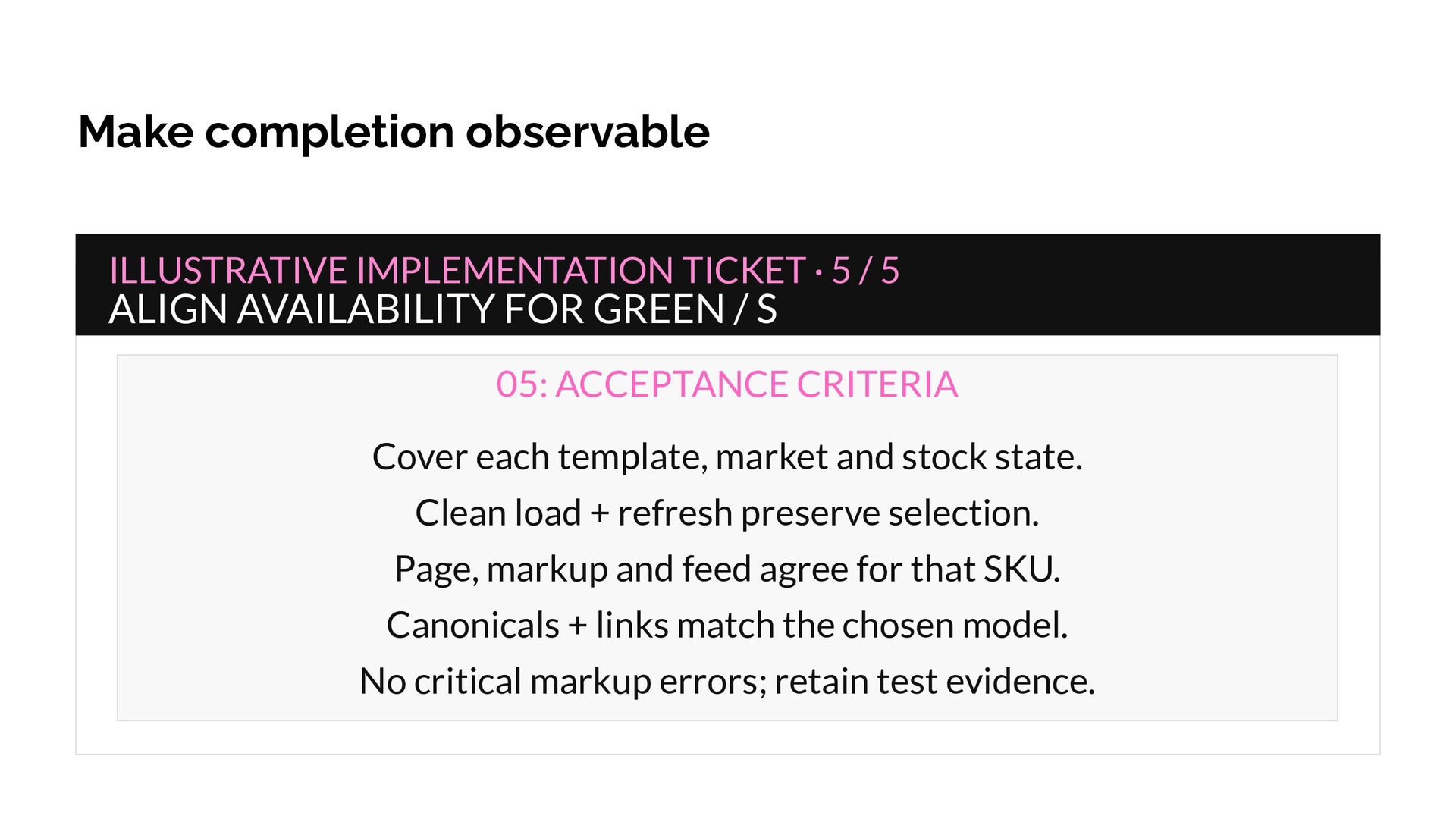
  30. Make completion observable ILLUSTRATIVE IMPLEMENTATION TICKET · 5 / 5

    ALIGN AVAILABILITY FOR GREEN / S 05: ACCEPTANCE CRITERIA Cover each template, market and stock state. Clean load + refresh preserve selection. Page, markup and feed agree for that SKU. Canonicals + links match the chosen model. No critical markup errors; retain test evidence.
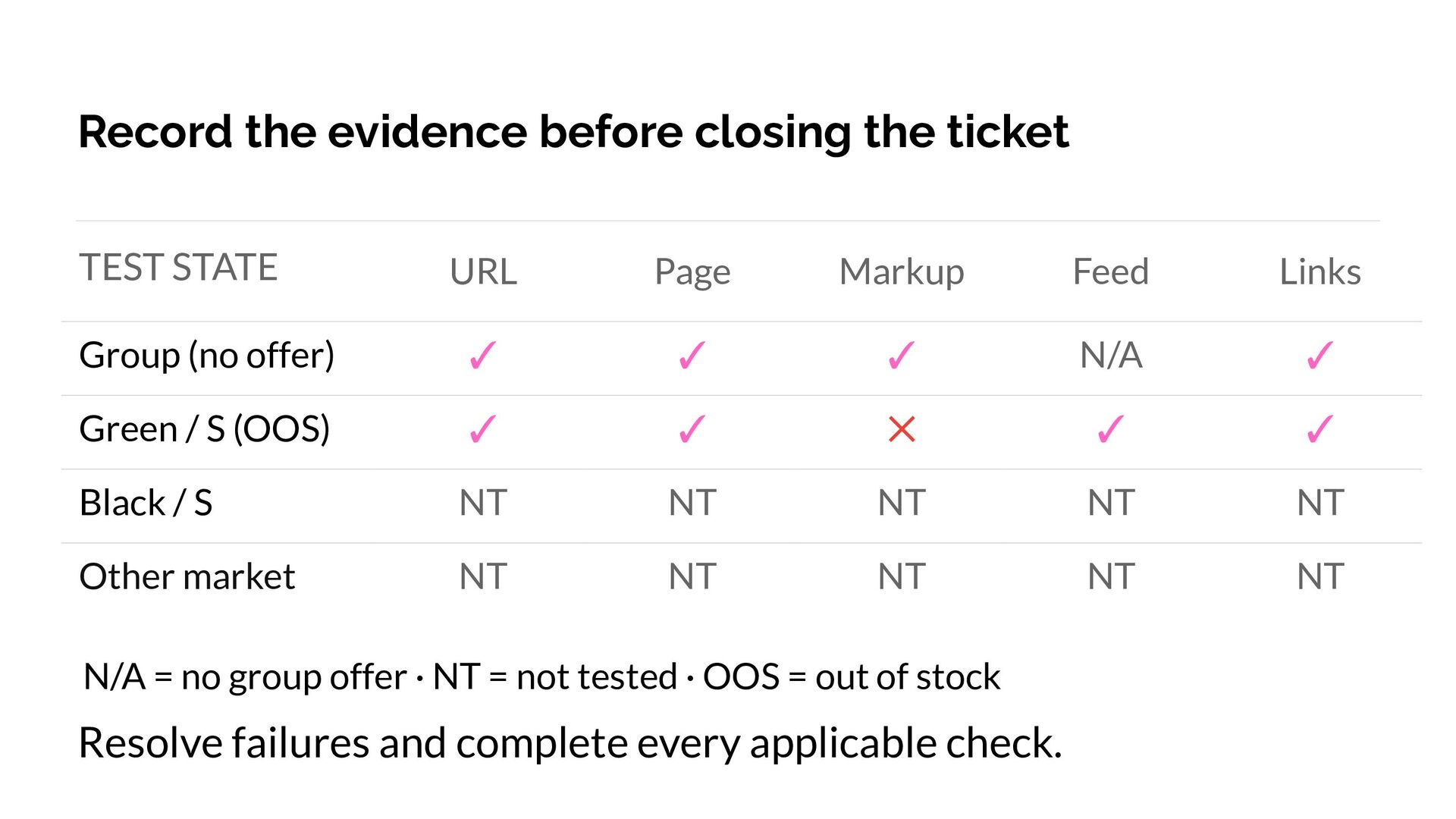
  31. Record the evidence before closing the ticket TEST STATE URL

    Page Markup Feed Links Group (no offer) ✓ ✓ ✓ N/A ✓ Green / S (OOS) ✓ ✓ ✕ ✓ ✓ Black / S NT NT NT NT NT Other market NT NT NT NT NT N/A = no group offer · NT = not tested · OOS = out of stock Resolve failures and complete every applicable check.
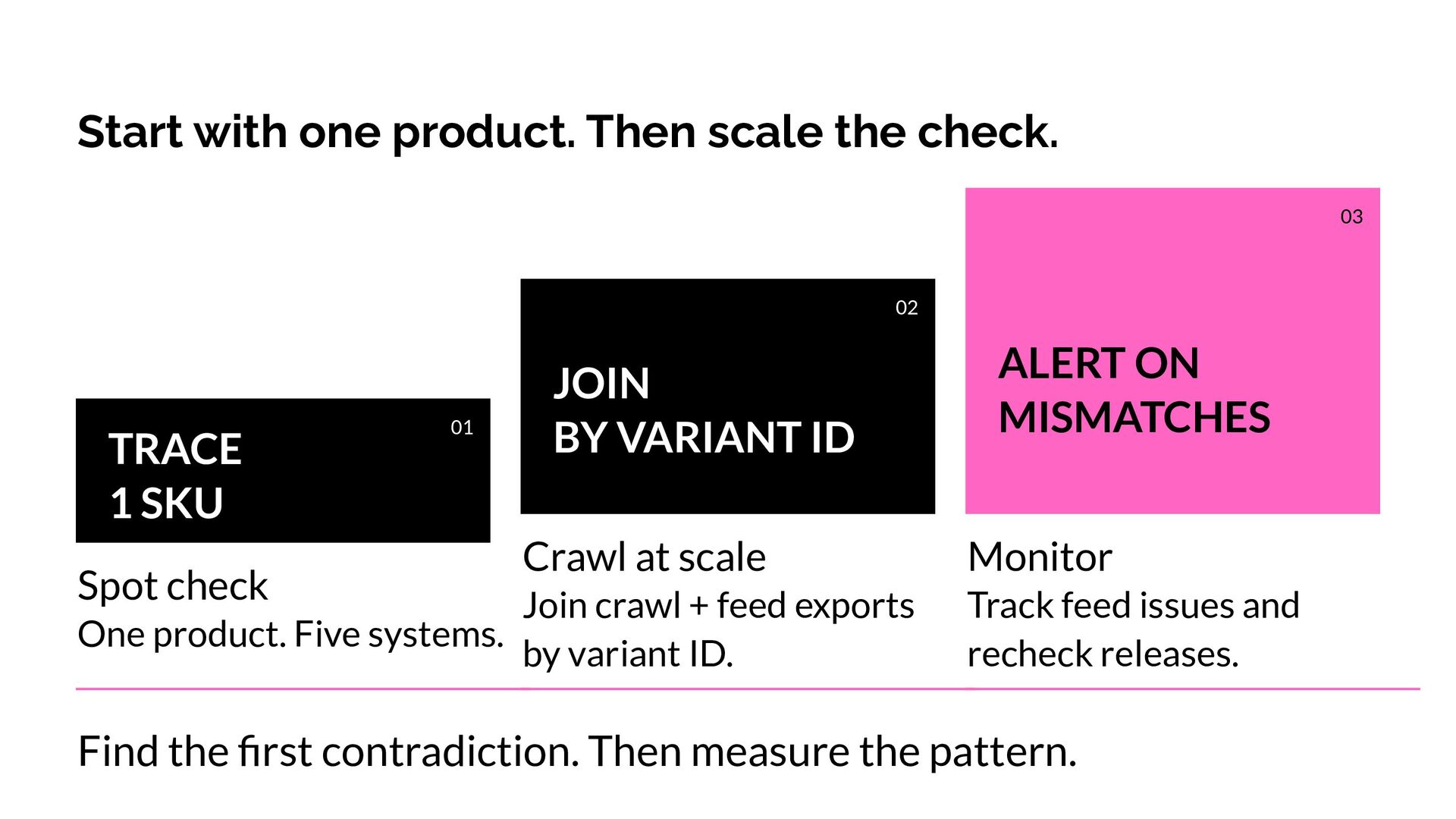
  32. Start with one product. Then scale the check. 03 02

    TRACE 1 SKU Spot check 01 JOIN BY VARIANT ID Crawl at scale Join crawl + feed exports One product. Five systems. by variant ID. ALERT ON MISMATCHES Monitor Track feed issues and recheck releases. Find the first contradiction. Then measure the pattern.
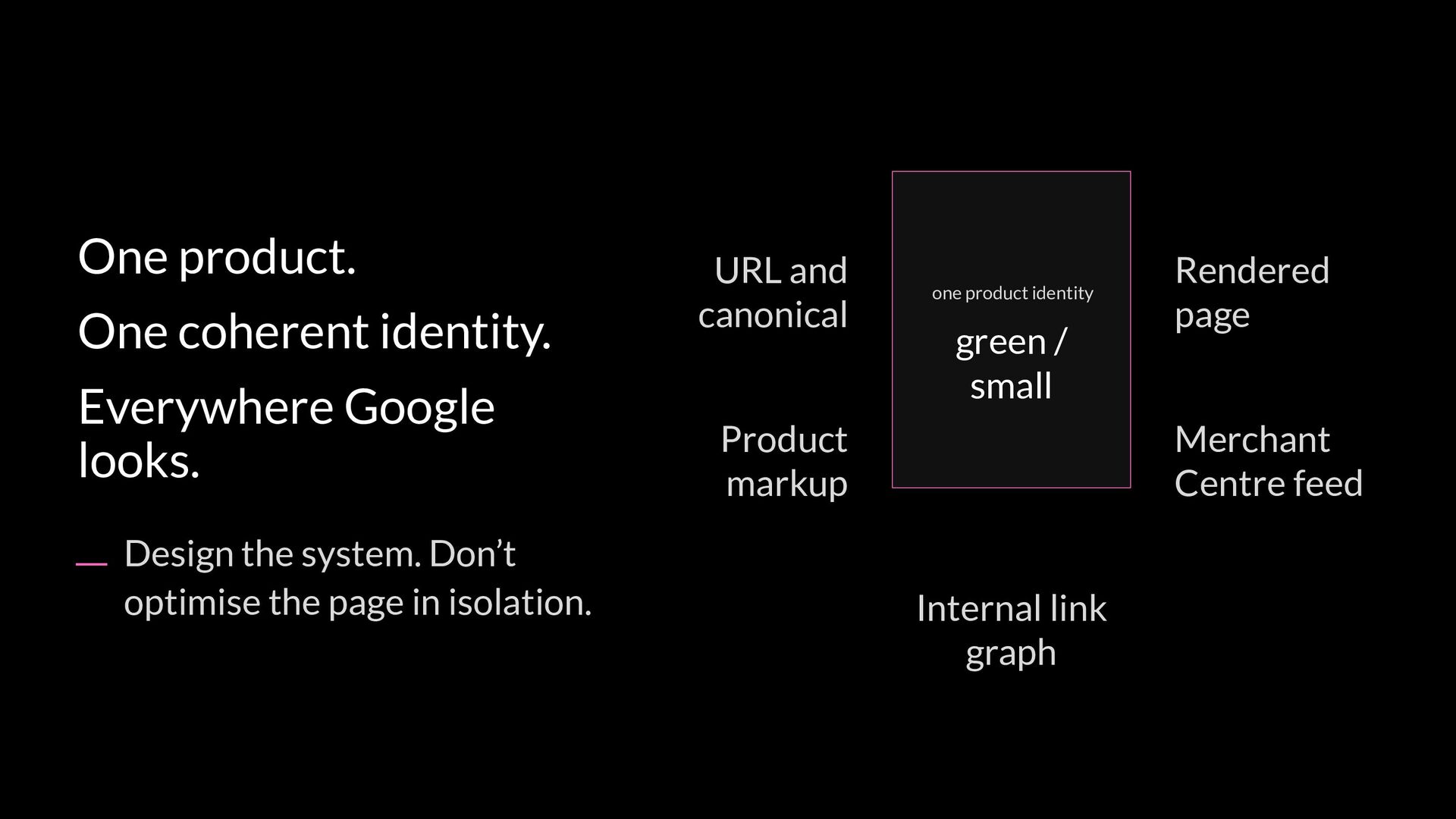
  33. One product. One coherent identity. Everywhere Google looks. Design the

    system. Don’t optimise the page in isolation. URL and canonical one product identity green / small Product markup Rendered page Merchant Centre feed Internal link graph
  34. Thank You! Message me on LinkedIn for the implementation ticket

    + QA checklist. David Bryan Ecommerce SEO Consultant [email protected] Scan to connect