Upgrade to Pro
— share decks privately, control downloads, hide ads and more …
Speaker Deck
Sign up for free
Menu
Search
Features
All features
Private URLs
Password Protection
Custom URLS
Scheduled publishing
Remove Branding
Restrict embedding
Deck Collections
Notes
Features
All features
Private URLs
Password Protection
Custom URLS
Scheduled publishing
Remove Branding
Restrict embedding
Deck Collections
Notes
Explore
Featured decks
Featured speakers
Programming
Technology
Storyboards
Explore
Featured decks
Featured speakers
Programming
Technology
Storyboards
Pricing
Search
Sign in
Sign up for free
A Brief History of Channels
Search
Andrew Godwin
March 31, 2016
Programming
3k
2
Share
Embed
Copy iframe code
Copy JS code
Copy link
Start on current slide
A Brief History of Channels
A talk I gave at DjangoCon Europe 2016
Andrew Godwin
March 31, 2016
More Decks by Andrew Godwin
See All by Andrew Godwin
Reconciling Everything
andrewgodwin
1
420
Django Through The Years
andrewgodwin
0
340
Writing Maintainable Software At Scale
andrewgodwin
0
550
A Newcomer's Guide To Airflow's Architecture
andrewgodwin
0
430
Async, Python, and the Future
andrewgodwin
2
770
How To Break Django: With Async
andrewgodwin
1
850
Taking Django's ORM Async
andrewgodwin
0
880
The Long Road To Asynchrony
andrewgodwin
0
790
The Scientist & The Engineer
andrewgodwin
1
880
Other Decks in Programming
See All in Programming
コードレビューのボトルネックを"する側"と"される側"の両面から解消する
yub0n
2
1.6k
パズルゲームの作り方 / how to make puzzle games
kaityo256
PRO
2
280
Simple Storage Service(S3) is not simple
iwatsukayura
0
260
Compiling a real-world CLI tool to native with Static Hermes
tmikov2023
0
110
wkhtmltopdfの次どうするか問題2026
willnet
2
1.9k
R8 の設定見直しでアプリサイズ削減
andpad
0
210
難しいけど、読めた。- OSSの入口に立った話。
sts11142
0
150
IBM Bob Dojo #1 仕様駆動開発入門
oniak3ibm
PRO
0
380
Ghostty + Neovimで作る 透明でカッコ良い開発環境
j341nono
0
170
Augmenting AI with the Power of Jakarta EE
ivargrimstad
0
620
Are APIs Still Relevant in the AI Era?
soyuka
0
450
【加筆修正版】Laravel のアプリケーションをどこにデプロイするか #phpcon_ehime
akase244
0
150
Featured
See All Featured
We Are The Robots
honzajavorek
0
390
Dealing with People You Can't Stand - Big Design 2015
cassininazir
367
27k
How to optimise 3,500 product descriptions for ecommerce in one day using ChatGPT
katarinadahlin
PRO
3
3.9k
Stop Working from a Prison Cell
hatefulcrawdad
274
21k
Build The Right Thing And Hit Your Dates
maggiecrowley
39
3.5k
Collaborative Software Design: How to facilitate domain modelling decisions
baasie
1
340
Rails Girls Zürich Keynote
gr2m
96
14k
30 Presentation Tips
portentint
PRO
1
430
The Psychology of Web Performance [Beyond Tellerrand 2023]
tammyeverts
49
3.6k
The Curse of the Amulet
leimatthew05
3
15k
svc-hook: hooking system calls on ARM64 by binary rewriting
retrage
2
620
Bioeconomy Workshop: Dr. Julius Ecuru, Opportunities for a Bioeconomy in West Africa
akademiya2063
PRO
1
400
Transcript
Andrew Godwin @andrewgodwin BRIEF HISTORY of CHANNELS A
Andrew Godwin Hi, I'm Django core developer Senior Software Engineer
at Likes networking a little bit too much
Channels
Channels?
WebSocket
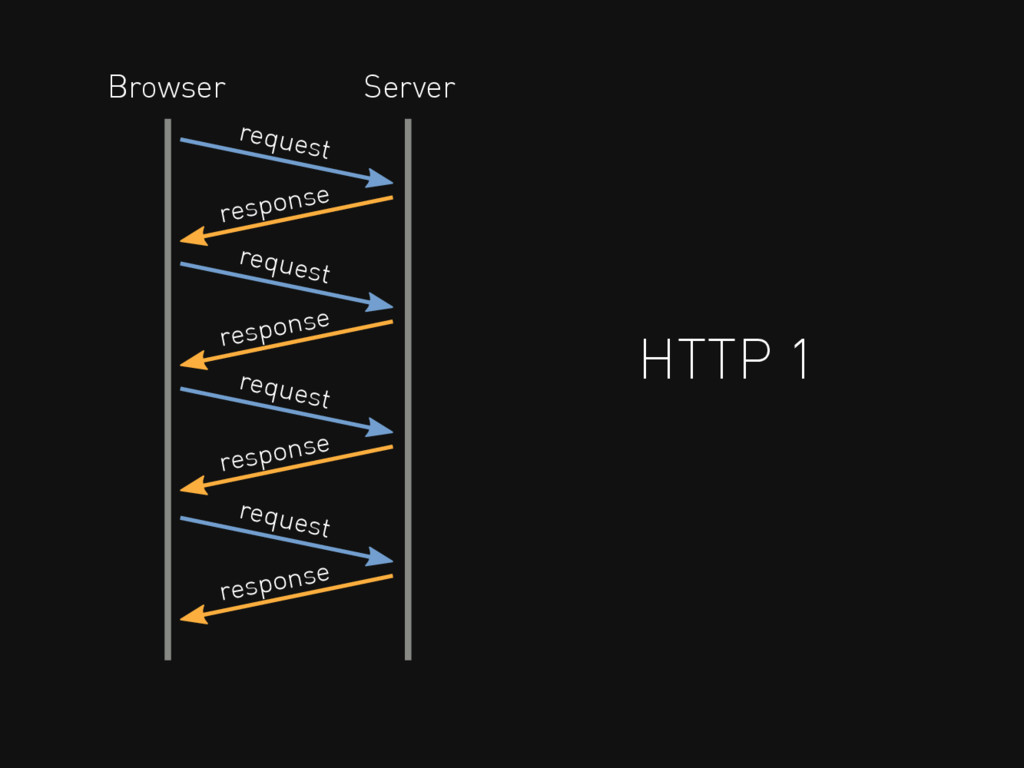
HTTP 1 request response Browser Server request response request response
request response
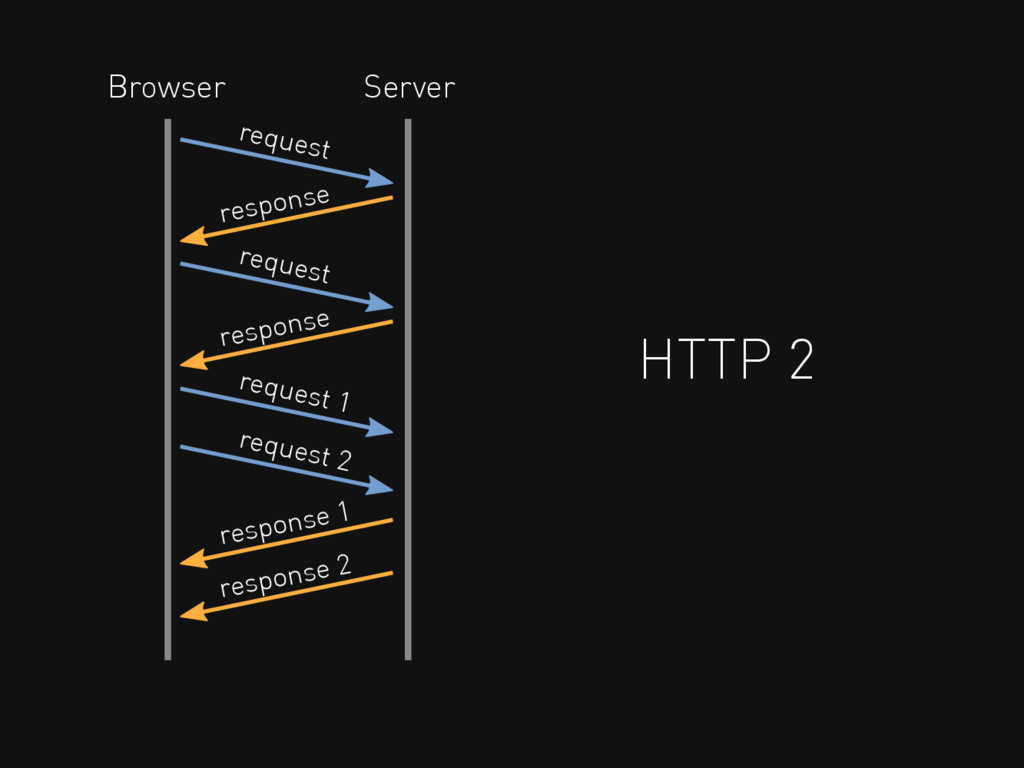
HTTP 2 request response Browser Server request response request 1
response 2 request 2 response 1
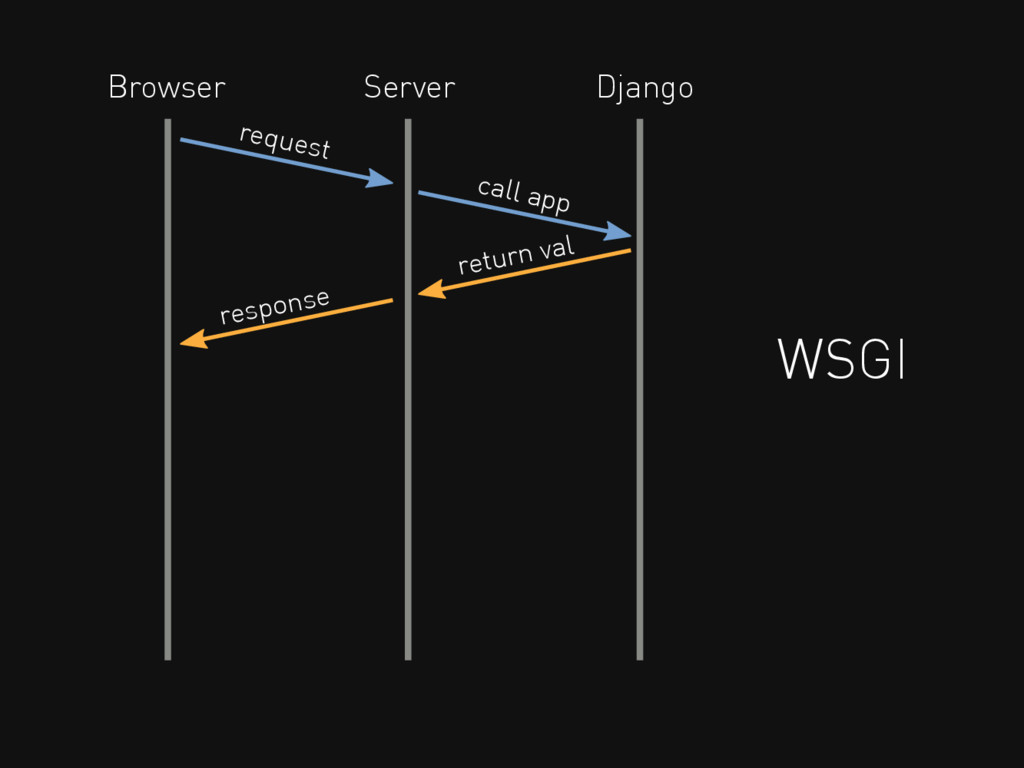
WSGI request response Browser Server Django call app return val
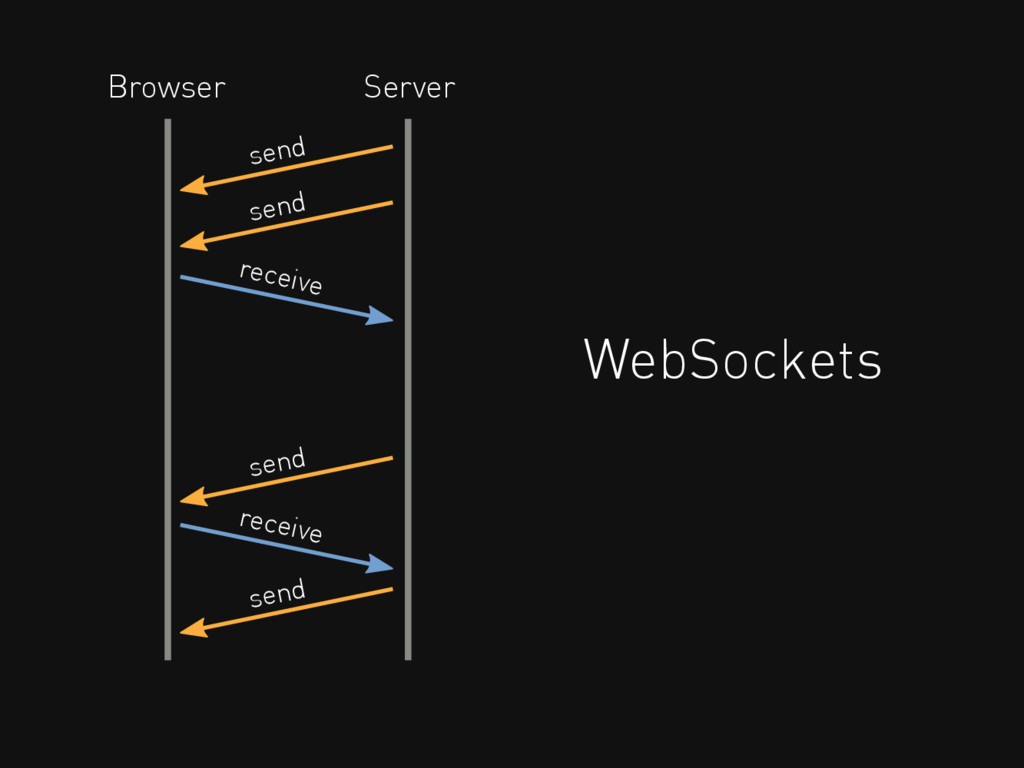
WebSockets receive send Browser Server send receive send send
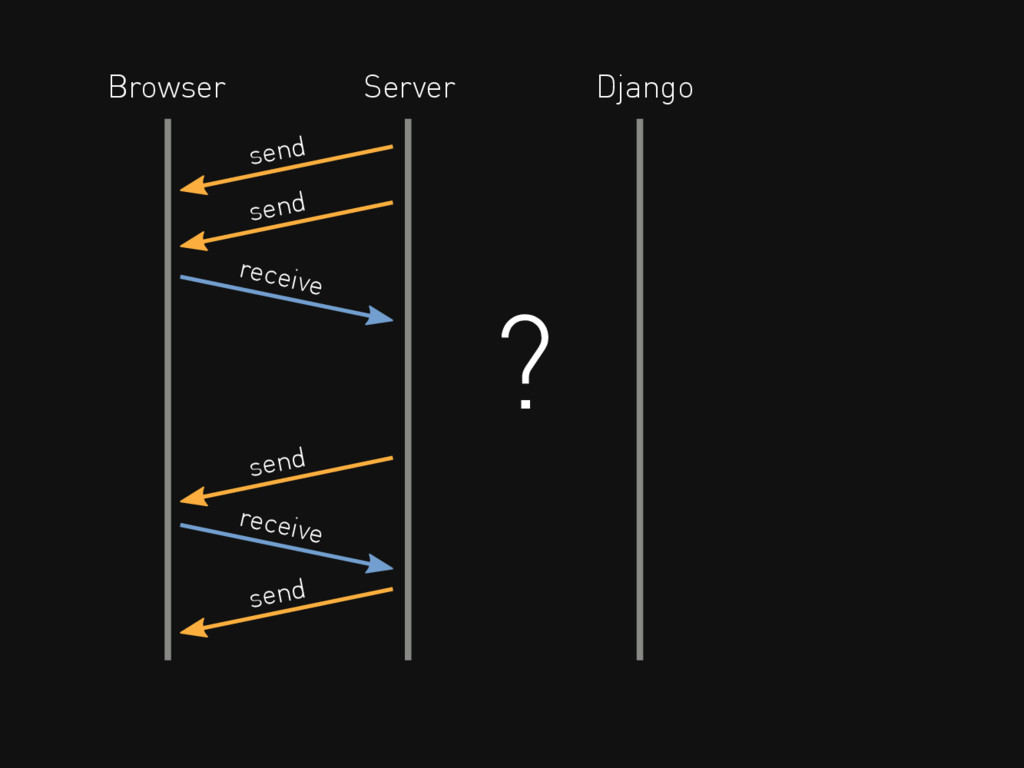
receive send Browser Server send receive send send Django ?
Hard to deadlock Built-in authorisation Scales down Widely deployable Optional
Django is not built for this.
But what if it was?
Instead of requests, we have events
Events of the same type are grouped on a named
channel
HTTP requests HTTP responses WebSocket connecteds WebSocket frames received WebSocket
frames sent WebSocket disconnections
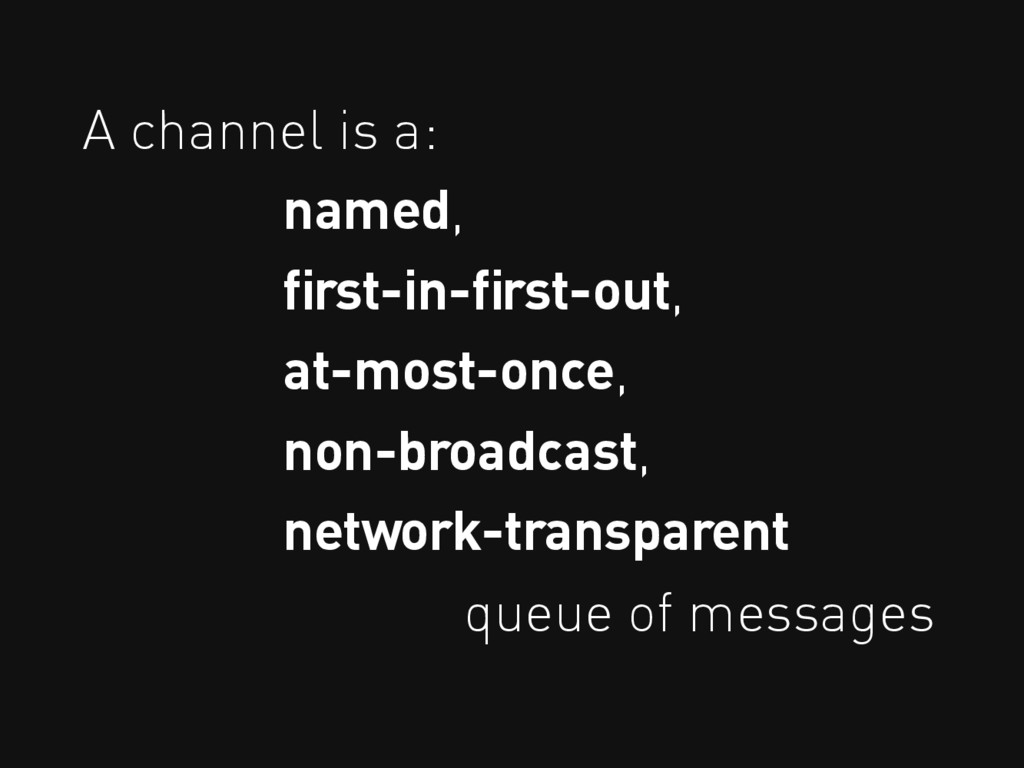
A channel is a: named, first-in-first-out, at-most-once, non-broadcast, network-transparent queue
of messages
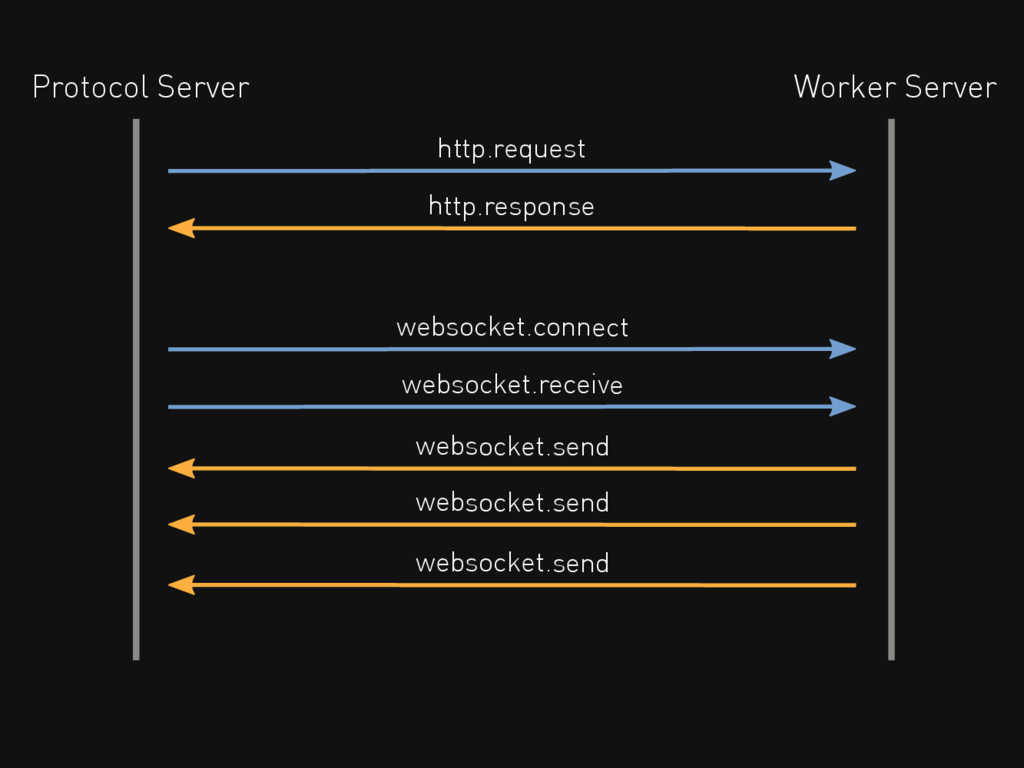
http.request Protocol Server Worker Server http.response websocket.connect websocket.send websocket.receive websocket.send
websocket.send
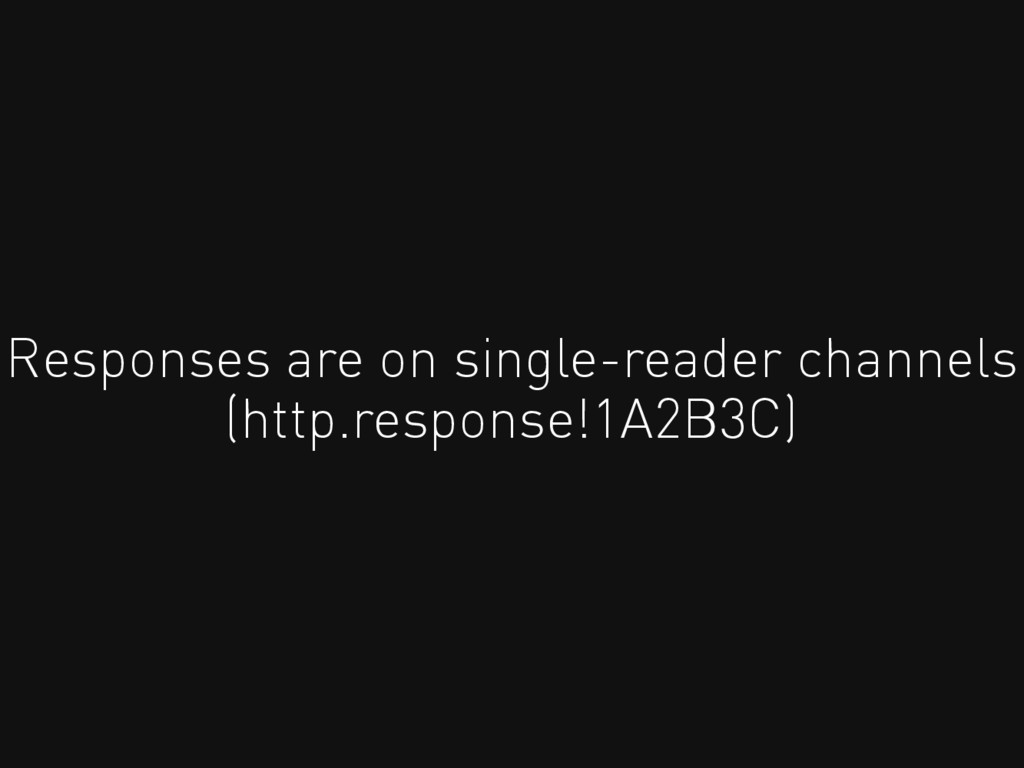
Responses are on single-reader channels (http.response!1A2B3C)
You can send onto channels from anywhere
How do you use it?
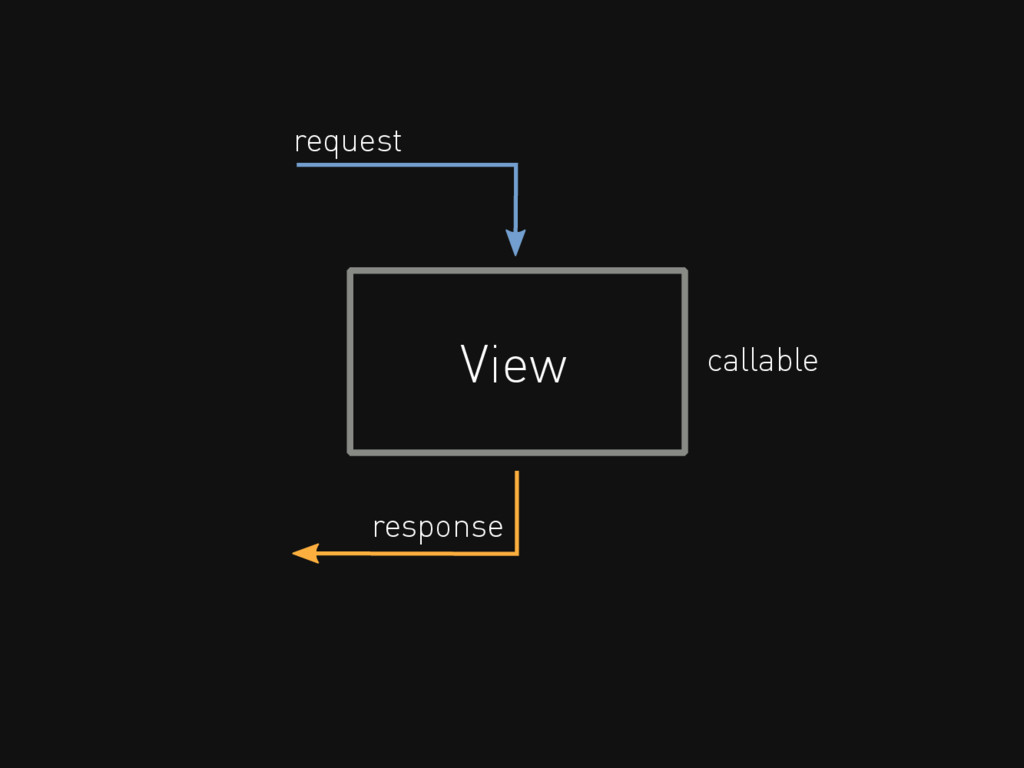
View request response callable
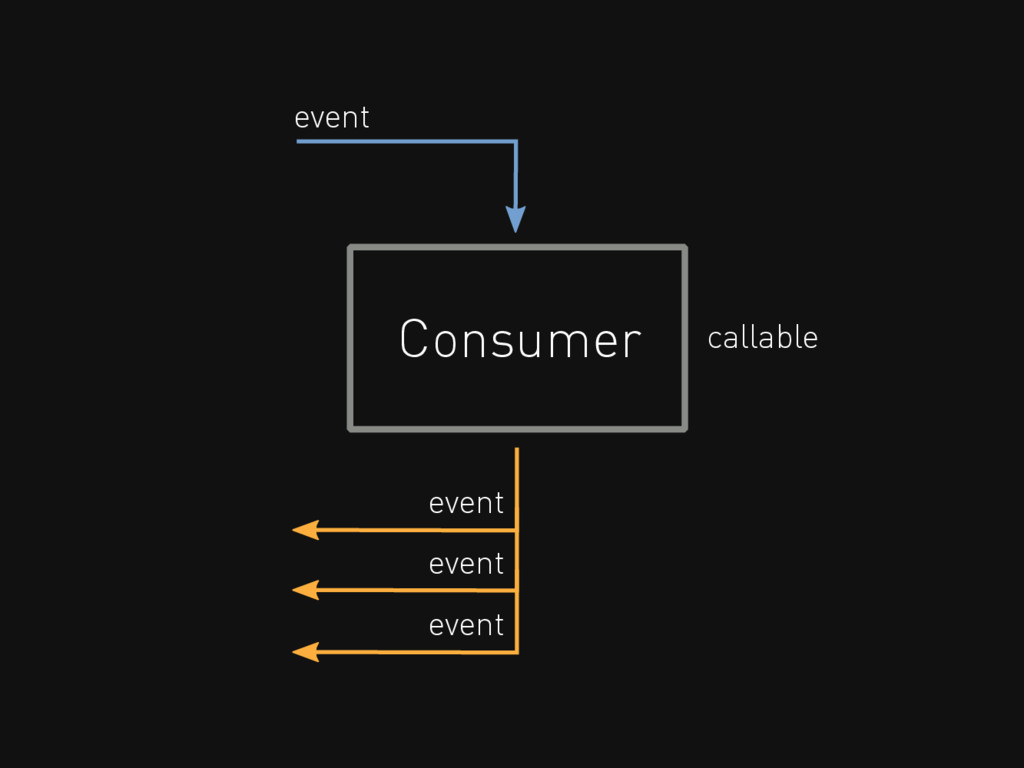
Consumer event event callable event event
Every message on a channel runs the consumer function
http.request routes to a view system consumer
def ws_message(message): # Get things from message data = json.loads(message['text'])
# Use ORM like normal MyModel.objects.create( value=data['value'], ) # Send a reply and close socket message.reply_channel.send({ 'text': 'OK', 'close': True, })
routing.py: urls.py for Channels
message.user: like request.user
message.channel_session: per-socket sessions
Groups broadcast/pub-sub
Add a channel to a Group Remove a channel from
a Group Send to a Group
Worked Examples github.com/andrewgodwin/channels-examples
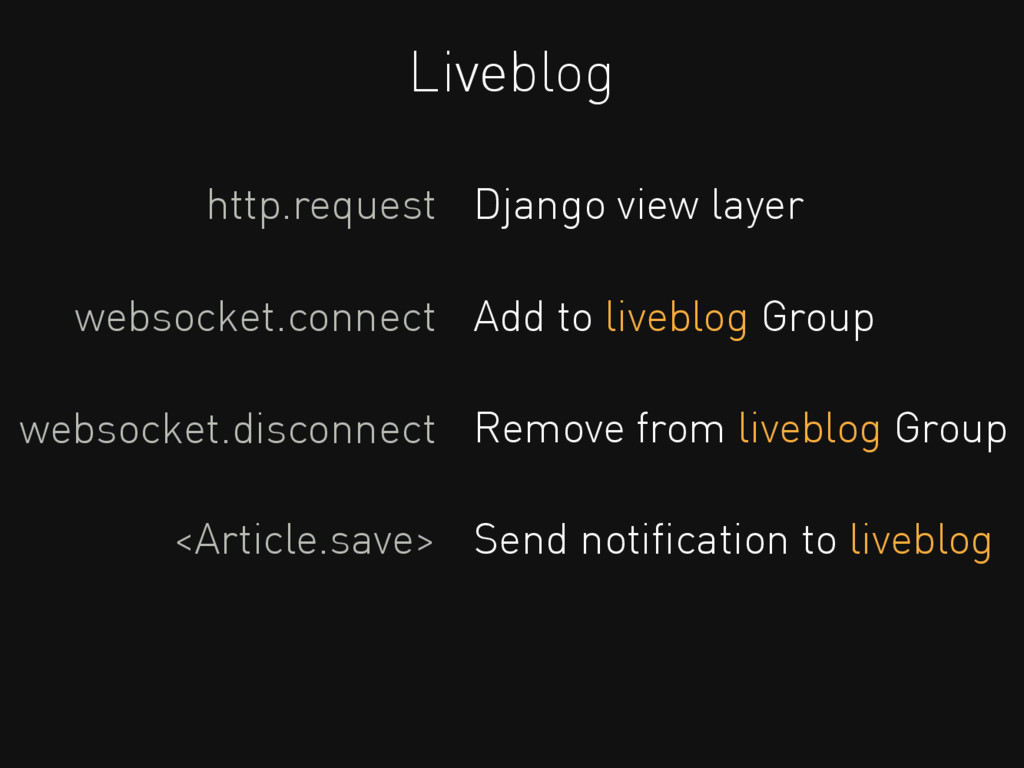
Liveblog http.request Django view layer websocket.connect Add to liveblog Group
websocket.disconnect Remove from liveblog Group <Article.save> Send notification to liveblog
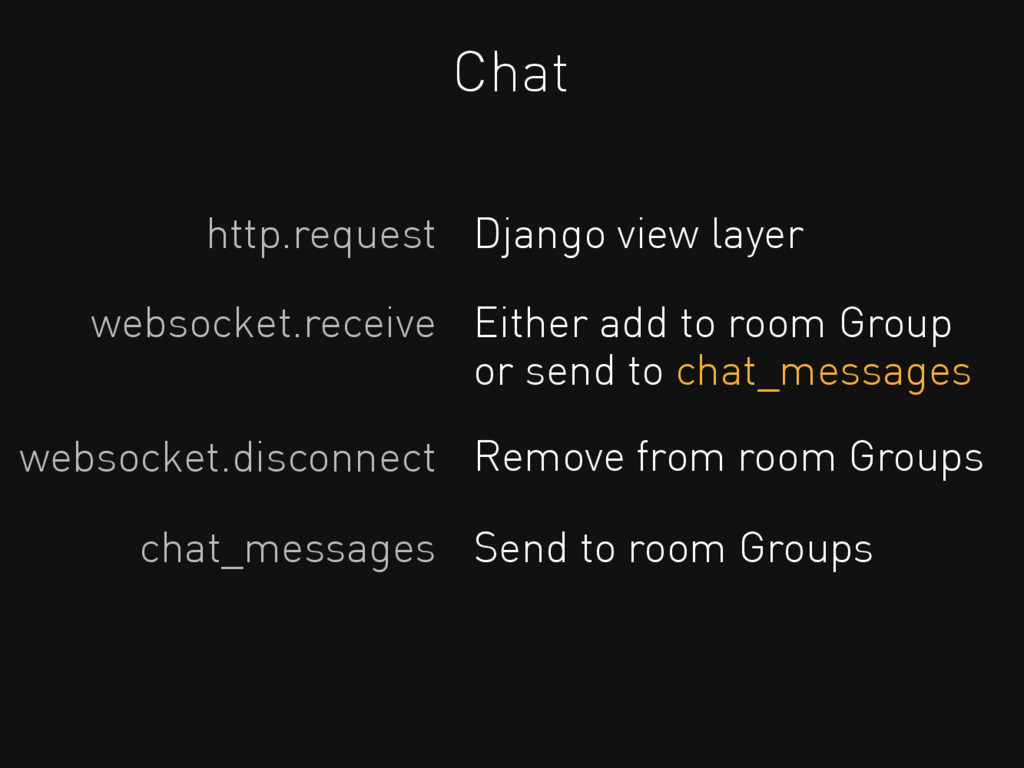
Chat http.request Django view layer websocket.receive Either add to room
Group or send to chat_messages websocket.disconnect Remove from room Groups chat_messages Send to room Groups
It's so easy to join! CALL NOW
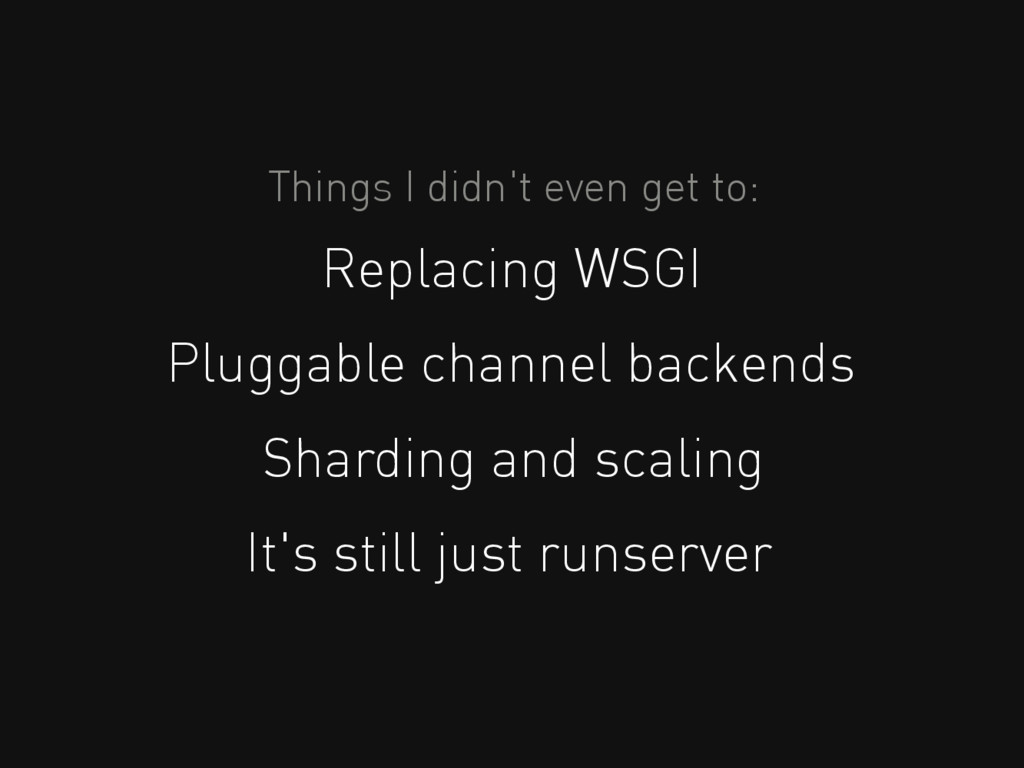
Things I didn't even get to: Replacing WSGI Pluggable channel
backends Sharding and scaling It's still just runserver
A base for the future Scheduler? Retry logic? Generic Consumers?
...and much more
1.10 "Provisional"?
1.8 1.9 pip install channels
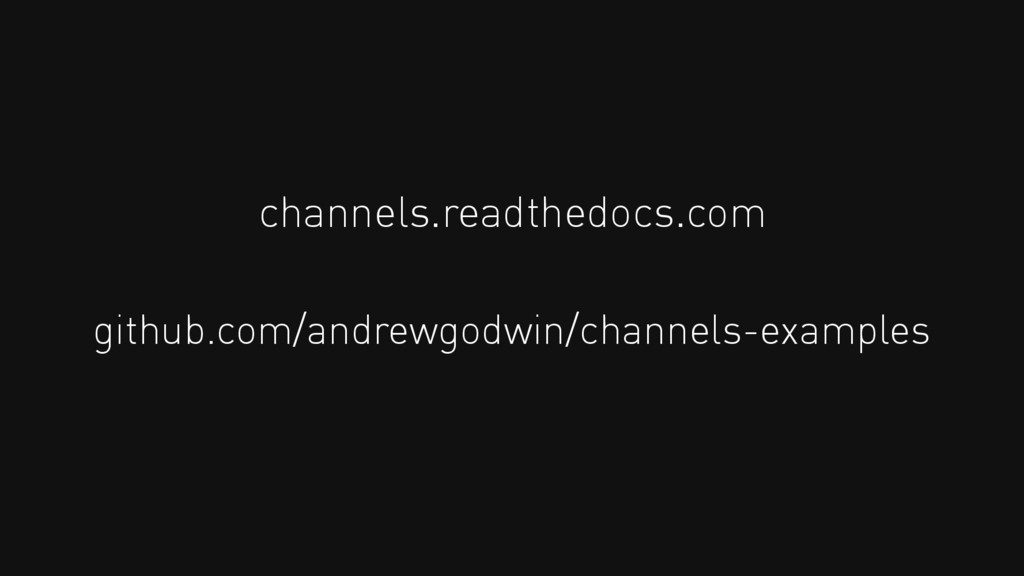
channels.readthedocs.com github.com/andrewgodwin/channels-examples
Thanks. Andrew Godwin @andrewgodwin


 andrewgodwin
 yub0n
yub0n
 kaityo256
 iwatsukayura
 tmikov2023
 willnet
 andpad
 sts11142
 oniak3ibm
 j341nono
 ivargrimstad
 soyuka
 akase244
 honzajavorek
 cassininazir
 katarinadahlin
 hatefulcrawdad
 maggiecrowley
 baasie
 gr2m
gr2m
 portentint
 tammyeverts
 leimatthew05
 retrage
 akademiya2063





![def ws_message(message): # Get things from message data = json.loads(message['text'])](https://files.speakerdeck.com/presentations/af29ab831dda472a83dc68221ae2674b/slide_25.jpg)