Upgrade to Pro — share decks privately, control downloads, hide ads and more …

Playing with UICollectionViewLayout

Avatar for Andy Bell Andy Bell
December 03, 2015

Playing with UICollectionViewLayout

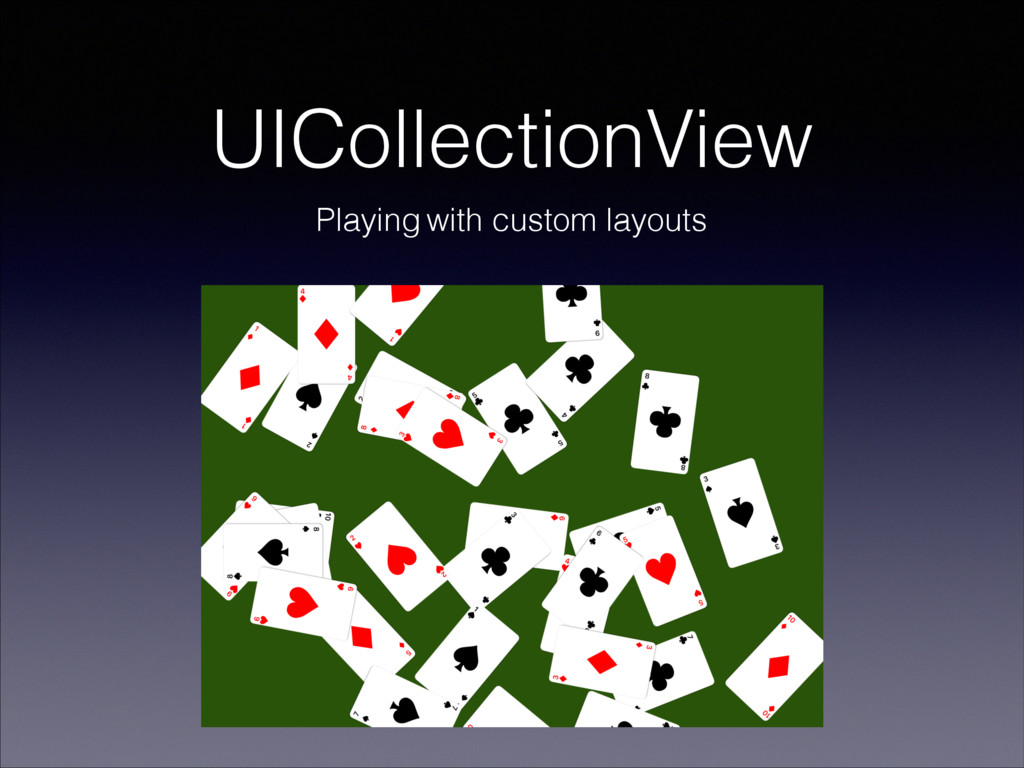
Talk on subclassing UICollectionViewLayout to play with different layout effect and animations using demo app ,'Croupier'. This presentation was held on Munich iOS Meetup 2015/12/02 at Stylight.

Avatar for Andy Bell

Andy Bell

December 03, 2015

More Decks by Andy Bell

Other Decks in Technology

Transcript

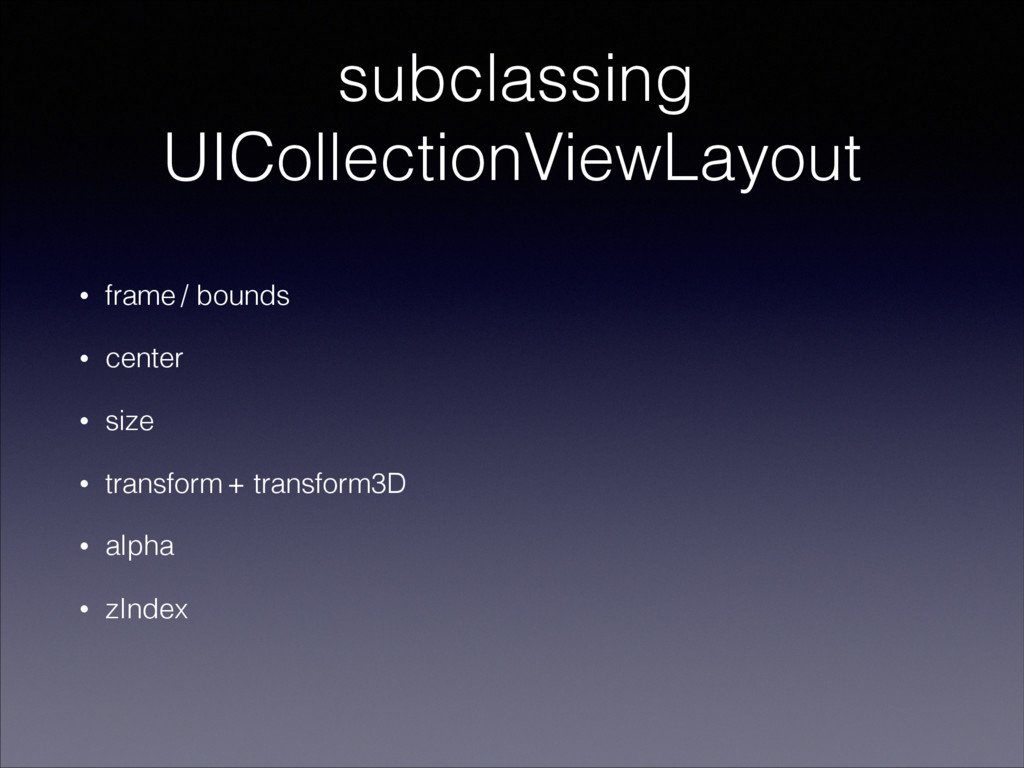
  1. subclassing UICollectionViewLayout ! • frame / bounds • center •

    size • transform + transform3D • alpha • zIndex
  2. var attributesList = [CroupierCollectionViewLayoutAttributes]() override func prepareLayout() { attributesList =

    (0..<self.collectionView!.numberOfItemsInSection(0)).map { (i) -> CroupierCollectionViewLayoutAttributes in let attributes = CroupierCollectionViewLayoutAttributes(forCellWithIndexPath: NSIndexPath(forItem: i, inSection: 0)) // set the layout values here ! return attributes } } subclassing UICollectionViewLayout
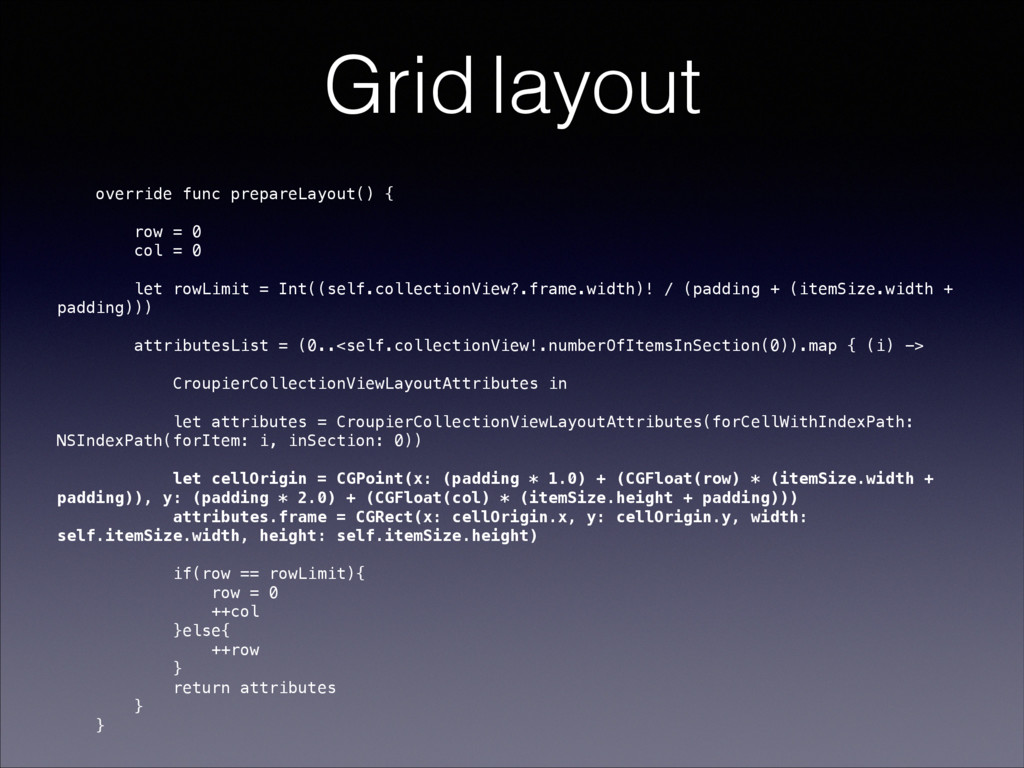
  3. Grid layout override func prepareLayout() { row = 0 col

    = 0 let rowLimit = Int((self.collectionView?.frame.width)! / (padding + (itemSize.width + padding))) attributesList = (0..<self.collectionView!.numberOfItemsInSection(0)).map { (i) -> CroupierCollectionViewLayoutAttributes in let attributes = CroupierCollectionViewLayoutAttributes(forCellWithIndexPath: NSIndexPath(forItem: i, inSection: 0)) ! let cellOrigin = CGPoint(x: (padding * 1.0) + (CGFloat(row) * (itemSize.width + padding)), y: (padding * 2.0) + (CGFloat(col) * (itemSize.height + padding))) attributes.frame = CGRect(x: cellOrigin.x, y: cellOrigin.y, width: self.itemSize.width, height: self.itemSize.height) if(row == rowLimit){ row = 0 ++col }else{ ++row } return attributes } }
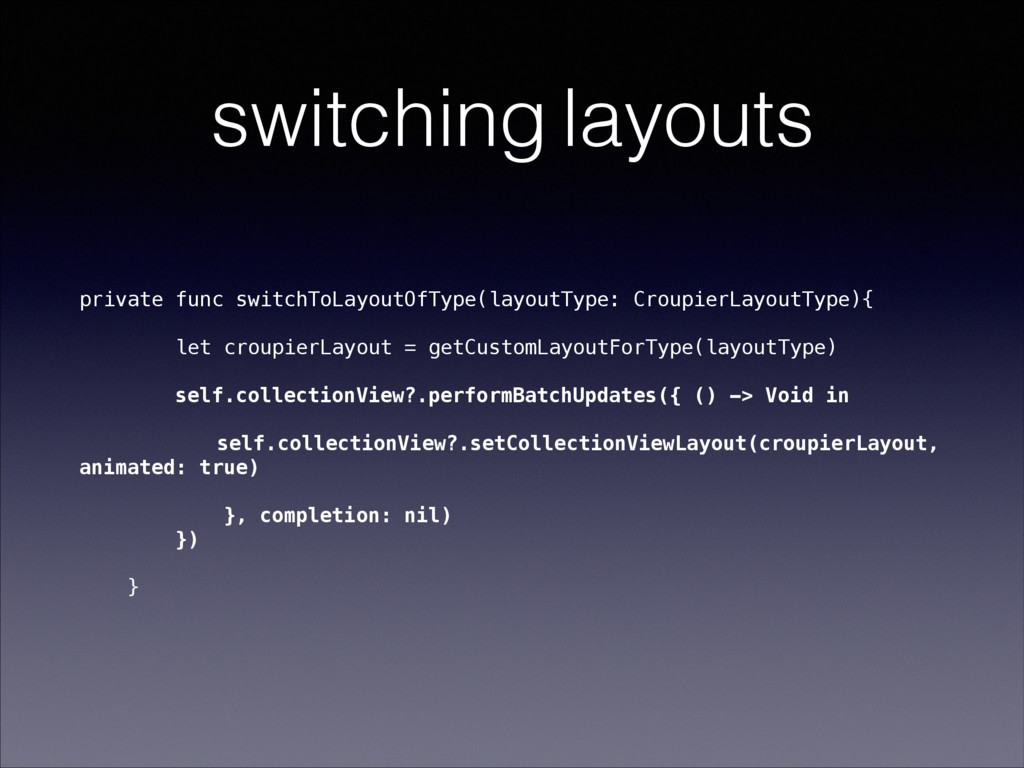
  4. switching layouts private func switchToLayoutOfType(layoutType: CroupierLayoutType){ let croupierLayout = getCustomLayoutForType(layoutType)

    self.collectionView?.performBatchUpdates({ () -> Void in self.collectionView?.setCollectionViewLayout(croupierLayout, animated: true) }, completion: nil) }) }
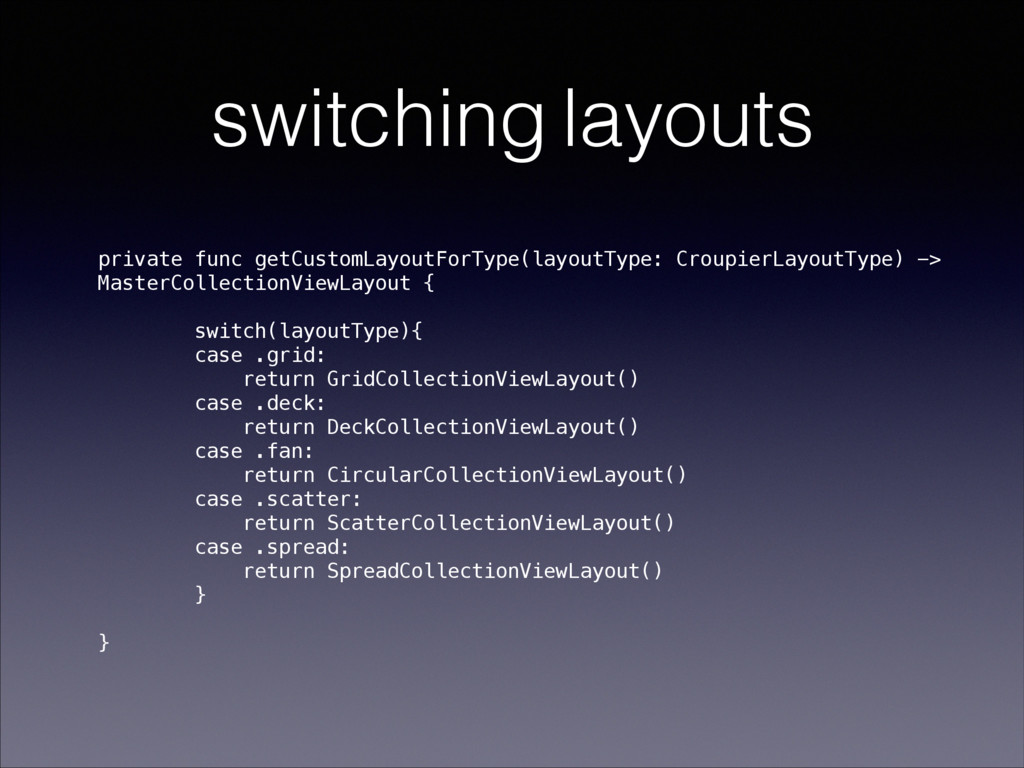
  5. switching layouts private func getCustomLayoutForType(layoutType: CroupierLayoutType) -> MasterCollectionViewLayout { switch(layoutType){

    case .grid: return GridCollectionViewLayout() case .deck: return DeckCollectionViewLayout() case .fan: return CircularCollectionViewLayout() case .scatter: return ScatterCollectionViewLayout() case .spread: return SpreadCollectionViewLayout() } }
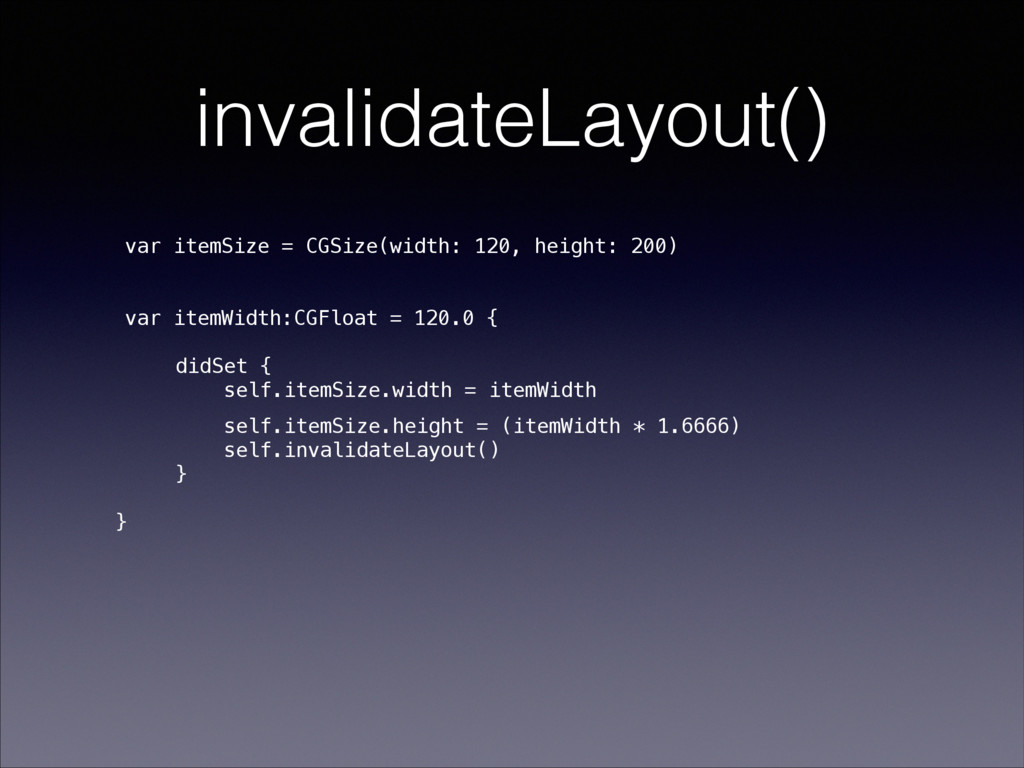
  6. invalidateLayout() var itemSize = CGSize(width: 120, height: 200) ! !

    var itemWidth:CGFloat = 120.0 { ! didSet { self.itemSize.width = itemWidth self.itemSize.height = (itemWidth * 1.6666) self.invalidateLayout() } ! }
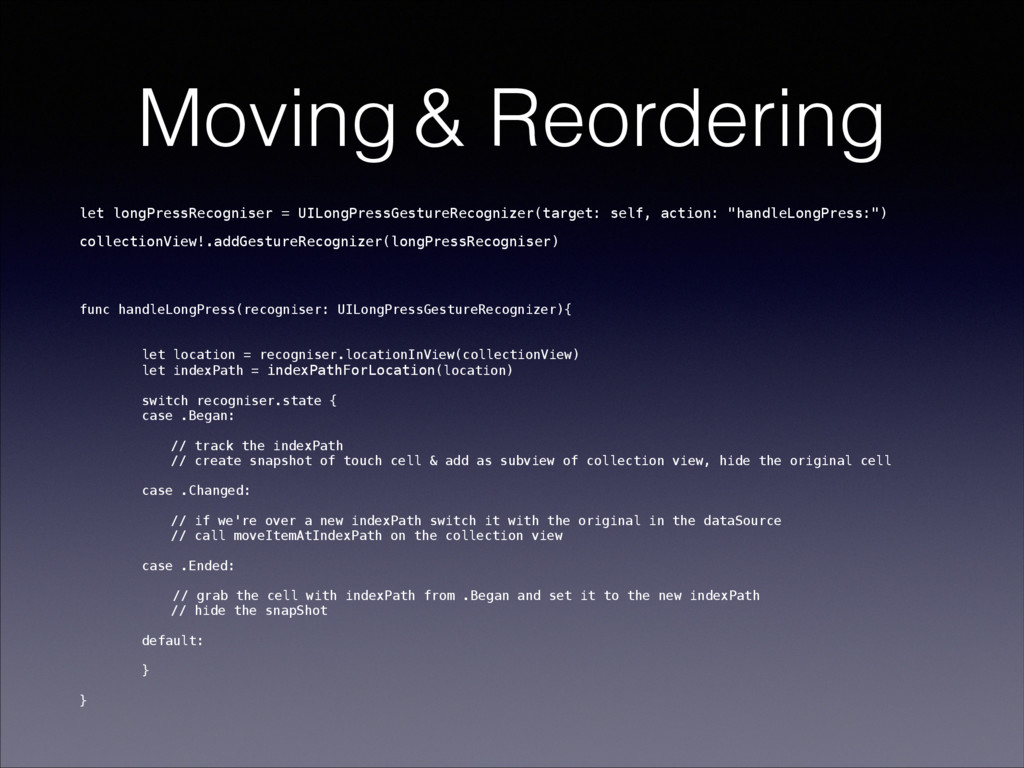
  7. Moving & Reordering let longPressRecogniser = UILongPressGestureRecognizer(target: self, action: "handleLongPress:")

    collectionView!.addGestureRecognizer(longPressRecogniser) func handleLongPress(recogniser: UILongPressGestureRecognizer){ let location = recogniser.locationInView(collectionView) let indexPath = indexPathForLocation(location) switch recogniser.state { case .Began: // track the indexPath // create snapshot of touch cell & add as subview of collection view, hide the original cell case .Changed: // if we're over a new indexPath switch it with the original in the dataSource // call moveItemAtIndexPath on the collection view ! case .Ended: // grab the cell with indexPath from .Began and set it to the new indexPath // hide the snapShot default: } ! }
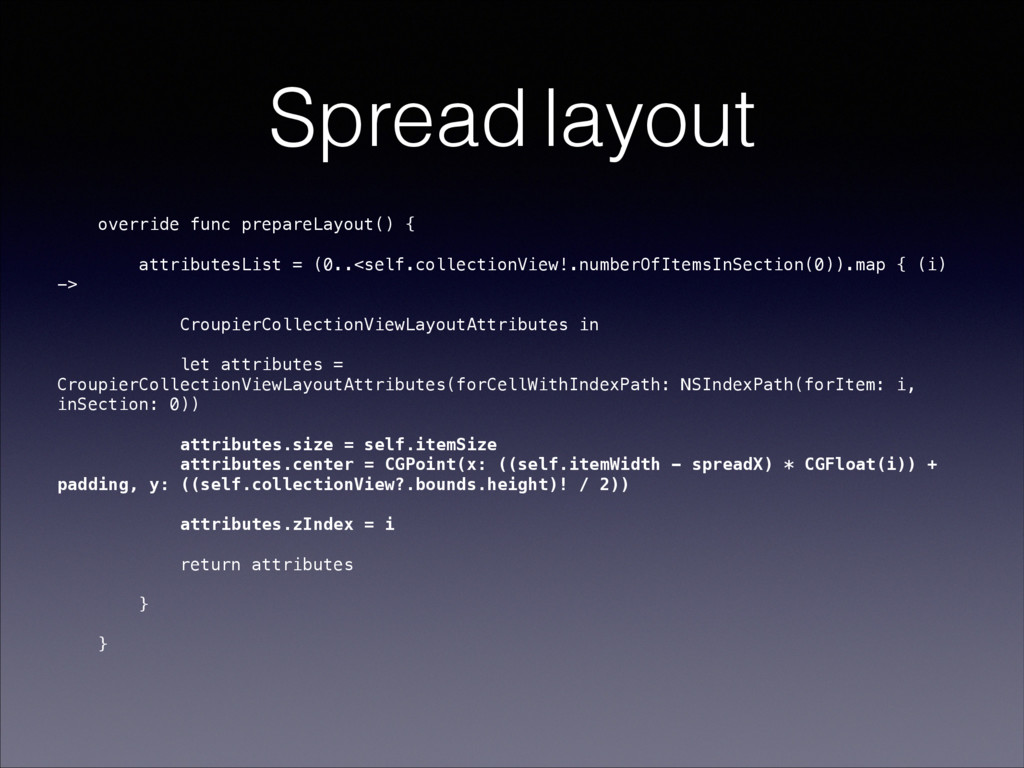
  8. Spread layout override func prepareLayout() { attributesList = (0..<self.collectionView!.numberOfItemsInSection(0)).map {

    (i) -> CroupierCollectionViewLayoutAttributes in let attributes = CroupierCollectionViewLayoutAttributes(forCellWithIndexPath: NSIndexPath(forItem: i, inSection: 0)) attributes.size = self.itemSize attributes.center = CGPoint(x: ((self.itemWidth - spreadX) * CGFloat(i)) + padding, y: ((self.collectionView?.bounds.height)! / 2)) attributes.zIndex = i return attributes } } !
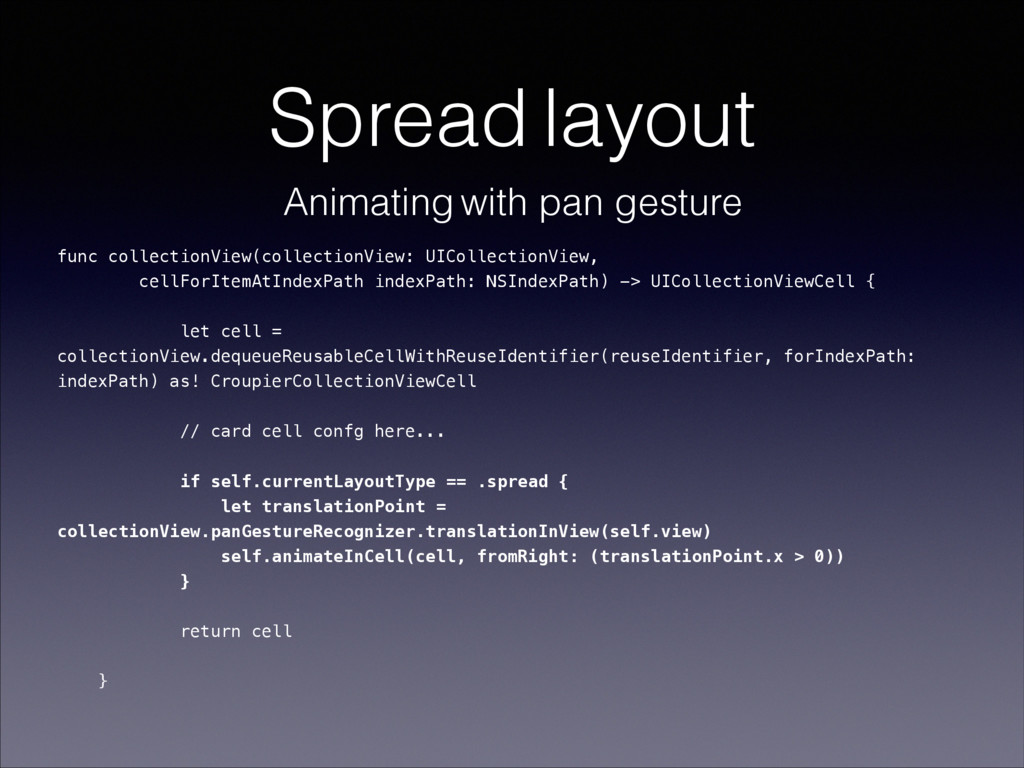
  9. Spread layout func collectionView(collectionView: UICollectionView, cellForItemAtIndexPath indexPath: NSIndexPath) -> UICollectionViewCell

    { let cell = collectionView.dequeueReusableCellWithReuseIdentifier(reuseIdentifier, forIndexPath: indexPath) as! CroupierCollectionViewCell // card cell confg here... if self.currentLayoutType == .spread { let translationPoint = collectionView.panGestureRecognizer.translationInView(self.view) self.animateInCell(cell, fromRight: (translationPoint.x > 0)) } return cell } Animating with pan gesture
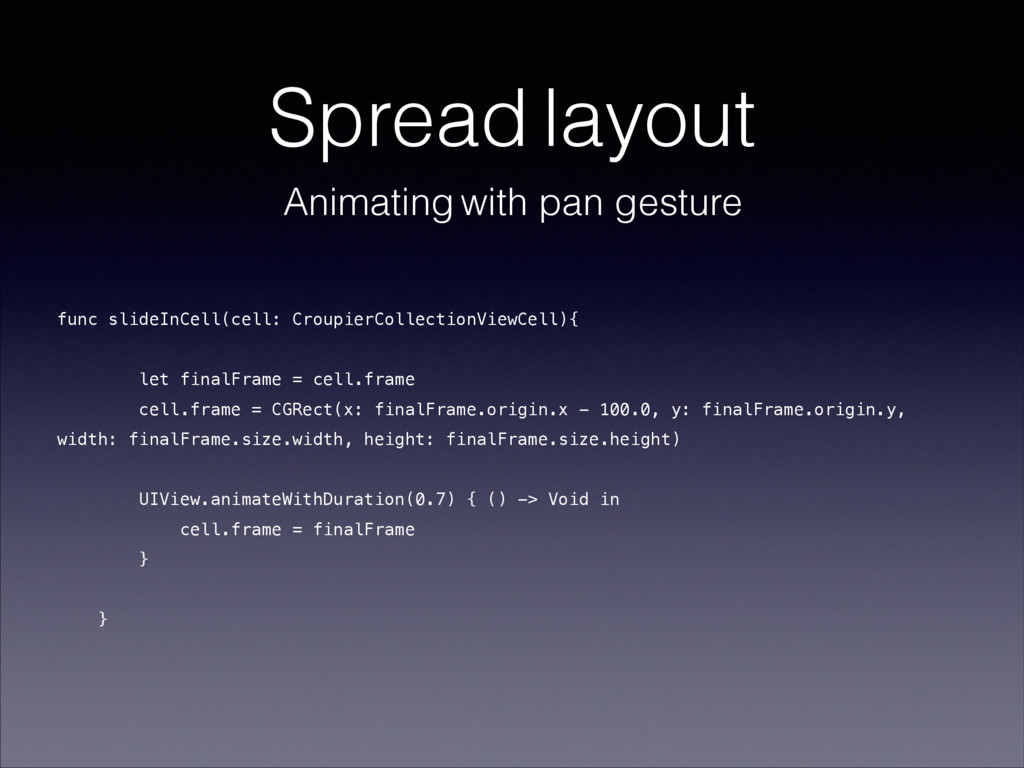
  10. Spread layout func slideInCell(cell: CroupierCollectionViewCell){ let finalFrame = cell.frame cell.frame

    = CGRect(x: finalFrame.origin.x - 100.0, y: finalFrame.origin.y, width: finalFrame.size.width, height: finalFrame.size.height) UIView.animateWithDuration(0.7) { () -> Void in cell.frame = finalFrame } } Animating with pan gesture
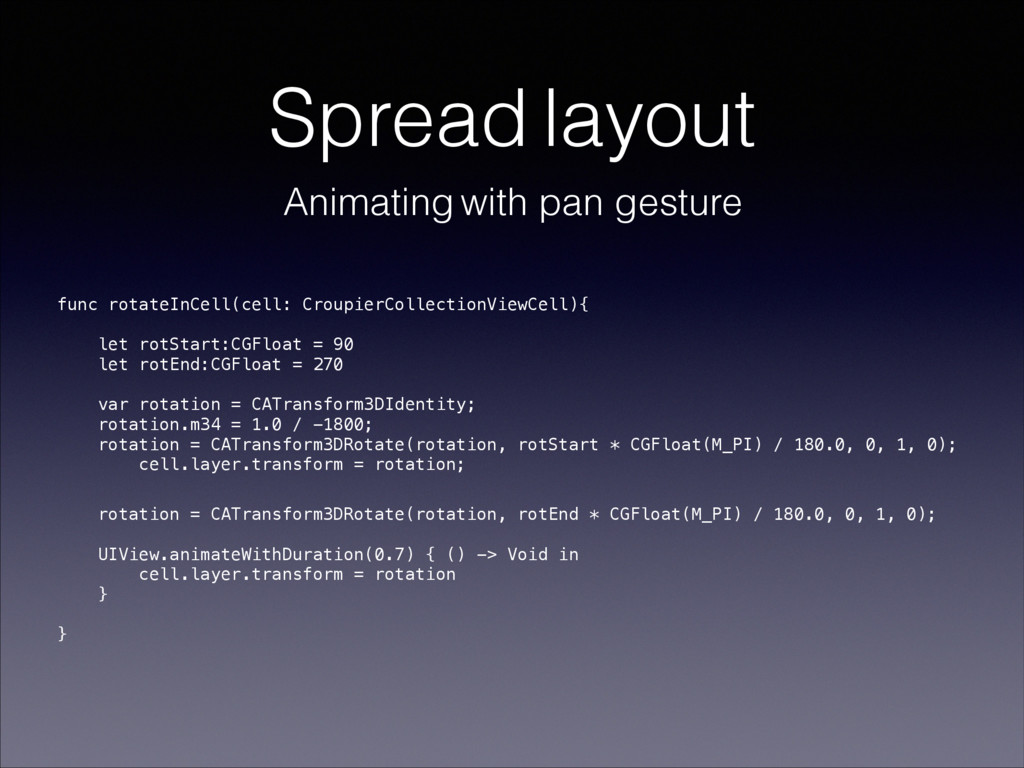
  11. Spread layout func rotateInCell(cell: CroupierCollectionViewCell){ let rotStart:CGFloat = 90 let

    rotEnd:CGFloat = 270 var rotation = CATransform3DIdentity; rotation.m34 = 1.0 / -1800; rotation = CATransform3DRotate(rotation, rotStart * CGFloat(M_PI) / 180.0, 0, 1, 0); cell.layer.transform = rotation; rotation = CATransform3DRotate(rotation, rotEnd * CGFloat(M_PI) / 180.0, 0, 1, 0); UIView.animateWithDuration(0.7) { () -> Void in cell.layer.transform = rotation } } Animating with pan gesture
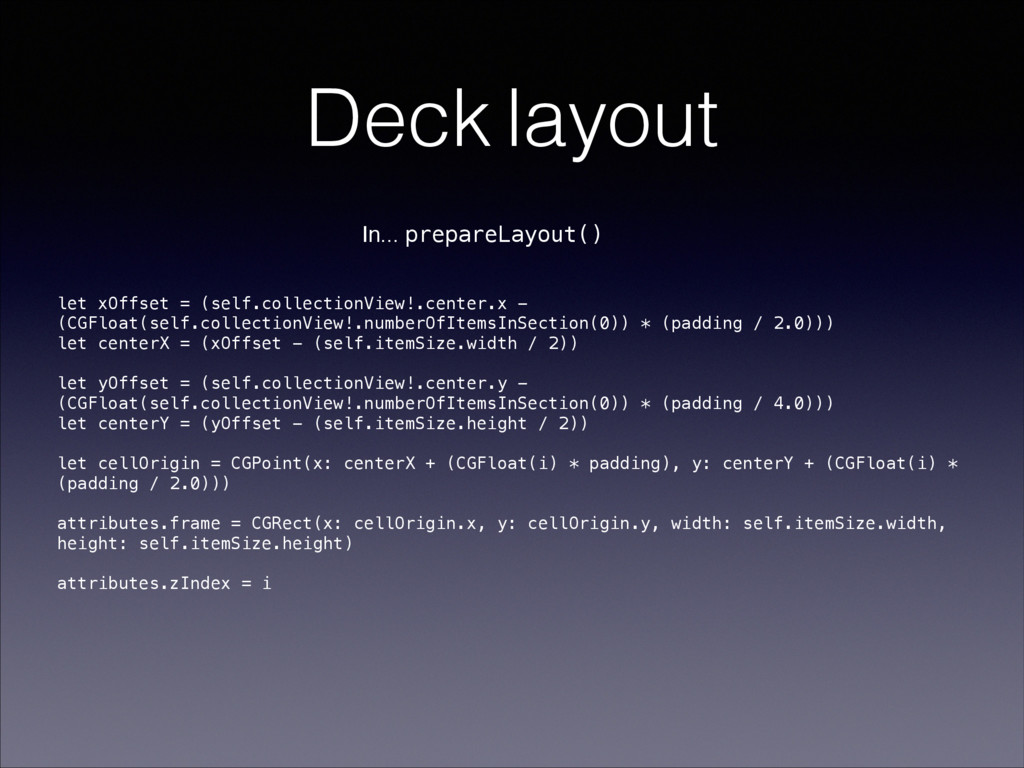
  12. Deck layout ! let xOffset = (self.collectionView!.center.x - (CGFloat(self.collectionView!.numberOfItemsInSection(0)) *

    (padding / 2.0))) let centerX = (xOffset - (self.itemSize.width / 2)) let yOffset = (self.collectionView!.center.y - (CGFloat(self.collectionView!.numberOfItemsInSection(0)) * (padding / 4.0))) let centerY = (yOffset - (self.itemSize.height / 2)) let cellOrigin = CGPoint(x: centerX + (CGFloat(i) * padding), y: centerY + (CGFloat(i) * (padding / 2.0))) attributes.frame = CGRect(x: cellOrigin.x, y: cellOrigin.y, width: self.itemSize.width, height: self.itemSize.height) attributes.zIndex = i In... prepareLayout()
  13. Scatter layout var rotations = [AnyObject]() var positions = [AnyObject]()

    ! override func prepareLayout() { generateRandomRotations() generateRandomPositions() attributesList = (0..<self.collectionView!.numberOfItemsInSection(0)).map { (i) -> CroupierCollectionViewLayoutAttributes in let attributes = CroupierCollectionViewLayoutAttributes(forCellWithIndexPath: NSIndexPath(forItem: i, inSection: 0)) attributes.size = self.itemSize let randPos = positions[i] as! NSValue attributes.center = randPos.CGPointValue() let rotTrans = rotations[i] as! NSValue attributes.transform3D = rotTrans.CATransform3DValue return attributes } }
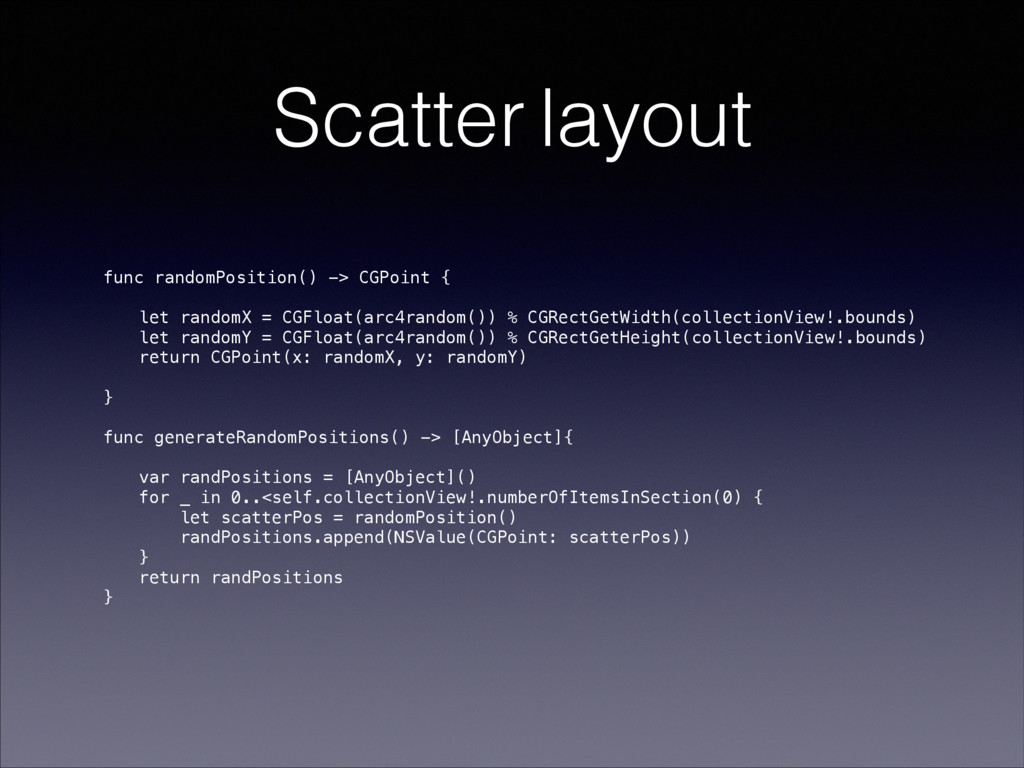
  14. Scatter layout func randomPosition() -> CGPoint { let randomX =

    CGFloat(arc4random()) % CGRectGetWidth(collectionView!.bounds) let randomY = CGFloat(arc4random()) % CGRectGetHeight(collectionView!.bounds) return CGPoint(x: randomX, y: randomY) } func generateRandomPositions() -> [AnyObject]{ var randPositions = [AnyObject]() for _ in 0..<self.collectionView!.numberOfItemsInSection(0) { let scatterPos = randomPosition() randPositions.append(NSValue(CGPoint: scatterPos)) } return randPositions }
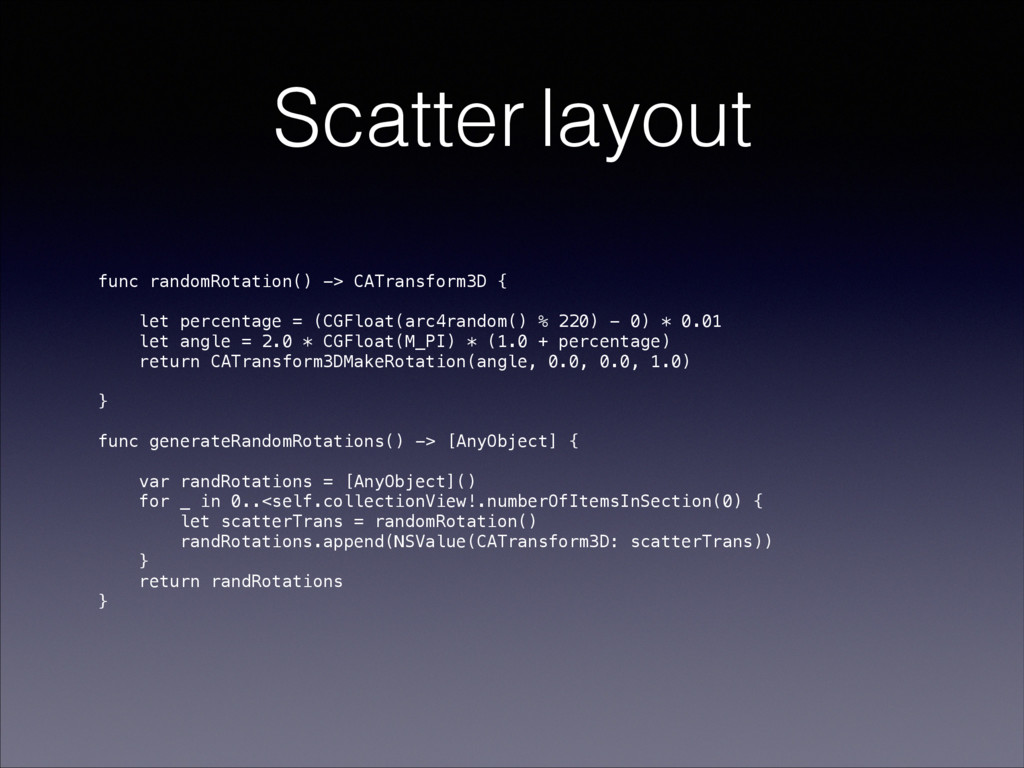
  15. Scatter layout func randomRotation() -> CATransform3D { let percentage =

    (CGFloat(arc4random() % 220) - 0) * 0.01 let angle = 2.0 * CGFloat(M_PI) * (1.0 + percentage) return CATransform3DMakeRotation(angle, 0.0, 0.0, 1.0) } func generateRandomRotations() -> [AnyObject] { var randRotations = [AnyObject]() for _ in 0..<self.collectionView!.numberOfItemsInSection(0) { let scatterTrans = randomRotation() randRotations.append(NSValue(CATransform3D: scatterTrans)) } return randRotations }
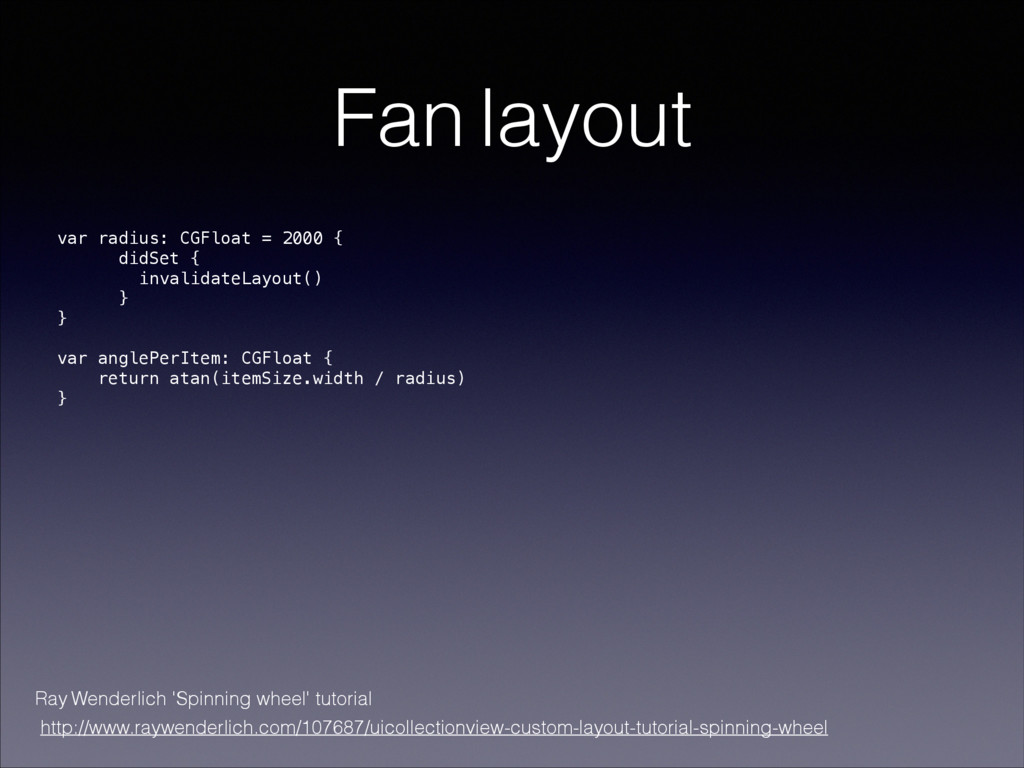
  16. Fan layout var radius: CGFloat = 2000 { didSet {

    invalidateLayout() } } ! var anglePerItem: CGFloat { return atan(itemSize.width / radius) } Ray Wenderlich 'Spinning wheel' tutorial http://www.raywenderlich.com/107687/uicollectionview-custom-layout-tutorial-spinning-wheel
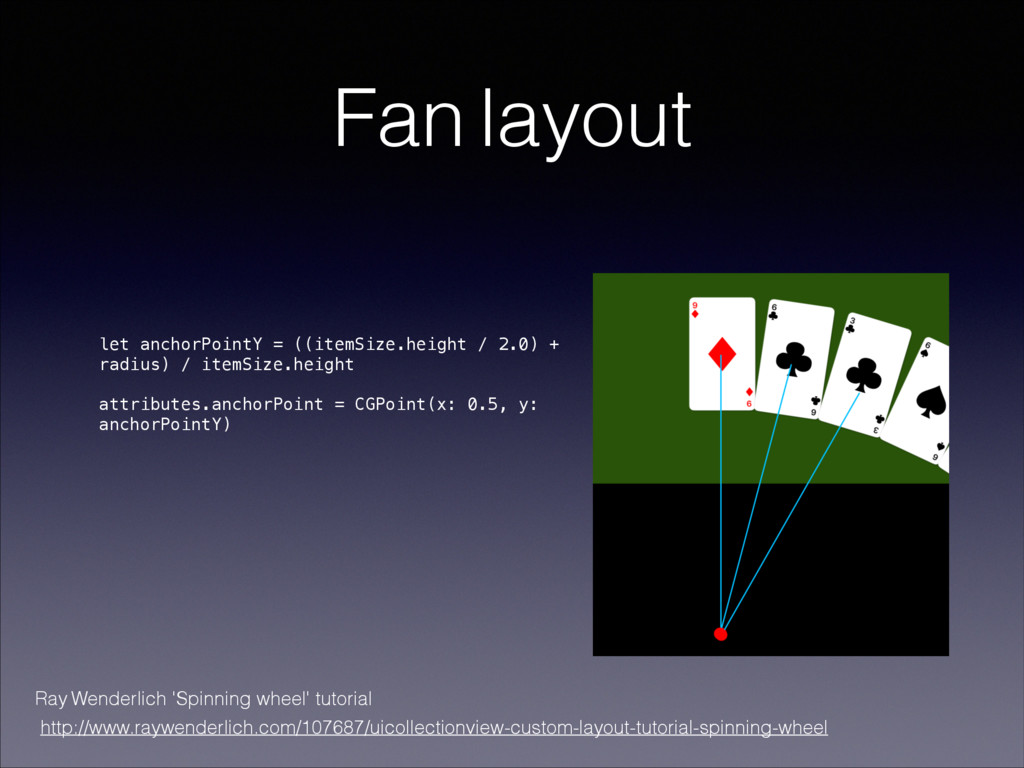
  17. Fan layout let anchorPointY = ((itemSize.height / 2.0) + radius)

    / itemSize.height ! attributes.anchorPoint = CGPoint(x: 0.5, y: anchorPointY) Ray Wenderlich 'Spinning wheel' tutorial http://www.raywenderlich.com/107687/uicollectionview-custom-layout-tutorial-spinning-wheel
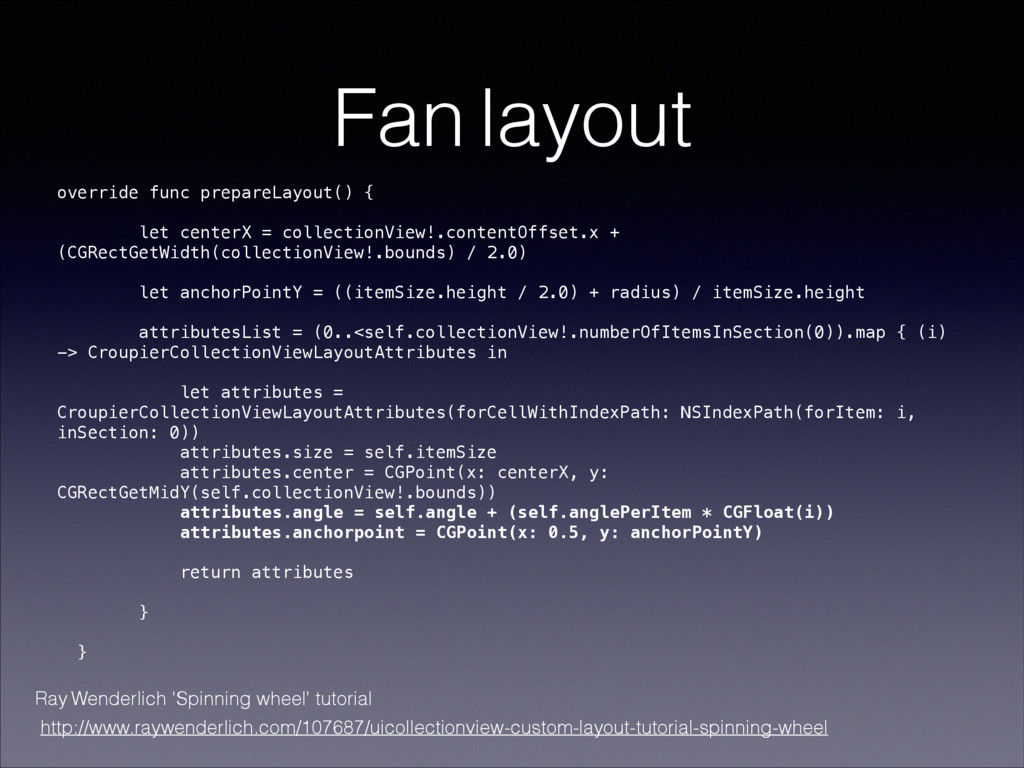
  18. Fan layout override func prepareLayout() { let centerX = collectionView!.contentOffset.x

    + (CGRectGetWidth(collectionView!.bounds) / 2.0) let anchorPointY = ((itemSize.height / 2.0) + radius) / itemSize.height attributesList = (0..<self.collectionView!.numberOfItemsInSection(0)).map { (i) -> CroupierCollectionViewLayoutAttributes in let attributes = CroupierCollectionViewLayoutAttributes(forCellWithIndexPath: NSIndexPath(forItem: i, inSection: 0)) attributes.size = self.itemSize attributes.center = CGPoint(x: centerX, y: CGRectGetMidY(self.collectionView!.bounds)) attributes.angle = self.angle + (self.anglePerItem * CGFloat(i)) attributes.anchorpoint = CGPoint(x: 0.5, y: anchorPointY) return attributes } } Ray Wenderlich 'Spinning wheel' tutorial http://www.raywenderlich.com/107687/uicollectionview-custom-layout-tutorial-spinning-wheel
  19. • Animating Collection Views - https://www.objc.io/ issues/12-animations/collectionview-animations/ • UICollectionView: The

    Complete Guide by Ash Furrow • Spinning wheel - http://www.raywenderlich.com/ 107687/uicollectionview-custom-layout-tutorial- spinning-wheel • Advanced collection views & custom layout - https://developer.apple.com/videos/play/ wwdc2012-219/ Useful links