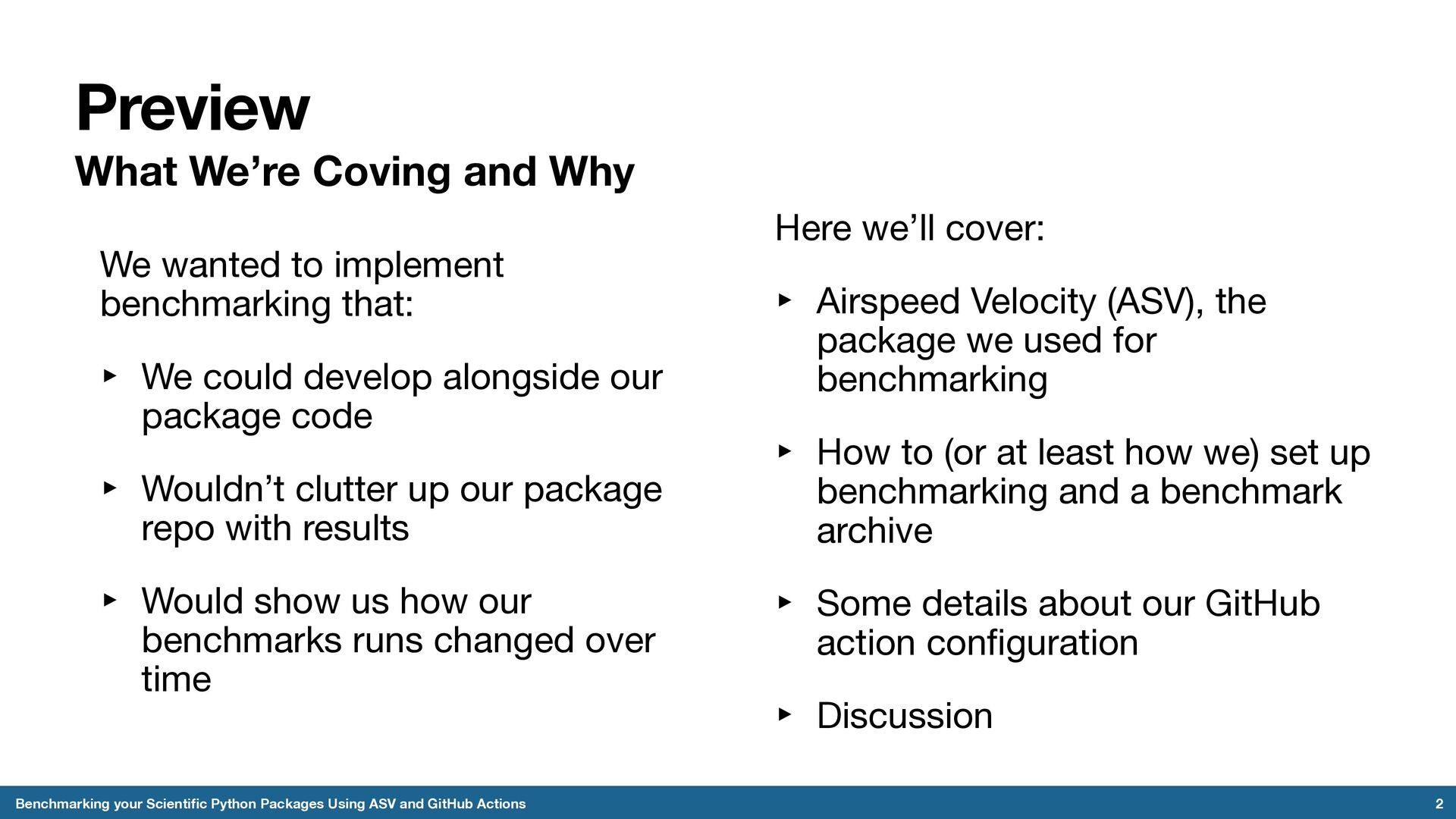
Python Packages Using ASV and GitHub Actions We wanted to implement benchmarking that: ‣ We could develop alongside our package code ‣ Wouldn’t clutter up our package repo with results ‣ Would show us how our benchmarks runs changed over time Here we’ll cover: ‣ Airspeed Velocity (ASV), the package we used for benchmarking ‣ How to (or at least how we) set up benchmarking and a benchmark archive ‣ Some details about our GitHub action configuration ‣ Discussion
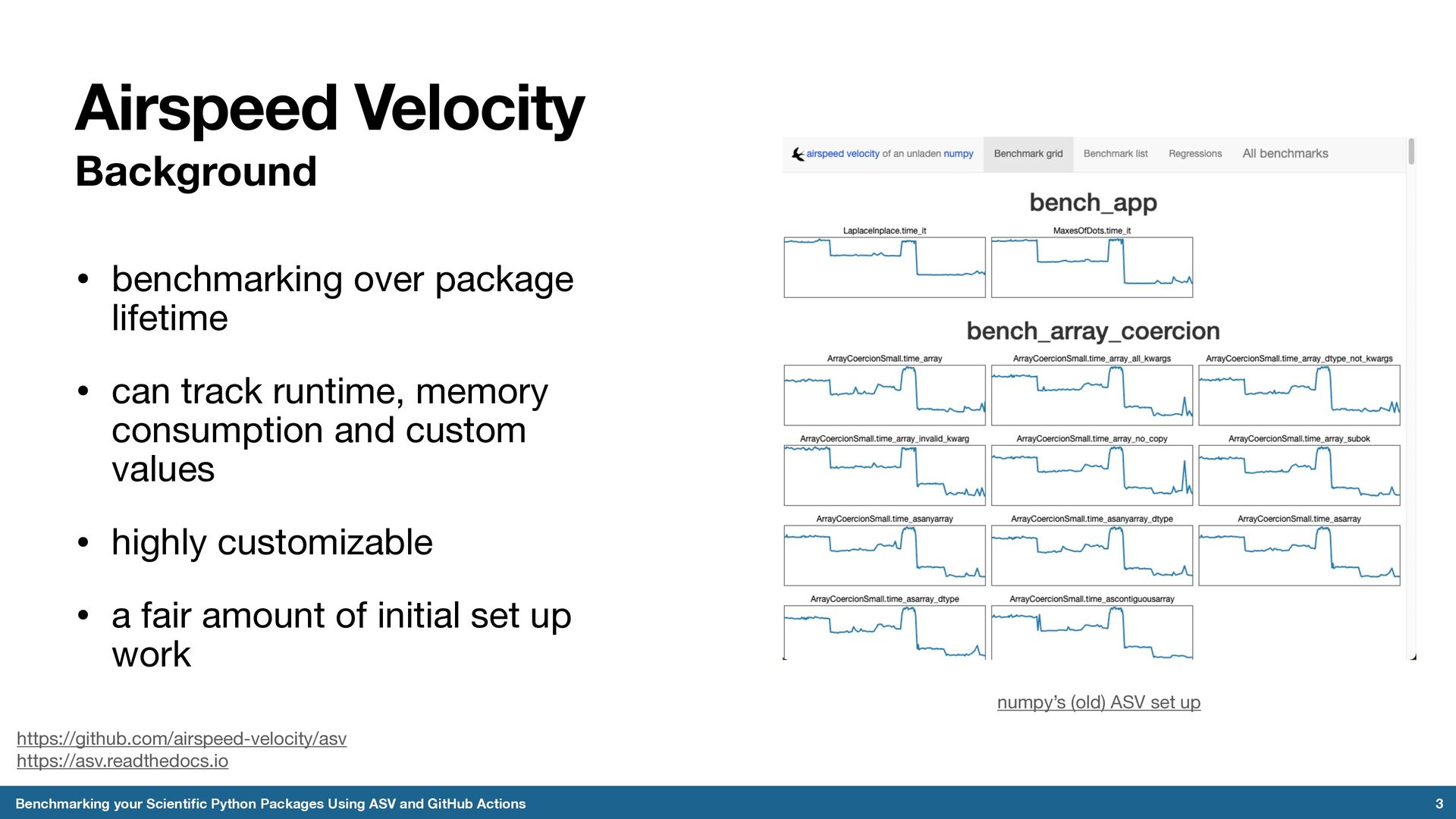
ASV and GitHub Actions • benchmarking over package lifetime • can track runtime, memory consumption and custom values • highly customizable • a fair amount of initial set up work numpy’s (old) ASV set up https://github.com/airspeed-velocity/asv https://asv.readthedocs.io
in the benchmarked repo Types of benchmarks: 1. Timing - time_*() 2. Memory - mem_*() 3. Peak memory - peakmem_*() 4. Raw timing - timeraw_*() 5. Tracking - track_*() 4 Benchmarking your Scientific Python Packages Using ASV and GitHub Actions class Import: """Benchmark importing geocat-comp.""" def timeraw_import_geocat_comp(self): return "import geocat.comp" benchmarks/import.py location configured in asv.conf.json benchmarks can be organized into separate files You can set individual benchmark attributes like timeout, setup, teardown, repeat counts, and more. Benchmarks can have version numbers if you decide to alter a benchmark.
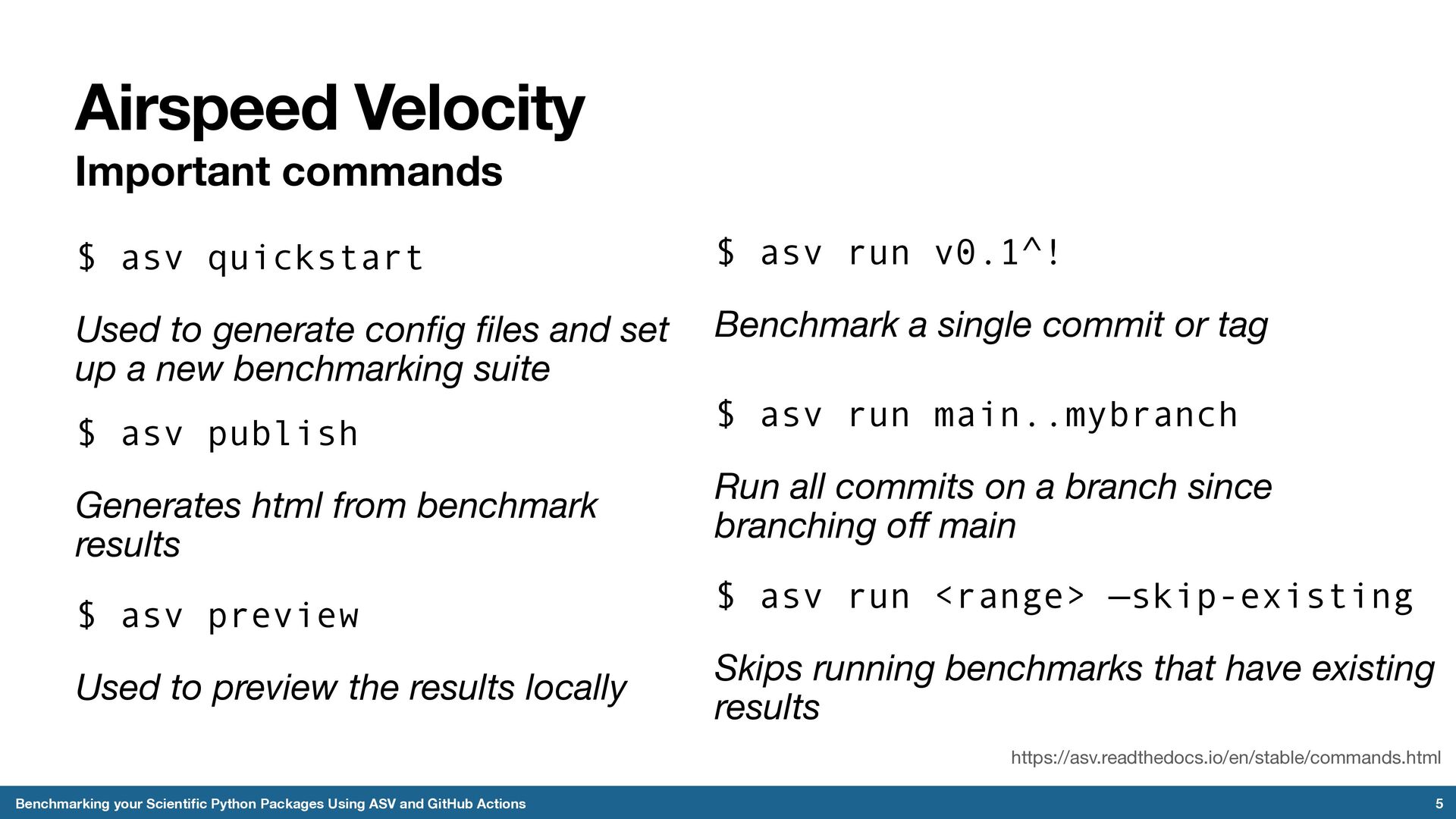
Using ASV and GitHub Actions $ asv run main..mybranch Run all commits on a branch since branching off main https://asv.readthedocs.io/en/stable/commands.html $ asv quickstart Used to generate config files and set up a new benchmarking suite $ asv run v0.1^! Benchmark a single commit or tag $ asv publish Generates html from benchmark results $ asv preview Used to preview the results locally $ asv run <range> —skip-existing Skips running benchmarks that have existing results
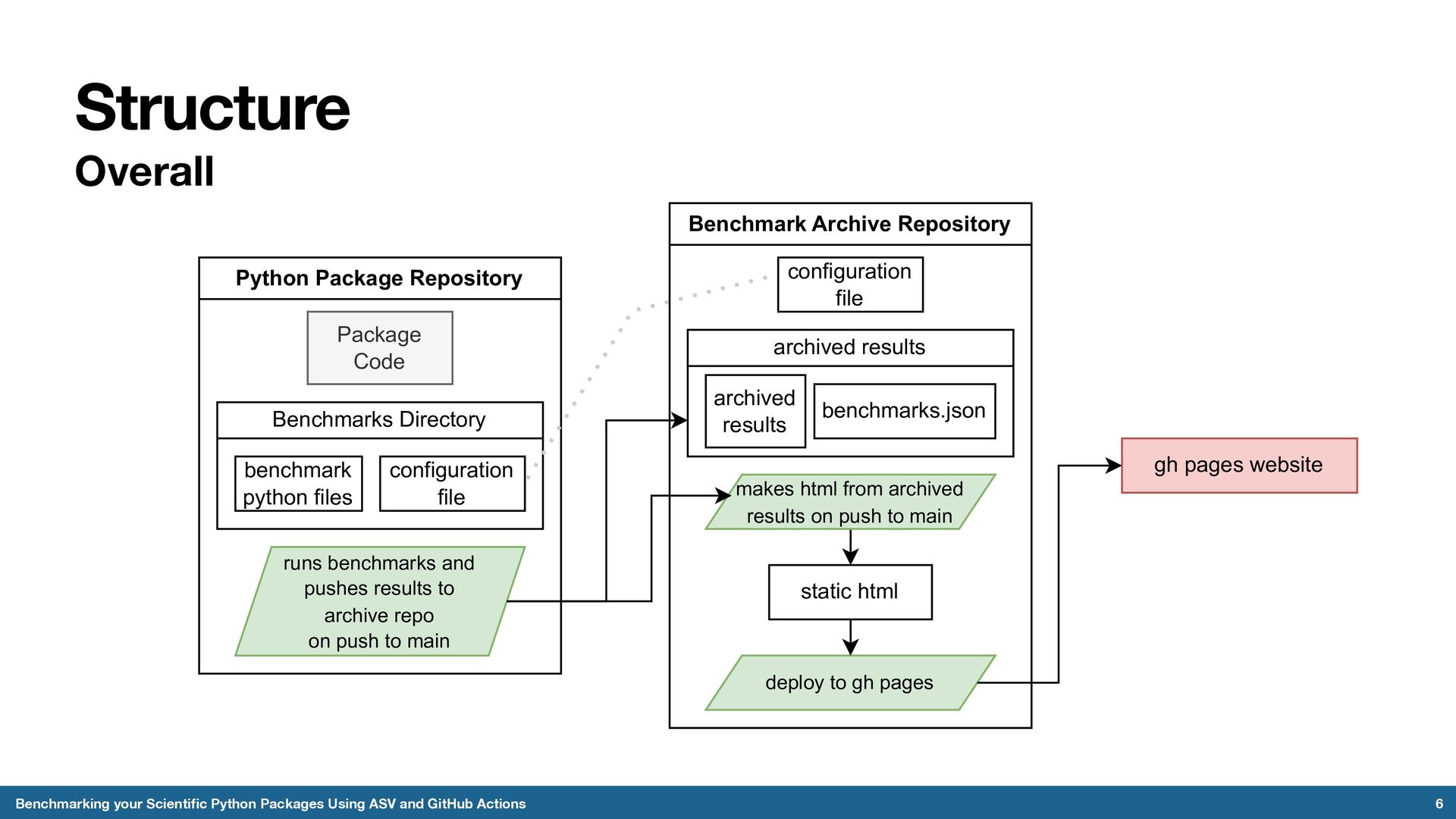
and GitHub Actions Python Package Repository Package Code Benchmarks Directory benchmark python files configuration file runs benchmarks and pushes results to archive repo on push to main Benchmark Archive Repository configuration file archived results benchmarks.json archived results deploy to gh pages makes html from archived results on push to main static html gh pages website
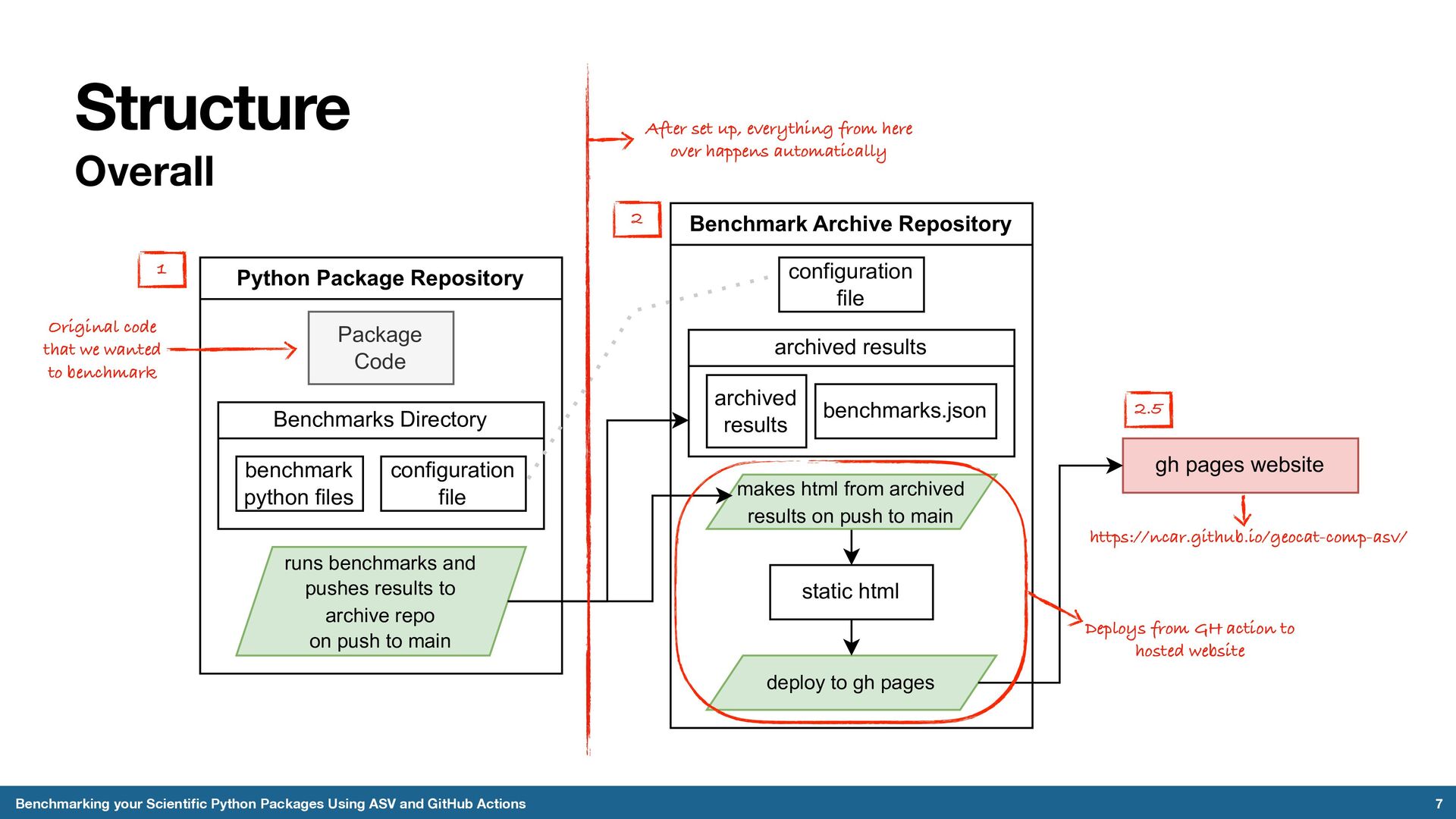
and GitHub Actions Python Package Repository Package Code Benchmarks Directory benchmark python files configuration file runs benchmarks and pushes results to archive repo on push to main Benchmark Archive Repository configuration file archived results benchmarks.json archived results deploy to gh pages makes html from archived results on push to main static html gh pages website Original code that we wanted to benchmark 1 2 2.5 After set up, everything from here over happens automatically Deploys from GH action to hosted website https://ncar.github.io/geocat-comp-asv/
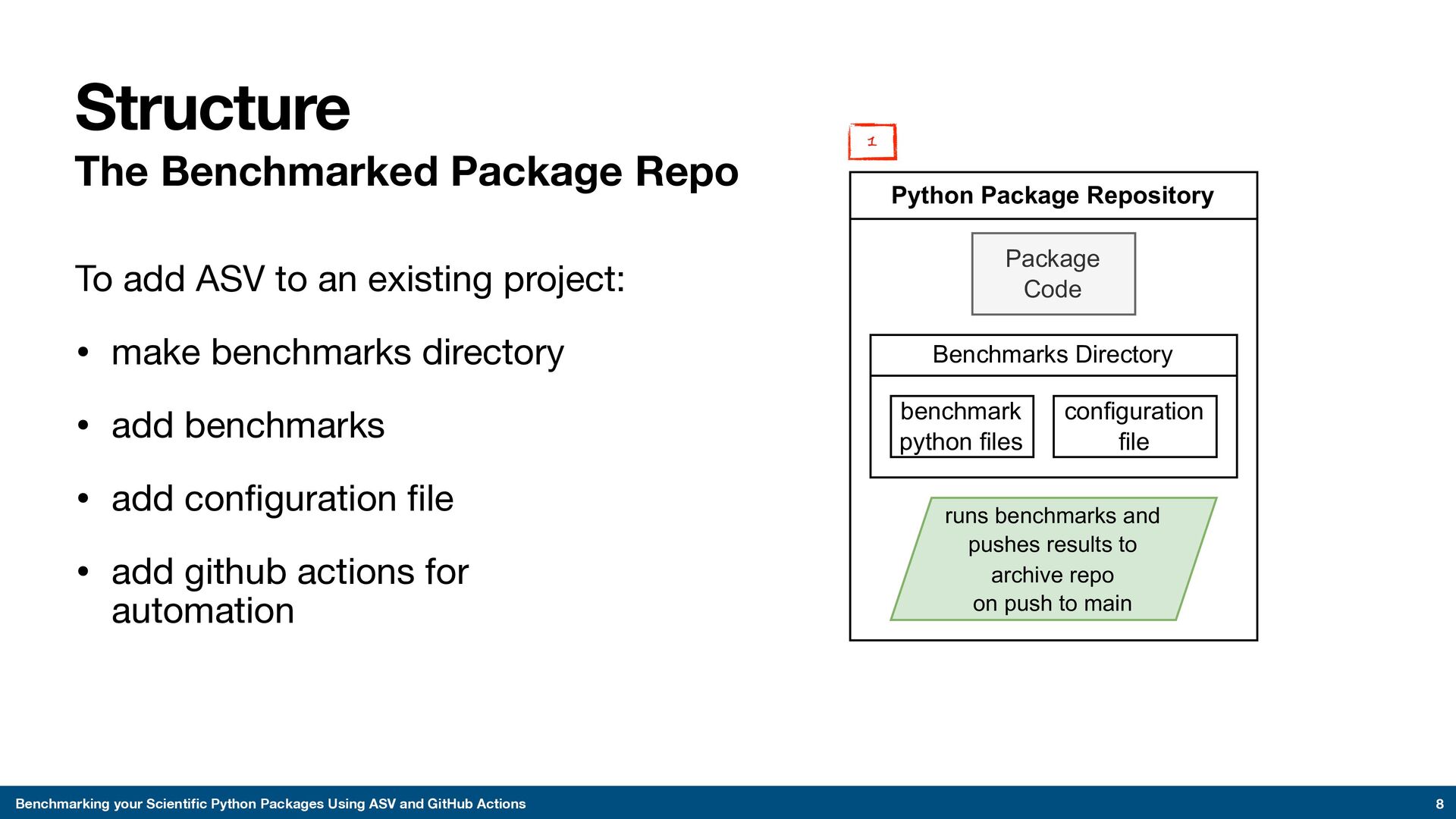
The Benchmarked Package Repo To add ASV to an existing project: • make benchmarks directory • add benchmarks • add configuration file • add github actions for automation Structure 8 Python Package Repository Package Code Benchmarks Directory benchmark python files configuration file runs benchmarks and pushes results to archive repo on push to main 1
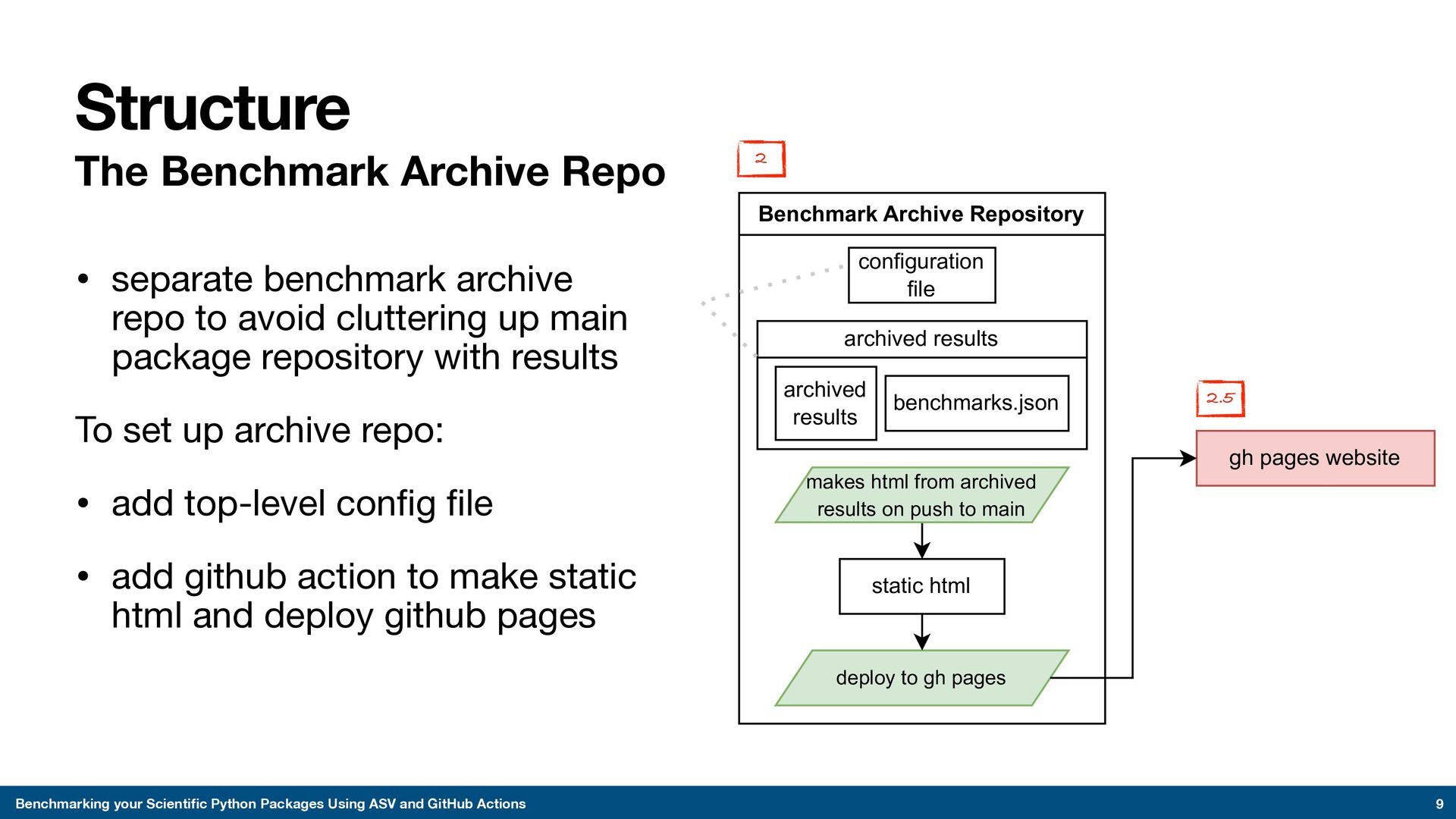
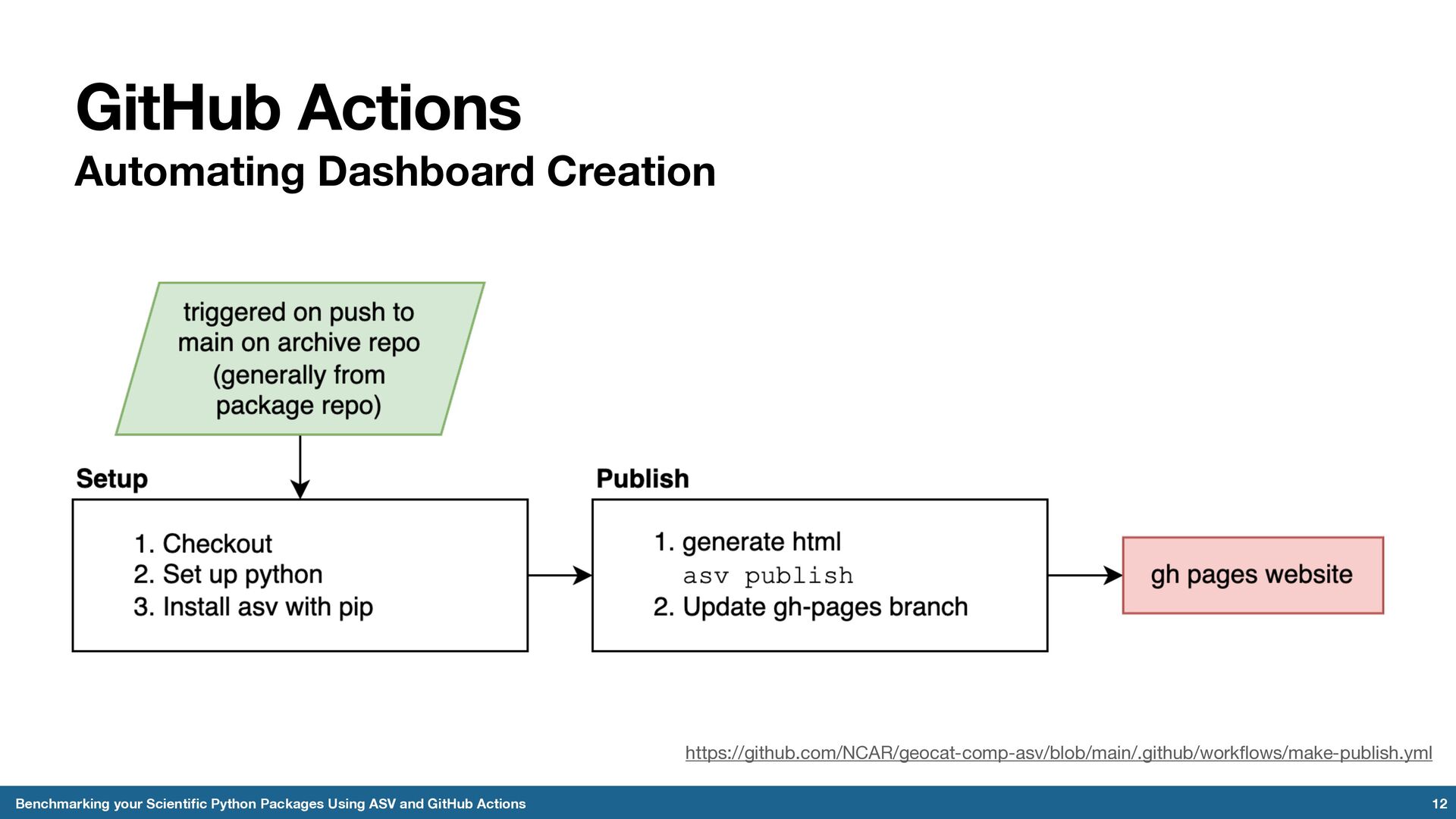
The Benchmark Archive Repo • separate benchmark archive repo to avoid cluttering up main package repository with results To set up archive repo: • add top-level config file • add github action to make static html and deploy github pages Structure 9 Benchmark Archive Repository configuration file archived results benchmarks.json archived results deploy to gh pages makes html from archived results on push to main static html gh pages website 2 2.5

 SiteGround - Reliable hosting with speed, security, and support you can count on.


 anissa111
 marcoroth
 moro
moro
 utakaha
 gam0022
 taiseiue
 kinopeee
 syumai
 optim
optim
 mixplace
 prota
prota
 clockmaker
 naokihaba
 tammyeverts
 chriscoyier
 jcasabona
 axbom
axbom
 morganepeng
 joshbly
 reverentgeek
 sachag
 tamaranovitovic
 schlessera