Upgrade to Pro — share decks privately, control downloads, hide ads and more …

Auctria Admin App - Streamline Your Check In & ...

Sponsored · Your Podcast. Everywhere. Effortlessly. Share. Educate. Inspire. Entertain. You do you. We'll handle the rest.
Avatar for Auctria Auctria PRO
March 09, 2026
2

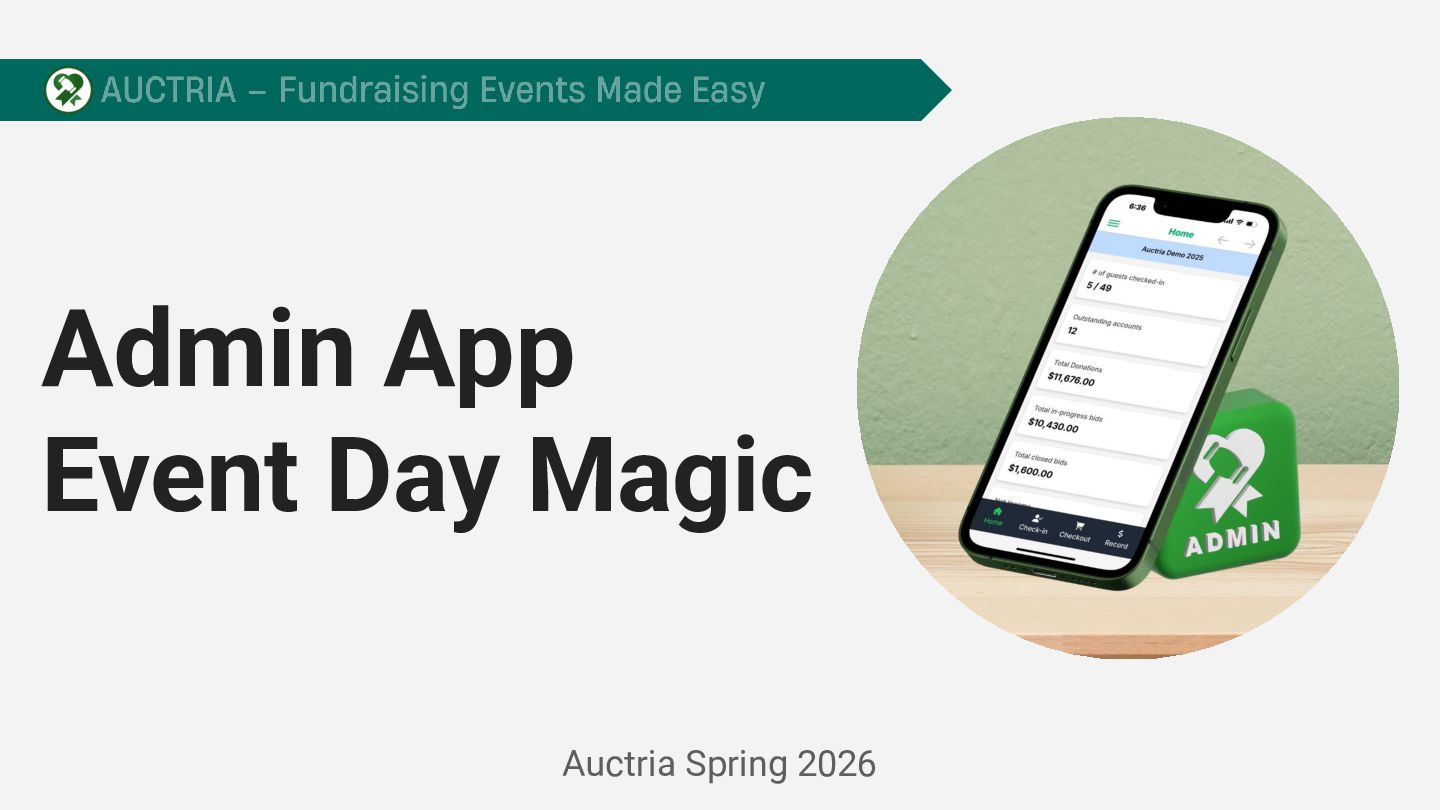
Auctria Admin App - Streamline Your Check In & Make Dollars in the Room

Avatar for Auctria

Auctria PRO

March 09, 2026
Tweet

More Decks by Auctria

Transcript

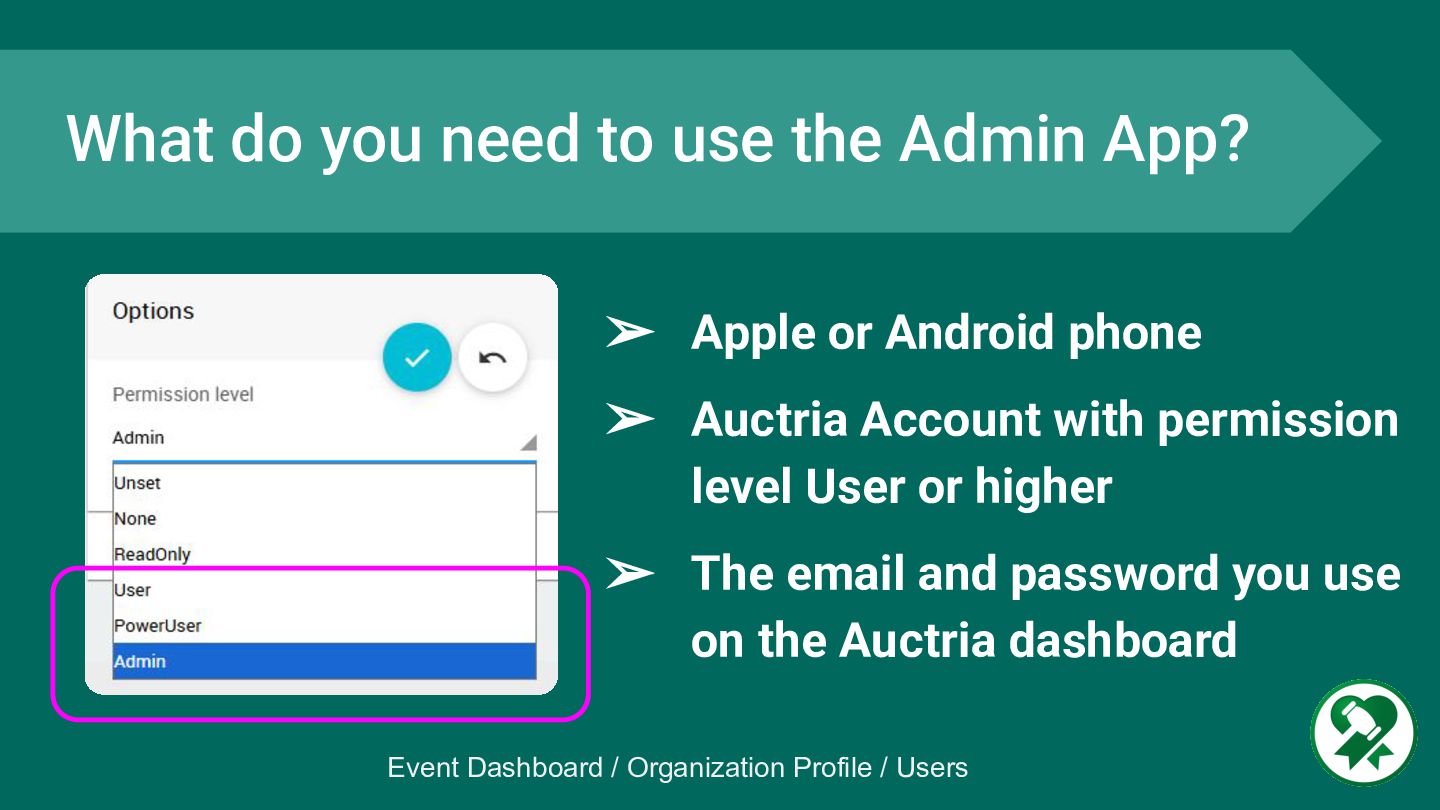
  1. ➢ Apple or Android phone ➢ Auctria Account with permission

    level User or higher ➢ The email and password you use on the Auctria dashboard What do you need to use the Admin App? Event Dashboard / Organization Profile / Users
  2. Level Up Tips Matt Lyons Auctria Sr. Launch Specialist, presents

    best practice tips from daily hands-on experience in helping customers use Auctria more efficiently
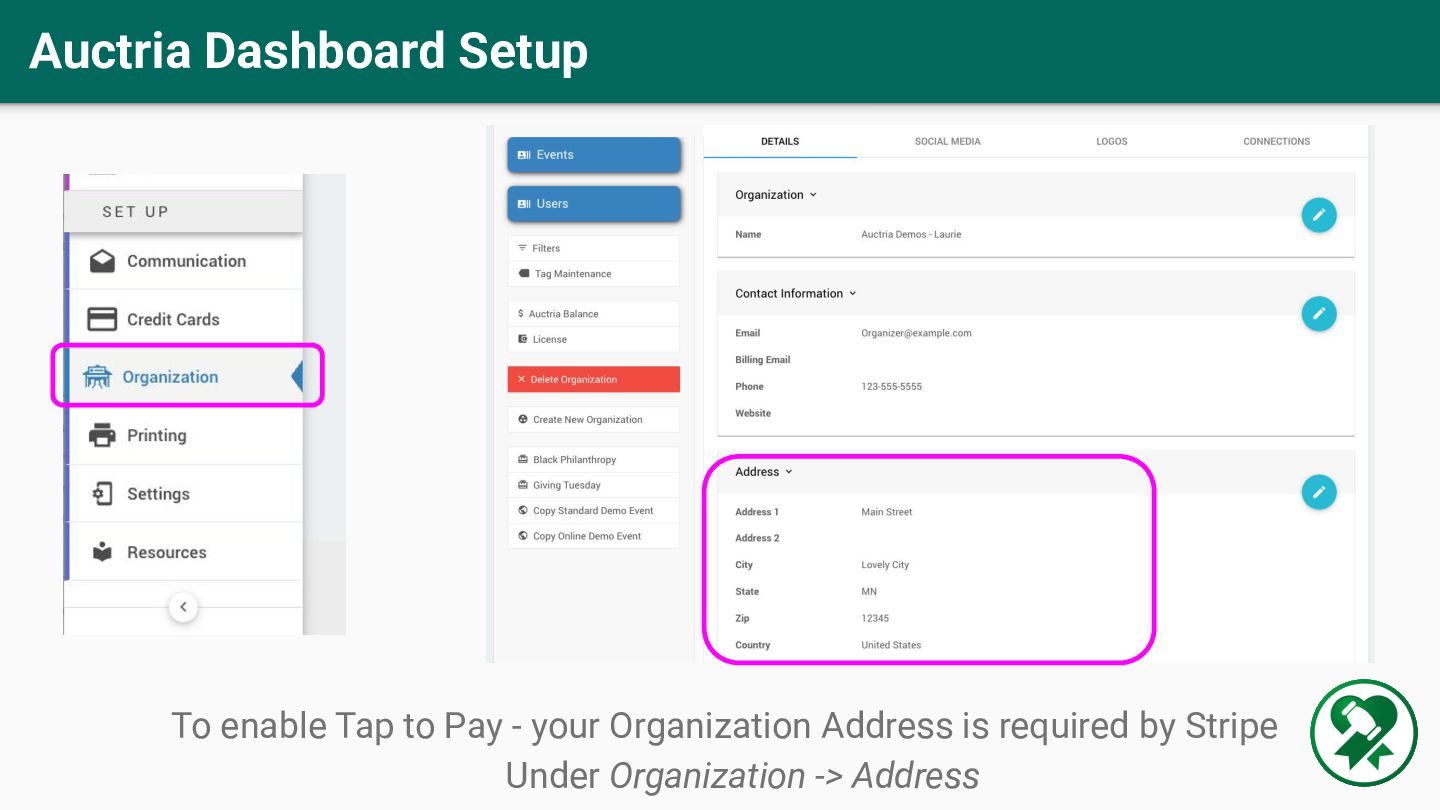
  3. Auctria Dashboard Setup To enable Tap to Pay - your

    Organization Address is required by Stripe Under Organization -> Address
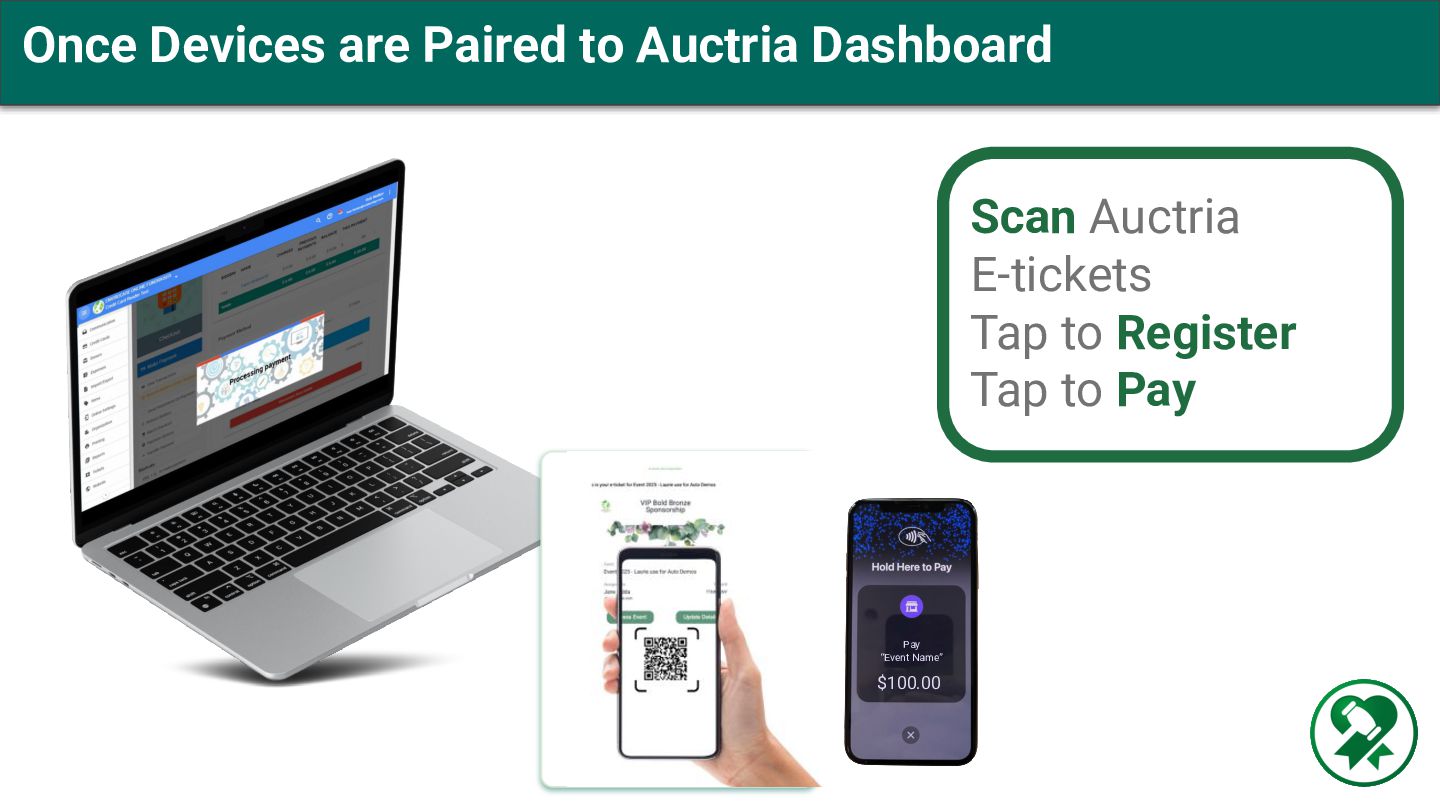
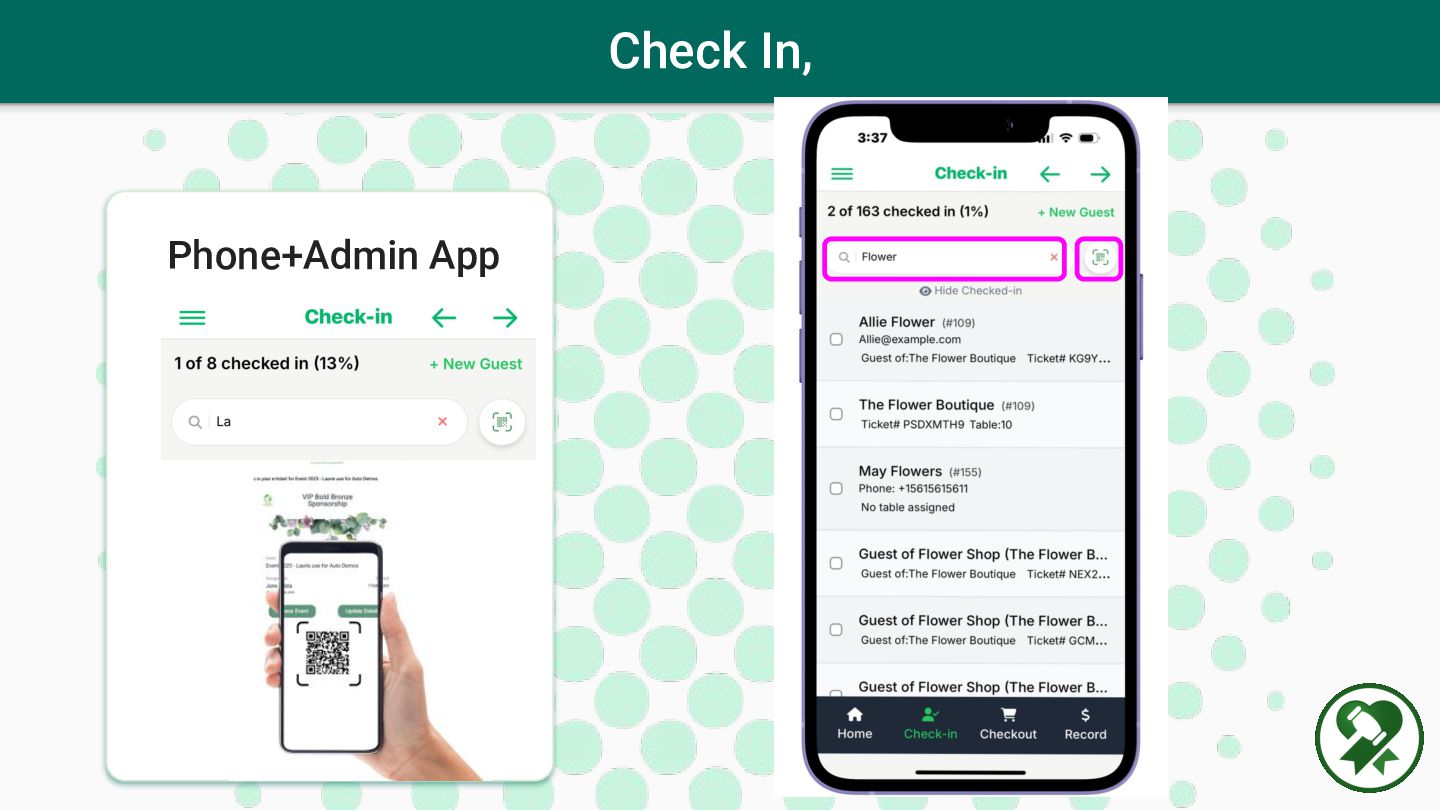
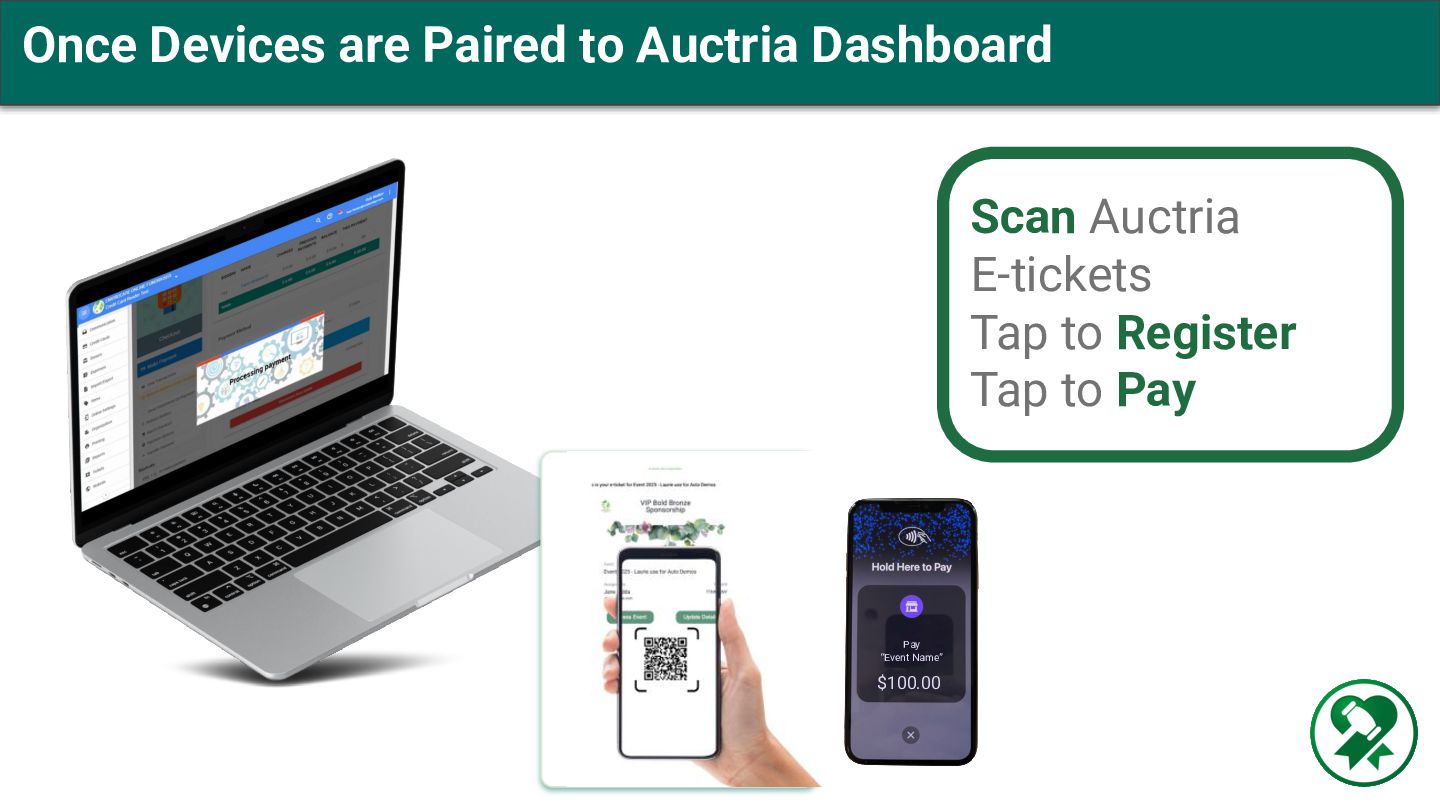
  4. Once Devices are Paired to Auctria Dashboard Scan Auctria E-tickets

    Tap to Register Tap to Pay Pay “Event Name” $100.00
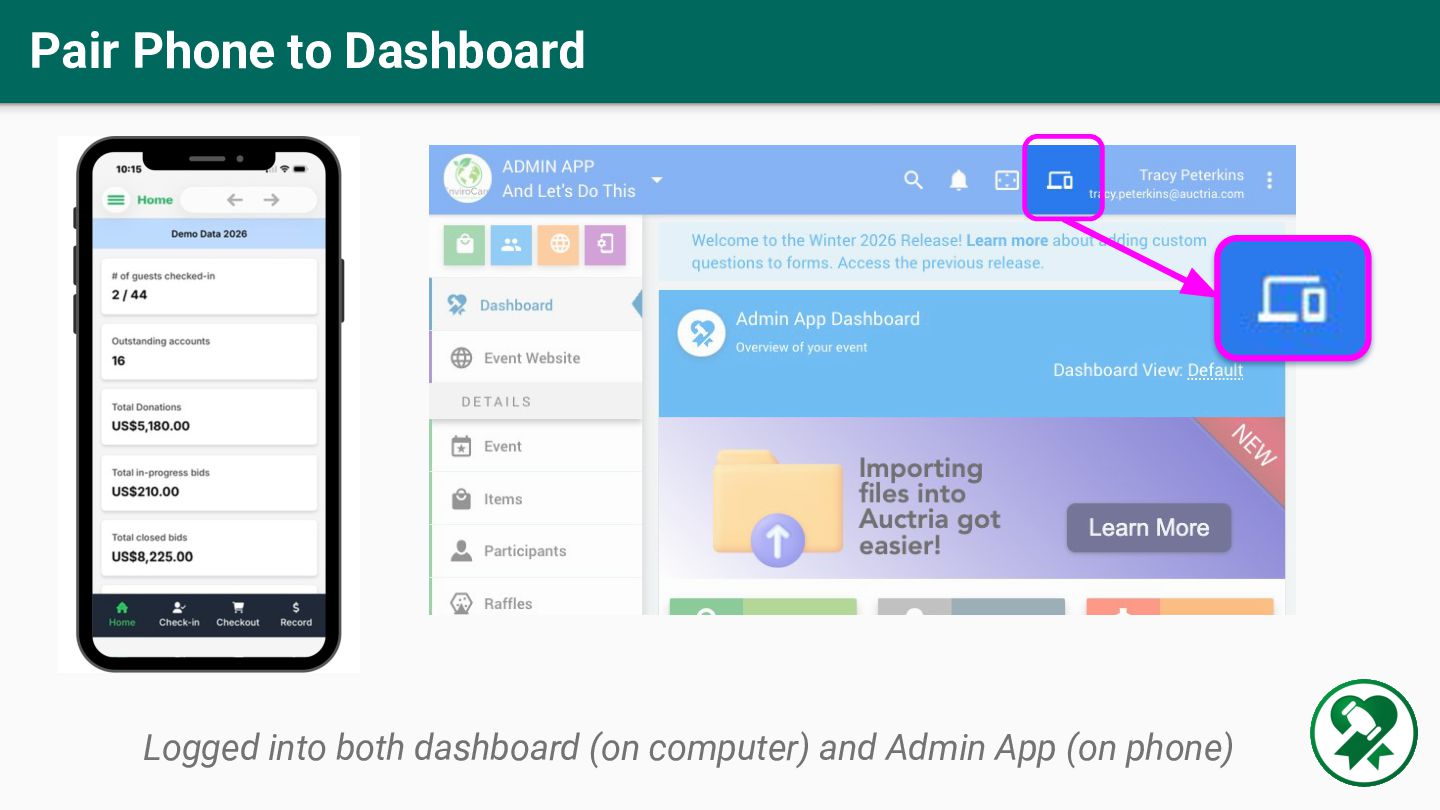
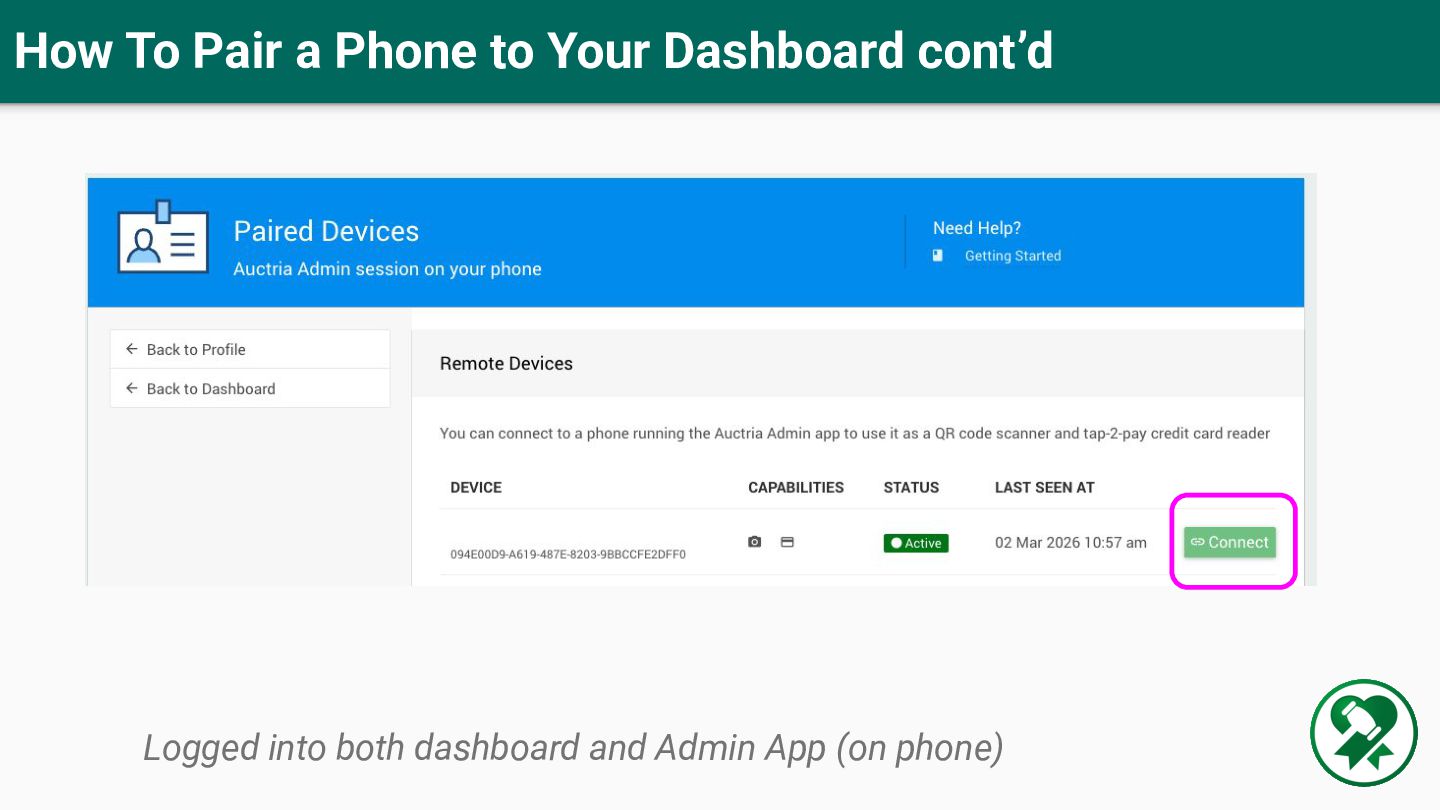
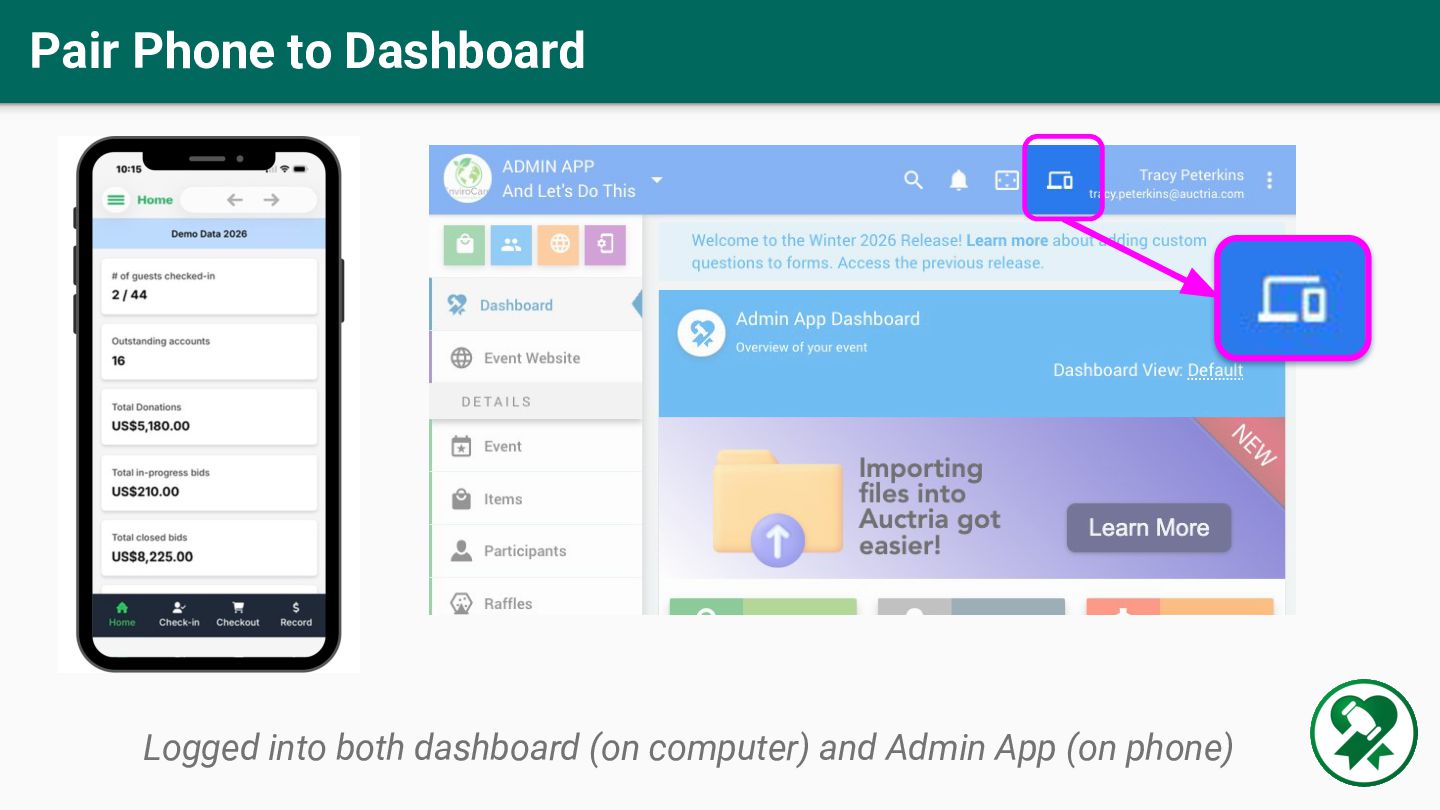
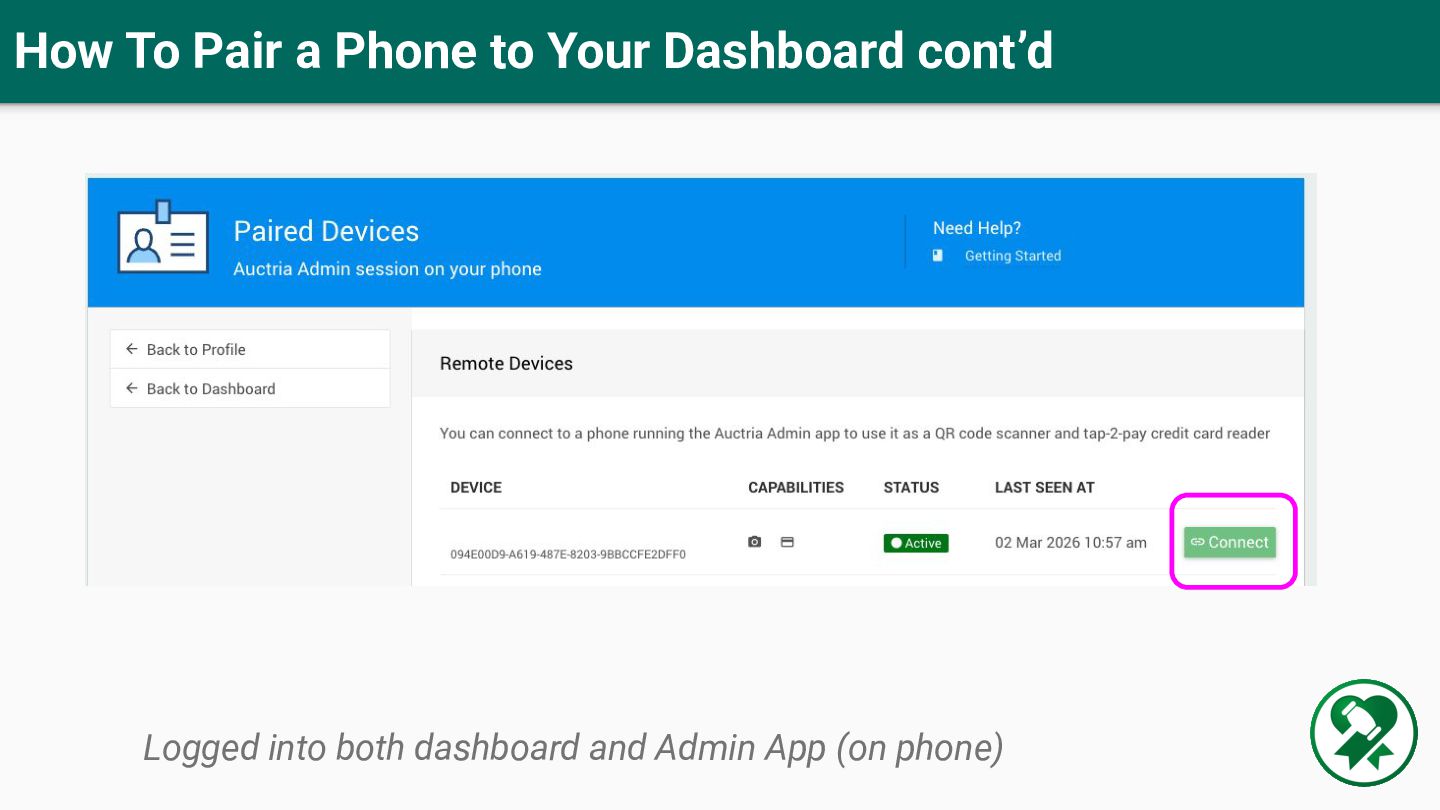
  5. How To Pair a Phone to Your Dashboard cont’d Logged

    into both dashboard and Admin App (on phone)
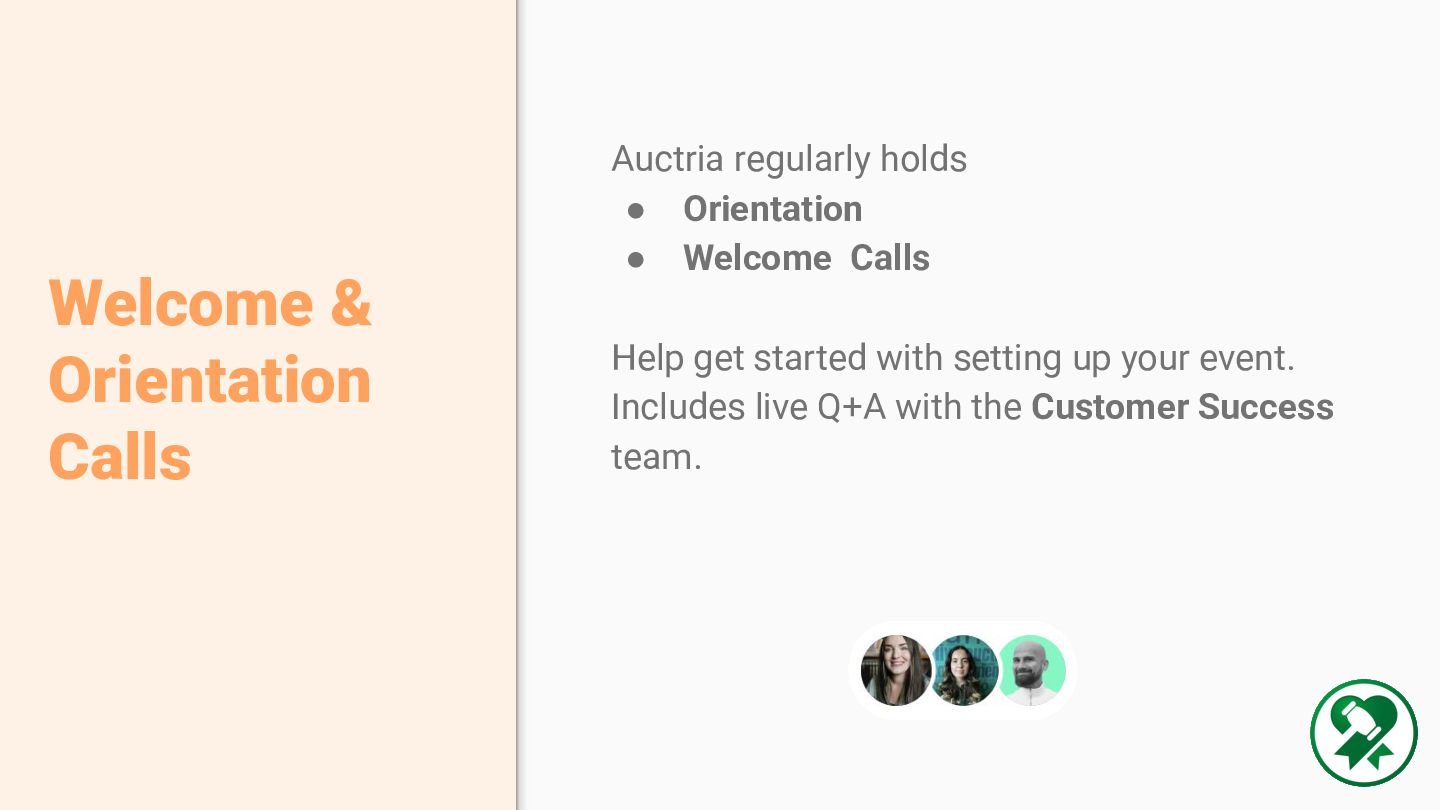
  6. Auctria regularly holds • Orientation • Welcome Calls Help get

    started with setting up your event. Includes live Q+A with the Customer Success team. Welcome & Orientation Calls
  7. Email: [email protected] FB Group: Auction Team Talk Stay in touch

    with Auctria Events Directory events.auctria.com @auctria
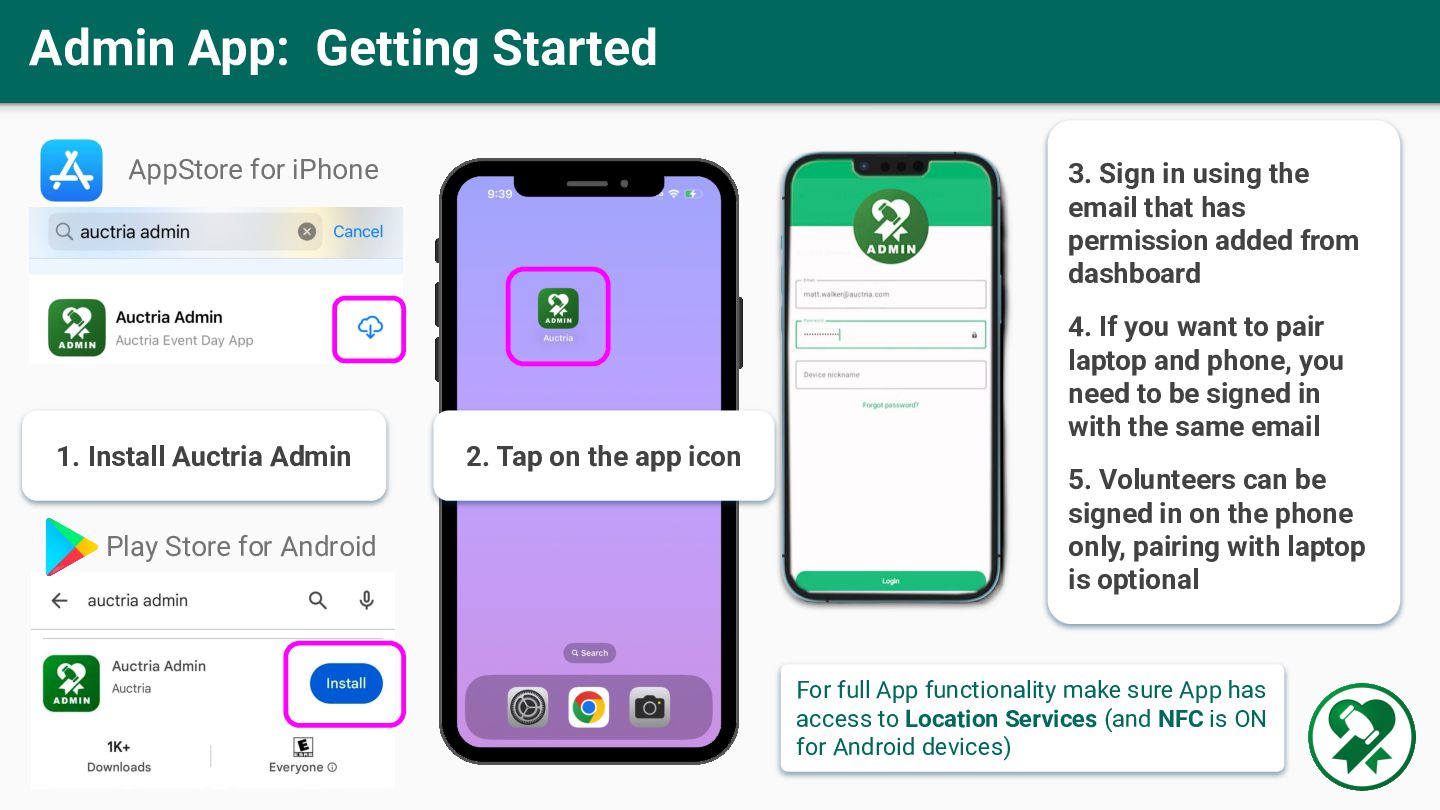
  8. Admin App: Getting Started 2. Tap on the app icon

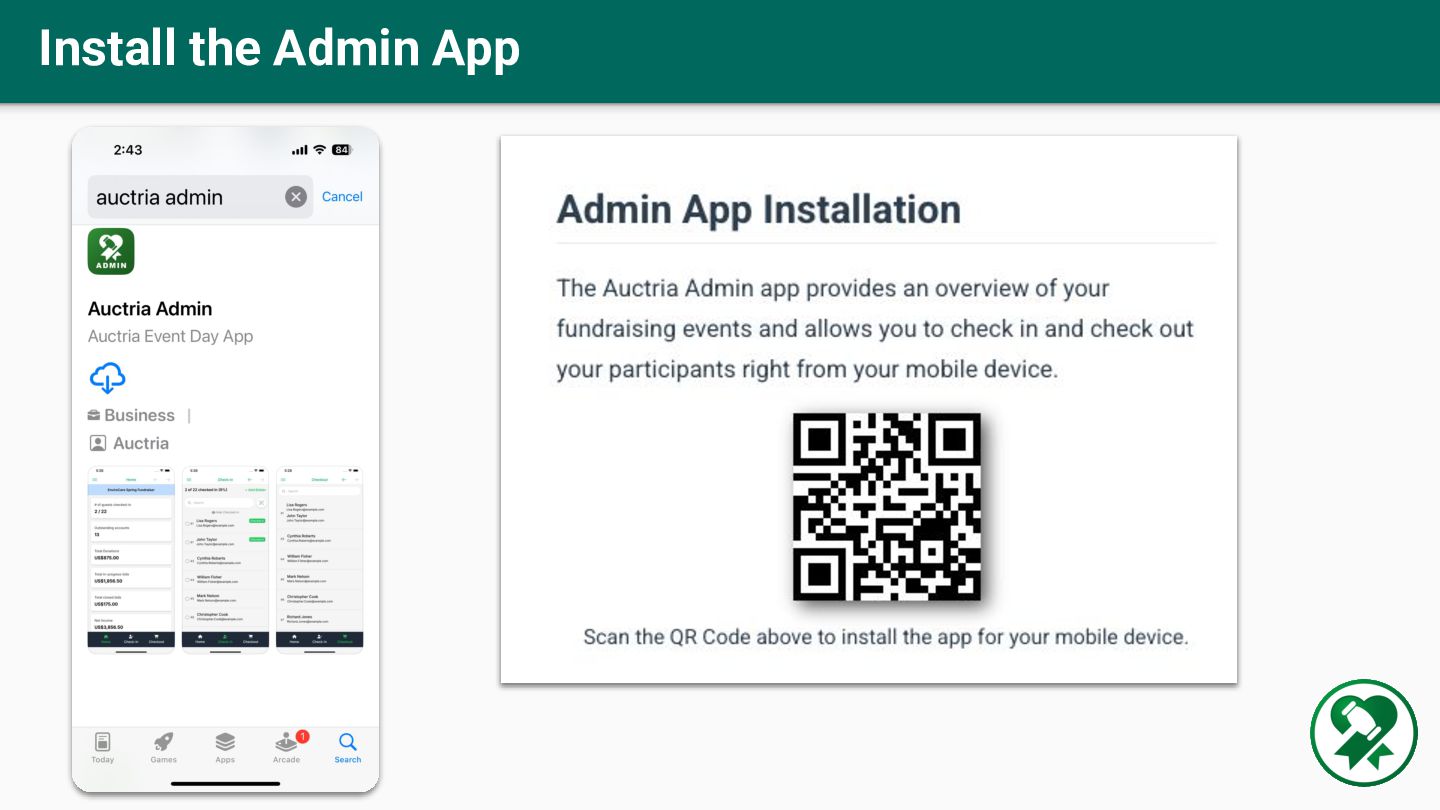
    1. Install Auctria Admin AppStore for iPhone Play Store for Android 3. Sign in using the email that has permission added from dashboard 4. If you want to pair laptop and phone, you need to be signed in with the same email 5. Volunteers can be signed in on the phone only, pairing with laptop is optional For full App functionality make sure App has access to Location Services (and NFC is ON for Android devices)
  9. Once Devices are Paired to Auctria Dashboard Scan Auctria E-tickets

    Tap to Register Tap to Pay Pay “Event Name” $100.00
  10. How To Pair a Phone to Your Dashboard cont’d Logged

    into both dashboard and Admin App (on phone)
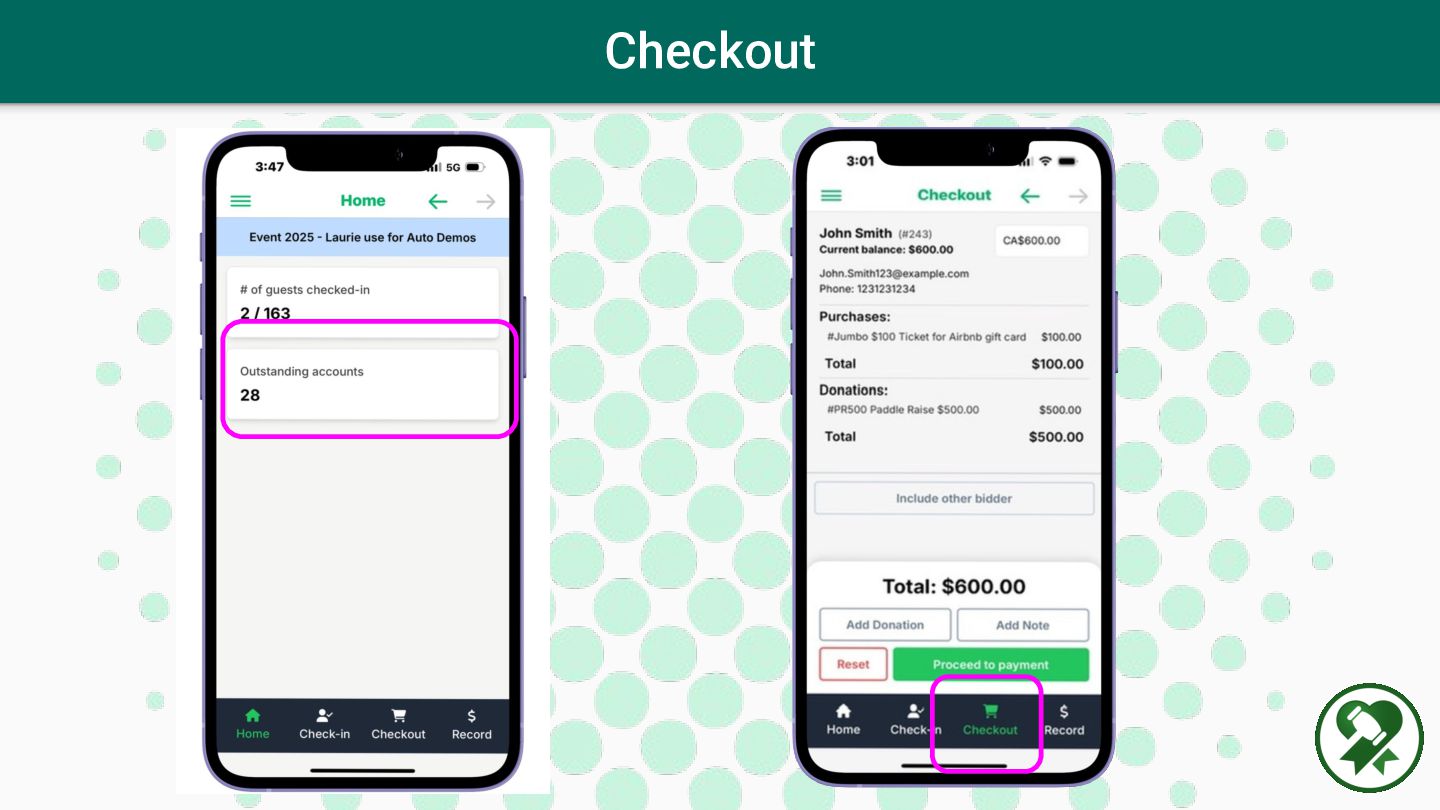
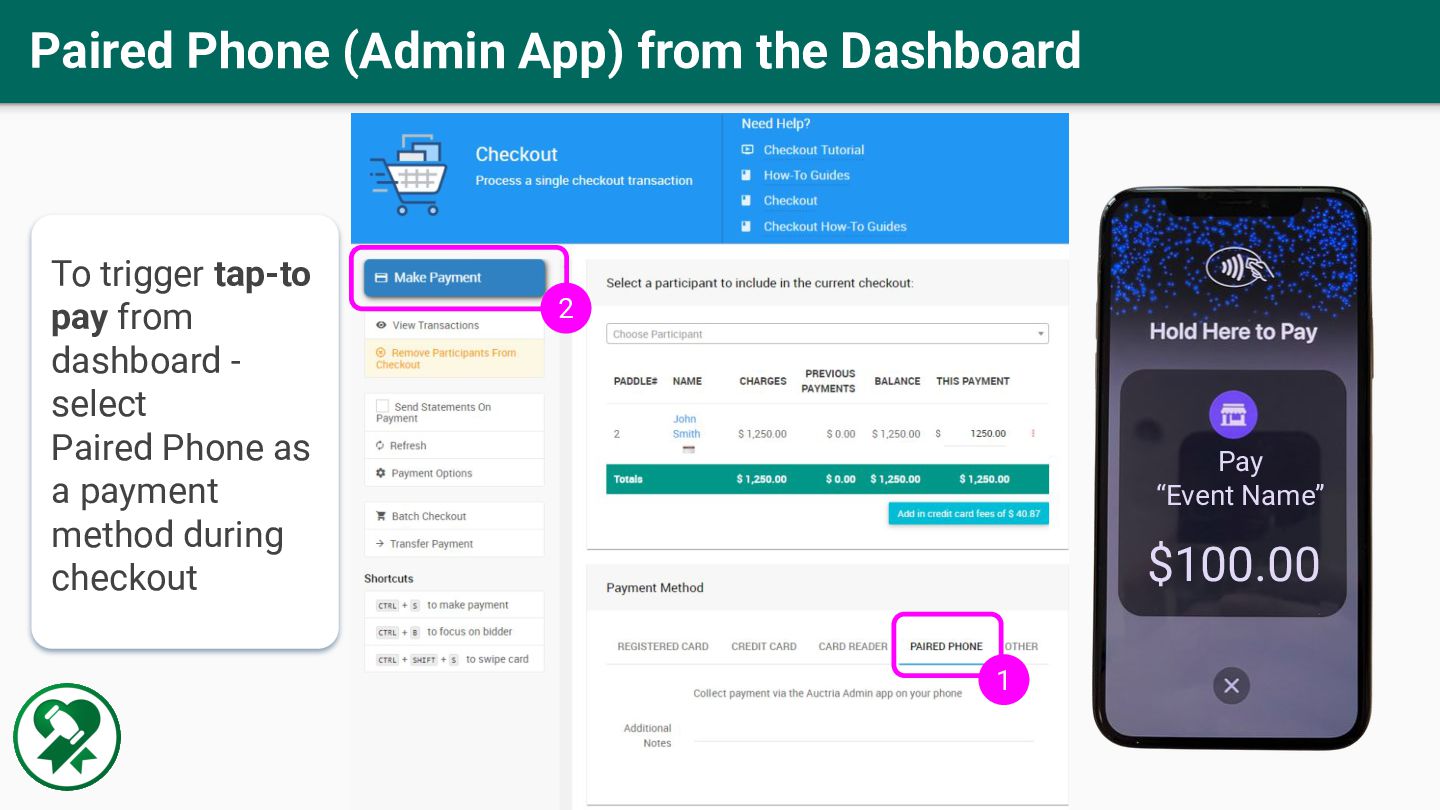
  11. Pay “Event Name” $100.00 Paired Phone (Admin App) from the

    Dashboard To trigger tap-to pay from dashboard - select Paired Phone as a payment method during checkout 1 2