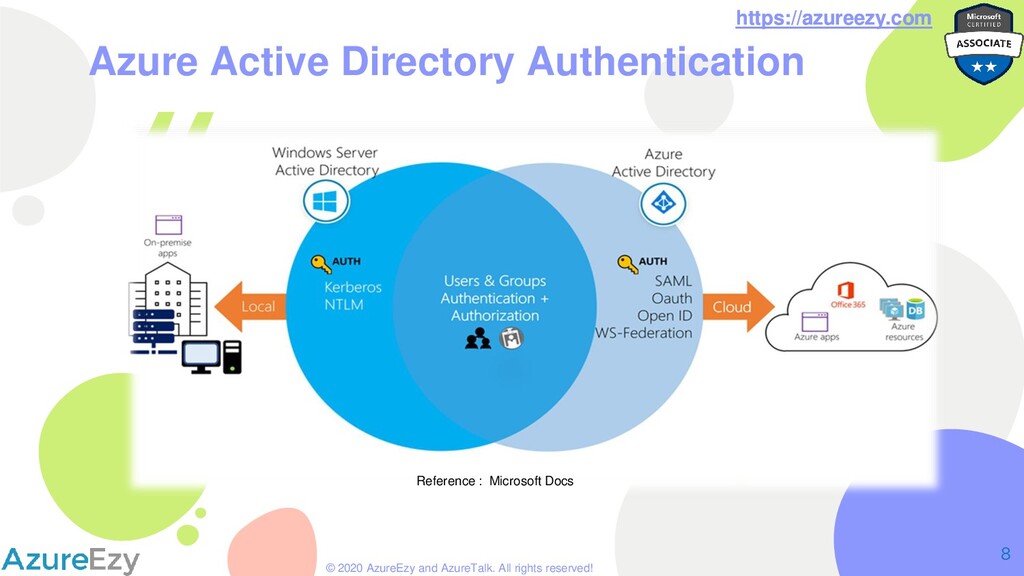
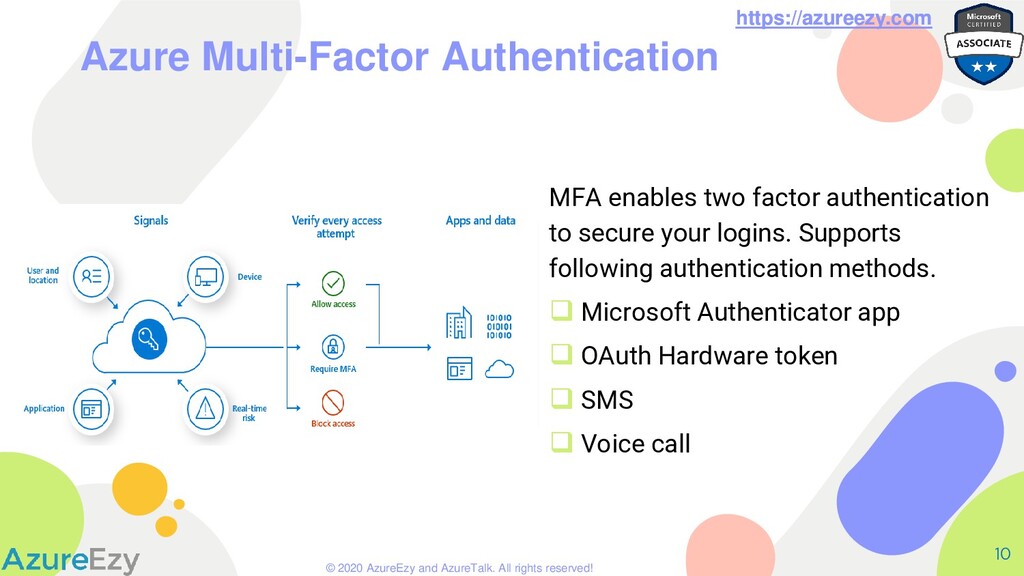
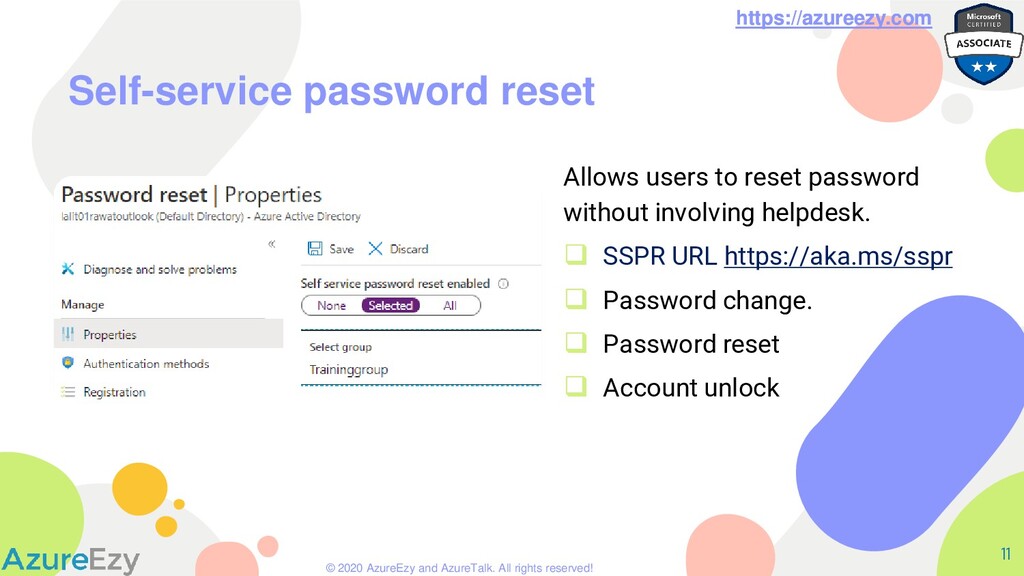
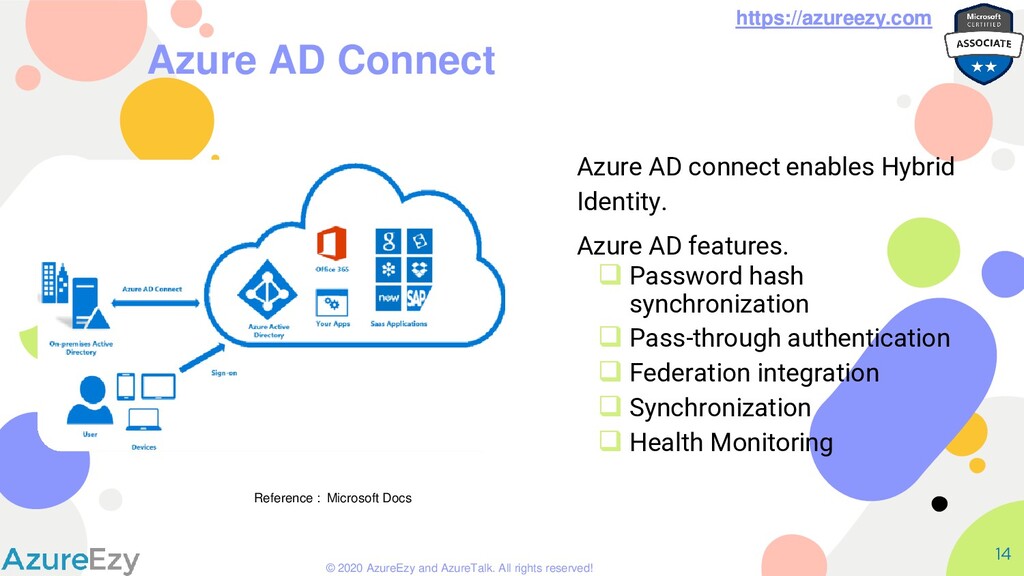
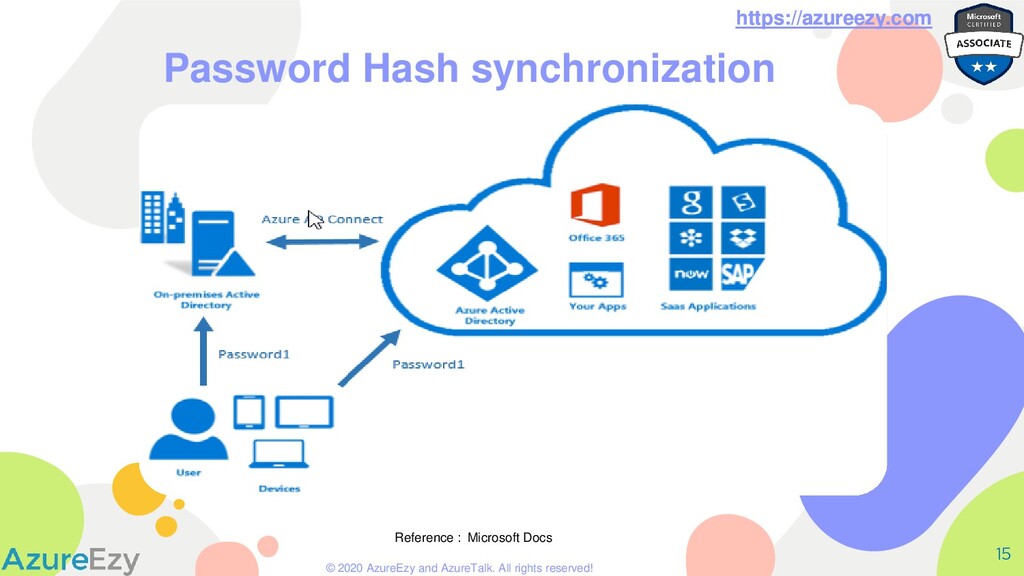
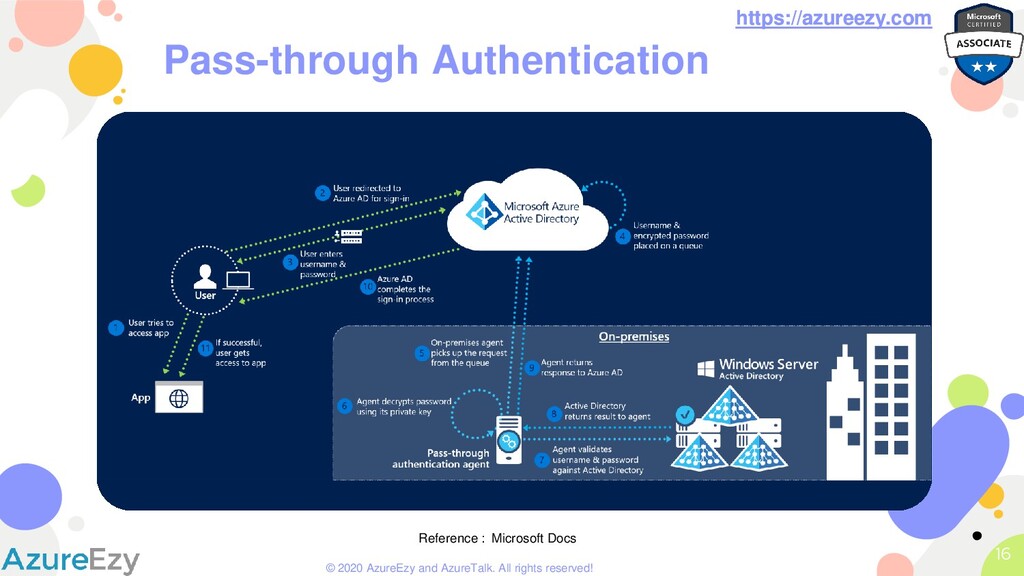
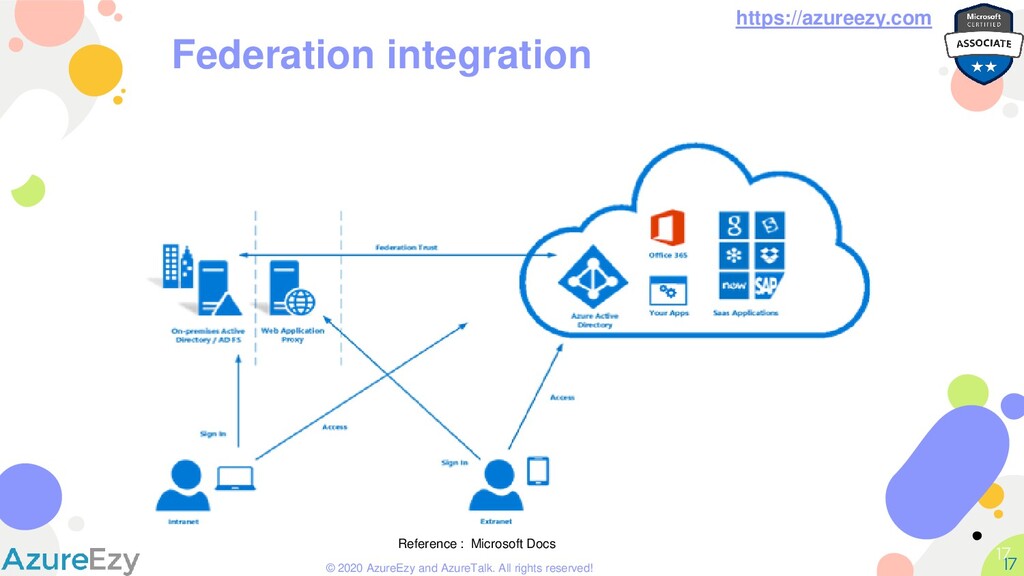
Active Directory 7 ❑ Cloud based identity Provider. ❑ Controls access to azure resources. ❑ Provides Authentication & Authorization services to Azure Portal, O365 & other SaaS services. ❑ Manage devices using Azure AD. ❑ Ability to invite guest users from other Azure AD (B2B) or Public IDP (B2C) ❑ Supports OAuth, OpenID, SAML & WS-federation authentication protocols https://azureezy.com
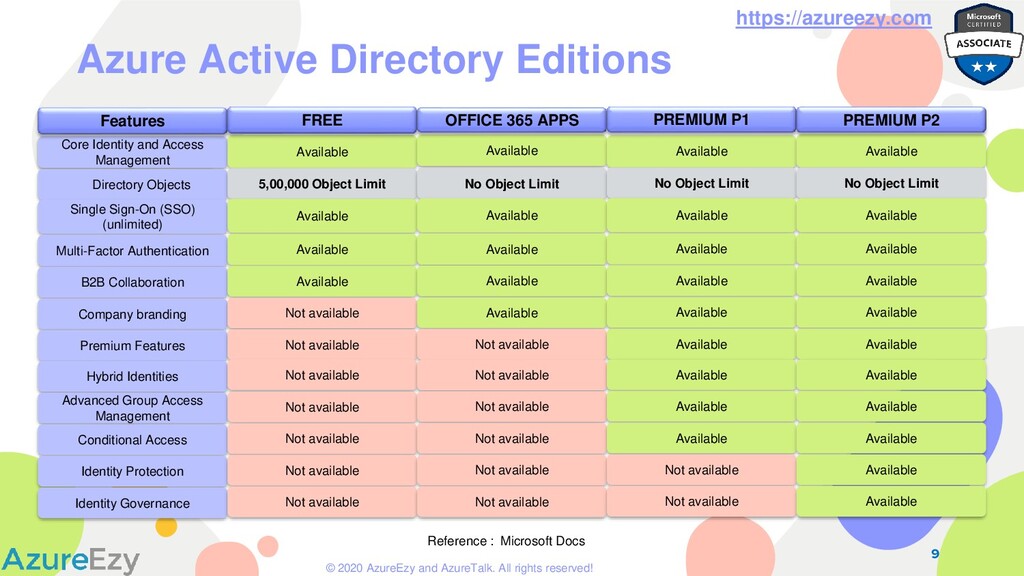
Core Identity and Access Management Directory Objects Single Sign-On (SSO) (unlimited) Multi-Factor Authentication B2B Collaboration Company branding Premium Features Hybrid Identities Advanced Group Access Management Conditional Access Identity Protection Identity Governance Azure Active Directory Editions Features Available 5,00,000 Object Limit Available Available Available Not available Not available Not available Not available Not available Not available Not available FREE Available No Object Limit Available Available Available Available Not available Not available Not available Not available Not available Not available OFFICE 365 APPS Available No Object Limit Available Available Available Available Available Available Available Available Not available Not available PREMIUM P1 Available No Object Limit Available Available Available Available Available Available Available Available Available Available PREMIUM P2 Reference : Microsoft Docs
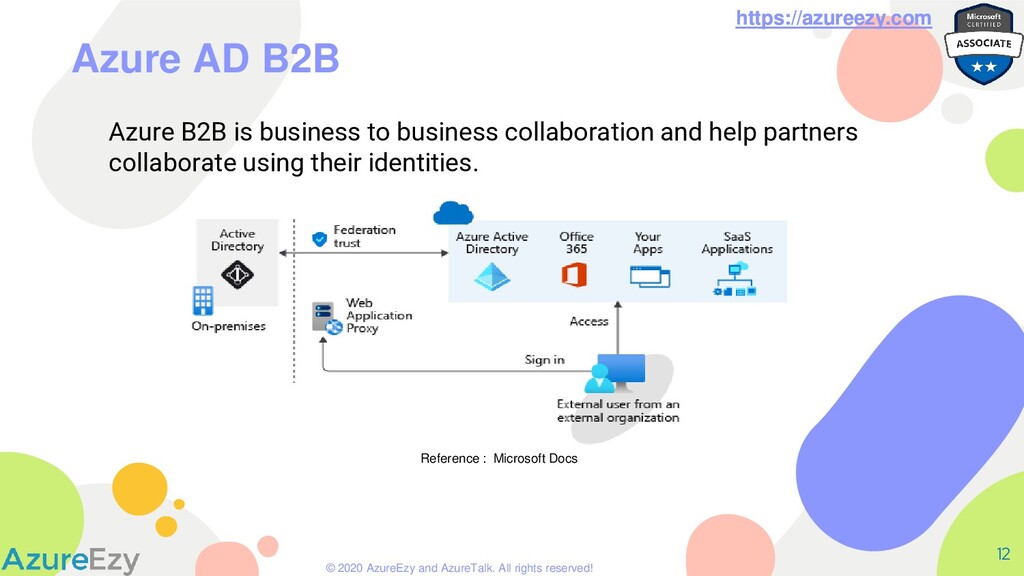
AD B2B 12 Azure B2B is business to business collaboration and help partners collaborate using their identities. https://azureezy.com Reference : Microsoft Docs
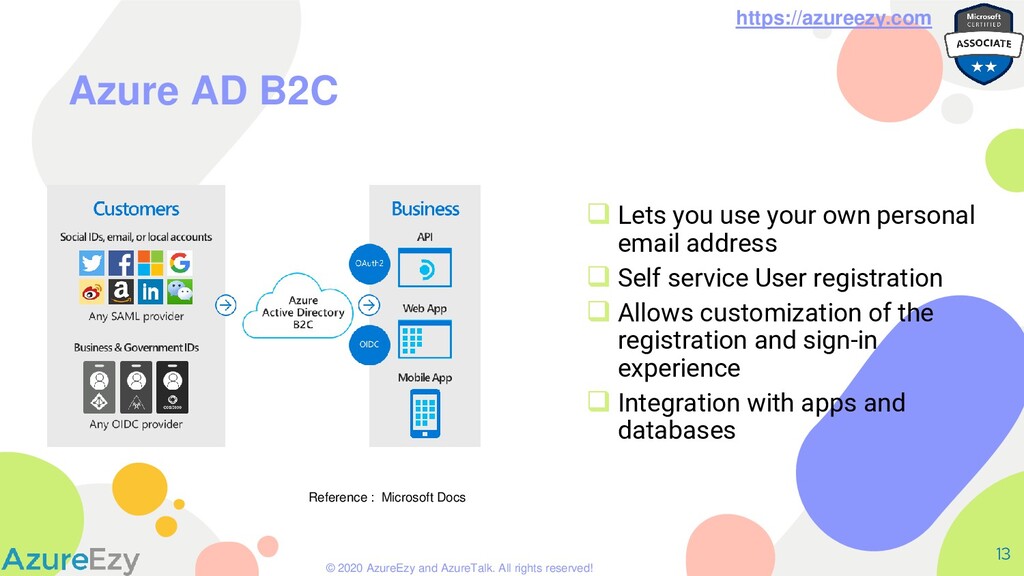
AD B2C 13 ❑ Lets you use your own personal email address ❑ Self service User registration ❑ Allows customization of the registration and sign-in experience ❑ Integration with apps and databases Reference : Microsoft Docs
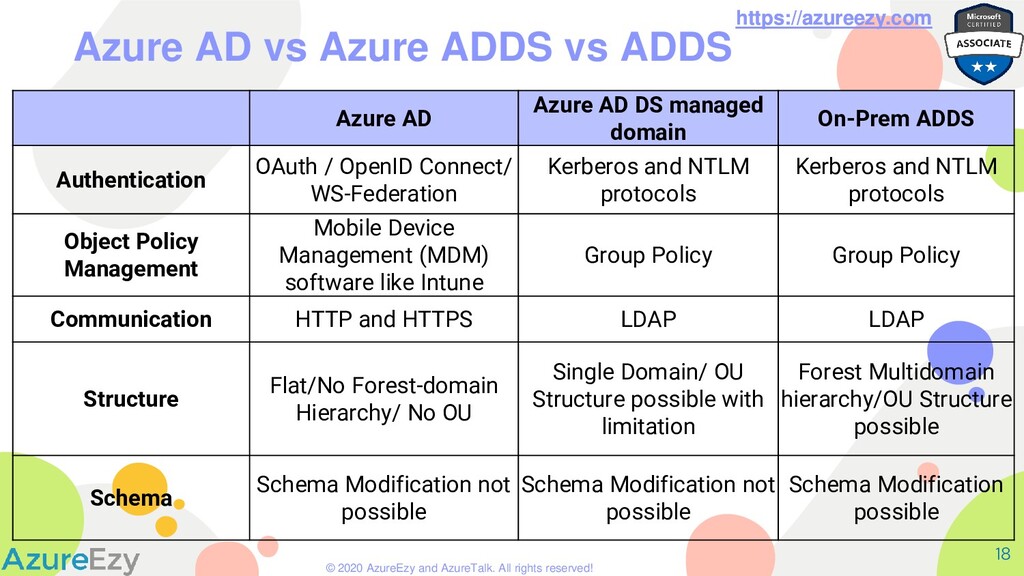
AD vs Azure ADDS vs ADDS 18 https://azureezy.com Azure AD Azure AD DS managed domain On-Prem ADDS Authentication OAuth / OpenID Connect/ WS-Federation Kerberos and NTLM protocols Kerberos and NTLM protocols Object Policy Management Mobile Device Management (MDM) software like Intune Group Policy Group Policy Communication HTTP and HTTPS LDAP LDAP Structure Flat/No Forest-domain Hierarchy/ No OU Single Domain/ OU Structure possible with limitation Forest Multidomain hierarchy/OU Structure possible Schema Schema Modification not possible Schema Modification not possible Schema Modification possible
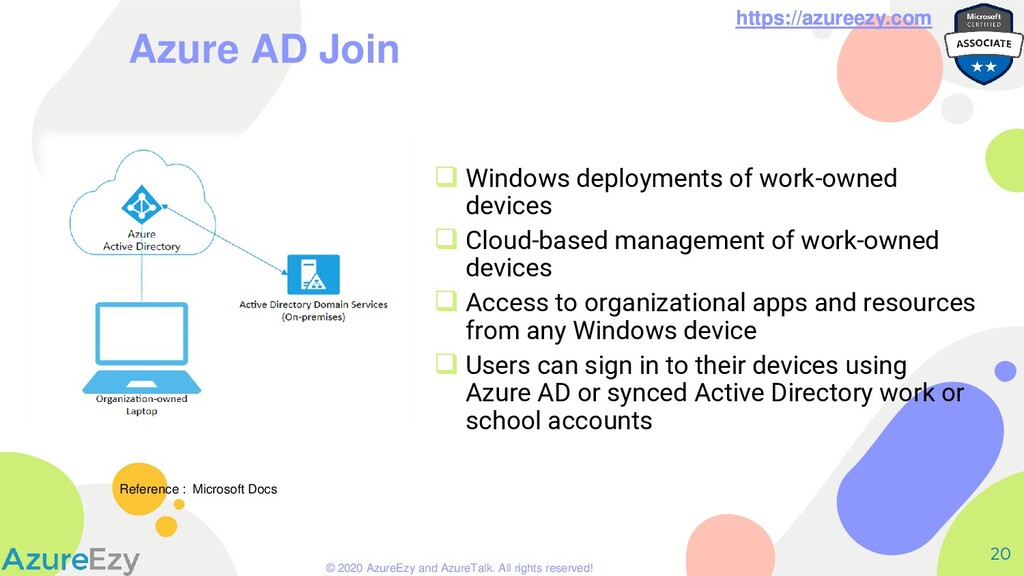
AD Join 20 ❑ Windows deployments of work-owned devices ❑ Cloud-based management of work-owned devices ❑ Access to organizational apps and resources from any Windows device ❑ Users can sign in to their devices using Azure AD or synced Active Directory work or school accounts https://azureezy.com Reference : Microsoft Docs
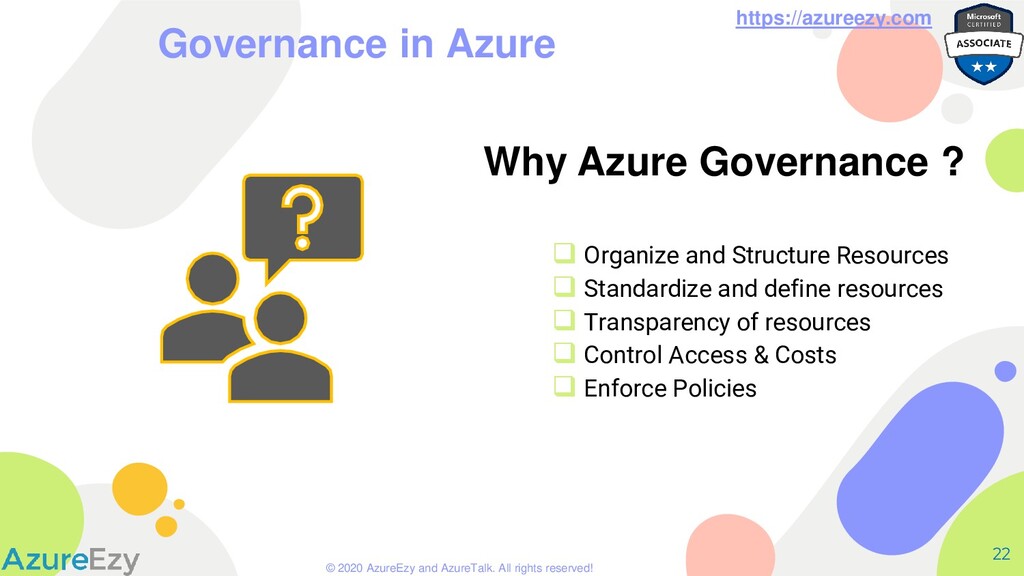
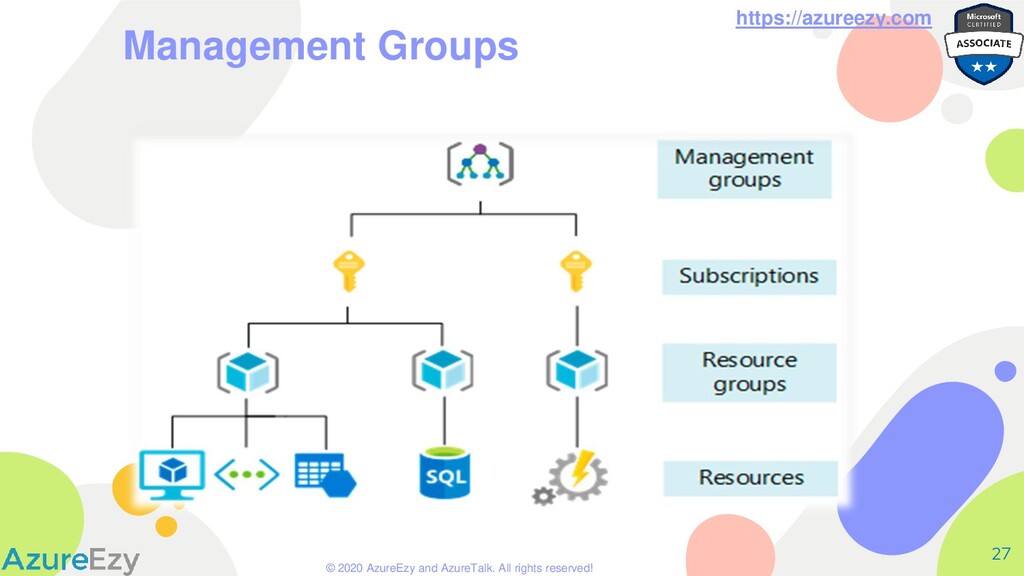
in Azure 22 Why Azure Governance ? ❑ Organize and Structure Resources ❑ Standardize and define resources ❑ Transparency of resources ❑ Control Access & Costs ❑ Enforce Policies
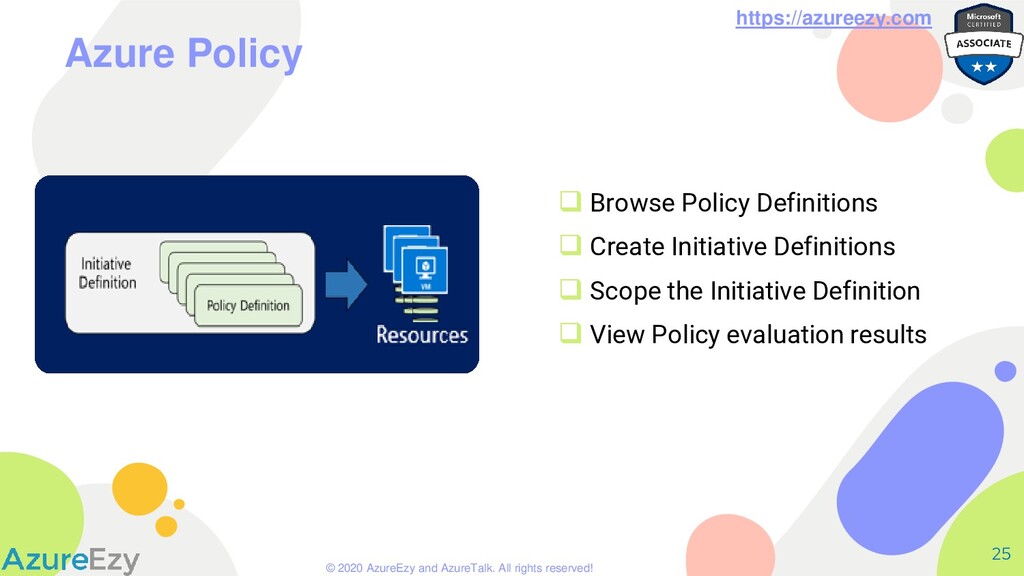
Azure Policy 26 ❑ Import policies from GitHub ❑ Policies written in JSON ❑ Create custom policy definition ❑ Includes one or more policies ❑ Requires planning
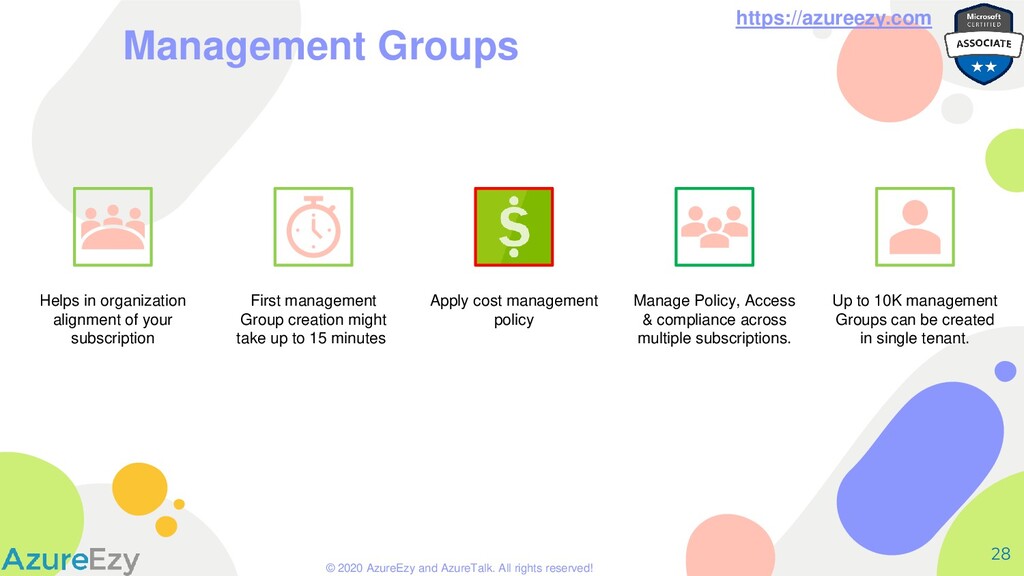
Management Groups Helps in organization alignment of your subscription First management Group creation might take up to 15 minutes. Apply cost management policy Manage Policy, Access & compliance across multiple subscriptions. Up to 10K management Groups can be created in single tenant.
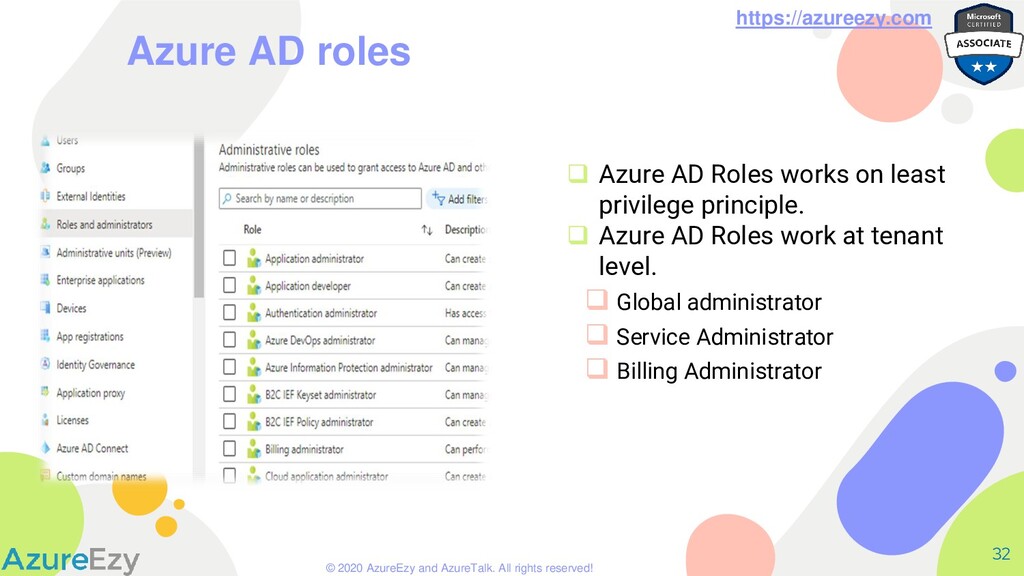
Azure AD roles ❑ Azure AD Roles works on least privilege principle. ❑ Azure AD Roles work at tenant level. ❑ Global administrator ❑ Service Administrator ❑ Billing Administrator
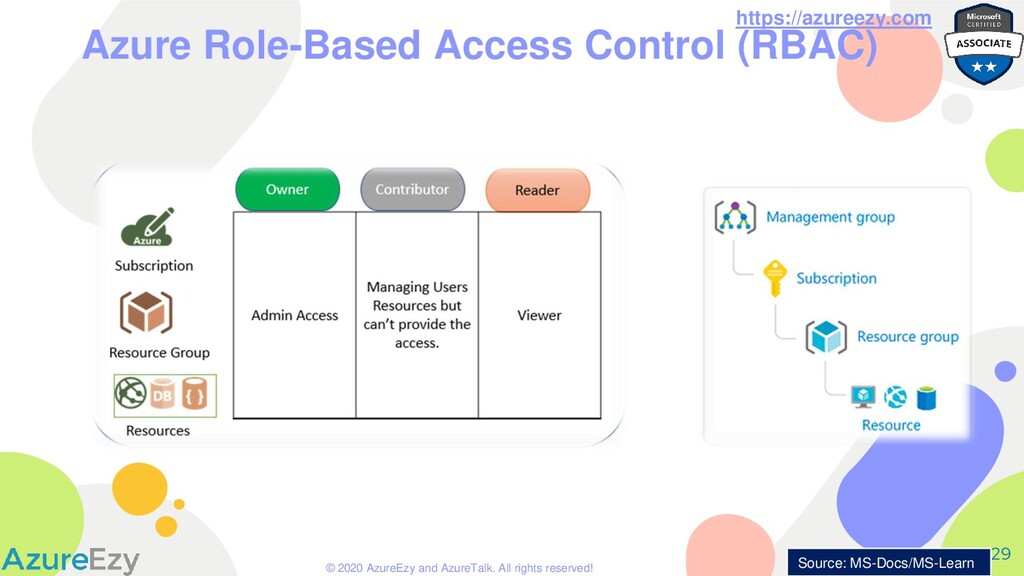
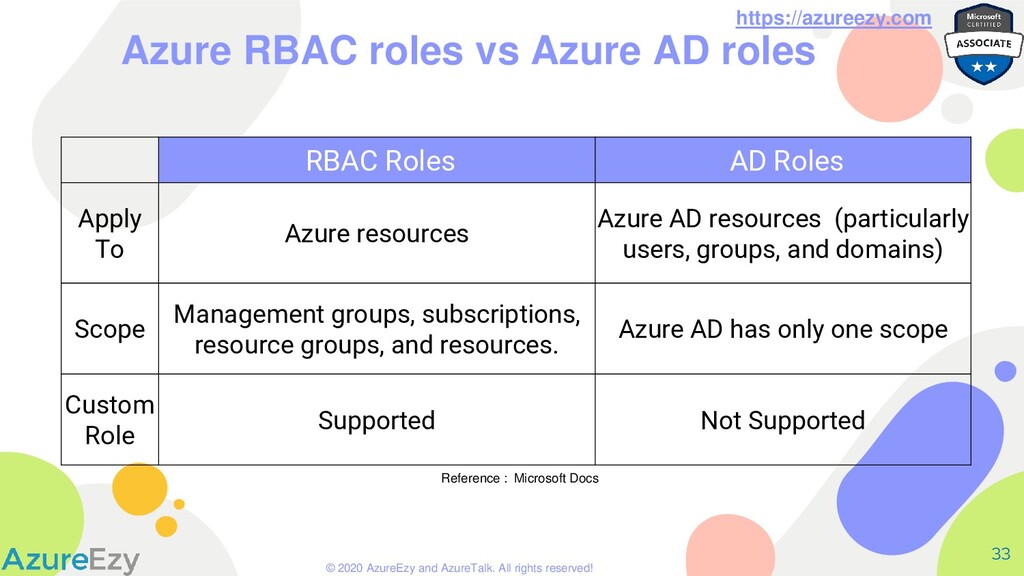
Azure RBAC roles vs Azure AD roles RBAC Roles AD Roles Apply To Azure resources Azure AD resources (particularly users, groups, and domains) Scope Management groups, subscriptions, resource groups, and resources. Azure AD has only one scope Custom Role Supported Not Supported Reference : Microsoft Docs
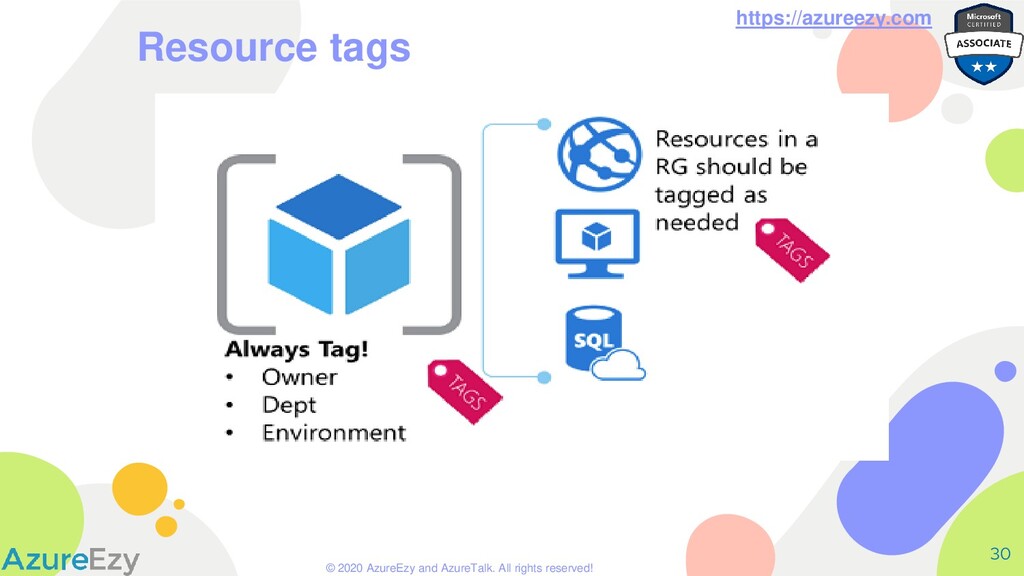
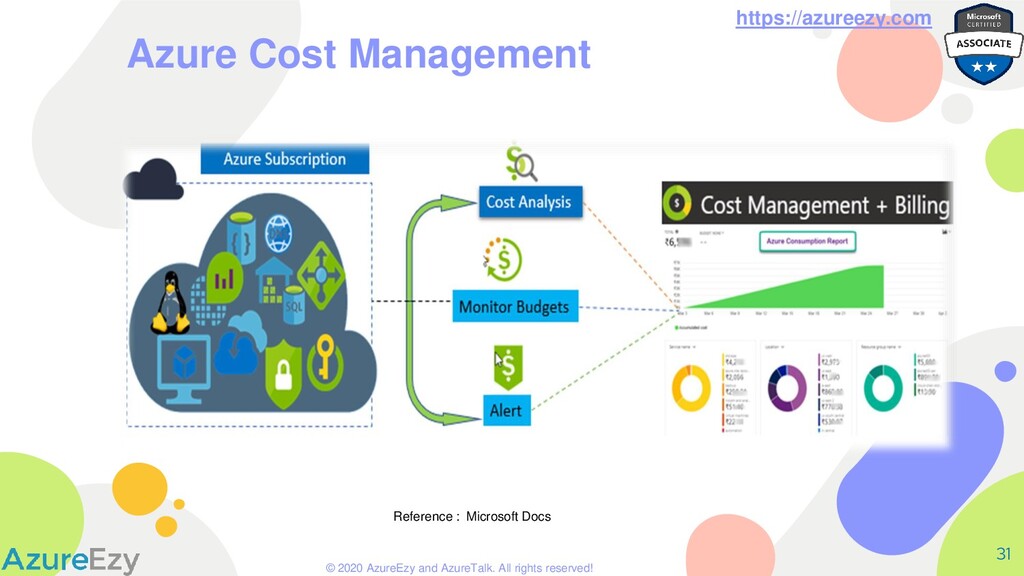
1. Creating Azure AD users, Dynamic Groups and adding user dynamically to those group. 2. Synchronizing On-prem AD with Azure AD. 3. Delegating role assignment to Azure resources using RBAC. 4. Using Azure policies and tags with Azure resources. 5. Managing Azure resource’s cost. 6. Protecting Azure resources using resource locks.


 azureezy
 brainpadpr
 toru_kubota
 camiha
 toshimaru
 riyaamemiya
 sudoakiy
 ufried
 naruoga
 grimoh
 mkdev10
 pauli
pauli
 fespinoza
 tamaranovitovic
 lara
lara
 inesmontani
 nikkihalliwell
 pauljervisheath
 bluesmoon
 ryanjones
 michaelherold
 mayunak
 jonoalderson
 marketingsoph
 takai
takai