Dev Containers と Skaffold で実現する クラウドネイティブ開発環境 ロ...

Share
Embed
Dev Containers と Skaffold で実現する クラウドネイティブ開発環境 ローカルのみという制約に挑む / Cloud-Native Development with Dev Containers and Skaffold: Tackling the Local-Only Constraint
登壇者名:酒井 敦
登壇したイベントタイトル:CloudNative Days Winter 2025
イベントの登壇URL:https://event.cloudnativedays.jp/cndw2025/talks/2709

株式会社ビットキー / Bitkey Inc. PRO
November 18, 2025
Transcript
95 slides
-
Copyright © Bitkey Inc. All rights reserved. Dev Containers と
Skaffold で実現する クラウドネイティブ開発環境 ローカルのみという制約に挑む -
Outline Copyright © Bitkey Inc. All rights reserved. 1. 自己紹介
2. 会社・製品紹介 3. 製品の体験は良いがテストが大変 4. それを解決するためのテストシステム 5. テストシステムの開発環境について -
Copyright © Bitkey Inc. All rights reserved. 酒井 敦 2013-
2017- 2018- サーバー会社でインフラエンジニア アドテク会社でインフラエンジニア SRE 会社でソフトウェアエンジニア 2024 07- 株式会社ビットキーに入社 -
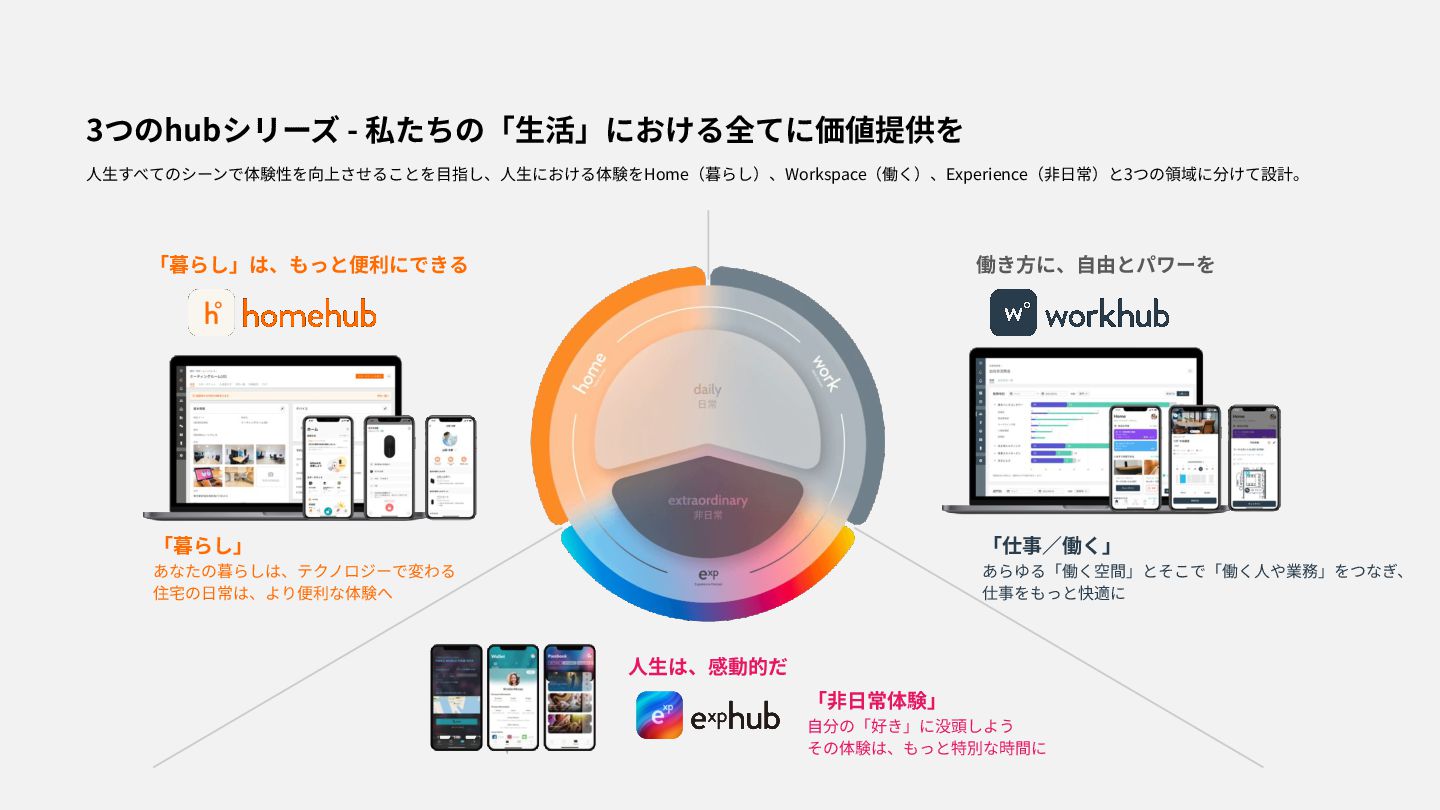
3つのhubシリーズ - 私たちの「⽣活」における全てに価値提供を 「暮らし」は、もっと便利にできる 働き⽅に、⾃由とパワーを ⼈⽣は、感動的だ ⼈⽣すべてのシーンで体験性を向上させることを⽬指し、⼈⽣における体験をHome(暮らし)、Workspace(働く)、Experience(⾮⽇常)と3つの領域に分けて設計。 「⾮⽇常体験」 ⾃分の「好き」に没頭しよう その体験は、もっと特別な時間に
「仕事∕働く」 あらゆる「働く空間」とそこで「働く⼈や業務」をつなぎ、 仕事をもっと快適に 「暮らし」 あなたの暮らしは、テクノロジーで変わる 住宅の⽇常は、より便利な体験へ -
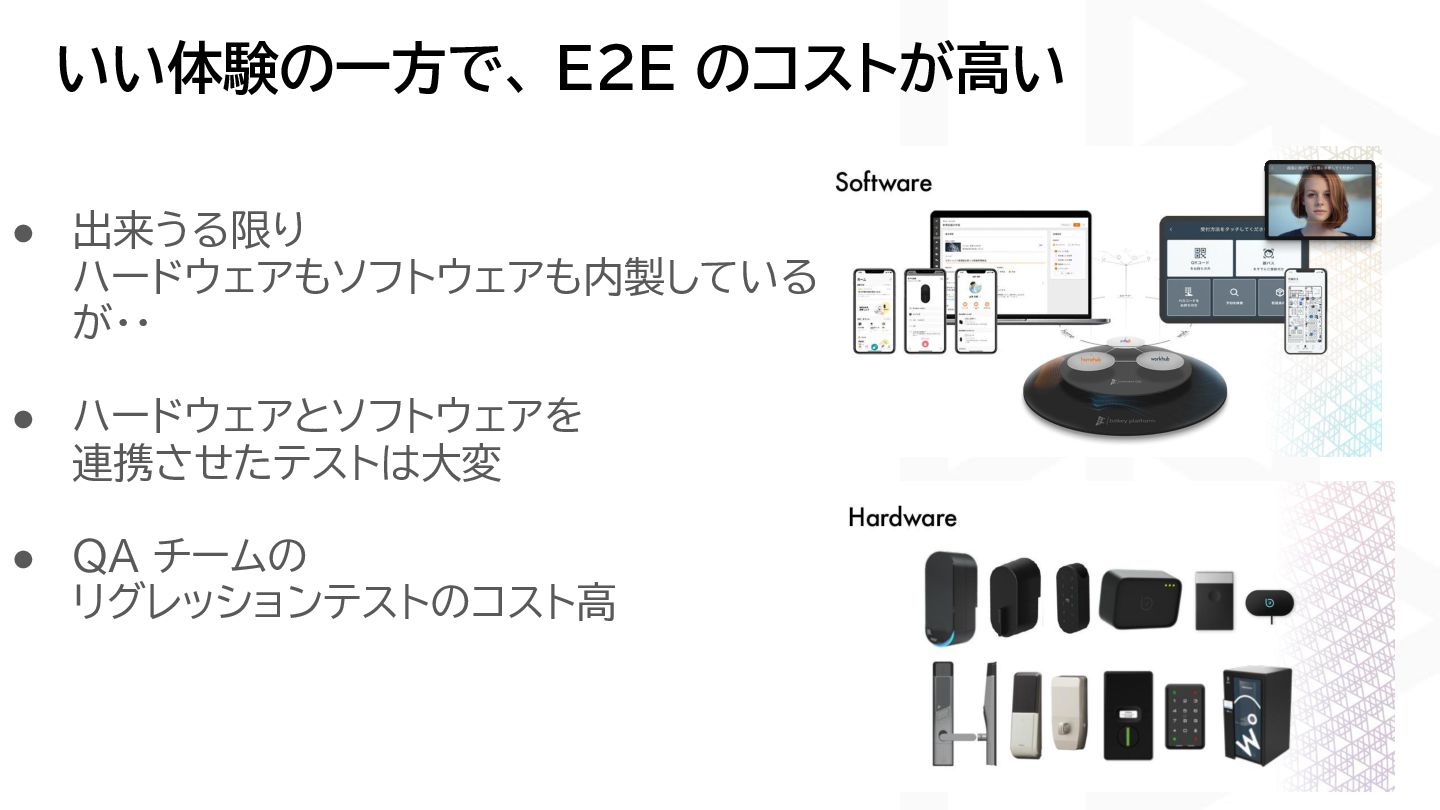
いい体験の一方で、 E2E のコストが高い • 出来うる限り ハードウェアもソフトウェアも内製している が・・ • ハードウェアとソフトウェアを 連携させたテストは大変
• QA チームの リグレッションテストのコスト高 -
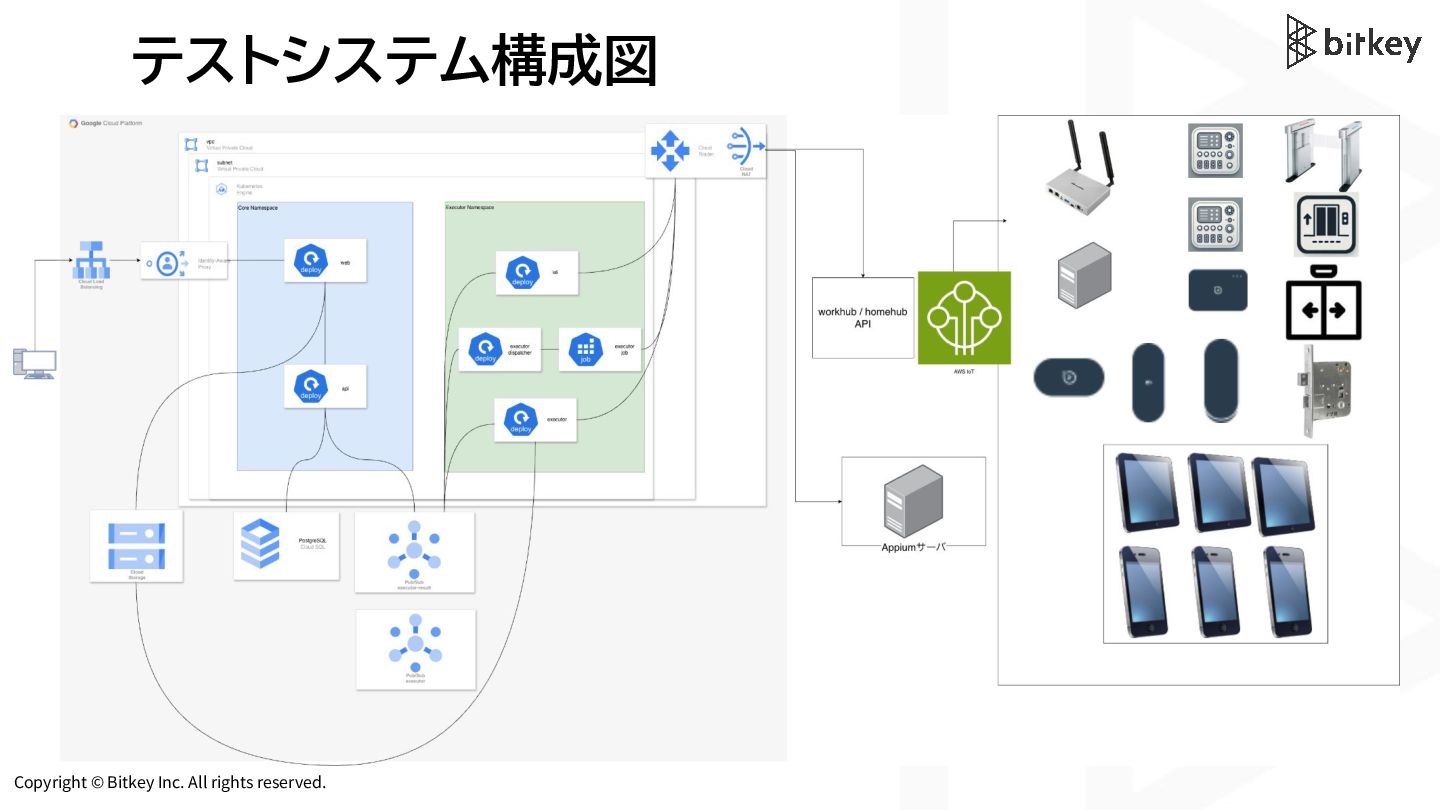
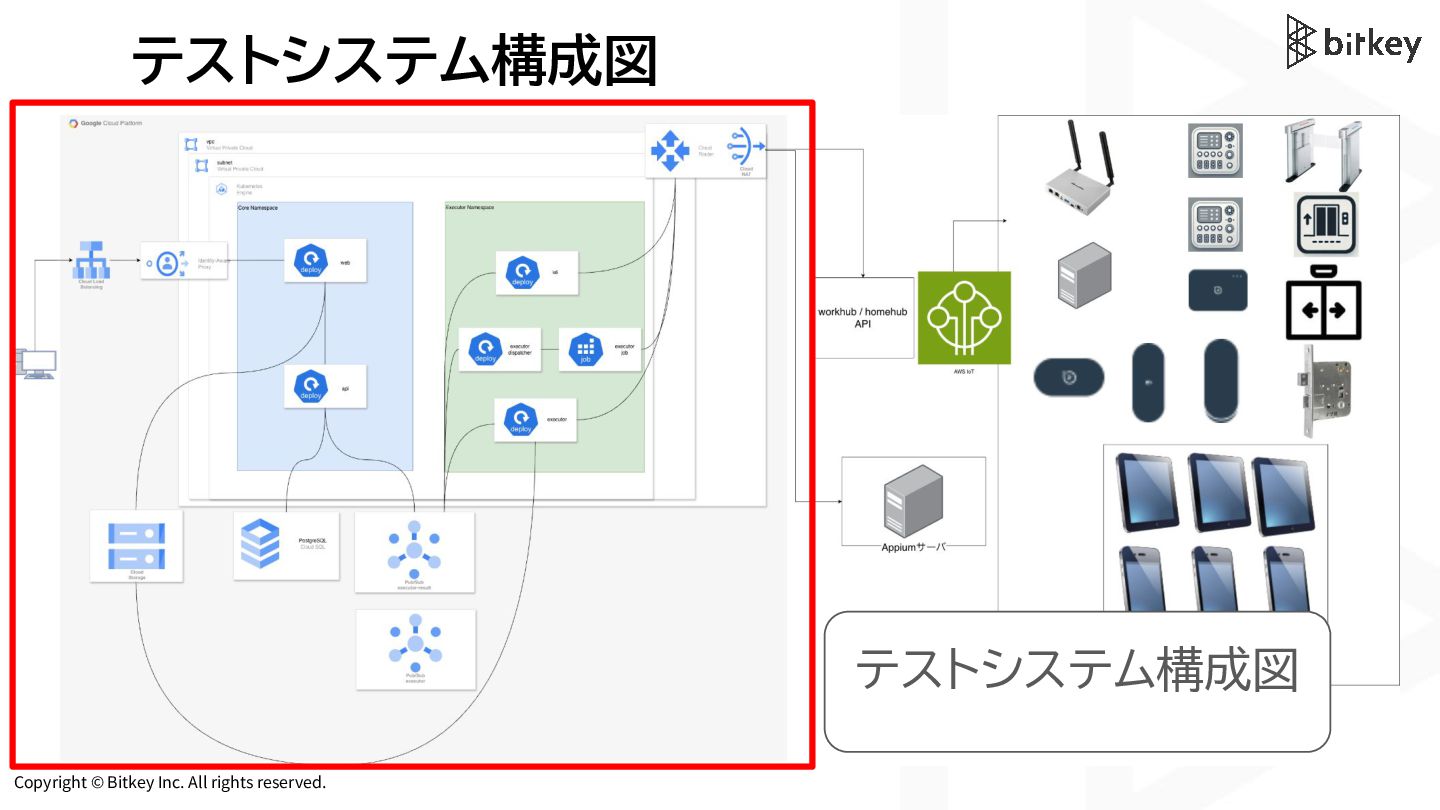
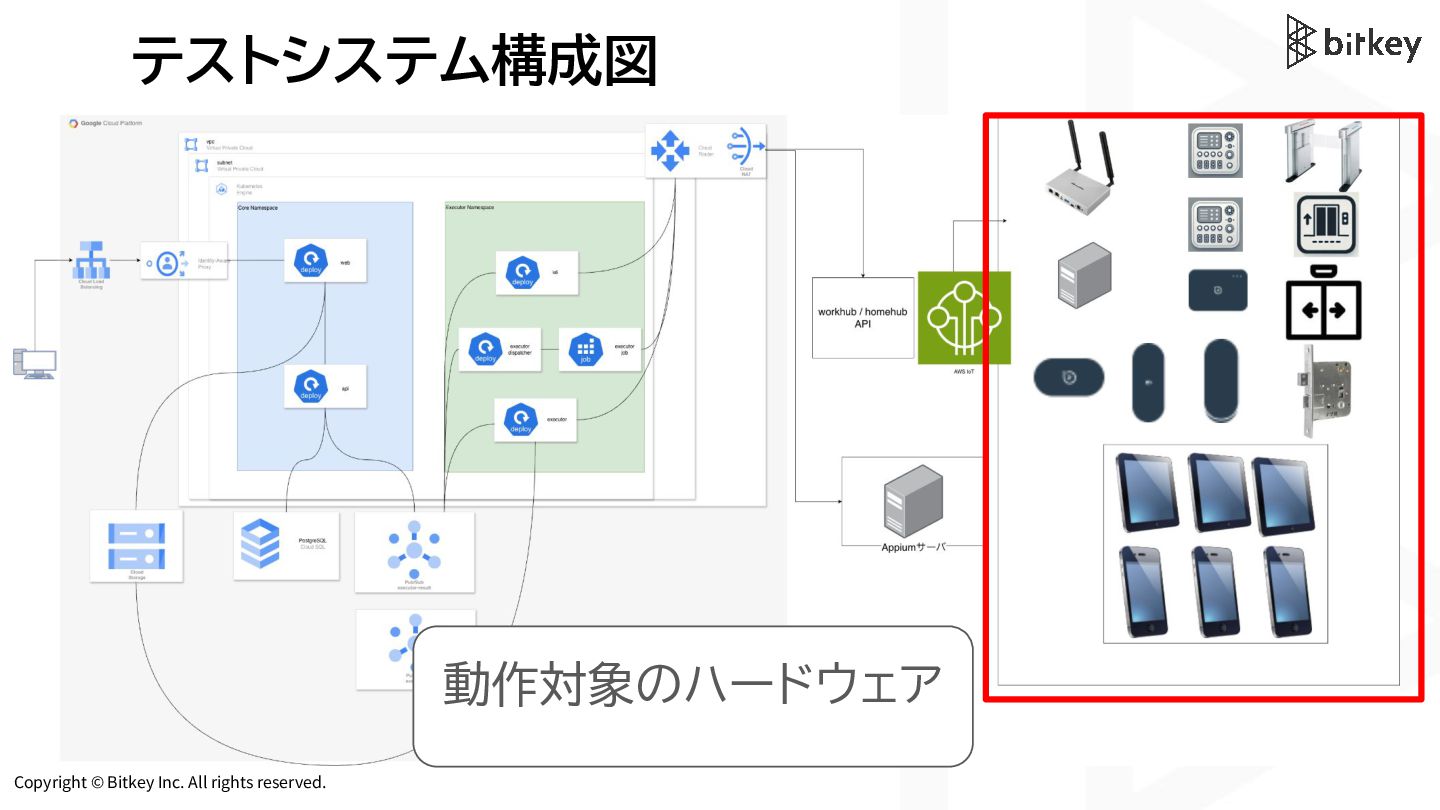
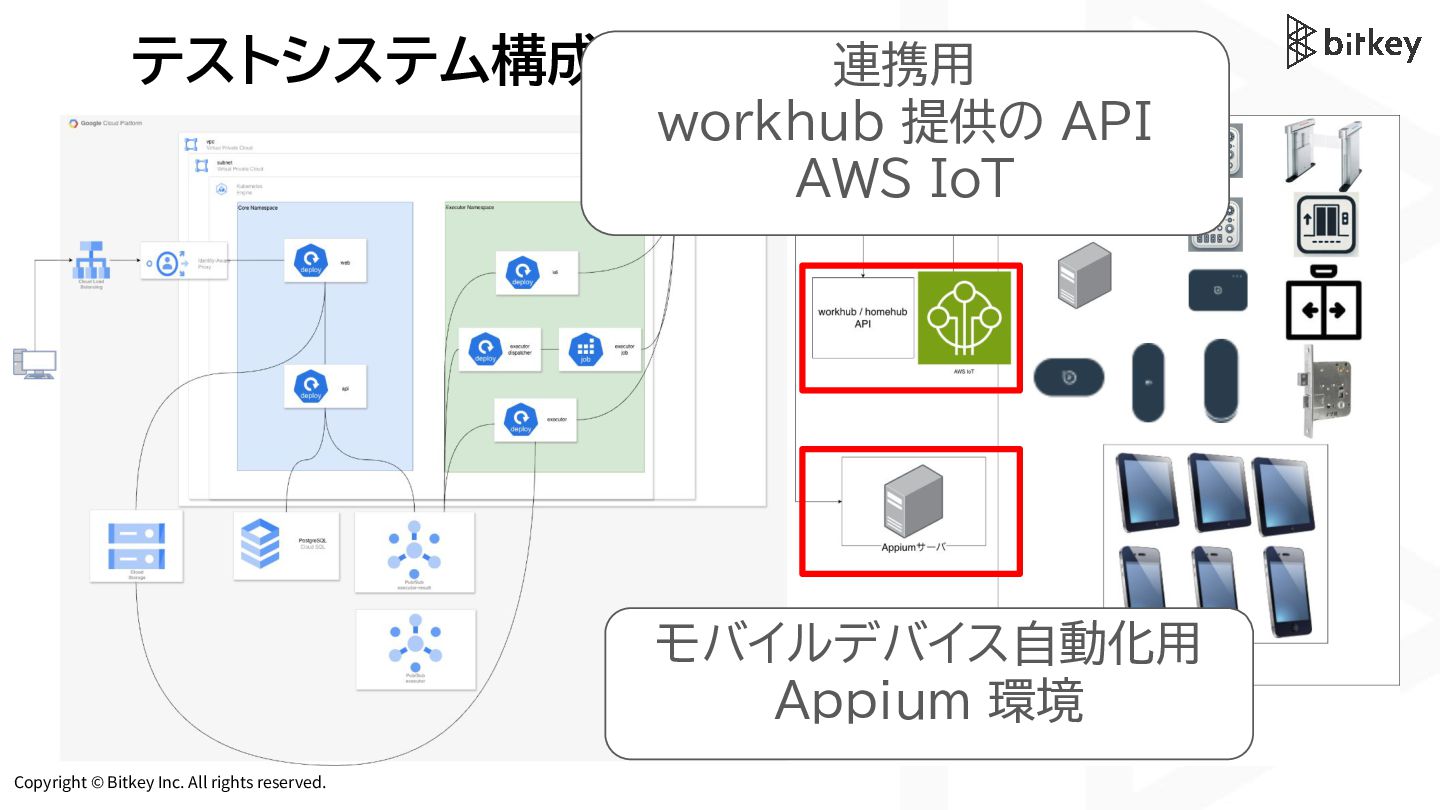
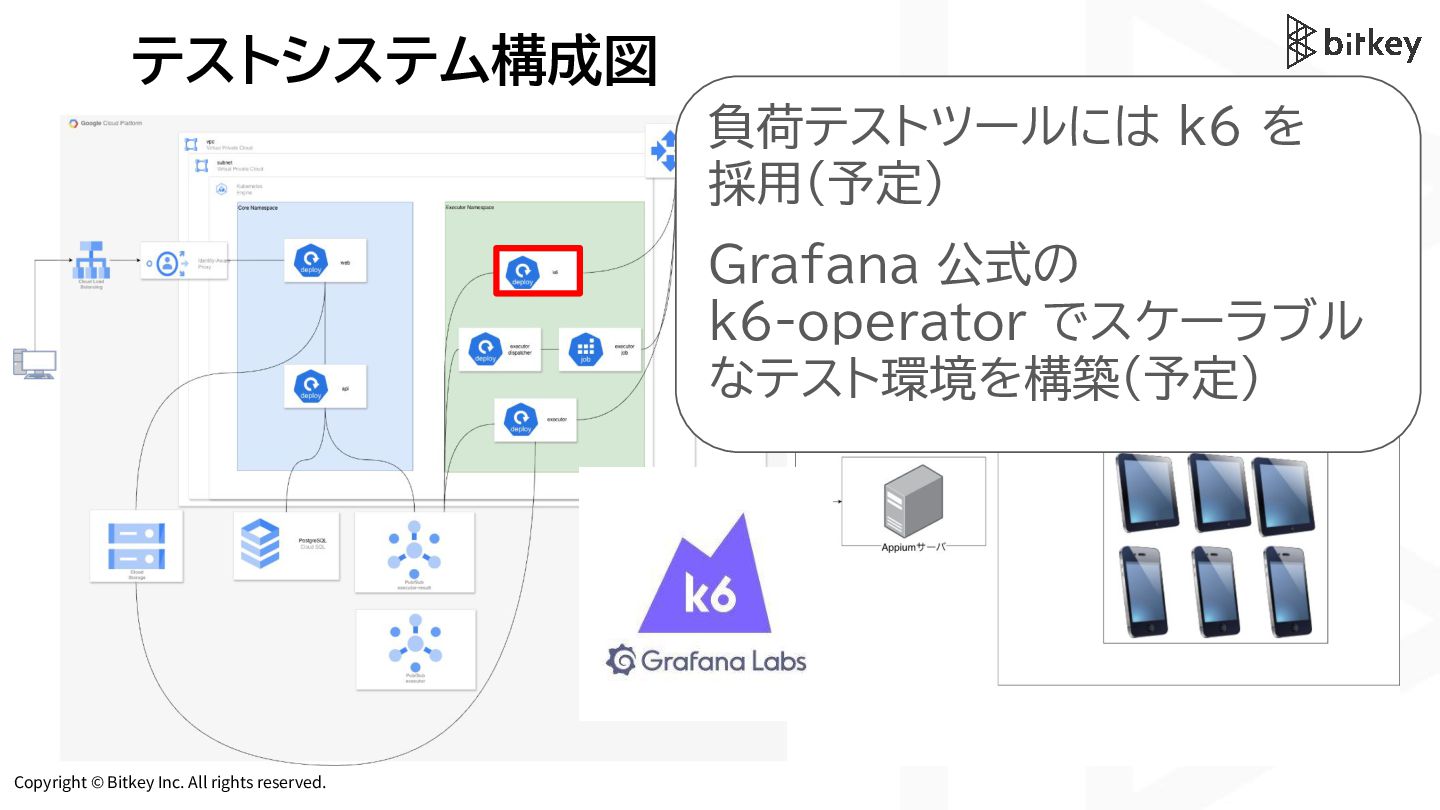
Copyright © Bitkey Inc. All rights reserved. テストシステム構成図 モバイルデバイス自動化用 Appium
環境 連携用 workhub 提供の API AWS IoT -
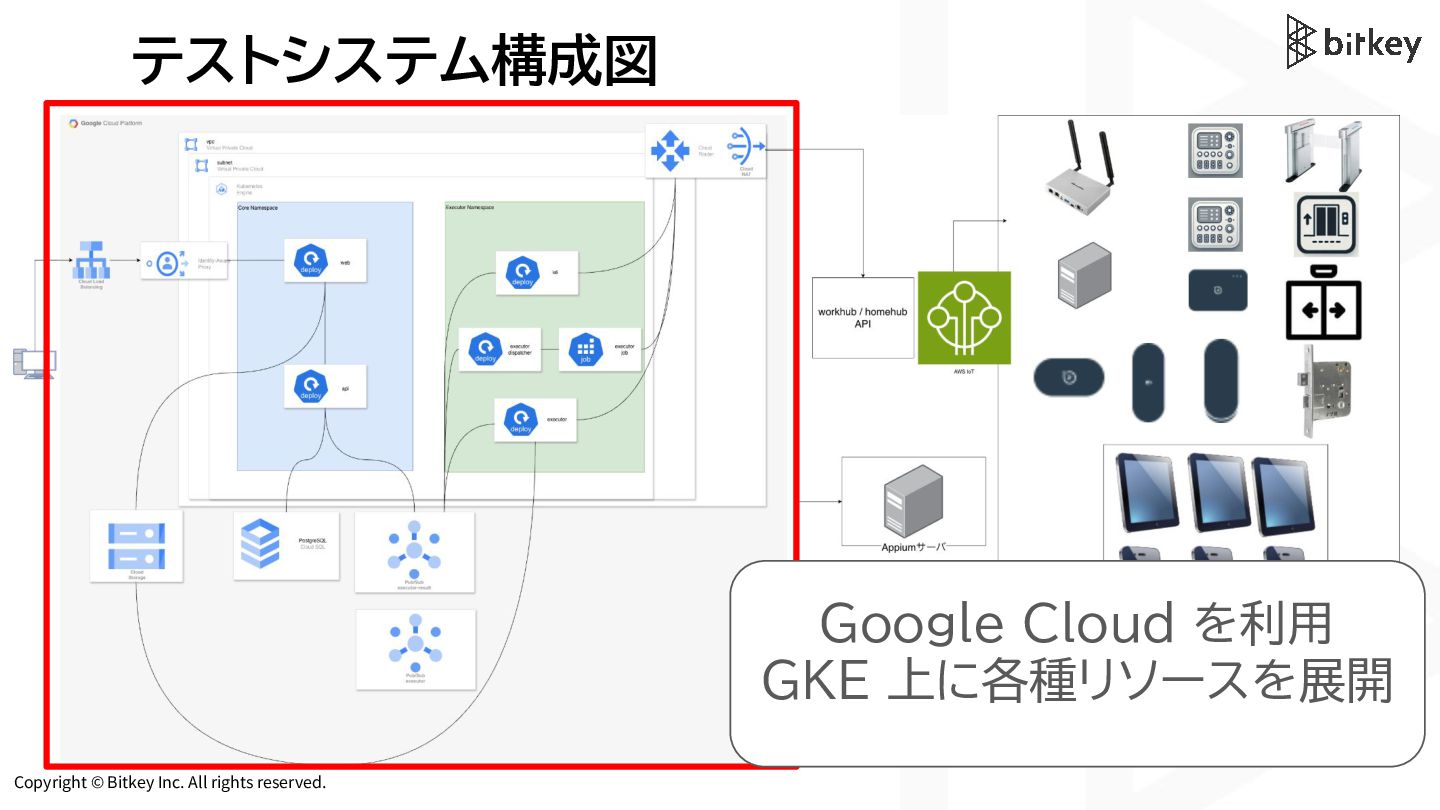
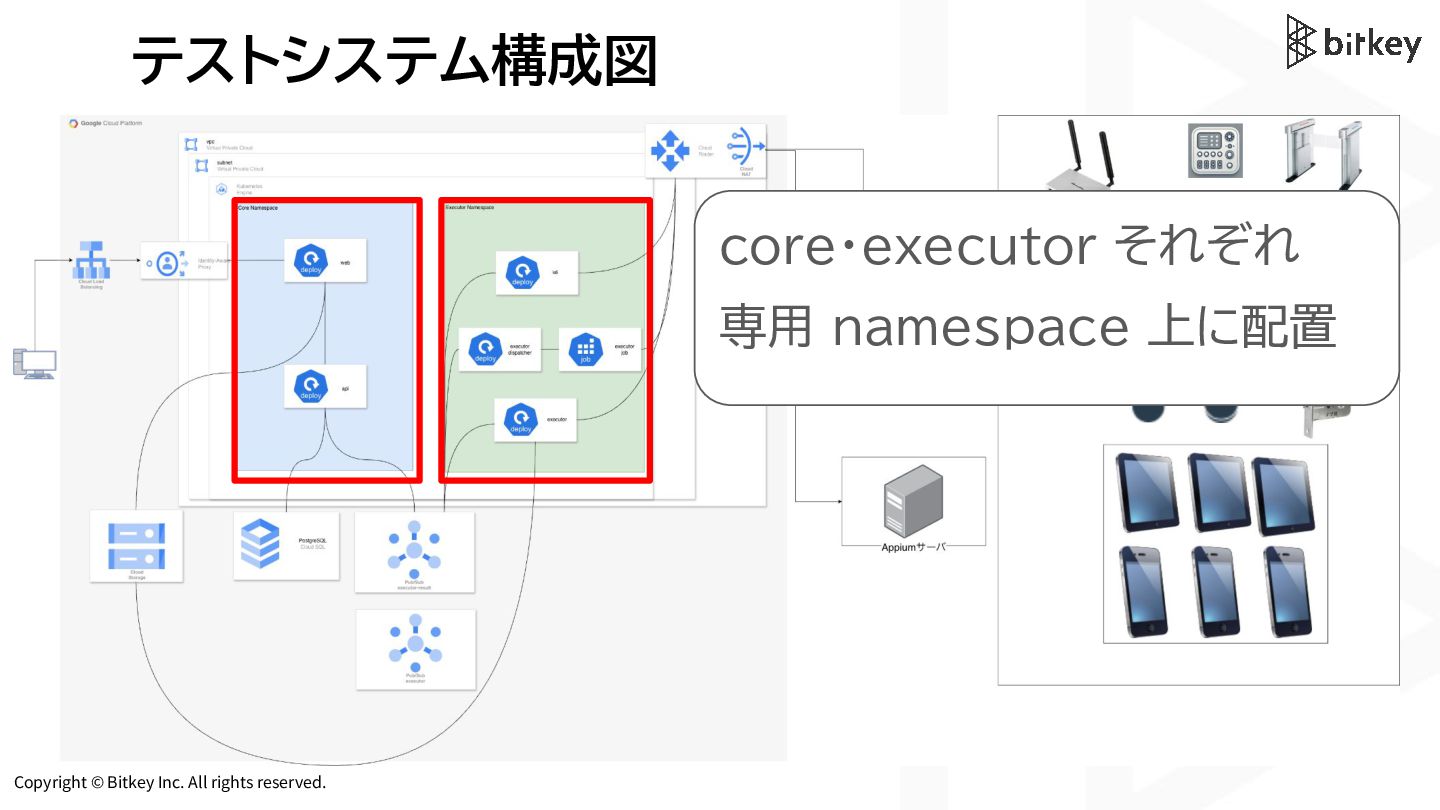
Copyright © Bitkey Inc. All rights reserved. テストシステム構成図 Google Cloud
を利用 GKE 上に各種リソースを展開 -
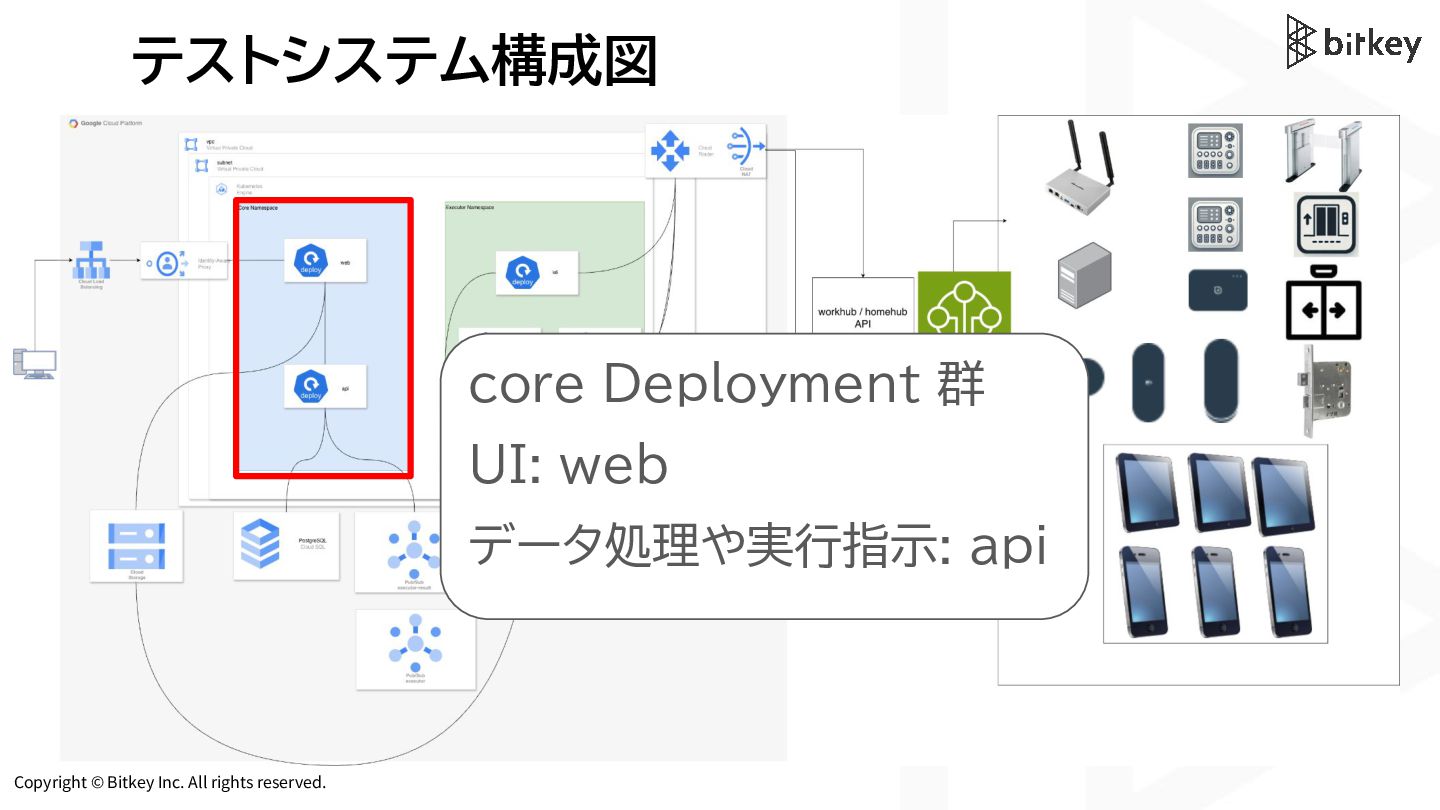
Copyright © Bitkey Inc. All rights reserved. テストシステム構成図 core Deployment
群 UI: web データ処理や実行指示: api -
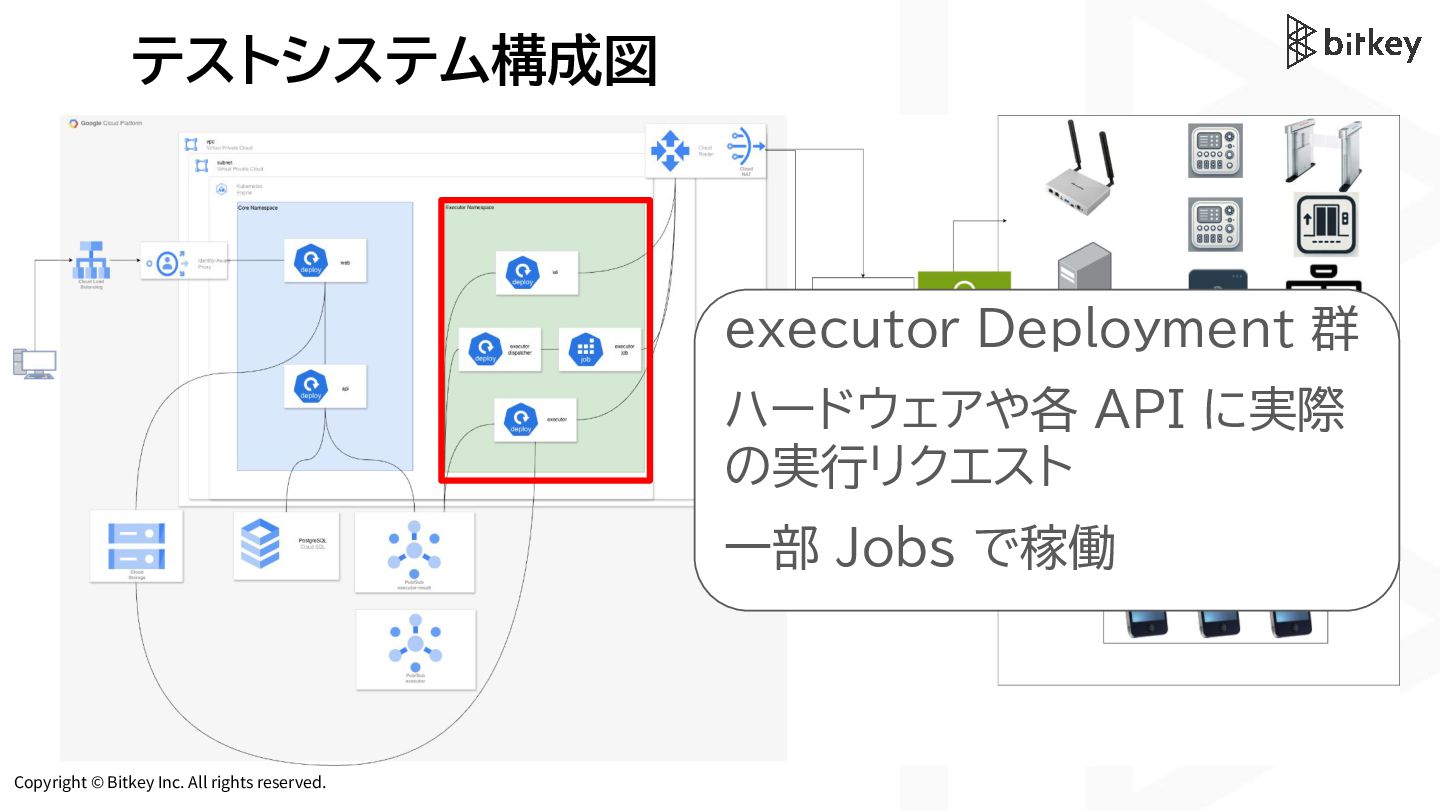
Copyright © Bitkey Inc. All rights reserved. テストシステム構成図 executor Deployment
群 ハードウェアや各 API に実際 の実行リクエスト 一部 Jobs で稼働 -
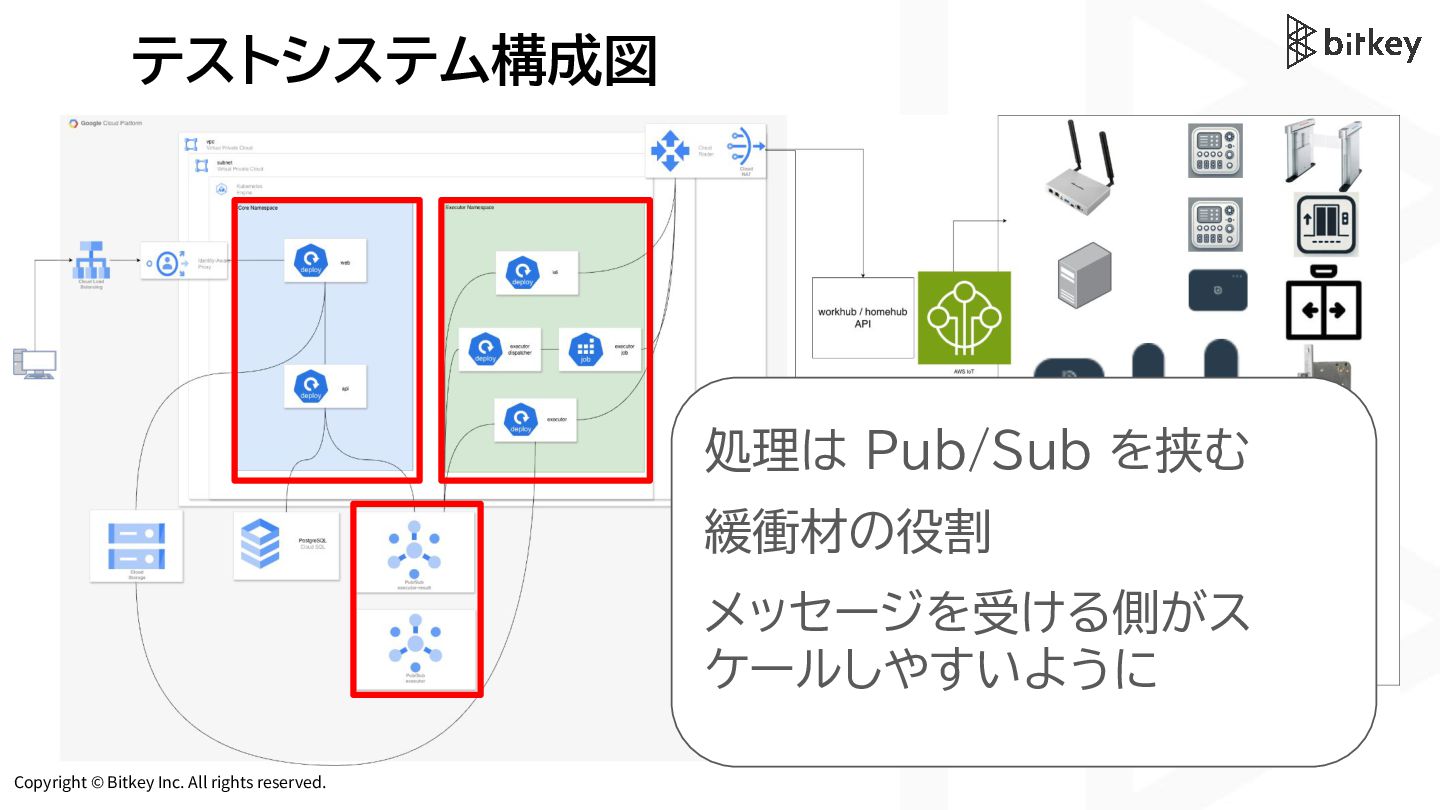
Copyright © Bitkey Inc. All rights reserved. テストシステム構成図 処理は Pub/Sub
を挟む 緩衝材の役割 メッセージを受ける側がス ケールしやすいように -
Copyright © Bitkey Inc. All rights reserved. テストシステム構成図 負荷テストツールには k6
を 採用(予定) Grafana 公式の k6-operator でスケーラブル なテスト環境を構築(予定) -
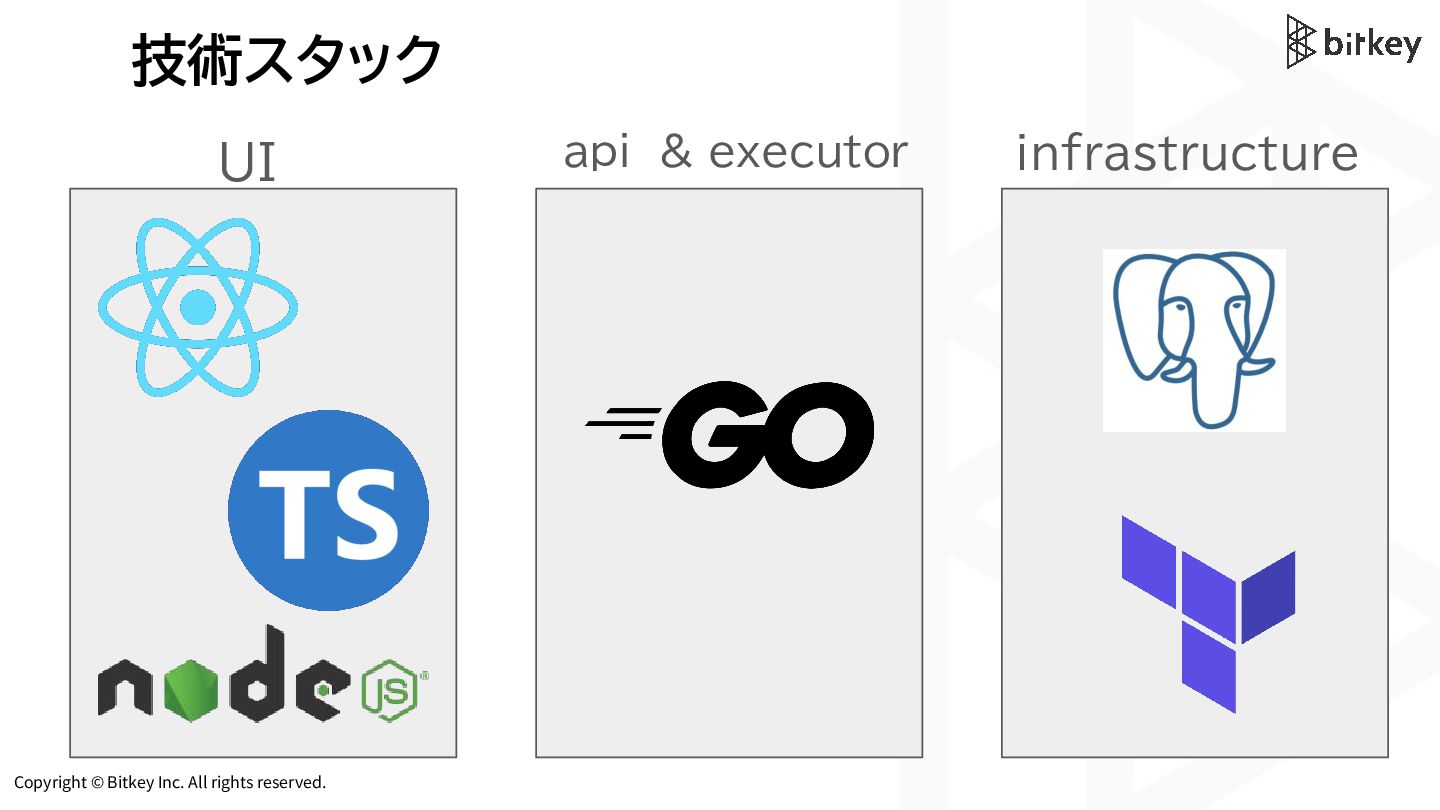
Copyright © Bitkey Inc. All rights reserved. 技術スタック UI api
& executor infrastructure -
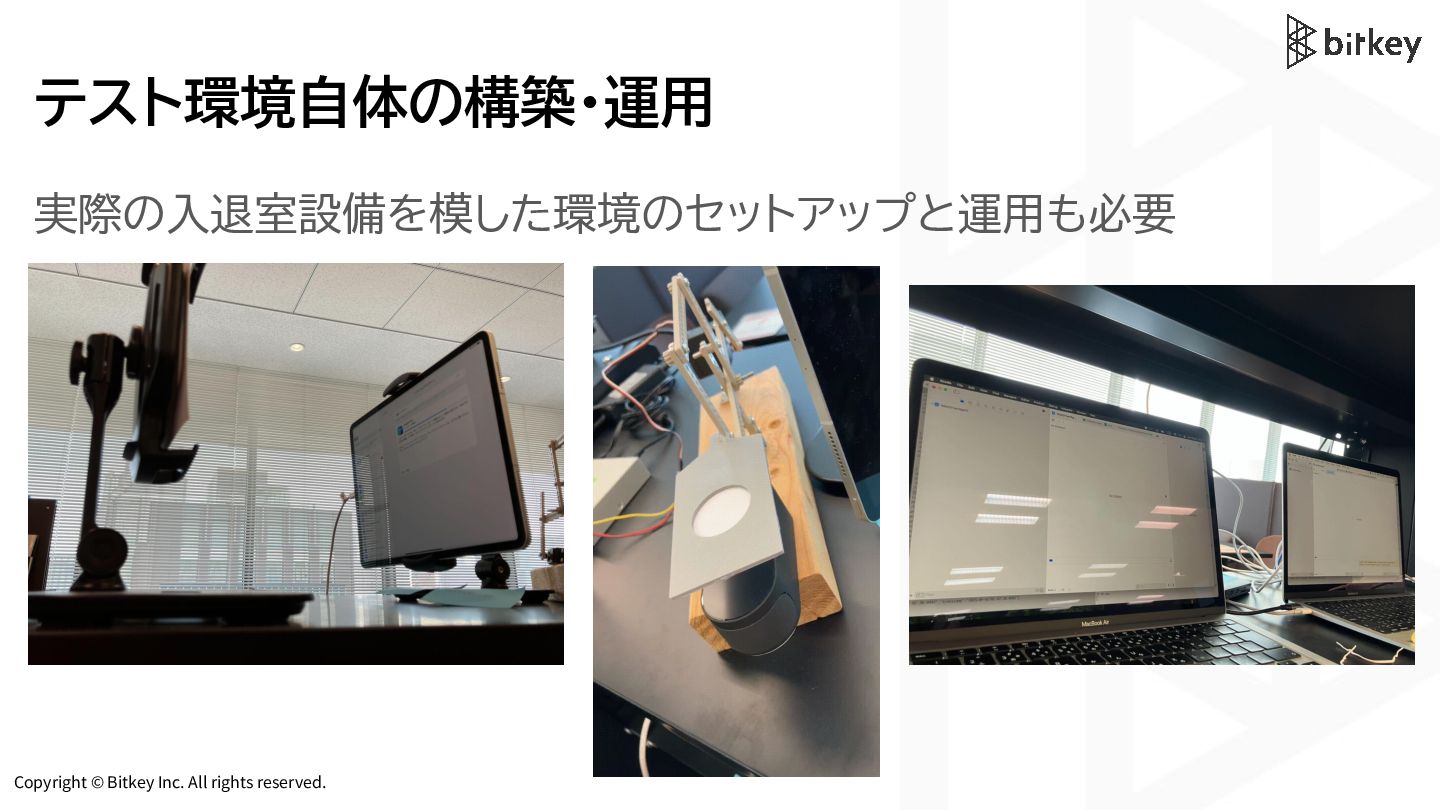
Copyright © Bitkey Inc. All rights reserved. テストシステムの開発環境 • 最初は1名、今は2名の小さなプロジェクト
• 社内向けなので、 外向けには敢えてテストシステムと呼ぶ • 開発環境専用の Google Cloud プロジェクト を用意するほどお金はかけたくない • 開発環境はローカルに用意する必要 -
Copyright © Bitkey Inc. All rights reserved. compose.yaml Docker Compose
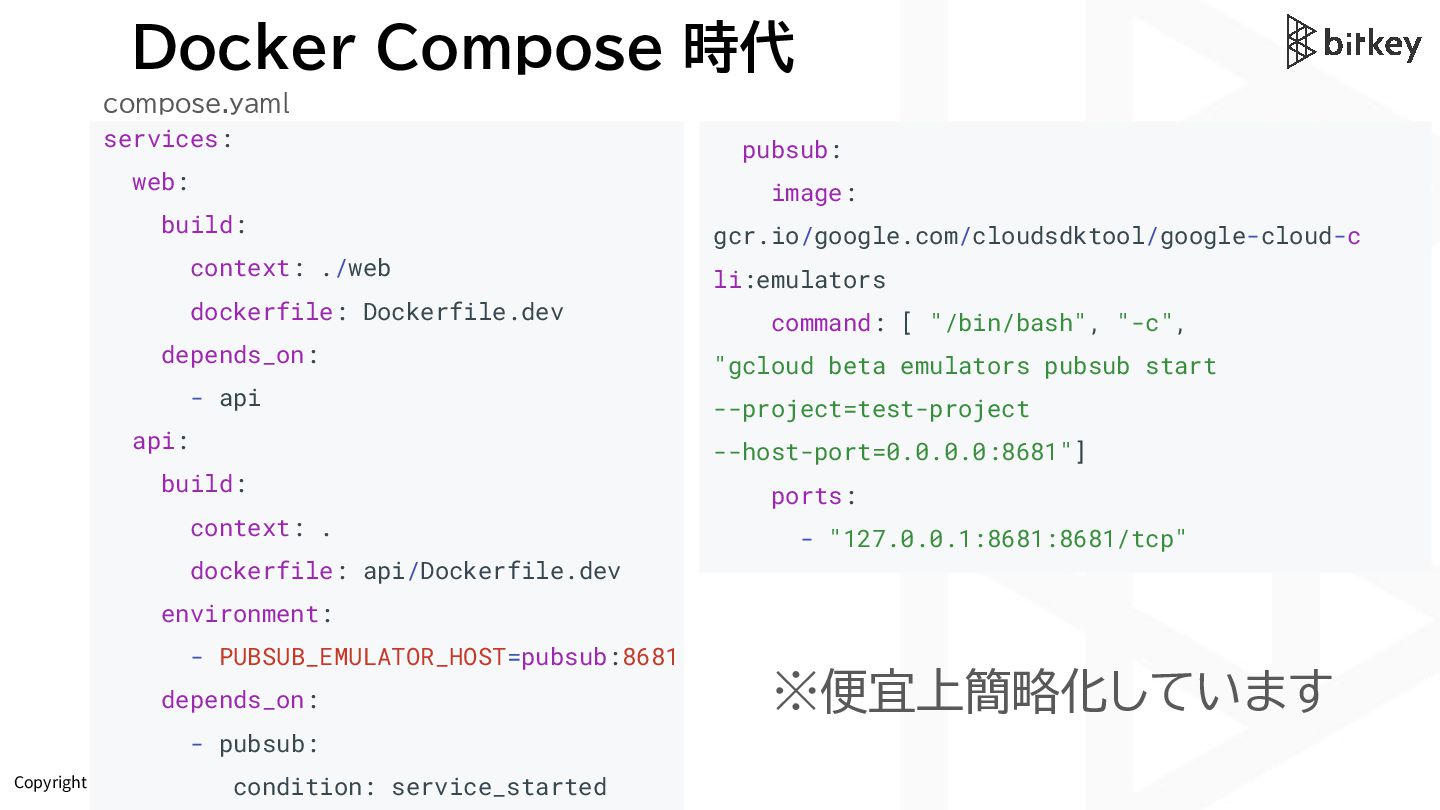
時代 services: web: build: context: ./web dockerfile: Dockerfile.dev depends_on: - api api: build: context: . dockerfile: api/Dockerfile.dev environment: - PUBSUB_EMULATOR_HOST=pubsub:8681 depends_on: - pubsub: condition: service_started pubsub: image: gcr.io/google.com/cloudsdktool/google-cloud-c li:emulators command: [ "/bin/bash", "-c", "gcloud beta emulators pubsub start --project=test-project --host-port=0.0.0.0:8681"] ports: - "127.0.0.1:8681:8681/tcp" ※便宜上簡略化しています -
Copyright © Bitkey Inc. All rights reserved. compose.yaml Docker Compose
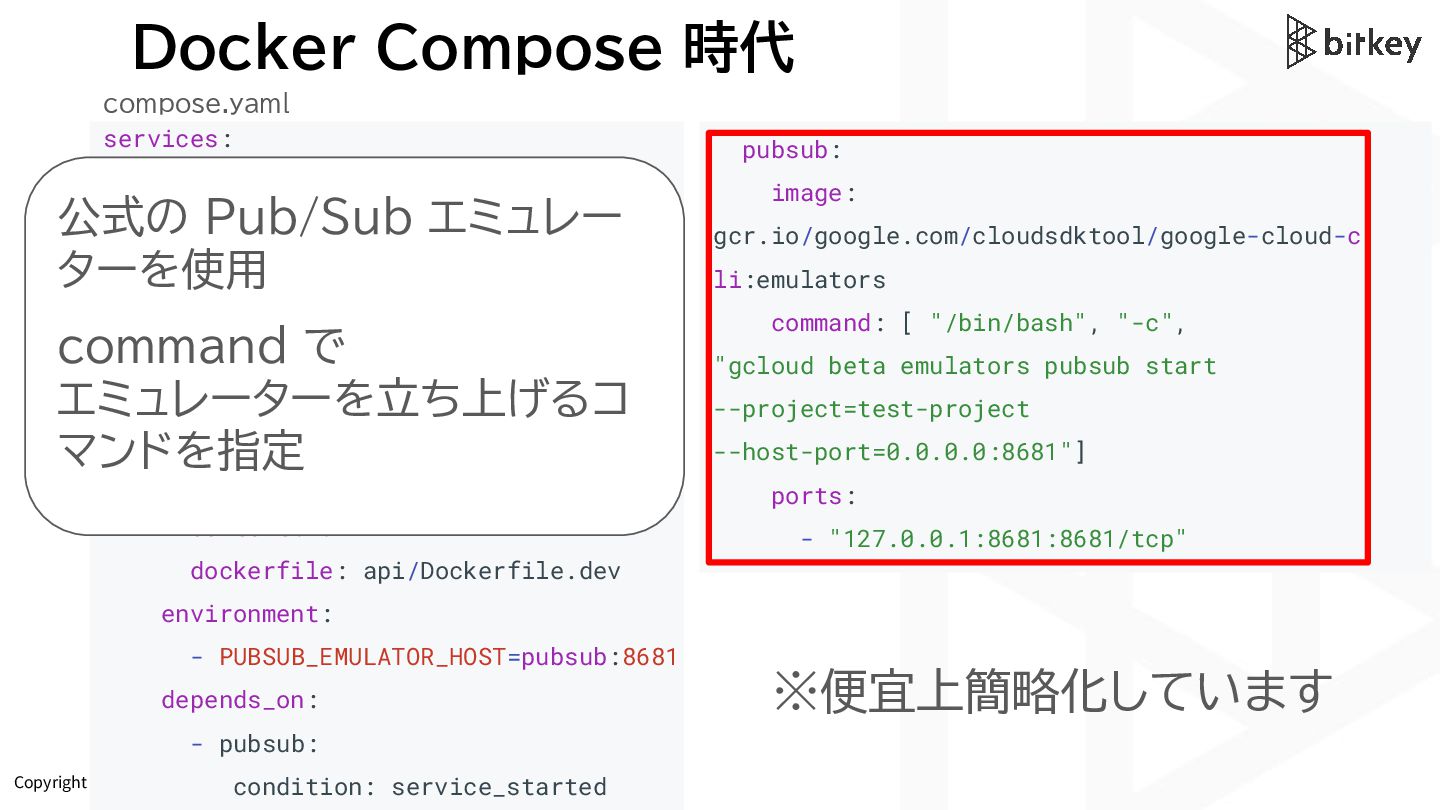
時代 services: web: build: context: ./web dockerfile: Dockerfile.dev depends_on: - api api: build: context: . dockerfile: api/Dockerfile.dev environment: - PUBSUB_EMULATOR_HOST=pubsub:8681 depends_on: - pubsub: condition: service_started pubsub: image: gcr.io/google.com/cloudsdktool/google-cloud-c li:emulators command: [ "/bin/bash", "-c", "gcloud beta emulators pubsub start --project=test-project --host-port=0.0.0.0:8681"] ports: - "127.0.0.1:8681:8681/tcp" ※便宜上簡略化しています 公式の Pub/Sub エミュレー ターを使用 command で エミュレーターを立ち上げるコ マンドを指定 -
Copyright © Bitkey Inc. All rights reserved. compose.yaml Docker Compose
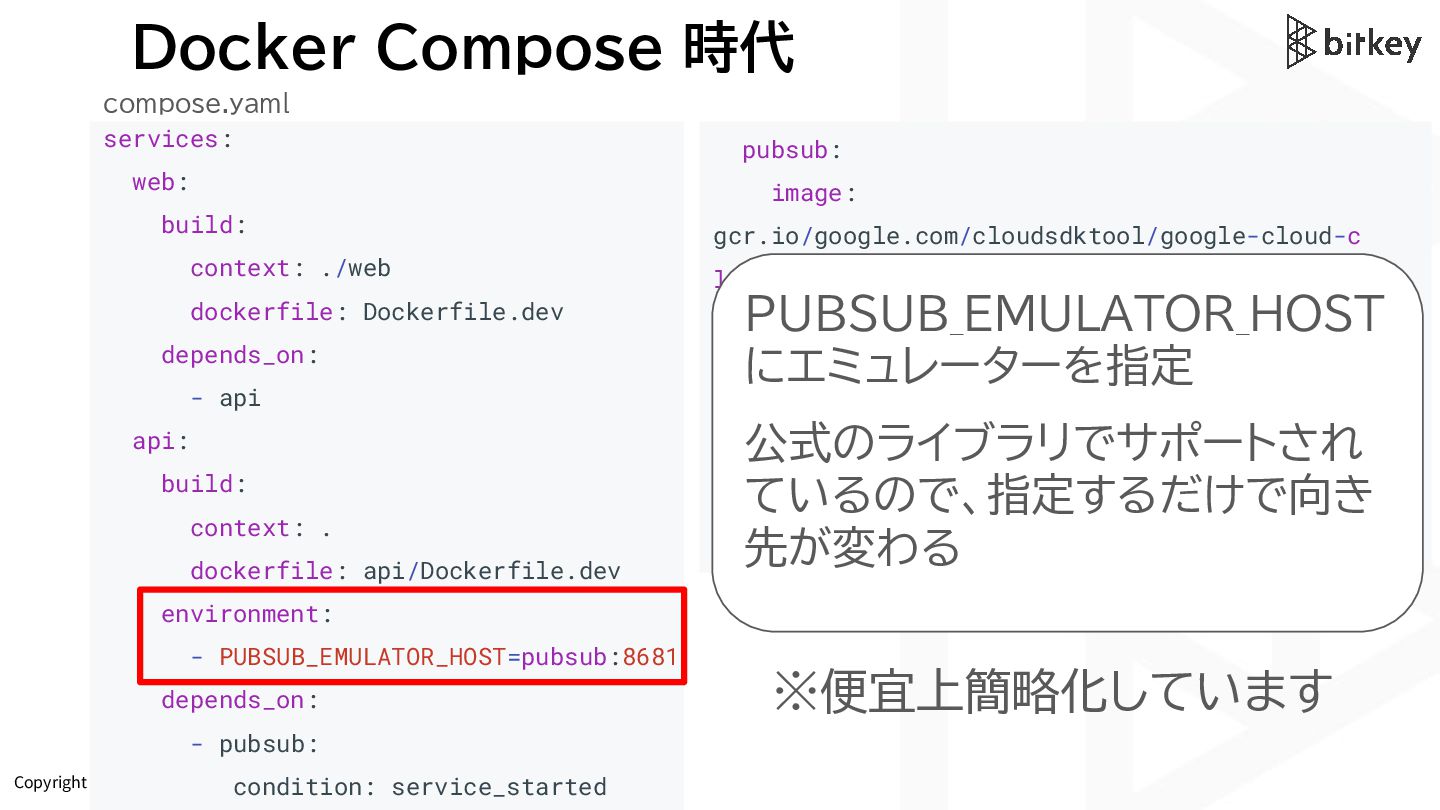
時代 services: web: build: context: ./web dockerfile: Dockerfile.dev depends_on: - api api: build: context: . dockerfile: api/Dockerfile.dev environment: - PUBSUB_EMULATOR_HOST=pubsub:8681 depends_on: - pubsub: condition: service_started pubsub: image: gcr.io/google.com/cloudsdktool/google-cloud-c li:emulators command: [ "/bin/bash", "-c", "gcloud beta emulators pubsub start --project=test-project --host-port=0.0.0.0:8681"] ports: - "127.0.0.1:8681:8681/tcp" ※便宜上簡略化しています PUBSUB_EMULATOR_HOST にエミュレーターを指定 公式のライブラリでサポートされ ているので、指定するだけで向き 先が変わる -
Copyright © Bitkey Inc. All rights reserved. compose.yaml Docker Compose
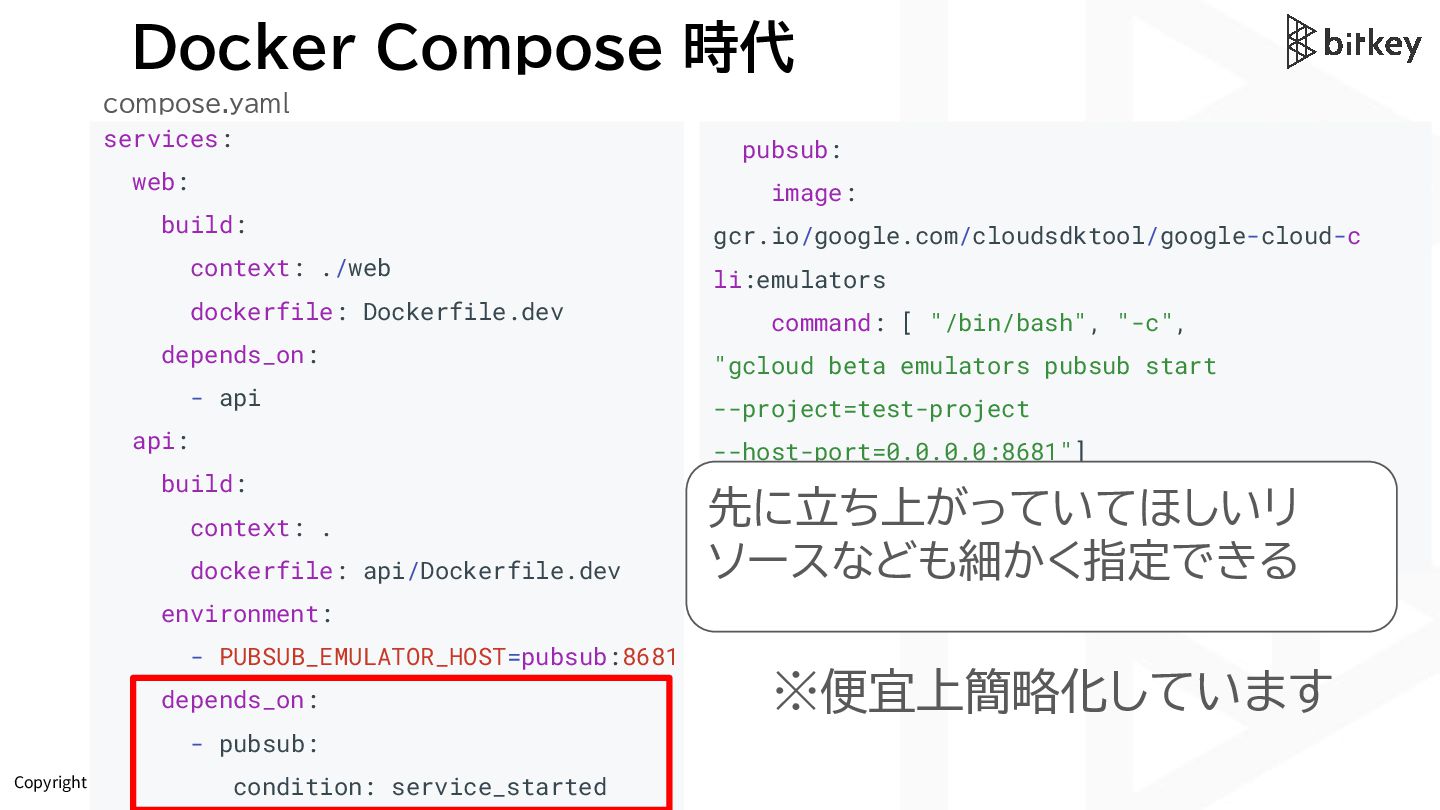
時代 services: web: build: context: ./web dockerfile: Dockerfile.dev depends_on: - api api: build: context: . dockerfile: api/Dockerfile.dev environment: - PUBSUB_EMULATOR_HOST=pubsub:8681 depends_on: - pubsub: condition: service_started pubsub: image: gcr.io/google.com/cloudsdktool/google-cloud-c li:emulators command: [ "/bin/bash", "-c", "gcloud beta emulators pubsub start --project=test-project --host-port=0.0.0.0:8681"] ports: - "127.0.0.1:8681:8681/tcp" ※便宜上簡略化しています 先に立ち上がっていてほしいリ ソースなども細かく指定できる -
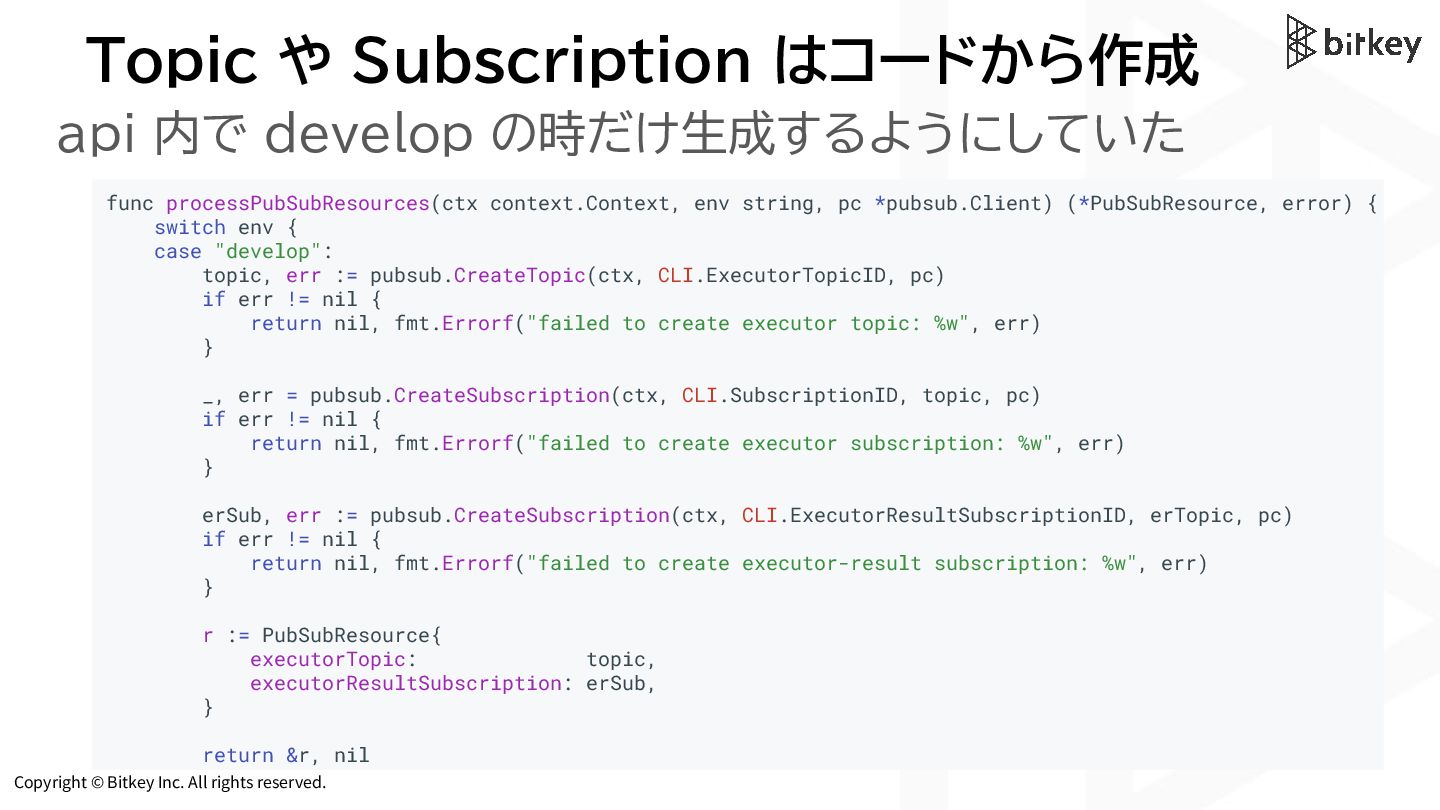
Copyright © Bitkey Inc. All rights reserved. Topic や Subscription
はコードから作成 func processPubSubResources(ctx context.Context, env string, pc *pubsub.Client) (*PubSubResource, error) { switch env { case "develop": topic, err := pubsub.CreateTopic(ctx, CLI.ExecutorTopicID, pc) if err != nil { return nil, fmt.Errorf("failed to create executor topic: %w", err) } _, err = pubsub.CreateSubscription(ctx, CLI.SubscriptionID, topic, pc) if err != nil { return nil, fmt.Errorf("failed to create executor subscription: %w", err) } erSub, err := pubsub.CreateSubscription(ctx, CLI.ExecutorResultSubscriptionID, erTopic, pc) if err != nil { return nil, fmt.Errorf("failed to create executor-result subscription: %w", err) } r := PubSubResource{ executorTopic: topic, executorResultSubscription: erSub, } return &r, nil api 内で develop の時だけ生成するようにしていた -
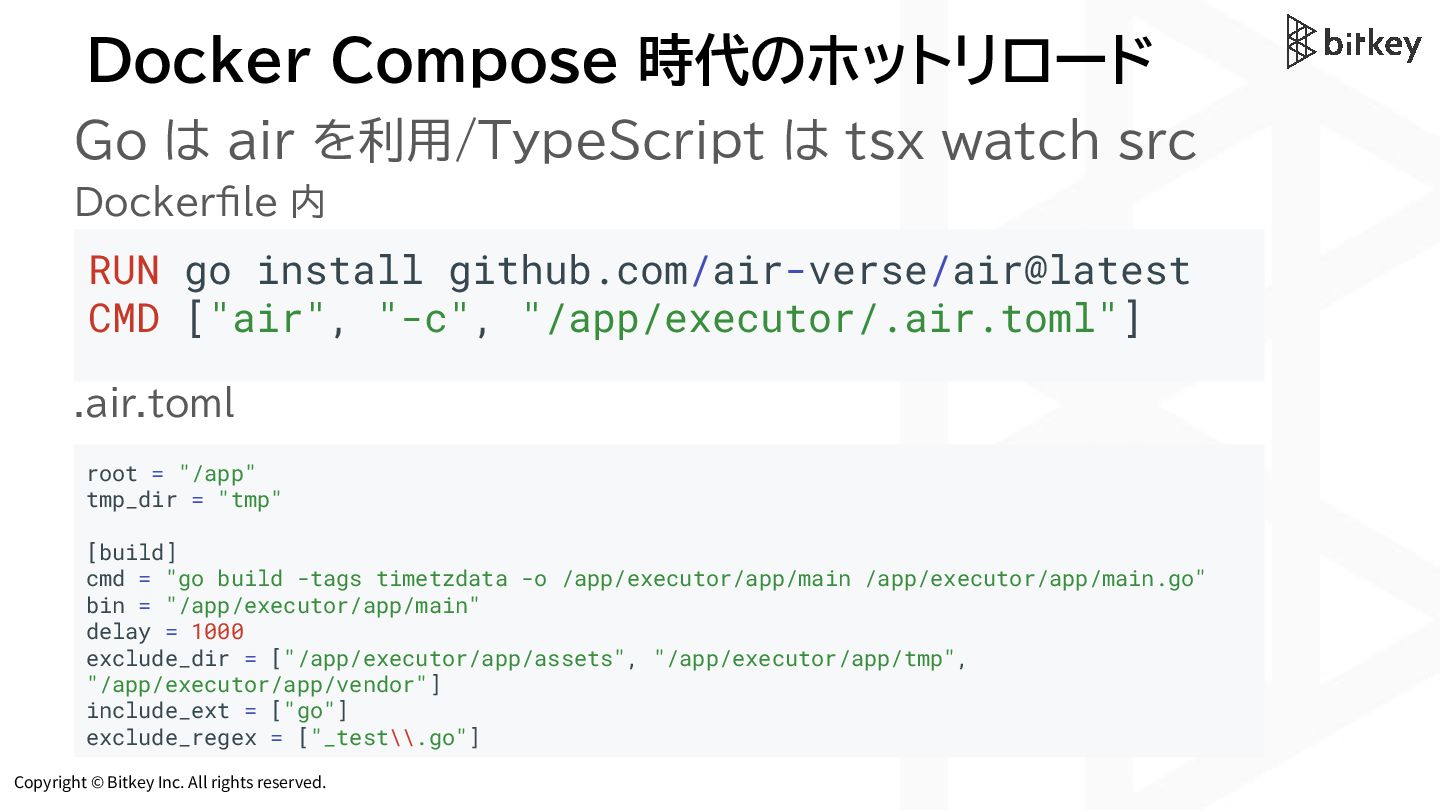
Copyright © Bitkey Inc. All rights reserved. RUN go install
github.com/air-verse/air@latest CMD ["air", "-c", "/app/executor/.air.toml"] Docker Compose 時代のホットリロード Go は air を利用/TypeScript は tsx watch src Dockerfile 内 .air.toml root = "/app" tmp_dir = "tmp" [build] cmd = "go build -tags timetzdata -o /app/executor/app/main /app/executor/app/main.go" bin = "/app/executor/app/main" delay = 1000 exclude_dir = ["/app/executor/app/assets", "/app/executor/app/tmp", "/app/executor/app/vendor"] include_ext = ["go"] exclude_regex = ["_test\\.go"] -
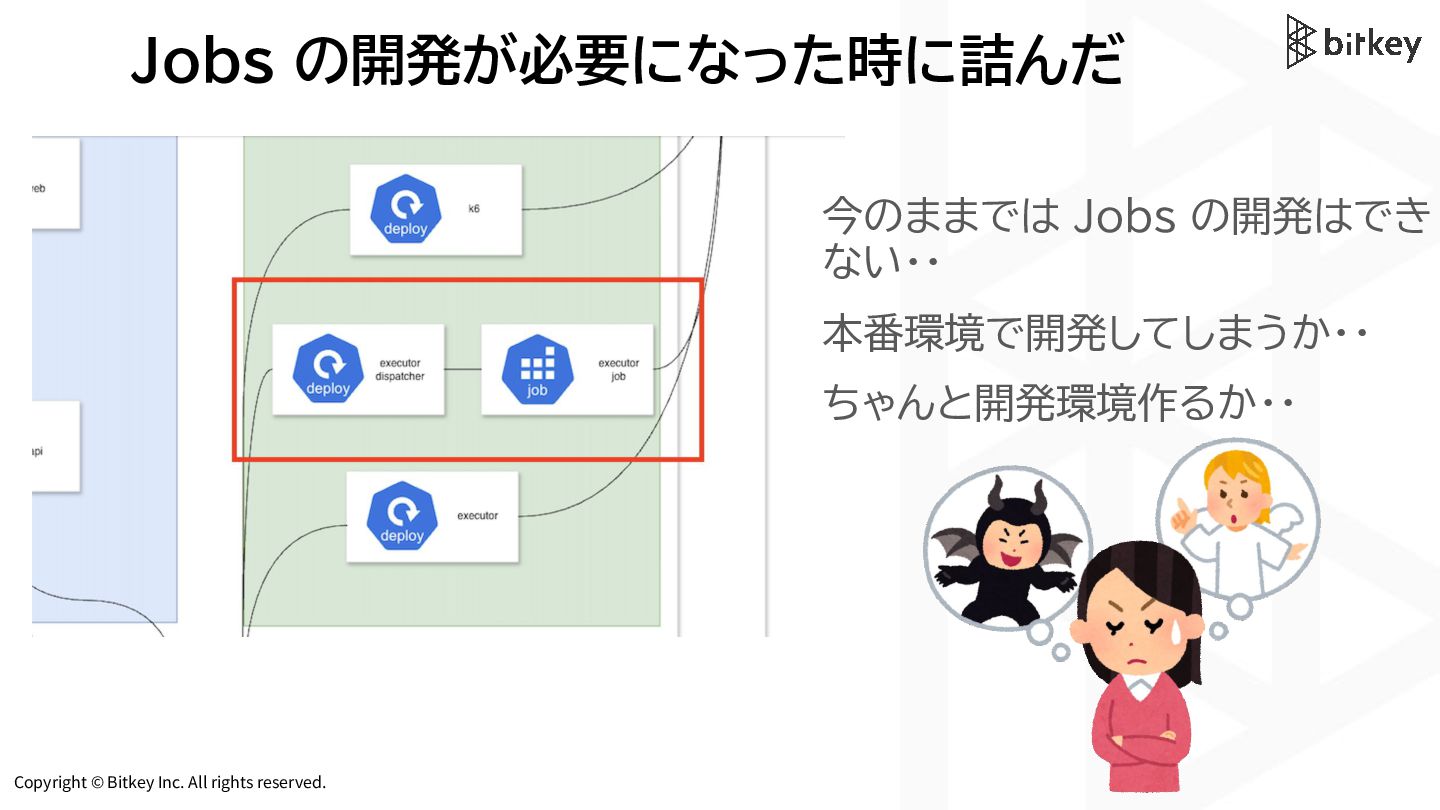
Copyright © Bitkey Inc. All rights reserved. Jobs の開発が必要になった時に詰んだ 今のままでは
Jobs の開発はでき ない・・ 本番環境で開発してしまうか・・ ちゃんと開発環境作るか・・ -
Copyright © Bitkey Inc. All rights reserved. Docker Compose から
Dev Containers & Skaffold への移行 -
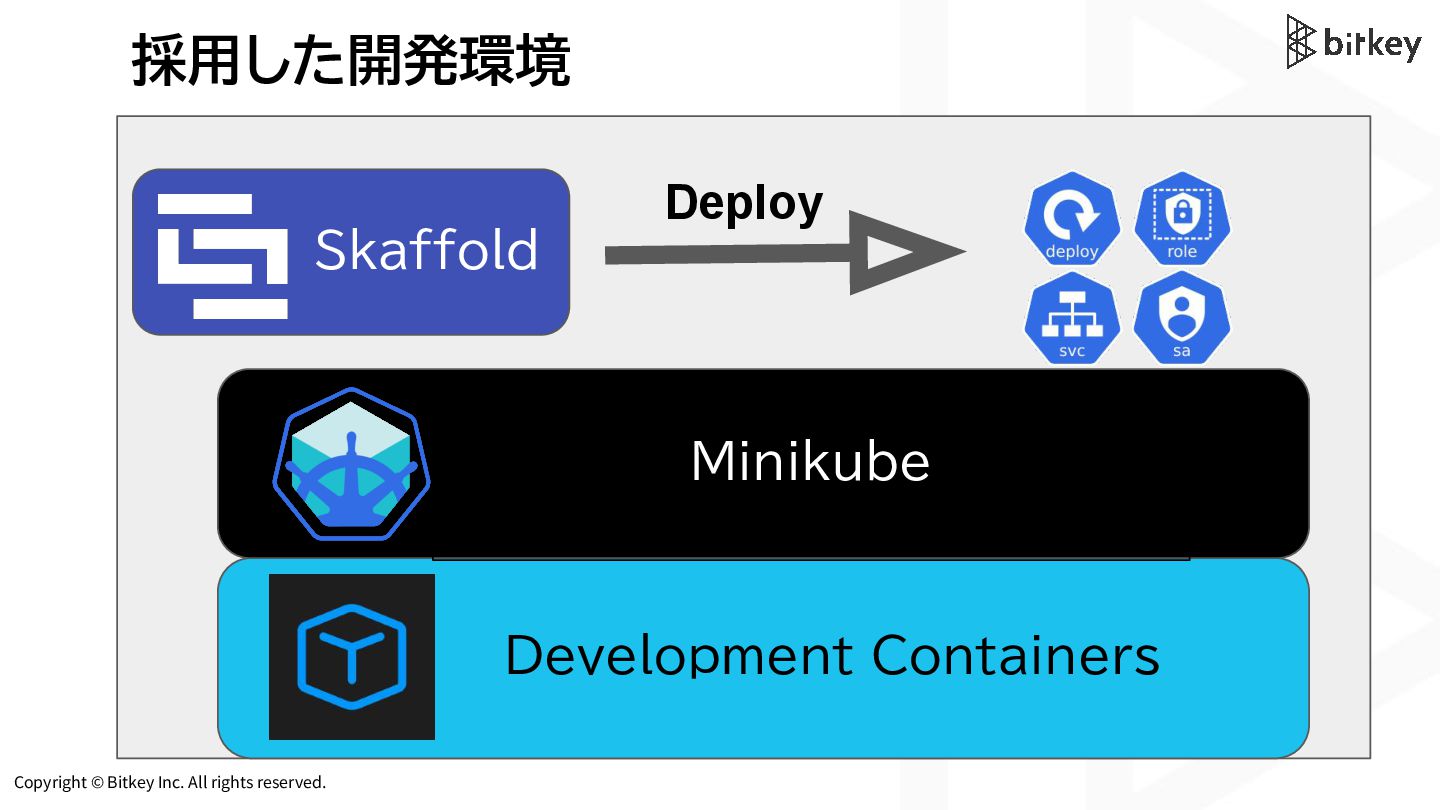
Copyright © Bitkey Inc. All rights reserved. 採用した開発環境 Development Containers
Minikube Skaffold Deploy -
Copyright © Bitkey Inc. All rights reserved. SSoT としての Dev
Containers の 定義ファイル -
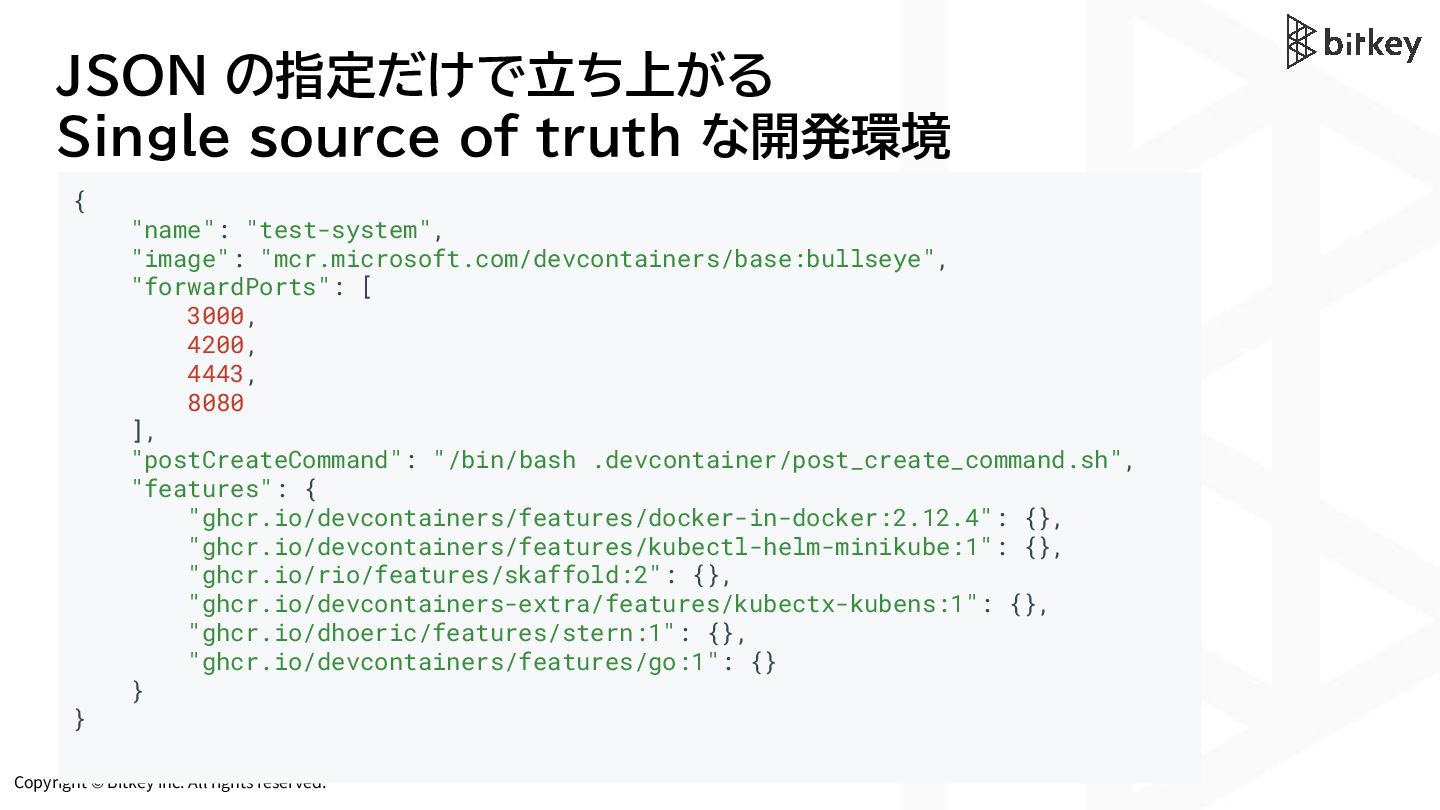
Copyright © Bitkey Inc. All rights reserved. JSON の指定だけで立ち上がる Single
source of truth な開発環境 { "name": "test-system", "image": "mcr.microsoft.com/devcontainers/base:bullseye", "forwardPorts": [ 3000, 4200, 4443, 8080 ], "postCreateCommand": "/bin/bash .devcontainer/post_create_command.sh", "features": { "ghcr.io/devcontainers/features/docker-in-docker:2.12.4": {}, "ghcr.io/devcontainers/features/kubectl-helm-minikube:1": {}, "ghcr.io/rio/features/skaffold:2": {}, "ghcr.io/devcontainers-extra/features/kubectx-kubens:1": {}, "ghcr.io/dhoeric/features/stern:1": {}, "ghcr.io/devcontainers/features/go:1": {} } } -
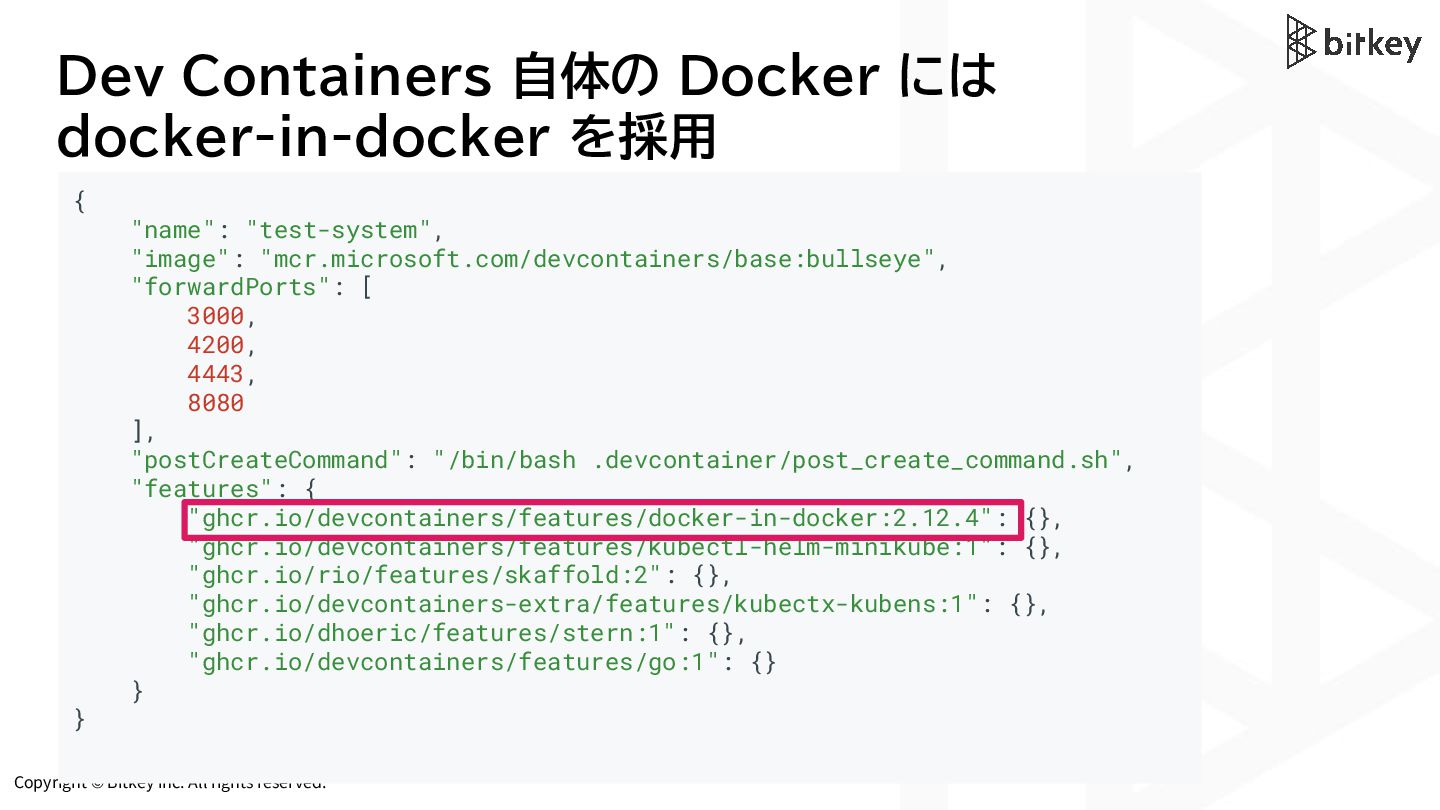
Copyright © Bitkey Inc. All rights reserved. Dev Containers 自体の
Docker には docker-in-docker を採用 { "name": "test-system", "image": "mcr.microsoft.com/devcontainers/base:bullseye", "forwardPorts": [ 3000, 4200, 4443, 8080 ], "postCreateCommand": "/bin/bash .devcontainer/post_create_command.sh", "features": { "ghcr.io/devcontainers/features/docker-in-docker:2.12.4": {}, "ghcr.io/devcontainers/features/kubectl-helm-minikube:1": {}, "ghcr.io/rio/features/skaffold:2": {}, "ghcr.io/devcontainers-extra/features/kubectx-kubens:1": {}, "ghcr.io/dhoeric/features/stern:1": {}, "ghcr.io/devcontainers/features/go:1": {} } } -
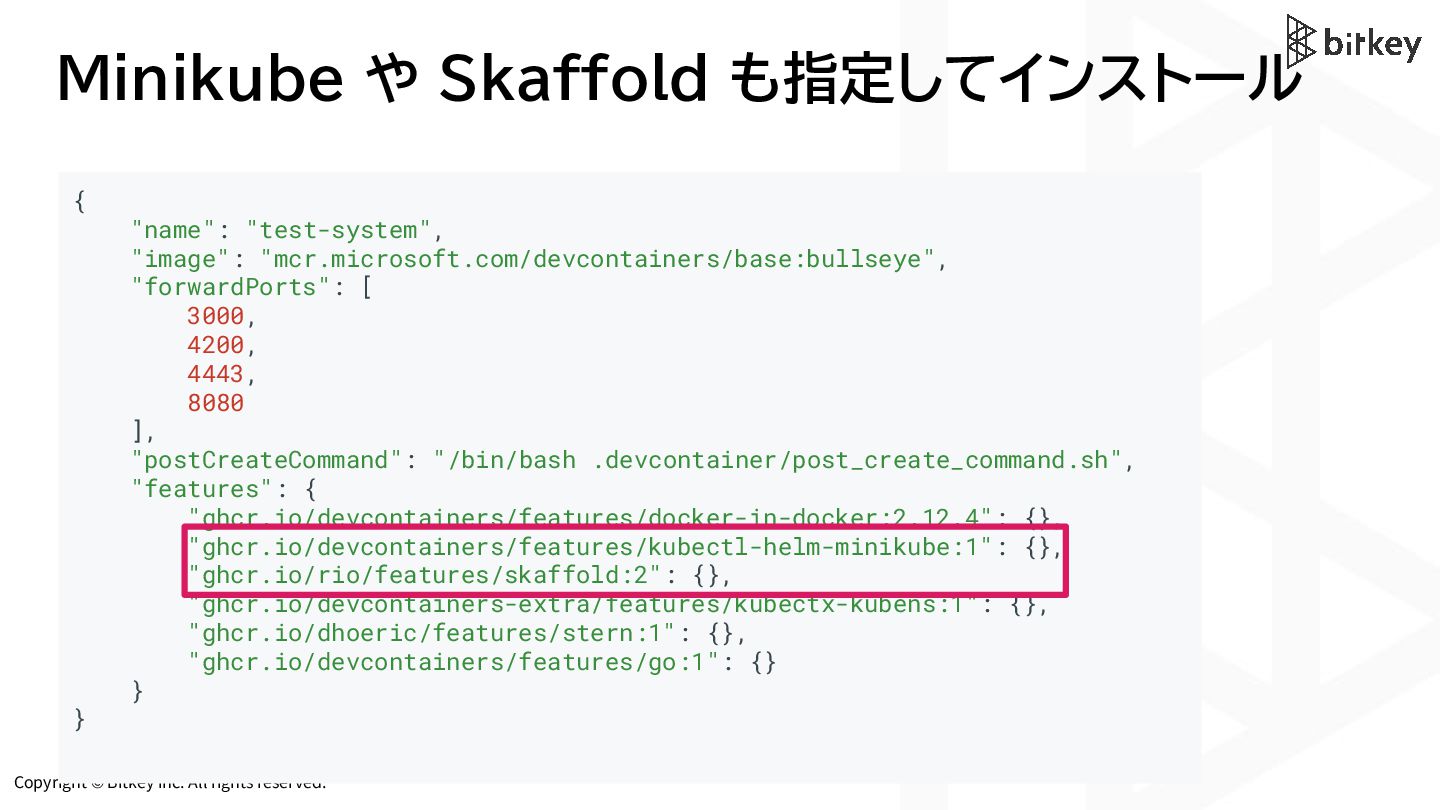
Copyright © Bitkey Inc. All rights reserved. Minikube や Skaffold
も指定してインストール { "name": "test-system", "image": "mcr.microsoft.com/devcontainers/base:bullseye", "forwardPorts": [ 3000, 4200, 4443, 8080 ], "postCreateCommand": "/bin/bash .devcontainer/post_create_command.sh", "features": { "ghcr.io/devcontainers/features/docker-in-docker:2.12.4": {}, "ghcr.io/devcontainers/features/kubectl-helm-minikube:1": {}, "ghcr.io/rio/features/skaffold:2": {}, "ghcr.io/devcontainers-extra/features/kubectx-kubens:1": {}, "ghcr.io/dhoeric/features/stern:1": {}, "ghcr.io/devcontainers/features/go:1": {} } } -
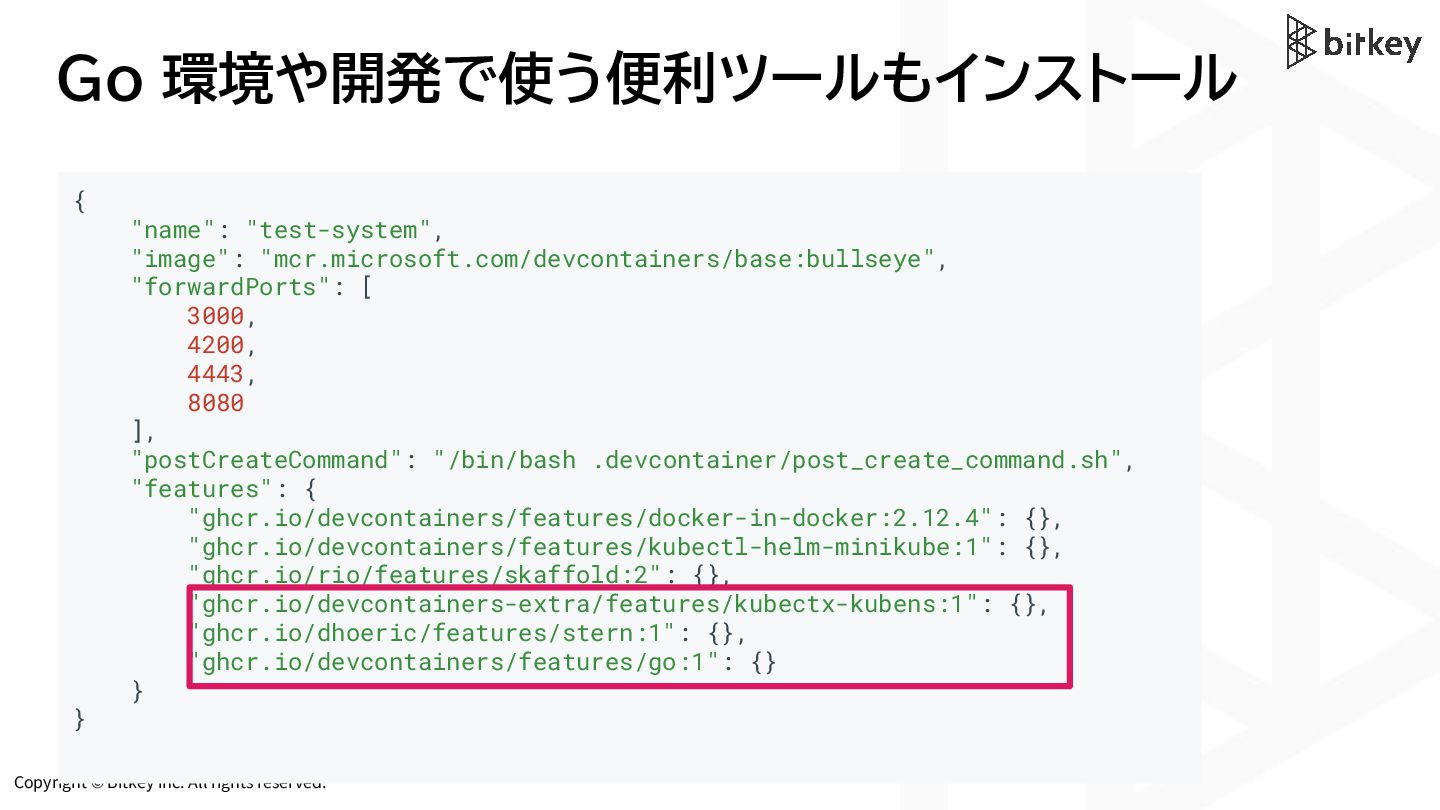
Copyright © Bitkey Inc. All rights reserved. Go 環境や開発で使う便利ツールもインストール {
"name": "test-system", "image": "mcr.microsoft.com/devcontainers/base:bullseye", "forwardPorts": [ 3000, 4200, 4443, 8080 ], "postCreateCommand": "/bin/bash .devcontainer/post_create_command.sh", "features": { "ghcr.io/devcontainers/features/docker-in-docker:2.12.4": {}, "ghcr.io/devcontainers/features/kubectl-helm-minikube:1": {}, "ghcr.io/rio/features/skaffold:2": {}, "ghcr.io/devcontainers-extra/features/kubectx-kubens:1": {}, "ghcr.io/dhoeric/features/stern:1": {}, "ghcr.io/devcontainers/features/go:1": {} } } -
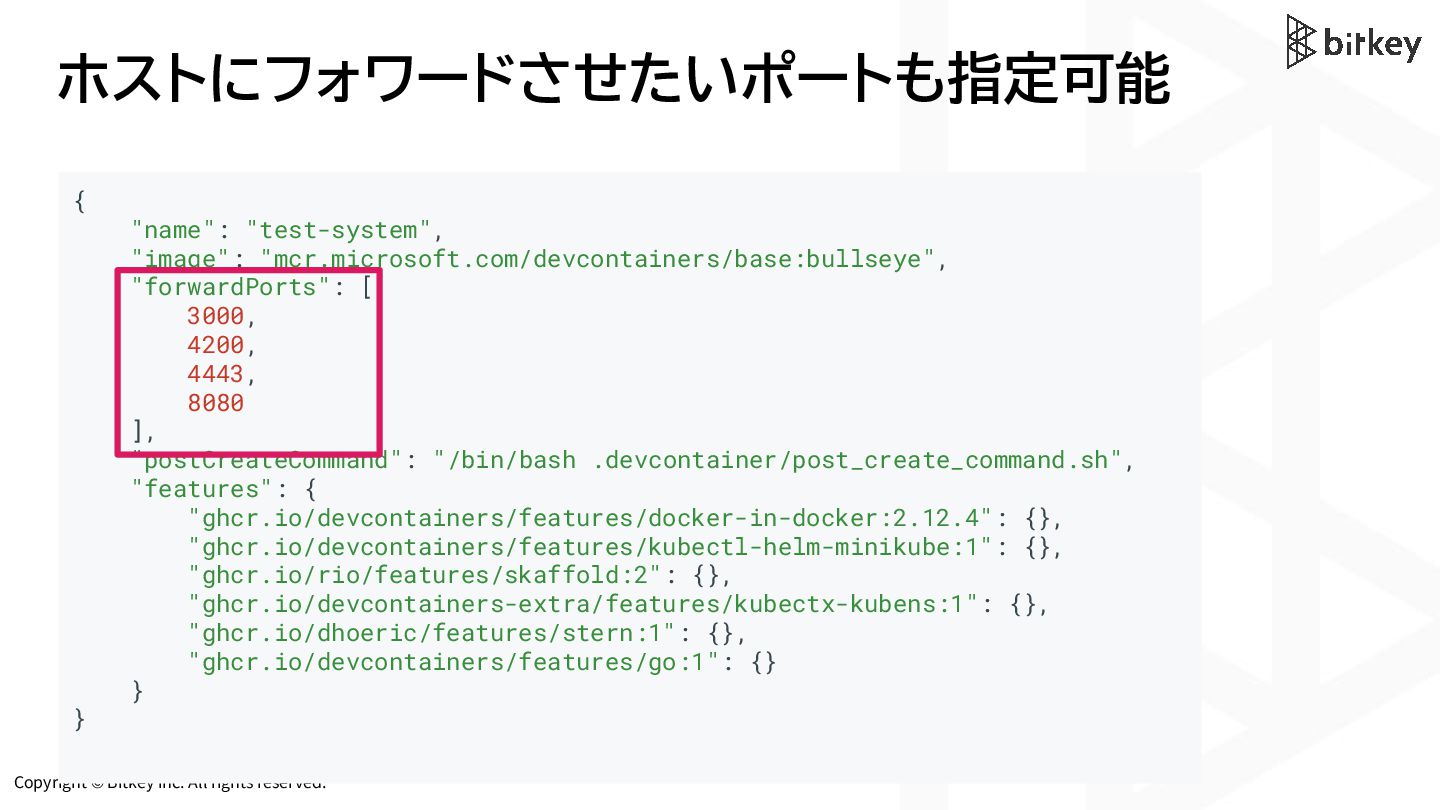
Copyright © Bitkey Inc. All rights reserved. ホストにフォワードさせたいポートも指定可能 { "name":
"test-system", "image": "mcr.microsoft.com/devcontainers/base:bullseye", "forwardPorts": [ 3000, 4200, 4443, 8080 ], "postCreateCommand": "/bin/bash .devcontainer/post_create_command.sh", "features": { "ghcr.io/devcontainers/features/docker-in-docker:2.12.4": {}, "ghcr.io/devcontainers/features/kubectl-helm-minikube:1": {}, "ghcr.io/rio/features/skaffold:2": {}, "ghcr.io/devcontainers-extra/features/kubectx-kubens:1": {}, "ghcr.io/dhoeric/features/stern:1": {}, "ghcr.io/devcontainers/features/go:1": {} } } -
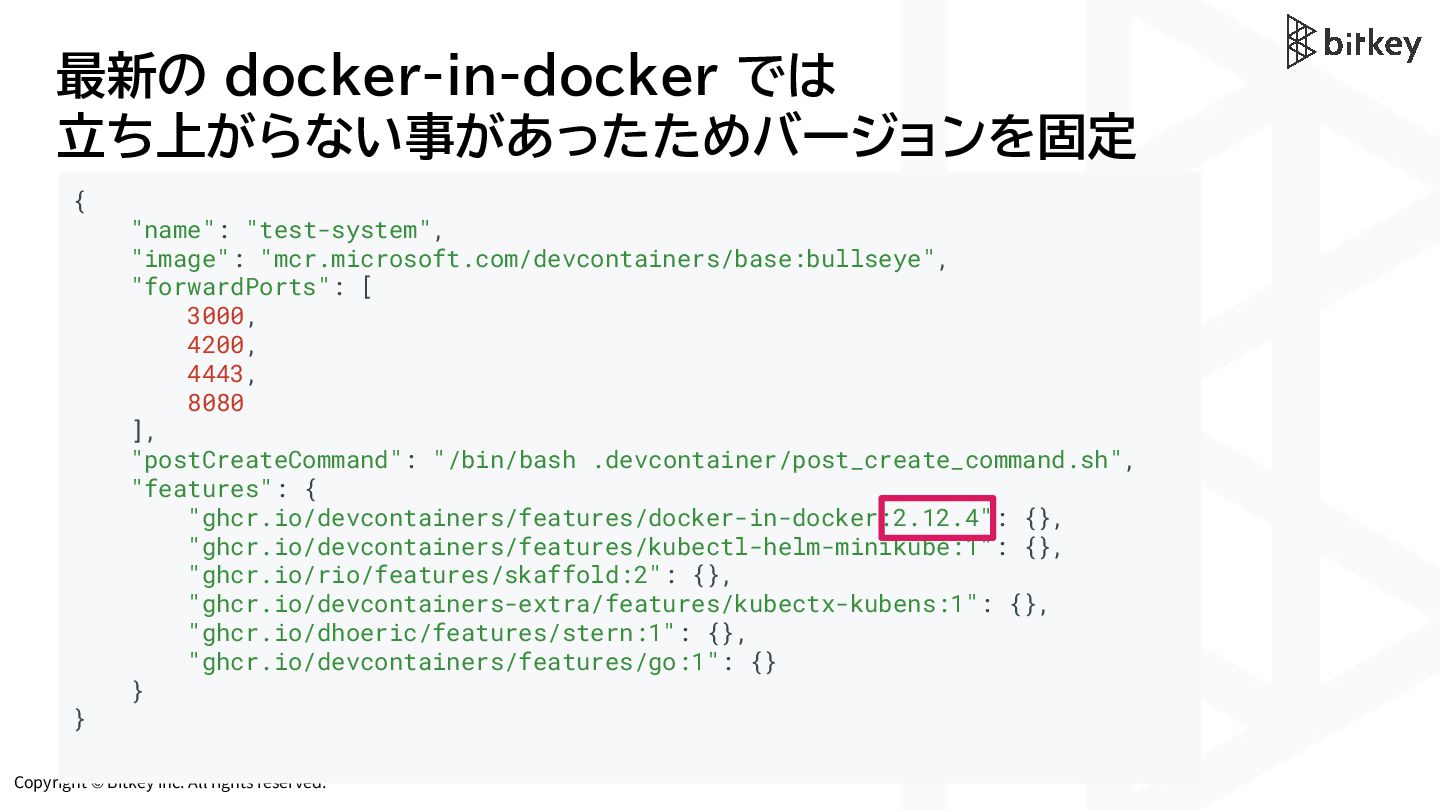
Copyright © Bitkey Inc. All rights reserved. 最新の docker-in-docker では
立ち上がらない事があったためバージョンを固定 { "name": "test-system", "image": "mcr.microsoft.com/devcontainers/base:bullseye", "forwardPorts": [ 3000, 4200, 4443, 8080 ], "postCreateCommand": "/bin/bash .devcontainer/post_create_command.sh", "features": { "ghcr.io/devcontainers/features/docker-in-docker:2.12.4": {}, "ghcr.io/devcontainers/features/kubectl-helm-minikube:1": {}, "ghcr.io/rio/features/skaffold:2": {}, "ghcr.io/devcontainers-extra/features/kubectx-kubens:1": {}, "ghcr.io/dhoeric/features/stern:1": {}, "ghcr.io/devcontainers/features/go:1": {} } } -
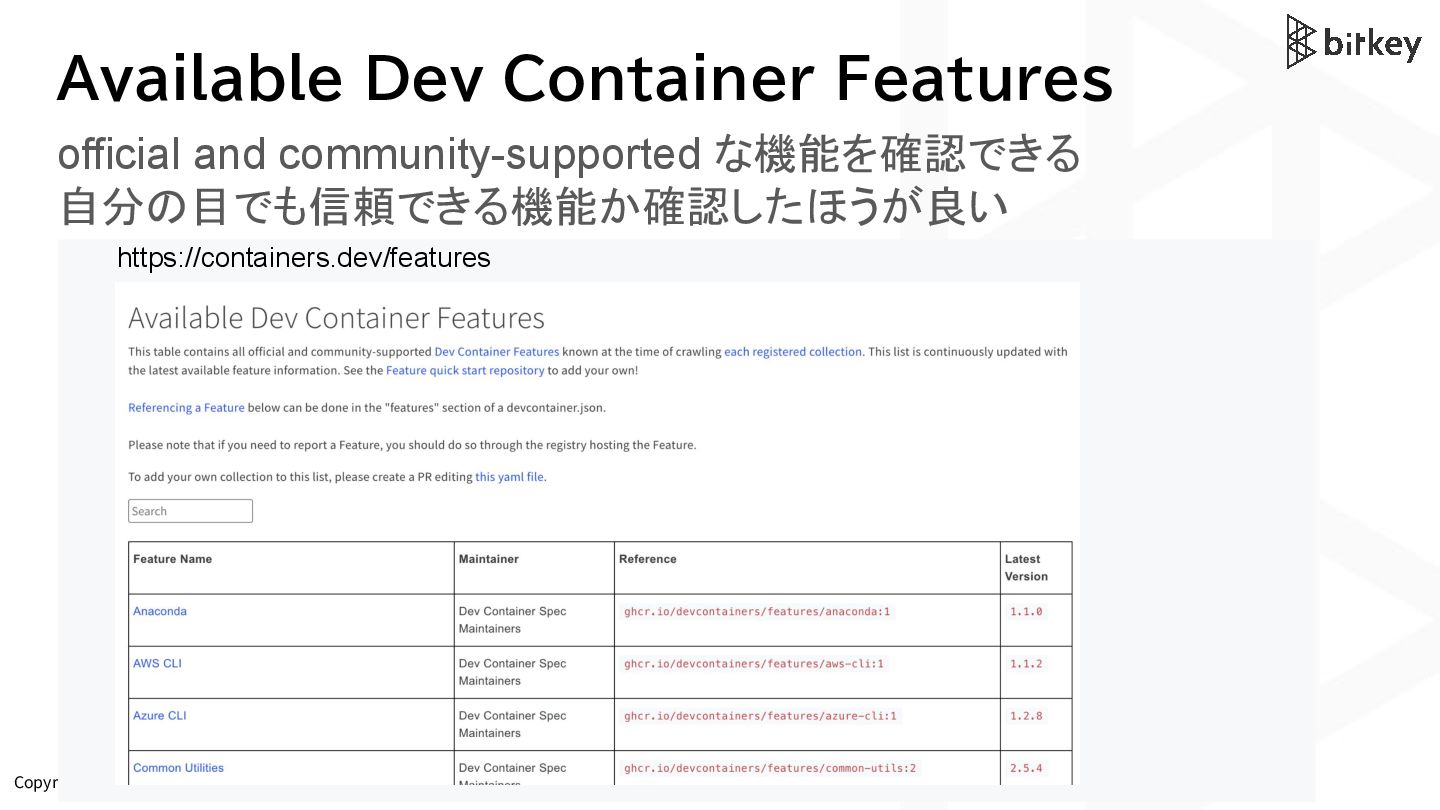
Copyright © Bitkey Inc. All rights reserved. Available Dev Container
Features official and community-supported な機能を確認できる 自分の目でも信頼できる機能か確認したほうが良い https://containers.dev/features -
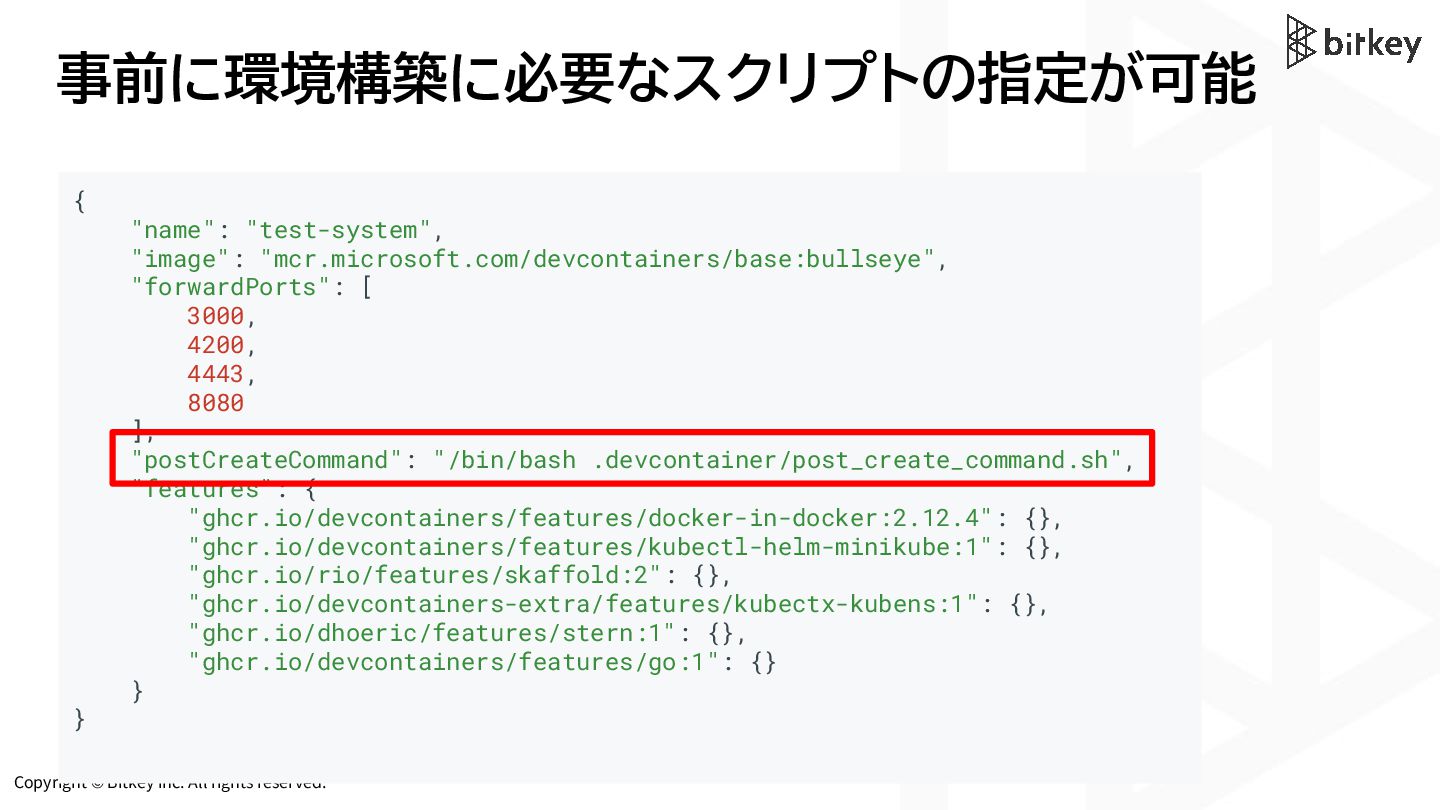
Copyright © Bitkey Inc. All rights reserved. 事前に環境構築に必要なスクリプトの指定が可能 { "name":
"test-system", "image": "mcr.microsoft.com/devcontainers/base:bullseye", "forwardPorts": [ 3000, 4200, 4443, 8080 ], "postCreateCommand": "/bin/bash .devcontainer/post_create_command.sh", "features": { "ghcr.io/devcontainers/features/docker-in-docker:2.12.4": {}, "ghcr.io/devcontainers/features/kubectl-helm-minikube:1": {}, "ghcr.io/rio/features/skaffold:2": {}, "ghcr.io/devcontainers-extra/features/kubectx-kubens:1": {}, "ghcr.io/dhoeric/features/stern:1": {}, "ghcr.io/devcontainers/features/go:1": {} } } -
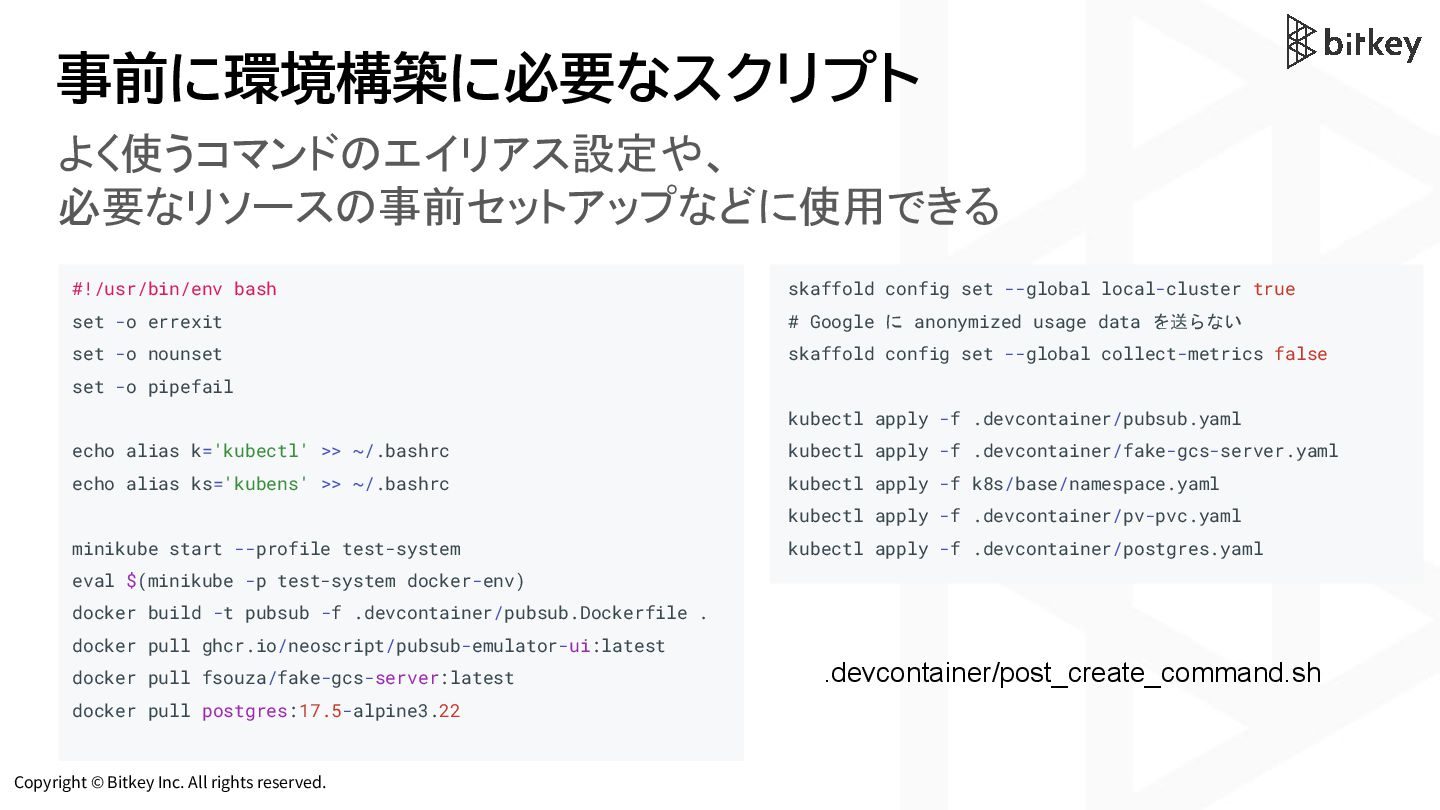
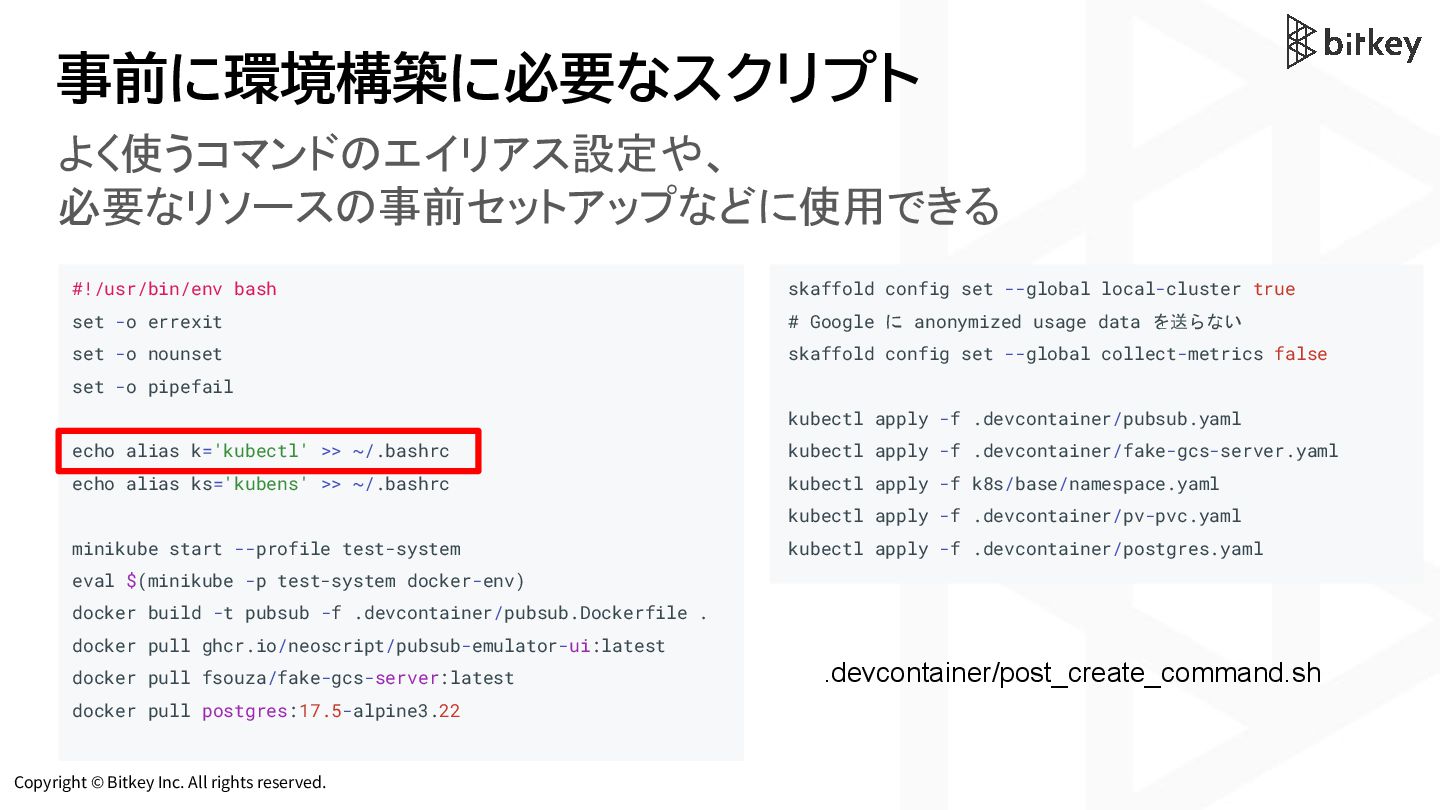
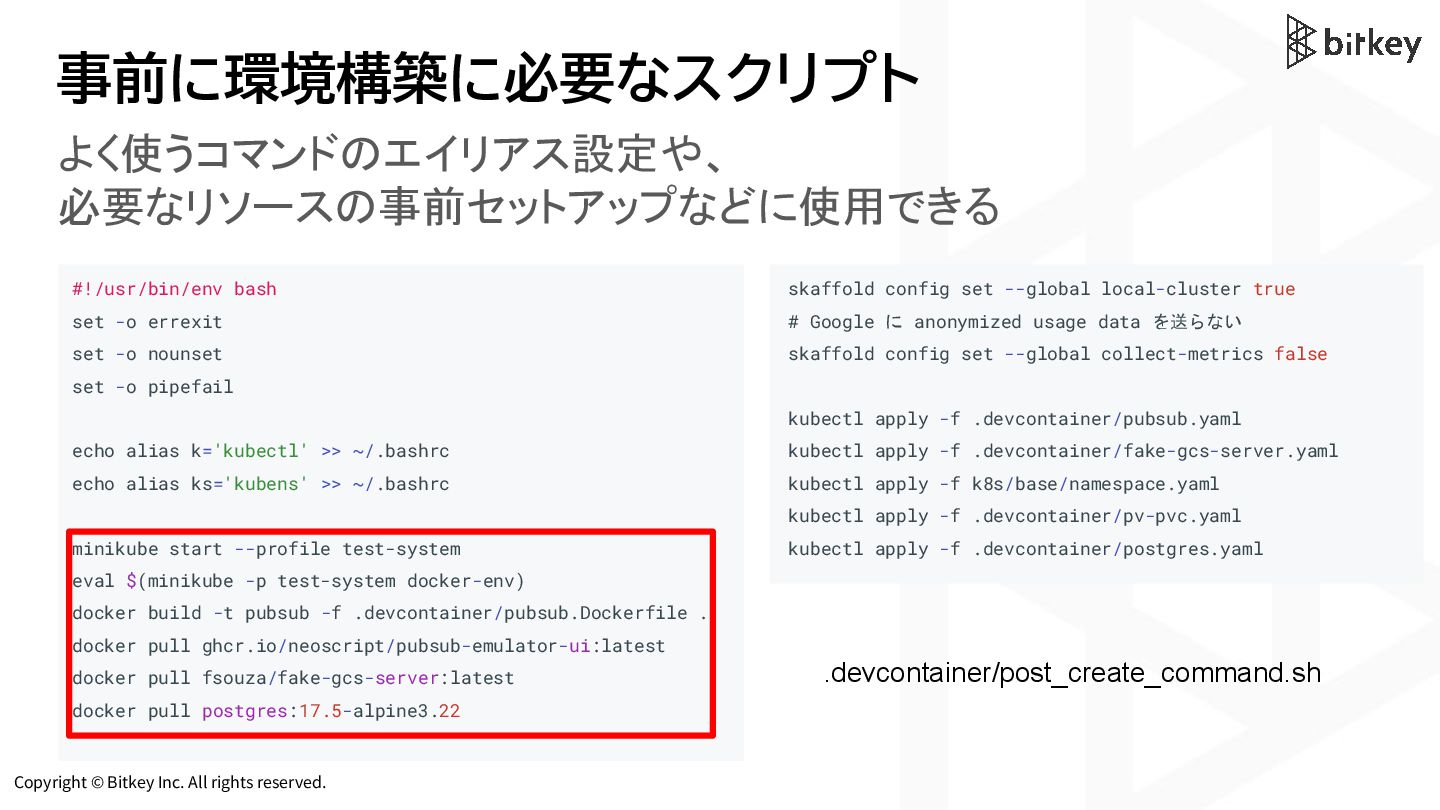
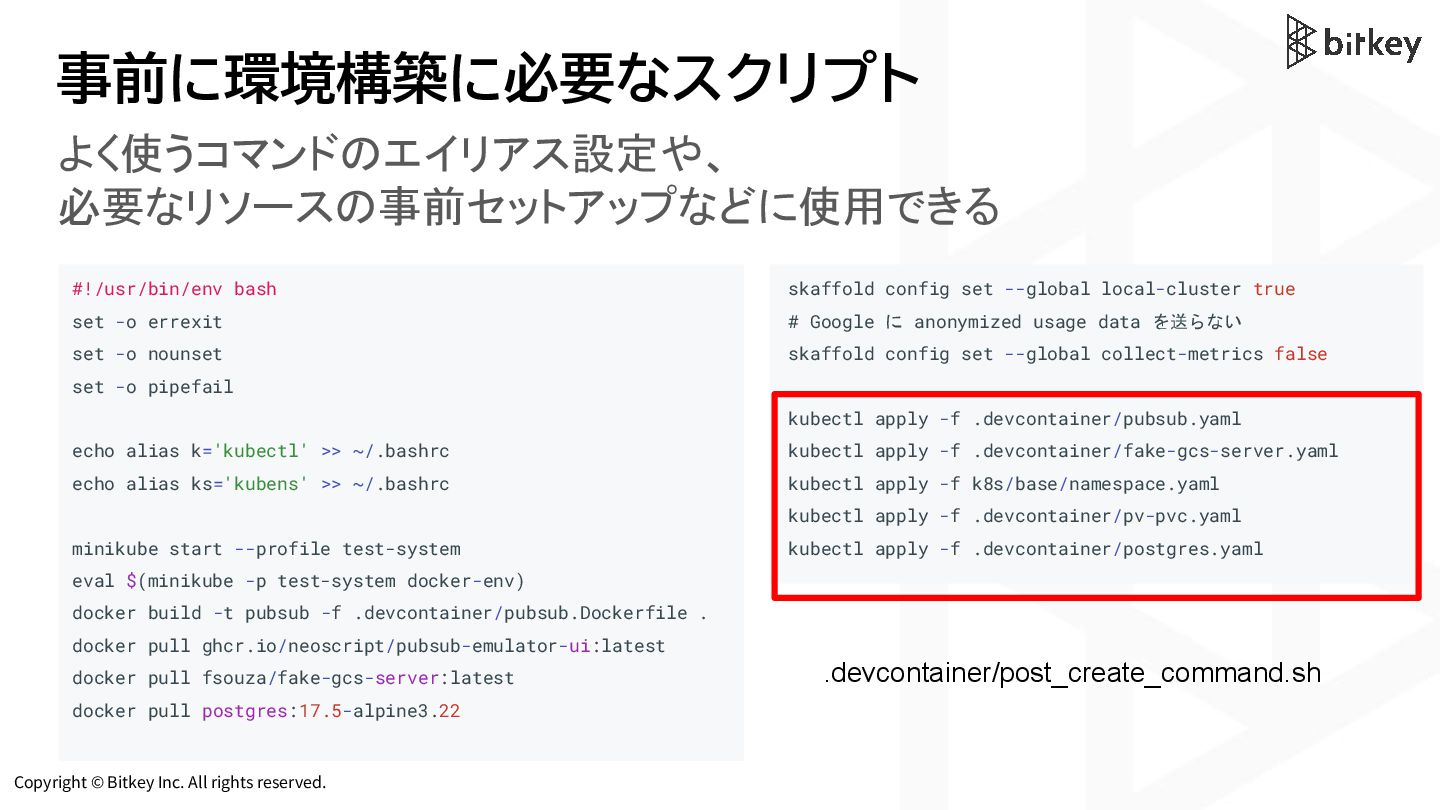
Copyright © Bitkey Inc. All rights reserved. 事前に環境構築に必要なスクリプト #!/usr/bin/env bash
set -o errexit set -o nounset set -o pipefail echo alias k='kubectl' >> ~/.bashrc echo alias ks='kubens' >> ~/.bashrc minikube start --profile test-system eval $(minikube -p test-system docker-env) docker build -t pubsub -f .devcontainer/pubsub.Dockerfile . docker pull ghcr.io/neoscript/pubsub-emulator-ui:latest docker pull fsouza/fake-gcs-server:latest docker pull postgres:17.5-alpine3.22 skaffold config set --global local-cluster true # Google に anonymized usage data を送らない skaffold config set --global collect-metrics false kubectl apply -f .devcontainer/pubsub.yaml kubectl apply -f .devcontainer/fake-gcs-server.yaml kubectl apply -f k8s/base/namespace.yaml kubectl apply -f .devcontainer/pv-pvc.yaml kubectl apply -f .devcontainer/postgres.yaml .devcontainer/post_create_command.sh よく使うコマンドのエイリアス設定や、 必要なリソースの事前セットアップなどに使用できる -
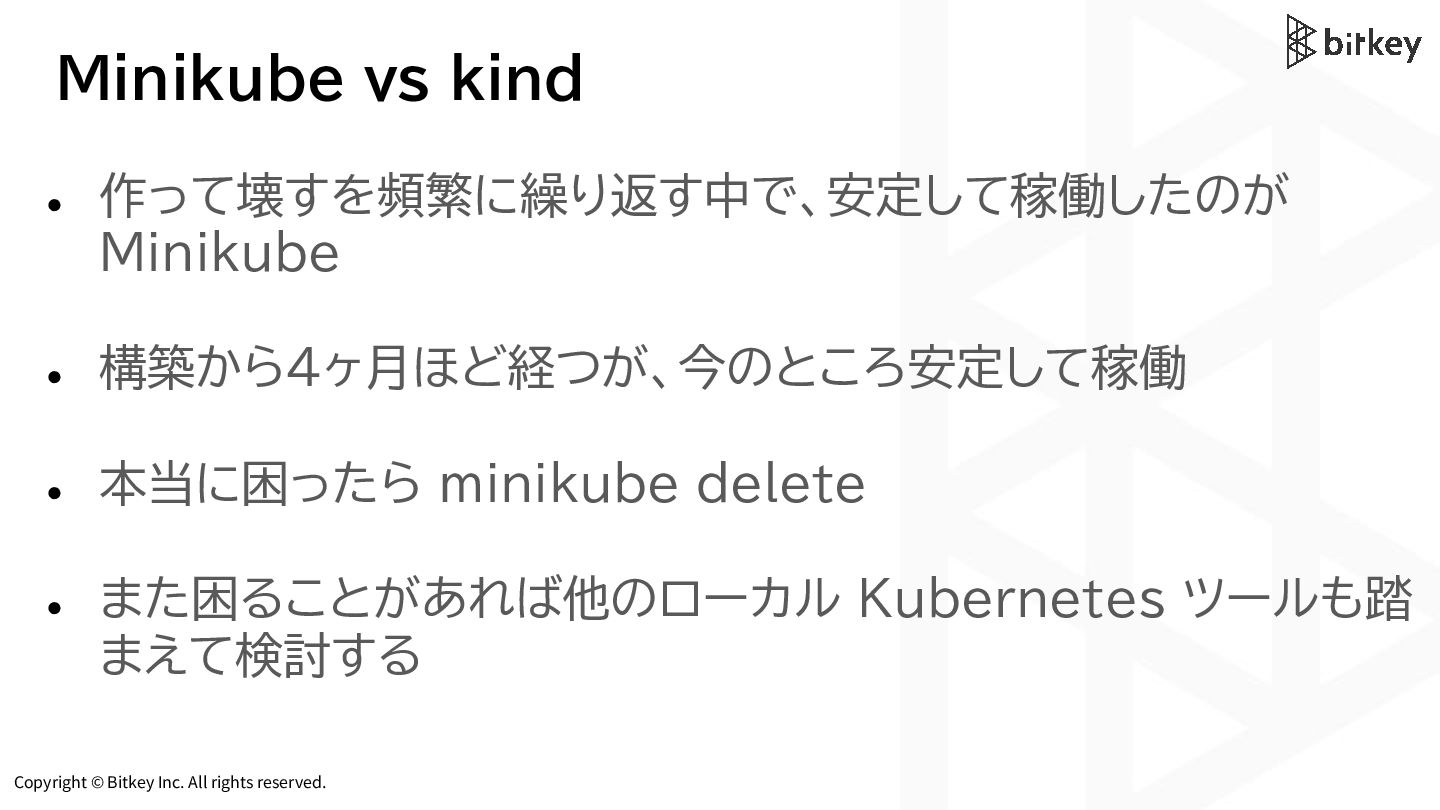
Copyright © Bitkey Inc. All rights reserved. Minikube vs kind
• 作って壊すを頻繁に繰り返す中で、安定して稼働したのが Minikube • 構築から4ヶ月ほど経つが、今のところ安定して稼働 • 本当に困ったら minikube delete • また困ることがあれば他のローカル Kubernetes ツールも踏 まえて検討する -
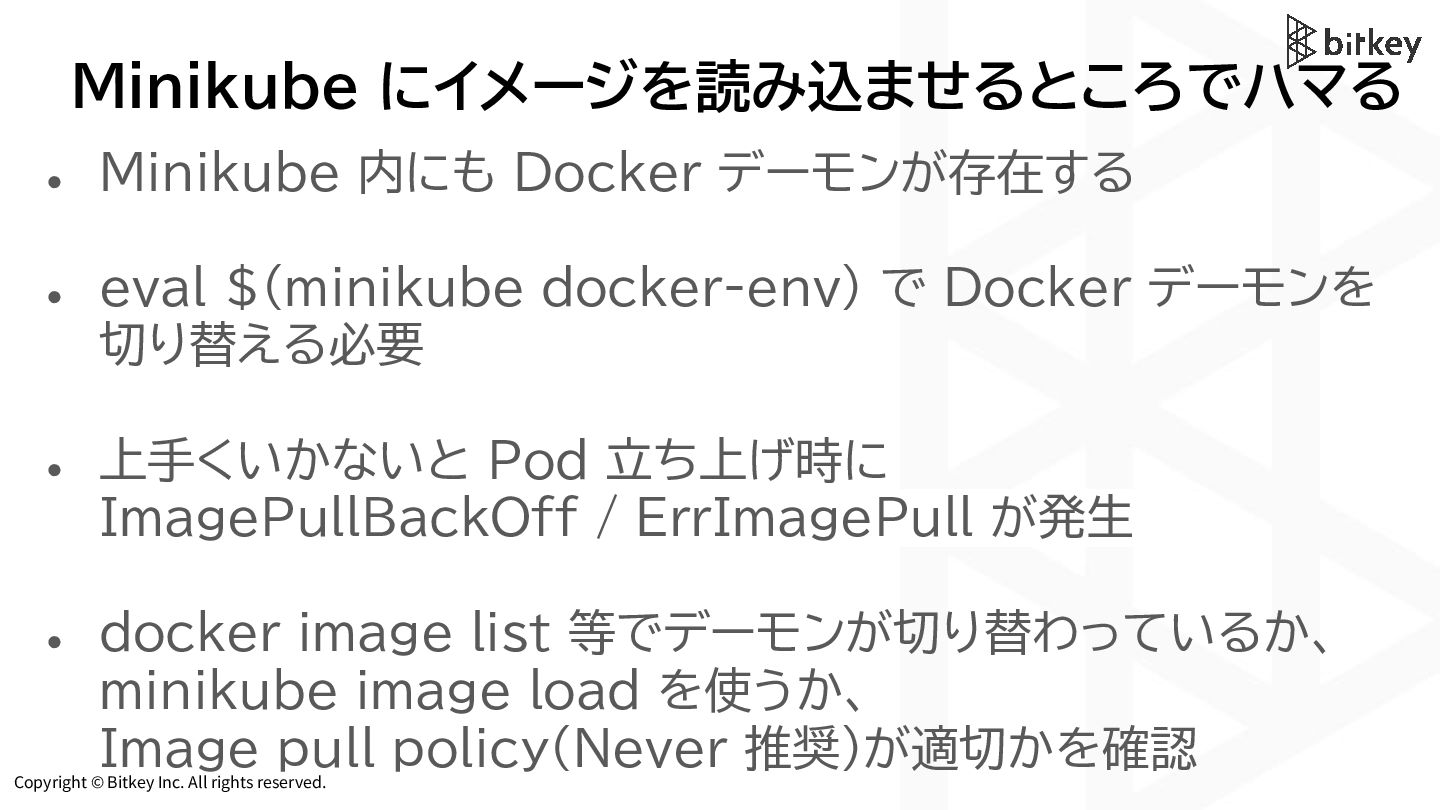
Copyright © Bitkey Inc. All rights reserved. Minikube にイメージを読み込ませるところでハマる •
Minikube 内にも Docker デーモンが存在する • eval $(minikube docker-env) で Docker デーモンを 切り替える必要 • 上手くいかないと Pod 立ち上げ時に ImagePullBackOff / ErrImagePull が発生 • docker image list 等でデーモンが切り替わっているか、 minikube image load を使うか、 Image pull policy(Never 推奨)が適切かを確認 -
Copyright © Bitkey Inc. All rights reserved. 開発用 k8s リソースを
Skaffold で管理する -
Copyright © Bitkey Inc. All rights reserved. Skaffold の採用 Skaffold
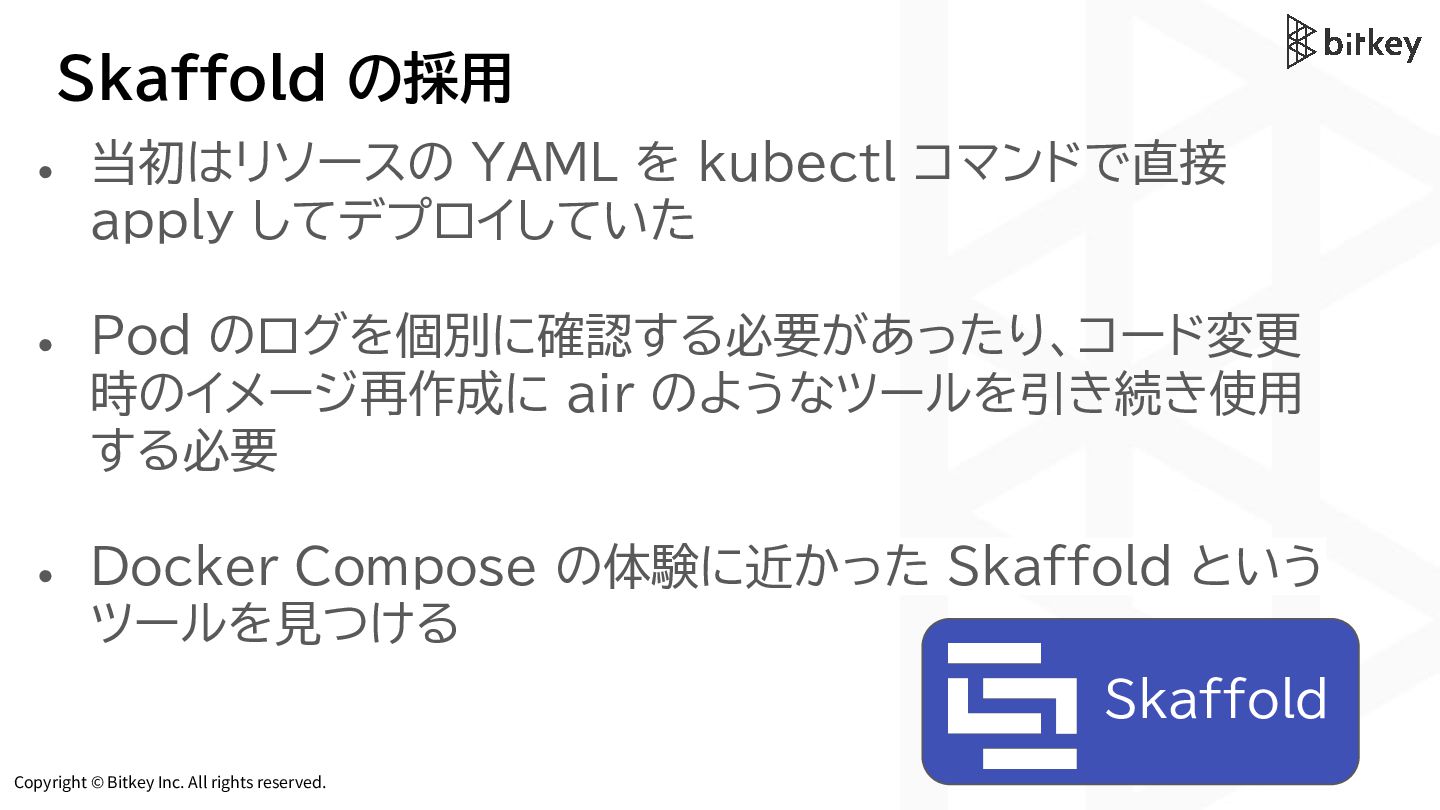
• 当初はリソースの YAML を kubectl コマンドで直接 apply してデプロイしていた • Pod のログを個別に確認する必要があったり、コード変更 時のイメージ再作成に air のようなツールを引き続き使用 する必要 • Docker Compose の体験に近かった Skaffold という ツールを見つける -
Copyright © Bitkey Inc. All rights reserved. お気に入りの Docker Compose
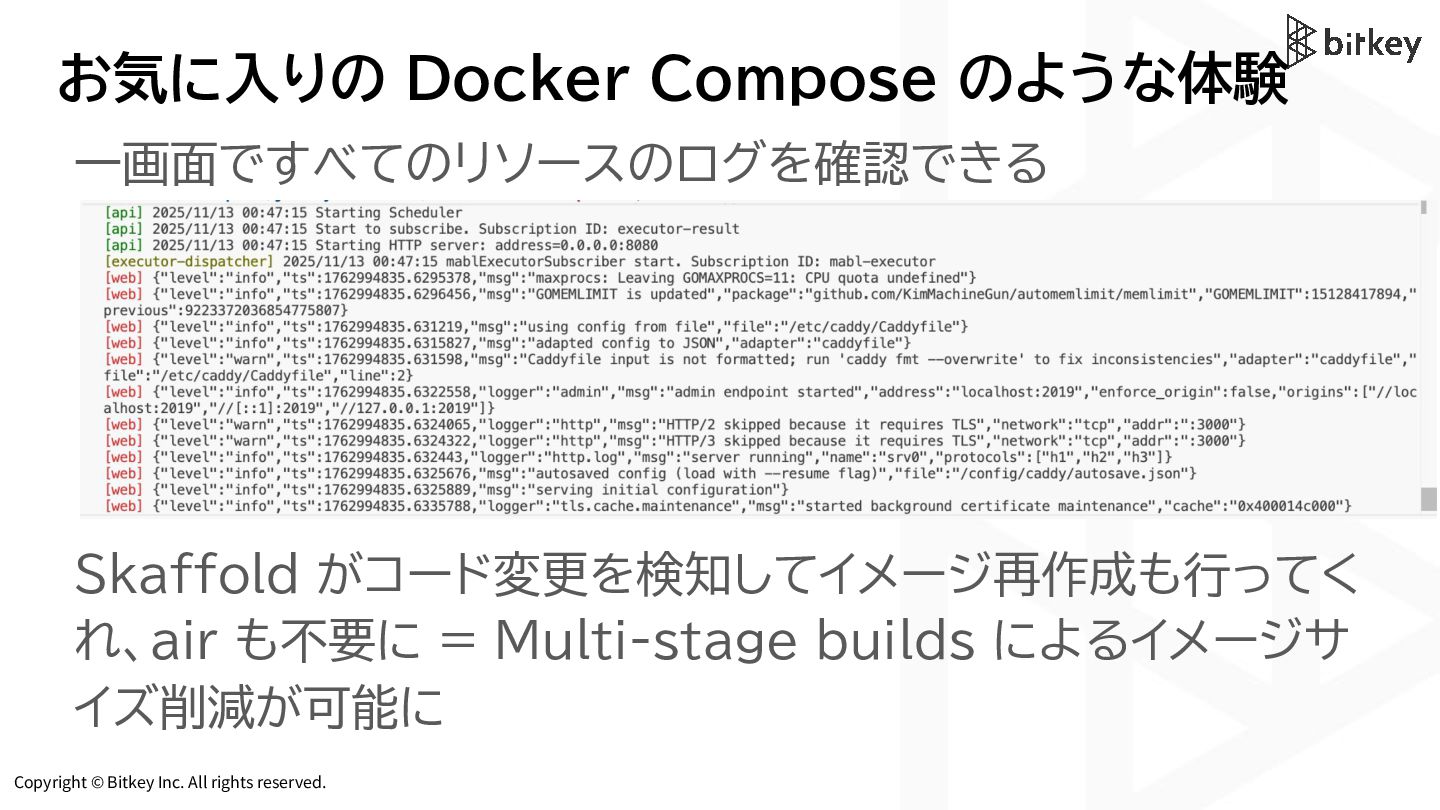
のような体験 一画面ですべてのリソースのログを確認できる Skaffold がコード変更を検知してイメージ再作成も行ってく れ、air も不要に = Multi-stage builds によるイメージサ イズ削減が可能に -
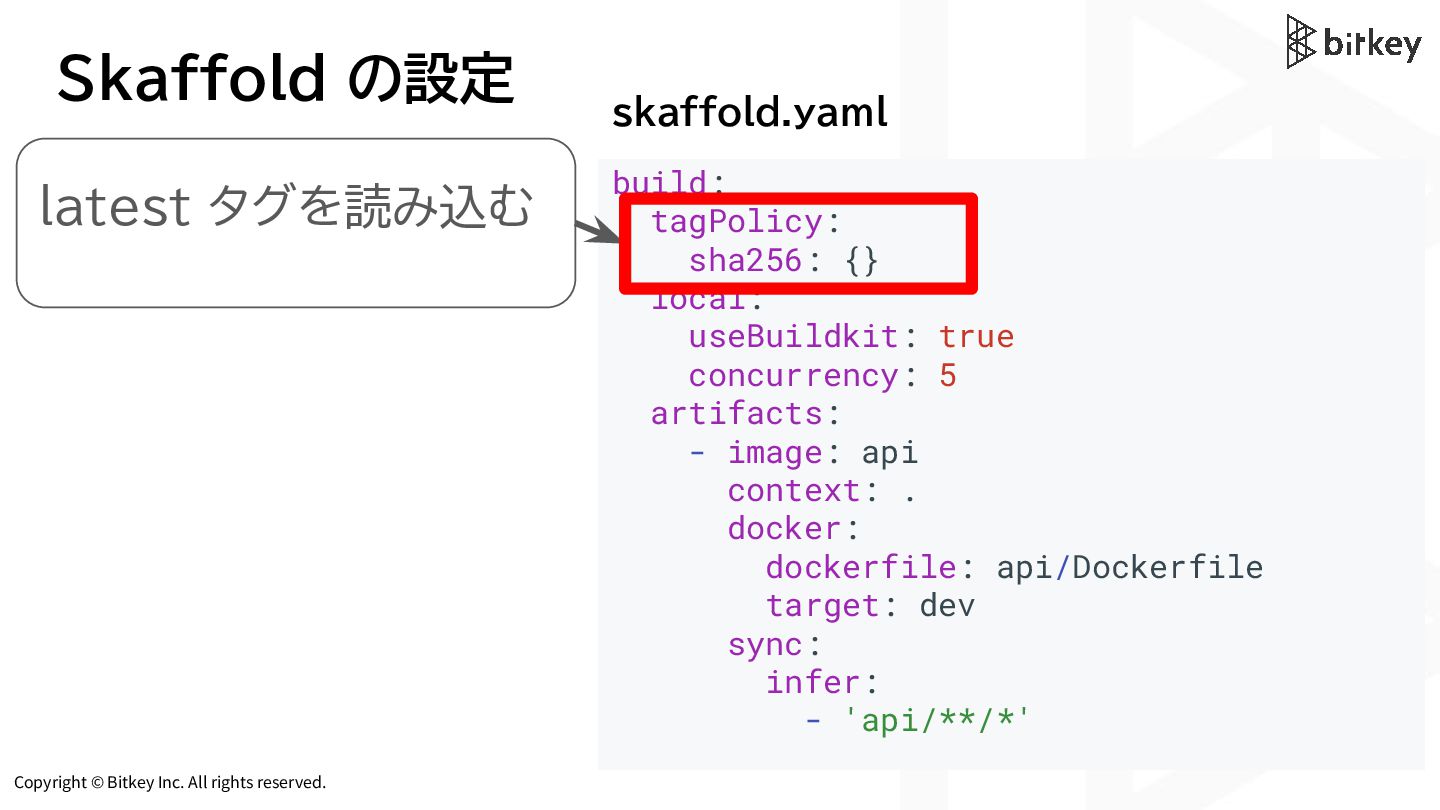
Copyright © Bitkey Inc. All rights reserved. Skaffold の設定 build:
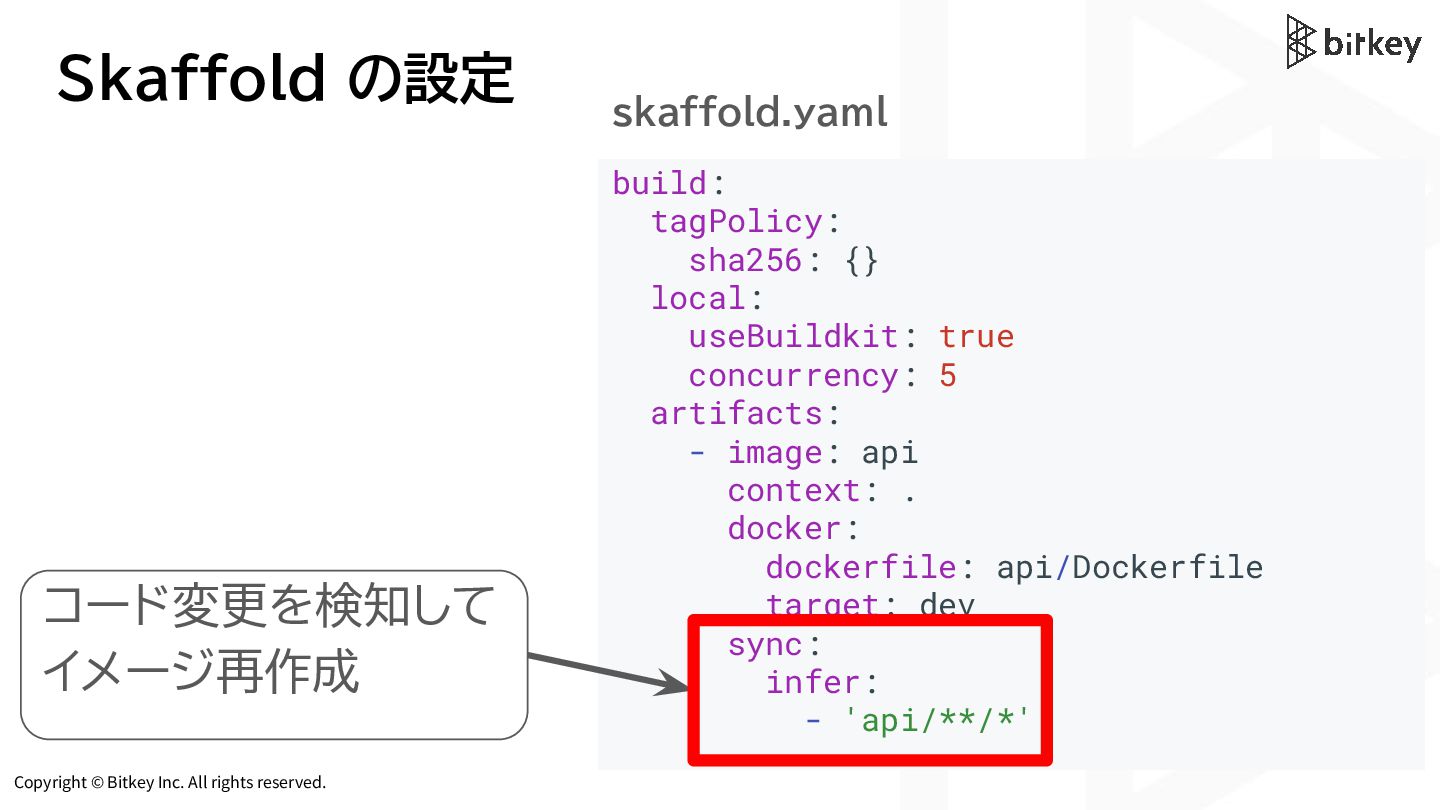
tagPolicy: sha256: {} local: useBuildkit: true concurrency: 5 artifacts: - image: api context: . docker: dockerfile: api/Dockerfile target: dev sync: infer: - 'api/**/*' skaffold.yaml コード変更を検知して イメージ再作成 -
Copyright © Bitkey Inc. All rights reserved. Skaffold の設定 build:
tagPolicy: sha256: {} local: useBuildkit: true concurrency: 5 artifacts: - image: api context: . docker: dockerfile: api/Dockerfile target: dev sync: infer: - 'api/**/*' skaffold.yaml latest タグを読み込む -
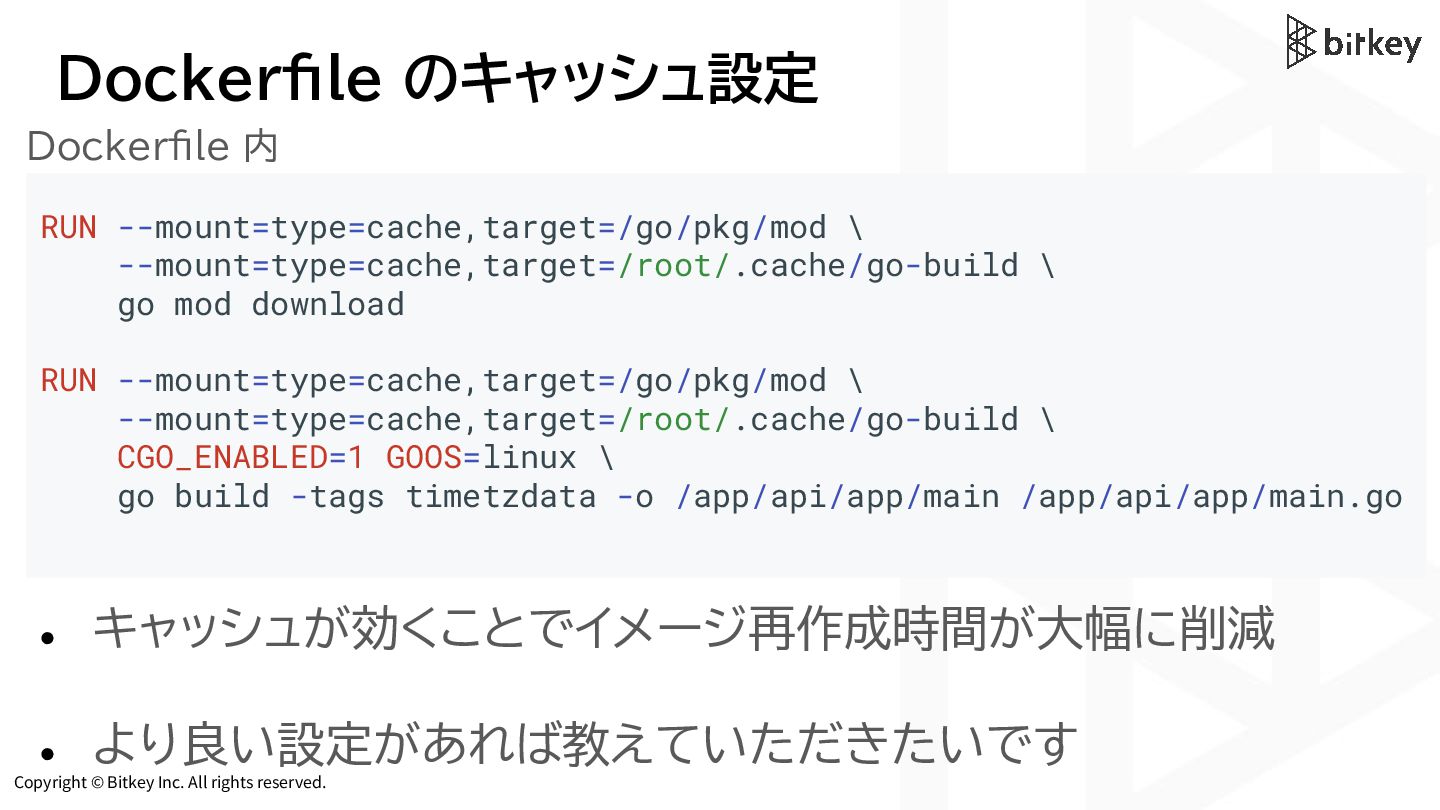
Copyright © Bitkey Inc. All rights reserved. Dockerfile のキャッシュ設定 Dockerfile
内 RUN --mount=type=cache,target=/go/pkg/mod \ --mount=type=cache,target=/root/.cache/go-build \ go mod download RUN --mount=type=cache,target=/go/pkg/mod \ --mount=type=cache,target=/root/.cache/go-build \ CGO_ENABLED=1 GOOS=linux \ go build -tags timetzdata -o /app/api/app/main /app/api/app/main.go • キャッシュが効くことでイメージ再作成時間が大幅に削減 • より良い設定があれば教えていただきたいです -
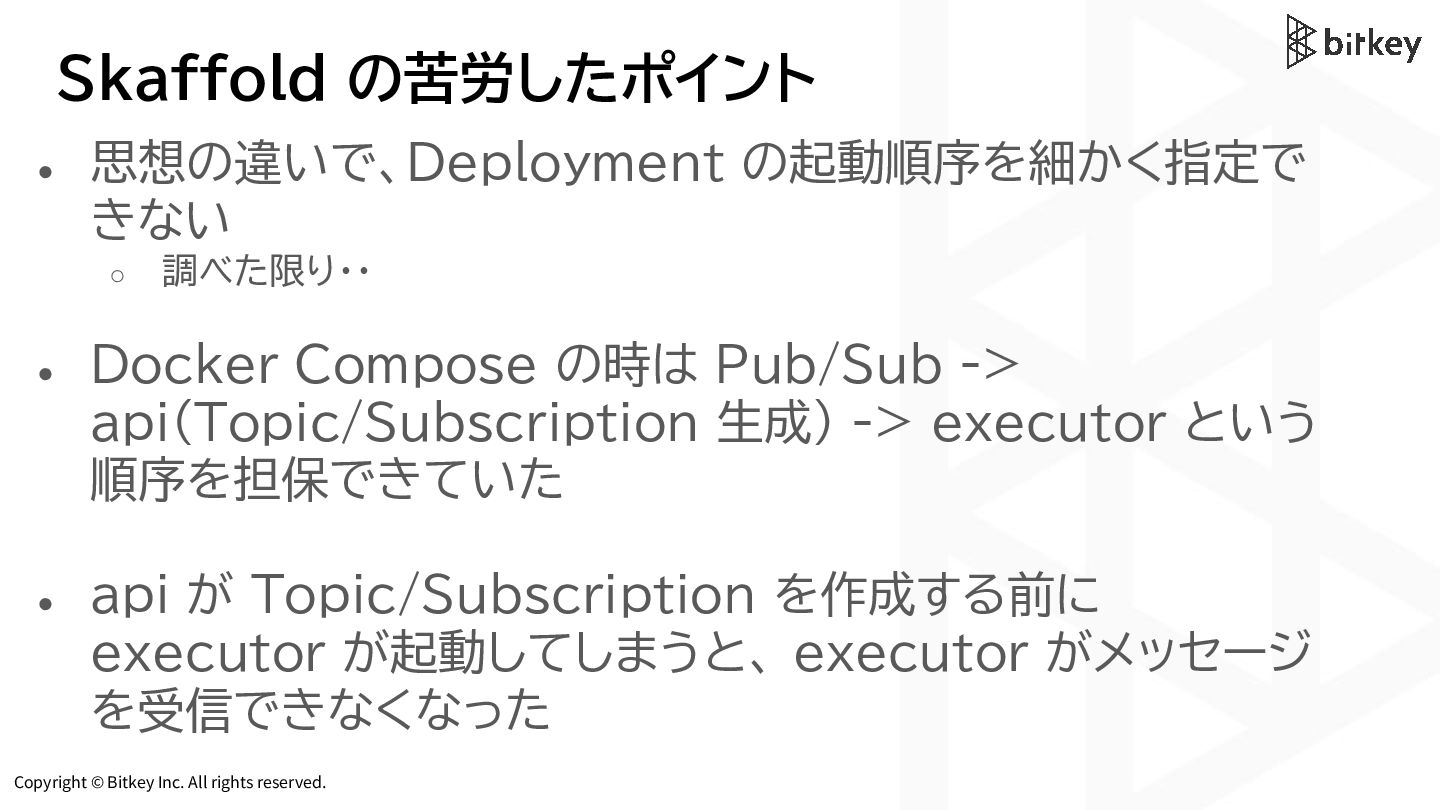
Copyright © Bitkey Inc. All rights reserved. Skaffold の苦労したポイント •
思想の違いで、Deployment の起動順序を細かく指定で きない ◦ 調べた限り・・ • Docker Compose の時は Pub/Sub -> api(Topic/Subscription 生成) -> executor という 順序を担保できていた • api が Topic/Subscription を作成する前に executor が起動してしまうと、 executor がメッセージ を受信できなくなった -
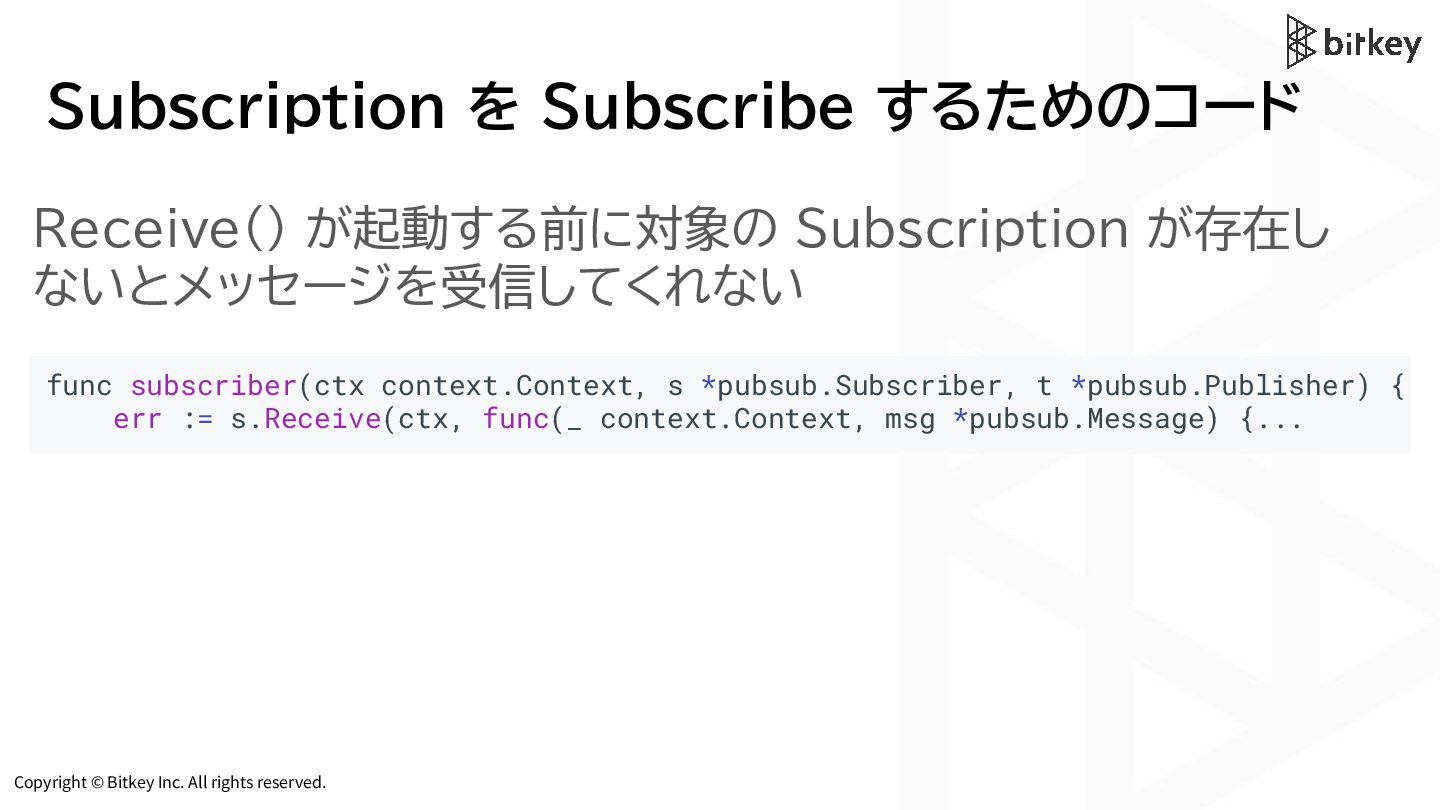
Copyright © Bitkey Inc. All rights reserved. Subscription を Subscribe
するためのコード func subscriber(ctx context.Context, s *pubsub.Subscriber, t *pubsub.Publisher) { err := s.Receive(ctx, func(_ context.Context, msg *pubsub.Message) {... Receive() が起動する前に対象の Subscription が存在し ないとメッセージを受信してくれない -
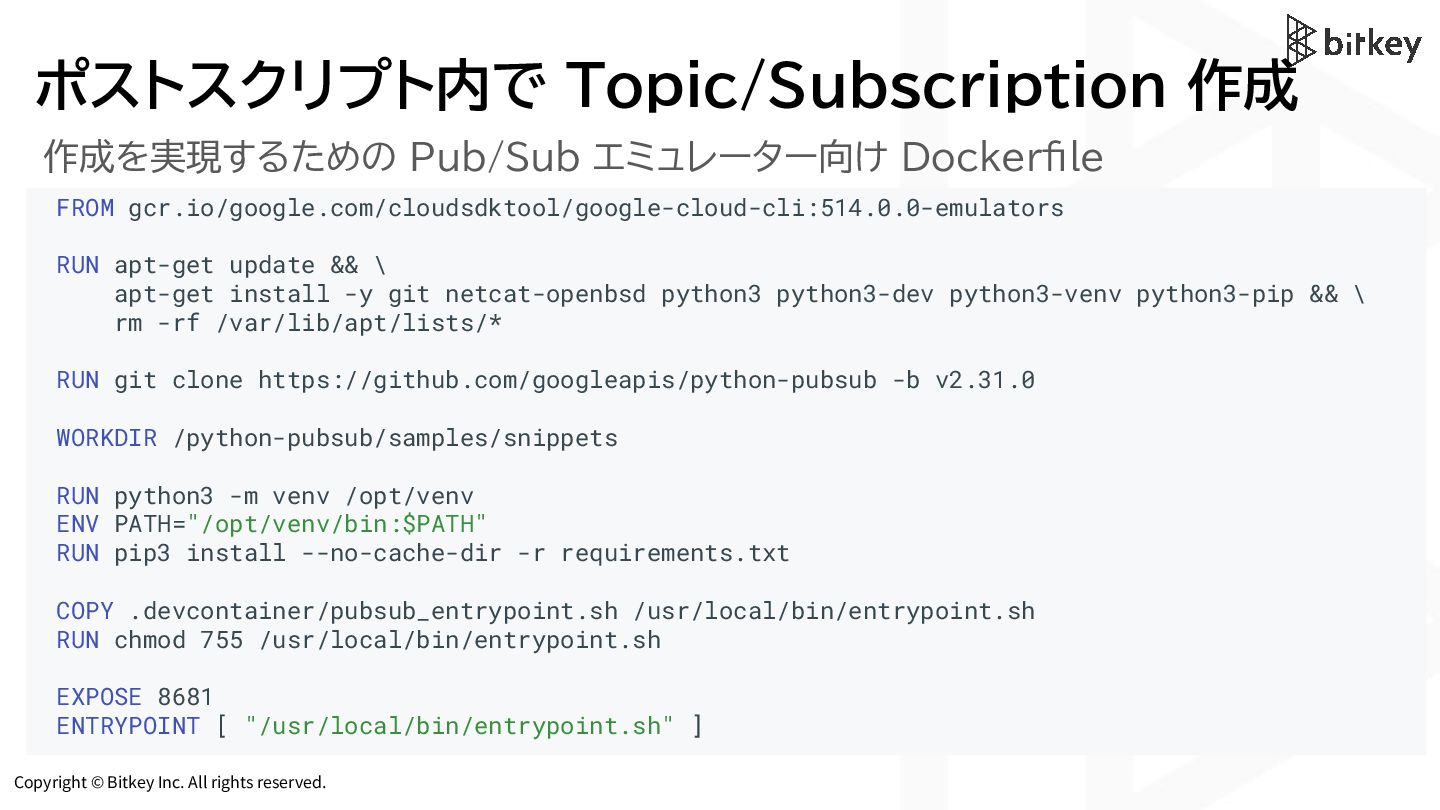
Copyright © Bitkey Inc. All rights reserved. ポストスクリプト内で Topic/Subscription 作成
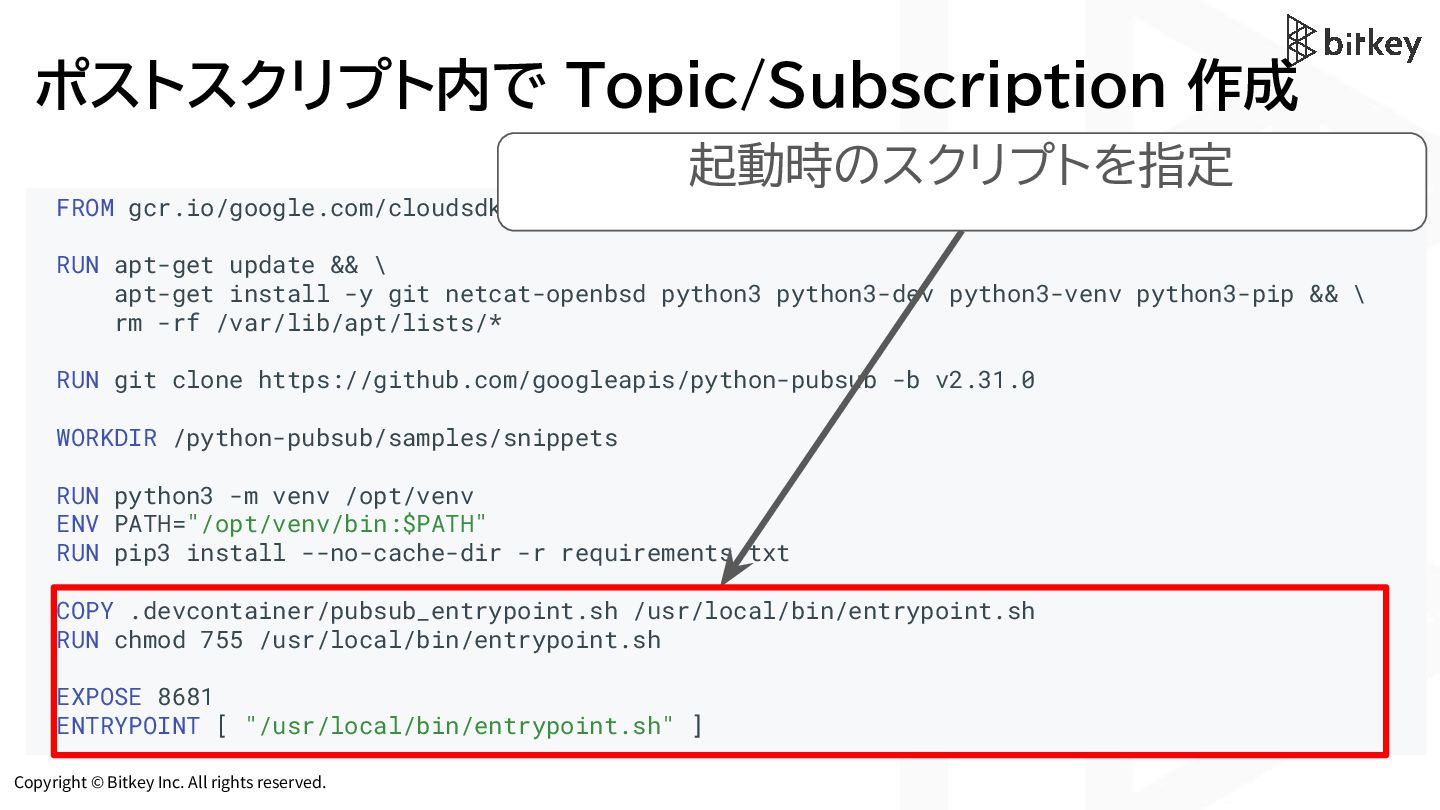
FROM gcr.io/google.com/cloudsdktool/google-cloud-cli:514.0.0-emulators RUN apt-get update && \ apt-get install -y git netcat-openbsd python3 python3-dev python3-venv python3-pip && \ rm -rf /var/lib/apt/lists/* RUN git clone https://github.com/googleapis/python-pubsub -b v2.31.0 WORKDIR /python-pubsub/samples/snippets RUN python3 -m venv /opt/venv ENV PATH="/opt/venv/bin:$PATH" RUN pip3 install --no-cache-dir -r requirements.txt COPY .devcontainer/pubsub_entrypoint.sh /usr/local/bin/entrypoint.sh RUN chmod 755 /usr/local/bin/entrypoint.sh EXPOSE 8681 ENTRYPOINT [ "/usr/local/bin/entrypoint.sh" ] 作成を実現するための Pub/Sub エミュレーター向け Dockerfile -
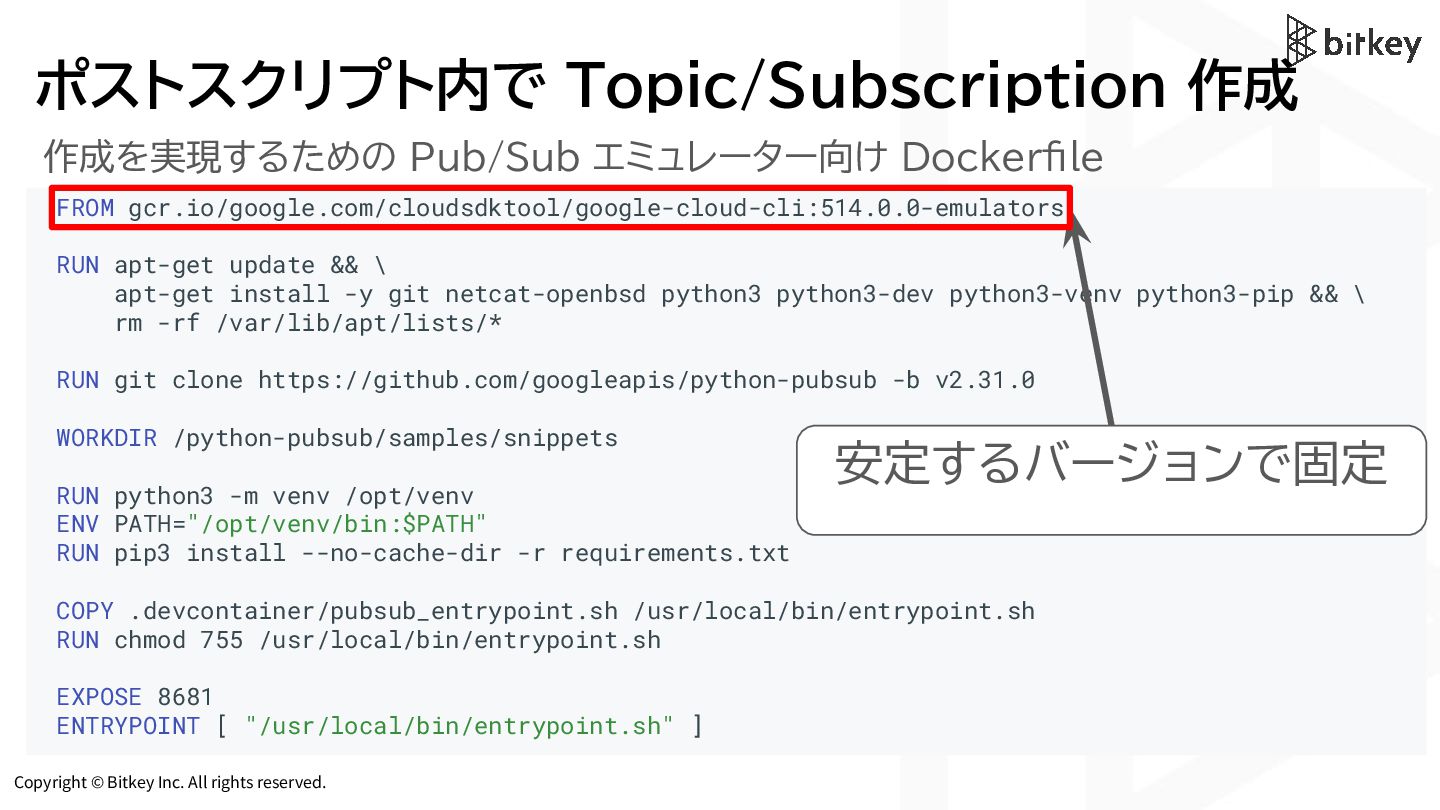
Copyright © Bitkey Inc. All rights reserved. ポストスクリプト内で Topic/Subscription 作成
FROM gcr.io/google.com/cloudsdktool/google-cloud-cli:514.0.0-emulators RUN apt-get update && \ apt-get install -y git netcat-openbsd python3 python3-dev python3-venv python3-pip && \ rm -rf /var/lib/apt/lists/* RUN git clone https://github.com/googleapis/python-pubsub -b v2.31.0 WORKDIR /python-pubsub/samples/snippets RUN python3 -m venv /opt/venv ENV PATH="/opt/venv/bin:$PATH" RUN pip3 install --no-cache-dir -r requirements.txt COPY .devcontainer/pubsub_entrypoint.sh /usr/local/bin/entrypoint.sh RUN chmod 755 /usr/local/bin/entrypoint.sh EXPOSE 8681 ENTRYPOINT [ "/usr/local/bin/entrypoint.sh" ] 作成を実現するための Pub/Sub エミュレーター向け Dockerfile 安定するバージョンで固定 -
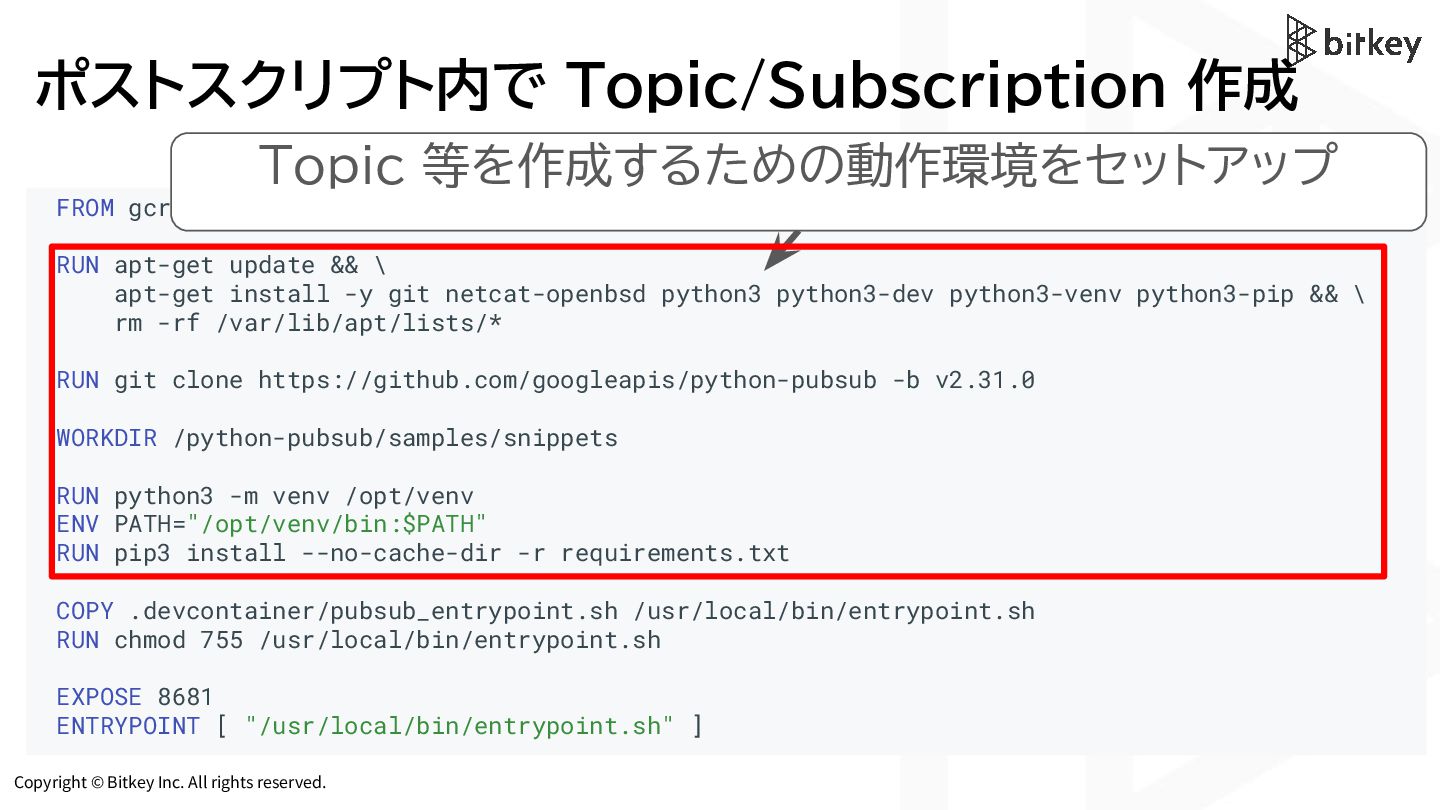
Copyright © Bitkey Inc. All rights reserved. ポストスクリプト内で Topic/Subscription 作成
FROM gcr.io/google.com/cloudsdktool/google-cloud-cli:514.0.0-emulators RUN apt-get update && \ apt-get install -y git netcat-openbsd python3 python3-dev python3-venv python3-pip && \ rm -rf /var/lib/apt/lists/* RUN git clone https://github.com/googleapis/python-pubsub -b v2.31.0 WORKDIR /python-pubsub/samples/snippets RUN python3 -m venv /opt/venv ENV PATH="/opt/venv/bin:$PATH" RUN pip3 install --no-cache-dir -r requirements.txt COPY .devcontainer/pubsub_entrypoint.sh /usr/local/bin/entrypoint.sh RUN chmod 755 /usr/local/bin/entrypoint.sh EXPOSE 8681 ENTRYPOINT [ "/usr/local/bin/entrypoint.sh" ] Topic 等を作成するための動作環境をセットアップ -
Copyright © Bitkey Inc. All rights reserved. ポストスクリプト内で Topic/Subscription 作成
FROM gcr.io/google.com/cloudsdktool/google-cloud-cli:514.0.0-emulators RUN apt-get update && \ apt-get install -y git netcat-openbsd python3 python3-dev python3-venv python3-pip && \ rm -rf /var/lib/apt/lists/* RUN git clone https://github.com/googleapis/python-pubsub -b v2.31.0 WORKDIR /python-pubsub/samples/snippets RUN python3 -m venv /opt/venv ENV PATH="/opt/venv/bin:$PATH" RUN pip3 install --no-cache-dir -r requirements.txt COPY .devcontainer/pubsub_entrypoint.sh /usr/local/bin/entrypoint.sh RUN chmod 755 /usr/local/bin/entrypoint.sh EXPOSE 8681 ENTRYPOINT [ "/usr/local/bin/entrypoint.sh" ] 起動時のスクリプトを指定 -
Copyright © Bitkey Inc. All rights reserved. ポストスクリプト内で Topic/Subscription 作成
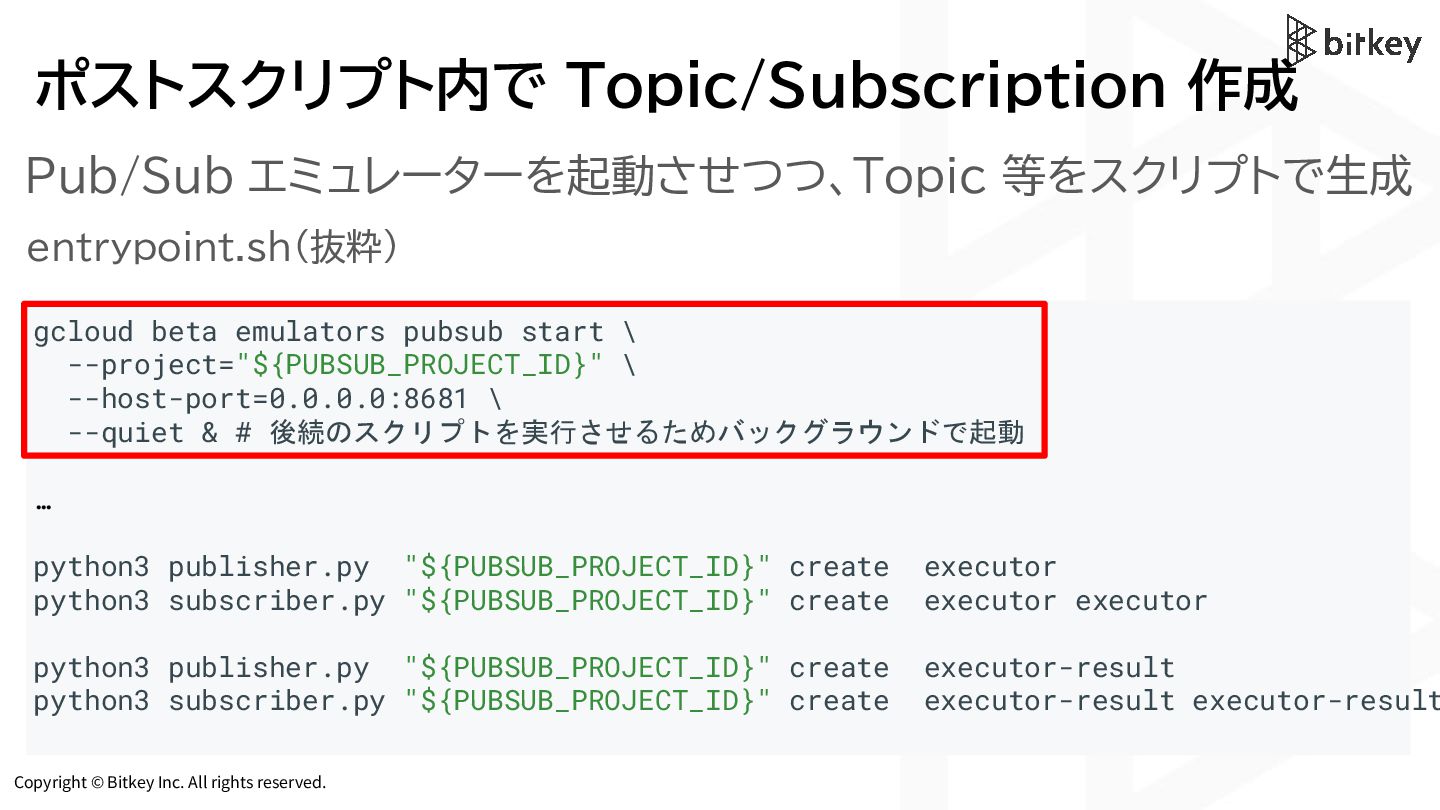
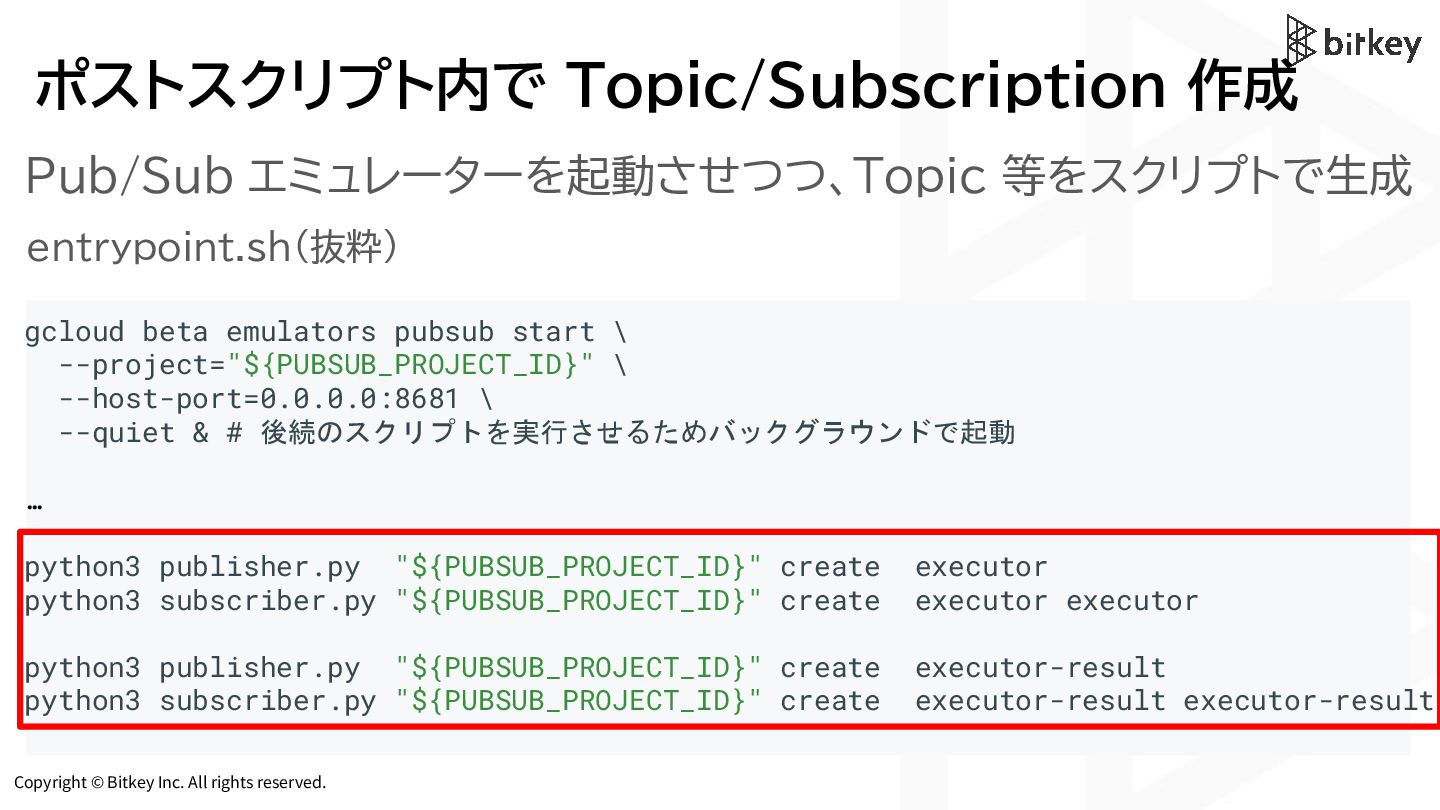
gcloud beta emulators pubsub start \ --project="${PUBSUB_PROJECT_ID}" \ --host-port=0.0.0.0:8681 \ --quiet & # 後続のスクリプトを実行させるためバックグラウンドで起動 … python3 publisher.py "${PUBSUB_PROJECT_ID}" create executor python3 subscriber.py "${PUBSUB_PROJECT_ID}" create executor executor python3 publisher.py "${PUBSUB_PROJECT_ID}" create executor-result python3 subscriber.py "${PUBSUB_PROJECT_ID}" create executor-result executor-result entrypoint.sh(抜粋) Pub/Sub エミュレーターを起動させつつ、Topic 等をスクリプトで生成 -
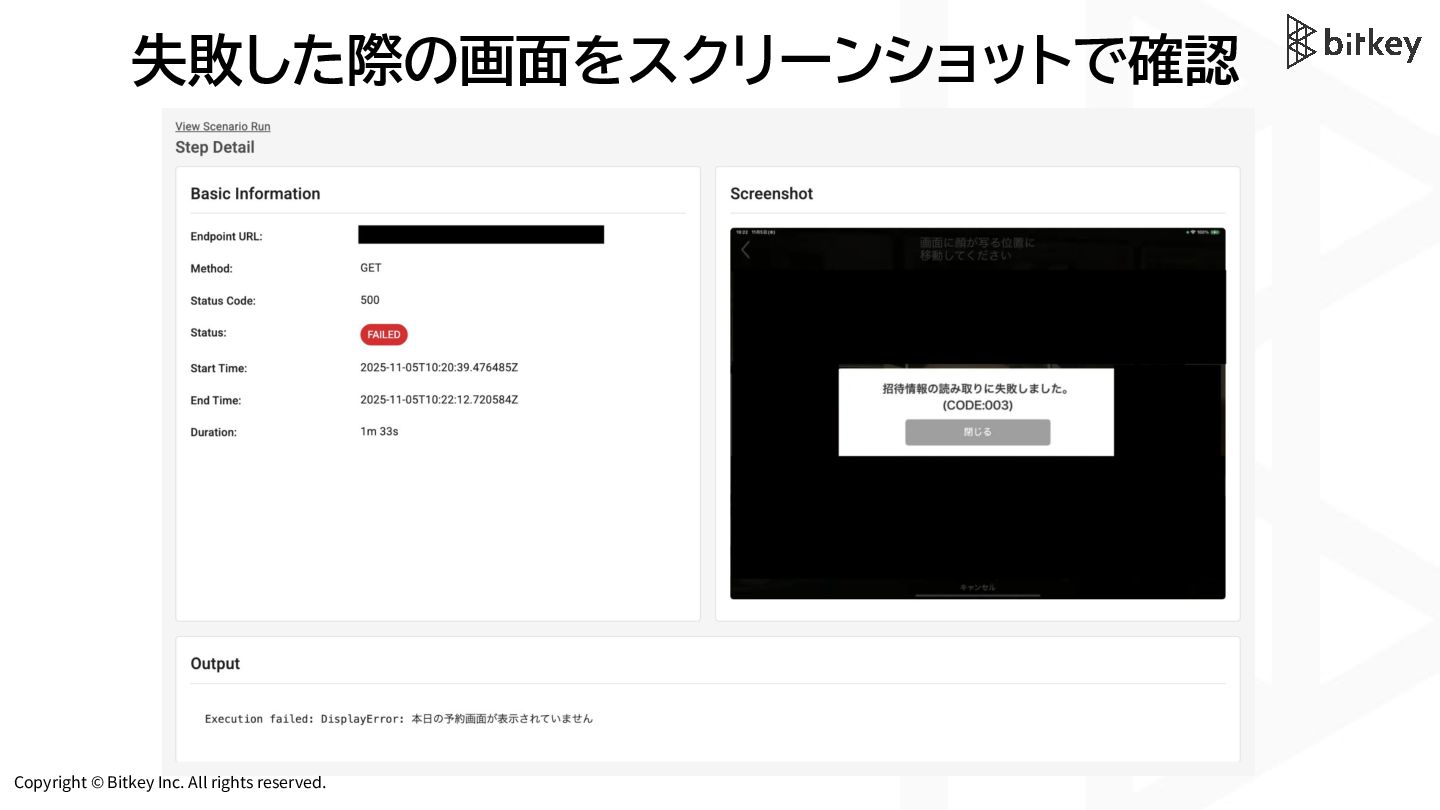
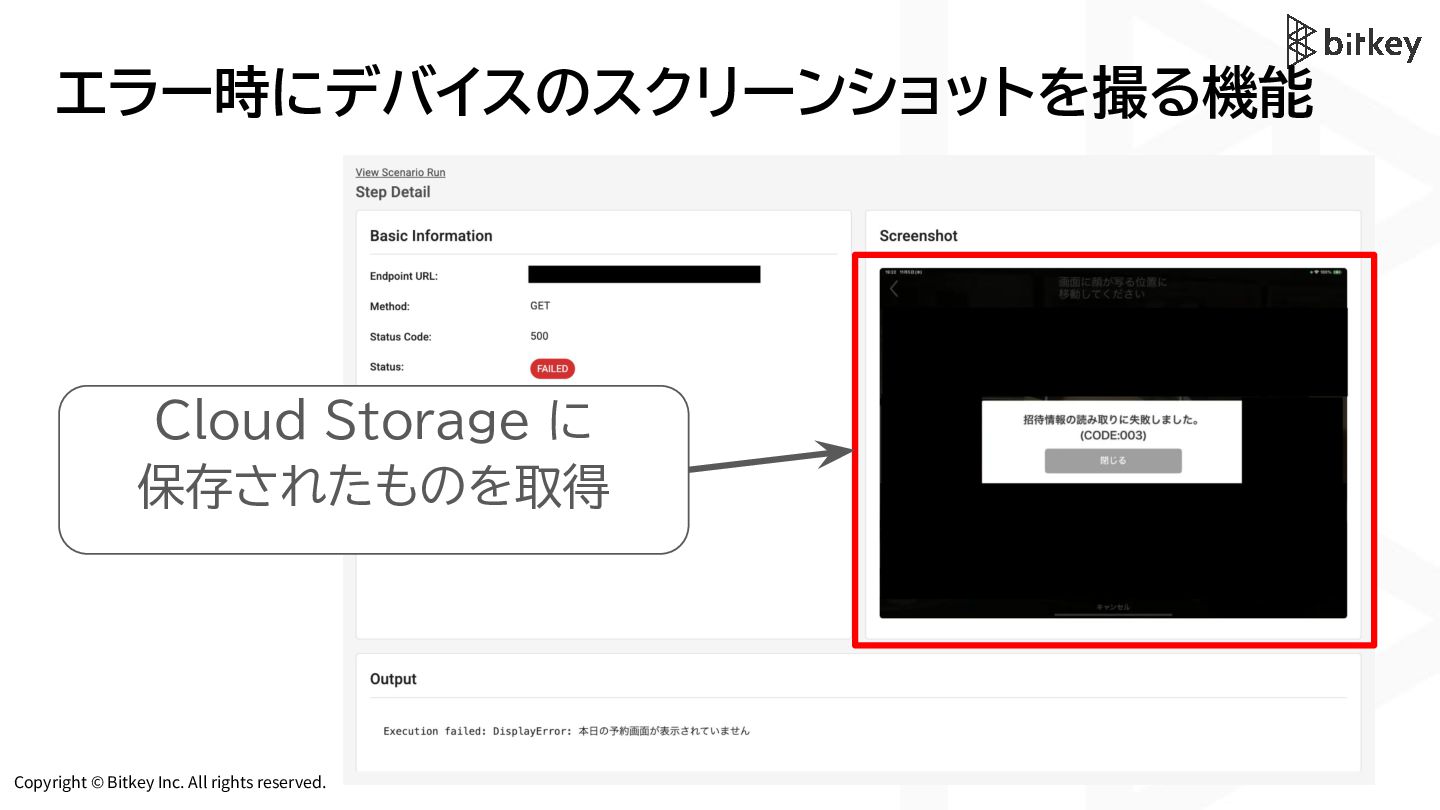
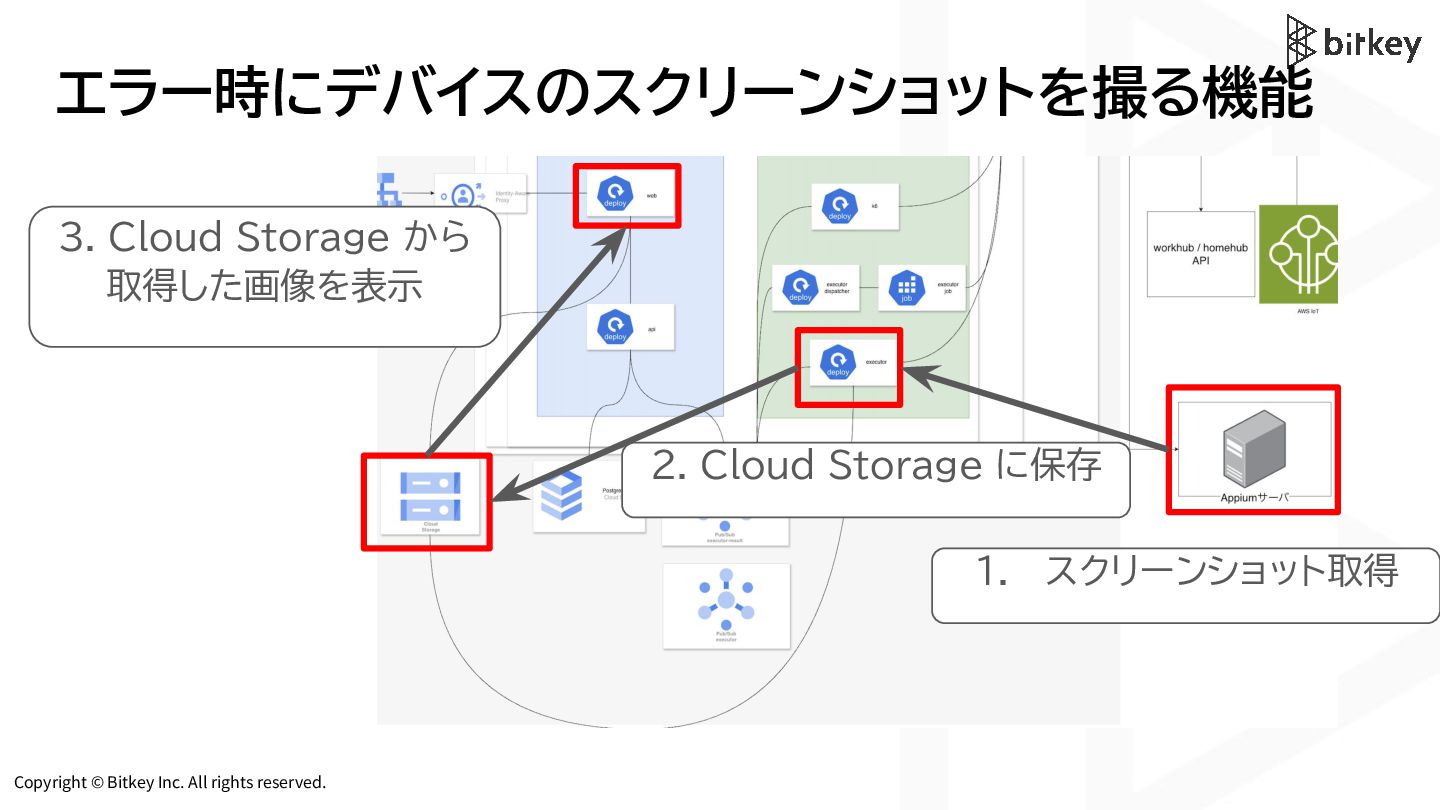
Copyright © Bitkey Inc. All rights reserved. エラー時にデバイスのスクリーンショットを撮る機能 2. Cloud
Storage に保存 3. Cloud Storage から 取得した画像を表示 1. スクリーンショット取得 -
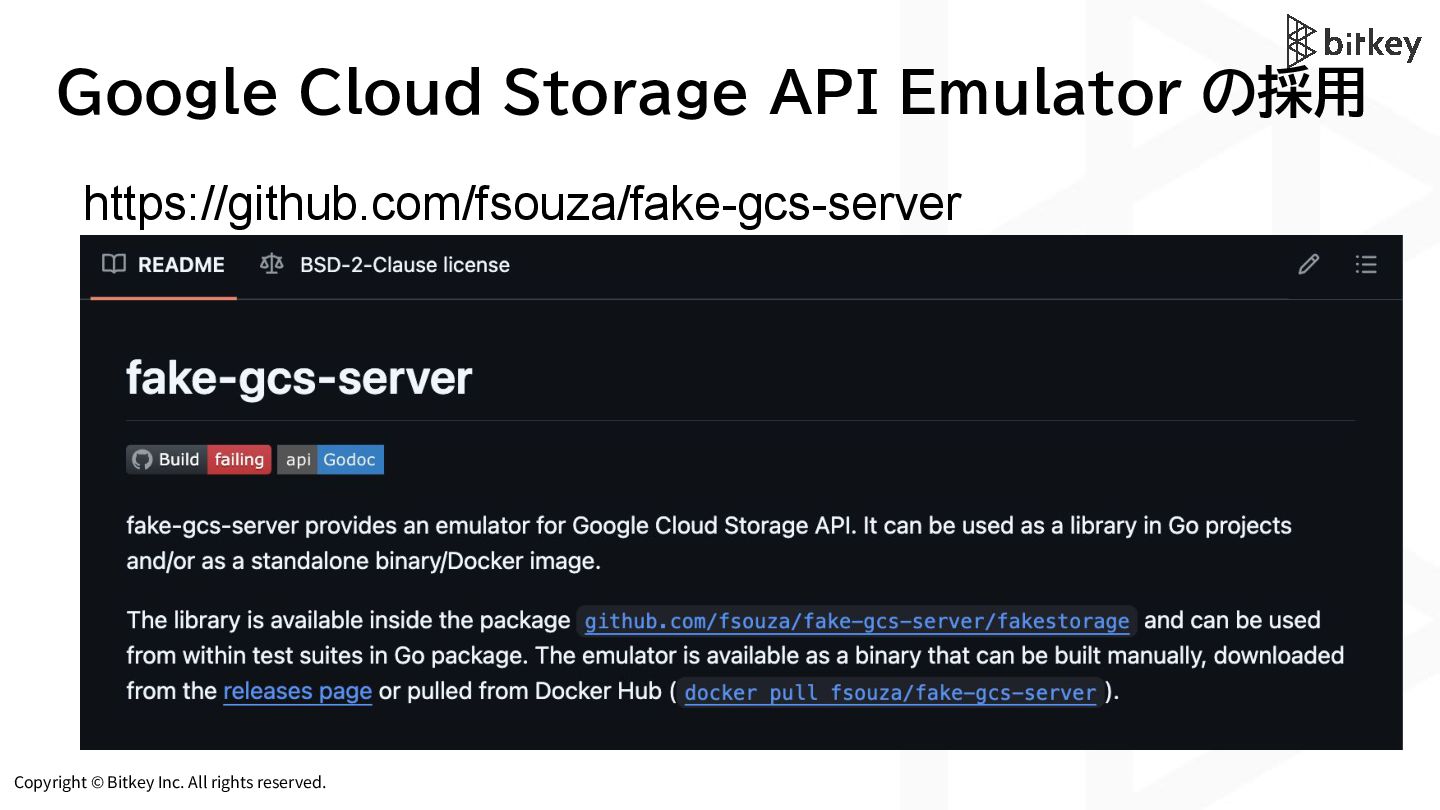
Copyright © Bitkey Inc. All rights reserved. Google Cloud Storage
API Emulator の採用 https://github.com/fsouza/fake-gcs-server -
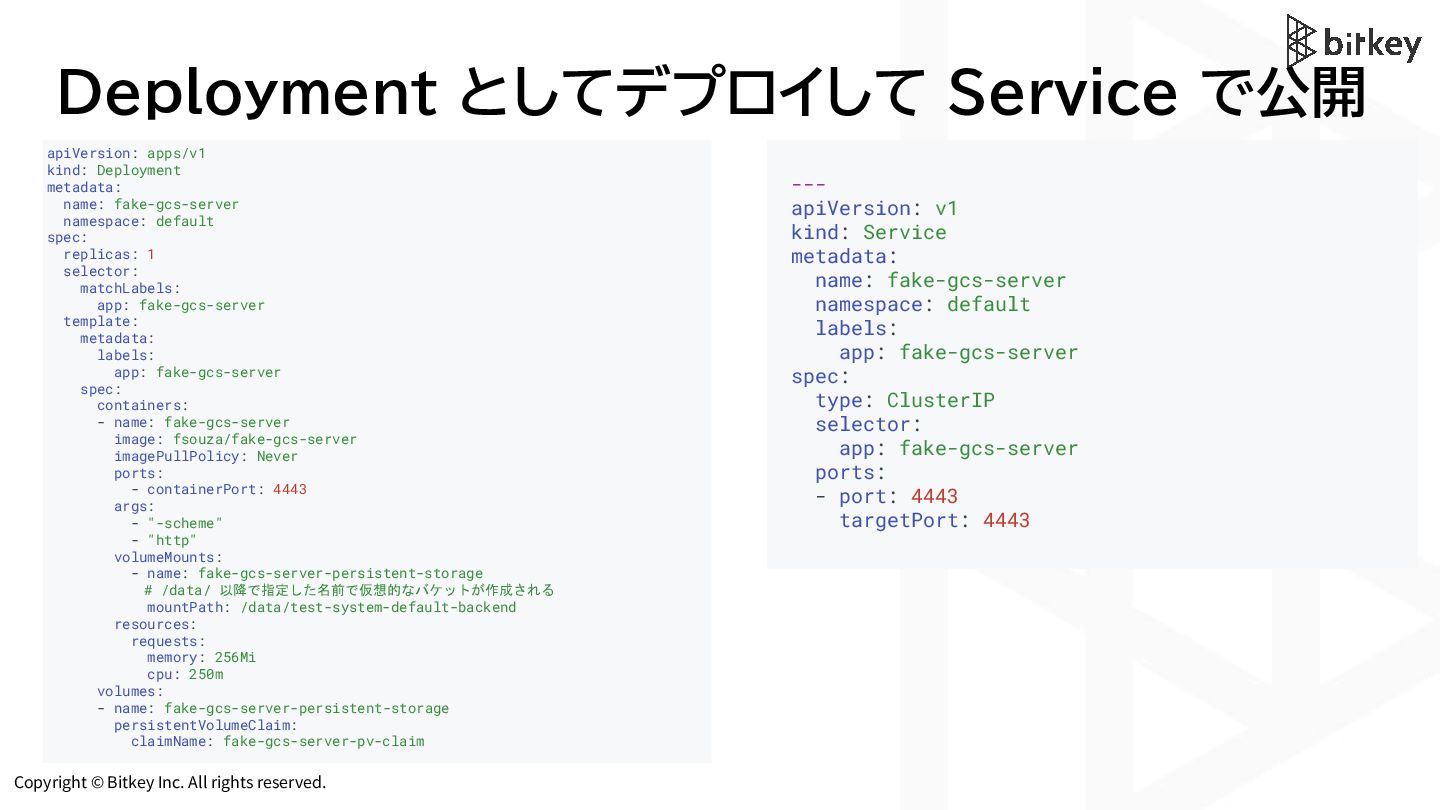
Copyright © Bitkey Inc. All rights reserved. Deployment としてデプロイして Service
で公開 apiVersion: apps/v1 kind: Deployment metadata: name: fake-gcs-server namespace: default spec: replicas: 1 selector: matchLabels: app: fake-gcs-server template: metadata: labels: app: fake-gcs-server spec: containers: - name: fake-gcs-server image: fsouza/fake-gcs-server imagePullPolicy: Never ports: - containerPort: 4443 args: - "-scheme" - "http" volumeMounts: - name: fake-gcs-server-persistent-storage # /data/ 以降で指定した名前で仮想的なバケットが作成される mountPath: /data/test-system-default-backend resources: requests: memory: 256Mi cpu: 250m volumes: - name: fake-gcs-server-persistent-storage persistentVolumeClaim: claimName: fake-gcs-server-pv-claim --- apiVersion: v1 kind: Service metadata: name: fake-gcs-server namespace: default labels: app: fake-gcs-server spec: type: ClusterIP selector: app: fake-gcs-server ports: - port: 4443 targetPort: 4443 -
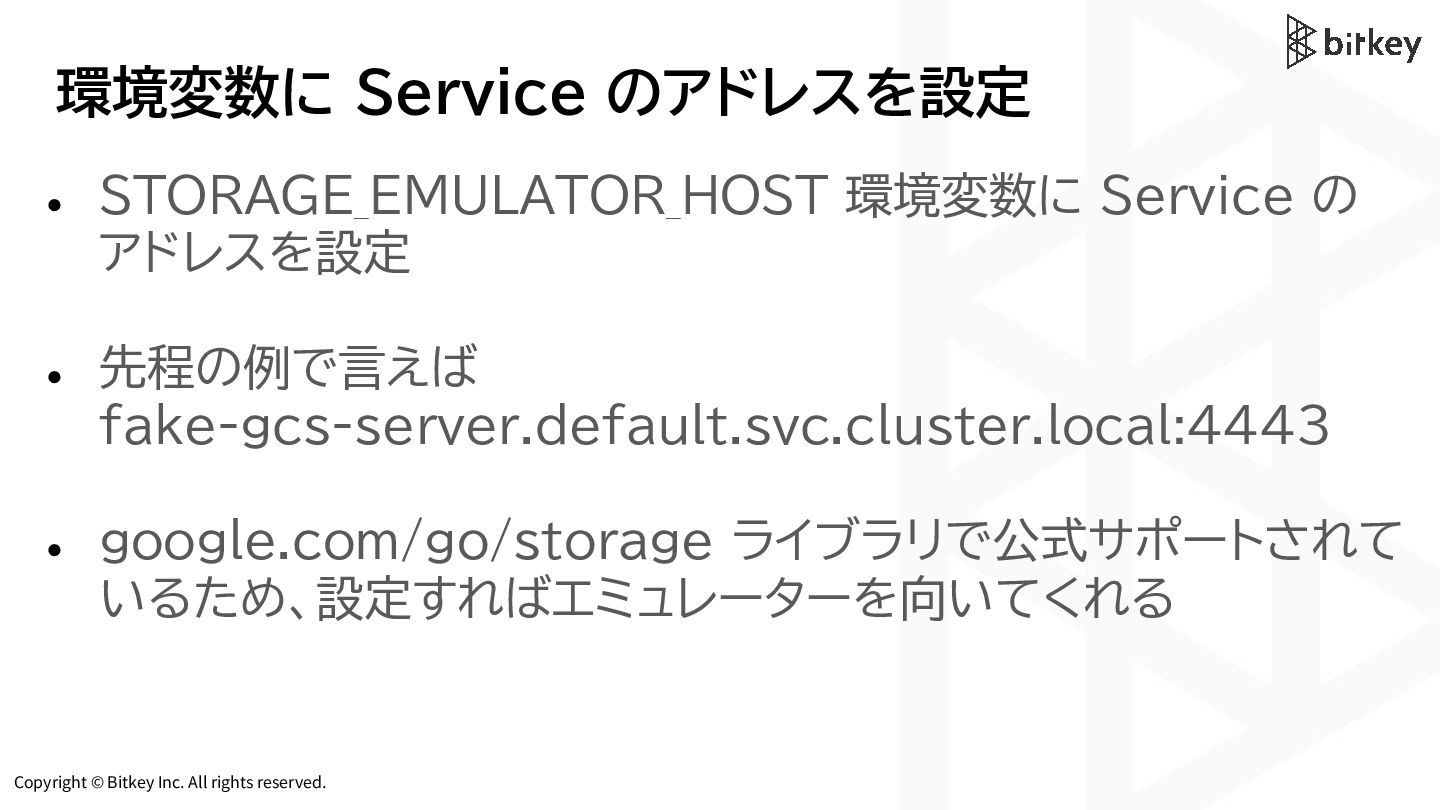
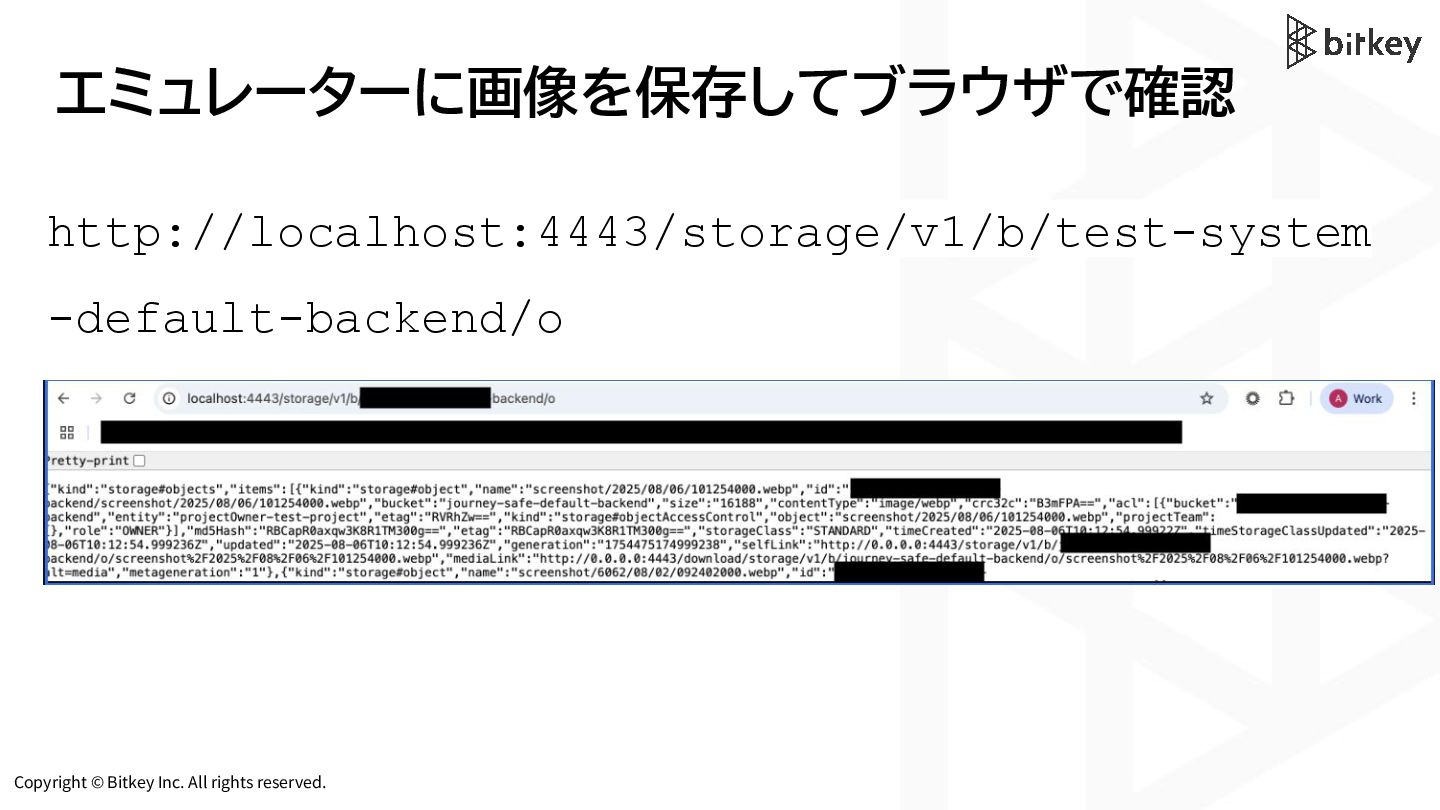
Copyright © Bitkey Inc. All rights reserved. 環境変数に Service のアドレスを設定
• STORAGE_EMULATOR_HOST 環境変数に Service の アドレスを設定 • 先程の例で言えば fake-gcs-server.default.svc.cluster.local:4443 • google.com/go/storage ライブラリで公式サポートされて いるため、設定すればエミュレーターを向いてくれる -
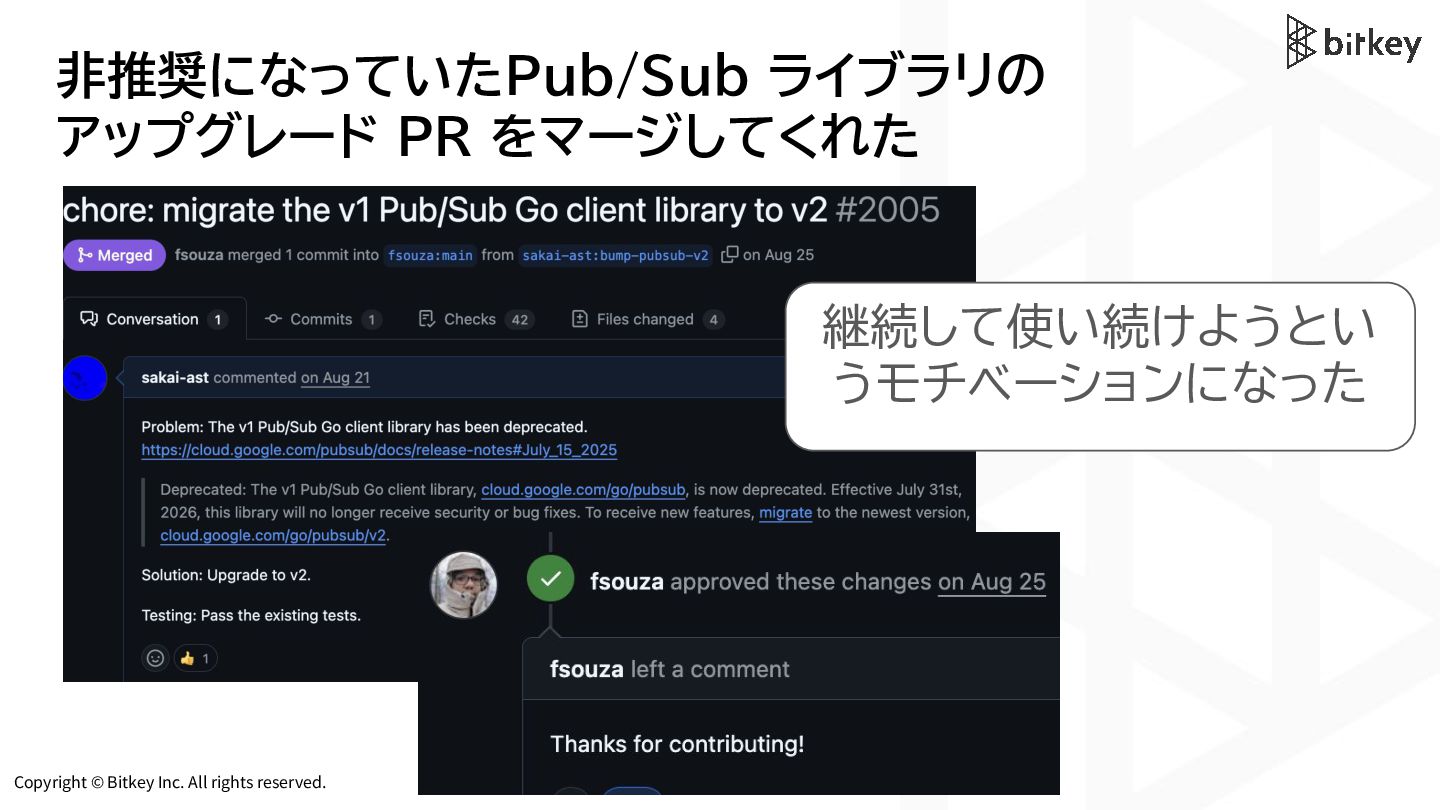
Copyright © Bitkey Inc. All rights reserved. 非推奨になっていたPub/Sub ライブラリの アップグレード
PR をマージしてくれた 継続して使い続けようとい うモチベーションになった -
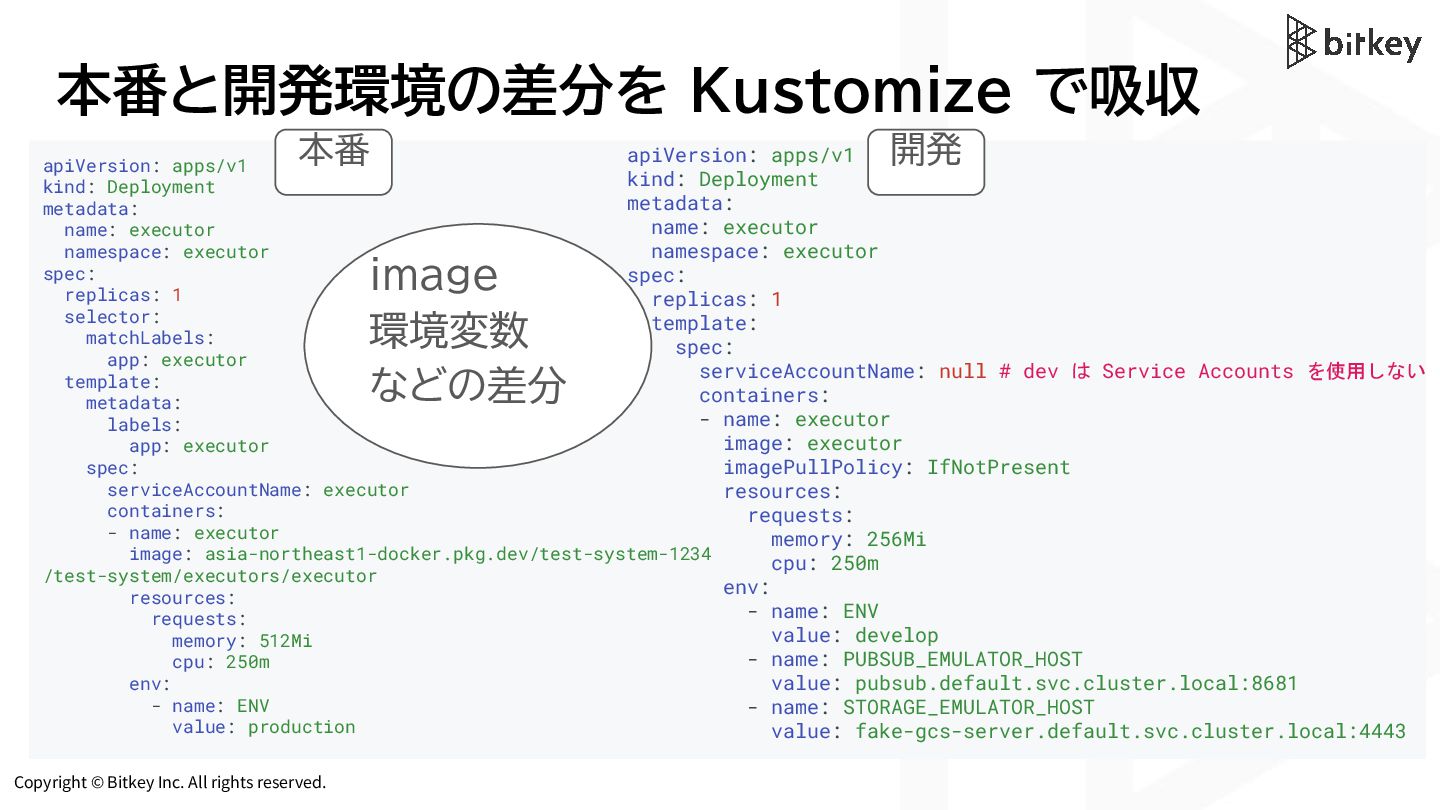
Copyright © Bitkey Inc. All rights reserved. 本番と開発環境の差分を Kustomize で吸収
apiVersion: apps/v1 kind: Deployment metadata: name: executor namespace: executor spec: replicas: 1 selector: matchLabels: app: executor template: metadata: labels: app: executor spec: serviceAccountName: executor containers: - name: executor image: asia-northeast1-docker.pkg.dev/test-system-1234 /test-system/executors/executor resources: requests: memory: 512Mi cpu: 250m env: - name: ENV value: production apiVersion: apps/v1 kind: Deployment metadata: name: executor namespace: executor spec: replicas: 1 template: spec: serviceAccountName: null # dev は Service Accounts を使用しない containers: - name: executor image: executor imagePullPolicy: IfNotPresent resources: requests: memory: 256Mi cpu: 250m env: - name: ENV value: develop - name: PUBSUB_EMULATOR_HOST value: pubsub.default.svc.cluster.local:8681 - name: STORAGE_EMULATOR_HOST value: fake-gcs-server.default.svc.cluster.local:4443 image 環境変数 などの差分 本番 開発 -
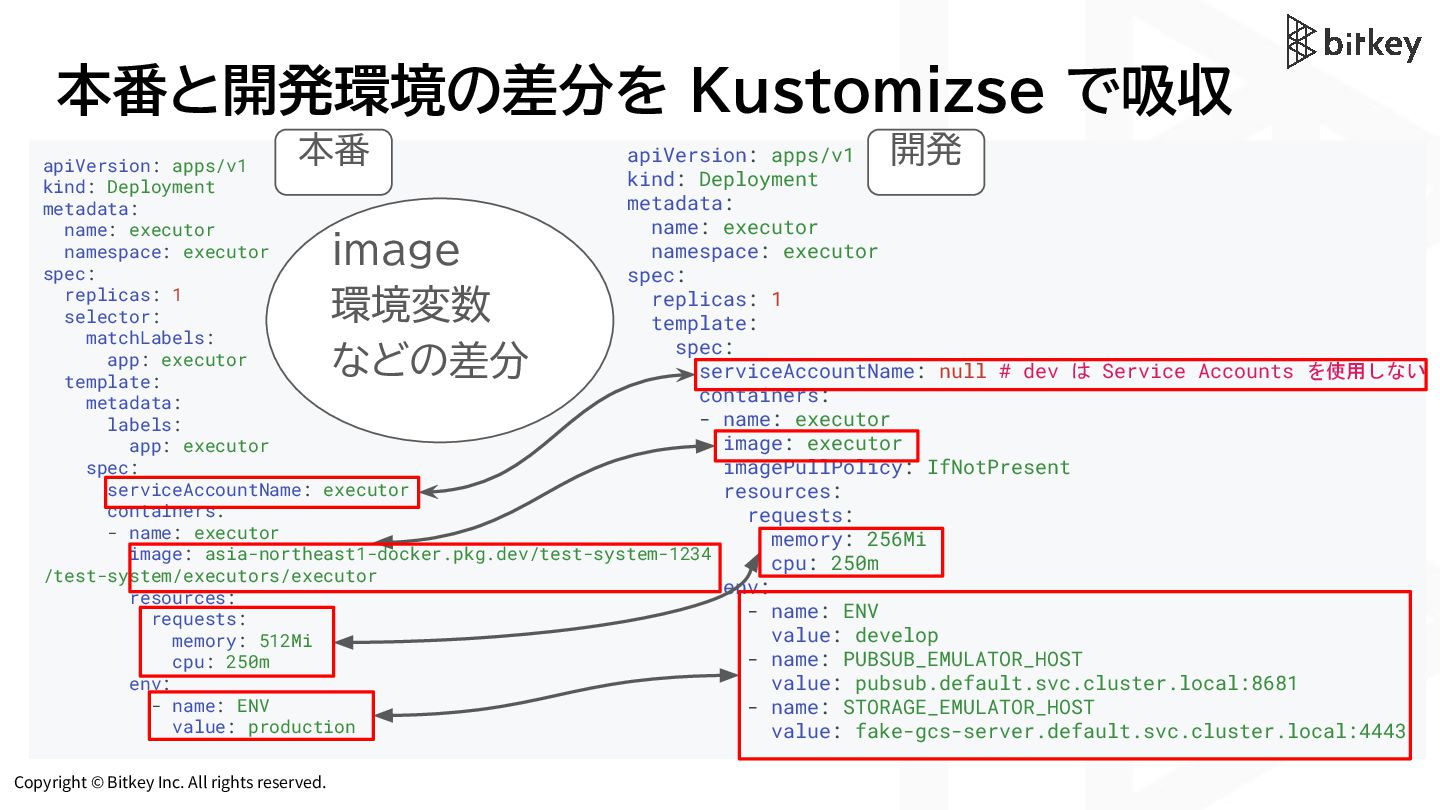
Copyright © Bitkey Inc. All rights reserved. 本番と開発環境の差分を Kustomizse で吸収
apiVersion: apps/v1 kind: Deployment metadata: name: executor namespace: executor spec: replicas: 1 selector: matchLabels: app: executor template: metadata: labels: app: executor spec: serviceAccountName: executor containers: - name: executor image: asia-northeast1-docker.pkg.dev/test-system-1234 /test-system/executors/executor resources: requests: memory: 512Mi cpu: 250m env: - name: ENV value: production apiVersion: apps/v1 kind: Deployment metadata: name: executor namespace: executor spec: replicas: 1 template: spec: serviceAccountName: null # dev は Service Accounts を使用しない containers: - name: executor image: executor imagePullPolicy: IfNotPresent resources: requests: memory: 256Mi cpu: 250m env: - name: ENV value: develop - name: PUBSUB_EMULATOR_HOST value: pubsub.default.svc.cluster.local:8681 - name: STORAGE_EMULATOR_HOST value: fake-gcs-server.default.svc.cluster.local:4443 image 環境変数 などの差分 本番 開発 -
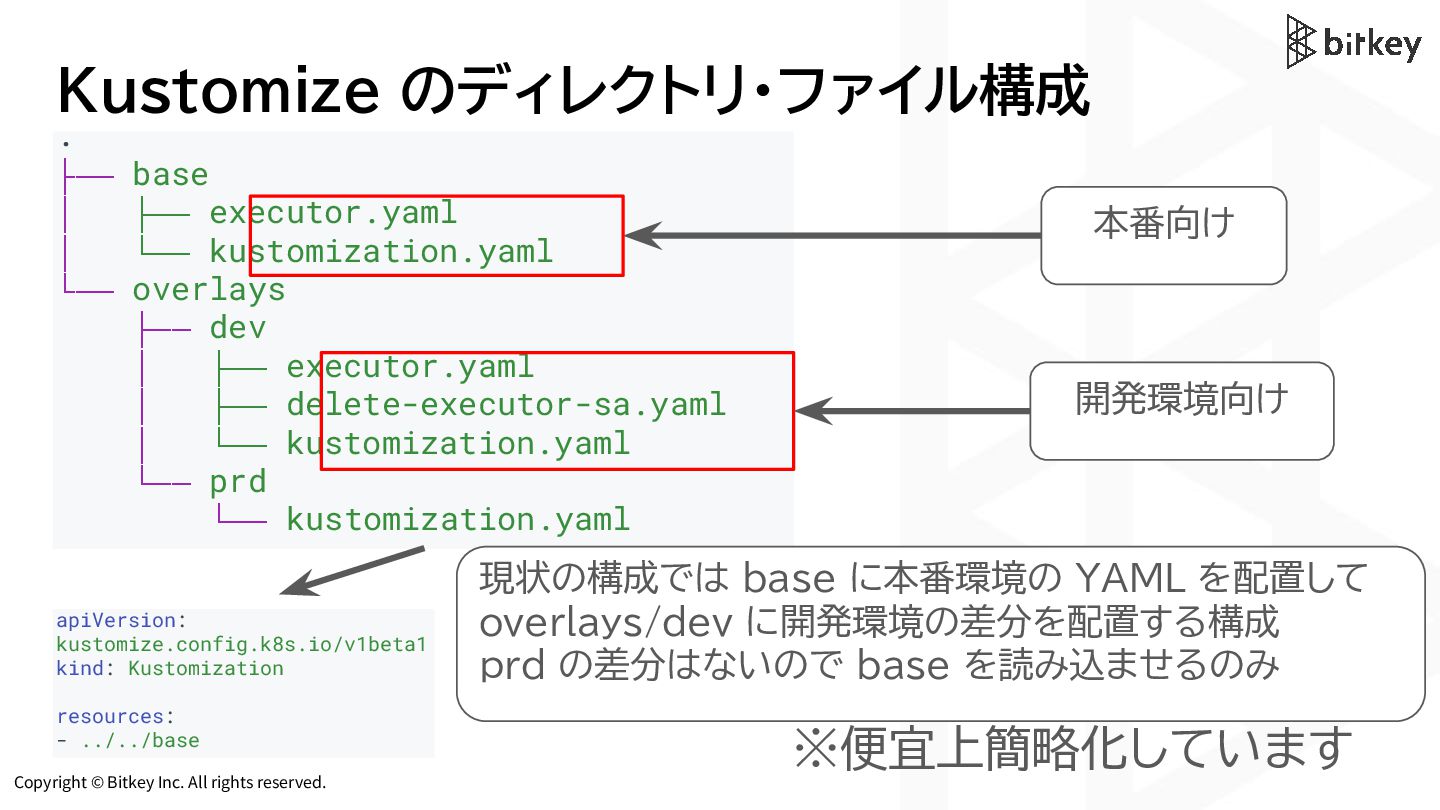
Copyright © Bitkey Inc. All rights reserved. Kustomize のディレクトリ・ファイル構成 .
├── base │ ├── executor.yaml │ └── kustomization.yaml └── overlays ├── dev │ ├── executor.yaml │ ├── delete-executor-sa.yaml │ └── kustomization.yaml └── prd └── kustomization.yaml ※便宜上簡略化しています 本番向け 開発環境向け 現状の構成では base に本番環境の YAML を配置して overlays/dev に開発環境の差分を配置する構成 prd の差分はないので base を読み込ませるのみ apiVersion: kustomize.config.k8s.io/v1beta1 kind: Kustomization resources: - ../../base -
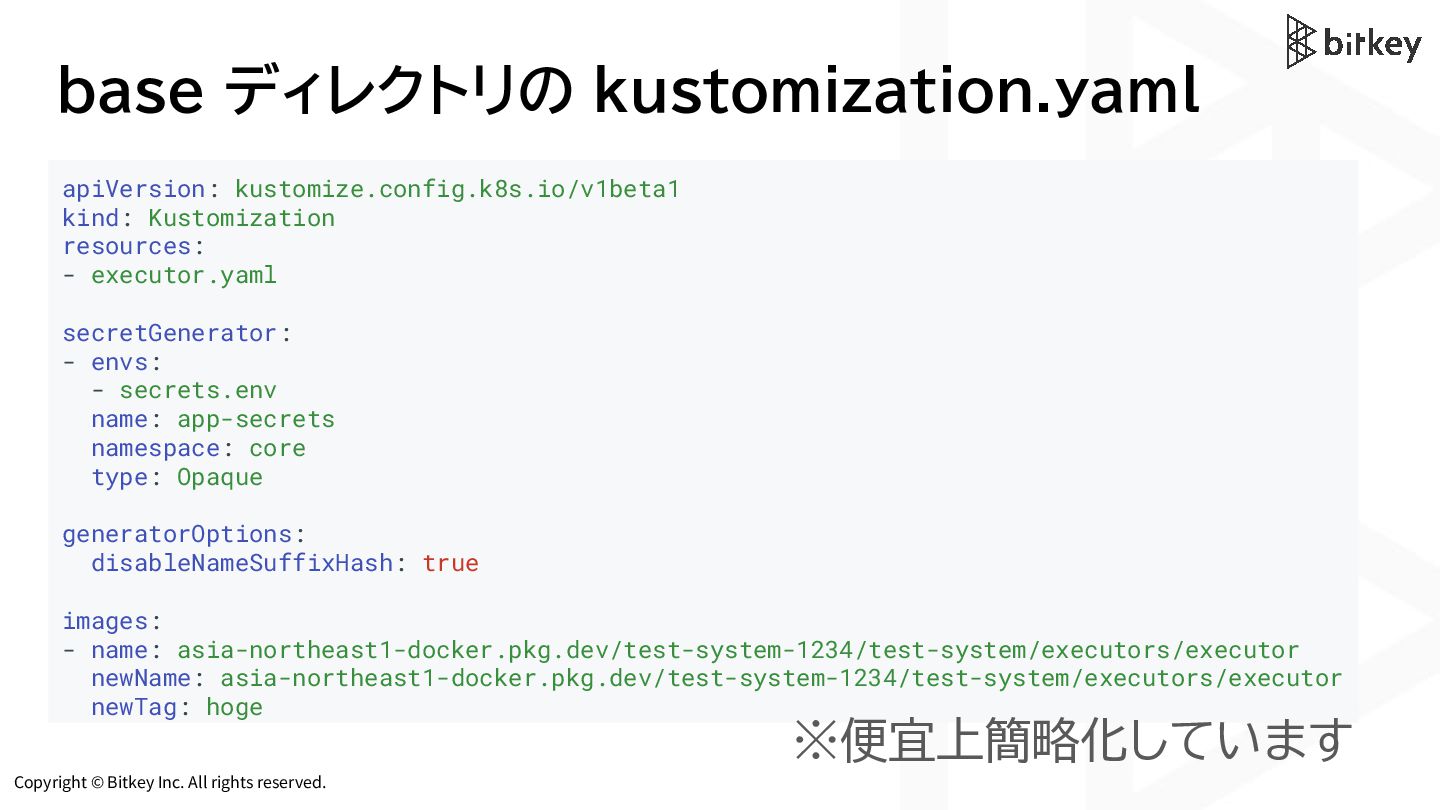
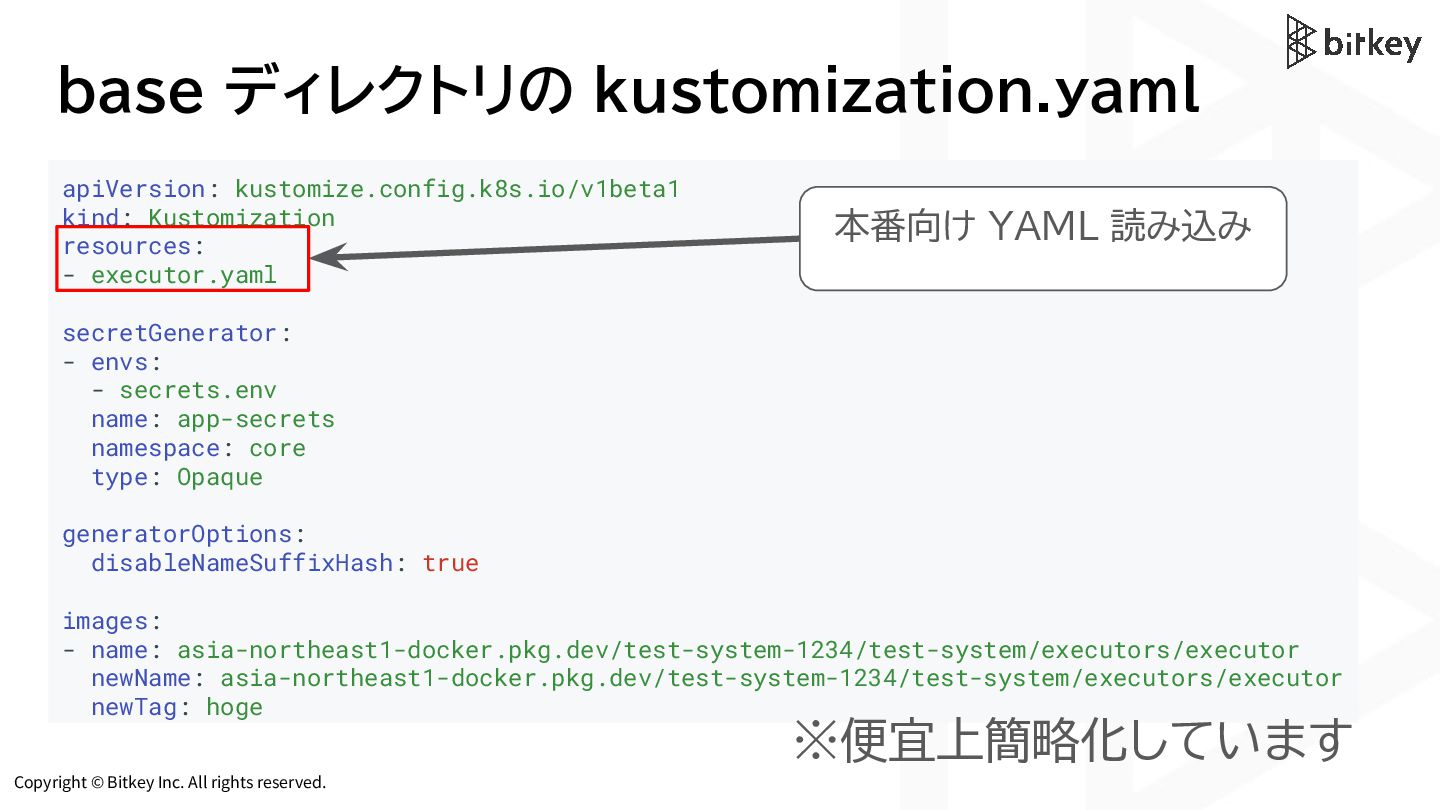
Copyright © Bitkey Inc. All rights reserved. base ディレクトリの kustomization.yaml
※便宜上簡略化しています apiVersion: kustomize.config.k8s.io/v1beta1 kind: Kustomization resources: - executor.yaml secretGenerator: - envs: - secrets.env name: app-secrets namespace: core type: Opaque generatorOptions: disableNameSuffixHash: true images: - name: asia-northeast1-docker.pkg.dev/test-system-1234/test-system/executors/executor newName: asia-northeast1-docker.pkg.dev/test-system-1234/test-system/executors/executor newTag: hoge -
Copyright © Bitkey Inc. All rights reserved. base ディレクトリの kustomization.yaml
※便宜上簡略化しています apiVersion: kustomize.config.k8s.io/v1beta1 kind: Kustomization resources: - executor.yaml secretGenerator: - envs: - secrets.env name: app-secrets namespace: core type: Opaque generatorOptions: disableNameSuffixHash: true images: - name: asia-northeast1-docker.pkg.dev/test-system-1234/test-system/executors/executor newName: asia-northeast1-docker.pkg.dev/test-system-1234/test-system/executors/executor newTag: hoge 本番向け YAML 読み込み -
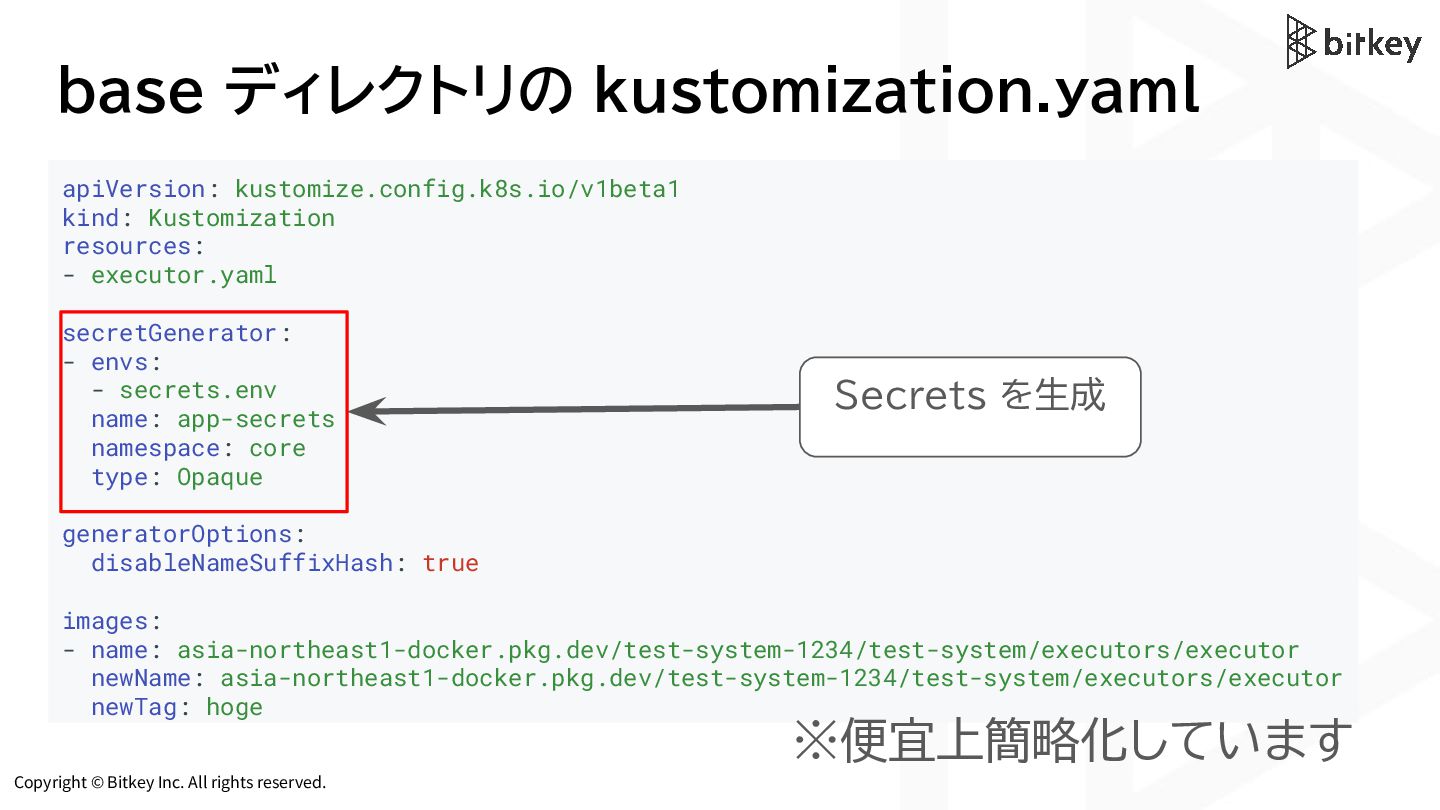
Copyright © Bitkey Inc. All rights reserved. base ディレクトリの kustomization.yaml
※便宜上簡略化しています apiVersion: kustomize.config.k8s.io/v1beta1 kind: Kustomization resources: - executor.yaml secretGenerator: - envs: - secrets.env name: app-secrets namespace: core type: Opaque generatorOptions: disableNameSuffixHash: true images: - name: asia-northeast1-docker.pkg.dev/test-system-1234/test-system/executors/executor newName: asia-northeast1-docker.pkg.dev/test-system-1234/test-system/executors/executor newTag: hoge Secrets を生成 -
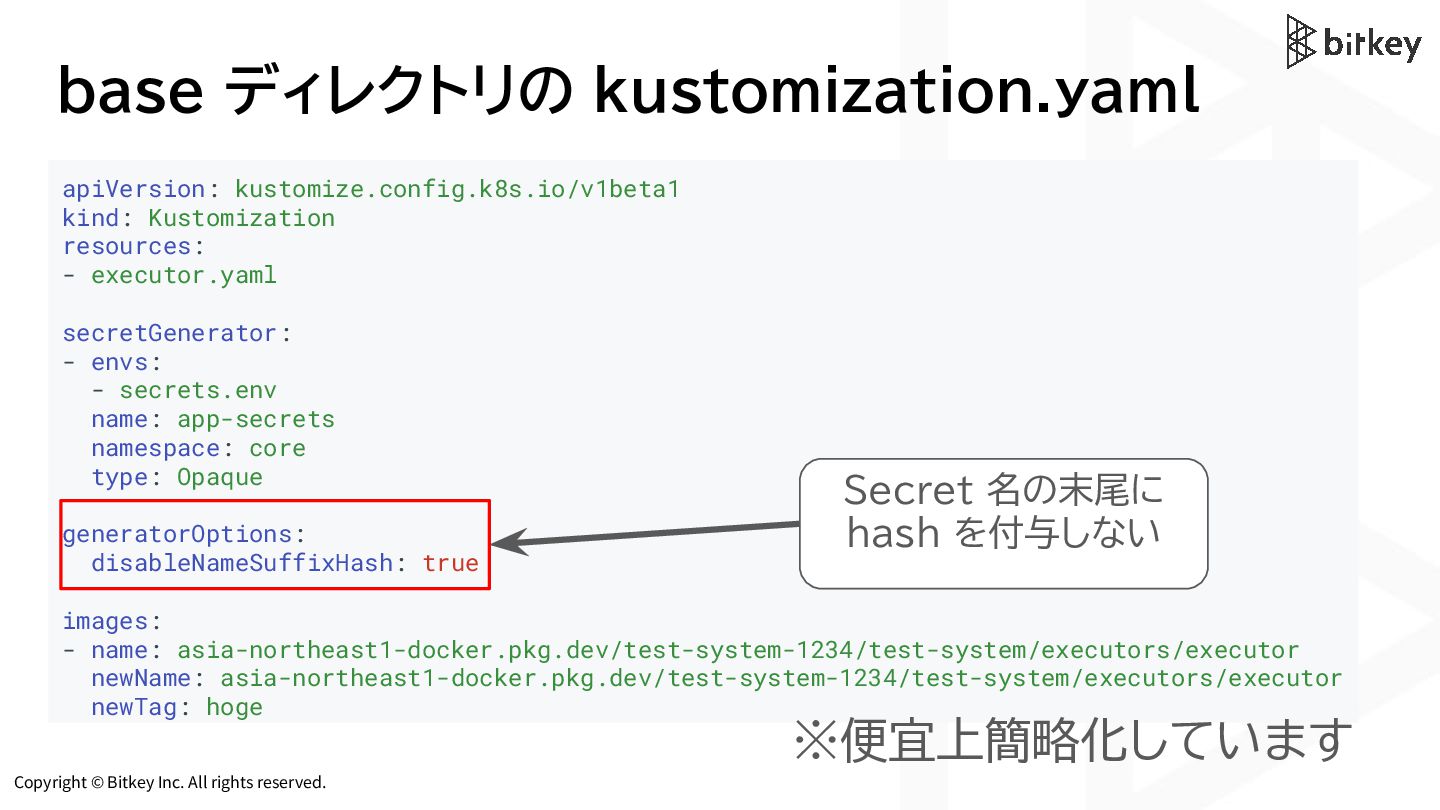
Copyright © Bitkey Inc. All rights reserved. base ディレクトリの kustomization.yaml
※便宜上簡略化しています apiVersion: kustomize.config.k8s.io/v1beta1 kind: Kustomization resources: - executor.yaml secretGenerator: - envs: - secrets.env name: app-secrets namespace: core type: Opaque generatorOptions: disableNameSuffixHash: true images: - name: asia-northeast1-docker.pkg.dev/test-system-1234/test-system/executors/executor newName: asia-northeast1-docker.pkg.dev/test-system-1234/test-system/executors/executor newTag: hoge Secret 名の末尾に hash を付与しない -
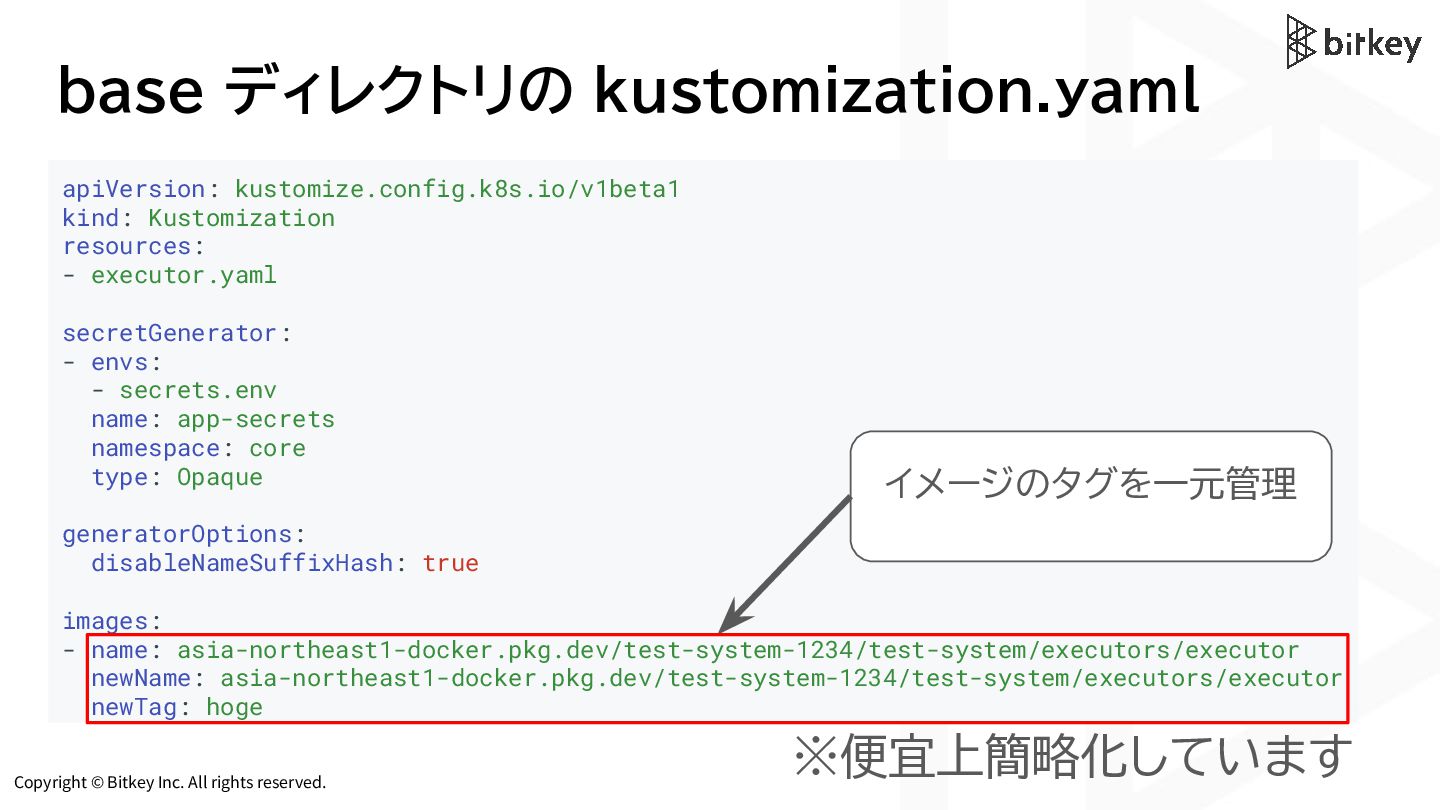
Copyright © Bitkey Inc. All rights reserved. base ディレクトリの kustomization.yaml
※便宜上簡略化しています apiVersion: kustomize.config.k8s.io/v1beta1 kind: Kustomization resources: - executor.yaml secretGenerator: - envs: - secrets.env name: app-secrets namespace: core type: Opaque generatorOptions: disableNameSuffixHash: true images: - name: asia-northeast1-docker.pkg.dev/test-system-1234/test-system/executors/executor newName: asia-northeast1-docker.pkg.dev/test-system-1234/test-system/executors/executor newTag: hoge イメージのタグを一元管理 -
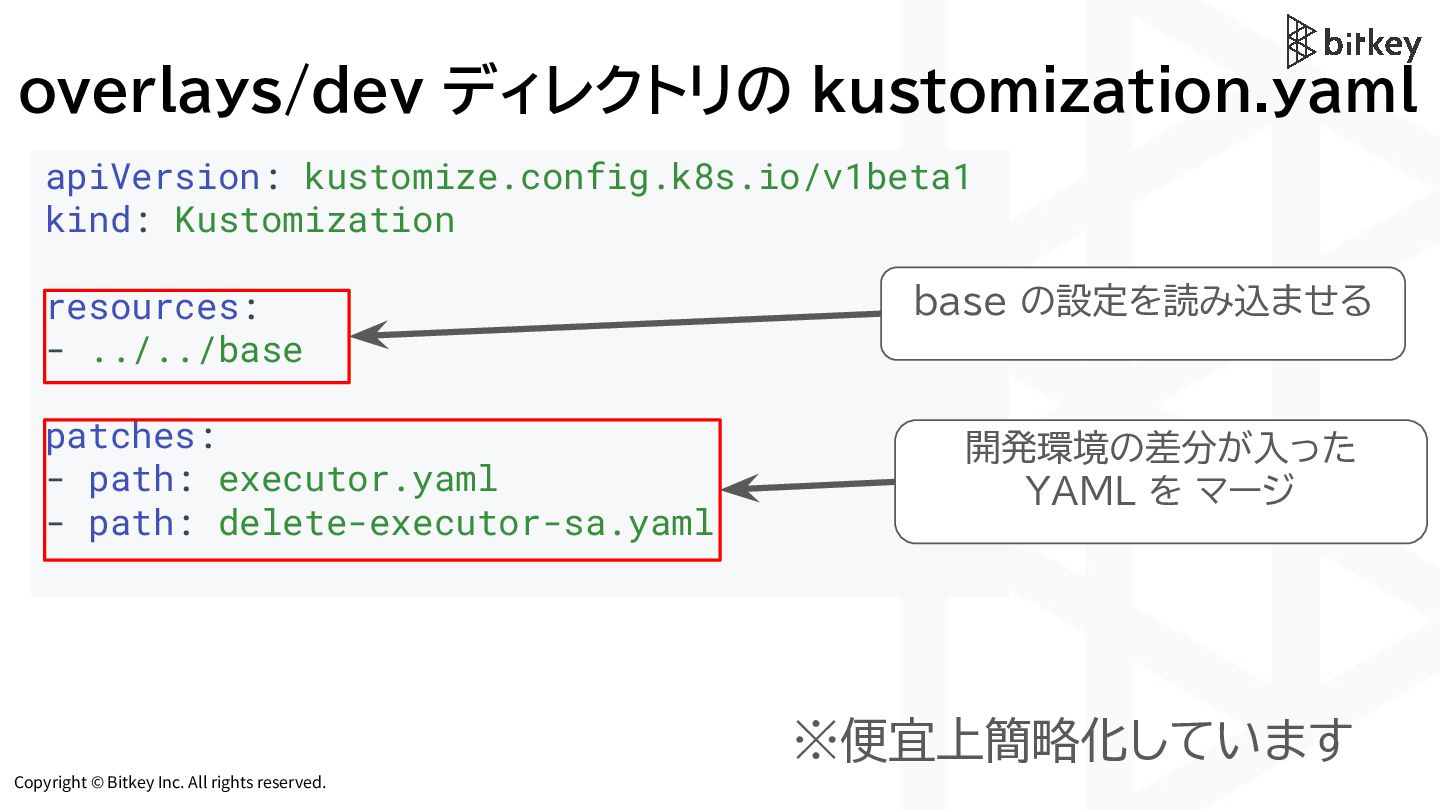
Copyright © Bitkey Inc. All rights reserved. overlays/dev ディレクトリの kustomization.yaml
※便宜上簡略化しています apiVersion: kustomize.config.k8s.io/v1beta1 kind: Kustomization resources: - ../../base patches: - path: executor.yaml - path: delete-executor-sa.yaml base の設定を読み込ませる 開発環境の差分が入った YAML を マージ -
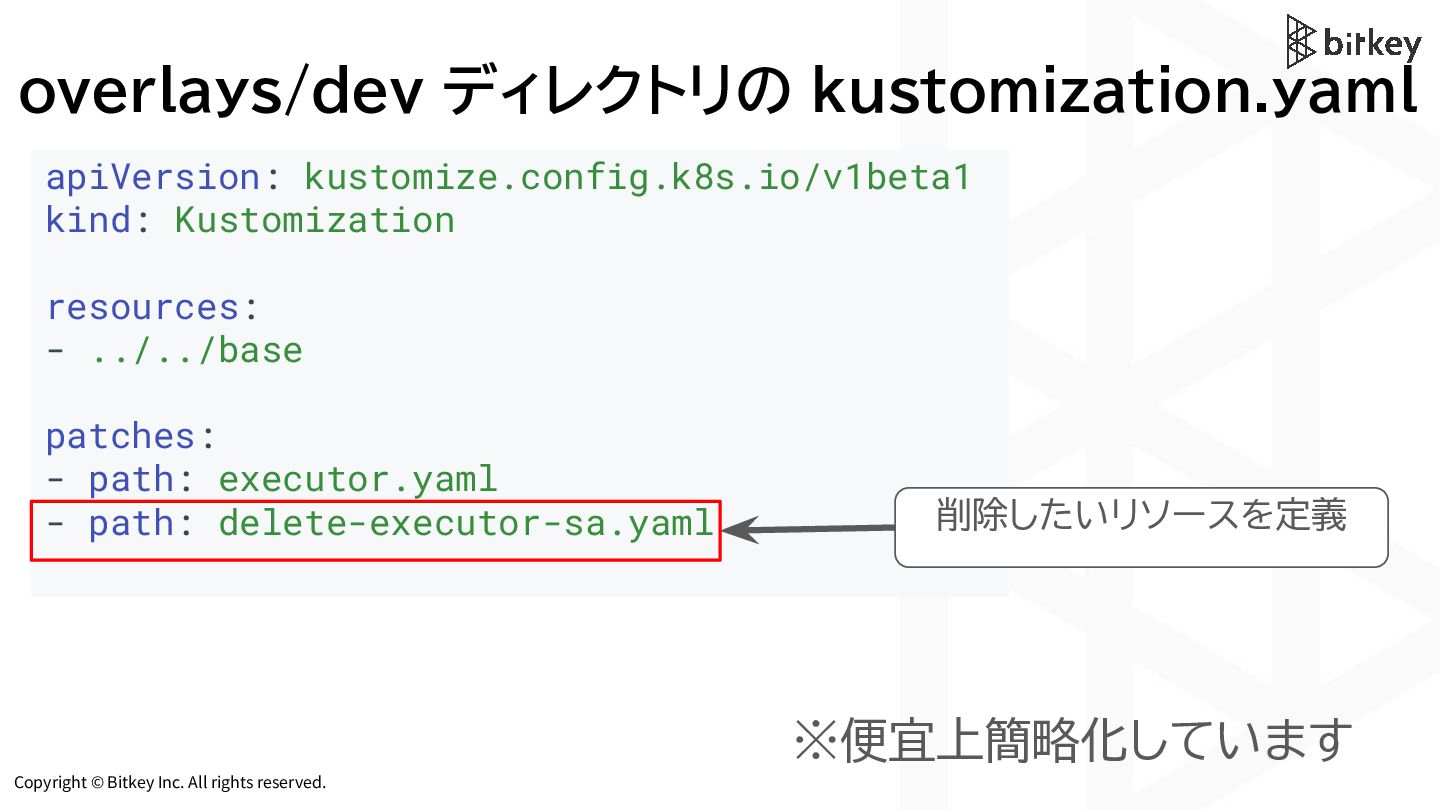
Copyright © Bitkey Inc. All rights reserved. overlays/dev ディレクトリの kustomization.yaml
※便宜上簡略化しています apiVersion: kustomize.config.k8s.io/v1beta1 kind: Kustomization resources: - ../../base patches: - path: executor.yaml - path: delete-executor-sa.yaml 削除したいリソースを定義 -
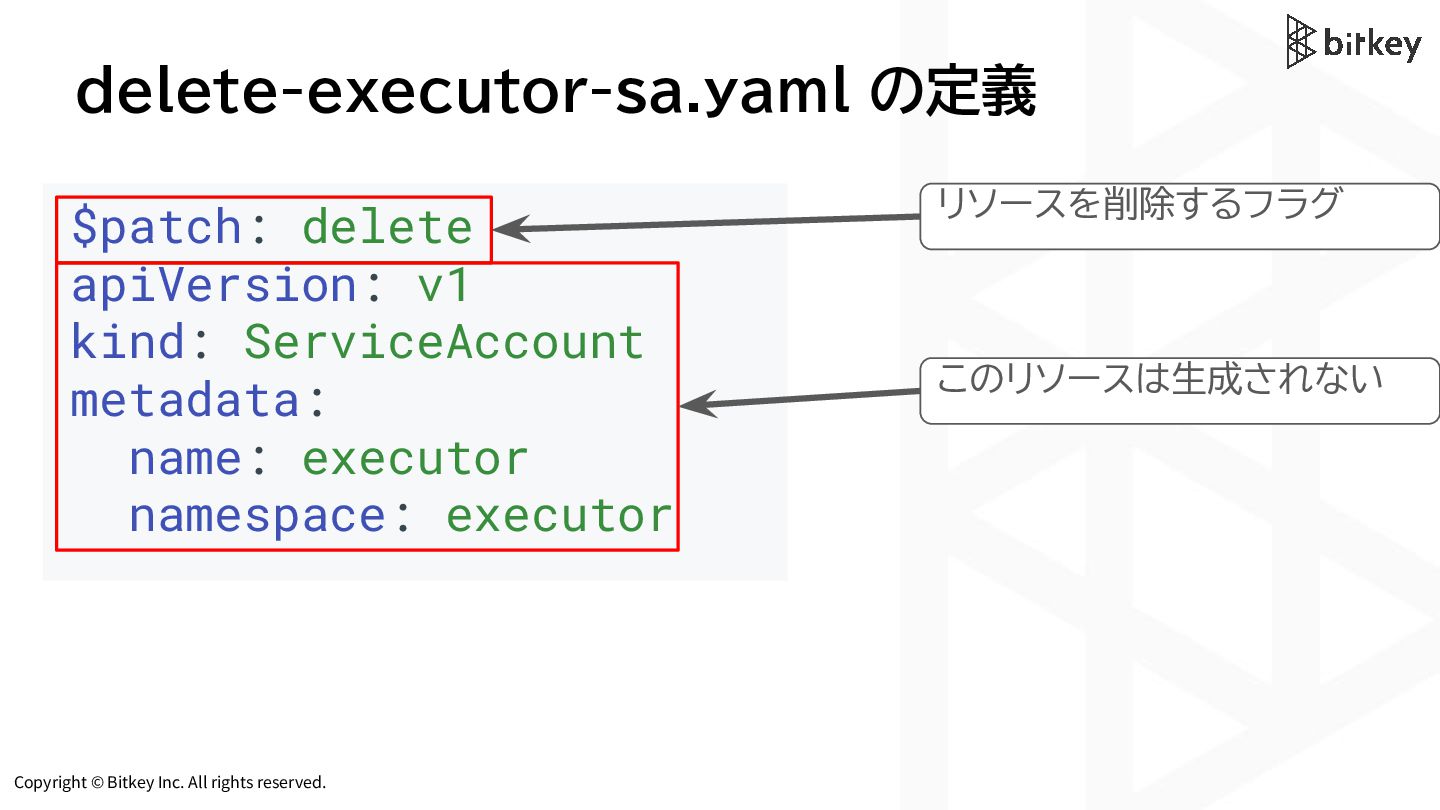
Copyright © Bitkey Inc. All rights reserved. delete-executor-sa.yaml の定義 リソースを削除するフラグ
$patch: delete apiVersion: v1 kind: ServiceAccount metadata: name: executor namespace: executor このリソースは生成されない -
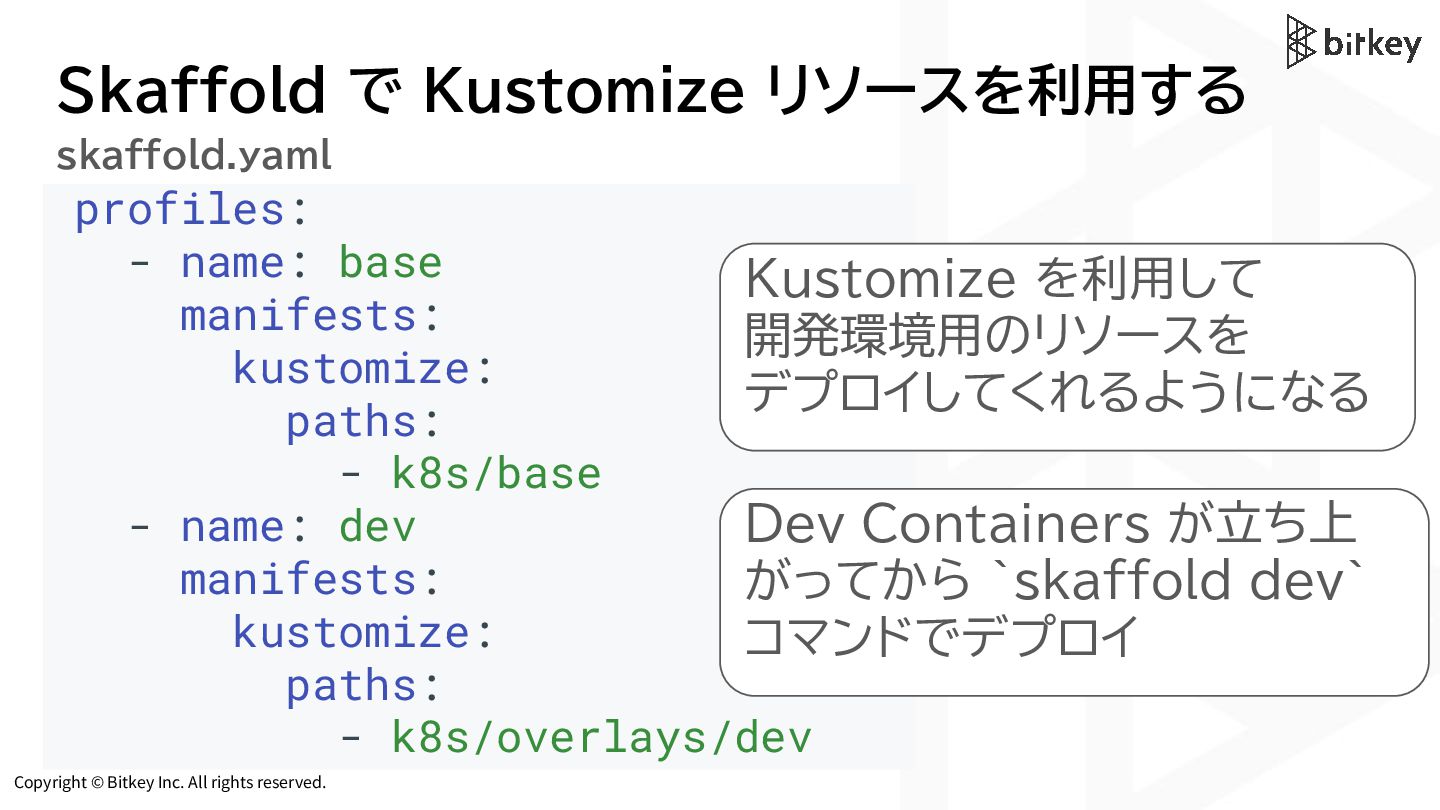
Copyright © Bitkey Inc. All rights reserved. Skaffold で Kustomize
リソースを利用する profiles: - name: base manifests: kustomize: paths: - k8s/base - name: dev manifests: kustomize: paths: - k8s/overlays/dev Kustomize を利用して 開発環境用のリソースを デプロイしてくれるようになる skaffold.yaml Dev Containers が立ち上 がってから `skaffold dev` コマンドでデプロイ -
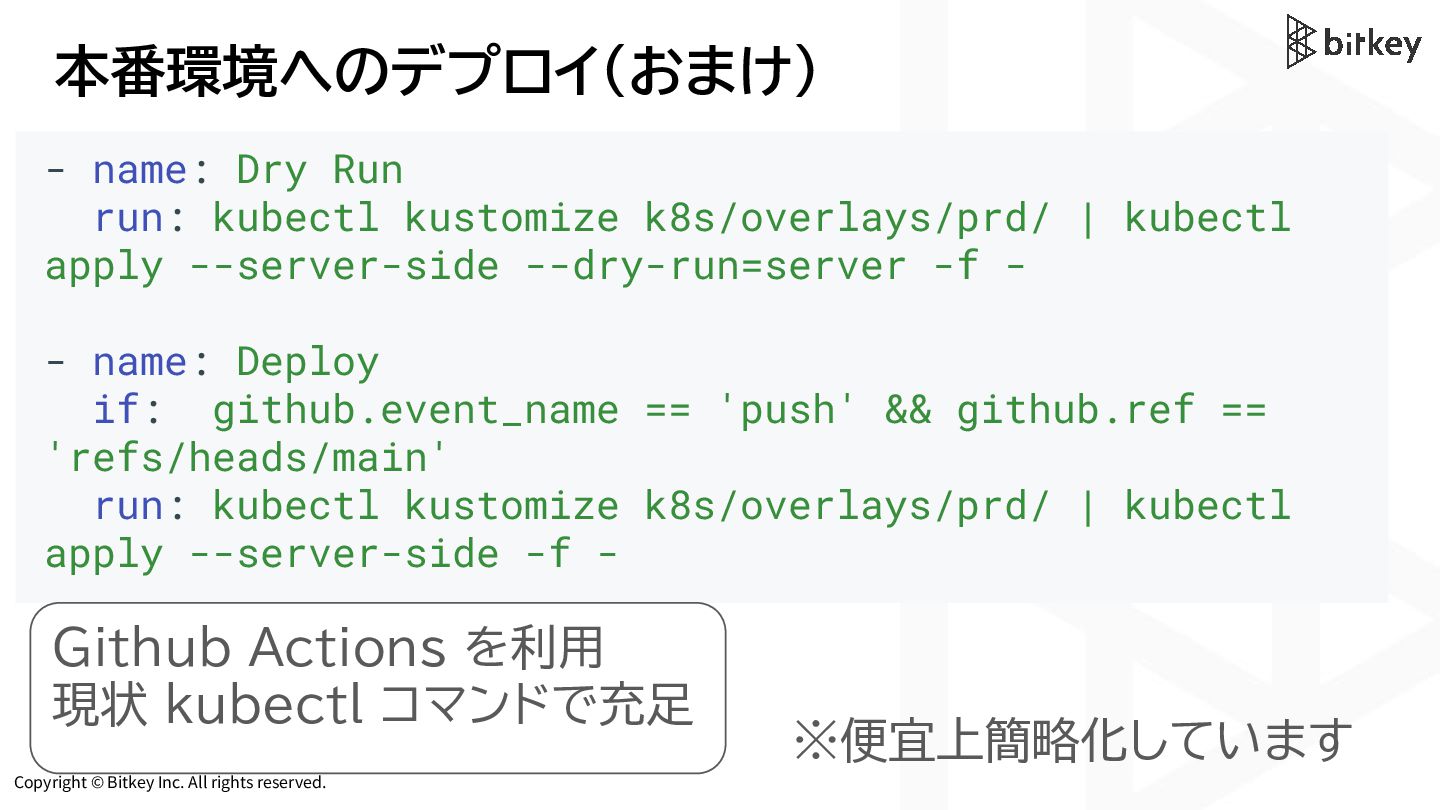
Copyright © Bitkey Inc. All rights reserved. 本番環境へのデプロイ(おまけ) - name:
Dry Run run: kubectl kustomize k8s/overlays/prd/ | kubectl apply --server-side --dry-run=server -f - - name: Deploy if: github.event_name == 'push' && github.ref == 'refs/heads/main' run: kubectl kustomize k8s/overlays/prd/ | kubectl apply --server-side -f - ※便宜上簡略化しています Github Actions を利用 現状 kubectl コマンドで充足 -
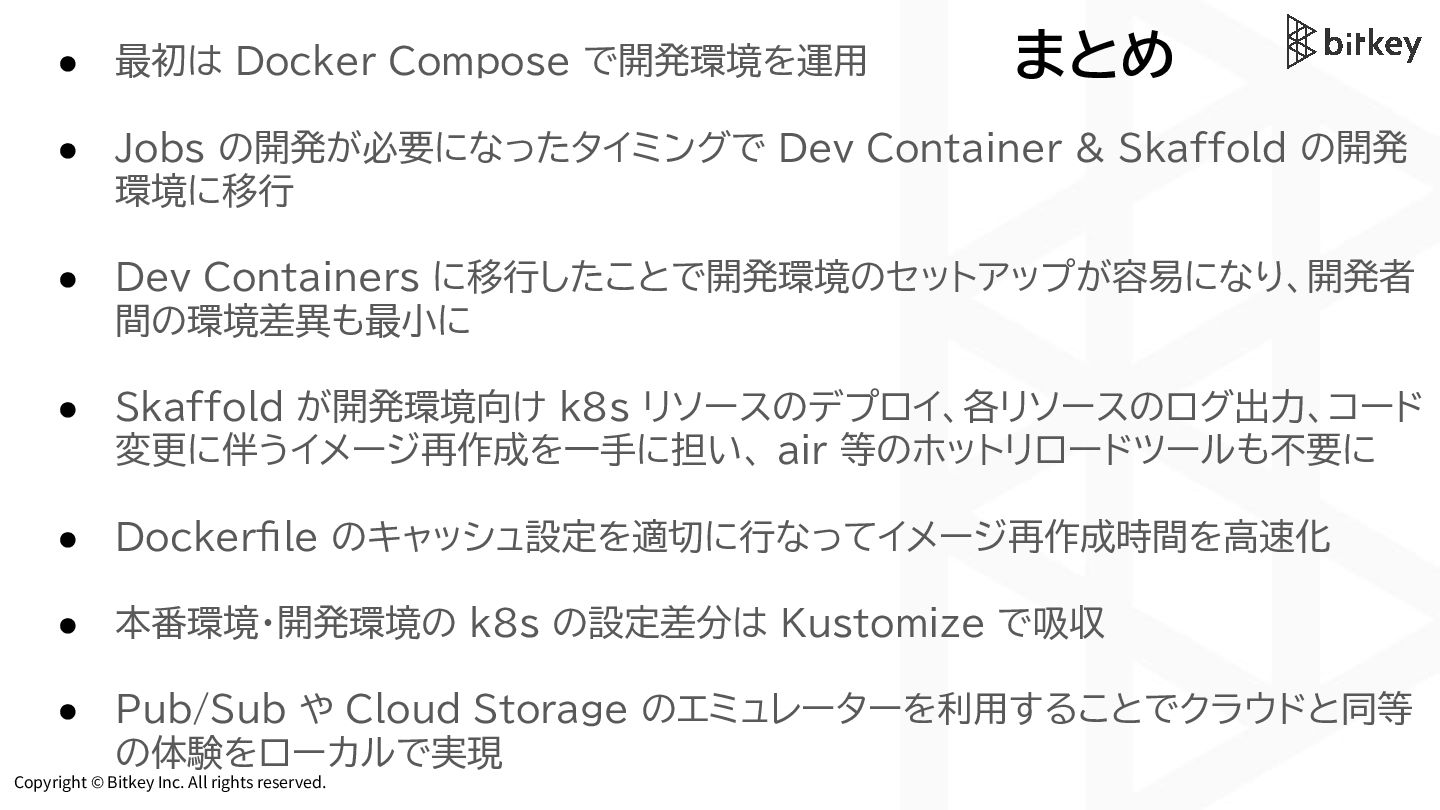
Copyright © Bitkey Inc. All rights reserved. まとめ • 最初は
Docker Compose で開発環境を運用 • Jobs の開発が必要になったタイミングで Dev Container & Skaffold の開発 環境に移行 • Dev Containers に移行したことで開発環境のセットアップが容易になり、開発者 間の環境差異も最小に • Skaffold が開発環境向け k8s リソースのデプロイ、各リソースのログ出力、コード 変更に伴うイメージ再作成を一手に担い、 air 等のホットリロードツールも不要に • Dockerfile のキャッシュ設定を適切に行なってイメージ再作成時間を高速化 • 本番環境・開発環境の k8s の設定差分は Kustomize で吸収 • Pub/Sub や Cloud Storage のエミュレーターを利用することでクラウドと同等 の体験をローカルで実現
 bitkey
 sansantech
 comi190327
 sergicalsix
 pipepasta
 ginjihayashi
 wadayusuke
 oracle4engineer
 torounit
 inariku
 tsukuboshi
 falken
 henryofficial
 iamctodd
 kneath
 lara
 addyosmani
 charlesmeaden
 caitiem20
 reverentgeek
 khoart
 jacobian
 eileencodes
 cassininazir
 jacobtomlinson