Share
Embed

Transcript
143 slides
-
@brunoaybarg Bruno125 Bruno Aybar Software Engineer @ Avantica Technologies AndroidDev
Peru co-organizer https://brunoaybar.com/talks/intro-kapt-plugin -
AGENDA 1. Introducción a KAPT A. KAPT vs APT B.
Flujo de ejecución C. Ejemplos D. K in KAPT 2. Introducción a Kotlin Plugins A. Usos y Ejemplos B. Flujos de ejecución C. Deep dive: Android Extension Plugin 3. ¿Cuándo usar cada uno? EXTRA: KAPT y Plugins en el contexto de Kotlin/JS -
OBJETIVOS 1. Entiendan los casos de uso de cada uno.
2. Se animen a investigar más, a contribuir a más proyectos open source! -
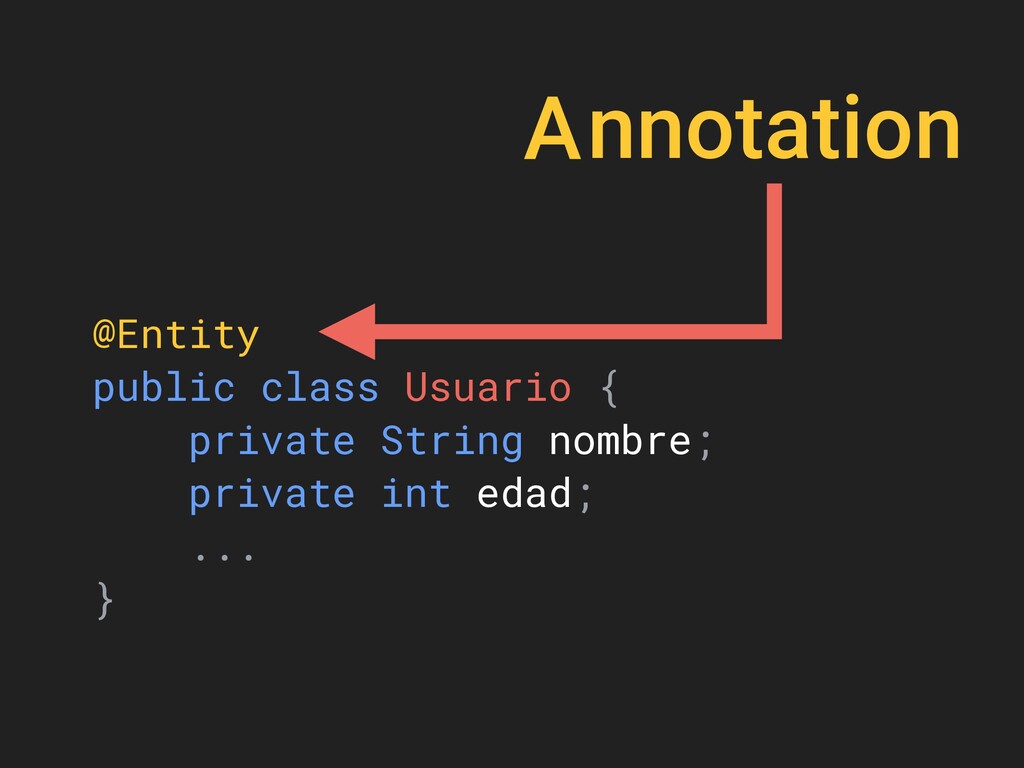
KATP 1. Te permite CREAR nuevos archivos en base a
las anotaciones 2. Funciona para archivos Java y Kotlin (kinda) -
@Entity public class Usuario { private String nombre; private int
edad; ... } Usuario.class javac -
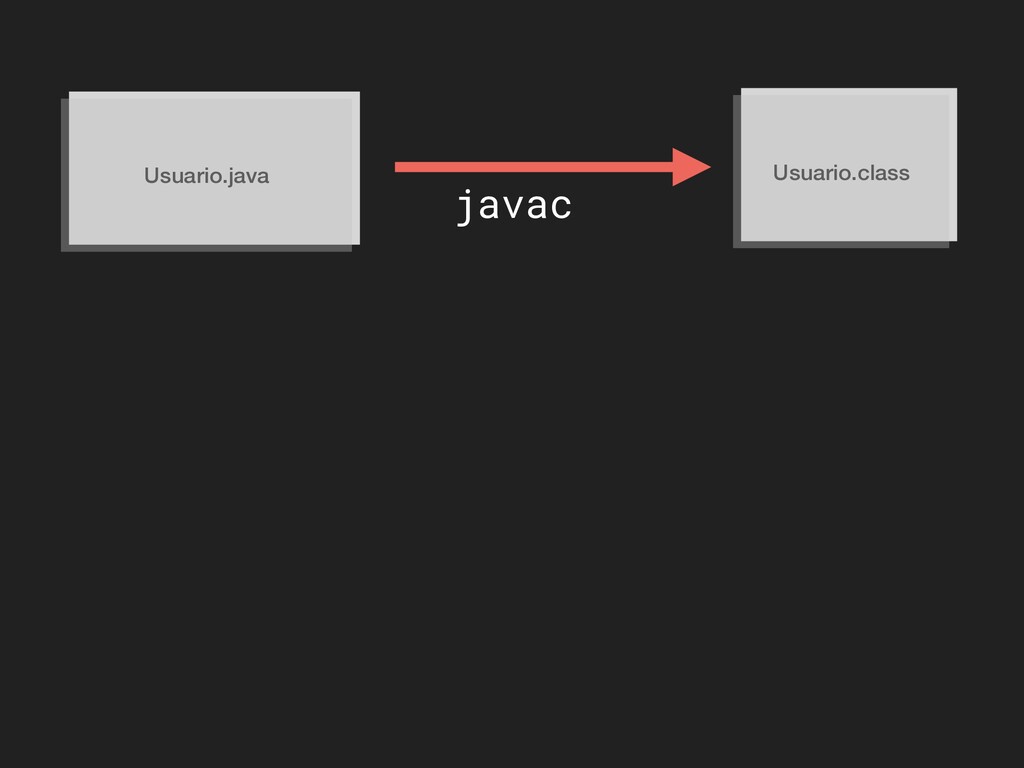
Usuario.java Usuario.class javac ANTES (pre JDK 5) javac: compilaba apt:
procesaba anotaciones -
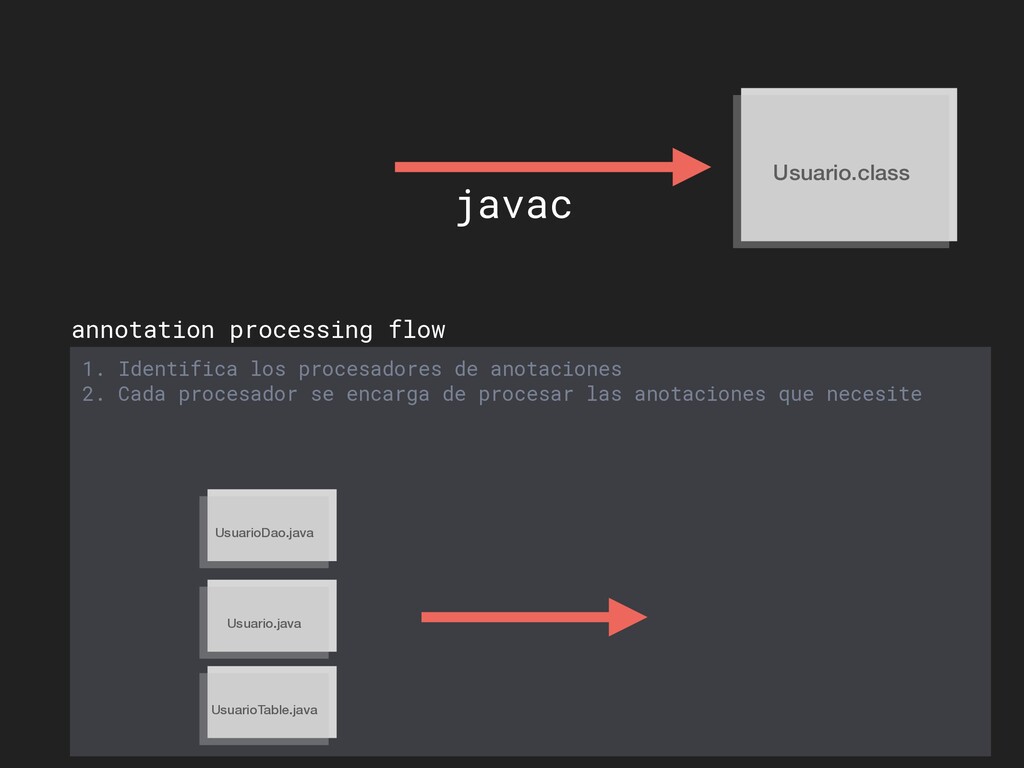
Usuario.java Usuario.class javac annotation processing flow 1. Identifica los procesadores
de anotaciones ServiceLoader META-INF/services/ javax.annotation.processing.Processor busca -
annotation processing flow 1. Identifica los procesadores de anotaciones ServiceLoader
com.example.EntityProcessor com.foo.OtherProcessor net.blabla.SpecialProcessor javax.annotation.processing.Processor Usuario.java Usuario.class javac -
annotation processing flow 1. Identifica los procesadores de anotaciones ServiceLoader
META-INF/services/ javax.annotation.processing.Processor Usuario.java Usuario.class javac -
Usuario.java Usuario.class javac annotation processing flow 1. Identifica los procesadores
de anotaciones 2. Cada procesador se encarga de procesar las anotaciones que necesite -
Usuario.java Usuario.class javac annotation processing flow 1. Identifica los procesadores
de anotaciones EntityProcessor UsuarioDao.java UsuarioTable.java crea crea 2. Cada procesador se encarga de procesar las anotaciones que necesite -
Usuario.class javac annotation processing flow 1. Identifica los procesadores de
anotaciones 2. Cada procesador se encarga de procesar las anotaciones que necesite UsuarioDao.java Usuario.java UsuarioTable.java -
annotation processing flow 1. Identifica los procesadores de anotaciones 2.
Cada procesador se encarga de procesar las anotaciones que necesite UsuarioDao.class Usuario.class UsuarioTable.class UsuarioDao.java Usuario.java UsuarioTable.java 3. Cuando no queden más anotaciones por procesar, se termina -
1. Identifica los procesadores de anotaciones 2. Cada procesador se
encarga de procesar las anotaciones que necesite 3. Cuando no queden más anotaciones por procesar, se termina Annotation Processing Boilerplate Destruction - Jake Wharton (droidconNYC 2014) -
EJEMPLOS 1. Dagger 2. Spring 3. Android I. Room II.
Lifecycle III.… 4. Gson / Jackson / Moshi 5. Etc. -
K-APT @Provides fun provideList(): List<Taco> { return emptyList() } @Inject
lateinit var tacos: List<Taco> -
K-APT @Provides fun provideList(): List<Taco> { return emptyList() } @Inject
lateinit var tacos: List<@SuppressJvmWildcard Taco> -
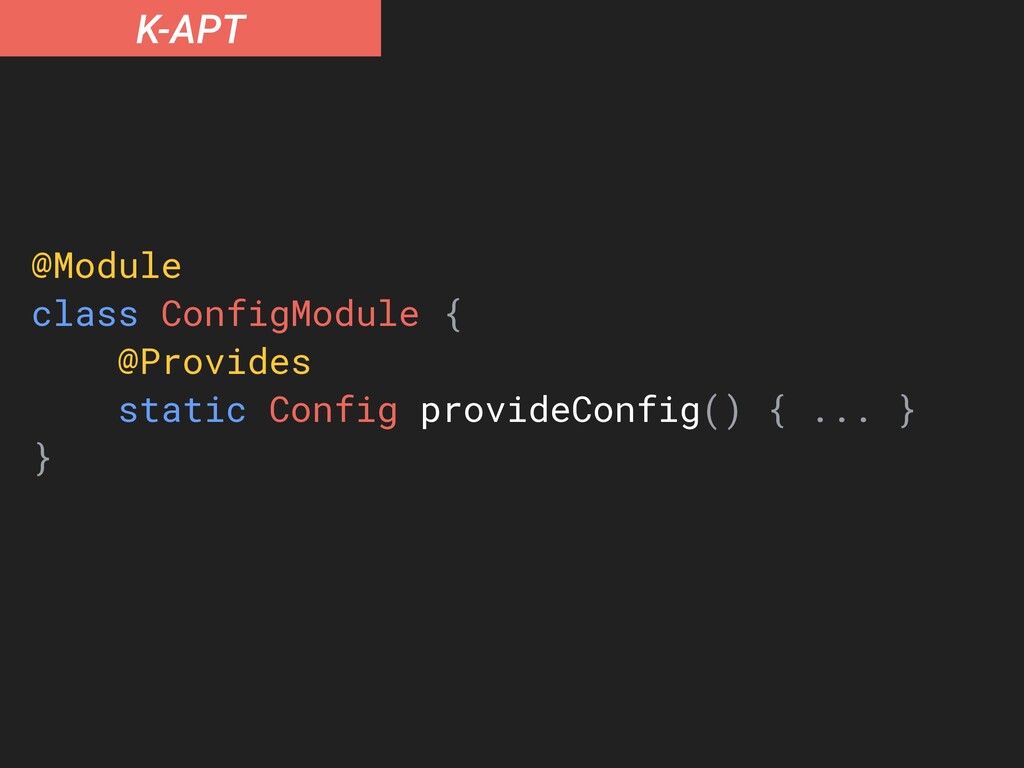
K-APT @Module class ConfigModule { companion object { @JvmStatic @Provides
fun provideConfig(): Config { ... } } } -
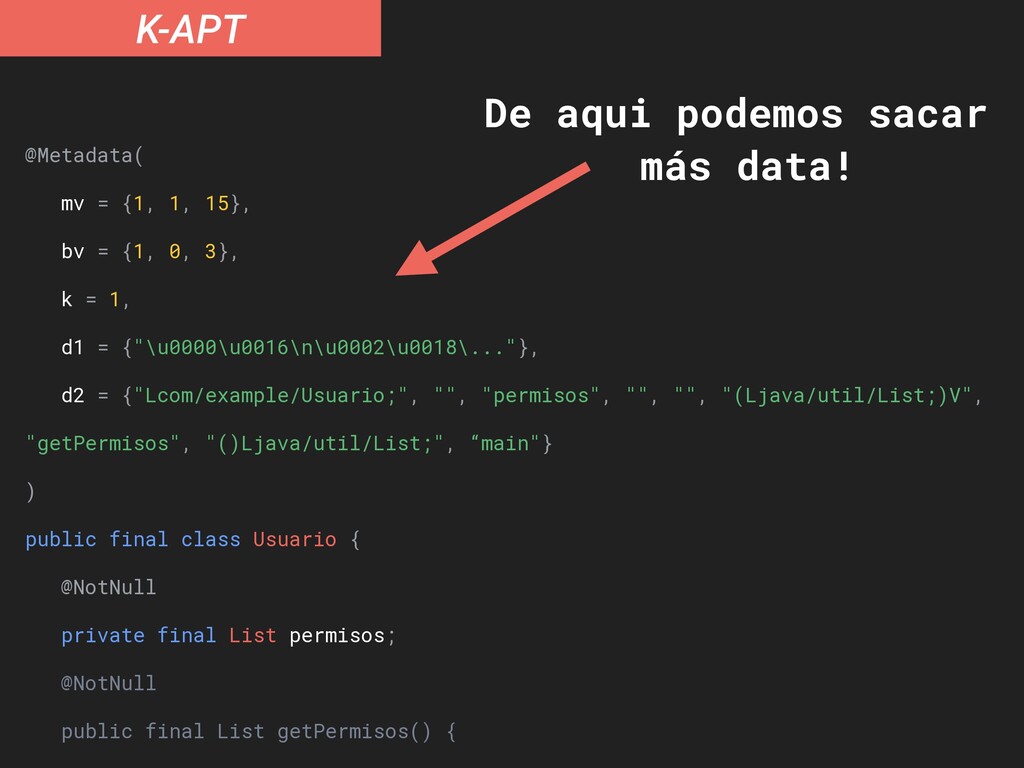
K-APT El procesador de anotaciones no recibe los archivos “.kt”
directamente Recibe una representación intermedia del código -
K-APT d2 = {"Lcom/example/Usuario;", "", "permisos", "", "", "(Ljava/util/List;)V", "getPermisos",
"()Ljava/util/List;", “main"} ) public final class Usuario { @NotNull private final List permisos; @NotNull public final List getPermisos() { return this.permisos; } public Usuario(@NotNull List permisos) { Intrinsics.checkParameterIsNotNull(permisos, "permisos"); super(); this.permisos = permisos; } } -
K-APT @Metadata( mv = {1, 1, 15}, bv = {1,
0, 3}, k = 1, d1 = {"\u0000\u0016\n\u0002\u0018\..."}, d2 = {"Lcom/example/Usuario;", "", "permisos", "", "", "(Ljava/util/List;)V", "getPermisos", "()Ljava/util/List;", “main"} ) public final class Usuario { @NotNull private final List permisos; @NotNull public final List getPermisos() { De aqui podemos sacar más data! -
K-APT Annotation Processing in a Kotlin World - Zac Sweers
(KotlinConf 2018) -
Arquitectura de un Plugin Plugin Subplugin CommandLineProcessor ComponenRegistrar Extension Extension
Writing Your First Kotlin Compiler Plugin - Kevin Most (KotlinConf 2018) -
Android Extensions Plugin Synthetic Imports Parcelable Implementation @Parcelize class MyClass
Los plugins también pueden procesar anotaciones -
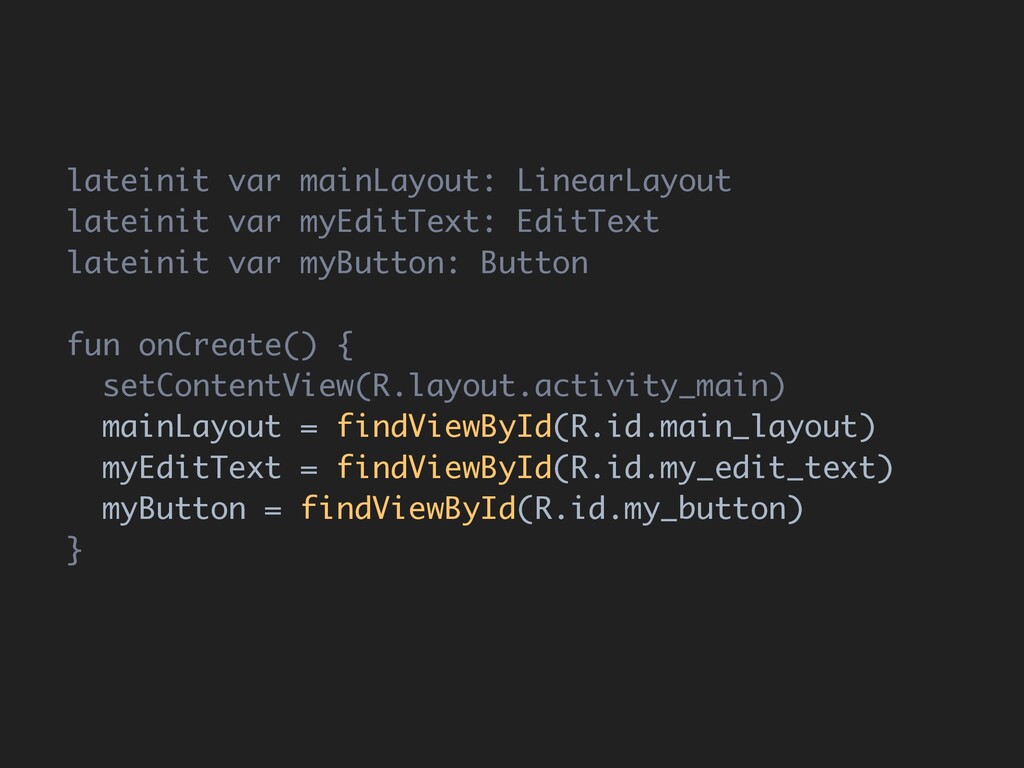
lateinit var mainLayout: LinearLayout lateinit var myEditText: EditText lateinit var
myButton: Button fun onCreate() { setContentView(R.layout.activity_main) mainLayout = findViewById(R.id.main_layout) myEditText = findViewById(R.id.my_edit_text) myButton = findViewById(R.id.my_button) } -
lateinit var mainLayout: LinearLayout lateinit var myEditText: EditText lateinit var
myButton: Button fun onCreate() { setContentView(R.layout.activity_main) mainLayout = findViewById(R.id.main_layout) myEditText = findViewById(R.id.my_edit_text) myButton = findViewById(R.id.my_button) } 1. Declare variables -
lateinit var mainLayout: LinearLayout lateinit var myEditText: EditText lateinit var
myButton: Button fun onCreate() { setContentView(R.layout.activity_main) mainLayout = findViewById(R.id.main_layout) myEditText = findViewById(R.id.my_edit_text) myButton = findViewById(R.id.my_button) } 2. Set layout -
lateinit var mainLayout: LinearLayout lateinit var myEditText: EditText lateinit var
myButton: Button fun onCreate() { setContentView(R.layout.activity_main) mainLayout = findViewById(R.id.main_layout) myEditText = findViewById(R.id.my_edit_text) myButton = findViewById(R.id.my_button) } 3. Assign variables -
lateinit var mainLayout: LinearLayout lateinit var myEditText: EditText lateinit var
myButton: Button fun onCreate() { setContentView(R.layout.activity_main) mainLayout = findViewById(R.id.main_layout) myEditText = findViewById(R.id.my_edit_text) myButton = findViewById(R.id.my_button) }} -
lateinit var mainLayout: LinearLayout lateinit var myEditText: EditText lateinit var
myButton: Button fun onCreate() { setContentView(R.layout.activity_main) mainLayout = findViewById(R.id.main_layout) myEditText = findViewById(R.id.my_edit_text) myButton = findViewById(R.id.my_button) mainLayout.orientation = VERTICAL myEditText.setOnTextChangedListener { … } myButton.setOnClickListener { … } }} 4. Actually use your components -
import kotlinx.android.synthetic.main.activity_main.* fun onCreate() { setContentView(R.layout.activity_main) mainLayout.orientation = ... myEditText.setOnTexChangedListener
{ ... } myButton.setOnClickListener { ... } } -
import kotlinx.android.synthetic.main.activity_main.* fun onCreate() { setContentView(R.layout.activity_main) mainLayout.orientation = ... myEditText.setOnTexChangedListener
{ ... } myButton.setOnClickListener { ... } } 1. Import your layout -
import kotlinx.android.synthetic.main.activity_main.* fun onCreate() { setContentView(R.layout.activity_main) mainLayout.orientation = ... myEditText.setOnTexChangedListener
{ ... } myButton.setOnClickListener { ... } } 2. Set layout -
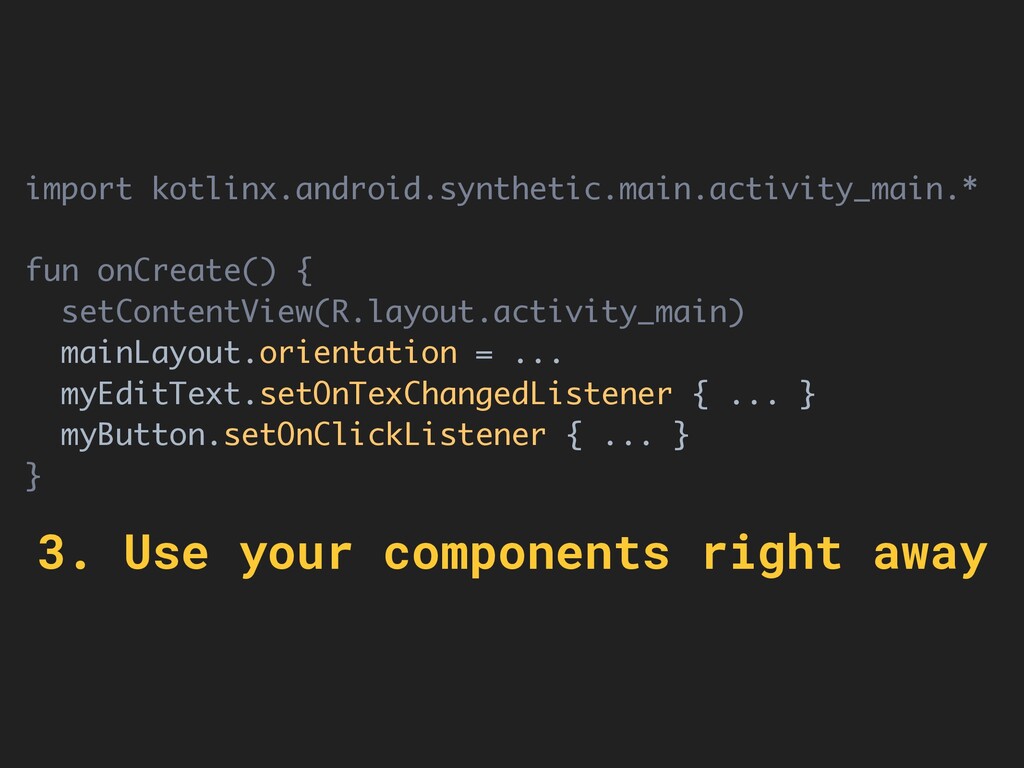
import kotlinx.android.synthetic.main.activity_main.* fun onCreate() { setContentView(R.layout.activity_main) mainLayout.orientation = ... myEditText.setOnTexChangedListener
{ ... } myButton.setOnClickListener { ... } } 3. Use your components right away -
No need to compile These fields are ready to be
used as soon as you write them on your XML file -
Analyse XML layouts, and generate fields Synthetic Imports During compilation,
replaces fields with findViewById IDEA instructions to handle autocompletion, indexing, on-the-fly modifications -
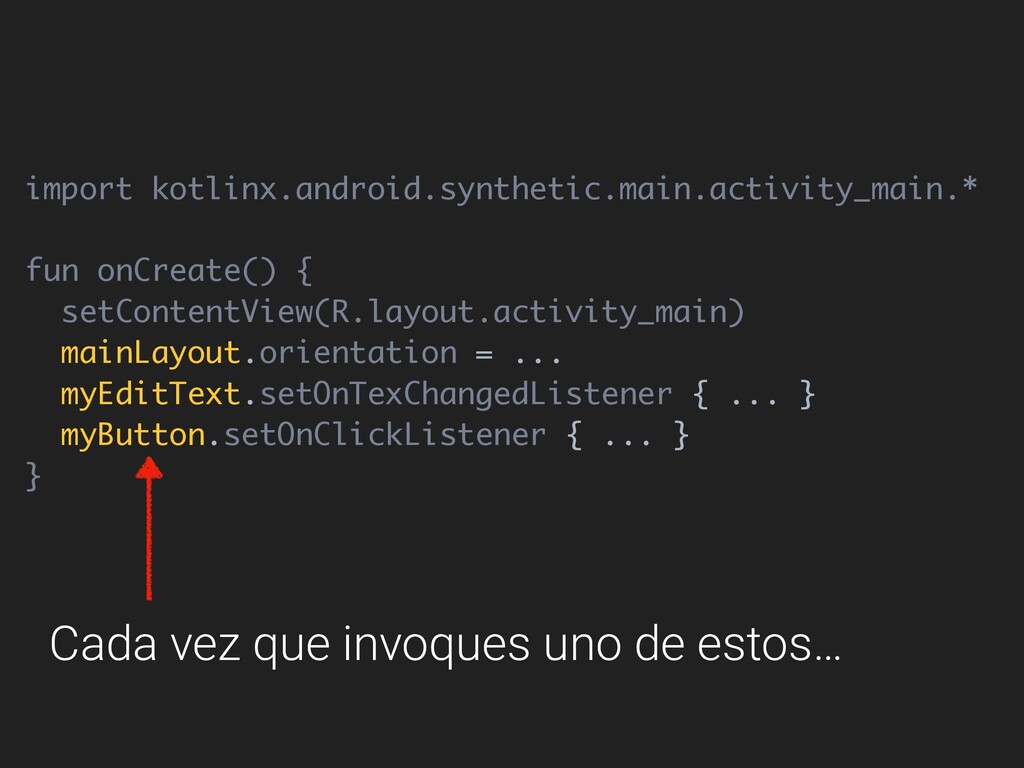
import kotlinx.android.synthetic.main.activity_main.* fun onCreate() { setContentView(R.layout.activity_main) mainLayout.orientation = ... myEditText.setOnTexChangedListener
{ ... } myButton.setOnClickListener { ... } } Cada vez que invoques uno de estos… -
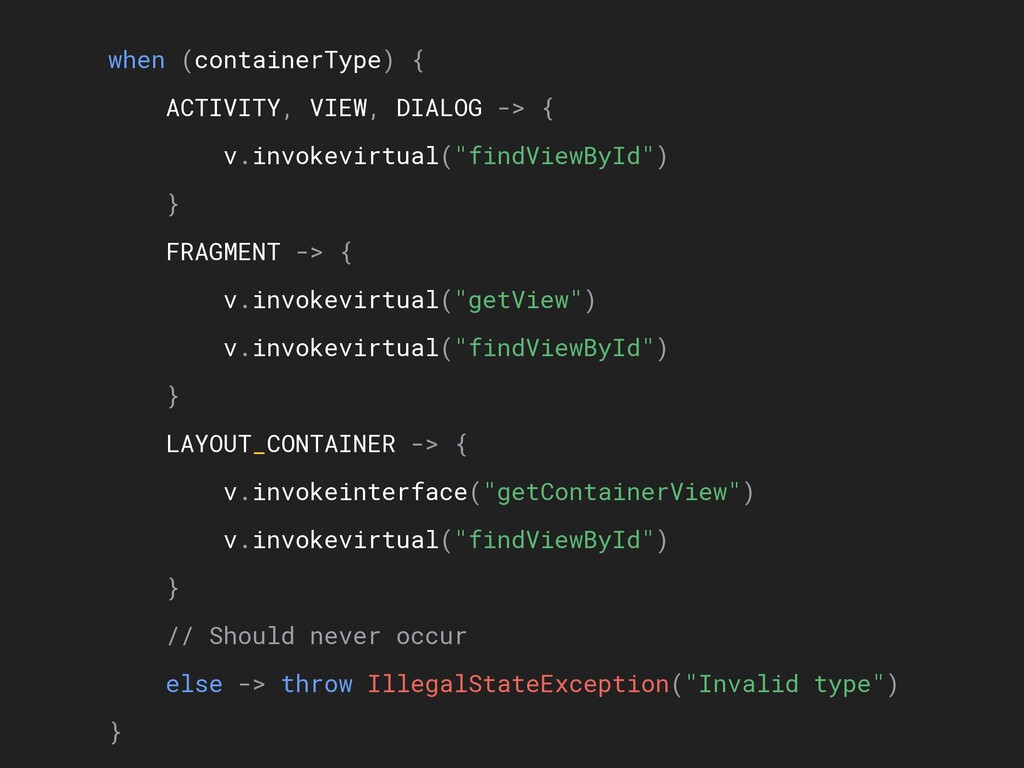
when (containerType) { ACTIVITY, VIEW, DIALOG -> { v.invokevirtual("findViewById") }
FRAGMENT -> { v.invokevirtual("getView") v.invokevirtual("findViewById") } LAYOUT_CONTAINER -> { v.invokeinterface("getContainerView") v.invokevirtual("findViewById") } // Should never occur else -> throw IllegalStateException("Invalid type") } -
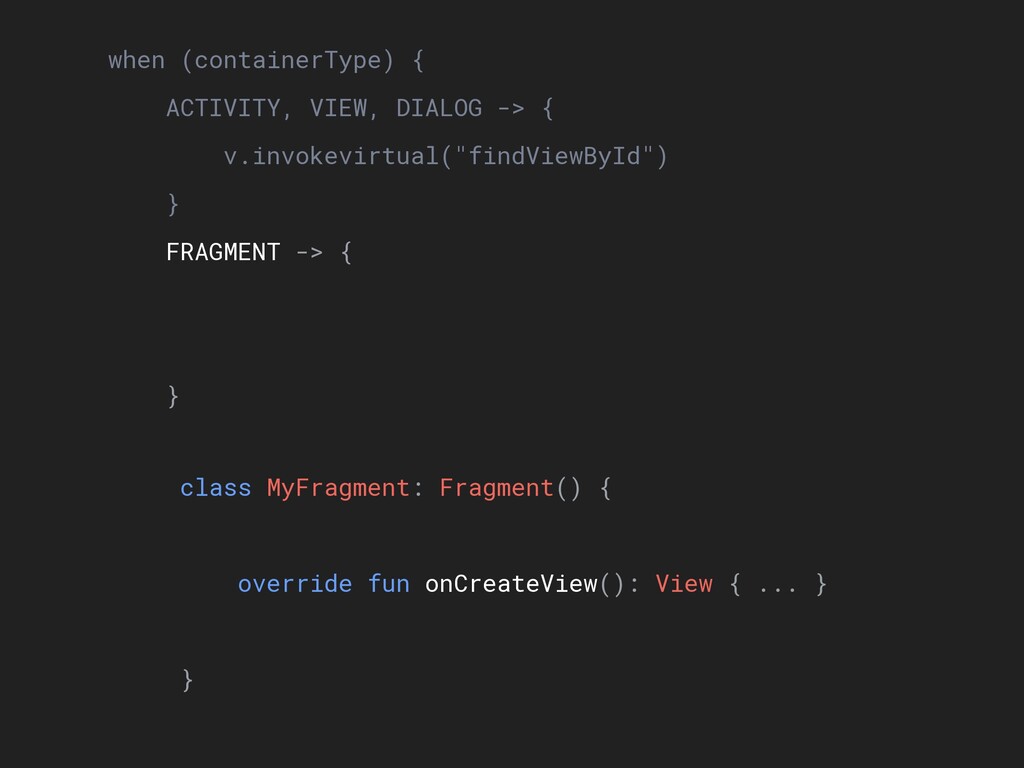
when (containerType) { ACTIVITY, VIEW, DIALOG -> { v.invokevirtual("findViewById") }
FRAGMENT -> { v.invokevirtual("getView") v.invokevirtual("findViewById") } LAYOUT_CONTAINER -> { v.invokeinterface("getContainerView") v.invokevirtual("findViewById") } // Should never occur else -> throw IllegalStateException("Invalid type") } class MyFragment: Fragment() { override fun onCreateView(): View { ... } } -
when (containerType) { ACTIVITY, VIEW, DIALOG -> { v.invokevirtual("findViewById") }
FRAGMENT -> { v.invokevirtual("getView") v.invokevirtual("findViewById") } LAYOUT_CONTAINER -> { v.invokeinterface("getContainerView") v.invokevirtual("findViewById") } // Should never occur else -> throw IllegalStateException("Invalid type") } -
} FRAGMENT -> { v.invokevirtual("getView") v.invokevirtual("findViewById") } LAYOUT_CONTAINER -> {
v.invokeinterface("getContainerView") v.invokevirtual("findViewById") } // Should never occur else -> throw IllegalStateException("Invalid type") } public interface LayoutContainer { /** Returns the root holder view. */ public val containerView: View? } -
} FRAGMENT -> { v.invokevirtual("getView") v.invokevirtual("findViewById") } LAYOUT_CONTAINER -> {
v.invokeinterface("getContainerView") v.invokevirtual("findViewById") } // Should never occur else -> throw IllegalStateException("Invalid type") } -
} FRAGMENT -> { v.invokevirtual("getView") v.invokevirtual("findViewById") } LAYOUT_CONTAINER -> {
v.invokeinterface("getContainerView") v.invokevirtual("findViewById") } // Should never occur else -> throw IllegalStateException("Invalid type") } *Only works if you enable* androidExtensions { experimental = true } -
v.invokevirtual("findViewById") } LAYOUT_CONTAINER -> { v.invokeinterface("getContainerView") v.invokevirtual("findViewById") } // Should
never occur else -> throw IllegalStateException("Invalid type") } -
when (containerType) { ACTIVITY, VIEW, DIALOG -> { v.invokevirtual("findViewById") }
FRAGMENT -> { v.invokevirtual("getView") v.invokevirtual("findViewById") } LAYOUT_CONTAINER -> { v.invokeinterface("getContainerView") v.invokevirtual("findViewById") } // Should never occur else -> throw IllegalStateException("Invalid type") } -
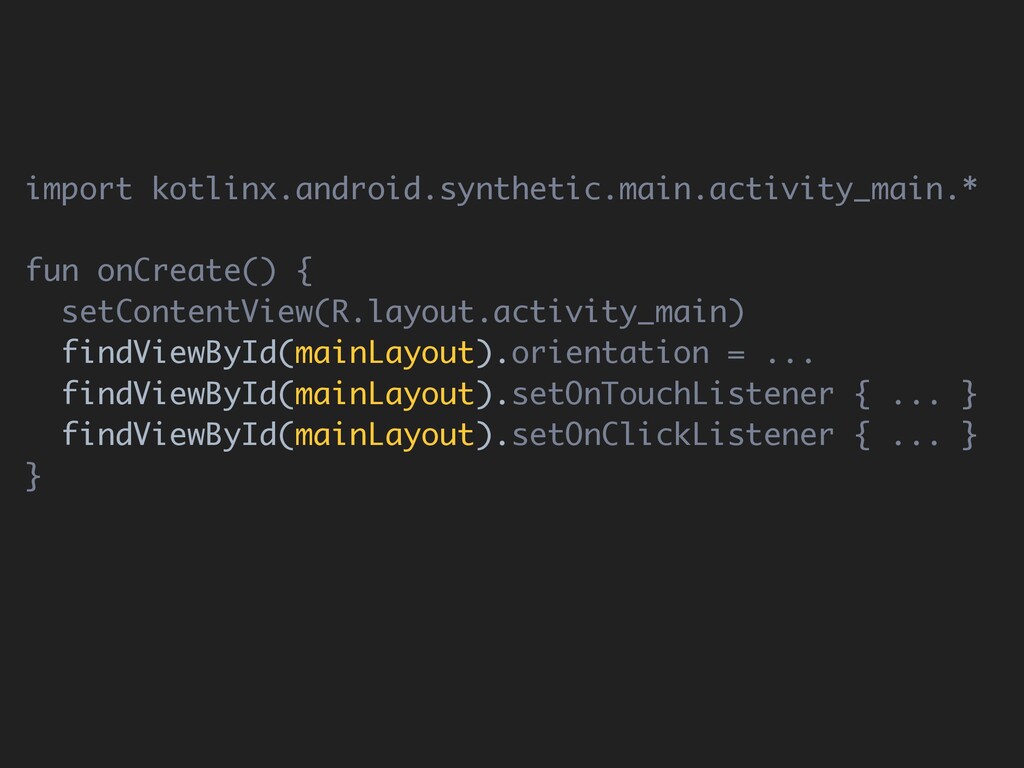
import kotlinx.android.synthetic.main.activity_main.* fun onCreate() { setContentView(R.layout.activity_main) mainLayout.orientation = ... mainLayout.setOnTouchListener
{ ... } mainLayout.setOnClickListener { ... } } -
import kotlinx.android.synthetic.main.activity_main.* fun onCreate() { setContentView(R.layout.activity_main) findViewById(mainLayout).orientation = ... findViewById(mainLayout).setOnTouchListener
{ ... } findViewById(mainLayout).setOnClickListener { ... } } -
import kotlinx.android.synthetic.main.activity_main.* fun onCreate() { setContentView(R.layout.activity_main) findViewById(mainLayout).orientation = ... findViewById(mainLayout).setOnTouchListener
{ ... } findViewById(mainLayout).setOnClickListener { ... } } Inefficient! -
abstract class AndroidLayoutXmlFileManager(val project: Project) { open fun getModuleData(): AndroidModuleData
{ return AndroidModuleData( module = androidModule, variants = androidModule.variants.map { getVariantData(it) } ) } } -
abstract class AndroidLayoutXmlFileManager(val project: Project) { open fun getModuleData(): AndroidModuleData
{ return AndroidModuleData( module = androidModule, variants = androidModule.variants.map { getVariantData(it) } ) } } getVariantData Evaluates each variant -
private fun getVariantData(variant: Variant): AndroidVariantData { val resDirectories = variant.resDirectories.map
{ fileManager.findFileByUrl("file://$it") } val allChildren = resDirectories.flatMap { it?.getAllChildren() ?: listOf() } val allLayoutFiles = allChildren.filter { it.parent.name.startsWith("layout") && it.name.toLowerCase().endsWith(".xml") } val layoutNameToXmlFiles = allLayoutFiles .groupBy { it.name.substringBeforeLast('.') } .mapValues { it.value.sortedBy { it.parent.name.length } } getVariantData -
private fun getVariantData(variant: Variant): AndroidVariantData { val resDirectories = variant.resDirectories.map
{ fileManager.findFileByUrl("file://$it") } val allChildren = resDirectories.flatMap { it?.getAllChildren() ?: listOf() } val allLayoutFiles = allChildren.filter { it.parent.name.startsWith("layout") && it.name.toLowerCase().endsWith(".xml") } val layoutNameToXmlFiles = allLayoutFiles .groupBy { it.name.substringBeforeLast('.') } .mapValues { it.value.sortedBy { it.parent.name.length } } 1. Searches “res" folder -
private fun getVariantData(variant: Variant): AndroidVariantData { val resDirectories = variant.resDirectories.map
{ fileManager.findFileByUrl("file://$it") } val allChildren = resDirectories.flatMap { it?.getAllChildren() ?: listOf() } val allLayoutFiles = allChildren.filter { it.parent.name.startsWith("layout") && it.name.toLowerCase().endsWith(".xml") } val layoutNameToXmlFiles = allLayoutFiles .groupBy { it.name.substringBeforeLast('.') } .mapValues { it.value.sortedBy { it.parent.name.length } } 2. Looks at each file -
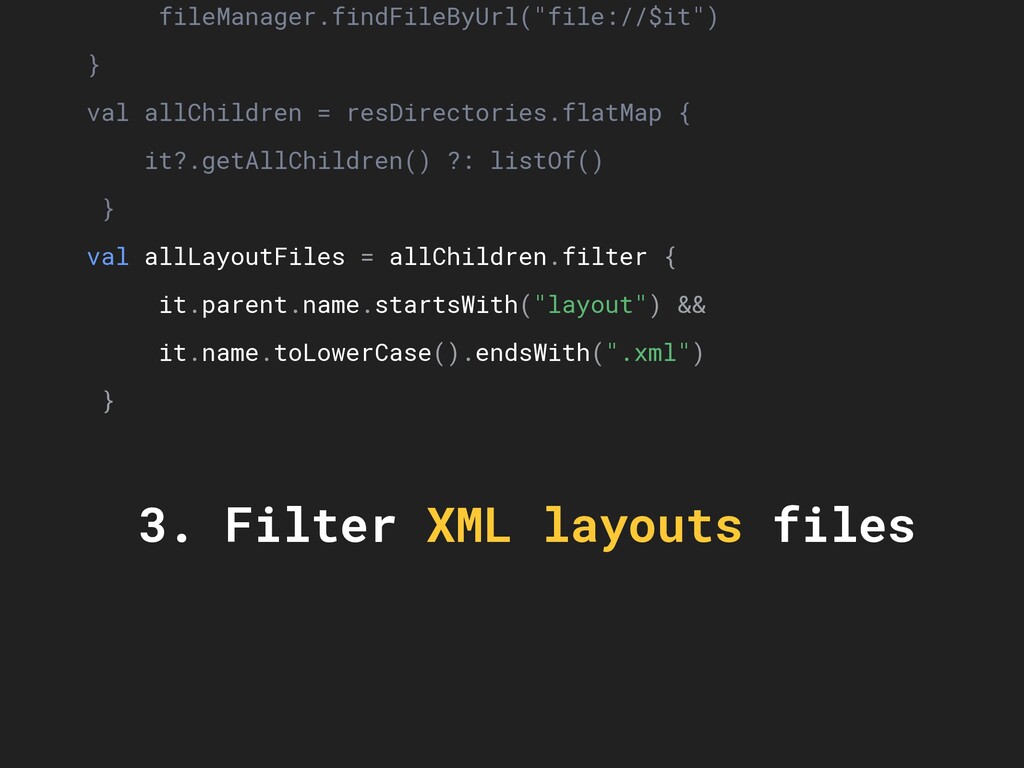
fileManager.findFileByUrl("file://$it") } val allChildren = resDirectories.flatMap { it?.getAllChildren() ?: listOf()
} val allLayoutFiles = allChildren.filter { it.parent.name.startsWith("layout") && it.name.toLowerCase().endsWith(".xml") } val layoutNameToXmlFiles = allLayoutFiles .groupBy { it.name.substringBeforeLast('.') } .mapValues { it.value.sortedBy { it.parent.name.length } } return AndroidVariantData(variant, layoutNameToXmlFiles) } 3. Filter XML layouts files -
it?.getAllChildren() ?: listOf() } val allLayoutFiles = allChildren.filter { it.parent.name.startsWith("layout")
&& it.name.toLowerCase().endsWith(".xml") } val layoutNameToXmlFiles = allLayoutFiles .groupBy { it.name.substringBeforeLast('.') } .mapValues { it.value.sortedBy { it.parent.name.length } } return AndroidVariantData(variant, layoutNameToXmlFiles) } 4. Gets the names of the files -
val allLayoutFiles = allChildren.filter { it.parent.name.startsWith("layout") && it.name.toLowerCase().endsWith(".xml") } val
layoutNameToXmlFiles = allLayoutFiles .groupBy { it.name.substringBeforeLast('.') } .mapValues { it.value.sortedBy { it.parent.name.length } } return AndroidVariantData(variant, layoutNameToXmlFiles) } 5. We know which files to evaluate -
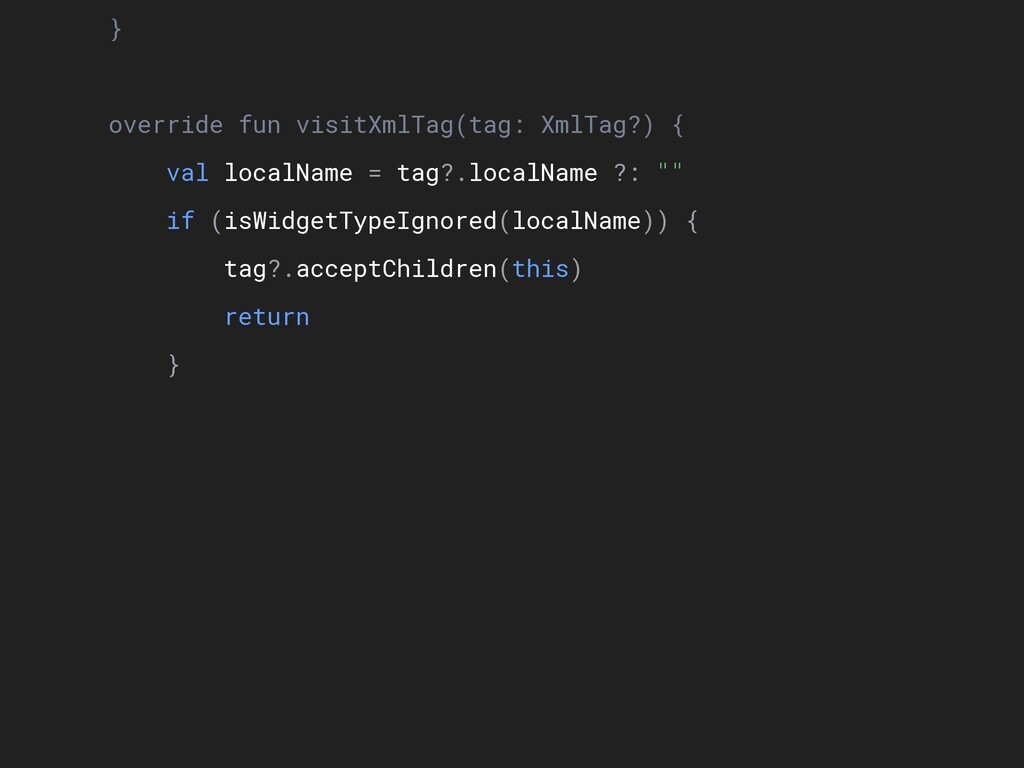
} override fun visitXmlTag(tag: XmlTag?) { val localName = tag?.localName
?: "" if (isWidgetTypeIgnored(localName)) { tag?.acceptChildren(this) return } val idAttribute = tag?.getAttribute(ID_ATTRIBUTE) if (idAttribute != null) { val idAttributeValue = idAttribute.value if (idAttributeValue != null) { val xmlType = tag.getAttribute(CLASS_ATTRIBUTE) ?.value ?: localName val name = androidIdToName(idAttributeValue) 1. Evaluates each <XML tag> -
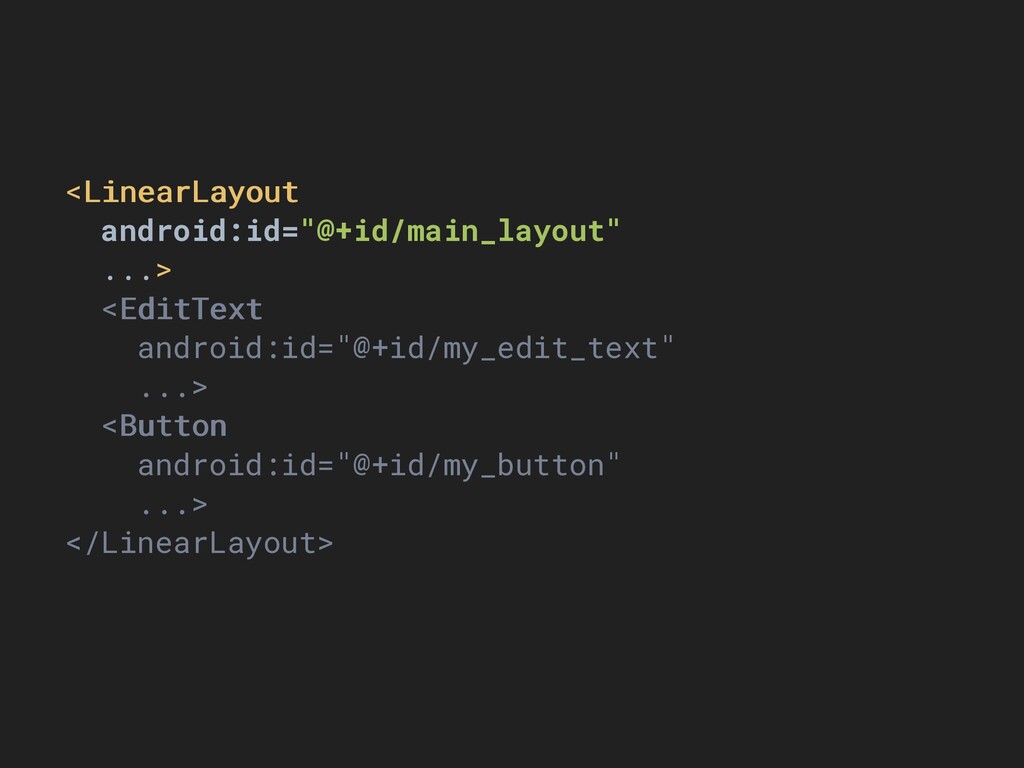
<LinearLayout android:id="@+id/main_layout" ...> <EditText android:id="@+id/my_edit_text" ...> <Button android:id="@+id/my_button" ...> </LinearLayout>
} override fun visitXmlTag(tag: XmlTag?) { val localName = tag?.localName ?: "" if (isWidgetTypeIgnored(localName)) { tag?.acceptChildren(this) return } val idAttribute = tag?.getAttribute(ID_ATTRIBUTE) if (idAttribute != null) { val idAttributeValue = idAttribute.value if (idAttributeValue != null) { val xmlType = tag.getAttribute(CLASS_ATTRIBUTE) ?.value ?: localName val name = androidIdToName(idAttributeValue) -
} override fun visitXmlTag(tag: XmlTag?) { val localName = tag?.localName
?: "" if (isWidgetTypeIgnored(localName)) { tag?.acceptChildren(this) return } val idAttribute = tag?.getAttribute(ID_ATTRIBUTE) if (idAttribute != null) { val idAttributeValue = idAttribute.value if (idAttributeValue != null) { val xmlType = tag.getAttribute(CLASS_ATTRIBUTE) ?.value ?: localName val name = androidIdToName(idAttributeValue) -
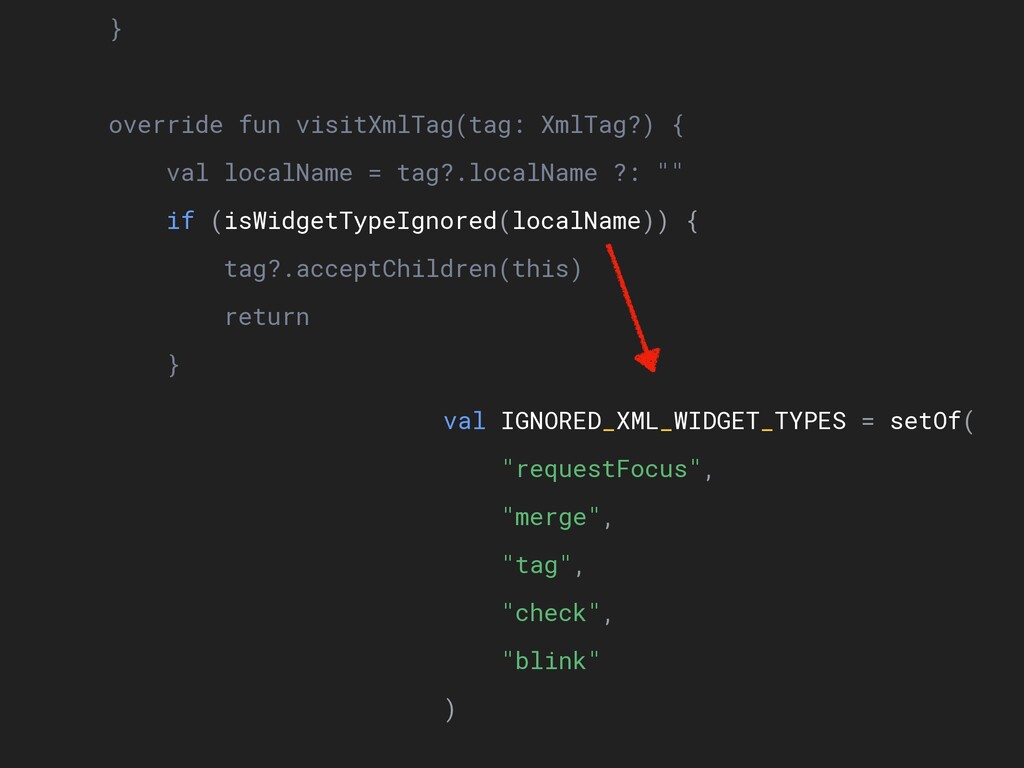
} override fun visitXmlTag(tag: XmlTag?) { val localName = tag?.localName
?: "" if (isWidgetTypeIgnored(localName)) { tag?.acceptChildren(this) return } val idAttribute = tag?.getAttribute(ID_ATTRIBUTE) if (idAttribute != null) { val idAttributeValue = idAttribute.value if (idAttributeValue != null) { val xmlType = tag.getAttribute(CLASS_ATTRIBUTE) ?.value ?: localName val name = androidIdToName(idAttributeValue) val IGNORED_XML_WIDGET_TYPES = setOf( "requestFocus", "merge", "tag", "check", "blink" ) -
} override fun visitXmlTag(tag: XmlTag?) { val localName = tag?.localName
?: "" if (isWidgetTypeIgnored(localName)) { tag?.acceptChildren(this) return } val idAttribute = tag?.getAttribute(ID_ATTRIBUTE) if (idAttribute != null) { val idAttributeValue = idAttribute.value if (idAttributeValue != null) { val xmlType = tag.getAttribute(CLASS_ATTRIBUTE) ?.value ?: localName val name = androidIdToName(idAttributeValue) 2. Ignores unsupported widgets -
return } val idAttribute = tag?.getAttribute(ID_ATTRIBUTE) if (idAttribute != null)
{ val idAttributeValue = idAttribute.value if (idAttributeValue != null) { val xmlType = tag.getAttribute(CLASS_ATTRIBUTE) ?.value ?: localName val name = androidIdToName(idAttributeValue) if (name != null) { elementCallback(name, xmlType, idAttribute) } } } -
return } val idAttribute = tag?.getAttribute(ID_ATTRIBUTE) if (idAttribute != null)
{ val idAttributeValue = idAttribute.value if (idAttributeValue != null) { val xmlType = tag.getAttribute(CLASS_ATTRIBUTE) ?.value ?: localName val name = androidIdToName(idAttributeValue) if (name != null) { elementCallback(name, xmlType, idAttribute) } } } <LinearLayout android:id="@+id/main_layout" ...> -
return } val idAttribute = tag?.getAttribute(ID_ATTRIBUTE) if (idAttribute != null)
{ val idAttributeValue = idAttribute.value if (idAttributeValue != null) { val xmlType = tag.getAttribute(CLASS_ATTRIBUTE) ?.value ?: localName val name = androidIdToName(idAttributeValue) if (name != null) { elementCallback(name, xmlType, idAttribute) } } } 3. Only considers widgets with an ID -
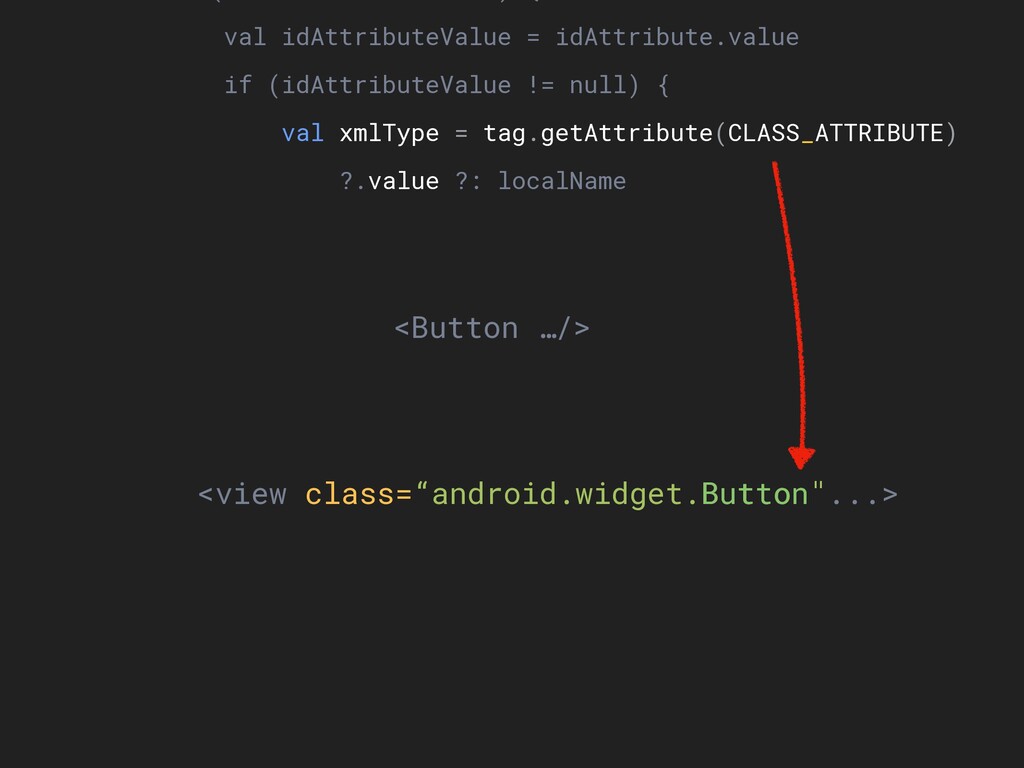
val idAttributeValue = idAttribute.value if (idAttributeValue != null) { val
xmlType = tag.getAttribute(CLASS_ATTRIBUTE) ?.value ?: localName val name = androidIdToName(idAttributeValue) if (name != null) { elementCallback(name, xmlType, idAttribute) } } } tag?.acceptChildren(this) } } <view class=“android.widget.Button"...> <Button …/> -
val idAttributeValue = idAttribute.value if (idAttributeValue != null) { val
xmlType = tag.getAttribute(CLASS_ATTRIBUTE) ?.value ?: localName val name = androidIdToName(idAttributeValue) if (name != null) { elementCallback(name, xmlType, idAttribute) } } } tag?.acceptChildren(this) } } <view class=“android.widget.Button"...> <Button …/> Button -
val idAttributeValue = idAttribute.value if (idAttributeValue != null) { val
xmlType = tag.getAttribute(CLASS_ATTRIBUTE) ?.value ?: localName val name = androidIdToName(idAttributeValue) if (name != null) { elementCallback(name, xmlType, idAttribute) } } } tag?.acceptChildren(this) } } <view class=“android.widget.Button"...> <Button …/> -
val idAttributeValue = idAttribute.value if (idAttributeValue != null) { val
xmlType = tag.getAttribute(CLASS_ATTRIBUTE) ?.value ?: localName val name = androidIdToName(idAttributeValue) if (name != null) { elementCallback(name, xmlType, idAttribute) } } } tag?.acceptChildren(this) } } 4. Determines the widget type -
val idAttributeValue = idAttribute.value if (idAttributeValue != null) { val
xmlType = tag.getAttribute(CLASS_ATTRIBUTE) ?.value ?: localName val name = androidIdToName(idAttributeValue) if (name != null) { elementCallback(name, xmlType, idAttribute) } } } tag?.acceptChildren(this) } } <LinearLayout android:id="@+id/main_layout" ...> -
val idAttributeValue = idAttribute.value if (idAttributeValue != null) { val
xmlType = tag.getAttribute(CLASS_ATTRIBUTE) ?.value ?: localName val name = androidIdToName(idAttributeValue) if (name != null) { elementCallback(name, xmlType, idAttribute) } } } tag?.acceptChildren(this) } } 5. We found a valid widget! Now to the next step... -
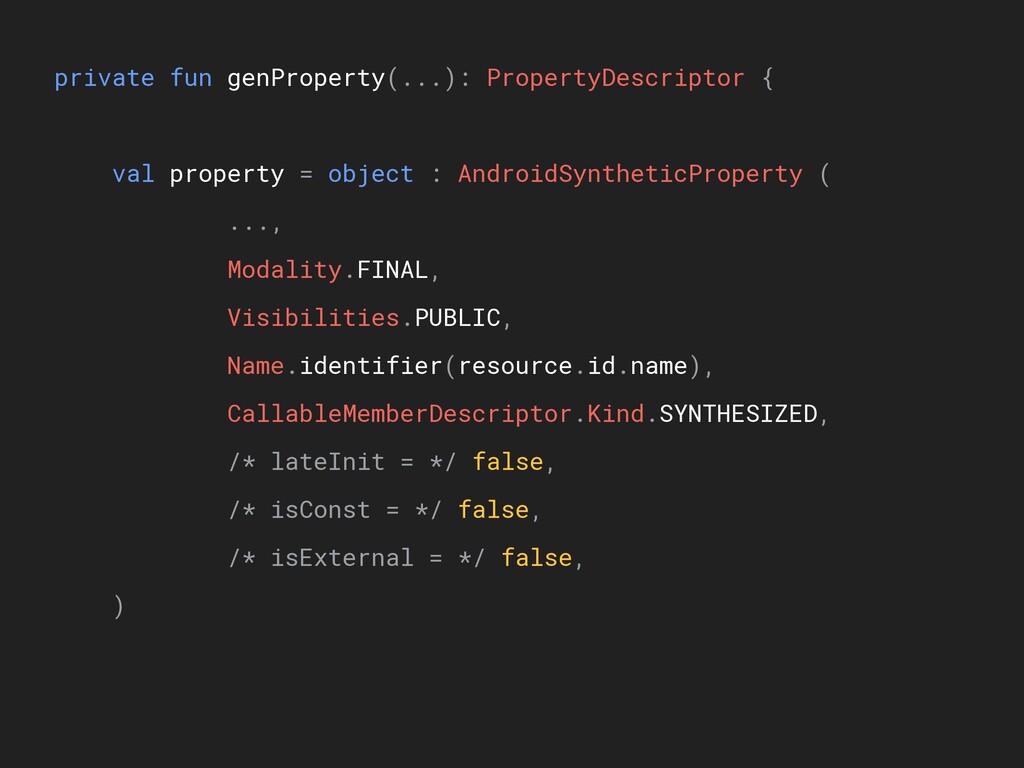
private fun genProperty(...): PropertyDescriptor { val property = object :
AndroidSyntheticProperty ( ..., Modality.FINAL, Visibilities.PUBLIC, Name.identifier(resource.id.name), CallableMemberDescriptor.Kind.SYNTHESIZED, /* lateInit = */ false, /* isConst = */ false, /* isExternal = */ false, ) private fun genProperty(...): PropertyDescriptor { val property = object : AndroidSyntheticProperty ( ..., Modality.FINAL, Visibilities.PUBLIC, Name.identifier(resource.id.name), CallableMemberDescriptor.Kind.SYNTHESIZED, /* lateInit = */ false, /* isConst = */ false, /* isExternal = */ false, ) val getter = PropertyGetterDescriptorImpl( property, -
val getter = PropertyGetterDescriptorImpl( property, Annotations.EMPTY, Modality.FINAL, Visibilities.PUBLIC, /* isDefault
= */ false, /* isExternal = */ false, /* isInline = */ false, CallableMemberDescriptor.Kind.SYNTHESIZED, /* original = */ null, SourceElement.NO_SOURCE ) property.initialize(getter, null) -
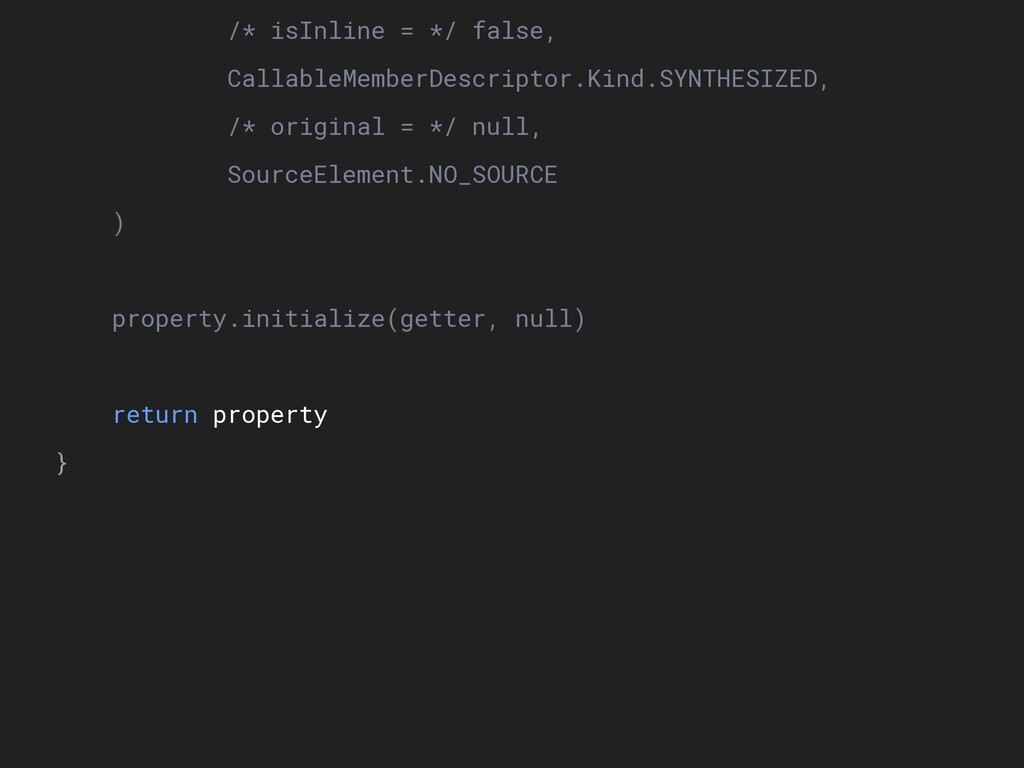
/* isInline = */ false, CallableMemberDescriptor.Kind.SYNTHESIZED, /* original = */
null, SourceElement.NO_SOURCE ) property.initialize(getter, null) return property } Getter only, no setter -
/* isInline = */ false, CallableMemberDescriptor.Kind.SYNTHESIZED, /* original = */
null, SourceElement.NO_SOURCE ) property.initialize(getter, null) return property } -
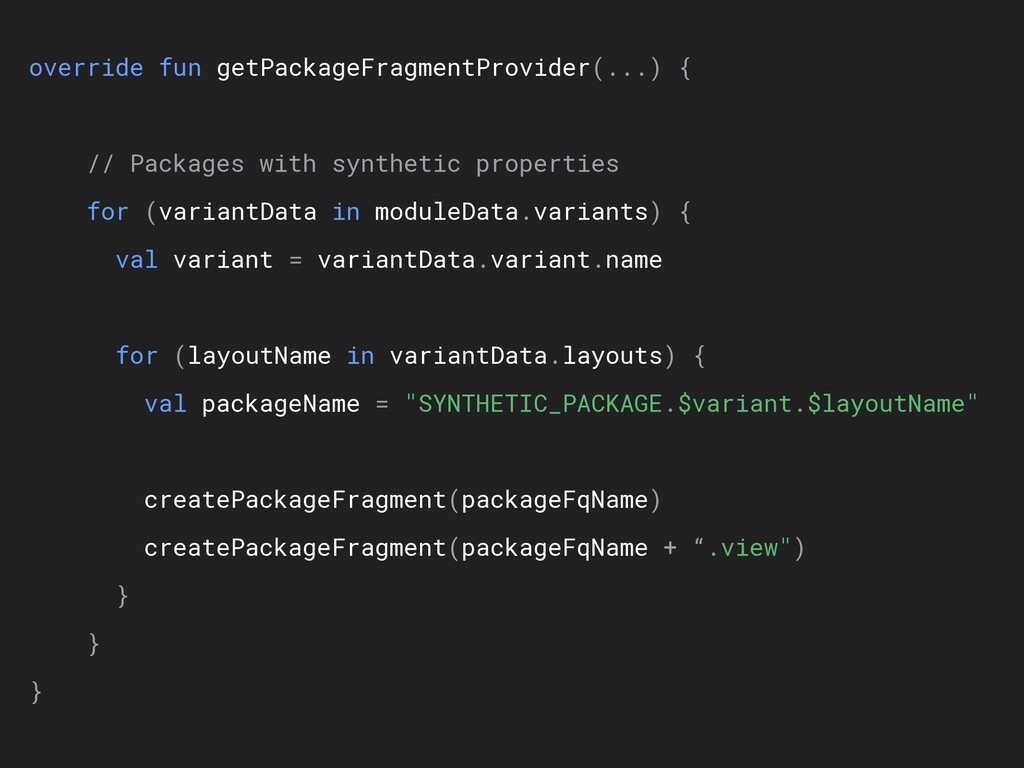
override fun getPackageFragmentProvider(...) { // Packages with synthetic properties for
(variantData in moduleData.variants) { val variant = variantData.variant.name for (layoutName in variantData.layouts) { val packageName = "$SYNTHETIC_PACKAGE.$variant.$layoutName" createPackageFragment(packageFqName) createPackageFragment(packageFqName + “.view") } } } -
// Packages with synthetic properties for (variantData in moduleData.variants) {
val variant = variantData.variant.name for (layoutName in variantData.layouts) { val packageName = "$SYNTHETIC_PACKAGE.$variant.$layoutName" createPackageFragment(packageFqName) createPackageFragment(packageFqName + “.view") } } } -
val variant = variantData.variant.name for (layoutName in variantData.layouts) { val
packageName = "$SYNTHETIC_PACKAGE.$variant.$layoutName" createPackageFragment(packageFqName) createPackageFragment(packageFqName + “.view") } } } import kotlinx.android.synthetic.main.activity_main.* import kotlinx.android.synthetic.main.activity_main.view.* -
override fun getPackageFragmentProvider(...) { // Packages with synthetic properties for
(variantData in moduleData.variants) { val variant = variantData.variant.name for (layoutName in variantData.layouts) { val packageName = "SYNTHETIC_PACKAGE.$variant.$layoutName" createPackageFragment(packageFqName) createPackageFragment(packageFqName + “.view") } } } -
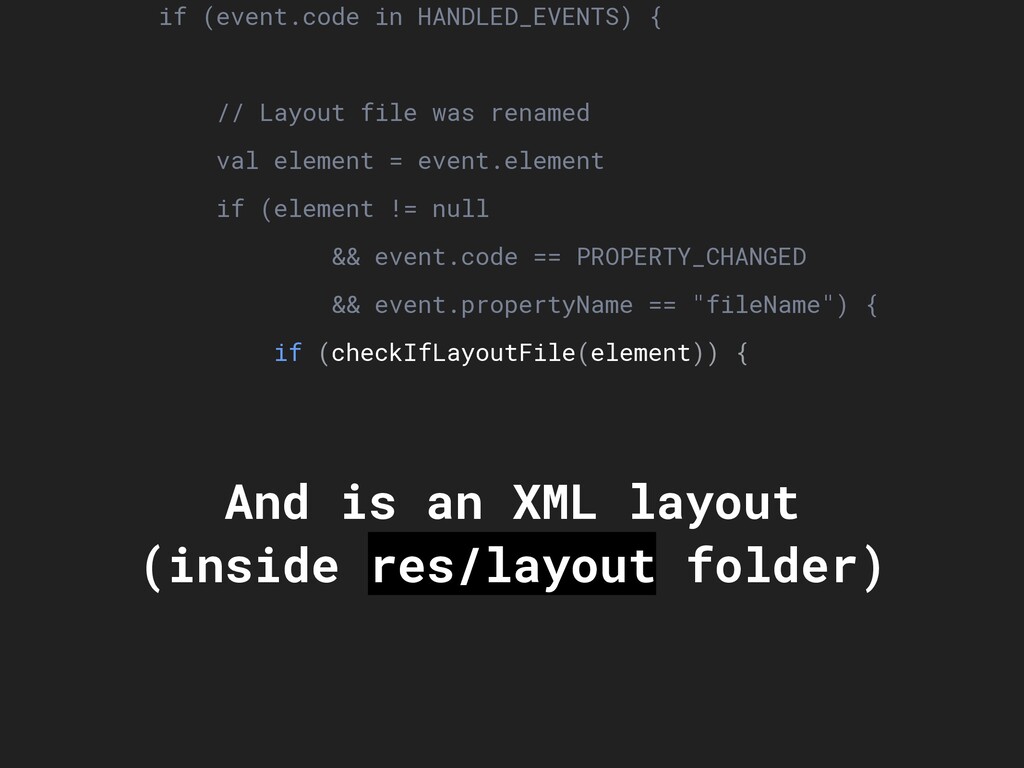
class AndroidPsiTreeChangePreprocessor { override fun treeChanged(event: PsiTreeChangeEventImpl) { if (event.code
in HANDLED_EVENTS) { // Layout file was renamed val element = event.element if (element != null && event.code == PROPERTY_CHANGED && event.propertyName == "fileName") { if (checkIfLayoutFile(element)) { incModificationCount() return } } -
if (event.code in HANDLED_EVENTS) { // Layout file was renamed
val element = event.element if (element != null && event.code == PROPERTY_CHANGED && event.propertyName == "fileName") { if (checkIfLayoutFile(element)) { incModificationCount() return } } val xmlAttribute = findXmlAttribute(child) ?: return val name = xmlAttribute.name if (name != "android:id" && name != "class") return If file was: - Added - Removed - Moved - Replaced - Renamed -
if (event.code in HANDLED_EVENTS) { // Layout file was renamed
val element = event.element if (element != null && event.code == PROPERTY_CHANGED && event.propertyName == "fileName") { if (checkIfLayoutFile(element)) { incModificationCount() return } } val xmlAttribute = findXmlAttribute(child) ?: return val name = xmlAttribute.name if (name != "android:id" && name != "class") return And is an XML layout (inside res/layout folder) -
if (event.code in HANDLED_EVENTS) { // Layout file was renamed
val element = event.element if (element != null && event.code == PROPERTY_CHANGED && event.propertyName == "fileName") { if (checkIfLayoutFile(element)) { incModificationCount() return } } val xmlAttribute = findXmlAttribute(child) ?: return val name = xmlAttribute.name if (name != "android:id" && name != "class") return Layout should be re-evaluated! -
} } val xmlAttribute = findXmlAttribute(child) ?: return val name
= xmlAttribute.name if (name != "android:id" && name != "class") return incModificationCount() } } } -
} } val xmlAttribute = findXmlAttribute(child) ?: return val name
= xmlAttribute.name if (name != "android:id" && name != "class") return incModificationCount() } } } Only updated if id or class is modified -
El plugin ha tenido que: Saber qué archivos analizar Saber
cómo analizar cada archivo Saber cómo manejar cada componente Saber en qué momentos actualizar Manipular el código interno Crear imports dinámicamente -
A nivel de IDE… Implementa a mano el autocompletado Implementa
“Ir a la declaración" Implementa la indexación de archivos Y más… -
Más detalle en... Analyzing the Internals of Kotlin’s Android Syntethic
Import (Part 1 & 2) https://brunoaybar.com/kotlin-android-synthetic- import-part-1 https://brunoaybar.com/kotlin-android-synthetic- import-part-2 -
KAPT -Trabajan sobre Java y Kotlin -Solo sobre la JVM
-Solo puede crear archivos -Son relativamente sencillos de crear -El código existe LUEGO de compilar -
Kotlin Plugin -Puedes hacer lo que quieras: modificar codigo, crear
nuevos archivos, comunicarte con el IDE, etc. -Son multiplataforma -Demandan DEMASIADO trabajo -Documentación casi nula -Por ahora, solo hay plugins desarrollados por JetBrains -El código existe LUEGO de compilar… pero puede integrarse en tiempo real con el IDE -
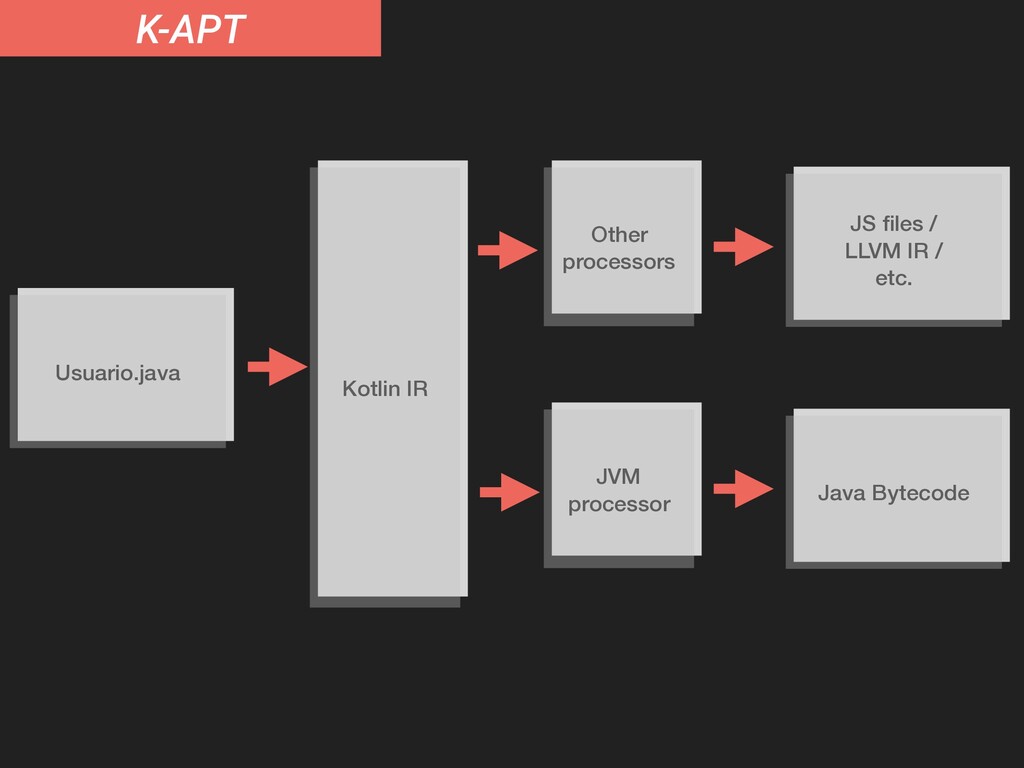
K-APT Usuario.java JS files / LLVM IR / etc. Kotlin
IR Other processors Java Bytecode JVM processor -
KotlinJS? KotlinJS NO trabaja sobre la JVM… ... no soporta
KAPT ... pero sí se le pueden agregar plugins -
@brunoaybarg Bruno125 Bruno Aybar Software Engineer @ Avantica Technologies AndroidDev
Peru co-organizer Thanks! https://brunoaybar.com/talks/intro-kapt-plugin
 bruno125
 bicstone
 raeminkang
 pvcresin
 steliosf
 yukikurage
 j5ik2o
 onozaty
 dalinaum
 xleitix
 kazuki1023
 ktombow
 akihisaikeda
 axbom
 rasagy
 uxyall
 techseoconnect
 jeffersonlam
 marketingsoph
 mkilby
 charlesmeaden
 jacobtomlinson
 lara
 samtorres
 nwiizo