Upgrade to Pro
— share decks privately, control downloads, hide ads and more …
Speaker Deck
Sign up for free
Menu
Search
Features
All features
Private URLs
Password Protection
Custom URLS
Scheduled publishing
Remove Branding
Restrict embedding
Deck Collections
Notes
Features
All features
Private URLs
Password Protection
Custom URLS
Scheduled publishing
Remove Branding
Restrict embedding
Deck Collections
Notes
Explore
Featured decks
Featured speakers
Programming
Technology
Storyboards
Explore
Featured decks
Featured speakers
Programming
Technology
Storyboards
Pricing
Search
Sign in
Sign up for free
Final_Pygame_Translation
Search
DaLn
June 18, 2014
250
0
Share
Embed
Copy iframe code
Copy JS code
Copy link
Start on current slide
Final_Pygame_Translation
Final_Pygame_Translation
DaLn
June 18, 2014
Featured
See All Featured
Lightning talk: Run Django tests with GitHub Actions
sabderemane
0
300
So, you think you're a good person
axbom
PRO
2
2.2k
Visual Storytelling: How to be a Superhuman Communicator
reverentgeek
2
710
職位にかかわらず全員がリーダーシップを発揮するチーム作り / Building a team where everyone can demonstrate leadership regardless of position
madoxten
69
67k
[RailsConf 2023] Rails as a piece of cake
palkan
59
7.1k
How To Speak Unicorn (iThemes Webinar)
marktimemedia
1
600
Leveraging Curiosity to Care for An Aging Population
cassininazir
1
540
Breaking role norms: Why Content Design is so much more than writing copy - Taylor Woolridge
uxyall
1
450
Ten Tips & Tricks for a 🌱 transition
stuffmc
1
270
Understanding Cognitive Biases in Performance Measurement
bluesmoon
32
3.1k
Designing for Timeless Needs
cassininazir
1
530
Git: the NoSQL Database
bkeepers
PRO
433
67k
Transcript
期末pygame 製作人: 資工二 B0129009 李銘達
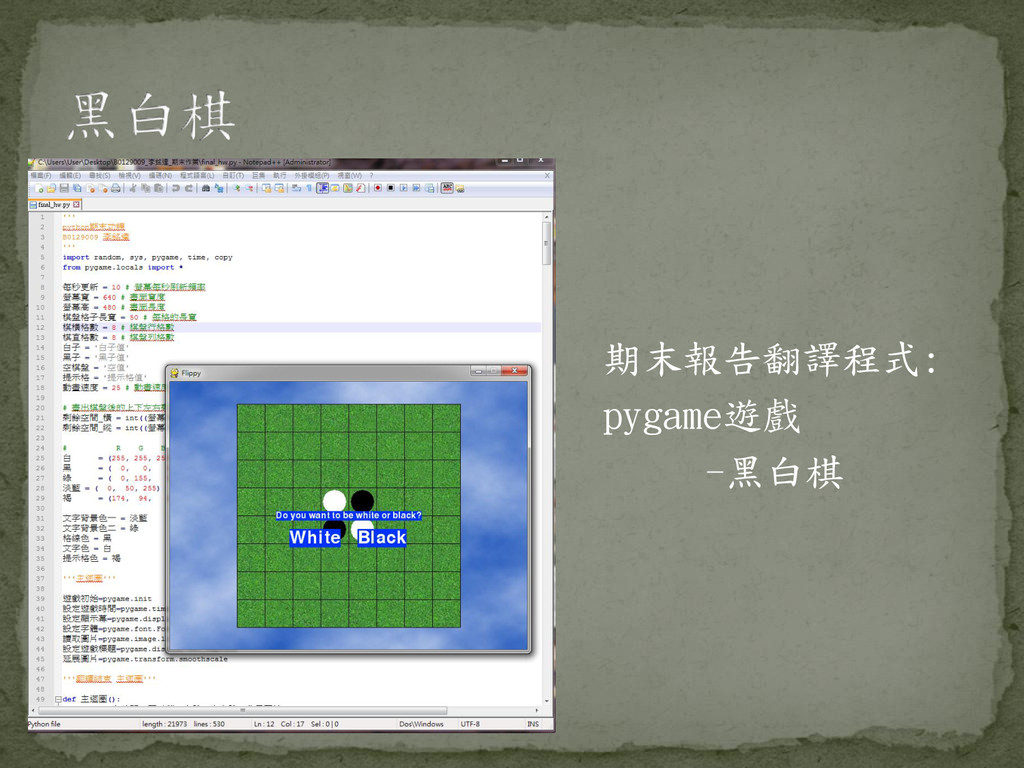
期末報告翻譯程式: pygame遊戲 -黑白棋
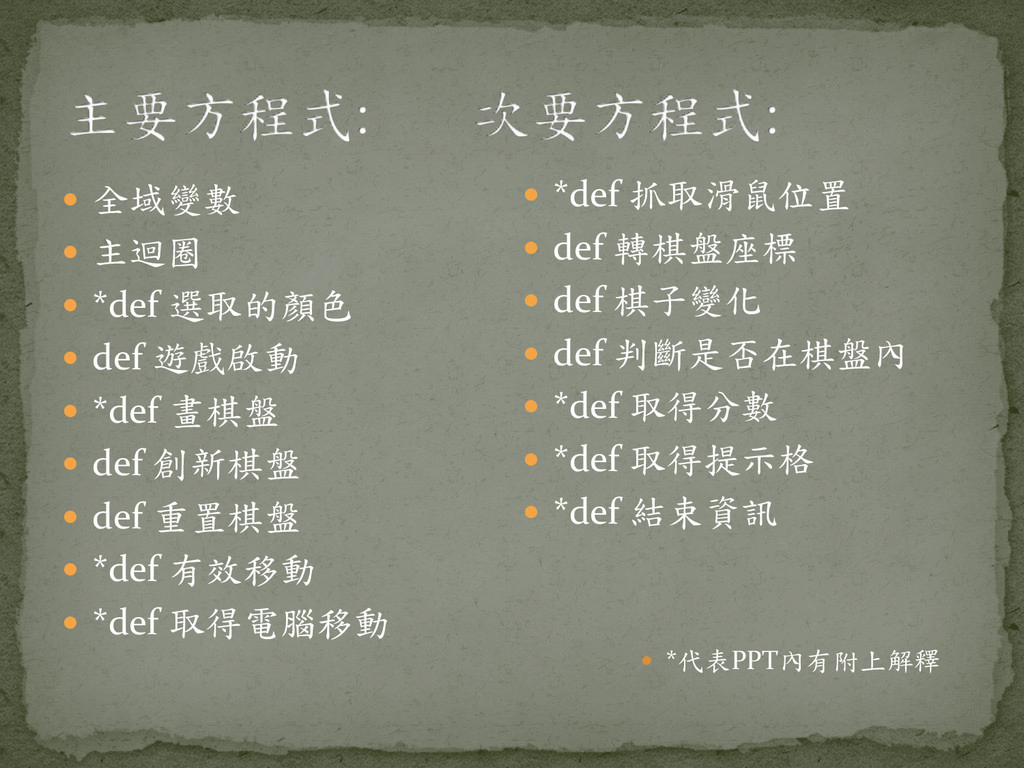
全域變數 主迴圈 *def 選取的顏色 def 遊戲啟動
*def 畫棋盤 def 創新棋盤 def 重置棋盤 *def 有效移動 *def 取得電腦移動 *def 抓取滑鼠位置 def 轉棋盤座標 def 棋子變化 def 判斷是否在棋盤內 *def 取得分數 *def 取得提示格 *def 結束資訊 *代表PPT內有附上解釋
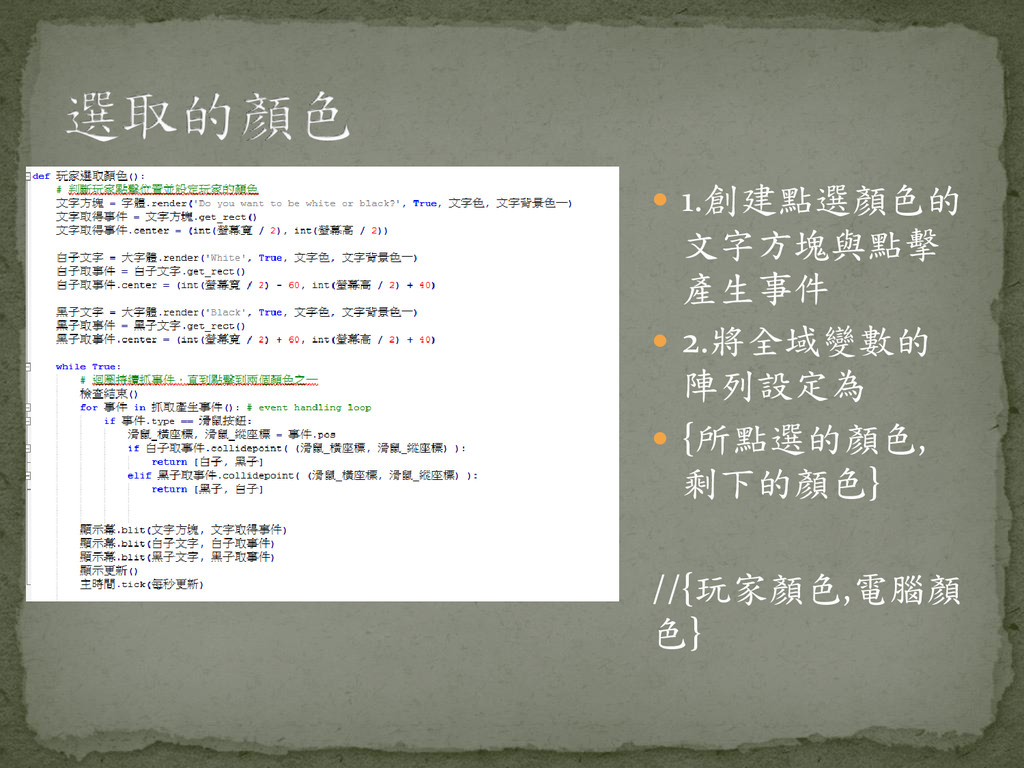
1.創建點選顏色的 文字方塊與點擊 產生事件 2.將全域變數的 陣列設定為 {所點選的顏色, 剩下的顏色}
//{玩家顏色,電腦顏 色}
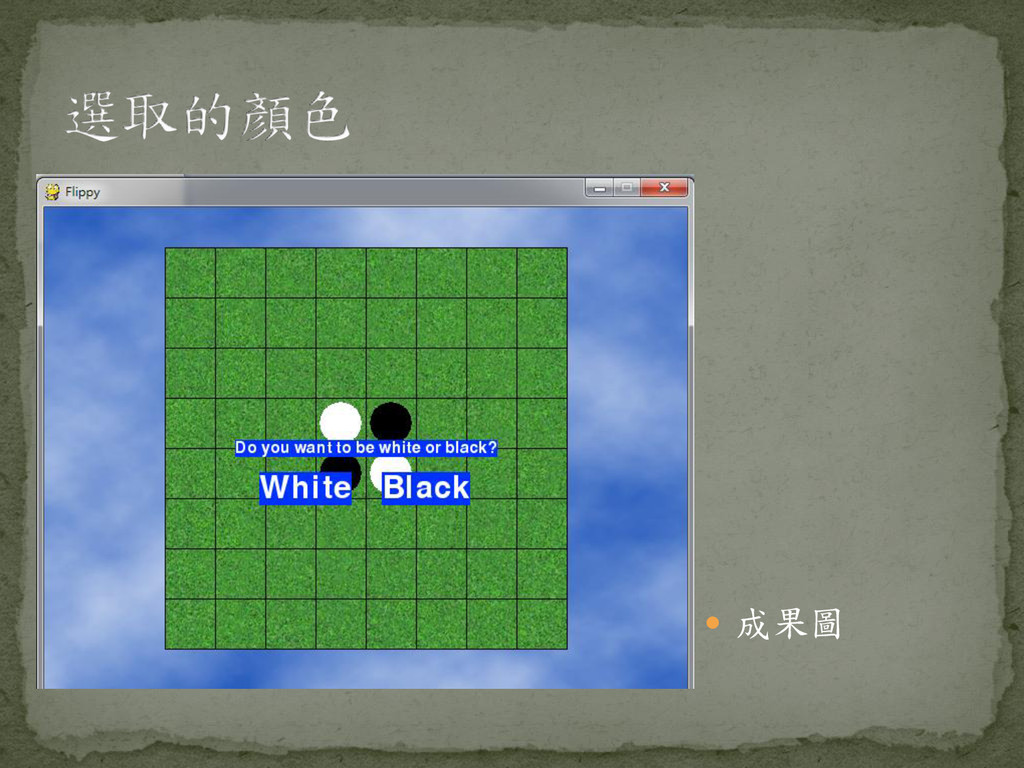
成果圖
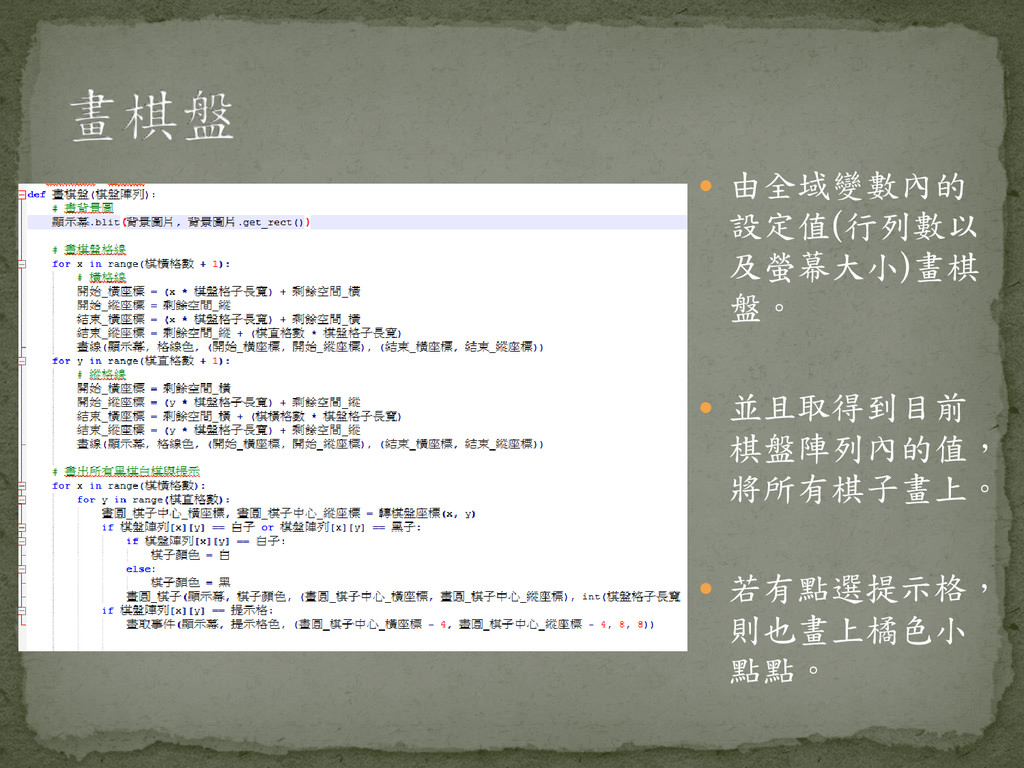
由全域變數內的 設定值(行列數以 及螢幕大小)畫棋 盤。 並且取得到目前 棋盤陣列內的值, 將所有棋子畫上。
若有點選提示格, 則也畫上橘色小 點點。
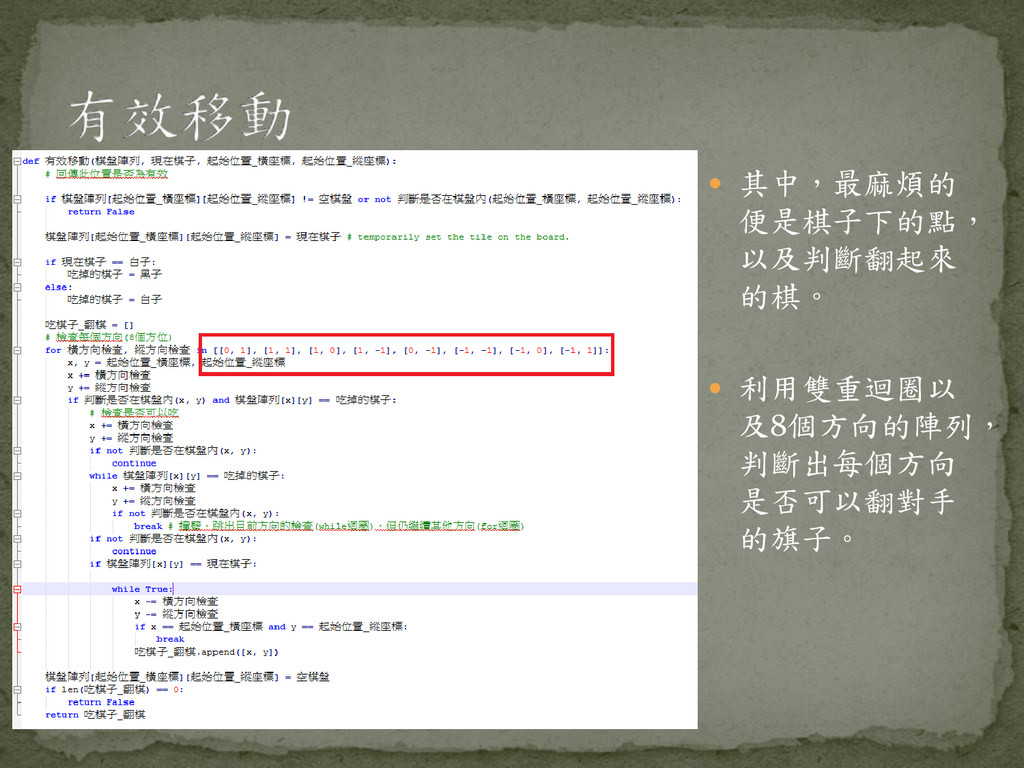
其中,最麻煩的 便是棋子下的點, 以及判斷翻起來 的棋。 利用雙重迴圈以 及8個方向的陣列, 判斷出每個方向 是否可以翻對手
的旗子。
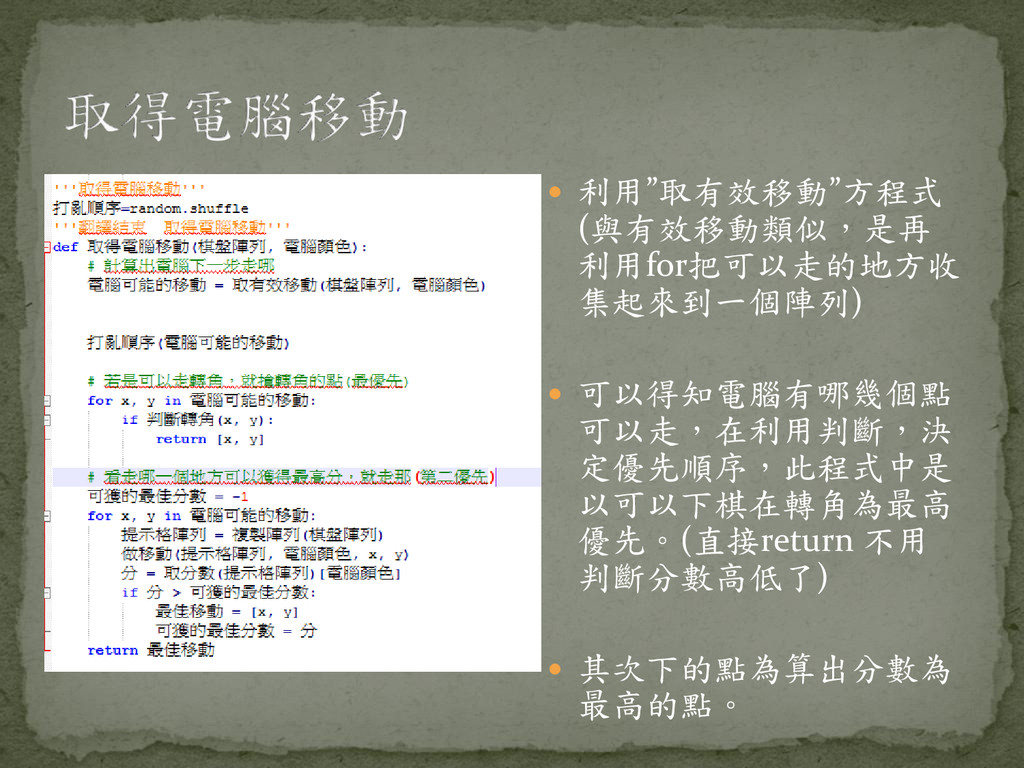
利用”取有效移動”方程式 (與有效移動類似,是再 利用for把可以走的地方收 集起來到一個陣列) 可以得知電腦有哪幾個點 可以走,在利用判斷,決 定優先順序,此程式中是 以可以下棋在轉角為最高
優先。(直接return 不用 判斷分數高低了) 其次下的點為算出分數為 最高的點。
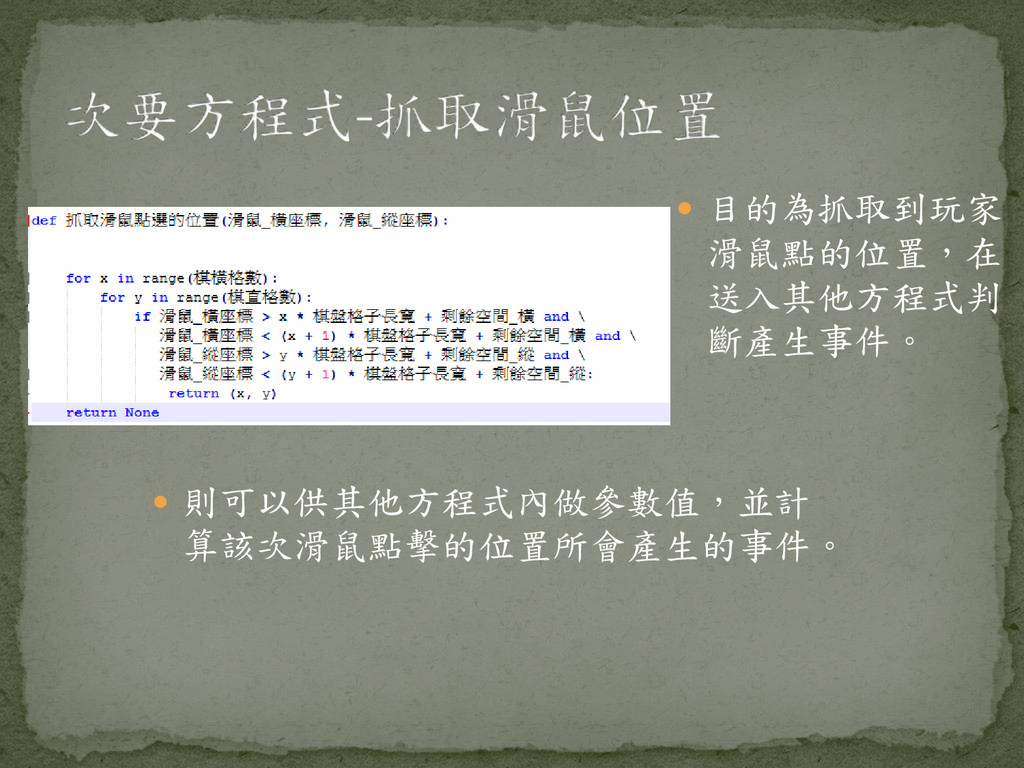
目的為抓取到玩家 滑鼠點的位置,在 送入其他方程式判 斷產生事件。 則可以供其他方程式內做參數值,並計 算該次滑鼠點擊的位置所會產生的事件。
遊戲,最吸引人的地方 就是算分數,得高分的 優越感與低分者的不服 氣,是讓人繼續執行遊 戲的最大動力。 而在此方程式內,就是用for迴圈將所 有的棋盤陣列[x][y],檢查過一輪,每 檢查到什麼顏色,就++分數做計算。
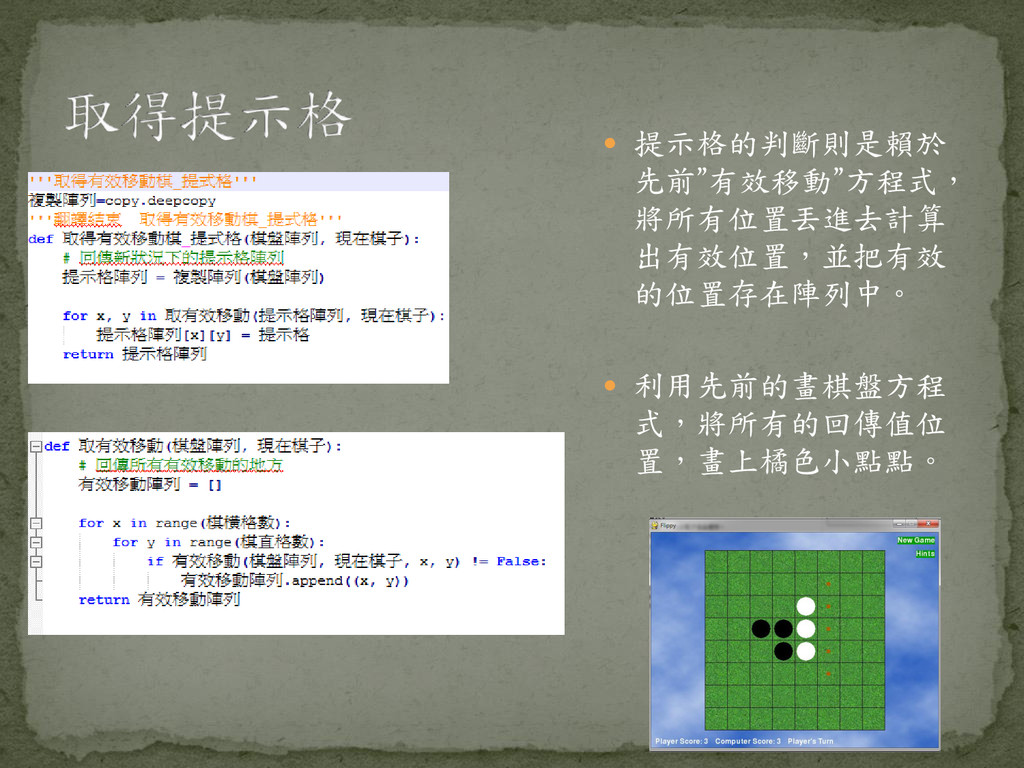
提示格的判斷則是賴於 先前”有效移動”方程式, 將所有位置丟進去計算 出有效位置,並把有效 的位置存在陣列中。 利用先前的畫棋盤方程 式,將所有的回傳值位 置,畫上橘色小點點。
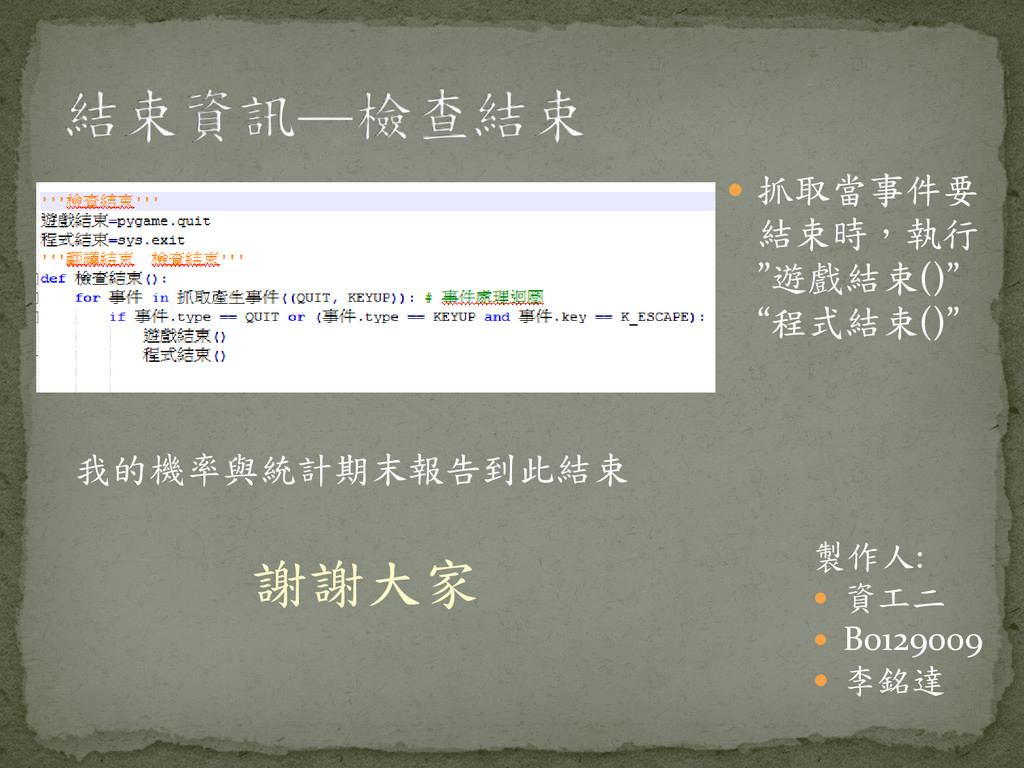
抓取當事件要 結束時,執行 ”遊戲結束()” “程式結束()” 我的機率與統計期末報告到此結束 謝謝大家 製作人: 資工二
B0129009 李銘達


 sabderemane
 axbom
axbom
 reverentgeek
 madoxten
 palkan
 marktimemedia
 cassininazir
 uxyall
 stuffmc
 bluesmoon
 bkeepers
![ 遊戲,最吸引人的地方 就是算分數,得高分的 優越感與低分者的不服 氣,是讓人繼續執行遊 戲的最大動力。 而在此方程式內,就是用for迴圈將所 有的棋盤陣列[x][y],檢查過一輪,每 檢查到什麼顏色,就++分數做計算。](https://files.speakerdeck.com/presentations/3b5ca610d90f0131a77866c3ed3c974d/slide_9.jpg)